DEI Sales BOOM Movement URCHIN BLUETOOTH SPEAKER User Manual Web
DEI Sales dba BOOM Movement BLUETOOTH SPEAKER Web
Contents
- 1. User Manual
- 2. User Manual - Statements
User Manual
R4A
URCHIN
QUICK START GUIDE
WHAT’S IN THE BOX:
- URCHIN Speaker
- Interchangeable Silicone
Skin
- USB Power Supply and
Micro USB Cable
READY FOR ANYTHING :
The URCHIN is ready for all your on the go needs, from
listening to music to answering your phone. It is water**,
shock, and dust resistant. Take it with you in the shower,
to the beach, on a hike, or attach it to your bike handle.
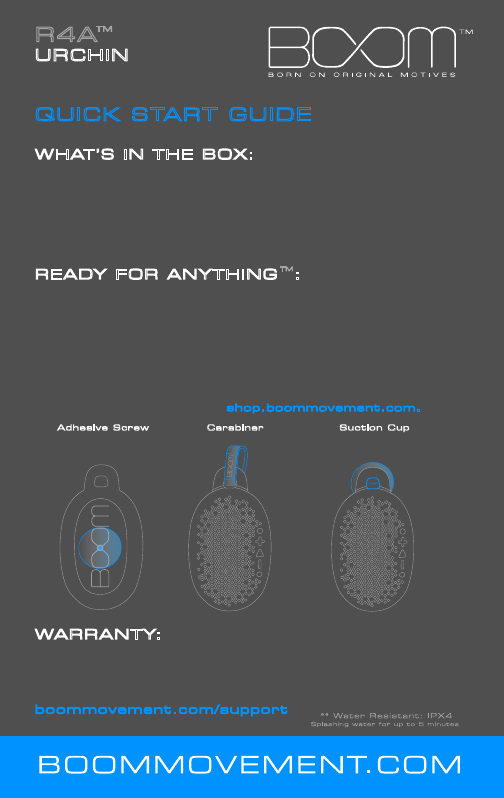
The URCHIN’s looped handle design and threaded insert
allows for many different attachment methods. Use the
included accessories shown below or use household items
like a rope or zipties. Check out other optional
attachment methods and other color options for the
removable silicone skin at shop.boommovement.com.
Adhesive Screw Carabiner Suction Cup
WARRANTY:
We want you to have the best possible experience with
your BOOM Product. If you experience any issues with
the product, please let us know. For full information on
warranty coverage, please visit us on the web at
boommovement.com/support
- AUX Input Cable
- Adhesive Screw
- Suction Cup
- Carabiner
R4A
URCHIN
QUICK START GUIDE
POWERING THE URCHIN:
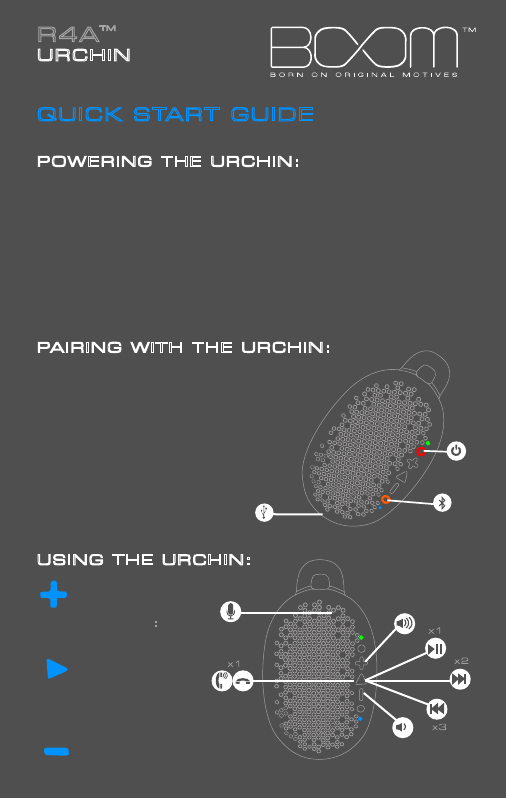
To turn ON the URCHIN, press and hold the power button
(pictured in red) for 2 seconds. The power LED, located to the
right of the power button, will turn solid green when the Urchin
is ON.
To turn OFF the URCHIN, press and hold the power button for
2 seconds. The power LED will flash green and turn off when
the Urchin is OFF.
To CHARGE the URCHIN, plug the Micro USB cable into the
input behind the port door. The power LED will turn red to
indicate the URCHIN is charging. When charging is complete,
the power LED will turn off.
PAIRING WITH THE URCHIN:
To pair your device with the
URCHIN, press and hold the
Bluetooth button (pictured in
orange) for 3 seconds. The
Bluetooth LED, located to the
left of the Bluetooth button,
will flash blue when the URCHIN
is in pairing mode. In
the settings on your device,
select “Urchin R4A” and
connect. Once your device
has paired successfully,
the URCHIN will make a tone
and the Bluetooth LED will
turn solid blue.
USING THE URCHIN:
Volume Up
Press Once:
Play / Pause
Answer / Hangup
Phone Call
Press Twice:
Track Forward
Press Three Times:
Track Back
Volume Down