DLink DWL 6700AP Release Note Notes For FW V4.4.0.7 20150721
User Manual: DLink
Open the PDF directly: View PDF  .
.
Page Count: 4

DWL-6700AP Firmware Release Notes
1
Content:
Revision History and System Requirement:........................................................................... 2
Important Notes: .............................................................................................................. 2
New Features: .................................................................................................................. 2
Problems Fixed: ................................................................................................................ 2
Known Issues: .................................................................................................................. 3
Related Documentation: ..................................................................................................... 4
Firmware Version:
V4.4.0.7
Published:
July 21, 2015
DWL-6700AP Firmware Release Notes
2
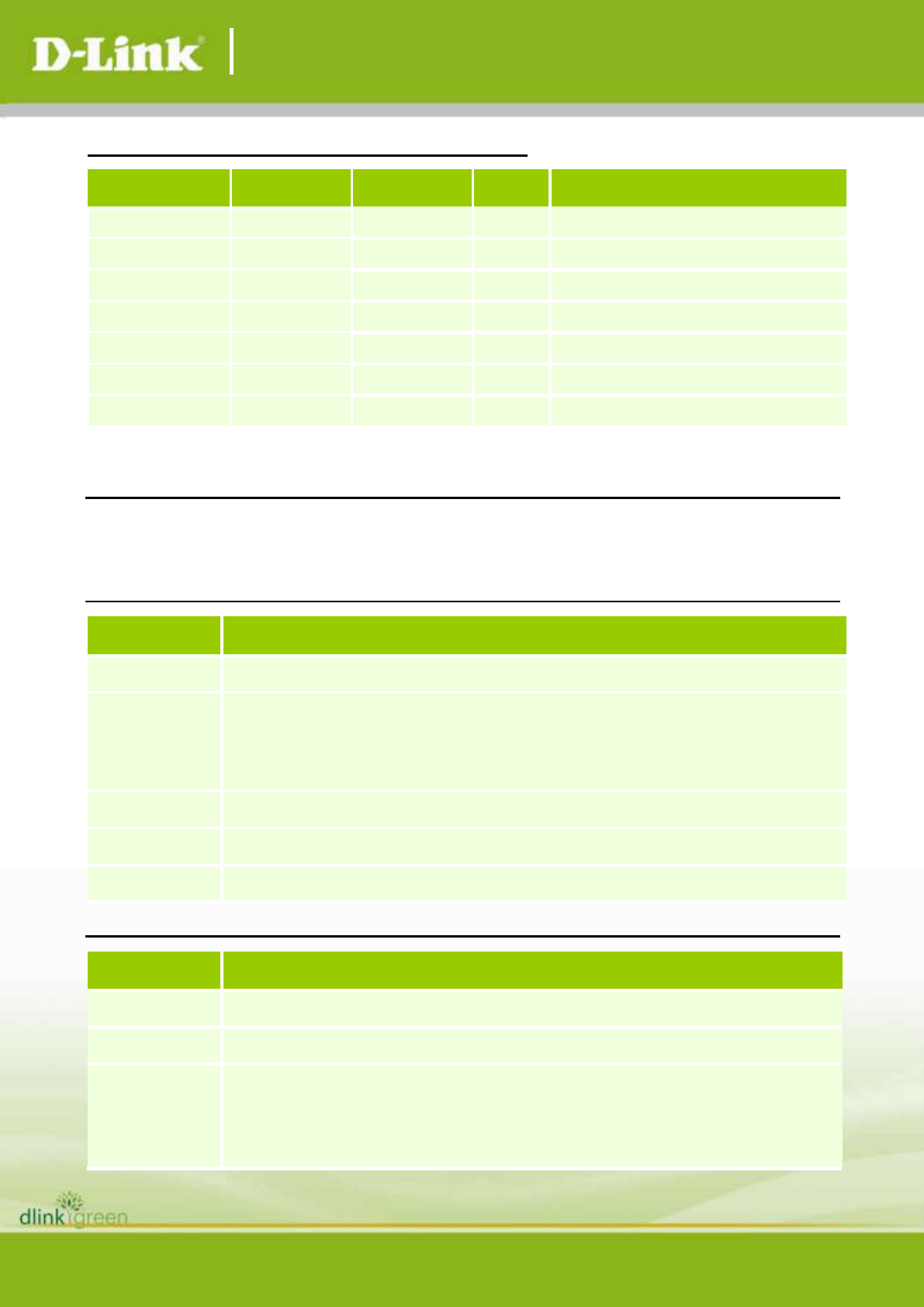
Revision History and System Requirement:
Firmware
Version
Date
Model
HW
Version
MD5 Checksum
V4.4.0.7
21-July-2015
DWL-6700AP
A1/A2
386bb3a8f012e9cde9276b8c4c1d1619
V4.4.0.6
04-June-2015
DWL-6700AP
A1/A2
43d0158d8ab6e3edfa2a6a1eeefd2c28
V4.4.0.1_B007
02-Feb-2015
DWL-6700AP
A1
142e74f6573015769c8bd609dffd6d83
V4.4.0.1_B003
02-Dec-2014
DWL-6700AP
A1
52bd97b7f11249acc50b6e16c7b84339
V4.4.0.1_B001
22-Oct-2014
DWL-6700AP
A1
fc86bb29aa0072406b9afc0dc48d0e82
Important Notes:
1. Setting 5GHz WDS, the 5GHz SSID doesn’t serve WLAN client in WDS mode.
New Features:
Firmware
Version
New Features
V4.4.0.7
N/A
V4.4.0.6
1. Rename V4.4.0.1_B007 to V4.4.0.6
2. OpenSSL Issue, V4.4.0.6 is using 0.9.8ze and it doesn’t have the security
vulnerabilities.
V4.4.0.1_B007
N/A
V4.4.0.1_B003
N/A
V4.4.0.1_B001
Initial release
Problems Fixed:
Firmware
Version
Problems Fixed
V4.4.0.7
1. Domain code and channel correction (RU/JP)
V4.4.0.6
N/A
V4.4.0.1_B007
1. Wireless Settings - Transmit Power Fail (DBG14120573)
2. Wireless Settings - Multicast Forwarding Fail (DBG14120574)
3. Log message issue (DBG14120576)
DWL-6700AP Firmware Release Notes
3
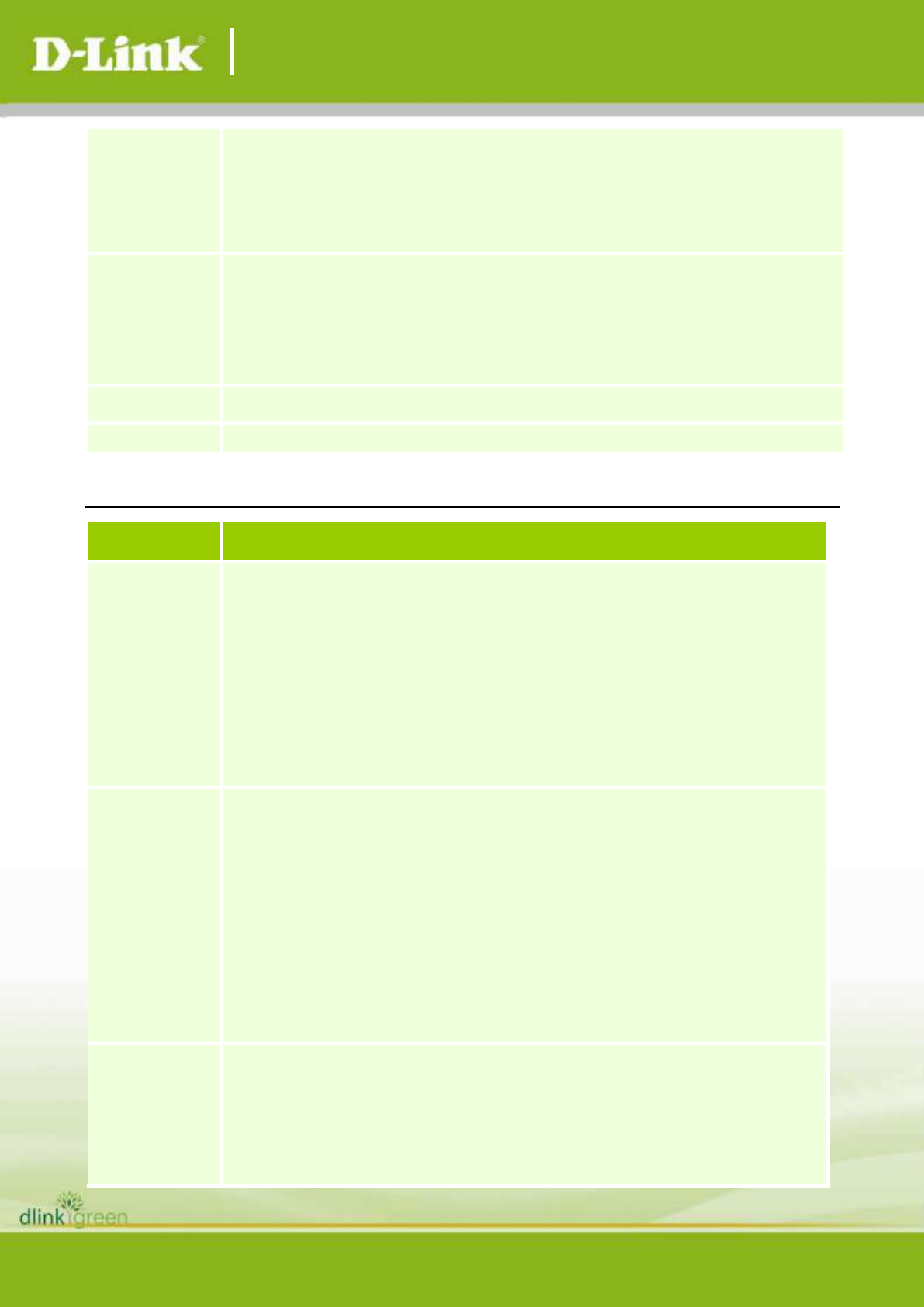
4. WiFi Interface Number, Wifi MAC rule not follow 6600 (2.4G and 5G should
switch) (DBG14120578)
5. Basic Settings - Password will change to empty after change System
Settings (DBG14120581)
V4.4.0.1_B003
1. The status of Scheduler Profile is not consistency after the AP rebooted.
(DBG14110008)
2. LED function did not work (DBG14110005)
3. Unable to configure RADIUS IP Address (DBG14110006)
V4.4.0.1_B001
Initial release
Known Issues:
Firmware
Version
Issues
V4.4.0.7
1. The following software features are not ready yet.
RF Scheduler
Forced Roaming
Perma Config
Hidden page
Facebook Wi-Fi
Payment Gateway
WDS managed-AP mode (controller feature)
V4.4.0.6
1. The following software features are not ready yet.
RF Scheduler
Forced Roaming
Perma Config
Hidden page
Facebook Wi-Fi
Payment Gateway
2. OpenSSL Issue, V4.4.0.6 is using 0.9.8ze and it doesn’t have the security
vulnerabilities.
V4.4.0.1_B007
1. The following software features are not ready yet.
RF Scheduler
Forced Roaming
Perma Config
Hidden page

DWL-6700AP Firmware Release Notes
4
Facebook Wi-Fi
Payment Gateway
Related Documentation:
- DWL-x600AP Series Manual
