DONGGUAN SMART HERO ELECTRONIC CO SCDB2602RX SMARTCHIME DOOR CHIME RECEIVER User Manual

DONGGUAN SMART HERO ELECTRONIC PRODUCTS CO LTD SMARTCHIME DOOR CHIME RECEIVER Users Manual

User manual

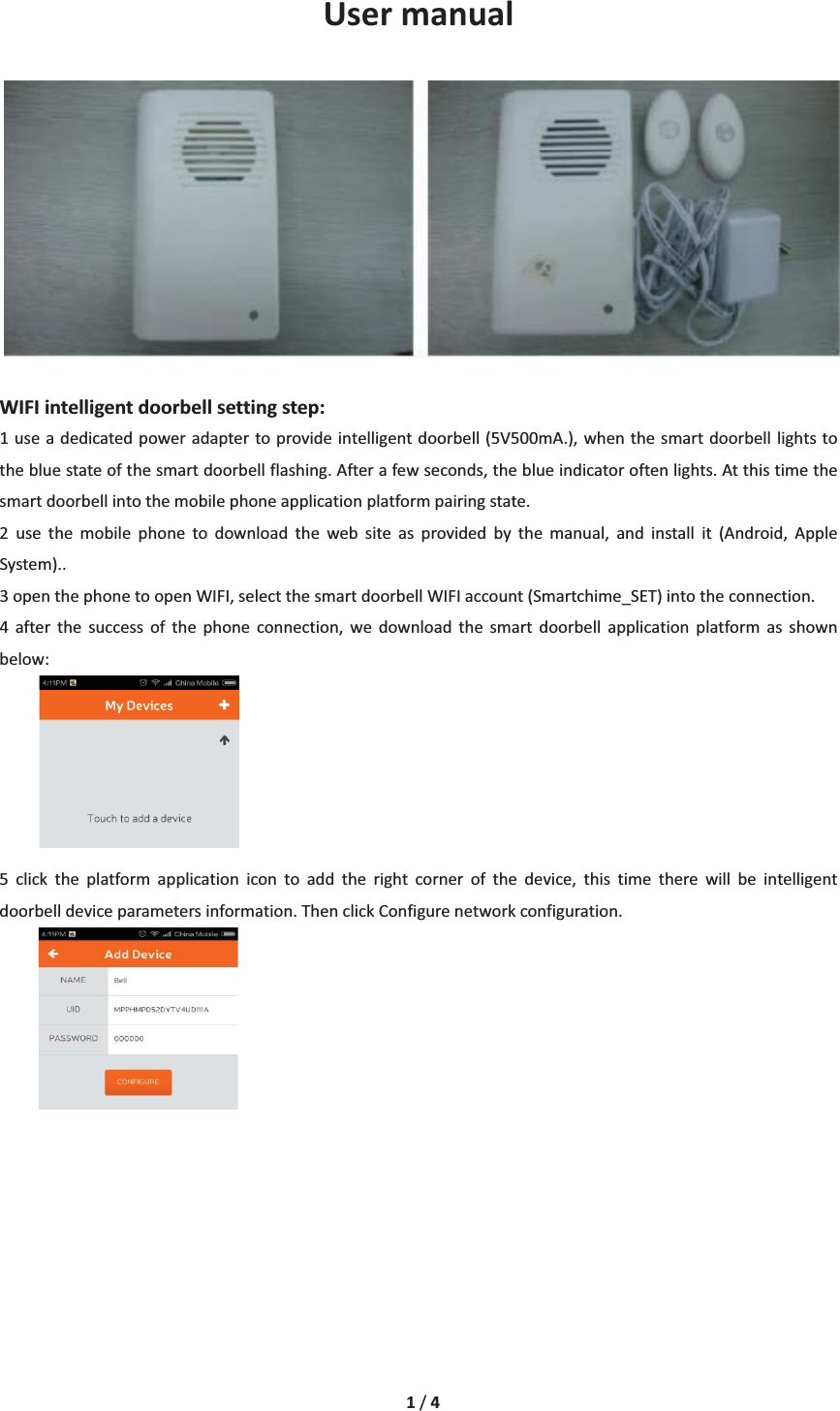
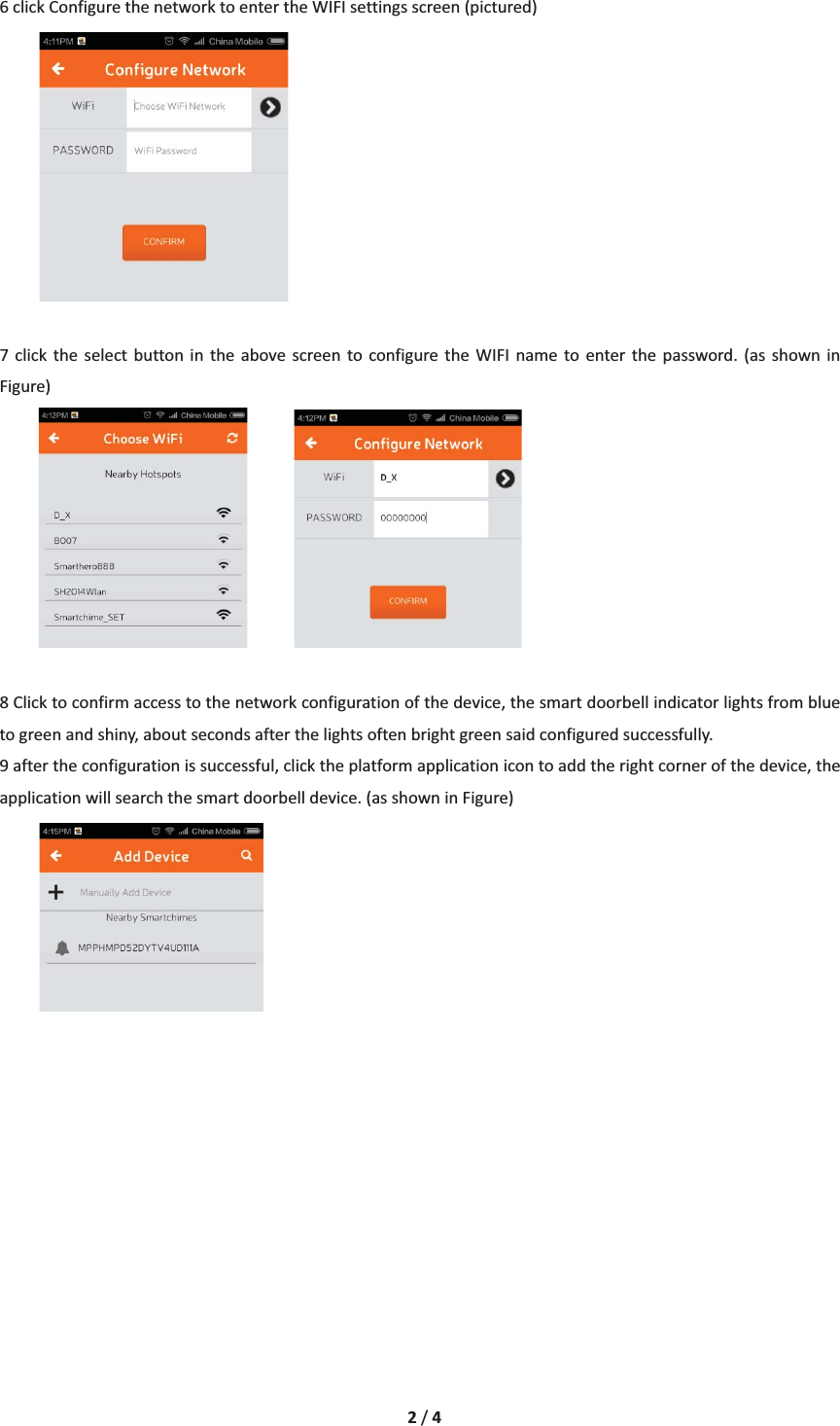
1/4UsermanualWIFIintelligentdoorbellsettingstep:1useadedicatedpoweradaptertoprovideintelligentdoorbell(5V500mA.),whenthesmartdoorbelllightstothebluestateofthesmartdoorbellflashing.Afterafewseconds,theblueindicatoroftenlights.Atthistimethesmartdoorbellintothemobilephoneapplicationplatformpairingstate.2 use the mobile phone to download the web site as provided by the manual, and install it (Android, AppleSystem)..3openthephonetoopenWIFI,selectthesmartdoorbellWIFIaccount(Smartchime_SET)intotheconnection.4 after the success of the phone connection, we download the smart doorbell application platform as shownbelow:5 click the platform application icon to add the right corner of the device, this time there will be intelligentdoorbelldeviceparametersinformation.ThenclickConfigurenetworkconfiguration.
2/46clickConfigurethenetworktoentertheWIFIsettingsscreen(pictured)7 click the select button in the above screen to configure the WIFI name to enter the password. (as shown inFigure) 8Clicktoconfirmaccesstothenetworkconfigurationofthedevice,thesmartdoorbellindicatorlightsfrombluetogreenandshiny,aboutsecondsafterthelightsoftenbrightgreensaidconfiguredsuccessfully.9aftertheconfigurationissuccessful,clicktheplatformapplicationicontoaddtherightcornerofthedevice,theapplicationwillsearchthesmartdoorbelldevice.(asshowninFigure)
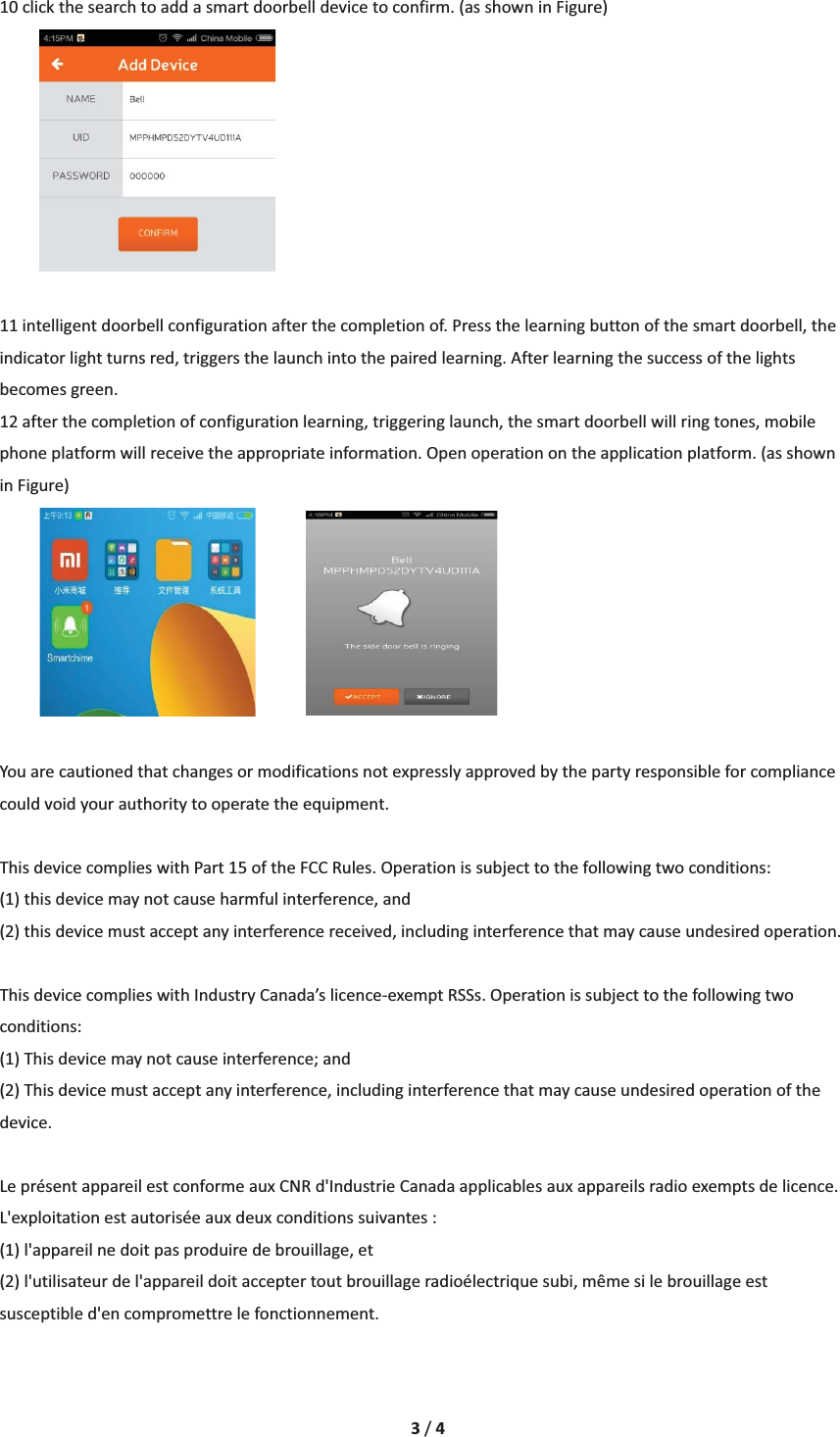
3/410clickthesearchtoaddasmartdoorbelldevicetoconfirm.(asshowninFigure)11intelligentdoorbellconfigurationafterthecompletionof.Pressthelearningbuttonofthesmartdoorbell,theindicatorlightturnsred,triggersthelaunchintothepairedlearning.Afterlearningthesuccessofthelightsbecomesgreen.12afterthecompletionofconfigurationlearning,triggeringlaunch,thesmartdoorbellwillringtones,mobilephoneplatformwillreceivetheappropriateinformation.Openoperationontheapplicationplatform.(asshowninFigure)Youarecautionedthatchangesormodificationsnotexpresslyapprovedbythepartyresponsibleforcompliancecouldvoidyourauthoritytooperatetheequipment.ThisdevicecomplieswithPart15oftheFCCRules.Operationissubjecttothefollowingtwoconditions: (1)thisdevicemaynotcauseharmfulinterference,and(2)thisdevicemustacceptanyinterferencereceived,includinginterferencethatmaycauseundesiredoperation.ThisdevicecomplieswithIndustryCanada’slicenceͲexemptRSSs.Operationissubjecttothefollowingtwoconditions: (1)Thisdevicemaynotcauseinterference;and (2)Thisdevicemustacceptanyinterference,includinginterferencethatmaycauseundesiredoperationofthedevice. LeprésentappareilestconformeauxCNRd'IndustrieCanadaapplicablesauxappareilsradioexemptsdelicence.L'exploitationestautoriséeauxdeuxconditionssuivantes: (1)l'appareilnedoitpasproduiredebrouillage,et (2)l'utilisateurdel'appareildoitacceptertoutbrouillageradioélectriquesubi,mêmesilebrouillageestsusceptibled'encompromettrelefonctionnement.
4/4“This equipment complies with FCC RF radiation exposure limits set forth for an uncontrolled environment. This equipment should be installed and operated with a minimum distance of 20 centimeters between the radiator and your body.”La distance entre l'utilisateur et de produits ne devrait pas être inférieure à 20cm

Navigation menu