Dell Dp Endpt Security Suite Data Endpoint Pro Technical Advisories V1.8 User Manual User's Guide8 En Us
User Manual: Dell dell-dp-endpt-security-suite - Endpoint Security Suite Pro Technical Advisories v1.8
Open the PDF directly: View PDF  .
.
Page Count: 44
- Dell Data Security Endpoint Security Suite Pro Technical Advisories v1.8
- Technical Advisories
- Contact Dell ProSupport
- New Features and Functionality v1.8
- Resolved Technical Advisories v1.8
- Technical Advisories v1.8
- New Features and Functionality v1.7
- Resolved Technical Advisories v1.7
- Technical Advisories v1.7
- New Features and Functionality v1.6
- Resolved Technical Advisories v1.6
- Technical Advisories v1.6
- Resolved Technical Advisories v1.5
- Technical Advisories v1.5
- New Features and Functionality v1.4.1
- Resolved Technical Advisories v1.4.1
- Technical Advisories v1.4.1
- New Features and Functionality v1.4
- Resolved Technical Advisories v1.4
- Technical Advisories v1.4
- Resolved Technical Advisories v1.3.1
- Technical Advisories v1.3.1
- Resolved Technical Advisories v1.3
- Technical Advisories v1.3
- Resolved Technical Advisories v1.2.1
- Technical Advisories v1.2.1
- New Features and Functionality v1.2
- Resolved Technical Advisories v1.2
- Technical Advisories v1.2
- New Features and Functionality v1.1.1
- Resolved Technical Advisories v1.1.1
- New Features and Functionality v1.1
- Resolved Technical Advisories v1.1
- Technical Advisories v1.1
- Resolved Technical Advisories v1.0.1
- New Features and Functionality v1.0
- Technical Advisories v1.0
- Previous Technical Advisories
- Technical Advisories v8.4.1
- Technical Advisories v8.3.2
- Technical Advisories v8.3
- Technical Advisories v8.2.1
- Technical Advisories v8.2
- Technical Advisories v8.1
- Technical Advisories v8.0
- Technical Advisories v7.7
- Technical Advisories v7.2.3
- Technical Advisories v7.2.1
- Technical Advisories v7.2
- Technical Advisories v7.0/7.0.1
- Workarounds
- Software and Hardware Compatibility

Dell Data Security
Endpoint Security Suite Pro Technical Advisories v1.8

Notes, cautions, and warnings
NOTE: A NOTE indicates important information that helps you make better use of your product.
CAUTION: A CAUTION indicates either potential damage to hardware or loss of data and tells you how to avoid the problem.
WARNING: A WARNING indicates a potential for property damage, personal injury, or death.
© 2017 Dell Inc. All rights reserved.Dell, EMC, and other trademarks are trademarks of Dell Inc. or its subsidiaries. Other trademarks may
be trademarks of their respective owners.
Registered trademarks and trademarks used in the Dell Encryption, Endpoint Security Suite Pro, Endpoint Security Suite Enterprise, and
Data Guardian suite of documents: DellTM and the Dell logo, Dell PrecisionTM, OptiPlexTM, ControlVaultTM, LatitudeTM, XPS®, and KACETM
are trademarks of Dell Inc. Cylance®, CylancePROTECT, and the Cylance logo are registered trademarks of Cylance, Inc. in the U.S. and
other countries. McAfee® and the McAfee logo are trademarks or registered trademarks of McAfee, Inc. in the US and other countries.
Intel®, Pentium®, Intel Core Inside Duo®, Itanium®, and Xeon® are registered trademarks of Intel Corporation in the U.S. and other
countries. Adobe®, Acrobat®, and Flash® are registered trademarks of Adobe Systems Incorporated. Authen Tec® and Eikon® are
registered trademarks of Authen Tec. AMD® is a registered trademark of Advanced Micro Devices, Inc. Microsoft®, Windows®, and
Windows Server®, Internet Explorer®, MS-DOS®, Windows Vista®, MSN®, ActiveX®, Active Directory®, Access®, ActiveSync®,
BitLocker®, BitLocker To Go®, Excel®, Hyper-V®, Silverlight®, Outlook®, PowerPoint®, OneDrive®, SQL Server®, and Visual C++® are
either trademarks or registered trademarks of Microsoft Corporation in the United States and/or other countries. VMware® is a registered
trademark or trademark of VMware, Inc. in the United States or other countries. Box® is a registered trademark of Box. DropboxSM is a
service mark of Dropbox, Inc. GoogleTM, AndroidTM, GoogleTM ChromeTM, GmailTM, YouTube®, and GoogleTM Play are either trademarks or
registered trademarks of Google Inc. in the United States and other countries. Apple®, Aperture®, App StoreSM, Apple Remote
DesktopTM, Apple TV®, Boot CampTM, FileVaultTM, iCloud®SM, iPad®, iPhone®, iPhoto®, iTunes Music Store®, Macintosh®, Safari®,
and Siri® are either servicemarks, trademarks, or registered trademarks of Apple, Inc. in the United States and/or other countries. GO ID®,
RSA®, and SecurID® are registered trademarks of Dell EMC. EnCaseTM and Guidance Software® are either trademarks or registered
trademarks of Guidance Software. Entrust® is a registered trademark of Entrust®, Inc. in the United States and other countries.
InstallShield® is a registered trademark of Flexera Software in the United States, China, European Community, Hong Kong, Japan, Taiwan,
and United Kingdom. Micron® and RealSSD® are registered trademarks of Micron Technology, Inc. in the United States and other
countries. Mozilla® Firefox® is a registered trademark of Mozilla Foundation in the United States and/or other countries. iOS® is a
trademark or registered trademark of Cisco Systems, Inc. in the United States and certain other countries and is used under license.
Oracle® and Java® are registered trademarks of Oracle and/or its aliates. Other names may be trademarks of their respective owners.
SAMSUNGTM is a trademark of SAMSUNG in the United States or other countries. Seagate® is a registered trademark of Seagate
Technology LLC in the United States and/or other countries. Travelstar® is a registered trademark of HGST, Inc. in the United States and
other countries. UNIX® is a registered trademark of The Open Group. VALIDITYTM is a trademark of Validity Sensors, Inc. in the United
States and other countries. VeriSign® and other related marks are the trademarks or registered trademarks of VeriSign, Inc. or its aliates
or subsidiaries in the U.S. and other countries and licensed to Symantec Corporation. KVM on IP® is a registered trademark of Video
Products. Yahoo!® is a registered trademark of Yahoo! Inc. This product uses parts of the 7-Zip program. The source code can be found at
7-zip.org. Licensing is under the GNU LGPL license + unRAR restrictions (7-zip.org/license.txt).
Endpoint Security Suite Pro Technical Advisories
2017 - 08
Rev. A01

Contents
1 Technical Advisories....................................................................................................................................... 7
Contact Dell ProSupport................................................................................................................................................... 7
New Features and Functionality v1.8............................................................................................................................... 7
Resolved Technical Advisories v1.8.................................................................................................................................. 7
All Clients.......................................................................................................................................................................7
Threat Protection v1.8................................................................................................................................................. 7
Encryption Client v8.15................................................................................................................................................ 8
Preboot Authentication v8.15..................................................................................................................................... 8
SED Client v8.15........................................................................................................................................................... 8
BitLocker Manager v8.15.............................................................................................................................................8
Technical Advisories v1.8................................................................................................................................................... 8
Threat Protection v1.8................................................................................................................................................. 8
Encryption Client v8.15................................................................................................................................................9
Advanced Authentication v8.15.................................................................................................................................. 9
Preboot Authentication v8.15..................................................................................................................................... 9
SED Client v8.15..........................................................................................................................................................10
BitLocker Manager v8.15........................................................................................................................................... 10
New Features and Functionality v1.7..............................................................................................................................10
Resolved Technical Advisories v1.7................................................................................................................................. 10
Encryption Client v8.13...............................................................................................................................................10
Advanced Authentication v8.13..................................................................................................................................11
Preboot Authentication v8.13.....................................................................................................................................11
SED Client v8.13...........................................................................................................................................................11
BitLocker Manager v8.13............................................................................................................................................ 11
Technical Advisories v1.7...................................................................................................................................................11
Threat Protection v1.7.................................................................................................................................................11
Encryption Client v8.13................................................................................................................................................11
Preboot Authentication v8.13.................................................................................................................................... 12
SED Client v8.13..........................................................................................................................................................12
BitLocker Manager v8.13............................................................................................................................................13
New Features and Functionality v1.6............................................................................................................................. 13
Resolved Technical Advisories v1.6.................................................................................................................................13
Threat Protection v1.6................................................................................................................................................13
Encryption Client v8.12...............................................................................................................................................13
Advanced Authentication v8.12.................................................................................................................................14
Preboot Authentication v8.12.................................................................................................................................... 14
SED Client v8.12..........................................................................................................................................................15
BitLocker Manager v8.12........................................................................................................................................... 15
Technical Advisories v1.6..................................................................................................................................................15
All Clients..................................................................................................................................................................... 15
Threat Protection v1.6................................................................................................................................................15
Encryption Client v8.12...............................................................................................................................................15
Preboot Authentication v8.12.................................................................................................................................... 16
Endpoint Security Suite Pro Technical Advisories v1.8
Contents
3

Resolved Technical Advisories v1.5.................................................................................................................................16
Encryption Client v8.11............................................................................................................................................... 16
Preboot Authentication v8.11.....................................................................................................................................16
Technical Advisories v1.5..................................................................................................................................................16
Threat Protection v1.5................................................................................................................................................16
Encryption Client v8.11................................................................................................................................................17
Advanced Authentication v8.11..................................................................................................................................17
New Features and Functionality v1.4.1............................................................................................................................17
Resolved Technical Advisories v1.4.1............................................................................................................................... 17
Threat Protection v1.4.1.............................................................................................................................................. 17
Encryption Client v8.10.1.............................................................................................................................................17
Preboot Authentication v8.10.1.................................................................................................................................. 18
Technical Advisories v1.4.1................................................................................................................................................18
Threat Protection v1.4.1..............................................................................................................................................18
Encryption Client v8.10.1.............................................................................................................................................18
New Features and Functionality v1.4..............................................................................................................................18
Resolved Technical Advisories v1.4.................................................................................................................................18
Threat Protection v1.4................................................................................................................................................18
Encryption Client v8.9.3.............................................................................................................................................19
Advanced Authentication v8.10.................................................................................................................................19
Preboot Authentication v8.10....................................................................................................................................19
Technical Advisories v1.4..................................................................................................................................................19
Threat Protection v1.4................................................................................................................................................19
Encryption Client v8.9.3............................................................................................................................................ 20
SED Client v8.10......................................................................................................................................................... 20
Preboot Authentication v8.10................................................................................................................................... 20
Resolved Technical Advisories v1.3.1.............................................................................................................................. 20
All Clients.....................................................................................................................................................................20
Threat Protection v1.3.1............................................................................................................................................. 20
Encryption Client v8.9.1............................................................................................................................................. 20
Advanced Authentication v8.9.1................................................................................................................................ 21
SED Client v8.9.1......................................................................................................................................................... 21
Preboot Authentication v8.9.1...................................................................................................................................22
BitLocker Manager v8.9.1.......................................................................................................................................... 22
Technical Advisories v1.3.1...............................................................................................................................................22
Threat Protection v1.3.1............................................................................................................................................. 22
Resolved Technical Advisories v1.3................................................................................................................................ 22
Threat Protection v1.3............................................................................................................................................... 22
Encryption Client v8.9............................................................................................................................................... 22
Preboot Authentication v8.9.....................................................................................................................................23
Technical Advisories v1.3................................................................................................................................................. 23
Threat Protection v1.3............................................................................................................................................... 23
Encryption Client v8.9............................................................................................................................................... 23
Advanced Authentication v8.9................................................................................................................................. 24
Preboot Authentication v8.9.....................................................................................................................................24
Resolved Technical Advisories v1.2.1..............................................................................................................................24
Threat Protection v1.2.1.............................................................................................................................................24
4Endpoint Security Suite Pro Technical Advisories v1.8
Contents

Encryption Client v8.7.1..............................................................................................................................................24
Advanced Authentication v8.7.1................................................................................................................................24
Preboot Authentication v8.7.1................................................................................................................................... 25
Technical Advisories v1.2.1...............................................................................................................................................25
Preboot Authentication v8.7.1................................................................................................................................... 25
New Features and Functionality v1.2.............................................................................................................................25
Resolved Technical Advisories v1.2................................................................................................................................25
Threat Protection v1.2...............................................................................................................................................25
Encryption Client v8.7............................................................................................................................................... 25
Advanced Authentication v8.7..................................................................................................................................25
SED Client v8.7...........................................................................................................................................................25
Technical Advisories v1.2.................................................................................................................................................26
Threat Protection v1.2...............................................................................................................................................26
Encryption Client v8.7................................................................................................................................................26
Advanced Authentication v8.7..................................................................................................................................27
Preboot Authentication v8.7..................................................................................................................................... 27
New Features and Functionality v1.1.1............................................................................................................................27
Resolved Technical Advisories v1.1.1............................................................................................................................... 27
Threat Protection v1.1.1.............................................................................................................................................. 27
Encryption Client v8.6.1............................................................................................................................................. 27
Advanced Authentication v8.6.1............................................................................................................................... 28
Preboot Authentication v8.6.1...................................................................................................................................28
SED Client v8.6.1........................................................................................................................................................ 28
BitLocker Manager v8.6.1..........................................................................................................................................28
New Features and Functionality v1.1..............................................................................................................................28
Threat Protection v1.1................................................................................................................................................ 28
Resolved Technical Advisories v1.1................................................................................................................................. 28
Encryption Client v8.6............................................................................................................................................... 28
Advanced Authentication v8.6................................................................................................................................. 28
Preboot Authentication v8.6.....................................................................................................................................29
BitLocker Manager v8.6............................................................................................................................................29
Technical Advisories v1.1..................................................................................................................................................29
Threat Protection v1.1................................................................................................................................................29
Encryption Client v8.6............................................................................................................................................... 29
Advanced Authentication v8.6................................................................................................................................. 30
Preboot Authentication v8.6.....................................................................................................................................30
SED Client v8.6.......................................................................................................................................................... 30
BitLocker Manager v8.6.............................................................................................................................................31
Resolved Technical Advisories v1.0.1...............................................................................................................................31
Threat Protection v1.0.1..............................................................................................................................................31
Encryption Client v8.5.1..............................................................................................................................................31
SED Client v8.5.1......................................................................................................................................................... 31
BitLocker Manager v8.5.1..........................................................................................................................................32
New Features and Functionality v1.0.............................................................................................................................32
Technical Advisories v1.0.................................................................................................................................................33
Threat Protection v1.0............................................................................................................................................... 33
Encryption Client v8.5............................................................................................................................................... 33
Endpoint Security Suite Pro Technical Advisories v1.8
Contents
5

Advanced Authentication v8.5................................................................................................................................. 33
Preboot Authentication v8.5.....................................................................................................................................33
SED Client v8.5.......................................................................................................................................................... 34
BitLocker Manager v8.5............................................................................................................................................34
Previous Technical Advisories.........................................................................................................................................34
Technical Advisories v8.4.1........................................................................................................................................ 34
Technical Advisories v8.3.2....................................................................................................................................... 34
Technical Advisories v8.3.......................................................................................................................................... 35
Technical Advisories v8.2.1........................................................................................................................................ 38
Technical Advisories v8.2.......................................................................................................................................... 38
Technical Advisories v8.1........................................................................................................................................... 38
Technical Advisories v8.0.......................................................................................................................................... 39
Technical Advisories v7.7........................................................................................................................................... 39
Technical Advisories v7.2.3........................................................................................................................................39
Technical Advisories v7.2.1.........................................................................................................................................40
Technical Advisories v7.2...........................................................................................................................................40
Technical Advisories v7.0/7.0.1...................................................................................................................................41
2 Workarounds................................................................................................................................................42
3 Software and Hardware Compatibility..........................................................................................................43
Upgrade to the Windows 10 Creators Update............................................................................................................. 43
Aventail Access Manager................................................................................................................................................43
Windows Devices.............................................................................................................................................................43
Synaptics TouchPad........................................................................................................................................................ 43
PartitionMagic.................................................................................................................................................................. 43
ePocrates Rx Pro............................................................................................................................................................. 43
Hacks and Utilities............................................................................................................................................................44
6Endpoint Security Suite Pro Technical Advisories v1.8
Contents

Technical Advisories
Endpoint Security Suite Pro oers threat protection, authentication, and encryption, all centrally-managed from the Security Management
Server or Security Management Server Virtual. With centralized management, consolidated compliance reporting, and console threat
alerts, businesses can easily enforce and prove compliance for all of their endpoints. Security expertise is built in with features such as pre-
dened policy and report templates, to help businesses reduce IT management costs and complexity.
Contact Dell ProSupport
Call 877-459-7304, extension 4310039 for 24x7 phone support for your Dell product.
Additionally, online support for Dell products is available at dell.com/support. Online support includes drivers, manuals, technical advisories,
FAQs, and emerging issues.
Be sure to help us quickly connect you to the right technical expert by having your Service Code available when you call.
For phone numbers outside of the United States, check Dell ProSupport International Phone Numbers.
New Features and Functionality v1.8
• A new policy in Security Management Server/Security Management Server Virtual v9.8 allows administrators to block more than 100
specic categories of information on the Internet.
• A new policy in Security Management Server/Security Management Server Virtual v9.8 allows the administrator to enable or disable
users' ability to select Remember Me on the PBA login screen and customize Support dialog text.
• The Encryption client drivers pass the Hypervisor Code Integrity (HVCI) checks.
• Operating system downgrade is now supported with the Encryption client.
• SSL is no longer supported with Advanced Authentication, SED Management, or BitLocker Manager. TLS 1.0, 1.1, or 1.2 should be used
rather than SSL.
• Endpoint Security Suite is rebranded to Endpoint Security Suite Pro.
• The Security Tools Mobile application has reached End of Life. For more information, see www.dell.com/support/article/us/en/19/
sln305349.
• Windows 10 Creators Update is not yet supported with Threat Protection, Web Protection, or Firewall. For this reason, installation is
prevented on Windows 10 Creators Update.
Resolved Technical Advisories v1.8
All Clients
• The user name now displays in the Authentication Required dialog during credential enrollment in the Dell Data Security Console.
[DDPC-6013]
Threat Protection v1.8
• No Resolved Technical Advisories exist.
1
Endpoint Security Suite Pro Technical Advisories v1.8
Technical Advisories
7

Encryption Client v8.15
• Performance of Encryption client upgrade that begins during an encryption sweep is improved. [DDPC-4261]
• The Encryption client now displays the EMS Device Whitelist policy rather than an error when the policy setting exceeds 2048
characters. [DDPC-4382]
• The Local Management Console Preferences setting, Indicate encryption status using Windows Shell Extension icon overlays, is
removed. Previously, the setting was present, but icon overlay behavior is controlled by Dell Server policy rather than the local setting.
[DDPC-5227]
• An issue is resolved that caused the Encryption Removal Agent to occasionally become unresponsive during decryption. [DDPC-5583]
• Encrypted les can now be accessed after operating system downgrade. [DDPC-5676]
• The Encrypt for Sharing dialog no longer continues to display after the user locks the Dell Latitude 5289. [DDPC-5719]
Resolved Customer Issues
• An issue is resolved that resulted in unresponsiveness of the computer following hibernation. [DDPC-1475]
• An issue is resolved that caused the computer to become unresponsive, followed by a Windows bugcheck. [DDPC-2349, DDPC-3284]
• Two issues are resolved that led to errors in applications that were running during an encryption sweep. [DDPC-2751, DDPC-4444]
• After upgrade to Windows 10, a second restart is no longer required in certain cases for encryption to resume. [DDPC-4080]
• The computer now restarts after Port Control policies are enabled or updated. [DDPC-5255]
• Diagnostic Info performance and error messaging are improved. [DDPC-5559]
• File names on the Start menu are now correctly translated into French. [DDPC-5895]
Preboot Authentication v8.15
Resolved Customer Issues
• An issue is resolved that resulted in pop-up messages persisting rather than closing. [DDPC-3604]
SED Client v8.15
• The Crypto Erase Password policy now cryptographically erases the SED, deletes the authentication tokens for all users, and locks the
SED. Afterward, only an administrator can forcibly unlock the device. [DDPLP-370, DDPC-5472, 26862]
BitLocker Manager v8.15
• An issue is resolved that caused a BitLocker encryption delay, with the log message "volume C: waiting on SED status to be reported,"
on a computer running Dell Encryption. [DDPC-4840]
Resolved Customer Issues
• An issue is resolved that related with Microsoft platform validation prole changes that prevented BitLocker encryption from beginning
on Windows 10. [DDPC-5790]
Technical Advisories v1.8
Threat Protection v1.8
• Windows 10 Creators Update is not yet supported with Threat Protection.
8Endpoint Security Suite Pro Technical Advisories v1.8
Technical Advisories
Encryption Client v8.15
• The Secure Hibernation policy is not supported with Legacy BIOS on Windows 7. [DDPC-2279]
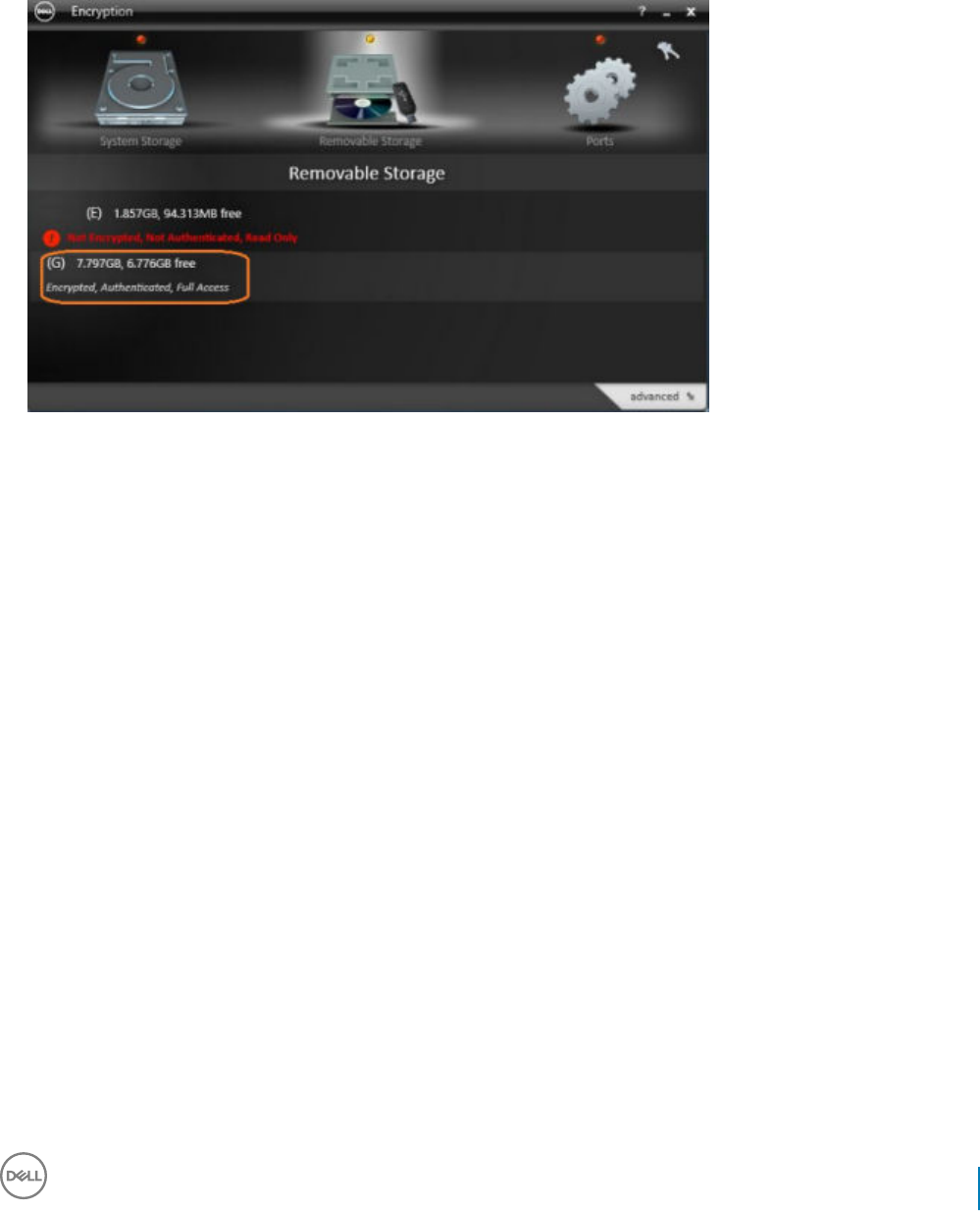
• Encryption status displayed in the Dell Data Security application for a xed or removable drive may dier from the actual status of the
drive, which is correctly displayed in the Local Management Console.
[DDPC-5521, DDPC-5670]
• Encryption is not supported on servers that are part of distributed le systems (DFS). [DDPC-6130]
• If the CmgHiber.sys or CmgHiber.dat le is missing from C:\windows\system32\drivers on a computer that hibernates, the computer
will not resume. Ensure that disk cleaner and optimization tools do not delete these les. [DDPC-6211]
• When removable media is connected to a computer running Windows 7, 8, or 8.1 with the Subclass Storage: External Drive Control
policy set to Blocked, the device name is not included in the access-blocked message or in the Local Management Console.
[DDPC-6503]
• Encrypted user and common data on a computer with an HCA card is unrecoverable if the user clears HCA ownership, even though the
computer is not HCA-encrypted, because the user and common keys are wrapped in the GPE (HCA) key. [DDPC-6505, DDPC-6535]
• A le may become corrupted on USB external media provisioned with Encryption External Media when the le is created, edited, and
reopened on both Windows and Mac computers. [DDPC-6592]
Advanced Authentication v8.15
• SSL is no longer supported. TLS 1.0, 1.1, or 1.2 should be used rather than SSL.
Preboot Authentication v8.15
• A few keys on Canadian French and British/English keyboards behave dierently than expected on computers running in UEFI mode.
[DDPC-5369, DDPC-5969]
• An intermittent "System Failed" error may display after inserting a smart card for PBA login on the OptiPlex 3240 All-In-One.
[DDPC-5907]
• A few keys on a Brazilian Portuguese keyboard behave dierently than expected on the Dell Precision M4800 running in UEFI mode.
[DDPC-5975]
• A delay in display of the PBA login screen has been observed on the following Dell computers: Optiplex 5055, Precision 5820T, Precision
7820T, and Precision 7920T. [DDPC-6375]
• Recovery of a SanDisk X300 drive with the Recovery All bundle succeeds but may require up to two minutes to complete.
[DDPC-6389]
Endpoint Security Suite Pro Technical Advisories v1.8
Technical Advisories
9

• The backslash/pipe (\ |) key on an Arabic behaves dierently than expected. [DDPC-6529]
• SSL is no longer supported. TLS 1.0, 1.1, or 1.2 should be used rather than SSL.
SED Client v8.15
• SSL is no longer supported. TLS 1.0, 1.1, or 1.2 should be used rather than SSL.
BitLocker Manager v8.15
• The Local Management Console does not report status of a drive that is both Dell-encrypted and BitLocker-encrypted when the drive
is locked. [DDPC-6329]
• SSL is no longer supported. TLS 1.0, 1.1, or 1.2 should be used rather than SSL.
New Features and Functionality v1.7
• The Encryption client is now supported with the Windows 10 Creators Update (Redstone 2 release).
• BitLocker Manager is now supported with Server 2016.
• Added 5/2017 - Remote PBA management of local user accounts is now available.
• Endpoint Security Suite is not supported with Windows Server 2008 (non-R2 version).
• Users can now access ProSupport contact information from the About screen in DDP Console.
Resolved Technical Advisories v1.7
Encryption Client v8.13
• An issue is resolved that occasionally resulted in access denial errors for SDE-encrypted les stored in the \users folder. [DDPC-3170]
• An activation issue with Kaspersky Small Oce Security installed is resolved after upgrade to the latest version of Kaspersky.
[DDPC-3388]
• All text now displays as expected in Japanese Encryption Removal Agent dialogs. Previously, some text did not display in one dialog.
[DDPC-4159]
• VDI client activation error handling is improved. [DDPC-4474]
• Changes to Common Encryption exclusions are now enforced while the user is logged in. [DDPC-5213]
Resolved Customer Issues
• Setting the registry entry, EnableNGMetadata, resolves an issue that resulted in Microsoft update failure on computers with Common
key-encrypted data and performance issues related to encrypting, decrypting, or unzipping large numbers of les within a folder.
Set the EnableNGMetadata registry entry in the following location:
[HKEY_LOCAL_MACHINE\System\CurrentControlSet\Services\CmgShieldFFE]
"EnableNGMetadata" = dword:1
0=Disabled (default)
1=Enabled
[DDPC-694, DDPC-794, DDPSUS-863]
• An issue is resolved that resulted in access denial errors for non-domain users. [DDPC-854]
• Decryption performance is improved when SDE Encryption is enabled. [DDPC-3577, DDPSUS-975]
10 Endpoint Security Suite Pro Technical Advisories v1.8
Technical Advisories

• An issue is resolved that occasionally caused the Encryption client to become unresponsive with warnings in the log les. [DDPC-5311]
Advanced Authentication v8.13
• When a user is removed from a computer just before the computer is shut down, the removal process is now completed as expected.
[DDPC-4260]
Resolved Customer Issues
• An issue is resolved that resulted in a delay in displaying the User Account Control prompt. [DDPC-5017]
Preboot Authentication v8.13
• Preboot Authentication is supported on the following computers:
• Latitude 5280
• Latitude 5480
• Latitude 5580
• Latitude E7280
• Latitude E7480
• Precision M5520
• The smartcard reader now functions as expected for PBA login on Dell Optiplex All-in-One computers. [DDPC-3465, DDPC-5014]
• With smart card authentication, the Sign In button is now enabled after the user enters the smart card PIN. [DDPC-5125]
• The updated domain now displays in the Challenge/Response dialog after the domain is changed on a computer with PBA activated.
[DDPC-5132]
• The correct information is now included in the "About" information accessed from the PBA login screen. [DDPC-5178]
SED Client v8.13
• When a user is removed from a computer just before the computer is shut down, the removal process is now completed as expected.
[DDPC-4260]
BitLocker Manager v8.13
• When a user is removed from a computer just before the computer is shut down, the removal process is now completed as expected.
[DDPC-4260]
• Logging is improved. [DDPC-4305]
Technical Advisories v1.7
Threat Protection v1.7
• Setting an Action in a Client Firewall rule to Block IPv4 trac prevents client connectivity with the Dell Server. [DDPC-5716]
• Endpoint Security Suite will be supported with the Windows 10 Creators Update (Redstone 2 release) in a later release.
Encryption Client v8.13
• Pausing encryption from the system tray icon does not pause the encryption sweep. [DDPC-5372]
Endpoint Security Suite Pro Technical Advisories v1.8
Technical Advisories
11

• After policy update that requires reboot, the reboot prompt occasionally displays o-screen on the Dell Latitude 7280. [DDPC-5376]
• Encryption overlay icons display on unmanaged users' les when overlay icons are enabled for managed users on the same computer.
[DDPC-5415]
• High resolution prevents use of the recovery option on the Precision Mobile Workstation 7520 and 7720, due to the sizing of the
recovery user interface. [DDPC-5421]
• The Local Management Console temporarily displays the messages "No xed storage is found" and "Not connected to the encryption
system" when running the Encryption client on a virtual machine that is paused after an Encryption sweep with the registry entry,
EnableNGMetadata, enabled. To immediately work around this issue, close then reopen the Local Management Console. [DDPC-5567]
• On some computers, a le extraction error displays during prerequisite installation. To work around this issue if it occurs, delete les in
the \temp folder and resume installation. [DDPC-5582]
• After an encryption sweep with the Secure Post-Encryption Cleanup policy set to an Overwrite value, the following issues may occur:
The Local Management Console becomes unresponsive; File Explorer lename sorting is not functioning; or Skype displays
unrecognized characters. To work around this issue, add the following exclusion to the SDE Encryption Rules policy: "-^3C:\Windows
\Globalization". For information about setting policies, refer to AdminHelp, available from the Dell Server Remote Management Console.
[DDPC-5764]
• An executable le cannot be run a second time from EMS Explorer if the user runs the le but then cancels the operation at the prompt
after entering the EMS password. To work around this issue, close then reopen EMS Explorer and run the le. [DDPC-5781]
• On some computers, Microsoft KB4015219 may fail to install. [DDPC-5789]
Preboot Authentication v8.13
• Amended 8/2017 - Preboot Authentication fails with some docking stations and adapters. For a list of docking stations and adapters
that are supported with PBA, see www.dell.com/support/article/us/en/19/sln296720/. [DDPC-2693, DDPC-6228]
• On some non-UEFI computers, the touchpad is not functional at the PBA login screen. Functionality resumes when Windows opens.
[DDPC-5362]
• On some non-UEFI Dell Latitude computers, the touchpad is not functional after the computer resumes from sleep (S4). [DDPC-5363]
• The error, "No boot device found," may display after PBA activation on some 2017 Dell Latitude and Optiplex computers. For
instructions to work around this issue if it occurs, refer to http://www.dell.com/support/article/us/en/19/SLN305978. [DDPC-5705]
• A SED SATA drive may not boot after Legacy PBA login on some 2017 Dell Latitude and Optiplex computers. For instructions to work
around this issue if it occurs, refer to http://www.dell.com/support/article/us/en/19/SLN306020/sata-sed-drives-fails-to-boot-the-os-
after-pba-authentication?lang=EN. [DDPC-5957]
SED Client v8.13
• Amended 7/2017 - Conguration of self-encrypting drives for Dell’s SED management dier between NVMe and non-NVMe (SATA)
drives, as follows.
• Any NVMe drive that is being leveraged as an SED – The BIOS’ SATA operation must be set to RAID ON, as Dell’s SED
management does not support AHCI on NVMe drives.
• Any NVMe drive that is being leveraged as an SED – The BIOS's boot mode must be UEFI and Legacy option ROMs must be
disabled.
• Any non-NVMe drive that is being leveraged as an SED – The BIOS’ SATA operation must be set to AHCI, as Dell’s SED
management does not support RAID with non-NVMe drives.
• RAID ON is not supported because access to read and write RAID-related data (at a sector that is not available on a locked non-
NVMe drive) is not accessible at start-up, and cannot wait to read this data until after the user is logged on.
• The operating system will crash when switched from RAID ON > AHCI if the AHCI controller drivers are not pre-installed. For
instructions on how to switch from RAID > AHCI (or vice versa), see http://www.dell.com/support/article/us/en/19/
SLN306460.
Supported OPAL compliant SEDs require updated Intel Rapid Storage Technology Drivers, located at http://www.dell.com/support/
home/us/en/19/product-support/product/dell-dp-endpt-security-suite/drivers.
Dell recommends Intel Rapid Storage Technology Driver version 15.2.0.0 or later, with NVMe drives.
[DDPC-5941, DDPC-6219]
12 Endpoint Security Suite Pro Technical Advisories v1.8
Technical Advisories

BitLocker Manager v8.13
• The top part of the option "Use a password to unlock the drive" is cut o in the BitLocker Drive Encryption dialog. [DDPC-5728]
• Added 8/2017 - Due to changes to Microsoft validation proles level (PCRs), BitLocker Manager might not begin encrypting on
Windows 10. To correct this issue, obtain and apply the Enterprise Server v9.7 update that corrects this issue or upgrade to Security
Management Server v9.8. For more information about the v9.7 update, see http://www.dell.com/support/article/us/en/19/sln305948/.
[DDPC-5790]
New Features and Functionality v1.6
• Added 4/2017 - The Encryption client is now supported with Windows Server 2016 - Standard Edition, Essentials Edition, and
Datacenter Edition.
• Added 4/2017 - BitLocker Manager is now supported with Server 2012 and Server 2012 R2 - Standard Edition and Enterprise Edition
(64-bit).
• The PBA user interface has a new look and feel.
• A standalone version of Encrypt for Sharing, Encrypt4Share.exe, is now added to the <installation folder>\Dell Data Protection
\Encryption folder at installation and can be accessed from the Windows Start menu.
Resolved Technical Advisories v1.6
Threat Protection v1.6
•Eective policies from the Dell Server are now automatically exported and stored in C:\ProgramData\Dell\Dell Data Protection\Policy
\Policy-xxxxxxxx.xml, where "xxxxxxxx" is the sequence number of the policy. By default, the last 10 policies received from the Server
are stored. To change the default number of policies stored, change the value of the following registry key. The valid range is 0 - 100.
["HKEY_LOCAL_MACHINE\SOFTWARE\Dell\Dell Data Protection]
"MaxPoliciesStored" =dword:00000010
Valid range = 0 - 100
[DDPC-4583]
• An issue is resolved that resulted in a startup delay when opening the Endpoint Security Suite client. [DDPC-4757]
Encryption Client v8.12
• Debug-level logging is improved. [DDPC-2307]
• Administrative Download Utility (CMGAd) and Administrative Unlock Utility (CMGAu) are now functioning as expected with non-
domain users. [DDPC-4109]
• Upgrade to Windows 10 now proceeds as expected when the installation media is stored in a folder that is encrypted with the User or
Common key. [DDPC-4146]
• The Secure Windows Hibernation File and Prevent Unsecured Hibernation policies are now enforced after upgrade. [DDPC-4786]
• The WSScan Unencrypted le in Violation option now initiates a sweep of unencrypted les as expected, without the les having to
be selected or accessed. [DDPC-4790]
• An issue is resolved that resulted in Windows Update failures with Oce and Windows 10 feature updates. [DDPSUS-1323]
Resolved Customer Issues
• An issue is resolved that resulted in a long delay after pressing Ctrl+Alt+Del on a computer running Dell Desktop Authority. [DDPC-500]
• An issue is resolved that resulted in multiple restart prompts. [DDPC-4484, DDPC-4535]
Endpoint Security Suite Pro Technical Advisories v1.8
Technical Advisories
13

Advanced Authentication v8.12
• The Enroll Credentials window no longer occasionally displays after a computer with ngerprint or smart card enrolled credentials
resumes from sleep. [DDPC-4269]
•Eective policies from the Dell Server are now automatically exported and stored in C:\ProgramData\Dell\Dell Data Protection\Policy
\Policy-xxxxxxxx.xml, where "xxxxxxxx" is the sequence number of the policy. By default, the last 10 policies received from the Server
are stored. To change the default number of policies stored, change the value of the following registry key. The valid range is 0 - 100.
["HKEY_LOCAL_MACHINE\SOFTWARE\Dell\Dell Data Protection]
"MaxPoliciesStored" =dword:00000010
Valid range = 0 - 100
[DDPC-4583]
Preboot Authentication v8.12
• Amended 4/2017 - Preboot Authentication is supported
only
with UEFI mode (with and without SecureBoot) on the following
computers:
• OptiPlex 3050 All-In-One
• OptiPlex 5250 All-In-One
• OptiPlex 7450 All-In-One
• OptiPlex 3050 Tower, Small Form Factor, Micro
• OptiPlex 5050 Tower, Small Form Factor, Micro
• OptiPlex 7050 Tower, Small Form Factor, Micro
• Latitude 3180
• Latitude 3189
• Latitude 3380
• Latitude 3480
• Latitude 3580
• Latitude 5285
• Latitude 5289
• Precision 7520
• Precision 7720
• Precision 5720 All-in-One
• When the Dell Latitude 7370 with PBA activated is docked, the user is now prompted at the PBA login screen for the authentication
method set by policy rather than the access code. [DDPC-2693]
• An issue with smart card single sign-on that resulted in an error, "User did not sync with PBA," is now resolved. [DDPC-3539]
• An issue is resolved that resulted in brief and intermittent PBA login screen unresponsiveness on a UEFI computer. [DDPC-3753]
• The Options menu now remains anchored to the Options button in the PBA login screen when accessed using Tab+Enter.
[DDPC-4104]
• After upgrade to the Windows 10 Anniversary Update on non-UEFI computers with PBA activated, the Challenge/Response popup
now displays as expected after the user exceeds the maximum allowed attempts to correctly enter the password and answer Recovery
Questions. [DDPC-4126]
• An issue is resolved that resulted in a computer with PBA activated reporting No OPAL Drive after resuming from hibernation.
[DDPC-4476]
• Keyboard layout changes are now retained on computers with PBA activated. [DDPC-4684]
14 Endpoint Security Suite Pro Technical Advisories v1.8
Technical Advisories

SED Client v8.12
• When installing SED Management using the child installers, the installation no longer fails if the Validate URL button is pressed.
[DDPC-4271]
•Eective policies from the Dell Server are now automatically exported and stored in C:\ProgramData\Dell\Dell Data Protection\Policy
\Policy-xxxxxxxx.xml, where "xxxxxxxx" is the sequence number of the policy. By default, the last 10 policies received from the Server
are stored. To change the default number of policies stored, change the value of the following registry key. The valid range is 0 - 100.
["HKEY_LOCAL_MACHINE\SOFTWARE\Dell\Dell Data Protection]
"MaxPoliciesStored" =dword:00000010
Valid range = 0 - 100
[DDPC-4583]
BitLocker Manager v8.12
•Eective policies from the Dell Server are now automatically exported and stored in C:\ProgramData\Dell\Dell Data Protection\Policy
\Policy-xxxxxxxx.xml, where "xxxxxxxx" is the sequence number of the policy. By default, the last 10 policies received from the Server
are stored. To change the default number of policies stored, change the value of the following registry key. The valid range is 0 - 100.
["HKEY_LOCAL_MACHINE\SOFTWARE\Dell\Dell Data Protection]
"MaxPoliciesStored" =dword:00000010
Valid range = 0 - 100
[DDPC-4583]
Technical Advisories v1.6
All Clients
• BitLocker Manager is selected by default in the Select Features dialog of the installer. To avoid installing BitLocker Manager, clear its
check box in the features list. [DDPC-5016]
Threat Protection v1.6
• No Technical Advisories exist.
Encryption Client v8.12
• To display advanced properties PDAID, Length, and Tag on the Properties > Encryption tab of an encrypted le, add the following
registry setting:
[HKEY_LOCAL_MACHINE\SYSTEMCurrentControlSet\ServicesCmgShieldFFE]
"CredDBCEFAllowProcessList"=explorer.exe,explorer.ex,explorer.e,explorer.,explorer,explore,explor,dllhost.exe,dllhost.ex,dllhost.e,dllhost,
dllhost
Endpoint Security Suite Pro Technical Advisories v1.8
Technical Advisories
15

[DDPC-4185]
• When encryption or decryption is paused, the Compliance/Provisioning status may not be accurately indicated in the Local
Management Console. [DDPC-5063]
Preboot Authentication v8.12
• Added 4/2017 - Changes to the Self-Encrypting Drive policy, Self Help Question/Answer Attempts Allowed, take eect only for users
activating PBA after the policy change and for existing PBA users when the updated policy value is lower than the previous value.
[DDPC-4998]
• Smart cards can be provisioned for PBA authentication on UEFI computers but cannot be used for login. This will be corrected in a later
release. [DDPC-5062]
Resolved Technical Advisories v1.5
Encryption Client v8.11
• An issue is resolved that resulted in the Local Management Console appearing unresponsive while the Encryption client performed
tasks in the background. [DDPC-2769]
• Slotted activation now proceeds as expected for users who change their passwords before activation. [DDPC-3279]
• The WSScan user interface now opens to the option of Unencrypted Files, as expected, when commands -ua-, -ua, and -uav are
used to launch the user interface. [DDPC-3473]
• An issue is resolved that caused the Shield service to occasionally crash when the user logged out. [DDPC-3939]
Resolved Customer Issues
• An issue is resolved that resulted in the user's temporary inability to access User and Common encrypted les due to a timeout in
communication with the Shield service. [DDPC-2230, DDPC-3486, DDPC-4134]
• Sparse les are no longer populated during encryption and decryption sweeps. [DDPC-3201]
• WSScan now functions as expected when processing le names longer than 260 characters. [DDPC-3928]
Preboot Authentication v8.11
• An issue is resolved that resulted in the computer becoming unresponsive when a smart card was inserted during startup on the Dell
Latitude E5270, E5470, E5570, E7270, E7470, or Precision M3510. [DDPC-4547]
• Preboot Authentication is supported with UEFI mode
only
on the following computers:
• Latitude 5280
• Latitude 5480
• Latitude 5580
• Latitude E7280
• Latitude E7480
• Precision 3520
Technical Advisories v1.5
Threat Protection v1.5
• No Technical Advisories exist.
16 Endpoint Security Suite Pro Technical Advisories v1.8
Technical Advisories

Encryption Client v8.11
• Cumulative encryption exclusions are now automatically applied when the Encryption client is upgraded. This will require an encryption
sweep for each user upgraded to v8.11 or later. However, subsequent updates will require a sweep only if the update includes new
exclusions. [DDPC-1334, DDPC-5138]
• In some cases, an encryption sweep pauses and the Local Management Console continues to display "Compliance in progress...." To
restart encryption, copy WSProbe from the installation media, and run it: at the command line, enter wsprobe. [DDPC-4499]
• The user receives an access denied error when attempting to access removable media, although policy is set to allow full access to
unShielded media. [DDPC-4523]
• After upgrade to Windows 10 Fall Update using WSProbe -E on a computer with Hardware Crypto Accelerator, during re-encryption
with WSProbe -R, the Local Management Console freezes and a message displays regarding HCA key backup and provisioning.
[DDPC-4645]
• The WSScan Unencrypted Files in Violation option to list Unencrypted Files option does not indicate that the les in violation should be
encrypted. Using a previous version of WSScan will properly show these les. [DDPC-4790]
• Amended 2/2017 - Due to hibernation changes introduced in the Windows 10 Anniversary Update, computers will no longer be able to
resume from hibernation when the Secure Windows Hibernation File policy is enforced. If you rely on secure hibernation, Dell
recommends that you not upgrade to Anniversary Update at this time. This issue will be xed in a future release. [DDPSUS-1346]
Advanced Authentication v8.11
• When dual authentication is congured for a user, but one of the authentication options is not yet enrolled, the icon for the unenrolled
option does not display on the user's logon screen. [DDPC-4690]
New Features and Functionality v1.4.1
• The Encryption client now supports Microsoft Windows 10 Anniversary Update (Redstone release).
• Customers upgrading to Windows 10 from an earlier version of Windows OS are no longer required to decrypt and re-encrypt data at
OS update.
• The Encryption client now supports Audit Mode. Audit Mode allows administrators to deploy the Encryption client as part of the
corporate image, rather than using a third-party SCCM or similar solutions to deploy the Encryption client. To suppress activation until
deployment is complete, install the Encryption client and perform the necessary restart when the conguration computer is in Audit
Mode.
• A new policy allows the administrator to hide Encryption overlay icons in File Explorer for managed users.
• The Encryption client and BitLocker Manager are now supported with TPM 2.0.
Resolved Technical Advisories v1.4.1
Threat Protection v1.4.1
• Upgrade to Windows 10 no longer removes the Dell certicate from the trusted certicate store. After upgrade, the Threat Protection
client now receives policies from the Dell Data Protection Server as expected, without requiring the certicate to be added back to the
certicate store. [DDPC-2237]
Encryption Client v8.10.1
• A timeout message logged during a failed activation has been modied to clarify the timeout period in milliseconds. [DDPC-2625]
• On computers running Windows 10 Education Edition, log les are now stored in \ProgramData\Dell\Dell Data Protection\Encryption as
expected, rather than in \ProgramData\Application Data\Dell\Dell\Data Protection\Encryption\. [DDPC-2651]
• An issue that caused the computer to very rarely become unresponsive when renaming a le has been resolved. [DDPC-3086]
Endpoint Security Suite Pro Technical Advisories v1.8
Technical Advisories
17

• An issue that caused a prompt to reboot in some cases with SDE encryption enabled is resolved. [DDPC-3525]
• If the activation prompt times out for a second or subsequent user on a computer with an activated user, the prompt now displays
again. [DDPC-3705]
• UEFI computers with Secure Boot enabled now boot as expected after Microsoft Security Bulletin MS16-100 is applied. [DDPC-4032]
• Added 12/2016 - Hardening against credential update failures within the Encryption client is now enabled by default. [DDPC-936]
Preboot Authentication v8.10.1
• An issue is resolved that previously prevented users from authenticating on some non-UEFI computers when PBA was congured for
smart card only. [DDPC-2578]
Technical Advisories v1.4.1
Threat Protection v1.4.1
• Direct upgrade from v1.1.1 and earlier is not supported. To work around this issue, uninstall the previous version then install the latest
version. [DDPC-4242, DDPC-4360]
Encryption Client v8.10.1
• The recovery le that is downloaded from the Dell Data Protection Server does not execute with the provided recovery image, and the
following message displays: "The subsystem needed to support the image type is not present." [DDPC-2409]
• When migrating from one edition of Windows to a dierent edition during a Windows 10 upgrade, the Encryption client is not migrated.
The same issue occurs if either the option to keep only personal les or to keep nothing is selected during a Windows 10 upgrade. To
resolve this issue, reinstall the Encryption client after upgrade. [DDPC-4191]
• When WSProbe -z is run to prepare for the Windows 10 Anniversary Update on a computer with Dell Data Protection-encrypted data,
an error may display that says an encryption sweep could not be stopped. To work around this issue, restart the computer and then re-
run WSProbe -z. [DDPC-4254]
• Direct upgrade from v8.5.1 and earlier on 32-bit operating systems is not supported. To work around this issue, uninstall the previous
version then install the latest version. [DDPC-4268]
• Aventail Access Manager is not supported with the Encryption client on Windows 10 computers. [DDPC-4335]
New Features and Functionality v1.4
• Dell Data Protection | Endpoint Security Suite now supports Microsoft Windows 10.
• The Windows USB selective suspend feature is now supported.
• Beginning with v8.9.3, Dell Data Protection | Hardware Crypto Accelerator is not supported. Installation and upgrade do not proceed if
Hardware Crypto Accelerator is detected and the computer is disk encrypted with it. In cases where Hardware Crypto Accelerator is
installed but the computer is not disk not encrypted with it, upgrade will proceed. However, Hardware Crypto Accelerator will be
ignored. The last Endpoint Security Suite client version to support Hardware Crypto Accelerator functionality is v1.3.1. Support for v1.3.1
will continue through April 8, 2020.
Resolved Technical Advisories v1.4
Threat Protection v1.4
• After a domain is added to the list of domains in the Client Firewall DNS Blocking policy on the Dell Data Protection Server, the rewall
is no longer shown to be inactive on the client computer after receiving new policies and before a restart. The rewall was never
inactive in this scenario, although the DDP Console showed it to be. [DDPC-1607]
18 Endpoint Security Suite Pro Technical Advisories v1.8
Technical Advisories

• After upgrade from a previous Endpoint Security Suite version the popup message, "The system information has been copied to the
clipboard" from the About > Copy Info in the DDP Console, now closes when the user presses the Enter key to select OK.
[DDPC-2394]
• After upgrade with Preboot Authentication activated, the AntiMalware Management Plugin now displays in the DDP Console Services
list as expected. [DDPC-2449]
• An issue that resulted in a duplicate Threat Protection event being sent to the Dell Data Protection Server based on the same URL for
which a previous event was sent has been resolved. [DDPC-2810]
Encryption Client v8.9.3
• Installer logging of launch conditions is improved. [DDPC-918]
• An issue that resulted in a computer occasionally becoming unresponsive after reboot is now resolved. [DDPC-1255]
• The Encryption Removal Agent no longer crashes during decryption of HCA- or SDE-encrypted les if the key bundle is missing or
inaccessible to the Agent. Instead, a message displays that les could not be decrypted. [DDPC-1359]
• An issue that caused the Shield Service to crash is now resolved. [DDPC-2189]
• An issue that led to unresponsiveness after restarting a Windows 10 computer running Advanced Threat Protection is now resolved.
[DDPC-2336]
• An issue that caused a restart and lock at the Windows startup screen on Windows 7 computers running Bitdefender Antivirus is
resolved. [DDPC-2561, DDPSUS-842]
• SDE encryption now proceeds on computers with HCA or a SED, and a log entry stating SDE policies are blocked due to FVE or a SED
disk no longer displays. SDE Encryption is now enabled by default in new installations and upgrades, based on the registry entry HKLM
\Software\Microsoft\Windows NT\CurrentVersion\Winlogon\CMgShield\AlwaysApplySDE set to "1." [DDPC-3273]
• Encryption handling of les that are always in use is improved. [DDPC-3331, DDPC-3333, DDPC-3334]
• Additional data is now provided to Dell Data Protection Server for endpoint status reporting. [DDPC-3332, DDPC-3335]
• Windows logon with a smart card now proceeds as expected. [DDPSUS-855]
• Encryption sweep performance is improved on Windows 10 computers running Sophos. [DDPSUS-866]
• An issue that resulted in occasional computer unresponsiveness after installation but before activation is resolved. [DDPSUS-1037]
• An issue that led to multiple restarts is now resolved. [DDPSUS-1087]
Advanced Authentication v8.10
• On Dell Latitude 3450 and 3550 computers running Windows 10, ngerprint authentication now proceeds as expected. [DDPC-1598/
CSF-772]
• After restoring credentials in Password Manager, a second authentication prompt no longer displays. [DDPC-1617]
• Password Manager logon now functions as expected with Dell Remote Management Console logon. [DDPC-2356]
Preboot Authentication v8.10
• When the drive letter of a NTFS self-encrypting drive is changed on a computer with Preboot Authentication activated, the computer
no longer becomes unresponsive. [DDPC-2973]
Technical Advisories v1.4
Threat Protection v1.4
• No Technical Advisories exist.
Endpoint Security Suite Pro Technical Advisories v1.8
Technical Advisories
19

Encryption Client v8.9.3
• Standard practice is that the master installer version is the same version number as the Encryption client installer. However, in this
release, the master installer is v8.10 and the Encryption installer is v8.9.3. Versions will be aligned in the future, to avoid confusion. In the
event that you need support, ProSupport will need your Encryption client version number.
• To upgrade with HCA-encrypted data, issue a policy of Hardware Crypto Accelerator (HCA) = O. After data is unencrypted, issue a
policy of Policy-Based Encryption = On. Then run the v8.10/v8.9.3 installation. [DDPC-2608]
• Added 09/2016 - In the rare case that a user with smart card authentication becomes deactivated, smart card authentication succeeds
for the rst logon after restart for each user but fails on subsequent smart card logon attempts until at least one user restarts the
computer. [DDPC-2721]
• After a computer crash or forced shutdown, encrypted les occasionally become unavailable. To work around this issue, run
WSDeactivate then reactivate the Encryption client. [DDPC-3228]
SED Client v8.10
• Added 09/2016 - When PBA is activated on a Windows 7 computer without Microsoft Security Advisory 3033929 installed, the
computer becomes unstable when resuming from sleep (S3). To work around this issue, install Microsoft Security Advisory 3033929
before installing the SED Client. If the SED Client is already installed, deactivate PBA and uninstall. After installing the Microsoft
Security Advisory, reinstall the SED Client. For more information, see https://technet.microsoft.com/en-us/library/security/3033929.
[DDPC-4237]
Preboot Authentication v8.10
• Occasionally, the access code prompt displays rather than the Preboot Authentication login screen on computers with a wired network
connection. [DDPC-3188]
• Added 09/2016 - When PBA is activated on a Windows 7 computer without Microsoft Security Advisory 3033929 installed, the
computer becomes unstable when resuming from sleep (S3). To work around this issue, install Microsoft Security Advisory 3033929
before installing the SED Client. If the SED Client is already installed, deactivate PBA and uninstall. After installing the Microsoft
Security Advisory, reinstall the SED Client. For more information, see https://technet.microsoft.com/en-us/library/security/3033929.
[DDPC-4237]
Resolved Technical Advisories v1.3.1
All Clients
• Inaccurate "Failed to open service" error messages no longer display in the output of the FindMyProblem utility. [DDPC-1188]
Threat Protection v1.3.1
• No Resolved Technical Advisories exist.
Encryption Client v8.9.1
• A Dell Data Protection-encrypted Windows 10 computer can now be upgraded to the Windows 10 Fall Update, after a few prerequisites
are met. The prerequisites must be met, due to a change Microsoft has made to the Windows update process beginning with Windows
10. For more information, see Upgrade to the Windows 10 Anniversary Update. [DDPC-928, DDPC-1146, DDPC-1443]
• SDE key material download failures now result in a meaningful log entry, "Failed to validate key material bundle against the device."
Erroneous validation failure warnings no longer display. [DDPC-960, DDPC-961]
• Corrected a misspelling of szRegValueLoginTimeout in the registry override variable and log message. [DDPC-966]
20 Endpoint Security Suite Pro Technical Advisories v1.8
Technical Advisories

• The computer now boots as expected after Intel Rapid Storage Technology drivers are installed. [DDPC-1246]
• The HideOverlayIcons registry setting that is used to hide the encryption icons for all managed users on a computer after the original
installation now works as expected. The HideOverlayIconsOverlay registry setting now eectively hides Dell Data Protection Encryption
overlay icons when File Explorer is refreshed or reopened. [DDPC-1267, DDPC-1327]
• External Media Shield Explorer now launches properly after more than one incorrect password entry when accessing media that has
been provisioned on a Mac. [DDPC-1273]
• A few WSProbe options have been deprecated to improve security. The WSProbe utility no longer supports the following options: -u
(enable or disable Application Data Encryption), -x (exclude application from Application Data Encryption), and -i (revert an excluded
application back to included in Application Data Encryption). [DDPC-1279]
• All characters of the 32-character Endpoint Code now fully display in the External Media Shield manual authentication dialog.
[DDPC-1295]
• Excess logging of le-create operations no longer occurs. [DDPC-1339]
• An issue that caused excessive memory consumption has been resolved.[DDPC-1468]
• On a Windows computer, External Media Shield now successfully opens les and folders named with accented characters that are
stored on external media and provisioned using a Mac computer. [DDPC-1517]
• When encryption models are changed (SDE to HCA) after an encryption sweep has completed, the computer no longer experiences a
temporary blue screen. Previously, this occurred while key types were swapped, and allowing the computer to reboot typically restored
functionality. [DDPC-1536]
• External Media Shield no longer displays Access Denied errors when the Windows Media Encryption and Windows Port Control policies
are set to O and Disabled. [DDPC-1572]
• Processes related with pop-up notications during the encryption sweep have been streamlined, reducing CPU usage. [DDPC-2115]
• Decryption with the Encryption Removal Agent at uninstallation now succeeds. Previously, in a few cases, decryption began but did not
nish sweeping the entire volume. [DDPSUS-751]
• An issue that caused multiple reboots during installation or upgrade on some computers is resolved. [DDPSUS-766]
Advanced Authentication v8.9.1
• A non-administrator user can now run an application through User Account Control on a Windows 8, 8.1, or 10 computer with Security
Tools installed. [CSF-1313, DDPC-1578]
• Windows password entry now succeeds when entered rst in dual-factor authentication on Windows 10, after upgrade to the Windows
10 Fall Update. [DDPC-1675]
SED Client v8.9.1
• A non-administrator user can now run an application through User Account Control on a Windows 8, 8.1, or 10 computer with Security
Tools installed. [CSF-1313, DDPC-1578]
• Volumes with Unicode strings in their serial numbers are now correctly reported in inventory. [DDPC-1899]
• Added 07/2016 - The following Dell computer models are supported with UEFI:
Dell Computer Models - UEFI Support
• Latitude 7370
• Latitude E5270
• Latitude E5470
• Latitude E5570
• Latitude E7240
• Latitude E7250
• Latitude E7270
• Latitude E7275
• Latitude E7350
• Latitude E7440
• Latitude E7450
• Latitude E7470
• Precision M3510
• Precision M4800
• Precision M5510
• Precision M6800
• Precision M7510
• Precision M7710
• Precision T3420
• Precision T3620
• Precision T7810
• Optiplex 3040 Micro, Mini
Tower, Small Form Factor
• Optiplex 3046
• Optiplex 5040 Mini Tower,
Small Form Factor
• OptiPlex 7020
• Optiplex 7040 Micro, Mini
Tower, Small Form Factor
• Optiplex 3240 All-In-One
• Optiplex 7440 All-In-One
• OptiPlex 9020 Micro
• Venue Pro 11 (Models
5175/5179)
• Venue Pro 11 (Model 7139)
Endpoint Security Suite Pro Technical Advisories v1.8
Technical Advisories
21

Dell Computer Models - UEFI Support
• Latitude 12 Rugged Extreme
• Latitude 12 Rugged Tablet
(Model 7202)
• Latitude 14 Rugged Extreme
• Latitude 14 Rugged
Preboot Authentication v8.9.1
• A non-administrator user can now run an application through User Account Control on a Windows 8, 8.1, or 10 computer with Security
Tools installed. [CSF-1313, DDPC-1578]
• The issue that led to shutdown at PBA login on a computer running ActivClient v7.0.2 is resolved. [DDPC-1898]
• Volumes with Unicode strings in their serial numbers are now correctly reported in inventory. [DDPC-1899]
BitLocker Manager v8.9.1
• Volumes with Unicode strings in their serial numbers are now correctly reported in inventory. [DDPC-1899]
Technical Advisories v1.3.1
Threat Protection v1.3.1
• No Technical Advisories exist. However, a compatibility issue with Windows 10 Fall Update exists. See Windows 10 Fall Update.
Resolved Technical Advisories v1.3
Threat Protection v1.3
• No Resolved Technical Advisories exist on the client. For Server Technical Advisories related to Endpoint Security Suite, see the
appropriate document for your deployment: Enterprise Server Technical Advisories or DDP Enterprise Server - Virtual Edition Technical
Advisories.
Encryption Client v8.9
• The Encryption client uninstaller now defaults to the uninstall/decrypt option instead of uninstalling but leaving les encrypted. When
the option to uninstall without decrypting is selected, the Encryption Removal Agent is no longer installed. [DDPC-857, DDPC-1455]
• Silent uninstallation now supports decryption with pre-download key material on locally and remotely managed clients. [DDPC-930]
• The Shield Service no longer crashes during an HCA encryption sweep when the Volumes Targeted for Encryption policy is set to All
Fixed Volumes. [DDPC-955]
• Files larger than 64Kb that are encrypted with the User or Common key on computers with HCA cards are no longer corrupted after
decryption during uninstallation. [DDPC-1000]
• Upgrades now succeed, and an error no longer occurs with the message, "Error 1303: The installer has insucient privileges to access
this directory." [DDPC-1178]
• An issue that resulted in rare crashes of the local console when the console was open during an encryption sweep is resolved.
[DDPC-1199]
• A default SDE Encryption Rules policy which caused problems with Windows updates has been resolved. The issue resulted from
encryption of \System32 executable les. The default policy has been changed for EE and VE Servers v9.2 and later. [DDPC-1207,
DDPS-2952]
22 Endpoint Security Suite Pro Technical Advisories v1.8
Technical Advisories

• Restarting or shutting down a computer during an encryption sweep no longer causes a Shield Service crash. [DDPC-1233]
• External Media Shield is now updated on a non-Shielded computer when that computer is used to access an encrypted removable
media that has been updated. [DDPC-1259]
• An issue that allowed re-encryption of encrypted les when an encryption sweep started and ended during a single user login session is
resolved. [DDPC-1262]
• An issue that occasionally caused a computer to become unresponsive during an encryption sweep is resolved. [DDPC-1275]
• Files stored in redirected folders on computers running HCA encryption are no longer corrupted. Previously, the last 4Kb of such les
could be corrupted. [DDPC-1282]
• The Encrypt for Sharing context menu option is now present when the user right clicks a le or folder in Windows Explorer.
[DDPC-1291]
• An issue that led to the computer becoming unresponsive during the reboot following installation is resolved. [DDPS-1328]
• The issue that agged services as suspicious or oine injection attacks and blocked them from starting is resolved. Previously, this
issue led to restart failures. [DDPC-1346, DDPC-1463]
• Slotted activation is now functioning as expected. Previously, in v8.5.1 and later versions, the Shield Service crashed without indication
to the user and the activation request never occurred. [DDPC-1462]
Preboot Authentication v8.9
• Upgrade from v8.1 and later with PBA activated succeeds. [DDPLP-397]
Technical Advisories v1.3
Threat Protection v1.3
• Running the child installer to upgrade the Threat Protection SDK fails. To work around this issue, run the Endpoint Security Suite
Master Installer to upgrade Threat Protection. [CSF-635]
• To avoid very long installation times due to Windows updates running on Windows 7, ensure that all updates are installed before
beginning installation. If Windows KB2913763 is not yet installed, install it then reboot before installing Endpoint Security Suite. For more
information, see https://support.microsoft.com/en-us/kb/2913763. [CSF-847, DDPC-1619]
• Before installation on a computer running Windows 7 and Microsoft .Net Framework 4.6, if all Windows updates have not been applied,
the computer becomes unresponsive after installation. To work around this issue, ensure that all Windows updates are applied before
beginning installation. [CSF-1158]
• Endpoint Security Suite is not supported with PC Cleaner Pro. [CSF-1211]
Encryption Client v8.9
• Added 04/2016 - A computer running Windows 7 hibernates although the client is unable to encrypt the hibernation data and the
Prevent Unsecured Hibernation policy is enabled. [DDPC-1220]
• The organization and naming of some policies dier in the local console and EE or VE Server Remote Management Console.
[DDPC-1253]
• Added 8/2017 - When the user inserts EMS-encrypted media and clicks Access Encrypted Files on a Windows 10 computer without
the Encryption client installed, the options Install EMS Service and Run EMS Explorer are not available. [DDPC-1449]
• On HCA-encrypted computers running the Windows 10 Fall Update, HCA decryption does not start after the HCA encryption policy is
changed to O. [DDPC-1452]
• On some USB drives, External Media Shield leaves some les unencrypted and renamed with "CEF????<original lename>ERR." This
occurs only occasionally, with USB drives or drivers that repeatedly disconnect and reconnect the drives. To work around this issue,
rename the les with their original lenames, then remove and reconnect the drive. If the EMS Scan External Media policy is On, the
resulting encryption sweep will process the les. [DDPC-1532]
• If the HCA algorithm is changed after encryption, HCA encryption does not start. [DDPC-1533]
Endpoint Security Suite Pro Technical Advisories v1.8
Technical Advisories
23

Advanced Authentication v8.9
• On UEFI computers running the Windows 10 Fall Update and AVG Antivirus, Advanced Authentication installation with the child installer
is interrupted and never completes. [CSF-1192]
• The ngerprint reader on the Latitude 7510 running Windows 10 loses functionality after upgrade to Windows 10 Fall Update. To work
around this issue, perform two restarts and the ngerprint reader will function again. [CSF-1210]
• Occasionally on computers running the Windows 10 Fall Update, ngerprints may need to be re-enrolled. [CSF-1225]
Preboot Authentication v8.9
• After recovering PBA access through recovery questions, the password change page displays a message that, if no action is taken, the
user will be automatically logged in to the Windows session, although no automatic login occurs. [CSF-1083]
• Added 4/2017 - Login or recovery fails when a German keyboard is used to enter special characters into the password or recovery
answer elds. [DDPC-5531]
Resolved Technical Advisories v1.2.1
Threat Protection v1.2.1
• The issue that led to failure of Outlook 2016 when using Oce 365 with threat protection enabled is resolved. For customers that
cannot upgrade to the newest build, disable the Malware Protection > Exploit Protection policy to work around the issue.
[DDPSUS-609]
Encryption Client v8.7.1
• Client computers running Windows 10 are now correctly represented in DDP Server inventory as running Windows 10, rather than
Windows 8.1. [DDPC-908]
• Silent uninstall now succeeds with decryption using a previously downloaded recovery key. [DDPC-941]
• With both VMware Mirage and Webroot running on Windows 7, the computer now starts normally. [DDPC-958]
• Access is now available to non-encrypted les that became inaccessible when encryption policy was changed or the le's directory was
moved. [DDPC-977]
• An issue that led to occasional computer unresponsiveness when running Trend Micro and Oce 365 is now resolved. [DDPC-1125]
• Performance is improved on computers running Trend Micro Behavior Monitoring and FireAMP. [DDPC-1216, DDPSUS-391]
• Upgrade to Windows 10 now proceeds as expected, after decrypting and uninstalling Enterprise Edition. If previous upgrade attempts
have failed on a computer, delete the hidden temporary folder, %systemdrive%\$Windows.~BT, before attempting upgrade.
[DDPC-1237]
• On Dell Latitude E7450 and Venue Pro 11 (7130), the issue of Access Denied errors preventing encryption of some Windows folders is
now resolved. [DDPSUS-521]
Advanced Authentication v8.7.1
• Single sign-on now succeeds on computers running Windows 7, with installation of the Microsoft KB, https://
support.microsoft.com/en-us/kb/2533623. [CSF-788]
• Installation now proceeds normally on computers running Windows 10 (64-bit). [CSF-968]
24 Endpoint Security Suite Pro Technical Advisories v1.8
Technical Advisories

Preboot Authentication v8.7.1
• With PBA activated on the Dell Latitude E5250, E5450, and E5550, hibernation now proceeds normally. [CSF-5]
• When PBA is disabled by policy, the client DDP Console now indicates that PBA is deactivated. [CSF-1015]
• Preboot Authentication now accepts the apostrophe character (') in the username eld. [DDPLP-376]
Technical Advisories v1.2.1
Preboot Authentication v8.7.1
• Added 8/2017 - The Dell Optiplex 7040 keyboard becomes unresponsive when the Advanced Boot Options menu is accessed with the
PBA active. [DDPC-2684]
New Features and Functionality v1.2
• Dell Data Protection | Endpoint Security Suite now supports Microsoft Windows 10.
• The Windows USB selective suspend feature is now supported.
Resolved Technical Advisories v1.2
Threat Protection v1.2
• No Resolved Technical Advisories exist on the client. For Server Technical Advisories related to Endpoint Security Suite, see the
appropriate document for your deployment: Enterprise Server Technical Advisories or DDP Enterprise Server - Virtual Edition Technical
Advisories.
Encryption Client v8.7
• Installation of the Encryption Removal Agent no longer results in an error following uninstallation when the option to install Encryption
Removal Agent is not selected. [DDPMTR-1179]
• When SDE Encryption is enabled and SDE Encryption Rules is set to F#:\, the computer restarts as expected after system volume
encryption. [DDPMTR-1360]
Advanced Authentication v8.7
• With Windows 10 on Dell Latitude E7250 or E7450, after the computer resumes from sleep, hibernation, warm boot, or cold boot, the
user can now authenticate with an enrolled contactless smart card without having to occasionally re-enroll the card. [CSF-362]
SED Client v8.7
• Added 11/2015 - The following drives are now supported for SED management:
Drives with "X" are supported for SED management but are not qualied for or shipped in Dell systems.
Endpoint Security Suite Pro Technical Advisories v1.8
Technical Advisories
25

Drive Availability Standard
Seagate ST320LT014 (Julius 320GB) ✓Opal 1
Seagate ST500LM001 (Kahuna 500GB) ✓Opal 2/eDrive
Seagate ST1000LM015 (Kahuna 1000GB) ✓Opal 2/eDrive
Seagate ST500LM023 (Yarra X) ✓Opal 2/eDrive
Seagate ST500LT025 (Yarra R) ✓Opal 2/eDrive
Seagate ST500LT033 (Asagana) ✓Opal 2/eDrive
Seagate ST1000DM004 (Desktop 3.5-inch 1000GB) X Opal 2/eDrive
Seagate ST1000DM004 (Desktop 3.5-inch 2000GB) X Opal 2/eDrive
Seagate ST1000DM004 (Desktop 3.5-inch 3000GB) X Opal 2/eDrive
Samsung SM850 PRO 2.5-inch MZ-7KE128 - MZ-7KE2T0 (2.5-
inch SED SSD 128GB to 2000GB)
X Opal 2/eDrive
Samsung SM850 EVO 2.5-inch MZ-75E120-MZ-75E2T0 (2.5-
inch SED SSD 120GB to 2000GB)
X Opal 2/eDrive
Samsung SM850 EVO mSATA MZ-M5E120 - MZ-
M5E1T0(mSATA SED SSD 120GB to 1000GB)
X Opal 2/eDrive
Samsung SM850 EVO M.2. MZ-N5E120- MZ-N5E500(M.2. SED
SSD 120GB to 500GB)
X Opal 2/eDrive
Samsung PM851 OPAL SSD - mSATA (mSATA 128GB - 512GB) ✓Opal 2/eDrive
Samsung PM851 OPAL SSD - M.2. (M.2. 128GB - 512GB) ✓Opal 2/eDrive
Micron M500 SSD 2.5-inch (120GB - 960GB) X Opal 2/eDrive
Micron M500 SSD mSATA (120GB - 480GB) X Opal 2/eDrive
Technical Advisories v1.2
Threat Protection v1.2
• No Technical Advisories exist on the client. For Server Technical Advisories related to Endpoint Security Suite, see the appropriate
document for your deployment: Enterprise Server Technical Advisories or DDP Enterprise Server - Virtual Edition Technical Advisories.
Encryption Client v8.7
• If the HCA algorithm is changed during encryption, SDE encryption rather than HCA re-encryption begins. To work around this issue,
restart the computer. After log in, HCA encryption begins normally. [DDPMTR-406]
• Reinstallation may fail with an error such as a le or folder access error or an EMSService crash, if the \temp folder was previously
encrypted with the Common Encryption Key and les were not fully decrypted before uninstallation. To work around this issue, before
reinstalling, remove les from the \temp folder. [DDPMTR-1647, DDPMTR-1782]
• When the Encryption Removal Agent is used to decrypt and uninstall, if an invalid Encryption Administrator Password is entered, an
incorrect error message displays: "Failed to deserialize the specic le" [DDPMTR-1649]
26 Endpoint Security Suite Pro Technical Advisories v1.8
Technical Advisories

• Running Diagnostic Info results in a le archiving error if run when les that must be accessed are locked or in use. [DDPMTR-1830]
• When running the Setup Wizard after WSDeactivate, access to Common and User encrypted data is lost. To work around this issue,
after running WSDeactivate, do not run the Setup Wizard. Instead, perform File/Folder Encryption recovery as explained in the
Recovery Guide. Select the option, My system does not allow me to access encrypted data.... Reboot the computer then run the Setup
Wizard to re-activate the user. [DDPMTR-1831]
• When the EMS Access Code Failure Action policy is set to Apply Cooldown, the cooldown is not applied. To work around this issue,
after the allowed number of password attempts, the user must manually authenticate to the device. For more information, see "EMS
Authentication Failure" in AdminHelp, accessible from the Remote Management Console. [DDPMTR-1859]
• If EMS Service (without the full version of the Shield) is installed, uninstall it prior to installing Enterprise Edition. Otherwise, installation
will fail. [DDPMTR-1871]
Advanced Authentication v8.7
• After upgrade from v8.2 or later, authentication with ngerprints fails. To work around this issue, re-enroll ngerprints after upgrade.
[CSF-746]
• After uninstallation, the DDP Console icon remains on the desktop. To work around this issue, delete the icon after uninstallation.
[DDPMTR-1815]
Preboot Authentication v8.7
• If activation fails with an error message that the SED must be recovered, perform a recovery using the instructions in the Recovery
Guide, then reinstall Advanced Authentication and re-activate. [DDPLP-305]
New Features and Functionality v1.1.1
• New policies allow administrators to suppress or lter Endpoint Security Suite popup notications on client computers.
Resolved Technical Advisories v1.1.1
Threat Protection v1.1.1
• Setting the Threat Protection Security policy to False on the Dell Data Protection Server now disables all Threat Protection policies and
features. The three policies, Malware Protection, Client Firewall, and Web Protection, no longer have to be individually set to False to
fully disable Threat Protection. [CSF-380, DDPSTE-451, DDPMTR-1011]
• Upgrade from v1.0 now proceeds as expected without displaying an EMS Service exception after reboot. [DDPMTR-1514]
Encryption Client v8.6.1
• During an upgrade, the following error no longer displays: "error Opendatabase,Databasepath,Openmode/error 80004005, (MSI API
error)." This error occurred intermittently and the upgrade successfully completed after the user acknowledged the error. [DDPC-882]
• An issue that previously occurred on some Dell Latitude E5540 computers with USB external drives connected that resulted in a blue
screen has been resolved. [DDPMTR-955, DDPSUS-259]
• An issue that resulted in occasional SDE key load and unlock failures is now resolved. [DDPMTR-1278]
• During upgrade, when Encryption Removal Agent is installed in order to proceed with uninstall, after the user selects the backup key
location and enters the password, the following error no longer displays: "Error trying to verify the key bundle is for this machine.
Continue without verifying the key bundle?" The installation now proceeds as expected. [DDPMTR-1366]
• Upgrades from pre-v8.5 no longer fail due to encryption notications being sent during the upgrade. [DDPMTR-1404]
• On computers with more than one version of Apache log4net installed and registered with the Global Assembly Cache, uninstallation
now proceeds as expected. [DDPMTR-1519, DDPMTR-1536]
• The issue with continued rebooting on a computer with the number of users nearing 300 has been resolved. [DDPSUS-37]
• The issue that caused upgrade to fail with the logged error, "CInstallInf::ProcessInf - Error calling SetupInstallServicesFromInfSection,"
is now resolved. [DDPSUS-283]
Endpoint Security Suite Pro Technical Advisories v1.8
Technical Advisories
27

• Encryption of the \Regback folder after a scheduled backup no longer requires a reboot for encryption to begin. [DDPSUS-302,
DDPSUS-342]
Advanced Authentication v8.6.1
• The user can now use the external keyboard, in addition to the virtual keyboard, to submit answers to Recovery Questions. [CSF-332]
• When using HCA, an issue with single sign-on with domain smart cards is now resolved. [CSF-94]
Preboot Authentication v8.6.1
• On Windows 10, the issue that occasionally resulted in a blue screen when resuming from sleep on a computer with a SED installed and
PBA activated has been resolved. [CSF-363]
• The issue that resulted in unnecessary reboots after the "DellMgmtAgent" service starts is resolved. [CSF-523, CSF-541]
SED Client v8.6.1
• The issue that resulted in unnecessary reboots after the "DellMgmtAgent" service starts is now resolved. [CSF-523, CSF-541]
BitLocker Manager v8.6.1
• The issue that resulted in unnecessary reboots after the "DellMgmtAgent" service starts is now resolved. [CSF-523, CSF-541]
New Features and Functionality v1.1
• The virtual keyboard is now available with Preboot Authentication on the Dell Venue Pro 11 (Model 7139).
• A customer feedback form is now available within the DDP Console. Feedback is delivered to Dell along with the Dell Data Protection
product name and version number.
Threat Protection v1.1
• Client update frequency is now based on the Client Update Schedule Repeats policy setting, as expected. [CSF-397]
Resolved Technical Advisories v1.1
Encryption Client v8.6
• At uninstallation, decrypting a registry hive that exceeds 52 MB now succeeds and the computer no longer experiences a blue screen
when uninstallation is complete. [DDPC-867]
• Encryption Removal Agent failure due to le sharing violations is now resolved. [DDPMTR-883]
• Issues that resulted in rollback of upgrades when installation was attempted more than once are now resolved. [DDPMTR-1029]
• Upgrade from v8.x no longer fails due to encryption processing during installation. [DDPMTR-1114]
Advanced Authentication v8.6
• In Security Tools - Setup, clicking the Defaults button on the Recovery Questions page no longer returns the prompt to conrm
deletion of recovery questions but now more accurately prompts the user to conrm a reset of Recovery Questions settings. [CSF-91]
28 Endpoint Security Suite Pro Technical Advisories v1.8
Technical Advisories

• Password Manager now functions properly with Mozilla Firefox v36.0.1 and later. [CSF-199]
• When One-time Password is used to recover access to a computer, if the user enters a blank value for the password, error messages
now display "Unknown user name or incorrect password/One or more arguments are not correct." After the user acknowledges the
messages, the OTP screen displays. [CSF-233]
Preboot Authentication v8.6
• The System Shutdown Required message that displays before PBA activation begins can now be properly minimized and maximized by
clicking the system tray icon. [CSF-195]
• On a German operating system, the PBA logon button text is now sized correctly and fully visible. [DDPLP-276]
• On a UEFI computer running a Japanese or Korean operating system with PBA activated, the PBA logon screen now loads and
functions as expected. [DDPUP-547]
• On the Dell Precision T1700 and OptiPlex XE2, enabling Secure Boot and activating the PBA no longer results in the error, "No bootable
devices found." [DDPUP-614, DDPUP-615]
BitLocker Manager v8.6
• Activation issues that previously occurred with the error message, "unable to create TPM only protector," and unexpected reboots are
now resolved. [CSF-426]
Technical Advisories v1.1
Threat Protection v1.1
• No Technical Advisories exist on the client. See Enterprise Server Release Notes for Server Technical Advisories related to Endpoint
Security Suite.
Encryption Client v8.6
• Added 09/2015 - In order to add new features, functionality, and the newest operating systems, the Encryption client will support
Windows XP through Shield version 8.5.
• Added 08/2015 - If Microsoft TPM Base Services is improperly installed, the following functionality is aected: HCA provisioning,
ngerprint enrollment in the DDP Console/Security Console, and BitLocker Manager operation. For more information and to work
around this issue, refer to this KB article: http://www.dell.com/support/article/us/en/19/SLN296706. [CSF-454]
• If HCA policy is disabled or the HCA encryption algorithm is changed during encryption, the computer may experience a blue screen
after reboot or at PBA logon. [DDPMTR-282]
• During SDE encryption, a popup notication displays to prompt the user to cancel encryption when an application is waiting for
encryption of a le to complete. If this occurs rapidly during a short length of time, multiple notications may simultaneously display.
[DDPMTR-943]
• Due to Microsoft's change in the way Windows handles stopping a critical service, stopping a DDP service such as CMGShield service,
EMS service, or the Dell Data Protection | Encryption process in Task Manager will result in the computer experiencing a blue screen.
[DDPMTR-945]
• In Windows 10, when using EMS Explorer to open a 5GB le on encrypted removable media an error displays, "The... le is too large for
notepad," and the le does not open. [DDPMTR-990]
• When opening a le on encrypted removable media through EMS Explorer on a non-Shielded computer, if the removable media is
removed without being ejected, the le remains in the computer's Ems Explorer Temporary Files folder in clear text after the le is
closed. Properly ejecting the removable media properly removes these clear-text les. [DDPMTR-1157]
• After recovery of a computer running Windows 10 with HCA policy enabled, if HCA policy is then disabled the computer experiences a
blue screen rather than decrypting as expected. [DDPMTR-1303]
Endpoint Security Suite Pro Technical Advisories v1.8
Technical Advisories
29

Advanced Authentication v8.6
• When a user begins credential enrollment but quits without saving before enrollment is complete, the credentials are enrolled rather
than discarded. To work around this issue, if policy allows the user to modify their own credentials, the user can open the DDP Console,
select the Enrollments tile, select and delete the credentials. Otherwise, an administrator must remove them. [CSF-146]
• Password Manager does not support the Windows 10 web browser, Microsoft Edge. [CSF-281]
• When running on Windows 10, the DDP Console About window displays incorrect BIOS information and an incorrect serial number for
the computer's motherboard. [CSF-291, CSF-301]
• When a contactless smart card is moved across the card reader, a popup notication prompts the user to enroll the smart card. If the
card is moved multiple times in a short length of time, multiple popup notications may simultaneously display. [CSF-293]
• Amended 08/2015 - When using the child installer, no reboot automatically occurs, but a restart is necessary. The user must manually
restart the computer or, to force a restart after installation, add /forcerestart to the installation command. [CSF-336]
• On Windows 10, if the Validity Fingerprint Sensor driver is out-of-date, when PBA is activated, the computer experiences a blue screen.
To work around this issue, ensure that PBA is not enabled by policy, then follow these steps:
1 Install Dell Data Protection then reboot.
2 In Windows Control Panel, navigate to Device Manager.
3 Under Biometric Devices, disable the Validity Fingerprint Sensor.
4 Activate the PBA.
5 After reboot, the Validity Fingerprint Sensor can be re-enabled, and the ngerprint reader functions as expected.
To download the latest Validity Fingerprint Sensor driver, go to http://www.dell.com/support/home/us/en/19/Products/?app=drivers
and select your computer model to check and download the latest driver.
[CSF-349]
• Added 08/2015 - If Microsoft TPM Base Services is improperly installed, the following functionality is aected: HCA provisioning,
ngerprint enrollment in the DDP Console/Security Console, and BitLocker Manager operation. For more information and to work
around this issue, refer to this KB article: http://www.dell.com/support/article/us/en/19/SLN296706. [CSF-454]
Preboot Authentication v8.6
• Upgrade from v8.1 or v8.2 to v8.6 on a computer with a SED installed and PBA activated fails. [CSF-449, CSF-461]
• Upgrade on a computer with a LiteOn M3 series SSD installed and PBA activated fails due to the small disk size. To work around this
issue, before upgrading, deprovision the PBA. After upgrade, the PBA can be reactivated. [CSF-528]
• With PBA activated on Dell Latitude E7450, navigation of the Advanced Boot Options menu is not possible because the native keyboard
is not available. To work around this issue, deactivate the PBA, access the Advanced Boot Options menu, and keyboard navigation is
available. [DDPLP-286]
• When running Windows 10 on a computer with smart card authentication through PBA activated, after resuming from hybrid sleep,
single sign-on fails. [DDPLP-308]
• To protect communications against the OpenSSL CVE-2014-3566 vulnerability, Dell Enterprise Server v8.5.1 and DDP Enterprise Server
- Virtual Edition v9.0 and later are set to communicate using TLS, by default. However, SED and HCA v8.6 clients communicate with
Enterprise Server using SSL. This means that when running Enterprise Server v8.5.1 and later, SED or HCA v8.6 clients with Preboot
Authentication activated will fail to communicate with Enterprise Server. To work around this issue, refer to knowledge base article
SLN296006 at http://www.dell.com/support/article/us/en/19/SLN296006. This workaround must be implemented as soon as
possible, in order to prevent PBA client communication issues with Enterprise Server v8.5.1 or Virtual Edition v9.0 and later.
[DDPUP-733, DDPMTR-1331]
• On Dell Latitude E7250, E7350, E7450, and Venue Pro 11 (Model 7139), recovery fails with Dell Opal SED Recovery Utility one-time
unlock of the drive. To work around this issue, use the recovery key to unlock a drive on one of these models. [DDPUP-763]
SED Client v8.6
• Amended 08/2015 - When using the child installer, the installer will eect a reboot only if necessary. To force a restart after installation,
add /forcerestart to the installation command. [CSF-246]
30 Endpoint Security Suite Pro Technical Advisories v1.8
Technical Advisories

BitLocker Manager v8.6
• Amended 08/2015 - When using the child installer, the installer will eect a reboot only if necessary. To force a restart after installation,
add /forcerestart to the installation command. [CSF-246]
• Added 08/2015 - If Microsoft TPM Base Services is improperly installed, the following functionality is aected: HCA provisioning,
ngerprint enrollment in the DDP Console/Security Console, and BitLocker Manager operation. For more information and to work
around this issue, refer to this KB article: http://www.dell.com/support/article/us/en/19/SLN296006. [CSF-454]
Resolved Technical Advisories v1.0.1
Threat Protection v1.0.1
• Functionality of Malware Protection Scans is improved: On-Demand Scans no longer automatically pause when the user logs o. A
scan now continues if a system is idle. On-Demand Scan and On-Access Scan content are now correctly written to the debug log. On-
Demand Scans are correctly paused or canceled if a system is restarted during a scan. Scheduled scans no longer result in high CPU
usage. [CSF-271/996110, 1006507, 1011745, 1021827]
• When a network is specied in a Firewall rule, incoming connections from systems in dierent subnets are now correctly blocked.
[CSF-271/1010962]
• Interaction with Internet Explorer 11 is improved. [CSF-271/942379, 1007576]
Encryption Client v8.5.1
• HCA activation time-outs when using Security Tools' One-time Password have been resolved. [CSF-12]
• When reactivating the PBA, a message to shut down the computer now properly displays. [CSF-20]
• TPM ownership is now properly taken after being cleared in BIOS when using DDP. [CSF-21]
• Enhancements have been made to the installer to ensure that the correct PBAAuthURI is maintained, even if the installation reboot
occurs before the authentication agent is upgraded. [CSF-123, CSF-125]
• The issue of failing attempts to open a Microsoft Excel workbook, with either a message that a problem occurred sending the
command to the program or a message that the le path or le name could not be found, is now resolved. [CSF-157]
• The issue of BitLocker Manager or computers running DDP|HCA contacting the Server too frequently during encryption and decryption
has been resolved. The Server is contacted only at encryption/decryption completion (or other regularly scheduled polling intervals).
[CSF-243]
• The issue of upgrading or uninstalling Encryption with the tray application or console application running causing upgrade and
uninstallation failures has been resolved. The tray application and console now close gracefully so that the upgrade or uninstallation can
complete as specied. [DDPC-449]
• The rare occurrence of NTFS corruption leading to truncated .pst les is resolved. [DDPC-625]
• Interoperability issues with Symantec Endpoint Protection v12.1.5 have been resolved. Upgrades from SEP v12.1.4 to v12.1.5 should not
cause issues with Dell Data Protection | Encryption. [DDPC-759, DDPC-797]
• The issue of Windows reporting "Windows Not Genuine" when running a Microsoft KMS and Dell Data Protection | Encryption have
been resolved. This issue occurred infrequently and only when a certain set of Encryption policies were applied, specic AV software
was running, and a KMS server was being utilized. [DDPC-804]
• Roaming proles are now properly deleted after log o. [DDPC-807]
• The issue of installation failures due to SQL Compact errors when upgrading from v8.3.2 to 8.5.x is resolved. [DDPC-810]
• The issue of some special unicode characters, particularly German language umlaut characters, failing to be recognized during entry of
password recovery questions, is resolved. [DDPLP-202]
SED Client v8.5.1
• When reactivating the PBA, a message to shut down the computer now properly displays. [CSF-20]
• TPM ownership is now properly taken after being cleared in BIOS when using DDP. [CSF-21]
Endpoint Security Suite Pro Technical Advisories v1.8
Technical Advisories
31

• An SED client-side registry setting is now available to congure the retry interval when the Server is unavailable to communicate with
the SED client. This registry setting can be used to prevent large numbers of clients from trying to contact the Server at once, thereby
compounding the problem. [CSF-24]
• The issue of using Security Tools, Windows 8.1, and the GPO "Do Not Display Last Username", causing single sign-on to fail has been
resolved. [CSF-100]
• Improvements have been made to make user login and start-up more reliable. [CSF-114, CSF-116]
• Issues related to the "DellMgmtAgent" service failing to start or starting slowly have been resolved. These issues presented in the
Windows System Event Viewer under the Service Control Manager with a message similar to the following: "The DellMgmtAgent
service failed to start due to the following error: The service did not respond to the start or control request in a timely fashion."
[CSF-116]
• Enhancements have been made to the installer to ensure that the correct PBAAuthURI is maintained, even if the installation reboot
occurs before the authentication agent is upgraded. [CSF-123, CSF-125]
• The installer now properly installs UEFI PBA upon detection of a UEFI BIOS. Legacy PBA is installed if a UEFI BIOS is not detected.
[CSF-148]
• The issue of some special unicode characters, particularly German language umlaut characters, failing to be recognized during entry of
password recovery questions, is resolved. [DDPLP-202]
• Previously, when installing the SED client or BitLocker Manager, if an external drive (or USB media) was connected during installation,
but disconnected prior to the post-installation restart, the computer would fail to reboot until the external drive was reconnected. This
issue is resolved. [MMW-693/CSF-15, CSF-14]
BitLocker Manager v8.5.1
• Improvements have been made to make user login and start-up more reliable. [CSF-114, CSF-116]
• Issues related to the "DellMgmtAgent" service failing to start or starting slowly have been resolved. These issues presented in the
Windows System Event Viewer under the Service Control Manager with a message similar to the following: "The DellMgmtAgent
service failed to start due to the following error: The service did not respond to the start or control request in a timely fashion."
[CSF-116]
• Excessive network trac caused by BitLocker Manager checking network and USB drive status has been resolved. [CSF-120]
• When installing BitLocker Manager through the UI, all options to select the startup policy are now displayed properly. [CSF-204]
• The issue of BitLocker Manager or computers running DDP|HCA contacting the Server too frequently during encryption and decryption
has been resolved. The Server is contacted only at encryption/decryption completion (or other regularly scheduled polling intervals).
[CSF-243]
• Previously, when installing the SED client or BitLocker Manager, if an external drive (or USB media) was connected during installation,
but disconnected prior to the post-installation restart, the computer would fail to reboot until the external drive was reconnected. This
issue is resolved. [MMW-693/CSF-15, CSF-14]
New Features and Functionality v1.0
Dell Data Protection | Endpoint Security Suite includes the following components:
• Threat Protection secures an enterprise against malware, phishing, and other common threats that target end users, systems, and data.
Critical and Major threat protection events are immediately sent to the DDP Server, with lower severity events sent at the next polling
interval. Threat Protection includes the following:
• Malware Protection - Protects against viruses, spyware, unwanted programs, and other threats by automatically scanning items when
they are accessed or on demand, based on a schedule set by the administrator.
• Client Firewall - Silently monitors communications between the computer and resources on the network and the Internet and intercepts
suspicious communications.
• Web Protection - Allows administrators to control access to websites, based on safety rating, content category, or specic URLs.
• The Encryption client provides data-centric, policy-based protection of data on any device or external media, allowing enterprises to
manage encryption policies for multiple endpoints and operating systems from the DDP Server. With the optional DDP | Hardware
Crypto Accelerator, the Encryption client ooads encryption processing to hardware for enhanced performance over software
encryption and supports the highest level of FIPS 140-2 protection commercially available for system disks.
• Advanced Authentication fully integrates authentication options, including ngerprint, smart card, and contactless smart card readers,
with Dell ControlVault for secure hardware credential processing. For added security, the Dell FIPS 140-2 compliant TPM is available on
select Dell Latitude laptops and select Dell Precision mobile workstations.
• The SED client provides centralized, secure management of local and remote self-encrypting drives across an organization and
seamlessly integrates with the other Endpoint Security Suite components. All policy, authentication, management tasks, and storage
32 Endpoint Security Suite Pro Technical Advisories v1.8
Technical Advisories

and retrieval of encryption keys are available from the DDP Server, reducing the work of keeping critical data safe, and reducing the risk
that systems are unprotected in the event of loss or attempts at unauthorized access.
• BitLocker Manager seamlessly integrates with the other Endpoint Security Suite components through the DDP Server to provide
exible policy enforcement and TPM management, reducing the strain on an organization's IT resources. Reporting and auditing
processes are simplied, with comprehensive protection and FIPS compliance. Extensive reporting and auditing capabilities and secure
recovery key escrow help auditors easily determine compliance.
Technical Advisories v1.0
Threat Protection v1.0
• No Technical Advisories exist on the client. See DDP Enterprise Server - Virtual Edition Release Notes for Server Technical Advisories
related to Endpoint Security Suite.
Encryption Client v8.5
• Pausing encryption is not reected in the local console if the menu option "Process Encryption Only When Screen is Locked" is enabled.
[DDPC-620]
• The computer does not single sign-on after resuming from Sleep-to-Hibernate. After the user enters their credentials at the Preboot
Authentication (PBA) screen, the computer stops at the Windows logon screen and the user must manually log on to the computer.
Dell Security Tools and the Encryption client do not support Sleep-to-Hibernate and single sign-on. Disable Sleep-to-Hibernate when
using Preboot Authentication if your organization intends to use single sign-on. [MMW-841]
Advanced Authentication v8.5
• Password Manager does not support Google Chrome v35 and later, due to a change in the way Chrome handles extensions.
[MMW-619, MMW-754]
• Password Manager does not support importing credentials from Internet Explorer 10 and 11 (because the interface is not published by
Microsoft). [MMW-770]
• On computers running ActivClient 7, single sign-on may not function properly. Also, multiple smart card icons may display in the
Windows credential provider screen. [MMW-837]
• When Preboot Authentication is activated on a computer with more than one user and with only ngerprint authentication enabled, if
two or more users enroll with the same ngerprint, at authentication for second and subsequent users an error message may display,
"The ngerprint is not veried." However, the rst user is able to authenticate successfully. [MMW-848]
• Eikon external ngerprint readers do not function properly on Windows 8.1 without the latest drivers. To work around this issue, when
using an external ngerprint reader, download and install the latest drivers required for your specic reader. [MMW-880]
Preboot Authentication v8.5
• When upgrading from pre-v8.2 Enterprise Edition, Preboot Authentication must be deactivated before beginning the upgrade. After the
upgrade, the PBA is activated normally. [DDPC-636]
• On a UEFI laptop computer with the PBA activated, when the computer is docked or attached to an external monitor, the laptop lid
must remain open in order for the PBA to function properly. [DDPUP-507]
• On a computer with multiple users the Windows Power Option, Require a password on wakeup, must be enabled. If this option is not
enabled, when the computer resumes from hibernation, it resumes in the user account in which hibernation occurred. This behavior is
typical of Windows hibernation. [MMW-761]
• After activating Preboot Authentication on a UEFI computer, when the computer resumes from hibernation for the rst time following
PBA activation, the process becomes a cold boot. After the rst hibernation, the computer resumes from hibernation normally. To work
around this issue, restart the computer a second time after PBA activation. [MMW-844]
Endpoint Security Suite Pro Technical Advisories v1.8
Technical Advisories
33

SED Client v8.5
• During an update to Intel Rapid Storage Technology Drivers, the self-encrypting drive may become undetectable. To resolve this issue,
reboot the computer a second time after the update has been applied. [MMW-633]
BitLocker Manager v8.5
• Amended 06/2015 - If a user suspends then turns o BitLocker through the BitLocker dialogs, decryption begins and continues for ve
minutes after the user suspends BitLocker at which point BitLocker Manager reverts decryption. If the volume fully decrypts within ve
minutes after BitLocker is suspended, at ve minutes, encryption begins and may require user interaction. [CSF-253]
Previous Technical Advisories
This section includes previous Technical Advisories for the Dell Data Protection | Encryption client, SED client, Advanced Authentication,
and BitLocker Manager for releases of Enterprise Edition v7.0/7.0.1 - v8.4.1. Depending on the Endpoint Security Suite deployment and
operating systems of client computers, some issues are not applicable.
Technical Advisories v8.4.1
Encryption Client
• The Shield does not detect password changes for non-domain accounts when the password is reset from another account. As a result,
when the non-domain user attempts to logon again, the logon fails because the Shield did not synchronize the password change.
[DDPC-490]
Advanced Authentication
• Fingerprint enrollment does not prevent the user from using ngerprints from dierent ngers when enrolling a single nger.
[MMW-212, MMW-724]
Preboot Authentication
• Single Sign-on intermittently fails on computers with self-encrypting drives on which Preboot Authentication is activated. [DDPLP-144]
• When replacing a provisioned self-encrypting drive (with the Preboot Authentication environment active) with a new self-encrypting
drive and provisioning the Preboot Authentication environment, after the new SED is provisioned, the old SED can no longer be
recovered. [DDPLP-150, MMW-581]
• On the Dell Latitude Rugged Extreme, the user is able to detach the tablet from the dock. However, the dock is needed to log in
through the PBA. Detach the tablet only after the PBA authentication step is complete. [DDPLP-162, DDPLP-163]
• UPN name is not supported by PBA. The correct usage would be to login with a non-UPN user name, domain\username, or enter the
username independently and select the domain from the drop-down menu. [DDPLP-167, DDPC-80, MMW-591]
• After successfully authenticating to the Preboot Authentication environment, the computer will not complete Single Sign-on. Instead,
the computer halts at the Windows Logon screen for another user. Microsoft Windows 8.1 defaults to the Logon screen for the
previously authenticated user. To complete logon, return to the User Tiles screen by selecting the back arrow in the top right of the
screen and then selecting the correct user tile for the user authenticated in the PBA. SSO data captured by the PBA may still be
present and once the user tile is selected, Windows authentication may be completed automatically. [MMW-564]
Technical Advisories v8.3.2
Encryption Client
• Local options to manage the secondary drive are unavailable in the Dell Data Protection | Encryption console until after a policy change
on that drive is applied and the computer is re-booted. [29046]
• PCIe SSDs are not supported on Precision T-series computers.
34 Endpoint Security Suite Pro Technical Advisories v1.8
Technical Advisories

Technical Advisories v8.3
All Clients
• If Windows updates are not installed before the master installer runs, installation may fail. [28835]
Encryption Client
• Windows logon fails with some new CAC smart cards, which use multiple certicates with the same name. One certicate is the
authentication certicate and the other is a signing certicate. The algorithm used to select the certicate uses the newest certicate.
If the newest certicate is the signing certicate, Windows logon will fail. To work around this issue, create an Active Directory entry for
the principle name for the signing certicate. [27857]
• During a command line uninstall, the installer will not download the encryption keys for the computer unless Silent mode is specied
using the parameter CMGSILENTMODE=1. To work around this issue, specify CMGSILENTMODE=1 in the command. [27979]
• All registry keys and installation les are not removed after uninstallation. [28219]
• After uninstallation, logon with cached credentials occasionally fails when the computer is not connected to the network. During
uninstallation, the cached credentials are decrypted. If this decryption fails for any reason, the user will not be able to login while
disconnected from the network. To work around this issue, reconnect to the network and log on to cache the credentials. [28277]
• The encryption icon that indicates that a drive is encrypted does not display when a drive has been encrypted using HCA. [28400]
• During an attended (non-silent) upgrade from v8.1, the installer does not prompt the user to conrm that the upgrade is desired before
continuing the installation. [28574]
• Preboot Authentication uses a "Basic" disk partition and cannot be converted to "Dynamic" partition (for RAID arrays). Attempts to
convert the partition will result in the PBA not being created or the PBA not starting. [28587]
• After partial decryption recovery on a computer with an HCA card, the local Dell Data Protection | Encryption console may display
duplicate information about local disks. To work around this issue, reboot the computer. After the restart, disk information displays
properly. [28656]
• After installation of the Dell Data Protection | Encryption client, the Microsoft Usbccid Smartcard Reader is intermittently reported as
being in a problem state in Device Manager. However, smart cards and ngerprints seem to function normally. Dell ControlVault relies on
the Microsoft Usbccid drivers. A premier case has been opened with Microsoft regarding this issue. [28697]
• Decryption on computers with HCA cards removes Preboot Authentication, which must be reinstalled. At the next logon, both an
Encryption Administrator Password prompt and a Security Tools shutdown message display. When the computer is shut down, PBA
activation begins. However, provisioning will be completed only after a subsequent reboot and entry of the Encryption Administrator
Password. [28722]
• Infrequently, after HCA policy is set, the Preboot Authentication screen does not display until the computer is restarted a second time.
[28762]
• During Preboot Authentication activation, if the computer is not connected to the network with access to the Enterprise Server, the
Dell Data Protection | Encryption client does not enforce required shutdown and Preboot Authentication activation is not completed. If
the Dell Data Protection | Encryption client cannot access the Enterprise Server to back up encryption keys and other critical data, PBA
activation is not completed and the required shutdown does not occur. To work around this issue, ensure that the computer has access
to the Enterprise Server during the installation of the Dell Data Protection | Encryption client and policy deployment to back up
encryption keys and other critical data, complete PBA activation, and enforce required shutdown. [28787/DDPC-37]
• After encryption is enabled, the computer intermittently logs a Critical System Event 41 in the System Event Logs with this description:
"The system has rebooted without cleanly shutting down rst. This error could be caused if the system stopped responding, crashed, or
lost power unexpectedly." The issue occurs only during a reboot and does not impact the security of the data or the performance of the
computer. [28795]
• Secure Boot is a Unied Extensible Firmware Interface (UEFI) protocol that Windows 8 and 8.1 users can enable in the computer's BIOS
to ensure that the computer boots using trusted rmware signed by the computer manufacturer. The feature is not supported when
the following conditions are met:
• HCA with Dell Data Protection | Security Tools installed
• HCA with the Dell Data Protection | Encryption client installed
• HCA with Dell Data Protection | Security Tools and the Dell Data Protection | Encryption client installed
To upgrade to Windows 8 or 8.1 on a Dell computer with SED or HCA, Secure Boot cannot be enabled in BIOS. The Secure Boot
setting is disabled by default for computers shipping with Windows 7 or Windows 8/8.1 Downgrade Rights. This setting should not
be changed.
Instructions:
Endpoint Security Suite Pro Technical Advisories v1.8
Technical Advisories
35

1 Turn on the power to your Dell computer. If the computer is already powered on, reboot it.
2 Press F2 or F12 continuously during boot until a message displays at the upper right of the screen that is similar to "preparing to enter
setup" (F2) or "preparing one-time boot menu" (F12). This launches the system BIOS.
3 In Setting > General > Boot Sequence, ensure that the Legacy Boot List Option is selected.
4 In Settings > General > Advanced Boot Options, ensure that the Enable Legacy Options ROMs check box is selected.
5 In Settings > Secure Boot > Secure Boot Enable, ensure that the Secure Boot Enable selection is Disabled.
6 Apply the changes.
7 Now that the computer BIOS has been changed to a legacy boot mode, the computer must be re-imaged.
[28790]
• When running Windows 7, a computer that is HCA encrypted may not boot in Windows Safe Mode. [28819]
• When using EMS Explorer, cutting and pasting a le does not remove the le from its original location. [28848]
• After an upgrade from v8.2 to v8.3, the v8.2 the Dell Data Protection | Encryption client installer remains on the computer. [28885]
• During an SDE encryption sweep, although the disk is only partially encrypted based on the progress of the sweep, the Security
Console Encryption screen shows the disk as Protected. [28888]
• After a user is suspended in the Remote Management Console, the Shield ID is blank rather than indicating that the Shield is
unmanaged. On the client computer, the Dell Data Protection | Encryption local console does not open properly. [28893]
• Fingerprints and smart cards stop working after the Port Control System policy to disable USB ports is applied. Broadcom USH
hardware is a USB-attached device. When the policy to disable USB ports is applied, it prevents data transmission to and from the
Broadcom USH hardware, which prevents users from logging on with ngerprints or smart cards. The problem can be resolved by
applying a combination of policies that restrict access to USB external media by setting Windows Portable Device and External Storage
Device class policy to Read Only. This policy combination allows the Broadcom USH hardware to function properly but prevents data
from being transferred from the computer to external media such as USB ash drives and smart phones. [28895]
Advanced Authentication
• Removing the USB Fingerprint reader without ejecting the device causes Dell ControlVault to fail. The issue occurs because Windows
handles the removal action of biometric devices incorrectly. To correct this issue, download and install the Hotx available at http://
support.microsoft.com/kb/2913763. [27696]
• A contactless card may not be immediately recognized, because Windows does not load its driver. To work around this issue, in
Windows Device Manager, disable the smart card device. For more information, see http://support.microsoft.com/kb/976832. [27981]
• On Dell Venue tablets, the touch keyboard is not automatically available at the Windows logon screen. To work around this issue, touch
the keyboard icon to display the touch keyboard. [28257]
• When the Password Manager option, Fill in logon data, is selected and credentials are enrolled with Password Manager, data is
populated into a logon screen but log on does not occur. [28502]
• With Windows 8.1, after a Password Manager logon is deleted in the Security Console, the link to the logon page remains in the list of
Password Manager logons. [28515]
• Password Manager is not available in Google Chrome until it is activated. To activate Password Manager in Google Chrome, follow these
steps:
1 In the Google Chrome Settings page, select Make Google Chrome my default browser.
2 Select Show advanced settings > Content settings > Disable individual plug-ins and then select Always allowed for the Dell Data
Protection | Security Tools Plug-in. Close the Plug-ins page.
3 In the Google Chrome Settings page, select Extensions and check the Enable box next to the Dell Data Protection | Security Tools
Extension.
4 Exit Google Chrome and re-launch.
When you access a site that contains a logon form you will be prompted with the pre-train icon to capture the logon credentials for
the site.
[28528, 28678, 28719]
• In Password Manager, the Select Logon Data window does not show the user name of the rst enrolled user. [28531]
• When using Password Manager with Firefox, double-clicking the pre-train icon does not open the Add Logon dialog. [28693]
• The Password Manager shortcut (CTRL+WIN+H) cannot be used on tablets, because the WIN button is not present. [28706]
• Password Manager prompts for credentials only when accessed for the rst time after the user logs on and not again until the next log
on or computer restart. This is working as designed. [28714]
36 Endpoint Security Suite Pro Technical Advisories v1.8
Technical Advisories

• The Password Manager version number may dier across web browsers. [28808]
• In the Security Console, the Backup and Restore feature is described as providing data backup and restore functions but is specically
related to backup and restore of Password Manager data. [28856]
• When dual-factor authentication is enabled and the computer resumes from sleep, the computer intermittently stops responding and
the screen is black. To recover from this situation press and hold the power button until the computer shuts down, then reboot the
computer. [28900]
SED Client
• Windows logon fails with some new CAC smart cards, which use multiple certicates with the same name. One certicate is the
authentication certicate and the other is a signing certicate. The algorithm used to select the certicate uses the newest certicate.
If the newest certicate is the signing certicate, Windows logon will fail. To work around this issue, create an Active Directory entry for
the principle name for the signing certicate. [27857]
• Preboot Authentication fails if a self-encrypting drive is congured as drive 1. To work around this issue, congure a self-encrypting
drive as the boot drive (drive 0) for Preboot Authentication to function properly. [28266]
• Single Sign On does not function properly when cached credentials in UPN format are used. [28660]
• When Security Tools Authentication components are uninstalled, the user is not warned that Preboot Authentication is provisioned.
Uninstalling Security Tools Authentication will impact only the user's ability to update credentials in the PBA but will not prevent the
user from authenticating with existing user accounts. The proper uninstallation sequence is as follows:
Deactivate the PBA
Uninstall Security Framework (this also uninstalls the SED client)
Uninstall Security Tools Authentication
[28791]
• Attempting to upgrade from 8.0.0 or 8.0.1 to the latest release fails and an error message is displayed saying that the computer has not
been modied. This issue occurs because the installer cannot deactivate the PBA and, therefore, uninstallation of the earlier version is
blocked. To work around this issue, deactivate the PBA and reboot the computer before attempting to upgrade to the new version.
[28817]
• The Dell Optiplex XE2 computer intermittently does not display the Windows logon or credential provider screen after waking from
sleep. To work around this issue, upgrade to the latest applicable BIOS version, which is A05 as of 03/2014. In the BIOS screen, locate
the option for Deep Sleep and disable it. [28862]
• Hybrid Sleep is not supported on Windows 8.1 with SED drives on the Precision M6800/M4800 platform. [28897]
• Secure Boot is a Unied Extensible Firmware Interface (UEFI) protocol that Windows 8 and 8.1 users can enable in the computer's BIOS
to ensure that the computer boots using trusted rmware signed by the computer manufacturer. The feature is not supported when
the following conditions are met:
• SED with Dell Data Protection | Security Tools installed
• SED with the Dell Data Protection | Encryption client installed
• SED with Dell Data Protection | Security Tools and the Dell Data Protection | Encryption client installed
• HCA with Dell Data Protection | Security Tools installed
• HCA with the Dell Data Protection | Encryption client installed
• HCA with Dell Data Protection | Security Tools and the Dell Data Protection | Encryption client installed
To upgrade to Windows 8 or 8.1 on a Dell computer with SED or HCA, Secure Boot cannot be enabled in BIOS. The Secure Boot
setting is disabled by default for computers shipping with Windows 7 or Windows 8/8.1 Downgrade Rights. This setting should not
be changed.
Instructions:
1 Turn on the power to your Dell computer. If the computer is already powered on, reboot it.
2 Press F2 or F12 continuously during boot until a message displays at the upper right of the screen that is similar to "preparing to enter
setup" (F2) or "preparing one-time boot menu" (F12). This launches the system BIOS.
3 In Setting > General > Boot Sequence, ensure that the Legacy Boot List Option is selected.
4 In Settings > General > Advanced Boot Options, ensure that the Enable Legacy Options ROMs check box is selected.
Endpoint Security Suite Pro Technical Advisories v1.8
Technical Advisories
37

5 In Settings > Secure Boot > Secure Boot Enable, ensure that the Secure Boot Enable selection is Disabled.
6 Apply the changes.
7 Now that the computer BIOS has been changed to legacy boot mode, the computer must be re-imaged.
[28790]
Technical Advisories v8.2.1
Encryption Client
• The Shield is intermittently sending invalid XML characters in the event bundle. The result is that event logs from endpoints are
occasionally not parsed or logged for compliance reporting at the Enterprise Server. [28321]
Advanced Authentication
• When using Microsoft Windows 7 on the All-in-One computer without an external keyboard, the On-Screen Keyboard does not
automatically display after the computer resumes from the sleep or hibernate state. To display the On-Screen Keyboard, select the On-
Screen Keyboard button at the lower left of the Windows Login Screen. [28606]
• Integrated ngerprint readers on Latitude E6430u and Latitude E5430 do not work after installing Dell Data Protection | Security Tools
1.2.1 or later on Windows 7 (64-bit). To use the integrated ngerprint reader on these computer models, use Dell Data Protection |
Security Tools 1.2 (or Dell Data Protection | Encryption 8.2). [28979/DDPC-157, MMW-393]
Technical Advisories v8.2
Advanced Authentication
• If the "Interactive logon: Smart card removal behavior" Group Policy Object is congured to lock or force log o when a smart card is
removed, the computer will be locked or the user will be logged o during Advanced Authentication installation, because smart card
reader drivers are updated during installation. To work around the issue, unmount the smart card from the reader prior to installing
Advanced Authentication. [27856]
• When using Microsoft Windows 8.1, Single Sign-On with Password Manager does not work with some email providers. [28259]
• The Password Manager prompt to add a login screen displays after de-selecting "Prompt to add logons for logon screens" in the
Security Console Settings or when selecting "Exclude this screen" in Internet Explorer Icon Settings. To correct the issue, download and
install Microsoft KB2888505 https://support.microsoft.com/kb/2888505. [28334, 28445, 28536]
• Touch capability is not available for Password Manager icons on Dell Venue Pro 11 and Dell Venue Pro 8 tablets.
• Updated drivers for the Eikon to Go external ngerprint reader for Windows 8.1 can be found on support.dell.com.
Technical Advisories v8.1
Encryption Client
• When running Windows 8, the Shield's Fast User Switching message is hidden behind the Windows 8 log o screen. [26272]
• DVDs become corrupt after a PCS policy change to Read Only in the following scenario: When PCS is enabled for Optical Drives with
'UDF-Only' policy and the user copies les over (opens a session), before the session is closed (usually by ejecting the media) a new
PCS policy comes down that sets the optical drive to 'Read-Only'. The Shield starts a reboot-snooze cycle when changing from 'UDF-
Only' to another policy. If the user accepts the reboot request, Windows reboots without closing the session, because it assumes it can
close after the reboot. However, after the reboot, the device is in 'Read-Only' mode and Windows cannot close the session, so
whatever lesystem changes had been made in that session are now unrecoverable. [26966]
SED Client
• The computer does not Single Sign-on (SSO) after waking up from Hybrid Sleep. After the user enters their credentials at the Preboot
Authentication (PBA) screen, the computer stops at the Windows logon screen and the user must manually log on to the computer.
38 Endpoint Security Suite Pro Technical Advisories v1.8
Technical Advisories

Dell Data Protection | Security Tools and the SED client do not support Hybrid Sleep states and SSO when Preboot Authentication
(PBA) is Active. Disable Hybrid Sleep when using Preboot Authentication if your organization intends to use SSO. [27496, 25785]
• When using a Precision M6800, Single Sign-On will fail if a USB device is currently plugged into the computer. [27595]
• With Windows 8, after a computer automatically moves from the sleep to hibernate state, when the computer resumes, Single Sign-On
is not functioning properly. [27888]
Advanced Authentication
• The ngerprint reader on Latitude 10, Latitude 5530, and Latitude 5430 for OS logon does not work with Advanced Authentication.
BitLocker Manager
• When BitLocker is encrypting, if the PBA is turned on, the error message "createdatabase failed" may be received. To work around the
issue, dismiss the dialog and allow BitLocker encryption to nish. [26540]
• When running on a Latitude E5430 and leaving the TPM in a cleared state and relying on EMAgent to activate and take ownership, a
"GetPhysicalPresenceRequest - PpiAcpiFailure" error message displays. To work around the issue, have the TPM on and activated in
the BIOS and enable the "TPM ACPI Support" check box in the BIOS. [26708]
• Using the GUI to upgrade from 8.0.1 to 8.1 does not function. Upgrading from 8.0.1 to 8.1 from the command line works as expected.
Upgrading from the master installer also works as expected. [27664]
Technical Advisories v8.0
Encryption Client
• EMS cannot be used side-by-side with most third-party USB device encryption solutions, whether hardware or software. To use EMS,
either add your third-party USB device to your whitelist, or remove the third-party encryption software.
• When the local console is left open and the computer sleeps, a message displays that "no xed storage is found." Closing and re-
opening the local console corrects the issue. If the local console cannot contact its internal server because the computer is sleeping, it
correctly displays this message.
• Advanced Authentication cannot be installed when Dell Data Protection | Access is present on the computer. Follow the steps in the
Dell Data Protection | Endpoint Security Suite Administrator Guide to uninstall DDP|A. [27073]
• When uninstalling the Dell Data Protection | Encryption client, an error may display stating, "An error occurred while trying to uninstall
DDP|CSF." You may safely dismiss this error. The application will refresh, and Client Security Framework (CSF) will be properly
uninstalled. [26866]
SED Client
• SED v7.3 cannot be directly upgraded to SED v8.0. To move to v8.0 issue a policy to deprovision the SED and re-provision after the
upgrade.
Advanced Authentication
• Advanced Authentication cannot be installed when Dell Data Protection | Access is present on the computer. Follow the steps in the
Dell Data Protection | Endpoint Security Suite Administrator Guide to uninstall DDP|A. [27073]
Technical Advisories v7.7
Encryption Client
• Due to a Windows operating system update that interacts with the Dell Data Protection PCS driver, DVD media fails to be formatted/
burned when PCS is set to UDF only. CD and USB media are not aected. [24833]
Technical Advisories v7.2.3
Encryption Client
• Under some circumstances, the local console "compliance status" displayed for the eSATA port may be dierent than the actual status.
To resolve the issue, reboot the computer.
Endpoint Security Suite Pro Technical Advisories v1.8
Technical Advisories
39

• On some Dell platforms, the desktop background turns black after the computer wakes from a sleep state. To work around this issue,
go to display settings and reset the desktop background. [24574]
BitLocker Manager
• Encryption Status Reports will not exactly match the Windows BitLocker encryption dialog window. BitLocker Manager updates
encryption status every 30 seconds, therefore there will be a 30 second delay in BitLocker Manager encryption status.
• If a user with local Admin rights uses the Microsoft Control Panel to turn o BitLocker encryption before the volume has been
completely encrypted, the preset user authentication (PIN or Startup key) will be removed and the system will revert back to TPM only.
To avoid this issue, local Admin users should not use the Microsoft Control Panel to change encryption status when two-factor
authentication is set by policy.
Technical Advisories v7.2.1
Encryption Client
• When using a desktop computer and attempting to block SD card ports by using the "Port: SD" policy, blocking SD ports will not be
successful. For desktop computers, the "Storage Class: External Drive Control" policy must be used to eectively block SD ports. The
use of the "Storage Class: External Drive Control" policy blocks access to all external storage devices irrespective of what bus they are
on. When using a laptop computer, SD ports can be blocked using the "Port: SD" policy. [23530]
• The F8 "discard the hibernation data" option MUST be used on the rst system restart after software HCA decryption (using the
recovery tool/bundle) is performed on a system drive that contains a valid hibernation le. HCA maintains a drive state value that
identies what drives are encrypted. Because of this, during hibernation resume, HCA attempts to decrypt data that is read from the
disk and encrypt data that is written to the disk (this transition in the hibernation le causes disk corruption). Instructions: 1. Allow HCA
decryption to complete. 2. During the rst reboot after HCA decryption, before the operating system loads, press F8 and select "discard
the hibernation data". The user can now resume normal operation of the computer.
• When using a computer equipped with a Hardware Crypto Accelerator, the Preboot Password Requirement dialog that is displayed is
misleading regarding Hardware Crypto Accelerator usage. The message will be changed in the next major release to display: "A recent
policy update requires the initial setup of the preboot authentication system. To enter the BIOS setup, reboot and click F2 during the
Dell splash screen. Go to the "Security" option and select Preboot Authentication > Set System Password. Enter a password and exit
the BIOS setup." [23205]
• When the Hardware Crypto Accelerator has used all of its lifecycles, the Shield erroneously asks the user for their Hardware Crypto
Accelerator Password and Preboot Password. The message should notify the user that the computer does not have any remaining
lifecycles and to contact their Administrator to get a replacement Hardware Crypto Accelerator. We expect this scenario to rarely occur.
[22492]
• When using VMware, if the host computer is Shielded (essentially meaning that the port control drivers are installed on the host), when
a user connects a USB device to their computer, and forces it to connect to the OS running on the VMware computer instead of the
host OS, the VMware OS will not be able to access the les on the USB. The Dell port control driver is a lter driver running on USB
stack. VMware is not compatible with USB lter drivers. For more information, see VMware KB article: http://kb.vmware.com/
selfservice/microsites/search.do?language=en_US&cmd=displayKC&externalId=1016809. [20280, 22820, 28522]
• The Encryption Removal Agent can decrypt les with path lengths up to 256 characters. Files paths longer than 256 characters result
in a decryption failure. To work around this issue, shorten the path length to less than 256 characters and re-initiate the Encryption
Removal Agent. [23474, 23510]
Technical Advisories v7.2
Encryption Client
• When scanning very large les on removable media, there is a slight screen refresh delay between the local console and the External
Media Shield dialog that displays the les name that are being processed. No loss of functionality is experienced. [23453]
• When ejecting removable storage without clicking the "safely removing devices" option in the system tray, the local console status line
briey ashes the "Not Attached to the Encryption System" message. The status resolves to the correct status within a second or two.
This is slight screen refresh delay between the local console and External Media Shield. No loss of functionality is experienced. [23454]
• Repeatedly switching between multiple users and using fast user switching will eventually result in the Dell Data Protection | Encryption
client becoming unmanaged. To identify if you are experiencing this issue, you will get a message from the local console stating the
"Connecting to Dell Data Protection | Encryption..." message, however, the connection will never be made. A computer restart corrects
the issue. [23448]
• System Restore is not a full backup/restore utility. Only the following are restored when using System Restore:
Registry
40 Endpoint Security Suite Pro Technical Advisories v1.8
Technical Advisories

Proles
COM+ DB
WFP.dll cache
WMI DB
IIS Metabase
File types which are monitored by System Restore are as specied in http://msdn.microsoft.com/library/en-us/sr/sr/
monitored_le_extensions.asp. Using System Restore on any of these les which are encrypted by the Dell Data Protection |
Encryption client can potentially cause corruption. Backup and restoration of Shield-encrypted les should be done at the folder level
and not on an individual le basis. [23437]
Technical Advisories v7.0/7.0.1
Encryption Client
• Windows Update Issue - This issue is applicable when running 32-bit Windows XP, Windows Vista, and Windows 7. When using a policy
template other than Basic Protection for System Drive Only and when encryption is managed by the Dell Enterprise Server, Windows
updates may fail and cause Windows to roll back to a previous version update. To resolve this issue, apply the Basic Protection for
System Drive Only template, commit the changes, and re-initiate the Windows update.
Endpoint Security Suite Pro Technical Advisories v1.8
Technical Advisories
41

Workarounds
Before you begin, be aware of the following workarounds that have been identied during testing.
• To host EMS, external media must have 55 MB available, plus open space on the storage that is equal to the largest le to be
encrypted. To work around the issue, free up space on the storage or use media with more storage capacity. [DDPC-243]
• Performing an upgrade during an encryption sweep may prevent the Shield Service from restarting normally after the installation
nishes. A system restart corrects this issue. To work around the issue, we recommend upgrading when no encryption sweep is
running. [14344]
• Encrypted data must be backed up while its owner is logged in. If encrypted les are backed up to an unencrypted location, the result is
an unencrypted backup. To work around this issue, back up encrypted data while its owner is logged in. [3139, 11389, 12479]
• When Dell Data Protection | Encryption is installed, Guest accounts work properly, and Guest user account data is deleted at logo, but
Guest user account folder structures (located in the Windows user hives, normally Documents and Settings) may not be deleted at
logo. Because the data is deleted, the folder structures take up very little disk space. If this happens, you can work around the issue
by having an administrator delete the excess folders periodically. [8900]
• If a user adds or removes smart card reader hardware without rebooting the Windows smart card, Dell Data Protection | Encryption
may not properly recognize authentication. If this happens, the Dell Data Protection | Encryption prompts for alternate authentication.
To work around this issue, reboot the Windows device. [9135]
• When one user attempts to access data encrypted for another user on a multi-user Windows device, the Windows software involved,
including the operating system itself, may or may not handle this error condition gracefully. If this happens: 1) Review the User
Encrypted Folders policy involved to see whether the folder should be moved to the Common Encrypted Folders policy. 2) See whether
an upgrade for your third-party software is available.
2
42 Endpoint Security Suite Pro Technical Advisories v1.8
Workarounds

Software and Hardware Compatibility
Endpoint Security Suite is tested with third-party software and hardware as needed. Dell reports problems found during testing to other
vendors, where appropriate.
Upgrade to the Windows 10 Creators Update
• To upgrade a computer running the Encryption client to the Windows 10 Creators Update version, follow the instructions in the
following article: http://www.dell.com/support/article/us/en/19/SLN298382.
Aventail Access Manager
• Aventail Access Manager is not supported with the Encryption client on Windows 10 computers. [DDPC-4335]
Windows Devices
• Whole-disk compression is not supported with the Encryption client.
Synaptics TouchPad
• Random system errors may be caused by not having an updated Synaptics TouchPad driver when the Encryption client is installed. To
correct this issue, download a driver update from http://www.synaptics.com. [10228]
PartitionMagic
• If the Encrypt Temporary Files policy is Selected, the Encryption client is compatible with PartitionMagic only when it is run from
Rescue Disks.
ePocrates Rx Pro
• Because its databases contain only formulary reference information, if your organization uses ePocrates Rx Pro, we recommend that
you exclude certain databases from encryption using the Databases to Exclude from Encryption policy. See the following table for the
databases to exclude.
Databases to Exclude
abbreviations-nc-2 eula-nc-2 PrefsDB
altclin-nc-2 formdetails-nc-2 pricing-nc-2
cfg-nc-2 formsortorder-nc-2 prostrings-nc-2
classes-nc-2 formstatus-nc-2 SmshEULA-nc-2
clientnames-nc-2 groupid-nc-2 sort-nc-2
clinical-nc-2 lasths-nc-2 status-nc-2
3
Endpoint Security Suite Pro Technical Advisories v1.8
Software and Hardware Compatibility
43

Databases to Exclude
druginteractions-nc-2 p002-nc-2 strings-nc-2
drugs-nc-2 p011-nc-2 utilities-nc-2
duse-nc-2 p120-nc-2 version-nc-2
Hacks and Utilities
• Hacks or utilities that alter device manufacturer performance specications are not supported. For example, the AfterBurner hack
adjusts the clock speed of a device processor, aecting the results of certain math operations. Because some of these math operations
are required for encryption and decryption, using this hack could lead to data corruption.
44 Endpoint Security Suite Pro Technical Advisories v1.8
Software and Hardware Compatibility
