Dell Edge Gateway 3000 Series 3001 Specifications User Manual En Us
User Manual: Dell dell-edge-gateway-3000-series - Dell Edge Gateway 3001 Specifications
Open the PDF directly: View PDF  .
.
Page Count: 26

Dell Edge Gateway 3001
Specications
Computer Model: Dell Edge Gateway 3001
Regulatory Model: N03G
Regulatory Type: N03G001

Notes, cautions, and warnings
NOTE: A NOTE indicates important information that helps you make better use of your product.
CAUTION: A CAUTION indicates either potential damage to hardware or loss of data and tells you how to avoid the
problem.
WARNING: A WARNING indicates a potential for property damage, personal injury, or death.
Copyright © 2017 Dell Inc. or its subsidiaries. All rights reserved. Dell, EMC, and other trademarks are trademarks of Dell Inc. or its
subsidiaries. Other trademarks may be trademarks of their respective owners.
2017 - 08
Rev. A01

Contents
1 Dimensions and weight.................................................................................................... 5
Product.............................................................................................................................................................................. 5
Packaging...........................................................................................................................................................................5
Mounting dimensions..........................................................................................................................................................5
VESA mounting dimensions................................................................................................................................................6
2 Environmental and operating conditions.......................................................................... 7
Environmental conditions....................................................................................................................................................7
Operating conditions...........................................................................................................................................................7
3 Power............................................................................................................................. 9
Power source..................................................................................................................................................................... 9
Ignition...............................................................................................................................................................................11
3 V CMOS coin-cell battery............................................................................................................................................... 11
4 Operating systems......................................................................................................... 12
5 Processor...................................................................................................................... 13
6 Memory......................................................................................................................... 14
7 Storage..........................................................................................................................15
8 External ports and connectors....................................................................................... 16
9 Communications............................................................................................................ 17
Wireless LAN.....................................................................................................................................................................17
Wireless WAN................................................................................................................................................................... 17
DW5815 specications................................................................................................................................................ 17
DW5515 specications................................................................................................................................................ 18
WWAN providers and options..................................................................................................................................... 18
Global Navigation Satellite System (GNSS).......................................................................................................................19
Bluetooth.......................................................................................................................................................................... 19
COM ports....................................................................................................................................................................... 20
RS-232/RS-422/RS-485...........................................................................................................................................20
GPIO........................................................................................................................................................................... 21
10 Security....................................................................................................................... 22
11 Environmental compliance............................................................................................ 23
12 Software...................................................................................................................... 24
3


Identifier GUID-777454B7-B11C-4343-83EE-1D735B530900
Status Released
1
Dimensions and weight
Product
Table 1. Product
Height 125 mm (4.92 in)
Width 125 mm (4.92 in)
Depth 51 mm (2 in)
Weight 1 kg (2.20 lb)
Volume 0.80 L
Packaging
NOTE: The packaging weight includes the total weight of the Edge Gateway and four antennas.
Table 2. Packaging
Height 262 mm (10.32 in)
Width 139 mm (5.47 in)
Depth 241 mm (9.49 in)
Shipping weight (includes packaging materials) 1.71 kg (3.77 lb)
Mounting dimensions
NOTE: Mounting dimensions includes the dimensions of the Edge Gateway and various mounting options.
NOTE: Each mounting option is sold separately.
Table 3. Mounting dimensions
Standard mount Quick mount Quick mount and
cable control
bars
DIN mount Perpendicular
mount
Standard mount
and cable control
bars
Weight 1.23 kg
(2.71 lb)
1.26 kg
(2.78 lb)
1.55 kg
(3.42 lb)
1.02 kg
(2.25 lb)
1.10 kg
(2.42 lb)
1.53 kg
(3.37 lb)
Height 169.20 mm
(6.66 in)
169.20 mm
(6.66 in)
222.30 mm
(8.75 in)
125 mm
(4.92 in)
125 mm
(4.92 in)
222.30 mm
(8.75 in)
5

Standard mount Quick mount Quick mount and
cable control
bars
DIN mount Perpendicular
mount
Standard mount
and cable control
bars
Width 167.20 mm
(6.58 in)
167.20 mm
(6.58 in)
273.30 mm
(10.76 in)
125 mm
(4.92 in)
143.50 mm
(5.65 in)
273.30 mm
(10.76 in)
Depth 61.90 mm
(2.44 in)
64.60 mm
(2.54 in)
64.60 mm
(2.54 in)
59.20 mm
(2.33 in)
55.50 mm
(2.18 in)
61.90 mm
(2.44 in)
VESA mounting dimensions
The Edge Gateway can be mounted on a standard VESA mount.
Table 4. VESA mounting dimensions
Height 75 mm (2.95 in)
Width 75 mm (2.95 in)
6
Identifier GUID-62A179FF-13D6-44DA-975B-A9AA9FECD53F
Status Released
2
Environmental and operating conditions
Environmental conditions
Table 5. Environmental conditions
Ingress protection rating IP50
CAUTION: Install the Edge Gateway in an area that is not exposed to direct sunlight.
NOTE: For outdoors and rugged environments, install the Edge Gateway in an external enclosure (sold separately).
Operating conditions
Table 6. Operating conditions
Maximum vibration
Operational • 5 Hz with 0.002 G2/Hz
• 350 Hz with 0.002 G2/Hz
NOTE: Operational values are based on the 0.26 Grms prole. These values are tested
for all operational orientations and are retrieved from two minutes per test orientation
with IO meter.
NOTE: All screws on the Edge Gateway are embedded with a Nylock seal to resist
vibration and loosening.
Maximum shock
Operational Half sine shock
All operational orientations; 40 G ± 5% with pulse duration of 2 msec ± 10% (equivalent to 20
in/sec [51 cm/sec])
Non-operational Half sine shock
Tested on all six sides; 160 G ± 5% with pulse duration of 2 msec ± 10% (equivalent to 50 in/sec
[127 cm/sec])
Maximum altitude
Operational (maximum,
unpressurized)
–15.20 m to 5,000 m (–50 ft to 16,404 ft)
NOTE: The maximum temperature is derated 1°C/305 m (1000 ft) above sea level
altitude.
Non-operational (maximum,
unpressurized)
–15.20 m to 10,668 m (–50 ft to 35,000 ft)
7

Operating environment
Temperature range (system) • Operating:
– With 0.7 m/s airow: –30°C to 75°C (–22°F to 167°F)
– Without airow: –30°C to 70°C (–22°F to 158°F)
• Non-operating (with a maximum temperature gradation of 15°C per hour):
– With 0.7 m/s airow: –40°C to 85°C (–40°F to 185°F)
– Without airow: –40°C to 85°C (–40°F to 185°F)
WARNING: The maximum operating temperature of the Edge Gateway is 70⁰C (158°F).
Do not exceed this maximum temperature while operating the Edge Gateway inside an
enclosure. Internal heating of the Edge Gateway electronics, other electronics, and the
lack of ventilation inside an enclosure can cause the operating temperature of the Edge
Gateway to be greater than the outside ambient temperature. Continuous operation of
the Edge Gateway at temperatures greater than 70⁰C (158°F) may result in an
increased failure rate and a reduction of the product life. Ensure that the maximum
operating temperature of the Edge Gateway when placed inside an enclosure is 70⁰C
(158°F) or less.
Temperature range (with
components)
• Operating (SD card): –40°C to 85°C (–40°F to 185°F)
• Operating (eMMC): –40°C to 85°C (–40°F to 185°F)
Maximum relative humidity
(with maximum humidity
gradation of 10% per hour)
• Operating: 10% to 95% (non-condensing)
• Non-operating: 5% to 95% (non-condensing)
Pollution degree 2
NOTE: The ambient temperature is based on the free-air environment, system mounting, and certain workload
assumptions.
NOTE: An open space of 63.50 mm (2.50 in) is recommended around the Edge Gateway for optimal air circulation.
NOTE: The maximum operating temperature may vary, depending on factors such as air ow, system mounting, software
applications, and so on.
NOTE: The temperature at the center of the exposed base surface must not exceed 82°C (179.6°F).
NOTE: For optimal thermal distribution when mounted, ensure that Edge Gateway is installed as instructed in the
supplied documentation.
8
Identifier GUID-BDEDD86C-D67A-46C7-BAED-891A6953E3AD
Status Released
3
Power
Power source
The Edge Gateway supports the following power sources, which are isolated to 2.5 KV:
• DC
• Power over Ethernet (PoE)
CAUTION: Power o the Edge Gateway before you change the power source.
NOTE: For marine applications, limit input voltage to 12-48 VDC. The cable length for rail applications must not exceed
30 meters.
NOTE: You can connect either DC-IN or PoE.
NOTE: USB power is limited to 0.6 A/3 W for USB 3.0 port and 0.4 A/2 W for USB 2.0 port.
Table 7. Power consumption
Power consumption (applicable to power source from DC or PoE)
Maximum power consumption 12.9 W
System idle 4.2 W
NOTE: Operating system is active but no applications
are running.
Processor full load 8.1 W
NOTE: Operating system active with 100% processor
utilization and 2D/3D load.
System full load 12.9 W
NOTE: Operating system active with 100% processor
utilization and simultaneous access to I/O devices.
Table 8. DC parameters
DC parameters
Supported input voltage 12/24 V vehicle power system (12 V ~ 57 V wide DC input, ISO
7637-2 & SAE J1113 compliant).
NOTE: Supports vehicle cold-crank down to 6 V.
Rated DC input for marine environments 12–48 VDC
Maximum input current 1.08 A at 12 V/0.23 A at 57 V
9
DC parameters
Minimum DC supply power requirement 13 W
Power management System power on, standby, and hibernate management through
optional ignition input.
Supported wake up events • Alarm (real-time clock)
• WLAN and LAN (Windows OS only)
• USB
• Ignition and Direct Ignition (DI)
Power protection System power protection. For example, vehicle battery
protection through optional ignition input.
NOTE: Ignition input provides an option to turn o the
device or put it into a low-power mode (depending on
the OS), whenever the vehicle ignition is turned o to
protect from vehicle battery draining.
Recommended power supply 17 W (20% derating)
NOTE: With consideration of voltage derating under
high environmental temperature.
Table 9. PoE parameters
PoE parameters
Compatibility IEEE 802.3, IEEE 802.3u, IEEE802.3ab, IEEE802.3x, IEEE
802.3af
NOTE: Compliance with Alternative A of IEEE 802.3af
standard for maximum 15.4 W, with power up to 48 V
over existing Ethernet infrastructure. No modications
are required.
NOTE: Standard IEEE 802.3 Ethernet interface provided
for 100BASE-TX and 10BASE-T applications (802.3,
802.3u, 802.3ab, and 802.3x) 9014-bytes jumbo frame
support.
Number of ports One Fast Ethernet Media Access Control (MAC) port and one
physical layer (PHY) port
Speed 10/100 Mbps (supports Wake on LAN and WLAN)
Connector 8-pin RJ45
Protection Built-in 2.25 KV isolation protection on LAN ports and ESD
IEC61000-4-2 ±30 KV
Power input 12.95 W minimum according to Alternative A of IEEE
802.3af-2003 (standard)
Supported input voltage 48 V DC
Supported input current 0.27 A
10

Ignition
Table 10. Ignition parameters
Parameter Minimum voltage Maximum voltage Default
High-level input voltage (VIH) 9 V 32 V 12 V
Low-level input voltage(VIL) 0 V 1.2 V 0 V
3 V CMOS coin-cell battery
Table 11. Coin-cell battery
RTC coin-cell battery (lithium-ion)
Type BR-2032
Manufacturer Panasonic Corporation
Nominal voltage 3 V
Nominal capacity 200 mAh
NOTE: Dell recommends that you check or replace the coin-cell battery before operation. Also, check or replace the
coin-cell battery if the system has been disconnected from a power source for more than two years.
11

Identifier GUID-F10F4C2F-83A9-49B1-B4FE-F04661694658
Status Released
4
Operating systems
The Edge Gateway supports the following operating systems:
• Windows 10 IoT Enterprise LTSB 2016
• Ubuntu Core 16
NOTE: Windows 10 IoT Enterprise LTSB 2016 is supported only on Edge Gateway models with 32 GB eMMC.
12

Identifier GUID-1CE7B9E0-67A6-45DA-B94C-42B43FCB363A
Status Released
5
Processor
Table 12. Processor
Conguration Processor Cache Number of Cores
Edge Gateway 3001 Intel Atom Processor E3805 1 MB L2 cache 2
13

Identifier GUID-4E996CB7-DFDC-45AA-B3B8-AA0176677DB2
Status Released
6
Memory
Table 13. Memory type
Type DDR3L
Memory channel Single
Minimum memory 2 GB
Maximum system memory 2 GB
14

Identifier GUID-AF5DF80C-9FE5-4E87-B9CA-034C3A142150
Status Released
7
Storage
Table 14. Storage specications
Storage type Capacity supported
micro-SD • 8 GB
• 32 GB
• 64 GB
• 128 GB
eMMC • 8 GB
• 32 GB
NOTE: Windows 10 IoT Enterprise LTSB 2016 is supported only on Edge Gateway models with 32 GB eMMC.
15
Identifier GUID-35EA33D9-3581-4F7B-8DDA-A1F3F81F0233
Status Released
8
External ports and connectors
NOTE: For more information about ports and connectors location, see the
Edge Gateway Installation and Operation
Manual
.
Table 15. Ports and connectors on Edge Gateway
Ports Edge Gateway 3001
RS-232/RS-485/RS-422 ports 2
Audio line-out 0
Audio line-in 0
Ethernet port one (with PoE) 1
Ethernet port two (without PoE) 0
WLAN or Bluetooth antenna connector 1
GPS antenna connector 1
Mobile broadband antenna connector (3G) 1
Mobile broadband antenna connector (4G LTE) 1
ZigBee antenna connector 0
Connector for external enclosure chassis intrusion switch
(optional)
1
DisplayPort 0
GPIO 1
USB 3.0 1
USB 2.0 1
CANbus 0
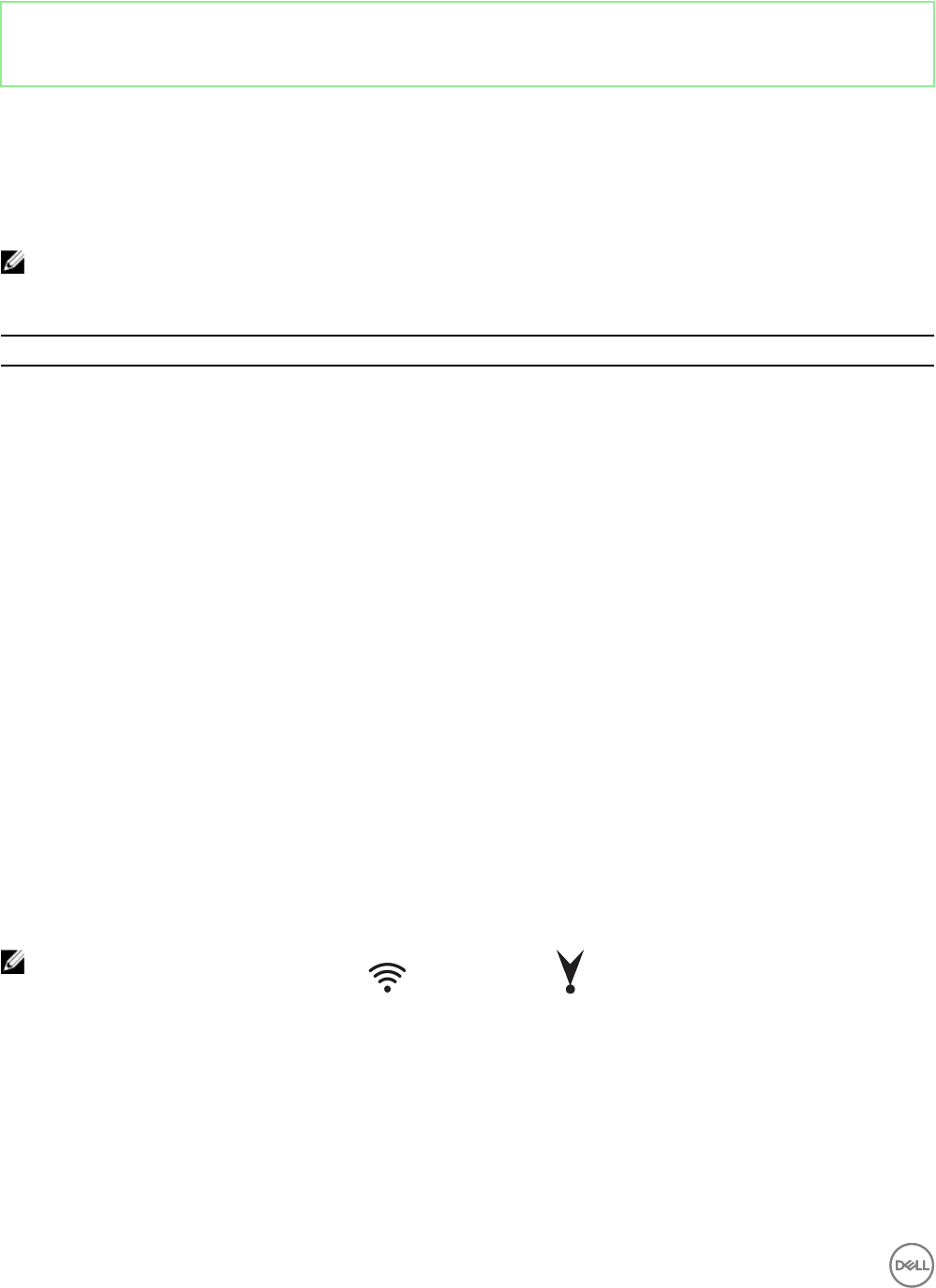
NOTE: The connector for wireless antenna ( ) and GPS antenna ( ) is the same.
16

Identifier GUID-7D8BACE8-23FC-4F96-8353-7200ED8BD5FB
Status Released
9
Communications
Identifier GUID-83C023AB-0A1C-45F3-A1F6-30B4E4C6667E
Status Released
Wireless LAN
Table 16. Wireless LAN specications
WLAN standards supported 802.11b, 802.11g or 802.11n
802.11b data rates supported 54, 48, 36, 24, 18, 12, 9, and 6 Mbps
802.11g data rates supported 54, 48, 36, 24, 18, 12, 11, 9, 6, 5.5, 2, and 1 Mbps
802.11n data rates supported MCS0 to MCS7 with and without Short GI.
Encryption WEP 64-bit and 128-bit, TKIP, AES-CCMP 128-bit
Identifier GUID-61875953-3203-4C4D-902A-F9BBB8BB579F
Status Released
Wireless WAN
Table 17. Wireless WAN specications
Card Region
DW5815 (4G LTE) AT&T and Verizon (North America)
DW5515 (3G) Rest of the world
DW5815 specications
Table 18. DW5815 card specications
Network LTE/HSPA+
Frequency bands • LTE band: 2, 4, 5, 13, 17
• HSPA+/WCMDA band: 2, 5
Speed (Downlink) < 150 Mbps
Speed (Uplink) < 50 Mbps
Fallback network HSPA+/WCDMA
Fallback speed • Downlink: < 42 Mbps
17

• Uplink: < 5.76 Mbps
SIM AT&T and Verizon
DW5515 specications
Table 19. DW5515 card specications
Network HSPA+/WCMDA
Frequency bands • HSPA+/WCMDA band: 1, 2, 5, 6, 8, 19
• EDGE/GPRS frequency: 850, 900, 1800, 1900 MHz
Speed (Downlink) < 21 Mbps
Speed (Uplink) < 5.76 Mbps
Fallback network EDGE/GPRS
Fallback speed • Downlink: < 236.8 Kbps
• Uplink: < 118.4 Kbps
SIM All
WWAN providers and options
NOTE: Depending on the network coverage available, the Edge Gateway selects the most optimal conguration and
automatically switches between LTE and 3G networks. Measurements from network-signaling messages between the
Edge Gateway and the WWAN provider determine the switch-over process.
Table 20. WWAN providers and options for Edge Gateway 3000 series
WWAN card Provider 2G bands 3G bands LTE bands
DW5815
Sierra Wireless AirPrime
HL7588
AT&T LTE
(USA and Canada only)
Not applicable B5 (850),
B2 (1900)
B17 (700),
B13 (700),
B5 (850),
B4 (1700),
B2 (1900)
DW5815
Sierra Wireless AirPrime
HL7588
Verizon LTE
(USA only)
Not applicable B5 (850),
B2 (1900)
B17 (700),
B13 (700),
B5 (850),
B4 (1700),
B2 (1900)
DW5515
Sierra Wireless AirPrime
HL8548
HSPA+
(Rest of World)
EDGE/GPRS frequency:
850, 900, 1800, 1900
Mhz
HSPA
B1, B2, B5, B6, B8, B19
Not supported
18

Identifier GUID-92945A23-082A-4CCB-A9B9-502D28AA213F
Status Released
Global Navigation Satellite System (GNSS)
Table 21. GNSS specications
GNSS chip in Edge Gateway Supported GNSS systems
u-blox UBX-M8030 Concurrent reception of up to three GNSS systems: GPS (Global
Positioning System)/Galileo with Beidou or GLONASS.
Table 22. Supported GNSS constellations
GNSS constellation Details
GPS Receives and tracks GPS L1 C/A signals at 1575.42 MHz.
GLONASS Receives and tracks GLONASS L1 signals at 1602 MHz +
k*562.5 kHz, where k is the satellite’s frequency channel number
(k = –7,..., 5, 6). The GLONASS satellite system is an alternative
to GPS.
BeiDou Receives and tracks BeiDou B1I signals at 1561.098 MHz. The
ability to receive and track BeiDou signals with another
constellation, results in higher coverage, improved reliability and
better accuracy. BeiDou coverage is only available in China, with
global coverage scheduled for 2020.
Galileo Receives and tracks Galileo E1-B/C signals centered on the GPS
L1 frequency band. GPS and Galileo signals can be processed
with either BeiDou or GLONASS signals, enhancing coverage,
reliability and accuracy.
Identifier GUID-F735CF4E-3583-484E-9F1B-03C5C7CCFC6F
Status Released
Bluetooth
Table 23. Bluetooth specications
Bluetooth standard supported Dual-mode Bluetooth 4.0 BLE
Bluetooth Classic Version 2.1+EDR
Bluetooth data rates supported Up to 3 Mbps
Bluetooth Low Energy Yes
Encryption 128-bit
19

Identifier GUID-0EDD63F3-6B34-4508-9F3B-01B4C226E1FE
Status Released
COM ports
Table 24. COM ports specications
Connector type 2x5 terminal block
Data rate Up to 1 Mbps in RS-232/12 Mbps in RS-422/RS-485
RS-232/RS-422/RS-485
Table 25. RS-232/RS-422/RS-485 specications
General
Bus type USB 2.0
Connectors 2 x 2x5 terminal blocks (JVE/
23N6963-10D00B-15G-2.9)
Power consumption 20 mA at +3.3 V
Communications
Communication controller XR21V1412 (controller), SP339E (transceiver)
Data bits 7, 8, 9
Data signals • RS-232: DCD, RXD TXD, DTR, GND, DSR, RTS,
CTS, RI
• RS-422: TXD+, TXD–, RXD+, RXD–, GND
• RS-485: Data+, Data–, GND
FIFO • 128 bytes (TX)
• 384 bytes (RX)
Flow control Hardware (RTS/CTS or DTR/DSR), Software (Xon/
Xo)
Parity None, Odd, Even, Mark, and Space
Speed/Baudrate Up to 1 Mbps (RS-232), 12 Mbps (RS422/RS485)
Stop bits 1, 2
Protection
Isolation protection Not applicable
ESD protection Transceiver 6100-4-2 ± 15 KV (Air), ±8 KV (Contact)
EFT protection Not applicable
Surge protection Not applicable
20

GPIO
Table 26. GPI conguration
GPI conguration
Logic high 3.5 V to 5 V
Logic low 0 V to 1.5 V
Input resistance 1 k between connector and controller
Interrupt source Not applicable
Isolation voltage 1 KV DC, controller to rest of system
Table 27. GPO conguration
GPO conguration
Output Open-drain or push-pull
1.6 mA per channel
Supply voltage 5 VDC
Isolation voltage 1 KV DC, controller to rest of system
No Vdd pin on connector
Table 28. GPIO specications
Name Default setting Default internal Pull-up and Pull-down
GPI0~7 85 K pull-down Not applicable
GPO0~7 85 K pull-down Not applicable
Open-drain or push-pull output pin
Table 29. GPIO electrical specications
Voltage/Current Minimum Maximum
Input low voltage (Vil) 1.5 V
Input high voltage (Vih) 3.5 V
Output low voltage (Vol) 0.4 V
Output high voltage (Voh) 4.8 V
Output sink/source current 1.6 mA
CAUTION: This port is ESD-sensitive. An insulated GPIO connector that prevents direct ESD exposure to the I/O pins is
recommended.
21

Identifier GUID-1739419B-1199-45FE-B4E0-4EBCB8B16926
Status Released
10
Security
Table 30. Security specications
Trusted Platform Module (TPM) TPM 2.0
External enclosure chassis intrusion switch When the chassis is opened, the external enclosure chassis
intrusion switch raises an intruder electrical signal to the gateway,
triggering an external enclosure chassis intrusion event.
NOTE: Depending on your country’s regulations, TPM system boards may be unavailable.
22

Identifier GUID-D736402F-121D-4C03-9A42-F8BD6743CF97
Status Released
11
Environmental compliance
Table 31. Environmental compliance
BFR/PVC-free No
23

Identifier GUID-7F7E0734-06B3-48CE-9D10-839F96F4559E
Status Released
12
Software
The following software is supported in the Edge Gateway 3000 Series:
• Dell Command | Congure (DCC)
• Dell Command | Monitor (DCM)
• Dell Command | Powershell (DCPP)—For Windows only
• Edge Device Management (EDM)
• Support Assist (includes Dell Data Vault (DDV))
24

Identifier GUID-25884249-8634-4C02-8CC6-28AF3E90446D
Status Released
13
Service and support
Table 32. Service and support
One year base hardware warranty, with mail-in service. Included
Basic extensions up to ve years, with mail-in service. Available
ProSupport extensions up to ve years, with advanced
exchange.
Available
NOTE: For a copy of our guarantees or limited warranties, write to ‘Dell USA L.P., Attn: Warranties, One Dell Way, Round
Rock, TX 78682’. For more information, visit www.dell.com/warranty.
25

Identifier GUID-1818BEA4-98B2-4A1A-928C-DAF428E305DB
Status Released
14
Contacting Dell
To contact Dell for sales, technical assistance, or customer service issues:
1. Go to www.dell.com/contactdell.
2. Verify your country or region in the drop-down list at the bottom of the page.
3. Select the appropriate service or support link based on your requirement or choose the method of contacting Dell that is
convenient for you.
Dell provides several online and telephone-based support and service options. Availability varies by country and product, and
some services may not be available in your area.
NOTE: If you do not have an active internet connection, you can nd the contact information on your purchase
invoice, packing slip, bill, or Dell product catalog.
26
