Delonghi Primadonna Exclusive Esam 6900 M Instruction Manual
2015-04-28
: Delonghi Delonghi-Primadonna-Exclusive-Esam-6900-M-Instruction-Manual-715590 delonghi-primadonna-exclusive-esam-6900-m-instruction-manual-715590 delonghi pdf
Open the PDF directly: View PDF  .
.
Page Count: 21

7
CONTENTS
IMPORTANT SAFEGUARDS ........................................8
SAVE THESE INSTRUCTIONS .......................................................8
SHORT CORD INSTRUCTIONS .....................................8
INTRODUCTION .......................................................9
Symbols used in these instructions ........................................... 9
Letters in brackets .....................................................................9
Troubleshooting and repairs .....................................................9
DESCRIPTION ..........................................................9
Description of the appliance ....................................................9
Description of touch screen ....................................................... 9
Description of milk container .................................................. 10
Description of hot chocolate carafe ........................................10
Description of hot water/steam spout .....................................10
Description of the accessories .................................................10
PRELIMINARY CHECKS ...........................................10
Checking the appliance ........................................................... 10
Installing the appliance ..........................................................10
Connecting the appliance .......................................................10
Using the appliance for the rst time ..................................... 10
TURNING THE APPLIANCE ON .................................11
TURNING THE APPLIANCE OFF ................................11
MENU SETTINGS ....................................................11
Rinsing .................................................................................... 11
Select background ..................................................................11
Descale ................................................................................... 11
Install water lter (some models only) ...................................12
Set time .................................................................................. 12
Auto-start ............................................................................... 12
Auto-O (Standby) ................................................................. 12
Energy Saving .........................................................................12
Coee temperature ................................................................. 12
Setting water hardness .......................................................... 12
Beep ....................................................................................... 12
Default values (reset) ..............................................................12
Statistics .................................................................................12
Setting the language .............................................................13
MAKING COFFEE ....................................................13
Selecting the coee taste ........................................................13
Selecting the quantity of coee in the cup ............................. 13
Customizing the “My coee” quantity .................................... 13
Adjusting the coee mill ........................................................ 13
Tips for a hotter coee ...........................................................13
Making espresso coee using coee beans .............................14
Making espresso coee using pre-ground coee .................... 14
MAKING HOT CHOCOLATE .......................................14
Preparing and attaching the hot chocolate carafe (D) ............. 14
MAKING MILK DRINKS ...........................................15
Filling and attaching the milk container ................................. 15
Adjusting the amount of froth ................................................15
Making caelatte/cappuccino/latte macchiato/milk ..............15
Programming the quantities of coee and milk in the cup .....16
Cleaning the milk container after use .....................................16
MAKING LONG COFFEE ........................................... 16
Making LONG coee using pre-ground coee .........................16
Customizing the “My LONG coee” quantity .......................... 16
DELIVERING HOT WATER AND STEAM ......................17
Delivering hot water ..............................................................17
Change the quantity of water delivered automatically. ......... 17
Steam delivery ....................................................................... 17
Tips for using steam to froth milk ...........................................17
Clean the steam/hot water spout after use ............................. 17
MEMORISING YOUR PERSONAL PROFILE .................17
CLEANING .............................................................18
Cleaning the machine ............................................................18
Cleaning the coee grounds container ....................................18
Cleaning the drip tray .............................................................18
Cleaning the inside of the machine .........................................18
Cleaning the water tank ......................................................... 19
Cleaning the coee spouts ..................................................... 19
Cleaning the pre-ground coee funnel ..................................19
Cleaning the infuser ............................................................... 19
Cleaning the hot chocolate carafe (D) .....................................19
Cleaning the milk container (C) .............................................. 20
DESCALING ........................................................... 20
SETTING WATER HARDNESS ...................................21
Measuring water hardness .....................................................21
Set water hardness ................................................................. 21
WATER SOFTENER FILTER .......................................21
Installing the lter .................................................................21
Replacing the lter .................................................................22
Removing the lter ................................................................ 22
TECHNICAL DATA ................................................... 22
DISPLAYED MESSAGES ...........................................23
TROUBLESHOOTING ............................................... 25
LIMITED WARRANTY .............................................. 27

8
IMPORTANT SAFEGUARDS
When using electrical appliances, basic safety precautions should always be followed, including the following.
• Readallinstructionscarefully.
• Makesurethevoltageofyourelectricalsystemcorrespondstothevoltageshownonthebottomofthe
machine.
• Donottouchhotsurfaces.Usehandlesorknobs.
• Toprotectagainstre,electricalshockandpersonalinjury,donotimmersecord,plugorappliancein
water or other liquid.
• Neverallowtheappliancetobeusedbychildren.Keeptheapplianceoutofthereachofchildrenanddo
not leave appliance unattended while in operation.
• Unplugfromtheoutletwhennotinuseandbeforecleaning.Allowtocoolbeforettingortakingo
parts, and before cleaning the appliance.
• Donotoperatewithadamagedcordorplug,oraftertheappliancemalfunctions,orhasbeendamaged
in any manner. Return the appliance to the nearest authorized service facility for examination, repair or
adjustment.
• Theuseofaccessoryattachmentsnotrecommendedbythemanufacturermayresultinre,electrical
shock, or personal injury.
• Donotuseoutdoors.
• Donotletthecordhangovertheedgeofthetableorcounterortouchhotsurfaces.
•
Do not place the appliance or its electrical parts on or near electric stoves, cooking surfaces, or gas burners.
• Plugcordintothewalloutlet.Todisconnect,rstturnmachine“o”,thenremoveplugfromwalloutlet.
• Donotusetheapplianceforotherthantheintendeduse.Thisapplianceistobeutilizedfordomestic
use only. The manufacturer declines all responsibility for any damage caused by improper, incorrect, or
irresponsible use.
WARNING: To reduce the risk of re or electric shock, do not remove the cover or the exterior of
the unit. Don’t attempt to repair or modify the machine, doing so will void the warranty. Repair
should be done by authorized service personnel only!
SAVE THESE INSTRUCTIONS
THIS APPLIANCE IS FOR HOUSEHOLD USE ONLY
SHORT CORD INSTRUCTIONS
- A short power cord is provided to reduce risks resulting from becoming entangled in or tripping over a
longer cord.
- Longer, detachable power supply cords or extension cords are available and may be used if care is exer-
cised in their use.
- If an extension cord is used, the marked electrical rating should be at least as great as the electrical rating
of the appliance. If the appliance is provided with 3- wire, grounding type cord, the extension should be
a GROUNDING TYPE 3 - WIRE CORD. The longer cord should be arranged so that it will not drape over the
counter-top or table top where it can be pulled on by children or tripped over.
- Your product is equipped with a polarized alternating current line plug (a plug having one blade wider
than the other). This plug will t into the power outlet only one way. This is a safety feature. If you are un-
able to insert the plug fully into the outlet, try reversing the plug. If the plug should still fail to t, contact
your electrician to replace your obsolete outlet. Do not defeat the safety purpose of the polarized plug.
9
INTRODUCTION
Thank you for choosing the ESAM6900 automatic coee,
cappuccino and hot chocolate machine.
We hope you enjoy using your new appliance.
Take a few minutes to read these instructions.
This will avoid all risks and damage to the appliance.
Symbols used in these instructions
Important warnings are identied by these symbols.
It is vital to respect these warnings.
Danger!
Failure to observe the warning may result in life threatening
injury by electric shock.
Important!
Failure to observe the warning could result in injury or damage
to the appliance.
Danger of burns!
Failure to observe the warning could result in scalds or burns.
Please note:
This symbol identies important advice or information for the
user.
Letters in brackets
The letters in brackets refer to the legend in the Description of
the Appliance on page 2 and 3.
Troubleshooting and repairs
In the event of problems, rst try to resolve them following the
information given in the section “Displayed messages” on page
23 and “Troubleshooting” on page 25.
If this does not resolve the problem or you require further
information, you should consult Customer Experience by calling
the number given on the annexed “Customer Experience”
sheet.
If your country is not among those listed on the sheet, call the
number given in the guarantee.
If repairs are required, contact De’Longhi Customer Service.
Contact details are given in the Limited Warranty provided with
the appliance.
DESCRIPTION
Description of the appliance
(page 3 - A )
A1. Funnel and measure compartment cover
A2. Measure compartment
A3. Pre-ground coee funnel
A4. Cup shelf (cup warmer when Energy Saving is
disabled)
A5. Touch screen (B)
A6. Hot water and steam nozzle
A7. Coee spout (adjustable height)
A8. Cup tray
A9. Drip tray
A10. Drip tray water level indicator
A11. Service door
A12. Infuser
A13. Water tank
A14. Grounds tray
A15. Coee guide
A16. Grinding adjustment dial
A17. Beans container lid
A18. Beans container
A19. Main switch (on back of machine)
A20. ON/STANDBY button
Description of touch screen
(page 3 - B )
Only the icons relating to the controls enabled for the particular
function currently being used will be lit on the touch screen.
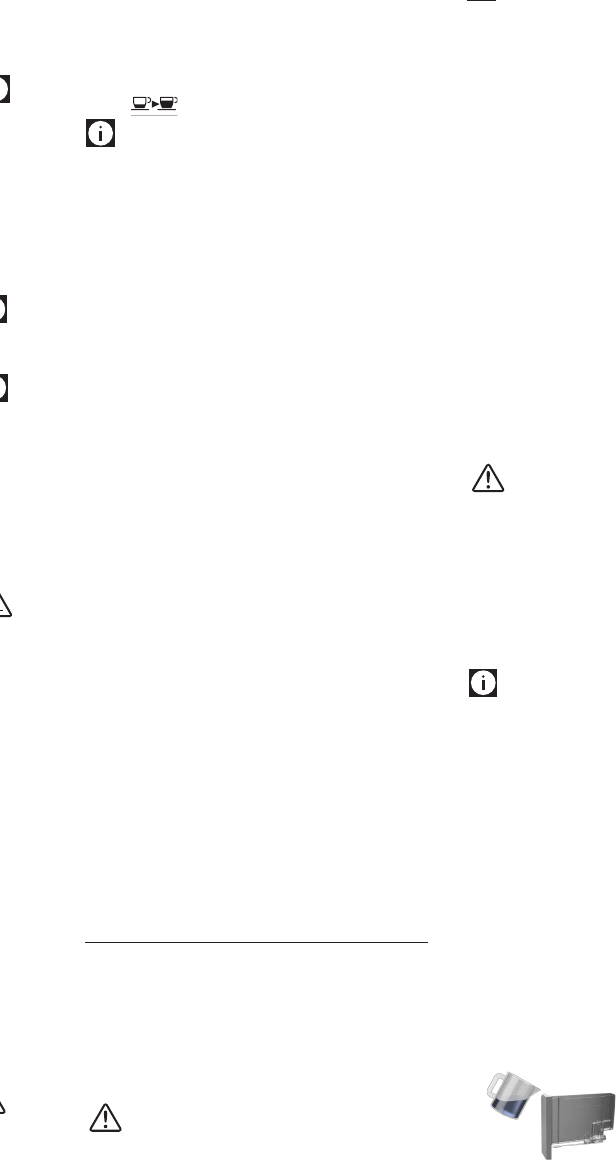
B1. icon: changes function according to the text
displayed alongside the icon
B2. Display: guides the user in using the appliance.
B3. icon: changes function according to the text
displayed alongside the icon
B4. icon: to deliver one cup of espresso coee.
B5. icon: to deliver two cups of espresso coee.
B6. icon: changes function according to the text
displayed alongside the icon
B7. LONG icon: to deliver a cup of LONG coee.
B8. MILK icon: to deliver a cup of milk.
B9. LATTE MACCHIATO icon: to deliver a cup of latte
macchiato.
B10. CAPPUCCINO icon: to deliver a cappuccino.
B11. CAFFELATTE icon: to deliver a caelatte.
B12. CHOCOLATE icon: to make hot chocolate.
B13. icon: changes function according to the text
displayed alongside the icon
B14. icon: to select the coee taste.
10
B15. icon: to select the coee quantity.
Please note :
A light touch is enough to activate the icon.
Description of milk container
(page 2 - C )
C1. Lid with milk frother
C2. Froth adjustment and CLEAN dial
C3. Frothed milk spout (adjustable)
C4. Lid release buttons
C5. Milk intake tube
C6. Milk container
C7. Thermal casing
Description of hot chocolate carafe
(page 2 - D )
D1 Hot chocolate carafe lid
D2. Funnel
D3. Steam pipe
D4. Stirrer
D5. Hot chocolate carafe
D6. Funnel release button
Description of hot water/steam spout
(page 2 - E )
E1. Release button
E2. Spout
E3. Steam nozzle
E4. Cappuccino maker
Description of the accessories
(page 2 - F )
F1. Pre-ground coee and hot chocolate powder
measuring spoon
F2. Cleaning brush
F3. “Total Hardness Test” indicator paper
F4. Descaler
F5. Water softener lter
PRELIMINARY CHECKS
Checking the appliance
After removing the packaging, make sure the product is
complete and undamaged and that all accessories are present.
Do not use the appliance if it is visibly damaged.
Contact De’Longhi Customer Services.
Installing the appliance
Important!
When you install the appliance, you should respect the
following safety warnings:
• Theappliancegivesoheat.
After positioning the appliance on the worktop, leave a
space of at least 1.18 in / 3 cm between the surfaces of
the appliance and the side and rear walls and at least 5.9
in/ 15 cm above the coee maker.
• Waterinltrationcoulddamagetheapplianceandcause
electric shock.
Do not place the appliance near taps or sinks.
• Theappliancecouldbedamagedifthewateritcontains
freezes.
Do not install the appliance in a room where the
temperature could drop below freezing point.
• Arrangethepowercableinsuchawaythatitcannotbe
damaged by sharp edges or contact with hot surfaces
(e.g. electric hot plates).
Connecting the appliance
Important!
Check that the mains power supply voltage corresponds to
the value indicated on the rating plate on the bottom of the
appliance.
If the power socket does not match the plug on the appliance,
have the socket replaced with a suitable type by a qualied
professional.
Using the appliance for the rst time
Please note :
• Coeehasbeenusedtofactorytesttheapplianceandit
is therefore completely normal for there to be traces of
coee in the grinder.
The machine is, however, guaranteed to be new.
• Youshouldcustomisewaterhardnessassoonaspossible
following the instructions in the section “Setting water
hardness” (page 21).
1. Plug the appliance into the mains socket and place the
main switch on the back of the appliance in the I position
(g. 1).
You must rst choose the language (the languages scroll
through at intervals of about 3 seconds):
2. When “English” appears, press and hold the OK icon (g.
2) for a few seconds until “English set” is displayed.
Follow the instructions indicated by the appliance:
3. FILL WATER TANK!”: remove the
water tank, ll to the MAX line with
fresh water then replace in the
appliance (g. 3).
11
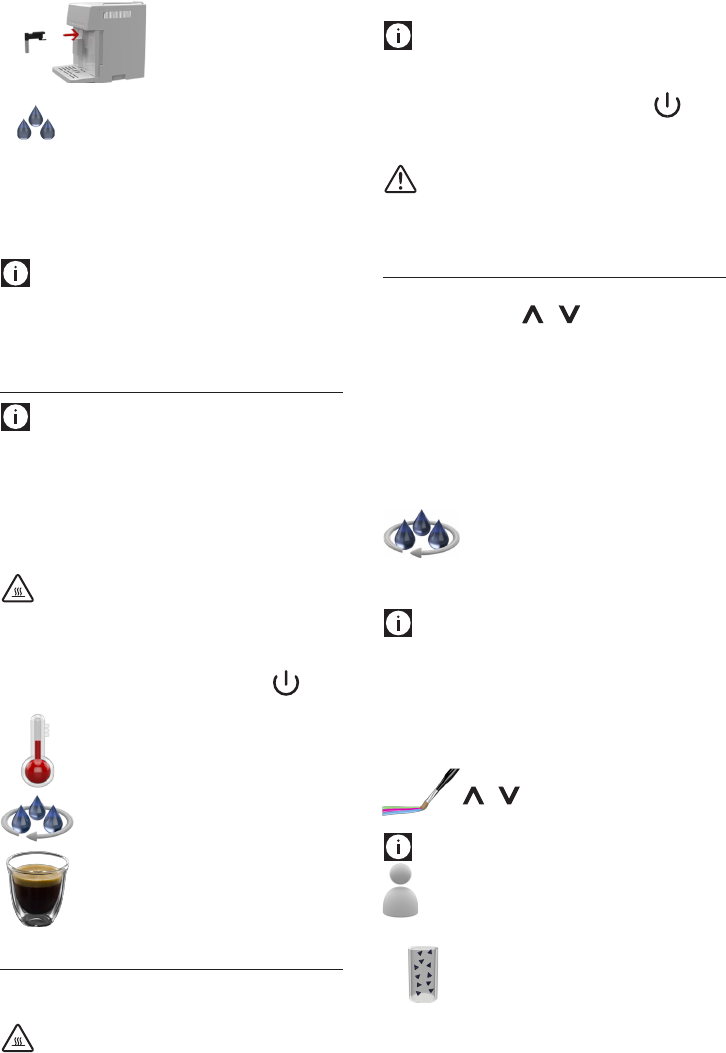
4. INSERT WATER SPOUT”: Check that
the hot water spout is fully inserted
on the nozzle and place a container
with a minimum capacity of 100 ml
underneath (g. 4).
5. “WaterdeliveryPRESSOK”:presstheOKicononthe
display.
6. The appliance starts delivering water from the hot water
spout.
7. The appliance ends the rst start up procedure and goes
o automatically.
The coee machine is now ready for normal use.
Please note:
• Whenusingtheapplianceforthersttime,youneedto
make 4-5 cups of coee or 4-5 cappuccinos before it starts
to give satisfactory results.
TURNING THE APPLIANCE ON
Please note:
Before turning the appliance on, make sure the main switch on
the back of the appliance is in the I position (g. 1).
Each time the coee machine is turned on, it performs an
automatic preheat cycle and, if necessary, a rinse cycle which
cannot be interrupted. The appliance is ready for use only after
completion of this cycle.
Danger of burns!
During rinsing, a little hot water comes out of the coee spouts
and is collected in the drip tray underneath. Avoid contact with
splashes of water.
• Toturntheapplianceon,pressandholdthe button
for a few seconds (g. 5):
The message “Heating up, please wait” is
displayed.
When heating is complete, the message changes
to “RINSING”.
The appliance is ready for use when an espresso
coee cup appears on the display.
TURNING THE APPLIANCE OFF
Whenever the coee machine is turned o after being used to
make coee, it performs an automatic rinse cycle.
Danger of burns!
During rinsing, a little hot water ows from the coee spouts.
Avoid contact with splashes of water.
Please note:
If you will not be using the appliance for some time, unplug
from the mains socket:
• rstturntheapplianceobypressingthe button
(g. 5);
• placethemainswitchinthe0position(g.6).
Important!
Never place the main switch in the 0 position while the
appliance is on.
MENU SETTINGS
To access the settings menu, press the MENU icon. Scroll through
the menu by pressing the or icon.
To exit the menu, press the ESC icon.
The following can be selected from the menu: Rinsing, Select
background, Descale, Install water lter, Set time, Auto-start,
Auto-o, Energy Saving, Set temperature, Water hardness, Beep,
Default values, Statistics, Set language.
Rinsing
Use this function to deliver hot water from the spout to heat the
internal circuit and make the coee delivered hotter.
Press the OK icon to select the function. Press OK
again to conrm and start rinsing.
After rinsing, the appliance is automatically ready to make the
next drink.
Please note!
During rinsing, a little hot water comes out of the coee spouts
and is collected in the drip tray underneath.
Avoid contact with splashes of water.
Select background
Use this function to change the color of the display background.
Press the OK icon to select the function. Press the
or icon to select the required background,
then press OK again to conrm the choice.
Please note!
This menu item can be customised in all proles (see
“Memorising your personal prole” on page 17).
Descale
For instructions on descaling, see page 20.
12
Install water lter (some models only)
For instructions on the water lter, see page 21.
Set time
To adjust the time on the display, proceed as follows:
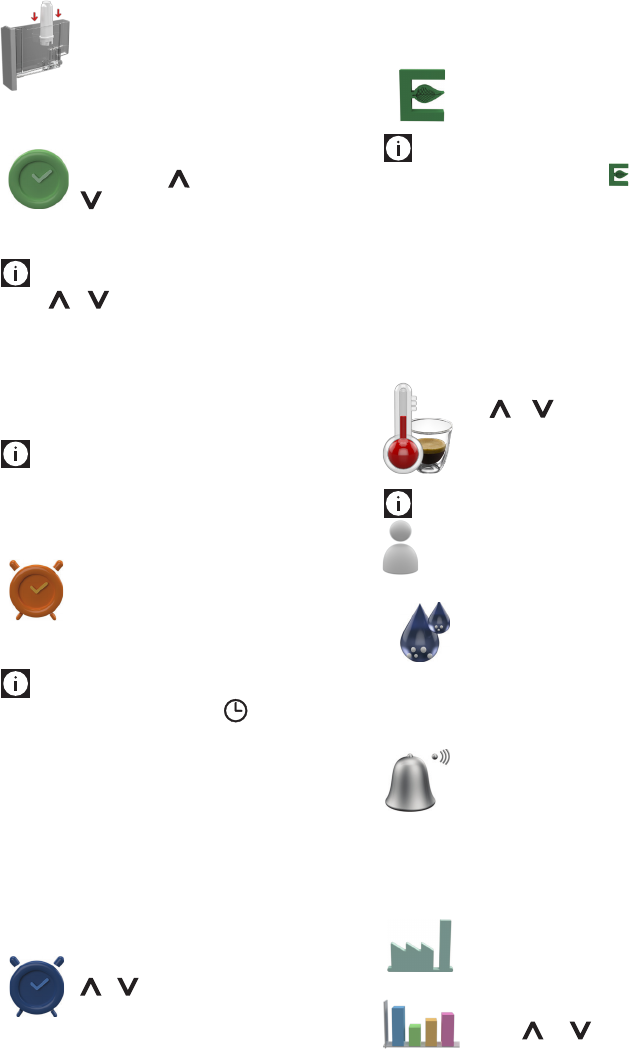
Press the OK icon to select the function. Set the
hour using the symbol to increase and the
symbol to decrease, then press OK again to
conrm, then adjust the minutes. Finally press
OK to memorise the time set.
Please note!
Hold the or symbol down to run through the hours and
minutes quickly.
Auto-start
You can set the auto-start time in order to have the appliance
ready at a certain time (for example in the morning) so you can
make coee immediately.
Please note!
• Fortheappliancetocomeonatthesettime, the time
must be set correctly.
• Tosettheauto-starttime,thehourmustrsthavebeen
set.
Press the OK icon to select the function, then
press OK again to enable.
Adjust the time as described in the previous
section and conrm with OK. The grey symbol
indicates that the function is not active.
Please note!
• When the function is active, the symbol appears
alongside the current time.
• Todisablethefunction,accessthemenuandselectthe
function as described above. “DISABLE?” is displayed.
Press OK to conrm. The symbol alongside the current
time disappears.
• Whenthemainswitchisturnedo,the“Auto-Start”set-
ting is reset.
Auto-O (Standby)
The auto-o time can be changed so that the appliance
switches o after 15 or 30 minutes, or after 1, 2 or 3 hours.
Press the OK icon to select the function. Press the
or icon to select the required time, then
press OK again to conrm.
Energy Saving
Use this function to enable or disable Energy Saving.
When enabled, the function reduces energy consumption in
compliance with European regulations.
Press the OK icon to select the function, then press
OK again to enable or disable Energy Saving.
Please note!
• When the function is active, the symbol appears
alongside the current time.
• Afew seconds may elapse betweenEnergySavingand
delivery of the rst drink.
• WhenEnergySavingisdisabled,theapplianceturnsthe
cup warmer on automatically.
Coee temperature
To modify the temperature of the water used to make the
coee, proceed as follows:
Press the OK icon to select the function. Press
the or icon to select the required
temperature, then press OK again to conrm.
Please note!
This menu item can be customised in all proles (see
“Memorising your personal prole” on page 17).
Setting water hardness
For instructions on setting water hardness, see
page 21.
Beep
This enables or disables the beep emitted by the machine each
time an icon is pressed or an accessory is inserted/removed. The
beep is active by default.
Press the OK icon to select the function. Press
OKagaintoenableordisablethebeep.Thegrey
symbol indicates that the function is not active.
Default values (reset)
This resets all menu settings and programmed quantities back
to the default values (with the exception of the language
which remains as set).
Press the OK icon to select the function. Press OK
again to conrm and reset to the default values.
Statistics
This displays statistics relating to the machine.
Press the or symbol to display the
available data:
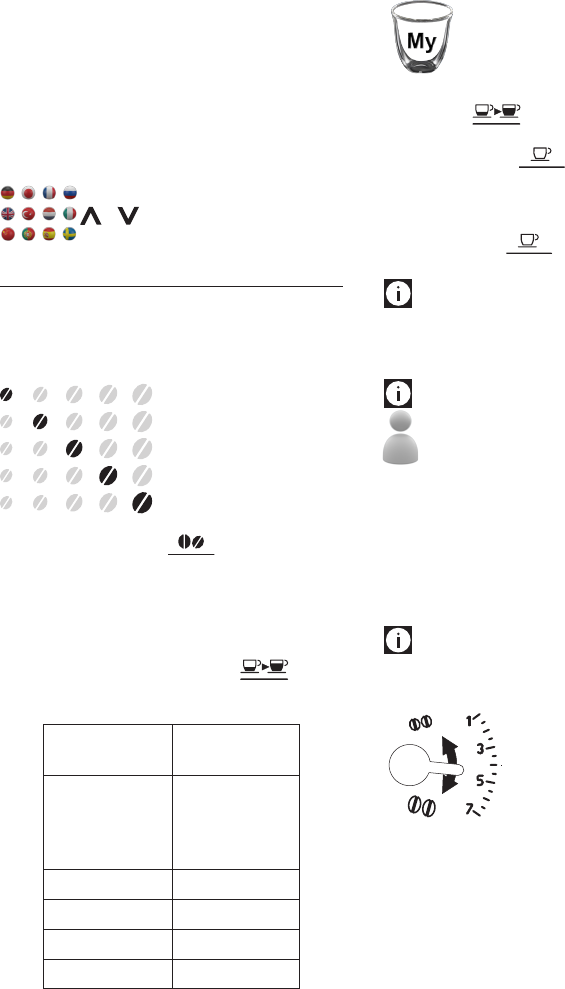
13
- number of coees delivered;
- number of milk drinks delivered (CAPPUCCINO, LATTE
MACCHIATO,CAFFELATTE,MILK);
- number of hot chocolates delivered;
- total litres of water delivered;
- number of water lters used;
- how many times the machine has been descaled.
Setting the language
To modify the language of the display, proceed as follows:
Press the OK icon to select the function. Press the
or icon to select the required language,
then press OK to conrm the choice.
MAKING COFFEE
Selecting the coee taste
The appliance is set by default to make coee with a standard
taste. You can select one of the following tastes displayed
under the glass:
Extra-mild taste
Mild taste
Standard taste
Strong taste
Extra-strong taste
To change the taste, press the icon (g. 7) repeatedly
until the required taste is displayed.
Selecting the quantity of coee in the cup
The appliance is set by default to make a standard quantity of
coee.
To select the quantity of coee, press the icon (g.
8) repeatedly until the message corresponding to the required
quantity of coee is displayed:
Corresponding
coee
ESPRESSO
(. oz/ml)
My coee
≃ 1.01 /30
(program. from
≃0.68/20 to
≃6.09/180)
Short ≃1.7/50
Standard ≃ 2.37/70
Long ≃ 3.38/100
Extra long ≃ 4.4/130
Customizing the “My coee” quantity
The appliance is set by default to automatically
deliver 30 ml of “My coee”. To modify this
quantity, proceed as follows:
1. Place a cup under the coee spouts (g. 9).
2. Press the icon repeatedly (g. 8) until “My
coee” is displayed.
3. Press the 1 cup icon (g. 10). The appliance starts
making the coee;
4. Press the PROG icon. The appliance starts programming;
5.
As soon as the coee in the cup reaches the required level,
press the STOP or icon again.
The quantity set has now been programmed.
Please note :
• Youcanprogrammeasinglecupofcoeeonly.
• To cancel programming of“My coee”, press the EXIT
PROG icon.
Please note!
“My coee” can be customised in all proles (see
“Memorising your personal prole” on page 17).
Adjusting the coee mill
The coee mill is set by default to prepare coee correctly and
should not require regulating initially.
However, if after making the rst few coees you nd that
delivery is either too fast or too slow (a drop at a time), this
can be corrected by adjusting the grinding adjustment dial
(g. 11).
Please note!
The grinding adjustment dial must only be turned when the
coee mill is in operation.
For fuller bodied creamier coee, turn
one click counter clockwise towards “1”
(ner ground coee).
For faster delivery (not a drop at a time),
turn one click clockwise towards “7”
(coarser ground coee).
These adjustments will only be evident after at least 2 cups of
coee have been delivered.
If delivery is still too fast or too slow, repeat the correction,
turning the dial another click.
Tips for a hotter coee
For hotter coee, you should:
• performarinsecyclebeforedeliveringthecoee,using
the “Rinsing” function in the menu;
• if Energy Saving is disabled, place the cups on the cup
14
warmer until they are warm;
• warmthecupsbyrinsingthemwithhotwater(usingthe
hot water function);
• setahighercoeetemperatureinthemenu.
Making espresso coee using coee beans
Important!
Do not use caramelized, chocolate or candied coee beans as
they could stick to the coee mill and make it unusable.
1. Fill the container with coee beans (g. 12).
2. Place under the coee spouts:
- 1 cup, if you want to make 1 coee (g. 9);
- 2 cups, if you want 2 coees (g. 13).
3. Lower the spout as near as possible to the cup. This makes
a creamier coee (g. 14).
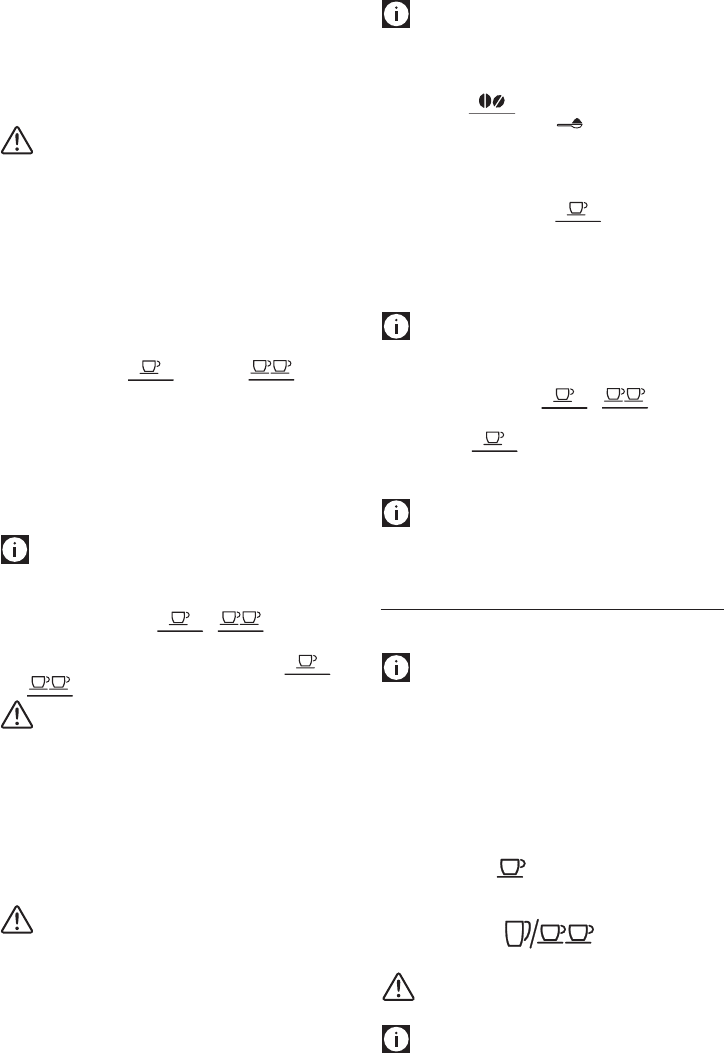
4. Press the icon corresponding to the number of coees
required (one cup or two cups ) (g. 10
and 15).
5. The appliance starts making coee. An image
corresponding to the type of preparation chosen is
displayed together with a progress bar which lls as
preparation proceeds.
Once the coee has been made, the appliance prepares for use
again.
Please note:
• While the appliance is making coee, delivery can be
interrupted at any moment by pressing the STOP icon or
one of the coee icons ( or ).
• Atthe end of delivery,to increasethequantityofcoee
in the cup, just press one of the coee icons ( or
) within 3 seconds.
Important!
If the coee is delivered a drop at a time, too fast and not creamy
enough or too cold, read the tips in the “Troubleshooting”
section on page 25).
Various alarm messages could be displayed while using the
machine. Their meaning is explained in the section “Displayed
messages” (page 23).
Making espresso coee using pre-ground coee
Important!
• Neveraddpre-groundcoeewhenthemachineisoorit
could spread through the inside of the machine and dirty
it. This could damage the appliance.
• Neverusemorethanonelevelmeasureoritcoulddirty
the inside of the machine or block the funnel.
• Do not put chocolate powder down the pre-ground
funnel.
Please note!
If you use pre-ground coee, you can only make one cup of
coee at a time.
1. Press the icon (g. 7) repeatedly to select the
pre-ground coee symbol .
2. Put one level measure of pre-ground coee into the
funnel (A3) (g. 16).
3. Place a cup under the coee spouts (g. 9).
4. Press the 1 cup coee icon .
5. The appliance starts making coee. An image
corresponding to the type of preparation chosen is
displayed together with a progress bar which lls as
preparation proceeds.
Please note:
• While the appliance is making coee, delivery can be
interrupted at any moment by pressing the STOP icon or
one of the coee icons ( or ).
• Toincreasethequantityofcoeeinthecup,justpressthe
coee icon within 3 seconds.
Once the coee has been made, the appliance prepares to
make the next drink.
Please note!
A few seconds may elapse between Energy Saving and delivery
of the rst drink.
MAKING HOT CHOCOLATE
Preparing and attaching the hot chocolate carafe (D)
Please note!
You can make one or two cups of hot chocolate.
1. Lift the carafe lid (g. 17).
2. Make sure the steam pipe is inserted in the chocolate
funnel and the stirrer is inserted in both the holes in the
funnel (g. 18).
3. Attach the funnel to the carafe (g. 19).
4. To make one cup of hot chocolate, pour milk at refrigerator
temperature (about 41°F/5°C) (or fresh water) into the
funnel up to the level and add 2 scoops (0.88oz/25g)
of hot chocolate powder or cocoa. To make two cups or
one mug of hot chocolate, pour milk (or water) into the
funnel up to the level and add 4 scoops
of powder (1.76oz/50 g) (g. 20).
Important!
• Makesuretheholeinthefunnelshowning.21isclean.
Please note!
• Themilkmustbepouredintothefunnelwhenthesteam
15
pipe and stirrer are already in place. Do not exceed the
MAX level marked on the carafe. Increase or reduce the
quantity of hot chocolate powder according to taste.
• Tousewaterinsteadofmilk,followtheinstructionsfor
milk.
• Topreparehotchocolatecorrectly,rstpourthemilkor
water into the funnel, then add the hot chocolate or cocoa
powder as shown on the hot chocolate carafe lid.
5. Close the lid (g. 22).
6. Attach the carafe to the nozzle and push as far as it will go
(g. 23). The machine emits a beep (if the beep function
is enabled).
7. Press the CHOCOLATE icon (B12).
8. Select one or two cups ( - ) by pressing the
corresponding icon.
8. Press the + or - icon to select the required density:
If the hot chocolate powder used does not contain
thickener, there will be any change adjusting the density.
9. Press the CHOCOLATE icon to start making hot chocolate
(g. 24). The appliance starts mixing the drink and then
delivers steam to heat it.
Once the coee has been made, the appliance prepares for use
again. The chocolate is ready to be poured into the cup.
Danger of burns!
While making the chocolate, the carafe and lid become very
hot. Hold by the handle only to remove the carafe and pour the
chocolate.
The chocolate is ready to be poured into the cup.
Please note!
• Tointerruptmakingthechocolate,presstheCHOCOLATE
icon again or the STOP icon.
Danger of burns!
. While making the hot chocolate, it is normal for steam to
come out of the holes in the chocolate carafe lid.
• Heatingthemilkcausessplashesinsidethecarafe.Thisis
normal.
• Thehotchocolatequantityinthecupwillvaryvaryingthe
density: if you choose thick density, there will be fewer
chocolate than that contained in the cup if choosing the
other densities.
MAKING MILK DRINKS
Please note!
A few seconds may elapse between Energy Saving and delivery
of the rst drink.
Filling and attaching the milk container
1. Press the release buttons and lift the milk container lid
(g. 25).
2. Fill the milk container with a sucient quantity of milk,
not exceeding the MAX level (g. 26).
Please note!
For a richer denser froth, use skimmed or partially skimmed
milk at refrigerator temperature (about 41°F/5°C).
To avoid milk with poor froth or large bubbles, always clean
the milk lid and hot water nozzle as described in the section
“Cleaning the milk container” on page 16.
3. Make sure the milk intake tube is correctly inserted in the
bottom of the milk container lid (g. 27).
4. Attach the lid back on the milk container.
5. Attach the container to the nozzle, pushing as far as it will
go (g. 28).
6. Place a suciently large cup under the coee spouts and
frothed milk spout (g. 29). To use particularly tall cups/
glasses, lift the coee and milk spouts (g. 30).
7. Follow the instructions below for each function.
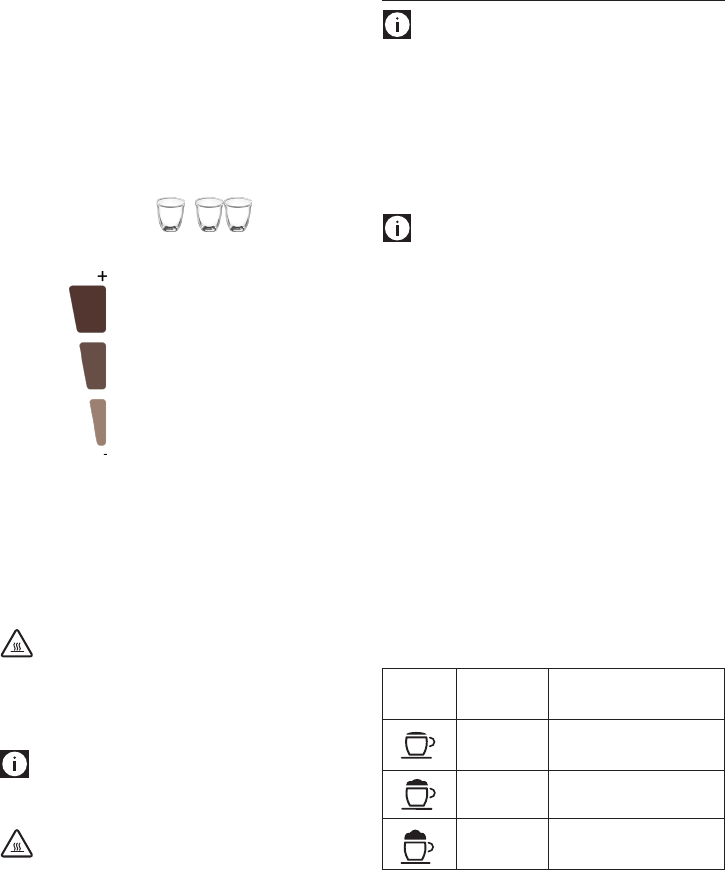
Adjusting the amount of froth
Turn the froth adjustment dial on the milk container lid to
adjust the amount of froth on the milk delivered while making
milk drinks (g. 31). Follow the tips given in the following
table:
Dial
position
Description Recommended for…
No froth CAFFELATTE /
MILK(hotmilk)
Min. froth
LATTE MACCHIATO
Max. froth CAPPUCCINO /
MILK (frothed milk)
Making caelatte/cappuccino/latte macchiato/milk
1. Press the icon corresponding to the required drink.
2. After a few seconds, frothed milk is delivered from the
milk spout into the cup below. Delivery of milk stops
automatically and (if needed for the drink), coee
Thick density
Medium density
Thin density
16
delivery starts. An image of the drink being prepared is
displayed (g. 32) together with a progress bar which lls
gradually.
Please note!
Milk or coee delivery can be interrupted by pressing the STOP
icon. To stop preparation altogether, press the ESC icon.
Programming the quantities of coee and milk in the
cup
The appliance is set by default to automatically deliver standard
quantities. To change these quantities, proceed as follows:
1. Place a cup under the coee spouts and milk spout.
2. Press the icon corresponding to the function to be
programmed (caelatte, cappuccino, latte macchiato,
milk). The machine starts delivering milk.
3. Press the PROG icon.
4. When the required quantity of milk has owed into the
cup, press the STOP icon.
5. If needed for the drink, after a few seconds, the machine
starts delivering coee. When the required quantity
of coee has owed into the cup, press the STOP icon.
Coee delivery stops.
The machine is now reprogrammed with the new quantities.
Please note!
• To cancel programming of the drinks, press the EXIT
PROG icon.
Milk drinks can be customised in all proles (see
“Memorising your personal prole” on page 17).
Cleaning the milk container after use
Important! Danger of burns
When cleaning the internal tubes of the milk container, a little
hot water and steam leak out of the frothed milk spout.
Avoid contact with splashes of water.
After preparing a milk drink, the machine must
be cleaned to remove the milk residues. Proceed
as follows:
1. Leave the milk container in the machine (you do not need
to empty it);
2. Place a cup or other recipient under the frothed milk
spout.
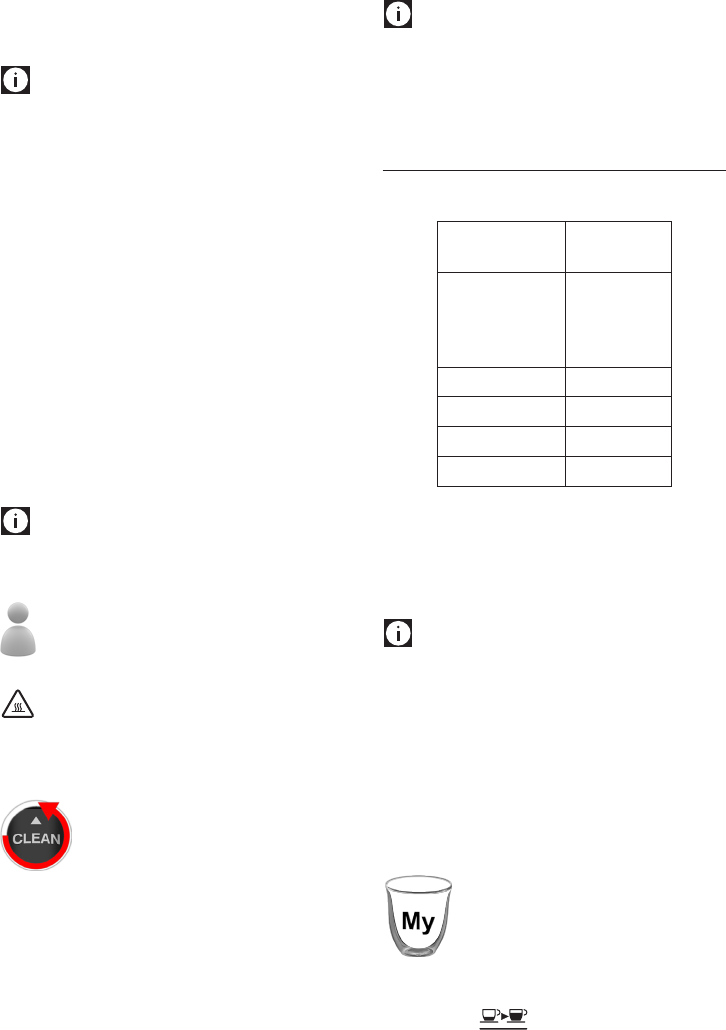
3. Turn the froth adjustment dial to CLEAN (g. 33): ): the
operation is shown on the display (g. 34) and stops
automatically.
4. Turn the dial back to one of the froth selections.
5. Remove the milk container and always clean the steam
nozzle with a sponge (g. 35).
Please note!
• To prepare a number of milk drinks, clean the milk
container after you have prepared the last drink only.
• Themilkcontainercanbekeptintherefrigerator.
• Insomecases,tocleanyoumustwaitfortheapplianceto
heat up.
MAKING LONG COFFEE
1. Choose the length and taste required, following the same
procedure as for espresso coee.
Corresponding
coee
LONG
(.oz/ml)
My coee ≃ 3.38/100
(program. from
0.68/20 to
8.45/250)
Short ≃ 4.23/125
Standard ≃ 5.92/175
Long ≃ 7.10/210
Extra long ≃ 8.45/250
2. Press the LONG icon g. 36.
3. The appliance starts making coee. An image
corresponding to the type of drink chosen is displayed
together with a progress bar which lls as preparation
proceeds.
Please note!
To interrupt delivery, press the LONG icon or the STOP icon.
Making LONG coee using pre-ground coee
1. Select the pre-ground coee symbol, as explained in the
espresso section.
2. Push the LONG icon (g. 36).
3. The appliance starts making coee. An image
corresponding to the preparation chosen is displayed
together with a progress bar which lls as preparation
proceeds.
Customizing the “My LONG coee” quantity
The appliance is set by default to automatically
deliver 3.38 .oz/100 ml of “My coee”. To modify
these settings, proceed as follows:
1. Place a suciently large cup or glass under the coee
spouts (g. 9).
2. Press the icon repeatedly (g. 8)until “My
coee” is displayed.
3. Press the LONG icon. The machine starts delivering
coee;
17
4. Press the PROG icon. The appliance starts programming;
5. As soon as the coee in the cup reaches the required level,
press the STOP icon again.
The quantity set has now been programmed.
Please note!
• To cancel programming of“My LONG coee”, press the
EXIT PROG icon.
“My LONG coee” can be customised in all proles (see
“Memorising your personal prole” on page 17).
DELIVERING HOT WATER AND STEAM
Important! Danger of burns.
Do not leave the appliance unattended while delivering hot
water or steam. The spout becomes hot during delivery. Hold
by the handle only.
Please note!
If Energy Saving is active, you may have to wait a few seconds
before hot water and steam are delivered.
Delivering hot water
1. Check that the hot water spout is attached correctly.
2. Place a container under the water spout (as close as
possible to avoid splashes) (g. 4).
3 Press the icon (g. 37).
4. Hot water delivery begins and then stops automatically.
A progress bar lls gradually as preparation proceeds. To
interrupt delivery of the hot water manually, press the
STOP icon again.
Please note!
The quantity of hot water can be customised in all
proles (see “Memorising your personal prole” on page
17).
Change the quantity of water delivered automatically.
The machine is set by default to automatically delivery 8.45
.oz/250 ml of hot water. To modify these quantities, proceed
as follows:
1. Check that the hot water spout is attached correctly.
2. Position a container under the spout.
3. Press the icon, then the PROG icon.
4. When the hot water in the cup reaches the required level,
press the STOP icon.
The machine is now reprogrammed with the new quantity.
Please note!
• Tocancelprogramming,pressthe EXIT PROG icon.
Steam delivery
1. Check that the hot water spout is attached correctly.
2. Fill a container with the liquid to be heated or frothed and
immerse the steam spout in the liquid.
3 Press the icon (g. 37). After a few seconds, the steam
to heat the liquid comes out of the cappuccino maker;
4. When the required temperature is obtained, interrupt
steam delivery by pressing the STOP icon. (You should
not discharge steam for more than 3 minutes at a time).
Important!
Always stop steam delivery before extracting the container
containing the liquid to avoid burns from splashes.
Tips for using steam to froth milk
• Whenchoosingthesizeofthecontainer,bearinmindthat
the liquid doubles or triples in volume.
• Foraricherdenserfroth,useskimmedorpartiallyskimmed
milk at refrigerator temperature (about 41°F/5°C).
• For a creamier froth, rotate the container with slow
movements in an upward direction.
• To avoid milk with poor froth or large bubbles, always
clean the spout as described in the following section.
Clean the steam/hot water spout after use
Always clean the spout after use to avoid the build-up of milk
residues and prevent the spout from clogging.
1. Place a container under the cappuccino maker and deliver
a little water by pressing the icon (g. 37). Stop
delivery of hot water by pressing the STOP icon again.
2. Wait a few minutes for the cappuccino maker to cool
down, then extract the hot water spout (g. 38) by
pressing the button. Hold the spout with one hand and
with the other, turn the cappuccino maker and pull it
downwards (g. 39).
3. Also remove the steam nozzle by pulling it downwards
(g. 40).
4. Check the hole in the nozzle shown by the arrow in g. 41
is not blocked. If necessary, clean using a toothpick.
5. Wash all parts of the spout thoroughly with a sponge and
warm water.
6. Insert the nozzle and cappuccino maker on the nozzle
by pushing it upwards and turning it clockwise until it is
attached.
MEMORISING YOUR PERSONAL PROFILE
With this appliance, you can memorise six
dierent proles, each associated with a
dierent color.
In each prole you can customise:
18
- the quantities of espresso and long “My coee”;
- the quantities for all milk drinks;
- the quantity of hot water;
- the preferred background (from the menu);
- the coee temperature (from the menu).
To use the function, proceed as follows:
1. Enter the “Proles” section by pressing the icon;
2. Choose your color by pressing the CHANGE icon and then
press the OK icon to conrm. The chosen color appears at
the bottom left of the display to indicate you are operating
with that prole;
3. Proceed to programme the drinks which can be memorised
as described above. Each time you access the prole, the
machine uses the programmed settings.
Please note!
To change the prole, access prole selection by pressing the
icon at the bottom left corresponding to the color in use:
• PresstheCHANGE icon to enter another prole and OK to
conrm;
• Pressthe icon to exit all proles.
• When operating in the menu, the selected prole is
displayed to the right (for selecting background and
temperature).
CLEANING
Cleaning the machine
The following parts of the machine must be cleaned regularly:
- coee grounds container (A14),
- drip tray (A9),
- the inside of the machine, accessible after opening the
service door (A11),
- water tank (A13),
- coee spouts (A7) and hot water nozzle (A6),
- pre-ground coee funnel (A3),
- infuser (A12),
- touch screen (B)
- milk container (C)
- hot chocolate carafe (D)
- hot water/steam spout (E)
Important!
• Do not use solvents, abrasive detergents or alcohol to
clean the appliance. With De’Longhi superautomatic
coee machines, you need not use chemical products to
clean the machine.
• Nopartsoftheappliancearedishwashersafe,apartfrom
the hot chocolate carafe (D) and components of the milk
container in contact with the milk.
The thermal casing C7 cannot be washed in a
dishwasher or immersed in water.
• Do not use metal objects to remove build up or coee
deposits as they could scratch metal or plastic surfaces.
Cleaning the coee grounds container
The display indicates when the grounds
container is full. The appliance cannot be used
to make coee until you have cleaned the
grounds container. Even if not full, the empty
grounds container message is displayed 72 hours after the rst
coee has been prepared. For the 72 hours to be calculated
correctly, the machine must never be turned o with the main
switch in the 0 position.
To clean (with the machine on):
• Opentheservicedooronthefrontoftheappliance(g.
42), extract the drip tray (g. 43), empty and clean.
• Empty the grounds container and clean thoroughly to
remove all residues left on the bottom. This can be done
with the spatula on the brush provided.
Important!
When removing the drip tray, the grounds container must be
emptied, even if it contains few grounds.
If this is not done, when you make the next coees, the
grounds container may ll up more than expected and clog the
machine.
Cleaning the drip tray
Important!
If the drip tray is not emptied regularly, the water could overow
from the edge and seep inside or around the machine.
This could damage the machine, the surface it rests on or the
surrounding area.
The drip tray is tted with a level indicator (red) showing the
level of water it contains (g. 44). As soon as the indicator
becomes visible, the tray must be emptied and cleaned.
To remove the drip tray:
1. Open the service door (g. 42);
2. Remove the drip tray and grounds container (g. 43);
3. Empty the drip tray and grounds container and wash
them;
4. Replace the drip tray complete with grounds container;
5. Close the service door.
Cleaning the inside of the machine
Danger of electric shock!
Before cleaning internal parts, the machine must be turned
o (see “Turning o”) and unplugged from the mains power
supply. Never immerse the coee machine in water.
19
1. Check regularly (about every 100 coees) that the inside
of the appliance (accessible after removing the drip tray)
is not dirty. If necessary, remove coee deposits with the
brush supplied and a sponge.
2. Remove the residues with a vacuum cleaner (g. 45).
Cleaning the water tank
Clean the water tank about once a month and whenever you
replace the water softener lter (if present) as follows:
1. Remove the lter.
2. Clean the water tank with a damp cloth and a little mild
washing up liquid. Rinse with running water.
3. Rinse the lter (if present) and put back in the water
tank. Fill the tank with fresh water and put back in the
appliance.
Cleaning the coee spouts
1. Clean the coee spouts
with a sponge or cloth.
2. Check the holes in the
coee spout are not
blocked.
If necessary, remove
coee deposits with a
toothpick.
Cleaning the pre-ground coee funnel
Check regularly (about once a month ) that the pre-ground
coee funnel is not blocked.
If necessary, remove coee deposits with the brush supplied.
Cleaning the infuser
The infuser (A12) must be cleaned at least once a month.
Important!
The infuser may not be extracted when the machine is on.
1. Make sure the machine is correctly turned o (see “Turning
o”).
2. Open the service door (g. 42).
3. Remove the drip tray and grounds container (g. 43).
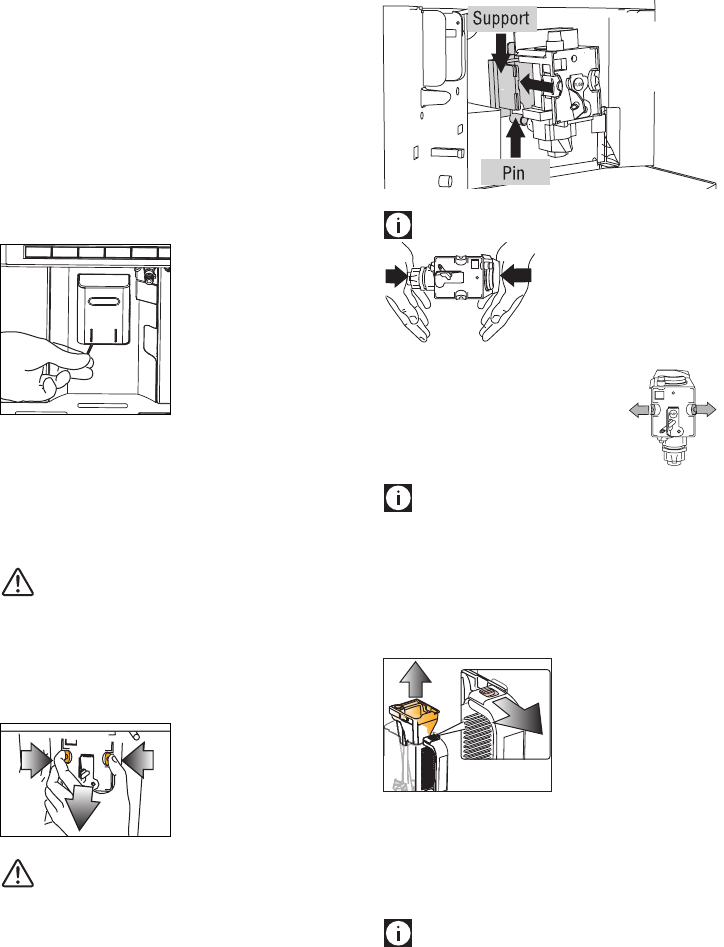
4. Press the two red release
buttons inwards and at
the same time pull the
infuser outwards .
Important!
RINSE WITH WATER ONLY NO WASHING UP LIQUID NO DISH
WASHER
Do not use washing up liquid to clean the infuser as it could
cause damage.
5. Soak the infuser in water for about 5 minutes, then rinse
under the tap.
6. After cleaning, replace the infuser by sliding it onto the
internal support and pin at the bottom, then push the
PUSH symbol fully in until it clicks into place.
Please note!
If you encounter diculty
inserting the infuser, before
inserting it you must adapt it to
the right dimension by pressing it
forcefully from the bottom and
top as shown in the gure.
7. Once inserted, make sure the two red
buttons have snapped out.
8. Replace the drip tray and grounds
container.
9. Close the service door.
Please note!
If the service door cannot be closed, check if infuse has been
inserted correctly.
Cleaning the hot chocolate carafe (D)
Clean the carafe each time you prepare hot chocolate as
described below:
1. Lift and remove the lid (D1);
1
22.
Remove the funnel (D2) by
pressing the release button
(D6) and lifting it ;
3. Extract the steam spout
(D3) and stirrer (D4);
4. Wash all the components
thoroughly with hot water
and mild washing-up
liquid.
All components are dishwasher safe, placing them
in the top basket of the dishwasher.
5. Replace all the components.
Please note!
20
Important!
It is vital to respect the manufacturer’s safety warnings given on
the descaler pack and the warnings relating to the procedure to
follow in the event of contact with the skin and eyes.
Please note!
Use descaler recommended by De’Longhi only.
Failure to descale the appliance as described above also
invalidates the guarantee.
1. Turn the machine on.
2. Access the settings menu by pressing the MENU icon.
Scroll through the menu pressing the and icons
to select “Descale”.
3. Press the OK icon to select the function. Press OK again to
conrm.
4. “ADD DESCALER, FILL WATER
TANK” “INSERT WATER
SPOUT” is displayed.
5. Empty the water tank
completely and remove
the water softener lter (if
present).
B
A
A
B
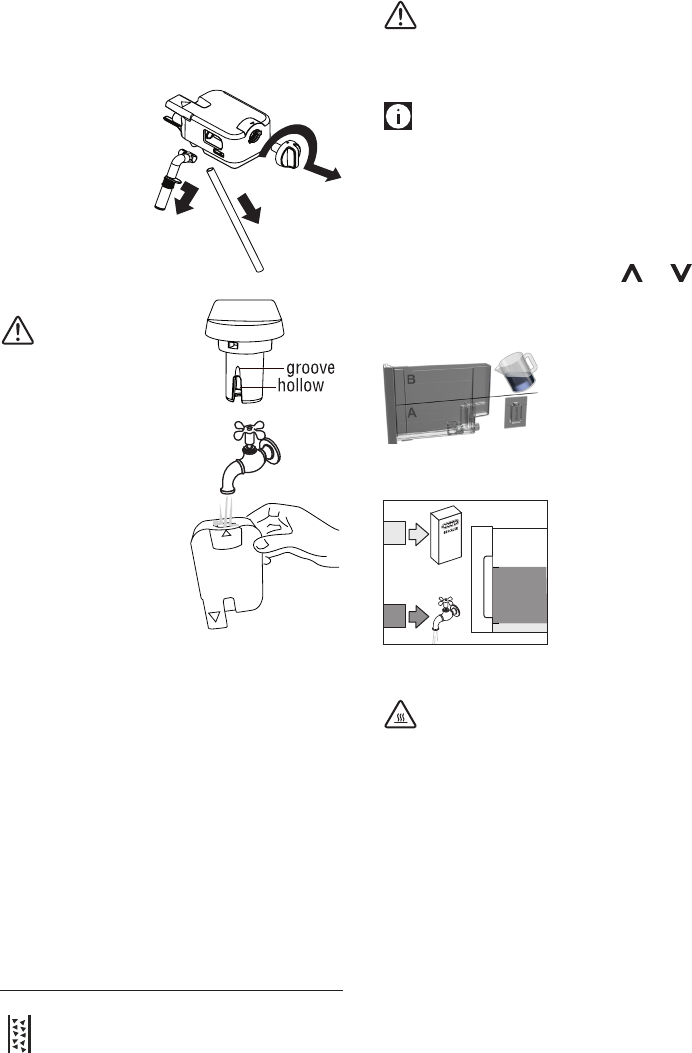
Pour the descaler into the tank
up to the level A (corresponding
to a 100 ml pack) marked on
the side of the tank, then add
water (1 litre) up to level B and
put the water tank back.
Place an empty container with a minimum capacity of 1.5
litres under the hot water spout.
Important! Danger of burns
Hot water containing acid ows out of the hot water spout.
Avoid contact with splashes of water.
6. Start descaling by pressing the OK icon.
7. The descale programme starts and the descaler liquid
comes out of the water spout. The descale programme
automatically performs a series of rinses and pauses at
regular intervals to remove limescale deposits from inside
the machine. The cycle lasts about 30 minutes and is
indicated by a progress bar which lls and empties.
8. “Rinsing”“FILLWATERTANK”.Theapplianceisnowready
for rinsing through with clean water. Remove the water
tank, empty, rinse under running water, ll with clean
water and replace.
9. Empty the container used to collect the descaler solution
and replace it under the hot water spout.
10. Press the OK icon to start rinsing. Hot water comes out of
It is normal to nd residues on the stirrer while cleaning. These
consist of traces of iron in the cocoa attracted by the magnets
in the stirrer.
Cleaning the milk container (C)
Clean the milk container
each time you prepare
milk as described below:
1. Lift and remove the
lid (C1);
2. Extract the milk
container (C5) from
the thermal casing
(C6), holding it by
the two side grips.
Important!
The thermal casing must not be
lled with or immersed in water.
Clean with a damp cloth only.
3. Remove the milk spout (C3)
and intake tube (C5).
4. Turn the froth adjustment
dial clockwise to the “INSERT”
position (see gure) and pull
o.
5. Wash all the components of
the frother thoroughly with
hot water and mild washing-
up liquid.
All components and the container are dishwasher safe,
placing them in the top basket of the dishwasher.
Make sure there are no milk residues on the hollow and
groove under the dial (see gure alongside). If necessary,
scrape the groove with a toothpick.
6. Rinse inside the froth adjustment dial seat with running
water (see gure) and the hole that connect the lid to the
appliance.
7. Check that the intake tube and spout are not clogged with
milk residues.
8. Replace the dial (lining up the arrow with the word
“INSERT”), the spout and the milk intake tube.
9. Place the milk container in the thermal casing.
10. Place the lid back on the milk container.
DESCALING
When the symbol appears, you must proceed with the
descaling equipment.
21
the spout.
11. When“Descalingcomplete”“PRESSOK”isdisplayed,press
the OK icon. The appliance goes o.
12. Put the water softener lter (if present) back and ll the
tank.
To use the appliance, press the button.
SETTING WATER HARDNESS
Descaling is requested after a period of time established
according to water hardness.
The machine is set by default for a hardness value of 4 (very
hard water).
The machine can also be programmed according to the actual
hardness of the mains water in the various regions, varying the
frequency with which the message is displayed.
Measuring water hardness
1. Remove the “TOTAL HARDNESS TEST” indicator paper from
its pack.
2. Immerse the paper completely in a glass of water for one
second.
3. Remove the paper from the water and shake lightly.
After about a minute, 1, 2, 3, or 4 red squares form,
depending on the hardness of the water. Each square
corresponds to one level.
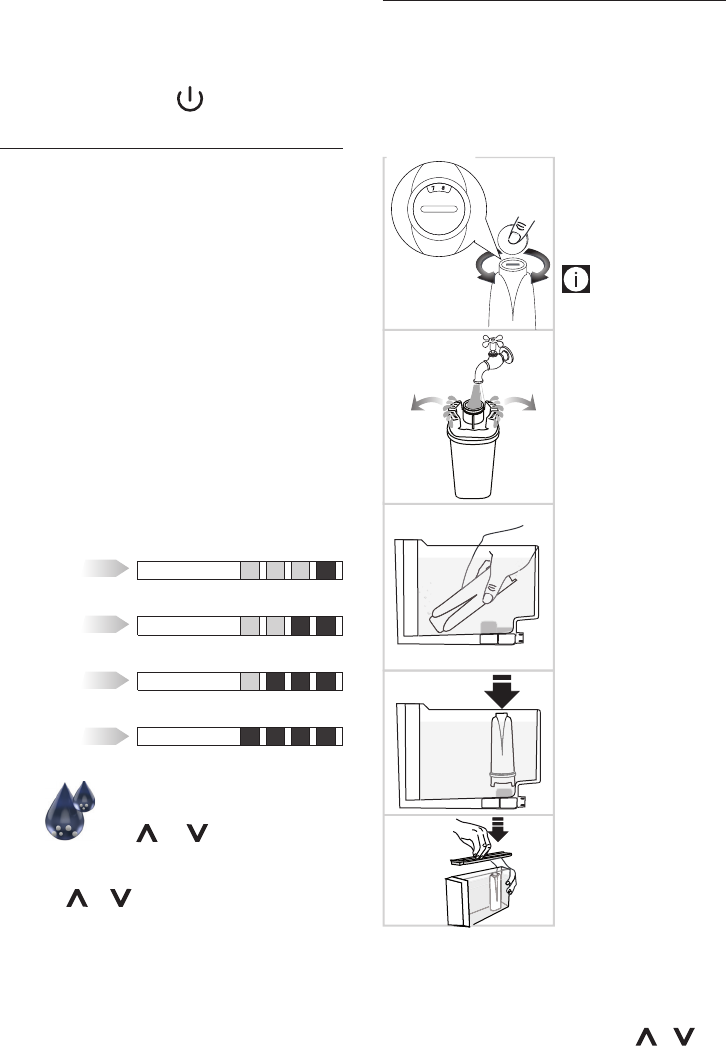
LEVEL 1
soft water
LEVEL 2
slightly hard water
LEVEL 3
hard water
LEVEL 4
very hard water
Set water hardness
1. Access the settings menu by pressing the
MENU icon. Scroll through the menu pressing
the and icons to select “Water
hardness”.
2. Conrm the selection by pressing the OK icon.
3. Press or to set the water hardness identied
using the indicator paper (see gure in the previous
section).
4. Press the OK icon to conrm the setting.
5. Press the ESC icon to exit the menu.
The machine is now reprogrammed with the new water
hardness setting.
WATER SOFTENER FILTER
Certain models are tted with a water softener lter. If this
is not the case with your model, you are recommended to
purchase one from De’Longhi Customer Services. To use the
lter correctly, follow the instructions below.
Installing the lter
1. Remove the lter from the packaging.
2. Turn the date indicator
disk until the next
two months of use are
displayed.
Please note
The lter lasts about two
months if the appliance is
used normally. If the coee
machine is left unused with
the lter installed, it will last a
maximum of three weeks.
3. To activate the lter, let
tap water go in the hole
of the lter as shown in
the gure as long as the
water comes out from
the side openings for
over one minute (min.
500ml).
4. Extract the tank from the
appliance and ll with
water.
5. Insert the lter in the
water tank and immerse
it completely for about
30 seconds, turning it
upside down to enable
the air bubbles to
escape.
6. Insert the lter in the
lter housing and press
as far as it will go.
7. Close the tank with the
lid, then put the tank
back in the machine.
When you install the lter, you must notify the appliance of its
presence.
8. Access the menu by pressing the MENU icon;
9. Scroll through the menu by pressing the or icon
until “Install water lter” is displayed.
22
10. Press the OK icon.
11. The message “Install water lter” “CONFIRM?” is
displayed.
12. Press the OK icon to conrm the selection. The message
“INSERTWATERSPOUT”“PRESSOK”isdisplayed.
13. Position a container under the hot water spout (min.
capacity: 100 ml).
14. Press OK to conrm the selection. The appliance begins
delivering hot water and “Please wait” is displayed.
15. After delivery, the appliance is automatically ready to make
the next drink.
The lter is now active and you can use the coee machine.
Replacing the lter
When the lter alarm is displayed, after two months
(see date indicator) or if the appliance has not been
used for 3 weeks, you should replace the lter:
1. Extract the tank and remove the lter;
2. Remove the new lter from the packaging and proceed as
illustrated on the previous pragraph (points 3-4-5-6).
3. Position a container with a minimum capacity of 100 ml
under the hot water spout.
4. Access the menu by pressing the MENU icon;
5. Scroll through the menu by pressing the or icon
until “Replace water lter” is displayed.
6. Press the OK icon.
7. “CONFIRM?” is displayed.
8. Press the OK icon to conrm.
9. “Water delivery” “PRESSOK” is displayed.
10. PressOKtoconrmtheselection.Theappliance begins
delivering hot water and “Please wait” is displayed.
11. After delivery, the appliance is automatically ready to make
the next drink.
The new lter is now active and you can use the coee
machine.
Removing the lter
If you want to use the appliance without the lter, you must
remove it and notify the appliance of its removal. Proceed as
follows:
1. Extract the tank and exhausted lter.
2. Put the tank back in the appliance.
3. Access the menu by pressing the MENU icon.
4. Scroll through the menu by pressing the or icon
until “Remove water lter” is displayed.
5. Press the OK icon.
6. “CONFIRM?” is displayed;
7. Press the OK icon to conrm and the ESC icon to exit the
menu.
TECHNICAL DATA
Voltage: 120V~60 Hz
Absorbed power: 1350W
Pressure: 15 bar
Water tank capacity: 47.34 . oz. / 1,4 litres
Size: LxHxD: 9.37x 15.75x 16.73 in/ 281x400x425 mm
Max. beans container capacity 8.82 oz /250 g
Weightofmachine(withdriptray) 30.42lb/13,8Kg
Water/steam spout: 2 oz / 57g
Milk container: 25.4 oz / 720g
Hot chocolate carafe: 13.33 oz / 378g
Power cable length: 57.1 in / 1,45m
23
DISPLAYED MESSAGES
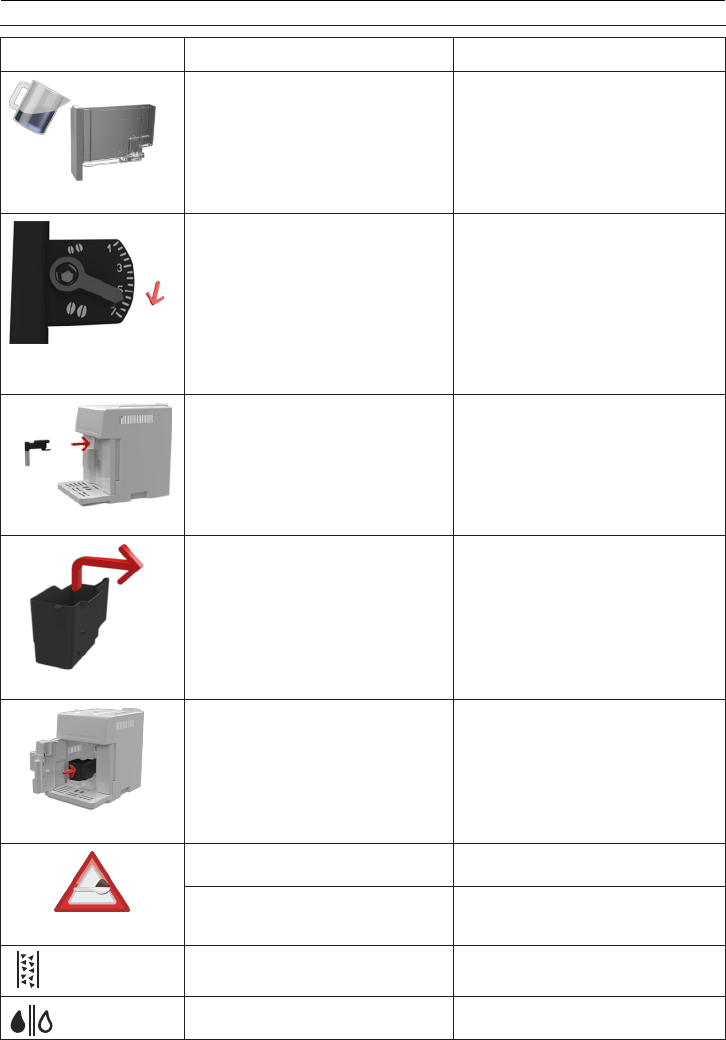
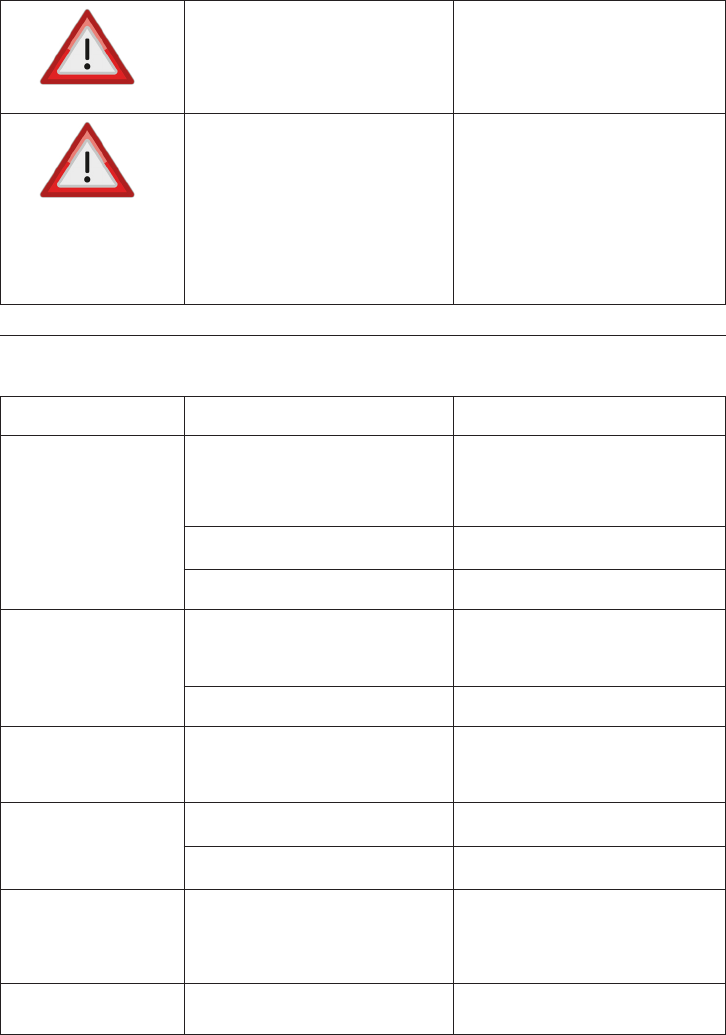
DISPLAYED MESSAGE POSSIBLE CAUSE SOLUTION
FILLWATERTANK
Insucient water in tank or tank not inserted correctly Fill the tank with water and/or insert it correctly, pushing it
as far as it will go until it clicks into place.
GROUND TOO FINE ADJUST
MILL
The grinding is too ne and the coee is delivered too slowly
or not at all.
Repeat coee delivery and turn the grinding adjustment
dial one click clockwise towards “7” while the coee mill is
in operation.
If after making at least 2 coees delivery is still too slow,
repeat the correction procedure, turning the grinding
adjustment dial another click until delivery is correct.
Iftheproblempersists,pressOKtodeliverwaterfromthe
spout until it ows out normally.
INSERT WATER SPOUT
The water spout is not inserted or is inserted incorrectly. Insert water spout as far as it will go.
EMPTY GROUNDS CONTAINER
The grounds container is too full or more than 3 days have
passed since delivery of the rst coee (this guarantees
correct hygiene of the machine).
Empty the grounds container and clean, then replace.
Important: when removing the drip tray, the grounds
container MUST be emptied, even if it contains few
grounds.
If this is not done, when you make the next coees, the
grounds container may ll up more than expected and clog
the machine.
INSERT GROUNDS CONTAINER
After cleaning, the grounds container has not been
replaced.
Open the service door, remove the drip tray and insert the
grounds container.
ADD PREGROUND COFFEE
The “pre-ground coee” function has been selected
without placing any pre-ground coee in the funnel.
Place pre-ground coee in the funnel or deselect the
“pre-ground” function.
The funnel (A8) is blocked. Empty the funnel with the help of the cleaning brush as
described in the section “Cleaning the pre-ground coee
funnel”.
Descale The machine must be descaled. The descaling procedure described in the “Descaling”
section needs to be performed as soon as possible.
Replace water lter The water lter is exhausted. Replace the lter or remove it as described in the section
“Water lter”.
24
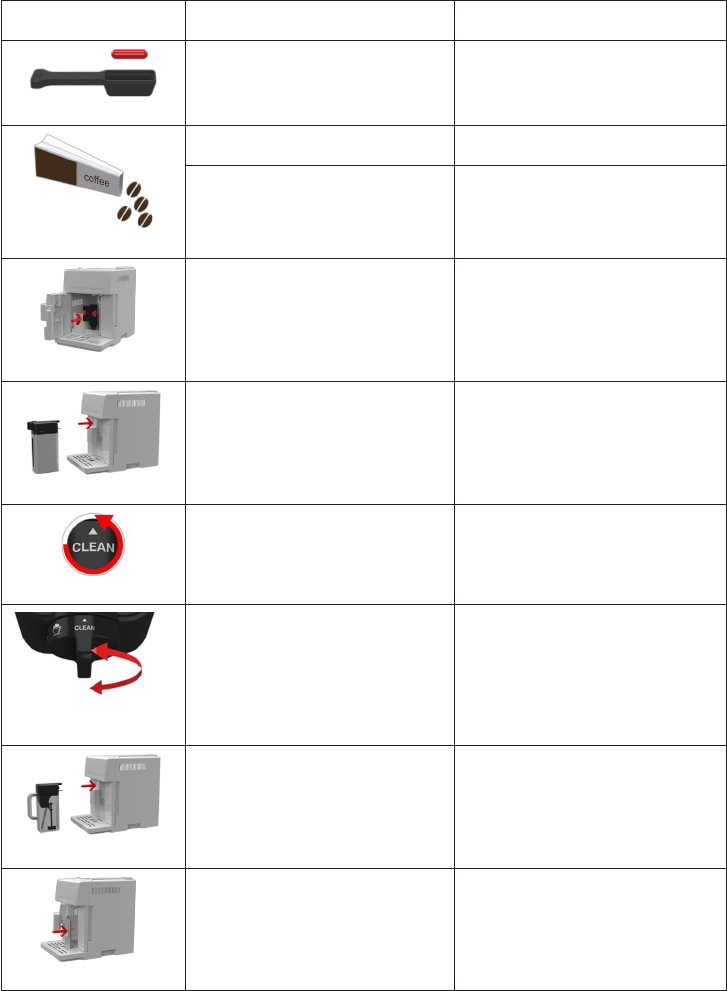
DISPLAYED MESSAGE POSSIBLE CAUSE SOLUTION
LESS COFFEE
Too much coee has been used. Select a milder taste or reduce the quantity of pre-ground
coee.
FILL BEANS CONTAINER
The coee beans have run out. Fill the beans container
The pre-ground coee funnel is clogged. Empty the funnel with the help of the brush as described in
the section “Cleaning the pre-ground coee funnel”.
INSERT INFUSER ASSEMBLY
The infuser has not been replaced after cleaning. Insert the infuser as described in the paragraph “Cleaning
the infuser”.
INSERTMILKCONTAINER
The milk container is not inserted correctly. Insert the milk container as far as it will go.
TURN DIAL TO CLEAN
After preparing a milk drink, the lid must be cleaned with
the CLEAN function.
Turn the froth adjustment dial to CLEAN
TURN FROTH ADJUSTMENT
DIAL
The froth adjustment dial in not in correct position. Turn the froth adjustment dial in one of the froth position.
INSERT CHOCOLATE CARAFE
The hot chocolate carafe is not inserted correctly. Insert the hot chocolate carafe correctly.
CLOSE DOOR
The service door is open. Close the service door.
25
TROUBLESHOOTING
Below is a list of some of the possible malfunctions.
If the problem cannot be resolved as described, contact Customer Services.
PROBLEM POSSIBLE CAUSE SOLUTION
The coee is not hot The cups were not preheated. • IfEnergySavingisnotactive,leavethecupsonthe
cup warmer for at least 20 minutes for them to warm
up.
• Warmthecupsbyrinsingthemwithhotwater
(using the hot water function).
The infuser has cooled down because 2/3 minutes have
elapsed since the last coee was made.
Before making the coee, heat the infuser by performing a
rinse cycle (see the section “Tips for a hotter coee”).
A low coee temperature is set. Set a higher coee temperature in the menu.
The coee is not creamy
enough.
The coee is ground too coarsely. Turn the grinding adjustment dial one click counter clockwi-
se towards “1” while the coee mill is in operation (g. 11).
Continue one click at a time until coee delivery is satisfac-
tory. The eect is only visible after delivering 2 coees.
Wrong type of coee Use a type of coee for espresso coee machines.
The coee is delivered too
slowly or a drop at a time.
The coee is ground too nely. Turn the grinding adjustment dial one click clockwise to-
wards “7” while the coee mill is in operation (g. 11). Con-
tinue one click at a time until coee delivery is satisfactory.
The eect is only visible after delivering 2 coees.
The coee does not come out
of the spouts, but from around
the service door.
The holes in the spouts are clogged with dry coee dust. Clean the spouts with a toothpick, sponge or hard bristled
kitchen brush.
The coee guide inside the service door is blocked and
cannot swing.
Thoroughly clean the coee guide, particularly near the
hinges.
The coee is delivered too
quickly.
The coee is ground too coarsely. Turn the grinding adjustment dial one click counter clockwi-
se towards “1” while the coee mill is in operation (g.
11). Avoid turning the grinding adjustment dial excessively
otherwise when you select two cups, the coee may be de-
livered a drop at a time.
Coee does not come out of
one of the spouts.
The spouts are blocked. Clean the spouts with a toothpick
GENERAL ALARM
The inside of the appliance is very dirty. Clean the inside of the appliance thoroughly, as described in
the section “Cleaning and maintenance”.
If the message is still displayed after cleaning, contact
customer services.
EMPTY CIRCUIT
FILL CIRCUIT
alternating with...
Water delivery
PRESSOK
The water circuit is empty. PressOKtodeliverwaterfromthespoutuntilitowsout
normally.
26
DISPLAYED MESSAGE POSSIBLE CAUSE SOLUTION
Water comes out of the spouts
instead of coee.
The pre-ground coee may be blocked in the funnel (A8) Empty the funnel with the help of the brush as described in
the section “Cleaning the pre-ground coee funnel”.
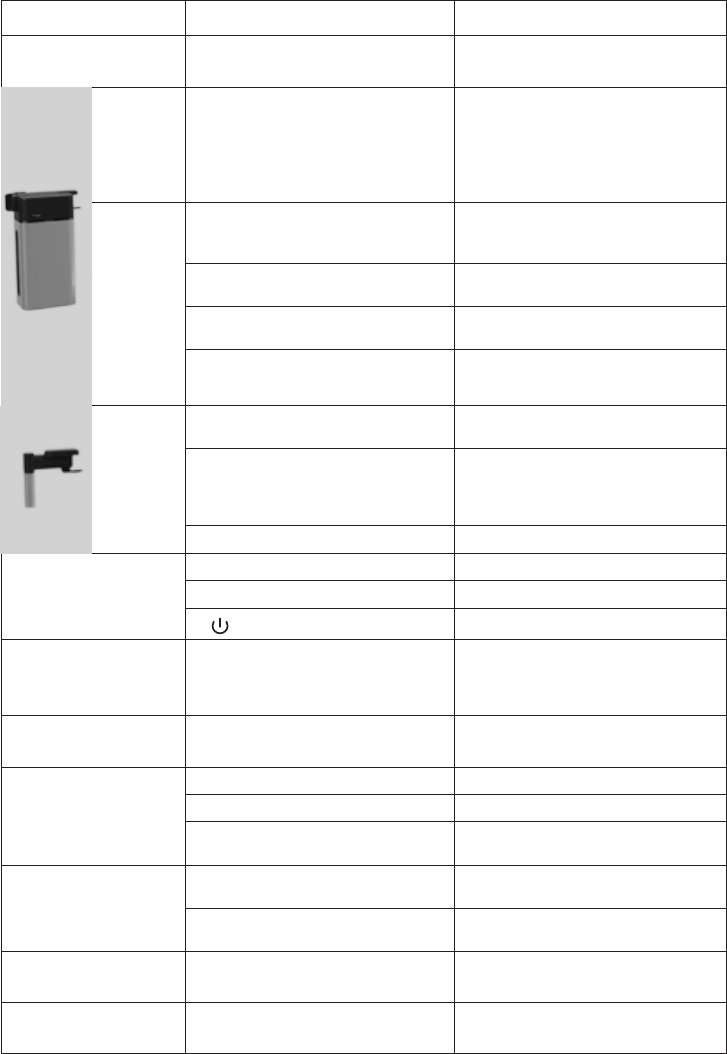
The milk
does not
come out
of the milk
spout.
The milk container lid is dirty. Clean the milk container lid as described in the section “Cle-
aning the milk container”.
The milk
contains
large
bubbles and
squirts out
of the milk
spout or
there is little
froth.
The milk is not cold enough or is not semi-skimmed. Use skimmed or semi-skimmed milk at refrigerator tempe-
rature (about 5° C). If the result is not as you wished, try
changing brand of milk.
The froth adjustment dial is incorrectly adjusted. Adjust following the instructions in the section “Making
drinks with milk”.
The milk container lid or froth adjustment dial are dirty Clean the milk container lid and dial as described in the sec-
tion “Cleaning the milk container”.
The hot water/steam nozzle is dirty Clean the nozzle as described in the section “Cleaning the
hot water/steam nozzle”.
The milk
contains
large
bubbles and
there is little
froth
The spout is dirty. Clean as described in the section “Cleaning the spout after
use”.
The milk is not cold enough or is not semi-skimmed. You should ideally use skimmed or semi-skimmed milk at
refrigerator temperature (about 5°C).
If the result is not as you wished, try changing brand of
milk.
The steam nozzle has not been inserted after cleaning. Replace all the spout components correctly.
The appliance does not
come on
It is not plugged into the mains socket. Plug into the mains socket.
The main switch is not turned on. Place the main switch in the I position
The button has not been pressed suciently. Hold the button down for a few seconds.
The LONG coee has too
much froth
The coee is ground too nely. Turn the grinding adjustment dial one click clockwise to-
wards “7” while the coee mill is in operation (g. 11). Con-
tinue one click at a time until coee delivery is satisfactory.
The eect is only visible after delivering 2 coees.
“Energy Saving” is enabled,
but the cup warmer is hot.
A number of drinks have been prepared in rapid succession.
The chocolate is not
suciently dense
The hot chocolate powder used does not contain thickener. Use a cocoa powder with thickner.
The highest density has not been selected. Select the highest density by pressing the + icon.
The quantities of milk and hot chocolate powder are not
correct.
Follow the instructions in the section “Making hot
chocolate”.
The hot chocolate is cold or
there are lumps.
The stirrer and steam spout are not inserted correctly in the
funnel.
Insert the stirrer and steam spout in the funnel
The instructions have not been followed. Pour the milk/water into the funnel rst, followed by the hot
chocolate powder.
During cleaning, there are
traces of black on the stirrer.
The magnets in the stirrer attract traces of iron naturally
present in the hot chocolate powder.
Clean as described in the section “Cleaning the hot chocolate
carafe”.
The service door cannot be
closed
The infuser is not correctly inserted. Reinsert the infuse following the instruction given in the
paragraph “Cleaning the infuser “.

27
LIMITED WARRANTY
ThiswarrantyappliestoallproductswithDe’LonghiorKenwoodbrandnames.
What does the warranty cover?
We warrant each appliance to be free from defects in material and workmanship. Our obligation under this warranty is limited to
repair at our factory or authorized service center of any defective parts or part thereof, other than parts damaged in transit. In the
event of a products replacement or return, the unit must be returned transportation prepaid. The repaired or replacement model will
be returned at the company expense.
This warranty shall apply only if the appliance is used in accordance with the factory directions, which accompany it, and on an
Alternating current ( AC ) circuit.
How long does the coverage last?
This warranty runs for two years (2) from the purchase date found on your receipt and applies only to the original purchaser for use.
What is not covered by the warranty?
The warranty does not cover defects or damage of the appliance, which result from repairs or alterations to the appliance outside
our factory or authorized service centers, nor shall it apply to any appliance, which has been subject to abuse, misuse, negligence or
accidents. Also, consequential and incidental damage resulting from the use of this product or arising out of any breach of contract or
breach of this warranty are not recoverable under this warranty. Some states do not allow the exclusion or limitation of incidental or
consequential damage, so the above limitation may not apply to you.
How do you get service?
If repairs become necessary, see contact information below:
U.S. Residents: Please contact our toll free hotline at 1-866-528-8323 (1-866-Latte-Best) or log onto our website at www.delon-
ghi.com
Residents of Canada: Please contact our toll free hotline at 1-888-335-6644 or log onto our website at www.delonghi.com
Residents of Mexico: Please contact our toll free number 01-800-711-8805 for assistance or log onto our website at www.delon-
ghi.com
The above warranty is in lieu of all other express warranties and representations. All implied warranties are limited to the applicable
warranty period set forth above. This limitation does not apply if you enter into an extended warranty with De’Longhi. Some states/
countries do not allow limitations on how long an implied warranty lasts, so the above exclusions may not apply to you. De’Longhi
does not authorize any other person or company to assume for it any liability in connection with the sale or use of its appliance.
How does country law apply?
This warranty gives you specic legal rights, and you may also have other rights, which vary from state to state/country to country.
