Digiana DGT301 FM Transmitter User Manual Microsoft PowerPoint DGT 301 MANUAL

Digiana Co., Ltd. FM Transmitter Microsoft PowerPoint DGT 301 MANUAL

Users Manual

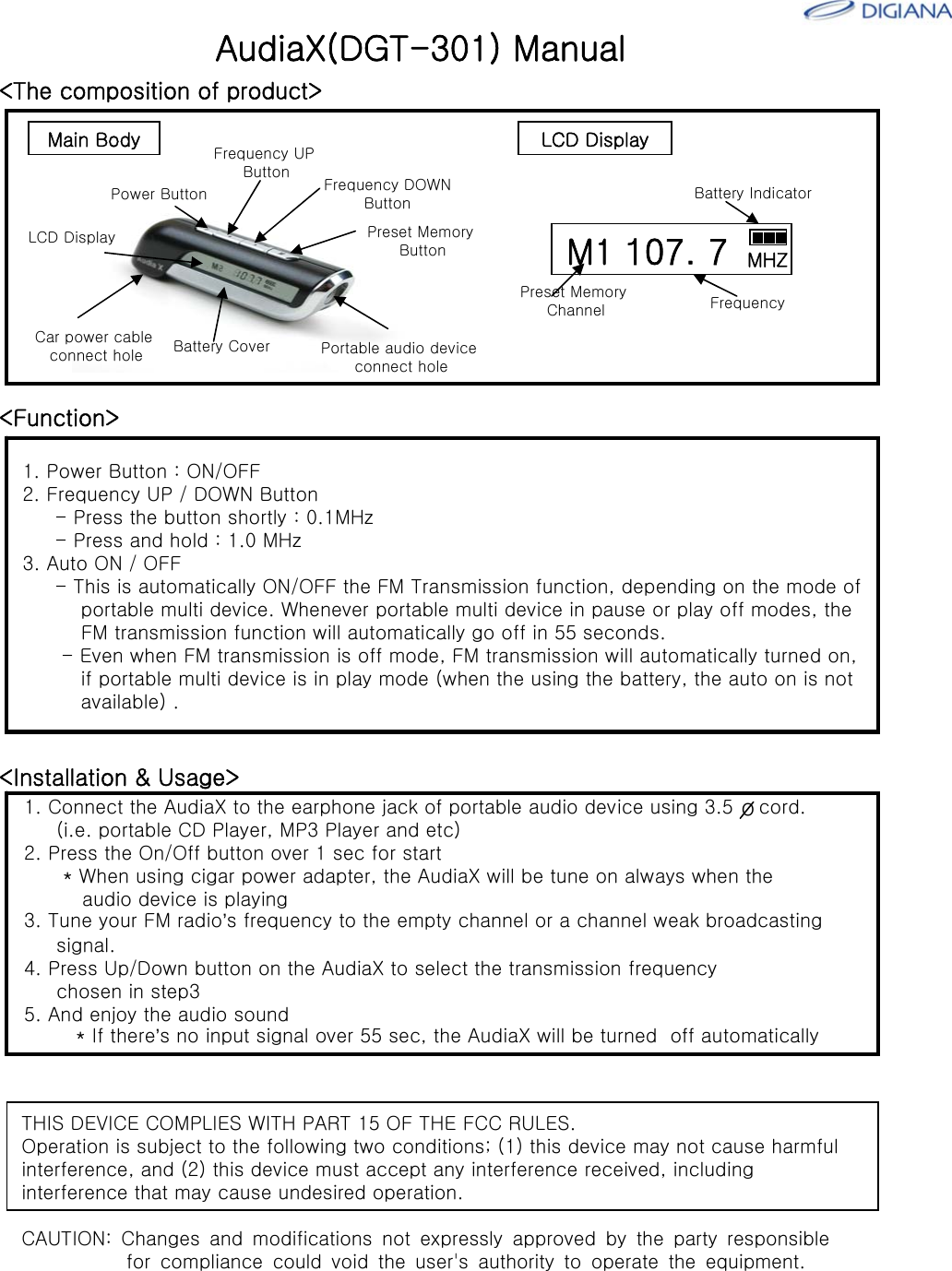
<Function>1. Power Button : ON/OFF2. Frequency UP / DOWN Button- Press the button shortly : 0.1MHz- Press and hold : 1.0 MHz3. Auto ON / OFF- This is automatically ON/OFF the FM Transmission function, depending on the mode of portable multi device. Whenever portable multi device in pause or play off modes, theFM transmission function will automatically go off in 55 seconds. - Even when FM transmission is off mode, FM transmission will automatically turned on,if portable multi device is in play mode (when the using the battery, the auto on is not available) .AudiaX(DGT-301) Manual<The composition of product>Power ButtonFrequency UP Button Frequency DOWNButtonPreset Memory ButtonBattery CoverCar power cableconnect holeLCD DisplayPortable audio deviceconnect holeM1 107. 7 MHZBattery IndicatorPreset Memory Channel FrequencyMain Body LCD Display<Installation & Usage>1. Connect the AudiaX to the earphone jack of portable audio device using 3.5    cord. (i.e. portable CD Player, MP3 Player and etc)2. Press the On/Off button over 1 sec for start* When using cigar power adapter, the AudiaX will be tune on always when theaudio device is playing3. Tune your FM radio’s frequency to the empty channel or a channel weak broadcastingsignal.4. Press Up/Down button on the AudiaX to select the transmission frequencychosen in step35. And enjoy the audio sound* If there’s no input signal over 55 sec, the AudiaX will be turned  off automaticallyoTHIS DEVICE COMPLIES WITH PART 15 OF THE FCC RULES. Operation is subject to the following two conditions; (1) this device may not cause harmful interference, and (2) this device must accept any interference received, including interference that may cause undesired operation. CAUTION: Changes and modifications not expressly approved by the party responsible           for compliance could void the user's authority to operate the equipment.

Navigation menu