Digianswer A S BTPCM101 Bluetooth PCMCIA Card User Manual guide
Digianswer A/S Bluetooth PCMCIA Card guide
Contents
- 1. Beginners Guide
- 2. Software Suite Users Manual
- 3. Installation Guide
Beginners Guide
BEGINNER’S GUIDE
An introduction to the Bluetooth technology

2
of 11
Bluetooth Beginner
,
s Guide
Contents
About this document page 3
What is Bluetooth? page 4
Technical facts page 5
Interoperability page 7
Device discovery page 7
Wireless networks page 8
Bluetooth in action page 10
Bluetooth glossary page 11

3
of 11
Bluetooth Beginner
,
s Guide
About this document
This Beginner’s Guide will give you a short
technical introduction to the Bluetooth™
technology. You will find the answers to such
questions as:
§ What technical principles is Bluetooth
based on?
§ What is going on behind the features of a
Bluetooth device?
§ What is meant by the various technical
expressions used in connection with
Bluetooth?
The Beginner’s Guide is about Bluetooth in
general. For information on how to install and
operate your Bluetooth equipment, please refer
to the installation and user’s manuals.
Bluetooth is a trademark owned by its
proprietor and used by this manufacturer under
license.
Disclaimer
Any responsibility or liability for loss or damage
in connection with the use of this product and
the accompanying documentation is
disclaimed. The information in this document is
furnished for informational use only, is subject
to change without notice, may contain errors or
inaccuracies, and represents no commitment
whatsoever. This agreement is governed by the
laws of Denmark.
Document issue: 1.0
4
of 11
Bluetooth Beginner
,
s Guide
What is Bluetooth?
Wireless communications
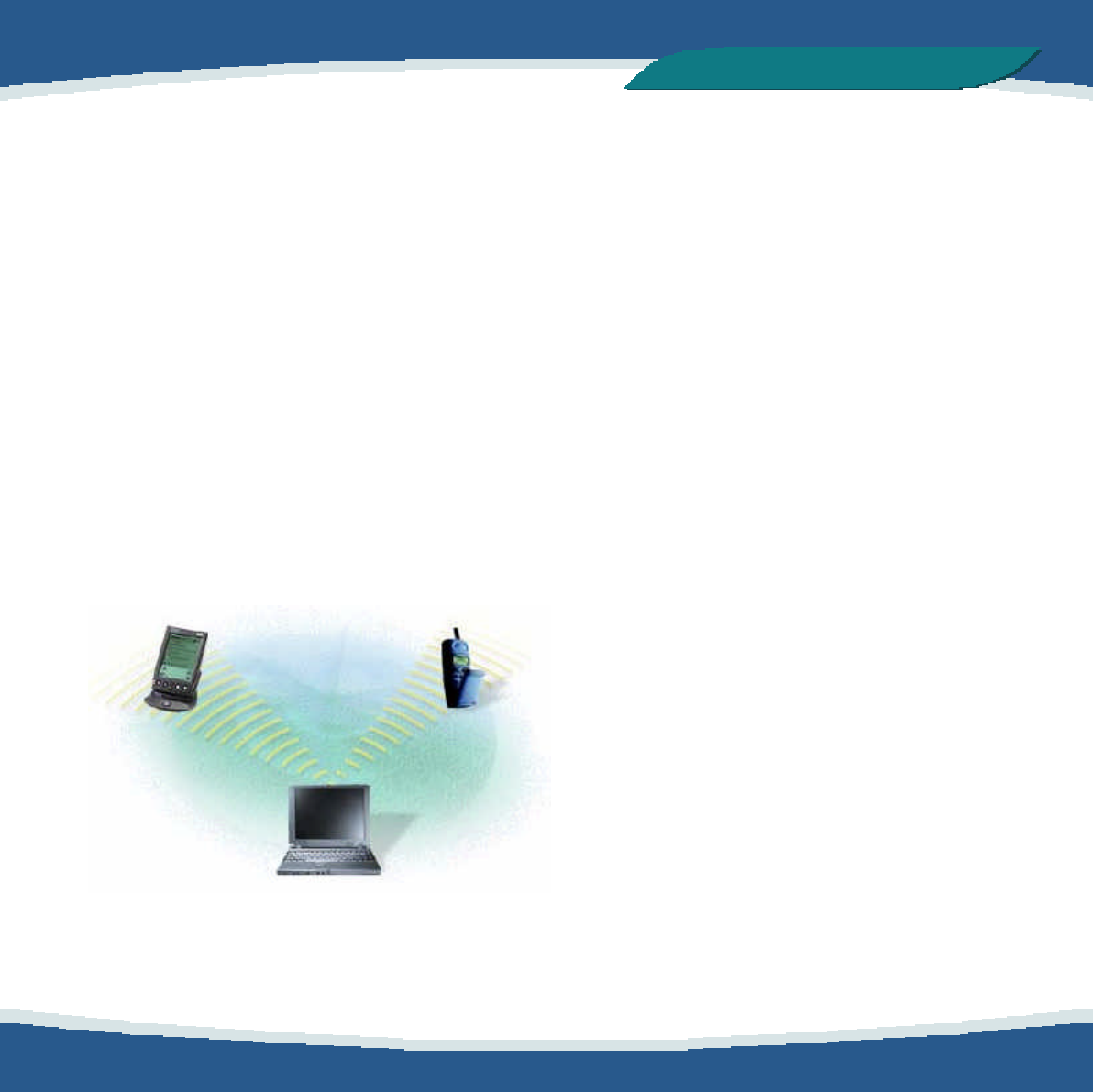
Bluetooth is a new technology that eliminates
the need for cables between electronic devices:
PCs, mobile phones, headsets, handheld
computers, printers, local area networks, etc.
The technology is based on short-range radio
transmission on a globally available frequency.
Bluetooth provides fast, reliable, and secure
wireless communications.
A little history
Originally invented in Scandinavia, the
Bluetooth technology was named after the
Danish Viking king Harold Bluetooth. However,
when the technology was launched in 1998, it
was very much an international initiative. A
handful of leading companies within the
computer and telecommunications industry
formed the Bluetooth Special Interest Group
(SIG). The goal was for devices from different
manufacturers to be able to communicate with
each other. Today, more than 1,500 companies
have joined the SIG as adopters of the
Bluetooth technology. This magnitude of
industry involvement should ensure that
Bluetooth becomes a widely adopted
technology.

5
of 11
Bluetooth Beginner
,
s Guide
Technical facts
Small size
Bluetooth does not require much space. In fact,
the Bluetooth radio can be built into a small
microchip and integrated in any electronic
device where wireless operation would be an
advantage.
Worldwide operation
You can use Bluetooth anywhere. The radio
operates in the 2.45 GHz band, which is
licence-free and available to any radio system
in the world.
Link establishment
You can establish a link between two or more
devices almost instantly. The link will be
maintained even if the devices are not within
line of sight.
Robust link
Bluetooth provides a very robust link. The
technology ensures that, under normal
circumstances, you will not be bothered by
interference from other radio signals operating
in the same frequency band.
Data or voice
You can use a Bluetooth radio for data transfer
or voice communication; or you can use it for
both simultaneously.
Range
As already mentioned, Bluetooth is based on
short-range radio transmission. The normal
range of the Bluetooth radio is either 10 meters
or 100 meters, depending on your Bluetooth
equipment.

6
of 11
Bluetooth Beginner
,
s Guide
Bandwidth
A Bluetooth radio link has a maximum data
transfer rate of 724 kbit/s, or three voice
channels; the data rate for a voice channel is 64
kbit/s.
Security
Two advanced security mechanisms ensure a
high level of security:
§ Authentication prevents access to critical
data and makes it impossible to falsify the
origin of a message.
§ Encryption prevents eavesdropping and
maintains link privacy.
Low power consumption
The Bluetooth radio is very economical, limiting
its output power exactly to what is actually
needed. For instance, when transmitting to a
receiving radio that is only a couple of meters
away, the radio immediately modifies its signal
strength to suit the small distance. Bluetooth
consumes only a tiny bit of the power that eg. a
mobile phone needs.
7
of 11
Bluetooth Beginner
,
s Guide
Interoperability
Interoperability refers to the ability of two
devices two communicate with each other.
Now, any Bluetooth device features one or
more applications, known as profiles. For one
Bluetooth device to be able to communicate
with another, the two devices must have at
least one shared profile. If, for instance, your
Bluetooth device features the profile object
exchange, you can exchange business cards
with any other Bluetooth device that has the
object exchange profile. Some other examples
of profiles are: cordless telephony, headset,
and file transfer.
Device discovery
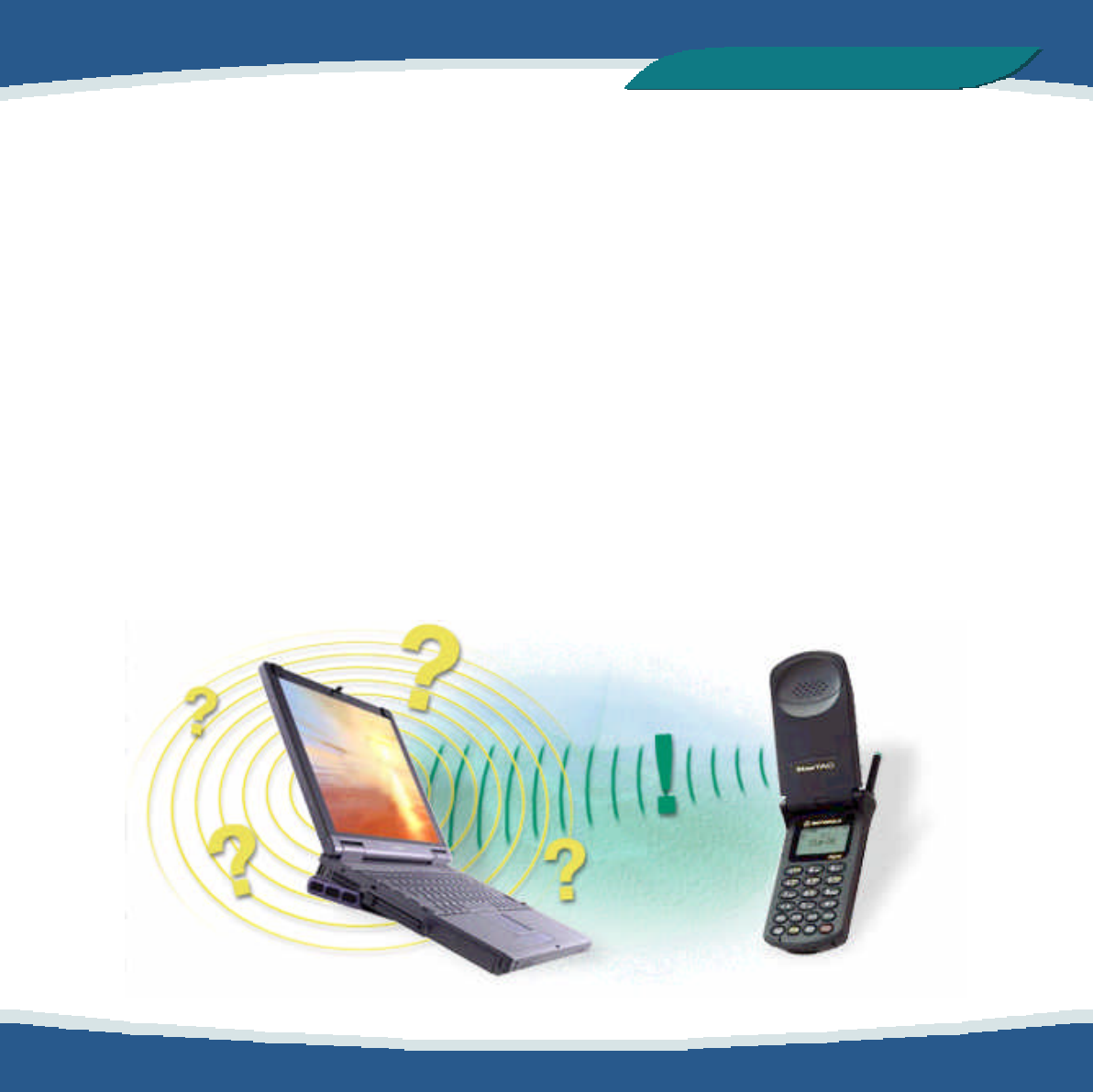
When two or more Bluetooth devices are within
range, a link can be established. However, first
of all a Bluetooth device needs to discover the
other Bluetooth devices that are active within
its range. This operation is called device
discovery. When another Bluetooth device
responds, it supplies necessary information,
some of which concerns its identity: the device
name (eg. Adam) or the unique device address
(eg. 00:50:CD:3A:4B:69). A link can now be
established to the discovered device.
8
of 11
Bluetooth Beginner
,
s Guide
Wireless networks
Piconet
At the very heart of the Bluetooth technology is
the idea of forming small wireless networks
known as piconets. When a Bluetooth device
has established a link to one or more other
devices, a piconet has been formed. The
device that initiates a connection acts as the
master. The other devices are slaves.
Slave 1
Master
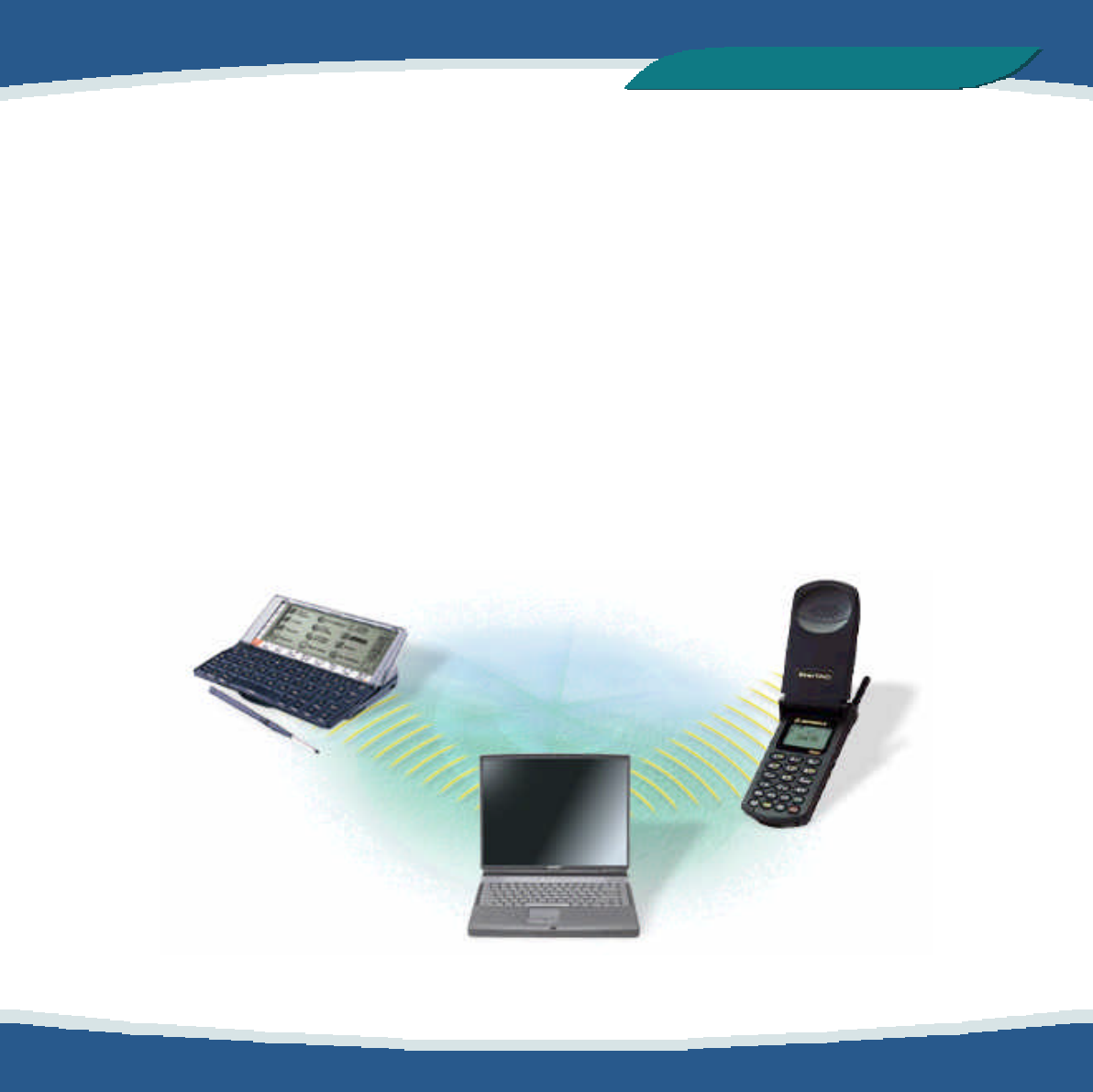
The master controls all traffic in the piconet.
Communication between slaves can only take
place via the master. In the below example of a
piconet, the laptop (master) transmits to the
handheld computer (slave 1) and the mobile
phone (slave 2):
Slave 2
9
of 11
Bluetooth Beginner
,
s Guide
Scatternet
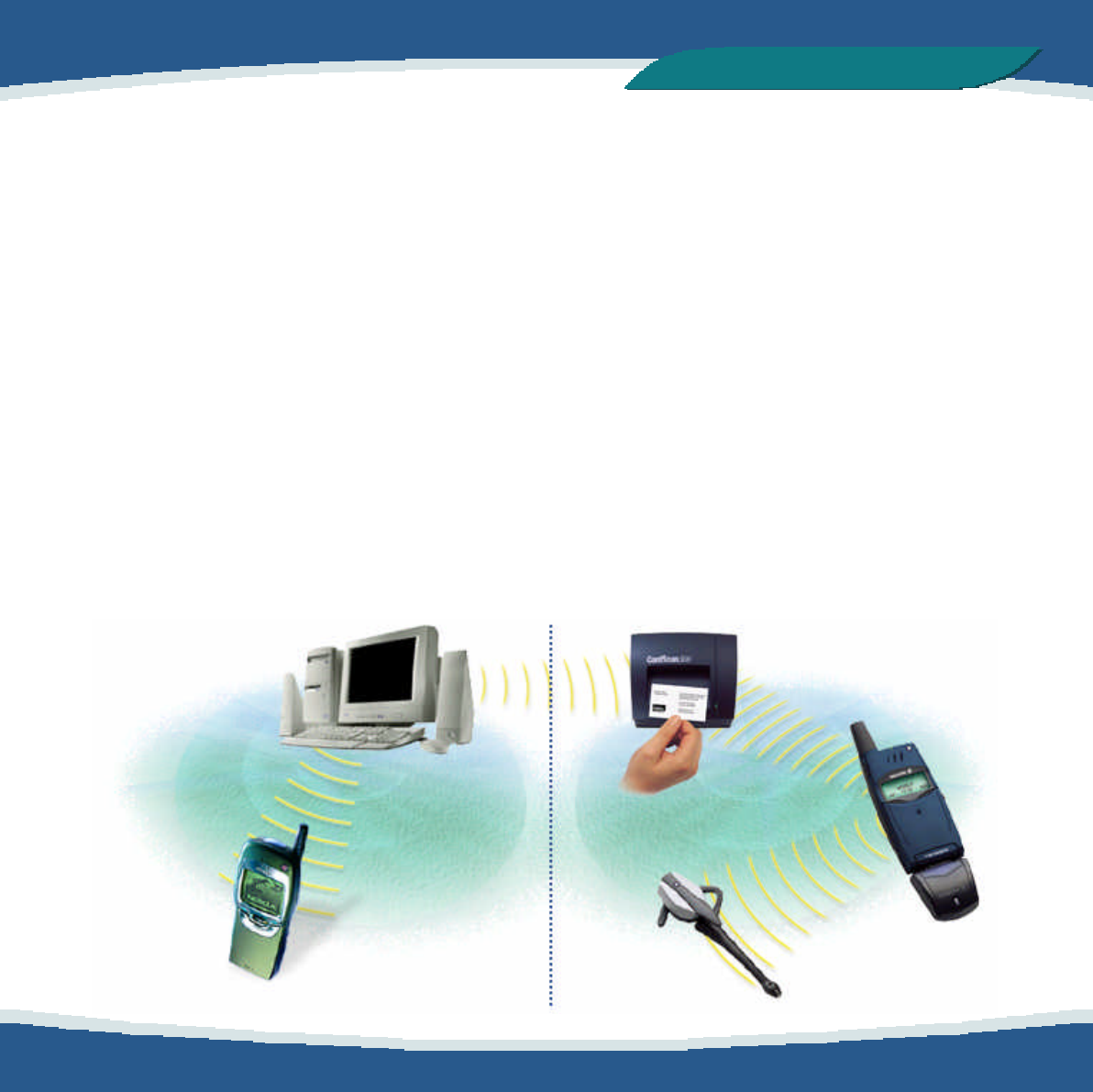
A group of piconets may be located in the
same area. Such overlapping piconets, each
identified by a different channel, are called a
scatternet. A device may participate in several
piconets, but can only be active in one piconet
at a time. An example of a scatternet: Imagine
that you have a piconet consisting of your PC
and a phone. The person in the office next to
yours has a piconet consisting of a phone, a
headset, and a business card scanner.
Because the two piconets are so close, they
overlap. Now, you may want to set up your
neighbor’s business card scanner to also
transmit the information that is scanned to your
PC so that you will have access to his business
contacts information. This example is illustrated
below.
PC
(master)
Phone
(slave)
One master, up to 255 slaves
As already mentioned, in a piconet there can
only be one master. Furthermore, up to seven
slaves can be active. However, there can be
additional slaves which are not active but
remain synchronized to the piconet. Such
slaves are referred to as parked. A parked
device can very quickly become active and
begin communicating in the piconet. By
swapping active and parked slaves, you can
increase the number of slaves virtually
connected to the piconet from seven to 255
devices.
Card scanner
(slave)
Phone
(master)
Headset
(slave)
10
of 11
Bluetooth Beginner
,
s Guide
Bluetooth in action
Unlimited possibilites
A technology that, like Bluetooth, eliminates the
need for cables offers a great number of
potential applications.The possibilities are
virtually unlimited. Nevertheless, in some areas,
it is particularly obvious that Bluetooth is an
ideal solution. This section gives you a few
examples.
Three-in-one phone
Use the three-in-one phone for different
purposes --- at the office, as an intercom; on the
road, as a mobile phone; at home, as a
portable phone.
Wireless headset
Use the wireless headset for hands-free
operation of a phone --- in the car, in the office,
or at home.
Synchronization
Automatic synchronization of eg. your PC,
mobile phone, and handheld computer. An
example: As soon as you enter the office, the
calendar in your handheld computer is
automatically updated to agree with the
calendar in your office PC.
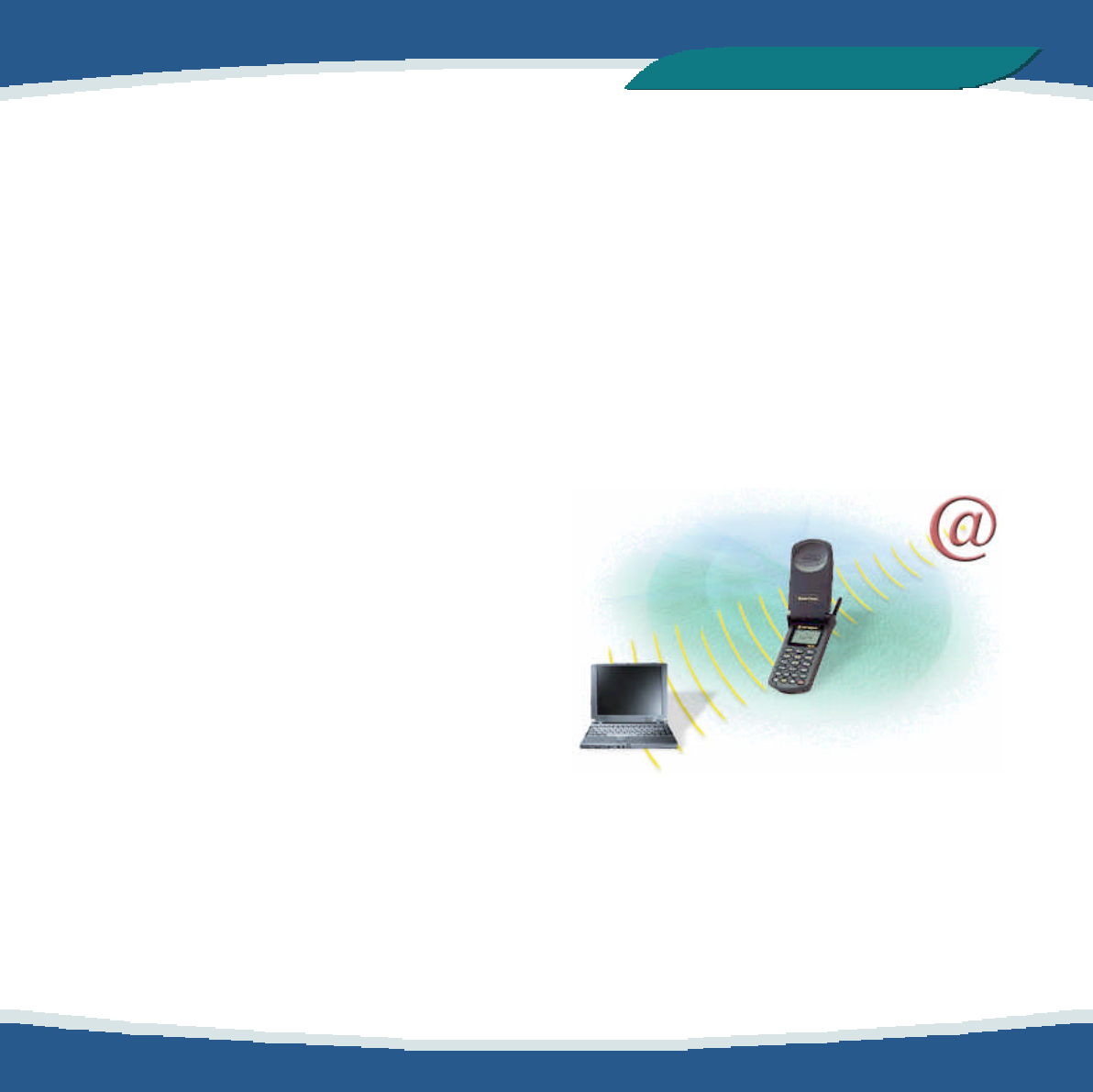
Internet bridge
Connect to the Internet no matter where you
are, using a laptop and a mobile phone.

11
of 11
Bluetooth Beginner
,
s Guide
Bluetooth glossary
Authentication
Security mechanism that prevents access to
critical data and makes it impossible to falsify
the origin of a message.
Device address
The unique address of a Bluetooth device.
Device discovery
Before a link can be established, a Bluetooth
device needs to discover the other Bluetooth
devices that are active within its range.
Device name
The name that a Bluetooth device presents
itself with when supplying identity information
to another device.
Encryption
Security mechanism that prevents
eavesdropping and maintains link privacy.
Master
The device that initiates a connection and,
during this connection, controls all traffic in a
piconet.
Park mode
Economical, low-power ’’sub-mode’’ of
standby. In park mode, a slave does not
participate in the piconet but remains
synchronized to it. Park mode is used to
increase the number of slaves connected to a
master.
Piconet
A wireless network formed by two or more
Bluetooth devices.
Profile
Application that a Bluetooth device facilitates.
For one device to communicate with another,
the two devices must have a shared profile. For
instance, to transfer files from one computer to
another, both computers must feature the file
transfer profile.
Slave
A device in a piconet controlled by another
device (the master).