Disney Interactive Studios Fairies Tinker Bell Nintendo Ds Ntr Cdfe Usa Users Manual
NTR-CDFE-USA to the manual e9d8a11c-9caa-4c7b-8dcf-521c4824e6e3
2015-02-04
: Disney-Interactive-Studios Disney-Interactive-Studios-Disney-Fairies-Tinker-Bell-Nintendo-Ds-Ntr-Cdfe-Usa-Users-Manual-513995 disney-interactive-studios-disney-fairies-tinker-bell-nintendo-ds-ntr-cdfe-usa-users-manual-513995 disney-interactive-studios pdf
Open the PDF directly: View PDF  .
.
Page Count: 12
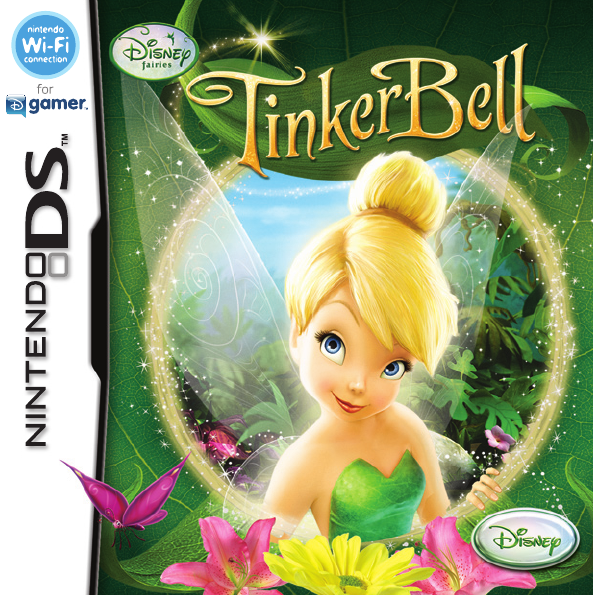
Disney Interactive Studios | Tinkerbell | DS Manual | MECH | 09.10.08
Disney Interactive Studios | Tinkerbell | DS Manual | MECH | 09.10.08
INSTRUCTION BOOKLET
INSTRUCTION BOOKLET
NTR-CDFE-USA
PRINTED IN USA
500 S. Buena Vista St.
Burbank, CA 91521 © Disney. DGamer™ is a trademark of Disney Enterprises, Inc.
8000537
NTR-62-0151-001EPg. No: 6.0
NINTENDO DS INSTRUCTION BOOKLET
ESRB / TRADEMARKS PAGE TEMPLATE
NT R-62-0149-001D
NINTENDO DS INSTRUCTION BOOKLET
OUTSIDE COVERS TEMPLATE
Pg. No: 4.0
NTR-62-0150-001DPg. No: 5.0
NINTENDO DS INSTRUCTION BOOKLET
INSIDE FRONT COVER TEMPLATE
Disney Interactive Studios | Tinkerbell | DS Manual | MECH | 09.10.08
Disney Interactive Studios | Tinkerbell | DS Manual | MECH | 09.10.08
PLEASE CAREFULLY READ THE SEPARATE HEALTH AND SAFETY
PRECAUTIONS BOOKLET INCLUDED WITH THIS PRODUCT BEFORE
USING YOUR NINTENDO® HARDWARE SYSTEM, GAME CARD OR
ACCESSORY. THIS BOOKLET CONTAINS IMPORTANT HEALTH AND
SAFETY INFORMATION.
IMPORTANT SAFETY INFORMATION: READ THE FOLLOWING
WARNINGS BEFORE YOU OR YOUR CHILD PLAY VIDEO GAMES.
The Nintendo DS can emit radio waves that can affect the operation of nearby electronics, including
cardiac pacemakers.
s $ONOTOPERATETHE.INTENDO$3WITHININCHESOFAPACEMAKERWHILEUSINGTHEWIRELESSFEATURE
s )FYOUHAVEAPACEMAKEROROTHERIMPLANTEDMEDICALDEVICEDONOTUSETHEWIRELESSFEATUREOFTHE
Nintendo DS without first consulting your doctor or the manufacturer of your medical device.
s /BSERVEANDFOLLOWALLREGULATIONSANDRULESREGARDINGUSEOFWIRELESSDEVICESINLOCATIONSSUCHAS
HOSPITALSAIRPORTSANDONBOARDAIRCRAFT/PERATIONINTHOSELOCATIONSMAYINTERFEREWITHORCAUSE
malfunctions of equipment, with resulting injuries to persons or damage to property.
WARNING - Radio Frequency Interference
WARNING - Battery Leakage
The Nintendo DS contains a rechargeable lithium ion battery pack. Leakage of ingredients contained within the
battery pack, or the combustion products of the ingredients, can cause personal injury as well as damage to your
Nintendo DS.
)FBATTERYLEAKAGEOCCURSAVOIDCONTACTWITHSKIN)FCONTACTOCCURSIMMEDIATELYWASHTHOROUGHLYWITHSOAPAND
WATER)FLIQUIDLEAKINGFROMABATTERYPACKCOMESINTOCONTACTWITHYOUREYESIMMEDIATELYFLUSHTHOROUGHLYWITH
water and see a doctor.
To avoid battery leakage:
s $ONOTEXPOSEBATTERYTOEXCESSIVEPHYSICALSHOCKVIBRATIONORLIQUIDS
s $ONOTDISASSEMBLEATTEMPTTOREPAIRORDEFORMTHEBATTERY
s $ONOTDISPOSEOFBATTERYPACKINAFIRE
s $ONOTTOUCHTHETERMINALSOFTHEBATTERYORCAUSEASHORTBETWEENTHETERMINALSWITHAMETALOBJECT
s $ONOTPEELORDAMAGETHEBATTERYLABEL
WARNING - Repetitive Motion Injuries and Eyestrain
Playing video games can make your muscles, joints, skin or eyes hurt. Follow these instructions to avoid
problems such as tendinitis, carpal tunnel syndrome, skin irritation or eyestrain:
s !VOIDEXCESSIVEPLAY0ARENTSSHOULDMONITORTHEIRCHILDRENFORAPPROPRIATEPLAY
s 4AKEATOMINUTEBREAKEVERYHOUREVENIFYOUDONTTHINKYOUNEEDIT
s )FYOURHANDSWRISTSARMSOREYESBECOMETIREDORSOREWHILEPLAYINGORIFYOUFEELSYMPTOMSSUCH
as tingling, numbness, burning or stiffness, stop and rest for several hours before playing again.
s )FYOUCONTINUETOHAVEANYOFTHEABOVESYMPTOMSOROTHERDISCOMFORTDURINGORAFTERPLAYSTOP
playing and see a doctor.
WARNING - Seizures
s 3OMEPEOPLEABOUTINMAYHAVESEIZURESORBLACKOUTSTRIGGEREDBYLIGHTFLASHESORPATTERNS
and this may occur while they are watching TV or playing video games, even if they have never had a
SEIZUREBEFORE
s !NYONEWHOHASHADASEIZURELOSSOFAWARENESSOROTHERSYMPTOMLINKEDTOANEPILEPTICCONDITION
should consult a doctor before playing a video game.
s 0ARENTSSHOULDWATCHTHEIRCHILDRENPLAYVIDEOGAMES3TOPPLAYINGANDCONSULTADOCTORIFYOUOR
your child has any of the following symptoms:
Convulsions Eye or muscle twitching Loss of awareness
Altered vision Involuntary movements Disorientation
s4OREDUCETHELIKELIHOODOFASEIZUREWHENPLAYINGVIDEOGAMES
3ITORSTANDASFARFROMTHESCREENASPOSSIBLE
2. Play video games on the smallest available television screen.
3. Do not play if you are tired or need sleep.
0LAYINAWELLLITROOM
4AKEATOMINUTEBREAKEVERYHOUR
Important Legal Information
4HIS.INTENDOGAMEISNOTDESIGNEDFORUSEWITHANYUNAUTHORIZEDDEVICE5SEOFANYSUCHDEVICE
will invalidate your Nintendo product warranty. Copying of any Nintendo game is illegal and is strictly
prohibited by domestic ANDINTERNATIONALINTELLECTUALPROPERTYLAWSh"ACKUPvORhARCHIVALvCOPIESARE
NOTAUTHORIZEDANDARENOTNECESSARYTOPROTECTYOURSOFTWARE6IOLATORSWILLBEPROSECUTED
REV–E
NTR-62-0151-001EPg. No: 6.0
NINTENDO DS INSTRUCTION BOOKLET
ESRB / TRADEMARKS PAGE TEMPLATE
NT R-62-0149-001D
NINTENDO DS INSTRUCTION BOOKLET
OUTSIDE COVERS TEMPLATE
Pg. No: 4.0
NTR-62-0150-001DPg. No: 5.0
NINTENDO DS INSTRUCTION BOOKLET
INSIDE FRONT COVER TEMPLATE
Disney Interactive Studios | Tinkerbell | DS Manual | MECH | 09.10.08
Disney Interactive Studios | Tinkerbell | DS Manual | MECH | 09.10.08
NINTENDO, NINTENDO DS AND THE OFFICIAL SEAL ARE TRADEMARKS OF NINTENDO.
© 2006 NINTENDO.
THIS GAME CARD WILL WORK
ONLY WITH THE NINTENDO DS
TM
VIDEO GAME SYSTEM.
THIS GAME ALLOWS WIRELESS MULTIPLAYER
GAMES DOWNLOADED FROM ONE GAME CARD.
1-2
Wireless DS
Single-Card
Download Play
To avoid fatigue and discomfort when using the stylus, do not grip it tightly or press it hard against
the screen. Keep your fingers, hand, wrist and arm relaxed. Long, steady, gentle strokes work just
as well as many short, hard strokes.
CAUTION - Stylus Use
Contents
Welcome to Pixie Hollow ..... 6
Getting Started ..................... 7
Menu Controls ..................... 8
Game Controls ..................... 9
The Main Menu ................. 10
Pixie Hollow ........................ 12
Preparing the Seasons ......... 16
Customer Support ............... 26
Limited Warranty ................ 27
5
NTR-62-0151-001EPg. No: 6.0
NINTENDO DS INSTRUCTION BOOKLET
ESRB / TRADEMARKS PAGE TEMPLATE
NT R-62-0149-001D
NINTENDO DS INSTRUCTION BOOKLET
OUTSIDE COVERS TEMPLATE
Pg. No: 4.0
NTR-62-0150-001DPg. No: 5.0
NINTENDO DS INSTRUCTION BOOKLET
INSIDE FRONT COVER TEMPLATE
Disney Interactive Studios | Tinkerbell | DS Manual | MECH | 09.10.08
Disney Interactive Studios | Tinkerbell | DS Manual | MECH | 09.10.08
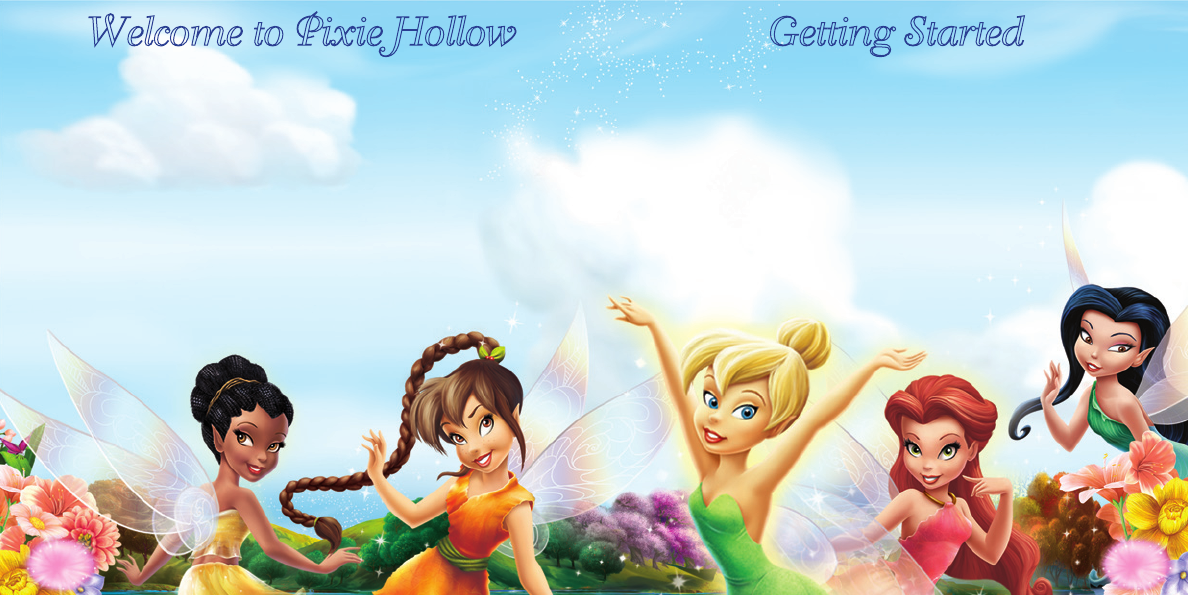
Welcome to Pixie Hollow Getting Started
Have you ever wondered how nature gets its glow...
Who gives it light and color as the seasons come and go?
Who helps all creatures great and small to walk, to swim, to y?
Who crafts such tiny details? It’s all the work of fairies...
Once in a great while there is a fairy with personality so
magical, so full of spirit, and so special to so many people that
this can only describe the incomparable pixie and the most
famous fairy of them all... Tinker Bell!
Discover the magical world of Pixie Hollow with Tinker Bell, as
fairies of every talent practice their magical abilities and prepare
for the change of seasons.
1 Make sure the POWER switch is OFF.
2 Insert the Disney Fairies: Tinker Bell
Game Card into the Nintendo DS® Game Card slot.
3 Turn the POWER switch ON.
NOTE: the Disney Fairies: Tinker Bell Game Card
is designed for the Nintendo DS™ system.
4 On the DS menu screen, tap the
Disney Fairies: Tinker Bell panel.
6 7
Disney Interactive Studios | Tinkerbell | DS Manual | MECH | 09.10.08
Disney Interactive Studios | Tinkerbell | DS Manual | MECH | 09.10.08
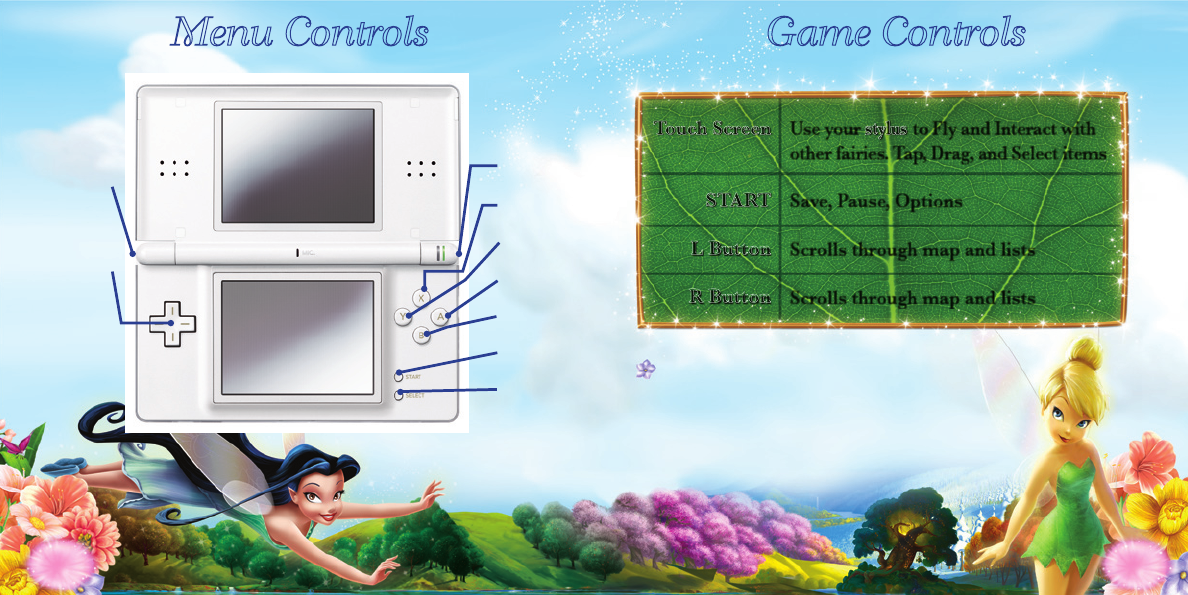
Menu Controls Game Controls
You can also save by visiting Tink’s House.
8 9
Touch Screen
Use your
stylus
to Fly and Interact with
other fairies. Tap, Drag, and Select items
START
Save, Pause, Options
L Button
Scrolls through map and lists
R Button
Scrolls through map and lists
Disney Interactive Studios | Tinkerbell | DS Manual | MECH | 09.10.08
Disney Interactive Studios | Tinkerbell | DS Manual | MECH | 09.10.08
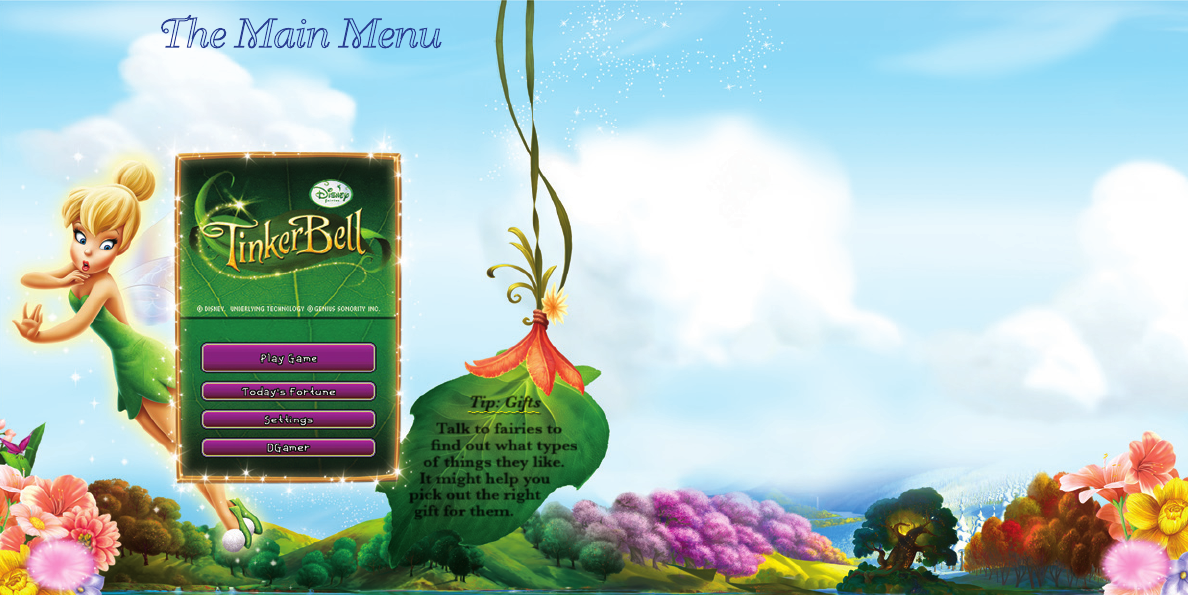
The Main Menu
This is your portal to Pixie Hollow. If it’s your rst time
preparing a season, Tink and her fairy friends will show
you what to do.
Play Game
This section is where your adventure in Pixie Hollow begins.
Today’s Fortune
Tap here to see what Tink thinks of your day. You can also share
a fortune with a friend using the wireless connection abilities of
your Nintendo DS.
™
Settings
Here you can adjust the volume or delete saved data. You can
even check out a preview of the upcoming Tinker Bell & the Lost
Treasure movie.
DGamer
Choose DGamer™ to enter the new online community exclusively
for Disney gamers. Once inside, check out all of the achievements
you’ve unlocked, send gifts and chat with friends, create a 3D
avatar and more. (See the DGamer Quick Start Guide or
www.DGamer.com for more details.) Plus, while in LCD Off
Mode you can plug in your headphones, close your DS and
listen to music from DGamer.
10 11
Tip: Gifts
Talk to fairies to
nd out what types
of things they like.
It might help you
pick out the right
gift for them.
Disney Interactive Studios | Tinkerbell | DS Manual | MECH | 09.10.08
Disney Interactive Studios | Tinkerbell | DS Manual | MECH | 09.10.08
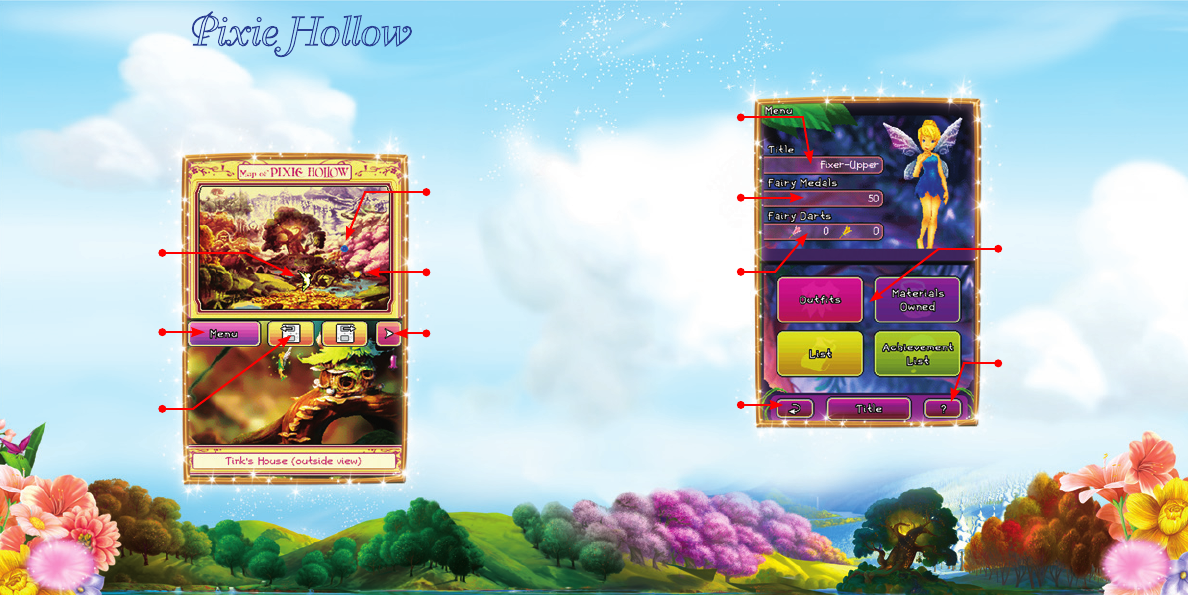
Main Game Screens
Most of the action takes place on the Touch Screen.
Use the stylus to tap objects and interact with them.
Pixie Hollow Command Menu
Your
achieved title
Your medals
to spend in
Pixie Hollow
Your darts to
use in the
Roulette game
Return to
game
A blue sparkle
shows where to
nd items
A yellow sparkle
shows where to
nd fairy friends
Use these menus
to keep track of
everything a
Fairy needs
in Pixie Hollow
Tap here for help
and to view any
tutorials you may
have forgotten
Expands or hides
menu control
Tink’s location
in Pixie Hollow
Opens the
command menu
Scrolls top
screen
to see lists
12 13
Disney Interactive Studios | Tinkerbell | DS Manual | MECH | 09.10.08
Disney Interactive Studios | Tinkerbell | DS Manual | MECH | 09.10.08
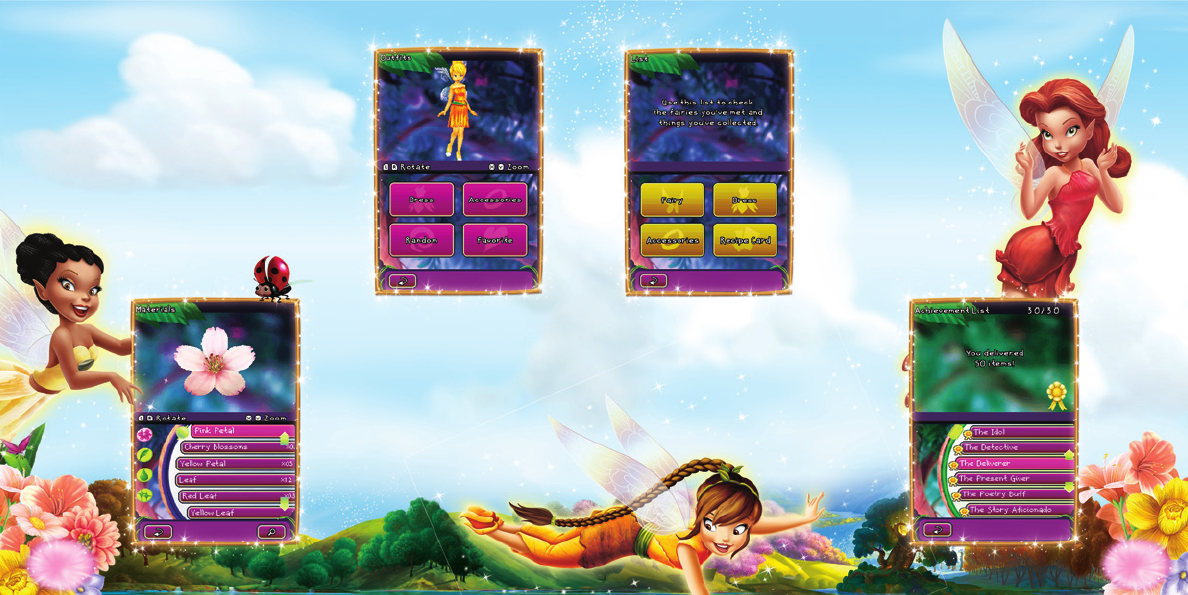
Menus
Ou t f i t s
Pick and choose all of Tink’s clothes
and accessories here. Some outts come
from materials Tink has gathered, or
as rewards for bringing a season to the
mainland. You can also create your own
designs (see Costume Design on page 18).
Ma t e r i a l s Ow n e d
Here you can see your ever
growing collection of materials.
Organized into ower, animal,
water and light materials, it’s
as easy as can be to nd what
you need.
li s t s
Use this list
to check the
fairies you’ve
met and
things you’ve
gathered.
li s t O f ac h i e v e M e n t s
This is the list of everything
you have accomplished and
items you’ve collected.
14 15
Disney Interactive Studios | Tinkerbell | DS Manual | MECH | 09.10.08
Disney Interactive Studios | Tinkerbell | DS Manual | MECH | 09.10.08
The fairies’ number one most important job is preparing
for the seasons. Every Season is different, but preparations
for each follow a similar recipe.
Meet the Minister of the Season to get your
preparation list.
Gather everything on your list by playing mini-games
and doing favors for other fairies.
Repair all items for the season.
Deliver all items to the Minister.
Bask in the glow of accomplishment, and
watch as the Minister brings the season
to the mainland.
Preparing the Seasons Errands
Along the way Tinker Bell will
meet many fairy friends who
may need your help. Some
will need help nding things,
such as seeds. Some will need
to trade items such as ower
petals. Some will just need
favors, such as delivering light
beads and shells.
Use the to do list in the
Command Menu to help you
remember them all.
16 17
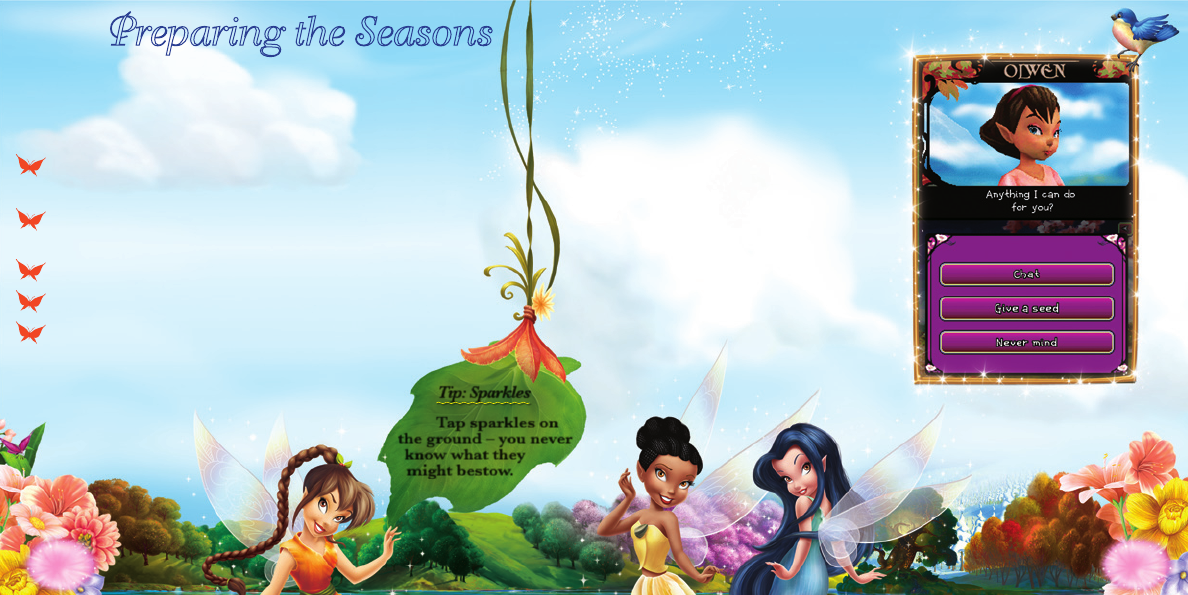
Tip: Sparkles
Tap sparkles on
the ground – you never
know what they
might bestow.
Disney Interactive Studios | Tinkerbell | DS Manual | MECH | 09.10.08
Disney Interactive Studios | Tinkerbell | DS Manual | MECH | 09.10.08
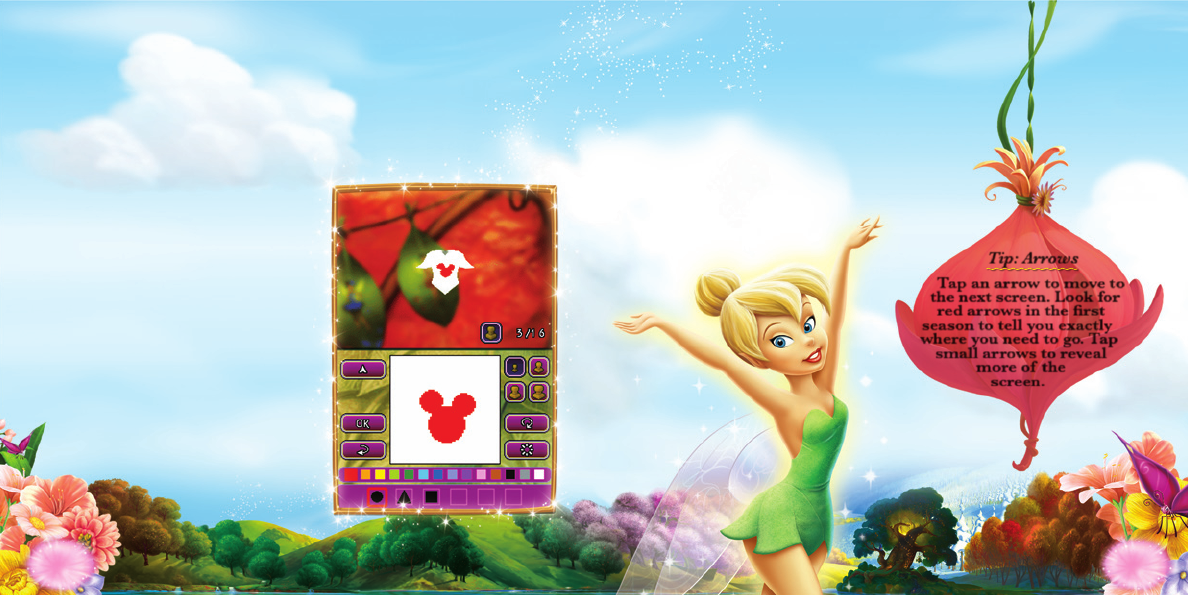
Costume Design
After Tinker Bell has completed a few seasons, she can begin
designing her own outts. She can only make one top, one skirt,
and one pair of boots. To make more, she has to give away the
item or leave them in the Accessory Shop for someone to pick
up. If the recipient really likes the design, she may leave a gift
in appreciation.
st a M p s
Decorate clothing with stamps
Tink has collected. While you start
with 4, there are 16 stamps in all.
cO l O r
Stamps can be created in a
variety of colors. Tink can collect
different fruits to add more colors to
her designs.
tr e n d s
Give away your custom designed clothes
to all of your fairy friends, or put it on
display in your shop, and the next time you
turn on your Nintendo DS, you may have
started a trend. And you might even see all
the fairies wearing the outt you created!
18 19
Tip: Arrows
Tap an arrow to move to
the next screen. Look for
red arrows in the rst
season to tell you exactly
where you need to go. Tap
small arrows to reveal
more of the
screen.
Disney Interactive Studios | Tinkerbell | DS Manual | MECH | 09.10.08
Disney Interactive Studios | Tinkerbell | DS Manual | MECH | 09.10.08
Making Accessories
Tinker Bell’s later titles allow her to
create accessories. Tink can create
hair ornaments, anklets and bracelets
for herself or as gifts for other fairies.
re c i p e ca r d s
Every accessory has its own unique
requirements. Recipe Cards tell Tink
what she needs to collect to create
an accessory and what she needs
to do to complete it.
it e M s
Use the items Tink has collected
around Pixie Hollow or won by
competing in mini-games to make
fashionable new accessories.
ra n k i n g
Accessories are ranked based on rarity of materials
and craftsmanship. Higher rated accessories will
earn Tink more praise – and more Fairy Medals at
the Accessory Shop.
ac c e s s O r y sh O p
The Accessory Shop is next to Tinker Bell’s work
table. Any items left there may be taken by
the other fairies of Pixie Hollow. If the fairy
really likes what she has taken, she may leave
a Fairy Medal or two to show her appreciation.
To put items in the Shop, select them from Tink’s
Inventory, and transfer them to the shelves next
to Tink’s work table.
20 21
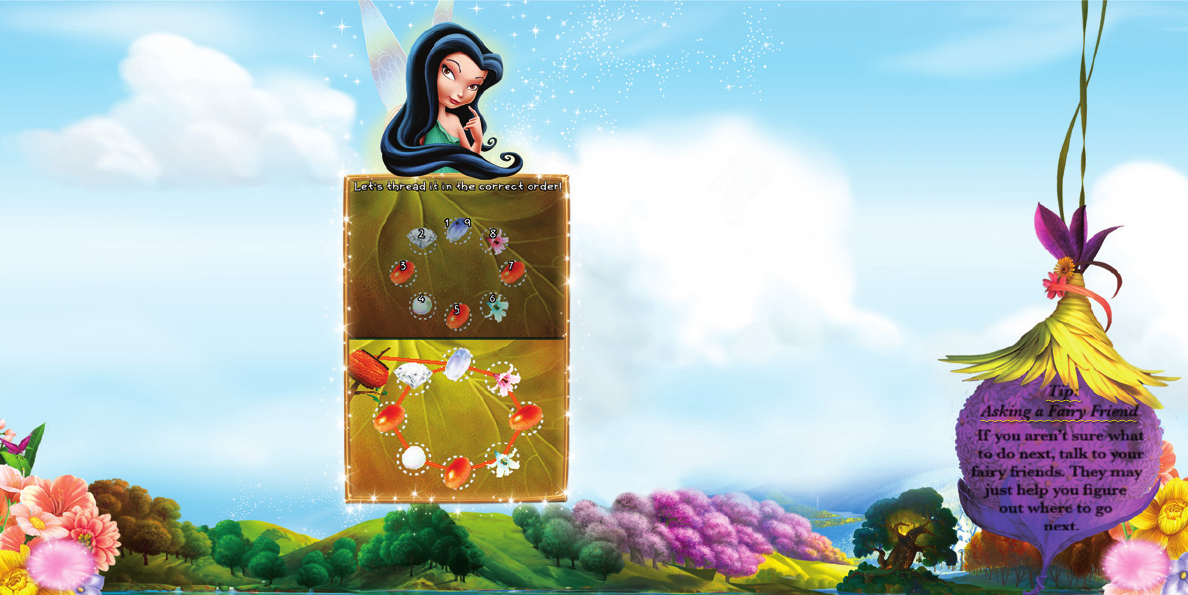
Tip:
Asking a Fairy Friend
If you aren’t sure what
to do next, talk to your
fairy friends. They may
just help you gure
out where to go
next.
Disney Interactive Studios | Tinkerbell | DS Manual | MECH | 09.10.08
Disney Interactive Studios | Tinkerbell | DS Manual | MECH | 09.10.08
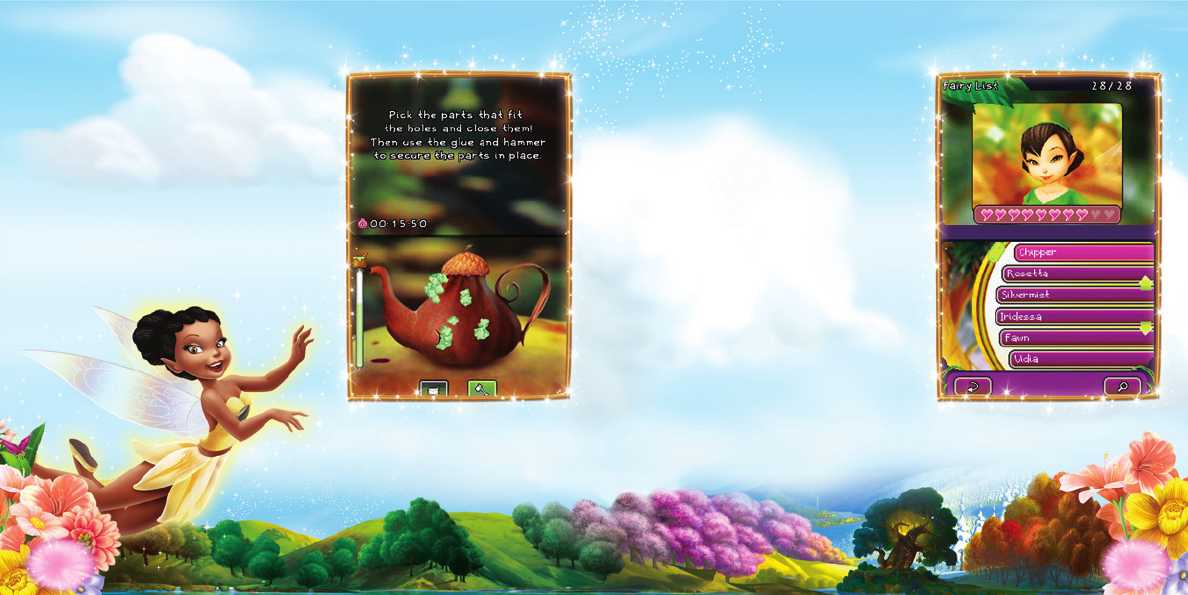
Repairing Things
Repairing things for other fairies is
a great way for Tink to make new
friends – and to improve her existing
fairy friendships. Tinker Bell makes
repairs in her workshop, at her table.
Tap it to begin repairing, select an
item to work on (she can have up to
eight items on her waiting list), and
then start tinkering.
fr i e n d s h i p s
Friends – the greatest reward of all!
Whenever Tink does a favor for a
fairy, or xes something, or gives a
gift, or just has a nice conversation,
Tink’s friendship meter with that
fairy improves. Better friends often
give better gifts.
Tinker Bell’s friendship with a fairy
will suffer if Tink doesn’t keep in
touch, or if she doesn’t complete an
errand on time, or even if she gives a
fairy something she doesn’t like.
You can check out your friendship
meter by visiting the Lists option
in the Command Menu. Just select
Fairies to see how your friendships are measuring up.
22 23
