Support Matrix 1507993578powervault Md1120 Reference Guide En Us
User Manual: DELL POWERVAULT MD1120 pdf | FreeUserManuals.com
Open the PDF directly: View PDF  .
.
Page Count: 6
June 2008
Dell™ PowerVault™ MD1120 Support Matrix
This document provides information on supported software and hardware for Dell PowerVault MD1120
systems.
NOTE: For the latest driver and firmware releases, see the Downloads section at support.dell.com.
Rules and Considerations
The following are the connectivity and consideration rules for the Dell PowerVault MD1120:
Supported Servers
Table 1. Dell PowerVault MD1120 Rules and Considerations
No external SAS cables should be connected to the secondary enclosure management module (EMM) in
unified mode.
PERC6/E is the only host controller supported for the Dell PowerVault MD1120.
Only SAS drives are supported.
Combining a PowerVault MD1120 and PowerVault MD1000 on the same physical PERC6/E controller is not
supported. A PowerVault MD1120 and PowerVault MD1000, however, can coexist on the same server as long
as they are connected to their own respective RAID controllers.
The PowerVault MD1120 can contain a combination of different physical disk capacities and spindle speeds.
The PowerVault MD1120 must be powered up first before the server is powered up.
A maximum of three PowerVault MD1120 units can be daisy-chained on each RAID controller port, for a total
of 144 disk drives using the dual-ported PERC6/E controller.
Connecting a PowerVault MD1120 to a PowerVault MD3000 or PowerVault MD3000i is not supported.
The maximum number of PERCs that can be connected to an MD1120 in unified mode is one, and for the
split mode the maximum number of PERCs that can be connected is two.
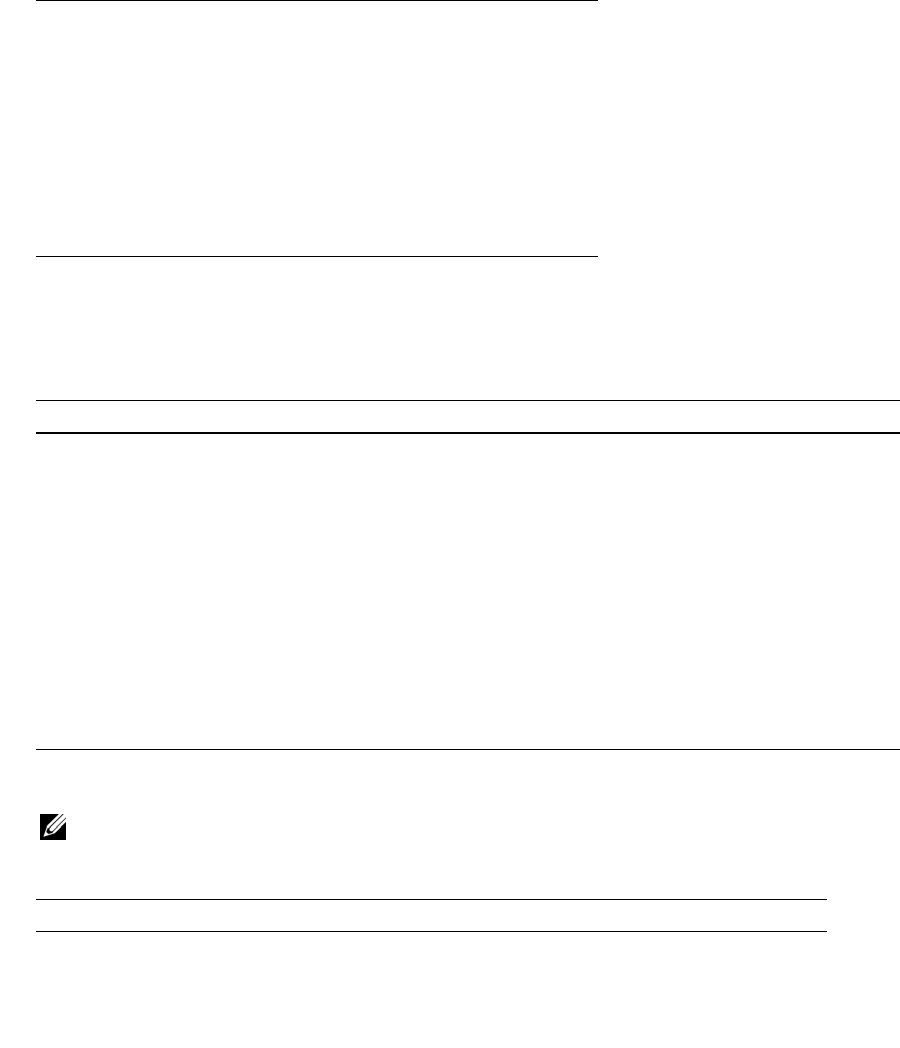
Table 2. Dell PowerVault MD1120 Supported Servers
PowerEdge™ 860
PowerEdge 1950
PowerEdge 2900
PowerEdge 2950
PowerEdge 2970
Supported Operating Systems
PERC 6/E Adapter With Dell PowerVault MD1120
Supported Physical Disks
NOTE: Only Dell provided physical disks are supported. Physical disks not purchased from Dell will be marked as
uncertified and will not be usable.
PowerEdge 6950
PowerEdge R200
PowerEdge R300
PowerEdge R805
PowerEdge R905
PowerEdge R900
PowerVault NF500
PowerVault NF600
Table 3. Supported Operating Systems for the Dell PowerVault MD1120
Operating System Version Number Revision
Microsoft® Windows Server® 2003 32-bit Standard and Enterprise SP1, R2 and SP2 2.14.0.32 A05
Microsoft Windows Server 2003 Standard and Enterprise x64 Edition SP1, R2 and SP2 2.14.0.64 A05
Microsoft Windows Server 2008 32-bit Standard, Enterprise and Web 2.20.0.32 A00
Microsoft Windows Server 2008 x64 Standard, Enterprise and Web 2.20.0.64 A00
Red Hat Enterprise Linux V4.0 Update 2, Update 3, Update 4, Update 5, Update 6
(AS, ES, WS), 32 bit and 64 bit (2.6 kernel)
00.00.03.16-1 A07
Red Hat® Enterprise Linux® V5.0 and V5.0 Update 1 (AS, ES, WS), 32 bit and 64 bit
(2.6 kernel)
00.00.03.16-1 A07
SUSE® Linux Enterprise Server V9.0 x64 Service Pack 2, Service Pack 3, Service Pack 4 00.00.03.16-1 A07
SUSE Linux Enterprise Server V10.0 x64 Service Pack 1 00.00.03.16-1 A07
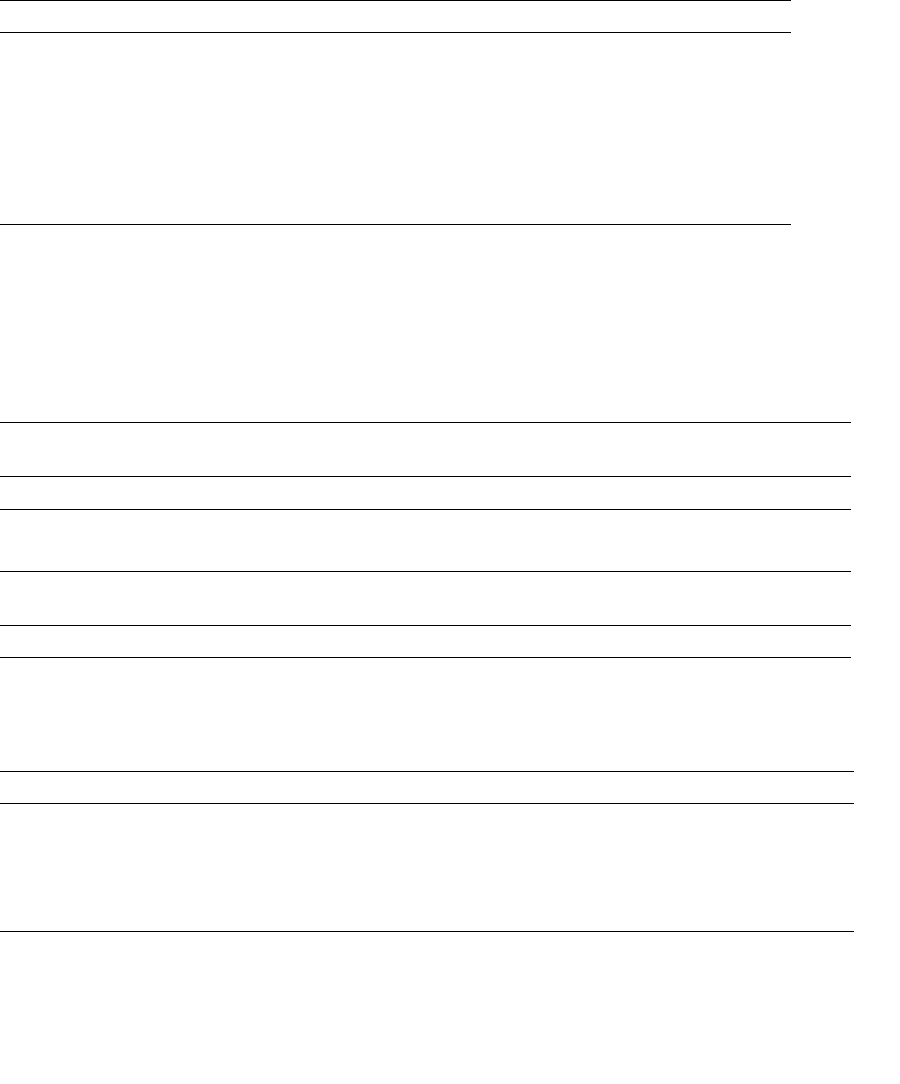
Table 4. Supported Physical Disks for Dell PowerVault MD1120 Systems
Drive Model Number Current Firmware Revision
Seagate SAS 73GB 10K RPM ST973402SS S229
Seagate SAS 146GB 10K RPM ST9146802SS S229
Table 2. Dell PowerVault MD1120 Supported Servers (continued)
Supported Management Software for Windows and Linux
The supported management software for the Dell PowerVault MD1120 is OMSA 5.4 (minimum level for
MD1120 support).
Supported Controller Firmware
Supported SAS Cables
Seagate SAS 36GB 15K RPM ST936751SS SM04
Seagate SAS 73GB 15K RPM ST973451SS SM04
Fujitsu SAS 73GB 10K RPM MBB2073RC D406
Fujitsu SAS 146GB 10K RPM MBB2147RC D406
Fujitsu SAS 36GB 15K RPM MBC2036RC D505
Fujitsu SAS 73GB 15K RPM MBC2073RC D505
Table 5. Dell PowerVault MD1120 Supported Controller Firmware
Controller Operating
System/Firmware
Last
Update
Release
Number
Version
Number
Revision
MD1120 Controller Firmware 06/16/08 R188485 A.01 A.01
Table 6. PERC 6/E Supported Controller Firmware
Controller Operating
System/Firmware
Last
Update
Release
Number
Version
Number
Revision
MD1120 PERC 6/E Firmware & Drivers 02/05/08 R178171 6.0.2-0002 A.03
Table 7. Dell PowerVault MD1120 Supported Cables
Length Dell part number Use
0.6m (meter) HR216 Daisy chain only to another MD1120
1m (meter) R8200 Connect to PERC6/E or Daisy Chain to another MD1120
2m (meter) J9189 Connect to PERC6/E or Daisy Chain to another MD1120
4m (meter) N8416 Connect to PERC6/E or Daisy Chain to another MD1120
Table 4. Supported Physical Disks for Dell PowerVault MD1120 Systems (continued)
Drive Model Number Current Firmware Revision
Supported Hardware Configurations
NOTE: The following PowerVault MD1120 hardware configurations are supported only on Dell qualified hardware.
Unified Mode Configurations
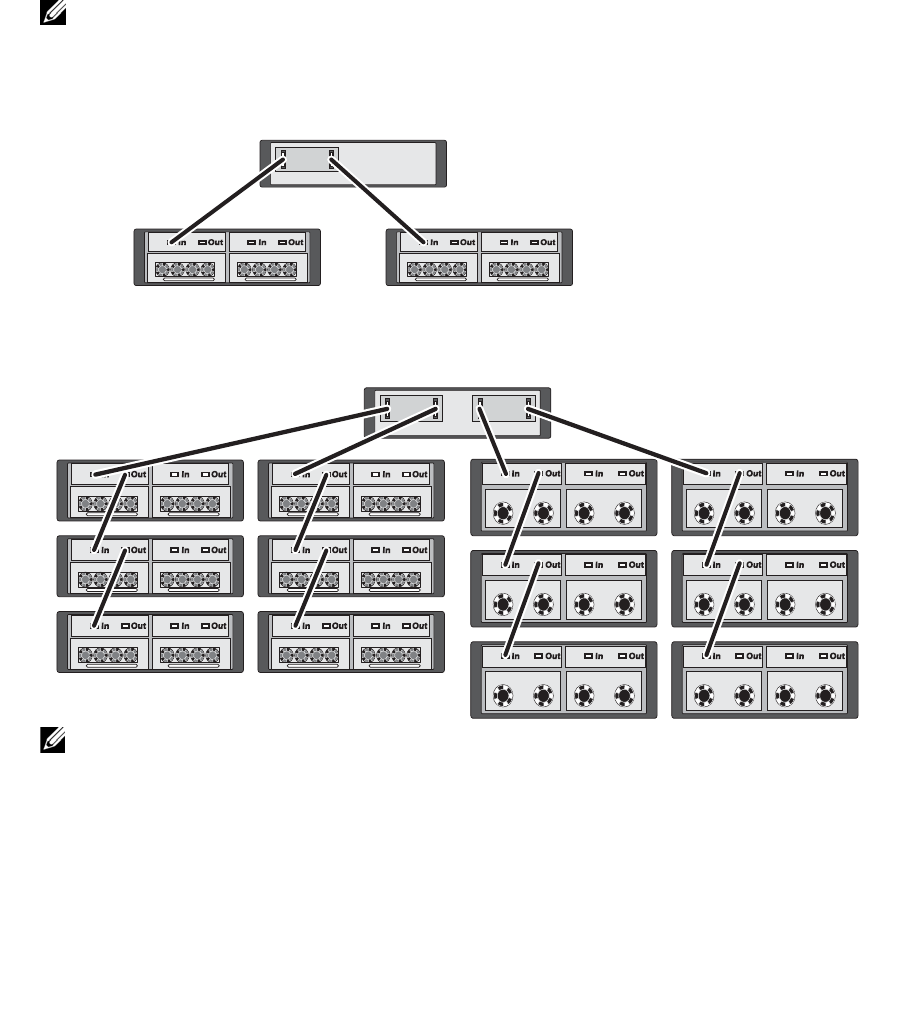
Figure 1. Single Host Server, Unified Mode (No Expansion)
Figure 2. Single Host Server, Unified Mode (MD1120 and MD1000 Maximum Expansion)
NOTE: MD1120 and MD1000 enclosures cannot be attached in the same expansion chain, or connected to the
same host server controller.
Server
MD1120 MD1120
Server
MD1120 Units MD1000 Units
Split Mode Configurations
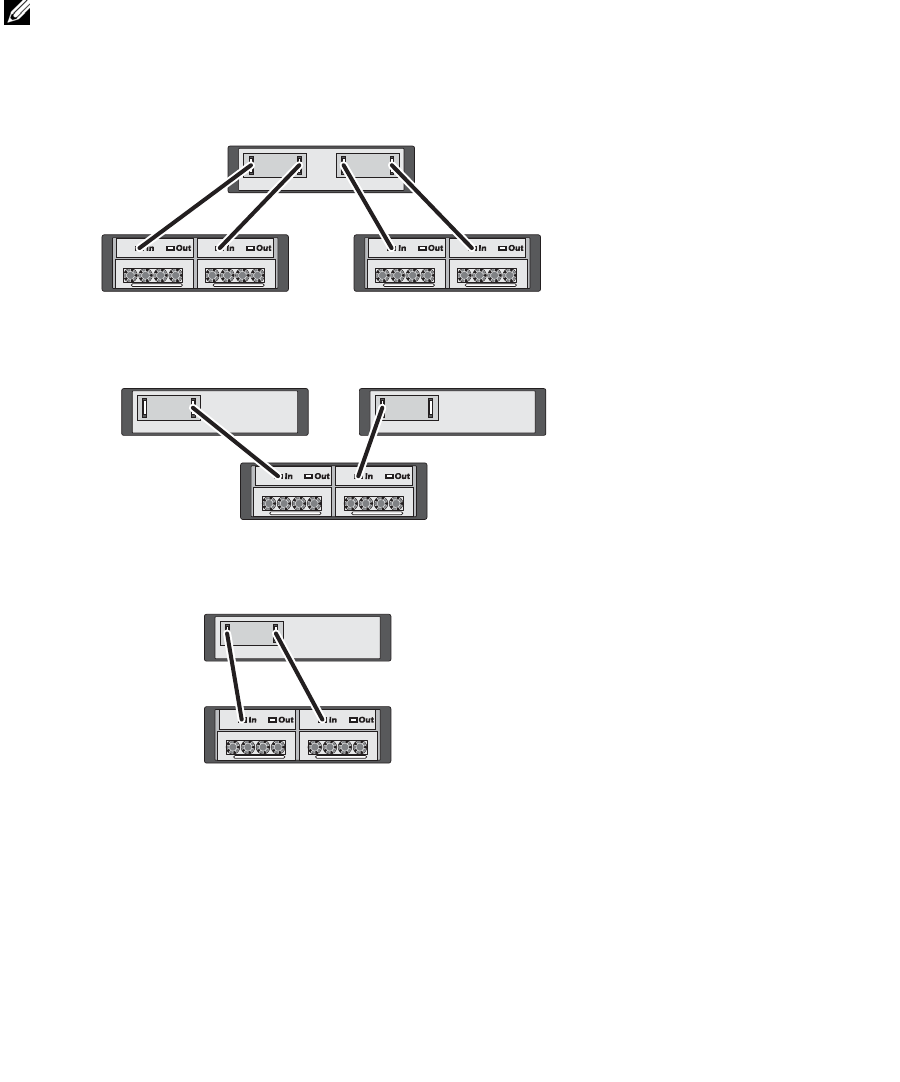
NOTE: In split mode, you can cable the enclosure to operate in either a two-host or single-host configuration. In
single-host configuration, you can cable both EMMs to either the same host controller, or to a separate host
controller.
Figure 3. Single Host Server, Split Mode (Expansion Not Supported)
Figure 4. Two Host Servers, Split Mode (Expansion Not Supported)
Figure 5. Single Host Server and Single MD1120, Split Mode (Expansion Not Supported)
Server
MD1120 MD1120
Server 1 Server 2
MD1120
Server
MD1120
_________________
Information in this document is subject to change without notice.
© 2008 Dell Inc. All rights reserved.
Reproduction of these materials in any manner whatsoever without the written permission of Dell Inc. is strictly forbidden.
Trademarks used in this text: Dell, PowerVault, PowerEdge, Dell OpenManage, and the DELL logo are trademarks of Dell Inc.; Microsoft,
Windows, Windows Server, and Windows Vista are either trademarks or registered trademarks of Microsoft Corporation in the United
States and/or other countries; Red Hat and Red Hat Enterprise Linux are registered trademarks of Red Hat Inc. in the U.S. and other
countries; SUSE is a registered trademark of Novell, Inc., in the United States and other countries.
Other trademarks and trade names may be used in this document to refer to either the entities claiming the marks and names or their
products. Dell Inc. disclaims any proprietary interest in trademarks and trade names other than its own.
