Dell™ PowerVault™ MD Series Support Matrix 1507994077md3400 Md3420 Md3460 Md3800f Md3820f Md3860f Supportmatrix En Us
User Manual: DELL POWERVAULT MD3860F pdf | FreeUserManuals.com
Open the PDF directly: View PDF  .
.
Page Count: 45

Dell™ PowerVault™ MD Series Support
Matrix
This document describes the support provided for PowerVault MD 34XX/38XX Series RAID
Controller Firmware Version 08.25.11.60
Dell Engineering
May 2017
2 Dell™ PowerVault™ MD Series Support Matrix | A17
Revisions
Date
Description
June 2015
Updated RAID controller NVSRAM and supported physical disk drive models
July 2015
Updated supported physical disks section
Updated supported Management Software
Updated supported operating systems
Updated Dell PowerVault MD-Series storage array rules
September 2015
Updated AppAware section
Added column to the HDD that specifies if a HDD is SED capable
Updated version of CFW and HSW
October 2015
Updated supported physical disks section
Updated storage array rules for all models section
Updated expansion enclosures section
Updated the Windows ODX support section
November 2015
Updated the Windows ODX support section
March 2016
Discontinuing support of the VSS and VDS hardware providers.
Updated version of CFW and HSW
Updated supported physical disks section
Updated supported operating systems
July 2016
Added support for VMware with Fibre Channel Direct Connect
Updated version of CFW and HSW
Updated supported physical disks section
Updated supported operating systems
October 2016
Updated version of CFW
Updated supported physical disks section
December 2016
Updated supported physical disks section
Updated version of CFW and HSW
Updated supported operating systems
Updated storage array rules for dense array section
February 2017
Updated version of CFW
May 2017
Updated the supported physical disks section
Updated version of CFW
Updated the supported Operating Systems section
Updated storage array rules

3 Dell™ PowerVault™ MD Series Support Matrix | A17
THIS DOCUMENT IS FOR INFORMATIONAL PURPOSES ONLY, AND MAY CONTAIN TYPOGRAPHICAL ERRORS AND
TECHNICAL INACCURACIES. THE CONTENT IS PROVIDED AS IS, WITHOUT EXPRESS OR IMPLIED WARRANTIES OF
ANY KIND.
Copyright © 2014-2017 Dell Inc. or its subsidiaries. All rights reserved. Dell and the Dell logo are trademarks of Dell Inc. in the
United States and/or other jurisdictions. All other marks and names mentioned herein may be trademarks of their respective
companies.

4 Dell™ PowerVault™ MD Series Support Matrix | A17
Contents
Revisions .............................................................................................................................................................................................. 2
Notes, Cautions, and Warnings ............................................................................................................................................................ 5
1 Introduction ................................................................................................................................................................................... 6
2 Changes in version A17 ................................................................................................................................................................ 7
3 Supported data protocols ............................................................................................................................................................... 8
4 Dell PowerVault MD-Series storage array rules ........................................................................................................................... 9
5 Default IPv4 settings for the management ports on the Power Vault MD-Series Storage Arrays ............................................... 15
5.1 Default IPv4 settings for the iSCSI ports on PowerVault MD38x0i Storage Arrays ........................................................ 15
6 Supported RAID controller firmware and NVSRAM ................................................................................................................. 16
7 Supported iSCSI software initiators ............................................................................................................................................ 17
8 Supported protocol offload (TOE/iSCSI) adapters ...................................................................................................................... 18
9 Fibre Channel SFP+ transceiver support ..................................................................................................................................... 19
10 Supported physical disks ............................................................................................................................................................. 20
11 Supported expansion enclosures .................................................................................................................................................. 27
12 Supported management software ................................................................................................................................................. 28
13 Supported operating systems ....................................................................................................................................................... 31
14 Windows ODX support ............................................................................................................................................................... 37
15 ALUA support on supported host operating systems .................................................................................................................. 38
16 Supported device mapper software .............................................................................................................................................. 39
17 Supported SAS host bus adapters ................................................................................................................................................ 40
18 Supported Fibre Channel host bus adapters ................................................................................................................................. 41
19 Supported Fibre Channel direct-attach configuration operating systems .................................................................................... 42
20 Required timeout settings for Fibre Channel host bus adapters ................................................................................................... 43
21 Supported fibre channel switches ................................................................................................................................................ 44

5 Dell™ PowerVault™ MD Series Support Matrix | A17
Notes, Cautions, and Warnings
Note: A note indicates important information that helps you make better use of your computer.
Caution: A caution indicates potential damage to hardware or loss of data if instructions are not
followed.
Warning: A warning indicates a potential for property damage, personal injury, or death.
Note: This Support Matrix contains the latest compatibility and interoperability information. If you
observe inconsistencies between this information and other MD-series documentation, consider this
document superseding.

6 Dell™ PowerVault™ MD Series Support Matrix | A17
1 Introduction
This document provides information about supported software and hardware for Dell PowerVault
MD3400, MD3420, MD3800i, MD3820i, MD3800f, MD3820f, MD3460, MD3860i, and MD3860f
storage arrays, and usage considerations, recommendations, and rules.
Note: Unless specified, all information in this document is applicable to the latest RAID controller
firmware version available at Dell.com/support.

7 Dell™ PowerVault™ MD Series Support Matrix | A17
2 Changes in version A17
Updated the supported physical disks section
Updated version of CFW
Updated the supported Operating Systems section
Updated storage arrays rules
8 Dell™ PowerVault™ MD Series Support Matrix | A17
3 Supported data protocols
Table 1 Dell PowerVault MD-Series models and supported data protocols
Dell PowerVault
MD array model 3
Data protocol
MD34001
12 Gbps direct attached SAS storage array with 12 drives (3.5 inch)
MD34201
12 Gbps direct attached SAS storage array with 24 drives (2.5 inch)
MD3800i1
10 Gbps iSCSI network storage array with 12 drives (3.5 inch)
MD3820i1
10 Gbps iSCSI network storage array with 24 drives (2.5 inch)
MD3800f1
16 Gbps Fibre Channel (FC) network storage array with 12 drives (3.5 inch)
MD3820f1
16 Gbps FC network storage array with 24 drives (2.5 inch)
MD34602
12 Gbps direct attached SAS storage dense array
MD3860i2
10 Gbps iSCSI network storage dense array
MD3860f2
16 Gbps FC network storage dense array
NOTES:
1 Dell PowerVault MD3400, MD3420, MD3800i, MD3820i, MD3800f, and MD3820f models
support 120 physical disk drive slots in base configuration. With premium feature activation, 192
physical disk drive slots are supported.
2 Dell PowerVault MD3x60i/MD3x60f dense array has default 120 drive slots support (with 20 drives
minimum), and 180 drive slots support with PFK.
3 Premium Feature Key (PFK) is optional on all models.
9 Dell™ PowerVault™ MD Series Support Matrix | A17
4 Dell PowerVault MD-Series storage array rules
This section contains both general and model-specific connectivity and consideration rules for Dell
PowerVault MD storage arrays. The rules listed in Table 2 apply only to all storage array models. For
rules applying to specific Dell PowerVault MD models, see Table 3 and Table 4.
Note: The Dell PowerVault MD3460, MD3860i, and MD3860f platforms are supported in dual-
RAID controller (duplex) configurations only.
Table 2 MD-Series Storage Array rules for all models
Rule
MD34x0
Series
MD38x0i
series
MD38x0f
series
12 Gbps
SAS
10 Gbps
iSCSI
16 Gbps
FC
Maximum number of host servers a single storage array can
connect to with one RAID controller module installed
4
64
64
Maximum number of host servers a single storage array can
connect to with two RAID controller modules installed
8
(4, if using
high
availability)
64
64
Maximum number of Dell 12 Gbps SAS HBA cards
supported in a single host server attached to single array.
(Dell recommends you to use two Dell 12Gb SAS HBA
cards for all redundant cabling configurations.)
2
(each card
has two
ports)
N/A
N/A
Unused ports on a Dell 12 Gbps SAS HBA card already
connected to a Dell PowerVault MD3460 cannot connect to
another device (such as a tape drive or other model storage
array).
N/A
N/A
Maximum number of Dell PowerVault MD Series Storage
Arrays a host server may connect to.
2 (HA)
4
4
A hot-spare for a disk group must be a physical disk drive of
equal or greater size than any of the member disks.
When using out-of-band management with SMcli by
specifying the RAID controller management port IP
addresses on the Dell PowerVault MD Storage Array, SMcli
commands that change the attributes of a virtual disk, virtual
disk copy, or snapshot virtual disk, must have management
access to the owning RAID controller module. Where
applicable, it is a best practice to specify both management
port IP addresses on the SMcli invocation:
SMcli 192.168.129.101 192.168.129.102 –c (2U Array)
SMcli 192.168.128.101 192.168.128.102 –c (4U Dense
Array)
10 Dell™ PowerVault™ MD Series Support Matrix | A17
Rule
MD34x0
Series
MD38x0i
series
MD38x0f
series
12 Gbps
SAS
10 Gbps
iSCSI
16 Gbps
FC
On Linux systems, Device Mapper multipath drivers are
required for multipath support.
Coexistence of several Linux multi-path drivers is not
supported. When using a Dell PowerVault MD3400 or
MD3800 series array with Linux host servers, only the Linux
Device Mapper failover driver is supported.**
Virtual disks on Dell PowerVault MD Series Storage Arrays
cannot be used for booting.
Disk Groups can be migrated between a Dell PowerVault
MD3460/3860i/3860f by following the appropriate disk
group migration procedure***
Maximum size of a virtual disk in a dynamic disk pool:
64TB
Disk pools cannot be migrated.
Maximum capacity (disk space) for each array for dynamic
disk pooling.
1024 TB
1024 TB
1024 TB
Maximum SSD cache size allowed depends on the installed
RAM per controller:
∞ 4GB RAM per controller supports up to 4TB SSD read cache
∞ 8GB RAM per controller supports up to 5TB SSD read cache
All iSCSI host ports on a controller must have the same port
speed
N/A
N/A
Maximum 12 Gbps SAS cable length supported is 6m.
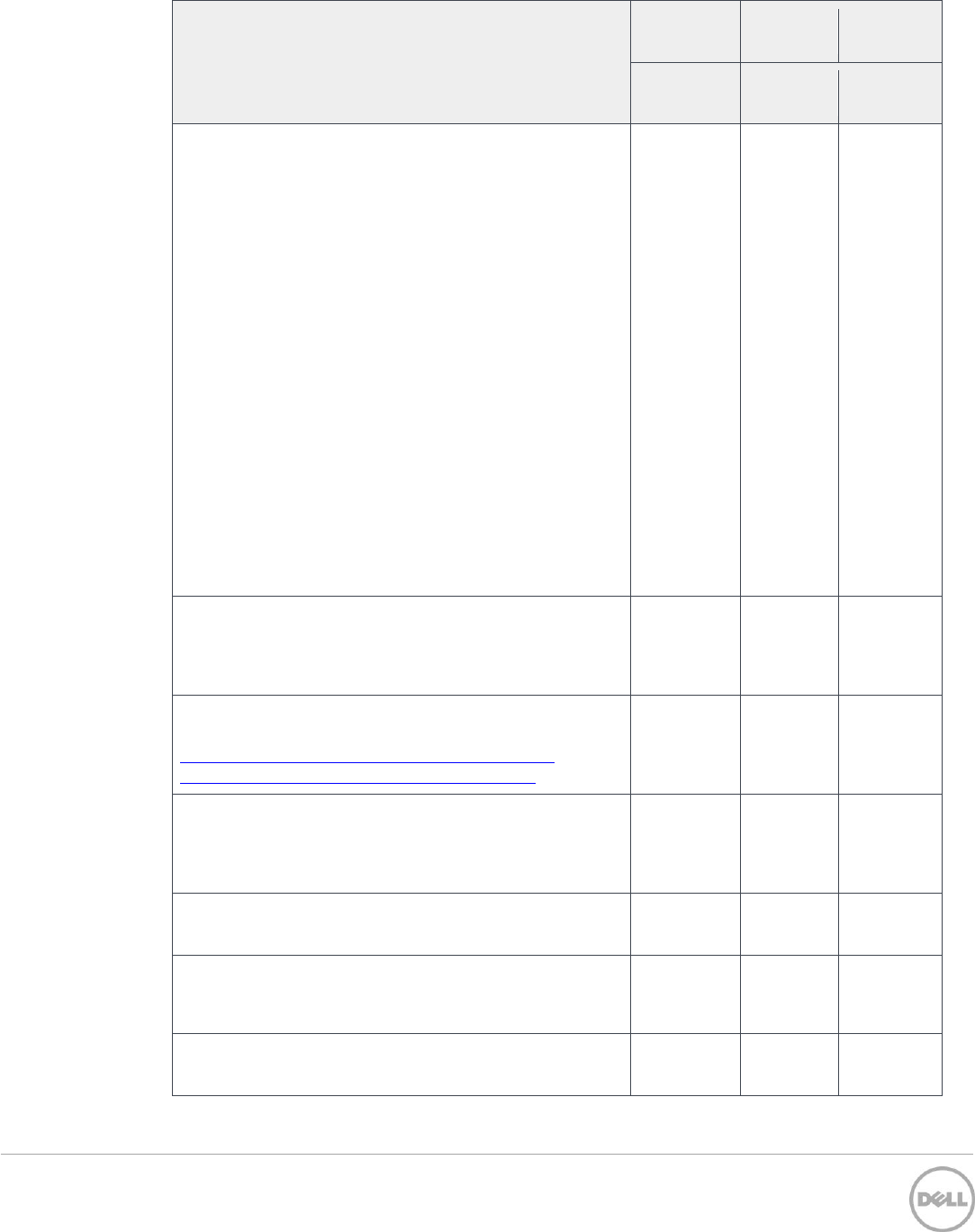
11 Dell™ PowerVault™ MD Series Support Matrix | A17
Rule
MD34x0
Series
MD38x0i
series
MD38x0f
series
12 Gbps
SAS
10 Gbps
iSCSI
16 Gbps
FC
If the iSCSI initiators are connected to Dell PowerVault
MD3800i series through the network switches, make sure
that your switches support IEEE 802.3x flow control, and the
flow control is enabled for both sending and receiving on all
switch ports and server NIC ports.
If you do not enable the flow control, your iSCSI storage
array may experience the degradation of the I/O
performance.
In addition to enabling the Ethernet IEEE 802.3x flow
control, Dell recommends that you disable unicast broadcast
storm control on the switch ports connected to the iSCSI
initiators and target arrays and turn on the "PortFast" mode
of the spanning tree protocol (STP) on the switch ports
connected to the iSCSI initiators and target arrays.
Note that turning on the "PortFast" mode is different from
turning off the whole operation of STP on the switch. With
"PortFast" on, STP is still enabled on the switch ports.
Turning off STP may affect the entire network and can leave
the network vulnerable to physical topology loops.
N/A
N/A
For optimal I/O performance, avoid having more than one
iSCSI session originating from one host iSCSI port to the
same controller. Ideally, the iSCSI host NIC must connect to
only one iSCSI target port on the storage subsystem.
N/A
N/A
For Dell-Oracle Tested and Validated solutions on the Dell
PowerVault MD arrays, refer to the following site
http://en.community.dell.com/techcenter/enterprise-
solutions/w/oracle_solutions/current-release.aspx
The number of Virtual Disk (VD) copies is limited to a
maximum of 511 with a maximum of 8 concurrent copies
(applicable to RAID controller firmware version 08.10.05.60
or later).
Remote replication is not supported in simplex mode.
N/A
For Fibre Channel and iSCSI controllers, if you use the SAS
host ports, they must be connected to a SAS HBA on a
separate host.
N/A
Maximum number of iSCSI sessions
N/A
512 per
port
N/A
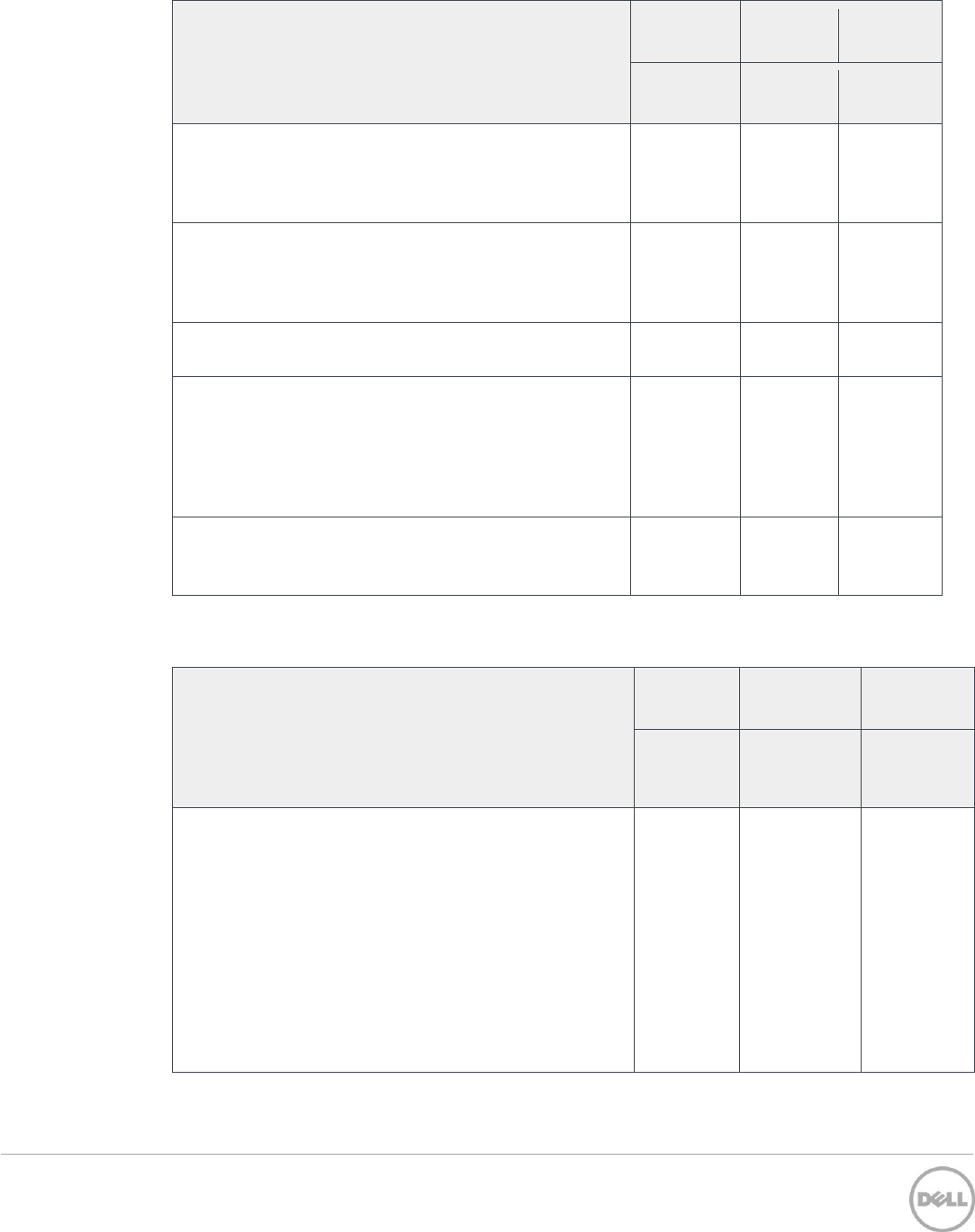
12 Dell™ PowerVault™ MD Series Support Matrix | A17
Rule
MD34x0
Series
MD38x0i
series
MD38x0f
series
12 Gbps
SAS
10 Gbps
iSCSI
16 Gbps
FC
Replication within iSCSI topology between MD32x0i,
MD36x0i, or MD38x0i arrays is supported regardless of
connection speed. Replication between iSCSI and FC
topology is not supported.
N/A
N/A
Replication within FC topology between MD36x0f or
MD38x0f arrays is supported regardless of connection speed.
Replication between iSCSI and FC topology is not
supported.
N/A
N/A
Online Physical Disk Firmware Upgrade is supported
When using physical disks of 6 TB or larger capacity, it is
recommended to use either a RAID 6 Disk Group or a
Dynamic Disk Pool (DDP). Due to the increased amount of
time taken to reconstruct and copy-back, the chances for a
second drive failure increases on either a RAID 1/10 or a
RAID 5 Disk Group.
Data Assurance capable drives are supported in the array,
however the Data Assurance feature is not an available
option for these arrays.
Table 3 Dell PowerVault MD-Series Storage Array rules for non-dense, 2U models only (Dell
PowerVault MD3400, MD3420, MD3800i, MD3820i, MD3800f, and MD3820f).
Rule
MD3400
series
MD3800i
series
MD3800f
series
12 Gbps
SAS
10 Gbps
iSCSI
16 Gbps
Fibre
Channel
Support for up to 120 physical disk drive slots (system
default configuration).
Up to nine MD1200 and/or MD1220 series expansion
enclosures can be attached to a Dell PowerVault MD storage
array. Any mixture of MD1200 and MD1220 enclosures for
120 physical slots is supported.
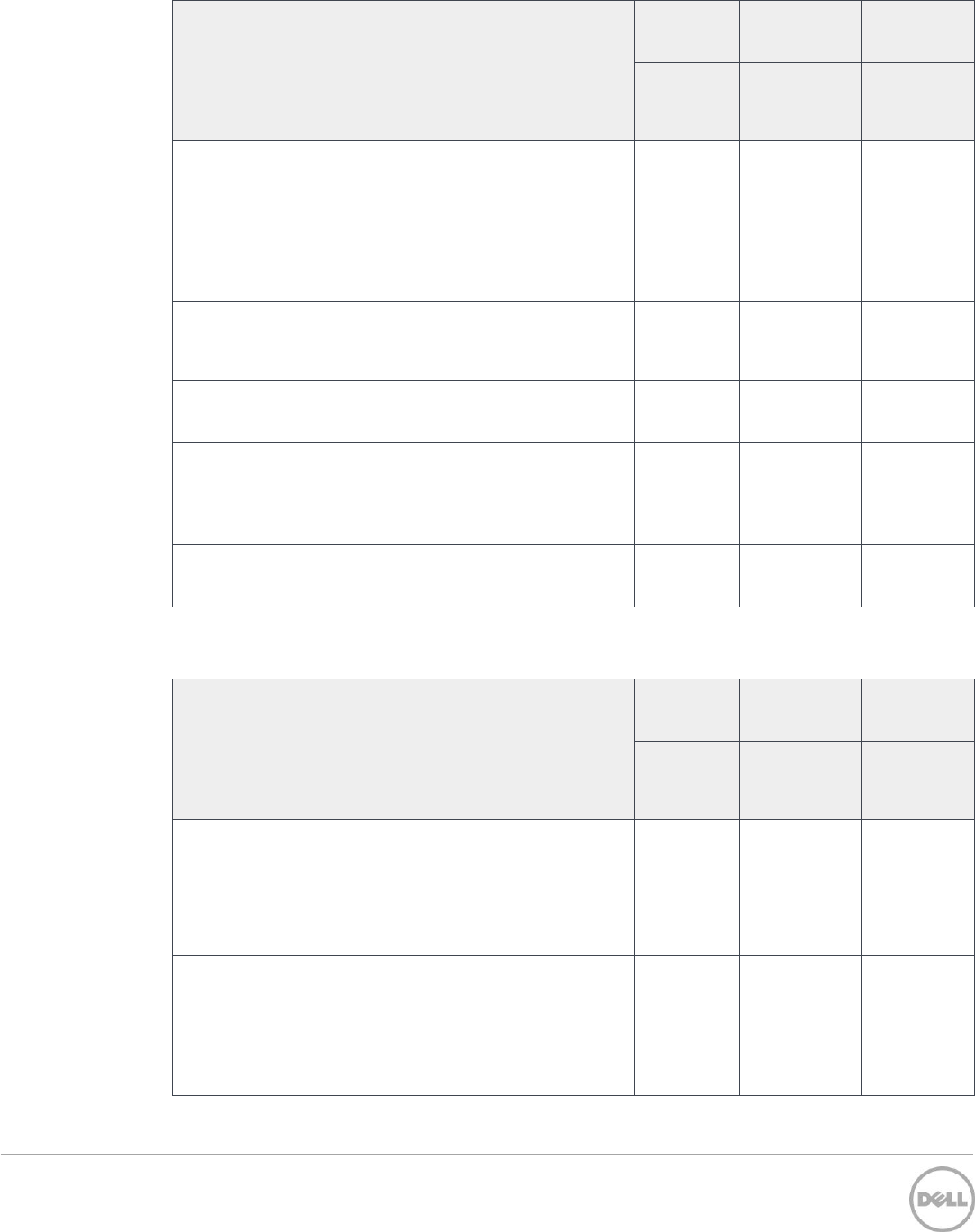
13 Dell™ PowerVault™ MD Series Support Matrix | A17
Rule
MD3400
series
MD3800i
series
MD3800f
series
12 Gbps
SAS
10 Gbps
iSCSI
16 Gbps
Fibre
Channel
Support for up to 192 physical disk drive slots using a
premium feature option.
Up to 15 MD1200 and/or MD1220 series expansion
enclosures can be attached to a Dell PowerVault MD storage
array. Any mixture of MD1200 and MD1220 enclosures for a
total of 192 physical slots is supported.
Maximum number of physical disk drives in a RAID5 or
RAID6 disk group is 30. There is no limitation with RAID0
and RAID10 disk groups.
Attached MD1200 series expansion enclosures must be run in
unified mode.
The number of snapshots is limited to:
Maximum of 512 snapshots per array
Maximum of 128 snapshot per VD
Maximum of 32 snapshots per snapshot group
The number of remote replicas is limited to:
Maximum of 32 for each array
N/A
Table 4 Dell PowerVault MD-Series Storage Array rules for dense, 4U models only (Dell
PowerVaultMD3460, MD3860i, and MD3860f)
Rule
MD3460
series
MD3860i
series
MD3860f
series
12 Gbps
SAS
10 Gbps
iSCSI
16 Gbps
Fibre
Channel
Support for up to 120 physical disk drive slots (system
default configuration).
You can attach one Dell MD3060e enclosure to a Dell
PowerVault MD dense storage array.
Support for up to 180 physical slots through a premium
feature option.
You can attach up to two Dell MD3060e enclosures to a Dell
PowerVault MD dense storage array, for a total of 180
physical slots.
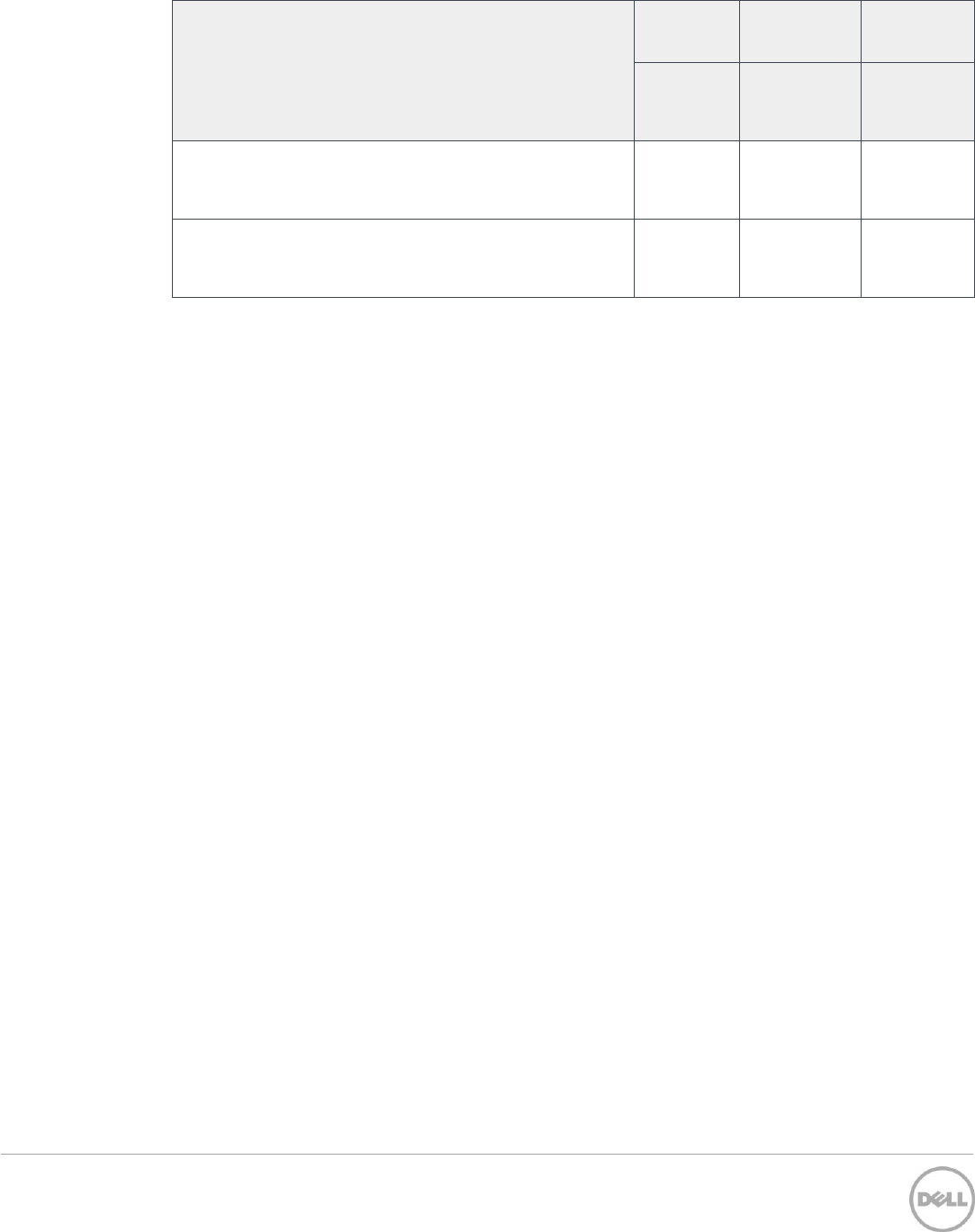
14 Dell™ PowerVault™ MD Series Support Matrix | A17
Rule
MD3460
series
MD3860i
series
MD3860f
series
12 Gbps
SAS
10 Gbps
iSCSI
16 Gbps
Fibre
Channel
Maximum number of physical disk drives in a RAID5 or
RAID6 disk group is 30. There is no limitation with RAID0
and RAID10 disk groups.
A minimum of 20 SAS HDDs or SSDs are required in each
Dell PowerVault MD3x60 enclosure (4 in front slots of each
drawer)
15 Dell™ PowerVault™ MD Series Support Matrix | A17
5 Default IPv4 settings for the management ports on the
Power Vault MD-Series Storage Arrays
Note: No default gateway is set.
By default, the management ports on the storage array are set to DHCP. If DHCP fails, the following
IPv4 settings are used:
Table 5 Default IPv4 management port addresses
MD3400/MD3420/MD3800x/MD3820x
Controller/port
IPv4 address
Subnet mask
Controller 0, Port 1
192.168.129.101
255.255.255.0
Controller 1, Port 1
192.168.129.102
255.255.255.0
MD3460/MD3860x
Controller/port
IPv4 address
Subnet mask
Controller 0, Port 0
192.168.128.101
255.255.255.0
Controller 1, Port 0
192.168.128.102
255.255.255.0
5.1 Default IPv4 settings for the iSCSI ports on PowerVault
MD38x0i Storage Arrays
Note: No default gateway is set.
By default, the iSCSI ports on the storage array are set to the following static IPv4 settings:
Table 6 Default iSCSI port IPv4 addresses on MD38x0i storage arrays
Controller/port
IPv4 address
Subnet mask
Port #
Controller 0, Port 0
192.168.130.101
255.255.255.0
3260
Controller 0, Port 1
192.168.131.101
255.255.255.0
3260
Controller 1, Port 0
192.168.130.102
255.255.255.0
3260
Controller 1, Port 1
192.168.131.102
255.255.255.0
3260
16 Dell™ PowerVault™ MD Series Support Matrix | A17
6 Supported RAID controller firmware and NVSRAM
Note: Dell recommends gathering support information before performing any firmware upgrade.
Note: Only drivers and firmware released by Dell are supported. For the latest driver and firmware
releases, see the Downloads section at Dell.com/support.
Table 7 Latest RAID controller firmware and NVSRAM versions
Software
Version
RAID controller
Firmware
08.25.11.60
RAID controller
NVSRAM
N2701-825890-004
17 Dell™ PowerVault™ MD Series Support Matrix | A17
7 Supported iSCSI software initiators
Table 8 Supported iSCSI Initiators
Operating system
SW initiator vendor
SW initiator
version
Notes
Windows Server OS
Microsoft
RTM or later
Included with OS
Red Hat Enterprise Linux
Red Hat
RTM or later
Included with OS
SUSE Linux Enterprise
Server
SUSE
RTM or later
Included with OS
VMware vSphere
VMware
RTM or later
Included with OS
Note: For more information about OS support, refer to Supported operating systems section of this
document.

18 Dell™ PowerVault™ MD Series Support Matrix | A17
8 Supported protocol offload (TOE/iSCSI) adapters
Standard Gigabit and 10 Gigabit Ethernet adapters are supported when used with supported software
iSCSI initiators. Hosts must have a standards compliant iSCSI initiator to access Dell PowerVault MD
Series storage. Initiator support is provided by the initiator or operating system vendor. Dell
PowerVault does not support Converged Network Adapters (CNA) in Converged mode. Although Dell
PowerVault does not endorse or support initiators directly, this support matrix provides some useful
configuration information for common initiators.
Dell PowerVault MD Series Arrays work with any RFC 3720 iSCSI compliant initiators. The initiator
must support all mandatory iSCSI features (IPSec is not required). This information is subject to
change without notice. Dell is not responsible for any errors in this information.
Caution: Hardware initiators are not supported by Dell.
Read the initiator documentation and Release Notes from the particular vendors, and the Dell
PowerVault MD-Series Release Notes for up-to-date configuration recommendations.
19 Dell™ PowerVault™ MD Series Support Matrix | A17
9 Fibre Channel SFP+ transceiver support
Table 9 Supported Fibre Channel SFP+ transceivers
Description
Manufacturer
Mfr. part number
Dell P/N
16G SFP (FC) Short wave
Finisar
FTLF8529P3BCVA
TDTCP
20 Dell™ PowerVault™ MD Series Support Matrix | A17
10 Supported physical disks
Caution: Only physical disk drives with a Dell P/N listed in Table 10 are supported. All other
physical disk drives purchased from the Dell Software and Peripheral store with a part number other
than specified in the list are not supported.
Refer to the “MD3400/MD3800i/MD3860i/MD3860f Drivers and Downloads” section on
Dell.com/support for the latest available physical disk drive firmware.
Table 10 Supported physical disk drive models
Dell P/N
Form
Factor
Model
Capacity
Speed
Vendor
SED
6R5R8
2.5”
LB206M
200GB
SSD
Pliant
(SanDisk)
No
8C38W
2.5”
LB406M
400GB
SSD
Pliant
(SanDisk)
No
DPF1J
2.5"
LB806M
800GB
SSD
Pliant
(SanDisk)
No
D3K4J
2.5"
LB406R
400GB
SSD
Pliant
(SanDisk)
No
5Y05N
2.5"
LB806R
800GB
SSD
Pliant
(SanDisk)
No
F06P1
2.5"
LB1606R
1.6TB
SSD
Pliant
(SanDisk)
No
TPWNJ
2.5"
LB206S
200GB
SSD
Pliant
(SanDisk)
No
8NW1H
2.5"
LB406S
400GB
SSD
Pliant
(SanDisk)
No
2XR0K
2.5"
LT0200MO
200GB
SSD
SanDisk
No
C06VX
2.5"
LT0400MO
400GB
SSD
SanDisk
No
989R8
2.5"
LT0800MO
800GB
SSD
SanDisk
No
JDTGX
2.5"
LT1600MO
1.6TB
SSD
SanDisk
No
J19XM
2.5"
LT0800RO
800GB
SSD
SanDisk
No
2M61G
2.5"
LT1600RO
1.6TB
SSD
SanDisk
No
M7KYX
2.5"
LT0200WM
200GB
SSD
SanDisk
No
T2TPF
2.5"
LT0400WM
400GB
SSD
SanDisk
No
FHFNJ
2.5"
LT0800WM
800GB
SSD
SanDisk
No
MFC6G
2.5"
MZILS400HEGR0D3
400GB
SSD
Samsung
No
HF06W
2.5"
MZILS800HEHP0D3
800GB
SSD
Samsung
No
W5PP5
2.5"
MZILS1T6HEJH0D3
1.6TB
SSD
Samsung
No
8RC8K
2.5"
MZILS3T2HMLH0D3
3.2TB
SSD
Samsung
No
8Y64H
2.5"
MZILS480HEGR0D3
480GB
SSD
Samsung
No
7FNRX
2.5"
MZILS960HEGR0D3
960GB
SSD
Samsung
No
086DD
2.5"
MZILS1T9HEJH0D3
1.92TB
SSD
Samsung
No
21 Dell™ PowerVault™ MD Series Support Matrix | A17
Dell P/N
Form
Factor
Model
Capacity
Speed
Vendor
SED
JR1HP
2.5"
MZILS3T8HMLH0D3
3.84TB
SSD
Samsung
No
6K55X
2.5”
MK2001GRZB
200GB
SSD
Toshiba
No
R2PJ7
2.5”
MK4001GRZB
400GB
SSD
Toshiba
No
K41XJ
2.5”
PX02SMF020
200GB
SSD
Toshiba
No
HKK8C
2.5”
PX02SMF040
400GB
SSD
Toshiba
No
TC2MH
2.5”
PX02SMF080
800GB
SSD
Toshiba
No
G4V45
2.5”
PX02SMB160
1.6TB
SSD
Toshiba
No
CV6W8
2.5”
PX02SSF020
200GB
SSD
Toshiba
No
2H9WV
2.5”
PX02SSF040
400GB
SSD
Toshiba
No
PG19T
2.5”
PX02SSB080
800GB
SSD
Toshiba
No
N9PTK
2.5”
PX03SNF080
800GB
SSD
Toshiba
No
0MXR2
2.5”
PX03SNB160
1.6TB
SSD
Toshiba
No
GM5R3
2.5”
PX04SMB040
400GB
SSD
Toshiba
No
M91TJ
2.5”
PX04SMB080
800GB
SSD
Toshiba
No
77K16
2.5”
PX04SMB160
1.6TB
SSD
Toshiba
No
63GYR
2.5”
PX04SMB320
3.2TB
SSD
Toshiba
No
N5Y85
2.5”
PX04SVB048
480GB
SSD
Toshiba
No
YYC10
2.5”
PX04SVB096
960GB
SSD
Toshiba
No
4XC39
2.5”
PX04SVB192
1.92TB
SSD
Toshiba
No
GYMY9
2.5”
PX04SVB384
3.84TB
SSD
Toshiba
No
06VJ7
2.5”
PX04SRB048
480GB
SSD
Toshiba
No
4KG4X
2.5”
PX04SRB096
960GB
SSD
Toshiba
No
R87FK
2.5”
PX04SRB192
1.92TB
SSD
Toshiba
No
M09K5
2.5”
PX04SRB384
3.84TB
SSD
Toshiba
No
HPNDJ
2.5”
PX04SHB020
200Gb
SSD
Toshiba
No
YT53C
2.5”
PX04SHB040
400GB
SSD
Toshiba
No
RVCY3
2.5”
PX04SHB080
800GB
SSD
Toshiba
No
Y9VX5
2.5”
PX04SHB160
1.6TB
SSD
Toshiba
No
43PCJ
2.5”
PX05SVB048Y
480GB
SSD
Toshiba
No
503M7
2.5”
PX05SVB096Y
960GB
SSD
Toshiba
No
V0K7V
2.5”
PX05SVB192Y
1.92TB
SSD
Toshiba
No
3DDFT
2.5”
PX05SVB384Y
3.84TB
SSD
Toshiba
No
JGXK2
2.5”
PX05SRB048Y
480GB
SSD
Toshiba
No
MWGK7
2.5”
PX05SRB096Y
960GB
SSD
Toshiba
No
0FYFW
2.5”
PX05SRB192Y
1.92TB
SSD
Toshiba
No
XCRDV
2.5”
PX05SRB384Y
3.84TB
SSD
Toshiba
No
5VHHG
2.5”
PX05SMB040Y
400GB
SSD
Toshiba
No
CN3JH
2.5”
PX05SMB080Y
800GB
SSD
Toshiba
No
GVTYD
2.5”
PX05SMB160Y
1.6TB
SSD
Toshiba
No
R1YFC
2.5”
PX05SMB320Y
3.2TB
SSD
Toshiba
No
22 Dell™ PowerVault™ MD Series Support Matrix | A17
Dell P/N
Form
Factor
Model
Capacity
Speed
Vendor
SED
T6TWN
2.5”
HUC101212CSS600
1.2 TB
10K
HGST
No
K9VCF
2.5”
HUC101830CSS204
300GB
10K
HGST
No
10DR3
2.5”
HUC101860CSS204
600GB
10K
HGST
No
87GNY
2.5”
HUC101812CSS204
1.2TB
10K
HGST
No
RF9T8
2.5”
HUC101818CS4204
1.8TB
10K
HGST
No
VTHDD
2.5”
HUC101818CS4204
1.8TB
10K
HGST
No
RDKH0
2.5”
HUC101830CSS204
300GB
10K
HGST
No
P6GJX
2.5”
HUC101860CSS204
600GB
10K
HGST
No
9XNF6
2.5”
HUC101812CSS204
1.2TB
10K
HGST
No
5VNKK
2.5”
HUC101830CSS200
300GB
10K
HGST
No
6DWVP
2.5”
HUC101860CSS200
600GB
10K
HGST
No
0KV02
2.5”
HUC101812CSS200
1.2TB
10K
HGST
No
851GV
2.5”
HUC156030CSS204
300GB
15K
HGST
No
4J5P1
2.5”
HUC156060CSS204
600GB
15K
HGST
No
0N0T4
2.5”
HUC156030CSS204
300GB
15K
HGST
No
TRCN6
2.5”
HUC156060CSS204
600GB
15K
HGST
No
T855K
2.5”
HUC103014CSS600
146GB
10K
Hitachi
No
U709K
2.5”
HUC103030CSS600
300GB
10K
Hitachi
No
YJ0GR
2.5”
HUC106030CSS600
300GB
10K
Hitachi
No
8WP8W
2.5”
HUC106060CSS600
600GB
10K
Hitachi
No
CXF82
2.5”
HUC109030CSS600
300GB
10K
Hitachi
No
G76RF
2.5”
HUC109060CSS600
600GB
10K
Hitachi
No
H5WGN
2.5”
HUC109090CSS600
900GB
10K
Hitachi
No
R730K
2.5”
HUC151473CSS600
73GB
15K
Hitachi
No
W330K
2.5”
HUC151414CSS600
146GB
15K
Hitachi
No
745GC
2.5”
ST9300605SS
300GB
10K
Seagate
No
R72NV
2.5”
ST9600205SS
600GB
10K
Seagate
No
8JRN4
2.5”
ST9900805SS
900GB
10K
Seagate
No
XRRVX
2.5”
ST9900605SS
900GB
10K
Seagate
Yes
7T0DW
2.5”
ST9600204SS
600GB
10K
Seagate
No
8MP93
2.5”
ST9600104SS
600GB
10K
Seagate
Yes
X160K
2.5”
ST9146803SS
146GB
10K
Seagate
No
T871K
2.5”
ST9300603SS
300GB
10K
Seagate
No
148J7
2.5”
ST9300503SS
300GB
10K
Seagate
Yes
PGHJG
2.5”
ST300MM0006
300GB
10K
Seagate
No
7YX58
2.5”
ST600MM0006
600GB
10K
Seagate
No
2RR9T
2.5”
ST900MM0006
900GB
10K
Seagate
No
TNX32
2.5"
ST900MM0036
900GB
10K
Seagate
Yes
3P3DF
2.5"
ST900MM0007
900GB
10K
Seagate
No
23 Dell™ PowerVault™ MD Series Support Matrix | A17
Dell P/N
Form
Factor
Model
Capacity
Speed
Vendor
SED
RMCP3
2.5"
ST1200MM0007
1.2TB
10K
Seagate
No
4RYFR
2.5"
ST1200MM0027
1.2TB
10K
Seagate
Yes
W345K
2.5”
ST973452SS
73GB
15K
Seagate
No
X162K
2.5”
ST9146852SS
146GB
15K
Seagate
No
89TH4
2.5”
ST9146752SS
146GB
15K
Seagate
Yes
YJ2KH
2.5”
ST300MM0088
300GB
15K
Seagate
No
R95FV
2.5”
ST600MM0088
600GB
15K
Seagate
No
WXPCX
2.5”
ST1200MM0088
1.2TB
15K
Seagate
No
NCT9F
2.5”
ST300MP0026
300GB
15K
Seagate
No
FPW68
2.5”
ST600MP0036
600GB
15K
Seagate
No
XTH17
2.5”
ST900MP0026
900GB
15K
Seagate
No
RT8MY
2.5”
DL900MP0136
900GB
15K
Seagate
No
V2KWT
2.5”
ST1200MM0108
1.2TB
10K
Seagate
Yes
43N12
2.5”
ST1800MM0018
1.8TB
10K
Seagate
No
WHR0G
2.5”
ST1800MM0078
1.8TB
10K
Seagate
Yes
VJ7CD
2.5”
ST1800MM0168
1.8TB
10K
Seagate
No
2M5JK
2.5”
ST300MM0078
300GB
10K
Seagate
No
D1F14
2.5”
ST600MM0238
600GB
10K
Seagate
No
FR6W6
2.5”
ST1200MM0198
1.2TB
10K
Seagate
No
RVDCJ
2.5”
ST1800MM0198
1.8TB
10K
Seagate
No
7FJW4
2.5”
ST300MP0005
300GB
15K
Seagate
No
4HGTJ
2.5”
ST600MP0005
600GB
15K
Seagate
No
4X0XG
2.5”
ST600MP0025
600GB
15K
Seagate
Yes
61XPF
2.5”
ST9146853SS
146GB
15K
Seagate
No
H8DVC
2.5”
ST9300653SS
300GB
15K
Seagate
No
81N2C
2.5”
ST9300453SS
300GB
15K
Seagate
Yes
55RMX
2.5”
ST91000640SS
1TB
7.2K
Seagate
No
9W5WV
2.5”
ST9500620SS
500GB
7.2K
Seagate
No
XKGH0
2.5”
ST91000642SS
1TB
7.2K
Seagate
Yes
R734K
2.5”
ST9500430SS
500GB
7.2K
Seagate
No
NV0G9
2.5”
ST9500431SS
500GB
7.2K
Seagate
Yes
XY986
2.5”
ST2000NX0273
2TB
7.2K
Seagate
No
56M6W
2.5”
ST1000NX0453
1TB
7.2K
Seagate
No
FVX7C
2.5”
ST2000NX0433
2TB
7.2K
Seagate
No
Y6W8N
2.5"
ST2000NX0453
2TB
7.2K
Seagate
Yes
D4N7V
2.5"
ST1000NX0473
1TB
7.2K
Seagate
No
TMVN7
2.5"
ST2000NX0463
2TB
7.2K
Seagate
No
3NKW7
2.5”
AL14SEB030N
300GB
7.2K
Toshiba
No
453KG
2.5”
AL14SEB060N
600GB
7.2K
Toshiba
No
24 Dell™ PowerVault™ MD Series Support Matrix | A17
Dell P/N
Form
Factor
Model
Capacity
Speed
Vendor
SED
N9VVV
2.5”
AL14SEB090N
900GB
7.2K
Toshiba
No
89D42
2.5”
AL14SEB120N
1.2TB
7.2K
Toshiba
No
740Y7
2.5”
MBF2300RC
300GB
10K
Toshiba
No
5R6CX
2.5”
MBF2600RC
600GB
10K
Toshiba
No
MTV7G
2.5"
AL13SEB300
300GB
10K
Toshiba
No
5TFDD
2.5"
AL13SEB600
600GB
10K
Toshiba
No
RC34W
2.5"
AL13SEB900
900GB
10K
Toshiba
No
GP3FR
2.5”
AL14SEB18EQ
1.8TB
10K
Toshiba
No
2TRM4
2.5”
AL14SEB18EQY
1.8TB
10K
Toshiba
No
6DFD8
2.5”
MK1401GRRB
146GB
15K
Toshiba
No
NWH7V
2.5”
MK3001GRRB
300GB
15K
Toshiba
No
4GN49
2.5"
AL13SXB300N
300GB
15K
Toshiba
No
990FD
2.5"
AL13SXB600N
600GB
15K
Toshiba
No
0RVDT
2.5”
AL13SXB30EN
300GB
15K
Toshiba
No
DYDW0
2.5”
AL13SXB60EN
600GB
15K
Toshiba
No
X79H3
2.5”
WD3000BKHG
300GB
10K
Western
Digital
No
C5R62
2.5”
WD6000BKHG
600GB
10K
Western
Digital
No
CWHNN
2.5”
WD3001BKHG
300GB
10K
Western
Digital
No
96G91
2.5”
WD6001BKHG
600GB
10K
Western
Digital
No
4X1DR
2.5”
WD9001BKHG
900GB
10K
Western
Digital
No
F9KW8
2.5”
WD3002BKTG
300GB
10K
Western
Digital
No
V1TX2
2.5”
WD6002BKTG
600GB
10K
Western
Digital
No
99NCV
2.5”
WD9002BKTG
900GB
10K
Western
Digital
No
WTJVY
3.5"
HUS724020ALS640
2TB
7.2K
HGST
No
MY58D
3.5"
HUS724030ALS640
3TB
7.2K
HGST
No
7J9RN
3.5"
HUS724040ALS640
4TB
7.2K
HGST
No
XP99D
3.5"
HUS726020ALS214
2TB
7.2K
HGST
No
TX8WW
3.5"
HUS726040ALS214
4TB
7.2K
HGST
No
VH6FW
3.5"
HUS726020ALS210
2TB
7.2K
HGST
No
X4FKY
3.5"
HUS726040ALS210
4TB
7.2K
HGST
No
PYM8J
3.5”
HUS726060AL5214
6TB
7.2K
HGST
No
43V7V
3.5”
HUH728080AL5204
8TB
7.2K
HGST
No
KRDKK
3.5”
HUH721008AL5200
8TB
7.2K
HGST
No
07FPR
3.5”
HUH721010AL5200
10TB
7.2K
HGST
No
X150K
3.5”
HUS156030VLS600
300GB
15K*
Hitachi
No
25 Dell™ PowerVault™ MD Series Support Matrix | A17
Dell P/N
Form
Factor
Model
Capacity
Speed
Vendor
SED
T857K
3.5”
HUS156045VLS600
450GB
15K*
Hitachi
No
W348K
3.5”
HUS156060VLS600
600GB
15K*
Hitachi
No
VYRKH
3.5”
HUS723020ALS640
2TB
7.2K
Hitachi
No
CWJ92
3.5”
HUS723030ALS640
3TB
7.2K
Hitachi
No
R752K
3.5”
ST3600002SS
600GB
10K*
Seagate
No
M525M
3.5”
ST3300657SS
300GB
15K*
Seagate
No
H995N
3.5”
ST3450857SS
450GB
15K*
Seagate
No
J762N
3.5”
ST3600057SS
600GB
15K*
Seagate
No
D32VD
3.5”
ST3450757SS
450GB
15K*
Seagate
Yes
5XTFH
3.5”
ST3600957SS
600GB
15K*
Seagate
Yes
U717K
3.5”
ST3500414SS
500GB
7.2K
Seagate
No
U738K
3.5”
ST31000424SS
1TB
7.2K
Seagate
No
R755K
3.5”
ST32000444SS
2TB
7.2K
Seagate
No
X164K
3.5”
ST31000425SS
1TB
7.2K
Seagate
Yes
W350K
3.5”
ST32000445SS
2TB
7.2K
Seagate
Yes
6VNCJ
3.5”
ST500NM0001
500GB
7.2K
Seagate
No
740YX
3.5”
ST1000NM0001
1TB
7.2K
Seagate
No
67TMT
3.5”
ST2000NM0001
2TB
7.2K
Seagate
No
1D9NN
3.5”
ST32000645SS
2TB
7.2K
Seagate
No
91K8T
3.5”
ST33000650SS
3TB
7.2K
Seagate
No
698PM
3.5”
ST33000652SS
3TB
7.2K
Seagate
Yes
FNW88
3.5"
ST1000NM0023
1TB
7.2K
Seagate
No
1P7DP
3.5"
ST2000NM0023
2TB
7.2K
Seagate
No
55H49
3.5"
ST3000NM0023
3TB
7.2K
Seagate
No
529FG
3.5"
ST4000NM0023
4TB
7.2K
Seagate
No
6P85J
3.5"
ST4000NM0063
4TB
7.2K
Seagate
Yes
NWCCG
3.5"
ST6000NM0034
6TB
7.2K
Seagate
No
PRNR6
3.5”
ST6000NM0034
6TB
7.2K
Seagate
No
GWD7D
3.5”
ST1000NM0005
1TB
7.2K
Seagate
No
R7FKF
3.5”
ST2000NM0005
2TB
7.2K
Seagate
No
XWM1W
3.5”
ST4000NM0005
4TB
7.2K
Seagate
No
DGNTV
3.5”
ST1000NM0045
1TB
7.2K
Seagate
No
K7VW5
3.5”
ST2000NM0045
2TB
7.2K
Seagate
No
YXG4K
3.5”
ST4000NM0025
4TB
7.2K
Seagate
No
RHVWG
3.5”
ST6000NM0095
6TB
7.2K
Seagate
No
FCHXF
3.5”
ST4000NM0135
4TB
7.2K
Seagate
Yes
H0R8N
3.5”
ST1000NM0085
1TB
7.2K
Seagate
No
7RCGV
3.5”
ST2000NM0155
2TB
7.2K
Seagate
No
5JH5X
3.5”
ST4000NM0295
4TB
7.2K
Seagate
No
GKWHP
3.5”
ST8000NM0075
8TB
7.2K
Seagate
No
26 Dell™ PowerVault™ MD Series Support Matrix | A17
Dell P/N
Form
Factor
Model
Capacity
Speed
Vendor
SED
PDFHC
3.5”
ST8000NM0135
8TB
7.2K
Seagate
Yes
M40TH
3.5”
ST8000NM0185
8TB
7.2K
Seagate
No
GPP3G
3.5”
MG03SCA100
1TB
7.2K
Toshiba
No
829T8
3.5”
MG03SCA200
2TB
7.2K
Toshiba
No
14X4H
3.5”
MG03SCA300
3TB
7.2K
Toshiba
No
12GYY
3.5"
MG03SCA400
4TB
7.2K
Toshiba
No
7KXJR
3.5”
MK1001TRKB
1TB
7.2K*
Toshiba
No
WDC07
3.5”
MK2001TRKB
2TB
7.2K*
Toshiba
No
GDM8H
3.5”
MG04SCA20EN
2TB
7.2K
Toshiba
No
0F9W8
3.5”
MG04SCA40EN
4TB
7.2K
Toshiba
No
3PRF0
3.5”
MG04SCA60EE
6TB
7.2K
Toshiba
No
HHX14
3.5”
MG04SCA20ENY
2TB
7.2K
Toshiba
No
1MVTT
3.5”
MG04SCA40ENY
4TB
7.2K
Toshiba
No
0V8G9
3.5”
WD1000FYYG
1TB
7.2K
Western
Digital
No
YY34F
3.5”
WD2000FYYG
2TB
7.2K
Western
Digital
No
440RW
3.5”
WD1001FYYG
1TB
7.2K
Western
Digital
No
37MGT
3.5”
WD2001FYYG
2TB
7.2K
Western
Digital
No
DPTW9
3.5”
WD3001FYYG
3TB
7.2K
Western
Digital
No
202V7
3.5”
WD4001FYYG
4TB
7.2K
Western
Digital
No
Note:
3.5” 15K rpm drives, 3.5” 10K RPM drives, and 3.5” 7.2K RPM drives marked with (*) are not
supported on Dell PowerVault MD dense arrays such as Dell PowerVault MD3460, MD3860i, and
MD3860f
The MD3 arrays can use 12Gbps HDD or SSD, but will negotiate to a speed of 6 Gbps.
Encrypted SSD drives (SED-SSD) and 4Kn sector size drives are not supported on the MD34/MD38
series arrays:
27 Dell™ PowerVault™ MD Series Support Matrix | A17
11 Supported expansion enclosures
Dell PowerVault MD3x60 Series Dense Storage Arrays support a maximum of 180 physical disk drive
slots (with premium feature activation). These additional slots support is provided only by up to two
Dell PowerVault MD3060e expansion enclosures. For a system without premium feature activation, the
physical disk drive slot limit is 120.
Table 11 Expansion enclosures supported on Dense (4U) storage arrays
Enclosure model
Minimum firmware version
MD3060e
03.9D
Dell PowerVault MD34xx/38xx series storage arrays support a maximum of 192 physical disk drive
slots (with premium feature activation). These additional slots can be provided by up to 15 MD1200
expansion enclosures, seven MD PowerVault MD1220 expansion enclosures, or a combination of
both. When a combination of expansion enclosures is used, the total number of physical disk drive
slots in the system cannot exceed 192. For a system without premium feature activation, the physical
disk drive limit is 120.
Table 12 Expansion enclosures supported on Non-Dense (2U) storage arrays
Enclosure model
Minimum firmware version
MD1200
1.06
MD1220
1.06
Note: Attaching a 4U (dense) expansion enclosure to a 2U (non-dense) RAID storage array is not
supported. Alternately, a 2U expansion enclosure cannot be attached to a 4U RAID storage array. All
EMMs in an expansion stack must be at the same firmware level.
28 Dell™ PowerVault™ MD Series Support Matrix | A17
12 Supported management software
The Dell PowerVault MD Storage software is composed of the Modular Disk Storage Manager
(MDSM) and the Modular Disk Configuration Utility (MDCU). These management utilities are
available on the Resource DVD provided with your system and online at Dell.com/support. The Dell
PowerVault MD storage software is supported on all operating systems and guest operating systems
listed in the Supported operating systems section. The management station must meet the following
minimum requirements:
5 GB of free disk space
For MDSM and MDCU, a graphical user interface (GUI) is required
The Dell PowerVault MD-Series Resource DVD and other supported management software details are
shown in the following tables:
Table 13 Supported management software (Windows)
Software component
Version
Notes
Dell PowerVault MD Series
Dense Storage Arrays
Resource DVD
6.5.0.1
Modular Disk Storage Manager
11.25.0306.0026
Modular Disk Configuration
Utility
2.1.0.68
Supported on
iSCSI only
Dell PowerVault MD34XX/38XX
series Hardware Provider
VDS/VSS Providers*
Dell is
discontinuing
support of the VSS
and VDS hardware
providers. For
information about
deprecation, see
the Dell MD
Series Storage
Arrays
Information
Update.
Dell PowerVault MD Storage
Array vCenter
Plug-in
see Table 15
29 Dell™ PowerVault™ MD Series Support Matrix | A17
Software component
Version
Notes
MD Storage Array VASA
Provider
(iSCSI and Fibre -Channel only)
see Table 16
Supported on:
Windows Server®
2008 R2 SP1 (64-
bit version only)
Windows Server
2012 R2
Dell PowerVault MD Storage
Array Storage Replication Adapter
(SRA) (Fibre Channel only)
See Table 17 in this document.
* Maximum number of concurrent backups supported while using the HW provider VSS provider with
Clustered Shared Volumes is two.
Table 14 Supported management software (Linux)
Software Component
Version
Notes
MD Series Dense Storage Arrays
Resource DVD
6.5.0.1
Modular Disk Storage Manager
11.25.0A06.0026
Modular Disk Configuration Utility
2.1.0.68
Supported with
iSCSI storage
arrays
Only
Table 15 Supported management software (VMware vCenter Plug-in)
vCenter Plug-in
version
VMware version
supported
Notes
3.0
All protocols:
vSphere 6.5
vSphere 6.0
vSphere 5.5
This is compatible only with
firmware 08.20.11.60 or later.
2.7
All protocols
vSphere 5.5
vSphere 5.1
This is compatible only with
firmware 08.10.05.60 or later.
30 Dell™ PowerVault™ MD Series Support Matrix | A17
Table 16 Supported management software VASA provider support
(Supported on Fibre Channel and iSCSI arrays only)
VASA version
VMware version
supported
Notes
5.5
vSphere™ Client
5.5/6.0/6.5
vCenter Server
5.5/6.0/6.5
Site Recovery Manager
(SRM) 5.1 or later
Supported on 08.10.05.60 firmware or
later
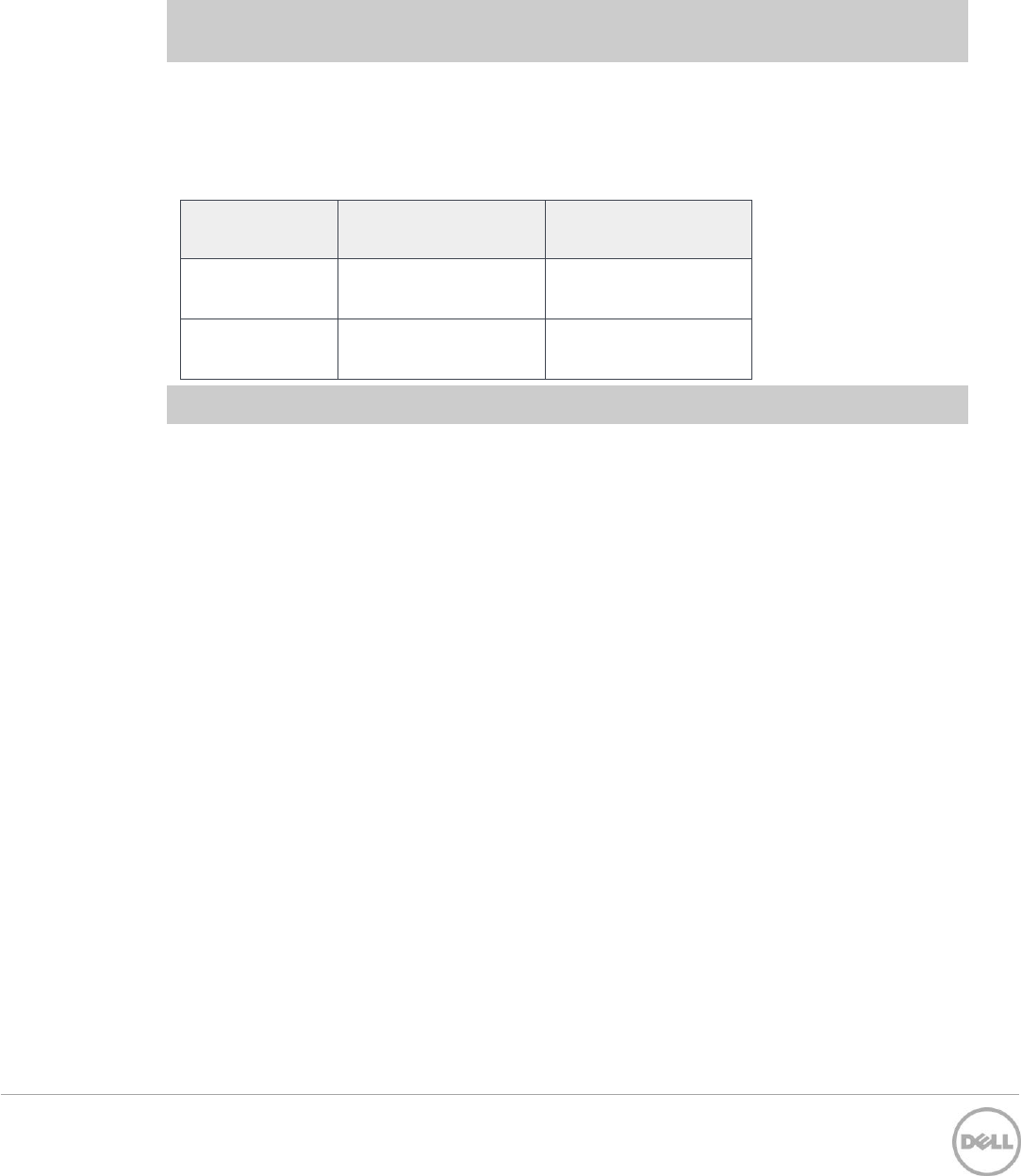
Table 17 Supported management software storage replication adapter support
SRA version
VMware version
supported
Notes
5.1
vSphere™ Client 5.0/
5.1/5.5
vCenter Server
5.0/5.1/5.5
Site Recovery Manager
(SRM) 5.1/5.5
Supported on 08.10.05.60 firmware
or later for the following storage
arrays: MD38xxi and MD38xxf
31 Dell™ PowerVault™ MD Series Support Matrix | A17
13 Supported operating systems
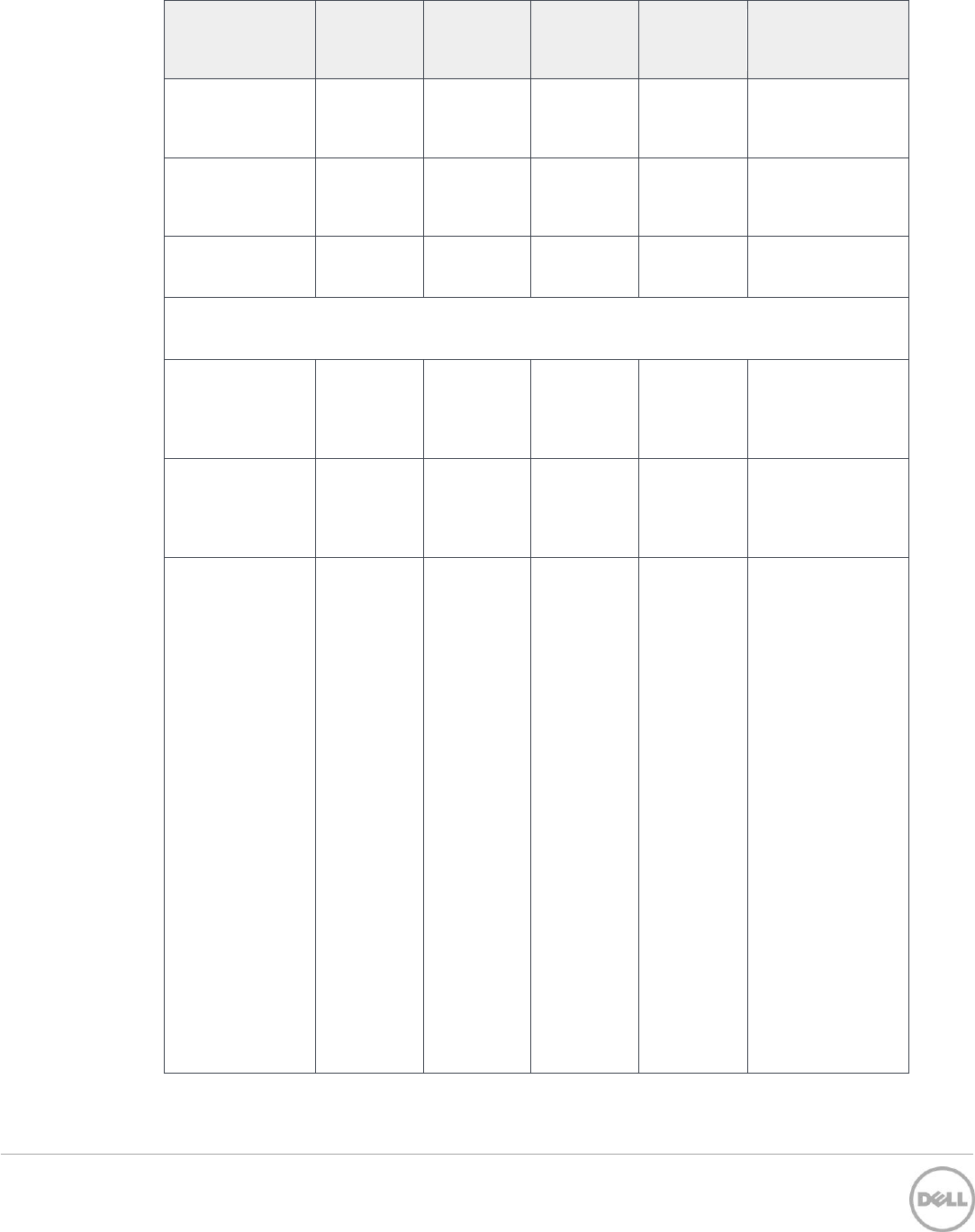
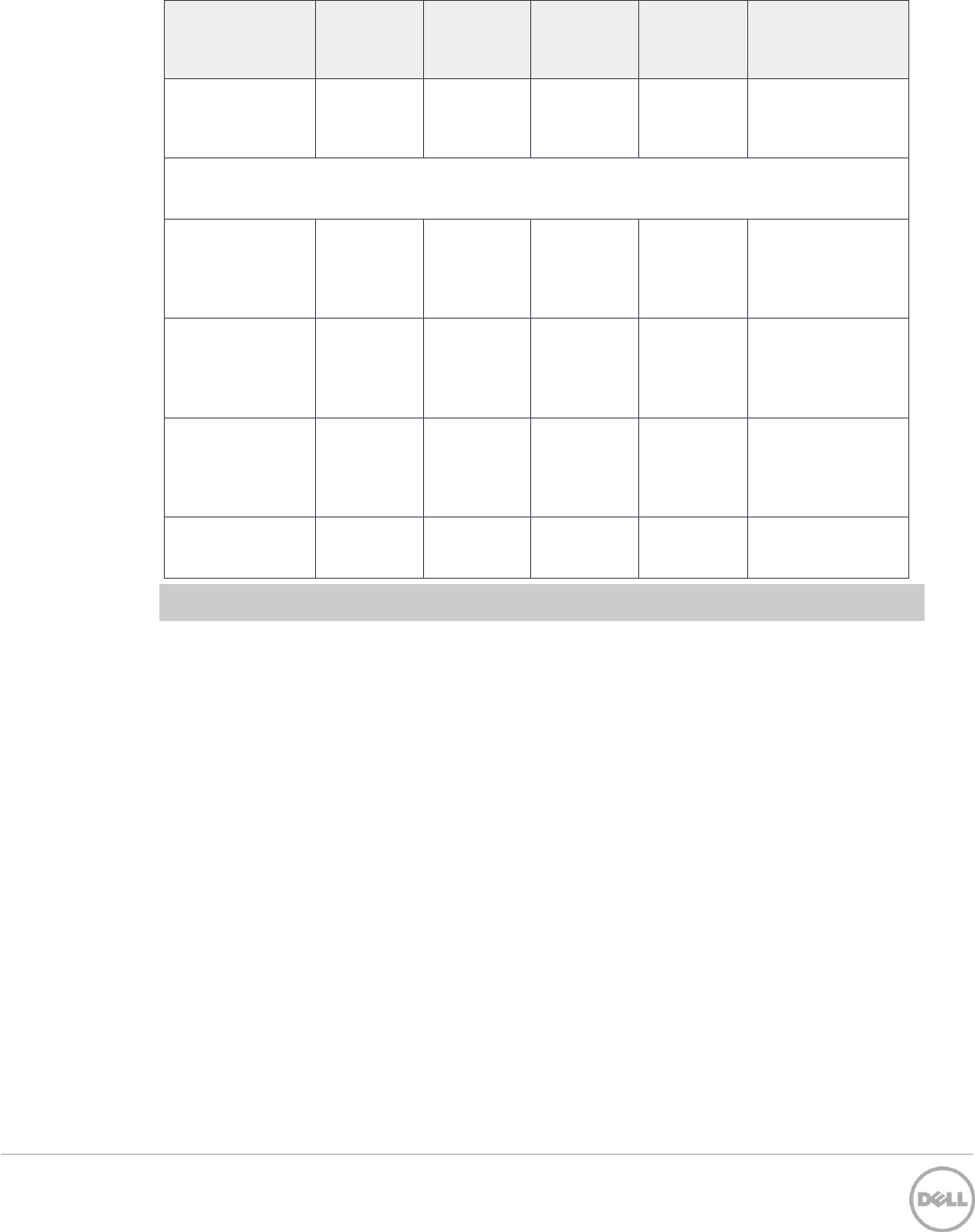
Where clustering is supported by the operating system, it is also supported on the PowerVault
MD34xx, MD38xxi, and MD38xxf series storage arrays, subject to the following limitations:
Windows Server 2008 R2 – Windows Server 2016
Maximum iSCSI nodes is 16
Maximum SAS nodes is 4
Maximum FC nodes is 16
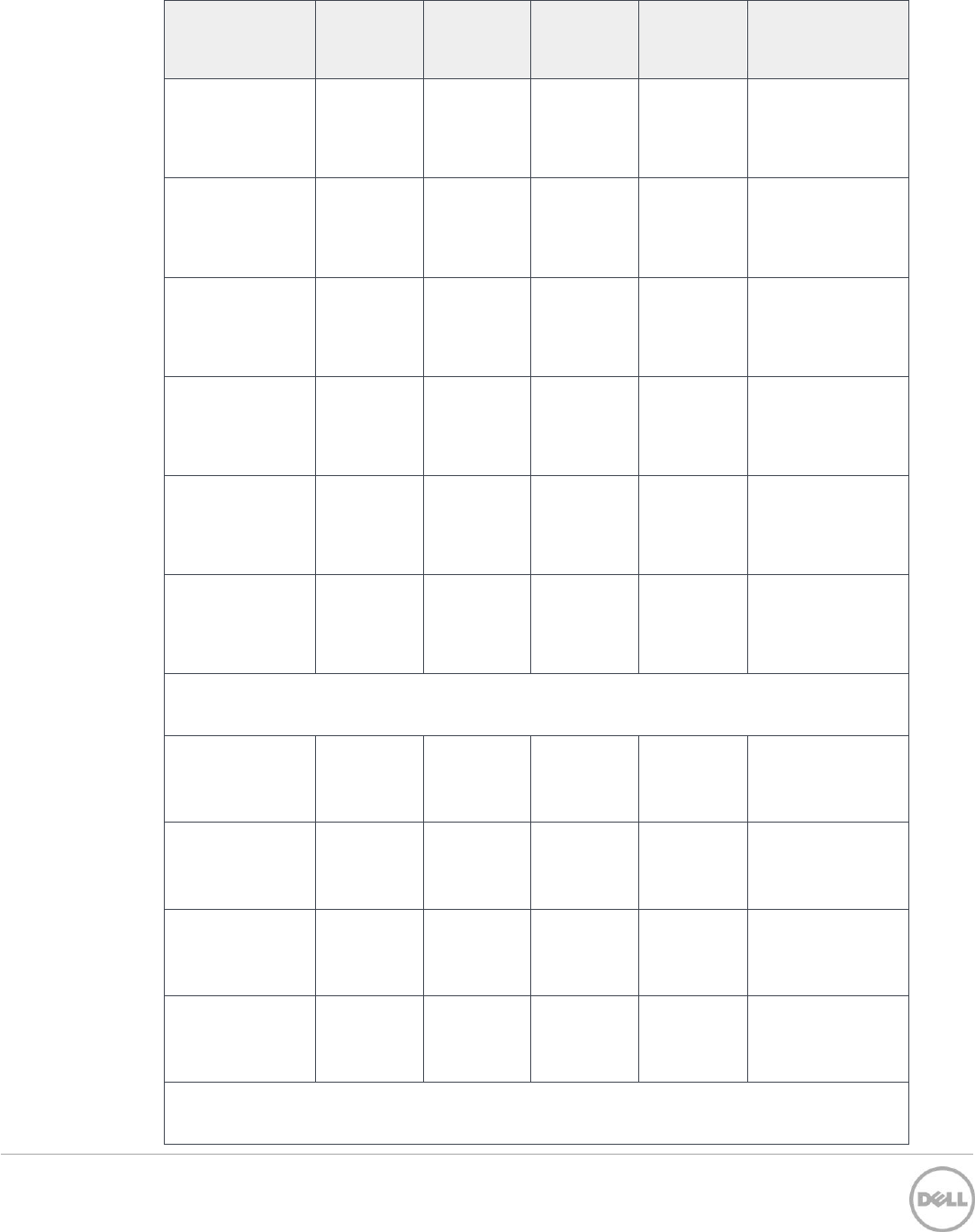
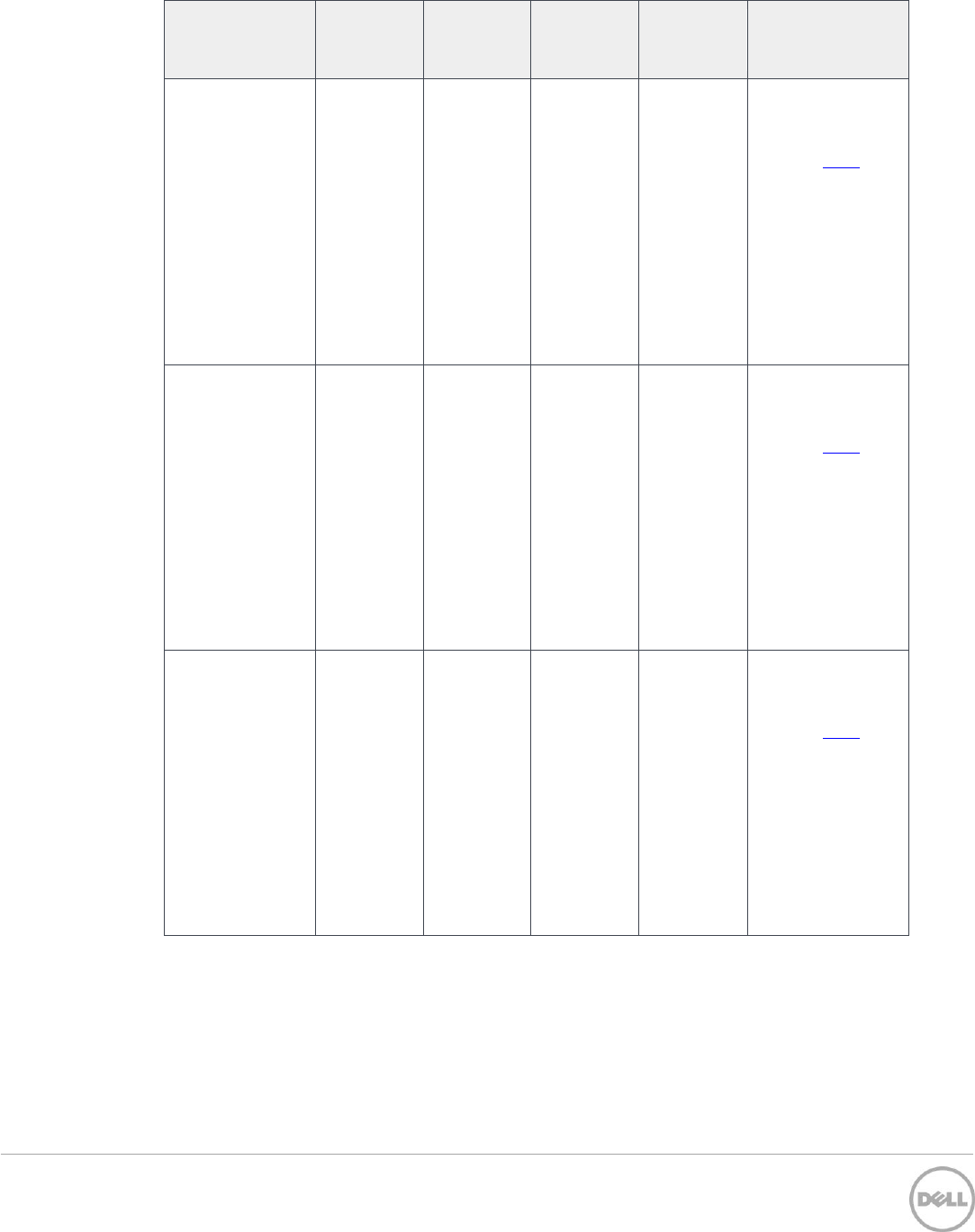
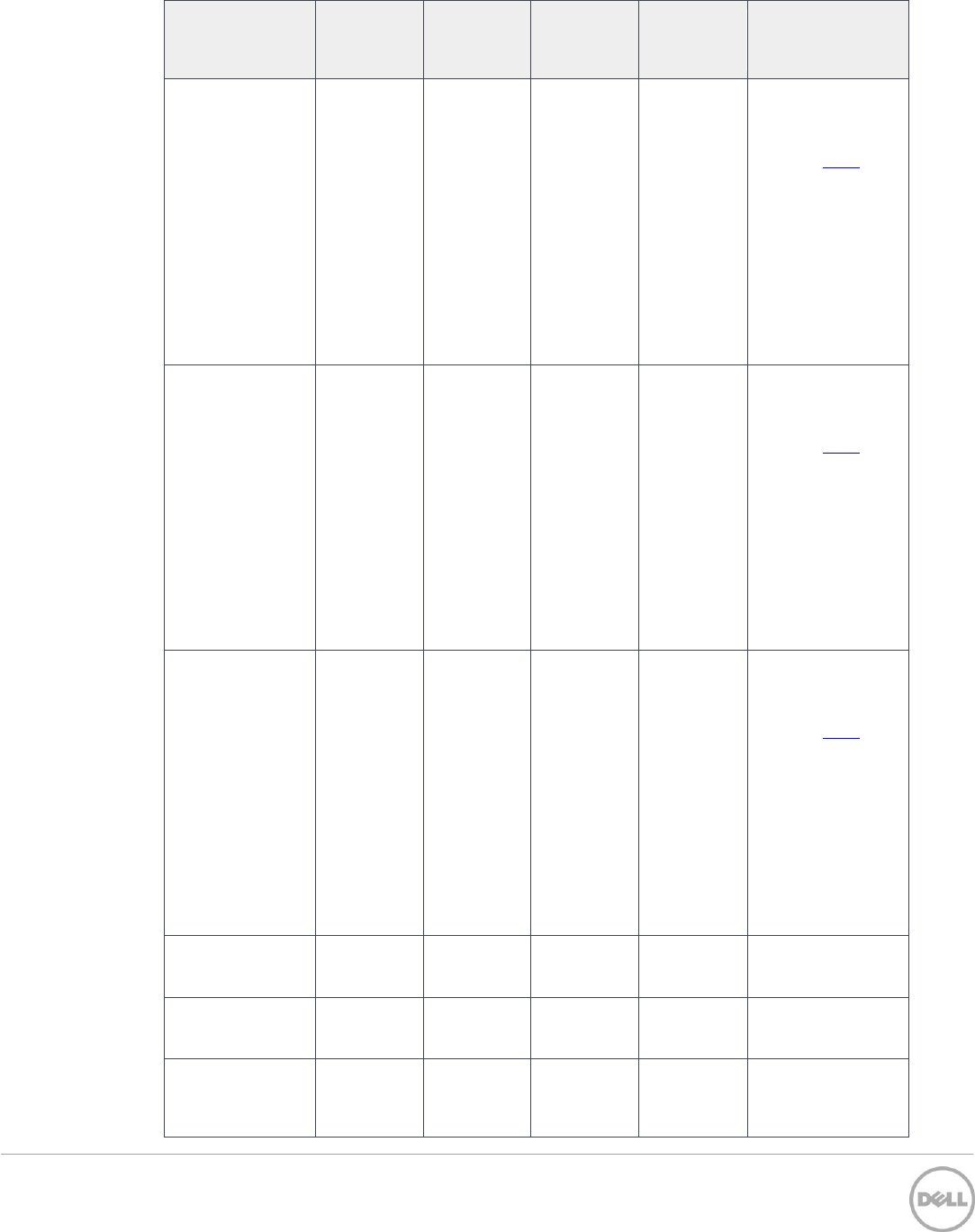
Table 18 Dell PowerVault MD-Series operating system support
Operating
System
Mgmt.
station
SAS host
server
iSCSI host
server
Fibre
Channel
host server
Notes & required
hotfixes
Windows Server 2016*
Standard server
Datacenter server
Windows Server 2012 R2 (U1)*
Standard server
and core
KB2966870
Datacenter server
and core
KB2966870
Foundation server
and core
KB2966870
Windows Server 2008 R2 SP1*
Windows 2008 R2
SP1 Standard and
Core
KB2522766
KB2637197
Windows 2008 R2
SP1 Enterprise
and Core
KB2522766
KB2637197
Windows 2008 R2
SP1 Data Center
and Core
KB2522766
KB2637197
Windows 2008 R2
SP1 Foundation
KB2522766
KB2637197
32 Dell™ PowerVault™ MD Series Support Matrix | A17
Operating
System
Mgmt.
station
SAS host
server
iSCSI host
server
Fibre
Channel
host server
Notes & required
hotfixes
Windows 2008 R2
SP1 Web and
Core
KB2522766
KB2637197
Windows 2008
Storage Server R2
SP1 all editions
KB2522766
KB2637197
Windows 2008 R2
SP1 HPC Server
KB2522766
KB2637197
Red Hat Enterprise Linux (RHEL)
Red Hat
Enterprise
Linux 7.3 (x64
only)
Basic Server install
(Minimum)
Red Hat
Enterprise
Linux 7.2 (x64
only)
Basic Server install
(Minimum)
Red Hat
Enterprise
Linux 7.1 (x64
only)
Basic Server install
(Minimum)
The Linux sg driver
has been disabled
by default in RHEL
7.1 and is required
for in-band
management. To
work around this,
manually run
modprobe sg or
add it to an init
script. After the
driver is loaded, in-
band management
will be available.
For more
information about
this issue, refer to
RHEL 7.1 Release
Notes issue
BZ#1186462.
33 Dell™ PowerVault™ MD Series Support Matrix | A17
Operating
System
Mgmt.
station
SAS host
server
iSCSI host
server
Fibre
Channel
host server
Notes & required
hotfixes
Red Hat
Enterprise
Linux 7 (x64
only)
Basic Server install
(Minimum)
Red Hat
Enterprise
Linux 6.9 (x64
only)
Basic Server install
(Minimum)
Red Hat
Enterprise
Linux 6.8 (x64
only)
Basic Server install
(Minimum)
Red Hat
Enterprise
Linux 6.7 (x64
only)
Basic Server install
(Minimum)
Red Hat
Enterprise
Linux 6.6 (x64
only)
Basic Server install
(Minimum)
Red Hat
Enterprise
Linux 6.5 (x64
only)
Basic Server install
(Minimum)
SUSE Linux Enterprise Server (SLES)
SUSE® Linux
Enterprise Server
12.2 (x64 only)
SUSE® Linux
Enterprise Server
12.1 (x64 only)
SUSE® Linux
Enterprise Server
12 (x64 only)
SUSE® Linux
Enterprise Server
11.4(x64 only)
Virtualization Hosts / Hypervisors
34 Dell™ PowerVault™ MD Series Support Matrix | A17
Operating
System
Mgmt.
station
SAS host
server
iSCSI host
server
Fibre
Channel
host server
Notes & required
hotfixes
VMware
vSphere 6.5
* For supported
array firmware
versions, see
VMware HCL
* Supported path
policies: MRU and
RR
* Direct attached
iSCSI connection is
not supported with
VMware vSphere
VMware
vSphere 6.0 (U3)
* For supported
array firmware
versions, see
VMware HCL
* Supported path
policies: MRU and
RR
* Direct attached
iSCSI connection is
not supported with
VMware vSphere
VMware
vSphere 6.0 (U2)
* For supported
array firmware
versions, see
VMware HCL
* Supported path
policies: MRU and
RR
* Direct attached
iSCSI connection is
not supported with
VMware vSphere
35 Dell™ PowerVault™ MD Series Support Matrix | A17
Operating
System
Mgmt.
station
SAS host
server
iSCSI host
server
Fibre
Channel
host server
Notes & required
hotfixes
VMware
vSphere 6.0 (U1)
* For supported
array firmware
versions, see
VMware HCL
*Supported path
policies: MRU and
RR
* Direct attached
iSCSI connection is
not supported with
VMware vSphere
VMware
vSphere 5.5 (U3)
* For supported
array firmware
versions, see
VMware HCL
*Supported path
policies: MRU and
RR
* Direct attached
iSCSI connection is
not supported with
VMware vSphere
VMware
vSphere 5.1 (U3)
* For supported
array firmware
versions, see
VMware HCL
*Supported path
policies: MRU and
RR
* Direct attached
iSCSI connection is
not supported with
VMware vSphere
Microsoft Hyper-V
Server 2016
Microsoft Hyper-V
Server 2012 R2
Microsoft Hyper-
V Server 2008 R2
SP1
36 Dell™ PowerVault™ MD Series Support Matrix | A17
Operating
System
Mgmt.
station
SAS host
server
iSCSI host
server
Fibre
Channel
host server
Notes & required
hotfixes
Windows Server
2008 R2 SP1 with
Hyper-V
Windows Desktop Operating Systems
Windows 10 (x64
only)
Pro
Enterprise
Windows 8.1
(x64 only)
Pro
Enterprise
Windows 8 (x64
only)
Pro
Enterprise
Windows 7 (x86,
x64)
*Note: Core editions of Windows server can manage only storage arrays by using the SMcli client.

37 Dell™ PowerVault™ MD Series Support Matrix | A17
14 Windows ODX support
The MD34XX or MD38XX Series Storage Arrays support Windows ODX for Windows Server 2012
R2 or later.
Note: ODX is disabled by default and must be enabled using an SMcli command. For more
information, see the Dell PowerVault MD 34XX/38XX Series Storage Arrays CLI Guide at
Dell.com/support.

38 Dell™ PowerVault™ MD Series Support Matrix | A17
15 ALUA support on supported host operating systems
The following operating systems supported by your Dell PowerVault MD Series storage arrays support
ALUA natively. Configuration steps are not required to enable ALUA on these operating systems.
Microsoft Windows 2008R2 SP1 and later
Microsoft Windows Server 2012 R2 and later
Microsoft Windows 2016 and later
Red Hat Enterprise Linux 6.5 and later
SUSE Linux Enterprise Server 11 with Service Pack 4 and later
VMware vSphere ESXi 5.1 and later
For more information about the ALUA configuration, see the MD Series Administrator’s Guide
available at Dell.com/support.
39 Dell™ PowerVault™ MD Series Support Matrix | A17
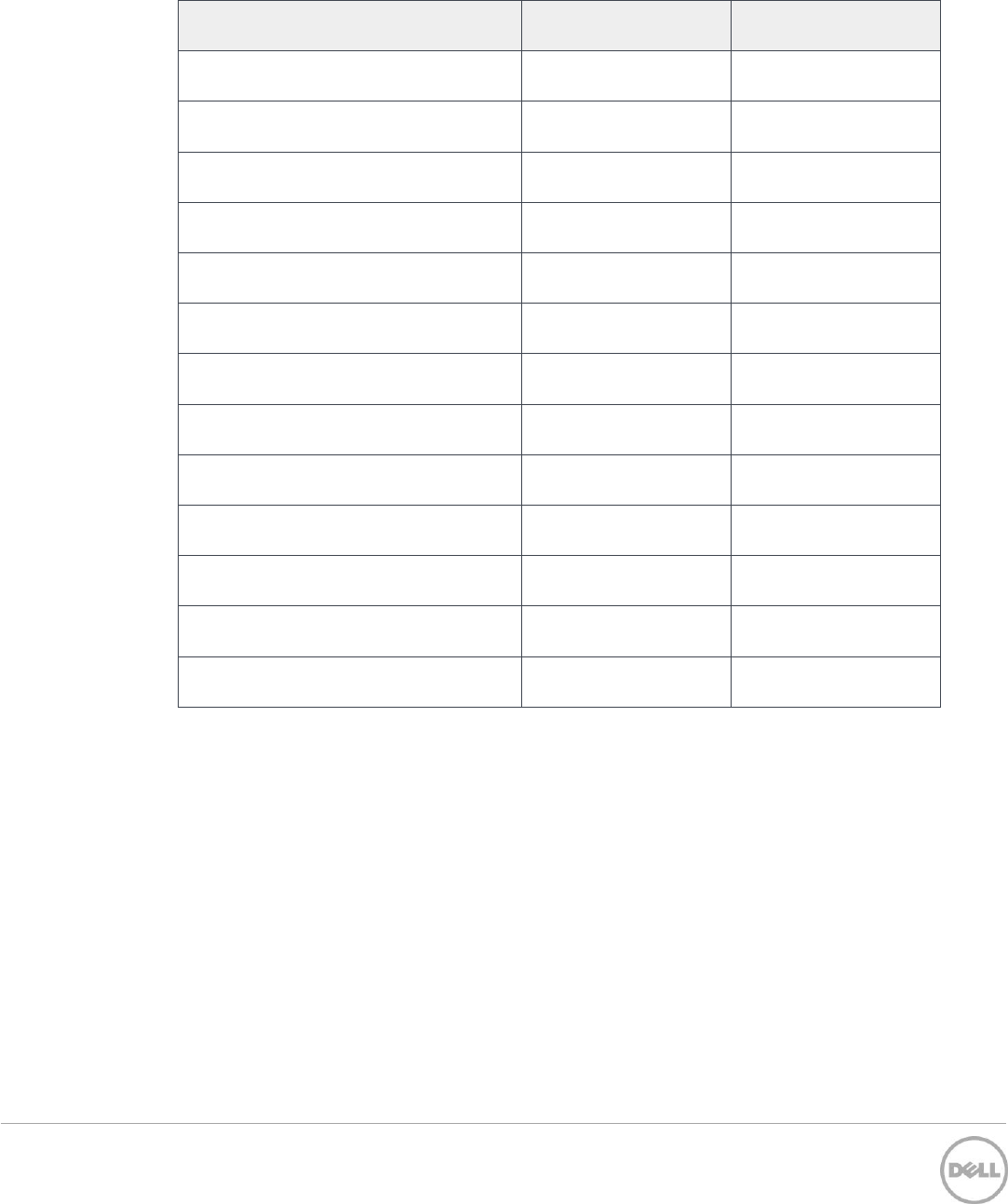
16 Supported device mapper software
Table 19 Supported device mapper software
Operating system
Component
Supported Version
SUSE Linux Enterprise Server 12.2
Native
Native
SUSE Linux Enterprise Server 12.1
Native
Native
SUSE Linux Enterprise Server 12
Native
Native
SUSE Linux Enterprise Server 11.4
Native
Native
Red Hat Enterprise Linux 7.3
Native
Native
Red Hat Enterprise Linux 7.2
Native
Native
Red Hat Enterprise Linux 7.1
Native
Native
Red Hat Enterprise Linux 7
Native
Native
Red Hat Enterprise Linux 6.9
Native
Native
Red Hat Enterprise Linux 6.8
Native
Native
Red Hat Enterprise Linux 6.7
Native
Native
Red Hat Enterprise Linux 6.6
Native
Native
Red Hat Enterprise Linux 6.5
Native
Native
40 Dell™ PowerVault™ MD Series Support Matrix | A17
17 Supported SAS host bus adapters
Go to Dell.com/support to download the latest supported version of the 12Gbps SAS HBA firmware
and drivers for your specific server hardware platform.
Note: The LSI 9300-8e HBA is compatible with all Dell PowerEdge 11th, 12th, and 13th generation
servers that have a PCI Express (PCIe) x8 slot.
Warning: Do not connect the SAS HBA cables to the connectors on a Dell PowerEdge 11th and 12th
generation servers, when the servers are powered on. The cables may be difficult to insert into the
HBA connectors and might need some manipulation.
Table 20 Supported 12Gbps SAS HBAs
Vendor
Model
Dell P/N
LSI
9300-8e
156NC
J91FN
Dell
12 Gbps SAS HBA
T93GD (Low profile)
2PHG9 (Full profile)
Note: The Dell 12Gbps SAS HBA is only supported in Dell PowerEdge 13th generation servers.
41 Dell™ PowerVault™ MD Series Support Matrix | A17
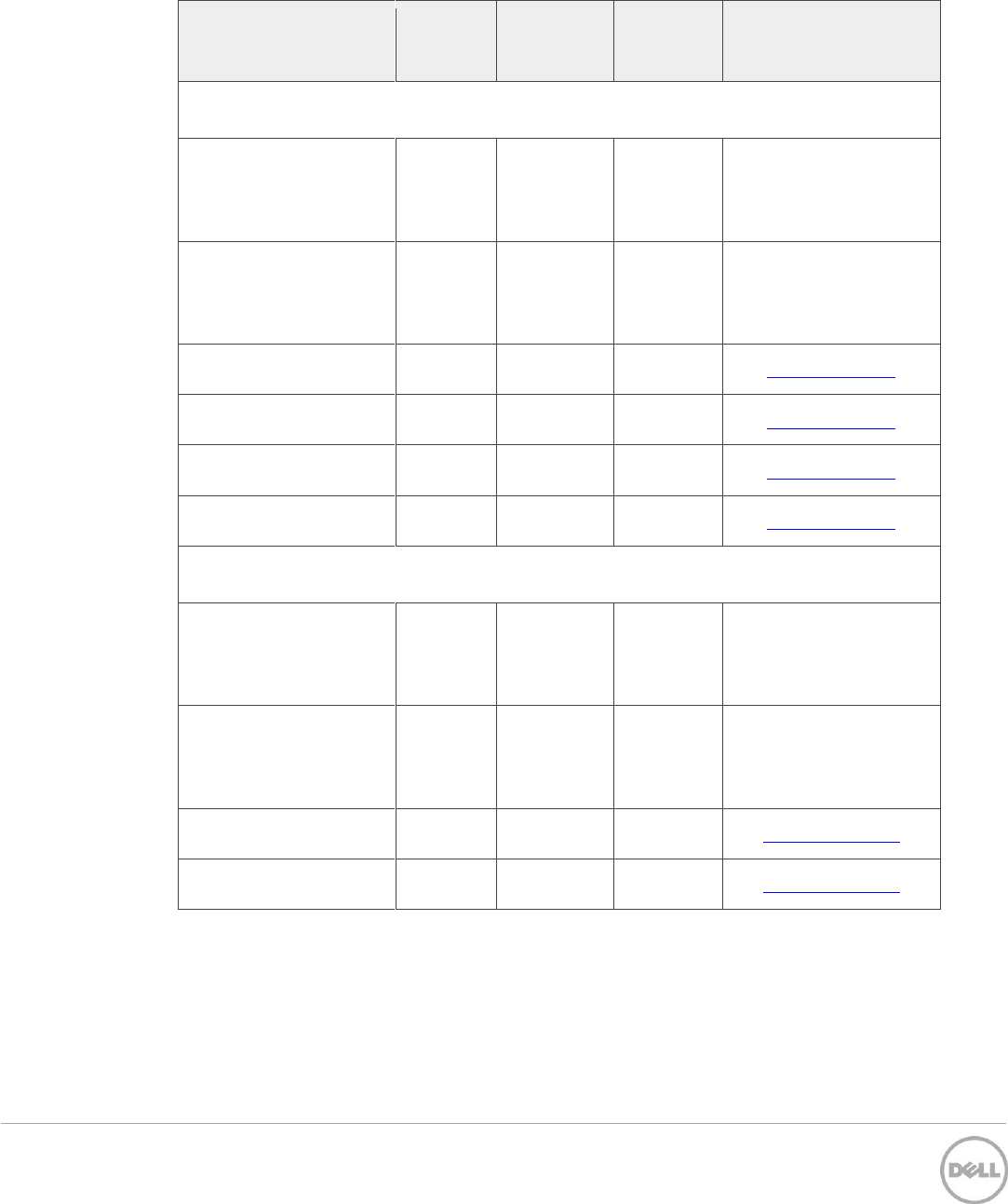
18 Supported Fibre Channel host bus adapters
Table 21 Supported Fibre Channel HBAs
Host bus adapter name
Direct-
attach
config**
Fabric
config
Dell P/N
Available from
Qlogic*
QLE2660
0187V
TC40H
(low-
profile)
Dell
QLE2662
9J1RG
7JKH4
(low-
profile)
Dell
QLE2670
www.qlogic.com
QLE2672
www.qlogic.com
QLE2560
www.qlogic.com
QLE2562
www.qlogic.com
Emulex*
LPe16000
W12YJ
XRNN5
(low-
profile)
Dell
LPe16002
4G6WF
HD2MG
(low-
profile)
Dell
LPe 12000
www.emulex.com
LPe 12002
www.emulex.com
* See Required timeout settings for Fibre Channel host bus adapters for required timeout settings by
manufacturer.
**Only certain OSs support direct attach configurations. See Supported Fibre Channel direct-attach
configuration operating systems for detailed list

42 Dell™ PowerVault™ MD Series Support Matrix | A17
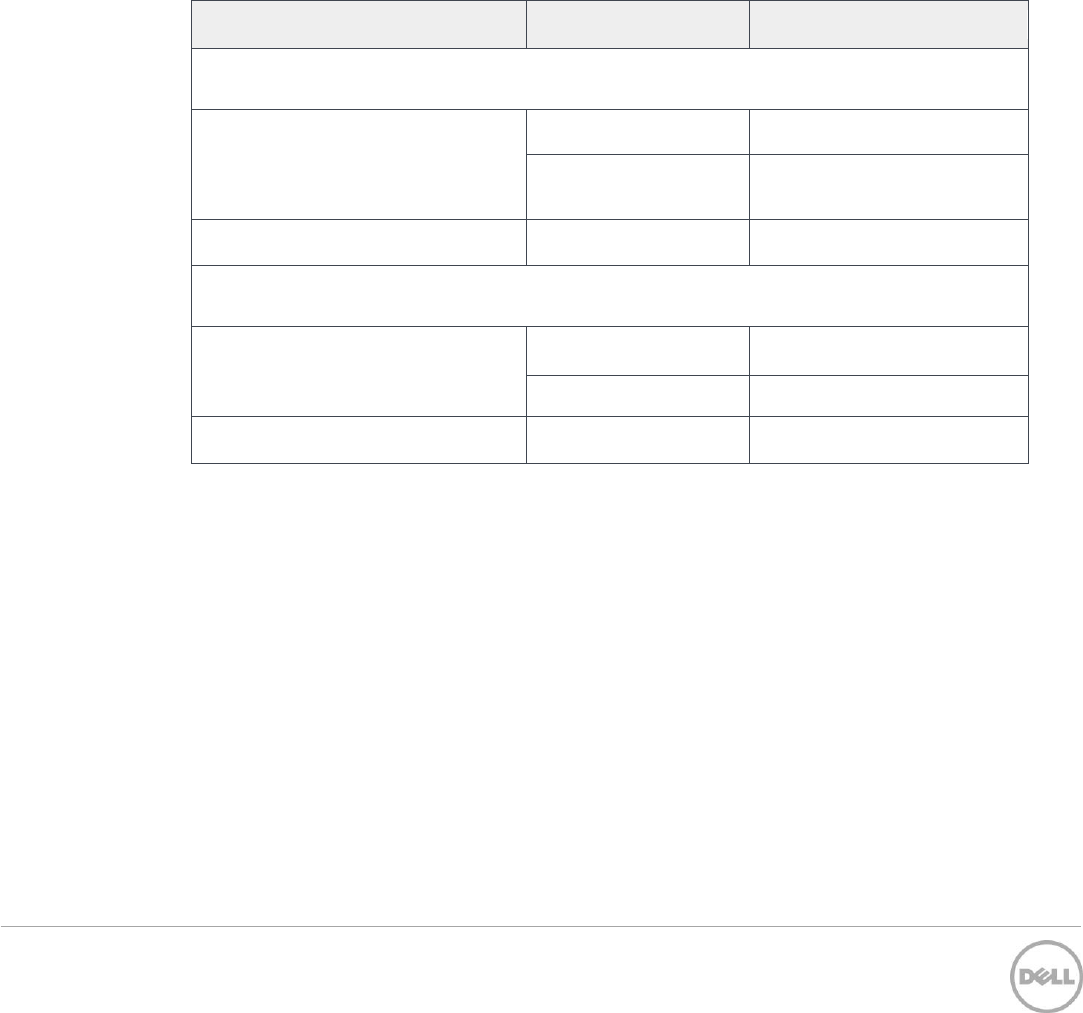
19 Supported Fibre Channel direct-attach configuration
operating systems
This solution supports the following list of direct-attached configuration operating systems.
Microsoft Windows Server 2016
Microsoft Windows Server 2012 R2
Microsoft Windows Server 2008 R2 SP1
Red Hat Enterprise Linux 7.0 or later
Red Hat Enterprise Linux 6.5 or later
SUSE Linux Enterprise Server 12.0 or later
VMware vSphere 5.5 (U3) or later
VMware vSphere 6.0 or later
VMware vSphere 6.5 or later
43 Dell™ PowerVault™ MD Series Support Matrix | A17
20 Required timeout settings for Fibre Channel host bus
adapters
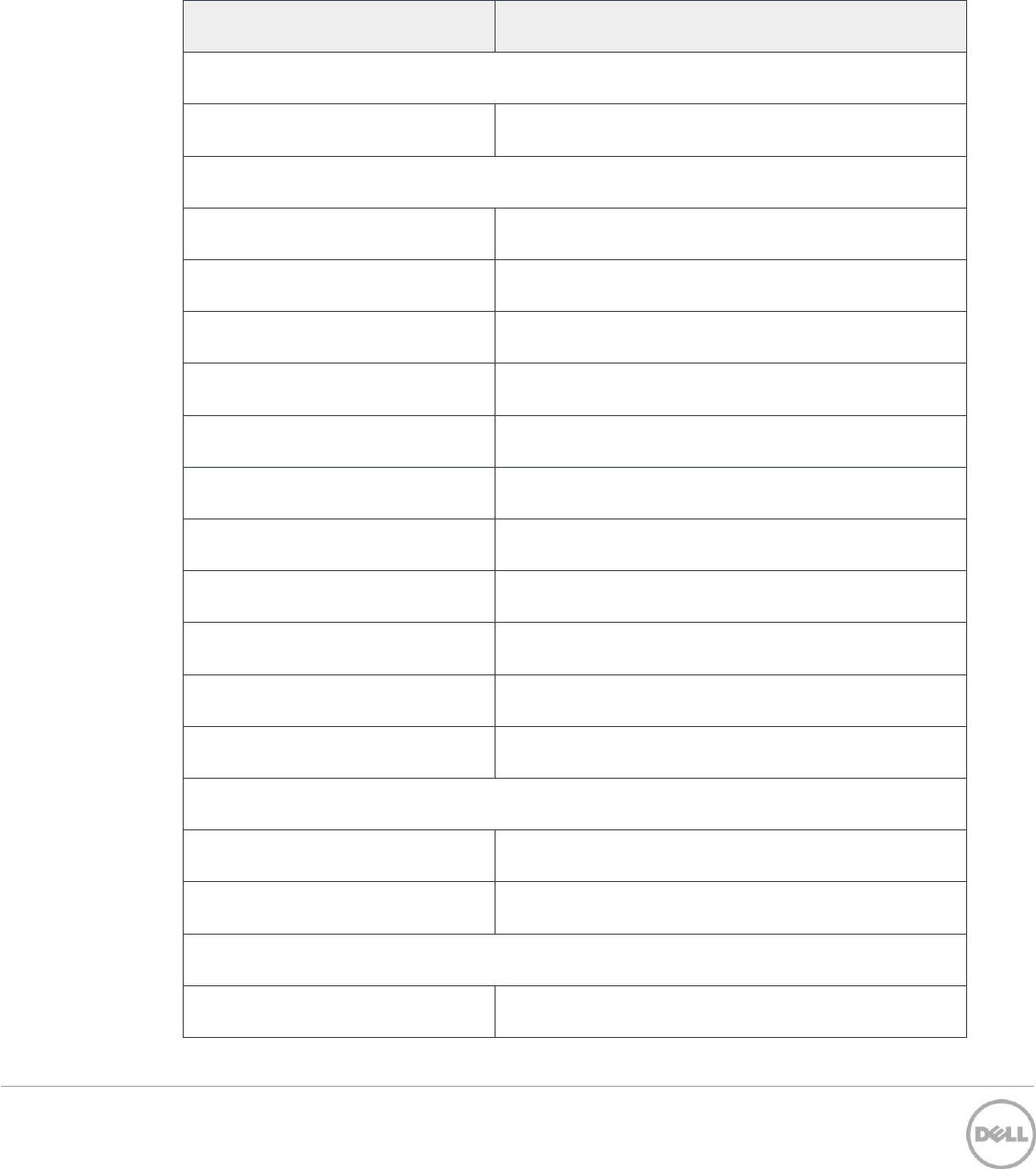
Table 22 shows required timeout settings for all Dell-supported Fibre Channel (FC) HBAs, by
manufacturer, and OS. Ensure that any FC HBA connected to your PowerVault MD3860f storage array
has these timeout values set as listed in Table 22.
Use one of these manufacturer utilities to set these values on your HBA:
Emulex® HBAnyware® or OneCommand™ Manager
QLogic SANsurfer FC HBA Manager
Table 22 Fibre Channel HBA timeout values (by Manufacturer)
HBA manufacturer
Timeout rarameter
Required value (in seconds)
Qlogic
Windows Server 2008 R2 SP1
LinkDownTimeout
10
PortDownRetryCount
10
Linux only
qlport_down_retry
10
Emulex
Windows only
LinkTimeout
10
NodeTimeout
10
Linux only
lpfc_devloss_tmo
10
44 Dell™ PowerVault™ MD Series Support Matrix | A17
21 Supported fibre channel switches
Supported only on Fibre Channel (FC) storage arrays running the most current RAID firmware
versions.
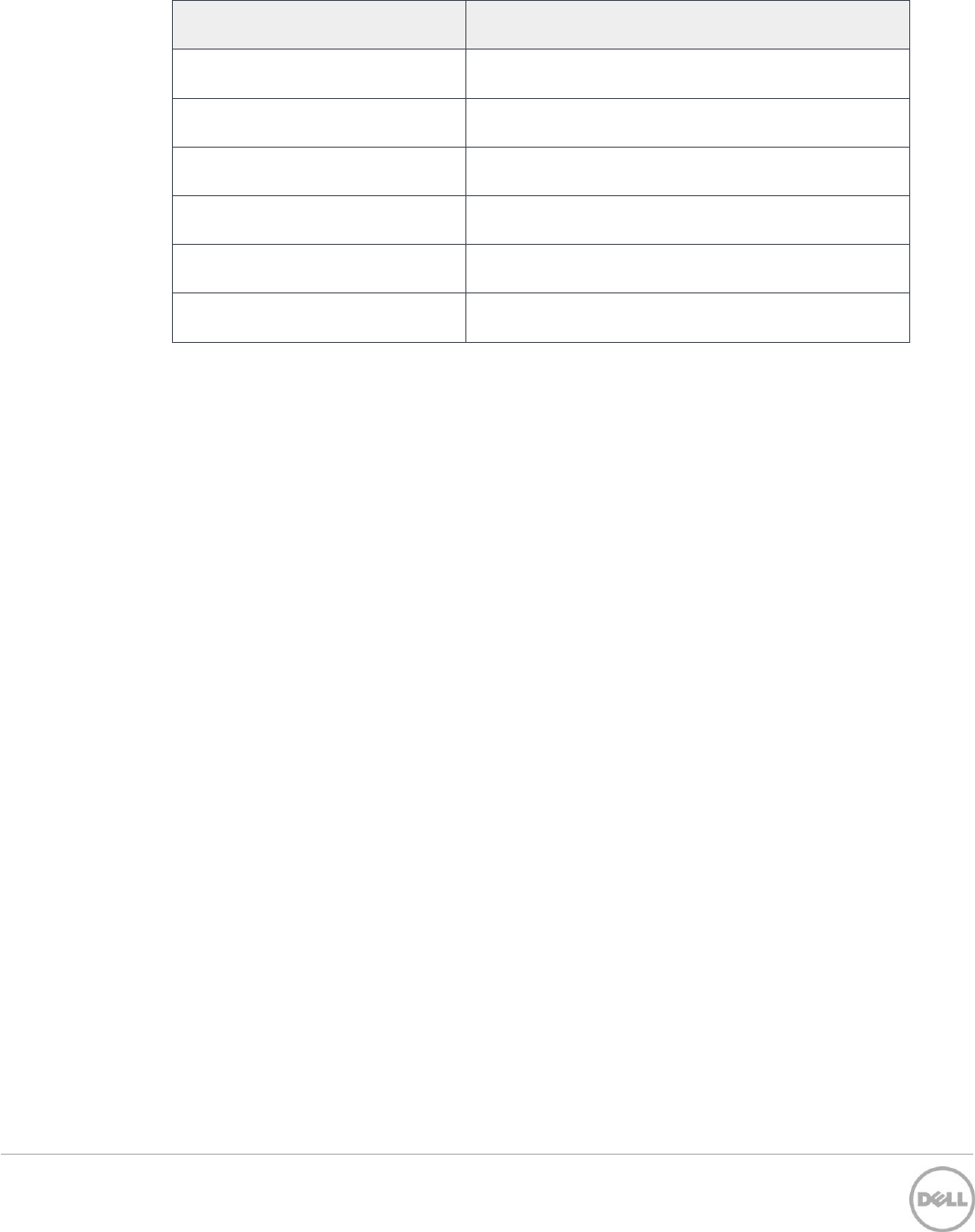
Table 23 Supported Fibre Channel switches
Switches
Description
Dell
S5000
48 port unified switch
Brocade
300
8 Gbps 24 port FC switch
5100
8 Gbps 40 port FC switch
5300
8 Gbps 80 port FC switch
8000
8 Gbps 8 port FC switch
6505
16 Gpbs 24 port FC switch
6510
16 Gpbs 48 port FC switch
6520
16 Gpbs 96 port FC switch
DCX
Director class switch chassis
DCX-4S
Director class switch chassis
48000
Director class switch chassis
DCX8510-x
Director class switch chassis
Qlogic SANbox
3800
8 Gbps 8 port FC switch
5800
8 Gbps scalable up to 120 ports FC switch stack
Cisco
Nexus 5548UP
8 Gbps 48 port FC switch
45 Dell™ PowerVault™ MD Series Support Matrix | A17
Switches
Description
Nexus 5596UP
8 Gbps 96 port FC switch
9148
8 Gbps 48 port FC switch
9506
8 Gbps 192 port FC switch
9509
8 Gbps 48 port FC switch
9513
8 Gbps 528 port FC switch
9710
Director class switch chassis
