2018 Man Robot Instructions
User Manual:
Open the PDF directly: View PDF  .
.
Page Count: 28
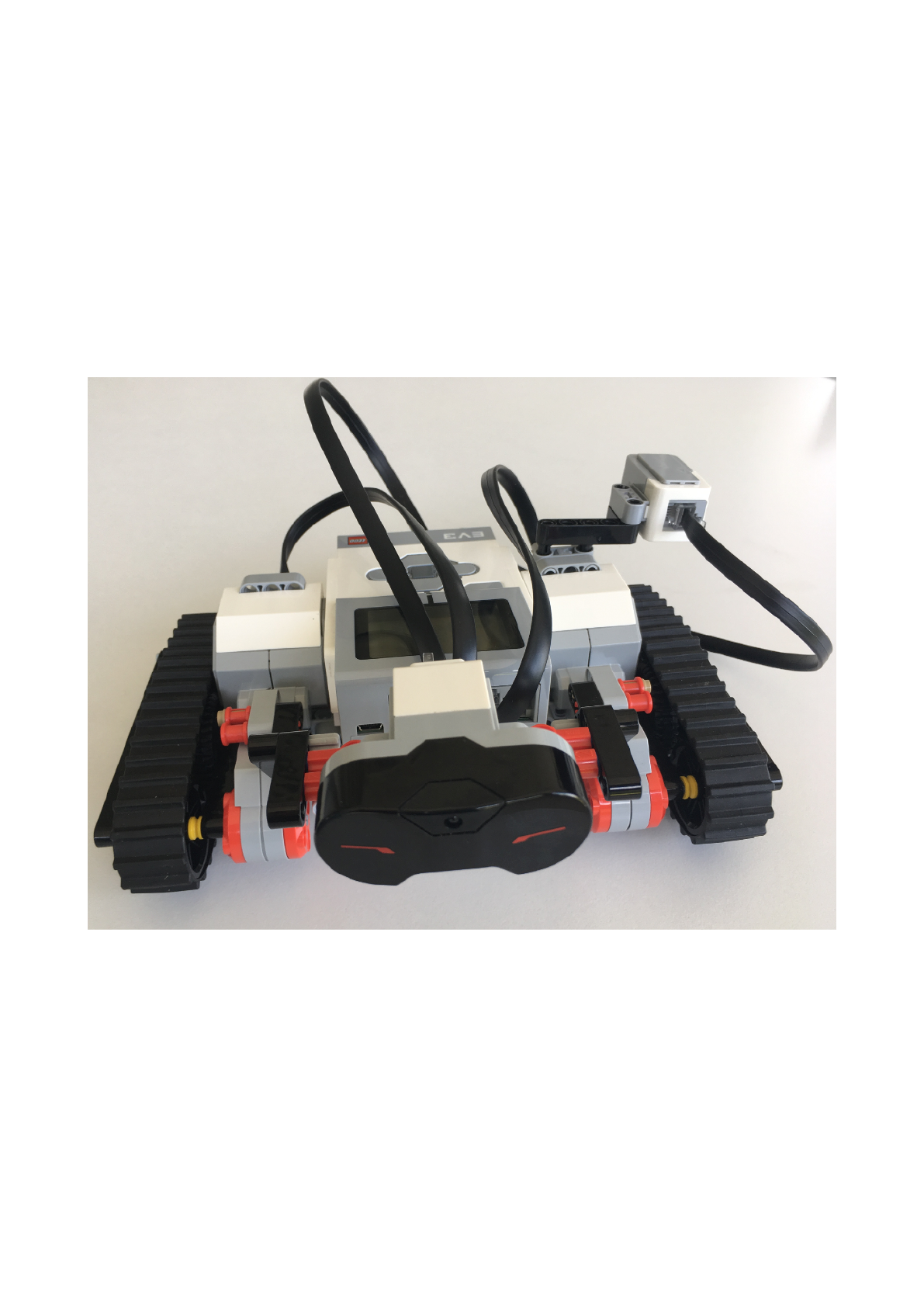
MAN4Kids : ManRobot
instructions
by
Miro Wengner
Brian Porter
!

content :
1. Assemble part
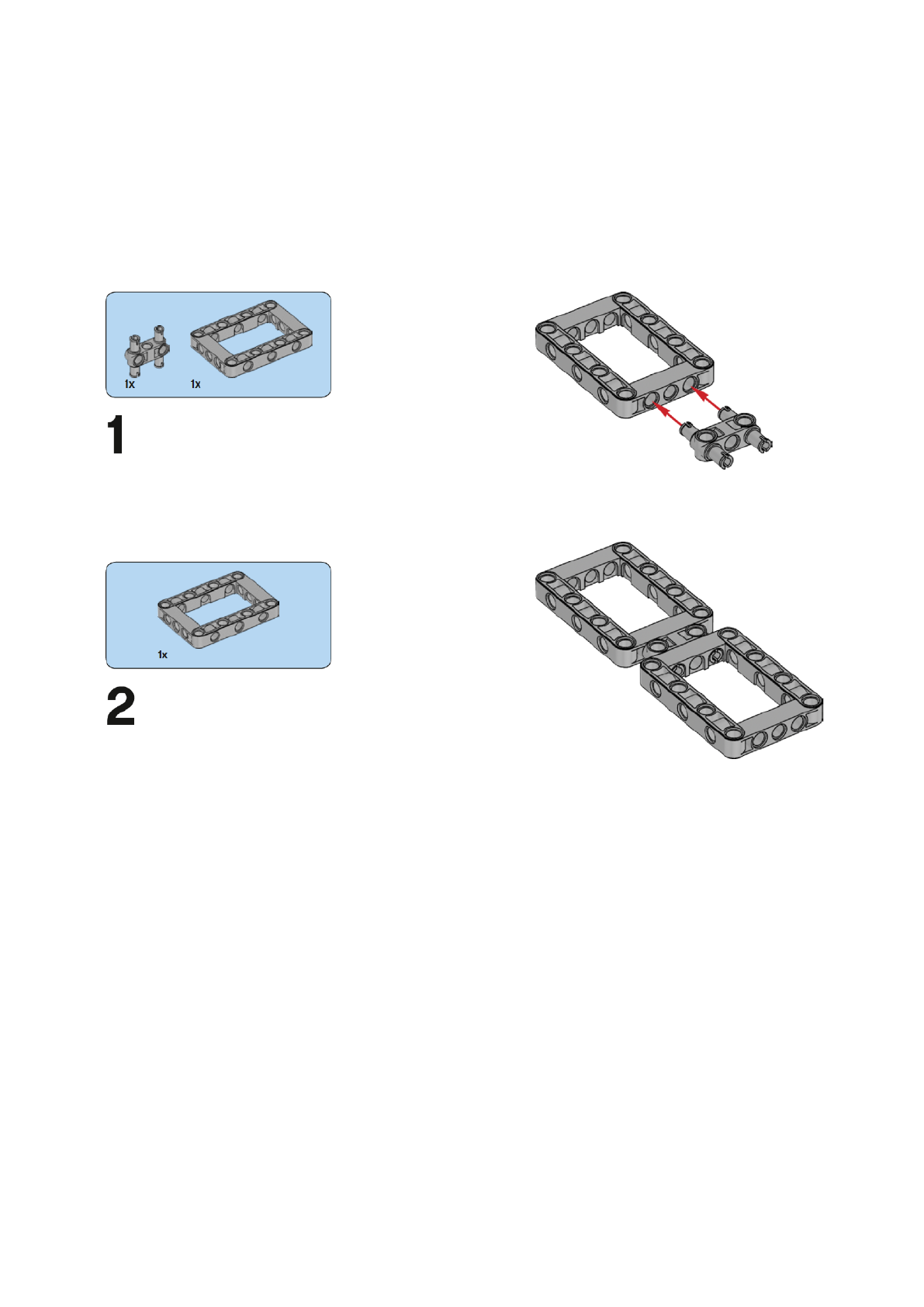
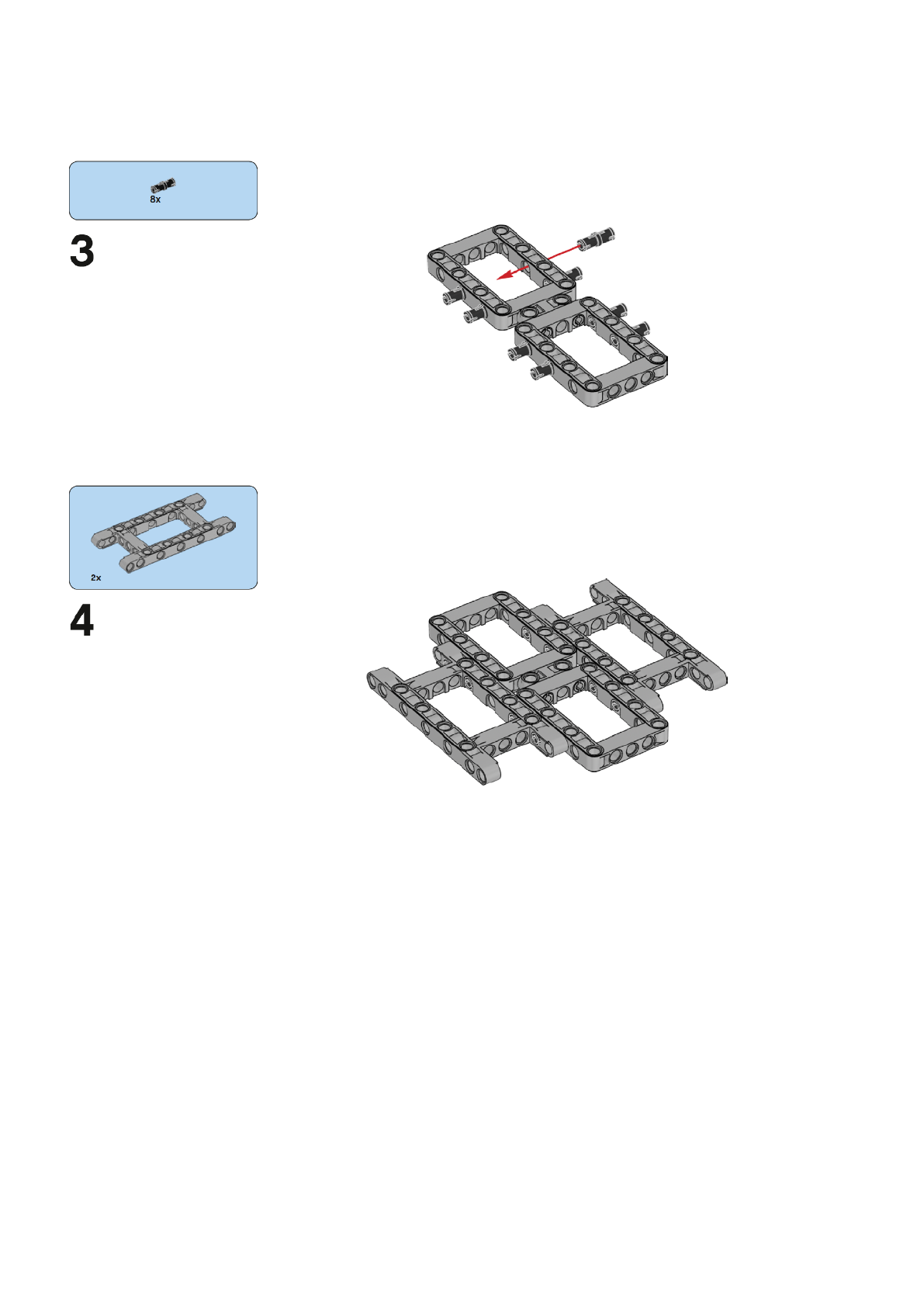
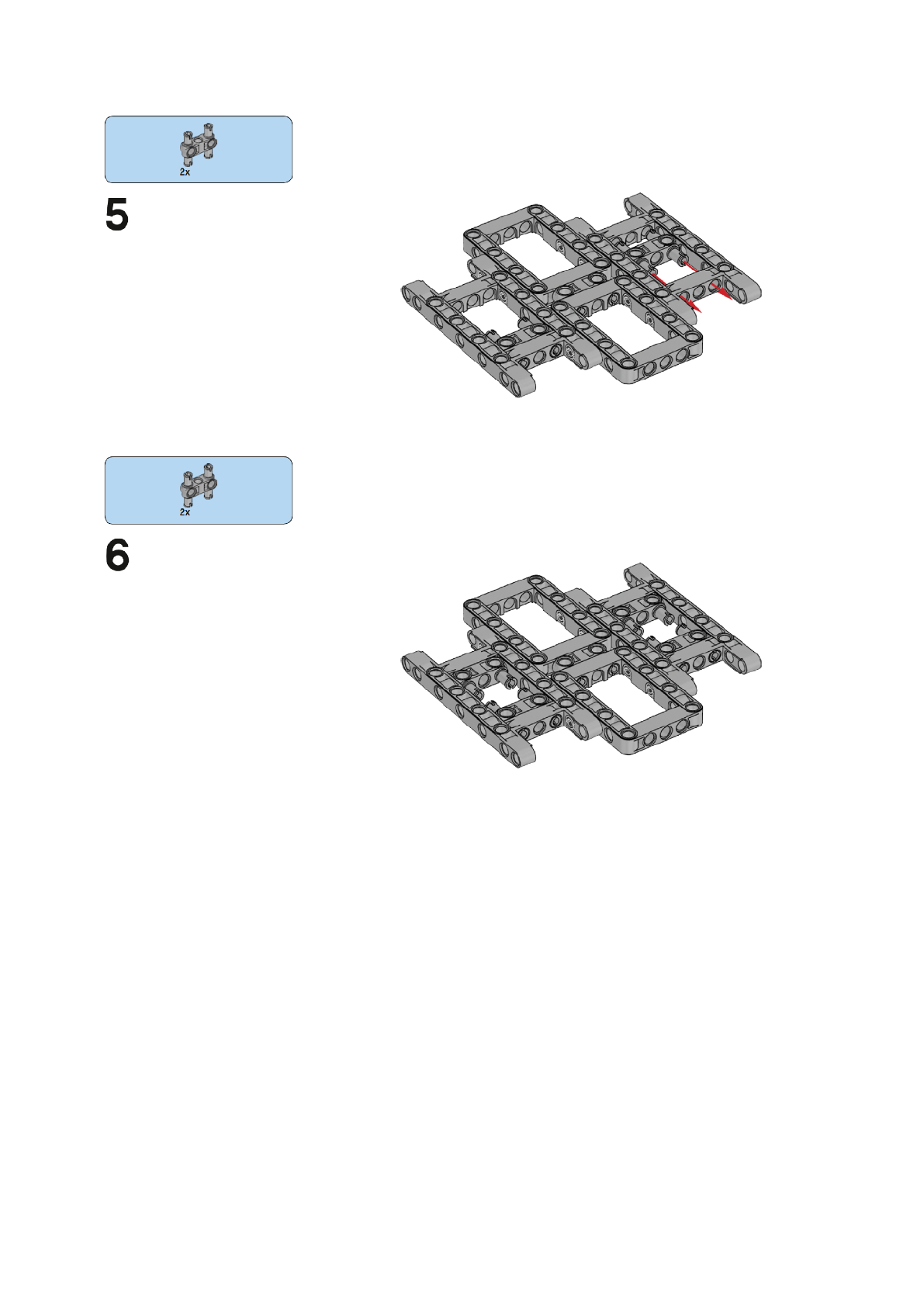
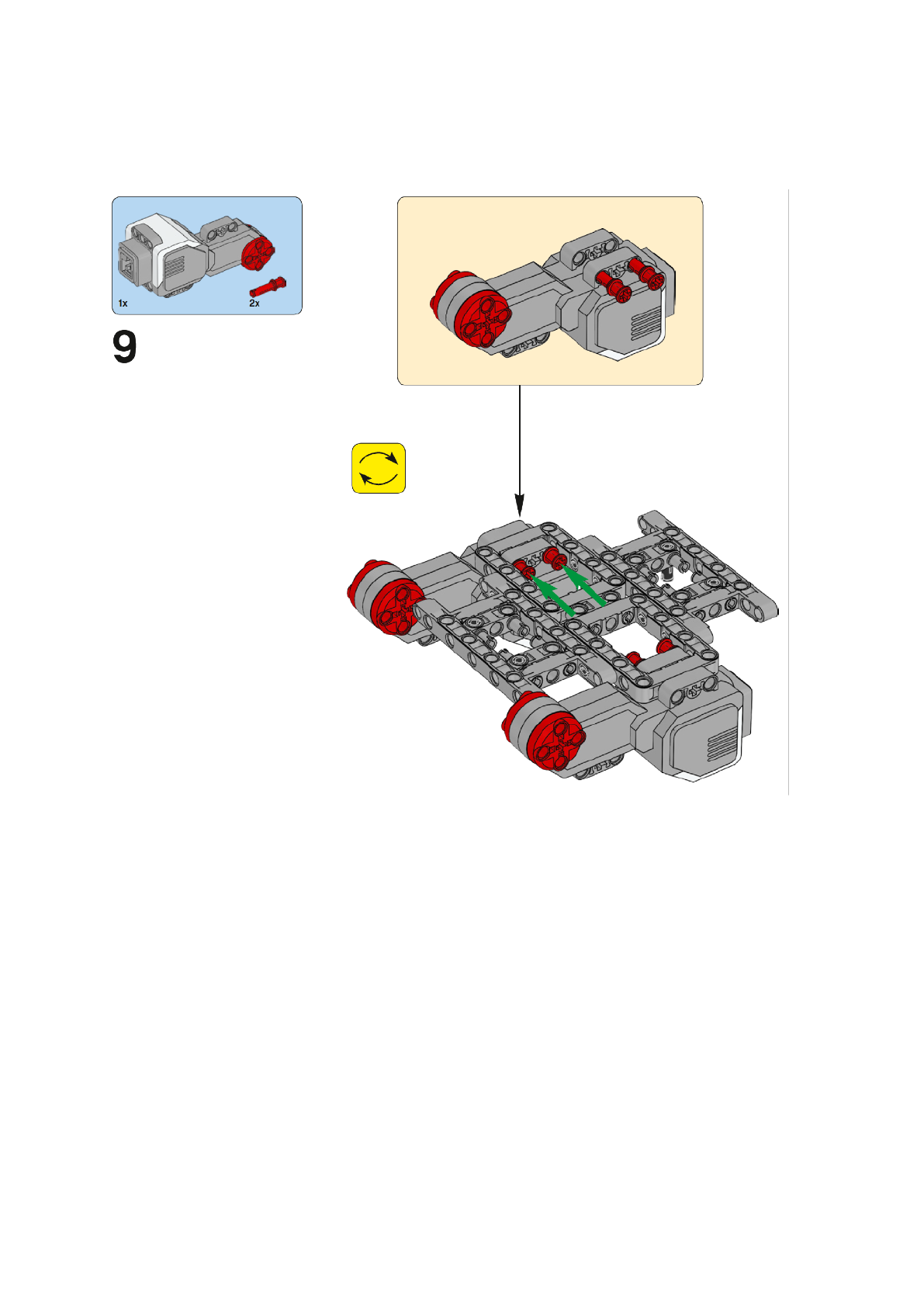
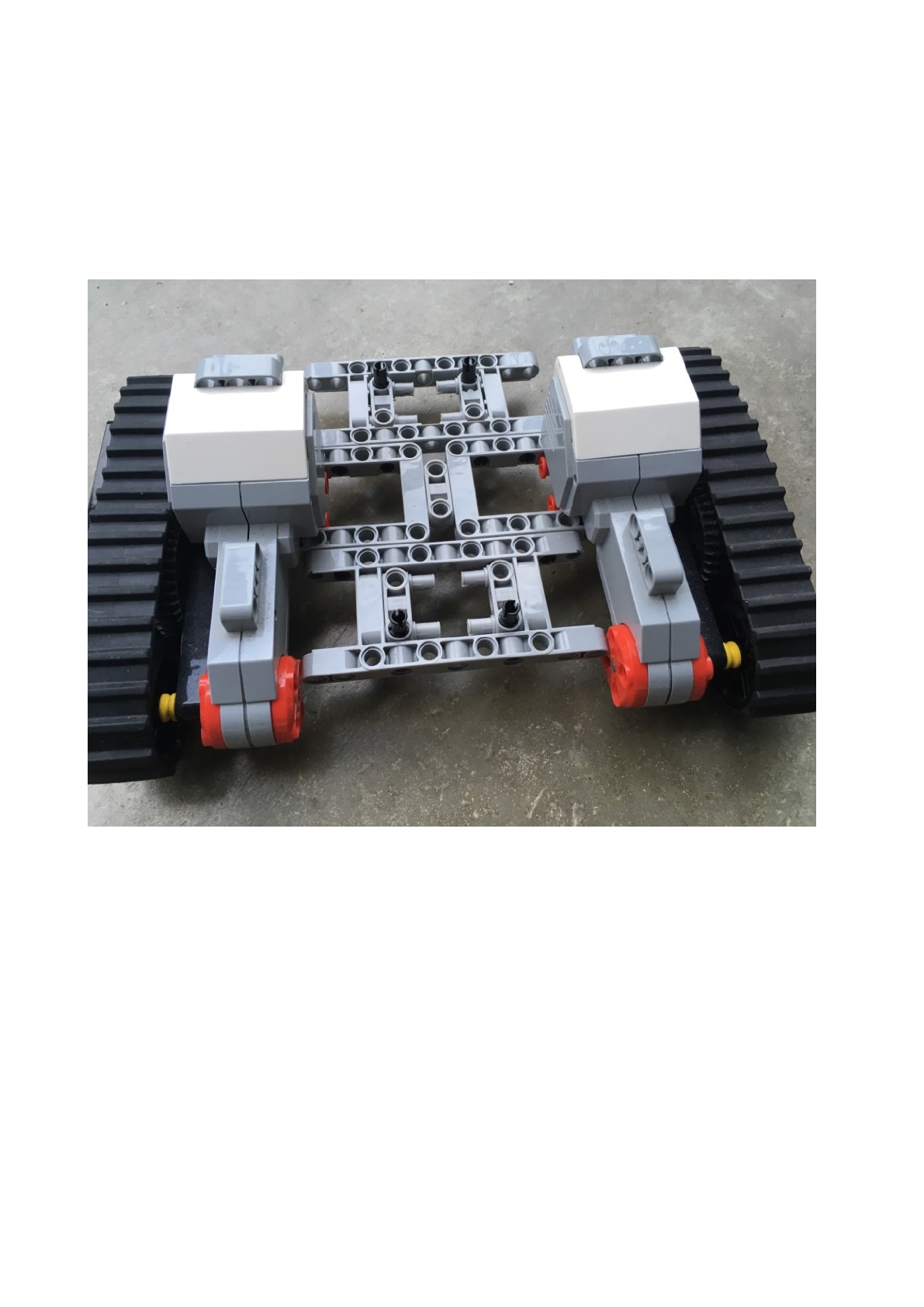
Robot Number42: platform with strips!
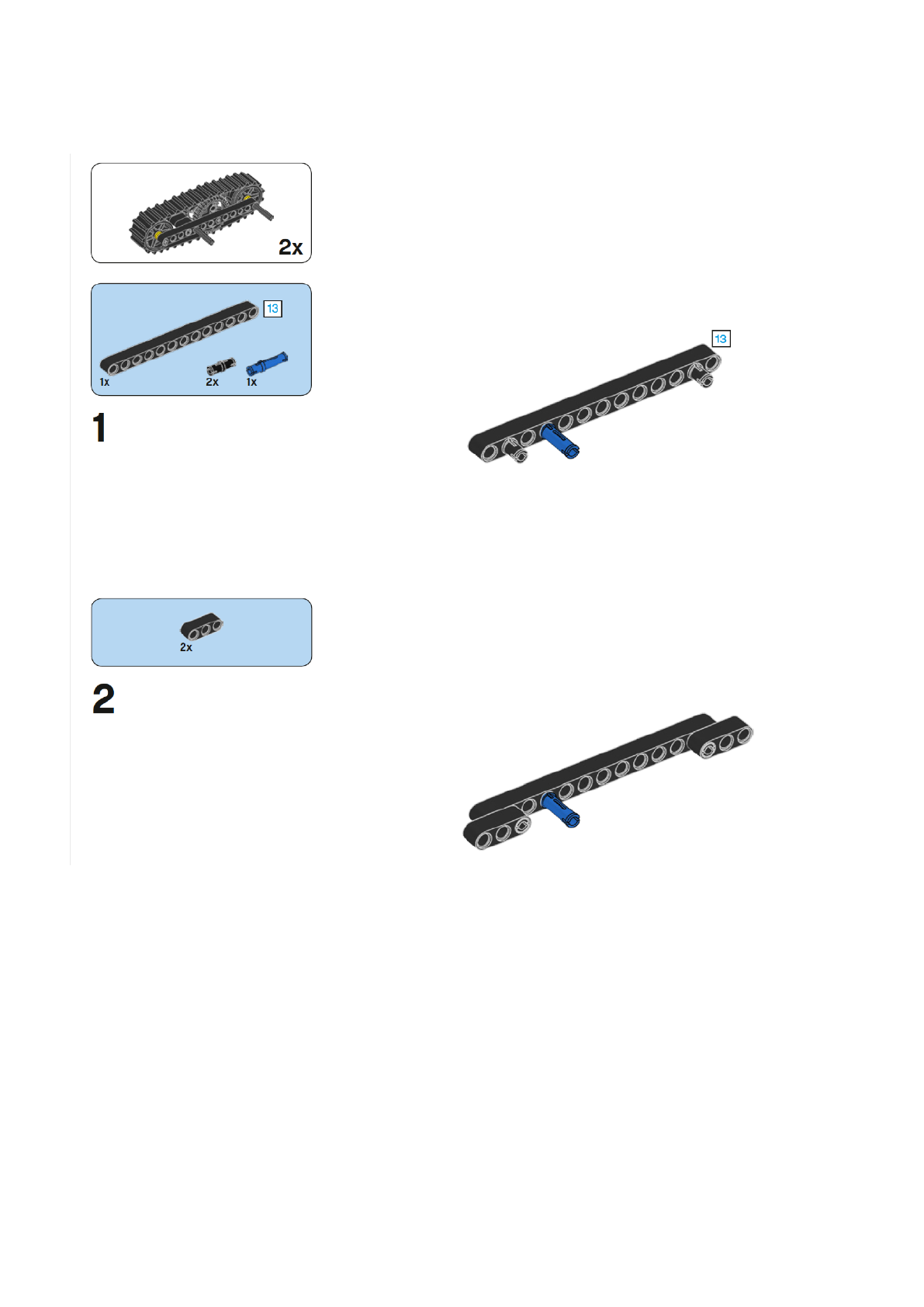
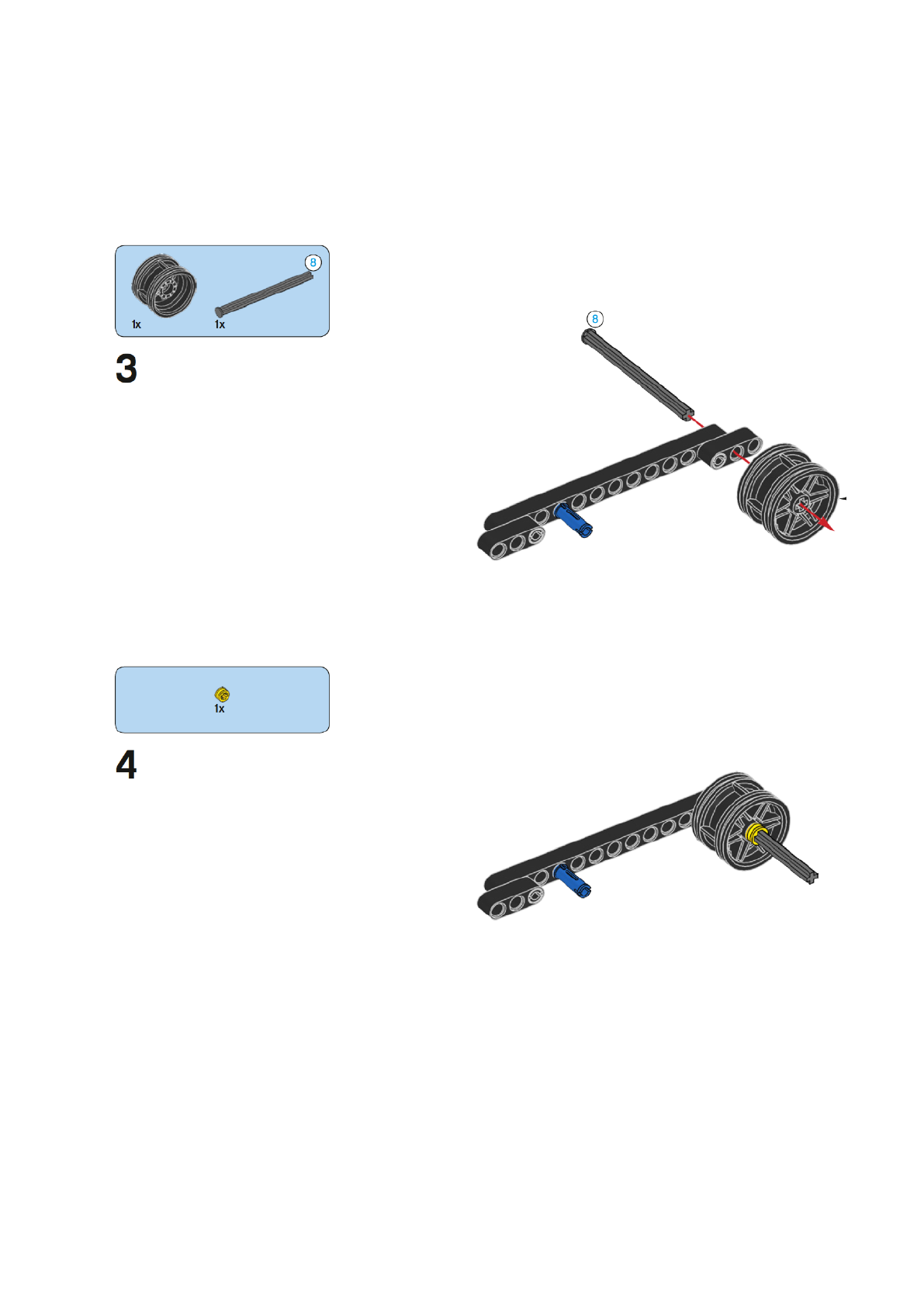
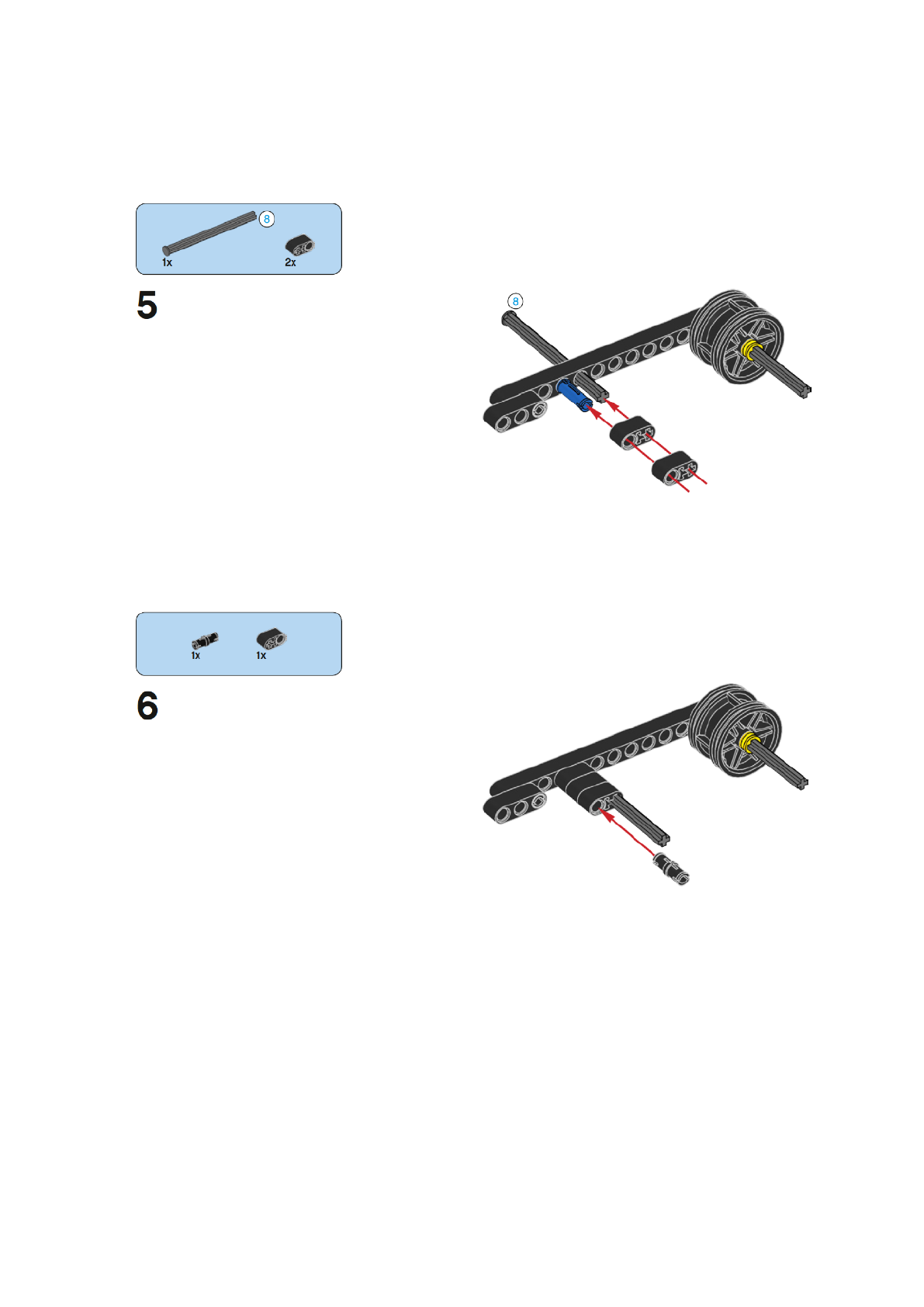
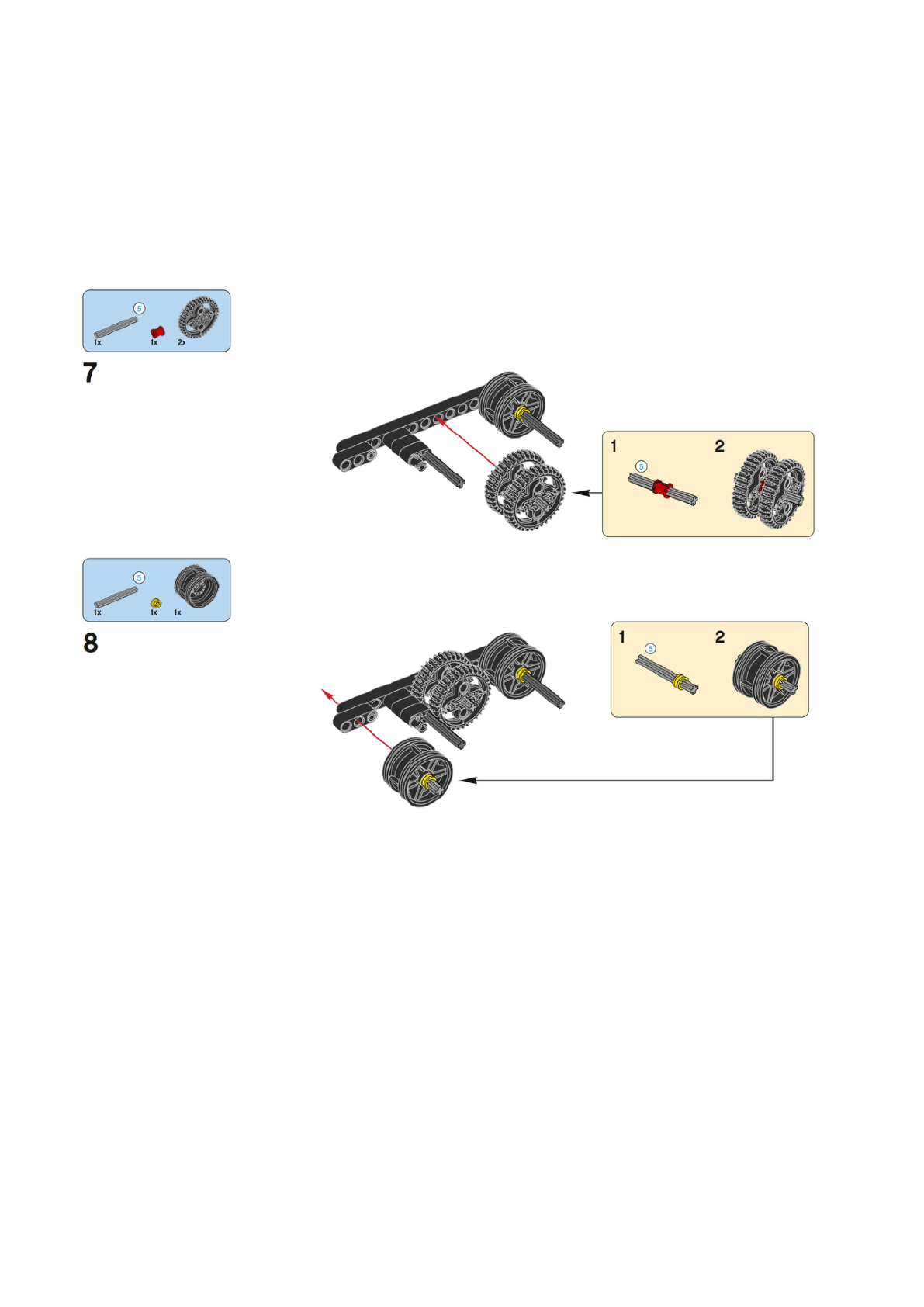
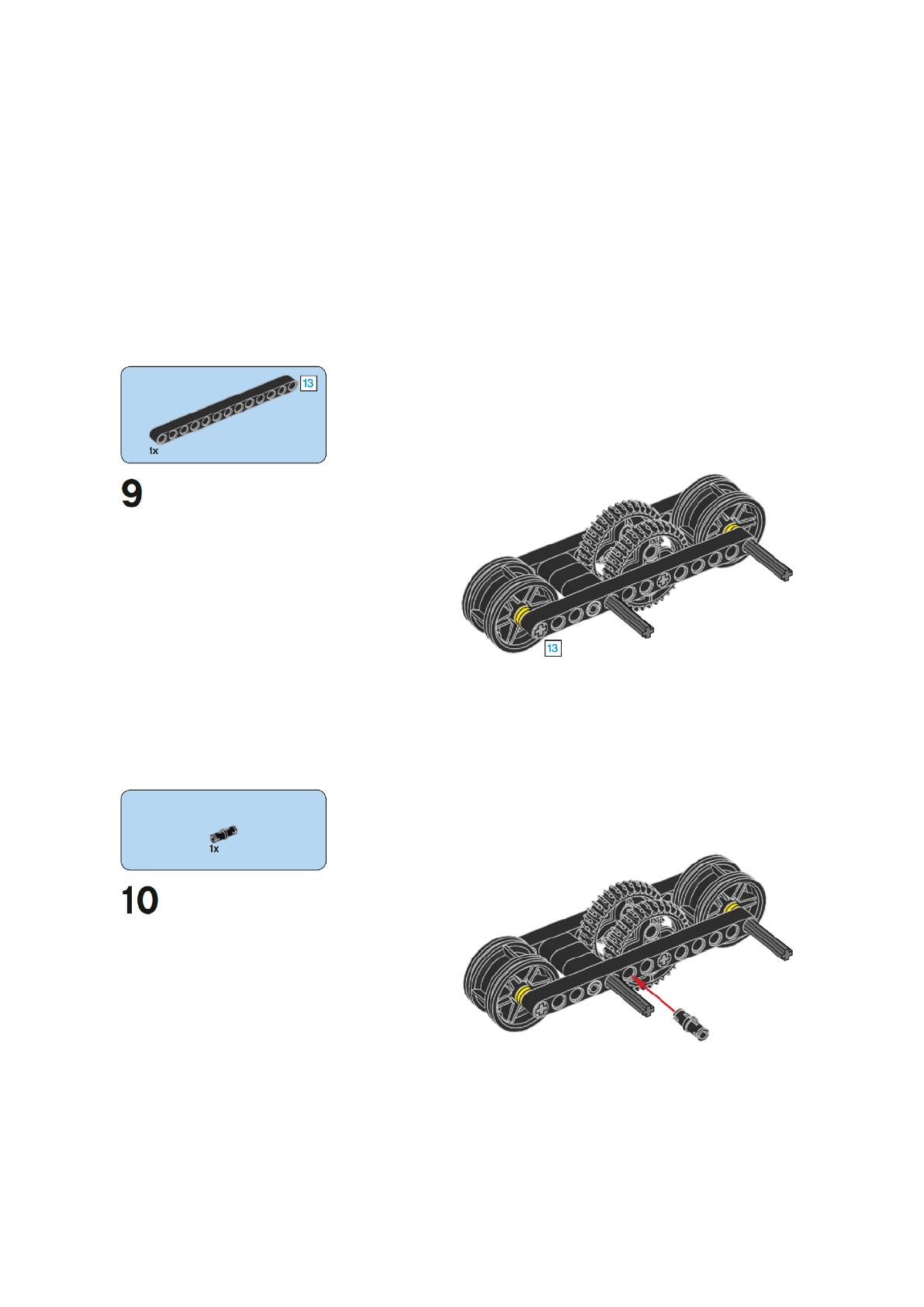
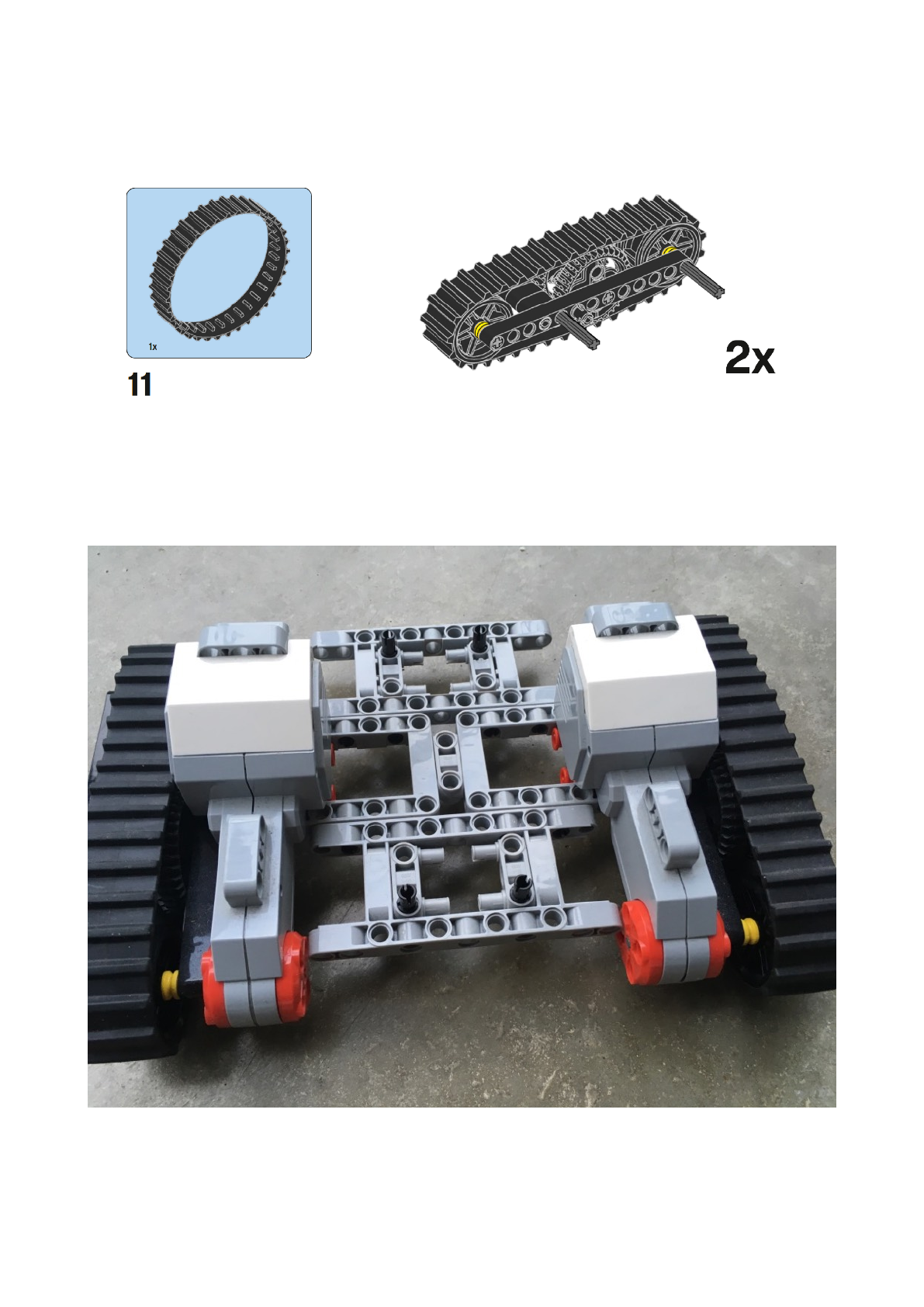
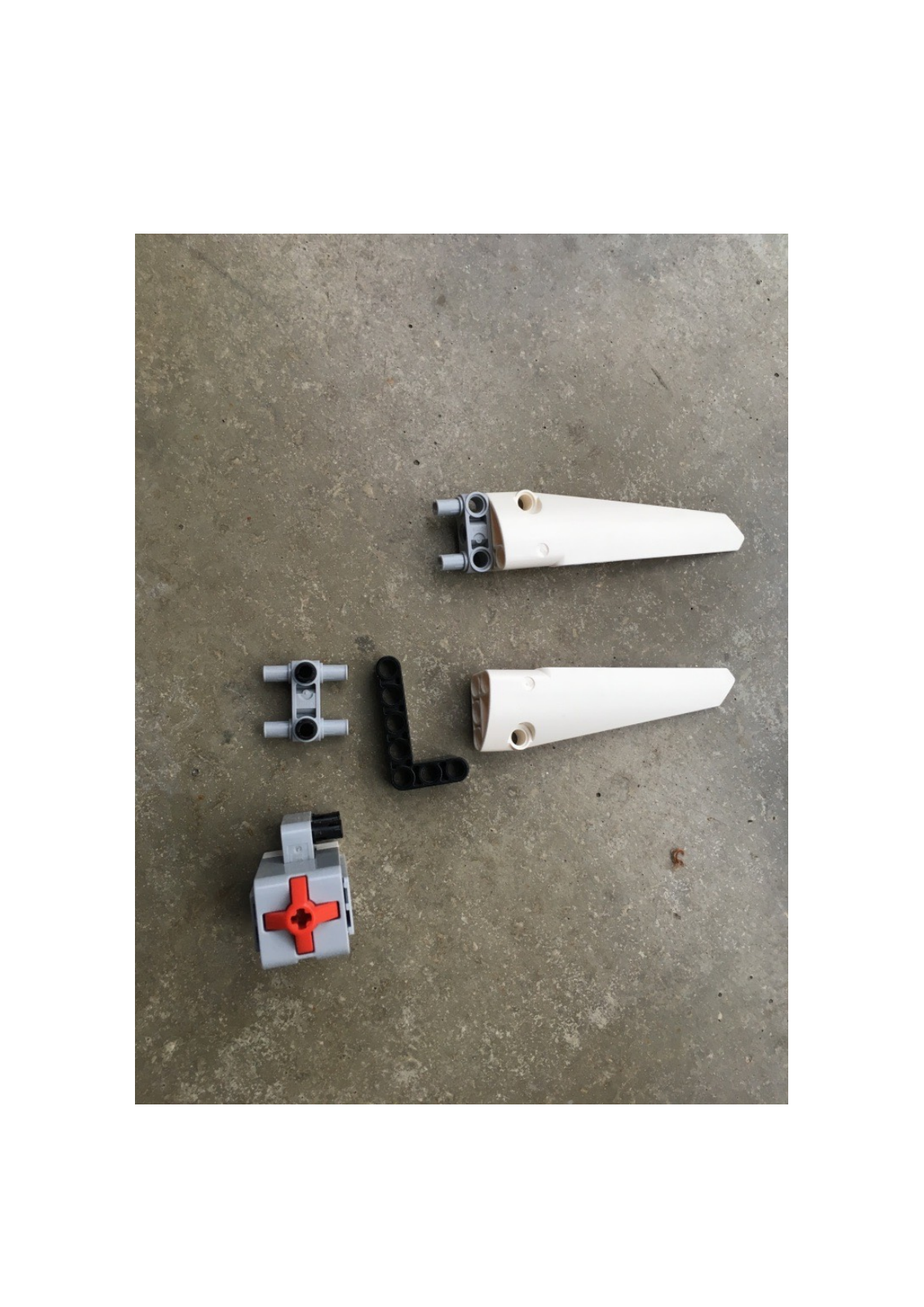
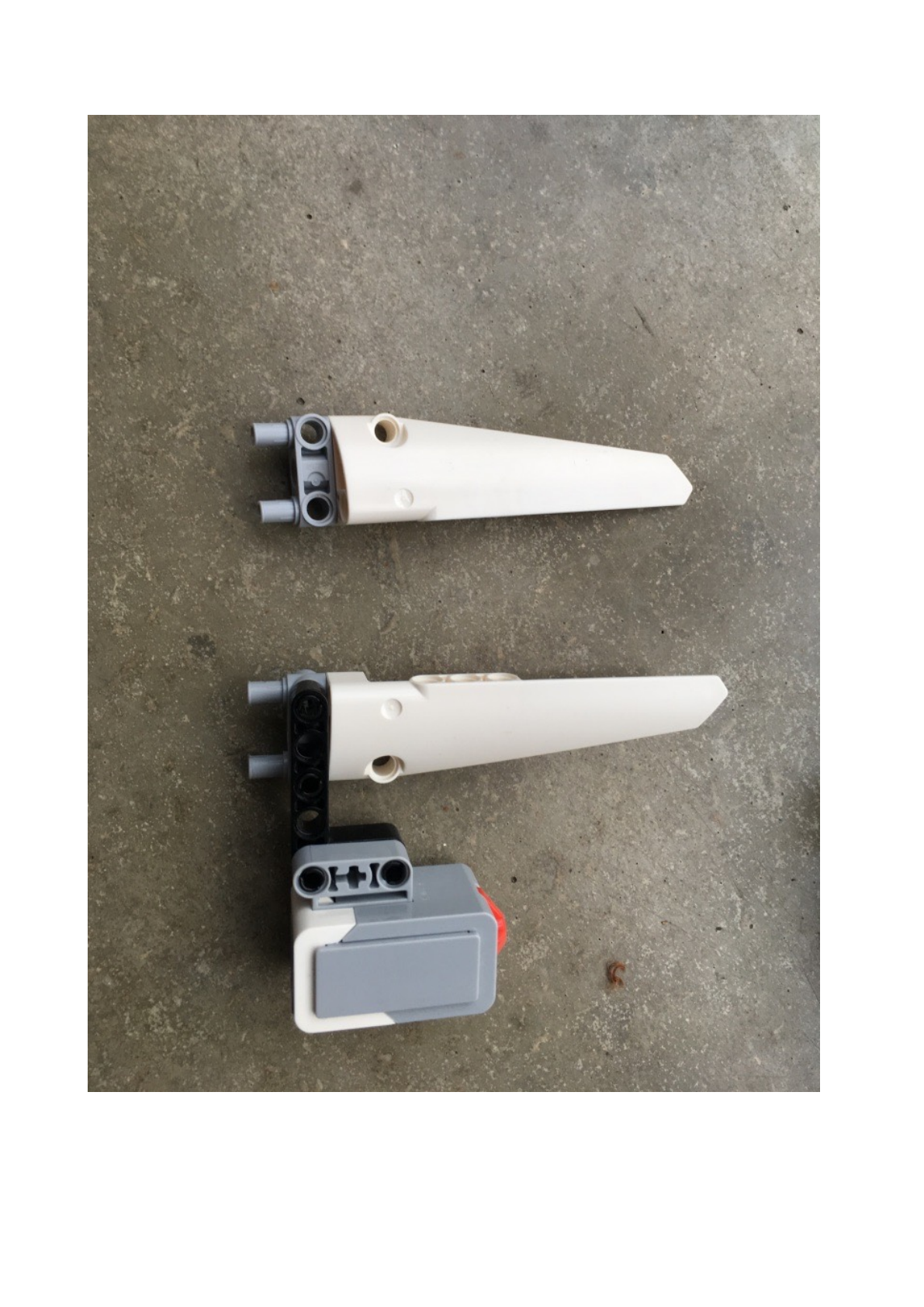
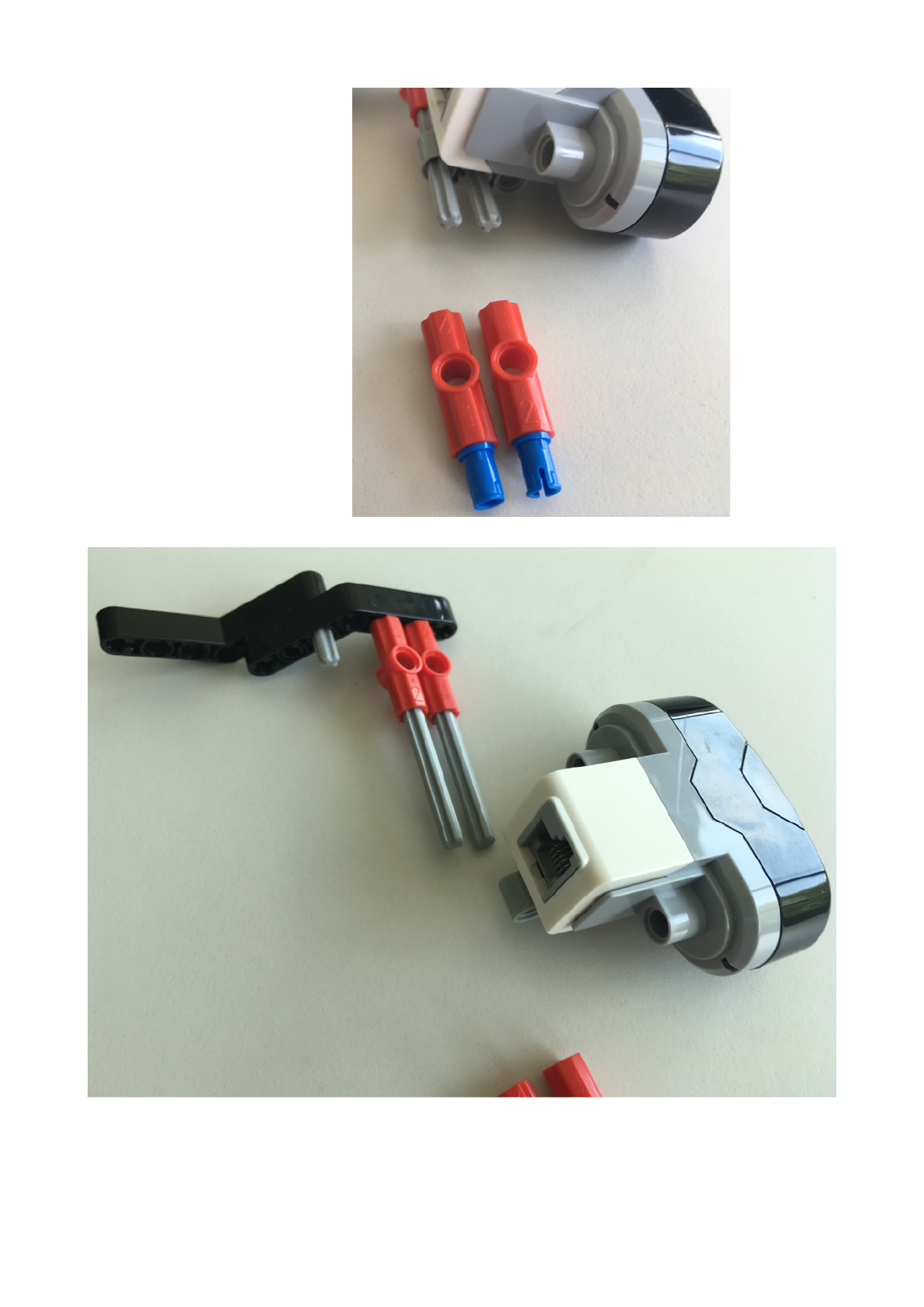
Robot ManRobot: wings and action button!
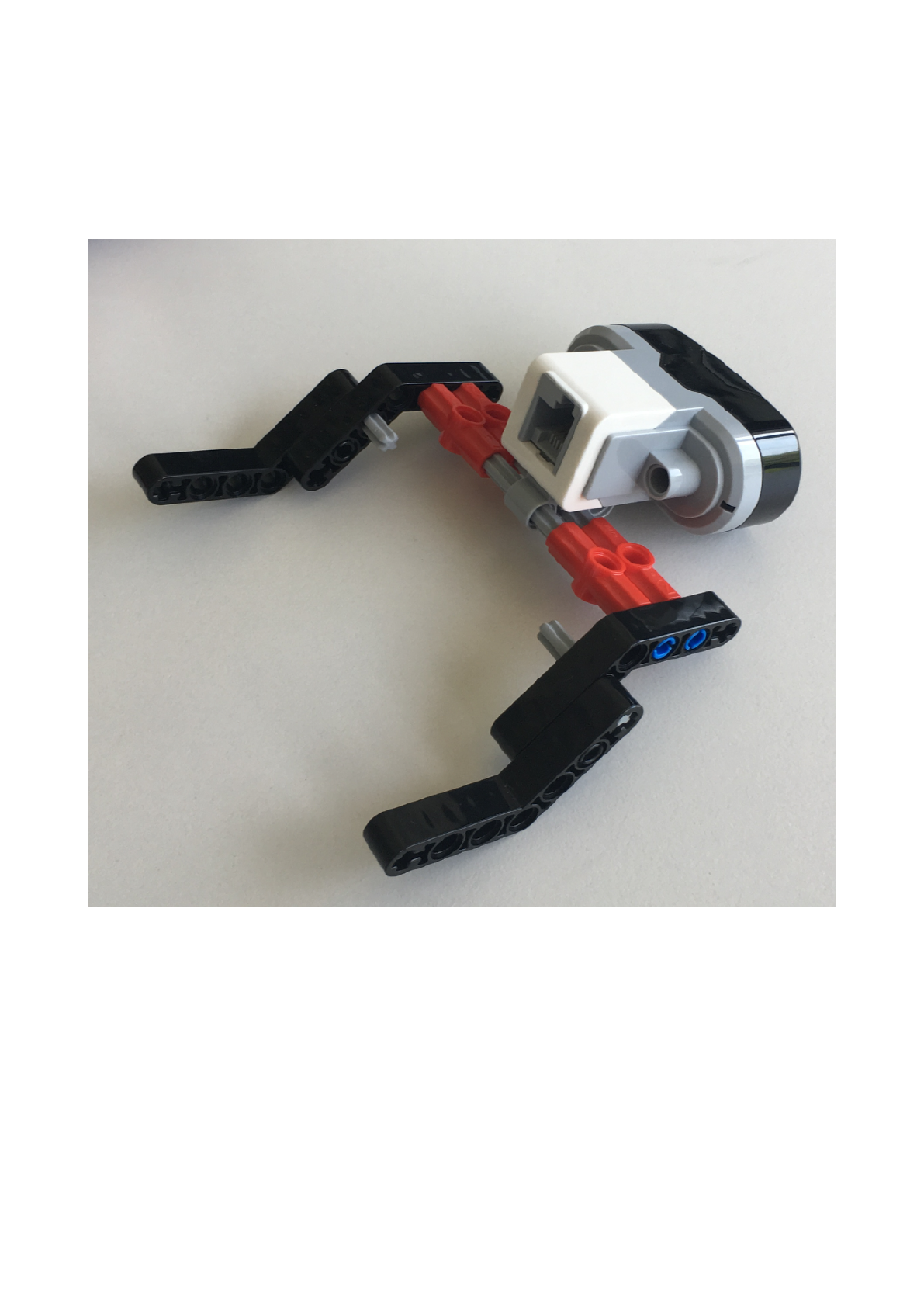
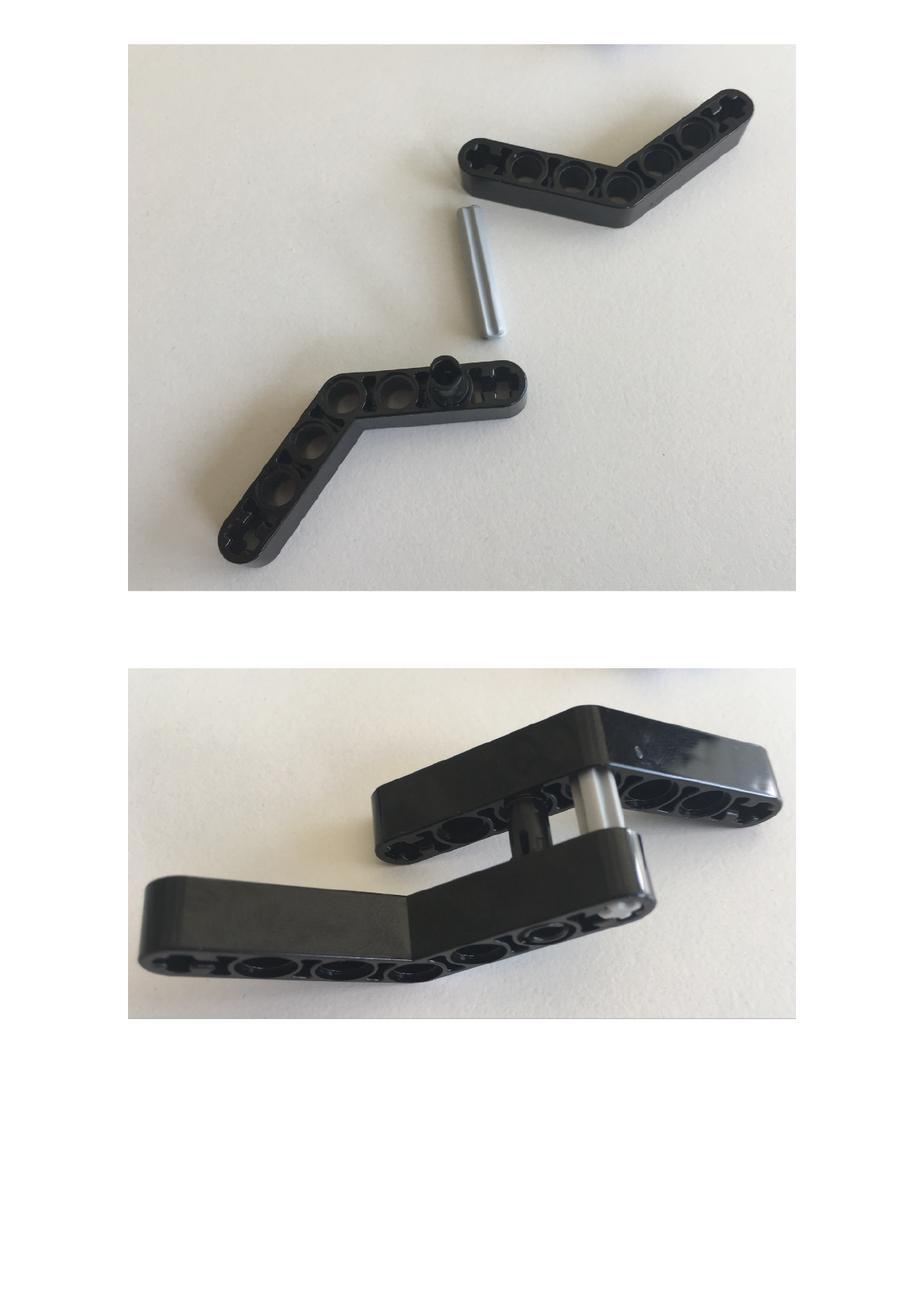
ManRobo Sensor : infra red sensor!
!
!
!
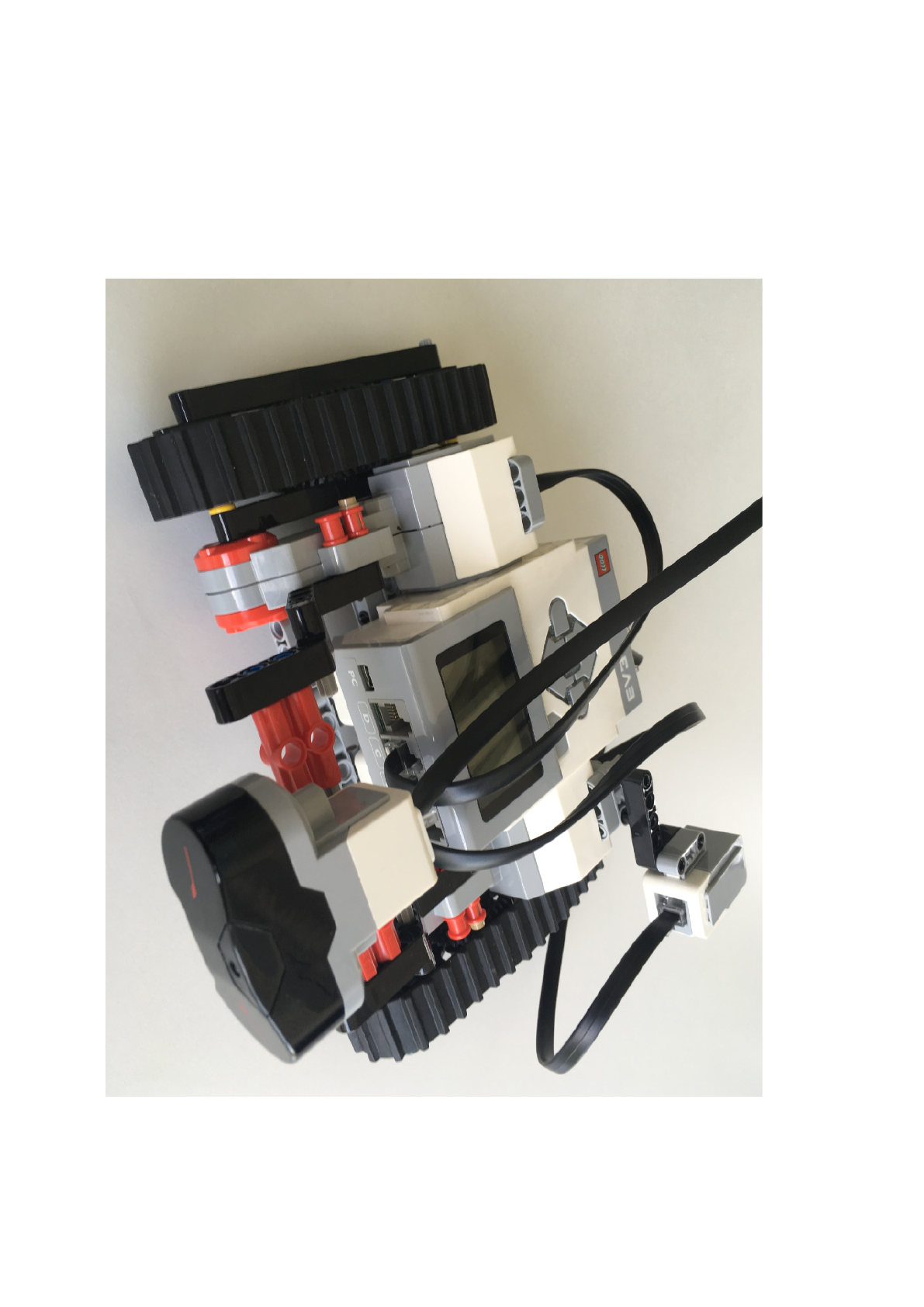
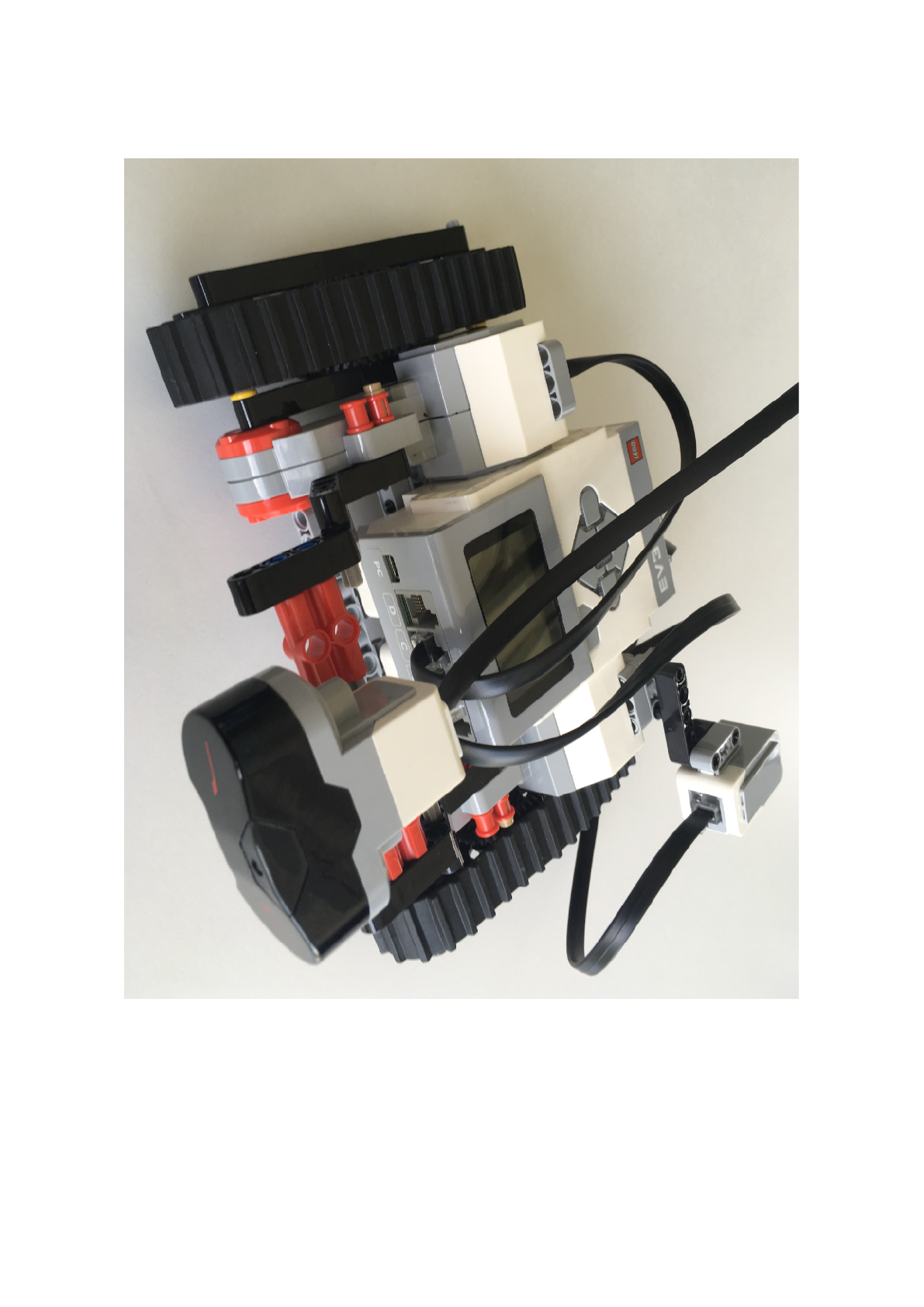
ManRobot wire motor and button
Motors:
1. Left Motor to the Socket B
2. Right Motor to the Socket C
!
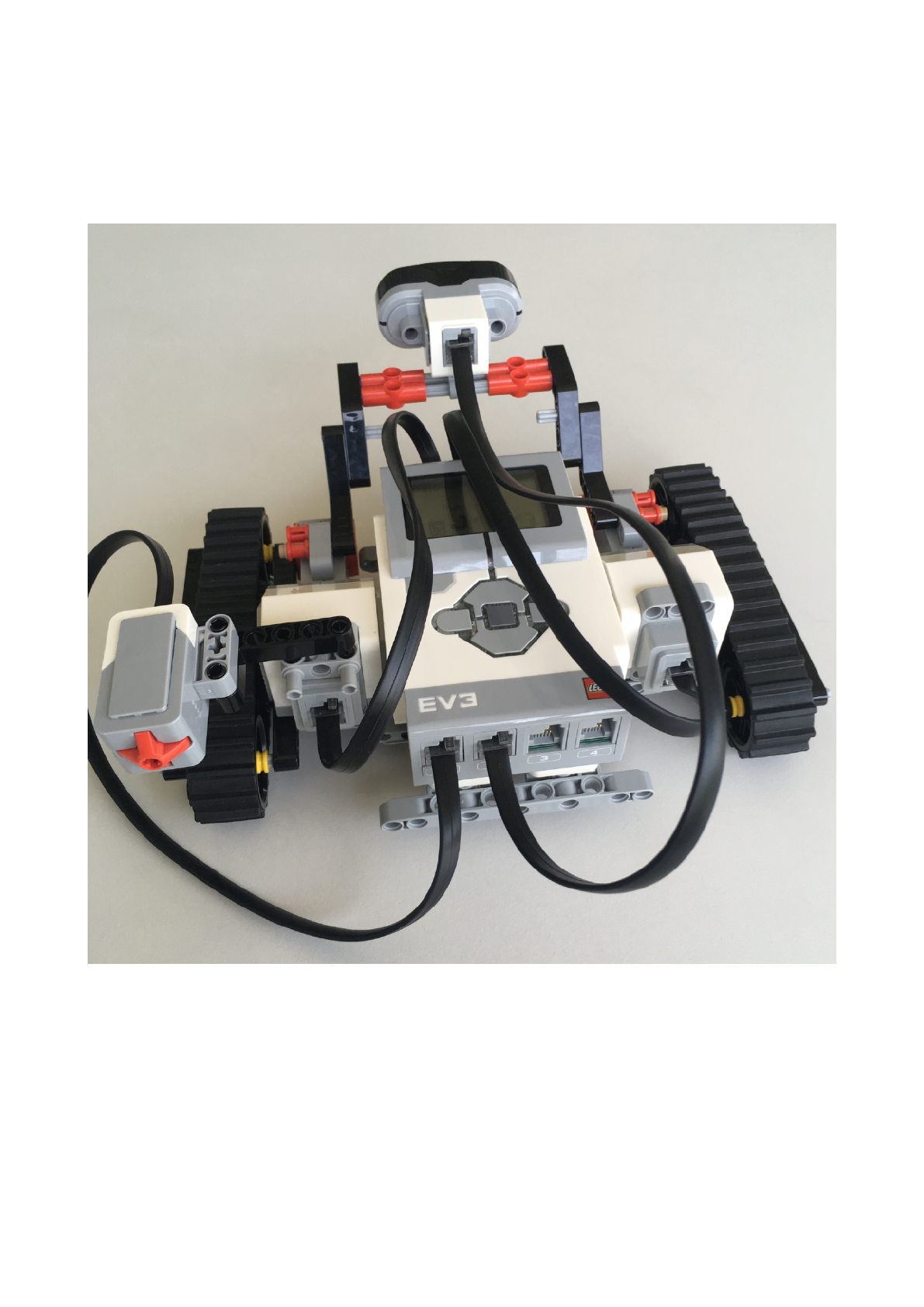
Push Button and InfraRed Sensor:
1. Push Sensor to the Socket 1
2. InfraRed Sensor to the Socket 2!
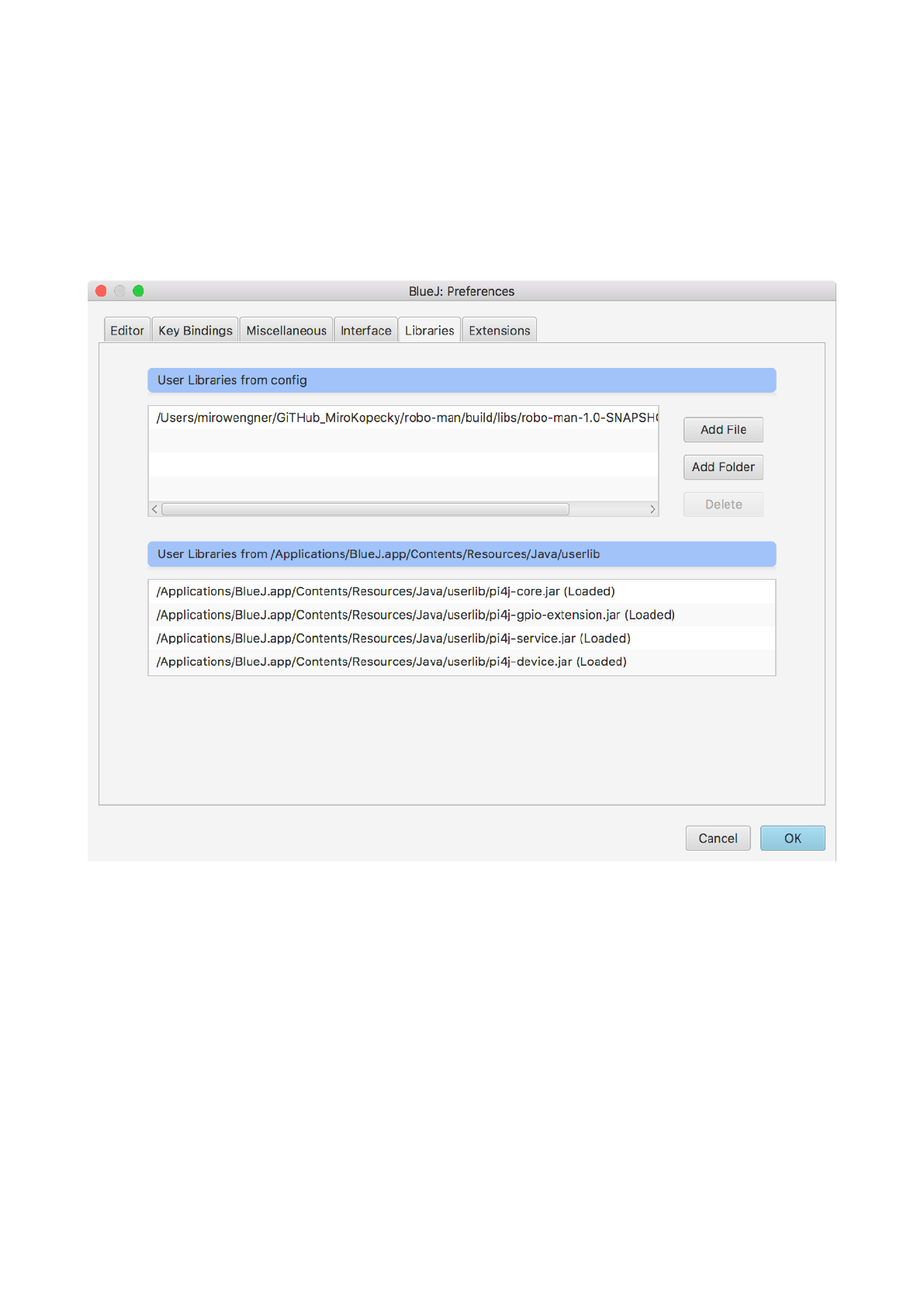
BlueJ IDE Project
Open BlueJ IDE
1. go to Preferences -> Libraries -> Add File
2. select robo-man-1.0-SNAPSHOT.jar
3. close BlueJ IDE
4. start BlueJ
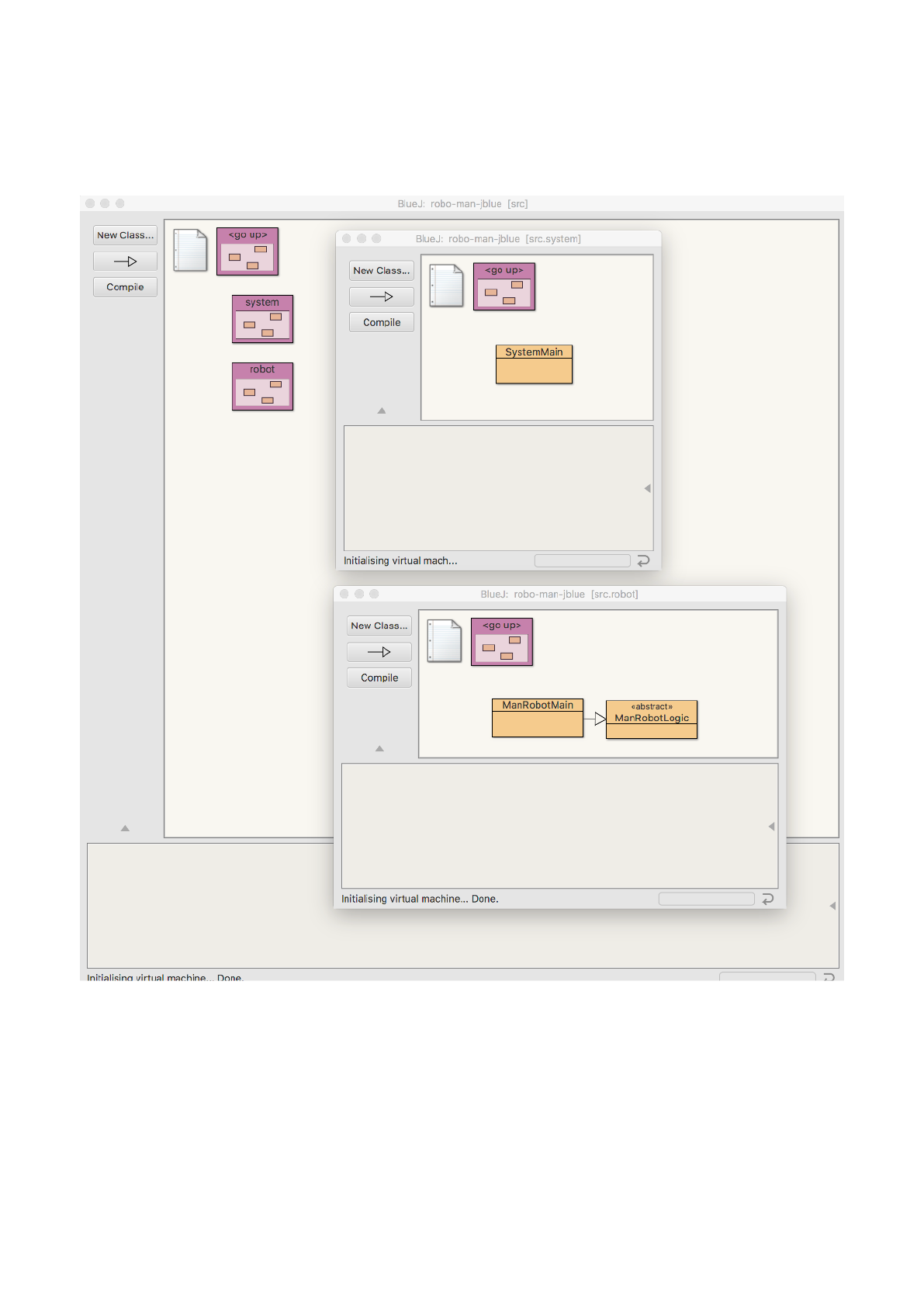
BlueJ IDE Project
Open robo-man-jblue project
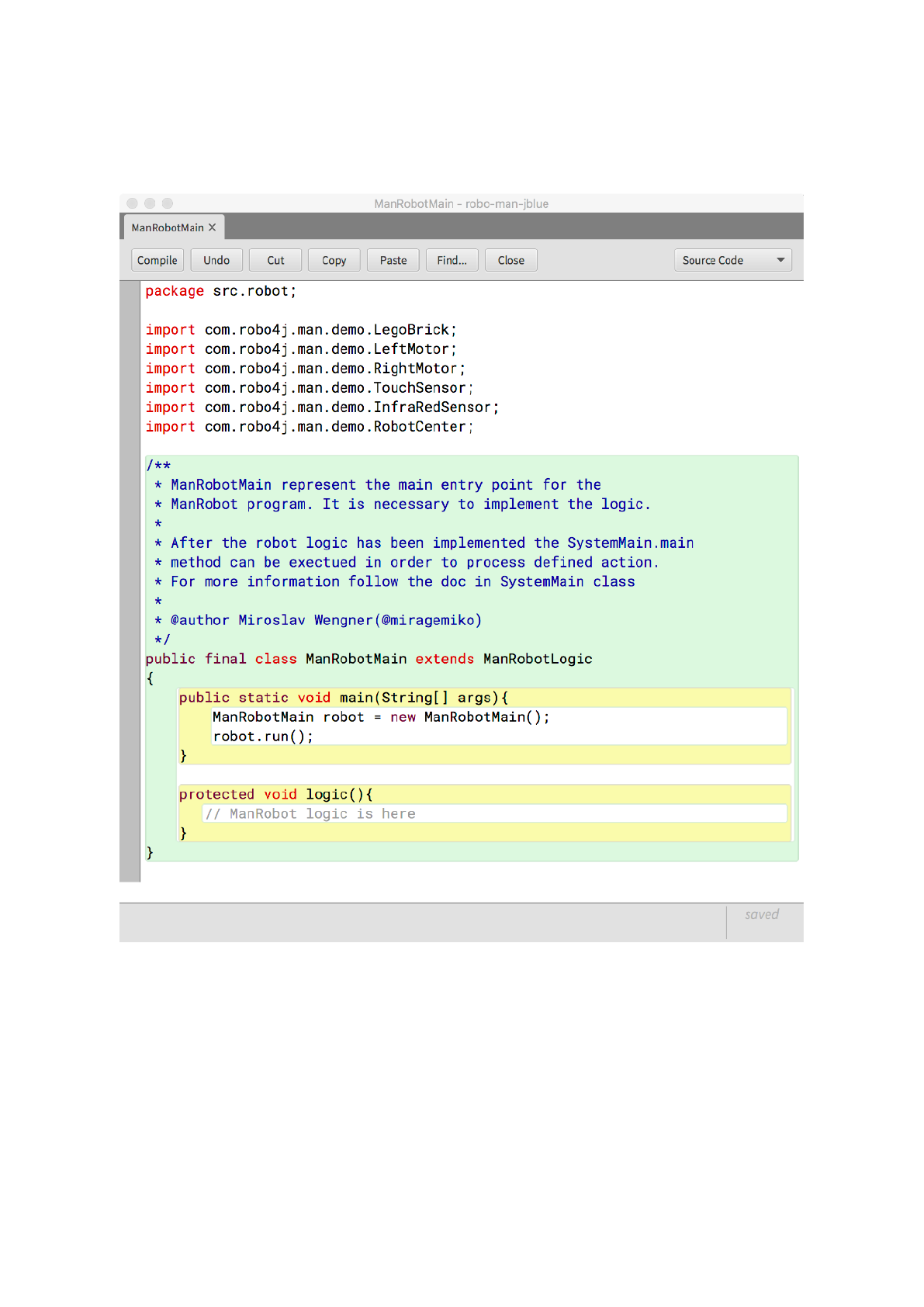
BlueJ IDE Project
Implement ManRobot logic
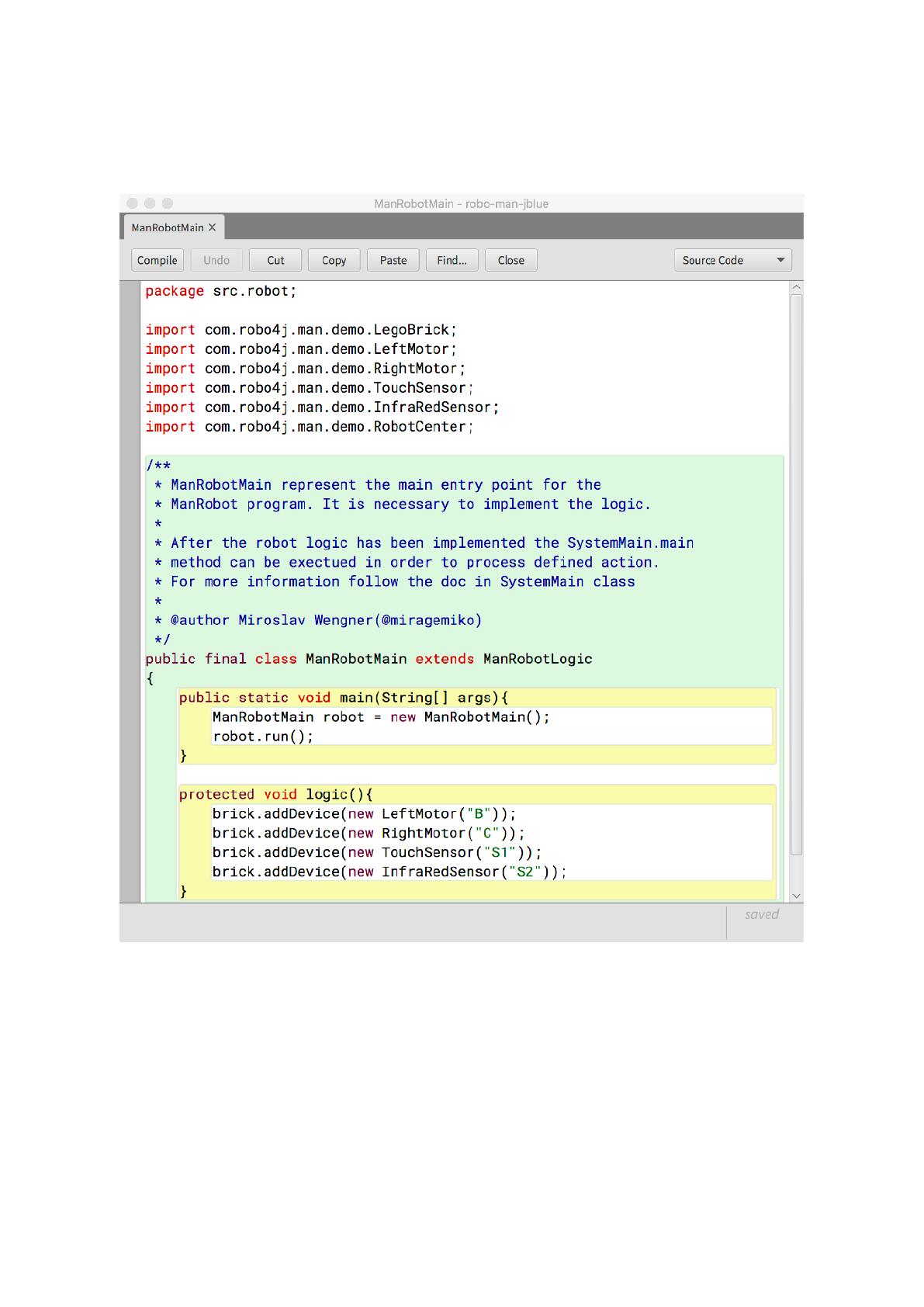
BlueJ IDE Project
Implemented ManRobot logic
BlueJ IDE Project
Execute ManRobot project and upload to the LegoBrick
requirements:
LegoBrick is connected with the Computer System over W-LAN, Bluetooth or USB cable.
LegoBrick is present on IP address: 10.0.1.1
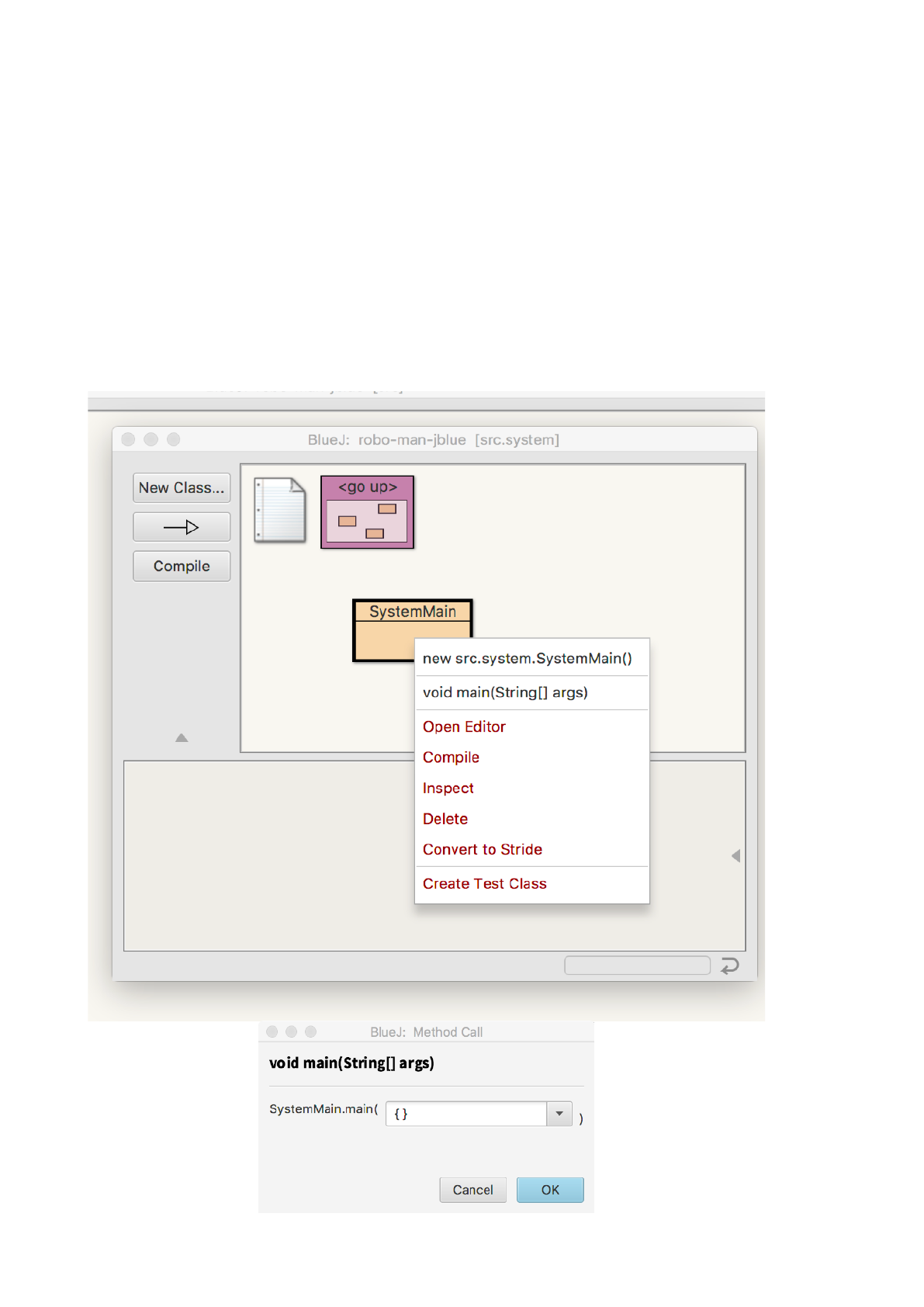
Steps:
1. Compile SystemMain class
2. right click and execute void main(String[] args) method
3. small execution window is displayed -> Click OK
!
BlueJ IDE Project
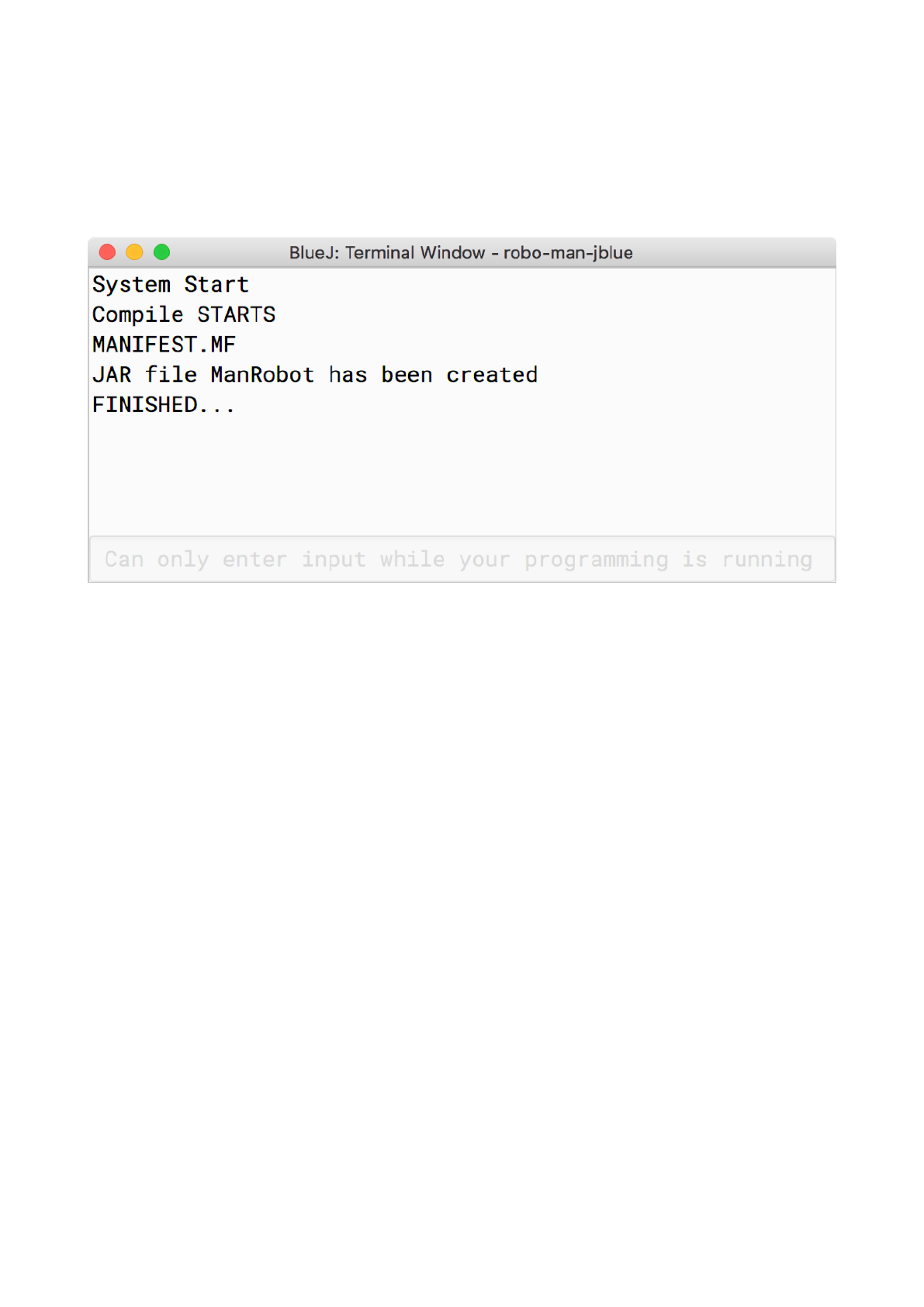
1. Execution process will be displayed in separate console window.
2. wait until the process is FINISHED
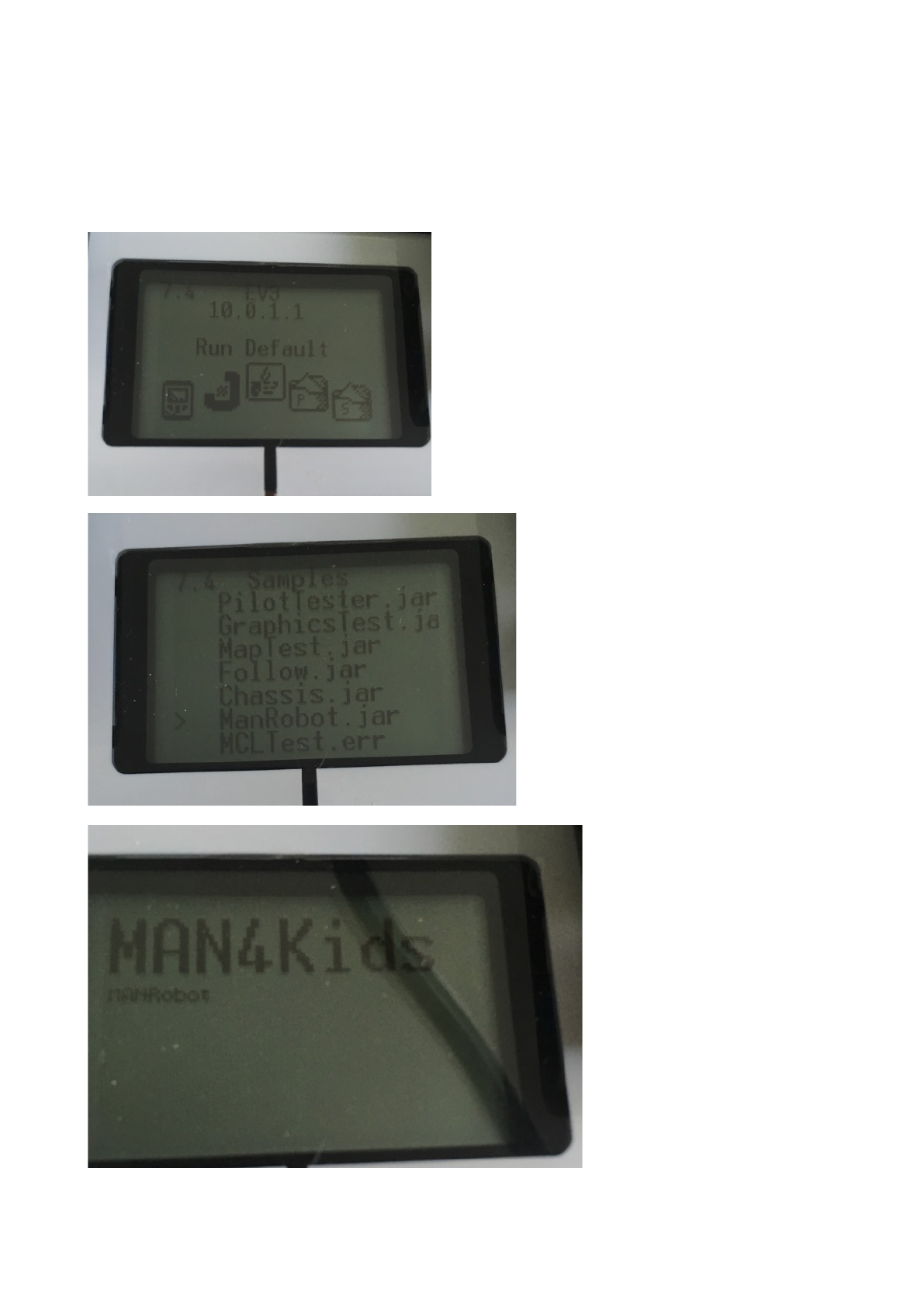
EV3 Lego Brick Run ManRobot
1. In Menu go to Samples
2. Find ManRobot
3. Excetue
