Manual For The 62984 0.20 Cu. Ft. Electronic Handgun Safe
User Manual: Manual for the 62984 0.20 cu. ft. Electronic Handgun Safe 0.17 Cu. Ft. Electronic Handgun Safe
Open the PDF directly: View PDF  .
.
Page Count: 8
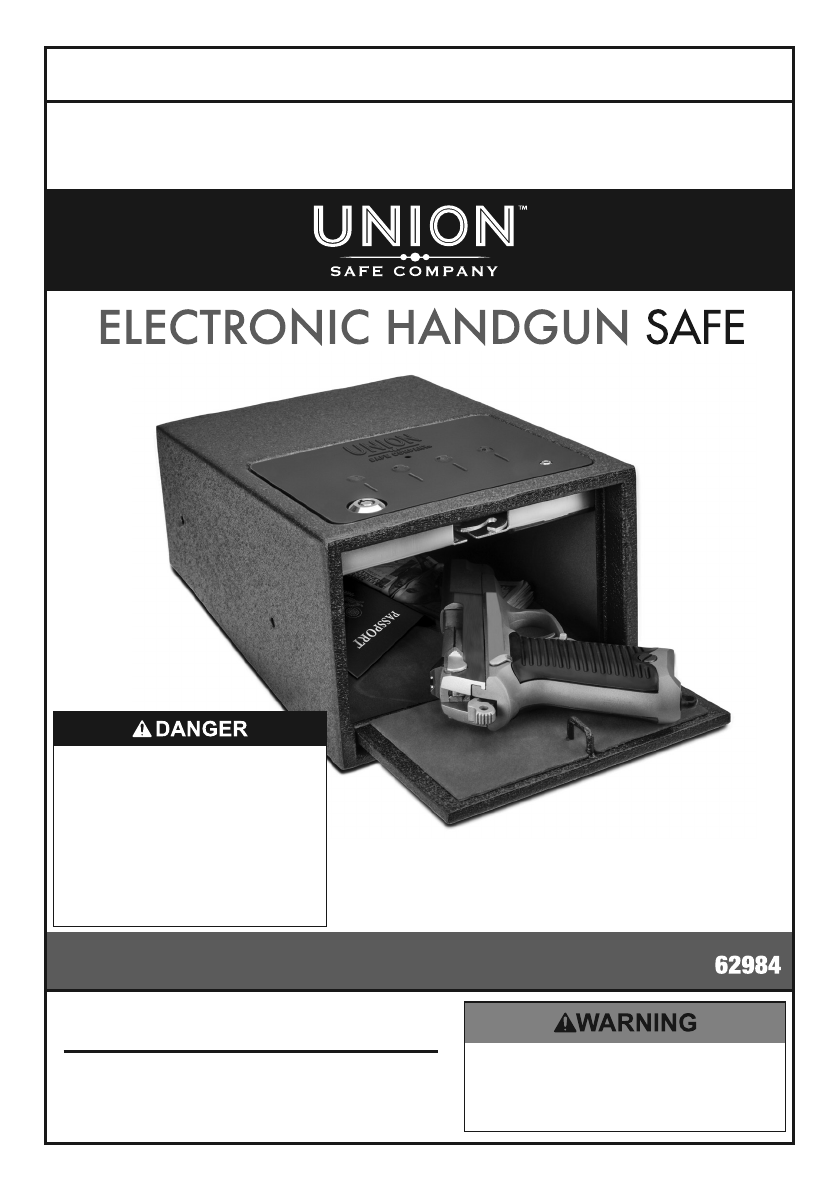
To prevent serious injury and DEATH:
1. Leaving gun unsecured MAY RESULT
IN CRIMINAL CHARGES.
2. Even when stored in gun safe,
use gun-lock to disable gun.
3. Unload gun completely, including
chamber, before storing.
4. Separate gun safe keys from other keys.
5. Lock up guns and ammunition separately out
of children’s reach and out of sight.
Batteries sold separately.
To ensure security of your safe,
Bunker Hill Security does
NOT provide replacement
keys. Gun, currency, and
passport not included.
REV 17a
Visit our website at: http://www.harborfreight.com
Email our technical support at: productsupport@harborfreight.com
Owner’s Manual & Safety Instructions
Save This Manual Keep this manual for the safety warnings and precautions, assembly,
operating, inspection, maintenance and cleaning procedures. Write the product’s serial number in the
back of the manual near the assembly diagram (or month and year of purchase if product has no number).
Keep this manual and the receipt in a safe and dry place for future reference.
When unpacking, make sure that the product is intact
and undamaged. If any parts are missing or broken,
please call 1-888-866-5797 as soon as possible.
Copyright© 2015 by Harbor Freight Tools®. All rights reserved.
No portion of this manual or any artwork contained herein may be reproduced in
any shape or form without the express written consent of Harbor Freight Tools.
Diagrams within this manual may not be drawn proportionally. Due to continuing
improvements, actual product may differ slightly from the product described herein.
To ol s r eq ui r ed f o r as s em bl y a nd se rvice m a y not be i nc luded.
Read this material before using this product.
Failure to do so can result in serious injury.
SAVE THIS MANUAL.
REV 17a
Page 2 For technical questions, please call 1-888-866-5797. Item 62984
Specifications
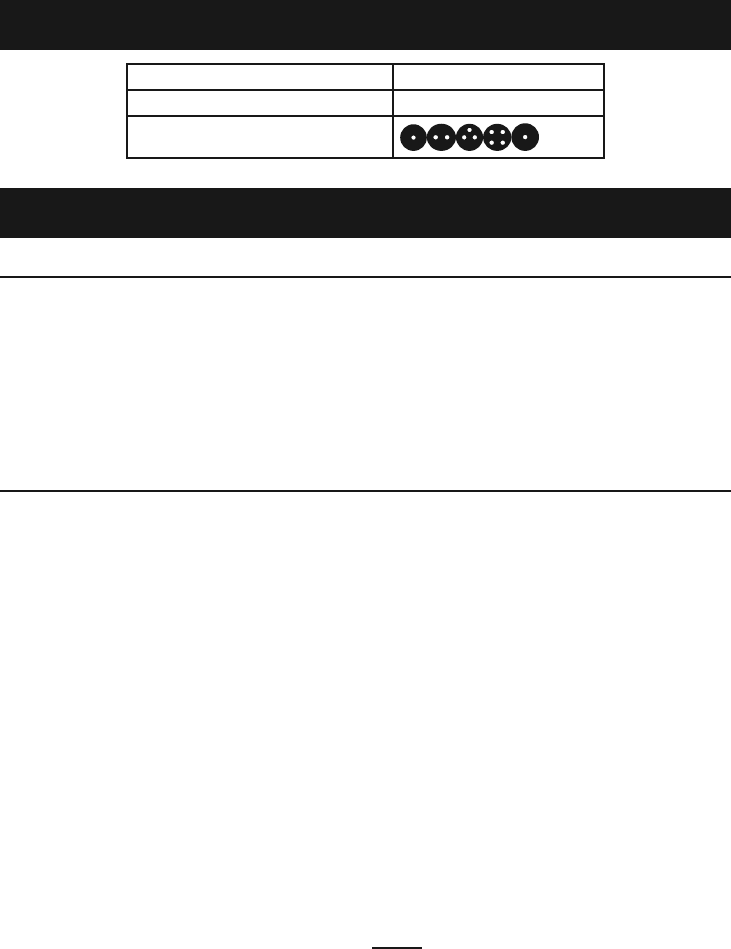
Overall dimensions 11" L x 8-1/8" W x 5-1/2" H
External Power Socket 3.5mm, 6VDC
Factory Code
This gun safe meets the California DOJ requirements.
Important Safety Information
Installation Precautions
1. Verify that installation surface has no hidden
utility lines before drilling or driving screws.
2. Wear ANSI-approved safety
goggles during installation.
3. Install only according to these instructions.
Improper installation can create hazards.
4. Keep installation area clean and well lit.
5. Keep bystanders out of the
area during installation.
6. Do not install when tired or when under the
influence of alcohol, drugs, or medication.
7. Place the Safe on correct surface.
Only use this Safe on a stable,
level, clean and dry surface that is
capable of sustaining the load.
Use Precautions
1. Unload gun completely, including
chamber, before storing.
2. Lock up guns and ammunition
separately out of children’s
reach and out of sight.
3. Even when stored in gun safe,
use gun-lock to disable gun.
4. Separate gun safe keys from other keys.
5. Leaving gun unsecured may
result in criminal charges.
6. Do not allow children to play
with or near safe. Keep keys and
codes away from children.
7. Keep clear of Door when closing.
8. Position batteries in proper polarity and
do not install batteries of different types,
charge levels, or capacities together.
9. Use as intended only.
10. Inspect before every use; do not use
if parts are loose or damaged.
11. Maintain product labels and nameplates.
These carry important safety information.
If unreadable or missing, contact
Harbor Freight Tools for a replacement.
12. Do not store Keys inside of the Safe.
Place the emergency keys in a location
outside of the safe making sure they are
in a secure location that you can find.
13. WARNING: The brass components of
this product contain lead, a chemical
known to the State of California to
cause cancer and birth defects or other
reproductive harm. (California Health
& Safety Code § 25249.5, et seq.)
14. The shelf or wall the Safe is placed on must
support the weight of the Safe and its load.
15. The warnings, cautions, and instructions
discussed in this instruction manual cannot
cover all possible conditions and situations
that may occur. It must be understood by the
operator that common sense and caution
are factors which cannot be built into this
product, but must be supplied by the operator.
16. The Safe is neither water nor fire proof.
NOTE: Harbor Freight Tools is not
responsible for the loss or misuse of any
property stored within this safe due to
theft, fire, or any other circumstance.

Page 3For technical questions, please call 1-888-866-5797.Item 62984
Installation
Read the ENTIRE IMPORTANT SAFETY INFORMATION section
at the beginning of this manual including all text under subheadings therein
before set up or use of this product.
Mounting
1. The mounting location must be able to support
the weight of both the safe and its contents.
2. Remove felt pad from inside of safe.
3. Using the holes in the bottom of the Safe
as a template, lay the Safe in the desired
location and drill all four pilot holes.
4. Once the pilot holes have been drilled, secure
the Safe with the supplied 1-1/2" wood screws.
a. Screw through the holes in the bottom of
the Safe and into the drawer bottom.
b. If the screws included with the Safe are
too long, replace them with the appropriate
length wood screws (not supplied) for
the intended mounting surface.
5. Place the supplied felt pad in the Safe so as to
cover the Safe bottom and mounting screws.
Batteries
1. Remove the cover from the battery
compartment, found on the ceiling of the safe.
2. Insert four AA batteries, taking
note of the proper polarity.
3. Replace the battery cover.
Note: Low battery is indicated by the safe
beeping four times whenever the door is
opened, and by the indicator light flashing red.
4. When low battery is indicated,
change the batteries.
Page 4 For technical questions, please call 1-888-866-5797. Item 62984
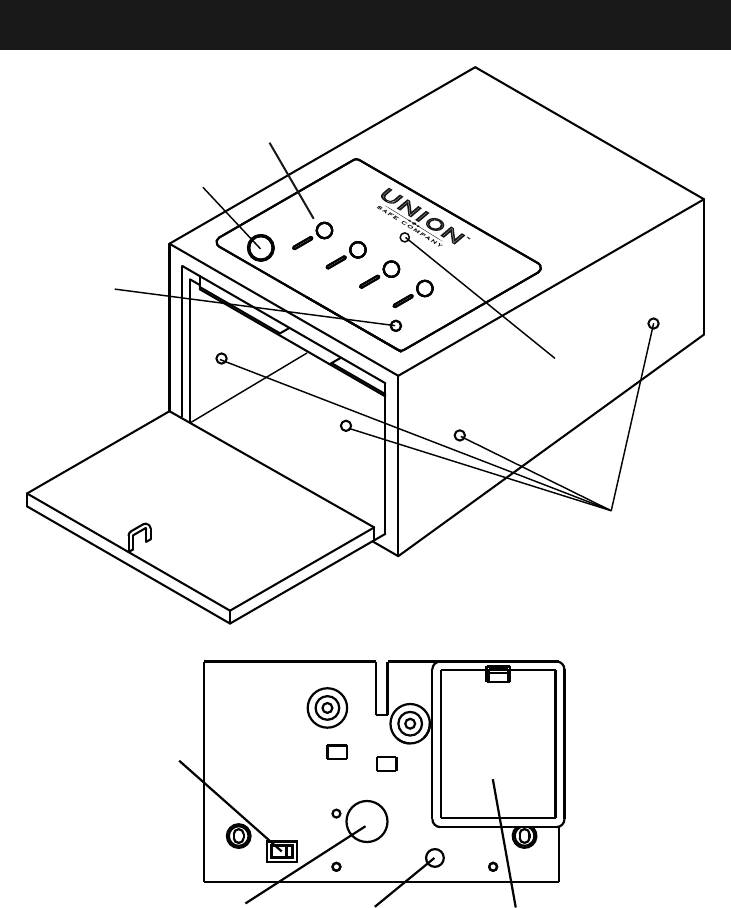
Functions
Key
Hole
External
6VDC
Power
Socket
Indicator
Light
Mounting
Holes
Keypad
Figure A
Sound
Switch
Programming
Button
LED Light Battery
Compartment
Figure B: Underside of Key Pad (inside safe)
Page 5For technical questions, please call 1-888-866-5797.Item 62984
Operation
Read the ENTIRE IMPORTANT SAFETY INFORMATION section
at the beginning of this manual including all text under subheadings therein
before set up or use of this product.
To prevent serious injury and DEATH from accidental firearm discharge:
1. Unload gun completely, including
chamber, before storing.
2. Lock up guns and ammunition
separately out of children’s
reach and out of sight.
3. Even when stored in gun safe,
use gun-lock to disable gun.
4. Separate gun safe keys from other keys.
5. Leaving gun unsecured may
result in criminal charges.
Open Safe Using Emergency Keys
1. Insert the Key into the Key Hole
(see Figure A), and turn.
2. The door will fall open.
3. Close the door by pushing up
and in, until a click is heard.
NOTICE: Do not store your keys in the safe.
Set the Combination Code
Note: The safe will accept only 5-digit codes.
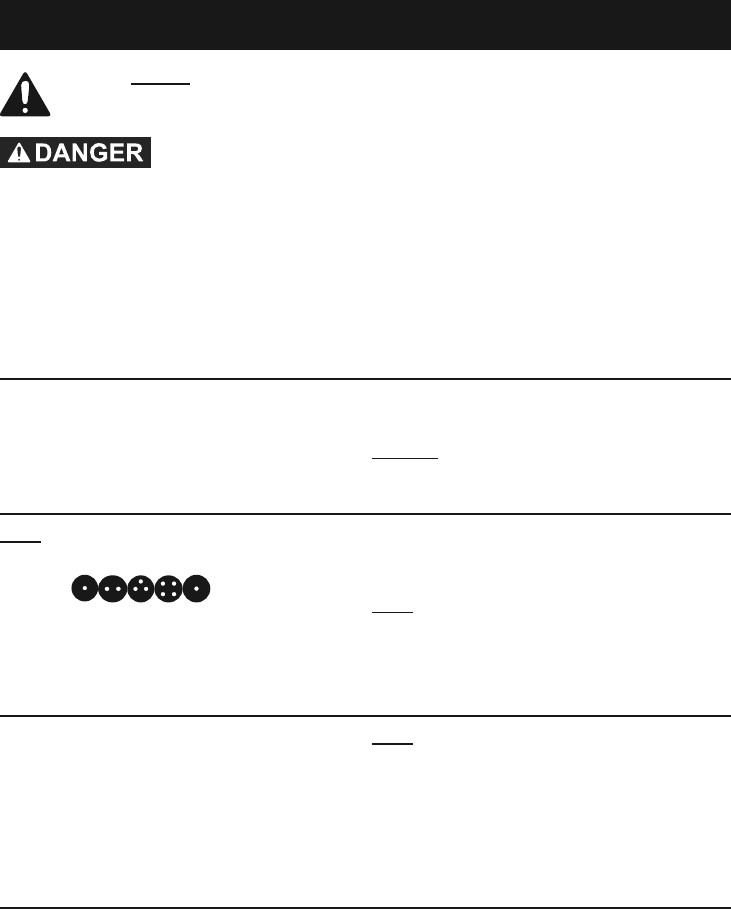
1. Open the door using the key or factory
code ( ).
2. Press the programming button (see Figure B).
3. Enter the new 5-digit code.
4. When the safe has accepted the new code,
two beeps will be heard and the indicator
light (See Figure A) will flash twice.
Note: If no feedback is given, the
code has not been accepted.
Entering the Wrong Combination
1. If the wrong combination is entered,
the safe will beep three times.
2. If the wrong combination is entered
3 consecutive times, the safe will go into
Lock-Down Mode for 45 seconds.
Note: During Lock-Down Mode, the safe will beep,
the LED light (See Figure B) will flash, and the
keypad (see Figure A) will be disabled. The safe
may still be opened with the key override.
3. After 45 seconds, the safe will
resume normal operation.
Light and Sound
1. The LED interior light will automatically
illuminate for 10 seconds when the door
is opened with the combination code.
It will then shut off.
2. To turn the light back on,
re-enter the combination code.
3. To turn the audible beeps on or off, toggle
the Sound Switch. See Figure B.

Page 6 For technical questions, please call 1-888-866-5797. Item 62984
Maintenance and Servicing
Procedures not specifically explained in this manual must be performed only by a
qualified technician.
1. BEFORE EACH USE, inspect the general
condition of the Safe. Check for loose
screws, misalignment or binding of moving
parts, cracked or broken parts, damaged
electrical wiring, and any other condition
that may affect its safe operation.
2. PERIODICALLY clean external surfaces
of the Safe with a clean cloth.
3. To extend battery life, the safe may be
plugged into a power outlet through an
external 6VDC power adaptor with a standard
3.5mm tip (not included). To do so, use the
external 6VDC power socket (Figure A).

Page 7For technical questions, please call 1-888-866-5797.Item 62984
Record Serial Number Here:
Note: If product has no serial number, record
month and year of purchase instead.
Note: Replacement parts are not
available for this item.

Limited 90 Day Warranty
Harbor Freight Tools Co. makes every effort to assure that its products meet high quality
and durability standards, and warrants to the original purchaser that this product is free from
defects in materials and workmanship for the period of 90 days from the date of purchase.
This warranty does not apply to damage due directly or indirectly, to misuse, abuse, negligence
or accidents, repairs or alterations outside our facilities, criminal activity, improper installation,
normal wear and tear, or to lack of maintenance. We shall in no event be liable for death,
injuries to persons or property, or for incidental, contingent, special or consequential damages
arising from the use of our product. Some states do not allow the exclusion or limitation of
incidental or consequential damages, so the above limitation of exclusion may not apply to you.
THIS WARRANTY IS EXPRESSLY IN LIEU OF ALL OTHER WARRANTIES, EXPRESS OR
IMPLIED, INCLUDING THE WARRANTIES OF MERCHANTABILITY AND FITNESS.
To take advantage of this warranty, the product or part must be returned to us with transportation
charges prepaid. Proof of purchase date and an explanation of the complaint must accompany
the merchandise. If our inspection verifies the defect, we will either repair or replace
the product at our election or we may elect to refund the purchase price if we cannot readily
and quickly provide you with a replacement. We will return repaired products at our expense,
but if we determine there is no defect, or that the defect resulted from causes not within
the scope of our warranty, then you must bear the cost of returning the product.
This warranty gives you specific legal rights and you may also
have other rights which vary from state to state.
3491 Mission Oaks Blvd. • PO Box 6009 • Camarillo, CA 93011 • 1-888-866-5797
