A Recognition User Manual
User Manual:
Open the PDF directly: View PDF  .
.
Page Count: 8

A recognition
User manual
The team -
●Jarrod Goschen
●Richard Mcfadden
●Adrian Le Grange
●Alessio Rossi
●Kyle Olivier
The client -
EPI-Use ,advance division *
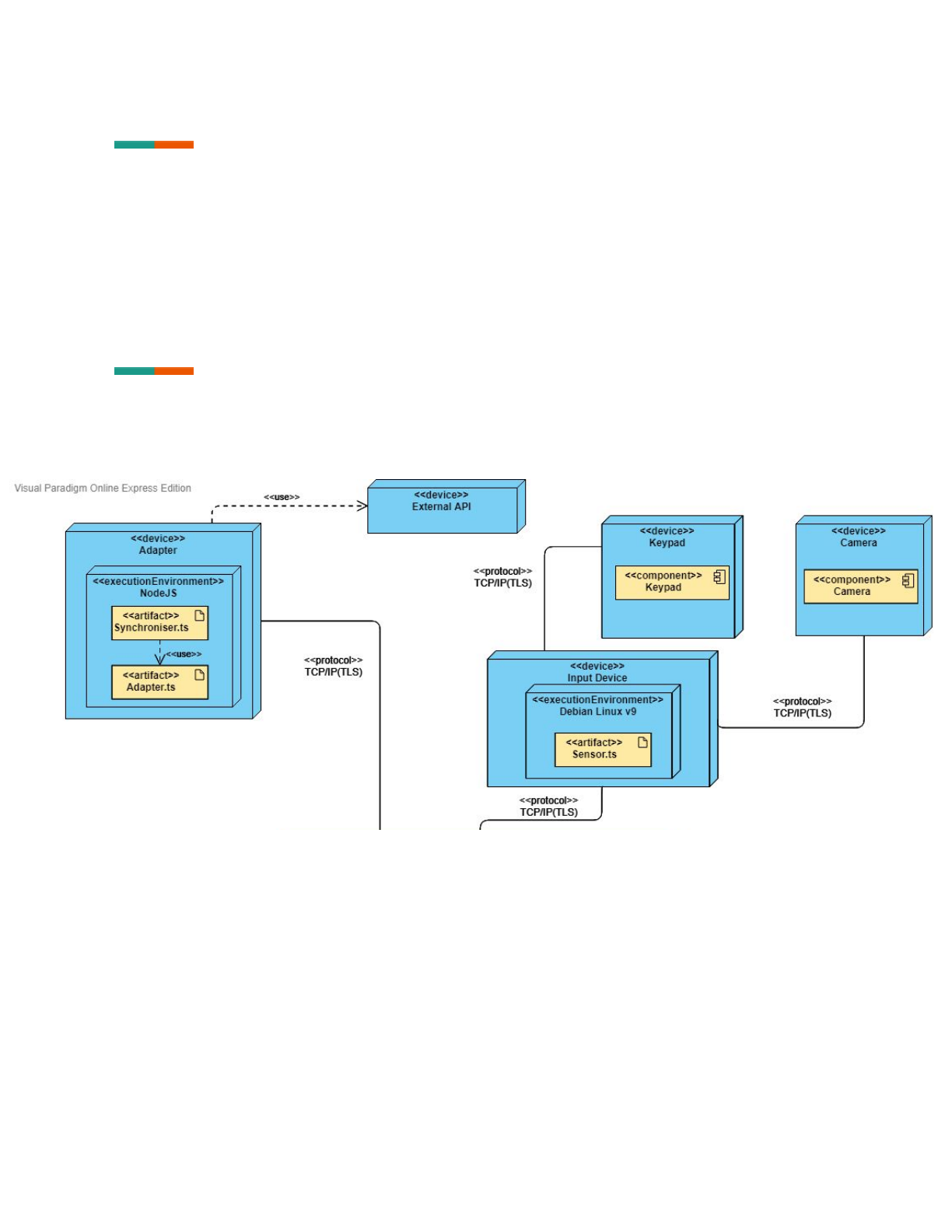
System Overview
The system is capable of registering users and then later identifying them via facial
recognition.
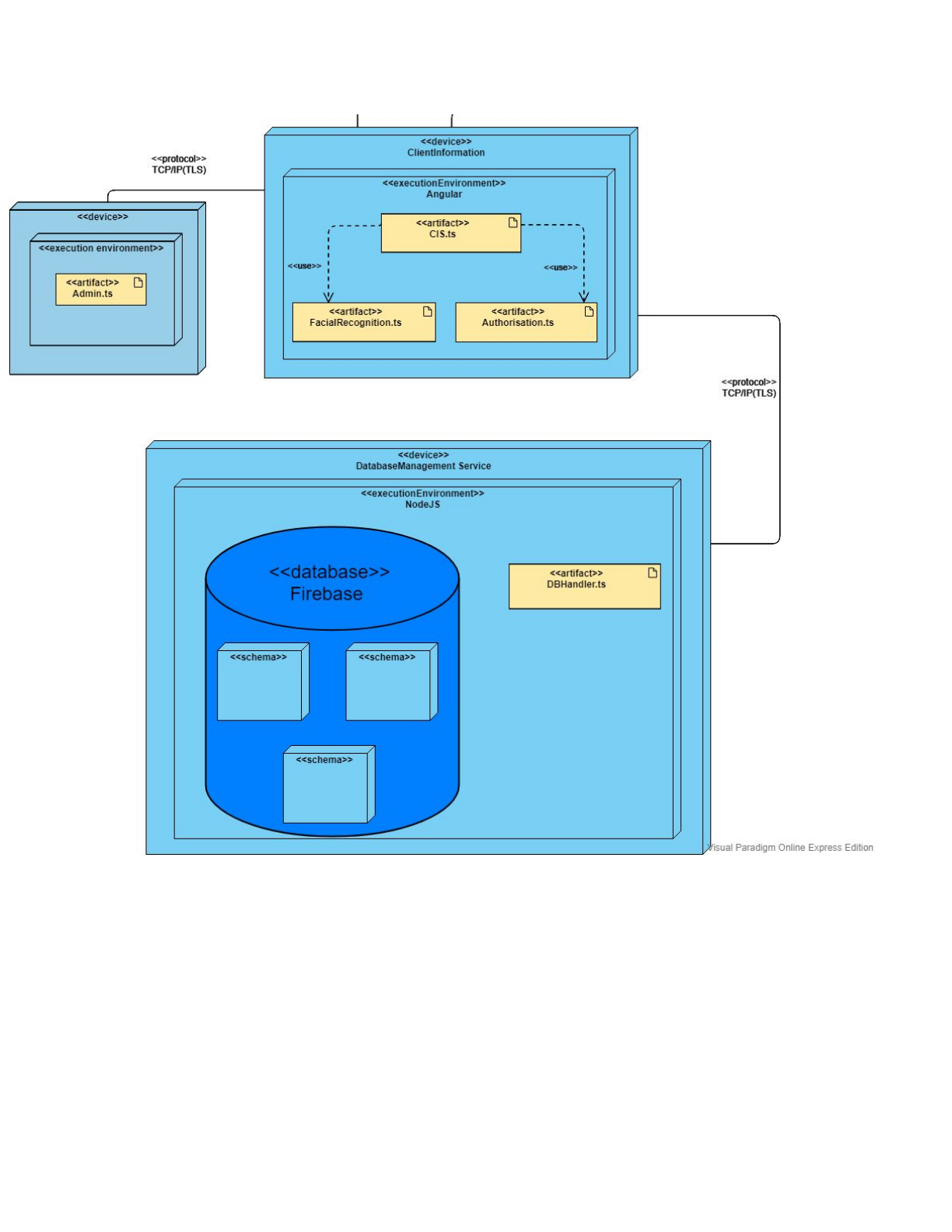
System Configuration
1
2

Installation
The software is currently only available at
https://github.com/cos301-2019-se/A-Recognition
Open your systems terminal and type in git clone
https://github.com/cos301-2019-se/A-Recognition.git
Once the repo is cloned enter the A-Recognition file and then type in:
pip install -r requirements.txt
python3 fr.py;python3 encoding.py
cd DemoOne
npm install
ng serve -o
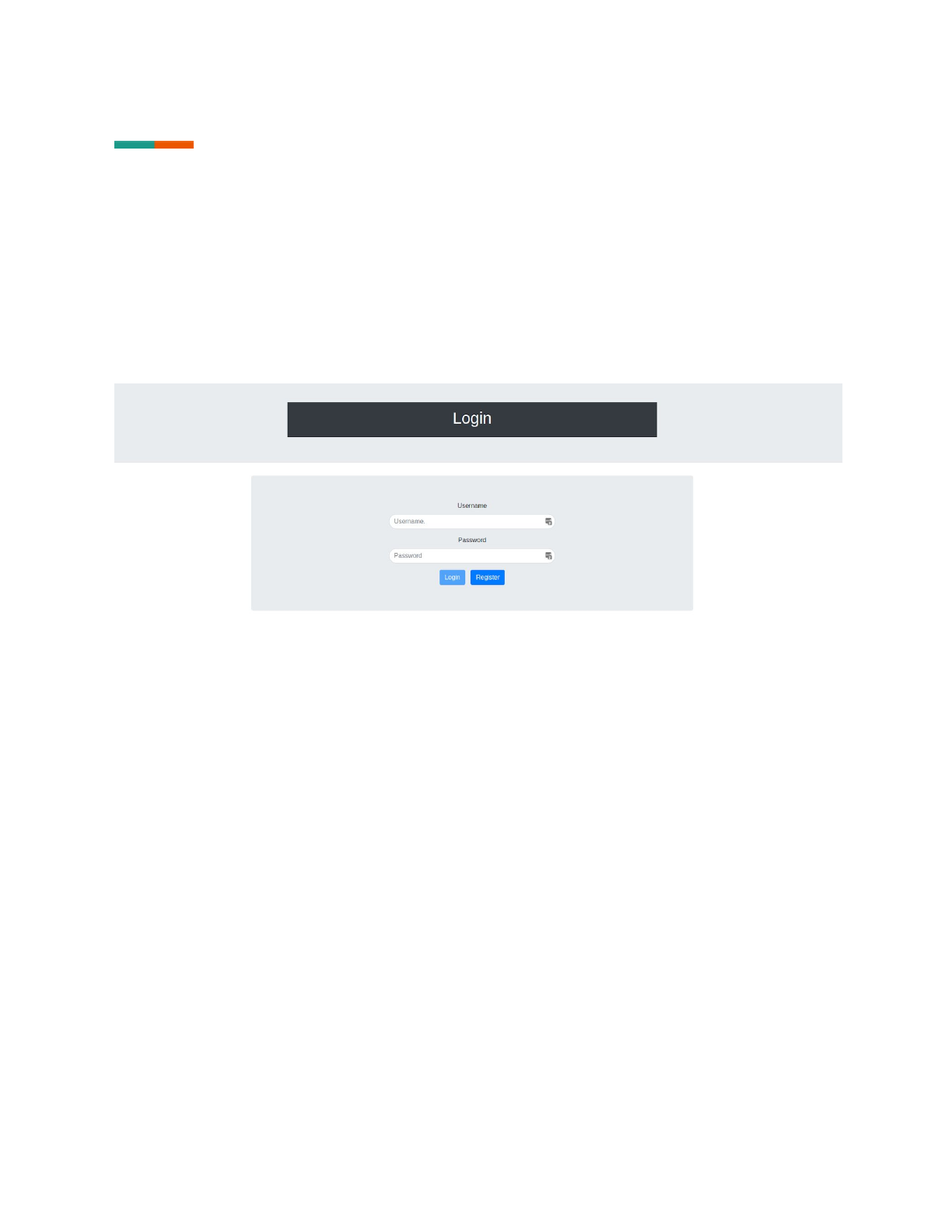
You will notice your browser window open on the login page.
3
Getting started
First time use
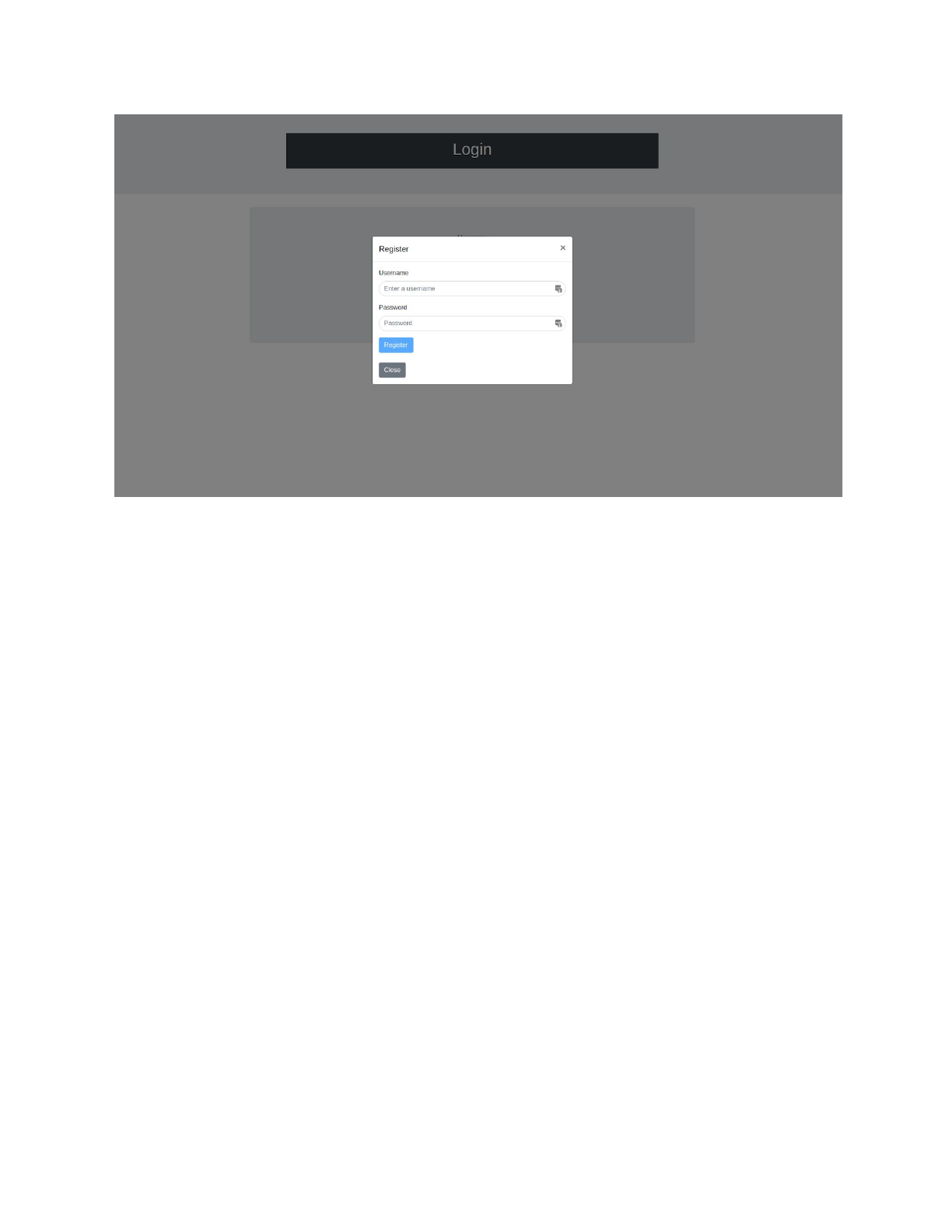
Click on “register” button, a popup menu will appear. Enter the necessary details then
select “register”. The popup menu will close and you will see the login page. Enter your
details and select “login”. You will be brought to a new admin page.
4
Adding employees
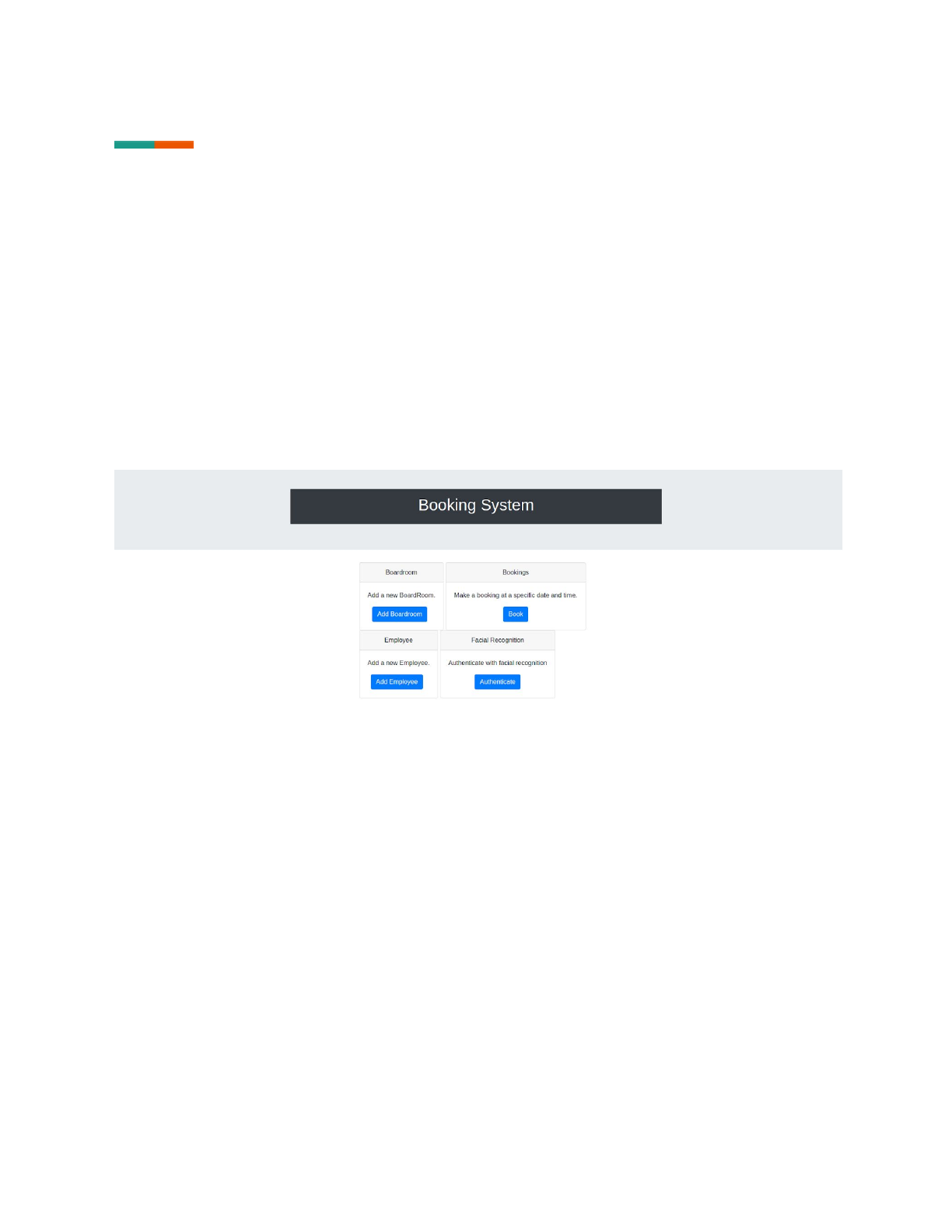
Select “add employee” on the page and then follow the prompts to add an employee, the
process is similar to first time use.
5
Using the system
Adding boardrooms
Select “add boardroom” on the page then follow the prompts to add a boardroom.
Booking a boardroom
Select “book boardroom” on the page and follow the prompts to add a boardroom.
Facial Recognition
Select “facial recognition” on the page. This will take you to another page where you take a
picture of yourself and save it. The process will then determine whether you are allowed
in or not.
6

Troubleshooting
Forms
All input forms have validation, any input that does not follow the expected format will
cause a popup message to be displayed stating how to fix the error.
Facial recognition
Make sure to be in front of the camera when doing facial detection, if you are not present
when the detection is happening there may be an error.
To fix this error refresh the page.
If the facial detection software does not recognised you a popup will state that your face is
not recognised. Should this happen when the system should recognise you, you can retry
the detection process.
7
