Air Strike Starter Kit Manual
User Manual:
Open the PDF directly: View PDF  .
.
Page Count: 13

AirStrikeStarterKit1.0
BasicManual
WelcometoAirStrkeStarterKit.inthisdocumentwillshowyouhowtosetupandcreateyour
Aircombatgameinafewsteps.
Let’sStart.
Setupenvironment.
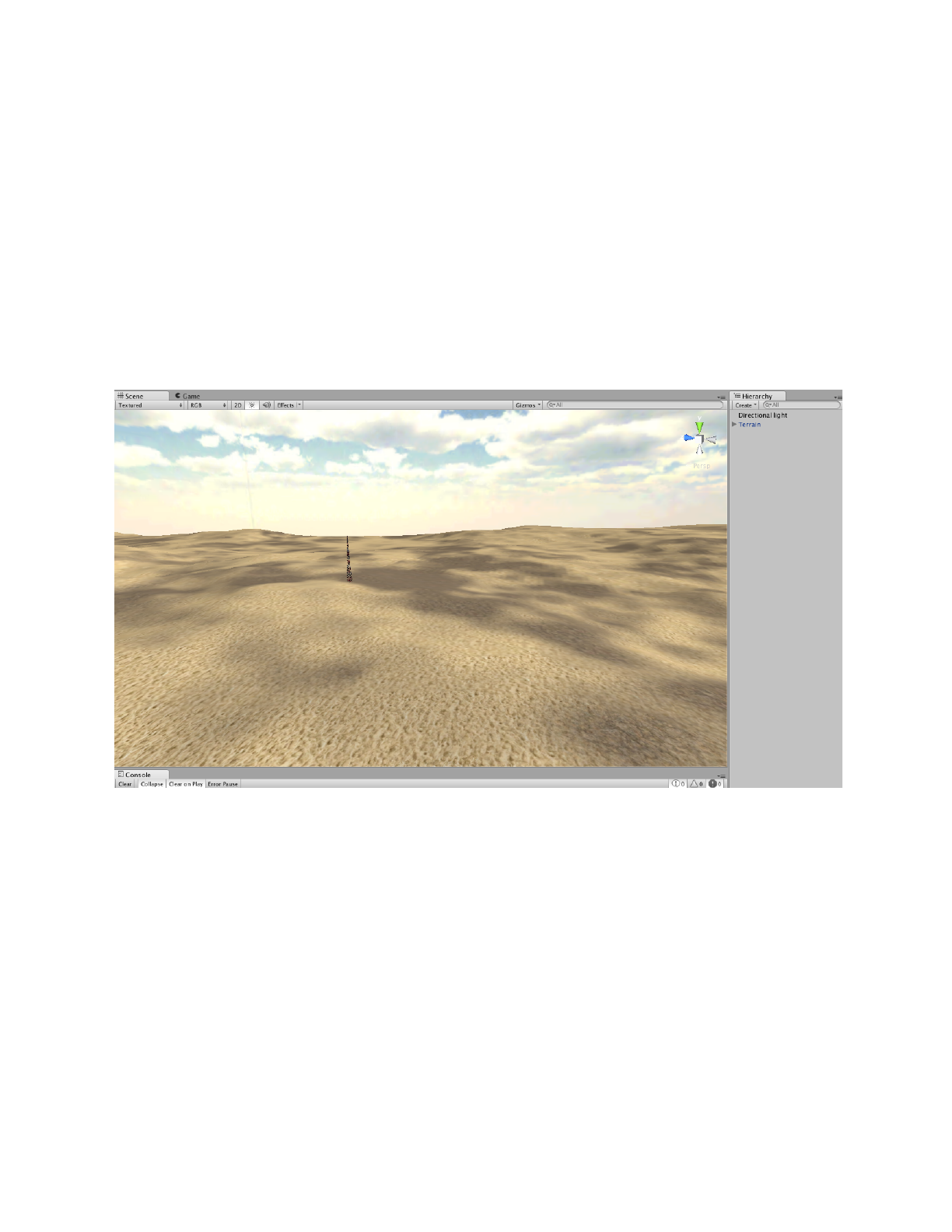
Setupsceneandenvironment.inthisSampleiusingdesertterraintobeastarteryoucanfind
theterraininAirStrike/Prefabs/Game/Terrainyouhavetoaddingaskyboxanddirectionlight.it’s
makethescenelookgood.
1.AddTerraintothescene.AirStrike/Prefabs/Game/Terrain
2.SetuplightingandSkyboxEdit>RenderSettingaddskyboxmaterial
SetupCamera
addFlightView.prefabtothesceneAirStrike/Prefabs/FlightView
(ifyourscenehaveaMainCameraalreadypleaseremoveit.)
SetupPlayerFighterSetup3dModel
1.import3dFightertothesceneAirStrike/Models/f16a
2.removeAnimationcomponent
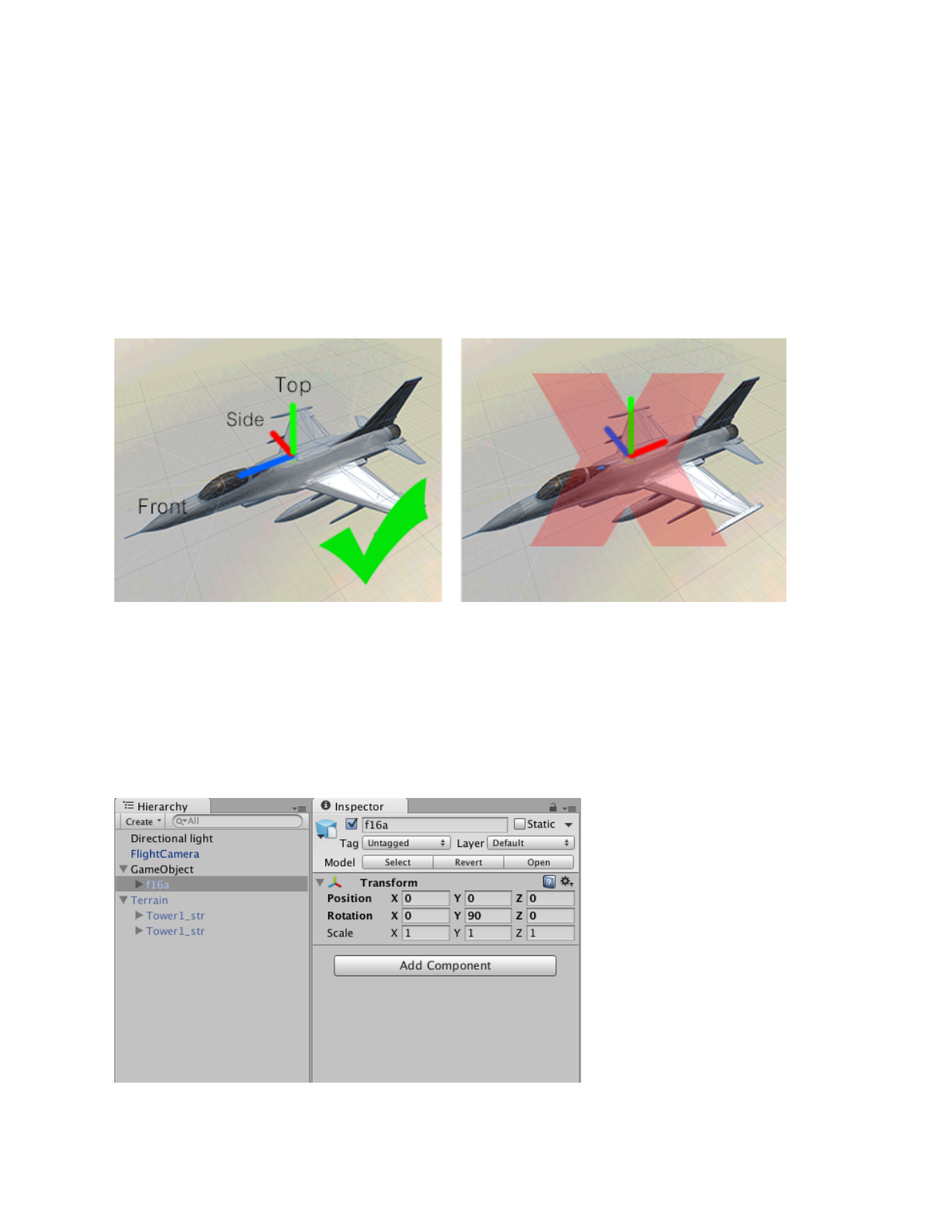
Importance!Makesurethemodelpivotisalwaysincorrectdirection
BlueZaxisismustbefront,RedXaxisismustbeside,GreenYaxisismustbetop
ifyourmodelareindirectionalreadypleaseskipbelowstep.
inthiscaseourF16modeliswrongdirectionwehavetofixitfirst.
1.CreateEmptyGameObject
2.AddF16modelintoGameObjectnode.
3.Rotatetocorrectdirect.andnamedGameObjecttoF16
SetupPlayerFighterSetupComponent
3.addPlane_Player.cstothemodelandTaggedtoPlayer
4.settingparameters
AfterAddPlane_Player.csintothemodelyouwillseeagroupofcomponentsareincluded
automaticallythosecomponentswilllet’syoucustomaparametersofyourFighter
PleaselookatparameterinFlightSystemComponent
●Speed:normalspeed
●SpeedMax:maxspeed
●RotationSpeed:speedofriggidbodyrotationmultiplier
● SpeedPirch
● SpeedRoll
● SpeedYaw
●DampingTarget//useonlyinAImode
●Autopilot//useonlyinAI
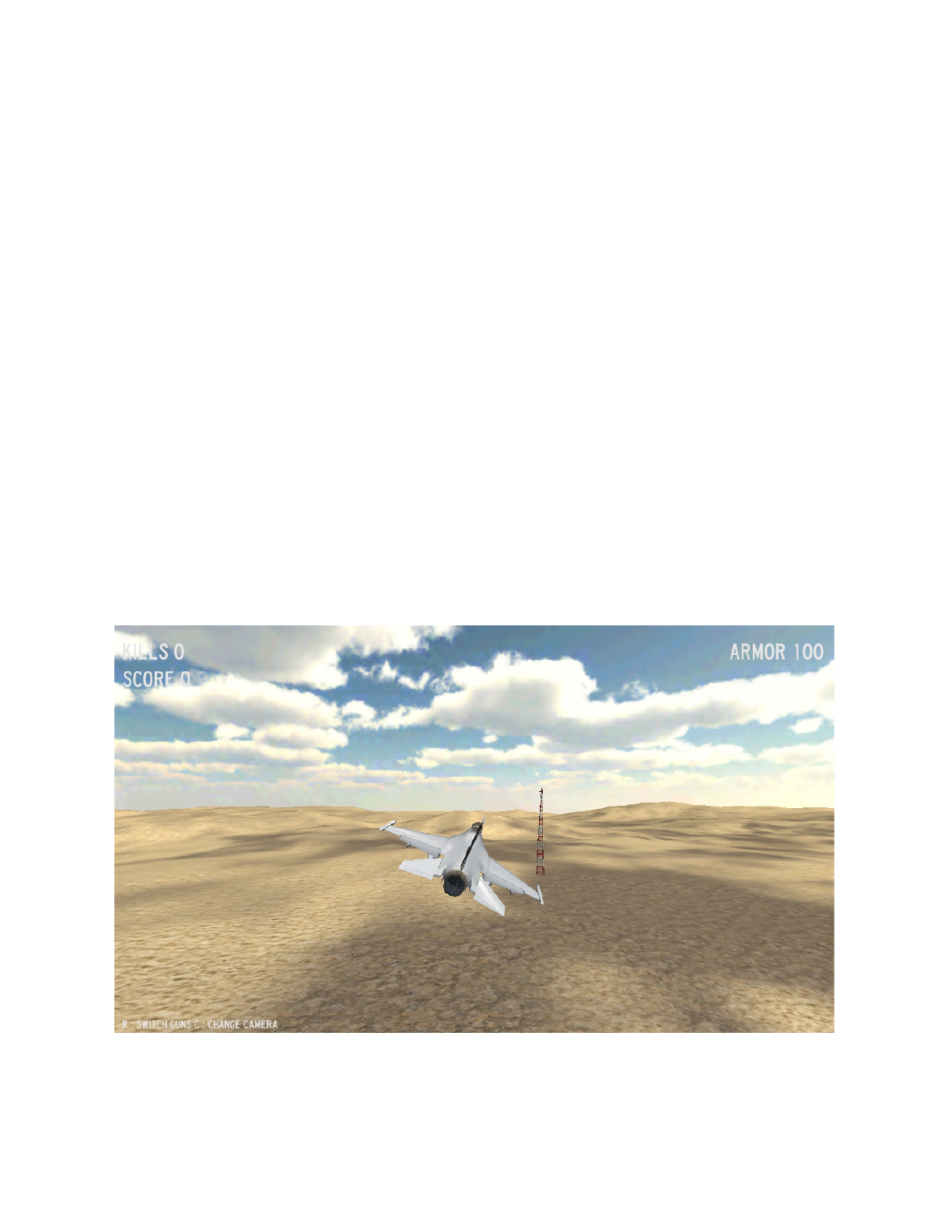
Youcanflytestnow.
NowyoucancontrolthisF16Fightertofreeflyingandrotationaroundthescene.via
WASDseemoreatAirStrike/Scripts/PlayerPlayerController.cs
SetupPlayerFighterCockpitCamera
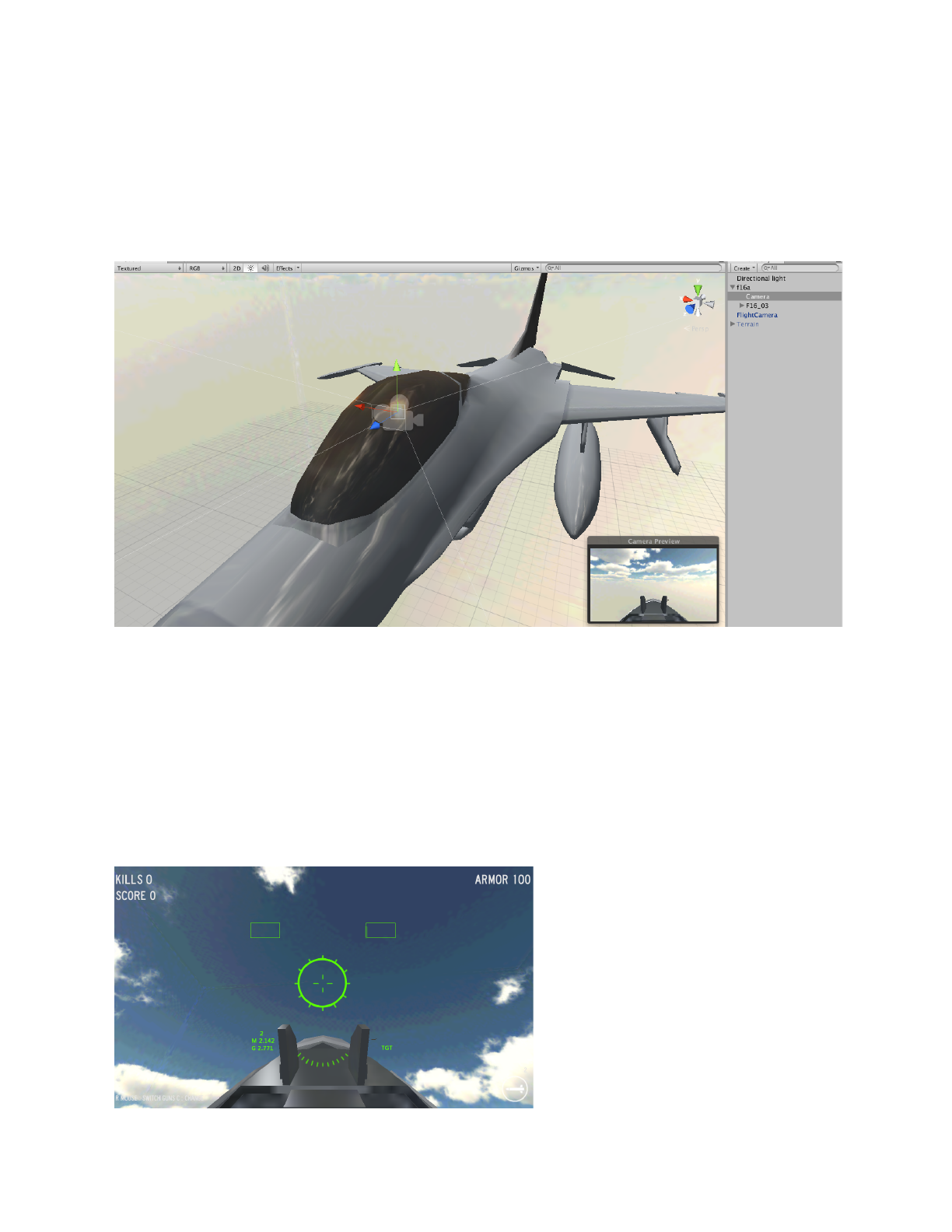
1.CreateCameraandchilditintothisF16hierarchy
2.Setuppositonanddisablecameraandsoundlistener
YoucanaddmorecamerasifyouwantedIndicator.cswillfindthosecameraandadditto
cameraslistautomaticallyyoucanswithacamerawhileplayingbyPressCseemoreand
changeinputatAirStrike/Scripts/PlayerPlayerController.cs
Note:tomakeitbetterAddScripts/Component/CameraSway.cscomponenttothecamera.
FlytestandPressCtoseetheresult
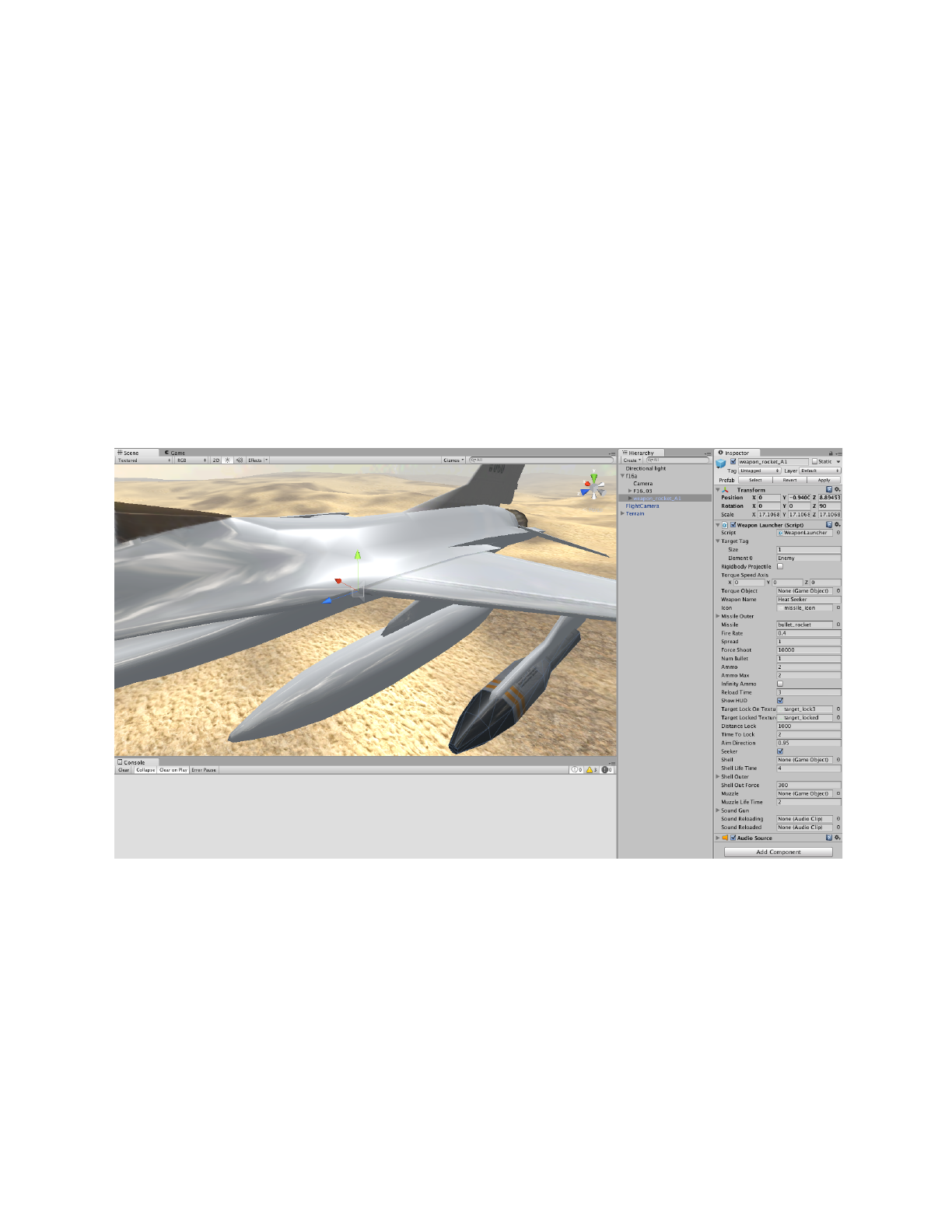
SetupPlayerFighterWeaponSystem
1.SelectoneofLaunchersfromAirStrike/Prefabs/Weapons/Launchers/
inthissampleweuseweapon_rocket_A1
2.AttachittoyourF16Fighter
3.SeeTargetTagparameterinWeaponLaunchercomponentontheweapon_rocket_A1
TargetTaginWeaponLauncher
thisparameterareTargetTag[0]=“Enemy”bydefult.butyouhavetoaddallofopponentTag
intothislist.thisweaponwillworkswithanytargetsaretaged.
WeaponControllercomponentarefindingallweaponsandaddittotheWeaponlist
automatically.
YoucanflytestPressmouse1toshootsomething.
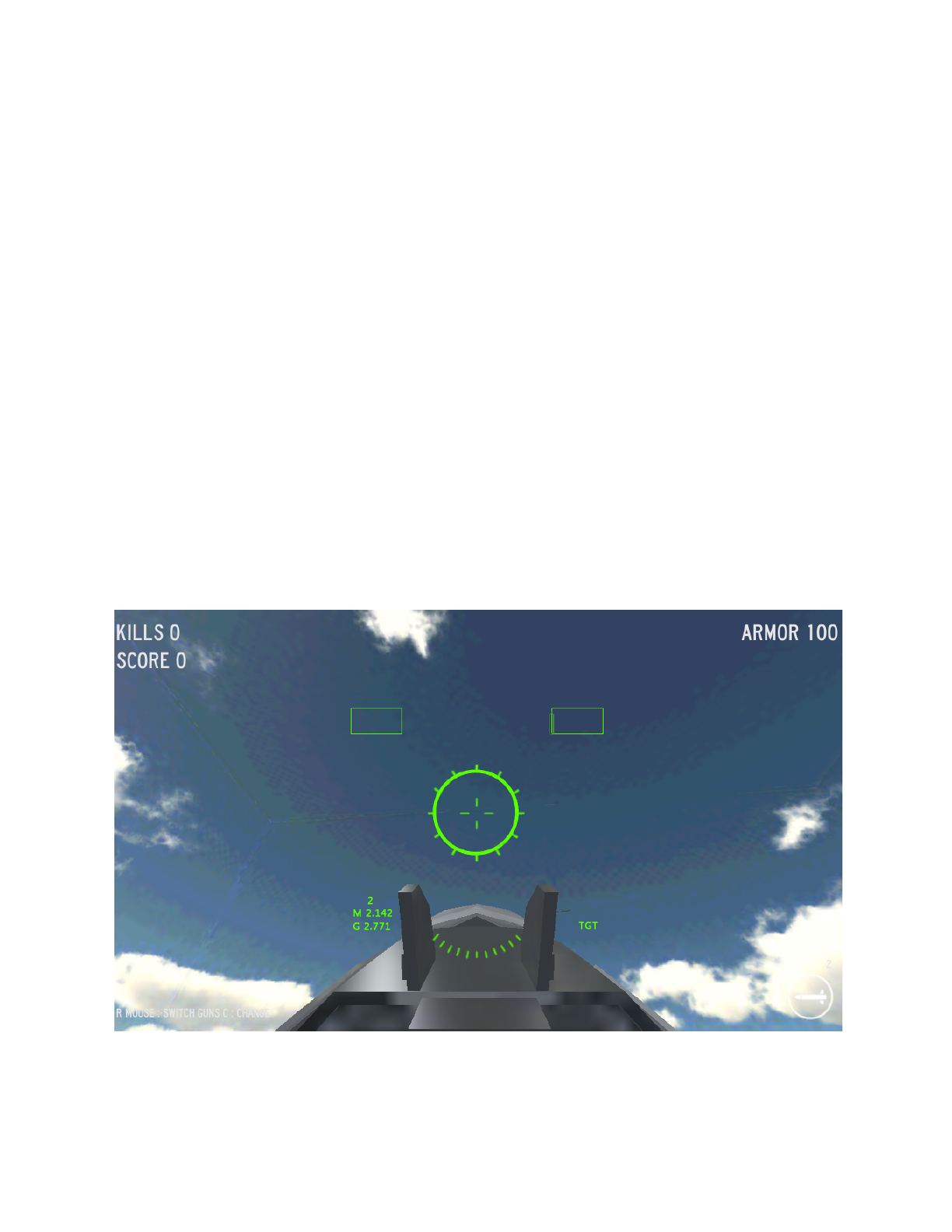
SetupPlayerFighterHUD
1.PleaseseeIndicatorcomponentinyourF16
2.Setparameters
● TargetTag:listofotherfightertag
● NavTexture:textureforeachTargetTagwillshowinHUD
● Crosshair
● Crosshair_in
● CrosshairOffset
● CrosshairOffset_in
● DistanceSee:distanceformotherfighterstoshowinHUD
● Alpha:HUD:opacity
● CockpitCamera:allcamerasareattached
● PrimeryCameraIndex:indexofcockpitcamera
Flytestandswitchacamera(pressC)toseetheresult

SetupPlayerFighterHealthandDamaged
SeeDamageManagerComponentlookatparameters
● HitSound:gothitsounds.
● Effect:Deadreplacementafterdiede.g.Explosion
● HP:Healthpoint
● OnFireParticle:SmokeparticlewhenHPlowerthan50%
GetCrash
ifyouwantedtohittheterrainandgetexplosion.
1.AddFlightOnHitComponenttotheplane
Scripts/FlightSystem/FlightOnHit.cs
2.Settingparameter
● Tag:Listofanyobjectsthatcanbehitandgotdamaged
● Damage:Damage
● SoundOnHit

SetupAIFighter
FortheAIfighteryouhavetosetup3dModelandWeaponsameprocessasPlayerFighter.
ButyouhavetoaddPlane_AI.csinsteadofPlane_Player.cs
SetupAIFighterSetupComponent
3.addPlane_AI.cstothemodelTaggedtoEnemyorFriend
4.settingparameters
AfterAddPlane_AI.csintothemodelyouwillseeagroupofcomponentsareincluded
automatically.thosecomponentswilllet’syoucustomaparametersofyourAI
PleaselookatparameterinAIControllerComponent
● TargetTag:listofopponentTags
e.g.ifEnemysettoPlayerorFriendifFriendlysettoEnemy
● Target:currenttarget
● TimeToLocktime:durationbeforeselectatarget
● AttackDirection:shootingdirectionfacingbetweentargetandAI
(01)1shootonlyfront0shootallaround
● DistanceLock:targetsfindingrange
● DistanceAttack:shootingdistance
SeemoreBattlePositionandCenterofbattlenextpage..
●BattlePosition:middleofbattleareaposition
● CenterOfBattle://middleofbattleareaobject(optional)
● AIstate:AIstate
● AttackRate:attackrate0100if0shootless,100alwaysshoot
●FlyDistance:limiteddistancebetween(BattlePositionandAIposition),thisiswill
createacirclebattleareaandAIcannotgofaroutofthisarea.
Note**Youdon’tneedtocustommuch.justaddTargetTaganddefineyourbattleareabyset
CenterofBattleorBattlePosition
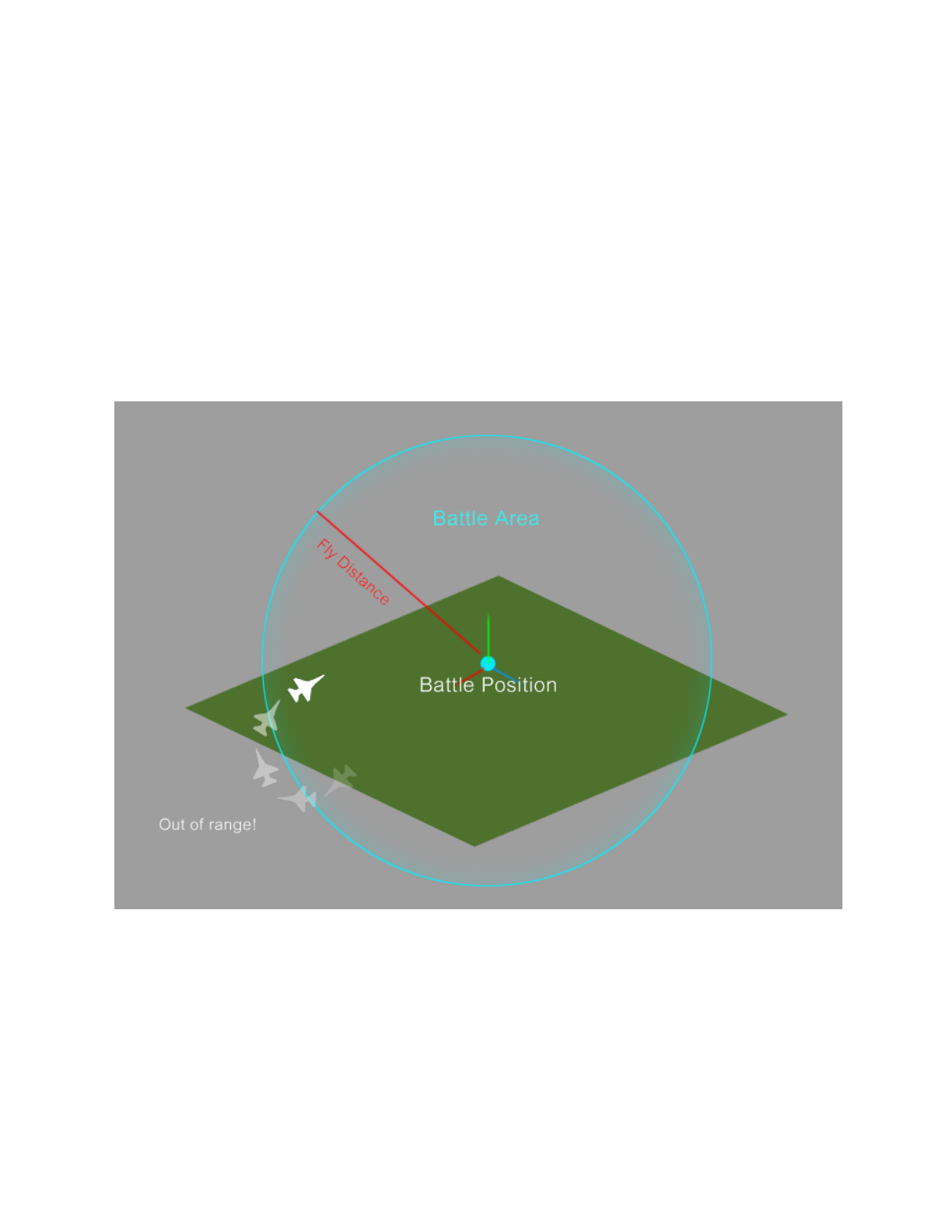
BattlePositionforAI
MakesuretheBattlePositionhasbeensetincorrectlocationofbattlefield.
youcanalsoaddBattleCenter.cstoanyobjectthatyouwantedusingasaBattlearea.
ifyouaddittoaMovingobjectorPlayerFighterBattleareawillbeadynamicarea.
AirStrike/Scripts/AI/BattleCenter.cs
e.g.addBattleCenter.csintoaBattleShip.soallFightersAIareflyingandbattlearoundit.
AIwillalwaysturnbacktothecenteriftheyarerunningoutofBattleArea.
Ifbattlepositionisnotdefined,AIwillflyingto(0,0,0)

CreateNewWeapon
Theweaponinstructionincluded3part
1.Launcher
2.Bullet
3.Combine
Part1.Launcher
Createemptyobjectorusing3dmeshsuchasGunmodel,RocketLauncheretc...
AddWeaponLauncher.csComponent
EditParameter
●TargetTagistagoftargete.g..Enemy,Player
●RiggidbodyProjectilesetTruethegunwillshootwithAddForce()
●TorqueSpeedAxisRotationAxisofTorqueobject
●TorqueObjectusingtorotationwhenshooting
●MissileOuterpositionofbulletshootout
●MissileisBulletPrefeb
●FireRate
●Spreadishowthegunaccuracy0isverystable
●ForceShootshootingforceofthisgun
●NumBulletisnumofbulletpershot
●Ammo
●AmmoMax
●InfinityAmmo
●TimeReload
●ShowHUDsetTruewillshowindicatoroftargetseekeronscreen
●TargetLockOnTexture
●TargetLockedTexture
●DistanceLockDistancebetweenweaponandtargetareposibletolock
●TimetoLockDurationtimebeforelocked
●AimDrection01,0canlockeverywharearoundweapon.
●Seekerenable/dusableTargetSeeker
●Shellshellprefab
●ShellOuterpositionshellspawning
●ShellOutForceissheeloutforce
●Muzzlemuzzleeffectobject
●MuzzleLifeTime
●SoundGun
●SoundReloadingsoundwhenstartrelload
●SoundReloadedsoundwhenreloadfinish

Part2.Bullet
1.Addbullet3dmodeltothescenesetupcolliderandriggidbody
2.TaggedtoBulletimportance!!
3.AddMoverMissile.cscomponentasaMissile
orAddMoverBullet.cscomponentasaNormalbullet
4.AddDamage.csComponent
seeparametersinDamagecomponent
EditParameter
●Effect,ex.Explosionparticle
●DamageisDamagepoint
●TargetTagcanbenull
●ExplosiveEnable/DisableExplosiondamage
●ExplosionRadius
●ExplosionForceisforceofexplosion
●HitedActice
●TimeActivetimecountdowntoactivedamageusingtocreategrenade
Part3Combine
AddbulletprefebtoLauncherat'Missile'Parameter
CallgameObject.GetComponent<WeaponLauncher>().Shoot();

MobileDevices.
ThisversionareincludedMobilecontrollerinPlayerController.csalreadyandreadytorunning
testinonactualdevices.
Mobiletips.
● Removeparticleorkeepitlessaspossiblebyusingspritesheet.
● KeeplownumberofAIFighters
● KeeplowFighterspawningrate
● EnabledSimpleControlinPlayerControllercomponent.it’smakemorecasualand
easiertocontrol.
Thankyou
RachanNeamprasert
www.hardworkerstudio.com
ifyouhaveanyquestion
mailmehwrstudio@gmail.com
infowww.hardworkerstudio.com/as/
