Database Guide Engineering Village
User Manual:
Open the PDF directly: View PDF  .
.
Page Count: 2

Developing your search strategy (1):
Identify your key concepts (search terms)
For each key concept think of alternatives (e.g. synonyms, related
terms, broader/narrow terms)
Combine terms using Boolean logic (AND, OR)
Combining terms:
turbulent flow (system assumes an AND between words) - finds
items containing both turbulent and flow
turbulent AND flow – as above
earthquake OR seismic – finds items containing any of the
words: earthquake, seismic
steel NEAR/6 column – finds items where the words steel and
column are within 6 words of each other
Engineering Village – database guide
Example search topic: finite element analysis of turbulent flow in pipes
Key concepts: finite element, turbulence, pipes
This search finds items which contain: the phrase finite element or one of the acronyms FEA, FEM, PLUS
(AND) any word beginning with turbulen (e.g. turbulence, turbulent), PLUS (AND) the word pipes and any
simple single/plural variations
Personal Account
Register to:
Save records/searches
Create alerts
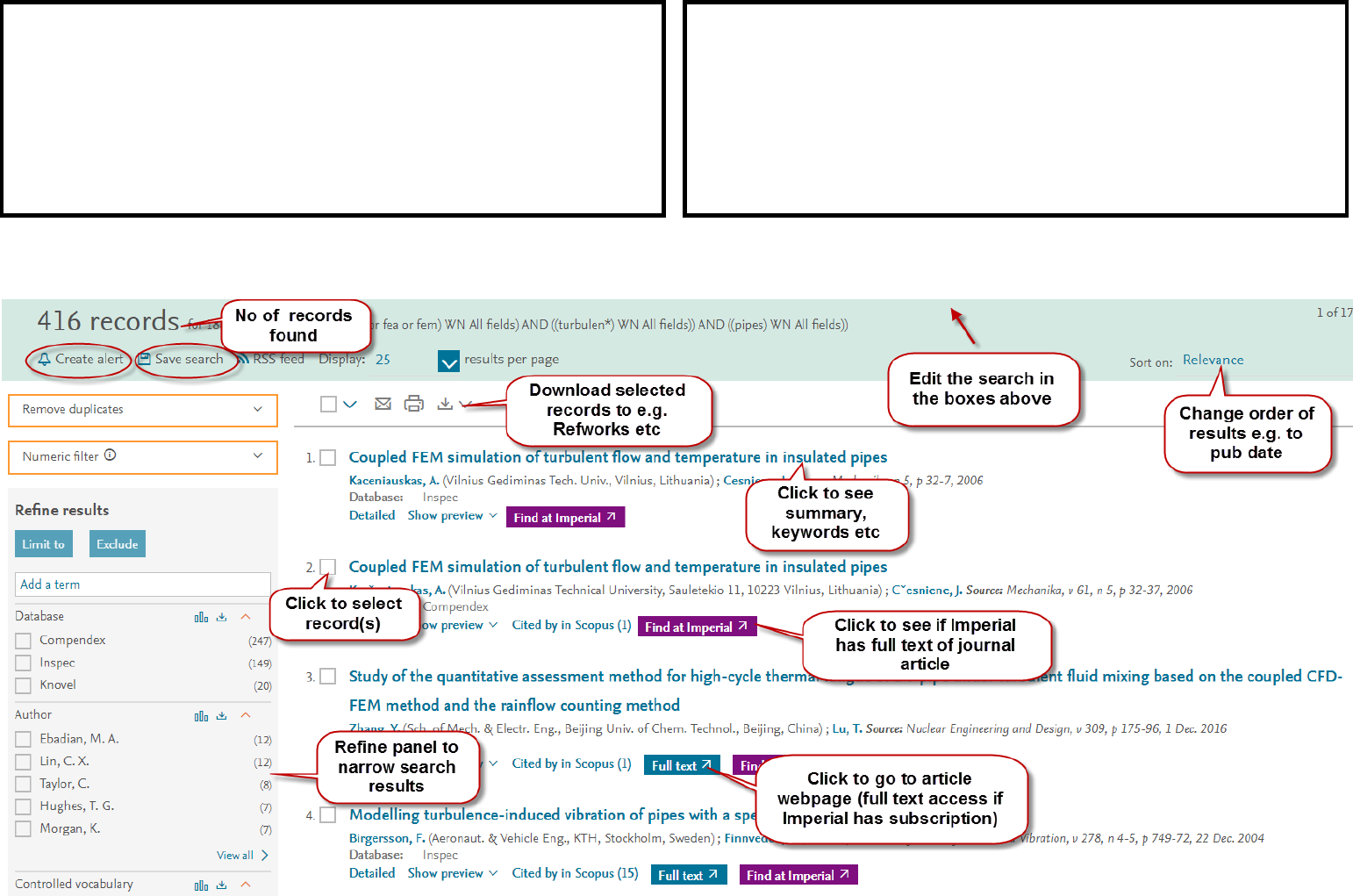
Search Results:
Developing your search strategy (2):
Review results – scan item titles, read summaries/abstracts to
determine relevance/worth reading full text
Change/refine search to improve search results if necessary
Use Search History to view/edit/save previous searches and to
create alerts
Refining your search (some options):
Add/omit search terms to widen/narrow search
Limit some search terms to title or index terms field
Consider using: phrase searching, field searching (e.g. limit to
title), truncation operator (*), proximity operator (NEAR/n)
