Decomments User Manual
User Manual:
Open the PDF directly: View PDF  .
.
Page Count: 3
HowtosetupDe:comments
1. Afterthepurchasedownloadtheplugintoyouradminconsolewithfollowinglink
http://www.yoursite.com/wpadmin/plugininstall.php?tab=upload
2. Thengoestothede:commentslinkintheleftside,inCommentssectionandenter
emailandlicensekeyfromtheletterthatwesendtoyou.
http://www.yoursite.com/wpadmin/editcomments.php?page=decommentsindex
3. Afterallthisactions,youwillbeproceedtothepluginsettingpage.
4. Ifyouhaveanykindofproblemsinthisyoucanwriteaboutitinsupportsectionon
https://decomments.com/support/
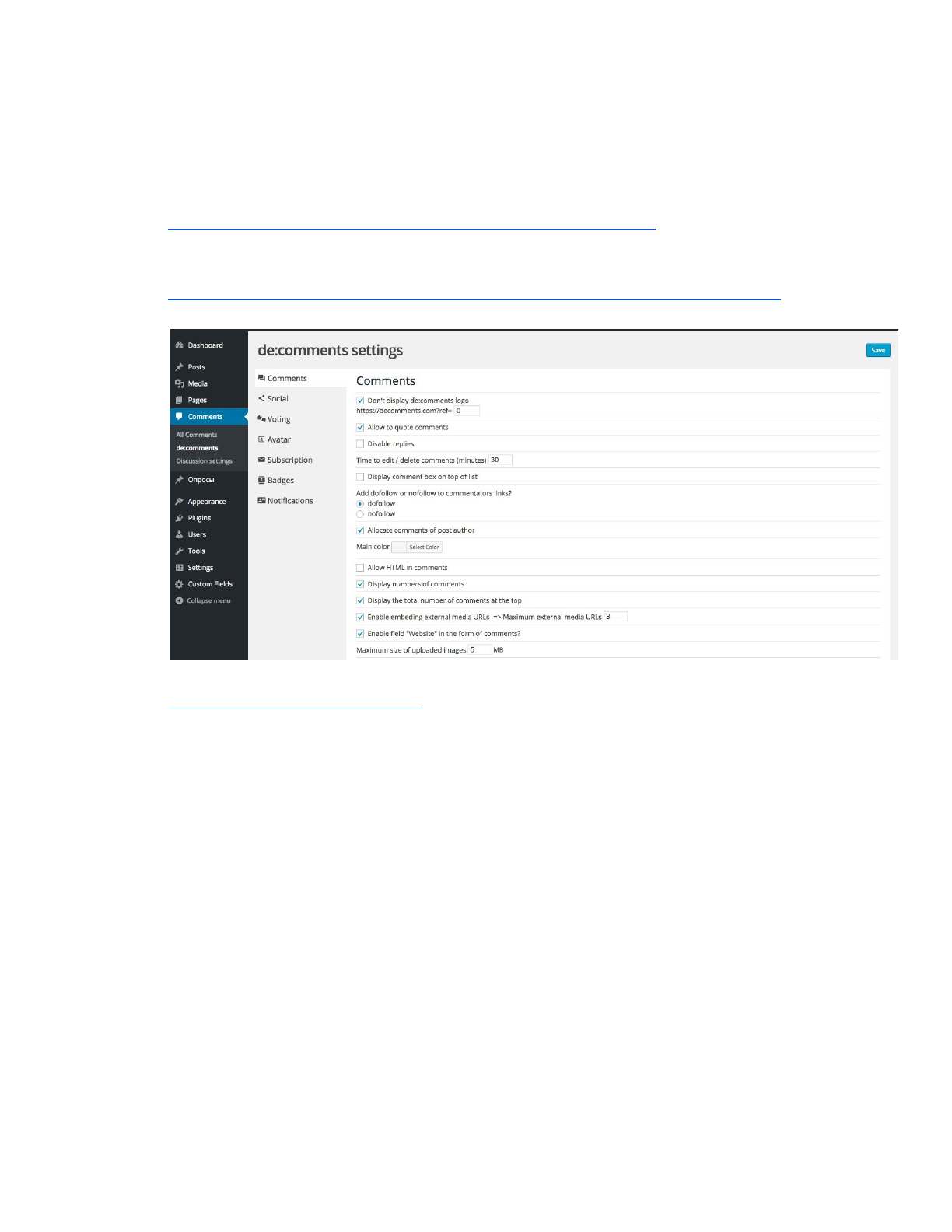
Detailsaboutsetting
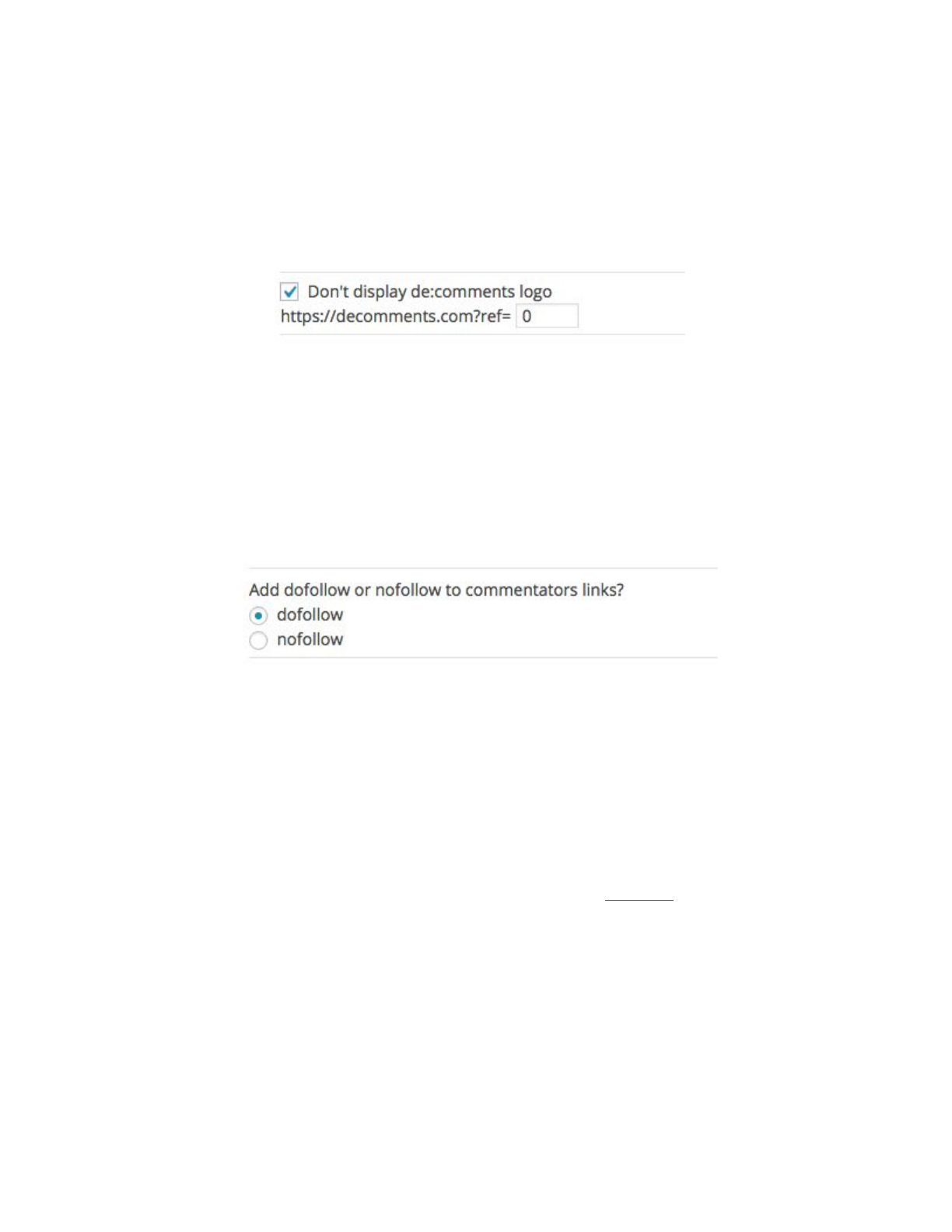
1. Thefirstoptioncandisablede:commentslogointhebottomofthecommentformon
yourwebsite.ItwillbegoodforyourSEO,butrememberthatyoucannotbeapartof
ouraffiliateprogramwithoutthis.
2. Thesecondoptionallowsusertoinsertquotesintocomments
3. Byclickingnextone,youcandisablerepliesforusers.Itisagoodoptionforsomeone
whowillusecommentsforvoting,forexample.
4. Also,youcancustomizetimeforeditanddeleteacomment.Youcansetinthisfield0if
youdonotwanttogivethisoptiontousers.
5. “Displaycommentboxonthetop”willbringittothetopofthetreadifitisnotturnedon
commentboxwillbeinthebottom
6. NextoptionalsowillbegreatforSEO.Youcanadddofollowornotfollowtoall
commentator’slinks
7. Inthecolorfield,youcansetthemaincolorofallactionelementsandhoversin
comments.
8. Byclicking“AllowHTMLincomments”youwillallowuserstoinsertandkindofcodein
thecommentbox.
9. Nexttwooptionswillturnoncommentscounterinthetopofcommentbox
10. Asyouknow,de:commentsworksgoodwithalllinksfromsocialnetworksandshowitin
thebestway.However,youcansetupthelimitoflinksfromsocialnetworksinone
thread
11. YoucanenableordisablenativeWordPressfield“Website”
12. Andthefinalmainoptionaboutpagination,showmoreorlazyloadincomments.This
optiondependsonthenumberofcommentsonyourwebsiteandspeedofyourserver.
Sojusttryallofthemandchoosethebestforyou.

Moresettings
➢Socialoptionsyoucanchoosesocialnetworksforlogginginonthesiteand
commenting,butyouhavetoinstalandconfigureproperlyWordPressSocialLogin
plugin.
➢InVotingblock,youcanallowordisallowlikesanddislikesforcomment,andbringthe
topcommentwiththecustomnumberoflikes.
➢Also,youcansetyourownavatarforuserswithoutit,setavatar’ssizeandform.
➢Insubscriptionblock,youcansetupoptionsforsendingemailsaboutcommentsand
replies,butrememberthatyourmailservershouldbereadyforthisamountofletters.
➢Forthemostactiveusers,youcanaddbadges.Wegivesomeamountofoptions,you
havetoaddbadgepicture20x20pxandfillnumbersinconditionsfields.Badgeswill
appearneartotheuser’snameinallhis/hercomments.
➢Infinalblock,youcancustomizeletterstexts.Itislettersthatsubscribeduserswill
receive.
