Dell Computer Hardware EN 60950 Color MFP E525 Spec Sheet
User Manual: Dell Computer Hardware EN 60950
Open the PDF directly: View PDF  .
.
Page Count: 4
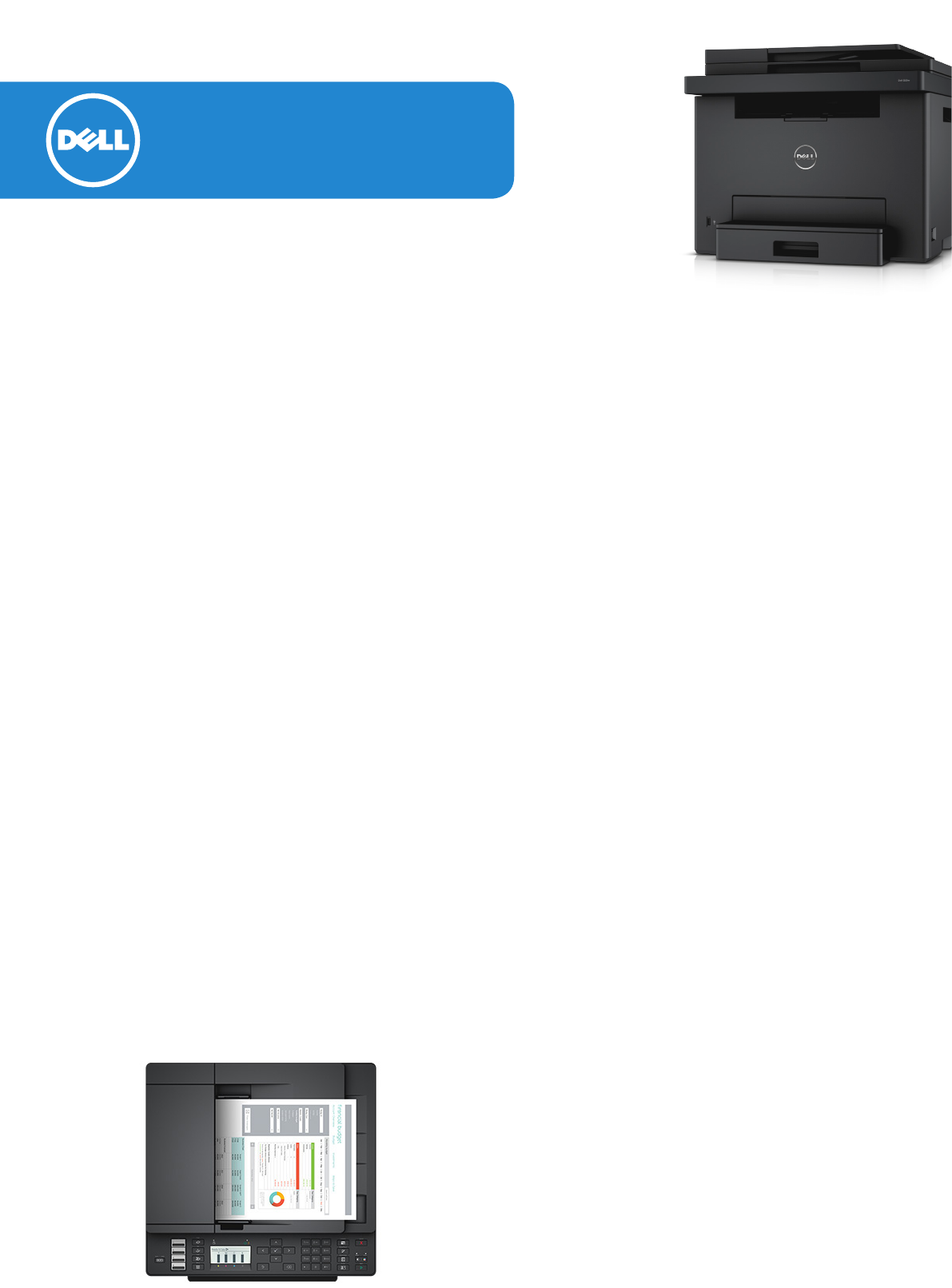
Dell Colour Multifunction
Printer - E525w
Versatility, value and ease for brilliant everyday performance
Simplify everyday printing and imaging tasks with a compact, 4-in-1 colour
multifunction printer with essential productivity features that allow you to do more.
• Print wirelessly and easily scan, fax and copy. The convenient automatic document feeder (ADF)
enables unattended copying and faxing for multi-page documents.
• Get set up easily using the Dell Printer Easy Installer.
• Simplify printing tasks and maintenance with the Dell Printer Hub2.
Easy set-up
Get your Dell printer up and running easily using the
Dell Printer Easy Installer1 and allow flexible connectivity
with WiFi1, USB and Ethernet options.
Comprehensive productivity features
Print crisp text and vivid colours at excellent speeds
of up to 18ppm3 (black/colour), and quickly scan
documents at up to 17/7ipm (black/colour).
Enhanced features enable you to do more:
• Copy both sides of an ID card on a single side of
paper using the “ID Copy” button.
• Keep sensitive documents private using the Secure
Print feature. With this security feature, print jobs are
password protected and released using a valid user
PIN.
• Rely on your E525w to handle everyday work
demands with a duty cycle of up to 30,000 pages
per month4.
Print on-the-go
Print directly from compatible smartphones, tablets,
and other mobile devices with the Dell Document
Hub app, available on the App Store, Google Play and
the Windows Store. The E525w also supports AirPrint5,
Google Cloud Print and Mopria, so you can print from
virtually anywhere.6
One-stop solution to do more
Simplify your printing tasks and maintenance with the
Dell Printer Hub2. This convenient, one-stop solution
features an intuitive interface that integrates printer
essentials and cloud connectivity for easy document
management and control of your printer.
• 1-click to update printer firmware and software
• 1-click to execute customized scan shortcuts
• 1-click access to the Dell Document Hub cloud
access solution, which also features cloud Optical
Character Recognition to convert scans into
editable, searchable files.
Get automatic alerts when firmware and software
updates are available, or when the toner runs low.
Conveniently re-order toner via Dell Printer Hub.
Eco-conscious design
Low-melt toner technology means less heating,
reduced warm-up times, and faster first-page-out
time — all of which contribute to reduced energy
consumption. The E525w meets the latest regulatory
and environmental standards, including ENERGY STAR®
qualification7, Restriction of Hazardous Substanced
(RoHS) compliance9 and EPEAT Bronze registration9.
The single drum/fuser unit is designed to last the life of
the printer, so you’ll have less maintenance.
Comprehensive services
Contact technical support for any printing issues via
phone or online during your standard 1-year Limited
Hardware Warranty10, and enjoy 1-year Advanced
Exchange11 after Remote Diagnosis Service12.
Stay covered longer when you choose optional 2-, 3-,
4-, or 5-year extended Limited Hardware Warranty10.
Dedicated support 24/7 is available with Dell
ProSupport™13 service options.
Learn more at Dell.com/printers
Dell Colour Multifunction Printer - E525w
Printer specifications Printer type Colour multifunction printer (print, copy, scan, fax)
Print speed (Mono / Colour)3Simplex (600 x 600 dpi) - Up to 18 ppm mono / Up to 18 ppm colour (A4)
First page out time from
Ready state
As fast as 16 sec (mono)
As fast as 22 sec (colour)
Print resolution 600 x 600 dpi
Operation panel 4 Lines 20 Character Graphic Bitmap LCD. 35 Buttons, 10 LEDs
Print language
Printer driver language PCL 6, PostScript™ Level 3 Emulation
Printer data stream PCL 6, PostScript™ Level 3 Emulation
Fonts HP PCL® 6 Emulation: 81 scalable fonts, PostScript 3: 81 scalable fonts
Processor speed 525 MHz
Memory, standard 512 MB RAM
Mobile printing
support
Dell Document Hub (for Android, iOS and Windows 8 and later), AirPrint5, Google Cloud Print,
Mopria-certified
Usage rate Duty cycle Up to 30,000 pages per month4
Recommended monthly
print volume 250 - 700 pages per month
Scan specifications Scan type Flatbed, ADF / Contact Image Sensor (CIS)
Scan speed
(Single-page document, 600 x 300 dpi) Up to 17 ipm mono / up to 7 ipm colour
Scan resolution 1200 x 1200 dpi, up to 4800 x 4800 dpi (software enhanced)
Scan depth (Colour) 24-bit
Scan depth (Mono) 1 bit for lineart and 8 bit for gray scale
Scan size (max) Flatbed : 216 mm x 297 mm
ADF: 216 mm x 356 mm
Scan to media (file format) PDF, TIFF, JPEG
Walk-up scan to SMB (Network folder), FTP (Network server), Email, USB Host, Application
Copy specifications Copy speed
(Single-page document, 600 x 600 dpi) Up to 18 cpm mono/ up to 18 cpm colour
Maximum copies 99
Enlarge 25 to 400% (increment: 1%)
Copy settings Auto Exposure, Collate, Multiple-Up (2-in-1 only), Sharpness, Density,
ID Copy, Frame Erase
Fax specifications Fax transmission speed Up to 33.6 Kbps
Speed dial Up to 99 entries
Memory size 2 MB
Fax feature Transmit: Broadcast, Delay/Schedule, Forward, Fax Forward To Email
Receive: Secure, Remote, Polling
Paper handling Input sources Standard - 150-sheet standard tray
Maximum - 150 sheets
Automated Document Feeder (ADF) Specifications
Capacity 15 sheets
Media size Max: 215.9 mm x 355.6 mm
Min: 139.7 mm x 139.7 mm
Types Cut paper, Plain paper
Output destinations Standard - 100-sheet bin
Maximum - 100 sheets
Standard tray
Types and weights supported Plain paper (60 -90gsm), Thicker paper (91 -105gsm); Cover (106-163g/
m2); Coated paper (106-163g/m2); Label; Envelope; Recycled Paper
Sizes
A4 Short Edge Feed (SEF), US letter, B5 SEF, A5 SEF, Executive SEF, Folio
SEF, US legal, Com-10 SEF, Monarch/DL, C5 SEF
Custom paper size: Width: 76.2 to 215.9mm, Length: 127 to 355.6mm
Duplexer Manual
Page layout options
Portrait or Landscape orientation, Multiple copies, Multi-page printing
(N-up), Manual duplex printing (only for Windows and Mac Driver), Poster
(only for Windows Driver), Booklet printing (only for Windows Driver),
Watermarks (only for Windows Driver), Collate, Rotation
Printable area 207.9 mm x 347.6 mm
Connectivity Interfaces USB2.0 High speed supported, 10/100 BASE-T Ethernet, Front USB port
Wireless WiFi (b/g/n), WPA2.0 (Personal), WPS 2.0, WiFi Direct
Operating systems
Windows
Microsoft® Windows® 8.1 32bit/64bit
Microsoft® Windows® 8 32bit/64bit
Microsoft® Windows® 7 32bit/64bit
Windows Vista® 32bit/64bit
Windows Server 2012 64bit, Windows Server 2012 R2 64bit
Windows Server 2008 32bit/64bit, Windows Server 2008 R2
Windows XP 32bit/64bit (Home & Pro)
Windows 2003 Server 32bit/64bit
Macintosh Apple Mac OS®: 10.6 ~ 10.10
Others
SUSE Linux Enterprise Desktop 11.3 (32/64 bit)
Red Hat Enterprise Linux 6.4 Desktop (32/64bit)
Ubuntu 12.04 (32/64 bit)
Physical specifications Printer dimensions (W x D x H) 410 mm x 398 mm x 353 mm
Printer weight 16.4 kg (with consumables)
Shipping dimensions (W x D x H) 561 mm x 549 mm x 520 mm
Shipping weight 19.4kg
Operating environment Temperature: 5ºC to 32ºC; Relative Humidity: 15% to 85% RH, non-
condensing; Altitude: ≤ 3,100 m
Storage (packaged) Temperature: 0ºC to 35ºC (32ºF to 95ºF); Relative Humidity: 15% to 80%
RH; Altitude: ≤ 3,100 m
Acoustics (Pressure - LpAm) /
Power - LwAd)14 Printing - (mono/colour) 64.5 dB / 6.75 B; Standby - 3.76 dB / 4.06 B
Power specifications Voltage 230 vac model - 220 to 240 vac ± 10 %, 50 ± 3 Hz / 60 ± 3 Hz nominal
Power consumption
Printing mode: 280W
Standby mode : 40W
Power Saver mode (Sleep) : ≤ 10W
Power Saver mode (Deep Sleep) : ≤ 2W
Average power consumption 5A @ 220V-240V
Consumables Ship-with toner capacity15 Up to 700 pages (Black); up to 700 pages (Cyan, Magenta, Yellow)
Toner capacity15 Up to 2,000 pages (Black); up to 1,400 pages (Cyan Magenta, Yellow)
Product certifications Safety: EN 60950-1/IEC 60950-1, CE Mark (EU), NOM (Mexico); SABS/ICASA (South Africa)
EMC: EN 55022 (Class B); EN55024; EN61000-3-2 (Class A);EN 61000-3-3;R&TTE Directive (EU);UL
60950-1 / CAN/CSA-C22.2 No. 60950-1-07; ICES-003 (Canada), US CFR Title 47, FCC Part 2 and 15 Class
B; FDA/DHHS (21CFR, Chapter 1, Subchapter J); GB4943.1, GB9254, GB17625.1
Others: ROHS Compliant8, ENERGY STAR7, WEEE, ErP Lot 4, Lot 6 and Lot 26, REACH, MEL (Mexico),
Blue Angel (Germany), EPEAT Bronze9
Supported languages English, French, German, Italian, Spanish, Danish, Norwegian, Dutch, Swedish
Printer management Dell Printer Hub; Dell ColorTrack 1.0, Standard Printer MIB
Contents in box Dell Colour Multifunction Printer - E525w, Software and Documentation CD, Ship-With Black Cartridge
(700 page yield15), Ship-With Colour Cartridges (700 page yield15), Power Cord, USB Cable, RJ11 Cable,
Setup Guide
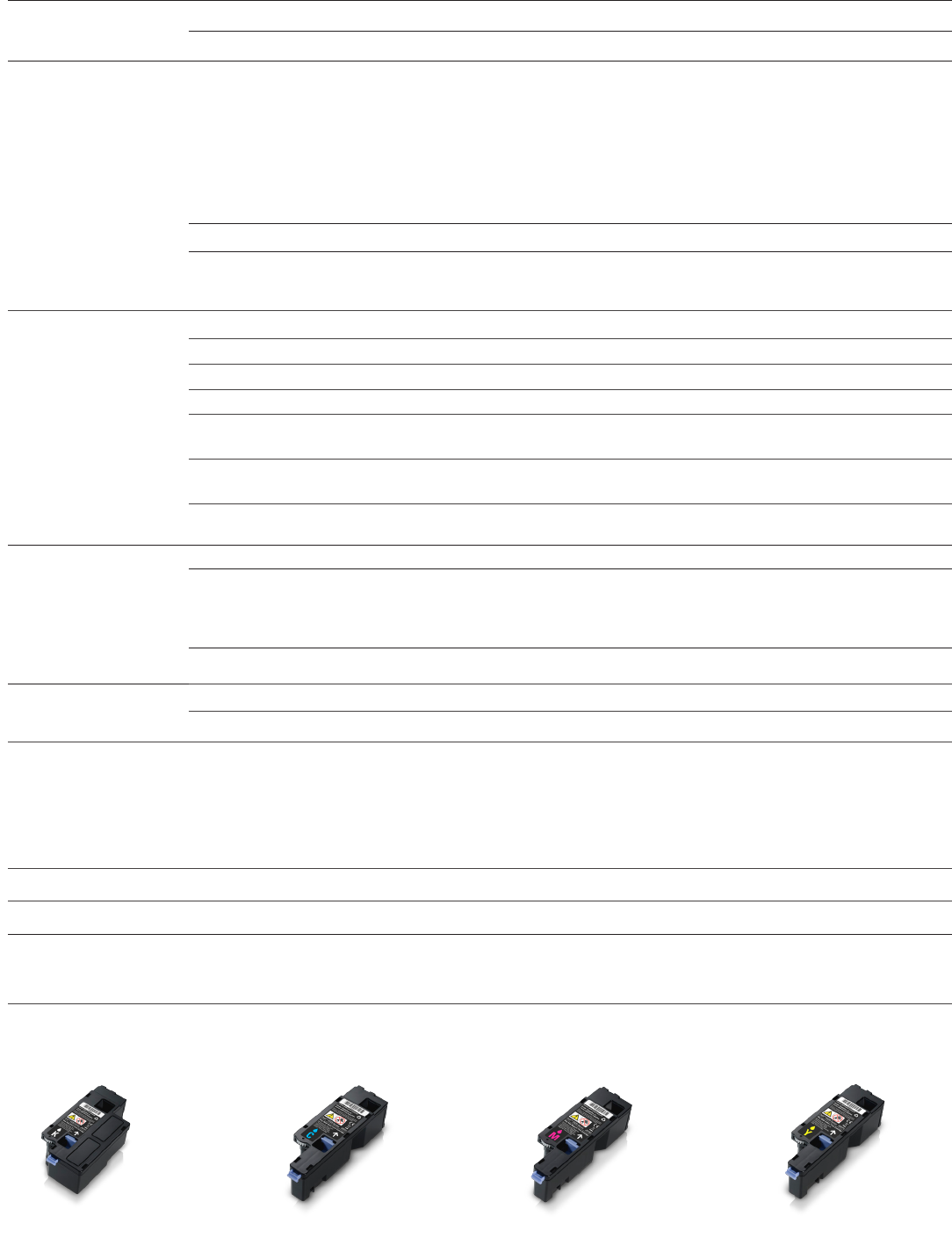
E525w series
Black Toner Cartridge,
2,000-page yield15
E525w series
Cyan Toner Cartridge,
1,400-page yield15
E525w series
Magenta Toner Cartridge,
1,400-page yield15
E525w series
Yellow Toner Cartridge,
1,400-page yield15
Available consumables & accessory

1. For wireless printing information, please refer to www.dell.com/support/wireless_printing
2. Supports Windows 7, 8 and later only.
3. Actual print speed may vary with use. Measured in accordance with ISO/IEC 24734 methodology.
4. Duty cycle is defined as the maximum number of imaged outputs a device could deliver in a month. This number can be used to compare
potential workload capabilities of dierent Dell printers and multifunction printers.
5. AirPrint-enabled printers work with iPad, iPhone (3GS or later), and iPod touch (3rd generation or later) running iOS 4.2 or later.
6. The printer and the mobile device must be connected on the same network.
7. For details on energy eciency of ENERGY STAR® qualified products, refer to: www.energystar.gov.
8. Meets the requirements of the EU RoHS Directive 2011/65/EU on the Restriction of the use of certain Hazardous Substances (RoHS).
9. EPEAT registration varies by country. See www.epeat.net for registration status by country.
10. For copy of Ltd Hardware Warranty, write Dell USA LP, Attn: Warranties, One Dell Way, Round Rock, TX 78682 or see www.dell.com/warranty.
11. Replacement system or replacement part will be dispatched, if necessary, following phone-based troubleshooting, in advance of receipt of
returned defective part or system. Replacements may be refurbished. Defective unit must be returned. Availability varies. Other conditions apply.
12. Remote Diagnosis is determination by online/phone technician of cause of issue; may involve customer access to inside of unit and multiple
or extended sessions. If issue is covered by Limited Hardware Warranty and not resolved remotely, technician and/or part will be dispatched,
usually within 1 business day following completion of Remote Diagnosis. Availability varies. Other conditions apply.
13. Availability and terms of Dell Services vary by region. For more information, visit Dell.com/servicecontracts/global. Subject to parts availability,
geographical restrictions and terms of service contract. Service timing dependent upon time of day call placed to Dell. Defective unit must be
returned.
14. Tested in accordance with ISO 7779 and reported in accordance with ISO 9296. Acoustics - Declared noise emission values of computer and
business equipment.
15. Black and colour toner yield based on testing in accordance with ISO/IEC 19752. Yields vary with usage and environmental conditions.
©2015 Dell Corporation Limited. Dell, the Dell logo and Dell Toner Management System are registered trademarks or trademarks of Dell Inc.
Other trademarks and trade names may be used in this document to refer to either the entities claiming the marks and names or their products. Dell
disclaims proprietary interest in the marks and names of others. Microsoft, Windows and Windows NT are registered trademarks or trademarks of
Microsoft Corporation. Android and Google Cloud Print are registered trademarks of Google Inc. iPad, iPhone, iPod, and iPod touch are trademarks
of Apple Inc., registered in the U.S. and other countries. AirPrint and the AirPrint logo are trademarks of Apple Inc. Dell Products, Dell House, The
Boulevard, Cain Road, Bracknell, Berkshire, RG12 1LF, UK. Product availability varies by country. Please contact your Dell representative for more
information.
Specifications are subject to change without notice. Dell cannot be responsible for errors and omissions in typography or photography.
4/2015
