Dwarfs Instructions
Dwarfs_instructions
User Manual:
Open the PDF directly: View PDF  .
.
Page Count: 5
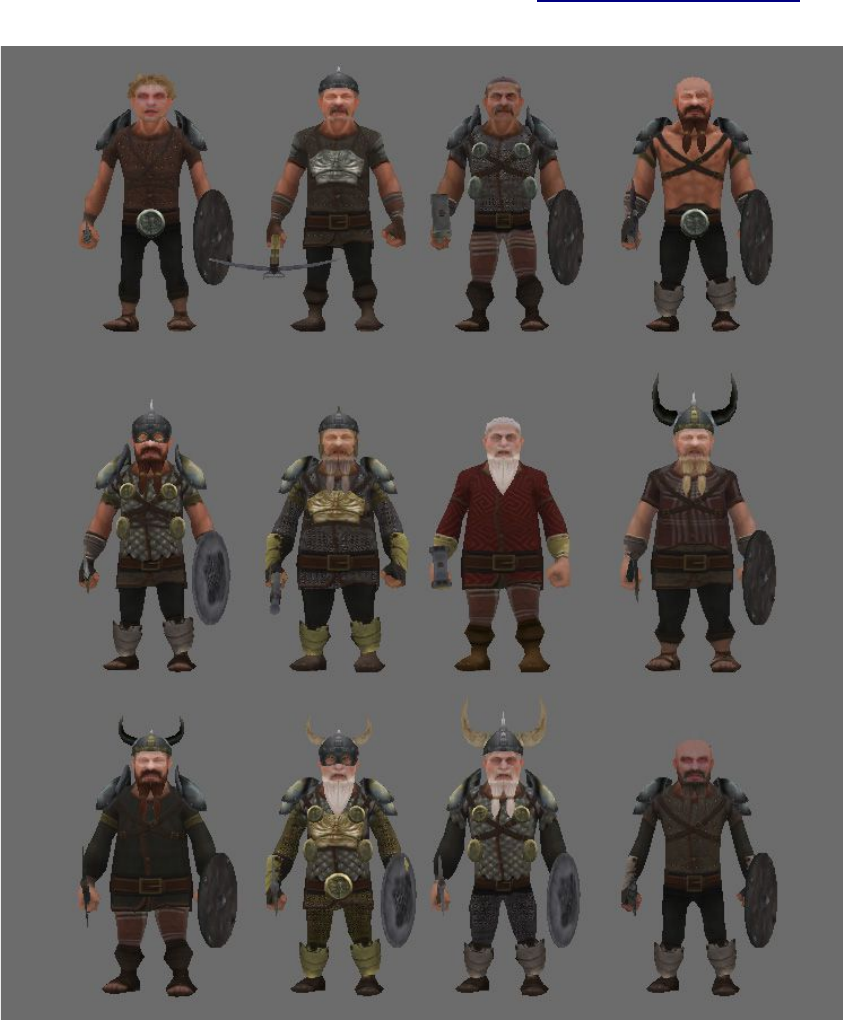
Fantasy Horde - Dwarfs
www.polygonmaker.com
How to Use
Drag the FH-dwarf.fbx ("assets" folder) to your scene, delete the acessories and body parts
you don´t want and then drag the material on it.
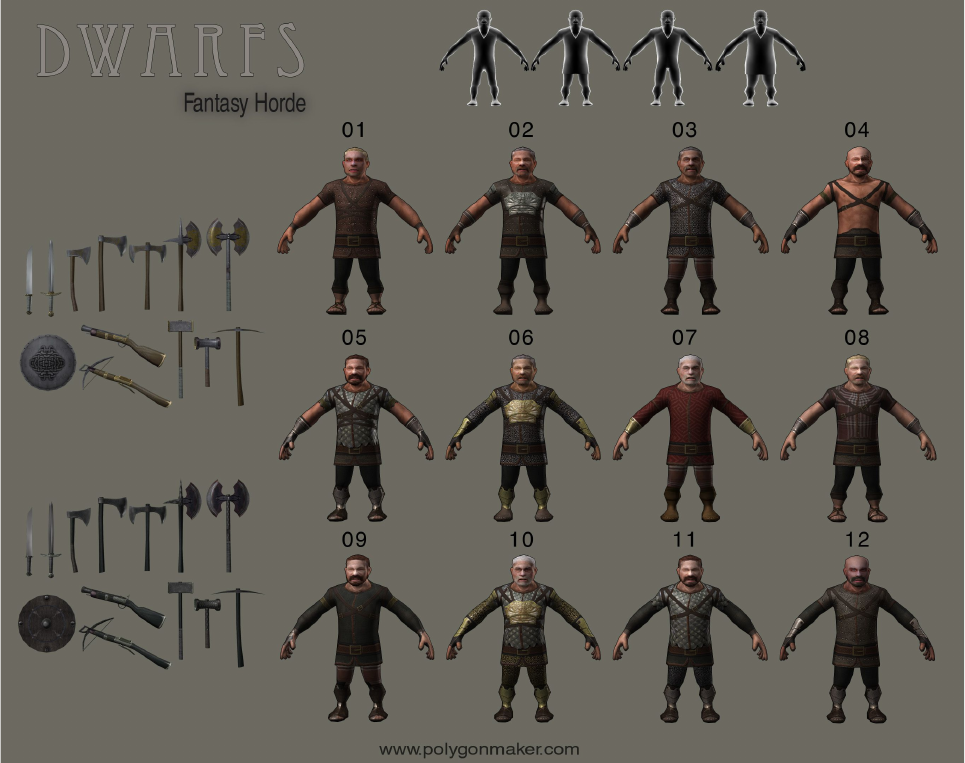
There are 12 samples on the "Samples" folder ready to use.
Please leave a feedback at Unity asset store if you liked! This is important for us.
In case of any problem or suggestion send a e-mail to polygonmaker@gmail.com
Samples
Doc Rev:1.1
Mesh
The total polycount (tris) per model goes from 1500 (no acessories) to 2500 (full gear).
There are one .fbx file with all parts and three .fbx files on the "Extra Animations" folder
with extra animations.
There are four body types and three heads. (no beard and two with beard) You should use the
same texture on both, head and body. (the textures 01-03 won´t work with heads with beard)
Some acessories are rigged with the character bones, others are just attached.
Texture
There are 12 different body textures and 2 equipment textures. (Dwarf_weapons_01-02)
Body textures are used on the head, body, dwarf_leg plate and dwarf_arm plate.
Weapons textures are used on weapons, shield, helmets, shoulder pad and at the "discs".
Exceptions:
–The body textures 01-03 won´t work with heads with beard.
–The shield is the only equipment that only accept one weapon texture:
– shield_01 → Dwarf_weapons_01
– shield_02 → Dwarf_weapons_02
Animation
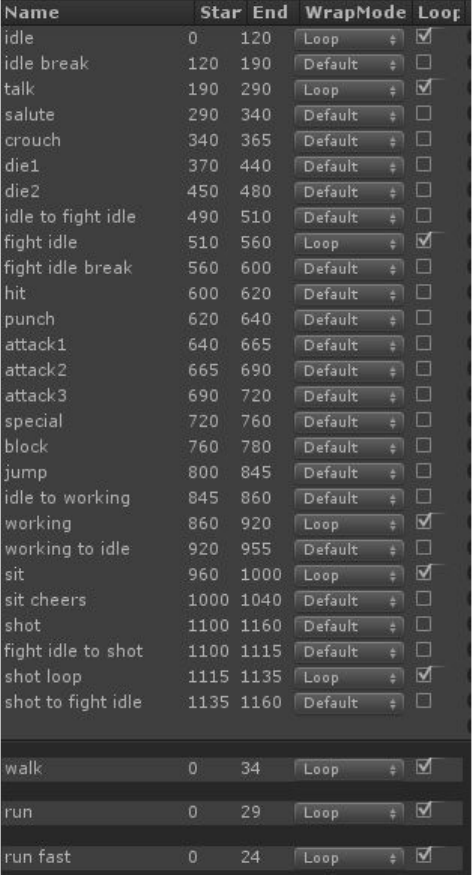
This is the list of animation:
Extra animations:
There are some extra animations on the "extra animation" folder:
-run: frames 0-29
-run fast: frames 0-24
-walk: frames 0-34
Creating new animations: There are a 3dsmax files at "Extra content" folder that can be
used to create new animations. The bones are made using CAT system from 3dsmax. There are
three folders in this file:
-bones: include all bones and must be exported
-helpers: helpers that don´t need to be exported
-mesh: mesh to better check the animation.
The files are in idle pose to help your animation and don´t include any animation.
JUMP ANIMATION:
-Jump Complete: The character do a complete jump animation. (frames: 800-845)
-Jump Simple: The character just push his legs, this could works better in some cases.
(frames: 810-820) . Not included on the animation clip list.
