FORK 2014 32 FLOAT 29 Bike Help Center FOX CTD User Manual
User Manual: FOX 32 FLOAT 29 CTD 2014 User Manual
Open the PDF directly: View PDF  .
.
Page Count: 8
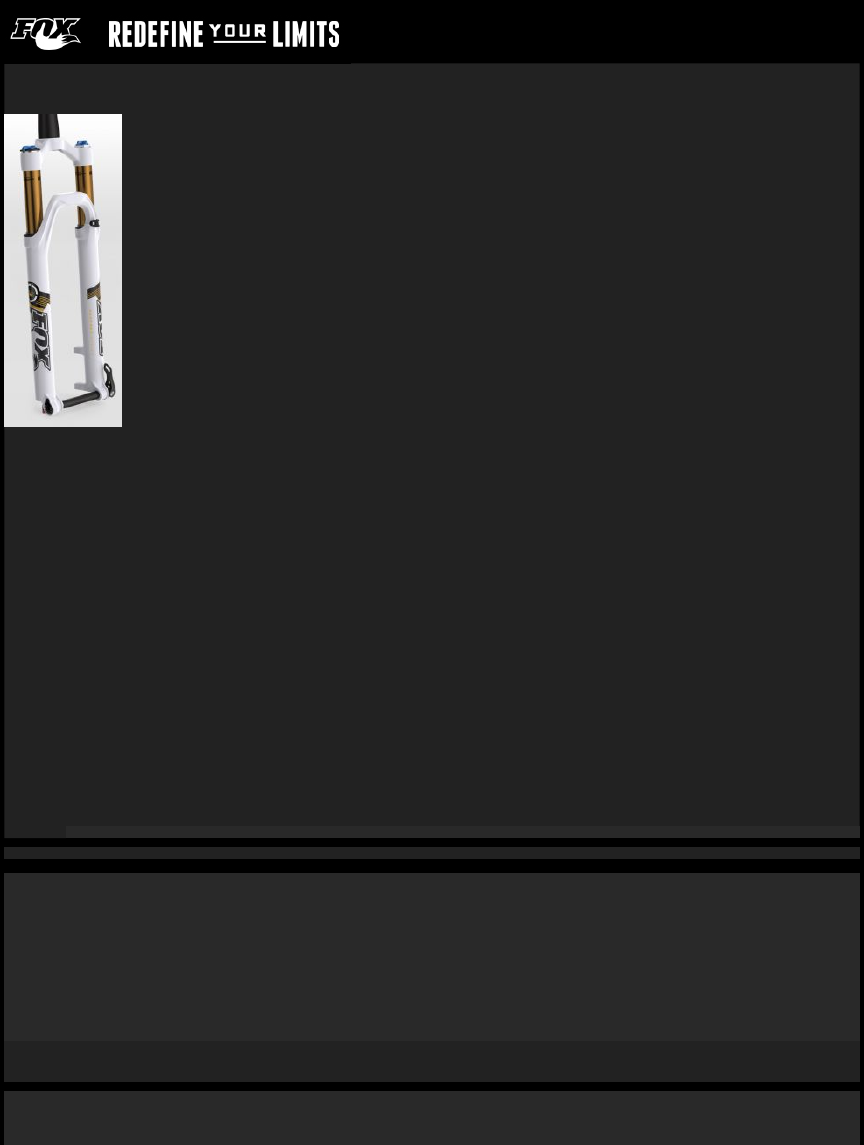
FORK- 2014 32 FLOAT 29
Travel
•3.9 in./100 mm
•4.7 in./120 mm
•5.1 in./130 mm
!
Features/Adjustments
!
Factory FIT iCD; 100; Kashima coated upper tubes, 1-1/8” straight or 1.5” tapered steerer, Electronic Climb/Descend mode, rebound, air spring pressure.
Factory FIT CTD w/Adj; 100, 120, 130; Kashima coated or anodized upper tubes, 1-1/8” straight, 1.5” tapered, or 1.25"-1.5" tapered steerer, lever actuated Climb/Trail/Descend (3
position), Trail adjust range (1, 2, 3), rebound, air spring pressure.
Factory FIT CTD Remote; 100, 120, 130; Kashima coated or anodized upper tubes, 1-1/8” straight or 1.5” tapered steerer, remote actuated Climb/Trail/Descend (3 position), rebound,
air spring pressure.
Factory FIT Terralogic®; 100; Kashima Coated or anodized upper tubes, 1-1/8" straight or 1.5" tapered steerer, Terralogic threshold, rebound, air spring pressure.
Performance FIT CTD; 100, 120, 130; Anodized upper tubes, 1-1/8” straight, 1.5” tapered, or 1.25"-1.5" tapered steerer, lever actuated Climb/Trail/Descend (3 position), rebound, air
spring pressure.
Evolution CTD; 100, 120, 130; Anodized upper tubes, 1-1/8” straight, 1.5” tapered, or 1.25"-1.5" tapered steerer, lever actuated Climb/Trail/Descend (3 position), rebound, air spring
pressure.
Evolution CTD Remote; 100, 120, 130; Anodized upper tubes, 1-1/8” straight or 1.5” tapered steerer, remote actuated Climb/Trail/Descend (3 position), rebound, air spring pressure.
Lower leg
•15QR thru axle system, post style disc brake mounting
•9 mm open dropout, post style disc brake mounting
Spring
Air
Riding style
XC, Trail, AM
Before You Ride
Make sure that your fork is ready to ride
1. Check that quick-release levers are properly adjusted and tightened.
2. Inspect the entire exterior of your fork. The fork should not be used if any of the exterior parts appear to be damaged. Contact your local dealer or FOX for further inspection and
repair.
3. Check your headset adjustment. If loose, adjust it accordingly to your bicycle manufacturer's recommendations.
4. Check that all brake cables or hoses are properly fastened.
5. Test the proper operation of your front and rear brakes on level ground.
6. Before every race or ride, clean the outside of your fork with only mild soap and water, and wipe dry with a soft dry rag. Do not spray water directly into the seal/upper tube
junction.!Do not use a high pressure washer on your fork.
Setting Fork Air Pressure
32 FLOAT maximum air pressure is 125psi
Sag should be set to 15 – 20% of total fork travel
!
1. Unscrew the blue air cap on top of the left fork leg counter-clockwise to expose the schrader valve.
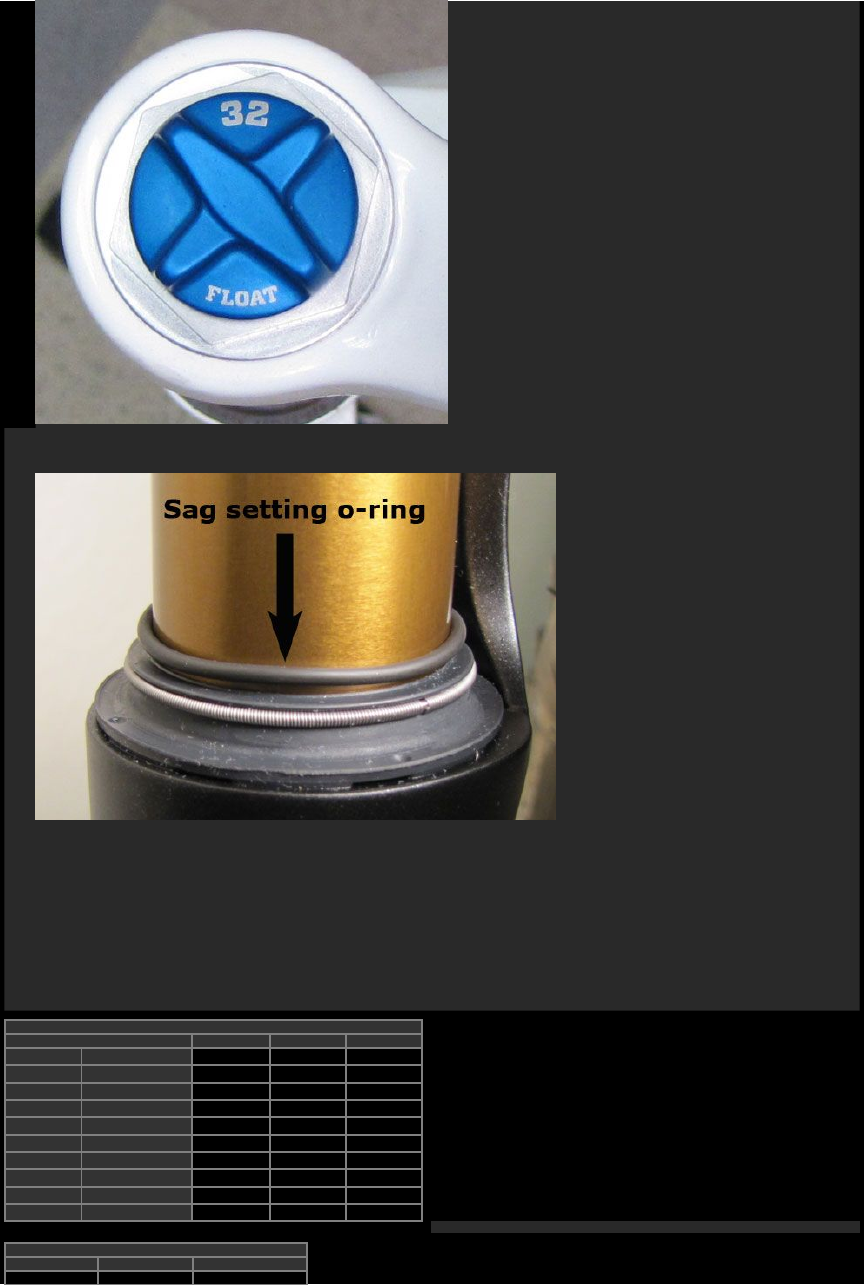
2. Attach a FOX High Pressure Pump to the schrader valve.
3. Pump your fork to the appropriate pressure as listed!in the 'Suggested starting points for setting sag' table below, then remove the pump.
4. Using!your forks!sag setting o-ring on!the left!upper tube (or!temporarily install a zip tie to!the upper tube), slide the o-ring (or zip tie) down against the!fork dust wiper.
5. Rotate!the CTD lever!to the Descend mode (the riders 1 o'clock position).
◦If you have a Remote CTD fork, click the black release lever once to set the fork to Descend mode.
◦If you have a Terralogic® fork, turn the blue Terralogic® threshold adjust knob fully counter-clockwise.
6. Dressed to ride (including a filled hydration pack, if you use one), position your bike next to a wall or table to support yourself. Mount your bicycle. Assume!your riding position
for at least 10 seconds, allowing the suspension to fully settle. Make sure you distribute your weight evenly between the saddle, handlebars and pedals.
7. While in your riding position, slide the o-ring (or zip tie) down against the fork dust wiper.
8. Dismount your bike without bouncing, to avoid further moving the o-ring or zip tie. Measure the distance between the dust wiper and the o-ring or zip tie. This is your sag
measurement. Suggested sag measurements are listed in the table below.
9. Add or remove air pressure!until your sag measurement is between 15-20% of your forks total travel.
10. Repeat steps 2-8 and recheck sag measurement.
11. When sag measurement is correct, screw the blue air cap!on clockwise until snug.
!
Suggested Starting Points for Setting Sag
Rider Weight lbs/kgs 100mm 120mm 130mm
≤125 ≤57 55psi 50psi 60psi
125 - 135 57 - 61 55psi 50psi 65psi
135 - 145 61 - 66 60psi 55psi 75psi
145 - 155 66 - 70 70psi 65psi 80psi
155 - 170 70 - 77 80psi 75psi 85psi
170 - 185 77 - 84 85psi 80psi 90psi
185 - 200 84 - 91 90psi 85psi 100psi
200 - 215 91 - 98 95psi 95psi 110psi
215 - 230 98 - 104 100psi 100psi !120psi
230 - ≥250 104 - ≥113 110psi 110psi !120psi
!
Suggested Sag Measurements
Travel 15% sag (Firm) 20% sag (Plush)
3.9 in./100mm .58 in./15mm .78 in./20mm
4.7 in./120mm .70 in./18mm .94 in./24mm
5.1 in./130mm .76 in./20mm 1 in./26mm
Suggested Sag Measurements
Travel 15% sag (Firm) 20% sag (Plush)
3.9 in./100mm .58 in./15mm .78 in./20mm
4.7 in./120mm .70 in./18mm .94 in./24mm
5.1 in./130mm .76 in./20mm 1 in./26mm
Adjusting Rebound
Rebound controls how fast the fork extends after compressing
!!
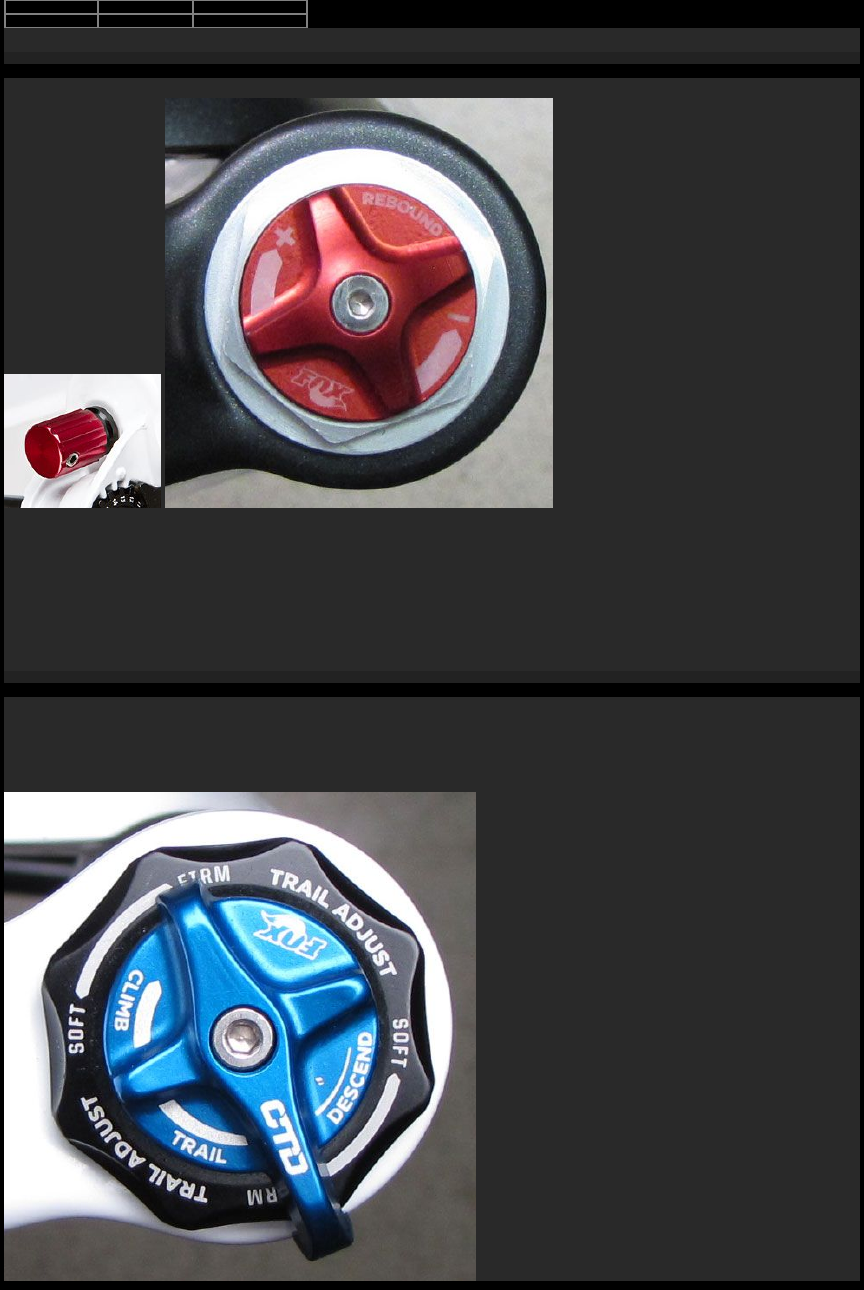
The red rebound adjuster is located at the bottom of the right fork leg (the rebound knob on Terralogic forks is located at right topcap). Rebound controls the rate of speed at which the
fork extends after compressing. Turning the knob clockwise (in) slows down rebound; turning the knob counter-clockwise (out) speeds up rebound. Rebound damping should only be
set after first setting your air pressure by measuring sag.
1. Make sure your CTD fork is in Descend mode (fully counter-clockwise). If you have a Terralogic fork, turn the blue Terralogic threshold adjust knob fully counter-clockwise.
2. Starting with the rebound adjuster fully open (counter-clockwise) push on the fork to compress it and feel its return speed.
3. Increase rebound damping by turning the red rebound knob in clockwise until when tested, the fork returns quickly but does not top out.
Top out is felt when a fork fully extends too quickly and comes to an abrupt stop when it reaches full extension (you will hear/feel a small noise). Top out should be avoided through
proper rebound setting.
Climb, Trail, Descend
Easy on-the-fly adjustments for unprecedented control and performance
The blue CTD lever lets you to switch between the Climb, Trail, and Descend modes. Each mode is optimized for each specific type of terrain, providing exceptional performance and
riding enjoyment with your fork. CTD allows for complete rider control as one can experiment using different modes on various different types of terrain.
!
Climb Mode:
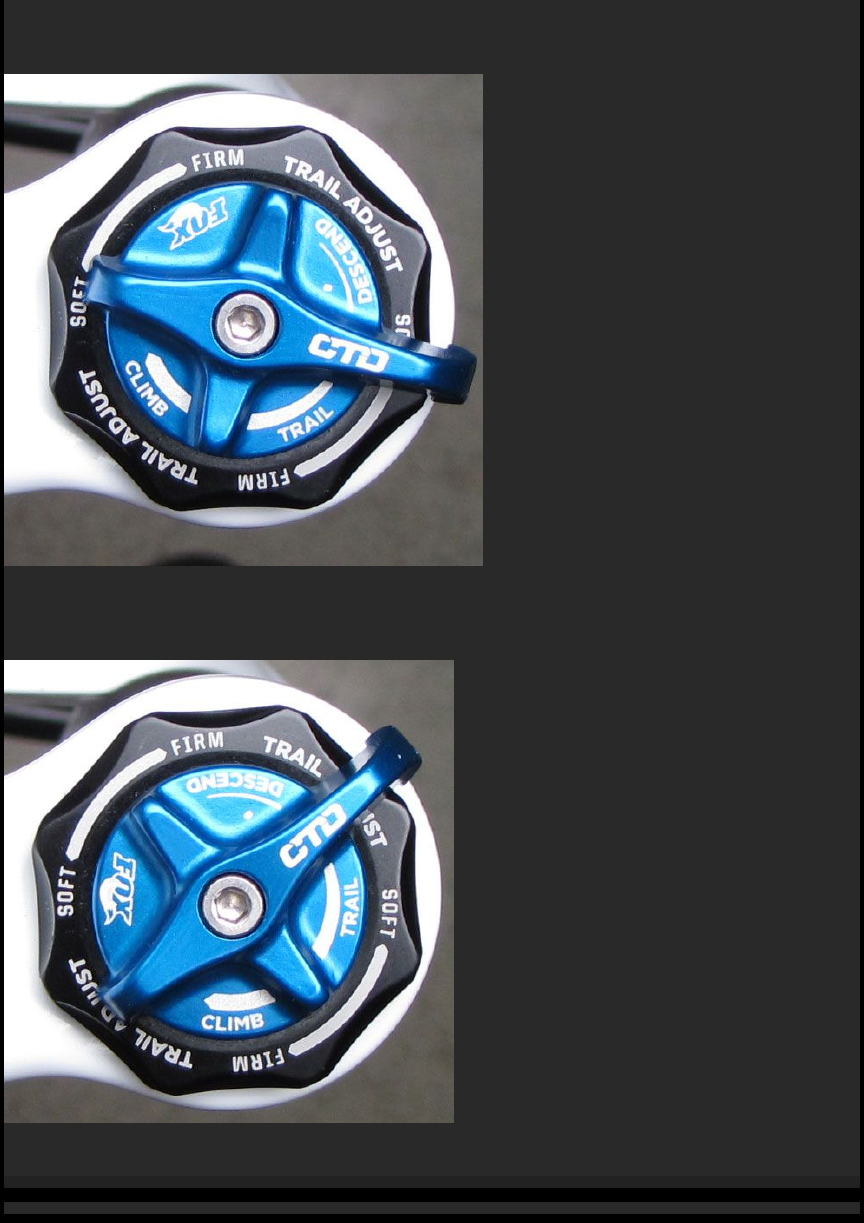
Rotate the blue CTD lever fully clockwise to set the fork in Climb mode. Climb mode is a very firm low-speed compression setting!(not designed to be a solid lockout).!This!setting
is!most useful for climbing and sprinting.
!
Trail Mode:
Rotate the blue CTD lever to the middle setting to!set the fork in!Trail mode. Trail mode offers less compression damping than Climb mode. Use this setting!when pedaling
on!undulating terrain, and for preventing excessive travel in technical riding situations (such as low-speed drops). Trail mode!is a great all-around setting for most terrain types and
riding styles.
!
Descend Mode:
Rotate the blue CTD lever fully counter-clockwise to set the fork to Descend mode.!This mode!has the lightest low-speed compression damping of!the three CTD modes. Descend
mode offers the most plush ride to ensure optimal traction over varied terrain.
Adjusting Trail Mode
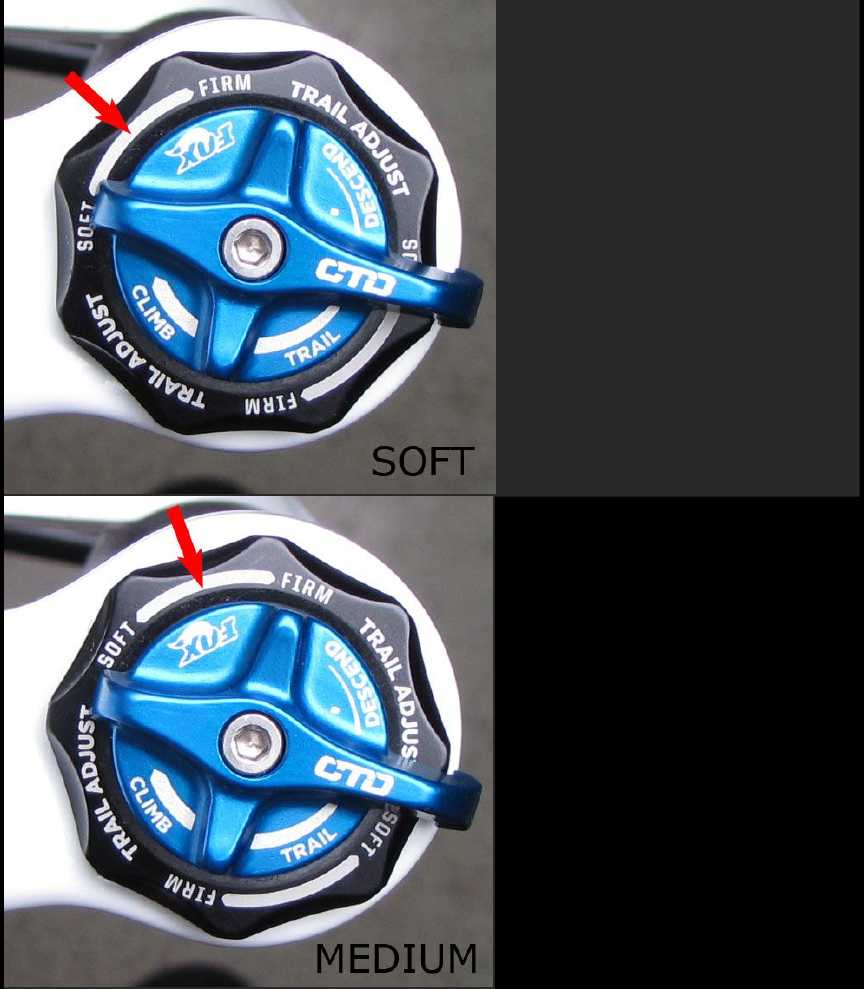
FIT CTD w/Trail Adjust models allow for added fine tuning
!
!
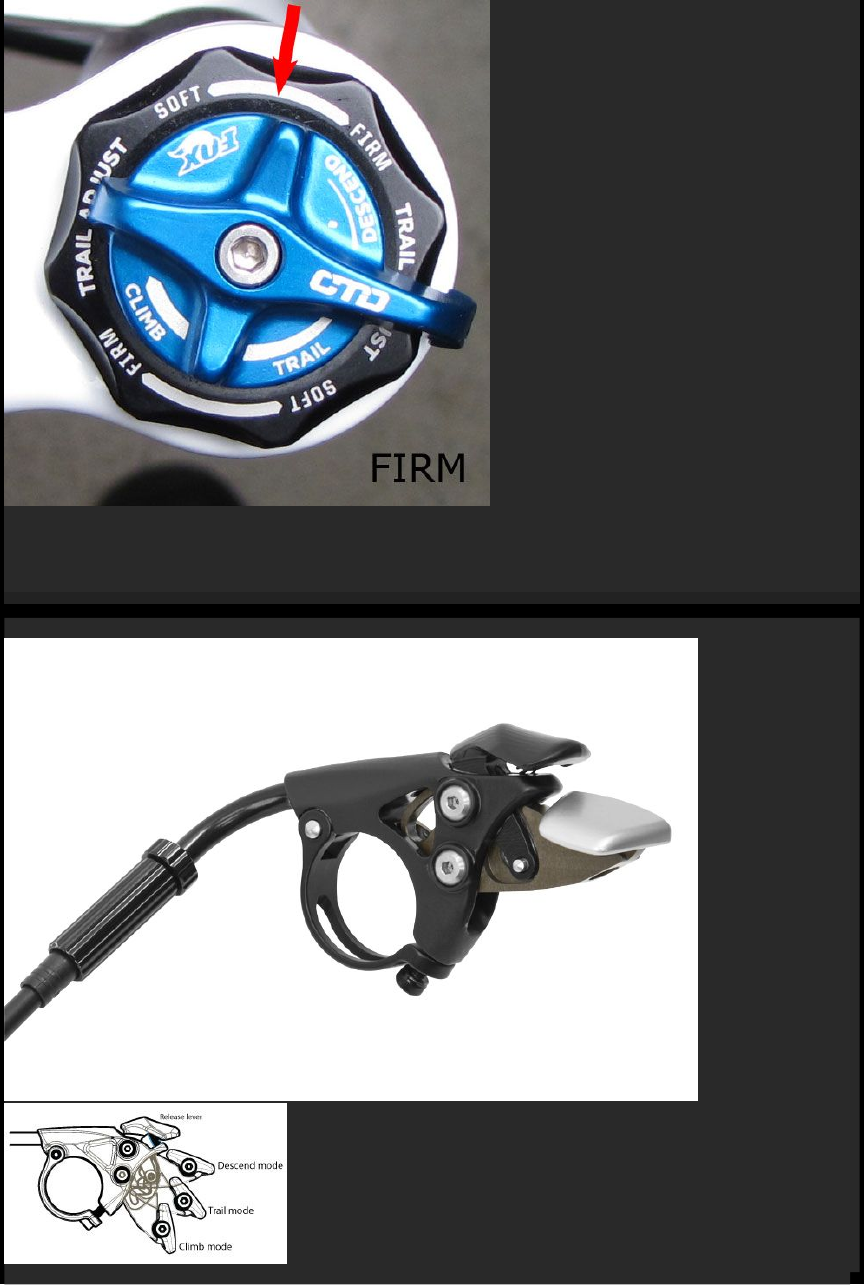
Factory CTD w/Trail Adjust model forks feature a three-position Trail Adjust control that regulates low-speed compression damping only!in Trail mode.!For firmer low-speed
compression in Trail mode, turn the black Trail Adjust knob clockwise. For!lighter low-speed compression, turn the Trail Adjust knob counter-clockwise.
Trail adjustments (soft, medium, firm) only function in Trail mode.
Using the CTD Remote
Easy on-the-fly adjustments for unprecedented control and performance
!
The CTD Remote lets you to switch between the Climb, Trail, and Descend modes while riding. Each mode is optimized for a specific type of terrain, providing best performance and
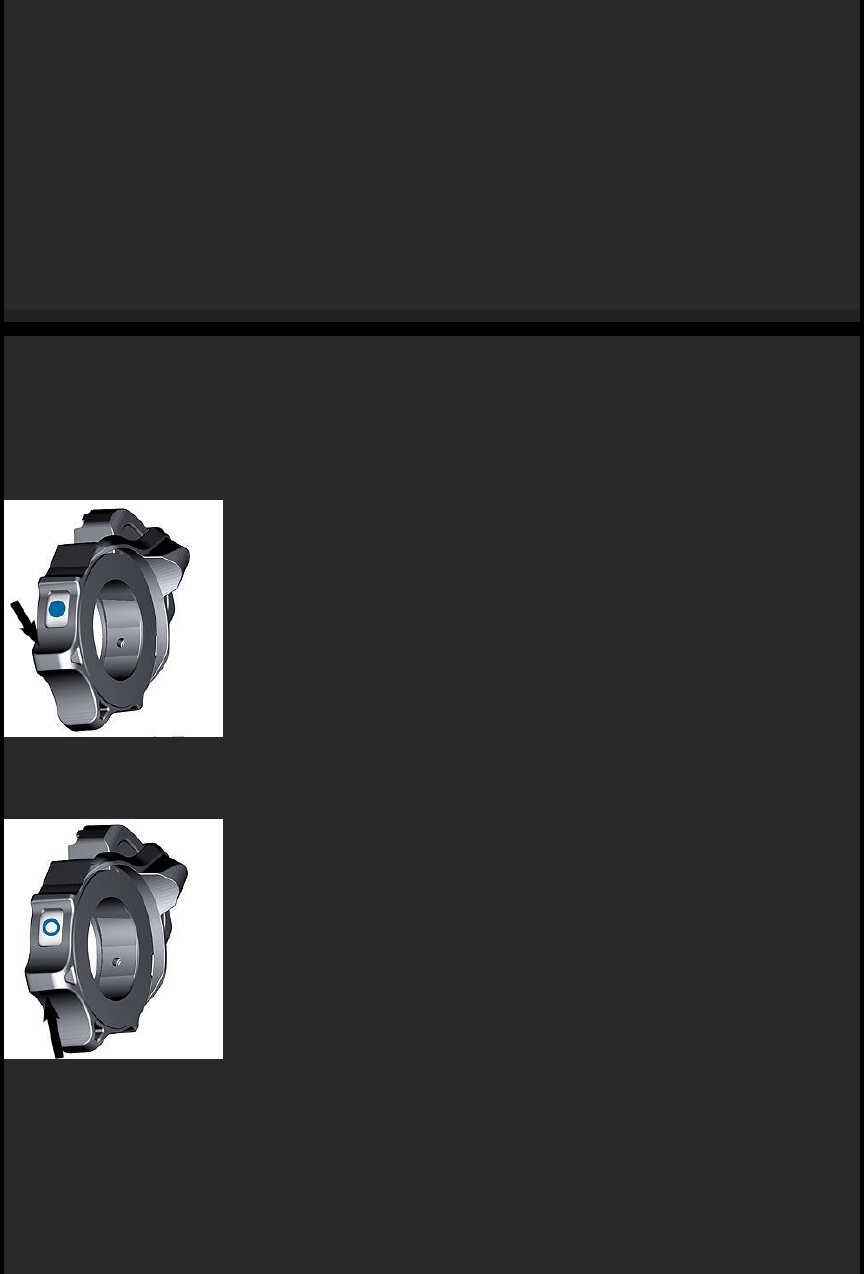
riding enjoyment. CTD allows for complete rider control!by using different modes on different types of terrain.
!
Climb Mode:
•Push the silver lever down to its lowest position to set the fork in Climb mode.
Climb mode is a very firm low-speed compression setting (not designed to be a solid lockout). This setting is most useful for climbing and sprinting.!
!
Trail Mode:
•From Climb mode, push the black release lever once and then push the silver lever down one click to the middle position to engage Trail mode.
•From Descend mode, push the silver lever down one click to the middle position to engage Trail mode.
Trail mode offers less compression damping than Climb mode. Use this setting when pedaling on undulating terrain, and for preventing excessive travel in technical riding situations
(such as low-speed drops). Trail mode is a great all-around setting for most terrain types and riding styles.
!
Descend Mode:
•Push the black release lever in any setting to set the fork to Descend mode.
Descend!mode has the lightest low-speed compression damping of the three CTD modes. Descend mode offers the most plush ride to ensure optimal traction over varied terrain.
Using the iCD System
Fast activation and almost effortless operation
FLOAT iCD elevates cross country and trail riding to the next level. FLOAT iCD integrates an electronic actuated system into proven FOX FLOAT fork and shock designs, to quickly and
optimally adjust between Climb and Descend modes.
This system offers fast activation and almost eff ortless operation. FLOAT iCD shares features with the Shimano E-Tube electronic shifting technology. FLOAT iCD uses Power-Line-
Communication (PLC) that facilitates data and power flow through a single wire, permitting minimal wiring and ease of setup.
By default, the switch has a two position configuration, the same configuration as that most commonly used by FOX world class racers. For a full suspension setup, both fork and rear
shock are actuated simultaneously. The switch can be operated by rotating it with your thumb using the thumb actuation indentation, or with the index finger actuation lever.
!
Climb Mode:
Rotating the switch down actuates climb mode for a right-mounted switch; if you have the switch mounted on the left side, rotating the switch up actuates climb mode.!!Climb mode is a
very firm low-speed compression setting!(not designed to be a solid lockout).!This!setting is!most useful for climbing and sprinting.
!
Descend Mode:
Rotating the switch up actuates descend mode; if you have the switch mounted on the left side, rotating the switch down actuates descend mode.!Descend!mode has the lightest low-
speed compression damping of the two iCD modes. Descend mode offers the most plush ride to ensure optimal traction over varied terrain.
!
!
The Optional PC linkage device can!be used to connect a PC to the bicycle (system or unit), and an E-tube Project* can be used to carry out tasks such as, problem diagnosis of single
units and the whole system, updating firmware*, and customizing.
•* E-tube Project: the PC application
•* Firmware: the software inside each unit
!
The E-tube project application download can be found here:!http://e-tubeproject.shimano.com
Adjusting Terralogic® Threshold
Set the firmness of your platform on Terralogic forks
The Terralogic damper contains a weighted inertia valve (Brassmass™), that freely slides on a shaft to open and close compression oil flow ports in the damper.
The Brassmass assembly automatically responds to the impact of trail bumps or depressions, opening the compression oil flow ports and allowing the flow of damping oil. The
Brassmass assembly does not respond to input from above (rider input such as pedaling, sprinting, G-outs, etc), keeping the compression flow ports closed and maintaining the
pedaling platform or fork lockout.
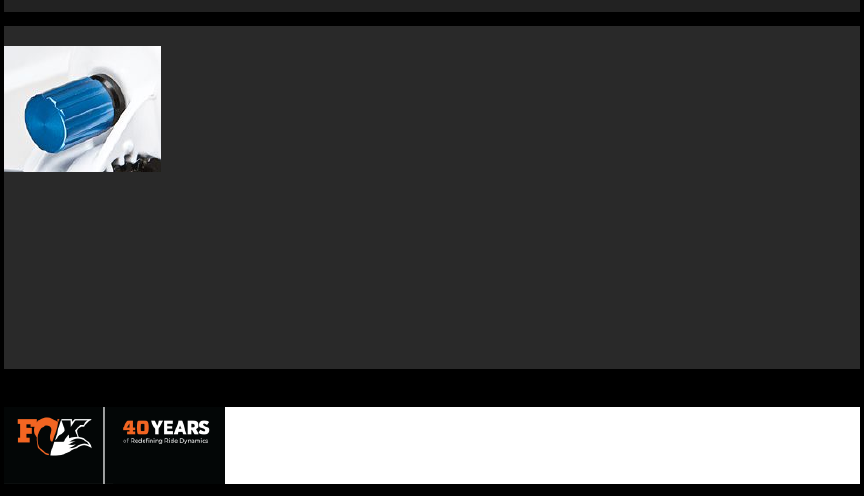
The 15-position blue Terralogic threshold adjust knob located on the bottom of the right fork leg allows you to fine-tune your pedaling platform anywhere between lockout-firm and fully
open plush damping (or zero pedaling platform).
To make pushing through the fork travel harder and increase the pedaling platform, turn the blue threshold adjust knob clockwise. Turning the adjust knob completely clockwise makes
the fork feel locked out—until the Brassmass is activated by hitting a bump.
To make pushing through the fork travel easier and decrease the pedaling platform, turn the threshold adjust knob counter-clockwise. Turning the knob fully counter-clockwise
bypasses the Brassmass assembly entirely.
As no two riders are the same (weight, strength, riding style, terrain choices, or simply personal preference with riding feel), FOX encourages you to spend time exploring the
possibilities with Terralogic threshold adjustment, to discover the "sweet spot" that feels right to you on your terrain.
