Google Java Script Style Guide
User Manual:
Open the PDF directly: View PDF  .
.
Page Count: 42
Google JavaScript Style Guide
Table of Contents
This document serves as the complete definition of Google’s coding standards for source code in the JavaScript
programming language. A JavaScript source file is described as being in Google Style if and only if it adheres to the
rules herein.
Like other programming style guides, the issues covered span not only aesthetic issues of formatting, but other types
of conventions or coding standards as well. However, this document focuses primarily on the hard-and-fast rules that
we follow universally, and avoids giving advice that isn't clearly enforceable (whether by human or tool).
In this document, unless otherwise clarified:
1 Introduction
1.1 Terminology notes
1.2 Guide notes
2 Source file basics
2.1 File name
2.2 File encoding: UTF-8
2.3 Special characters
3 Source file structure
3.1 License or copyright information, if present
3.2 @fileoverview JSDoc, if present
3.3 goog.module statement
3.4 goog.require statements
3.5 The file’s implementation
4 Formatting
4.1 Braces
4.2 Block indentation: +2 spaces
4.3 Statements
4.4 Column limit: 80
4.5 Line-wrapping
4.6 Whitespace
4.7 Grouping parentheses: recommended
4.8 Comments
5 Language features
5.1 Local variable declarations
5.2 Array literals
5.3 Object literals
5.4 Classes
5.5 Functions
5.6 String literals
5.7 Number literals
5.8 Control structures
5.9 this
5.10 Disallowed features
6 Naming
6.1 Rules common to all identifiers
6.2 Rules by identifier type
6.3 Camel case: defined
7 JSDoc
7.1 General form
7.2 Markdown
7.3 JSDoc tags
7.4 Line wrapping
7.5 Top/file-level comments
7.6 Class comments
7.7 Enum and typedef comments
7.8 Method and function comments
7.9 Property comments
7.10 Type annotations
7.11 Visibility annotations
8 Policies
8.1 Issues unspecified by Google Style: Be
Consistent!
8.2 Compiler warnings
8.3 Deprecation
8.4 Code not in Google Style
8.5 Local style rules
8.6 Generated code: mostly exempt
9 Appendices
9.1 JSDoc tag reference
9.2 Commonly misunderstood style rules
9.3 Style-related tools
9.4 Exceptions for legacy platforms
1 Introduction
1.1 Terminology notes

1. The term comment always refers to implementation comments. We do not use the phrase “documentation
comments”, instead using the common term “JSDoc” for both human-readable text and machine-readable
annotations within /** … */ .
2. This Style Guide uses RFC 2119 terminology when using the phrases must, must not, should, should not,
and may. The terms prefer and avoid correspond to should and should not, respectively. Imperative and
declarative statements are prescriptive and correspond to must.
Other “terminology notes” will appear occasionally throughout the document.
Example code in this document is non-normative. That is, while the examples are in Google Style, they may not
illustrate the only stylish way to represent the code. Optional formatting choices made in examples must not be
enforced as rules.
File names must be all lowercase and may include underscores ( _) or dashes ( -), but no additional punctuation.
Follow the convention that your project uses. Filenames’ extension must be .js .
Source files are encoded in UTF-8.
Aside from the line terminator sequence, the ASCII horizontal space character (0x20) is the only whitespace
character that appears anywhere in a source file. This implies that
1. All other whitespace characters in string literals are escaped, and
2. Tab characters are not used for indentation.
For any character that has a special escape sequence ( \' , \" , \\ , \b , \f , \n , \r , \t , \v ), that
sequence is used rather than the corresponding numeric escape (e.g \x0a , \u000a , or \u{a} ). Legacy octal
escapes are never used.
For the remaining non-ASCII characters, either the actual Unicode character (e.g. ∞) or the equivalent hex or
Unicode escape (e.g. \u221e ) is used, depending only on which makes the code easier to read and
understand.
Tip: In the Unicode escape case, and occasionally even when actual Unicode characters are used, an
explanatory comment can be very helpful.
Example Discussion
1.2 Guide notes
2 Source file basics
2.1 File name
2.2 File encoding: UTF-8
2.3 Special characters
2.3.1 Whitespace characters
2.3.2 Special escape sequences
2.3.3 Non-ASCII characters
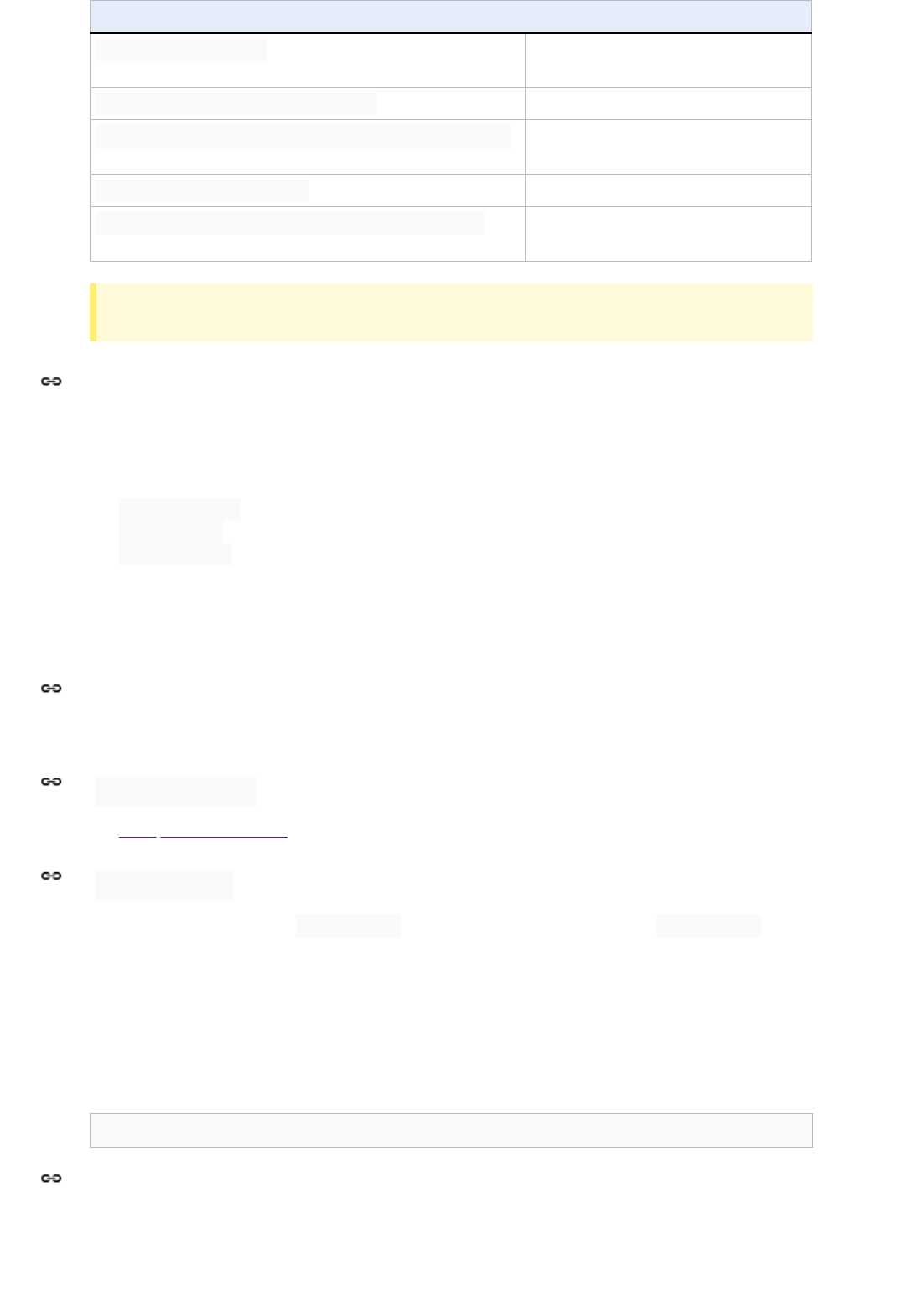
Example Discussion
const units = 'μs';Best: perfectly clear even without a
comment.
const units = '\u03bcs';
// 'μs'
Allowed, but there’s no reason to do this.
const units = '\u03bcs';
// Greek letter mu, 's'
Allowed, but awkward and prone to
mistakes.
const units = '\u03bcs'; Poor: the reader has no idea what this is.
return '\ufeff' + content;
// byte order mark
Good: use escapes for non-printable
characters, and comment if necessary.
Tip: Never make your code less readable simply out of fear that some programs might not handle non-ASCII
characters properly. If that happens, those programs are broken and they must be fixed.
A source file consists of, in order:
1. License or copyright information, if present
2. @fileoverview JSDoc, if present
3. goog.module statement
4. goog.require statements
5. The file’s implementation
Exactly one blank line separates each section that is present, except the file's implementation, which may be
preceded by 1 or 2 blank lines.
If license or copyright information belongs in a file, it belongs here.
See 7.5 Top/file-level comments for formatting rules.
All files must declare exactly one goog.module name on a single line: lines containing a goog.module
declaration must not be wrapped, and are therefore an exception to the 80-column limit.
The entire argument to goog.module is what defines a namespace. It is the package name (an identifier that reflects
the fragment of the directory structure where the code lives) plus, optionally, the main class/enum/interface that it
defines concatenated to the end.
Example
goog.module('search.urlHistory.UrlHistoryService');
Module namespaces may never be named as a direct child of another module's namespace.
Illegal:
3 Source file structure
3.1 License or copyright information, if present
3.2 @fileoverview JSDoc, if present
3.3 goog.module statement
3.3.1 Hierarchy
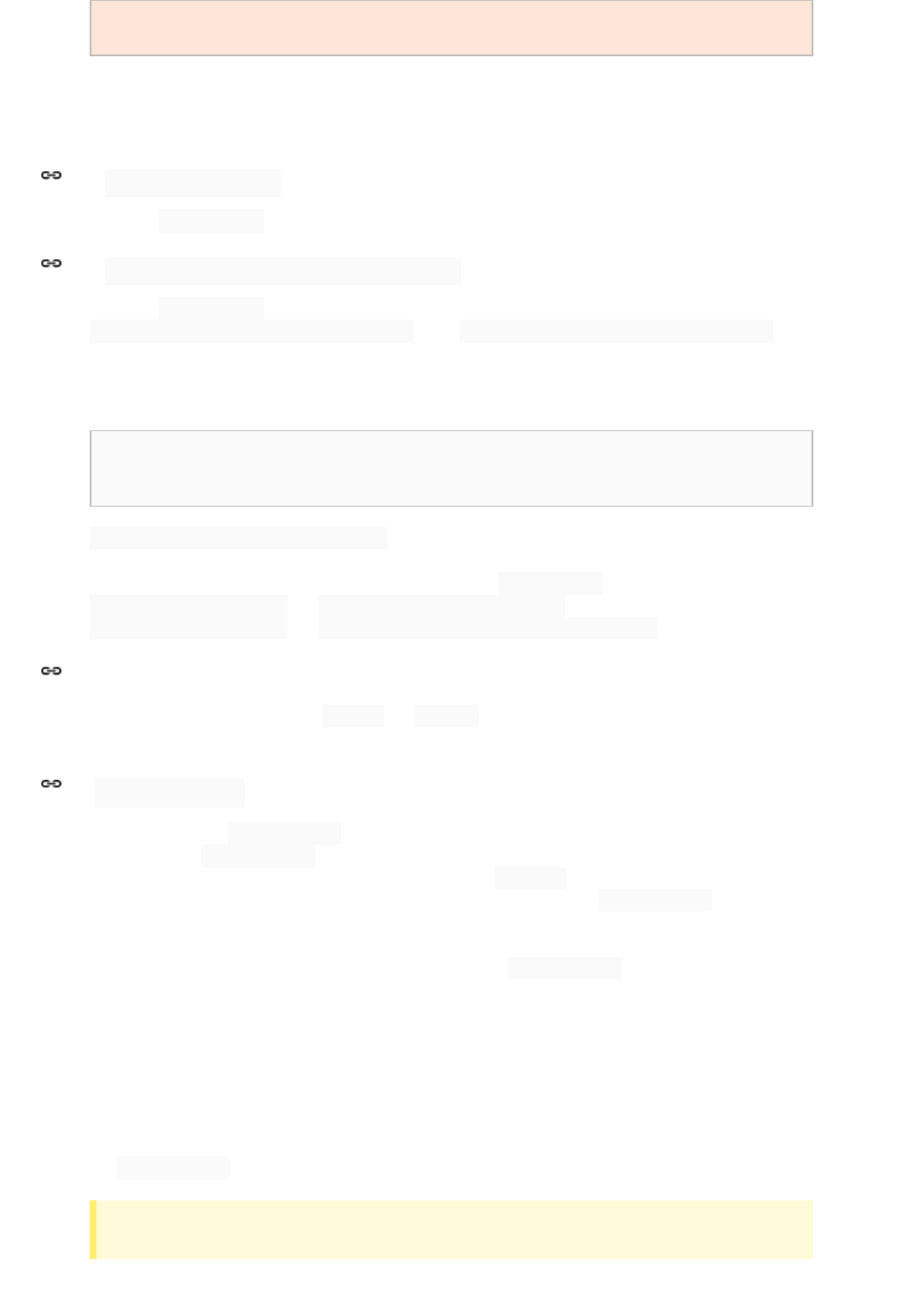
goog.module('foo.bar');
// 'foo.bar.qux' would be fine, though
goog.module('foo.bar.baz');
The directory hierarchy reflects the namespace hierarchy, so that deeper-nested children are subdirectories of
higher-level parent directories. Note that this implies that owners of “parent” namespace groups are necessarily
aware of all child namespaces, since they exist in the same directory.
The single goog.module statement may optionally be followed by a call to goog.setTestOnly().
The single goog.module statement may optionally be followed by a call to
goog.module.declareLegacyNamespace(); . Avoid goog.module.declareLegacyNamespace() when
possible.
Example:
goog.module('my.test.helpers');
goog.module.declareLegacyNamespace();
goog.setTestOnly();
goog.module.declareLegacyNamespace exists to ease the transition from traditional object hierarchy-based
namespaces but comes with some naming restrictions. As the child module name must be created after the parent
namespace, this name must not be a child or parent of any other goog.module (for example,
goog.module('parent'); and goog.module('parent.child'); cannot both exist safely, nor can
goog.module('parent'); and goog.module('parent.child.grandchild'); ).
Do not use ES6 modules yet (i.e. the export and import keywords), as their semantics are not yet finalized.
Note that this policy will be revisited once the semantics are fully-standard.
Imports are done with goog.require statements, grouped together immediately following the module
declaration. Each goog.require is assigned to a single constant alias, or else destructured into several constant
aliases. These aliases are the only acceptable way to refer to the require d dependency, whether in code or in
type annotations: the fully qualified name is never used except as the argument to goog.require . Alias names
should match the final dot-separated component of the imported module name when possible, though additional
components may be included (with appropriate casing such that the alias' casing still correctly identifies its type) if
necessary to disambiguate, or if it significantly improves readability. goog.require statements may not appear
anywhere else in the file.
If a module is imported only for its side effects, the assignment may be omitted, but the fully qualified name may not
appear anywhere else in the file. A comment is required to explain why this is needed and suppress a compiler
warning.
The lines are sorted according to the following rules: All requires with a name on the left hand side come first, sorted
alphabetically by those names. Then destructuring requires, again sorted by the names on the left hand side. Finally,
any goog.require calls that are standalone (generally these are for modules imported just for their side effects).
Tip: There’s no need to memorize this order and enforce it manually. You can rely on your IDE to report requires
that are not sorted correctly.
3.3.2 goog.setTestOnly
3.3.3 goog.module.declareLegacyNamespace
3.3.4 ES6 Modules
3.4 goog.require statements
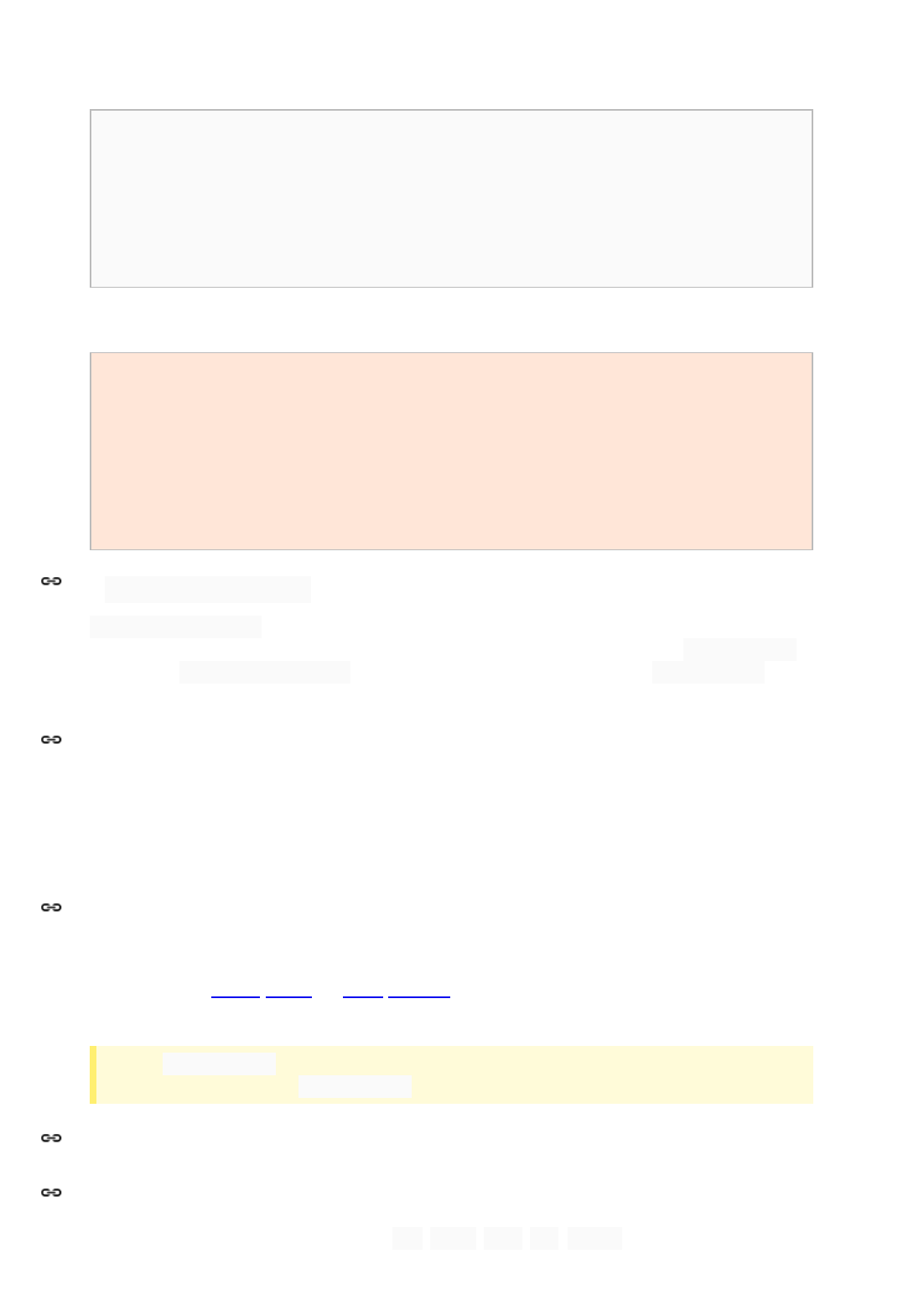
If a long alias or module name would cause a line to exceed the 80-column limit, it must not be wrapped:
goog.require lines are an exception to the 80-column limit.
Example:
const MyClass = goog.require('some.package.MyClass');
const NsMyClass = goog.require('other.ns.MyClass');
const googAsserts = goog.require('goog.asserts');
const testingAsserts = goog.require('goog.testing.asserts');
const than80columns = goog.require('pretend.this.is.longer.than80columns');
const {clear, forEach, map} = goog.require('goog.array');
/** @suppress {extraRequire} Initializes MyFramework. */
goog.require('my.framework.initialization');
Illegal:
const randomName = goog.require('something.else');
// name must match
const {clear, forEach, map} =
// don't break lines
goog.require('goog.array');
function someFunction() {
const alias = goog.require('my.long.name.alias');
// must be at top level
// …
}
goog.forwardDeclare is not needed very often, but is a valuable tool to break circular dependencies or to
reference late loaded code. These statements are grouped together and immediately follow any goog.require
statements. A goog.forwardDeclare statement must follow the same style rules as a goog.require
statement.
The actual implementation follows after all dependency information is declared (separated by at least one blank line).
This may consist of any module-local declarations (constants, variables, classes, functions, etc), as well as any
exported symbols.
Terminology Note: block-like construct refers to the body of a class, function, method, or brace-delimited block of
code. Note that, by 5.2 Array literals and 5.3 Object literals, any array or object literal may optionally be treated as if it
were a block-like construct.
Tip: Use clang-format . The JavaScript community has invested effort to make sure clang-format “does the
right thing” on JavaScript files. clang-format has integration with several popular editors.
Braces are required for all control structures (i.e. if , else , for , do , while , as well as any others), even
if the body contains only a single statement. The first statement of a non-empty block must begin on its own line.
3.4.1 goog.forwardDeclare
3.5 The file’s implementation
4 Formatting
4.1 Braces
4.1.1 Braces are used for all control structures
Illegal:
if (someVeryLongCondition())
doSomething();
for (let i = 0; i < foo.length; i++) bar(foo[i]);
Exception: A simple if statement that can fit entirely on a single line with no wrapping (and that doesn’t have an else)
may be kept on a single line with no braces when it improves readability. This is the only case in which a control
structure may omit braces and newlines.
if (shortCondition()) return;
Braces follow the Kernighan and Ritchie style (“Egyptian brackets”) for nonempty blocks and block-like constructs:
No line break before the opening brace.
Line break after the opening brace.
Line break before the closing brace.
Line break after the closing brace if that brace terminates a statement or the body of a function or class
statement, or a class method. Specifically, there is no line break after the brace if it is followed by else ,
catch , while , or a comma, semicolon, or right-parenthesis.
Example:
class InnerClass {
constructor() {}
/** @param {number} foo */
method(foo) {
if (condition(foo)) {
try {
// Note: this might fail.
something();
} catch (err) {
recover();
}
}
}
}
An empty block or block-like construct may be closed immediately after it is opened, with no characters, space, or
line break in between (i.e. {} ), unless it is a part of a multi-block statement (one that directly contains multiple
blocks: if /else or try /catch /finally ).
Example:
function doNothing() {}
Illegal:
if (condition) {
// …
} else if (otherCondition) {} else {
// …
4.1.2 Nonempty blocks: K&R style
4.1.3 Empty blocks: may be concise
}
try {
// …
} catch (e) {}
Each time a new block or block-like construct is opened, the indent increases by two spaces. When the block ends,
the indent returns to the previous indent level. The indent level applies to both code and comments throughout the
block. (See the example in 4.1.2 Nonempty blocks: K&R style).
Any array literal may optionally be formatted as if it were a “block-like construct.” For example, the following are all
valid (not an exhaustive list):
const a = [
0,
1,
2,
];
const b =
[0, 1, 2];
const c = [0, 1, 2];
someMethod(foo, [
0, 1, 2,
], bar);
Other combinations are allowed, particularly when emphasizing semantic groupings between elements, but should
not be used only to reduce the vertical size of larger arrays.
Any object literal may optionally be formatted as if it were a “block-like construct.” The same examples apply as 4.2.1
Array literals: optionally block-like. For example, the following are all valid (not an exhaustive list):
const a = {
a: 0,
b: 1,
};
const b =
{a: 0, b: 1};
const c = {a: 0, b: 1};
someMethod(foo, {
a: 0, b: 1,
}, bar);
Class literals (whether declarations or expressions) are indented as blocks. Do not add semicolons after methods, or
after the closing brace of a class declaration (statements—such as assignments—that contain class expressions are
4.2 Block indentation: +2 spaces
4.2.1 Array literals: optionally “block-like”
4.2.2 Object literals: optionally “block-like”
4.2.3 Class literals

still terminated with a semicolon). Use the extends keyword, but not the @extends JSDoc annotation unless
the class extends a templatized type.
Example:
class Foo {
constructor() {
/** @type {number} */
this.x = 42;
}
/** @return {number} */
method() {
return this.x;
}
}
Foo.Empty = class {};
/** @extends {Foo<string>} */
foo.Bar = class extends Foo {
/** @override */
method() {
return super.method() / 2;
}
};
/** @interface */
class Frobnicator {
/** @param {string} message */
frobnicate(message) {}
}
When declaring an anonymous function in the list of arguments for a function call, the body of the function is indented
two spaces more than the preceding indentation depth.
Example:
prefix.something.reallyLongFunctionName('whatever', (a1, a2) => {
// Indent the function body +2 relative to indentation depth
// of the 'prefix' statement one line above.
if (a1.equals(a2)) {
someOtherLongFunctionName(a1);
} else {
andNowForSomethingCompletelyDifferent(a2.parrot);
}
});
some.reallyLongFunctionCall(arg1, arg2, arg3)
.thatsWrapped()
.then((result) => {
// Indent the function body +2 relative to the indentation depth
// of the '.then()' call.
if (result) {
result.use();
}
});
4.2.4 Function expressions
4.2.5 Switch statements
As with any other block, the contents of a switch block are indented +2.
After a switch label, a newline appears, and the indentation level is increased +2, exactly as if a block were being
opened. An explicit block may be used if required by lexical scoping. The following switch label returns to the
previous indentation level, as if a block had been closed.
A blank line is optional between a break and the following case.
Example:
switch (animal) {
case Animal.BANDERSNATCH:
handleBandersnatch();
break;
case Animal.JABBERWOCK:
handleJabberwock();
break;
default:
throw new Error('Unknown animal');
}
Each statement is followed by a line-break.
Every statement must be terminated with a semicolon. Relying on automatic semicolon insertion is forbidden.
JavaScript code has a column limit of 80 characters. Except as noted below, any line that would exceed this limit
must be line-wrapped, as explained in 4.5 Line-wrapping.
Exceptions:
1. Lines where obeying the column limit is not possible (for example, a long URL in JSDoc or a shell command
intended to be copied-and-pasted).
2. goog.module and goog.require statements (see 3.3 goog.module statement and 3.4 goog.require
statements).
Terminology Note: Line-wrapping is defined as breaking a single expression into multiple lines.
There is no comprehensive, deterministic formula showing exactly how to line-wrap in every situation. Very often
there are several valid ways to line-wrap the same piece of code.
Note: While the typical reason for line-wrapping is to avoid overflowing the column limit, even code that would in
fact fit within the column limit may be line-wrapped at the author's discretion.
Tip: Extracting a method or local variable may solve the problem without the need to line-wrap.
4.3 Statements
4.3.1 One statement per line
4.3.2 Semicolons are required
4.4 Column limit: 80
4.5 Line-wrapping
The prime directive of line-wrapping is: prefer to break at a higher syntactic level.
Preferred:
currentEstimate =
calc(currentEstimate + x * currentEstimate) /
2.0f;
Discouraged:
currentEstimate = calc(currentEstimate + x *
currentEstimate) / 2.0f;
In the preceding example, the syntactic levels from highest to lowest are as follows: assignment, division, function
call, parameters, number constant.
Operators are wrapped as follows:
1. When a line is broken at an operator the break comes after the symbol. (Note that this is not the same
practice used in Google style for Java.)
a. This does not apply to the “dot” ( .), which is not actually an operator.
2. A method or constructor name stays attached to the open parenthesis ( () that follows it.
3. A comma ( ,) stays attached to the token that precedes it.
Note: The primary goal for line wrapping is to have clear code, not necessarily code that fits in the smallest
number of lines.
When line-wrapping, each line after the first (each continuation line) is indented at least +4 from the original line,
unless it falls under the rules of block indentation.
When there are multiple continuation lines, indentation may be varied beyond +4 as appropriate. In general,
continuation lines at a deeper syntactic level are indented by larger multiples of 4, and two lines use the same
indentation level if and only if they begin with syntactically parallel elements.
4.6.3 Horizontal alignment: discouraged addresses the discouraged practice of using a variable number of spaces to
align certain tokens with previous lines.
A single blank line appears:
1. Between consecutive methods in a class or object literal
a. Exception: A blank line between two consecutive properties definitions in an object literal (with no other
code between them) is optional. Such blank lines are used as needed to create logical groupings of
fields.
2. Within method bodies, sparingly to create logical groupings of statements. Blank lines at the start or end of a
function body are not allowed.
3. Optionally before the first or after the last method in a class or object literal (neither encouraged nor
discouraged).
4. As required by other sections of this document (e.g. 3.4 goog.require statements).
4.5.1 Where to break
4.5.2 Indent continuation lines at least +4 spaces
4.6 Whitespace
4.6.1 Vertical whitespace

Multiple consecutive blank lines are permitted, but never required (nor encouraged).
Use of horizontal whitespace depends on location, and falls into three broad categories: leading (at the start of a
line), trailing (at the end of a line), and internal. Leading whitespace (i.e., indentation) is addressed elsewhere.
Trailing whitespace is forbidden.
Beyond where required by the language or other style rules, and apart from literals, comments, and JSDoc, a single
internal ASCII space also appears in the following places only.
1. Separating any reserved word (such as if , for , or catch ) from an open parenthesis ( () that
follows it on that line.
2. Separating any reserved word (such as else or catch ) from a closing curly brace ( }) that precedes it
on that line.
3. Before any open curly brace ( {), with two exceptions:
a. Before an object literal that is the first argument of a function or the first element in an array literal (e.g.
foo({a: [{c: d}]}) ).
b. In a template expansion, as it is forbidden by the language (e.g. abc${1 + 2}def ).
4. On both sides of any binary or ternary operator.
5. After a comma ( ,) or semicolon ( ;). Note that spaces are never allowed before these characters.
6. After the colon ( :) in an object literal.
7. On both sides of the double slash ( // ) that begins an end-of-line comment. Here, multiple spaces are
allowed, but not required.
8. After an open-JSDoc comment character and on both sides of close characters (e.g. for short-form type
declarations or casts: this.foo = /** @type {number} */ (bar); or
function(/** string */ foo) { ).
Terminology Note: Horizontal alignment is the practice of adding a variable number of additional spaces in your
code with the goal of making certain tokens appear directly below certain other tokens on previous lines.
This practice is permitted, but it is generally discouraged by Google Style. It is not even required to maintain
horizontal alignment in places where it was already used.
Here is an example without alignment, followed by one with alignment. Both are allowed, but the latter is
discouraged:
{
tiny: 42,
// this is great
longer: 435,
// this too
};
{
tiny: 42,
// permitted, but future edits
longer: 435,
// may leave it unaligned
};
Tip: Alignment can aid readability, but it creates problems for future maintenance. Consider a future change that
needs to touch just one line. This change may leave the formerly-pleasing formatting mangled, and that is
allowed. More often it prompts the coder (perhaps you) to adjust whitespace on nearby lines as well, possibly
triggering a cascading series of reformattings. That one-line change now has a “blast radius.” This can at worst
result in pointless busywork, but at best it still corrupts version history information, slows down reviewers and
exacerbates merge conflicts.
4.6.2 Horizontal whitespace
4.6.3 Horizontal alignment: discouraged
4.6.4 Function arguments

Prefer to put all function arguments on the same line as the function name. If doing so would exceed the 80-column
limit, the arguments must be line-wrapped in a readable way. To save space, you may wrap as close to 80 as
possible, or put each argument on its own line to enhance readability. Indentation should be four spaces. Aligning to
the parenthesis is allowed, but discouraged. Below are the most common patterns for argument wrapping:
// Arguments start on a new line, indented four spaces. Preferred when the
// arguments don't fit on the same line with the function name (or the keyword
// "function") but fit entirely on the second line. Works with very long
// function names, survives renaming without reindenting, low on space.
doSomething(
descriptiveArgumentOne, descriptiveArgumentTwo, descriptiveArgumentThree) {
// …
}
// If the argument list is longer, wrap at 80. Uses less vertical space,
// but violates the rectangle rule and is thus not recommended.
doSomething(veryDescriptiveArgumentNumberOne, veryDescriptiveArgumentTwo,
tableModelEventHandlerProxy, artichokeDescriptorAdapterIterator) {
// …
}
// Four-space, one argument per line. Works with long function names,
// survives renaming, and emphasizes each argument.
doSomething(
veryDescriptiveArgumentNumberOne,
veryDescriptiveArgumentTwo,
tableModelEventHandlerProxy,
artichokeDescriptorAdapterIterator) {
// …
}
Optional grouping parentheses are omitted only when the author and reviewer agree that there is no reasonable
chance that the code will be misinterpreted without them, nor would they have made the code easier to read. It is not
reasonable to assume that every reader has the entire operator precedence table memorized.
Do not use unnecessary parentheses around the entire expression following delete , typeof , void ,
return , throw , case , in , of , or yield .
Parentheses are required for type casts: /** @type {!Foo} */ (foo) .
This section addresses implementation comments. JSDoc is addressed separately in 7 JSDoc.
Block comments are indented at the same level as the surrounding code. They may be in /* … */ or // -style.
For multi-line /* … */ comments, subsequent lines must start with * aligned with the * on the previous line, to
make comments obvious with no extra context. “Parameter name” comments should appear after values whenever
the value and method name do not sufficiently convey the meaning.
/*
* This is
* okay.
*/
// And so
// is this.
4.7 Grouping parentheses: recommended
4.8 Comments
4.8.1 Block comment style
/* This is fine, too. */
someFunction(obviousParam, true
/* shouldRender */
, 'hello'
/* name */
);
Comments are not enclosed in boxes drawn with asterisks or other characters.
Do not use JSDoc ( /** … */ ) for any of the above implementation comments.
JavaScript includes many dubious (and even dangerous) features. This section delineates which features may or
may not be used, and any additional constraints on their use.
Declare all local variables with either const or let . Use const by default, unless a variable needs to be
reassigned. The var keyword must not be used.
Every local variable declaration declares only one variable: declarations such as let a = 1, b = 2; are not
used.
Local variables are not habitually declared at the start of their containing block or block-like construct. Instead, local
variables are declared close to the point they are first used (within reason), to minimize their scope.
JSDoc type annotations may be added either on the line above the declaration, or else inline before the variable
name.
Example:
const
/** !Array<number> */
data = [];
/** @type {!Array<number>} */
const data = [];
Tip: There are many cases where the compiler can infer a templatized type but not its parameters. This is
particularly the case when the initializing literal or constructor call does not include any values of the template
parameter type (e.g., empty arrays, objects, Map s, or Set s), or if the variable is modified in a closure. Local
variable type annotations are particularly helpful in these cases since otherwise the compiler will infer the
template parameter as unknown.
Include a trailing comma whenever there is a line break between the final element and the closing bracket.
Example:
5 Language features
5.1 Local variable declarations
5.1.1 Use const and let
5.1.2 One variable per declaration
5.1.3 Declared when needed, initialized as soon as possible
5.1.4 Declare types as needed
5.2 Array literals
5.2.1 Use trailing commas
const values = [
'first value',
'second value',
];
The constructor is error-prone if arguments are added or removed. Use a literal instead.
Illegal:
const a1 = new Array(x1, x2, x3);
const a2 = new Array(x1, x2);
const a3 = new Array(x1);
const a4 = new Array();
This works as expected except for the third case: if x1 is a whole number then a3 is an array of size x1 where
all elements are undefined . If x1 is any other number, then an exception will be thrown, and if it is anything
else then it will be a single-element array.
Instead, write
const a1 = [x1, x2, x3];
const a2 = [x1, x2];
const a3 = [x1];
const a4 = [];
Explicitly allocating an array of a given length using new Array(length) is allowed when appropriate.
Do not define or use non-numeric properties on an array (other than length ). Use a Map (or Object )
instead.
Array literals may be used on the left-hand side of an assignment to perform destructuring (such as when unpacking
multiple values from a single array or iterable). A final “rest” element may be included (with no space between the
... and the variable name). Elements should be omitted if they are unused.
const [a, b, c, ...rest] = generateResults();
let [, b,, d] = someArray;
Destructuring may also be used for function parameters (note that a parameter name is required but ignored).
Always specify [] as the default value if a destructured array parameter is optional, and provide default values on
the left hand side:
/** @param {!Array<number>=} param1 */
function optionalDestructuring([a = 4, b = 2] = []) { … };
Illegal:
function badDestructuring([a, b] = [4, 2]) { … };
Tip: For (un)packing multiple values into a function’s parameter or return, prefer object destructuring to array
destructuring when possible, as it allows naming the individual elements and specifying a different type for each.*
5.2.2 Do not use the variadic Array constructor
5.2.3 Non-numeric properties
5.2.4 Destructuring
Array literals may include the spread operator ( ... ) to flatten elements out of one or more other iterables. The
spread operator should be used instead of more awkward constructs with Array.prototype . There is no space
after the ... .
Example:
[...foo]
// preferred over Array.prototype.slice.call(foo)
[...foo, ...bar]
// preferred over foo.concat(bar)
Include a trailing comma whenever there is a line break between the final property and the closing brace.
While Object does not have the same problems as Array , it is still disallowed for consistency. Use an object
literal ( {} or {a: 0, b: 1, c: 2} ) instead.
Object literals may represent either structs (with unquoted keys and/or symbols) or dicts (with quoted and/or
computed keys). Do not mix these key types in a single object literal.
Illegal:
{
a: 42,
// struct-style unquoted key
'b': 43,
// dict-style quoted key
}
Computed property names (e.g., {['key' + foo()]: 42} ) are allowed, and are considered dict-style (quoted)
keys (i.e., must not be mixed with non-quoted keys) unless the computed property is a symbol (e.g.,
[Symbol.iterator] ). Enum values may also be used for computed keys, but should not be mixed with non-
enum keys in the same literal.
Methods can be defined on object literals using the method shorthand ( {method() {… }} ) in place of a colon
immediately followed by a function or arrow function literal.
Example:
return {
stuff: 'candy',
method() {
return this.stuff;
// Returns 'candy'
},
};
Note that this in a method shorthand or function refers to the object literal itself whereas this in an arrow
function refers to the scope outside the object literal.
5.2.5 Spread operator
5.3 Object literals
5.3.1 Use trailing commas
5.3.2 Do not use the Object constructor
5.3.3 Do not mix quoted and unquoted keys
5.3.4 Computed property names
5.3.5 Method shorthand

Example:
class {
getObjectLiteral() {
this.stuff = 'fruit';
return {
stuff: 'candy',
method: () => this.stuff,
// Returns 'fruit'
};
}
}
Shorthand properties are allowed on object literals.
Example:
const foo = 1;
const bar = 2;
const obj = {
foo,
bar,
method() { return this.foo + this.bar; },
};
assertEquals(3, obj.method());
Object destructuring patterns may be used on the left-hand side of an assignment to perform destructuring and
unpack multiple values from a single object.
Destructured objects may also be used as function parameters, but should be kept as simple as possible: a single
level of unquoted shorthand properties. Deeper levels of nesting and computed properties may not be used in
parameter destructuring. Specify any default values in the left-hand-side of the destructured parameter
({str = 'some default'} = {} , rather than {str} = {str: 'some default'} ), and if a destructured
object is itself optional, it must default to {} . The JSDoc for the destructured parameter may be given any name
(the name is unused but is required by the compiler).
Example:
/**
* @param {string} ordinary
* @param {{num: (number|undefined), str: (string|undefined)}=} param1
* num: The number of times to do something.
* str: A string to do stuff to.
*/
function destructured(ordinary, {num, str = 'some default'} = {})
Illegal:
/** @param {{x: {num: (number|undefined), str: (string|undefined)}}} param1 */
function nestedTooDeeply({x: {num, str}}) {};
/** @param {{num: (number|undefined), str: (string|undefined)}=} param1 */
function nonShorthandProperty({num: a, str: b} = {}) {};
/** @param {{a: number, b: number}} param1 */
function computedKey({a, b, [a + b]: c}) {};
/** @param {{a: number, b: string}=} param1 */
function nontrivialDefault({a, b} = {a: 2, b: 4}) {};
5.3.6 Shorthand properties
5.3.7 Destructuring
Destructuring may also be used for goog.require statements, and in this case must not be wrapped: the entire
statement occupies one line, regardless of how long it is (see 3.4 goog.require statements).
Enumerations are defined by adding the @enum annotation to an object literal. Additional properties may not be
added to an enum after it is defined. Enums must be constant, and all enum values must be deeply immutable.
/**
* Supported temperature scales.
* @enum {string}
*/
const TemperatureScale = {
CELSIUS: 'celsius',
FAHRENHEIT: 'fahrenheit',
};
/**
* An enum with two options.
* @enum {number}
*/
const Option = {
/** The option used shall have been the first. */
FIRST_OPTION: 1,
/** The second among two options. */
SECOND_OPTION: 2,
};
Constructors are optional for concrete classes. Subclass constructors must call super() before setting any fields
or otherwise accessing this . Interfaces must not define a constructor.
Set all of a concrete object’s fields (i.e. all properties other than methods) in the constructor. Annotate fields that are
never reassigned with @const (these need not be deeply immutable). Private fields must be annotated with
@private and their names must end with a trailing underscore. Fields are never set on a concrete class'
prototype .
Example:
class Foo {
constructor() {
/** @private @const {!Bar} */
this.bar_ = computeBar();
}
}
Tip: Properties should never be added to or removed from an instance after the constructor is finished, since it
significantly hinders VMs’ ability to optimize. If necessary, fields that are initialized later should be explicitly set to
undefined in the constructor to prevent later shape changes. Adding @struct to an object will check that
undeclared properties are not added/accessed. Classes have this added by default.
5.3.8 Enums
5.4 Classes
5.4.1 Constructors
5.4.2 Fields
5.4.3 Computed properties

Computed properties may only be used in classes when the property is a symbol. Dict-style properties (that is,
quoted or computed non-symbol keys, as defined in 5.3.3 Do not mix quoted and unquoted keys) are not allowed. A
[Symbol.iterator] method should be defined for any classes that are logically iterable. Beyond this,
Symbol should be used sparingly.
Tip: be careful of using any other built-in symbols (e.g., Symbol.isConcatSpreadable ) as they are not
polyfilled by the compiler and will therefore not work in older browsers.
Where it does not interfere with readability, prefer module-local functions over private static methods.
Static methods should only be called on the base class itself. Static methods should not be called on variables
containing a dynamic instance that may be either the constructor or a subclass constructor (and must be defined with
@nocollapse if this is done), and must not be called directly on a subclass that doesn’t define the method itself.
Illegal:
While ES6 classes are preferred, there are cases where ES6 classes may not be feasible. For example:
1. If there exist or will exist subclasses, including frameworks that create subclasses, that cannot be
immediately changed to use ES6 class syntax. If such a class were to use ES6 syntax, all downstream
subclasses not using ES6 class syntax would need to be modified.
2. Frameworks that require a known this value before calling the superclass constructor, since constructors
with ES6 super classes do not have access to the instance this value until the call to super returns.
In all other ways the style guide still applies to this code: let , const , default parameters, rest, and arrow
functions should all be used when appropriate.
goog.defineClass allows for a class-like definition similar to ES6 class syntax:
let C = goog.defineClass(S, {
/**
* @param {string} value
*/
constructor(value) {
S.call(this, 2);
/** @const */
this.prop = value;
},
/**
* @param {string} param
* @return {number}
*/
method(param) {
return 0;
},
});
class Base {
/** @nocollapse */
static foo() {} }
class Sub extends Base {}
function callFoo(cls) { cls.foo(); }
// discouraged: don't call static methods dynam
Sub.foo();
// illegal: don't call static methods on subclasses that don't define it
5.4.4 Static methods
5.4.5 Old-style class declarations
Alternatively, while goog.defineClass should be preferred for all new code, more traditional syntax is also
allowed.
/**
* @constructor @extends {S}
* @param {string} value
*/
function C(value) {
S.call(this, 2);
/** @const */
this.prop = value;
}
goog.inherits(C, S);
/**
* @param {string} param
* @return {number}
*/
C.prototype.method = function(param) {
return 0;
};
Per-instance properties should be defined in the constructor after the call to the super class constructor, if there is a
super class. Methods should be defined on the prototype of the constructor.
Defining constructor prototype hierarchies correctly is harder than it first appears! For that reason, it is best to use
goog.inherits from the Closure Library .
The class keyword allows clearer and more readable class definitions than defining prototype properties.
Ordinary implementation code has no business manipulating these objects, though they are still useful for defining
@record interfaces and classes as defined in 5.4.5 Old-style class declarations. Mixins and modifying the
prototypes of builtin objects are explicitly forbidden.
Exception: Framework code (such as Polymer, or Angular) may need to use prototype s, and should not resort
to even-worse workarounds to avoid doing so.
Exception: Defining fields in interfaces (see 5.4.9 Interfaces).
Do not use JavaScript getter and setter properties. They are potentially surprising and difficult to reason about, and
have limited support in the compiler. Provide ordinary methods instead.
Exception: when working with data binding frameworks (such as Angular and Polymer), getters and setters may be
used sparingly. Note, however, that compiler support is limited. When they are used, they must be defined either with
get foo() and set foo(value) in the class or object literal, or if that is not possible, with
Object.defineProperties . Do not use Object.defineProperty , which interferes with property
renaming. Getters must not change observable state.
Illegal:
class Foo {
get next() { return this.nextId++; }
}
5.4.6 Do not manipulate prototype s directly
5.4.7 Getters and Setters
5.4.8 Overriding toString
The toString method may be overridden, but must always succeed and never have visible side effects.
Tip: Beware, in particular, of calling other methods from toString, since exceptional conditions could lead to
infinite loops.
Interfaces may be declared with @interface or @record . Interfaces declared with @record can be
explicitly (i.e. via @implements ) or implicitly implemented by a class or object literal.
All non-static method bodies on an interface must be empty blocks. Fields must be defined after the interface body
as stubs on the prototype .
Example:
/**
* Something that can frobnicate.
* @record
*/
class Frobnicator {
/**
* Performs the frobnication according to the given strategy.
* @param {!FrobnicationStrategy} strategy
*/
frobnicate(strategy) {}
}
/** @type {number} The number of attempts before giving up. */
Frobnicator.prototype.attempts;
Exported functions may be defined directly on the exports object, or else declared locally and exported
separately. Non-exported functions are encouraged and should not be declared @private .
Examples:
/** @return {number} */
function helperFunction() {
return 42;
}
/** @return {number} */
function exportedFunction() {
return helperFunction() * 2;
}
/**
* @param {string} arg
* @return {number}
*/
function anotherExportedFunction(arg) {
return helperFunction() / arg.length;
}
/** @const */
exports = {exportedFunction, anotherExportedFunction};
/** @param {string} arg */
exports.foo = (arg) => {
5.4.9 Interfaces
5.5 Functions
5.5.1 Top-level functions

// do some stuff ...
};
Functions may contain nested function definitions. If it is useful to give the function a name, it should be assigned to
a local const .
Arrow functions provide a concise syntax and fix a number of difficulties with this . Prefer arrow functions over the
function keyword, particularly for nested functions (but see 5.3.5 Method shorthand).
Prefer using arrow functions over f.bind(this) , and especially over goog.bind(f, this) . Avoid writing
const self = this . Arrow functions are particularly useful for callbacks, which sometimes pass unexpected
additional arguments.
The right-hand side of the arrow may be a single expression or a block. Parentheses around the arguments are
optional if there is only a single non-destructured argument.
Tip: It is a good practice to use parentheses even for single-argument arrows, since the code may still parse
reasonably (but incorrectly) if the parentheses are forgotten when an additional argument is added.
Generators enable a number of useful abstractions and may be used as needed.
When defining generator functions, attach the * to the function keyword when present, and separate it with a
space from the name of the function. When using delegating yields, attach the * to the yield keyword.
Example:
/** @return {!Iterator<number>} */
function* gen1() {
yield 42;
}
/** @return {!Iterator<number>} */
const gen2 = function*() {
yield* gen1();
}
class SomeClass {
/** @return {!Iterator<number>} */
* gen() {
yield 42;
}
}
Function parameters must be typed with JSDoc annotations in the JSDoc preceding the function’s definition, except
in the case of same-signature @override s, where all types are omitted.
Parameter types may be specified inline, immediately before the parameter name (as in
(/** number */ foo, /** string */ bar) => foo + bar ). Inline and @param type annotations must
not be mixed in the same function definition.
5.5.5.1 Default parameters
5.5.2 Nested functions and closures
5.5.3 Arrow functions
5.5.4 Generators
5.5.5 Parameters
Optional parameters are permitted using the equals operator in the parameter list. Optional parameters must include
spaces on both sides of the equals operator, be named exactly like required parameters (i.e., not prefixed with
opt_ ), use the = suffix in their JSDoc type, come after required parameters, and not use initializers that produce
observable side effects. All optional parameters must have a default value in the function declaration, even if that
value is undefined .
Example:
/**
* @param {string} required This parameter is always needed.
* @param {string=} optional This parameter can be omitted.
* @param {!Node=} node Another optional parameter.
*/
function maybeDoSomething(required, optional = '', node = undefined) {}
Use default parameters sparingly. Prefer destructuring (as in 5.3.7 Destructuring) to create readable APIs when there
are more than a small handful of optional parameters that do not have a natural order.
Note: Unlike Python's default parameters, it is okay to use initializers that return new mutable objects (such as
{} or [] ) because the initializer is evaluated each time the default value is used, so a single object won't be
shared across invocations.
Tip: While arbitrary expressions including function calls may be used as initializers, these should be kept as
simple as possible. Avoid initializers that expose shared mutable state, as that can easily introduce unintended
coupling between function calls.
5.5.5.2 Rest parameters
Use a rest parameter instead of accessing arguments . Rest parameters are typed with a ... prefix in their
JSDoc. The rest parameter must be the last parameter in the list. There is no space between the ... and the
parameter name. Do not name the rest parameter var_args . Never name a local variable or parameter
arguments , which confusingly shadows the built-in name.
Example:
/**
* @param {!Array<string>} array This is an ordinary parameter.
* @param {...number} numbers The remainder of arguments are all numbers.
*/
function variadic(array, ...numbers) {}
Function return types must be specified in the JSDoc directly above the function definition, except in the case of
same-signature @override s where all types are omitted.
Declare generic functions and methods when necessary with @template TYPE in the JSDoc above the class
definition.
Function calls may use the spread operator ( ... ). Prefer the spread operator to
Function.prototype.apply when an array or iterable is unpacked into multiple parameters of a variadic
function. There is no space after the ... .
Example:
5.5.6 Returns
5.5.7 Generics
5.5.8 Spread operator
function myFunction(...elements) {}
myFunction(...array, ...iterable, ...generator());
Ordinary string literals are delimited with single quotes ( '), rather than double quotes ( ").
Tip: if a string contains a single quote character, consider using a template string to avoid having to escape the
quote.
Ordinary string literals may not span multiple lines.
Use template strings (delimited with `) over complex string concatenation, particularly if multiple string literals are
involved. Template strings may span multiple lines.
If a template string spans multiple lines, it does not need to follow the indentation of the enclosing block, though it
may if the added whitespace does not matter.
Example:
function arithmetic(a, b) {
return `Here is a table of arithmetic operations:
${a} + ${b} = ${a + b}
${a} - ${b} = ${a - b}
${a} * ${b} = ${a * b}
${a} / ${b} = ${a / b}`;
}
Do not use line continuations (that is, ending a line inside a string literal with a backslash) in either ordinary or
template string literals. Even though ES5 allows this, it can lead to tricky errors if any trailing whitespace comes after
the slash, and is less obvious to readers.
Illegal:
const longString = 'This is a very long string that far exceeds the 80 \
column limit. It unfortunately contains long stretches of spaces due \
to how the continued lines are indented.';
Instead, write
const longString = 'This is a very long string that far exceeds the 80 ' +
'column limit. It does not contain long stretches of spaces since ' +
'the concatenated strings are cleaner.';
Numbers may be specified in decimal, hex, octal, or binary. Use exactly 0x , 0o , and 0b prefixes, with
lowercase letters, for hex, octal, and binary, respectively. Never include a leading zero unless it is immediately
followed by x, o, or b.
5.6 String literals
5.6.1 Use single quotes
5.6.2 Template strings
5.6.3 No line continuations
5.7 Number literals
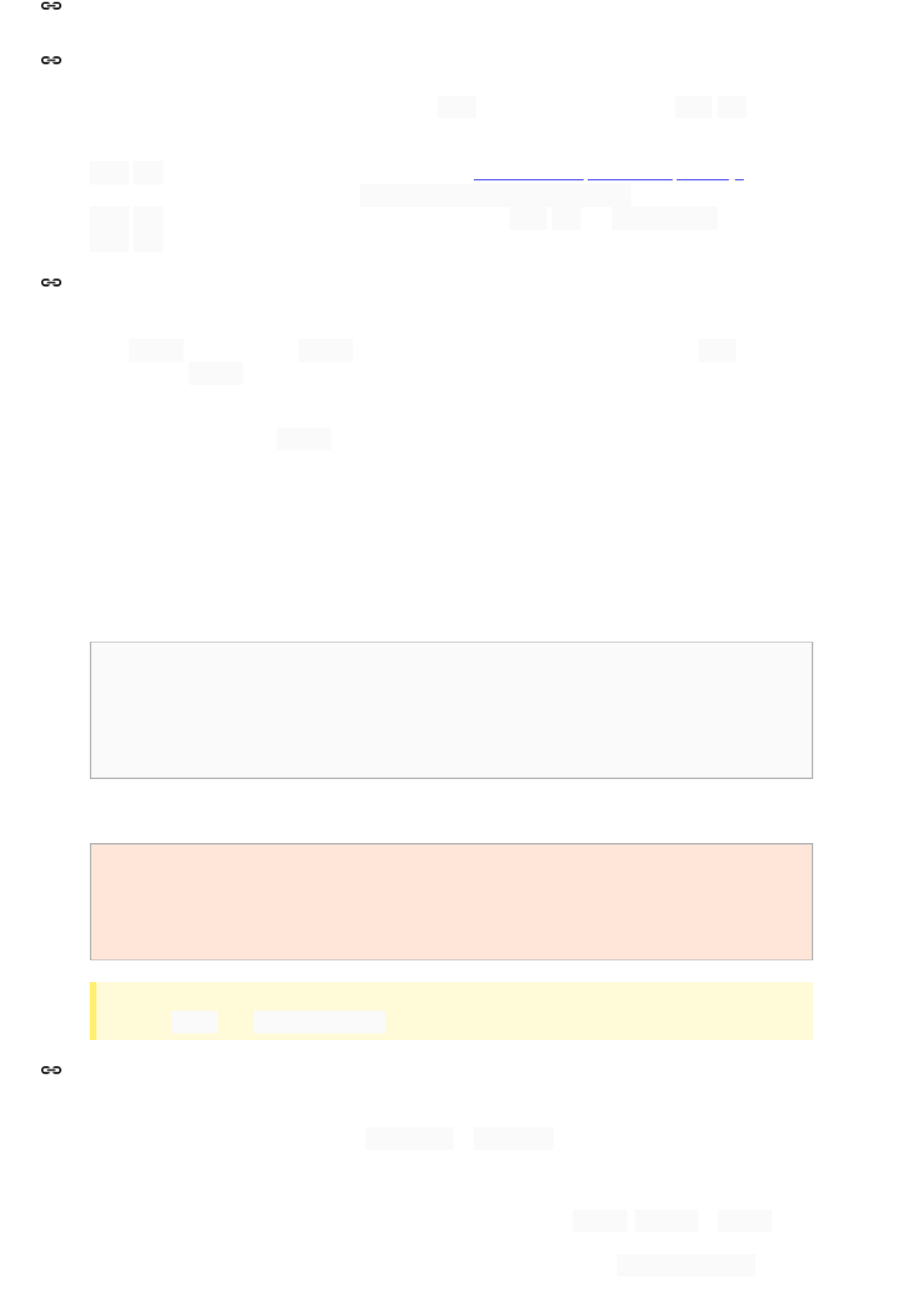
With ES6, the language now has three different kinds of for loops. All may be used, though for -of loops
should be preferred when possible.
for -in loops may only be used on dict-style objects (see 5.3.3 Do not mix quoted and unquoted keys), and
should not be used to iterate over an array. Object.prototype.hasOwnProperty should be used in
for -in loops to exclude unwanted prototype properties. Prefer for -of and Object.keys over
for -in when possible.
Exceptions are an important part of the language and should be used whenever exceptional cases occur. Always
throw Error s or subclasses of Error : never throw string literals or other objects. Always use new when
constructing an Error .
Custom exceptions provide a great way to convey additional error information from functions. They should be defined
and used wherever the native Error type is insufficient.
Prefer throwing exceptions over ad-hoc error-handling approaches (such as passing an error container reference
type, or returning an object with an error property).
5.8.2.1 Empty catch blocks
It is very rarely correct to do nothing in response to a caught exception. When it truly is appropriate to take no action
whatsoever in a catch block, the reason this is justified is explained in a comment.
try {
return handleNumericResponse(response);
} catch (ok) {
// it's not numeric; that's fine, just continue
}
return handleTextResponse(response);
Illegal:
try {
shouldFail();
fail('expected an error');
}
catch (expected) {}
Tip: Unlike in some other languages, patterns like the above simply don’t work since this will catch the error
thrown by fail . Use assertThrows() instead.
Terminology Note: Inside the braces of a switch block are one or more statement groups. Each statement group
consists of one or more switch labels (either case FOO: or default: ), followed by one or more statements.
5.8.3.1 Fall-through: commented
Within a switch block, each statement group either terminates abruptly (with a break , return or throw n
exception), or is marked with a comment to indicate that execution will or might continue into the next statement
group. Any comment that communicates the idea of fall-through is sufficient (typically // fall through ). This
special comment is not required in the last statement group of the switch block.
5.8 Control structures
5.8.1 For loops
5.8.2 Exceptions
5.8.3 Switch statements

Example:
switch (input) {
case 1:
case 2:
prepareOneOrTwo();
// fall through
case 3:
handleOneTwoOrThree();
break;
default:
handleLargeNumber(input);
}
5.8.3.2 The default case is present
Each switch statement includes a default statement group, even if it contains no code.
Only use this in class constructors and methods, or in arrow functions defined within class constructors and
methods. Any other uses of this must have an explicit @this declared in the immediately-enclosing function’s
JSDoc.
Never use this to refer to the global object, the context of an eval , the target of an event, or unnecessarily
call() ed or apply() ed functions.
Do not use the with keyword. It makes your code harder to understand and has been banned in strict mode since
ES5.
Do not use eval or the Function(...string) constructor (except for code loaders). These features are
potentially dangerous and simply do not work in CSP environments.
Always terminate statements with semicolons (except function and class declarations, as noted above).
Do not use non-standard features. This includes old features that have been removed (e.g., WeakMap.clear ),
new features that are not yet standardized (e.g., the current TC39 working draft, proposals at any stage, or proposed
but not-yet-complete web standards), or proprietary features that are only implemented in some browsers. Use only
features defined in the current ECMA-262 or WHATWG standards. (Note that projects writing against specific APIs,
such as Chrome extensions or Node.js, can obviously use those APIs). Non-standard language “extensions” (such
as those provided by some external transpilers) are forbidden.
Never use new on the primitive object wrappers ( Boolean , Number , String , Symbol ), nor include them
in type annotations.
Illegal:
5.9 this
5.10 Disallowed features
5.10.1 with
5.10.2 Dynamic code evaluation
5.10.3 Automatic semicolon insertion
5.10.4 Non-standard features
5.10.5 Wrapper objects for primitive types
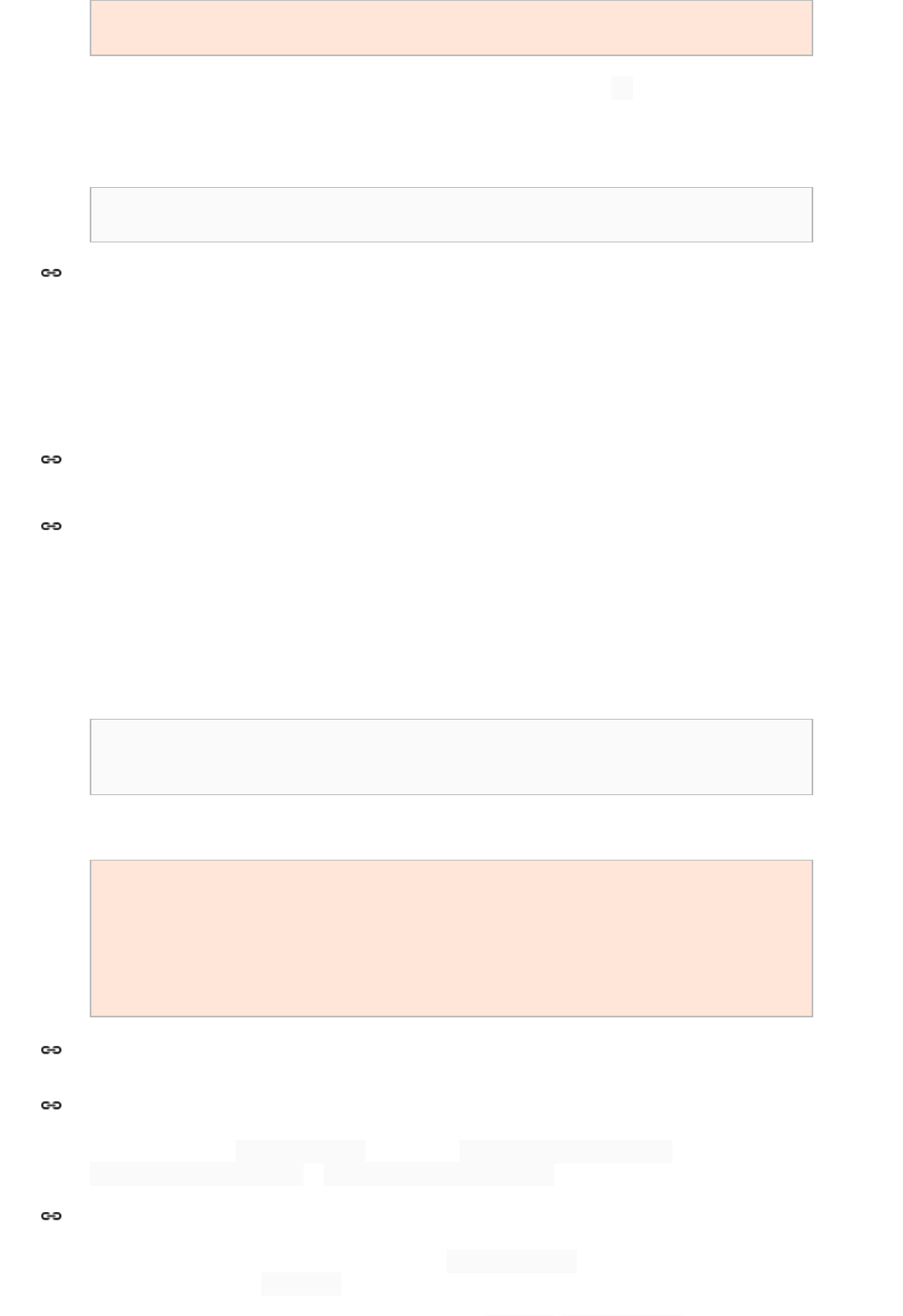
const
/** Boolean */
x = new Boolean(false);
if (x) alert(typeof x);
// alerts 'object' - WAT?
The wrappers may be called as functions for coercing (which is preferred over using + or concatenating the empty
string) or creating symbols.
Example:
const
/** boolean */
x = Boolean(0);
if (!x) alert(typeof x);
// alerts 'boolean', as expected
Never modify builtin types, either by adding methods to their constructors or to their prototypes. Avoid depending on
libraries that do this. Note that the JSCompiler’s runtime library will provide standards-compliant polyfills where
possible; nothing else may modify builtin objects.
Do not add symbols to the global object unless absolutely necessary (e.g. required by a third-party API).
Identifiers use only ASCII letters and digits, and, in a small number of cases noted below, underscores and very
rarely (when required by frameworks like Angular) dollar signs.
Give as descriptive a name as possible, within reason. Do not worry about saving horizontal space as it is far more
important to make your code immediately understandable by a new reader. Do not use abbreviations that are
ambiguous or unfamiliar to readers outside your project, and do not abbreviate by deleting letters within a word.
priceCountReader
// No abbreviation.
numErrors
// "num" is a widespread convention.
numDnsConnections
// Most people know what "DNS" stands for.
Illegal:
n
// Meaningless.
nErr
// Ambiguous abbreviation.
nCompConns
// Ambiguous abbreviation.
wgcConnections
// Only your group knows what this stands for.
pcReader
// Lots of things can be abbreviated "pc".
cstmrId
// Deletes internal letters.
kSecondsPerDay
// Do not use Hungarian notation.
Package names are all lowerCamelCase . For example, my.exampleCode.deepSpace , but not
my.examplecode.deepspace or my.example_code.deep_space .
Class, interface, record, and typedef names are written in UpperCamelCase . Unexported classes are simply
locals: they are not marked @private and therefore are not named with a trailing underscore.
5.10.6 Modifying builtin objects
6 Naming
6.1 Rules common to all identifiers
6.2 Rules by identifier type
6.2.1 Package names
6.2.2 Class names

Type names are typically nouns or noun phrases. For example, Request , ImmutableList , or
VisibilityMode . Additionally, interface names may sometimes be adjectives or adjective phrases instead (for
example, Readable ).
Method names are written in lowerCamelCase . Private methods’ names must end with a trailing underscore.
Method names are typically verbs or verb phrases. For example, sendMessage or stop_ . Getter and setter
methods for properties are never required, but if they are used they should be named getFoo (or optionally
isFoo or hasFoo for booleans), or setFoo(value) for setters.
Underscores may also appear in JsUnit test method names to separate logical components of the name. One typical
pattern is test<MethodUnderTest>_<state> , for example testPop_emptyStack . There is no One
Correct Way to name test methods.
Enum names are written in UpperCamelCase , similar to classes, and should generally be singular nouns.
Individual items within the enum are named in CONSTANT_CASE .
Constant names use CONSTANT_CASE : all uppercase letters, with words separated by underscores. There is no
reason for a constant to be named with a trailing underscore, since private static properties can be replaced by
(implicitly private) module locals.
6.2.5.1 Definition of “constant”
Every constant is a @const static property or a module-local const declaration, but not all @const static
properties and module-local const s are constants. Before choosing constant case, consider whether the field
really feels like a deeply immutable constant. For example, if any of that instance's observable state can change, it is
almost certainly not a constant. Merely intending to never mutate the object is generally not enough.
Examples:
Constants’ names are typically nouns or noun phrases.
6.2.5.1 Local aliases
Local aliases should be used whenever they improve readability over fully-qualified names. Follow the same rules as
goog.require s (3.4 goog.require statements), maintaining the last part of the aliased name. Aliases may also be
used within functions. Aliases must be const .
Examples:
// Constants
const NUMBER = 5;
/** @const */
exports.NAMES = ImmutableList.of('Ed', 'Ann');
/** @enum */
exports.SomeEnum = { ENUM_CONSTANT: 'value' };
// Not constants
let letVariable = 'non-const';
class MyClass { constructor() {
/** @const */
this.nonStatic = 'non-static'; } };
/** @type {string} */
MyClass.staticButMutable = 'not @const, can be reassigned';
const
/** Set<String> */
mutableCollection = new Set();
const
/** ImmutableSet<SomeMutableType> */
mutableElements = ImmutableSet.of(mutable)
const Foo = goog.require('my.Foo');
// mirrors imported name
const logger = log.getLogger('loggers.are.not.immutable');
6.2.3 Method names
6.2.4 Enum names
6.2.5 Constant names
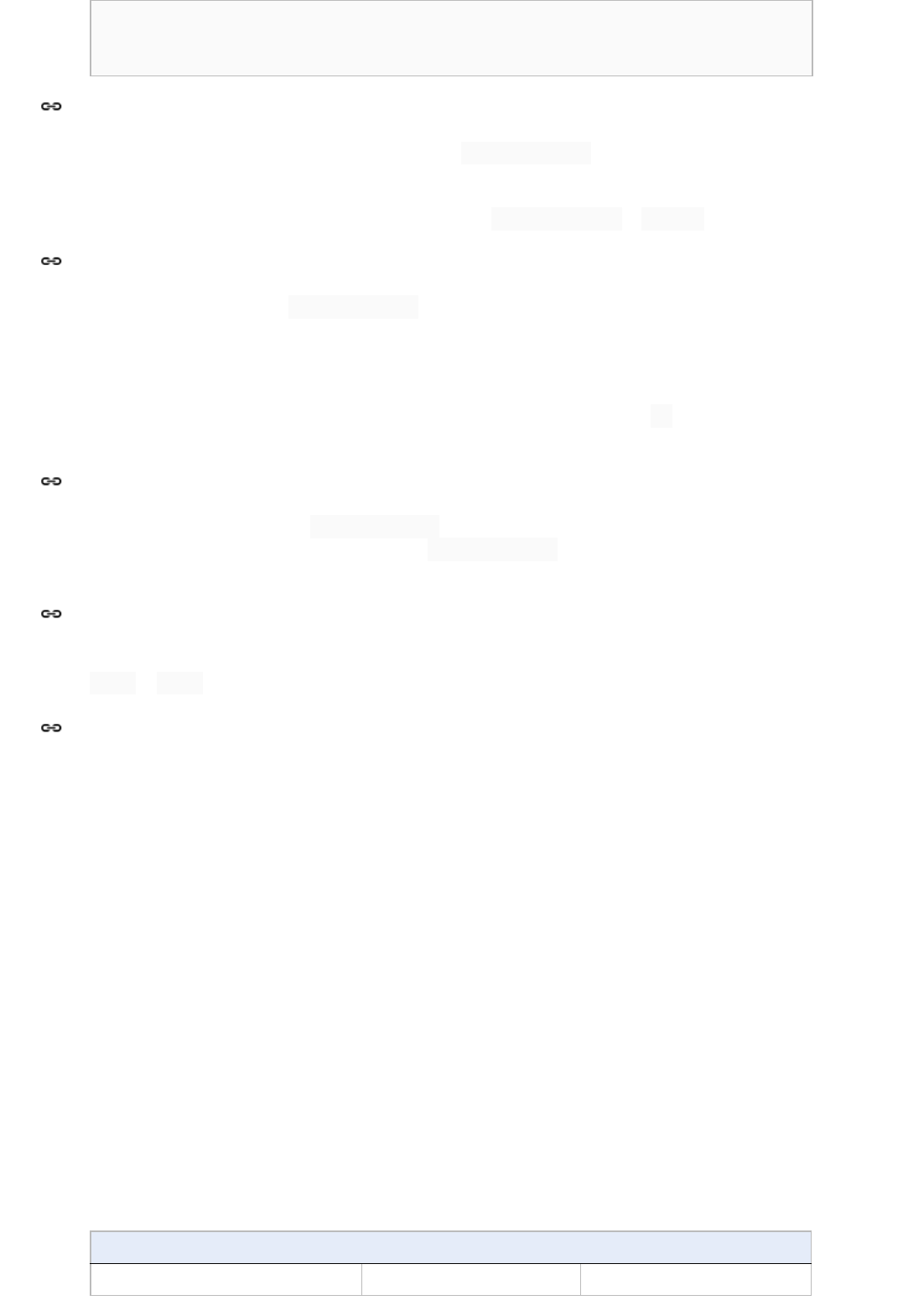
const staticHelper = importedNamespace.staticHelper;
const CONSTANT_NAME = ImportedClass.CONSTANT_NAME;
const {assert, assertInstanceof} = asserts;
Non-constant field names (static or otherwise) are written in lowerCamelCase , with a trailing underscore for
private fields.
These names are typically nouns or noun phrases. For example, computedValues or index_ .
Parameter names are written in lowerCamelCase . Note that this applies even if the parameter expects a
constructor.
One-character parameter names should not be used in public methods.
Exception: When required by a third-party framework, parameter names may begin with a $. This exception does
not apply to any other identifiers (e.g. local variables or properties).
Local variable names are written in lowerCamelCase , except for module-local (top-level) constants, as described
above. Constants in function scopes are still named in lowerCamelCase . Note that lowerCamelCase applies
even if the variable holds a constructor.
Template parameter names should be concise, single-word or single-letter identifiers, and must be all-caps, such as
TYPE or THIS .
Sometimes there is more than one reasonable way to convert an English phrase into camel case, such as when
acronyms or unusual constructs like “IPv6” or “iOS” are present. To improve predictability, Google Style specifies the
following (nearly) deterministic scheme.
Beginning with the prose form of the name:
1. Convert the phrase to plain ASCII and remove any apostrophes. For example, “Müller's algorithm” might
become “Muellers algorithm”.
2. Divide this result into words, splitting on spaces and any remaining punctuation (typically hyphens).
a. Recommended: if any word already has a conventional camel case appearance in common usage, split
this into its constituent parts (e.g., “AdWords” becomes “ad words”). Note that a word such as “iOS” is
not really in camel case per se; it defies any convention, so this recommendation does not apply.
3. Now lowercase everything (including acronyms), then uppercase only the first character of:
a. … each word, to yield upper camel case, or
b. … each word except the first, to yield lower camel case
4. Finally, join all the words into a single identifier.
Note that the casing of the original words is almost entirely disregarded.
Examples:
Prose form Correct Incorrect
“XML HTTP request” XmlHttpRequest XMLHTTPRequest
6.2.6 Non-constant field names
6.2.7 Parameter names
6.2.8 Local variable names
6.2.9 Template parameter names
6.3 Camel case: defined
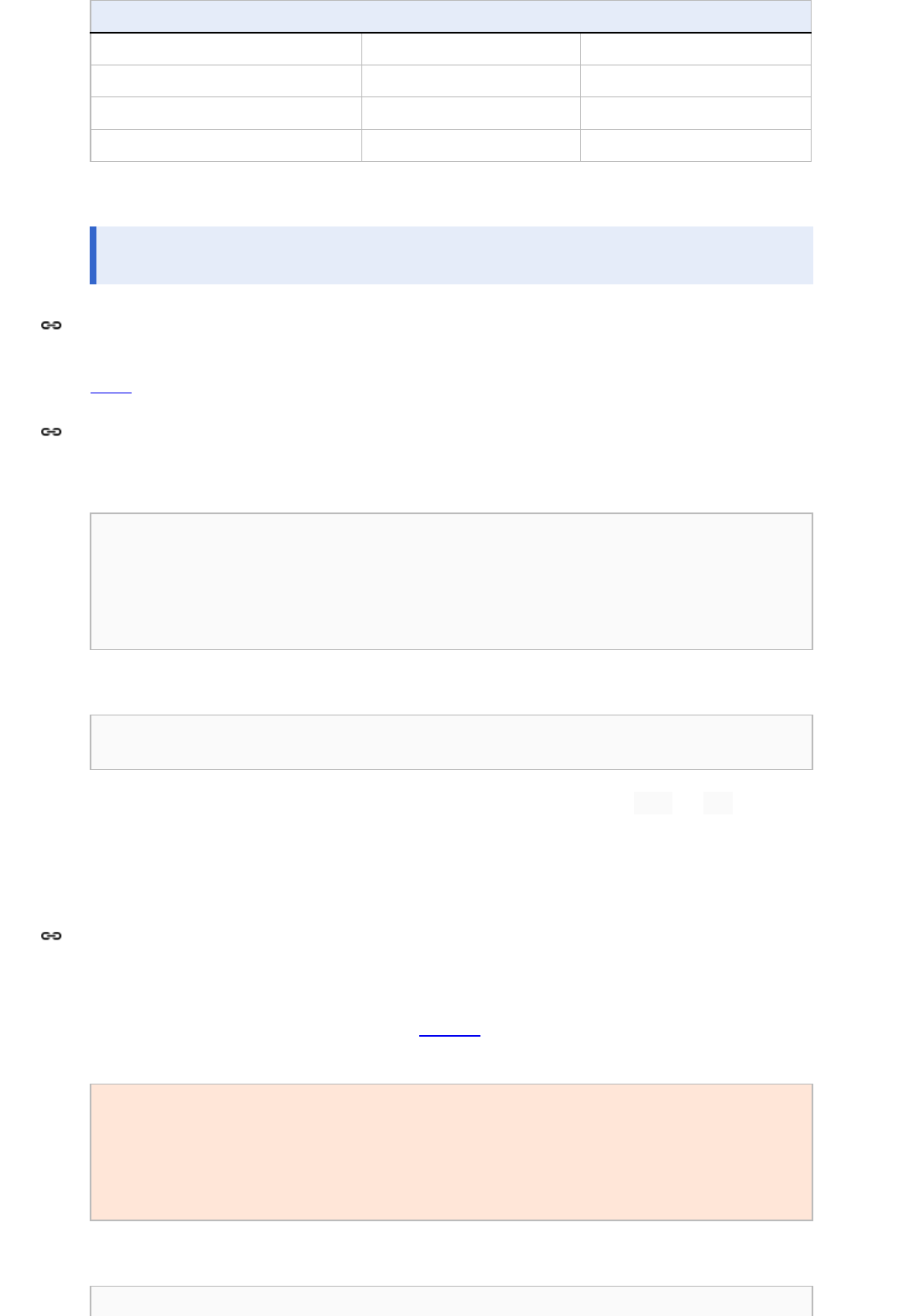
Prose form Correct Incorrect
“new customer ID” newCustomerId newCustomerID
“inner stopwatch” innerStopwatch innerStopWatch
“supports IPv6 on iOS?” supportsIpv6OnIos supportsIPv6OnIOS
“YouTube importer” YouTubeImporter YoutubeImporter*
*Acceptable, but not recommended.
Note: Some words are ambiguously hyphenated in the English language: for example “nonempty” and “non-
empty” are both correct, so the method names checkNonempty and checkNonEmpty are likewise both correct.
JSDoc is used on all classes, fields, and methods.
The basic formatting of JSDoc blocks is as seen in this example:
/**
* Multiple lines of JSDoc text are written here,
* wrapped normally.
* @param {number} arg A number to do something to.
*/
function doSomething(arg) { … }
or in this single-line example:
/** @const @private {!Foo} A short bit of JSDoc. */
this.foo_ = foo;
If a single-line comment overflows into multiple lines, it must use the multi-line style with /** and */ on their
own lines.
Many tools extract metadata from JSDoc comments to perform code validation and optimization. As such, these
comments must be well-formed.
JSDoc is written in Markdown, though it may include HTML when necessary.
Note that tools that automatically extract JSDoc (e.g. JsDossier) will often ignore plain text formatting, so if you did
this:
/**
* Computes weight based on three factors:
* items sent
* items received
* last timestamp
*/
it would come out like this:
Computes weight based on three factors: items sent items received last timestamp
7 JSDoc
7.1 General form
7.2 Markdown
Instead, write a Markdown list:
/**
* Computes weight based on three factors:
* - items sent
* - items received
* - last timestamp
*/
Google style allows a subset of JSDoc tags. See 9.1 JSDoc tag reference for the complete list. Most tags must
occupy their own line, with the tag at the beginning of the line.
Illegal:
/**
* The "param" tag must occupy its own line and may not be combined.
* @param {number} left @param {number} right
*/
function add(left, right) { ... }
Simple tags that do not require any additional data (such as @private , @const , @final , @export ) may
be combined onto the same line, along with an optional type when appropriate.
/**
* Place more complex annotations (like "implements" and "template")
* on their own lines. Multiple simple tags (like "export" and "final")
* may be combined in one line.
* @export @final
* @implements {Iterable<TYPE>}
* @template TYPE
*/
class MyClass {
/**
* @param {!ObjType} obj Some object.
* @param {number=} num An optional number.
*/
constructor(obj, num = 42) {
/** @private @const {!Array<!ObjType|number>} */
this.data_ = [obj, num];
}
}
There is no hard rule for when to combine tags, or in which order, but be consistent.
For general information about annotating types in JavaScript see Annotating JavaScript for the Closure Compiler and
Types in the Closure Type System.
Line-wrapped block tags are indented four spaces. Wrapped description text may be lined up with the description on
previous lines, but this horizontal alignment is discouraged.
/**
* Illustrates line wrapping for long param/return descriptions.
* @param {string} foo This is a param with a description too long to fit in
* one line
7.3 JSDoc tags
7.4 Line wrapping
one line.
* @return {number} This returns something that has a description too long to
* fit in one line.
*/
exports.method = function(foo) {
return 5;
};
Do not indent when wrapping a @fileoverview description.
A file may have a top-level file overview. A copyright notice , author information, and default visibility level are
optional. File overviews are generally recommended whenever a file consists of more than a single class definition.
The top level comment is designed to orient readers unfamiliar with the code to what is in this file. If present, it may
provide a description of the file's contents and any dependencies or compatibility information. Wrapped lines are not
indented.
Example:
/**
* @fileoverview Description of file, its uses and information
* about its dependencies.
* @package
*/
Classes, interfaces and records must be documented with a description and any template parameters, implemented
interfaces, visibility, or other appropriate tags. The class description should provide the reader with enough
information to know how and when to use the class, as well as any additional considerations necessary to correctly
use the class. Textual descriptions may be omitted on the constructor. @constructor and @extends
annotations are not used with the class keyword unless the class is being used to declare an @interface or
it extends a generic class.
/**
* A fancier event target that does cool things.
* @implements {Iterable<string>}
*/
class MyFancyTarget extends EventTarget {
/**
* @param {string} arg1 An argument that makes this more interesting.
* @param {!Array<number>} arg2 List of numbers to be processed.
*/
constructor(arg1, arg2) {
// ...
}
};
/**
* Records are also helpful.
* @extends {Iterator<TYPE>}
* @record
* @template TYPE
*/
class Listable {
/** @return {TYPE} The next item in line to be returned. */
next() {}
}
7.5 Top/file-level comments
7.6 Class comments
Enums and typedefs must be documented. Public enums and typedefs must have a non-empty description.
Individual enum items may be documented with a JSDoc comment on the preceding line.
/**
* A useful type union, which is reused often.
* @typedef {!Bandersnatch|!BandersnatchType}
*/
let CoolUnionType;
/**
* Types of bandersnatches.
* @enum {string}
*/
const BandersnatchType = {
/** This kind is really frumious. */
FRUMIOUS: 'frumious',
/** The less-frumious kind. */
MANXOME: 'manxome',
};
Typedefs are useful for defining short record types, or aliases for unions, complex functions, or generic types.
Typedefs should be avoided for record types with many fields, since they do not allow documenting individual fields,
nor using templates or recursive references. For large record types, prefer @record .
Parameter and return types must be documented. The this type should be documented when necessary.
Method, parameter, and return descriptions (but not types) may be omitted if they are obvious from the rest of the
method’s JSDoc or from its signature. Method descriptions should start with a sentence written in the third person
declarative voice. If a method overrides a superclass method, it must include an @override annotation.
Overridden methods must include all @param and @return annotations if any types are refined, but should omit
them if the types are all the same.
/** This is a class. */
class SomeClass extends SomeBaseClass {
/**
* Operates on an instance of MyClass and returns something.
* @param {!MyClass} obj An object that for some reason needs detailed
* explanation that spans multiple lines.
* @param {!OtherClass} obviousOtherClass
* @return {boolean} Whether something occurred.
*/
someMethod(obj, obviousOtherClass) { ... }
/** @override */
overriddenMethod(param) { ... }
}
/**
* Demonstrates how top-level functions follow the same rules. This one
* makes an array.
* @param {TYPE} arg
* @return {!Array<TYPE>}
* @template TYPE
*/
function makeArray(arg) { ... }
7.7 Enum and typedef comments
7.8 Method and function comments
Anonymous functions do not require JSDoc, though parameter types may be specified inline if the automatic type
inference is insufficient.
promise.then(
(
/** !Array<number|string> */
items) => {
doSomethingWith(items);
return
/** @type {string} */
(items[0]);
});
Property types must be documented. The description may be omitted for private properties, if name and type provide
enough documentation for understanding the code.
Publicly exported constants are commented the same way as properties. Explicit types may be omitted for @const
properties initialized from an expression with an obviously known type.
Tip: A @const property’s type can be considered “obviously known” if it is assigned directly from a constructor
parameter with a declared type, or directly from a function call with a declared return type. Non-const properties
and properties assigned from more complex expressions should have their types declared explicitly.
/** My class. */
class MyClass {
/** @param {string=} someString */
constructor(someString = 'default string') {
/** @private @const */
this.someString_ = someString;
/** @private @const {!OtherType} */
this.someOtherThing_ = functionThatReturnsAThing();
/**
* Maximum number of things per pane.
* @type {number}
*/
this.someProperty = 4;
}
}
/**
* The number of times we'll try before giving up.
* @const
*/
MyClass.RETRY_COUNT = 33;
Type annotations are found on @param , @return , @this , and @type tags, and optionally on @const ,
@export , and any visibility tags. Type annotations attached to JSDoc tags must always be enclosed in braces.
The type system defines modifiers ! and ? for non-null and nullable, respectively. Primitive types
(undefined , string , number , boolean , symbol , and function(...): ... ) and record literals
({foo: string, bar: number} ) are non-null by default. Do not add an explicit ! to these types. Object
types ( Array , Element , MyClass , etc) are nullable by default, but cannot be immediately distinguished from
a name that is @typedef ’d to a non-null-by-default type. As such, all types except primitives and record literals
must be annotated explicitly with either ? or ! to indicate whether they are nullable or not.
7.9 Property comments
7.10 Type annotations
7.10.1 Nullability
In cases where type checking doesn't accurately infer the type of an expression, it is possible to tighten the type by
adding a type annotation comment and enclosing the expression in parentheses. Note that the parentheses are
required.
/** @type {number} */
(x)
Always specify template parameters. This way compiler can do a better job and it makes it easier for readers to
understand what code does.
Bad:
const
/** !Object */
users = {};
const
/** !Array */
books = [];
const
/** !Promise */
response = ...;
Good:
Cases when template parameters should not be used:
Object is used for type hierarchy and not as map-like structure.
Visibility annotations ( @private , @package , @protected ) may be specified in a @fileoverview block,
or on any exported symbol or property. Do not specify visibility for local variables, whether within a function or at the
top level of a module. All @private names must end with an underscore.
For any style question that isn't settled definitively by this specification, prefer to do what the other code in the same
file is already doing. If that doesn't resolve the question, consider emulating the other files in the same package.
As far as possible projects should use --warning_level=VERBOSE .
Before doing anything, make sure you understand exactly what the warning is telling you. If you're not positive why a
warning is appearing, ask for help .
const
/** !Object<string, !User> */
users = {};
const
/** !Array<string> */
books = [];
const
/** !Promise<!Response> */
response = ...;
const
/** !Promise<undefined> */
thisPromiseReturnsNothingButParameterIsStillUseful =
const
/** !Object<string, *> */
mapOfEverything = {};
7.10.2 Type Casts
7.10.3 Template Parameter Types
7.11 Visibility annotations
8 Policies
8.1 Issues unspecified by Google Style: Be Consistent!
8.2 Compiler warnings
8.2.1 Use a standard warning set
8.2.2 How to handle a warning
Once you understand the warning, attempt the following solutions in order:
1. First, fix it or work around it. Make a strong attempt to actually address the warning, or find another way to
accomplish the task that avoids the situation entirely.
2. Otherwise, determine if it's a false alarm. If you are convinced that the warning is invalid and that the code
is actually safe and correct, add a comment to convince the reader of this fact and apply the @suppress
annotation.
3. Otherwise, leave a TODO comment. This is a last resort. If you do this, do not suppress the warning.
The warning should be visible until it can be taken care of properly.
Warnings are suppressed at the narrowest reasonable scope, usually that of a single local variable or very small
method. Often a variable or method is extracted for that reason alone.
Example
/** @suppress {uselessCode} Unrecognized 'use asm' declaration */
function fn() {
'use asm';
return 0;
}
Even a large number of suppressions in a class is still better than blinding the entire class to this type of warning.
Mark deprecated methods, classes or interfaces with @deprecated annotations. A deprecation comment must
include simple, clear directions for people to fix their call sites.
You will occasionally encounter files in your codebase that are not in proper Google Style. These may have come
from an acquisition, or may have been written before Google Style took a position on some issue, or may be in non-
Google Style for any other reason.
When updating the style of existing code, follow these guidelines.
1. It is not required to change all existing code to meet current style guidelines. Reformatting existing code is a
trade-off between code churn and consistency. Style rules evolve over time and these kinds of tweaks to
maintain compliance would create unnecessary churn. However, if significant changes are being made to a
file it is expected that the file will be in Google Style.
2. Be careful not to allow opportunistic style fixes to muddle the focus of a CL. If you find yourself making a lot
of style changes that aren’t critical to the central focus of a CL, promote those changes to a separate CL.
Brand new files use Google Style, regardless of the style choices of other files in the same package.
When adding new code to a file that is not in Google Style, reformatting the existing code first is recommended,
subject to the advice in 8.4.1 Reformatting existing code.
If this reformatting is not done, then new code should be as consistent as possible with existing code in the same file,
but must not violate the style guide.
8.2.3 Suppress a warning at the narrowest reasonable scope
8.3 Deprecation
8.4 Code not in Google Style
8.4.1 Reformatting existing code
8.4.2 Newly added code: use Google Style
8.5 Local style rules
Teams and projects may adopt additional style rules beyond those in this document, but must accept that cleanup
changes may not abide by these additional rules, and must not block such cleanup changes due to violating any
additional rules. Beware of excessive rules which serve no purpose. The style guide does not seek to define style in
every possible scenario and neither should you.
Source code generated by the build process is not required to be in Google Style. However, any generated identifiers
that will be referenced from hand-written source code must follow the naming requirements. As a special exception,
such identifiers are allowed to contain underscores, which may help to avoid conflicts with hand-written identifiers.
JSDoc serves multiple purposes in JavaScript. In addition to being used to generate documentation it is also used to
control tooling. The best known are the Closure Compiler type annotations.
Documentation for JSDoc used by the Closure Compiler is described in Annotating JavaScript for the Closure
Compiler and Types in the Closure Type System.
In addition to the JSDoc described in Annotating JavaScript for the Closure Compiler the following tags are common
and well supported by various documentation generations tools (such as JsDossier) for purely documentation
purposes.
Tag Template & Examples Description
@author or
@owner
@author username@google.com (First Last)
For example:
/**
* @fileoverview Utilities for handling textareas.
* @author kuth@google.com (Uthur Pendragon)
*/
Document the
author of a file or
the owner of a test
generally only use
in the
@fileoverview
comment. The
@owner tag is
used by the unit
test dashboard to
determine who
owns the test
results.
Not recommended
8.6 Generated code: mostly exempt
9 Appendices
9.1 JSDoc tag reference
9.1.1 Type annotations and other Closure Compiler annotations
9.1.2 Documentation annotations
Tag Template & Examples Description
@bug @bug bugnumber
For example:
/** @bug 1234567 */
function testSomething() {
// …
}
/**
* @bug 1234568
* @bug 1234569
*/
function testTwoBugs() {
// …
}
Indicates what bug
the given test
function regression
tests.
Multiple bugs
should each have
their own @bug
line, to make
searching for
regression tests as
easy as possible.
@code {@code ...}
For example:
/**
* Moves to the next position in the selection.
* Throws {@code goog.iter.StopIteration} when it
* passes the end of the range.
* @return {!Node} The node at the next position.
*/
goog.dom.RangeIterator.prototype.next = function() {
// …
};
Indicates that a
term in a JSDoc
description is code
so it may be
correctly formatted
in generated
documentation.
@see @see Link
For example:
/**
* Adds a single item, recklessly.
* @see #addSafely
* @see goog.Collect
* @see goog.RecklessAdder#add
*/
Reference a looku
to another class
function or method
@supported @supported Description
For example:
/**
* @fileoverview Event Manager
* Provides an abstracted interface to the
* browsers' event systems.
* @supported IE10+, Chrome, Safari
*/
Used in a
fileoverview to
indicate what
browsers are
supported by the
file.
Tag Template & Examples Description
@desc @desc Message description
For example:
/** @desc Notifying a user that their account has been created. */
exports.MSG_ACCOUNT_CREATED = goog.getMsg(
'Your account has been successfully created.');
You may also see other types of JSDoc annotations in third-party code. These annotations appear in the JSDoc
Toolkit Tag Reference but are not considered part of valid Google style.
The following annotations are specific to a particular framework.
Framework Tag Documentation
Angular 1 @ngInject
Polymer @polymerBehavior https://github.com/google/closure-compiler/wiki/Polymer-Pass
The following tags used to be standard but are now deprecated.
Tag Template &
Examples Description
@expose @expose Deprecated. Do not use. Use @export and/or @nocollapse
instead.
@inheritDoc @inheritDoc Deprecated. Do not use. Use @override instead.
Here is a collection of lesser-known or commonly misunderstood facts about Google Style for JavaScript. (The
following are true statements; this is not a list of “myths.”)
Neither a copyright statement nor @author credit is required in a source file. (Neither is explicitly
recommended, either.)
Aside from the constructor coming first (5.4.1 Constructors), there is no “hard and fast” rule governing how to
order the members of a class (5.4 Classes).
Empty blocks can usually be represented concisely as {} , as detailed in (4.1.3 Empty blocks: may be
concise).
The prime directive of line-wrapping is: prefer to break at a higher syntactic level (4.5.1 Where to break).
Non-ASCII characters are allowed in string literals, comments and Javadoc, and in fact are recommended
when they make the code easier to read than the equivalent Unicode escape would (2.3.3 Non-ASCII
characters).
The following tools exist to support various aspects of Google Style.
9.1.3 Framework specific annotations
9.1.4 Notes about standard Closure Compiler annotations
9.2 Commonly misunderstood style rules
9.3 Style-related tools
9.3.1 Closure Compiler

This program performs type checking and other checks, optimizations and other transformations (such as
ECMAScript 6 to ECMAScript 5 code lowering).
This program reformats JavaScript source code into Google Style, and also follows a number of non-required but
frequently readability-enhancing formatting practices.
clang-format is not required. Authors are allowed to change its output, and reviewers are allowed to ask for
such changes; disputes are worked out in the usual way. However, subtrees may choose to opt in to such
enforcement locally.
This program checks for a variety of missteps and anti-patterns.
The JS Conformance Framework is a tool that is part of the Closure Compiler that provides developers a simple
means to specify a set of additional checks to be run against their code base above the standard checks.
Conformance checks can, for example, forbid access to a certain property, or calls to a certain function, or missing
type information (unknowns).
These rules are commonly used to enforce critical restrictions (such as defining globals, which could break the
codebase) and security patterns (such as using eval or assigning to innerHTML ), or more loosely to improve
code quality.
For additional information see the official documentation for the JS Conformance Framework.
This section describes exceptions and additional rules to be followed when modern ECMAScript 6 syntax is not
available to the code authors. Exceptions to the recommended style are required when ECMAScript 6 syntax is not
possible and are outlined here:
Use of var declarations is allowed
Use of arguments is allowed
Optional parameters without default values are allowed
9.4.2.1 var declarations are NOT block-scoped
var declarations are scoped to the beginning of the nearest enclosing function, script or module, which can cause
unexpected behavior, especially with function closures that reference var declarations inside of loops. The
following code gives an example:
for (var i = 0; i < 3; ++i) {
var iteration = i;
setTimeout(function() { console.log(iteration); }, i*1000);
}
// logs 2, 2, 2 -- NOT 0, 1, 2
// because `iteration` is function-scoped, not local to the loop.
9.4.2.2 Declare variables as close as possible to first use
9.3.2 clang-format
9.3.3 Closure compiler linter
9.3.4 Conformance framework
9.4 Exceptions for legacy platforms
9.4.1 Overview
9.4.2 Use var
Even though var declarations are scoped to the beginning of the enclosing function, var declarations should be
as close as possible to their first use, for readability purposes. However, do not put a var declaration inside a
block if that variable is referenced outside the block. For example:
function sillyFunction() {
var count = 0;
for (var x in y) {
// "count" could be declared here, but don't do that.
count++;
}
console.log(count + ' items in y');
}
9.4.2.3 Use @const for constants variables
For global declarations where the const keyword would be used, if it were available, annotate the var
declaration with @const instead (this is optional for local variables).
Do not do this:
if (x) {
function foo() {}
}
While most JavaScript VMs implemented before ECMAScript 6 support function declarations within blocks it was not
standardized. Implementations were inconsistent with each other and with the now-standard ECMAScript 6 behavior
for block scoped function declaration. ECMAScript 5 and prior only allow for function declarations in the root
statement list of a script or function and explicitly ban them in block scopes in strict mode.
To get consistent behavior, instead use a var initialized with a function expression to define a function within a
block:
if (x) {
var foo = function() {};
}
goog.provide is deprecated. All new files should use goog.module , even in projects with existing
goog.provide usage. The following rules are for pre-existing goog.provide files, only.
9.4.4.1 Summary
Place all goog.provide s first, goog.require s second. Separate provides from requires with an
empty line.
Sort the entries alphabetically (uppercase first).
Don't wrap goog.provide and goog.require statements. Exceed 80 columns if necessary.
Only provide top-level symbols.
As of Oct 2016, goog.provide /goog.require dependency management is deprecated. All new files, even
in projects using goog.provide for older files, should use goog.module .
goog.provide statements should be grouped together and placed first. All goog.require statements should
follow. The two lists should be separated with an empty line.
Similar to import statements in other languages, goog.provide and goog.require statements should be
written in a single line, even if they exceed the 80 column line length limit.
9.4.3 Do not use block scoped functions declarations
9.4.4 Dependency management with goog.provide /goog.require
The lines should be sorted alphabetically, with uppercase letters coming first:
All members defined on a class should be in the same file. Only top-level classes should be provided in a file that
contains multiple members defined on the same class (e.g. enums, inner classes, etc).
Do this:
goog.provide('namespace.MyClass');
Not this:
goog.provide('namespace.MyClass');
goog.provide('namespace.MyClass.CONSTANT');
goog.provide('namespace.MyClass.Enum');
goog.provide('namespace.MyClass.InnerClass');
goog.provide('namespace.MyClass.TypeDef');
goog.provide('namespace.MyClass.staticMethod');
Members on namespaces may also be provided:
goog.provide('foo.bar');
goog.provide('foo.bar.CONSTANT');
goog.provide('foo.bar.method');
9.4.4.2 Aliasing with goog.scope
goog.scope is deprecated. New files should not use goog.scope even in projects with existing
goog.scope usage.
goog.scope may be used to shorten references to namespaced symbols in code using
goog.provide /goog.require dependency management.
Only one goog.scope invocation may be added per file. Always place it in the global scope.
The opening goog.scope(function() { invocation must be preceded by exactly one blank line and follow any
goog.provide statements, goog.require statements, or top-level comments. The invocation must be closed
on the last line in the file. Append // goog.scope to the closing statement of the scope. Separate the comment
from the semicolon by two spaces.
Similar to C++ namespaces, do not indent under goog.scope declarations. Instead, continue from the 0 column.
Only make aliases for names that will not be re-assigned to another object (e.g., most constructors, enums, and
namespaces). Do not do this (see below for how to alias a constructor):
goog.scope(function() {
var Button = goog.ui.Button;
Button = function() { ... };
...
goog.provide('namespace.MyClass');
goog.provide('namespace.helperFoo');
goog.require('an.extremelyLongNamespace.thatSomeoneThought.wouldBeNice.andNowItIsLong
goog.require('goog.dom');
goog.require('goog.dom.TagName');
goog.require('goog.dom.classes');
goog.require('goog.dominoes');
Names must be the same as the last property of the global that they are aliasing.
goog.provide('my.module.SomeType');
goog.require('goog.dom');
goog.require('goog.ui.Button');
goog.scope(function() {
var Button = goog.ui.Button;
var dom = goog.dom;
// Alias new types after the constructor declaration.
my.module.SomeType = function() { ... };
var SomeType = my.module.SomeType;
// Declare methods on the prototype as usual:
SomeType.prototype.findButton = function() {
// Button as aliased above.
this.button = new Button(dom.getElement('my-button'));
};
...
});
// goog.scope
