HP LaserJet Enterprise 700 Color MFP Repair Manual Laser Jet M775
HP LaserJet Enterprise 700 Color MFP M775 HP LaserJet Enterprise 700 Color MFP M775 shared.swissparts.ch - /Manuals/HP/LaserJet/Mono Laserjet/
User Manual: HP LaserJet Enterprise 700 Color MFP M775 shared.swissparts.ch - /Manuals/HP/LaserJet/Color Laserjet/
Open the PDF directly: View PDF  .
.
Page Count: 458 [warning: Documents this large are best viewed by clicking the View PDF Link!]
- Removal and replacement
- Removal and replacement strategy
- Control-panel assembly
- Intermediate transfer belt
- Fuser
- Formatter PCA
- Hard disk drive (HDD)
- Secondary transfer roller
- Document feeder mylar strips
- Document feeder foam reflector
- Pickup, feed, and separation (rollers and pads)
- Tray 1 (multipurpose tray) pickup roller
- Tray 1 separation pad
- Tray 2 pickup roller
- Tray 2 separation roller
- 1 x 500 or 3 x 500 pickup, feed, and separation rollers
- High capacity input feeder pickup, feed, and separation rollers
- Document feeder pickup and feed roller assembly
- Document feeder separation pad
- Covers, doors, and whole unit replacement
- Document feeder front cover
- Document feeder hatch cover
- Document feeder input tray bottom cover
- Document feeder roller cover
- Document feeder rear cover
- Scanner left cover
- Scanner right cover
- Scanner front cover
- Left cover
- Rear cover
- Right rear cover
- Toner collection unit (TCU) access door
- Right door assembly
- Rear upper cover
- Right upper cover
- Scanner rear and FFC bezel cover
- Stapler/stacker rear cover
- Document feeder
- Scanner assembly
- Stapler/stacker assembly
- Left upper cover
- Front upper cover
- Front right cover
- Front door assembly
- Top right cover
- Output cover; non stapler/stacker model
- Top cover
- Top rear cover
- Main assemblies
- Document feeder paper present sensor
- Document feeder hinge
- Document feeder width sensor, paper-long and paper-short sensors
- Document feeder tray extender
- Sub-power supply assembly
- Sub power supply fan FM5
- Lifter-drive assembly
- ITB front guide assembly
- ITB rear guide assembly
- Residual toner full sensor
- Residual toner feed assembly
- Paper delivery assembly
- Laser scanner
- Cartridge fan FM4
- Fuser fan FM2
- Formatter fan FM3
- ITB motor M1
- Drum motor M2
- Developing motor M3
- Fuser motor M4
- Developing disengagement motor M6
- Power-supply fan FM1
- Power switch
- Environment sensor
- Scan control board (SCB)
- Document feeder open sensor and flag
- Image scanner memory board
- Fax PCA
- Image (developing) high-voltage power supply (HVPS)
- Interconnect PCA
- DC controller PCA
- Formatter cage
- First-transfer high-voltage power supply
- Second-transfer high-voltage power supply and holder
- Driver PCA
- Low-voltage power supply (LVPS)
- Duplex drive assembly
- Main drive assembly
- Fuser drive assembly
- Fuser gear assembly
- Input devices
- 1x500-sheet paper feeder assembly
- 1x500- and 3x500-sheet paper deck (PD)
- PD rear cover
- PD left cover
- PD right front cover
- PD front upper cover
- PD front door
- PD storage box
- PD right door
- PD right lower cover
- PD left lower cover
- PD rear lower cover
- PD front lower cover
- PD pickup assembly cassette 1
- PD pickup assembly cassette 2
- PD pickup assembly cassette 3
- PD lifter drive assembly
- PD pickup motor
- PD controller PCA
- High capacity input feeder
- HCI right tray
- HCI left tray
- HCI left cover
- HCI left lower cover
- HCI rear cover
- HCI right door
- HCI right front cover
- HCI right center cover and right rear cover
- HCI right lower cover
- HCI rear lower cover
- HCI left tray lifter drive
- HCI right tray lifter drive
- HCI left tray pickup drive
- HCI right tray pickup drive
- HCI controller PCA
- HCI left tray automatic close assembly
- HCI right tray automatic close assembly
- HCI left tray pickup assembly
- HCI right tray pickup assembly
- HCI merge assembly
- Output devices
- Stapler/stacker
- Stapler/stacker rear cover
- Stapler/stacker front right cover
- Stapler/stacker front left cover
- Stapler/stacker right door
- Stapler/stacker left rear cover
- Stapler/stacker output bin assembly
- Stapler/stacker left lower cover
- Stapler/stacker operation assembly
- Stapler/stacker feed guide assembly
- Stapler/stacker door switch
- Stapler/stacker inlet solenoid assembly
- Stapler/stacker stapler assembly
- Stapler/stacker controller PCA
- Stapler/stacker
- Parts and diagrams
- Order parts by authorized service providers
- How to use the parts lists and diagrams
- Assembly locations
- Document feeder and scanner whole units
- Document feeder assemblies
- Scanner assemblies
- Scanner controller board (SCB)
- Stapler/stacker assembly
- Covers
- Right door
- Internal assemblies
- 1x500-sheet paper feeder
- 1x500-sheet and 3x500-sheet paper deck
- High capacity input (HCI) feeder
- Alphabetical parts list
- Numerical parts list
- Index
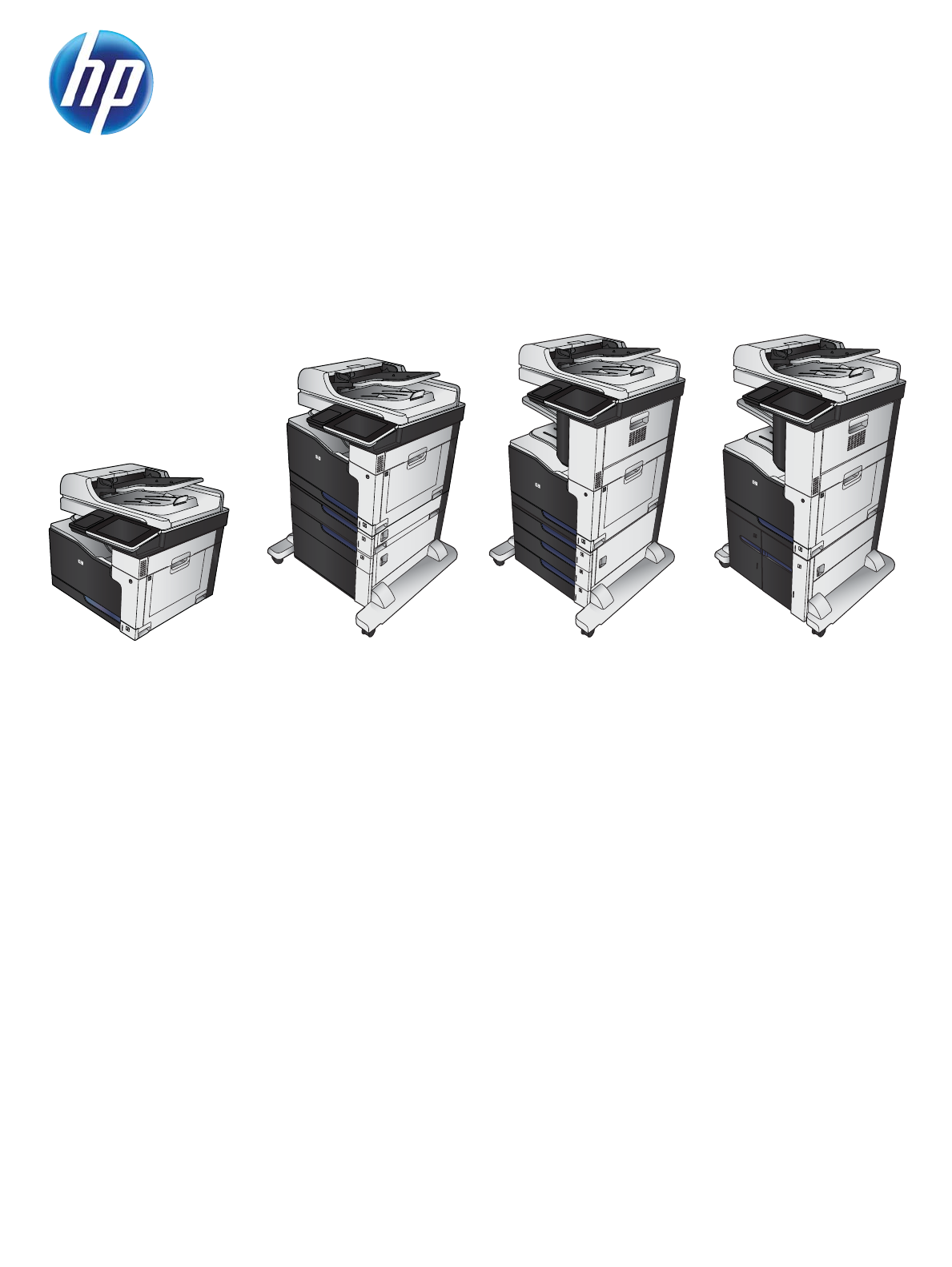
LASERJET ENTERPRISE 700 COLOR MFP
Repair Manual
M775dn M775f M775z M775z+

HP LaserJet Enterprise 700 color MFP
M775
Repair Manual
Copyright and License
© 2012 Copyright Hewlett-Packard
Development Company, L.P.
Reproduction, adaptation, or translation
without prior written permission is
prohibited, except as allowed under the
copyright laws.
The information contained herein is subject
to change without notice.
The only warranties for HP products and
services are set forth in the express warranty
statements accompanying such products and
services. Nothing herein should be
construed as constituting an additional
warranty. HP shall not be liable for technical
or editorial errors or omissions contained
herein.
Part number: CC522-90967
Edition 1, 10/2012
Trademark Credits
Microsoft®, Windows®, Windows® XP,
and Windows Vista® are U.S. registered
trademarks of Microsoft Corporation.

Conventions used in this guide
TIP: Tips provide helpful hints or shortcuts.
NOTE: Notes provide important information to explain a concept or to complete a task.
CAUTION: Cautions indicate procedures that you should follow to avoid losing data or damaging
the product.
WARNING! Warnings alert you to specific procedures that you should follow to avoid personal
injury, catastrophic loss of data, or extensive damage to the product.
ENWW iii
iv Conventions used in this guide ENWW

Table of contents
1 Removal and replacement ................................................................................................ 1
Removal and replacement strategy ............................................................................................. 2
Cautions during removal and replacement ................................................................... 2
Required tools ........................................................................................................... 3
Types of screws ........................................................................................................ 3
Service approach ...................................................................................................... 3
Before performing service .......................................................................................... 4
After performing service ............................................................................................. 4
Parts removal order ................................................................................................... 4
Control-panel assembly ............................................................................................................. 5
Intermediate transfer belt ........................................................................................................... 7
Fuser ...................................................................................................................................... 9
Formatter PCA ....................................................................................................................... 10
Hard disk drive (HDD) ............................................................................................................ 11
Reinstall the HDD .................................................................................................... 12
Secondary transfer roller ......................................................................................................... 13
Document feeder mylar strips ................................................................................................... 14
Install replacement document feeder mylar strips ......................................................... 15
Document feeder foam reflector ............................................................................................... 16
Install a replacement document feeder foam reflector ................................................... 17
Pickup, feed, and separation (rollers and pads) ......................................................................... 22
Tray 1 (multipurpose tray) pickup roller ...................................................................... 22
Tray 1 separation pad ............................................................................................. 24
Tray 2 pickup roller ................................................................................................. 26
Tray 2 separation roller ........................................................................................... 27
1 x 500 or 3 x 500 pickup, feed, and separation rollers ............................................. 29
High capacity input feeder pickup, feed, and separation rollers .................................... 30
Document feeder pickup and feed roller assembly ....................................................... 32
Document feeder separation pad .............................................................................. 34
Reinstall the document feeder separation pad .............................................. 35
Covers, doors, and whole unit replacement ............................................................................... 36
Document feeder front cover ..................................................................................... 36
ENWW v
Document feeder hatch cover ................................................................................... 41
Document feeder input tray bottom cover ................................................................... 42
Document feeder roller cover .................................................................................... 43
Remove the document feeder roller cover .................................................... 43
Document feeder rear cover ..................................................................................... 46
Remove the document feeder rear cover ...................................................... 46
Scanner left cover ................................................................................................... 49
Remove the scanner left cover .................................................................... 49
Scanner right cover ................................................................................................. 51
Remove the scanner right cover .................................................................. 51
Scanner front cover ................................................................................................. 53
Remove the scanner front cover .................................................................. 53
Reinstall the scanner front cover ................................................................. 55
Left cover ............................................................................................................... 57
Rear cover ............................................................................................................. 58
Right rear cover ...................................................................................................... 59
Remove the right rear cover ....................................................................... 59
Toner collection unit (TCU) access door ...................................................................... 60
Remove the TCU access door ..................................................................... 60
Right door assembly ................................................................................................ 62
Remove the right door assembly ................................................................. 62
Rear upper cover .................................................................................................... 66
Right upper cover .................................................................................................... 67
Scanner rear and FFC bezel cover ............................................................................ 68
Stapler/stacker rear cover ........................................................................................ 69
Document feeder ..................................................................................................... 71
Remove the document feeder assembly ....................................................... 71
Reinstall the document feeder ..................................................................... 73
Scanner assembly ................................................................................................... 74
Remove the scanner assembly .................................................................... 74
Reinstall the scanner assembly ................................................................... 77
Stapler/stacker assembly ......................................................................................... 78
Remove the stapler/stacker assembly .......................................................... 78
Left upper cover ...................................................................................................... 82
Remove the left upper cover ....................................................................... 82
Front upper cover .................................................................................................... 83
Remove the front upper cover; stapler/stacker model .................................... 83
Remove the front upper cover; non stapler/stacker model .............................. 85
Front right cover ...................................................................................................... 86
Remove the front right cover ...................................................................... 86
Front door assembly ................................................................................................ 88
vi ENWW
Remove the front door assembly ................................................................. 88
Top right cover ....................................................................................................... 91
Remove the top right cover ........................................................................ 91
Output cover; non stapler/stacker model .................................................................... 93
Remove the output cover ........................................................................... 93
Top cover ............................................................................................................... 95
Remove the top cover ............................................................................... 95
Top rear cover ........................................................................................................ 97
Remove the top rear cover ......................................................................... 97
Main assemblies .................................................................................................................. 101
Document feeder paper present sensor .................................................................... 101
Remove the document feeder paper present sensor ..................................... 101
Document feeder hinge .......................................................................................... 103
Remove the document hinge .................................................................... 103
Document feeder width sensor, paper-long and paper-short sensors ............................. 105
Remove the document feeder width sensor, paper-short and paper-long
sensors ................................................................................................. 105
Document feeder tray extender ............................................................................... 108
Remove the document tray extender ......................................................... 108
Sub-power supply assembly .................................................................................... 110
Remove the power supply assembly .......................................................... 110
Sub power supply fan FM5 .................................................................................... 112
Remove the sub power supply fan FM5 ..................................................... 112
Lifter-drive assembly .............................................................................................. 115
Remove the lifter-drive assembly ............................................................... 115
ITB front guide assembly ........................................................................................ 118
Remove the ITB front guide assembly ........................................................ 119
ITB rear guide assembly ......................................................................................... 121
Remove the ITB rear guide assembly ......................................................... 121
Residual toner full sensor ........................................................................................ 122
Remove the residual toner full sensor ........................................................ 122
Reinstall the residual toner full sensor ......................................... 125
Residual toner feed assembly .................................................................................. 127
Remove the residual toner feed assembly .................................................. 128
Paper delivery assembly ........................................................................................ 131
Remove the paper delivery assembly ........................................................ 131
Laser scanner ....................................................................................................... 133
Remove the laser/scanner assembly ......................................................... 133
Cartridge fan FM4 ................................................................................................ 137
Remove the cartridge fan FM4 ................................................................. 137
Fuser fan FM2 ...................................................................................................... 139
ENWW vii
Remove the fuser fan FM2 ....................................................................... 139
Formatter fan FM3 ................................................................................................ 141
Remove the formatter fan FM3 ................................................................. 141
ITB motor M1 ....................................................................................................... 143
Remove the ITB motor M1 ....................................................................... 143
Drum motor M2 .................................................................................................... 145
Remove the drum motor M2 .................................................................... 145
Developing motor M3 ............................................................................................ 147
Remove the developing motor M3 ............................................................ 147
Fuser motor M4 .................................................................................................... 149
Remove the fuser motor M4 ..................................................................... 149
Developing disengagement motor M6 ..................................................................... 151
Remove the developing disengagement motor M6 ...................................... 151
Power-supply fan FM1 ........................................................................................... 153
Remove the power-supply fan FM1 ........................................................... 153
Power switch ........................................................................................................ 155
Remove the power switch ........................................................................ 155
Environment sensor ................................................................................................ 157
Scan control board (SCB) ....................................................................................... 158
Remove the scan control board (SCB) ....................................................... 158
Reinstall the SCB .................................................................................... 160
Installing a replacement SCB and image scanner memory board ................. 160
Document feeder open sensor and flag .................................................................... 161
Remove the document open sensor and flag .............................................. 161
Reinstall the document feeder open sensor and flag .................................... 163
Image scanner memory board ................................................................................ 164
Remove the image scanner memory board ................................................ 164
Installing a replacement SCB and image scanner memory board ................. 165
Fax PCA .............................................................................................................. 166
Remove the fax PCA ............................................................................... 166
Reinstall the fax PCA .............................................................................. 167
Image (developing) high-voltage power supply (HVPS) ............................................... 168
Remove the image (developing) high-voltage power supply ......................... 168
Reinstall the image (developing) high-voltage power supply ......................... 170
Interconnect PCA .................................................................................................. 171
Remove the interconnect PCA .................................................................. 171
DC controller PCA ................................................................................................. 174
Remove the DC controller PCA ................................................................. 174
Formatter cage ..................................................................................................... 177
Remove the formatter cage ...................................................................... 177
First-transfer high-voltage power supply .................................................................... 179
viii ENWW
Remove the first-transfer high-voltage power supply .................................... 179
Reinstall the first-transfer high-voltage power supply .................................... 181
Second-transfer high-voltage power supply and holder ............................................... 182
Remove the second-transfer high-voltage power supply and holder ............... 182
Driver PCA ........................................................................................................... 184
Remove the driver PCA ........................................................................... 184
Low-voltage power supply (LVPS) ............................................................................. 186
Remove the LVPS .................................................................................... 186
Duplex drive assembly ........................................................................................... 190
Remove the duplex-drive assembly ........................................................... 191
Reinstall the duplex-drive assembly ........................................................... 193
Main drive assembly ............................................................................................. 194
Remove the main drive assembly .............................................................. 195
Install the main drive assembly ................................................................. 202
Fuser drive assembly ............................................................................................. 207
Remove the fuser drive assembly .............................................................. 208
Install a replacement fuser drive assembly ................................................. 211
Fuser gear assembly .............................................................................................. 213
Remove the fuser gear assembly .............................................................. 214
Install a replacement fuser gear assembly .................................................. 218
Input devices ....................................................................................................................... 220
1x500-sheet paper feeder assembly ........................................................................ 220
1x500 rear cover ................................................................................... 220
1x500 left cover .................................................................................... 221
1x500 right-front cover ........................................................................... 223
1x500 front-upper cover ......................................................................... 224
Remove the 1x500 front-upper cover ......................................... 224
1x500 right door ................................................................................... 225
1x500 right-lower cover .......................................................................... 227
Remove the 1x500 right-lower cover .......................................... 227
1x500 pickup assembly .......................................................................... 228
Remove the 1x500 pickup assembly .......................................... 228
1x500 lifter-drive assembly ..................................................................... 231
Remove the 1x500 lifter-drive assembly ..................................... 231
1x500 pickup motor ............................................................................... 233
Remove the 1x500 pickup motor ............................................... 233
1x500 driver PCA .................................................................................. 234
Remove the 1x500 driver PCA .................................................. 234
1x500- and 3x500-sheet paper deck (PD) ................................................................ 235
PD rear cover ........................................................................................ 235
PD left cover .......................................................................................... 236
ENWW ix
PD right front cover ................................................................................. 238
PD front upper cover ............................................................................... 239
Remove the PD front upper cover ............................................... 239
PD front door ......................................................................................... 241
PD storage box ...................................................................................... 243
Remove the PD storage box ...................................................... 243
Reinstall the PD storage box ..................................................... 244
PD right door ......................................................................................... 245
PD right lower cover ............................................................................... 247
Remove the right lower cover .................................................... 247
PD left lower cover ................................................................................. 249
Remove the left lower cover ...................................................... 249
PD rear lower cover ................................................................................ 251
Remove the rear lower cover .................................................... 251
PD front lower cover ............................................................................... 252
Remove the front lower cover .................................................... 252
PD pickup assembly cassette 1 ................................................................. 253
Remove the pickup assembly cassette 1 ..................................... 253
Reinstall the pickup assembly .................................................... 255
PD pickup assembly cassette 2 ................................................................. 256
Remove the pickup assembly cassette 2 ..................................... 256
Reinstall the pickup assembly .................................................... 257
PD pickup assembly cassette 3 ................................................................. 258
Remove the pickup assembly cassette 3 ..................................... 258
Reinstall the pickup assembly .................................................... 259
PD lifter drive assembly ........................................................................... 260
Remove the lifter drive assembly ................................................ 260
PD pickup motor .................................................................................... 262
Remove the pickup motor ......................................................... 262
PD controller PCA ................................................................................... 263
Remove the controller PCA ....................................................... 263
High capacity input feeder ..................................................................................... 265
HCI right tray ......................................................................................... 265
HCI left tray ........................................................................................... 266
HCI left cover ........................................................................................ 267
Remove the HCI left cover ........................................................ 267
HCI left lower cover ................................................................................ 269
Remove the HCI left lower cover ................................................ 269
HCI rear cover ....................................................................................... 271
Remove the HCI rear cover ....................................................... 271
HCI right door ....................................................................................... 272
xENWW
HCI right front cover ............................................................................... 274
Remove the HCI right front cover ............................................... 274
HCI right center cover and right rear cover ................................................ 275
Remove the HCI right center cover and right rear cover ................ 275
HCI right lower cover ............................................................................. 277
Remove the HCI right lower cover ............................................. 277
HCI rear lower cover .............................................................................. 279
Remove the HCI rear lower cover .............................................. 279
HCI left tray lifter drive ............................................................................ 280
Remove the HCI left tray lifter drive ............................................ 280
Reinstall the HCI left tray lifter drive ........................................... 281
HCI right tray lifter drive ......................................................................... 282
Remove the HCI right tray lifter drive ......................................... 282
Reinstall the HCI left tray lifter drive ........................................... 283
HCI left tray pickup drive ........................................................................ 284
Remove the HCI left tray pickup drive ........................................ 284
Reinstall the HCI tray pickup drive ............................................. 285
HCI right tray pickup drive ...................................................................... 286
Remove the HCI right tray pickup drive ...................................... 286
Reinstall the HCI tray pickup drive ............................................. 287
HCI controller PCA ................................................................................. 288
Remove the HCI controller PCA ................................................. 288
HCI left tray automatic close assembly ...................................................... 289
Remove the HCI left tray automatic close assembly ...................... 289
HCI right tray automatic close assembly .................................................... 291
Remove the HCI right tray automatic close assembly .................... 291
HCI left tray pickup assembly ................................................................... 293
Remove the HCI left tray pickup assembly .................................. 293
Reinstall the HCI tray pickup assembly ....................................... 294
HCI right tray pickup assembly ................................................................ 295
Remove the HCI right tray pickup assembly ................................ 295
HCI merge assembly .............................................................................. 297
Remove the HCI merge assembly .............................................. 297
Reinstall the HCI merge assembly .............................................. 299
Output devices .................................................................................................................... 300
Stapler/stacker ..................................................................................................... 300
Stapler/stacker rear cover ....................................................................... 300
Stapler/stacker front right cover ............................................................... 302
Stapler/stacker front left cover ................................................................. 303
Remove the stapler/stacker front left cover .................................. 303
Stapler/stacker right door ....................................................................... 304
ENWW xi
Remove the stapler/stacker right door ........................................ 304
Stapler/stacker left rear cover .................................................................. 306
Remove the stapler/stacker left rear cover .................................. 306
Stapler/stacker output bin assembly ......................................................... 307
Remove the stapler/stacker output bin assembly .......................... 307
Stapler/stacker left lower cover ................................................................ 309
Remove the stapler/stacker left lower cover ................................ 309
Stapler/stacker operation assembly .......................................................... 310
Remove the stapler/stacker operation assembly .......................... 310
Stapler/stacker feed guide assembly ........................................................ 312
Remove the stapler/stacker feed guide assembly ......................... 312
Stapler/stacker door switch ..................................................................... 316
Remove the stapler/stacker door switch ..................................... 316
Stapler/stacker inlet solenoid assembly ..................................................... 318
Remove the stapler/stacker inlet solenoid assembly ..................... 318
Stapler/stacker stapler assembly .............................................................. 320
Remove the stapler/stacker stapler assembly .............................. 320
Reinstall the stapler/stacker stapler assembly .............................. 321
Stapler/stacker controller PCA ................................................................. 322
Remove the stapler/stacker controller PCA ................................. 322
2 Parts and diagrams ...................................................................................................... 323
Order parts by authorized service providers ............................................................................ 324
Order parts, accessories, and supplies .................................................................... 324
Related documentation and software ....................................................................... 324
Supplies part numbers ........................................................................................... 325
Customer self-repair parts ....................................................................................... 325
Service replacement parts ...................................................................................... 327
Accessories .......................................................................................................... 328
How to use the parts lists and diagrams .................................................................................. 328
Assembly locations ............................................................................................................... 330
Base product (no optional trays or accessories) ......................................................... 330
Document feeder and scanner ................................................................................ 331
Stapler/stacker ..................................................................................................... 331
500-sheet paper feeder ......................................................................................... 332
1x500-sheet paper deck ........................................................................................ 333
3x500-sheet paper deck ........................................................................................ 334
High capacity input (HCI) paper deck ...................................................................... 335
Document feeder and scanner whole units ............................................................................... 336
Document feeder assemblies .................................................................................................. 338
Scanner assemblies .............................................................................................................. 340
xii ENWW
Scanner controller board (SCB) .............................................................................................. 342
Stapler/stacker assembly ...................................................................................................... 344
Stapler/stacker covers ........................................................................................... 344
Stapler/stacker components ................................................................................... 346
Covers ................................................................................................................................ 348
Right door ........................................................................................................................... 350
Internal assemblies ............................................................................................................... 352
Internal assemblies (1 of 8) ..................................................................................... 352
Internal assemblies (2 of 8) ..................................................................................... 354
Internal assemblies (3 of 8) ..................................................................................... 356
Internal assemblies (4 of 8) ..................................................................................... 358
Internal assemblies (5 of 8) ..................................................................................... 360
Internal assemblies (6 of 8) ..................................................................................... 362
Internal assemblies (7 of 8) ..................................................................................... 364
Internal assemblies (8 of 8) ..................................................................................... 366
1x500-sheet paper feeder ..................................................................................................... 368
1x500-sheet paper feeder covers ............................................................................ 368
1x500-sheet paper feeder components .................................................................... 370
1x500-sheet and 3x500-sheet paper deck .............................................................................. 372
1x500-sheet and 3x500-sheet paper deck covers ..................................................... 372
1x500-sheet paper deck components ...................................................................... 374
3x500-sheet paper deck components ...................................................................... 376
High capacity input (HCI) feeder ............................................................................................ 378
HCI covers ........................................................................................................... 378
HCI components (1 of 2) ........................................................................................ 380
HCI components (2 of 2) ........................................................................................ 382
Alphabetical parts list ........................................................................................................... 384
Numerical parts list .............................................................................................................. 401
Index ............................................................................................................................... 419
ENWW xiii
xiv ENWW

List of tables
Table 2-1 Order parts, accessories, and supplies .................................................................................. 324
Table 2-2 Related documentation and software .................................................................................... 324
Table 2-3 Supplies part numbers ......................................................................................................... 325
Table 2-4 Customer self-repair parts .................................................................................................... 325
Table 2-5 Base product (no optional trays or accessories) ...................................................................... 330
Table 2-6 Document feeder and scanner .............................................................................................. 331
Table 2-7 500-sheet paper feeder ....................................................................................................... 332
Table 2-8 1x500-sheet paper deck ..................................................................................................... 333
Table 2-9 3x500-sheet paper deck ..................................................................................................... 334
Table 2-10 High capacity input (HCI) paper deck ................................................................................. 335
Table 2-11 Document feeder and scanner whole units ........................................................................... 337
Table 2-12 Document feeder assemblies .............................................................................................. 339
Table 2-13 Scanner assemblies .......................................................................................................... 341
Table 2-14 Scanner controller board (SCB) assembly ............................................................................ 343
Table 2-15 Stapler/stacker covers ...................................................................................................... 345
Table 2-16 Stapler/stacker components ............................................................................................... 347
Table 2-17 Covers ............................................................................................................................ 349
Table 2-18 Right door ....................................................................................................................... 351
Table 2-19 Internal assemblies (1 of 8) ................................................................................................ 353
Table 2-20 Internal assemblies (2 of 8) ................................................................................................ 355
Table 2-21 Internal assemblies (3 of 8) ................................................................................................ 357
Table 2-22 Internal assemblies (4 of 8) ................................................................................................ 359
Table 2-23 Internal assemblies (5 of 8) ................................................................................................ 361
Table 2-24 Internal assemblies (6 of 8) ................................................................................................ 363
Table 2-25 Internal assemblies (7 of 8) ................................................................................................ 365
Table 2-26 Internal assemblies (8 of 8) ................................................................................................ 367
Table 2-27 1x500-sheet paper feeder covers ....................................................................................... 369
Table 2-28 1x500-sheet paper feeder components ............................................................................... 371
Table 2-29 1x500-sheet and 3x500-sheet paper deck covers ................................................................ 373
Table 2-30 1x500-sheet paper deck components .................................................................................. 375
Table 2-31 3x500-sheet paper deck components .................................................................................. 377
Table 2-32 HCI covers ...................................................................................................................... 379
ENWW xv
Table 2-33 HCI components (1 of 2) ................................................................................................... 381
Table 2-34 HCI components (2 of 2) ................................................................................................... 383
Table 2-35 Alphabetical parts list ....................................................................................................... 384
Table 2-36 Numerical parts list ........................................................................................................... 401
xvi ENWW

List of figures
Figure 1-1 Screwdrivers ......................................................................................................................... 3
Figure 1-2 Remove the control-panel assembly (1 of 4) .............................................................................. 5
Figure 1-3 Remove the control panel (2 of 4) ............................................................................................ 5
Figure 1-4 Remove the control-panel assembly (3 of 4) .............................................................................. 6
Figure 1-5 Remove the control-panel assembly (4 of 4) .............................................................................. 6
Figure 1-6 Remove the ITB (1 of 3) .......................................................................................................... 7
Figure 1-7 Remove the ITB (2 of 3) .......................................................................................................... 7
Figure 1-8 Remove the ITB (3 of 3) .......................................................................................................... 8
Figure 1-9 Remove the fuser (1 of 2) ....................................................................................................... 9
Figure 1-10 Remove the fuser (2 of 2) ..................................................................................................... 9
Figure 1-11 Remove the formatter PCA (1 of 2) ...................................................................................... 10
Figure 1-12 Remove the Formatter PCA (2 of 2) ...................................................................................... 10
Figure 1-13 Remove the HDD (1 of 2) ................................................................................................... 11
Figure 1-14 Remove the HDD (2 of 2) ................................................................................................... 11
Figure 1-15 HDD installed—correct ....................................................................................................... 12
Figure 1-16 HDD installed—incorrect .................................................................................................... 12
Figure 1-17 Remove the secondary transfer roller .................................................................................... 13
Figure 1-18 Remove the secondary transfer roller .................................................................................... 13
Figure 1-19 Remove the document feeder mylar strips (1 of 3) .................................................................. 14
Figure 1-20 Remove the document feeder mylar strips (2 of 3) .................................................................. 14
Figure 1-21 Remove the document feeder mylar strips (3 of 3) .................................................................. 15
Figure 1-22 Remove the document feeder foam reflector (1 of 3) .............................................................. 16
Figure 1-23 Remove the document feeder foam reflector (2 of 3) .............................................................. 16
Figure 1-24 Remove the document feeder foam reflector (3 of 3) .............................................................. 17
Figure 1-25 Install a replacement document feeder foam reflector (1 of 8) ................................................. 17
Figure 1-26 Install a replacement document feeder foam reflector (2 of 8) ................................................. 18
Figure 1-27 Install a replacement document feeder foam reflector (3 of 8) ................................................. 18
Figure 1-28 Install a replacement document feeder foam reflector (4 of 8) ................................................. 19
Figure 1-29 Install a replacement document feeder foam reflector (5 of 8) ................................................. 19
Figure 1-30 Install a replacement document feeder foam reflector (6 of 6) ................................................. 20
Figure 1-31 Install a replacement document feeder foam reflector (7 of 8) ................................................. 20
Figure 1-32 Install a replacement document feeder foam reflector (8 of 8) ................................................. 21
ENWW xvii
Figure 1-33 Remove the Tray 1 pickup roller (1 of 2) .............................................................................. 22
Figure 1-34 Remove the Tray 1 pickup roller (2 of 2) .............................................................................. 23
Figure 1-35 Remove the Tray 1 separation pad (1 of 4) .......................................................................... 24
Figure 1-36 Remove the Tray 1 separation pad (2 of 4) .......................................................................... 24
Figure 1-37 Remove the Tray 1 separation pad (3 of 4) .......................................................................... 25
Figure 1-38 Remove the Tray 1 separation pad (4 of 4) .......................................................................... 25
Figure 1-39 Remove the Tray 2 pickup roller .......................................................................................... 26
Figure 1-40 Remove the separation Tray 2 roller (1 of 2) ......................................................................... 27
Figure 1-41 Remove the separation Tray 2 roller (2 of 2) ......................................................................... 28
Figure 1-42 Remove the 1 x 500 or 3 x 500 rollers (1 of 2) .................................................................... 29
Figure 1-43 Remove the 1 x 500 or 3 x 500 rollers (2 of 2) .................................................................... 29
Figure 1-44 Remove the high capacity input feeder pickup, feed, and separation rollers (1 of 4) .................. 30
Figure 1-45 Remove the high capacity input feeder pickup, feed, and separation rollers (2 of 4) .................. 30
Figure 1-46 Remove the high capacity input feeder pickup, feed, and separation rollers (3 of 4) .................. 31
Figure 1-47 Remove the high capacity input feeder pickup, feed, and separation rollers (4 of 4) .................. 31
Figure 1-48 Remove the document feeder pickup and feed roller assemblies (1 of 3) .................................. 32
Figure 1-49 Remove the document feeder pickup and feed roller assemblies (2 of 3) .................................. 32
Figure 1-50 Remove the document feeder pickup and feed roller assemblies (3 of 3) .................................. 33
Figure 1-51 Remove the document feeder separation pad (1 of 3) ............................................................ 34
Figure 1-52 Remove the document feeder separation pad (2 of 3) ............................................................ 34
Figure 1-53 Remove the document feeder separation pad (3 of 3) ............................................................ 35
Figure 1-54 Reinstall the document feeder separation pad ....................................................................... 35
Figure 1-55 Remove the document feeder front cover (1 of 8) ................................................................... 36
Figure 1-56 Remove the document feeder front cover (2 of 8) ................................................................... 37
Figure 1-57 Remove the document feeder front cover (3 of 8) ................................................................... 37
Figure 1-58 Remove the document feeder front cover (4 of 8) ................................................................... 38
Figure 1-59 Remove the document feeder front cover (5 of 8) ................................................................... 38
Figure 1-60 Remove the document feeder front cover (6 of 8) ................................................................... 39
Figure 1-61 Remove the document feeder front cover (7 of 8) ................................................................... 39
Figure 1-62 Remove the document feeder front cover (8 of 8) ................................................................... 40
Figure 1-63 Remove the document feeder hatch cover (1 of 2) ................................................................. 41
Figure 1-64 Remove the document feeder hatch cover (2 of 2) ................................................................. 41
Figure 1-65 Remove the document feeder input tray bottom cover ............................................................. 42
Figure 1-66 Remove the document feeder roller cover (1 of 4) .................................................................. 43
Figure 1-67 Remove the document feeder roller cover (2 of 4) .................................................................. 44
Figure 1-68 Remove the document feeder roller cover (3 of 4) .................................................................. 44
Figure 1-69 Remove the document feeder roller cover (4 of 4) .................................................................. 45
Figure 1-70 Remove the document feeder rear cover (1 of 4) ................................................................... 46
Figure 1-71 Remove the document feeder rear cover (2 of 4) ................................................................... 47
Figure 1-72 Remove the document feeder rear cover (3 of 4) ................................................................... 47
Figure 1-73 Remove the document feeder rear cover (4 of 4) ................................................................... 48
xviii ENWW
Figure 1-74 Remove the scanner left cover (1 of 2) ................................................................................. 49
Figure 1-75 Remove the scanner left cover (2 of 2) ................................................................................. 50
Figure 1-76 Remove the scanner right cover (1 of 2) ............................................................................... 51
Figure 1-77 Remove the scanner right cover (2 of 2) ............................................................................... 52
Figure 1-78 Remove the scanner front cover (1 of 3) ............................................................................... 53
Figure 1-79 Remove the scanner front cover (2 of 3) ............................................................................... 54
Figure 1-80 Remove the scanner front cover (3 of 3) ............................................................................... 54
Figure 1-81 Reinstall the scanner front cover (1 of 3) ............................................................................... 55
Figure 1-82 Reinstall the scanner front cover (2 of 3) ............................................................................... 55
Figure 1-83 Reinstall the scanner front cover (3 of 3) ............................................................................... 56
Figure 1-84 Remove the left cover (1 of 2) ............................................................................................. 57
Figure 1-85 Remove the left cover (2 of 2) ............................................................................................. 57
Figure 1-86 Remove the rear cover (1 of 2) ............................................................................................ 58
Figure 1-87 Remove the rear cover (2 of 2) ............................................................................................ 58
Figure 1-88 Remove the right rear cover (1 of 2) .................................................................................... 59
Figure 1-89 Remove the right rear cover (2 of 2) .................................................................................... 59
Figure 1-90 Remove the TCU access door (1 of 3) .................................................................................. 60
Figure 1-91 Remove the TCU access door (2 of 3) .................................................................................. 61
Figure 1-92 Remove the TCU access door (3 of 3) .................................................................................. 61
Figure 1-93 Remove the right door assembly (1 of 7) .............................................................................. 62
Figure 1-94 Remove the right door assembly (2 of 7) .............................................................................. 63
Figure 1-95 Remove the right door assembly (3 of 7) .............................................................................. 63
Figure 1-96 Remove the right-door assembly (4 of 7) ............................................................................... 64
Figure 1-97 Remove the right-door assembly (5 of 7) ............................................................................... 64
Figure 1-98 Remove the right door assembly (6 of 7) .............................................................................. 65
Figure 1-99 Remove the right door assembly (7 of 7) .............................................................................. 65
Figure 1-100 Remove the rear upper cover (1 of 2) ................................................................................ 66
Figure 1-101 Remove the rear upper cover (2 of 2) ................................................................................ 66
Figure 1-102 Remove the right upper cover ........................................................................................... 67
Figure 1-103 Remove the document feeder lower-rear cover .................................................................... 68
Figure 1-104 Remove the stapler/stacker rear cover (1 of 3) .................................................................... 69
Figure 1-105 Remove the stapler/stacker rear cover (2 of 3) .................................................................... 69
Figure 1-106 Remove the stapler/stacker rear cover (3 of 3) .................................................................... 70
Figure 1-107 Remove the document feeder (1 of 4) ................................................................................. 71
Figure 1-108 Remove the document feeder (2 of 4) ................................................................................. 72
Figure 1-109 Remove the document feeder (3 of 4) ................................................................................. 72
Figure 1-110 Remove the document feeder (4 of 4) ................................................................................. 73
Figure 1-111 Remove the scanner assembly (1 of 5) ............................................................................... 74
Figure 1-112 Remove the scanner assembly (2 of 5) ............................................................................... 75
Figure 1-113 Remove the scanner (3 of 5) ............................................................................................. 75
Figure 1-114 Remove the scanner assembly (4 of 5) ............................................................................... 76
ENWW xix
Figure 1-115 Remove the scanner assembly (5 of 5) ............................................................................... 76
Figure 1-116 Reinstall the scanner assembly .......................................................................................... 77
Figure 1-117 Remove the stapler/stacker assembly (1 of 7) ..................................................................... 78
Figure 1-118 Remove the stapler/stacker assembly (2 of 7) ..................................................................... 79
Figure 1-119 Remove the stapler/stacker assembly (3 of 7) ..................................................................... 79
Figure 1-120 Remove the stapler/stacker assembly (4 of 7) ..................................................................... 80
Figure 1-121 Remove the stapler/stacker assembly (5 of 7) ..................................................................... 80
Figure 1-122 Remove the stapler/stacker assembly (6 of 7) ..................................................................... 81
Figure 1-123 Remove the stapler/stacker assembly (7 of 7) ..................................................................... 81
Figure 1-124 Remove the left upper cover .............................................................................................. 82
Figure 1-125 Remove the front upper cover; stapler/stacker model (1 of 2) ............................................... 83
Figure 1-126 Remove the front upper cover; stapler/stacker model (2 of 2) ............................................... 84
Figure 1-127 Remove the front upper cover; non stapler/stacker model ..................................................... 85
Figure 1-128 Remove the front right cover (1 of 2) .................................................................................. 86
Figure 1-129 Remove the front right cover (2 of 2) .................................................................................. 87
Figure 1-130 Remove the front door assembly (1 of 4) ............................................................................ 89
Figure 1-131 Remove the front door assembly (2 of 4) ............................................................................ 89
Figure 1-132 Remove the front door assembly (3 of 4) ............................................................................ 90
Figure 1-133 Remove the front door assembly (4 of 4) ............................................................................ 90
Figure 1-134 Remove the top right cover (1 of 2) .................................................................................... 91
Figure 1-135 Remove the top right cover (2 of 2) .................................................................................... 92
Figure 1-136 Remove the output cover (1 of 2) ....................................................................................... 93
Figure 1-137 Remove the output cover (2 of 2) ....................................................................................... 94
Figure 1-138 Remove the top cover (1 of 3) ........................................................................................... 95
Figure 1-139 Remove the top cover (2 of 3) ........................................................................................... 96
Figure 1-140 Remove the top cover (3 of 3) ........................................................................................... 96
Figure 1-141 Remove the top rear cover (1 of 5) .................................................................................... 98
Figure 1-142 Remove the top rear cover (2 of 5) .................................................................................... 98
Figure 1-143 Remove the top rear cover (3 of 5) .................................................................................... 99
Figure 1-144 Remove the top rear cover (4 of 5) .................................................................................... 99
Figure 1-145 Remove the top rear cover (5 of 5) .................................................................................. 100
Figure 1-146 Remove the document feeder paper present sensor (1 of 2) ................................................ 101
Figure 1-147 Remove the document feeder paper present sensor (2 of 2) ................................................ 102
Figure 1-148 Remove the document feeder hinge (1 of 2) ...................................................................... 103
Figure 1-149 Remove the document feeder hinge (2 of 2) ...................................................................... 104
Figure 1-150 Remove the document feeder width sensor, paper-short and paper-long sensors .................... 105
Figure 1-151 Remove the document feeder width sensor ........................................................................ 106
Figure 1-152 Remove the document feeder paper-short sensor ............................................................... 106
Figure 1-153 Remove the document feeder paper-long sensor ................................................................ 107
Figure 1-154 Remove the document feeder tray extender (1 of 3) ........................................................... 108
Figure 1-155 Remove the document feeder tray extender (2 of 3) ........................................................... 109
xx ENWW
Figure 1-156 Remove the document feeder tray extender (3 of 3) ........................................................... 109
Figure 1-157 Remove the sub-power supply assembly (1 of 2) ................................................................ 110
Figure 1-158 Remove the sub-power supply assembly (2 of 2) ................................................................ 111
Figure 1-159 Remove the sub power supply fan FM5 (1 of 5) ................................................................ 112
Figure 1-160 Remove the sub power supply fan FM5 (2 of 5) ................................................................ 113
Figure 1-161 Remove the sub power supply fan FM5 (3 of 5) ................................................................ 113
Figure 1-162 Remove the sub power supply fan FM5 (4 of 5) ................................................................ 114
Figure 1-163 Remove the sub power supply fan FM5 (5 of 5) ................................................................ 114
Figure 1-164 Remove the lifter-drive assembly (1 of 3) .......................................................................... 115
Figure 1-165 Remove the lifter-drive assembly (2 of 3) .......................................................................... 116
Figure 1-166 Remove the lifter-drive assembly (3 of 3) .......................................................................... 117
Figure 1-167 Remove the ITB front guide assembly (1 of 4) .................................................................... 119
Figure 1-168 Remove the ITB front guide assembly (2 of 4) .................................................................... 119
Figure 1-169 Remove the ITB front guide assembly (3 of 4) .................................................................... 120
Figure 1-170 Remove the ITB front guide assembly (4 of 4) .................................................................... 120
Figure 1-171 Remove the ITB rear guide assembly ................................................................................ 121
Figure 1-172 Remove the residual toner full sensor (1 of 5) .................................................................... 122
Figure 1-173 Remove the residual toner full sensor (2 of 5) .................................................................... 123
Figure 1-174 Remove the residual toner full sensor (3 of 5) .................................................................... 123
Figure 1-175 Remove the residual toner full sensor (4 of 5) .................................................................... 124
Figure 1-176 Remove the residual toner full sensor (5 of 5) .................................................................... 124
Figure 1-177 Reinstall the residual toner full sensor (1 of 3) ................................................................... 125
Figure 1-178 Reinstall the residual toner full sensor (2 of 3) ................................................................... 125
Figure 1-179 Reinstall the residual toner full sensor (3 of 3) ................................................................... 126
Figure 1-180 Remove the residual toner feed assembly (1 of 6) .............................................................. 128
Figure 1-181 Remove the residual toner feed assembly (2 of 6) .............................................................. 128
Figure 1-182 Remove the residual toner feed assembly (3 of 6) .............................................................. 129
Figure 1-183 Remove the residual toner feed assembly (4 of 6) .............................................................. 129
Figure 1-184 Remove the residual toner feed assembly (5 of 6) .............................................................. 130
Figure 1-185 Remove the residual toner feed assembly (6 of 6) .............................................................. 130
Figure 1-186 Remove the paper delivery assembly (1 of 2) .................................................................... 132
Figure 1-187 Remove the paper delivery assembly (2 of 2) .................................................................... 132
Figure 1-188 Remove the laser/scanner (1 of 6) ................................................................................... 133
Figure 1-189 Remove the laser/scanner (2 of 6) ................................................................................... 134
Figure 1-190 Remove the laser/scanner (3 of 6) ................................................................................... 134
Figure 1-191 Remove the laser/scanner (4 of 6) ................................................................................... 135
Figure 1-192 Remove the laser/scanner (5 of 6) ................................................................................... 135
Figure 1-193 Remove the laser/scanner (6 of 6) ................................................................................... 136
Figure 1-194 Remove the cartridge fan FM4 (1 of 3) ............................................................................ 137
Figure 1-195 Remove the cartridge fan FM4 (2 of 3) ............................................................................ 137
Figure 1-196 Remove the cartridge fan FM4 (3 of 3) ............................................................................ 138
ENWW xxi
Figure 1-197 Remove the fuser fan FM2 (1 of 2) .................................................................................. 139
Figure 1-198 Remove the fuser fan FM2 (2 of 2) .................................................................................. 140
Figure 1-199 Remove the formatter fan FM3 (1 of 2) ............................................................................. 141
Figure 1-200 Remove the formatter fan FM3 (2 of 2) ............................................................................. 142
Figure 1-201 Remove the ITB motor M1 (1 of 2) ................................................................................... 143
Figure 1-202 Remove the ITB motor M1 (2 of 2) ................................................................................... 144
Figure 1-203 Remove the drum motor M2 (1 of 2) ................................................................................ 145
Figure 1-204 Remove the drum motor M2 (2 of 2) ................................................................................ 146
Figure 1-205 Remove the developing motor M3 (1 of 2) ........................................................................ 147
Figure 1-206 Remove the developing motor M3 (2 of 2) ........................................................................ 148
Figure 1-207 Remove the fuser motor M4 (1 of 2) ................................................................................. 149
Figure 1-208 Remove the fuser motor M4 (1 of 2) ................................................................................. 150
Figure 1-209 Remove the developing disengagement motor M6 (1 of 2) ................................................. 151
Figure 1-210 Remove the developing disengagement motor M6 (2 of 2) ................................................. 152
Figure 1-211 Remove the power-supply fan FM1 (1 of 3) ...................................................................... 153
Figure 1-212 Remove the power-supply fan FM1 (2 of 3) ...................................................................... 154
Figure 1-213 Remove the power-supply fan FM1 (3 of 3) ...................................................................... 154
Figure 1-214 Remove the power switch (1 of 2) ................................................................................... 155
Figure 1-215 Remove the power switch (2 of 2) ................................................................................... 156
Figure 1-216 Remove the environment sensor (1 of 2) ........................................................................... 157
Figure 1-217 Remove the environment sensor (2 of 2) ........................................................................... 157
Figure 1-218 Remove the SCB (1 of 3) ................................................................................................ 158
Figure 1-219 Remove the SCB (2 of 3) ................................................................................................ 159
Figure 1-220 Remove the SCB (3 of 3) ................................................................................................ 159
Figure 1-221 Reinstall the SCB ........................................................................................................... 160
Figure 1-222 Remove the document feeder open sensor and flag (1 of 4) ................................................ 161
Figure 1-223 Remove the document feeder open sensor and flag (2 of 4) ................................................ 161
Figure 1-224 Remove the document feeder open sensor and flag (3 of 4) ................................................ 162
Figure 1-225 Remove the document feeder open sensor and flag (4 of 4) ................................................ 162
Figure 1-226 Reinstall the document feeder open sensor and flag ........................................................... 163
Figure 1-227 Remove the image scanner memory board (1 of 2) ............................................................ 164
Figure 1-228 Remove the image scanner memory board (2 of 2) ............................................................ 165
Figure 1-229 Remove the fax PCA ...................................................................................................... 166
Figure 1-230 Reinstall the fax PCA ...................................................................................................... 167
Figure 1-231 Remove the HVPS (1 of 4) .............................................................................................. 168
Figure 1-232 Remove the HVPS (2 of 4) .............................................................................................. 169
Figure 1-233 Remove the HVPS (3 of 4) .............................................................................................. 169
Figure 1-234 Remove the HVPS (4 of 4) .............................................................................................. 170
Figure 1-235 Reinstall the HVPS ......................................................................................................... 170
Figure 1-236 Remove the interconnect PCA (1 of 5) .............................................................................. 171
Figure 1-237 Remove the interconnect PCA (2 of 5) .............................................................................. 172
xxii ENWW
Figure 1-238 Remove the interconnect PCA (3 of 5) .............................................................................. 172
Figure 1-239 Remove the interconnect PCA (4 of 5) .............................................................................. 173
Figure 1-240 Remove the interconnect PCA (5 of 5) .............................................................................. 173
Figure 1-241 Remove the DC controller PCA (1 of 4) ............................................................................ 174
Figure 1-242 Remove the DC controller PCA (2 of 4) ............................................................................ 175
Figure 1-243 Remove the DC controller PCA (3 of 4) ............................................................................ 175
Figure 1-244 Remove the DC controller PCA (4 of 4) ............................................................................ 176
Figure 1-245 Remove the formatter cage (1 of 3) .................................................................................. 177
Figure 1-246 Remove the formatter cage (2 of 3) .................................................................................. 178
Figure 1-247 Remove the formatter cage (3 of 3) .................................................................................. 178
Figure 1-248 Remove the first-transfer high-voltage power supply (1 of 2) ................................................ 179
Figure 1-249 Remove the first-transfer high-voltage power supply (2 of 3) ................................................ 180
Figure 1-250 Remove the first-transfer high-voltage power supply (3 of 3) ................................................ 180
Figure 1-251 Reinstall the first-transfer high-voltage power supply ........................................................... 181
Figure 1-252 Remove the second-transfer high-voltage power supply and holder (1 of 3) ........................... 182
Figure 1-253 Remove the second-transfer high-voltage power supply and holder (2 of 3) ........................... 183
Figure 1-254 Remove the second-transfer high-voltage power supply and holder (3 of 3) ........................... 183
Figure 1-255 Remove the driver PCA (1 of 3) ....................................................................................... 184
Figure 1-256 Remove the driver PCA (2 of 3) ....................................................................................... 185
Figure 1-257 Remove the driver PCA (3 of 3) ....................................................................................... 185
Figure 1-258 Remove the LVPS (1 of 6) ............................................................................................... 187
Figure 1-259 Remove the LVPS (2 of 6) ............................................................................................... 187
Figure 1-260 Remove the LVPS (3 of 6) ............................................................................................... 188
Figure 1-261 Remove the LVPS (4 of 6) ............................................................................................... 188
Figure 1-262 Remove the LVPS (5 of 6) ............................................................................................... 189
Figure 1-263 Remove the LVPS (6 of 6) ............................................................................................... 189
Figure 1-264 Remove the duplex-drive assembly (1 of 4) ....................................................................... 191
Figure 1-265 Remove the duplex-drive assembly (2 of 4) ....................................................................... 192
Figure 1-266 Remove the duplex-drive assembly (3 of 4) ....................................................................... 192
Figure 1-267 Remove the duplex-drive assembly (4 of 4) ....................................................................... 193
Figure 1-268 Reinstall the duplex-drive assembly .................................................................................. 193
Figure 1-269 Remove the main drive assembly (1 of 7) ......................................................................... 195
Figure 1-270 Remove the main drive assembly (2 of 7) ......................................................................... 195
Figure 1-271 Remove the main drive assembly (3 of 7) ......................................................................... 196
Figure 1-272 Remove the main drive assembly (4 of 7) ......................................................................... 196
Figure 1-273 Remove the main drive assembly (5 of 7) ......................................................................... 197
Figure 1-274 Remove the main drive assembly (6 of 7) ......................................................................... 197
Figure 1-275 Remove the main drive assembly (optional step; 1 of 4) ..................................................... 198
Figure 1-276 Remove the main drive assembly (optional step; 2 of 4) ..................................................... 198
Figure 1-277 Remove the main drive assembly (optional step; 3 of 4) ..................................................... 199
Figure 1-278 Remove the main drive assembly (optional step; 4 of 4) ..................................................... 200
ENWW xxiii
Figure 1-279 Remove the main drive assembly (7 of 7) ......................................................................... 201
Figure 1-280 Install the main drive assembly (1 of 8) ............................................................................ 202
Figure 1-281 Install the main drive assembly (2 of 8) ............................................................................ 203
Figure 1-282 Install the main drive assembly (3 of 8) ............................................................................ 203
Figure 1-283 Install the main drive assembly (4 of 8) ............................................................................ 204
Figure 1-284 Install the main drive assembly (5 of 8) ............................................................................ 204
Figure 1-285 Install the main drive assembly (6 of 8) ............................................................................ 205
Figure 1-286 Install the main drive assembly (7 of 8) ............................................................................ 206
Figure 1-287 Install the main drive assembly (8 of 8) ............................................................................ 206
Figure 1-288 Remove the fuser drive assembly (1 of 4) .......................................................................... 208
Figure 1-289 Remove the fuser drive assembly (2 of 4) .......................................................................... 209
Figure 1-290 Remove the fuser drive assembly (3 of 4) .......................................................................... 209
Figure 1-291 Remove the fuser drive assembly (4 of 4) .......................................................................... 210
Figure 1-292 Install a replacement fuser drive assembly (1 of 3) ............................................................. 211
Figure 1-293 Install a replacement fuser drive assembly (2 of 3) ............................................................. 212
Figure 1-294 Install a replacement fuser drive assembly (3 of 3) ............................................................. 212
Figure 1-295 Remove the fuser gear assembly (1 of 7) .......................................................................... 214
Figure 1-296 Remove the fuser gear assembly (2 of 7) .......................................................................... 214
Figure 1-297 Remove the fuser gear assembly (3 of 7) .......................................................................... 215
Figure 1-298 Remove the fuser gear assembly (4 of 7) .......................................................................... 215
Figure 1-299 Remove the fuser gear assembly (5 of 7) .......................................................................... 216
Figure 1-300 Remove the fuser gear assembly (6 of 7) .......................................................................... 216
Figure 1-301 Remove the fuser gear assembly (7 of 7) .......................................................................... 217
Figure 1-302 Install a replacement fuser gear assembly (1 of 3) ............................................................. 218
Figure 1-303 Install a replacement fuser gear assembly (2 of 3) ............................................................. 218
Figure 1-304 Install a replacement fuser gear assembly (3 of 3) ............................................................. 219
Figure 1-305 Remove the 1x500 rear cover ......................................................................................... 220
Figure 1-306 Remove the 1x500 left cover (1 of 2) ............................................................................... 221
Figure 1-307 Remove the 1x500 left cover (2 of 2) ............................................................................... 221
Figure 1-308 Remove the 1x500 right-front cover ................................................................................. 223
Figure 1-309 Remove the 1x500 front-upper cover ............................................................................... 224
Figure 1-310 Remove the 1x500 right door (1 of 3) .............................................................................. 225
Figure 1-311 Remove the 1x500 right door (2 of 3) .............................................................................. 225
Figure 1-312 Remove the 1x500 right door (3 of 3) .............................................................................. 226
Figure 1-313 Remove the 1x500 right-lower cover ................................................................................ 227
Figure 1-314 Remove the 1x500 pickup assembly (1 of 4) .................................................................... 228
Figure 1-315 Remove the 1x500 pickup assembly (2 of 4) .................................................................... 229
Figure 1-316 Remove the 1x500 pickup assembly (3 of 4) .................................................................... 229
Figure 1-317 Remove the 1x500 pickup assembly (4 of 4) .................................................................... 230
Figure 1-318 Remove the 1x500 lifter-drive assembly (1 of 2) ................................................................ 231
Figure 1-319 Remove the 1x500 lifter-drive assembly (2 of 2) ................................................................ 232
xxiv ENWW
Figure 1-320 Remove the 1x500 pickup motor ..................................................................................... 233
Figure 1-321 Remove the 1x500 driver PCA ........................................................................................ 234
Figure 1-322 Remove the PD rear cover .............................................................................................. 235
Figure 1-323 Remove the PD left cover (1 of 3) .................................................................................... 236
Figure 1-324 Remove the PD left cover (2 of 3) .................................................................................... 236
Figure 1-325 Remove the PD left cover (3 of 3) .................................................................................... 237
Figure 1-326 Remove the PD right front cover ....................................................................................... 238
Figure 1-327 Remove the PD front upper cover (1 of 2) ......................................................................... 239
Figure 1-328 Remove the PD front upper cover (2 of 2) ......................................................................... 240
Figure 1-329 Remove the PD front door (1 of 3) ................................................................................... 241
Figure 1-330 Remove the PD front door (2 of 3) ................................................................................... 241
Figure 1-331 Remove the PD front door (3 of 3) ................................................................................... 242
Figure 1-332 Remove the PD storage box ............................................................................................ 243
Figure 1-333 PD storage box left-side guides ....................................................................................... 244
Figure 1-334 PD storage box right-side guide ....................................................................................... 244
Figure 1-335 Remove the PD right door (1 of 3) ................................................................................... 245
Figure 1-336 Remove the PD right door (2 of 3) ................................................................................... 245
Figure 1-337 Remove the PD right door (3 of 3) ................................................................................... 246
Figure 1-338 Remove the PD right lower cover (1 of 2) ......................................................................... 247
Figure 1-339 Remove the PD right lower cover (2 of 2) ......................................................................... 248
Figure 1-340 Remove the PD left lower cover (1 of 2) ............................................................................ 249
Figure 1-341 Remove the PD left lower cover (2 of 2) ............................................................................ 250
Figure 1-342 Remove the PD rear lower cover ...................................................................................... 251
Figure 1-343 Remove the PD front lower cover ..................................................................................... 252
Figure 1-344 Remove the PD pickup assembly cassette 1 (1 of 3) ........................................................... 253
Figure 1-345 Remove the PD pickup assembly cassette 1 (2 of 3) ........................................................... 254
Figure 1-346 Remove the PD pickup assembly cassette 1 (3 of 3) ........................................................... 254
Figure 1-347 Reinstall the pickup assembly .......................................................................................... 255
Figure 1-348 Remove the PD pickup assembly cassette 2 (1 of 2) ........................................................... 256
Figure 1-349 Remove the PD pickup assembly cassette 2 (2 of 2) ........................................................... 257
Figure 1-350 Reinstall the pickup assembly .......................................................................................... 257
Figure 1-351 Remove the PD pickup assembly cassette 3 (1 of 2) ........................................................... 258
Figure 1-352 Remove the PD pickup assembly cassette 3 (2 of 2) ........................................................... 259
Figure 1-353 Reinstall the pickup assembly .......................................................................................... 259
Figure 1-354 Remove the PD lifter drive assembly (1 of 3) ..................................................................... 260
Figure 1-355 Remove the PD lifter drive assembly (2 of 3) ..................................................................... 261
Figure 1-356 Remove the PD lifter drive assembly (3 of 3) ..................................................................... 261
Figure 1-357 Remove the PD pickup motor .......................................................................................... 262
Figure 1-358 Remove the PD controller PCA (1 of 2) ............................................................................. 263
Figure 1-359 Remove the PD controller PCA (2 of 2) ............................................................................. 264
Figure 1-360 Remove the HCI right tray ............................................................................................... 265
ENWW xxv
Figure 1-361 Remove the HCI left tray ................................................................................................. 266
Figure 1-362 Remove the HCI left cover (1 of 3) ................................................................................... 267
Figure 1-363 Remove the HCI left cover (2 of 3) ................................................................................... 267
Figure 1-364 Remove the HCI left cover (3 of 3) ................................................................................... 268
Figure 1-365 Remove the HCI left lower cover (1 of 2) .......................................................................... 269
Figure 1-366 Remove the HCI left lower cover (2 of 2) .......................................................................... 270
Figure 1-367 Remove the HCI rear cover ............................................................................................. 271
Figure 1-368 Remove the HCI right door (1 of 2) .................................................................................. 272
Figure 1-369 Remove the HCI right door (1 of 2) .................................................................................. 273
Figure 1-370 Remove the HCI right front cover (1 of 2) ......................................................................... 274
Figure 1-371 Remove the HCI right front cover (2 of 2) ......................................................................... 274
Figure 1-372 Remove the HCI right center cover and right rear cover (1 of 2) .......................................... 275
Figure 1-373 Remove the HCI right center cover and right rear cover (2 of 2) .......................................... 276
Figure 1-374 Remove the HCI right lower cover (1 of 2) ........................................................................ 277
Figure 1-375 Remove the HCI right lower cover (2 of 2) ........................................................................ 278
Figure 1-376 Remove the HCI rear lower cover .................................................................................... 279
Figure 1-377 Remove the HCI left tray lifter drive .................................................................................. 280
Figure 1-378 Reinstall the HCI left tray lifter drive ................................................................................. 281
Figure 1-379 Remove the HCI right tray lifter drive ................................................................................ 282
Figure 1-380 Reinstall the HCI right tray lifter drive ............................................................................... 283
Figure 1-381 Remove the HCI left tray pickup drive (1 of 2) ................................................................... 284
Figure 1-382 Remove the HCI left tray pickup drive (2 of 2) ................................................................... 285
Figure 1-383 Reinstall the HCI tray pickup drive ................................................................................... 285
Figure 1-384 Remove the HCI right tray pickup drive (1 of 2) ................................................................. 286
Figure 1-385 Remove the HCI right tray pickup drive (2 of 2) ................................................................. 287
Figure 1-386 Reinstall the HCI tray pickup drive ................................................................................... 287
Figure 1-387 Remove the HCI controller PCA ....................................................................................... 288
Figure 1-388 Remove the HCI left tray automatic close assembly (1 of 2) ................................................. 289
Figure 1-389 Remove the HCI left tray automatic close assembly (2 of 2) ................................................. 290
Figure 1-390 Remove the HCI right tray automatic close assembly (1 of 2) .............................................. 291
Figure 1-391 Remove the HCI right tray automatic close assembly (2 of 2) .............................................. 292
Figure 1-392 Remove the HCI left tray pickup assembly (1 of 2) ............................................................. 293
Figure 1-393 Remove the HCI left tray pickup assembly (2 of 2) ............................................................. 294
Figure 1-394 Reinstall the HCI tray pickup assembly ............................................................................. 294
Figure 1-395 Remove the HCI right tray pickup assembly (1 of 2) ........................................................... 295
Figure 1-396 Remove the HCI right tray pickup assembly (2 of 2) ........................................................... 296
Figure 1-397 Remove the HCI merge assembly (1 of 2) ......................................................................... 297
Figure 1-398 Remove the HCI merge assembly (2 of 2) ......................................................................... 298
Figure 1-399 Reinstall the merge assembly (1 of 2) ............................................................................... 299
Figure 1-400 Reinstall the merge assembly (2 of 2) ............................................................................... 299
Figure 1-401 Remove the stapler/stacker rear cover (1 of 3) .................................................................. 300
xxvi ENWW
Figure 1-402 Remove the stapler/stacker rear cover (2 of 3) .................................................................. 301
Figure 1-403 Remove the stapler/stacker rear cover (3 of 3) .................................................................. 301
Figure 1-404 Remove the stapler/stacker front right cover ..................................................................... 302
Figure 1-405 Remove the stapler/stacker front left cover ........................................................................ 303
Figure 1-406 Remove the stapler/stacker right door (1 of 4) .................................................................. 304
Figure 1-407 Remove the stapler/stacker right door (2 of 4) .................................................................. 304
Figure 1-408 Remove the stapler/stacker right door (3 of 4) .................................................................. 305
Figure 1-409 Remove the stapler/stacker right door (4 of 4) .................................................................. 305
Figure 1-410 Remove the stapler/stacker left rear cover ........................................................................ 306
Figure 1-411 Remove the output bin assembly (1 of 2) .......................................................................... 307
Figure 1-412 Remove the output bin assembly (2 of 2) .......................................................................... 308
Figure 1-413 Remove the stapler/stacker left lower cover ...................................................................... 309
Figure 1-414 Remove the stapler/stacker operation assembly (1 of 2) ..................................................... 310
Figure 1-415 Remove the stapler/stacker operation assembly (2 of 2) ..................................................... 311
Figure 1-416 Remove the stapler/stacker feed guide assembly (1 of 7) ................................................... 312
Figure 1-417 Remove the stapler/stacker feed guide assembly (2 of 7) ................................................... 313
Figure 1-418 Remove the stapler/stacker feed guide assembly (3 of 7) ................................................... 313
Figure 1-419 Remove the stapler/stacker feed guide assembly (4 of 7) ................................................... 314
Figure 1-420 Remove the stapler/stacker feed guide assembly (5 of 7) ................................................... 314
Figure 1-421 Remove the stapler/stacker feed guide assembly (6 of 7) ................................................... 315
Figure 1-422 Remove the stapler/stacker feed guide assembly (7 of 7) ................................................... 315
Figure 1-423 Remove the stapler/stacker door switch (1 of 3) ................................................................ 316
Figure 1-424 Remove the stapler/stacker door switch (2 of 3) ................................................................ 316
Figure 1-425 Remove the stapler/stacker feed door switch (3 of 3) ......................................................... 317
Figure 1-426 Remove the stapler/stacker inlet solenoid assembly (1 of 2) ................................................ 318
Figure 1-427 Remove the stapler/stacker inlet solenoid assembly (2 of 2) ................................................ 319
Figure 1-428 Remove the stapler/stacker stapler assembly (1 of 3) ......................................................... 320
Figure 1-429 Remove the stapler/stacker stapler assembly (2 of 3) ......................................................... 320
Figure 1-430 Remove the stapler/stacker stapler assembly (3 of 3) ......................................................... 321
Figure 1-431 Reinstall the stapler/stacker stapler assembly .................................................................... 321
Figure 1-432 Remove the stapler/stacker controller PCA (1 of 2) ............................................................ 322
Figure 1-433 Remove the stapler/stacker controller PCA (2 of 2) ............................................................ 322
Figure 2-1 Base product (no optional trays or accessories) ..................................................................... 330
Figure 2-2 Document feeder and scanner ............................................................................................. 331
Figure 2-3 Stapler/stacker ................................................................................................................. 331
Figure 2-4 500-sheet paper feeder ...................................................................................................... 332
Figure 2-5 1x500-sheet paper deck .................................................................................................... 333
Figure 2-6 3x500-sheet paper deck .................................................................................................... 334
Figure 2-7 High capacity input (HCI) paper deck .................................................................................. 335
Figure 2-8 Document feeder and scanner whole units ............................................................................ 336
Figure 2-9 Document feeder assemblies ............................................................................................... 338
ENWW xxvii
Figure 2-10 Scanner assemblies ......................................................................................................... 340
Figure 2-11 Scanner controller board (SCB) ......................................................................................... 342
Figure 2-12 Stapler/stacker covers ..................................................................................................... 344
Figure 2-13 Stapler/stacker components .............................................................................................. 346
Figure 2-14 Covers ........................................................................................................................... 348
Figure 2-15 Right door ...................................................................................................................... 350
Figure 2-16 Internal assemblies (1 of 8) ............................................................................................... 352
Figure 2-17 Internal assemblies (2 of 8) ............................................................................................... 354
Figure 2-18 Internal assemblies (3 of 8) ............................................................................................... 356
Figure 2-19 Internal assemblies (4 of 8) ............................................................................................... 358
Figure 2-20 Internal assemblies (5 of 8) ............................................................................................... 360
Figure 2-21 Internal assemblies (6 of 8) ............................................................................................... 362
Figure 2-22 Internal assemblies (7 of 8) ............................................................................................... 364
Figure 2-23 Internal assemblies (8 of 8) ............................................................................................... 366
Figure 2-24 1x500-sheet paper feeder covers ...................................................................................... 368
Figure 2-25 1x500-sheet paper feeder components .............................................................................. 370
Figure 2-26 1x500-sheet and 3x500-sheet paper deck covers ............................................................... 372
Figure 2-27 1x500-sheet paper deck components ................................................................................. 374
Figure 2-28 3x500-sheet paper deck components ................................................................................. 376
Figure 2-29 HCI covers ..................................................................................................................... 378
Figure 2-30 HCI components (1 of 2) .................................................................................................. 380
Figure 2-31 HCI components (2 of 2) .................................................................................................. 382
xxviii ENWW

1 Removal and replacement
●Removal and replacement strategy
●Control-panel assembly
●Intermediate transfer belt
●Fuser
●Formatter PCA
●Hard disk drive (HDD)
●Secondary transfer roller
●Document feeder mylar strips
●Document feeder foam reflector
●Pickup, feed, and separation (rollers and pads)
●Covers, doors, and whole unit replacement
●Main assemblies
●Input devices
●Output devices
ENWW 1

Removal and replacement strategy
Cautions during removal and replacement
This chapter describes the removal and replacement of field-replaceable units (FRUs) only.
Replacing FRUs is generally the reverse of removal. Notes are included to provide directions for difficult
or critical replacement procedures.
HP does not support repairing individual subassemblies or troubleshooting to the PCA component level.
Never operate or service the product with the protective cover removed from the laser scanner
assembly. The reflected beam, although invisible, can damage your eyes.
The sheet-metal parts can have sharp edges. Be careful when handling sheet-metal parts.
CAUTION:
Some parts are sensitive to electrostatic discharge (ESD). Look for the ESD reminder when removing
product parts. Always perform service work at an ESD-protected workstation or mat. If an ESD
workstation or mat is not available, ground yourself by touching the sheet-metal chassis
before
touching
an ESD-sensitive part.
Protect the ESD-sensitive parts by placing them in ESD pouches when they are out of the product.
CAUTION: Do not bend or fold the flat flexible cables (FFCs) during removal or installation.
NOTE: To install a self-tapping screw, first turn it counterclockwise to align it with the existing thread
pattern, and then carefully turn it clockwise to tighten. Do not overtighten. If a self-tapping screw-hole
becomes stripped, repair the screw-hole or replace the affected assembly.
TIP: For clarity, some figures in this chapter show assemblies removed that are not required to be
removed to service the product (for example, the scanner and document feeder assemblies). The
procedures in this manual are correct for your product.
2 Chapter 1 Removal and replacement ENWW
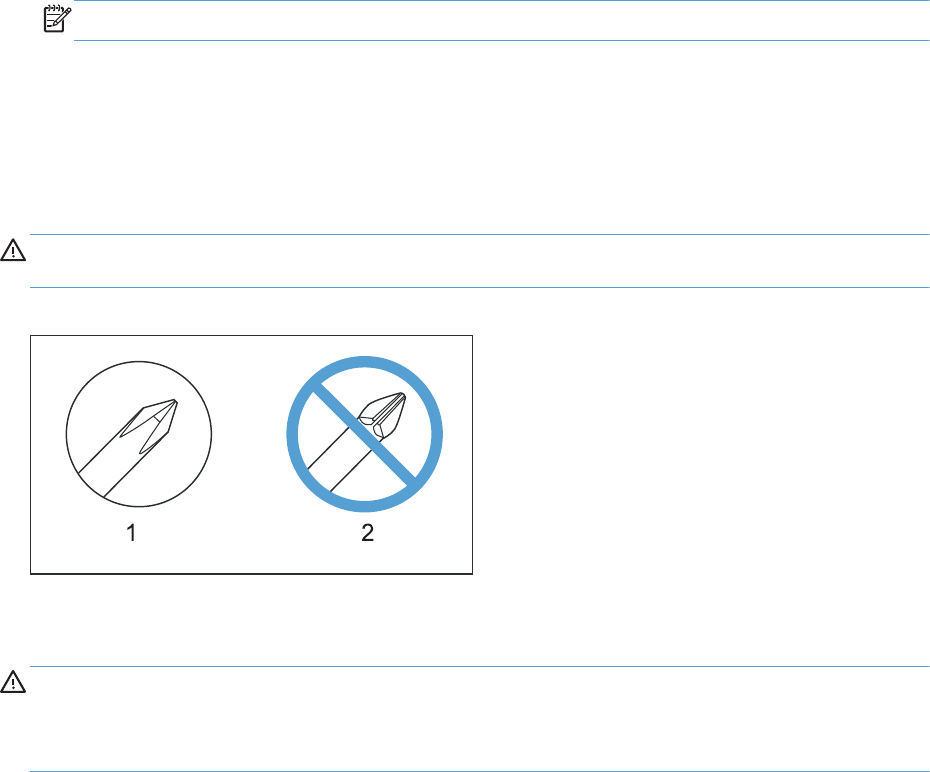
Required tools
●#2 Phillips screwdriver with a magnetic tip and a 152-mm (6-in) shaft length
NOTE: For the best fit, use a JIS #2 Phillips screwdriver for the stapler/stacker.
●Small, flat-blade screwdriver
●Needle-nose pliers
●ESD strap (if one is available)
●Penlight
CAUTION: Always use a Phillips screwdriver (callout 1). Do not use a Pozidriv screwdriver
(callout 2) or any motorized screwdriver. These can damage screws or screw threads.
Figure 1-1 Screwdrivers
Types of screws
WARNING! Make sure that components are replaced with the correct screw type. Using the
incorrect screw (for example, substituting a long screw for the correct shorter screw) can cause damage
to the product or interfere with product operation. Do not intermix screws that are removed from one
component with the screws that are removed from another component.
For a complete list of screw types and part numbers, see the Parts chapter.
Service approach
The HP LaserJet Enterprise 700 color MFP M775 uses a field repair strategy. Defective parts are
diagnosed and replaced at the Field Replaceable Unit (FRU) assembly level. Repair normally begins by
using the product internal diagnostics and the following two-step process:
1. Isolate the problem to the major system (for example, the network or server, or the product).
2. Troubleshoot the problem by using the procedures in the troubleshooting chapter.
After you locate a faulty part, the product can usually be repaired at the assembly level by replacing
FRUs. Some mechanical assemblies might need to be repaired at the subassembly level. Hewlett-
Packard Company does not support replacement of components on the printed circuit assembles.
ENWW Removal and replacement strategy 3

The user replaces toner cartridges as they are depleted. Additional instructions about other user-
replaceable parts are provided in this section.
The product tracks the amount of use on the customer-replaceable supplies by keeping a page count.
The product prompts the user to replace certain items when a supply is depleted or a specific number of
pages has been printed.
Swapping toner cartridges between products might cause a misrepresentation of supply life values and
is not recommended.
Before performing service
WARNING! Turn the product off, wait 5 seconds, and then remove the power cord before
attempting to service the product.
If this warning is not followed, severe injury and damage to the
product can result.
The power must be on for certain functional checks during troubleshooting.
However, the power supply should be disconnected during parts removal.
1. Remove all paper.
2. Place the product on an ESD mat (if available). If an ESD workstation or mat is not available,
ground yourself by touching the sheet-metal chassis
before
touching an ESD-sensitive part.
3. Remove the toner cartridges.
4. Remove the toner collection unit (TCU)
5. Remove the trays.
After performing service
1. Reinstall the toner cartridges.
2. Reinstall the trays.
3. Return all paper to the trays.
4. Plug in the power cable and turn on the product.
5. Perform print-quality tests by printing from a host computer, the scanner glass, and the document
feeder.
Parts removal order
If multiple components must be removed to gain access to an assembly, the first step of the removal
procedure lists all of the components that must be removed to gain access to that assembly. Use these
lists to determine which parts must be removed before removing other parts.
4 Chapter 1 Removal and replacement ENWW
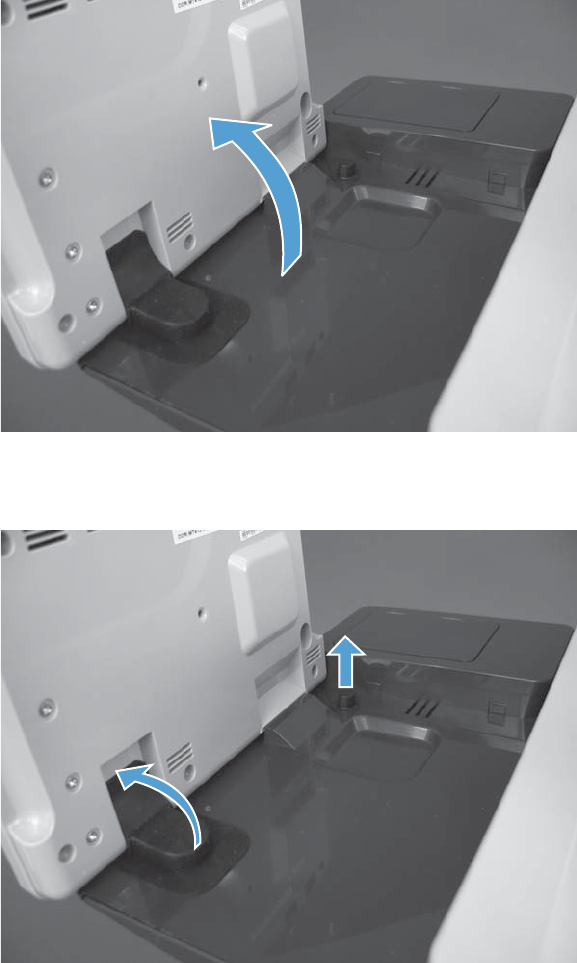
Control-panel assembly
1. Tilt the control panel up.
Figure 1-2 Remove the control-panel assembly (1 of 4)
2. Remove the antistatic covers to reveal the thumbscrews.
Figure 1-3 Remove the control panel (2 of 4)
ENWW Control-panel assembly 5
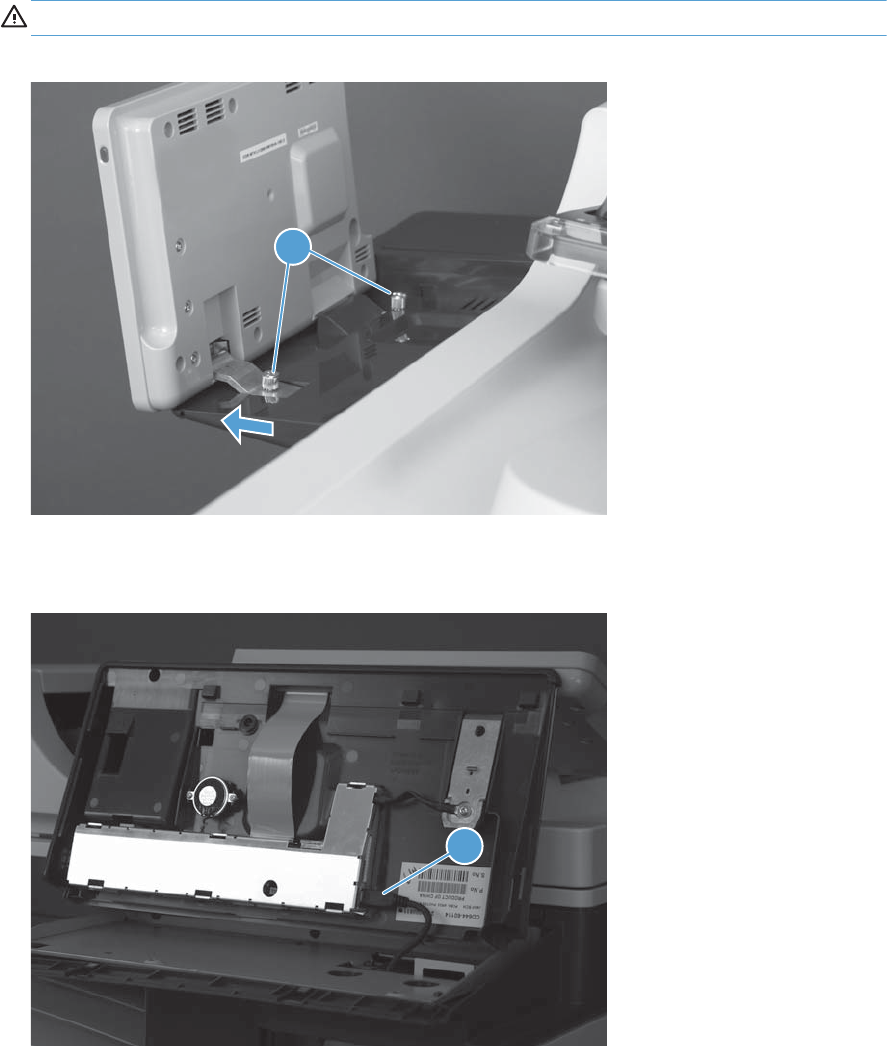
3. Remove two thumb-screws (callout 1), and then carefully separate the control panel from the
product.
CAUTION: The control panel is still attached to the product by the control-panel cable.
Figure 1-4 Remove the control-panel assembly (3 of 4)
1
4. Disconnect one connector (callout 1), and then remove the control panel from the product.
Figure 1-5 Remove the control-panel assembly (4 of 4)
1
6 Chapter 1 Removal and replacement ENWW
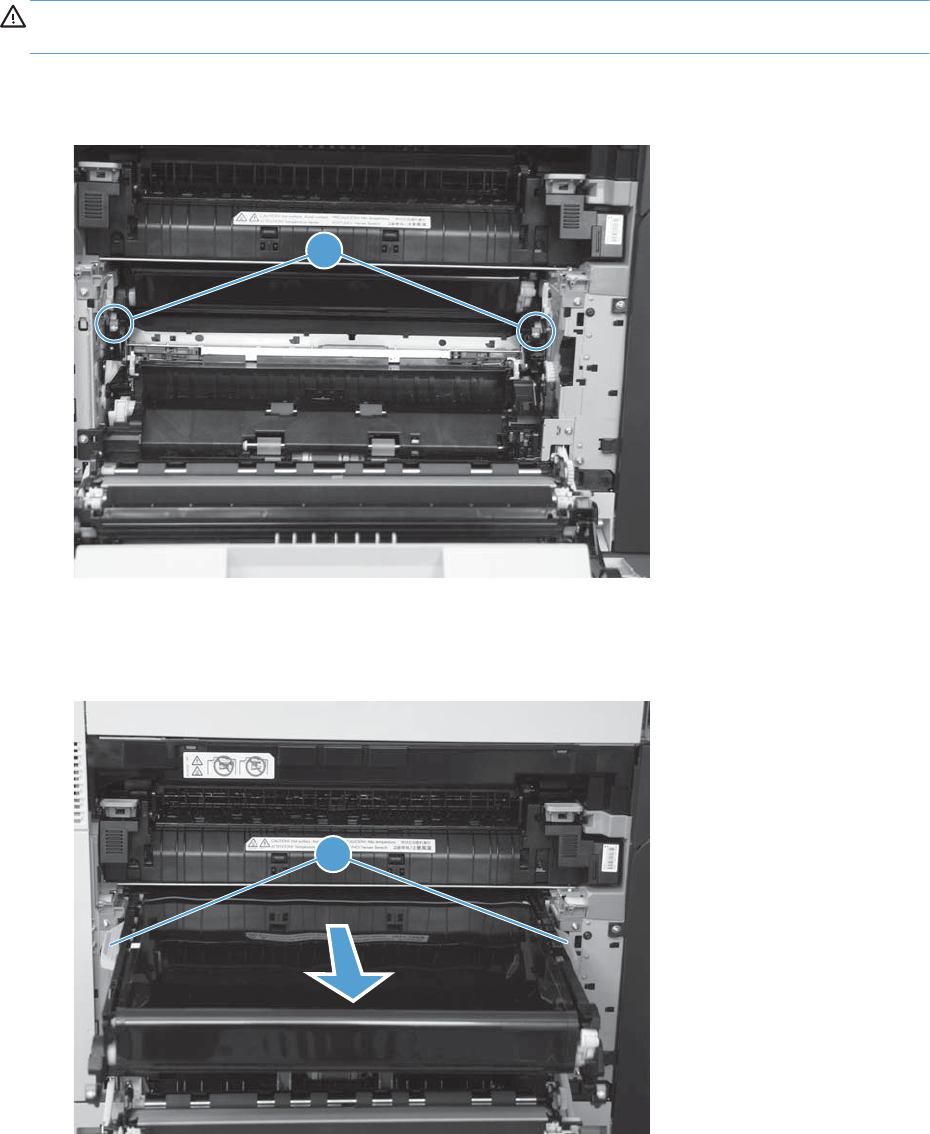
Intermediate transfer belt
CAUTION: Avoid touching the black plastic intermediate transfer belt (ITB). Skin oils on the belt
might cause print quality problems.
1. Open the right door, and then grasp the small handles on the ITB (callout 1).
Figure 1-6 Remove the ITB (1 of 3)
1
2. Pull the ITB out of the product until two large handles (callout 1) expand along the right and left
sides of the ITB.
Figure 1-7 Remove the ITB (2 of 3)
1
ENWW Intermediate transfer belt 7
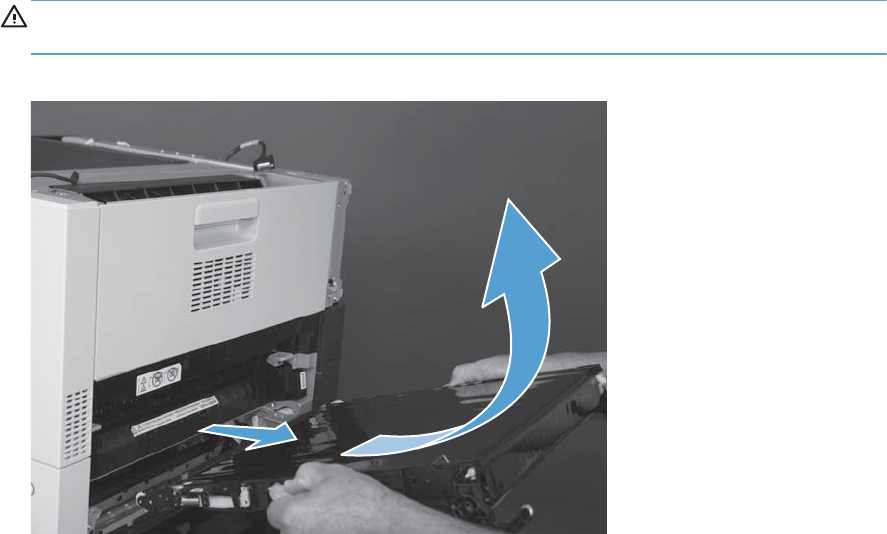
3. Continue to slide the ITB out of the product until it stops, and then slightly rotate the ITB up to
remove it.
CAUTION: The ITB is a sensitive component. Be careful when handling the ITB so that it is not
damaged. Always place the ITB in a safe and protected location.
Figure 1-8 Remove the ITB (3 of 3)
8 Chapter 1 Removal and replacement ENWW
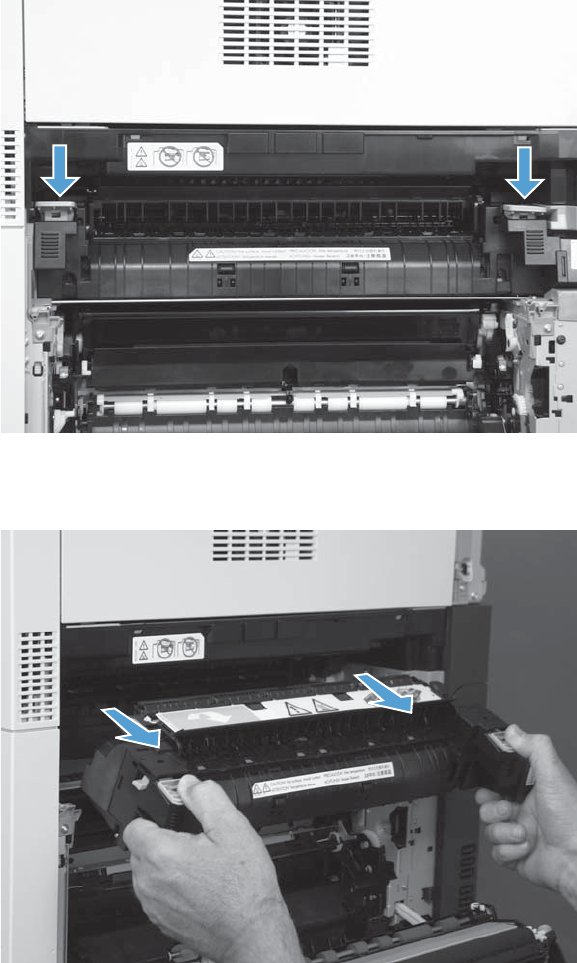
Fuser
1. Open the right door
2. Depress the two blue tabs on the fuser handles.
Figure 1-9 Remove the fuser (1 of 2)
3. Pull the fuser straight out of the product.
Figure 1-10 Remove the fuser (2 of 2)
ENWW Fuser 9
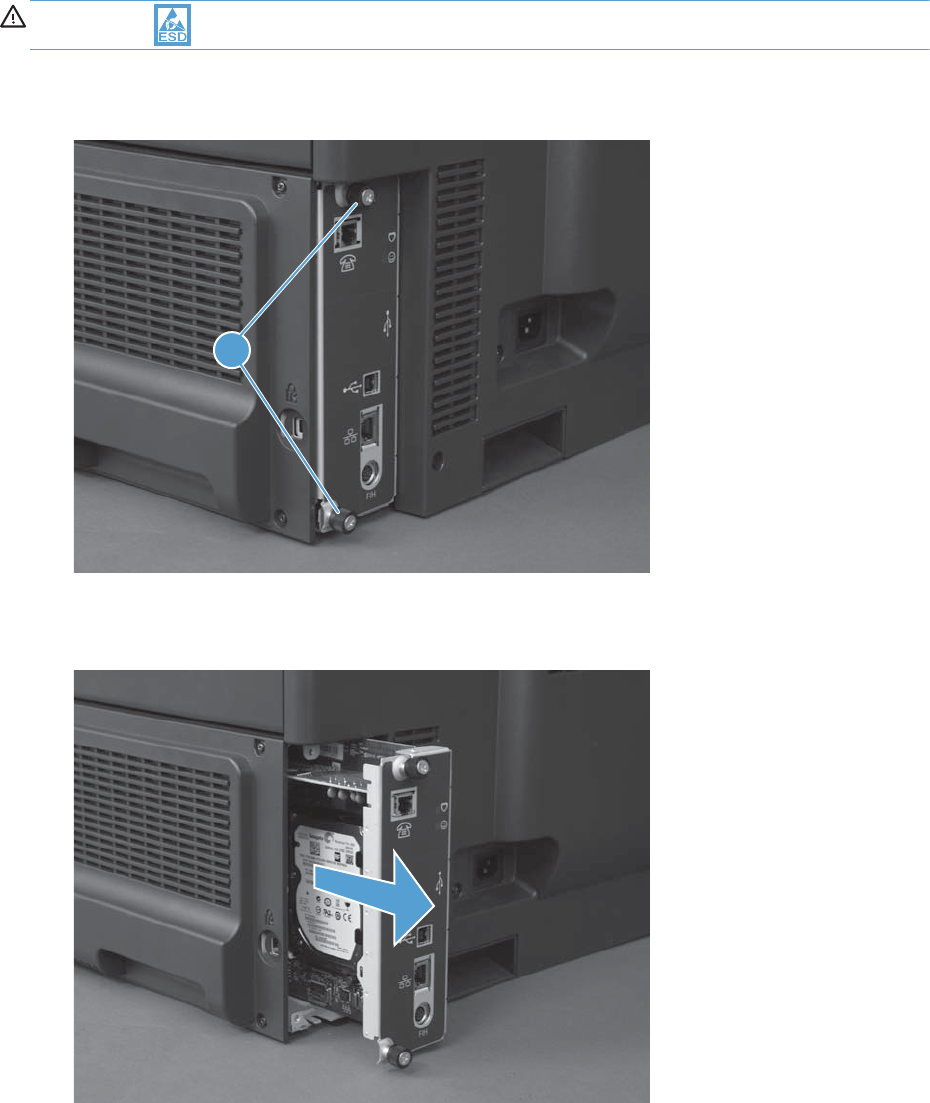
Formatter PCA
CAUTION: ESD sensitive assembly.
1. Loosen two thumb screws (callout 1).
Figure 1-11 Remove the formatter PCA (1 of 2)
1
2. Pull the formatter straight out of the product to remove it.
Figure 1-12 Remove the Formatter PCA (2 of 2)
10 Chapter 1 Removal and replacement ENWW
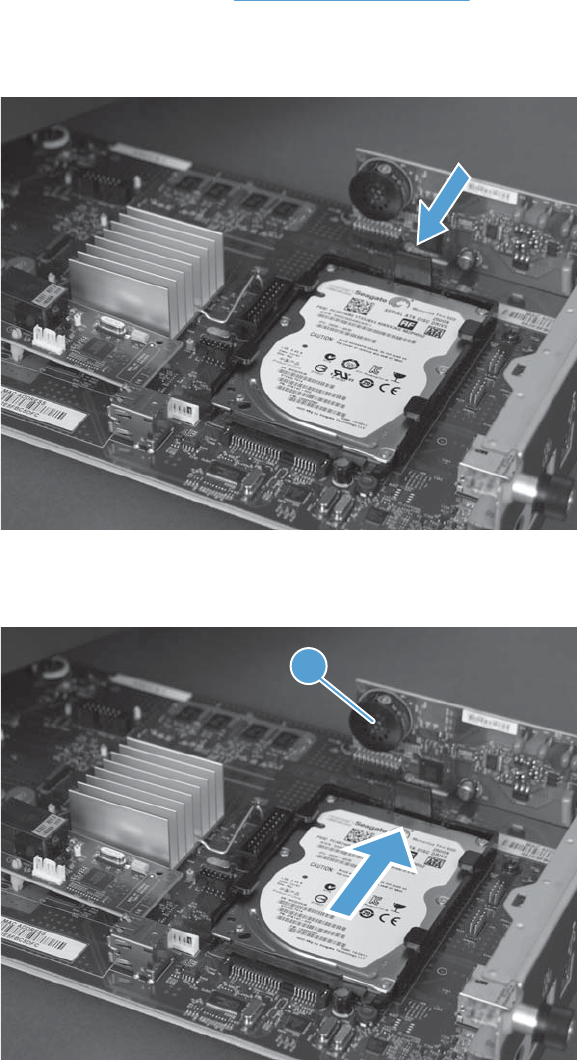
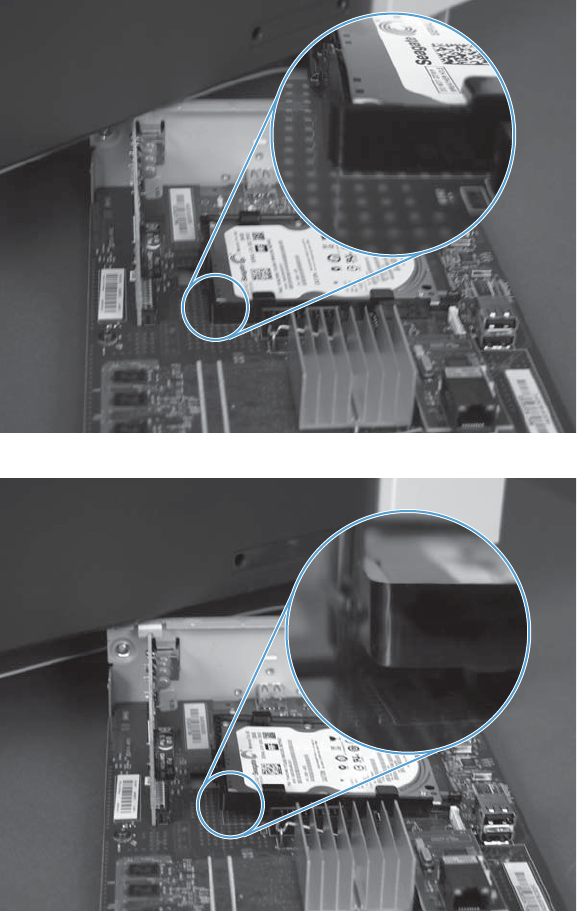
Reinstall the HDD
Make sure that the HDD is correctly positioned on the formatter PCA. The HDD must lay flat on the
formatter PCA.
Figure 1-15 HDD installed—correct
Figure 1-16 HDD installed—incorrect
12 Chapter 1 Removal and replacement ENWW
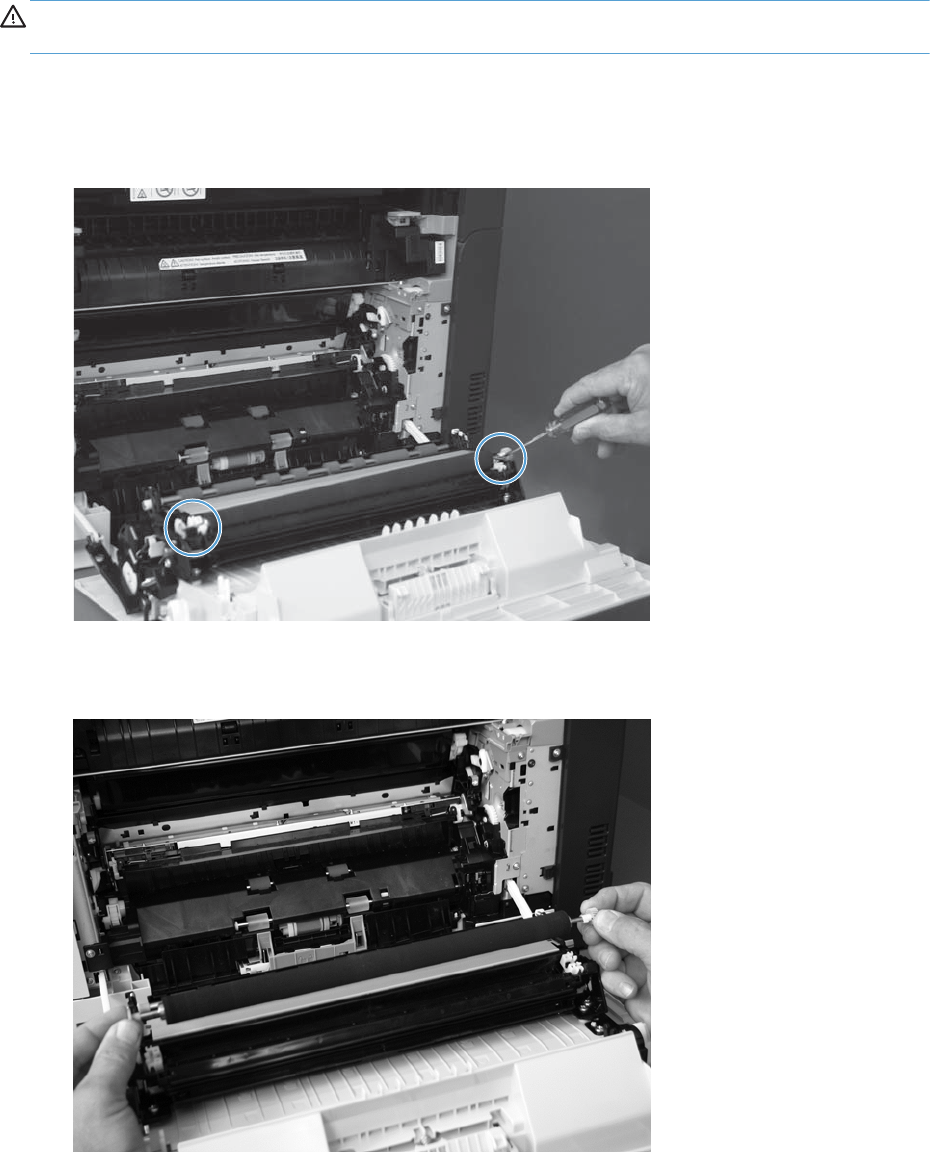
Secondary transfer roller
CAUTION: Do not touch the roller surface unless you are replacing the roller. Skin oils on the roller
can cause paper pickup problems.
1. Open the right door.
2. Use a small flat-blade screwdriver to carefully release the roller shaft from the collars.
Figure 1-17 Remove the secondary transfer roller
3. Remove the secondary transfer roller.
Figure 1-18 Remove the secondary transfer roller
ENWW Secondary transfer roller 13
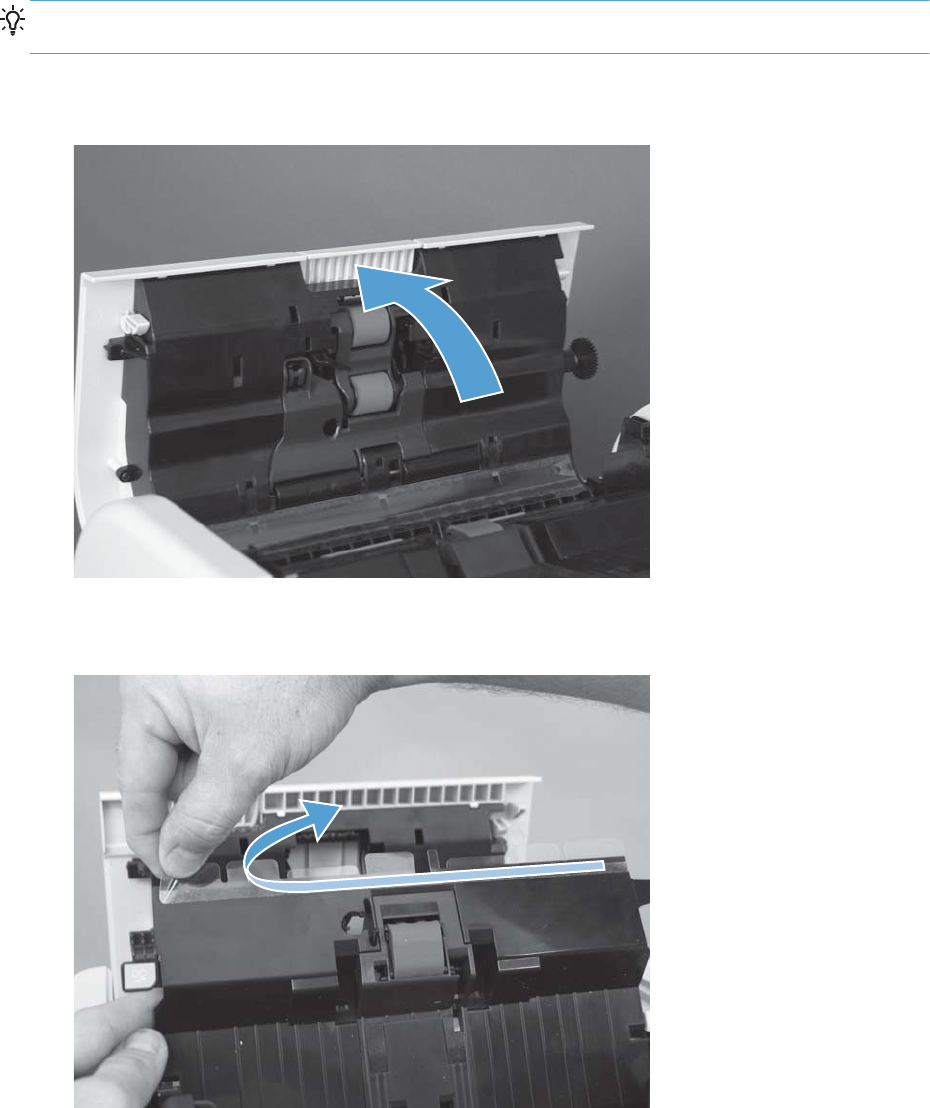
Document feeder mylar strips
TIP: Before removing the mylar strips, take note of how they are positioned on the document jam
access door and the inside bottom edge of the document feeder cover.
1. Open the document feeder cover.
Figure 1-19 Remove the document feeder mylar strips (1 of 3)
2. Lift up the jam access door, and carefully remove the mylar strip.
Figure 1-20 Remove the document feeder mylar strips (2 of 3)
14 Chapter 1 Removal and replacement ENWW
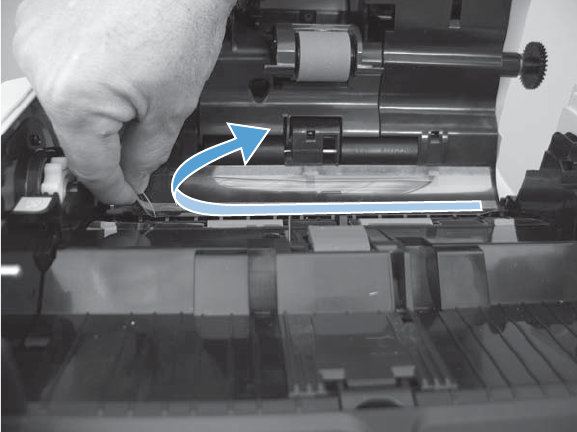
3. Carefully remove the second mylar strip located along the inside bottom edge of the document
feeder jam access door.
Figure 1-21 Remove the document feeder mylar strips (3 of 3)
Install replacement document feeder mylar strips
Use the following guidelines when you install the replacement mylar strips:
●Skin oils on the mylar strips can cause paper pickup problems. Wash your hands before handling
the replacement mylar strips.
●When handling the replacement mylar strips, do not touch the adhesive portion of the strips.
●Make sure to firmly press down along the mylar strips to adhere them to the document feeder
when installing them.
ENWW Document feeder mylar strips 15
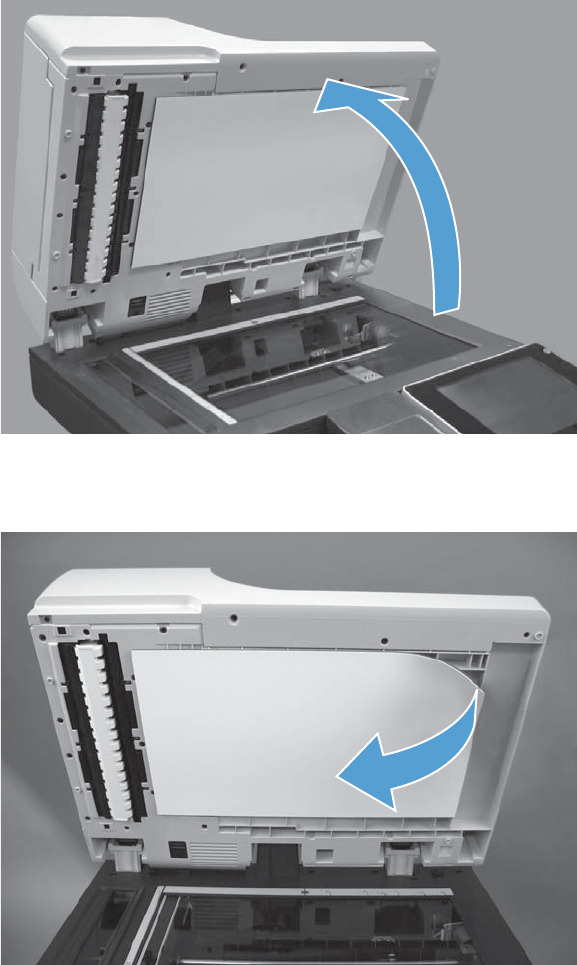
Document feeder foam reflector
1. Open the document feeder.
Figure 1-22 Remove the document feeder foam reflector (1 of 3)
2. Carefully remove the foam reflector.
Figure 1-23 Remove the document feeder foam reflector (2 of 3)
16 Chapter 1 Removal and replacement ENWW

3. Remove any left over foam reflector adhesive material from the document feeder.
Figure 1-24 Remove the document feeder foam reflector (3 of 3)
Install a replacement document feeder foam reflector
1. Position the replacement foam reflector on the scanner glass.
NOTE: One long edge of the foam backing does not have adhesive tape (callout 1). Make sure
that this edge is closest to the hinge side of the glass when positioning the foam on the glass.
Figure 1-25 Install a replacement document feeder foam reflector (1 of 8)
1
ENWW Document feeder foam reflector 17
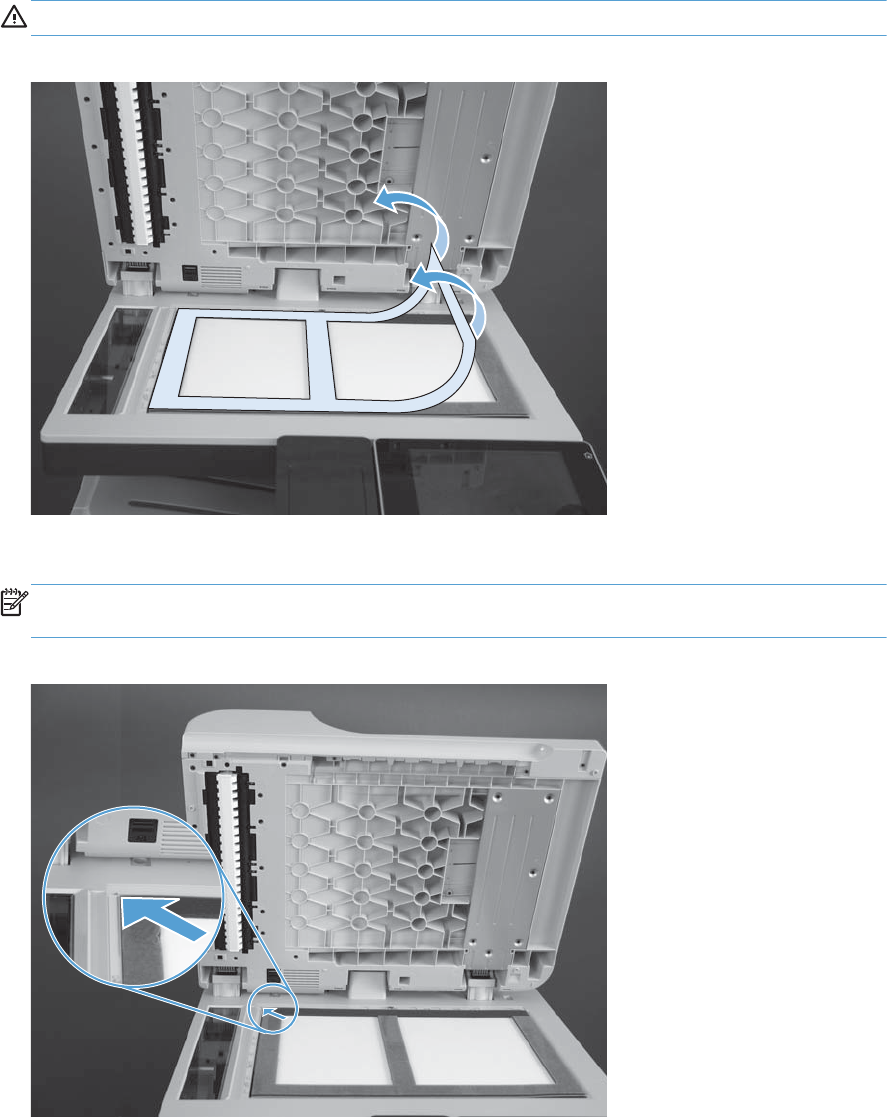
2. Carefully remove the protective backing from the adhesive portion of the foam reflector.
CAUTION: Do not touch the exposed adhesive.
Figure 1-26 Install a replacement document feeder foam reflector (2 of 8)
3. Make sure that the foam reflector is aligned with the upper-left corner of the scanner glass.
NOTE: One long edge of the foam backing does not have adhesive tape. Make sure that this
edge is closest to the hinge side of the glass when positioning the foam on the glass.
Figure 1-27 Install a replacement document feeder foam reflector (3 of 8)
18 Chapter 1 Removal and replacement ENWW
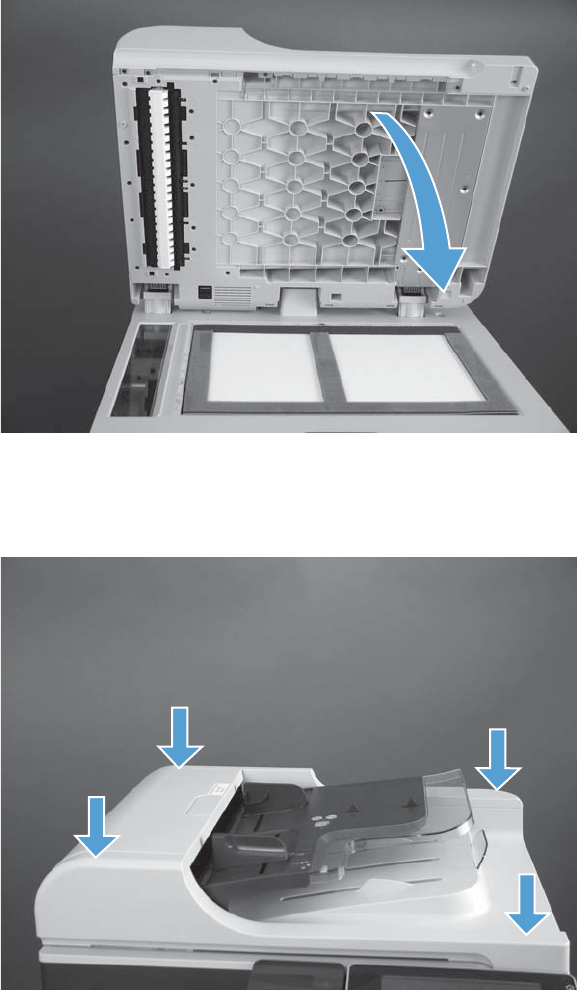
4. Completely close the document feeder.
Figure 1-28 Install a replacement document feeder foam reflector (4 of 8)
5. Firmly push down on the four corners of the document feeder to adhere the foam reflector to the
document feeder.
Figure 1-29 Install a replacement document feeder foam reflector (5 of 8)
ENWW Document feeder foam reflector 19
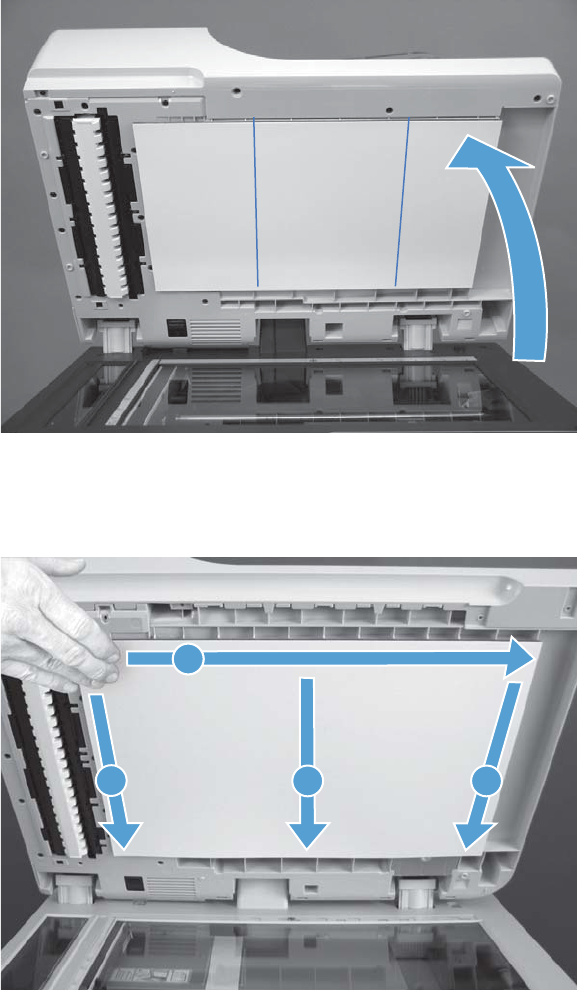
6. Carefully open the document feeder.
Figure 1-30 Install a replacement document feeder foam reflector (6 of 6)
7. Firmly press along the adhesive portions of the foam reflector in the order shown to adhere it to
the document feeder.
Figure 1-31 Install a replacement document feeder foam reflector (7 of 8)
23
11
4
20 Chapter 1 Removal and replacement ENWW
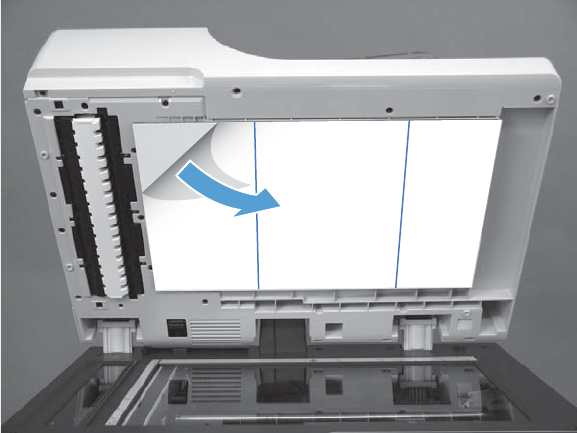
8. Carefully remove the protective sheet from the foam reflector.
Figure 1-32 Install a replacement document feeder foam reflector (8 of 8)
ENWW Document feeder foam reflector 21
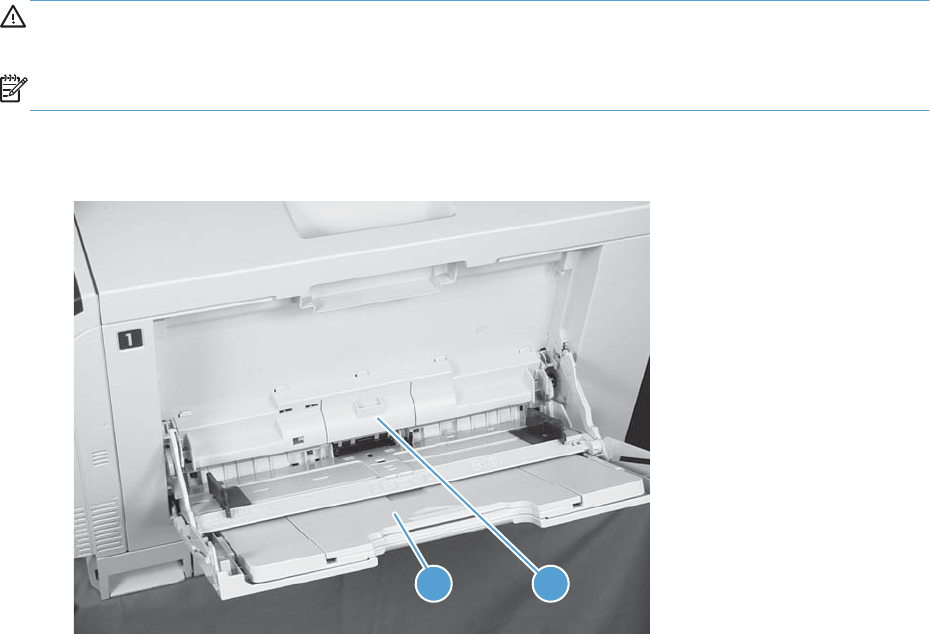
Pickup, feed, and separation (rollers and pads)
Tray 1 (multipurpose tray) pickup roller
CAUTION: Do not touch the roller surface unless you are replacing the roller. Skin oils on the roller
can cause paper pickup problems.
NOTE: Replace the separation pad and rollers at the same time.
1. Open Tray 1 (callout 1), and then remove the pickup roller cover (callout 2).
Figure 1-33 Remove the Tray 1 pickup roller (1 of 2)
1 2
22 Chapter 1 Removal and replacement ENWW
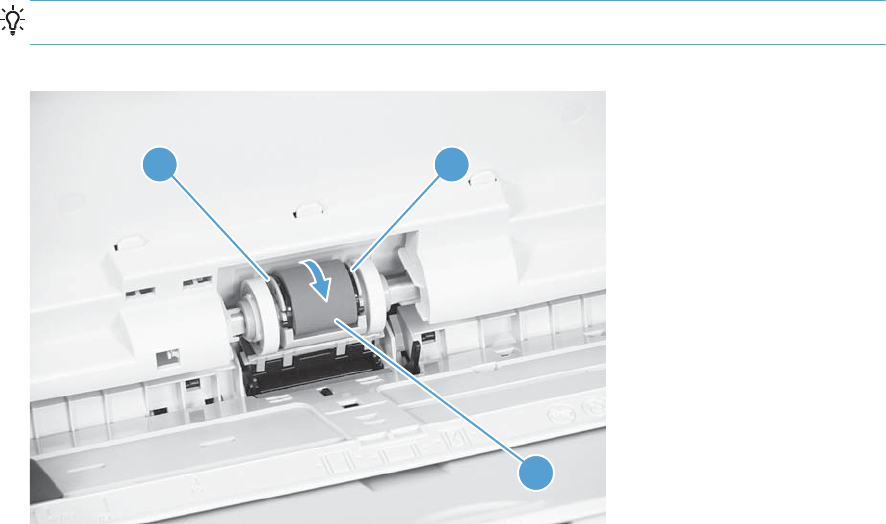
2. Spread out the pickup roller retainers (callout 1) until both sides unlatch, and then remove the
pickup roller (callout 2).
Reinstallation tip When you reinstall the roller, make sure that the roller snaps into place.
Figure 1-34 Remove the Tray 1 pickup roller (2 of 2)
2
1 1
ENWW Pickup, feed, and separation (rollers and pads) 23
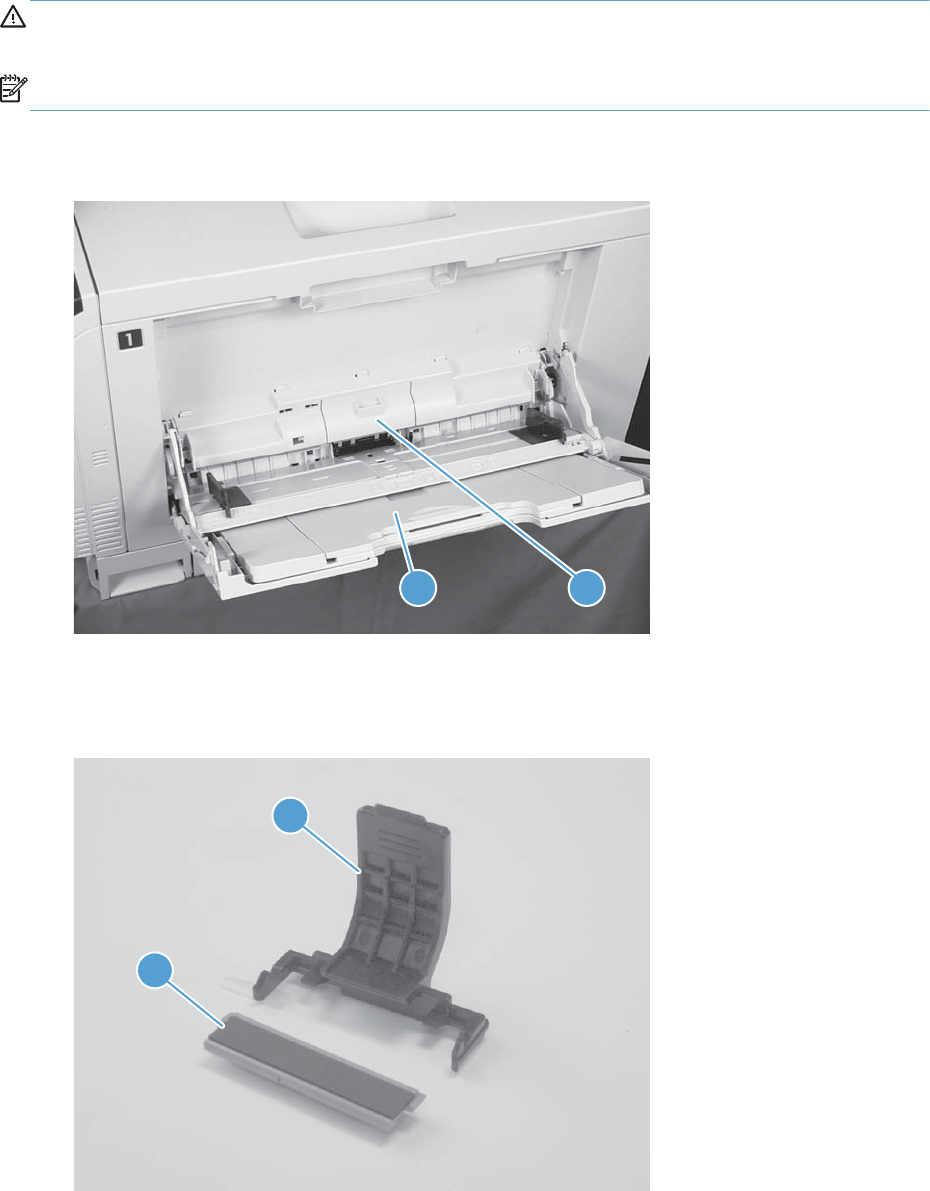
Tray 1 separation pad
CAUTION: Do not touch the pad surface unless you are replacing the pad. Skin oils on the pad can
cause paper pickup problems.
NOTE: Replace the separation pad and rollers at the same time.
1. Open Tray 1 (callout 1), and then remove the pickup roller cover (callout 2).
Figure 1-35 Remove the Tray 1 separation pad (1 of 4)
1 2
2. Take out the replacement separation pad (callout 1) and the supplied install/removal tool (callout
2).
Figure 1-36 Remove the Tray 1 separation pad (2 of 4)
1
2
24 Chapter 1 Removal and replacement ENWW
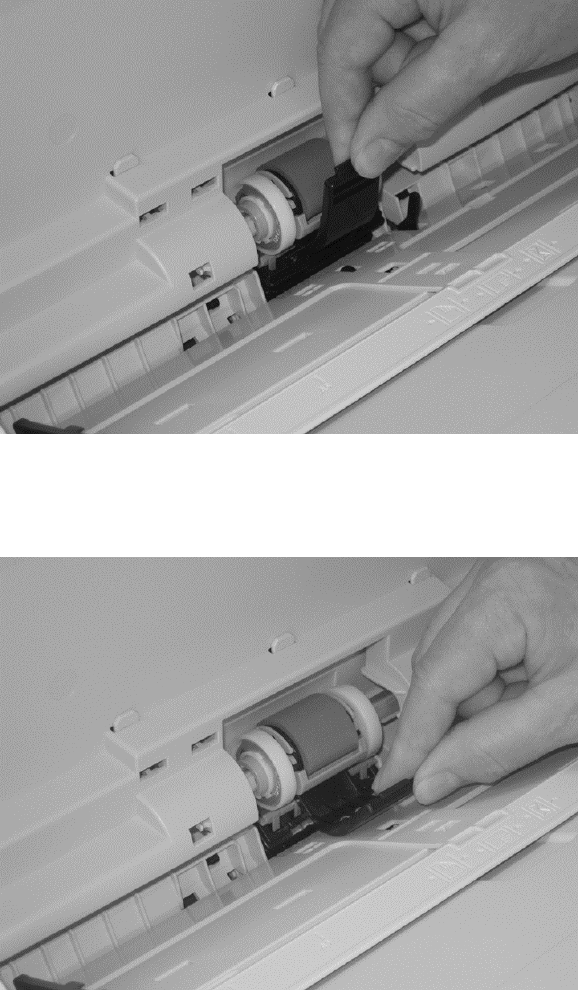
3. Insert the tool under the installed separation pad.
Figure 1-37 Remove the Tray 1 separation pad (3 of 4)
4. Rotate the top of the tool away from the product to release the installed separation pad, and then
remove the tool and the separation pad together.
Figure 1-38 Remove the Tray 1 separation pad (4 of 4)
ENWW Pickup, feed, and separation (rollers and pads) 25
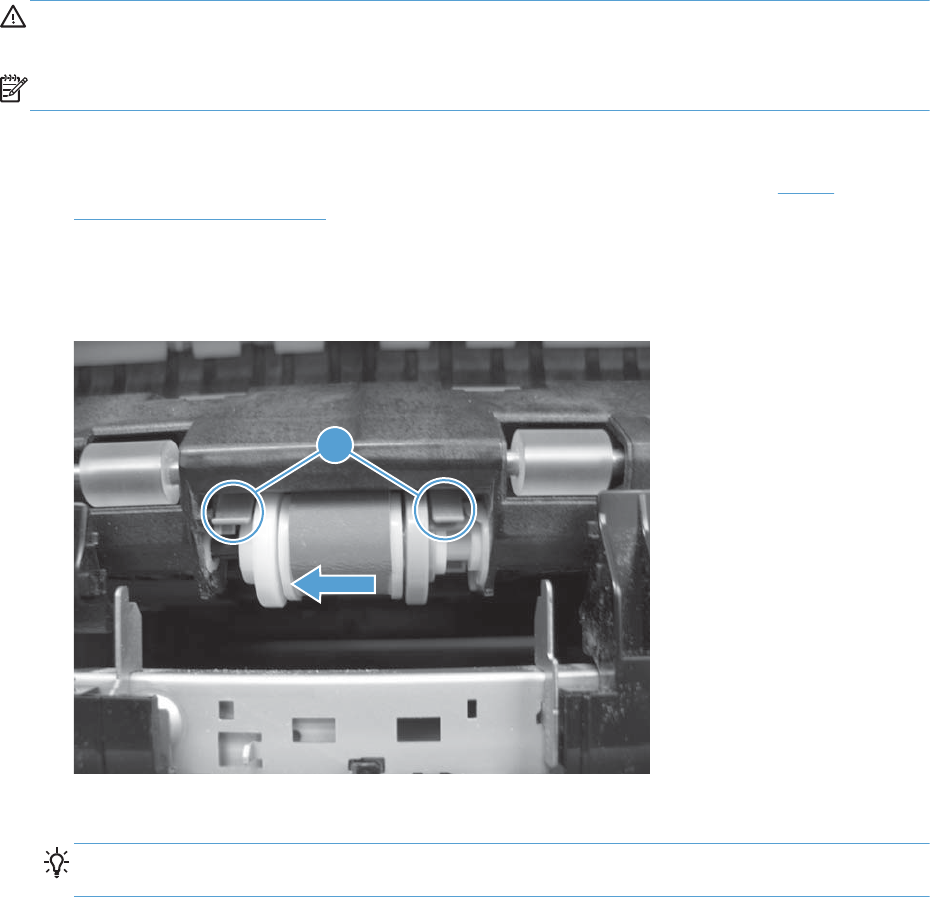
Tray 2 pickup roller
CAUTION: Do not touch the roller surface unless you are replacing the roller. Skin oils on the roller
can cause paper pickup problems.
NOTE: Replace the separation pad and rollers at the same time.
1. Open Tray 2.
2. Open the right-door assembly, and then remove the Tray 2 separation roller (see Tray 2
separation roller on page 27).
3. Lift one of the two levers (callout 1) on either side of the pickup roller, and then push the right side
of the roller in the direction of the arrow to remove it.
Figure 1-39 Remove the Tray 2 pickup roller
1
4. Remove the pickup roller.
Reinstallation tip Insert the left side of the roller into the product first. Make sure that the
replacement roller snaps into place.
26 Chapter 1 Removal and replacement ENWW
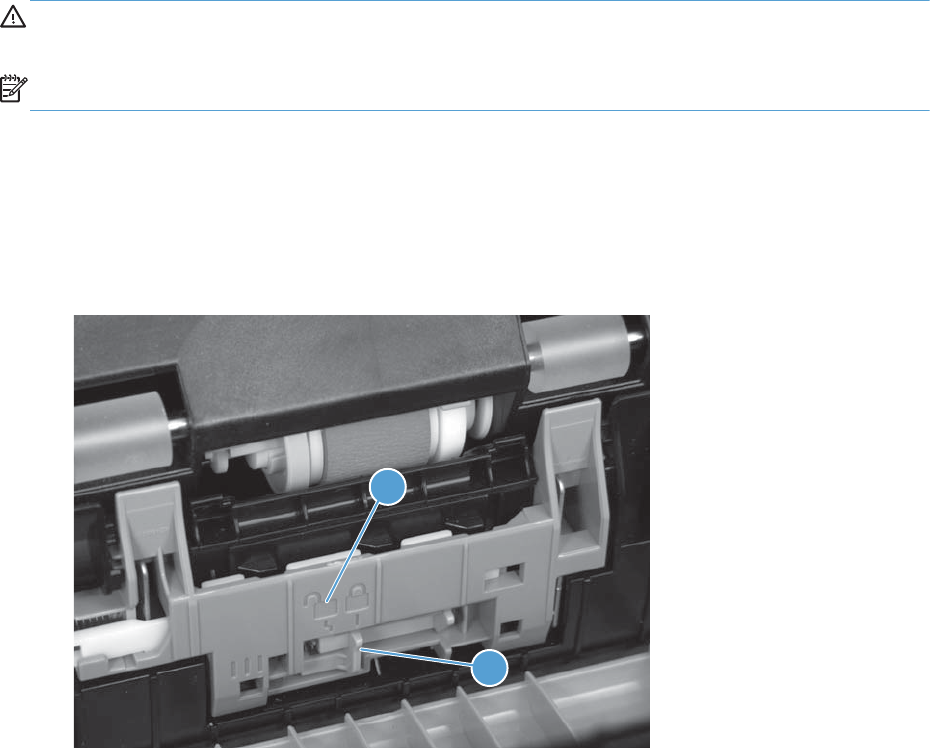
Tray 2 separation roller
CAUTION: Do not touch the roller surface unless you are replacing the roller. Skin oils on the roller
can cause paper pickup problems.
NOTE: Replace the separation pad and rollers at the same time.
1. Remove Tray 2 from the product.
2. Open the right-door.
3. On the separation roller assembly, slide the lever (callout 1) toward the unlocked icon (callout 2)
until it clicks into the unlocked position.
Figure 1-40 Remove the separation Tray 2 roller (1 of 2)
1
2
ENWW Pickup, feed, and separation (rollers and pads) 27
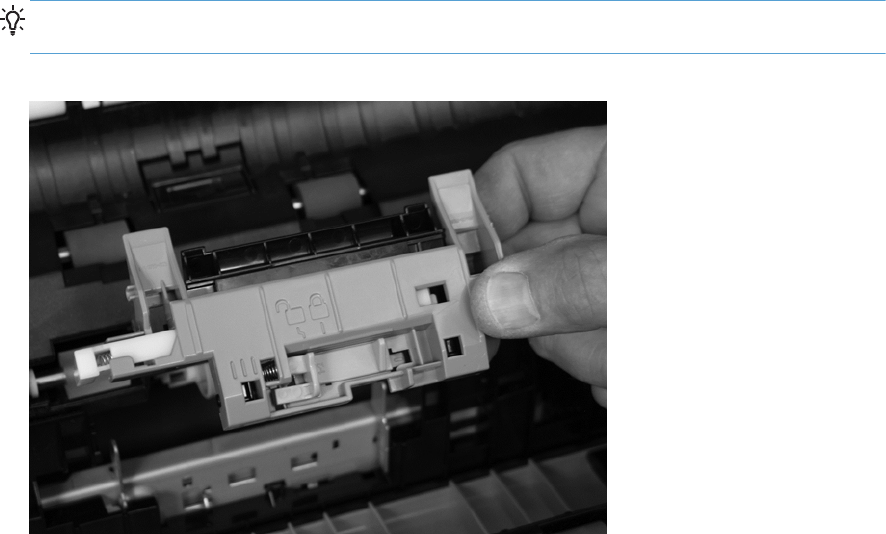
4. Pull the separation roller assembly up and remove it from the product.
Reinstallation tip When you install the separation roller assembly, make sure that it snaps into
the locked position.
Figure 1-41 Remove the separation Tray 2 roller (2 of 2)
28 Chapter 1 Removal and replacement ENWW
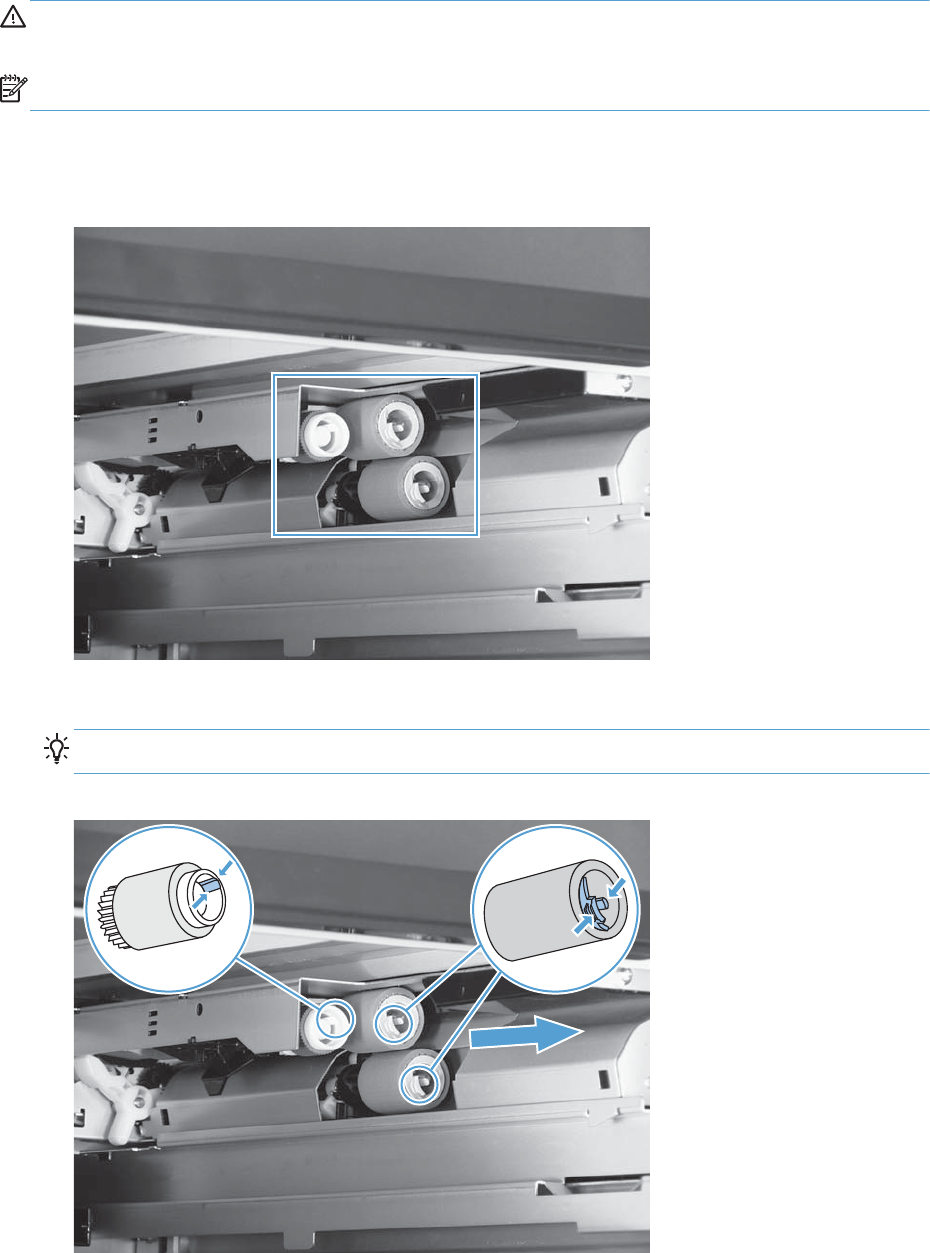
1 x 500 or 3 x 500 pickup, feed, and separation rollers
CAUTION: Do not touch the roller surface unless you are replacing the roller. Skin oils on the roller
can cause paper pickup problems.
NOTE: Replace all of the rollers at the same time.
1. Remove the Tray 3 or Tray 4/5/6 cassette from the product, and then locate the rollers on the
right-hand side of the tray cavity.
Figure 1-42 Remove the 1 x 500 or 3 x 500 rollers (1 of 2)
2. Release three tabs, and then pull the rollers in the direction of the arrow.
Reinstallation tip When you reinstall the rollers, make sure that the rollers snap into place.
Figure 1-43 Remove the 1 x 500 or 3 x 500 rollers (2 of 2)
ENWW Pickup, feed, and separation (rollers and pads) 29
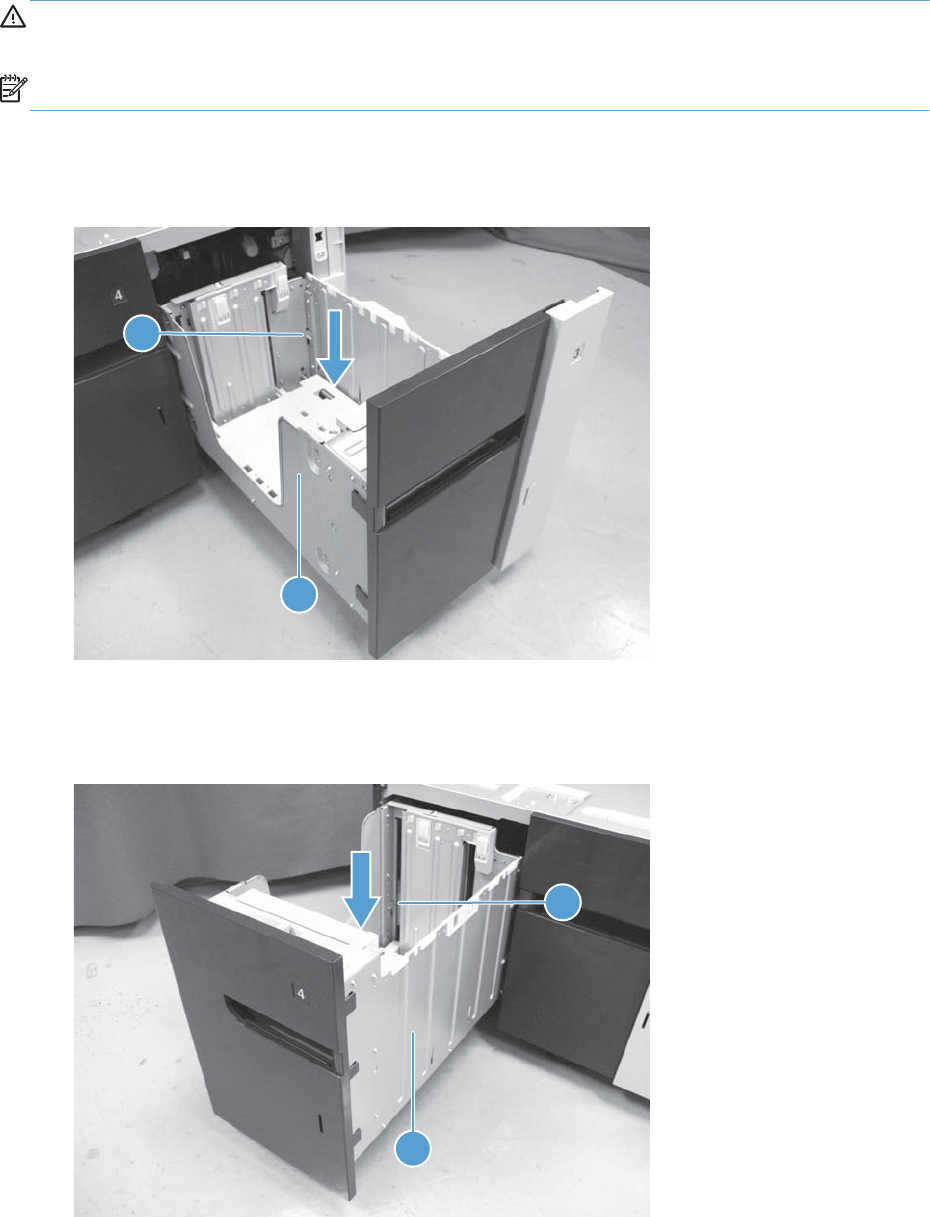
High capacity input feeder pickup, feed, and separation rollers
CAUTION: Do not touch the roller surface unless you are replacing the roller. Skin oils on the roller
can cause paper pickup problems.
NOTE: Replace all of the rollers at the same time.
1. Open the high capacity right tray. Lower the tray release lever (callout 1) and then remove the
right tray (callout 2).
Figure 1-44 Remove the high capacity input feeder pickup, feed, and separation rollers (1 of 4)
2
1
2. Open the high capacity left tray. Lower the tray release lever (callout 1) and then remove the left
tray (callout 2).
Figure 1-45 Remove the high capacity input feeder pickup, feed, and separation rollers (2 of 4)
1
2
30 Chapter 1 Removal and replacement ENWW
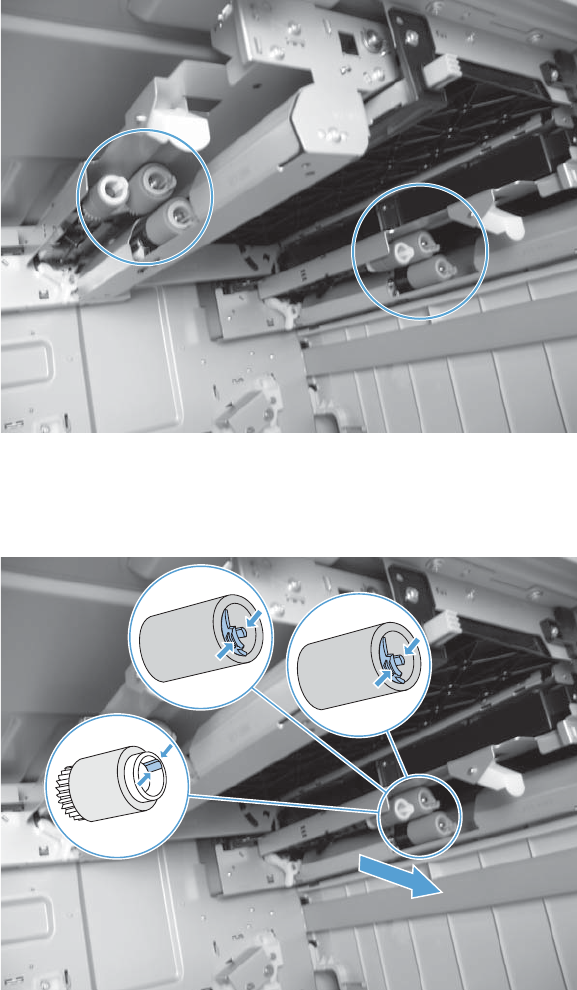
3. Look up into the tray cavity and locate the rollers.
Figure 1-46 Remove the high capacity input feeder pickup, feed, and separation rollers (3 of 4)
4. Release three tabs, and then pull the rollers in the direction of the arrow. Repeat this step for
remaining rollers.
Figure 1-47 Remove the high capacity input feeder pickup, feed, and separation rollers (4 of 4)
ENWW Pickup, feed, and separation (rollers and pads) 31
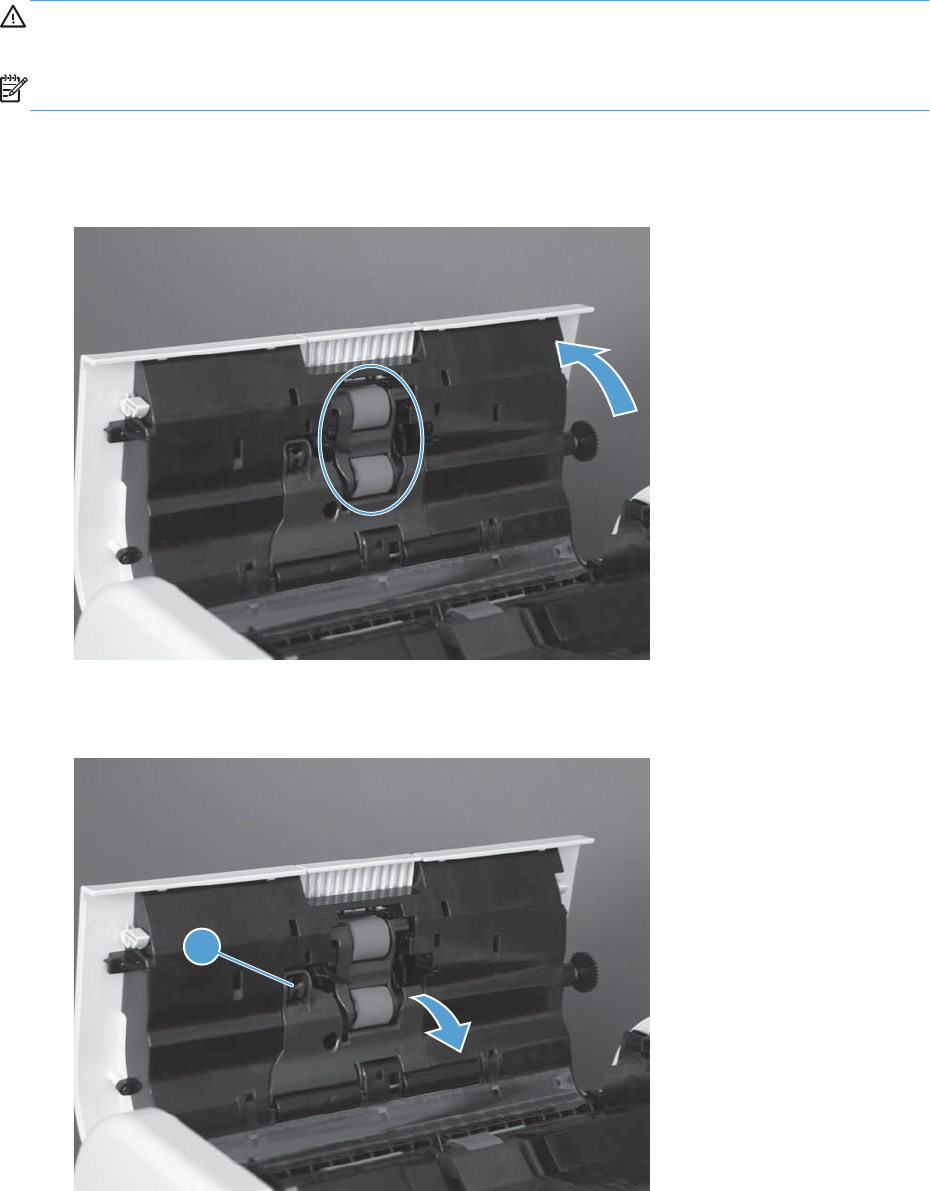
Document feeder pickup and feed roller assembly
CAUTION: Do not touch the roller surface unless you are replacing the roller. Skin oils on the roller
can cause paper pickup problems.
NOTE: Replace the separation pad and rollers at the same time.
1. Open the document feeder cover and locate the document feeder pickup and feed roller
assemblies.
Figure 1-48 Remove the document feeder pickup and feed roller assemblies (1 of 3)
2. Release one tab (callout 1) to open the assembly cover.
Figure 1-49 Remove the document feeder pickup and feed roller assemblies (2 of 3)
1
32 Chapter 1 Removal and replacement ENWW
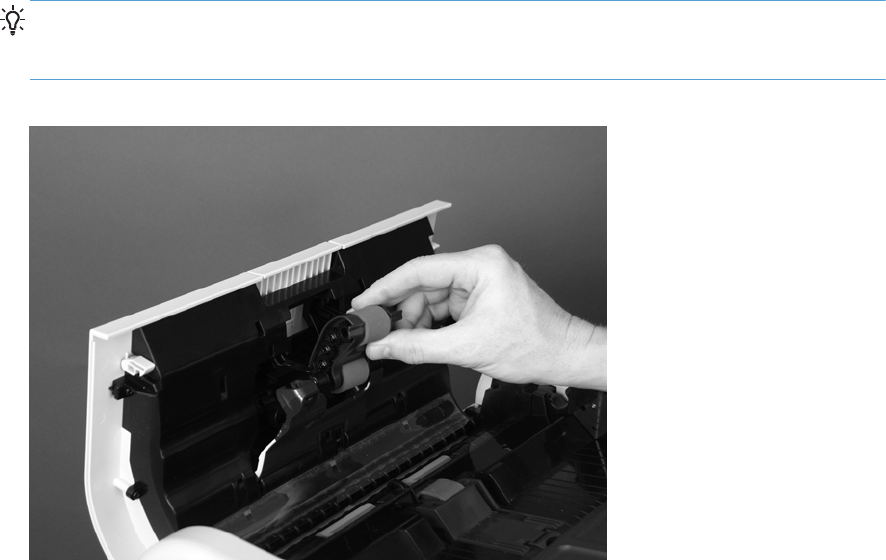
3. Push the roller assembly toward the front of the product, and then pull the assembly away from the
document feeder.
Reinstallation tip Align the pin on the right of the roller assembly with the hole on the right of
the document feeder cover. Slide the roller assembly to the right (toward the back of the product)
until it snaps into place.
Figure 1-50 Remove the document feeder pickup and feed roller assemblies (3 of 3)
ENWW Pickup, feed, and separation (rollers and pads) 33
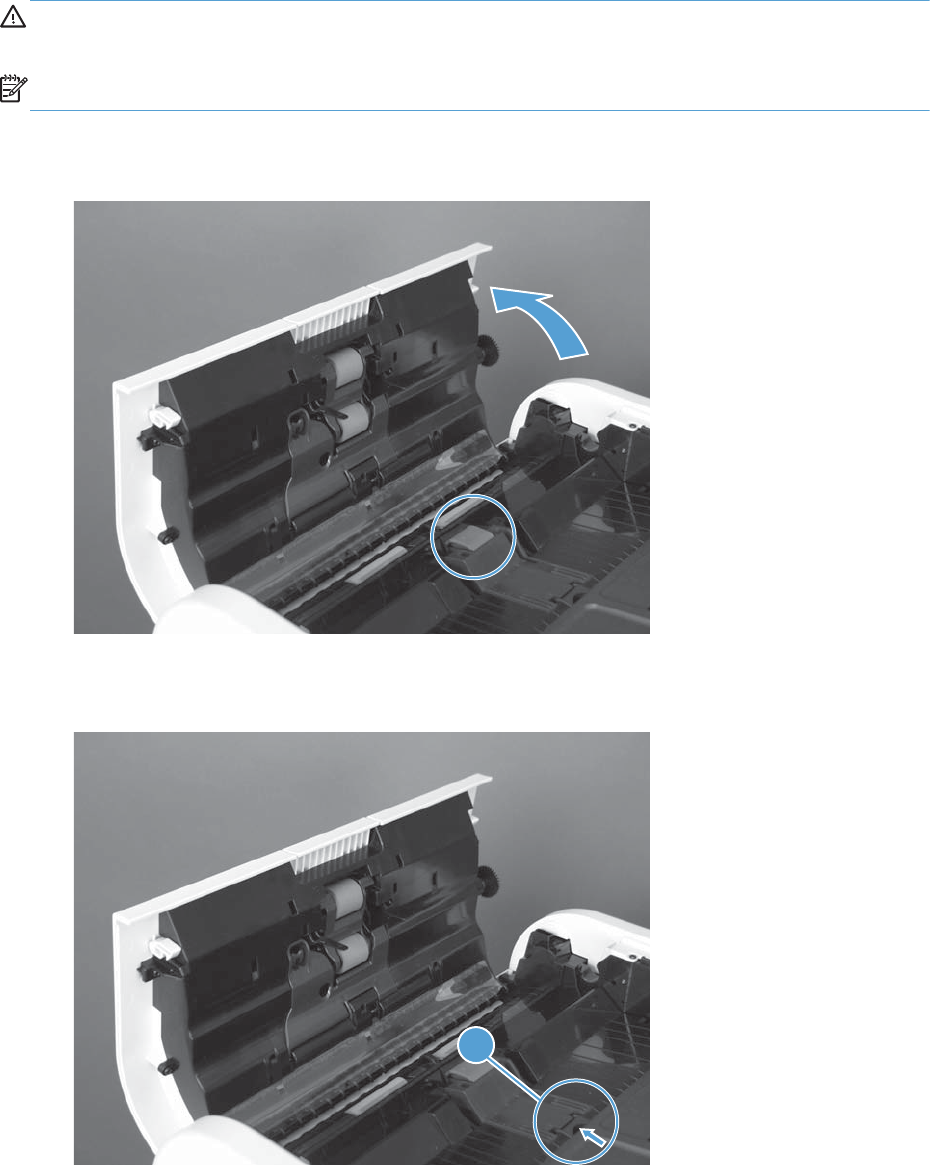
Document feeder separation pad
CAUTION: Do not touch the pad surface unless you are replacing the pad. Skin oils on the pad can
cause paper pickup problems.
NOTE: Replace the separation pad and rollers at the same time.
1. Open the document feeder cover and locate the document feeder separation pad.
Figure 1-51 Remove the document feeder separation pad (1 of 3)
2. Press the tab (callout 1) toward the separation pad.
Figure 1-52 Remove the document feeder separation pad (2 of 3)
1
34 Chapter 1 Removal and replacement ENWW
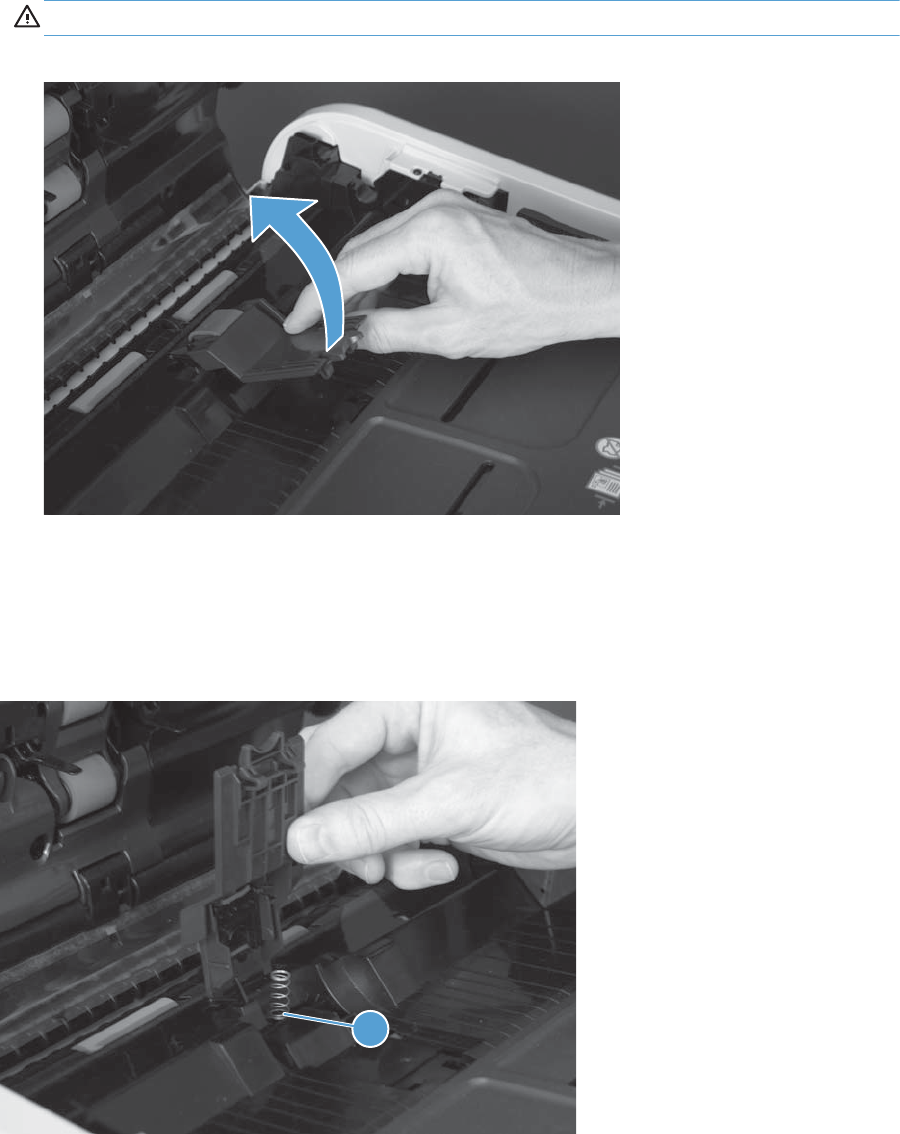
3. Rotate the separation pad assembly up and away from the document feeder, and then remove the
assembly.
CAUTION: The spring underneath the separation pad is not captive. Do not lose the spring.
Figure 1-53 Remove the document feeder separation pad (3 of 3)
Reinstall the document feeder separation pad
When the replacement separation pad assembly is installed, make sure that the spring is seated on the
spring pedestal (callout 1) under the separation pad.
Figure 1-54 Reinstall the document feeder separation pad
1
ENWW Pickup, feed, and separation (rollers and pads) 35
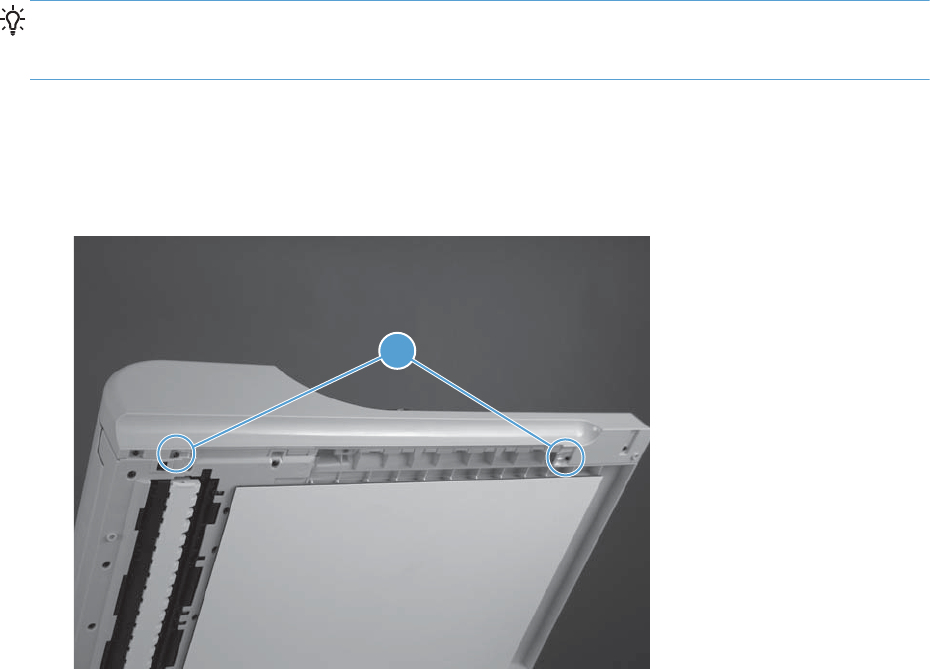
Covers, doors, and whole unit replacement
TIP: For clarity, some figures in this chapter show assemblies removed that are not required to be
removed to service the product (for example, the scanner and document feeder assemblies). The
procedures in this manual are correct for your product.
Document feeder front cover
1. Open the document feeder, and then remove two screws (callout 1).
Figure 1-55 Remove the document feeder front cover (1 of 8)
1
36 Chapter 1 Removal and replacement ENWW

2. Carefully remove the clear-plastic reflective cover (callout 1).
TIP: The cover has several press-fit tabs along its upper edge. Start at the wide end (right-hand
side) of the cover and carefully release the tabs from right to left.
Figure 1-56 Remove the document feeder front cover (2 of 8)
1
3. Remove three screws (callout 1).
Figure 1-57 Remove the document feeder front cover (3 of 8)
1
ENWW Covers, doors, and whole unit replacement 37
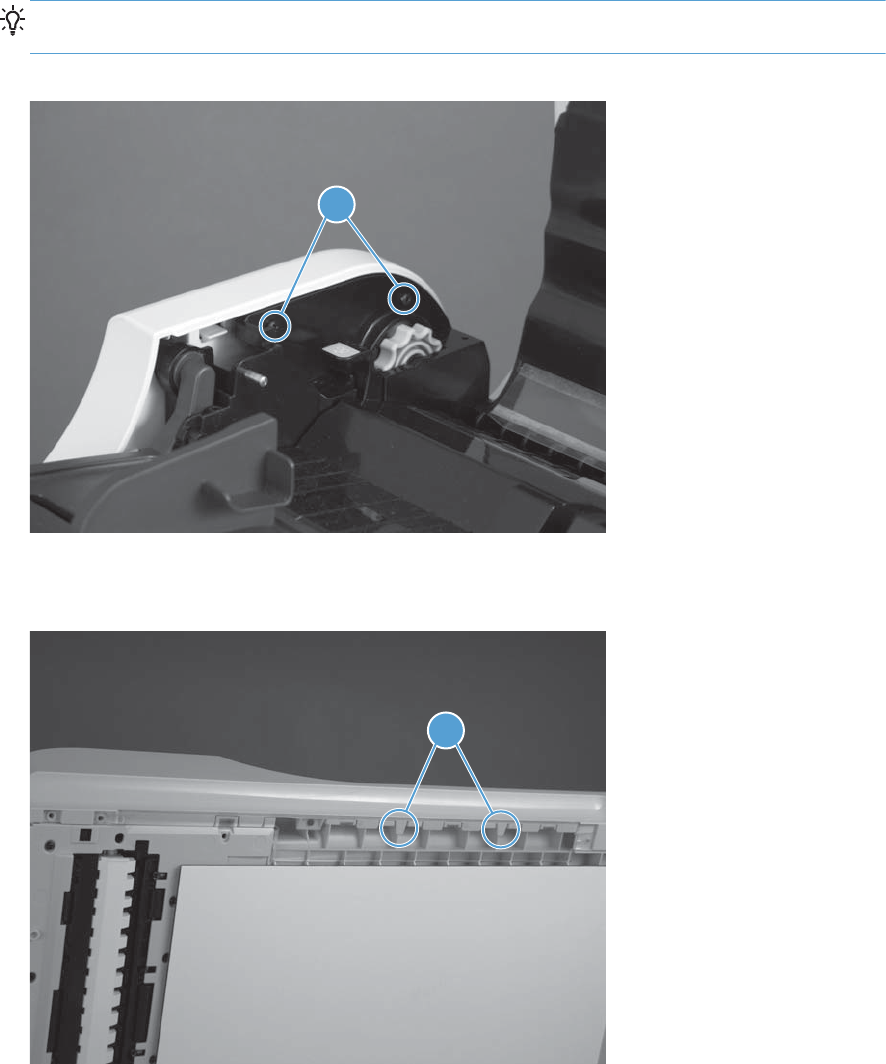
4. Open the document feeder hatch cover, and then remove two screws (callout 1).
Reinstallation tip These two screws are longer than the other front cover mounting screws.
Make sure you replace them in the correct position when the cover is reinstalled.
Figure 1-58 Remove the document feeder front cover (4 of 8)
1
5. Release two tabs (callout 1).
Figure 1-59 Remove the document feeder front cover (5 of 8)
1
38 Chapter 1 Removal and replacement ENWW
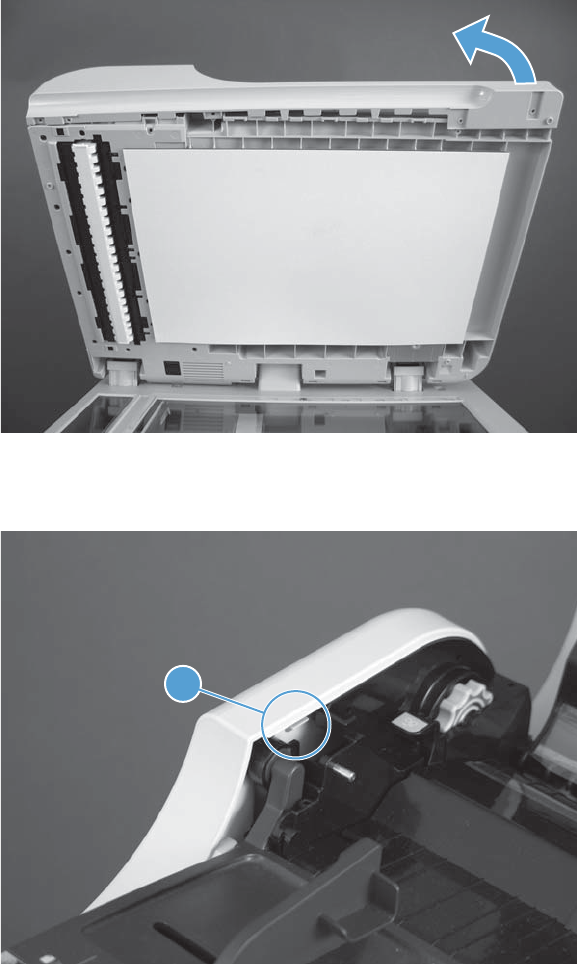
6. Carefully rotate the right-hand end of the cover up and away from the document feeder.
Figure 1-60 Remove the document feeder front cover (6 of 8)
7. Release one tab (callout 1) inside of the document feeder hatch cover.
Figure 1-61 Remove the document feeder front cover (7 of 8)
1
ENWW Covers, doors, and whole unit replacement 39
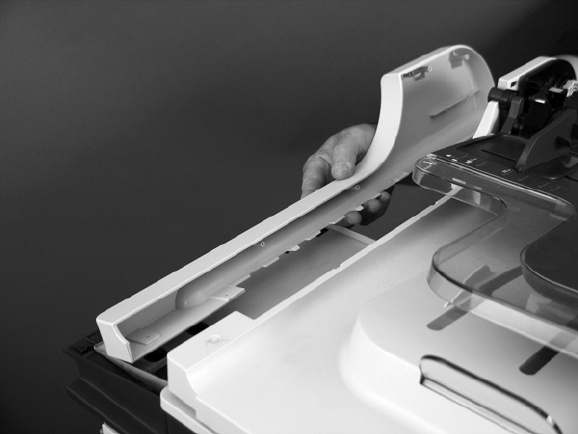
8. Remove the cover.
Figure 1-62 Remove the document feeder front cover (8 of 8)
40 Chapter 1 Removal and replacement ENWW
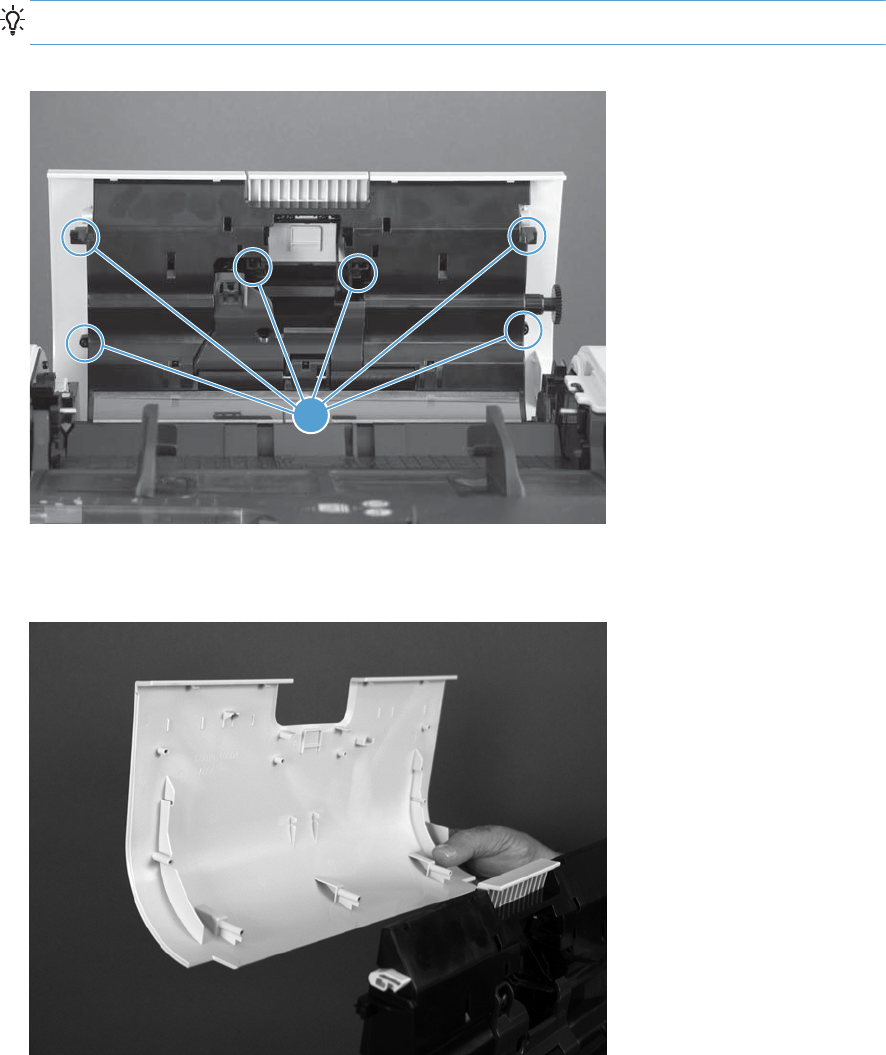
Document feeder hatch cover
1. Remove six screws (callout 1).
TIP: It might be easier to remove these screws with a short-shaft screwdriver.
Figure 1-63 Remove the document feeder hatch cover (1 of 2)
1
2. Remove the hatch cover.
Figure 1-64 Remove the document feeder hatch cover (2 of 2)
ENWW Covers, doors, and whole unit replacement 41
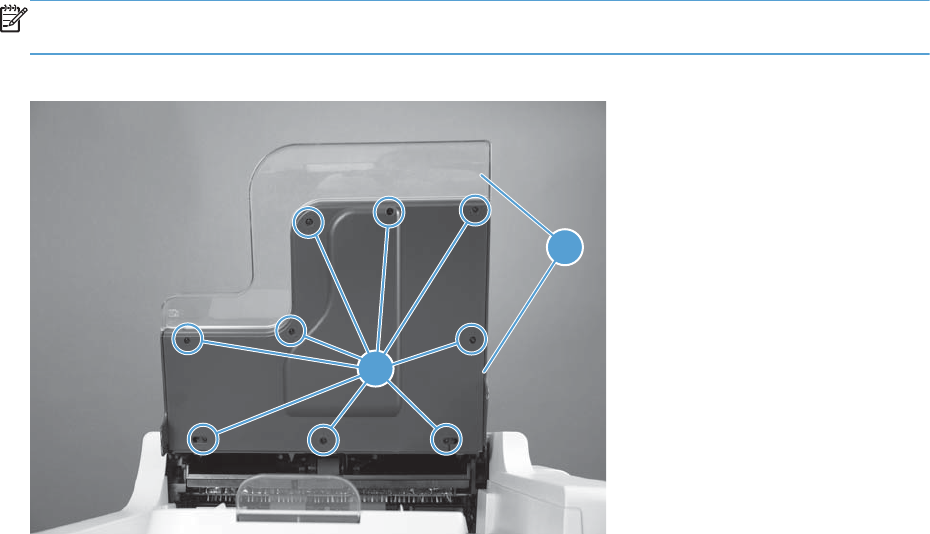
Document feeder input tray bottom cover
Raise the input tray, remove nine screws (callout 1), and then remove the cover (callout 2).
NOTE: The clear plastic portion of the assembly can be separated from the cover when the cover is
removed.
Figure 1-65 Remove the document feeder input tray bottom cover
1
2
42 Chapter 1 Removal and replacement ENWW
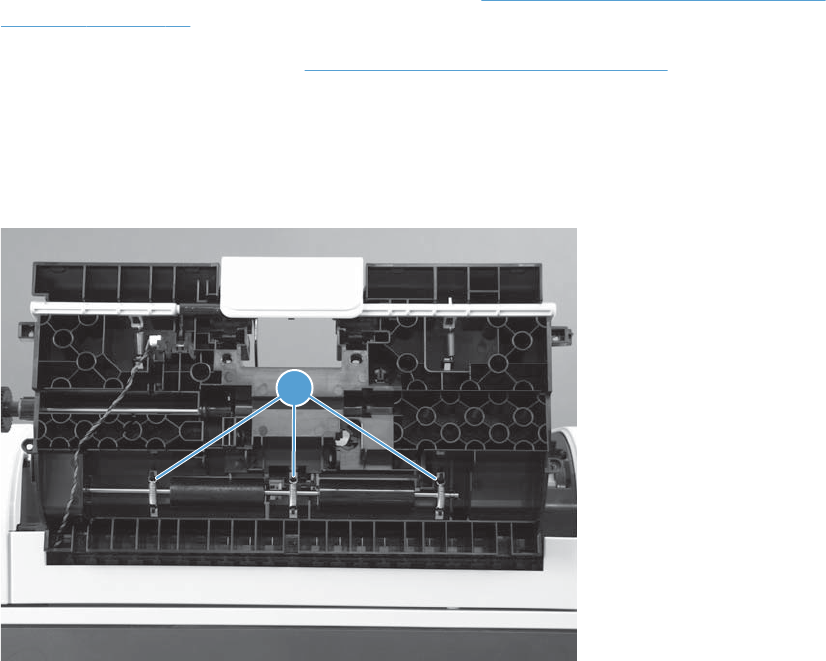
Document feeder roller cover
Before proceeding, remove the following assemblies:
●Document feeder pickup and feed roller assembly. See Document feeder pickup and feed roller
assembly on page 32.
●Document feeder hatch cover. See Document feeder hatch cover on page 41.
Remove the document feeder roller cover
1. Remove three springs (callout 1).
Figure 1-66 Remove the document feeder roller cover (1 of 4)
1
ENWW Covers, doors, and whole unit replacement 43
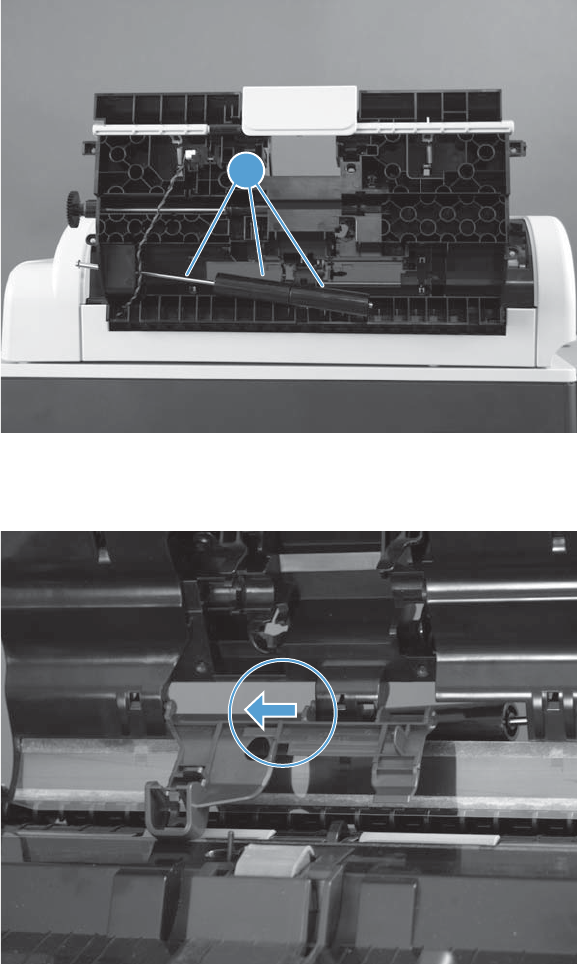
2. Move the rollers and shaft (callout 1) out of the way.
Figure 1-67 Remove the document feeder roller cover (2 of 4)
1
3. Use a flat blade screw driver to carefully release one cover hinge pin on the inside of the door.
Figure 1-68 Remove the document feeder roller cover (3 of 4)
44 Chapter 1 Removal and replacement ENWW
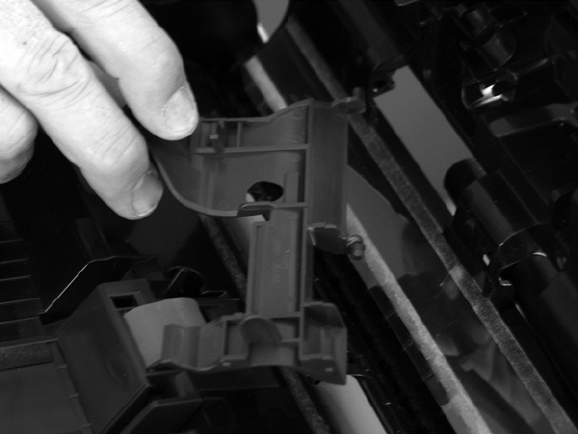
4. Remove the cover.
Figure 1-69 Remove the document feeder roller cover (4 of 4)
ENWW Covers, doors, and whole unit replacement 45
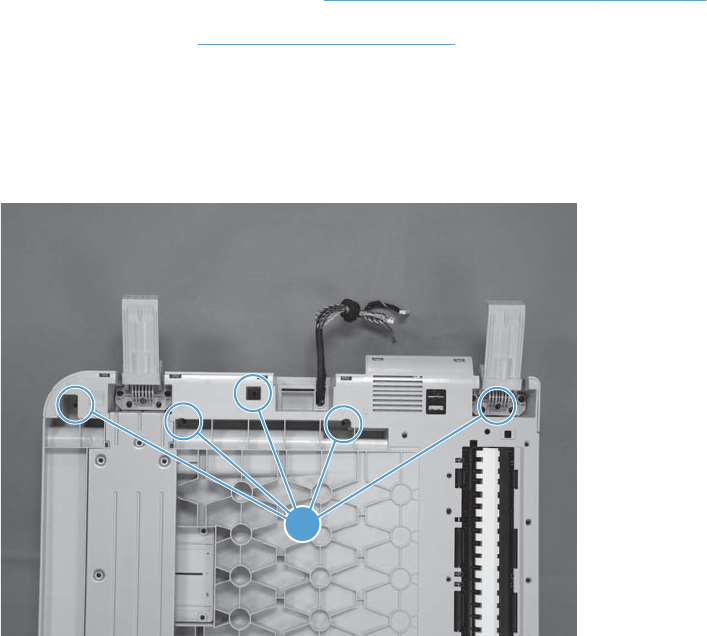
Document feeder rear cover
Before proceeding, remove the following assemblies:
●Document feeder foam reflector. See Document feeder foam reflector on page 16.
●Document feeder. See Document feeder on page 71.
Remove the document feeder rear cover
1. Turn the document feeder upside down, and then remove five screws (callout 1).
Figure 1-70 Remove the document feeder rear cover (1 of 4)
1
46 Chapter 1 Removal and replacement ENWW
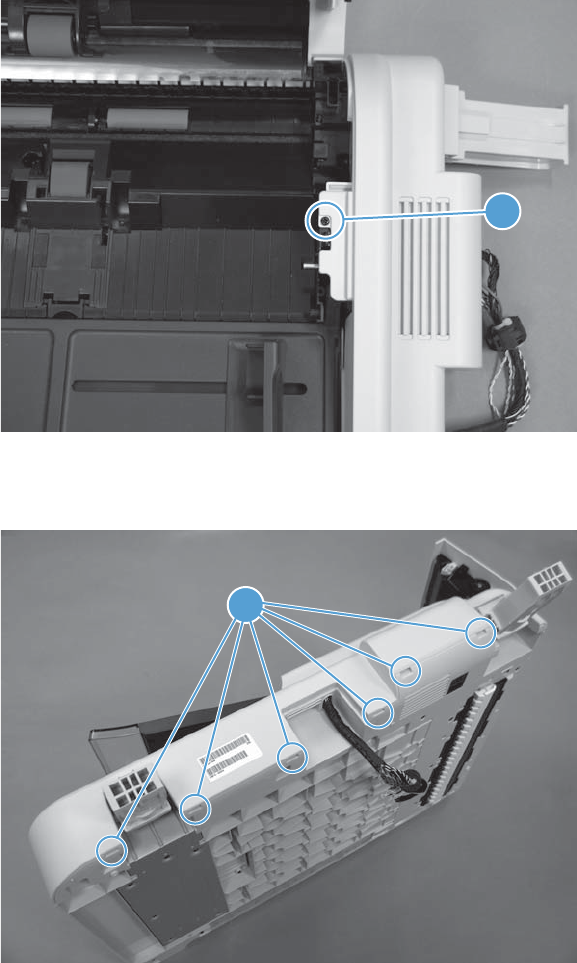
2. Turn the document feeder right-side up, open the document feeder hatch cover, and then remove
one screw (callout 1).
Figure 1-71 Remove the document feeder rear cover (2 of 4)
1
3. Release six tabs (callout 1) along the bottom edge of the cover.
Figure 1-72 Remove the document feeder rear cover (3 of 4)
1
ENWW Covers, doors, and whole unit replacement 47
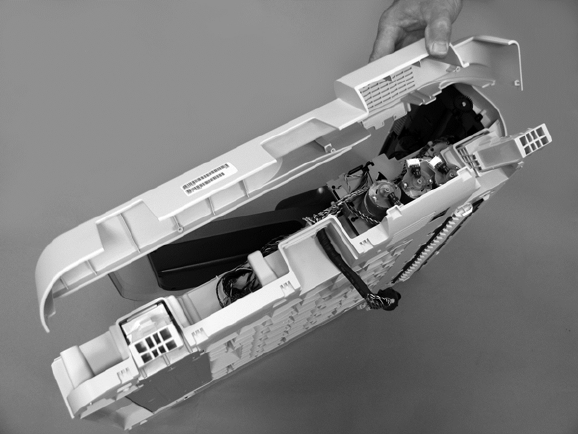
4. Remove the cover.
Figure 1-73 Remove the document feeder rear cover (4 of 4)
48 Chapter 1 Removal and replacement ENWW
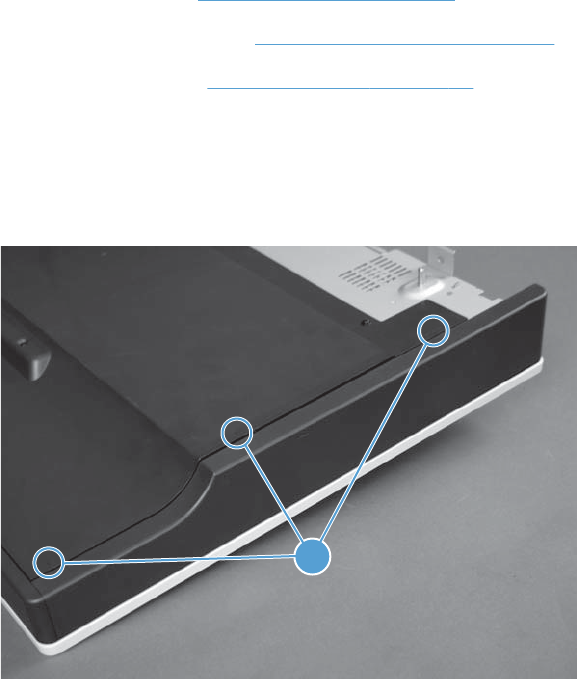
Scanner left cover
Before proceeding, remove the following assemblies:
●Document feeder. See Document feeder on page 71.
●Control panel assembly. See Control-panel assembly on page 5.
●Scanner assembly. See Scanner assembly on page 74.
Remove the scanner left cover
1. Turn the scanner upside down, and then release three tabs (callout 1).
Figure 1-74 Remove the scanner left cover (1 of 2)
1
ENWW Covers, doors, and whole unit replacement 49
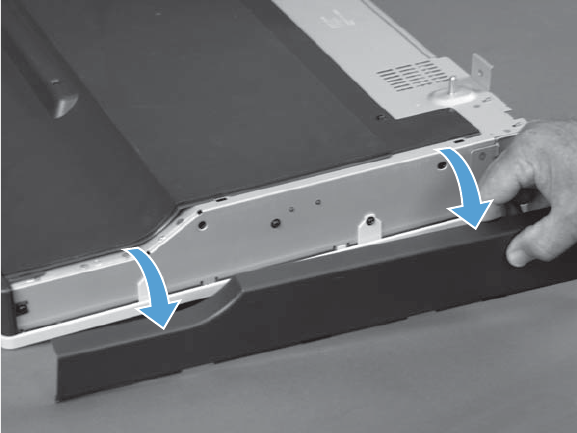
2. Rotate the cover away from the scanner to remove it.
Figure 1-75 Remove the scanner left cover (2 of 2)
50 Chapter 1 Removal and replacement ENWW
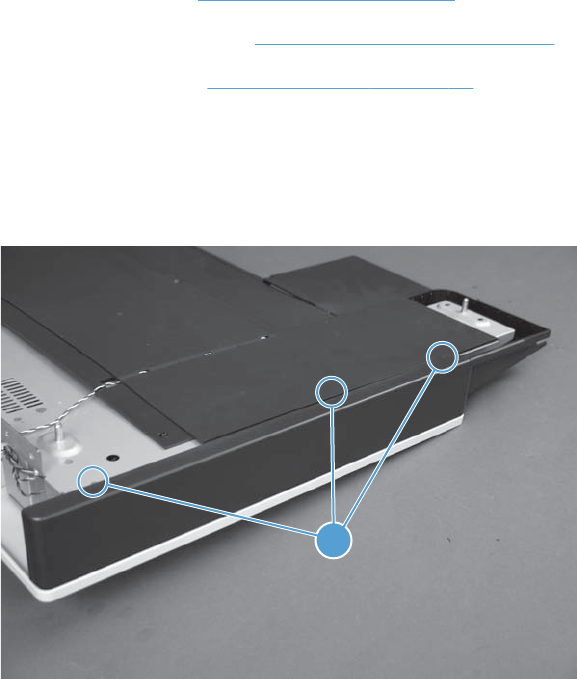
Scanner right cover
Before proceeding, remove the following assemblies:
●Document feeder. See Document feeder on page 71.
●Control panel assembly. See Control-panel assembly on page 5.
●Scanner assembly. See Scanner assembly on page 74.
Remove the scanner right cover
1. Turn the scanner upside down, and then release three tabs (callout 1).
Figure 1-76 Remove the scanner right cover (1 of 2)
1
ENWW Covers, doors, and whole unit replacement 51
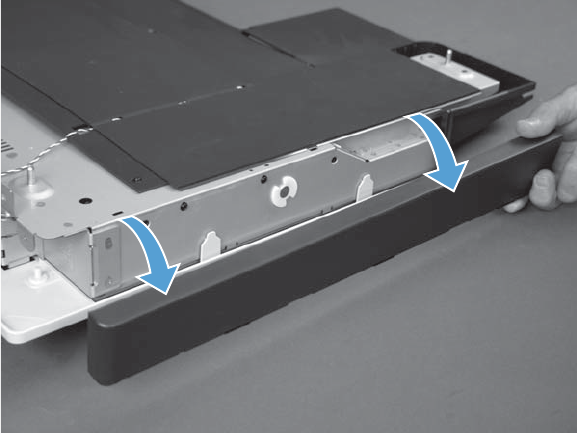
2. Rotate the cover away from the scanner to remove it.
Figure 1-77 Remove the scanner right cover (2 of 2)
52 Chapter 1 Removal and replacement ENWW
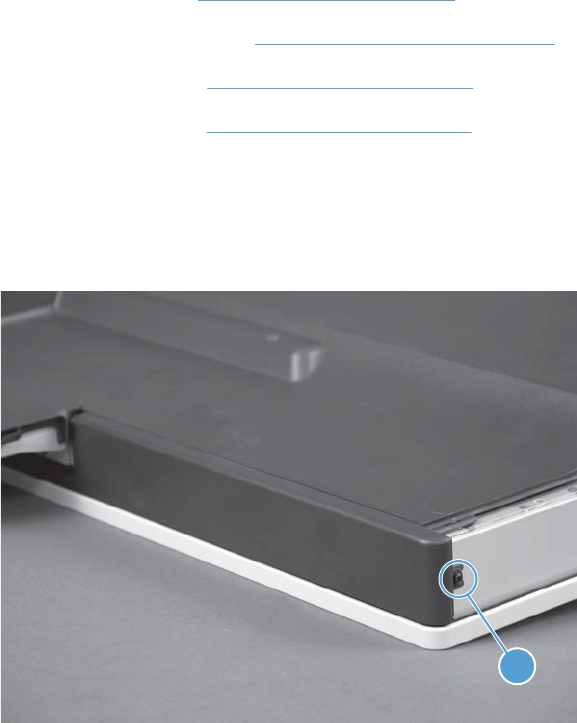
Scanner front cover
Before proceeding, remove the following assemblies:
●Document feeder. See Document feeder on page 71.
●Control panel assembly. See Control-panel assembly on page 5.
●Scanner assembly. See Scanner assembly on page 74.
●Scanner left cover. See Scanner left cover on page 49.
Remove the scanner front cover
1. Remove one screw (callout 1).
Figure 1-78 Remove the scanner front cover (1 of 3)
1
ENWW Covers, doors, and whole unit replacement 53
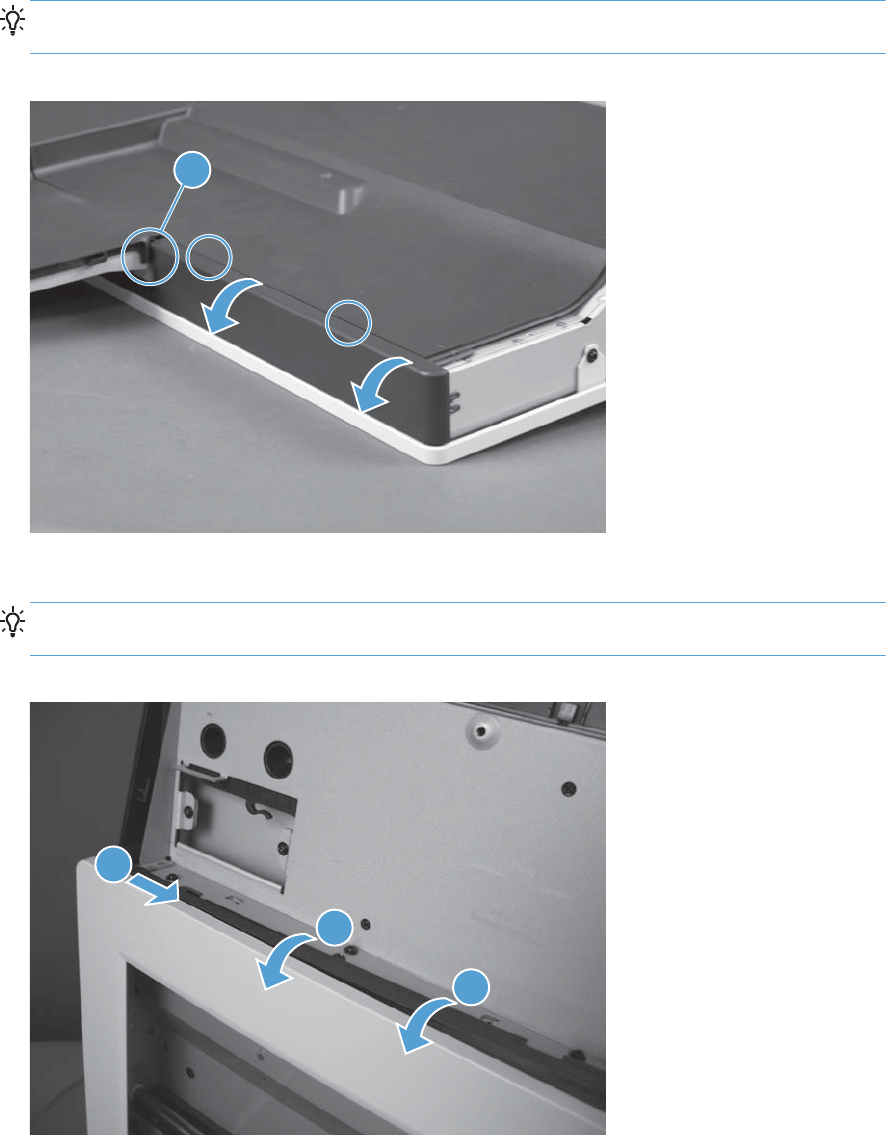
2. Release two tabs, and then slightly rotate the cover away from the scanner.
TIP: Slightly lift up on the control panel bottom cover (callout 1) to give the front cover
clearance.
Figure 1-79 Remove the scanner front cover (2 of 3)
1
3. Continue to carefully rotate (callout 1 and callout 2) the cover away from the scanner to remove it.
TIP: When most of the cover is released, carefully pull back on the cover to release the end tab
that fits under the scanner right cover (callout 3).
Figure 1-80 Remove the scanner front cover (3 of 3)
2
1
3
54 Chapter 1 Removal and replacement ENWW
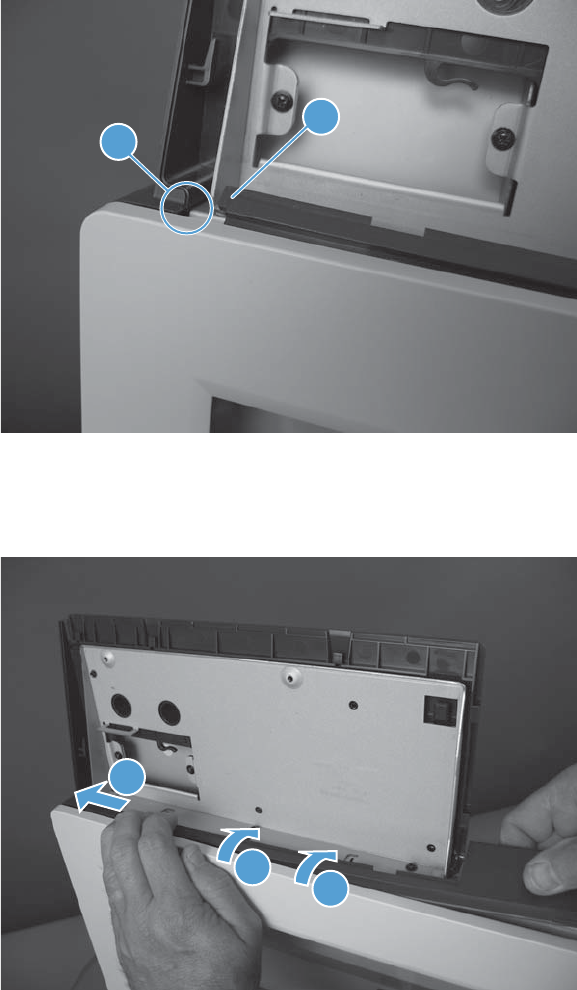
Reinstall the scanner front cover
1. When the cover is reinstalled, the tab (callout 1) on the end of the cover must fit under the scanner
right cover (callout 2).
Figure 1-81 Reinstall the scanner front cover (1 of 3)
21
2. Rotate the cover into place along the control-panel cavity (callout 1 and callout 2), and then push
on the cover to seat the tab on the end of the cover under the scanner right cover (callout 3).
Figure 1-82 Reinstall the scanner front cover (2 of 3)
2
1
3
ENWW Covers, doors, and whole unit replacement 55
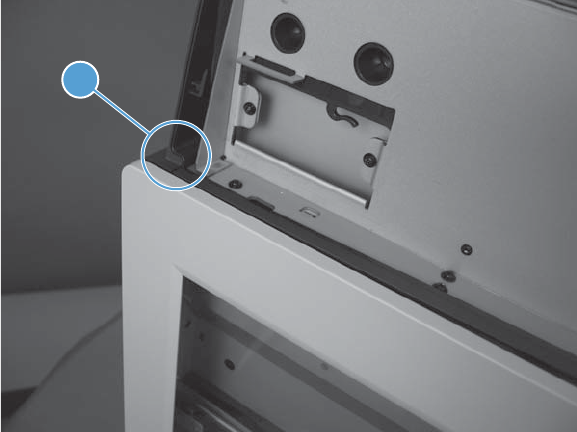
3. Verify the tab on the front cover is correctly seated under the scanner right cover (callout 1) before
snapping the remaining section of the cover in place.
Figure 1-83 Reinstall the scanner front cover (3 of 3)
1
56 Chapter 1 Removal and replacement ENWW
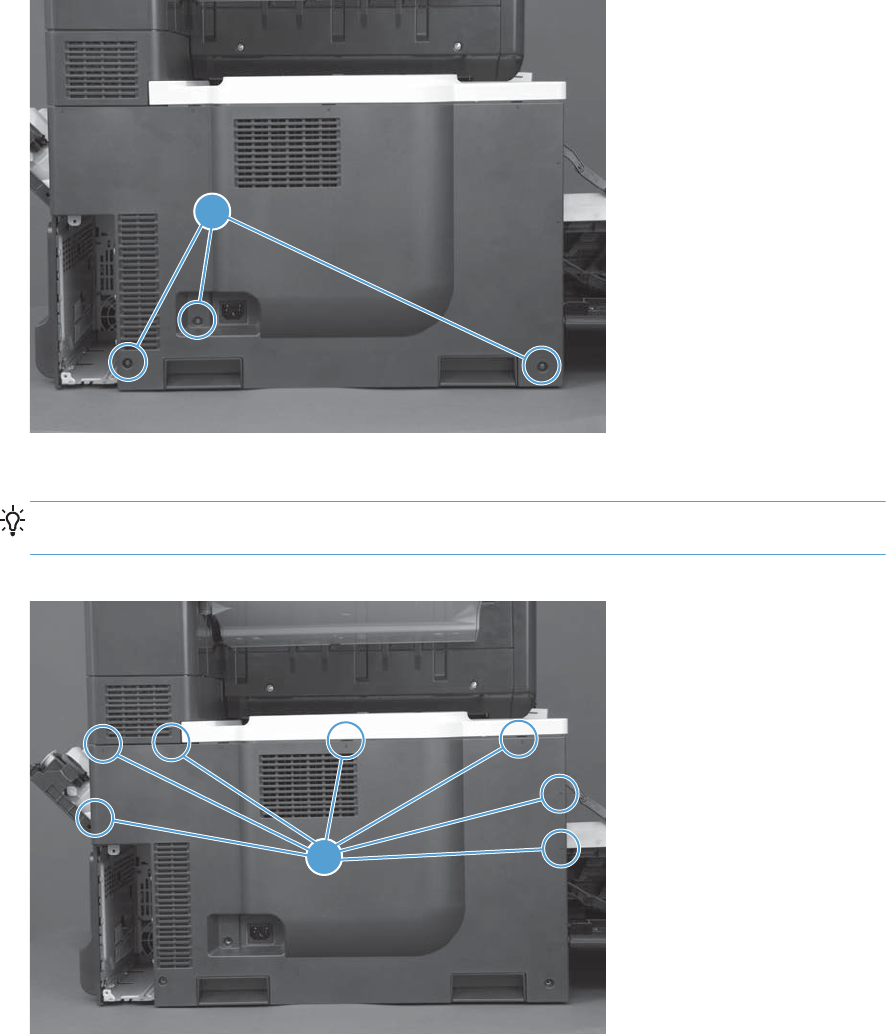
Left cover
1. Open the TCU access door, and then open the front door.
2. Remove three screws (callout 1).
Figure 1-84 Remove the left cover (1 of 2)
1
3. Release seven tabs (callout 1), and then remove the cover.
TIP: Release the two tabs near the front door, and then, working counter clockwise toward the
TCU access door, release the remaining tabs.
Figure 1-85 Remove the left cover (2 of 2)
1
ENWW Covers, doors, and whole unit replacement 57
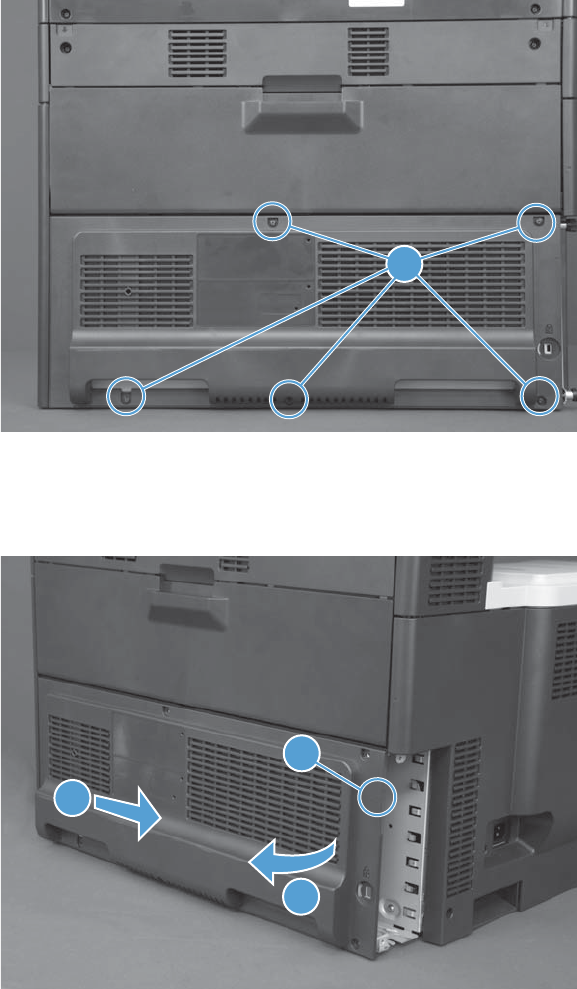
Rear cover
1. Remove five screws (callout 1).
Figure 1-86 Remove the rear cover (1 of 2)
1
2. Release one tab (callout 1), rotate the right side of the cover away from the product (callout 2),
and then slide it away from the product (callout 3) to remove the cover.
Figure 1-87 Remove the rear cover (2 of 2)
1
2
3
58 Chapter 1 Removal and replacement ENWW
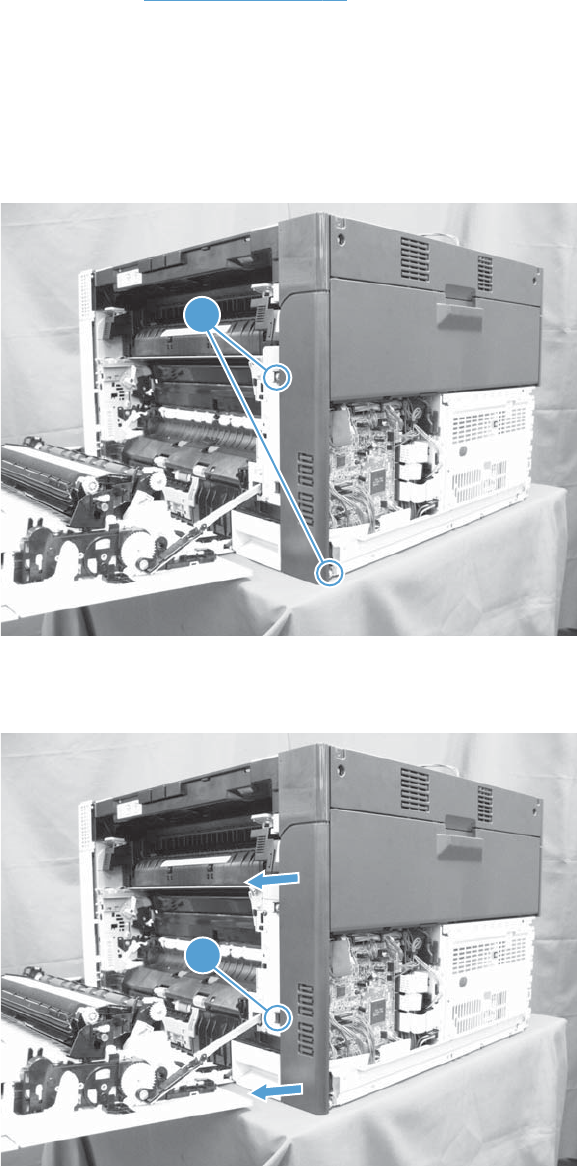
Right rear cover
Before proceeding, remove the following assemblies:
●Rear cover. See Rear cover on page 58.
Remove the right rear cover
1. Open the right door.
2. Remove two screws (callout 1).
Figure 1-88 Remove the right rear cover (1 of 2)
1
3. Release one tab (callout 1), and then remove the cover.
Figure 1-89 Remove the right rear cover (2 of 2)
1
ENWW Covers, doors, and whole unit replacement 59
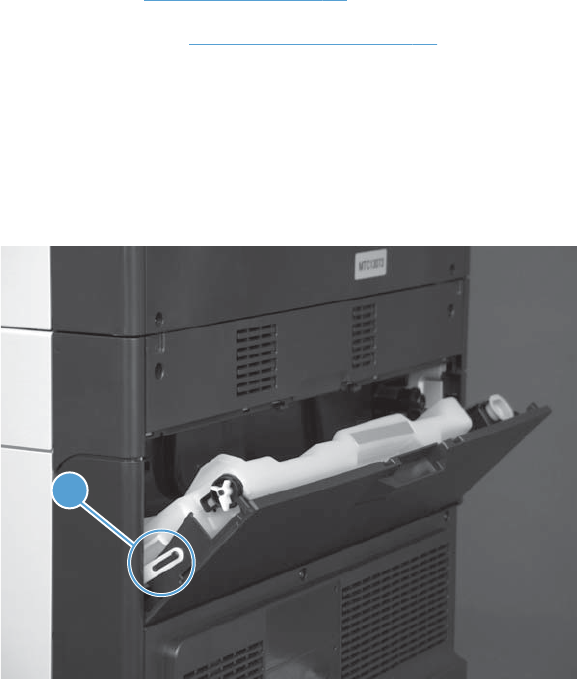
Toner collection unit (TCU) access door
Before proceeding, remove the following assemblies:
●Rear cover. See Rear cover on page 58.
●Right rear cover. See Right rear cover on page 59.
Remove the TCU access door
1. Open the TCU access door, and then remove the TCU.
2. Release the link arm (callout 1) on the left side of the door.
Figure 1-90 Remove the TCU access door (1 of 3)
1
60 Chapter 1 Removal and replacement ENWW
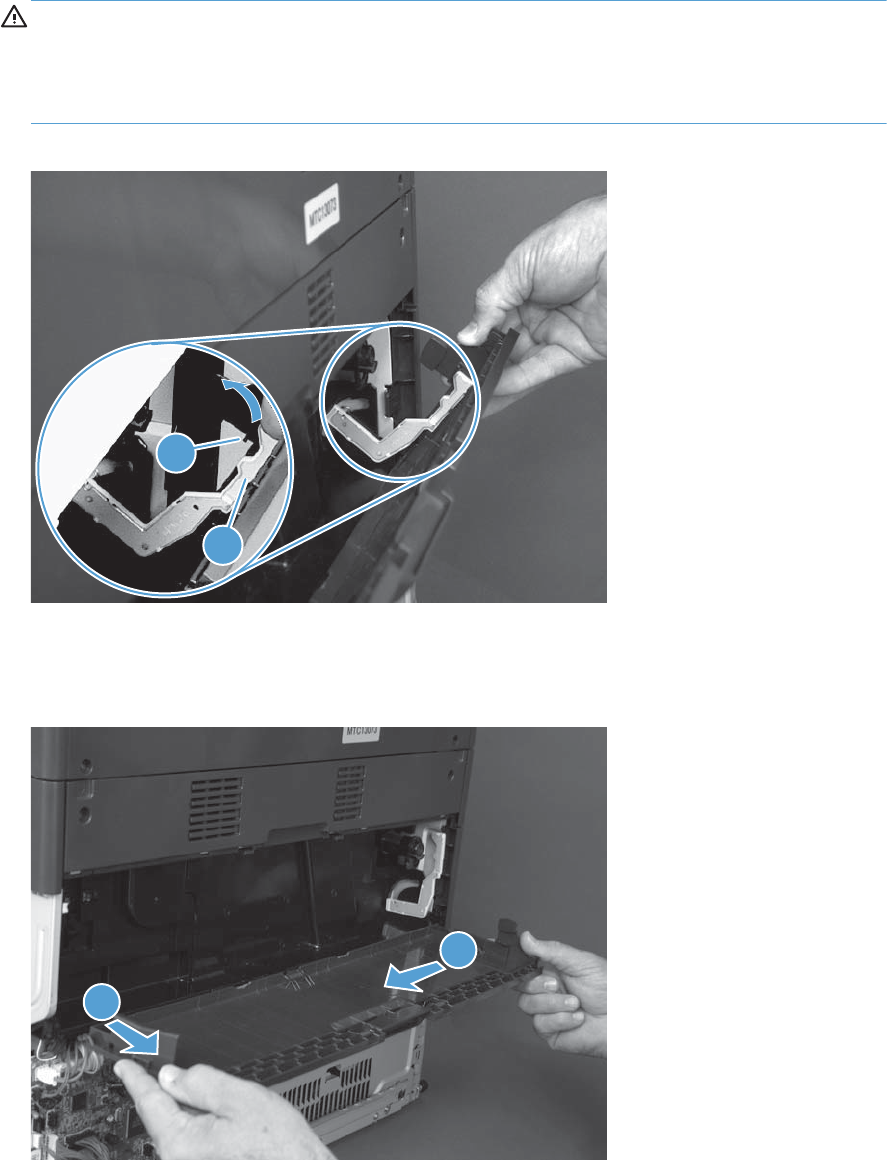
3. Partially close the door so that the right link arm (callout 1) can clear the stop (callout 2) on the
door, and then disengage the link arm from the door.
CAUTION: The link arm is spring loaded. Hold the link arm while it is being disconnected or
the link arm might break if it is allowed to suddenly retract into the product when it is released.
Do not disconnect the right-hand link arm when the door is completely open. Doing so can
disconnect the link arm spring.
Figure 1-91 Remove the TCU access door (2 of 3)
1
2
4. Open the door 90 degrees (callout 1), and then rotate the left side of the door away from the
product to remove it (callout 2).
Figure 1-92 Remove the TCU access door (3 of 3)
2
1
ENWW Covers, doors, and whole unit replacement 61
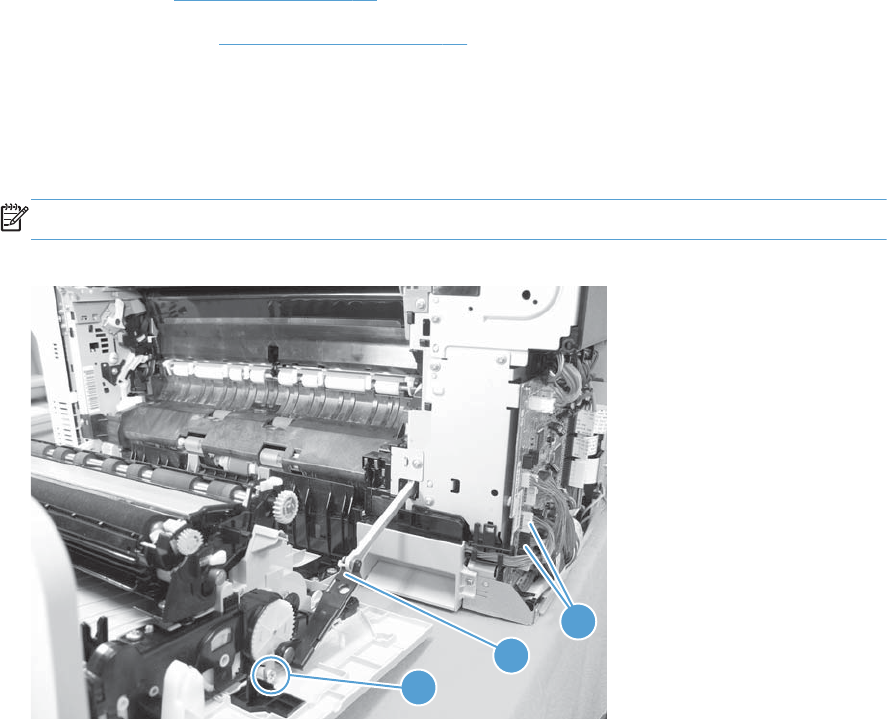
Right door assembly
Before proceeding remove the following assemblies:
●Rear cover. See Rear cover on page 58.
●Right rear cover. See Right rear cover on page 59.
Remove the right door assembly
1. Remove one screw (callout 1), release the link arm (callout 2), and then disconnect two connectors
(callout 3).
NOTE: The link arm is spring loaded and retracts into the product.
Figure 1-93 Remove the right door assembly (1 of 7)
2
1
3
62 Chapter 1 Removal and replacement ENWW
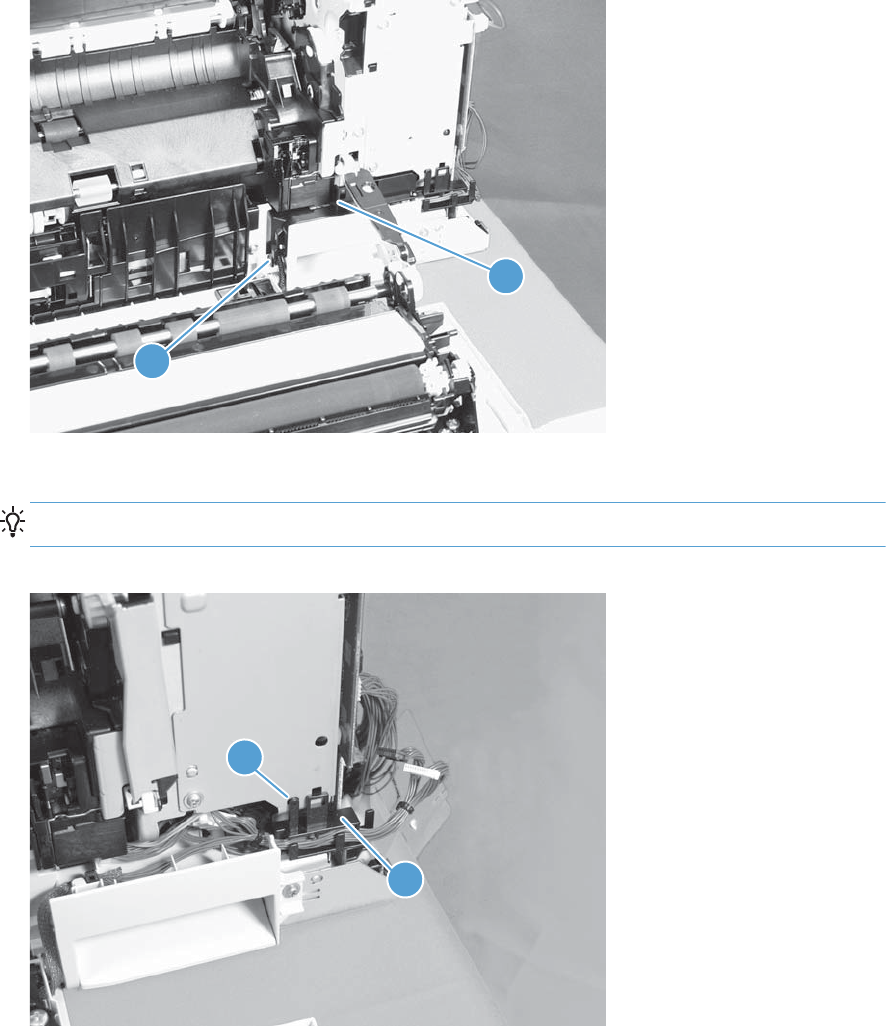
2. Carefully release one tab (callout 1), and then remove the cable cover (callout 2).
Figure 1-94 Remove the right door assembly (2 of 7)
2
1
3. Release one tab (callout 1), and then remove the guide (callout 2).
TIP: Release the wire harnesses from the guide as you remove it.
Figure 1-95 Remove the right door assembly (3 of 7)
2
1
ENWW Covers, doors, and whole unit replacement 63
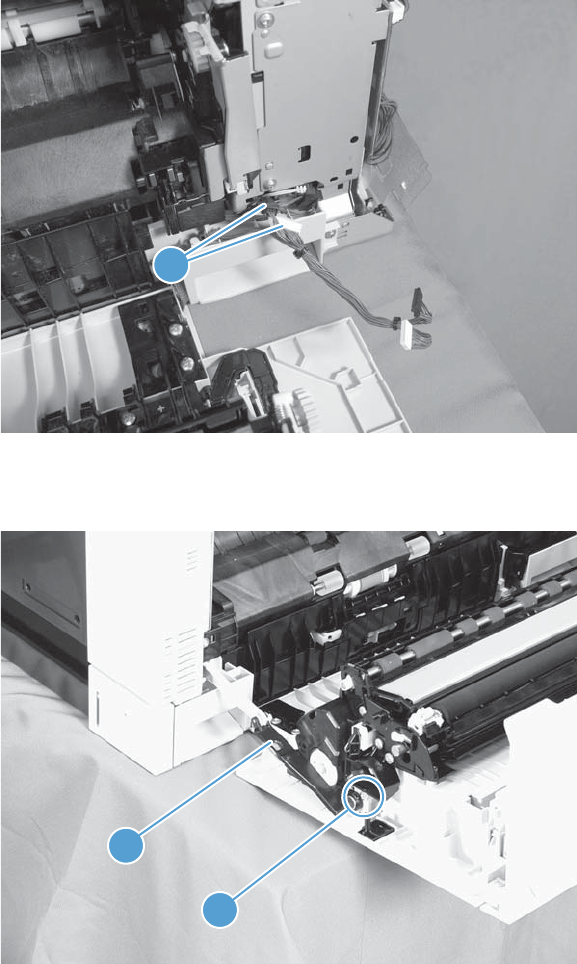
4. Disconnect two connectors (callout 1).
Figure 1-96 Remove the right-door assembly (4 of 7)
1
5. Remove one screw (callout 1), and then release the link arm (callout 2).
Figure 1-97 Remove the right-door assembly (5 of 7)
2
1
64 Chapter 1 Removal and replacement ENWW
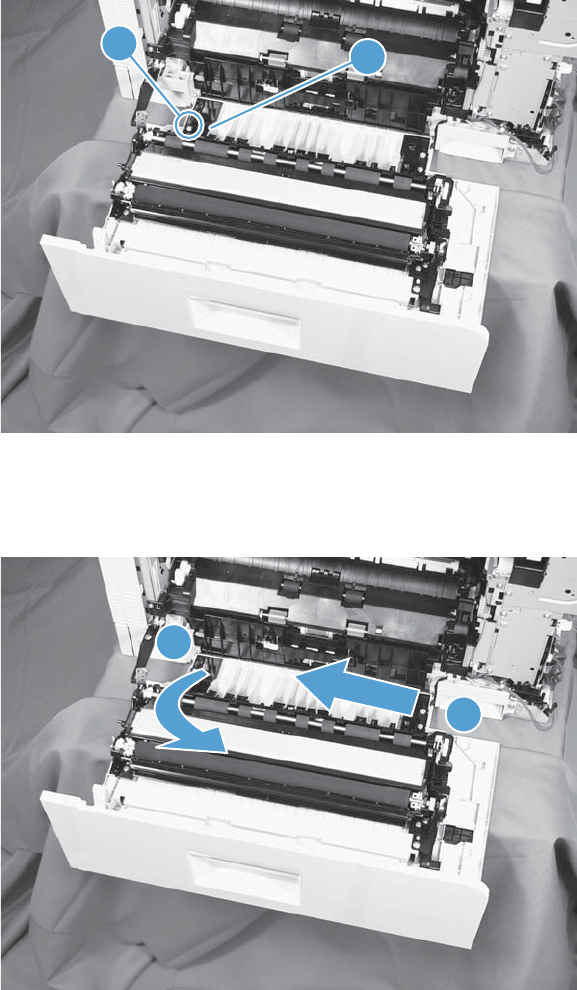
6. Remove one screw (callout 1), and then remove the hinge (callout 2).
Figure 1-98 Remove the right door assembly (6 of 7)
12
7. Rotate the left side of the door away from the product, and then slide the door assembly to the left
to remove it.
Figure 1-99 Remove the right door assembly (7 of 7)
1
2
ENWW Covers, doors, and whole unit replacement 65
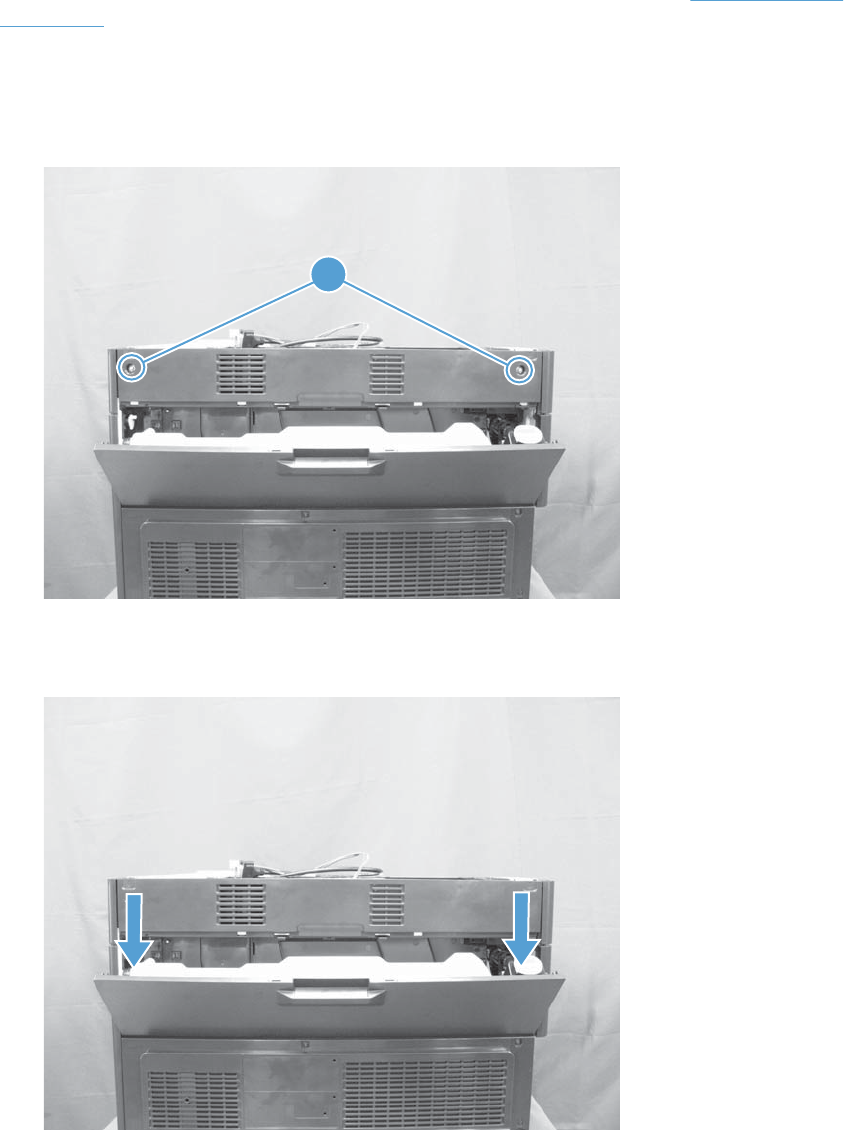
Rear upper cover
It might be easier to remove this cover, if the right upper cover is removed. See Right upper cover
on page 67.
1. Open the TCU access door.
2. Remove two screws (callout 1).
Figure 1-100 Remove the rear upper cover (1 of 2)
1
3. Pull down on the cover to release it, and then remove the cover.
Figure 1-101 Remove the rear upper cover (2 of 2)
66 Chapter 1 Removal and replacement ENWW
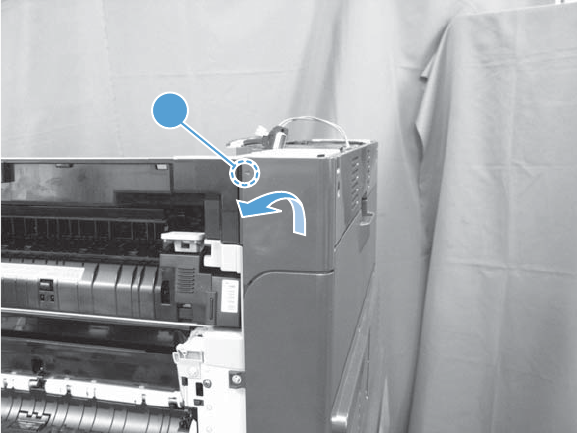
Right upper cover
1. Open the right door.
2. Release one tab (callout 1), rotate the top of the cover away from the product, and then remove
the cover.
Figure 1-102 Remove the right upper cover
1
ENWW Covers, doors, and whole unit replacement 67
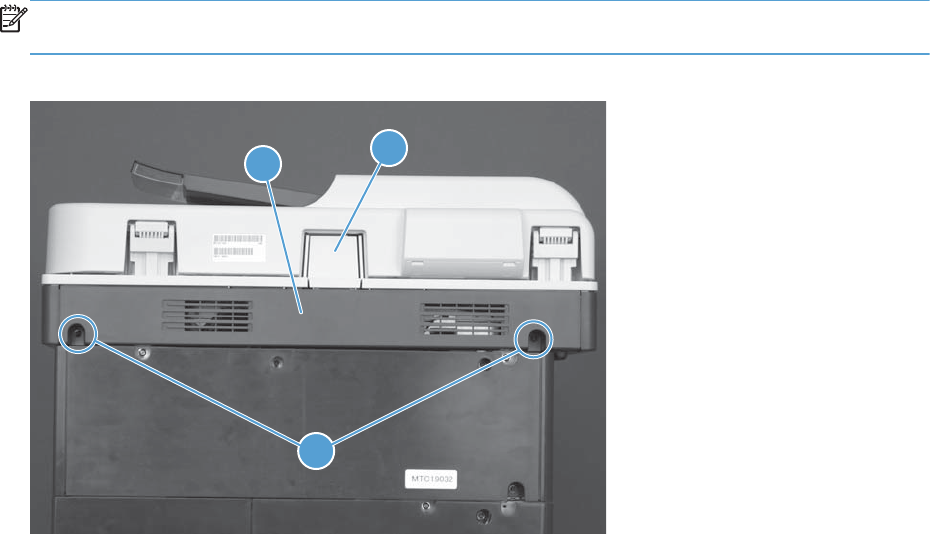
Scanner rear and FFC bezel cover
Remove two screws (callout 1), and remove the scanner rear cover (callout 2).
NOTE: The bezel cover (callout 3) is attached to the back cover, but not captive when the cover is
removed and can be easily dislodged. Remove the bezel cover if necessary.
Figure 1-103 Remove the document feeder lower-rear cover
23
1
68 Chapter 1 Removal and replacement ENWW
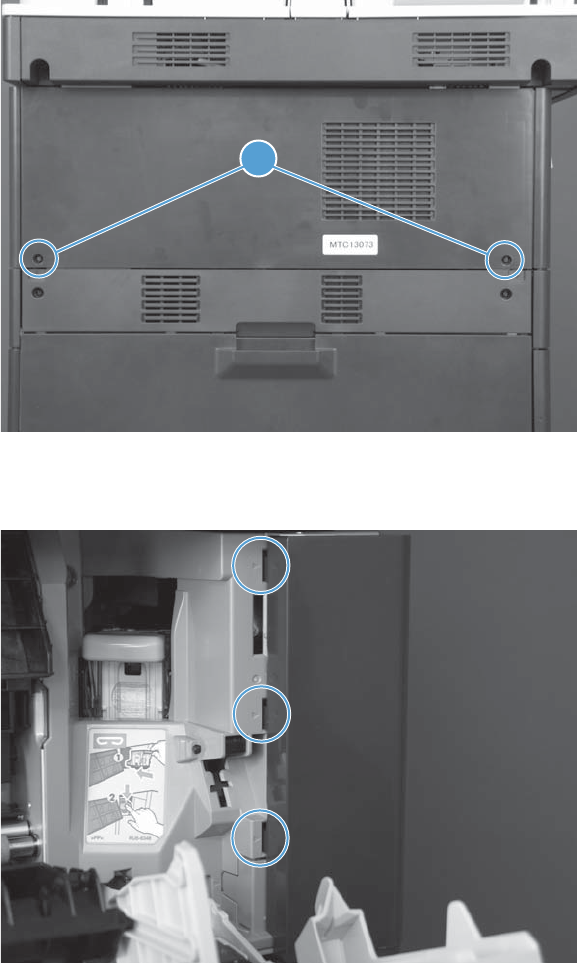
Stapler/stacker rear cover
1. Remove two screws (callout 1).
Figure 1-104 Remove the stapler/stacker rear cover (1 of 3)
1
2. Open the jam access door, and then release three tabs (callout 1).
Figure 1-105 Remove the stapler/stacker rear cover (2 of 3)
ENWW Covers, doors, and whole unit replacement 69
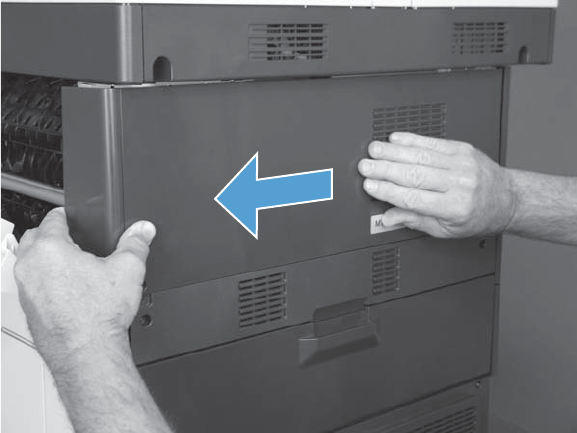
3. Slide the cover to the left to release it, and then remove the cover.
Figure 1-106 Remove the stapler/stacker rear cover (3 of 3)
70 Chapter 1 Removal and replacement ENWW
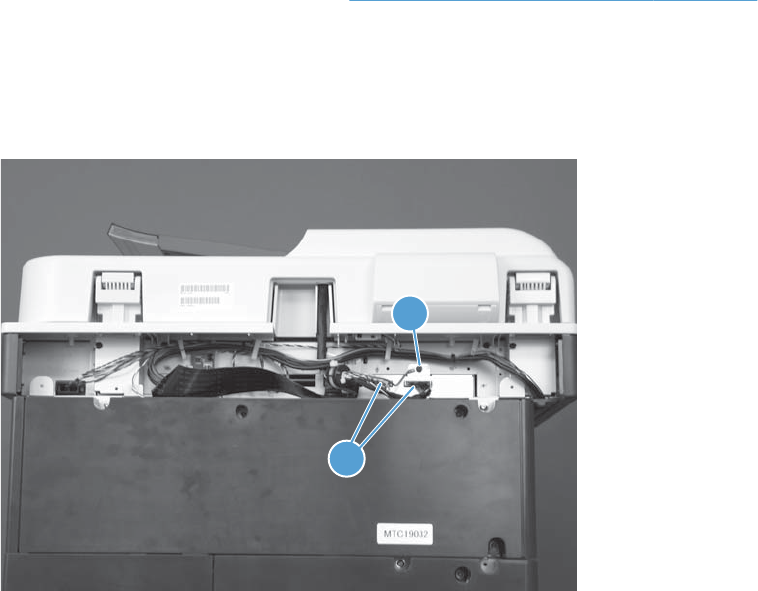
Document feeder
Before proceeding, remove the following assemblies:
●Scanner rear and FFC bezel cover. See Scanner rear and FFC bezel cover on page 68.
Remove the document feeder assembly
1. Disconnect two connectors (callout 1) and remove one ground wire screw (callout 2).
Figure 1-107 Remove the document feeder (1 of 4)
2
1
ENWW Covers, doors, and whole unit replacement 71
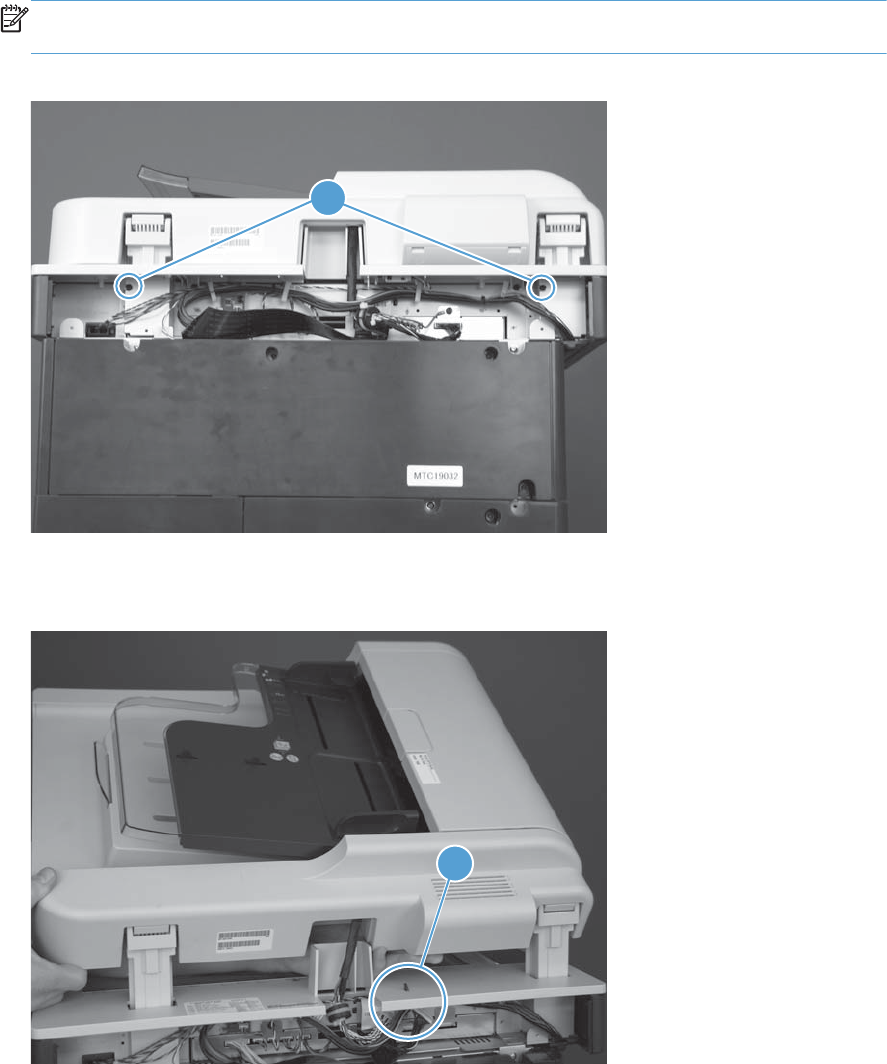
2. Remove two screws (callout 1) in the hinge housings.
NOTE: The housing screws (callout 1) are longer than most of the screws used in the product.
You must use these longer screws in the hinge housings when you reinstall the document feeder.
Figure 1-108 Remove the document feeder (2 of 4)
1
3. Release the cables from one retainer (callout 1).
Figure 1-109 Remove the document feeder (3 of 4)
1
72 Chapter 1 Removal and replacement ENWW
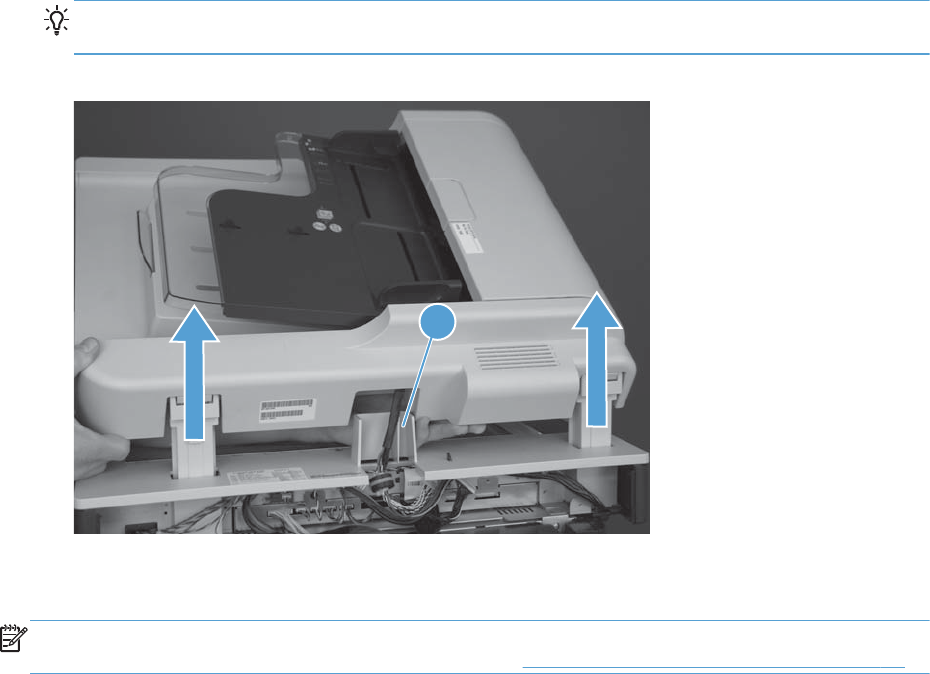
4. Slightly raise the right side of the assembly, release the cables from the raceway (callout 1), and
then lift the document feeder assembly up to remove it.
Reinstallation tip Position the cables toward the back of the product. With the right side of
the document feeder slightly raised, thread the cables through the raceway (callout 1).
Figure 1-110 Remove the document feeder (4 of 4)
1
Reinstall the document feeder
NOTE: If a replacement document feeder or scanner assembly is installed, you must install a
replacement foam reflector on the document feeder. See Document feeder foam reflector on page 16.
Installing a replacement document feeder assembly
If a replacement document feeder is installed, do the following:
1. From the Home screen on the control panel, scroll to and touch the Device Maintenance button.
2. Open the Service menu.
3. On the sign-in screen, select the Service Access Code option from the drop-down list.
4. Enter the following service access code for this product: 11077512.
5. Reset the following values:
●Document Feeder Kit Count; set to zero
●ADF Count; set to zero
ENWW Covers, doors, and whole unit replacement 73
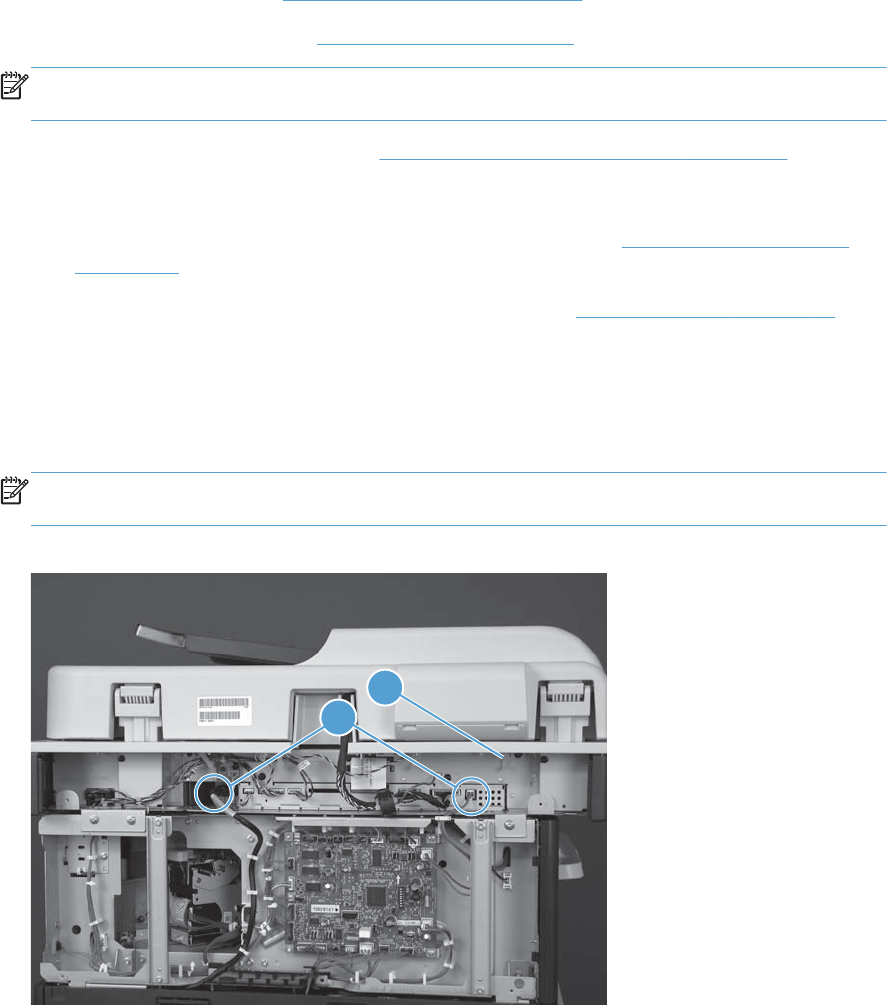
Scanner assembly
Before proceeding, remove the following assemblies:
●Control-panel assembly. See Control-panel assembly on page 5.
●Optional: Document feeder. See Document feeder on page 71.
NOTE: HP recommends removing the document feeder to decrease the weight of the scanner
assembly when it is lifted off of the product.
●Scanner rear and FFC bezel cover. See Scanner rear and FFC bezel cover on page 68.
●Remove one of the following:
◦If a stapler/stacker is installed: stapler/stacker rear cover. See Stapler/stacker rear cover
on page 69.
◦If a stapler/stacker is not installed: rear upper cover. See Rear upper cover on page 66.
Remove the scanner assembly
1. Disconnect two connectors (callout 1), and then release the wire harness from the retainer (callout
2).
NOTE: In the figure below, the wire harness has already been released from the retainer (callout
2).
Figure 1-111 Remove the scanner assembly (1 of 5)
1
2
74 Chapter 1 Removal and replacement ENWW
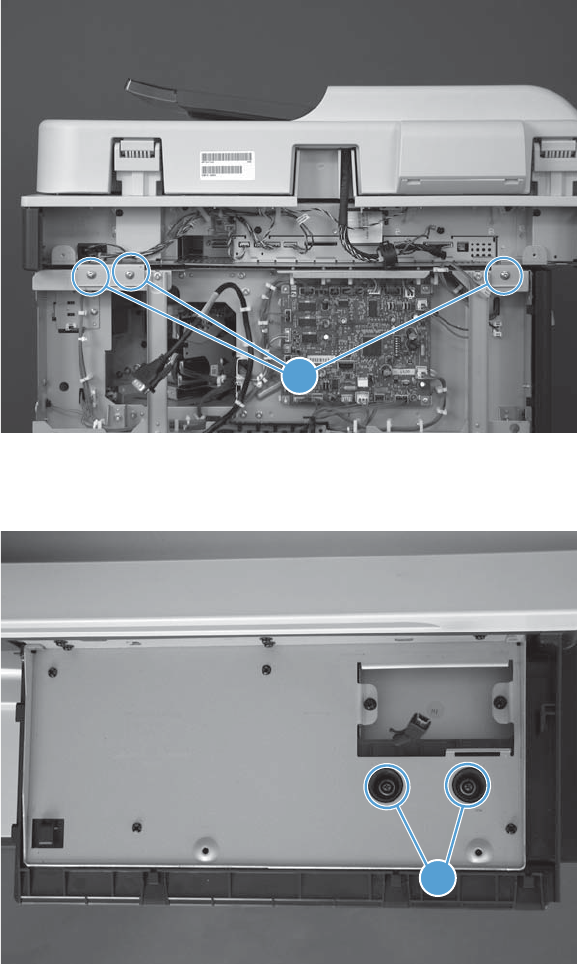
2. Remove three screws (callout 1).
Figure 1-112 Remove the scanner assembly (2 of 5)
1
3. Remove two screws (callout 1) in the control-panel cavity.
Figure 1-113 Remove the scanner (3 of 5)
1
ENWW Covers, doors, and whole unit replacement 75
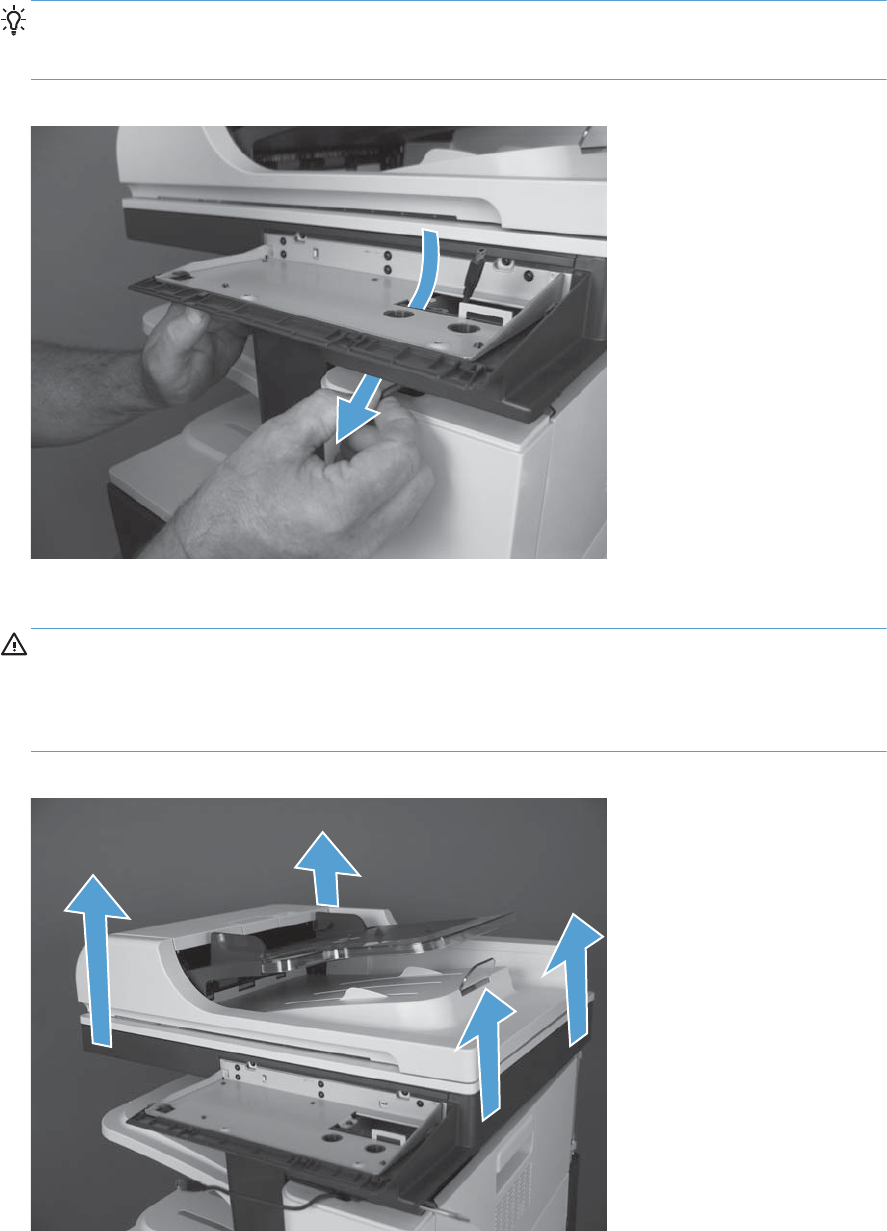
4. Slightly lift up on the control-panel housing, release the cable from the retaining clip, and then
carefully feed the control-panel cable out of the opening in the housing.
TIP: While you prepare to remove the assembly, use the handle of a small screw driver to keep
the front of the scanner assembly separated from the stapler/stacker and avoid pinching the
control-panel cable.
Figure 1-114 Remove the scanner assembly (4 of 5)
5. Lift the scanner assembly up and off of the product to remove it.
CAUTION: The scanner assembly is heavy. HP recommends that two people remove the
scanner assembly from the product if the document feeder was not removed.
The document feeder is not secured in the closed position and can suddenly open when handling
the scanner assembly.
Figure 1-115 Remove the scanner assembly (5 of 5)
76 Chapter 1 Removal and replacement ENWW
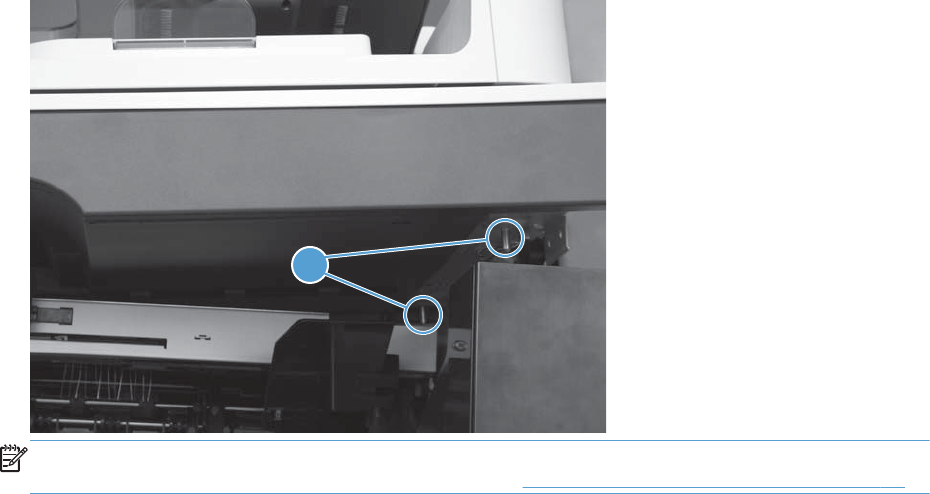
Reinstall the scanner assembly
Use the alignment pins (callout 1) on the back of the scanner assembly to mount the assembly on the
product base
Figure 1-116 Reinstall the scanner assembly
1
NOTE: If a replacement document feeder or scanner assembly is installed, you must install a
replacement foam reflector on the document feeder. See Document feeder foam reflector on page 16.
Installing a replacement scanner assembly
If a replacement image scanner is installed, do the following:
1. From the Home screen on the control panel, scroll to and touch the Device Maintenance button.
2. Open the Service menu.
3. On the sign-in screen, select the Service Access Code option from the drop-down list.
4. Enter the following service access code for this product: 11077512.
5. Reset the following values:
●Flatbed Count; set to zero
ENWW Covers, doors, and whole unit replacement 77

Stapler/stacker assembly
Before proceeding, remove the following assemblies:
●Control-panel assembly. See Control-panel assembly on page 5.
●Stapler/stacker rear cover. See Stapler/stacker rear cover on page 69.
●Optional: Document feeder. See Document feeder on page 71.
NOTE: HP recommends removing the document feeder to decrease the weight of the scanner
assembly when it is lifted off of the product.
●Scanner assembly. See Scanner assembly on page 74.
●Front upper cover. See Front upper cover on page 83.
Remove the stapler/stacker assembly
1. Release the control-panel cable from three retainers (callout 1).
Figure 1-117 Remove the stapler/stacker assembly (1 of 7)
1
78 Chapter 1 Removal and replacement ENWW
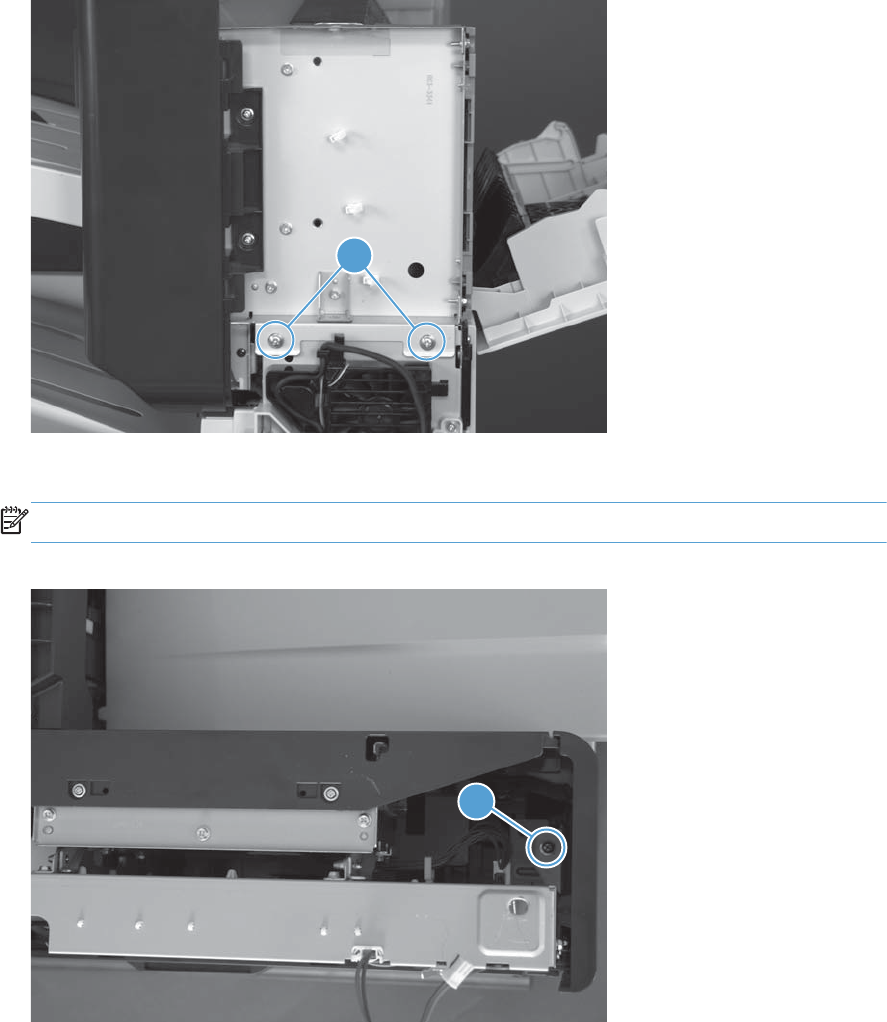
2. Remove two screws (callout 1).
Figure 1-118 Remove the stapler/stacker assembly (2 of 7)
1
3. Remove one screw (callout 1).
NOTE: Look down at the top of the product to locate this screw.
Figure 1-119 Remove the stapler/stacker assembly (3 of 7)
1
ENWW Covers, doors, and whole unit replacement 79
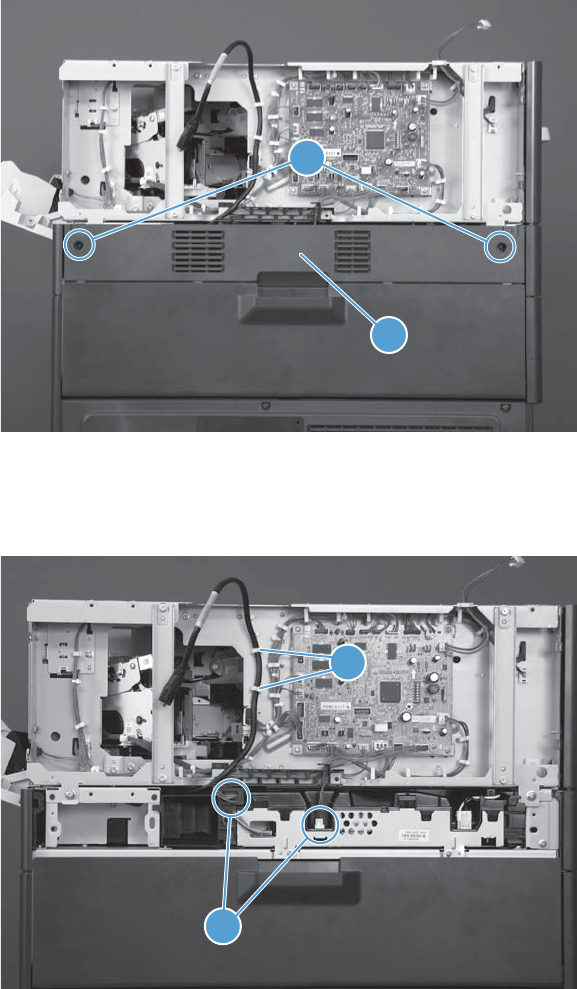
4. Remove two screws (callout 1), open the toner access door, and then pull down on the rear upper
cover (callout 2) to remove it.
Figure 1-120 Remove the stapler/stacker assembly (4 of 7)
1
2
5. Release the black serial cable from two retainers (callout 1), and then disconnect two connectors
(callout 2).
Figure 1-121 Remove the stapler/stacker assembly (5 of 7)
2
1
80 Chapter 1 Removal and replacement ENWW
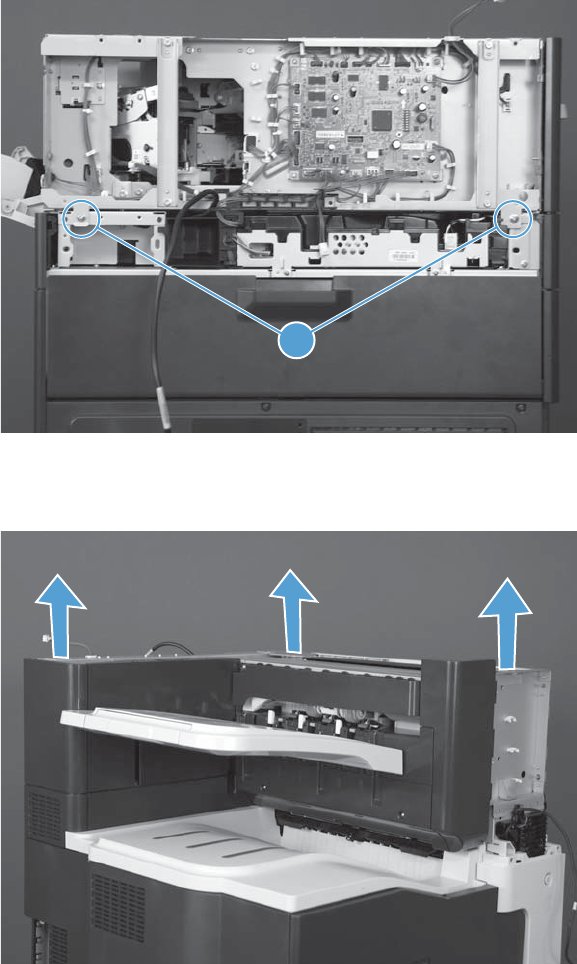
6. Remove two screws (callout 1).
Figure 1-122 Remove the stapler/stacker assembly (6 of 7)
1
7. Lift the assembly straight up and off of the product.
Figure 1-123 Remove the stapler/stacker assembly (7 of 7)
ENWW Covers, doors, and whole unit replacement 81
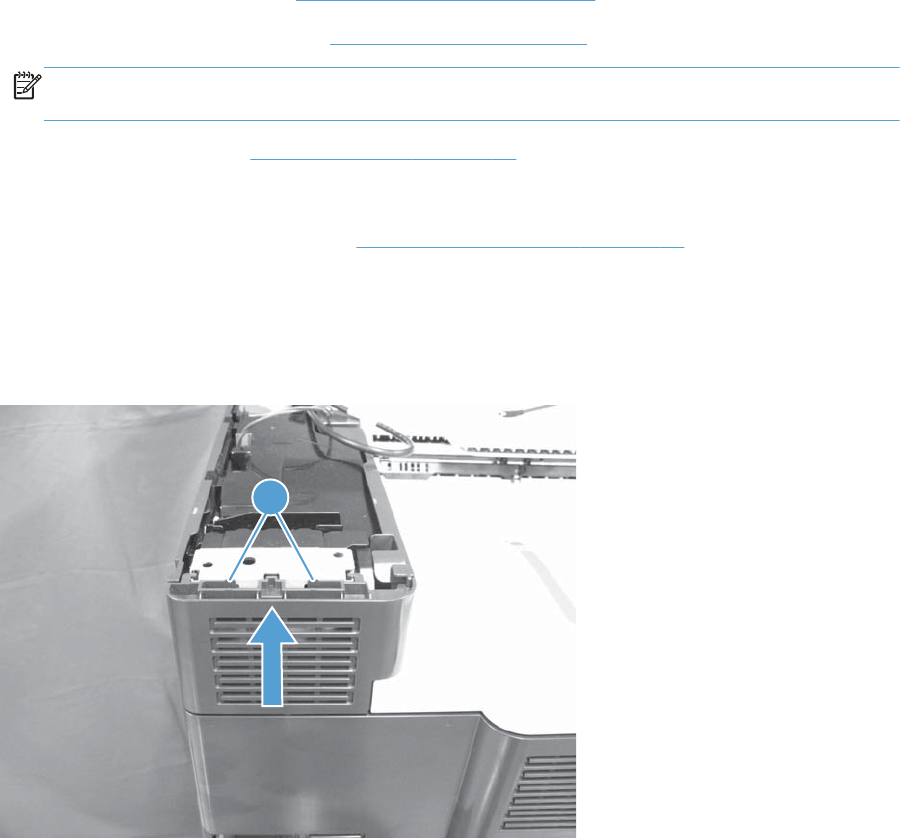
Left upper cover
Before proceeding, remove the following assemblies:
●Control-panel assembly. See Control-panel assembly on page 5.
●Optional: Document feeder. See Document feeder on page 71.
NOTE: HP recommends removing the document feeder to decrease the weight of the scanner
assembly when it is lifted off of the product.
●Scanner assembly. See Scanner assembly on page 74.
●For a stapler/stacker model:
◦Stapler/stacker assembly. See Stapler/stacker assembly on page 78.
Remove the left upper cover
Release two tabs (callout 1), and then slide the cover upward to remove it.
Figure 1-124 Remove the left upper cover
1
82 Chapter 1 Removal and replacement ENWW
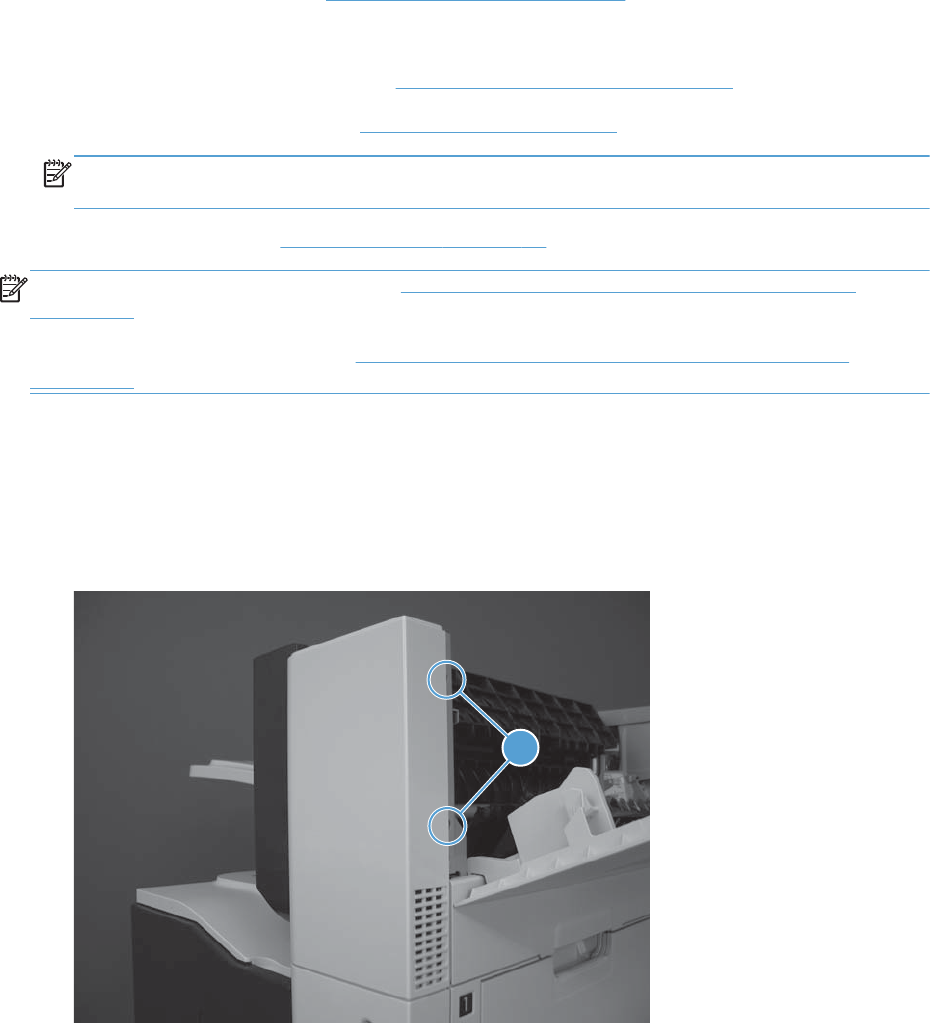
Front upper cover
Before proceeding, remove the following assemblies:
●Control-panel assembly. See Control-panel assembly on page 5.
●For products with a stapler/stacker installed:
◦Stapler/stacker rear cover. See Stapler/stacker rear cover on page 69.
●Optional: Document feeder. See Document feeder on page 71.
NOTE: HP recommends removing the document feeder to decrease the weight of the scanner
assembly when it is lifted off of the product.
●Scanner assembly. See Scanner assembly on page 74.
NOTE: For a stapler/stacker model, see Remove the front upper cover; stapler/stacker model
on page 83.
For a non stapler/stacker model, see Remove the front upper cover; non stapler/stacker model
on page 85.
Remove the front upper cover; stapler/stacker model
1. Open the right door.
2. Release two tabs (callout 1), and then remove the cover.
Figure 1-125 Remove the front upper cover; stapler/stacker model (1 of 2)
1
ENWW Covers, doors, and whole unit replacement 83
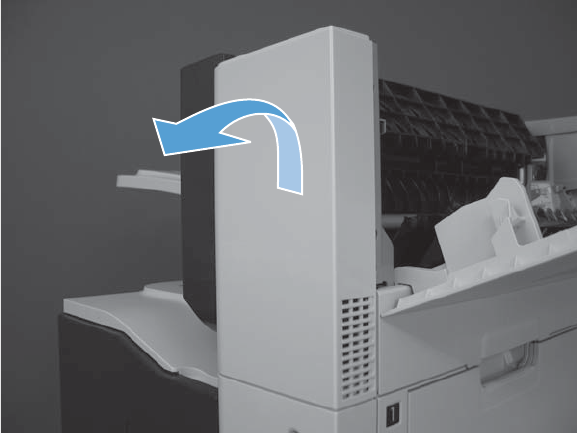
3. Rotate the top of the cover away from the product to remove it.
Figure 1-126 Remove the front upper cover; stapler/stacker model (2 of 2)
84 Chapter 1 Removal and replacement ENWW
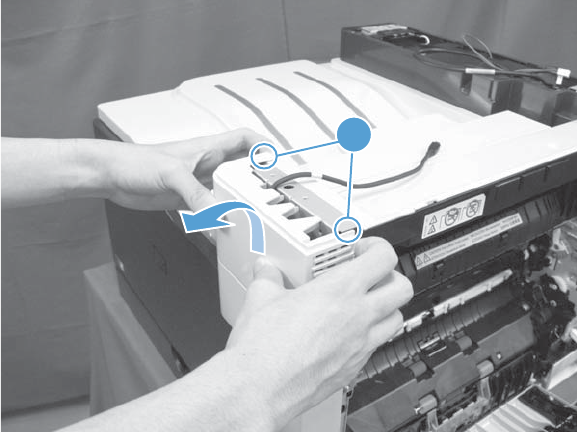
Remove the front upper cover; non stapler/stacker model
1. Open the right door.
2. Release two tabs (callout 1), rotate the top of the cover away from the product, and then remove
the cover.
Figure 1-127 Remove the front upper cover; non stapler/stacker model
1
ENWW Covers, doors, and whole unit replacement 85
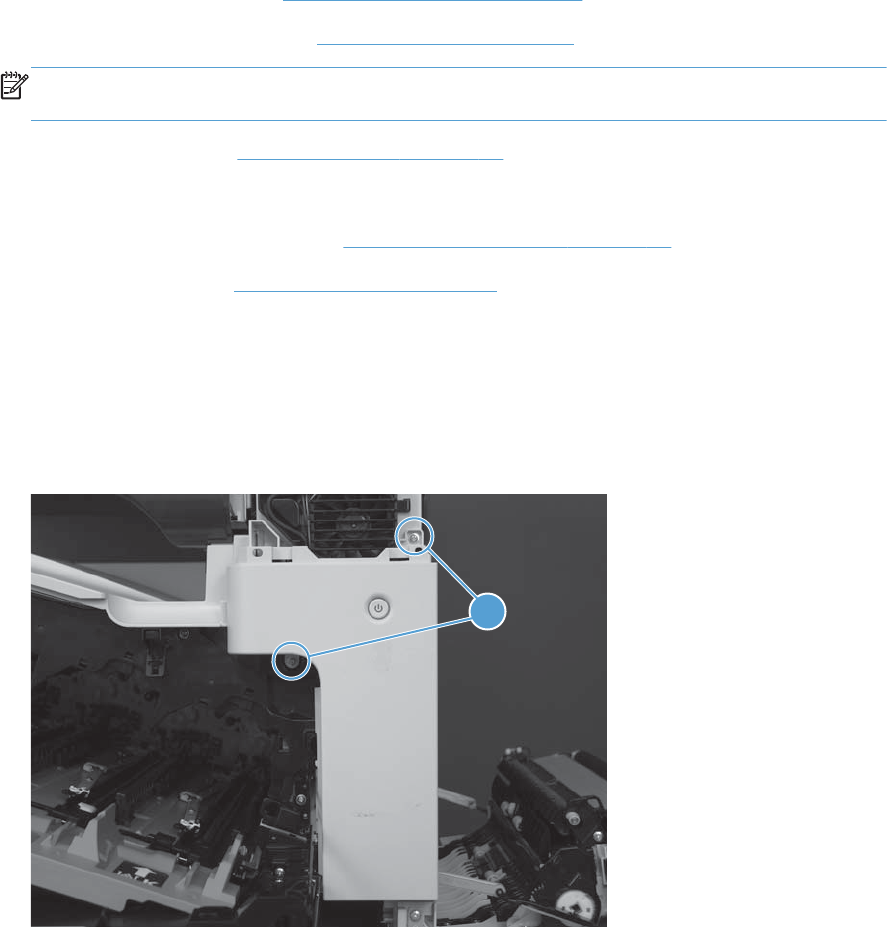
Front right cover
Before proceeding, remove the following assemblies:
●Control-panel assembly. See Control-panel assembly on page 5.
●Optional: Document feeder. See Document feeder on page 71.
NOTE: HP recommends removing the document feeder to decrease the weight of the scanner
assembly when it is lifted off of the product.
●Scanner assembly. See Scanner assembly on page 74.
●For a stapler/stacker model:
◦Stapler/stacker assembly. See Stapler/stacker assembly on page 78.
●Front upper cover. See Front upper cover on page 83.
Remove the front right cover
1. Open the front door and right door.
2. Remove two screws (callout 1).
Figure 1-128 Remove the front right cover (1 of 2)
1
86 Chapter 1 Removal and replacement ENWW
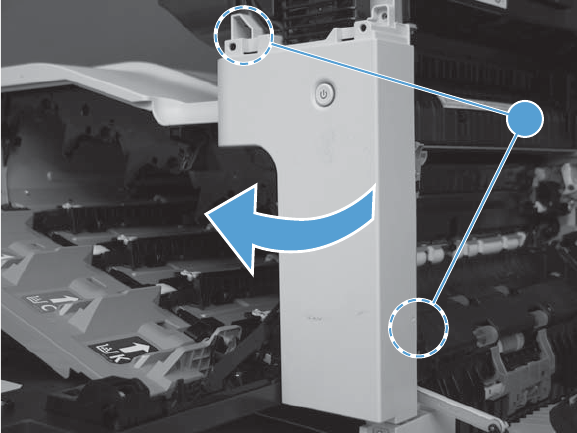
3. Release two tabs (callout 1), and then remove the cover.
Figure 1-129 Remove the front right cover (2 of 2)
1
ENWW Covers, doors, and whole unit replacement 87

Front door assembly
Before proceeding, remove the following assemblies:
●Control-panel assembly. See Control-panel assembly on page 5.
●Optional: Document feeder. See Document feeder on page 71.
NOTE: HP recommends removing the document feeder to decrease the weight of the scanner
assembly when it is lifted off of the product.
●Scanner assembly. See Scanner assembly on page 74.
●For a stapler/stacker model:
◦Stapler/stacker assembly. See Stapler/stacker assembly on page 78.
●Front upper cover. See Front upper cover on page 83.
●Front right cover. See Front right cover on page 86.
Remove the front door assembly
1. Open the front door.
88 Chapter 1 Removal and replacement ENWW
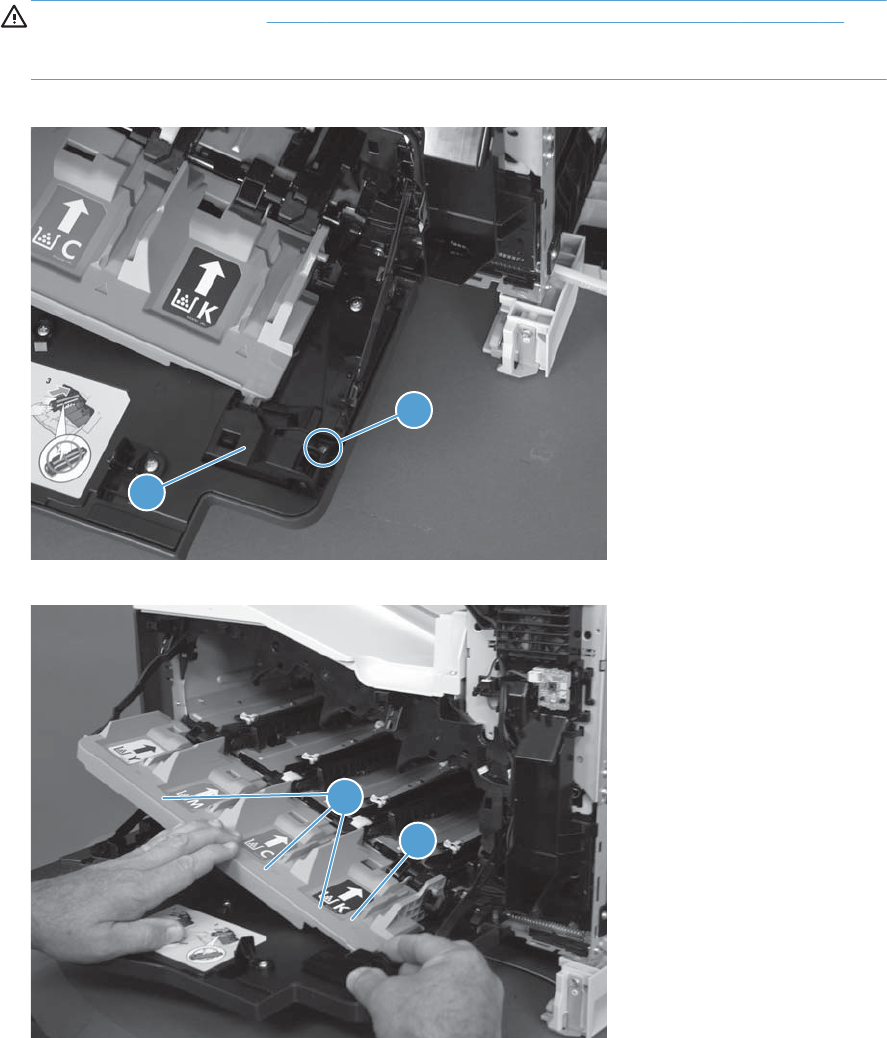
2. Remove one screw (callout 1) and remove the left side of the inner cover rail mount (callout 2).
CAUTION: As shown in Figure 1-131 Remove the front door assembly (2 of 4) on page 89,
when loosening the inner cover rail mount (callout 3), hold down the inner cover (callout 4) with
one hand to prevent it from springing back at the product.
Figure 1-130 Remove the front door assembly (1 of 4)
1
2
Figure 1-131 Remove the front door assembly (2 of 4)
3
4
ENWW Covers, doors, and whole unit replacement 89
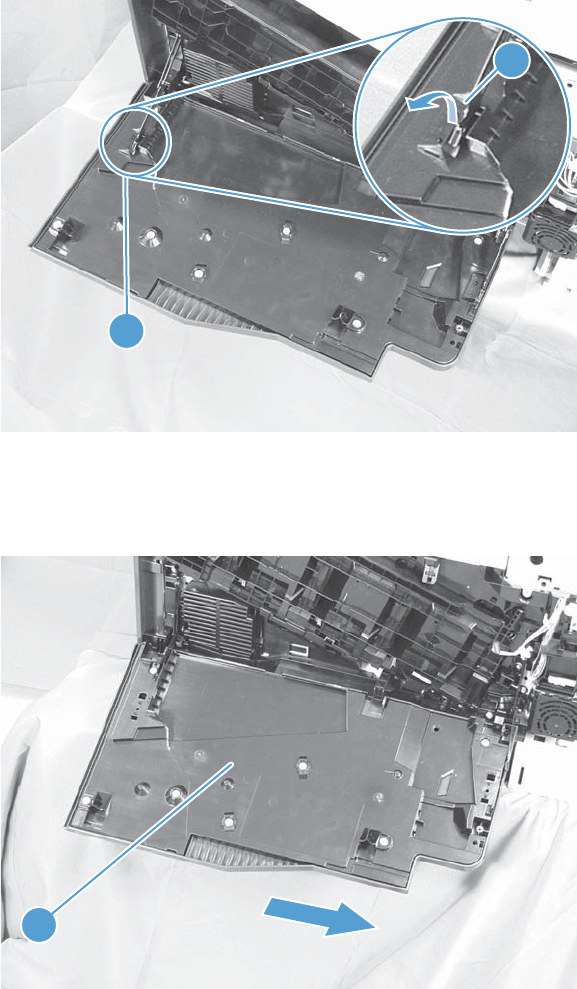
3. Close the inner cover, and then release one tab (callout 1) on the stopper (callout 2) with a small
flat-blade screwdriver.
Figure 1-132 Remove the front door assembly (3 of 4)
2
1
4. Position the door as shown below (callout 1; door should hang down past 90 degrees), and then
slide the front-door assembly in the direction that the arrow indicates to remove it from the product.
Figure 1-133 Remove the front door assembly (4 of 4)
1
90 Chapter 1 Removal and replacement ENWW
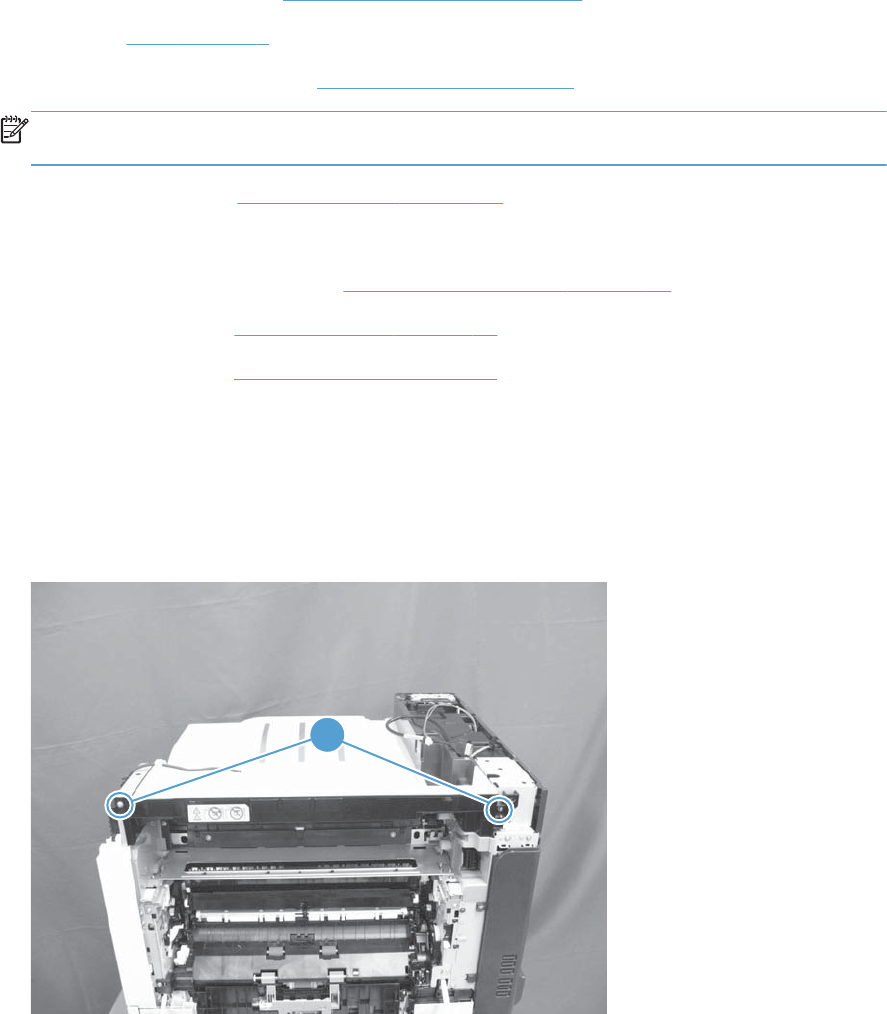
Top right cover
Before proceeding, remove the following assemblies:
●Control-panel assembly. See Control-panel assembly on page 5.
●Fuser. See Fuser on page 9.
●Optional: Document feeder. See Document feeder on page 71.
NOTE: HP recommends removing the document feeder to decrease the weight of the scanner
assembly when it is lifted off of the product.
●Scanner assembly. See Scanner assembly on page 74.
●For a stapler/stacker model:
◦Stapler/stacker assembly. See Stapler/stacker assembly on page 78.
●Right upper cover. See Right upper cover on page 67.
●Front upper cover. See Front upper cover on page 83.
Remove the top right cover
1. Open the right door.
2. Remove two screws (callout 1).
Figure 1-134 Remove the top right cover (1 of 2)
1
ENWW Covers, doors, and whole unit replacement 91
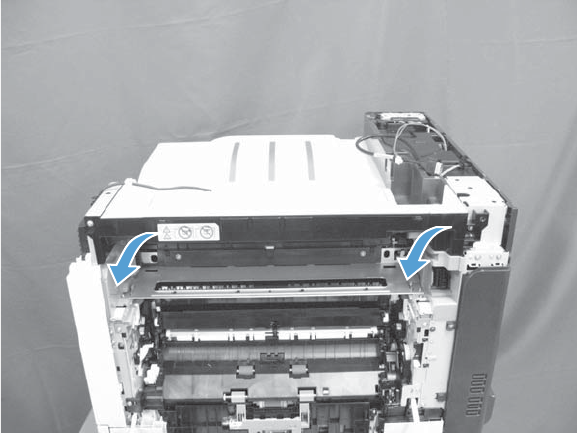
3. Remove the cover.
Figure 1-135 Remove the top right cover (2 of 2)
92 Chapter 1 Removal and replacement ENWW
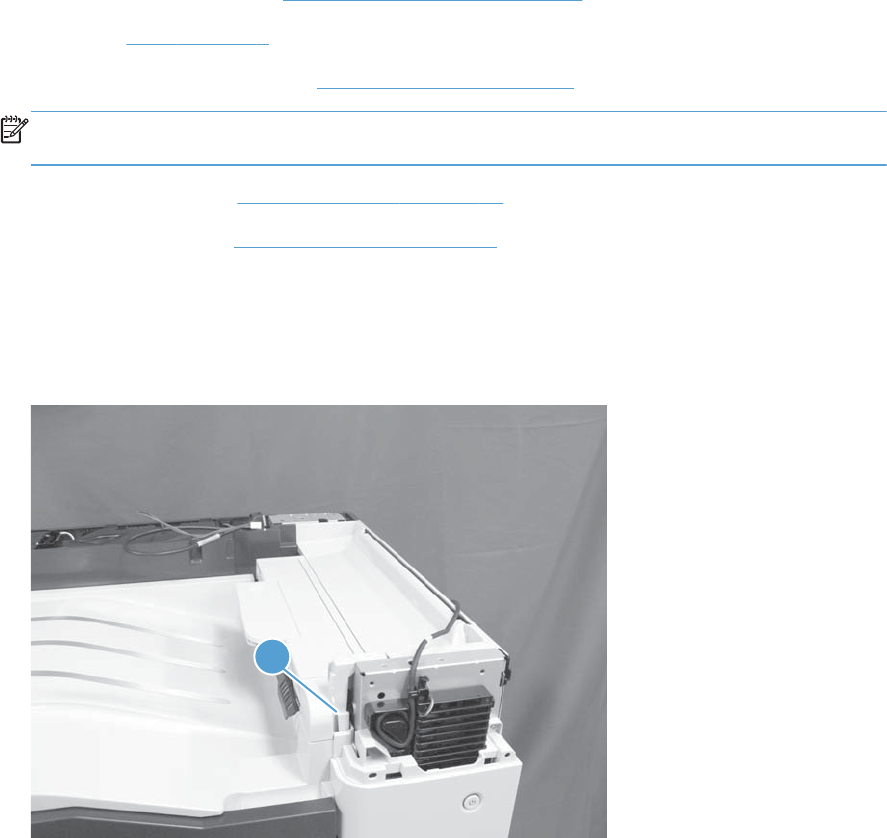
Output cover; non stapler/stacker model
Before proceeding, remove the following assemblies:
●Control-panel assembly. See Control-panel assembly on page 5.
●Fuser. See Fuser on page 9.
●Optional: Document feeder. See Document feeder on page 71.
NOTE: HP recommends removing the document feeder to decrease the weight of the scanner
assembly when it is lifted off of the product.
●Scanner assembly. See Scanner assembly on page 74.
●Front upper cover. See Front upper cover on page 83.
Remove the output cover
1. Release one tab (callout 1).
Figure 1-136 Remove the output cover (1 of 2)
1
ENWW Covers, doors, and whole unit replacement 93
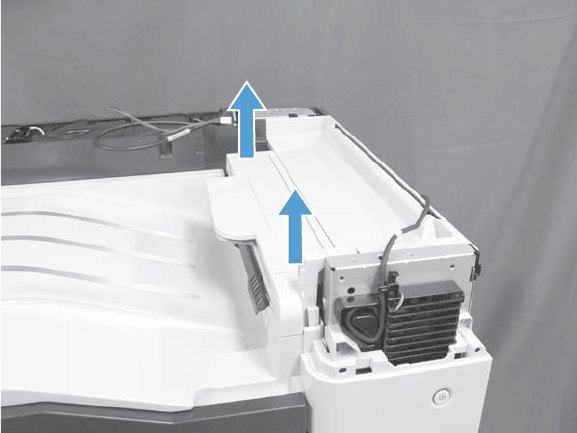
2. Remove the cover.
Figure 1-137 Remove the output cover (2 of 2)
94 Chapter 1 Removal and replacement ENWW
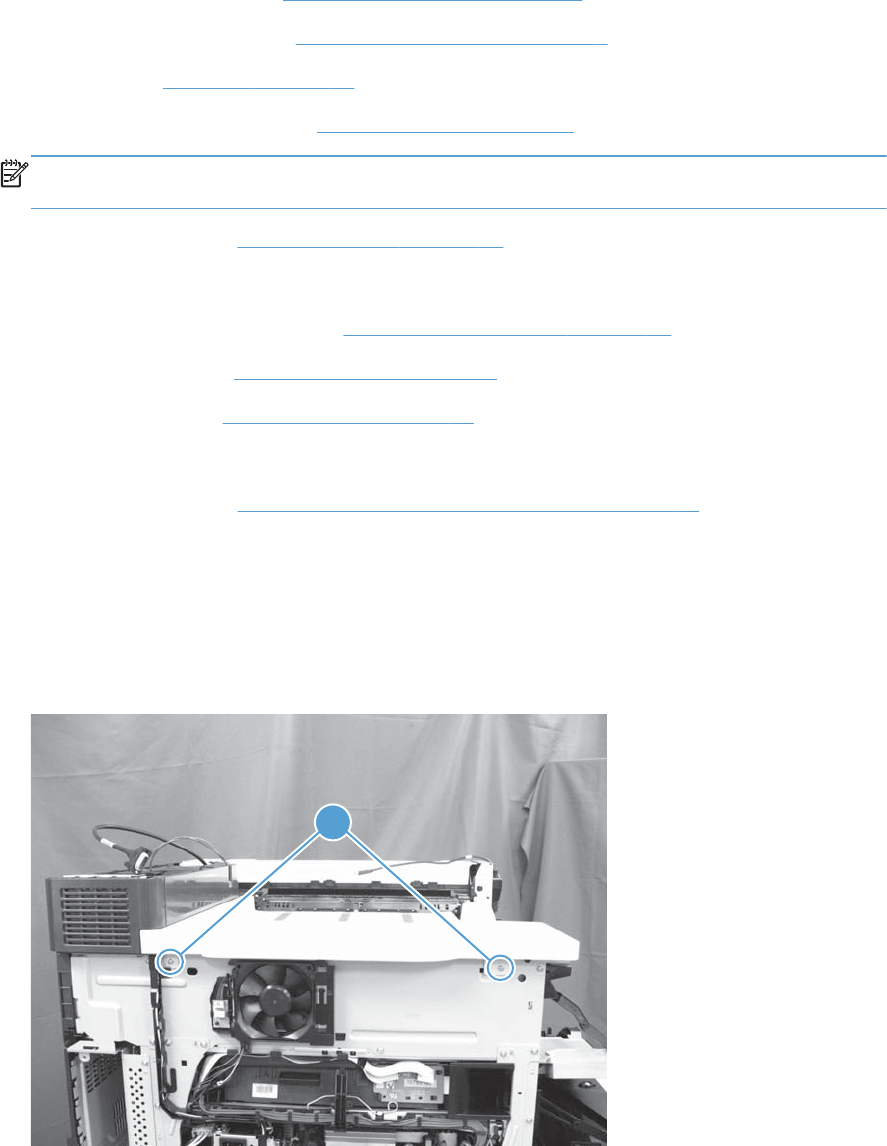
Top cover
Before proceeding, remove the following assemblies:
●Control-panel assembly. See Control-panel assembly on page 5.
●Intermediate transfer belt. See Intermediate transfer belt on page 7.
●Left cover. See Left cover on page 57.
●Optional: Document feeder. See Document feeder on page 71.
NOTE: HP recommends removing the document feeder to decrease the weight of the scanner
assembly when it is lifted off of the product.
●Scanner assembly. See Scanner assembly on page 74.
●For a stapler/stacker model:
◦Stapler/stacker assembly. See Stapler/stacker assembly on page 78.
●Front upper cover. See Front upper cover on page 83.
●Front right cover. See Front right cover on page 86.
●For a non stapler/stacker model:
◦Output cover. See Output cover; non stapler/stacker model on page 93.
Remove the top cover
1. Open the front door.
2. Remove two screws (callout 1).
Figure 1-138 Remove the top cover (1 of 3)
1
ENWW Covers, doors, and whole unit replacement 95
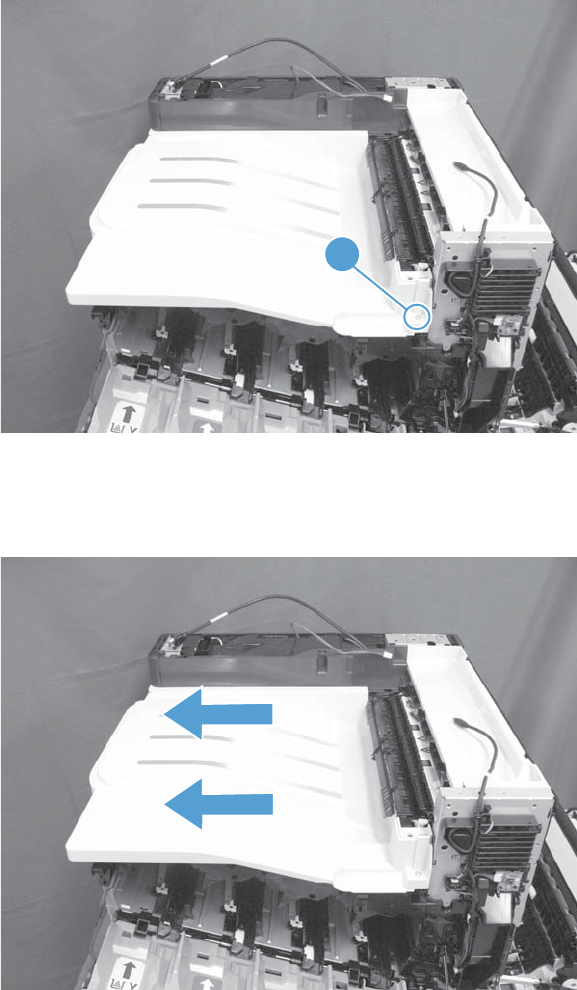
3. Remove one screw (callout 1).
Figure 1-139 Remove the top cover (2 of 3)
1
4. Slightly lift the front-right corner of the cover, and then slide it in the direction of the arrows shown
below to remove the cover.
Figure 1-140 Remove the top cover (3 of 3)
96 Chapter 1 Removal and replacement ENWW

Top rear cover
Before proceeding, remove the following assemblies:
●Control-panel assembly. See Control-panel assembly on page 5.
●Intermediate transfer belt. See Intermediate transfer belt on page 7.
●Left cover. See Left cover on page 57.
●Optional: Document feeder. See Document feeder on page 71.
NOTE: HP recommends removing the document feeder to decrease the weight of the scanner
assembly when it is lifted off of the product.
●Scanner assembly. See Scanner assembly on page 74.
●For a stapler/stacker model:
◦Stapler/stacker assembly. See Stapler/stacker assembly on page 78.
●Left upper cover. See Left upper cover on page 82.
●Rear-upper cover. See Rear upper cover on page 66.
●Front-upper cover. See Front upper cover on page 83.
●Front right cover. See Front right cover on page 86.
●For a non stapler/stacker model:
◦Output cover. See Output cover; non stapler/stacker model on page 93.
●Top cover. See Top cover on page 95.
●Sub power supply. See Sub-power supply assembly on page 110.
●Sub power supply fan FM5. See Sub power supply fan FM5 on page 112.
Remove the top rear cover
1. Open the front door.
ENWW Covers, doors, and whole unit replacement 97
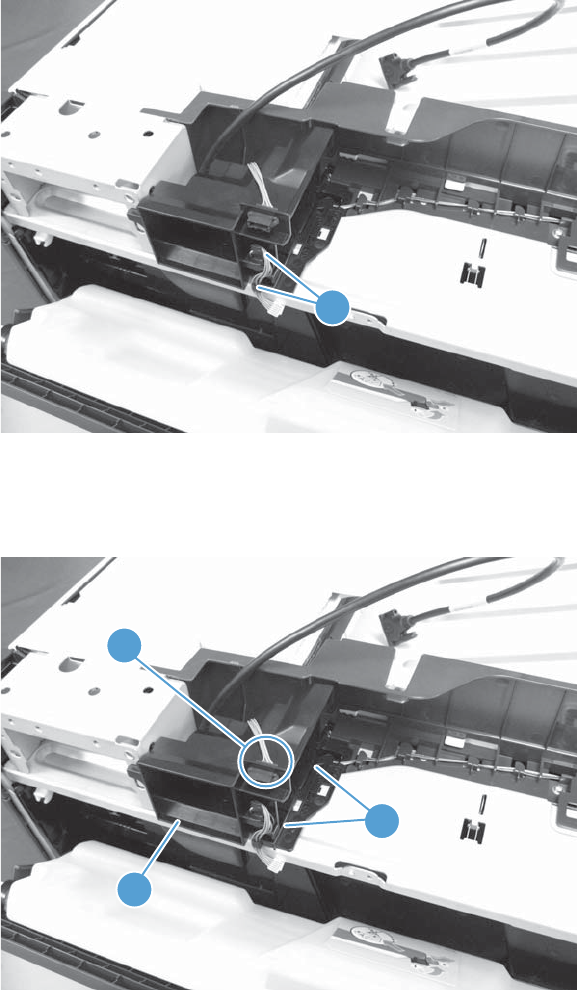
2. Release the wire harnesses from the retainers (callout 1).
Figure 1-141 Remove the top rear cover (1 of 5)
1
3. Disconnect one connector (callout 1), release two tabs (callout 2), and then remove the duct
(callout 3).
Figure 1-142 Remove the top rear cover (2 of 5)
1
2
3
98 Chapter 1 Removal and replacement ENWW
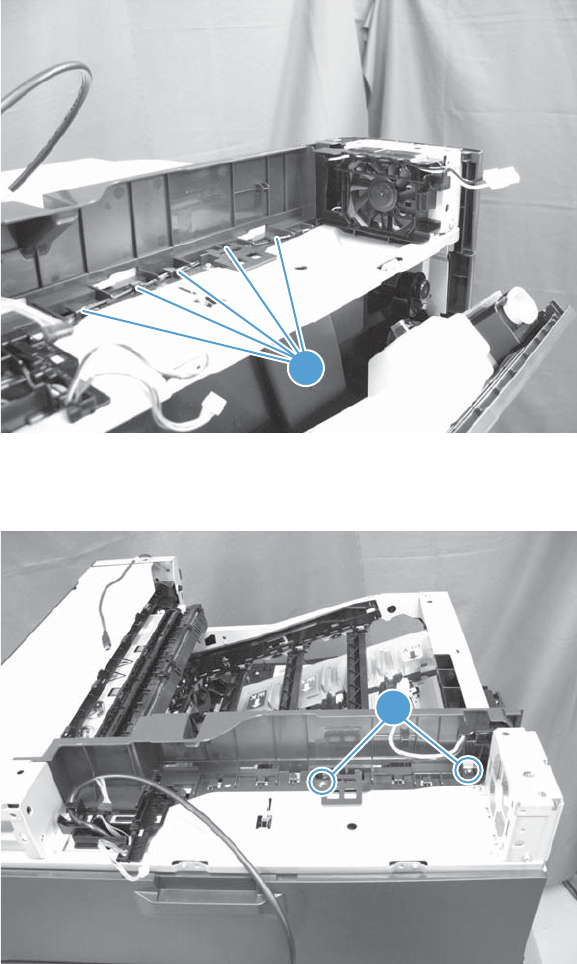
4. Release the wire harness from the retainers (callout 1) on the top rear cover.
Figure 1-143 Remove the top rear cover (3 of 5)
1
5. Remove two screws (callout 1).
Figure 1-144 Remove the top rear cover (4 of 5)
1
ENWW Covers, doors, and whole unit replacement 99
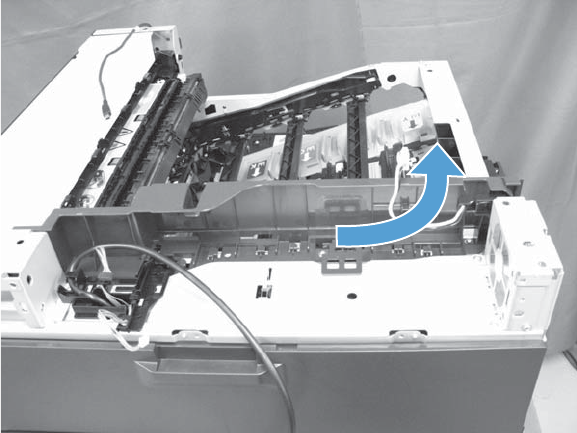
6. Slightly slide the cover to the right to release it, and then remove the cover.
Figure 1-145 Remove the top rear cover (5 of 5)
100 Chapter 1 Removal and replacement ENWW
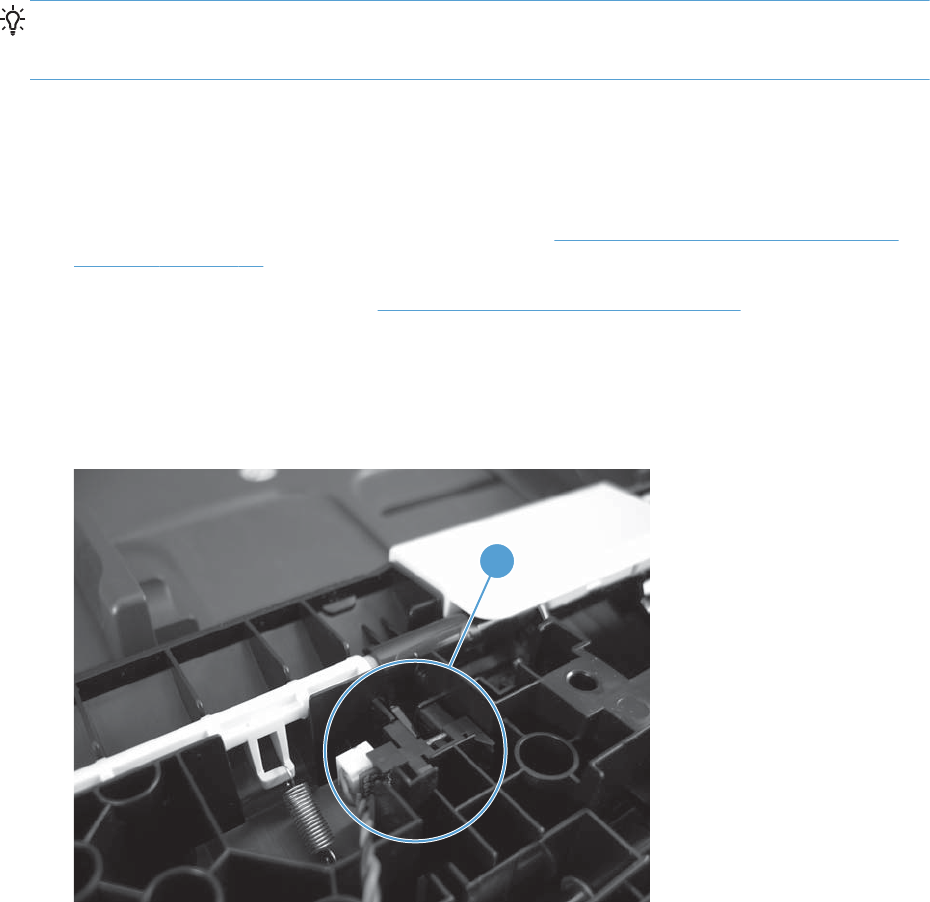
Main assemblies
TIP: For clarity, some figures in this chapter show assemblies removed that are not required to be
removed to service the product (for example, the scanner and document feeder assembies). The
procedures in this manual are correct for your product.
Document feeder paper present sensor
Before proceeding, remove the following assemblies:
●Document feeder pickup and feed roller assembly. See Document feeder pickup and feed roller
assembly on page 32.
●Document feeder hatch cover. See Document feeder hatch cover on page 41.
Remove the document feeder paper present sensor
1. Remove the sensor (callout 1).
Figure 1-146 Remove the document feeder paper present sensor (1 of 2)
1
ENWW Main assemblies 101
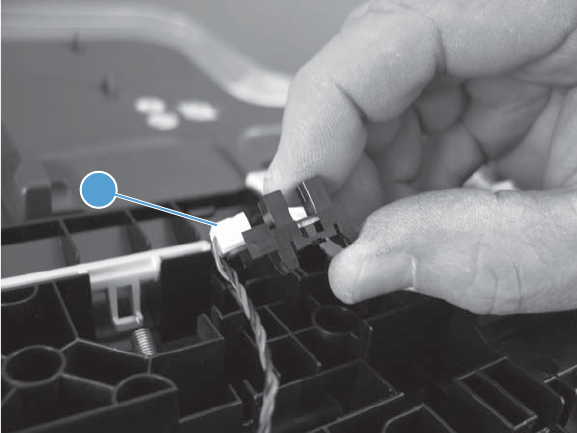
2. Disconnect one connector (callout 1).
Figure 1-147 Remove the document feeder paper present sensor (2 of 2)
1
102 Chapter 1 Removal and replacement ENWW
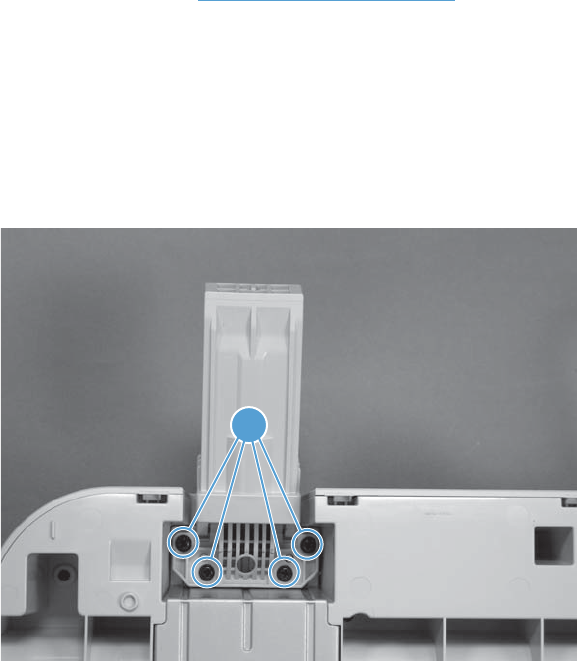
Document feeder hinge
Before proceeding, remove the following assemblies:
●Document feeder. See Document feeder on page 71.
Remove the document hinge
The right and left document feeder hinges look identical, but they are not the same part. When
ordering a replacement hinge, make sure you specify the correct (right or left) hinge part number.
1. Turn the document feeder upside down, and then remove four screws (callout 1).
Figure 1-148 Remove the document feeder hinge (1 of 2)
1
ENWW Main assemblies 103
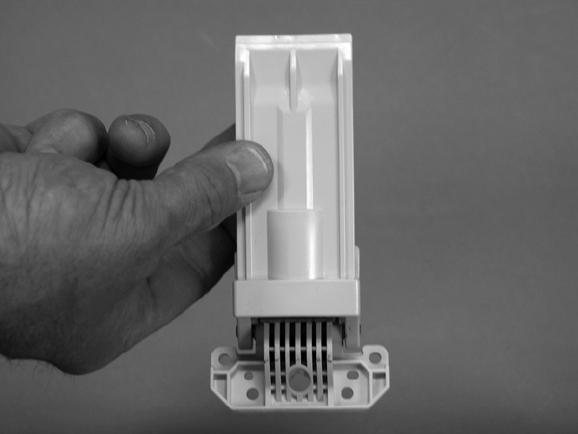
2. Remove the right or left hinge.
Figure 1-149 Remove the document feeder hinge (2 of 2)
104 Chapter 1 Removal and replacement ENWW
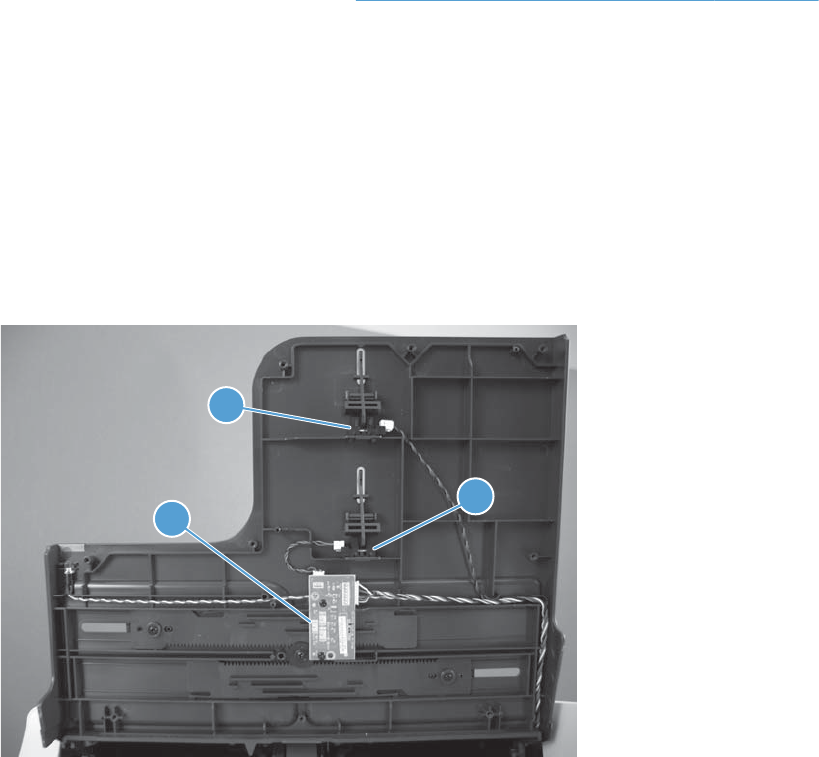
Document feeder width sensor, paper-long and paper-short
sensors
Before proceeding, remove the following assemblies:
●Document feeder tray bottom cover. See Document feeder input tray bottom cover on page 42.
Remove the document feeder width sensor, paper-short and paper-long
sensors
1. Identify the sensor to be replaced.
●Width-adjust sensor (callout 1)
●Paper-short sensor (callout 2)
●Paper-long sensor (callout 3)
Figure 1-150 Remove the document feeder width sensor, paper-short and paper-long sensors
3
12
ENWW Main assemblies 105
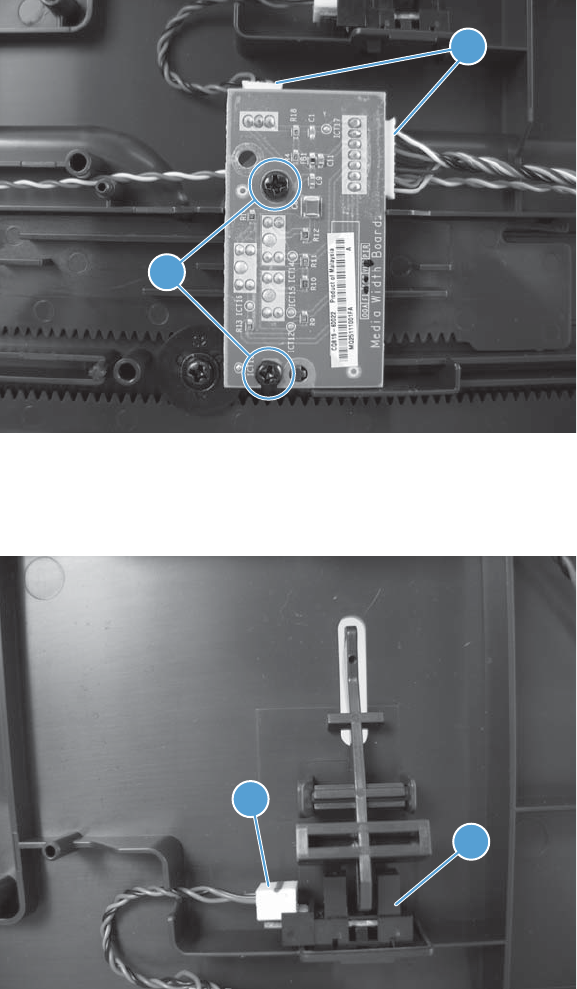
2. Do one of the following:
●Width-adjust sensor: Disconnect two connectors (callout 1, remove two screws (callout
2), and then remove the sensor PCA.
Figure 1-151 Remove the document feeder width sensor
1
2
●Paper-short sensor: Disconnect one connector (callout 1, and then remove the sensor
(callout 2).
Figure 1-152 Remove the document feeder paper-short sensor
2
1
106 Chapter 1 Removal and replacement ENWW
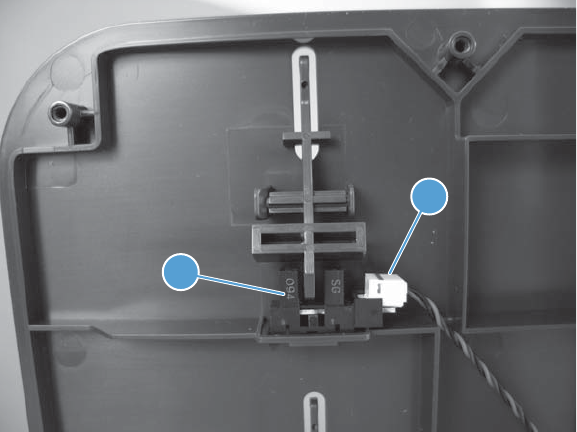
●Paper-long sensor: Disconnect one connector (callout 1, and then remove the sensor
(callout 2).
Figure 1-153 Remove the document feeder paper-long sensor
2
1
ENWW Main assemblies 107
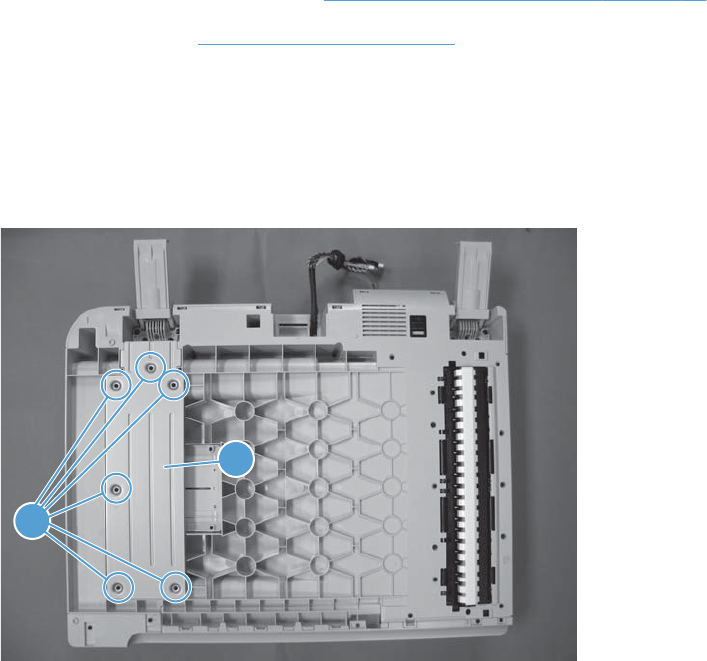
Document feeder tray extender
Before proceeding, remove the following assemblies:
●Document feeder foam reflector. See Document feeder foam reflector on page 16.
●Document feeder. See Document feeder on page 71.
Remove the document tray extender
1. Turn the document feeder upside down, remove six screws (callout 1), and then remove the sheet-
metal plate (callout 2).
Figure 1-154 Remove the document feeder tray extender (1 of 3)
1
2
108 Chapter 1 Removal and replacement ENWW
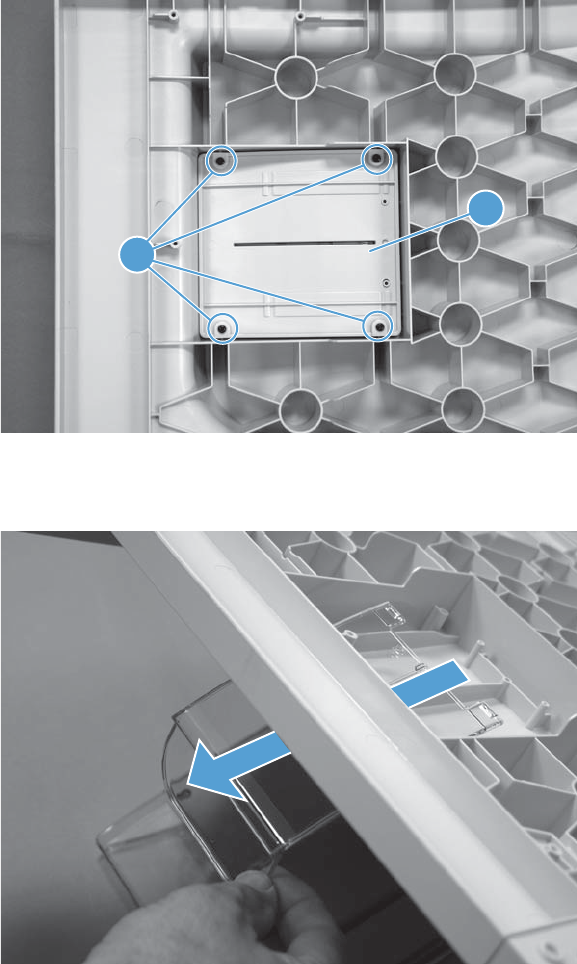
2. Remove four screws (callout 1), and then remove the cover (callout 2).
Figure 1-155 Remove the document feeder tray extender (2 of 3)
1
2
3. Remove the tray extender.
Figure 1-156 Remove the document feeder tray extender (3 of 3)
ENWW Main assemblies 109
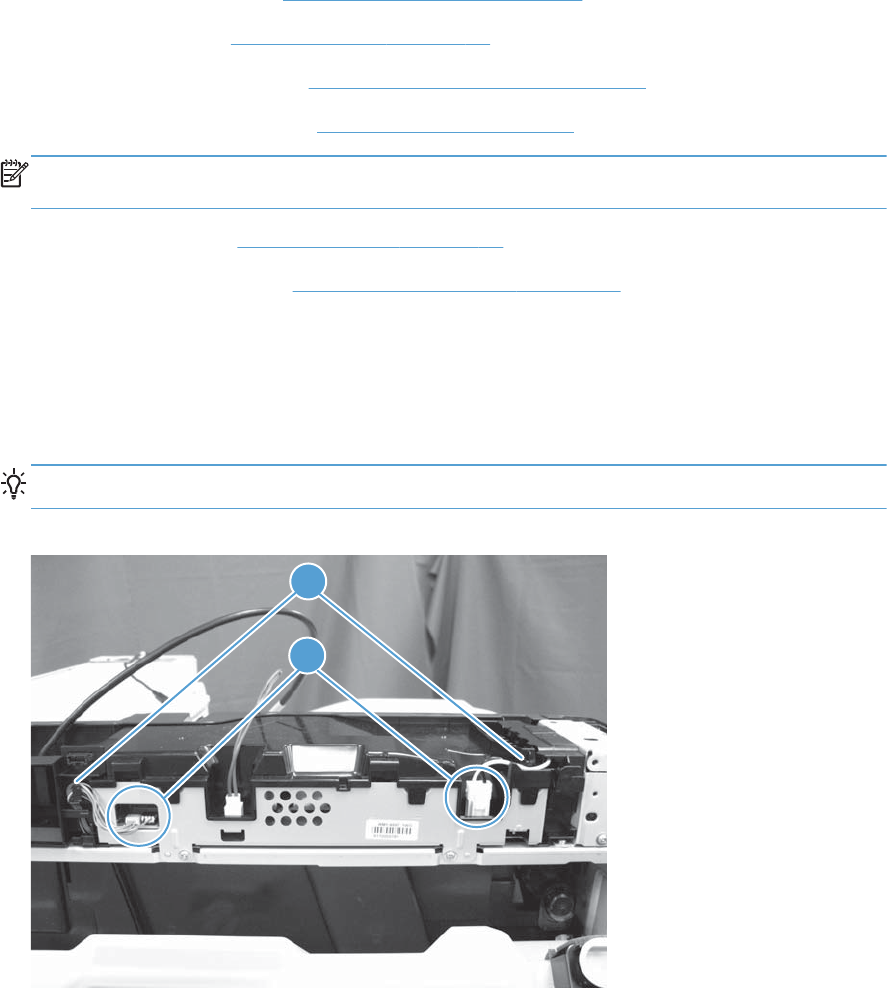
Sub-power supply assembly
Before proceeding, remove the following assemblies:
●Control-panel assembly. See Control-panel assembly on page 5.
●Rear upper cover. See Rear upper cover on page 66.
●Stapler/stacker rear cover. See Stapler/stacker rear cover on page 69.
●Optional: Document feeder. See Document feeder on page 71.
NOTE: HP recommends removing the document feeder to decrease the weight of the scanner
assembly when it is lifted off of the product.
●Scanner assembly. See Scanner assembly on page 74.
●Staple/stacker assembly. See Stapler/stacker assembly on page 78.
Remove the power supply assembly
1. Open the toner collection unit (TCU) access door.
2. Disconnect three connectors (callout 1).
TIP: It is not necessary to remove the wire harnesses from the retainers (callout 2).
Figure 1-157 Remove the sub-power supply assembly (1 of 2)
1
2
110 Chapter 1 Removal and replacement ENWW
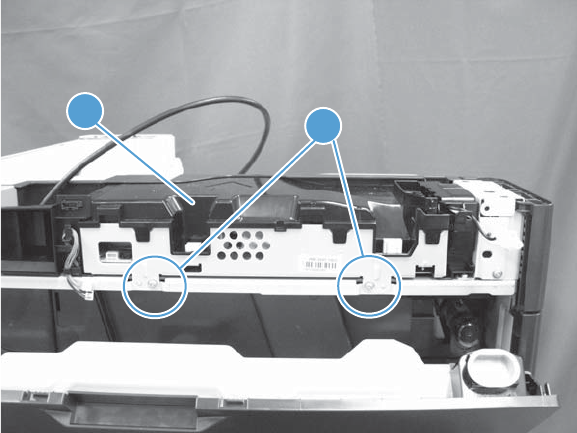
3. Remove two screws (callout 1), and then remove the assembly (callout 2).
Figure 1-158 Remove the sub-power supply assembly (2 of 2)
1
2
ENWW Main assemblies 111
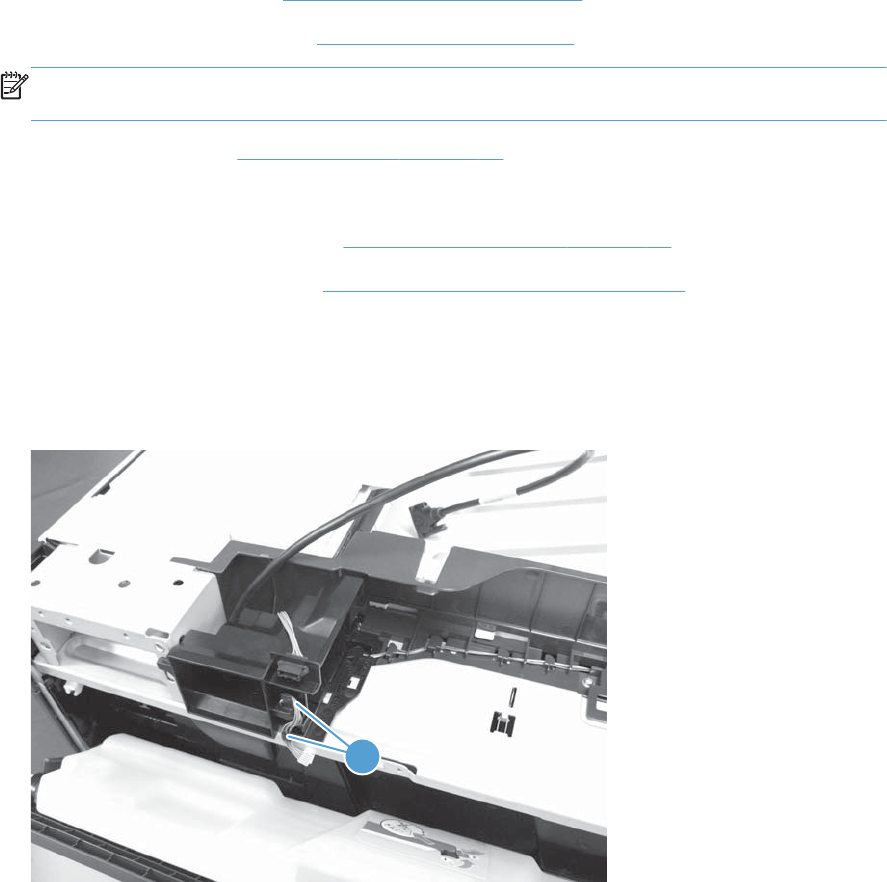
Sub power supply fan FM5
Before proceeding, remove the following assemblies:
●Control-panel assembly. See Control-panel assembly on page 5.
●Optional: Document feeder. See Document feeder on page 71.
NOTE: HP recommends removing the document feeder to decrease the weight of the scanner
assembly when it is lifted off of the product.
●Scanner assembly. See Scanner assembly on page 74.
●For a stapler/stacker model:
◦Stapler/stacker assembly. See Stapler/stacker assembly on page 78.
●Sub power supply assembly. See Sub-power supply assembly on page 110.
Remove the sub power supply fan FM5
1. Release the wire harness from the retainers (callout 1).
Figure 1-159 Remove the sub power supply fan FM5 (1 of 5)
1
112 Chapter 1 Removal and replacement ENWW
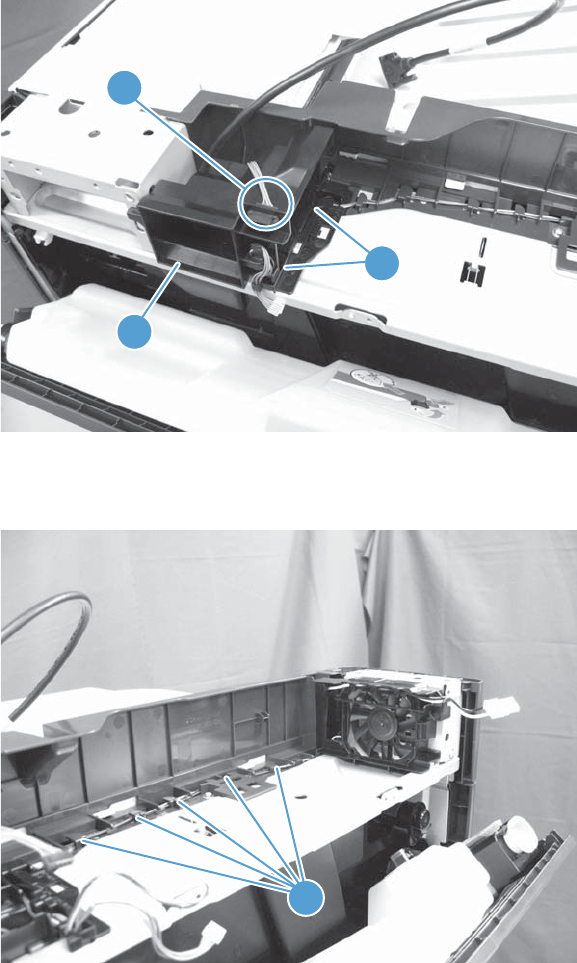
2. Disconnect one connector (callout 1), release two tabs (callout 2), and then remove the duct
(callout 3).
Figure 1-160 Remove the sub power supply fan FM5 (2 of 5)
1
2
3
3. Release the wire harness from the retainers (callout 1) on the top rear cover.
Figure 1-161 Remove the sub power supply fan FM5 (3 of 5)
1
ENWW Main assemblies 113
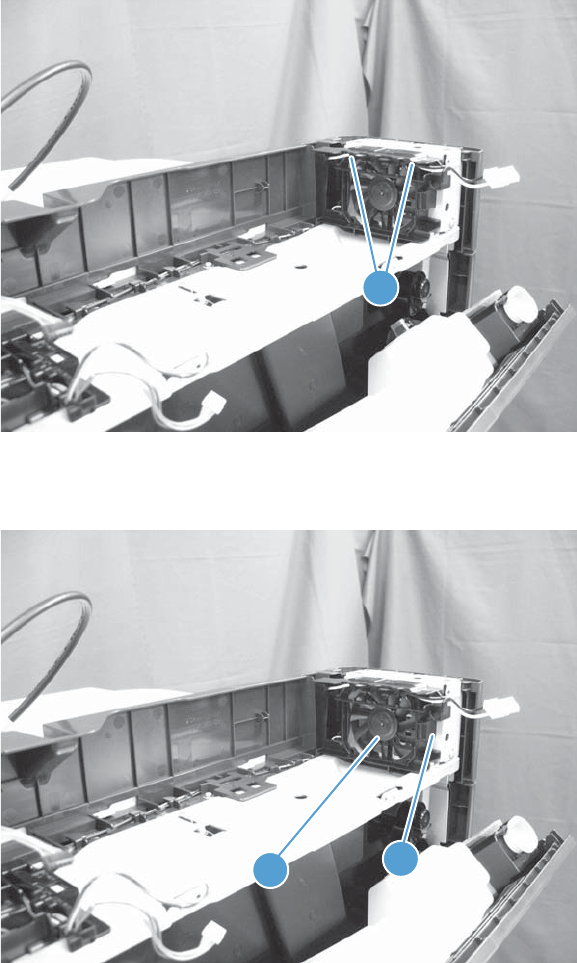
4. Release the wire harness (callout 1) from the retainers (callout 2) along the top of the fan
assembly.
Figure 1-162 Remove the sub power supply fan FM5 (4 of 5)
1
5. Release one tab (callout 1), and then remove the assembly (callout 2).
Figure 1-163 Remove the sub power supply fan FM5 (5 of 5)
1
2
114 Chapter 1 Removal and replacement ENWW
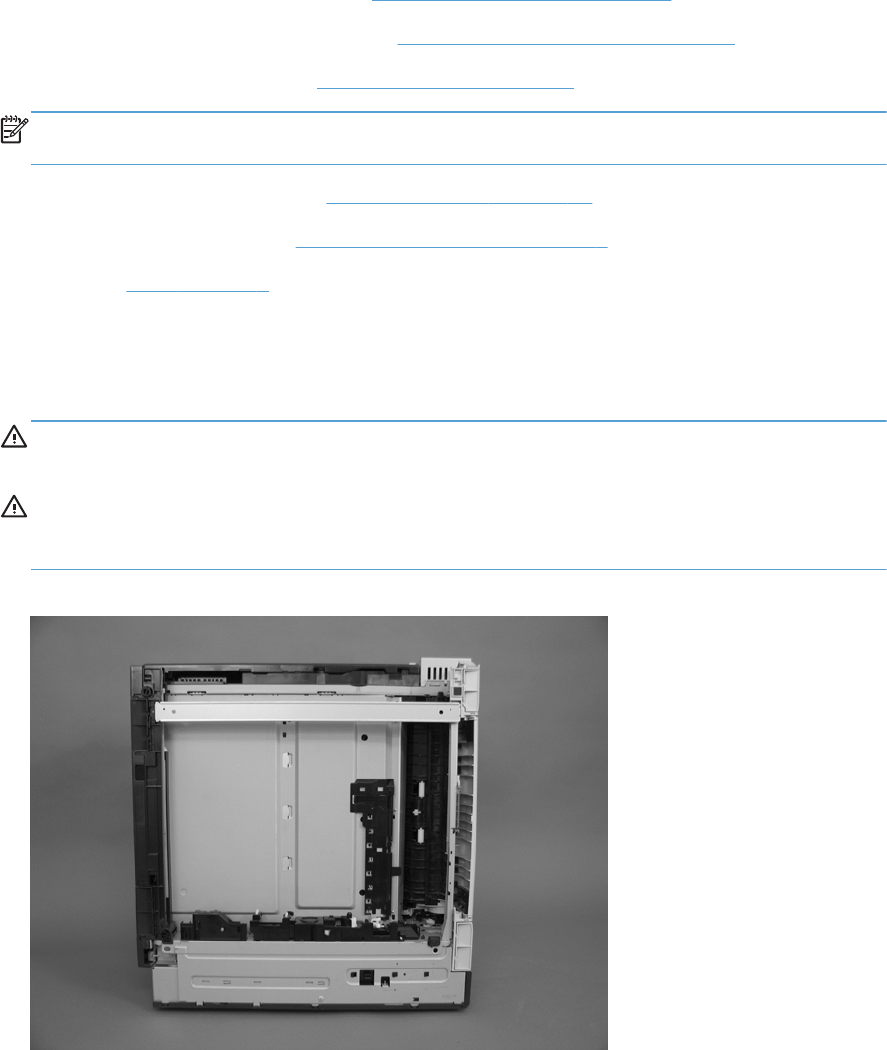
Lifter-drive assembly
Before proceeding, remove the following assemblies:
Removing the optional items below will make the product lighter and easier to handle.
●Optional: Control-panel assembly. See Control-panel assembly on page 5.
●Optional: Stapler/stacker rear cover. See Stapler/stacker rear cover on page 69.
●Optional: Document feeder. See Document feeder on page 71.
NOTE: HP recommends removing the document feeder to decrease the weight of the scanner
assembly when it is lifted off of the product.
●Optional: Scanner assembly. See Scanner assembly on page 74.
●Intermediate transfer belt. See Intermediate transfer belt on page 7.
●Fuser. See Fuser on page 9.
Remove the lifter-drive assembly
1. Remove Tray 2 if it was not already removed. Place the product so that the front side is face up.
WARNING! With the optional assemblies listed above installed, the product is very heavy. HP
recommends at least two people handle the product.
CAUTION: If you did not remove the optional assemblies in the list above, be aware the
document feeder can suddenly open when the product is placed face up. Secure the document
feeder before moving the product.
Figure 1-164 Remove the lifter-drive assembly (1 of 3)
ENWW Main assemblies 115

2. Release the tab (callout 1), and then pull up to remove the cover (callout 2).
Figure 1-165 Remove the lifter-drive assembly (2 of 3)
21
116 Chapter 1 Removal and replacement ENWW
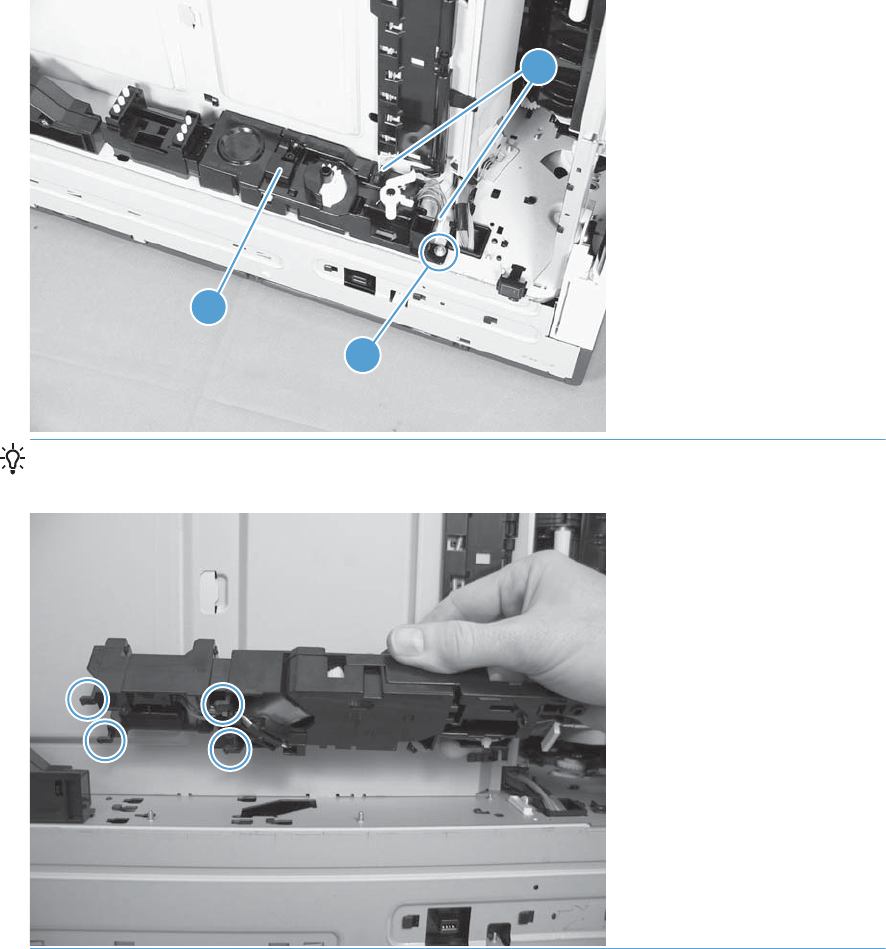
3. Disconnect two connectors (callout 1), remove one screw (callout 2), and then remove the lifter
drive (callout 3).
Figure 1-166 Remove the lifter-drive assembly (3 of 3)
1
3
2
Reinstallation tip Make sure that the tabs align correctly when reinstalling the lifter-drive
assembly.
ENWW Main assemblies 117

ITB front guide assembly
Before proceeding, remove the following assemblies:
●Control-panel assembly. See Control-panel assembly on page 5.
●Intermediate transfer belt. See Intermediate transfer belt on page 7.
●Left cover. See Left cover on page 57.
●Optional: Document feeder. See Document feeder on page 71.
NOTE: HP recommends removing the document feeder to decrease the weight of the scanner
assembly when it is lifted off of the product.
●Scanner assembly. See Scanner assembly on page 74.
●For a stapler/stacker model:
◦Stapler/stacker assembly. See Stapler/stacker assembly on page 78.
●Front upper cover. See Front upper cover on page 83.
●Front right cover. See Front right cover on page 86.
●For a non stapler/stacker model:
◦Output cover. See Output cover; non stapler/stacker model on page 93.
●Top cover. See Top cover on page 95.
118 Chapter 1 Removal and replacement ENWW
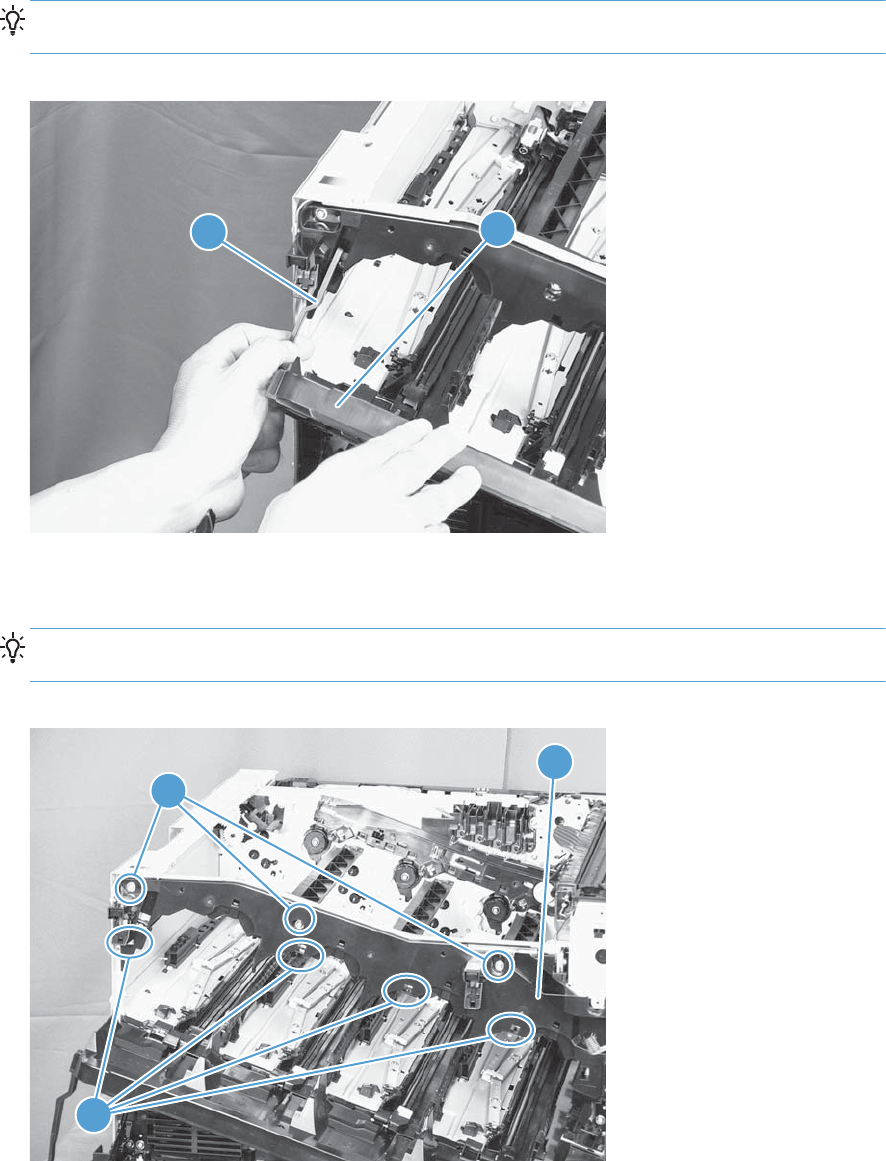
Remove the ITB front guide assembly
1. Open the front door (callout 1) halfway, and then push up the upper part of the link arm (callout
2) to detach it from the product chassis.
TIP: It might be easier to release the link arm by using a small flat blade screwdriver to ease it
off of the chassis.
Figure 1-167 Remove the ITB front guide assembly (1 of 4)
21
2. Remove three screws (callout 1), release four tabs (callout 2), and then remove the cartridge upper
guide (callout 3).
Reinstallation tip Make sure that all of the tabs are positioned behind the sheet metal when
the assembly is reinstalled.
Figure 1-168 Remove the ITB front guide assembly (2 of 4)
3
2
1
ENWW Main assemblies 119
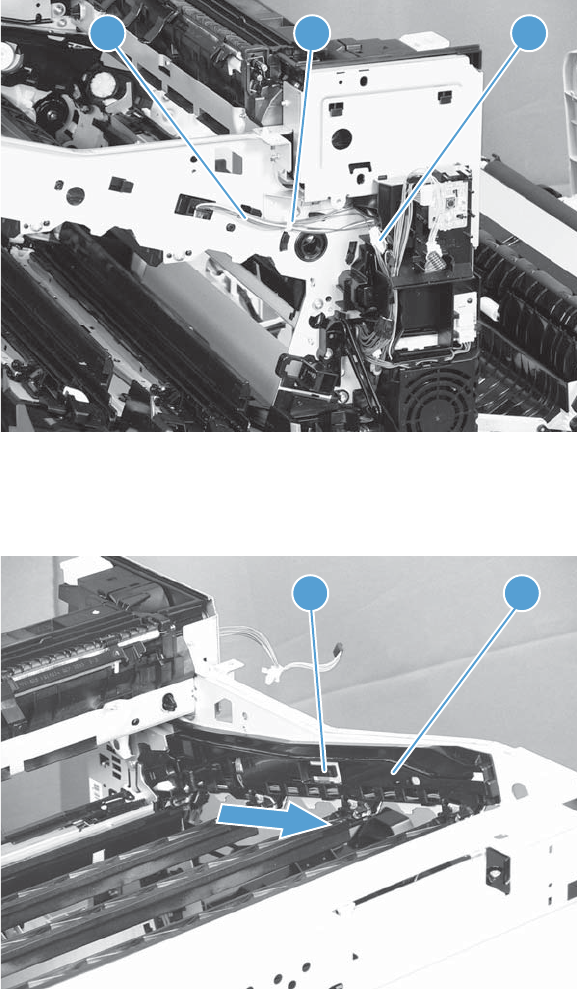
3. Disconnect one connector (callout 1), and then release the cables (callout 2) from the cable clamp
(callout 3).
Figure 1-169 Remove the ITB front guide assembly (3 of 4)
12 3
4. Release one tab (callout 1), and then slide the ITB front guide assembly (callout 2) in the direction
that the arrow indicates to remove it.
Figure 1-170 Remove the ITB front guide assembly (4 of 4)
2
1
120 Chapter 1 Removal and replacement ENWW
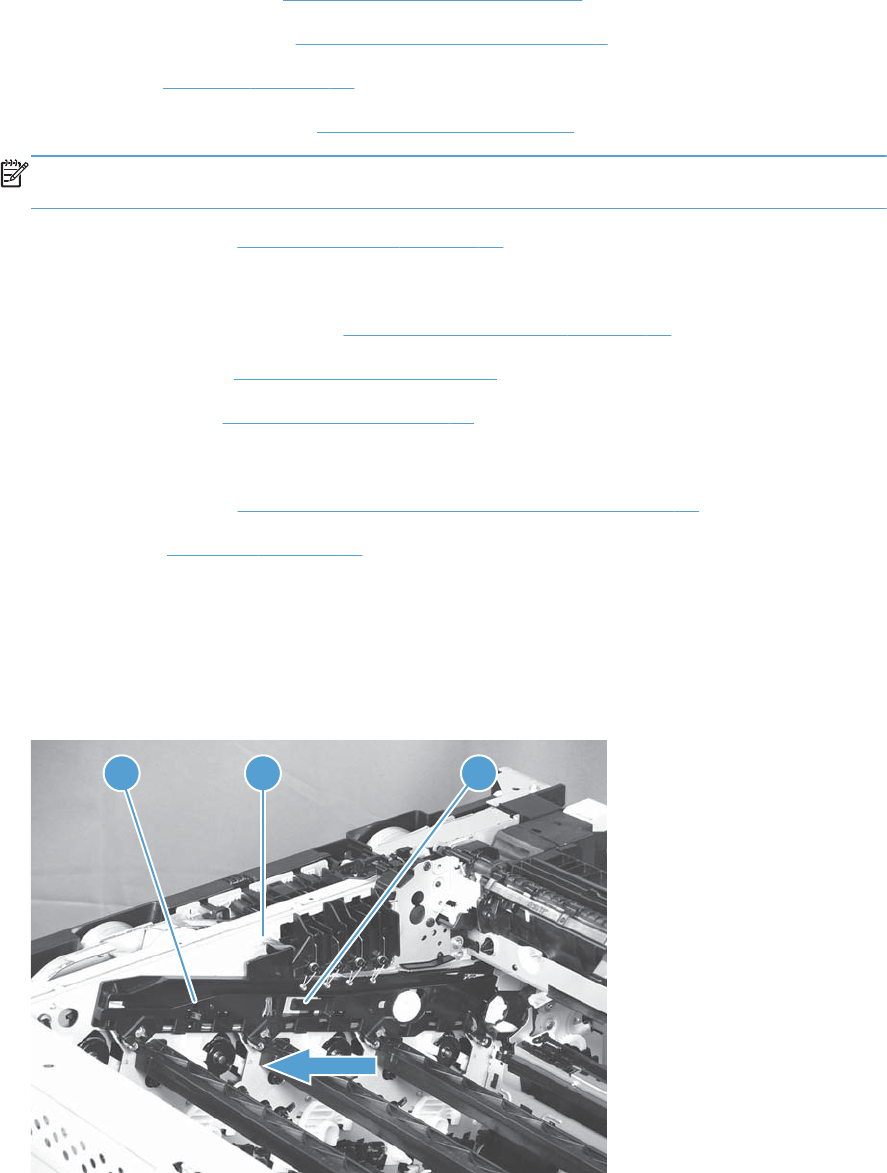
ITB rear guide assembly
Before proceeding, remove the following assemblies:
●Control-panel assembly. See Control-panel assembly on page 5.
●Intermediate transfer belt. See Intermediate transfer belt on page 7.
●Left cover. See Left cover on page 57.
●Optional: Document feeder. See Document feeder on page 71.
NOTE: HP recommends removing the document feeder to decrease the weight of the scanner
assembly when it is lifted off of the product.
●Scanner assembly. See Scanner assembly on page 74.
●For a stapler/stacker model:
◦Stapler/stacker assembly. See Stapler/stacker assembly on page 78.
●Front upper cover. See Front upper cover on page 83.
●Front right cover. See Front right cover on page 86.
●For a non stapler/stacker model:
◦Output cover. See Output cover; non stapler/stacker model on page 93.
●Top cover. See Top cover on page 95.
Remove the ITB rear guide assembly
▲Disconnect one connector (callout 1), release one tab (callout 2), and then slide the ITB rear guide
(callout 3) in the direction that the arrow indicates to remove it.
Figure 1-171 Remove the ITB rear guide assembly
31 2
ENWW Main assemblies 121
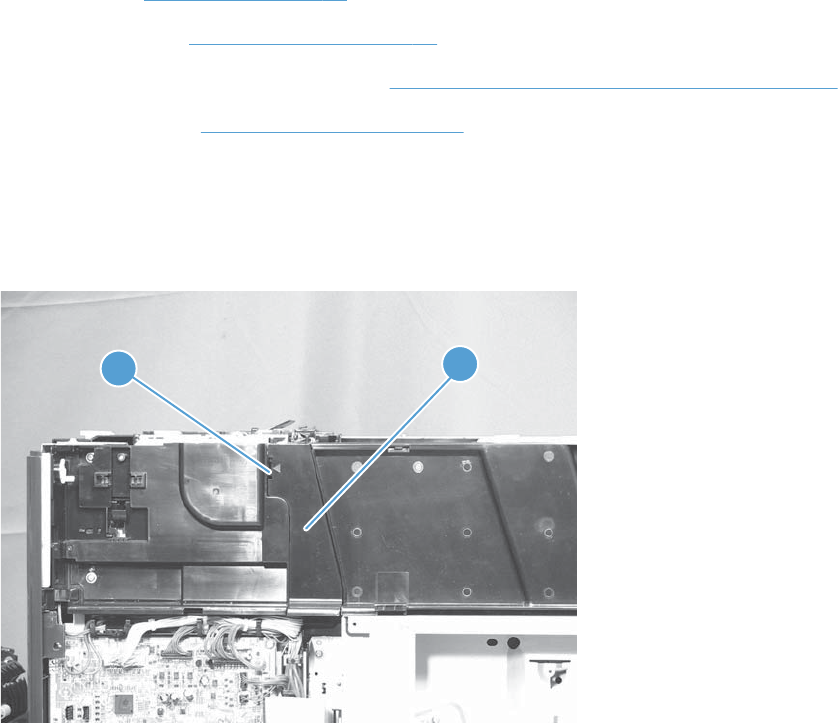
Residual toner full sensor
Before proceeding, remove the following assemblies:
●Rear cover. See Rear cover on page 58.
●Right rear cover. See Right rear cover on page 59.
●Toner collection unit (TCU) access door. See Toner collection unit (TCU) access door on page 60.
Rear upper cover. See Right upper cover on page 67.
Remove the residual toner full sensor
1. Release one tab (callout 1), and then remove the cover (callout 2).
Figure 1-172 Remove the residual toner full sensor (1 of 5)
12
122 Chapter 1 Removal and replacement ENWW
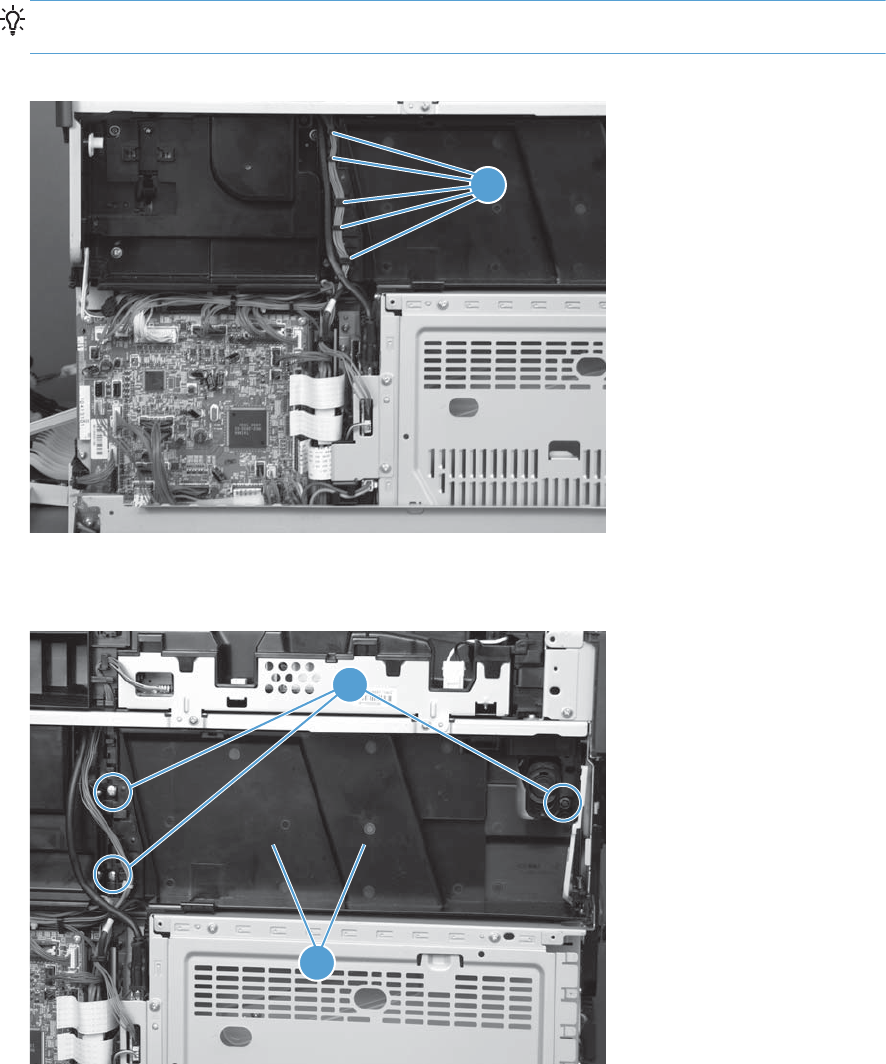
2. Release the wire harness from the retainers (callout 1).
TIP: It might be easier to release the wire harness if you start at the bottom-most retainer (near
the DC controller).
Figure 1-173 Remove the residual toner full sensor (2 of 5)
1
3. Remove three screws (callout 1), and then remove the cover (callout 2).
Figure 1-174 Remove the residual toner full sensor (3 of 5)
2
1
ENWW Main assemblies 123
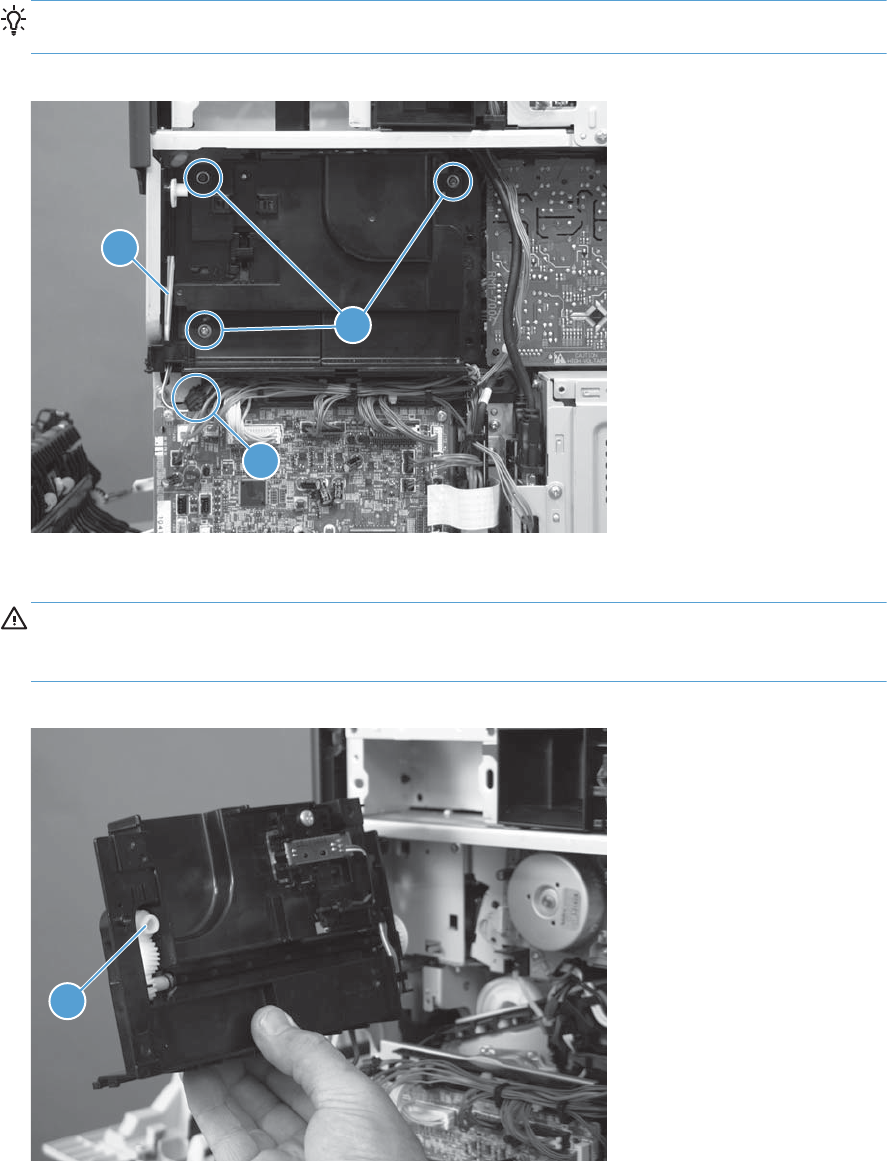
4. Disconnect one connector (callout 1), and then remove three screws (callout 2).
Reinstallation tip If the assembly is being replaced, remove the toner access door link (callout
3) from the discarded assembly, and then install it on the replacement assembly.
Figure 1-175 Remove the residual toner full sensor (4 of 5)
2
1
3
5. Remove the residual toner full sensor assembly.
CAUTION: During the removal process, make sure that the white gear (callout 1) does not fall
out of the assembly. The white gear might stay on the product, and not come off with the
assembly.
Figure 1-176 Remove the residual toner full sensor (5 of 5)
1
124 Chapter 1 Removal and replacement ENWW
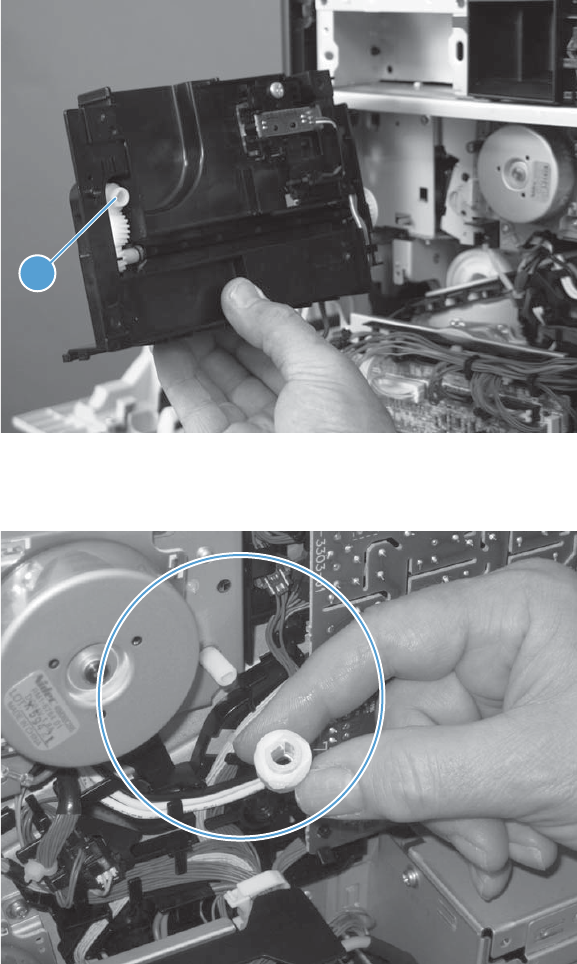
Reinstall the residual toner full sensor
1. If the white gear (callout 1) remained with the residual toner full sensor assembly when it was
removed, carefully remove it from the assembly.
Figure 1-177 Reinstall the residual toner full sensor (1 of 3)
1
2. Align the flat portion of the gear with the corresponding flat portion of the drive shaft.
Figure 1-178 Reinstall the residual toner full sensor (2 of 3)
ENWW Main assemblies 125
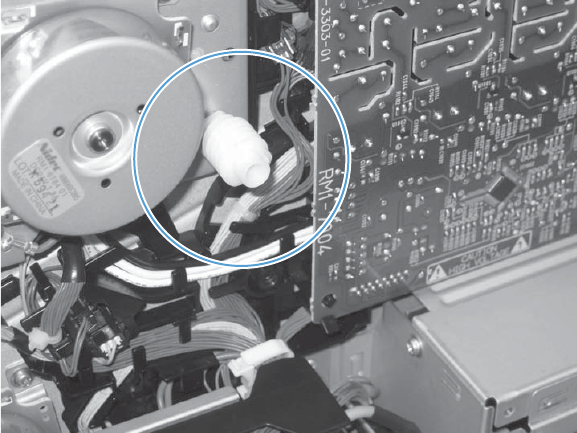
3. Install the gear on the shaft before you install the residual toner full sensor assembly.
Figure 1-179 Reinstall the residual toner full sensor (3 of 3)
126 Chapter 1 Removal and replacement ENWW

Residual toner feed assembly
Before proceeding, remove the following assemblies:
●Control-panel assembly. See Control-panel assembly on page 5.
●Intermediate transfer belt. See Intermediate transfer belt on page 7.
●Left cover. See Left cover on page 57.
●Rear cover. See Rear cover on page 58.
●Right rear cover. See Right rear cover on page 59.
●Toner access door. See Toner collection unit (TCU) access door on page 60.
●Optional: Document feeder. See Document feeder on page 71.
NOTE: HP recommends removing the document feeder to decrease the weight of the scanner
assembly when it is lifted off of the product.
●Scanner assembly. See Scanner assembly on page 74.
●For a stapler/stacker model:
◦Stapler/stacker assembly. See Stapler/stacker assembly on page 78.
●Front upper cover. See Front upper cover on page 83.
●Front right cover. See Front right cover on page 86.
●Output cover. See Output cover; non stapler/stacker model on page 93.
●Top cover. See Top cover on page 95.
●Toner cover. See the first, second, and third steps of Residual toner full sensor on page 122.
ENWW Main assemblies 127
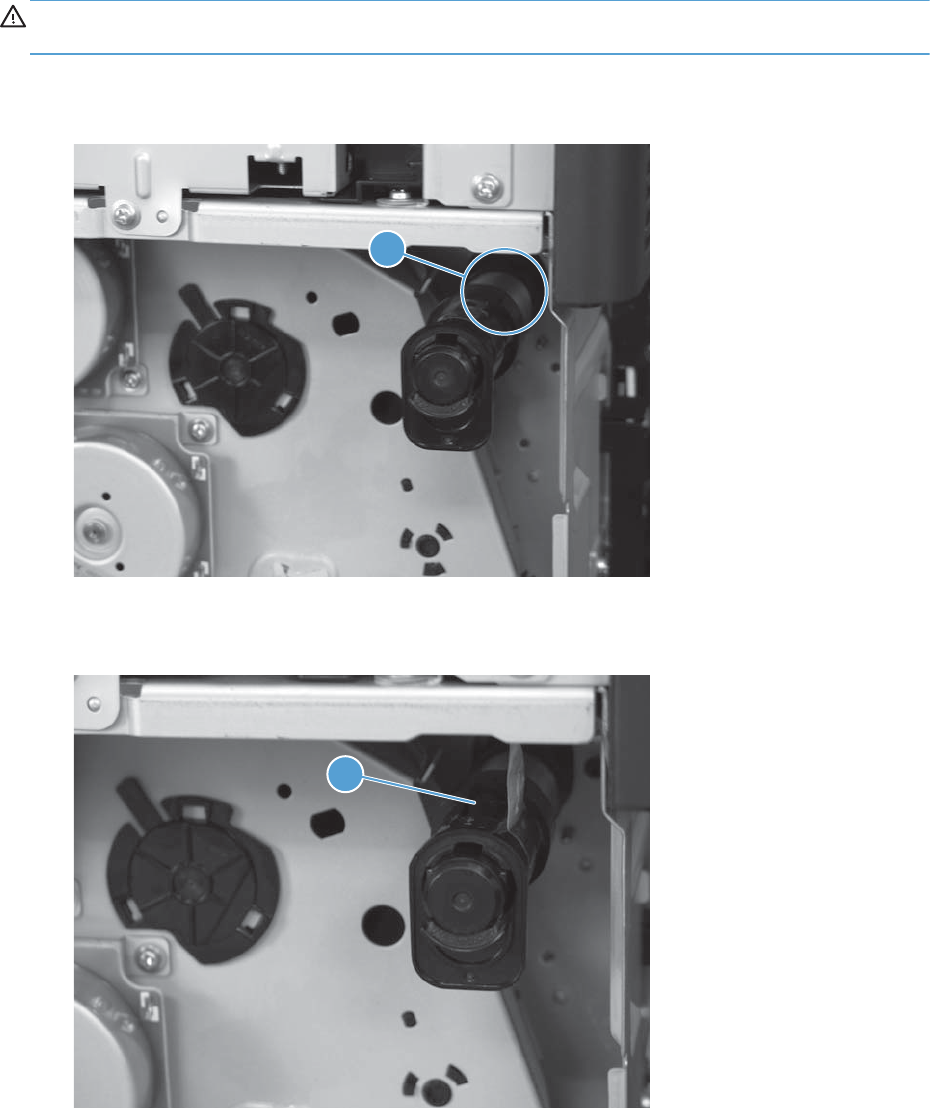
Remove the residual toner feed assembly
CAUTION: The residual toner feed assembly contains toner. Do not spill toner into the product when
handling the assembly.
1. Carefully peel back the protective sheet (callout 1) from the augur-shaft cover.
Figure 1-180 Remove the residual toner feed assembly (1 of 6)
1
2. Release one tab (callout 1)
Figure 1-181 Remove the residual toner feed assembly (2 of 6)
1
128 Chapter 1 Removal and replacement ENWW
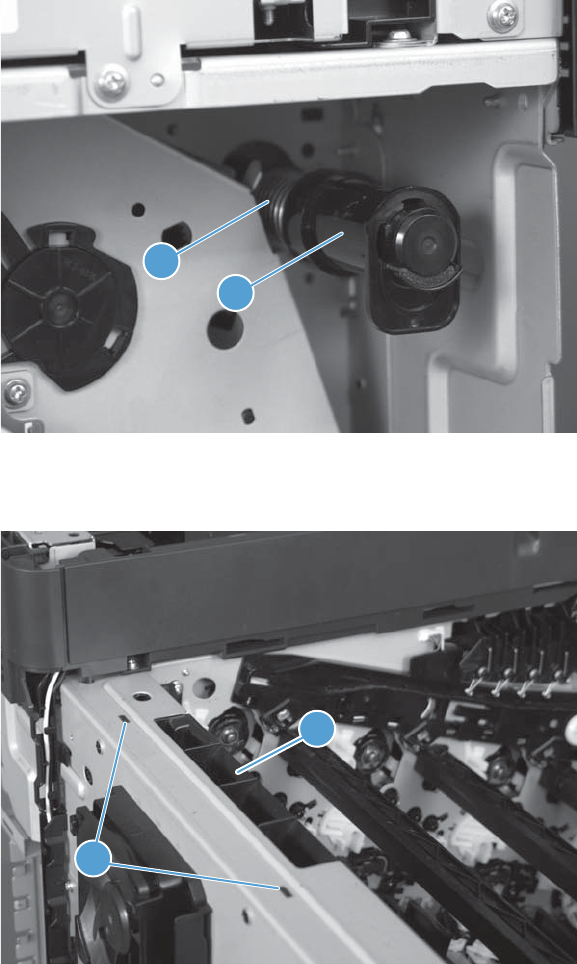
3. Carefully slide the cover (callout 1) and the spring (callout 2) off of the augur shaft.
Figure 1-182 Remove the residual toner feed assembly (3 of 6)
2
1
4. Release two tabs (callout 1), and then remove the duct (callout 2).
Figure 1-183 Remove the residual toner feed assembly (4 of 6)
1
2
ENWW Main assemblies 129
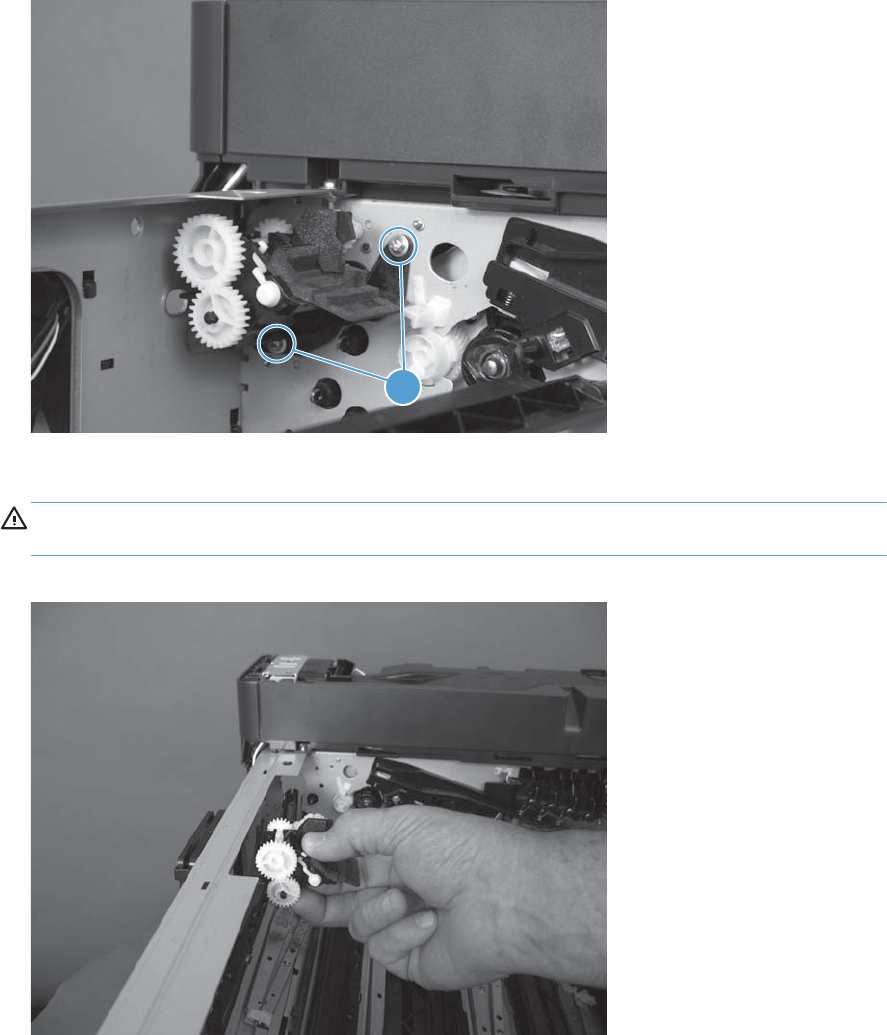
5. Remove two screws (callout 1).
Figure 1-184 Remove the residual toner feed assembly (5 of 6)
1
6. Carefully remove the residual toner full sensor assembly.
CAUTION: The assembly can easily come apart when being handled and spill toner into the
product or work environment. Handle the assembly gently to avoid spilled toner.
Figure 1-185 Remove the residual toner feed assembly (6 of 6)
130 Chapter 1 Removal and replacement ENWW

Paper delivery assembly
Before proceeding, remove the following assemblies:
●Control-panel assembly. See Control-panel assembly on page 5.
●Intermediate transfer belt. See Intermediate transfer belt on page 7.
●Fuser. See Fuser on page 9.
●Left cover. See Left cover on page 57.
●Rear cover. See Rear cover on page 58.
●Right rear cover. See Right rear cover on page 59.
●Right upper cover. See Right upper cover on page 67.
●Optional: Document feeder. See Document feeder on page 71.
NOTE: HP recommends removing the document feeder to decrease the weight of the scanner
assembly when it is lifted off of the product.
●Scanner assembly. See Scanner assembly on page 74.
●For a stapler/stacker model:
◦Stapler/stacker assembly. See Stapler/stacker assembly on page 78.
●Front upper cover. See Front upper cover on page 83.
●Front right cover. See Front right cover on page 86.
●Top right cover. See Top right cover on page 91.
●Output cover. See Output cover; non stapler/stacker model on page 93.
●Top cover. See Top cover on page 95.
Remove the paper delivery assembly
1. Open the right door.
ENWW Main assemblies 131
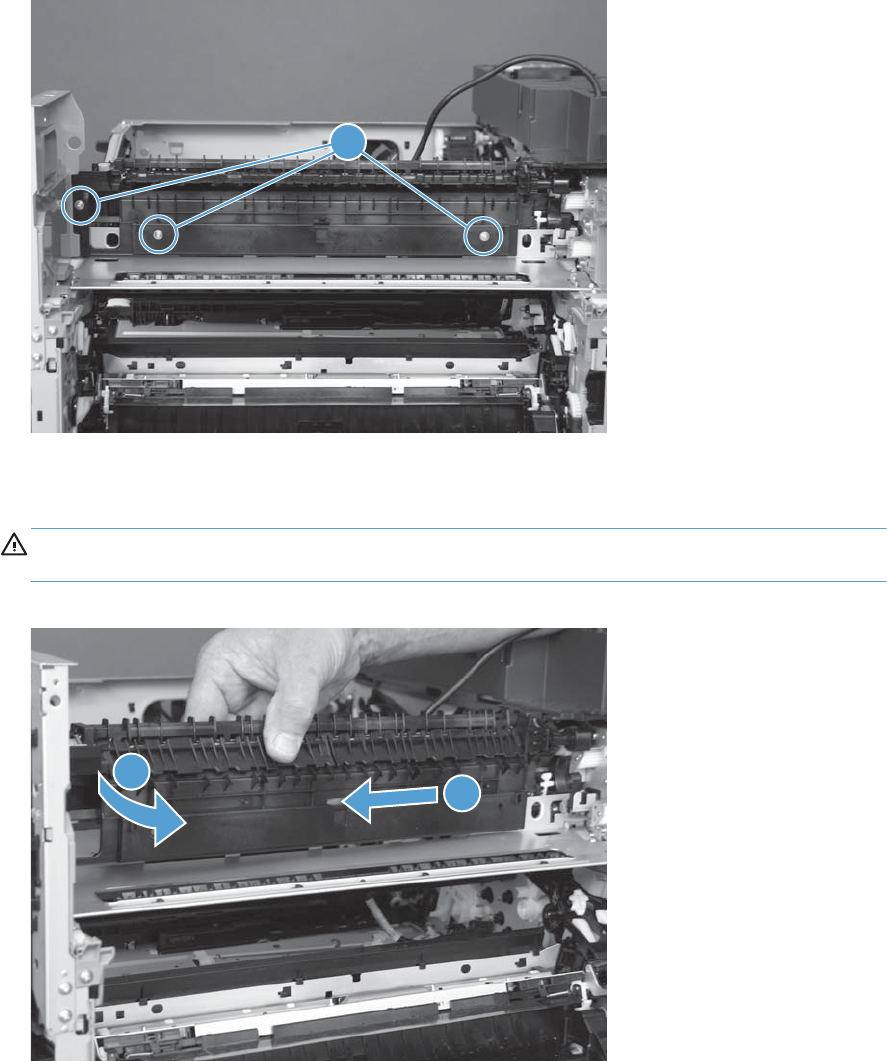
2. Remove three screws (callout 1).
Figure 1-186 Remove the paper delivery assembly (1 of 2)
1
3. Rotate the left side of the assembly out and away from the product (callout 1), and then slide the
assembly the in direction of the arrow (callout 2) to remove it.
CAUTION: A black gear on the right-hand side of the assembly is not captive. Do not lose the
gear when handling the assembly.
Figure 1-187 Remove the paper delivery assembly (2 of 2)
2
1
132 Chapter 1 Removal and replacement ENWW
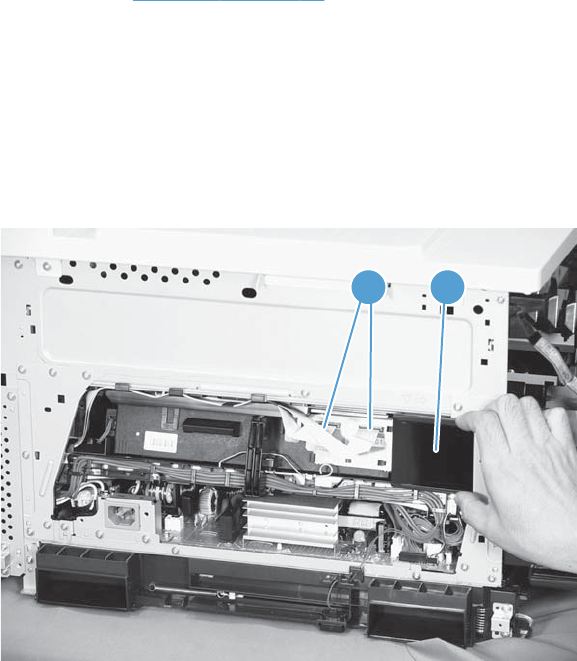
Laser scanner
Before proceeding, remove the following assemblies:
●Left cover. See Left cover on page 57.
Remove the laser/scanner assembly
1. Remove Tray 2 (if installed) and open the front door.
2. On the left side of the product, pinch and remove the fan duct (callout 1), and then disconnect the
two FFCs (callout 2).
Figure 1-188 Remove the laser/scanner (1 of 6)
2 1
ENWW Main assemblies 133
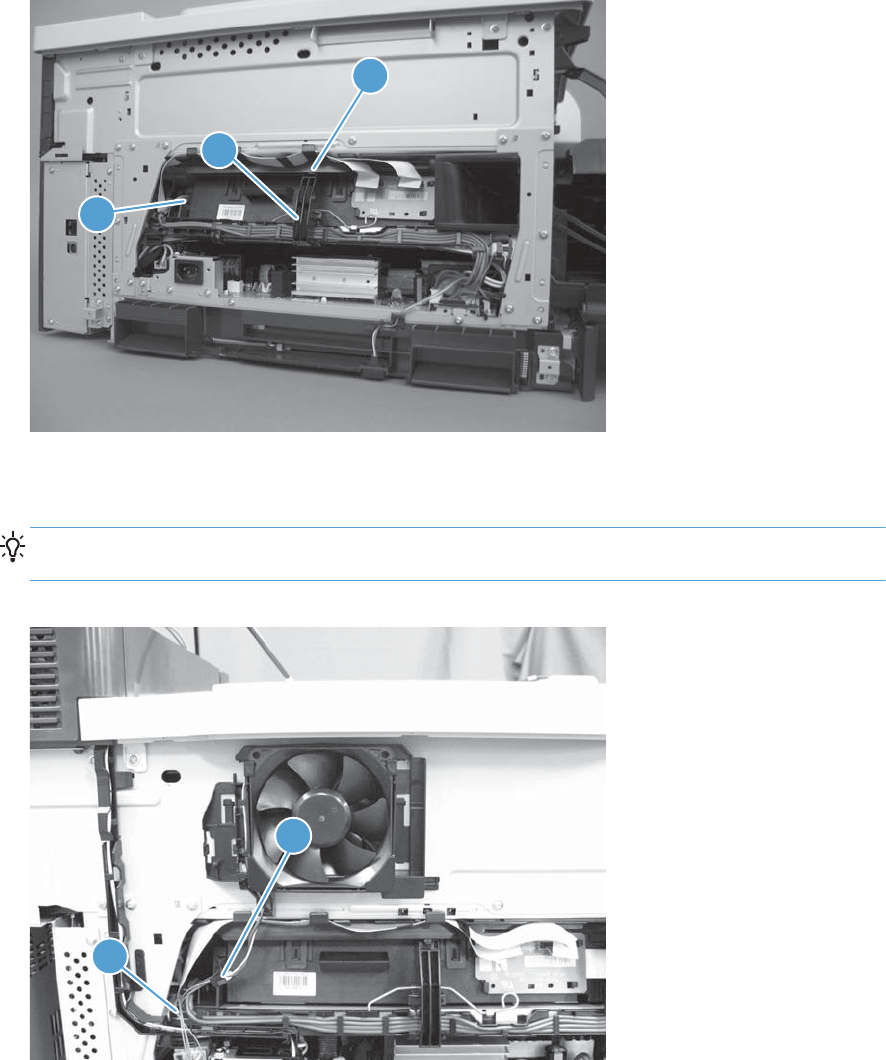
3. Release one tab (callout 1), remove the stopper (callout 2), and then disconnect one connector
(callout 3).
Figure 1-189 Remove the laser/scanner (2 of 6)
1
2
3
4. Disconnect one connector (callout 1), and then release the cartridge fan and environmental sensor
wire harness from the cable guide (callout 2).
Reinstallation tip Releasing the wire harness from the cable guide makes installing the laser/
scanner easier.
Figure 1-190 Remove the laser/scanner (3 of 6)
1
2
134 Chapter 1 Removal and replacement ENWW
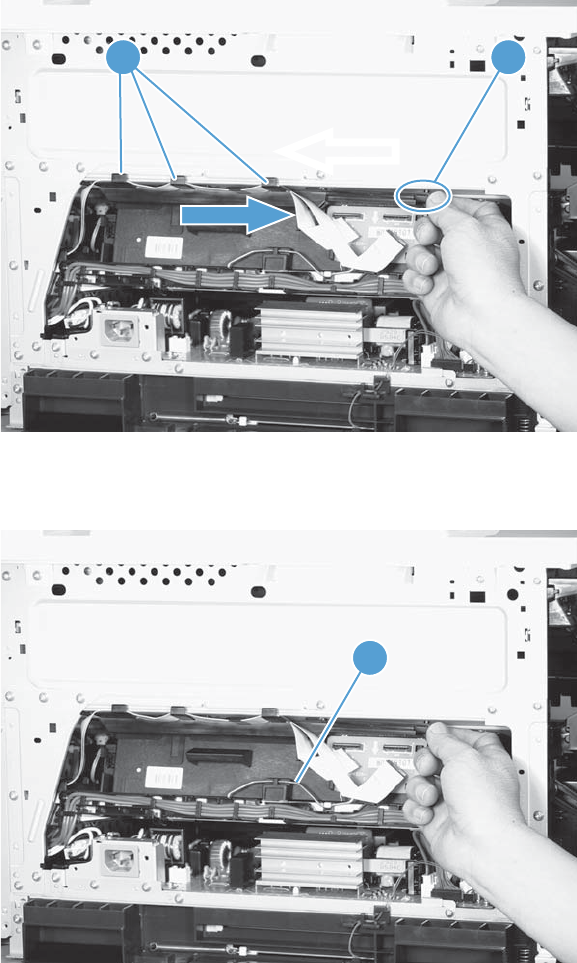
5. Release one tab (callout 1), and then slide the cable guide (callout 2) in the direction that the
arrow indicates to remove the guide and the FFCs.
Figure 1-191 Remove the laser/scanner (4 of 6)
21
6. Remove one spring (callout 1).
Figure 1-192 Remove the laser/scanner (5 of 6)
1
ENWW Main assemblies 135
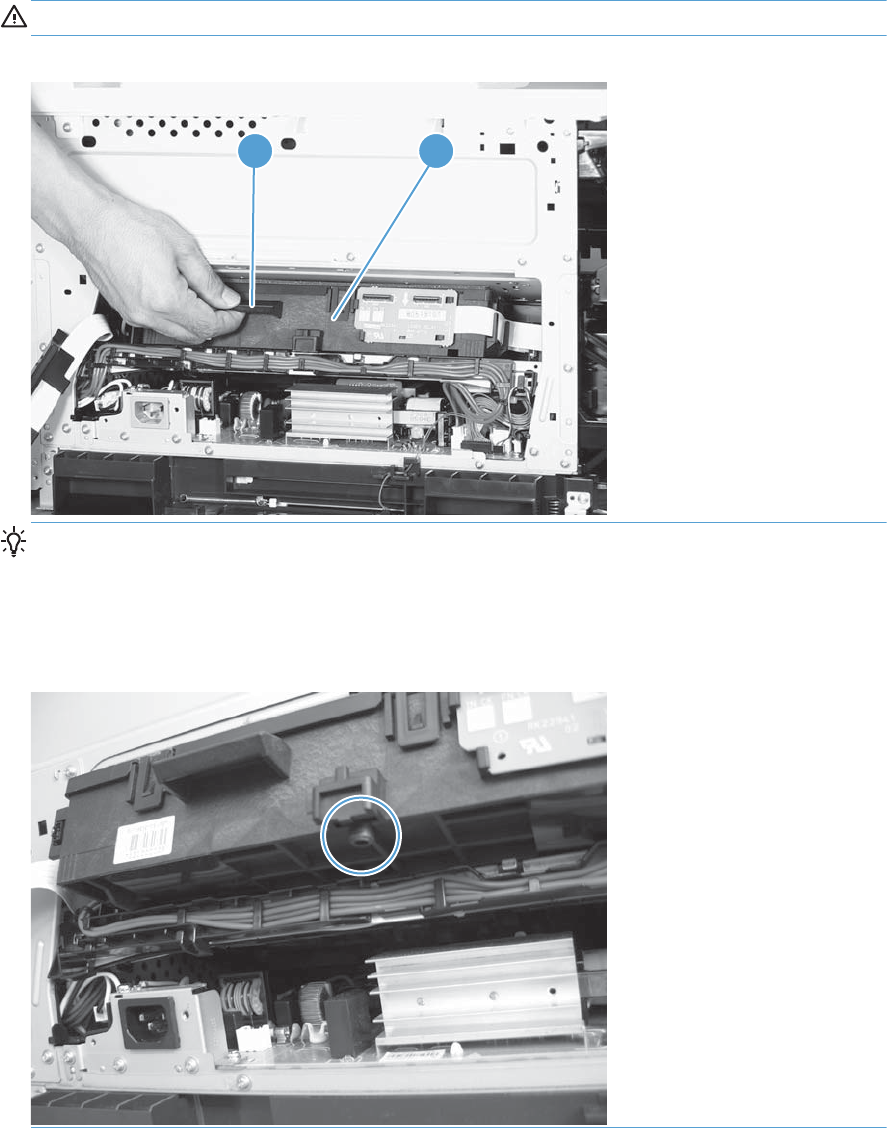
7. While holding up the handle (callout 1), pull the laser/scanner (callout 2) up slightly and then out
of the product.
CAUTION: Do not touch the protective glass strip on top of the assembly.
Figure 1-193 Remove the laser/scanner (6 of 6)
1 2
Reinstallation tip Align the assembly with the guides on the left side of the opening when
reinstalling the assembly.
Align the pin on the bottom of the assembly with the hole in the product when reinstalling the
assembly. After pushing the assembly into the product, you might have to pull the assembly slightly
forward to seat the pin in the hole.
136 Chapter 1 Removal and replacement ENWW
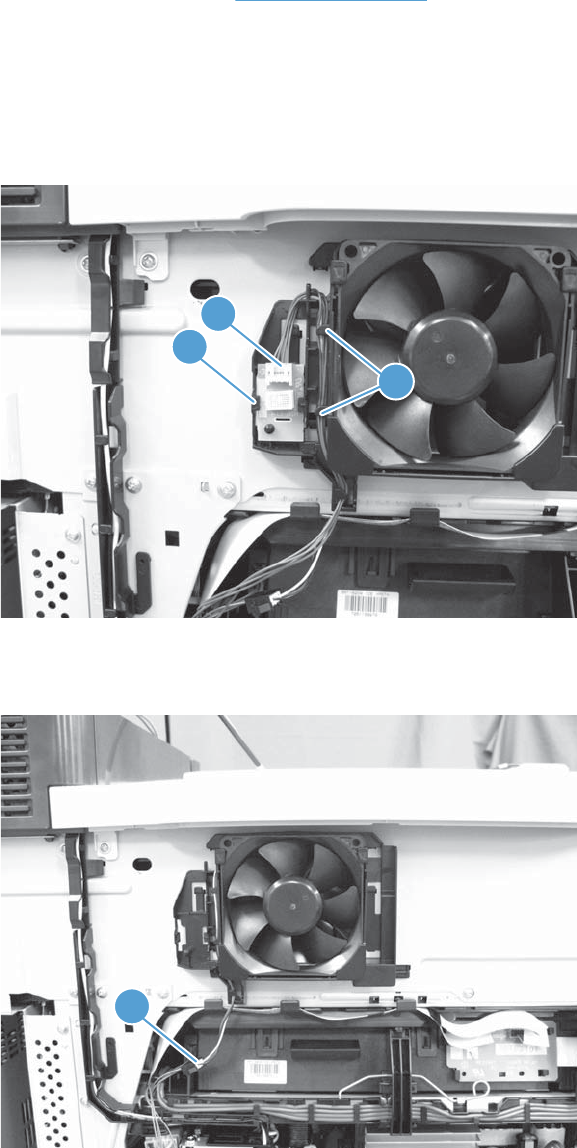
Cartridge fan FM4
Before proceeding, remove the following assemblies:
●Remove the left cover. See Left cover on page 57.
Remove the cartridge fan FM4
1. Release one tab (callout 1), separate the environmental sensor (callout 2) from the fan assembly,
and then release the wire harness from the retainer (callout 3) to remove it.
Figure 1-194 Remove the cartridge fan FM4 (1 of 3)
1
2
3
2. Disconnect one connector (callout 1).
Figure 1-195 Remove the cartridge fan FM4 (2 of 3)
1
ENWW Main assemblies 137
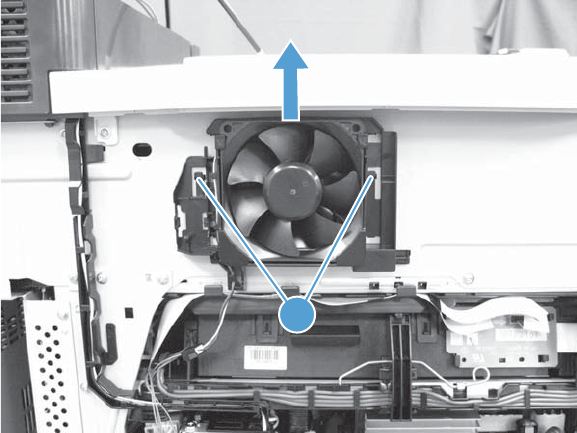
3. Release two tabs (callout 1), and then pull up on the assembly to remove it.
Figure 1-196 Remove the cartridge fan FM4 (3 of 3)
1
138 Chapter 1 Removal and replacement ENWW
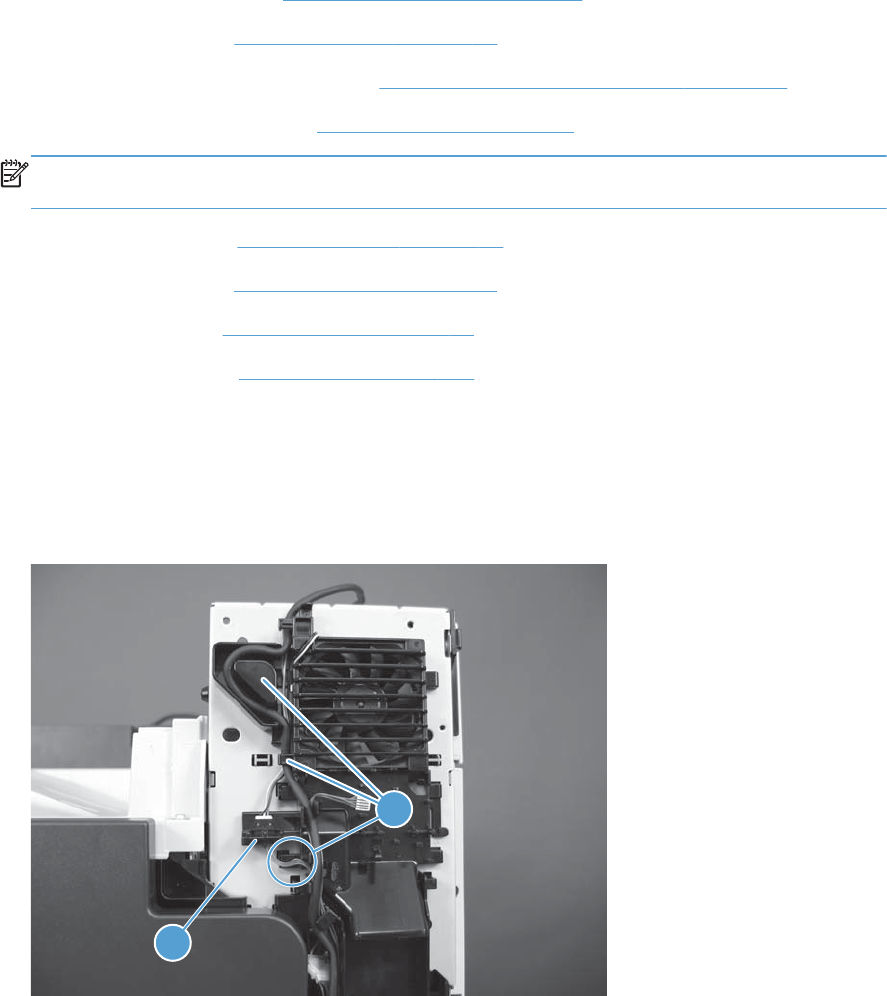
Fuser fan FM2
Before proceeding, remove the following assemblies:
●Control-panel assembly. See Control-panel assembly on page 5.
●Right upper cover. See Right upper cover on page 67.
●Scanner rear and FFC bezel cover. See Scanner rear and FFC bezel cover on page 68.
●Optional: Document feeder. See Document feeder on page 71.
NOTE: HP recommends removing the document feeder to decrease the weight of the scanner
assembly when it is lifted off of the product.
●Scanner assembly. See Scanner assembly on page 74.
●Front upper cover. See Front upper cover on page 83.
●Front right cover. See Front right cover on page 86.
●Power switch PCA. See Power switch on page 155.
Remove the fuser fan FM2
1. Disconnect one connector (callout 1), and then release the wire harness and black cable from the
retainer (callout 2).
Figure 1-197 Remove the fuser fan FM2 (1 of 2)
1
2
ENWW Main assemblies 139
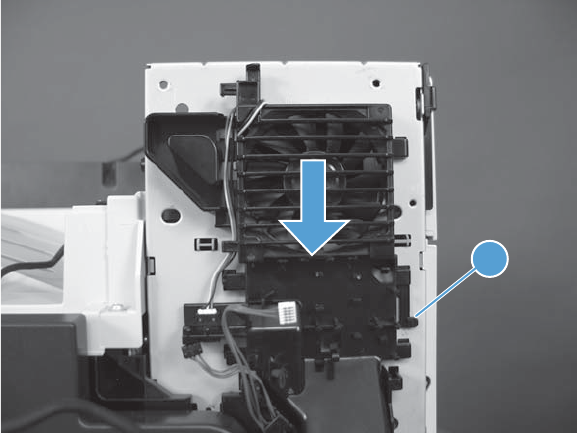
2. Release one tab (callout 1), and then pull down on the fan assembly to remove it.
Figure 1-198 Remove the fuser fan FM2 (2 of 2)
1
140 Chapter 1 Removal and replacement ENWW
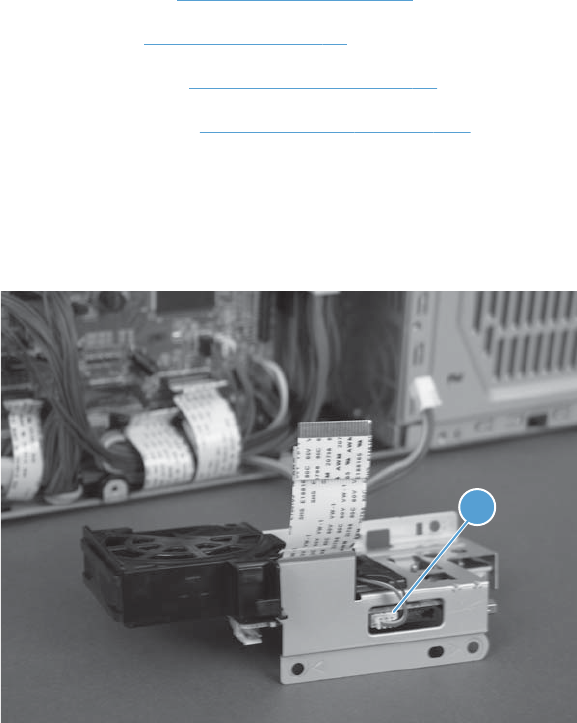
Formatter fan FM3
Before proceeding, remove the following assemblies:
●Formatter PCA. See Formatter PCA on page 10.
●Rear cover. See Rear cover on page 58.
●Right rear cover. See Right rear cover on page 59.
●Interconnect PCA. See Interconnect PCA on page 171.
Remove the formatter fan FM3
1. Disconnect one connector (callout 1).
Figure 1-199 Remove the formatter fan FM3 (1 of 2)
1
ENWW Main assemblies 141
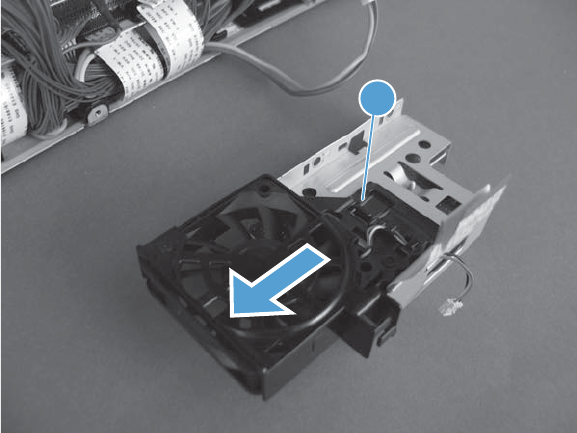
2. Release one tab (callout 1), and then pull down on the fan to remove it.
Figure 1-200 Remove the formatter fan FM3 (2 of 2)
1
142 Chapter 1 Removal and replacement ENWW
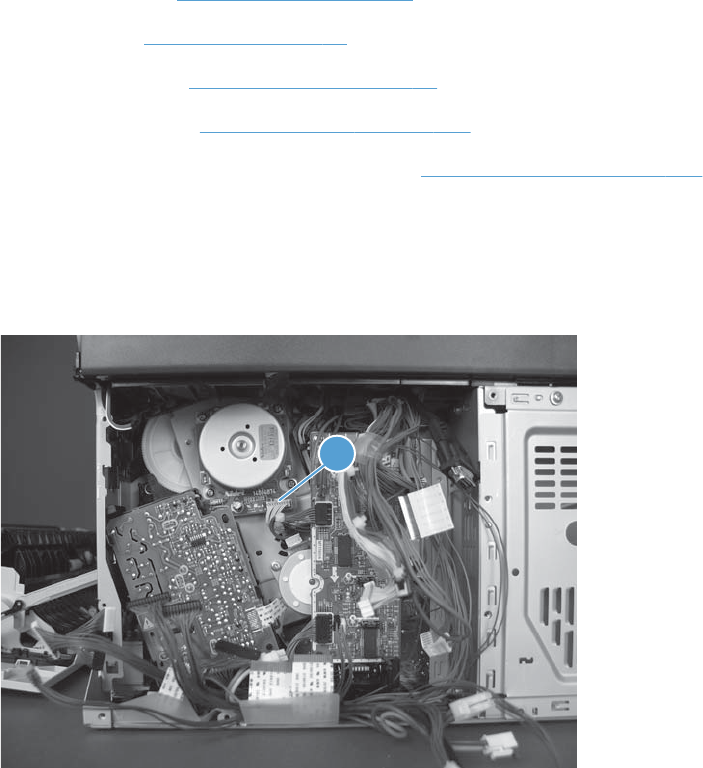
ITB motor M1
Before proceeding, remove the following assemblies:
●Formatter PCA. See Formatter PCA on page 10.
●Rear cover. See Rear cover on page 58.
●Right rear cover. See Right rear cover on page 59.
●Interconnect PCA. See Interconnect PCA on page 171.
●DC controller PCA and sheet-metal bracket. See DC controller PCA on page 174.
Remove the ITB motor M1
1. Disconnect one connector (callout 1).
Figure 1-201 Remove the ITB motor M1 (1 of 2)
1
ENWW Main assemblies 143
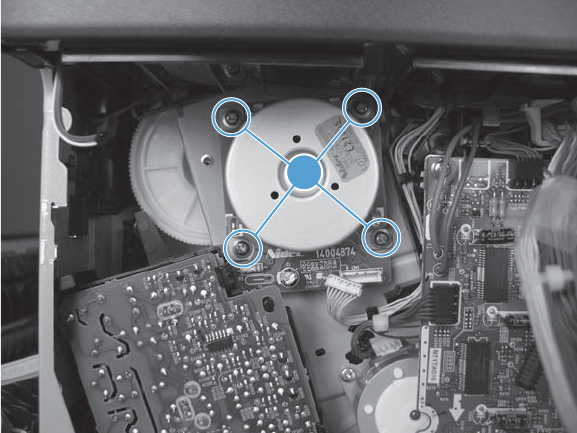
2. Remove four screws (callout 1), and then remove the motor.
Figure 1-202 Remove the ITB motor M1 (2 of 2)
1
144 Chapter 1 Removal and replacement ENWW
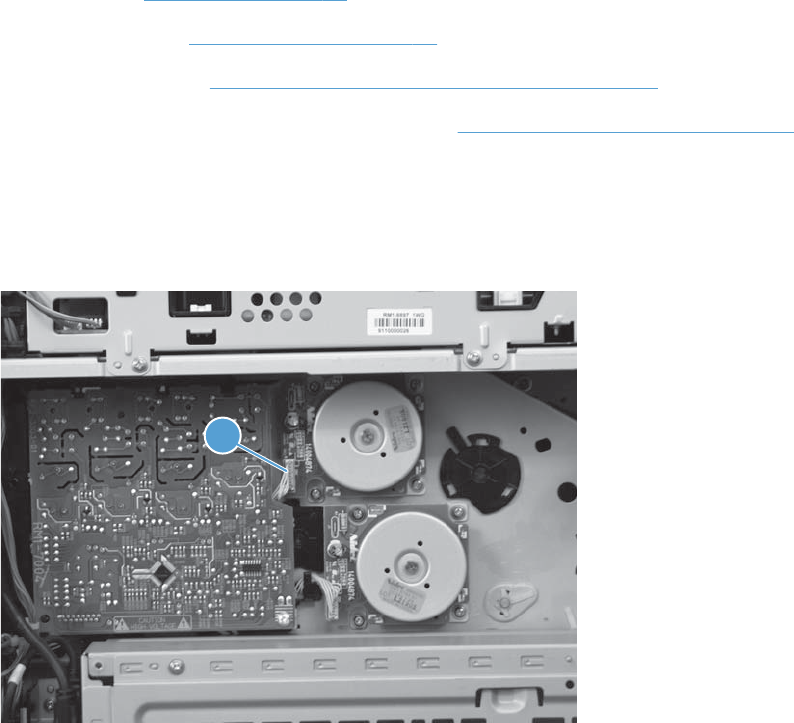
Drum motor M2
Before proceeding, remove the following assemblies:
●Rear cover. See Rear cover on page 58.
●Right rear cover. See Right rear cover on page 59.
●Toner access door. See Toner collection unit (TCU) access door on page 60.
●Toner cover. See the first, second, and third steps of Residual toner full sensor on page 122
Remove the drum motor M2
1. Disconnect one connector (callout 1).
Figure 1-203 Remove the drum motor M2 (1 of 2)
1
ENWW Main assemblies 145
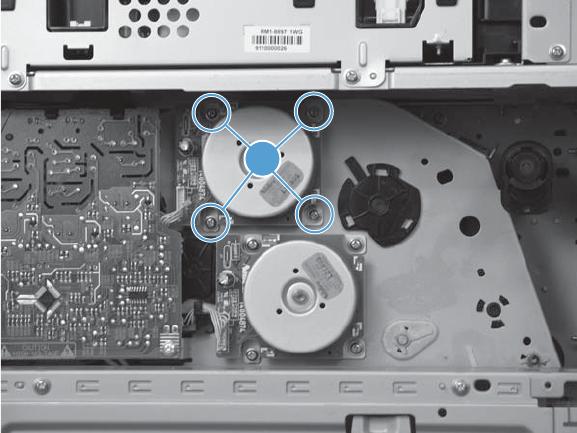
2. Remove four screws (callout 1), and then remove the motor.
Figure 1-204 Remove the drum motor M2 (2 of 2)
1
146 Chapter 1 Removal and replacement ENWW
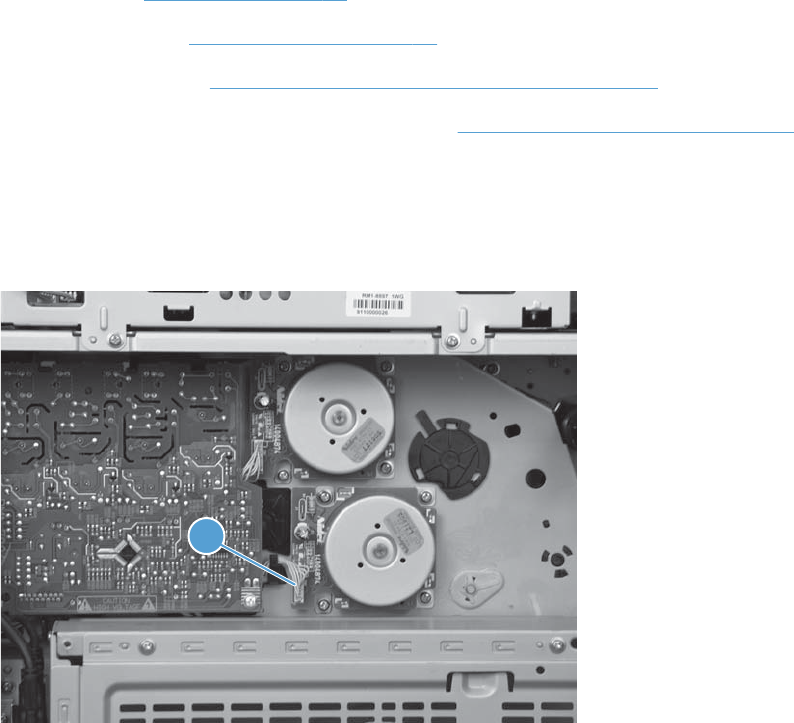
Developing motor M3
Before proceeding, remove the following assemblies:
●Rear cover. See Rear cover on page 58.
●Right rear cover. See Right rear cover on page 59.
●Toner access door. See Toner collection unit (TCU) access door on page 60.
●Toner cover. See the first, second, and third steps of Residual toner full sensor on page 122
Remove the developing motor M3
1. Disconnect one connector (callout 1).
Figure 1-205 Remove the developing motor M3 (1 of 2)
1
ENWW Main assemblies 147
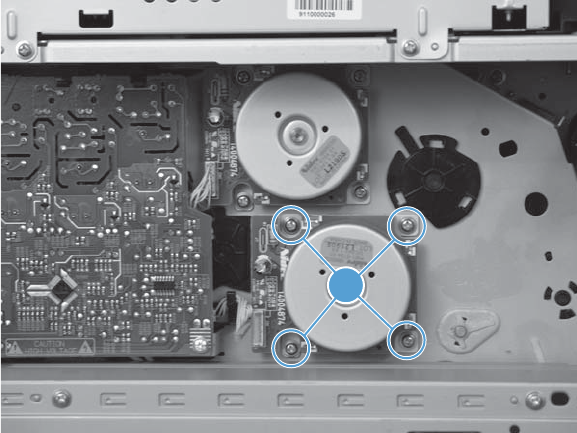
2. Remove four screws (callout 1), and then remove the motor.
Figure 1-206 Remove the developing motor M3 (2 of 2)
1
148 Chapter 1 Removal and replacement ENWW
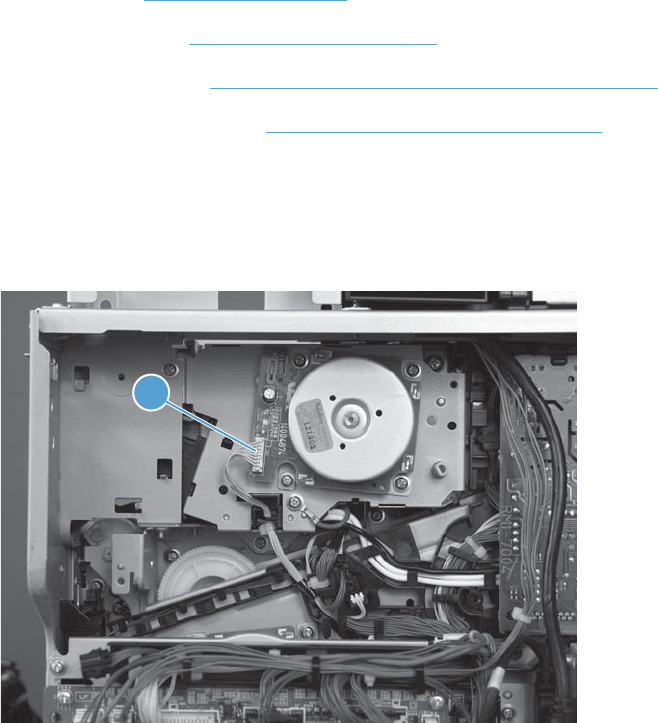
Fuser motor M4
Before proceeding, remove the following assemblies:
●Rear cover. See Rear cover on page 58.
●Right rear cover. See Right rear cover on page 59.
●Toner access door. See Toner collection unit (TCU) access door on page 60.
●Residual toner full sensor. See Residual toner full sensor on page 122
Remove the fuser motor M4
1. Disconnect one connector (callout 1).
Figure 1-207 Remove the fuser motor M4 (1 of 2)
1
ENWW Main assemblies 149
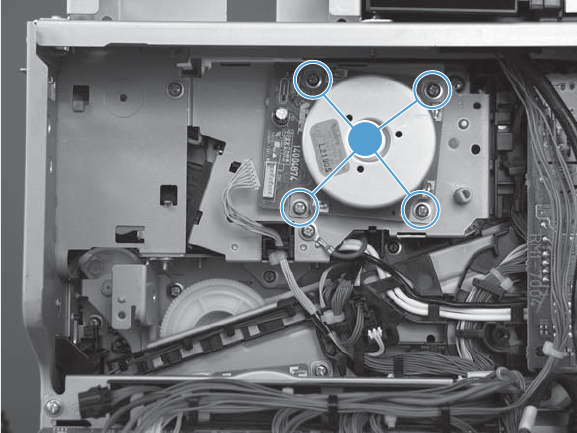
2. Remove four screws (callout 1), and then remove the motor.
Figure 1-208 Remove the fuser motor M4 (1 of 2)
1
150 Chapter 1 Removal and replacement ENWW
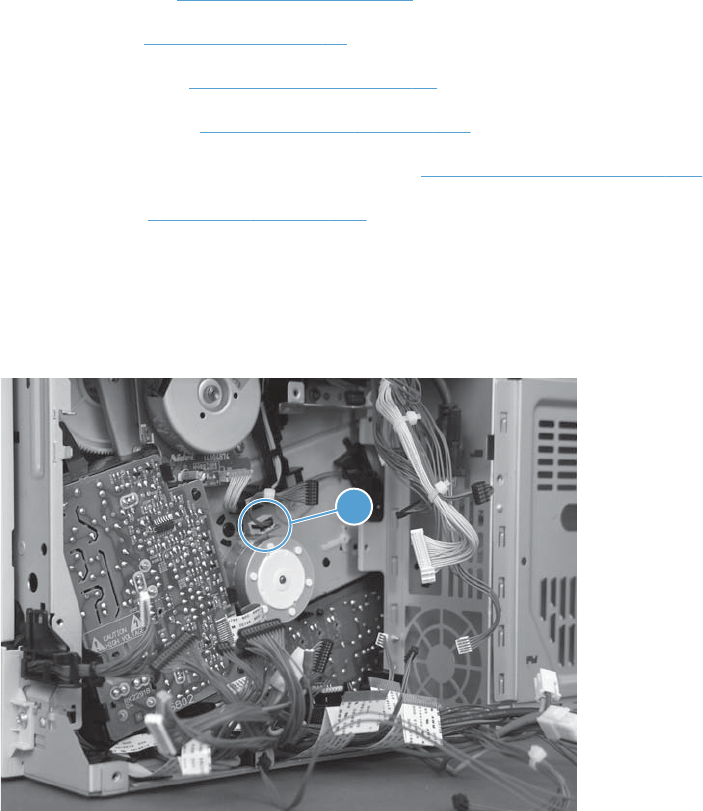
Developing disengagement motor M6
Before proceeding, remove the following assemblies:
●Formatter PCA. See Formatter PCA on page 10.
●Rear cover. See Rear cover on page 58.
●Right rear cover. See Right rear cover on page 59.
●Interconnect PCA. See Interconnect PCA on page 171.
●DC controller PCA and sheet-metal bracket. See DC controller PCA on page 174.
●Driver PCA. See Driver PCA on page 184.
Remove the developing disengagement motor M6
1. Disconnect one connector (callout 1).
Figure 1-209 Remove the developing disengagement motor M6 (1 of 2)
1
ENWW Main assemblies 151
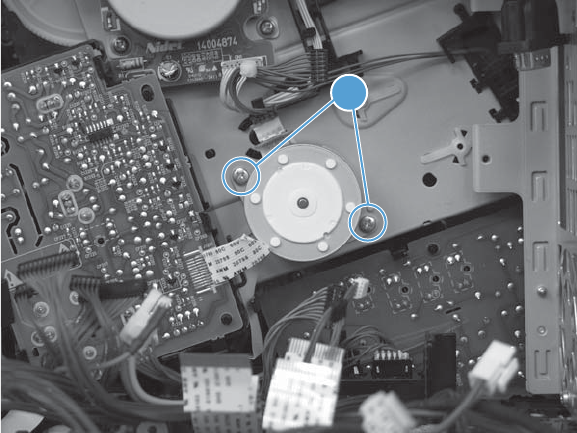
2. Remove two screws (callout 1), and then remove the motor.
Figure 1-210 Remove the developing disengagement motor M6 (2 of 2)
1
152 Chapter 1 Removal and replacement ENWW
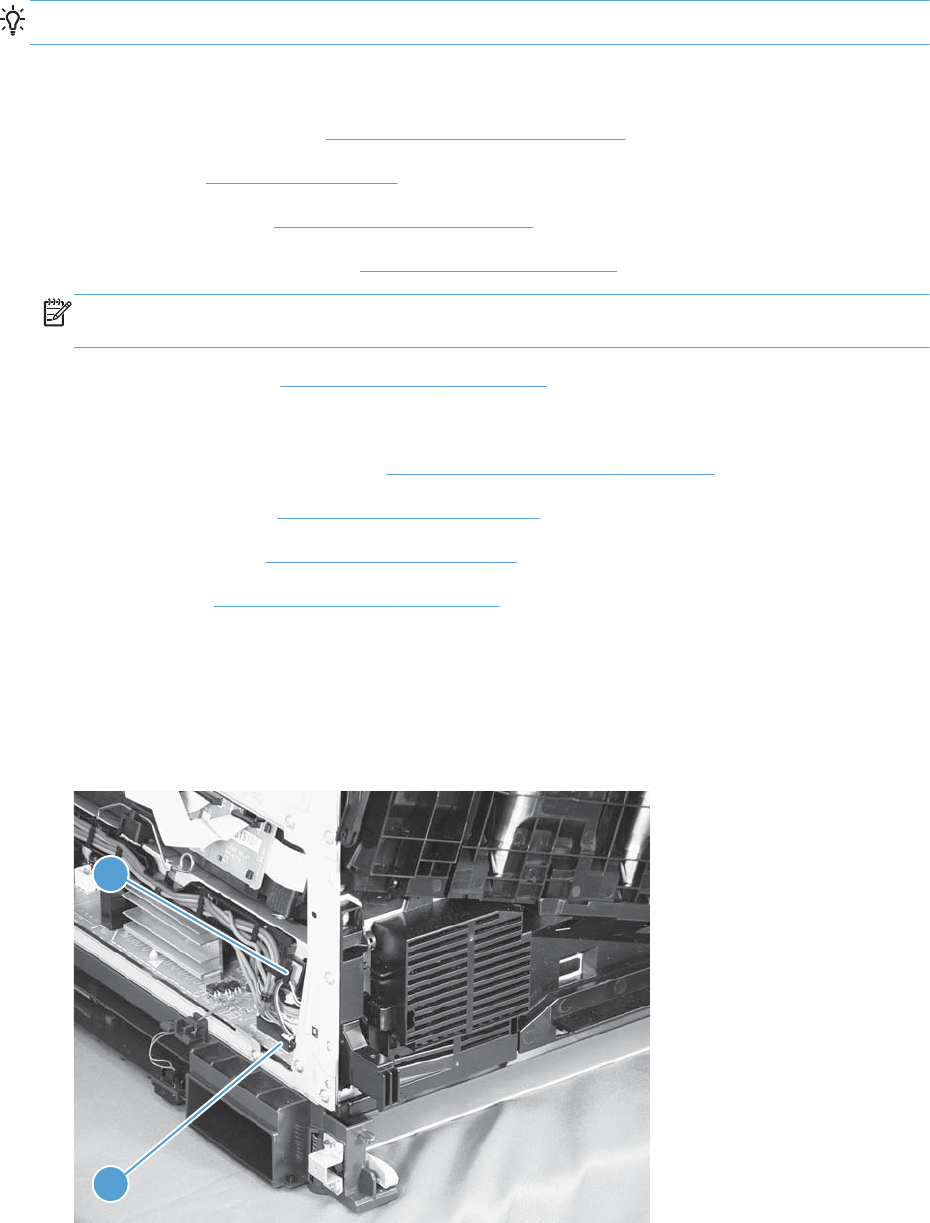
Power-supply fan FM1
TIP: If Tray 2 has not already been removed in order to service the product, remove it now.
Before proceeding, remove the following assemblies:
●Control-panel assembly. See Control-panel assembly on page 5.
●Left cover. See Left cover on page 57.
●Rear upper cover. See Rear upper cover on page 66.
●Optional: Document feeder. See Document feeder on page 71.
NOTE: HP recommends removing the document feeder to decrease the weight of the scanner
assembly when it is lifted off of the product.
●Scanner assembly. See Scanner assembly on page 74.
●For a stapler/stacker model:
◦Stapler/stacker assembly. See Stapler/stacker assembly on page 78.
●Front upper cover. See Front upper cover on page 83.
●Front right cover. See Front right cover on page 86.
●Front door. See Front door assembly on page 88.
Remove the power-supply fan FM1
1. Disconnect one connector (callout 1), and then release the wire harness from the retainer (callout
2).
Figure 1-211 Remove the power-supply fan FM1 (1 of 3)
1
2
ENWW Main assemblies 153
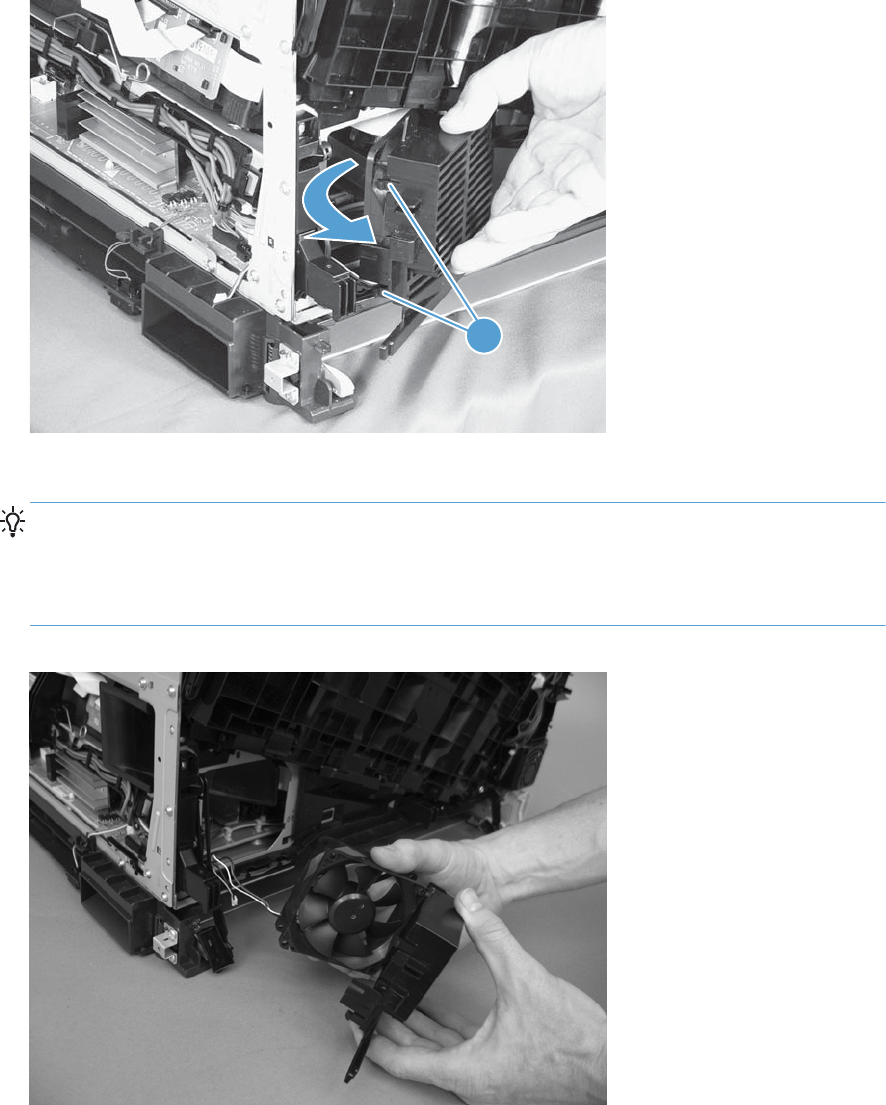
2. Release two tabs (callout 1), and then remove the fan assembly.
Figure 1-212 Remove the power-supply fan FM1 (2 of 3)
1
3. Pull on the sides of the fan holder to remove the fan.
TIP: Take note of the position of the fan. It must be installed correctly to move air into the
product to cool the power supply.
Make sure that you position the bottom-right corner inside the sheet metal when the assembly is
reinstalled.
Figure 1-213 Remove the power-supply fan FM1 (3 of 3)
154 Chapter 1 Removal and replacement ENWW
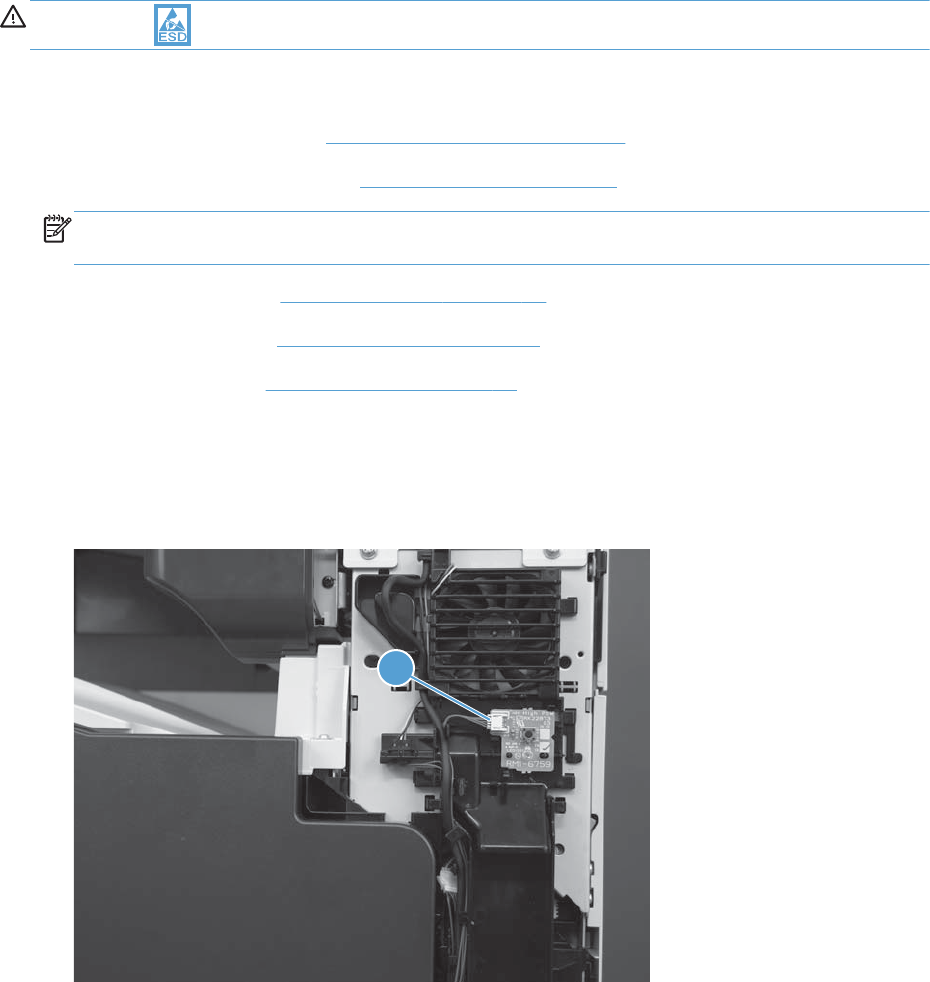
Power switch
CAUTION: ESD sensitive assembly.
Before proceeding, remove the following assemblies:
●Control-panel assembly. See Control-panel assembly on page 5.
●Optional: Document feeder. See Document feeder on page 71.
NOTE: HP recommends removing the document feeder to decrease the weight of the scanner
assembly when it is lifted off of the product.
●Scanner assembly. See Scanner assembly on page 74.
●Front upper cover. See Front upper cover on page 83.
●Front right cover. See Front right cover on page 86.
Remove the power switch
1. Disconnect one connector (callout 1).
Figure 1-214 Remove the power switch (1 of 2)
1
ENWW Main assemblies 155
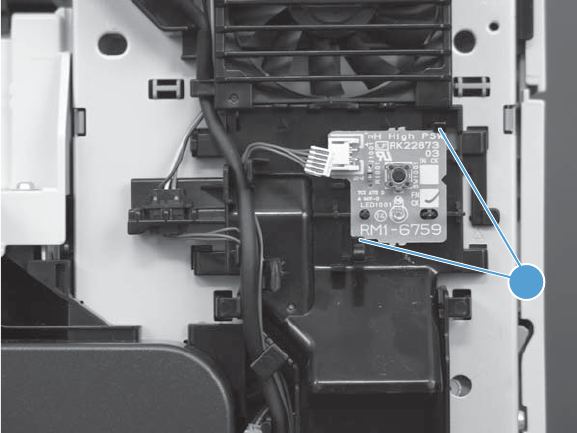
2. Release two tabs, and then remove the switch.
Figure 1-215 Remove the power switch (2 of 2)
2
156 Chapter 1 Removal and replacement ENWW
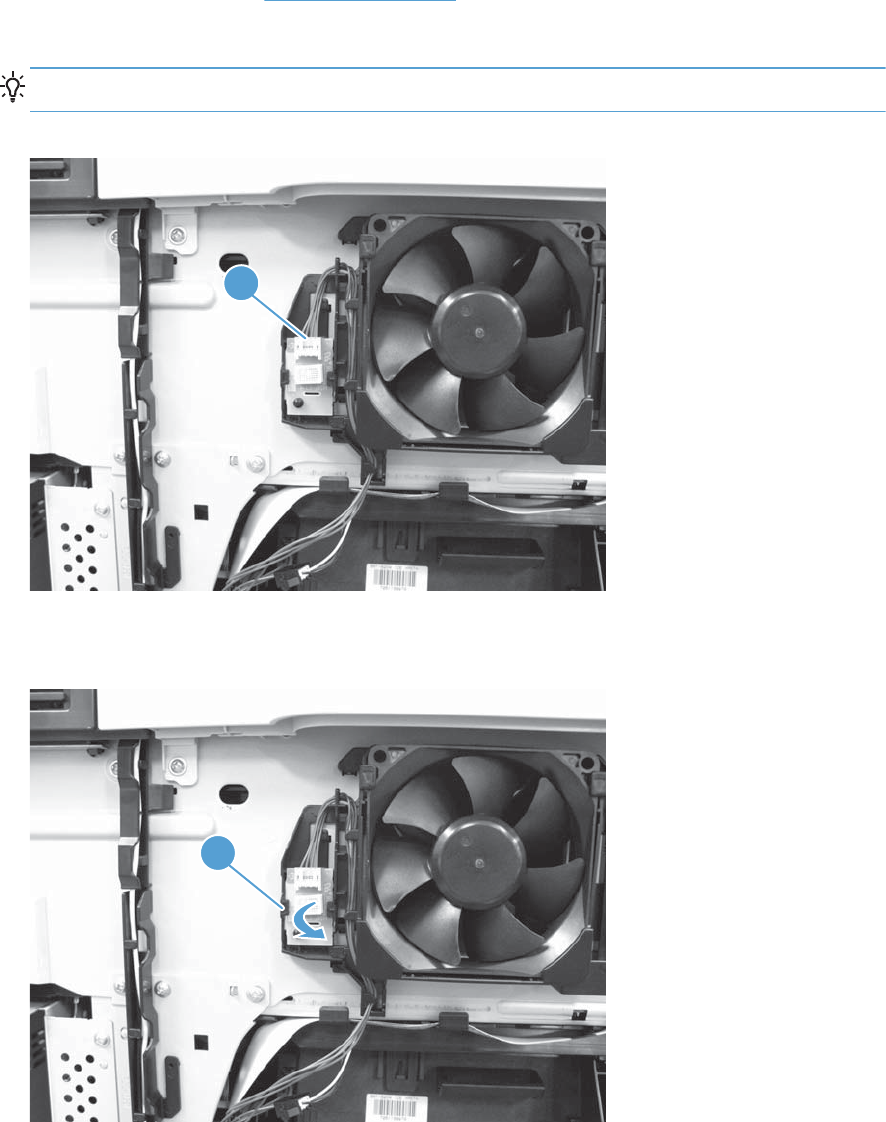
Environment sensor
1. Remove the left cover. See Left cover on page 57.
2. Disconnect one connector (callout 1).
TIP: Release the wire harness from the retainer to easily disconnect the connector.
Figure 1-216 Remove the environment sensor (1 of 2)
1
3. Release one tab (callout 1), and then remove the environmental sensor.
Figure 1-217 Remove the environment sensor (2 of 2)
1
ENWW Main assemblies 157
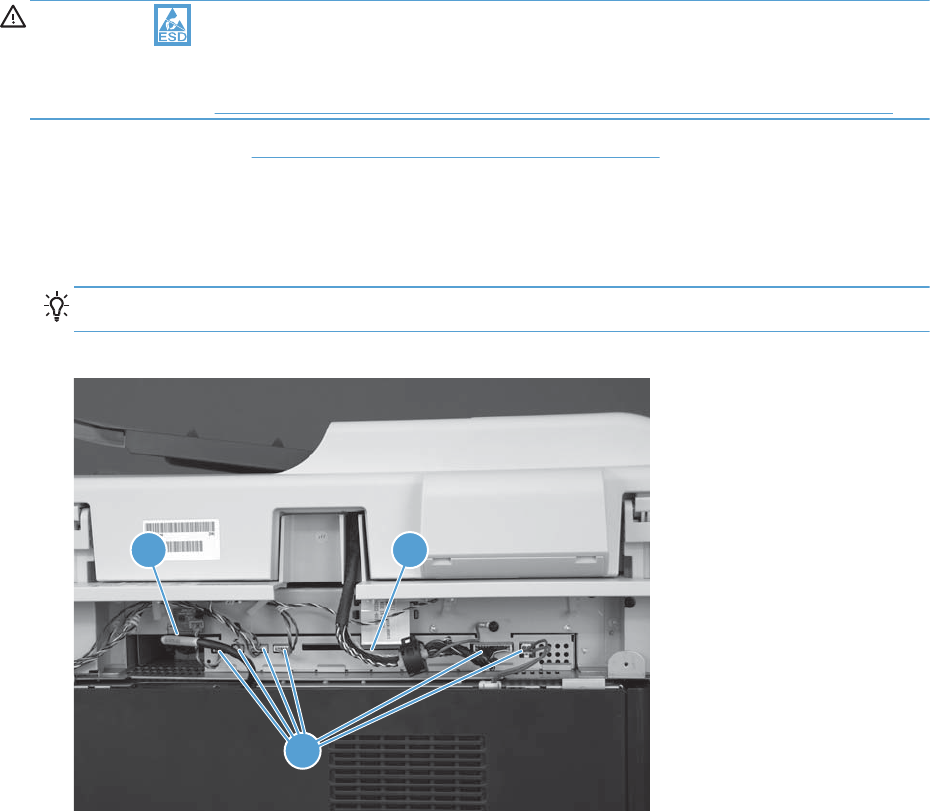
Scan control board (SCB)
CAUTION: ESD sensitive assembly.
Do not replace the SCB and the image scanner memory board at the same time. If you must replace
both assemblies, see Installing a replacement SCB and image scanner memory board on page 160.
●Scanner rear cover. Scanner rear and FFC bezel cover on page 68.
Remove the scan control board (SCB)
1. Disconnect six connectors (callout 1), one serial cable (callout 2), and one FFC (callout 3).
Reinstallation tip Use the top most connector position when reinstalling the FFC to the SCB.
Figure 1-218 Remove the SCB (1 of 3)
1
23
158 Chapter 1 Removal and replacement ENWW
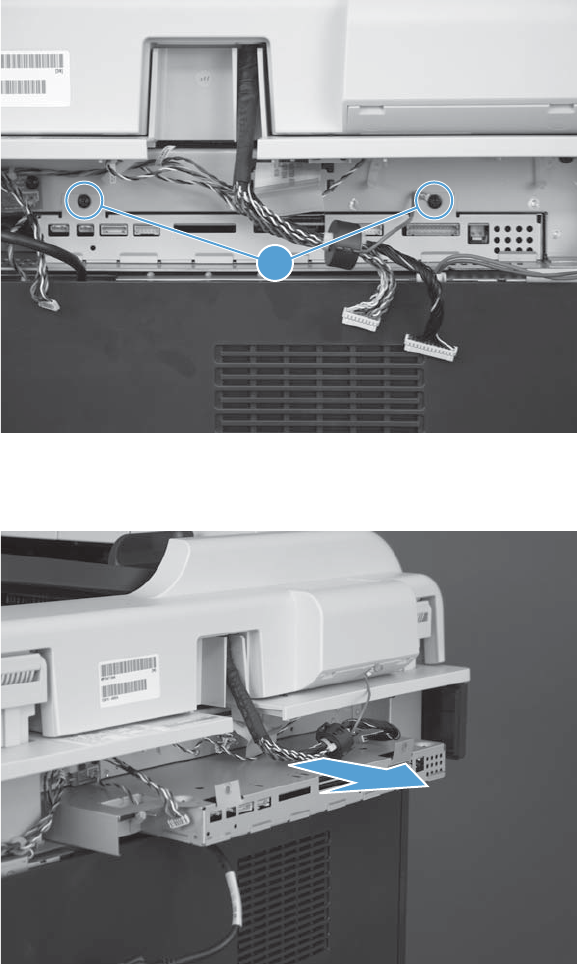
2. Remove two screws (callout 1).
Figure 1-219 Remove the SCB (2 of 3)
1
3. Slide the SCB straight out of the product to remove it.
Figure 1-220 Remove the SCB (3 of 3)
ENWW Main assemblies 159
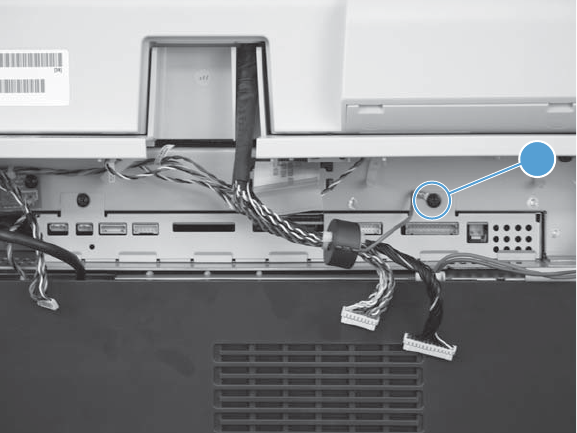
Reinstall the SCB
Do not forget to attach the ground wire (callout 1) when you reinstall the SCB mounting screws.
Figure 1-221 Reinstall the SCB
1
Installing a replacement SCB and image scanner memory board
The image scanner memory board contains the primary copy of the scan head calibration values. The
SCB contains a backup copy of these values. Replacing both of these assemblies at the same time will
cause these values to be lost and the image scanner will not operate.
If both assemblies must be replaced, do the following:
1. Replace either the image scanner memory board or the SCB.
2. Turn the product power on, and wait for the product to reach the Ready state.
3. Turn the product power off, and then replace the remaining assembly.
160 Chapter 1 Removal and replacement ENWW
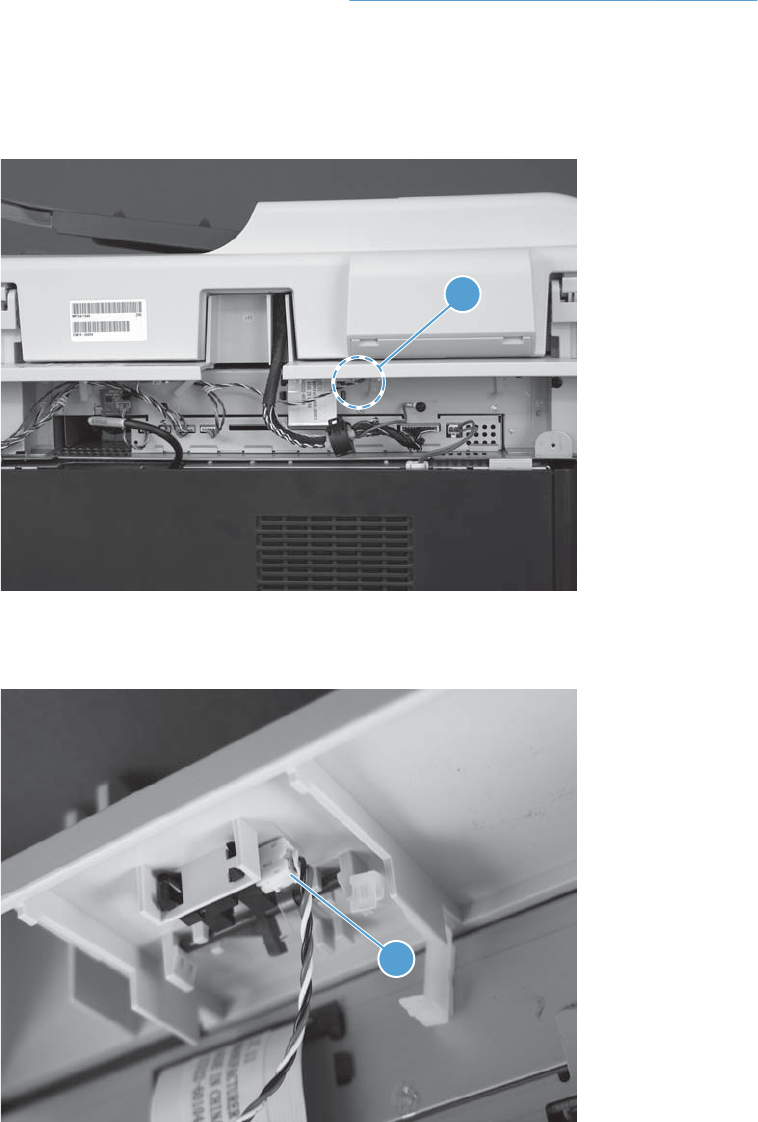
Document feeder open sensor and flag
Before proceeding, remove the following assemblies:
●Scanner rear and FFC bezel cover. See Scanner rear and FFC bezel cover on page 68.
Remove the document open sensor and flag
1. Locate the document feeder open sensor (callout 1).
Figure 1-222 Remove the document feeder open sensor and flag (1 of 4)
1
2. Disconnect one connector (callout 1).
Figure 1-223 Remove the document feeder open sensor and flag (2 of 4)
1
ENWW Main assemblies 161
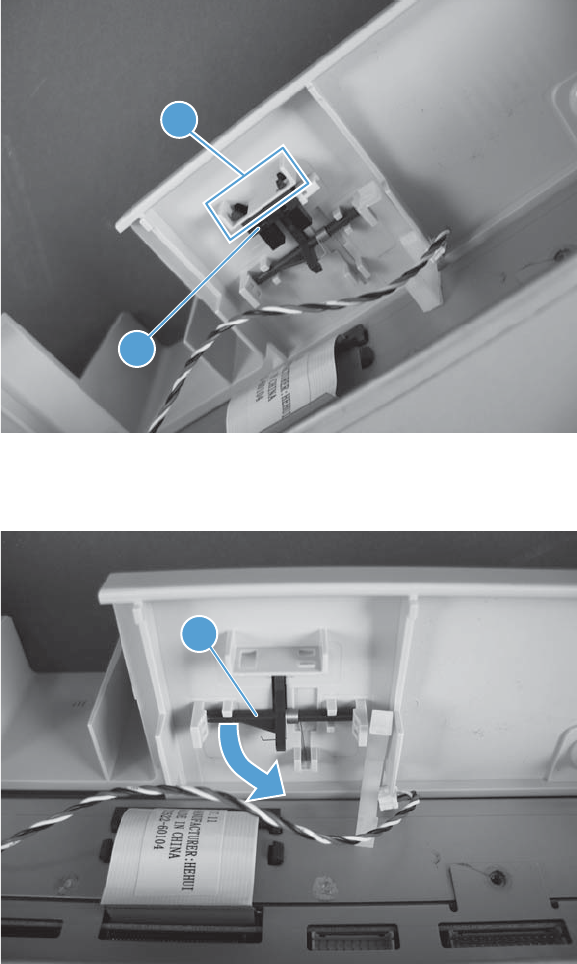
3. Release four tabs (callout 1), and then remove the sensor (callout 2).
Figure 1-224 Remove the document feeder open sensor and flag (3 of 4)
2
1
4. Carefully remove the sensor flag (callout 1).
Figure 1-225 Remove the document feeder open sensor and flag (4 of 4)
1
162 Chapter 1 Removal and replacement ENWW
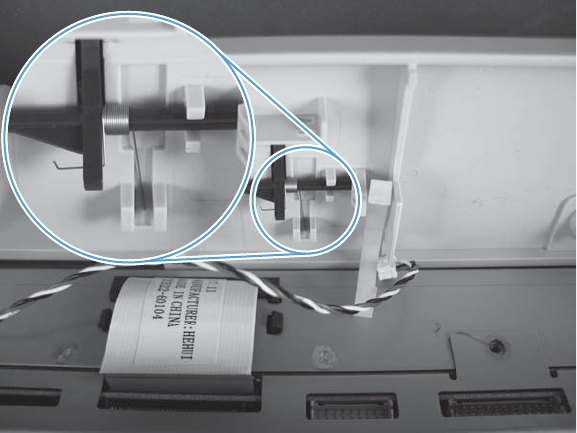
Reinstall the document feeder open sensor and flag
When the assembly is removed, the spring is loose. When you reinstall the assembly, make sure that
the long end of the spring fits in the provided channel and the short end of the spring is behind the flag.
Figure 1-226 Reinstall the document feeder open sensor and flag
ENWW Main assemblies 163
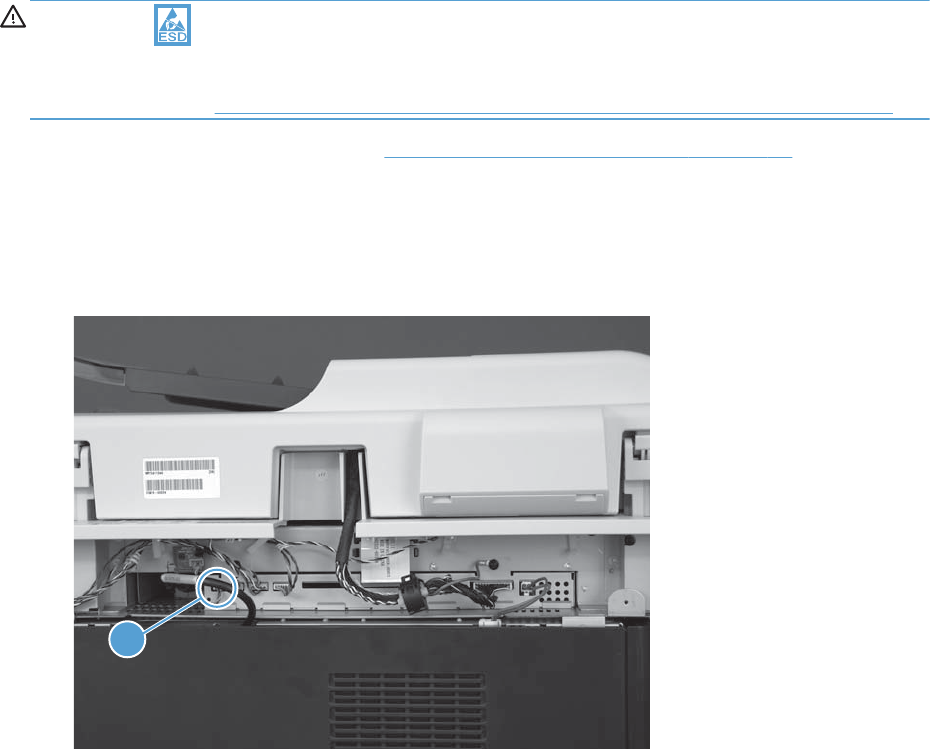
Image scanner memory board
CAUTION: ESD sensitive assembly.
Do not replace the SCB and the image scanner memory board at the same time. If you must replace
both assemblies, see Installing a replacement SCB and image scanner memory board on page 165.
●Scanner rear and FFC bezel cover. Scanner rear and FFC bezel cover on page 68.
Remove the image scanner memory board
1. Disconnect one connector (callout 1).
Figure 1-227 Remove the image scanner memory board (1 of 2)
1
164 Chapter 1 Removal and replacement ENWW
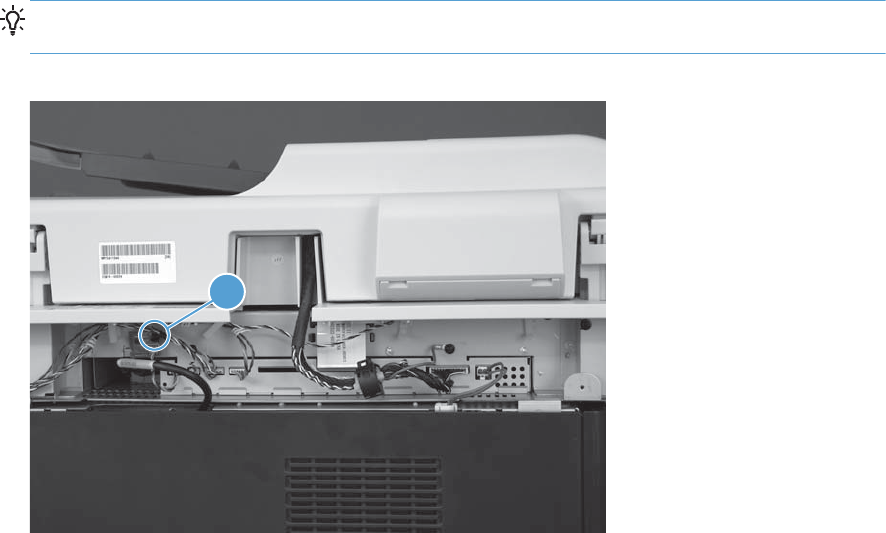
2. Remove one screw (callout 1), and then carefully remove the image scanner memory board.
Reinstallation tip When the image scanner memory board is reinstalled, make sure that the
notch in the board fits over the provided plastic pin.
Figure 1-228 Remove the image scanner memory board (2 of 2)
1
Installing a replacement SCB and image scanner memory board
The image scanner memory board contains the primary copy of the scan head calibration values. The
SCB contains a backup copy of these values. Replacing both of these assemblies at the same time will
cause these values to be lost and the image scanner will not operate.
If both assemblies must be replaced, do the following:
1. Replace either the image scanner memory board or the SCB.
2. Turn the product power on, and wait for the product to reach the Ready state.
3. Turn the product power off, and then replace the remaining assembly.
ENWW Main assemblies 165
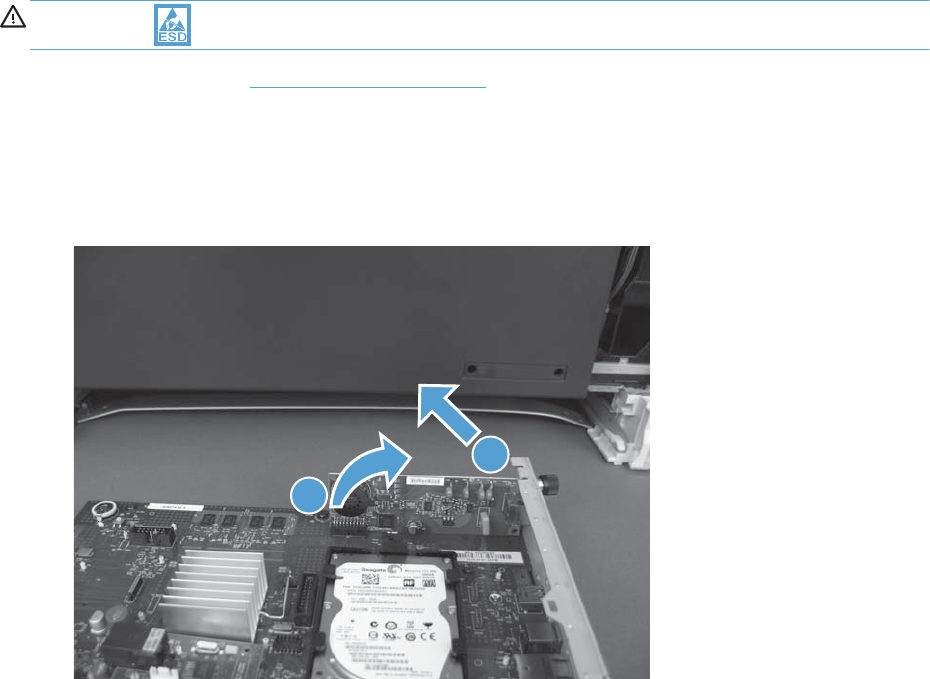
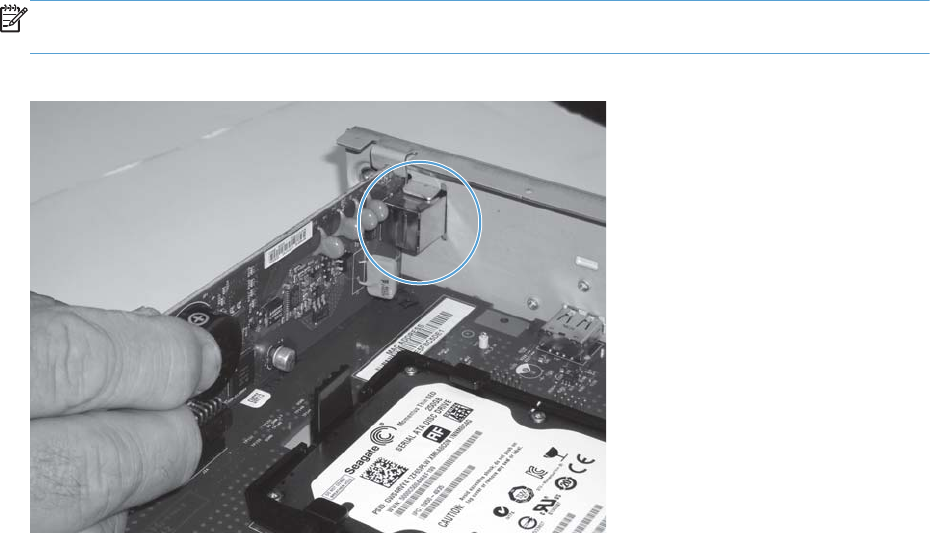
Reinstall the fax PCA
Carefully align the fax port in the holder on the formatter tray, and then push down on the PCA to seat
the connector on the formatter PCA.
NOTE: When the fax PCA is correctly installed, the fax port is firmly held in place by the holder on
the formatter tray.
Figure 1-230 Reinstall the fax PCA
ENWW Main assemblies 167
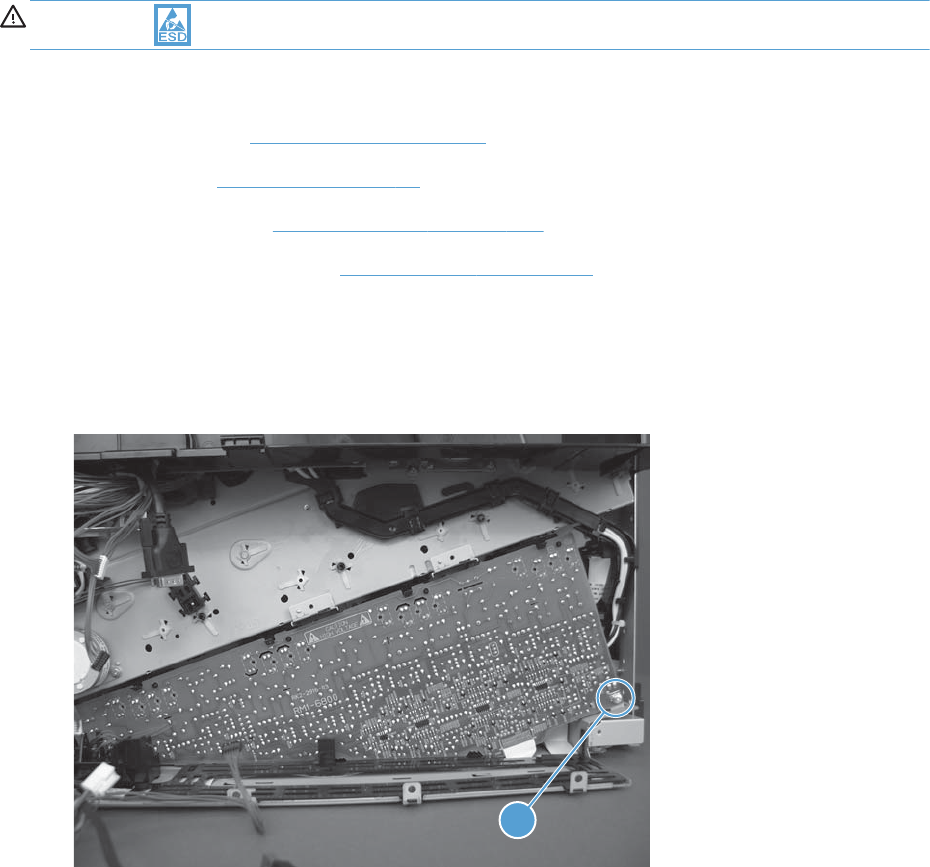
Image (developing) high-voltage power supply (HVPS)
CAUTION: ESD sensitive assembly.
Before proceeding, remove the following assemblies:
●Formatter PCA. See Formatter PCA on page 10.
●Rear cover. See Rear cover on page 58.
●Interconnect PCA. See Interconnect PCA on page 171.
●Formatter cage assembly. See Formatter cage on page 177.
Remove the image (developing) high-voltage power supply
1. Remove one screw (callout 1).
Figure 1-231 Remove the HVPS (1 of 4)
1
168 Chapter 1 Removal and replacement ENWW
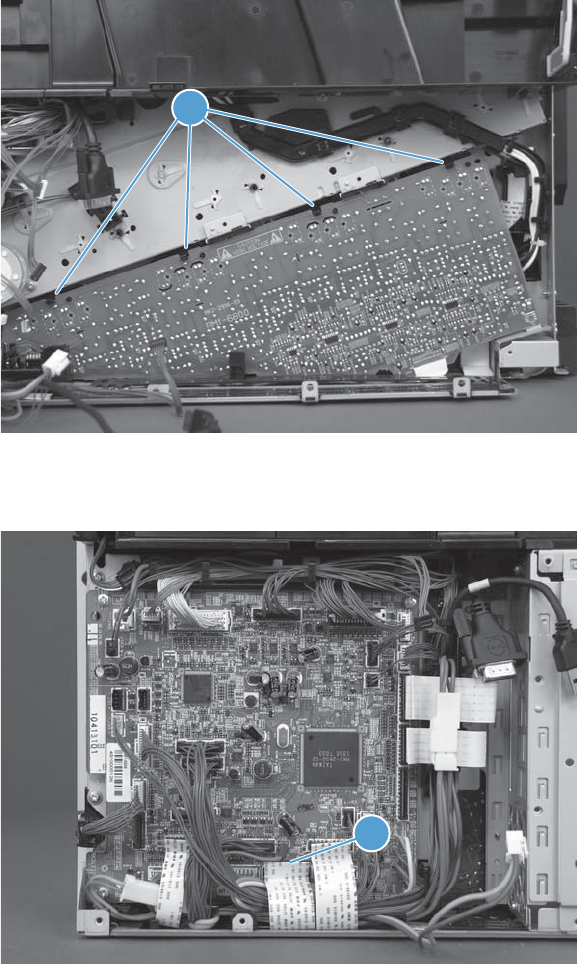
2. Release four tabs (callout 1).
Figure 1-232 Remove the HVPS (2 of 4)
1
3. Disconnect one FFC (callout 1).
Figure 1-233 Remove the HVPS (3 of 4)
1
ENWW Main assemblies 169
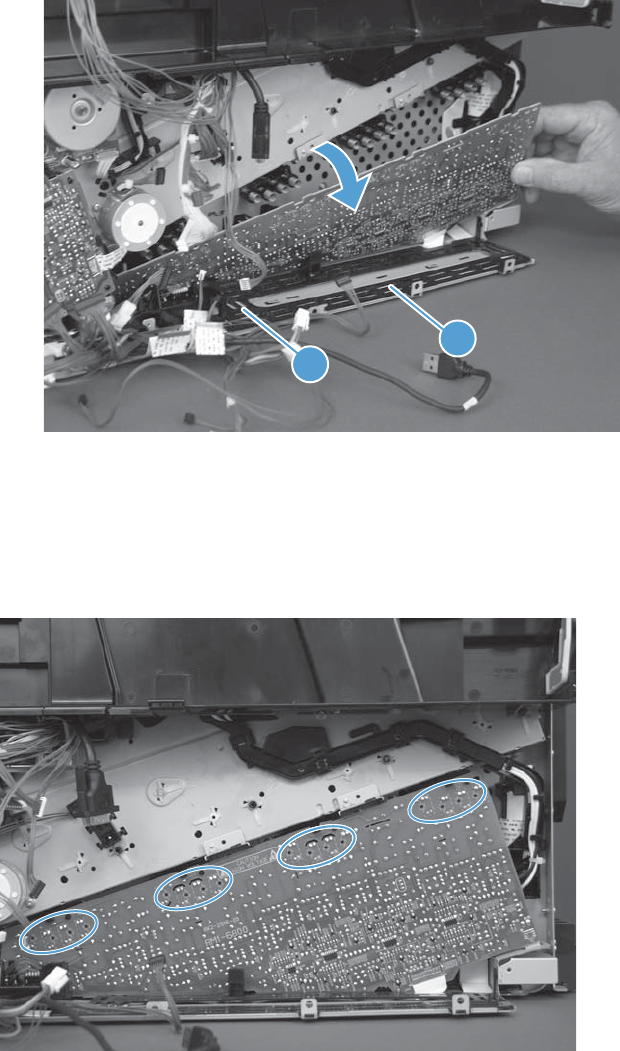
4. Remove the guide (callout 1), carefully remove the FFC (callout 2), and then rotate the top of the
HVPS away from the product to remove it.
Figure 1-234 Remove the HVPS (4 of 4)
1
2
Reinstall the image (developing) high-voltage power supply
When you reinstall the power supply PCA, look through the holes on the PCA and make sure that the
contact springs are correctly positioned against the back side of the PCA.
Figure 1-235 Reinstall the HVPS
170 Chapter 1 Removal and replacement ENWW
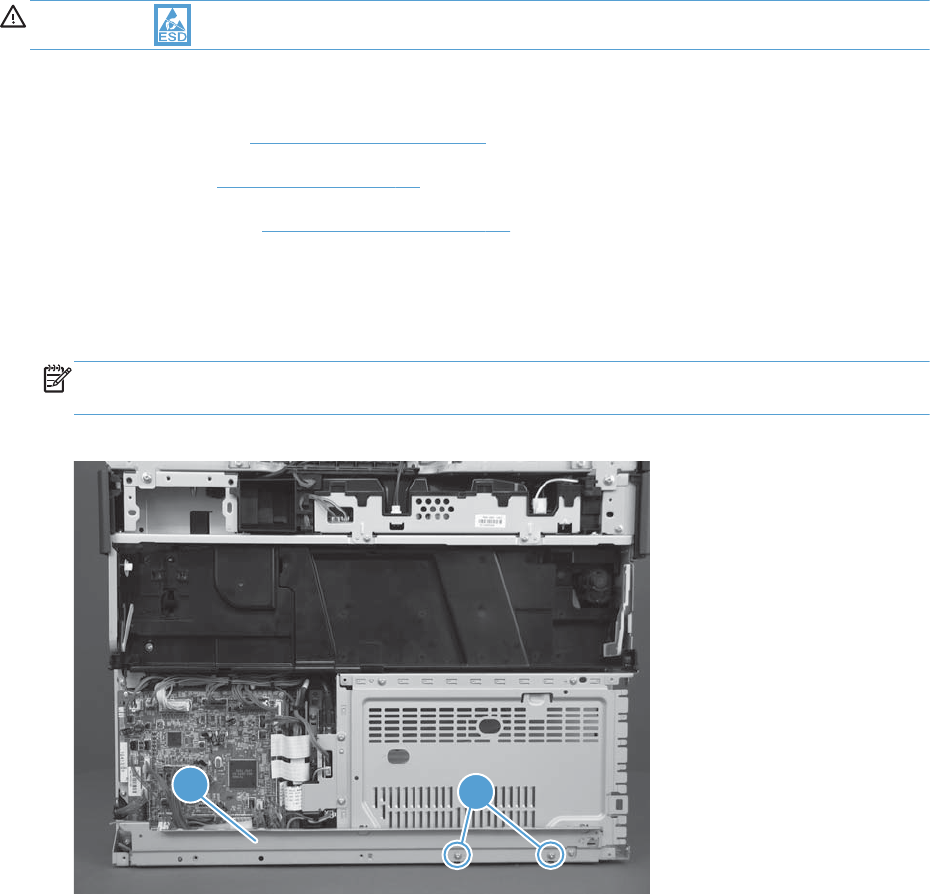
Interconnect PCA
CAUTION: ESD sensitive assembly.
Before proceeding, remove the following assemblies:
●Formatter PCA. See Formatter PCA on page 10.
●Rear cover. See Rear cover on page 58.
●Right rear cover. See Right rear cover on page 59.
Remove the interconnect PCA
1. Remove two screws (callout 1), and then remove the sheet-metal plate (callout 2).
NOTE: The rear upper cover and toner collection unit access door are shown removed in the
figure below, but they do not need to be removed to gain access to the interconnect PCA.
Figure 1-236 Remove the interconnect PCA (1 of 5)
1
2
ENWW Main assemblies 171
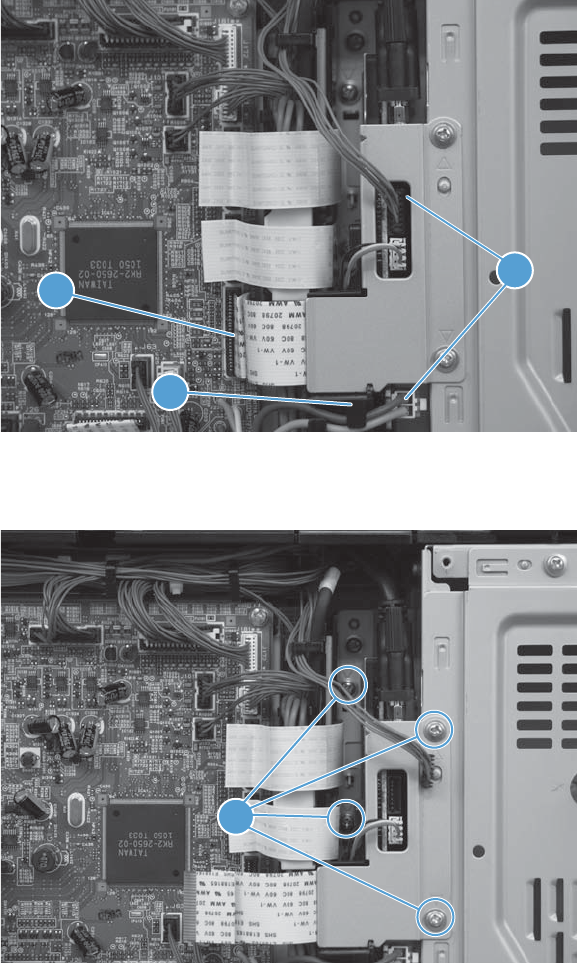
2. Disconnect one FFC (callout 1), two connectors (callout 2), and then release the wire harness from
the retainer (callout 3).
Figure 1-237 Remove the interconnect PCA (2 of 5)
2
1
3
3. Remove four screws (callout 1).
Figure 1-238 Remove the interconnect PCA (3 of 5)
1
172 Chapter 1 Removal and replacement ENWW
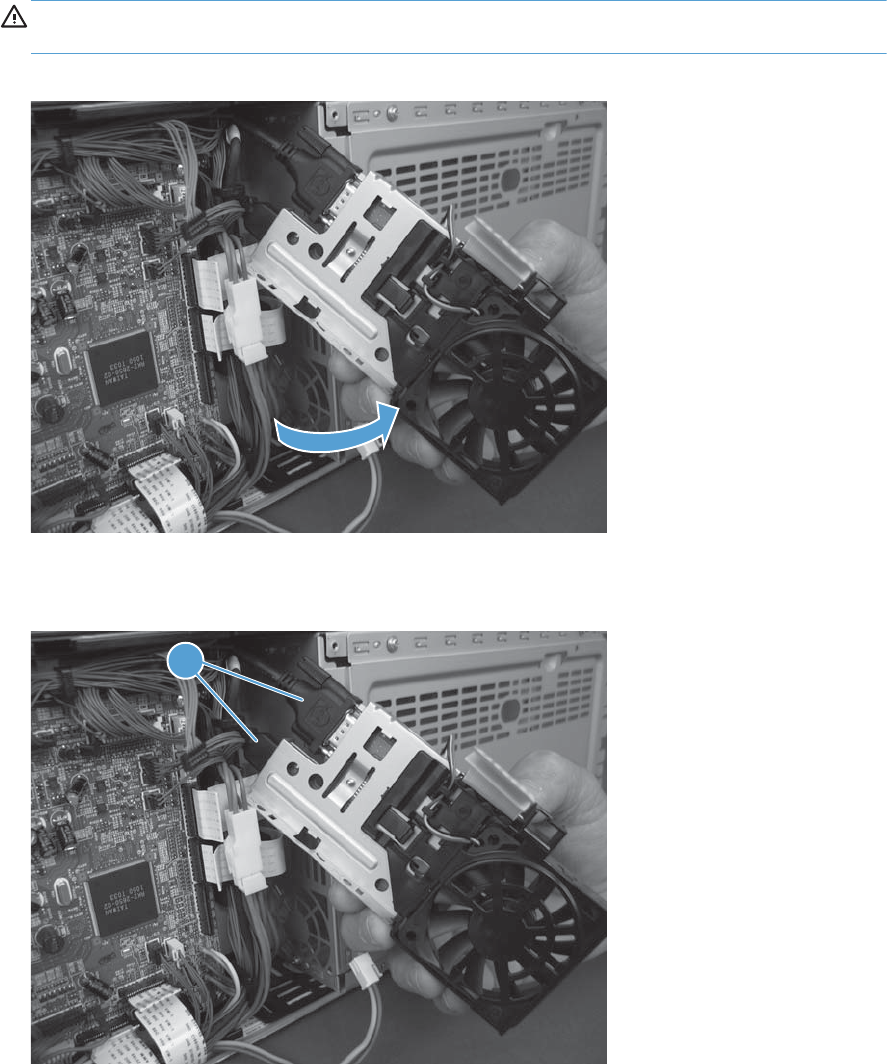
4. Rotate the bottom of the PCA out and away from the product.
CAUTION: The PCA is still attached to the product. Do not attempt to completely remove the
PCA.
Figure 1-239 Remove the interconnect PCA (4 of 5)
5. Disconnect two connectors (callout 1), and then remove the PCA.
Figure 1-240 Remove the interconnect PCA (5 of 5)
1
ENWW Main assemblies 173
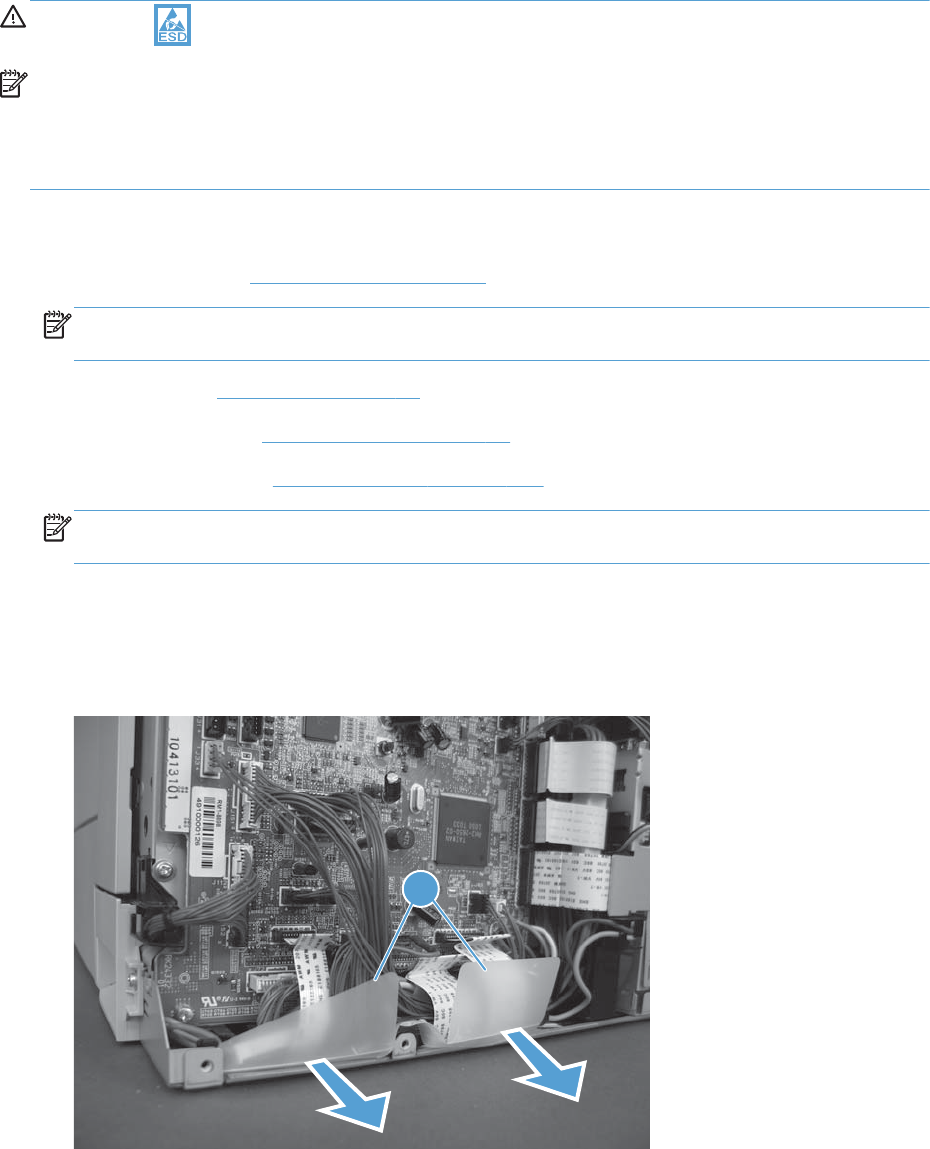
DC controller PCA
CAUTION: ESD sensitive assembly.
NOTE: Remove the DC controller PCA to replace it: Only remove the PCA (not the sheet-
metal bracket behind it).
Remove the DC controller PCA to gain access to other assemblies: Remove the PCA and
the sheet-metal bracket behind it as one assembly.
Before proceeding, remove the following assemblies:
●Formatter PCA. See Formatter PCA on page 10.
NOTE: Only remove the formatter if you are removing the both the DC controller PCA and the
sheet metal bracket behind it.
●Rear cover. See Rear cover on page 58.
●Right rear cover. See Right rear cover on page 59.
●Interconnect PCA. See Interconnect PCA on page 171.
NOTE: Only remove the interconnect PCA if you are removing both the DC controller PCA and
the sheet metal bracket behind it.
Remove the DC controller PCA
1. Carefully remove the plastic protective shield (callout 1).
Figure 1-241 Remove the DC controller PCA (1 of 4)
1
174 Chapter 1 Removal and replacement ENWW
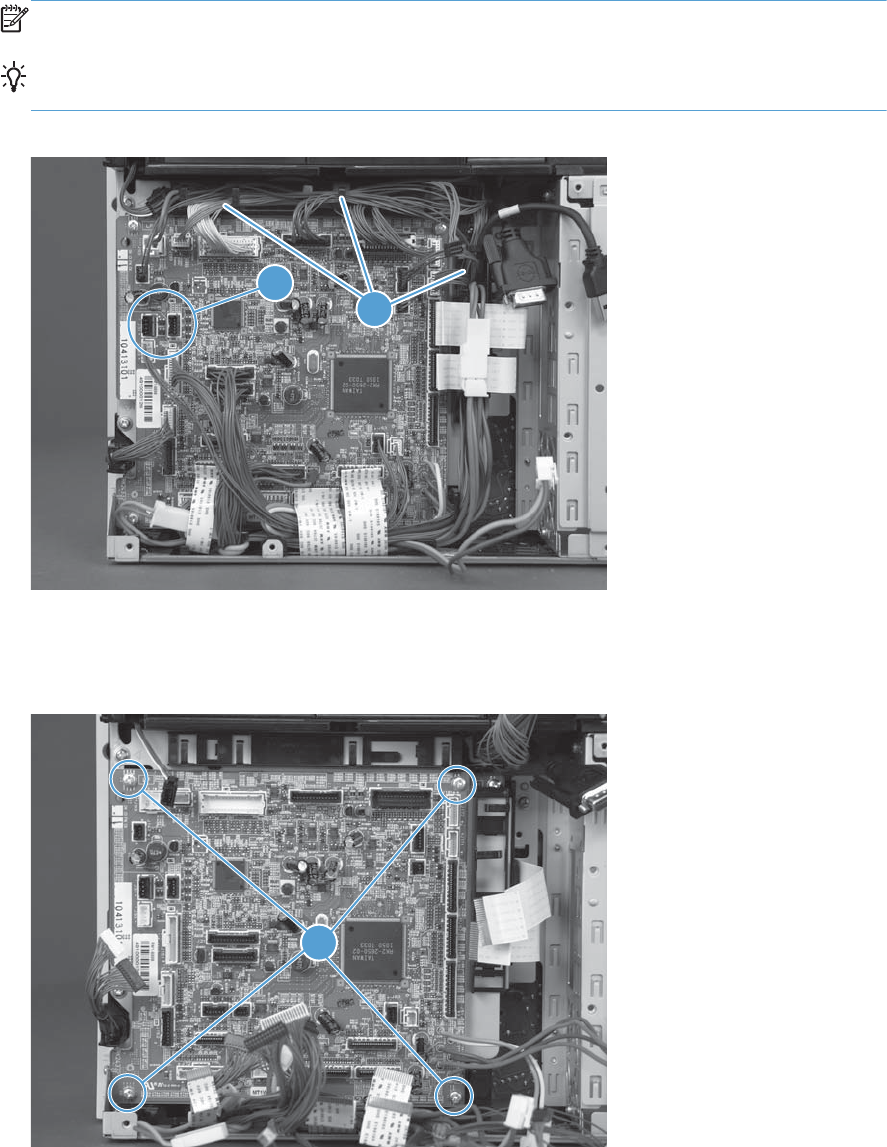
2. Disconnect all of the FFCs and connectors, and then release the wire harness from the retainers
(callout 1).
NOTE: There are four intermediate connectors in the wire harnesses.
Reinstallation tip Two connectors (callout 2) should be empty when the DC controller PCA is
reinstalled.
Figure 1-242 Remove the DC controller PCA (2 of 4)
21
3. To remove the DC controller PCA only: Remove four screws (callout 1), and then remove
the PCA.
Figure 1-243 Remove the DC controller PCA (3 of 4)
1
ENWW Main assemblies 175
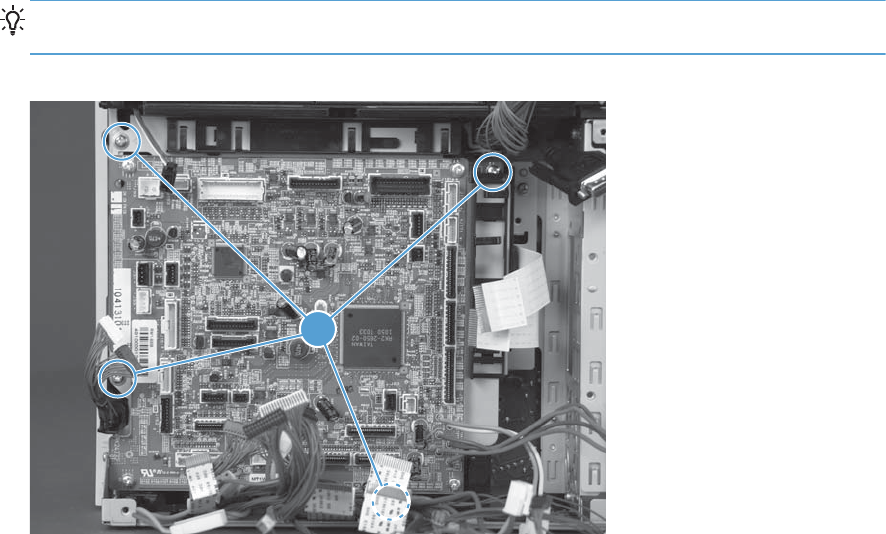
4. To remove the DC controller PCA and the sheet-metal bracket: Remove four screws
(callout 1), and then remove the PCA.
TIP: Partially release the wire harnesses from the retainer along the bottom edge of the assembly
to access one screw.
Figure 1-244 Remove the DC controller PCA (4 of 4)
1
176 Chapter 1 Removal and replacement ENWW
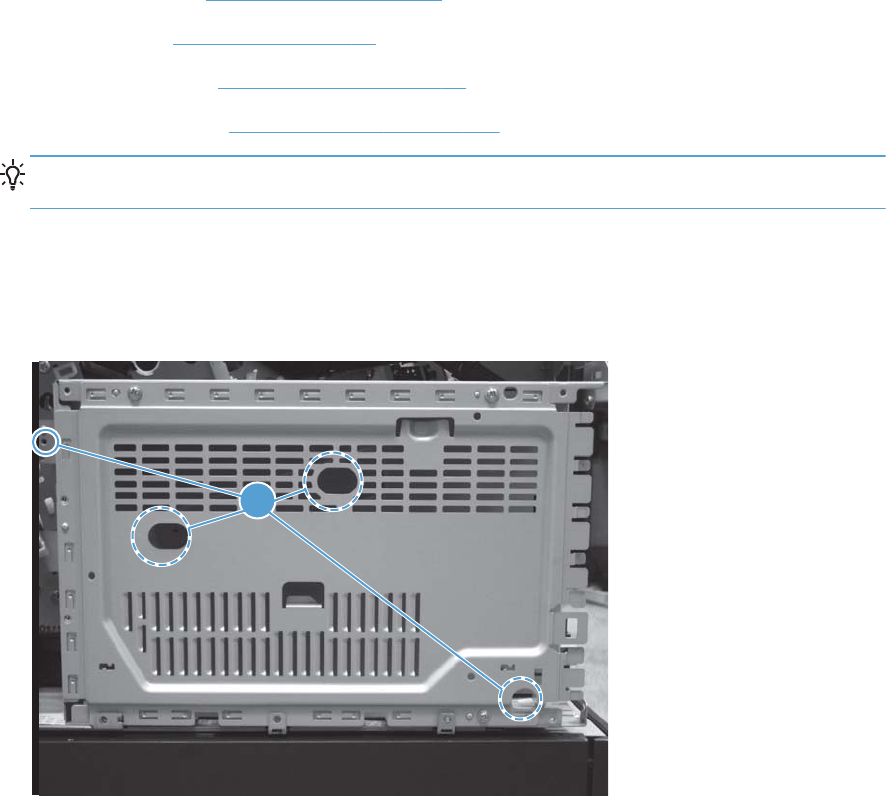
Formatter cage
Before proceeding, remove the following assemblies:
●Formatter PCA. See Formatter PCA on page 10.
●Rear cover. See Rear cover on page 58.
●Right rear cover. See Right rear cover on page 59.
●Interconnect PCA. See Interconnect PCA on page 171.
TIP: The interconnect PCA does not need to be completely removed to remove the formatter
cage.
Remove the formatter cage
1. Remove four screws (callout 1).
Figure 1-245 Remove the formatter cage (1 of 3)
1
ENWW Main assemblies 177
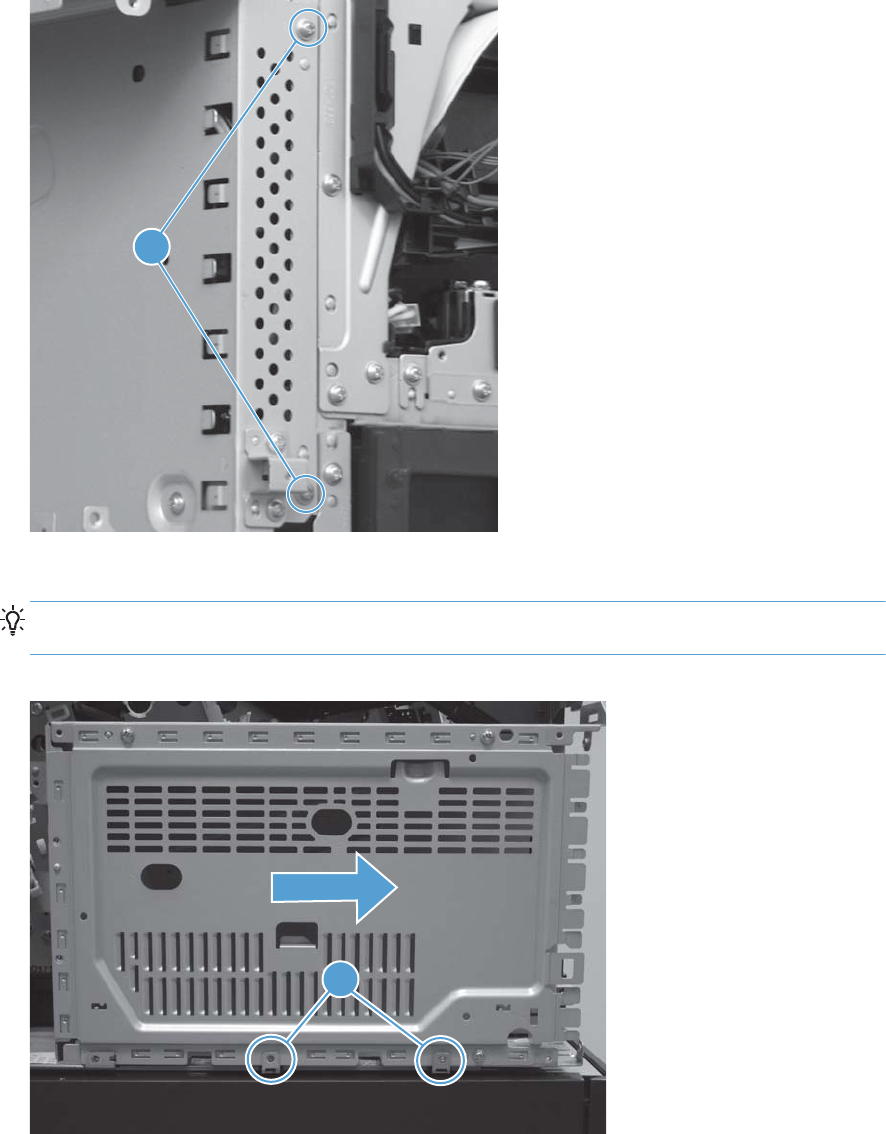
2. Remove two screws (callout 1) from the left side of the product.
Figure 1-246 Remove the formatter cage (2 of 3)
1
3. Slide the formatter cage out and away from the product to remove it.
Reinstallation tip When the formatter cage is reinstalled, make sure that it is positioned
behind the tabs (callout 1) on the chassis.
Figure 1-247 Remove the formatter cage (3 of 3)
1
178 Chapter 1 Removal and replacement ENWW
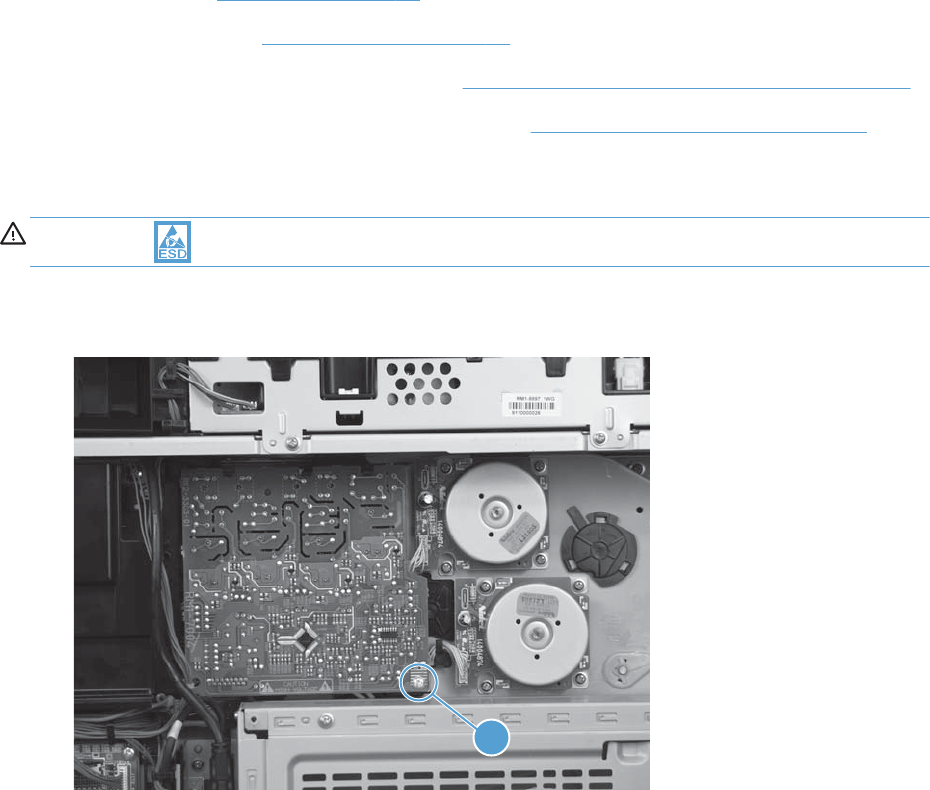
First-transfer high-voltage power supply
Before proceeding, remove the following assemblies:
●Rear cover. See Rear cover on page 58.
●Right rear cover. See Right rear cover on page 59.
●Toner collection unit (TCU) access door. See Toner collection unit (TCU) access door on page 60
●Toner cover. See the first, second, and third steps of Residual toner full sensor on page 122
Remove the first-transfer high-voltage power supply
CAUTION: ESD-sensitive part.
1. Remove one screw (callout 1).
Figure 1-248 Remove the first-transfer high-voltage power supply (1 of 2)
1
ENWW Main assemblies 179
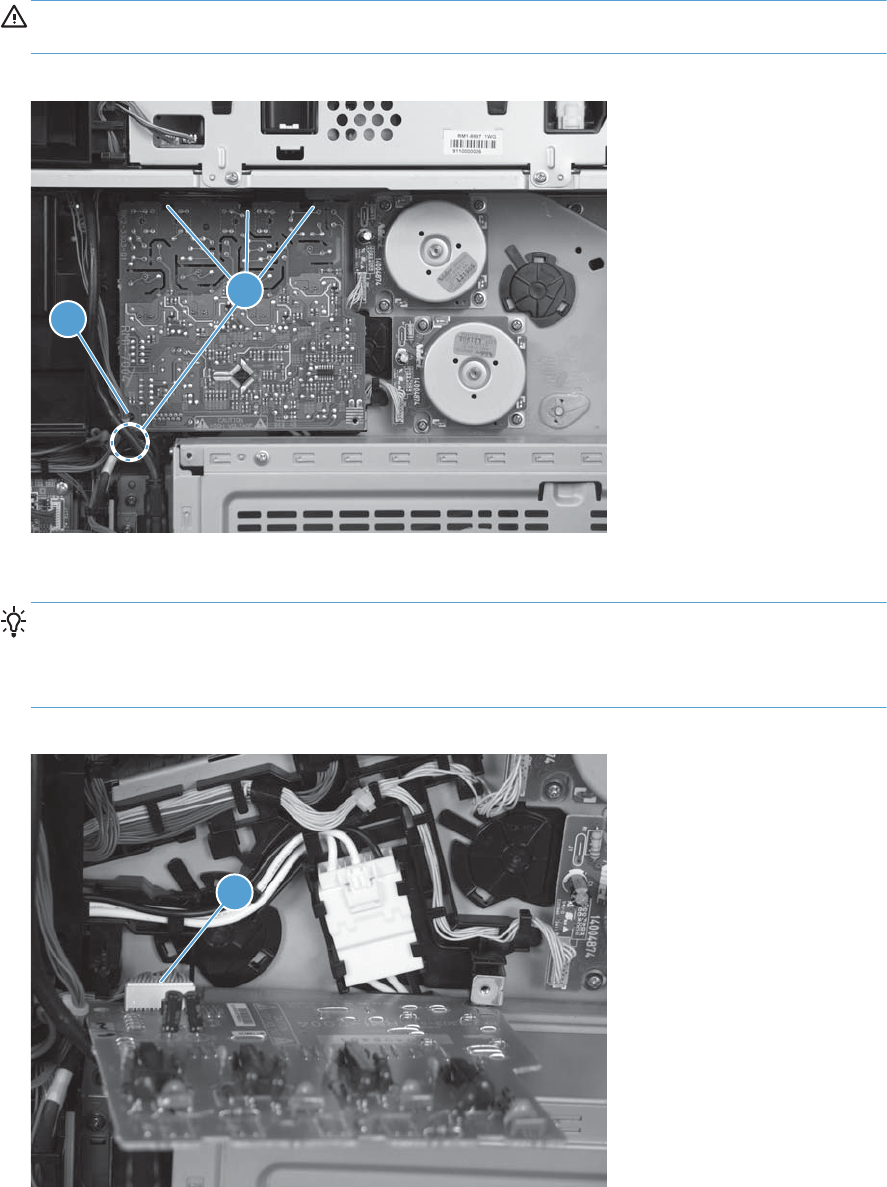
2. Release four tabs (callout 1), and then slide the power supply off the alignment post (callout 2).
CAUTION: The assembly is still attached to the product by a wire harness on the back side of
the PCA. Do not attempt to completely remove the assembly.
Figure 1-249 Remove the first-transfer high-voltage power supply (2 of 3)
2
1
3. Disconnect one connector (callout 1), and then remove the assembly.
TIP: If the DC controller was removed from the product, this wire harness has already been
disconnected (from the DC controller). Skip this step, and then remove the assembly with the wire
harness connected to it. If a replacement assembly is installed, transfer the wire harness to the
replacement assembly.
Figure 1-250 Remove the first-transfer high-voltage power supply (3 of 3)
1
180 Chapter 1 Removal and replacement ENWW
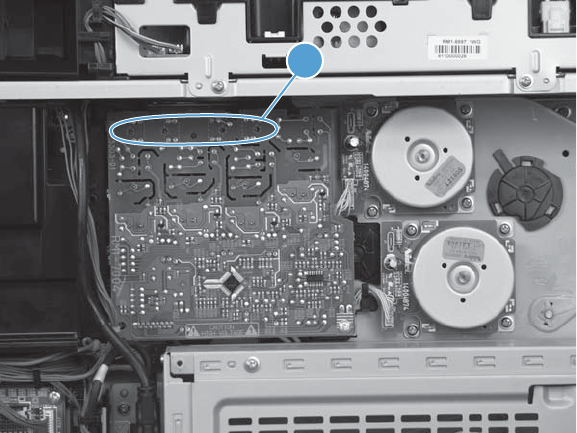
Reinstall the first-transfer high-voltage power supply
When you reinstall the power supply, look through the holes on the PCA (callout 1) and make sure that
the contact springs are correctly positioned against the back side of the PCA.
Figure 1-251 Reinstall the first-transfer high-voltage power supply
1
ENWW Main assemblies 181
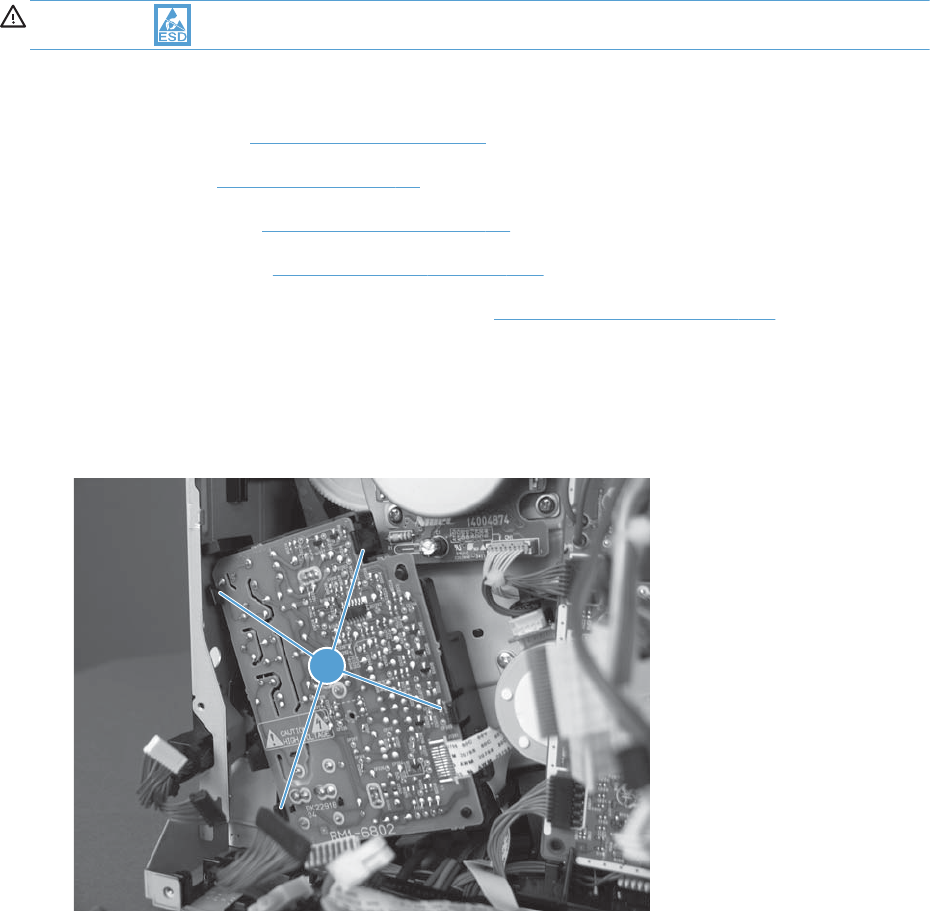
Second-transfer high-voltage power supply and holder
CAUTION: ESD sensitive assembly.
Before proceeding, remove the following assemblies:
●Formatter PCA. See Formatter PCA on page 10.
●Rear cover. See Rear cover on page 58.
●Right rear cover. See Right rear cover on page 59.
●Interconnect PCA. See Interconnect PCA on page 171.
●DC controller PCA and sheet-metal bracket. See DC controller PCA on page 174.
Remove the second-transfer high-voltage power supply and holder
1. To remove the PCA only: Release four tabs (callout 1). Proceed to the last step in this section.
Figure 1-252 Remove the second-transfer high-voltage power supply and holder (1 of 3)
1
182 Chapter 1 Removal and replacement ENWW
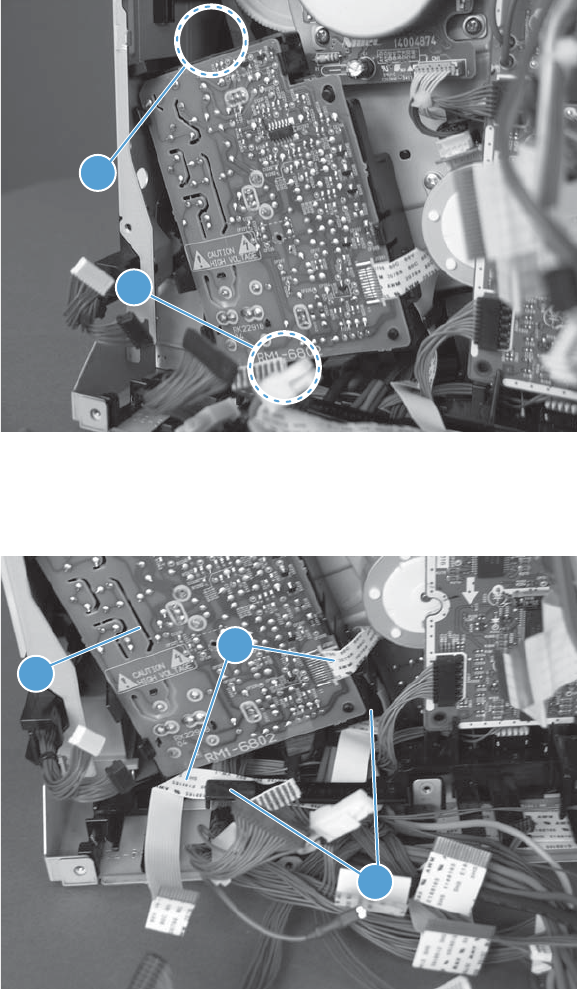
2. To remove the PCA and holder: Remove one screw (callout 1), and then release one tab
(callout 2).
Figure 1-253 Remove the second-transfer high-voltage power supply and holder (2 of 3)
1
2
3. Release one FFC (callout 1) from the retainer (callout 2), and then carefully separate the PCA or
the PCA and holder (callout 3) from the product.
Figure 1-254 Remove the second-transfer high-voltage power supply and holder (3 of 3)
3
1
2
ENWW Main assemblies 183
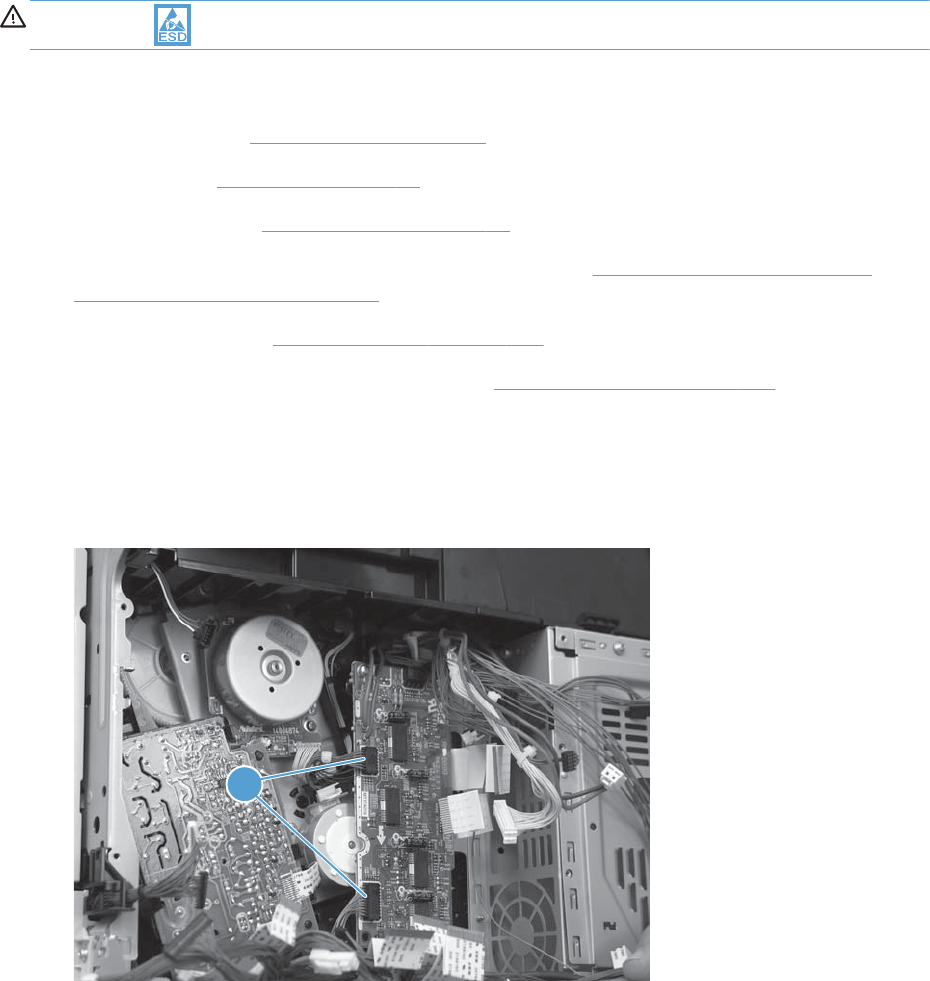
Driver PCA
CAUTION: ESD sensitive assembly.
Before proceeding, remove the following assemblies:
●Formatter PCA. See Formatter PCA on page 10.
●Rear cover. See Rear cover on page 58.
●Right rear cover. See Right rear cover on page 59.
●Image (developing) high-voltage power supply (HVPS). See Image (developing) high-voltage
power supply (HVPS) on page 168.
●Interconnect PCA. See Interconnect PCA on page 171.
●DC controller PCA and sheet-metal bracket. See DC controller PCA on page 174.
Remove the driver PCA
1. Disconnect two connectors (callout 1).
Figure 1-255 Remove the driver PCA (1 of 3)
1
184 Chapter 1 Removal and replacement ENWW
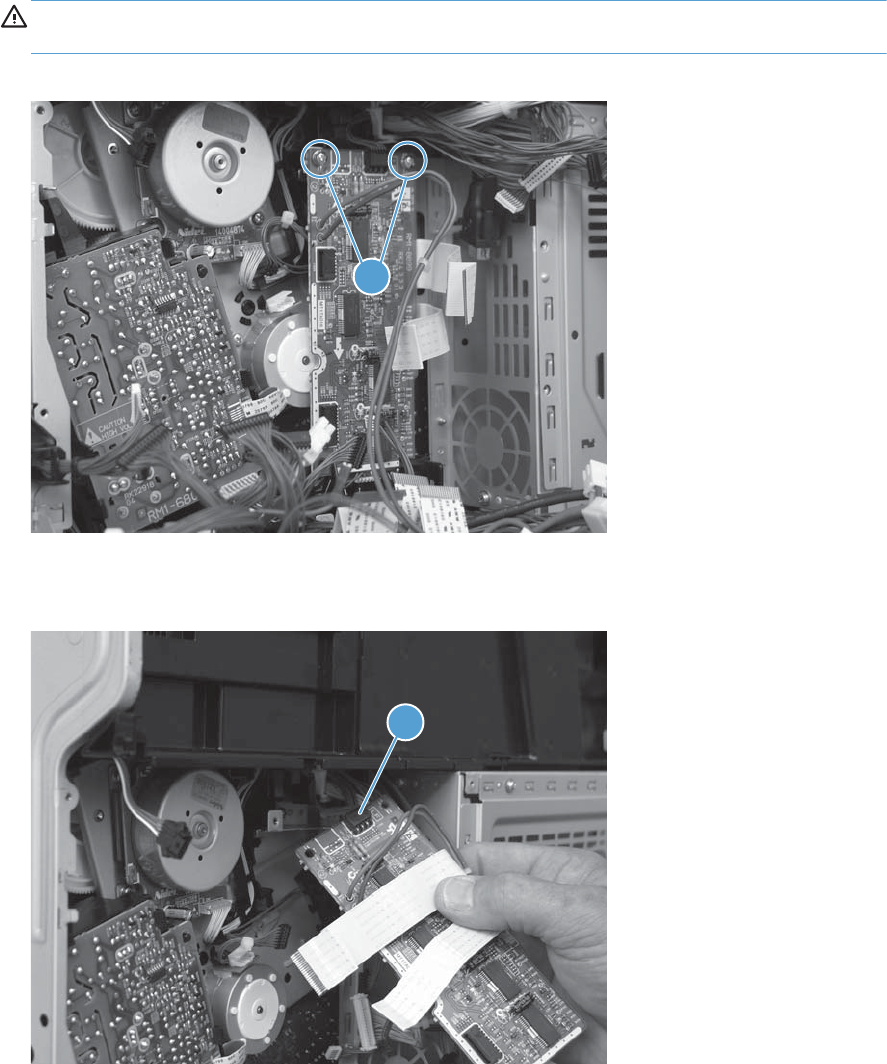
2. Remove two screws (callout 1), and then carefully separate the PCA from the product.
CAUTION: The PCA is still connected to the product by a wire harness. Do not attempt to
completely remove the PCA.
Figure 1-256 Remove the driver PCA (2 of 3)
1
3. Disconnect one connector (callout 1), and then remove the PCA.
Figure 1-257 Remove the driver PCA (3 of 3)
1
ENWW Main assemblies 185
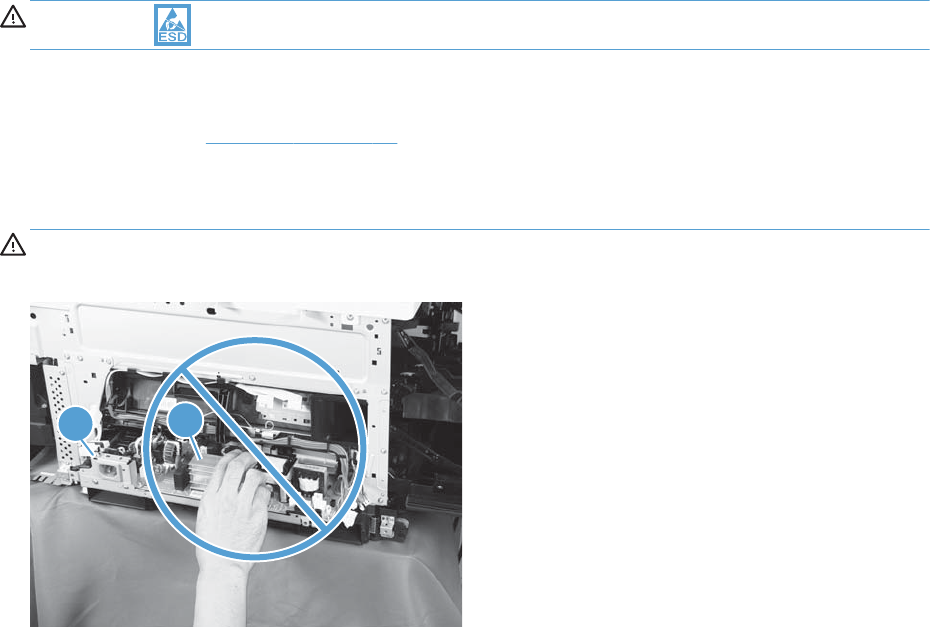
Low-voltage power supply (LVPS)
CAUTION: ESD sensitive assembly.
Before proceeding, remove the following assemblies:
●Left cover. See Left cover on page 57.
Remove the LVPS
WARNING! When removing the low-voltage power supply ( callout 1), do not touch the electric
element (callout 2) as shown. Be sure to hold the bottom side of the low-voltage power supply.
12
186 Chapter 1 Removal and replacement ENWW
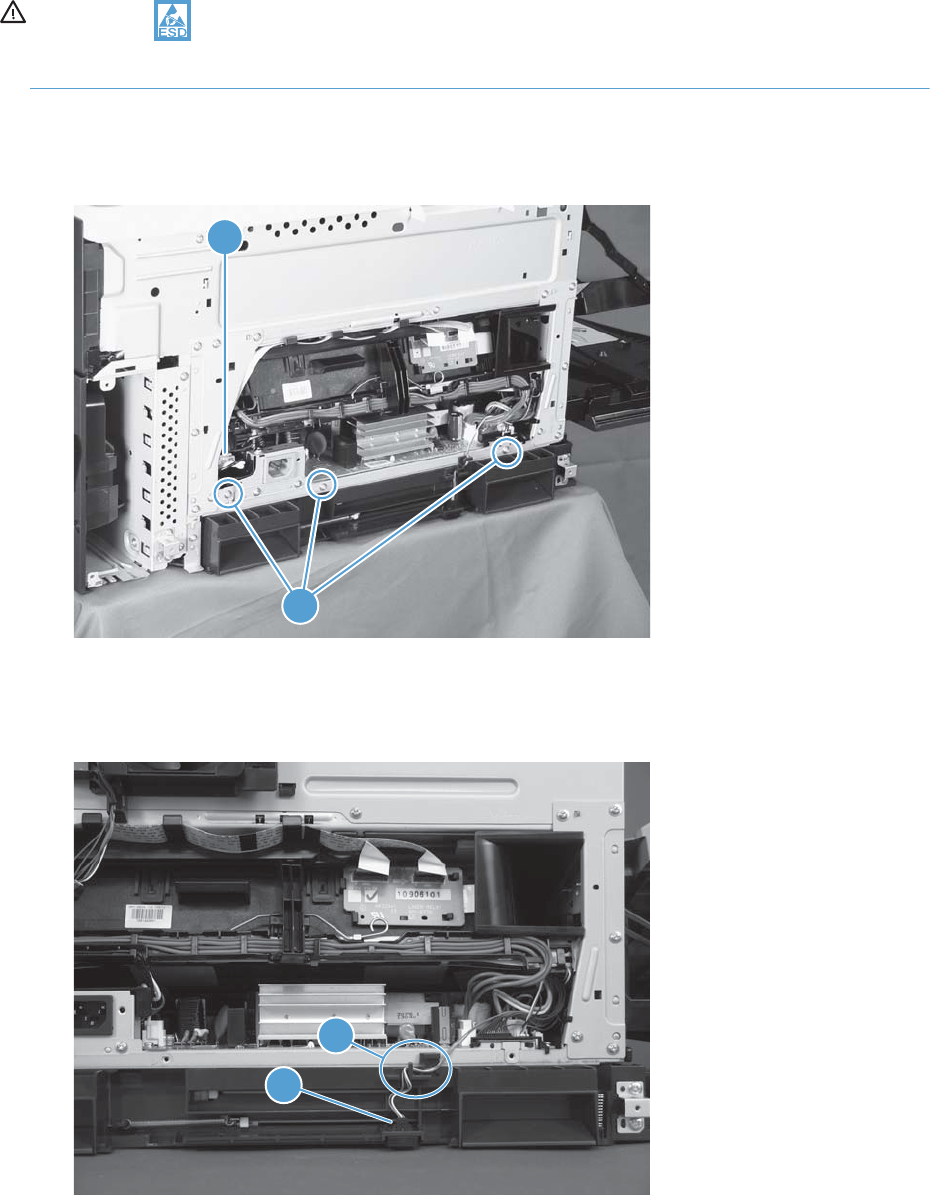
CAUTION: ESD-sensitive part.
Unplug the power cord from the product before proceeding.
1. Disconnect one connector (callout 1), and then remove three screws (callout 2) that have a
triangular icon next to them.
Figure 1-258 Remove the LVPS (1 of 6)
2
1
2. Disconnect one connector (callout 1), and then release the wire harness from the retainer
(callout 2).
Figure 1-259 Remove the LVPS (2 of 6)
2
1
ENWW Main assemblies 187
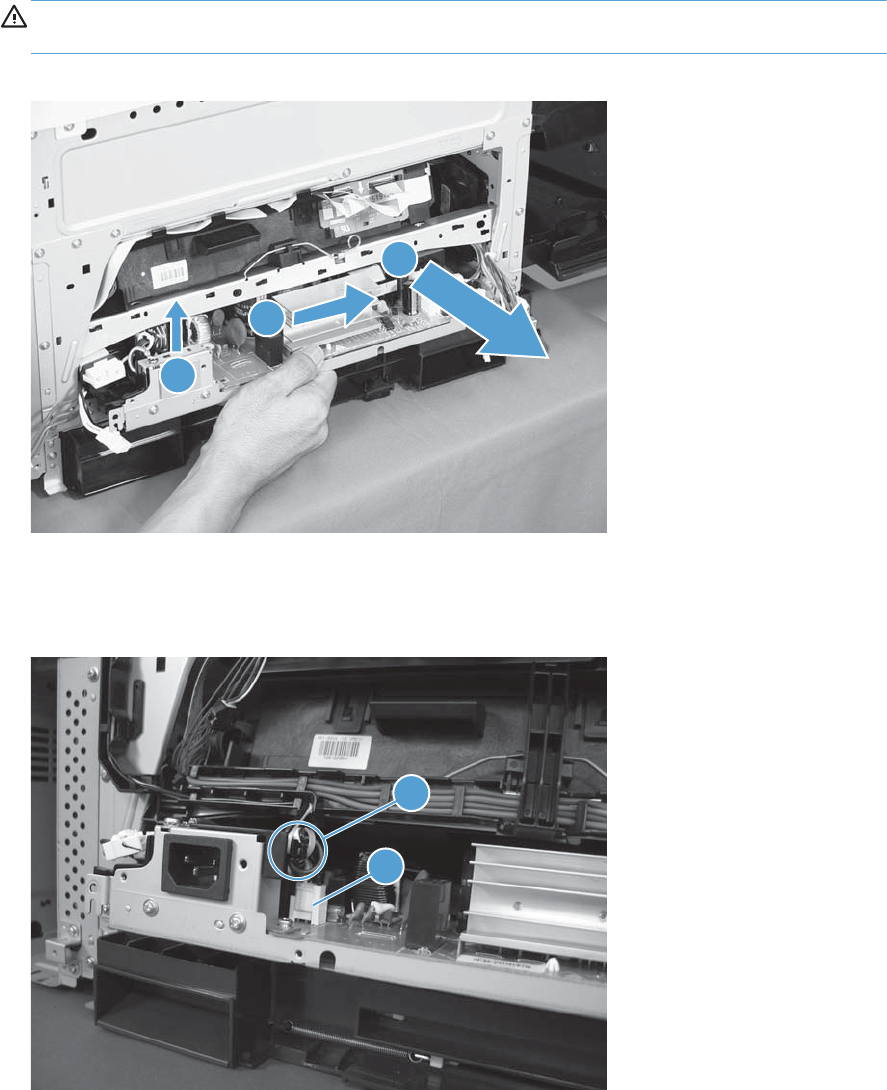
3. Lift up on the low-voltage power supply, slide it forward, and then slightly pull it out of the product.
CAUTION: The power supply is still connected by several wire harnesses to the product. Do not
attempt to completely remove the power supply.
Figure 1-260 Remove the LVPS (3 of 6)
1
3
2
4. Disconnect one connector (callout 1), and then release the wire harness from the retainer
(callout 2).
Figure 1-261 Remove the LVPS (4 of 6)
2
1
188 Chapter 1 Removal and replacement ENWW
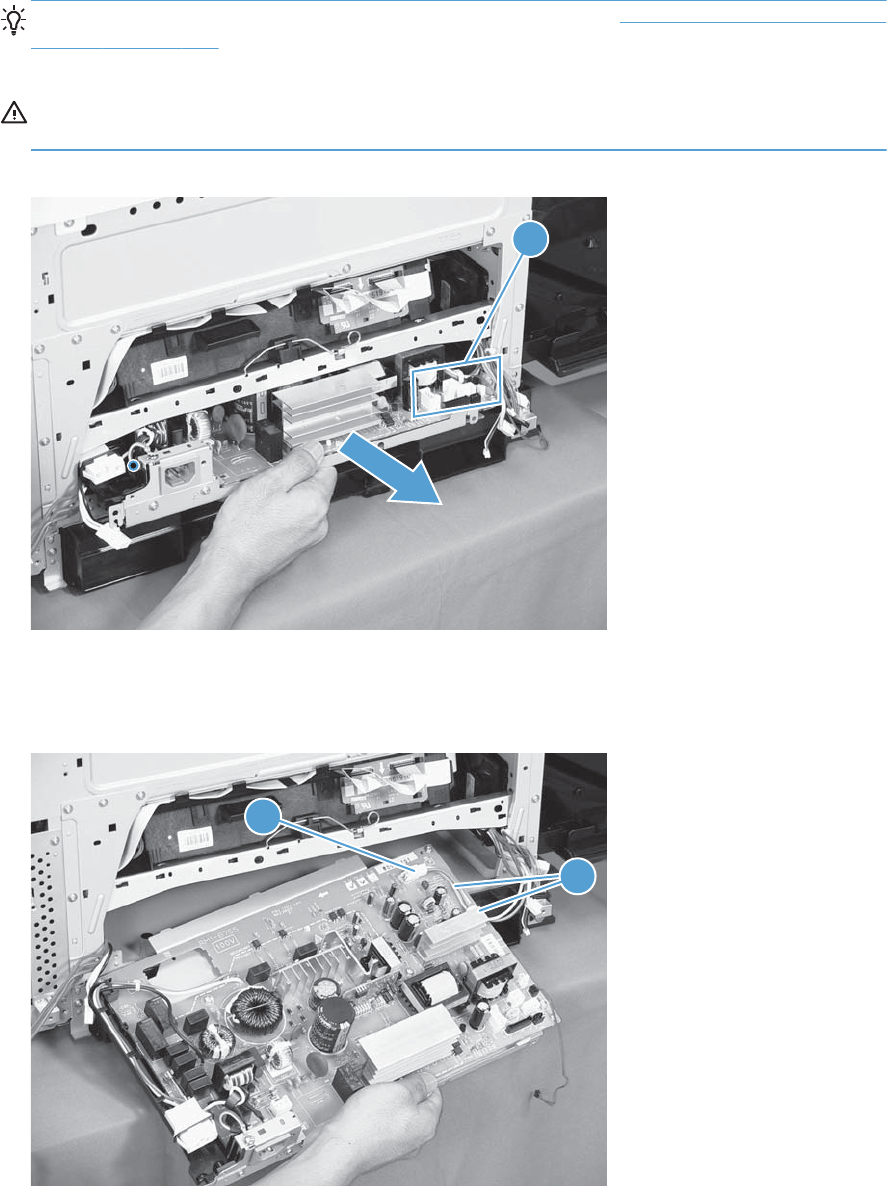
5. Disconnect eight connectors (callout 1), and then continue to carefully pull the LVPS out of the
product.
Reinstallation tip The wire harness disconnected in step 2 (see Figure 1-259 Remove the LVPS
(2 of 6) on page 187), is not captive when one of the connectors in this step is disconnected. If
you are installing a replacement LVPS, install this harness on the assembly.
CAUTION: The power supply is still connected to the product by a wire harness. Do not attempt
to completely remove the power supply.
Figure 1-262 Remove the LVPS (5 of 6)
1
6. Disconnect one rear connector (callout 1), release the wire harness from two retainers (callout 2),
and then remove the LVPS.
Figure 1-263 Remove the LVPS (6 of 6)
1
2
ENWW Main assemblies 189

Duplex drive assembly
Before proceeding, remove the following assemblies:
●Formatter PCA. See Formatter PCA on page 10.
●Control-panel assembly. See Control-panel assembly on page 5.
●Intermediate transfer belt. See Intermediate transfer belt on page 7.
●Fuser. See Fuser on page 9.
●Left cover. See Left cover on page 57.
●Rear cover. See Rear cover on page 58.
●Right rear cover. See Right rear cover on page 59.
●Right upper cover. See Right upper cover on page 67
●Toner collection unit (TCU) access door. See Toner collection unit (TCU) access door on page 60
●Optional: Document feeder. See Document feeder on page 71.
NOTE: HP recommends removing the document feeder to decrease the weight of the scanner
assembly when it is lifted off of the product.
●Scanner assembly. See Scanner assembly on page 74.
●Front upper cover. See Front upper cover on page 83.
●Front right cover. See Front right cover on page 86.
●For a non stapler/stacker model:
◦Output cover. See Output cover; non stapler/stacker model on page 93.
●For a stapler/stacker model:
◦Stapler/stacker assembly. See Stapler/stacker assembly on page 78.
●Left upper cover. See Left upper cover on page 82.
●To right cover. See Top right cover on page 91.
●Top cover. See Top cover on page 95.
●Top rear cover. See Top rear cover on page 97.
●Sub power assembly. See Sub-power supply assembly on page 110
●Paper delivery assembly. See Paper delivery assembly on page 131.
●Toner cover. See the first, second, and third steps of Residual toner full sensor on page 122
●Formatter cage assembly. See Formatter cage on page 177.
190 Chapter 1 Removal and replacement ENWW
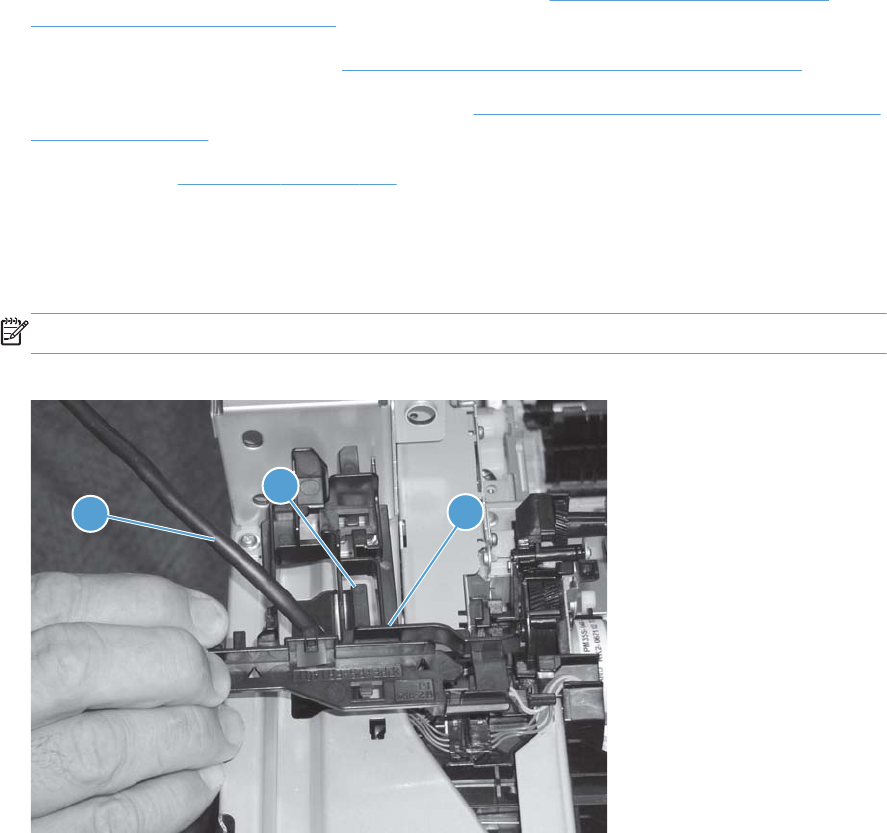
●Image (developing) high-voltage power supply (HVPS). See Image (developing) high-voltage
power supply (HVPS) on page 168.
●First transfer high-voltage PCA. See First-transfer high-voltage power supply on page 179.
●Second transfer high-voltage PCA and holder. See Second-transfer high-voltage power supply and
holder on page 182.
●Driver PCA. See Driver PCA on page 184.
Remove the duplex-drive assembly
1. Release one tab (callout 1), and then remove the guide (callout 2).
NOTE: Carefully feed the cable (callout 3) through the hole to remove the guide.
Figure 1-264 Remove the duplex-drive assembly (1 of 4)
2
3
1
ENWW Main assemblies 191
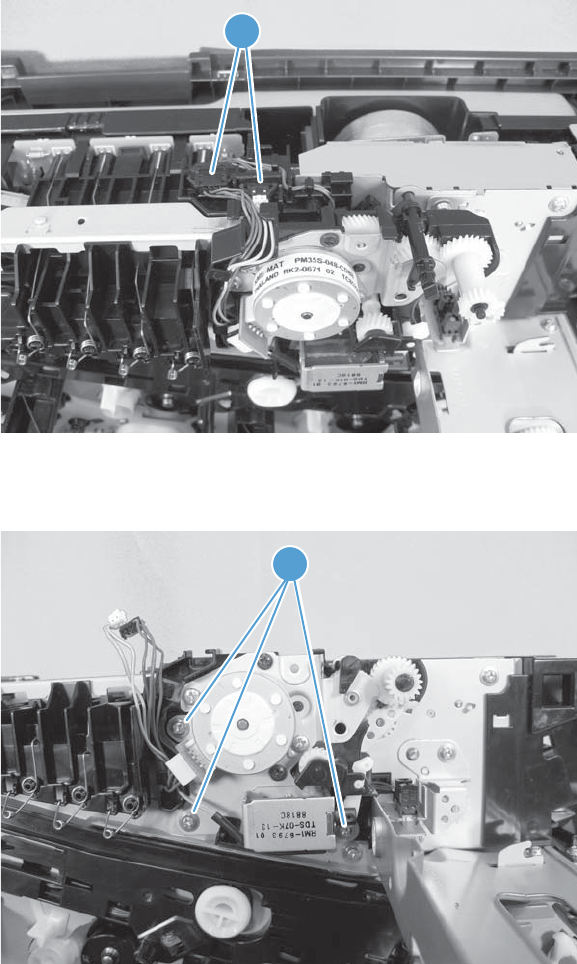
2. Disconnect two connectors (callout 1).
Figure 1-265 Remove the duplex-drive assembly (2 of 4)
1
3. Remove three screws (callout 1).
Figure 1-266 Remove the duplex-drive assembly (3 of 4)
1
192 Chapter 1 Removal and replacement ENWW
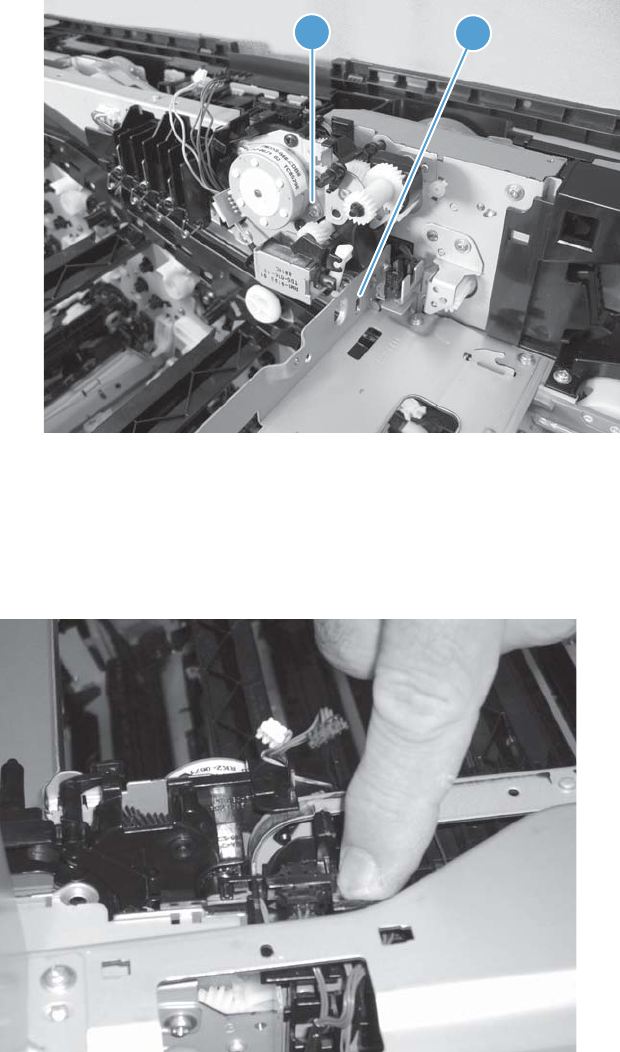
4. Release one tab (callout 1), and then remove the assembly (callout 2).
Figure 1-267 Remove the duplex-drive assembly (4 of 4)
1
2
Reinstall the duplex-drive assembly
When the assembly is reinstalled, rotate it under the edge of the chassis, and then slightly push down
on the assembly to clear the edge of the chassis.
Figure 1-268 Reinstall the duplex-drive assembly
ENWW Main assemblies 193

Main drive assembly
NOTE: If the toner cartridges have not been removed to service the product, remove them now.
Before proceeding, remove the following assemblies:
●Formatter PCA. See Formatter PCA on page 10.
●Control-panel assembly. See Control-panel assembly on page 5.
●Intermediate transfer belt. See Intermediate transfer belt on page 7.
●Left cover. See Left cover on page 57.
●Rear cover. See Rear cover on page 58.
●Right rear cover. See Right rear cover on page 59.
●Toner collection unit (TCU) access door. See Toner collection unit (TCU) access door on page 60.
●For a stapler/stacker model:
◦Stapler/stacker assembly. See Stapler/stacker assembly on page 78.
●Optional: Document feeder. See Document feeder on page 71.
NOTE: HP recommends removing the document feeder to decrease the weight of the scanner
assembly when it is lifted off of the product.
●Scanner assembly. See Scanner assembly on page 74.
●Front upper cover. See Front upper cover on page 83.
●Front right cover. See Front right cover on page 86.
●For a non stapler/stacker model:
◦Output cover. See Output cover; non stapler/stacker model on page 93.
●Top cover. See Top cover on page 95.
●Residual toner full sensor. See Residual toner full sensor on page 122.
●Interconnect PCA. See Interconnect PCA on page 171.
●Formatter cage assembly. See Formatter cage on page 177.
●DC controller and sheet-metal bracket. See DC controller PCA on page 174.
●Image (developing) high-voltage power supply (HVPS). See Image (developing) high-voltage
power supply (HVPS) on page 168.
●First transfer high-voltage PCA. See First-transfer high-voltage power supply on page 179.
194 Chapter 1 Removal and replacement ENWW
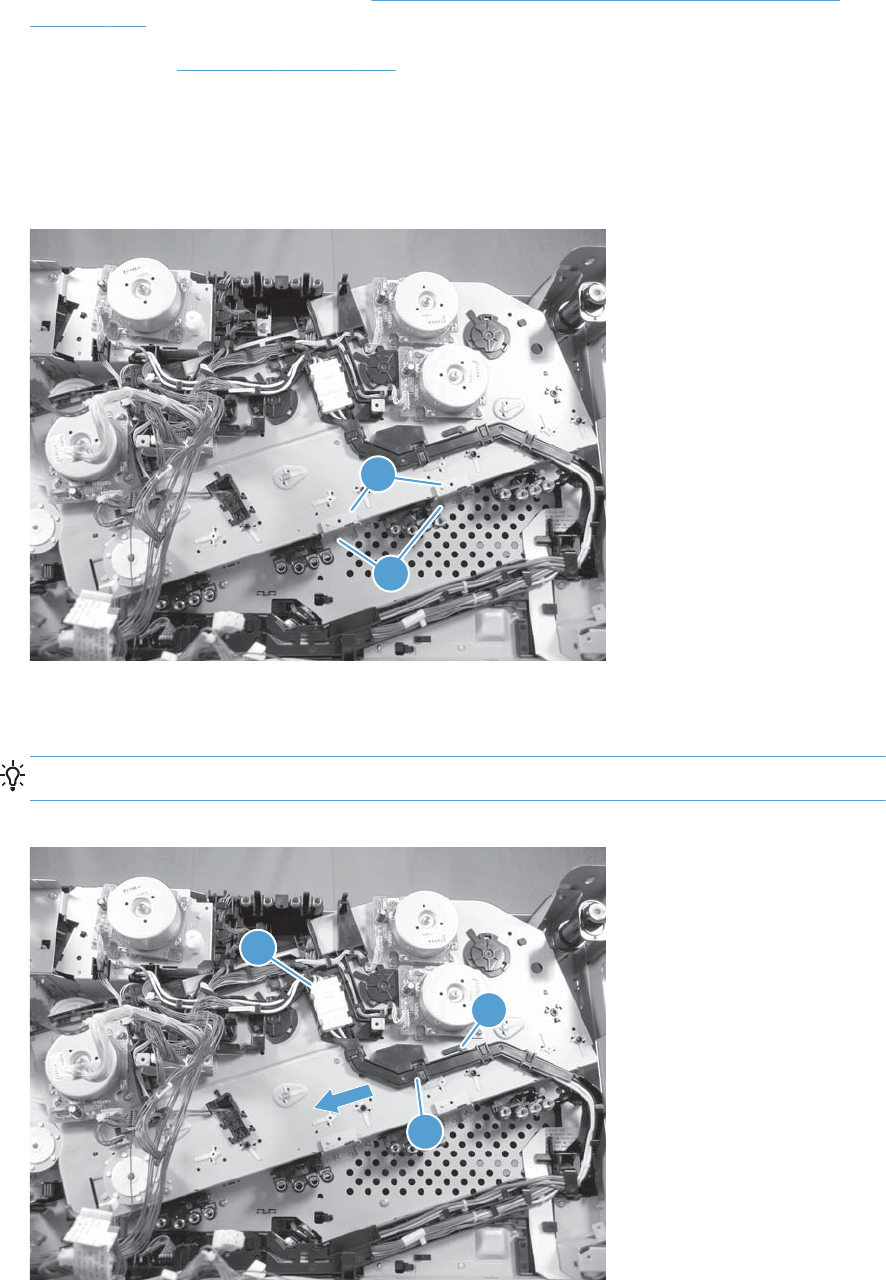
●Second transfer high-voltage PCA. See Second-transfer high-voltage power supply and holder
on page 182.
●Driver PCA. See Driver PCA on page 184.
Remove the main drive assembly
1. Remove two screws (callout 1), and then remove the sheet-metal support brackets (callout 2).
Figure 1-269 Remove the main drive assembly (1 of 7)
1
2
2. Disconnect one connector (callout 1), release one tab (callout 2), slide the cable guide (callout 3)
to the left to release it, and then move the guide to the side, out of the way.
TIP: It might be easier to disconnect the connector if you release it from the holder.
Figure 1-270 Remove the main drive assembly (2 of 7)
1
2
3
ENWW Main assemblies 195
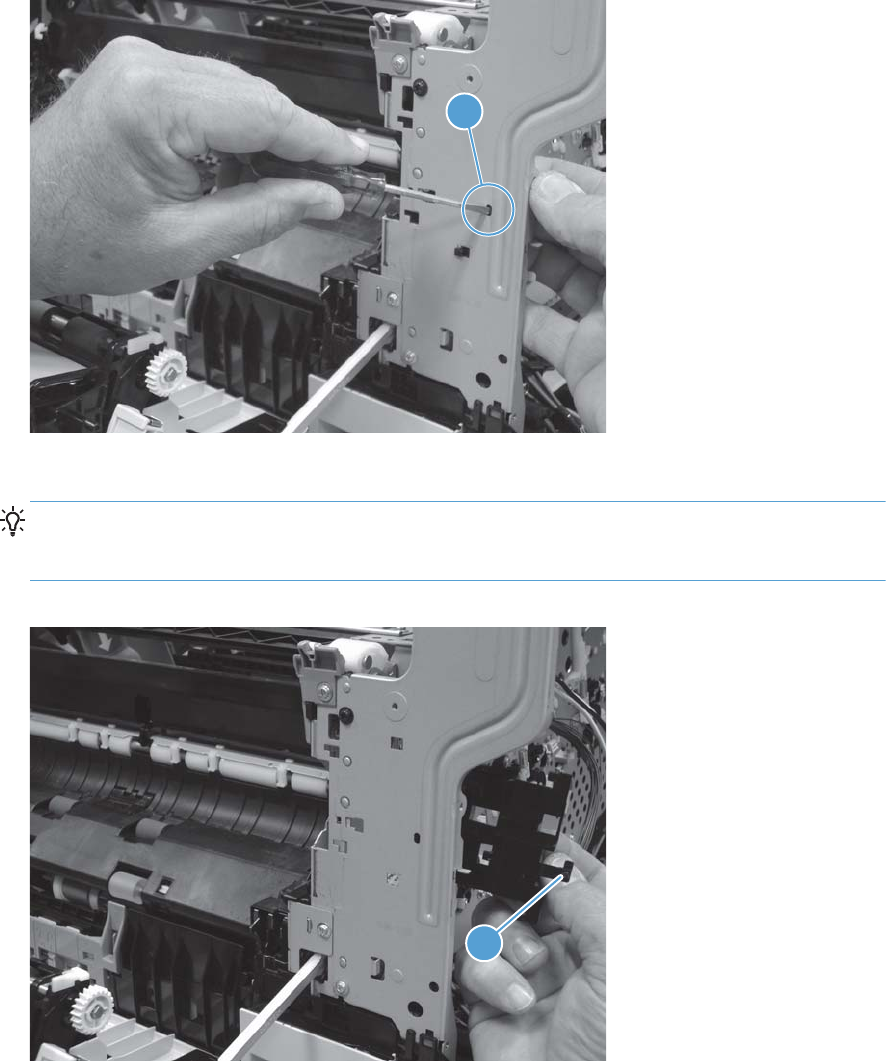
3. From the front of the product, use a small flat blade screwdriver to release one tab (callout 1).
Figure 1-271 Remove the main drive assembly (3 of 7)
1
4. Remove the sensor holder.
Reinstallation tip When the sensor holder is reinstalled, make sure that the tab (callout 1) is
correctly positioned in the hole in the chassis. Apply pressure to the tab to make sure it is fully
seated in the hole and cannot be dislodged when the product is reassembled.
Figure 1-272 Remove the main drive assembly (4 of 7)
1
196 Chapter 1 Removal and replacement ENWW
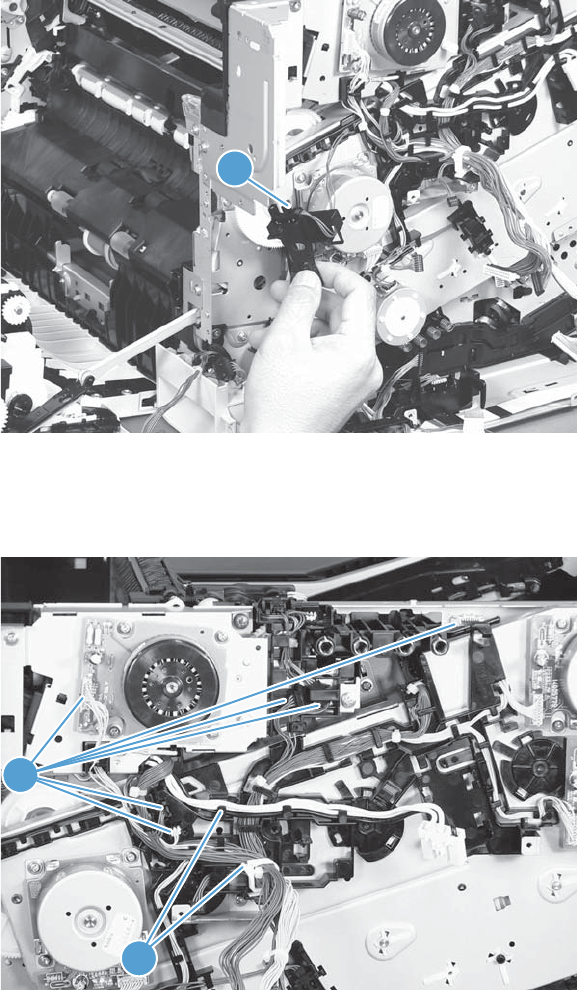
5. Disconnect one connector (callout 1), and then remove the sensor assembly.
Figure 1-273 Remove the main drive assembly (5 of 7)
1
6. Disconnect six connectors (callout 1), and then release the wire harnesses from the guides
(callout 2).
Figure 1-274 Remove the main drive assembly (6 of 7)
1
2
7. Optional step: If you are replacing the main drive, skip this step.
If you are removing the main drive to access the fuser drive assembly, do the following:
ENWW Main assemblies 197
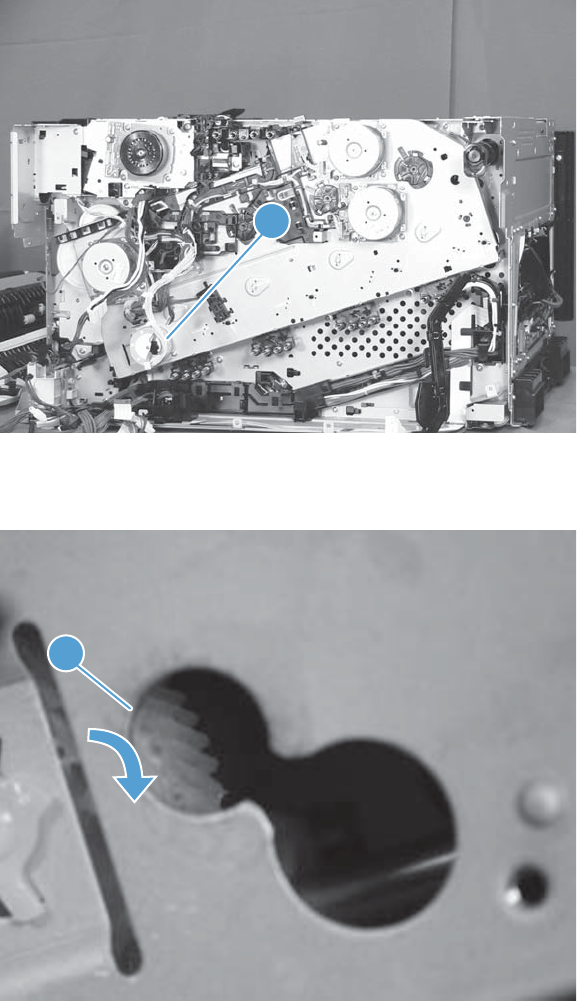
Removing the main drive to access the fuser drive assembly only
a. Disconnect one connector, and then remove one motor (callout 1).
Figure 1-275 Remove the main drive assembly (optional step; 1 of 4)
1
b. Use a small flat blade screw driver to rotate the gear (callout 1) behind the motor.
Figure 1-276 Remove the main drive assembly (optional step; 2 of 4)
1
198 Chapter 1 Removal and replacement ENWW
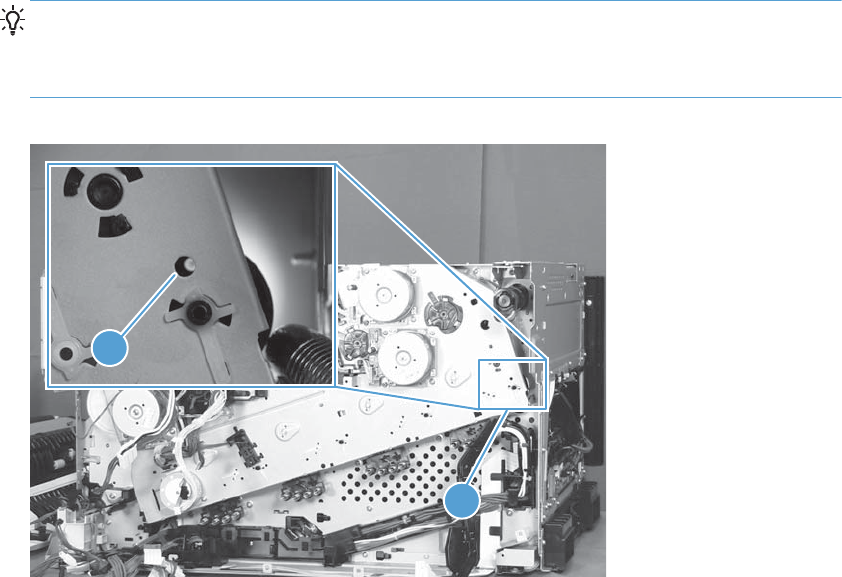
c. Continue to rotate the gear until the hole in the right-most drive gear (callout 1) is aligned
with the hole in the main drive chassis (callout 2).
TIP: Use a flashlight to back light the gear until the hole in the gear is visible.
You might have to turn the gear behind the motor many times before the hole in the gear is
visible.
Figure 1-277 Remove the main drive assembly (optional step; 3 of 4)
1
2
ENWW Main assemblies 199
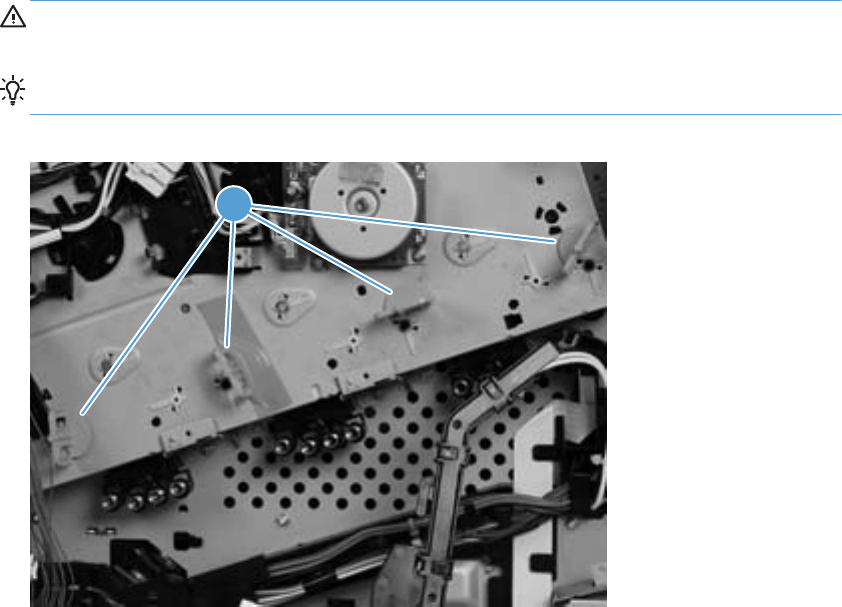
d. Install the orange spacers (included with the fuser drive kit) in the holes (callout 1) in the
main-drive chassis to lock the gears in place.
CAUTION: Failure to follow this step will allow the gears to rotate—the gears will be out of
phase—and it will be difficult to reinstall the assembly on the product.
TIP: Secure the spacers with tape to prevent them from falling out.
Figure 1-278 Remove the main drive assembly (optional step; 4 of 4)
1
200 Chapter 1 Removal and replacement ENWW
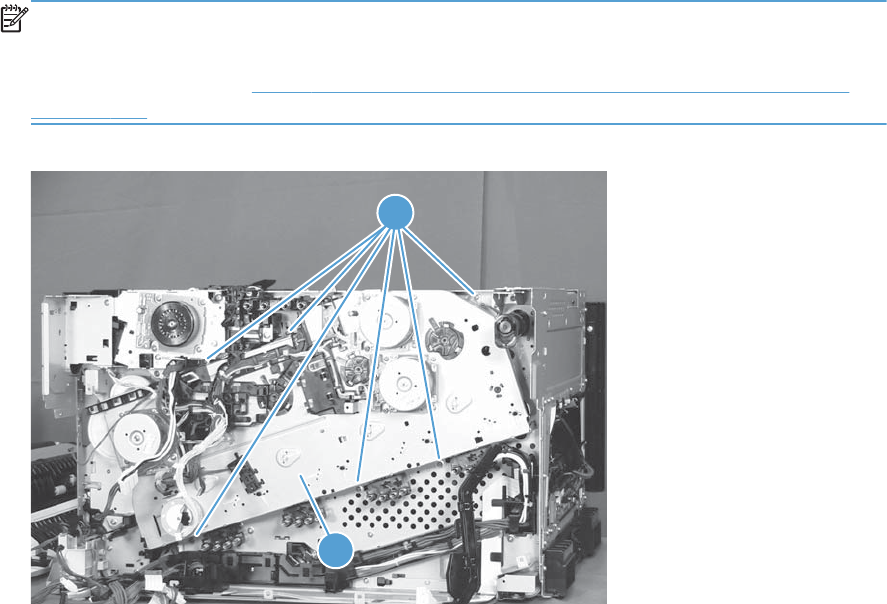
8. Close the front and right doors, remove six screws (callout 1), and then remove the main drive
assembly (callout 2).
Release the wire harnesses as needed to remove the assembly.
NOTE: Make sure that the right door is closed.
If you are removing the main drive to access the fuser drive assembly, make sure that you installed
the orange spacers—see Figure 1-278 Remove the main drive assembly (optional step; 4 of 4)
on page 200—so that the gears when do not rotate when handling the assembly.
Figure 1-279 Remove the main drive assembly (7 of 7)
2
1
ENWW Main assemblies 201
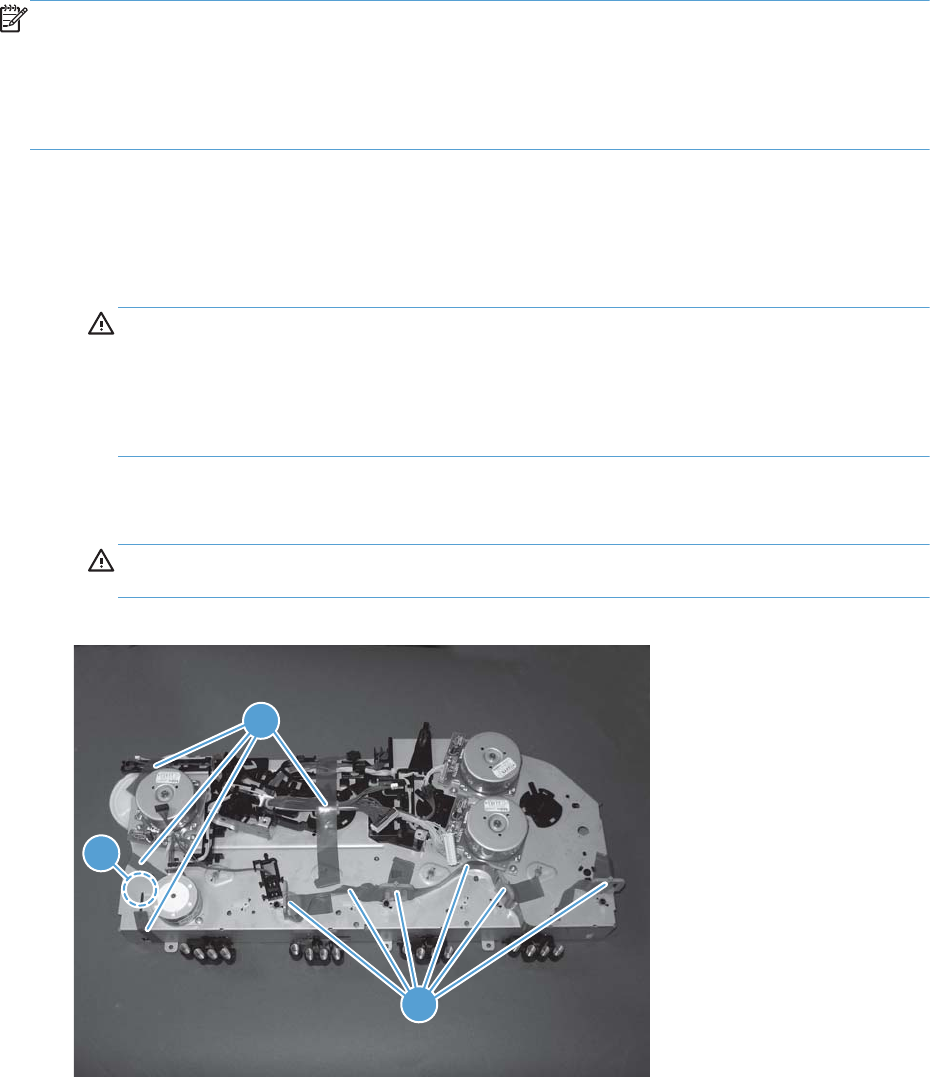
Install the main drive assembly
NOTE: Installing a replacement assembly: follow the instructions in this section.
Reinstalling the original assembly: some of these instructions in this section do not apply (for
example, removing some the shipping tape). Do not rotate the gears when handling the assembly. If
the gears are rotated—and become out of phase—it will be difficult to install the assembly on the
product.
1. Do one of the following:
●Installing a replacement assembly: Do not remove the orange spacers and spacer-
shipping tape (callout 1) installed on the replacement main drive assembly. Remove the
remaining shipping tape (callout 2).
CAUTION: A gear (callout 3) on the back of the assembly is not captive when the shipping
tape is removed. Do not lose the gear when handling the assembly with the shipping tape
removed.
When removing tape, make sure that the entire strip is removed. Check the back of the
assembly to verify that the entire strip of tape is removed.
●Installing the original assembly: Do not remove the orange spacers (callout 1) installed
when the main drive assembly was removed.
CAUTION: A gear (callout 3) on the back of the assembly is not captive. Do not lose the
gear when handling the assembly.
Figure 1-280 Install the main drive assembly (1 of 8)
3
2
1
202 Chapter 1 Removal and replacement ENWW
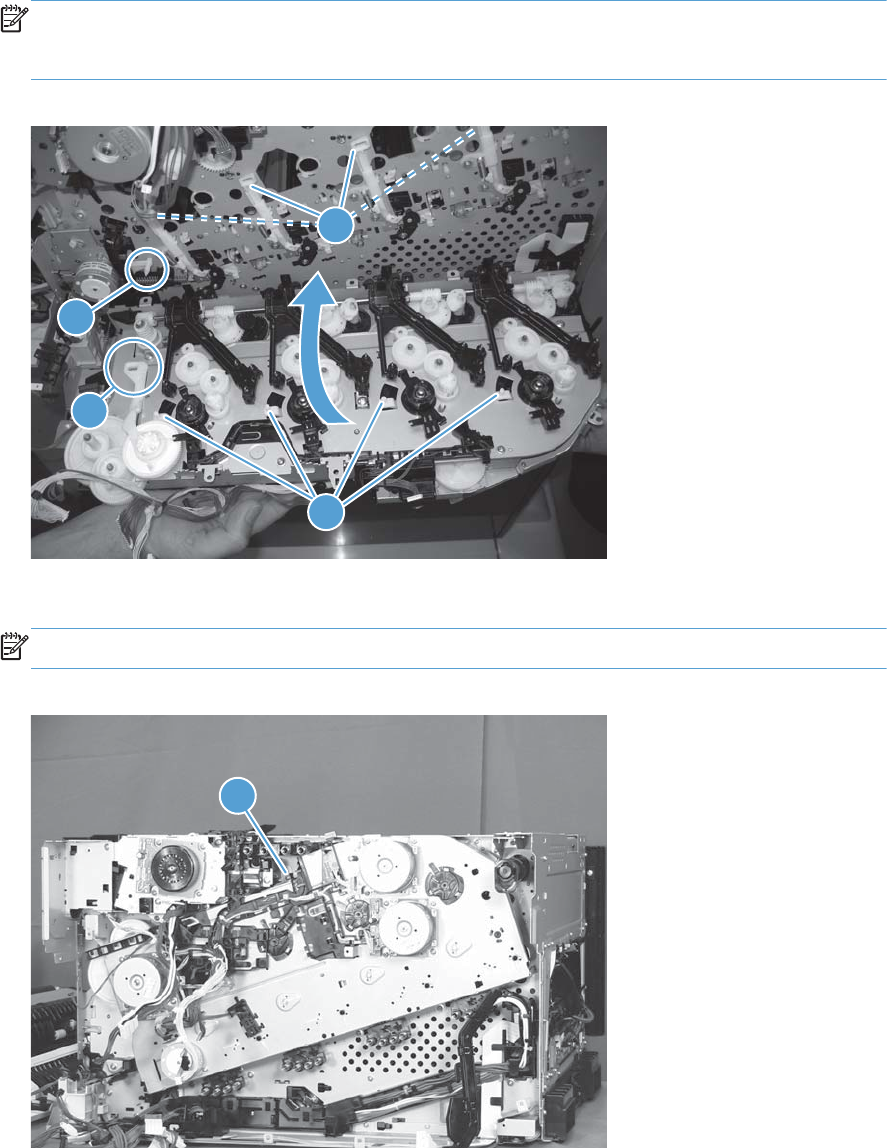
2. With the front door and right door closed, position the drive assembly near the product, and then
rotate it up and onto the chassis.
NOTE: Make sure that the right-door link arm shaft (callout 1) aligns with and is positioned in
the hole (callout 2) on the arm on the drive assembly, and that the pins on the assembly (callout 3)
are positioned in the holes in the link arms on the chassis (callout 4).
Figure 1-281 Install the main drive assembly (2 of 8)
2
1
3
4
3. Install one screw (callout 1).
NOTE: Do not fully tighten this screw.
Figure 1-282 Install the main drive assembly (3 of 8)
1
ENWW Main assemblies 203
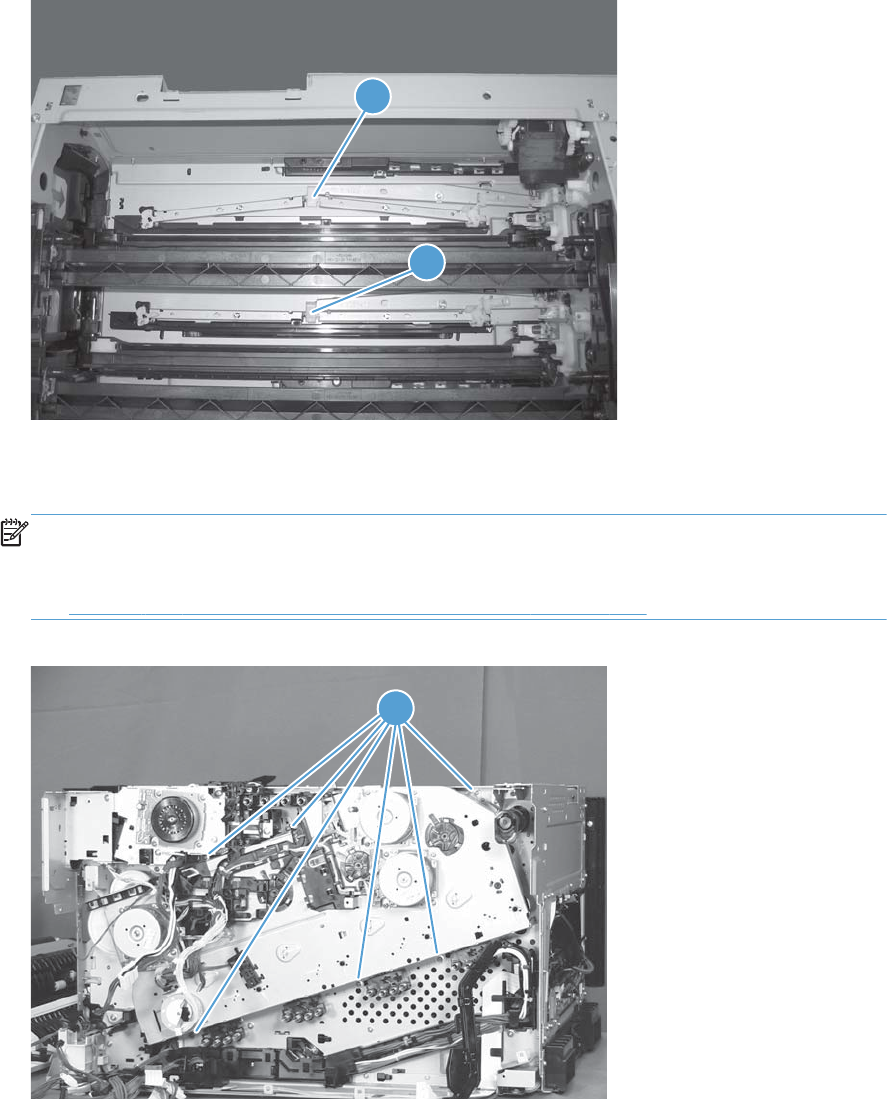
4. From the top of the product, look at each shutter arm. Make sure that they are in the closed
position (callout 1). If they are in the open position (callout 2), carefully push on the shutters to
close them.
Figure 1-283 Install the main drive assembly (4 of 8)
2
1
5. Make sure that the six sheet-metal screw tabs (callout 1) on the drive assembly are flat against the
product chassis.
NOTE: If the tabs are not flat against the chassis, the developer-disengagement drive gears and
cams—on the back side of the drive assembly—are not properly aligned with, and seated in, the
corresponding holes on the product. Remove the drive assembly, realign it, and then reinstall it.
See Figure 1-281 Install the main drive assembly (2 of 8) on page 203.
Figure 1-284 Install the main drive assembly (5 of 8)
1
204 Chapter 1 Removal and replacement ENWW
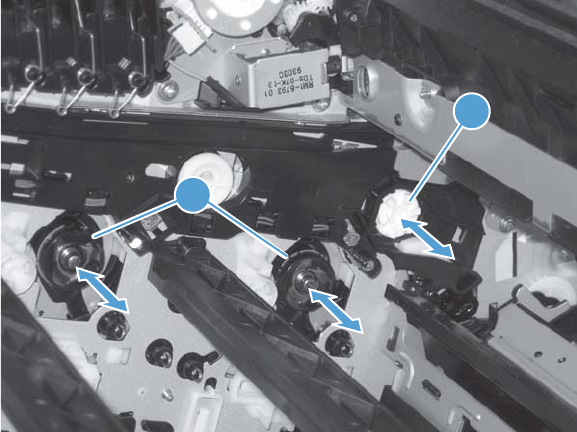
6. With the drive assembly correctly installed, verify the following:
●Open and close the front door. The OPC drum drive gears (callout 1; two shown, four total)
must move in and out when viewed from inside the product.
●Open and close the right door. The ITB drive gear (callout 2) must move in and out when
viewed from inside the product.
Figure 1-285 Install the main drive assembly (6 of 8)
2
1
ENWW Main assemblies 205
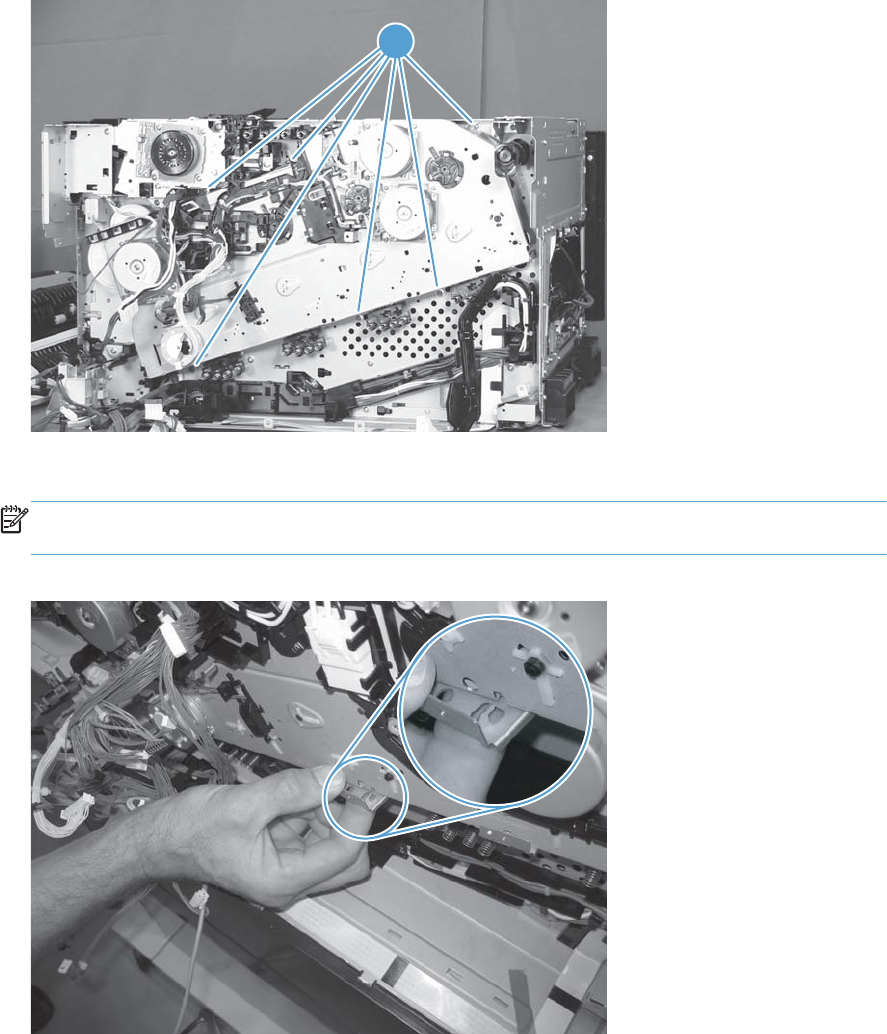
7. Install the remaining five mounting screws, tighten all six screws (callout 1), and then do one of the
following.
●Installing a replacement assembly: Remove the orange spacers and spacer shipping
tape.
●Installing the original assembly: Remove the orange spacers.
Figure 1-286 Install the main drive assembly (7 of 8)
1
8. Reinstall the two small sheet-metal brackets.
NOTE: The tab on the sheet-metal brackets must be inserted in the hole in the drive assembly
chassis as shown below.
Figure 1-287 Install the main drive assembly (8 of 8)
206 Chapter 1 Removal and replacement ENWW

Fuser drive assembly
Before proceeding, remove the following assemblies:
●Formatter PCA. See Formatter PCA on page 10.
●Control-panel assembly. See Control-panel assembly on page 5.
●Intermediate transfer belt. See Intermediate transfer belt on page 7.
●Left cover. See Left cover on page 57.
●Rear cover. See Rear cover on page 58.
●Right rear cover. See Right rear cover on page 59.
●Toner collection unit (TCU) access door. See Toner collection unit (TCU) access door on page 60
●Optional: Document feeder. See Document feeder on page 71.
NOTE: HP recommends removing the document feeder to decrease the weight of the scanner
assembly when it is lifted off of the product.
●Scanner assembly. See Scanner assembly on page 74.
●For a stapler/stacker model:
◦Stapler/stacker assembly. See Stapler/stacker assembly on page 78.
●Front upper cover. See Front upper cover on page 83.
●Front right cover. See Front right cover on page 86.
●Top right cover. See Top right cover on page 91.
●For a non stapler/stacker model:
◦Output cover. See Output cover; non stapler/stacker model on page 93.
●Top cover. See Top cover on page 95.
●Top rear cover. See Top rear cover on page 97.
●Sup-power supply assembly. See Sub-power supply assembly on page 110.
●Toner cover. See the first, second, and third steps of Residual toner full sensor on page 122
●Formatter cage assembly. See Formatter cage on page 177.
●Image (developing) high-voltage power supply (HVPS). See Image (developing) high-voltage
power supply (HVPS) on page 168.
●Interconnect PCA. See Interconnect PCA on page 171.
●DC controller and sheet-metal bracket. See DC controller PCA on page 174.
●First transfer high-voltage PCA. See First-transfer high-voltage power supply on page 179.
ENWW Main assemblies 207
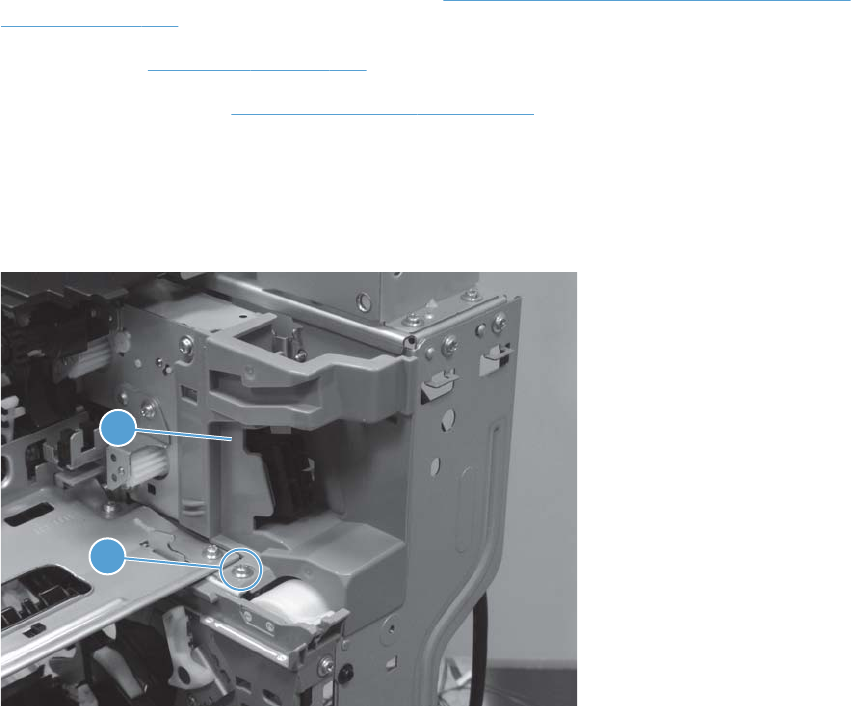
●Second transfer high-voltage PCA and holder. See Second-transfer high-voltage power supply and
holder on page 182.
●Driver PCA. See Driver PCA on page 184.
●Main drive assembly. See Main drive assembly on page 194.
Remove the fuser drive assembly
1. Remove one screw (callout 1), and then remove the bracket (callout 2).
Figure 1-288 Remove the fuser drive assembly (1 of 4)
1
2
208 Chapter 1 Removal and replacement ENWW
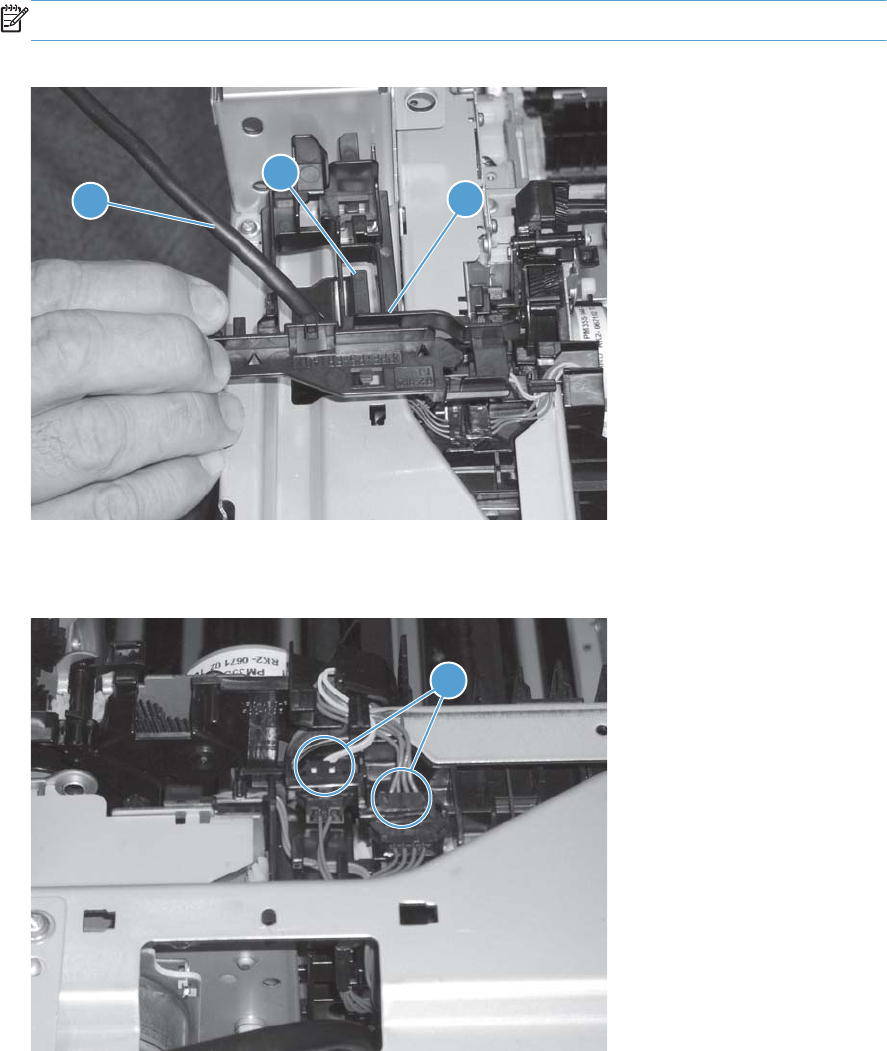
2. Release one tab (callout 1), and then remove the guide (callout 2).
NOTE: Carefully feed the cable (callout 3) through the hole to remove the guide.
Figure 1-289 Remove the fuser drive assembly (2 of 4)
2
3
1
3. Disconnect two connectors (callout 1).
Figure 1-290 Remove the fuser drive assembly (3 of 4)
1
ENWW Main assemblies 209
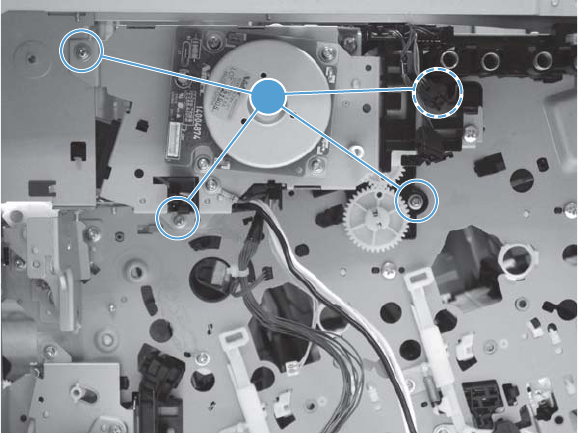
4. Remove four screws (callout 1), and then remove the fuser drive assembly.
Figure 1-291 Remove the fuser drive assembly (4 of 4)
1
210 Chapter 1 Removal and replacement ENWW
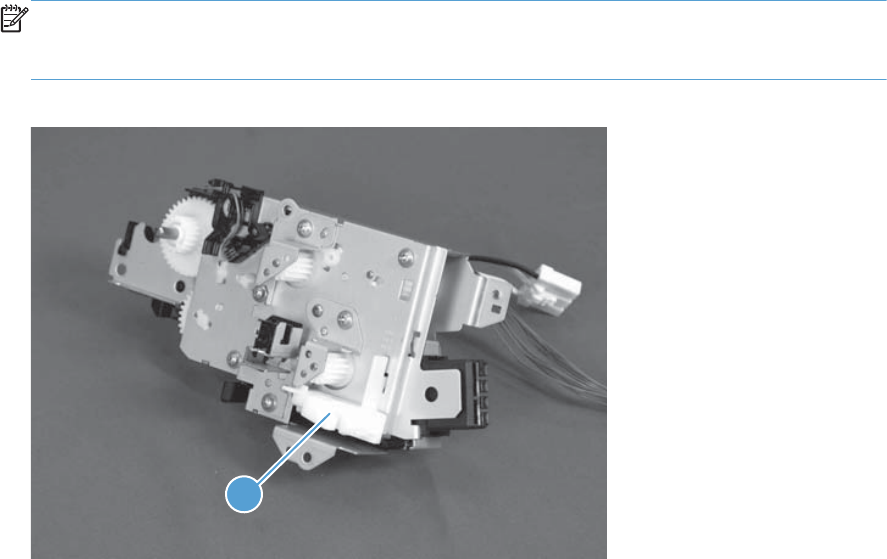
Install a replacement fuser drive assembly
Use the following procedure to install a replacement fuser drive assembly or reinstall the original fuser
drive assembly.
1. Replacement fuser drive assembly: Before beginning, take note of the spacer (callout 1) on
the replacement fuser drive assembly.
Original fuser drive assembly: Proceed to the next step.
NOTE: The assembly shown in the figure below is the fuser gear assembly (a sub-component of
the fuser drive assembly). The location of the spacer (callout 1) is same for the fuser gear and fuser
drive assemblies.
Figure 1-292 Install a replacement fuser drive assembly (1 of 3)
1
ENWW Main assemblies 211
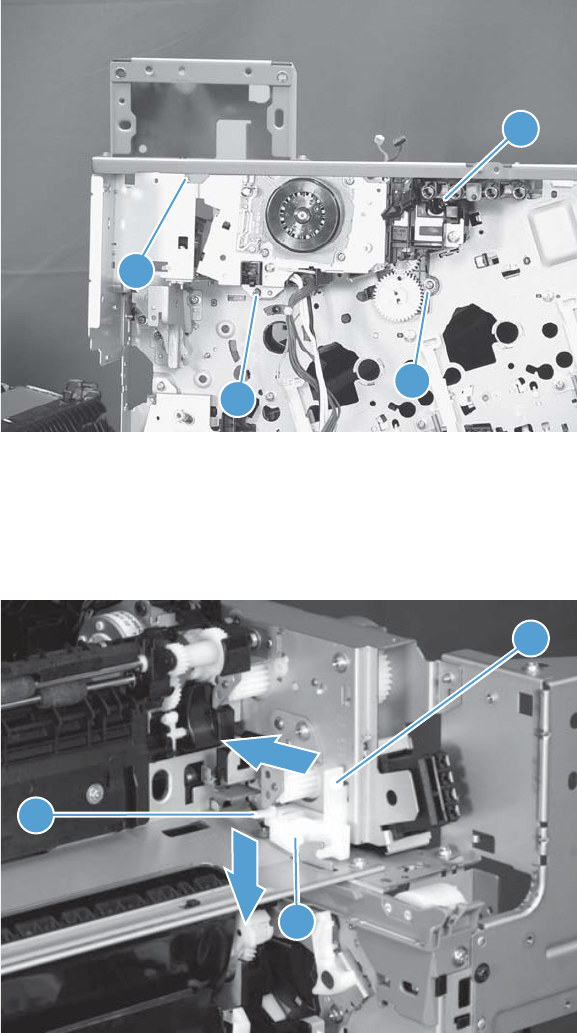
2. Fasten the replacement fuser drive assembly to the product with four screws. Install the screws in
the order shown below (callouts 1 to 4).
Figure 1-293 Install a replacement fuser drive assembly (2 of 3)
1
2
3
4
3. Replacement fuser drive assembly: Release two tabs in the order shown below
(callouts 1 and 2). and then remove the spacer (callout 3).
Original fuser drive assembly: Installation complete—this step is not required.
Figure 1-294 Install a replacement fuser drive assembly (3 of 3)
1
2
3
212 Chapter 1 Removal and replacement ENWW

Fuser gear assembly
Before proceeding, remove the following assemblies:
●Fuser. See Fuser on page 9.
●Control-panel assembly. See Control-panel assembly on page 5.
●Intermediate transfer belt. See Intermediate transfer belt on page 7.
●Left cover. See Left cover on page 57.
●Rear cover. See Rear cover on page 58.
●Right rear cover. See Right rear cover on page 59.
●Toner collection unit (TCU) access door. See Toner collection unit (TCU) access door on page 60
●Optional: Document feeder. See Document feeder on page 71.
NOTE: HP recommends removing the document feeder to decrease the weight of the scanner
assembly when it is lifted off of the product.
●Scanner assembly. See Scanner assembly on page 74.
●For a stapler/stacker model:
◦Stapler/stacker assembly. See Stapler/stacker assembly on page 78.
●For a non stapler/stacker model:
◦Output cover. See Output cover; non stapler/stacker model on page 93.
●Front upper cover. See Front upper cover on page 83.
●Front right cover. See Front right cover on page 86.
●Output cover. See Output cover; non stapler/stacker model on page 93.
●Top cover. See Top cover on page 95.
●Residual toner full sensor. See Residual toner full sensor on page 122.
●First transfer high-voltage PCA. See First-transfer high-voltage power supply on page 179.
●Fuser motor M4. See Fuser motor M4 on page 149.
ENWW Main assemblies 213
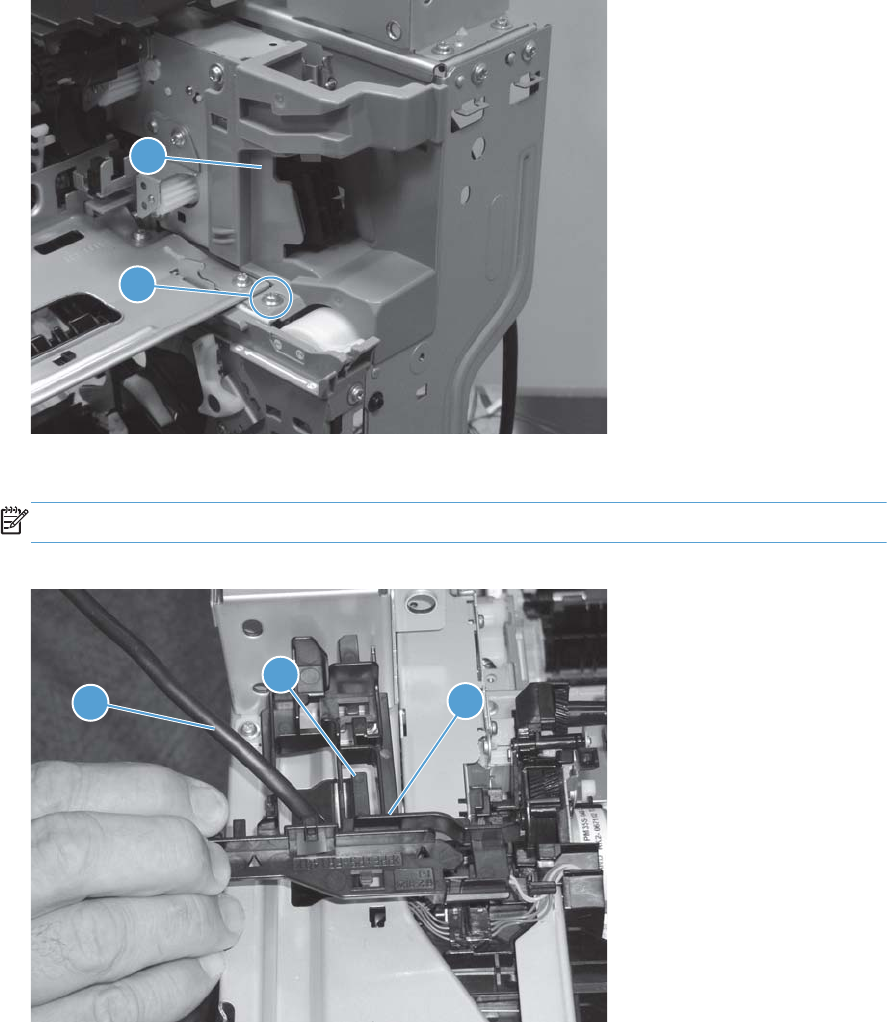
Remove the fuser gear assembly
1. Remove one screw (callout 1), and then remove the bracket (callout 2).
Figure 1-295 Remove the fuser gear assembly (1 of 7)
1
2
2. Release one tab (callout 1), and then remove the guide (callout 2).
NOTE: Carefully feed the cable (callout 3) through the hole to remove the guide.
Figure 1-296 Remove the fuser gear assembly (2 of 7)
2
3
1
214 Chapter 1 Removal and replacement ENWW
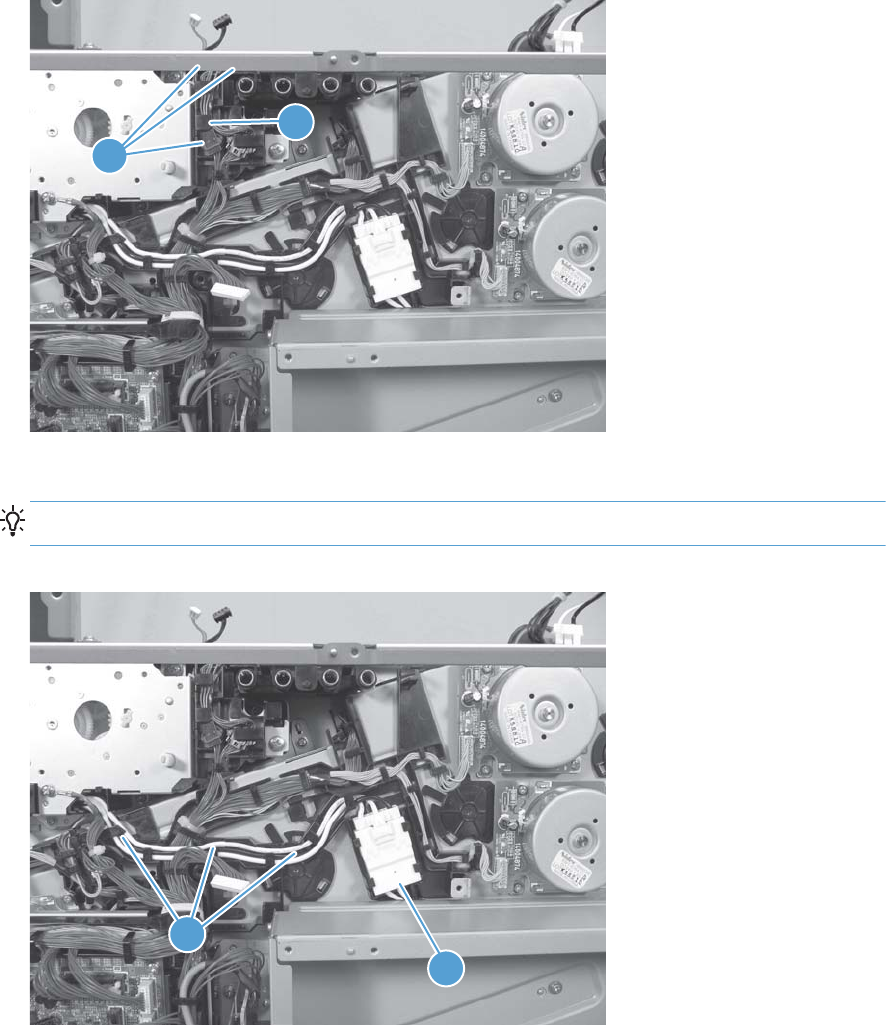
3. Disconnect three connectors (callout 1), and then release the wire harnesses from the guide
(callout 2).
Figure 1-297 Remove the fuser gear assembly (3 of 7)
1
2
4. Disconnect one connector (callout 1), and then release the wire harness from the guide (callout 2).
TIP: It might be easier to disconnect the connector, if you release it from the black-plastic holder.
Figure 1-298 Remove the fuser gear assembly (4 of 7)
2
1
ENWW Main assemblies 215
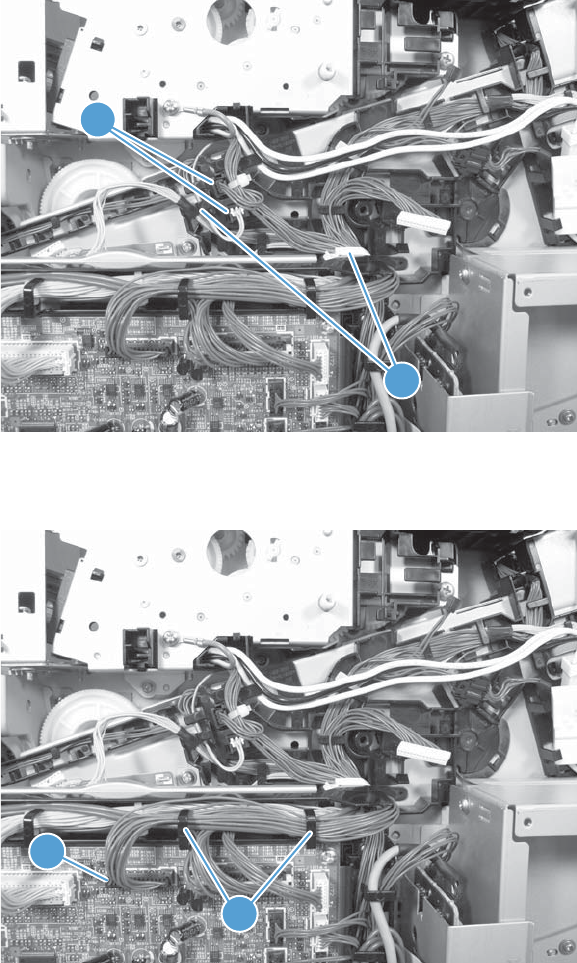
5. Disconnect two connectors (callout 1), and then release the wire harness from the retainer and
guide (callout 2).
Figure 1-299 Remove the fuser gear assembly (5 of 7)
1
2
6. Disconnect one connector (callout 1), and then release the wire harness from the guide (callout 2).
Figure 1-300 Remove the fuser gear assembly (6 of 7)
1
2
216 Chapter 1 Removal and replacement ENWW
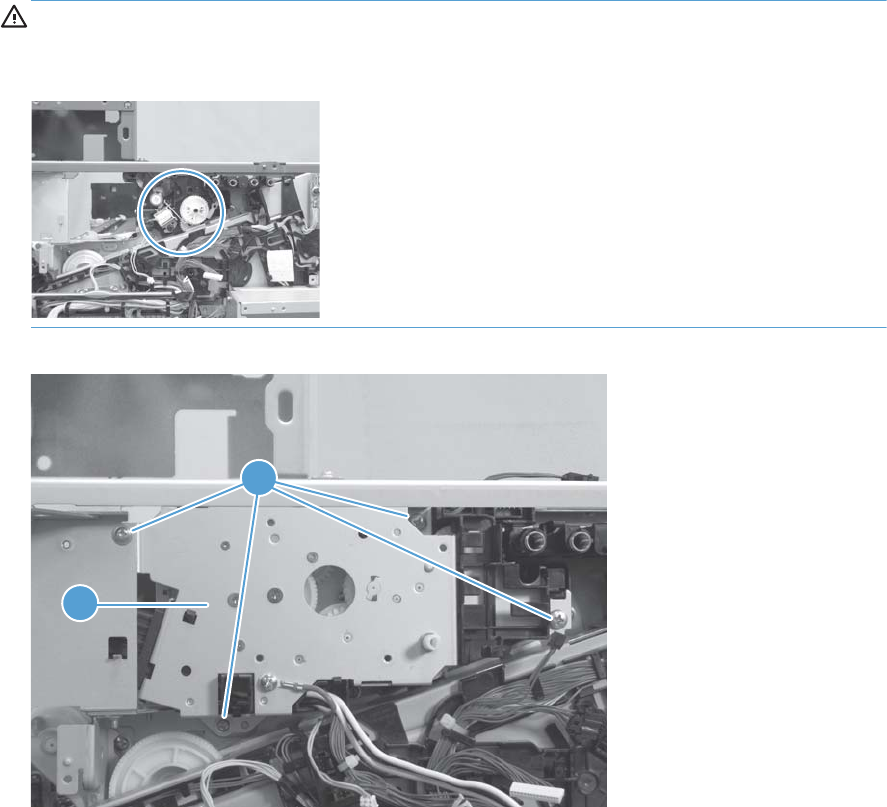
7. Remove four screws (callout 1), and then remove the fuser gear assembly (callout 2).
CAUTION: Do not remove the gear or solenoid located behind the fuser gear assembly. The
gear and solenoid are installed in specific alignment with the other components behind the
assembly. If the gear or solenoid are removed, the product will not properly function.
Figure 1-301 Remove the fuser gear assembly (7 of 7)
1
2
ENWW Main assemblies 217
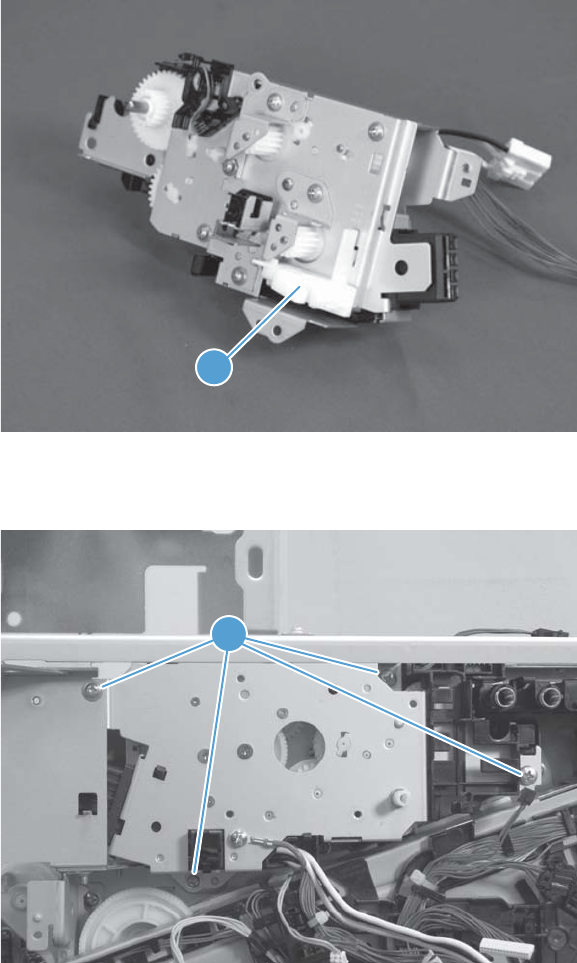
Install a replacement fuser gear assembly
Use the following procedure to install a replacement fuser drive assembly or reinstall the original fuser
gear assembly.
1. Replacement fuser gear assembly: Before beginning, take note of the spacer (callout 1) on
the replacement fuser gear assembly.
Original fuser gear assembly: Proceed to the next step.
Figure 1-302 Install a replacement fuser gear assembly (1 of 3)
1
2. Fasten the replacement fuser gear assembly to the product with four screws (callout 1).
Figure 1-303 Install a replacement fuser gear assembly (2 of 3)
1
218 Chapter 1 Removal and replacement ENWW

3. Replacement fuser gear assembly: Release two tabs in the order shown below
(callouts 1 and 2). and then remove the spacer (callout 3).
Original fuser gear assembly: Installation complete—this step is not required.
Figure 1-304 Install a replacement fuser gear assembly (3 of 3)
1
2
3
ENWW Main assemblies 219
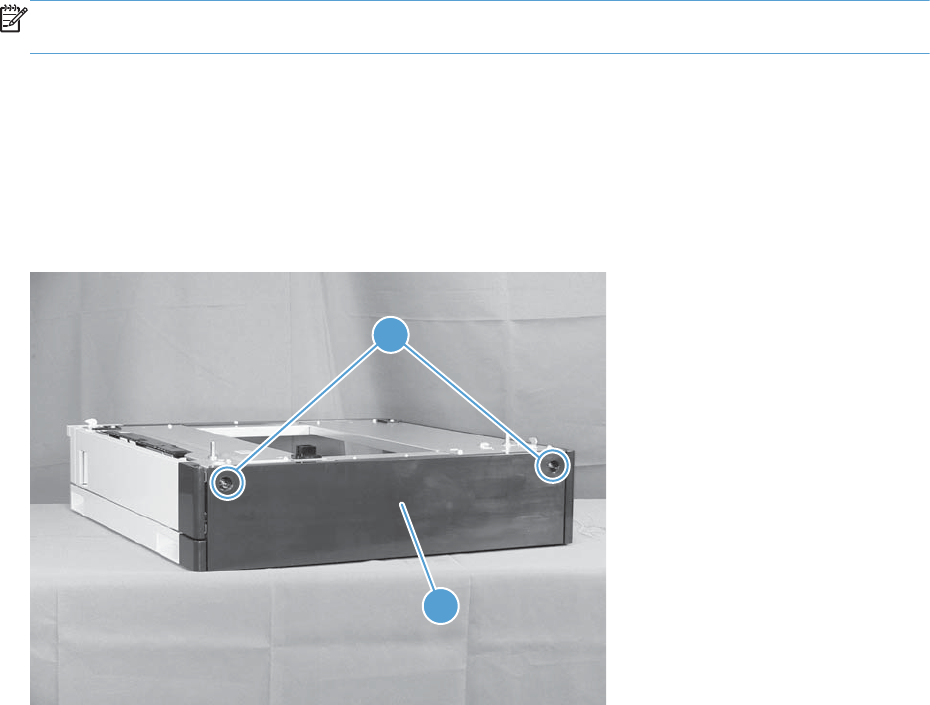
Input devices
NOTE: Some of the procedures in this section require the product to be removed from the input
device.
1x500-sheet paper feeder assembly
1x500 rear cover
Remove two screws (callout 1), and then remove the rear cover (callout 2).
Figure 1-305 Remove the 1x500 rear cover
2
1
220 Chapter 1 Removal and replacement ENWW

1x500 left cover
1. Take the cassette out of the feeder, release one tab (callout 1), and then remove the lever
(callout 2).
Figure 1-306 Remove the 1x500 left cover (1 of 2)
1
2
2. Remove one screw (callout 1), release four tabs from the inside (see the tip that follows this step),
and then remove the left cover (callout 2).
Figure 1-307 Remove the 1x500 left cover (2 of 2)
1
2
ENWW Input devices 221
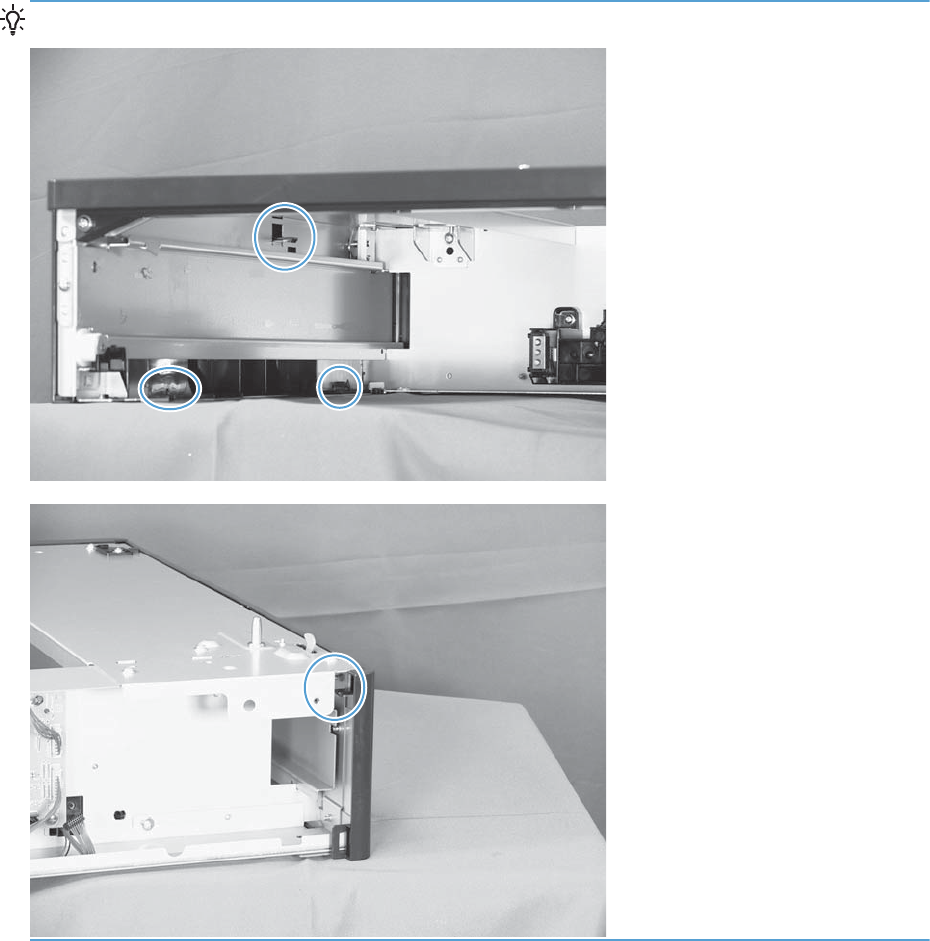
TIP: The following figures show the tabs inside the cover.
222 Chapter 1 Removal and replacement ENWW
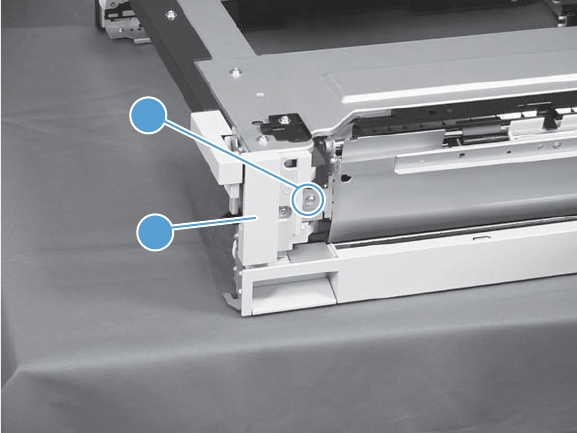
1x500 right-front cover
1. Take the cassette out of the feeder, and then open the right door.
2. Remove one screw (callout 1), and then remove the right-front cover (callout 2).
Figure 1-308 Remove the 1x500 right-front cover
2
1
ENWW Input devices 223
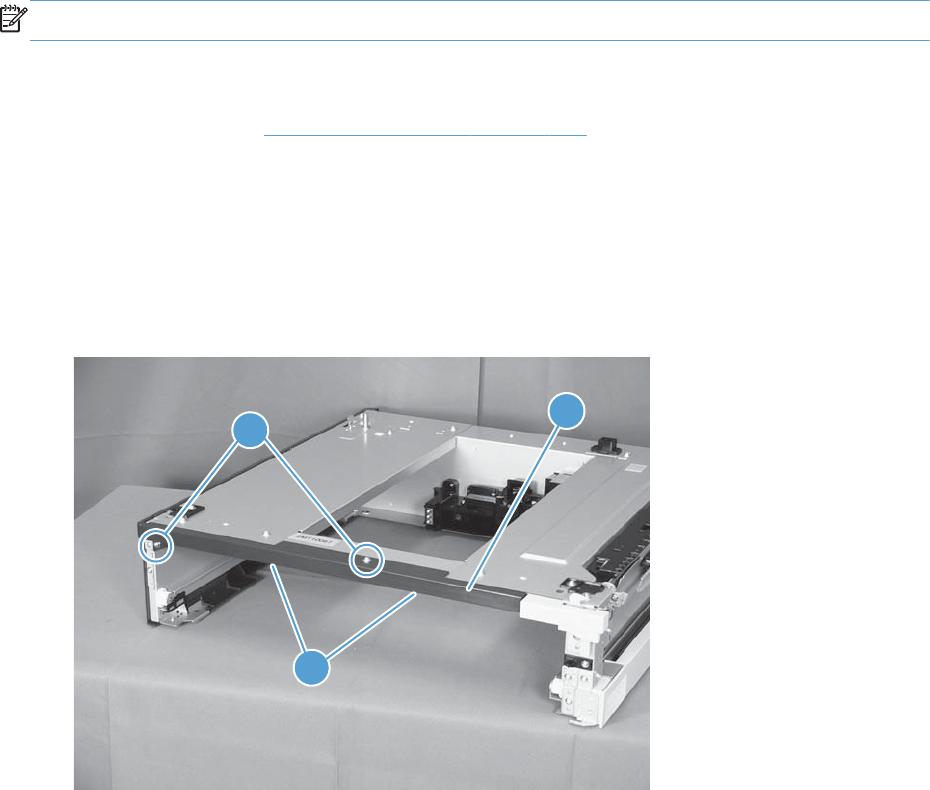
1x500 front-upper cover
NOTE: If the feeder is installed on the product, remove the cassette from the tray above the feeder.
Before proceeding, remove the following assemblies:
●Right-front cover. See 1x500 right-front cover on page 223.
Remove the 1x500 front-upper cover
1. Remove the cassette from the feeder.
2. Remove two screws (callout 1), release two tabs (callout 2), and then remove the front upper cover
(callout 3).
Figure 1-309 Remove the 1x500 front-upper cover
1
2
3
224 Chapter 1 Removal and replacement ENWW
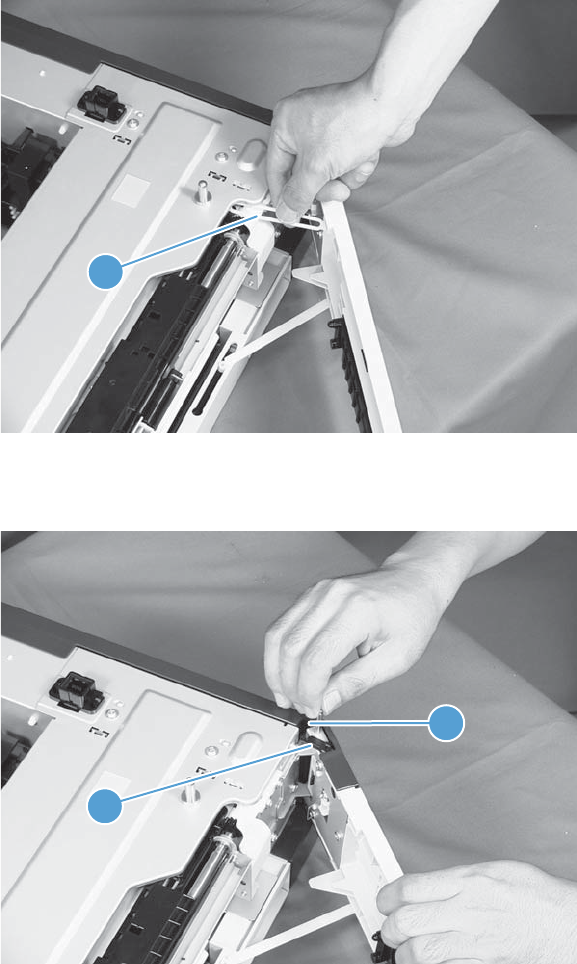
1x500 right door
1. Lift the product off the feeder, and then open the tray right door.
2. Release the link arm (callout 1).
Figure 1-310 Remove the 1x500 right door (1 of 3)
1
3. Release the stopper (callout 1), and then release the shaft (callout 2).
Figure 1-311 Remove the 1x500 right door (2 of 3)
1
2
ENWW Input devices 225
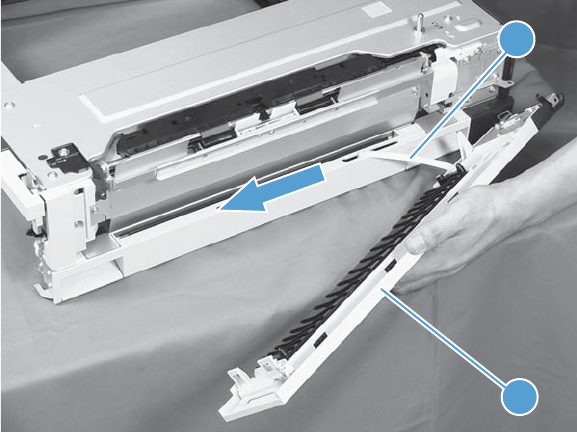
4. Slide the right door (callout 1) and the arm (callout 2) in the direction indicated to remove them
together, and then remove the arm from the right door.
Figure 1-312 Remove the 1x500 right door (3 of 3)
2
1
226 Chapter 1 Removal and replacement ENWW
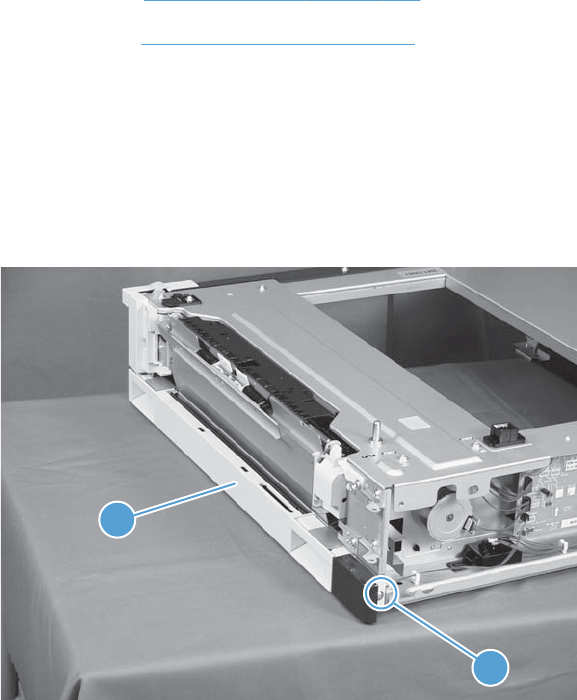
1x500 right-lower cover
Before proceeding, remove the following assemblies:
●Rear cover. See 1x500 rear cover on page 220.
●Right door. See 1x500 right door on page 225.
Remove the 1x500 right-lower cover
1. Remove the cassette from the feeder.
2. Remove one screw (callout 1), and then slide the cover (callout 2) to the right to clear an
alignment pin at the left side of the cover.
Figure 1-313 Remove the 1x500 right-lower cover
2
1
ENWW Input devices 227
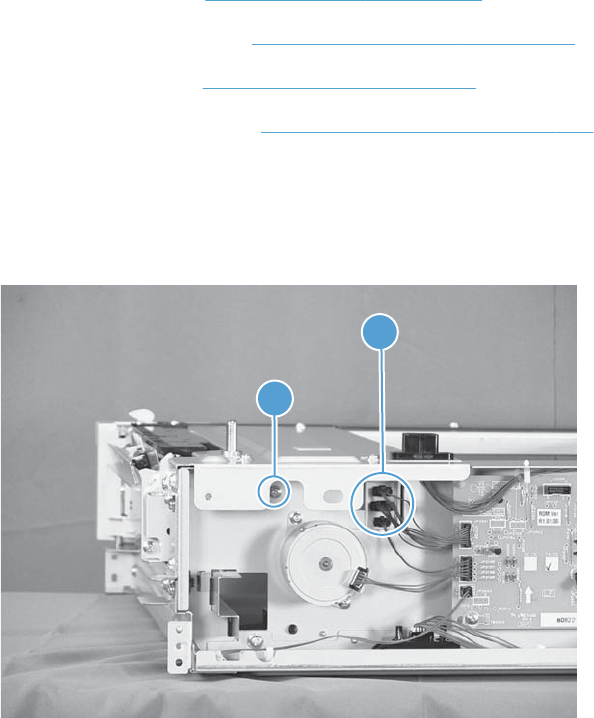
1x500 pickup assembly
Before proceeding, remove the following assemblies:
●1x500 rear cover. See 1x500 rear cover on page 220.
●1x500 right-front cover. See 1x500 right-front cover on page 223.
●1x500 right door. See 1x500 right door on page 225.
●1x500 right-lower cover. See 1x500 right-lower cover on page 227.
Remove the 1x500 pickup assembly
1. Disconnect three connectors (callout 1), and then remove one screw (callout 2).
Figure 1-314 Remove the 1x500 pickup assembly (1 of 4)
1
2
228 Chapter 1 Removal and replacement ENWW
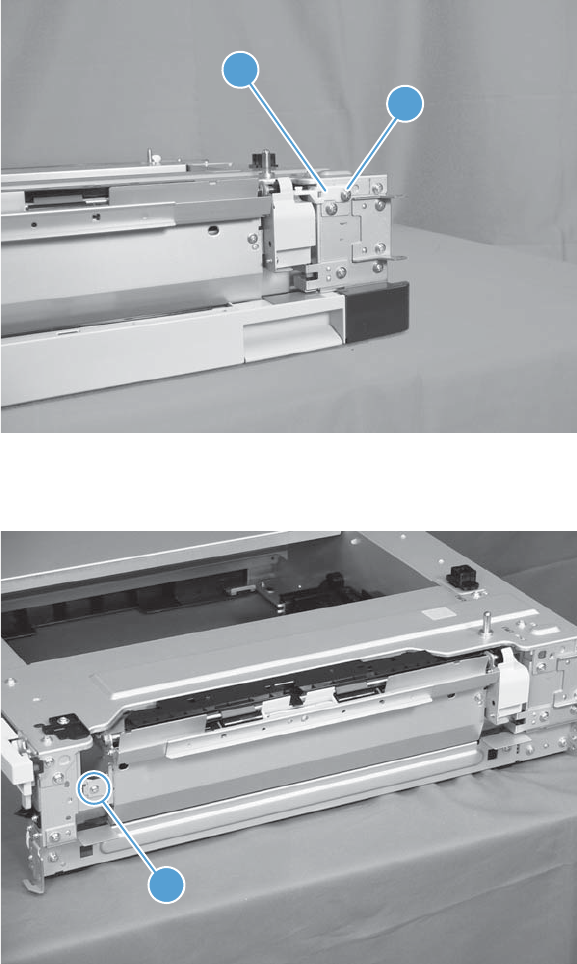
2. Remove one screw (callout 1), and then remove the stopper of the right-door link (callout 2).
Figure 1-315 Remove the 1x500 pickup assembly (2 of 4)
1
2
3. Remove one screw (callout 1).
Figure 1-316 Remove the 1x500 pickup assembly (3 of 4)
1
ENWW Input devices 229
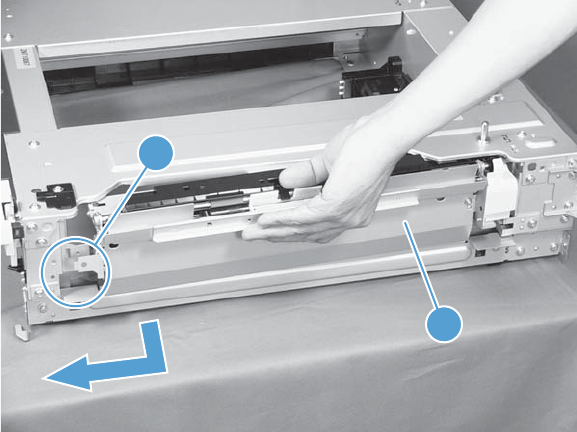
4. Lift the 1x500 pickup assembly (callout 1) slightly to clear a tab (callout 2), and then slide it in the
direction indicated to remove it.
Figure 1-317 Remove the 1x500 pickup assembly (4 of 4)
1
2
230 Chapter 1 Removal and replacement ENWW
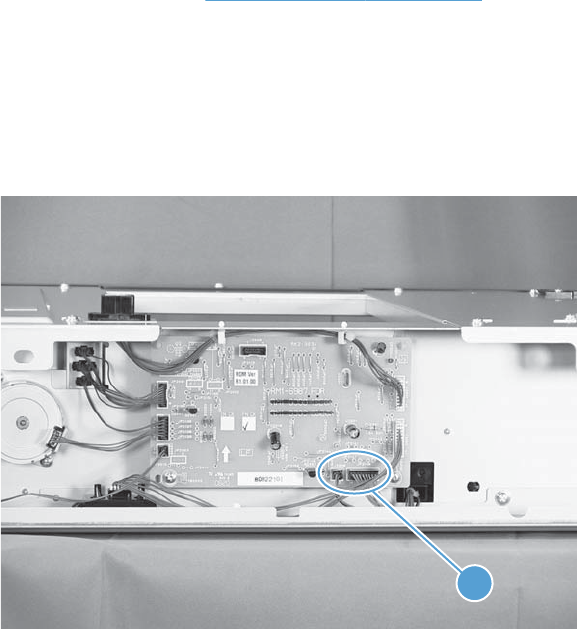
1x500 lifter-drive assembly
Before proceeding, remove the following assemblies:
●1x500 rear cover. See 1x500 rear cover on page 220.
Remove the 1x500 lifter-drive assembly
1. Remove the cassette from the feeder.
2. Disconnect two connectors (callout 1).
Figure 1-318 Remove the 1x500 lifter-drive assembly (1 of 2)
1
ENWW Input devices 231
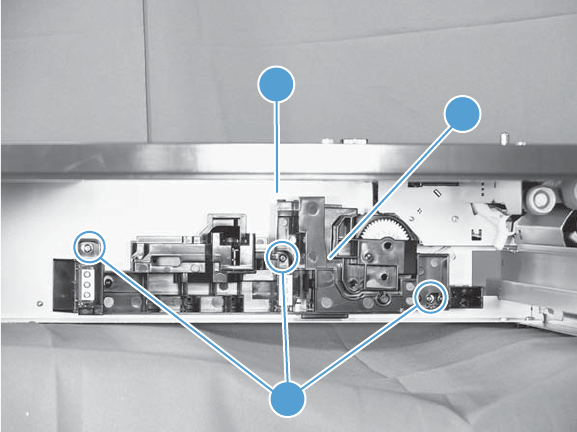
3. From the front, inside the tray cavity, remove three screws (callout 1), release one tab (callout 2),
and then remove the 1x500 lifter-drive assembly (callout 3).
Figure 1-319 Remove the 1x500 lifter-drive assembly (2 of 2)
2
3
1
232 Chapter 1 Removal and replacement ENWW
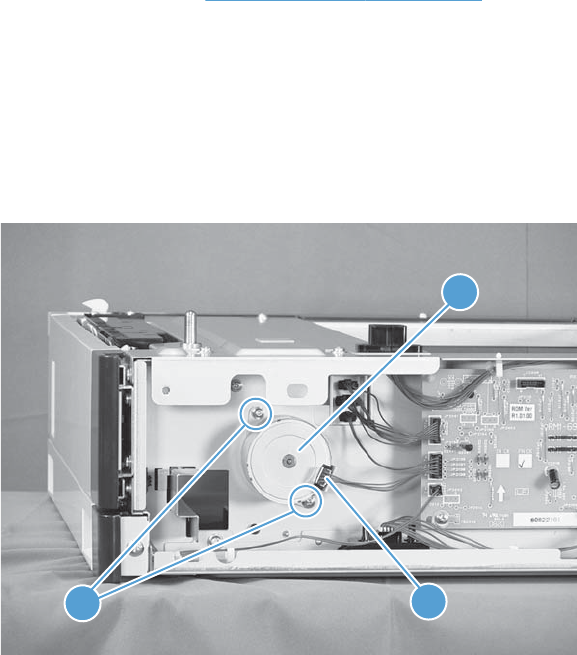
1x500 pickup motor
Before proceeding, remove the following assemblies:
●1x500 rear cover. See 1x500 rear cover on page 220.
Remove the 1x500 pickup motor
1. Remove the cassette from the feeder.
2. Disconnect one connector (callout 1), remove two screws (callout 2), and then remove the 1x500
pickup motor (callout 3).
Figure 1-320 Remove the 1x500 pickup motor
21
3
ENWW Input devices 233
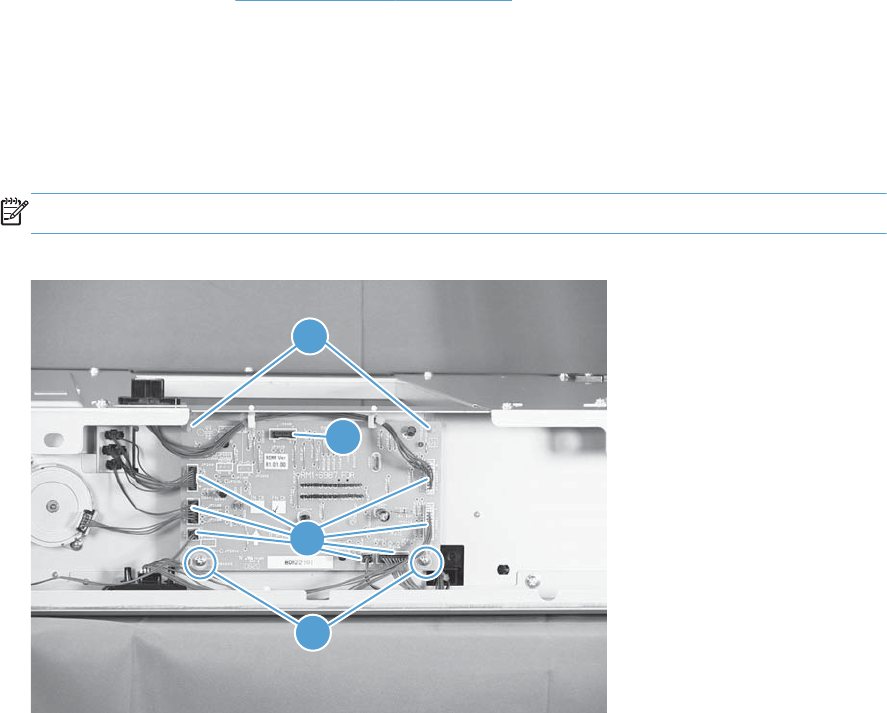
1x500 driver PCA
Before proceeding, remove the following assemblies:
●1x500 rear cover. See 1x500 rear cover on page 220.
Remove the 1x500 driver PCA
1. Remove the cassette from the feeder.
2. Disconnect seven connectors (callout 1), remove two screws (callout 2), release two tabs
(callout 3), and then remove the 1x500 driver PCA.
NOTE: One connector (callout 4) on the 1x500 driver PCA remains empty.
Figure 1-321 Remove the 1x500 driver PCA
3
2
1
4
234 Chapter 1 Removal and replacement ENWW
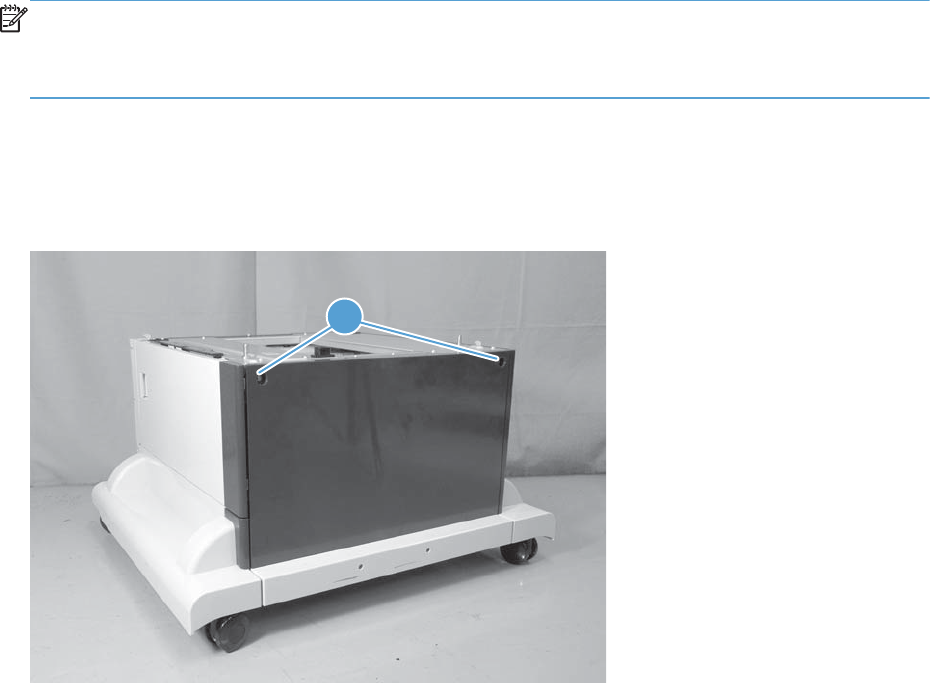
1x500- and 3x500-sheet paper deck (PD)
NOTE: Unless otherwise noted, the procedures in this section are valid for both the 1x500- and
3x500-sheet paper decks.
Some of the procedures in this section require the product to be removed from the input device.
PD rear cover
Remove two screws (callout 1), and then remove the cover.
Figure 1-322 Remove the PD rear cover
1
ENWW Input devices 235
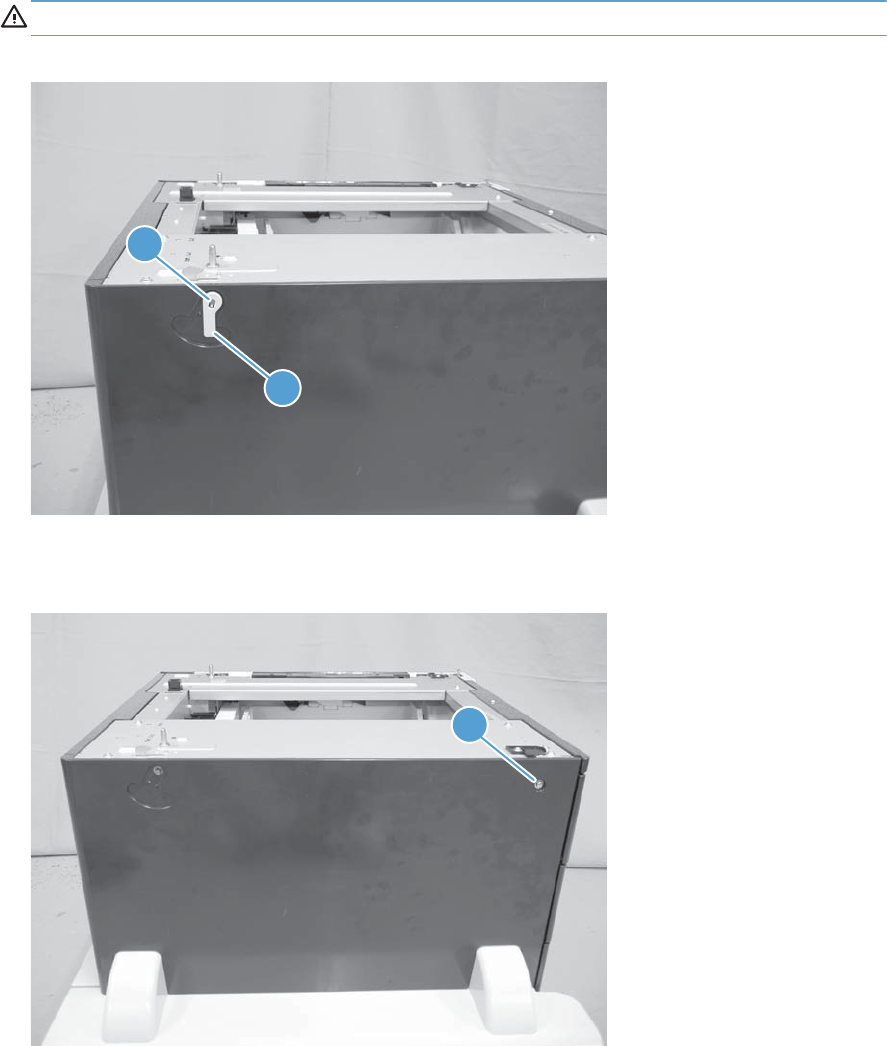
PD left cover
1. Release one tab (callout 1), and then remove the lever (callout 2).
CAUTION: The tab can be easily broken.
Figure 1-323 Remove the PD left cover (1 of 3)
1
2
2. Remove one screw (callout 1), and then remove the cover.
Figure 1-324 Remove the PD left cover (2 of 3)
1
236 Chapter 1 Removal and replacement ENWW
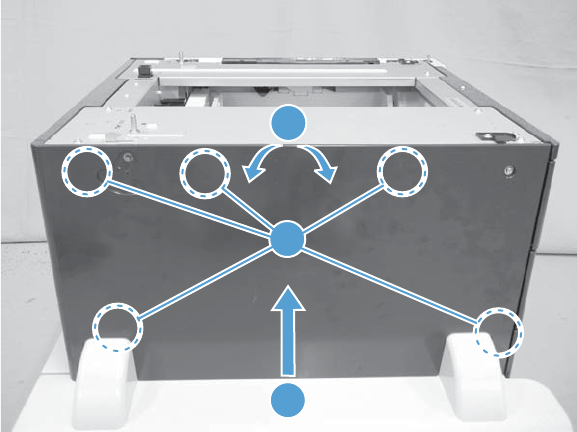
3. Carefully separate the top of the cover from the paper deck (callout 1), lift up on the cover (callout
2) to release five tabs (callout 3), and then remove the cover.
Figure 1-325 Remove the PD left cover (3 of 3)
2
1
3
ENWW Input devices 237
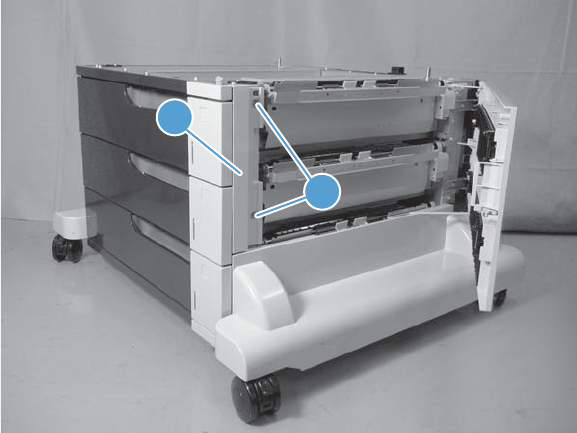
PD right front cover
1. Open the PD right door.
2. Remove two screws (callout 1), and then remove the cover (callout 2).
Figure 1-326 Remove the PD right front cover
2
1
238 Chapter 1 Removal and replacement ENWW
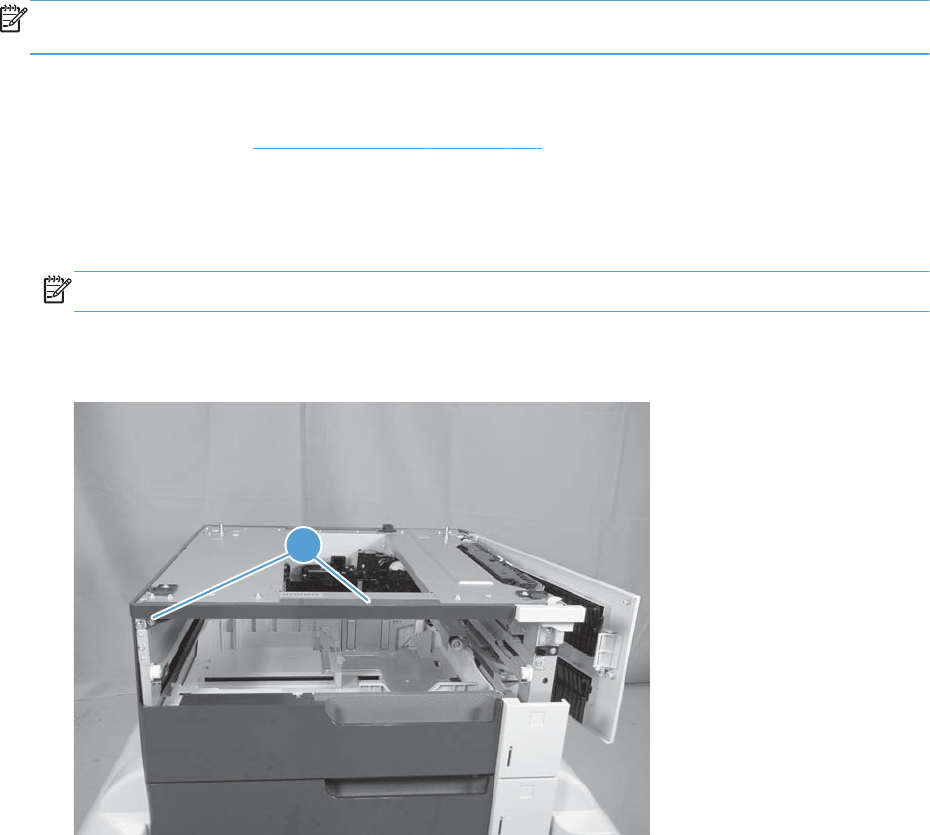
PD front upper cover
NOTE: If the paper deck is installed on the product, remove the cassette from the tray above the
paper deck.
Before proceeding, remove the following assemblies:
●PD right front cover. PD right front cover on page 238.
Remove the PD front upper cover
1. Remove the cassette.
NOTE: For the 3x500-sheet PD, remove the top-most cassette.
2. Remove two screws (callout 1).
Figure 1-327 Remove the PD front upper cover (1 of 2)
1
ENWW Input devices 239
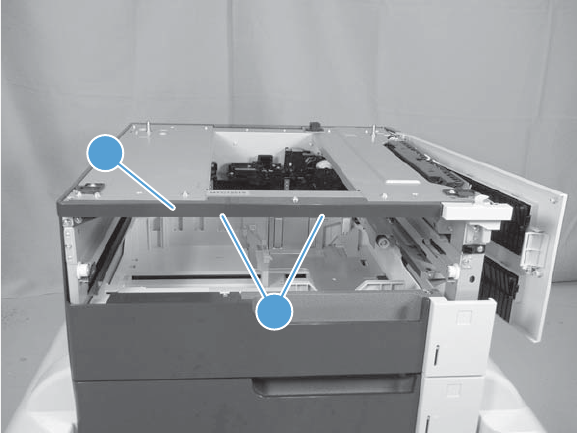
3. Release two tabs (callout 1), and then remove the cover (callout 2).
Figure 1-328 Remove the PD front upper cover (2 of 2)
1
2
240 Chapter 1 Removal and replacement ENWW
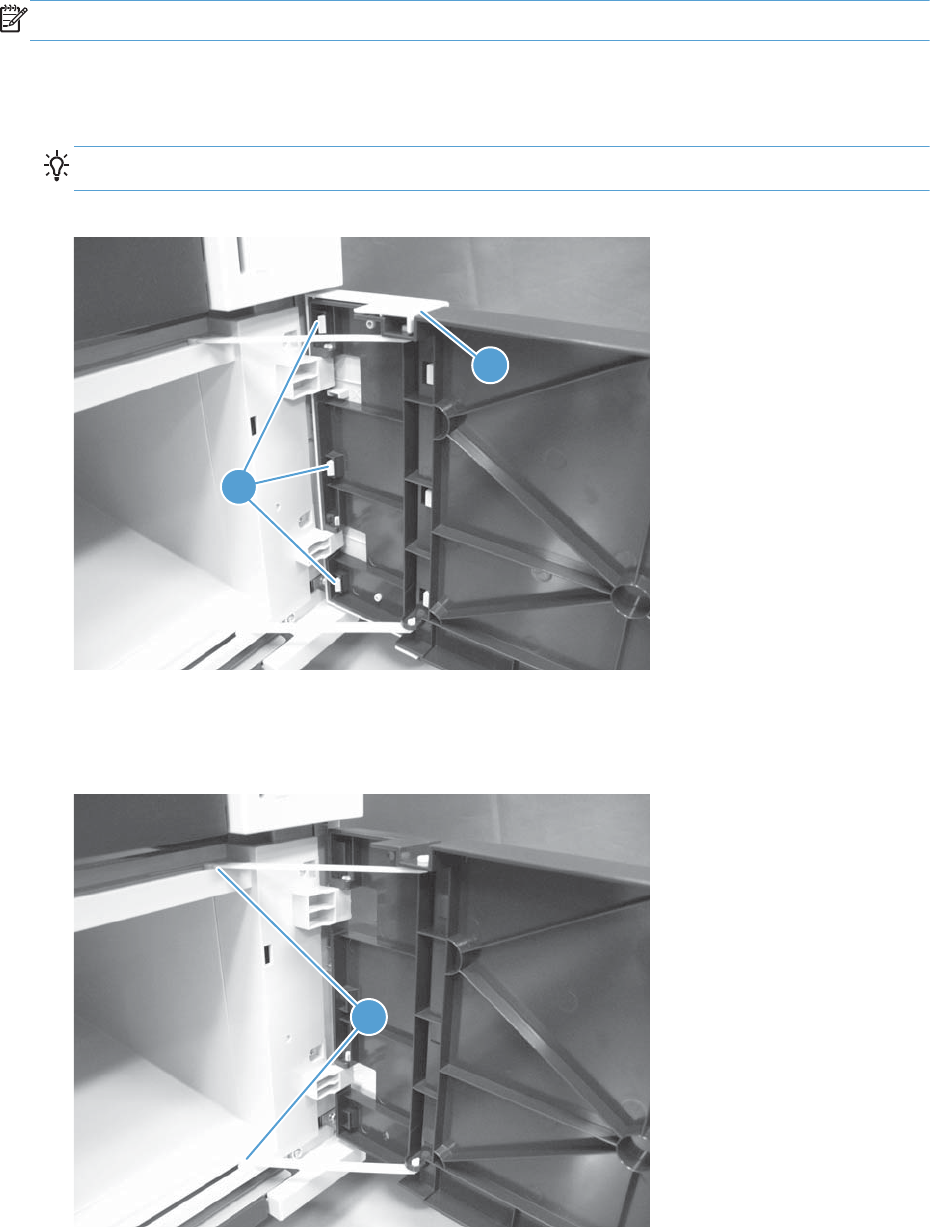
PD front door
NOTE: For the 1x500-sheet PD only.
1. Open the front door.
2. Release three tabs (callout 1), and then remove the cover (callout 2).
TIP: Partially close the door, and then remove the cover from the front side of the door.
Figure 1-329 Remove the PD front door (1 of 3)
2
1
3. Support the door, lift up on the door to release the hinges, and then release two link arms (callout
1).
Figure 1-330 Remove the PD front door (2 of 3)
1
ENWW Input devices 241
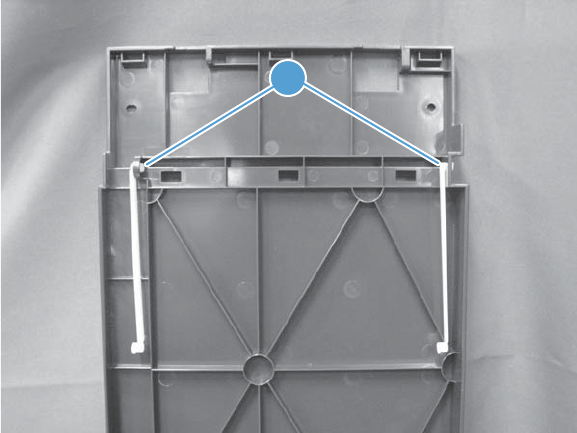
4. If necessary, remove two link arms (callout 1) from the door.
Figure 1-331 Remove the PD front door (3 of 3)
1
242 Chapter 1 Removal and replacement ENWW
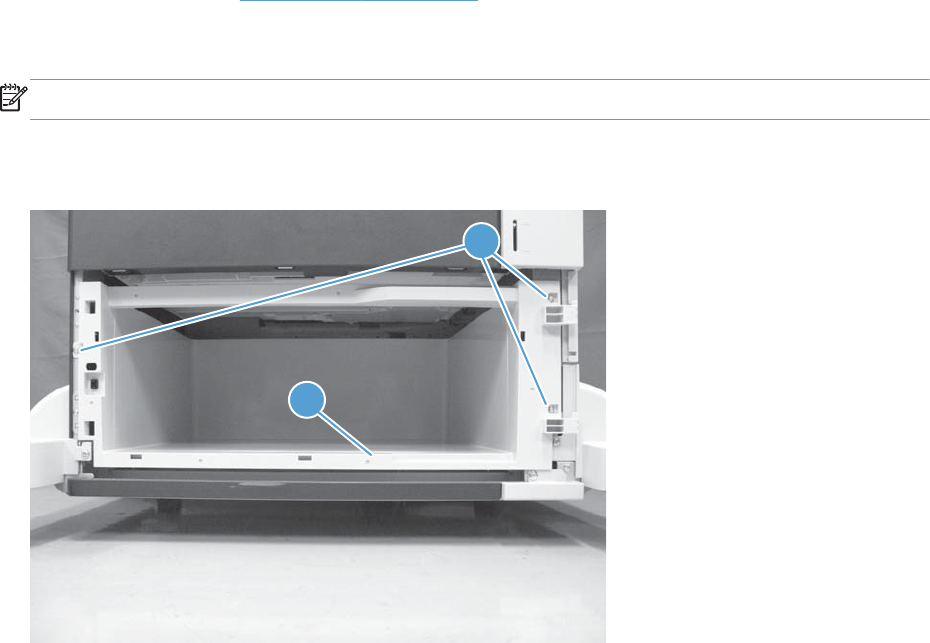
PD storage box
Before proceeding, remove the following assemblies:
●PD front door. See PD front door on page 241.
Remove the PD storage box
NOTE: For the 1x500-sheet PD only.
Remove three screws (callout 1), and then remove the storage box (callout 2).
Figure 1-332 Remove the PD storage box
1
2
ENWW Input devices 243
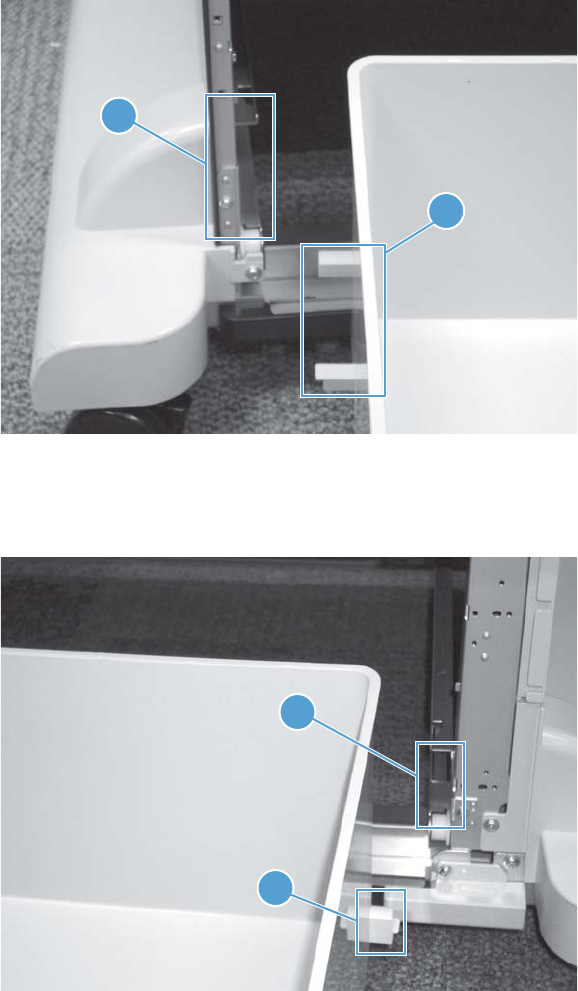
Reinstall the PD storage box
When the PD storage box is reinstalled, do the following:
a. Make sure that the two guides (callout 1) on the left side of the box are correctly aligned and
inserted between the rails (callout 2) in the paper deck.
Figure 1-333 PD storage box left-side guides
1
2
b. Make sure that the guide (callout 1) on the right side of the box are correctly aligned and inserted
between the rails (callout 2) in the paper deck.
Figure 1-334 PD storage box right-side guide
1
2
244 Chapter 1 Removal and replacement ENWW
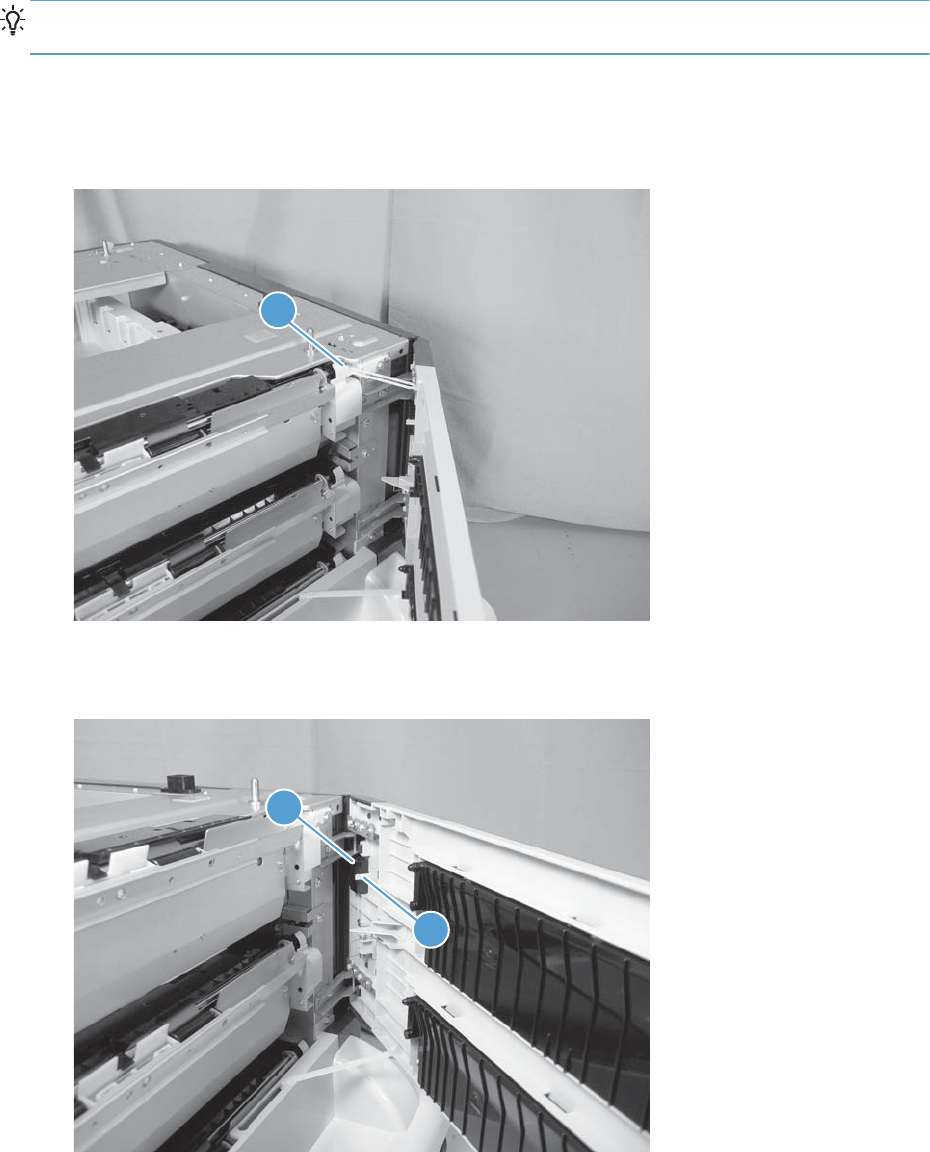
PD right door
TIP: The door can be removed with the product installed on the paper deck. Slightly lift up on the
corner of the product to release the hinges.
1. Open the right door.
2. Support the door, and then release one link arm (callout 1).
Figure 1-335 Remove the PD right door (1 of 3)
1
3. Release one tab (callout 1), and the remove the stopper (callout 2).
Figure 1-336 Remove the PD right door (2 of 3)
2
1
ENWW Input devices 245
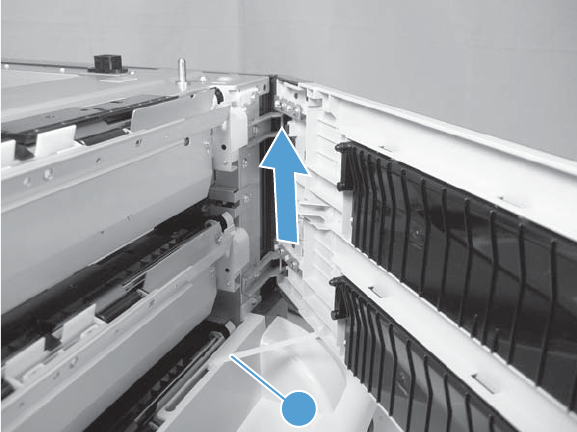
4. Lift up on the door to separate it from the PD, release one link arm (callout 1), and then remove the
door.
Figure 1-337 Remove the PD right door (3 of 3)
1
246 Chapter 1 Removal and replacement ENWW
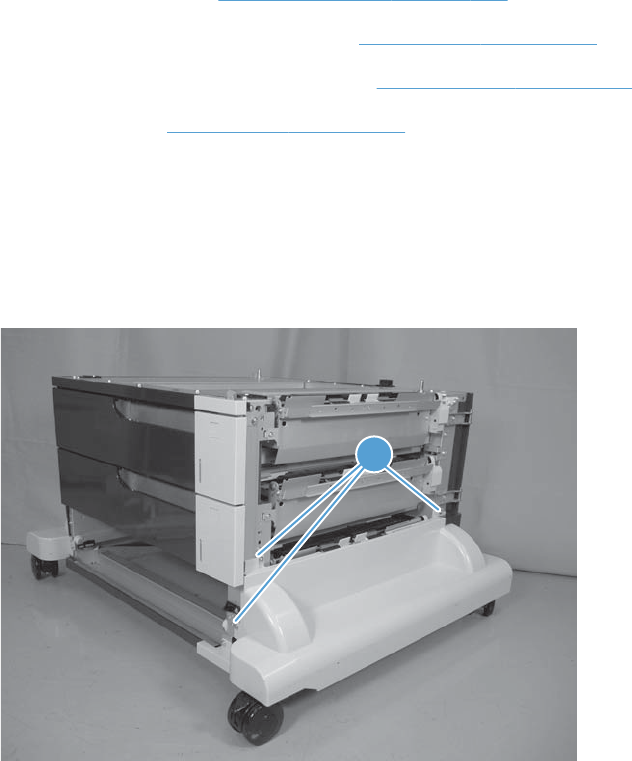
PD right lower cover
Before proceeding, remove the following assemblies:
●PD right front cover. See PD right front cover on page 238.
●1x500-sheet PD only: PD front door. See PD front door on page 241.
●1x500-sheet PD only: PD storage box. See PD storage box on page 243.
●PD right door. See PD right door on page 245.
Remove the right lower cover
1. 3x500-sheet PD only: Remove the PD cassette 3 (lower-most cassette).
2. Remove three screws (callout 1).
Figure 1-338 Remove the PD right lower cover (1 of 2)
1
ENWW Input devices 247
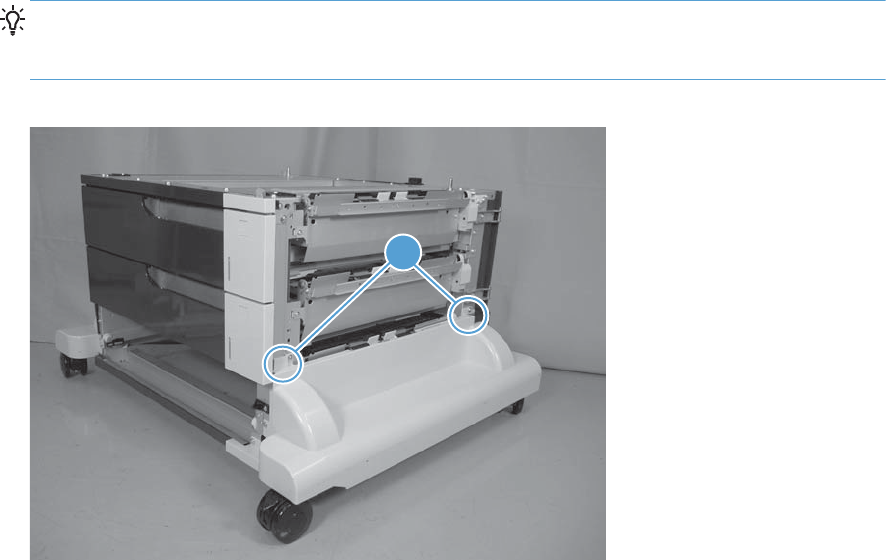
3. Release two round tabs (callout 1), and then remove the cover.
TIP: When the cover is reinstalled, align the round tabs (callout 1) in the holes next to the upper
screw holes. Make sure that the tabs snap into the holes and that the cover is tight up against the
sheet-metal chassis.
Figure 1-339 Remove the PD right lower cover (2 of 2)
1
248 Chapter 1 Removal and replacement ENWW
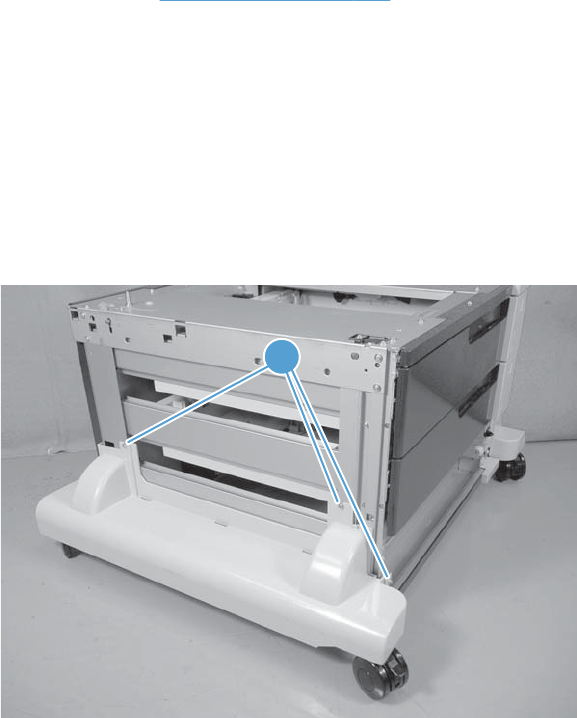
PD left lower cover
Before proceeding, remove the following assemblies:
●PD left cover. See PD left cover on page 236.
Remove the left lower cover
1. 1x500-sheet PD only: Open the front door.
-or-
3x500-sheet PD only: Remove the PD cassette 3 (lower-most cassette).
2. Remove three screws (callout 1).
Figure 1-340 Remove the PD left lower cover (1 of 2)
1
ENWW Input devices 249
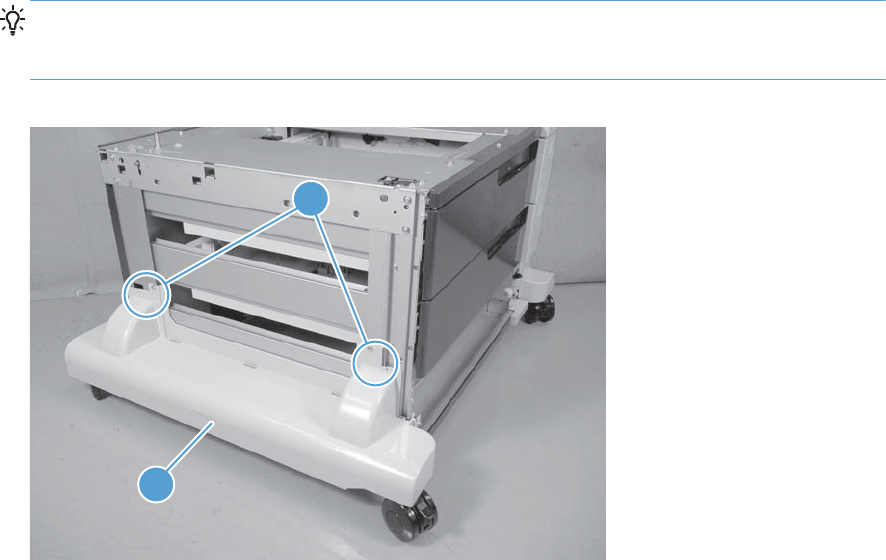
3. Release two round tabs (callout 1), and then remove the cover (callout 2).
TIP: When the cover is reinstalled, align the round tabs (callout 1) in the holes next to the upper
screw holes. Make sure that the tabs snap into the holes and that the cover is tight up against the
sheet-metal chassis.
Figure 1-341 Remove the PD left lower cover (2 of 2)
1
2
250 Chapter 1 Removal and replacement ENWW
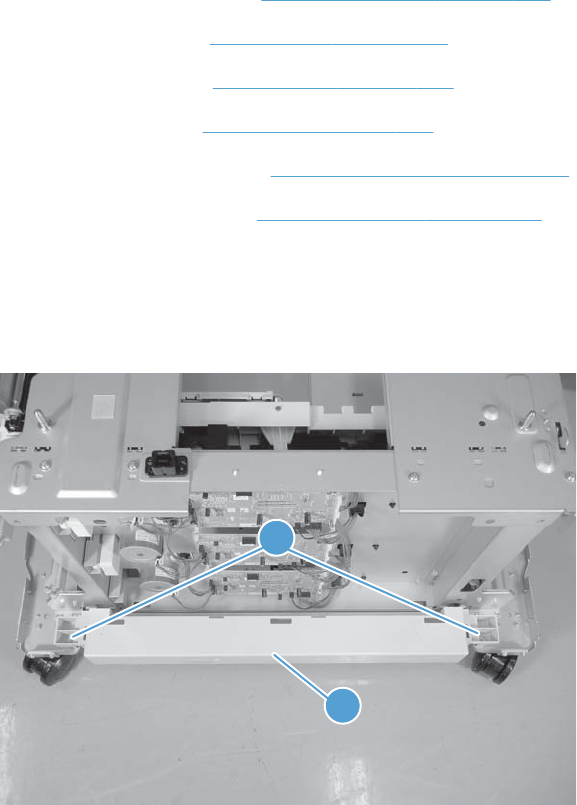
PD rear lower cover
Before proceeding, remove the following assemblies:
●PD right front cover. See PD right front cover on page 238.
●PD front door. See PD front door on page 241.
●PD rear cover. See PD rear cover on page 235.
●PD left cover. See PD left cover on page 236.
●PD right lower cover. See PD right lower cover on page 247.
●PD left lower cover. See PD left lower cover on page 249.
Remove the rear lower cover
Remove two screws (callout 1), and then remove the cover (callout 2).
Figure 1-342 Remove the PD rear lower cover
1
2
ENWW Input devices 251
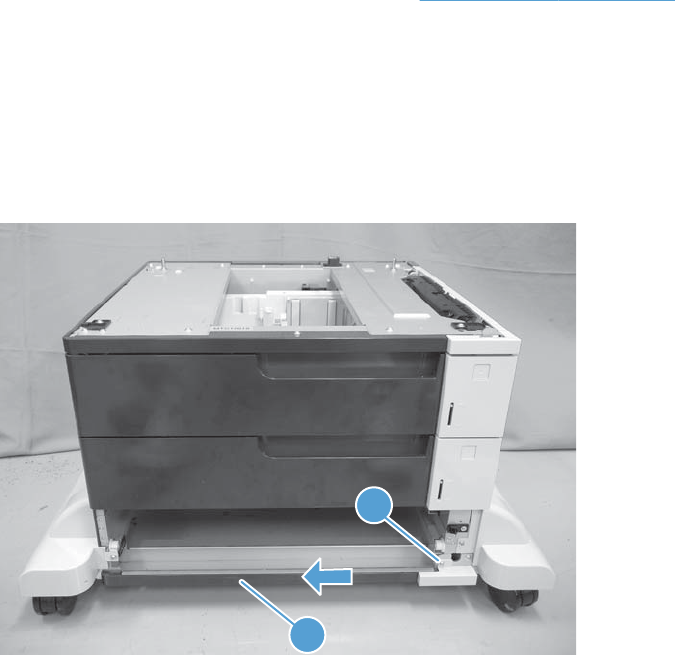
PD front lower cover
Before proceeding, remove the following assemblies:
●1x500-sheet PD only: PD storage box. See PD storage box on page 243.
●3x500-sheet PD only: Remove the PD cassette 3 (lower-most cassette).
Remove the front lower cover
Remove one screw (callout 1), slide the cover to the left to release it, and then remove the cover
(callout 2).
Figure 1-343 Remove the PD front lower cover
1
2
252 Chapter 1 Removal and replacement ENWW
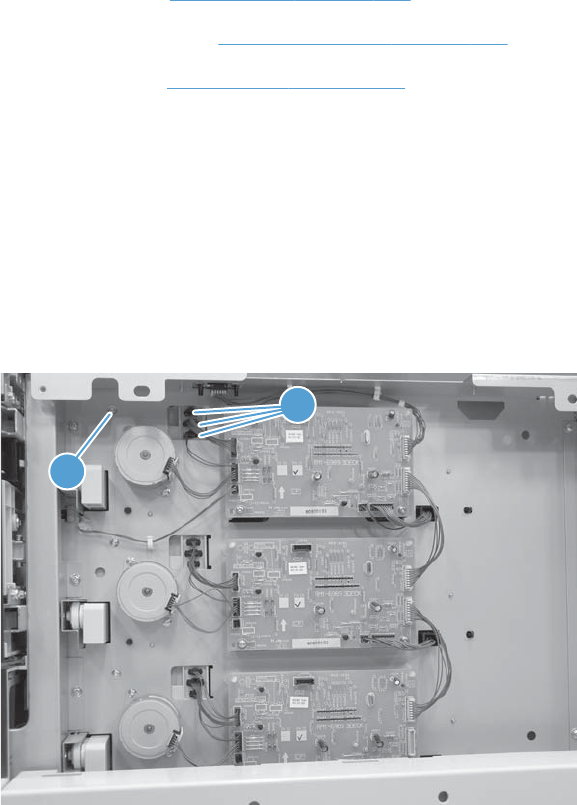
PD pickup assembly cassette 1
Before proceeding, remove the following assemblies:
●PD rear cover. See PD rear cover on page 235.
●PD right front cover. See PD right front cover on page 238.
●PD right door. See PD right door on page 245.
Remove the pickup assembly cassette 1
1. 1x500-sheet PD only: Remove the PD cassette.
-or-
3x500-sheet PD only: Remove the PD cassette 1 (upper-most cassette).
2. Remove one screw (callout 1), and then disconnect three connectors (callout 2).
Figure 1-344 Remove the PD pickup assembly cassette 1 (1 of 3)
1
2
ENWW Input devices 253
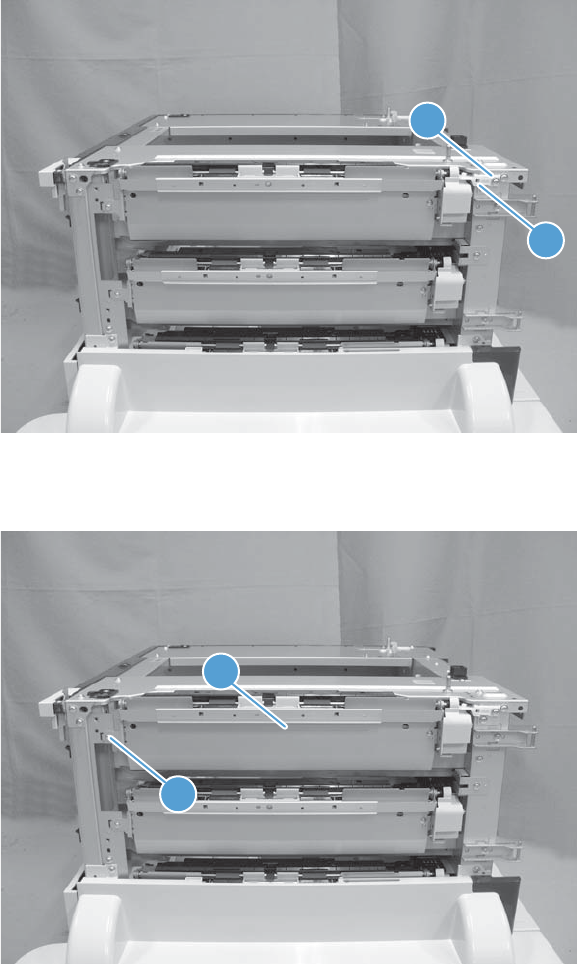
3. Remove one screw (callout 1), and then remove the right-door-link stopper (callout 2).
Figure 1-345 Remove the PD pickup assembly cassette 1 (2 of 3)
1
2
4. Remove one screw (callout 1), and then remove the assembly (callout 2).
Figure 1-346 Remove the PD pickup assembly cassette 1 (3 of 3)
2
1
254 Chapter 1 Removal and replacement ENWW
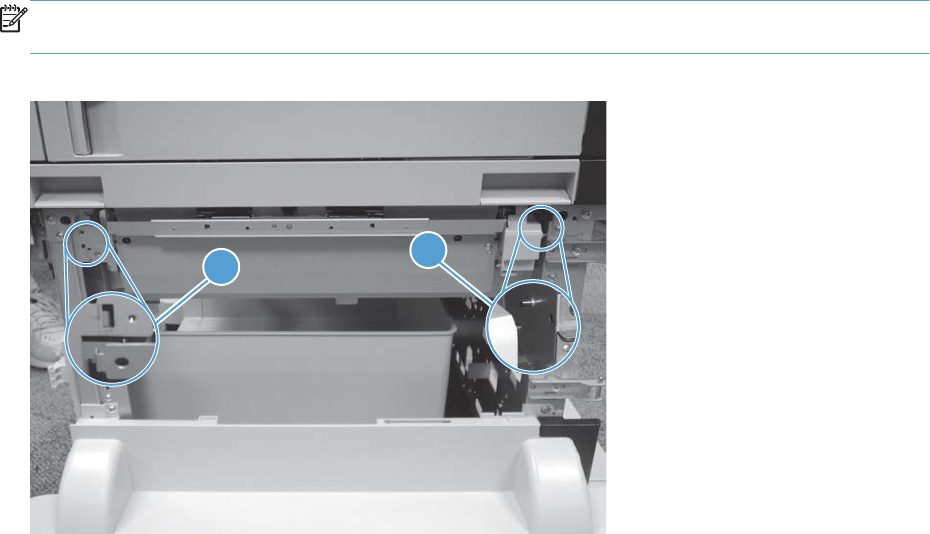
Reinstall the pickup assembly
To reinstall the assembly, put the shaft in the hole provided in the chassis (callout 1), and then make
sure that the tab on the assembly is positioned in the slot provided in the chassis (callout 2).
NOTE: The 1x500-sheet PD is shown below, but the reinstall procedure is also correct for the 3x500-
sheet PD pickup assemblies.
Figure 1-347 Reinstall the pickup assembly
1
2
ENWW Input devices 255
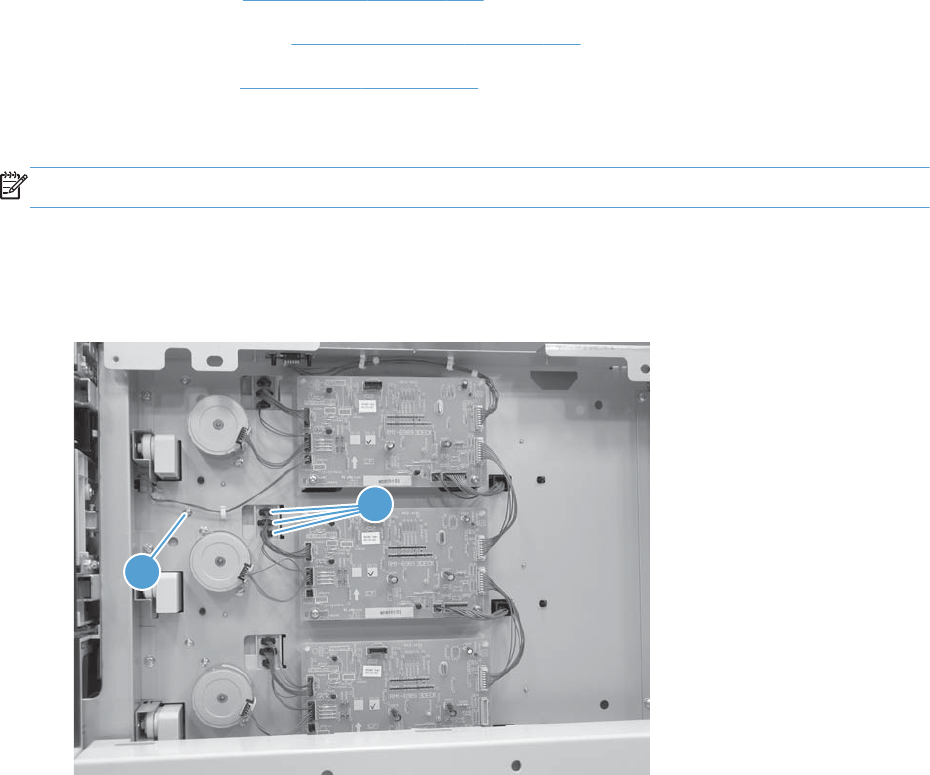
PD pickup assembly cassette 2
Before proceeding, remove the following assemblies:
●PD rear cover. See PD rear cover on page 235.
●PD right front cover. See PD right front cover on page 238.
●PD right door. See PD right door on page 245.
Remove the pickup assembly cassette 2
NOTE: For the 3x500-sheet PD only.
1. Remove the PD cassette 2.
2. Remove one screw (callout 1), and then disconnect three connectors (callout 2).
Figure 1-348 Remove the PD pickup assembly cassette 2 (1 of 2)
1
2
256 Chapter 1 Removal and replacement ENWW
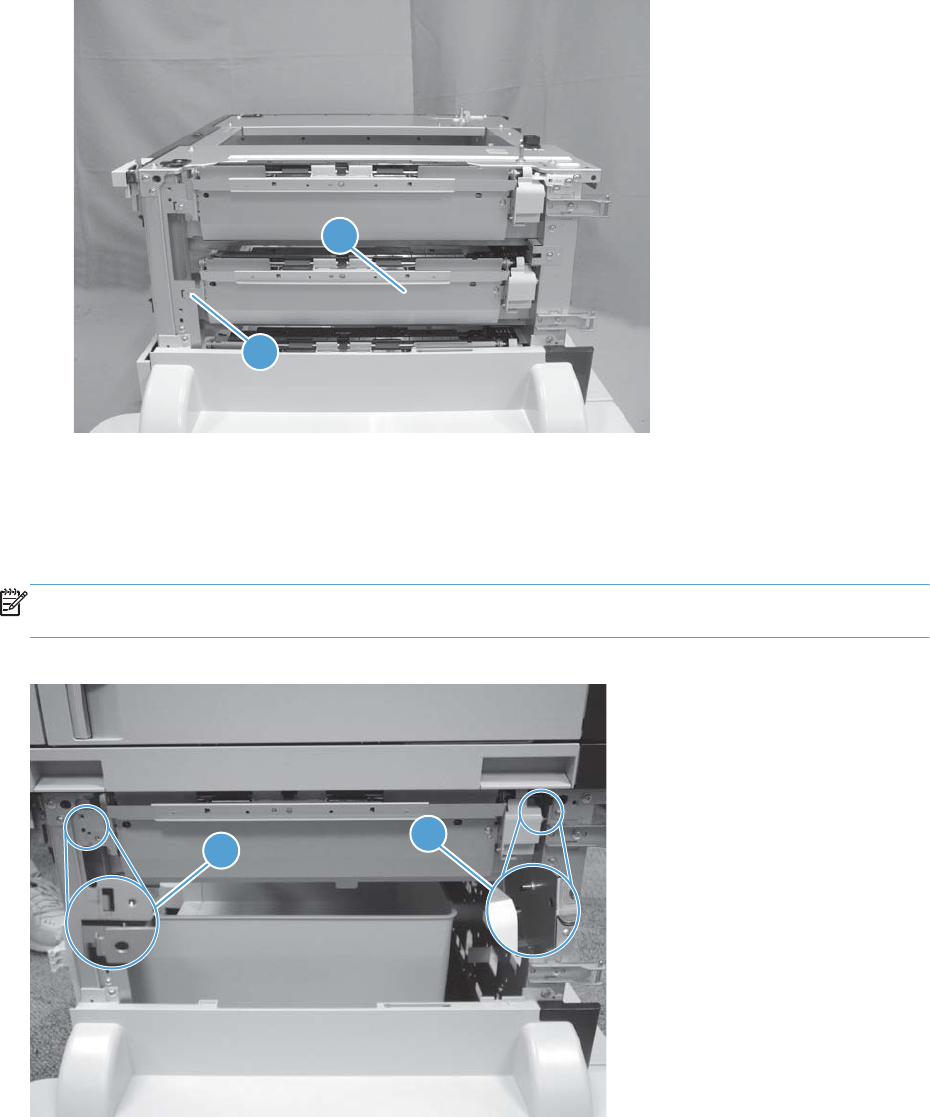
3. Remove one screw (callout 1), and then remove the assembly (callout 2).
Figure 1-349 Remove the PD pickup assembly cassette 2 (2 of 2)
2
1
Reinstall the pickup assembly
To reinstall the assembly, put the shaft in the hole provided in the chassis (callout 1), and then make
sure that the tab on the assembly is positioned in the slot provided in the chassis (callout 2).
NOTE: The 1x500-sheet PD is shown below, but the reinstall procedure is also correct for the 3x500-
sheet PD pickup assemblies.
Figure 1-350 Reinstall the pickup assembly
1
2
ENWW Input devices 257
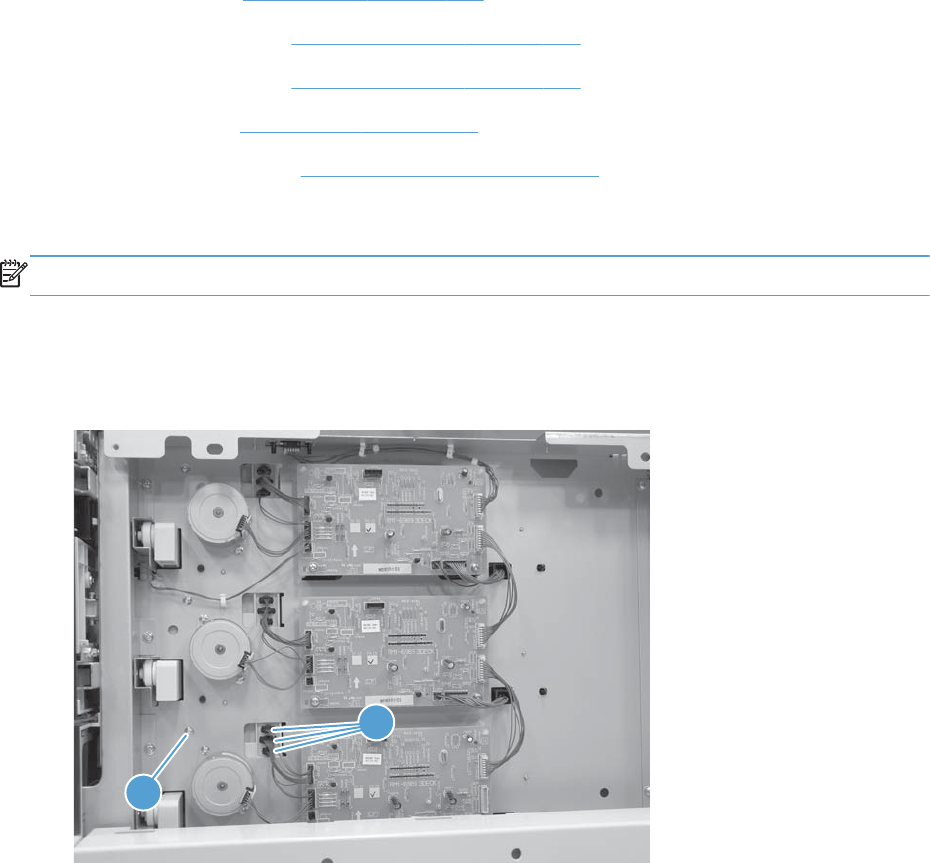
PD pickup assembly cassette 3
Before proceeding, remove the following assemblies:
●PD rear cover. See PD rear cover on page 235.
●PD right front cover. See PD right front cover on page 238.
●PD right front cover. See PD right front cover on page 238.
●PD right door. See PD right door on page 245.
●PD right lower cover. See PD right lower cover on page 247.
Remove the pickup assembly cassette 3
NOTE: For the 3x500-sheet PD only.
1. Remove the PD cassette 3.
2. Remove one screw (callout 1), and then disconnect three connectors (callout 2).
Figure 1-351 Remove the PD pickup assembly cassette 3 (1 of 2)
1
2
258 Chapter 1 Removal and replacement ENWW
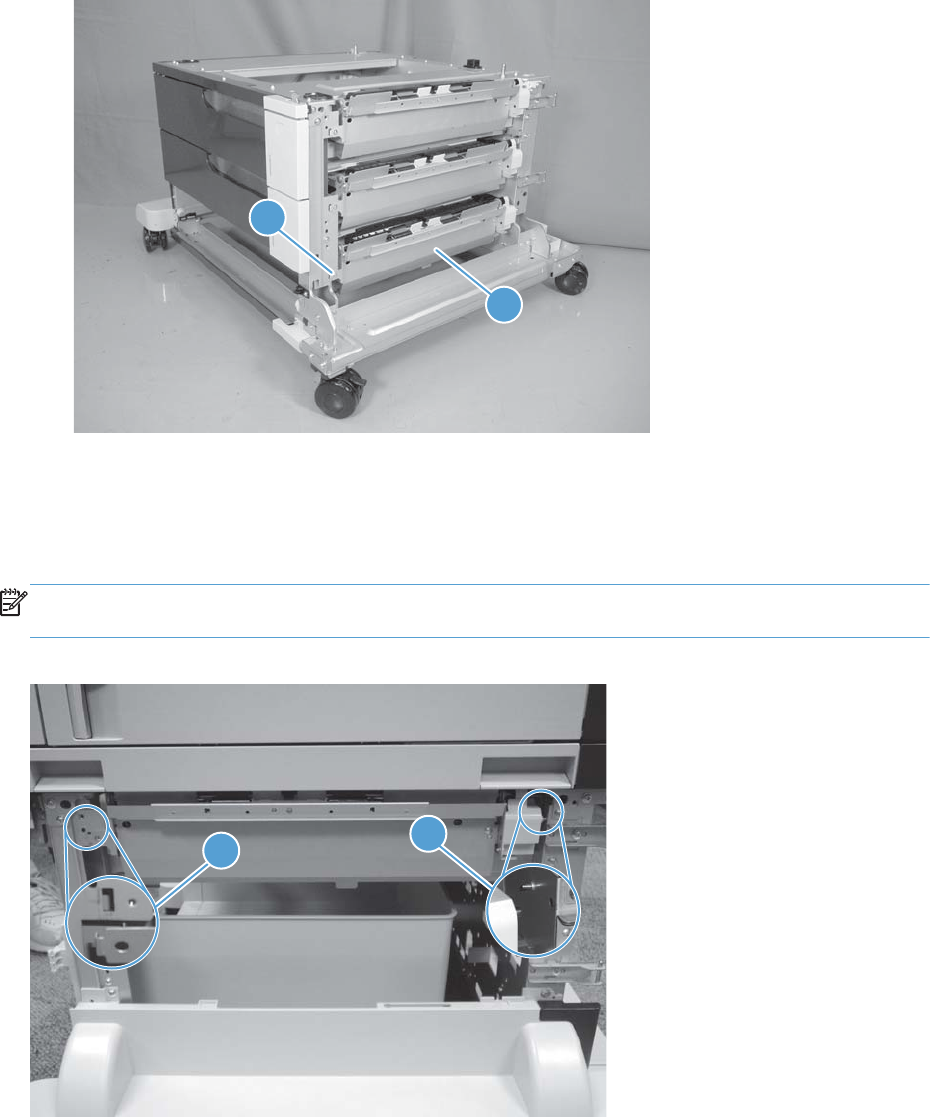
3. Remove one screw (callout 1), and then remove the assembly (callout 2).
Figure 1-352 Remove the PD pickup assembly cassette 3 (2 of 2)
1
2
Reinstall the pickup assembly
To reinstall the assembly, put the shaft in the hole provided in the chassis (callout 1), and then make
sure that the tab on the assembly is positioned in the slot provided in the chassis (callout 2).
NOTE: The 1x500-sheet PD is shown below, but the reinstall procedure is also correct for the 3x500-
sheet PD pickup assemblies.
Figure 1-353 Reinstall the pickup assembly
1
2
ENWW Input devices 259
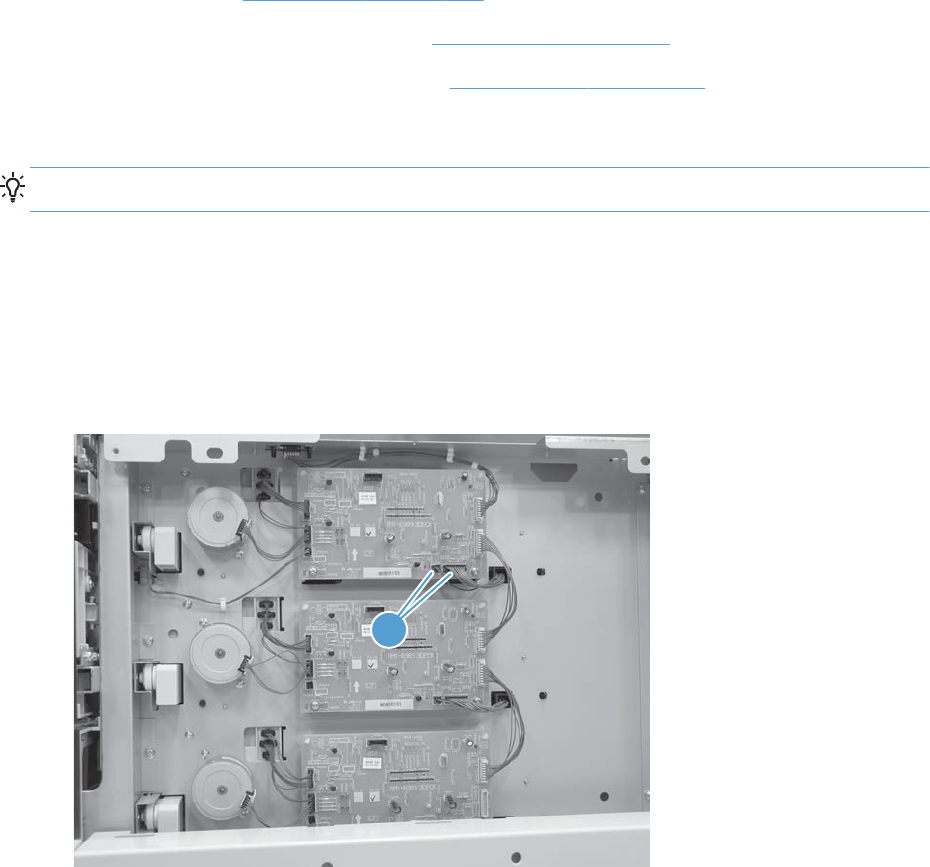
PD lifter drive assembly
Before proceeding, remove the following assemblies:
●PD rear cover. See PD rear cover on page 235.
●1x500-sheet PD only: PD front door. See PD front door on page 241.
●1x500-sheet PD only: PD storage box. See PD storage box on page 243.
Remove the lifter drive assembly
TIP: For the 3x500-sheet paper deck, use this procedure to remove any of the lifter drive assemblies.
1. 1x500-sheet PD only: Remove the PD cassette.
-or-
3x500-sheet PD only: Remove all of the PD cassettes.
2. Disconnect two connectors (callout 1).
Figure 1-354 Remove the PD lifter drive assembly (1 of 3)
1
260 Chapter 1 Removal and replacement ENWW
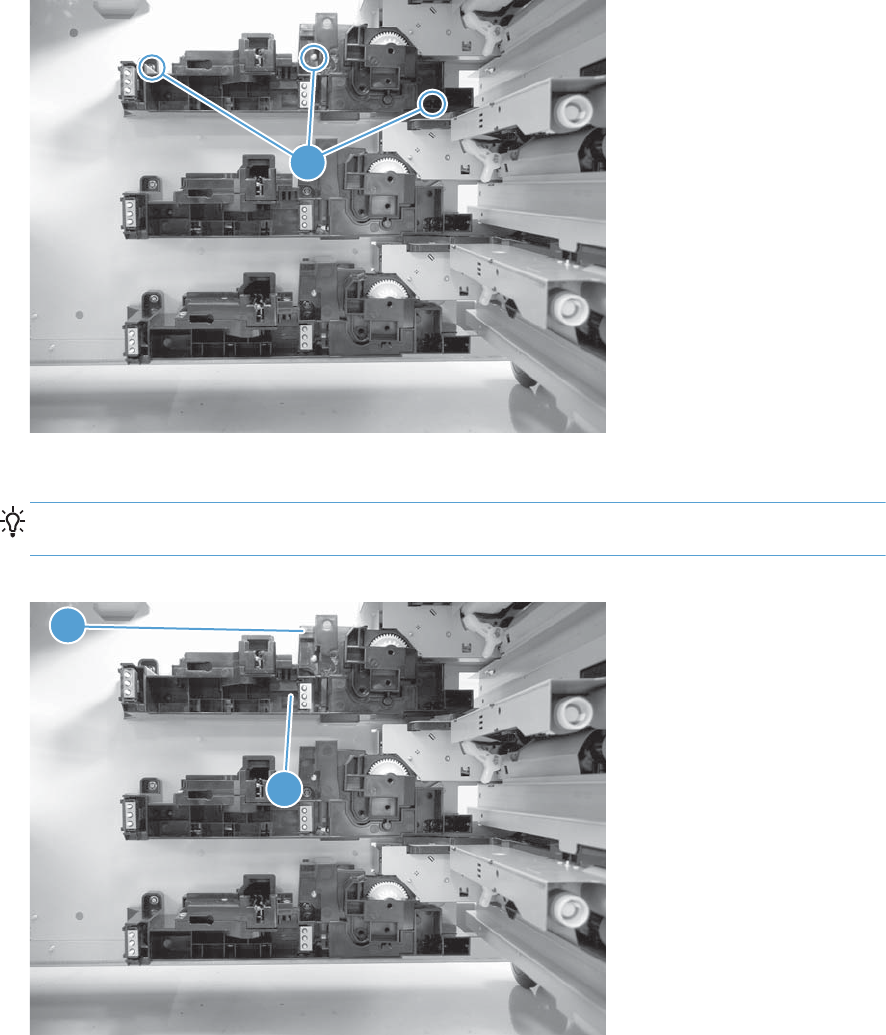
3. From the front of the device look inside the tray cavity, and then remove three screws (callout 1).
Figure 1-355 Remove the PD lifter drive assembly (2 of 3)
1
4. Release one tab (callout 1), and then remove the assembly (callout 2).
TIP: When the assembly is reinstalled, feed the wire harness through the hole provided in the
chassis.
Figure 1-356 Remove the PD lifter drive assembly (3 of 3)
1
2
ENWW Input devices 261
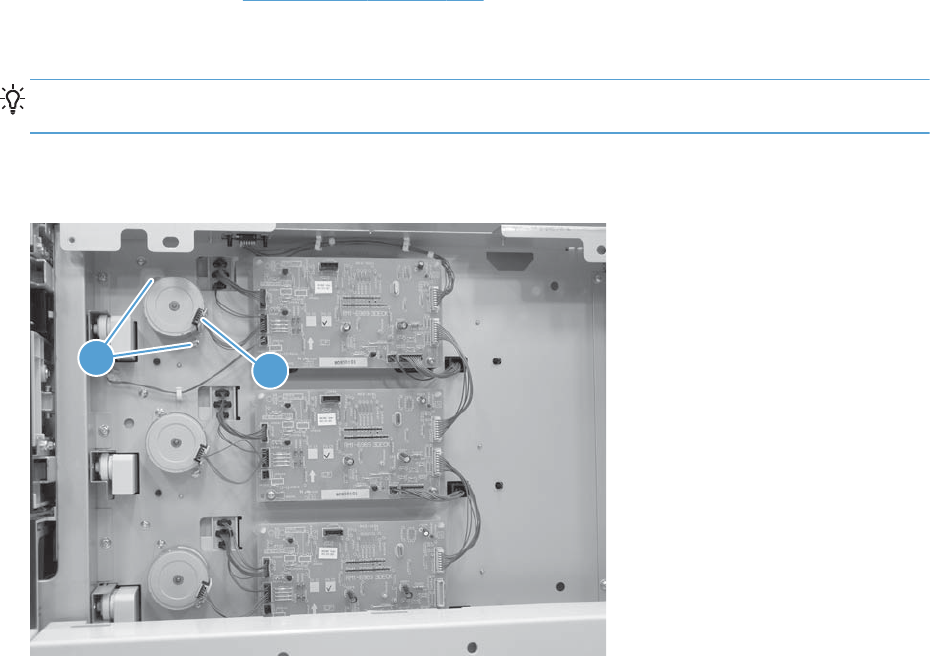
PD pickup motor
Before proceeding, remove the following assemblies:
●PD rear cover. See PD rear cover on page 235.
Remove the pickup motor
TIP: For the 3x500-sheet paper deck, use this procedure to remove any of the pickup motor
assemblies.
Disconnect one connector (callout 1), remove two screws (callout 2), and then remove the motor.
Figure 1-357 Remove the PD pickup motor
21
262 Chapter 1 Removal and replacement ENWW
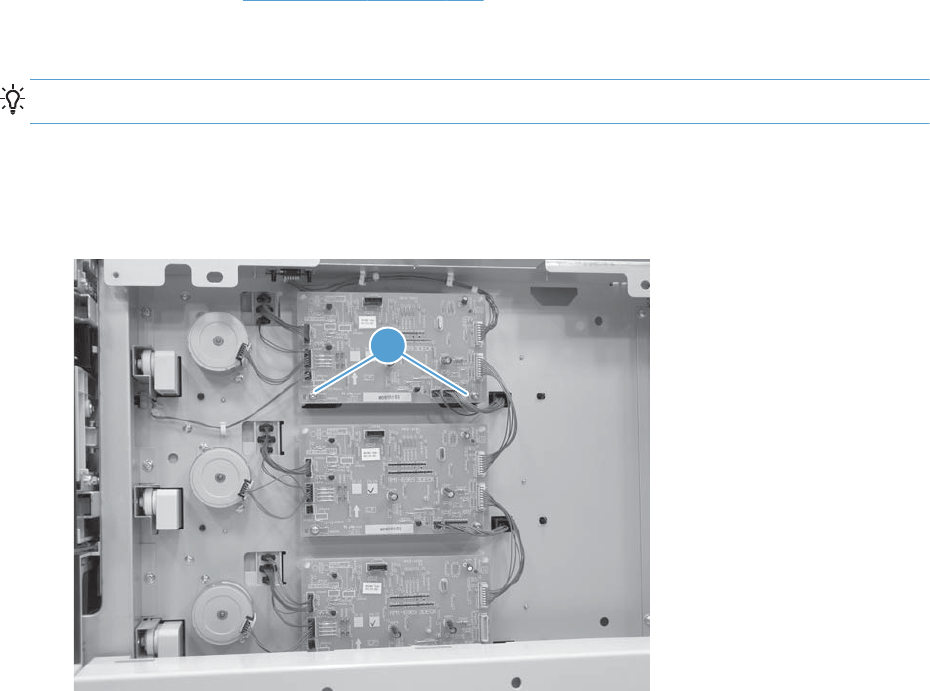
PD controller PCA
Before proceeding, remove the following assemblies:
●PD rear cover. See PD rear cover on page 235.
Remove the controller PCA
TIP: For the 3x500-sheet paper deck, use this procedure to remove any of the controller PCAs.
1. Disconnect all of the connectors.
2. Remove two screws (callout 1)
Figure 1-358 Remove the PD controller PCA (1 of 2)
1
ENWW Input devices 263
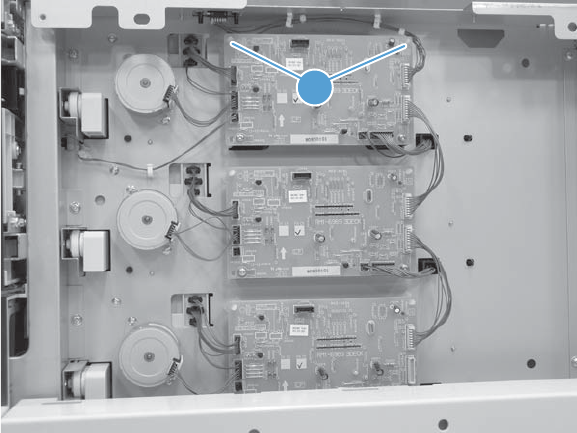
3. Release two tabs (callout 1), and then remove the PCA.
Figure 1-359 Remove the PD controller PCA (2 of 2)
1
264 Chapter 1 Removal and replacement ENWW
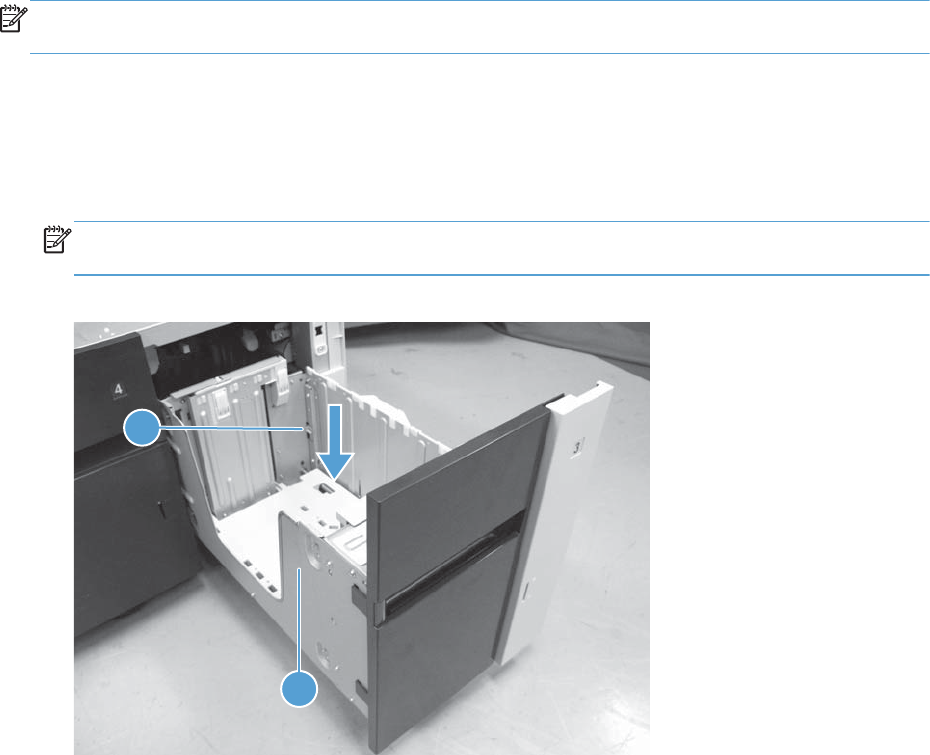
High capacity input feeder
NOTE: Some of the procedures in this section require the product to be removed from the input
device.
HCI right tray
1. Open the right tray.
2. Lower the tray release lever (callout 1), and then remove the right tray (callout 2).
NOTE: When the tray is reinstalled, the release lever automatically returns to the locked
position.
Figure 1-360 Remove the HCI right tray
2
1
ENWW Input devices 265
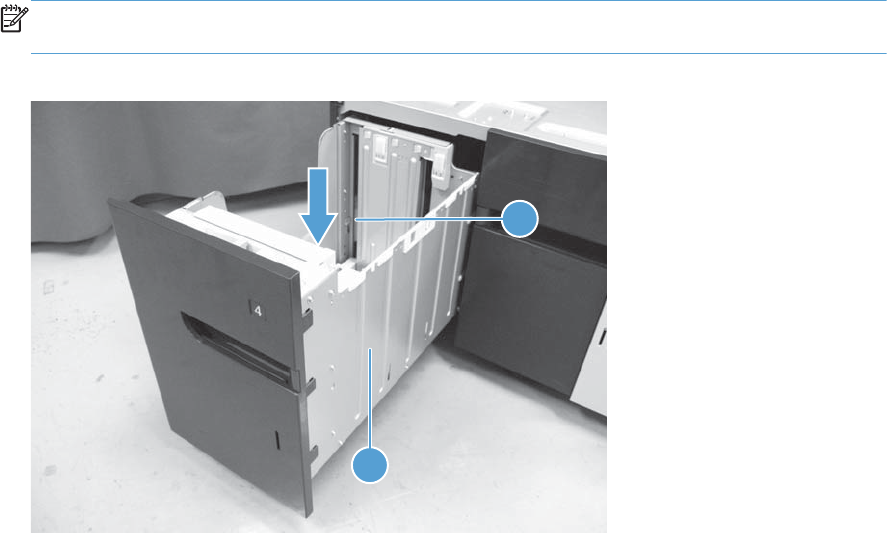
HCI left tray
1. Open the left tray.
2. Lower the tray release lever (callout 1), and then remove the left tray (callout 2).
NOTE: When the tray is reinstalled, the release lever automatically returns to the locked
position.
Figure 1-361 Remove the HCI left tray
1
2
266 Chapter 1 Removal and replacement ENWW
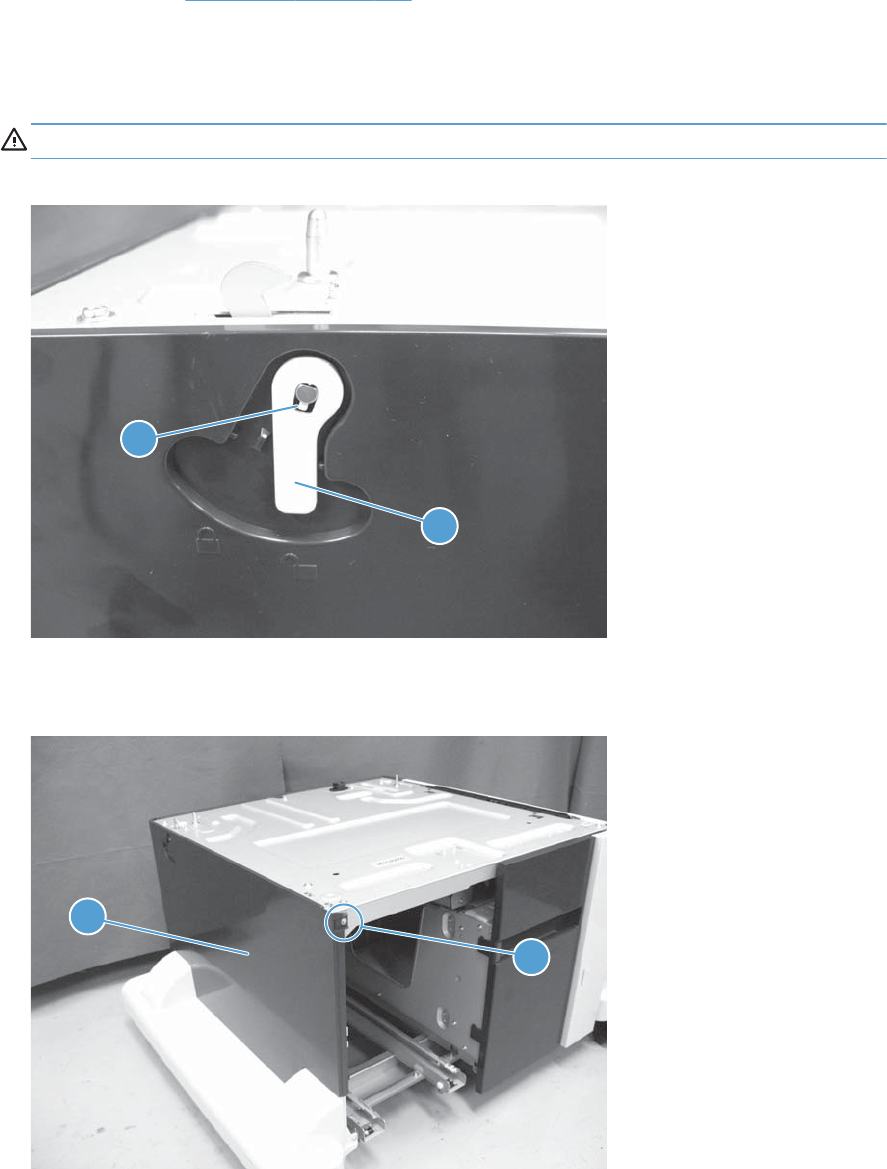
HCI left cover
Before proceeding, remove the following assemblies:
●HCI left tray. See HCI left tray on page 266.
Remove the HCI left cover
1. Release one tab (callout 1), and then remove the lever (callout 2).
CAUTION: The tab can be easily broken.
Figure 1-362 Remove the HCI left cover (1 of 3)
1
2
2. Remove one screw (callout 1), and then remove the left cover (callout 2) from the HCI.
Figure 1-363 Remove the HCI left cover (2 of 3)
2
1
ENWW Input devices 267
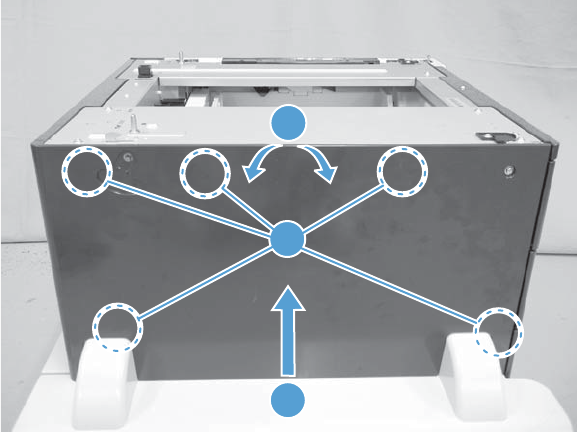
3. Carefully separate the top of the cover from the HCI (callout 1), lift up on the cover (callout 2) to
release five tabs (callout 3), and then remove the cover.
Figure 1-364 Remove the HCI left cover (3 of 3)
2
1
3
268 Chapter 1 Removal and replacement ENWW
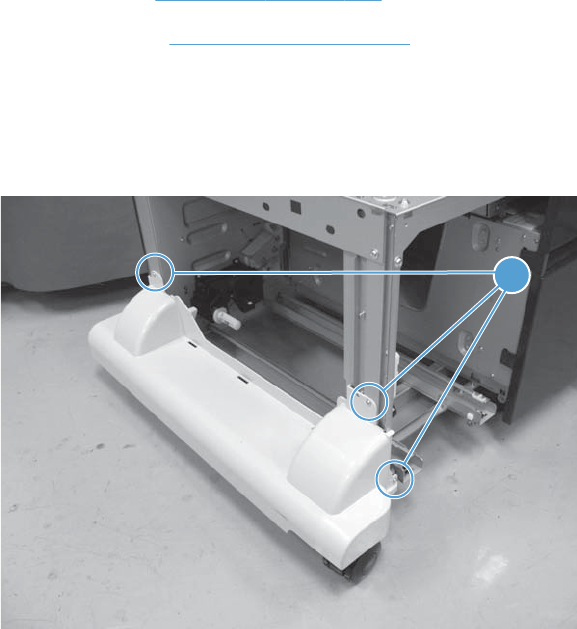
HCI left lower cover
Before proceeding, remove the following assemblies:
●HCI left tray. See HCI left tray on page 266.
●HCI left cover. See HCI left cover on page 267.
Remove the HCI left lower cover
1. Remove three screws (callout 1).
Figure 1-365 Remove the HCI left lower cover (1 of 2)
1
ENWW Input devices 269
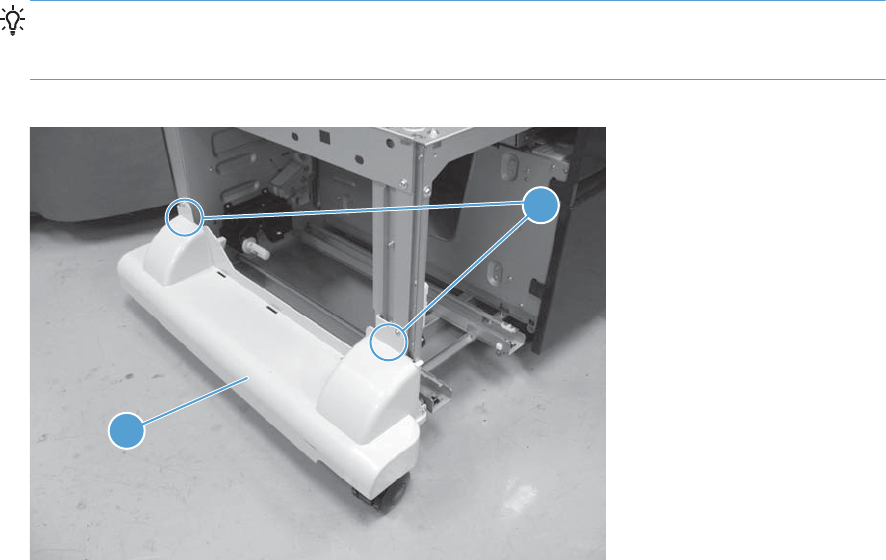
2. Release two round tabs (callout 1), and then remove the cover (callout 2).
Reinstallation tip When the cover is reinstalled, align the round tabs (callout 1) in the holes
next to the upper screw holes. Make sure that the tabs snap into the holes and that the cover is
tight up against the sheet-metal chassis.
Figure 1-366 Remove the HCI left lower cover (2 of 2)
1
2
270 Chapter 1 Removal and replacement ENWW
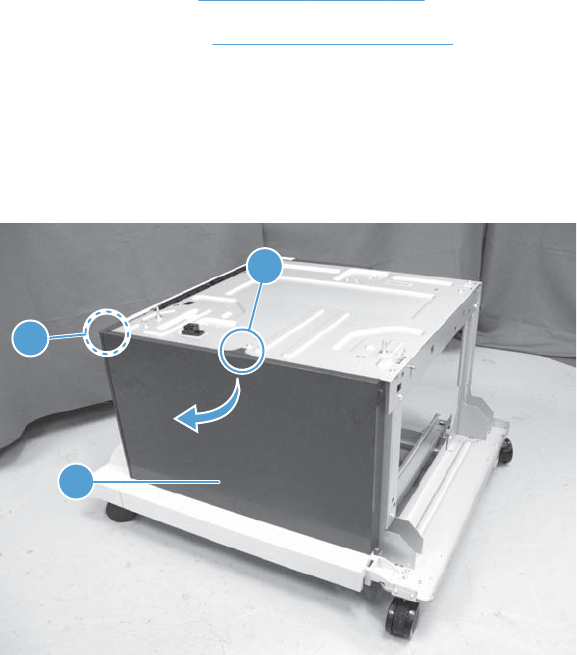
HCI rear cover
Before proceeding, remove the following assemblies:
●HCI left tray. See HCI left tray on page 266.
●HCI left cover. See HCI left cover on page 267.
Remove the HCI rear cover
Release one tab (callout 1), flex the middle of the cover away from the HCI to release one tab
(callout 2), and then remove the rear cover (callout 3).
Figure 1-367 Remove the HCI rear cover
3
1
2
ENWW Input devices 271
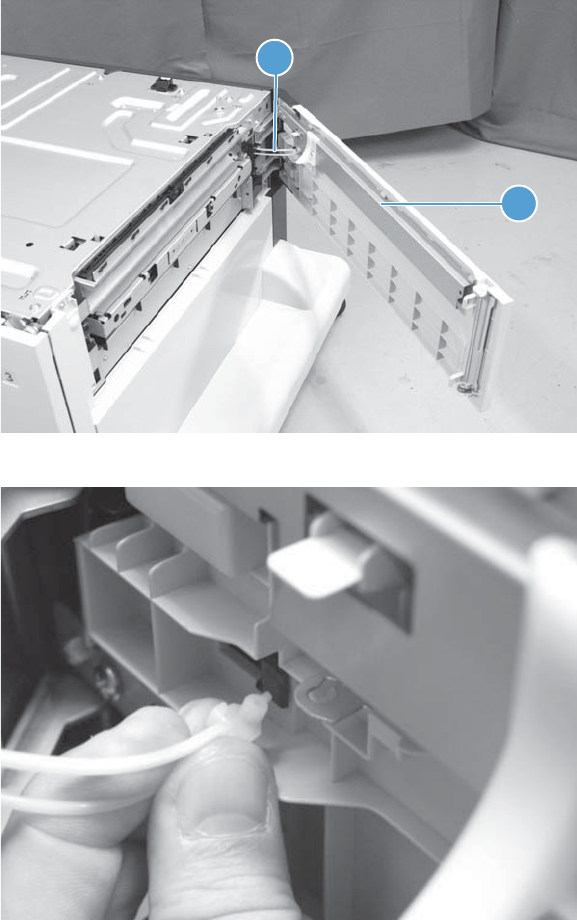
HCI right door
1. Open the right door (callout 1), and then close the right door slightly and release the link
(callout 2).
Figure 1-368 Remove the HCI right door (1 of 2)
1
2
The figure below shows the door link in detail.
272 Chapter 1 Removal and replacement ENWW
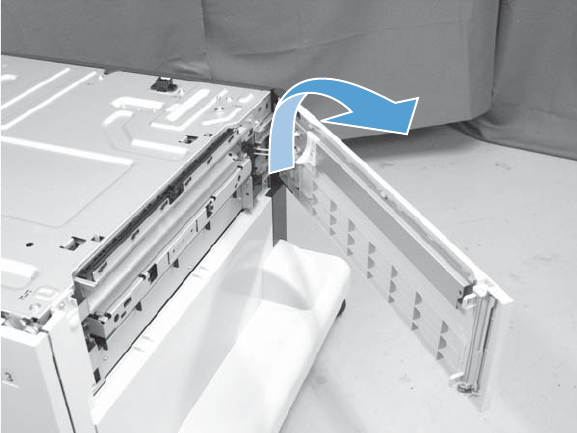
2. Slightly lift up on the door to release it, and then remove the door.
Figure 1-369 Remove the HCI right door (1 of 2)
ENWW Input devices 273
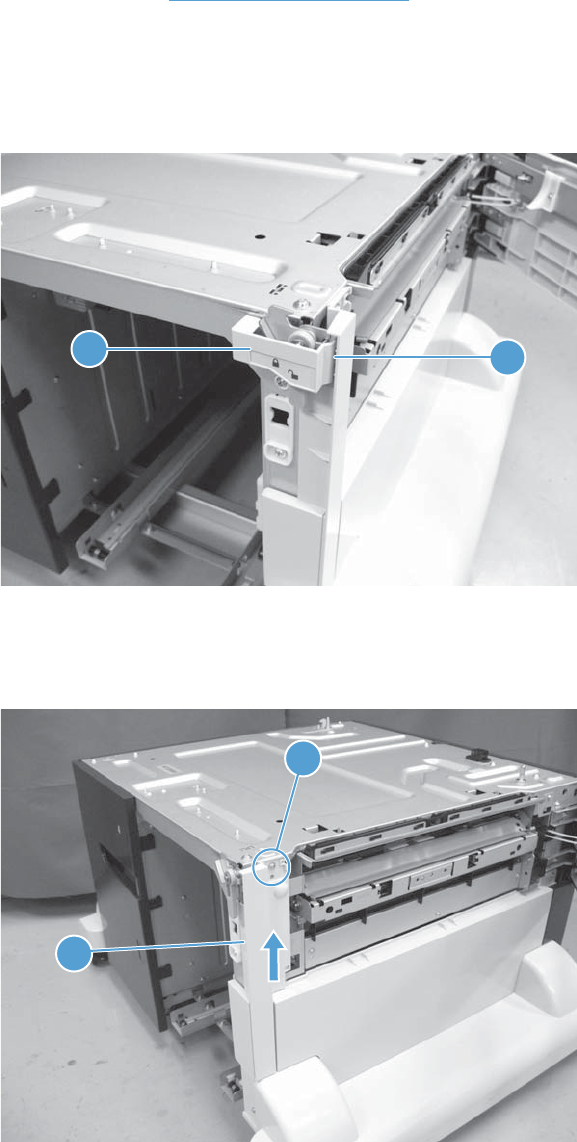
HCI right front cover
Before proceeding, remove the following assemblies:
●HCI right tray. See HCI right tray on page 265.
Remove the HCI right front cover
1. Open the HCI right door, release one tab (callout 1), and then remove the lock cover (callout 2).
Figure 1-370 Remove the HCI right front cover (1 of 2)
1
2
2. Remove one screw (callout 1), slide the cover up to release it, and then remove the right front
cover (callout 2).
Figure 1-371 Remove the HCI right front cover (2 of 2)
2
1
274 Chapter 1 Removal and replacement ENWW
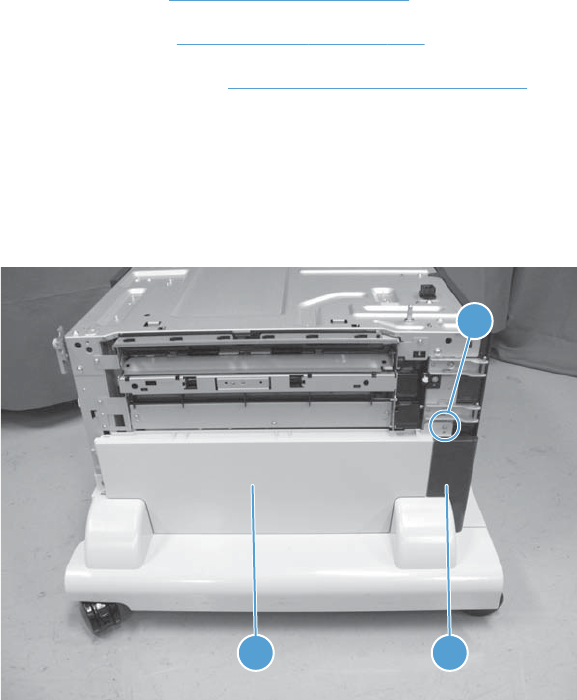
HCI right center cover and right rear cover
Before proceeding, remove the following assemblies:
●HCI right tray. See HCI right tray on page 265.
●HCI right door. See HCI right door on page 272.
●HCI right front cover. See HCI right front cover on page 274.
Remove the HCI right center cover and right rear cover
1. Remove one screw (callout 1), and then remove the right rear cover (callout 2) and the right center
cover (callout 3) together.
Figure 1-372 Remove the HCI right center cover and right rear cover (1 of 2)
3 2
1
ENWW Input devices 275
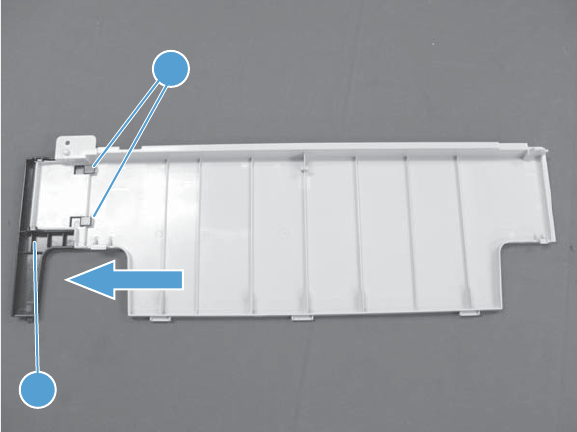
2. Release two tabs (callout 1), slide the right rear cover (callout 2) in the direction indicated and
remove it from the right center cover.
Figure 1-373 Remove the HCI right center cover and right rear cover (2 of 2)
2
1
276 Chapter 1 Removal and replacement ENWW
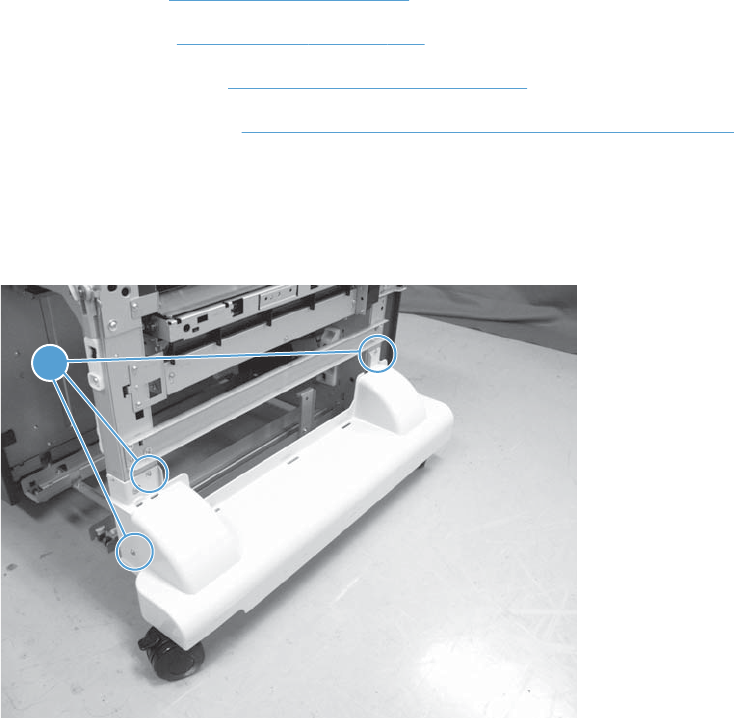
HCI right lower cover
Before proceeding, remove the following assemblies:
●HCI right tray. See HCI right tray on page 265.
●HCI right door. See HCI right door on page 272.
●HCI right front cover. See HCI right front cover on page 274.
●HCI right center cover. See HCI right center cover and right rear cover on page 275.
Remove the HCI right lower cover
1. Remove three screws (callout 1).
Figure 1-374 Remove the HCI right lower cover (1 of 2)
1
ENWW Input devices 277
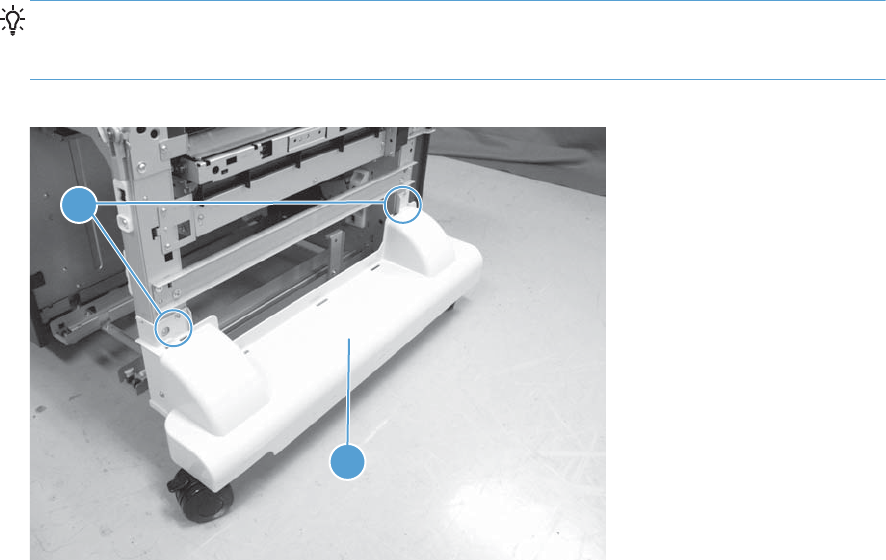
2. Release two round tabs (callout 1), and then remove the cover (callout 2).
Reinstallation tip When the cover is reinstalled, align the round tabs (callout 1) in the holes
next to the upper screw holes. Make sure that the tabs snap into the holes and that the cover is
tight up against the sheet-metal chassis.
Figure 1-375 Remove the HCI right lower cover (2 of 2)
1
2
278 Chapter 1 Removal and replacement ENWW
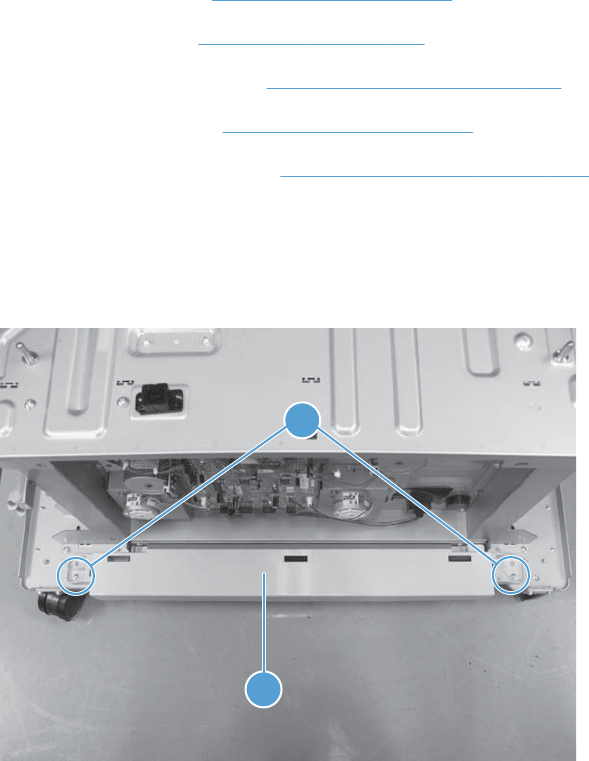
HCI rear lower cover
Before proceeding, remove the following assemblies:
●HCI right tray. See HCI right tray on page 265.
●HCI left tray. See HCI left tray on page 266.
●HCI left lower cover. See HCI left lower cover on page 269.
●HCI rear cover. See HCI rear cover on page 271.
●HCI right lower cover. See HCI right lower cover on page 277.
Remove the HCI rear lower cover
Remove two screws (callout 1), and then remove the rear lower cover (callout 2).
Figure 1-376 Remove the HCI rear lower cover
2
1
ENWW Input devices 279
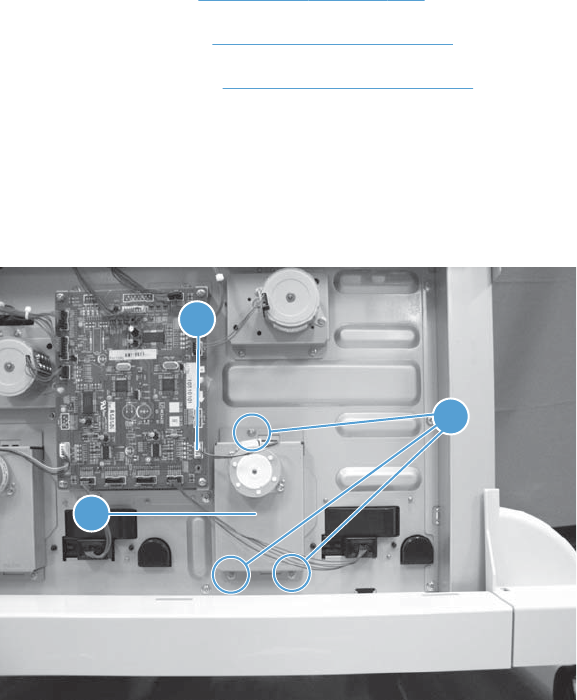
HCI left tray lifter drive
Before proceeding, remove the following assemblies:
●HCI left tray. See HCI left tray on page 266.
●HCI left cover. See HCI left cover on page 267.
●HCI rear cover. See HCI rear cover on page 271.
Remove the HCI left tray lifter drive
Disconnect one connector (callout 1), remove three screws (callout 2), and then remove the left tray
lifter drive (callout 3).
Figure 1-377 Remove the HCI left tray lifter drive
2
1
3
280 Chapter 1 Removal and replacement ENWW
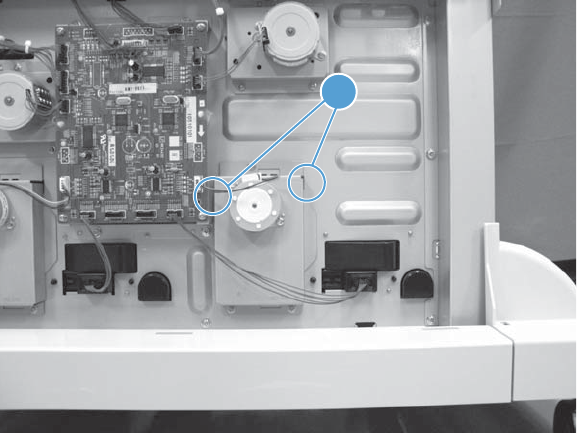
Reinstall the HCI left tray lifter drive
When the assembly is reinstalled, make sure that the tabs (callout 1) on the assembly fit into the slots in
the chassis.
Figure 1-378 Reinstall the HCI left tray lifter drive
1
ENWW Input devices 281
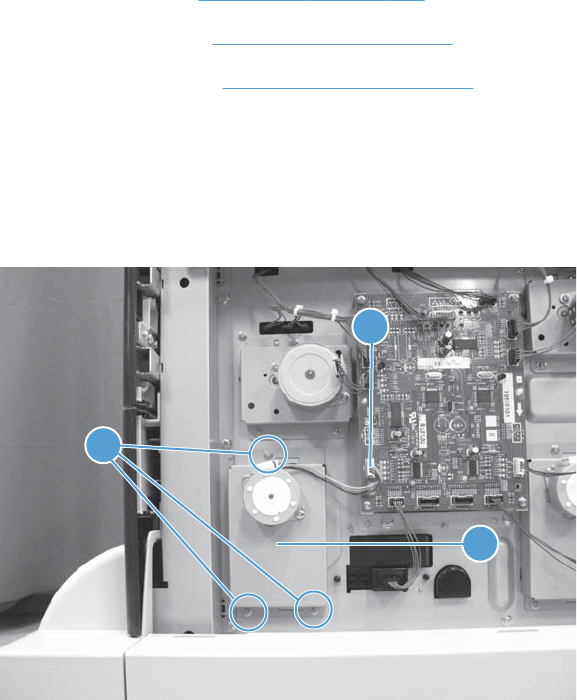
HCI right tray lifter drive
Before proceeding, remove the following assemblies:
●HCI left tray. See HCI left tray on page 266.
●HCI left cover. See HCI left cover on page 267.
●HCI rear cover. See HCI rear cover on page 271.
Remove the HCI right tray lifter drive
Disconnect one connector (callout 1), remove three screws (callout 2), and then remove the right tray
lifter drive (callout 3).
Figure 1-379 Remove the HCI right tray lifter drive
2
3
1
282 Chapter 1 Removal and replacement ENWW
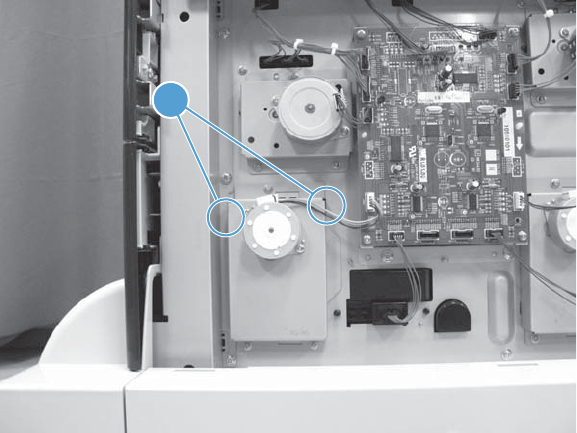
Reinstall the HCI left tray lifter drive
When the assembly is reinstalled, make sure that the tabs (callout 1) on the assembly fit into the slots in
the chassis.
Figure 1-380 Reinstall the HCI right tray lifter drive
1
ENWW Input devices 283
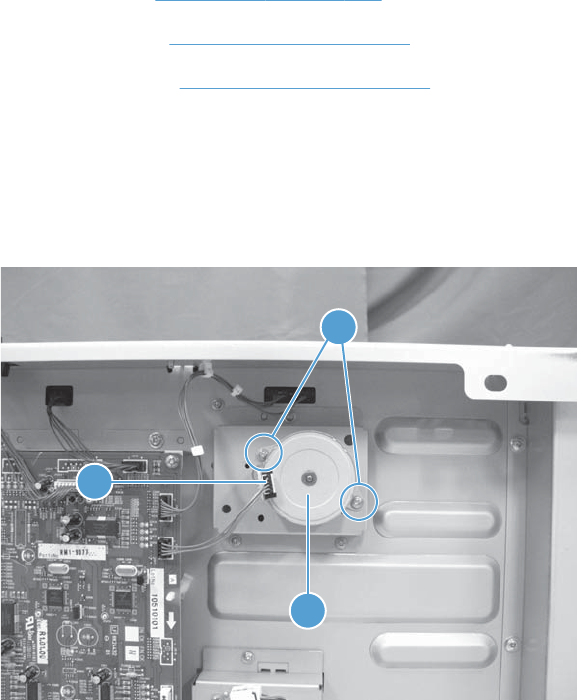
HCI left tray pickup drive
Before proceeding, remove the following assemblies:
●HCI left tray. See HCI left tray on page 266.
●HCI left cover. See HCI left cover on page 267.
●HCI rear cover. See HCI rear cover on page 271.
Remove the HCI left tray pickup drive
1. Disconnect one connector (callout 1), remove two screws (callout 2), and then remove the HCI left
tray pickup motor (callout 3).
Figure 1-381 Remove the HCI left tray pickup drive (1 of 2)
3
1
2
284 Chapter 1 Removal and replacement ENWW
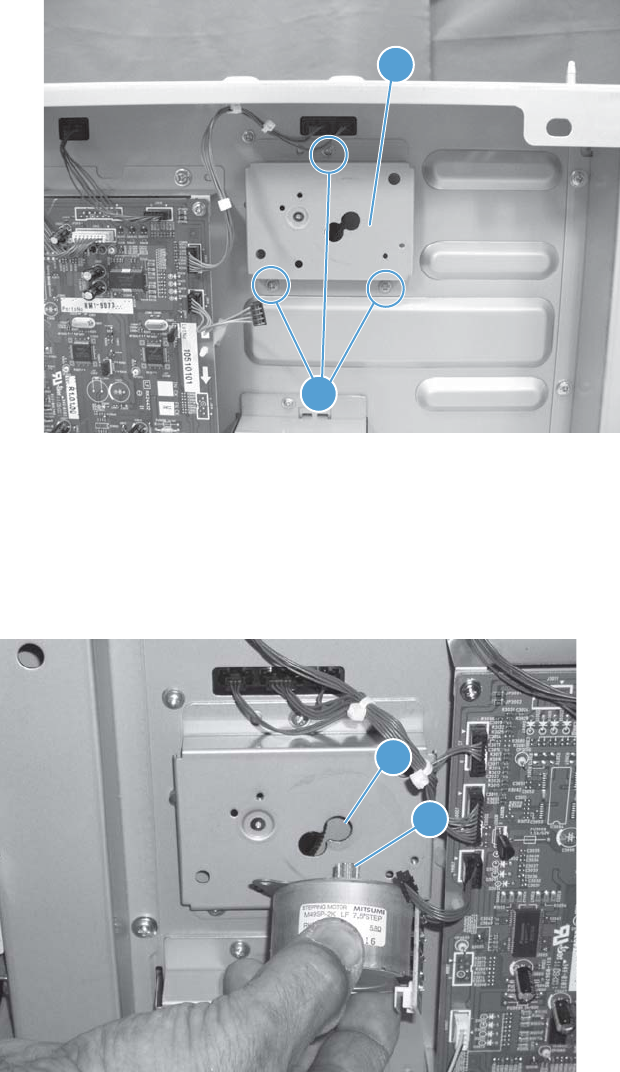
2. Remove three screws (callout 1), and then remove the left tray pickup drive (callout 2).
Figure 1-382 Remove the HCI left tray pickup drive (2 of 2)
2
1
Reinstall the HCI tray pickup drive
When the pickup drive motor is reinstalled, make sure that the motor gear (callout 1) is positioned in
the top-most hole (callout 2) of the drive assembly. You might have to move the motor back and forth to
seat the gear.
Figure 1-383 Reinstall the HCI tray pickup drive
1
2
ENWW Input devices 285
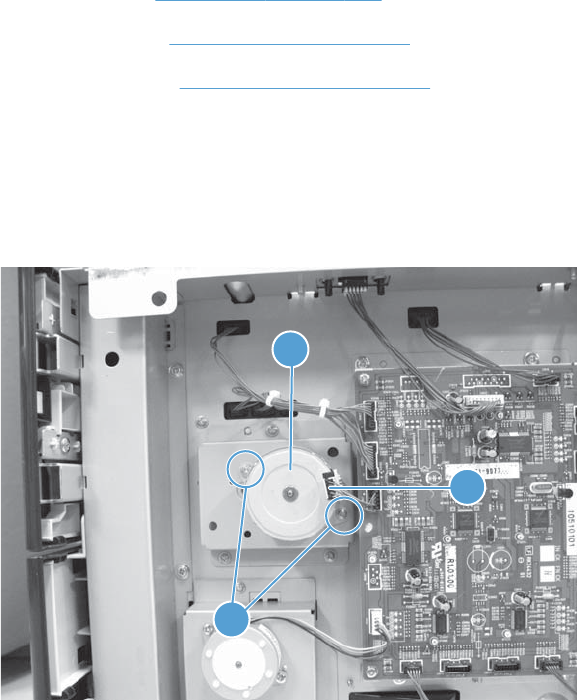
HCI right tray pickup drive
Before proceeding, remove the following assemblies:
●HCI left tray. See HCI left tray on page 266.
●HCI left cover. See HCI left cover on page 267.
●HCI rear cover. See HCI rear cover on page 271.
Remove the HCI right tray pickup drive
1. Disconnect one connector (callout 1), remove two screws (callout 2), and then remove the HCI
right tray pickup motor (callout 3).
Figure 1-384 Remove the HCI right tray pickup drive (1 of 2)
2
1
3
286 Chapter 1 Removal and replacement ENWW
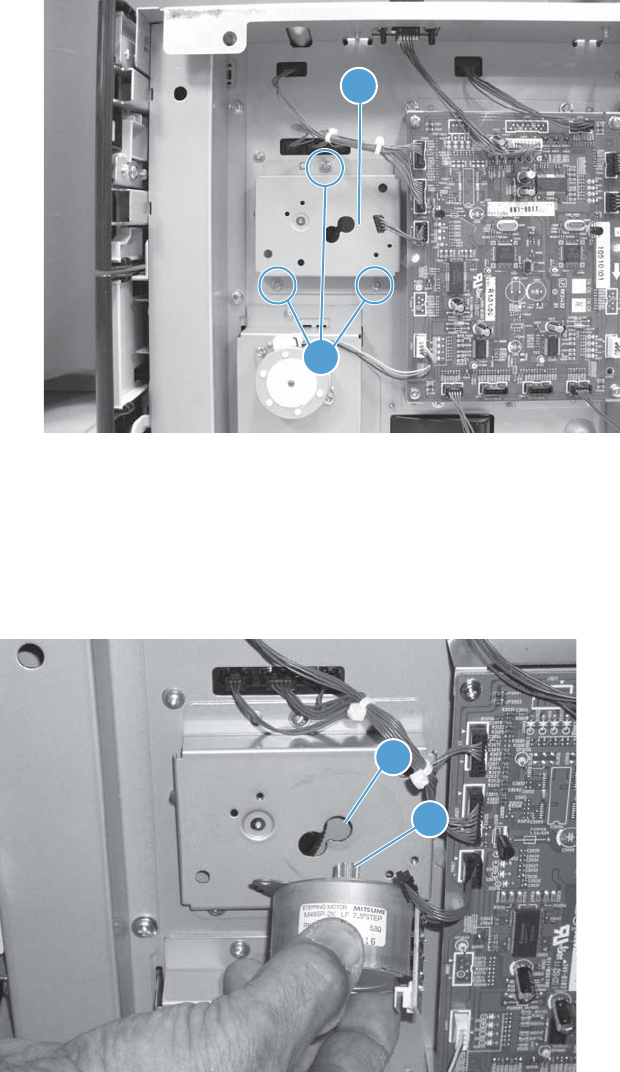
2. Remove three screws (callout 1), and then remove the right tray pickup drive (callout 2).
Figure 1-385 Remove the HCI right tray pickup drive (2 of 2)
2
1
Reinstall the HCI tray pickup drive
When the pickup drive motor is reinstalled, make sure that the motor gear (callout 1) is positioned in
the top-most hole (callout 2) of the drive assembly. You might have to move the motor back and forth to
seat the gear.
Figure 1-386 Reinstall the HCI tray pickup drive
1
2
ENWW Input devices 287
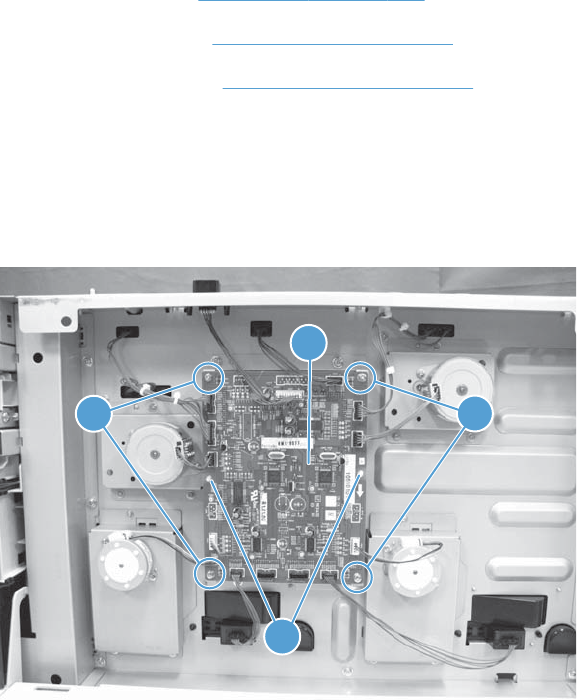
HCI controller PCA
Before proceeding, remove the following assemblies:
●HCI left tray. See HCI left tray on page 266.
●HCI left cover. See HCI left cover on page 267.
●HCI rear cover. See HCI rear cover on page 271.
Remove the HCI controller PCA
Disconnect all of the connectors on the HCI controller PCA, remove four screws (callout 1), release two
tabs (callout 2), and then remove the HCI controller PCA (callout 3).
Figure 1-387 Remove the HCI controller PCA
2
3
11
288 Chapter 1 Removal and replacement ENWW
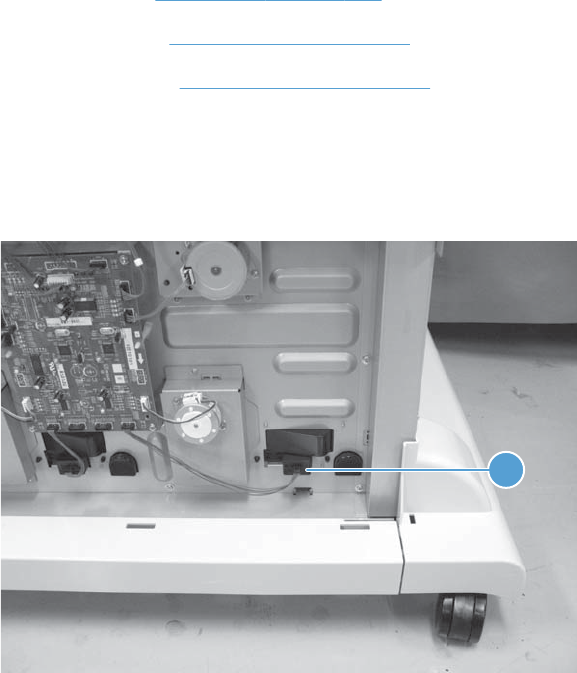
HCI left tray automatic close assembly
Before proceeding, remove the following assemblies:
●HCI left tray. See HCI left tray on page 266.
●HCI left cover. See HCI left cover on page 267.
●HCI rear cover. See HCI rear cover on page 271.
Remove the HCI left tray automatic close assembly
1. Disconnect one connector (callout 1).
Figure 1-388 Remove the HCI left tray automatic close assembly (1 of 2)
1
ENWW Input devices 289
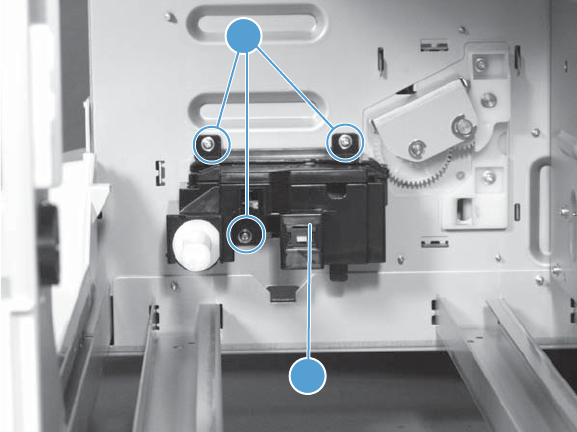
2. From inside the tray cavity, remove three screws (callout 1), and then remove the left tray
automatic close assembly (callout 2).
Figure 1-389 Remove the HCI left tray automatic close assembly (2 of 2)
2
1
290 Chapter 1 Removal and replacement ENWW
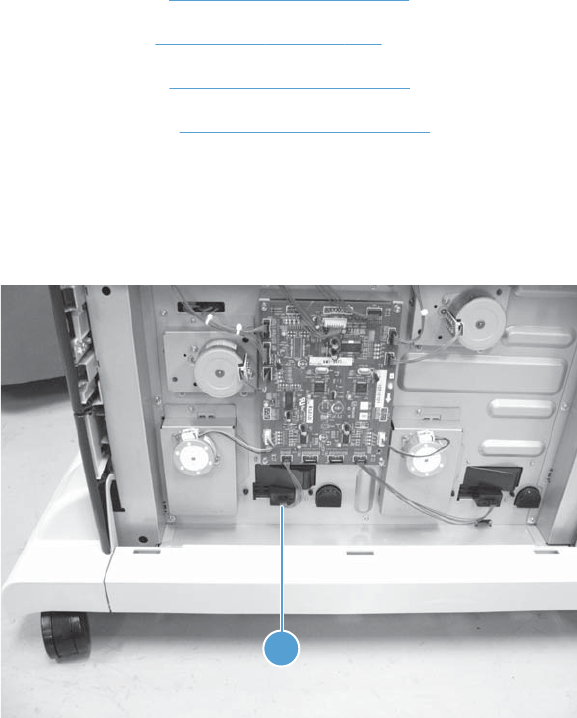
HCI right tray automatic close assembly
Before proceeding, remove the following assemblies:
●HCI right tray. See HCI right tray on page 265.
●HCI left tray. See HCI left tray on page 266.
●HCI left cover. See HCI left cover on page 267.
●HCI rear cover. See HCI rear cover on page 271.
Remove the HCI right tray automatic close assembly
1. Disconnect one connector (callout 1).
Figure 1-390 Remove the HCI right tray automatic close assembly (1 of 2)
1
ENWW Input devices 291
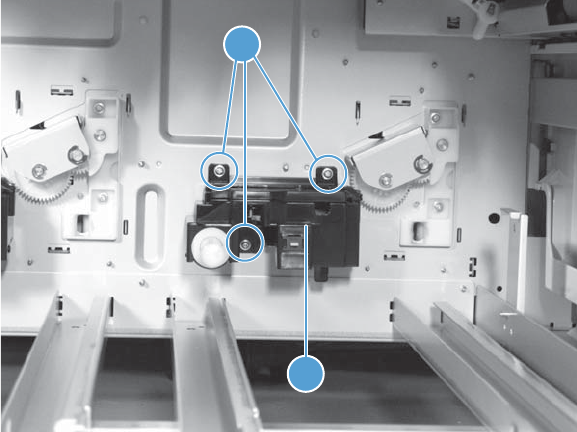
2. From inside the tray cavity, remove three screws (callout 1), and then remove the right tray
automatic close assembly (callout 2).
Figure 1-391 Remove the HCI right tray automatic close assembly (2 of 2)
2
1
292 Chapter 1 Removal and replacement ENWW
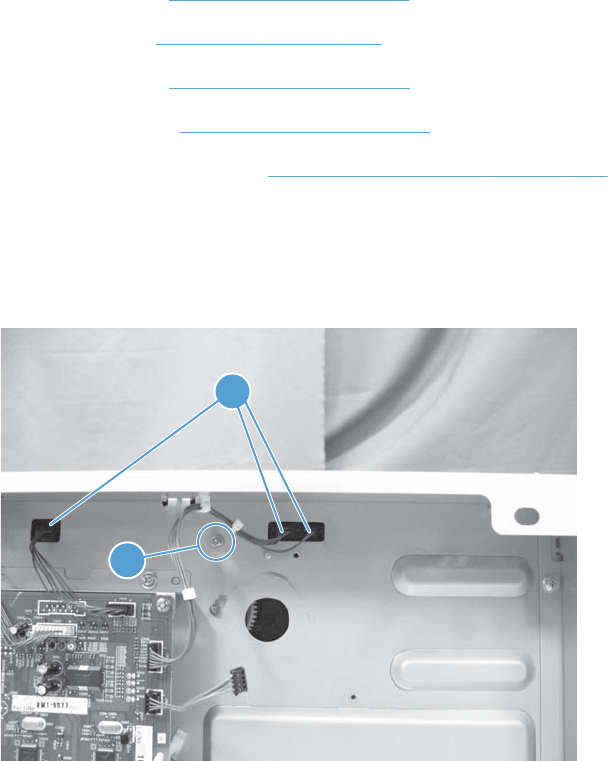
HCI left tray pickup assembly
Before proceeding, remove the following assemblies:
●HCI right tray. See HCI right tray on page 265.
●HCI left tray. See HCI left tray on page 266.
●HCI left cover. See HCI left cover on page 267.
●HCI rear cover. See HCI rear cover on page 271.
●HCI left tray pickup drive. See HCI left tray pickup drive on page 284.
Remove the HCI left tray pickup assembly
1. Disconnect three connectors (callout 1) and remove one screw (callout 2).
Figure 1-392 Remove the HCI left tray pickup assembly (1 of 2)
2
1
ENWW Input devices 293
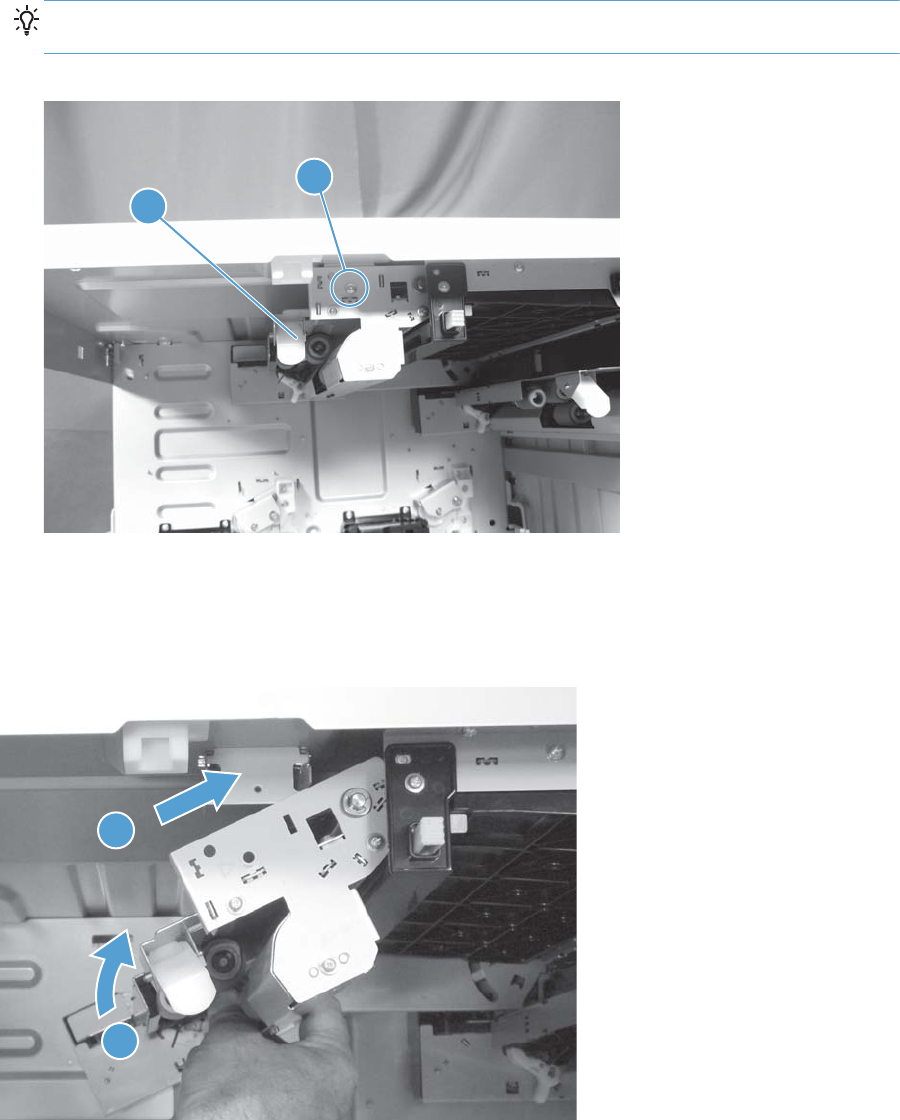
2. Remove one screw (callout 1), and then remove the left tray pickup assembly (callout 2).
TIP: When removing the screw (callout 1), hold the left tray pickup assembly so that you do not
drop the assembly.
Figure 1-393 Remove the HCI left tray pickup assembly (2 of 2)
2
1
Reinstall the HCI tray pickup assembly
To reinstall the assembly, place it in the HCI, and then rotate it up and into position.
Figure 1-394 Reinstall the HCI tray pickup assembly
1
2
294 Chapter 1 Removal and replacement ENWW
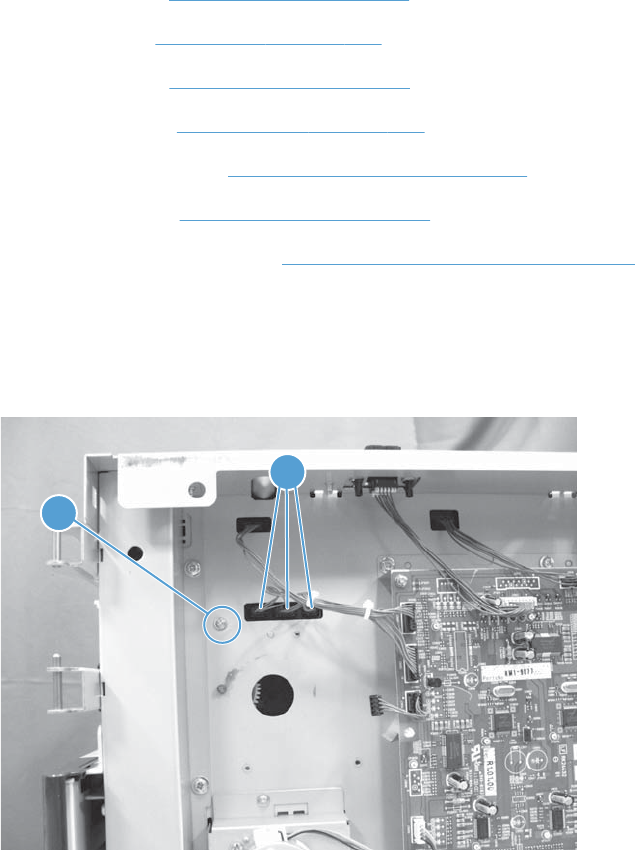
HCI right tray pickup assembly
Before proceeding, remove the following assemblies:
●HCI right tray. See HCI right tray on page 265.
●HCI left tray. See HCI left tray on page 266.
●HCI left cover. See HCI left cover on page 267.
●HCI right door. See HCI right door on page 272.
●HCI right front cover. See HCI right front cover on page 274.
●HCI rear cover. See HCI rear cover on page 271.
●HCI right tray pickup drive. See HCI right tray pickup drive on page 286.
Remove the HCI right tray pickup assembly
1. Disconnect three connectors (callout 1) and remove one screw (callout 2).
Figure 1-395 Remove the HCI right tray pickup assembly (1 of 2)
2
1
ENWW Input devices 295
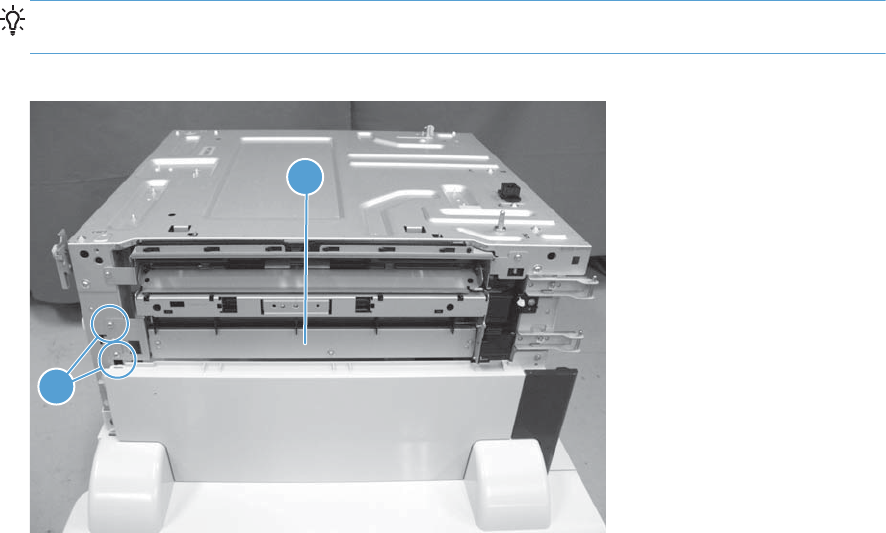
2. Remove two screws (callout 1), and then remove the right tray pickup assembly (callout 2).
TIP: It might be easier to lift up on the merge assembly flap, and then remove (or replace) the
pickup assembly from the right side of the HCI chassis (rather than from inside the chassis cavity).
Figure 1-396 Remove the HCI right tray pickup assembly (2 of 2)
2
1
296 Chapter 1 Removal and replacement ENWW
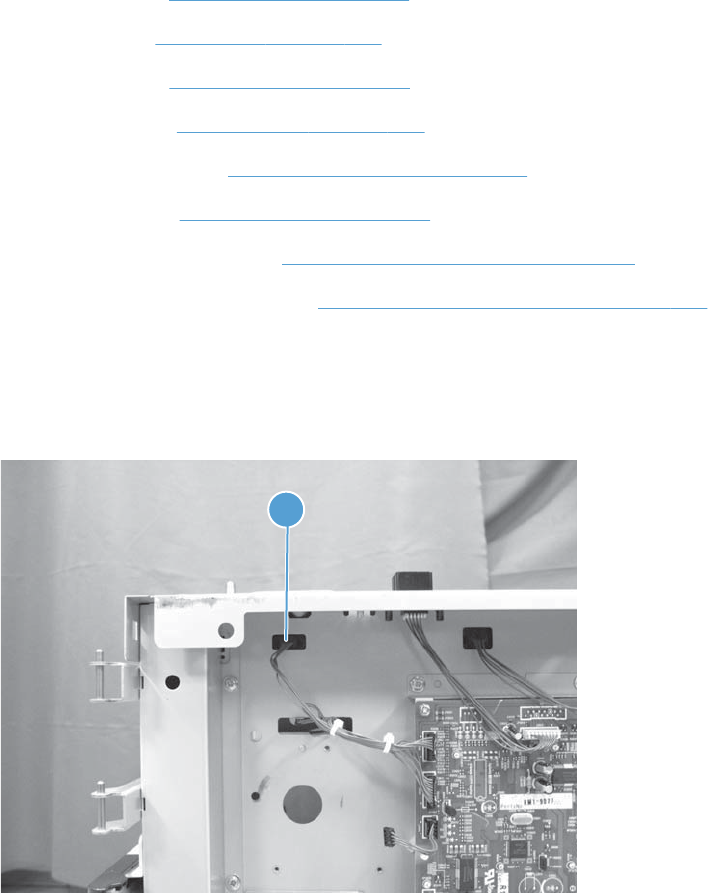
HCI merge assembly
Before proceeding, remove the following assemblies:
●HCI right tray. See HCI right tray on page 265.
●HCI left tray. See HCI left tray on page 266.
●HCI left cover. See HCI left cover on page 267.
●HCI right door. See HCI right door on page 272.
●HCI right front cover. See HCI right front cover on page 274.
●HCI rear cover. See HCI rear cover on page 271
●HCI right tray pickup drive. See HCI right tray pickup drive on page 286.
●HCI right tray pickup assembly. See HCI right tray pickup assembly on page 295.
Remove the HCI merge assembly
1. Disconnect one connector (callout 1).
Figure 1-397 Remove the HCI merge assembly (1 of 2)
1
ENWW Input devices 297
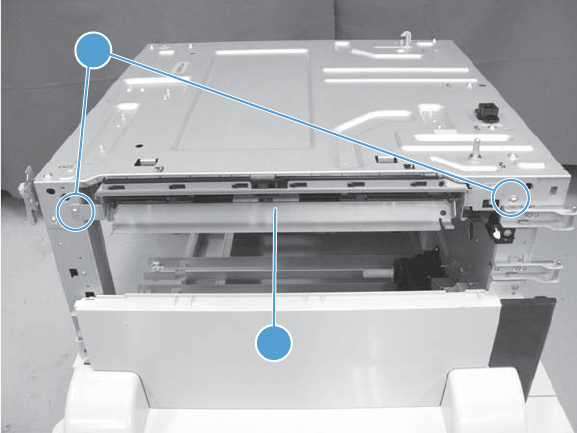
2. Remove two screws (callout 1), and then remove the merge assembly (callout 2).
Figure 1-398 Remove the HCI merge assembly (2 of 2)
2
1
298 Chapter 1 Removal and replacement ENWW
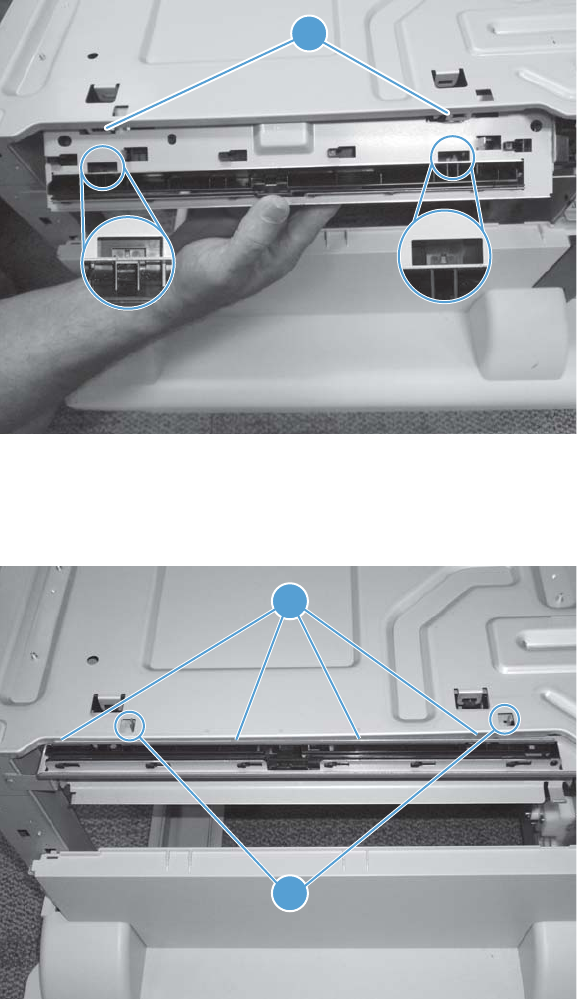
Reinstall the HCI merge assembly
The tabs at the top of the HCI merge assembly fit into slots provided in the chassis (callout 1).
Figure 1-399 Reinstall the merge assembly (1 of 2)
1
When the assembly is correctly installed, two sheet metal tabs (callout 1) are positioned in the provided
holes in the chassis, and the assembly fits tight against the edge of the chassis (callout 2).
Figure 1-400 Reinstall the merge assembly (2 of 2)
1
2
ENWW Input devices 299
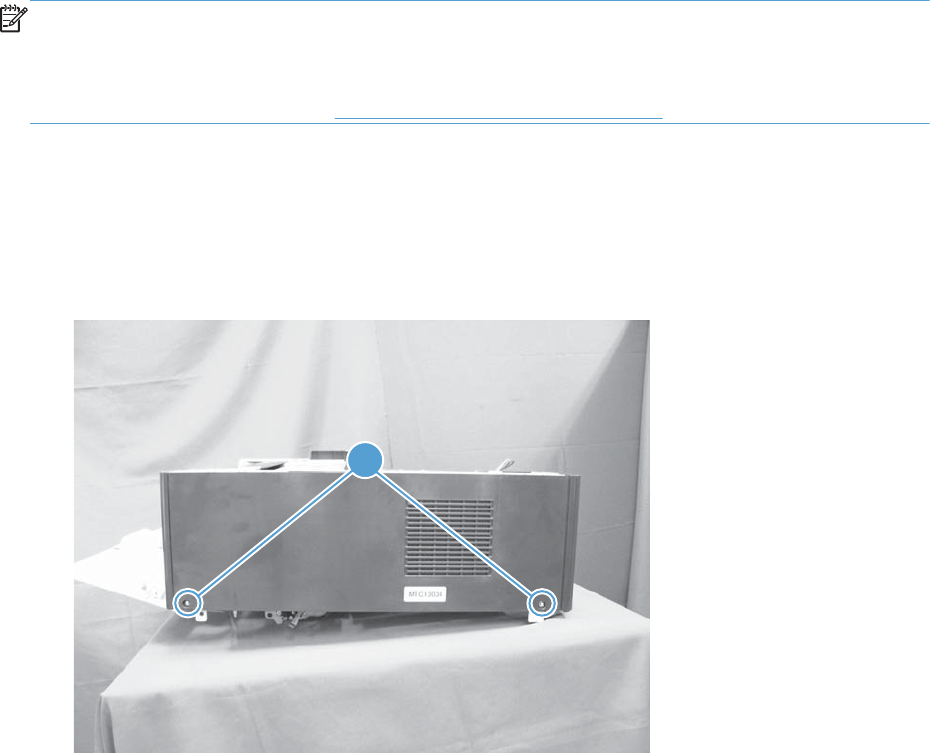
Output devices
Stapler/stacker
NOTE: The stapler/stacker is shown removed from the product in this section, however, it is only
necessary to remove the stapler/stacker from the product to perform the following procedures if the
front right cover must be removed.
To remove the stapler/stacker, see Stapler/stacker assembly on page 78.
Stapler/stacker rear cover
1. Open the right door.
2. Remove two screws (callout 1).
Figure 1-401 Remove the stapler/stacker rear cover (1 of 3)
1
300 Chapter 1 Removal and replacement ENWW
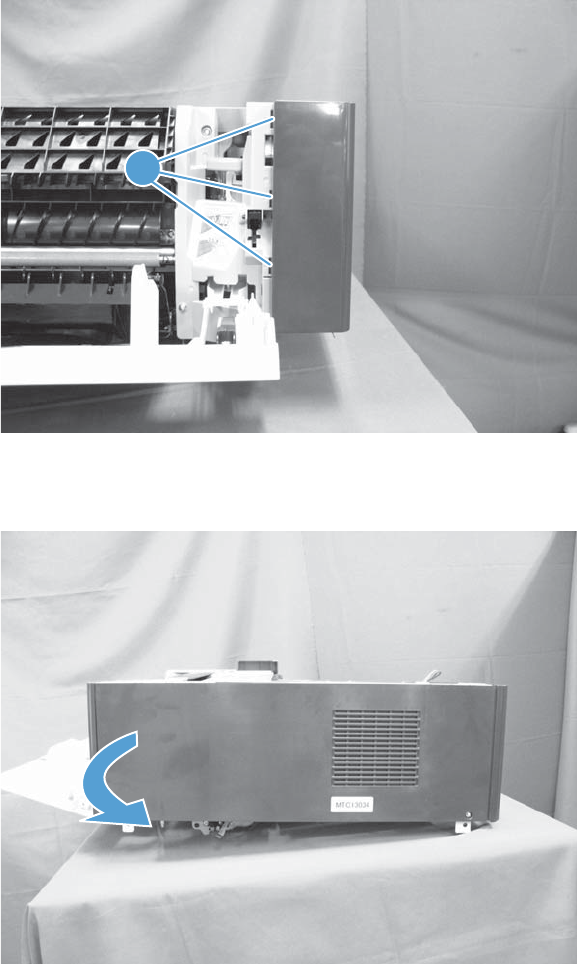
3. Release three tabs (callout 1).
Figure 1-402 Remove the stapler/stacker rear cover (2 of 3)
1
4. Slide the cover to the left to release it, and then remove the cover.
Figure 1-403 Remove the stapler/stacker rear cover (3 of 3)
ENWW Output devices 301
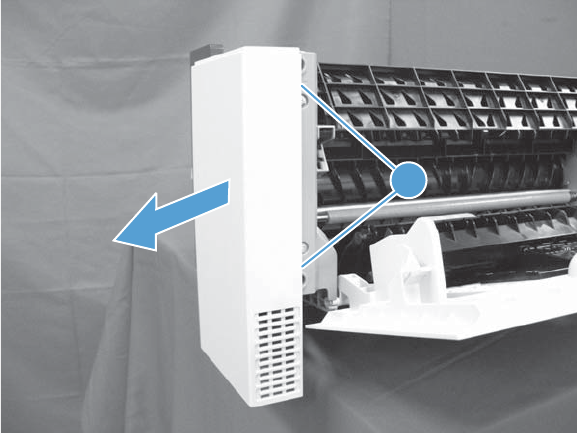
Stapler/stacker front right cover
1. Open the right door.
2. Release two tabs (callout 1), and then remove the cover.
Figure 1-404 Remove the stapler/stacker front right cover
1
302 Chapter 1 Removal and replacement ENWW
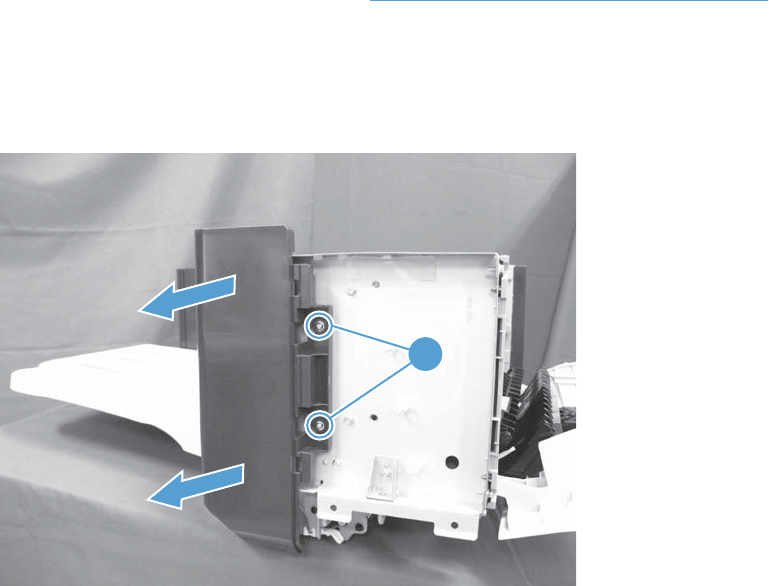
Stapler/stacker front left cover
Before proceeding, remove the following assemblies:
●Stapler/stacker front right cover. See Stapler/stacker front right cover on page 302.
Remove the stapler/stacker front left cover
Remove two screws (callout 1), and then remove the cover (callout 2).
Figure 1-405 Remove the stapler/stacker front left cover
1
ENWW Output devices 303
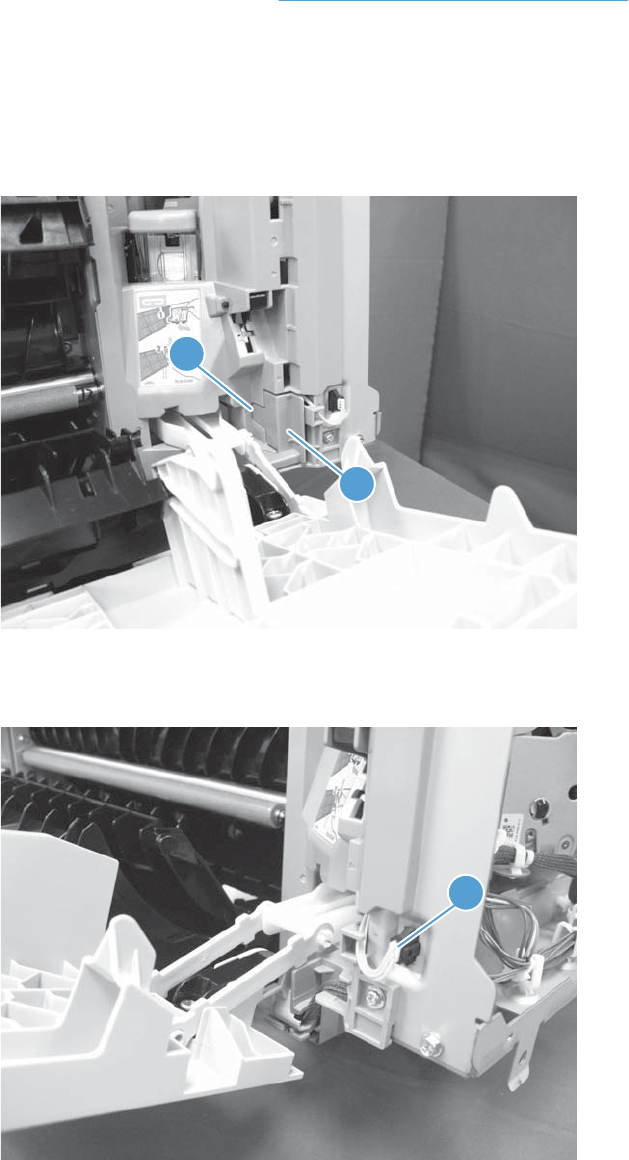
Stapler/stacker right door
Before proceeding, remove the following assemblies:
●Stapler/stacker rear cover. See Stapler/stacker rear cover on page 300.
Remove the stapler/stacker right door
1. Open the right door.
2. Release one tab (callout 1), and then remove the cover (callout 2).
Figure 1-406 Remove the stapler/stacker right door (1 of 4)
1
2
3. Disconnect one connector (callout 1).
Figure 1-407 Remove the stapler/stacker right door (2 of 4)
1
304 Chapter 1 Removal and replacement ENWW
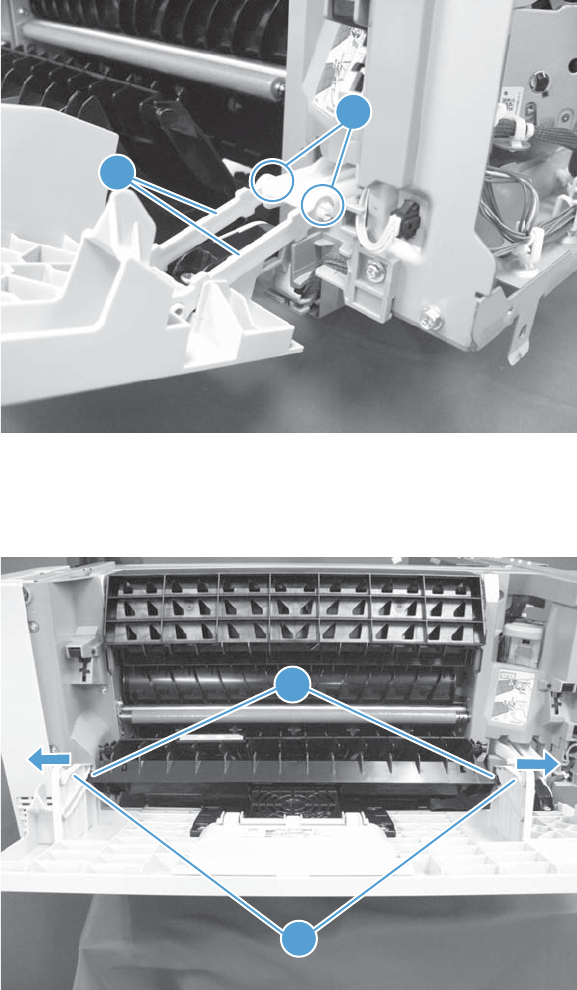
4. Release two tabs (callout 1), and then release the right and left links (callout 2).
Figure 1-408 Remove the stapler/stacker right door (3 of 4)
1
2
5. Carefully flex the sides of the door (callout 1) to release two pins (callout 2), and then remove the
door.
Figure 1-409 Remove the stapler/stacker right door (4 of 4)
1
2
ENWW Output devices 305
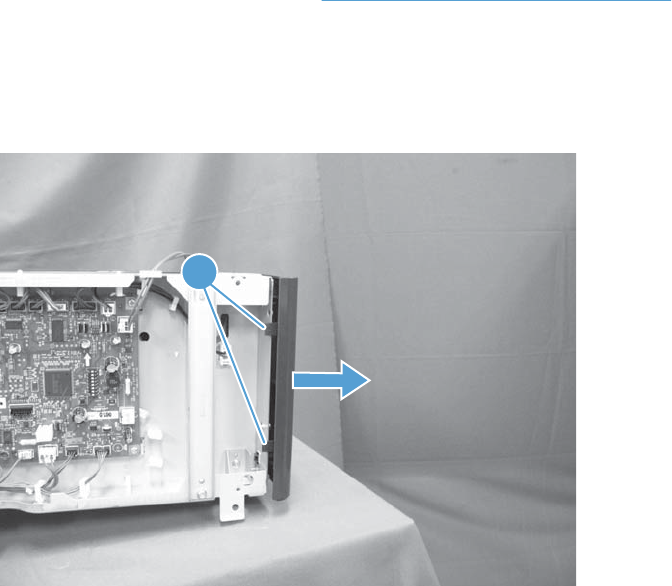
Stapler/stacker left rear cover
Before proceeding, remove the following assemblies:
●Stapler/stacker rear cover. See Stapler/stacker rear cover on page 300.
Remove the stapler/stacker left rear cover
Release two tabs (callout 1), and then remove the cover.
Figure 1-410 Remove the stapler/stacker left rear cover
1
306 Chapter 1 Removal and replacement ENWW
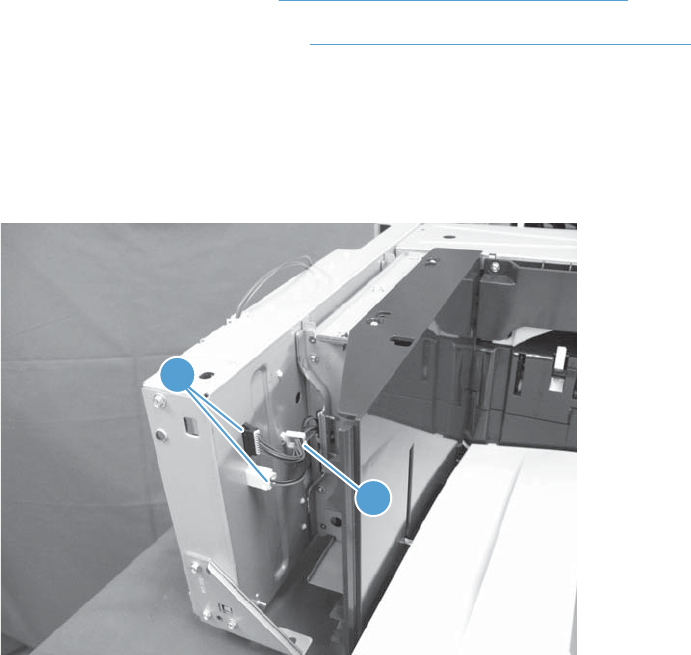
Stapler/stacker output bin assembly
Before proceeding, remove the following assemblies:
●Stapler/stacker rear cover. See Stapler/stacker rear cover on page 300.
●Stapler/stacker left rear cover. See Stapler/stacker left rear cover on page 306.
Remove the stapler/stacker output bin assembly
1. Disconnect two connectors (callout 1), and then release the wire harnesses from the retainer
(callout 2).
Figure 1-411 Remove the output bin assembly (1 of 2)
2
1
ENWW Output devices 307
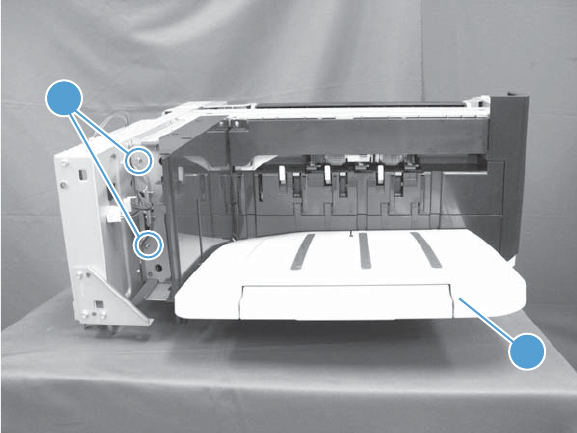
2. Remove two screws (callout 1), and then pull the assembly (callout 2) forward to remove it.
Figure 1-412 Remove the output bin assembly (2 of 2)
1
2
308 Chapter 1 Removal and replacement ENWW
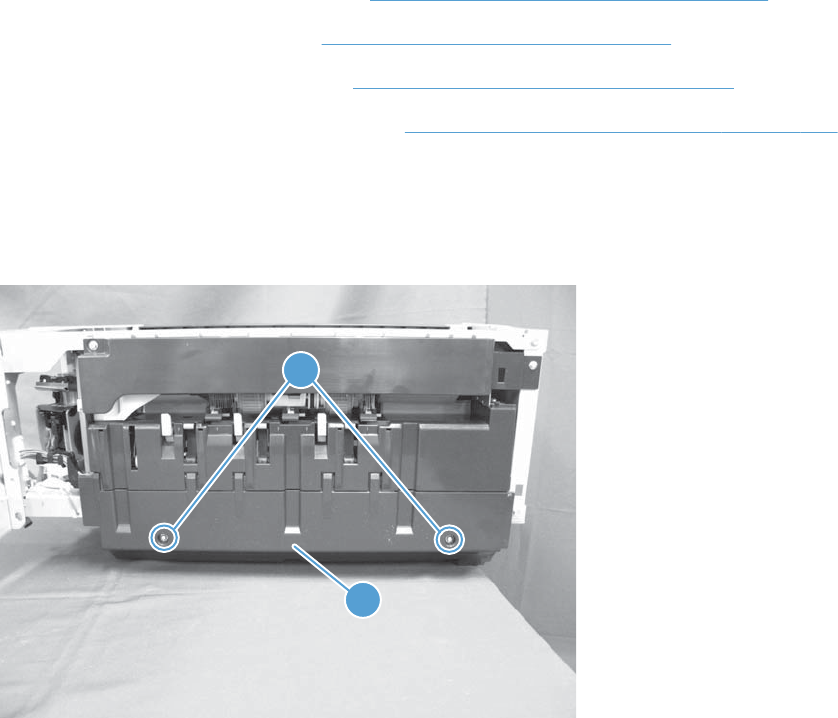
Stapler/stacker left lower cover
Before proceeding, remove the following assemblies:
●Stapler/stacker front right cover. See Stapler/stacker front right cover on page 302.
●Stapler/stacker rear cover. See Stapler/stacker rear cover on page 300.
●Stapler/stacker left rear cover. See Stapler/stacker left rear cover on page 306.
●Stapler/stacker output bin assembly. See Stapler/stacker output bin assembly on page 307.
Remove the stapler/stacker left lower cover
Release two screws (callout 1), and then remove the cover (callout 2).
Figure 1-413 Remove the stapler/stacker left lower cover
2
1
ENWW Output devices 309
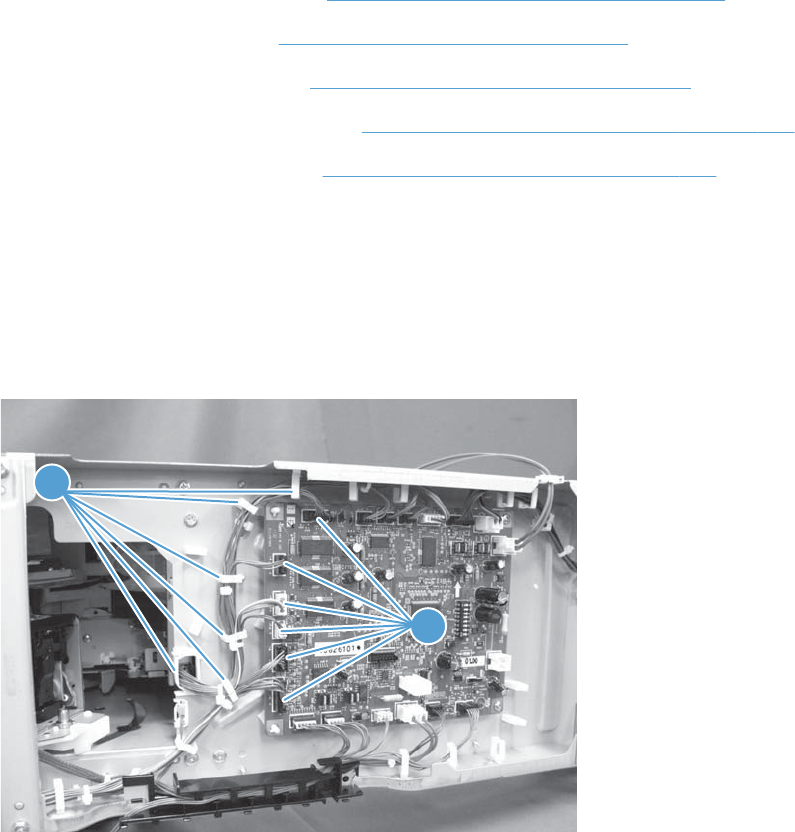
Stapler/stacker operation assembly
Before proceeding, remove the following assemblies:
●Stapler/stacker front right cover. See Stapler/stacker front right cover on page 302.
●Stapler/stacker rear cover. See Stapler/stacker rear cover on page 300.
●Stapler/stacker left rear cover. See Stapler/stacker left rear cover on page 306.
●Stapler/stacker output bin assembly. See Stapler/stacker output bin assembly on page 307.
●Stapler/stacker lower left cover. See Stapler/stacker left lower cover on page 309.
Remove the stapler/stacker operation assembly
1. Open the stapler/stacker right door to move the stapler assembly out of the way.
2. Disconnect six connectors (callout 1), and then release the wire harnesses from the retainers
(callout 2).
Figure 1-414 Remove the stapler/stacker operation assembly (1 of 2)
2
1
310 Chapter 1 Removal and replacement ENWW
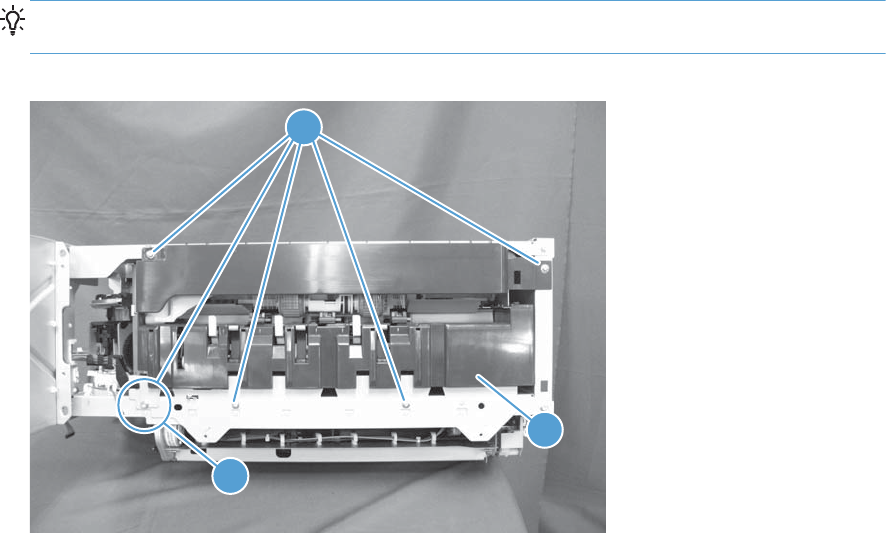
3. Remove five screws (callout 1), and then remove the assembly (callout 2).
TIP: One screw (callout 3) is longer than the others. Make sure that you use this screw in the
correct position when the assembly is reinstalled.
Figure 1-415 Remove the stapler/stacker operation assembly (2 of 2)
2
1
3
ENWW Output devices 311
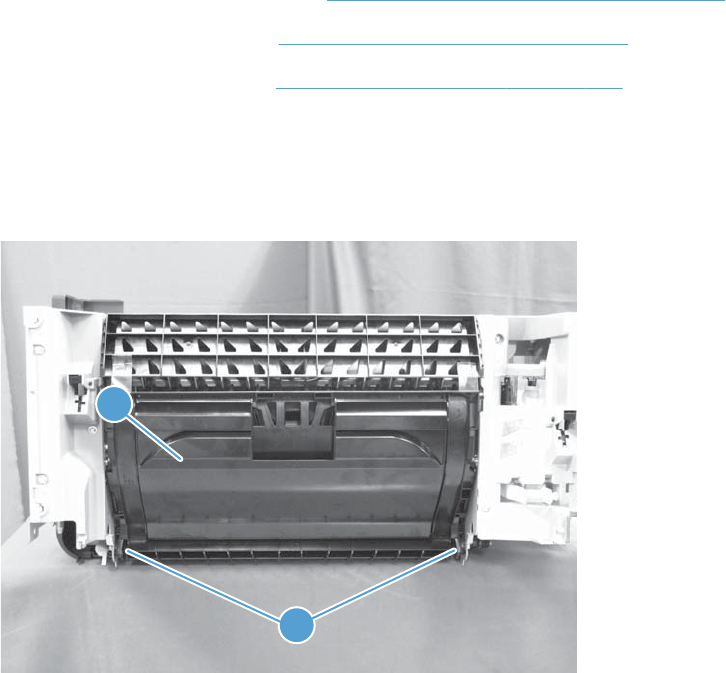
Stapler/stacker feed guide assembly
Before proceeding, remove the following assemblies:
●Stapler/stacker front right cover. See Stapler/stacker front right cover on page 302.
●Stapler/stacker rear cover. See Stapler/stacker rear cover on page 300.
●Stapler/stacker right door. See Stapler/stacker right door on page 304.
Remove the stapler/stacker feed guide assembly
1. Release two shafts (callout 1), and then remove the right door lower guide assembly (callout 2).
Figure 1-416 Remove the stapler/stacker feed guide assembly (1 of 7)
2
1
312 Chapter 1 Removal and replacement ENWW
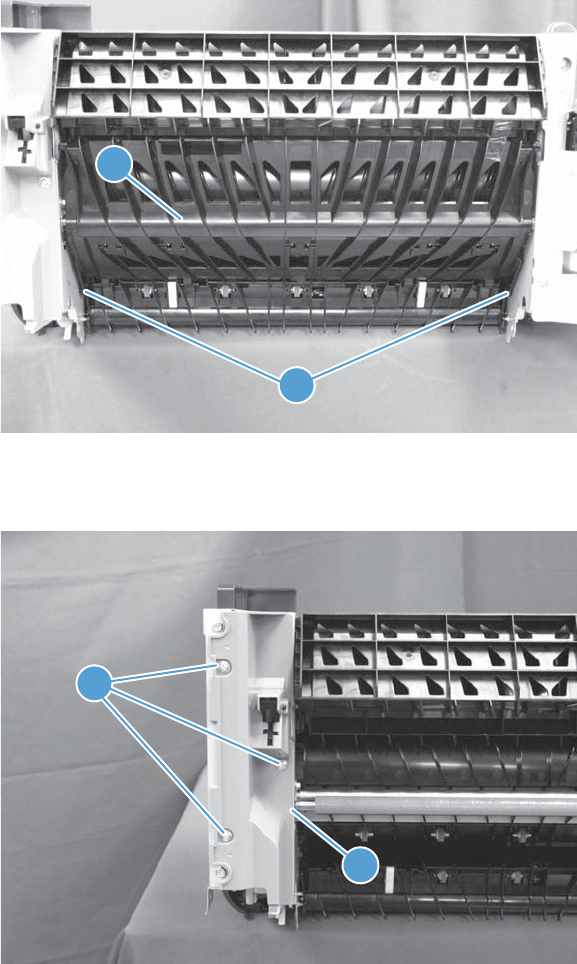
2. Release two shafts (callout 1), and then remove the center feed guide assembly (callout 2).
Figure 1-417 Remove the stapler/stacker feed guide assembly (2 of 7)
2
1
3. Remove three screws (callout 1), and then remove the right front inner cover (callout 2).
Figure 1-418 Remove the stapler/stacker feed guide assembly (3 of 7)
2
1
ENWW Output devices 313
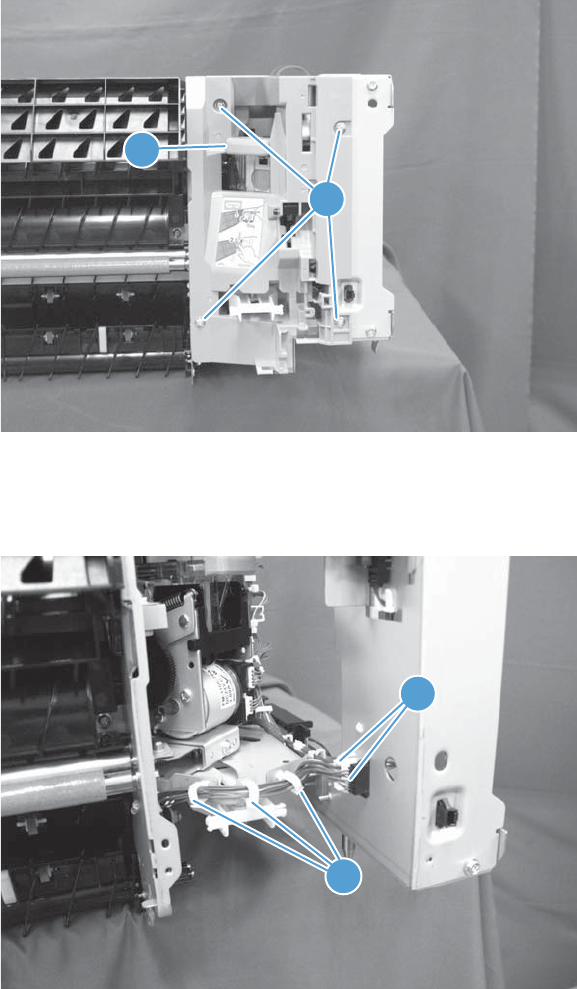
4. Move the stapler assembly to the back, remove four screws (callout 1), and then remove the right
rear inner cover (callout 2).
Figure 1-419 Remove the stapler/stacker feed guide assembly (4 of 7)
2
1
5. Disconnect two connectors (callout 1), and then release the wire harnesses from the retainers
(callout 2).
Figure 1-420 Remove the stapler/stacker feed guide assembly (5 of 7)
2
1
314 Chapter 1 Removal and replacement ENWW
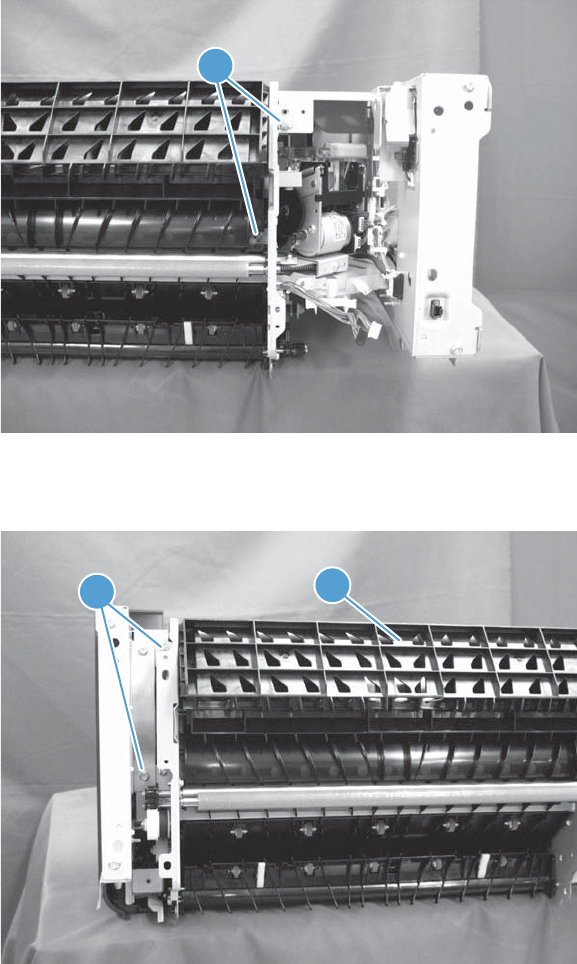
6. Remove two screws (callout 1).
Figure 1-421 Remove the stapler/stacker feed guide assembly (6 of 7)
1
7. Remove two screws (callout 1), and then remove the assembly (callout 2).
Figure 1-422 Remove the stapler/stacker feed guide assembly (7 of 7)
2
1
ENWW Output devices 315

Stapler/stacker door switch
Before proceeding, remove the following assemblies:
●Stapler/stacker right door. See Stapler/stacker right door on page 304.
Remove the stapler/stacker door switch
1. Move the stapler assembly to the back, remove four screws (callout 1), and then remove the right
rear inner cover (callout 2).
Figure 1-423 Remove the stapler/stacker door switch (1 of 3)
2
1
2. Disconnect two connectors (callout 1), and then release the wire harnesses from the retainers and
guide (callout 2).
Figure 1-424 Remove the stapler/stacker door switch (2 of 3)
2
1
316 Chapter 1 Removal and replacement ENWW
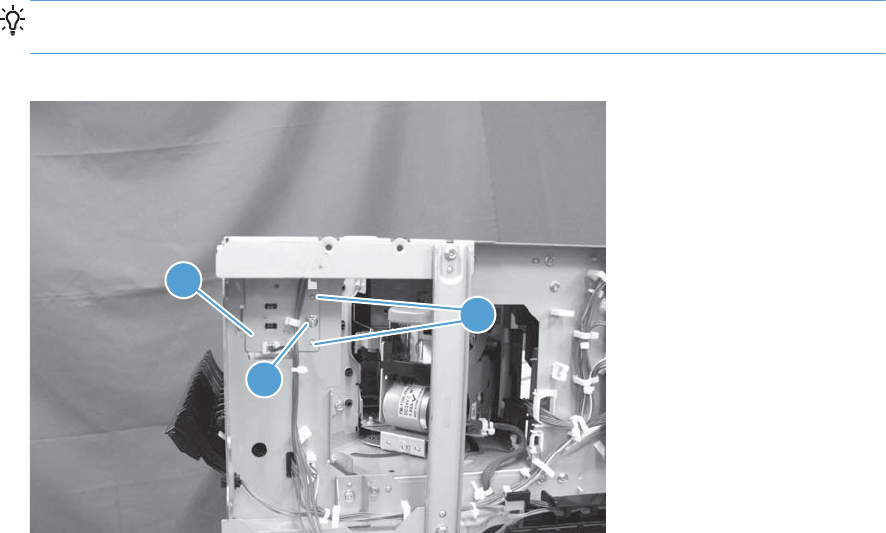
3. Remove one screw (callout 1), and then remove the assembly (callout 2).
TIP: When the assembly is reinstalled, make sure that the locator pins (callout 3) are correctly
positioned, and that the assembly is tight against the chassis.
Figure 1-425 Remove the stapler/stacker feed door switch (3 of 3)
1
2
3
ENWW Output devices 317
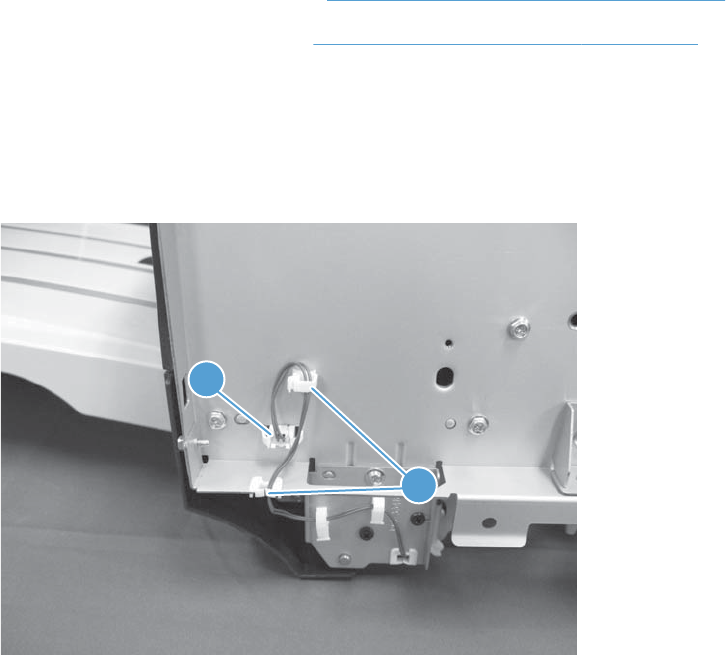
Stapler/stacker inlet solenoid assembly
Before proceeding, remove the following assemblies:
●Stapler/stacker front right cover. See Stapler/stacker front right cover on page 302.
●Stapler/stacker front left cover. See Stapler/stacker front left cover on page 303.
Remove the stapler/stacker inlet solenoid assembly
1. Disconnect one connector (callout 1), and then release the wire harness from the retainers (callout
2).
Figure 1-426 Remove the stapler/stacker inlet solenoid assembly (1 of 2)
1
2
318 Chapter 1 Removal and replacement ENWW
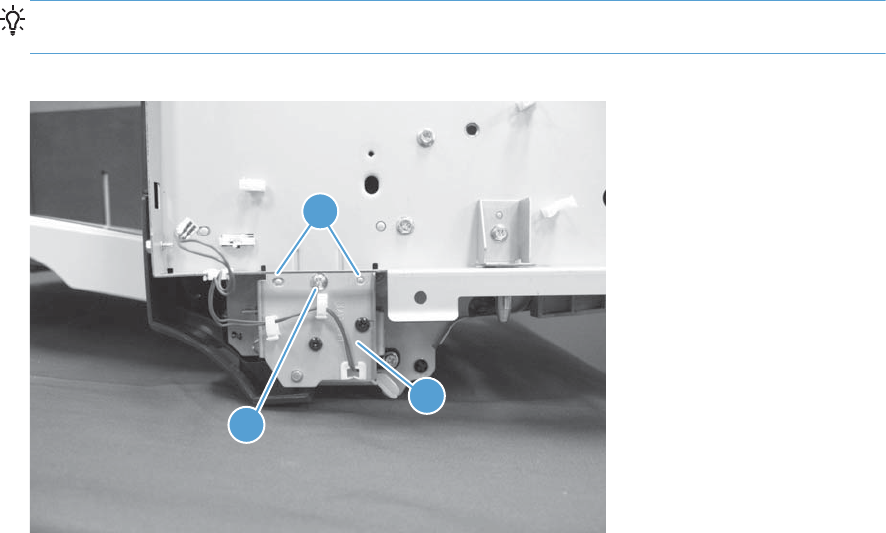
2. Remove one screw (callout 1), and then remove the assembly (callout 2).
TIP: When the assembly is reinstalled, make sure that the locator pins (callout 3) are correctly
positioned, and that the assembly is tight against the chassis.
Figure 1-427 Remove the stapler/stacker inlet solenoid assembly (2 of 2)
1
2
2
ENWW Output devices 319
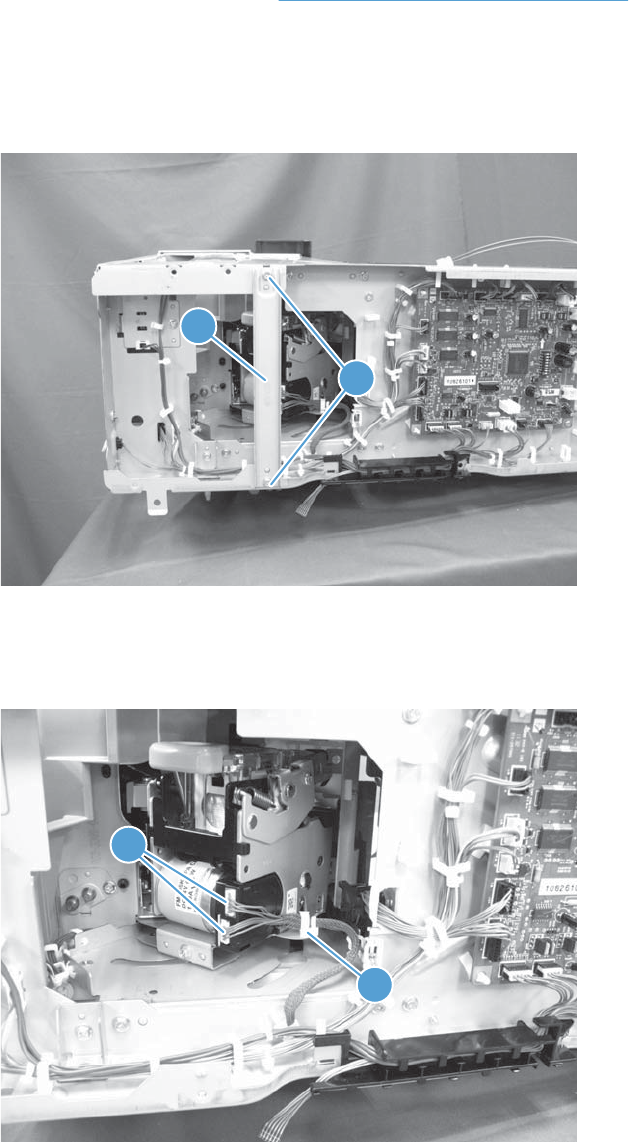
Stapler/stacker stapler assembly
Before proceeding, remove the following assemblies:
●Stapler/stacker rear cover. See Stapler/stacker rear cover on page 300.
Remove the stapler/stacker stapler assembly
1. Remove two screws (callout 1), and then remove the sheet-metal plate (callout 2).
Figure 1-428 Remove the stapler/stacker stapler assembly (1 of 3)
2
1
2. Release the wire harnesses from the retainer (callout 1), and then disconnect two connectors
(callout 2) .
Figure 1-429 Remove the stapler/stacker stapler assembly (2 of 3)
1
2
320 Chapter 1 Removal and replacement ENWW
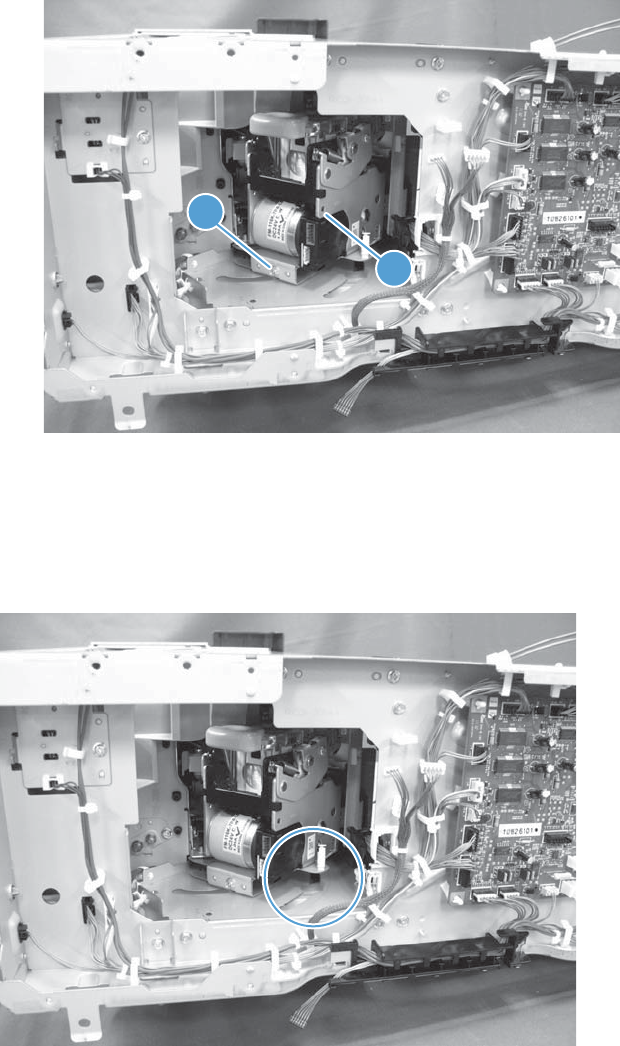
3. Remove one screw (callout 1), and then remove the assembly (callout 2).
Figure 1-430 Remove the stapler/stacker stapler assembly (3 of 3)
1
2
Reinstall the stapler/stacker stapler assembly
When the assembly is reinstalled, make sure that the white-plastic knob on the bottom of the stapler
assembly is correctly positioned through the slot in the chassis.
Figure 1-431 Reinstall the stapler/stacker stapler assembly
ENWW Output devices 321
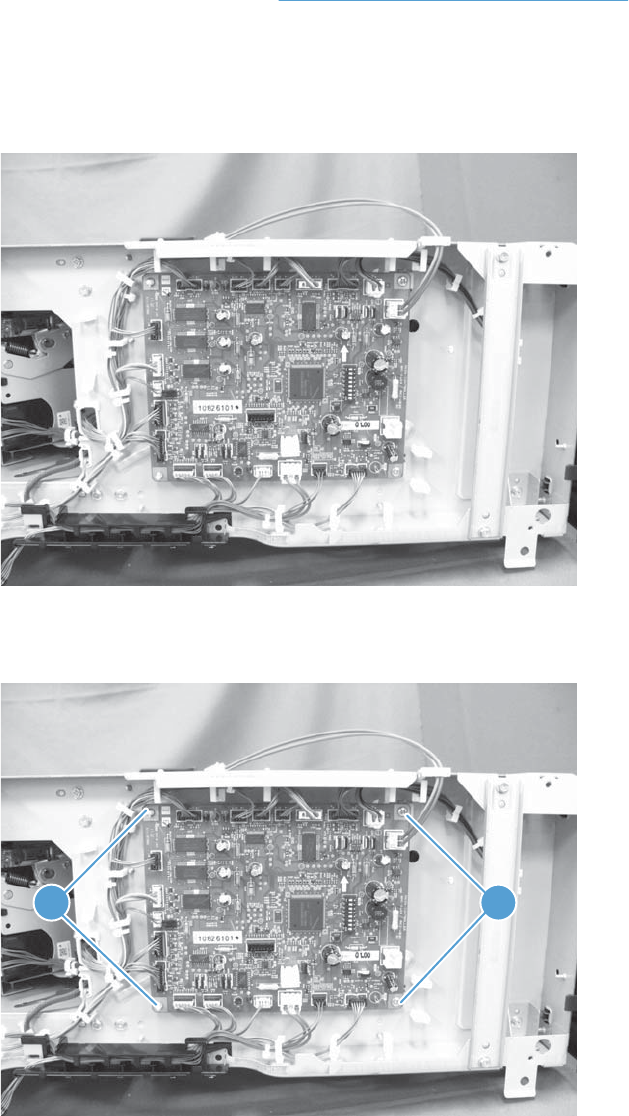
Stapler/stacker controller PCA
Before proceeding, remove the following assemblies:
●Stapler/stacker rear cover. See Stapler/stacker rear cover on page 300.
Remove the stapler/stacker controller PCA
1. Disconnect all of the connectors on the stapler/stacker controller PCA.
Figure 1-432 Remove the stapler/stacker controller PCA (1 of 2)
2. Remove two screws (callout 1), release two tabs (callout 2) and then remove the PCA.
Figure 1-433 Remove the stapler/stacker controller PCA (2 of 2)
21
322 Chapter 1 Removal and replacement ENWW

2 Parts and diagrams
●Order parts by authorized service providers
●How to use the parts lists and diagrams
●Assembly locations
●Document feeder and scanner whole units
●Document feeder assemblies
●Scanner assemblies
●Scanner controller board (SCB)
●Stapler/stacker assembly
●Covers
●Right door
●Internal assemblies
●1x500-sheet paper feeder
●1x500-sheet and 3x500-sheet paper deck
●High capacity input (HCI) feeder
●Alphabetical parts list
●Numerical parts list
ENWW 323

Order parts by authorized service providers
Order parts, accessories, and supplies
Table 2-1 Order parts, accessories, and supplies
Order supplies and paper www.hp.com/go/suresupply
Order genuine HP parts or accessories www.hp.com/buy/parts
Order through service or support providers Contact an HP-authorized service or support provider.
Order using HP software For information about using the HP software to order parts,
accessories, and supplies, see the product user guide.
Related documentation and software
Table 2-2 Related documentation and software
Item Description Part number
HP LaserJet Enterprise 700 Color MFP M775 User Guide
Product user guide CC522-90908
HP LaserJet Enterprise 700 Color MFP M775 Repair Manual
HP LaserJet Enterprise 700 Color MFP M775 Troubleshooting
Manual
English service manuals CC522-90967
CC522-90968
324 Chapter 2 Parts and diagrams ENWW

Supplies part numbers
Table 2-3 Supplies part numbers
Item Description Part number
HP LaserJet toner cartridges Black print cartridge CE340A (new)
CE340-67901 (service)
Cyan print cartridge CE341A (new)
CE341-67901 (service)
Yellow print cartridge CE342A (new)
CE342-67901 (service)
Magenta print cartridge CE343A (new)
CE343-67901 (service)
Customer self-repair parts
The following customer self-repair parts are available for the product.
Each kit includes parts and installation instructions. The customer self repair (CSR) level indicates the
expected difficulty the customer will experience when replacing this part:
●A: Easy
●B: Difficult
NOTE: For more information, go to www.hp.com/go/customerselfrepair/lj700colorMFPM775.
Table 2-4 Customer self-repair parts
Item Description CSR
level
Part number
Hard disk drive replacement kit ●Hard Disk, 320GB B CC522-67903
Replacement kit for the HP High-
Performance Secure Hard Disk
(government option only)
●Hard Disk, 320GB B CC522-67932
Formatter replacement kit ●Formatter PCA assembly
●Formatter PCA assembly (China)
A CC522-67933
CC522-67934
Control-panel replacement kit ●Control Panel A CD644-67916
Fax-card replacement kit ●Fax card PCA B CC522-67929
CC487A
ENWW Order parts by authorized service providers 325

Table 2-4 Customer self-repair parts (continued)
Item Description CSR
level
Part number
Document-feeder-roller
maintenance kit
●Document feeder preventative maintenance rollers A L2725-60002
L2718A
Document feeder reflector foam
A3
●Document-feeder reflector foam A3 B 5851-4888
Fuser replacement kit
NOTE: Make sure that you use
the correct part number for the
rated voltage of the product.
●Fuser A CC522-67904 (110V)
CE514A (110V)
CC522-67926 (220V)
CE515A (220V)
Staple-cartridge refill ●Staple cartridge A C8085-60541
C8091A
1x500-sheet paper feeder kit ●1x500-sheet paper feeder A CE860-67901
CE860A
3x500-sheet paper feeder with
stand kit
●3x500-sheet paper deck A CE725-67901
CE725A
1x500-sheet paper deck with
stand kit
●1x500-sheet paper deck with stand A CC522-67907
CE792A
3,500-sheet high-capacity feeder
with stand kit
●3,500-sheet high-capacity feeder with stand A CC522-67908
CF305A
Toner-collection-unit kit ●Toner collection unit (bottle) A CE980-67901
CE980A
Tray 1 pickup roller and
separation pad kit
●Tray 1 separation pad
●Tray 1 pickup roller
A CC522-67928
Tray 2 pickup roller/separation
pad kit
●Tray 2 separation roller
●Tray 2 pickup roller
A CC522-67927
Tray 3, 4, 5, or 6 pickup feed/
separation roller kit
●Tray 3, 4, 5, or 6 separation rollers
●Tray 3, 4, 5, or 6 pickup rollers
A CC522-67909
3,500-sheet tray pickup roller/
separation roller kit
●HCI feed/separation rollers
●HCI pickup rollers
A 5851-5011
326 Chapter 2 Parts and diagrams ENWW

Table 2-4 Customer self-repair parts (continued)
Item Description CSR
level
Part number
Intermediate transfer belt kit
(maintenance)
●ITB
●Secondary transfer roller
●Tray 2 pickup and separation roller
●Pickup and feed rollers for the 500-sheet trays
●Feed rollers for the high-capacity trays
A CC522-67910
CE516A
Intermediate transfer belt kit
(repair)
●ITB
●Secondary transfer roller
A CC522-67911
Secondary transfer roller kit ●Secondary transfer roller A CC522-67912
Tray 2 replacement ●Tray 2 cassette A CC522-67913
Tray 3, 4, 5, or 6 replacement ●Tray 3, 4, 5, or 6 cassette
●Tray label
A CC522-67914
3,500-sheet high-capacity Tray 3 ●HCI Tray 3 (right side)
●Tray label
A CC522-67916
3,500-sheet high-capacity Tray 4 ●HCI Tray 4 (left side)
●Tray label
A CC522-67915
Tray label kit ●HCI tray labels A CE707-00001
Service replacement parts
Item Description Part number
DC controller service kit ●DC controller PCA RM1-9371-000CN
Front cover service kit ●Front cover assembly
●HP logo jewel
CE707-67902
Fuser drive service kit ●Fuser drive assembly
●Main drive alignment pins
●Install guide
CE707-67904
Inner door service kit ●Inner door assembly
●Four color cartridge labels
CC522-67906
Interconnect board (ICB) service kit ●ICB PCA RM1-9368-000CN
Main drive service kit ●Main drive assembly
●Install guide
CE708-67901
ENWW Order parts by authorized service providers 327

Item Description Part number
Toner vacuum service kit ●Toner vacuum
●Instructions for use
CC468-69002 (110V)
CC468-69003 (220V)
Flatbed scanner service kit ●Flatbed Scanner assembly
●Kit, reflector foam A3
CC522-67922
Document feeder service kit ●Document feeder assembly A3
●Kit, reflector foam A3
CC522-67923
Reflector foam service kit ●Reflector foam A3
●Install guide
5851-4888
Document feeder separation pad spring
service kit
●Document feeder separation pad spring
●Install guide
5851-4879
Document feeder mylar A3 service kit ●Document feeder mylar – separation
●Document feeder mylar – deskew
●Install guide
5851-4997
Accessories
Item Description Part number
1x500-sheet paper feeder Optional tray to increase paper capacity CE860A
1x500-sheet paper deck with cabinet Optional tray to increase paper capacity CE792A
3x500-sheet paper deck with stand Optional tray to increase paper capacity CE725A
3,500-sheet high-capacity tray Optional tray to increase paper capacity CF305A
Fax accessory HP LaserJet MFP Analog Fax Accessory
500
CC487A
USB wireless print server HP Jetdirect ew2500 Wireless Print
Server
J8026A
USB cable Standard USB-compatible device
connector, 2 m (6.5 ft)
C6518A
How to use the parts lists and diagrams
The figures in this chapter show the major subassemblies in the product and their component parts. A
parts list table follows each exploded view assembly diagram. Each table lists the item number, the
associated part number, and the description of each part. If a part is not listed in the table, then it is not
a field replacement unit (FRU).
328 Chapter 2 Parts and diagrams ENWW

CAUTION: Be sure to order the correct part. When looking for part numbers for electrical
components, pay careful attention to the voltage that is listed in the description column. Doing so will
ensure that the part number selected is for the correct model.
NOTE: In this manual, the abbreviation “PCA” stands for “printed circuit-board assembly.”
Components described as a PCA might consist of a single circuit board or a circuit board plus other
parts, such as cables and sensors.
ENWW How to use the parts lists and diagrams 329
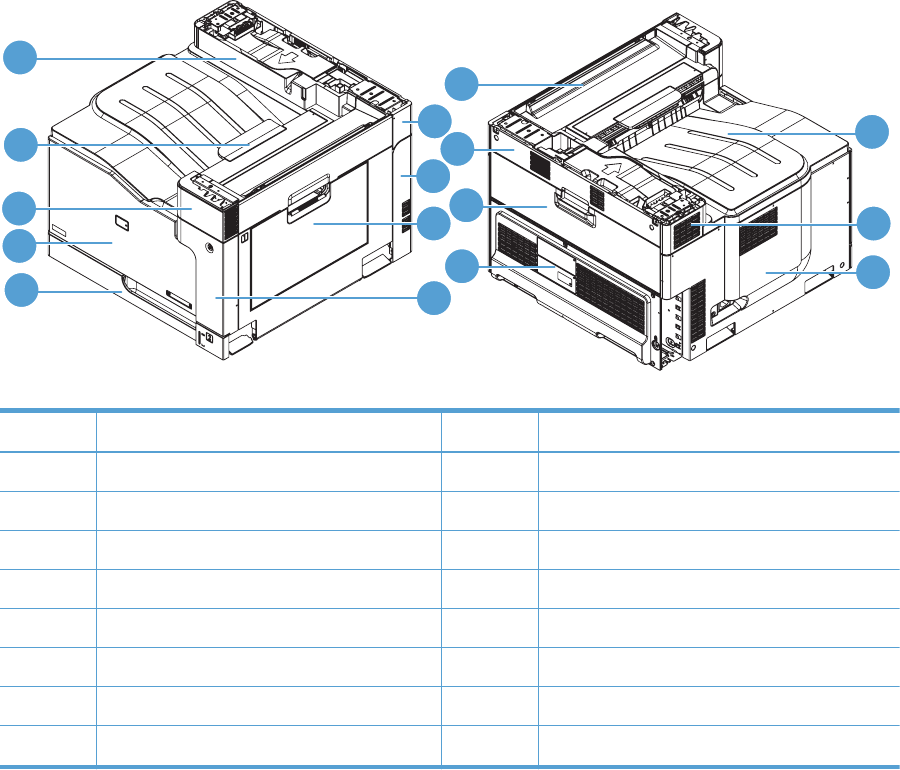
Assembly locations
Base product (no optional trays or accessories)
Figure 2-1 Base product (no optional trays or accessories)
5
6
1
2
3
4
87
9
10
11
12
13
14
15
16
Table 2-5 Base product (no optional trays or accessories)
Item Description Item Description
1 Right upper cover 9 Toner collection unit access door
2 Right rear cover 10 Rear upper cover
3 Right door 11 Top right cover
4 Front right cover 12 Tray 2 cassette
5 Top cover 13 Front door
6 Left upper cover 14 Front upper cover
7 Left cover 15 Output cover
8 Rear cover 16 Top rear cover
330 Chapter 2 Parts and diagrams ENWW
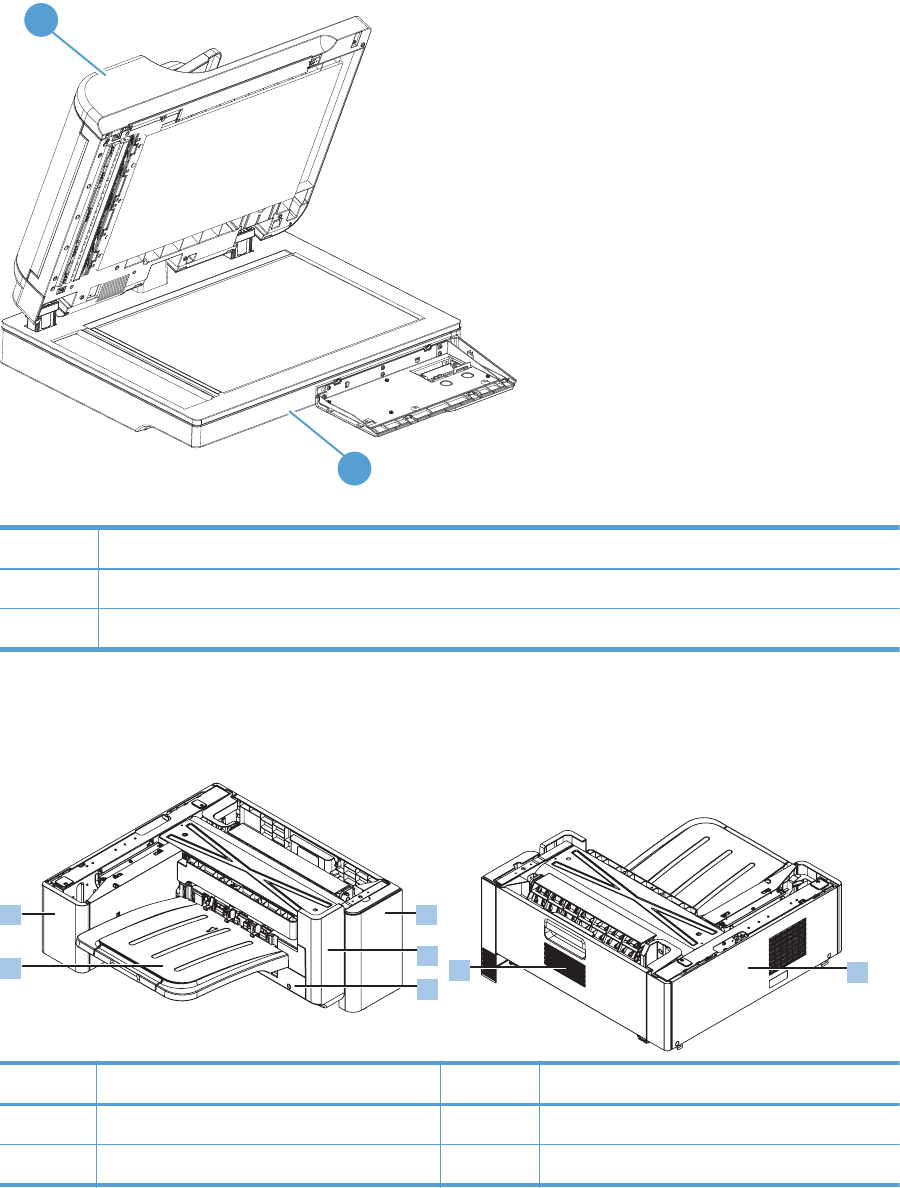
Document feeder and scanner
Figure 2-2 Document feeder and scanner
1
2
Table 2-6 Document feeder and scanner
Item Description
1 Document feeder assembly
2 Scanner assembly
Stapler/stacker
Figure 2-3 Stapler/stacker
5
6
1
2
34
7
Item Description Item Description
1 Front right cover 5 Right door
2 Front left cover 6 Output bin
ENWW Assembly locations 331
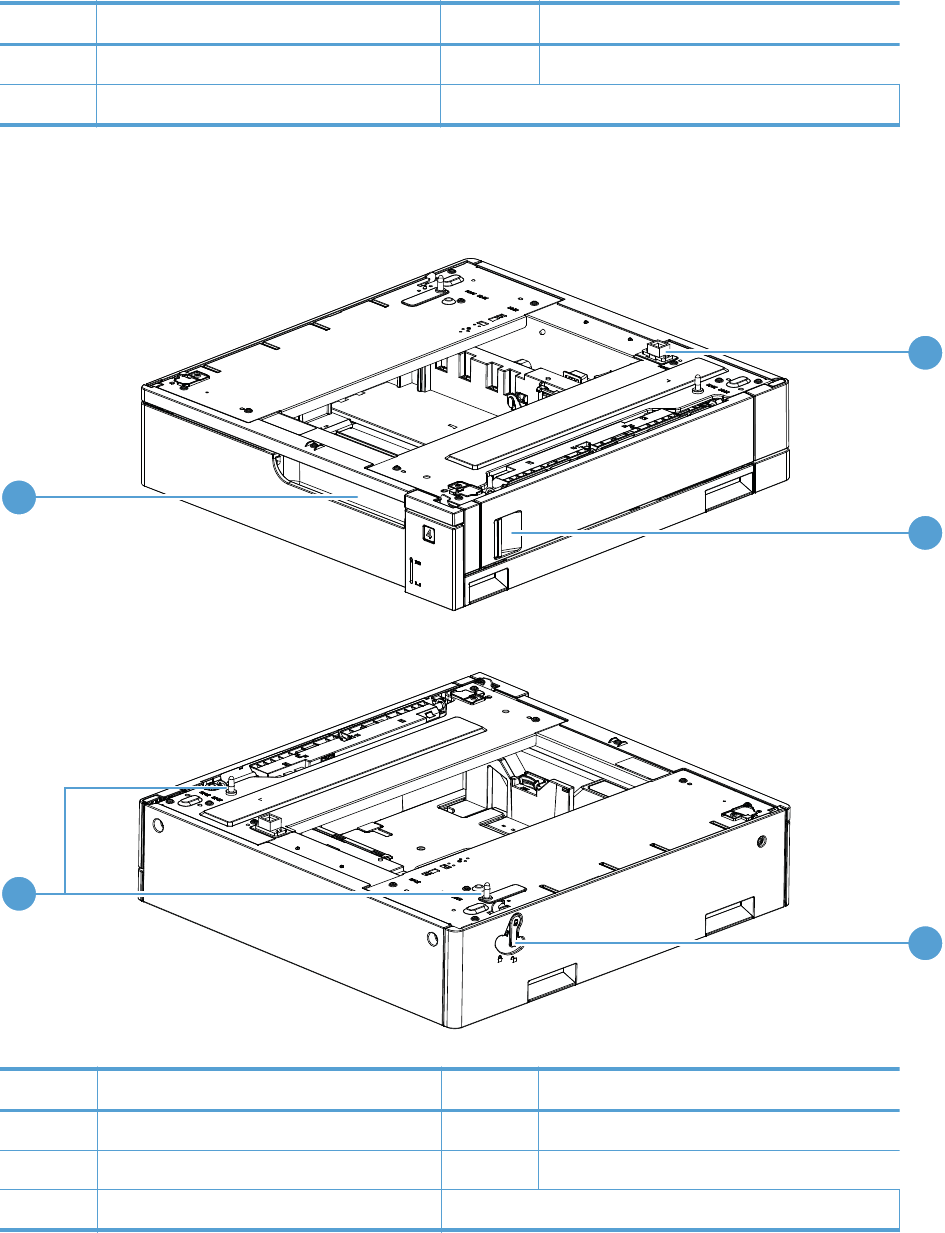
Item Description Item Description
3 Left lower cover 7 Left rear
4Rear cover
500-sheet paper feeder
Figure 2-4 500-sheet paper feeder
1
2
3
4
5
Table 2-7 500-sheet paper feeder
Item Description Item Description
1 Connector 4 Positioning pin
2 Right door 5 Cassette
3Lock lever
332 Chapter 2 Parts and diagrams ENWW
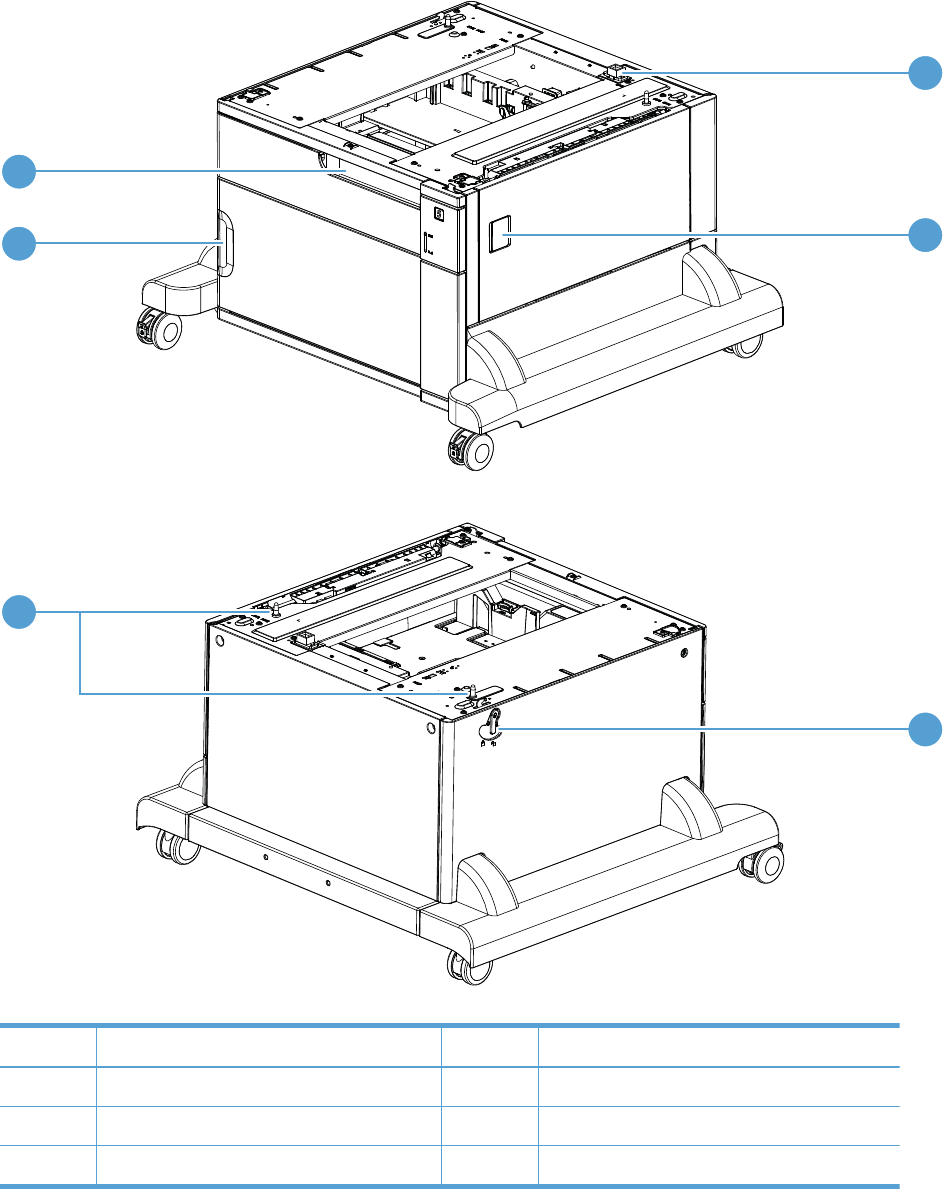
1x500-sheet paper deck
Figure 2-5 1x500-sheet paper deck
1
2
3
5
4
6
Table 2-8 1x500-sheet paper deck
Item Description Item Description
1 Connector 4 Positioning pin
2 Right door 5 Front door
3 Lock lever 6 Cassette
ENWW Assembly locations 333
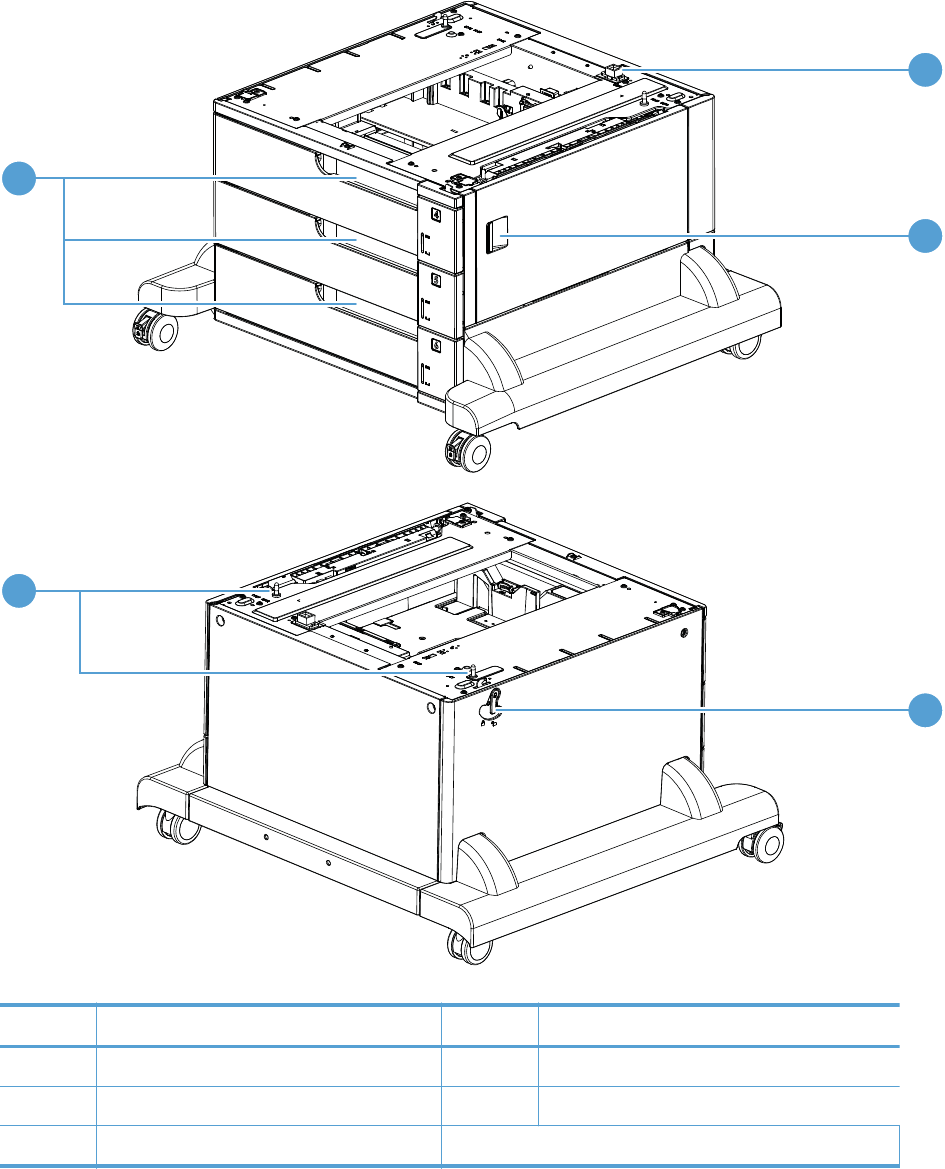
3x500-sheet paper deck
Figure 2-6 3x500-sheet paper deck
1
2
3
5
4
Table 2-9 3x500-sheet paper deck
Item Description Item Description
1 Connector 4 Positioning pin
2 Right door 5 Cassette
3Lock lever
334 Chapter 2 Parts and diagrams ENWW
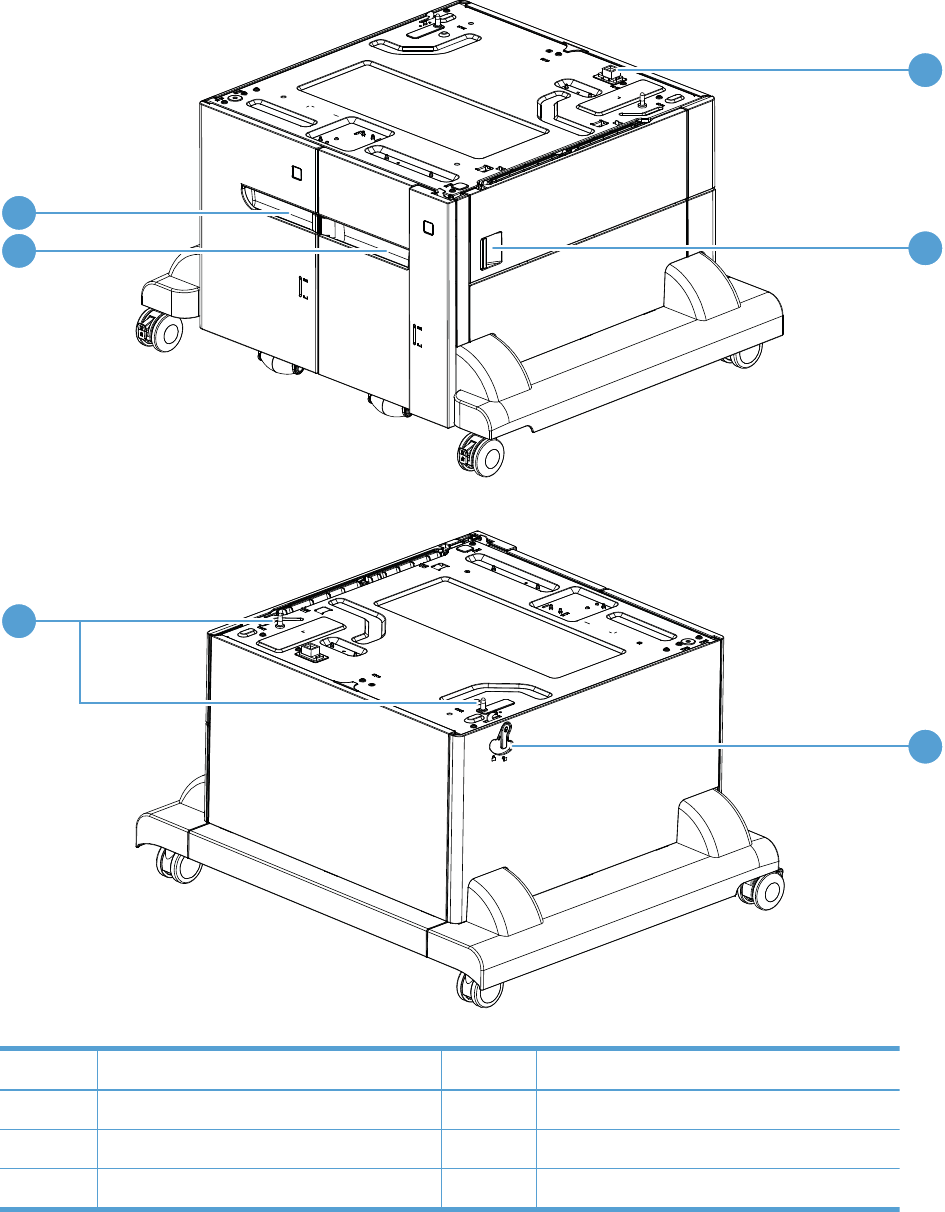
High capacity input (HCI) paper deck
Figure 2-7 High capacity input (HCI) paper deck
1
2
3
5
6
4
Table 2-10 High capacity input (HCI) paper deck
Item Description Item Description
1 Connector 4 Positioning pin
2 Right door 5 Right cassette
3 Lock lever 6 Left cassette
ENWW Assembly locations 335
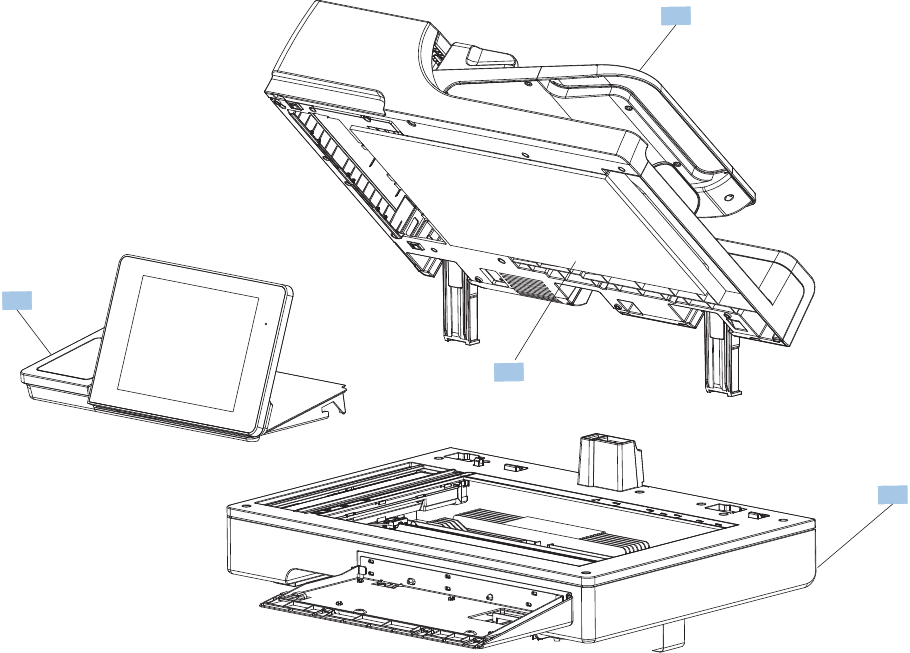
Document feeder and scanner whole units
Figure 2-8 Document feeder and scanner whole units
1
2
3
4
336 Chapter 2 Parts and diagrams ENWW

Table 2-11 Document feeder and scanner whole units
Ref Description Part number Qty
1 Kit, ADF whole unit, A3 (includes foam reflector kit) CC522-67923 1
2 Kit, scanner whole unit (includes foam reflector kit) CC522-67922 1
3 Kit, control panel CD644-67916 1
4 Kit, reflector foam, A3 5851-4888 1
ENWW Document feeder and scanner whole units 337
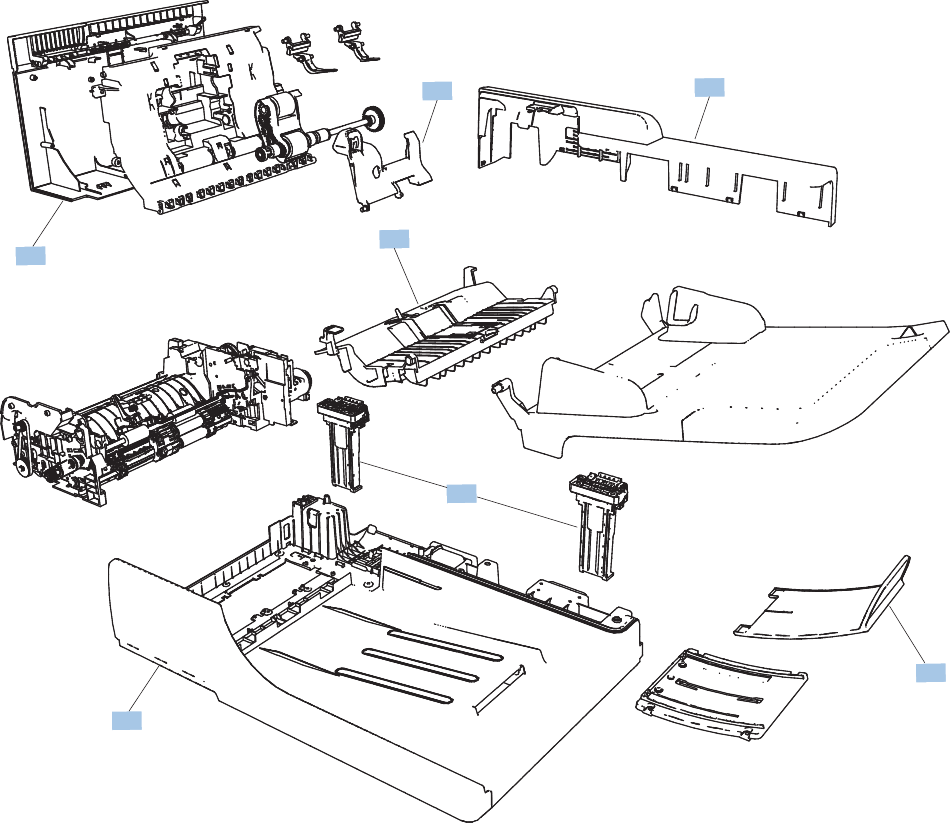
Document feeder assemblies
Figure 2-9 Document feeder assemblies
1
24
5
6
3
7
338 Chapter 2 Parts and diagrams ENWW

Table 2-12 Document feeder assemblies
Ref Description Part number Qty
All shown ADF Assembly (complete) CC522-67923 1
1 ADF separation pad spring 5851-4879 1
2 ADF roller cover, A3 CQ819-40032 1
3 ADF hinge assembly CQ819-60011 2
4 Cover, ADF rear CQ819-40005 1
5 Cover, ADF front CQ819-40003 1
6 Cover, hatch CQ819-40004 1
7 ADF tray extender Q7404-40020 1
Not shown Photosensor CC355-80014 1
Not shown Width sensor PCA CQ819-60022 1
Not shown Media Stopper, Front CC355-40046 1
Not shown Media Stopper, rear CC355-40047 1
Not shown Kit, A3 ADF mylar 5851-4997 1
Not shown Flag, media presence CC355-40015 1
ENWW Document feeder assemblies 339
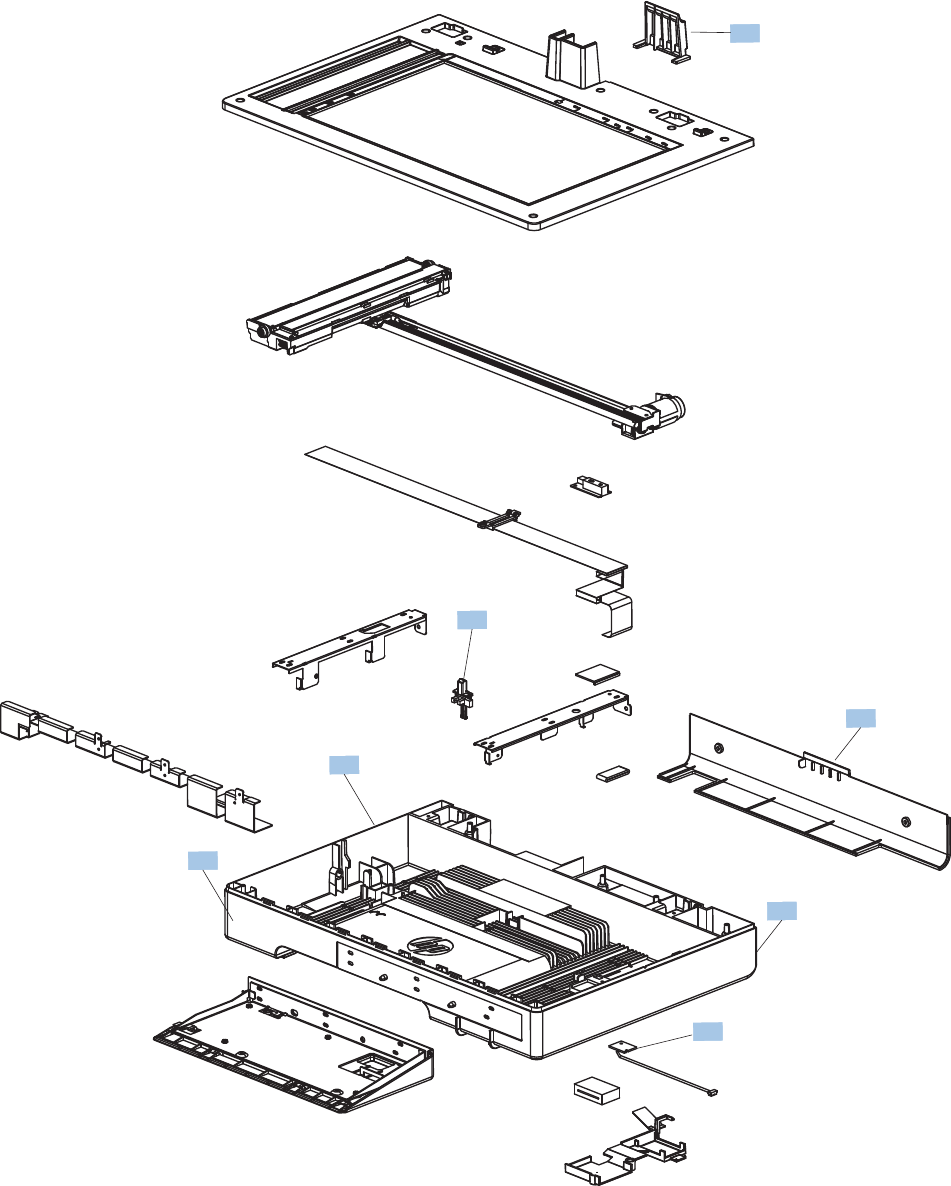
Scanner assemblies
Figure 2-10 Scanner assemblies
2
1
3
4
5
6
7
340 Chapter 2 Parts and diagrams ENWW

Table 2-13 Scanner assemblies
Ref Description Part number Qty
All shown Flatbed scanner Assy (complete)
1
CC522-67922 1
1 Cover, ADF cable CC522-40023 1
2 Cover, back scanner CC522-40017 1
3 Cover, right scanner CC522-40022 1
4 Cover, front scanner CC522-40020 1
5 Cover, left scanner CC522-40021 1
6 PCA, scanner memory 5851-4285 1
7 Flag, document feeder open sensor CC522-40029 1
Not shown Spring, document feeder sensor CC522-80101 1
1
Does not include the scan control board (SCB).
ENWW Scanner assemblies 341
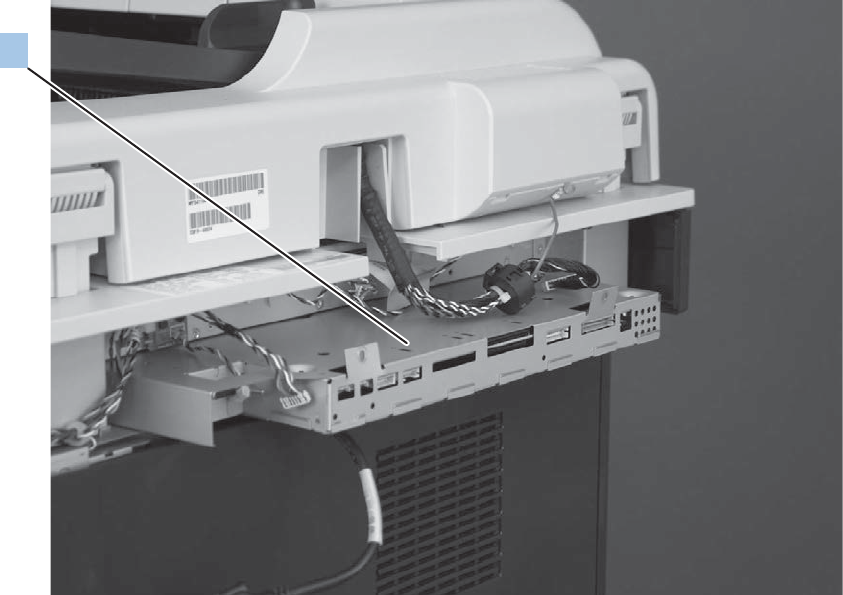
Scanner controller board (SCB)
Figure 2-11 Scanner controller board (SCB)
1
342 Chapter 2 Parts and diagrams ENWW

Table 2-14 Scanner controller board (SCB) assembly
Ref Description Part number Qty
1 SCB, top Level Assembly CC522-67931 1
ENWW Scanner controller board (SCB) 343
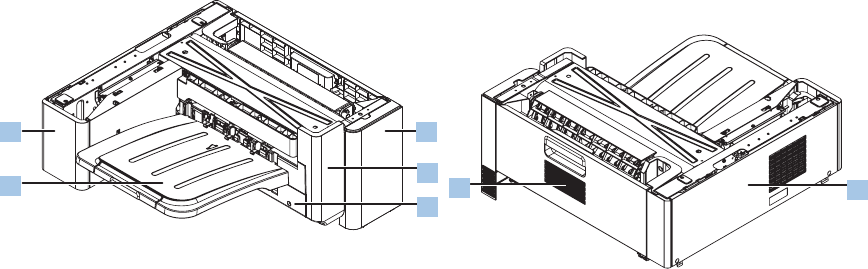
Stapler/stacker assembly
Stapler/stacker covers
Figure 2-12 Stapler/stacker covers
5
6
1
2
34
7
344 Chapter 2 Parts and diagrams ENWW

Table 2-15 Stapler/stacker covers
Ref Description Part number Qty
1 Cover, front right RC3-3324-000CN 1
2 Cover, front left RC3-3325-000CN 1
3 Cover, left lower RC3-3331-000CN 1
4 Cover, rear RM1-9980-000CN 1
5 Door, right RM1-9440-000CN 1
6 Output bin (tray assembly) RM1-9443-000CN 1
7 Cover, left rear RC3-3326-000CN 1
Not shown Cover, front inner RM1-9981-000CN 1
Not shown Cover, stapler RM1-9982-000CN 1
Not shown Right door, lower guide assembly RM1-9989-000CN 1
Not shown Cover, right door cable, small RC3-3323-000CN 1
ENWW Stapler/stacker assembly 345
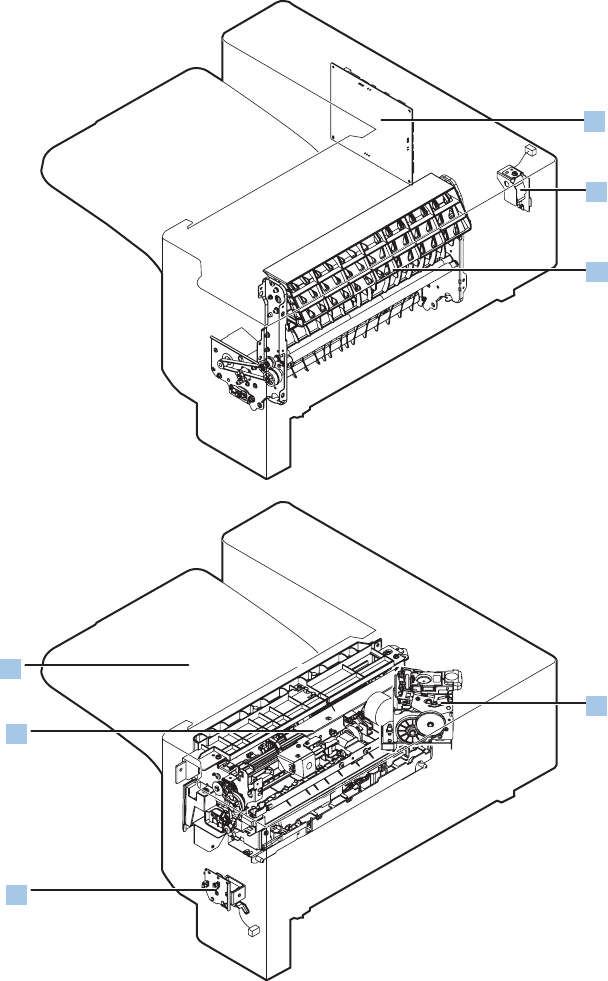
Stapler/stacker components
Figure 2-13 Stapler/stacker components
5
6
4
7
1
2
3
346 Chapter 2 Parts and diagrams ENWW

Table 2-16 Stapler/stacker components
Ref Description Part number Qty
1 PCA, main controller RM1-9459-000CN 1
2 Switch, door assembly RM1-9445-000CN 1
3 Feed guide assembly RM1-9441-000CN 1
4 Stapler assembly RM1-9446-000CN 1
5 Solenoid, flapper assembly RM1-9444-000CN 1
6 Operation assembly RM1-9442-000CN 1
7 Tray assembly RM1-9443-000CN 1
Not shown Paper feed center guide assembly RM1-9988-000CN 1
ENWW Stapler/stacker assembly 347
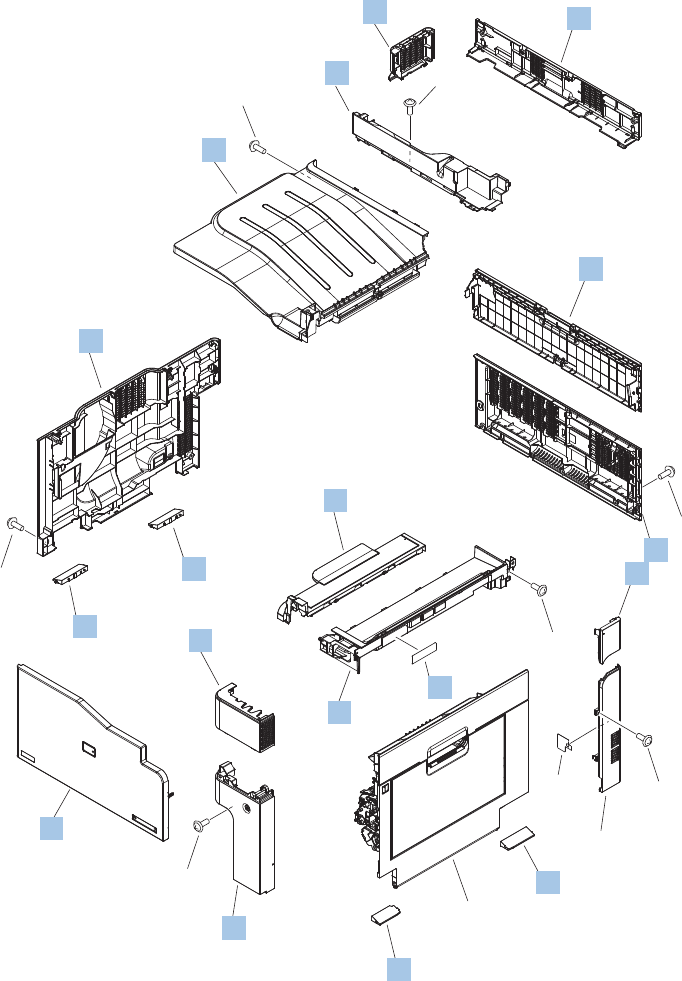
Covers
Figure 2-14 Covers
See right door
A01
A03
A01
A03
A01
A02 A01
A01
5
1
2
3
4
6
7
8
10
10
11
12
13
14 15
16
17
18
9
348 Chapter 2 Parts and diagrams ENWW

Table 2-17 Covers
Ref Description Part number Qty
1 Cover, top RM1-9358-000CN 1
2 Door, toner collection unit access RC2-7034-000CN 1
3 Cover, delivery RM1-9383-000CN 1
4 Cover, rear RM1-9362-000CN 1
5 Cover, right rear RM1-7142-000CN 1
6 Cover, handle, lower-right, rear RC2-6626-000CN 1
7 Cover, handle, lower-right, front RC2-6627-000CN 1
8 Cover, right front RM1-9359-000CN 1
9 Kit, front cover assembly with HP jewel CE707-67902 1
10 Cover, handle, lower-left RC2-6625-000CN 2
11 Cover, left RM1-9363-000CN 1
12 Cover, right upper RC2-9155-000CN 1
13 Cover, right rear RC2-9157-000CN 1
14 Cover, left rear RC2-9158-000CN 1
15 Cover, rear upper RC2-9160-000CN 1
16 Wall, inner RC3-2321-000CN 1
17 Label, fixing (fuser) access RC3-2334-000CN 1
18 Cover, right upper RM1-9367-000CN 1
ENWW Covers 349
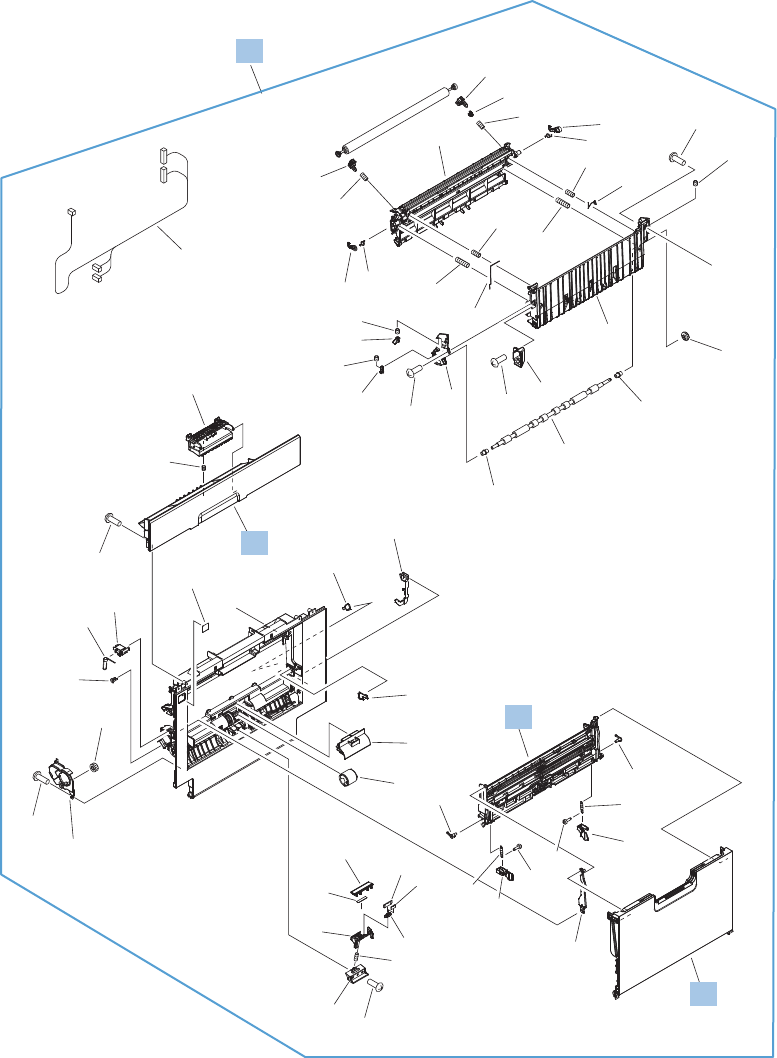
Right door
Figure 2-15 Right door
(J114D)
(J112X)
(J152)
(J542D)
(J736D)
A
A
A11
A27
A42
A32
A33
A33
A34
A35
A12
A09
A44
A46
A23
A26
A04
A22
A30
A30
A28
A01
A03
A21
A24
A43
A19
A31
A31
A14
A14
A15
A15
A02
A02
A08
A16
A45
A13
A10
A10
A40
A40
A40
A40
A40
A40
A29
A41
A38
A39
A25
A36
A47
A50
A37
A49
A51
A05
A20
A07
A06
A18
A17
A48
3
5
1
2
6
4
350 Chapter 2 Parts and diagrams ENWW

Table 2-18 Right door
Ref Description Part number Qty
1 Door, right RM1-9360-000CN 1
2 Cover, right upper RM1-9361-000CN 1
4 MP (Tray 1) lifter plate assembly RM1-9389-000CN 1
6 MP tray (Tray 1) assembly RM1-6045-000CN 1
ENWW Right door 351
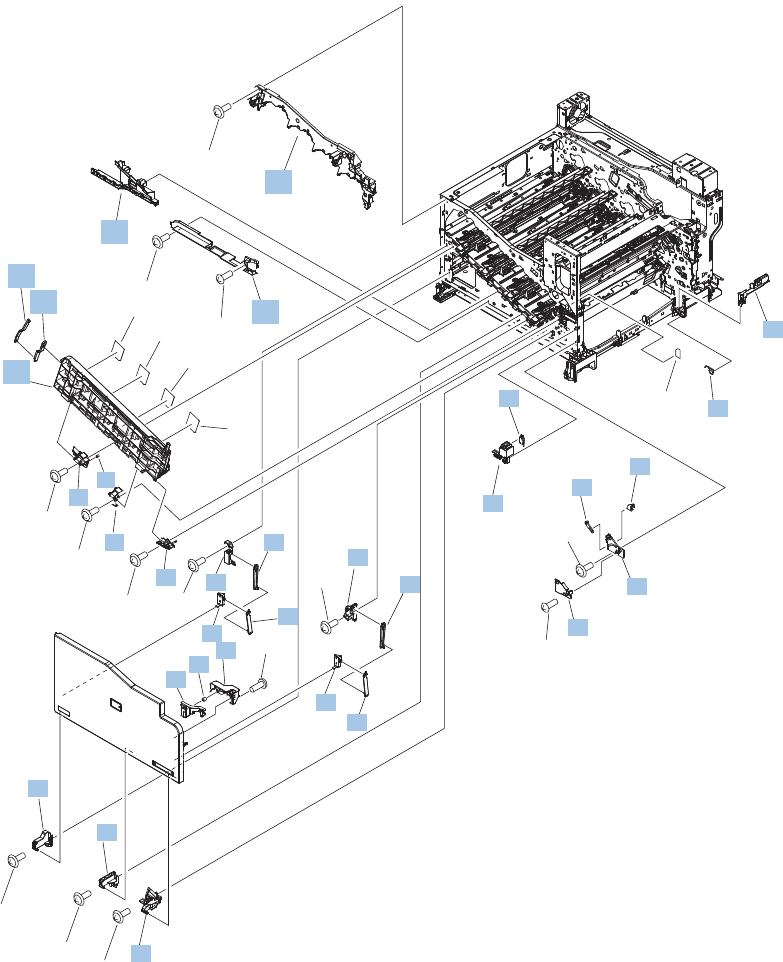
Internal assemblies
Internal assemblies (1 of 8)
Figure 2-16 Internal assemblies (1 of 8)
(SW2)
A01
A02
A02
A02
A02
A02
A02
A02
A02
A02
A03
A02
A04
A04
A02
7
8
9
10
1
2
3
4
5
6
11
12
13
14
16
15
17
16
18
18
19
19
20
2221
25
24
23
27
28
29
26
31
32
30
33
352 Chapter 2 Parts and diagrams ENWW

Table 2-19 Internal assemblies (1 of 8)
Ref Description Part number Qty
1 Cartridge guide assembly, upper RM1-5990-000CN 1
2 Duct, front RC2-7300-000CN 1
3 Stopper, inner door, 1 RC2-6719-000CN 1
4 Stopper, inner door, 2 RC2-6736-000CN 1
5 Kit, door inner CC522-67906 1
6 Cover, lower front RC2-6737-000CN 1
11 Spring, grounding RC2-7209-000CN 1
12 Hinge, inner door, left RC2-6716-000CN 1
13 Hinge, inner door, right RC2-6712-000CN 1
14 Rail, cartridge auxiliary RC2-6724-000CN 1
15 Mount, cover arm, front RC2-6735-000CN 1
16 Arm, front cover, 1 RC2-6732-000CN 2
17 Mount, inner door toggle RC2-6717-000CN 1
18 Arm, front cover, 2 RC2-6733-000CN 2
19 Mount, stopper arm RC2-6745-000CN 2
20 Mount, inner door rail RC2-6743-000CN 1
21 Spring, compression RU6-2721-000CN 1
22 Lever, inner door pressure RC2-6744-000CN 1
23 Hinge, front cover, left RC2-6713-000CN 1
24 Hinge, front cover, center RC2-6738-000CN 1
25 Hinge, front cover, right RC2-6715-000CN 1
26 Cover, guide RC2-7204-000CN 1
27 Guide, arm, front RC2-6632-000CN 1
28 Lever, push RC2-7198-000CN 1
29 Lever, lift, 2 RC2-7200-000CN 1
30 Microswitch WC4-5251-000CN 1
31 Holder, interlock switch RC2-6689-000CN 1
32 Spring, leaf, grounding RC2-7092-000CN 1
33 Cover, handle guide RC2-6670-000CN 1
ENWW Internal assemblies 353
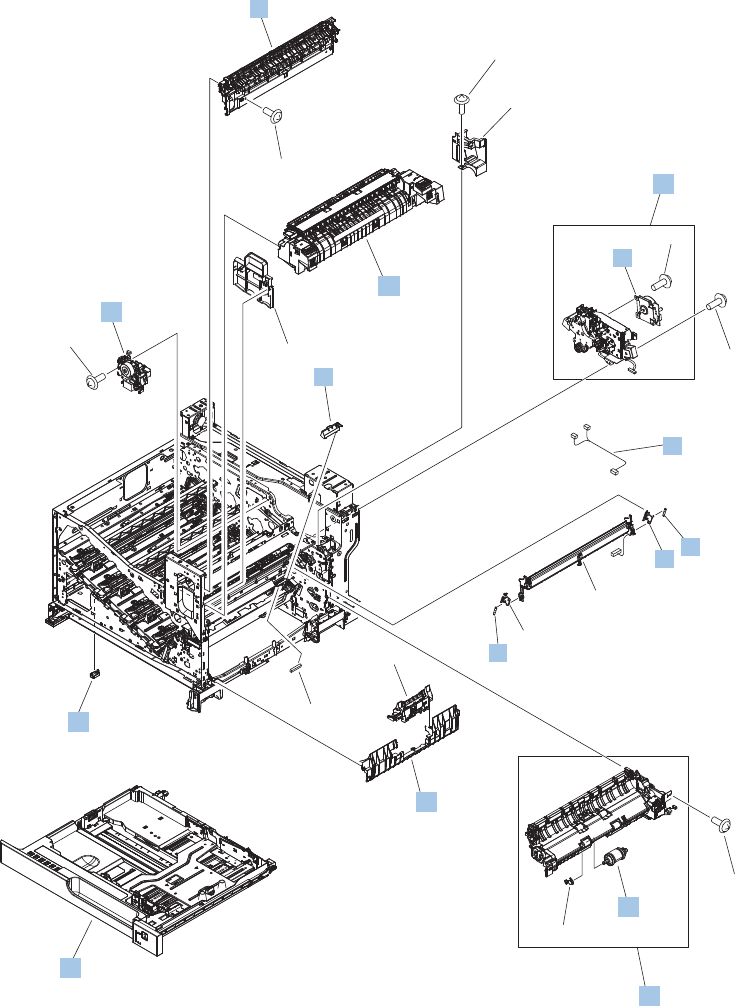
Internal assemblies (2 of 8)
Figure 2-17 Internal assemblies (2 of 8)
(J131A)
(J516)
(M4)
(J522D)
(J552D)
(J525L)
(J554L)
A01
A01
A02
A01
A01
A01
A01
A03
A04
14
15
3
2
7
11 10
10
9
12
13
1
6
4
8
18
16
5
17
354 Chapter 2 Parts and diagrams ENWW

Table 2-20 Internal assemblies (2 of 8)
Ref Description Part number Qty
1 Reverse drive assembly RM2-0698-000CN 1
2 Paper delivery assembly RM1-9377-000CN 1
3 Cover, cable, protective RC2-6832-000CN 1
4 Kit, fuser replacement 110V CC522-67904 1
4 Kit, fuser replacement 220V CC522-67926 1
5 Kit, paper pick roller and separation roller CC522-67927 1
6 Kit, fuser drive assembly CE707-67904 1
7 Motor, fixing (fuser) RM1-6074-000CN 1
8 Kit, Tray 2 CE522-67913 1
9 Cable, SB joint RM1-6867-000CN 1
10 Spring, tension RU6-2710-000CN 2
11 Support, frame RC2-7197-000CN 1
12 Sensor, registration RM1-7922-000CN 1
13 Support, frame RC2-7196-000CN 1
15 Connector, snap tight, BK VS1-7207-019CN 1
16 Guide, paper feed RC2-7297-000CN 1
17 Paper pickup assembly (Tray 2) CE522-67903 1
18 Cover, connector, lower RC2-6642-000CN 1
Not shown Guide RC2-6551-000CN 1
ENWW Internal assemblies 355
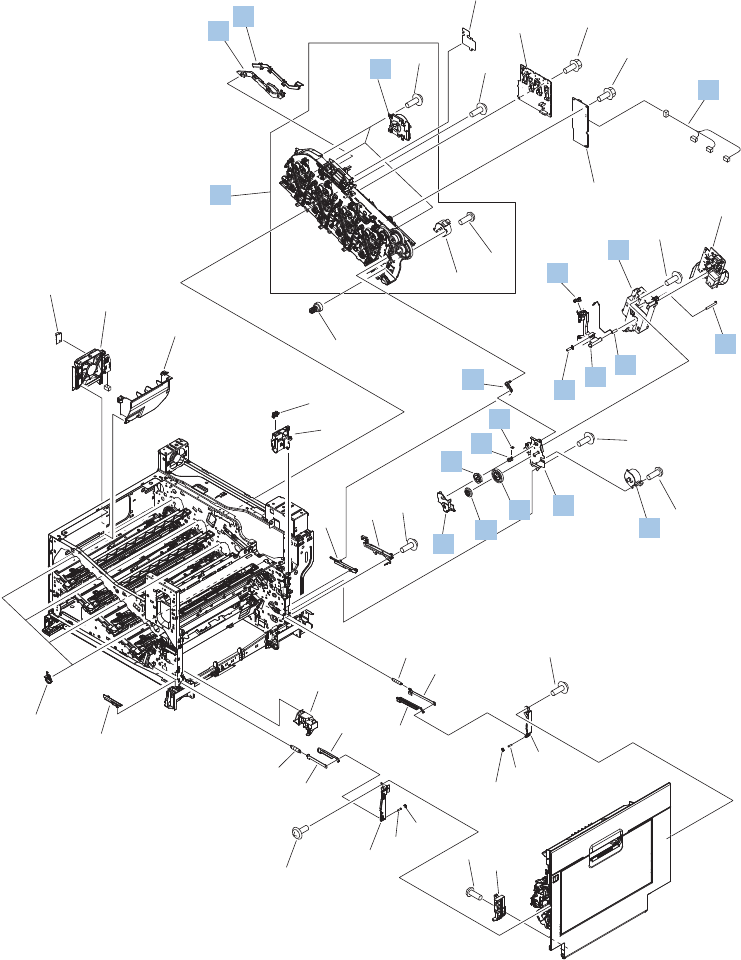
Internal assemblies (3 of 8)
Figure 2-18 Internal assemblies (3 of 8)
(J538D)
(J1003)
(M1)
(J517)
(M2)
(J515)
(M3)
(J514)
(M6)
(J518)
(M7)
(J520)
(PS15)
(J544)
(FM4)
(J143SL)
(J535D) (J521)
A04
A02
A03
A01
A06
A06
A01
A08
A01
A01
A01
A01
A02
A05
A07
5
22
43
39
26
24
25
33
31
36
31
32
37
28
34
35
29
30
30
38
27
23
21
40
42
41
5
4
3
1
2
6
13
17
15
20
16
18 19
14
8
9
10
7
11
12
356 Chapter 2 Parts and diagrams ENWW

Table 2-21 Internal assemblies (3 of 8)
Ref Description Part number Qty
1 Cover, main drive cable, lower RC2-6574-000CN 1
2 Guide, main drive cable RC2-6659-000CN 1
3 Kit, main drive assembly duplex CE708-67901 1
4 Motor, DC RM1-6088-000CN 3
5 Motor, DC stepping (M6, M7) RK2-3298-000CN 2
6 Cable, feed joint RM1-6846-000CN 1
7 Spring, grounding RU6-2772-000CN 1
8 Holder, 2cnd transfer H.V.T. RC2-6681-010CN 1
9 Cap, T2 contact RC2-6691-000CN 1
10 Spring, contact RU6-2771-000CN 2
11 Holder, 2cnd power dispatching RC2-6682-000CN 1
12 Spring, grounding RC2-6700-000CN 1
13 Link, ITB coupling release RC2-6823-000CN 1
14 Spring, tension RU6-2671-000 1
15 Hook, duplexing spring RC2-6932-000CN 1
16 Gear, 25T RU6-0771-000CN 1
17 Cover, duplexing gear RC2-6931-000CN 1
18 Gear, 25T RU6-0772-000CN 1
19 Gear, 74T RU6-0773-000CN 1
20 Plate, duplexing drive gear RL1-2266-000CN 1
ENWW Internal assemblies 357
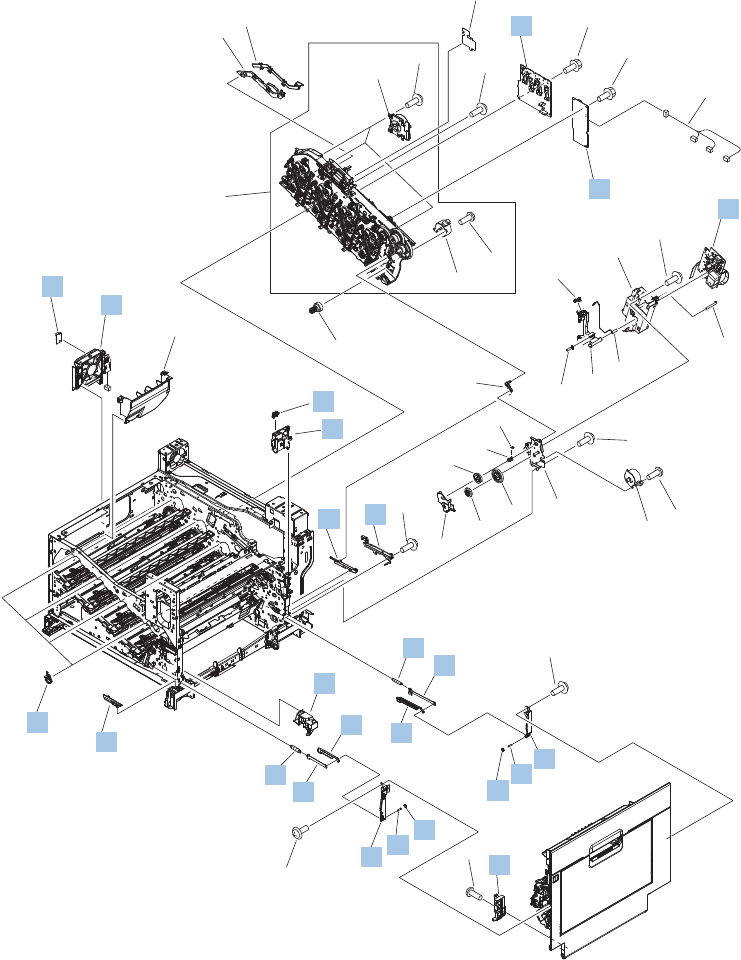
Internal assemblies (4 of 8)
Figure 2-19 Internal assemblies (4 of 8)
(J538D)
(J1003)
(M1)
(J517)
(M2)
(J515)
(M3)
(J514)
(M6)
(J518)
(M7)
(J520)
(PS15)
(J544)
(FM4)
(J143SL)
(J535D) (J521)
A04
A02
A03
A01
A06
A06
A01
A08
A01
A01
A01
A01
A02
A05
A07
5
5
4
3
1
2
6
13
17
15
20
16
18 19
14
8
9
10
7
11
12
22
43
26
24
25
23
40
42
41
39 33
31
36
31
32
37
28
34
35
29
30
30
38
27
21
358 Chapter 2 Parts and diagrams ENWW

Table 2-22 Internal assemblies (4 of 8)
Ref Description Part number Qty
21 Support, developing coupling RC2-6811-000CN 4
22 Cartridge fan (FM4) RM1-9364-000CN 1
23 Photointerrupter WG8-5935-000CN 1
24 Holder, door detect, right RC3-4687-000CN 1
25 Arm, ITB coupling release RC2-6824-000CN 1
26 Rail, door link, rear lower RC2-6635-000CN 1
27 Spring, tension RU6-2744-000CN 1
28 Plate, right door link, rear RC2-7273-000CN 1
29 Plate, right door link fixed, RR RL1-2282-000CN 1
30 Shaft, right door link RU5-4979-000CN 2
31 Lock, door link, right RC2-7234-000CN 2
32 Link, right door, 2 rear RC2-7236-000CN 1
33 Link, right door, 2 front RC2-7233-010CN 1
34 Duct, joint RC2-8360-000CN 1
35 Plate, right door link fixed, FR RL1-2281-000CN 1
36 Hinge, right door, front RC2-7094-000CN 1
37 Plate, right door link fixed, front RC2-7272-010CN 1
38 Spring, tension RU6-2727-000CN 1
39 Rail, door link, front lower RC2-6634-000CN 1
40 PCA, 2cnd transfer H.V.P. RM1-6802-000CN 1
41 PCA, 1st transfer H.V.P. RM1-7004-000CN 1
42 PCA, driver RM1-8899-000CN 1
43 Sensor, environmental PCA RK2-2884-000CN 1
ENWW Internal assemblies 359
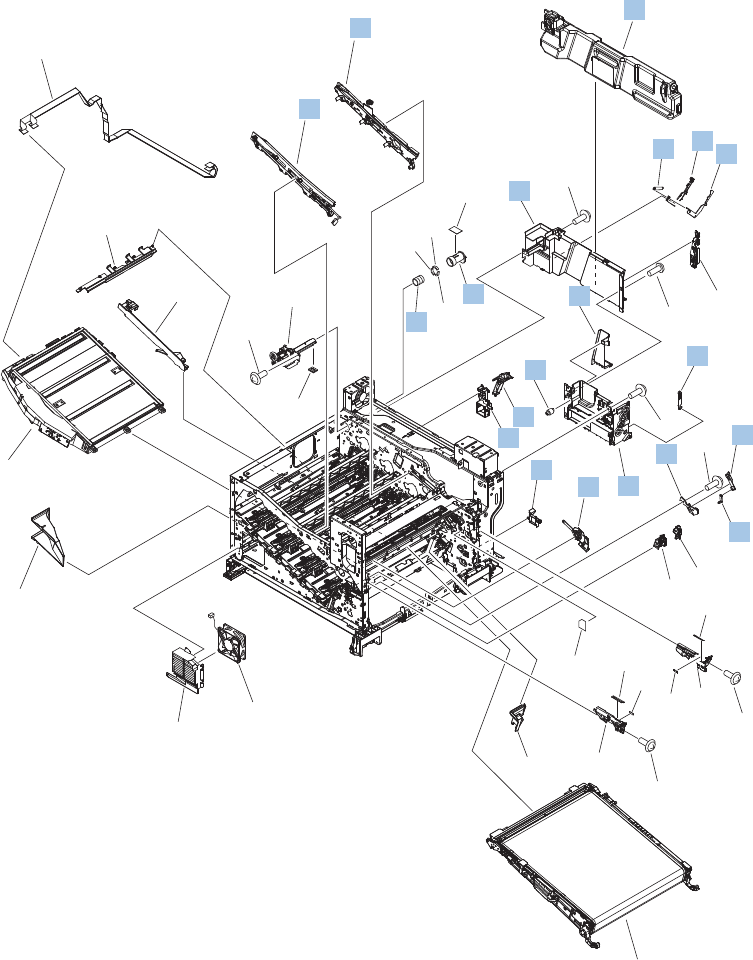
Internal assemblies (5 of 8)
Figure 2-20 Internal assemblies (5 of 8)
(J832) (J831)
(J62)
(J106)
(FM1)
(J61)
(J705L)
(J706L)
A02
A02
A04
A01
A03 A05
A01
A01
A01
28
32
34
29
27
35
31
37
36
26
24
25
23
41
40
21
22
33
38
3838
39
30
17
1
2
9
3
18
19
20
16
10
5
14
15
7
86
4
11
12
13
360 Chapter 2 Parts and diagrams ENWW

Table 2-23 Internal assemblies (5 of 8)
Ref Description Part number Qty
1 ITB guide rail assembly RM1-6018-000CN 1
2 ITB guide rail assembly, R1 RM1-6037-000CN 1
3 Kit, toner collection unit (TCU) CE980-67901 1
4 Arm, waste toner, left RC2-7035-000CN 1
5 Cover, waster toner, 3 RC2-6963-000CN 1
6 Plate, arm reinforcement RC2-9649-000CN 1
7 Arm, waste toner, right RC2-7036-000CN 1
8 Spring, tension RU6-2831-000CN 1
9 Cover, waste toner RM1-6012-000CN 1
10 Cover, waste toner 2 RC2-6962-000CN 1
11 Shutter, exhaust RC2-7010-000CN 1
12 Spring, compression RU6-2683-000CN 1
13 Guide, fixing (fuser) AC cable RC2-6693-000CN 1
14 Guide, LVT cable RC2-6662-000CN 1
15 Clamp, edge RC2-6663-000CN 1
16 Gear, link worm RU6-0795-000CN 1
17 ITB guide rail RM1-6019-000CN 1
18 Guide, slide RC2-7203-000CN 1
19 Slider, push RC2-7201-000CN 1
20 Lever, lift 1 RC2-7199-000CN 1
ENWW Internal assemblies 361
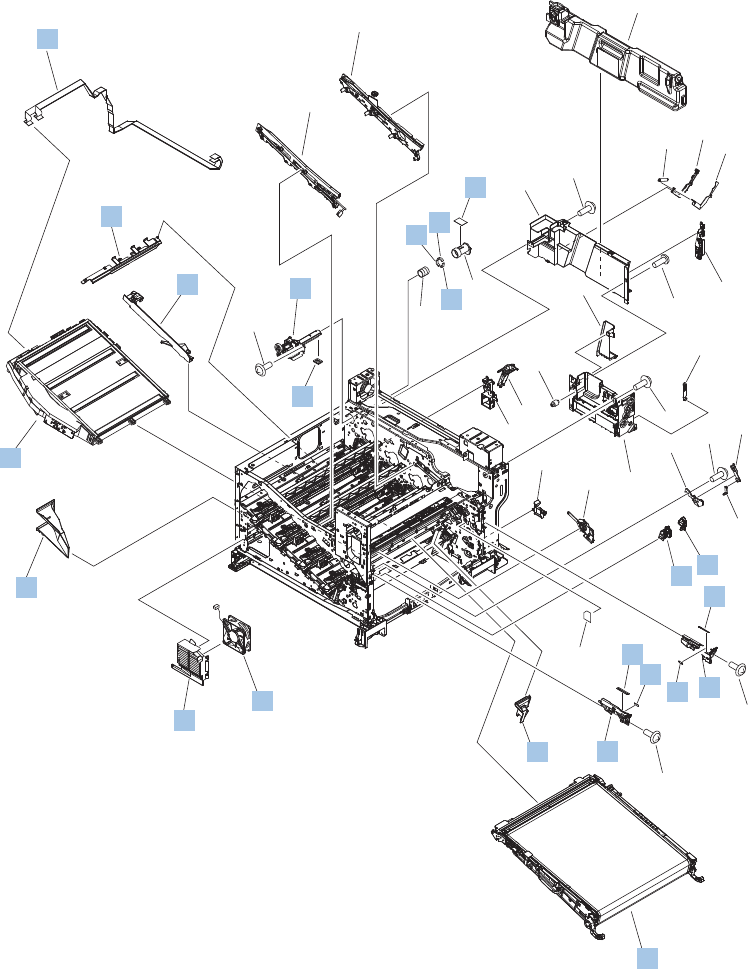
Internal assemblies (6 of 8)
Figure 2-21 Internal assemblies (6 of 8)
(J832) (J831)
(J62)
(J106)
(FM1)
(J61)
(J705L)
(J706L)
A02
A02
A04
A01
A03 A05
A01
A01
A01
17
1
2
9
3
18
19
20
16
10
5
14
15
7
86
4
11
12
13
32
34
35
31
37
36
33
38
3838
39
28
29
27 26
24
25
23
41
40
21
22
30
362 Chapter 2 Parts and diagrams ENWW

Table 2-24 Internal assemblies (6 of 8)
Ref Description Part number Qty
21 Cover, main crossmember cable RC2-6650-000CN 1
22 Guide, main crossmember cable RC2-6600-000CN 1
23 Label, ITB set, RH RU5-8807-000CN 1
24 Rail, ITB guide RC2-7185-000CN 1
25 Label, ITB set, RV RU5-8805-000CN 1
26 Rail, ITB guide, F3 RC2-7193-000CN 1
27 Guide, inside cable RC2-6589-000CN 1
28 Kit, intermediate transfer belt (ITB) repair CC522-67911 1
29 Fan (FM1; power supply) RK2-2276-000CN 1
30 Holder, power supply fan RC2-7299-000CN 1
31 Duct, fan, 1 RC2-8388-000CN 1
32 Laser/scanner assembly RM1-6122-070CN 1
33 Seal, toner supporter guide RC2-7018-000CN 1
34 Toner feed assembly RM1-6040-010CN 1
35 Guide, laser RC2-6628-000CN 1
36 Holder, flexible flat cable (FFC) RC2-6655-000CN 1
37 FFC assembly RM1-6804-000CN 1
38 Seal, slide shutter RC3-1014-000CN 3
39 Sheet, slide seal RC3-1013-000CN 1
40 Label, ITB insert, FV RU5-8804-000CN 1
41 Label, ITB insert, FH RU5-8806-000CN 1
Not shown Lock plate, front RL1-2235-000CN 1
Not shown Lock plate, 2cnd transfer RL1-2236-000CN 1
Not shown Spring, torsion RU6-2670-000CN 2
ENWW Internal assemblies 363
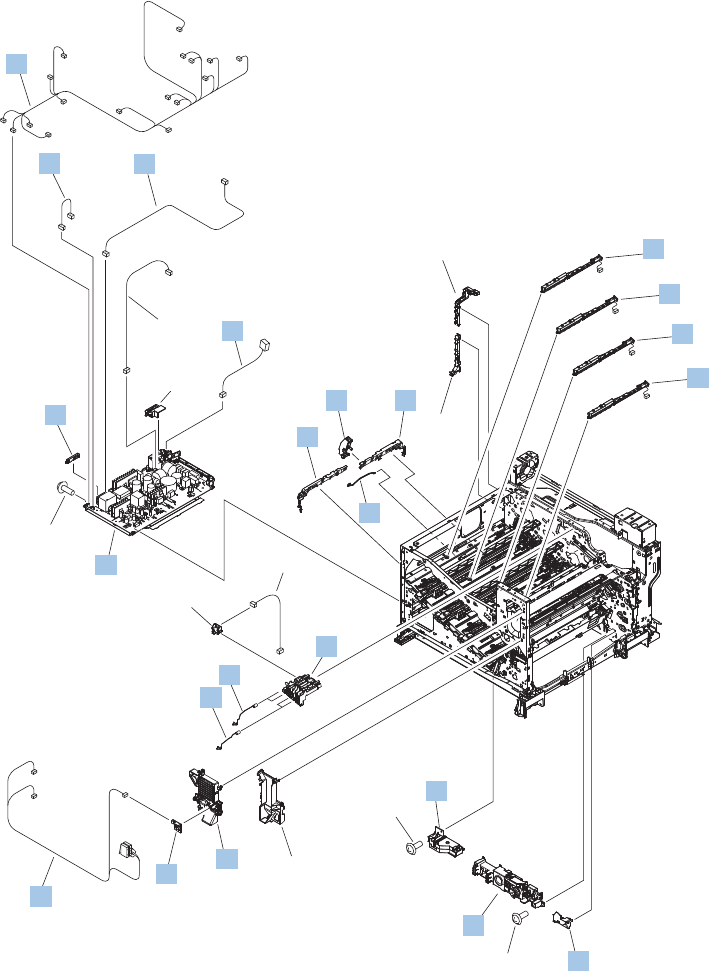
Internal assemblies (7 of 8)
Figure 2-22 Internal assemblies (7 of 8)
(J302S)
(J305S)
(SW3)
(SW4)
(J302SA)
(J524L)
(FM2)
(J108)
(J203)
(J711F)
(J1108)
(J109M)
(J110F)
(J105S)
(J304S) (J303S)
(J502S)
(J142S)
(J33S)
(J143SD)
(J102MFP)
(J101MFP)
(J301S)
(J741SD) (J733SDA)
(J733SDB)
(J63S)
(J21S)
(J25S)
(J192S)
(J707SF)
(J1304S)
(J557L)
(J558L)
(J559L)
(J560L)
(J706D)
(J172)
A01
A01
A01
A02
A03
A04
A05
A06
A07
A08
1
2
3
6
54
7
10
9
8
12
11
14
13
16
15
18
17
19
19
19
19
20
364 Chapter 2 Parts and diagrams ENWW

Table 2-25 Internal assemblies (7 of 8)
Ref Description Part number Qty
1 Holder, 1st transfer power dispatching RC2-6680-000CN 1
2 Spring, contact RU6-2767-000CN 2
3 Spring, contact RU6-2768-000CN 1
4 Guide, crossmember cable, rear RC2-6588-000CN 1
5 Stopper, laser RC2-6646-000CN 1
6 Guide, crossmember cable, front RC2-6587-000CN 1
7 Spring, rod RC2-6611-000CN 1
8 Cover, cable, right rear RC2-8424-000CN 1
9 Lifter drive assembly RM1-6039-000CN 1
10 Auto close assembly RM1-6036-000CN 1
11 Duplexing fan (FM2) RM1-9365-000CN 1
12 Cable assembly, switch RM1-8903-000CN 1
13 Low-voltage power supply (110V-127V) RM1-8895-000CN 1
13 Low-voltage power supply (220V-2450V) RM1-8896-000CN 1
14 Guide, cable RC3-0684-000CN 1
15 Cable, low-voltage AC joint RM1-6811-000CN 1
16 Cable, low voltage RM1-6807-000CN 1
17 Cable, low voltage, test RM1-6813-000CN 1
18 Cable assembly, left RM1-8901-000CN 1
19 Toner remanet detect PCA RM1-6779-000CN 4
20 Power switch PCA RM1-6759-000CN 1
ENWW Internal assemblies 365
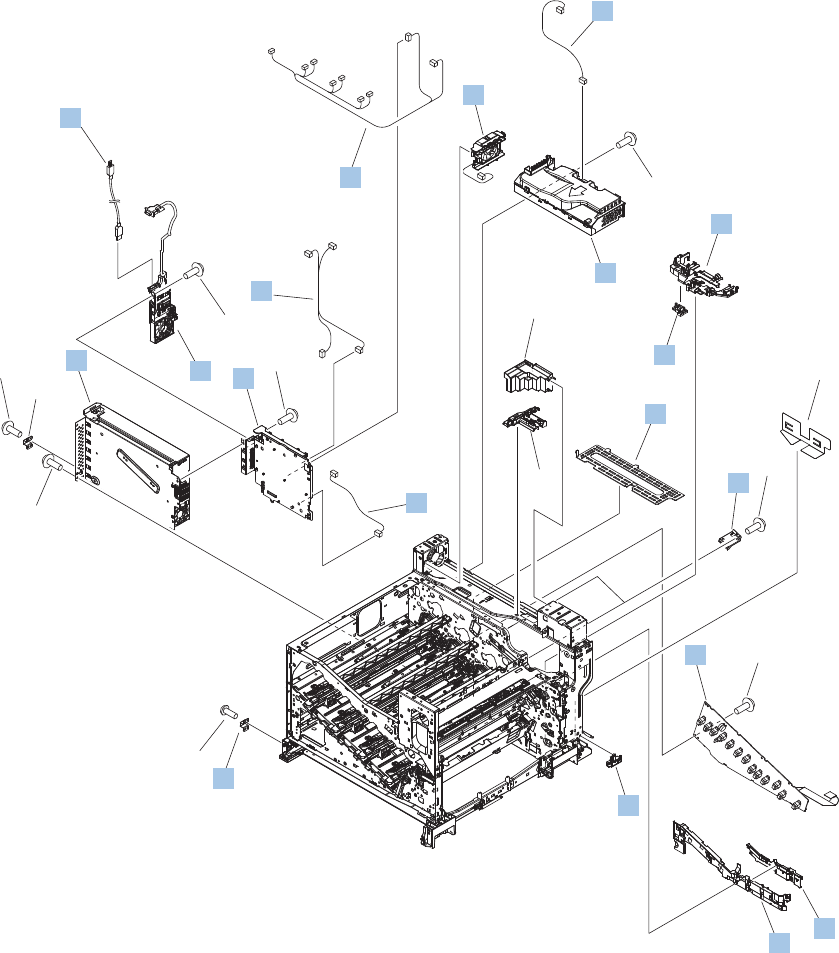
Internal assemblies (8 of 8)
Figure 2-23 Internal assemblies (8 of 8)
(J308)
(J193)
(J336)
(J304MFP)
(J301MFP)
(J6001)
(J6000)
(FM5)
(J716D)
(J558D)
(J557D)
(J717D)
(J559D)
(J718D)
(J101)
(J161)
(J560D)
(J1001A)
(J72)
(J335)
(J7101)
(J7001)
A02
A05
A05
A04
A03
A04
A04
A05
A05
A06
A01
16
3
1
2
4
5
7
6
9
8
13
10
11
12
15
14
16
17
18
19
366 Chapter 2 Parts and diagrams ENWW

Table 2-26 Internal assemblies (8 of 8)
Ref Description Part number Qty
1 DC controller PCA RM1-9371-000CN 1
2 Interconnect PCA (ICB) (inner connecting PCA) RM1-9368-000CN 1
3 Imaging high-voltage PCA assembly RM1-6800-000CN 1
4 Sub power supply RM1-9366-000CN 1
5 Sub power supply fan (FM5) RM1-9384-000CN 1
6 Guide, DC controller, support cable RC2-6665-000CN 1
7 Cable, 1st transfer RM1-6822-000CN 1
8 Cable, rear RM1-6863-000CN 1
9 Formatter cage RM1-9382-000CN 1
Not shown Kit, formatter replacement PCA CC522-67901 1
10 Plate, FFC protective RC2-9687-000CN 1
11 Holder, paper pickup connector RC2-6638-000CN 1
12 Connector, 8P VS1-7514-008CN 1
13 Plate, box pillar RC2-6673-000CN 2
14 Guide, imaging H.V.T. cable RC2-6661-000CN 1
15 Cover, imaging H.V.T. cable RC2-6573-000CN 1
16 Crossmember, cover, left RC2-6760-000CN 2
17 Cable, USB RK2-4329-000CN 1
18 Cable assembly, sub power supply RM1-8905-000CN 1
19 Cable assembly, stacker RM1-8906-000CN 1
ENWW Internal assemblies 367
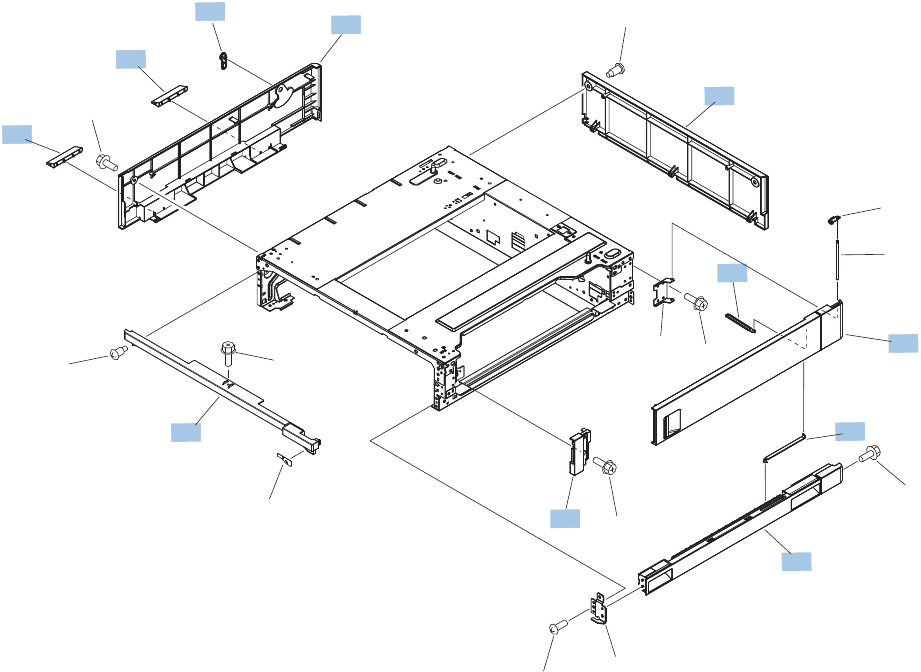
1x500-sheet paper feeder
1x500-sheet paper feeder covers
Figure 2-24 1x500-sheet paper feeder covers
2
8
9
3
7
4
5
1
6
6
10
A06
A03
A08
A05
A03
A01
A02
A04
A04
A04
A07 A04
A04
368 Chapter 2 Parts and diagrams ENWW

Table 2-27 1x500-sheet paper feeder covers
Ref Description Part number Qty
1 Handle, lock, rear RC2-9303-000CN 1
2 Cover, right front RC2-9320-000CN 1
3 Link, right door, lower RC2-9327-000CN 1
4 Cover, rear RC2-9330-000CN 1
5 Cover, left RC2-9331-000CN 1
6 Cover, handle lower RC2-9332-000CN 2
7 Link, right door, upper RC2-9335-000CN 1
8 Right door assembly RM1-6946-000CN 1
9 Right lower cover assembly RM1-6948-000CN 1
10 Front upper cover assembly RM1-6949-000CN 1
ENWW 1x500-sheet paper feeder 369
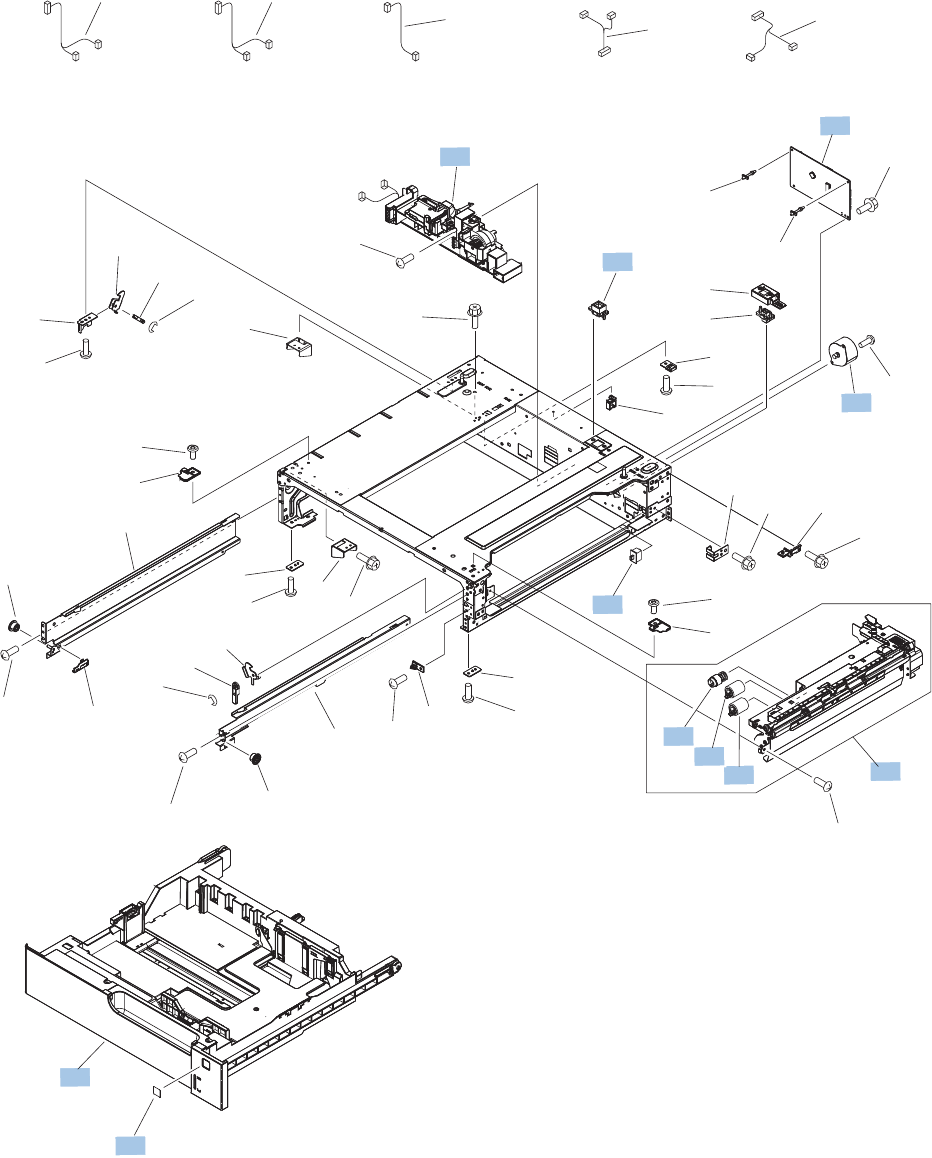
1x500-sheet paper feeder components
Figure 2-25 1x500-sheet paper feeder components
(SW1)
(J705)
(M1)
(J704)
(J704)
(J2004)
(J703D)
(J702D)
(J2003)
(J701D)
(J733LB)
(J734DA) (J734DB)
(J733LA)
(J2001)
(J2002)
(J2005)
(J705)
(J2006)
(J2007)
4
9
5
1
2
6
3
11
10
7
8
8
A06
A18
A32
A16
A06 A18
A31
A20A12A14
A06
A10 A15
A15
A19
A19
A06 A13 A06
A06
A10
A06
A11
A24
A09A19 A08
A07
A04
A04
A01
A05
A06
A21
A26 A27
A28 A29 A30
A23
A06 A17
A06
A24
A11
A22A25
A19
370 Chapter 2 Parts and diagrams ENWW

Table 2-28 1x500-sheet paper feeder components
Ref Description Part number Qty
1 Switch, button WC2-5512-000CN 1
2 Motor, stepping, DC RK2-1331-000CN 1
3 Lifter drive assembly RM1-3819-000CN 1
4 Tray 3 - 6 (1x500, 1x500 w/stand, 3x500) CC522-67914 1
5 Paper pickup assembly RM1-6944-000CN 1
6 Paper feeder controller PCA RM1-6987-000CN 1
7Kit, roller pickup
1
CC522-67909 1
8Kit, feed roller assembly
1
CC522-67909 1
9 Label, cassette number CE707-00001 1
11 Connector, 8P VS1-7514-008CN 1
1
This service kit contains four pickup and four feed rollers.
ENWW 1x500-sheet paper feeder 371
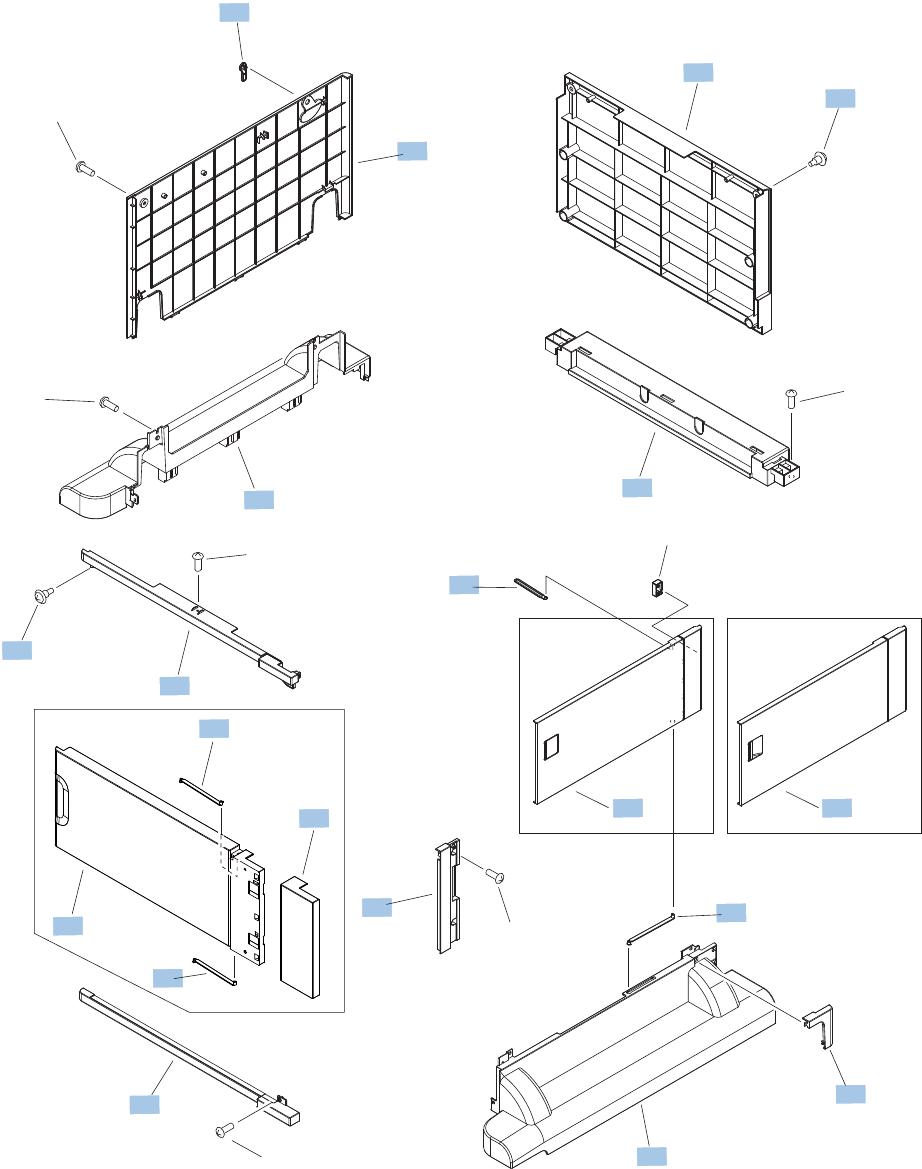
1x500-sheet and 3x500-sheet paper deck
1x500-sheet and 3x500-sheet paper deck covers
Figure 2-26 1x500-sheet and 3x500-sheet paper deck covers
7
10
1
8
9
11
15
16
2
2
13
4
3
12 12
6
2
5
14
14
A01
A01
A01
A01
A01
A01
A02
1x500
1x500 3x500
372 Chapter 2 Parts and diagrams ENWW

Table 2-29 1x500-sheet and 3x500-sheet paper deck covers
Ref Description Part number Qty
1 Handle, lock, rear RC2-9303-000CN 1
2 Link, right door, lower RC2-9327-000CN 3
3 Link, right door, upper RC2-9335-000CN 1
4 Cover, right corner RC2-9343-000CN 1
5 Cover, right lower, 1 RC2-9346-000CN 1
6 Cover, right lower, 2 RC2-9347-000CN 1
7 Cover, rear RC2-9348-000CN 1
8 Cover, left RC2-9349-000CN 1
9 Cover, left lower RC2-9350-000CN 1
10 Cover, rear lower RC2-9357-000CN 1
11 Front upper cover assembly RM1-6949-000CN 1
12 Right door assembly (1x500 paper deck) RM1-6952-000CN 1
12 Right door assembly (3x500 paper deck) RM1-6953-000CN 1
13 Front lower cover assembly RM1-6958-000CN 1
14 Screw, stepped RU5-9056-000CN 3
15 Door, stock, 1 (1x500 paper deck only) RC2-9353-000CN 1
16 Door, stock, 2 (1x500 paper deck only) RC2-9354-000CN 1
ENWW 1x500-sheet and 3x500-sheet paper deck 373
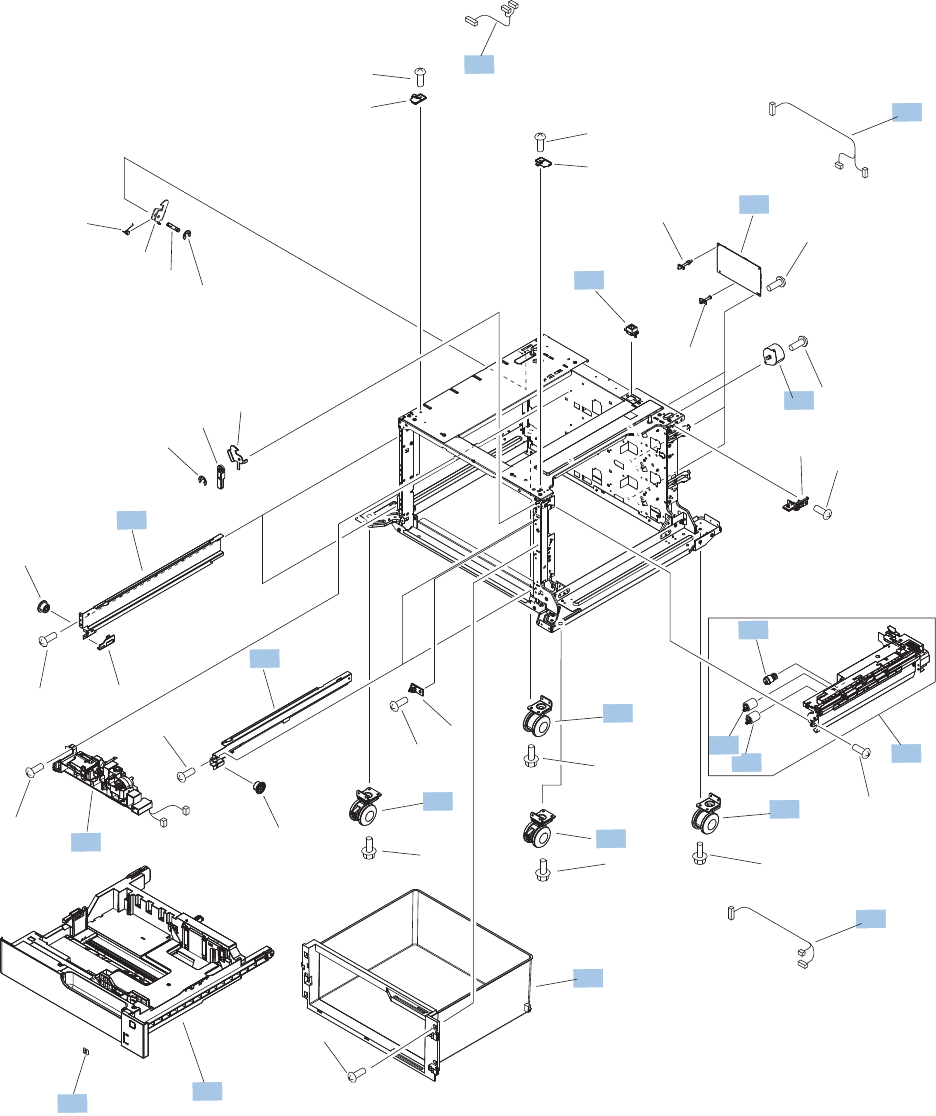
1x500-sheet paper deck components
Figure 2-27 1x500-sheet paper deck components
(M1)
(J704)
(J33LH)
(J2003)
(J701D)
(J702D)
(J2001)
(J733LB)
(J733LA)
(J2004)
(J2007)
(J2006)
(J703D)
(J704)
1
8
2
3
7
10
4
5
11
16
16
6
17
17
12
9
14
15
15
13
A06
A09
A03
A11
A01
A13
A01
A02 A08A12
A07
A07
A16
A17
A04
A10
A15
A14
A15
A18
A18
A15
A15
A15
A15
A19
A19
A05
A18
A18
A15
374 Chapter 2 Parts and diagrams ENWW

Table 2-30 1x500-sheet paper deck components
Ref Description Part number Qty
1 Motor, stepping, DC RK2-1331-000CN 1
2 Rail, cassette, right RL1-1390-000CN 2
3 Rail, cassette, left RL1-1391-000CN 2
4 Cable, paper pickup option RM1-3575-000CN 1
5 Cable, multisensor RM1-3647-000CN 1
6 Stock box assembly RM1-6954-000CN 1
7 Lifter drive assembly RM1-3819-000CN 1
8 Tray 3 - 6 replacement CC522-67914 1
9Paper pickup assembly
1
RM1-6944-000CN 1
10 Feeder PCA RM1-6988-000CN 1
11 Cable, engine interface RM1-6991-000CN 1
12 Connector, 8P VS1-7500-008CN 1
14 Kit, pickup roller
1
CC522-67909 1
15 Kit, pickup and feed roller
1
CC522-67909 1
16 Caster, double lock, front RC1-9896-000CN 2
17 Caster, rear RC3-2994-000CN 2
1
This service kit contains four pickup and four feed rollers.
ENWW 1x500-sheet and 3x500-sheet paper deck 375
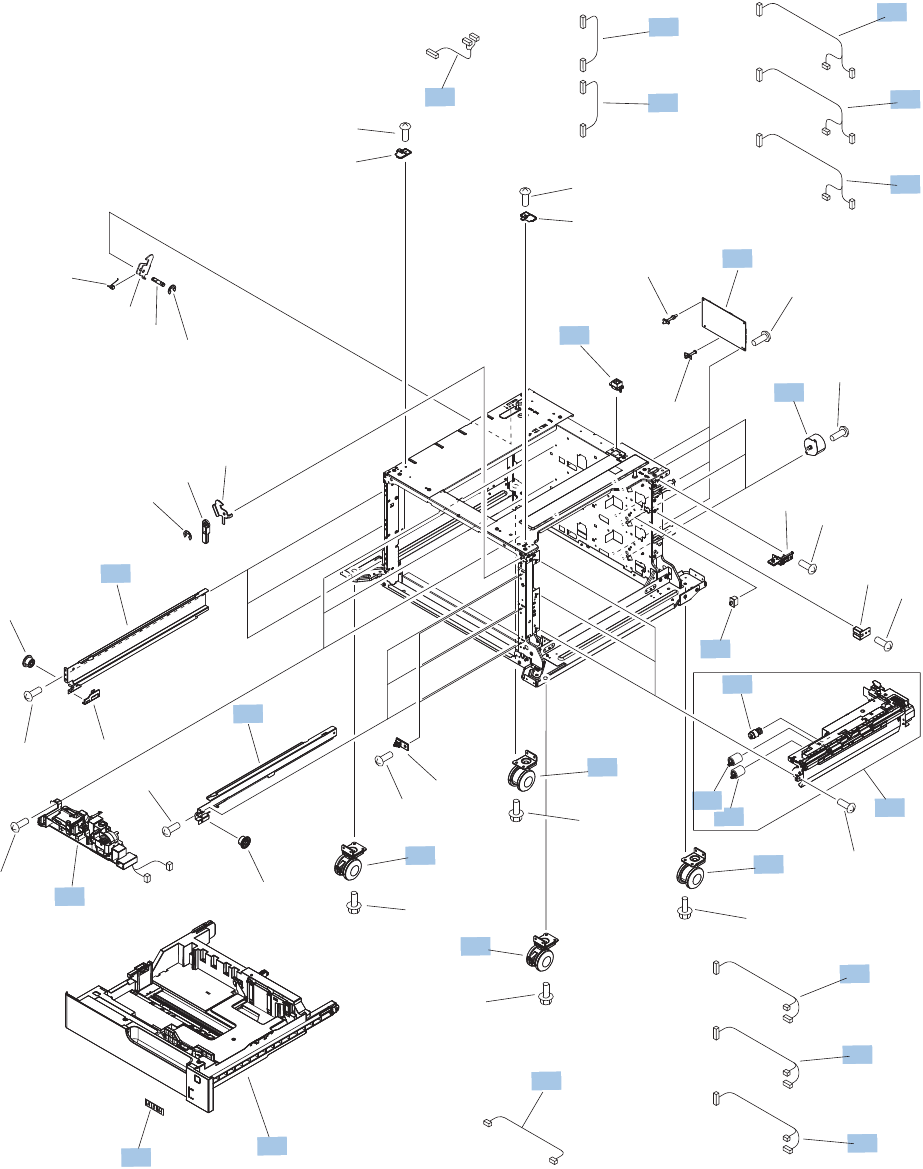
3x500-sheet paper deck components
Figure 2-28 3x500-sheet paper deck components
(M1)
(SW1)
(J704)
(J33LH)
(M81)
(J804)
(M91)
(J904)
(J2005)
(J705)
(J2004C)
(J903D)
(J904)
(J2003)
(J2002)
(J2001B)
(J2002B)
(J2001C)
(J701D)
(J702D)
(J2001)
(J733LB)
(J733LA)
(J2003B)
(J801D)
(J802D)
(J2003C)
(J901D)
(J902D)
(J2004B)
(J803D)
(J804)
(J2004)
(J703D)
(J704)
(J2007)
(J2007B)
(J2007C)
(J2006)
(J2006B)
(J2006C)
1
8
2
3
7
10
13
6
4
4
4
5
11
12
12 5
5
16
16 17
17
18
9
14
15
15
19
A06
A04
A09
A03
A11
A01
A13
A01
A02 A08 A12
A07
A07
A16
A17
A14
A10
A15
A20
A20
A15
A18
A18
A15
A15
A15
A15
A19
A19
A05
A18
A18
376 Chapter 2 Parts and diagrams ENWW

Table 2-31 3x500-sheet paper deck components
Ref Description Part number Qty
1 Motor, stepping, DC RK2-1331-000CN 3
2 Rail, cassette, right RL1-1390-000CN 3
3 Rail, cassette, left RL1-1391-000CN 3
4 Cable, paper pickup option RM1-3575-000CN 3
5 Cable, multi sensor RM1-3647-000CN 3
6 Cable, door open switch RM1-3651-000CN 1
7 Lifter drive assembly RM1-3819-000CN 3
8 Tray 3 - 6 replacement CC522-67914 1
9 Paper pickup assembly RM1-6944-000CN 3
10 Feeder PCA RM1-6989-000CN 1
11 Cable, engine interface RM1-6991-000CN 1
12 Cable, PCA joint RM1-6992-000CN 2
13 Switch, button WC2-5512-000CN 1
16 Caster, double lock, front RC1-9896-000CN 2
17 Caster, rear RC3-2994-000CN 2
18 Connector, 8P VS1-7500-008CN 1
ENWW 1x500-sheet and 3x500-sheet paper deck 377
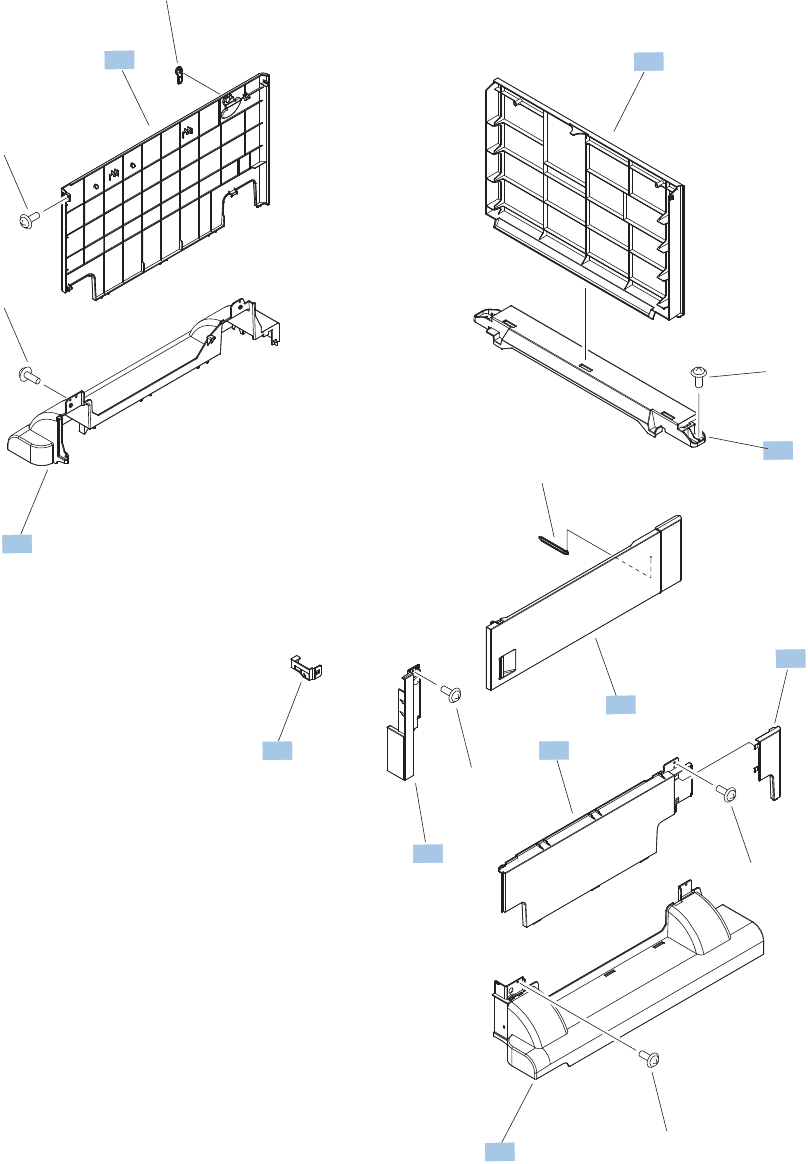
High capacity input (HCI) feeder
HCI covers
Figure 2-29 HCI covers
A01
A02
A03
A03
A03
A03
A03
A03
1
2
3
4
5
6
7
8
9
10
378 Chapter 2 Parts and diagrams ENWW

Table 2-32 HCI covers
Ref Description Part number Qty
1 Cover, right center RC3-3000-000CN 1
2 Cover, right lower RC3-3001-000CN 1
3 Cover, right rear RC3-3002-000CN 1
4 Cover, rear RC3-3003-000CN 1
5 Cover, rear lower RC3-3004-000CN 1
6 Cover, left RC3-3005-000CN 1
7 Cover, left lower RC3-3006-000CN 1
8 Cover, corner, right RC3-3009-000CN 1
9 Right door assembly RM1-8868-000CN 1
10 Right front lock cover assembly RM1-9416-000CN 1
ENWW High capacity input (HCI) feeder 379
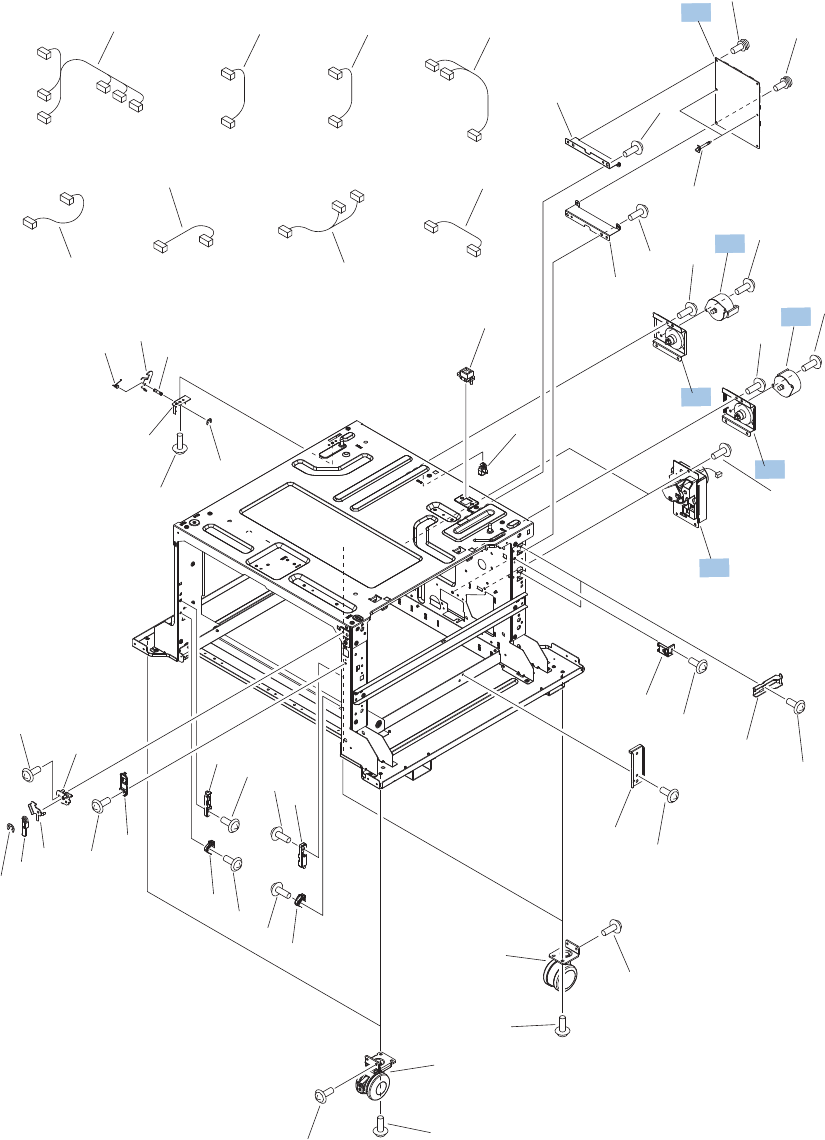
HCI components (1 of 2)
Figure 2-30 HCI components (1 of 2)
(J916)
(M3304)
(J910)
(J3013)
(J3003)
(M3301)
(J901)
(J915)
(J913)
(J911)
(J910)
( J 916 )
(J920)
(J902)
(J909)
(J906)
(J907)
(J901LB)
(J901LA)
( J 917 )
(J3015)
(J3014)
(J3006)
(J3017)
(J3005)
(J3007)
(J3004)
(J3016)
(J3002)
A01
A02
A03
A04
A05
A06
A07
A08
A08
A09
A10
A10
A11
A12
A13
A13
A14
A15
A16
A17 A18 A19 A20
A21
A22
A23
A24
A25
A26
A27
A29
A28
A29
A29
A29
A29
A29
A29
A29
A29
A29
A29
A29
A29
A29
A30
A30
A30
A31
A31
A32
A33
A30
A30
A30
1
2
3
4
1
4
380 Chapter 2 Parts and diagrams ENWW

Table 2-33 HCI components (1 of 2)
Ref Description Part number Qty
1 Motor, stepping, DC RK2-1331-000CN 2
2 Lifter drive assembly RM1-8879-000CN 2
3 Controller PCA RM1-9077-000CN 1
4 Paper pickup motor assembly RM1-9422-000CN 2
ENWW High capacity input (HCI) feeder 381
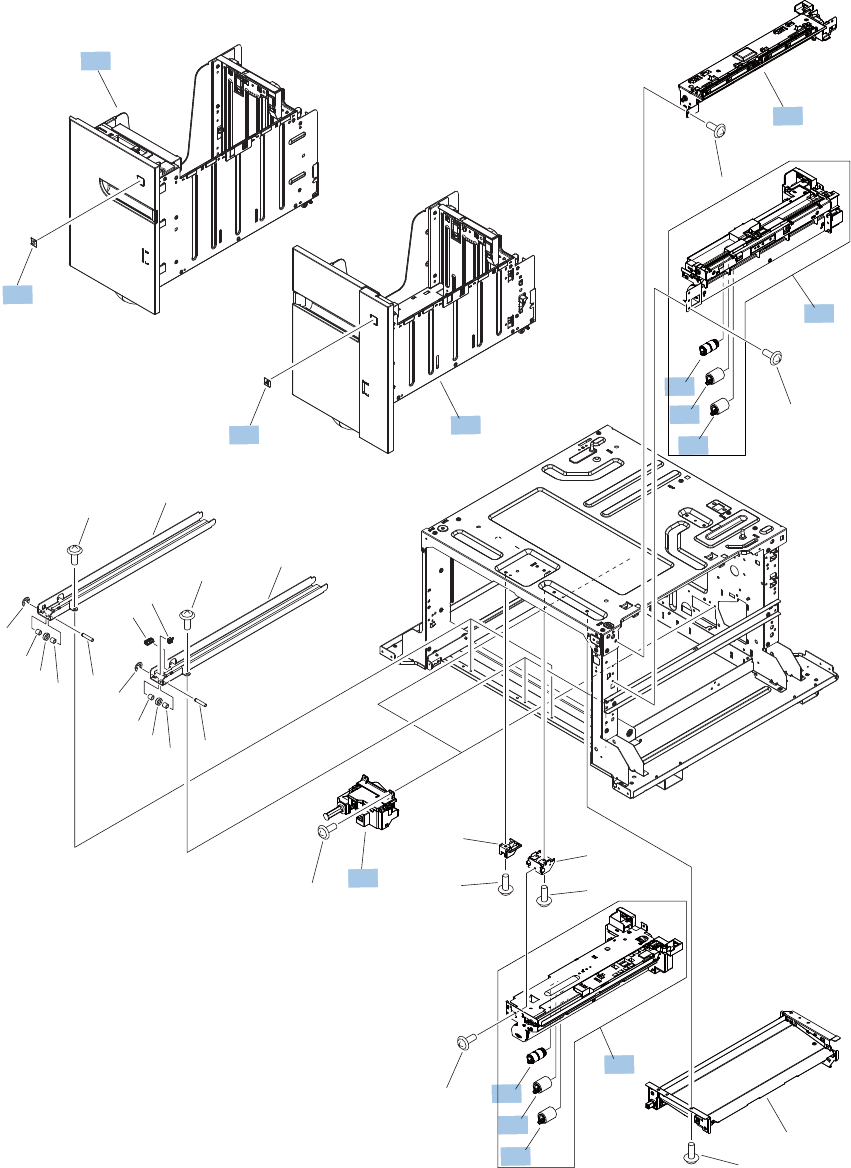
HCI components (2 of 2)
Figure 2-31 HCI components (2 of 2)
A02
A03
A04
A06
A07
A08
A08
A08
A08
A09
A09
A12
A09
A09
A01
A01 A05
A10
A10
A11
A01
A01 A05
A11
A08
A02
1
2
3
3
4
4
5
6
7
8
10
9
4
4
382 Chapter 2 Parts and diagrams ENWW

Table 2-34 HCI components (2 of 2)
Ref Description Part number Qty
3Kit, pick/feed roller 3,500 HCI
1
5851-5011 1
4Kit, pick/feed roller 3,500 HCI
1
5851-5011 1
5 Paper pickup assembly, right RM1-8869-000CN 1
6 Paper pickup assembly, left RM1-8876-000CN 1
7 Crossing paper feed assembly RM1-8888-000CN 1
8 Tray 3, 3,500 HCI CC522-67916 1
9 Tray 4, 3,500 HCI CC522-67915 1
10 Auto close assembly RM1-8880-000CN 2
1
This service kit contains two pickup and four feed rollers.
ENWW High capacity input (HCI) feeder 383

Alphabetical parts list
Table 2-35 Alphabetical parts list
Description Part number Table and page
ADF Assembly (complete) CC522-67923 Document feeder assemblies
on page 339
ADF hinge assembly CQ819-60011 Document feeder assemblies
on page 339
ADF roller cover, A3 CQ819-40032 Document feeder assemblies
on page 339
ADF separation pad spring 5851-4879 Document feeder assemblies
on page 339
ADF tray extender Q7404-40020 Document feeder assemblies
on page 339
Arm, front cover, 1 RC2-6732-000CN Internal assemblies (1 of 8)
on page 353
Arm, front cover, 2 RC2-6733-000CN Internal assemblies (1 of 8)
on page 353
Arm, ITB coupling release RC2-6824-000CN Internal assemblies (4 of 8)
on page 359
Arm, waste toner, left RC2-7035-000CN Internal assemblies (5 of 8)
on page 361
Arm, waste toner, right RC2-7036-000CN Internal assemblies (5 of 8)
on page 361
Auto close assembly RM1-6036-000CN Internal assemblies (7 of 8)
on page 365
Auto close assembly RM1-8880-000CN HCI components (2 of 2)
on page 383
Cable assembly, left RM1-8901-000CN Internal assemblies (7 of 8)
on page 365
Cable assembly, stacker RM1-8906-000CN Internal assemblies (8 of 8)
on page 367
Cable assembly, sub power supply RM1-8905-000CN Internal assemblies (8 of 8)
on page 367
Cable assembly, switch RM1-8903-000CN Internal assemblies (7 of 8)
on page 365
Cable, 1st transfer RM1-6822-000CN Internal assemblies (8 of 8)
on page 367
Cable, door open switch RM1-3651-000CN 3x500-sheet paper deck
components on page 377
Cable, engine interface RM1-6991-000CN 1x500-sheet paper deck
components on page 375
384 Chapter 2 Parts and diagrams ENWW

Table 2-35 Alphabetical parts list (continued)
Description Part number Table and page
Cable, engine interface RM1-6991-000CN 3x500-sheet paper deck
components on page 377
Cable, feed joint RM1-6846-000CN Internal assemblies (3 of 8)
on page 357
Cable, low voltage RM1-6807-000CN Internal assemblies (7 of 8)
on page 365
Cable, low voltage, test RM1-6813-000CN Internal assemblies (7 of 8)
on page 365
Cable, low-voltage AC joint RM1-6811-000CN Internal assemblies (7 of 8)
on page 365
Cable, multi sensor RM1-3647-000CN 3x500-sheet paper deck
components on page 377
Cable, multisensor RM1-3647-000CN 1x500-sheet paper deck
components on page 375
Cable, paper pickup option RM1-3575-000CN 1x500-sheet paper deck
components on page 375
Cable, paper pickup option RM1-3575-000CN 3x500-sheet paper deck
components on page 377
Cable, PCA joint RM1-6992-000CN 3x500-sheet paper deck
components on page 377
Cable, rear RM1-6863-000CN Internal assemblies (8 of 8)
on page 367
Cable, SB joint RM1-6867-000CN Internal assemblies (2 of 8)
on page 355
Cable, USB RK2-4329-000CN Internal assemblies (8 of 8)
on page 367
Cap, T2 contact RC2-6691-000CN Internal assemblies (3 of 8)
on page 357
Cartridge fan (FM4) RM1-9364-000CN Internal assemblies (4 of 8)
on page 359
Cartridge guide assembly, upper RM1-5990-000CN Internal assemblies (1 of 8)
on page 353
Caster, double lock, front RC1-9896-000CN 1x500-sheet paper deck
components on page 375
Caster, double lock, front RC1-9896-000CN 3x500-sheet paper deck
components on page 377
Caster, rear RC3-2994-000CN 1x500-sheet paper deck
components on page 375
Caster, rear RC3-2994-000CN 3x500-sheet paper deck
components on page 377
ENWW Alphabetical parts list 385

Table 2-35 Alphabetical parts list (continued)
Description Part number Table and page
Clamp, edge RC2-6663-000CN Internal assemblies (5 of 8)
on page 361
Connector, 8P VS1-7514-008CN Internal assemblies (8 of 8)
on page 367
Connector, 8P VS1-7514-008CN 1x500-sheet paper feeder
components on page 371
Connector, 8P VS1-7500-008CN 1x500-sheet paper deck
components on page 375
Connector, 8P VS1-7500-008CN 3x500-sheet paper deck
components on page 377
Connector, snap tight, BK VS1-7207-019CN Internal assemblies (2 of 8)
on page 355
Controller PCA RM1-9077-000CN HCI components (1 of 2)
on page 381
Cover, ADF cable CC522-40023 Scanner assemblies
on page 341
Cover, ADF front CQ819-40003 Document feeder assemblies
on page 339
Cover, ADF rear CQ819-40005 Document feeder assemblies
on page 339
Cover, back scanner CC522-40017 Scanner assemblies
on page 341
Cover, cable, protective RC2-6832-000CN Internal assemblies (2 of 8)
on page 355
Cover, cable, right rear RC2-8424-000CN Internal assemblies (7 of 8)
on page 365
Cover, connector, lower RC2-6642-000CN Internal assemblies (2 of 8)
on page 355
Cover, corner, right RC3-3009-000CN HCI covers on page 379
Cover, delivery RM1-9383-000CN Covers on page 349
Cover, duplexing gear RC2-6931-000CN Internal assemblies (3 of 8)
on page 357
Cover, front inner RM1-9981-000CN Stapler/stacker covers
on page 345
Cover, front left RC3-3325-000CN Stapler/stacker covers
on page 345
Cover, front right RC3-3324-000CN Stapler/stacker covers
on page 345
Cover, front scanner CC522-40020 Scanner assemblies
on page 341
386 Chapter 2 Parts and diagrams ENWW

Table 2-35 Alphabetical parts list (continued)
Description Part number Table and page
Cover, guide RC2-7204-000CN Internal assemblies (1 of 8)
on page 353
Cover, handle guide RC2-6670-000CN Internal assemblies (1 of 8)
on page 353
Cover, handle lower RC2-9332-000CN 1x500-sheet paper feeder
covers on page 369
Cover, handle, lower-left RC2-6625-000CN Covers on page 349
Cover, handle, lower-right, front RC2-6627-000CN Covers on page 349
Cover, handle, lower-right, rear RC2-6626-000CN Covers on page 349
Cover, hatch CQ819-40004 Document feeder assemblies
on page 339
Cover, imaging H.V.T. cable RC2-6573-000CN Internal assemblies (8 of 8)
on page 367
Cover, left RM1-9363-000CN Covers on page 349
Cover, left RC2-9331-000CN 1x500-sheet paper feeder
covers on page 369
Cover, left RC2-9349-000CN 1x500-sheet and 3x500-sheet
paper deck covers
on page 373
Cover, left RC3-3005-000CN HCI covers on page 379
Cover, left lower RC3-3331-000CN Stapler/stacker covers
on page 345
Cover, left lower RC2-9350-000CN 1x500-sheet and 3x500-sheet
paper deck covers
on page 373
Cover, left lower RC3-3006-000CN HCI covers on page 379
Cover, left rear RC3-3326-000CN Stapler/stacker covers
on page 345
Cover, left rear RC2-9158-000CN Covers on page 349
Cover, left scanner CC522-40021 Scanner assemblies
on page 341
Cover, lower front RC2-6737-000CN Internal assemblies (1 of 8)
on page 353
Cover, main crossmember cable RC2-6650-000CN Internal assemblies (6 of 8)
on page 363
Cover, main drive cable, lower RC2-6574-000CN Internal assemblies (3 of 8)
on page 357
Cover, rear RM1-9980-000CN Stapler/stacker covers
on page 345
ENWW Alphabetical parts list 387

Table 2-35 Alphabetical parts list (continued)
Description Part number Table and page
Cover, rear RM1-9362-000CN Covers on page 349
Cover, rear RC2-9330-000CN 1x500-sheet paper feeder
covers on page 369
Cover, rear RC2-9348-000CN 1x500-sheet and 3x500-sheet
paper deck covers
on page 373
Cover, rear RC3-3003-000CN HCI covers on page 379
Cover, rear lower RC2-9357-000CN 1x500-sheet and 3x500-sheet
paper deck covers
on page 373
Cover, rear lower RC3-3004-000CN HCI covers on page 379
Cover, rear upper RC2-9160-000CN Covers on page 349
Cover, right center RC3-3000-000CN HCI covers on page 379
Cover, right corner RC2-9343-000CN 1x500-sheet and 3x500-sheet
paper deck covers
on page 373
Cover, right door cable, small RC3-3323-000CN Stapler/stacker covers
on page 345
Cover, right front RM1-9359-000CN Covers on page 349
Cover, right front RC2-9320-000CN 1x500-sheet paper feeder
covers on page 369
Cover, right lower RC3-3001-000CN HCI covers on page 379
Cover, right lower, 1 RC2-9346-000CN 1x500-sheet and 3x500-sheet
paper deck covers
on page 373
Cover, right lower, 2 RC2-9347-000CN 1x500-sheet and 3x500-sheet
paper deck covers
on page 373
Cover, right rear RM1-7142-000CN Covers on page 349
Cover, right rear RC2-9157-000CN Covers on page 349
Cover, right rear RC3-3002-000CN HCI covers on page 379
Cover, right scanner CC522-40022 Scanner assemblies
on page 341
Cover, right upper RC2-9155-000CN Covers on page 349
Cover, right upper RM1-9367-000CN Covers on page 349
Cover, right upper RM1-9361-000CN Right door on page 351
Cover, stapler RM1-9982-000CN Stapler/stacker covers
on page 345
388 Chapter 2 Parts and diagrams ENWW

Table 2-35 Alphabetical parts list (continued)
Description Part number Table and page
Cover, top RM1-9358-000CN Covers on page 349
Cover, waste toner RM1-6012-000CN Internal assemblies (5 of 8)
on page 361
Cover, waste toner 2 RC2-6962-000CN Internal assemblies (5 of 8)
on page 361
Cover, waster toner, 3 RC2-6963-000CN Internal assemblies (5 of 8)
on page 361
Crossing paper feed assembly RM1-8888-000CN HCI components (2 of 2)
on page 383
Crossmember, cover, left RC2-6760-000CN Internal assemblies (8 of 8)
on page 367
DC controller PCA RM1-9371-000CN Internal assemblies (8 of 8)
on page 367
Door, right RM1-9440-000CN Stapler/stacker covers
on page 345
Door, right RM1-9360-000CN Right door on page 351
Door, stock, 1 (1x500 paper deck only) RC2-9353-000CN 1x500-sheet and 3x500-sheet
paper deck covers
on page 373
Door, stock, 2 (1x500 paper deck only) RC2-9354-000CN 1x500-sheet and 3x500-sheet
paper deck covers
on page 373
Door, toner collection unit access RC2-7034-000CN Covers on page 349
Duct, fan, 1 RC2-8388-000CN Internal assemblies (6 of 8)
on page 363
Duct, front RC2-7300-000CN Internal assemblies (1 of 8)
on page 353
Duct, joint RC2-8360-000CN Internal assemblies (4 of 8)
on page 359
Duplexing fan (FM2) RM1-9365-000CN Internal assemblies (7 of 8)
on page 365
Fan (FM1; power supply) RK2-2276-000CN Internal assemblies (6 of 8)
on page 363
Feed guide assembly RM1-9441-000CN Stapler/stacker components
on page 347
Feeder PCA RM1-6988-000CN 1x500-sheet paper deck
components on page 375
Feeder PCA RM1-6989-000CN 3x500-sheet paper deck
components on page 377
ENWW Alphabetical parts list 389

Table 2-35 Alphabetical parts list (continued)
Description Part number Table and page
FFC assembly RM1-6804-000CN Internal assemblies (6 of 8)
on page 363
Flag, document feeder open sensor CC522-40029 Scanner assemblies
on page 341
Flag, media presence CC355-40015 Document feeder assemblies
on page 339
Flatbed scanner Assy (complete)
1
CC522-67922 Scanner assemblies
on page 341
Formatter cage RM1-9382-000CN Internal assemblies (8 of 8)
on page 367
Front lower cover assembly RM1-6958-000CN 1x500-sheet and 3x500-sheet
paper deck covers
on page 373
Front upper cover assembly RM1-6949-000CN 1x500-sheet paper feeder
covers on page 369
Front upper cover assembly RM1-6949-000CN 1x500-sheet and 3x500-sheet
paper deck covers
on page 373
Gear, 25T RU6-0771-000CN Internal assemblies (3 of 8)
on page 357
Gear, 25T RU6-0772-000CN Internal assemblies (3 of 8)
on page 357
Gear, 74T RU6-0773-000CN Internal assemblies (3 of 8)
on page 357
Gear, link worm RU6-0795-000CN Internal assemblies (5 of 8)
on page 361
Guide RC2-6551-000CN Internal assemblies (2 of 8)
on page 355
Guide, arm, front RC2-6632-000CN Internal assemblies (1 of 8)
on page 353
Guide, cable RC3-0684-000CN Internal assemblies (7 of 8)
on page 365
Guide, crossmember cable, front RC2-6587-000CN Internal assemblies (7 of 8)
on page 365
Guide, crossmember cable, rear RC2-6588-000CN Internal assemblies (7 of 8)
on page 365
Guide, DC controller, support cable RC2-6665-000CN Internal assemblies (8 of 8)
on page 367
Guide, fixing (fuser) AC cable RC2-6693-000CN Internal assemblies (5 of 8)
on page 361
390 Chapter 2 Parts and diagrams ENWW

Table 2-35 Alphabetical parts list (continued)
Description Part number Table and page
Guide, imaging H.V.T. cable RC2-6661-000CN Internal assemblies (8 of 8)
on page 367
Guide, inside cable RC2-6589-000CN Internal assemblies (6 of 8)
on page 363
Guide, laser RC2-6628-000CN Internal assemblies (6 of 8)
on page 363
Guide, LVT cable RC2-6662-000CN Internal assemblies (5 of 8)
on page 361
Guide, main crossmember cable RC2-6600-000CN Internal assemblies (6 of 8)
on page 363
Guide, main drive cable RC2-6659-000CN Internal assemblies (3 of 8)
on page 357
Guide, paper feed RC2-7297-000CN Internal assemblies (2 of 8)
on page 355
Guide, slide RC2-7203-000CN Internal assemblies (5 of 8)
on page 361
Handle, lock, rear RC2-9303-000CN 1x500-sheet paper feeder
covers on page 369
Handle, lock, rear RC2-9303-000CN 1x500-sheet and 3x500-sheet
paper deck covers
on page 373
Hinge, front cover, center RC2-6738-000CN Internal assemblies (1 of 8)
on page 353
Hinge, front cover, left RC2-6713-000CN Internal assemblies (1 of 8)
on page 353
Hinge, front cover, right RC2-6715-000CN Internal assemblies (1 of 8)
on page 353
Hinge, inner door, left RC2-6716-000CN Internal assemblies (1 of 8)
on page 353
Hinge, inner door, right RC2-6712-000CN Internal assemblies (1 of 8)
on page 353
Hinge, right door, front RC2-7094-000CN Internal assemblies (4 of 8)
on page 359
Holder, 1st transfer power dispatching RC2-6680-000CN Internal assemblies (7 of 8)
on page 365
Holder, 2cnd power dispatching RC2-6682-000CN Internal assemblies (3 of 8)
on page 357
Holder, 2cnd transfer H.V.T. RC2-6681-010CN Internal assemblies (3 of 8)
on page 357
Holder, door detect, right RC3-4687-000CN Internal assemblies (4 of 8)
on page 359
ENWW Alphabetical parts list 391

Table 2-35 Alphabetical parts list (continued)
Description Part number Table and page
Holder, flexible flat cable (FFC) RC2-6655-000CN Internal assemblies (6 of 8)
on page 363
Holder, interlock switch RC2-6689-000CN Internal assemblies (1 of 8)
on page 353
Holder, paper pickup connector RC2-6638-000CN Internal assemblies (8 of 8)
on page 367
Holder, power supply fan RC2-7299-000CN Internal assemblies (6 of 8)
on page 363
Hook, duplexing spring RC2-6932-000CN Internal assemblies (3 of 8)
on page 357
Imaging high-voltage PCA assembly RM1-6800-000CN Internal assemblies (8 of 8)
on page 367
Interconnect PCA (ICB) (inner connecting PCA) RM1-9368-000CN Internal assemblies (8 of 8)
on page 367
ITB guide rail RM1-6019-000CN Internal assemblies (5 of 8)
on page 361
ITB guide rail assembly RM1-6018-000CN Internal assemblies (5 of 8)
on page 361
ITB guide rail assembly, R1 RM1-6037-000CN Internal assemblies (5 of 8)
on page 361
Kit, A3 ADF mylar 5851-4997 Document feeder assemblies
on page 339
Kit, ADF whole unit, A3 (includes foam reflector kit) CC522-67923 Document feeder and scanner
whole units on page 337
Kit, control panel CD644-67916 Document feeder and scanner
whole units on page 337
Kit, door inner CC522-67906 Internal assemblies (1 of 8)
on page 353
Kit, feed roller assembly
1
CC522-67909 1x500-sheet paper feeder
components on page 371
Kit, formatter replacement PCA CC522-67901 Internal assemblies (8 of 8)
on page 367
Kit, front cover assembly with HP jewel CE707-67902 Covers on page 349
Kit, fuser drive assembly CE707-67904 Internal assemblies (2 of 8)
on page 355
Kit, fuser replacement 110V CC522-67904 Internal assemblies (2 of 8)
on page 355
Kit, fuser replacement 220V CC522-67926 Internal assemblies (2 of 8)
on page 355
392 Chapter 2 Parts and diagrams ENWW

Table 2-35 Alphabetical parts list (continued)
Description Part number Table and page
Kit, intermediate transfer belt (ITB) repair CC522-67911 Internal assemblies (6 of 8)
on page 363
Kit, main drive assembly duplex CE708-67901 Internal assemblies (3 of 8)
on page 357
Kit, paper pick roller and separation roller CC522-67927 Internal assemblies (2 of 8)
on page 355
Kit, pick/feed roller 3,500 HCI
1
5851-5011 HCI components (2 of 2)
on page 383
Kit, pick/feed roller 3,500 HCI
1
5851-5011 HCI components (2 of 2)
on page 383
Kit, pickup and feed roller
1
CC522-67909 1x500-sheet paper deck
components on page 375
Kit, pickup roller
1
CC522-67909 1x500-sheet paper deck
components on page 375
Kit, reflector foam, A3 5851-4888 Document feeder and scanner
whole units on page 337
Kit, roller pickup
1
CC522-67909 1x500-sheet paper feeder
components on page 371
Kit, scanner whole unit (includes foam reflector kit) CC522-67922 Document feeder and scanner
whole units on page 337
Kit, toner collection unit (TCU) CE980-67901 Internal assemblies (5 of 8)
on page 361
Kit, Tray 2 CE522-67913 Internal assemblies (2 of 8)
on page 355
Label, cassette number CE707-00001 1x500-sheet paper feeder
components on page 371
Label, fixing (fuser) access RC3-2334-000CN Covers on page 349
Label, ITB insert, FH RU5-8806-000CN Internal assemblies (6 of 8)
on page 363
Label, ITB insert, FV RU5-8804-000CN Internal assemblies (6 of 8)
on page 363
Label, ITB set, RH RU5-8807-000CN Internal assemblies (6 of 8)
on page 363
Label, ITB set, RV RU5-8805-000CN Internal assemblies (6 of 8)
on page 363
Laser/scanner assembly RM1-6122-070CN Internal assemblies (6 of 8)
on page 363
Lever, inner door pressure RC2-6744-000CN Internal assemblies (1 of 8)
on page 353
ENWW Alphabetical parts list 393

Table 2-35 Alphabetical parts list (continued)
Description Part number Table and page
Lever, lift 1 RC2-7199-000CN Internal assemblies (5 of 8)
on page 361
Lever, lift, 2 RC2-7200-000CN Internal assemblies (1 of 8)
on page 353
Lever, push RC2-7198-000CN Internal assemblies (1 of 8)
on page 353
Lifter drive assembly RM1-6039-000CN Internal assemblies (7 of 8)
on page 365
Lifter drive assembly RM1-3819-000CN 1x500-sheet paper feeder
components on page 371
Lifter drive assembly RM1-3819-000CN 1x500-sheet paper deck
components on page 375
Lifter drive assembly RM1-3819-000CN 3x500-sheet paper deck
components on page 377
Lifter drive assembly RM1-8879-000CN HCI components (1 of 2)
on page 381
Link, ITB coupling release RC2-6823-000CN Internal assemblies (3 of 8)
on page 357
Link, right door, 2 front RC2-7233-010CN Internal assemblies (4 of 8)
on page 359
Link, right door, 2 rear RC2-7236-000CN Internal assemblies (4 of 8)
on page 359
Link, right door, lower RC2-9327-000CN 1x500-sheet paper feeder
covers on page 369
Link, right door, lower RC2-9327-000CN 1x500-sheet and 3x500-sheet
paper deck covers
on page 373
Link, right door, upper RC2-9335-000CN 1x500-sheet paper feeder
covers on page 369
Link, right door, upper RC2-9335-000CN 1x500-sheet and 3x500-sheet
paper deck covers
on page 373
Lock plate, 2cnd transfer RL1-2236-000CN Internal assemblies (6 of 8)
on page 363
Lock plate, front RL1-2235-000CN Internal assemblies (6 of 8)
on page 363
Lock, door link, right RC2-7234-000CN Internal assemblies (4 of 8)
on page 359
Low-voltage power supply (110V-127V) RM1-8895-000CN Internal assemblies (7 of 8)
on page 365
394 Chapter 2 Parts and diagrams ENWW

Table 2-35 Alphabetical parts list (continued)
Description Part number Table and page
Low-voltage power supply (220V-2450V) RM1-8896-000CN Internal assemblies (7 of 8)
on page 365
Media Stopper, Front CC355-40046 Document feeder assemblies
on page 339
Media Stopper, rear CC355-40047 Document feeder assemblies
on page 339
Microswitch WC4-5251-000CN Internal assemblies (1 of 8)
on page 353
Motor, DC RM1-6088-000CN Internal assemblies (3 of 8)
on page 357
Motor, DC stepping (M6, M7) RK2-3298-000CN Internal assemblies (3 of 8)
on page 357
Motor, fixing (fuser) RM1-6074-000CN Internal assemblies (2 of 8)
on page 355
Motor, stepping, DC RK2-1331-000CN 1x500-sheet paper feeder
components on page 371
Motor, stepping, DC RK2-1331-000CN 1x500-sheet paper deck
components on page 375
Motor, stepping, DC RK2-1331-000CN 3x500-sheet paper deck
components on page 377
Motor, stepping, DC RK2-1331-000CN HCI components (1 of 2)
on page 381
Mount, cover arm, front RC2-6735-000CN Internal assemblies (1 of 8)
on page 353
Mount, inner door rail RC2-6743-000CN Internal assemblies (1 of 8)
on page 353
Mount, inner door toggle RC2-6717-000CN Internal assemblies (1 of 8)
on page 353
Mount, stopper arm RC2-6745-000CN Internal assemblies (1 of 8)
on page 353
MP (Tray 1) lifter plate assembly RM1-9389-000CN Right door on page 351
MP tray (Tray 1) assembly RM1-6045-000CN Right door on page 351
Operation assembly RM1-9442-000CN Stapler/stacker components
on page 347
Output bin (tray assembly) RM1-9443-000CN Stapler/stacker covers
on page 345
Paper delivery assembly RM1-9377-000CN Internal assemblies (2 of 8)
on page 355
Paper feed center guide assembly RM1-9988-000CN Stapler/stacker components
on page 347
ENWW Alphabetical parts list 395

Table 2-35 Alphabetical parts list (continued)
Description Part number Table and page
Paper feeder controller PCA RM1-6987-000CN 1x500-sheet paper feeder
components on page 371
Paper pickup assembly RM1-6944-000CN 1x500-sheet paper feeder
components on page 371
Paper pickup assembly RM1-6944-000CN 3x500-sheet paper deck
components on page 377
Paper pickup assembly (Tray 2) CE522-67903 Internal assemblies (2 of 8)
on page 355
Paper pickup assembly, left RM1-8876-000CN HCI components (2 of 2)
on page 383
Paper pickup assembly, right RM1-8869-000CN HCI components (2 of 2)
on page 383
Paper pickup assembly
1
RM1-6944-000CN 1x500-sheet paper deck
components on page 375
Paper pickup motor assembly RM1-9422-000CN HCI components (1 of 2)
on page 381
PCA, 1st transfer H.V.P. RM1-7004-000CN Internal assemblies (4 of 8)
on page 359
PCA, 2cnd transfer H.V.P. RM1-6802-000CN Internal assemblies (4 of 8)
on page 359
PCA, driver RM1-8899-000CN Internal assemblies (4 of 8)
on page 359
PCA, main controller RM1-9459-000CN Stapler/stacker components
on page 347
PCA, scanner memory 5851-4285 Scanner assemblies
on page 341
Photointerrupter WG8-5935-000CN Internal assemblies (4 of 8)
on page 359
Photosensor CC355-80014 Document feeder assemblies
on page 339
Plate, arm reinforcement RC2-9649-000CN Internal assemblies (5 of 8)
on page 361
Plate, box pillar RC2-6673-000CN Internal assemblies (8 of 8)
on page 367
Plate, duplexing drive gear RL1-2266-000CN Internal assemblies (3 of 8)
on page 357
Plate, FFC protective RC2-9687-000CN Internal assemblies (8 of 8)
on page 367
Plate, right door link fixed, FR RL1-2281-000CN Internal assemblies (4 of 8)
on page 359
396 Chapter 2 Parts and diagrams ENWW

Table 2-35 Alphabetical parts list (continued)
Description Part number Table and page
Plate, right door link fixed, front RC2-7272-010CN Internal assemblies (4 of 8)
on page 359
Plate, right door link fixed, RR RL1-2282-000CN Internal assemblies (4 of 8)
on page 359
Plate, right door link, rear RC2-7273-000CN Internal assemblies (4 of 8)
on page 359
Power switch PCA RM1-6759-000CN Internal assemblies (7 of 8)
on page 365
Rail, cartridge auxiliary RC2-6724-000CN Internal assemblies (1 of 8)
on page 353
Rail, cassette, left RL1-1391-000CN 1x500-sheet paper deck
components on page 375
Rail, cassette, left RL1-1391-000CN 3x500-sheet paper deck
components on page 377
Rail, cassette, right RL1-1390-000CN 1x500-sheet paper deck
components on page 375
Rail, cassette, right RL1-1390-000CN 3x500-sheet paper deck
components on page 377
Rail, door link, front lower RC2-6634-000CN Internal assemblies (4 of 8)
on page 359
Rail, door link, rear lower RC2-6635-000CN Internal assemblies (4 of 8)
on page 359
Rail, ITB guide RC2-7185-000CN Internal assemblies (6 of 8)
on page 363
Rail, ITB guide, F3 RC2-7193-000CN Internal assemblies (6 of 8)
on page 363
Reverse drive assembly RM2-0698-000CN Internal assemblies (2 of 8)
on page 355
Right door assembly RM1-6946-000CN 1x500-sheet paper feeder
covers on page 369
Right door assembly RM1-8868-000CN HCI covers on page 379
Right door assembly (1x500 paper deck) RM1-6952-000CN 1x500-sheet and 3x500-sheet
paper deck covers
on page 373
Right door assembly (3x500 paper deck) RM1-6953-000CN 1x500-sheet and 3x500-sheet
paper deck covers
on page 373
Right door, lower guide assembly RM1-9989-000CN Stapler/stacker covers
on page 345
Right front lock cover assembly RM1-9416-000CN HCI covers on page 379
ENWW Alphabetical parts list 397

Table 2-35 Alphabetical parts list (continued)
Description Part number Table and page
Right lower cover assembly RM1-6948-000CN 1x500-sheet paper feeder
covers on page 369
SCB, top Level Assembly CC522-67931 Scanner controller board (SCB)
assembly on page 343
Screw, stepped RU5-9056-000CN 1x500-sheet and 3x500-sheet
paper deck covers
on page 373
Seal, slide shutter RC3-1014-000CN Internal assemblies (6 of 8)
on page 363
Seal, toner supporter guide RC2-7018-000CN Internal assemblies (6 of 8)
on page 363
Sensor, environmental PCA RK2-2884-000CN Internal assemblies (4 of 8)
on page 359
Sensor, registration RM1-7922-000CN Internal assemblies (2 of 8)
on page 355
Shaft, right door link RU5-4979-000CN Internal assemblies (4 of 8)
on page 359
Sheet, slide seal RC3-1013-000CN Internal assemblies (6 of 8)
on page 363
Shutter, exhaust RC2-7010-000CN Internal assemblies (5 of 8)
on page 361
Slider, push RC2-7201-000CN Internal assemblies (5 of 8)
on page 361
Solenoid, flapper assembly RM1-9444-000CN Stapler/stacker components
on page 347
Spring, compression RU6-2721-000CN Internal assemblies (1 of 8)
on page 353
Spring, compression RU6-2683-000CN Internal assemblies (5 of 8)
on page 361
Spring, contact RU6-2771-000CN Internal assemblies (3 of 8)
on page 357
Spring, contact RU6-2767-000CN Internal assemblies (7 of 8)
on page 365
Spring, contact RU6-2768-000CN Internal assemblies (7 of 8)
on page 365
Spring, document feeder sensor CC522-80101 Scanner assemblies
on page 341
Spring, grounding RC2-7209-000CN Internal assemblies (1 of 8)
on page 353
Spring, grounding RU6-2772-000CN Internal assemblies (3 of 8)
on page 357
398 Chapter 2 Parts and diagrams ENWW

Table 2-35 Alphabetical parts list (continued)
Description Part number Table and page
Spring, grounding RC2-6700-000CN Internal assemblies (3 of 8)
on page 357
Spring, leaf, grounding RC2-7092-000CN Internal assemblies (1 of 8)
on page 353
Spring, rod RC2-6611-000CN Internal assemblies (7 of 8)
on page 365
Spring, tension RU6-2710-000CN Internal assemblies (2 of 8)
on page 355
Spring, tension RU6-2671-000 Internal assemblies (3 of 8)
on page 357
Spring, tension RU6-2744-000CN Internal assemblies (4 of 8)
on page 359
Spring, tension RU6-2727-000CN Internal assemblies (4 of 8)
on page 359
Spring, tension RU6-2831-000CN Internal assemblies (5 of 8)
on page 361
Spring, torsion RU6-2670-000CN Internal assemblies (6 of 8)
on page 363
Stapler assembly RM1-9446-000CN Stapler/stacker components
on page 347
Stock box assembly RM1-6954-000CN 1x500-sheet paper deck
components on page 375
Stopper, inner door, 1 RC2-6719-000CN Internal assemblies (1 of 8)
on page 353
Stopper, inner door, 2 RC2-6736-000CN Internal assemblies (1 of 8)
on page 353
Stopper, laser RC2-6646-000CN Internal assemblies (7 of 8)
on page 365
Sub power supply RM1-9366-000CN Internal assemblies (8 of 8)
on page 367
Sub power supply fan (FM5) RM1-9384-000CN Internal assemblies (8 of 8)
on page 367
Support, developing coupling RC2-6811-000CN Internal assemblies (4 of 8)
on page 359
Support, frame RC2-7197-000CN Internal assemblies (2 of 8)
on page 355
Support, frame RC2-7196-000CN Internal assemblies (2 of 8)
on page 355
Switch, button WC2-5512-000CN 1x500-sheet paper feeder
components on page 371
ENWW Alphabetical parts list 399

Table 2-35 Alphabetical parts list (continued)
Description Part number Table and page
Switch, button WC2-5512-000CN 3x500-sheet paper deck
components on page 377
Switch, door assembly RM1-9445-000CN Stapler/stacker components
on page 347
Toner feed assembly RM1-6040-010CN Internal assemblies (6 of 8)
on page 363
Toner remanet detect PCA RM1-6779-000CN Internal assemblies (7 of 8)
on page 365
Tray 3 - 6 (1x500, 1x500 w/stand, 3x500) CC522-67914 1x500-sheet paper feeder
components on page 371
Tray 3 - 6 replacement CC522-67914 1x500-sheet paper deck
components on page 375
Tray 3 - 6 replacement CC522-67914 3x500-sheet paper deck
components on page 377
Tray 3, 3,500 HCI CC522-67916 HCI components (2 of 2)
on page 383
Tray 4, 3,500 HCI CC522-67915 HCI components (2 of 2)
on page 383
Tray assembly RM1-9443-000CN Stapler/stacker components
on page 347
Wall, inner RC3-2321-000CN Covers on page 349
Width sensor PCA CQ819-60022 Document feeder assemblies
on page 339
400 Chapter 2 Parts and diagrams ENWW

Numerical parts list
Table 2-36 Numerical parts list
Part number Description Table and page
5851-4285 PCA, scanner memory Scanner assemblies
on page 341
5851-4879 ADF separation pad spring Document feeder assemblies
on page 339
5851-4888 Kit, reflector foam, A3 Document feeder and scanner
whole units on page 337
5851-4997 Kit, A3 ADF mylar Document feeder assemblies
on page 339
5851-5011 Kit, pick/feed roller 3,500 HCI
1
HCI components (2 of 2)
on page 383
5851-5011 Kit, pick/feed roller 3,500 HCI
1
HCI components (2 of 2)
on page 383
CC355-40015 Flag, media presence Document feeder assemblies
on page 339
CC355-40046 Media Stopper, Front Document feeder assemblies
on page 339
CC355-40047 Media Stopper, rear Document feeder assemblies
on page 339
CC355-80014 Photosensor Document feeder assemblies
on page 339
CC522-40017 Cover, back scanner Scanner assemblies
on page 341
CC522-40020 Cover, front scanner Scanner assemblies
on page 341
CC522-40021 Cover, left scanner Scanner assemblies
on page 341
CC522-40022 Cover, right scanner Scanner assemblies
on page 341
CC522-40023 Cover, ADF cable Scanner assemblies
on page 341
CC522-40029 Flag, document feeder open sensor Scanner assemblies
on page 341
CC522-67901 Kit, formatter replacement PCA Internal assemblies (8 of 8)
on page 367
CC522-67904 Kit, fuser replacement 110V Internal assemblies (2 of 8)
on page 355
CC522-67906 Kit, door inner Internal assemblies (1 of 8)
on page 353
ENWW Numerical parts list 401

Table 2-36 Numerical parts list (continued)
Part number Description Table and page
CC522-67909 Kit, roller pickup
1
1x500-sheet paper feeder
components on page 371
CC522-67909 Kit, feed roller assembly
1
1x500-sheet paper feeder
components on page 371
CC522-67909 Kit, pickup roller
1
1x500-sheet paper deck
components on page 375
CC522-67909 Kit, pickup and feed roller
1
1x500-sheet paper deck
components on page 375
CC522-67911 Kit, intermediate transfer belt (ITB) repair Internal assemblies (6 of 8)
on page 363
CC522-67914 Tray 3 - 6 (1x500, 1x500 w/stand, 3x500) 1x500-sheet paper feeder
components on page 371
CC522-67914 Tray 3 - 6 replacement 1x500-sheet paper deck
components on page 375
CC522-67914 Tray 3 - 6 replacement 3x500-sheet paper deck
components on page 377
CC522-67915 Tray 4, 3,500 HCI HCI components (2 of 2)
on page 383
CC522-67916 Tray 3, 3,500 HCI HCI components (2 of 2)
on page 383
CC522-67922 Kit, scanner whole unit (includes foam reflector kit) Document feeder and scanner
whole units on page 337
CC522-67922 Flatbed scanner Assy (complete)
1
Scanner assemblies
on page 341
CC522-67923 Kit, ADF whole unit, A3 (includes foam reflector kit) Document feeder and scanner
whole units on page 337
CC522-67923 ADF Assembly (complete) Document feeder assemblies
on page 339
CC522-67926 Kit, fuser replacement 220V Internal assemblies (2 of 8)
on page 355
CC522-67927 Kit, paper pick roller and separation roller Internal assemblies (2 of 8)
on page 355
CC522-67931 SCB, top Level Assembly Scanner controller board (SCB)
assembly on page 343
CC522-80101 Spring, document feeder sensor Scanner assemblies
on page 341
CD644-67916 Kit, control panel Document feeder and scanner
whole units on page 337
CE522-67903 Paper pickup assembly (Tray 2) Internal assemblies (2 of 8)
on page 355
402 Chapter 2 Parts and diagrams ENWW

Table 2-36 Numerical parts list (continued)
Part number Description Table and page
CE522-67913 Kit, Tray 2 Internal assemblies (2 of 8)
on page 355
CE707-00001 Label, cassette number 1x500-sheet paper feeder
components on page 371
CE707-67902 Kit, front cover assembly with HP jewel Covers on page 349
CE707-67904 Kit, fuser drive assembly Internal assemblies (2 of 8)
on page 355
CE708-67901 Kit, main drive assembly duplex Internal assemblies (3 of 8)
on page 357
CE980-67901 Kit, toner collection unit (TCU) Internal assemblies (5 of 8)
on page 361
CQ819-40003 Cover, ADF front Document feeder assemblies
on page 339
CQ819-40004 Cover, hatch Document feeder assemblies
on page 339
CQ819-40005 Cover, ADF rear Document feeder assemblies
on page 339
CQ819-40032 ADF roller cover, A3 Document feeder assemblies
on page 339
CQ819-60011 ADF hinge assembly Document feeder assemblies
on page 339
CQ819-60022 Width sensor PCA Document feeder assemblies
on page 339
Q7404-40020 ADF tray extender Document feeder assemblies
on page 339
RC1-9896-000CN Caster, double lock, front 1x500-sheet paper deck
components on page 375
RC1-9896-000CN Caster, double lock, front 3x500-sheet paper deck
components on page 377
RC2-6551-000CN Guide Internal assemblies (2 of 8)
on page 355
RC2-6573-000CN Cover, imaging H.V.T. cable Internal assemblies (8 of 8)
on page 367
RC2-6574-000CN Cover, main drive cable, lower Internal assemblies (3 of 8)
on page 357
RC2-6587-000CN Guide, crossmember cable, front Internal assemblies (7 of 8)
on page 365
RC2-6588-000CN Guide, crossmember cable, rear Internal assemblies (7 of 8)
on page 365
ENWW Numerical parts list 403

Table 2-36 Numerical parts list (continued)
Part number Description Table and page
RC2-6589-000CN Guide, inside cable Internal assemblies (6 of 8)
on page 363
RC2-6600-000CN Guide, main crossmember cable Internal assemblies (6 of 8)
on page 363
RC2-6611-000CN Spring, rod Internal assemblies (7 of 8)
on page 365
RC2-6625-000CN Cover, handle, lower-left Covers on page 349
RC2-6626-000CN Cover, handle, lower-right, rear Covers on page 349
RC2-6627-000CN Cover, handle, lower-right, front Covers on page 349
RC2-6628-000CN Guide, laser Internal assemblies (6 of 8)
on page 363
RC2-6632-000CN Guide, arm, front Internal assemblies (1 of 8)
on page 353
RC2-6634-000CN Rail, door link, front lower Internal assemblies (4 of 8)
on page 359
RC2-6635-000CN Rail, door link, rear lower Internal assemblies (4 of 8)
on page 359
RC2-6638-000CN Holder, paper pickup connector Internal assemblies (8 of 8)
on page 367
RC2-6642-000CN Cover, connector, lower Internal assemblies (2 of 8)
on page 355
RC2-6646-000CN Stopper, laser Internal assemblies (7 of 8)
on page 365
RC2-6650-000CN Cover, main crossmember cable Internal assemblies (6 of 8)
on page 363
RC2-6655-000CN Holder, flexible flat cable (FFC) Internal assemblies (6 of 8)
on page 363
RC2-6659-000CN Guide, main drive cable Internal assemblies (3 of 8)
on page 357
RC2-6661-000CN Guide, imaging H.V.T. cable Internal assemblies (8 of 8)
on page 367
RC2-6662-000CN Guide, LVT cable Internal assemblies (5 of 8)
on page 361
RC2-6663-000CN Clamp, edge Internal assemblies (5 of 8)
on page 361
RC2-6665-000CN Guide, DC controller, support cable Internal assemblies (8 of 8)
on page 367
RC2-6670-000CN Cover, handle guide Internal assemblies (1 of 8)
on page 353
404 Chapter 2 Parts and diagrams ENWW

Table 2-36 Numerical parts list (continued)
Part number Description Table and page
RC2-6673-000CN Plate, box pillar Internal assemblies (8 of 8)
on page 367
RC2-6680-000CN Holder, 1st transfer power dispatching Internal assemblies (7 of 8)
on page 365
RC2-6681-010CN Holder, 2cnd transfer H.V.T. Internal assemblies (3 of 8)
on page 357
RC2-6682-000CN Holder, 2cnd power dispatching Internal assemblies (3 of 8)
on page 357
RC2-6689-000CN Holder, interlock switch Internal assemblies (1 of 8)
on page 353
RC2-6691-000CN Cap, T2 contact Internal assemblies (3 of 8)
on page 357
RC2-6693-000CN Guide, fixing (fuser) AC cable Internal assemblies (5 of 8)
on page 361
RC2-6700-000CN Spring, grounding Internal assemblies (3 of 8)
on page 357
RC2-6712-000CN Hinge, inner door, right Internal assemblies (1 of 8)
on page 353
RC2-6713-000CN Hinge, front cover, left Internal assemblies (1 of 8)
on page 353
RC2-6715-000CN Hinge, front cover, right Internal assemblies (1 of 8)
on page 353
RC2-6716-000CN Hinge, inner door, left Internal assemblies (1 of 8)
on page 353
RC2-6717-000CN Mount, inner door toggle Internal assemblies (1 of 8)
on page 353
RC2-6719-000CN Stopper, inner door, 1 Internal assemblies (1 of 8)
on page 353
RC2-6724-000CN Rail, cartridge auxiliary Internal assemblies (1 of 8)
on page 353
RC2-6732-000CN Arm, front cover, 1 Internal assemblies (1 of 8)
on page 353
RC2-6733-000CN Arm, front cover, 2 Internal assemblies (1 of 8)
on page 353
RC2-6735-000CN Mount, cover arm, front Internal assemblies (1 of 8)
on page 353
RC2-6736-000CN Stopper, inner door, 2 Internal assemblies (1 of 8)
on page 353
RC2-6737-000CN Cover, lower front Internal assemblies (1 of 8)
on page 353
ENWW Numerical parts list 405

Table 2-36 Numerical parts list (continued)
Part number Description Table and page
RC2-6738-000CN Hinge, front cover, center Internal assemblies (1 of 8)
on page 353
RC2-6743-000CN Mount, inner door rail Internal assemblies (1 of 8)
on page 353
RC2-6744-000CN Lever, inner door pressure Internal assemblies (1 of 8)
on page 353
RC2-6745-000CN Mount, stopper arm Internal assemblies (1 of 8)
on page 353
RC2-6760-000CN Crossmember, cover, left Internal assemblies (8 of 8)
on page 367
RC2-6811-000CN Support, developing coupling Internal assemblies (4 of 8)
on page 359
RC2-6823-000CN Link, ITB coupling release Internal assemblies (3 of 8)
on page 357
RC2-6824-000CN Arm, ITB coupling release Internal assemblies (4 of 8)
on page 359
RC2-6832-000CN Cover, cable, protective Internal assemblies (2 of 8)
on page 355
RC2-6931-000CN Cover, duplexing gear Internal assemblies (3 of 8)
on page 357
RC2-6932-000CN Hook, duplexing spring Internal assemblies (3 of 8)
on page 357
RC2-6962-000CN Cover, waste toner 2 Internal assemblies (5 of 8)
on page 361
RC2-6963-000CN Cover, waster toner, 3 Internal assemblies (5 of 8)
on page 361
RC2-7010-000CN Shutter, exhaust Internal assemblies (5 of 8)
on page 361
RC2-7018-000CN Seal, toner supporter guide Internal assemblies (6 of 8)
on page 363
RC2-7034-000CN Door, toner collection unit access Covers on page 349
RC2-7035-000CN Arm, waste toner, left Internal assemblies (5 of 8)
on page 361
RC2-7036-000CN Arm, waste toner, right Internal assemblies (5 of 8)
on page 361
RC2-7092-000CN Spring, leaf, grounding Internal assemblies (1 of 8)
on page 353
RC2-7094-000CN Hinge, right door, front Internal assemblies (4 of 8)
on page 359
406 Chapter 2 Parts and diagrams ENWW

Table 2-36 Numerical parts list (continued)
Part number Description Table and page
RC2-7185-000CN Rail, ITB guide Internal assemblies (6 of 8)
on page 363
RC2-7193-000CN Rail, ITB guide, F3 Internal assemblies (6 of 8)
on page 363
RC2-7196-000CN Support, frame Internal assemblies (2 of 8)
on page 355
RC2-7197-000CN Support, frame Internal assemblies (2 of 8)
on page 355
RC2-7198-000CN Lever, push Internal assemblies (1 of 8)
on page 353
RC2-7199-000CN Lever, lift 1 Internal assemblies (5 of 8)
on page 361
RC2-7200-000CN Lever, lift, 2 Internal assemblies (1 of 8)
on page 353
RC2-7201-000CN Slider, push Internal assemblies (5 of 8)
on page 361
RC2-7203-000CN Guide, slide Internal assemblies (5 of 8)
on page 361
RC2-7204-000CN Cover, guide Internal assemblies (1 of 8)
on page 353
RC2-7209-000CN Spring, grounding Internal assemblies (1 of 8)
on page 353
RC2-7233-010CN Link, right door, 2 front Internal assemblies (4 of 8)
on page 359
RC2-7234-000CN Lock, door link, right Internal assemblies (4 of 8)
on page 359
RC2-7236-000CN Link, right door, 2 rear Internal assemblies (4 of 8)
on page 359
RC2-7272-010CN Plate, right door link fixed, front Internal assemblies (4 of 8)
on page 359
RC2-7273-000CN Plate, right door link, rear Internal assemblies (4 of 8)
on page 359
RC2-7297-000CN Guide, paper feed Internal assemblies (2 of 8)
on page 355
RC2-7299-000CN Holder, power supply fan Internal assemblies (6 of 8)
on page 363
RC2-7300-000CN Duct, front Internal assemblies (1 of 8)
on page 353
RC2-8360-000CN Duct, joint Internal assemblies (4 of 8)
on page 359
ENWW Numerical parts list 407

Table 2-36 Numerical parts list (continued)
Part number Description Table and page
RC2-8388-000CN Duct, fan, 1 Internal assemblies (6 of 8)
on page 363
RC2-8424-000CN Cover, cable, right rear Internal assemblies (7 of 8)
on page 365
RC2-9155-000CN Cover, right upper Covers on page 349
RC2-9157-000CN Cover, right rear Covers on page 349
RC2-9158-000CN Cover, left rear Covers on page 349
RC2-9160-000CN Cover, rear upper Covers on page 349
RC2-9303-000CN Handle, lock, rear 1x500-sheet paper feeder
covers on page 369
RC2-9303-000CN Handle, lock, rear 1x500-sheet and 3x500-sheet
paper deck covers
on page 373
RC2-9320-000CN Cover, right front 1x500-sheet paper feeder
covers on page 369
RC2-9327-000CN Link, right door, lower 1x500-sheet paper feeder
covers on page 369
RC2-9327-000CN Link, right door, lower 1x500-sheet and 3x500-sheet
paper deck covers
on page 373
RC2-9330-000CN Cover, rear 1x500-sheet paper feeder
covers on page 369
RC2-9331-000CN Cover, left 1x500-sheet paper feeder
covers on page 369
RC2-9332-000CN Cover, handle lower 1x500-sheet paper feeder
covers on page 369
RC2-9335-000CN Link, right door, upper 1x500-sheet paper feeder
covers on page 369
RC2-9335-000CN Link, right door, upper 1x500-sheet and 3x500-sheet
paper deck covers
on page 373
RC2-9343-000CN Cover, right corner 1x500-sheet and 3x500-sheet
paper deck covers
on page 373
RC2-9346-000CN Cover, right lower, 1 1x500-sheet and 3x500-sheet
paper deck covers
on page 373
RC2-9347-000CN Cover, right lower, 2 1x500-sheet and 3x500-sheet
paper deck covers
on page 373
408 Chapter 2 Parts and diagrams ENWW

Table 2-36 Numerical parts list (continued)
Part number Description Table and page
RC2-9348-000CN Cover, rear 1x500-sheet and 3x500-sheet
paper deck covers
on page 373
RC2-9349-000CN Cover, left 1x500-sheet and 3x500-sheet
paper deck covers
on page 373
RC2-9350-000CN Cover, left lower 1x500-sheet and 3x500-sheet
paper deck covers
on page 373
RC2-9353-000CN Door, stock, 1 (1x500 paper deck only) 1x500-sheet and 3x500-sheet
paper deck covers
on page 373
RC2-9354-000CN Door, stock, 2 (1x500 paper deck only) 1x500-sheet and 3x500-sheet
paper deck covers
on page 373
RC2-9357-000CN Cover, rear lower 1x500-sheet and 3x500-sheet
paper deck covers
on page 373
RC2-9649-000CN Plate, arm reinforcement Internal assemblies (5 of 8)
on page 361
RC2-9687-000CN Plate, FFC protective Internal assemblies (8 of 8)
on page 367
RC3-0684-000CN Guide, cable Internal assemblies (7 of 8)
on page 365
RC3-1013-000CN Sheet, slide seal Internal assemblies (6 of 8)
on page 363
RC3-1014-000CN Seal, slide shutter Internal assemblies (6 of 8)
on page 363
RC3-2321-000CN Wall, inner Covers on page 349
RC3-2334-000CN Label, fixing (fuser) access Covers on page 349
RC3-2994-000CN Caster, rear 1x500-sheet paper deck
components on page 375
RC3-2994-000CN Caster, rear 3x500-sheet paper deck
components on page 377
RC3-3000-000CN Cover, right center HCI covers on page 379
RC3-3001-000CN Cover, right lower HCI covers on page 379
RC3-3002-000CN Cover, right rear HCI covers on page 379
RC3-3003-000CN Cover, rear HCI covers on page 379
RC3-3004-000CN Cover, rear lower HCI covers on page 379
RC3-3005-000CN Cover, left HCI covers on page 379
ENWW Numerical parts list 409

Table 2-36 Numerical parts list (continued)
Part number Description Table and page
RC3-3006-000CN Cover, left lower HCI covers on page 379
RC3-3009-000CN Cover, corner, right HCI covers on page 379
RC3-3323-000CN Cover, right door cable, small Stapler/stacker covers
on page 345
RC3-3324-000CN Cover, front right Stapler/stacker covers
on page 345
RC3-3325-000CN Cover, front left Stapler/stacker covers
on page 345
RC3-3326-000CN Cover, left rear Stapler/stacker covers
on page 345
RC3-3331-000CN Cover, left lower Stapler/stacker covers
on page 345
RC3-4687-000CN Holder, door detect, right Internal assemblies (4 of 8)
on page 359
RK2-1331-000CN Motor, stepping, DC 1x500-sheet paper feeder
components on page 371
RK2-1331-000CN Motor, stepping, DC 1x500-sheet paper deck
components on page 375
RK2-1331-000CN Motor, stepping, DC 3x500-sheet paper deck
components on page 377
RK2-1331-000CN Motor, stepping, DC HCI components (1 of 2)
on page 381
RK2-2276-000CN Fan (FM1; power supply) Internal assemblies (6 of 8)
on page 363
RK2-2884-000CN Sensor, environmental PCA Internal assemblies (4 of 8)
on page 359
RK2-3298-000CN Motor, DC stepping (M6, M7) Internal assemblies (3 of 8)
on page 357
RK2-4329-000CN Cable, USB Internal assemblies (8 of 8)
on page 367
RL1-1390-000CN Rail, cassette, right 1x500-sheet paper deck
components on page 375
RL1-1390-000CN Rail, cassette, right 3x500-sheet paper deck
components on page 377
RL1-1391-000CN Rail, cassette, left 1x500-sheet paper deck
components on page 375
RL1-1391-000CN Rail, cassette, left 3x500-sheet paper deck
components on page 377
RL1-2235-000CN Lock plate, front Internal assemblies (6 of 8)
on page 363
410 Chapter 2 Parts and diagrams ENWW

Table 2-36 Numerical parts list (continued)
Part number Description Table and page
RL1-2236-000CN Lock plate, 2cnd transfer Internal assemblies (6 of 8)
on page 363
RL1-2266-000CN Plate, duplexing drive gear Internal assemblies (3 of 8)
on page 357
RL1-2281-000CN Plate, right door link fixed, FR Internal assemblies (4 of 8)
on page 359
RL1-2282-000CN Plate, right door link fixed, RR Internal assemblies (4 of 8)
on page 359
RM1-3575-000CN Cable, paper pickup option 1x500-sheet paper deck
components on page 375
RM1-3575-000CN Cable, paper pickup option 3x500-sheet paper deck
components on page 377
RM1-3647-000CN Cable, multisensor 1x500-sheet paper deck
components on page 375
RM1-3647-000CN Cable, multi sensor 3x500-sheet paper deck
components on page 377
RM1-3651-000CN Cable, door open switch 3x500-sheet paper deck
components on page 377
RM1-3819-000CN Lifter drive assembly 1x500-sheet paper feeder
components on page 371
RM1-3819-000CN Lifter drive assembly 1x500-sheet paper deck
components on page 375
RM1-3819-000CN Lifter drive assembly 3x500-sheet paper deck
components on page 377
RM1-5990-000CN Cartridge guide assembly, upper Internal assemblies (1 of 8)
on page 353
RM1-6012-000CN Cover, waste toner Internal assemblies (5 of 8)
on page 361
RM1-6018-000CN ITB guide rail assembly Internal assemblies (5 of 8)
on page 361
RM1-6019-000CN ITB guide rail Internal assemblies (5 of 8)
on page 361
RM1-6036-000CN Auto close assembly Internal assemblies (7 of 8)
on page 365
RM1-6037-000CN ITB guide rail assembly, R1 Internal assemblies (5 of 8)
on page 361
RM1-6039-000CN Lifter drive assembly Internal assemblies (7 of 8)
on page 365
RM1-6040-010CN Toner feed assembly Internal assemblies (6 of 8)
on page 363
ENWW Numerical parts list 411

Table 2-36 Numerical parts list (continued)
Part number Description Table and page
RM1-6045-000CN MP tray (Tray 1) assembly Right door on page 351
RM1-6074-000CN Motor, fixing (fuser) Internal assemblies (2 of 8)
on page 355
RM1-6088-000CN Motor, DC Internal assemblies (3 of 8)
on page 357
RM1-6122-070CN Laser/scanner assembly Internal assemblies (6 of 8)
on page 363
RM1-6759-000CN Power switch PCA Internal assemblies (7 of 8)
on page 365
RM1-6779-000CN Toner remanet detect PCA Internal assemblies (7 of 8)
on page 365
RM1-6800-000CN Imaging high-voltage PCA assembly Internal assemblies (8 of 8)
on page 367
RM1-6802-000CN PCA, 2cnd transfer H.V.P. Internal assemblies (4 of 8)
on page 359
RM1-6804-000CN FFC assembly Internal assemblies (6 of 8)
on page 363
RM1-6807-000CN Cable, low voltage Internal assemblies (7 of 8)
on page 365
RM1-6811-000CN Cable, low-voltage AC joint Internal assemblies (7 of 8)
on page 365
RM1-6813-000CN Cable, low voltage, test Internal assemblies (7 of 8)
on page 365
RM1-6822-000CN Cable, 1st transfer Internal assemblies (8 of 8)
on page 367
RM1-6846-000CN Cable, feed joint Internal assemblies (3 of 8)
on page 357
RM1-6863-000CN Cable, rear Internal assemblies (8 of 8)
on page 367
RM1-6867-000CN Cable, SB joint Internal assemblies (2 of 8)
on page 355
RM1-6944-000CN Paper pickup assembly 1x500-sheet paper feeder
components on page 371
RM1-6944-000CN Paper pickup assembly
1
1x500-sheet paper deck
components on page 375
RM1-6944-000CN Paper pickup assembly 3x500-sheet paper deck
components on page 377
RM1-6946-000CN Right door assembly 1x500-sheet paper feeder
covers on page 369
412 Chapter 2 Parts and diagrams ENWW

Table 2-36 Numerical parts list (continued)
Part number Description Table and page
RM1-6948-000CN Right lower cover assembly 1x500-sheet paper feeder
covers on page 369
RM1-6949-000CN Front upper cover assembly 1x500-sheet paper feeder
covers on page 369
RM1-6949-000CN Front upper cover assembly 1x500-sheet and 3x500-sheet
paper deck covers
on page 373
RM1-6952-000CN Right door assembly (1x500 paper deck) 1x500-sheet and 3x500-sheet
paper deck covers
on page 373
RM1-6953-000CN Right door assembly (3x500 paper deck) 1x500-sheet and 3x500-sheet
paper deck covers
on page 373
RM1-6954-000CN Stock box assembly 1x500-sheet paper deck
components on page 375
RM1-6958-000CN Front lower cover assembly 1x500-sheet and 3x500-sheet
paper deck covers
on page 373
RM1-6987-000CN Paper feeder controller PCA 1x500-sheet paper feeder
components on page 371
RM1-6988-000CN Feeder PCA 1x500-sheet paper deck
components on page 375
RM1-6989-000CN Feeder PCA 3x500-sheet paper deck
components on page 377
RM1-6991-000CN Cable, engine interface 1x500-sheet paper deck
components on page 375
RM1-6991-000CN Cable, engine interface 3x500-sheet paper deck
components on page 377
RM1-6992-000CN Cable, PCA joint 3x500-sheet paper deck
components on page 377
RM1-7004-000CN PCA, 1st transfer H.V.P. Internal assemblies (4 of 8)
on page 359
RM1-7142-000CN Cover, right rear Covers on page 349
RM1-7922-000CN Sensor, registration Internal assemblies (2 of 8)
on page 355
RM1-8868-000CN Right door assembly HCI covers on page 379
RM1-8869-000CN Paper pickup assembly, right HCI components (2 of 2)
on page 383
RM1-8876-000CN Paper pickup assembly, left HCI components (2 of 2)
on page 383
ENWW Numerical parts list 413

Table 2-36 Numerical parts list (continued)
Part number Description Table and page
RM1-8879-000CN Lifter drive assembly HCI components (1 of 2)
on page 381
RM1-8880-000CN Auto close assembly HCI components (2 of 2)
on page 383
RM1-8888-000CN Crossing paper feed assembly HCI components (2 of 2)
on page 383
RM1-8895-000CN Low-voltage power supply (110V-127V) Internal assemblies (7 of 8)
on page 365
RM1-8896-000CN Low-voltage power supply (220V-2450V) Internal assemblies (7 of 8)
on page 365
RM1-8899-000CN PCA, driver Internal assemblies (4 of 8)
on page 359
RM1-8901-000CN Cable assembly, left Internal assemblies (7 of 8)
on page 365
RM1-8903-000CN Cable assembly, switch Internal assemblies (7 of 8)
on page 365
RM1-8905-000CN Cable assembly, sub power supply Internal assemblies (8 of 8)
on page 367
RM1-8906-000CN Cable assembly, stacker Internal assemblies (8 of 8)
on page 367
RM1-9077-000CN Controller PCA HCI components (1 of 2)
on page 381
RM1-9358-000CN Cover, top Covers on page 349
RM1-9359-000CN Cover, right front Covers on page 349
RM1-9360-000CN Door, right Right door on page 351
RM1-9361-000CN Cover, right upper Right door on page 351
RM1-9362-000CN Cover, rear Covers on page 349
RM1-9363-000CN Cover, left Covers on page 349
RM1-9364-000CN Cartridge fan (FM4) Internal assemblies (4 of 8)
on page 359
RM1-9365-000CN Duplexing fan (FM2) Internal assemblies (7 of 8)
on page 365
RM1-9366-000CN Sub power supply Internal assemblies (8 of 8)
on page 367
RM1-9367-000CN Cover, right upper Covers on page 349
RM1-9368-000CN Interconnect PCA (ICB) (inner connecting PCA) Internal assemblies (8 of 8)
on page 367
RM1-9371-000CN DC controller PCA Internal assemblies (8 of 8)
on page 367
414 Chapter 2 Parts and diagrams ENWW

Table 2-36 Numerical parts list (continued)
Part number Description Table and page
RM1-9377-000CN Paper delivery assembly Internal assemblies (2 of 8)
on page 355
RM1-9382-000CN Formatter cage Internal assemblies (8 of 8)
on page 367
RM1-9383-000CN Cover, delivery Covers on page 349
RM1-9384-000CN Sub power supply fan (FM5) Internal assemblies (8 of 8)
on page 367
RM1-9389-000CN MP (Tray 1) lifter plate assembly Right door on page 351
RM1-9416-000CN Right front lock cover assembly HCI covers on page 379
RM1-9422-000CN Paper pickup motor assembly HCI components (1 of 2)
on page 381
RM1-9440-000CN Door, right Stapler/stacker covers
on page 345
RM1-9441-000CN Feed guide assembly Stapler/stacker components
on page 347
RM1-9442-000CN Operation assembly Stapler/stacker components
on page 347
RM1-9443-000CN Output bin (tray assembly) Stapler/stacker covers
on page 345
RM1-9443-000CN Tray assembly Stapler/stacker components
on page 347
RM1-9444-000CN Solenoid, flapper assembly Stapler/stacker components
on page 347
RM1-9445-000CN Switch, door assembly Stapler/stacker components
on page 347
RM1-9446-000CN Stapler assembly Stapler/stacker components
on page 347
RM1-9459-000CN PCA, main controller Stapler/stacker components
on page 347
RM1-9980-000CN Cover, rear Stapler/stacker covers
on page 345
RM1-9981-000CN Cover, front inner Stapler/stacker covers
on page 345
RM1-9982-000CN Cover, stapler Stapler/stacker covers
on page 345
RM1-9988-000CN Paper feed center guide assembly Stapler/stacker components
on page 347
RM1-9989-000CN Right door, lower guide assembly Stapler/stacker covers
on page 345
ENWW Numerical parts list 415

Table 2-36 Numerical parts list (continued)
Part number Description Table and page
RM2-0698-000CN Reverse drive assembly Internal assemblies (2 of 8)
on page 355
RU5-4979-000CN Shaft, right door link Internal assemblies (4 of 8)
on page 359
RU5-8804-000CN Label, ITB insert, FV Internal assemblies (6 of 8)
on page 363
RU5-8805-000CN Label, ITB set, RV Internal assemblies (6 of 8)
on page 363
RU5-8806-000CN Label, ITB insert, FH Internal assemblies (6 of 8)
on page 363
RU5-8807-000CN Label, ITB set, RH Internal assemblies (6 of 8)
on page 363
RU5-9056-000CN Screw, stepped 1x500-sheet and 3x500-sheet
paper deck covers
on page 373
RU6-0771-000CN Gear, 25T Internal assemblies (3 of 8)
on page 357
RU6-0772-000CN Gear, 25T Internal assemblies (3 of 8)
on page 357
RU6-0773-000CN Gear, 74T Internal assemblies (3 of 8)
on page 357
RU6-0795-000CN Gear, link worm Internal assemblies (5 of 8)
on page 361
RU6-2670-000CN Spring, torsion Internal assemblies (6 of 8)
on page 363
RU6-2671-000 Spring, tension Internal assemblies (3 of 8)
on page 357
RU6-2683-000CN Spring, compression Internal assemblies (5 of 8)
on page 361
RU6-2710-000CN Spring, tension Internal assemblies (2 of 8)
on page 355
RU6-2721-000CN Spring, compression Internal assemblies (1 of 8)
on page 353
RU6-2727-000CN Spring, tension Internal assemblies (4 of 8)
on page 359
RU6-2744-000CN Spring, tension Internal assemblies (4 of 8)
on page 359
RU6-2767-000CN Spring, contact Internal assemblies (7 of 8)
on page 365
RU6-2768-000CN Spring, contact Internal assemblies (7 of 8)
on page 365
416 Chapter 2 Parts and diagrams ENWW

Table 2-36 Numerical parts list (continued)
Part number Description Table and page
RU6-2771-000CN Spring, contact Internal assemblies (3 of 8)
on page 357
RU6-2772-000CN Spring, grounding Internal assemblies (3 of 8)
on page 357
RU6-2831-000CN Spring, tension Internal assemblies (5 of 8)
on page 361
VS1-7207-019CN Connector, snap tight, BK Internal assemblies (2 of 8)
on page 355
VS1-7500-008CN Connector, 8P 1x500-sheet paper deck
components on page 375
VS1-7500-008CN Connector, 8P 3x500-sheet paper deck
components on page 377
VS1-7514-008CN Connector, 8P Internal assemblies (8 of 8)
on page 367
VS1-7514-008CN Connector, 8P 1x500-sheet paper feeder
components on page 371
WC2-5512-000CN Switch, button 1x500-sheet paper feeder
components on page 371
WC2-5512-000CN Switch, button 3x500-sheet paper deck
components on page 377
WC4-5251-000CN Microswitch Internal assemblies (1 of 8)
on page 353
WG8-5935-000CN Photointerrupter Internal assemblies (4 of 8)
on page 359
ENWW Numerical parts list 417
418 Chapter 2 Parts and diagrams ENWW

Index
Symbols/Numerics
1 x 500 or 3 x 500 rollers
pickup, feed, and separation
rollers, replacing 29
1x500 driver PCA
components, removing 234
1x500 front-upper cover
components, removing 224
1x500 left cover
components, removing 221
1x500 lifter-driver assembly
components, removing 231
1x500 pickup assembly
components, removing 228
1x500 pickup motor
components, removing 233
1x500 rdriver PCA
components, removing 234
1x500 rear cover
components, removing 220
1x500 rear-front cover
components, removing 223
1x500 rear-upper cover
components, removing 224
1x500 right -lower cover door
components, removing 227
1x500 right door
components, removing 225
1x500-sheet paper deck
removing and replacing 235
1x500-sheet paper feeder
assembly
components, removing 220
3,500-sheet high-capacity input
tray
part number 328
500-sheet input tray
part number 328
A
accessories
ordering 324
part number 328
after-service checklist 4
B
before-service checklist 4
C
cartridge
ordering 325
part number 325
cartridge fan
removing and replacing 137
cautions iii
control panel
assemble control panel 5
controller PCA
removing and replacing 174
controller PCA, high capacity input
(HCI) feeder
removing and replacing 288
conventions, document iii
covers
front door assembly,
removing 88
D
DC controller PCA
removing and replacing 174
developing disengagement motor
M6
removing and replacing 151
developing motor M3
removing and replacing 147
diagrams 323
document conventions iii
document feeder
removing and replacing 71
document feeder foam reflector
removing and replacing 16
document feeder front cover
removing and replacing 36
document feeder hatch cover
removing and replacing 41
document feeder hinge
removing and replacing 103
document feeder mylar strips
removing and replacing 14
document feeder open sensor and
flag
removing and replacing 161
document feeder paper present
sensor
removing and replacing 101
document feeder pickup and feed
roller assembly
removing and replacing 32
document feeder rear cover
removing and replacing 46
document feeder roller cover
removing and replacing 43
document feeder separation pad
removing and replacing 34
document feeder tray extender
removing and replacing 108
document feeder width sensor,
paper-long and paper-short
sensors
removing and replacing 105
document hinge
removing and replacing 103
document input tray bottom cover
removing and replacing 42
driver PCA
removing and replacing 184
ENWW Index 419
drum motor M2
removing and replacing 145
duplex drive assembly
removing and replacing 190
E
electrostatic discharge (ESD) 2
environmental sensor
removing and replacing 157
ESD electrostatic discharge (ESD)
2
F
fan, fuser
removing and replacing 139
fax PCA
removing and replacing 166
feed roller, replacing 1 x 500 or 3
x 500 29
ffront door assembly
removing and replacing 88
field-replaceable units (FRUs)
replacing 2
foam reflector
removing and replacing foam
reflector 17
formatter fan FM3
removing and replacing 141
formatter, cage
removing and replacing 177
front right cover
removing and replacing 86
front upper cover
removing and replacing 83
front-right cover
removing and replacing 86
FRUs (field-replaceable units)
replacing 2
fuser
removing and replacing 9
fuser drive assembly
removing and replacing 207
fuser fan
removing and replacing 139
fuser gear assembly
removing and replacing 213
fuser motor M4
removing and replacing 149
H
hard disk drive
removing and replacing 11
HDD
removing and replacing HDD
12
high capacity input (HCI) feeder
controller PCA, removing and
replacing 288
left cover, removing and
replacing 267
left lower cover, removing and
replacing 269
left tray automatic close
assembly, removing and
replacing 289
left tray lifter drive, removing
and replacing 280
left tray pickup assembly,
removing and replacing 293
left tray pickup drive, removing
and replacing 284
left tray, removing and
replacing 266
merge assembly, removing and
replacing 297
rear cover, removing and
replacing 271
rear lower cover, removing and
replacing 279
removing and replacing 265
right center cover, removing and
replacing 275
right door, removing and
replacing 272
right front cover, removing and
replacing 274
right lower cover, removing and
replacing 277
right rear cover, removing and
replacing 275
right tray automatic close
assembly, removing and
replacing 291
right tray lifter drive, removing
and replacing 282
right tray pickup assembly,
removing and replacing 295
right tray pickup drive,
removing and replacing 286
right tray, removing and
replacing 265
high capacity input feeder pickup,
feed, and separation rollers
removing and replacing 30
high-voltage power supply
removing and replacing 168
removing, first transfer 179
I
image scanner memory board
removing and replacing 164
input devices
devices 220
install a replacement fuser drive
assembly
removing and replacing 211
install a replacement fuser gear
assembly
removing and replacing 218
install the main drive assembly
removing and replacing 202
installation 2
screws 2
See also
replacing parts
installing a replacement SCB and
image scanner memory board
removing and replacing 160,
165
interconnect PCA
removing and replacing 171
intermediate transfer belt
removing and replacing 7
Iremove the developing
disengagement motor M6
removing and replacing 151
Iremove the formatter fan FM3
removing and replacing 141
ITB front guide assembly
ITB 118
ITB motor M1
removing and replacing 143
ITB rear guide assembly
removing and replacing 121
420 Index ENWW
L
laser scanner
cautions for servicing 2
removing and replacing 133
left cover
removing and replacing 57
left cover, high capacity input (HCI)
feeder
removing and replacing 267
left lower cover, high capacity
input (HCI) feeder
removing and replacing 269
left tray automatic close assembly,
high capacity input (HCI) feeder
removing and replacing 289
left tray lifter drive, high capacity
input (HCI) feeder
removing and replacing 280
left tray pickup assembly, high
capacity input (HCI) feeder
removing and replacing 293
left tray pickup drive, high capacity
input (HCI) feeder
removing and replacing 284
left tray, high capacity input (HCI)
feeder
removing and replacing 266
left upper cover
removing and replacing 82
Lifter-drive assembly
removing and replacing 115
lifter-drive assembly
removing and replacing 115
low-voltage power supply
removing and replacing 186
M
main drive assembly
removing 194
merge assembly, high capacity
input (HCI) feeder
removing and replacing 297
mylar strips
replace mylar 15
N
notes iii
O
order parts by authorized service
providers
order parts 324
ordering
print cartridge 325
product documents 324
supplies and accessories 324
output cover
removing and replacing 93
output devices
rear cover, removing and
replacing 300
P
paper delivery assembly
removing and replacing 131
part number
accessories 328
print cartridge 325
part numbers
replacement parts 325
supplies 325
toner cartridges 325
trays 328
parts 323
parts lists and diagrams
covers 348
internal assemblies 352
internal assemblies (1 of 8)
352
internal assemblies (2 of 8)
354
internal assemblies (3 of 8)
356
internal assemblies (5 of 8)
360
internal assemblies (7 of 8)
364
internal assemblies (8 of 8)
366
internal components (4 of 8)
358
internal components (6 of 8)
362
right door 350
using 328
PCA
removing and replacing
formatter 10
PD controller PCA
rear cover, removing and
replacing 263
PD front door
rear cover, removing and
replacing 241
PD front lower cover
rear cover, removing and
replacing 252
PD front upper cover
rear cover, removing and
replacing 239
PD left cover
rear cover, removing and
replacing 236
PD left lower cover
rear cover, removing and
replacing 249
PD lifter drive assembly
rear cover, removing and
replacing 260
PD pickup assembly cassette 1
rear cover, removing and
replacing 253
PD pickup assembly cassette 2
rear cover, removing and
replacing 256
PD pickup assembly cassette 3
rear cover, removing and
replacing 258
PD pickup motor
rear cover, removing and
replacing 262
PD rear cover
rear cover, removing and
replacing 235
PD rear lower cover
rear cover, removing and
replacing 251
PD right door
rear cover, removing and
replacing 245
PD right front cover
rear cover, removing and
replacing 238
PD right lower cover
rear cover, removing and
replacing 247
ENWW Index 421
PD storage box
rear cover, removing and
replacing 243
pickup rollers
1 x 500 or 3 x 500 rollers,
replacing 29
tray 1, replacing 22
tray 2, replacing 26
pickup, feed, and separation
(rollers and pads), remove 22
pickup, feed, and separation rollers
high capacity input feeder,
replacing 30
power supply assembly
removing and replacing 110
power supply, high-voltage
removing and replacing 168
power supply, low-voltage
removing and replacing 186
power switch
removing and replacing 155
power-supply fan FM1
removing and replacing 153
print cartridge
ordering 325
part number 325
R
rear cover
removing and replacing 58
rear cover, high capacity input
(HCI) feeder
removing and replacing 271
rear lower cover, high capacity
input (HCI) feeder
removing and replacing 279
rear upper cover
removing and replacing 66
rear-upper cover
removing and replacing 69,
300
reinstall high-voltage power supply
removing, first transfer 181
reinstall PD pickup assembly
cassette 1
rear cover, removing and
replacing 255
reinstall PD pickup assembly
cassette 2
rear cover, removing and
replacing 257
reinstall the document feeder
removing and replacing 73
reinstall the document feeder open
sensor and flag
removing and replacing 163
reinstall the duplex-drive assembly
removing and replacing 193
reinstall the fax PCA
removing and replacing 167
reinstall the HCI left tray lifter drive
rear cover, removing and
replacing 281
reinstall the HCI left tray pickup
drive
rear cover, removing and
replacing 285
reinstall the HCI merge assembly
rear cover, removing and
replacing 299
reinstall the HCI right tray pickup
drive
rear cover, removing and
replacing 287
reinstall the HCI tray pickup
assembly
rear cover, removing and
replacing 294
reinstall the PD pickup assembly
cassette 3
rear cover, removing and
replacing 259
reinstall the PD storage box
rear cover, removing and
replacing 244
reinstall the residual toner full
sensor
removing and replacing 125
reinstall the scanner assembly
removing and replacing 77
reinstall the stapler/stacker stapler
assembly
rear cover, removing and
replacing 321
related documentation and
software
order parts 324
removal order
removing order 4
removal strategy
removing and replacing 2
remove the 1x500 pickup assembly
components, removing 228
remove the 1x500 right-lower cover
components, removing 227
remove the cartridge fan FM4
removing and replacing 137
remove the controller PCA
rear cover, removing and
replacing 263
remove the DC controller PCA
removing and replacing 174
remove the developing motor M3
removing and replacing 147
remove the document feeder
assembly
removing and replacing 71
remove the document feeder paper
present sensor
removing and replacing 101
remove the document feeder roller
cover
removing and replacing 43
Remove the document feeder width
sensor, paper-short and paper-
long sensors
removing and replacing 105
Remove the document tray extender
removing and replacing 108
remove the driver PCA
removing and replacing 184
remove the drumer motor M2
removing and replacing 145
remove the duplex-drive assembly
removing and replacing 191
remove the fax PCA
removing and replacing 166
remove the formatter cage
removing and replacing 177
remove the front lower cover
rear cover, removing and
replacing 252
remove the front upper cover
removing and replacing 83,
85
remove the fuser drive assembly
removing and replacing 208
422 Index ENWW
remove the fuser motor M4
removing and replacing 149
remove the HCI controller PCA
rear cover, removing and
replacing 288
remove the HCI left lower cover
rear cover, removing and
replacing 269
remove the HCI left ray automatic
close assembly
rear cover, removing and
replacing 289
remove the HCI left tray lifter drive
rear cover, removing and
replacing 280
remove the HCI left tray pickup
rear cover, removing and
replacing 293
remove the HCI left tray pickup
drive
rear cover, removing and
replacing 284
remove the HCI merge assembly
rear cover, removing and
replacing 297
remove the HCI rear cover
rear cover, removing and
replacing 271
remove the HCI rear lower cover
rear cover, removing and
replacing 279
remove the HCI right center cover
and right rear cover
rear cover, removing and
replacing 275
remove the HCI right front cover
rear cover, removing and
replacing 274
remove the HCI right lower cover
rear cover, removing and
replacing 277
remove the HCI right tray automatic
close assembly
rear cover, removing and
replacing 291
remove the HCI right tray lifter
drive
rear cover, removing and
replacing 282
Remove the HCI right tray pickup
assembly
rear cover, removing and
replacing 295
remove the HCI right tray pickup
drive
rear cover, removing and
replacing 286
remove the image (developing)
high-voltage power supply
removing and replacing 168,
170
remove the image scanner memory
board
removing and replacing 164
remove the interconnect PCA
removing and replacing 171
remove the ITB front guide
removing and replacing 119
remove the ITB motor M1
removing and replacing 143
remove the laser/scanner assembly
removing and replacing 133
remove the left lower cover
rear cover, removing and
replacing 249
remove the left upper cover
removing and replacing 82
remove the lifter drive assembly
rear cover, removing and
replacing 260
remove the LVPS
removing and replacing 186
remove the main drive assembly
removing and replacing 195
remove the paper delivery
assembly
removing and replacing 131
remove the PD front upper cover
removing and replacing 239
remove the PD pickup assembly
cassette 1
rear cover, removing and
replacing 253
remove the PD pickup assembly
cassette 2
rear cover, removing and
replacing 256
remove the PD pickup assembly
cassette 3
rear cover, removing and
replacing 258
remove the PD storage box
rear cover, removing and
replacing 243
remove the pickup motor
rear cover, removing and
replacing 262
remove the power switch
removing and replacing 155
remove the power-supply fan
removing and replacing 153
remove the rear lower cover
rear cover, removing and
replacing 251
remove the residual toner feed
assembly
removing and replacing 128
remove the residual toner full
sensor
removing and replacing 122
remove the right door assembly
removing and replacing 62
remove the right lower cover
rear cover, removing and
replacing 247
remove the ruser fan FM2
removing and replacing 139
remove the scanner assembly
removing and replacing 74
remove the second-transfer high-
voltage power supply
removing and replacing 182
remove the stapler/stacker
assembly 78
remove the stapler/stacker
controller PCA
rear cover, removing and
replacing 322
remove the stapler/stacker door
switch
rear cover, removing and
replacing 316
remove the stapler/stacker feed
guide assembly
rear cover, removing and
replacing 312
ENWW Index 423
remove the stapler/stacker front left
cover
rear cover, removing and
replacing 303
remove the stapler/stacker front left
rear cover
rear cover, removing and
replacing 306
remove the stapler/stacker inlet
solenoid assembly
rear cover, removing and
replacing 318
remove the stapler/stacker left
lower cover
rear cover, removing and
replacing 309
remove the stapler/stacker
operation assembly
rear cover, removing and
replacing 310
remove the stapler/stacker output
bin assembly
rear cover, removing and
replacing 307
remove the stapler/stacker right
door
rear cover, removing and
replacing 304
remove the stapler/stacker stapler
assembly
rear cover, removing and
replacing 320
removing parts
1 x 500 or 3 x 500 pickup and
feed rollers 29
1x500-sheet paper feeder
assembly 220, 221, 223,
224, 225, 227, 228, 231,
233, 234
after-service checklist 4
before-service checklist 4
front door assembly 88
high-voltage power supply, first
transfer 179, 181
main drive assembly 194
residual toner feed assembly
127
residual toner full sensor 122
service approach 3
tools, required 3
tray 1 pickup roller 22
tray 2 pickup roller 26
tray 2 separation roller 27
repair approach 3
replace covers, doors, and whole
unit
removing and replacing whole
unit 36
replacement parts
part numbers 325
replacing parts
1 x 500 or 3 x 500 pickup and
feed rollers 29
about 2
after-service checklist 4
before-service checklist 4
screws 2
service approach 3
tools, required 3
tray 1 pickup roller 22
tray 2 pickup roller 26
tray 2 separation roller 27
right center cover, high capacity
input (HCI) feeder
removing and replacing 275
right door assembly
removing and replacing 62
right door, high capacity input
(HCI) feeder
removing and replacing 272
right front cover, high capacity
input (HCI) feeder
removing and replacing 274
right lower cover, high capacity
input (HCI) feeder
removing and replacing 277
right rear cover
removing and replacing 59
right rear cover, high capacity
input (HCI) feeder
removing and replacing 275
right tray automatic close assembly,
high capacity input (HCI) feeder
removing and replacing 291
right tray lifter drive, high capacity
input (HCI) feeder
removing and replacing 282
right tray pickup assembly, high
capacity input (HCI) feeder
removing and replacing 295
right tray pickup drive, high
capacity input (HCI) feeder
removing and replacing 286
right tray, high capacity input (HCI)
feeder
removing and replacing 265
right upper cover
removing and replacing 67
right-rear cover
removing and replacing 59
rinstall the HCI left tray lifter drive
rear cover, removing and
replacing 283
rollers
1 x 500 or 3 x 500 pickup,
feed, and separation
replacing 29
tray 1 pickup, replacing 22
tray 2, replacing 26
S
Scan control board (SCB)
removing and replacing 158,
160
scanner assembly
removing and replacing 74
scanner front cover
removing and replacing 53,
55
scanner left cover
removing and replacing 49
scanner reare and FFC bezel cover
removing and replacing 68
scanner right cover
removing and replacing 51
screwdrivers, required 3
screws
installing 2
types of 3
second-transfer high-voltage power
supply
removing and replacing 182
secondary roller
removing and replacing roller
13
sensors
residual toner feed assembly,
removing 127
residual toner full sensor,
removing 122
424 Index ENWW
separation rollers
tray 2 , replacing 27
service approach 3
service replacement parts
order parts 327
Sremove the document open sensor
and flag
removing and replacing 161
sremove the fuser gear assembly
removing and replacing 214
stapler/stacker assembly
removing and replacing 78
stapler/stacker operation assembly
removing and replacing 310
stapler/stacker, door switch
removing and replacing 316
stapler/stacker, feed guide
assembly
removing and replacing 312
stapler/stacker, front left cover
removing and replacing 303
stapler/stacker, front right cover
removing and replacing 302
stapler/stacker, inlet stapler
assembly
removing and replacing 318
stapler/stacker, left lower cover
removing and replacing 309
stapler/stacker, left rear cover
removing and replacing 306
stapler/stacker, output bin
assembly
removing and replacing 307
stapler/stacker, PCA
removing and replacing 322
stapler/stacker, right door
removing and replacing 304
stapler/stacker, stapler assembly
removing and replacing 320
static, precautions for 2
sub power supply assembly
removing and replacing 110
sub power supply fan
removing and replacing 112
sub power supply fan FM5
removing and replacing 112
supplies
ordering 324
part numbers 325
supplies part numbers
order parts 325
T
TCU
remove the TCU access door
60
TCU access door 60
tips iii
toner cartridges
part numbers 325
tools, required 3
top cover
removing and replacing 95
top rear cover
removing and replacing 97
top right cover
removing and replacing 91
top-right cover
removing and replacing 91
tray 1
pickup roller, replacing 22
tray 1 separation pad assembly
removing and replacing 24
tray 2
pickup roller, replacing 26
separation roller, replacing 27
trays
part numbers 328
troubleshooting
service approach 3
W
warnings iii
ENWW Index 425
426 Index ENWW

© 2012 Hewlett-Packard Development Company, L.P.
www.hp.com
*CC522-90967*
*CC522-90967*
CC522-90967
