Microsoft 4 Mobile First Web Mark Up_MDIS_17 18x HTML Guide
User Manual:
Open the PDF directly: View PDF  .
.
Page Count: 12
CIS1019-N Web and Mobile Development 19/06/2017
Ana Brierson 1
Aims
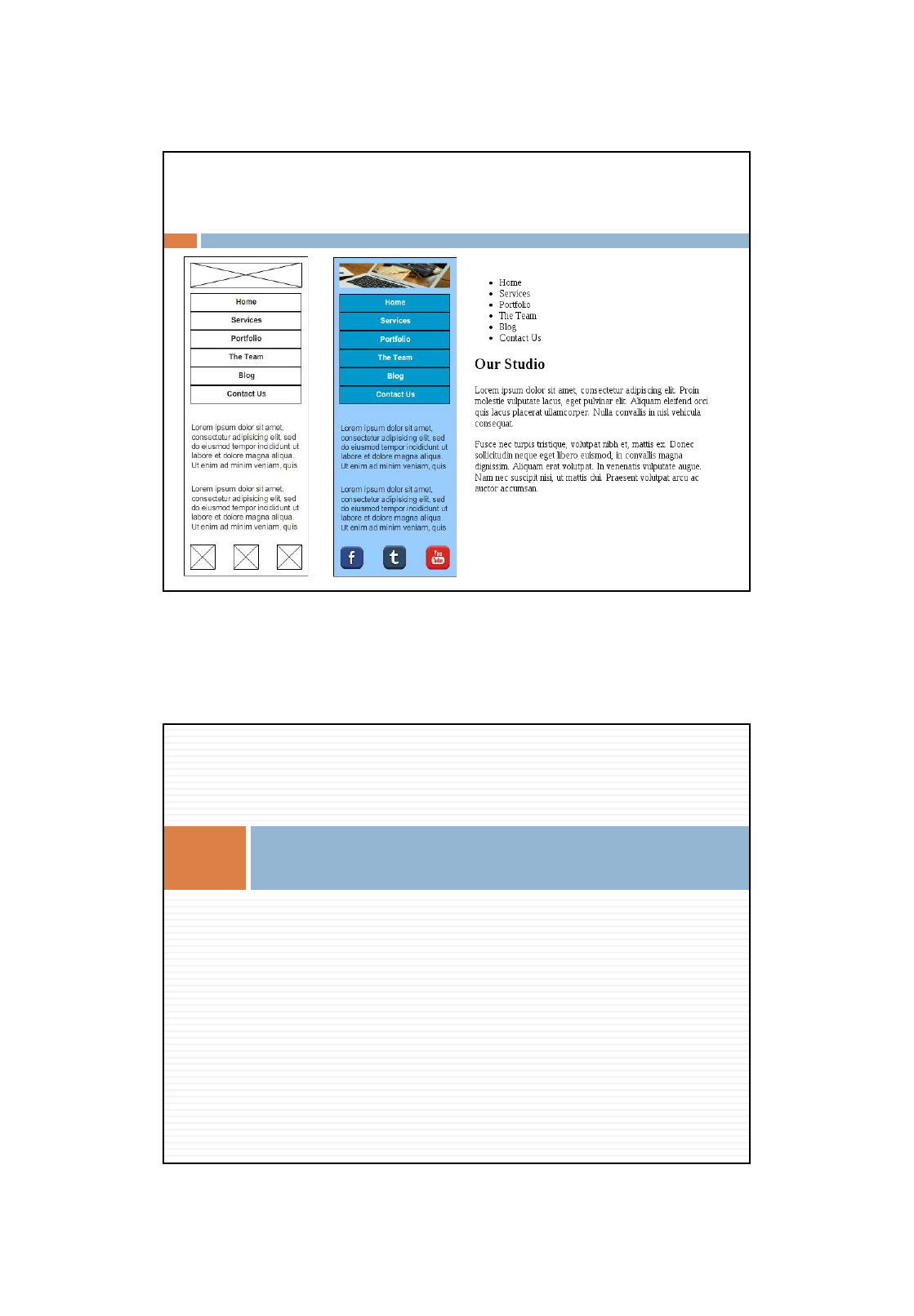
Consider how we move from wireframe to code
Review HTML5 structural tags
Write some Mobile-first HTML5
Review CSS selectors and rules
Create a Mobile-first web page of a wireframe
Intended Learning Outcomes
By the end of the session you should be able to:
Name the main HTML5 structural tags
Use HTML5 structural tags for page development
Describe CSS3 selectors
Use CSS3 to create a simple liquid web page
CIS1019-N Web and Mobile Development 19/06/2017
Ana Brierson 2
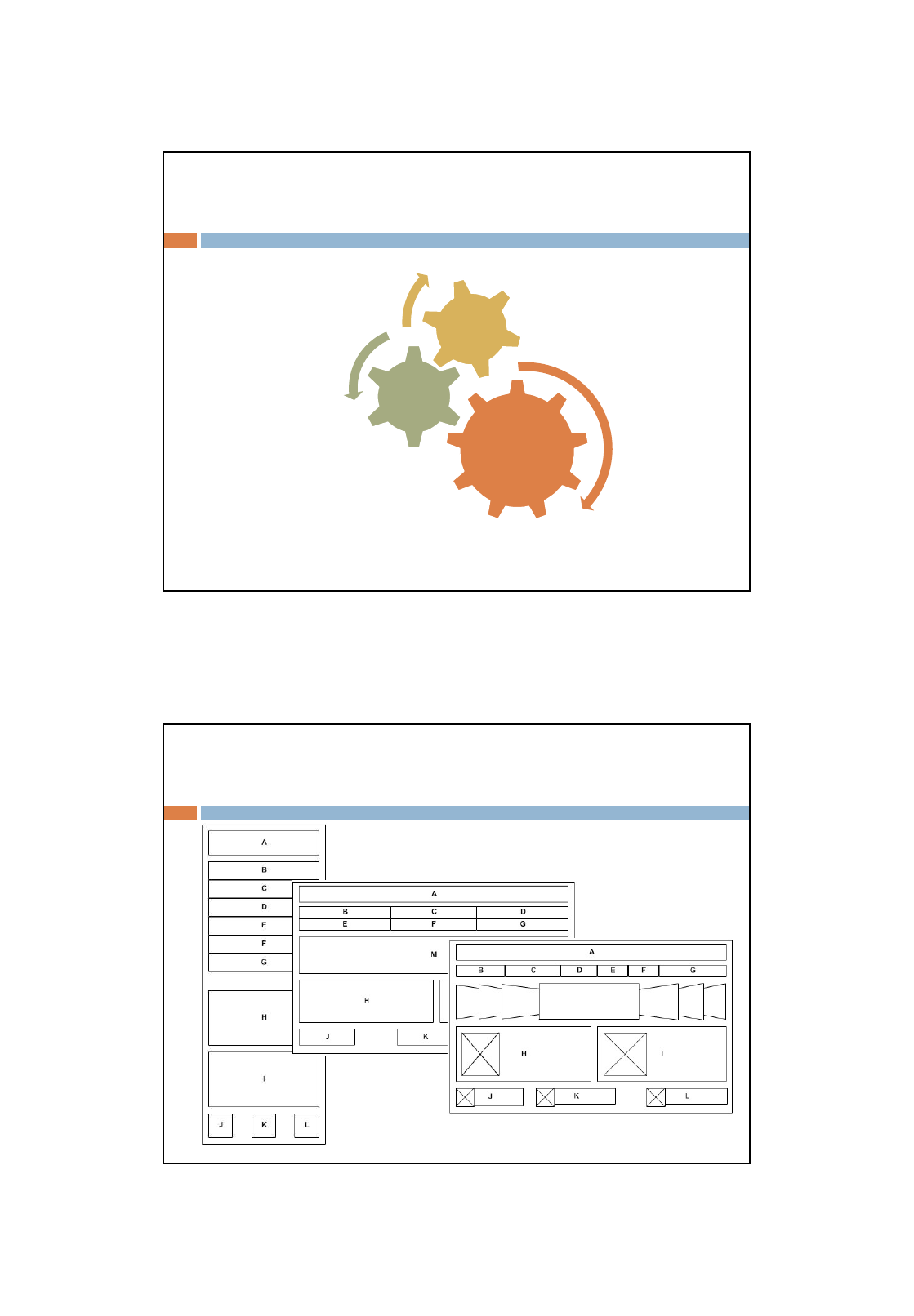
Methodology
HTML5
CSS3
Wireframe
User-centred
Documentation
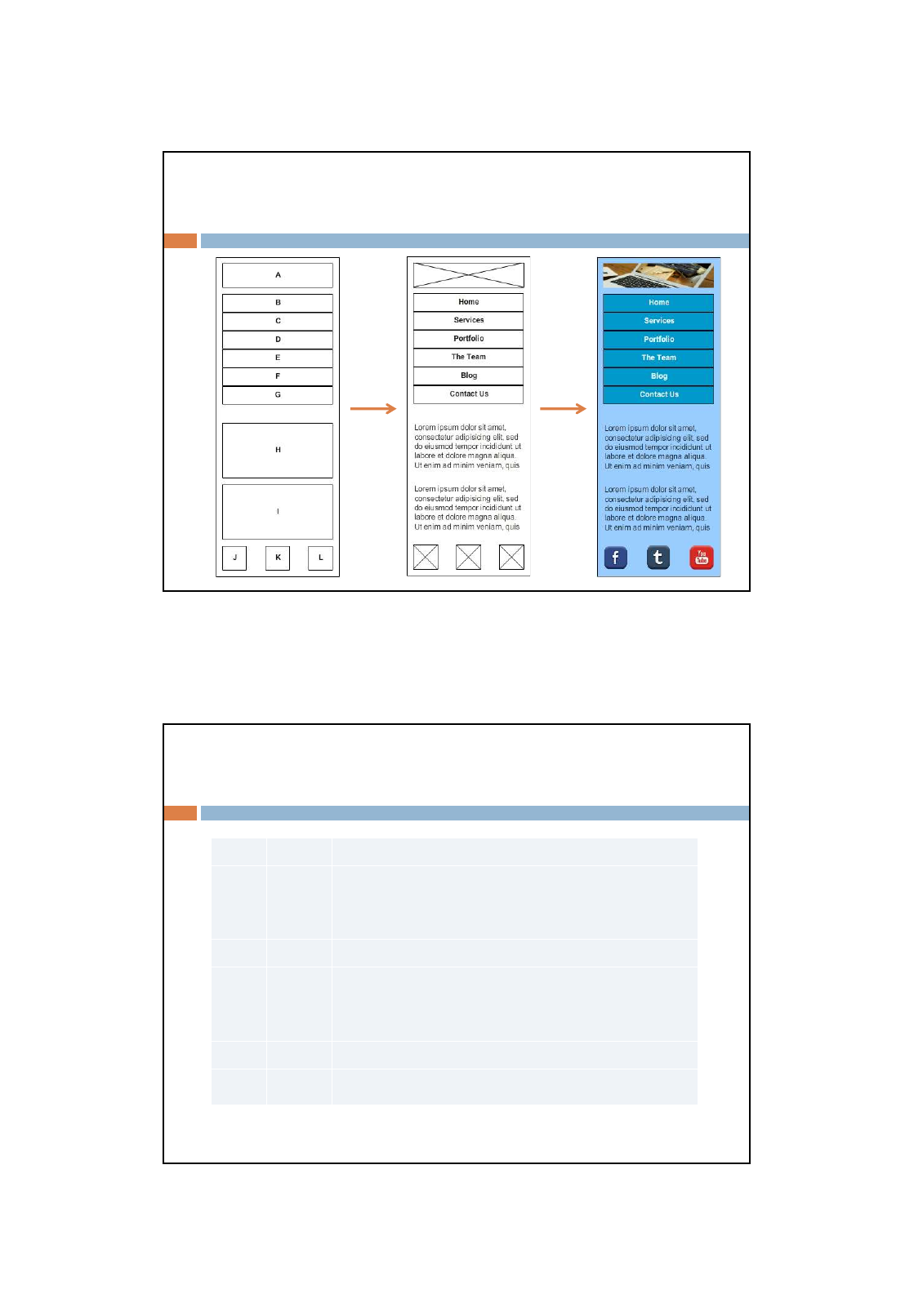
Wireframe Progression
M
CIS1019-N Web and Mobile Development 19/06/2017
Ana Brierson 3
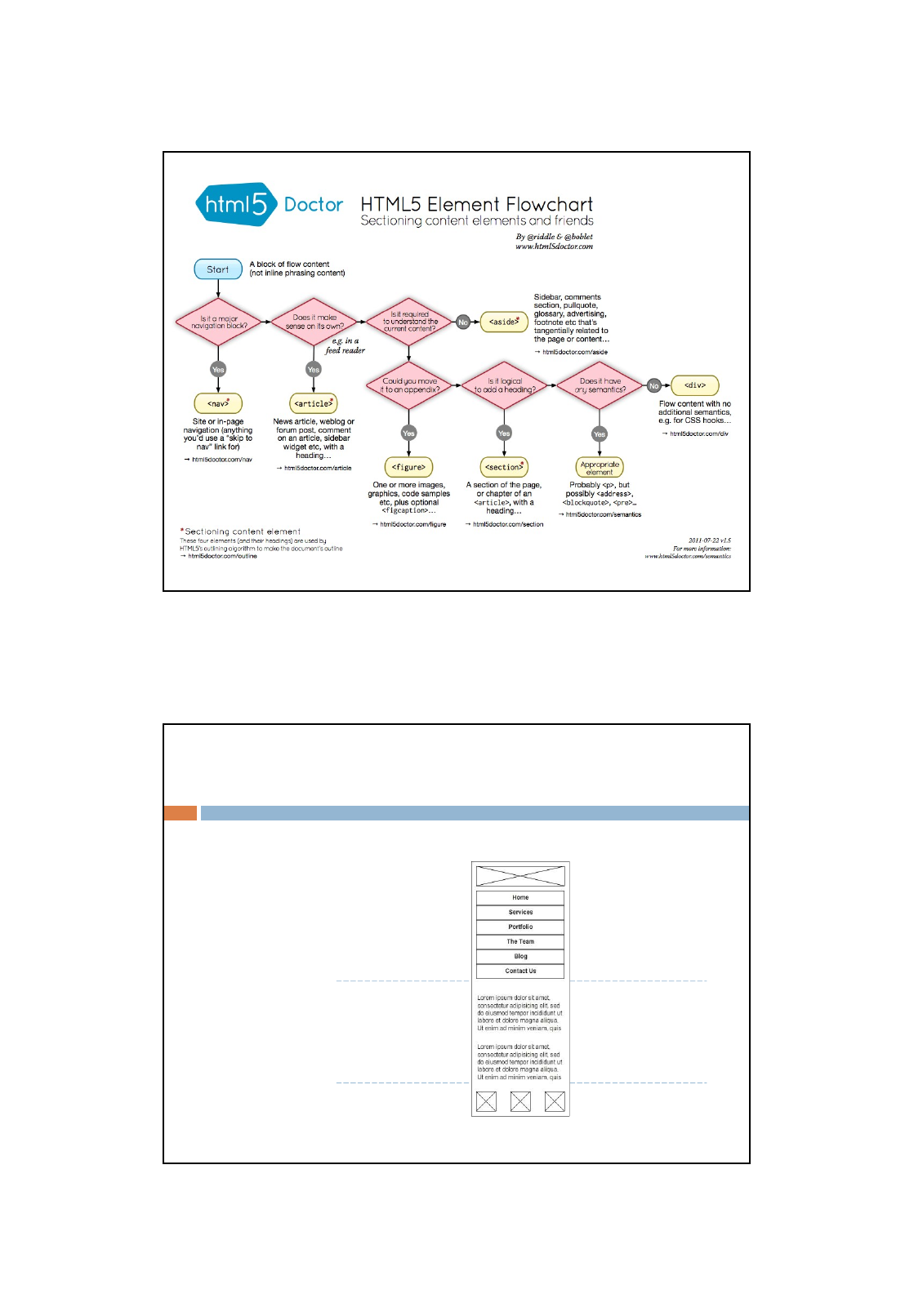
Mobile Fidelity Progression
HTML5 Structural Tags
<section> </section> Contains a thematic grouping of content.
<header> </header> a group of introductory or navigational aids. A header element
typically contains the section’s heading (an <h1>–<h6>), but can
also contain other content, such as a table of contents, a search form,
or any relevant logos.
<nav> </nav> Contains major navigation links.
<footer> </footer> The footer element represents a footer for its nearest ancestor
sectioning content or sectioning root element. A footer typically
contains information about its section such as who wrote it, links to
related documents, copyright data etc.
<article> </article> Represents independent content that could be re-used, eg RSS.
<aside> </aside> Represents content ‘loosely’ related to the main content.
CIS1019-N Web and Mobile Development 19/06/2017
Ana Brierson 4
Mobile-first HTML5
<!DOCTYPE html>
<html>
<head></head>
<body>
</body>
</html>
<img />
<ul>
</ul>
<li></li>
<li></li>
<li></li>
...
<h1></h1>
<p>
</p>
<p>
</p>
<img/><img/><img/>
<header>
<nav>
</nav>
<article>
</article>
<footer></footer>
</header>
Structure Content
CIS1019-N Web and Mobile Development 19/06/2017
Ana Brierson 5
Mobile View
Does it validate?
https://validator.w3.org/
CSS3
CIS1019-N Web and Mobile Development 19/06/2017
Ana Brierson 6
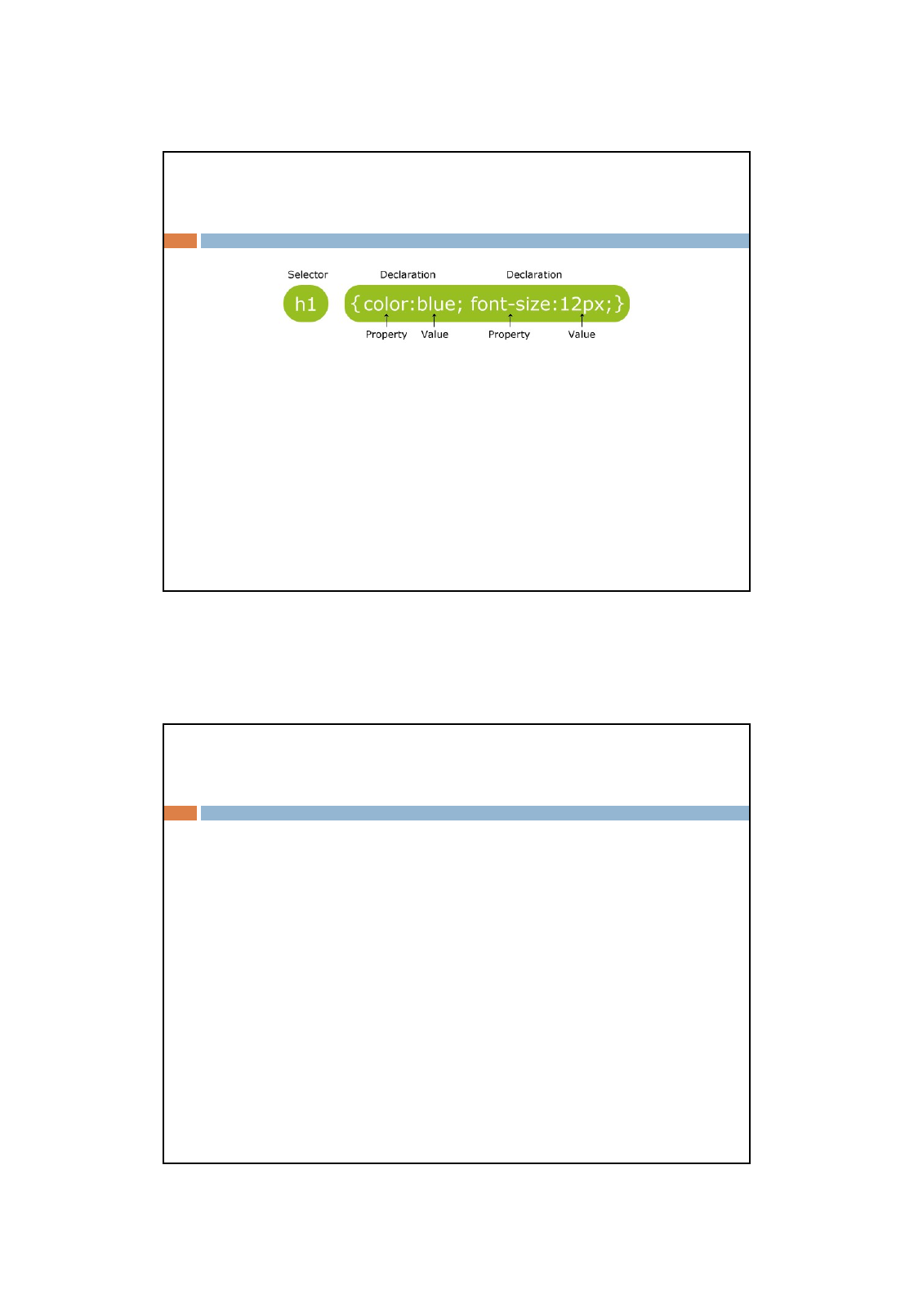
Levels of CSS Style
1. Inline styles appear in the element itself
(single document)
2. Document-level styles appear in the head of the document
(single document)
3. External style sheets are in separate files
(multi-document/site)
A <link> tag is used to specify that the browser is to fetch and
use an external style sheet file
<link
rel=“stylesheet”
type=“text/css”
href=“css/example.css”
/>
4. Browser’s built-in styles
CSS Hierarchy/Cascade
http://webstyleguide.com/wsg3/5-site-
structure/3-site-file-structure.html
CIS1019-N Web and Mobile Development 19/06/2017
Ana Brierson 7
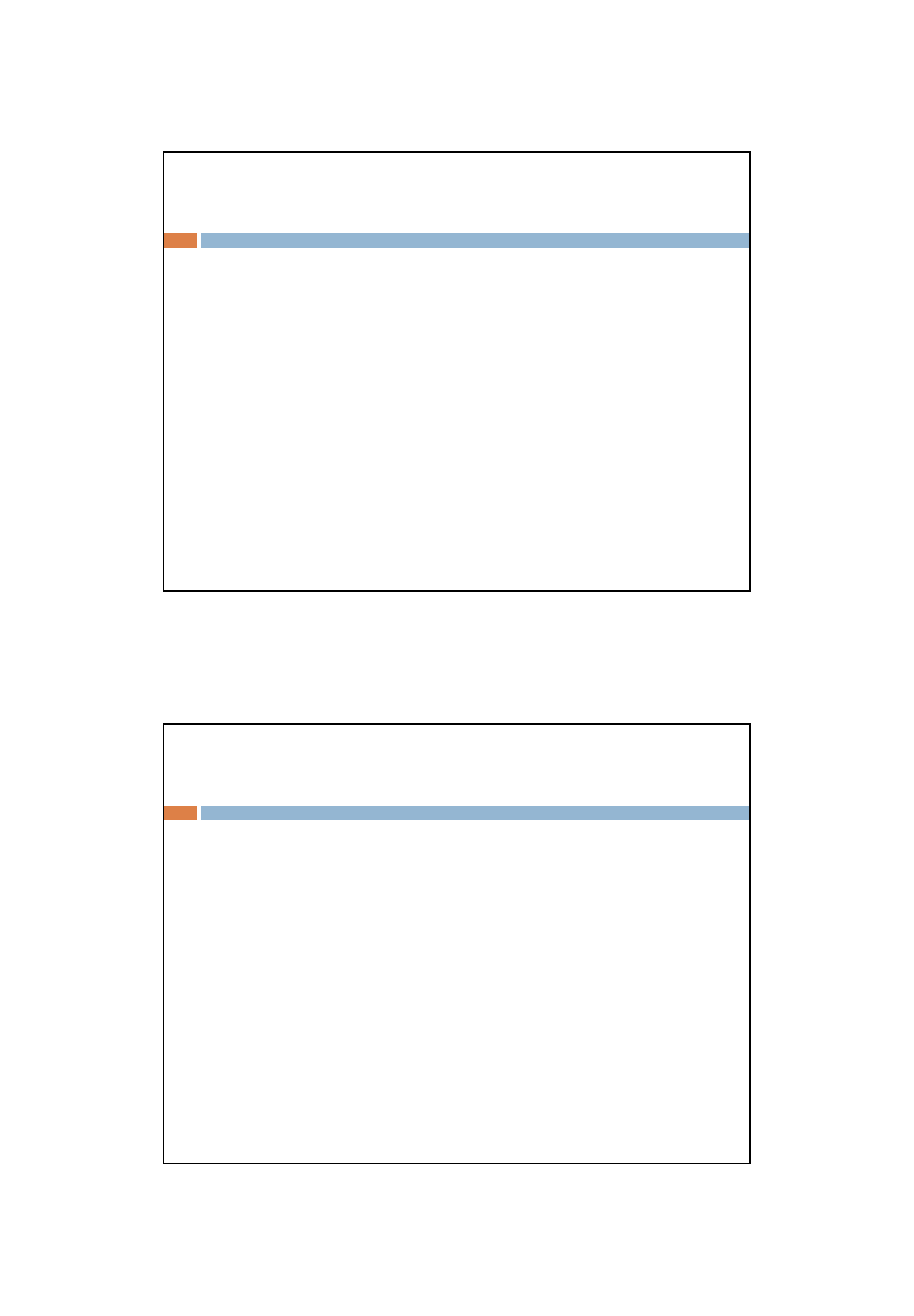
Recap CSS Rules
<head>
<link
rel="stylesheet“
type="text/css“
href=“css/mobile.css“ />
</head>
Simple Selector
The selector is a tag name or a list of tag names, separated
by commas
Examples:
h1 {font-size: 24pt;}
h2, h3 {font-size: 20pt;}
Contextual selectors
Apply style only to elements in specified position in body of
document
List element hierarchy
body p b {font-size: 30pt}
CIS1019-N Web and Mobile Development 19/06/2017
Ana Brierson 8
Class Selector
Used to allow different occurrences of the same tag to
have different style specifications
A style class has a name, which is attached to a tag
name
p.narrow {property:value list}
p.wide {property:value list}
The class you want on a particular occurrence of a tag is
specified with the class attribute of the tag
<p class = "narrow"> ... </p>
...
<p class = "wide"> ... </p>
Generic Selectors
A generic class can be defined if you want a style to apply
to more than one kind of tag
A generic class must be named, and the name must begin
with a period
.really-big { … }
Use in body of doc like normal style class
<h1 class = "really-big"> … </h1>
...
<p class = "really-big"> … </p>
CIS1019-N Web and Mobile Development 19/06/2017
Ana Brierson 9
id Selectors
An id selector allow the application of a style to one specific
element
General form:
#specific-id {property:value list}
In HMTL :
<h2 id = “section3”>
3. Properties for sale
</h2>
Pseudo Classes
Pseudo classes are styles that apply when something
happens, rather than because the target element simply
exists
Names begin with colons
hover class applies when the mouse cursor is over the
element:
article ul li a:hover{
color: #fff ;
}
CIS1019-N Web and Mobile Development 19/06/2017
Ana Brierson 10
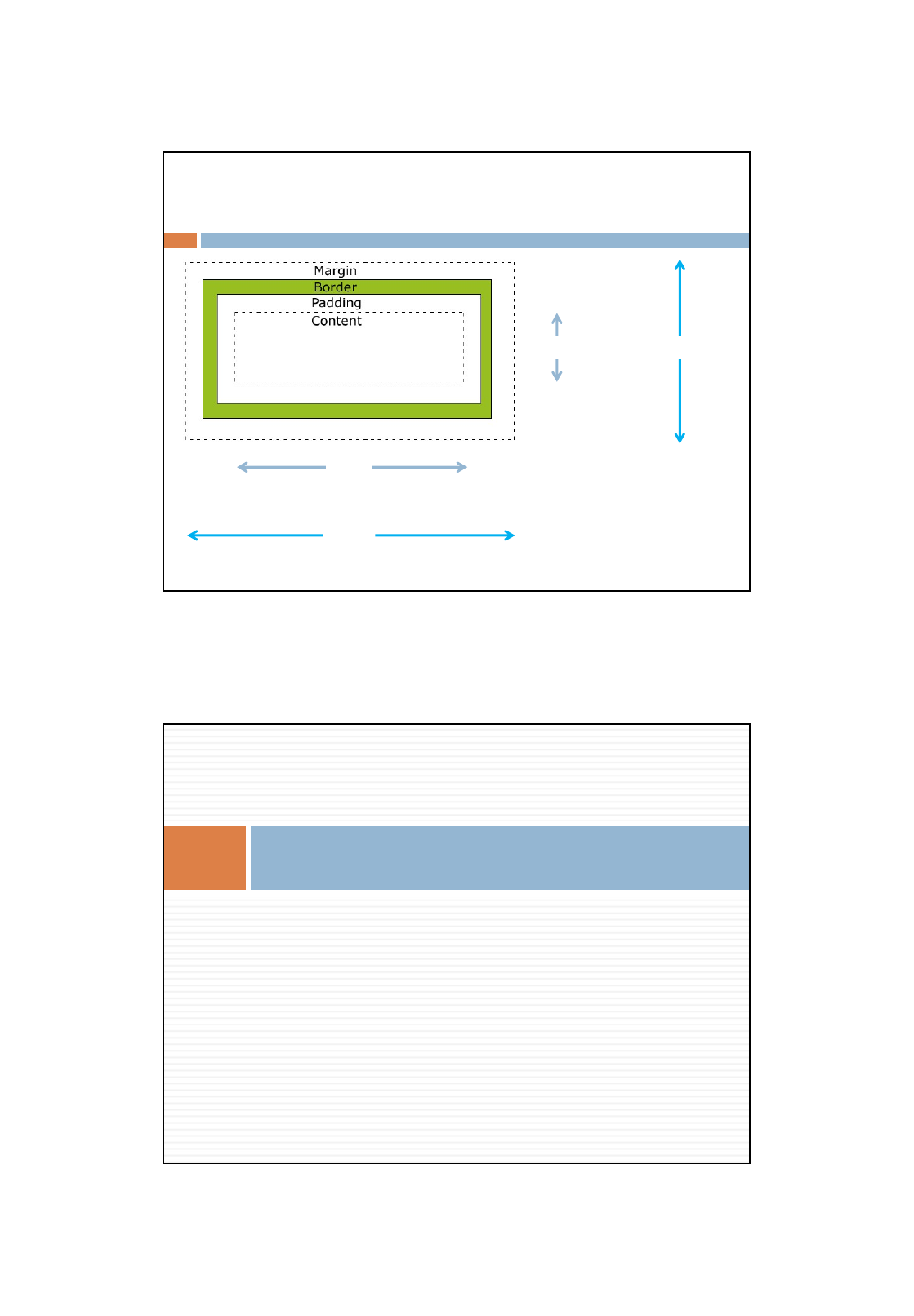
CSS Box Model
width
height
width:500px;
height: 200px;
padding:10px;
border:2px solid green;
margin:10px;
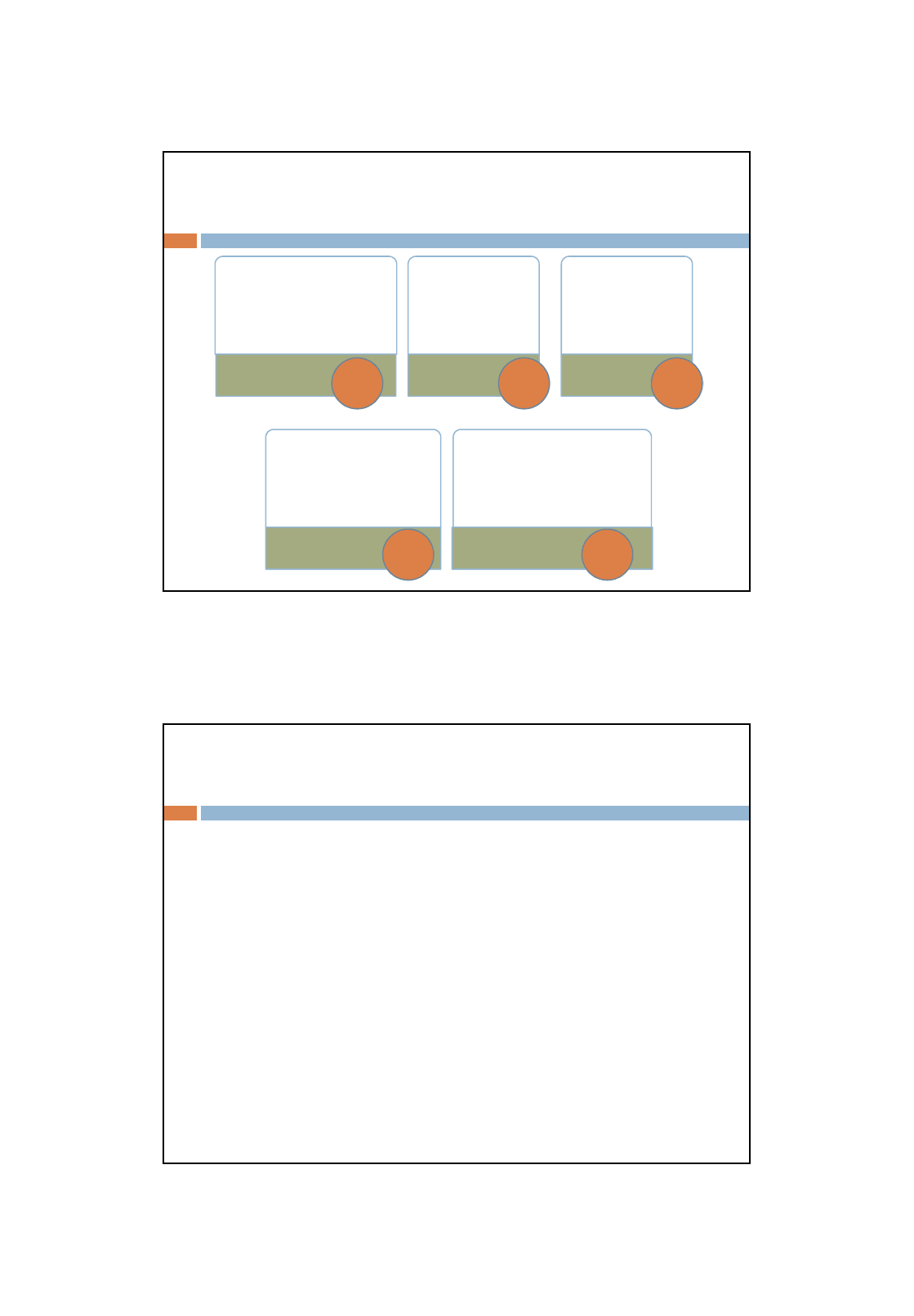
Five steps to a liquid layout!
Mobile-first Liquid Layout
CIS1019-N Web and Mobile Development 19/06/2017
Ana Brierson 11
• tag {
background-color:
#value;
}
Show
structure
• * {
margin: 0;
padding: 0;
}
Remove
margins
• body {
margin-left: 15%;
margin-right:
15%;
}
Centre
Page
• nav li {
display: inline-block;
width: 100%;
}
Style
Navigation
• img {
width: 100px;
height: 100px;
background-color: lightgray;
}
Style Image
placeholders
5-Steps Summary
1 2 3
4 5
What next?
CSS3 id selector for the banner image?
CSS3 class selector for the social media icons?
Adding actual images (to an images folder)?
Writing the editorial text?
Creating hyperlink placeholders?
Thinking about the cascade
CIS1019-N Web and Mobile Development 19/06/2017
Ana Brierson 12
Can you ...?
ILOs
Name the main HTML5 structural tags
Use HTML5 structural tags for page development
Describe CSS3 selectors
Validate your HTML
Validate your CSS
How have we done that?
What can you do to reinforce and extend?
