Introduction To Keywest Technology I3 I 3 Overview
User Manual: I-3 Overview
Open the PDF directly: View PDF  .
.
Page Count: 6
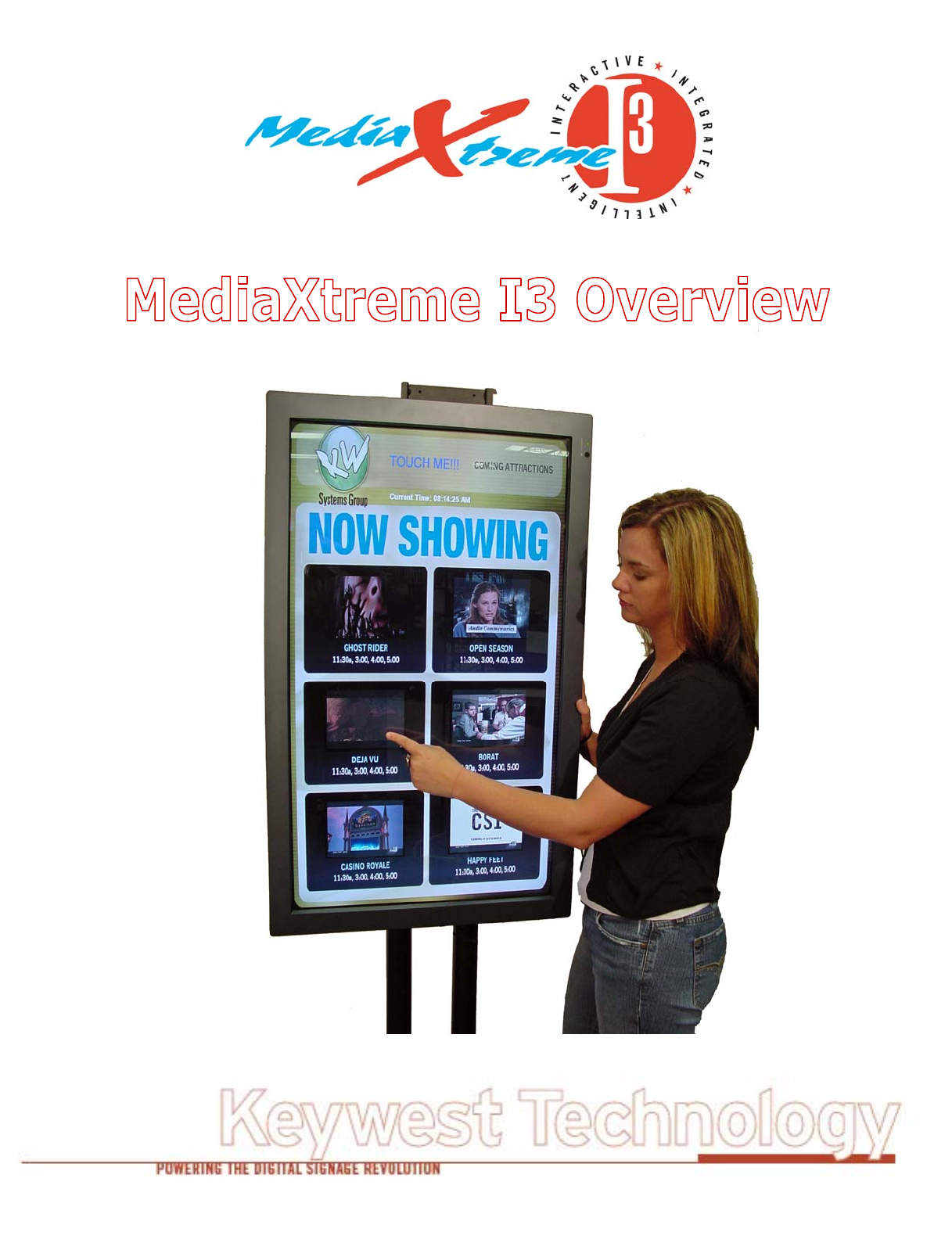
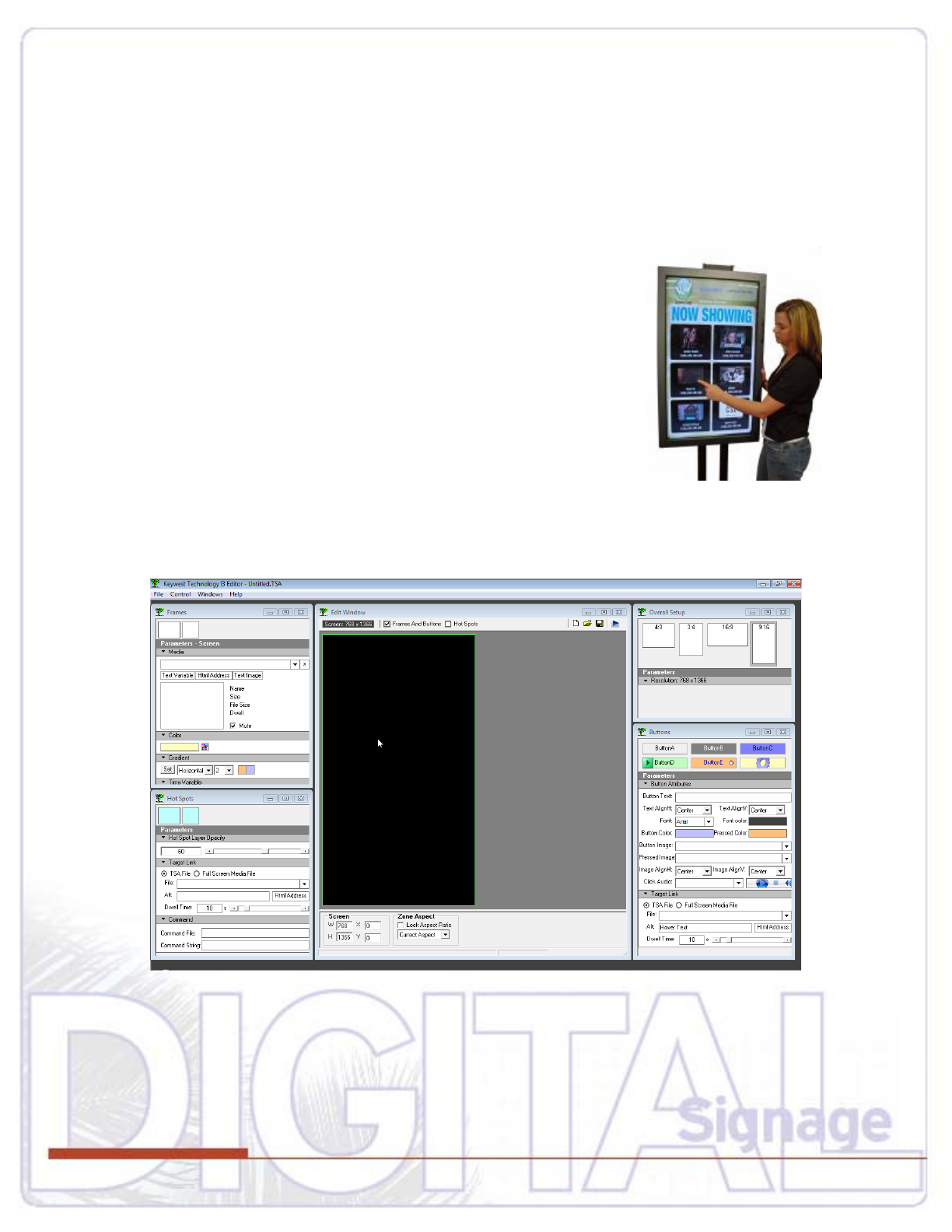
Introduction to MediaXtreme I3
When finding an unfulfilled need, Keywest Technology developed the MediaXtreme I3 (I3 = Interactive,
Intelligent, Integrated) Touch Screen Application creation tool. I3 gives the average or the advanced
user the power to create high-end graphic-rich touch screen modules on any player operating with any
touch screen hardware. No longer does the interactive display need to be embedded code within
proprietary files and no longer is the user subject to the limits of AV Boardroom control panels. I3 finally
combines the best of digital signage with the best of interactivity.
I3 is a software application that will run on any media player level PC
including Keywest Technology’s MXA, Media POD, and Enterprise
player families. It may be purchased as a software only package or as a
complete turn-key system including the touch screen, player, and
associated software.
To qualify as interactive, a display must allow the customer to incite a
reaction--using a touch screen glass module attached to a video screen
that becomes a powerful possibility. I3 allows the user to layer and zone
their own graphics to create a unique customer experience enhancing
their customer’s visits or even assisting in sales.
How It’s Done
The I3 interface was designed for ease of use without hours of studying a manual.
It works on the concept that images are zones on one layer and interactive hot spots are zones on an
upper, transparent layer. To create an interactive screen, a few easy steps must be taken:
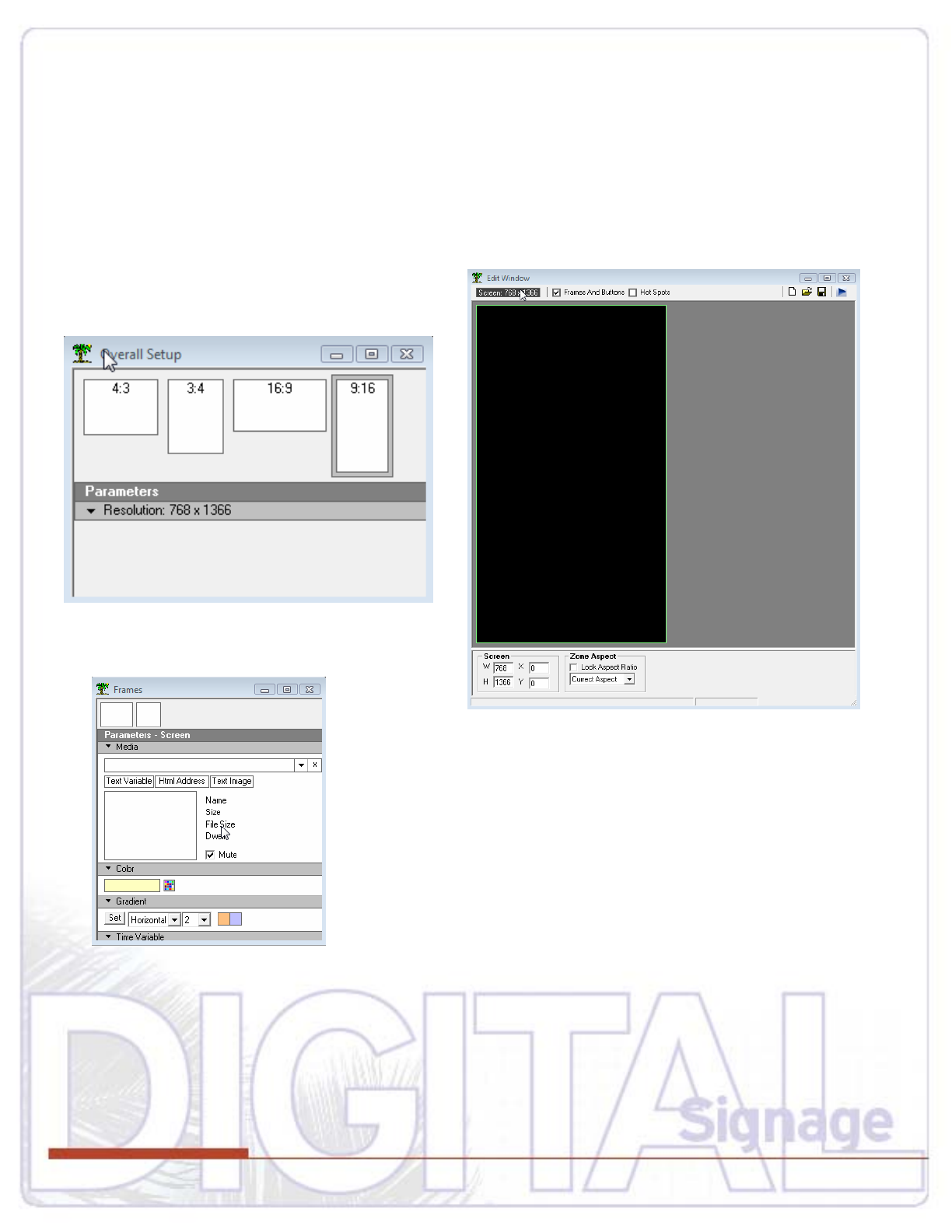
Select Your Target Screen Size
Use the OVERALL SETUP tab to select your monitor aspect ratio and orientation. Our sample will use
portrait 768 x 1366.
Notice the Editor window takes on the selected aspect for “what-you-see-is-what-you-get” creation.
Next, choose an image or video file for the background field on the
touch screen by clicking the selection box down arrow to browse all
available drives. Once the background is selected, it appears in the
editor window.
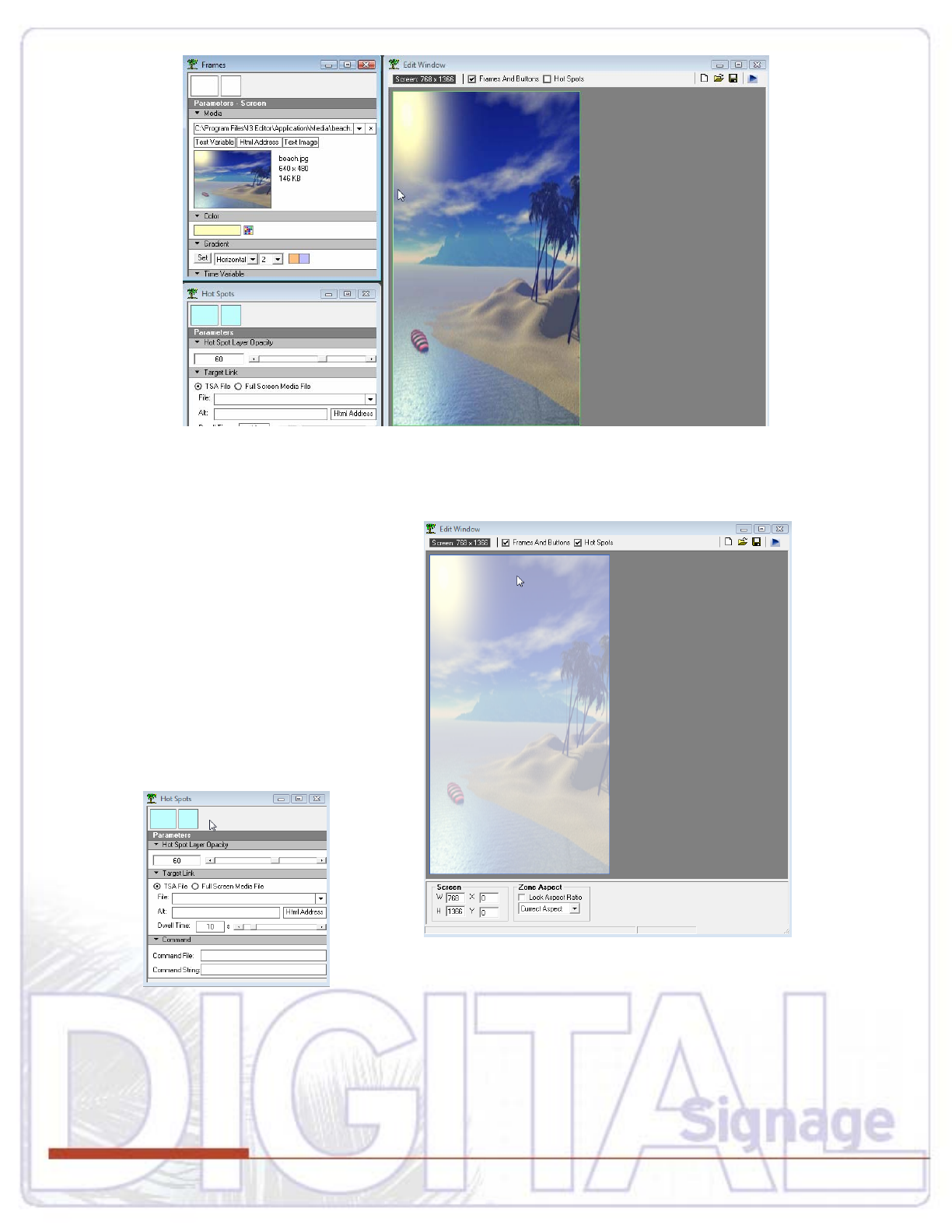
A designer could add more frames on this image layer—picture boxes, video boxes, text boxes or even
pre-made buttons.
For this example though, the surfboard will
be the target. Clicking the HOT SPOTS
box will activate the Hot Spot layer.
The editor screen takes on a translucent
mask indicating hot spot mode is active.
Next, the operator uses the hot spot
selection window to add a hot spot to the
screen.
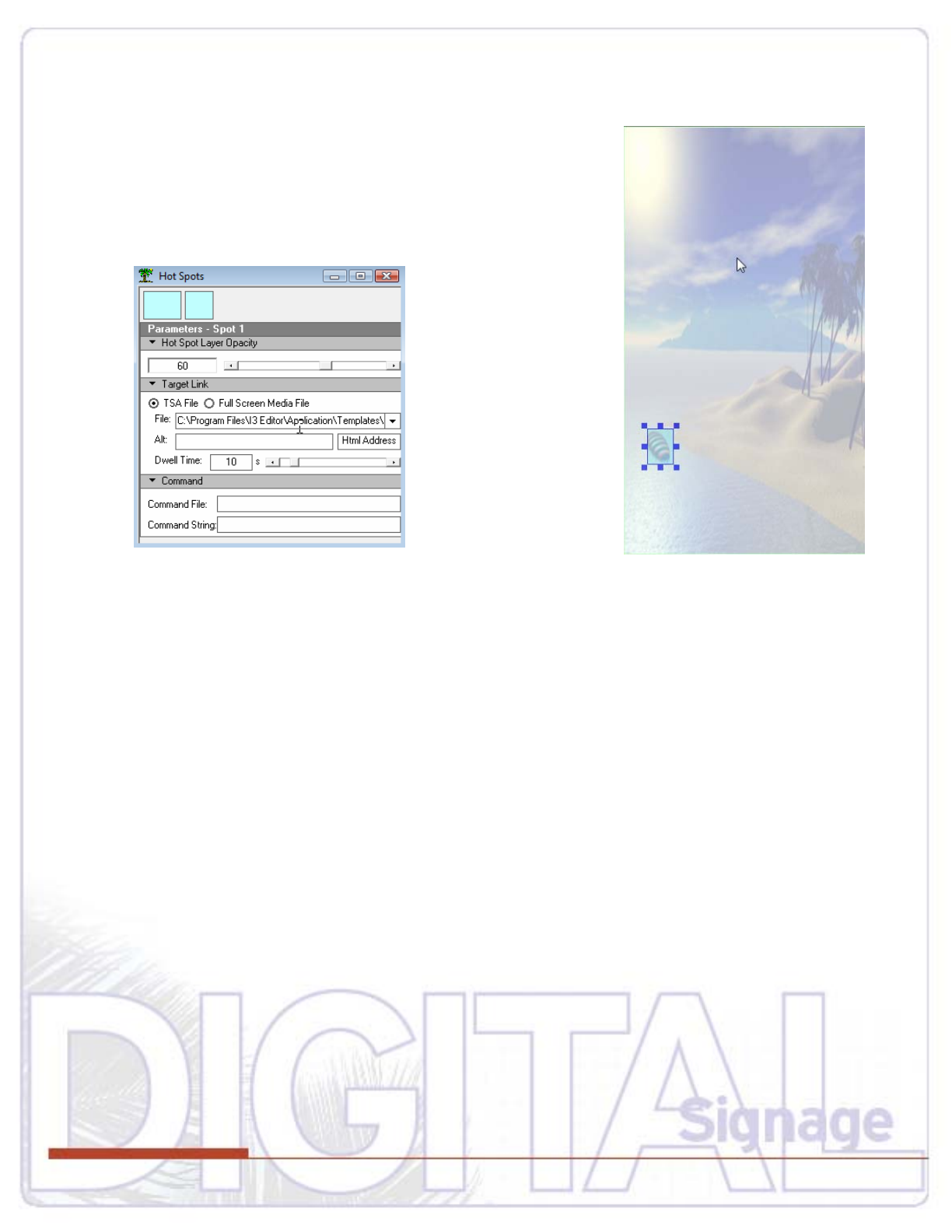
Double-clicking on the Hot Spot square or rectangle shape will dro
screen…next is the function to drag and size that hot spot directly ov
Using th
p a hot spot onto the editor
er the surfboard in the image.
e Hot Spot selection window, an action is programmed—
either open up a media file (play a movie, open a still, play a sound,
tc…) or link to another TSA file by selecting with the drop down
A TSA file is the combined images and hot spot layers on one page created with I3 (TSA=Touch Screen
r intuitive
designated for function when a hot spot is activated. These commands may be RS-232, RS-422 (485),
y,
I3 software will also work with external sensors: Bar Code and Magnetic Card Stripe readers can be
, and EIZ players to form a hybrid device
where the player software functions as digital signage until the screen is interacted with, at that point I3
kes over and doesn’t relinquish control until the display touch has returned to idle state. Player
software can be sold separately but bundle pricing is available.
e
arrow.
Application). One TSA file hot spot may call another TSA file…TSA’s can be nested infinitely fo
interactivity.
In addition to TSA and Media files that may be initiated by a hot spot, a command may also be
Network, or even General Purpose Interrupt (GPI) controlling external devices such as lighting, draper
other media players, doors, emergency equipment, etc…
connected—the sliding of a credit card for instance can generate an e-commerce event; or the sliding of
a hotel key can reserve a table at a restaurant.
Additionally, I3 works with Keywest Technology Media POD, MX
ta

In conclusion, imagine the power to create a display in a tire store running a video of a car driving dow
the highway…the customer touches the screen on the wheel and a menu of available wheels and tires
appear of course suggesting to the user that the high end tires gives him or her an edge; or owning a
movie theater and providing a trailer preview service on an I3 screen so customers can choose what to
see that day, making their visit that much more pleasant; or owning a restaurant in a hotel that requires
reservations—the guest maybe coming from the pool and will decide to eat in because using the touch
screen an
it should ma
a car driving dow
the highway…the customer touches the screen on the wheel and a menu of available wheels and tires
appear of course suggesting to the user that the high end tires gives him or her an edge; or owning a
movie theater and providing a trailer preview service on an I3 screen so customers can choose what to
see that day, making their visit that much more pleasant; or owning a restaurant in a hotel that requires
reservations—the guest maybe coming from the pool and will decide to eat in because using the touch
screen an
it should ma
n
d room key to make the reservation was fast and painless. Technology has reached the point
ke life easier even at the design stage—Keywest Technology’s I3 hurdles the very bar it has
ow set.
r any size budget because they are scalable from very basic to
exotic. You can purchase our components ả la carte, or we can customize to specific requirements to
n
d room key to make the reservation was fast and painless. Technology has reached the point
ke life easier even at the design stage—Keywest Technology’s I3 hurdles the very bar it has
ow set.
r any size budget because they are scalable from very basic to
exotic. You can purchase our components ả la carte, or we can customize to specific requirements to
nn
About Keywest Technology
Our key business is providing the software and hardware that powers digital signage. Keywest
Technology solutions are affordable fo
About Keywest Technology
Our key business is providing the software and hardware that powers digital signage. Keywest
Technology solutions are affordable fo
meet your out-of-the-box objectives.
Our portfolio includes more than technology. Keywest meets your unique needs with special attention
through our Systems Group
meet your out-of-the-box objectives.
Our portfolio includes more than technology. Keywest meets your unique needs with special attention
through our Systems Group. They are digital signage engineers who understand your dreams and can
turn them into reality. Through Keywest Systems Group, we can turnkey your digital signage system and
with a “no
provide you with on-site installation and training.
Owning technology should be about benefits –not technical headaches. MediaXtreme comes
worry” warranty that includes real time technical support. Our TotalCARE support department is available
uick, expert support.
Contact us and let us know:
19
logy.com
15 hours a day and can be contacted via telephone, chat or email for q
How can Keywest Technology help you?
Call inside United States: 800-331-20
Call International: +1-913-492-4666
mailto:feedback@keywesttechno
ww.KeywestTechnology.comw
