ILD IDR Instructions
ILD-IDR-instructions
User Manual:
Open the PDF directly: View PDF  .
.
Page Count: 4
ILD IDR: Technical note
Ties Behnke, 22.6.2018
Structure of the tex system
The DBD will be typeset in latex (pdflatex, to be precise). The following structure of tex input files has
been setup:
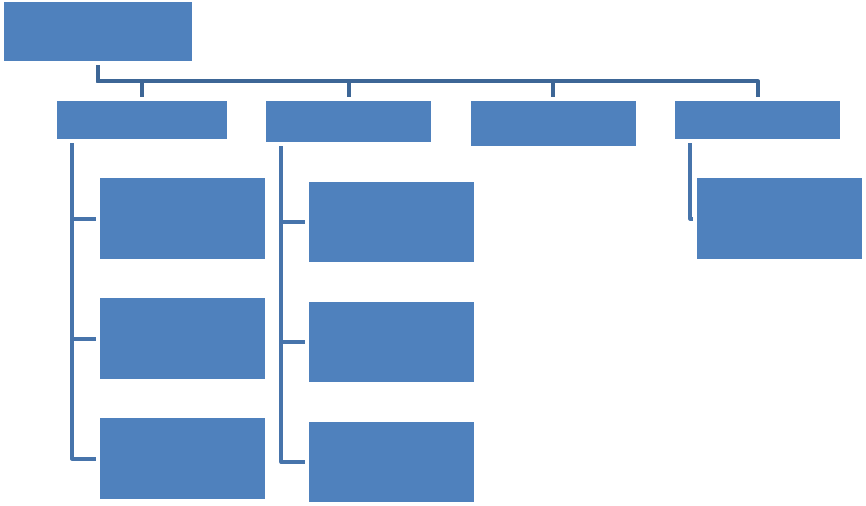
Each Chapter has its own ILD-master file, which calls the individual contributions. Authors should only
work with the section files, which are located in subdirectories named after the chapter.
Within each directory all figures are collected in one fig subdirectory.
References should be coded using the bibtex system. All references are collected in one main
bibliography file, ild-master.
Naming Conventions
Each item (chapter heading, section heading, figure, table, etc) should have a latex label. To make the
label unique please follow the following naming convention:
- All labels start with ild:
- All labels are then followed with “chap” or “sec” or “tab” or “fig” to indicate that they are
chapter or section level, a table or a figure label, and the name of the chapter/ section/ table/
figure: ild:chap:intro, ild:sec:ecal
Beyond this authors are free to choose their own labels.
ILD-master.tex
ILD-master-XXX.tex
section1.tex
section2.tex
...
ILD-master-YYY.tex
section1.tex
section2.tex
...
... Bibliography
ILD-master.bib

For references please also prefix your reference with ild:bib:label, to make sure that ild references are
clearly separate from others. Please always check the bibtex file to make sure that your reference has
not been used by someone else already.
SVN repository
All files for the DBD are collected into one svn repository. This repository is hosted at DESY. Access to it is
either in read only mode or as an author, with write access. In the latter case you need a special account
(there is no need for a DESY account for this). All authors will receive write access to the repository.
Read access to the repository can be made through a WEB interface. The address of the repository is
https://svnsrv.desy.de/baswebsvn/wsvn/General.ILDIDR/trunk/
Read access is given with the following identifications: user ILDReader@desy.de, password ilddbd!
For write access you need access to a svn installation on your local computer. Most systems support a
command line interface, on some, GUI’s are available as well (e.g. tortoise (see
http://tortoisesvn.tigris.org/) under windows). You will need to specify the repository location in the
following way:
https://svnsrv.desy.de/desy/ILDIDR/trunk (users with DESY account)
https://svnsrv.desy.de/basic/ILDIDR/trunk (users without DESY account)
If you do not have a DESY account, a special svn account will be created for you. Login will be your e-mail
address, password initially as above for the read access (you should then change this yourself).
We will create regularly tags of the draft, which are then frozen. The latest tags will be linked from the ild
WEB page, and will be available in the tags subdirectory of the repository.
Managing References
All references for the DBD are kept in the bibtex database. Handling and managing this can be a bit
intimidating for large projects like the DBD. A very nice tool exists which provides a very convenient
interface to the bibtex database. This tool (JABREF, see http://sourceforge.net/projects/jabref/) is
available for windows, MAC and linux users and – being a Java program – is very simple to install and
run. We recommend that authors use this tool to manage the bibliography connected to their parts, use
this to make sure that their references are not yet available in the bibtex file, and use it to add to the
database. The program will also ensure that the syntax for entries is correct. If you do not want to install
the software a WEB interface is also available.
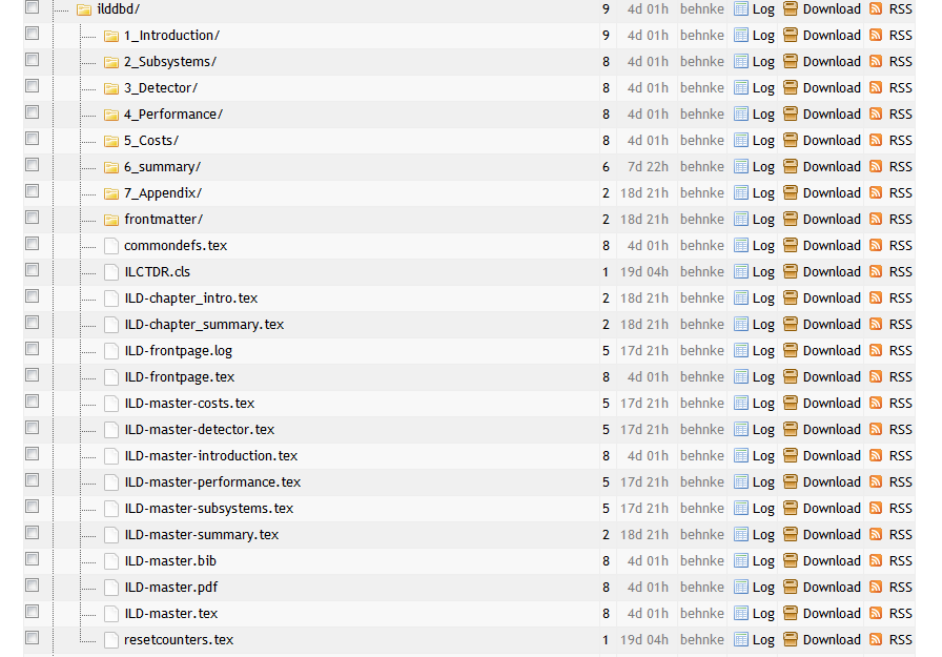
Figure 1: Screenshot of the ILD DBD repository, showing the proposed directory structure.
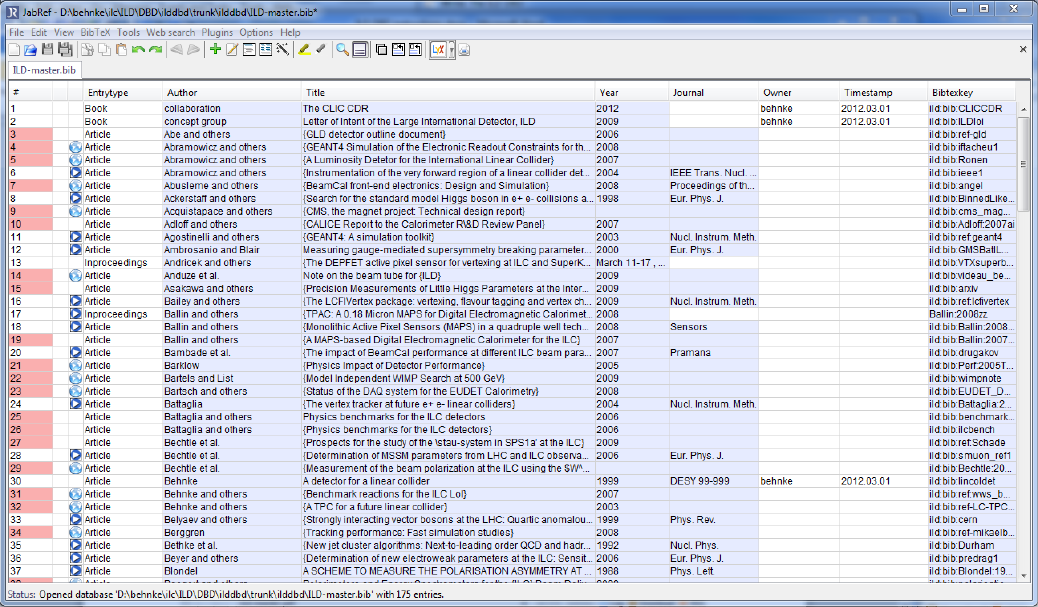
Figure 2: Screenshot of the Bibliography manager JabRef which can help in the management of the bibliography through
bibtex.
