LDX 3200 Series Precision Laser Diode Driver Manual MISCELLANEOUS/ILX LIGHTWAVE LDX3200 INST ILX
User Manual: MISCELLANEOUS/ILX LIGHTWAVE LDX3200 SERIES INST
Open the PDF directly: View PDF  .
.
Page Count: 119 [warning: Documents this large are best viewed by clicking the View PDF Link!]
User’s Guide
Precision Current Source
LDX-3200 Series
ILX Lightwave Corporation P. O. Box 6310 Bozeman, MT, U.S.A. 59771 : · · · 1-800-459-9459 · ·
www.ilxlightwave.com
U.S. & Canada International Inquiries: 406-586-1244 Fax 406-586-9405
E-mail: support@ilxlightwave.com
7002820200_7/01
Safety and Warranty Information
! ! ! ! ! ! ! ! ! ! ! ! ! ! ! ! ! !
S
AFETY
AND
W
ARRANTY
I
NFORMATION
The Safety and Warranty Information section provides details about cautionary symbols used in the
manual, safety markings used on the instrument, and information about the Warranty including
Customer Service contact information.
Safety Information and the Manual
Throughout this manual, you will see the words Caution and Warning indicating potentially
dangerous or hazardous situations which, if not avoided, could result in death, serious or minor
injury, or damage to the product. Specifically:
!
CAUTION
Caution indicates a potentially hazardous situation which can result in minor or
moderate injury or damage to the product or equipment.
WARNING
Warning indicates a potentially dangerous situation which can result in serious injury or
death.
WARNING
Visible and/or invisible laser radiation. Avoid direct exposure to the beam.
General Safety Considerations
If any of the following conditions exist, or are even suspected, do not use the instrument until safe
operation can be verified by trained service personnel:
•Visible damage
•Severe transport stress
•Prolonged storage under adverse conditions
•Failure to perform intended measurements or functions
If necessary, return the instrument to ILX Lightwave, or authorized local ILX Lightwave distributor,
for service or repair to ensure that safety features are maintained (see the contact information on
page vi).
All instruments returned to ILX Lightwave are required to have a Return Authorization Number
assigned by an official representative of ILX Lightwave Corporation. See Returning an Instrument on
page v for more information.
Safety and Warranty Information
S
AFETY
S
YMBOLS
This section describes the safety symbols and classifications.
Technical specifications including electrical ratings and weight are included within the manual. See
the Table of Contents to locate the specifications and other product information. The following
classifications are standard across all ILX Lightwave products:
•Indoor use only
•Ordinary Protection: This product is NOT protected against the harmful ingress of moisture.
•Class I Equipment (grounded type)
•Mains supply voltage fluctuations are not to exceed ±10% of the nominal supply voltage.
•Pollution Degree II
•Installation (overvoltage) Category II for transient overvoltages
•Maximum Relative Humidity: <80% RH, non−condensing
•Operating temperature range of 0 °C to 40 °C
•Storage and transportation temperature of ˘40 °C to 70 °C
•Maximum altitude: 3000 m (9843 ft)
•This equipment is suitable for continuous operation.
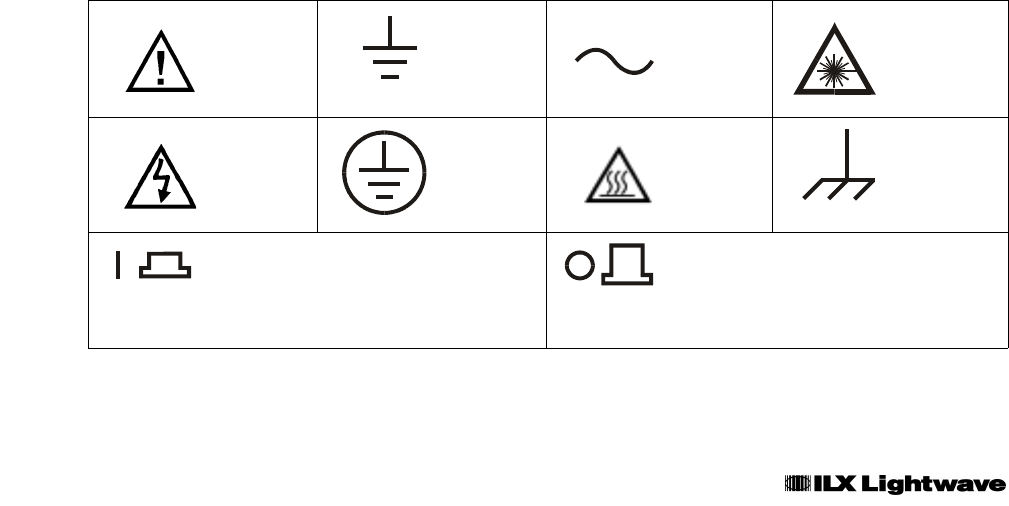
Safety Marking Symbols
This section provides a description of the safety marking symbols that appear on the instrument.
These symbols provide information about potentially dangerous situations which can result in death,
injury, or damage to the instrument and other components.
Caution,
refer to
manual
Earth
ground
Terminal
Alternating
current
Visible and/or
invisible laser
radiation
Caution, risk
of electric
shock
Protective
Conductor
Terminal
Caution, hot
surface
Frame or
chassis
Terminal
On: In position of a bistable push control. The
slash (I) only denotes that mains are on.
Off: Out position of a bistable push control.
The circle (O) only denotes that mains are off.
or
(I) or
(O)

Safety and Warranty Information
W
ARRANTY
ILX LIGHTWAVE CORPORATION warrants this instrument to be free from defects in material and
workmanship for a period of one year from date of shipment. During the warranty period, ILX will
repair or replace the unit, at our option, without charge.
Limitations
This warranty does not apply to fuses, lamps, defects caused by abuse, modifications, or to use of
the product for which it was not intended.
This warranty is in lieu of all other warranties, expressed or implied, including any implied warranty
of merchantability or fitness for any particular purpose. ILX Lightwave Corporation shall not be liable
for any incidental, special, or consequential damages.
If a problem occurs, please contact ILX Lightwave Corporation with the instrument’s serial number,
and thoroughly describe the nature of the problem.
Returning an Instrument
If an instrument is to be shipped to ILX Lightwave for repair or service, be sure to:
1Obtain a Return Authorization number (RA) from ILX Customer Service.
2Attach a tag to the instrument identifying the owner and indicating the required service or
repair. Include the instrument serial number from the rear panel of the instrument.
3Attach the anti−static protective caps that were shipped with the instrument and place the
instrument in a protective anti−static bag.
4Place the instrument in the original packing container with at least 3 inches (7. 5 cm) of
compressible packaging material. Shipping damage is not covered by this warranty.
5Secure the packing box with fiber reinforced strapping tape or metal bands.
6Send the instrument, transportation pre−paid, to ILX Lightwave. Clearly write the return
authorization number on the outside of the box and on the shipping paperwork. ILX
Lightwave recommends you insure the shipment.
If the original shipping container is not available, place your instrument in a container with at least 3
inches (7.5 cm) of compressible packaging material on all sides.
Repairs are made and the instrument returned transportation pre−paid. Repairs are warranted for the
remainder of the original warranty or for 90 days, whichever is greater.
Claims for Shipping Damage
When you receive the instrument, inspect it immediately for any damage or shortages on the
packing list. If the instrument is damaged, file a claim with the carrier. The factory will supply you
with a quotation for estimated costs of repair. You must negotiate and settle with the carrier for the
amount of damage.

Safety and Warranty Information
Comments, Suggestions, and Problems
To ensure that you get the most out of your ILX Lightwave product, we ask that you direct any
product operation or service related questions or comments to ILX Lightwave Customer Support.
You may contact us in whatever way is most convenient:
Phone . . . . . . . . . . . . . . . . . . . . . . . . . . . (800) 459−9459 or (406) 586−1244
Fax . . . . . . . . . . . . . . . . . . . . . . . . . . . . . . . . . . . . . . . . . . . . . (406) 586−9405
Email. . . . . . . . . . . . . . . . . . . . . . . . . . . . . . . . . . . . support@ilxlightwave.com
Or mail to:
ILX Lightwave Corporation
P. O. Box 6310
Bozeman, Montana, U.S.A 59771
www.ilxlightwave.com
When you contact us, please have the following information:
If ILX Lightwave determines that a return to the factory is necessary, you are issued a Return
Authorization (RA) number. Please mark this number on the outside of the shipping box.
You or your shipping service are responsible for any shipping damage when returning the
instrument to ILX Lightwave; ILX recommends you insure the shipment. If the original shipping
container is not available, place your instrument in a container with at least 3 inches (7.5cm) of
compressible packaging material on all sides.
We look forward to serving you even better in the future!
Model Number:
Serial Number:
End−user Name:
Company:
Phone:
Fax:
Description or sketch of what
is connected to the ILX
Lightwave instrument:
Description of the problem:
Table of Contents
Chapter 1 Introduction to the LDX-3200 Series
Introduction ...............................................................................................................................................................1
Safety Symbols and Terms ..............................................................................................................................................2
Product Overview ............................................................................................................................................................2
Initial Inspection..............................................................................................................................................................2
Installing your LDX-3200 Precision Current Source.......................................................................................................3
Maintenance ...............................................................................................................................................................4
How to Obtain Repair Services .......................................................................................................................................6
LDX-3200 Series Specifications......................................................................................................................................6
Available Options and Accessories .................................................................................................................................8
Chapter 2 How to Operate Your LDX-3200
Introduction ...............................................................................................................................................................1
Applying Power to Your LDX-3200 ..............................................................................................................................1
Connecting to the Laser ...................................................................................................................................................2
Front Panel Operation .....................................................................................................................................................5
Operating a Laser in Constant Current, “I” Mode .........................................................................................................5
Operating a Laser in Constant Power Mode, P...............................................................................................................7
Error Indicators ...............................................................................................................................................................8
Chapter 3 Operating in Remote Control
Introduction ...............................................................................................................................................................1
LDC-3700B Series Current Source Command Set...........................................................................................................2
Status Reporting..............................................................................................................................................................7
Chapter 4 Command Reference
Introduction ...............................................................................................................................................................1
LDX-3200 Series Device-Dependent Commands ...........................................................................................................4
LDX-3200 Series Device-Dependent Command Reference ............................................................................................5
Chapter 5 Functions and Features
Introduction ...............................................................................................................................................................1
Saving and Recalling from the Front Panel.......................................................................................................................1
Using the Laser Compliance Voltage Adjustment ...........................................................................................................2
Using the LDX-3200 Trigger Function............................................................................................................................2
Modulating the Laser Current Source..............................................................................................................................3
Chapter 6 Calibration and Troubleshooting Guide
Introduction ...............................................................................................................................................................1
Local Calibration of the LDX-3200 Series Current Source..............................................................................................2
Remote Calibration of the LDX-3200 Series Current Source..........................................................................................6
Troubleshooting Guide ..................................................................................................................................................10

INTRODUCTION TO THE LDX-3200 SERIES CHPT 1
CHAPTER 1 1
INTRODUCTION TO THE LDX-3200 SERIES 1
Introduction 1
Product Overview 2
Initial Inspection 2
Installing Your LDX-3200 Precision Current Source 3
Grounding requirements 3
AC Line Power Requirements 3
GPIB Connector 3
The GPIB Address 3
Tilt-Foot Adjustment 4
Operating the LDX-3200 Precision Current Source 4
Maintenance 5
How to Obtain Repair Services 6
General Shipping Instructions 6
LDX-3200 Series Specifications 7
Laser Current Source Specifications 7
Available Options and Accessories 8

INTRODUCTION TO THE LDX-3200 SERIES CHPT 1
PAGE 1
CHAPTER 1
INTRODUCTION TO THE LDX-3200 SERIES
INTRODUCTION
This chapter is an introduction to the LDX-3200 Series Precision Current Sources containing unpacking information,
instructions on how to install and apply power, and safety considerations and instructions. It also contains some
maintenance information, specifications, and listings of the LDX-3200 options and accessories.
WARNING
If any of the following symptoms exist, or are even suspected, remove the LDX-3200 from service.
Do not use the LDX-3200 until trained service personnel can verify safe operation.
1. Visible damage
2. Severe transport stress
3. Prolonged storage under adverse conditions
4. Failure to perform intended measurements or functions
If necessary, return the LDX-3200 to ILX Lightwave for service and repair to ensure that safety
features are maintained.
In order to get the most out of your ILX Lightwave product, we ask that you direct any product operation or service
related questions or comments to Customer Support at 1-800-459-9459 (USA and Canada), 406-586-1244
(International) or by fax at 406-586-9405. Or E-mail us at SUPPORT@ILXLIGHTWAVE.COM.
When calling, please have the following information on hand (if applicable):
1) Product Model: ________________________________________________
2) Unit Serial Number: ________________________________________________
3) End user name and telephone/fax
Name: ________________________________________________
Company: ________________________________________________
Phone: ________________________________________________
Fax: ________________________________________________
4) Description/sketch of what is connected to the ILX Lightwave instrument.
5) Description of the problem.
INTRODUCTION TO THE LDX-3200 SERIES CHPT 1
PAGE 2
SAFETY SYMBOLS AND TERMS
The following safety terms are used in this manual:
• The WARNING heading explains dangers that could result in personal injury or death.
• The CAUTION heading explains hazards that could damage your instrument.
• The NOTES heading gives information to the user that may be beneficial in the use of the instrument and to the
devices being tested.
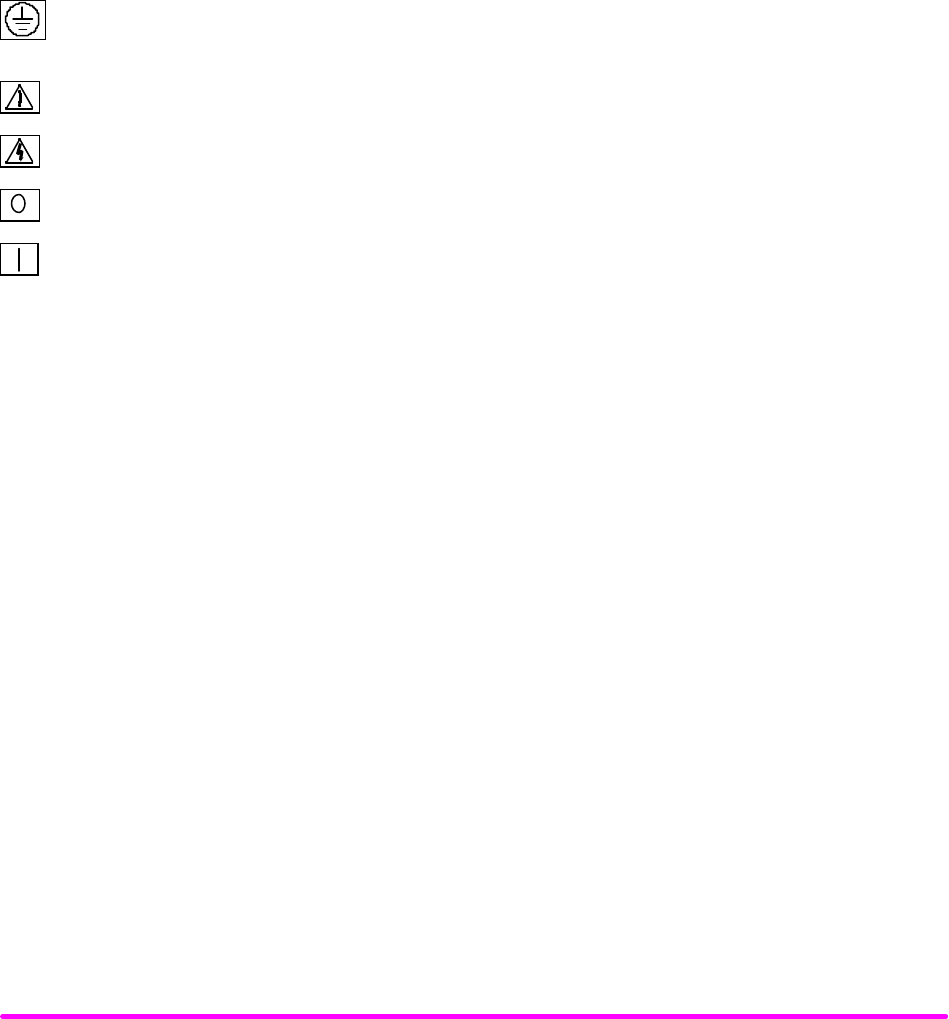
The following symbols are used in this manual and on the instrument:
Earth Ground and/or Protective conductor terminal
Caution: Refer to accompanying documents
Caution: Risk of Electrical Shock
Instrument Power Off
Instrument Power On
PRODUCT OVERVIEW
The LDX-3200 Series instruments are precision current sources. They provide a high stability output with a fully
redundant current limit and multiple laser protection features. The LDX-3200 Series' fast, sophisticated GPIB option
lets you automate your experiment.
INITIAL INSPECTION
When you receive your LDX-3200 instrument, verify that the following items were shipped with the instrument:
LDX-3200 Series Precision Current Source
LDX-3200 Series Instruction Manual
Power Cord
Shipping Kit

INTRODUCTION TO THE LDX-3200 SERIES CHPT 1
PAGE 3
INSTALLING YOUR LDX-3200 PRECISION CURRENT SOURCE
Grounding requirements
The LDX-3200 Series Precision Current Source comes with a three conductor AC power cable. The power cable must
either be plugged into an approved three-contact electrical outlet or used with a three-contact or two-contact adapter
with the grounding wire connected to an electrical ground (safety ground). The LDX-3200’s power jack and supplied
power cable meet IEC safety standards.
AC Line Power Requirements
You can operate the LDX-3200 Series instrument from a single phase power source delivering nominal line voltages
of 100, 120, 220, or 240 VAC (all values RMS), at 50/60 Hz. The line power voltage can vary + 10% but cannot exceed
250 VAC. Maximum power consumption is 60 VA (Volt-Amps). The instrument’s operational voltage is factory
configurable and need not be changed before operating the instrument. However, check to be sure that the voltage
printed on the back panel of the instrument matches the power-line voltage in your area.
WARNING
Before connecting the LDX-3200 Series Precision Current Source to a power source, verify that the AC power
source matches the setting of the LDX-3200’s voltage printed on the rear panel of the instrument.
To avoid electrical shock hazard, connect the instrument to properly earth-grounded, 3-prong receptacles only.
Failure to observe this precaution can result in severe injury or death.
GPIB Connector
The IEEE 488.2 GPIB interface connector is located on the rear panel, directly above the power input module and fuse.
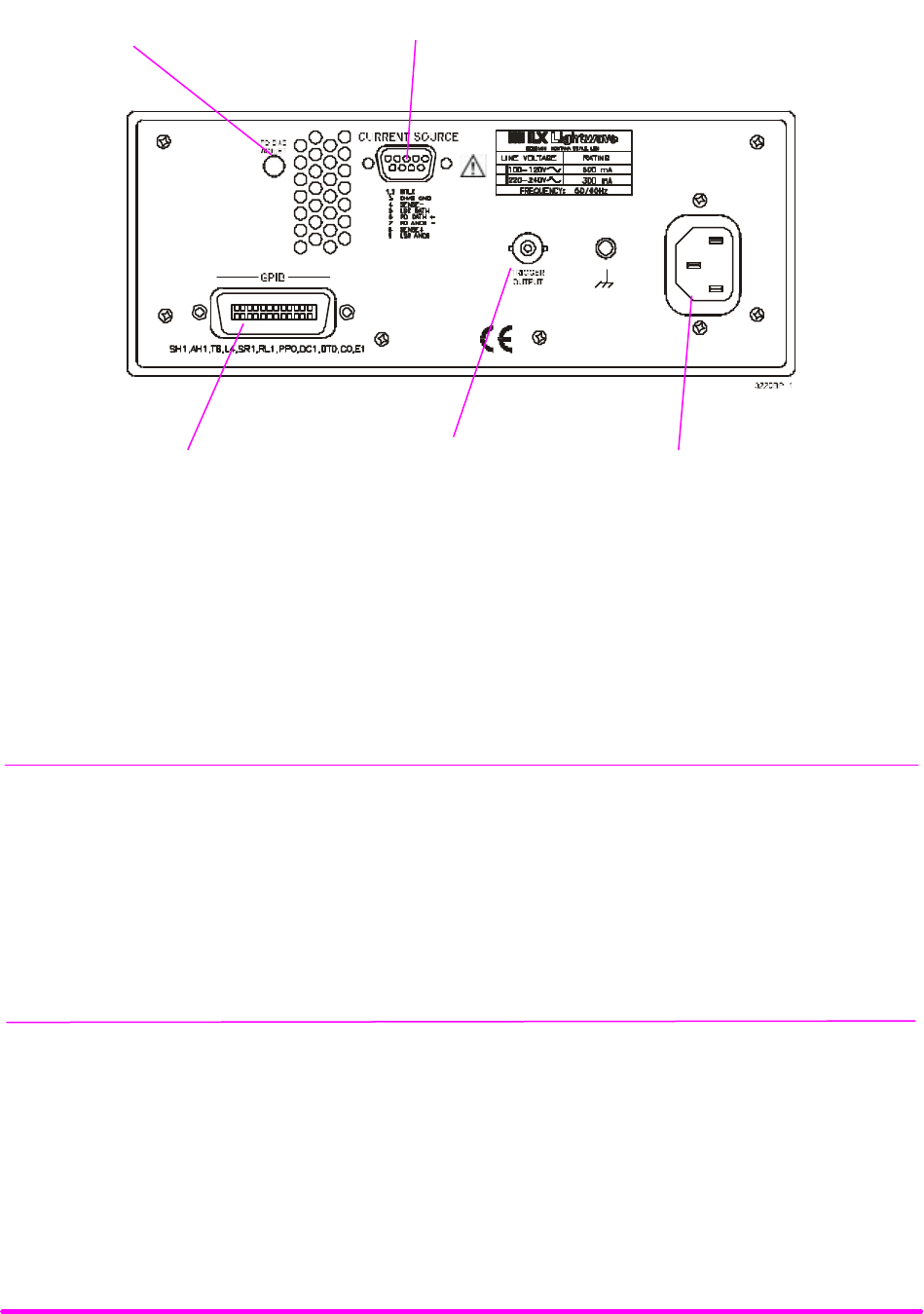
See Figure 1.2, LDX-3200 Series Rear View. Attach the GPIB cable to the 24-pin connector located on the rear panel.
The connector is tapered to ensure proper orientation. Using your fingers, tighten the two screws on the cable
connector.
A total of 15 devices can be connected together on the same GPIB interface bus. The cables have single male/female
connectors on each end so that several cables can be stacked. This allows more than one cable to be attached to any
one device. However, the maximum length of the GPIB cables must not exceed 20 meters (65 feet) total, or 2 meters
(6.5 feet) per device.
The GPIB Address
The talk and listen addresses on the LDX-3200 Series Precision Current Source are identical. This GPIB address is
read locally by pressing the (GPIB) LOCAL switch with the address displayed on the LCD display. The instrument
comes from the factory configured with the GPIB address set to 1. You can change the LDX-3200’s GPIB address
locally (via front panel). A procedure for changing the address can be found in the section “Changing the GPIB
Address” in Chapter 3.
INTRODUCTION TO THE LDX-3200 SERIES CHPT 1
PAGE 4
Tilt-Foot Adjustment
The LDX-3200 Series Precision Current Source comes standard with folding front legs and two rear feet for use as a
bench top instrument. Extending the front feet so that the instrument front panel sits up makes it easier to view the
LED displays. To use them, place the unit on a stable base and rotate the front legs downward until they lock into
position.
Operating the LDX-3200 Precision Current Source
Now that the LDX-3200 Precision Current Source is installed and ready for use, you can begin to learn about its
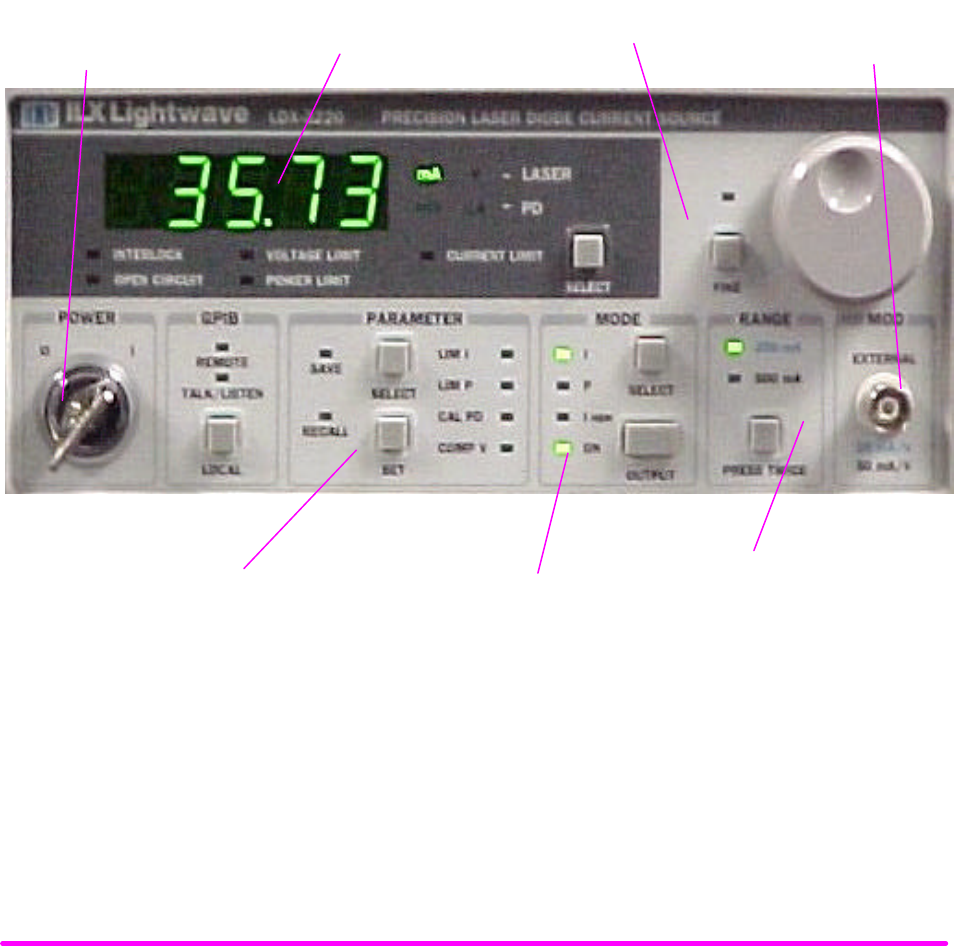
operation. The following figures are photographic copies showing the functional keypad groupings, back panel
connectors, and so on. Use these figures to familiarize yourself with the LDX-3200. After that, use Chapter 2 for
fundamentals of operating your instrument.
FIGURE 1.1 LDX 3200 Series Front View
Current
Range Selection
Laser Mode
Selection
Parameter
Selection
Display
Power
Switch
Modulation Input
Connector
Adjust Section
INTRODUCTION TO THE LDX-3200 SERIES CHPT 1
PAGE 5
FIGURE 1.2 LDX-3200 Series Rear View
MAINTENANCE
This section covers information on how to obtain repair services.
WARNING
Potentially lethal voltages exist within the LDX-3200 Series Precision Current Source. To avoid electric shock, do
not perform any of the maintenance on the instrument unless you are qualified to do so. Qualified service personnel
are required to wear protective eyeglasses and anti-static wristbands while working on the LDX-3200 Series
Precision Current Source circuit boards. High voltages are present on and around the instrument’s printed circuit
boards.
PD Bias Adjust
Trigger Output
Connector Power Cord
Connector
LD Connector
GPIB Connector

INTRODUCTION TO THE LDX-3200 SERIES CHPT 1
PAGE 6
HOW TO OBTAIN REPAIR SERVICES
You may have to return your instrument to the ILX Lightwave facility at some time for repair or service whether it is
under warranty or not. There is a charge for repairs after the warranty period has expired. Contact an ILX Lightwave
service representative for shipping instructions prior to returning the instrument. Have the model number, instrument
serial number and a description of the problem or request at the time of the call. All ILX Lightwave instruments are
identified by a serial number located on the rear panel. The first four or five digits are the model number, the last four
digits are unique to the instrument and identify your instrument specifically. A return authorization number will be
given to you at the time of your request for repair or service. Please use this number in all communications
concerning your instrument.
General Shipping Instructions
If you need to ship your LDX-3200 Precision Current Source back to the factory for repair, be sure that the LDX-3200
is packaged in an enclosure with cushioning material to prevent damage to the instrument during shipment (use the
original shipping containers and accessories if possible). Re-install the ESD protective caps on the rear and front
panels over the connectors (9 pin D, BNC, and GPIB). Shipping damage is not covered under warranty.
Attach a tag to the instrument identifying the owner and indicating the service or repair needed. Include the model
number and serial number. We suggest that you insure the shipment.
In North America, contact ILX Lightwave for return authorization and shipping instructions. Outside of North
America, contact your ILX distributor for the shipping information.

INTRODUCTION TO THE LDX-3200 SERIES CHPT 1
PAGE 7
LDX-3200 SERIES SPECIFICATIONS
Laser Current Source Specifications
Model Number LDX-3210 LDX-3220
DRIVE CURRENT OUTPUT 1
Output Current Range: 0 to 50 mA 0 to 100 mA 0 to 200 mA 0 to 500 mA
Set-Point Resolution: 1 µA2 µA4 µA10 µA
Set-Point Accuracy (% of FS):
±
0.05%
±
0.05%
±
0.05%
±
0.05%
Compliance Voltage: 0 - 10 V, 0 - 10 V, 0 - 10 V, 0 - 10 V,
adjustable adjustable adjustable adjustable
Temperature Coefficient: <50 ppm/°C<50 ppm/°C<50 ppm/°C<50 ppm/°C
Short-Term Stability (1 hr.): 2<10 ppm <10 ppm <10 ppm <10 ppm
Long-Term Stability (24 hr.): 3<20 ppm <20 ppm <20 ppm <20 ppm
Noise and Ripple (
µ
A rms) 4
High Bandwidth Mode: <1.5
µ
A<1.5
µ
A<4
µ
A<4
µ
A
Low Bandwidth Mode: <1.5
µ
A<1.5
µ
A<2
µ
A<2
µ
A
Transients
Operational: 5<1 mA <1 mA <1 mA <1 mA
1kV EFT/Surge: 6<5 mA/< 8 mA <5 mA/< 8 mA <8 mA/< 12 mA <8 mA/< 12 mA
COMPLIANCE VOLTAGE ADJUST
Range: 0 - 10 V 0 - 10 V 0 - 10 V 0 - 10 V
Resolution: 50 mV 50 mV 50 mV 50 mV
Accuracy:
±
2.5%
±
2.5%
±
2.5%
±
2.5%
DRIVE CURRENT LIMIT SETTINGS
Range: 1 to 50.5 mA 1 to 101 mA 1 to 202 mA 1 to 505 mA
Resolution: 0.25 mA 0.5 mA 1 mA 2.5 mA
Accuracy:
±
0.5 mA
±
1 mA
±
2 mA
±
5 mA
PHOTODIODE FEEDBACK
Type: Differential Differential Differential Differential
PD Reverse Bias : 0 - 5V, adjustable 0 - 5V, adjustable 0 - 5V, adjustable 0 - 5V, adjustable
PD Current Range : 5 to 5000 µA5 to 5000 µA5 to 5000 µA5 to 5000 µA
Output Stability: 7
±
0.02%
±
0.02%
±
0.02%
±
0.02%
Accuracy, set point (% of FS):
±
0.05%
±
0.05%
±
0.05%
±
0.05%
EXTERNAL ANALOG MODULATION
Input: 0-10V, 10kΩ0-10V, 10kΩ0-10V, 10kΩ0-10V, 10kΩ
Transfer Function: 5 mA/V 10 mA/V 20 mA/V 50 mA/V
Bandwidth (3 dB)
High Bandwidth: 8DC to 1 MHz DC to 1 MHz DC to 1 MHz DC to 1 MHz
Low Bandwidth: 9 DC to 15 kHz DC to 15 kHz DC to 15 kHz DC to 15 kHz
TRIGGER OUTPUT
Type: TTL TTL TTL TTL
Pulse Width: 13 µS13 µS13 µS13 µS
Delay: 12 mS 12 mS 12 mS 12 mS
MEASUREMENT (DISPLAY)
Output Current Range: 0 to 50.000 mA 0 to 100.00 mA 0 to 200.00 mA 0 to 500.00 mA
Output Current Resolution: 0.001 mA 0.002 mA 0.01 mA 0.01 mA
Output Current Accuracy:
±
0.05% FS
±
0.05% FS
±
0.05% FS
±
0.05% FS
Photodiode Current Range: 0 to 5,000
µ
A0 to 5,000
µ
A0 to 5,000
µ
A0 to 5,000
µ
A
Photodiode Current Resolution: 1
µ
A1
µ
A1
µ
A1
µ
A
Photodiode Current Accuracy:
±
2
µ
A
±
2
µ
A
±
2
µ
A
±
2
µ
A
PD Responsivity Range: 10 0.00 to 1000.00 µA/mW 0.00 to 1000.00 µA/mW 0.00 to 1000.00 µA/mW 0.00 to 1000.00 µA/mW
PD Responsivity Resolution: 0.01 µA/mW 0.01 µA/mW 0.01 µA/mW 0.01 µA/mW
Optical Power Range: 0.00 to 101.00 mW 0.00 to 101.00 mW 0.00 to 505.00 mW 0.00 to 505.00 mW
Optical Power Resolution: 0.01 mW 0.01 mW 0.01 mW 0.01 mW
Forward Voltage Range: 0.000 to 10.000 V 0.000 to 10.000 V 0.000 to 10.000 V 0.000 to 10.000 V
Forward Voltage Resolution: 1 mV 1 mV 1 mV 1 mV
Forward Voltage Accuracy: 11 ±2 mV ±2 mV ±2 mV ±2 mV
1All values relate to a one-hour warm-up period.
2Over any 1-hour period, half-scale output.
3Over any 24-hour period, half-scale output.
4Measured optically, evaluating noise intensity of a laser diode into a photodectector with 150 kHz bandwidth. Request ILX Application Note #3.
5Maximum output current transient resulting from normal operational situations (e.g., power on-off, current on-off), as well as accidental situations (e.g., power line plug
removal).
6Maximum output current transient resulting from a 1000 V power-line transient spike. Tested to ILX Lightwave Technical Standard #LDX-00196. Request ILX Application Note
#3.
7Maximum monitor photodiode current drift over any 30 minute period. Assumes zero drift in responsivity of photodiode.
8300 mA set point, 60 mA modulation current.
9Small signal specification is for typ. 10% modulation depth. Large signal spec. assumes 50% modulation depth at mid-scale output.
10 Responsivity value is user-defined and is used to calculate the optical power.
11 Four wire voltage measurement at the load. Voltage measurement accuracy while driving calibration load. Accuracy is dependent upon load and cable used.

INTRODUCTION TO THE LDX-3200 SERIES CHPT 1
PAGE 8
GENERAL
Size (H x W x D) 4" x 8.5" x 13.4", 102 mm x 216 mm x 340 mm
Weight
LDX-3210 approx 12 lbs (5.5 kg)
LDX-3220 approx 12 lbs (5.5 kg)
Power (50-60 Hz) 100 V,
±
10%
120 V,
±
10%
220 V,
±
10%
230-240 V,
±
10%
Temperature 0 to +40 °C operating; -40 to +70 °C storage
Humidity < 90 % relative humidity, non-condensing.
Laser Safety Features: Key switch, interlock and output delay (meets CDRH US21 1040.10)
Display type: 5-digit, green LED
AVAILABLE OPTIONS AND ACCESSORIES
Options and accessories available for the LDX-3200 Series Precision Current Sources include the following:
DESCRIPTION MODEL NUMBER
Rack mount flange kit Tba
Temperature Controlled Laser Diode Mount LDM-4407
Temperature Controlled Laser Diode Mount
(available with collimating assembly)
LDM-4412
DIL Laser Diode Mount LDM-4982
Butterfly Laser Diode Mount LDM-4894
High Power Laser Diode Mount LDM-4442
Current Source Interconnect Cable (unterminated) CC-306S
Current Source Interconnect Cable (terminated) CC-305S
Other Laser Diode Mounts are available. Please contact ILX Lightwave for information on additional options for your
applications.

HOW TO OPERATE YOUR LDX-3200 CHPT 2
CHAPTER 2 1
HOW TO OPERATE YOUR LDX-3200 1
INTRODUCTION 1
APPLYING POWER TO YOUR LDX-3200 1
The Power-On Sequence 1
The Power-On State 1
CONNECTING TO THE LASER 2
Interlock Connections 4
Photodiode Connections 4
Setting the PD bias 4
Grounding considerations 4
FRONT PANEL OPERATION 5
The Display 5
OPERATING A LASER IN CONSTANT CURRENT, “I” MODE 5
Setting Up the Precision Current Source 5
Conditions Which Will Automatically Shut Off the LASER OUTPUT 6
OPERATING A LASER IN CONSTANT POWER MODE, P 7
Entering Photodiode Responsivity values 7
ERROR INDICATORS 8
HOW TO OPERATE YOUR LDX-3200 CHPT 2
PAGE 1
Chapter 2
HOW TO OPERATE YOUR LDX-3200
INTRODUCTION
This chapter introduces you to the operation of the LDX-3200 Series Precision Current Source. It offers instructions
for connecting your laser to the current source, and describes powering up the instrument. This chapter also
contains step by step procedures that teach you how to operate your current source in Constant Current Mode and
Constant Power Mode. We recommend that you review the contents of this chapter at a minimum before operating
the LDX-3200 Series Precision Current Source.
APPLYING POWER TO YOUR LDX-3200
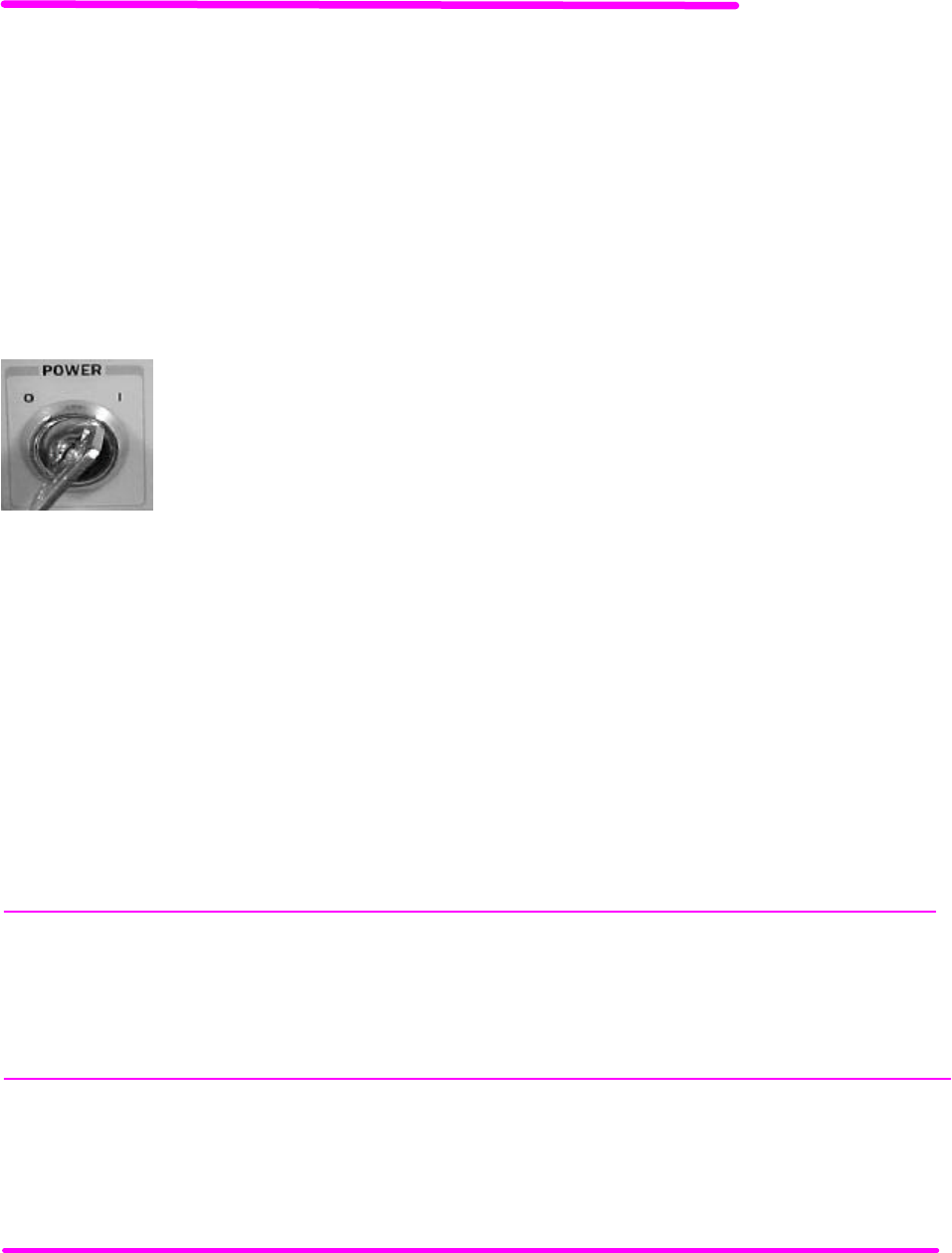
To turn on the LDX-3200, rotate the key in the “POWER” section of the front panel from
“O” to “I”. This action will initiate the power on sequence. If the LDX-3200 does not appear
to turn on, verify that it is connected to line power. If line power is not the problem, remove
the power cord and check the line power fuse.
The Power-On Sequence
During the power-up sequence, the following takes place. For about three seconds all indicators light up, and all of
the 7-segment displays indicate "8". Then all lamps are turned off for three seconds. Next, the firmware version will be
displayed. Then, a self-test is performed to ensure that the instrument’s hardware and processor are communicating.
After this test, the instrument is ready to operate, and is configured to the state it was in when the power was last
shut off.
The Power-On State
You can choose to "clear" the last saved state by recalling the default values. These values are stored in BINS to
which you can save or recall instrument configurations (described in more detail in Chapter 5). "BIN 0" contains all of
the default configurations listed in Table 2.1.
NOTE
If the instrument cannot successfully complete the power on test, an error message of E-512 or E-513 will be
displayed on the Display. See Chapter 3 for a list of error codes and actions to take when your instrument
indicates these errors.

HOW TO OPERATE YOUR LDX-3200 CHPT 2
PAGE 2
LDX-3200 Series DEFAULT CONFIGURATION
GPIB mode in LOCAL via front panel, or in REMOTE via GPIB
PARAMETERS not selected
CAL PD = 0 µA/mW
LIM I (high range) = 125 mA (LDX-3220), 25 mA (LDX-3210)
LIM I (low range) = 50 mA (LDX-3220), 12.5 mA (LDX-3210)
LIM V = 10 volts
LIM P = 1000 mW (LDX-3220), 200 mW (LDX-3210)
LASER output off
LASER DISPLAY enabled, in I mode
Constant I, low bandwidth mode selected
LASER display showing actual current (0.00 with output off)
LASER STEP value = 1 (see LAS:STEP command, chapter 4)
LASER Tolerance values = 1.00 mA, 1.0 seconds
LASER I Set Point = 0 mA
LASER IPD Set Point = 0 µA
LASER PPD Set Point = 0 mW
RECALL BIN number = 0
MODULATION Enabled
Table 2.1 LDX-3200 Series Default Settings
CONNECTING TO THE LASER
When connecting your laser or any other sensitive devices to the LDX-3200 Series Precision Current Source, we
recommend that the instrument be powered up and the LASER output be off (MODE) ON LED unlit. In this
condition, a low impedance shunt is active across the output terminals. When disconnecting devices, it is only
necessary to turn the current source output off.
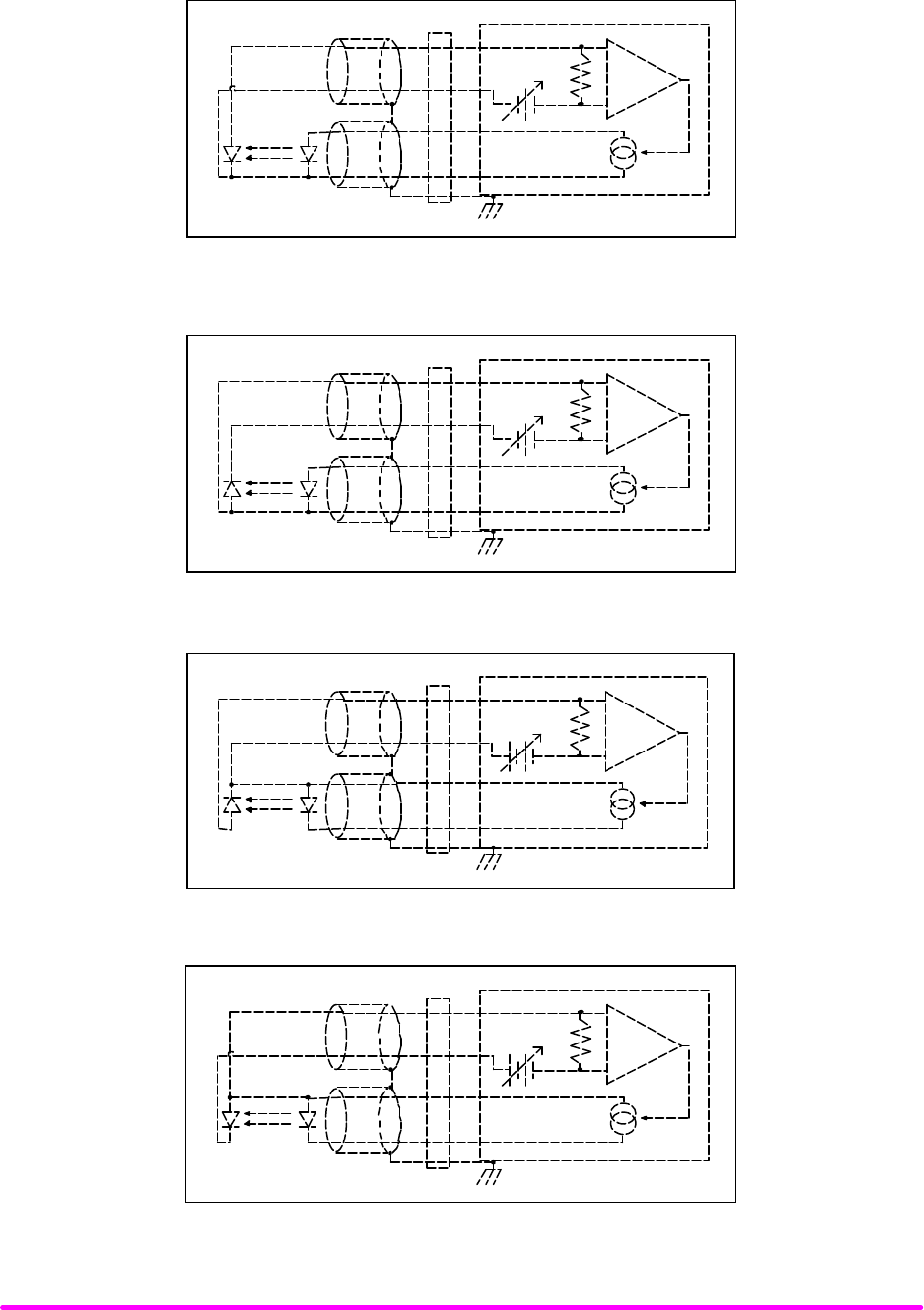
It is also recommended that the connections to the LDX-3200 Series Precision Current Source output be made using
twisted wire pairs with an earth-grounded shield (see Figures 2.1 A - D). The output terminals of the instrument are
left floating relative to earth ground to suppress AC power-on/power-off transients that may occur through an earth-
ground path. If the output circuit is earth-grounded at some point (such as through the laser package and mount), the
user must be careful to avoid multiple earth grounds in the circuit. Multiple earth grounds may provide circuit paths
that induce spurious currents in the photodiode feedback circuit and output leads.
IMPORTANT
Experience indicates that should an open circuit occur during laser operation (while the LASER is ON),
the laser may be damaged by a momentary circuit break-and-remake before the final circuit break. The
cable connections to the laser must be secure enough that they will not open-circuit, should they be
jostled or bumped.
Figures 2.1A - D show the possible configurations of connecting laser diodes and photodiodes with the LDX-3200
Series Precision Current Source.
HOW TO OPERATE YOUR LDX-3200 CHPT 2
PAGE 3
+
-
+
Bias
LDX-3200 Series Precision Current Source
OUTPUT
7
6
9
5
3
P. D. L. D.
Earth Ground
Figure 2.1A Common Laser Cathode - Photodiode Cathode
+
-
+
Bias
OUTPUT
7
6
9
5
3
P. D. L. D.
Earth Ground
LDX-3200 Series Precision Current Source
Figure 2.1B Common Laser Cathode - Photodiode Anode
+
-
+
Bias
OUTPUT
7
6
9
5
3
P. D. L. D.
Earth Ground
LDX-3200 Series Precision Current Source
Figure 2.1C Common Laser Anode - Photodiode Cathode
+
-
+
Bias
OUTPUT
7
6
9
5
3
P. D. L. D.
Earth Ground
LDX-3200 Series Precision Current Source
Figure 2.1D Common Laser Anode - Photodiode Anode
HOW TO OPERATE YOUR LDX-3200 CHPT 2
PAGE 4
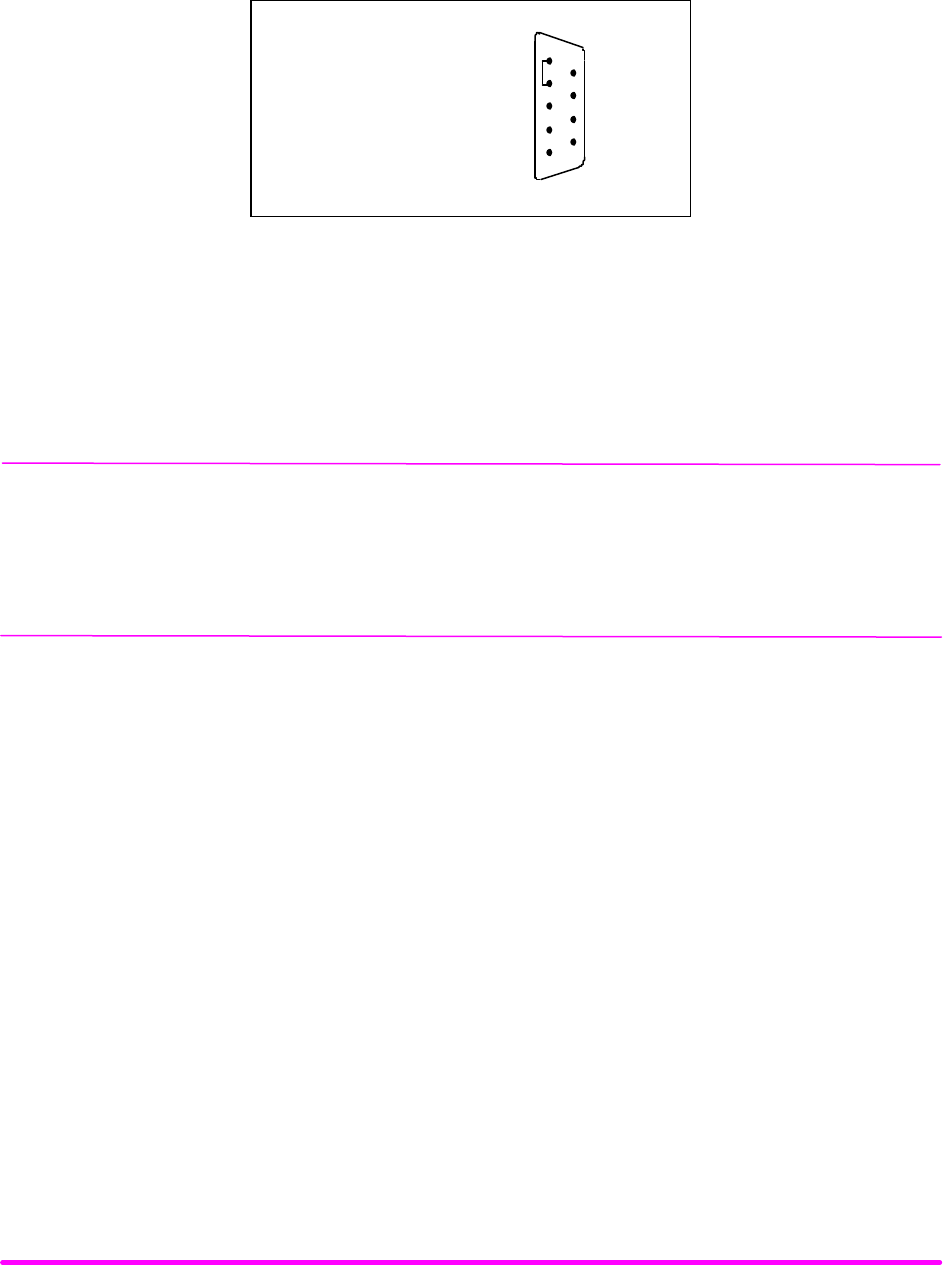
The 9-pin connector marked CURRENT SOURCE on the back panel is used to connect your laser diode to the
LDX-3200. There are connections provided for laser cathode and anode, photodiode cathode and anode, chassis
ground and interlock. The pinout diagram for this connector is shown in Figure 2.2.
8 Anode Voltage Sense
1
2
3
4
5
7
8
9
6
1, 2 Interlock
3 Chassis Ground
5 Laser Cathode
6 PD Cathode (+)
7 PD Anode (-)
4 Cathode Voltage Sense
9 Laser Anode
Figure 2.2 Back Panel LD Connector
Interlock Connections
In order for the laser output to be enabled a short circuit must exist between the Interlock pins (pins 1 and 2) of the
connector. The short can be a direct short across the pins or a switch to prevent laser operation until the switch is
closed. If a short does not exist between these two pins, the INTERLOCK LED will illuminate on the front panel and
the laser output will be disabled.
CAUTION
The interlock terminals on the LASER connector, pins 1 and 2, must be kept isolated from all other connections
including earth ground.
Photodiode Connections
Many laser diode modules contain an internal photodiode that monitors the back-facet emission of the laser. Usually,
this photodiode is internally connected to either the laser anode or cathode.
The photodiode and laser connections to the LDX-3200 Series Precision Current Source are electrically isolated from
ground and each other. So, if a 4-pin connection is made (no common connections) no additional jumpers are
required. Figures 2.1A - 2.1D show the recommended connections and shielding for 3-pin lasers (where the common
connection is internal to the device). A 4-pin laser should be connected with the same shielding as shown in Figure
2.1, but the common connection (between the photodiode and the laser) is optional.
Setting the PD bias
The LDX-3200 Series Precision Current Source provides an adjustable reverse bias of 0 - 5 VDC for the photodiode.
To set the photodiode bias to 5 volts reverse bias, turn the back panel PHOTODIODE BIAS ADJUST fully clockwise.
To set the photodiode bias to 0 volts reverse bias, turn the back panel PHOTODIODE BIAS ADJUST fully counter-
clockwise
Grounding considerations
The LASER outputs of the LDX-3200 Series Precision Current Source are isolated from chassis ground allowing
either output terminal to be grounded at the user's option. Figure 2.1 shows the proper earth-ground shielding for
laser diode/photodiode connections.
HOW TO OPERATE YOUR LDX-3200 CHPT 2
PAGE 5
FRONT PANEL OPERATION
This section describes fundamentals of operation for your LDX-3200 Series Precision Current Source in two
operating modes, Constant Current (I), and Constant Power (P).
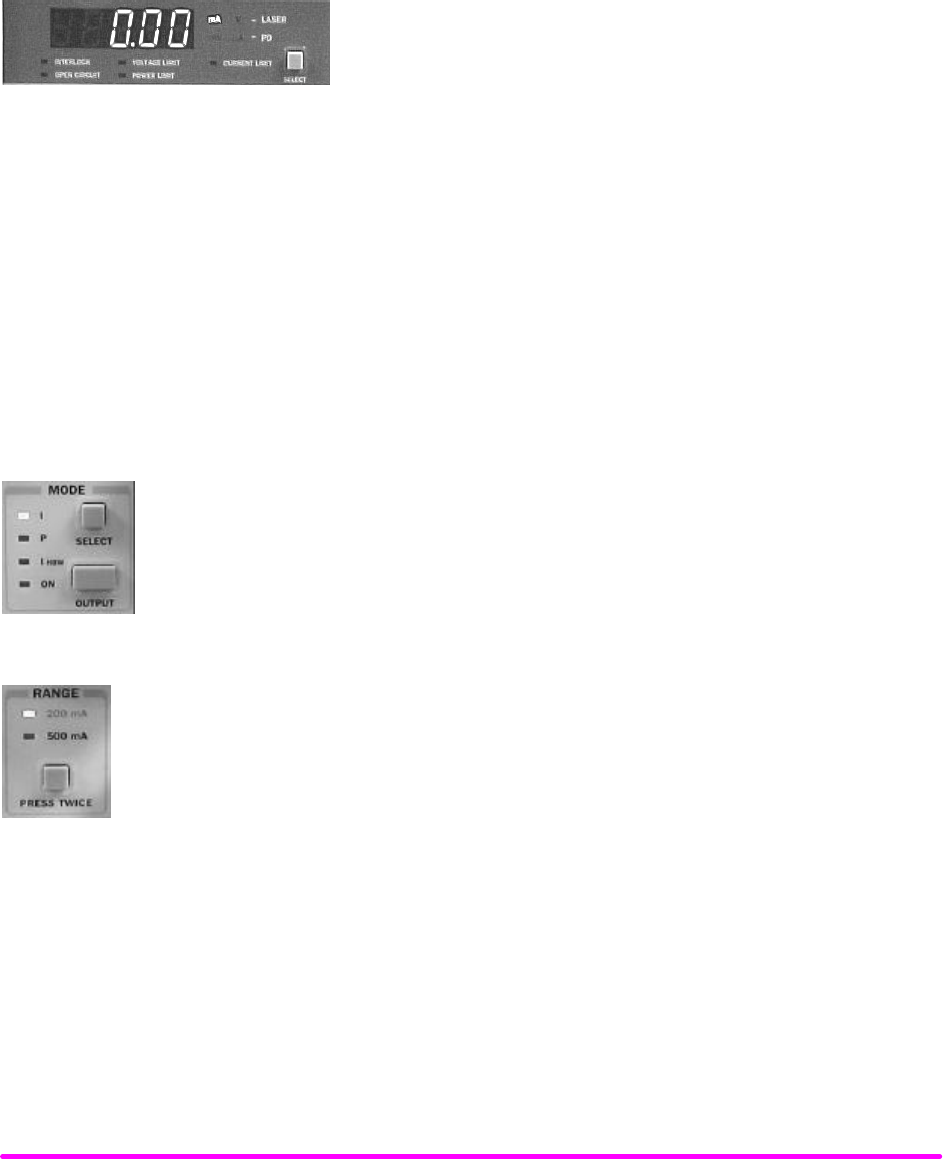
The Display
The digital display is used to show control parameters such as laser
drive current (mA), laser current limit (mA), laser forward voltage (V),
voltage limit (V), monitor photodiode current (µA), and laser optical
power (mW) in both set point and measurement modes. It will also
display error codes that relate to LASER operation. Error indicators
underneath the display indicate control errors and are explained in the section titled “ERROR INDICATORS”. All
laser control parameters are displayed on this digital display with the appropriate annunciator illuminated.
OPERATING A LASER IN CONSTANT CURRENT, “I” MODE
Suppose you have an LDX-3220 and you want to run the instrument in Constant Current, low bandwidth mode, with
a set point of 150 mA and a current limit of 175 mA. This particular mode uses a low-pass filter on the laser drive
current output to significantly reduce noise. In this mode a modulation input of up to 15 kHz may be used, via the
front panel MOD EXTERNAL connector. Follow the instructions below in the sequence presented.
Setting Up the Precision Current Source
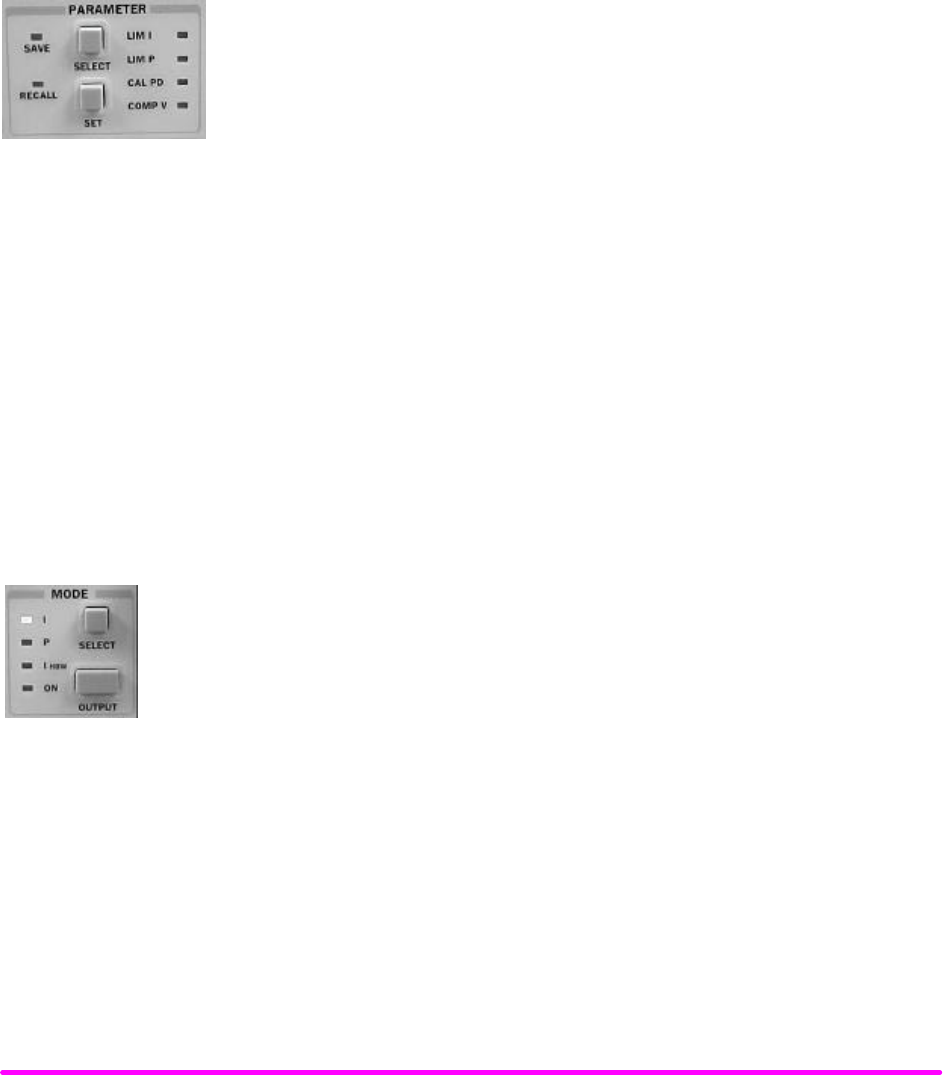
Set the LDX-3200 in Constant Current, low bandwidth mode by selecting I in the MODE
section of the front panel. Do this by toggling the SELECT push button until the I indicator
is illuminated. Repeatedly pressing the (MODE) SELECT switch cycles through the current
(I), light power (P), or high-bandwidth current (IHBW) control modes.
Next, in the RANGE section set the current source range by selecting the 200 mA range
indicated by the accompanying LED. You will need to press the SELECT push button twice to
change the range. It must be pressed twice quickly (within less than 1 second) to switch
between ranges, and the LASER output must be off (LASER MODE ON indicator unlit) in order
to change ranges.
Configure the display so that it reads laser current in mA. Press and release the SELECT switch in the DISPLAY
section of the front panel until the mA annunciator is lit. The (DISPLAY) SELECT switch is also used to select the
IPD (photodiode current, µA), PPD (laser power, mW), or V (forward voltage, V) measurement or set point display
modes. When the set point mode is active, the corresponding annunciator will flash to indicate set point rather than
measurement display.
To just view the set point, press and hold down the display SELECT switch for two or more seconds. When the
SELECT switch is released the previous measurement mode will be restored.
HOW TO OPERATE YOUR LDX-3200 CHPT 2
PAGE 6
At this point the LDX-3200 Series current source is in Constant Current Mode, (I), in the 200 mA range, and the
display is reading in mA. Next, we need to adjust the set point of the laser current source.
To adjust the set point of the current source to 150 mA, turn the adjust knob to vary the set point. When the adjust
knob is turned, the LDX-3200 automatically changes to set point mode indicated by the flashing annunciator. Adjust
the set point to 150 mA. After an adjustment has been made, and the adjust knob is released, the set point mode will
time out in three seconds. The display will revert to the original measurement display mode (I, IPD, V, or PPD).
We’re not quite ready to turn on the laser. One of the laser protection features our precision current sources offer is a
fully independent hardware current limit. The current limit protects your laser by never allowing the laser drive
current to exceed the limit independent of the set point and the output control mode (Constant Current or Constant
Power).
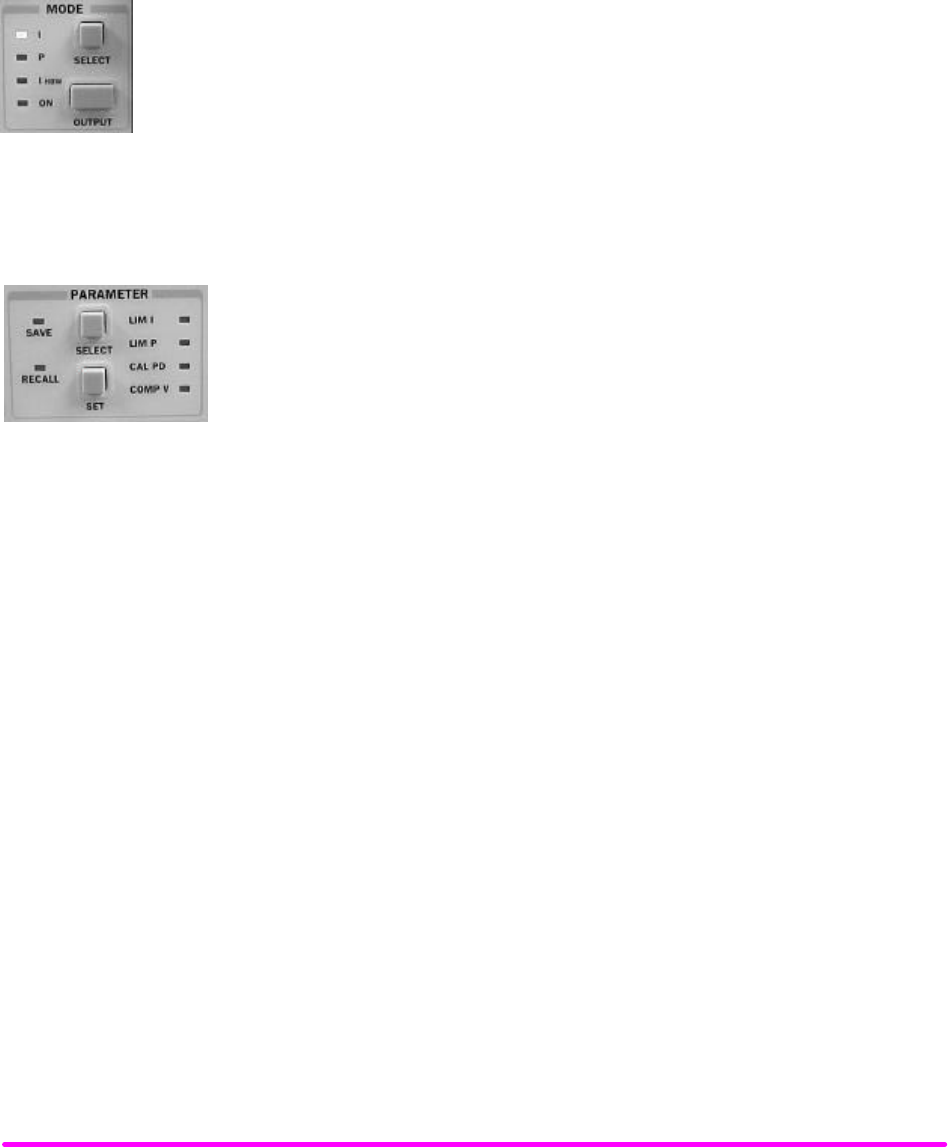
To set the current source limit, use the SELECT push button in the PARAMETER
section of the front panel to select LIM I. Press and hold the (PARAMETER) SET
push button and rotate the adjust knob to vary the limit set point value. Set the limit
to 175 mA. Once the (PARAMETER) SET push button is released, the new
parameter value is stored in non-volatile memory.
When the LASER current limit is reached, the CURRENT LIMIT error indicator flashes. The current limit setting is
independent of the voltage drop of the device connected to the LASER output, and therefore, no dummy load is
required for precise adjustment of the current limit. Furthermore, since the current limit circuitry is fully independent
of the main current control, the current limit can be adjusted safely, even while the LASER output is active.
An additional feature of the LDX-3200 Series instruments is an adjustable voltage limit. This allows an extra level of
laser protection in the event of an intermittent open circuit. For maximum protection via the fastest open-circuit
detection, the voltage limit should be set to a value slightly greater than the intended operating voltage.
To set the LASER voltage limit, use the SELECT push button in the PARAMETER section of the front panel to
select COMP V and then press and hold the (PARAMETER) SET push button. While holding the (PARAMETER)
SET push button, adjust the voltage limit using the adjust knob.
Now you are ready to enable the current source output for your laser diode.
In the MODE section of the front panel, press the push button labeled OUTPUT. The
accompanying LED labeled ON will illuminate, indicating that the laser current source’s
output is enabled. The instrument will drive the current source to the value set by the
corresponding MODE set point. When the LASER output is off, an internal short is placed
across the LASER output. The OUTPUT switch has a toggling action. Pressing the switch
again will disable the current source output and the ON LED will not be illuminated. The
default condition for the current source output is off when the instrument is first powered up.
With the laser output enabled, the LASER display should be indicating measured laser current. If the output won’t
function, check the following conditions:
Conditions Which Will Automatically Shut Off the LASER OUTPUT
The following conditions will automatically cause the instrument to disable the current source output:
1. LASER High Power Limit
2. LASER Interlock/Key Lock turned off
3. LASER Open Circuit or Voltage Limit
HOW TO OPERATE YOUR LDX-3200 CHPT 2
PAGE 7
OPERATING A LASER IN CONSTANT POWER MODE, P
Suppose you want to operate a 3 mW laser at constant 1 mW level. The LDX-3200 Series instrument allows you to
operate the laser current source driver in a Constant Power mode. In this mode, the LDX-3200 Series instrument
drives current to the laser to reach a set point power value (in mW). The control loop feedback parameter is
photodiode current that the LDX-3200 converts to optical power via a user-defined photodiode responsivity number.
If laser power changes due to internal or environmental conditions, the LDX-3200 will increase/decrease the current
to the laser to maintain the power set point. The following paragraphs detail the instrument configuration in Constant
Power Mode.
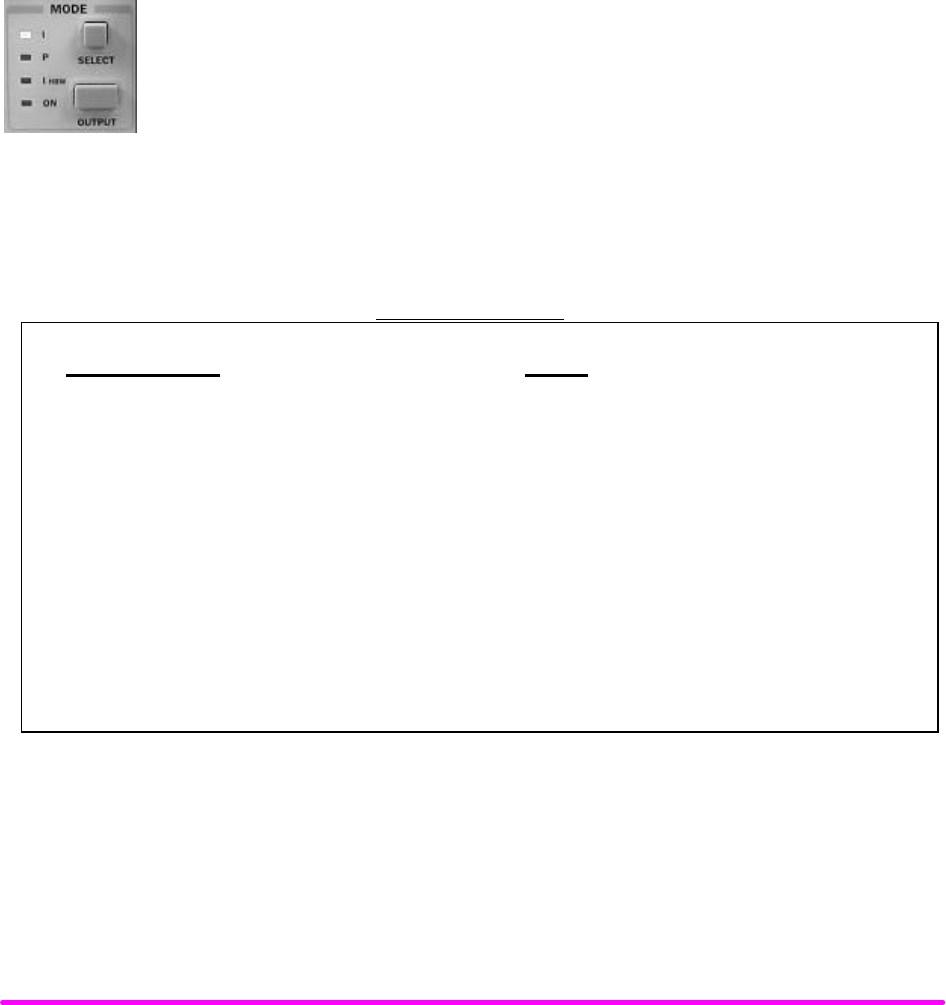
To set the LDX-3200 in Constant Power mode, select P in the MODE section of the front panel
by toggling the SELECT push button. Repeatedly pressing the (MODE) SELECT switch
cycles through the current (I), light power (P), or high bandwidth current (IHBW) control
modes. The LED indicator shows the selected mode.
Entering Photodiode Responsivity values
The photodiode responsivity, CAL PD, is used to convert between photodiode
current and optical power of the laser diode. To enter the CAL PD parameter, select
CAL PD with the (PARAMETER) SELECT push button by toggling down past LIM
P. The indicator becomes lit when CAL PD is selected and the display indicates the
responsivity parameter in µA/mW (not enunciated). Rotate the adjust knob while
holding the (PARAMETER) SET push button to enter a new value for responsivity.
When the correct value is displayed, store the number by releasing the
(PARAMETER) SET pushbutton.
A method to calculate the responsivity is suggested below.
1. Measure (with a calibrated detector) the output power of the device.
2. Measure the corresponding photodiode current.
3. Calculate the responsivity by dividing the photodiode current by the optical power noting the units
required are µA/mW.
The LDX-3200 Series Precision Current Source can be put into a special mode with the CAL PD parameter set to zero.
When the CAL PD value is zero, the LASER output will be controlled to the IPD set point value. Therefore, the
instrument is in Constant IPD mode. The display will indicate "-.-" for the power measurement.
Next, configure the display so that it reads in mW by pressing and releasing the (DISPLAY) SELECT switch until the
mW annunciator is lit.
Adjust the Constant Power set point of the LDX-3200 to 1.00 mW. To do this, turn the adjust knob to vary the set
point. When the adjust knob is turned, the LDX-3200 automatically changes to set point mode as indicated by the
flashing annunciator. Adjust the set point to 1.00 mW. After an adjustment has been made, and the adjust knob is
released, the set point mode will time out in three seconds. The display will then return to the measurement display
mode (I, IPD, V, or PPD).
Before the laser output is enabled, the power limit for the laser under test should be set. In Constant Power mode, this
is accomplished by setting a Power limit, LIM P value. The LDX-3200 uses the responsivity value entered to calculate
a power limit as a function of monitor current (Ipd). This is a software limit only.
HOW TO OPERATE YOUR LDX-3200 CHPT 2
PAGE 8
To set the Constant Power limit, use the SELECT push button in the PARAMETER section to select LIM P. When
the LIM P is indicated by the accompanying LED, the display will indicate the limit set point in mW. Press and hold
the (PARAMETER) SET push button and rotate the adjust knob to set the limit to 1.50 mW. When the desired value
is reached, release the (PARAMETER) SET push button to store the new limit value.
The LIM P is the absolute limit of optical power, as detected by the unit via the monitor PD feedback loop. In order
for this limit to be meaningful, the monitor photodiode responsivity (CAL PD) must be adjusted correctly. This limit
is a software limit only. The LASER output is normally turned off if this limit is reached (See LASer:ENABle:OUTOFF
command in Chapter 4 for instructions on disabling this function). The maximum LIM P value is 100.0 mW (LDX-
3210), and 500.0 mW (LDX-3220).
Also, in constant power mode the LASER current limit and voltage limit values are in effect. Refer to the discussion
on page 8 that describes how to set these limits.
Now the instrument is configured to operate in Constant Power Mode. In the MODE section,
enable the output of the laser current source by depressing the OUTPUT push button once.
The accompanying led labeled ON will illuminate indicating that the laser output is on and
current is being driven to the laser. The LDX-3200 current source will drive the laser to the
Constant Power set point and maintain closed loop control with the PD current measurement.
ERROR INDICATORS
The LDX-3200 Series Precision Current Sources indicate general operational error conditions. Each error condition
results in an action as shown in the following table.
ERROR INDICATORS
Error Condition Action
Interlock Output off, INTERLOCK light flashes at 1 Hz
Open circuit Output off, OPEN CIRCUIT light flashes at 1 Hz.
If this condition was caused by an excessively high
compliance voltage, the VOLTAGE LIMIT light will also
be turned on.
Current limit CURRENT LIMIT light flashes at 1 Hz
Voltage limit VOLTAGE LIMIT light flashes at 1 Hz. This indicator warns that the
output is within 0.25 volts of LIM V setting. If the voltage limit (LIM
V) is reached, the LASER output will shut off.
Optical Output Power Limit Output off, POWER LIMIT light flashes at 1 Hz
Table 2.2 LDX-3200 Error Indicators

OPERATING IN REMOTE CONTROL CHPT 3
CHAPTER 3 1
OPERATING IN REMOTE CONTROL 1
INTRODUCTION 1
Reading the GPIB Address 1
Changing the GPIB Address 1
Changing Operation from Local to Remote 1
LDX-3200 SERIES CURRENT SOURCE COMMAND SET 2
Command Syntax 2
Command Paths 4
IEEE488.2 Common Commands 5
LDX-3200 Current Source Often Used Commands 6
STATUS REPORTING 7
Event and Condition Registers 7
Operation Complete Definition 7
Output Off Register 9
Command Timing and Completion 10
Error Messages 11
OPERATING IN REMOTE CONTROL
CHPT 3
PAGE 1
CHAPTER 3
OPERATING IN REMOTE CONTROL
INTRODUCTION
Everything you learned to do from the front panel can also be done remotely and in some cases with more flexibility.
For instance, in remote mode, you have access to commands for functions not found on the front panel, such as
commands that will increment (INC) and decrement (DEC) the current set point by a pre-defined step value. The
following sections show you the fundamentals of operating your LDX-3200 Series Precision Current Source remotely
through the GPIB interface.
Reading the GPIB Address
Before you can operate the LDX-3200 instrument from a remote location, you need to know its GPIB address. Simply
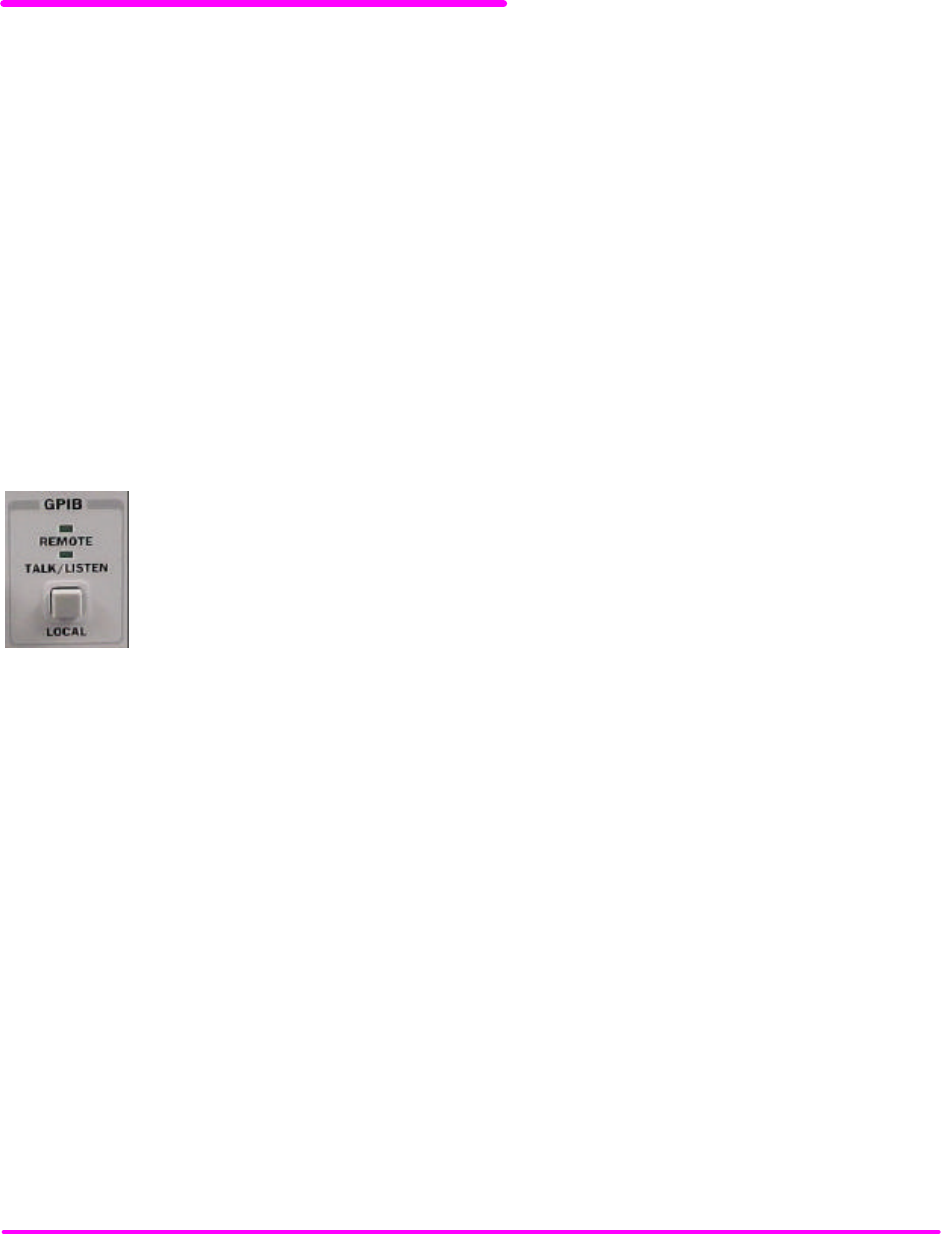
press the LOCAL switch in the section labeled GPIB on the front panel. The instrument will display the address. The
default address from the factory is address “Adr 01”.
Changing the GPIB Address
Every device on the GPIB bus must have a unique address. If it is necessary to change the
address, press and hold in the (PARAMETER) SET switch while displaying the GPIB address.
Turn the ADJUST knob until the desired address value is displayed, then release the SET
switch. The new GPIB address will then be stored in non-volatile memory. The allowable
address range is 0 - 30 for primary GPIB addressing. Extended GPIB addressing is not
implemented on the LDX-3200 Series Precision Current Source at this time.
Changing Operation from Local to Remote
Sending a command over the GPIB will automatically put the instrument in REMOTE mode. The REMOTE indicator
will identify when the Current Source is in remote operation mode. When the instrument is in REMOTE mode,
pressing the LOCAL switch returns the instrument to LOCAL control mode unless the Local Lockout state has been
activated by the host computer. Local Lockout disables all LDX-3200 Series Precision Current Source front panel
switches until this condition is changed by the host computer. When the instrument is put in Local Lockout Mode
by the host computer, the REMOTE indicator will flash at a 1 Hz rate to indicate that the front panel is completely
disabled by Local Lockout.
The TALK/LISTEN indicator is illuminated when the instrument is communicating over the GPIB bus.

OPERATING IN REMOTE CONTROL
CHPT 3
PAGE 2
LDX-3200 SERIES CURRENT SOURCE COMMAND SET
For the most efficient and effective remote control of your LDX-3200 Series Precision Current Source, we recommend
you study the following sections. You will learn about the LDX-3200 command sets, both IEEE488.2 Common
Commands and the most used device specific commands, and command syntax. Later in this chapter you will be
introduced to the error and status registers.
Command Syntax
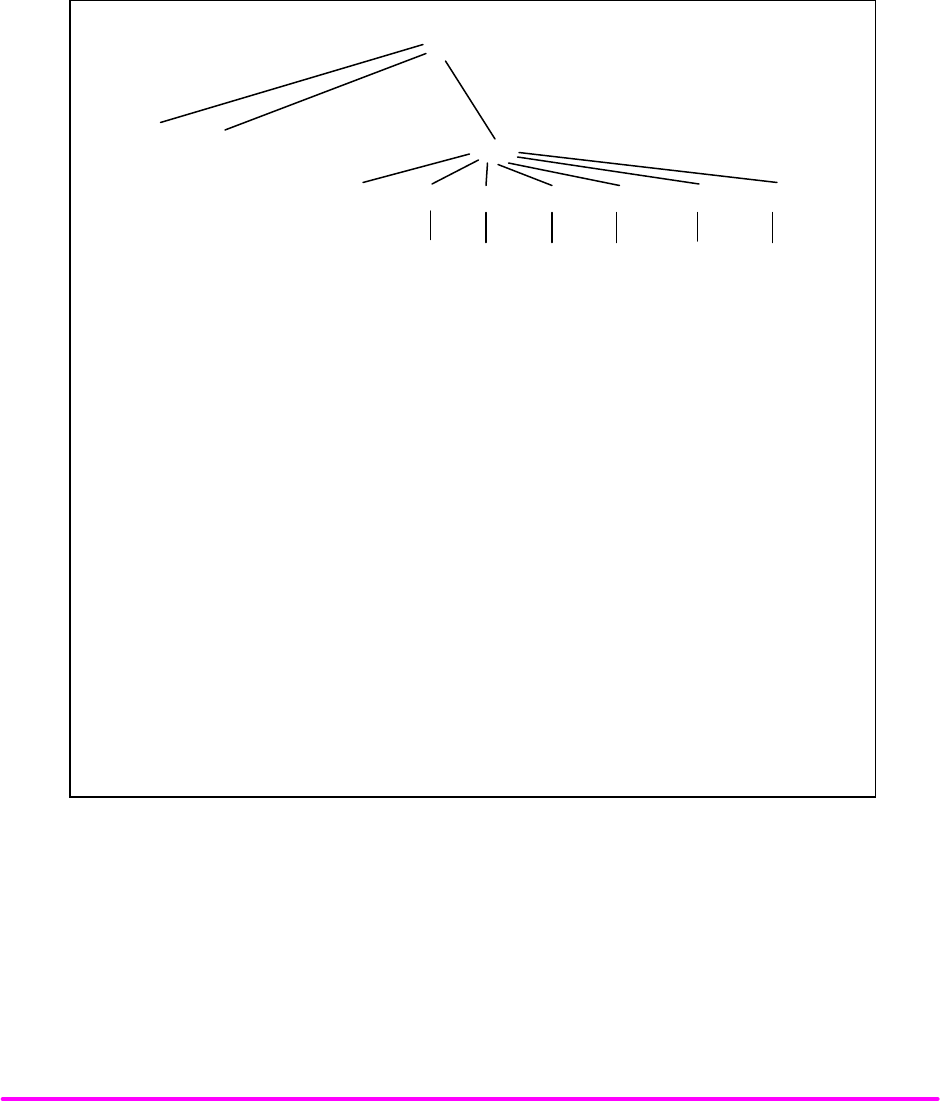
Any command or command query must contain all of the letters which are shown in the LDX-3200 Command Path
Structure, Figure 3.1. However, the Current Source's command parser is NOT CASE SENSITIVE so upper or lower
case may be used in any combination. The lower case letters shown with the Device Dependent commands in
Chapter 4 are optional letters and may be used for clarity. For example, the following commands are equal:
LAS:DIS 1
LAS:DisP 1
LAS:DISPLAY 1
In this example, only the first three letters "DIS" are required, while the other letters, "play" are optional.
These optional letters must be used in the proper sequence as shown.
The syntax of the LDX-3200 Series Precision Current Source commands follows the rules laid out in the IEEE-488.2
standard. Colons (:) indicate the start of a new command path, while semicolons (;) indicate a separation of
commands within a command string. A leading colon on a command may be used to return the LDX-3200 Series
Precision Current Source command parser to the command path root (see Figure 3.1).
Spaces or white space may be used to separate commands and/or data (after the command header or query question
mark). Spaces or white space must be used to separate the command (header) from the first parameter (or program
data). The following examples show valid syntax for commands with the LDX-3200 Series Precision Current Source:
LAS:display:ldi
Laser:limit:ldi 400
LAS:DIS 1; las:set:ldi?;
Las:MODE:Mdp; LAS:OUT 1
The following are examples of invalid syntax for the LDX-3200 Series Precision Current Source. These command
strings would produce an erroneous result, as explained:
LAS:MODE MDP -Missing colon, MODE? expected.
LAS:MODE:ILBW DEC -Missing semicolon, DEC command
generates an error.
LAS:DIS ? -Space not allowed before question
mark, DIS command expected.
Las:LDI33;dis? -Space missing between LDI command
and the parameter value, 33.

OPERATING IN REMOTE CONTROL
CHPT 3
PAGE 3
For further clarity in programming, the (Boolean) values of one (1) and zero (0) may be used or their names
as indicated in the following table.
SUBSTITUTE NAME VALUE
ON 1
OFF 0
OLD 1
NEW 0
TRUE 1
FALSE 0
SET 1
RESET 0
Table 3.1 Substitute Parameter Names
If multiple parameters are expected, they should be separated with commas, as in:
LAS:INC 100,50
A query has no space between the mnemonic and the question mark, as in:
LAS:LDI?
The LDX-3200 Series Precision Current Source uses a terminator of <NL><^END> (new line with EOI). For users
whose GPIB driver defaults expect a carriage return in the terminator, <CR><NL><^END>, the “TERM” command may
be used for convenience (see “TERM” command, Chapter 4). For more information, refer to your GPIB driver
configuration manual.
The command structure is illustrated in Figure 3.1. Table 4.1 lists all of the LDX-3200 Series Precision Current Source's
device-dependent commands, with the full path shown for each command and a brief explanation of its usage.
OPERATING IN REMOTE CONTROL
CHPT 3
PAGE 4
Command Paths
The LDX-3200 Series Precision Current Source device-dependent commands are structured into a tree format (see
Figure 3.1). Each of the legal paths is listed below, followed by its list of path options, each of which is followed by
the commands themselves. It is recommended that the first-time user begin learning the commands by using the full
path notation. Once you are familiar with the commands, you may wish to take advantage of the shortcuts allowed for
command paths.
(root)
(com.
cmds)
*CAL?
*CLS
DELAY
ERR?
MES
MES?
RAD
RAD?
SECURE
TERM
TERM?
TIME?
TIMER?
:COND?
:DEC
:DIS
:DIS?
:EVE?
:LDI
:LDI?
:INC
:MDI
:MDI?
:MODE?
:OUT
:OUT?
:MDP
:MDP?
:STEP
:STEP?
:TOL
:TOL?
:CAL
:DIS
:LDI
:LDI?
:MDI
:MDI?
:MDP
:MDP?
:SET
:SET?
:LIM
:MODE
:ILBW
:MDP
:SET
:LDI?
:MDI?
:MDP?
LAS
:ENAB
:COND
:COND?
:EVE
:EVE?
:OUTOFF
:OUTOFF?
:PARAM
:CALMD
:CALMD?
:LDI
:LDI?
:CONST?
:LDV?
:MDI
:MDI?
:I1
:I1?
:IHBW
:I2
:I2?
:I3
:I5?
:V
:V?
(I1 - LDX-3210 only, I2 - LDX-3220 only, I5 - LDX-3210 and LDX-3220)
*
*
:RAN
:RAN?
:LDV
:LDV?
*ESE
*ESE?
*ESR?
*IDN?
*OPC
*PSC
*PUD
*PUD?
*RCL
*RST
*SAV
*SRE
*SRE?
*STB?
*TST?
*WAI
*PSC?
*OPC?
:I5
:MDP?
:MDP
:LDV
:LDV?
:LDV
:MDLN
:MDLN?
Figure 3.1 LDX-3200 Series Command Path Structure

OPERATING IN REMOTE CONTROL
CHPT 3
PAGE 5
IEEE488.2 Common Commands
The IEEE488.2 Common Commands and Queries are distinguished by the “*” which begins each mnemonic. The
diagrams below show the syntax structure for common commands, common command queries, and common
commands with numeric data required.
Numeric data is required with *PSC (1 = on, 0 = off), *RCL (0 to 10, see front panel RECALL function), *SAV (1 to 10,
see front panel SAVE function), *ESE (0 to 255, see Figure 3.2), *SRE (0 to 255, see Figure 3.2), and *PUD (used at
factory only).
A list of all of the IEEE 488.2 Common Commands supported by the LDX-3200 Series follows.
*CAL? *CLS *ESE
*ESE? *ESR? *IDN?
*OPC *OPC? *PSC
*PSC? *PUD *PUD?
*RCL *RST *SAV
*SRE? *SRE *STB?
*TST? *WAI
For more information on these commands, refer to an ANSI/IEEE 488.2-1987 standards reference.
NOTE
Care should be taken to set the GPIB time-out appropriately for use with the *WAI,
DELAY, or *OPC? Commands. If the time for a response after one of these
commands exceed the GPIB time-out period, a bus (timeout) error will occur.
Usually, after this timeout error, the LDX-3200 Series Instrument will generate a
query error (E302). This error code is reported via the ERR? Query.
:
*
COMMAND
<white
space>
<Decimal
Numeric Program
Data>
Common Command with Numeric Data
:
*
COMMAND
?
Common Command Query
:
*
COMMAND
Common Command
OPERATING IN REMOTE CONTROL
CHPT 3
PAGE 6
LDX-3200 Series' Often Used Commands
The LDX-3200 Series Precision Current Source's complete command set contains over 60 commands that allow you to
operate the Current Source for a variety of applications. Within the command set, however, is a smaller subset of
commands that will meet most of your needs. These commands are listed in Table 3.2.
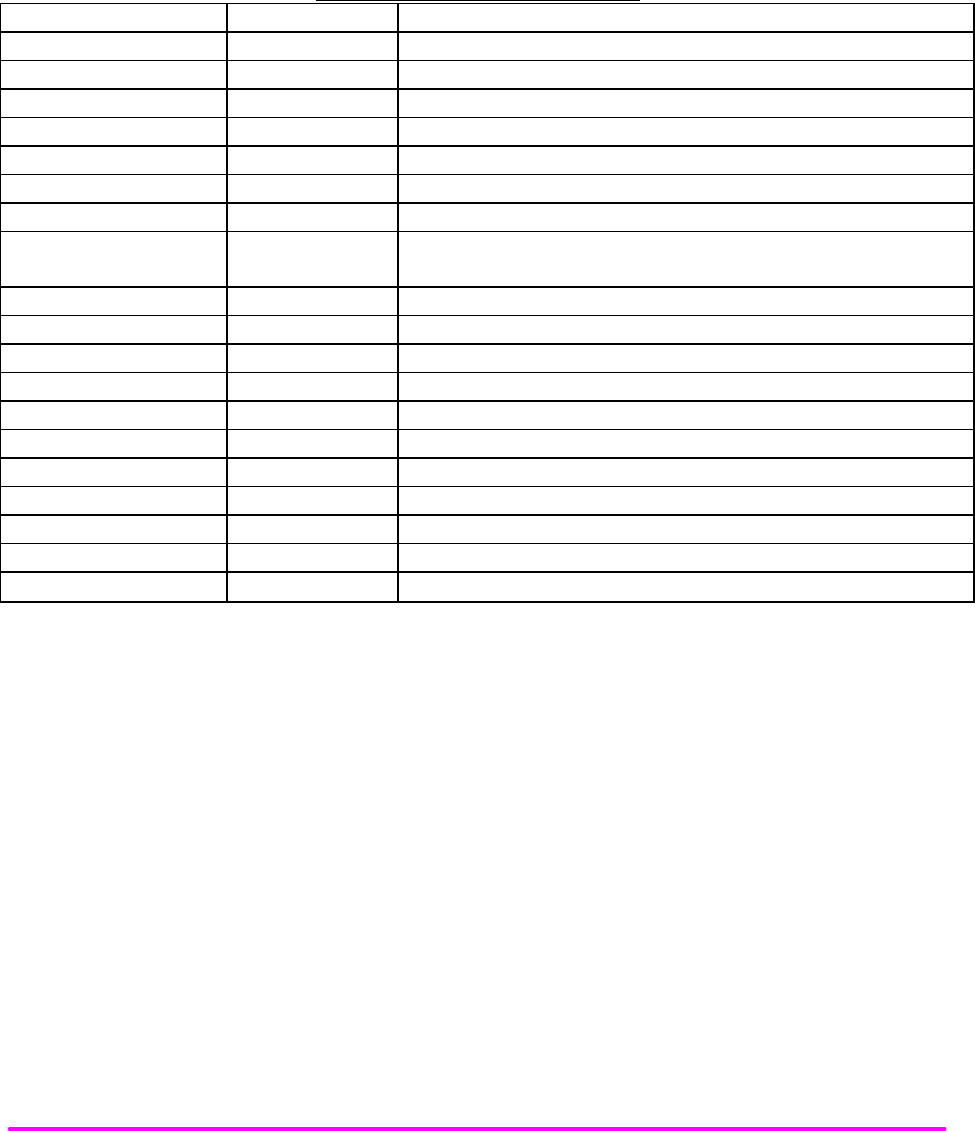
LDX-3200 OFTEN-USED COMMANDS
NAME PARAMETERS FUNCTION
ERR? NONE Returns errors generated since the last query.
LAS:CALMD 1Used to set the CAL PD (monitor responsivity) constant.
LAS:LDI 1Used to set the current source set point value.
LAS:LDI? NONE Used to return the constant current source measured value
LAS:LDV? NONE Used to return the measured laser voltage value
LAS:LIM:I1 1Used to set the current limit (high range for LDX-3210 ).
LAS:LIM:I2 1Used to set the current limit (low range for LDX-3220).
LAS:LIM:I5 1Used to set the current limit (low range for LDX-3210, high range for LDX-
3220).
LAS:LIM:MDP 1Used to set the constant optical power (from monitor PD) limit value.
LAS:LIM:V 1Used to set the current source compliance voltage limit value (LIM V).
LAS:MDP 1Used to set the constant optical power set point
LAS:MDP? NONE Returns the actual monitor PD power value
LAS:MODE? NONE Returns the mode, ILBW, IHBW, or MDP (optical power).
LAS:MODE:IHBW NONE Sets the mode to constant current, high bandwidth mode.
LAS:MODE:ILBW NONE Sets the mode to constant current (low bandwidth) mode.
LAS:MODE:MDP NONE Sets the mode to constant optical power mode.
LAS:OUT 1Used to enable/disable the current source output
LAS:OUT? NONE Returns the current source output status.
LAS:RAN 1Sets the laser current output range.
Table 3.2 LDX-3200 Series' Often Used Commands

OPERATING IN REMOTE CONTROL
CHPT 3
PAGE 7
STATUS REPORTING
This section contains information which is relevant for understanding instrument error and status reporting. It also
contains information regarding the use of the instrument status for generating interrupts for interrupt driven
programs or subroutines. Understanding the Operation Complete definition for the instrument is useful for
programming synchronization. The Output Off Register section also contains information on setting some of the
conditions which will force the laser current source output off.
The following sections describe the Event and Condition registers, Operation Complete Flag, Output Off registers,
and Error Messages.
Event and Condition Registers
In addition to the required IEEE488.2 status reporting structures, the LDX-3200 Series Precision Current Source
remote interface provides Event and Condition Registers for LASER operations. The Event Registers are used to
report events which occur during the operation of the LDX-3200 Series Precision Current Source. Events differ from
conditions in that events signal an occurrence once, and are not reset until the Event Register is queried, the status
cleared by the *CLS command, or the instrument is powered off. Conditions reflect the current state of the device,
and therefore may change many times during operation. Querying a Condition Register does not change its contents.
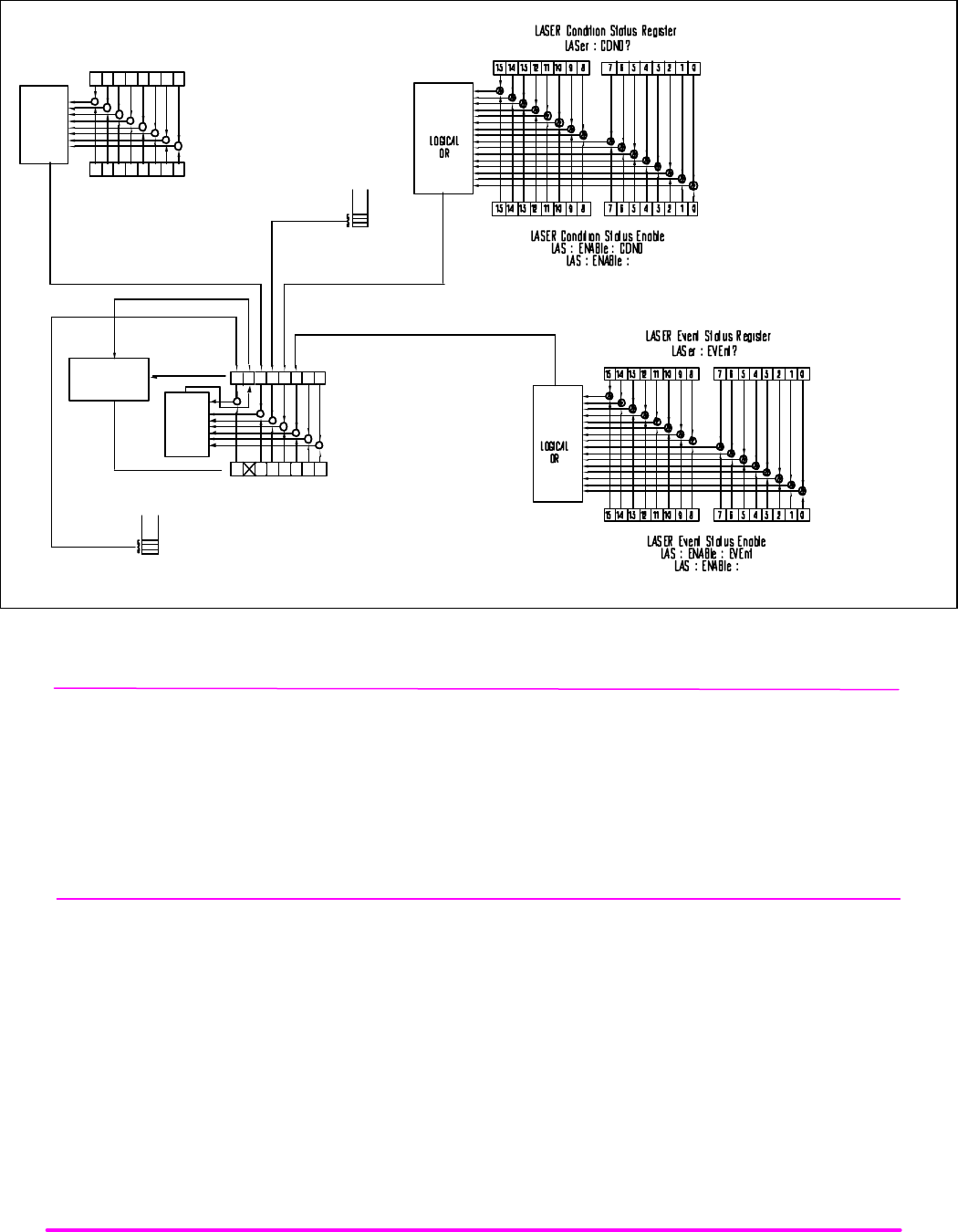
Figure 3.2 shows the status reporting scheme of the LDX-3200 Series Precision Current Source. Each of the registers
which may be accessed by a command or query has the appropriate command or query written above or below the
register representation. For example, the LASER Condition Register may be queried via the "LASer:COND?" query.
The condition or event registers are logically ANDed with their respective enable registers. These bits are then
logically ORed to form a summary message in the status byte for that particular register.
Operation Complete Definition
Note that Bit 0 of the Standard Event Status Register contains the status of the Operation Complete flag. Enabling
this bit via the *ESE command allows the user to update bit 5 of the status byte. Then, if the SRE mask has bit 5 set,
and the user issues an *OPC command, the SRQ (bus) signal will be generated upon completion of the currently
processed commands. This bus signal (SRQ) may be used to initiate service request routines which depend on the
completion of all previous commands.
For example, the user may turn the current source on (LAS:OUT 1), enable an SRQ on Operation Complete (set *ESE
1 and *SRE 5), and have an SRQ handling routine in the user's software which reads a new measurement after the
output on state has been reached. This allows the use of the operation complete features of the LDX-3200 Series
Precision Current Source, without the need for program looping or polling which can tie up the GPIB. Operation
Complete on the LDX-3200 Series Precision Current Source is defined as:
1) No operations to the LASER current source hardware are pending.
2) No EEPROM (non-volatile) memory write cycles are in progress.
OPERATING IN REMOTE CONTROL
CHPT 3
PAGE 8
&&&&
&
&&&
LOGICAL
OR
Standard
Event Status Enable
Register
*ESE
*ESE?
Service Request Enable
Register
*SRE
*SRE?
LOGICAL
OR
&
&
&
&
&
&
&
0 - Operation Complete
1 - Request Control
2 - Query Error
3 - Device-Dependendent Error
4 - Execution Error
5 - Command Error
6 - User Request
7 - Power On
0 – N/A
1 - N/A
2 – LASER Event
3 – LASER Cond.
4 - Message Available
5 - Event Status Summary
6 - Request Service/Master Status Summary
7 - Error Available
Status Byte Register
*STB?
SERVICE
REQUEST
GENERATION
OUTPUT
QUEUE
NOT-EMPTY
QUEUE
QUEUE
NOT-EMPTY
QUEUE
ERROR
{
{
Standard
Event Status Register
*ESR?
01234567
0123457
01234567
01234567
0 – Current Limit
1 – Voltage Limit
2 – N/A
3 – Power Limit
4 – Interlock
5 – N/A
6 – Comp. Voltage Limit
7 – Open Circuit
8 – Output Shorted
9 – Out of Tolerance
10 – Output On
11 – Ready for Calibration
12 – N/A
13 – N/A
14 – N/A
15 – N/A
0 – Current Limit
1 – Voltage Limit
2 – N/A
3 – Power Limit
4 – Interlock
5 – N/A
6 – Comp. Voltage Limit
7 – Open Circuit
8 – Output Shorted
9 – Tolerance Change
10 – Output On/Off change
11 – New Measurement Ready
12 – N/A
13 – N/A
14 – N/A
15 – N/A
Figure 3.2 LDX-3200 Series Status Reporting Schematic Diagram
NOTE
If the GPIB times out while waiting for a response, either set the GPIB time-out longer or use SRQ
generated interrupts in your program. See your GPIB manual for time-out configuration or SRQ
programming setup.
The *OPC, *OPC?, and *WAI commands should not be used inside a calibration routine.

OPERATING IN REMOTE CONTROL
CHPT 3
PAGE 9
Output Off Register
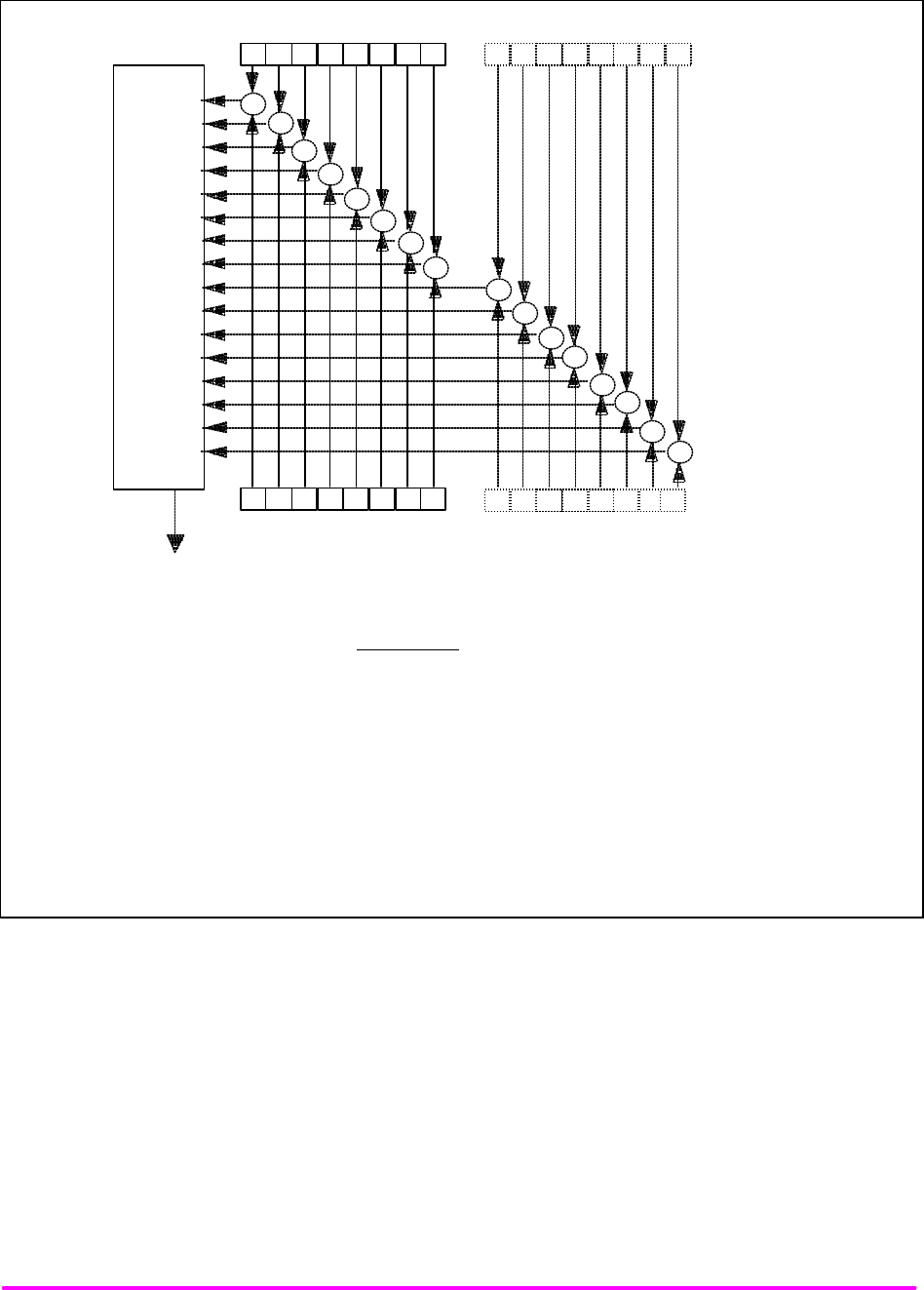
The Output Off Enable Register allows you to determine which conditions and events in the LDX-3200 Series
Precision Current Source can cause the current source output to be turned off. This register is configured in a manner
which is similar to the status reporting registers. However, the register output is not reported in the Status Byte
Register. Rather, it sets the hardware which controls the output switching. The events and conditions which may be
set to cause the current source output to be turned off are shown in Figures 3.3.
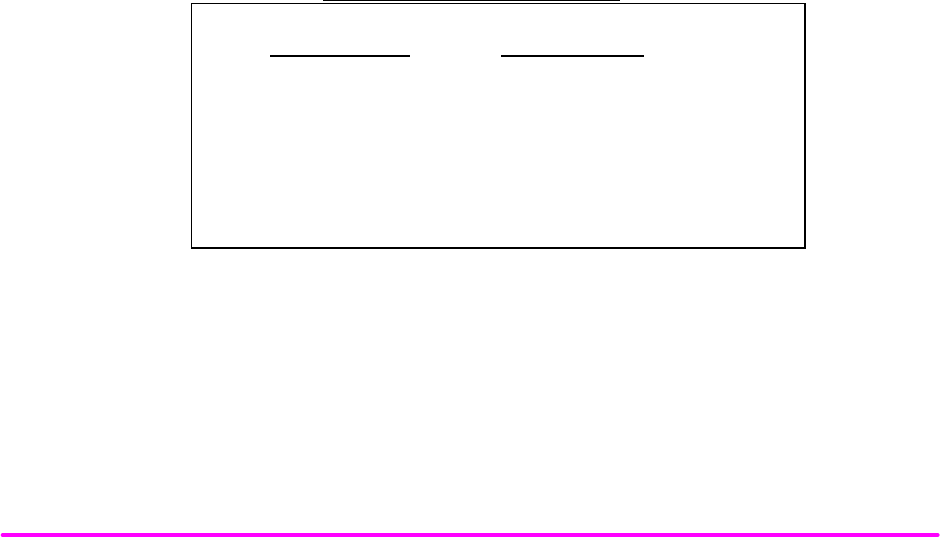
The default (factory) settings for this register are shown in Table 3.3. These settings are not effected by the *PSC
(Power-On Status Clear) command.
LDX-3200 Series OUTPUT OFF REGISTER
0- disabled 8- N/A
1- disabled 9- disabled
2- N/A 10- disabled
3- enabled 11- enabled
4- N/A 12- N/A
5- N/A 13- N/A
6- N/A 14- N/A
7- N/A 15- N/A
Table 3.3 LDX-3200 Series Default Settings for Output Off Registers
OPERATING IN REMOTE CONTROL
CHPT 3
PAGE 10
7 6 5 4 3 2 1 0
7 6 5 4 3 2 1 0
15 14 13 12 11 10
8
9101112131415
98
Logical
OR
Turn Output Off
LASER Output Off
Register
LASER Output Off
Enable Register
LASer:ENABle:OUTOFF <nrf>
LASer:ENABle:OUTOFF?
&
&
&
&
&
&&&&&&&&&&&
Bit Reference
0- LASER Current Limit 8- N/A
1- LASER Voltage Limit 9- LASER Output Changed to be out of Tolerance
2- N/A 10- N/A
3- LASER Power Limit (output on) 11- N/A
4- N/A 12- N/A
5- N/A 13- N/A
6- N/A 14- N/A
7- N/A 15- N/A
Figure 3.3 LDX-3200 Series' Output Off Register
Command Timing and Completion
This section describes, for each device-dependent command, whether that command is performed in an overlapped or
sequential manner. In other words, it states whether the next command may begin while this command is being
executed, or if the next command must wait until this command is completed before its execution begins. The
conditions for setting the operation complete flag are given in the Chapter 3 section titled Operation Complete
Definition.
OPERATING IN REMOTE CONTROL
CHPT 3
PAGE 11
All LDX-3200 Series’ device-dependent commands are executed in an overlapped manner, except the “DELAY”
command which is sequential. The operation complete flag is set after the conditions outlined in the Operation
Complete Definition have been satisfied.
The *WAI (common command) is an example of a sequential command which forces the next command to wait until
the no-operation-pending flag is true. This is essentially the same as waiting for the OPC flag to become true,
because the no-operations-pending flag is used to set the OPC flag (bit 0 of the Standard Event Status Register).
Commands which change the status of the instrument limits, or change its mode or current range, step value, or
status enable registers, will not have their OPC flag set until all current writing to non-volatile memory has been
completed. This is done to ensure that the OPC flag is never set prematurely.
Whenever there is any output (response) data in the Output Queue, bit 4 is set in the Status Byte Register.
Whenever there is any error message in the Error Queue, bit 7 is set in the Status Byte Register.
Error Messages
In the event of a hardware error condition, error messages will be displayed on the display. In most cases, the error
message will appear for three seconds. In some cases the error code display will remain until the user changes display
modes. In the case of multiple error messages, the display may sequentially show each message for three seconds. In
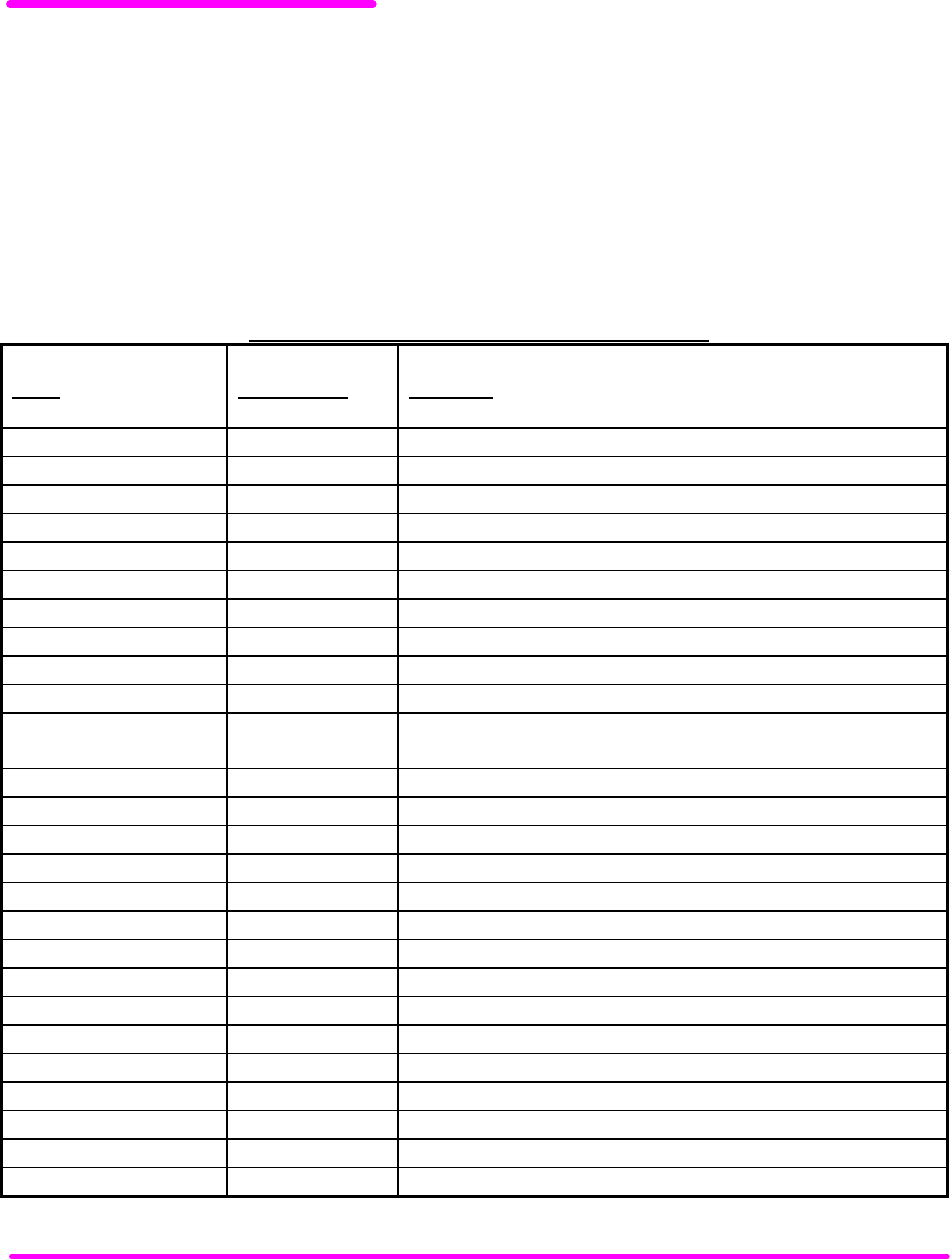
addition to the hardware errors, GPIB errors may be read via the “ERR?” query. Table 3.4 lists the numerical error
ranges by function. Table 3.5 contains all of the error messages which may be generated. Not all of these messages
may appear on the front panel displays. Some refer to GPIB activities only.
In remote operation, the errors can be read by issuing the "ERR?" query. When this is done, all of the error messages
which are resident in the error queue are returned (up to 10 may be stored). Reading the error queue via GPIB clears
the error queue.
ERROR CODE CLASSIFICATIONS
Error Code Range Area of Operation
E-001 to E-099 Internal Program Errors
E-100 to E-199 Parser Errors
E-200 to E-299 Execution Control Errors
E-300 to E-399 GPIB Errors
E-500 to E-599 LASER Control Errors
Table 3.4 Error Code Classifications

OPERATING IN REMOTE CONTROL
CHPT 3
PAGE 12
LDX-3200 Series ERROR MESSAGES
Error Code Explanation
E-001 Memory allocation failure.
E-103 <DEFINITE LENGTH ARBITRARY BLOCK PROGRAM DATA> length too long.
E-104 <NON-DECIMAL NUMERIC PROGRAM DATA> type not defined.
E-105 <DECIMAL PROGRAM DATA> exponent not valid.
E-106 <DECIMAL PROGRAM DATA> digit expected.
E-123
E-124
Command not found.
<program mnemonic> Lookup, failed because query/command type match failed.
E-126 Too few or too many program data elements.
E-201 <PROGRAM DATA> value out of range.
E-202 <PROGRAM DATA> will not convert to valid type.
E-203 Security violation, command is not available without clearance.
E-205 <PROGRAM DATA> is not a Boolean value or word.
E-207
E-209
<PROGRAM DATA> will not convert to an unsigned 16-bit value.
<PROGRAM DATA> will not convert to an unsigned 32-bit value.
E-210 <PROGRAM DATA> will not convert to a floating point value.
E-211 <PROGRAM DATA> will not convert to a character value.
E-213 <PROGRAM DATA> is incorrect block data length.
E-214
E-302
<PROGRAM DATA> length exceeds maximum.
Query error. Device was addressed to talk, but GPIB Controller failed to read all of the <RESPONSE
MESSAGE>.
E-501 LASER interlock disabled output.
E-503 LASER open circuit disabled output.
E-504
E-505
LASER current limit disabled output.
LASER voltage limit disabled output.
E-507 LASER Power limit disabled output.
E-510 LASER out of tolerance disabled output.
E-511 LASER control error disabled output.
E-512 Analog section status is all 1's or all 0's (power down).
E-513 Serial EEPROM checksum error.
E-515 Laser Output must be off to change ranges.
E-516 Incorrect Configuration for Calibration Sequence to start.
E-519 Setting a measurement is only valid during the calibration phase for that measurement. User has tried to
calibrate a measurement without first entering the required calibration mode.
Table 3.5 LDX-3200 Series Error Codes

COMMAND REFERENCE CHPT 4
CHAPTER 4 1
COMMAND REFERENCE 1
INTRODUCTION 1
LDX-3200 SERIES DEVICE-DEPENDENT COMMANDS 4
LDX-3200 SERIES DEVICE-DEPENDENT COMMAND REFERENCE 5
COMMAND REFERENCE CHPT 4
PAGE 1
CHAPTER 4
COMMAND REFERENCE
INTRODUCTION
This chapter is a guide to all of the device-dependent commands for the LDX-3200 Series Precision Current Source.
This chapter is divided into two parts. The first part contains an overview of the remote commands used by the
LDX-3200 Series Precision Current Source. The second part contains all of the LDX-3200 Series Precision Current
Source commands in alphabetical order. Figure 4.1 shows the format for the device command descriptions in this
chapter. The commands which emulate local (front panel) operation are denoted by the solid box next to the Local
label in the upper left corner of the command description.
LDX-3200 SERIES DEVICE-DEPENDENT COMMANDS
NAME PARAMETERS FUNCTION
DELAY 1Used to create a delay in the execution of further commands.
ERR? NONE Returns errors generated since the last query.
LAS:CALMD 1Used to set the CAL PD (monitor responsivity) constant.
LAS:CALMD? NONE Returns the CAL PD (monitor responsivity) constant.
LAS:CAL:CONST? 1Factory use only.
LAS:CAL:LDI NONE Used to enter the laser current calibration mode.
LAS:CAL:LDI? NONE Returns the ready state for entering the laser current calibration value.
LAS:CAL:LDV NONE Used to enter the laser voltage calibration mode.
LAS:CAL:LDV? NONE Returns the ready state for entering the laser voltage calibration value.
LAS:CAL:MDI NONE Used to enter the monitor photodiode current calibration mode.
LAS:CAL:MDI? NONE Returns the ready state for entering the monitor PD current calibration
value.
LAS:COND? NONE Returns the value of the LASER condition register.
LAS:DEC 0, 1 or 2 Used to decrease the laser current set point value by one or more steps.
LAS:DIS 1Turns the LASER display on or off.
LAS:DIS? NONE Returns the LASER display value.
LAS:DIS:LDI NONE Turn on/off LASER display to show laser output current.
LAS:DIS:LDI? NONE Returns status of laser output current display, on/off.
LAS:DIS:LDV NONE Turn on/off LASER display to show laser output voltage.
LAS:DIS:LDV? NONE Returns status of laser output voltage display, on/off.
LAS:DIS:MDI NONE Turn on/off LASER display to show PD monitor current.
LAS:DIS:MDI? NONE Returns status of photo diode monitor current display, on/off.
LAS:DIS:MDP NONE Turns on/off LASER display to show PD monitor power.
LAS:DIS:MDP? NONE Returns status of photodiode monitor power display, on/off.
LAS:DIS:PARAM NONE Enables LASER display to show parameter values.
LAS:DIS:SET NONE Shows the LASER display set point corresponding to mode
LAS:DIS:SET? NONE Returns status of LASER set point display, on/off.
Table 4.1 LDX-3200 Series Device-Dependent Commands
COMMAND REFERENCE CHPT 4
PAGE 2
LDX-3200 SERIES DEVICE-DEPENDENT COMMANDS
NAME PARAMETERS FUNCTION
LAS:ENAB:COND 1Sets the enable register for LASER conditions.
LAS:ENAB:COND? NONE Returns the value of the LAS conditions enable register.
LAS:ENAB:EVE 1Sets the enable register for LAS events.
LAS:ENAB:EVE? NONE Returns the value of the LAS event enable register.
LAS:ENAB:OUTOFF 1Sets the enable register for LAS conditions which turn the LAS output off.
LAS:ENAB:OUTOFF? NONE Returns the value of the LAS outoff enable register.
LAS:EVENT? NONE Returns the value of the LAS event register.
LAS:LDI 1Used to set the LASER constant current source set point value.
LAS:LDI? NONE Used to return the constant current source measured value
LAS:INC 0, 1 or 2 Used to increment the LASER set point value by one or more steps.
LAS:LDV 1Used to set the laser voltage value for calibration.
LAS:LDV? NONE Used to return the measured laser voltage value
LAS:LIM:I1 1Used to set the LASER current source limit (high range for LDX-3210).
LAS:LIM:I1? NONE Used to return the LASER current source limit (high range for LDX-
3210).
LAS:LIM:I2 1Used to set the LASER current source limit (low range for LDX-3220).
LAS:LIM:I2? NONE Used to return the LASER current source limit (low range for LDX-
3220).
LAS:LIM:I5 1Used to set the LASER current source limit (high range for LDX-3220,
low range for LDX-3210).
LAS:LIM:I5? NONE Used to return the LASER current source limit (high range for LDX-
3220, low range for LDX-3210).
LAS:LIM:MDP 1Used to set the constant optical power (from monitor PD) limit value.
LAS:LIM:MDP? NONE Used to return the optical power (from monitor PD) limit value.
LAS:LIM:V 1Used to set the LASER compliance voltage limit value.
LAS:LIM:V? NONE Used to return the LASER compliance voltage limit value.
LAS:MDI 1Used to set the constant optical power set point, if PD responsivity is 0.
LAS:MDI? NONE Used to return the monitor PD current measured value.
LAS:MDLN 1Used to enable/disable the front panel modulation input.
LAS:MDLN? NONE Used to return the status of the front panel modulation input.
LAS:MDP 1Used to set the constant optical power set point.
LAS:MDP? NONE Returns the actual monitor PD power value.
LAS:MODE? NONE Returns the mode, I (current), IHBW (high bandwidth) or P (optical
power).
LAS:MODE:IHBW NONE Sets the mode to constant current, high bandwidth.
LAS:MODE:ILBW NONE Sets the mode to constant current (low bandwidth) mode.
LAS:MODE:MDP NONE Sets the mode to constant optical power mode.
LAS:OUT 1Used to enable/disable the current source output.
LAS:OUT? NONE Returns the current source output status.
LAS:RAN 1Sets the laser current output range.
LAS:RAN? NONE Returns the laser current output range.
LAS:SET:LDI? NONE Returns the laser constant I (current) set point.
LAS:SET:MDI? NONE Returns the laser constant optical power set point.
Table 4.1 LDX-3200 Series Device-Dependent Commands (Cont.)
COMMAND REFERENCE CHPT 4
PAGE 3
LDX-3200 SERIES DEVICE-DEPENDENT COMMANDS
NAME PARAMETERS FUNCTION
LAS:SET:MDP? NONE Returns the constant P (optical power) set point
LAS:STEP 1Used to set the LASER set point step value.
LAS:STEP? NONE Returns the LASER set point step value.
LAS:TOL 2Used to set the LASER set point tolerance value and time period value.
LAS:TOL? NONE Used to return the LASER set point tolerance value and time period
value.
MES 1Used to enter a string message of up to 16 bits.
MES? NONE Returns a previously stored ASCII message.
RAD 1Sets the radix type for numerical data. Decimal, binary, octal, or
hexadecimal.
RAD? NONE Used to return the radix type for numerical data.
SECURE 1Used to gain access to protected data.
TERM 1Used to add a carriage return to the device terminator.
TERM? NONE Returns the status of the TERM command.
TIME? NONE Returns the elapsed time since the instrument was last powered up.
TIMER? NONE Returns the elapsed time since the timer was last reset.
Table 4.1 LDX-3200 Series Device-Dependent Commands (Cont.)
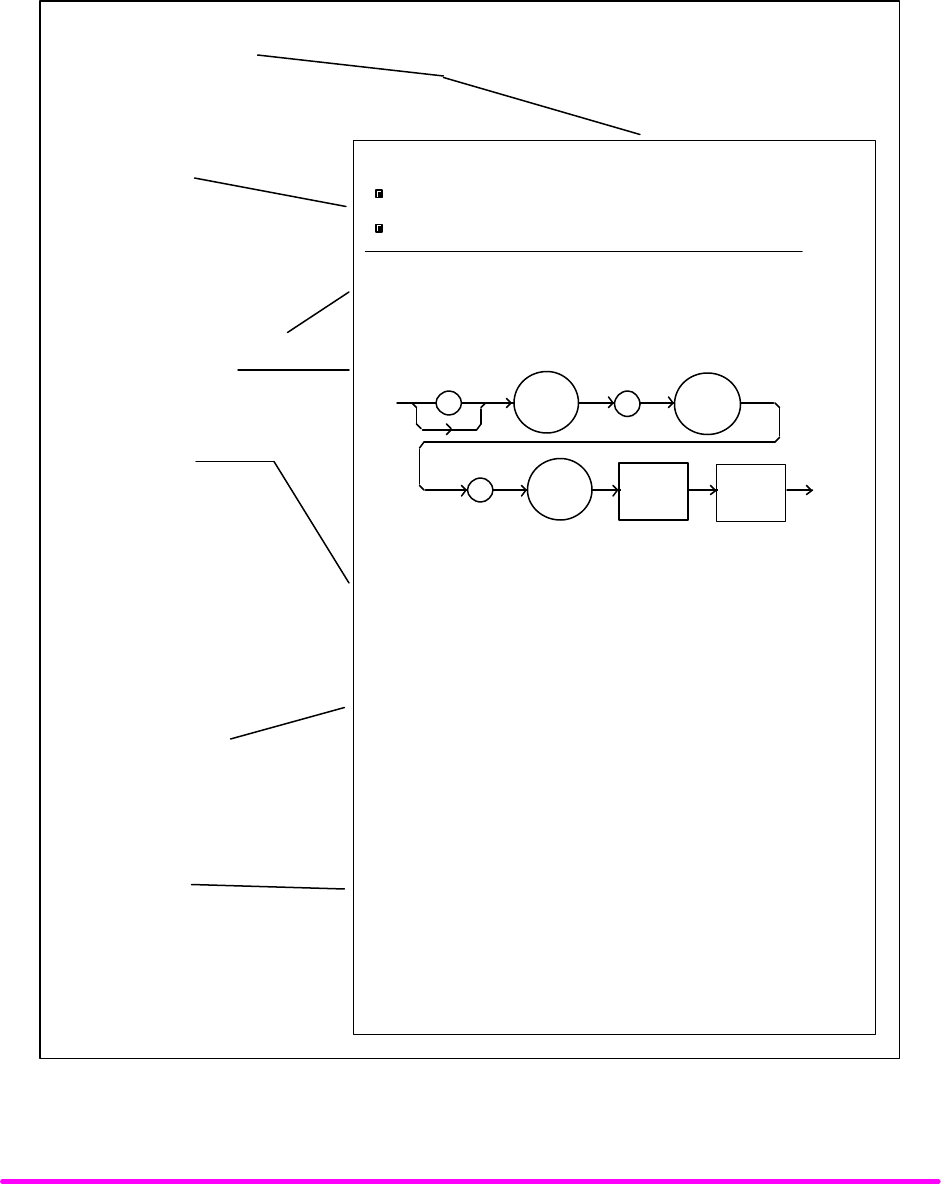
COMMAND REFERENCE CHPT 4
PAGE 4
LDX-3200 SERIES DEVICE-DEPENDENT COMMANDS
This section contains all of the device-dependent commands for the LDX-3200 Series Precision Current Source, listed
in alphabetical order. Sub-sections for each path are presented, listing the commands which are legal for that path.
See Figure 3.1 for command path tree structure.
Command
Required letters are shown in
upper case; lower case letters
are optional.
Front Panel/
A solid box means the command
can be executed in that mode.
Command mnemonics in front
panel (local) mode may vary.
Command Description
Syntax Diagram
(For Remote Commands)
Parameters
Tells what parameters are
expected, and their type.
An <nrf value> refers to a
flexible numeric notation
(IEEE-488.2). Integer,
exponential, or floating point
may be used with the decimal
radix. Alternate radices may be
selected in remote operation.
Points of Interest
Has special information
about the command.
Examples
Shows typical statements
using the command.
Front Panel
Remote
LASer:LIMit:I
limit value.
SYNTAX DIAGRAM
<white
space> < nrf
value >
:
: :LAS LIM
PARAMETERS An <nrf value> that represents the LASER limit
current, in mA.
POINTS OF
INTEREST
The current limit is in effect in all modes of
operation of the laser output.
In local operation, the limit current is entered
by selecting the LIM I parameter, pressing and
holding in the (PARAMETER) SET switch,
adjusting the ADJUST knob until the desired value
is displayed, and then releasing the SET switch.
EXAMPLES
Remote Execution
I1
"Las:Lim:I1 100" - action: the LASER current limit
is set to 100.0 mA.
"LAS:LIM:I1 50" - action: the LASER current limit
is set to 50.0 mA.
1
The LASer:LIMit:I1 command sets the laser current
Figure 4.1 Command Description Format

COMMAND REFERENCE CHPT 4
PAGE 5
LDX-3200 SERIES DEVICE-DEPENDENT COMMAND REFERENCE
The following pages contain a reference for the device-dependent commands of the LDX-3200 Series Precision
Current Source. This reference contains useful information for both local and remote operation of the LDX-3200
Series Precision Current Source.
References to the front panel labels are capitalized in the following reference pages (as is done throughout this
manual). Therefore, a reference to the LOCAL switch is meant to signify the actual switch labeled LOCAL on the
front panel of the LDX-3200 Series Precision Current Source.
In some references, parentheses are used to signify the labeled area for a particular switch or LED indicator on the
front panel. For example, (PARAMETER) SET refers to the switch labeled "SET" in the PARAMETER area of the
front panel.
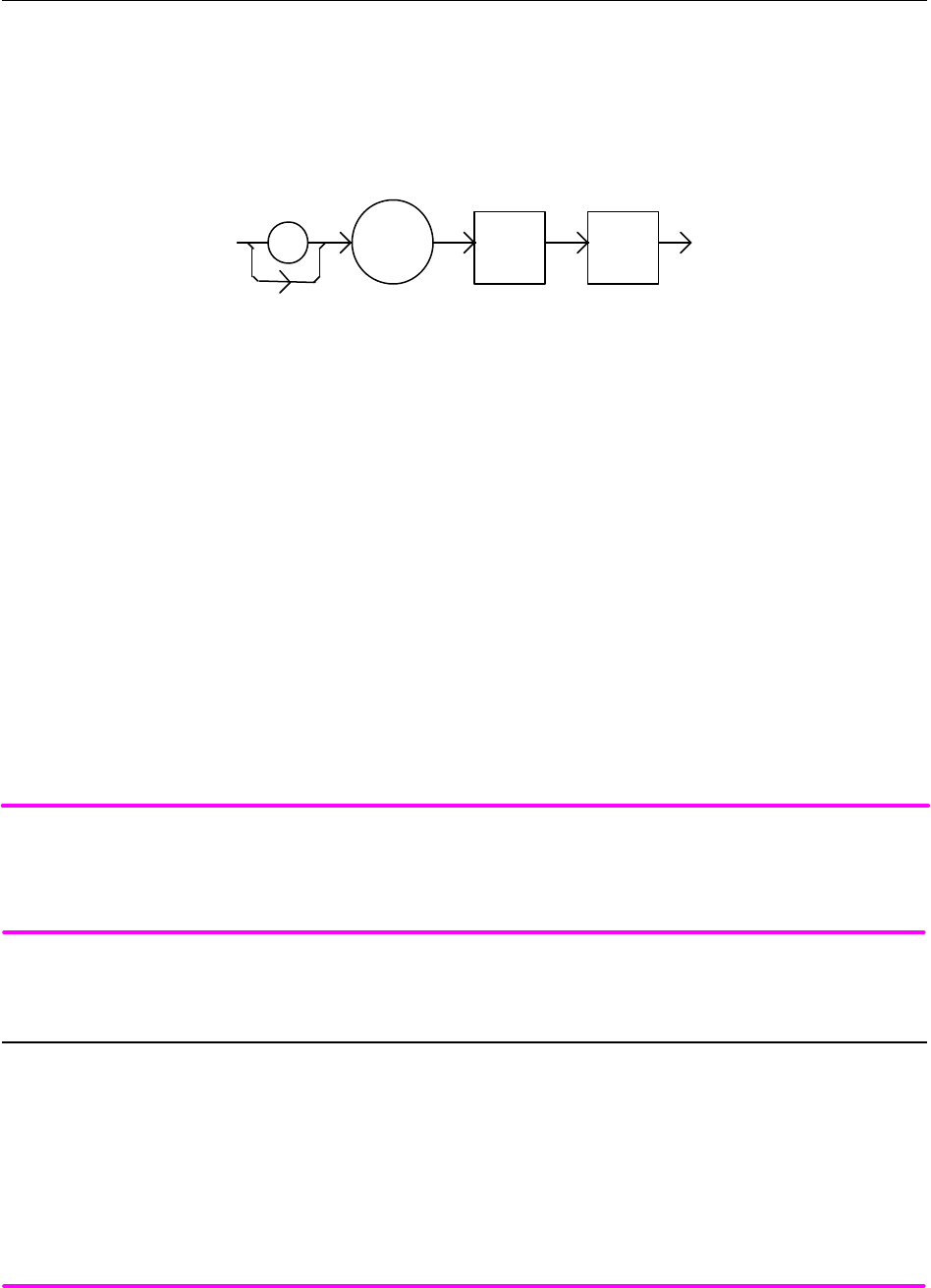
COMMAND REFERENCE CHPT 4
PAGE 6
¨ Front Panel DELAY
n Remote
The DELAY command causes the execution of commands to be delayed by a user-defined time. This command
is similar to the *WAI common command, except that execution resumes after the specified number of
milliseconds, instead of waiting for the Operation-Complete flag to be set.
SYNTAX DIAGRAM
:
DELAY
<white
space> <nrf
value>
PARAMETERS An <nrf value> which represents the delay time, in milliseconds.
POINTS OF
INTEREST The Operation-Complete flag is held false until the delay period elapses, but the *OPC? query
will not execute until the delay period has elapsed.
This command is useful for creating delays which don't require a lot of program code and don't
tie up the GPIB during execution.
The delay time is approximate, with an error of about ±10%.
EXAMPLES "DELAY 500" -action: Further commands and queries are not executed until about 0.5 seconds
have elapsed from the time this command is executed.
"LAS:LDI 22;Delay 2000;LAS:LDI?" -actions: The current is set to 22.0 mA, then the
LDX-3200 Series Precision Current Source waits for about 2.0 seconds before returning the
measured current.
NOTE
Care should be taken to set the GPIB time-out appropriately for use with the Delay command.
¨ Front Panel ERRors?
n Remote
The ERRors? query returns a list of command and device errors which have occurred since the last query.
These errors are notated by a number which corresponds to the type of error which occurred. See Chapter 3
for information regarding error handling.
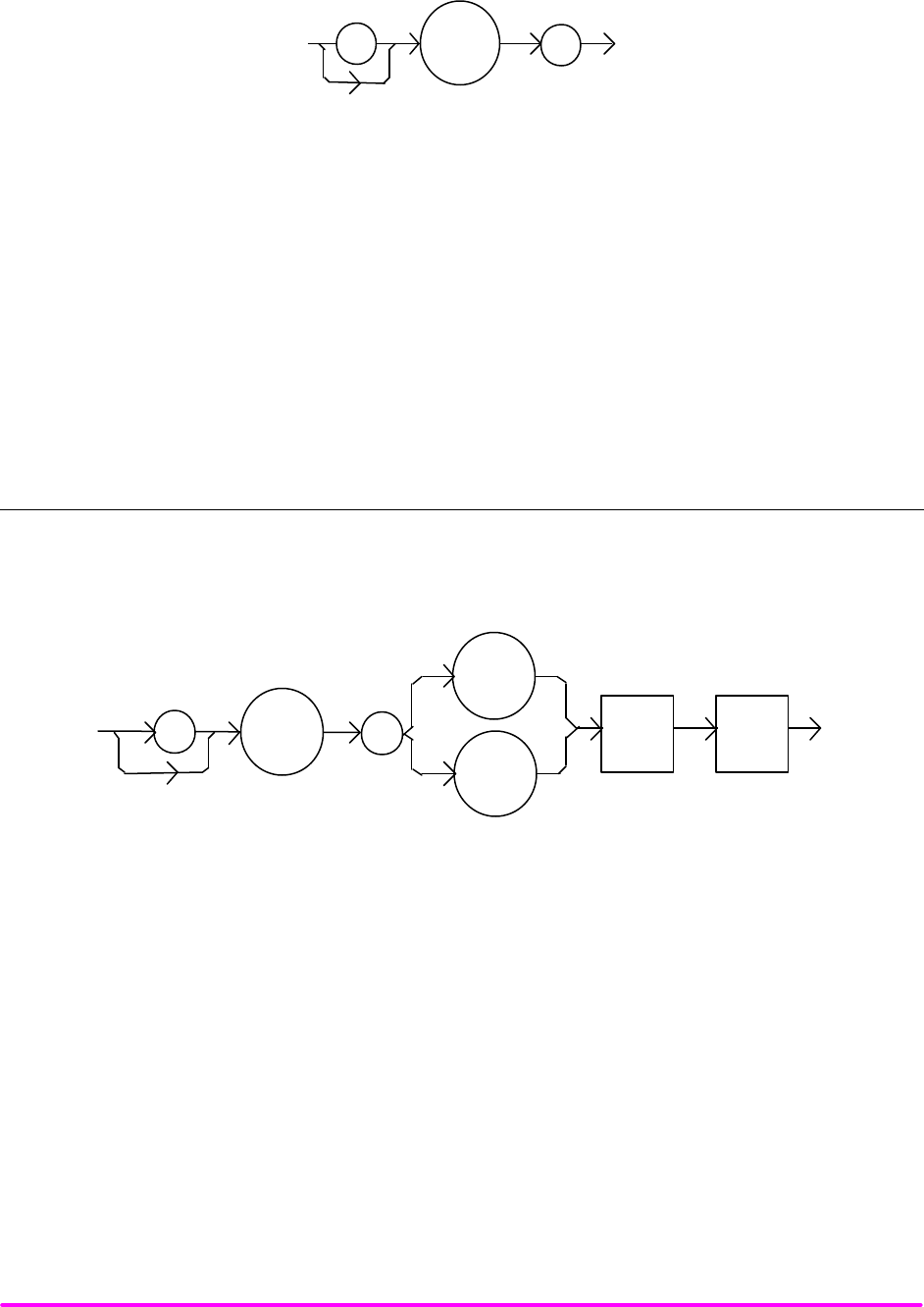
COMMAND REFERENCE CHPT 4
PAGE 7
SYNTAX DIAGRAM
:
ERR
?
PARAMETERS None.
POINTS OF
INTEREST The response data will be a list of the current errors. The errors are represented by numbers and
are separated by commas. A response of 0 indicates that no errors were reported. The response
data is sent as character data. Up to ten error codes are stored between error queries.
EXAMPLES "ERR?" -response: 0, means no errors reported.
"Errors?" -response: 201, means that the <PROGRAM DATA> (parameter) value out of range
error was reported since the last ERR? query.
n Front Panel LASer:CALMD
n Remote
The LASer:CALMD command sets the laser's photodiode feedback responsivity (the CAL PD parameter).
SYNTAX DIAGRAM
<white
space> <nrf
value>
::
CALMD
CALPD
LAS
PARAMETERS An <nrf value>, in microamps/milliwatt. The range is 0 to 1000.
POINTS OF
INTEREST If the parameter is set to 0, the LDX-3200 Series Precision Current Source will operate in a
constant IPD mode, when Constant P (MDP) mode is selected.
The parameter should be set to 0 for IPD operation modes. Otherwise, the value of this parameter
is used to convert between I
PD and P
PD values. The units of this parameter are
microamps/milliwatt.
EXAMPLES "LAS:CALMD 0" -action: sets the CAL PD parameter to 0. This enables the constant IPD mode
of operation.
"Laser:Calmd 1" -action: sets the CAL PD parameter to 1.00 microamp/milliwatt. Therefore, a
photodiode feedback current of 1 microamp will cause the PPD display to read 1 milliwatt.
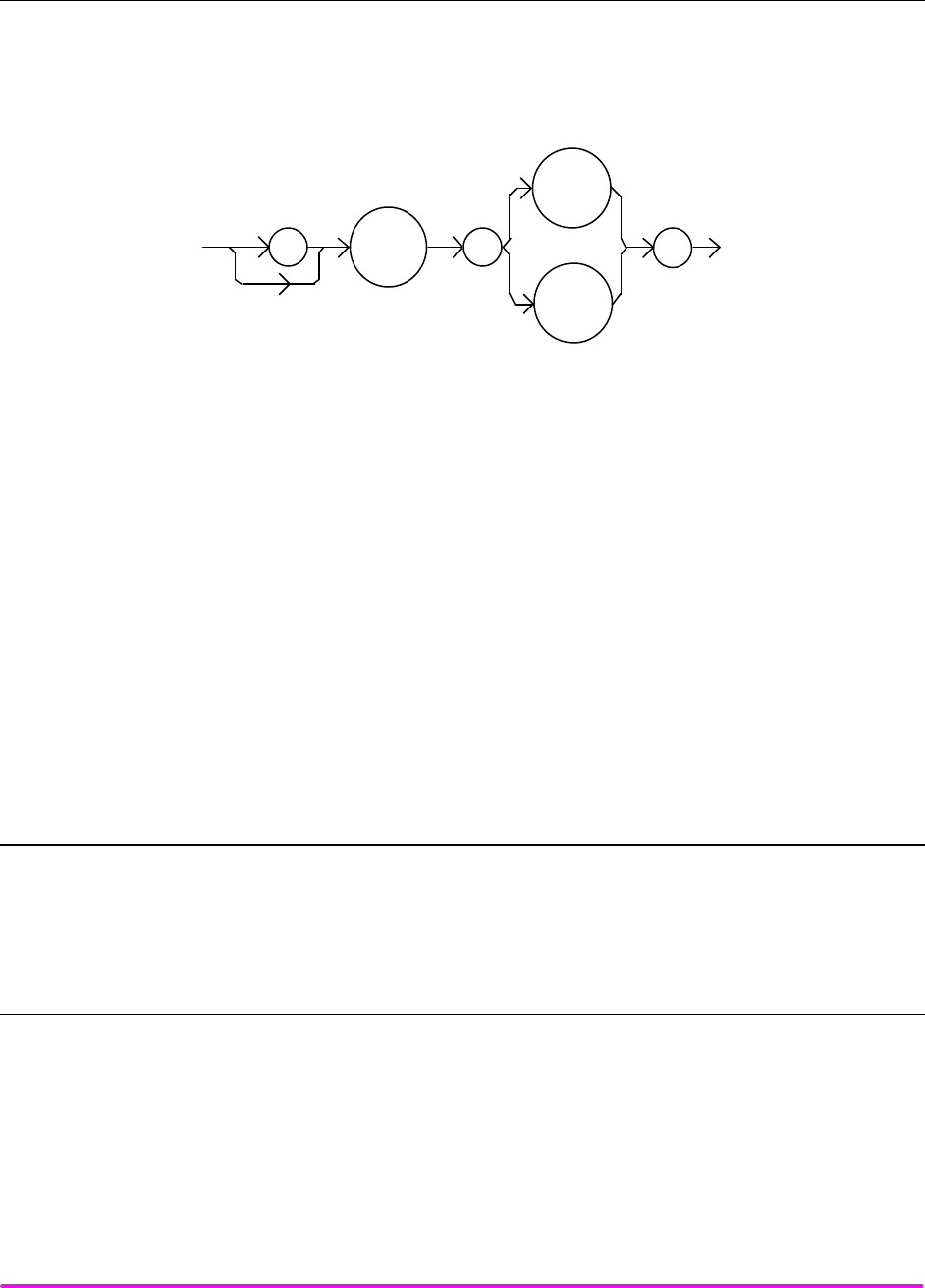
COMMAND REFERENCE CHPT 4
PAGE 8
n Front Panel LASer:CALMD?
n Remote
The LASer:CALMD? query returns the value of the laser's photodiode feedback responsivity (CAL PD
parameter) setting.
SYNTAX DIAGRAM
:
LAS
CALMD
:
?
CALPD
POINTS OF
INTEREST If this value is 0, the LDX-3200 Series Precision Current Source will be set to operate in constant
IPD mode, and the IPD set point value will be in effect. If this value is non-zero, the LDX-3200
Series Precision Current Source will be set to operate in constant P
PD mode, and the P
PD set
point value will be in effect.
If this value is 0, the front panel PPD will display "-.-", and no PPD value can be calculated.
EXAMPLES "LASER:CALMD?" -response: 0, means the LDX-3200 Series Precision Current Source is set
for operation in constant IPD mode (if P mode is also selected).
"Las:Calmd?" -response: 1.1, means the LDX-3200 Series Precision Current Source is set for
operation in constant P
PD mode (if P mode is also selected) and the responsivity is set to
1.1 µA/mW. 1.1 µA of photodiode feedback current represents 1 mW of optical power.
¨ Front Panel LAS:CAL:CONST?
n Remote
The LAS:CAL:CONST? query returns a stored calibration value. It is intended for factory use only.
n Front Panel LASer:CAL:LDI
n Remote
The LASer:CAL:LDI command is used to enter the LASER current set point, measurement, and limit (in low
bandwidth mode) calibration mode.
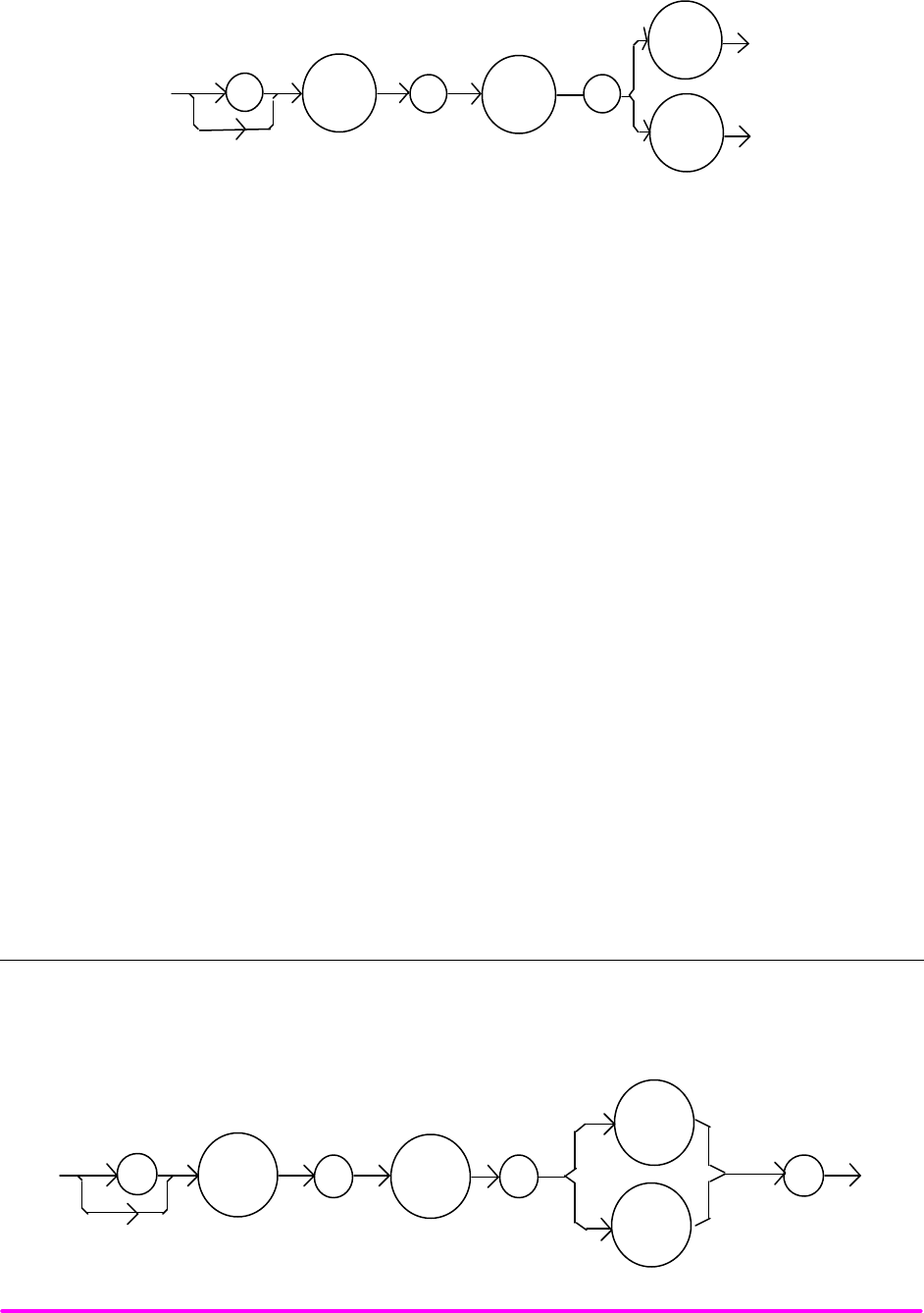
COMMAND REFERENCE CHPT 4
PAGE 9
SYNTAX DIAGRAM
:
LAS
: :
CAL
LDI
I
PARAMETERS None.
POINTS OF
INTEREST Since the limit circuit is the same for both high and low bandwidth modes, it is only calibrated
when low bandwidth mode is selected.
After this command is issued, the LDX-3200 Series Precision Current Source will allow
calibration of the current set point, measurement, and limit (if low bandwidth mode is selected).
This procedure is outlined in Chapter 6.
The calibration defaults to the selected bandwidth setting. Therefore, it is necessary to select
the desired bandwidth (I or I
HBW), and turn the LASER output on before performing the
calibration for that bandwidth.
Calibration is performed at the current set point, wherever it is set. If the LASER output is not
on, E 516 is displayed.
In remote operation, the LASer:CAL:LDI? query may be used to determine if the LDX-3200
Series Precision Current Source is ready for the user to enter a value.
EXAMPLES "Las:CAL:LdI" -action: the LDX-3200 Series Precision Current Source enters calibration mode
for LASER current.
"Las:Cal:LDI" -action: the LDX-3200 Series Precision Current Source enters calibration mode
for LASER current.
n Front Panel LASer:CAL:LDI?
n Remote
The LASer:CAL:LDI? query is used to determine that the LDX-3200 Series Precision Current Source is ready
for a value to be entered during the calibration cycle of the LASer:CAL:LDI mode.
SYNTAX DIAGRAM
:
LAS
:
CAL
I
:
?
LDI
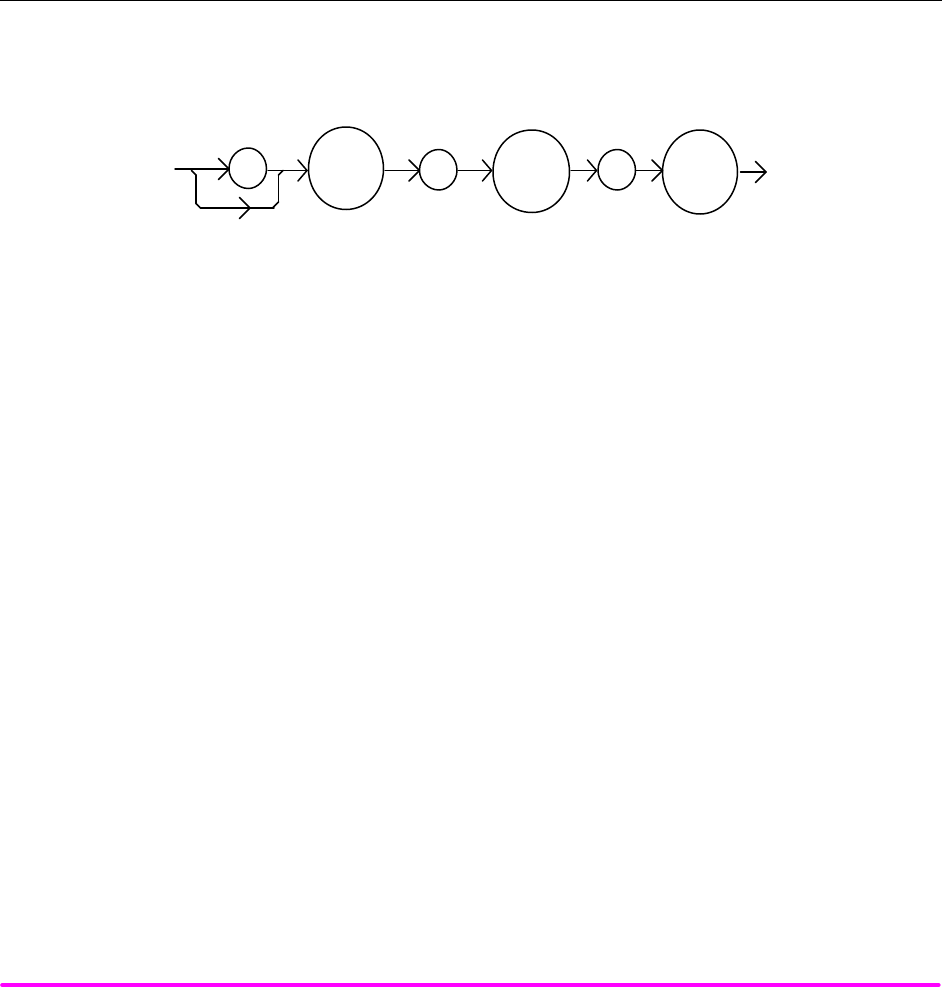
COMMAND REFERENCE CHPT 4
PAGE 10
POINTS OF
INTEREST After this query is issued and a response of 1 is received, the LDX-3200 Series Precision
Current Source will be ready for the user to enter a current value via the LASer:LDI command
(see Chapter 6).
EXAMPLES "LASer:CAL:LDI?" -response: 1, means the LDX-3200 Series Precision Current Source is ready
for the user to enter a current value via the LASer:LDI command.
"LASer:Cal:LdI?" -response: 0, means the LDX-3200 Series Precision Current Source is not yet
ready for the user to enter a LASER current value.
n Front Panel LASer:CAL:LDV
n Remote
The LASer:CAL:LDV command is used to enter the LASER voltage measurement calibration mode.
SYNTAX DIAGRAM
:
LAS
: :
CAL
LDV
PARAMETERS None.
POINTS OF
INTEREST After this command is issued, the LDX-3200 Series Precision Current Source will allow
calibration of the laser voltage measurement. This procedure is outlined in Chapter 6.
The LASer:CAL:LDV? query may be used to determine if the LDX-3200 Series Precision Current
Source is ready for the user to enter a value.
EXAMPLES "Las:CAL:Ldv" -action: the LDX-3200 Series Precision Current Source enters calibration mode
for LASER voltage.
"Las:Cal:LDV" -action: the LDX-3200 Series Precision Current Source enters calibration mode
for LASER voltage.
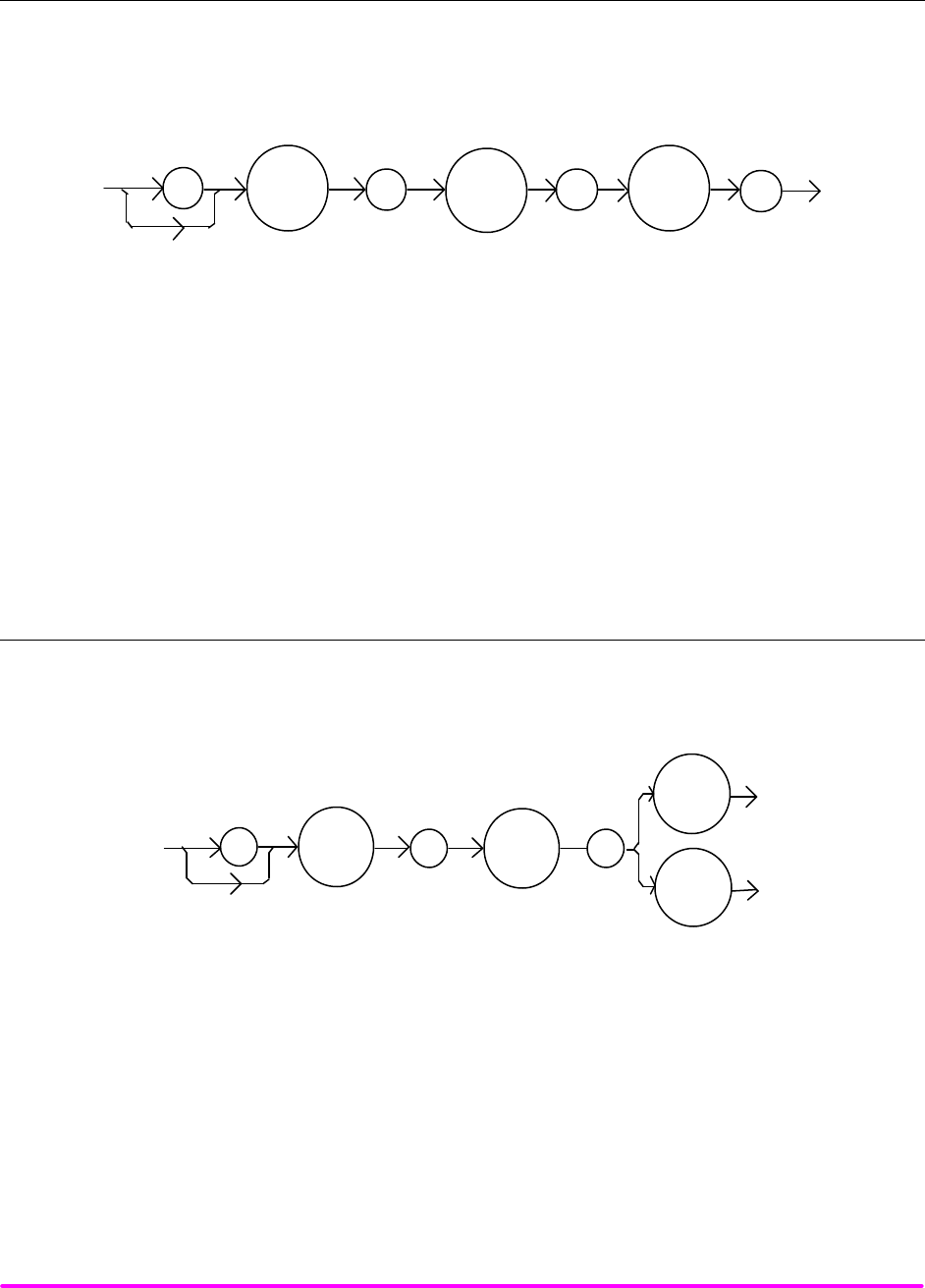
COMMAND REFERENCE CHPT 4
PAGE 11
n Front Panel LASer:CAL:LDV?
n Remote
The LASer:CAL:LDV? query is used to determine that the LDX-3200 Series Precision Current Source is ready
for a value to be entered during the calibration cycle of the LASer:CAL:LDV mode.
SYNTAX DIAGRAM
:LAS :CAL LDV
:?
POINTS OF
INTEREST After this query is issued and a response of 1 is received, the LDX-3200 Series Precision
Current Source will be ready for the user to enter a voltage value via the LASer:LDV command
(see Chapter 6).
EXAMPLES "LASer:CAL:LDV?" -response: 1, means the LDX-3200 Series Precision Current Source is ready
for the user to enter a voltage value via the LASer:LDV command.
"LASer:Cal:LdV?" -response: 0, means the LDX-3200 Series Precision Current Source is not yet
ready for the user to enter a LASER voltage value.
n Front Panel LASer:CAL:MDI
n Remote
The LASer:CAL:MDI command is used to enter the LASER photodiode current calibration mode.
SYNTAX DIAGRAM
:
LAS
:
:
CAL
IPD
MDI
PARAMETERS None.
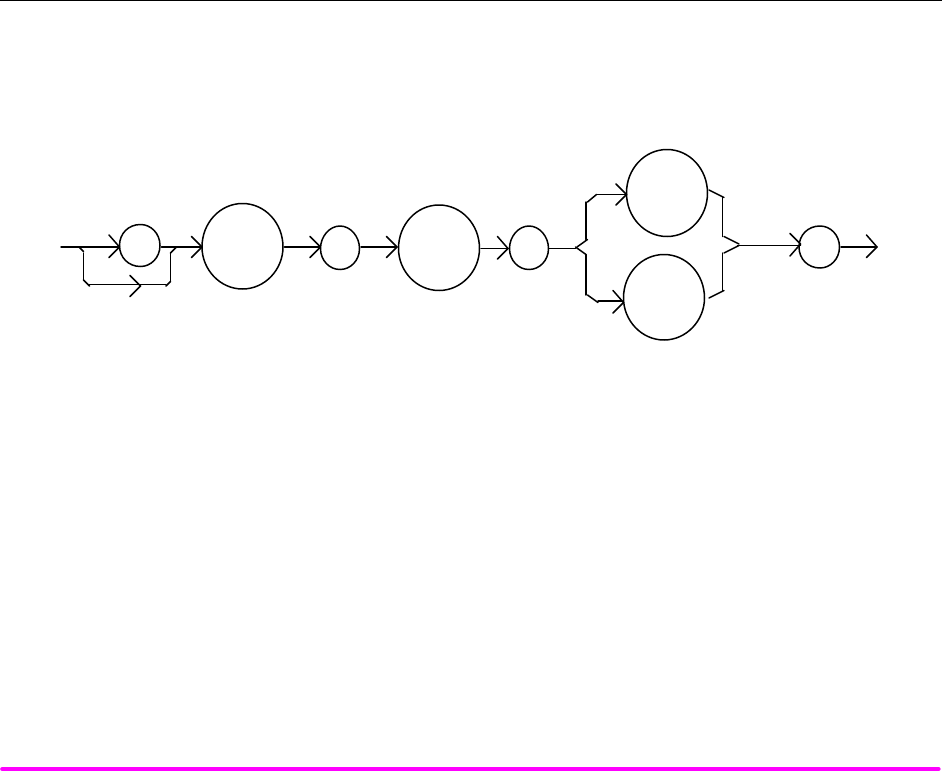
COMMAND REFERENCE CHPT 4
PAGE 12
POINTS OF
INTEREST After this command is issued, the LDX-3200 Series Precision Current Source will automatically
enter the LASER photodiode current calibration mode. When the LDX-3200 Series Precision
Current Source is ready, the user should enter the true measured value. This procedure is
outlined in Chapter 6.
If the LASER output is not ON, or if the P mode is not selected, error code E516 will be
generated.
In remote operation, the LASer:CAL:MDI? query may be used to determine if the LDX-3200
Series Precision Current Source is ready for the user to enter a value via the LASer:MDI
command.
EXAMPLES "Las:CAL:MDI" -action: the LDX-3200 Series Precision Current Source enters the LASER
photodiode current calibration mode.
"LAS:Cal:MDI" -action: the LDX-3200 Series Precision Current Source enters the LASER
photodiode current calibration mode.
n Front Panel LASer:CAL:MDI?
n Remote
The LASer:CAL:MDI? query is used to determine that the LDX-3200 Series Precision Current Source is ready
for a value to be entered during the calibration cycle of the LASer:CAL:MDI mode.
SYNTAX DIAGRAM
:
LAS
:
CAL
IPD
:
?
MDI
POINTS OF
INTEREST After this query is issued and a response of 1 is received, the LDX-3200 Series Precision
Current Source be ready for the user to enter a photodiode current value via the LASer:MDI
command (see Chapter 6).
EXAMPLES "LAS:CAL:MDI?" -response: 1, means the LDX-3200 Series Precision Current Source is ready
for the user to enter a photodiode current value via the LASer:MDI command.

COMMAND REFERENCE CHPT 4
PAGE 13
¨ Front Panel LASer:COND?
n Remote
The LASer:COND? query returns the value of the status condition register of the LASER operations.
SYNTAX DIAGRAM
:
LAS
:
COND
?
-where the response is the sum of the following:
1 - LASER Current Limit 256 - Output is shorted
2 - LASER Voltage Limit 512 - Output is outside tolerance limit
4 - N/A 1024 - Output on/off state
8 - Power limit 2048 - Ready for calibration data state
16 - Interlock disabled 4096 - N/A
32 - N/A 8192 - N/A
64 – Compliance Voltage Limit 16384 - N/A
128 - Open circuit 32768 - N/A
POINTS OF
INTEREST The LASER conditions which are reported to the status byte are set via the
LASer:ENABle:COND command.
The Open circuit condition is only present while the LASER output is on, and when the
hardware detects this condition, it will turn the LASER output off. Therefore, the Open Circuit
condition is fleeting and may be missed via the LAS:COND? query. Therefore, the user should
test for the Open Circuit Event via the LAS:EVEnt? query.
The LASER condition status is constantly changing, while the event status is only cleared
when the event status is read or the *CLS command is issued.
EXAMPLES "LAS:COND?" -response: 513, means that the LASER limit current and out of tolerance LASER
conditions currently exist.
"Radix Hex; Laser:Cond?" -response: #H108, means that the LASER Output shorted (output is
off) and Power limit conditions currently exist.
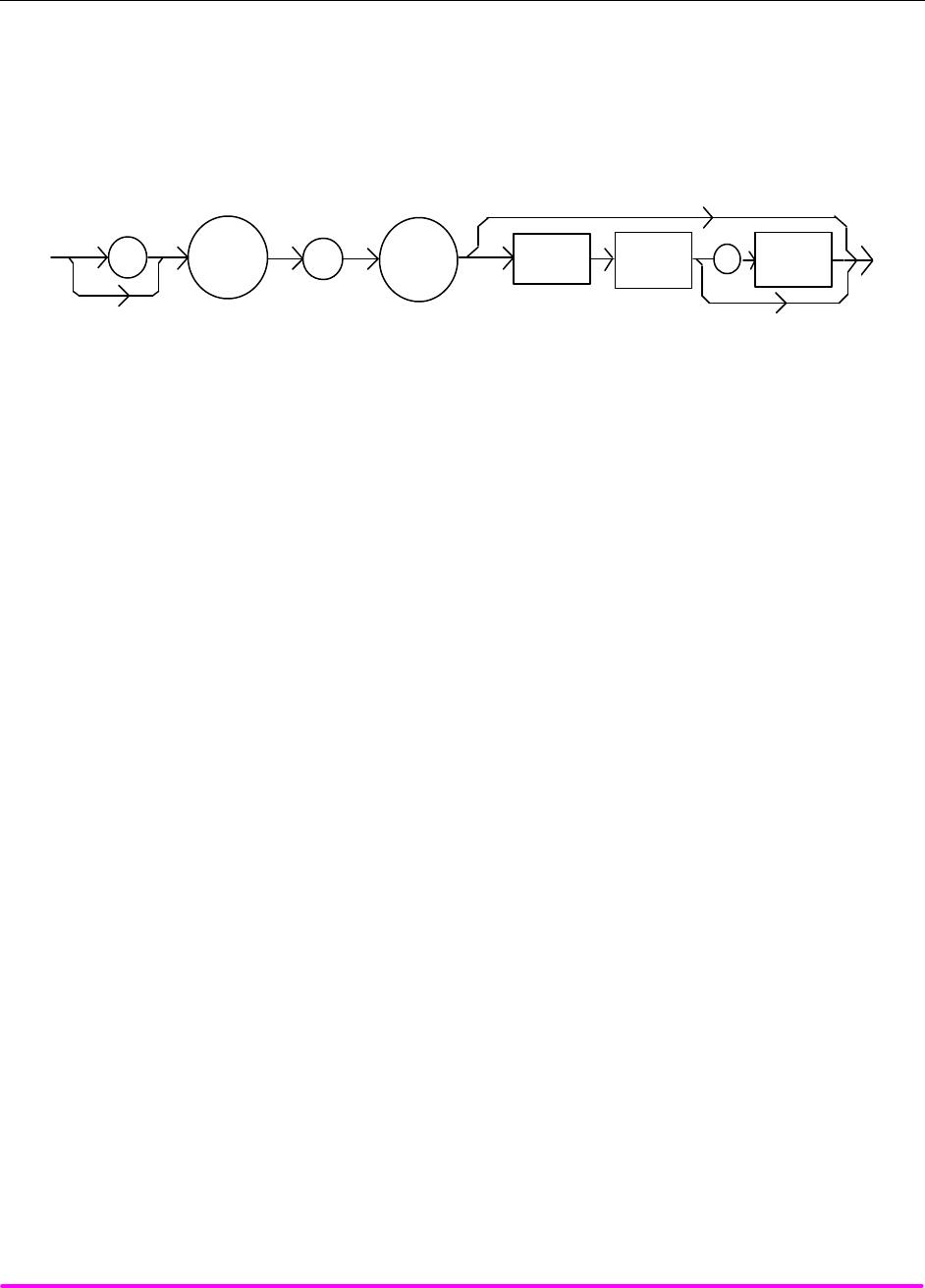
COMMAND REFERENCE CHPT 4
PAGE 14
¨ Front Panel LASer:DEC
n Remote
The LASer:DEC command decrements the selected laser control mode set point by one or more steps. Optional
parameters allow multiple steps to be decremented and the time (in milliseconds) between decrements to be
set, respectively. This is an overlapped command. Other commands may be executed while this function is in
progress.
SYNTAX DIAGRAM
:
LAS
:
DEC
<nrf
value>
<nrf
value>
<white
space>
,
PARAMETERS 0, 1, or 2. The first optional parameter is the number of steps, and the second optional parameter
is the number of milliseconds between steps.
POINTS OF
INTEREST The decremental default amount is one step. The step size can be edited via the LAS:STEP
command. LDX-3210 default values are 0.001/0.002 mA (50/100 mA range), 0.01 mW, or 1 µA (if
CALMD = 0), depending on the mode of operation. LDX-3220 default values are 0.01 mA, 0.01
mW, or 1 µA.
If the first optional parameter is used, but not the second, the user may decrement the LASER
set point by a multiple of the LAS:STEP size, without changing the LAS:STEP size.
If the both optional parameters are used, the user may create an automated stepping ramp
function for the LASER output.
If the first optional parameter is entered as zero, "LAS:DEC 0", the command will do nothing.
The minimum time to complete one decrement is about 20 msec. Therefore, values for the
second optional parameter (time between decrements) have a practical minimum of 20.
This command should not be overlapped with "LAS:INC" or other "LAS:DEC"commands.
EXAMPLES "LAS:MODE:I; LAS:STEP 3; LAS:DEC" -action: The laser source current set point is
decremented by 0.03 mA (LDX-3220), or 0.003 mA (LDX-3210 on 50 mA range), or 0.006 mA
(LDX-3210 on 100 mA range).
"LAS:MODE:I; LAS:STEP 3; LAS:DEC 3" -action: The laser source current set point is
decremented by three times the amount described in the first example.
"LAS:MODE:I; LAS:STEP 3; LAS:DEC 3,5000" -action: The laser source current set point is
decremented by the amount described in the first example, three times, with 5 seconds between
decremental steps.
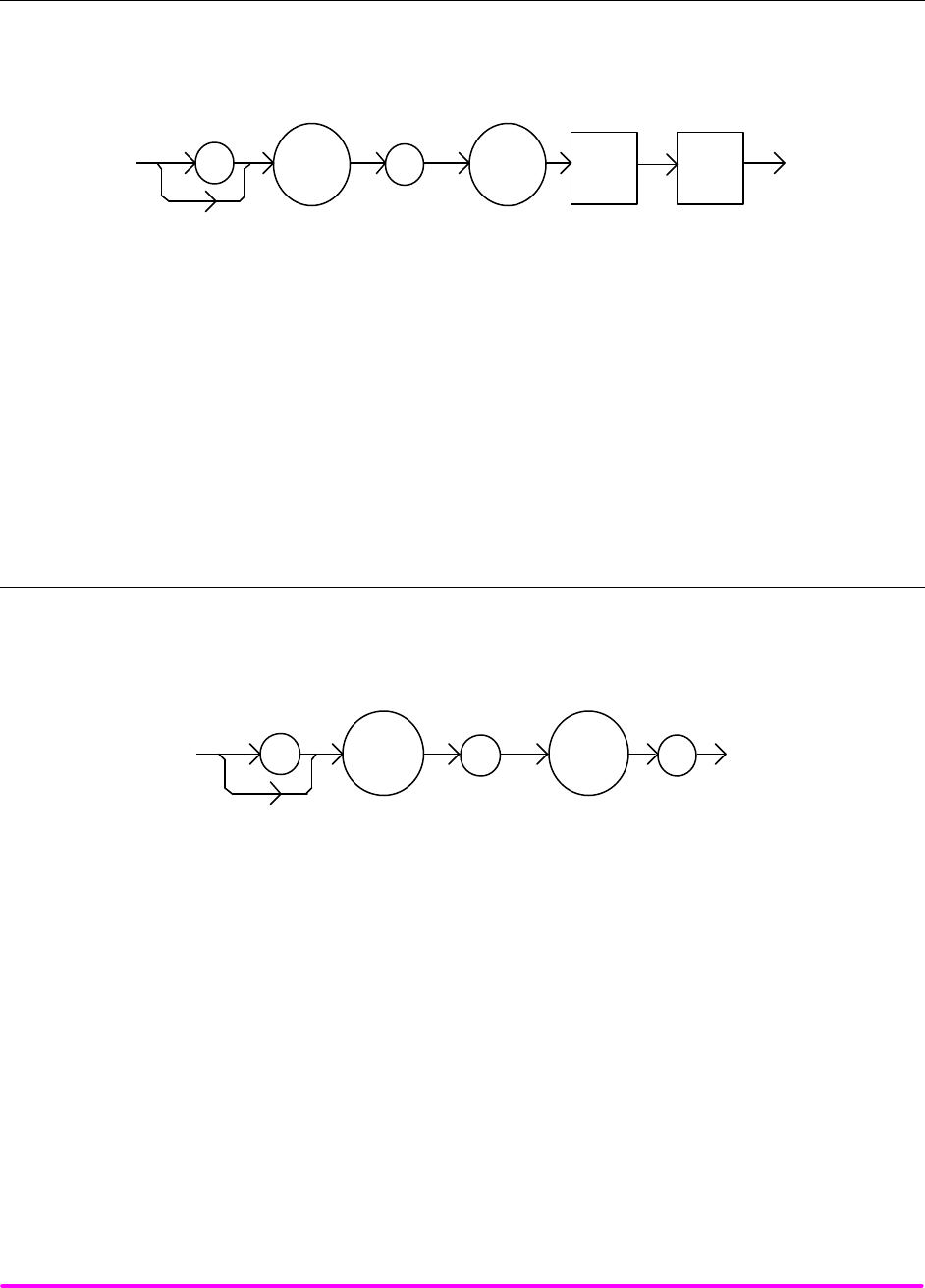
COMMAND REFERENCE CHPT 4
PAGE 15
¨ Front Panel LASer:DISplay
n Remote
The LASer:DISplay command enables or disables (turns off) the display and some LEDs.
SYNTAX DIAGRAM
<white
space>
<nrf
value>
:
:
LAS
DIS
PARAMETERS An <nrf value> -where 1 = on, 0 = off.
POINTS OF
INTEREST Turning the dis play and LEDs off means that a message of all blank spaces is sent to the
display, and most of the LEDs will be turned off.
EXAMPLES "las:dis 1" -action: turns the display on and enables the LEDs.
"Laser:dis Off" -action: turns the display off and dis ables most the LEDs.
o Front Panel LAS:DISplay?
n Remote
The LASer:DISplay? query returns the value shown on the display.
SYNTAX DIAGRAM
:
LAS
DIS
:?
-where the response is character data in quotes.
POINTS OF
INTEREST Returns the actual (6-character) string from the output buffer to the display. If the display is
disabled, it returns " .".
EXAMPLES "LAS:DIS?" -response: "- 99.9", means the display shows "- 99.9".
"Laser:DISp?" -response: " 0.6", means the display shows " 0.6".
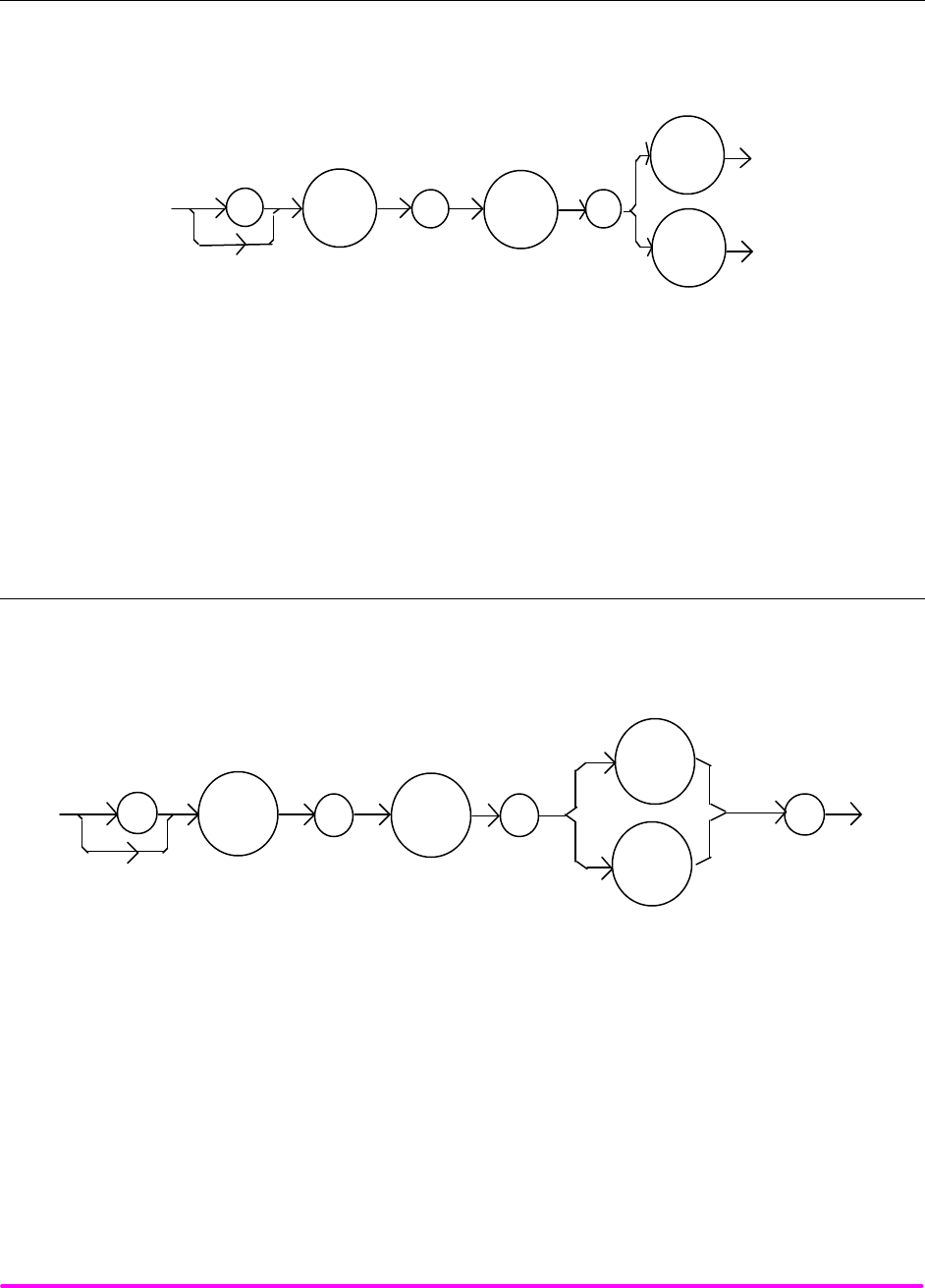
COMMAND REFERENCE CHPT 4
PAGE 16
n Front Panel LASer:DISplay:LDI
n Remote
The LASer:DISplay:LDI command sets the display to show the LDI (laser diode current) measurement.
SYNTAX DIAGRAM
:
LAS
: :
DIS
I
LDI
PARAMETERS None.
POINTS OF
INTEREST The LDI measurement display mode is turned off automatically when another display selection
is enabled.
EXAMPLES "LAS:DIS:LDI" -action: enables the display for current values.
o Front Panel LASer:DISplay:LDI?
n Remote
The LASer:DISplay:LDI? query returns the status of the LDI measurement display mode.
SYNTAX DIAGRAM
:
LAS
:
DIS
I
:
?
LDI
-where the response is 0 or 1.
POINTS OF
INTEREST In local operation, the status of the LDI measurement display mode is indicated by the
enunciator next to the display (mA will be illuminated and not blinking when the display is in
LDI measurement mode).
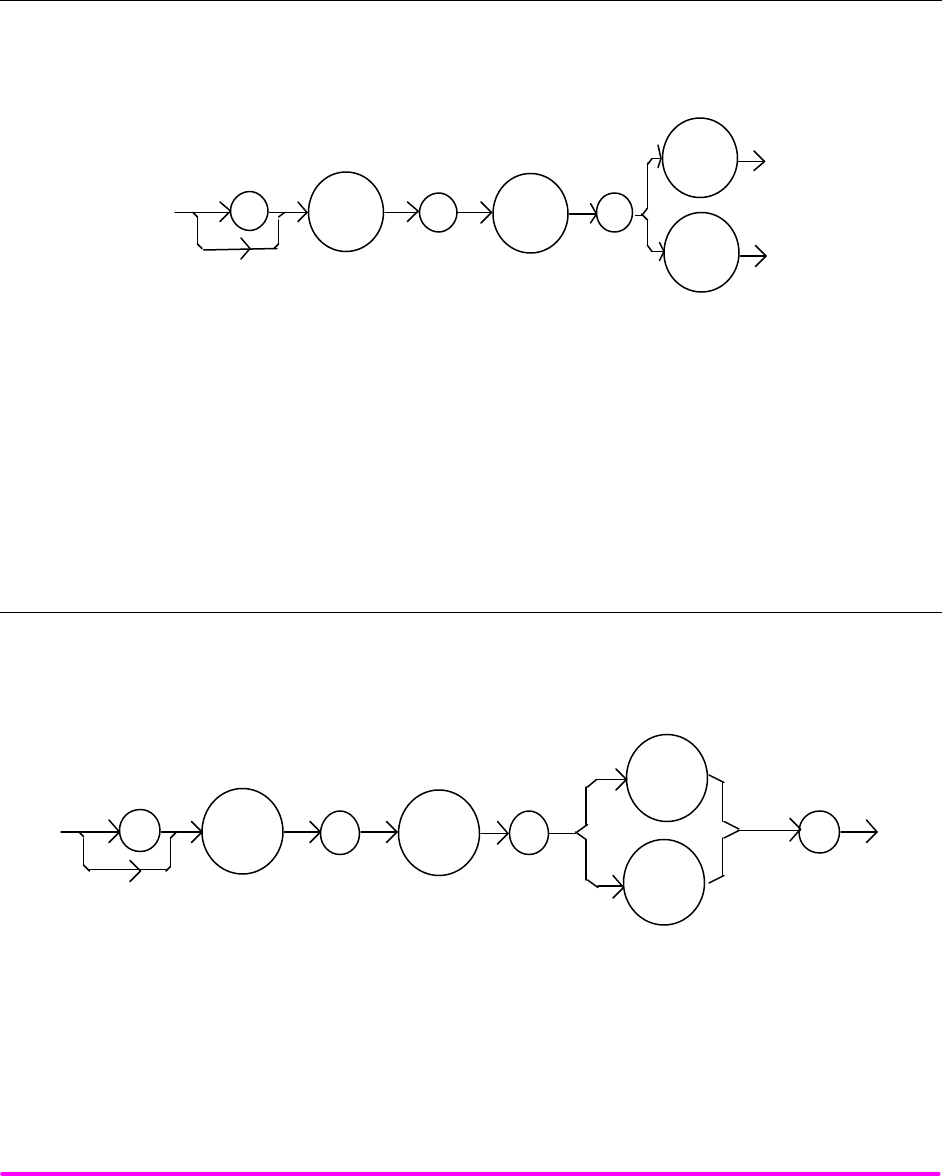
COMMAND REFERENCE CHPT 4
PAGE 17
EXAMPLES "LAS:DIS:LDI?" -response: 0, means that the LDI measurement is not displayed.
"Las:dis:ldI?" -response: 1, means that the LDI measurement is displayed.
n Front Panel LASer:DISplay:LDV
n Remote
The LASer:DISplay:LDV command sets the display to show the laser forward voltage measurement.
SYNTAX DIAGRAM
:
LAS
: :
DIS
V
LDV
PARAMETERS None.
POINTS OF
INTEREST The LDV measurement mode is turned off automatically when another display selection is
enabled.
EXAMPLES "LAS:DIS:LDV" -action: enables the display for LDV measurement mode.
o Front Panel LASer:DISplay:LDV?
n Remote
The LASer:DISplay:LDV? query returns the status of LDV (laser diode voltage) measurement display mode.
SYNTAX DIAGRAM
:
LAS
:
DIS
V
:
?
LDV
-where the response is 0 or 1.
POINTS OF
INTEREST In local operation, the status of the LDV measurement mode is indicated by the enunciator next
to the display (V will be illuminated when the display is in LDV measurement mode).
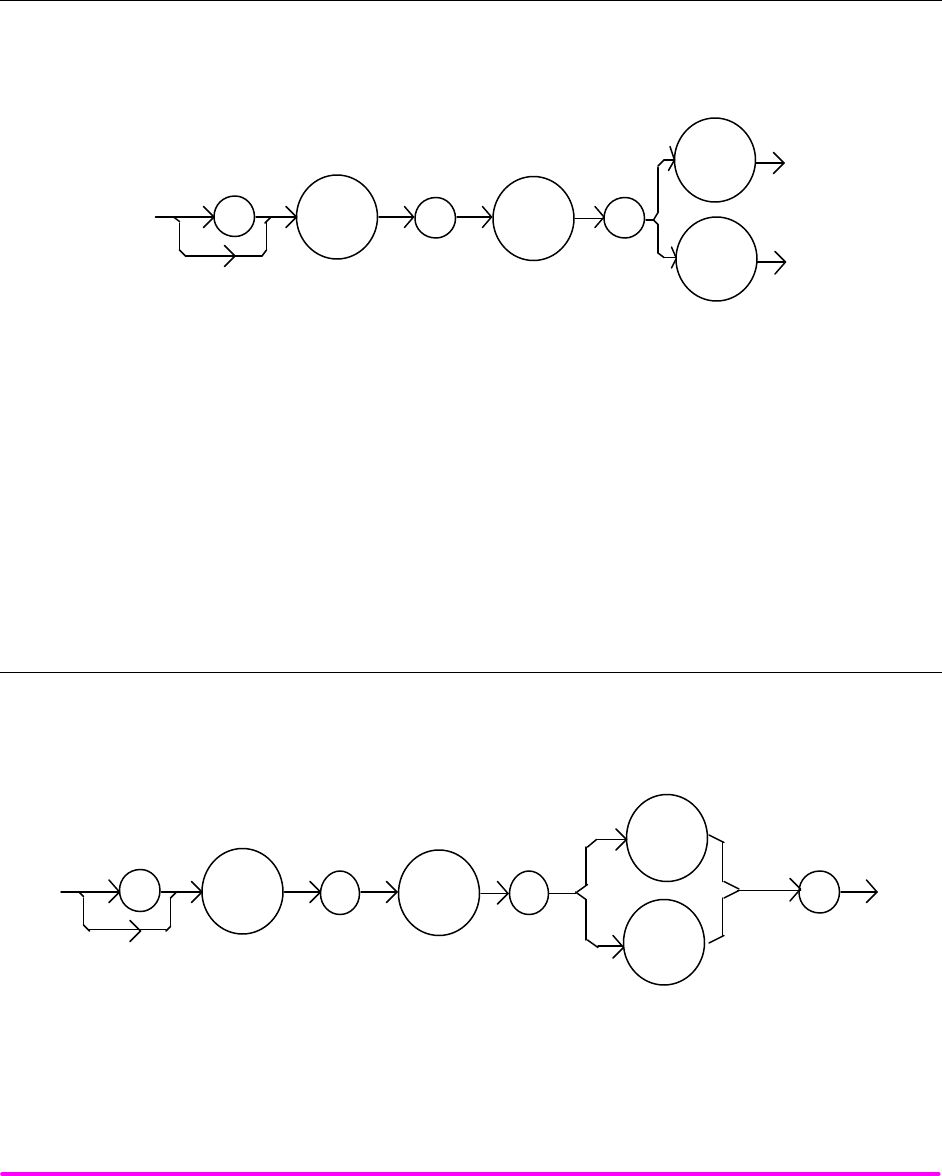
COMMAND REFERENCE CHPT 4
PAGE 18
EXAMPLES "LAS:DIS:LDV?" -response: 0, means that the laser voltage measurement is not displayed.
"LAS: DIS:LDV?" -response: 1, means that the laser voltage measurement is displayed.
n Front Panel LASer:DISplay:MDI
n Remote
The LASer:DISplay:MDI command sets the display to show the monitor photodiode current measurement.
SYNTAX DIAGRAM
:LAS : :
DIS
IPD
MDI
PARAMETERS None.
POINTS OF
INTEREST The MDI measurement display is turned off automatically when another display selection is
enabled.
EXAMPLES "LAS:DIS:MDI" -action: enables the display for photodiode current measurement values.
Laser:Disp:Mdi" -action: enables the display for photodiode current measurement values.
o Front Panel LASer:DISplay:MDI?
n Remote
The LASer:DISplay:MDI? query returns the status of the MDI measurement display mode.
SYNTAX DIAGRAM
:
LAS
:
DIS
IPD
:
?
MDI
-where the response is 0 or 1.
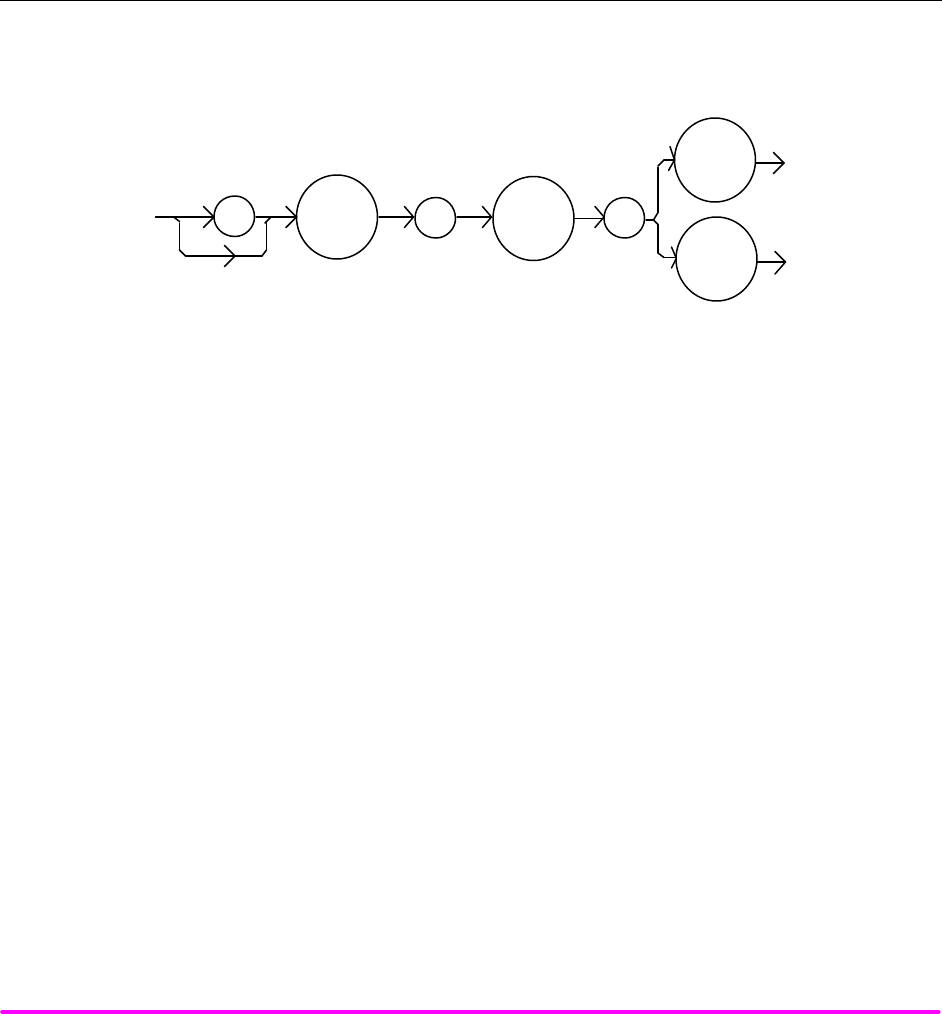
COMMAND REFERENCE CHPT 4
PAGE 19
POINTS OF
INTEREST In local operation, the status of the MDI measurement mode is indicated by the enunciator next
to the display (µA will be illuminated and not blinking when the display is in MDI measurement
mode).
EXAMPLES "LAS:DIS:MDI?" -response: 0, means that the laser photodiode monitor current measurement
is not displayed.
"Las:dis:MDI?" -response: 1, means that the monitor PD current measurement is displayed.
n Front Panel LASer:DISplay:MDP
n Remote
The LASer:DISplay:MDP command sets the display to show the monitor photodiode power measurement.
SYNTAX DIAGRAM
:LAS : :
DIS
PPD
MDP
PARAMETERS None.
POINTS OF
INTEREST The MDP measurement display is turned off automatically when another display selection is
enabled.
EXAMPLES "Las:Display:MDp" -action: enables the display for photodiode power measurement values.
"Laser:Disp:MDP" -action: enables the display for photodiode power measurement values.
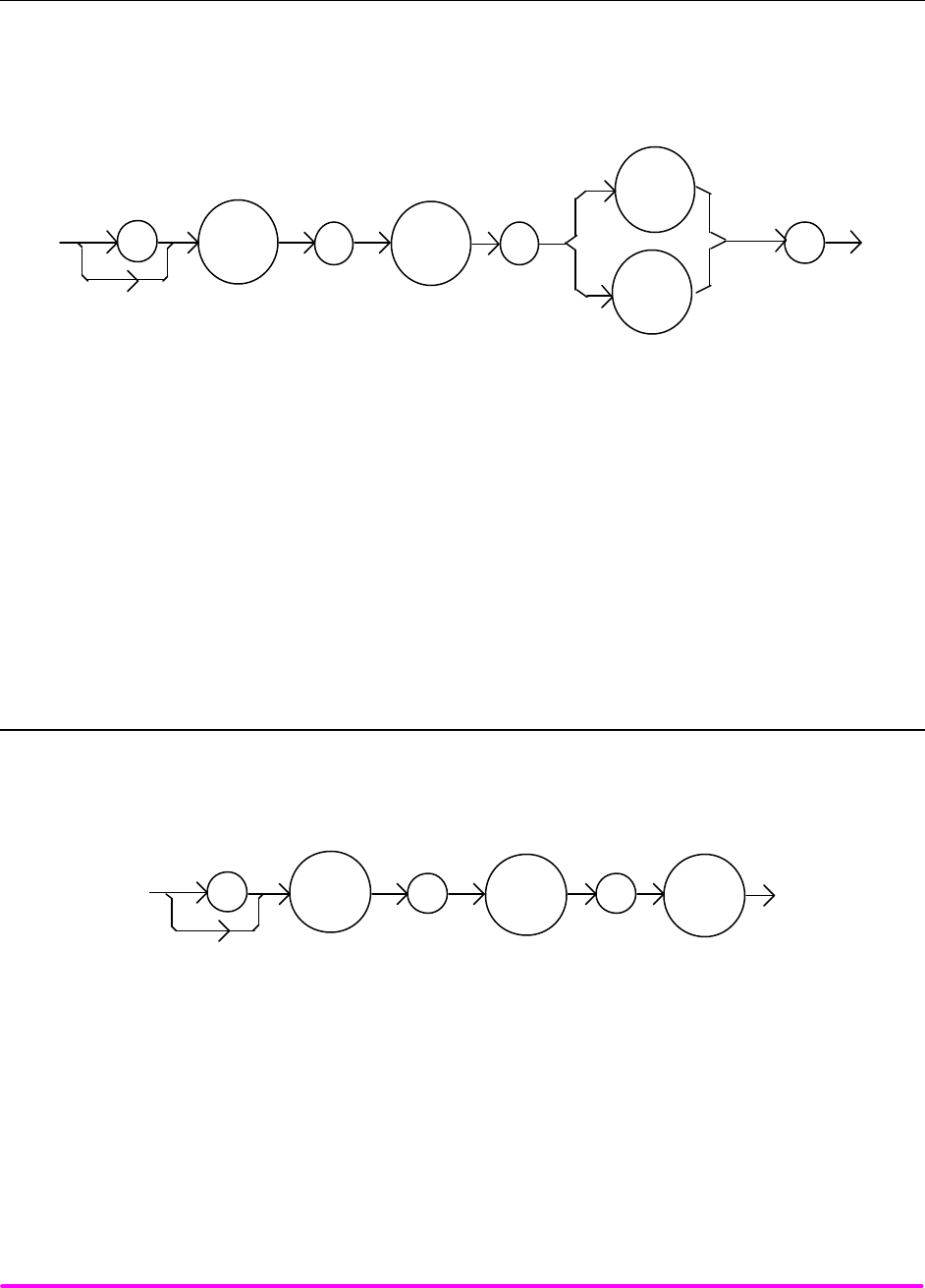
COMMAND REFERENCE CHPT 4
PAGE 20
o Front Panel LASer:DISplay:MDP?
n Remote
The LASer:DISplay:MPD? query returns the status of the MDP (monitor diode power) measurement display
mode.
SYNTAX DIAGRAM
:
LAS
:
DIS
PPD
:
?
MDP
-where the response is 0 or 1.
POINTS OF
INTEREST In local operation, the status of the MDP measurement mode is indicated by the enunciator next
to the display (mW will be illuminated and not blinking when the display is in MDP
measurement mode).
EXAMPLES "LAS:DISp:MDp?" -response: 0, means that the MDP measurement is not displayed.
"Las:dis:MDP?" -response: 1, means that the MDP measurement is displayed.
n Front Panel LASer:DISplay:PARAM
n Remote
The LASer:DISplay:PARAM command enables the display to show the parameter values.
SYNTAX DIAGRAM
:
LAS
: :
DIS
PARAM
PARAMETERS None.
POINTS OF
INTEREST This command has the same effect as pressing the (PARAMETER) SELECT switch while in
LASER mode. The selected parameter will be displayed for three seconds. The actual LASER
PARAM display is turned off automatically when a display selection is enabled.
Each time the command is issued, the next LASER parameter will be selected, see Chapter 2 for
more information.
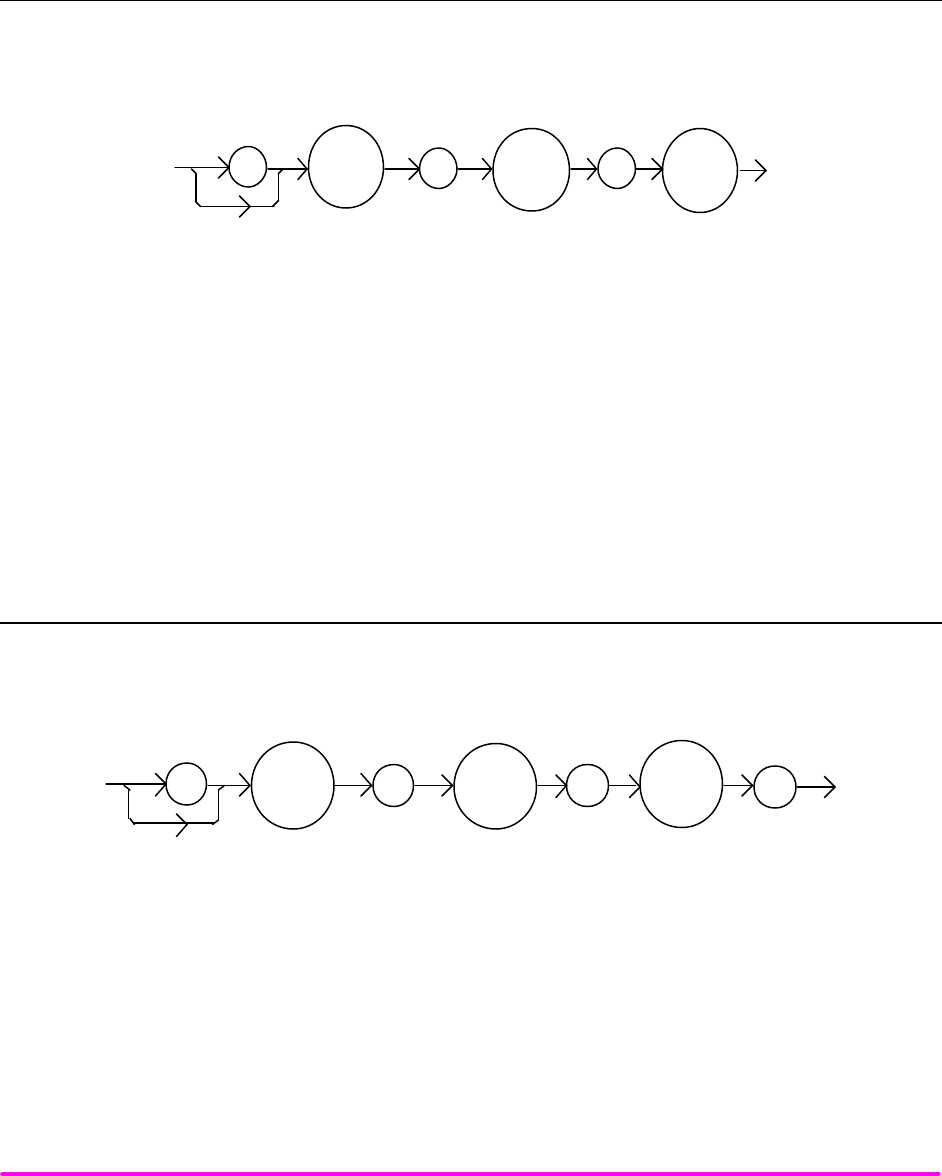
COMMAND REFERENCE CHPT 4
PAGE 21
EXAMPLES "Laser:Display:Param" -action: selects a parameter and displays its value.
"LAS:DIS:PARAM" -action: selects a parameter and displays its value.
n Front Panel LASer:DISplay:SET
n Remote
The LASer:DISplay:SET command sets the display to show the set point of the selected display mode.
SYNTAX DIAGRAM
:
LAS
: :
DIS
SET
PARAMETERS None.
POINTS OF
INTEREST Using this command has the same effect as physically holding the (DISPLAY) SELECT switch
down continuously.
EXAMPLES "Las:Dis:Set" -action: enables the display for the set point of the selected mode: LDI, MDI (IPD)
or MDP (PPD)
"LAS:Dis:Set" -action: enables the display for the set point of the selected display mode.
o Front Panel LASer:DISplay:SET?
n Remote
The LASer:DISplay:SET? query returns the status of the set point display mode.
SYNTAX DIAGRAM
:LAS :DIS SET
:?
-where the response is 0 or 1.
POINTS OF
INTEREST The set point display will not time out when REMOTE operation is used. (It will be
continuously displayed.)
EXAMPLES "LAS:DISPLAY:SET?" -response: 0, means the set point is not shown on the display.
"Las:Dis:Set?" -response: 1, means the set point value is shown on the display.
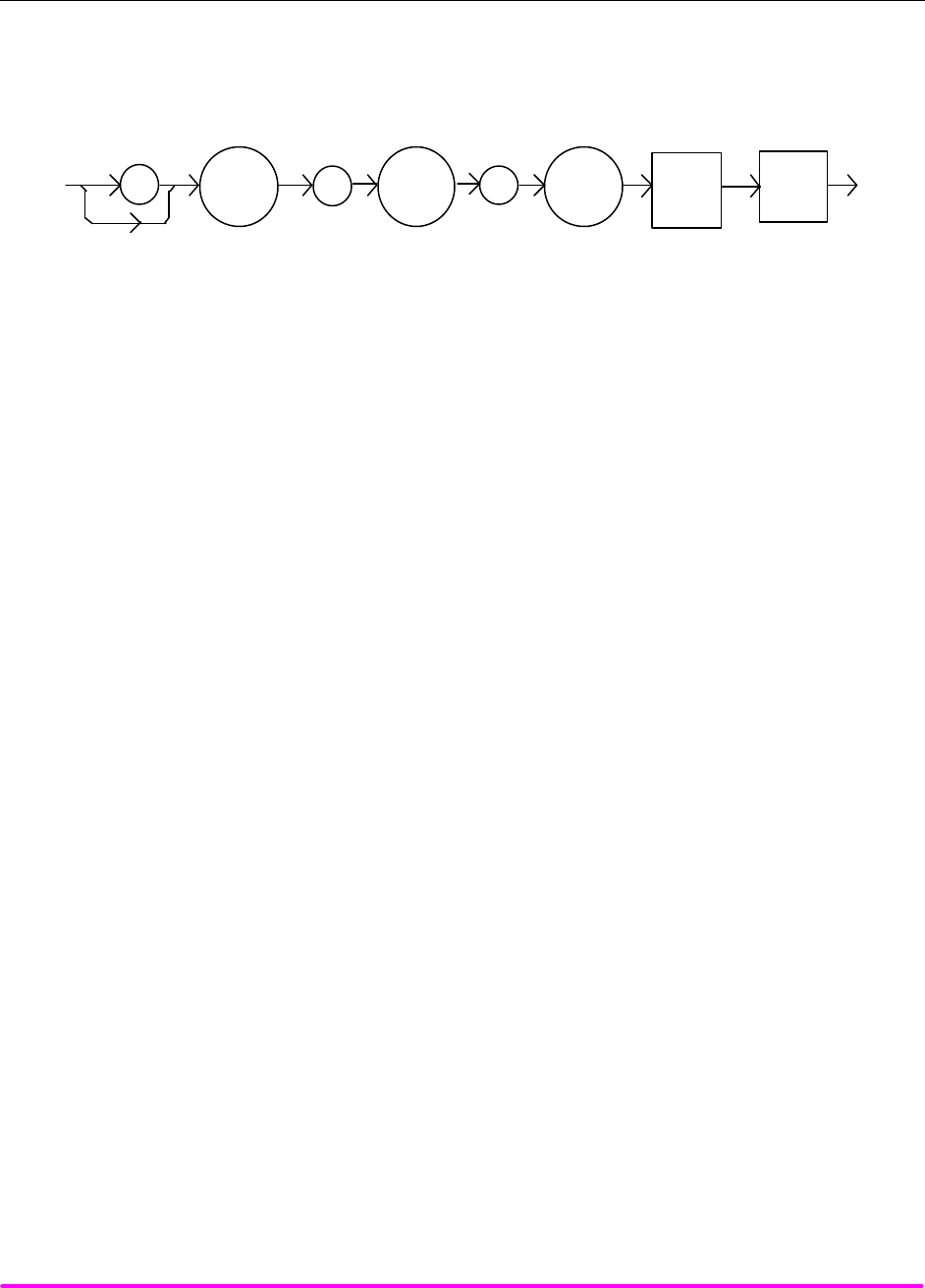
COMMAND REFERENCE CHPT 4
PAGE 22
¨ Front Panel LASer:ENABle:COND
n Remote
The LASer:ENABle:COND command sets the condition status enable register of the LASER operations for
summary (in bit 3 of the status byte) and generation of service requests.
SYNTAX DIAGRAM
:
LAS <white
space>
<nrf
value>
:
ENAB :COND
PARAMETERS An <nrf value> whose sum represents the enabled bits:
1 - LASER Current Limit 256 - Output is Shorted
2 - LASER Voltage Limit 512 - Output is Outside Tolerance Limit
4 - N/A 1024 - Output On/Off State
8 - Power Limit 2048 - Ready for Calibration Data State
16 - Interlock Disabled 4096 - N/A
32 - N/A 8192 - N/A
64 - Compliance Voltage Limit 16384 - N/A
128 - Open Circuit 32768 - N/A
POINTS OF
INTEREST The enabled or disabled LASER conditions can be read by using the LASer:ENABle:COND?
query.
The LASER condition status can be monitored by the LASer:COND? query. If any of the
enabled LASER conditions are true, bit 3 of the status byte register will be set.
The enable registers normally retain their values at power-up (as they were at power-down)
unless the power-on status clear flag is set true (for more information see the *PSC definition, in
the IEEE488.2 specification).
EXAMPLES "LAS:ENAB:COND 129" -action: enables the LASER status condition register so that the Open
circuit and LASER current limit conditions will be summarized in the status byte (bit 3).
Laser:Enable:Cond #H0FDB" - action: enables the LASER status condition register so that any
and all of the above conditions will be reported in the status byte register (bit 3).
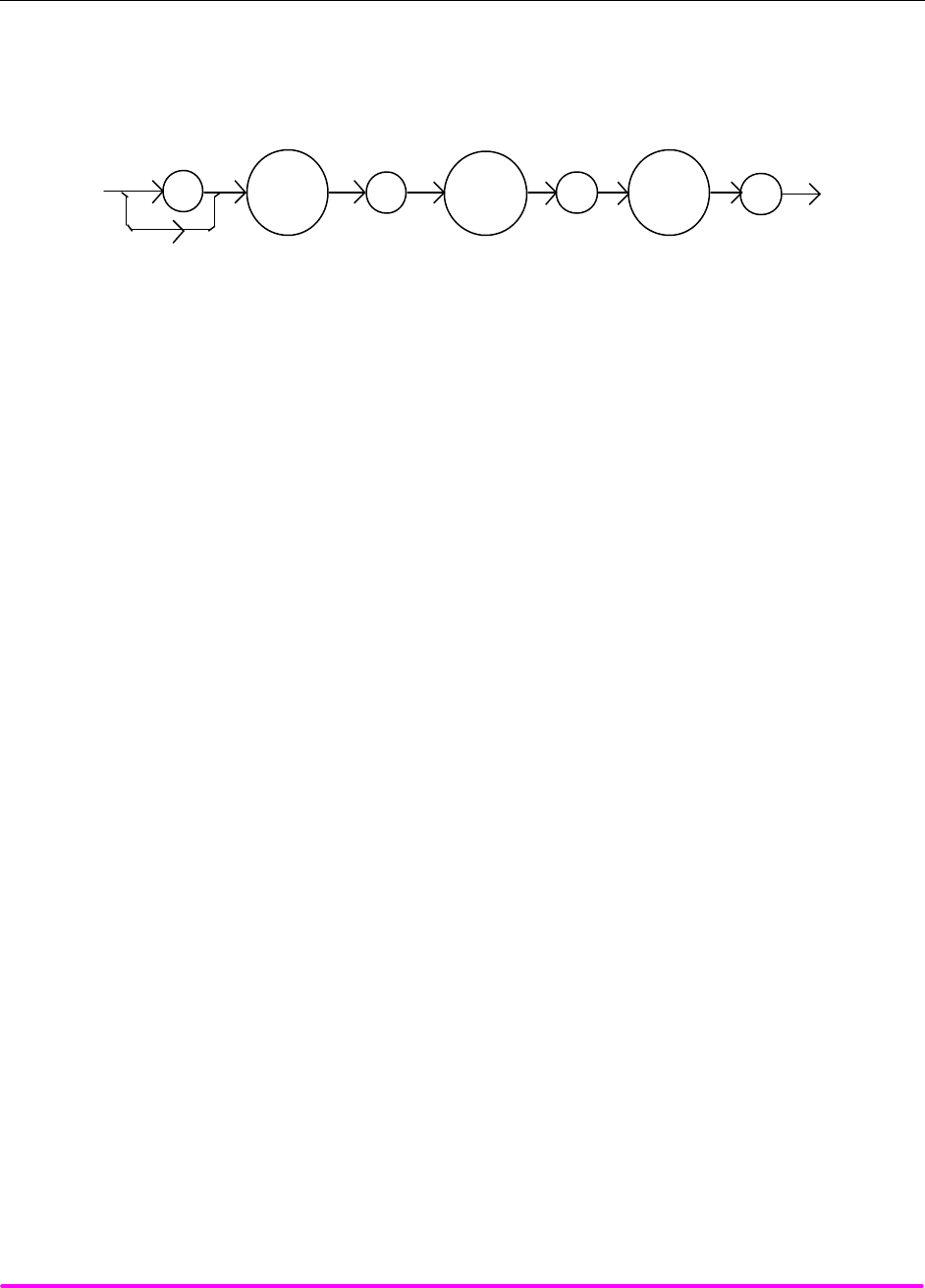
COMMAND REFERENCE CHPT 4
PAGE 23
¨ Front Panel LASer:ENABle:COND?
n Remote
The LASer:ENABle:COND? query returns the value of the status condition enable register of the LASER
operations.
SYNTAX DIAGRAM
:LAS :ENAB COND
:?
-where the response is the sum of the following:
1 - LASER Current Limit 256 - Output is Shorted
2 - LASER Voltage Limit 512 - Output Changed to be In/Out of Tolerance
4 - N/A 1024 - Output On/Off State
8 - Power Limit 2048 - Ready for Calibration Data State
16 - Interlock Disabled 4096 - N/A
32 - N/A 8192 - N/A
64 – Compliance Voltage Limit 16384 - N/A
128 - Open Circuit 32768 - N/A
POINTS OF
INTEREST The enabled LASER conditions can be set by using the LASer:ENABle:COND command.
The LASER condition status can be monitored by the LASer:COND? query.
EXAMPLES "LAS:ENAB:COND?" -response: 17, means that the Laser Current Limit and Interlock disabled
LASER conditions will be reported (in summarized form) to the status byte (bit 3).
"Radix Hex; Laser:Enable:Cond?" -response: #H0F9B, means that all of the above conditions
will be reported (in summarized form) to the status byte (bit 3).
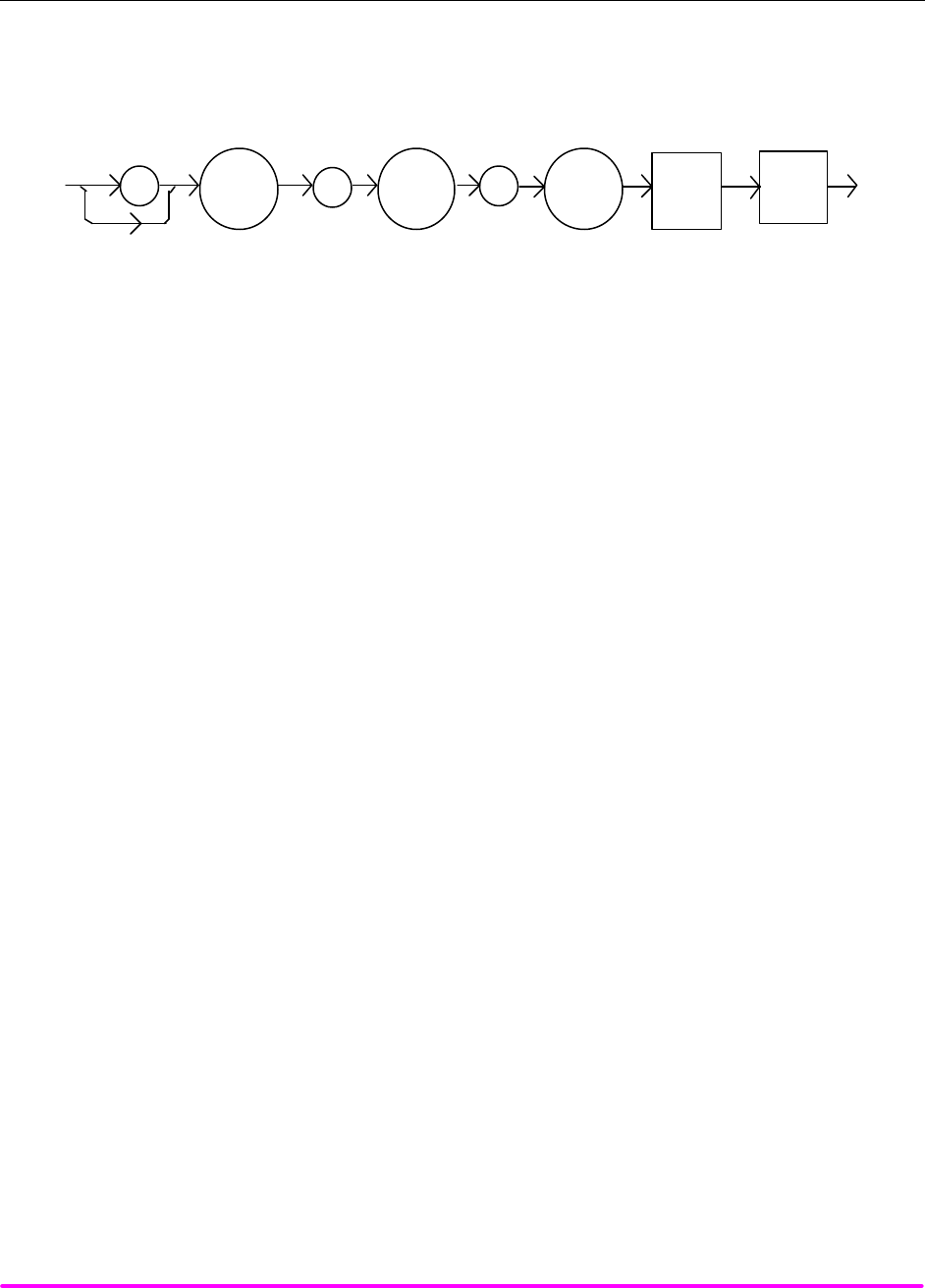
COMMAND REFERENCE CHPT 4
PAGE 24
¨ Front Panel LASer:ENABle:EVEnt
n Remote
The LASer:ENABle:EVEnt command sets the status event enable register of the LASER operations. These
events are summarized in bit 2 of the status byte register.
SYNTAX DIAGRAM
:
LAS
<white
space>
<nrf
value>
:
ENAB
:
EVE
PARAMETERS An <nrf value> whose sum represents the bits which are enabled:
1 - LASER Current Limit 256 - Output is Shorted
2 - LASER Voltage Limit 512 - Output Changed to be In/Out of Tolerance
4 - N/A 1024 - Output On/Off State Changed
8 - Power Limit 2048 - New Measurements Taken
16 - Interlock Changed State 4096 - N/A
32 - N/A 8192 - N/A
64 - Compliance Voltage Limit 16384 - N/A
128 - Open Circuit 32768 - N/A
POINTS OF
INTEREST The enabled LASER events can be read by using the LASer:ENABle:EVEnt? query. The LASER
event status can be monitored by the LASer:EVEnt? query.
The enable registers normally retain their values at power-up (as they were at power-down)
unless the power-on status clear flag is set true (for more information see the *PSC definition, in
the IEEE488.2 specification).
EXAMPLES "LAS:ENAB:EVENT 136" -action: enables the LASER status event register so that the Open
circuit and Power limit events will be reported (in summarized form) to the status byte (bit 2).
"Laser:Enable:Event #H0FDB" -action: enables the LASER status event register so all of the
above events will be reported (in summarized form) to the status byte (bit 2).
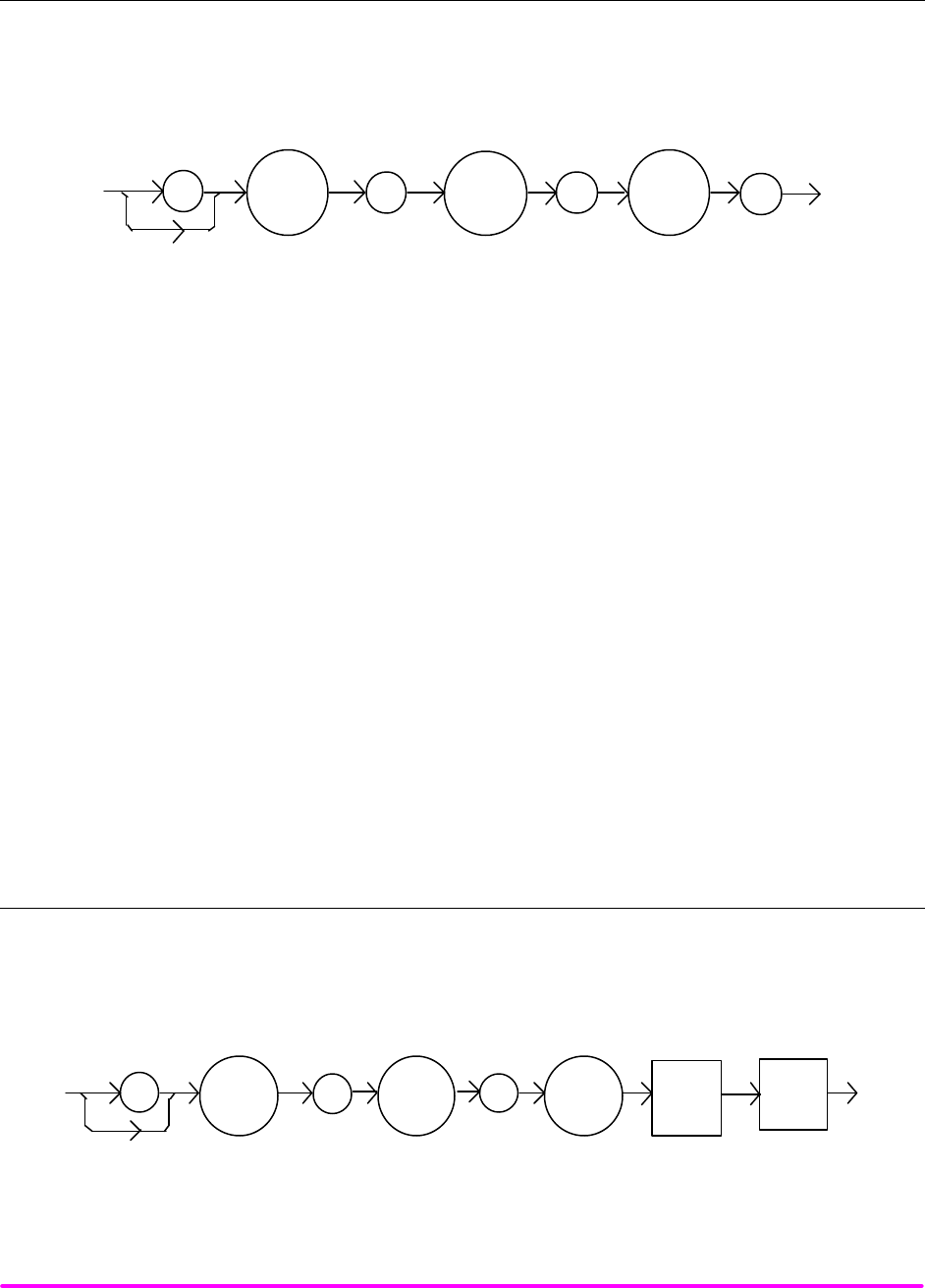
COMMAND REFERENCE CHPT 4
PAGE 25
¨ Front Panel LASer:ENABle:EVEnt?
n Remote
The LASer:ENABle:EVEnt? query returns the value of the status event enable register of the LASER
operations.
SYNTAX DIAGRAM
:LAS :ENAB EVE
:?
-where the response is the sum of the following:
1 - LASER Current Limit 256 - Output is Shorted
2 - LASER Voltage Limit 512 - Output Changed to be In/Out of Tolerance
4 - N/A 1024 - Output On/Off State
8 - Power Limit 2048 - New Measurements Taken
16 - Interlock State Changed 4096 - N/A
32 - N/A 8192 - N/A
64 - Compliance Voltage Limit 16384 - N/A
128 - Open Circuit 32768 - N/A
POINTS OF
INTEREST The enabled LASER events can be set by using the LASer:ENABle:EVEnt command. The
LASER event status can be monitored by the LASer:EVEnt? query.
EXAMPLES "LAS:ENAB:EVE?" -response: 1040, means that the Output on/off state change and Interlock
changed LASER events will be reported (in summarized form) to the status byte register (bit 2).
"Radix Hex; Las:Enab:Eve?" -response: #HFDB, means that all of the above events will be
reported (in summarized form) to the status byte register (bit 2).
¨ Front Panel LASer:ENABle:OUTOFF
n Remote
The LASer:ENABle:OUTOFF command sets the status outoff enable register of the LASER operations (things
which will turn the LASER output off).
SYNTAX DIAGRAM
:
LAS <white
space>
<nrf
value>
:
ENAB :OUTOFF
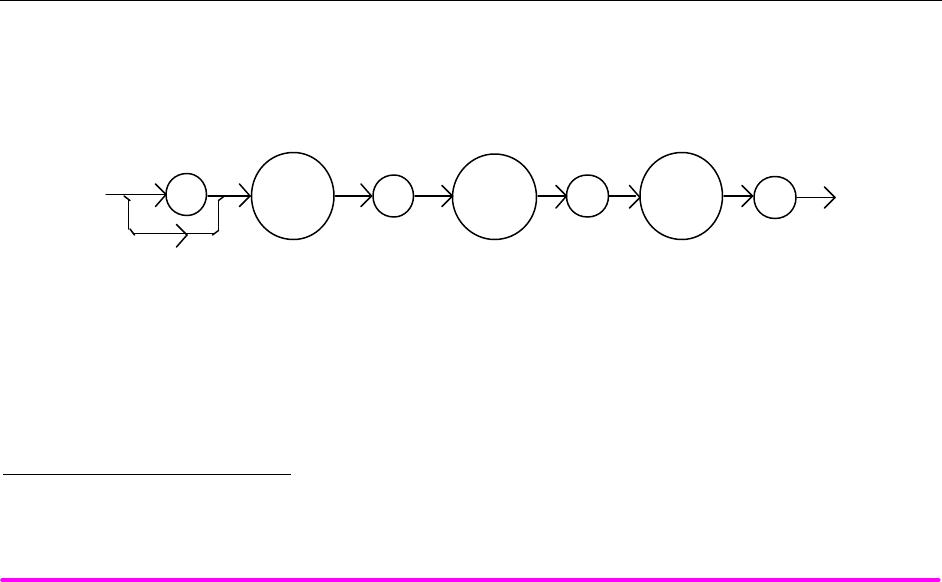
COMMAND REFERENCE CHPT 4
PAGE 26
PARAMETERS An <nrf value> whose sum represents the enabled bits:
1 - LASER Current Limit 256 - N/A
2 - LASER Voltage Limit 512 - Output is Out of Tolerance*
4 - N/A 1024 – N/A
8 - Power Limit (With Output On) 2048 – N/A
16 - N/A 4096 - N/A
32 - N/A 8192 - N/A
64 - N/A 16384 - N/A
128 - N/A 32768 - N/A
POINTS OF
INTEREST The enabled LASER outoff bits can be read by using the LASer:ENABle:OUTOFF? query.
The enable registers normally retain their values at power-up (as they were at power-down)
unless the power-on status clear flag is set true (for more information see the *PSC definition, in
the IEEE488.2 specification).
The factory default value for this register is #B0000100000001000, or #H808, or 2056 decimal.
EXAMPLES "LAS:ENAB:OUTOFF 9" -action: enables the LASER status outoff register so that Power limit
and LASER current limit conditions will cause the LASER output to be turned off.
"Las:Enab:Outoff #HE0B" -action: enables the LASER status outoff register so that any or all
of the above conditions will cause the LASER output to be turned off.
¨ Front Panel LASer:ENABle:OUTOFF?
n Remote
The LASer:ENABle:OUTOFF? query returns the value of the status outoff enable register of the LASER
operations.
SYNTAX DIAGRAM
:LAS :ENAB OUTOFF
:?
* Warning: If this bit is enabled with the output off, the output may never turn on.
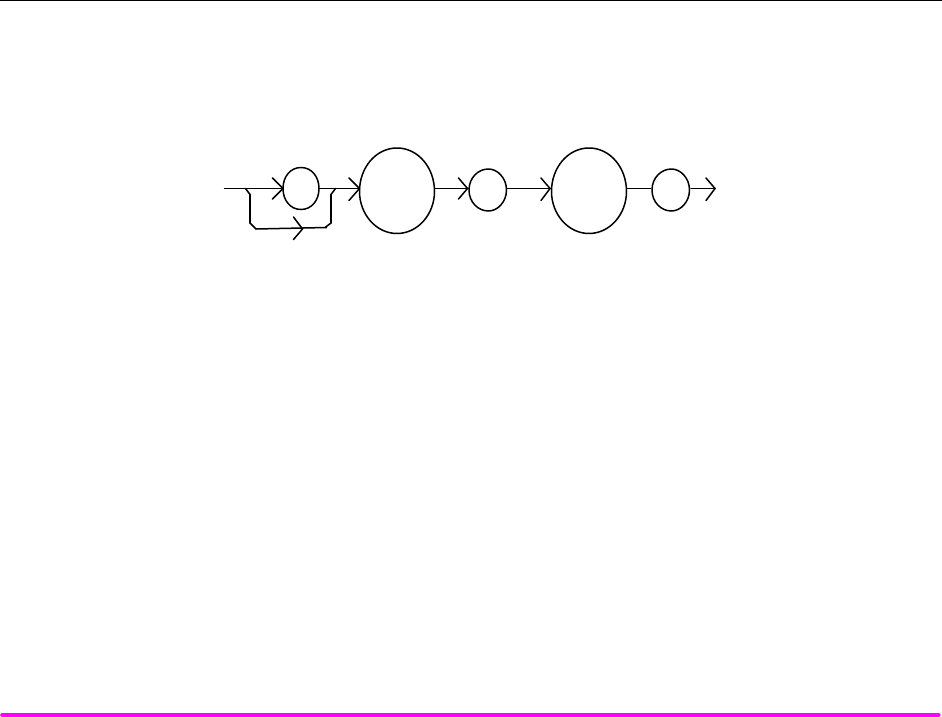
COMMAND REFERENCE CHPT 4
PAGE 27
-where the response is the sum of the following:
1 - LASER Current Limit 256 - N/A
2 - LASER Voltage Limit 512 - Output is Out of Tolerance
4 - N/A 1024 - N/A
8 - Power Limit (With Output On) 2048 - N/A
16 - N/A 4096 - N/A
32 - N/A 8192 - N/A
64 - N/A 16384 - N/A
128 - N/A 32768 - N/A
POINTS OF
INTEREST The enabled LASER events can be set by using the LASer:ENABle:OUTOFF command. The
LASER output status can be monitored by the LASer:EVEnt? query.
EXAMPLES "LAS:ENAB:OUTOFF?" -response: 1, means that the Current Limit Condition will cause the
LASER output to be turned off.
"Radix Hex; Las:Enab:Eve?" -response: #H20B, means that all of the above conditions will
cause the LASER output to be turned off.
¨ Front Panel LASer:EVEnt?
n Remote
The LASer:EVEnt? query returns the value of the status event register of the LASER operations.
SYNTAX DIAGRAM
:
LAS
EVE
:?
-where the response is the sum of the following:
1 - LASER Current Limit 256 - Output is Shorted
2 - LASER Voltage Limit 512 - Output Changed to be In/Out of Tolerance
4 - N/A 1024 - Output On/Off State Changed
8 - Power Limit 2048 - Measurement Ready
16 - Interlock Disabled 4096 - N/A
32 - N/A 8192 - N/A
64 - Compliance Voltage Limit 16384 - N/A
128 - Open Circuit 32768 - N/A
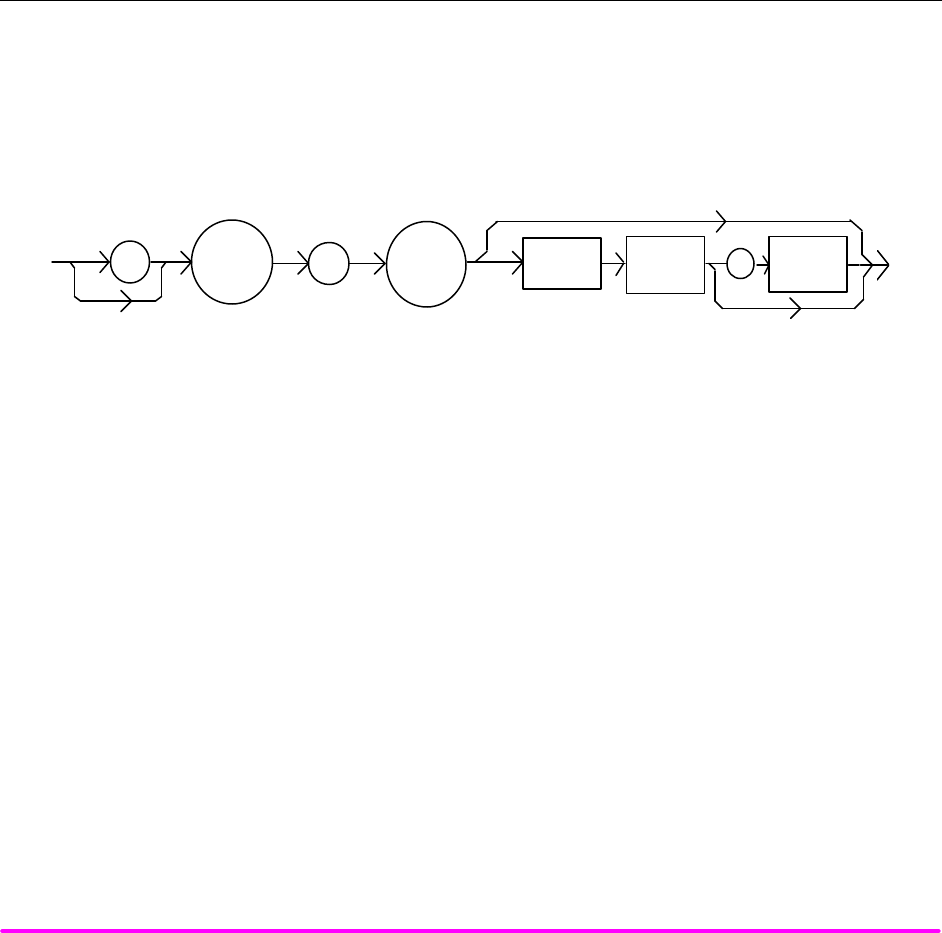
COMMAND REFERENCE CHPT 4
PAGE 28
POINTS OF
INTEREST The LASER conditions that are reported in the status byte can be set by using the
LASer:ENABle:EVEnt command.
The LASER event status is only cleared when the event status is read or by the *CLS
command, while the condition status is constantly changing.
EXAMPLES "LAS:EVE?" -response: 513, means that the LASER output tolerance changed and current limit
events have occurred since the last LASer:EVEnt? query.
"Radix Hex; Laser:Event?" -response: #H88, means that the LASER Power limit and Open circuit
events have occurred since the last LASer:EVEnt? query.
¨ Front Panel LASer:INC
n Remote
The LASer:INC command increments the selected laser control mode set point by one or more steps. Optional
parameters allow multiple steps to be incremented and the time (in milliseconds) between increments to be set,
respectively. This is an overlapped command. Other commands may be executed while this function is in
progress.
SYNTAX DIAGRAM
:
LAS
:
INC
<nrf
value>
<nrf
value>
<white
space>
,
PARAMETERS 0, 1, or 2. The first optional parameter is the number of steps, and the second optional parameter
is the number of milliseconds between steps.
POINTS OF
INTEREST The decremental default amount is one step. The step size can be edited via the LAS:STEP
command. LDX-3210 default values are 0.001/0.002 mA (50/100 mA range), 0.01 mW, or 1 µA (if
CALMD = 0), depending on the mode of operation. LDX-3220 default values are 0.01 mA, 0.01
mW, or 1 µA.
If the first optional parameter is used, but not the second, the LASER set point is incremented
by a multiple of the LAS:STEP size, without changing the LAS:STEP size. The second optional
parameter is the time, in msec, between steps.
If both optional parameters are used, the user may create an automated stepping ramp function
for the LASER output.
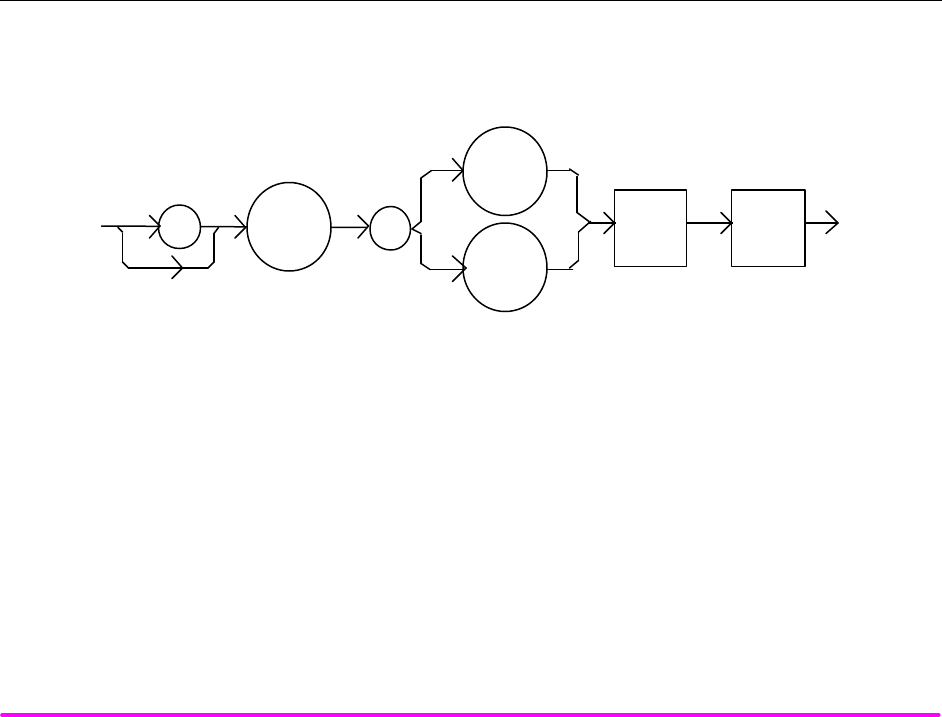
COMMAND REFERENCE CHPT 4
PAGE 29
If the first optional parameter is entered as zero, "LAS:INC 0", the command will do nothing.
The minimum time to complete one increment is about 20 msec. Therefore, values for the second
optional parameter (time between increments) have a practical minimum of 20.
This command should not be overlapped with "LAS:DEC" or other "LAS:INC" commands.
EXAMPLES "LAS:MODE:I; LAS:STEP 3; LAS:INC" -action: The laser source current set point is
incremented by 0.03 mA (LDX-3220), or 0.003 mA (LDX-3210 on 50 mA range), or 0.006 mA
(LDX-3210 on 100 mA range).
"LAS:MODE:I; LAS:STEP 3; LAS:INC 3" -action: The laser source current set point is
incremented by three times the amount described in the first example.
"LAS:MODE:I; LAS:STEP 3; LAS:INC 3,5000" -action: The laser source current set point is
incremented by the amount described in the first example, three times, with 5 seconds between
incremental steps.
"LAS:STEP 1; LAS:Mode:P; Las:INC" -action: The power set point is incremented by 0.01 mW
(LDX-3220 or LDX-3210).
n Front Panel LASer:LDI
n Remote
The LASer:LDI command sets the laser control current.
SYNTAX DIAGRAM
<white
space> <nrf
value>
::
I
LDI
LAS
PARAMETERS An <nrf value> which represents the (laser) output current, in mA.
POINTS OF
INTEREST Set point is the same for both low and high bandwidth output modes.
EXAMPLES "Las:LDI 400" -action: sets the laser output current to 400.00 mA.
"LAS:ldi 100" -action: sets the laser output current to 100.00 mA.
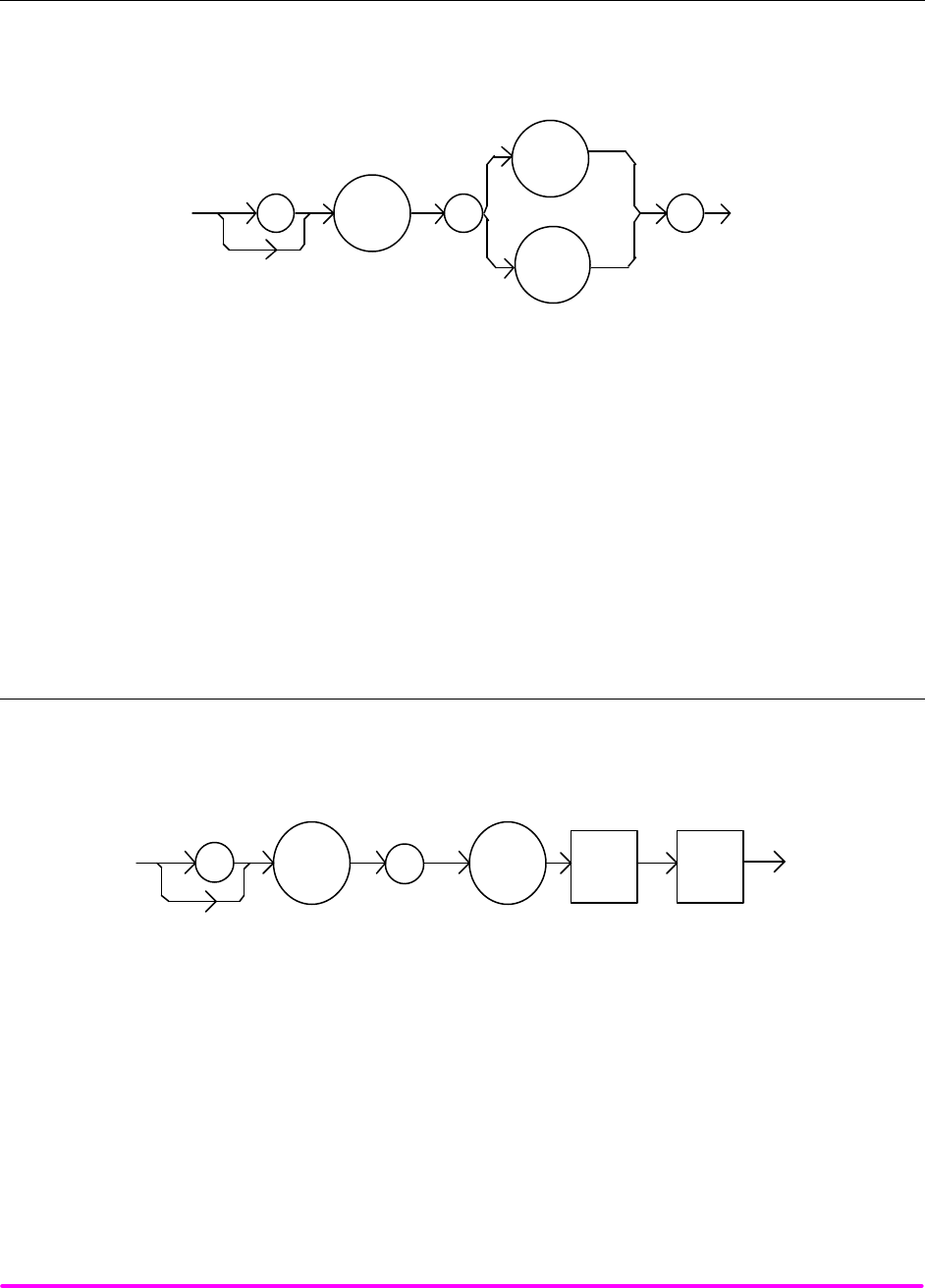
COMMAND REFERENCE CHPT 4
PAGE 30
n Front Panel LASer:LDI?
n Remote
The LASer:LDI? query returns the value of the measured laser current.
SYNTAX DIAGRAM
:
LAS
I
:
?
LDI
-where the response is the most recent laser current measurement.
POINTS OF
INTEREST Response is the measured laser output current, for either low or high bandwidth modes.
This measurement is updated approximately once every 600 msec.
EXAMPLES "LAS:ldi?" -response: 30.0, means the measured laser output current is 30.0 mA.
"Laser:LDI?" -response: 100.0, means the measured laser output current is 100.0 mA.
¨ Front Panel LASer:LDV
n Remote
The LASer:LDV command sets the laser voltage for calibration of the laser voltage measurement.
SYNTAX DIAGRAM
<white
space>
<nrf
value>
::
LAS LDV
PARAMETERS An <nrf value> which represents the (laser) output voltage, in volts.
POINTS OF
INTEREST Set point is the same for both low and high bandwidth output modes and is entered only for
LDV calibration.
EXAMPLES "Las:LDV 4" -action: enters a value of 4.000 volts.
"LAS:ldv 1.025" -action: enters a value of 1.025 volts.
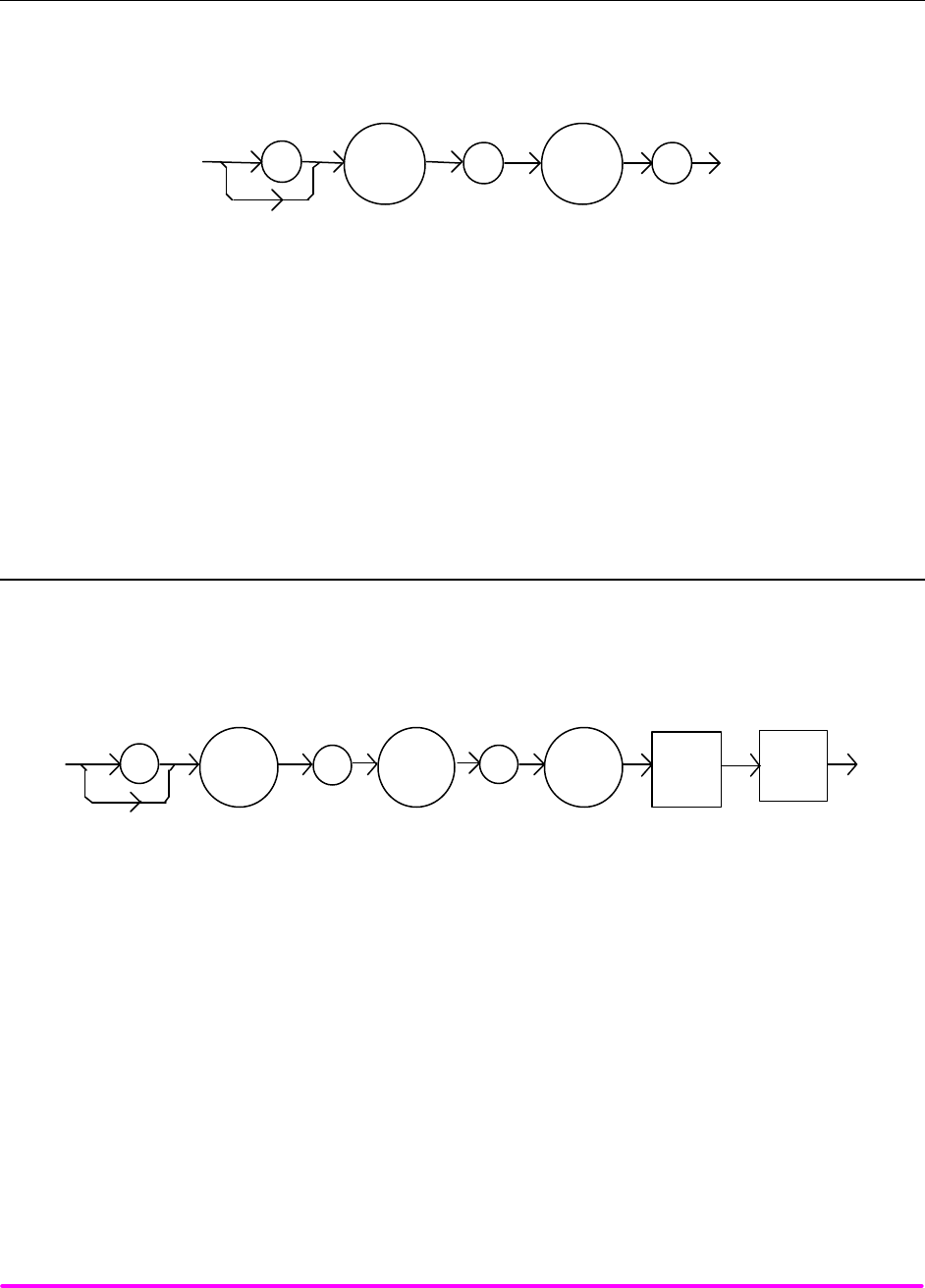
COMMAND REFERENCE CHPT 4
PAGE 31
¨ Front Panel LASer:LDV?
n Remote
The LASer:LDV? query returns the value of the measured laser voltage.
SYNTAX DIAGRAM
:
LAS
:
LDV
?
-where the response is the measured laser output voltage, for either low or high bandwidth
modes.
POINTS OF
INTEREST This measurement is updated approximately once every 600 msec.
EXAMPLES "LAS:ldv?" -response: 3.03, means the measured laser output voltage is 3.03 volts.
"Laser:LDV?" -response: 1.0, means the measured laser output voltage is 1.000 volt.
n Front Panel LASer:LIMit:I1
n Remote
The LASer:LIMit:I1 command sets the LASER current limit value for the 100 mA range on the LDX-3210. (Not
applicable for LDX-3220).
SYNTAX DIAGRAM
:
LAS <white
space>
<nrf
value>
:
LIM :I1
PARAMETERS An <nrf value> which represents the LASER limit current, in mA.
POINTS OF
INTEREST The current limit is in effect in all modes of operation (ILBW, IHBW, or P). The current limit in
use depends on the LASER output range selection.
EXAMPLES "LAS:LIM:I1 80" -action: the LASER current limit is set to 80 mA.
":Laser:Limit:I1 60" -action: the LASER current limit is set to 60 mA.
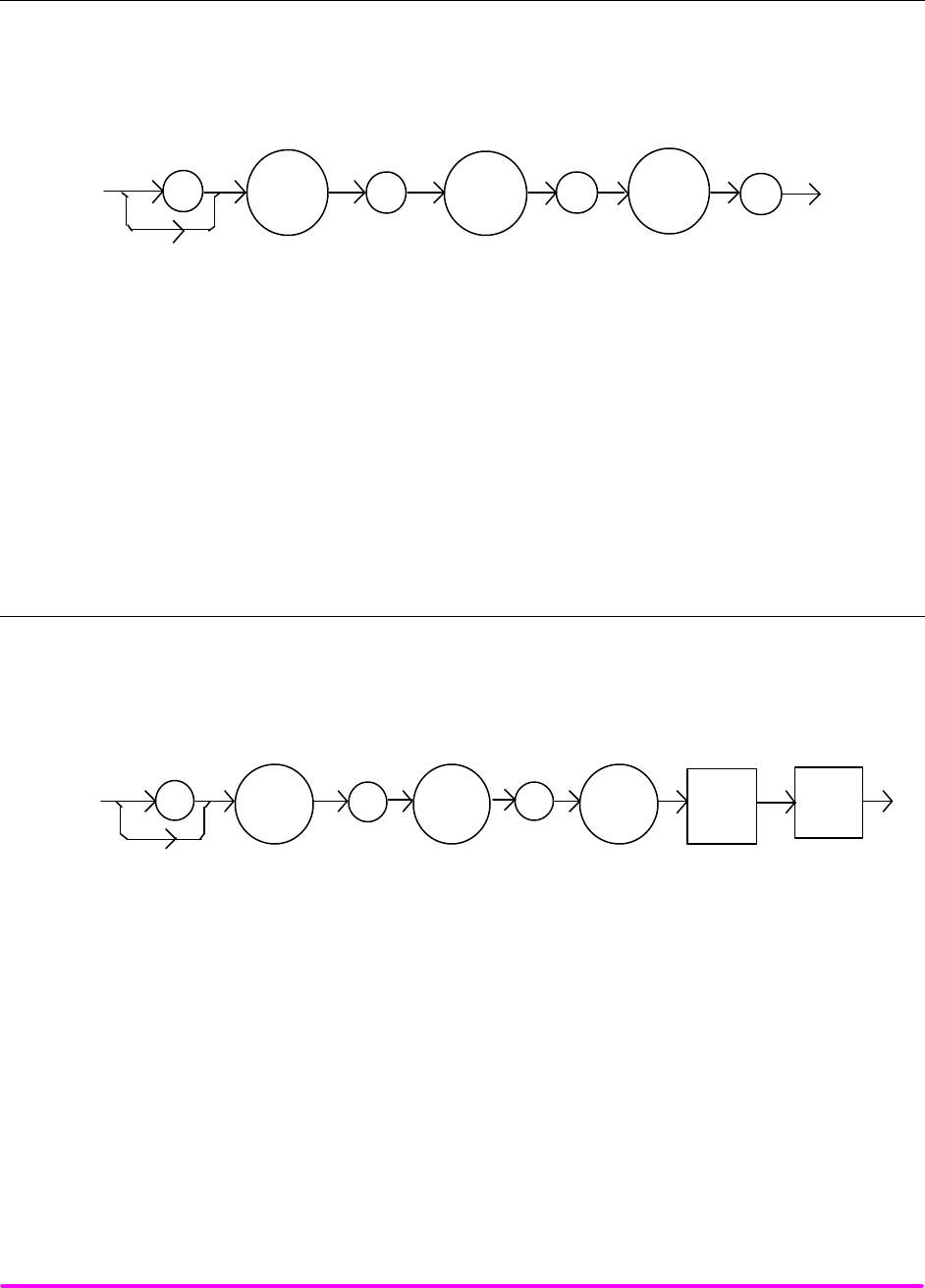
COMMAND REFERENCE CHPT 4
PAGE 32
n Front Panel LASer:LIMit:I1?
n Remote
The LASer:LIMit:I1? query returns the value of the LASER current limit for the 100 mA range on the
LDX-3210. (Not applicable for LDX-3220).
SYNTAX DIAGRAM
:LAS :LIM I1
:?
-where the response is the current limit for the 100 mA range (LDX-3210).
POINTS OF
INTEREST The current limit is in effect in all modes of operation (ILBW, IHBW, or P). The current limit in
use depends on the LASER output range selection.
EXAMPLES "LAS:LIM:I1?" -response: 40, means the laser current limit is 40 mA.
"Laser:LIM:I1?" -response: 50, means the laser current limit is 50 mA.
n Front Panel LASer:LIMit:I2
n Remote
The LASer:LIMit:I2 command sets the LASER current limit value for the 200 mA range on the LDX-3220. (Not
applicable for LDX-3210).
SYNTAX DIAGRAM
:
LAS <white
space>
<nrf
value>
:
LIM :I2
PARAMETERS An <nrf value> which represents the LASER limit current, in mA.
POINTS OF
INTEREST The current limit is in effect in all modes of operation (ILBW, IHBW, or P). The current limit in
use depends on the LASER output range selection.
EXAMPLES "LAS:LIM:I2 180" -action: the LASER current limit is set to 180 mA.
":Laser:Limit:I2 160" -action: the LASER current limit is set to 160 mA.
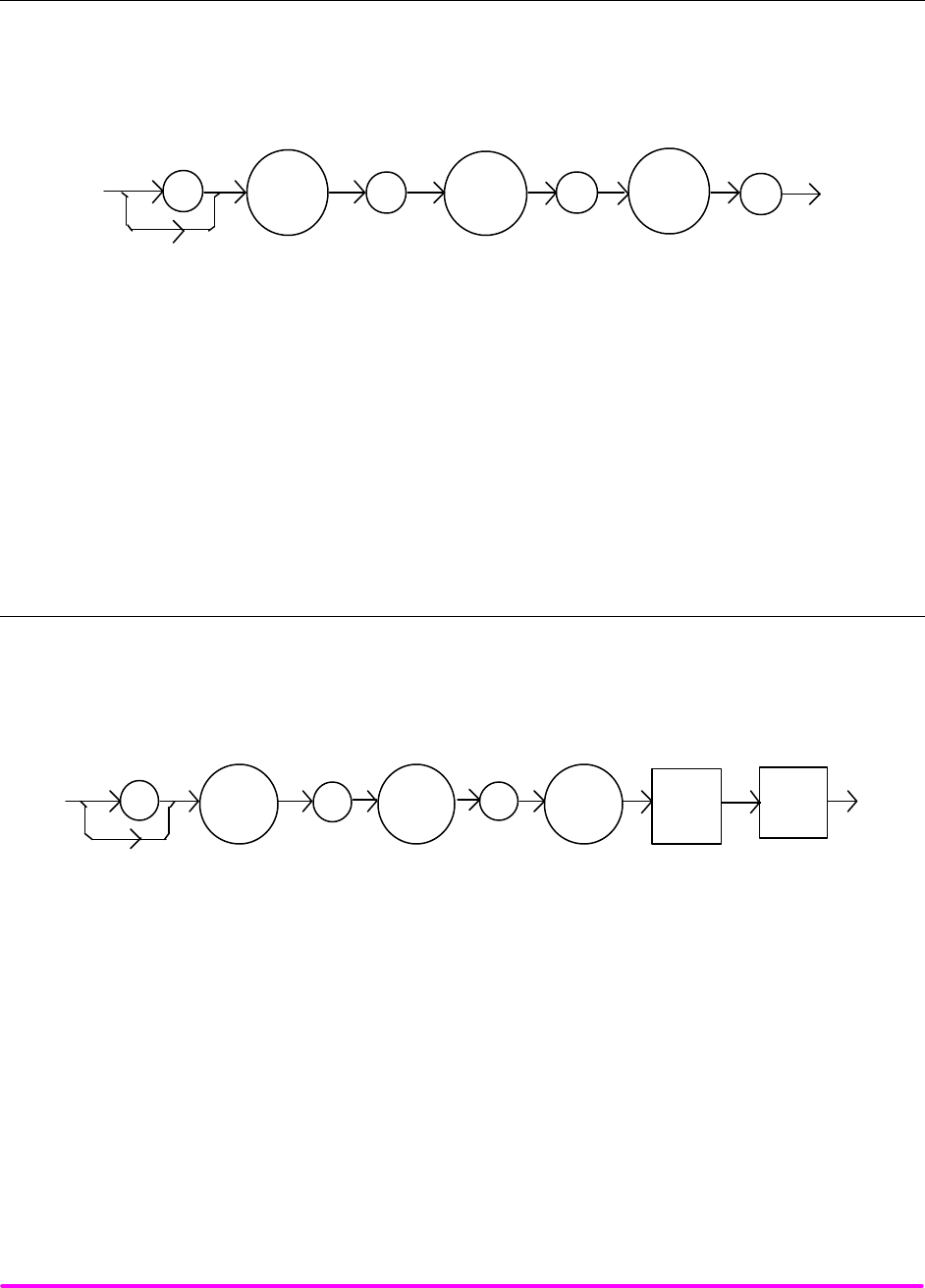
COMMAND REFERENCE CHPT 4
PAGE 33
n Front Panel LASer:LIMit:I2?
n Remote
The LASer:LIMit:I2? query returns the value of the LASER current limit for the 200 mA range on the LDX-
3220. (Not applicable for LDX-3210).
SYNTAX DIAGRAM
:LAS :LIM I2
:?
-where the response is the current limit value for the 200 mA range (LDX-3220).
POINTS OF
INTEREST The current limit is in effect in all modes of operation (ILBW, IHBW, or P). The current limit in
use depends on the LASER output range selection.
EXAMPLES "LAS:LIM:I2?" -response: 40, means the laser current limit is 40 mA.
"Laser:LIM:I2?" -response: 150, means the laser current limit is 150 mA .
n Front Panel LASer:LIMit:I5
n Remote
The LASer:LIMit:I5 command sets the LASER current limit value for the 50 mA range on the LDX-3210 and the
500 mA range on the LDX-3220.
SYNTAX DIAGRAM
:
LAS <white
space>
<nrf
value>
:
LIM :I5
PARAMETERS An <nrf value> which represents the LASER limit current, in mA.
POINTS OF
INTEREST The current limit is in effect in all modes of operation (ILBW, IHBW, or P). The current limit in
use depends on the LASER output range selection.
In local operation, the limit current is entered by selecting LIM I parameter, pressing and
holding in the (PARAMETER) SET switch, adjusting the knob until the desired value is
displayed, and then releasing the SET switch.
EXAMPLES "LAS:LIM:I5 50" -action: the LASER current limit is set to 50 mA.
":Laser:Limit:I5 160" -action: the LASER current limit is set to 160 mA (LDX-3220 only).
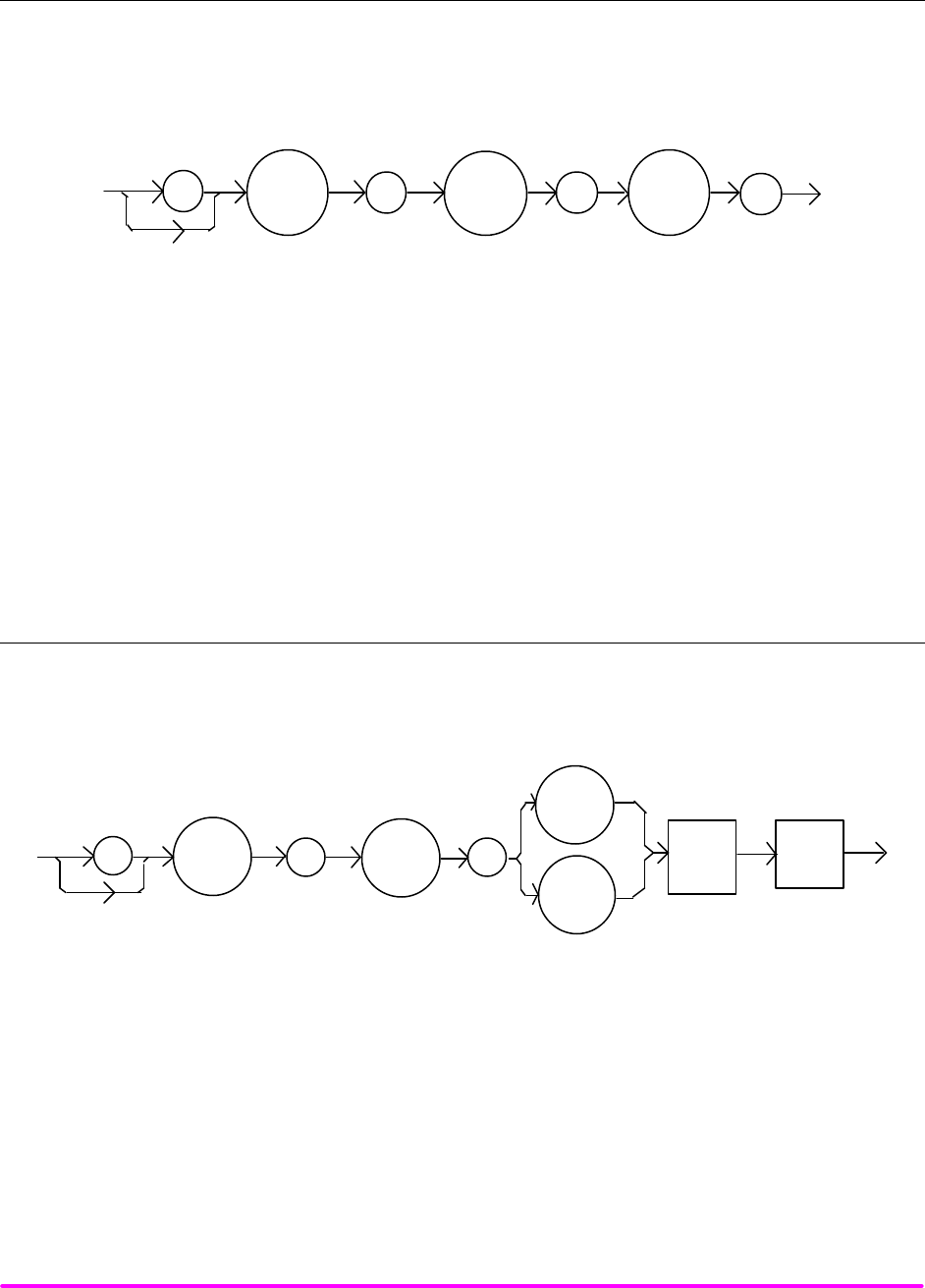
COMMAND REFERENCE CHPT 4
PAGE 34
n Front Panel LASer:LIMit:I5?
n Remote
The LASer:LIMit:I5? query returns the value of the LASER current limit for the 50 mA range on the LDX-3210
or the 500 mA range on the LDX-3220.
SYNTAX DIAGRAM
:LAS :LIM I5
:?
-where the response is the current limit value for the 50 mA range (LDX-3210) or 500 mA range
(LDX-3220).
POINTS OF
INTEREST The current limit is in effect in all modes of operation (ILBW, IHBW, or P). The current limit in
use depends on the LASER output range selection.
EXAMPLES "LAS:LIM:I5?" -response: 400, means the laser current limit is 400 mA (LDX-3220 only).
"Laser:LIM:I5?" -response: 50, means the laser current limit is 50 mA.
n Front Panel LASer:LIMit:MDP
n Remote
The LASer:LIMit:MDP command sets the laser monitor photodiode power limit value.
SYNTAX DIAGRAM
:LAS
:
:
LIM
MDP
P
<white
space>
<nrf
value>
PARAMETERS An <nrf value> which represents the laser monitor photodiode power limit, in mW.
POINTS OF
INTEREST When constant MDP mode is used, the output level is limited only by the LIM Ix value.
Exceeding the power limit will either cause the output to shut off (default), or just generate a
warning (see LAS:ENAB:OUTOFF command).
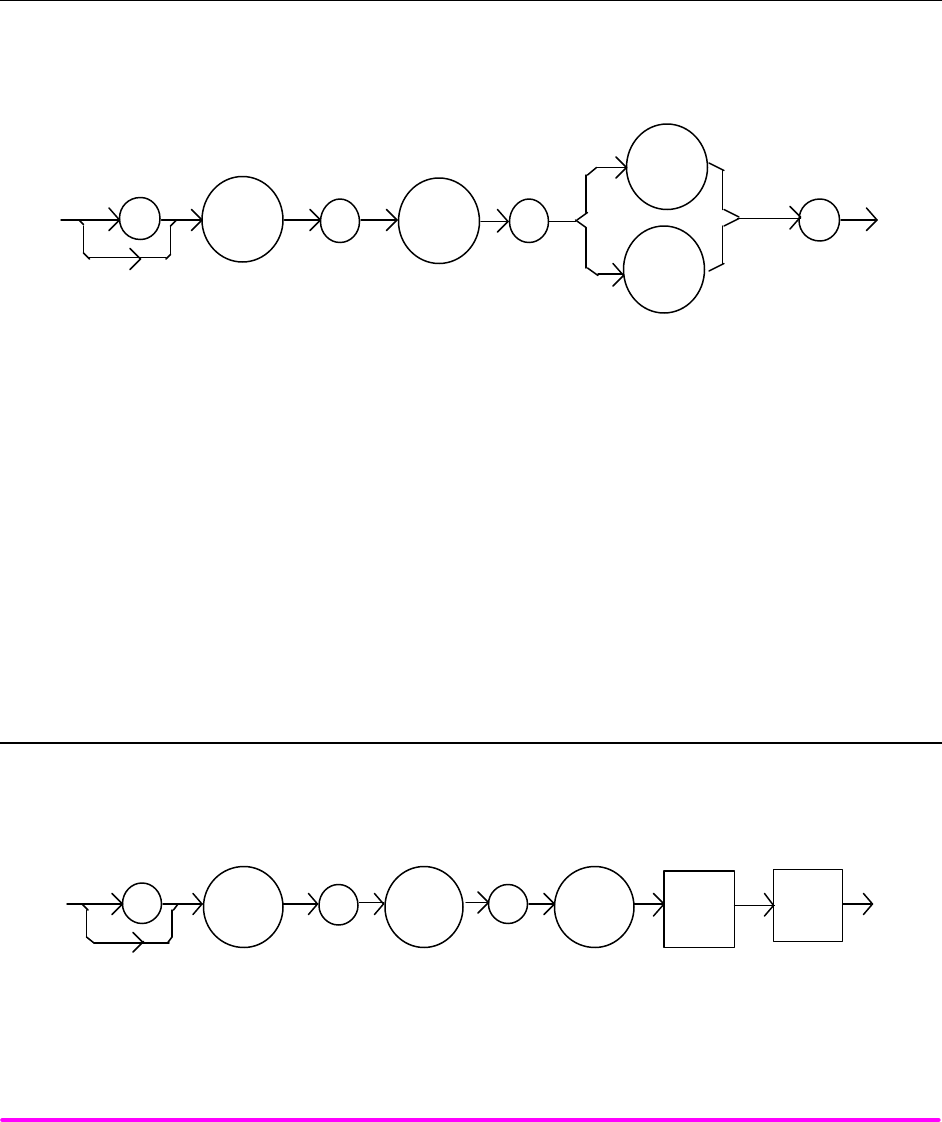
COMMAND REFERENCE CHPT 4
PAGE 35
XAMPLES "LAS:LIM:MDP 10" -action: sets the laser output power limit to a value which corresponds to
producing 10.00 mW of PD feedback (optical) power.
"Las:Limit:MDp 5" -action: sets the laser output power limit to a value which corresponds to
producing 5.00 mW of PD feedback (optical) power.
n Front Panel LASer:LIMit:MDP?
n Remote
The LASer:LIMit:MDP? query returns the value of the laser monitor PD power limit.
SYNTAX DIAGRAM
:
LAS
:
LIM
P
:
?
MDP
-where the response is the LASER power limit setting.
POINTS OF
INTEREST The (LASER) MDP limit is in effect for both laser output current ranges.
The MDP limit is not in effect when CALMD = 0. In this case, the monitor current measurement
is not converted to power.
EXAMPLES "LAS:LIM:MDP?" -response: 3.0, means the monitor PD power limit is set to 3.0 mW.
":LAS:Limit:MDP?" -response: 10.0, means the monitor PD power limit is set to 10.0 mW.
n Front Panel LASer:LIMit:V
n Remote
The LASer:LIMit:V command sets the LASER compliance voltage limit value.
SYNTAX DIAGRAM
:
LAS <white
space>
<nrf
value>
:
LIM :V
PARAMETERS An <nrf value> which represents the LASER limit voltage, in volts.
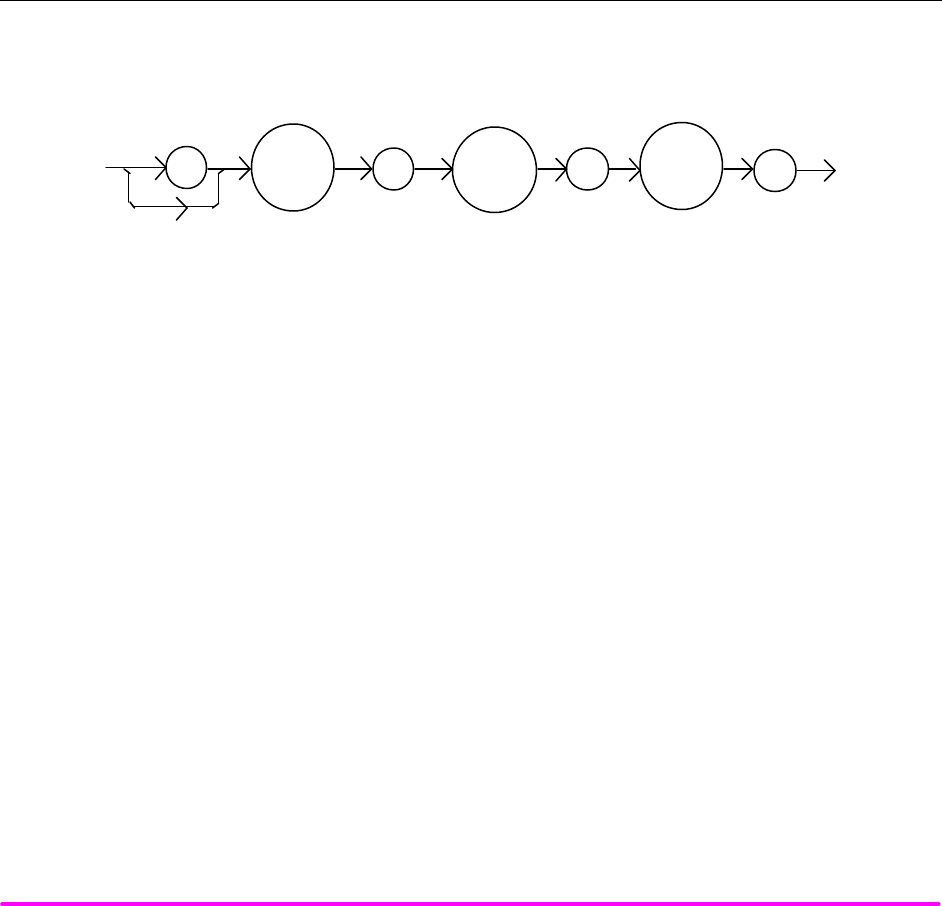
COMMAND REFERENCE CHPT 4
PAGE 36
POINTS OF
INTEREST The voltage limit setting is useful for laser protection. When the maximum operating voltage of
a laser is known, the user may set the voltage limit to a value slightly higher than the maximum
operating voltage. Then, if the laser is accidentally disconnected, the current source will quickly
sense the over-voltage and shut off.
In local operation, the voltage limit is entered by selecting the COMP V, then pressing and
holding in the (PARAMETER) SET switch. Turn the adjust knob until the desired value is
displayed, and then release the SET switch.
EXAMPLES "LAS:LIM:V 5.0" -action: the LASER comp liance voltage limit is set to 5.0 volts.
":Laser:Limit:V 4.60" -action: the LASER compliance voltage limit is set to 4.6 volts.
n Front Panel LASer:LIMit:V?
n Remote
The LASer:LIMit:V? query returns the value of the LASER compliance voltage limit setting.
SYNTAX DIAGRAM
:LAS :LIM V
:?
-where the response is the LASER limit voltage set point.
POINTS OF
INTEREST The voltage limit is valid for all modes of Laser operation.
In local operation, the voltage limit is read by selecting the COMP V parameter via the
(PARAMETER) SELECT switch.
EXAMPLES "LAS:LIM:V?" -response: 4.5, means the laser compliance voltage limit is 4.5 volts.
"Laser:LIM:V?" -response: 10.0, means the laser compliance voltage limit is set to 10.0 volts.
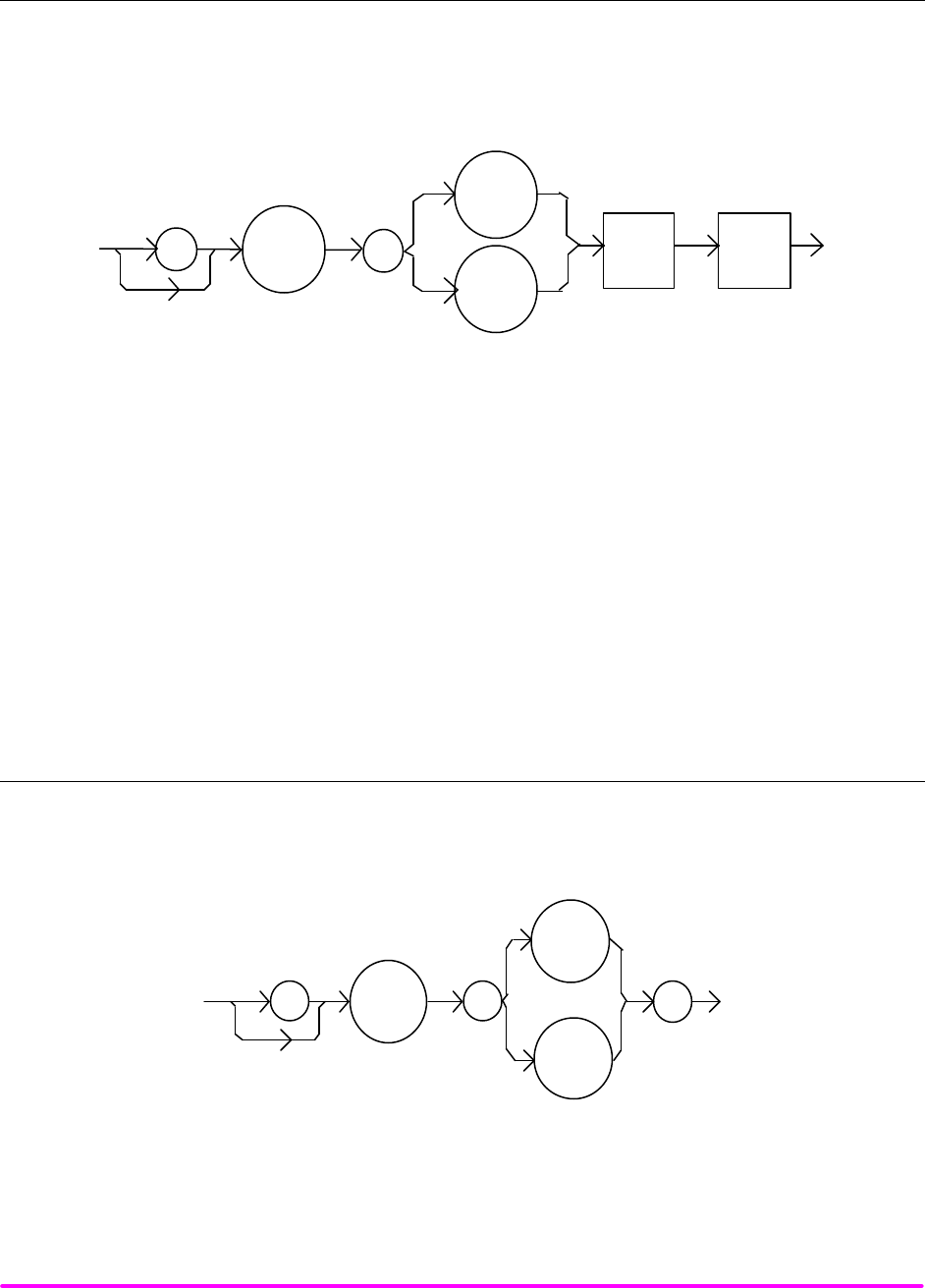
COMMAND REFERENCE CHPT 4
PAGE 37
n Front Panel LASer:MDI
n Remote
The LASer:MDI command sets the value of the optical power set point, in µA, if the CALMD (CAL PD)
responsivity is 0.
SYNTAX DIAGRAM
<white
space> <nrf
value>
::
MDI
IPD
LAS
PARAMETERS An <nrf value> which represents the photodiode feedback current, in µA.
POINTS OF
INTEREST If the CALMD (CAL PD) parameter is not set to 0, the LAS:MDI value will not be used. In this
case, the measured MDI would be converted to MDP (PPD, by the CAL PD factor), and the
MDP (PPD) set point would be used.
EXAMPLES "Las:Mdi 40" -action: The LASER output is controlled so that the photodiode feedback
current remains constant at 40 µA.
"Laser:MDI 200" -action: The LASER output is controlled so that the photodiode feedback
current remains constant at 200 µA.
n Front Panel LASer:MDI?
n Remote
The LASer:MDI? query returns the value of the laser photodetector current measurement, in µA.
SYNTAX DIAGRAM
:
LAS
MDI
:?
IPD
-where the response is the most recent LASER monitor current measurement.
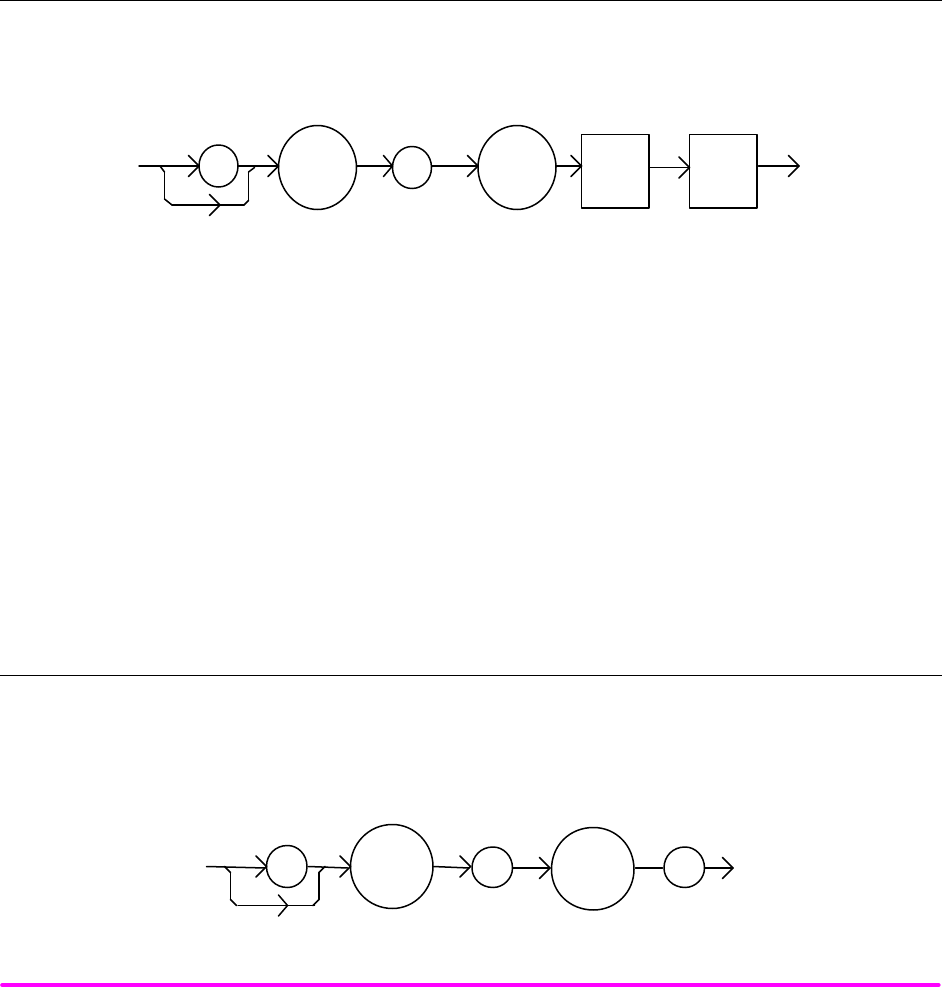
COMMAND REFERENCE CHPT 4
PAGE 38
POINTS OF
INTEREST The response is in µA. The response is valid, even when the unit is not in constant P mode.
This measurement is updated approximately once every 600 msec.
EXAMPLES "Las:Mode:MDP; Las:Calmd 0; Las:MDi?" -response: 100.0, means 100 µA of photodetector
current. This feedback is controlling the laser current output.
"LAS:MODE:IHBW; LAS:MDI?" -response: 20.0, means 20 µA of photodetector current, but
photodiode monitor current is not controlling the laser output current.
¨ Front Panel LASer:MDLN
n Remote
The LASer:MDLN command enables or disables (turns off) the front panel modulation input (BNC).
SYNTAX DIAGRAM
<white
space>
<nrf
value>
:
:
LAS
MDLN
PARAMETERS An <nrf value> -where 1 = on, 0 = off.
POINTS OF
INTEREST After turning the modulation off, it will remain off until turned back on via this command or by
resetting the instrument.
EXAMPLES "las:mdln 1" -action: turns the modulation input on and enables modulation via the front panel
BNC connector.
"Laser:mdln 0" -action: turns the modulation input off. Modulation signals at the front panel
BNC will not effect the LAS output.
¨ Front Panel LASer:MDLN?
n Remote
The LASer:MDLN? query returns the status of the LAS modulation control. When disabled, a modulation
signal at the front panel BNC will not effect the LAS output.
SYNTAX DIAGRAM
:
LAS
:
MDLN
?
-where the response of 1 = on, 0 = off.:
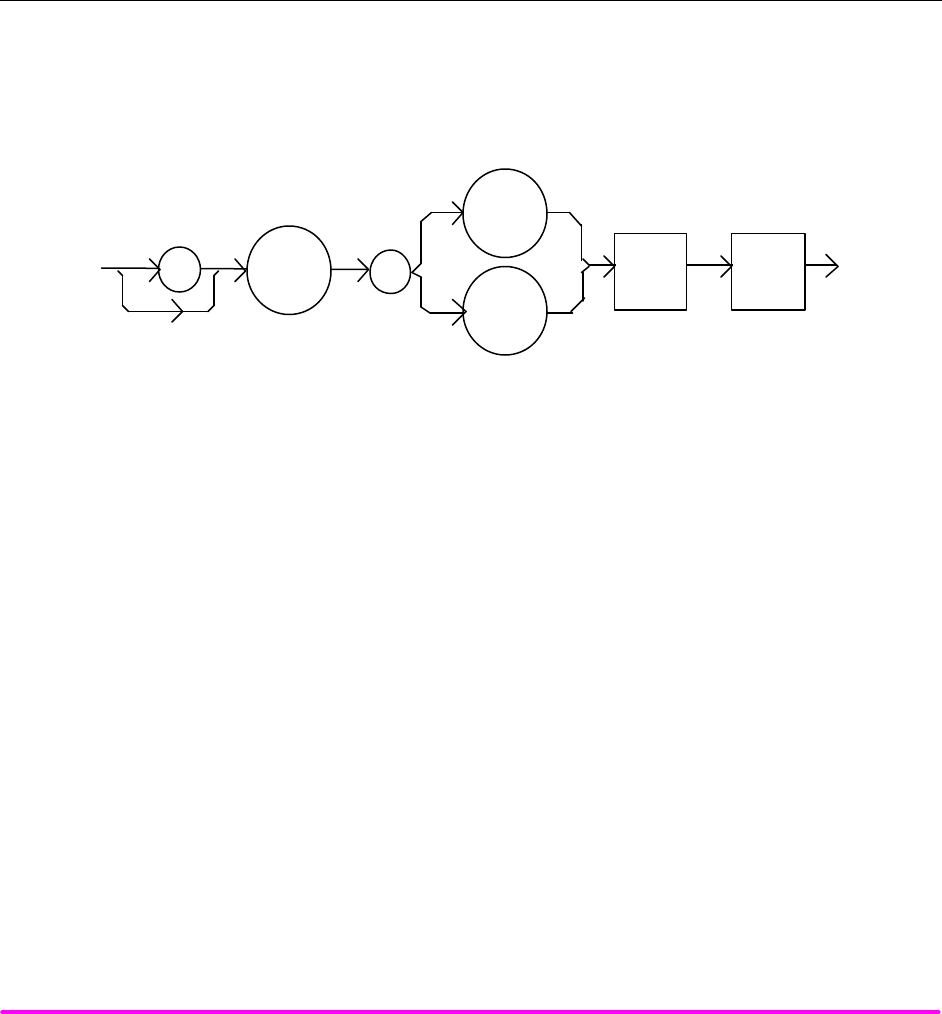
COMMAND REFERENCE CHPT 4
PAGE 39
POINTS OF
INTEREST The LASER modulation control switches the front panel BNC in and out of the LAS control
circuit. At power-up or after reset, modulation is enabled by default.
EXAMPLES "LAS:MDLN?" -response: 1, means that the LAS modulation input is enabled.
"las:mdln?" -response: 0, means that the LAS modulation input is disabled.
n Front Panel LASer:MDP
n Remote
The LASer:MDP command sets the value of the optical power set point, in mW, if the CALMD (CAL PD)
responsivity is greater than 0.
SYNTAX DIAGRAM
<white
space> <nrf
value>
::
MDP
P
LAS
PARAMETERS An <nrf value> which represents the photodiode feedback power, in mW.
POINTS OF
INTEREST If the CALMD (CAL PD) parameter is set to 0, the LAS:MDP value will not be used. In this
case, the measured MDP would be invalid, and the MDI (IPD) set point would be used.
EXAMPLES "Las:Mdp 40" -action: The LASER output is controlled so that the photodiode feedback
power remains constant at 40 mW.
"Laser:MDP 200" -action: The LASER output is controlled so that the photodiode feedback
power remains constant at 200 mW.
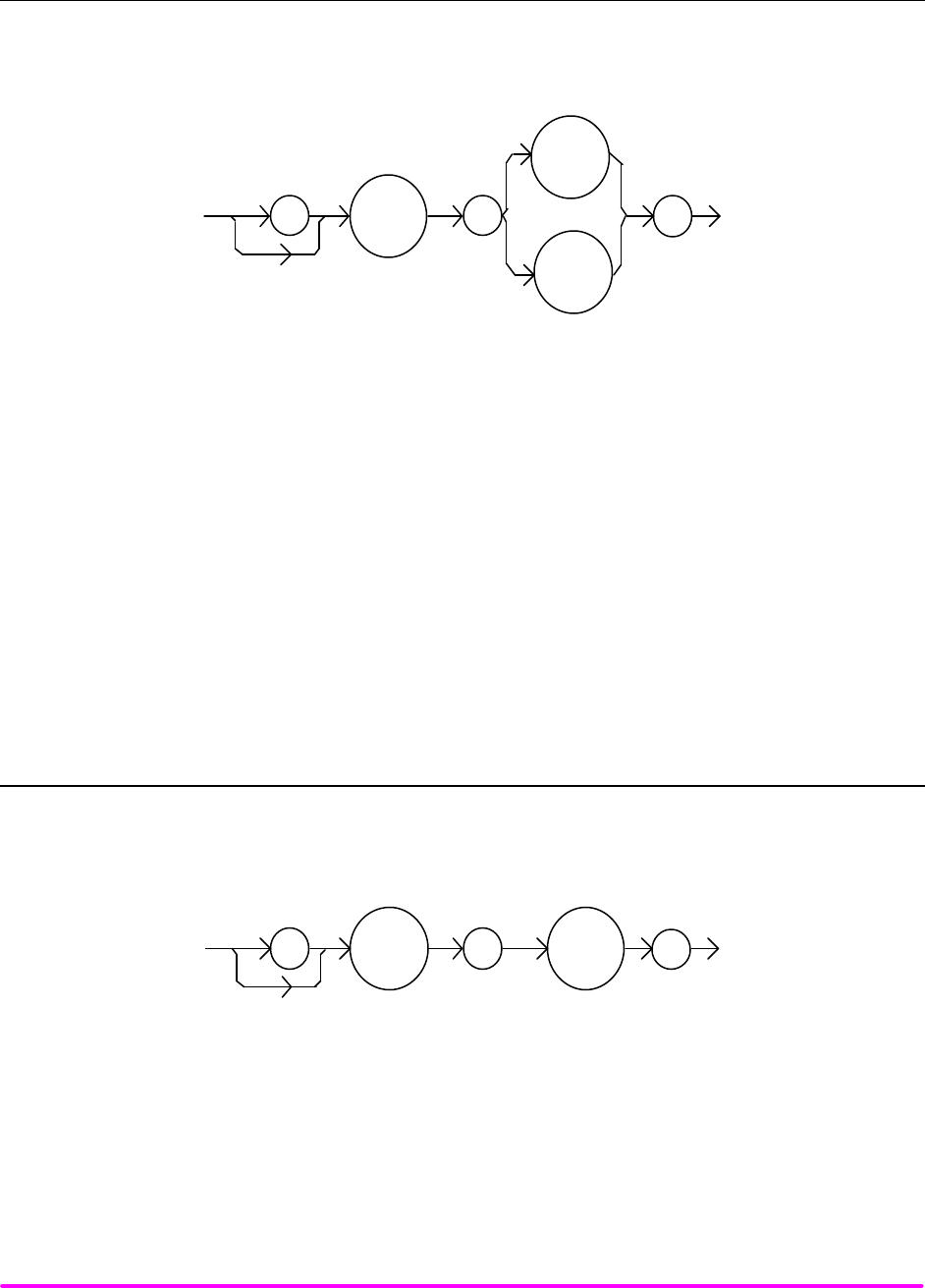
COMMAND REFERENCE CHPT 4
PAGE 40
n Front Panel LASer:MDP?
n Remote
The LASer:MDP? query returns the value of the laser photodetector power measurement, in mW.
SYNTAX DIAGRAM
:
LAS
MDP
:?
P
-where the response is the most recent LASER power measurement.
POINTS OF
INTEREST The response is in mW. The response is valid, even when the unit is not in constant P mode.
This measurement is updated approximately once every 600 ms ec.
EXAMPLES "Las:Mode:MDP; Las:Calmd 460; Las:MDp?" -response: 100.0, means 100 mW of
photodetector power. This feedback is controlling the laser current output.
"LAS:MODE:IHBW; LAS:MDP?" -response: 20.0, means 20 mW of photodetector power, but
photodiode monitor current is not controlling the laser output current.
n Front Panel LASer:MODE?
n Remote
The LASer:MODE? query returns the selected laser control mode.
SYNTAX DIAGRAM
:
LAS
:
?MODE
-where the response is the LASER control mode.
POINTS OF
INTEREST IHBW mode is the same as I mode (low bandwidth), except that the output low bandpass filter is
disabled in IHBW mode.
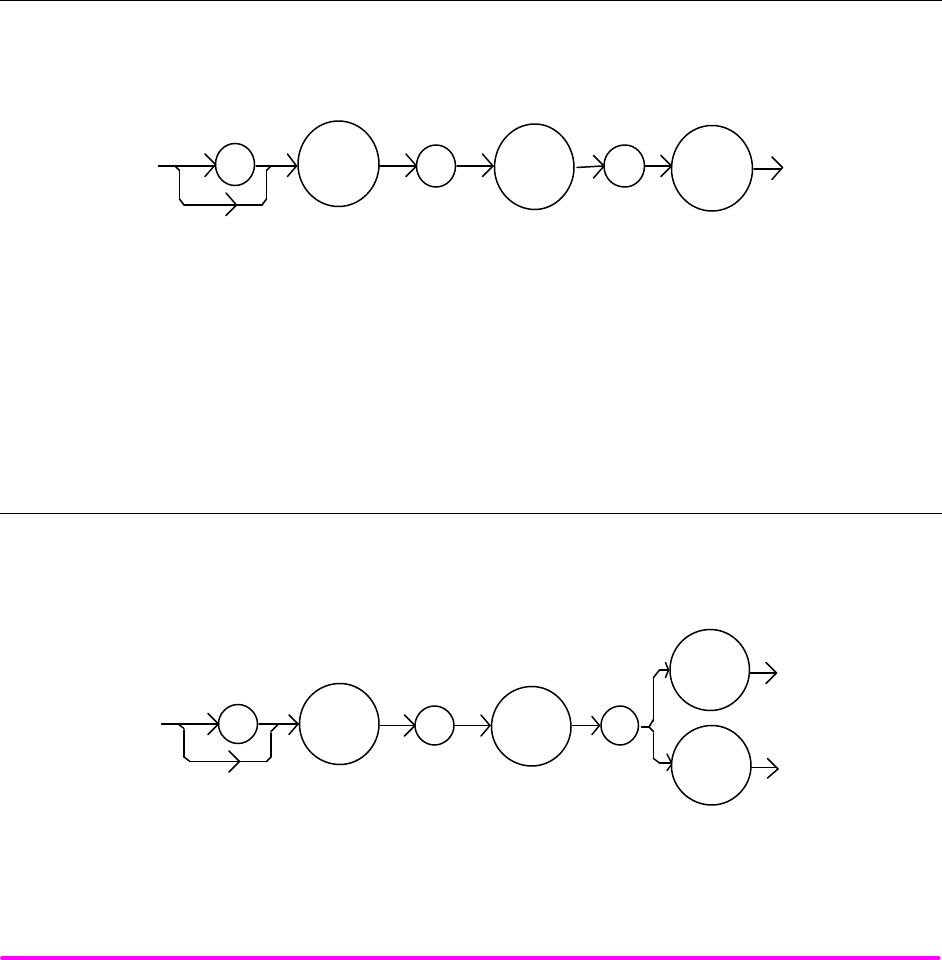
COMMAND REFERENCE CHPT 4
PAGE 41
EXAMPLES "LAS:MODE?" -response: ILBW, means that constant I (current) mode is in effect for the laser
output.
":Las:Mode?" -response: MDP, means that constant P (power) mode is in effect for the laser
output, and CALMD > 0.
"Las:Mode?" -response: MDI, means that constant P (power) mode is in effect for the laser
output, and CALMD = 0.
"Laser:MODE?" -response: IHBW, means that constant IHBW (current, high bandwidth) mode is
in effect for the laser output.
n Front Panel LASer:MODE:IHBW
n Remote
The LASer:MODE:IHBW command selects laser high bandwidth constant current mode.
SYNTAX DIAGRAM
:
LAS
: :
MODE
IHBW
PARAMETERS None.
POINTS OF
INTEREST This mode of operation is constant I mode with the output lowpass filter disabled.
EXAMPLES "LAS:Mode:Ihbw" -action: enables the laser high bandwidth constant current mode.
n Front Panel LASer:MODE:ILBW
n Remote
The LASer:MODE:ILBW command selects laser constant current mode.
SYNTAX DIAGRAM
:
LAS
:
:
MODE
I
ILBW
PARAMETERS None.
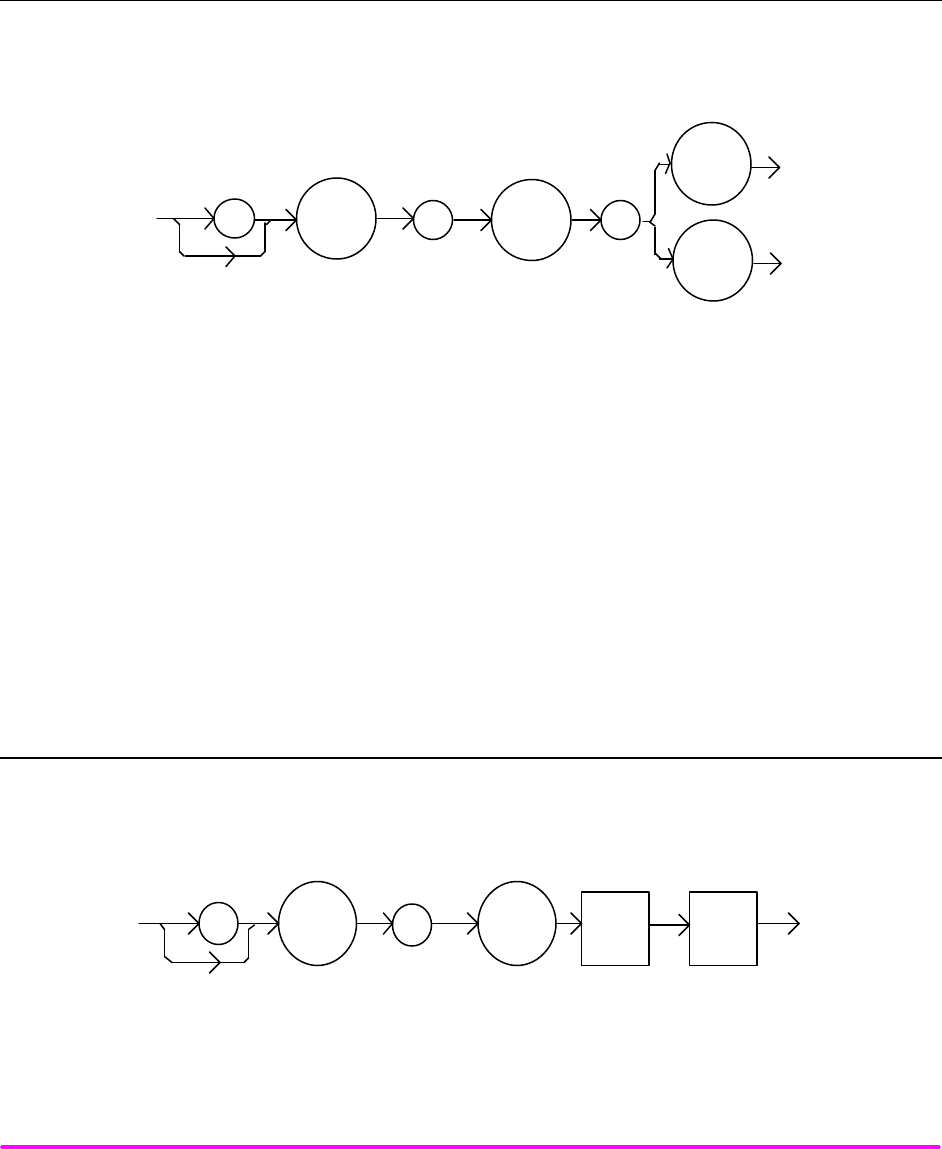
COMMAND REFERENCE CHPT 4
PAGE 42
POINTS OF
INTEREST Constant I mode (low bandwidth) enables the output low bandpass filter.
EXAMPLES "LAS:MODE:ILBW" -action: sets the laser output for constant I mode (low bandwidth).
n Front Panel LASer:MODE:MDP
n Remote
The LASer:MODE:MDP command selects laser constant power mode.
SYNTAX DIAGRAM
:
LAS
:
:
MODE
P
MDP
PARAMETERS None.
POINTS OF
INTEREST This mode of laser operation requires the laser's monitor PD feedback to maintain constant
optical power or constant monitor current.
In this mode, the displayed parameter will be either IPD (if CALMD = 0) in µA, or PPD (if CALMD
> 0) in mW.
EXAMPLES "LAS:MODE:MDP" -action: sets the laser output mode of operation to constant optical power
mode.
n Front Panel LASer:OUTput
n Remote
The LASer:OUTput command turns the laser output on or off.
SYNTAX DIAGRAM
<white
space>
<nrf
value>
:
:
LAS
OUT
PARAMETERS An <nrf value>; 1 = on, 0 = off.
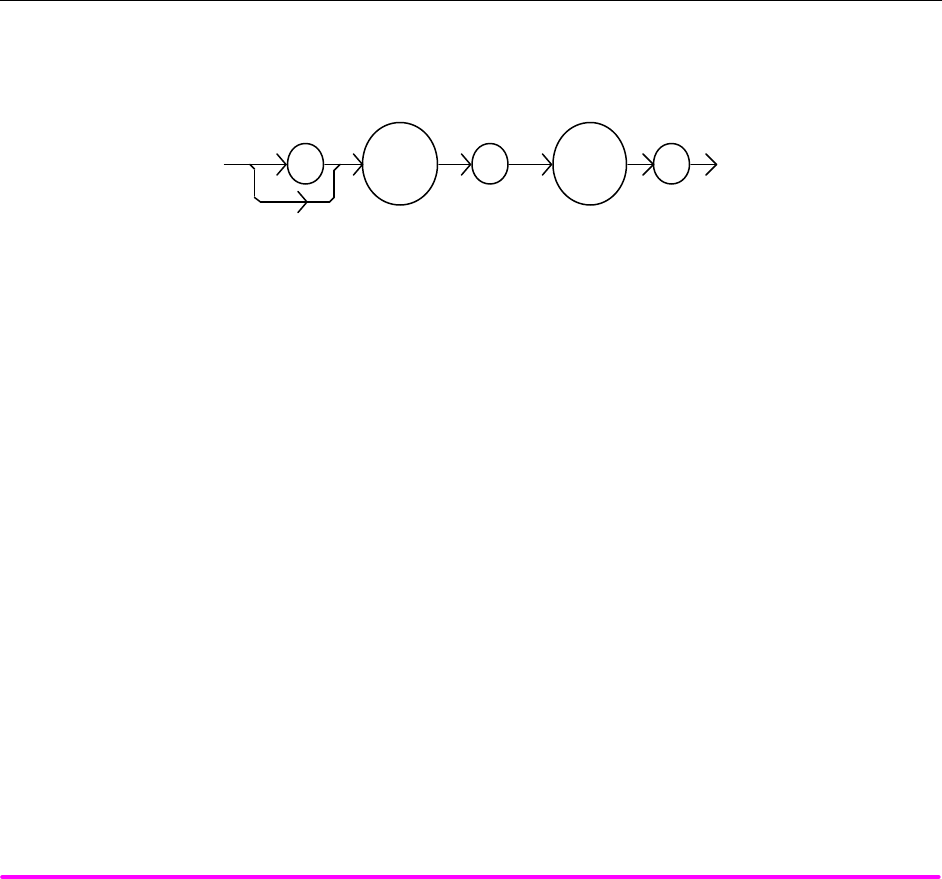
COMMAND REFERENCE CHPT 4
PAGE 43
POINTS OF
INTEREST There is a 2-second delay after the output is turned on before the output shorting relay is
opened. Following this, the output current ramps up to the current set point slowly to protect
the laser. Therefore, the time to turn the output on and reach the set point current varies from 2
to about 3 seconds.
After the output is turned on, it may be useful to wait until the output is stable (within
tolerance) before performing further operations, but it is not necessary. When the LASER
output is off, it is safe to connect or disconnect devices to the LASER output terminals.
When the LASER output is off, an internal short is placed across the output terminals.
EXAMPLES "LAS:I 20; LAS:OUT ON" -action: sets the laser output current to 20 mA and then turns the
output on.
n Front Panel LASer:OUTput?
n Remote
The LASer:OUTput? query returns the status of the laser output switch.
SYNTAX DIAGRAM
:LAS :
?
OUT
-where the response is 0 or 1.
POINTS OF
INTEREST Although the status of the switch is on, the output may not have reached the set point value.
EXAMPLES "Las:OUT?" -response: 0, means that the output switch is disabled, devices may be safely
disconnected or connected at the LASER output terminals.
"LAS:OUT?" -response: 1, means that the LASER output switch is enabled, LASER output is
present.
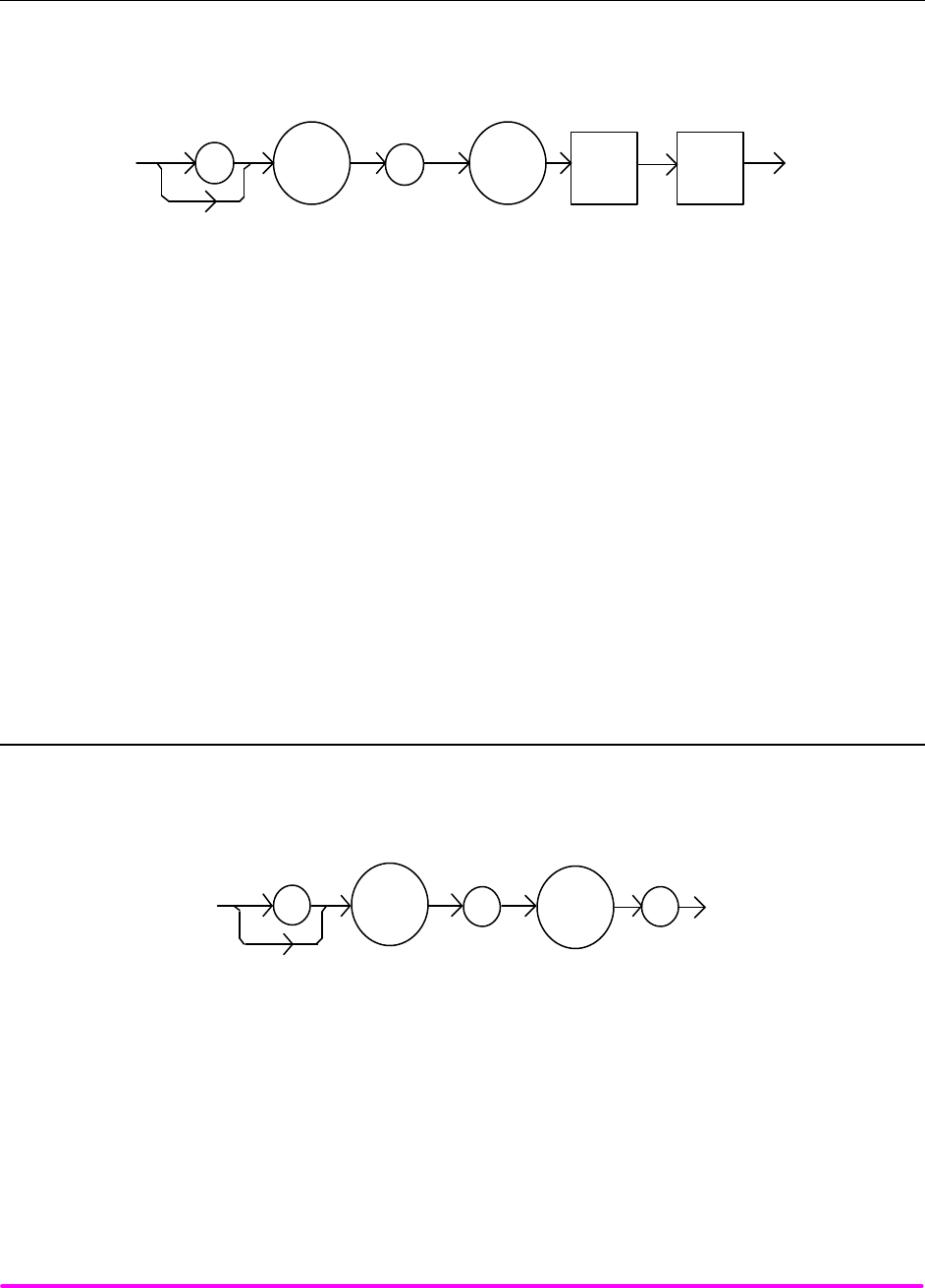
COMMAND REFERENCE CHPT 4
PAGE 44
n Front Panel LASer:RANge
n Remote
The LASer:RANge command selects the laser's drive current output range.
SYNTAX DIAGRAM
<white
space>
<nrf
value>
:
:
LAS
RAN
PARAMETERS An <nrf value> which represents the laser current output range.
For LDX-3210: 5 = 50 mA, and 1 = 100 mA range.
For LDX-3220: 2 = 200 mA, and 5 = 500 mA range.
POINTS OF
INTEREST This range setting effects the Laser Drive Current output current range only.
The Laser Drive Current output should be "off" when this command is issued. If the Laser
Diode Current output is "on" when this command is issued, the LDX-3200 Series Precision
Current Source will generate error E515, and the range will not be changed.
EXAMPLES "LAS:RAN 2" -action: sets the laser output drive current range to 200 mA (LDX-3220 only).
"Laser:range 1" -action: sets the laser output drive current range to 100 mA (LDX-3210 only).
n Front Panel LASer:RANge?
n Remote
The LASer:RANge? query returns the value of the Laser Drive Current range.
SYNTAX DIAGRAM
:LAS : RAN ?
-where the response is an integer; 1 means 100 mA range (LDX-3210), 2 means 200 mA range
(LDX-3220), and 5 means 50 mA range (LDX-3210) or 500 mA range (LDX-3220).
POINTS OF
INTEREST The resolution and accuracy of the laser limit current are dependent on the Laser Drive Current
output range.
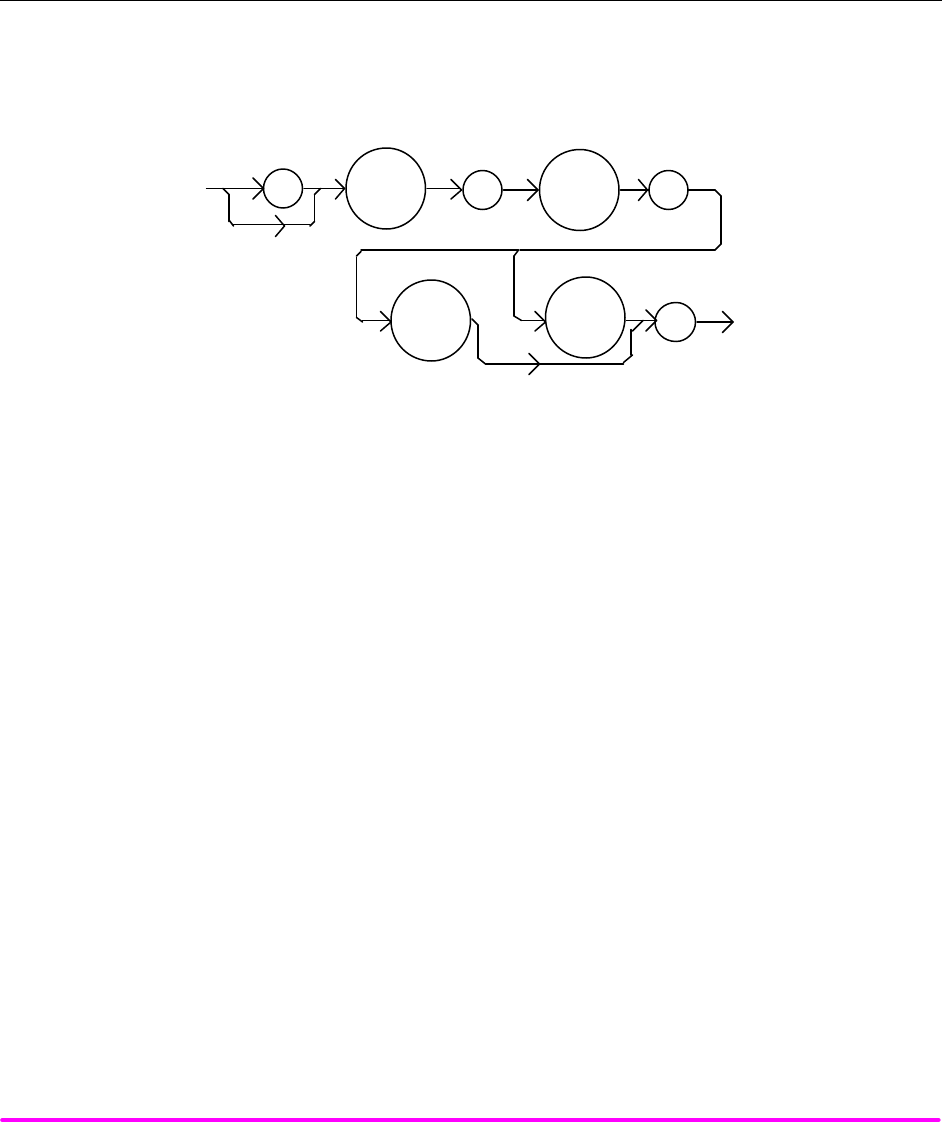
COMMAND REFERENCE CHPT 4
PAGE 45
EXAMPLES "LAS:RAN?" -response: 1, means that the Laser Drive Current range is 100 mA (LDX-3210
only).
"LAS:range?" -response: 2, means that the Laser Drive Current range is 200 mA (LDX-3220
only).
n Front Panel LASer:SET:LDI?
n Remote
The LASer:SET:LDI? query returns the constant I value which is used for both output ranges and both
bandwidths.
SYNTAX DIAGRAM
:
LAS
:
SET
I
:
? LDI
-where the response is the constant I set point value, in mA.
POINTS OF
INTEREST In local operation, the constant I set point is read by selecting I or IHBW mode, then pressing
and holding down the SELECT switch in the DISPLAY area of the front panel. When the mA
indicator is blinking, the display will show the LDI set point.
EXAMPLES "LAS:SET:LDI?" -response: 50.0, means the laser output current set point value is 50.0 mA.
"Laser:set:ldi?" -response: 120.0 means the laser output current set point value is 120.0 mA
(LDX-3220 only).
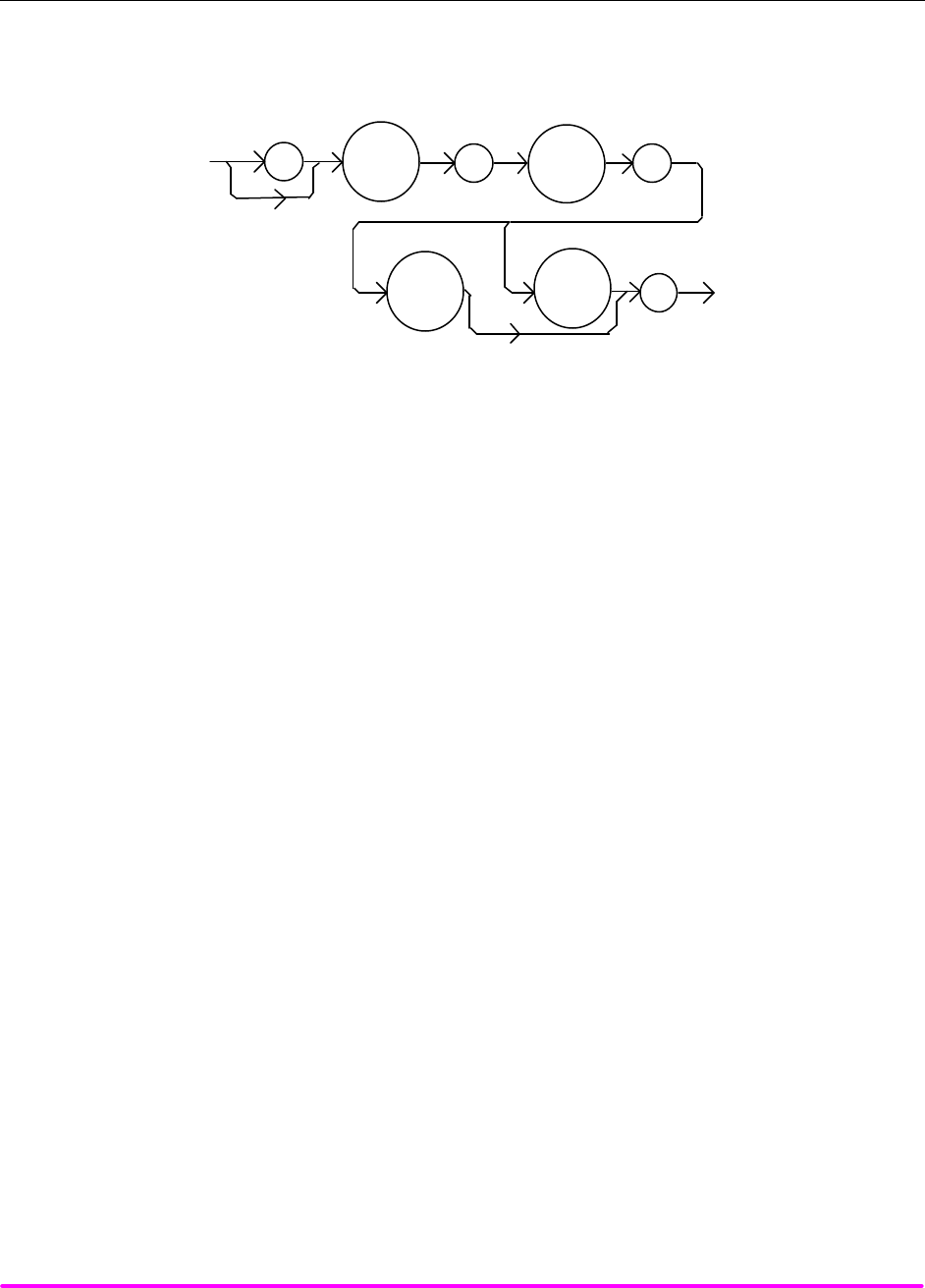
COMMAND REFERENCE CHPT 4
PAGE 46
n Front Panel LASer:SET:MDI?
n Remote
The LASer:SET:MDI? query returns the laser monitor PD current set point value (when CALPD = 0), in µA.
SYNTAX DIAGRAM
:
LAS
:
SET
IPD
:
?
MDI
-where the response is the constant IPD set point value, in µA.
POINTS OF
INTEREST In local operation, the MDI set point is read by selecting P mode, then pressing and holding
down the SELECT switch in the DISPLAY area of the front panel. When the µA indicator is
blinking, the display will show the MDI set point.
The monitor photodiode current is directly proportional to the laser optical output power.
Therefore, the MDI (IPD ) set point may be used to control optical output of the laser.
EXAMPLES "las:set:mdi?" -response: 30.0, means the laser monitor PD current is set point is 30 µA, for use
in constant P mode with CALPD = 0.
"LAS:Set:MDI?" -response: 100.0 means the laser monitor PD current is set point is 100 µA, for
use in constant P mode with CALMD = 0.
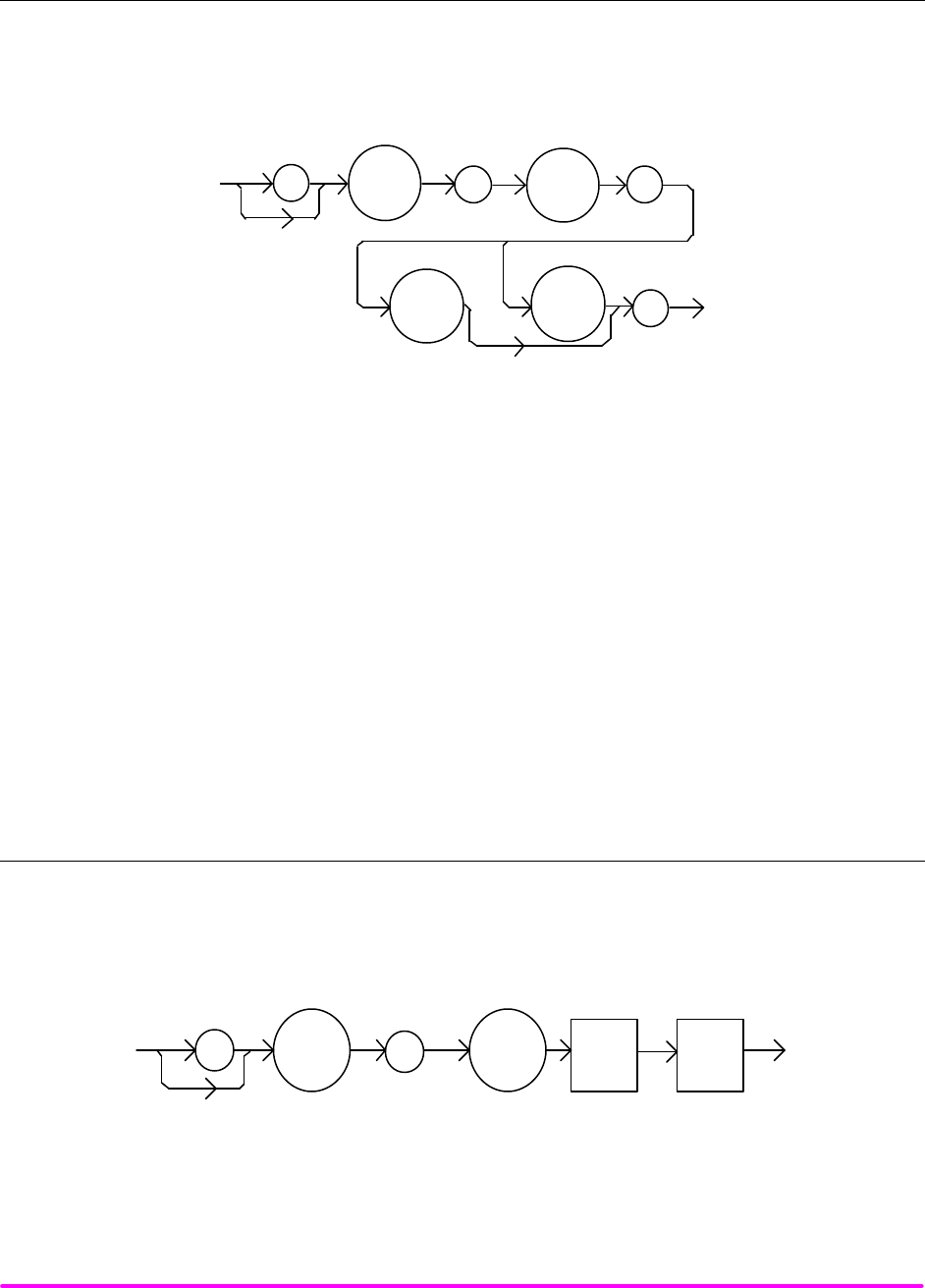
COMMAND REFERENCE CHPT 4
PAGE 47
n Front Panel LASer:SET:MDP?
n Remote
The LASer:SET:MDP? query returns the laser monitor PD power set point value (when CALMD [CAL PD] is
not zero), in mW.
SYNTAX DIAGRAM
:
LAS
:
SET
P
:
?
MDP
-where the response is the constant PPD set point, in mW.
POINTS OF
INTEREST In local operation, the MDP set point is read by selecting P mode, then pressing and holding
down the SELECT switch in the DISPLAY area of the front panel. When the mW indicator is
blinking, the display will show the MDP set point.
This set point is used in constant MDP mode only.
EXAMPLES "LAS:Set:MDP?" -response: 10.0, means the laser monitor PD feedback set point is 10.0 mW
(CALPD > 0).
"Laser:Set:MDP?" -response: 25.0, means the laser monitor PD feedback set point is 25.0 mW
(CALPD > 0).
¨ Front Panel LASer:STEP
n Remote
The LASer:STEP command is used to increment or decrement the selected laser control mode set point by the
given amount, when used with the LASer:INC or LASer:DEC command.
SYNTAX DIAGRAM
<white
space>
<nrf
value>
:
:
LAS
STEP
PARAMETERS An integer value of the step amount, in the range 1 to 9999.
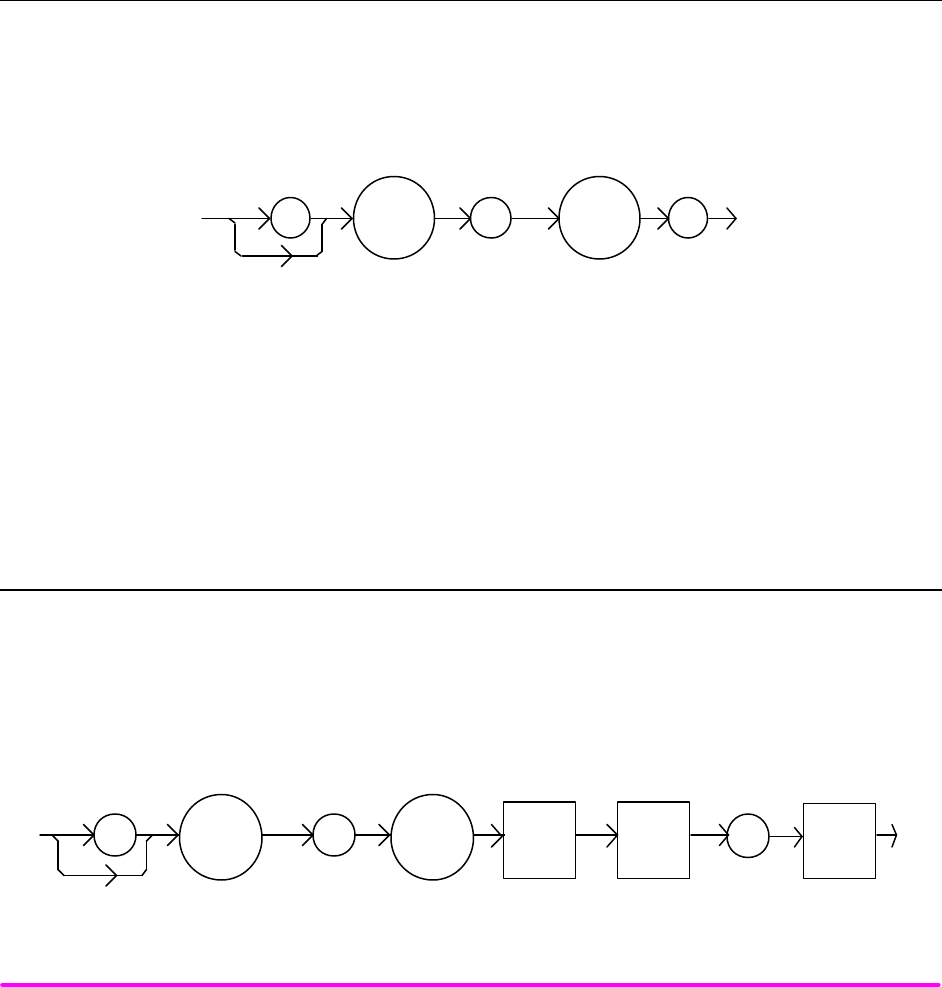
COMMAND REFERENCE CHPT 4
PAGE 48
POINTS OF
INTEREST The step of 1 corresponds to the smallest display resolution for the mode. For example, a step
of 1 means 0.01 mA (LDX-3220) or 0.002 mA (LDX-3210, 100 mA range) or 0.001 mA (LDX-3210,
50 mA range), 0.01 mW, or 1 µA (if CALPD = 0).
EXAMPLES "Las:Mode:i; Las:ldi 20; Las:Step 100; Las:Inc; Las:set:ldi?" -action: sets the step to 1.0 mA
(LDX-3220), so the Las:set:ldi? query will return a value of 21.0 mA.
"LAS:STEP 1000" -action: sets the step size to 1000; could mean 10.0 mA (LDX-3220), 10.0 mW,
or 100 µA.
¨ Front Panel LASer:STEP?
n Remote
The LASer:STEP? query is used to read back the LASer STEP value. This value is used to increment or
decrement the selected laser control mode set point by the given amount, when used with the LASer:INC or
LASer:DEC command.
SYNTAX DIAGRAM
:LAS :
?
STEP
-where the response is an integer value.
EXAMPLES "Las:Mode:LDI; Las:Step?" -response: 1 means the step size is 0.01 mA (LDX-3220), since
Const I mode is in effect.
"LAS:MODE:MDP; LAS:CALMD 1; LAS:STEP?" -response: 10 means the step size is 0.1 mW,
since Const P mode is in effect.
¨ Front Panel LASer:TOLerance
n Remote
The LASer:TOLerance command allows the programmer to determine the LASER current tolerance, and time
window for it to occur, in order that the operation complete flag be set after a "LASer:OUTput 1" command is
issued, or the LASER set point is changed.
SYNTAX DIAGRAM
LAS <white
space>
TOL
: : ,
<nrf
value>
<nrf
value>
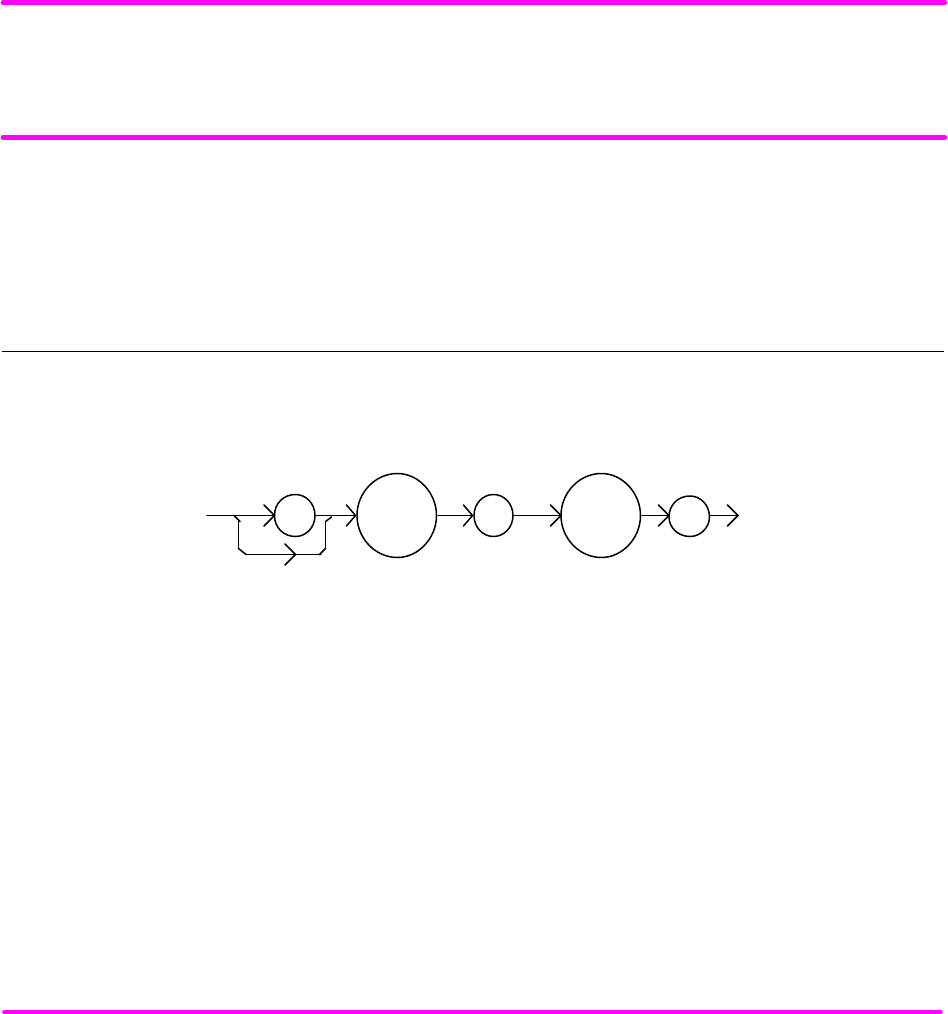
COMMAND REFERENCE CHPT 4
PAGE 49
PARAMETERS Two <nrf values>; the first represents the LASER current tolerance, in mA, with a range of 0.1
to 100.0 mA; and the second represents the time window, in seconds, with a range of 0.001 to
50.000 seconds.
POINTS OF
INTEREST The LDX-3200 Series Precision Current Source defaults to a tolerance of 10.0 mA for 5 seconds,
unless changed by the LASer:TOLerance command.
If the LDX-3200 Series Precision Current Source is operated in P mode, the current tolerance
parameter is not used. Instead a fixed value of 50 µA is used for the IPD current. A fixed value of
1 mW (LDX-3210 or LDX-3220) is used for PPD power, and only the time window parameter may
be adjusted.
NOTE
If the tolerance is set too tight it may never be achieved. This is due to the calibration of the set point and
measurement values.
EXAMPLES "Las:Tol 0.5,10" -action: the LDX-3200's LASER current source will be in tolerance when the
LASER current is within 0.5 mA for 10.000 seconds.
¨ Front Panel LASer:TOLerance?
n Remote
The LASer:TOLerance? query allows the programmer to determine how the LASER current tolerance is set.
SYNTAX DIAGRAM
:
LAS
:
?TOL
-where the response consists of two values, the first is the current tolerance, in mA; and the
second is the time window, in seconds.
POINTS OF
INTEREST The tolerance of the LDX-3200 Series Precision Current Source LASER current may be used to
delay programming after an "LASer:OUTput 1" command is issued or the set point is changed.
A change of the output into or out of tolerance flag sets a flag in the LASER status event
register, and so entering or exiting LASER current tolerance may be used to generate service
requests.
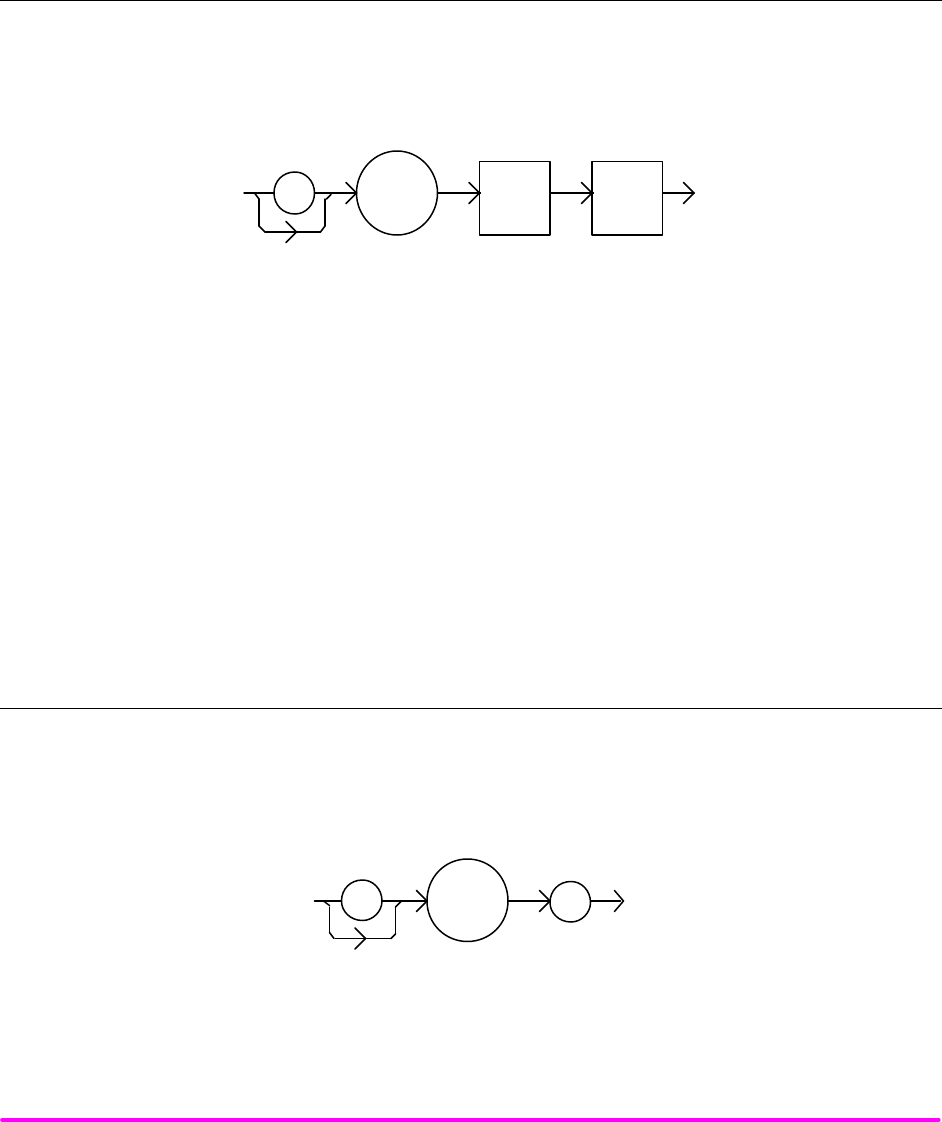
COMMAND REFERENCE CHPT 4
PAGE 50
EXAMPLES "Las:Tol?" -response: "0.2,5.0", means the LDX-3200 Series Precision Current Source has a
LASER current tolerance setting of 0.2 mA with a time window of 5.000 seconds.
"LASER:TOL?" -response: "1.0,20.0", means the LDX-3200 Series Precision Current Source has
a LASER current tolerance setting of 1.0 mA with a time window of 20.000 seconds.
¨ Front Panel MESsage
n Remote
The MESsage command allows the user to enter an ASCII string of up to 16 non-NULL characters. This
command may be useful for storing messages which relate to a test or configuration.
SYNTAX DIAGRAM
:
<white
space>
MES
<ascii
string>
PARAMETERS An ASCII string that is 1 - 16 bytes in length.
POINTS OF
INTEREST The message may contain any ASCII character, but will be terminated when a NULL terminator
character is received. If the message has less than 16 bytes, the software will fill the remaining
message space with the space character. After 16 bytes have been entered, the software will
null-terminate the string.
EXAMPLES MESSAGE "This is a test." -action: The string, "This is a test. " will be stored in non-volatile
memory.
Mes "Test 3" -action: The string, "Test 3 " will be stored in non-volatile memory.
¨ Front Panel MESsage?
n Remote
The MESsage? query returns the previously stored message. This message will always be 16 bytes long and
enclosed in quotes. The message is entered via the MESsage command.
SYNTAX DIAGRAM
:?
MES
-where the response is a 16-byte long character string.
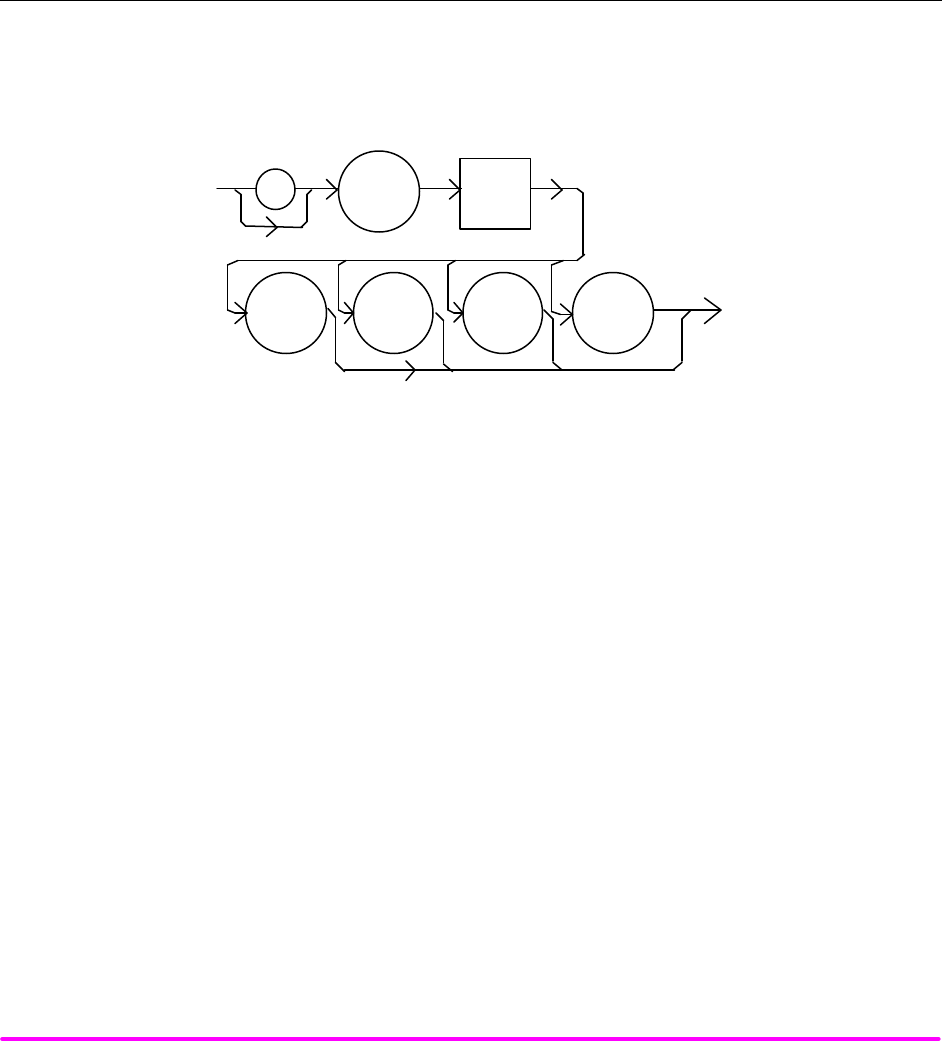
COMMAND REFERENCE CHPT 4
PAGE 51
POINTS OF
INTEREST The response data will be a 16-byte long string. If there is no previously stored message, the
response will be " ", all spaces.
EXAMPLES "MES?" -response: "Test 3 ", means the previously stored message was "Test 3".
"Message?" -response: "This is a test. ", means the previously stored message was "This is a
test."
¨ Front Panel RADix
n Remote
The RADix command allows the programmer to select the radix type for status, condition, and event query
response data. Decimal, binary, hexadecimal, and octal are allowed.
SYNTAX DIAGRAM
:
<white
space>
RAD
DEC
HEX
OCT
BIN
PARAMETERS Character program data is expected, as shown above.
POINTS OF
INTEREST DECimal is the default type. Only the first three letters of the words decimal, hexadecimal,
binary, or octal are required.
When the RADIX is selected, all status, condition, and event queries will return values in the
new radix.
In the cases where the radix is not DECimal, the flexible numeric type <nrf value> (as shown in
the Command Reference diagrams) will be replaced by HEX, BIN, or OCT representation.
All of the above radixes may be used to enter program data at any time, without the need for
issuing the RADix command. The proper prefix must also be used with Hex (#H), binary (#B), or
octal (#Q).
This command may be useful for setting up status reporting blocks. The bit-wise status
representation may be more easily read in BIN, HEX, or OCT.
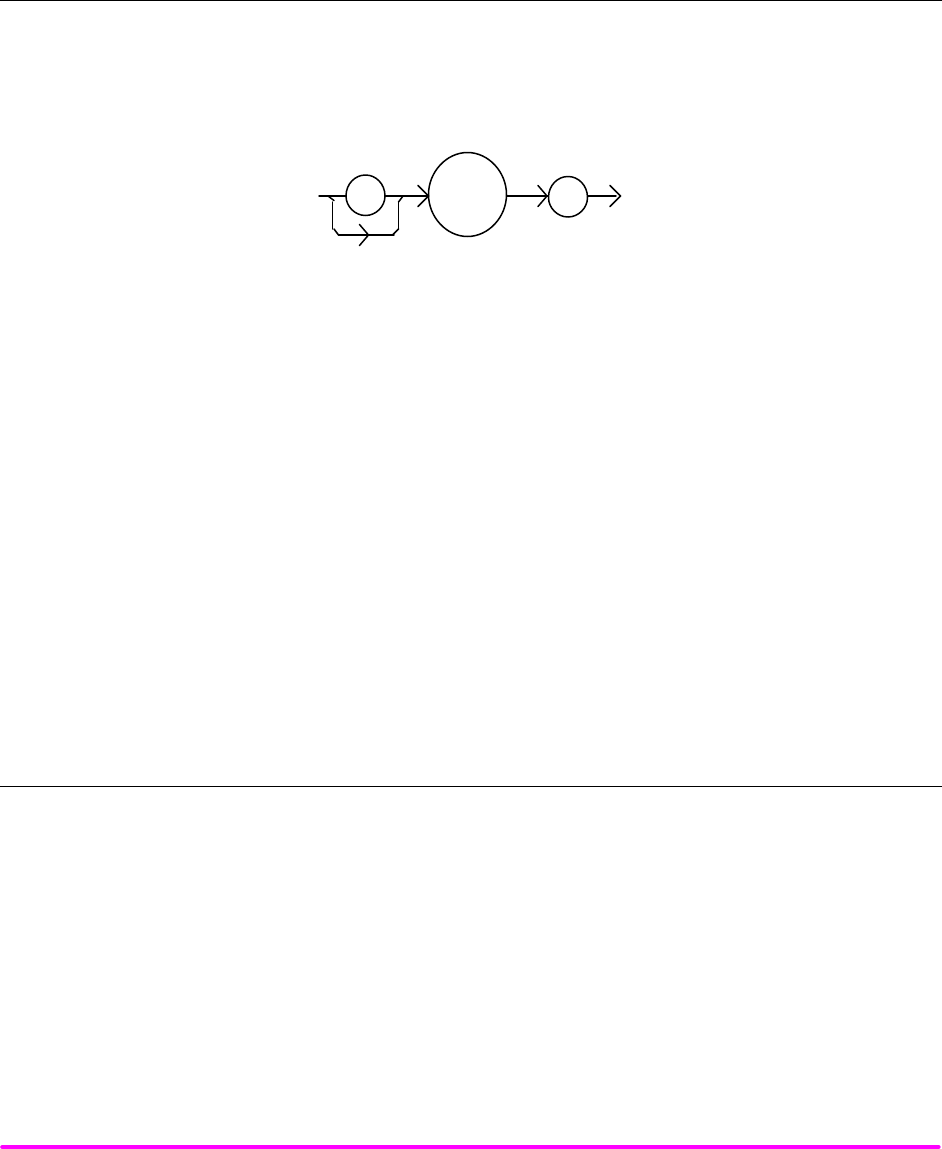
COMMAND REFERENCE CHPT 4
PAGE 52
EXAMPLES "RAD dec" -action: the decimal radix is selected.
"rad hex; *ESR?" -action: the hexadecimal radix is selected; -response: #H80, means power-on
was detected.
¨ Front Panel RADix?
n Remote
The RADix? query allows the programmer to determine which radix type for status, condition, and event query
response data is currently selected. Decimal, binary, octal, and hexadecimal are allowed.
SYNTAX DIAGRAM
:
?
RAD
-where the character response data of DEC means decimal, BIN means binary, HEX means
hexadecimal, and OCT means octal.
POINTS OF
INTEREST DEC is the default type. The LDX-3200 Series Precision Current Source defaults to this radix at
power-up.
The RADix command is used to select the desired radix. Once it is changed, the new radix will
remain in effect until the power is shut off or a new RADix command is issued.
EXAMPLES "RAD?" -response: Dec, means the selected radix is decimal.
"rad?" -response: Hex, means the selected radix is hexadecimal.
"RADIX?" -response: Oct, means the selected radix is octal.
¨ Front Panel SECURE
n Remote
The SECURE command allows the service technician access to the protected user data command, *PUD,
which is a common command. This data is normally changed only at the factory, and therefore the SECURE
command is not needed by the user.
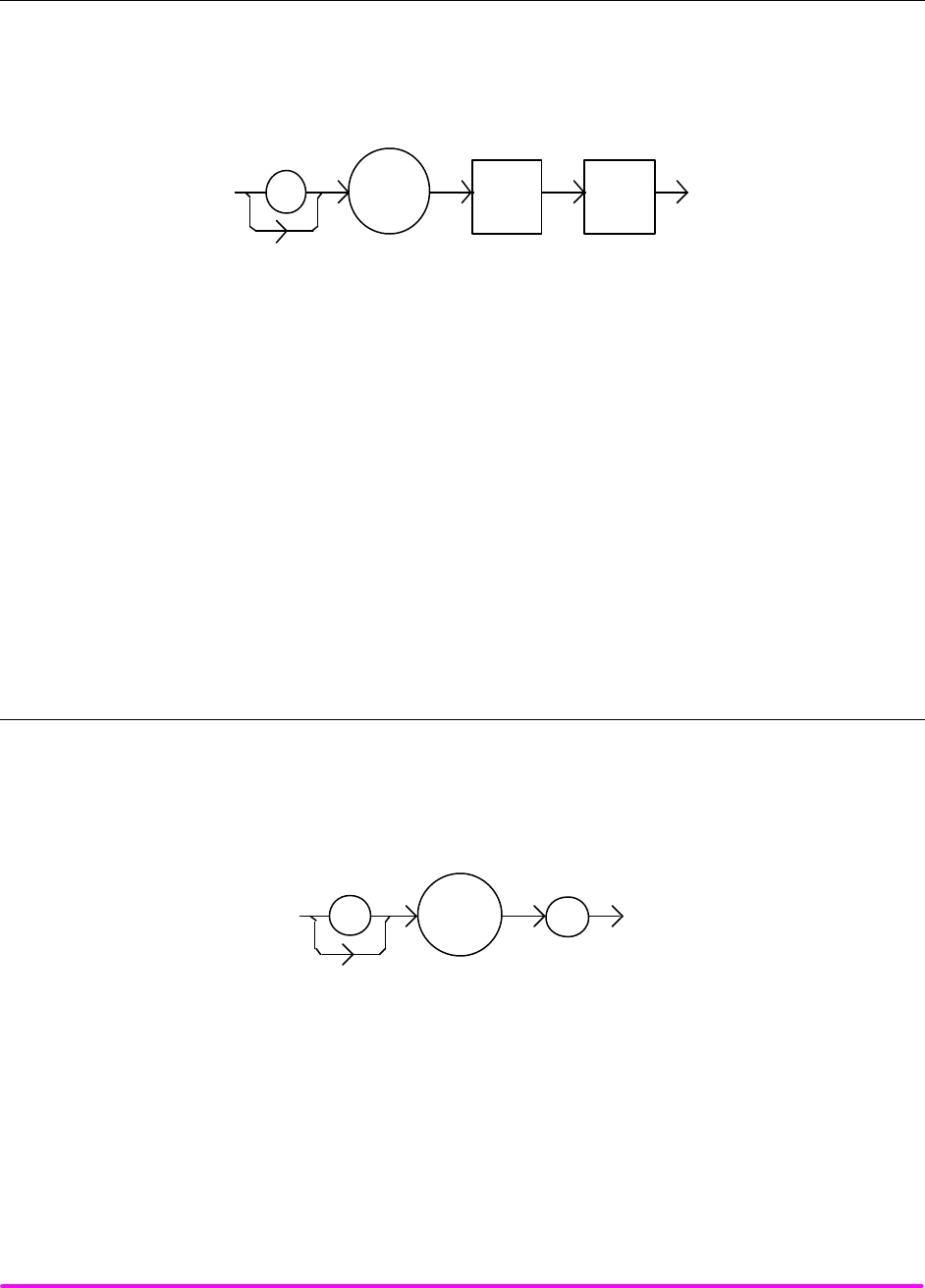
COMMAND REFERENCE CHPT 4
PAGE 53
¨ Front Panel TERM
n Remote
The TERM command allows the programmer to change the default (IEEE488.2 standard) terminator to include
the carriage return.
SYNTAX DIAGRAM
:TERM <white
space> <nrf
value>
PARAMETERS An <nrf value>, 0 = FALSE, non-zero = TRUE
POINTS OF
INTEREST An altered terminator will be in the form <CR><NL><^END>. This technically takes the LDX-
3200 Series Precision Current Source out of IEEE488.2 specification, but may be done for
convenience when using non-standard GPIB interfaces. This termination will be sent with all
output until the “TERM 0” command is sent or the LDX-3200 Precision Current Source is
powered off.
EXAMPLES "Term 1" -temporarily sets <CR><NL><^END> as the output terminator.
"Term 0" -sets the IEEE488.2 standard <NL><^END> terminator. This is the LDX-3200 Series’
default value.
¨ Front Panel TERM?
n Remote
The TERM? query allows the programmer to determine whether the default (IEEE488.2 standard) terminator
has been altered to include a carriage return.
SYNTAX DIAGRAM
:
?
TERM
-where the response is 0 or 1.
POINTS OF
INTEREST An altered terminator will be in the form <CR><NL><^END>. This termination will be sent with
all output until the “TERM 0” command is sent or the LDX-3200 Series Precision Current Source
is powered off.
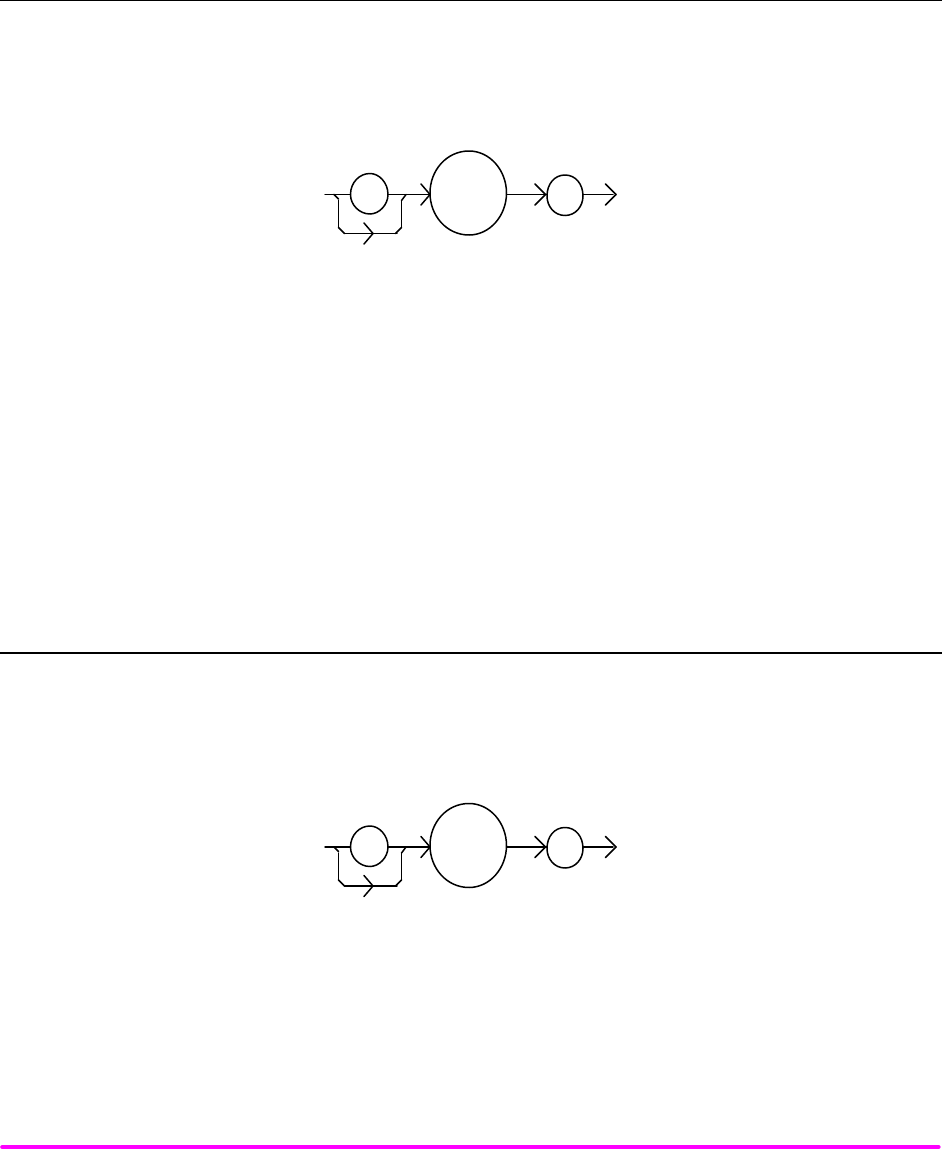
COMMAND REFERENCE CHPT 4
PAGE 54
EXAMPLES "Term?" -response: 1, means that the <CR><NL><^END> terminator is temporarily being used.
"Term?" -response: 0, means that the <NL><^END> terminator (IEEE488.2 standard) is being
used.
¨ Front Panel TIME?
n Remote
The TIME? query allows the programmer to determine how much time has passed since the LDX-3200 Series
Precision Current Source was last powered up.
SYNTAX DIAGRAM
:
?
TIME
-where the response is character data in the form: hours:minutes:seconds.
POINTS OF
INTEREST The TIME clock is independent of the TIMER clock.
EXAMPLES "Time?" -response: 1:02.36, means that 1 minute and 2.36 seconds have passed since the LDX-
3200 Series Precision Current Source was powered up.
"TIME?" -response: 32:00.76, means that 32 minutes and 0.76 seconds have passed since the
LDX-3200 Series Precision Current Source was powered up.
¨ Front Panel TIMER?
n Remote
The TIMER? query allows the programmer to determine how much time has passed since the last TIMER?
query was issued.
SYNTAX DIAGRAM
:
?
TIMER
-where the response is character data which represents hours:minutes:seconds.

COMMAND REFERENCE CHPT 4
PAGE 55
POINTS OF
INTEREST Each time the TIMER? query is issued, the timer is reset to 0 and the elapsed time since the last
TIMER? query is returned.
The timer counter is initially set at power-up, the same as the TIME? counter. So the first time
the TIMER? is issued its response will be the same as if a TIME? query's response.
EXAMPLES "Timer?" -response: 00:02:00.31, means the LDX-3200 Series Precision Current Source has been
on for 2 minutes and 0.31 seconds since the last TIMER? query was issued.
"TIMER?" -response: 00:00:12.03, means the LDX-3200 Series Precision Current Source has
been on for 12.03 seconds since the last TIMER? query was issued.

FUNCTIONS AND FEATURES CHPT 5
CHAPTER 5 1
FUNCTIONS AND FEATURES 1
Introduction 1
Saving and Recalling from the Front Panel 1
Saving and Recalling under remote operation 1
Using the LASER COMPLIANCE VOLTAGE ADJUSTMENT 2
Using the LDX-3200 Current Source’s Trigger Function 2
Modulating the Laser Current Source 3

FUNCTIONS AND FEATURES CHPT 5
PAGE 1
CHAPTER 5
FUNCTIONS AND FEATURES
INTRODUCTION
This chapter introduces you to the LDX-3200 Series Precision Current Source functions and operating features such
as event triggering, analog modulation of laser injection current, and Save and Recall.
SAVING AND RECALLING FROM THE FRONT PANEL
For applications where you might need to alternate between particular instrument configurations, the LDX-3200
Current Sources offer a unique SAVE and RECALL feature. The SAVE feature allows you to easily store all front
panel settings for any given instrument configuration. These settings, which are stored in one of ten memory bins,
can be retrieved at any time with the RECALL function. This saves setup time, and it reduces the chance of setup
error for tests which are periodically repeated. For example, using the configuration described in Chapter 2 where the
Current Source is operating in Constant Current mode, the instrument parameters saved by using the SAVE function
would be Constant Current Mode, 200 mA range, a limit set point of 175 mA, a laser current set point of 150 mA, and
Display Mode I. Once this set up is saved, the LDX-3200 Current Source may be configured for another unique set
up. You can recall the original set up for the first experiment any time using the RECALL function.
To enter the SAVE/RECALL mode, press the SELECT switch in the PARAMETER section until the SAVE indicator
LED becomes lit and the unit displays the SAVE "bin" on the display. If another bin number is desired, press the SET
switch and rotate the adjust knob until the desired bin number is displayed. Releasing the SET switch completes the
SAVE operation and all of the instrument parameters are saved to the indicated bin number as they appear on the
front panel.
To recall a previously saved instrument set up, press the SELECT switch until the RECALL indicator led becomes lit.
The instrument will display a RECALL "bin" number on the display. If you desire to change the RECALL bin, press
the SET switch and rotate the adjust knob until the desired bin number is displayed. Releasing the SET switch
completes the RECALL operation. The instrument is restarted and the front panel parameters are reconfigured to the
new parameters saved under that bin number.
The factory default values for front panel parameters may be restored by recalling "bin" zero (0). See Table 2.1 for the
default settings.
SAVING AND RECALLING UNDER REMOTE OPERATION
For saving under remote operation, use the command "*SAV x", where x is the desired "bin" number (1-10). For a
recall under remote operation, use the command "*RCL x", where x is the desired "bin" number (0 – 10).

FUNCTIONS AND FEATURES CHPT 5
PAGE 2
USING THE LASER COMPLIANCE VOLTAGE ADJUSTMENT
For applications where you need to have critical protection of the laser we recommend the following. Using a one
ohm resistor or other non-critical load, set the LASER voltage limit as described in Chapter 2.
Then with the LASER output on, slowly increase the LASER current and watch the LASER voltage measurement.
Press the (DISPLAY) SELECT push button to see the voltage. At about 0.25 volts below the LASER voltage limit
value, the VOLTAGE LIMIT warning indicator will become lit on the display. Continue to adjust the current up until
the voltage limit is reached and the output is shut off. Record the voltage at which the LASER output shuts off. It
should be within the specification of the LASER voltage limit accuracy. However, there is typically some offset error.
For example, if the LASER voltage limit is set to 5.0 volts, the actual voltage where it shuts off may be 4.9 volts. This
error term of 0.1 volts should be considered when setting the LASER compliance voltage limit.
The closer the LASER voltage limit shut off point is to the operating voltage of your laser, the faster the circuit will
work in the event of an open circuit. Some experimentation may be necessary for optimum results.
USING THE LDX-3200 CURRENT SOURCE’S TRIGGER FUNCTION
For applications where you need to synchronously initiate a measurement task from a remote instrument with the
LDX-3200 Current Source, the Current Source offers a trigger output signal. The TTL pulse is initiated with any
remote change in set point of the laser current source. A typical application for utilization of this feature is laser
characterization tasks where an L-I curve is generated. For a programmed step in laser current, a light measurement
can be triggered for each step in laser current. The trigger output is enabled only in remote mode via the IEEE 488.2
GPIB Interface.
The trigger output is available via a standard BNC connector on the rear panel of the LDX-3200 Current Source. See
Figure 5.1. The TTL pulse is approximately 13 µsec wide and has a delay time of about 10 – 12 msec after the current
set point is changed via GPIB. This delay does not include the GPIB transmission time. The time for any command to
be sent via GPIB depends on the interface hardware and software control. The current set point may be changed by
the LAS:LDI, LAS:INC, or LAS:DEC commands.
NOTE
The minimum step change time required for a corresponding trigger pulse is 20 msec. Care should
be used with respect to the timing of any set point commands in relation to the actual hardware
function. The INC and DEC commands have a minimum step time of about 20 msec which allows
for the hardware initiation of a set point change and the settling of the output. The LAS:LDI
command does not have any fixed delay for settling. With this command, some trigger pulses may
be missed if the program step time is less than the 20 msec minimum.
A one shot trigger pulse will occur on power up of the instrument due to the states of the processor I/O.
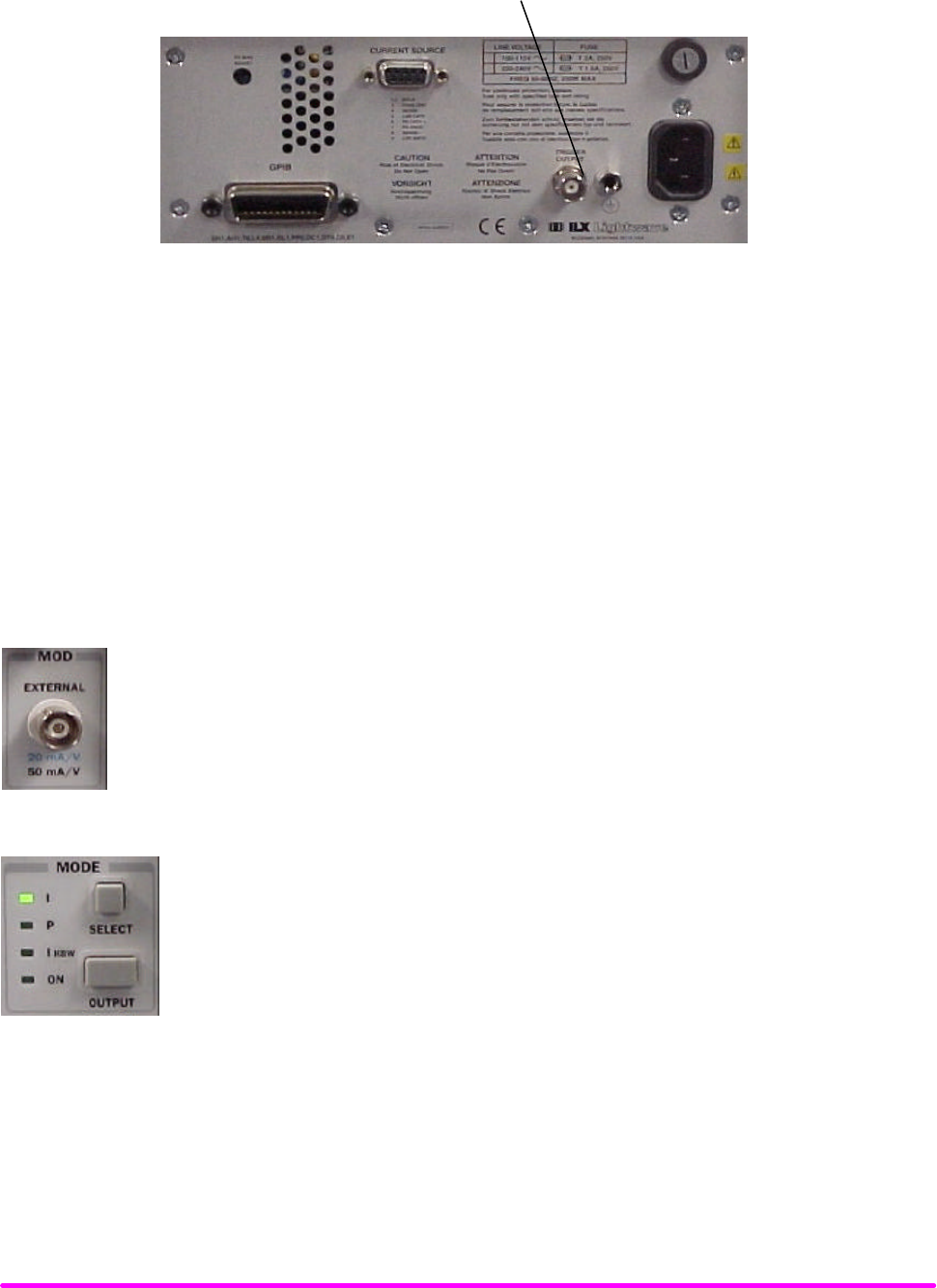
FUNCTIONS AND FEATURES CHPT 5
PAGE 3
FIGURE 5.1 LDX-3200 Series Rear Panel
MODULATING THE LASER CURRENT SOURCE
The LDX-3200 Series Current Source allows a modulated signal to be superimposed on the source output current. For
example, assume you are using an LED for your experiment where you need to operate the LED in constant current at
POP = 1 mW, with a modulated signal from 3 to 30 kHz. The experiment requires the LDX-3220’s laser Current Source
to be configured for the 200 mA range, high bandwidth mode with a limit of 175 mA. The allowable bandwidth of the
modulated analog signal, defined as the 3 dB roll off point, is dependent on the LDX-3200 Series family member, the
output current range, and the mode (constant current low/high bandwidth). See the section, LASER CURRENT
SOURCE SPECIFICATIONS, in Chapter 1 for external analog modulation bandwidth specifications.
Setting up the Current Source for a modulated laser injection current is easy. The (MOD)
EXTERNAL connector (BNC), on the front panel, is the input for the modulated signal. Connect
a modulating voltage signal from a standard function generator, for example, to this connector.
The modulation port input impedance is 10 kΩ. The transfer function (mA/V) shown is for the
LDX-3220. This transfer function varies by model and laser drive current output range. The
transfer function for the low and high current ranges of the LDX-3210 are 5 mA/V and 10 mA/V.
Set the LDX-3200 in Constant Current High Bandwidth Mode by selecting IHBW in the
MODE section of the front panel. Do this by toggling the (MODE) SELECT push button
until the IHBW indicator is illuminated. Repeatedly pressing the (MODE) SELECT switch
cycles through the current (I), light power (P), or high bandwidth current (IHBW) control
modes.
TRIGGER OUTPUT BNC
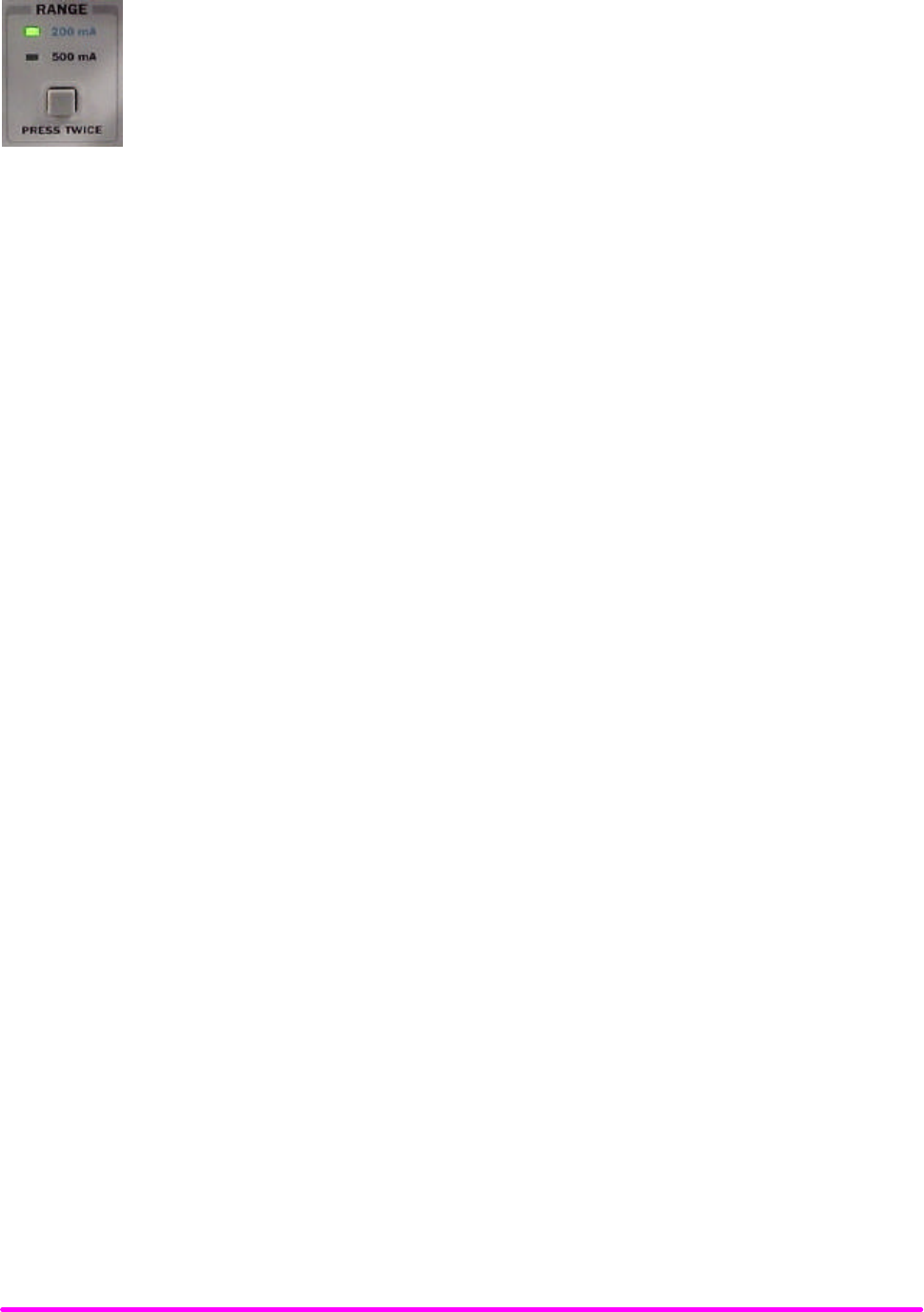
FUNCTIONS AND FEATURES CHPT 5
PAGE 4
Next, set the current source range by selecting the 200 mA range indicated by the
accompanying LED. You will need to press the select push button twice to change the range.
It must be pressed twice quickly (within less than 1 second) to switch between modes, and the
current source output must be off (MODE ON indicator unlit) in order to change ranges.
The limit clamp function for DC output current applies to the modulated current as well protecting your laser in any
mode. To accomplish setting the current source limit, use the (PARAMETER) SELECT push button LIM I. Press the
(PARAMETER) SET push button and rotate the adjust knob. Set the limit to 175 mA. Once the (PARAMETER) SET
push button is released, the new parameter value is stored in non-volatile memory.
When the laser current limit is reached, the CURRENT LIMIT error indicator flashes. The current limit setting is
independent of the voltage drop of the device connected to the laser output, and therefore, no dummy load is
required for precise adjustment of the current limit. Furthermore, since the current limit circuitry is fully independent
of the main current control, the current limit can be adjusted safely, even while the current source output is active.
Now you are ready to modulate the laser injection current. To enable the Current Source output, press the push
button labeled (MODE) OUTPUT. The accompanying LED labeled ON will illuminate indicating that the laser current
source’s output is enabled. The instrument will drive the current source to the value set by the corresponding MODE
set point. Turn on the function generator (modulation source) to inject the modulation signal.
To disable the output, press the OUTPUT push button again. When the LDX-3200 current output is off, an internal
short is placed across the output. This short will prevent the modulation signal from reaching the LED in our example
experiment. Thus, it is safe to disconnect the test device (LED) when the LDX-3200’s output is off, regardless of the
presence of the modulation signal.

CALIBRATING THE LDX-3200 SERIES CURRENT SOURCE CHPT 6
CHAPTER 6 1
CALIBRATION AND TROUBLESHOOTING GUIDE 1
INTRODUCTION 1
Calibration Overview 1
Recommended Equipment 1
LOCAL CALIBRATION OF THE LDX-3200 SERIES CURRENT SOURCE 2
Current Source Calibration 3
IPD Current Calibration 4
Laser Forward Voltage Measurement Calibration 5
REMOTE CALIBRATION OF THE LDX-3200 SERIES CURRENT SOURCE 6
Current Source Calibration 6
IPD Current Calibration 8
Laser Forward Voltage Measurement Calibration 9
TROUBLESHOOTING GUIDE 10

CALIBRATING THE LDX-3200 SERIES CURRENT SOURCE CHPT 6
PAGE 1
Chapter 6
CALIBRATION AND TROUBLESHOOTING GUIDE
Introduction
This chapter describes calibration of your LDX-3200 Series Current Source. Descriptions of the required test
instruments, calibration conditions, and the detailed procedures for calibration of the instrument’s Laser Diode
Current Source are included. A troubleshooting guide is also offered for some of the more common failure symptoms.
This chapter is divided into three major sections, Local (front panel) calibration, remote (through the GPIB Interface)
calibration, and a troubleshooting guide.
Calibration Overview
There are several calibrations to be performed for a completely calibrated LDX-3200 Current Source. The Laser Diode
Current Source calibration consists of calibrating the current source in both ranges and both modes (low and high
bandwidth), calibrating the PD monitor feedback ammeter and finally the forward voltage measurement. The current
limits are calibrated internally by the instrument as part of the calibration process.
Your LDX-3200 Series Current Source can be calibrated with the case closed. It should be calibrated every 12 months
or whenever performance verification indicates that calibration is necessary, such as differences between set point
and measurement display values which exceed the accuracy specification. Calibrate the instrument under laboratory
conditions. We recommend calibration at 23°C ± 1.0°C. When necessary, however, the LDX-3200 Series Current
Source may be calibrated at its intended use temperature if this is within the specified operating temperature range of
0 to 40°C.
Finally, the LDX-3200 Series Current Source should be allowed to warm up for at least 1 hour before calibration.
Recommended Equipment
Recommended test equipment for calibrating the LDX-3200 Series Current Source is listed in Table 6.1. Equipment
other than that shown in the table may be used if the specifications meet or exceed those listed.
Description Mfg./Model Specification
DMM HP 3457A DC Amps (@ 1.0 A): ±0.02 %
Resistance (@ 10 Ω): ±0.02 %
0.1
µ
A or 0.1 mV resolution
Table 6.1 Recommended Test Equipment
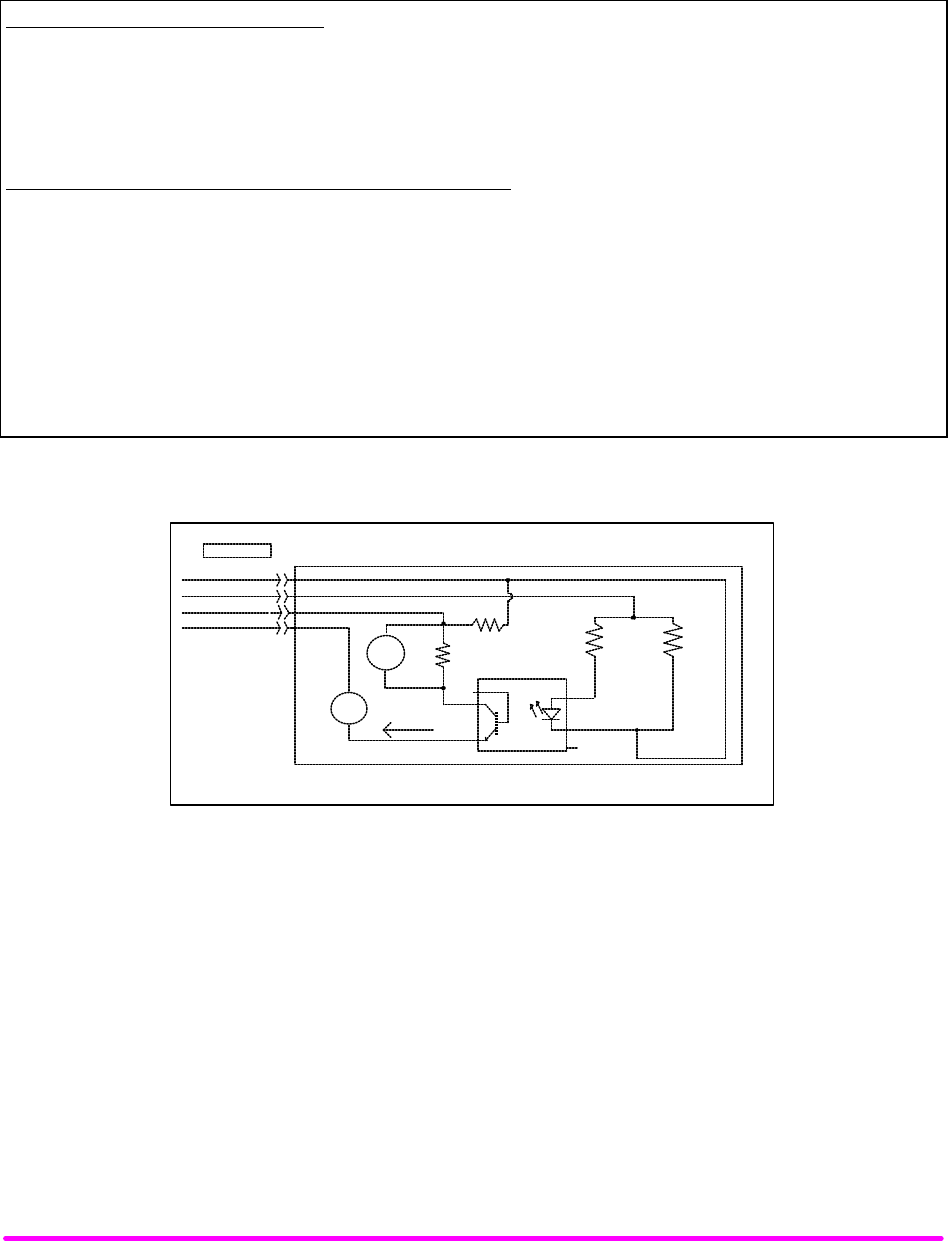
CALIBRATING THE LDX-3200 SERIES CURRENT SOURCE CHPT 6
PAGE 2
It will be necessary to connect various loads and circuits to the outputs of each Current Source for the calibration
procedure. A schematic is shown in Figure 6.1 for the photodiode calibration circuit with the required components
listed in Table 6.2. Also, the devices required for other calibration loads are listed in Table 6.2.
LASER CURRENT SOURCE CALIBRATION
Current Source Calibration, all models 1Ω 20W resistor, low TCR
Voltage Measurement Calibration
LDX-3210 100Ω 2W resistor, low TCR
LDX-3220 25Ω 5W resistor, low TCR
PHOTO-DIODE MONITOR CALIBRATION (See schematic in Fig. 6.1)
PD cal circuit
R1 49Ω resistor, 1% , ¼ W
R2 100Ω resistor, 1%, ¼ W
R4 1.0 MΩ resistor, 1%, ¼ W
R3
LDX-3210 49Ω, ½ W, low TCR
LDX-3220 11Ω, 1 W, low TCR
U1 TIL 117 opto isolator
Table 6.2 Required Calibration Components
U1 TIL117
1
2
3
4
5
6
A
V
R3
R2
100
9-Pin D-Sub
LD Cathode (5)
LD Anode (9)
PD Cathode + (6)
PD Anode - (7)
Voltmeter
Ammeter
R1
49
Ipd Current
R4
1 M
CALIBRATION CIRCUIT
Figure 6.1 IPD Calibration Circuit
LOCAL CALIBRATION OF THE LDX-3200 SERIES CURRENT SOURCE
There are three calibration adjustments required for the LASER current source of the LDX-3200 Series Current
Source. They are calibration of the constant current source for both bandwidths and ranges, calibration of the laser
voltage measurement, and calibration of the constant light power (IPD) feedback circuits.
The LDX-3200 Series Current Source implements a two-point calibration for the Laser current source. Two currents
(approximately 80% and 20% of FS) are applied to a test load, and the resulting actual currents are fed back (by the
user) to the Current Source. The Laser Current Source calibration program uses the two sets of data to calculate new
calibration constants. These calibration constants are used to set the actual current output of the current source.

CALIBRATING THE LDX-3200 SERIES CURRENT SOURCE CHPT 6
PAGE 3
Current Source Calibration
The following procedure is for calibrating each range of the current source. Calibration must be performed on both
bandwidth modes. A total of four calibrations will be performed on the current source. Start with the low range, low
bandwidth mode.
Configure the Laser Current Source in the following state:
FUNCTION STATE
MODE I (constant current low bandwidth)
RANGE low (lowest per instrument model)
CURRENT LIMIT 90% of FS (full scale of range)
SET POINT 80% of FS
a. Measure and record the resistance of a 1 Ω, 20 W resistor (a 4-point probe resistance measurement is
recommended). Connect the load resistor across the LASER output terminals (Laser Anode and Laser
Cathode) on the 9 pin connector of the rear panel.
b. Connect the calibrated DMM across the load resistor. Configure the multimeter to measure voltage in volts.
You will be calculating the actual Laser current in the following manner using Ohm's Law.
I = E / R
--where E is the accurately measured voltage across the resistor, and R is the accurately measured load
resistance. I is the actual Laser current in Amps.
NOTE
Check the current measuring range of your multimeter. You may be able to measure Laser Output
current in mA by connecting the meter directly to the outputs of the Laser Current Source.
c. Press the (MODE) ON switch to turn the current source output on. The output must be on in order to enter
the LASER I calibration mode.
d. Enter the LASER I calibration mode by pushing the (GPIB) LOCAL and (DISPLAY) SELECT switches at
the same time. The display will blank and the Current Source will drive the current output to the set point
and the Display will indicate output current in mA.
e. Calculate the actual current through the load as described in step b. Press and hold in the (PARAMETER)
SET switch and turn the adjust knob until the display indicates the calculated actual current.
f. Release the (PARAMETER) SET switch. After the (PARAMETER) SET switch is released, the Current
Source will drive the current output to about 25% of the first calibration set point.
g. Calculate the measured current again through the load resistor.
CALIBRATING THE LDX-3200 SERIES CURRENT SOURCE CHPT 6
PAGE 4
h. Press and hold in the (PARAMETER) SET switch and turn the adjust knob until the display indicates the
actual current as calculated in step g.
i. Release the (PARAMETER) SET switch to accept the second calibration point. After the (PARAMETER)
SET switch is released, the Current Source will calculate the calibration constants and store them to
nonvolatile memory. In low bandwidth calibration mode, the LDX-3200 Series Current Source will also
perform current limit calibration, indicated by the CURRENT LIMIT LED flashing.
j. Turn the current source output off. Change the Mode to I
HBW (high bandwidth constant current mode).
Repeat the calibration procedure as described above.
k. Change the output range to High range and repeat the calibration procedure as described above.
IPD Current Calibration
The following procedure is for calibrating the LASER I
PD (photodiode monitor) set point and measurement. This
procedure calibrates the feedback circuits for constant IPD and constant PPD modes. When these values are reached
and are stable, the user enters the actual value of the monitor current, measured with a DMM. The LDX-3200 Series
Current Source then automatically calibrates the LASER feedback circuits.
Configure the Current Source in the following manner for the Laser Current Source calibration:
FUNCTION STATE
MODE P (constant power)
CAL PD set equal to zero
CURRENT LIMIT 90% of FS (full scale of range)
IPD Set POINT 80% of FS
a. With the LASER output off, connect a calibrated ammeter to the PD Anode output of the Laser Current
Source output connector (9 pin on rear panel), and connect the circuit of Figure 6.1 to the LASER and PD
outputs with the correct load resistor for the Current Source model you are calibrating (See Table 6.2).
NOTE
If a precision ammeter is not available, use a zero-Ohm jumper in place of the ammeter. Then,
place a calibrated DMM (with 0.1 mV resolution) to measure the voltage across the resistor, R1,
as shown in Figure 6.1. Calculate the current in the following steps by using Ohm's Law:
I = E / R
--where E is the accurately measured voltage across the resistor, and R is the accurately
measured load resistance. I is the actual pd current to be measured by the LDX-3200 Current
Source. (A 4-point probe resistance measurement is recommended.)

CALIBRATING THE LDX-3200 SERIES CURRENT SOURCE CHPT 6
PAGE 5
b. Press the (MODE) ON switch to turn the current source output on. Verify proper operation, i.e. the IPD
measurement (via DMM) and set point should be close, and the unit should not be in current limit.
c. Press the (GPIB) LOCAL and FINE switches at the same time to place the Current Source in its IPD Current
Calibration mode.
After a few seconds the display will show the IPD set point value.
d. After the value on the display is stable (has not changed by more than one digit for several seconds) the
LDX-3200 Series Current Source is ready for the actual IPD value to be entered.
Press and hold in the (PARAMETER) SET switch and turn the adjust knob until the display shows the
actual monitor current, as shown on the calibrated ammeter (or the calculated IPD value from Step a).
e. Release the (PARAMETER) SET switch to store the first calibration value. The Current Source will then set
the second calibration current, approximately one-fourth (1/4) of the original current. (For example, if the first
calibration set point was 4000
µ
A, the second set point will be about 1000
µ
A.)
f. Press and hold in the (PARAMETER) SET switch and turn the adjust knob until the display indicates the
actual current as measured by the ammeter or as calculated.
g. Release the (PARAMETER) SET switch to accept the second calibration point. After the (PARAMETER)
SET switch is released, the LDX-3200 Series Current Source will calculate the calibration constants and store
them to nonvolatile memory.
Laser Forward Voltage Measurement Calibration
The following procedure is for calibrating the LASER voltage measurement.
Configure the Current Source in the following manner for the Laser Current Source Voltage calibration:
FUNCTION STATE
LASER MODE I (constant current low bandwidth)
RANGE
LDX-3210
LDX-3220
100 mA
500 mA
CURRENT LIMIT set to FS (full scale of range)
I SET POINT
LDX-3210
LDX-3220
60 mA
400 mA
a. With the current source output off, connect a calibrated voltmeter, in parallel with a resistor (100 Ω, 2 Watt
for the LDX-3210; 15 Ω, 5 Watt for the LDX-3220), to the LASER output (Laser Anode and Laser Cathode)
on the rear panel of the Current Source.
b. Press the (MODE) ON switch to turn the current source output on. The current source output must be on in
order to enter the LDV calibration mode.

CALIBRATING THE LDX-3200 SERIES CURRENT SOURCE CHPT 6
PAGE 6
c. Enter the LASER V calibration mode by pushing the (GPIB) LOCAL and RANGE switches at the same time.
The display will blank and the Current Source will drive the LASER current output to the respective set
point and the display will indicate forward voltage in Volts.
d. Enter the measured voltage (in volts). Press and hold in the (PARAMETER) SET switch and turn the adjust
knob until the display indicates the measured voltage.
e. Once the actual voltage value is entered, the Current Source will set the current to approximately one-fourth
(1/4) of the original value. It will then expect the second calibration voltage point.
f. Input the second actual (measured) LASER forward voltage as in Step d.
g. Once the second actual voltage value is entered, the Current Source will store the new calibration constants.
This ends the section on front panel calibration of your LDX-3200 Series Current Source. The next section discusses
calibration through the IEEE488.2 GPIB interface.
REMOTE CALIBRATION OF THE LDX-3200 SERIES CURRENT SOURCE
The LDX-3200 Series Current Sources can be calibrated remotely via the GPIB Interface. All of the required calibration
commands are listed in Table 4.1 in Chapter 4. The procedures below are general guidelines for writing a program to
calibrate your instrument.
NOTE
The operation complete flag (bit 0 of the Standard Event Status Register) may be used to trigger
a service request. This type of interrupt is enabled by setting bit 0 of the Service Request Enable
register (via the *ESE command) and bit 5 of the Service Request Enable register (via the *SRE
command). Service request (SRQ) handling depends on your GPIB hardware. Refer to your GPIB
user's manual for details.
After a calibration value is entered, the "*OPC?" query may be used to determine when the
calibration sequence is done. However, the "*OPC", or "*WAI" command, or "*OPC?" query
should not be issued until after the expected calibration value is entered, or the system will
"hang". This happens because the LDX-3200 Series Current Source will wait indefinitely for an
input, yet not allow any input until the calibration is finished.
Current Source Calibration
There are three calibration adjustments required for the LDX-3200 Series Current Source. They are calibration of the
constant current source for both bandwidths and ranges, calibration of the laser voltage measurement, and
calibration of the constant light power (IPD) feedback circuits.
CALIBRATING THE LDX-3200 SERIES CURRENT SOURCE CHPT 6
PAGE 7
The LDX-3200 Series Current Source implements a two-point calibration for the current source. Two currents
(approximately 20% and 80% of FS) are applied to a test load, and the resulting actual currents are fed back (by the
user) to the Current Source. The Laser Current Source calibration program uses the two sets of data to calculate new
calibration constants. These calibration constants are used to set the actual current of the current source.
The following procedure is for calibrating each range of the current source. Start with the low range. After calibration
is complete in this range, switch to the high range and repeat the procedure.
Configure the Current Source in the following manner for the Laser Current Source calibration:
FUNCTION STATE GPIB COMMAND
LASER MODE I (constant current low bandwidth) LAS:MODE:ILBW
RANGE low (lowest per instrument model) LAS:RAN x
LIMIT 90% of FS (full scale of range) LAS:LIM:Ix
SET POINT 80% of FS LAS:LDI
a. Measure and record the resistance of a 1 Ω, 20 W resistor (a 4-point probe resistance measurement is
recommended.). Connect the load resistor across the LASER output terminals (Laser Anode and Laser
Cathode) on the 9 pin connector of the rear panel.
b. Connect the calibrated DMM across the load resistor. Configure the multimeter to measure voltage in volts.
You will be calculating the actual Laser current in the following manner using Ohm’s Law.
I = E / R
--where E is the accurately measured voltage across the resistor, and R is the accurately measured load
resistance. I is the actual Laser current in Amps.
c. The current source output must be on in order to enter the LASER I calibration mode. Enter the
"LAS:OUTPUT ON" command to turn the current source output on.
d. Enter the LASER I calibration mode by issuing the "LAS:CAL:LDI" command. The display will indicate a
current in mA.
e. Input the first actual (measured) output current (as an <nrf value>) via the "LAS:LDI <nrf value>" command.
If this value is to be measured and entered remotely via a GPIB controlled DMM, for example, the measured
value of the current should not be entered until the LDX-3200 Series Current Source is ready to receive it:
The Current Source will be ready to receive the new measured value when, after a "LAS:CAL:LDI?" query is
sent, the response from the Current Source is "1".
f. Once the newly measured I value is entered via the "LAS:LDI" command, the Current Source will apply a
new current equal to about 25% of the previous set current.
CALIBRATING THE LDX-3200 SERIES CURRENT SOURCE CHPT 6
PAGE 8
g. Input the second actual (measured) output current (as an <nrf value>) as in Step e.
h. Once the second actual I value is entered via the "LAS:LDI" command, the new calibration constants will be
calculated and stored into non-volatile memory. In low bandwidth calibration mode, the LDX-3200 Series
Current Source will also perform current limit calibration as indicated by the CURRENT LIMIT LED flashing.
The "OPC?" query may be used (after the "LAS:LDI" value is sent) to determine when the calibration is
completed. Or, wait about 2 seconds before continuing with other GPIB commands.
i. Turn the current source output off. Change the Mode to IHBW (high bandwidth constant current mode) with
the LAS:IHBW command. Repeat the calibration procedure as described above.
IPD Current Calibration
The following procedure is for calibrating the LASER I
PD constant current source. This procedure calibrates the
feedback circuits for constant IPD and constant PPD modes. When these values are reached and are stable, the user
enters the actual value of the current, as measured by an external DMM. The LDX-3200 Series Current Source then
automatically calibrates the LASER feedback circuits.
Configure the Current Source in the following manner for the Laser Current Source calibration:
FUNCTION STATE GPIB COMMAND
LASER MODE P (constant power) LAS:MODE:MDP
CAL PD set equal to zero LAS:CALMD
CURRENT LIMIT 90% of FS (full scale of range) LAS:LIM:Ix
IPD Set POINT 80% of FS LAS:MDI
a. With the LASER output off, connect a calibrated ammeter to the PD Anode output of the Laser Current
Source output connector (9 pin on rear panel), and connect the circuit of Figure 6.1 to the LASER and PD
outputs with the correct load resistor for the Current Source model you are calibrating (See Table 6.2).
b. Enter the "LAS:OUT ON" command to turn the LASER output on. Verify proper operation, i.e. the IPD output
should be close to the set point, and the unit should not be in current limit (read the limit status via the
"LAS:COND?" query, bit 0).
c. Enter the "LAS:CAL:MDI" command to place the Current Source in its LASER Current Calibration mode.
The Current Source will increase the laser current output until the current at the PD monitor (IPD) inputs
equals the targeted set point.
d. After a few seconds, the Current Source will be ready for the actual I
PD current to be entered via the
"LAS:MDI <nrf value>" command. The measured value of the current should not be entered until the
Current Source is ready to receive it. The Current Source will be ready to receive the current value when,
after a "LAS:CAL:MDI?" query is sent, the response from the Current Source is "1".
e. Once the actual IPD value is entered via the "LAS:MDI <nrf value>" command, the Current Source will store
the new calibration value. It will then set the output to approximately one-fourth (1/4) of the original current.
(For example, if the first calibration set point was 4000
µ
A, the second set point will be 1000
µ
A.) Then, it will
be ready to receive the second calibration value.

CALIBRATING THE LDX-3200 SERIES CURRENT SOURCE CHPT 6
PAGE 9
f. Input the second actual (measured) monitor diode current (as an <nrf value>) as in Step d.
g. Once the second actual IPD value is entered via the "LAS:MDI" command, the new calibration constants will
be calculated and stored into non-volatile memory. The "OPC?" query may be used (after the "LAS:MDI"
value is sent) to determine when the calibration is completed. Or, wait about 2 seconds before continuing
with other GPIB commands.
Laser Forward Voltage Measurement Calibration
The following procedure is for calibrating the LASER voltage measurement.
Configure the Current Source in the following manner for the Laser Current Source Voltage calibration:
FUNCTION STATE GPIB COMMAND
LASER MODE I (constant current low bandwidth) LAS:MODE:ILBW
RANGE
LDX-3210
LDX-3220
100 mA
500 mA
LAS:RANGE 1
LAS:RANGE 5
CURRENT LIMIT set to FS (full scale of range) LAS:LIM:Ix
I Set POINT
LDX-3210
LDX-3220
60 mA
400 mA
LAS:LDI 60
LAS:LDI 400
a. With the LASER output off, connect a calibrated voltmeter, in parallel with a resistor (100 Ω, 2 Watt resistor
for the LDX-3210; 15 Ω, 5 Watt resistor for the LDX-3220), to the LASER output (Laser Anode and Laser
Cathode) on the rear panel of the Current Source.
b. The current source output must be on in order to enter the LDV calibration mode. Enter the "LAS:OUT ON"
command to turn the current source output on.
c. Enter the "LAS:CAL:LDV" command to place the Current Source in its LASER Voltage Calibration mode.
d. Enter the measured voltage (in volts) via the "LAS:LDV <nrf value>" command. The measured value of the
voltage should not be entered until the LDX-3200 Series Current Source is ready to receive it. The current
source will be ready to receive the voltage value when, after a "LAS:CAL:LDV?" query is sent, the response
from the Current Source is "1".
e. Once the actual voltage value is entered via the "LAS:LDV <nrf value>" command, the Current Source will
set the current to approximately one-fourth (1/4) of the original value. It will then expect the second
calibration voltage point.
f. Input the second actual (measured) LASER forward voltage (as an <nrf value>) as in Step d.
g. Once the second actual voltage value is entered via the "LAS:LDV" command, the Current Source will store
the new calibration constants. The "OPC?" query may be used (after the "LAS:LDV" value is sent) to
determine when the calibration is completed. Or, wait about 2 seconds before continuing with other GPIB
commands.

CALIBRATING THE LDX-3200 SERIES CURRENT SOURCE CHPT 6
PAGE 10
TROUBLESHOOTING GUIDE
This section is a guide to troubleshooting the LDX-3200 Series Current Sources. Some of the more common
symptoms are listed here, and the appropriate troubleshooting actions are given. We recommend that the user start at
the beginning of this guide. Read the symptom descriptions, and follow the steps for the corrective actions which
apply. If you encounter problems which are beyond the scope of this guide, contact your ILX Lightwave customer
service representative.
SYMPTOM CORRECTIVE ACTIONS
GENERAL
LDX-3200 Series unit will not power up Check AC Power line voltage and power cord connection.
Power on, but display is frozen, switches don’t
Operate
This may occur if the instrument loses power (AC line)
briefly. Turn the power switch off and on again to restart.
Displays E514 on power up on display Hold (GPIB) LOCAL button, RANGE button, and FINE
button as you are powering up the instrument. This
clears the Laser board EEPROM, LLLLL will be displayed
on the display. Need to recalibrate the Laser Current
Source.
Instrument resets at power up or any LASER
mode change
Hold (GPIB) LOCAL button, RANGE button, and FINE
button as you are powering up the instrument. This
clears the Laser board EEPROM, LLLLL will be displayed
on the display. Need to recalibrate the Laser Current
Source.
LASER CURRENT SOURCE
Power on, but no current output Check Interlock pins on LASER input connector on
instrument rear panel. These pins must be shorted either
directly or through a switch.
If OPEN CIRCUIT indicator is lit check the load
connections and then try again.
Check the OUTPUT ON switch, the corresponding LED
should be lit.
SYMPTOM CORRECTIVE ACTIONS

CALIBRATING THE LDX-3200 SERIES CURRENT SOURCE CHPT 6
PAGE 11
Output current at limit, can’t be lowered If POWER mode is used, check the monitor diode
(feedback) connections. Try reversing the polarity of the
monitor photodiode. Check also the photodiode bias
adjustment on the rear panel.
If in I or I
HBW
mode, check the current set point and I
LIMIT setting. Setting the output below the limit may
require several turns of the adjust knob if the set point is
much greater than the desired limit setting.
Output goes off intermittently Check the interlock circuit. An intermittent interlock will
turn the output off.
Check that the AC power cord connection is secure.
Power-line drop-outs may reset the unit and when power
is restored, the output will be off.
Unable to adjust output Check the I LIMIT parameter for the output range in use,
see that it is set above 0 mA.
Power Mode operation has high output current,
but little or no power is measured
Check back panel PD BIAS. If set too low, may act as an
open feedback loop. If in doubt, set the PD BIAS to mid
range (2.5 V).
Output exceeds Power Limit The “Power Limit” is not a hardware limit. It only serves
as a warning that the power measurement has exceeded
the limit set point. Normally this limit will cause the output
to shut off. This feature can be defeated via the
“LAS:ENABLE:OUTOFF” command.
Open Circuit Error occurs during calibration Check load connections. Check that measuring meter does
not auto-range (use non-auto-ranging modes).
Calibration is aborted unintentionally Calibration modes will be aborted if an open circuit is
detected.
VOLTAGE LIMIT indicator blinks This indicates a voltage limit error. Check laser
connections. A high impedance may cause this condition.
Open circuit error E503 or Voltage Limit error E505
prevents output from reaching desired value.
The LDX-3200 Series instruments have an adjustable laser
compliance voltage. Check to see if the LASER voltage
limit setting is too low (see Chapter 2). Check laser
connections.
