Instruction Manual For Photographing 2D Objects_V6_3 Objects V6 3
User Manual: Instruction-manual-for-photographing-2D-objects_V6_3
Open the PDF directly: View PDF  .
.
Page Count: 41
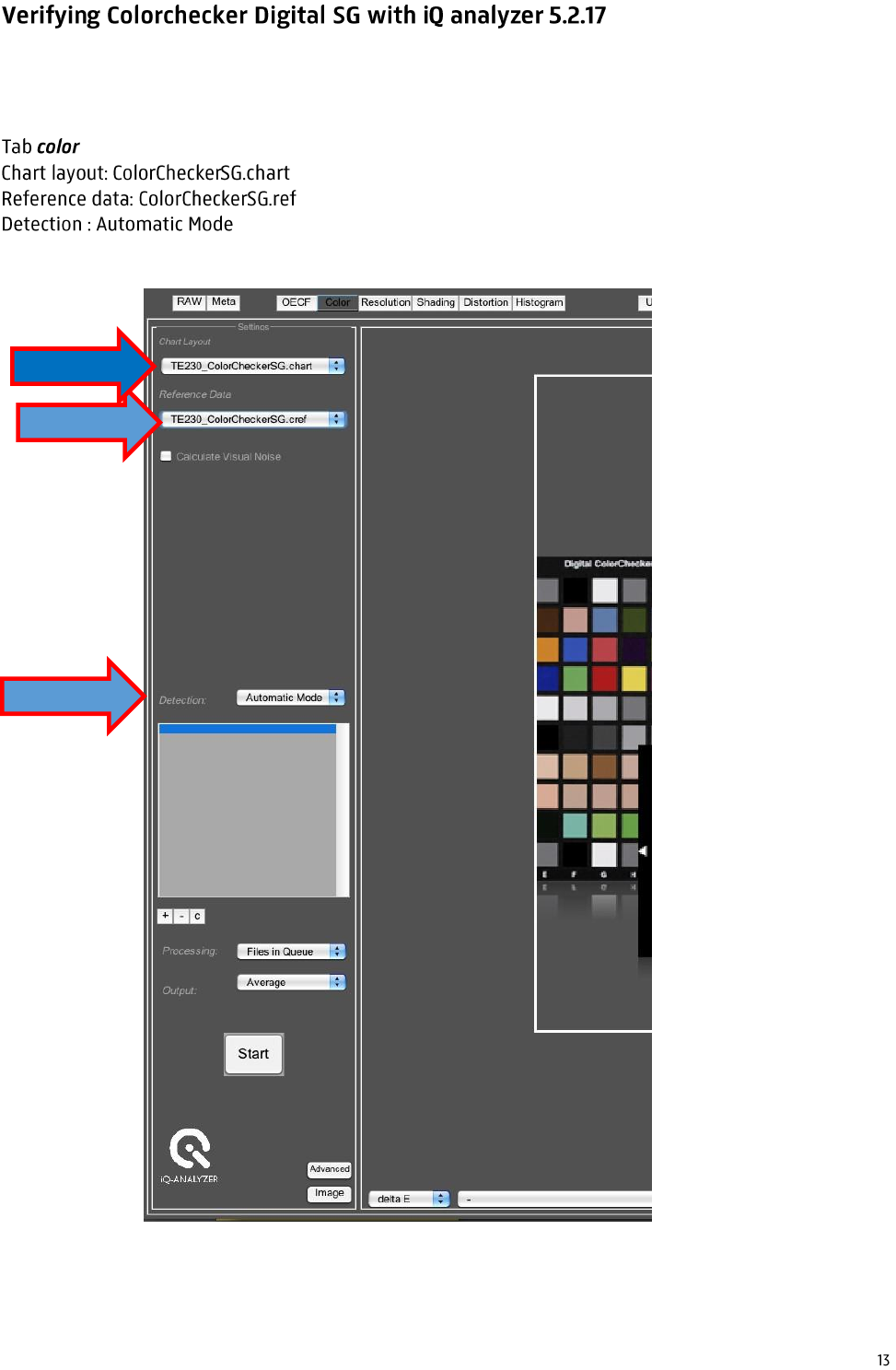
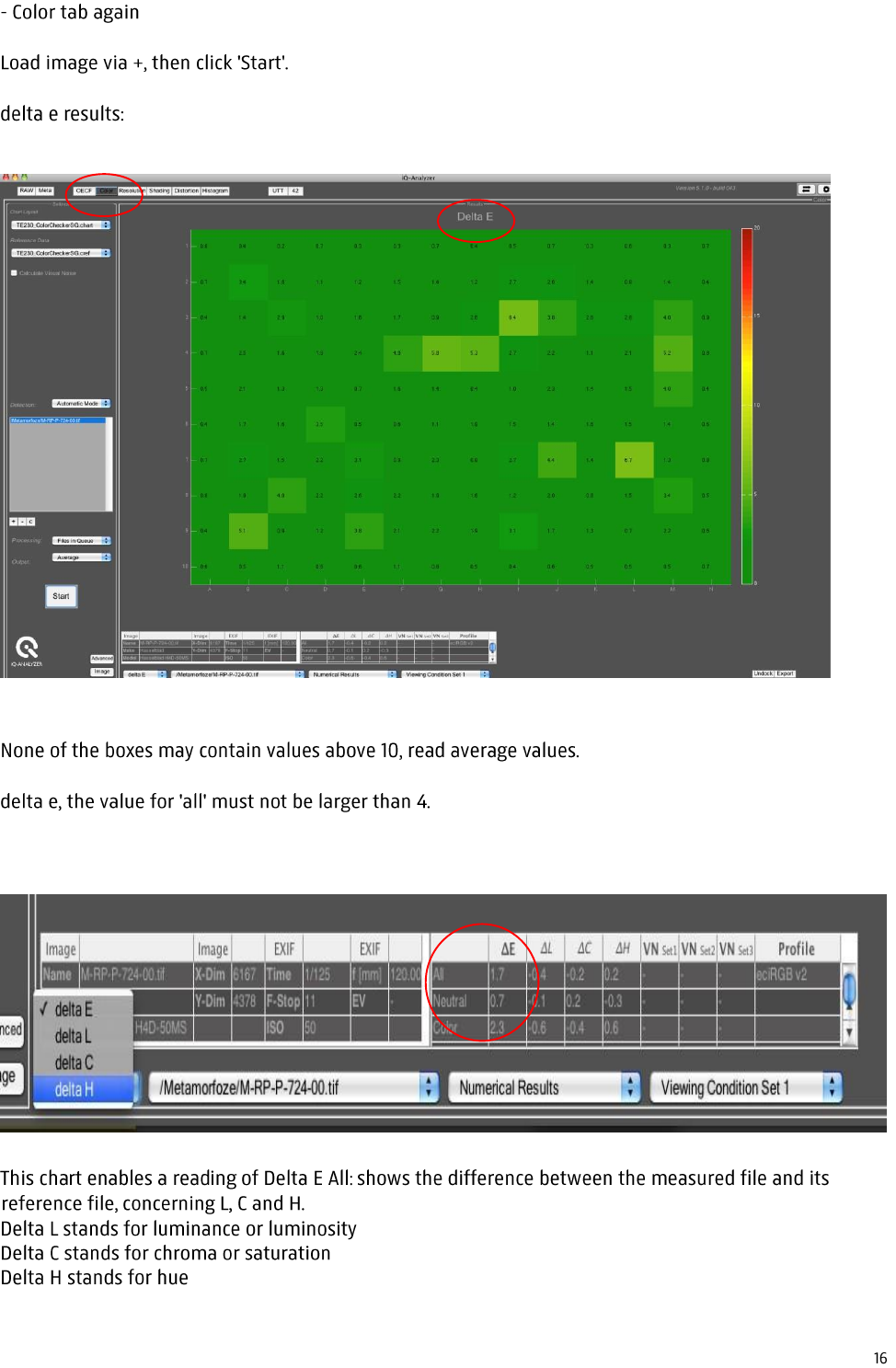
Check the file in the iQ Color analyzer, concerning delta E
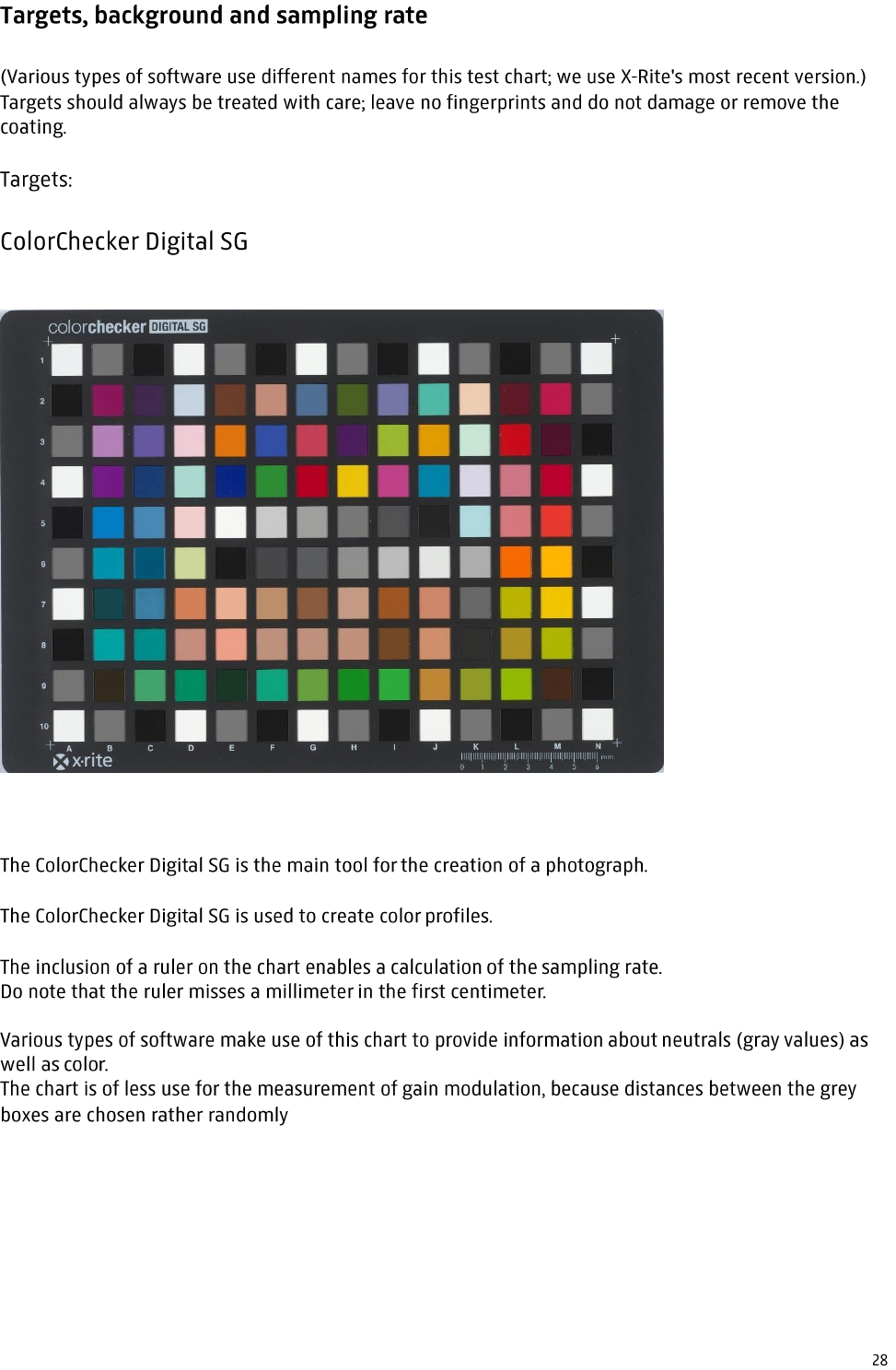
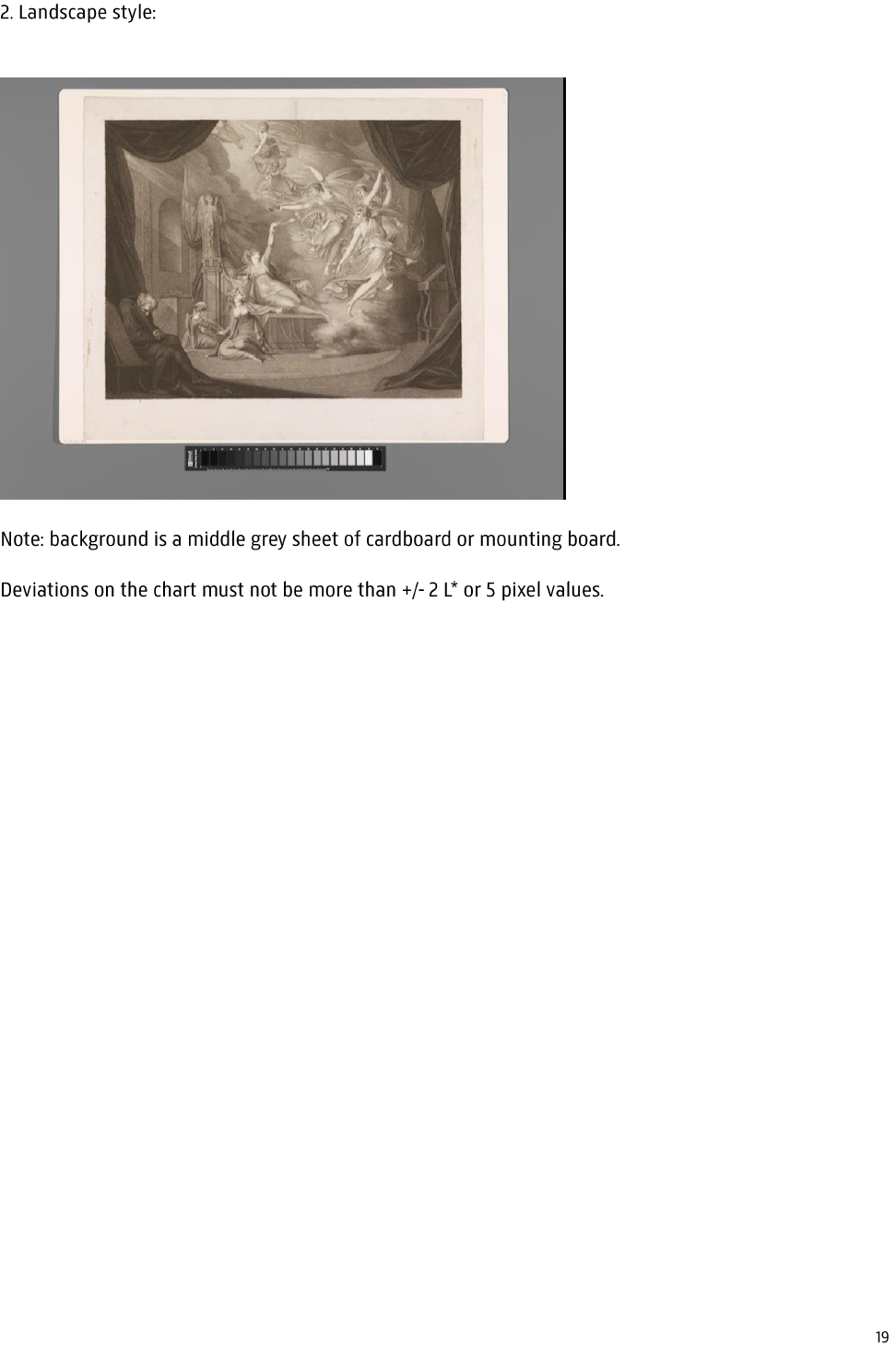
Ensure that you have a good picture (16 bit tiff) of the ColorChecker Digital SG test chart against a
middle grey background.
W
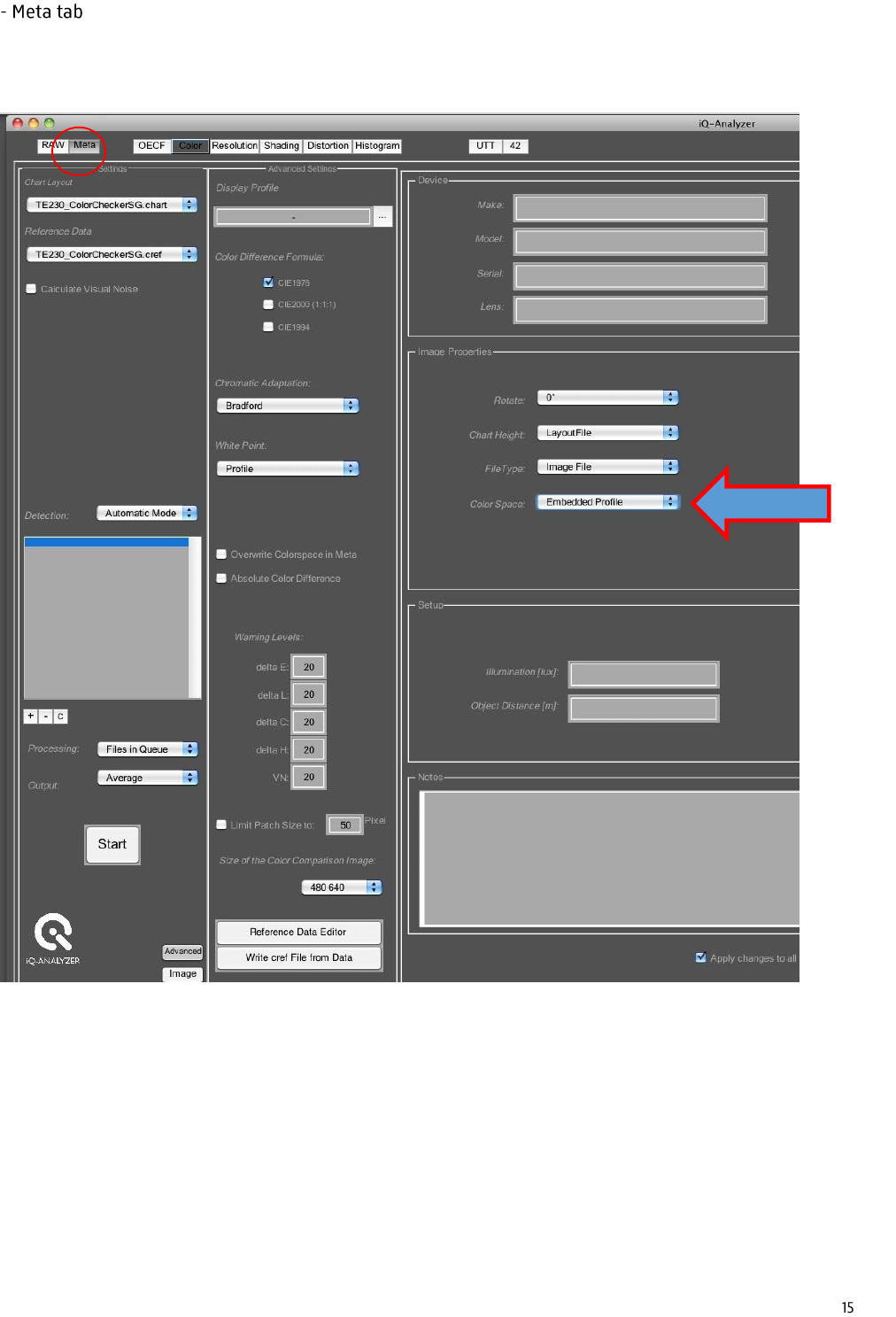
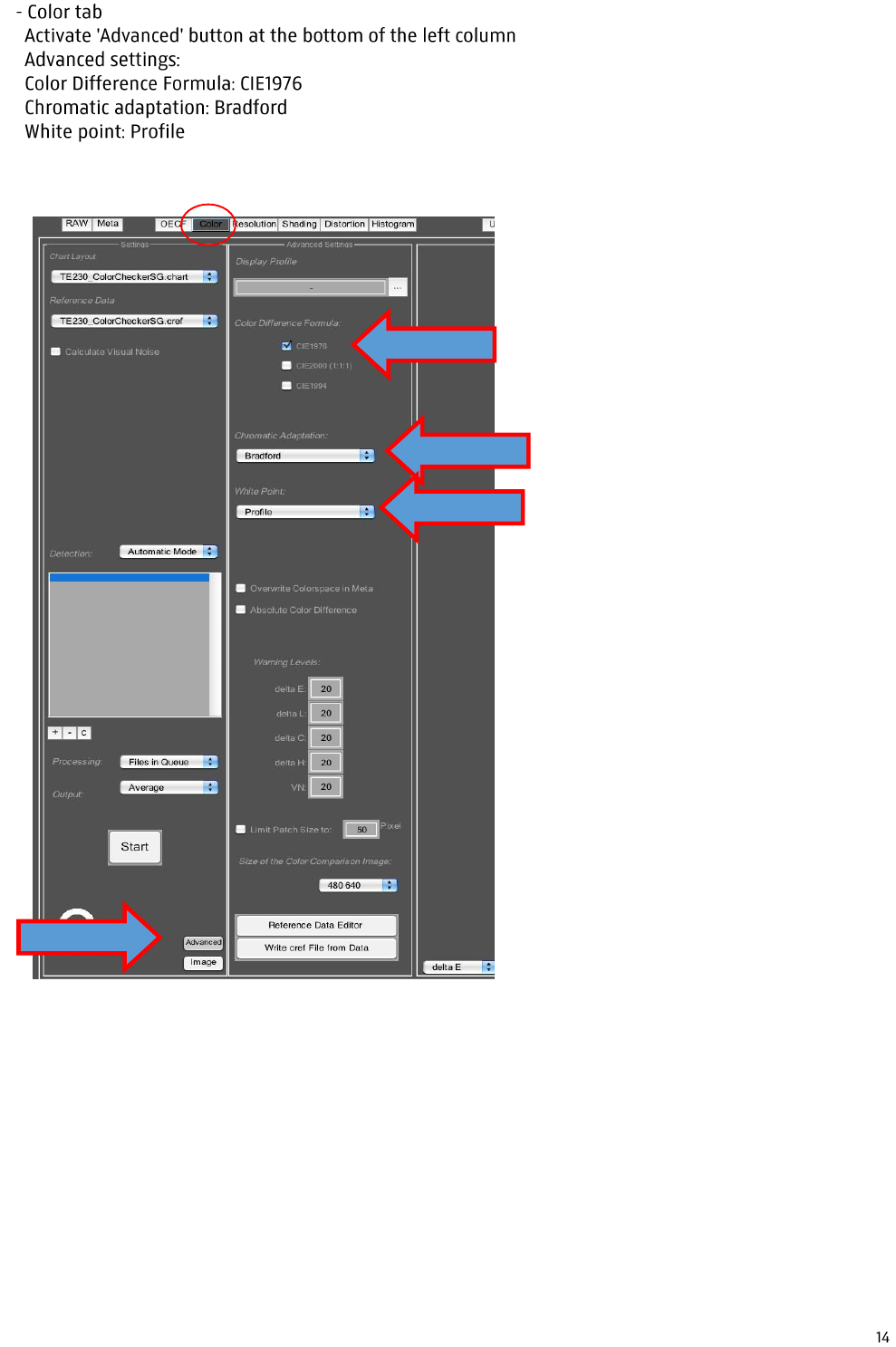
Color space: Embedded Profile
C
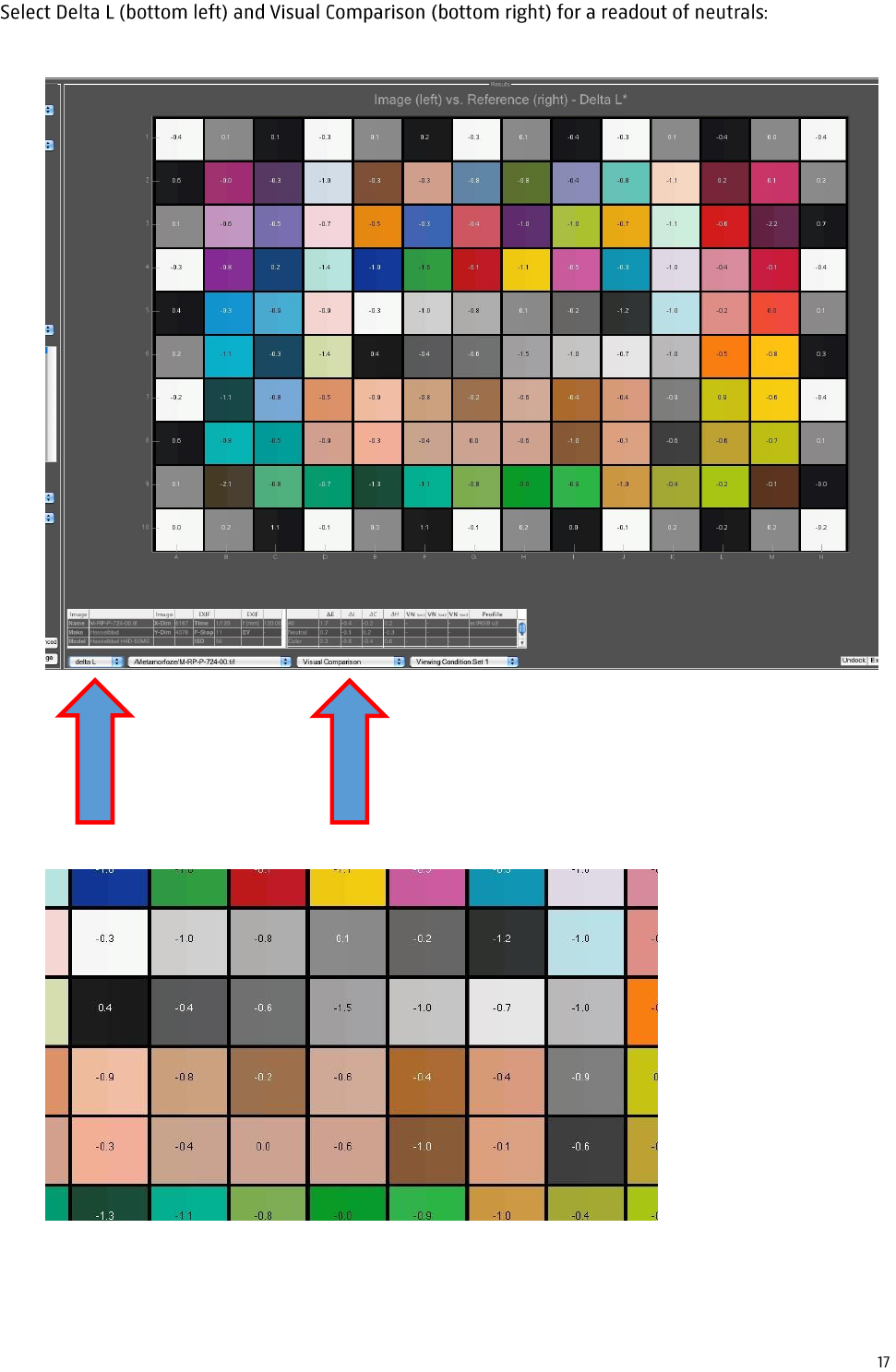
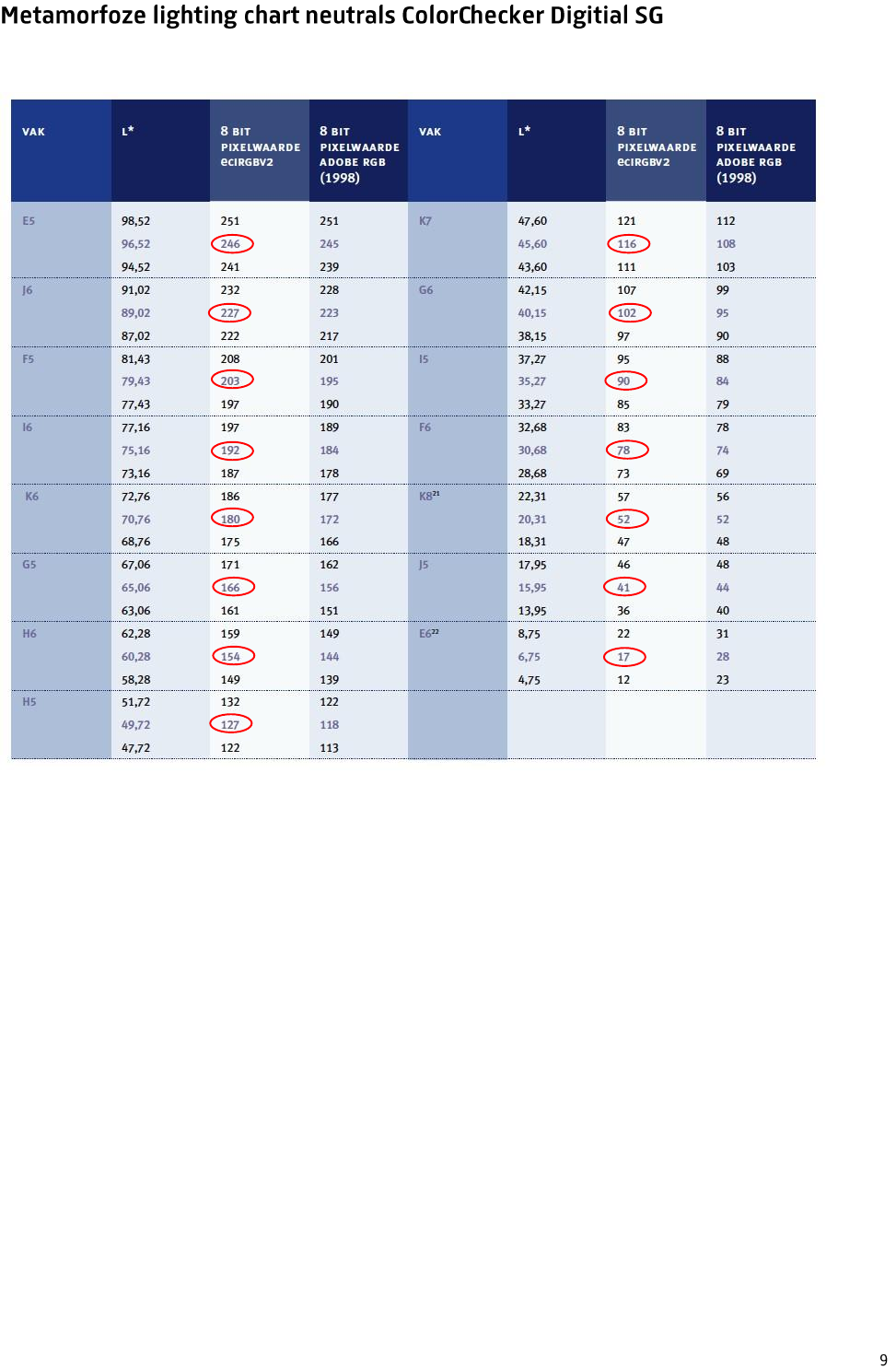
Values of individual neutrals should all be between -2 and +2.
Determining image resolution:
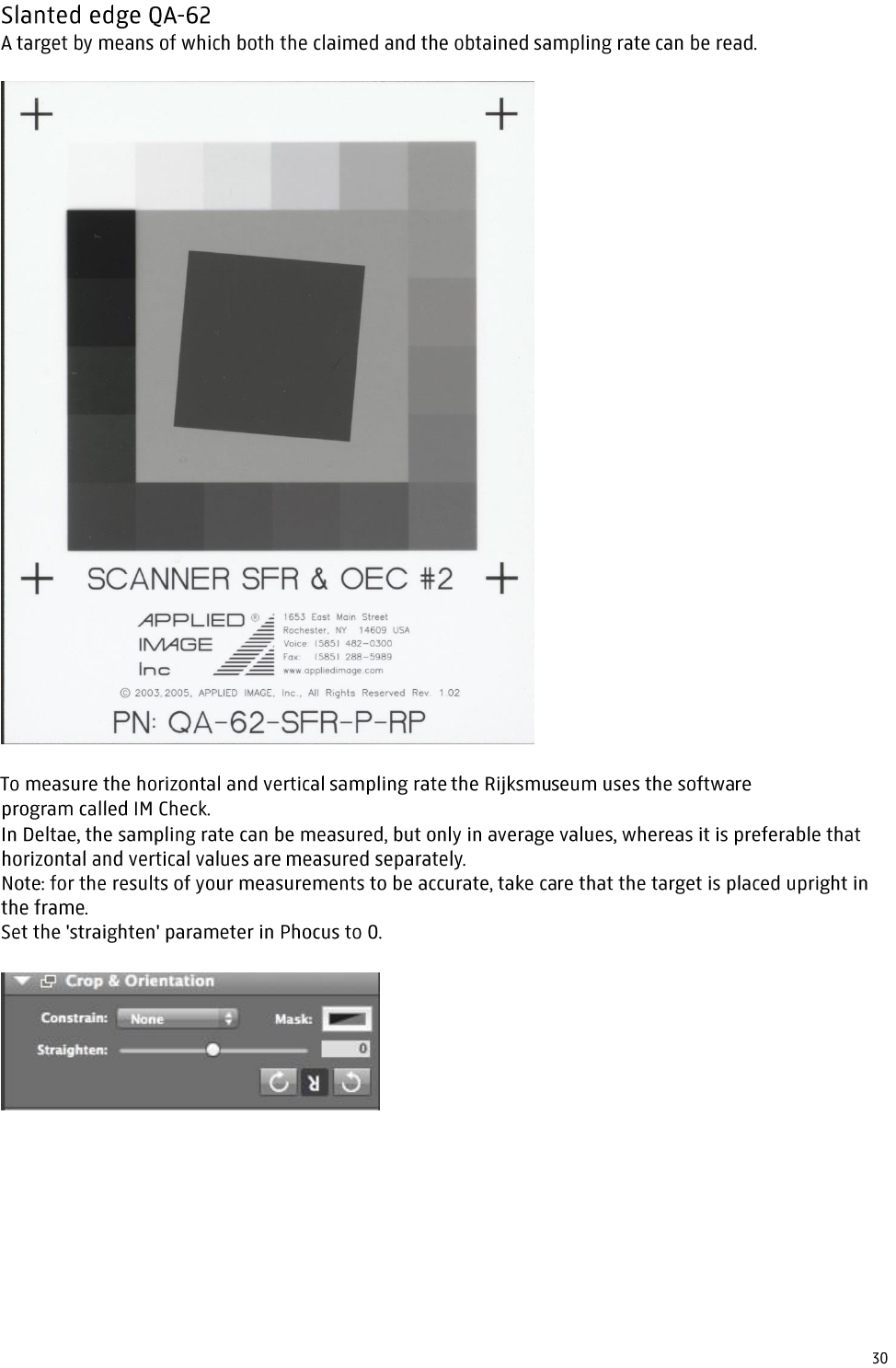
Suppose that a painting is to be captured at 400 ppi. Check the width in pixels of the camera's
sensor, let's say this is 6000. Dividing 6000 by 400 gives you the width in inches, in this case 15".
Metric conversion: 15" x 2,54 = 38 cm. This is the required width for 400 ppi. If you take care to
have these 38 cm. in the frame - aim at a ruler - you will be able to measure the working distance.
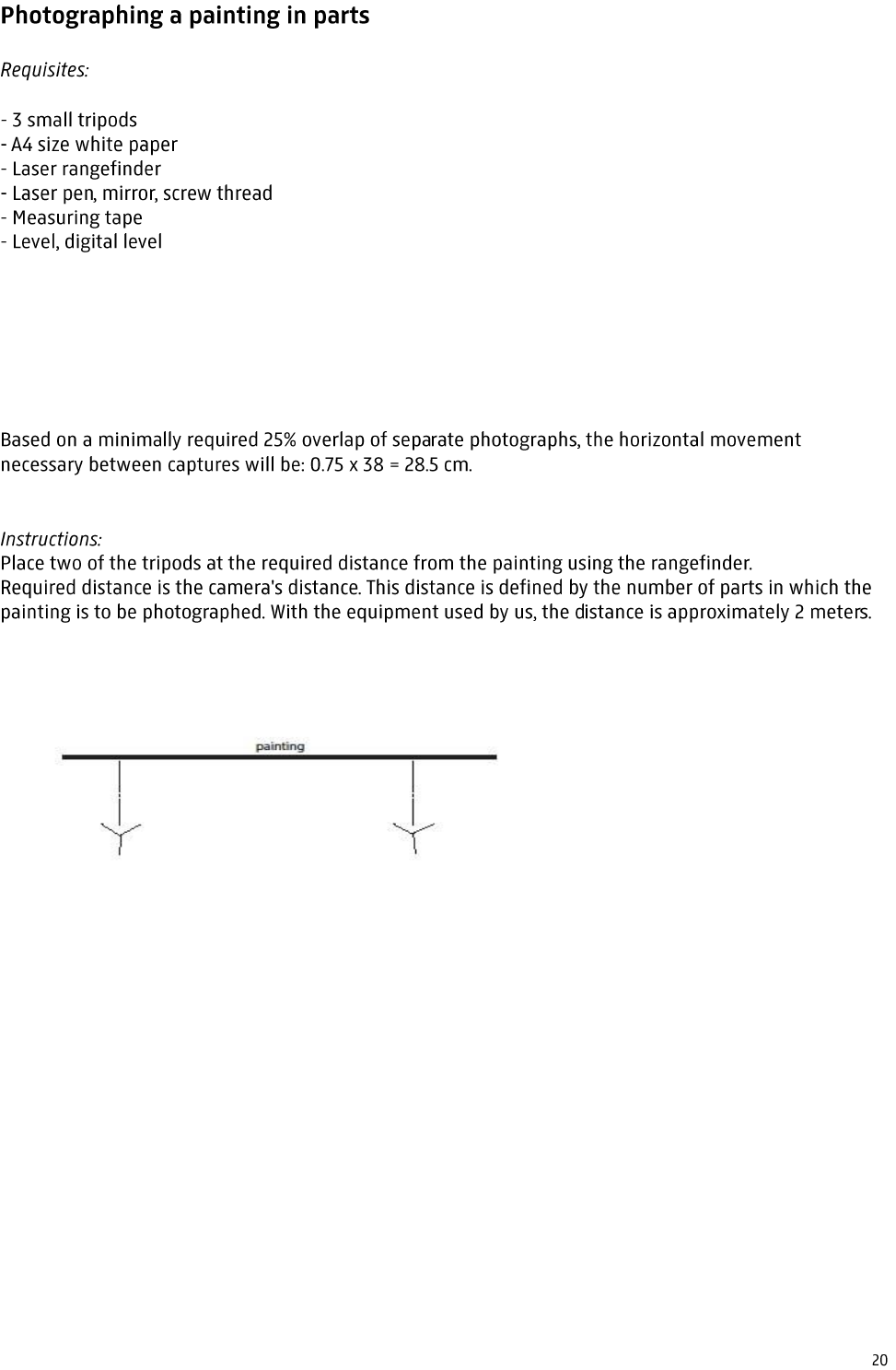
Required overlap:
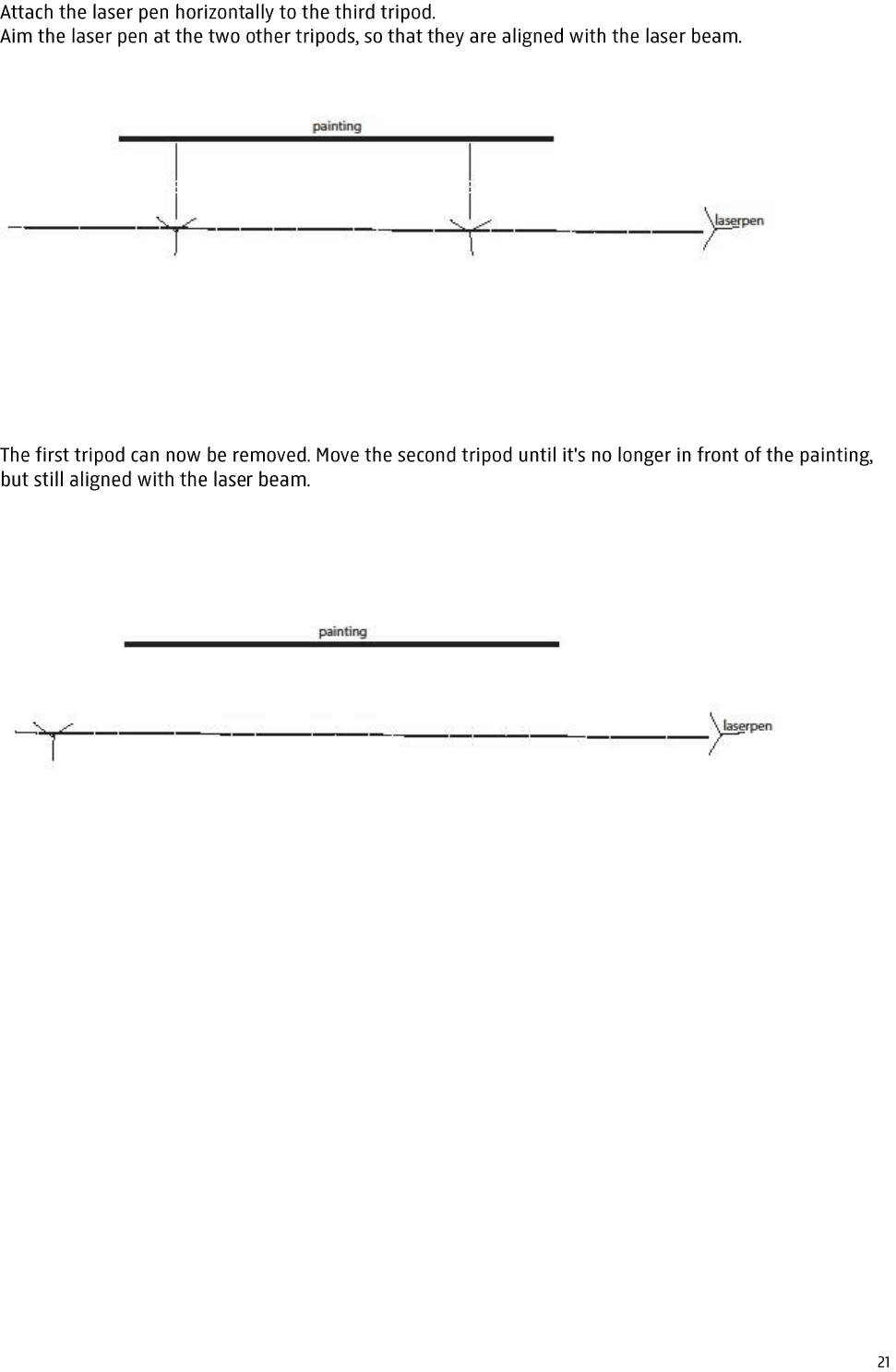
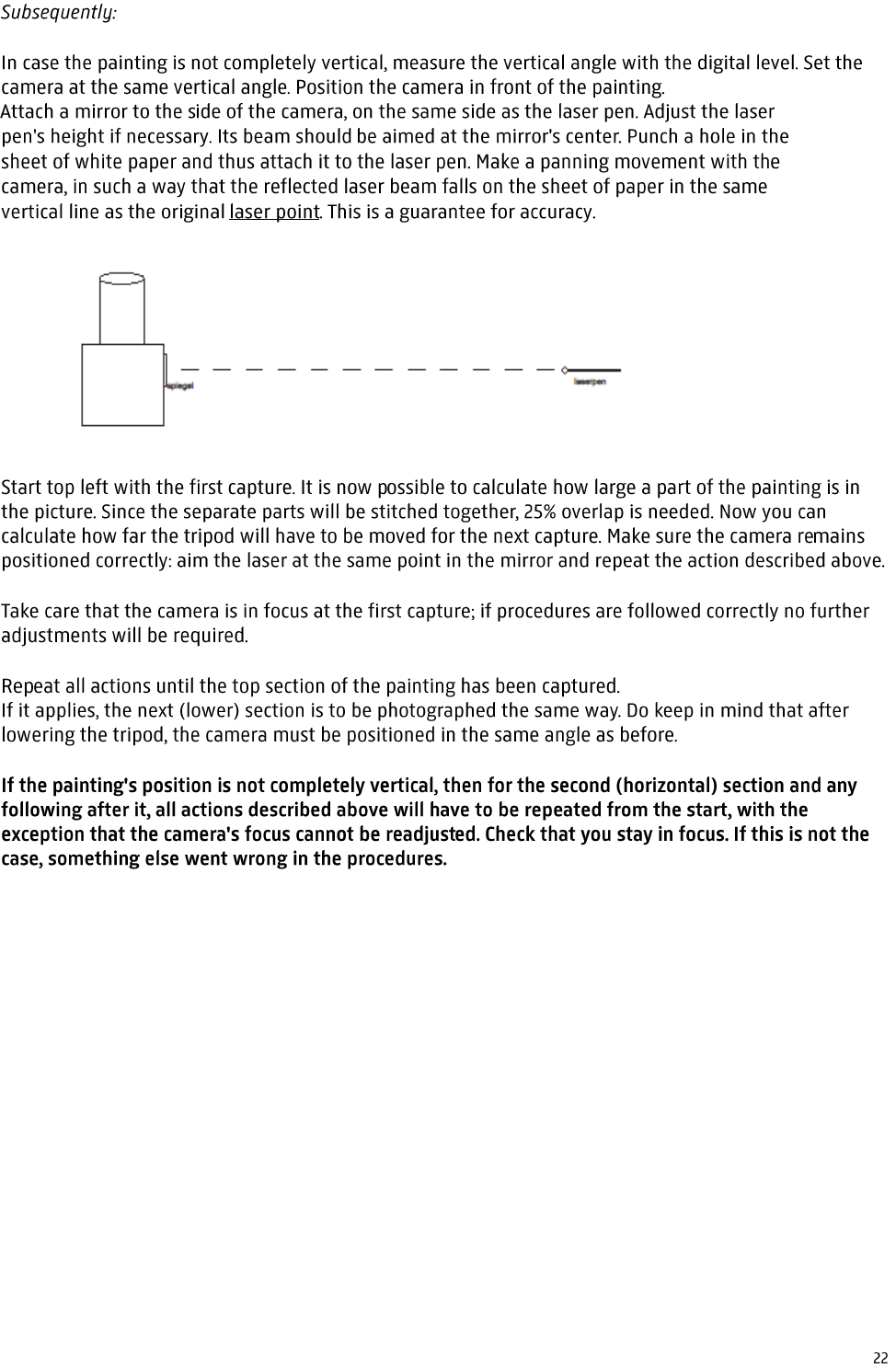
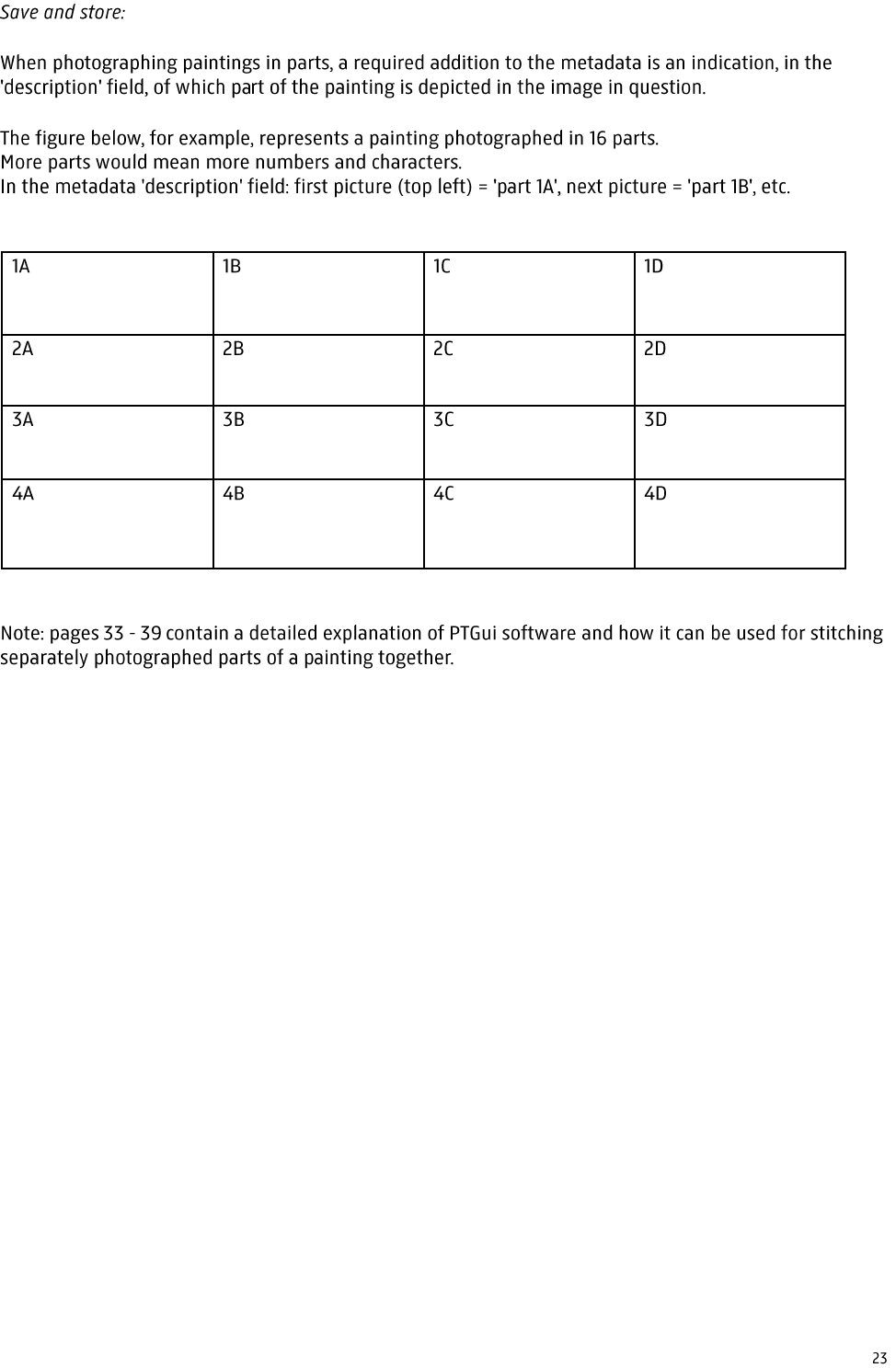
-
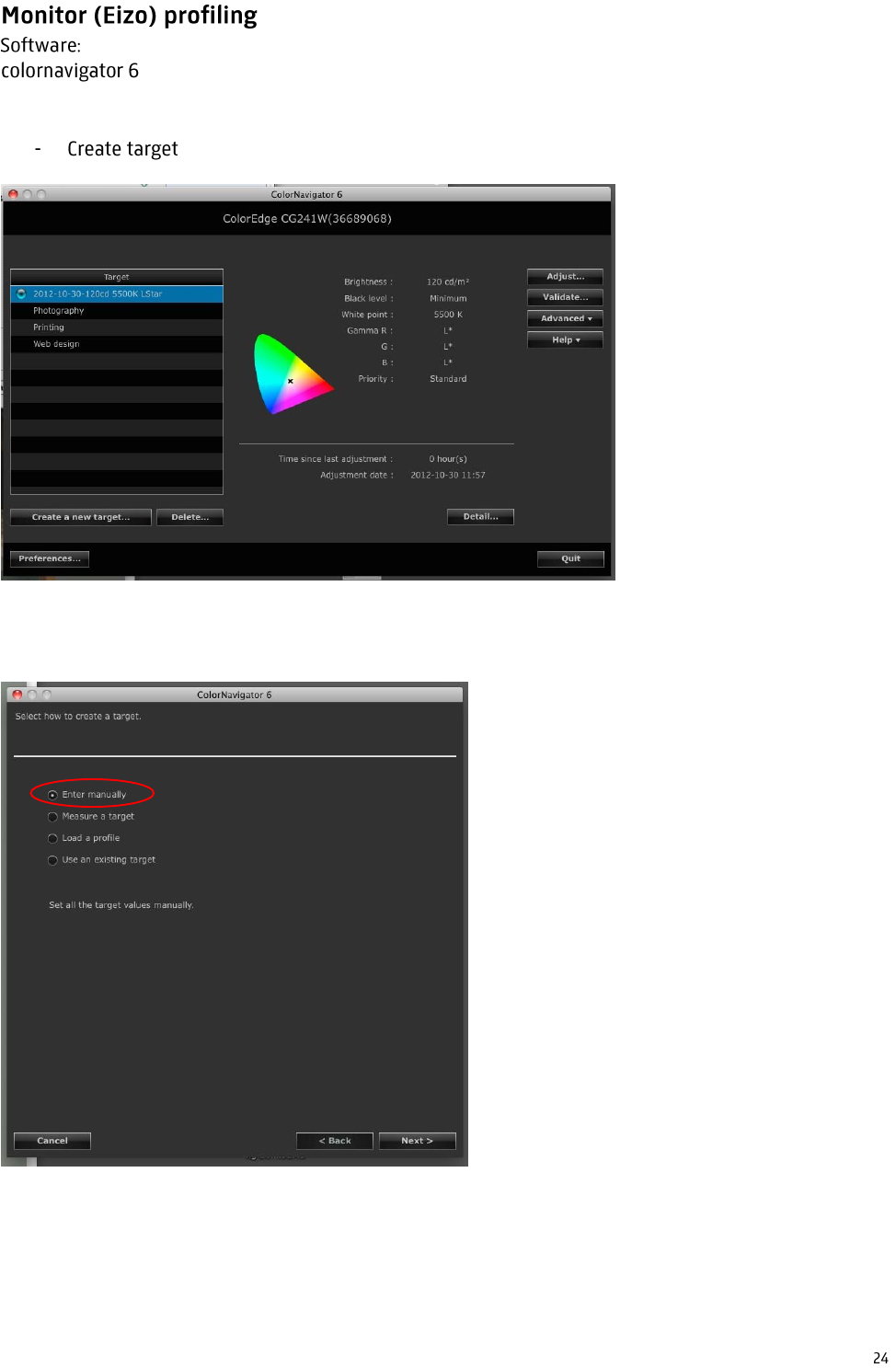
enter manually
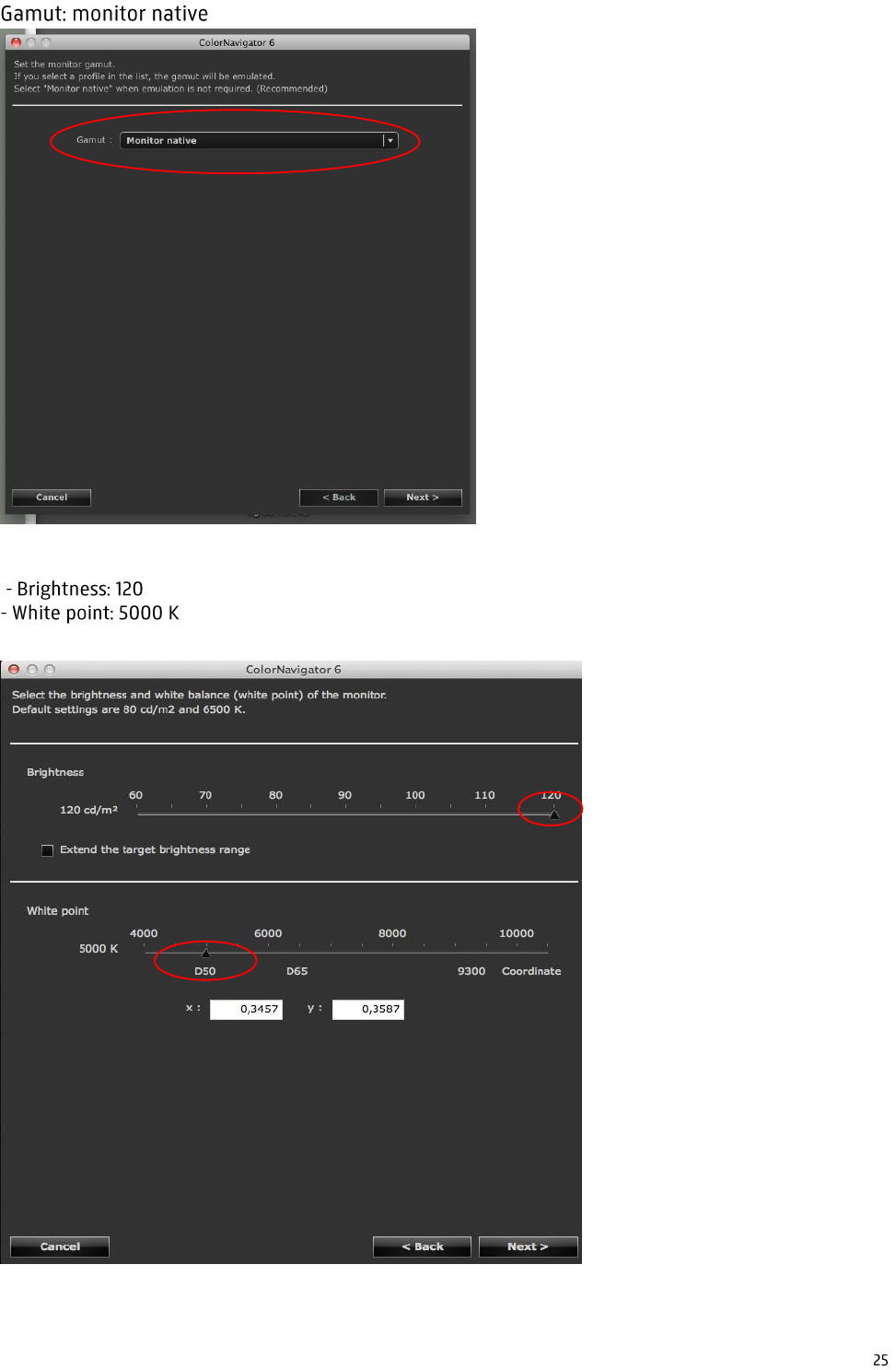
-
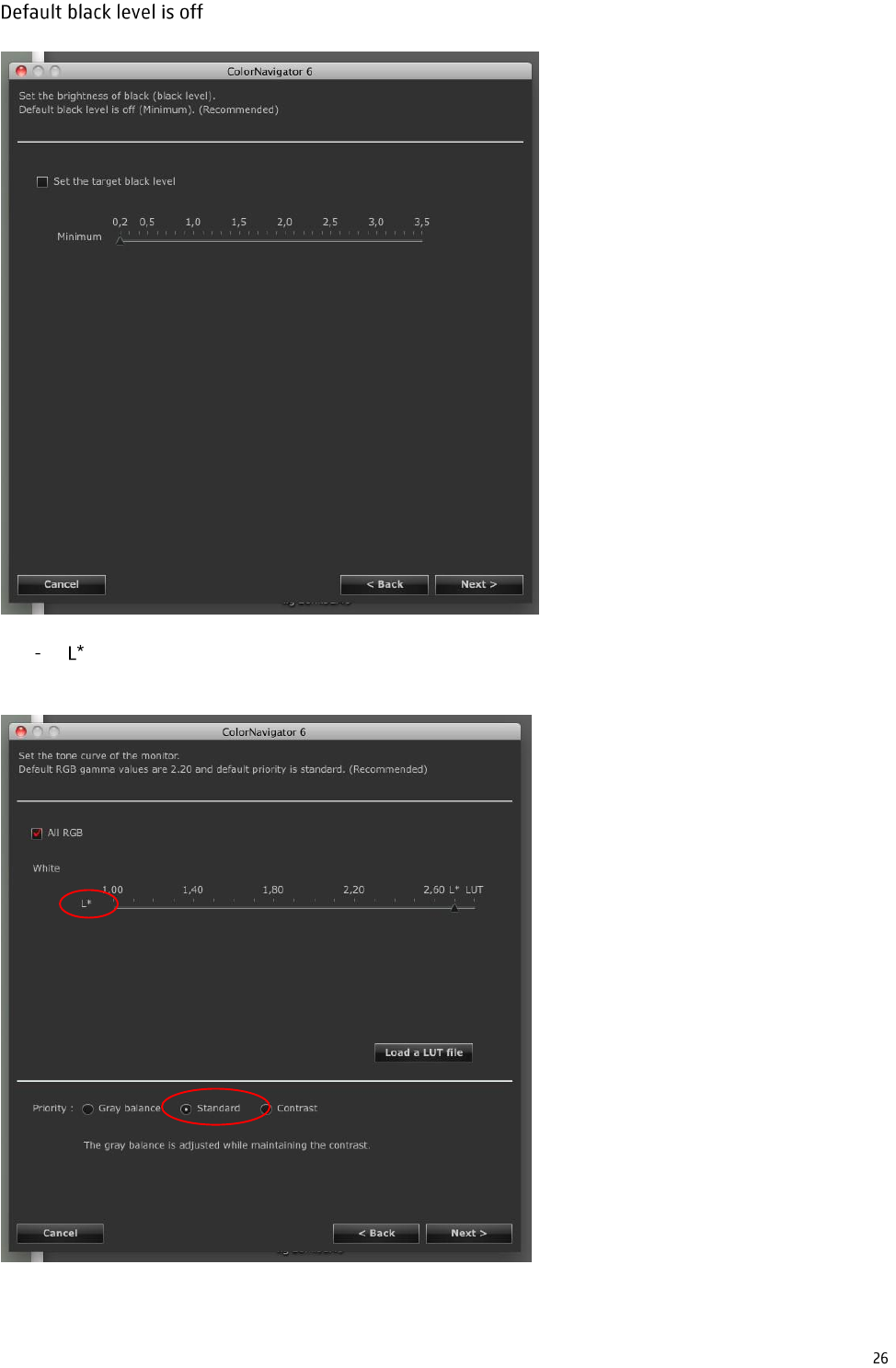
Priority standard