Instructions Installing Graphviz
Instructions%20-%20Installing%20Graphviz
Instructions%20-%20Installing%20Graphviz
Instructions%20-%20Installing%20Graphviz
User Manual:
Open the PDF directly: View PDF  .
.
Page Count: 1
Installing Graphviz
Option #1: Anaconda Navigator (Recommended)
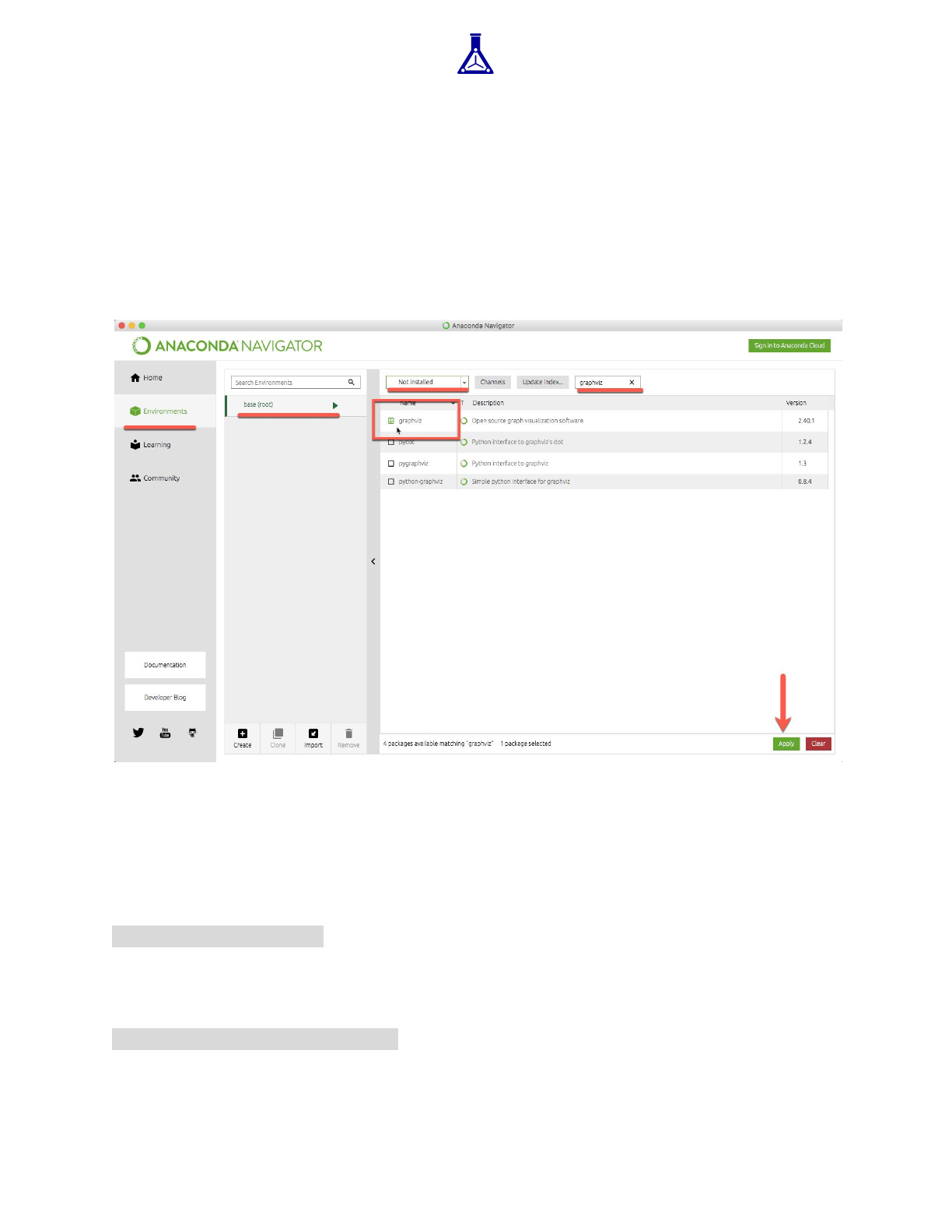
Open up Anaconda Navigator and then click on “Environments.” Filter the packages to
“Not Installed” and type graphviz into the search bar. Check the box next to the library,
and then click “Apply” at the bottom of the window.
Option #2: Command Line
If the above doesn’t work, then you can install the library directly from the command
line. Open up the Terminal (Mac) application or Command Prompt (Windows) program
and then run the command:
conda install graphviz
And press y (for yes) on your keyboard. Afterwards, run:
conda install python-graphviz
And press y (for yes) on your keyboard.
