Day Month Year Juno T41 Customer FAQs 2012 08 21
Juno-T41-Customer-FAQs-2012-08-21 Juno-T41-Customer-FAQs-2012-08-21
User Manual: Juno-T41-Customer-FAQs-2012-08-21
Open the PDF directly: View PDF  .
.
Page Count: 6
- Customer FAQs for the Juno T41 Rugged Handheld Computer
- What is the Trimble Juno T41?
- What are the key features of the Trimble Juno T41?
- What different configurations are available for the Juno T41?
- Can the Juno T41 be used for voice calls?
- What operating systems does the Juno T41 support?
- How does the operating system language provisioning feature work?
- What level of accuracy can I expect with my Trimble Juno T41?
- What are SBAS corrections and how does the Trimble Juno T41 use SBAS?
- What GPS input/output protocols are supported by the Trimble Juno T41?
- What is RTCM?
- Can I use an external GPS antenna with my Trimble Juno T41?
- Is raw GPS data available?
- What connectivity options does the Trimble Juno T41 support?
- What can I use the Trimble Juno T41’s Wi-Fi capabilities for?
- What can I use the Bluetooth capabilities for?
- What are the functions of the integrated digital camera?
- How are the Trimble Juno T41 handhelds powered?
- What types of cable connections does the Juno T41 support?
- What’s in the box?
- What optional accessories are available for the Trimble Juno T41?
- Where can I get more information?
This document is for informational purposes only and is not a legally binding agreement or offer. Trimble
makes no warranties and assumes no obligations or liabilities hereunder.
Trimble Mobile Computing Solutions Division, 4100 SW Research Way, Corvallis, OR 97333-1066, USA
© 2012, Trimble Navigation Limited. All rights reserved. Trimble, the Globe & Triangle logo and Juno are trademarks of Trimble
Navigation Limited, registered in the United States and in other countries. T41 is a trademark of Trimble Navigation Limited. All
other trademarks are the property of their respective owners.
http://www.trimble.com/rugged Page 1
Aug. 15, 2012, Updated Aug. 21, 2012
Customer FAQs for the Juno T41 Rugged Handheld
Computer
What is the Trimble Juno T41?
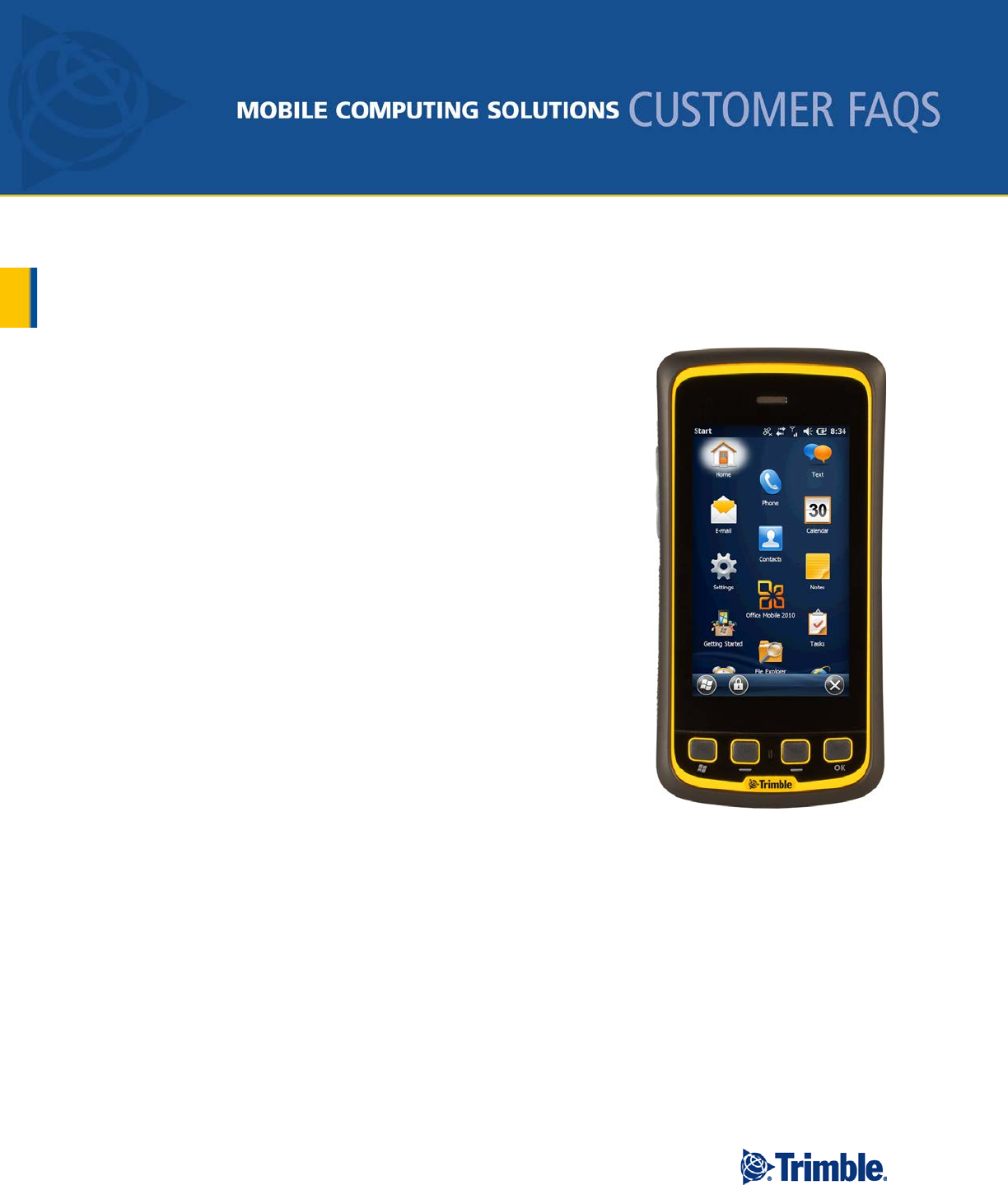
The Trimble Juno T41 is an ultra-rugged smartphone inspired handheld
computer for data collection and mobile field work.
The Trimble Juno T41 is offered in a range of configurations, with key
options including a 3.75G smart phone capability, choice of ingress
protection rating and choice of operating system.
The Juno T41 brings a 4.3” capacitive touchscreen with multi-touch
user interface and a sunlight-readable display. It offers processing
power second to none with up to 1 GHz processor and up to 512 MB
RAM and 16 GB of on-board Flash storage, a high resolution sunlight-
readable screen, and a long-life battery that can run the device all day
on a single charge. Featuring your choice of Windows Embedded
Handheld (WEHH) or Android “Gingerbread” operating system, and
with built-in Wi-Fi with Cisco Compatible eXtensions and Bluetooth
wireless technology, the Trimble Juno T41 offers powerful
performance and all-in-one feature integration for high productivity no
matter what the conditions.
What are the key features of the Trimble Juno T41?
Trimble Juno T41 is built for superior performance as an all-
in-one device, to be used in any environment, including harsh
conditions.
Choice of operating systems: Windows Embedded Handheld 6.5 or Android 2.3.4 “Gingerbread”
4.3” WVGA sunlight-readable display protected by Gorilla® Glass
Multi-touch user interface with capacitive stylus compatibility
8 megapixel camera with dual LED flash and geo-tagging
3.75G cellular data, text and voice capability
1 GHz TI OMAP processor with up to 512 MB RAM and 16 GB on-board Flash storage

http://www.trimble.com/rugged Page 2
Bluetooth and Wi-Fi b/g/n with Cisco Compatible eXtensions v4
GPS receiver with 2 - 4 meter accuracy with SBAS corrections
MCX port for optional External GPS Antenna for increased yield opportunity
Accelerometer and Electronic Compass
What different configurations are available for the Juno T41?
The Trimble Juno T41 handheld is offered in three models with a variety of options, as illustrated in the
chart below. (Note: each model is physically different; you cannot upgrade from one model to another.)
Model Part Number Color /
IP Rating O.S. CPU RAM/
Flash
Bluetooth
Wi-Fi
GPS
8 MP
Camera
Phone /
WWAN
M
T41MLN-TGW-00
IP68
WEHH
800 MHz 256 MB / 8 GB
2-4 m
T41MLN-TGA-00 ANDROID
C
T41CLN-TYW-00
IP65
WEHH
800 MHz 256 MB / 8 GB 2-4 m
T41CLN-TYA-00 ANDROID
T41CLN-TGW-00
IP68
WEHH
T41CLN-TGA-00 ANDROID
X
T41XLN-TYW-00 IP65 WEHH
1.0 GHz 512 MB /
16 GB 2-4 m
T41XLN-TYA-00 ANDROID
T41XLN-TGW-00
IP68
WEHH
T41XLN-TGA-00 ANDROID
Can the Juno T41 be used for voice calls?
Yes, if using the model X that features the penta-band 3.75G GSM cellular data, text and voice
capability. With this model, the device can be used just like any other smartphone on the market. Penta-
band GSM is compatible with 3G cellular networks worldwide.
What operating systems does the Juno T41 support?
The Juno T41 is available in two operating system choices: Windows Embedded Handheld 6.5 and
Android 2.3.4 “Gingerbread.” Both operating systems have Software Development Kits with API
Documentation.

http://www.trimble.com/rugged Page 3
How does the operating system language provisioning feature work?
When the Juno T41 is turned on for the first time, the operating system prompts the user to select one of
ten available languages: English, Simplified Chinese, Japanese, Korean, Spanish, Portuguese (Brazilian),
German, French, Italian and Russian. This is a one-time action and cannot be undone.
What level of accuracy can I expect with my Trimble Juno T41?
The device is designed to achieve 2 to 4 meter accuracy with its integrated antenna, with SBAS
corrections.
What are SBAS corrections and how does the Trimble Juno T41 use SBAS?
All Juno T41 models have an integrated GPS receiver that supports SBAS (Satellite Based Augmentation
Systems) satellites under normal conditions. SBAS is an augmentation technology for GPS, which
calculates GPS integrity and correction data with RIMS (Ranging and Integrity Monitoring Stations) on
the ground and uses geostationary satellites (GEOs) to broadcast GPS integrity and correction data to
GPS users.
There are several compatible SBAS systems available around the world including:
WAAS (Wide Area Augmentation System) for North America
MSAS (Multi-Functional Satellite Augmentation System) for Asia
EGNOS (European Geostationary Navigation Overlay Service)
What GPS input/output protocols are supported by the Trimble Juno T41?
Protocol
Type
NMEA
Input/output, ASCII, 0183, 2.3 (compatible to 3.0)
UBX
Input/output, binary
RTCM
Input, 2.3
What is RTCM?
RTCM (Radio Technical Commission for Maritime Services) is a unidirectional protocol (input to the
receiver) that is used to supply real-time differential correction data (DGPS) to the GPS receiver.
Can I use an external GPS antenna with my Trimble Juno T41?
The Trimble Juno T41 has an MCX port for attaching the optional External GPS Antenna accessory.
Using an external antenna typically provides access to more GPS satellites and SBAS signals in areas of
cloud or tree cover, urban or natural canyons or when inside a vehicle.
Is raw GPS data available?
Raw data output is supported at an update rate of 5 Hz. The raw data stream can be used in external
applications that offer precision positioning, real-time kinematics (RTK) and attitude sensing.

http://www.trimble.com/rugged Page 4
What connectivity options does the Trimble Juno T41 support?
All Trimble Juno T41 models, except the M, have integrated Bluetooth and Wi-Fi wireless technology.
The X model is equipped with a 3.75G cellular modem for connecting to the Internet and making phone
calls without the need for a separate device.
What can I use the Trimble Juno T41’s Wi-Fi capabilities for?
Trimble Juno T41 C and X model handheld computers have an integrated Wi-Fi wireless Local Area
Network (WLAN) radio that can be used to receive data anywhere within the range of a Wi-Fi access
point. Wi-Fi and 802.11g are sometimes referred to as wireless Ethernet. A Wi-Fi connection can be
used to connect to the Internet (at broadband speeds) through an 802.11b, 802.11g or 802.11n access
point. With Cisco Certified eXtensions v4, the T41 supports a variety of security options. In order to set
Authentication, Encryption Types, EAP Authentication and Inner Authentication, the Summit Wireless
Manager must be enabled and configured.
When there is an active connection to a Wi-Fi access point, power consumption increases and the battery
will discharge more rapidly, depending on factors such as:
total data sent and received over time
ratio of upload and download activity (upload requires more energy)
distance between the Juno T41 and the access point (greater distance requires more energy)
What can I use the Bluetooth capabilities for?
The Trimble Juno T41 has an integrated Bluetooth radio that you can use to establish cable-free
connections to other Bluetooth devices that are within 10 meters.
Using a Bluetooth connection, you can communicate with Bluetooth-enabled devices such as mobile
phones, desktop computers and more. You can also communicate with Bluetooth-enabled peripheral
devices instead of Serial or USB connections.
When there is an active connection to another Bluetooth device, power consumption increases and the
battery will discharge more rapidly. Individual usage patterns will vary by device and the frequency of
the Bluetooth communications.
What are the functions of the integrated digital camera?
The Trimble Juno T41 C and X models include an 8 megapixel integrated digital camera with dual LED
flash and geo-tagging. The camera is accessed through an application that is pre-installed with the
operating system. The camera features a variety of shooting modes to make it easier to capture images in
different lighting conditions, and it can also record video with audio.
The 8-megapixel sensor can capture images with low, medium, or high compression, and in various
resolutions ranging from 320 x 240 to 2592 x 1944 pixels.
The camera uses Trimble-developed software application with a graphical user interface and other
advanced features such as time and date stamping, digital zoom and geo-tagging. Time, date, latitude,
longitude and elevation/altitude data can be stored in the EXIF data or stamped onto the image. Also, the
time and date data can be sourced from the internal real-time clock or the GPS receiver.

http://www.trimble.com/rugged Page 5
How are the Trimble Juno T41 handhelds powered?
The Trimble Juno T41 is supplied with a built in, rechargeable 3,300 mAh lithium-ion polymer battery
that provides up to 12 hours of battery life in normal use (including wireless radios and GPS). The
battery is internally rechargeable using the international charging kit that comes with the system. An
optional External Battery Pack can provide even longer run time.
What types of cable connections does the Juno T41 support?
The Juno T41 has a robust custom port that supports USB host, USB client or 9-pin Serial data
connections. See optional and standard accessories for more information.
What’s in the box?
The Trimble Juno T41 is supplied with the following components and accessories:
International AC Charging Kit with four international plug adapters
Custom USB Cable for syncing to computer
Package of two (2) ultra clear screen protectors
Microfiber cloth for cleaning the touchscreen
Wrist strap
SD/SIM Card Access Tool
Quick Start Guide (with URL for online user manual)
What optional accessories are available for the Trimble Juno T41?
The following optional and replacement accessories are available for the Trimble Juno T41. For more
details about these accessories, please visit the Trimble MCS web store at
http://store.trimble.com/rugged.
ACCAA-114
T41 External Battery Pack "Juice Pack"
ACCAA-218 T41 Port Cover
ACCAA-257
Wrist Strap
ACCAA-309 External GPS Antenna
ACCAA-310
Capacitive Touchscreen Gloves (M/L)
ACCAA-310 Capacitive Touchscreen Gloves (XL)
ACCAA-311
Audio Headset
ACCAA-365 T41 Ultra Clear Screen Protectors Kit (QTY 2)
ACCAA-366
T41 Ultra Clear Screen Protectors Kit (QTY 10)
ACCAA-563 T41 USB Cable
ACCAA-564
T41 USB 9-pin Serial Adapter
ACCAA-565 T41 USB Host Adapter
ACCAA-670
T41 International AC Charging Kit
ACCAA-671 T41 Vehicle Charging Kit
ACCAA-810
T41 Stylus with Tether

