A_ENG RS 232C LG Published RS232C Guide
User Manual:
Open the PDF directly: View PDF  .
.
Page Count: 18
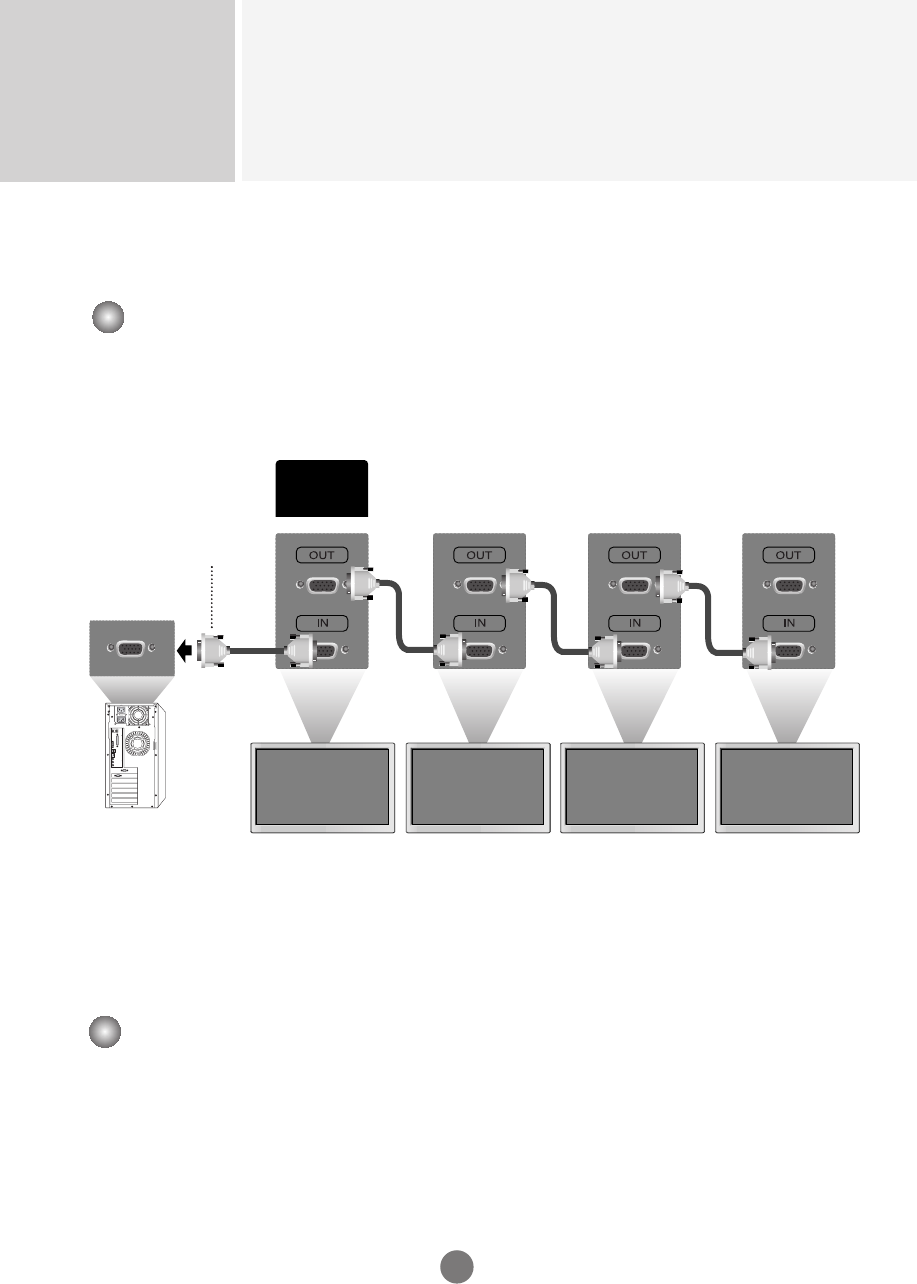
Controlling the Multiple Product
RS-232C
A1
Connecting the cable
Connect the RS-232C cable
as shown in the picture.
* The RS-232C protocol is used for communication between the PC and product. You can
turn the product on/off, select an input source or adjust the OSD menu from your PC.
Baud Rate : 9600bps (UART)
Data Length : 8bits
Parity Bit : None
Stop Bit : 1bit
Flow Control : None
Communication Code : ASCII code
Use this method to connect several products to a single PC.
You can control several products at a time by connecting them to a single PC.
Communication Parameter
(CONTROL &
SERVICE)
RS-232C
RS-232C Cable
(not included)
monitor 1
PC
▲▲▲▲▲▲
monitor 2 monitor 3 monitor 4
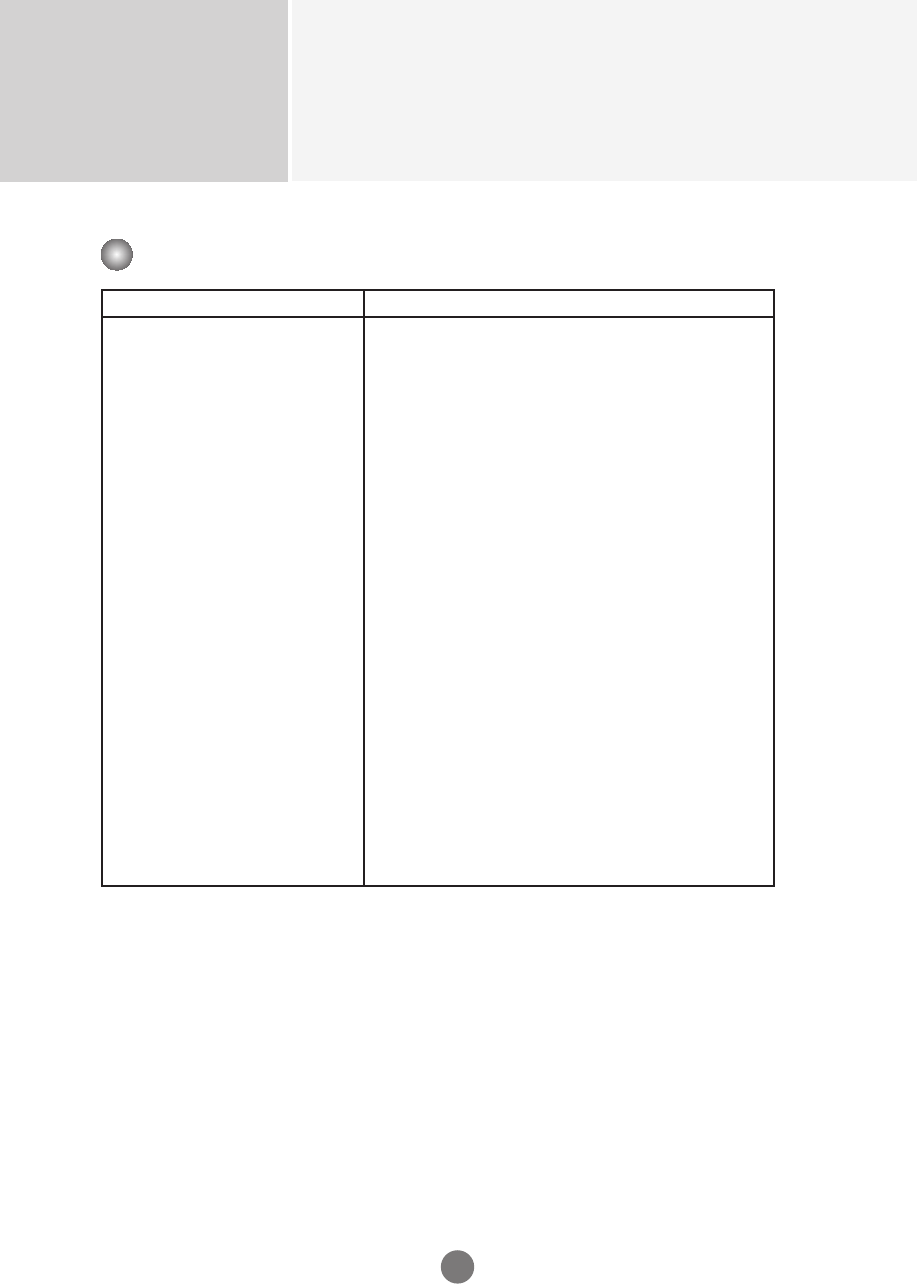
Controlling the Multiple Product
RS-232C
A2
Command Reference List
COMMAND1 COMMAND2 DATA(Hexa)
01. Power k a 00H - 01H
02. Input Select k b 02H - 09H
03. Aspect Ratio k c 01H - 09H
04. Screen Mute k d 00H - 01H
05. Volume Mute k e 00H - 01H
06. Volume Control k f 00H - 64H
07. Contrast k g 00H - 64H
08. Brightness k h 00H - 64H
09. Color k i 00H - 64H
10. Tint k j 00H - 64H
11. Sharpness k k 00H - 64H
12. OSD Select k l 00H - 01H
13. Remote Lock/ key Lock k m 00H - 01H
14. Balance k t 00H - 64H
15. Color Temperature k u 00H - 03H
16. Abnomal state k z FFH
17. ISM mode j p 00H - 08H
18. Auto configuration j u 01H
19. Key m c Key Code
20. Tile Mode d d 00H - 44H
21. Tile H Size d g 00H - 64H
22. Tile V Size d h 00H - 64H
23. Tile ID Set d i 00H - 10H
24. Elapsed time return d l FFH
25. Temperature value d n FFH
26. Lamp fault check d p FFH
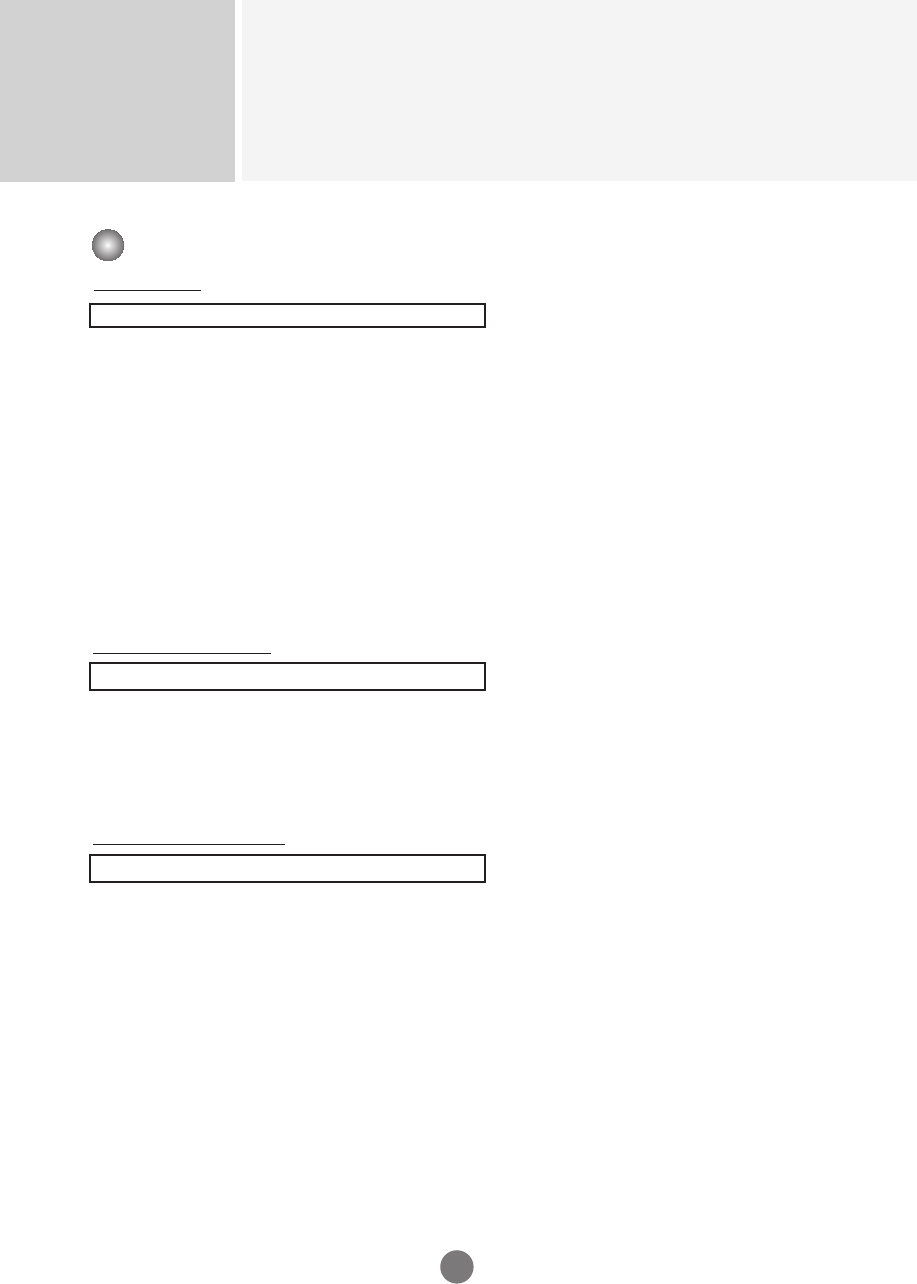
OK Acknowledgement
[Command2][ ][Set ID][ ][OK][Data][x]
* The Product transmits ACK (acknowledgement) based on
this format when receiving normal data. At this time, if the
data is data read mode, it indicates present status data.
If the data is data write mode, it returns the data of the PC
computer.
Error Acknowledgement
[Command2][ ][Set ID][ ][NG][Data][x]
* If there is error, it returns NG
Controlling the Multiple Product
RS-232C
A3
Transmission
[Command1][Command2][ ][Set ID][ ][Data][Cr]
* [Command 1]: First command. (j, k, m, d)
* [Command 2]: Second command.
* [Set ID]: Set up the Set ID number of product.
range : 1~99. by setting '0', server can control all products.
* In case of operating with more than 2 sets using set ID as '0' at the same
time, it should not be checked the ack message.
Because all sets will send the ack message, so it's impossible the check the
whole ack messages.
* [DATA]: To transmit command data.
Transmit 'FF' data to read status of command.
* [Cr]: Carriage Return
ASCII code ‘0x0D’
* [ ]: ASCII code Space (0x20)’
Transmission / Receiving Protocol
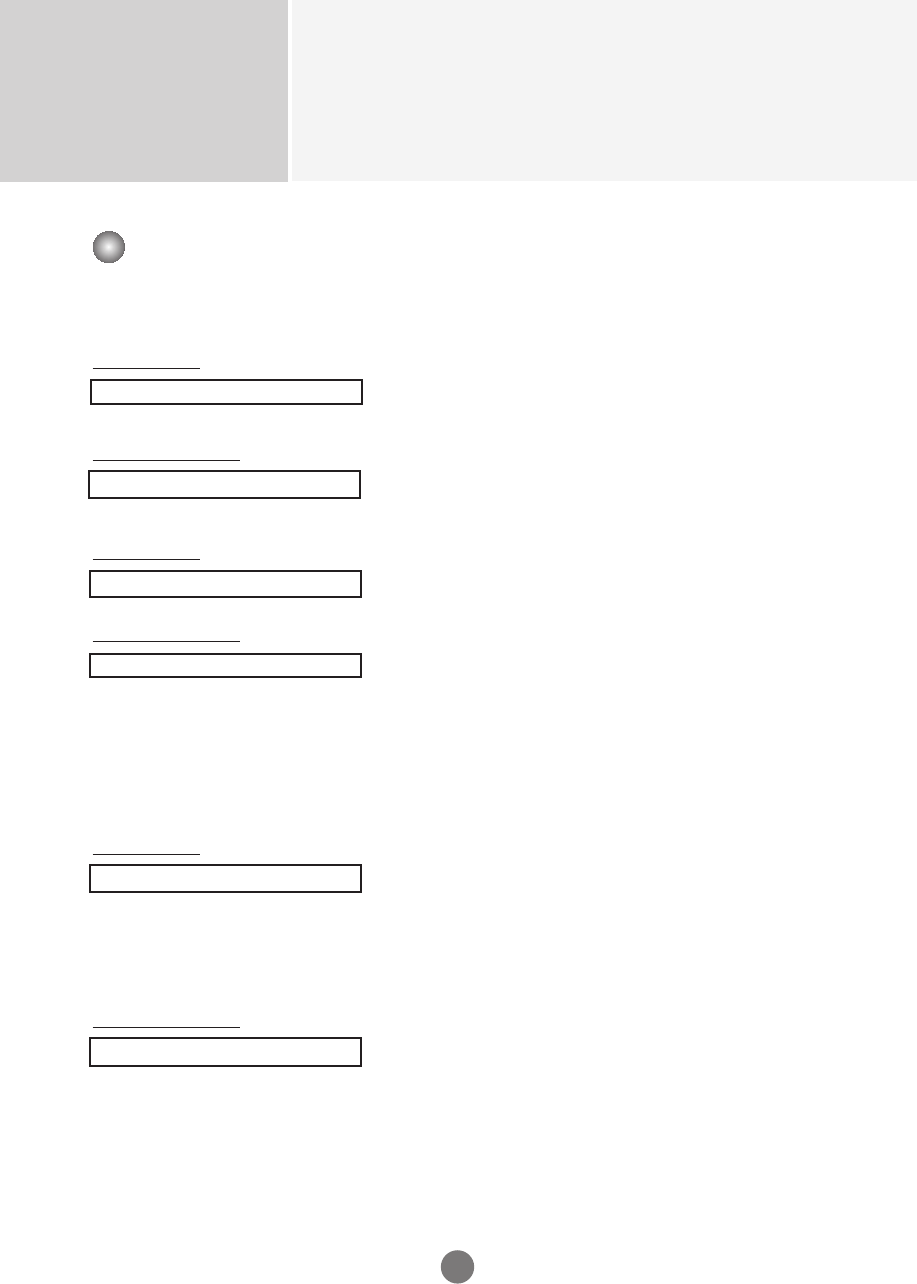
Transmission / Receiving Protocol
01. Power(Command : a)
To control Power On/Off of the Set.
Transmission
[k][a][ ][Set ID][ ][Data][Cr]
Data 0 : Power Off 1 : Power On
Acknowledgement
[a][ ][Set ID][ ][OK][Data][x]
To show the status of Power On/Off.
Transmission
[k][a][ ][Set ID][ ][FF][Cr]
Acknowledgement
[a][ ][Set ID][ ][OK][Data][x]
Data 0 : Power Off 1 : Power On
02. Input Select (Command : b) (Main Picture Input)
To select input source for the Set.
You can also select an input source using the INPUT
button on the remote control.
Transmission
[k][b][ ][Set ID][ ][Data][Cr]
Data 2 : AV 6 : RGB (DTV)
4 : Component 1 7 : RGB (PC)
5 : Component 2 8 : HDMI (DTV)
9 : HDMI (PC)
Acknowledgement
[b][ ][Set ID][ ][OK][Data][x]
Data 2 : AV 6 : RGB (DTV)
4 : Component 1 7 : RGB (PC)
5 : Component 2 8 : HDMI (DTV)
9 : HDMI (PC)
Controlling the Multiple Product
RS-232C
A4
▲▲▲
03. Aspect Ratio(Command : c) (Main picture format)
To adjust the screen format.
You can also adjust the screen format using the ARC
(Aspect Ratio Control) button on remote control or in the
Screen menu.
Transmission
[k][c][ ][Set ID][ ][Data][Cr]
Data 1 : Normal Screen (4:3) 5 : Zoom2
2 : Wide Screen (16 :9) 6 : Original
3 : Horizon (Spectacle) 7 : 14 : 9
4 : Zoom1 8 : Full (Europe version only)
9 : 1 : 1 (PC)
Acknowledgement
[c][ ][Set ID][ ][OK][Data][x]
04. Screen Mute(Command : d)
To select screen mute on/off.
Transmission
[k][d][ ][Set ID][ ][Data][Cr]
Data 0 : Screen mute off (Picture on)
1 : Screen mute on (Picture off)
Acknowledgement
[d][ ][Set ID][ ][OK][Data][x]
Controlling the Multiple Product
RS-232C
A5
Transmission / Receiving Protocol
▲▲
05. Volume Mute(Command : e)
To control On/Off of the Volume Mute.
Transmission
[k][e][ ][Set ID][ ][Data][Cr]
Data 0 : Volume Mute On (Volume Off)
1 : Volume Mute Off (Volume On)
Acknowledgement
[e][ ][Set ID][ ][OK][Data][x]
Data 0 : Volume Mute On (Volume Off)
1 : Volume Mute Off (Volume On)
06. Volume Control(Command : f)
To adjust Volume .
Transmission
[k][f][ ][Set ID][ ][Data][Cr]
Data Min : 00H ~ Max : 64H
(Hexadecimal code)
Acknowledgement
[f][ ][Set ID][ ][OK][Data][x]
Data Min : 00H ~ Max : 64H
•
Refer to ‘Real data mapping’ page A7.
Controlling the Multiple Product
RS-232C
A6
Transmission / Receiving Protocol
▲▲
Controlling the Multiple Product
RS-232C
A7
Transmission / Receiving Protocol
07. Contrast(Command : g)
To adjust screen contrast.
You can also adjust the contrast in the Picture menu.
Transmission
[k][g][ ][Set ID][ ][Data][Cr]
Data Min : 00H ~ Max : 64H
•
Refer to ‘Real data mapping’ as shown below.
Acknowledgement
[g][ ][Set ID][ ][OK][Data][x]
* Real data mapping
0 : Step 0
:
A : Step 10
:
F : Step 15
10 : Step 16
:
64 : Step 100
08. Brightness(Command : h)
To adjust screen brightness.
You can also adjust the brightness in the Picture menu.
Transmission
[k][h][ ][Set ID][ ][Data][Cr]
Data Min : 00H ~ Max : 64H
•
Refer to ‘Real data mapping’ as shown below.
Acknowledgement
[h][ ][Set ID][ ][OK][Data][x]
* Real data mapping
0 : Step
:
A : Step 10
:
F : Step 15
10 : Step 16
:
64 : Step 100
▲▲
Controlling the Multiple Product
RS-232C
A8
Transmission / Receiving Protocol
09. Color(Command : i) (Video only)
To adjust the screen color.
You can also adjust the color in the Picture menu.
Transmission
[k][i][ ][Set ID][ ][Data][Cr]
Data Min : 00H ~ Max : 64H
(Hexadecimal code)
•
Refer to ‘Real data mapping’ page A7.
Acknowledgement
[i][ ][Set ID][ ][OK][Data][x]
Data Min : 00H ~ Max : 64H
10. Tint(Command : j) (Video only)
To adjust the screen tint.
You can also adjust the tint in the Picture menu.
Transmission
[k][j][ ][Set ID][ ][Data][Cr]
Data Red: 00H ~ Green: 64H
(Hexadecimal code)
•
Refer to ‘Real data mapping’ page A7.
Acknowledgement
[j][ ][Set ID][ ][OK][Data][x]
Data Red: 00H ~ Green: 64H
* Tint Real data mapping
0 : Step -50
:
64 : Step 50
▲▲
Controlling the Multiple Product
RS-232C
A9
11. Sharpness(Command : k) (Video only)
To adjust the screen Sharpness.
You can also adjust the sharpness in the Picture menu.
Transmission
[k][k][ ][Set ID][ ][Data][Cr]
Data Min : 00H ~ Max : 64H
(Hexadecimal code)
•
Refer to ‘Real data mapping’ page A7.
Acknowledgement
[k][ ][Set ID][ ][OK][Data][x]
Data Min : 00H ~ Max : 64H
12. OSD Select(Command : l)
To control OSD on/off to the set.
Transmission
[k][l][ ][Set ID][ ][Data][Cr]
Data 0 : OSD Off 1 : OSD On
Acknowledgement
[l][ ][Set ID][ ][OK][Data][x]
Data 0 : OSD Off 1 : OSD On
13. Remote Lock /Key Lock (Command : m)
To control Remote Lock on/off to the set.
This function, when controlling RS-232C, locks the remote control and the local keys.
Transmission
[k][m][ ][Set ID][ ][Data][Cr]
Data 0 : Off 1 : On
Acknowledgement
[m][ ][Set ID][ ][OK][Data][x]
Data 0 : Off 1 : On
Transmission / Receiving Protocol
▲▲▲
Controlling the Multiple Product
RS-232C
A10
Transmission / Receiving Protocol
14 Balance(Command : t)
To adjust the sound balance.
Transmission
[k][t][ ][Set ID][ ][Data][Cr]
Data Min : 00H ~ Max : 64H
(Hexadecimal code)
•
Refer to ‘Real data mapping’ page A7.
Acknowledgement
[t][ ][Set ID][ ][OK][Data][x]
Data Min : 00H ~ Max : 64H
* Balance : L50 ~ R50
15. Color Temperature (Command : u)
To adjust the screen color temperature.
Transmission
[k][u][ ][Set ID][ ][Data][Cr]
Data 0 : Normal
1 : Cool
2 : Warm
3 : User
Acknowledgement
[u][ ][Set ID][ ][OK][Data][x]
Data 0 : Normal
1 : Cool
2 : Warm
3 : User
▲▲
Controlling the Multiple Product
RS-232C
A11
Transmission / Receiving Protocol
16. Abnomal state (Command : z)
Abnormal State : Used to Read the power off status when Stand-by mode.
Transmission
[k][z][ ][Set ID][ ][Data][Cr]
Data FF : Read
0 : Normal (Power on and signal exist)
1: No signal (Power on)
2 : Turn the monitor off by remote control
3 : Turn the monitor off by sleep time function
4 : Turn the monitor off by RS-232C function
6 : AC down
8 : Turn the monitor off by off time function
9 : Turn the monitor off by auto off function
Acknowledgement
[z][ ][Set ID][ ][OK][Data][x]
17. ISM mode(Command: j p)
Used to select the afterimage preventing function.
Transmission
[j][p][ ][Set ID][ ][Data][Cr]
Data 1 : Inversion
2 : Orbiter
4 : White Wash
8 : Normal
Acknowledgement
[p][ ][Set ID][ ][OK][Data][x]
▲▲
Controlling the Multiple Product
RS-232C
A12
18. Auto Configure(Command: j u)
To adjust picture position and minimize image shaking
automatically. it works only in RGB(PC) mode.
Transmission
[j][u][ ][Set ID][ ][Data][Cr]
Data 1 : To set
Acknowledgement
[u][ ][Set ID][ ][OK][Data][x]
19. Key(Command : m c)
To send IR remote key code.
Transmission
[m][c][ ][Set ID][ ][Data][Cr]
Data Key code : Refer to page A18.
Acknowledgement
[c][ ][Set ID][ ][OK][Data][x]
Transmission / Receiving Protocol
▲▲
Controlling the Multiple Product
RS-232C
A13
20. Tile Mode(Command : d d)
Change a Tile Mode.
Transmission
[d][d][][Set ID][][Data][x]
* The data can not be set to 0X or X0 except 00.
Acknowledgement
[d][][00][][OK/NG][Data][x]
Transmission / Receiving Protocol
Data Description
00 Tile mode is off.
12 1 x 2 mode(column x row)
13 1 x 3 mode
14 1 x 4 mode
... ...
44 4 x 4 mode
▲
Controlling the Multiple Product
RS-232C
A14
21. Tile H Size(Command : d g)
To set the Horizontal size.
Transmission
[d][g][][Set ID][][Data][x]
Data Min : 00H ~ Max : 64H
Acknowledgement
[g][][Set ID][][OK/NG][Data][x]
22. Tile V Size(Command : d h)
To set the Vertical size.
Transmission
[d][h][][Set ID][][Data][x]
Data Min : 00H ~ Max : 64H
Acknowledgement
[h][][Set ID][][OK/NG][Data][x]
Transmission / Receiving Protocol
▲▲
Controlling the Multiple Product
RS-232C
A15
23. Tile ID Set(Command : d i)
To assign the Tile ID for Tiling function .
Transmission
[d][i][][Set ID][][Data][x]
Data Min : 00H ~ Max : 10H
(Hexadecimal code)
Acknowledgement
[i][][Set ID][][OK/NG][Data][x]
24. Elapsed time return(Command : d l)
To read the elapsed time.
Transmission
[d][l][][Set ID][][Data][x]
* The data is always FF(in Hex).
Acknowledgement
[l][][Set ID][][OK/NG][Data][x]
* The data means used hours.
(Hexadecimal code)
Transmission / Receiving Protocol
▲▲
Controlling the Multiple Product
RS-232C
A16
25. Temperature value (Command : d n)
To read the inside temperature value.
Transmission
[d][n][][Set ID][][Data][x]
* The data is always FF(in Hex).
Acknowledgement
[n][][Set ID][][OK/NG][Data][x]
* The data is 1 byte long in Hexadecimal.
26. Lamp fault Check(Command : d p)
To check lamp fault.
Transmission
[d][p][][Set ID][][Data][x]
* The data is always FF(in Hex).
Acknowledgement
[p][][Set ID][][OK/NG][Data][x]
Data 0 : Lamp Fault
1: Lamp OK
Transmission / Receiving Protocol
▲▲
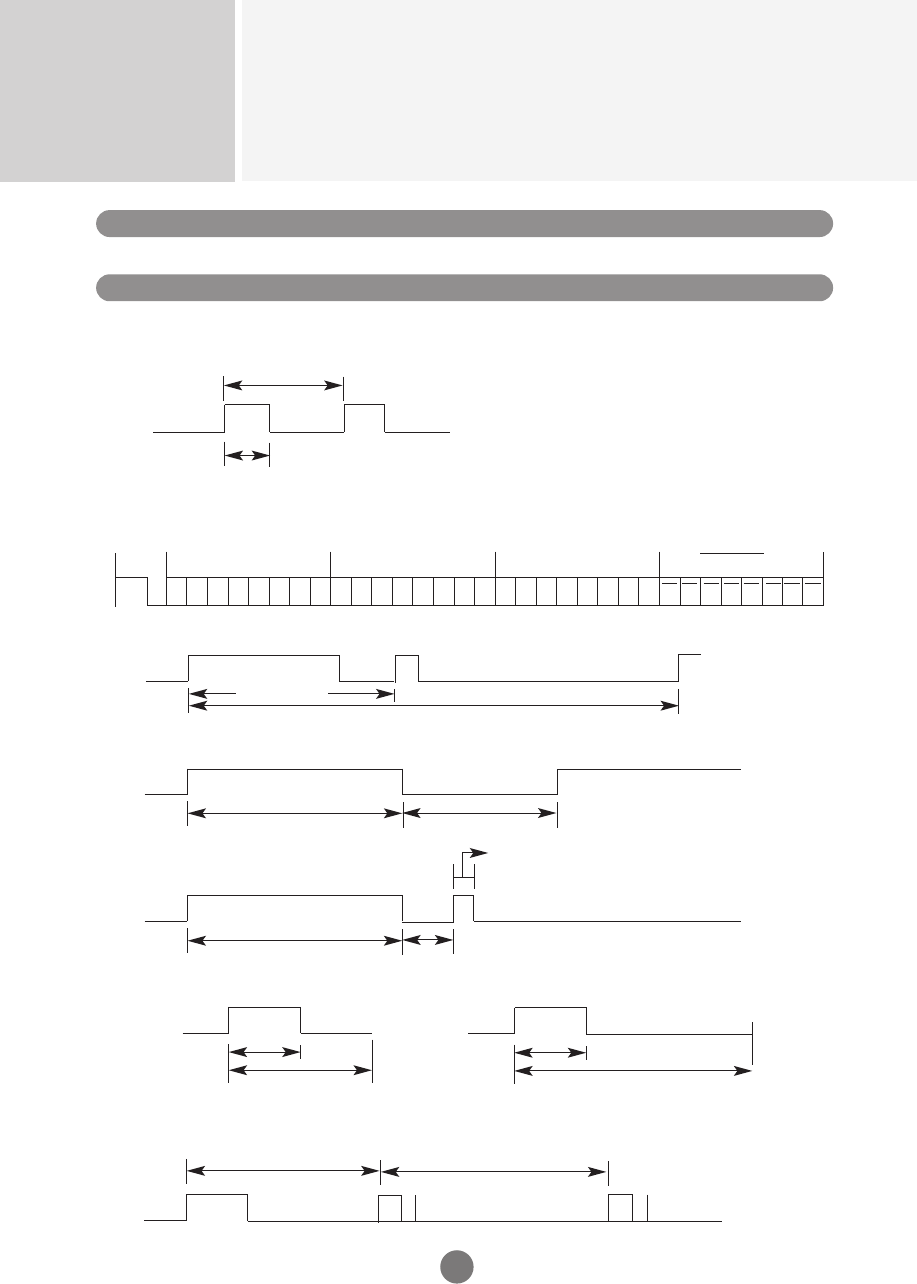
IR Codes
RS-232C
A17
How to connect
Remote Control IR Code
Connect your wired remote control to Remote Control port on the Product.
Output waveform
single pulse, modulated with 37.917KHz signal at 455KHz
Carrier frequency
FCAR = 1/Tc = fosc/12
Duty ratio = T1/Tc = 1/3
Configuration of frame
•
1st frame
T1
Lead
code
Low
custom code High
custom code Data code Data code
C0 C1 C2 C3 C4 C5 C6 C7 C0 C1 C2 C3 C4 C5 C6 C7 D0 D1 D2 D3 D4 D5 D6 D7 D0 D1 D2 D3 D4 D5 D6 D7
Tc
Tf
•
Repeat frame
Repeat code
Lead code
Repeat code
9ms
Bit description
•
Bit "0"
•
Bit "1"
2.25ms
9ms
0.55ms
0.56ms
1.12ms
0.56ms
2.24ms
Frame interval : Tf
•
The waveform is transmitted as long as a key is depressed.
Tf Tf
Tf=108ms@455KHz
4.5ms
▲▲▲▲▲▲
▲

RS-232C
A18
▲
▲
00
01
02
03
08
C4
C5
09
98
0B
0E
43
5B
6E
44
10
11
12
13
14
15
16
17
18
19
5A
BF
D4
D5
D7
C6
79
76
77
AF
99
▲
▼
VOL( )
VOL( )
POWER ON/OFF
POWER ON
POWER OFF
MUTE
AV
INPUT
SLEEP
MENU
EXIT
PSM
SET
Number Key 0
Number Key 1
Number Key 2
Number Key 3
Number Key 4
Number Key 5
Number Key 6
Number Key 7
Number Key 8
Number Key 9
AV
COMPONENT1
COMPONENT2
RGB PC
RGB DTV
HDMI/DVI
ARC
ARC (4:3)
ARC (16:9)
ARC (ZOOM)
AUTO CONFIC
R/C Button
R/C Button
R/C Button
R/C Button
PR/C Button (Power On/Off)
Discrete IR Code(Only Power On)
Discrete IR Code(Only Power On)
R/C Button
R/C Button
R/C Button
R/C Button
R/C Button
R/C Button
R/C Button
R/C Button
R/C Button
R/C Button
R/C Button
R/C Button
R/C Button
R/C Button
R/C Button
R/C Button
R/C Button
R/C Button
Discrete IR Code(Input AV Selection)
Discrete IR Code(Input COMPONENT1 Selection)
Discrete IR Code(Input COMPONENT2 Selection)
Discrete IR Code(Input RGB PC Selection)
Discrete IR Code(Input RGB DTV Selection)
Discrete IR Code(Input HDMI/DVI Selection)
R/C Button
Discrete IR Code(Only 4:3 mode)
Discrete IR Code(Only 16:9 mode)
Discrete IR Code(Only ZOOM1, ZOOM2 mode)
Discrete IR Code
Code(Hexa) Function Note
IR Codes
