Lab Manual C++ Chapter3
User Manual:
Open the PDF directly: View PDF  .
.
Page Count: 16
Lab 3.1 Arrays and Addresses
Project 3.1 Multidimensional Arrays—Magic Squares
NOTES TO THE INSTRUCTOR
Because C++ is based on C, it provides all of C’s features. Although C++ has replaced many of these with
some that are more consistent with the object-oriented paradigm, there are some C features that C++
students should be familiar with but that are not commonly included in introductory courses. One of these
is the C-style array. It is an important data structure because it is implemented so efficiently and thus in
turn provides efficient implementations of ADTs. Examples of such ADTs that are studied in the text
ADTs, Data Structures, and Problem Solving with C++, 2E, include stacks in Chapter 7, queues in Chapter
8, v e c to rs and deques in Chapter 9, and heaps in Chapter 13.
Lab 3.1 and Project 3.2 are intended for those who need a review of (or perhaps a first look at) C-style
arrays as presented in Chapter 3 of the text—static one-dimensional arrays in Section 3.2, multidimensional
arrays in Section 3.3, and dynamic arrays in Section 3.4. Their modem counterpart, v e c to r s, are studied
in Lab Exercise 7.1 and in Section 9.4 of the text.
This lab and project (or parts of them) can be skipped by those who already know about C-style arrays or
prefer not to include a study of them in their course.
35

"A
Lab 3.1 Arrays and Addresses
Course Info: Name:
Lab 3.1 Arrays and Addresses
Background: The C++ programming language is based on the C programming language and provides all
the features of C. While some of these features have been superseded by modem counterparts that are more
consistent with object-oriented programming, some with which C++ programmers need to be familiar are
commonly overlooked in introductory courses. This is especially true of C-style arrays. The array is an
important data structure because it provides an efficient storage structure for implementing many ADTs.
Objective: This lab exercise provides a review of C-style arrays. It explores one-dimensional arrays, how
they are declared and processed. Multidimensional arrays are considered briefly at the end of the exercise
and in Project 3.2. Additional information about arrays can be found in Chapter 3 of the text ADTs, Data
Structures, and Problem Solving with C++, 2E.
Approach: This lab exercise proceeds in four stages:
1) Explore one-dimensional arrays
2) Explore the indices and addresses of arrays
3) Explore what happens when arrays are indexed improperly
4) Look briefly at multidimensional arrays
You will be doing experiments on arrays, their addresses and behaviors. In some places you will
intentionally introduce errors to see how the system responds.
EXPLORING ONE-DIMENSIONAL ARRAYS
Mi [Tj Begin a program a r r a y . cpp that contains only the following stub.
ttin c lu d e < io stre a m >
u s in g n am espace s td ;
i n t main()
{
}
A stub is a complete program fragment that will compile properly but won’t necessarily do anything.
You could try to compile, link, and execute the stub. If you do, you will discover that nothing happens.
It compiles and links, but it doesn’t do anything. Not a big surprise, right?
Check here when finished
____
37
1
Lab 3.1 Arrays and Addresses
M« \2 \ Now add two ty p e d e f statements of the form
typedef a r r a y -e lem en t-ty p e ty p e -n a m e[a rr a y -siz e ];
ahead of main () to define the two data types:
In te g e rA rr a y for arrays with 16 integer elements
C h arA rray for arrays with 10 character elements.
Check here when finished
____
Inside the main () function, declare and initialize an IntegerArray variable prime to be an
array containing the 16 integers 2, 3, 5, 7, 11, 13, 17, 19, 23, 29, 31, 37, 41, 43, 47, 53, using a
declaration of the form:
type-name array-nam e = [ l i s t - o f - v a l u e s };
Check that the array has been initialized properly by writing a fo r loop to display the elements of
prim e. Then compile, link, and execute the program to check if your statements are correct.
Check here when finished
____
An initializer list with too many values is an error. Some
compilers detect this as an error while others do not. Those
that do not may allow the program to actually compile and run,
and this will result in errors. Now you are to test your
particular compiler to determine its behavior.
What happens when you try to compile a statement with too many values in the initializer list? You
can find out by adding one or more values to your initializer list for p rim e. Do this and describe what
happens below.
WARNING:
MAY NOT WORK
AS YOU EXPECT
It is not an error to give too few values in the initializer list of an array.
What happens in this case? You can find out by changing the initialization of p rim e to use fewer than
16 integers and outputting the array elements. Describe what happens below.
Now you will repeat the experiment performed on the IntegerArray using a CharArray.
First comment out the declaration of the integer array prime and the f or-loop that displays the
elements.
Note that the term commenting out refers to the process of using the comment syntax to
temporarily eliminate some program lines for test purposes, or sometimes to provide for
alternative implementations. This can be done by putting the single-line comment
delimiter / / at the beginning of each line you want to eliminate. When several lines are
involved, you can use the /* ... */comment delimiters.
38
7
6
5
4
3
Check here when finished
2
Lab 3.) Arrays and Addresses
When you have commented out the integer array prime and the f o r loop, then declare the
Char Array variable animal initializing it with the characters 'r \ 'h', 'i', 'n', 'o', 'c',
'e', 'r', 'o', 's'. Check that the array has been initialized properly by adding a for-loop that
displays the elements of animal followed by something like * * * *, all on the same line. After you
have completed this, compile, link, and execute the code. Describe what happens below.
Now check if adding one or more characters, i.e., adding too many initialization values, affects
what happens. If so, add one or more characters and repeat the test. Describe what happens below.
Now check what happens when there are fewer values in the initializer list. Remove all but the first
five characters in the initializer list and compile, link, and execute the program again. Describe what
happens below.
It may not be completely clear what happened when the uninitialized character array locations
were reached. What did the output operator do when the f or-loop sent it the character array elements
that had not been initialized? To see this, modify the output statement in the f or-loop to display the
actual ASCII codes being generated for each character array element. (Hint: Use a type cast
i n t (a n im a l [ i ] ) to convert ch a rs to in ts .) Tell below what is used to initialize the uninitialized
array elements.
Now try initializing the character array in a different way. Character arrays can also be initialized
by using string literals like " e le p h a n t" — so we can initialize the character array a n im al using the
string literal in place of the curly brace initializer list syntax. We can also output a character array
using << directly, as in
c o u t << an im a l << "****\n";
Make the necessary changes to use the string " e l e p h a n t" and record what happens below.
Now repeat the test using the string " r h i n o c e r o s " instead. Describe what happens below.
39
12
11
10
9
8
Lab 3.1 Arrays and Addresses
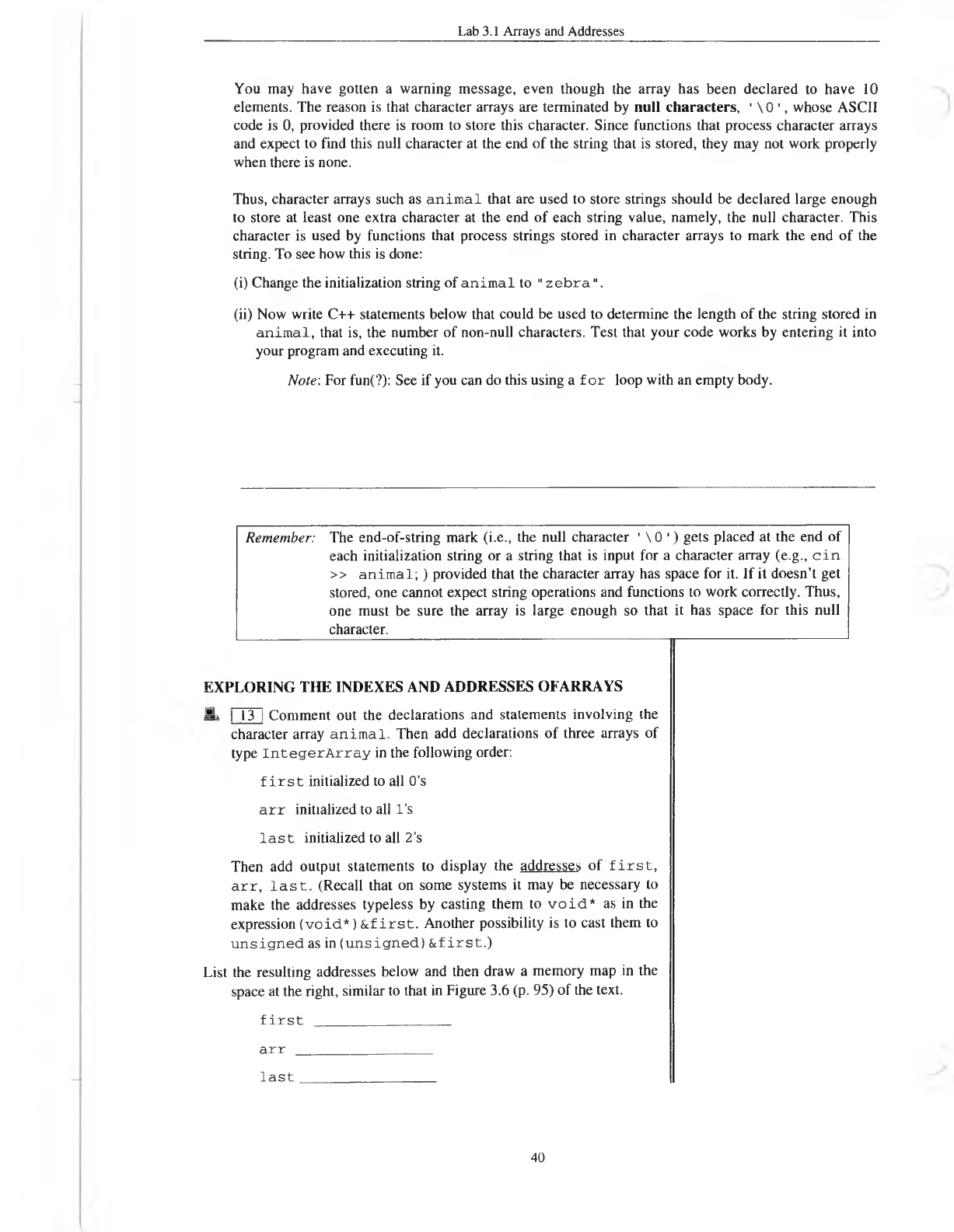
You may have gotten a warning message, even though the array has been declared to have 10
elements. The reason is that character arrays are terminated by null characters, ' \ 0 ', whose ASCII
code is 0, provided there is room to store this character. Since functions that process character arrays
and expect to find this null character at the end of the string that is stored, they may not work properly
when there is none.
Thus, character arrays such as a n im a l that are used to store strings should be declared large enough
to store at least one extra character at the end of each string value, namely, the null character. This
character is used by functions that process strings stored in character arrays to mark the end of the
string. To see how this is done:
(i) Change the initialization string of an im a l to " z e b ra" .
(ii) Now write C++ statements below that could be used to determine the length of the string stored in
an im a l, that is, the number of non-null characters. Test that your code works by entering it into
your program and executing it.
Note: For fun(?): See if you can do this using a for loop with an empty body.
Remember: The end-of-string mark (i.e., the null character ' \ 0 ') gets placed at the end of
each initialization string or a string that is input for a character array (e.g., cin
>> animal;) provided that the character array has space for it. If it doesn’t get
stored, one cannot expect string operations and functions to work correctly. Thus,
one must be sure the array is large enough so that it has space for this null
character.
EXPLORING THE INDEXES AND ADDRESSES OF ARRAYS
Comment out the declarations and statements involving the
character array animal. Then add declarations of three arrays of
type IntegerArray in the following order:
f i r s t initialized to all 0’s
a r r initialized to all l's
l a s t initialized to all 2's
Then add output statements to display the addresses of first,
arr, last. (Recall that on some systems it may be necessary to
make the addresses typeless by casting them to void* as in the
expression (void*) &f irst. Another possibility is to cast them to
unsigned as in (unsigned) &f irst.)
List the resulting addresses below and then draw a memory map in the
space at the right, similar to that in Figure 3.6 (p. 95) of the text.
first
_
_________________
arr
_
_____________
last
_______________
40
13
Lab 3.1 Arrays and Addresses
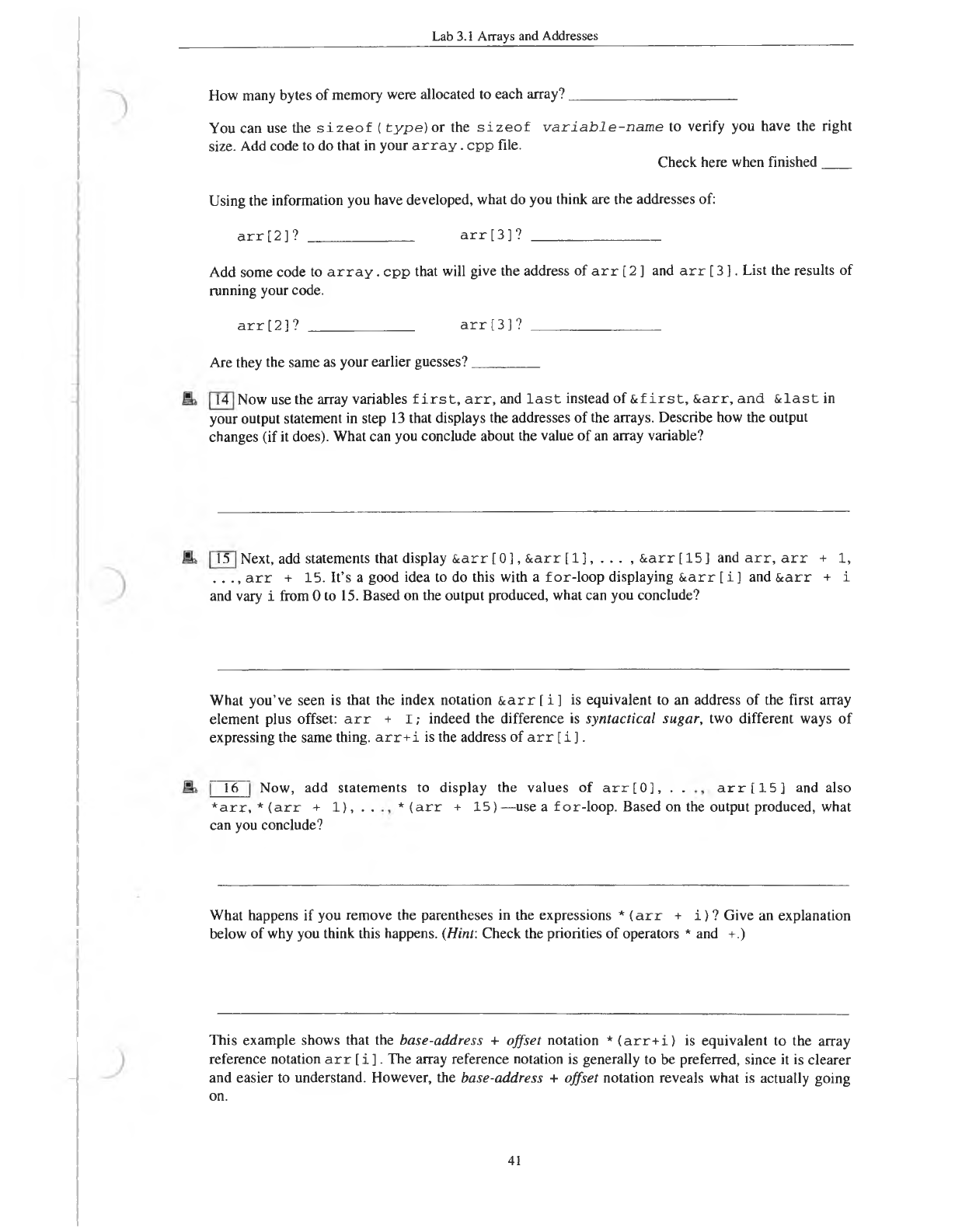
How many bytes of memory were allocated to each array?
______________________
You can use tire s iz e o f (ty p e )o r the s iz e o f v a r ia b le -n a m e to verify you have the right
size. Add code to do that in your a r r a y . cpp file. Check here when finished
____
Using the information you have developed, what do you think are the addresses of:
a r r [2]?
______________
a r r [ 3 ] ?
_________________
Add some code to a r r a y . cpp that will give the address of a r r [ 2 ] and a r r [ 3 ]. List the results of
running your code.
a r r [2]?
______________
a r r [3]?
______
___________
Are they the same as your earlier guesses?
_________
Now use the array variables f i r s t , a r r , and l a s t instead of &f i r s t , & arr, and & la st in
your output statement in step 13 that displays the addresses of the arrays. Describe how the output
changes (if it does). What can you conclude about the value of an array variable?
Next, add statements that display & arr [ 0 ], & arr [ 1 ], . . . , & arr [ 15 ] and a r r , a r r + 1,
. . ., a r r + 15. It’s a good idea to do this with a f or-loop displaying & a rr [ i ] and & arr + i
and vary i from 0 to 15. Based on the output produced, what can you conclude?
What you’ve seen is that the index notation & a rr [ i ] is equivalent to an address of the first array
element plus offset: a r r + I ; indeed the difference is syntactical sugar, two different ways of
expressing the same thing, a r r + i is the address of a r r [ i ].
Now, add statements to display the values of arr[0], . . arr[15] and also
* a r r , * (arr + 1), . . * (arr + 1 5 )—use a for-loop. Based on the output produced, what
can you conclude?
What happens if you remove the parentheses in the expressions * (arr + i ) ? Give an explanation
below of why you think this happens. (Hint: Check the priorities of operators * and +.)
This example shows that the base-address + offset notation * (arr+i) is equivalent to the array
reference notation a r r [ i ]. The array reference notation is generally to be preferred, since it is clearer
and easier to understand. However, the base-address + offset notation reveals what is actually going
on.
41
16
15
14
Lab 3.1 Arrays and Addresses
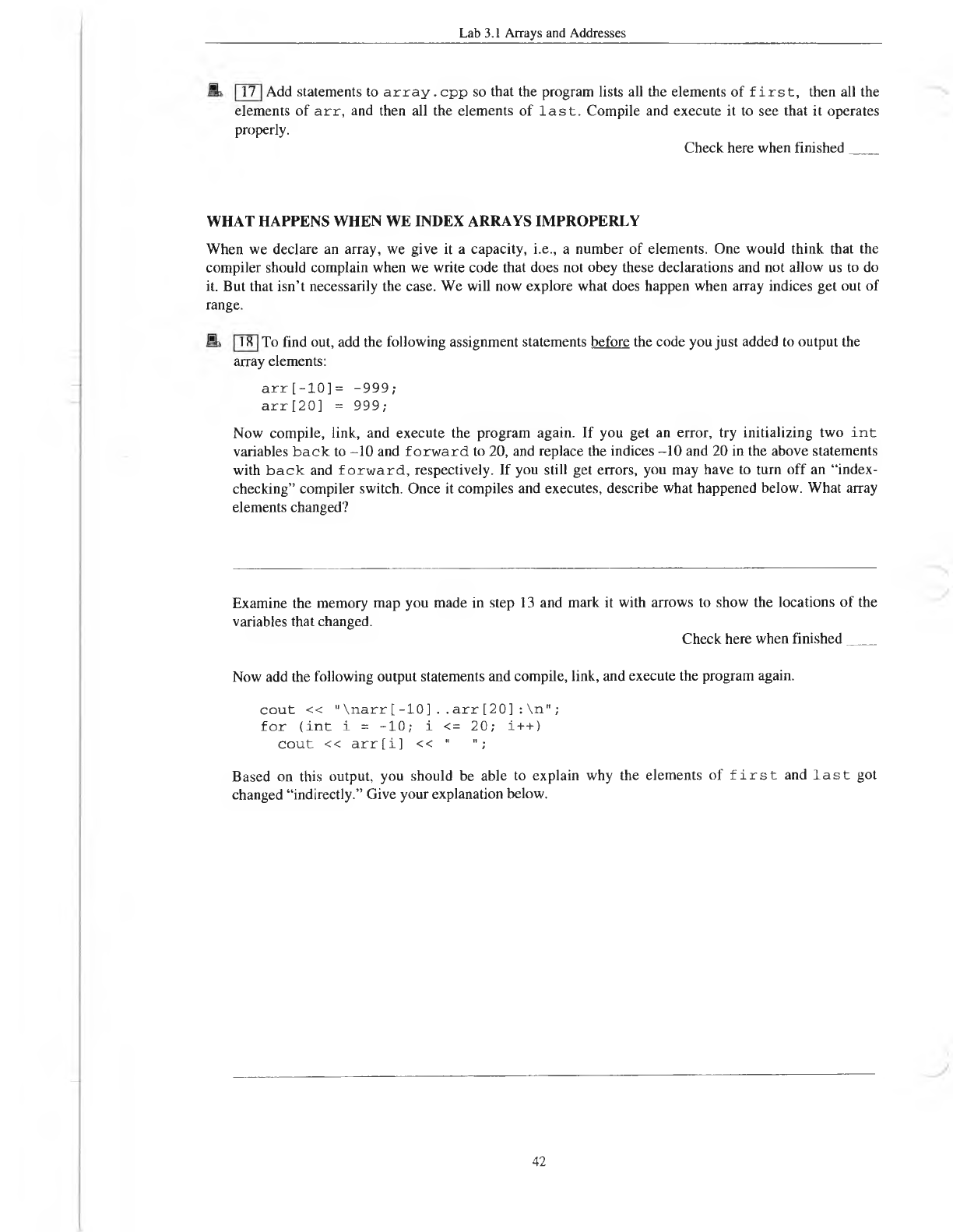
Add statements to a r r a y . cpp so that the program lists all the elements of f i r s t , then all the
elements of a r r , and then all the elements of l a s t . Compile and execute it to see that it operates
properly.
Check here when finished
____
WHAT HAPPENS WHEN WE INDEX ARRAYS IMPROPERLY
When we declare an array, we give it a capacity, i.e., a number of elements. One would think that the
compiler should complain when we write code that does not obey these declarations and not allow us to do
it. But that isn’t necessarily the case. We will now explore what does happen when array indices get out of
range.
To find out, add the following assignment statements before the code you just added to output the
array elements:
a r r [-1 0 ]= -9 99 ;
a r r [20] = 999;
Now compile, link, and execute the program again. If you get an error, try initializing two i n t
variables b a c k to -10 and fo rw a rd to 20, and replace the indices -10 and 20 in the above statements
with b a c k and fo rw a rd , respectively. If you still get errors, you may have to turn off an “index
checking” compiler switch. Once it compiles and executes, describe what happened below. What array
elements changed?
Examine the memory map you made in step 13 and mark it with arrows to show the locations of the
variables that changed. Check here when finished
____
Now add the following output statements and compile, link, and execute the program again.
c o u t << "\narr[-10]..a rr [20]:\n";
for (int i = -1 0 ; i <= 20; i++)
c o u t << arr[i] << 11 ";
Based on this output, you should be able to explain why the elements of f ir s t and la st got
changed “indirectly.” Give your explanation below.
42
17
18
Lab 3.1 Arrays and Addresses
Note that in the preceding code with illegal indices, if the array elements that were
changed had contained critical information, they would have been corrupted. If they had
contained program instructions, the program could crash. Clever people can sometimes
exploit these kinds o f features to introduce viruses and other kinds of malevolent code
into programs.________________________________________
_______________________
A BRIEF LOOK AT MULTIDIMENSIONAL ARRAYS
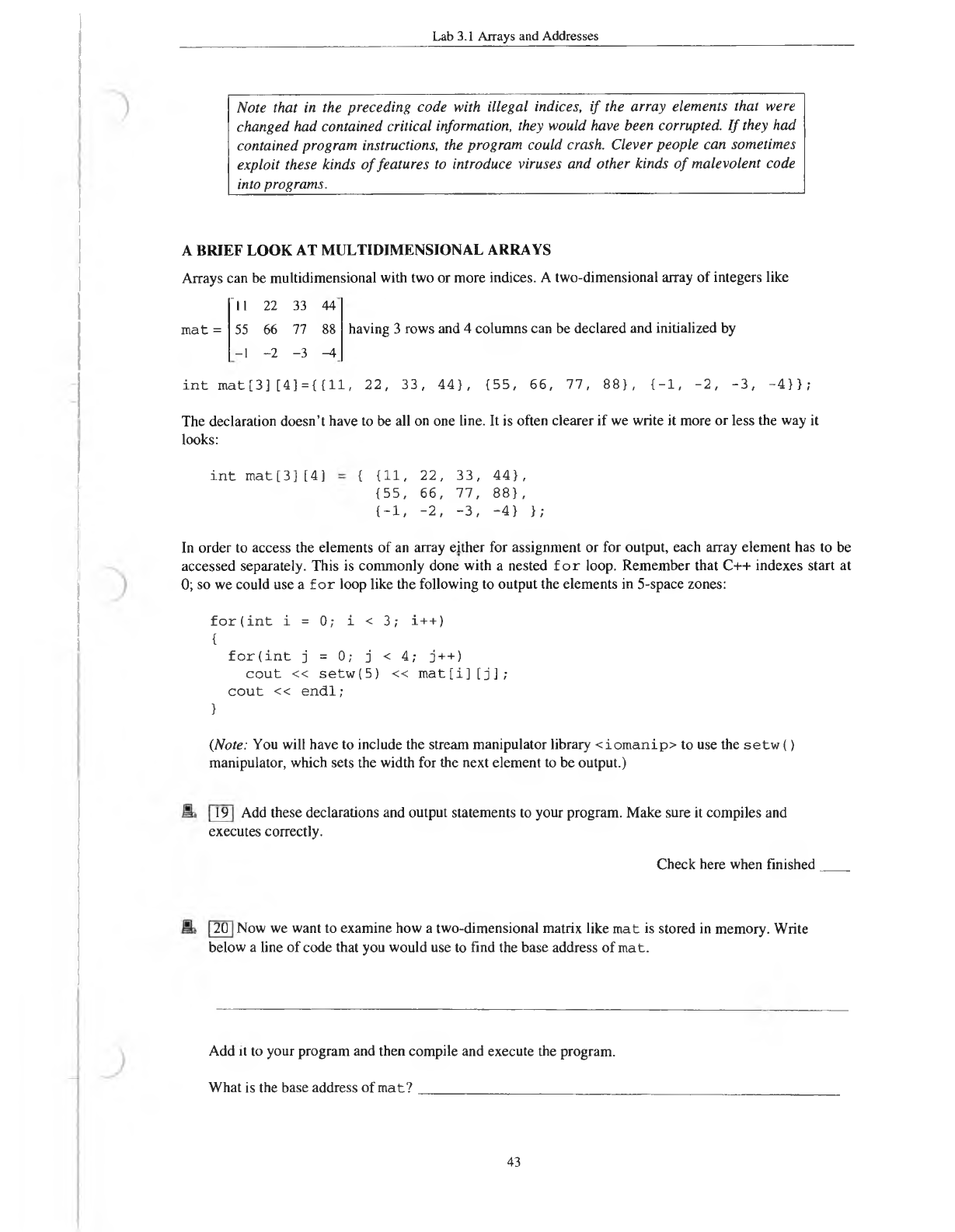
Arrays can be multidimensional with two or more indices. A two-dimensional array of integers like
11 22 33 44
mat = 55 66 77 88
-1 -2 -3 -4
having 3 rows and 4 columns can be declared and initialized by
i n t mat[3] [4] = { {11, 22, 33, 44), {55, 66, 77, 88}, {-1, -2, -3, -4}};
The declaration doesn’t have to be all on one line. It is often clearer if we write it more or less the way it
looks:
int mat[3][4] { 1 l , 22, 33, 44},
{55, 66, 77, 88} ,
{-1, -2, -3, -4} };
In order to access the elements of an array either for assignment or for output, each array element has to be
accessed separately. This is commonly done with a nested f o r loop. Remember that C++ indexes start at
0; so we could use a fo r loop like the following to output the elements in 5-space zones:
for(int i = 0; i < 3; i++)
{for(int j = 0; j < 4; j++)
cout « setw(5) « mat[i][j];
c o u t « e n d l;
}
(Note: You will have to include the stream manipulator library < io m anip> to use the se tw ()
manipulator, which sets the width for the next element to be output.)
Add these declarations and output statements to your program. Make sure it compiles and
executes correctly.
Check here when finished
Now we want to examine how a two-dimensional matrix like m at is stored in memory. Write
below a line of code that you would use to find the base address of mat.
Add it to your program and then compile and execute the program.
What is the base address of mat?
_
__________ ___________
_
43
19
20
Lab 3.1 Arrays and Addresses
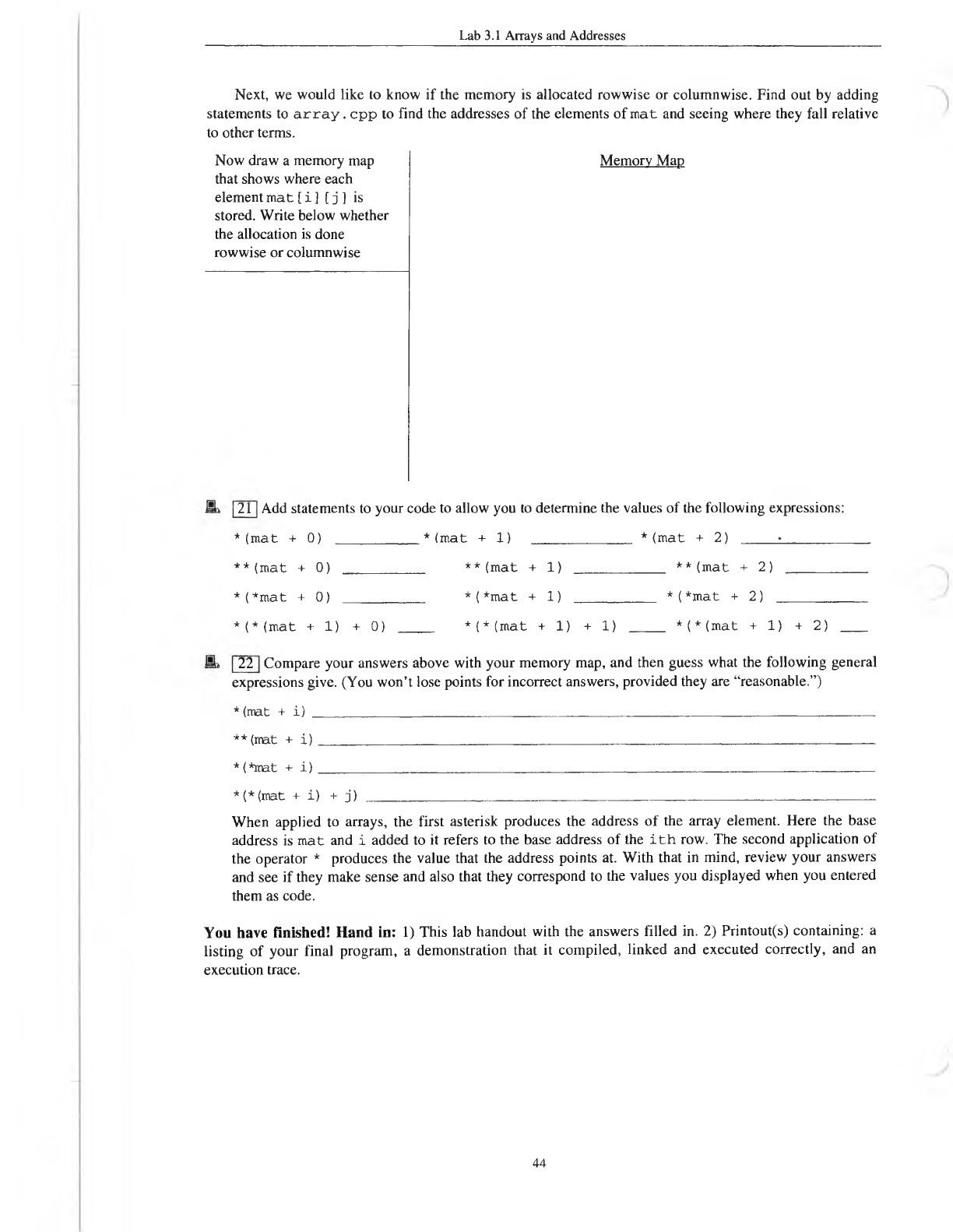
Next, we would like to know if the memory is allocated rowwise or columnwise. Find out by adding
statements to a r r a y . cpp to find the addresses of the elements of m at and seeing where they fall relative
to other terms.
Now draw a memory map
that shows where each
element mat [ i ] [ j ] is
stored. Write below whether
the allocation is done
rowwise or columnwise
Memory Map
Add statements to your code to allow you to determine the values of the following expressions:
* (m at + 0)
______
* * (m at + 1)
_____________
* (m at + 2)
_____
•____________
**(m at + 0)
_
__________
**(m at + 1)
____________
** (mat + 2)
___________
*(* m at + 0) _ _ _ _ _ _ _ *(*m at + 1) _ _ _ _ _ _ _ _ *(*m at + 2)
____________
*(*(mat +1) +0) _____ *(*(mat +1) +1) _____ *(*(mat +1) +2)
___
Compare your answers above with your memory map, and then guess what the following general
expressions give. (You won’t lose points for incorrect answers, provided they are “reasonable.”)
* (mat + i)
_______
_
_____
_
______
_
_________
_
____________
_
________
_
_________
_
______
_
______
** (mat + i )
___________
_
__________
_
_____
_
________________
_
_______
_
______
_
______
_
* (*mat + i )
_______________________________________________________
____________
*(*(mat + i) + j) ___________________________________________________________
_
_______
When applied to arrays, the first asterisk produces the address of the array element. Here the base
address is m at and i added to it refers to the base address of the i t h row. The second application of
the operator * produces the value that the address points at. With that in mind, review your answers
and see if they make sense and also that they correspond to the values you displayed when you entered
them as code.
You have finished! Hand in: 1) This lab handout with the answers filled in. 2) Printout(s) containing: a
listing of your final program, a demonstration that it compiled, linked and executed correctly, and an
execution trace.
44
21
22
Project 3.1 Multidimensional Arrays — Magic Squares
Project 3.1 Multidimensional Arrays—Magic Squares
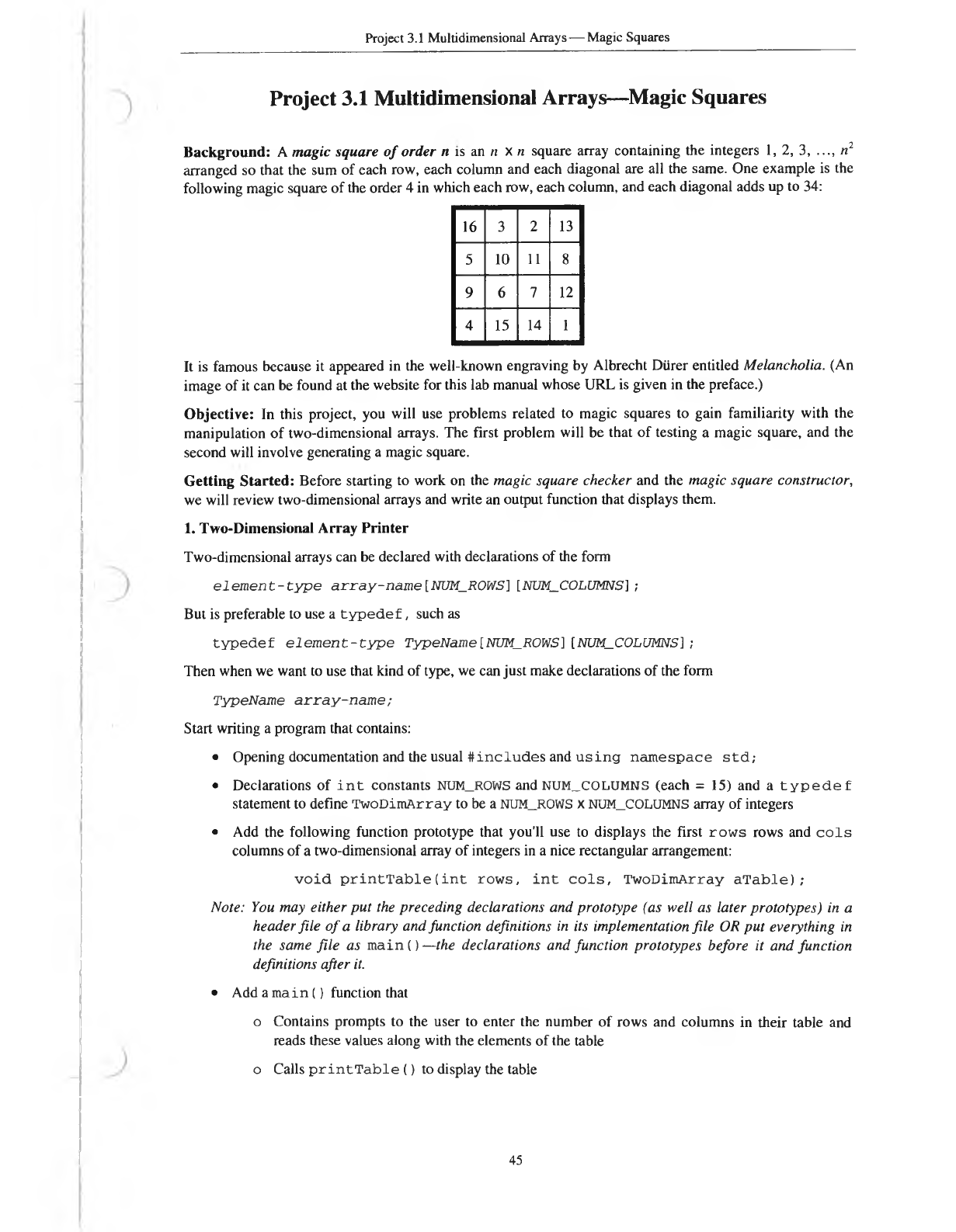
Background: A magic square of order n is an n x n square array containing the integers 1, 2, 3, .... n2
arranged so that the sum of each row, each column and each diagonal are all the same. One example is the
following magic square of the order 4 in which each row, each column, and each diagonal adds up to 34:
16 32 13
5 10 11 8
96 7 12
415 14 1
It is famous because it appeared in the well-known engraving by Albrecht Diirer entitled Melancholia. (An
image of it can be found at the website for this lab manual whose URL is given in the preface.)
Objective: In this project, you will use problems related to magic squares to gain familiarity with the
manipulation of two-dimensional arrays. The first problem will be that of testing a magic square, and the
second will involve generating a magic square.
Getting Started: Before starting to work on the magic square checker and the magic square constructor,
we will review two-dimensional arrays and write an output function that displays them.
1. Two-Dimensional Array Printer
Two-dimensional arrays can be declared with declarations of the form
e le m en t-ty p e array-name[NUM_ROWS][NUM_COLUMNS];
But is preferable to use a typedef, such as
typedef e le m en t-ty p e TypeName[NUM_ROWS][NUM_COLUMNS] ;
Then when we want to use that kind of type, we can just make declarations of the form
TypeName array-nam e;
Start writing a program that contains:
• Opening documentation and the usual #in c lu d e s and u s in g n am espace std;
• Declarations of int constants NUM_ROWS and NUM_COLUMNS (each = 15) and a typedef
statement to define TwoDimArray to be a NUM_ROWS x NUM_COLUMNS array of integers
• Add the following function prototype that you'll use to displays the first rows rows and cols
columns of a two-dimensional array of integers in a nice rectangular arrangement:
void printTablefint rows, int cols, TwoDimArray aTable);
Note: You may either put the preceding declarations and prototype (as well as later prototypes) in a
header file o f a library and function definitions in its implementation file OR put everything in
the same file as main () —the declarations and function prototypes before it and function
definitions after it.
• Add a main () function that
o Contains prompts to the user to enter the number of rows and columns in their table and
reads these values along with the elements of the table
o Calls printTable () to display the table
45
Project 3.1 Multidimensional Arrays— Magic Squares
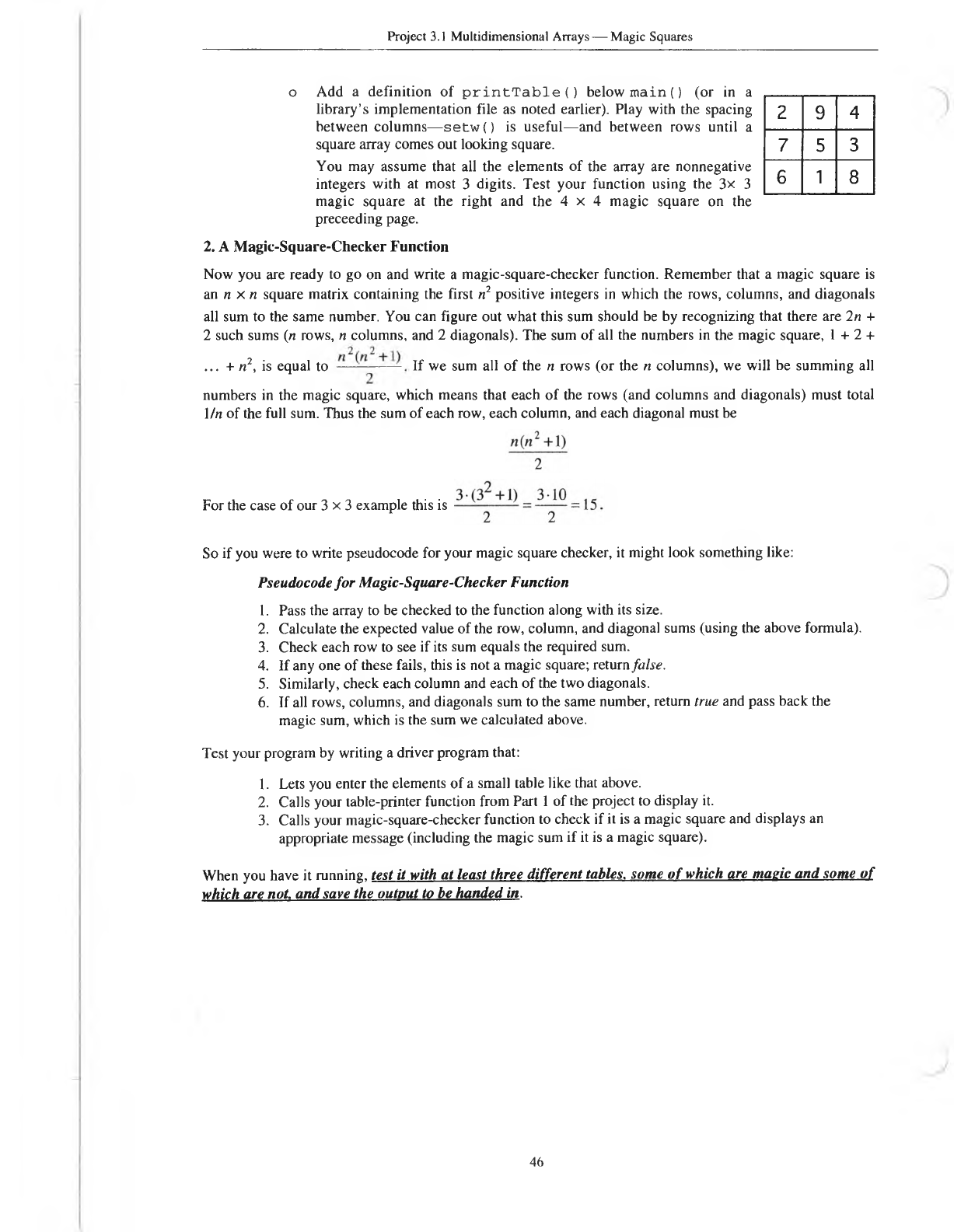
oAdd a definition of p r i n t T a b l e () below m ain () (or in a
library’s implementation file as noted earlier). Play with the spacing
between columns— setw () is useful—and between rows until a
square array comes out looking square.
You may assume that all the elements of the array are nonnegative
integers with at most 3 digits. Test your function using the 3x 3
magic square at the right and the 4 x 4 magic square on the
preceeding page.
294
753
618
2. A Magic-Square-Checker Function
Now you are ready to go on and write a magic-square-checker function. Remember that a magic square is
an n xn square matrix containing the first n2 positive integers in which the rows, columns, and diagonals
all sum to the same number. You can figure out what this sum should be by recognizing that there are 2n +
2 such sums (n rows, n columns, and 2 diagonals). The sum of all the numbers in the magic square, 1 + 2 +
... + n2, is equal to if we sum all of the n rows (or the n columns), we will be summing all
numbers in the magic square, which means that each of the rows (and columns and diagonals) must total
l/n of the full sum. Thus the sum of each row, each column, and each diagonal must be
For the case of our 3 x 3 example this is
So if you were to write pseudocode for your magic square checker, it might look something like:
Pseudocode for Magic-Square-Checker Function
1. Pass the array to be checked to the function along with its size.
2. Calculate the expected value of the row, column, and diagonal sums (using the above formula).
3. Check each row to see if its sum equals the required sum.
4. If any one of these fails, this is not a magic square; return false.
5. Similarly, check each column and each of the two diagonals.
6. If all rows, columns, and diagonals sum to the same number, return true and pass back the
magic sum, which is the sum we calculated above.
Test your program by writing a driver program that:
1. Lets you enter the elements of a small table like that above.
2. Calls your table-printer function from Part 1 of the project to display it.
3. Calls your magic-square-checker function to check if it is a magic square and displays an
appropriate message (including the magic sum if it is a magic square).
When you have it running, test it with at least three different tables, some o f which are magic and some o f
which are not, and save the output to be handed in.
46
Project 3.1 Multidimensional Arrays — Magic Squares
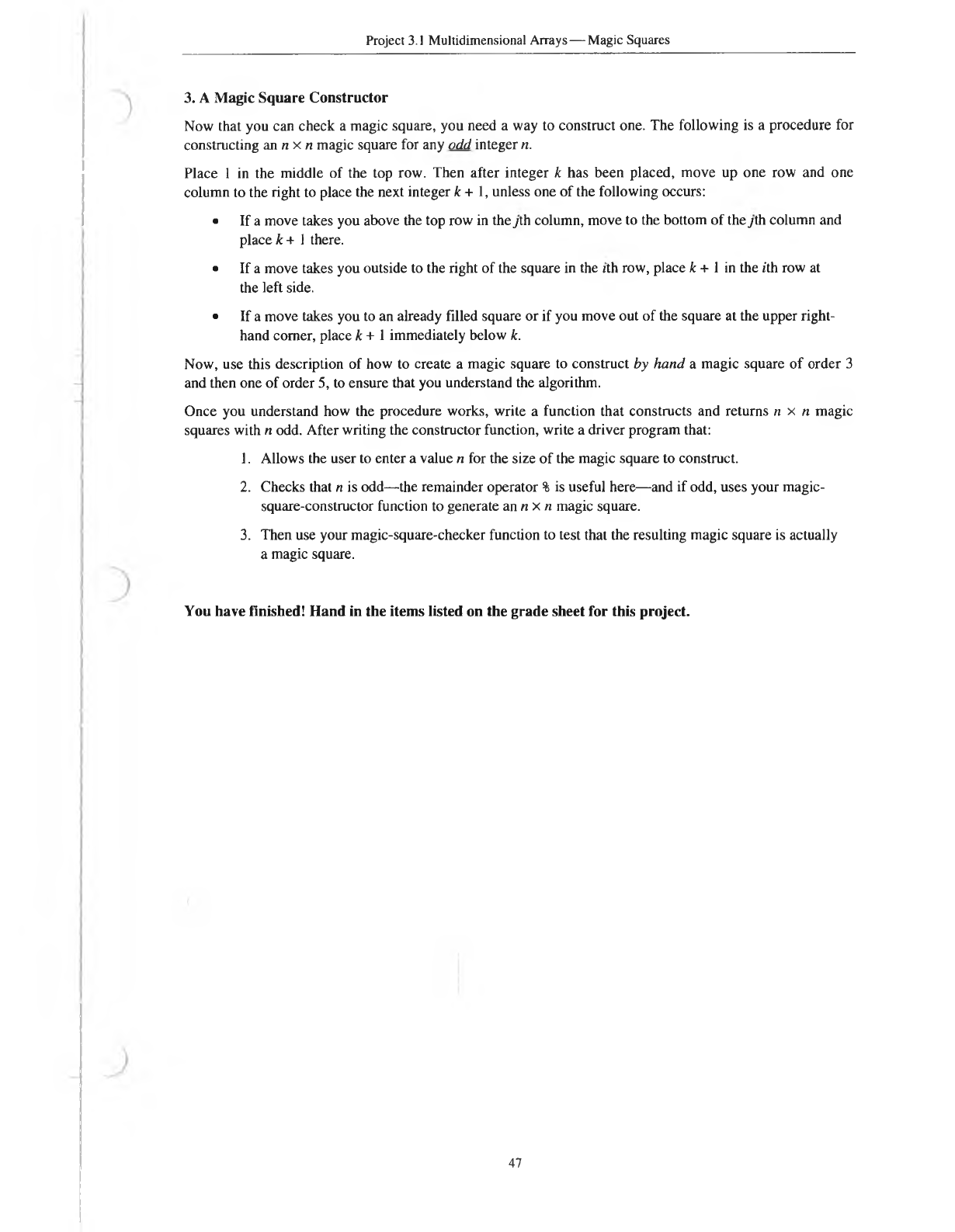
3. A Magic Square Constructor
Now that you can check a magic square, you need a way to construct one. The following is a procedure for
constructing an n x n magic square for any odd integer n.
Place 1 in the middle of the top row. Then after integer k has been placed, move up one row and one
column to the right to place the next integer k + 1, unless one of the following occurs:
• If a move takes you above the top row in the yth column, move to the bottom of the yth column and
place k + 1 there.
• If a move takes you outside to the right of the square in the ith row, place k + 1 in the ith row at
the left side.
• If a move takes you to an already filled square or if you move out of the square at the upper right-
hand comer, place k + 1 immediately below k.
Now, use this description of how to create a magic square to construct by hand a magic square of order 3
and then one of order 5, to ensure that you understand the algorithm.
Once you understand how the procedure works, write a function that constructs and returns n x n magic
squares with n odd. After writing the constructor function, write a driver program that:
1. Allows the user to enter a value n for the size of the magic square to construct.
2. Checks that n is odd—the remainder operator % is useful here—and if odd, uses your magic-
square-constructor function to generate an n x n magic square.
3. Then use your magic-square-checker function to test that the resulting magic square is actually
a magic square.
You have finished! Hand in the items listed on the grade sheet for this project.
47

c
I
e
c
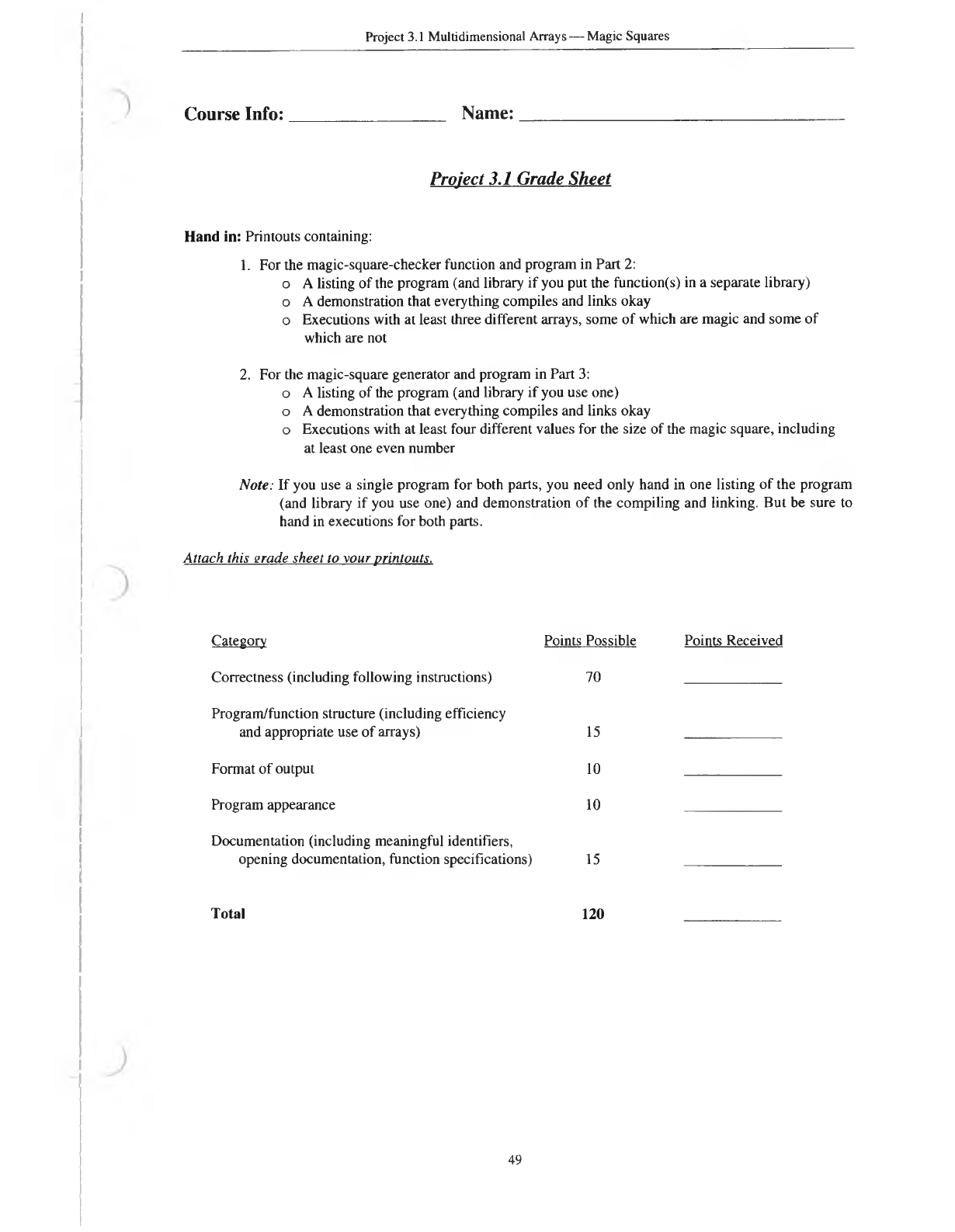
Project 3.1 Multidimensional Arrays — Magic Squares
Course Info: Name:
Project 3.1 Grade Sheet
Hand in: Printouts containing:
1. For the magic-square-checker function and program in Part 2:
o A listing of the program (and library if you put the function(s) in a separate library)
o A demonstration that everything compiles and links okay
o Executions with at least three different arrays, some of which are magic and some of
which are not
2. For the magic-square generator and program in Part 3:
o A listing of the program (and library if you use one)
o A demonstration that everything compiles and links okay
o Executions with at least four different values for the size of the magic square, including
at least one even number
Note: If you use a single program for both parts, you need only hand in one listing of the program
(and library if you use one) and demonstration of the compiling and linking. But be sure to
hand in executions for both parts.
Attach this erade sheet to xour printouts.
Category Points Possible
Correctness (including following instructions) 70
Program/function structure (including efficiency
and appropriate use of arrays) 15
Format of output 10
Program appearance 10
Documentation (including meaningful identifiers,
opening documentation, function specifications) 15
Total 120
Points Received
49

c
