Manual Simulador (PT BR)x
User Manual:
Open the PDF directly: View PDF  .
.
Page Count: 12


MANUAL DO SIMULADOR
AUTOMÁTICO
Version 2.0
© Copyright EZTech Ltd. 2018
all rights reserved
www.eztech.ind.br
Sumário
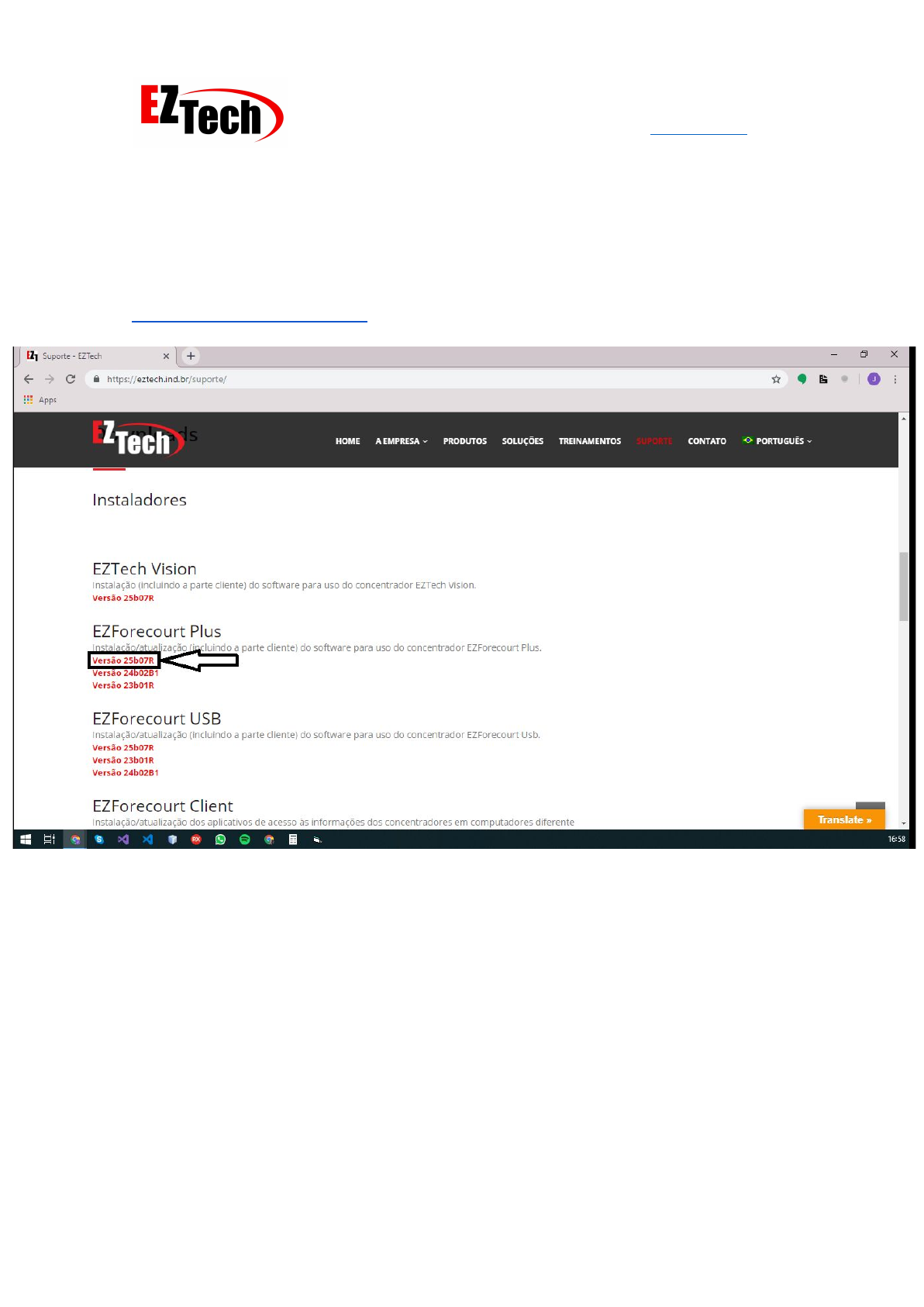
Download 3
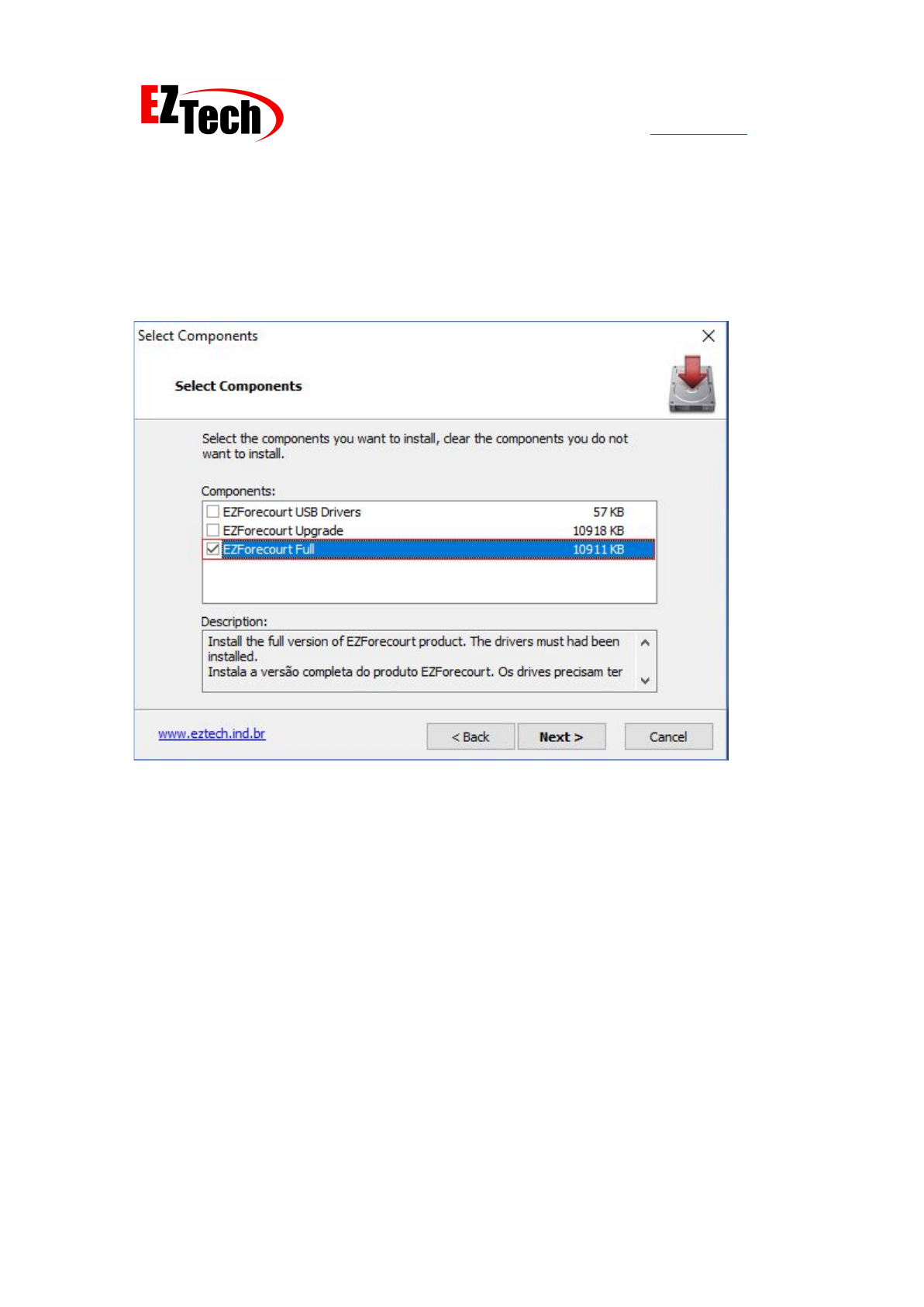
Instalação 4
Falha ao conectar 5
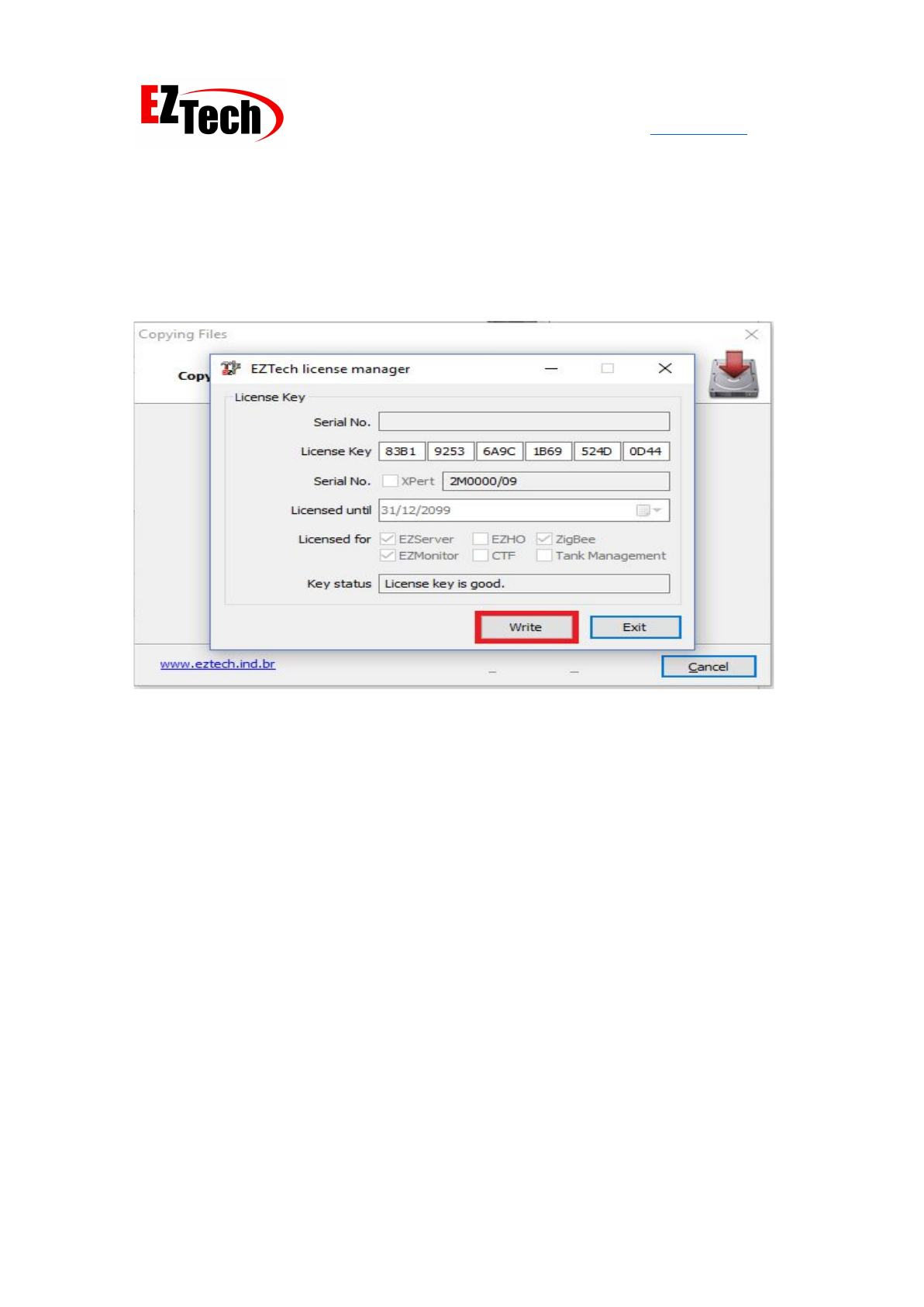
Chave de lincença 6
Gerenciador de tarefas - EZServer 7
Senha EZConfig 8
Combustíveis e Tanques 9
Posições de abastecimento e bicos 10
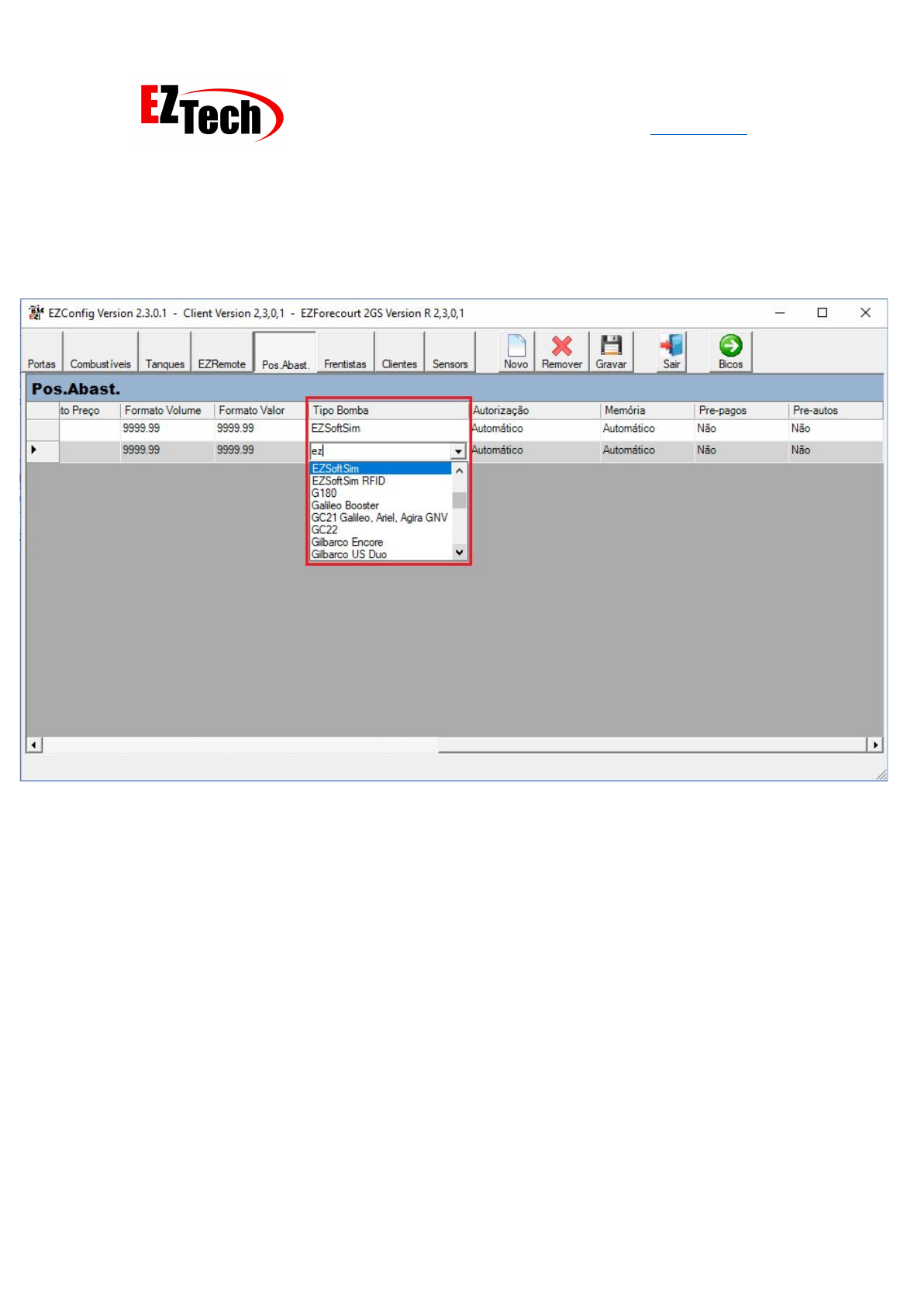
Tipo de bomba - EZSoftSim 11
EZMonitor 12
2
MANUAL DO SIMULADOR
AUTOMÁTICO
Version 2.0
© Copyright EZTech Ltd. 2018
all rights reserved
www.eztech.ind.br
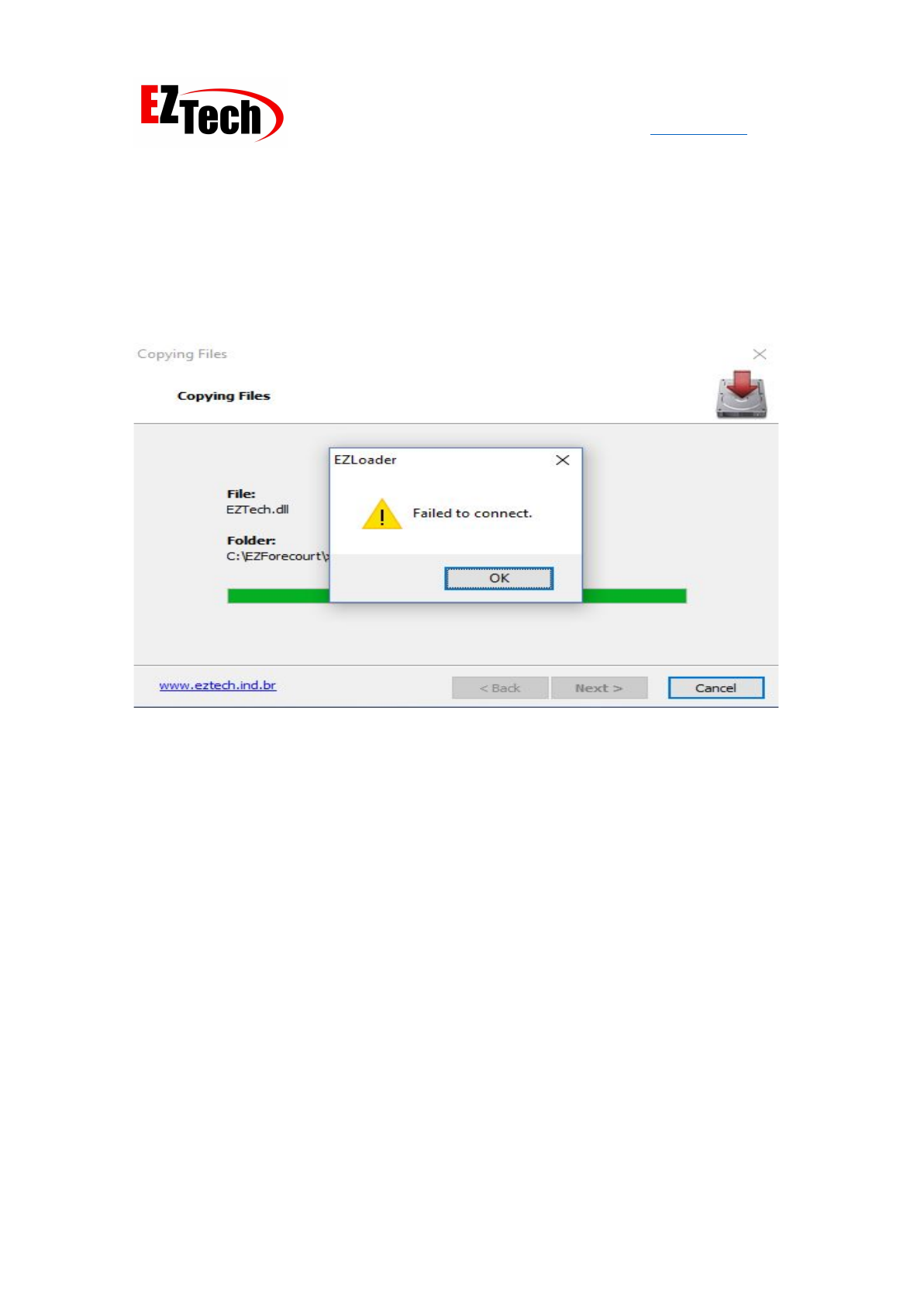
Falha ao conectar
3: Uma mensagem "Falha ao conectar" aparecerá no final da instalação por não ter
reconhecido um EZForecourt USB físico conectado ao seu computador, ignorar a mensagem e
seguir em frente..
Failed to connect
5
MANUAL DO SIMULADOR
AUTOMÁTICO
Version 2.0
© Copyright EZTech Ltd. 2018
all rights reserved
www.eztech.ind.br
Senha EZConfig
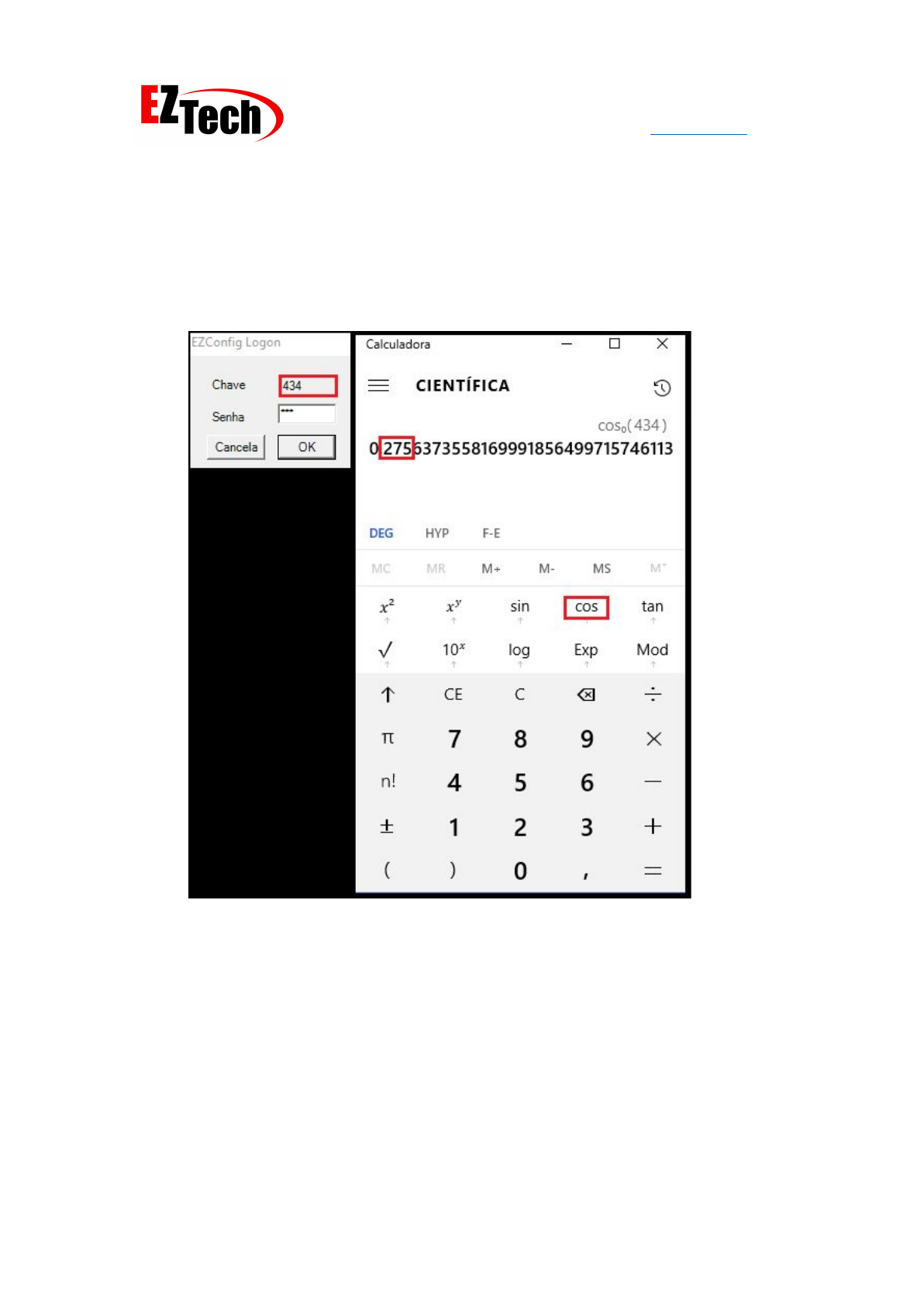
6: Execute o aplicativo EZConfig.exe em [C: \ EZForecourt], a senha é o coseno, os 3 dígitos
após a vírgula gerada a partir da chave mostrada ao executar o aplicativo.
EZConfig Key
8
MANUAL DO SIMULADOR
AUTOMÁTICO
Version 2.0
© Copyright EZTech Ltd. 2018
all rights reserved
www.eztech.ind.br
EZMonitor
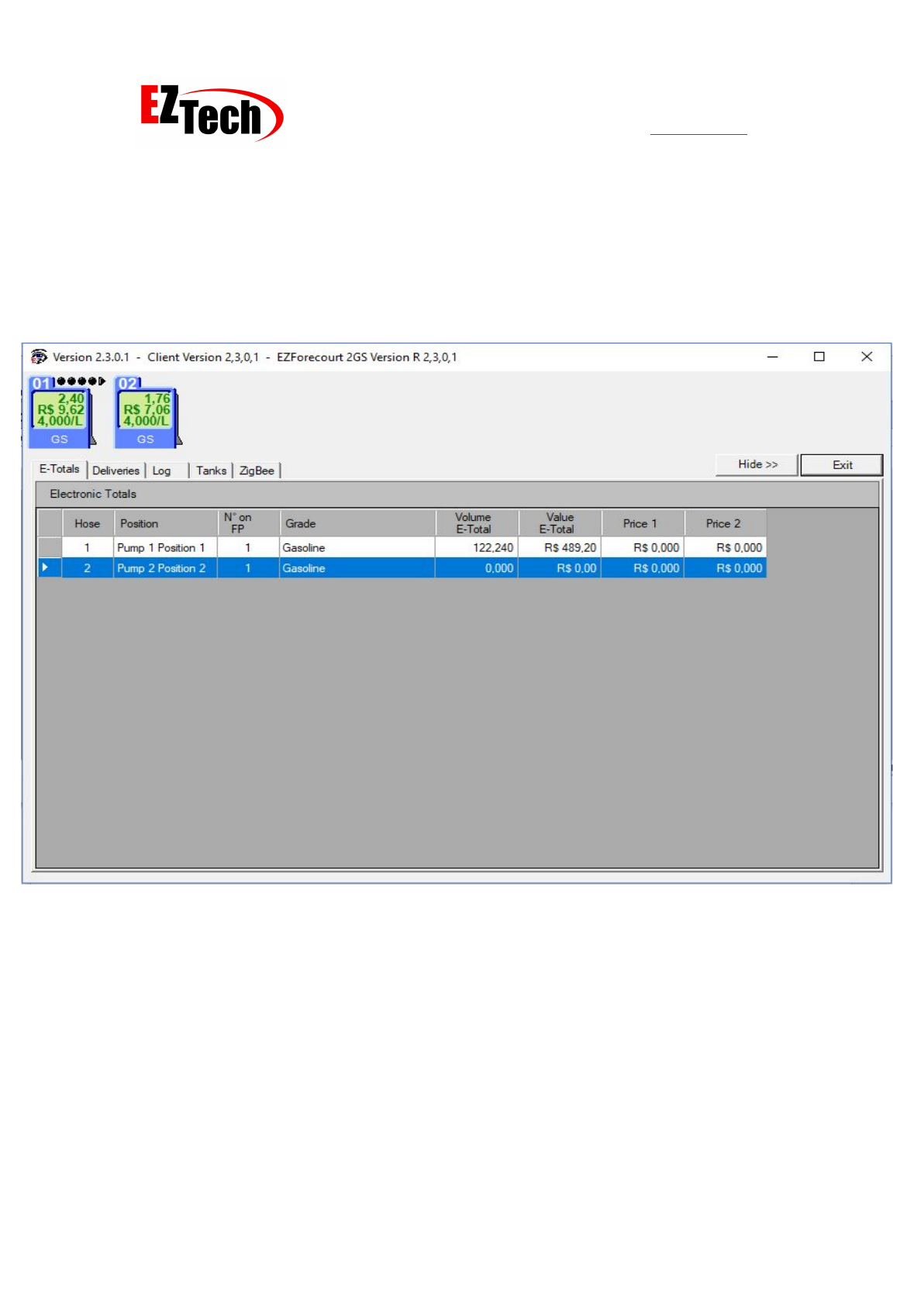
10: Abra o aplicativo EZMonitor.exe em [C: \ EZForecourt \ EZMonitor], as entregas geradas
podem ser monitoradas lá. Agora, basta testar o fornecimento dessas entregas com o seu
Sistema de Gestão..
EZMonitor
12
