Folie 1 Manual Powerball CANOpen Driver
User Manual:
Open the PDF directly: View PDF  .
.
Page Count: 57

SCHUNK Modular Robotics
ROS Drivers for LWA 4.P und LWA 4.D
Superior Clamping and Gripping

Introduction to ROS
ROS –Technical Details
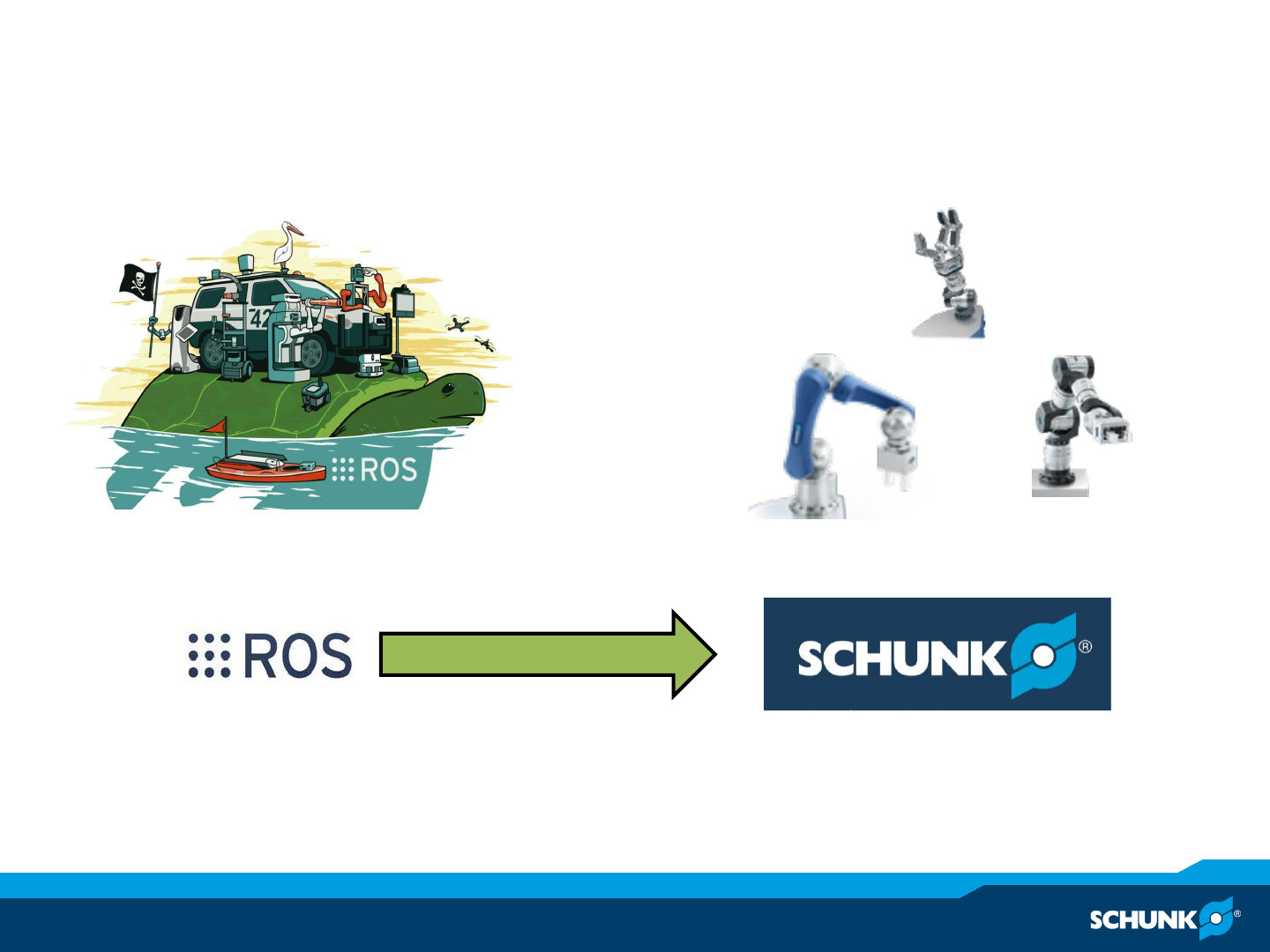
ROS Support of SCHUNK components
Installation and Operation Instructions
Technical Details CANOpen-Driver
LWA 4.P (6-DOF Powerball Arm)
LWA 4.D (7-DOF Dextrous Arm)
Contents

Introduction to ROS
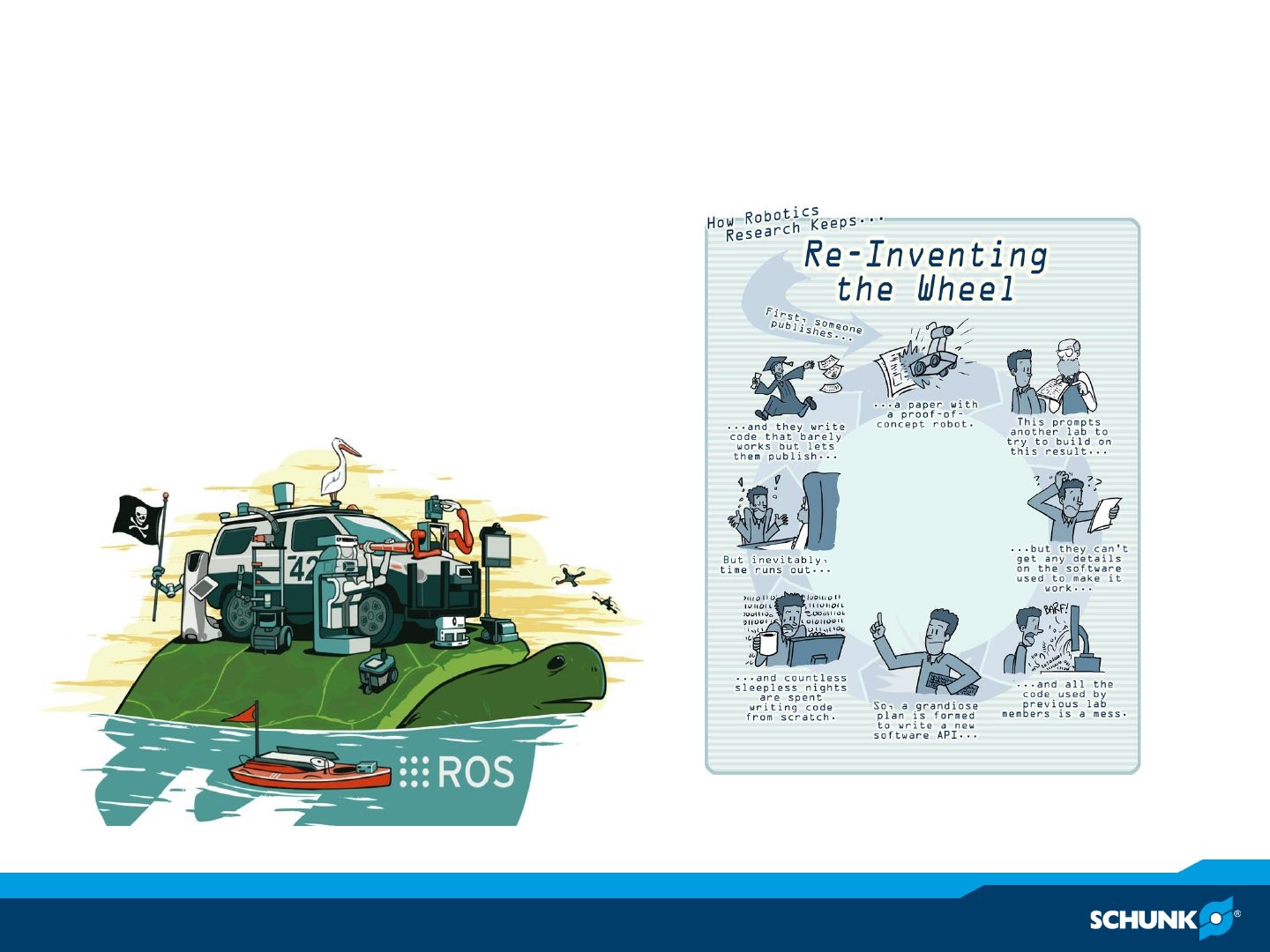
Reinvention of the Wheel
Little Commonality
Short Lifespan
Inability to Compare Results
ROS addresses these
Research in robotics

ROS –Robot Operating System
•What is ROS?
–Provides
•Hardware abstraction
•Low-level device control
•Communication layer with message-passing between processes
•Recursive package management and build system
•Runs primarily on Linux but is intended to be cross-platform
compatible to MAC OS X and Windows
–Content
•ROS core build and runtime system
•ROS packages, a collection of robotic algorithms
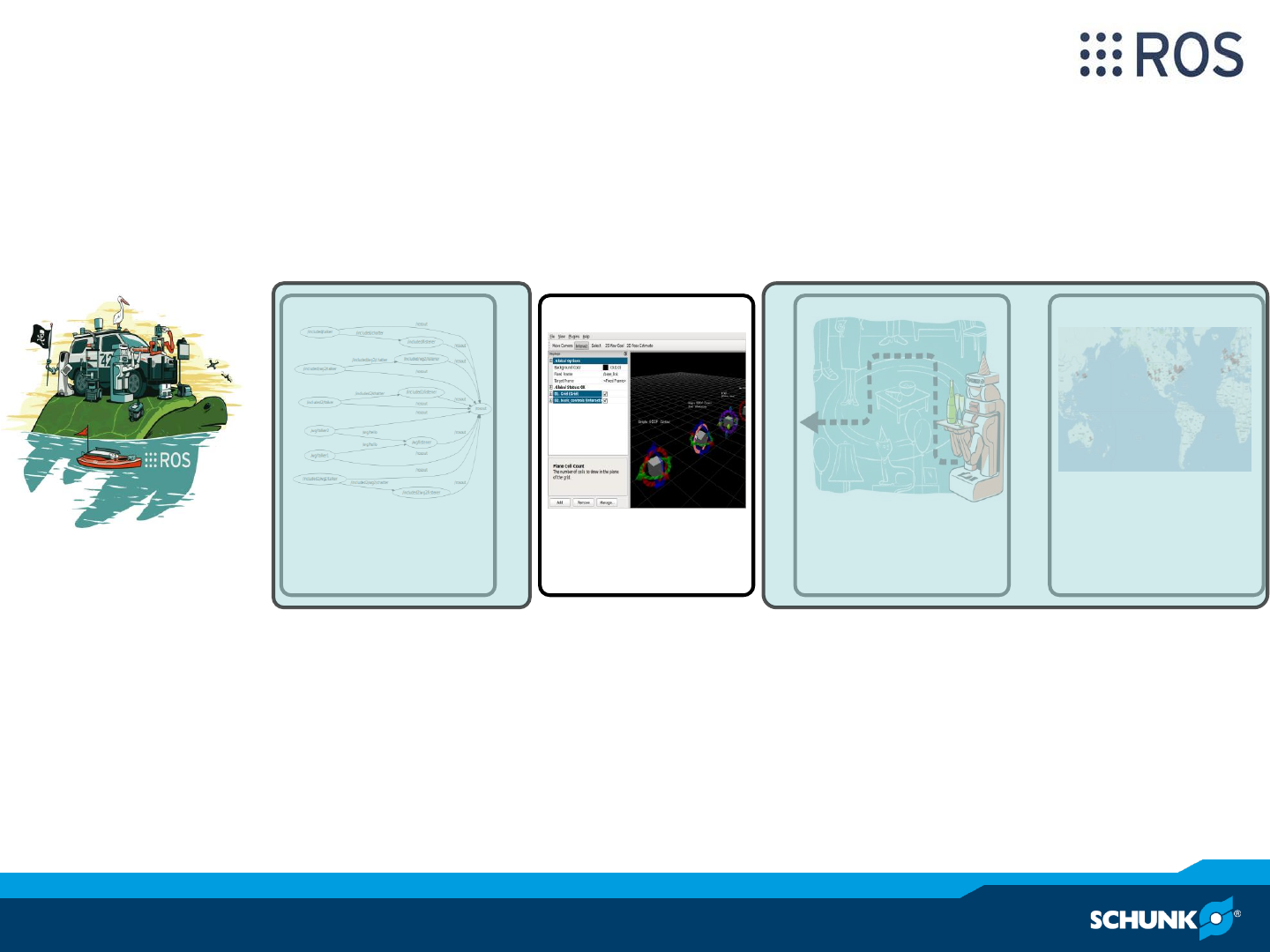
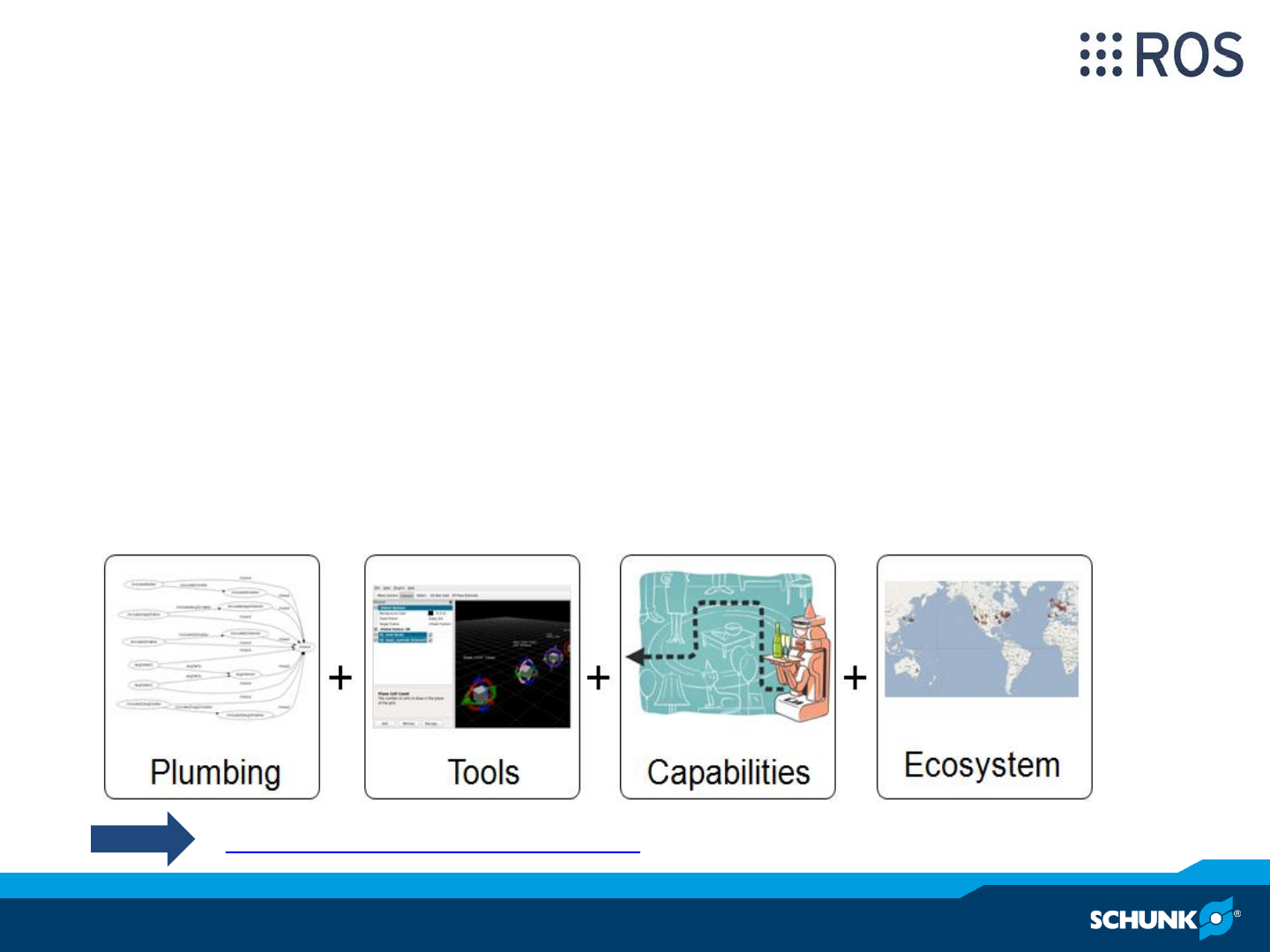
= + + +
Plumbing Tools Capabilities Ecosystem
ROS –Tools
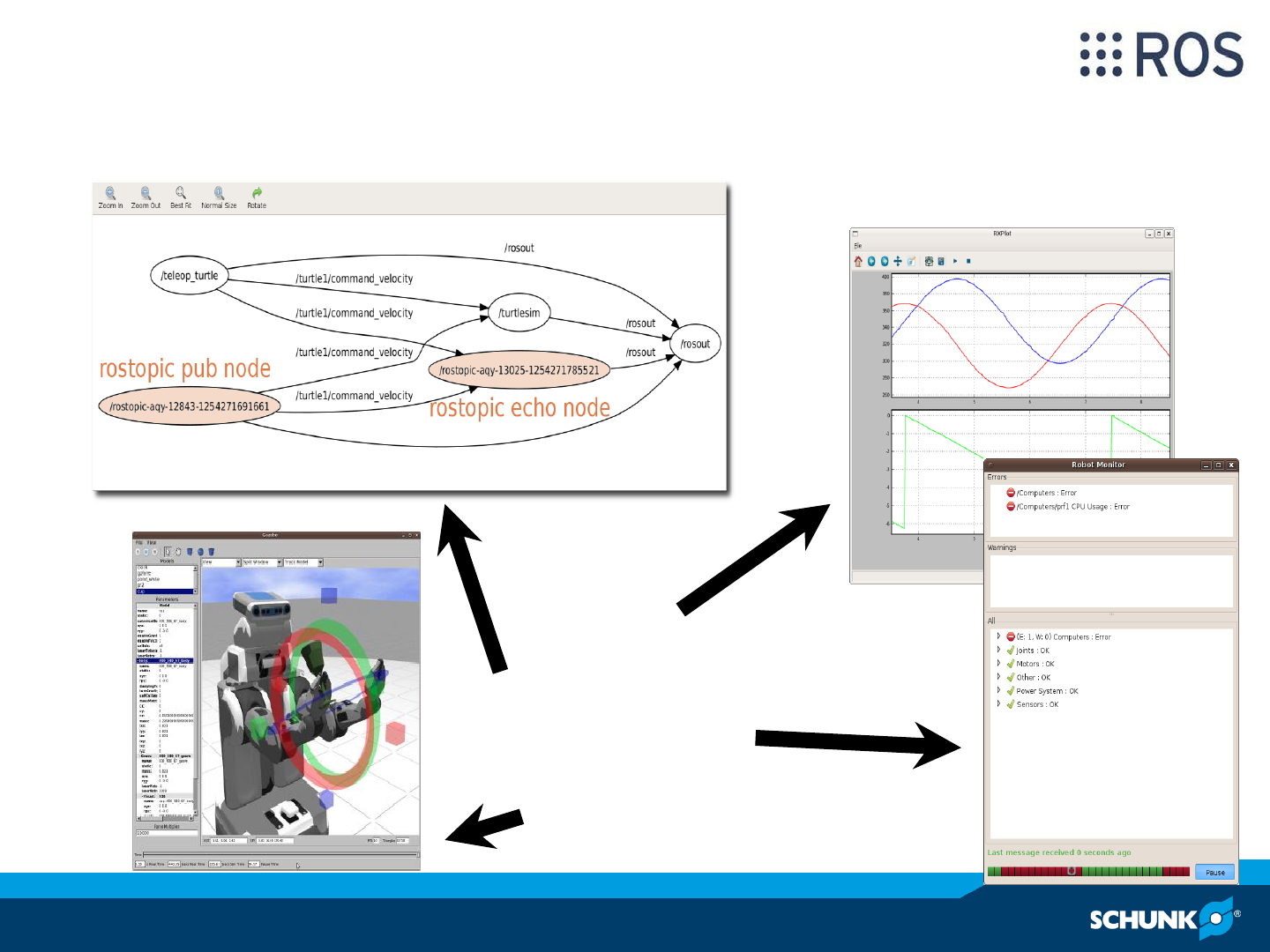
plotting
graph visualization
diagnostics
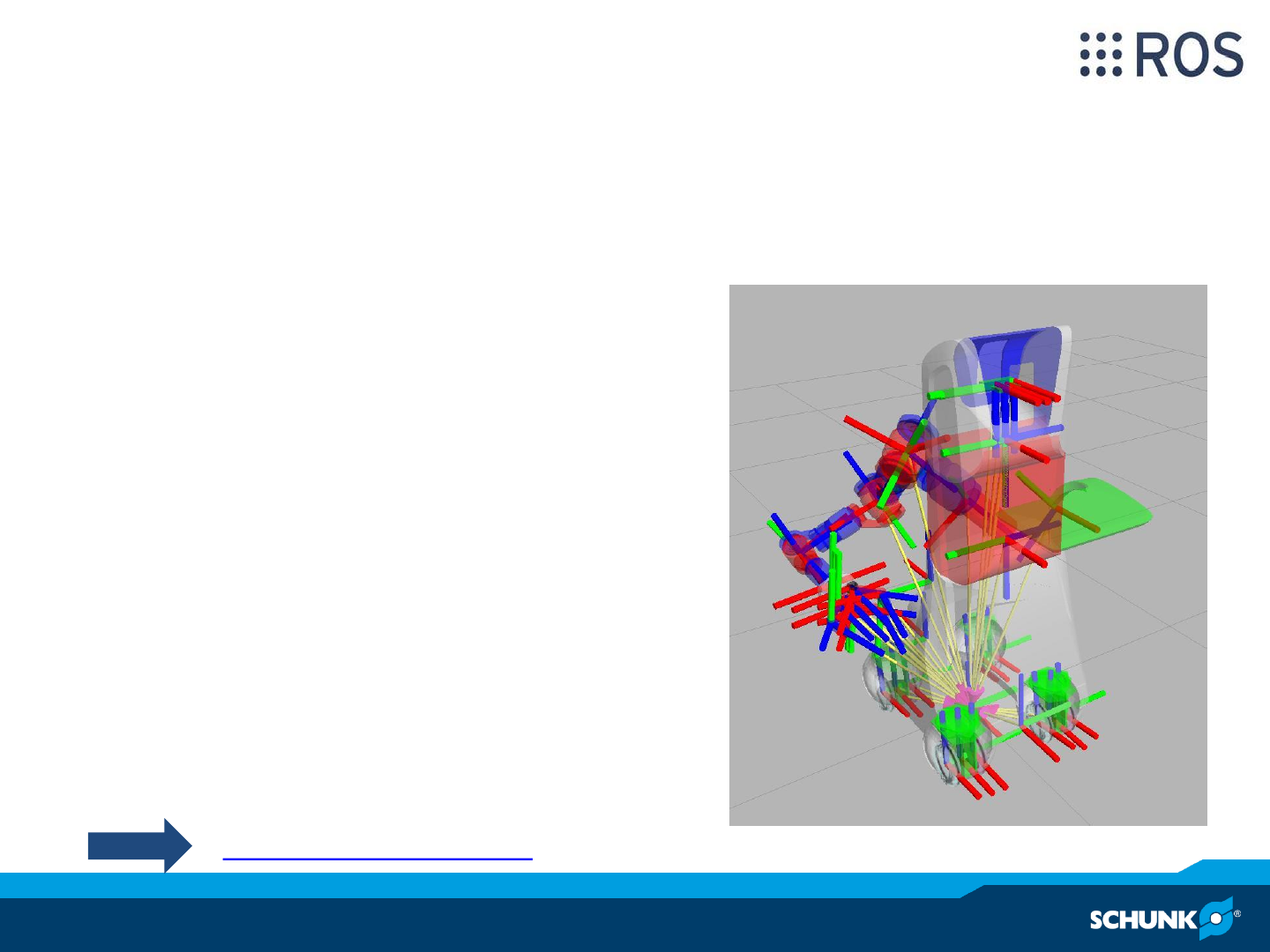
Simulation/visualization
ROS –Tools
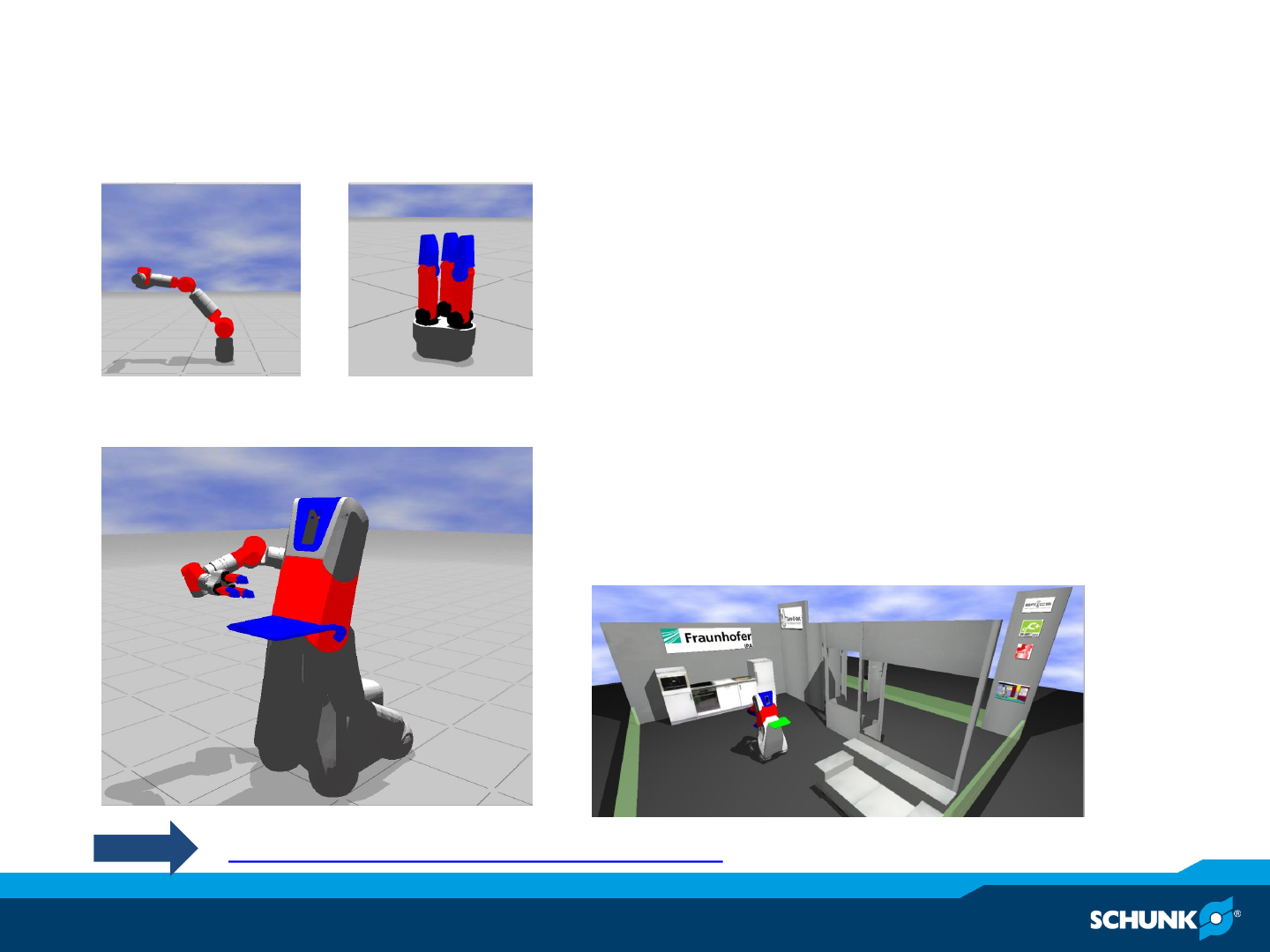
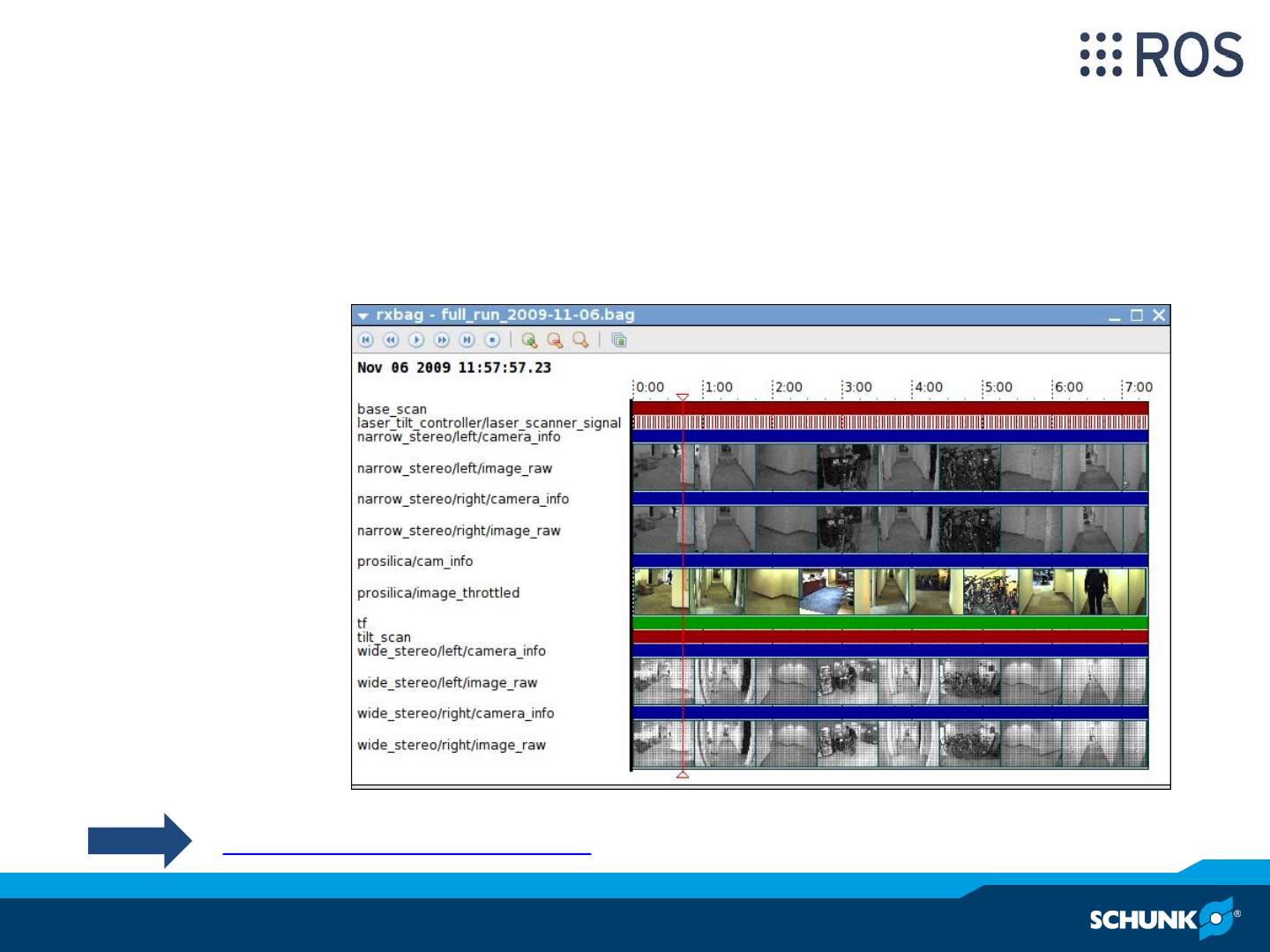
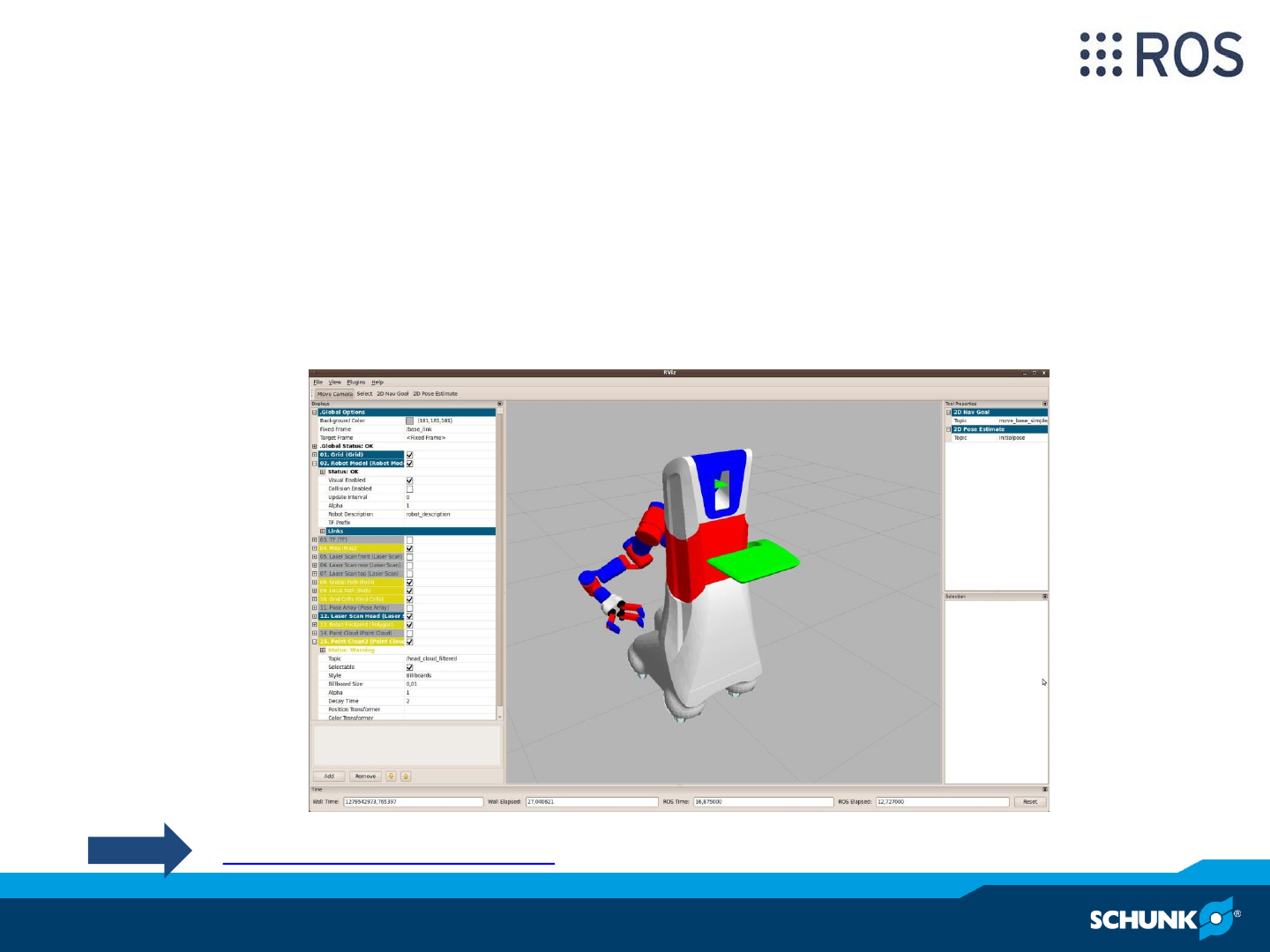
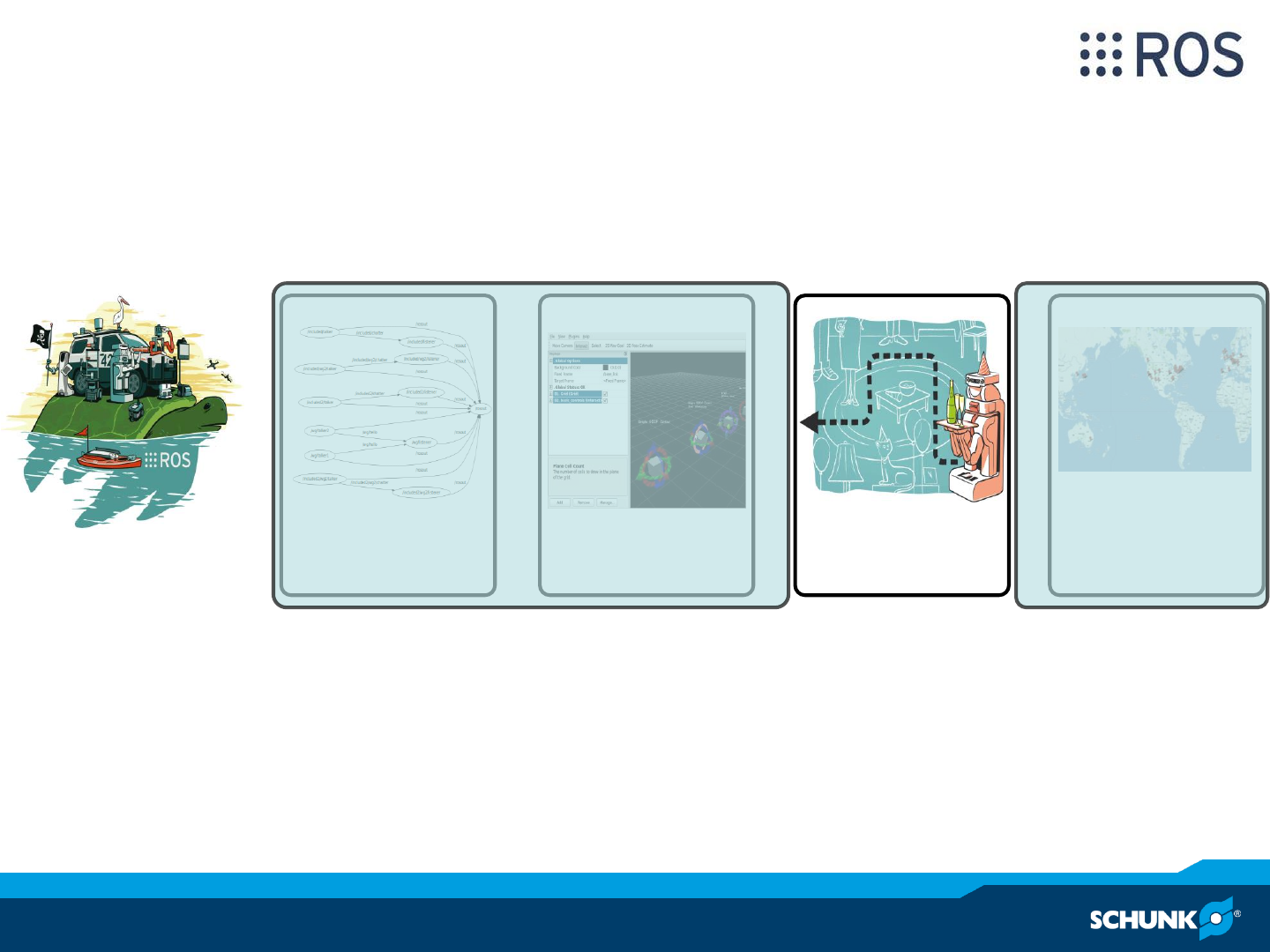
= + + +
Plumbing Tools Capabilities Ecosystem
ROS –Capabilities
ROS –Capabilities
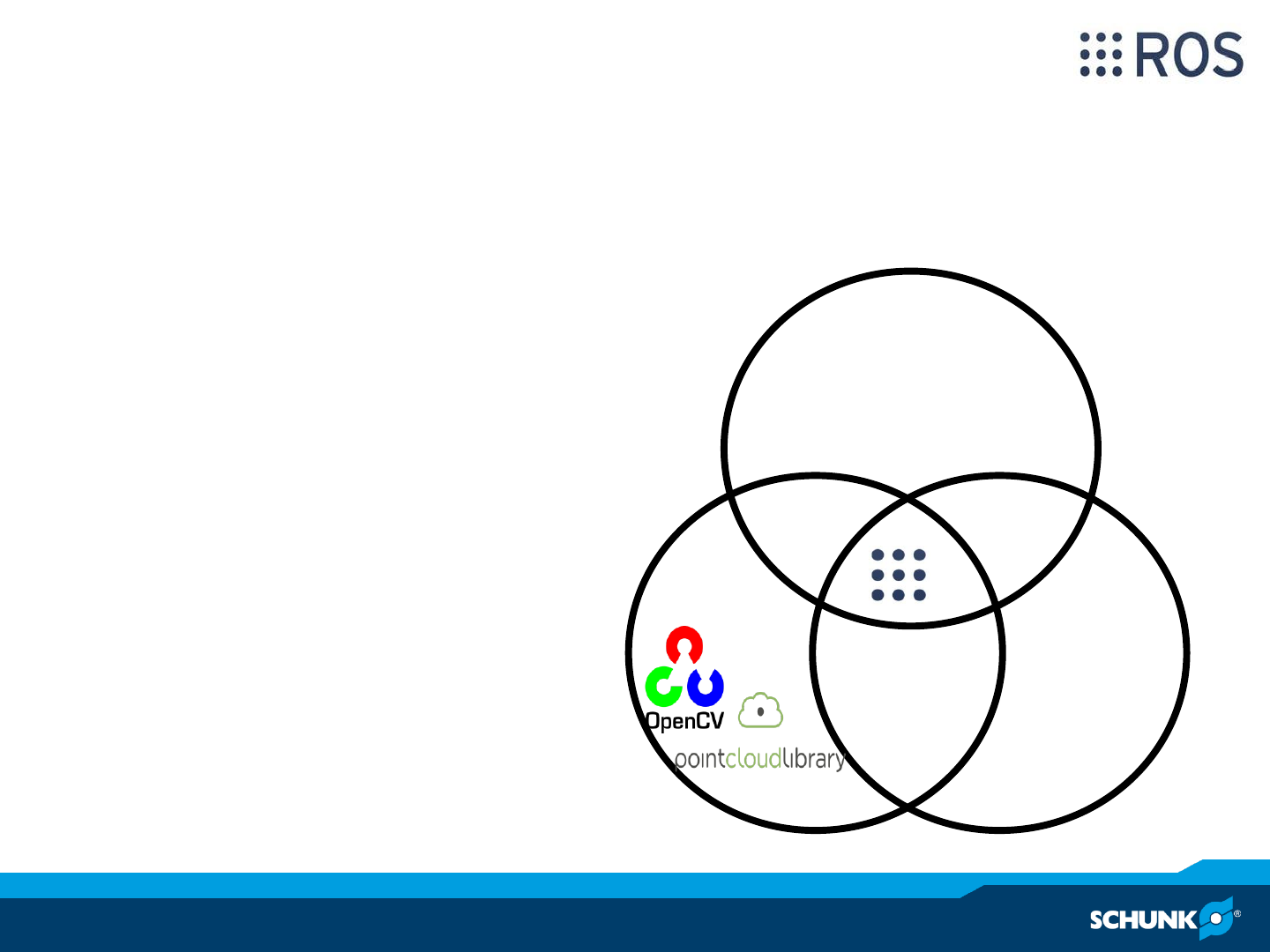
•State of the art algorithms
•Integration of available libraries
•Wide range of capabilities
Navigation
Perception
manipulation
Manipulation
Mobility and
Navigation
Perception
MoveIt!
= + + +
Plumbing Tools Capabilities Ecosystem
ROS –Community/Ecosystem
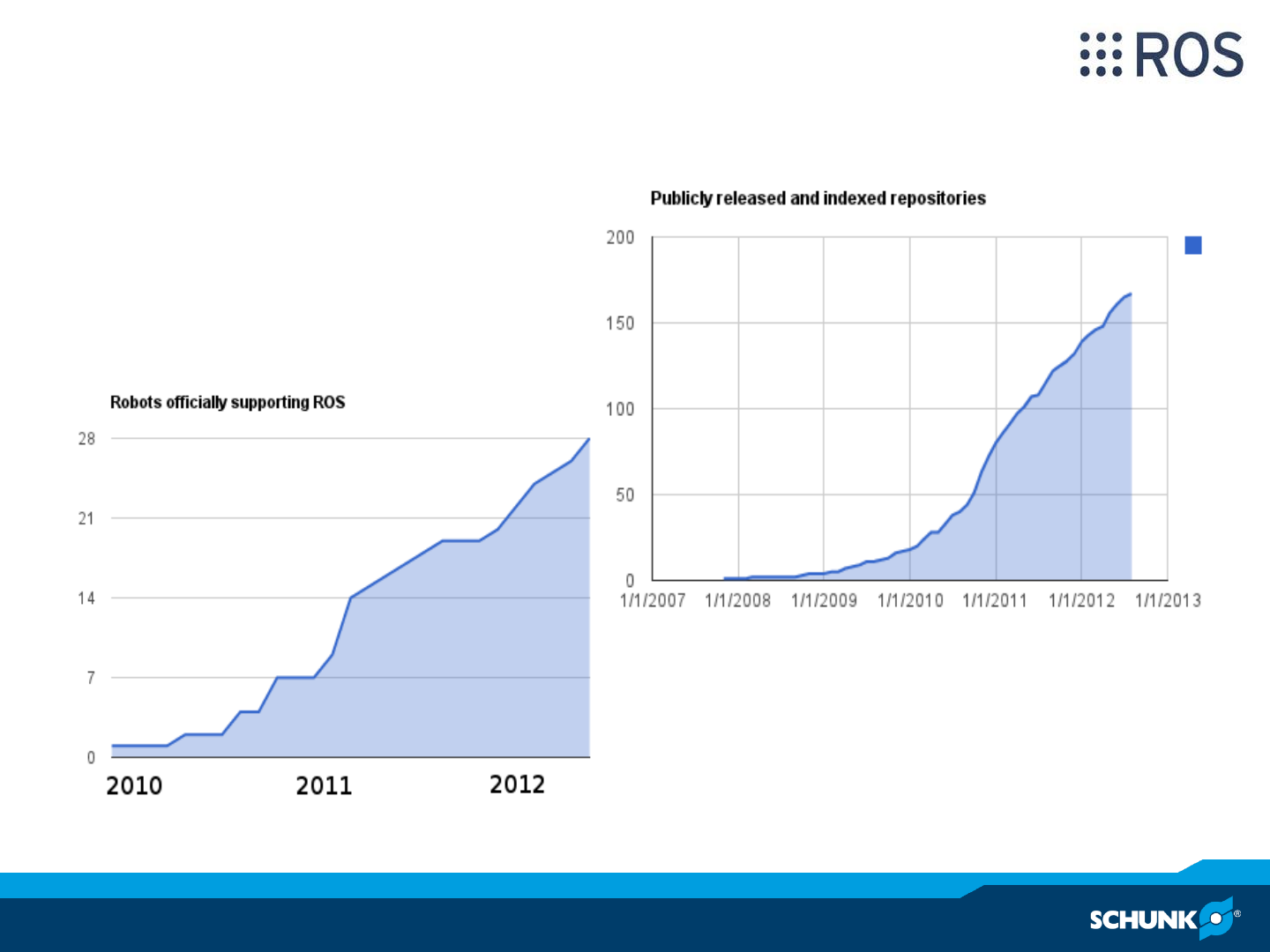
ROS –Community/Ecosystem
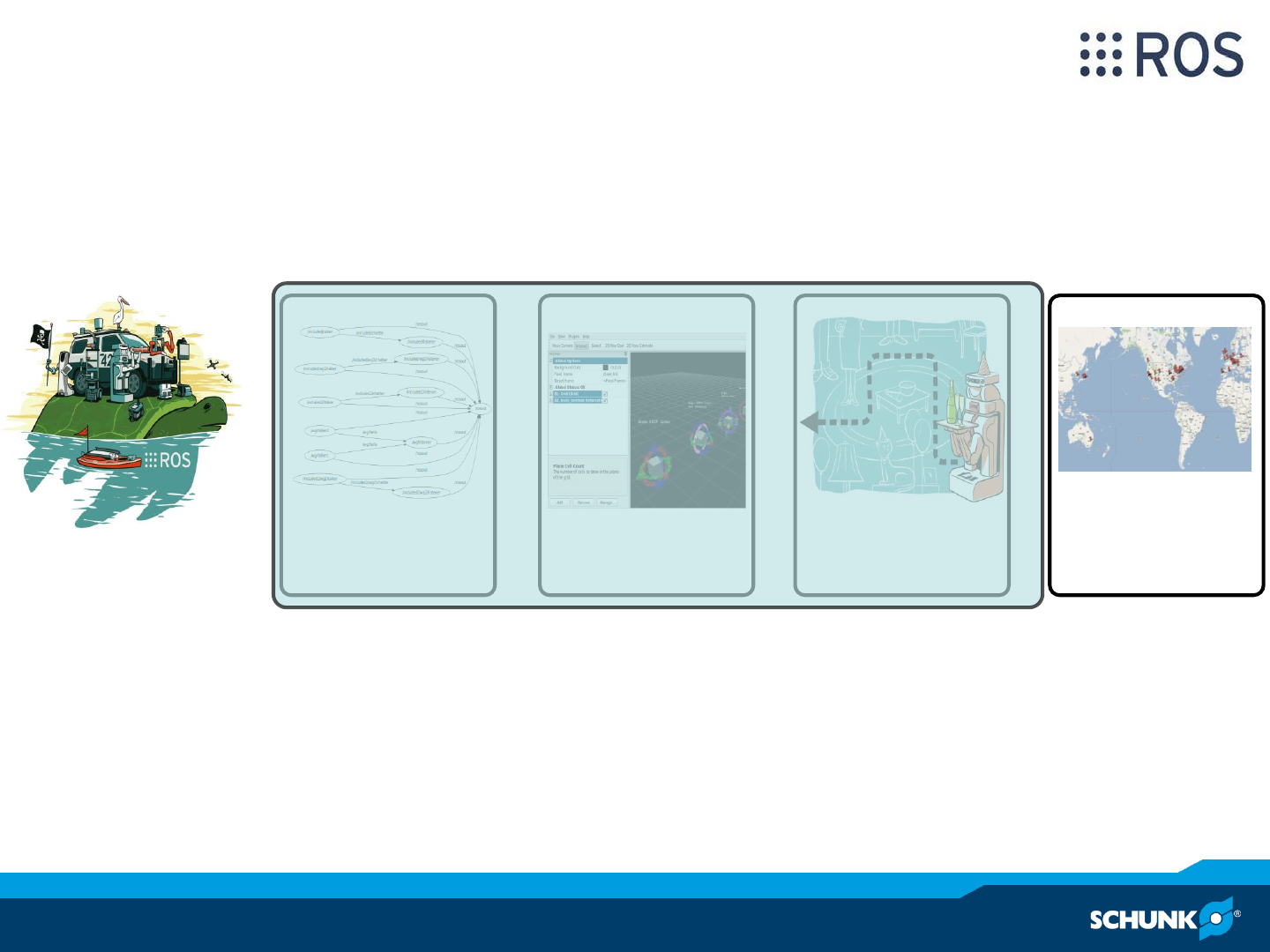
•Fast growing community
•De facto standard for
service robotics

ROS –Technical details
Three levels of ROS concepts
Filesystem Level
Packages
(Stacks)
Manifests
Messages
Services
Computational Graph
Level
Nodes
Master
Parameter Server
Topic communication
Service communication
Bags
Community Level
Distributions
Repositories
ROS-Wiki
Mailing Lists
Blog
Robot Operating System
http://ros.org/wiki/ROS/Concepts
ROS –Filesystem Level
•Packages
–Main unit for organizing software
–Typically one functionality, e.g. localisation or path planning
–Contains: runtime processes (nodes), libraries, datasets, configuration
files, …
•Stacks
–Collection of packages
–Aggregate functionality, e.g. navigation stack
–Releases and versioning
•Stack- and Package- Manifests (*.xml)
–Provide Metadata about a package/stack, e.g. license information and
dependencies to other packages/stacks
http://ros.org/wiki/ROS/Concepts
ROS –Filesystem Level
•Messages types (*.msg)
–Message descriptions, define data structures used for message
communication
–Language independent
•Services types (*.srv)
–Service descriptions, define request and response data structures used
for service communication
–Language independent
Header header
Std_msgs/String name
Geometry_msgs/Pose2D[] poses
Float64 x
Float64 y
Float64 theta
TargetPoses.msg Pose2D.msg
std_msgs/String name
--
Geometry_msgs/Pose2D pose
GetPose.srv
http://ros.org/wiki/msg, http://ros.org/wiki/srv
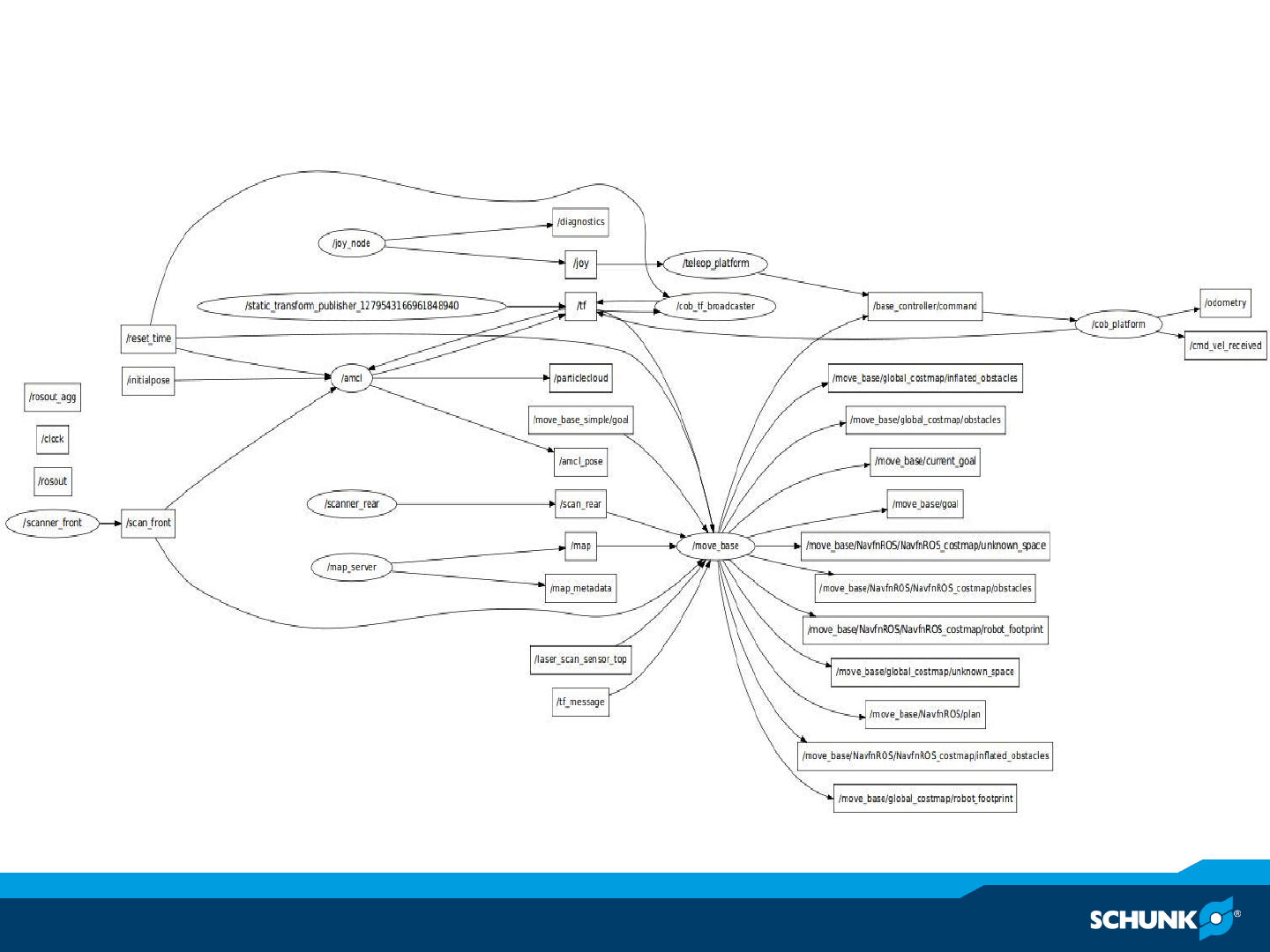
ROS –Computational Graph Level
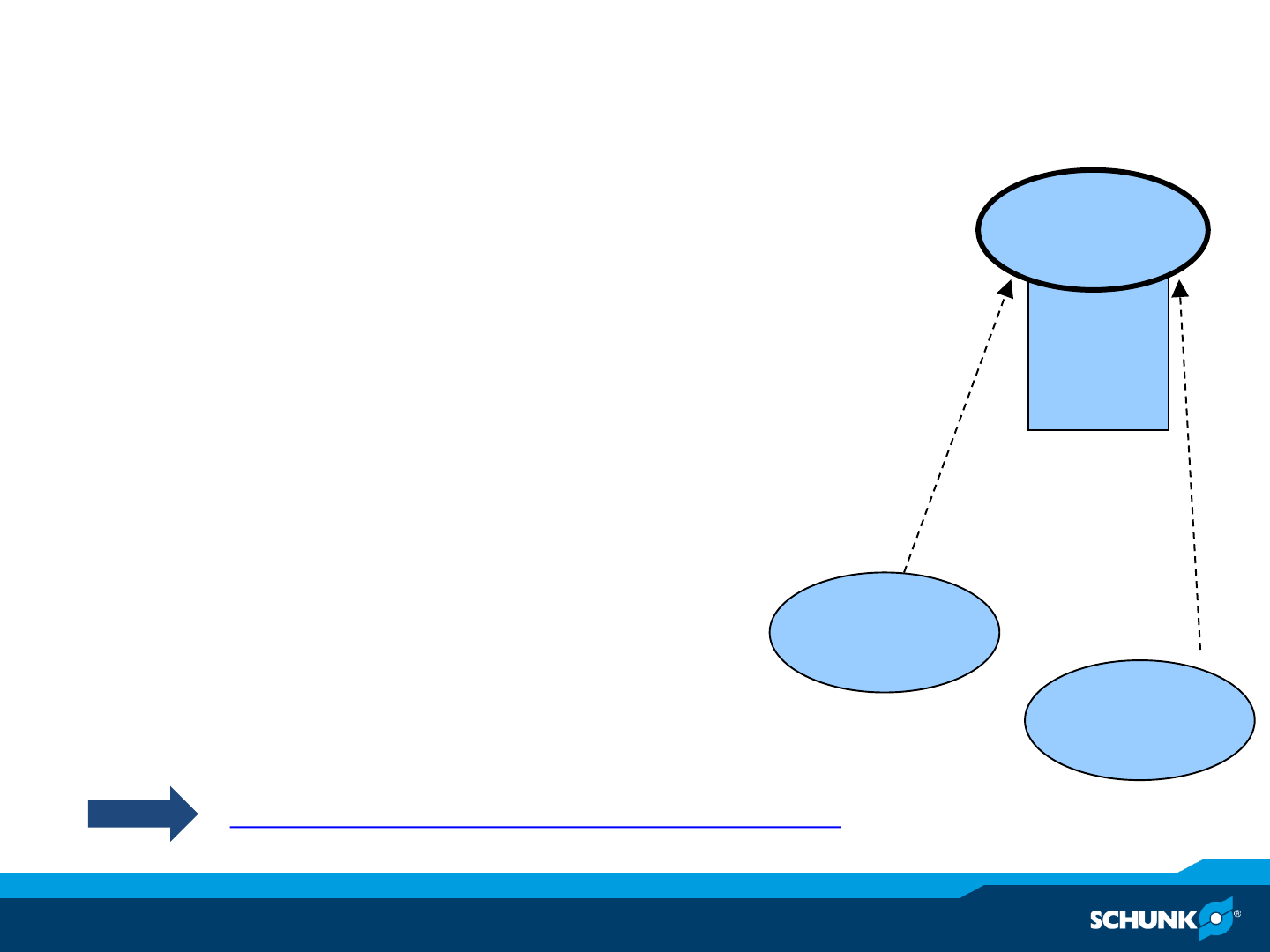
ROS –Computational Graph Level
•Nodes
–Processes to perform computation
–Usually many nodes at runtime
–Written by a ROS client library, e.g. roscpp, rospy, …
•Master
–Coordinating processes and communication
–Name registration and lockup
•Parameter Server
–Central location for storing data
•Messages
–Nodes communicate by passing messages
Client
Node a
Client
Node b
register
register
Node a
Node b
…
- - - XML/RPC
Master
roscore
http://www.ros.org/wiki/ROS/Technical%20Overview
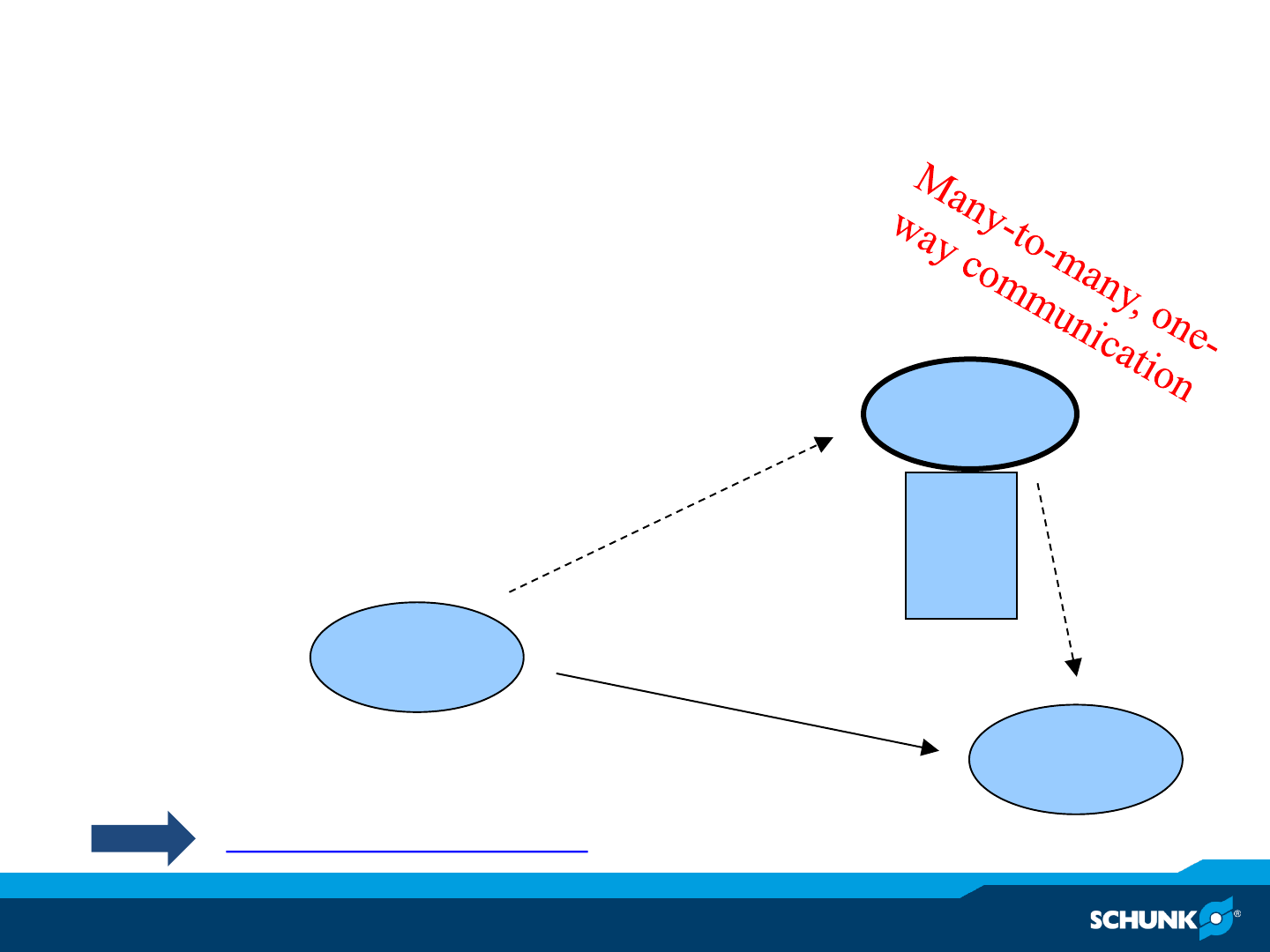
ROS –Communication concepts –topics
•Topics (asynchronous streaming)
–Nodes can publish and subscribe to topics
–Multiple publisher and subscriber to one topic
–Decoupling between sender and receiver
–Works like a “chat room”
Node
Client a
Node
Client b
Topic 1
Topic 2
…
Publis
h
topic
Message data
flow
Subscrib
e
topic
Master
roscore
- - - XML/RPC
----- TCP/IP or UDP
http://www.ros.org/wiki/Topics
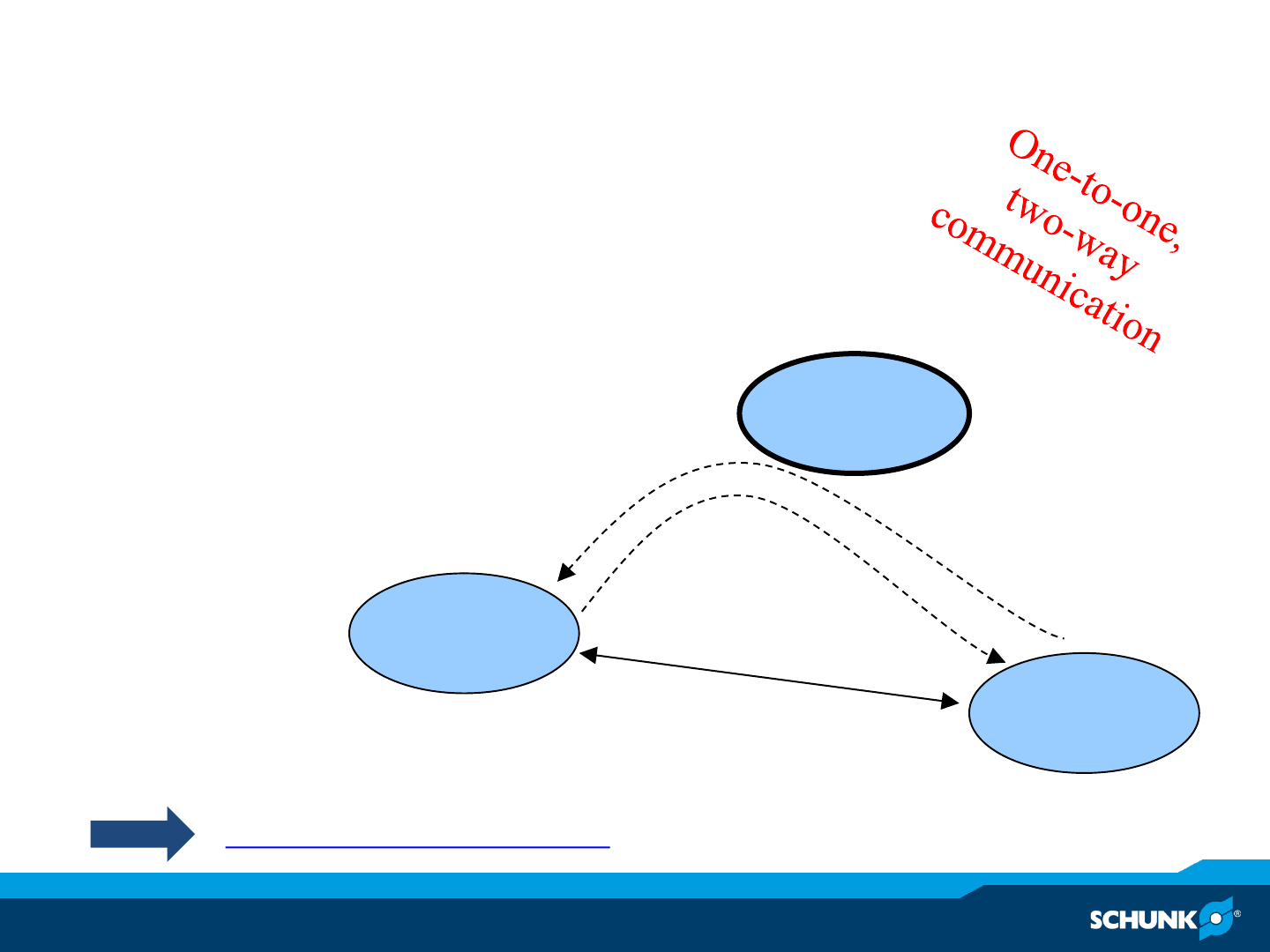
ROS –Communication concepts –services
•Services (synchronous communication)
–Request and reply interaction
–Dedicated connection between two nodes
–Works like a “telephone call” Master
roscore
Node
Client a
Node
Client b
Message data flow
response request
- - - XML/RPC
----- TCP/IP or UDP
http://www.ros.org/wiki/Services
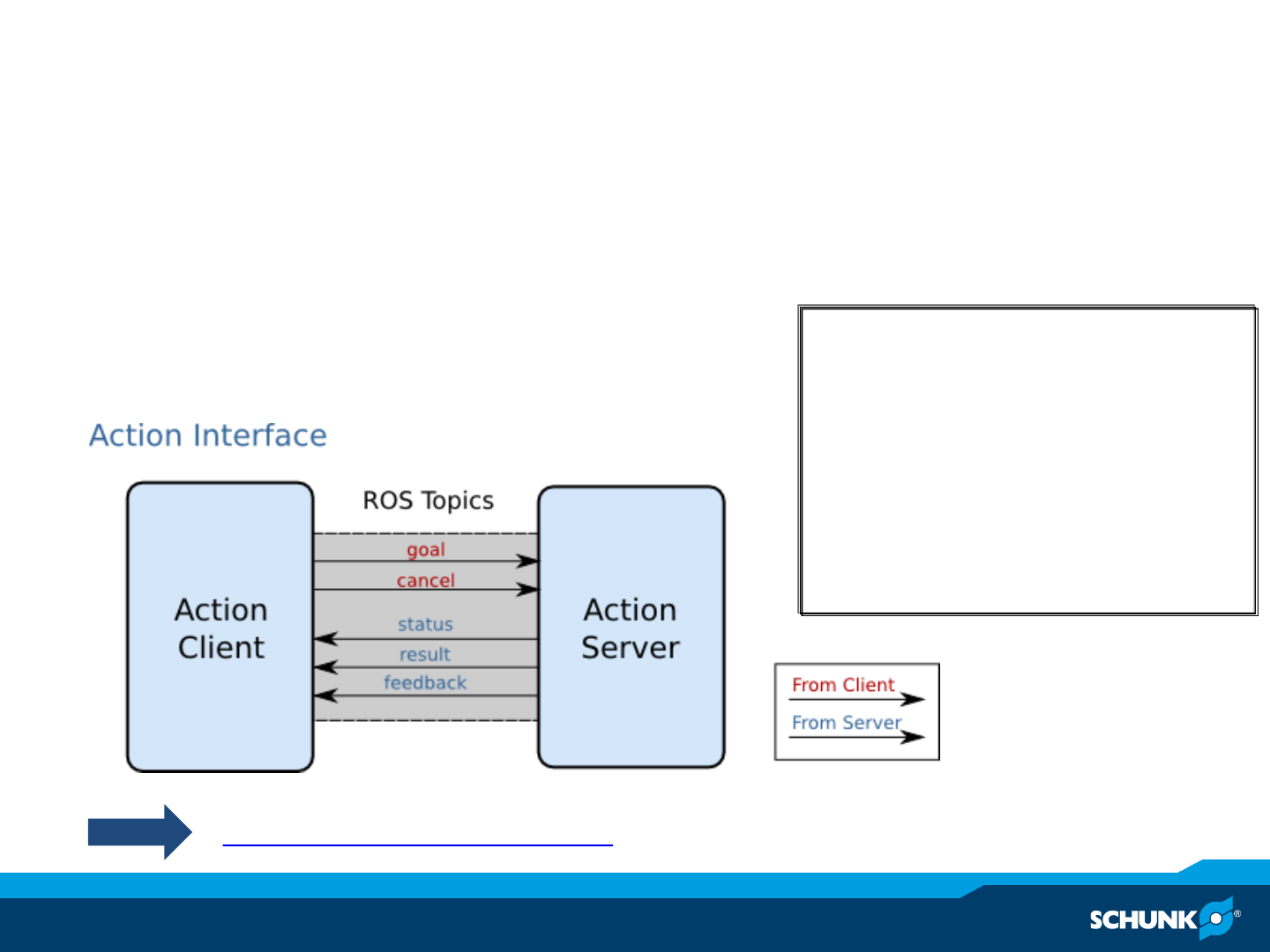

ROS support of Schunk components
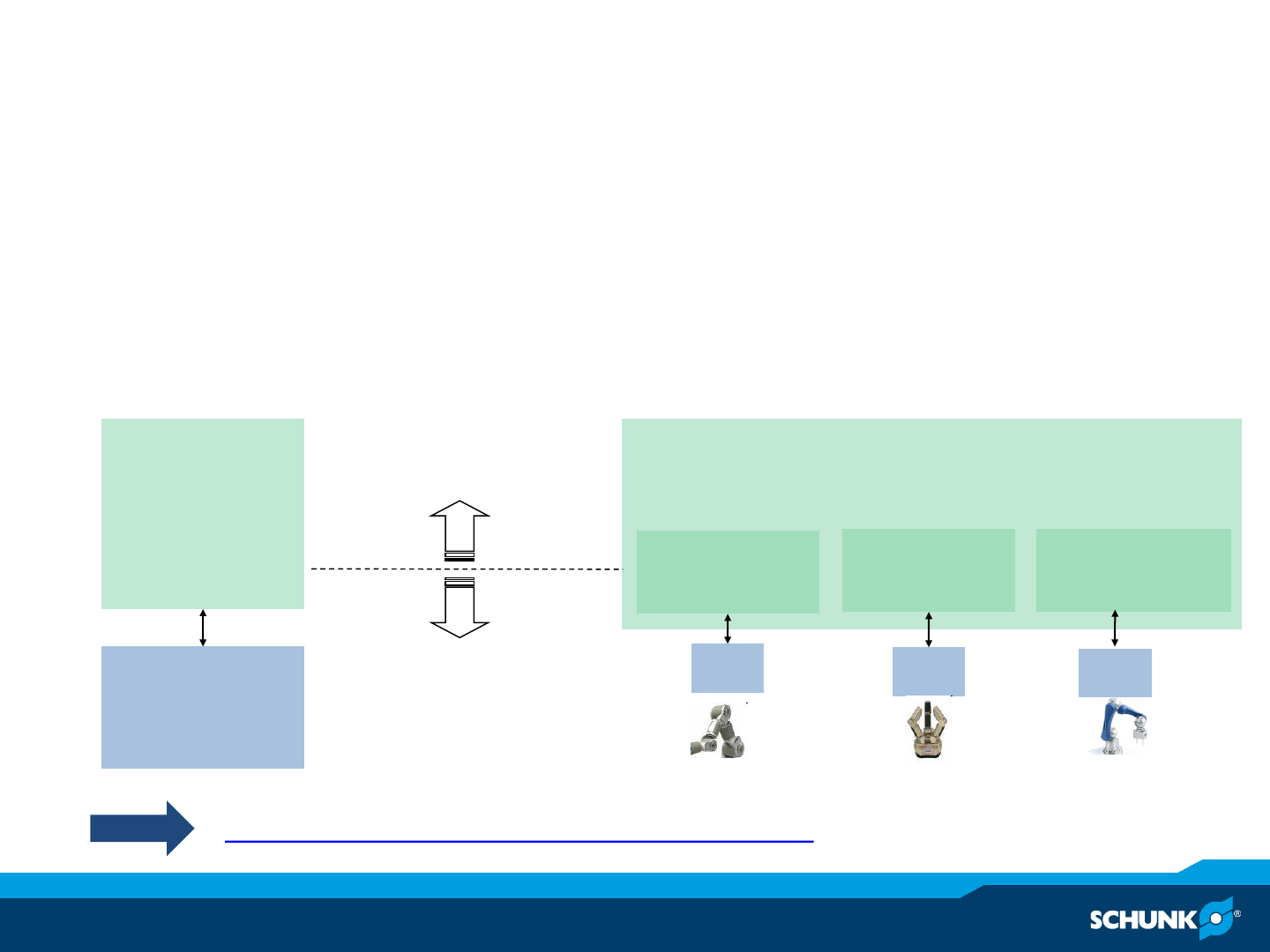
ROS for Schunk components
•Devices supported in ROS
•SDH (Schunk Dextrous Hand, SDH library)
•LWA (Lightweight Arm, M5API)
•Powerball (Powerball arm, CanOpen)
http://www.ros.org/wiki/schunk_modular_robotics
schunk_modular_robotics
schunk_power_cube
_chain schunk_sdh ipa_canopen
driver
packages
ROS messages and services,
e.g. JointTrajectory
HW HW
HW
Low-level communication to
hardware,
e.g. CAN, CANOpen, RS232
HW
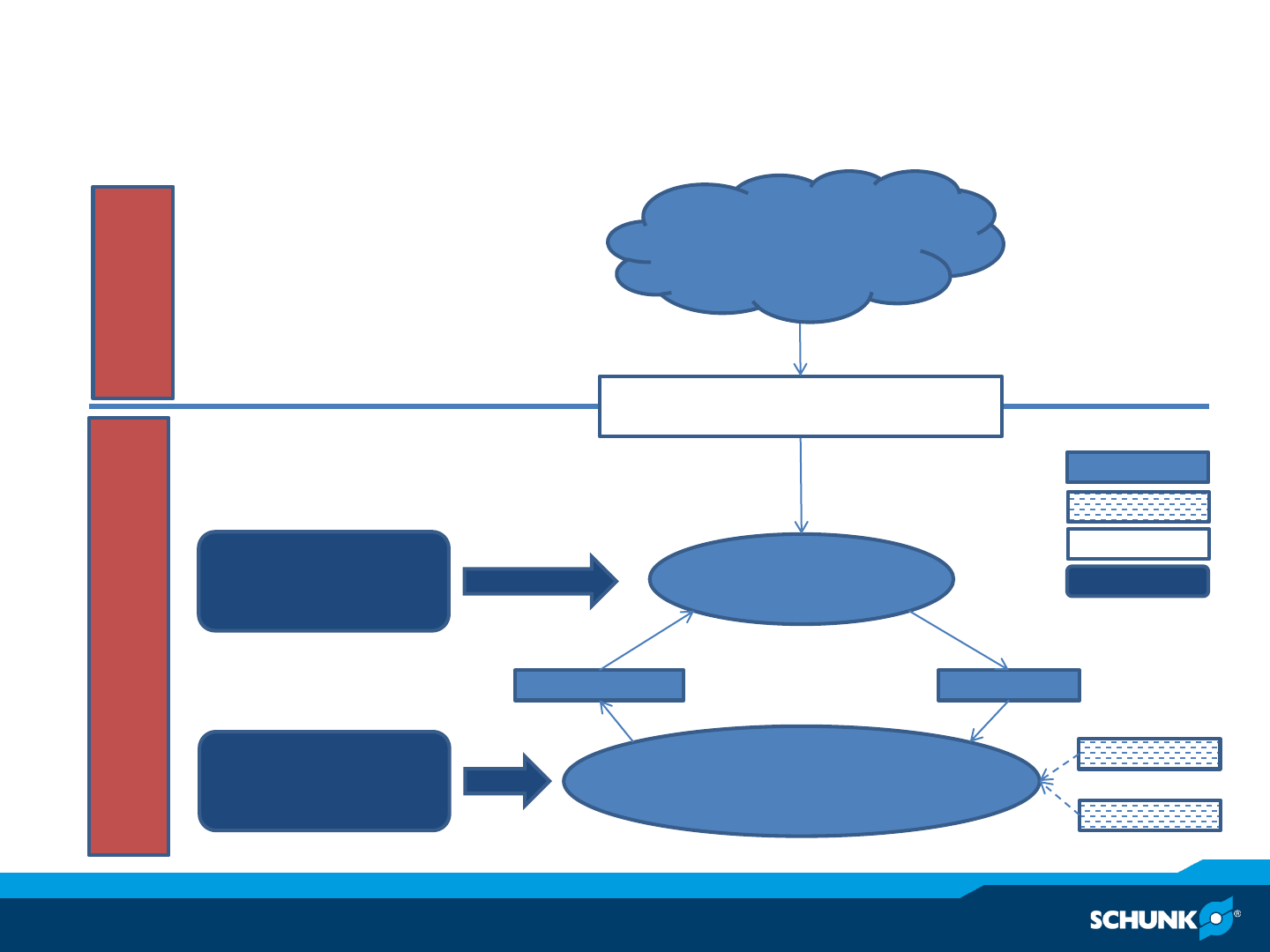
SW Architecture
Driver node (schunk_sdh,
schunk_powercube_chain,
ipa_canopen_ros)
Configuration
- bus and device
- modul ids
Joint trajectory
controller
VelocitiesJoint states
Schunk_modular_robotics
Configuration
- max_vel
- max_acc
ROS world
JointTrajectoryAction
Init
Recover
Service
Topic
Action
Config
ROS components
Schunk_hardware_config
Schunk_hardware_config

Installation and Operation Instructions

Installation and Operation Instructions
•3 options of usage:
1. Use low-level drivers independent of ROS: ipa_canopen_core
2. Use low-level ROS-drivers: ipa_canopen_ros
3. Use full ROS package with trajectory controllers: schunk_robots

Installing ROS for Schunk components for Groovy
•Install Ubuntu 12.04
•Install ROS Groovy
http://www.ros.org/wiki/groovy/Installation/Ubuntu
•Download Schunk repositories to your ROS_PACKAGE_PATH
•mkdir <<YOUR ROS_PACKAGE_PATH>>, e.g. ~/git/schunk_robots
•cd <<YOUR ROS_PACKAGE_PATH>>
•rosinstall . https://raw.github.com/ipa320/schunk_robots/groovy_dev/groovy.rosinstall
•echo “export ROS_PACKAGE_PATH=<<YOUR ROS_PACKAGE_PATH>>:$ROS_PACKAGE_PATH” >>~/.bashrc
•Source ~/.bashrc
–Install additional dependencies
•sudo apt-get install ros-groovy-pr2-controllers ros-groovy-arm_navigation ros-groovy-arm-navigation-experimental ros-groovy-
audio-common ros-groovy-pr2-power-drivers ros-groovy-pr2-gui
–Build Schunk packages
•rosdep install schunk_robots
•rosmake schunk_robots
–Configure your hardware (Example for powerball)
•roscd schunk_hardware_config/powerball/config
•Modify canopenmaster.yaml, see slide 49

Installing ROS for Schunk components for Groovy
–Run driver (Example for lwa with M5API)
•roslaunch schunk_bringup powerball_solo.launch
–Move with dashboard (Example for lwa with M5API)
•roslaunch schunk_bringup dashboard_powerball.launch

Installation and Operation Instructions
IPA CANopen Installation –ROS package
•To install the IPA CANopen ROS package
- git clone git://gitub.com/ipa320/ipa_canopen.git
- rosmake ipa_canopen_ros
IPA CANopen Installation (without ROS)
•CMake (to manage the build process), in Ubuntu use the command
•Git (to download the sources from github) in Ubuntu use the command
•A C++ compiler with good support for the C++11 Standard
sudo apt-get install cmake
sudo apt-get install git

IPA CANopen Installation (without ROS)
•To install the C++ library independently from ROS
•To use the two command line tools, change the directory
cd ipa_canopen/ipa_canopen_core/bin
- git clone git://github.com/ipa320/ipa_canopen.git
- cd ipa_canopen/ipa_canopen_core
- mkdir build
- cd build
- cmake ..
- make

Technical details CANOpen
ipa_canopen_core
•ROS independent library
•Provides three command line tools (in ipa_canopen/ipa_canopen_core/bin)
•Homing (takes two arguments)
–Name of the devicefile
–CANdevice ID of the module
–E.g.
•Move device (takes five argumtents)
–Name of the devicefile
–CAN device ID of the module
–Synchronization time
–Target velocity in rad/msec
–Target acceleration in rad/msec²
–E.g.
•Get Errors(takes two arguments)
–Name of the devicefile
–CANdevice ID of the module
–E.g.
./homing /dev/pcan32 12
./move_device /dev/pcan32 12 10 0.05 0.01
http://www.ros.org/wiki/ipa_canopen_core
./get_error /dev/pcan32 12
ipa_canopen_ros
•Wrapper to control CANopen motor devices in ROS
•Two ways to launch the node
•Direct
•Via a launchfile, e.g.
•In order to use the node you need
•A trajectory controller
•A rudimentary robot model (urdf)
–For a list of services, subcribed and published topics and necessary
parameters on the parameter server follow the link below
rosrun ipa_canopen_ros ipa_canopen
roslaunch schunk_bringup powerball_solo.launch
http://www.ros.org/wiki/ipa_canopen_ros
Moving the Schunk LWA 4.P
(Powerball) arm with schunk_robots

Driving the Schunk LWA 4.P (Powerball) arm
•Make sure you have the following two repositories on your pc
•ipa320/schunk_robots.git
•ipa320/schunk_modular_robotics.git
–If not
–To launch the CANopen driver together with a trajectory controller
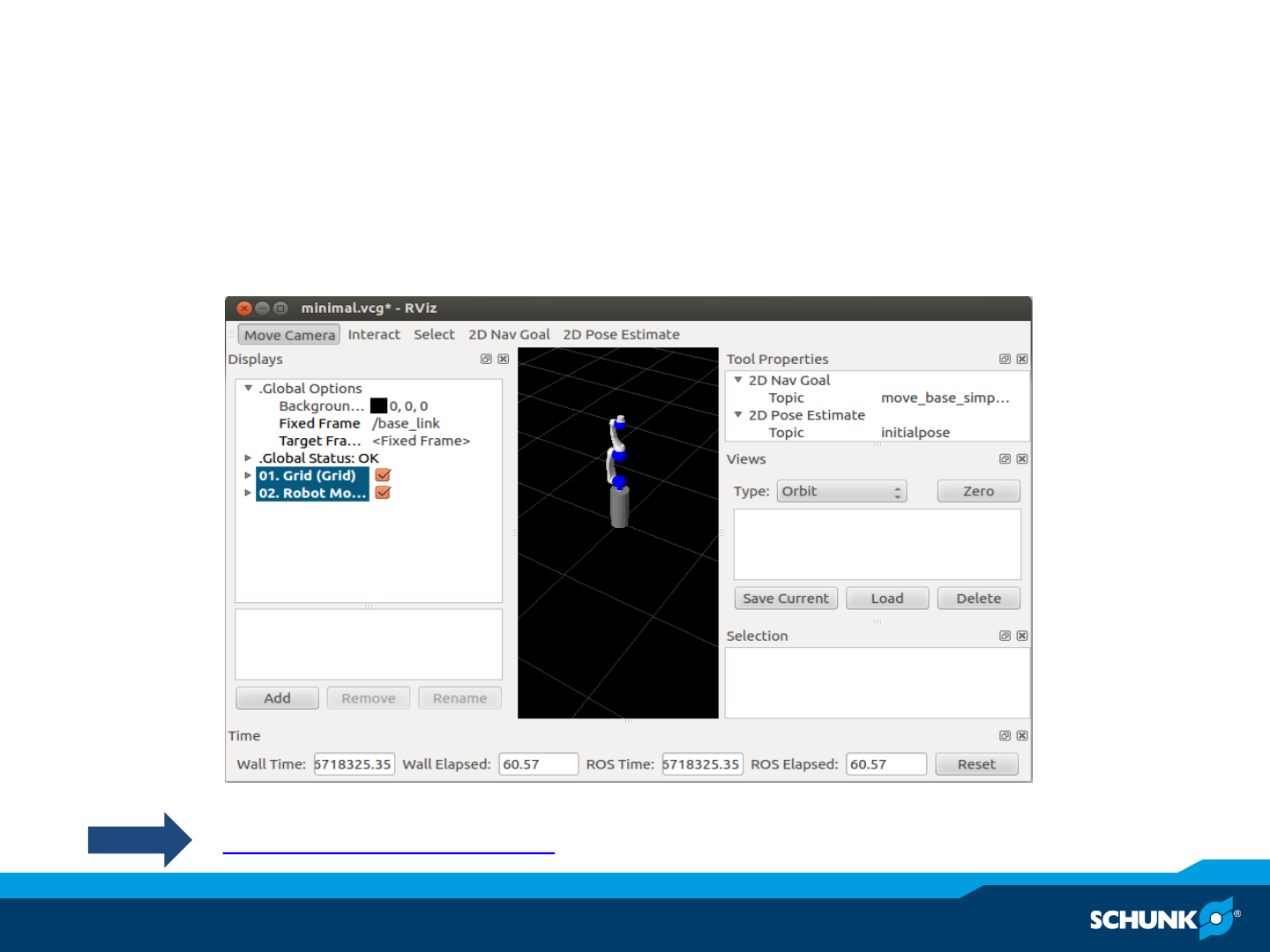
–To launch the Powerball-arm in Gazebo
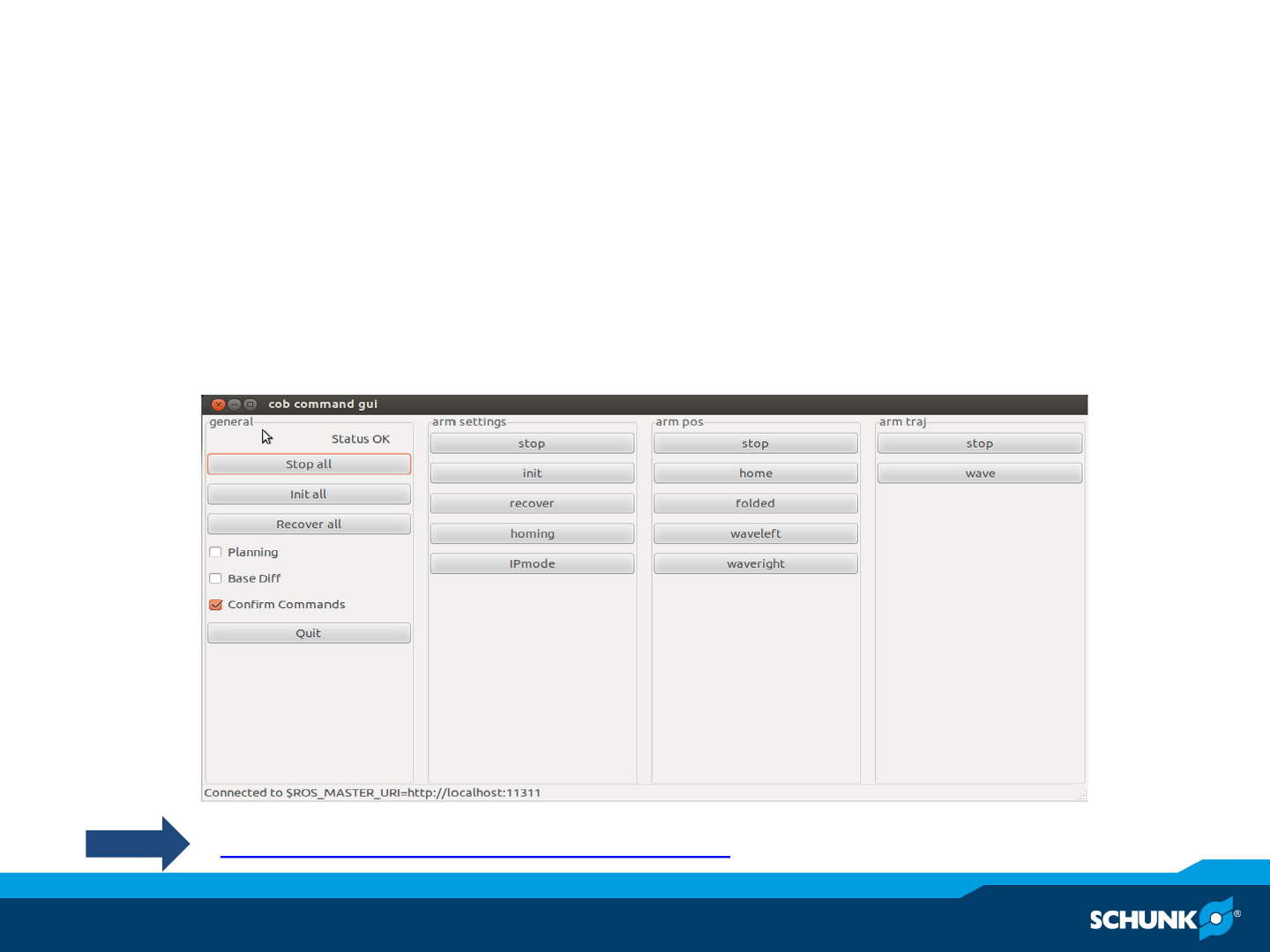
–To move the arm with a graphical command GUI
–To configure the necessary yaml-files: check the next slides
roslaunch schunk_bringup powerball_solo.launch
roslaunch schunk_bringup_sim powerball.launch
roslaunch schunk_bringup dashboard_powerball.launch
- git clone git://github.com/ipa320/schunk_robots.git
- git clone git://github.com/ipa320/schunk_modular_robotics.git
Configuring the Schunk LWA 4.P (Powerball) arm
I
•Change directory
•Modify canopenmaster.yaml e.g.
roscd schunk_hardware_config/powerball/config
devices:
- name: /dev/pcan32
baudrate: 500K
sync_interval: 10
chains: [“arm_controller“]
Configuring the Schunk LWA 4.6 (Powerball) arm II
•Change directory
•Modify powerball.yaml e.g.
roscd schunk_hardware_config/powerball/config
# canopen parameters
can_module: PCAN
can_baudrate: 1000
max_accelerations: [0.8, 0.8, 0.8, 0.8, 0.8, 0.8]
OperationMode: position
joint_names: [“arm_1_joint”, “arm_2_joint”, “arm_3_joint”, “arm_4_joint”, “arm_5_joint”,
“arm_6_joint”]
module_ids: [3, 4, 5, 6, 7, 8]
devices: [“/dev/pcan32”, “/dev/pcan32”, “/dev/pcan32”, “/dev/pcan32”, “/dev/pcan32”,
“/dev/pcan32”]
# trajectory controll parameters
ptp_vel: 0.4 # rad/sec
ptp_acc: 0.1 # rad/sec²
max_error: 0.2 # rad
frequency: 100
Configuring the Schunk LWA 4.6 (Powerball) arm III
•Change directory
•Modify powerball_joint_configurations.yaml e.g.
joint_names:
["arm_1_joint","arm_2_joint","arm_3_joint","arm_4_joint","arm_5_joint","arm_6_joint"]
# back side positions
home: [[0,0,0,0,0,0]]
folded: [[0.32108866388214263, 0.6484189832579226, 2.06286710514828, -
1.2376313006847157, 5.658013215042093, -7.150174321779446e-05]]
wave_left: [[0.321033880484058, 0.49950722659008573, -0.4061025056033145, -
0.2370251233291425, 5.300248440143207e-06, 9.462633828505318e-06]]
wave_right: [[0.4741062629069983, -0.7912476227793528, 0.0041526706870680385, -
2.4662076334003302e-05, 2.4489075676648042e-05, 8.393716051102729e-06]]
# trajectories
wave_left-wave_right-home: [wave_left,wave_right,home]
roscd schunk_default_config/config
Moving the Schunk LWA 4.D
(Dextrous) arm schunk_robots

Driving the Schunk LWA 4.P (Powerball) arm
•Make sure you have the following two repositories on your pc
•ipa320/schunk_robots.git
•ipa320/schunk_modular_robotics.git
–If not
–To launch the CANopen driver together with a trajectory controller
–To launch the Powerball-arm in Gazebo
–To move the arm with a graphical command GUI
–To configure the necessary yaml-files: check the next slides
roslaunch schunk_bringup powerball_solo.launch
roslaunch schunk_bringup_sim powerball.launch
roslaunch schunk_bringup dashboard_powerball.launch
- git clone git://github.com/ipa320/schunk_robots.git
- git clone git://github.com/ipa320/schunk_modular_robotics.git
Configuring the Schunk LWA 4.P (Powerball) arm
I
•Change directory
•Modify canopenmaster.yaml e.g.
roscd schunk_hardware_config/powerball/config
devices:
- name: /dev/pcan32
baudrate: 500K
sync_interval: 10
chains: [“arm_controller“]
Configuring the Schunk LWA 4.6 (Powerball) arm II
•Change directory
•Modify powerball.yaml e.g.
roscd schunk_hardware_config/powerball/config
# canopen parameters
can_module: PCAN
can_baudrate: 1000
max_accelerations: [0.8, 0.8, 0.8, 0.8, 0.8, 0.8]
OperationMode: position
joint_names: [“arm_1_joint”, “arm_2_joint”, “arm_3_joint”, “arm_4_joint”, “arm_5_joint”,
“arm_6_joint”]
module_ids: [3, 4, 5, 6, 7, 8]
devices: [“/dev/pcan32”, “/dev/pcan32”, “/dev/pcan32”, “/dev/pcan32”, “/dev/pcan32”,
“/dev/pcan32”]
# trajectory controll parameters
ptp_vel: 0.4 # rad/sec
ptp_acc: 0.1 # rad/sec²
max_error: 0.2 # rad
frequency: 100
Configuring the Schunk LWA 4.6 (Powerball) arm III
•Change directory
•Modify powerball_joint_configurations.yaml e.g.
joint_names:
["arm_1_joint","arm_2_joint","arm_3_joint","arm_4_joint","arm_5_joint","arm_6_joint"]
# back side positions
home: [[0,0,0,0,0,0]]
folded: [[0.32108866388214263, 0.6484189832579226, 2.06286710514828, -
1.2376313006847157, 5.658013215042093, -7.150174321779446e-05]]
wave_left: [[0.321033880484058, 0.49950722659008573, -0.4061025056033145, -
0.2370251233291425, 5.300248440143207e-06, 9.462633828505318e-06]]
wave_right: [[0.4741062629069983, -0.7912476227793528, 0.0041526706870680385, -
2.4662076334003302e-05, 2.4489075676648042e-05, 8.393716051102729e-06]]
# trajectories
wave_left-wave_right-home: [wave_left,wave_right,home]
roscd schunk_default_config/config

Schunk Demo
rosrun schunk_demo save_position.py -p <position>
-home
-folded
-waveright
-waveleft
Moving through all the predefined positions:
rosrun schunk_demo demo_arm.py
Save new positions for the ROS parameter server:
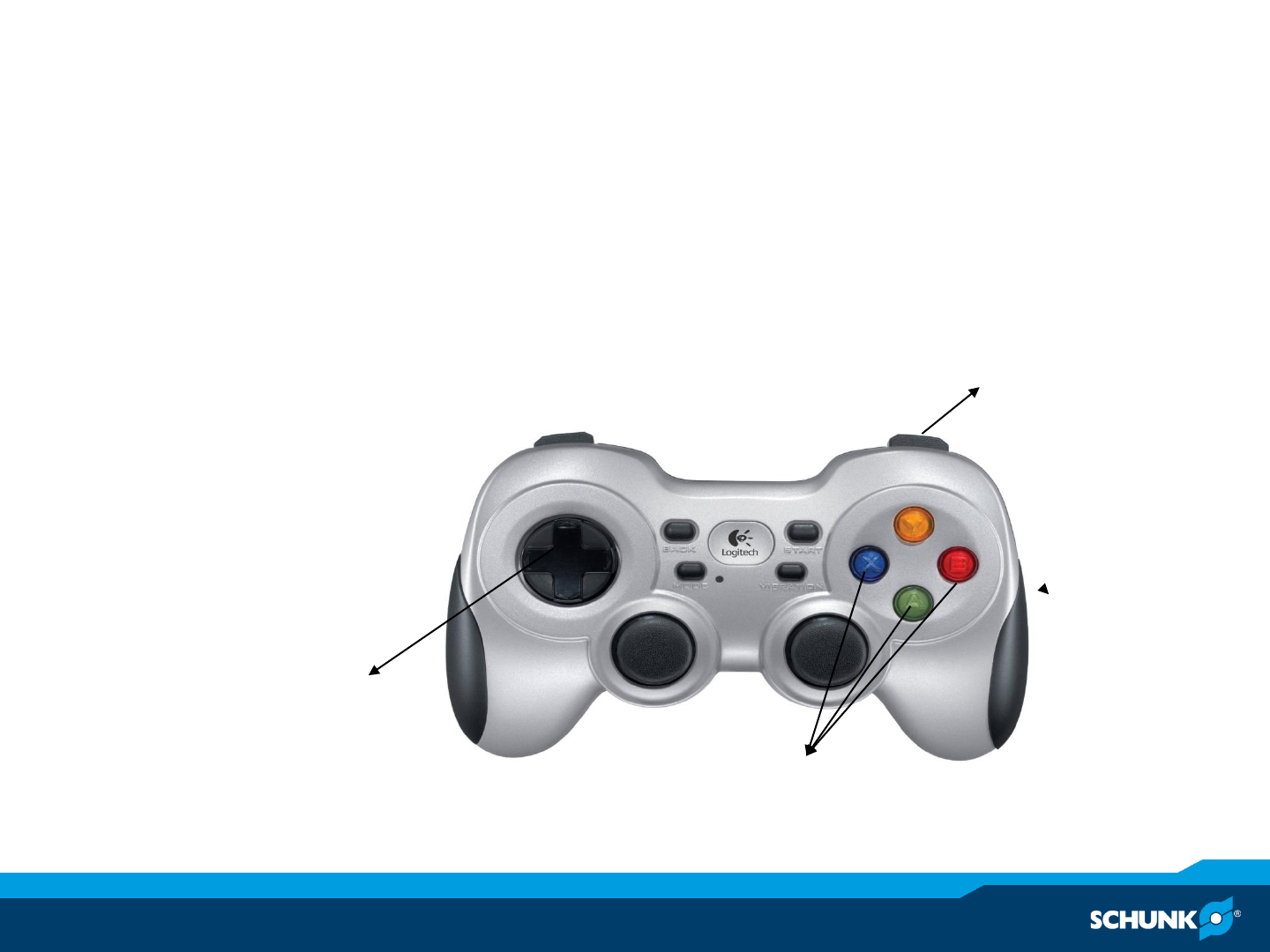
Moving with the joystick
The joystick node is automatically loaded from the schunk_bringup.
Enable Movement
Select Joint
Move using the
directionals
Contact:
Christopher Parlitz
Christopher.Parlitz@de.schunk.com
www.schunk-modular-robotics.com
www.ros.org/wiki/schunk_modular_robotics
Thank you for your attention

www.schunk.com www.schunk.com
Jens Lehmann, a German goalkeeper legend,
brand ambassador for SCHUNK since 2012
