1 Manual Registration
Manual_Registration
Manual_Registration
Manual_Registration
Manual_Registration
Manual_Registration
User Manual:
Open the PDF directly: View PDF  .
.
Page Count: 74

ERP Registration
BITS Pilani
Pilani Campus

Outline
•This document illustrates the following
How to add compulsory courses to Registration
Course Cart.
How to search and add electives to Registration
Course Cart.
How to resolve Clashes.
How to validate the classes in the Registration
Course Cart.
How to Register.
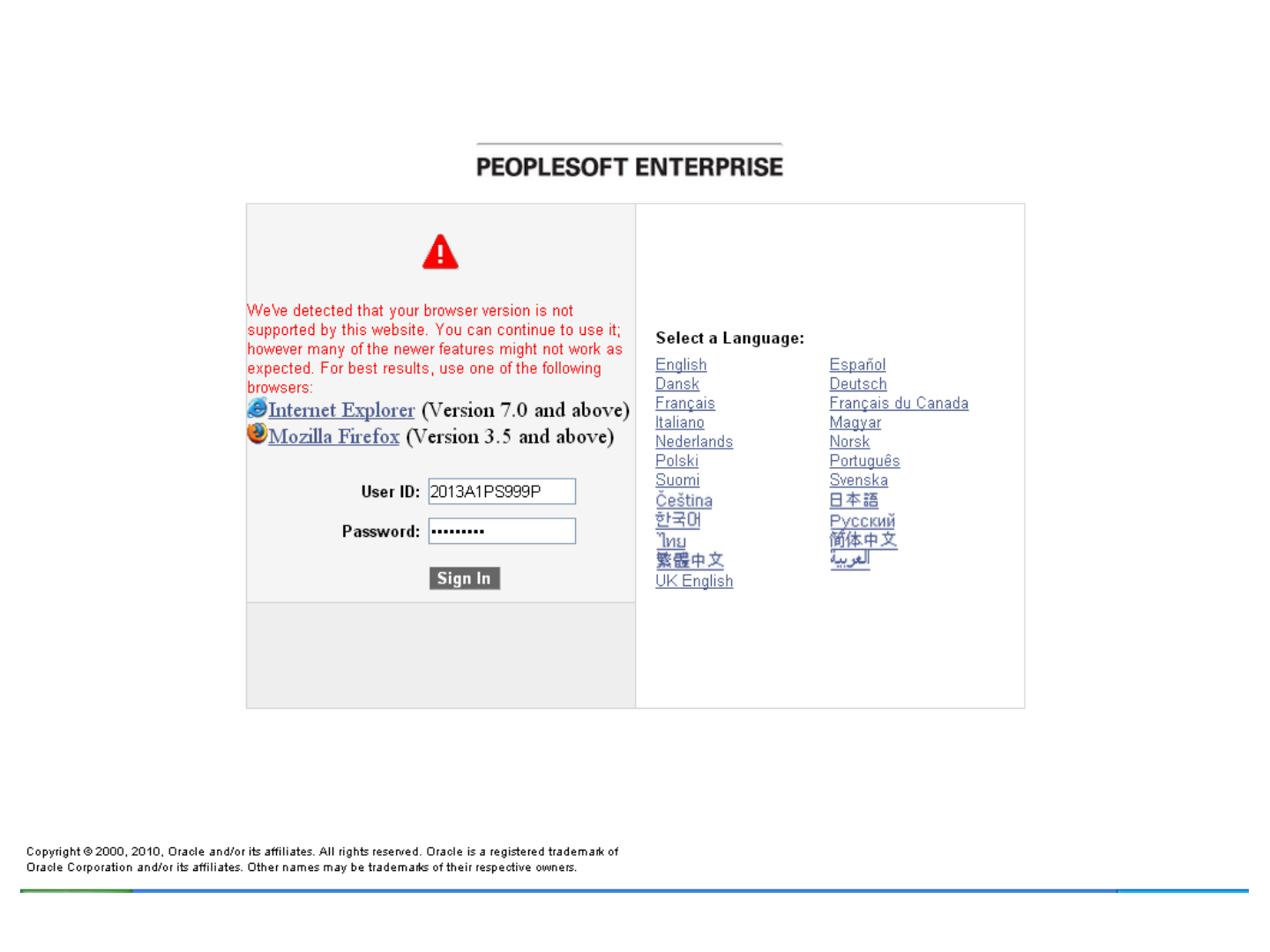
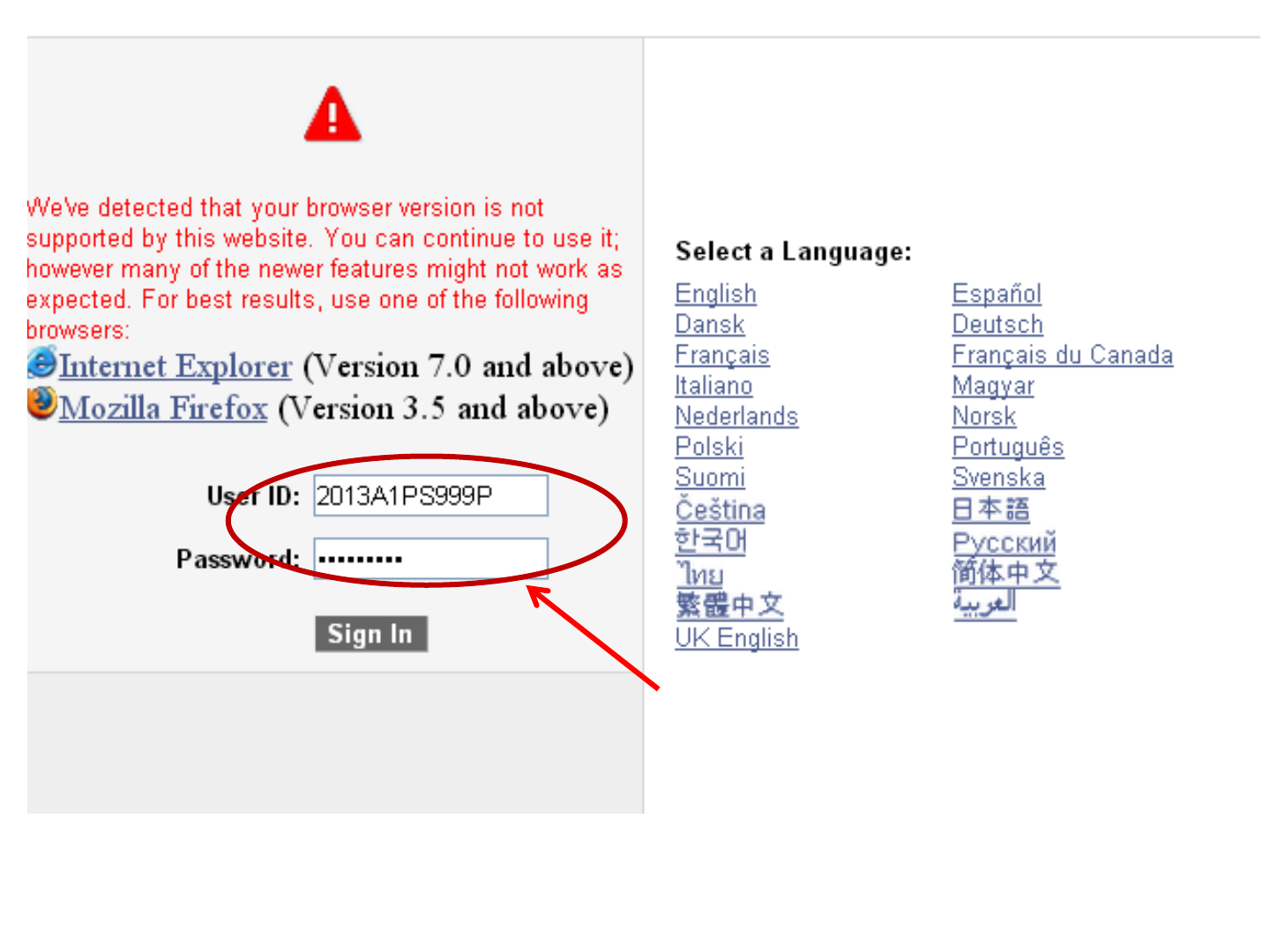
Enter User ID and Password
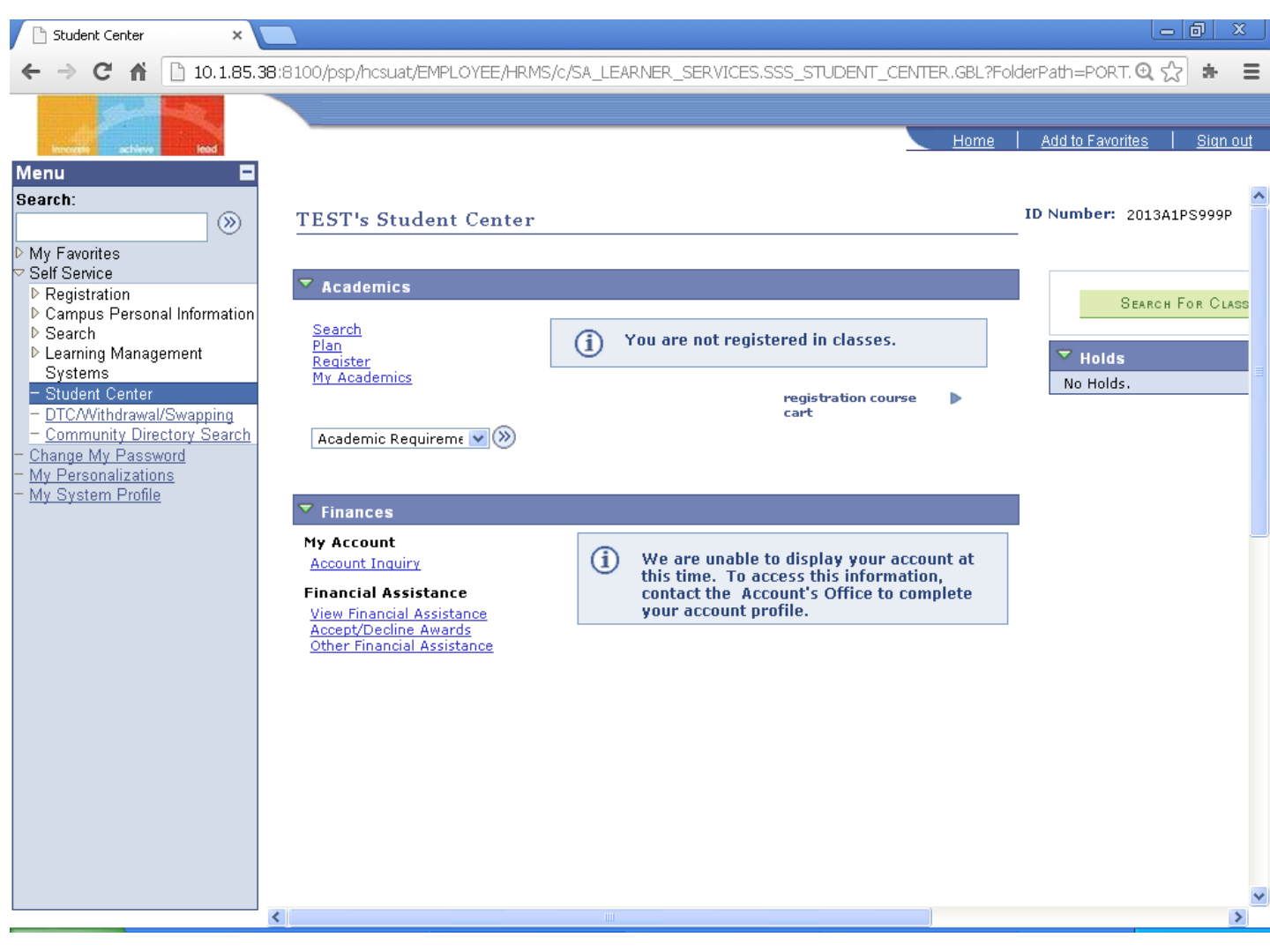
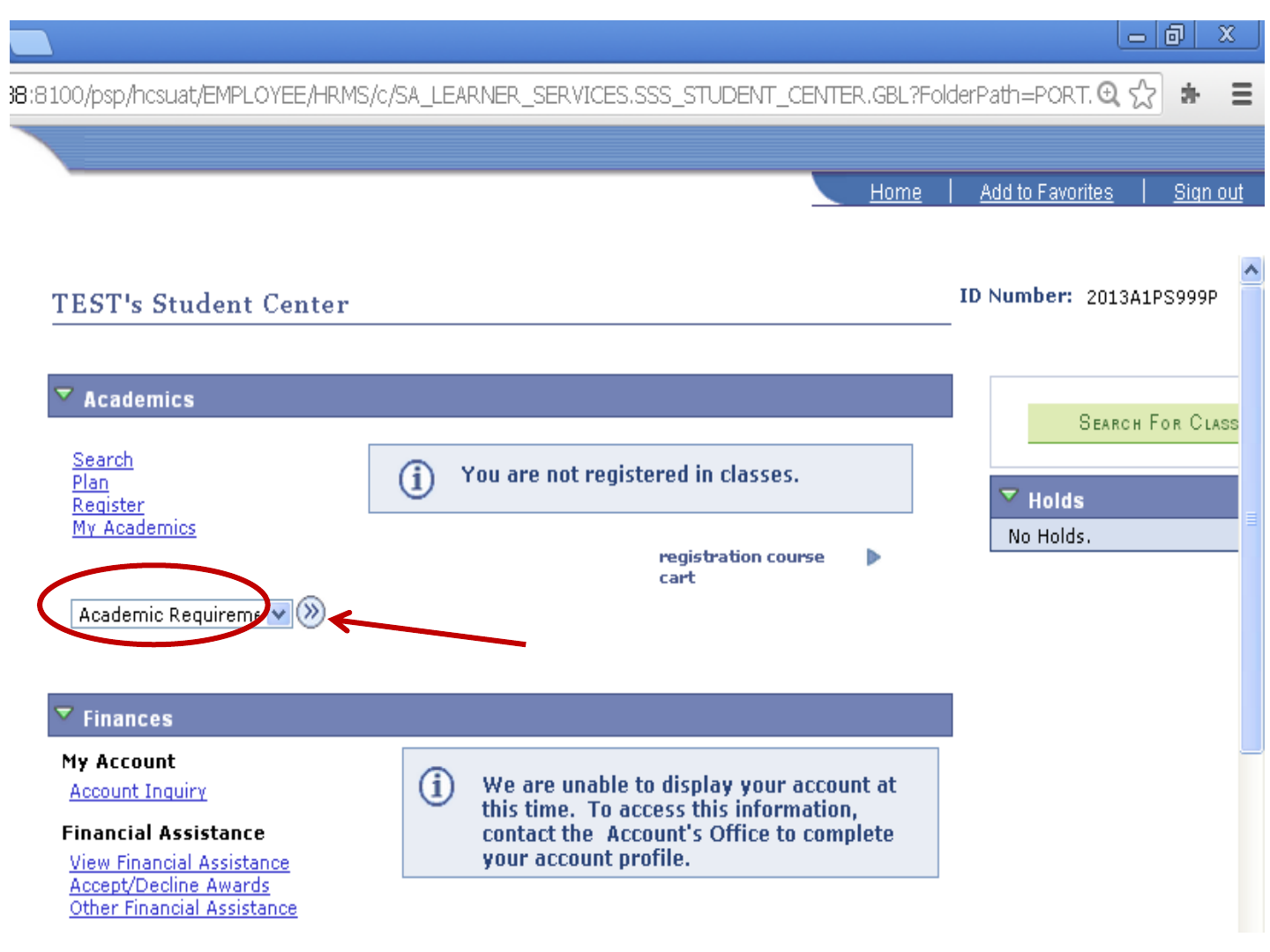
Click Here
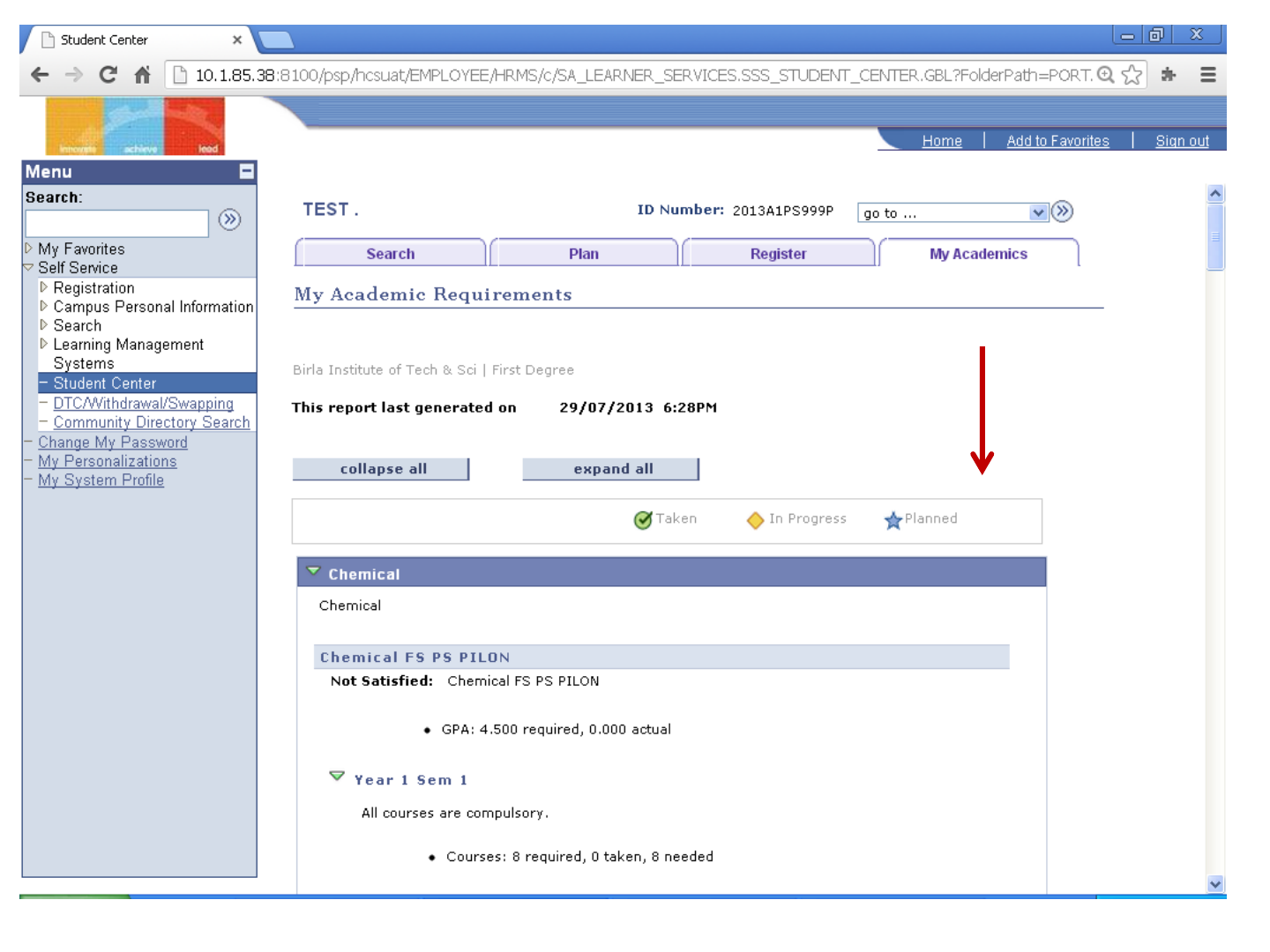
Scroll Down

List of courses for Year 1 Sem 1
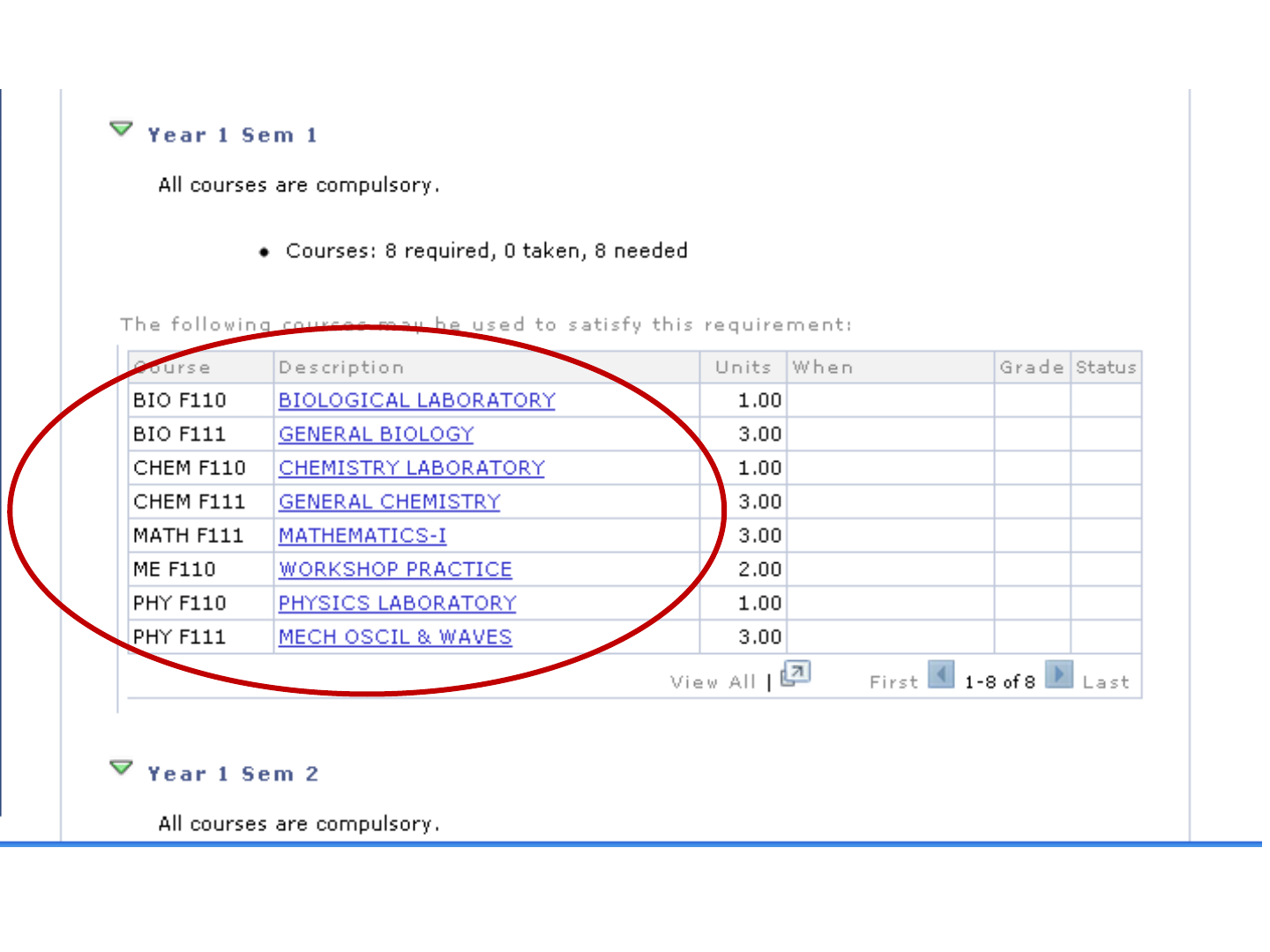
List of courses for Year 1 Sem 1
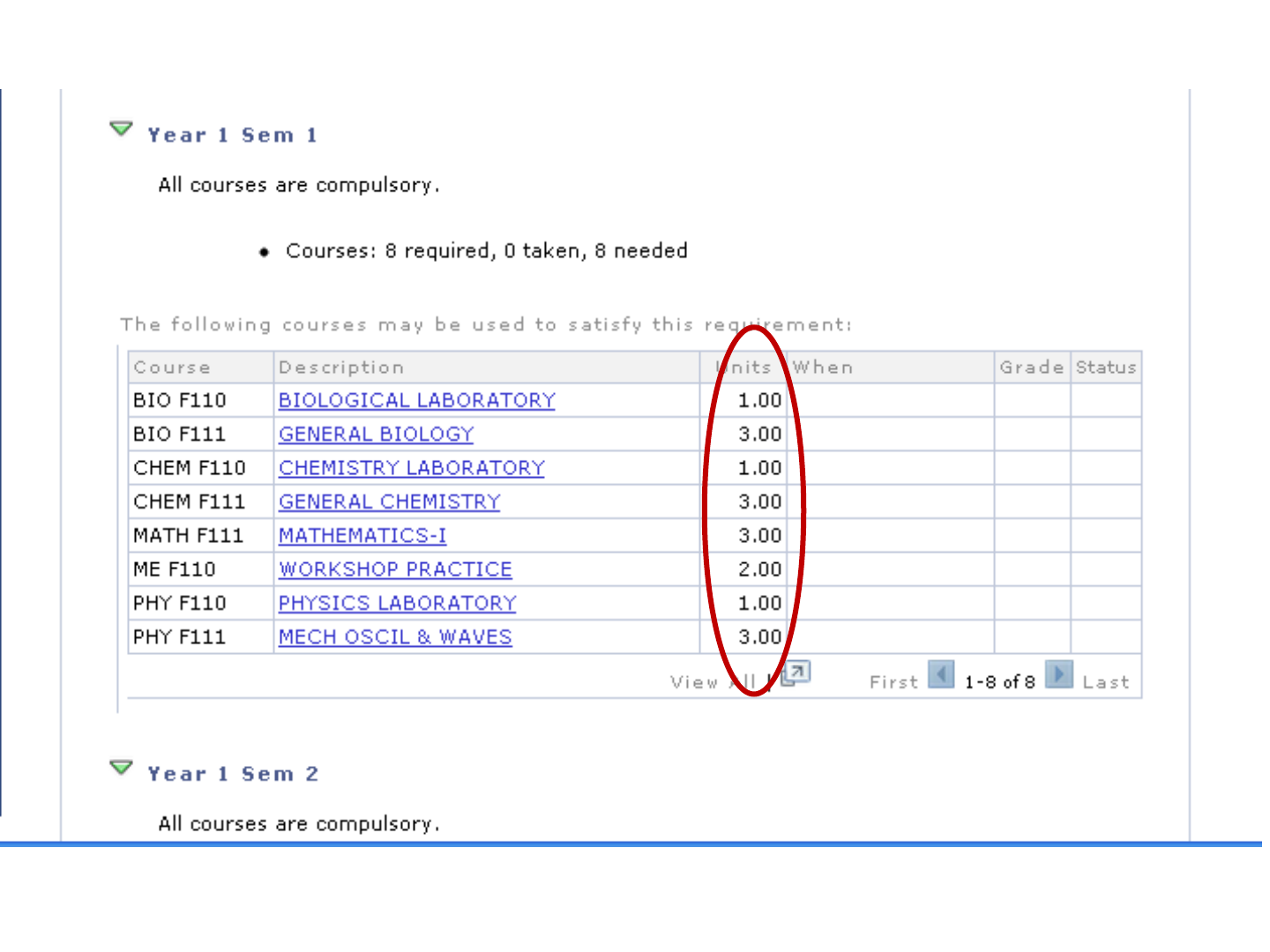
Credit Units of Courses
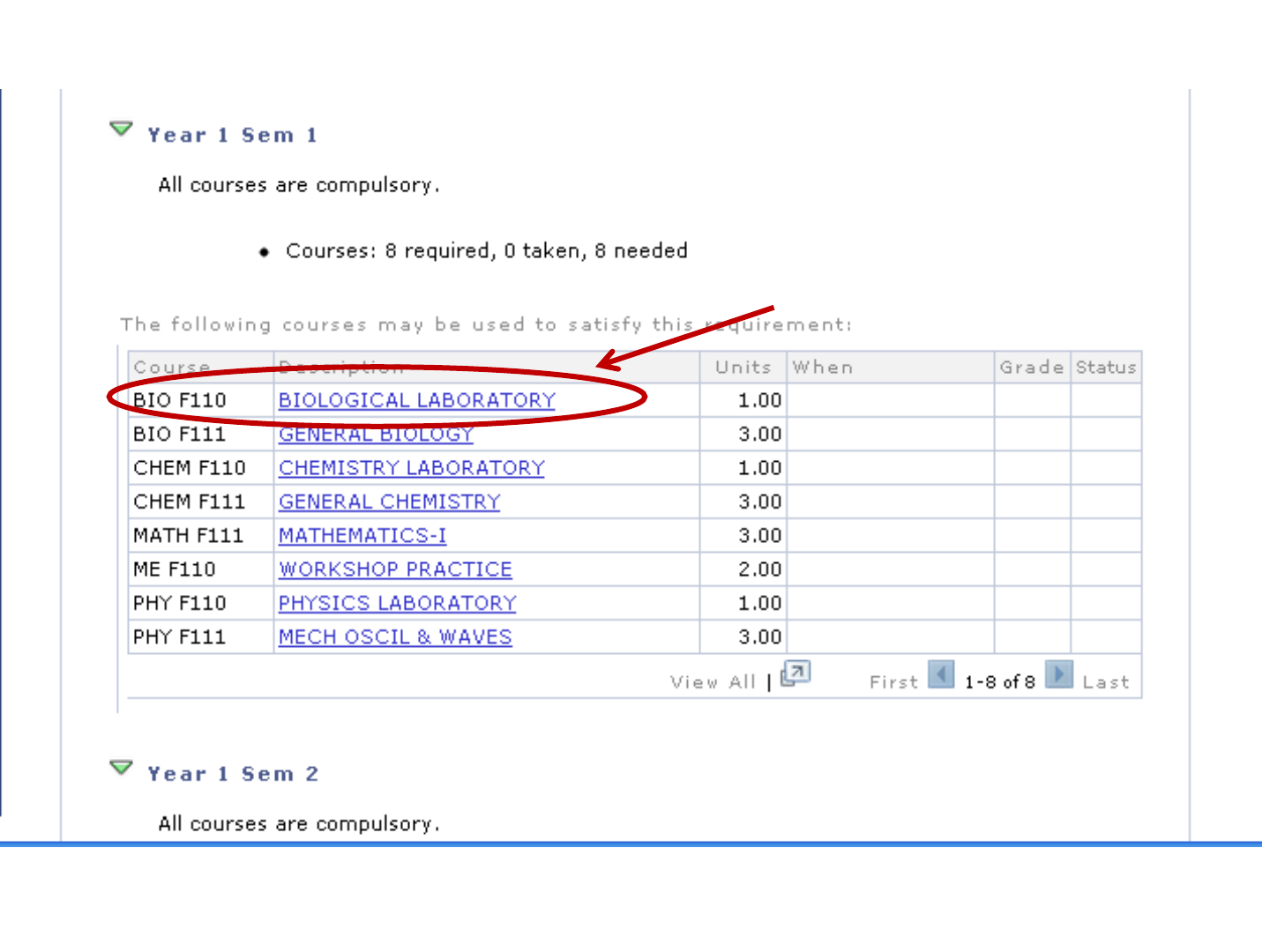
Choose a course for adding.
We will start with a laboratory
course.
Click on this course.
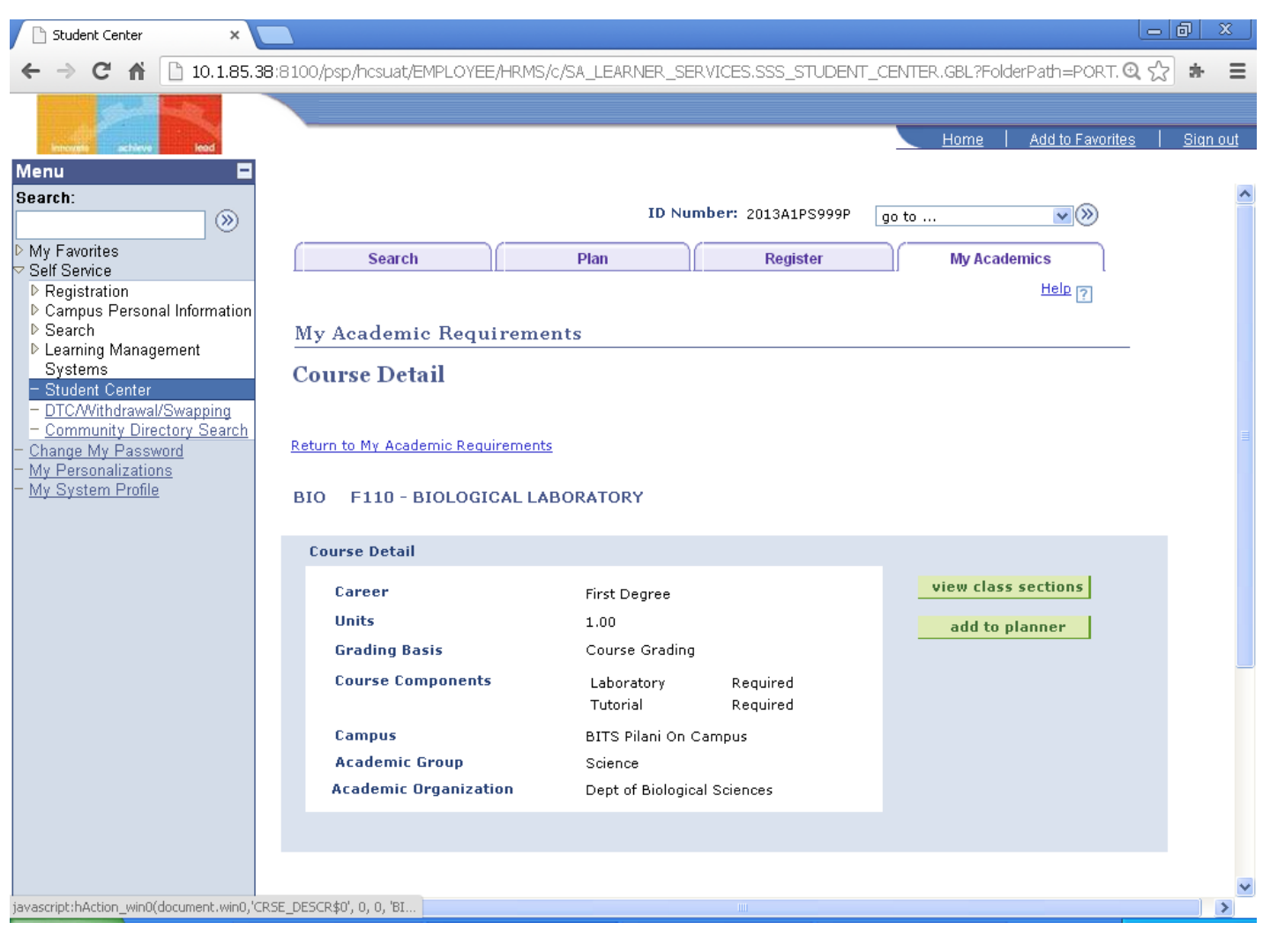
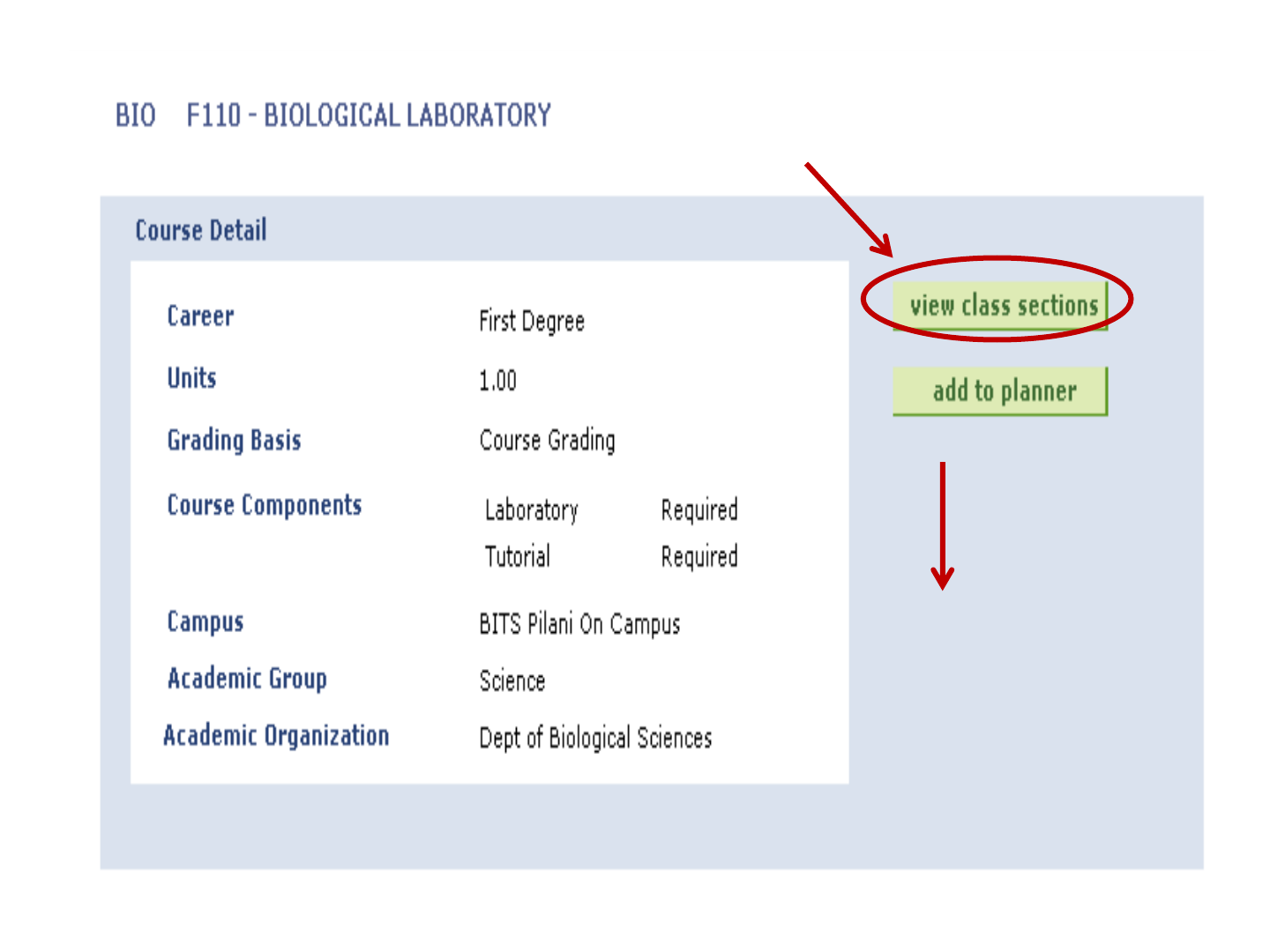
Click here
Scroll
Down
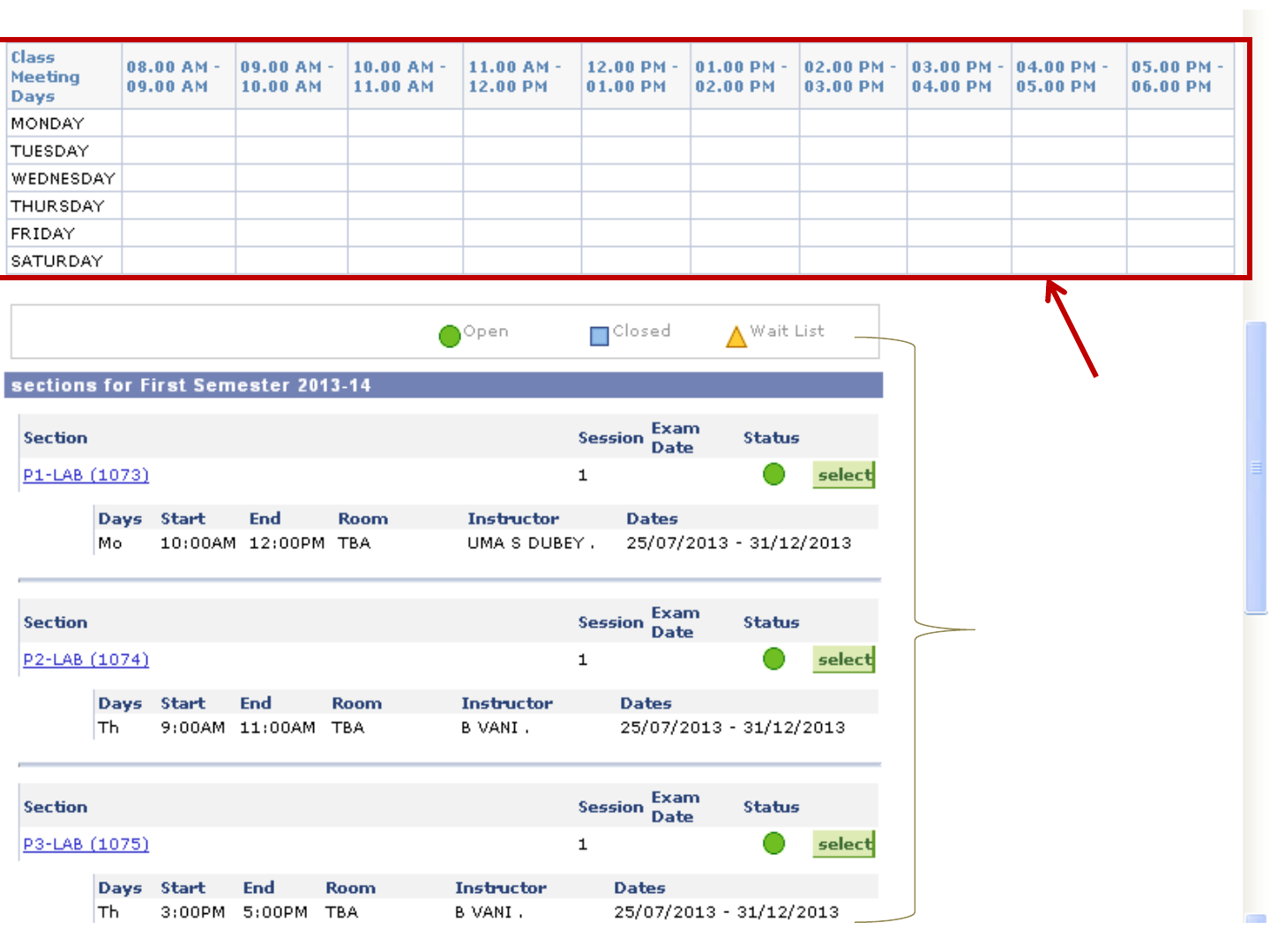
Here timetable of
already chosen
courses appears.
List of the
available
sections
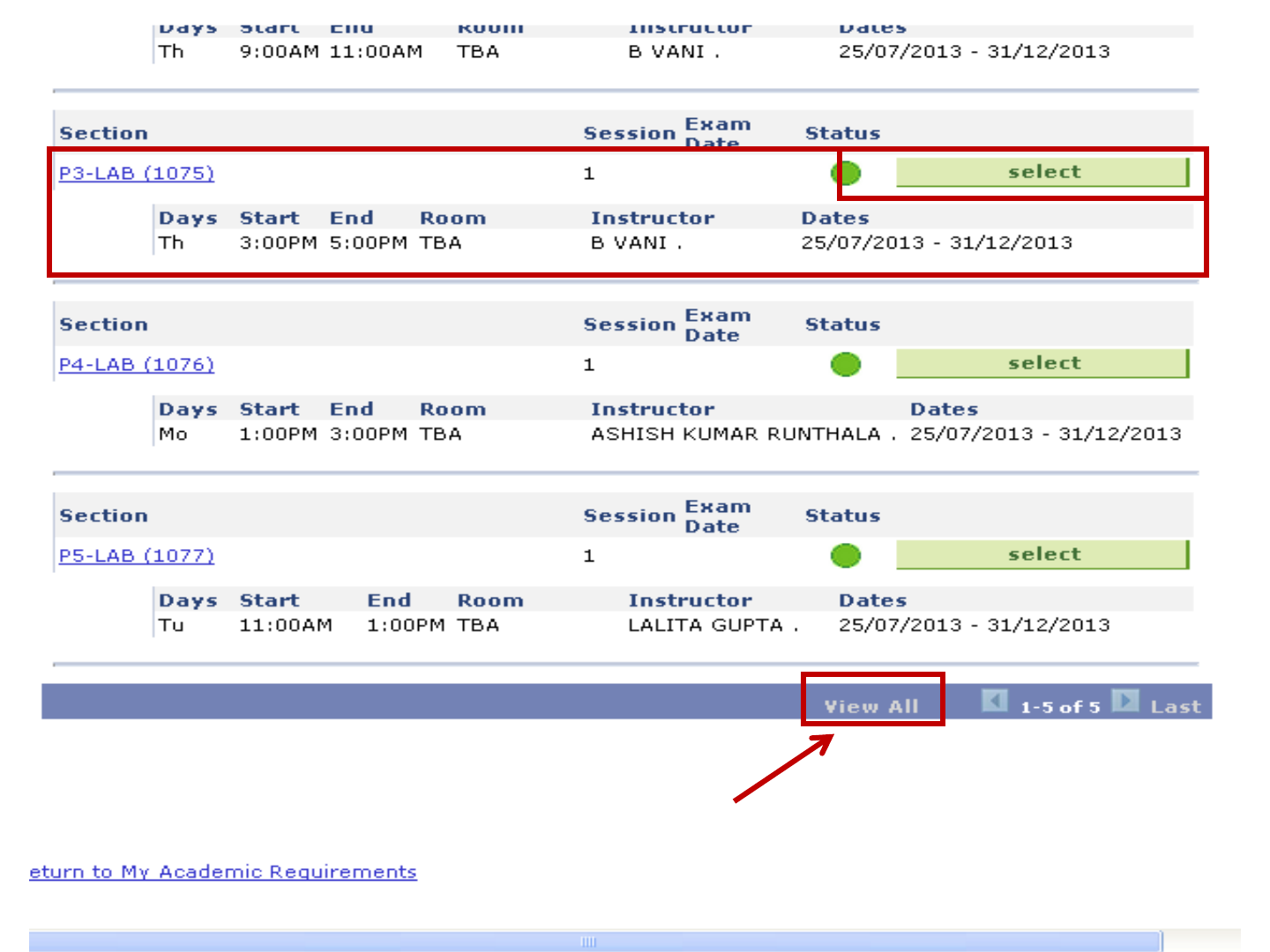
Only 5 sections are displayed at
once. To see further, click here.
Let us choose section P3.
Click on this

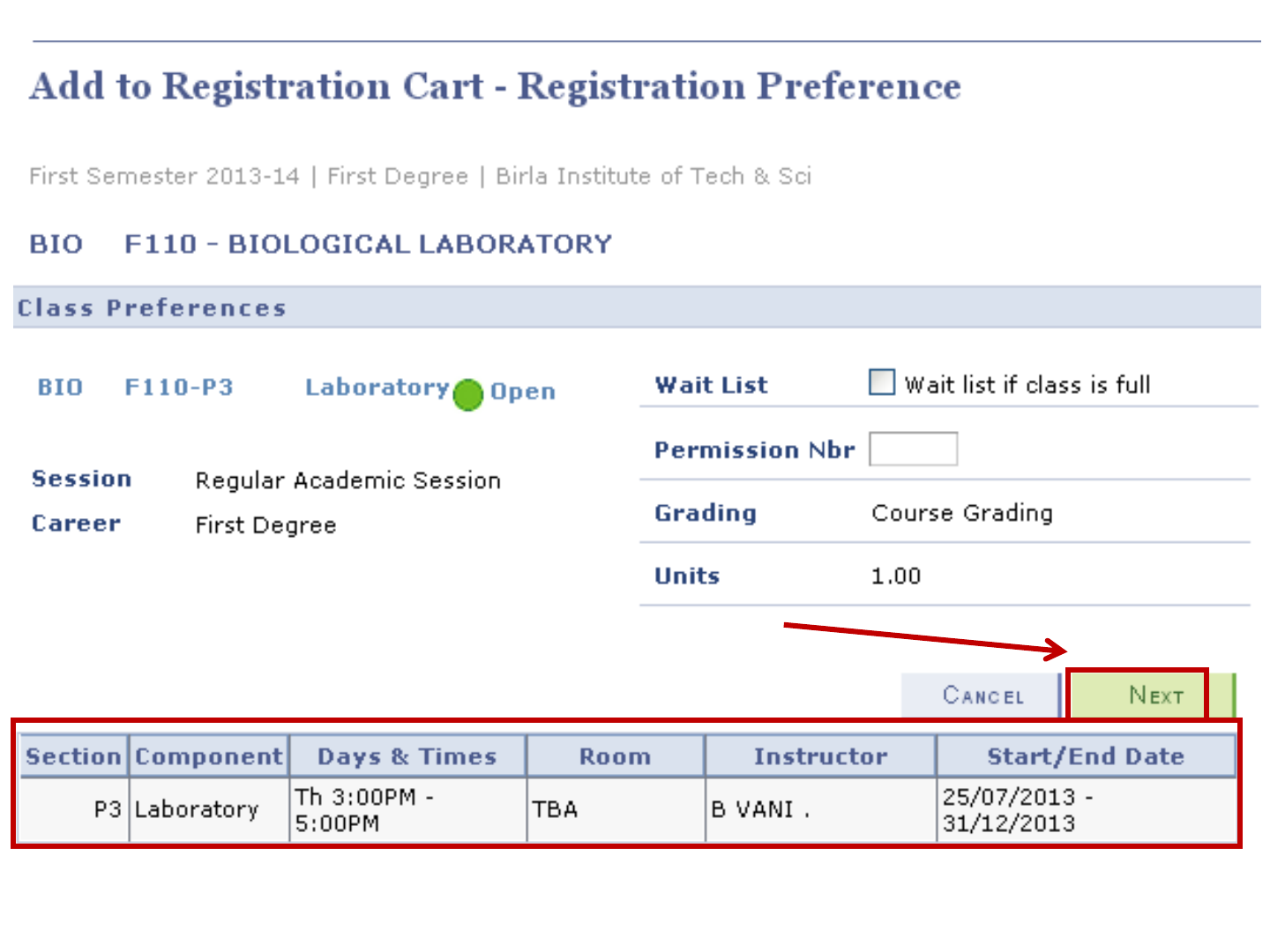
Confirmation Page for adding
course
Check the section info.
Confirm by clicking here
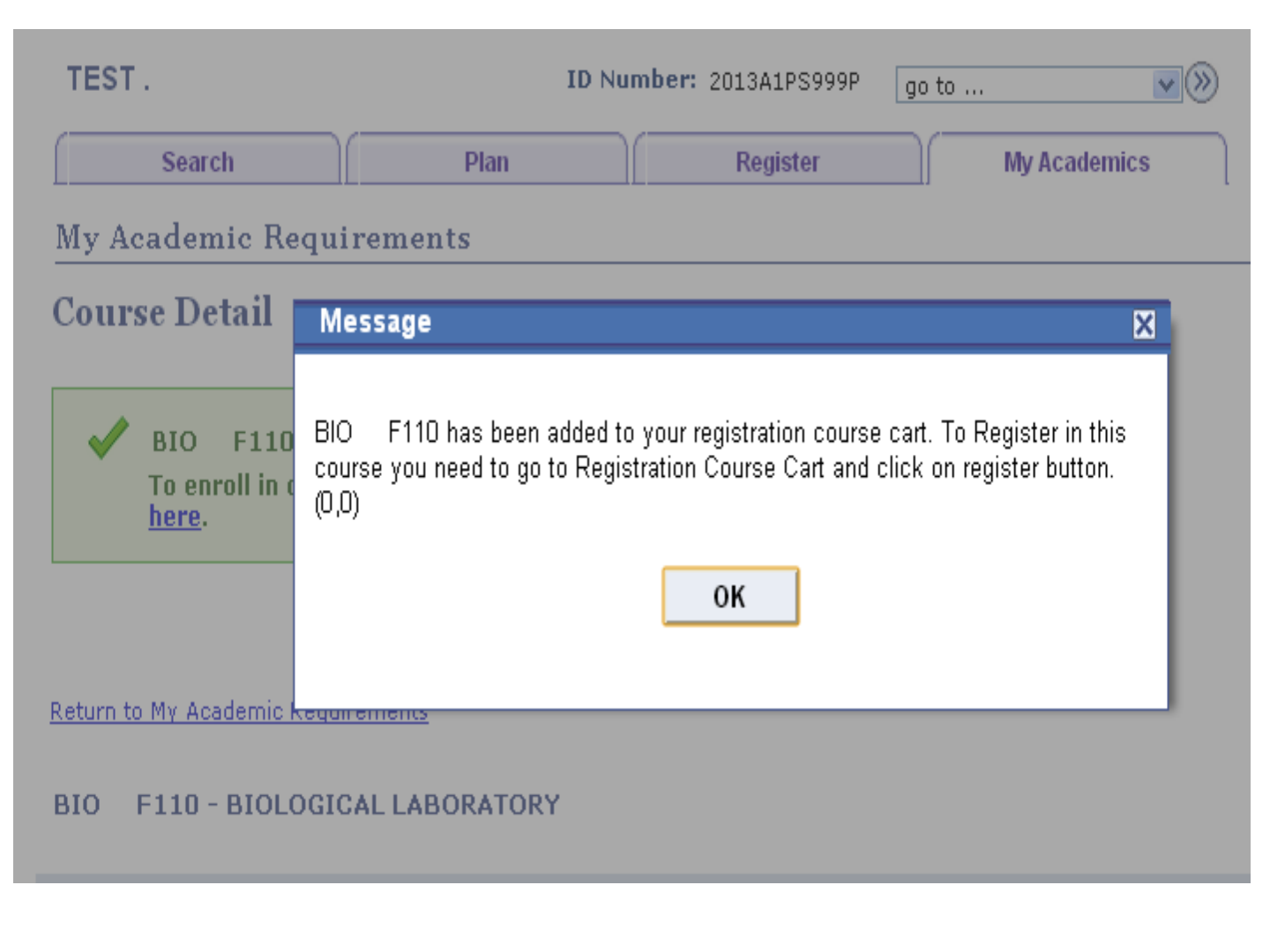
This is the confirmation that the course has been
added to your cart. Click on OK.
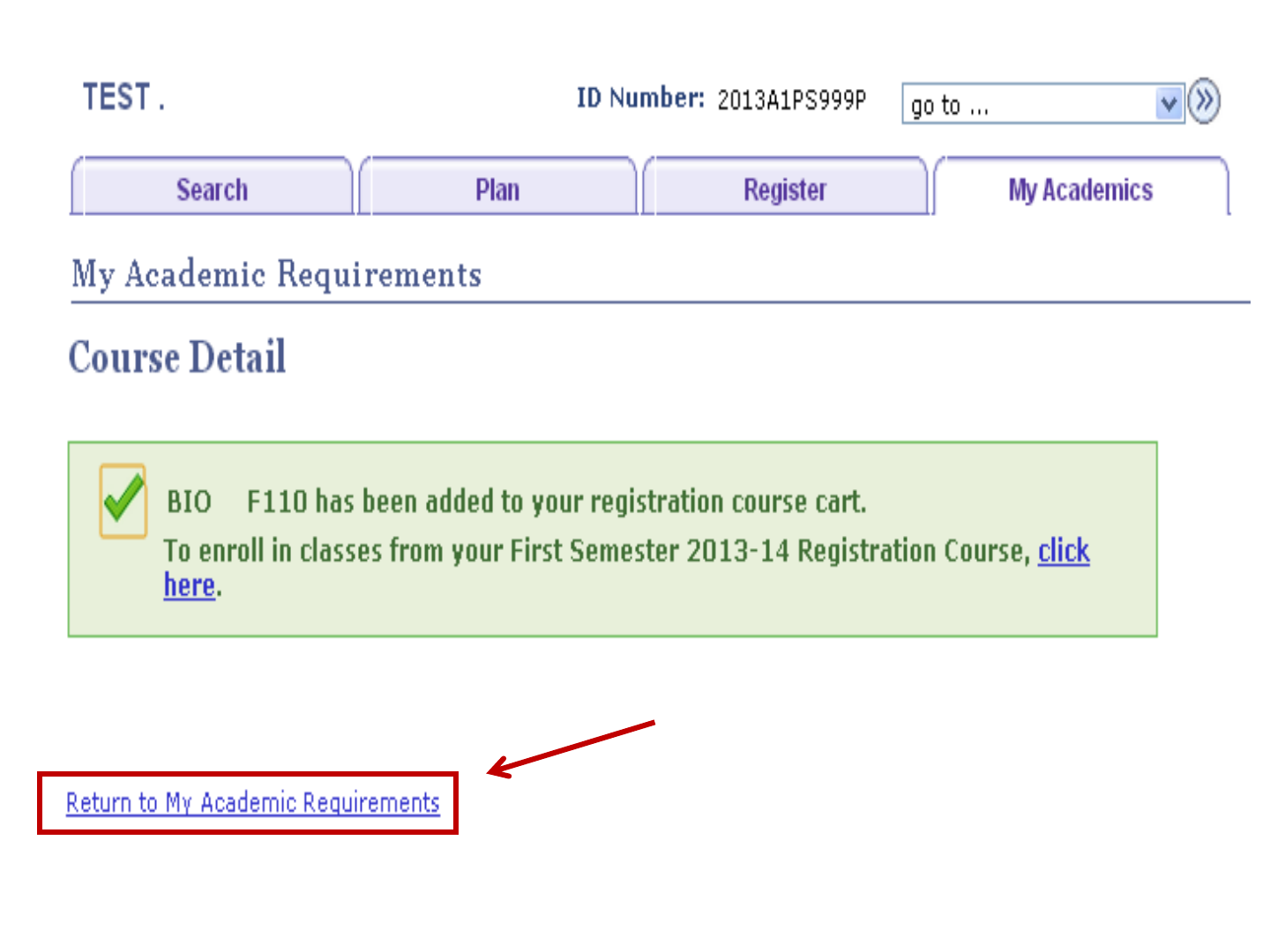
Click here to go to
course list.
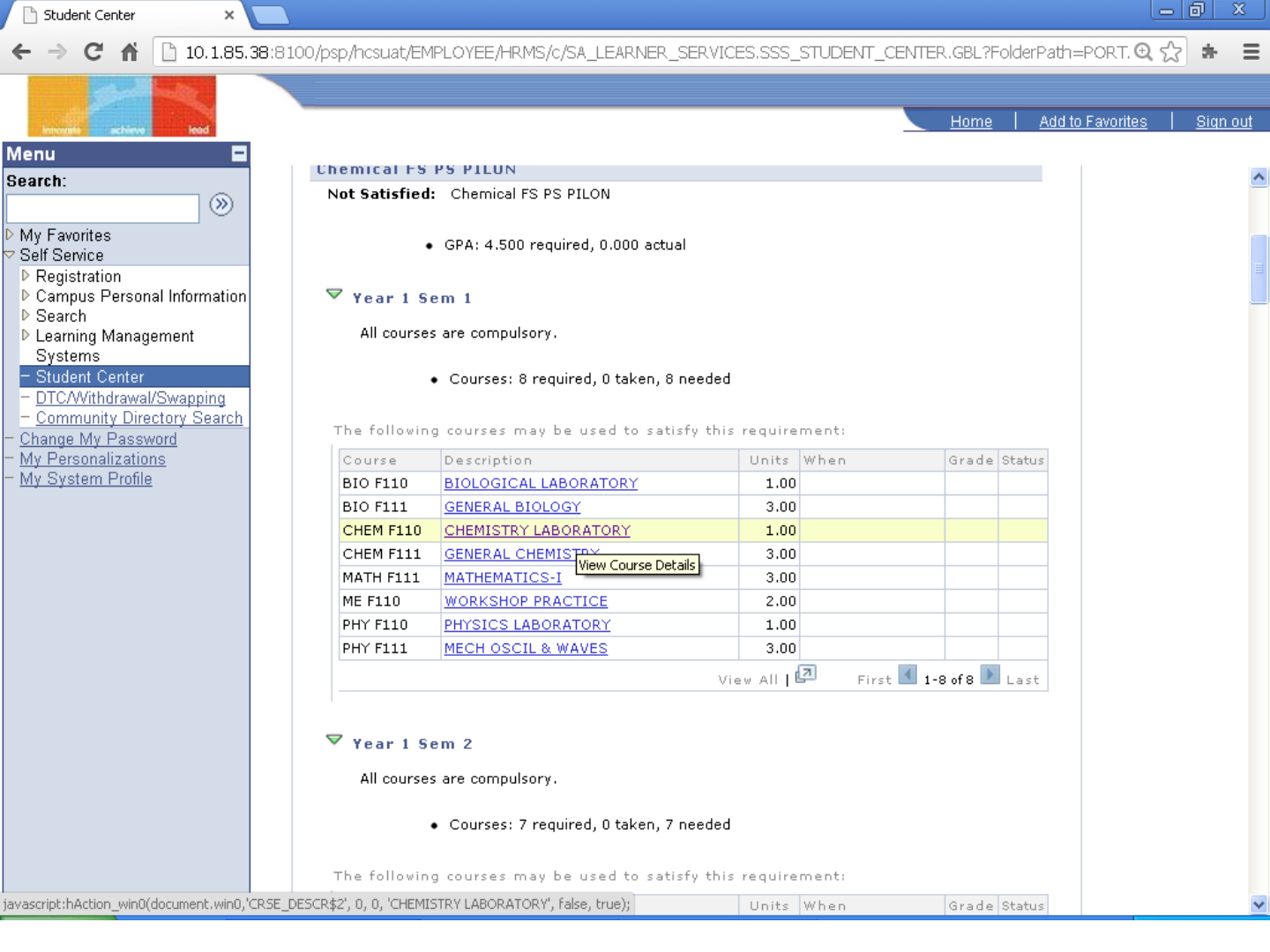
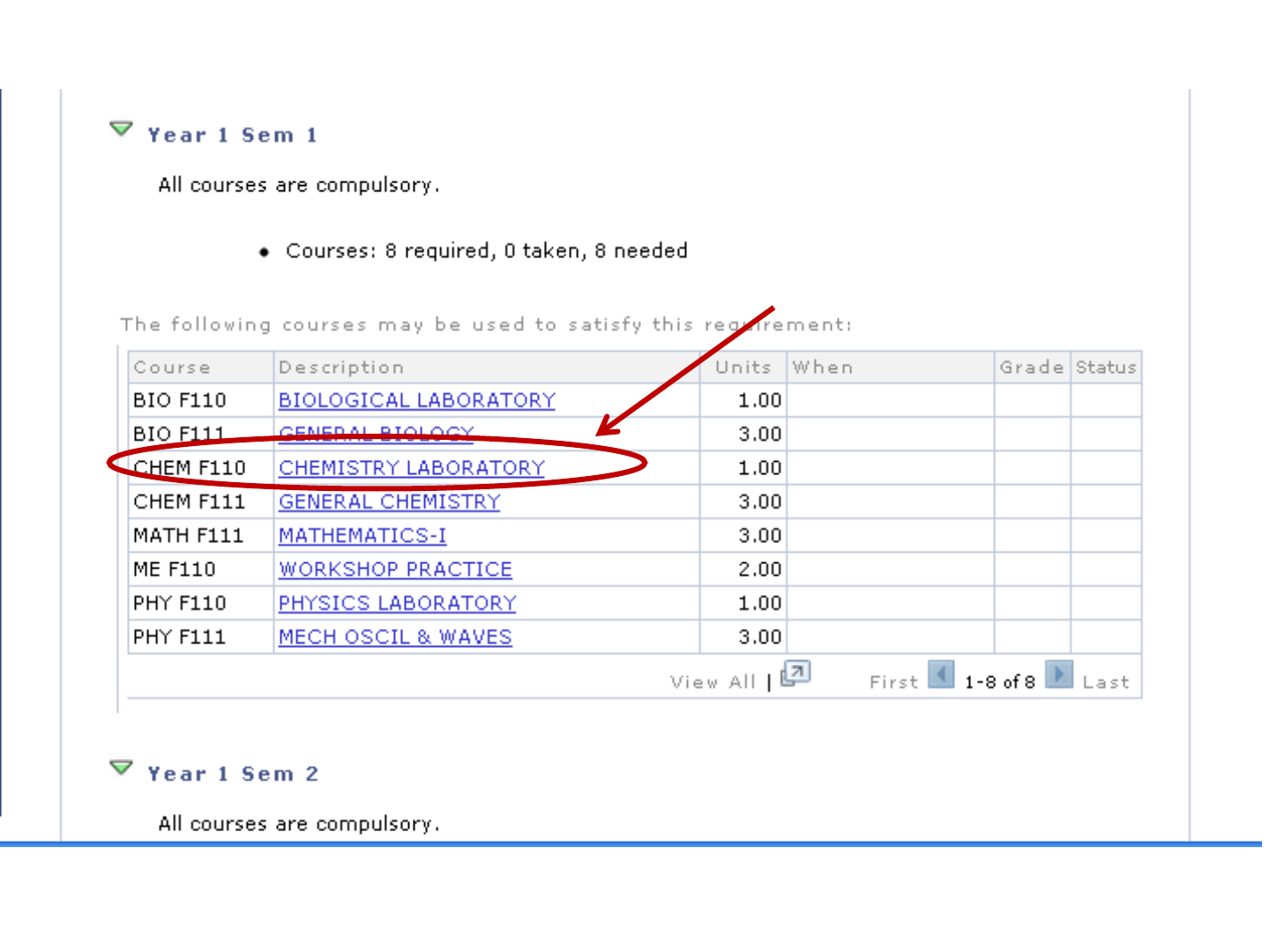
Choose next laboratory course for
adding.
Click on this course.
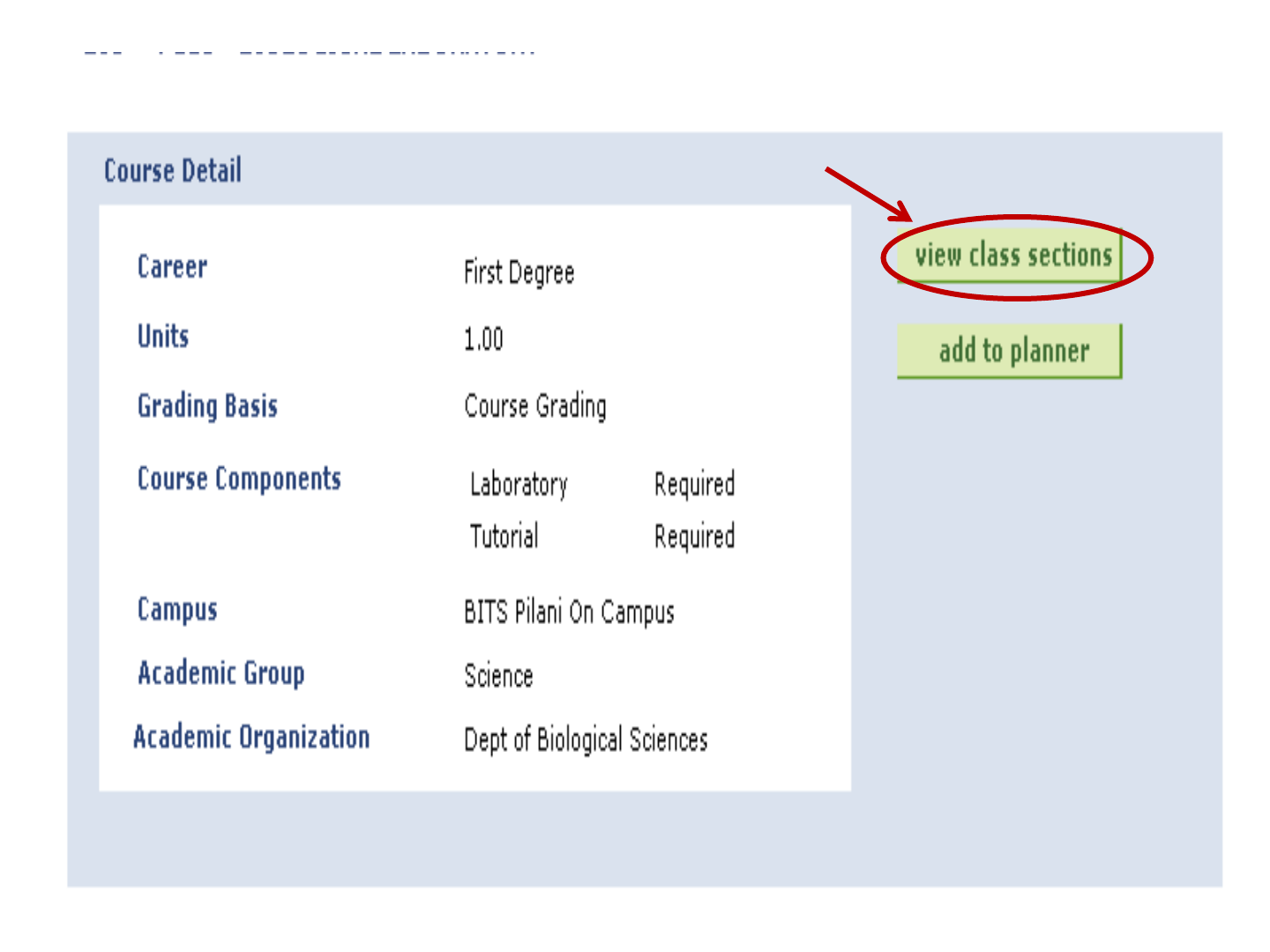
Click Here
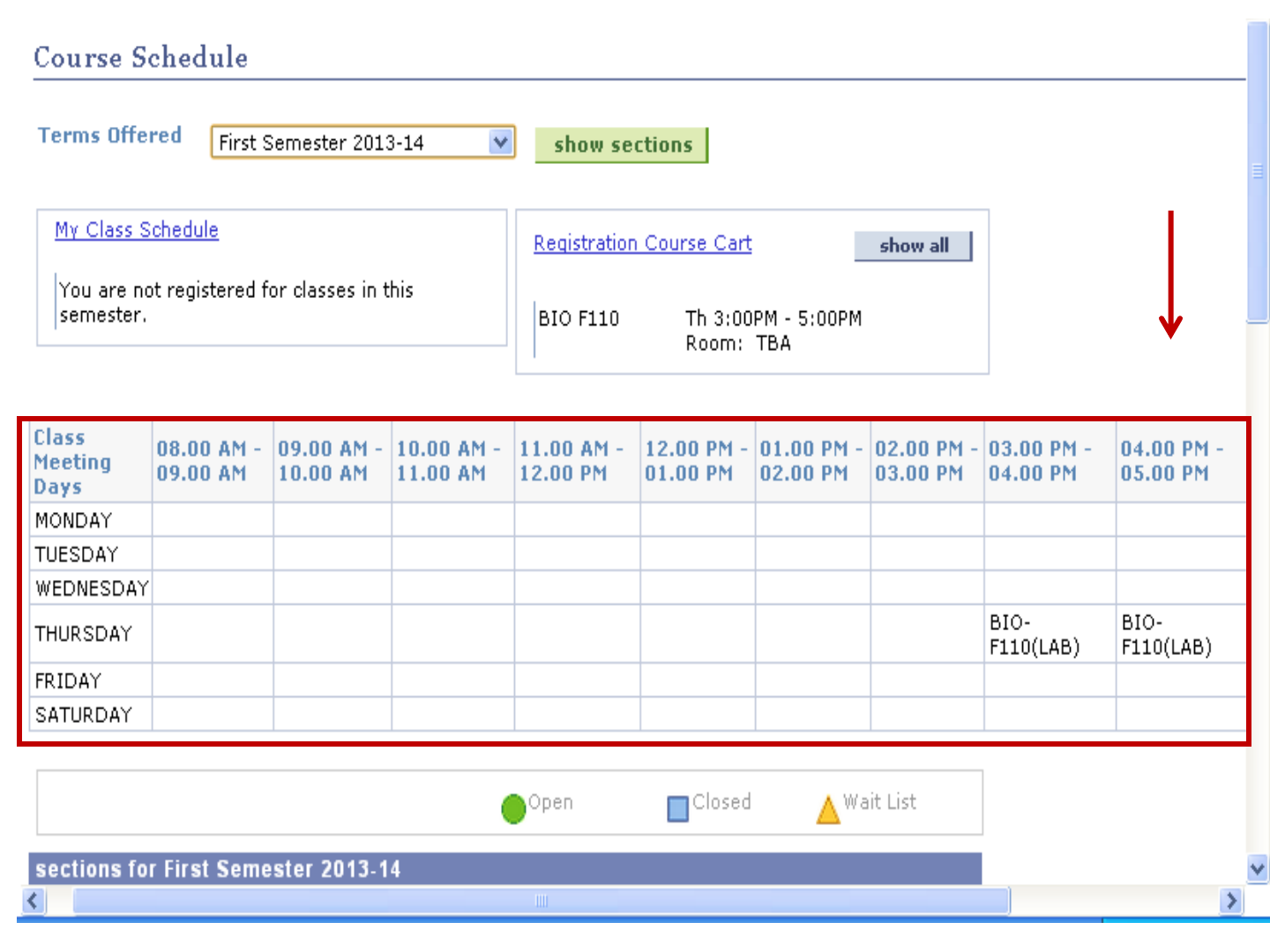
Now timetable looks like this. Watch this area for any clashes.
Scroll
Down
To see
sections
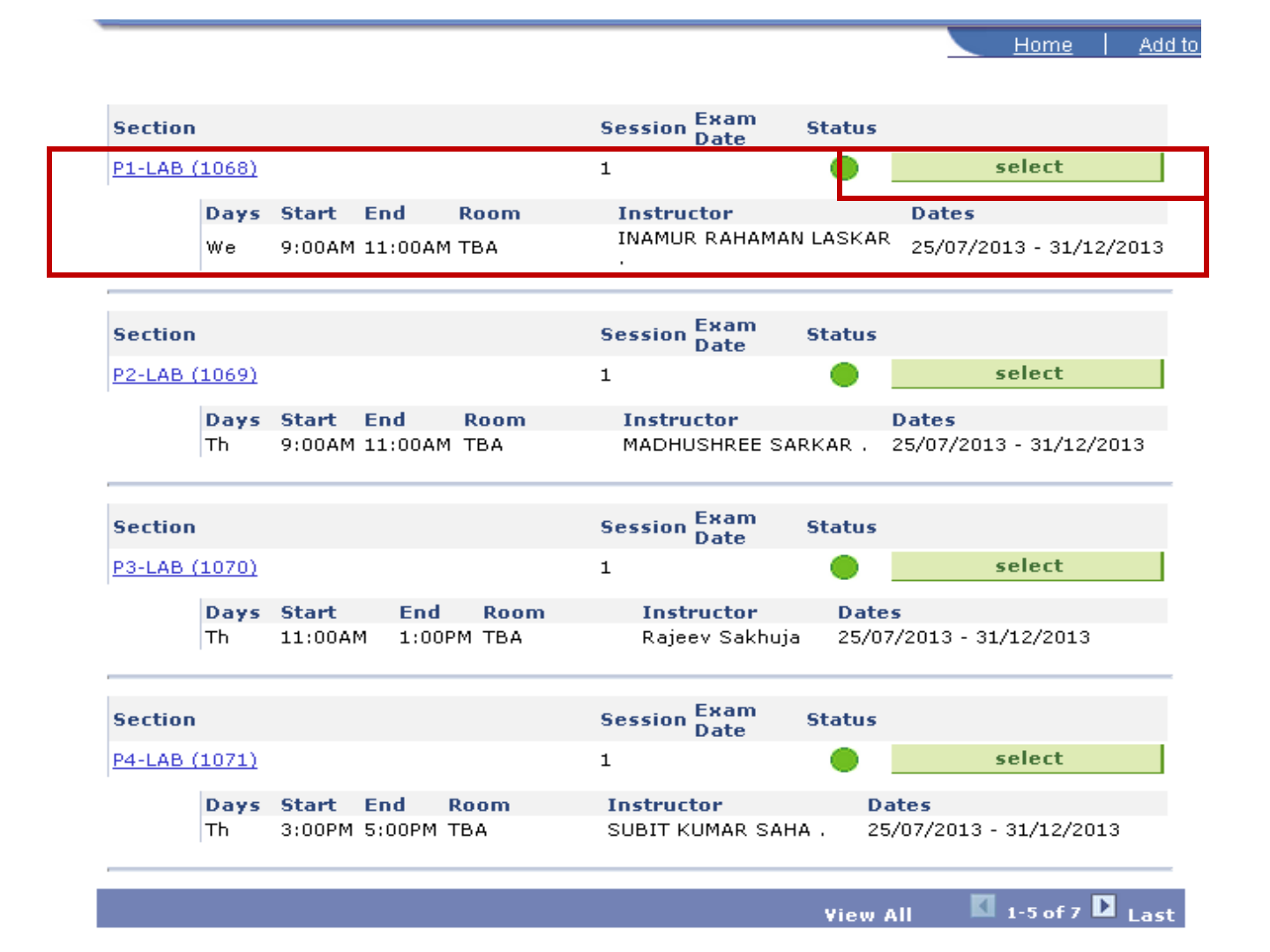
Let us choose section P1.
Click on this
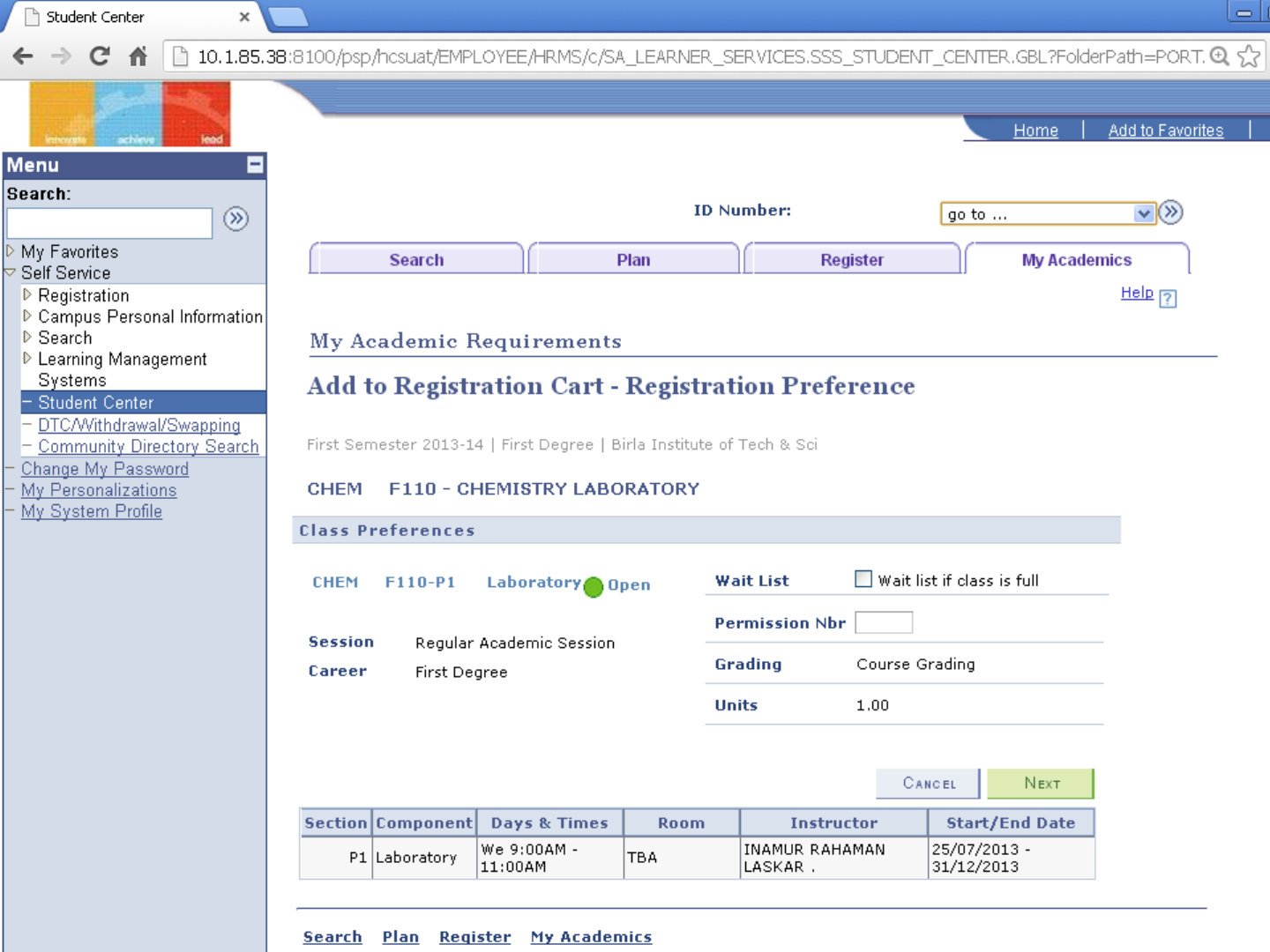
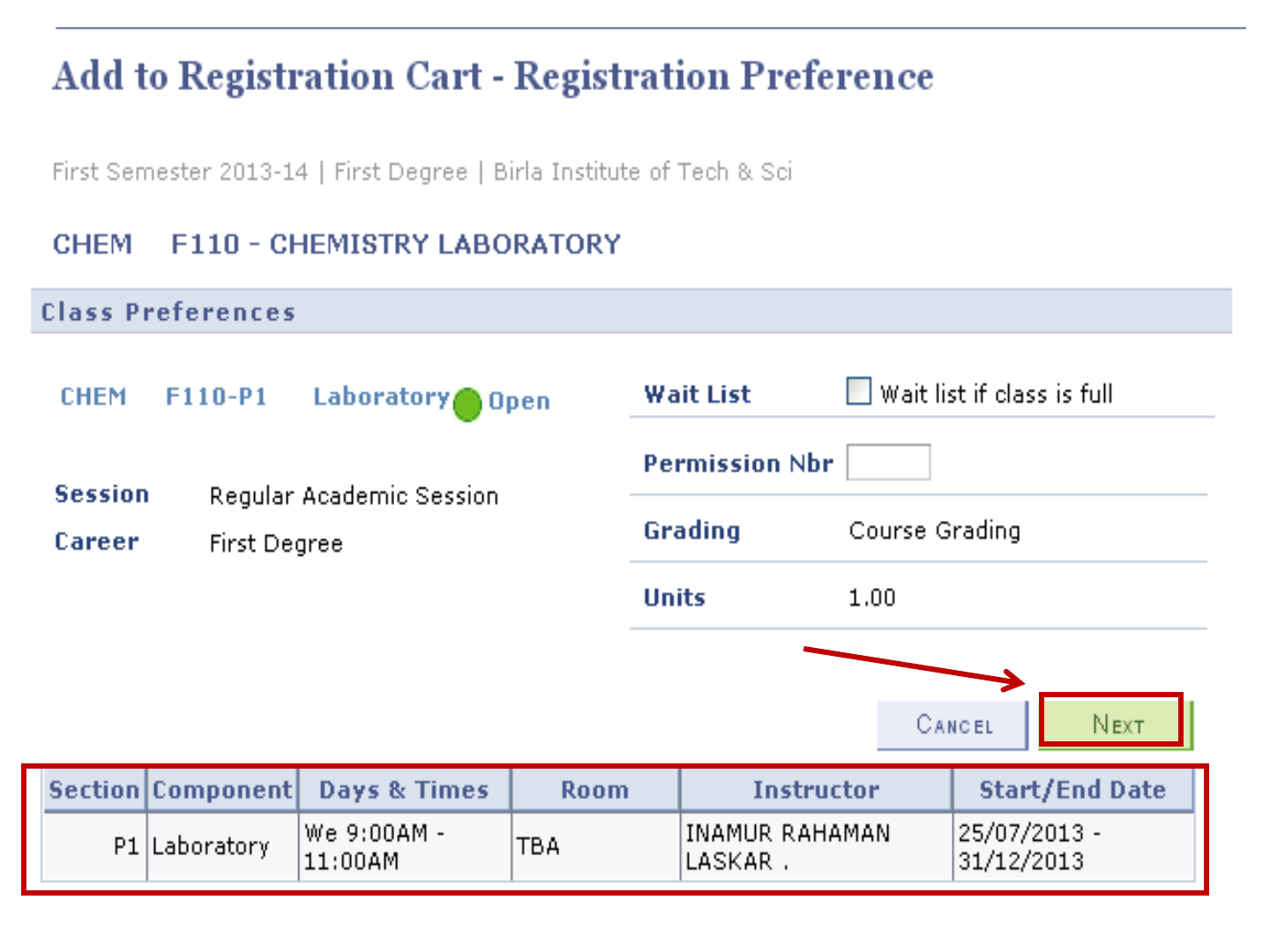
Confirmation Page for adding
course
Check the section info.
Confirm by clicking here
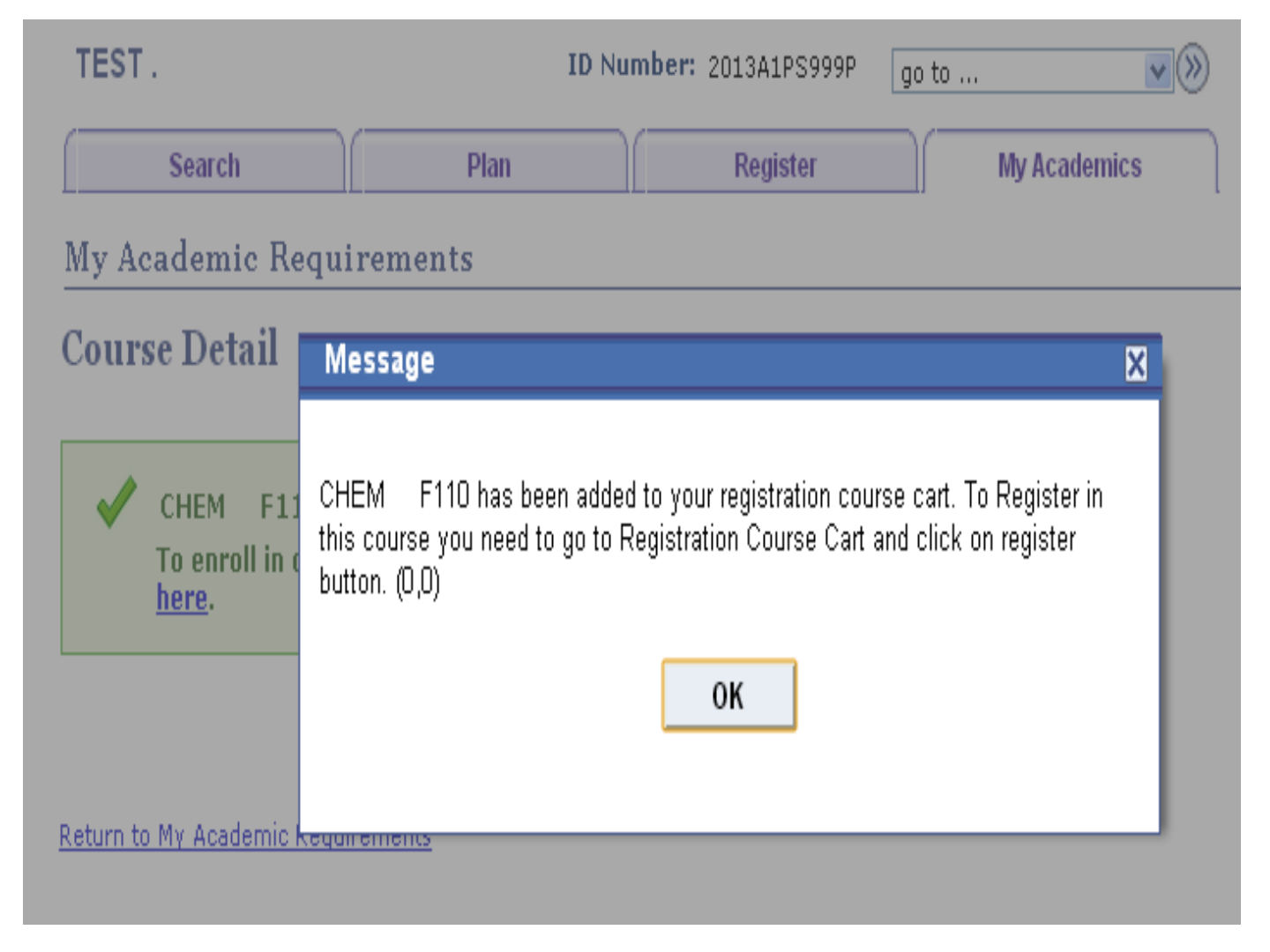
This is the confirmation that the course has been
added to your cart. Click on OK.
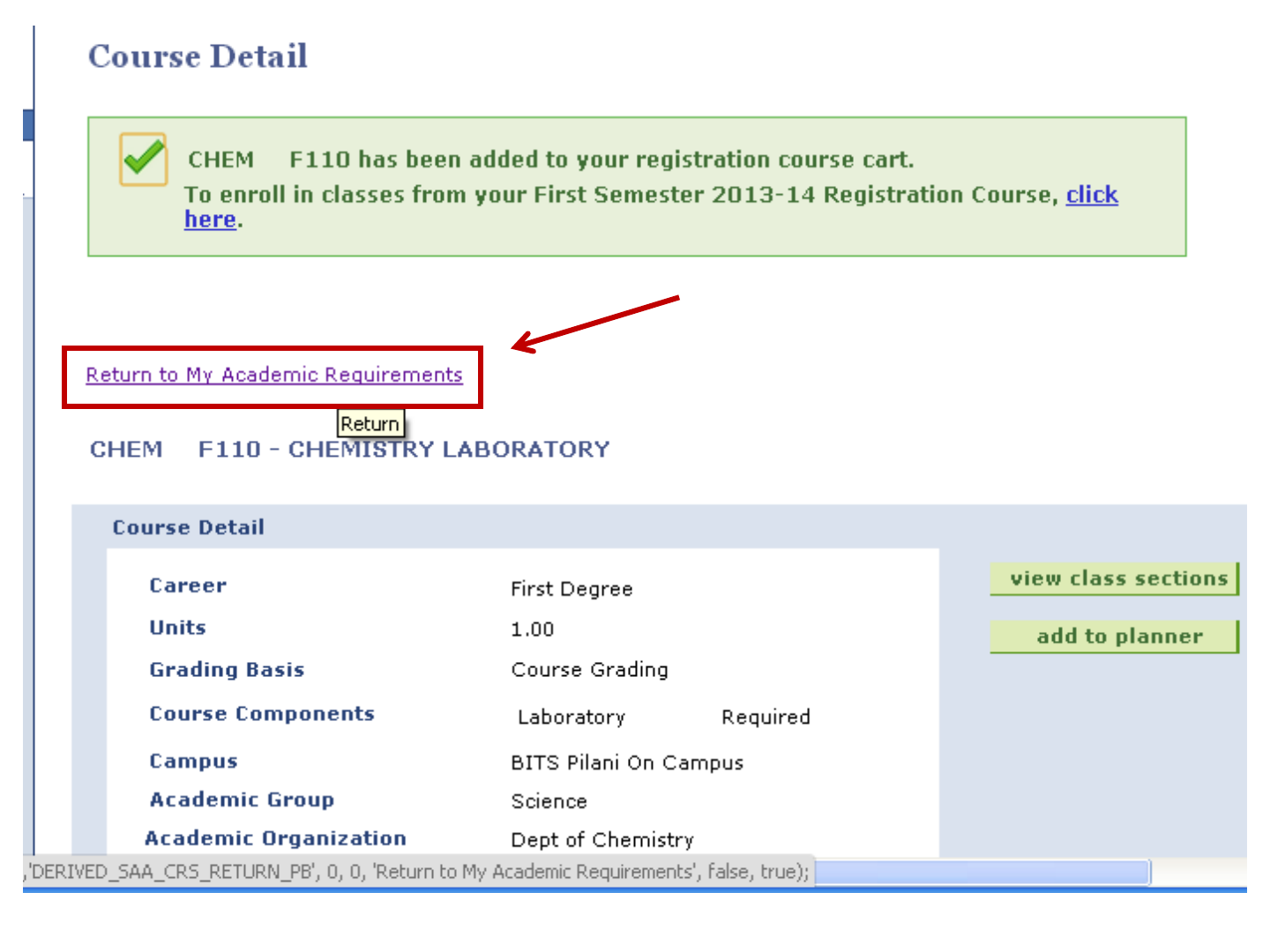
Click here to go to
course list.

•Like this add all the compulsory courses to the
“Registration Course Cart”.
•To chose Electives Use “Search” Option.
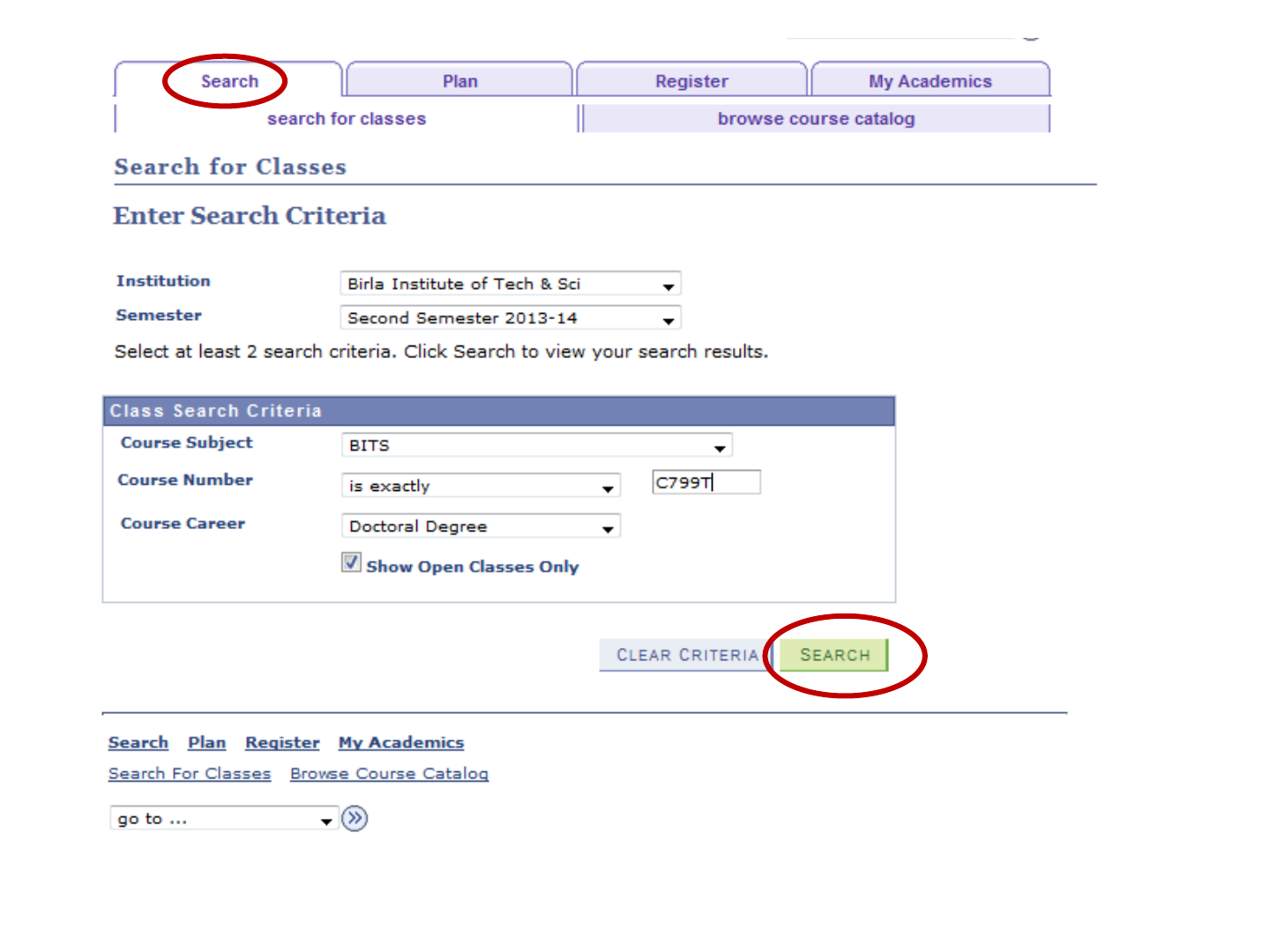
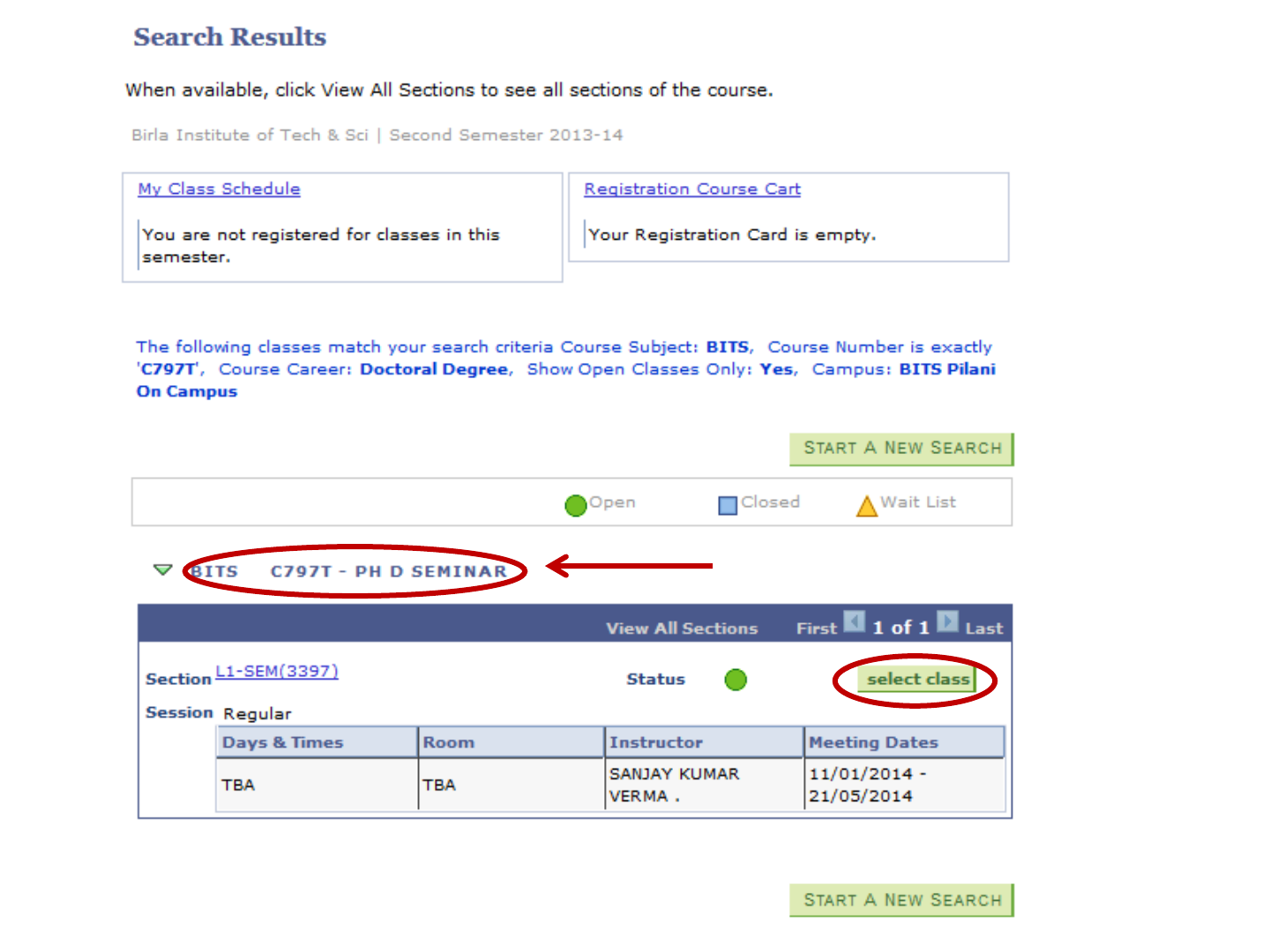
Course title
Click here

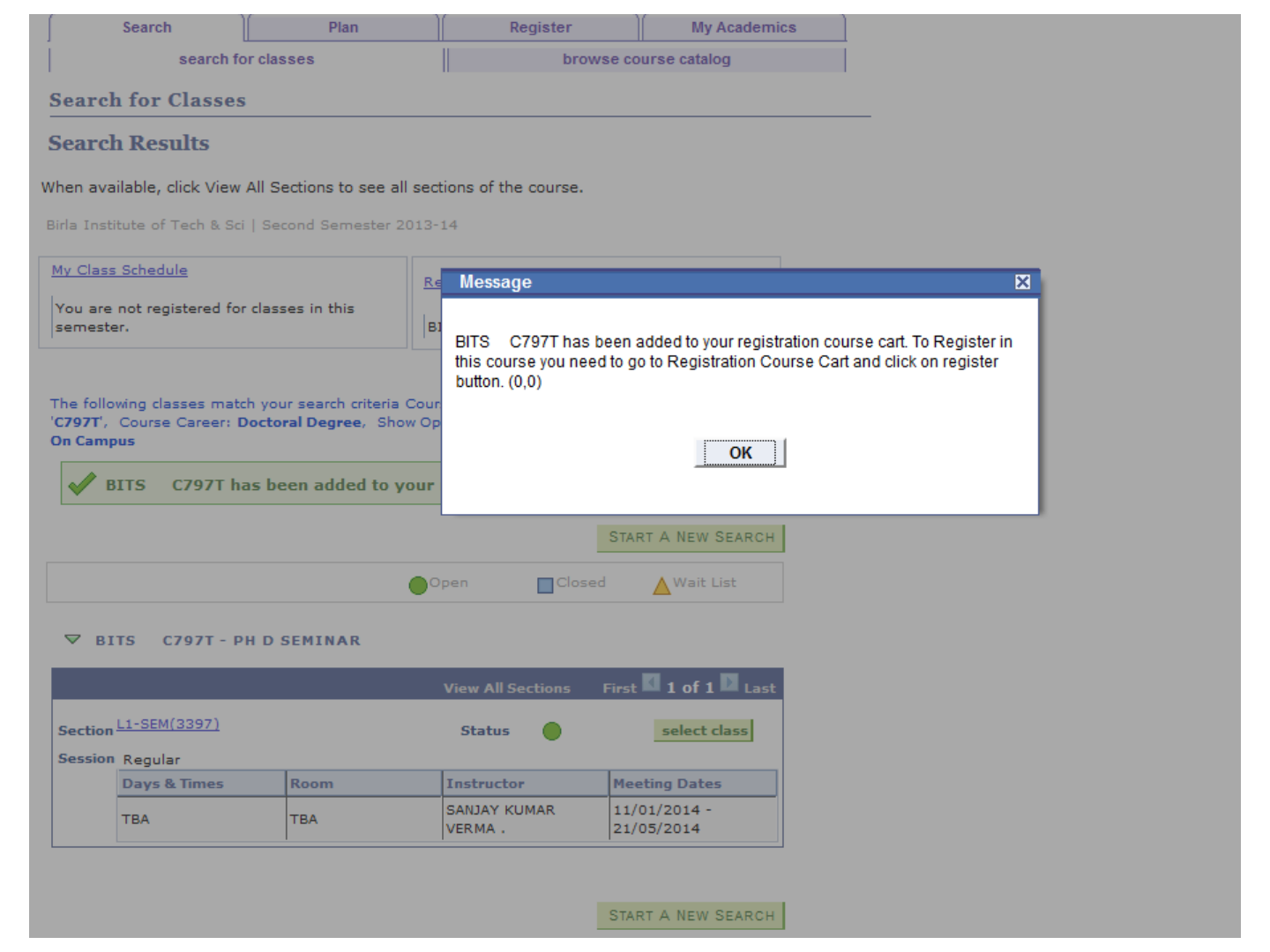
Confirmation Page for adding
course
Check the section info. Confirm by clicking here
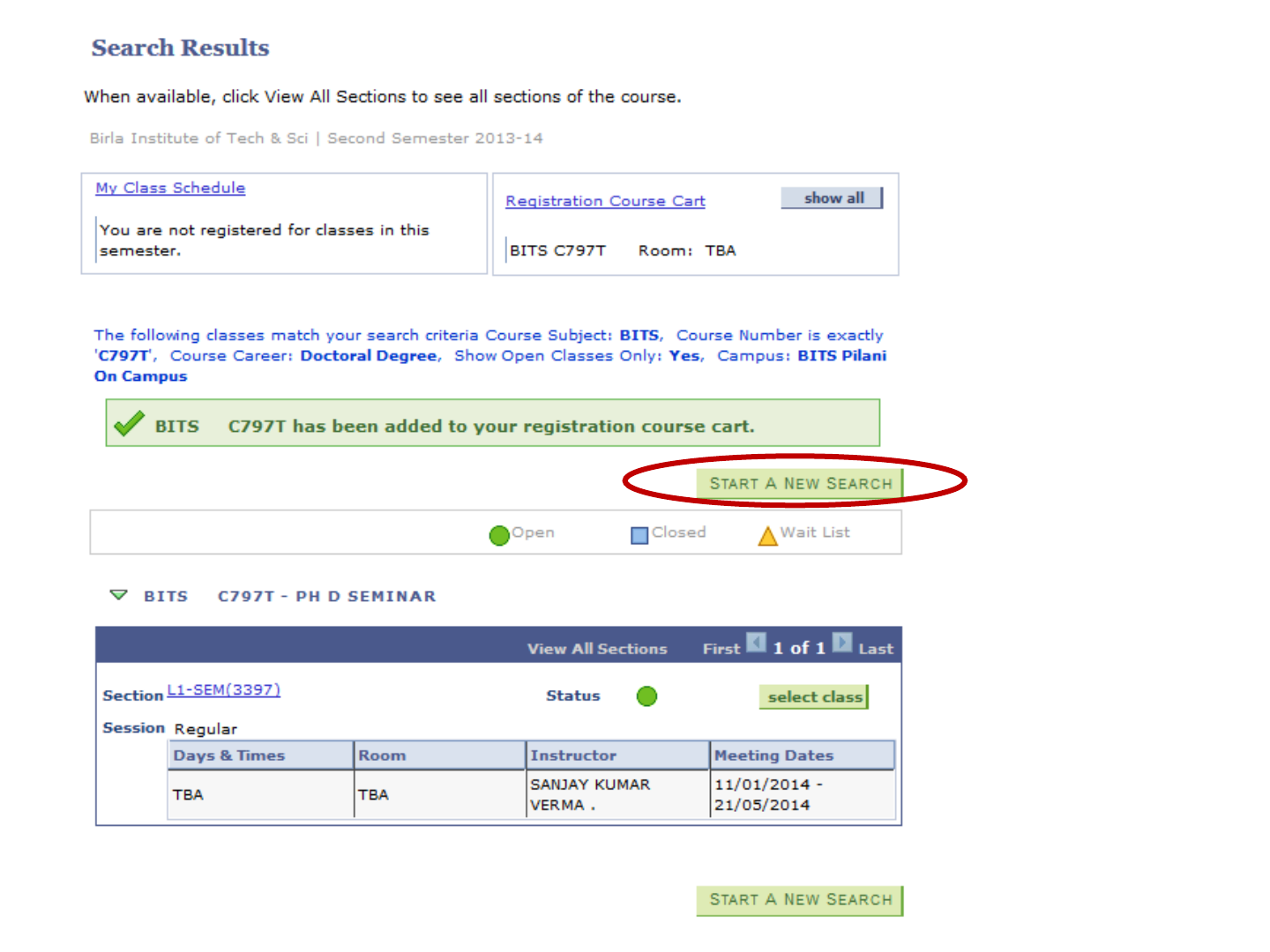
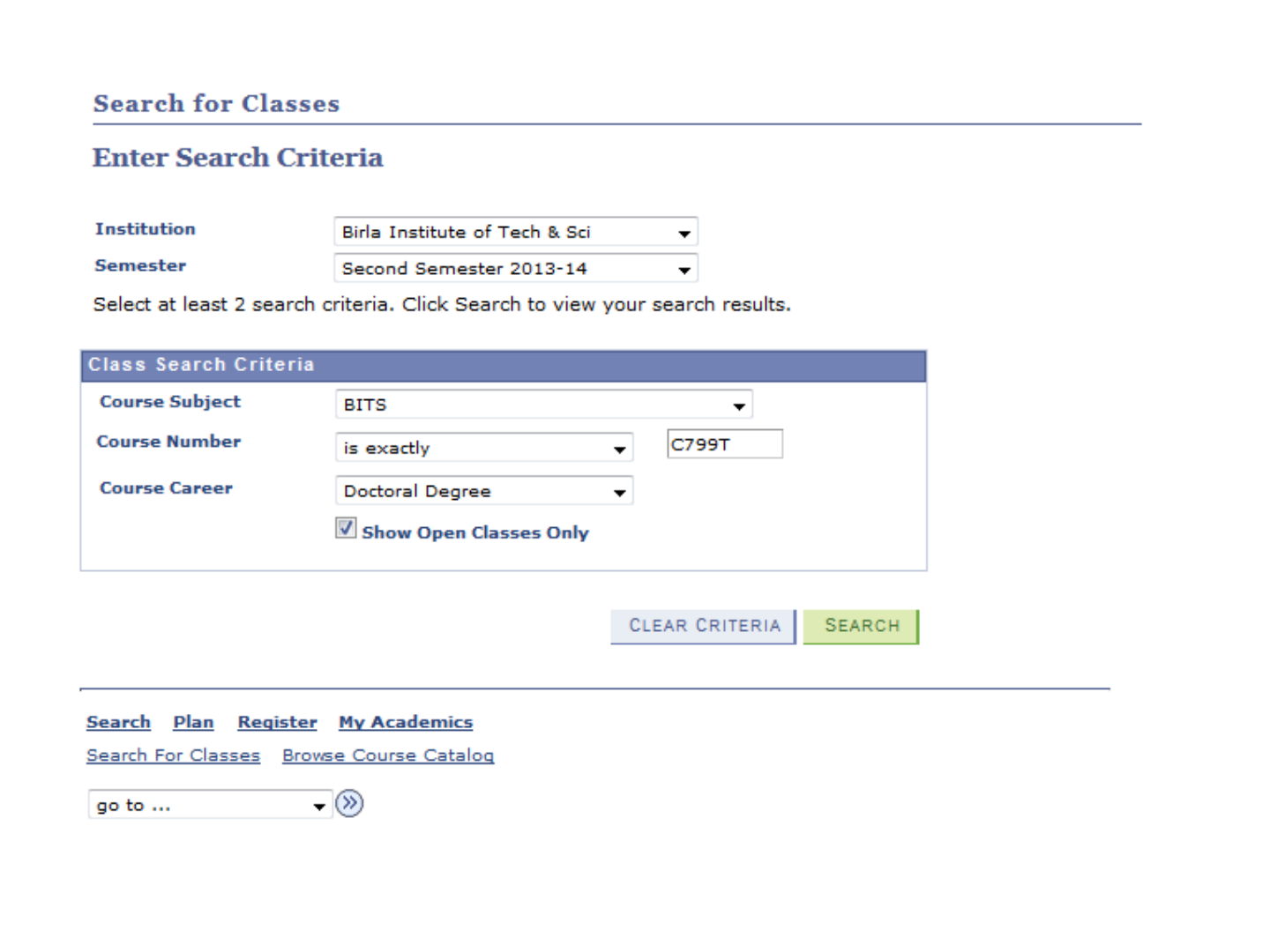
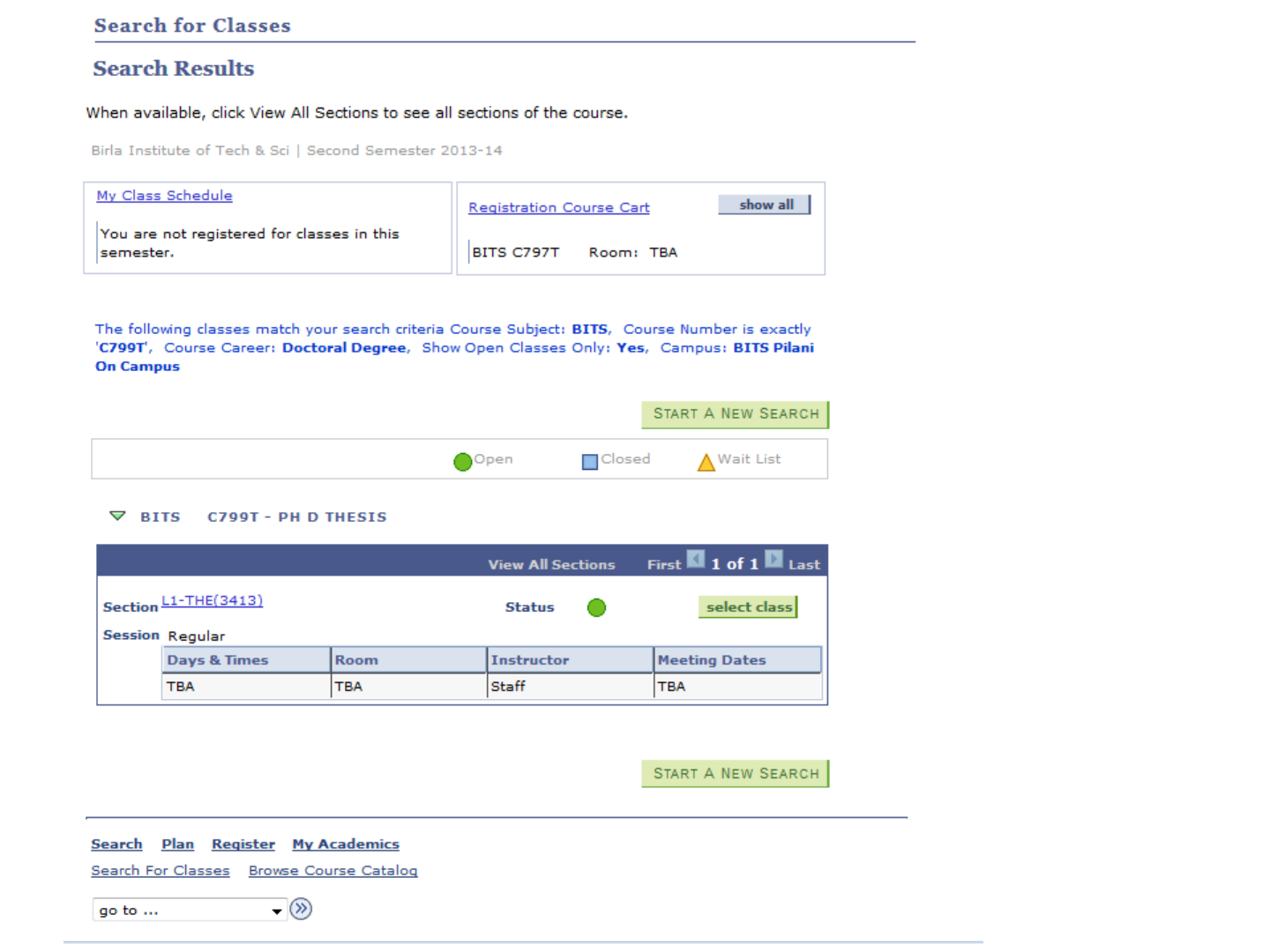
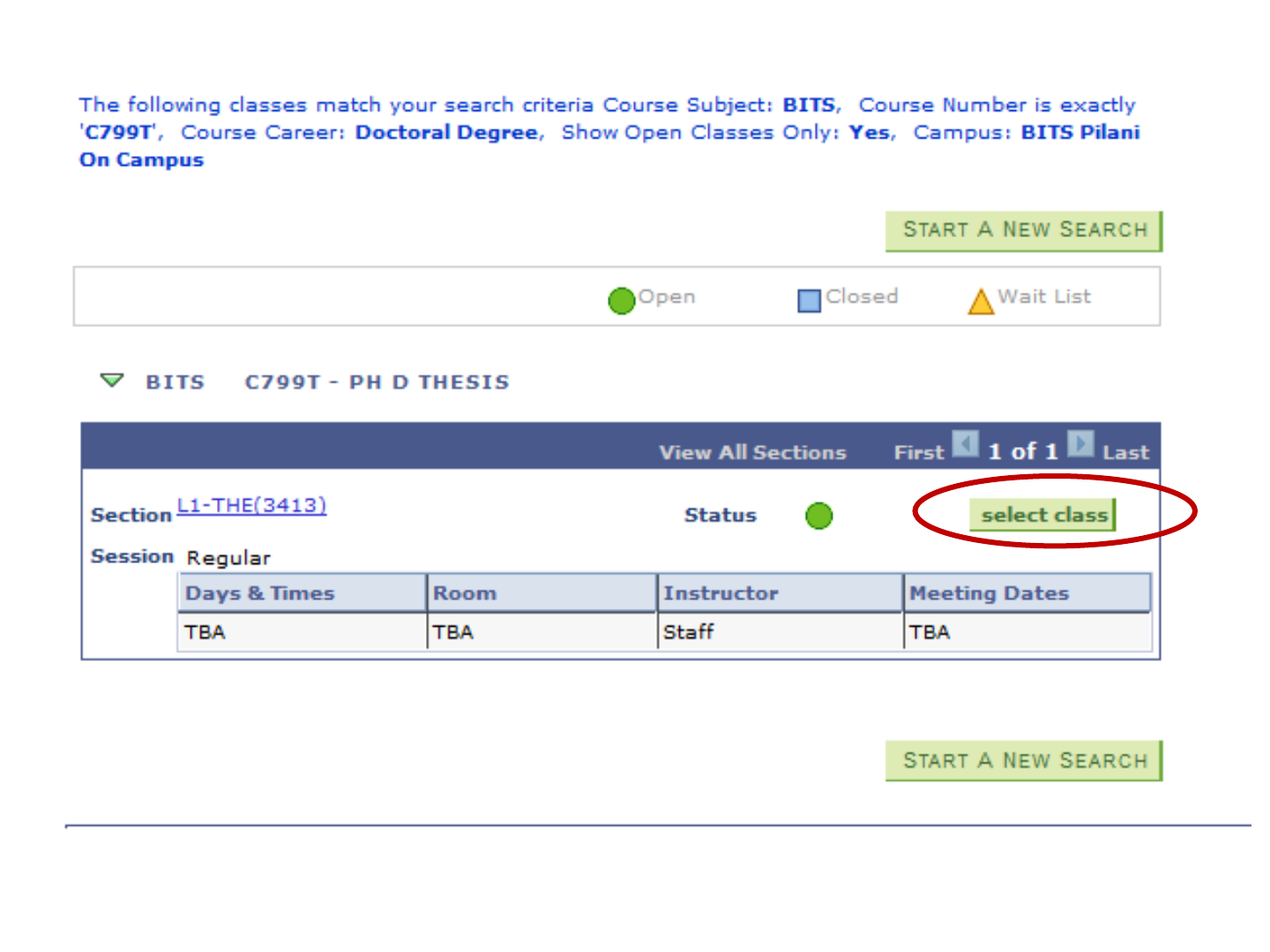
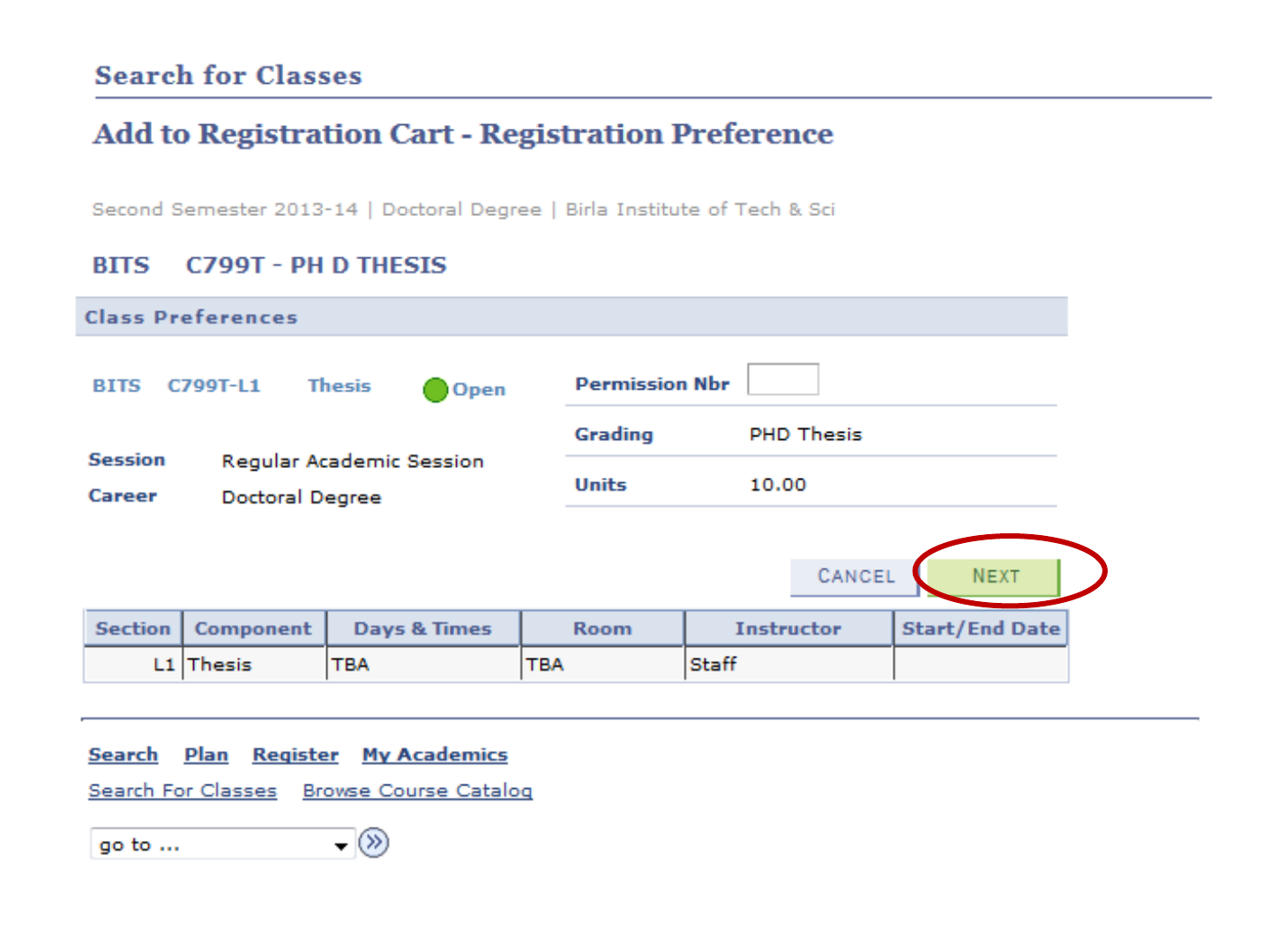


Click Here
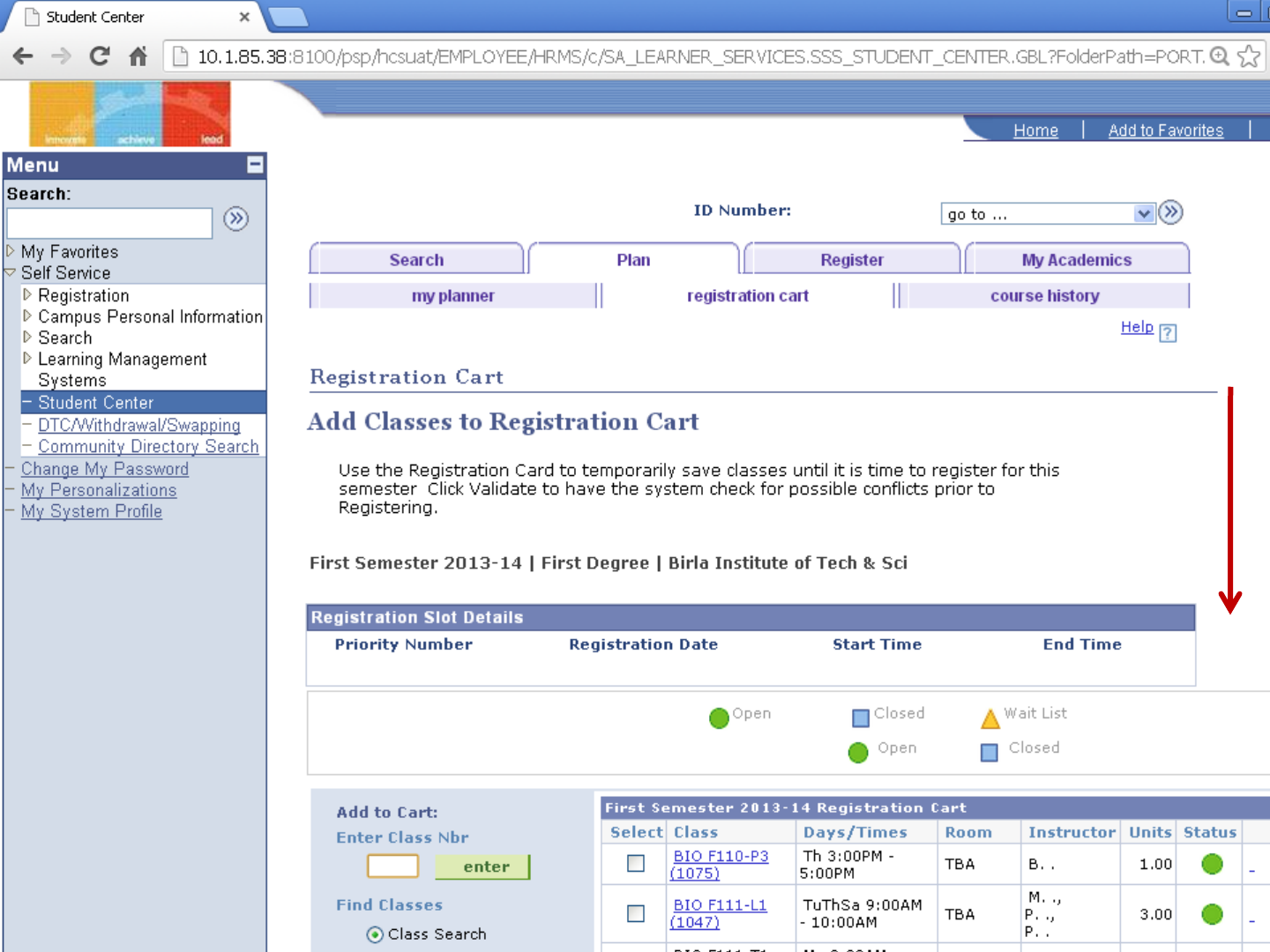
Scroll Down
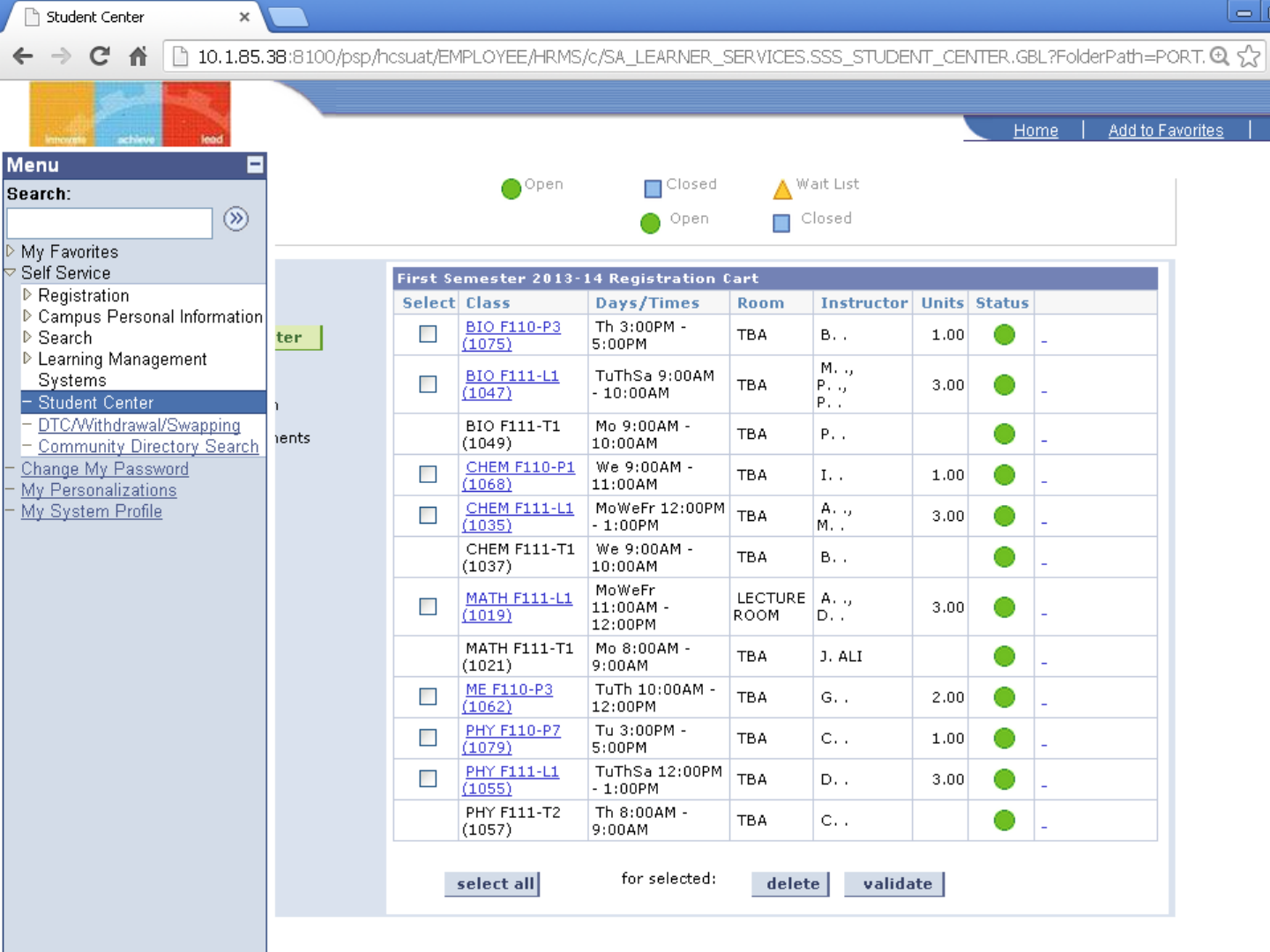
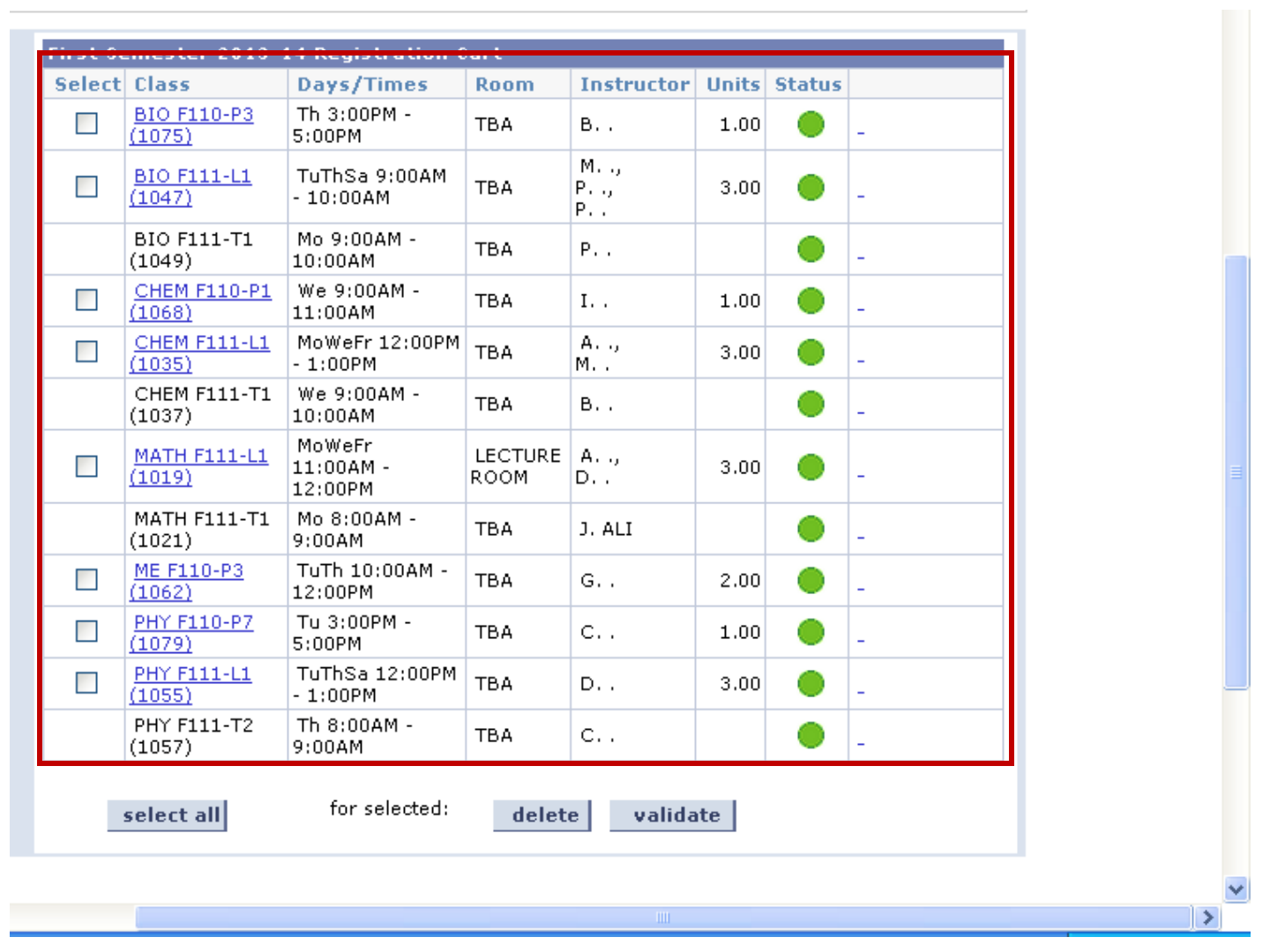
Courses
you
added to
the cart
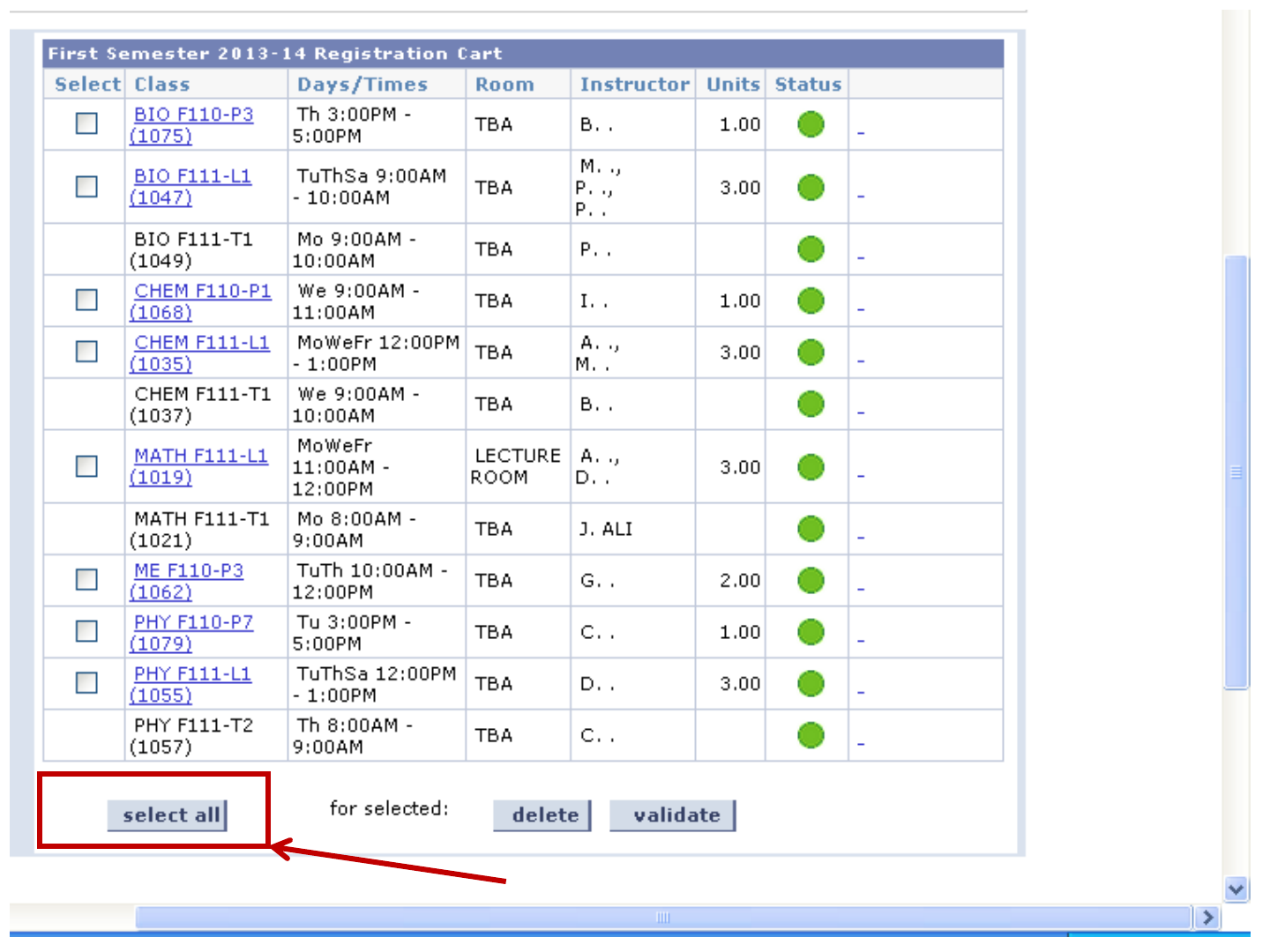
Click Here
Click Here
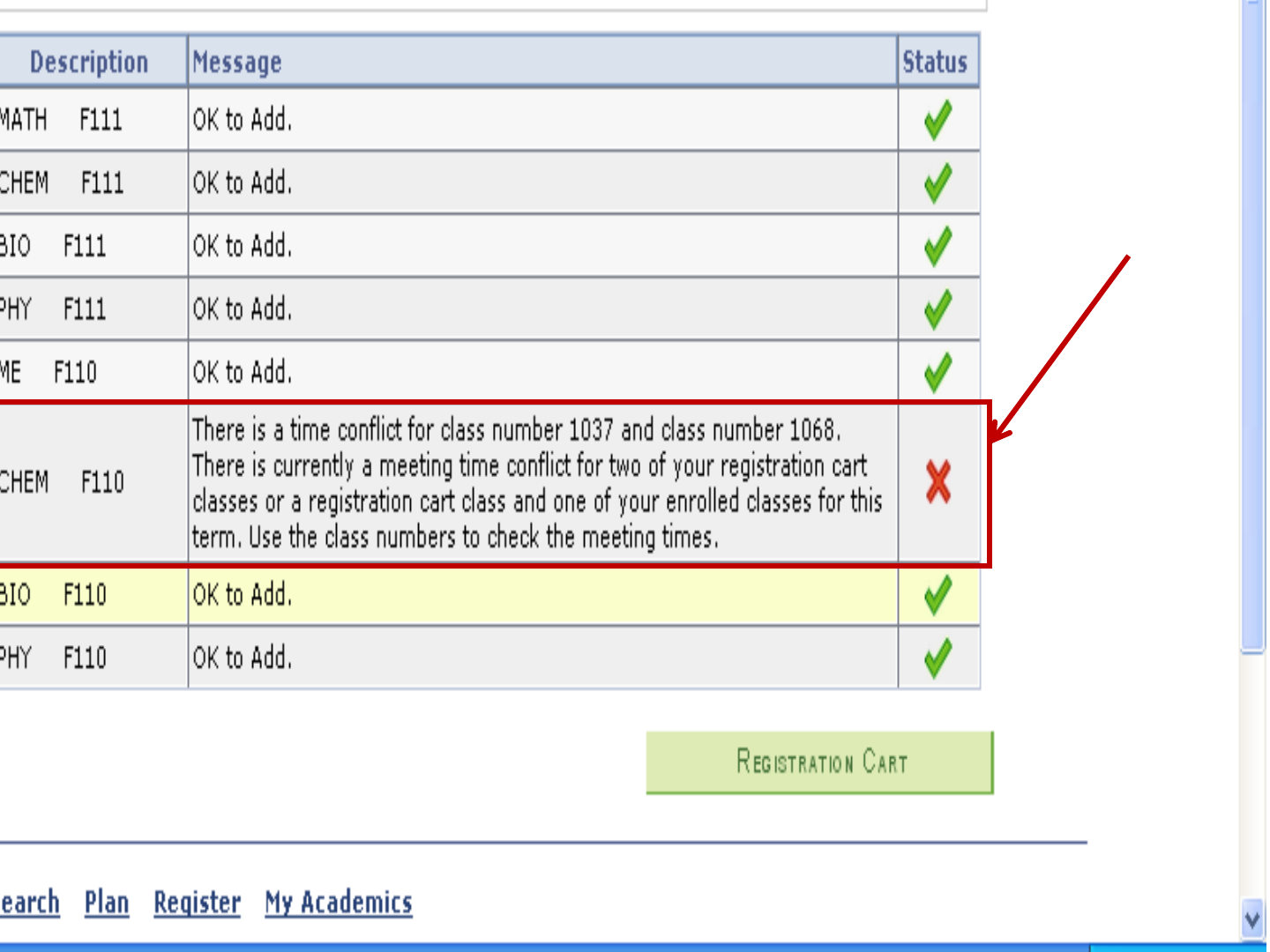
Clash is
existing

Click
Here
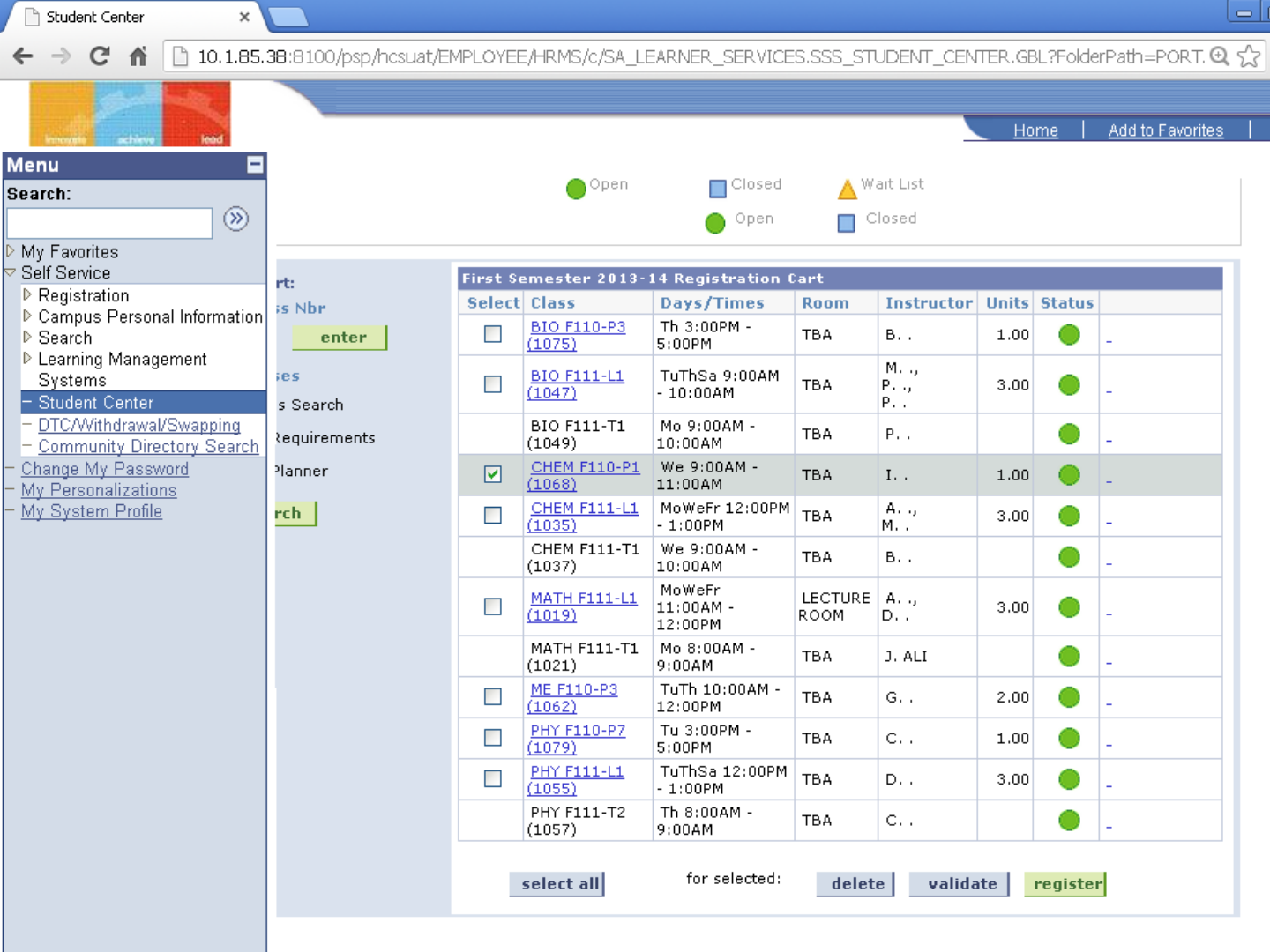
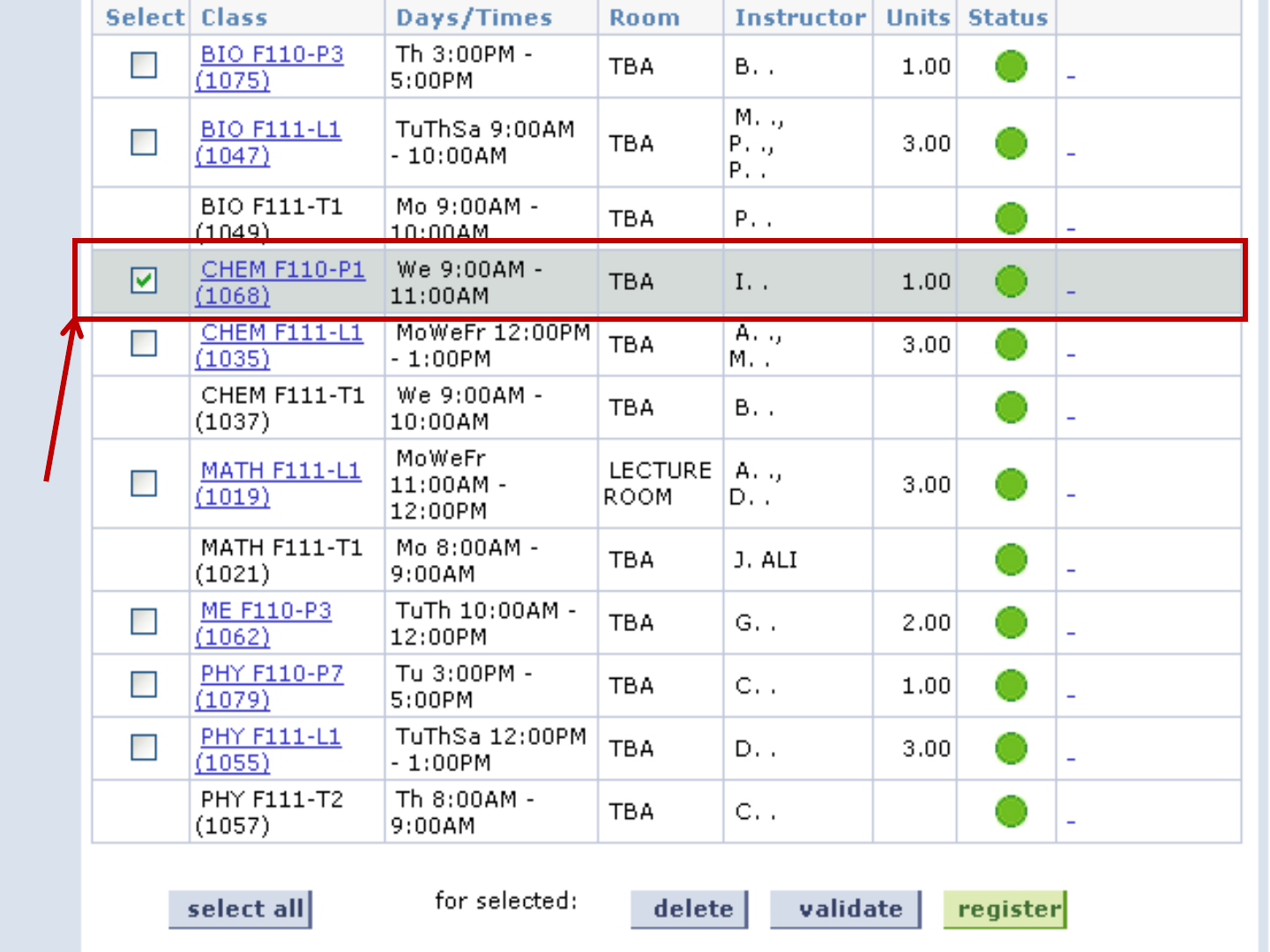
Select
to
remove
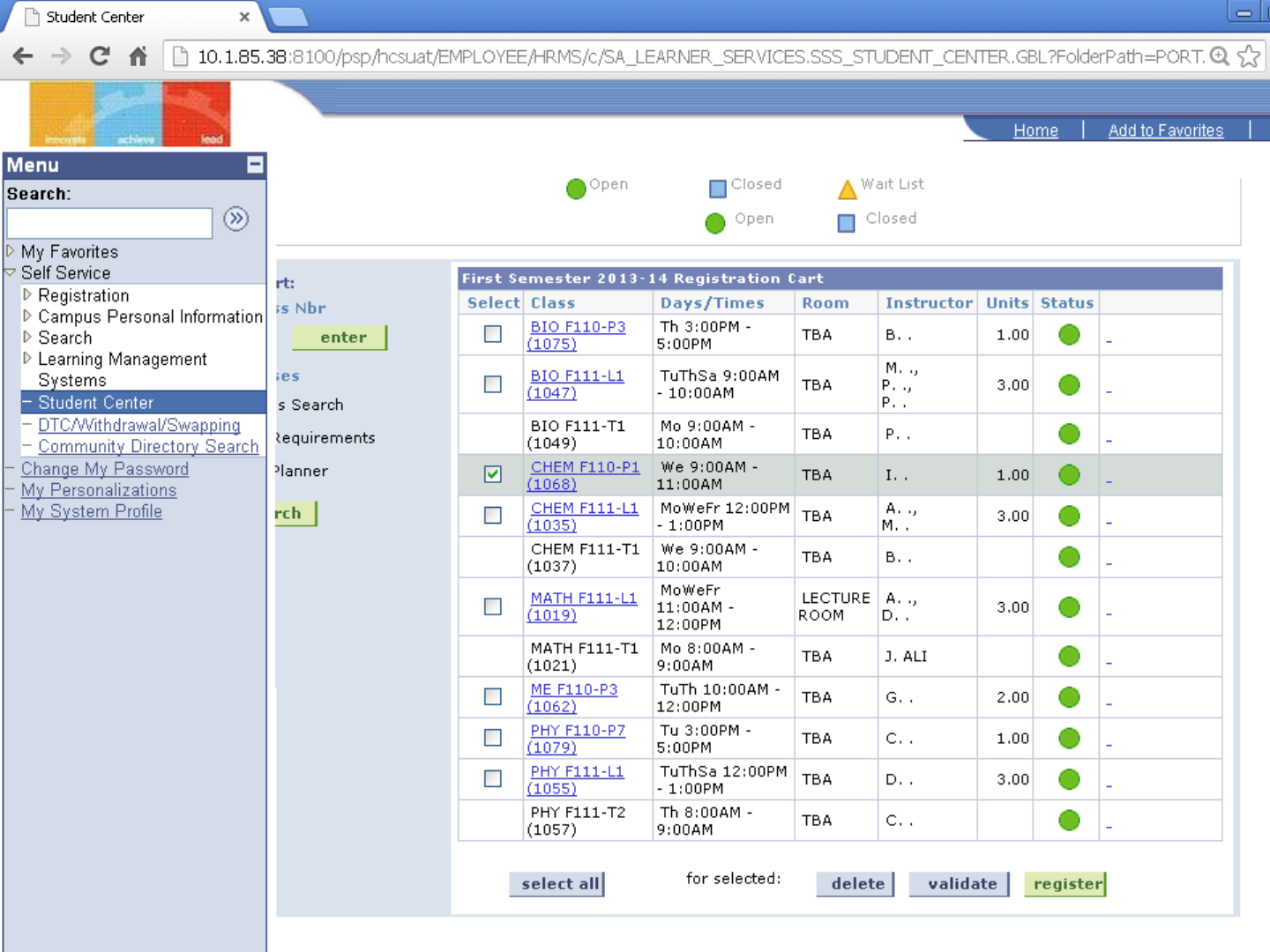
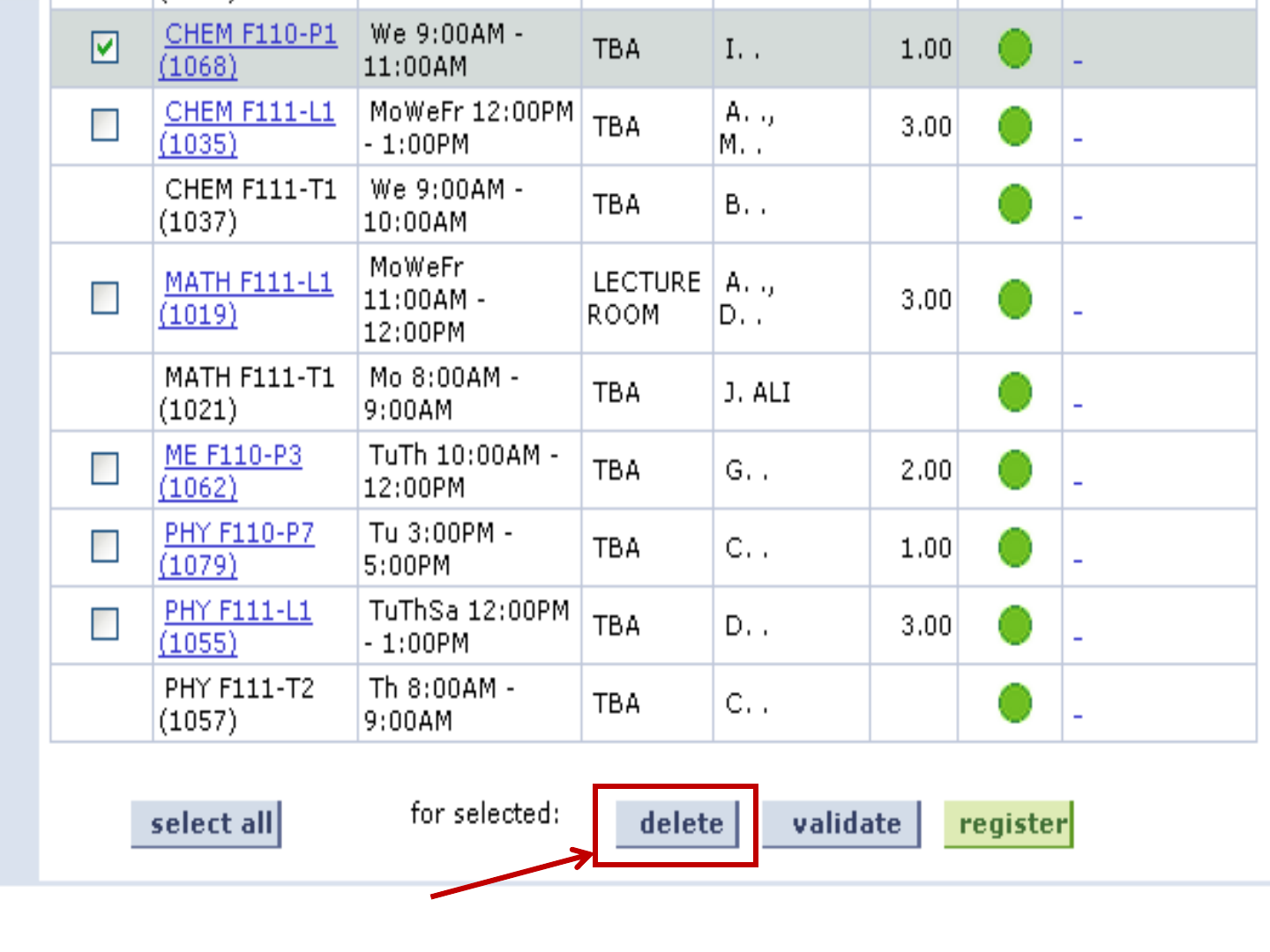
Click on
Delete
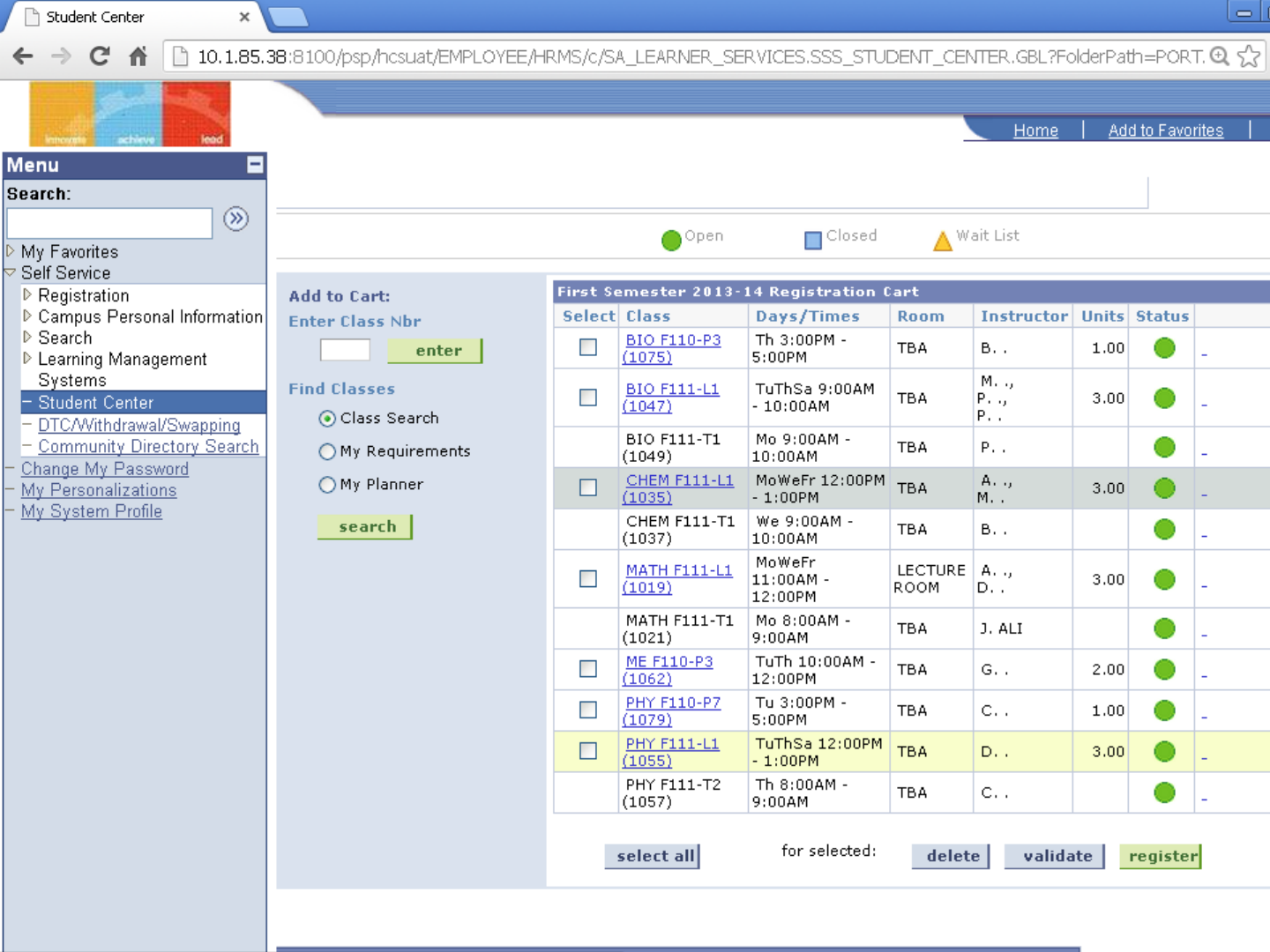
After
deletion of
the
clashing
course

Resolving Clashes in Multi section
courses
•Delete the classing course form the
Registration cart.
•Follow the same steps to add a different non-
clashing section to the registration course
cart.
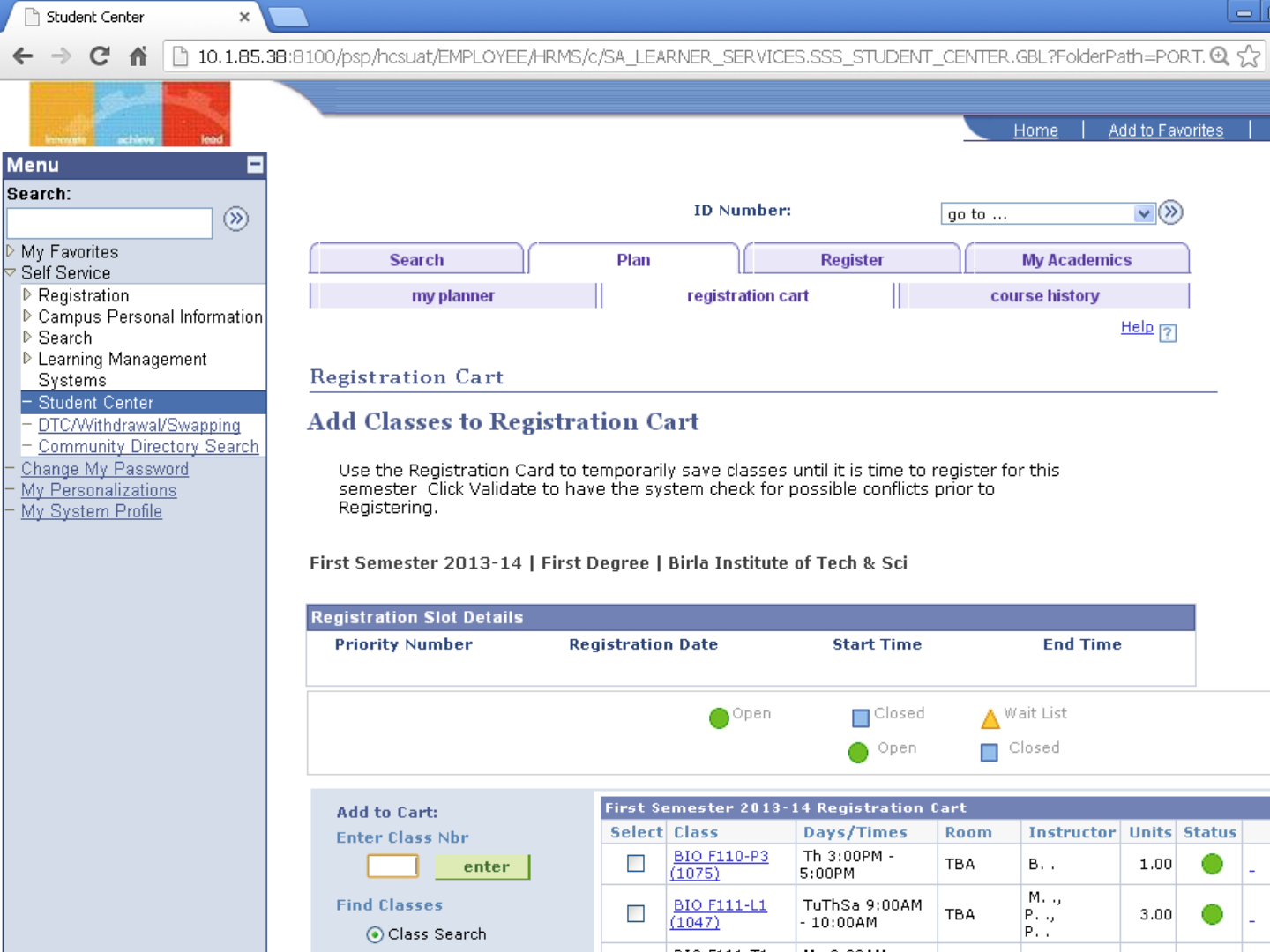
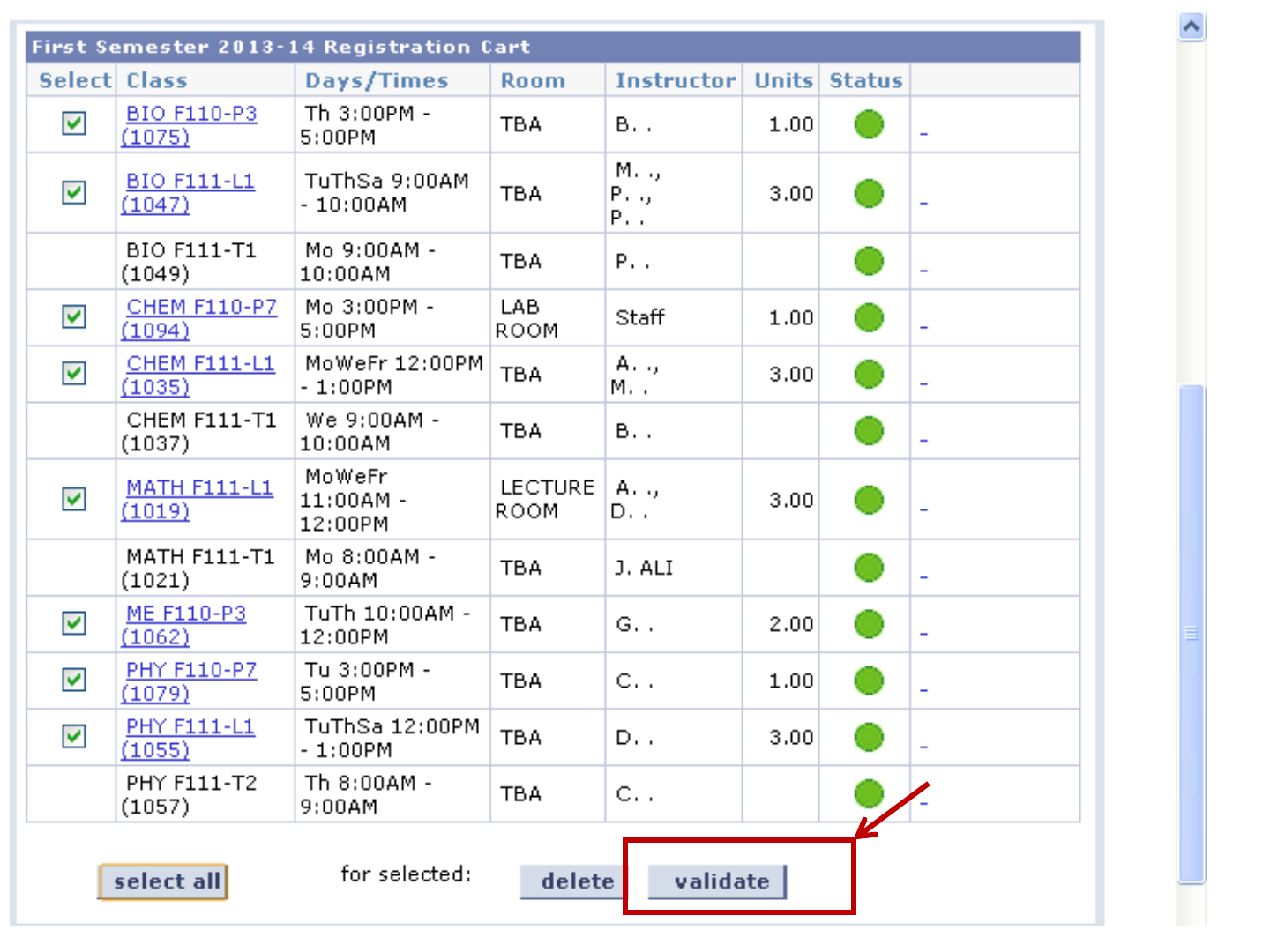
Validation Phase
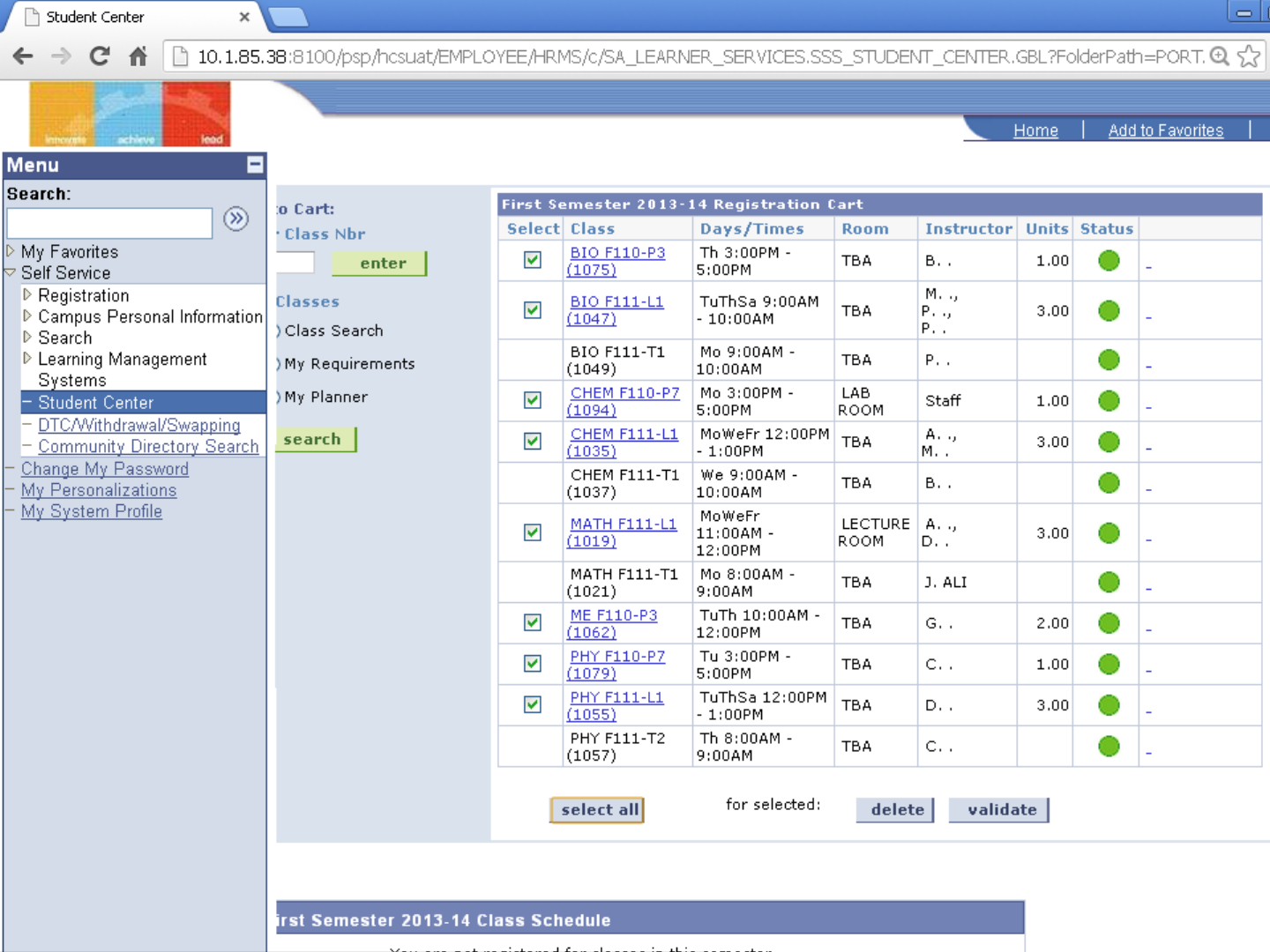
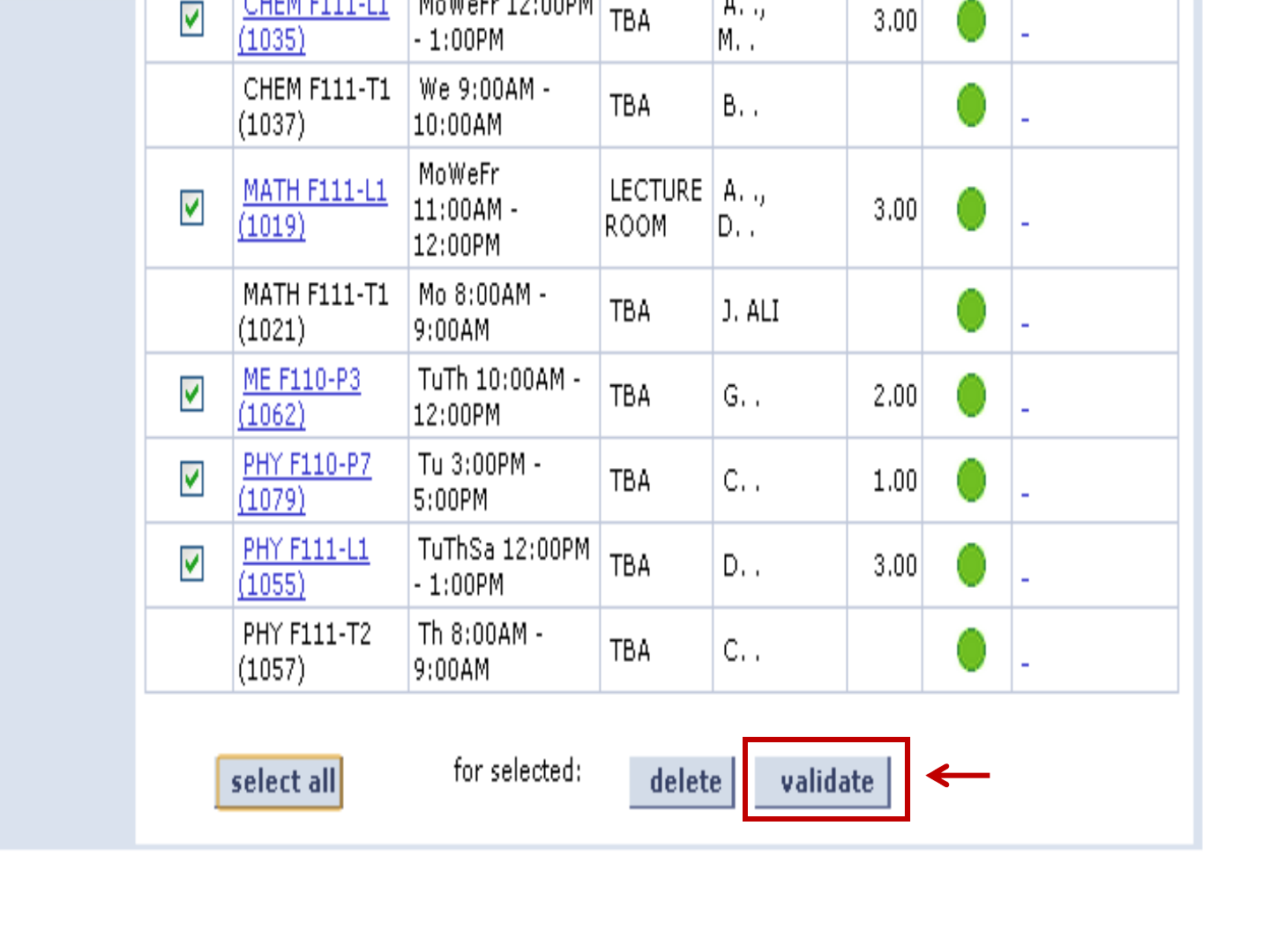
Click to
Validate
the time
table
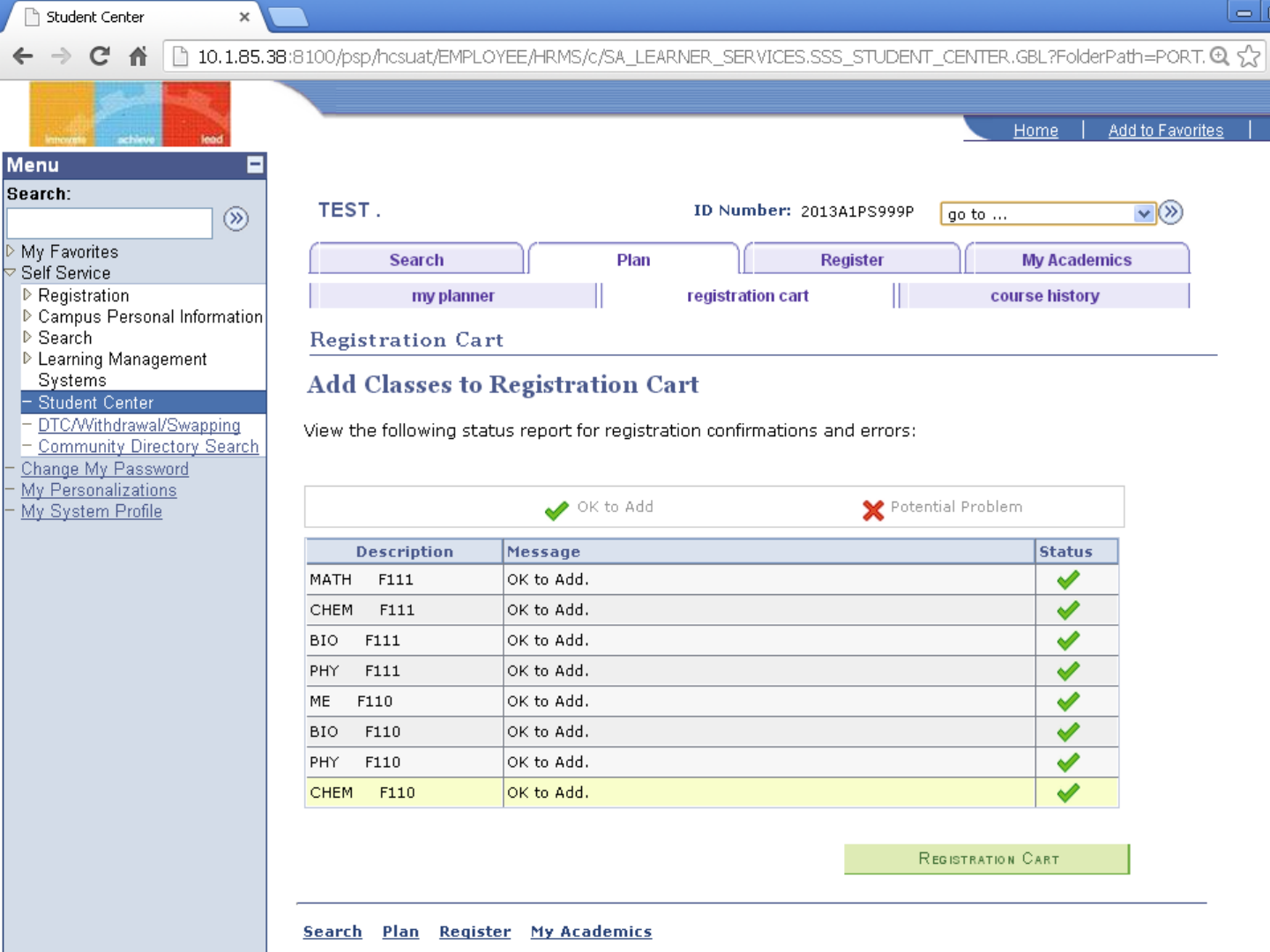
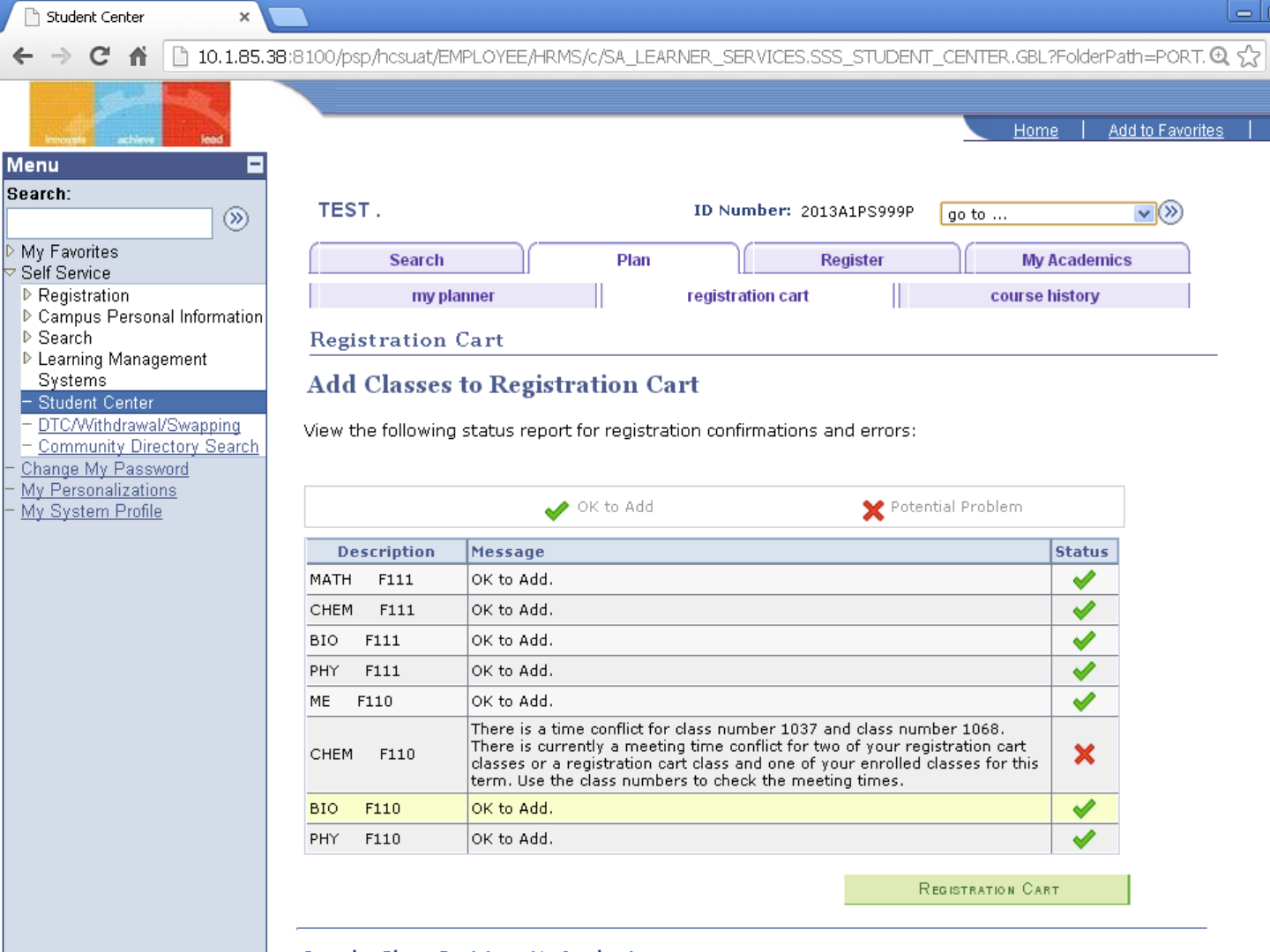
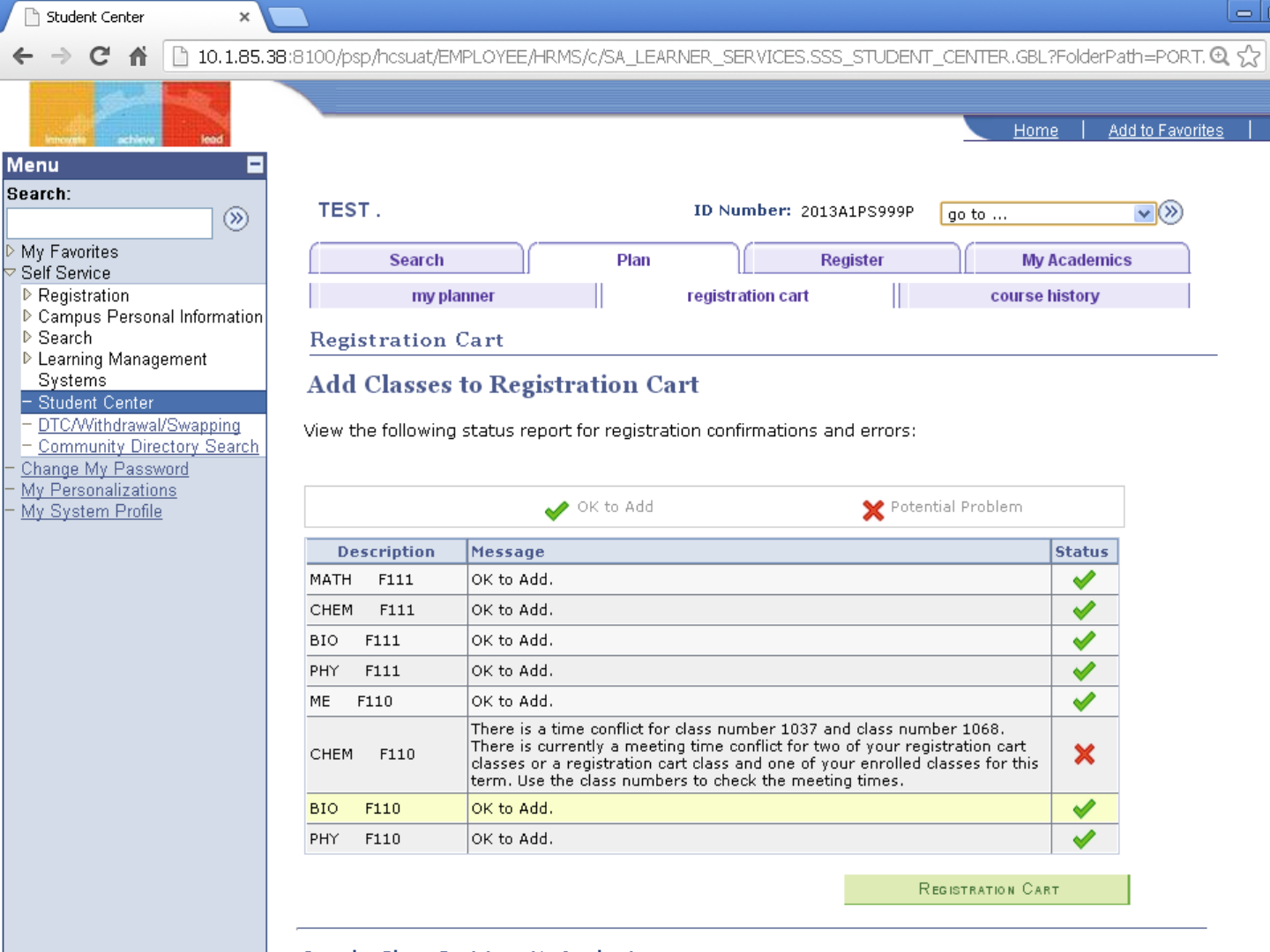
No
Problems
Found
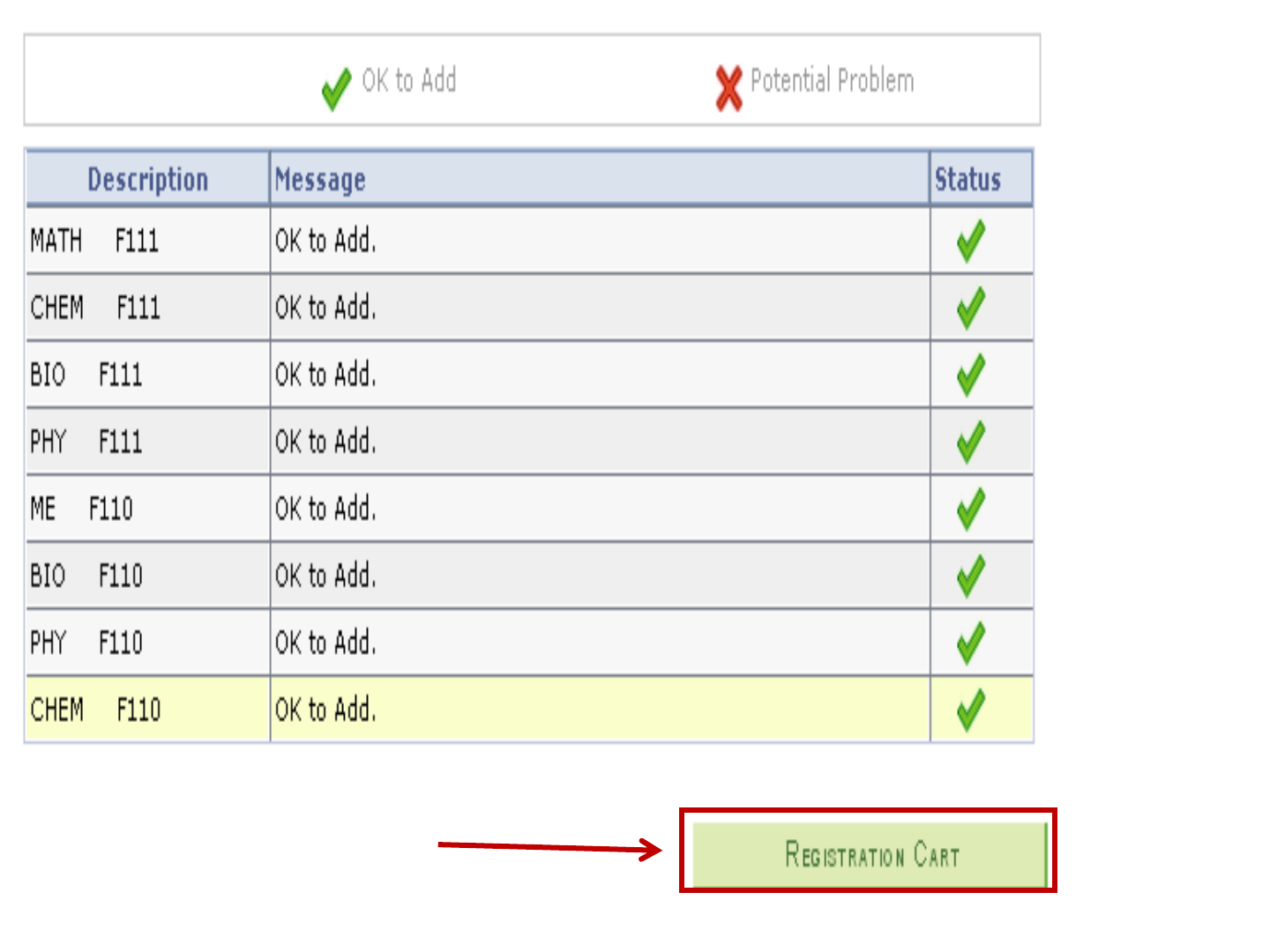
Click
Here
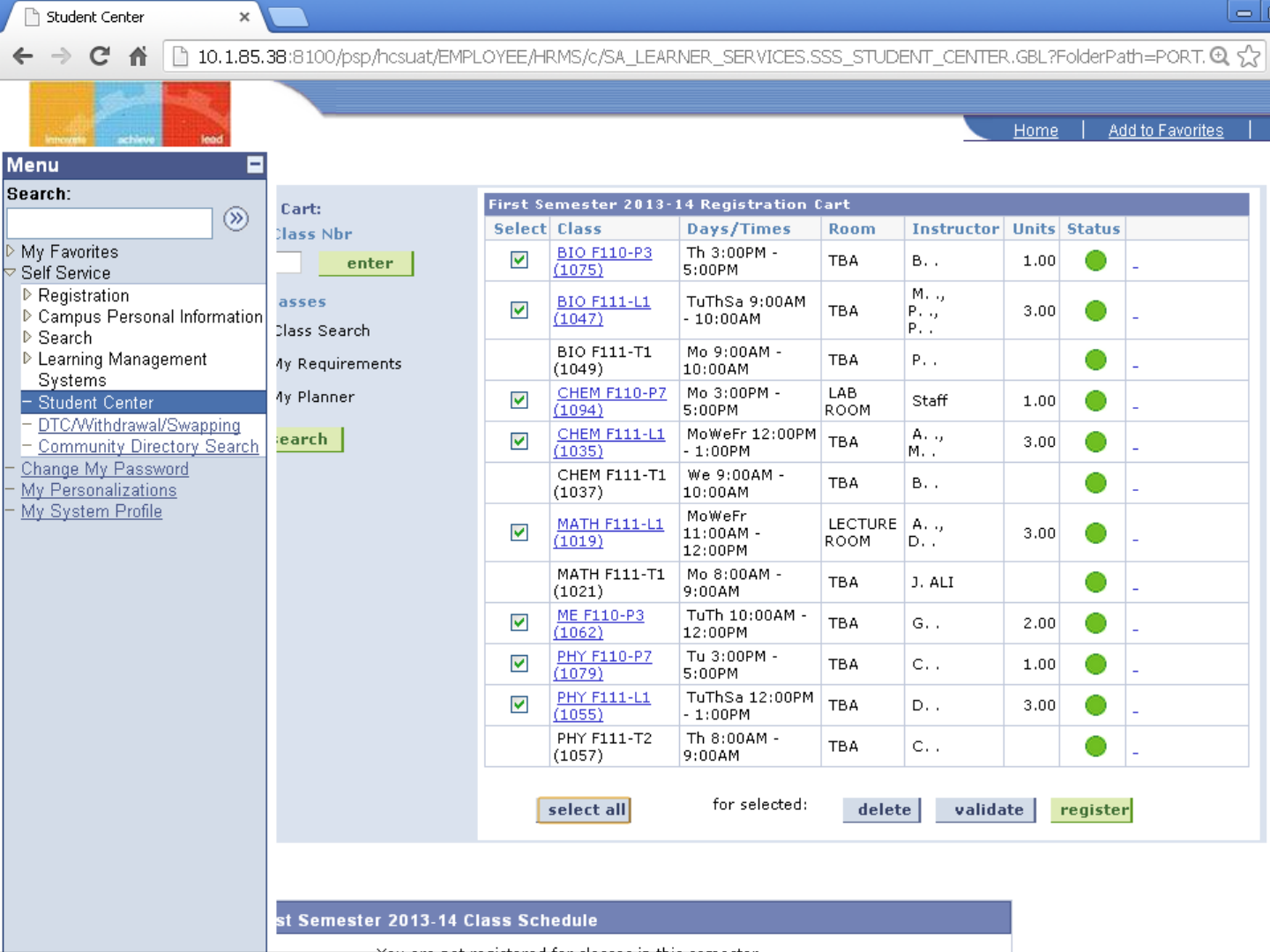
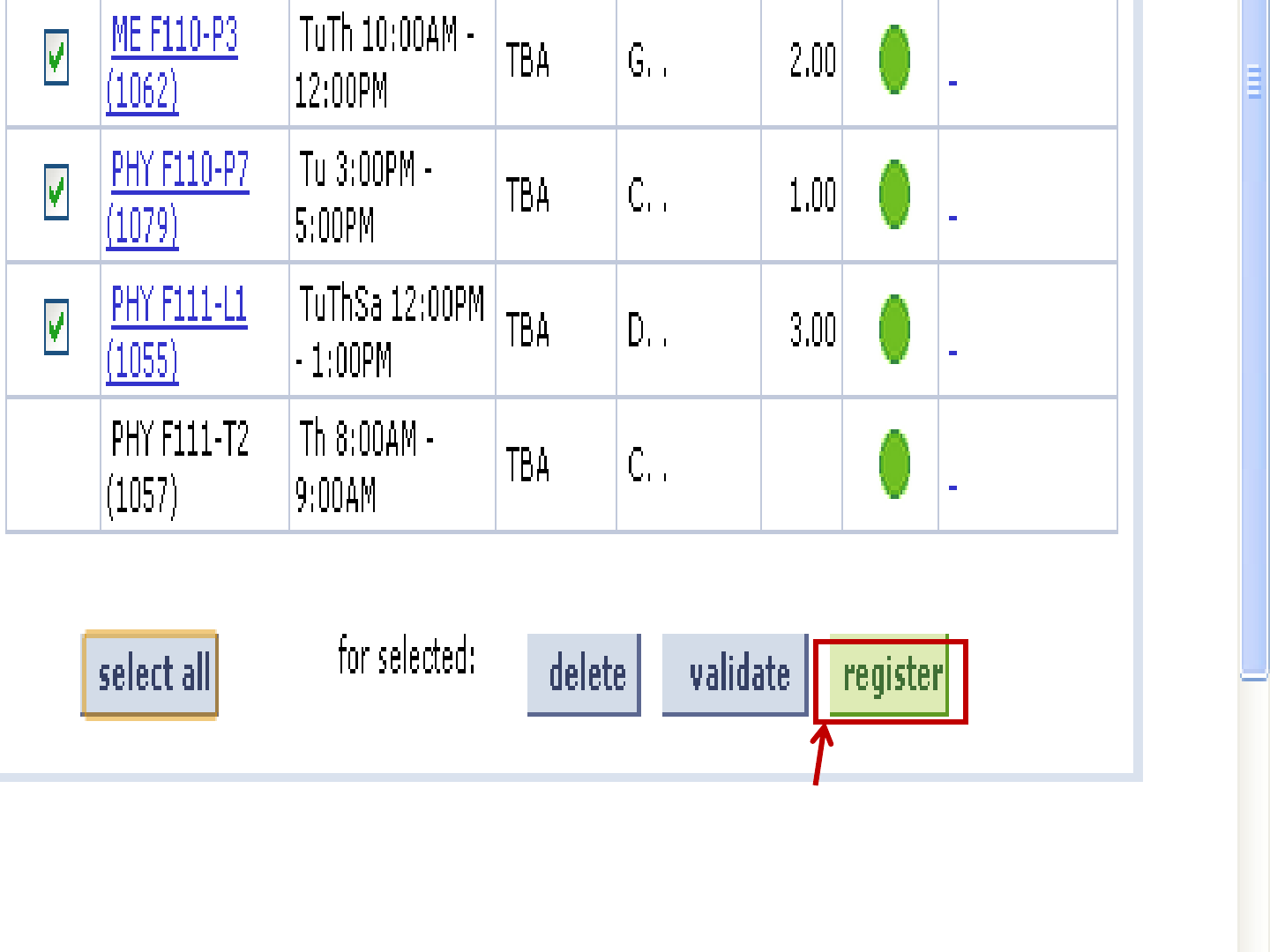
A New Button
appears to
Register
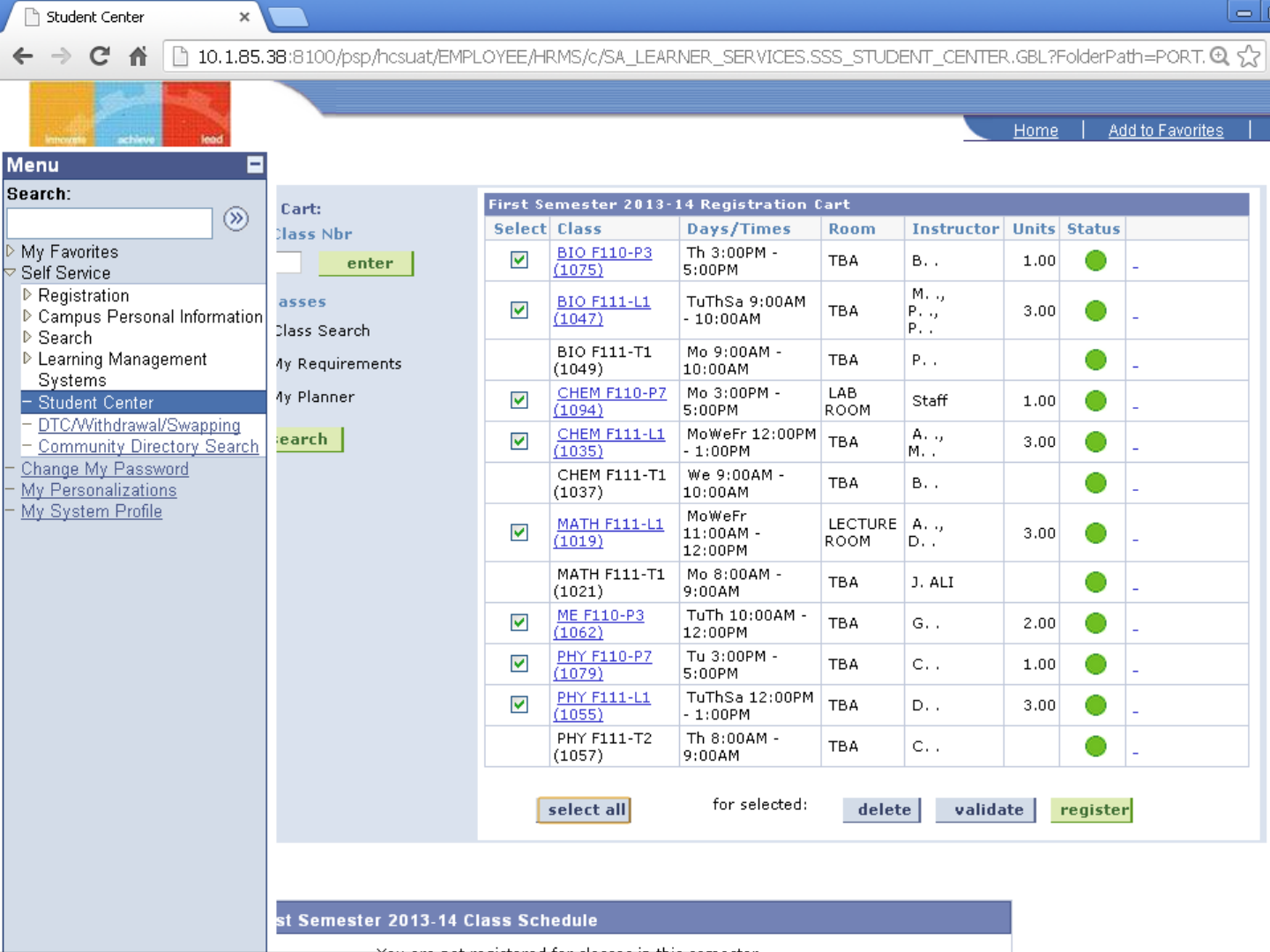
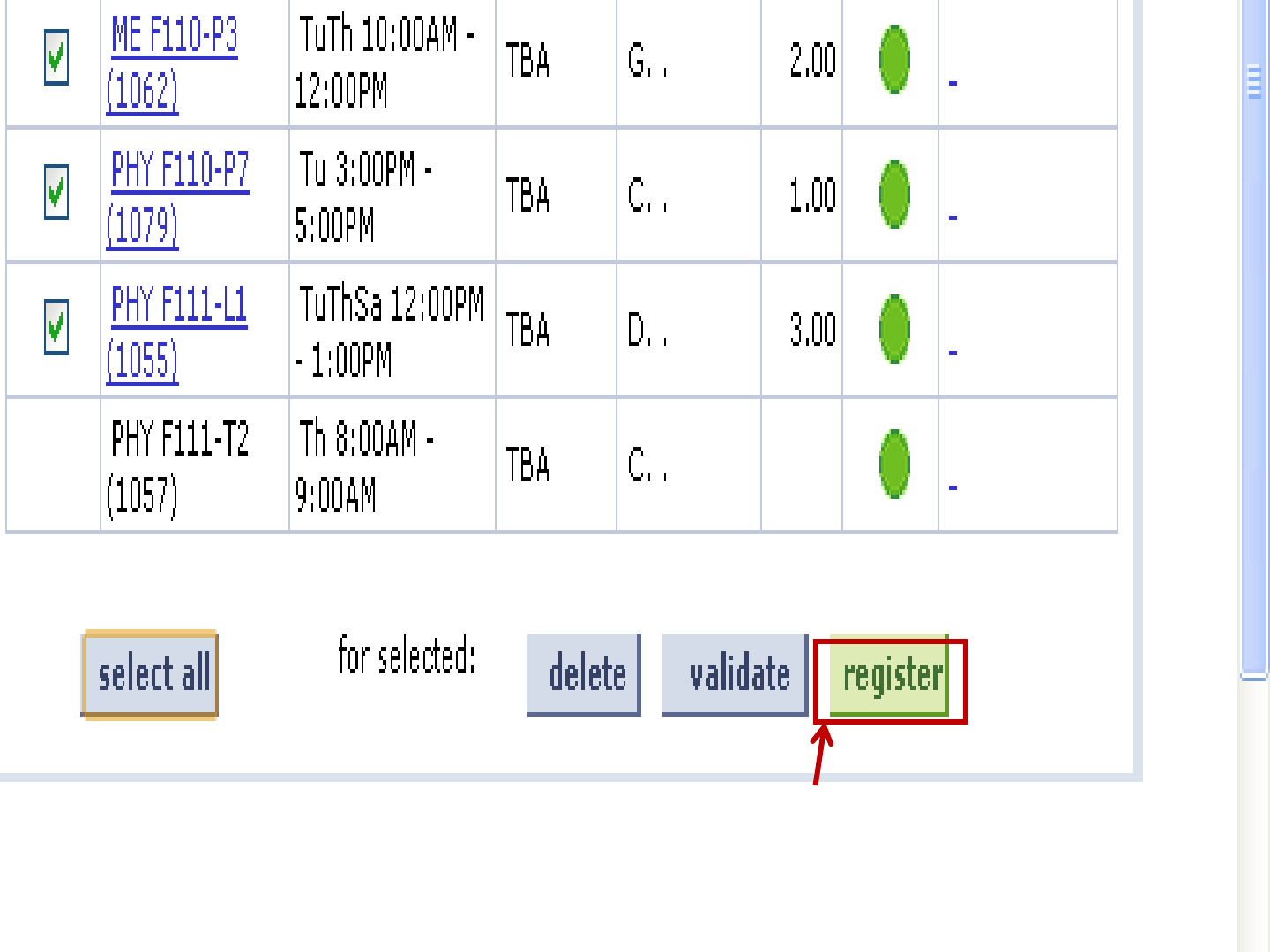
Click Here
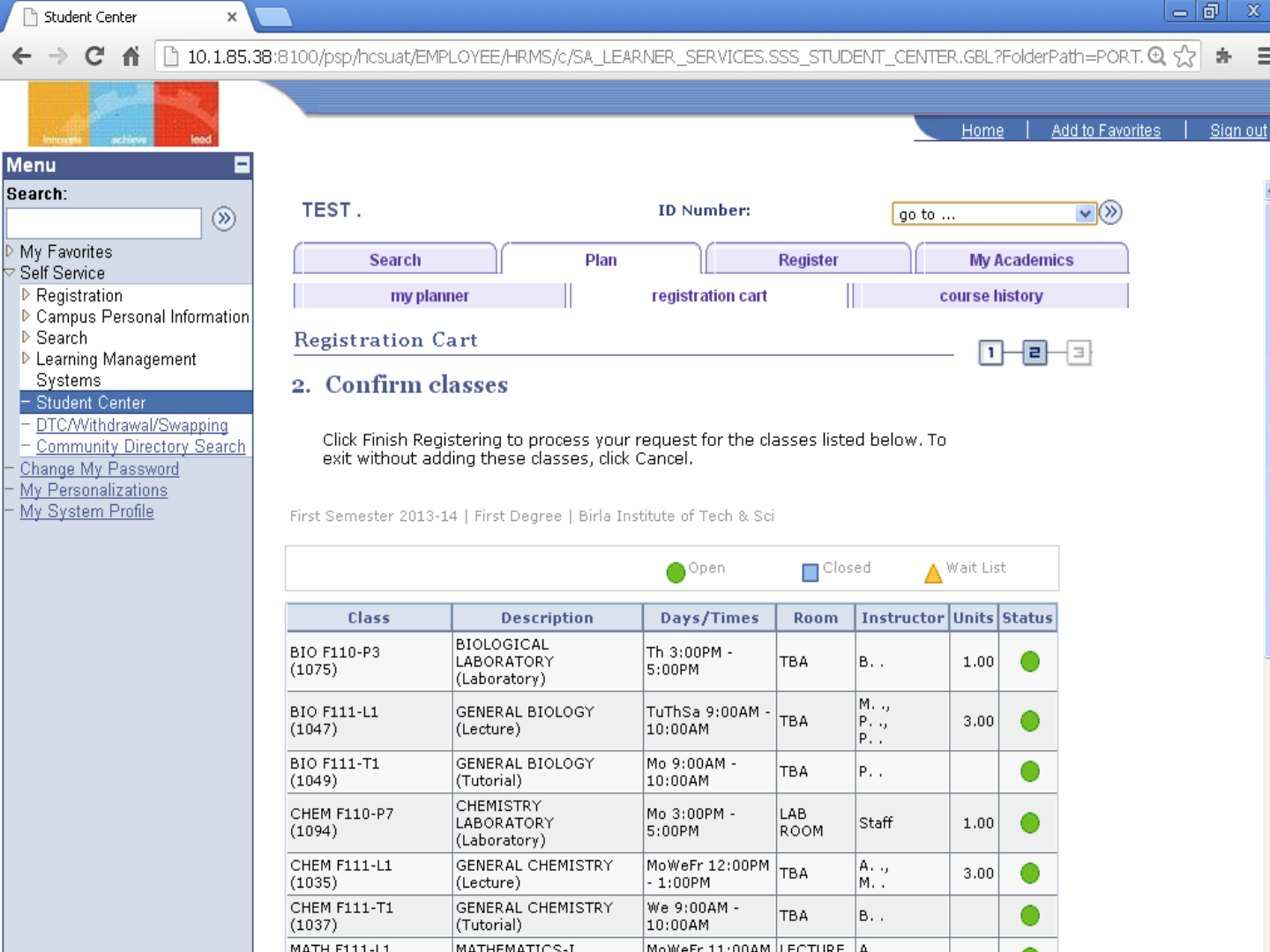
Scroll Down

Finally
Check the
Registered
Courses
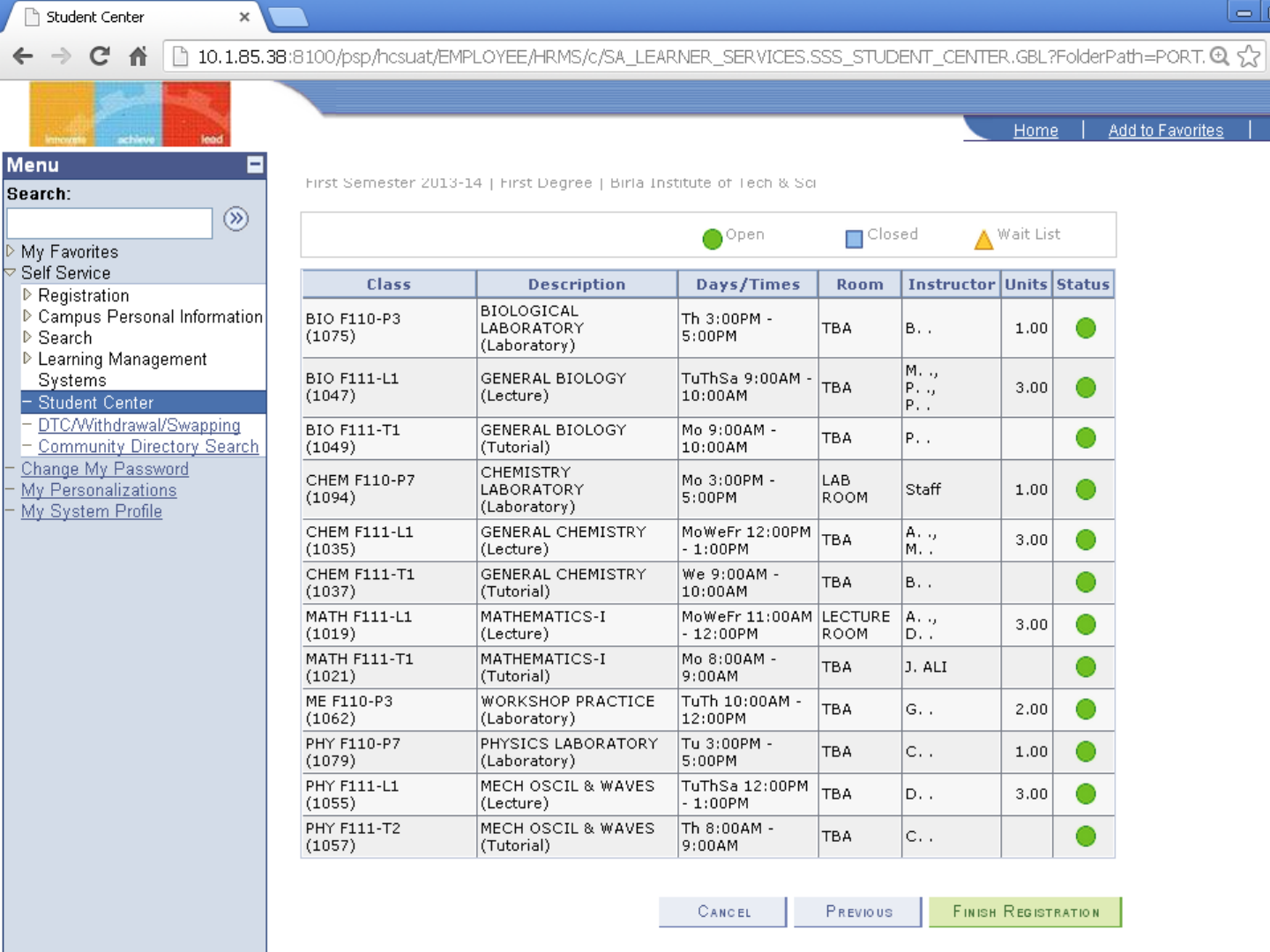
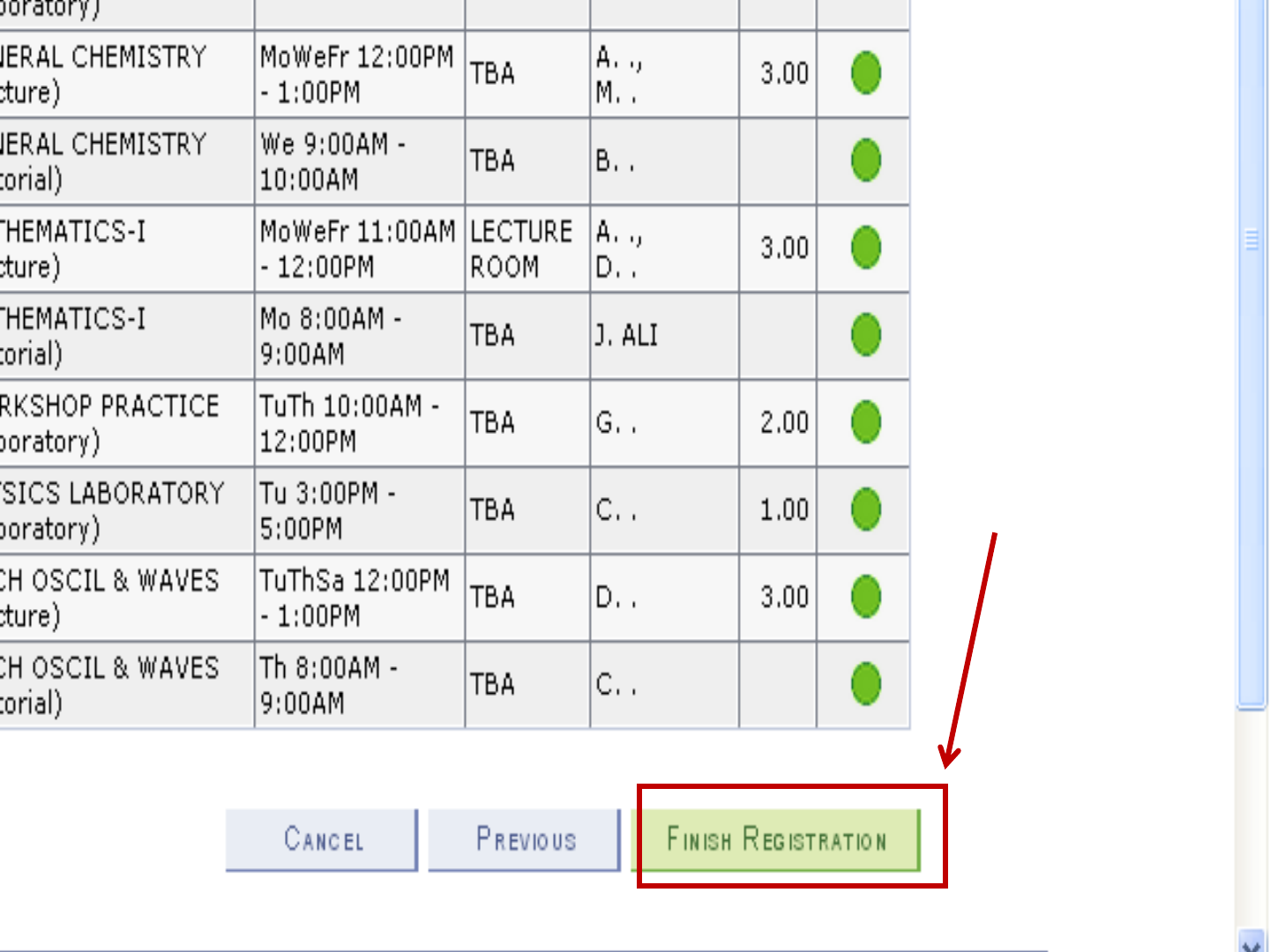
When
everything is
fine,
Click Here
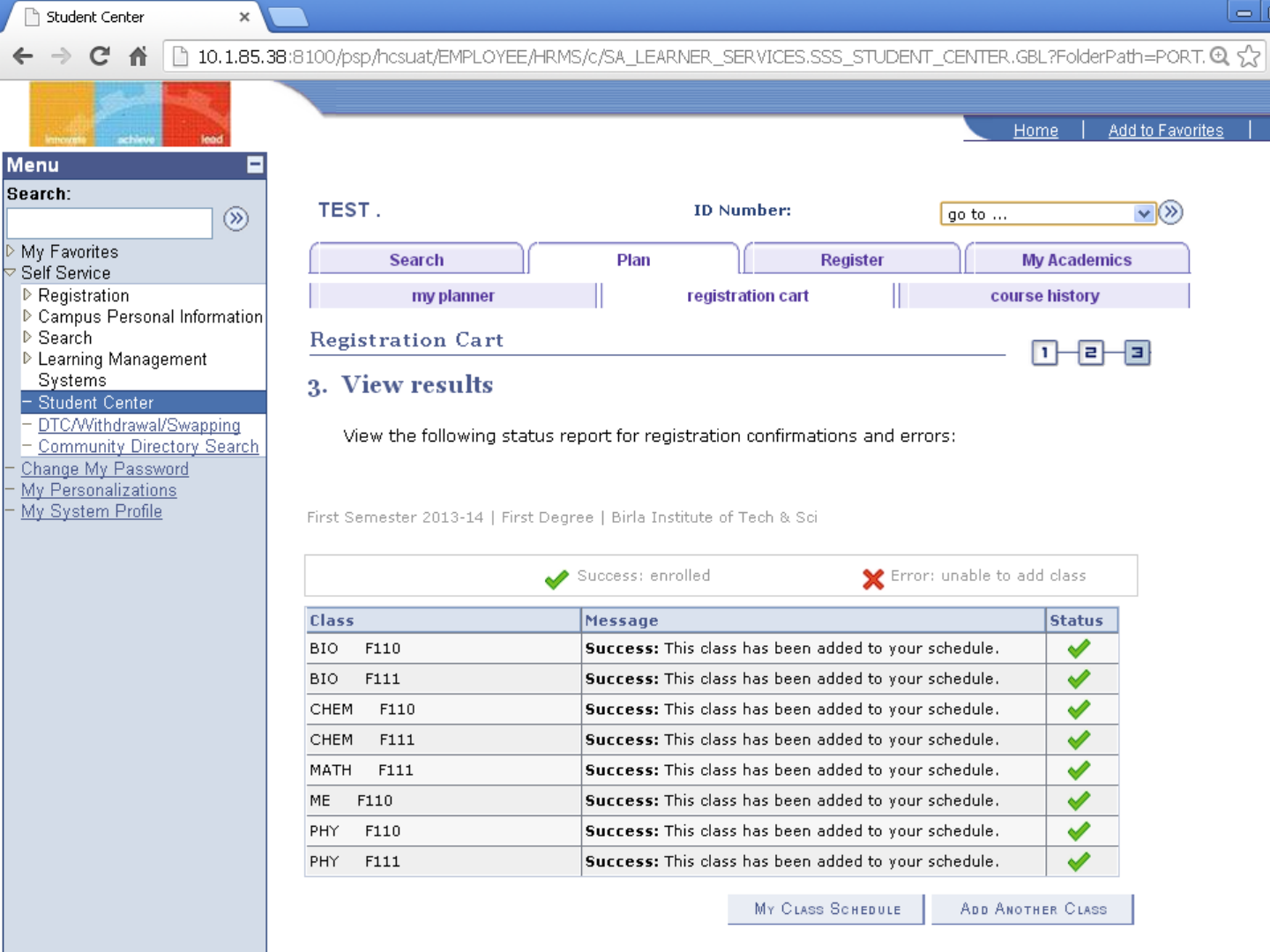
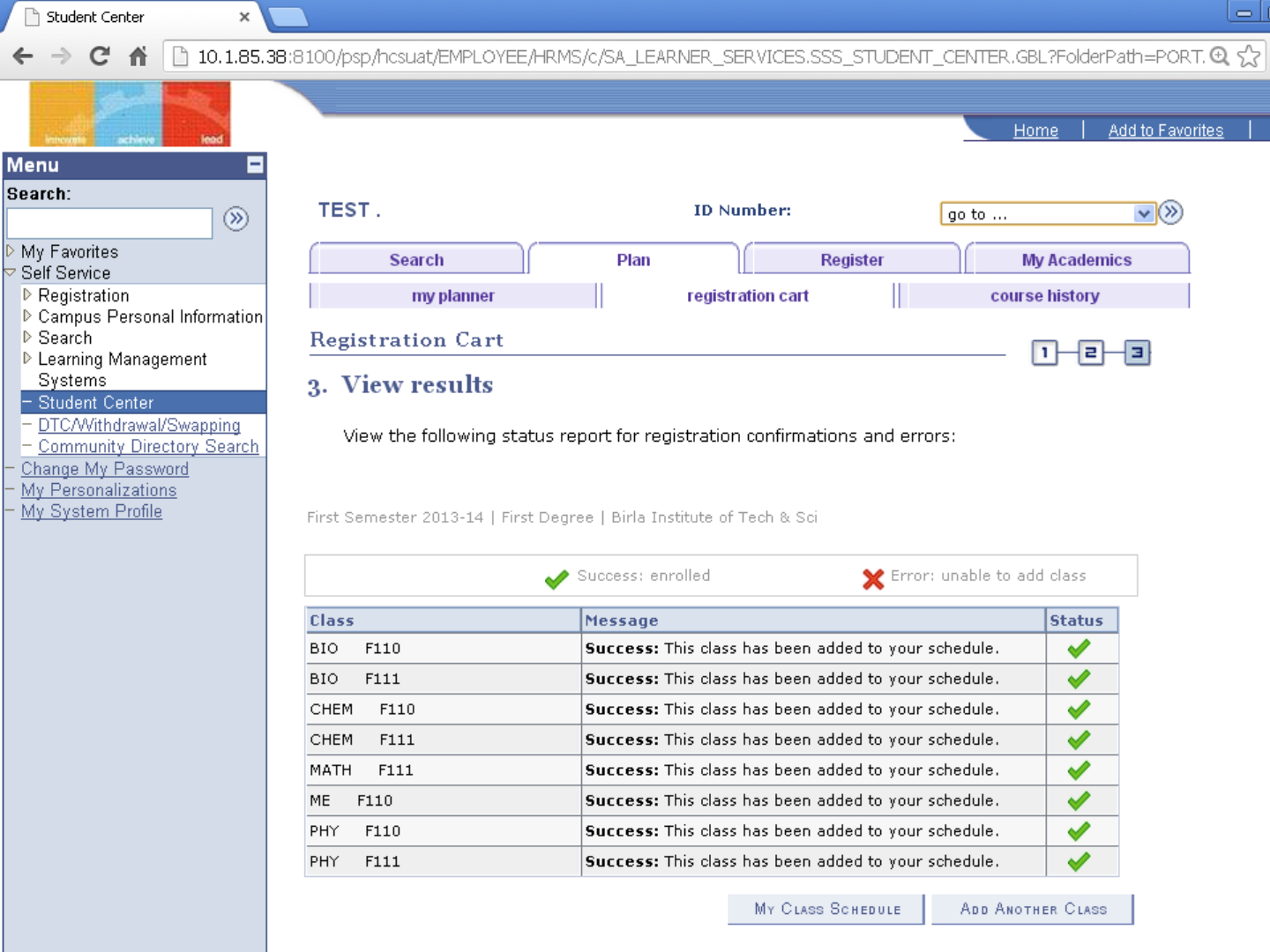
Your
Registration
is finished
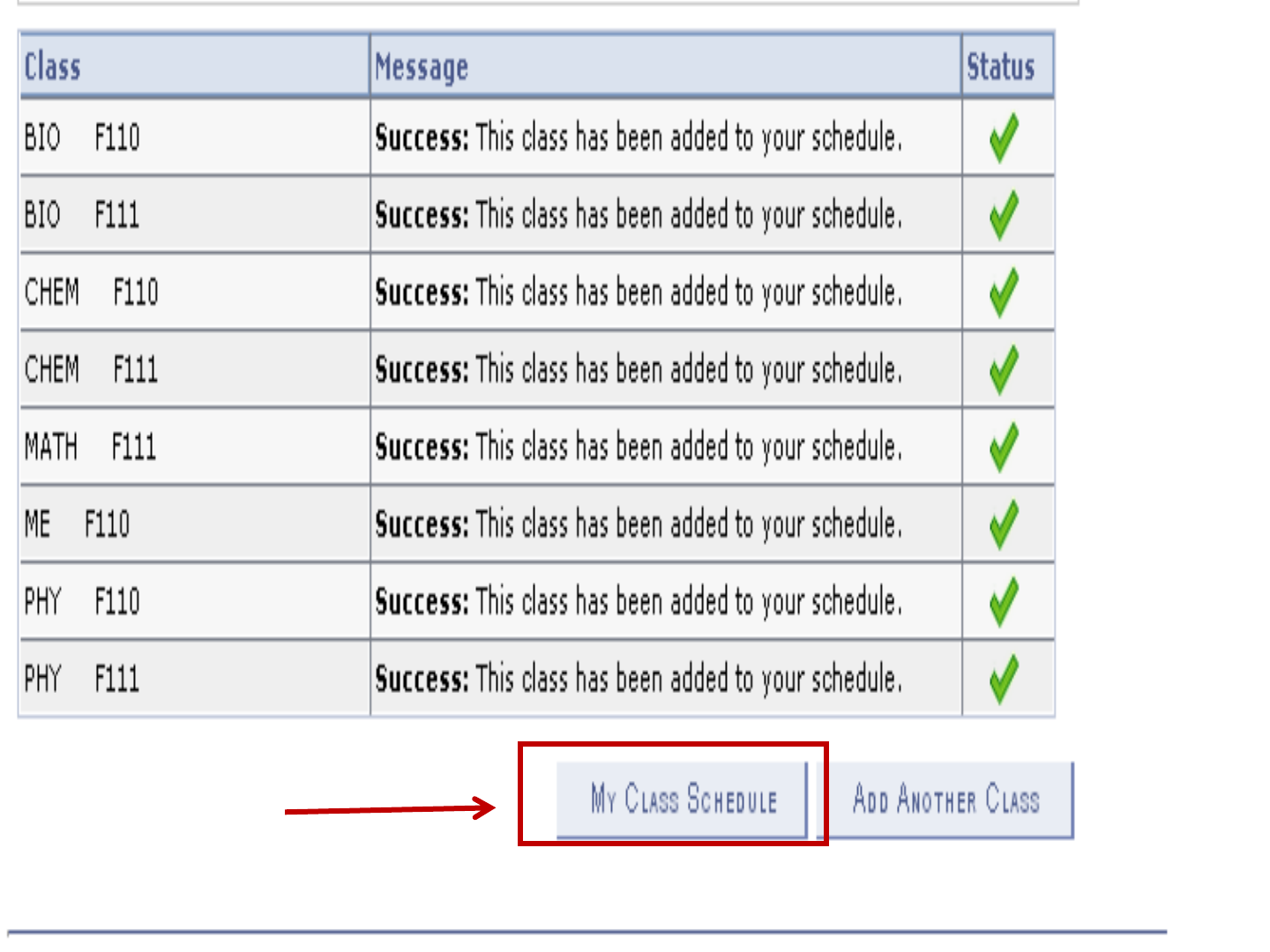
Click Here
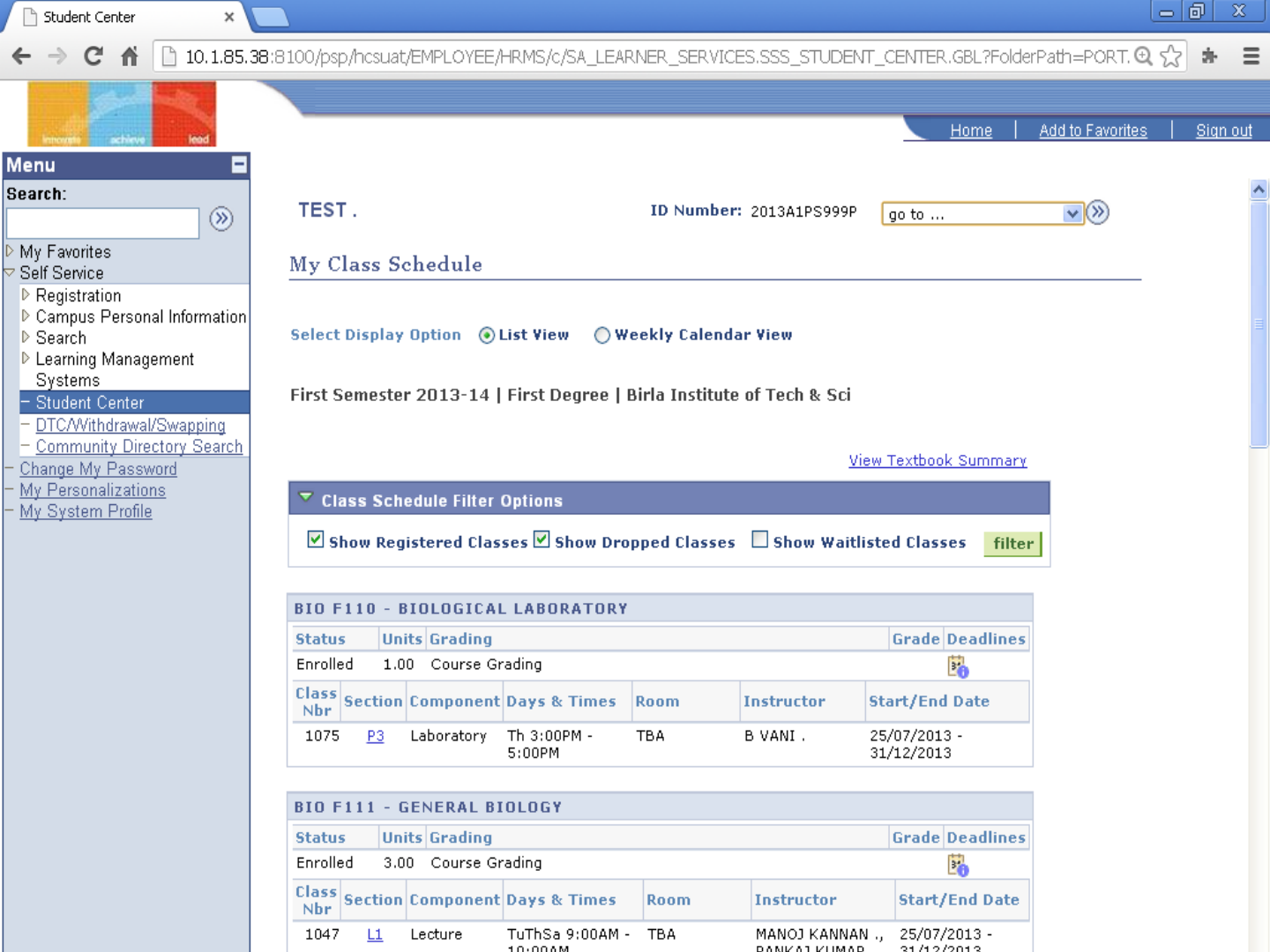
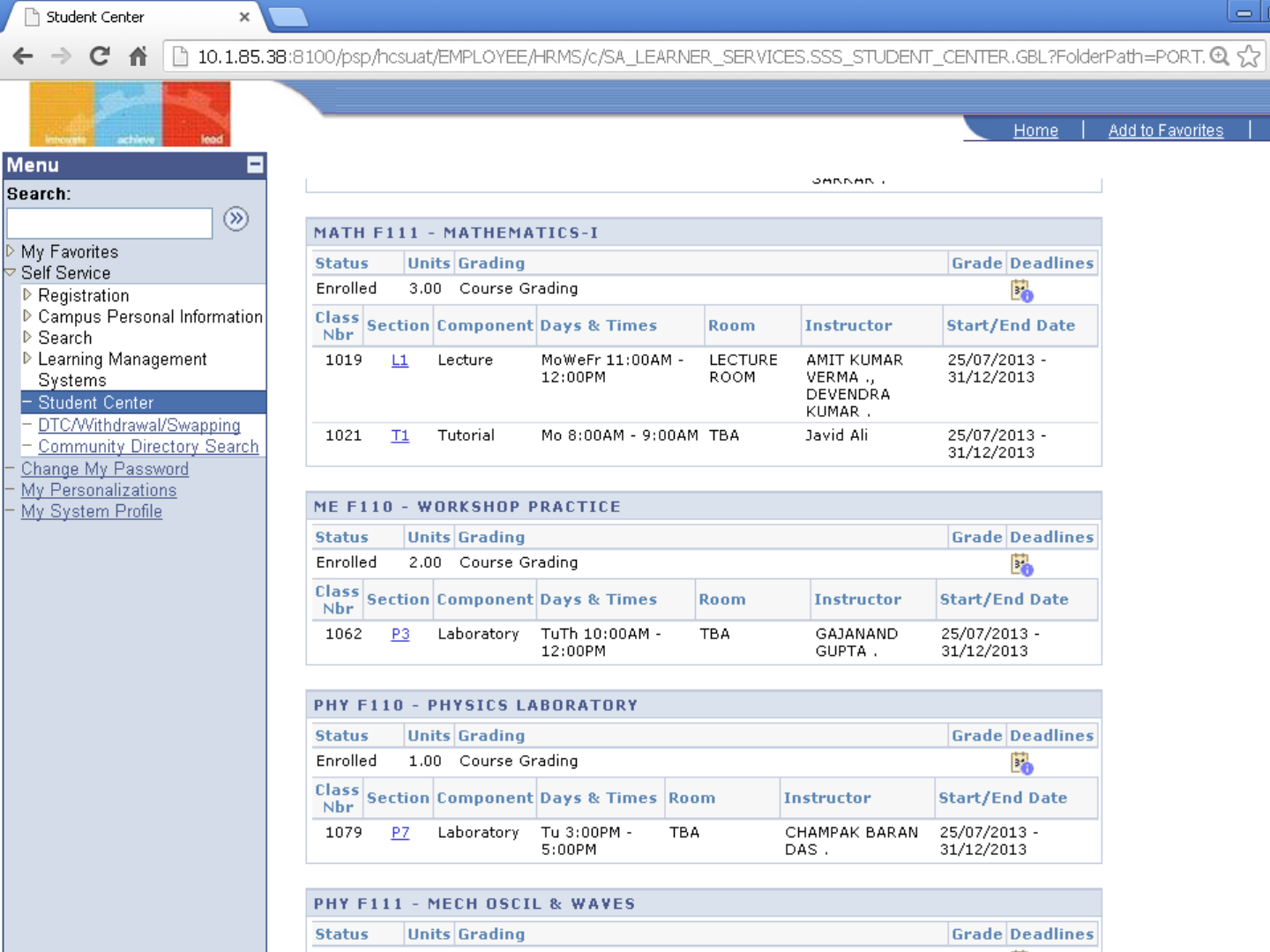
Scroll Down

BITSPilani, Pilani Campus
