MikroBasic PRO For PIC User Manual V100 V101
User Manual:
Open the PDF directly: View PDF  .
.
Page Count: 578 [warning: Documents this large are best viewed by clicking the View PDF Link!]


MIKROELEKTRONIKA - SOFTWARE AND HARDWARE SOLUTIONS FOR EMBEDDED WORLD
mikroBasic PRO for PIC
Table of Contents
ii
DISCLAIMER:
mikroBASIC PRO for PIC and this manual are owned by mikroElektronika and are pro-
tected by copyright law and international copyright treaty. Therefore, you should treat this
manual like any other copyrighted material (e.g., a book). The manual and the compiler
may not be copied, partially or as a whole without the written consent from the mikroEelk-
tronika. The PDF-edition of the manual can be printed for private or local use, but not for
distribution. Modifying the manual or the compiler is strictly prohibited.
HIGH RISK ACTIVITIES:
The mikroBASIC PRO for PICcompiler is not fault-tolerant and is not designed, manufac-
tured or intended for use or resale as on-line control equipment in hazardous environments
requiring fail-safe performance, such as in the operation of nuclear facilities, aircraft navigation
or communication systems, air traffic control, direct life support machines, or weapons sys-
tems, in which the failure of the Software could lead directly to death, personal injury, or severe
physical or environmental damage ("High Risk Activities"). mikroElektronika and its suppliers
specifically disclaim any express or implied warranty of fitness for High Risk Activities.
LICENSE AGREEMENT:
By using the mikroBASIC PRO for PIC compiler, you agree to the terms of this agreement.
Only one person may use licensed version of mikroBASIC PRO for PIC compiler at a time.
Copyright © mikroElektronika 2003 - 2009.
This manual covers mikroBASIC PRO for PIC version 1.0 and the related topics. Newer
versions may contain changes without prior notice.
COMPILER BUG REPORTS:
The compiler has been carefully tested and debugged. It is, however, not possible to
guarantee a 100 % error free product. If you would like to report a bug, please contact us at
the address office@mikroe.com. Please include next information in your bug report:
- Your operating system
- Version of mikroBASIC PRO for PIC
- Code sample
- Description of a bug
CONTACT US:
mikroElektronika
Voice: + 381 (11) 36 28 830
Fax: + 381 (11) 36 28 831
Web: www.mikroe.com
E-mail: office@mikroe.com
Reader’s note
Windows is a Registered trademark of Microsoft Corp. All other trade and/or services marks
are the property of the respective owners.
April 2009.

iii
Table of Contents
CHAPTER 1 Introduction
CHAPTER 2 mikroBASIC PRO for PIC Environment
CHAPTER 3 mikroICD (In-Circuit Debugger)
CHAPTER 4 mikroBASIC PRO for PIC Specifics
CHAPTER 5 PIC Specifics
CHAPTER 6 mikroBASIC PRO for PIC Language Reference
CHAPTER 7 mikroBASIC PRO for PIC Libraries

CHAPTER 1
Features . . . . . . . . . . . . . . . . . . . . . . . . . . . . . . . . . . . . . . . . . . . . . . . . . 2
Where to Start . . . . . . . . . . . . . . . . . . . . . . . . . . . . . . . . . . . . . . . . . . . . 3
mikroElektronika Associates License Statement and Limited Warranty . . . . . 4
IMPORTANT - READ CAREFULLY . . . . . . . . . . . . . . . . . . . . . . . . . . . 4
LIMITED WARRANTY . . . . . . . . . . . . . . . . . . . . . . . . . . . . . . . . . . . . . . 5
HIGH RISK ACTIVITIES . . . . . . . . . . . . . . . . . . . . . . . . . . . . . . . . . . . . 6
GENERAL PROVISIONS . . . . . . . . . . . . . . . . . . . . . . . . . . . . . . . . . . . 6
Technical Support . . . . . . . . . . . . . . . . . . . . . . . . . . . . . . . . . . . . . . . . . . . . . . 7
How to Register . . . . . . . . . . . . . . . . . . . . . . . . . . . . . . . . . . . . . . . . . . . 8
Who Gets the License Key . . . . . . . . . . . . . . . . . . . . . . . . . . . . . . . . . . 8
How to Get License Key . . . . . . . . . . . . . . . . . . . . . . . . . . . . . . . . . . . . 8
After Receving the License Key . . . . . . . . . . . . . . . . . . . . . . . . . . . . . . 10
CHAPTER 2
IDE Overview . . . . . . . . . . . . . . . . . . . . . . . . . . . . . . . . . . . . . . . . . . . . . . . . . . 12
Main Menu Options . . . . . . . . . . . . . . . . . . . . . . . . . . . . . . . . . . . . . . . . . . . . . 14
File Menu Options . . . . . . . . . . . . . . . . . . . . . . . . . . . . . . . . . . . . . . . . . . . . . . 15
Edit Menu Options . . . . . . . . . . . . . . . . . . . . . . . . . . . . . . . . . . . . . . . . . . . . . . 16
Find Text . . . . . . . . . . . . . . . . . . . . . . . . . . . . . . . . . . . . . . . . . . . . . . . . 17
Replace Text . . . . . . . . . . . . . . . . . . . . . . . . . . . . . . . . . . . . . . . . . . . . . 18
Find In Files . . . . . . . . . . . . . . . . . . . . . . . . . . . . . . . . . . . . . . . . . . . . . . 18
Go To Line . . . . . . . . . . . . . . . . . . . . . . . . . . . . . . . . . . . . . . . . . . . . . . . 19
Regular expressions option . . . . . . . . . . . . . . . . . . . . . . . . . . . . . . . . . . 19
View Menu Options . . . . . . . . . . . . . . . . . . . . . . . . . . . . . . . . . . . . . . . . . . . . . 20
Toolbars . . . . . . . . . . . . . . . . . . . . . . . . . . . . . . . . . . . . . . . . . . . . . . . . . . . . . . 21
File Toolbar . . . . . . . . . . . . . . . . . . . . . . . . . . . . . . . . . . . . . . . . . . . . . . 21
Edit Toolbar . . . . . . . . . . . . . . . . . . . . . . . . . . . . . . . . . . . . . . . . . . . . . . 21
Advanced Edit Toolbar . . . . . . . . . . . . . . . . . . . . . . . . . . . . . . . . . . . . . . 22
Find/Replace Toolbar . . . . . . . . . . . . . . . . . . . . . . . . . . . . . . . . . . . . . . . 22
Project Toolbar . . . . . . . . . . . . . . . . . . . . . . . . . . . . . . . . . . . . . . . . . . . . 23
Build Toolbar . . . . . . . . . . . . . . . . . . . . . . . . . . . . . . . . . . . . . . . . . . . . . 23
Build Toolbar come . . . . . . . . . . . . . . . . . . . . . . . . . . . . . . . . . . . . . . . . 23
Debugger . . . . . . . . . . . . . . . . . . . . . . . . . . . . . . . . . . . . . . . . . . . . . . . . 24
iv MIKROELEKTRONIKA - SOFTWARE AND HARDWARE SOLUTIONS FOR EMBEDDED WORLD
mikroBasic PRO for PIC
Table of Contents

Styles Toolbar . . . . . . . . . . . . . . . . . . . . . . . . . . . . . . . . . . . . . . . . . . . . 24
Tools Toolbar . . . . . . . . . . . . . . . . . . . . . . . . . . . . . . . . . . . . . . . . . . . . . 25
Project Menu Options . . . . . . . . . . . . . . . . . . . . . . . . . . . . . . . . . . . . . . . . . . . 26
Run Menu Options . . . . . . . . . . . . . . . . . . . . . . . . . . . . . . . . . . . . . . . . . . . . . . 28
Tools Menu Options . . . . . . . . . . . . . . . . . . . . . . . . . . . . . . . . . . . . . . . . . . . . . 29
Help Menu Options . . . . . . . . . . . . . . . . . . . . . . . . . . . . . . . . . . . . . . . . . . . . . 30
Keyboard Shortcuts . . . . . . . . . . . . . . . . . . . . . . . . . . . . . . . . . . . . . . . . . . . . . 31
IDE Overview . . . . . . . . . . . . . . . . . . . . . . . . . . . . . . . . . . . . . . . . . . . . . . . . . . 33
Customizing IDE Layout . . . . . . . . . . . . . . . . . . . . . . . . . . . . . . . . . . . . . . . . . 35
Docking Windows . . . . . . . . . . . . . . . . . . . . . . . . . . . . . . . . . . . . . . . . . 35
Saving Layout . . . . . . . . . . . . . . . . . . . . . . . . . . . . . . . . . . . . . . . . . . . . 36
Auto Hide . . . . . . . . . . . . . . . . . . . . . . . . . . . . . . . . . . . . . . . . . . . . . . . . 37
Advanced Code Editor . . . . . . . . . . . . . . . . . . . . . . . . . . . . . . . . . . . . . . . . . . . 38
Advanced Editor Features . . . . . . . . . . . . . . . . . . . . . . . . . . . . . . . . . . . 38
Code Assistant . . . . . . . . . . . . . . . . . . . . . . . . . . . . . . . . . . . . . . . . . . . . 40
Code Folding . . . . . . . . . . . . . . . . . . . . . . . . . . . . . . . . . . . . . . . . . . . . . 40
Parameter Assistant . . . . . . . . . . . . . . . . . . . . . . . . . . . . . . . . . . . . . . . 41
Code Templates (Auto Complete) . . . . . . . . . . . . . . . . . . . . . . . . . . . . . 41
Auto Correct . . . . . . . . . . . . . . . . . . . . . . . . . . . . . . . . . . . . . . . . . . . . . 42
Spell Checker . . . . . . . . . . . . . . . . . . . . . . . . . . . . . . . . . . . . . . . . . . . . 42
Bookmarks . . . . . . . . . . . . . . . . . . . . . . . . . . . . . . . . . . . . . . . . . . . . . . . 42
Bookmarks m . . . . . . . . . . . . . . . . . . . . . . . . . . . . . . . . . . . . . . . . . . . . . 42
Goto Line . . . . . . . . . . . . . . . . . . . . . . . . . . . . . . . . . . . . . . . . . . . . . . . . 42
comment . . . . . . . . . . . . . . . . . . . . . . . . . . . . . . . . . . . . . . . . . . . . . . . . 42
Also, the Code Edito . . . . . . . . . . . . . . . . . . . . . . . . . . . . . . . . . . . . . . . 42
Code Explorer . . . . . . . . . . . . . . . . . . . . . . . . . . . . . . . . . . . . . . . . . . . . . . . . . 43
Routine List . . . . . . . . . . . . . . . . . . . . . . . . . . . . . . . . . . . . . . . . . . . . . . . . . . . 44
Project Manager . . . . . . . . . . . . . . . . . . . . . . . . . . . . . . . . . . . . . . . . . . . . . . . 45
Project Settings Window . . . . . . . . . . . . . . . . . . . . . . . . . . . . . . . . . . . . . . . . . 47
Library Manager . . . . . . . . . . . . . . . . . . . . . . . . . . . . . . . . . . . . . . . . . . . . . . . . 48
Error Window . . . . . . . . . . . . . . . . . . . . . . . . . . . . . . . . . . . . . . . . . . . . . . . . . . 50
STatisticS . . . . . . . . . . . . . . . . . . . . . . . . . . . . . . . . . . . . . . . . . . . . . . . . . . . . . 51
Memory Usage Windows . . . . . . . . . . . . . . . . . . . . . . . . . . . . . . . . . . . . 51
RAM Memory Usage . . . . . . . . . . . . . . . . . . . . . . . . . . . . . . . . . . . . . . . 51
Used RAM Locations . . . . . . . . . . . . . . . . . . . . . . . . . . . . . . . . . . . . . . . 52
SFR Locations . . . . . . . . . . . . . . . . . . . . . . . . . . . . . . . . . . . . . . . . . . . 52
v
MIKROELEKTRONIKA - SOFTWARE AND HARDWARE SOLUTIONS FOR EMBEDDED WORLD
mikroBasic PRO for PIC Table of Contents

ROM Memory Usage . . . . . . . . . . . . . . . . . . . . . . . . . . . . . . . . . . . . . . . 53
ROM Memory Constants . . . . . . . . . . . . . . . . . . . . . . . . . . . . . . . . . . . . 53
Functions Sorted By Name . . . . . . . . . . . . . . . . . . . . . . . . . . . . . . . . . . 54
Functions Sorted . . . . . . . . . . . . . . . . . . . . . . . . . . . . . . . . . . . . . . . . . . 54
Sorts and displays functi . . . . . . . . . . . . . . . . . . . . . . . . . . . . . . . . . . . . 54
Functions Sorted By Addresses . . . . . . . . . . . . . . . . . . . . . . . . . . . . . . 55
Functions Sorted By Name Chart . . . . . . . . . . . . . . . . . . . . . . . . . . . . . 55
Sorts and displays functions by their names in a ch . . . . . . . . . . . . . . . 55
Functions Sorted By Size Chart . . . . . . . . . . . . . . . . . . . . . . . . . . . . . . 56
Functions Sorted By Addresses Chart . . . . . . . . . . . . . . . . . . . . . . . . . 56
Function Tree . . . . . . . . . . . . . . . . . . . . . . . . . . . . . . . . . . . . . . . . . . . . . 57
Memory Summary . . . . . . . . . . . . . . . . . . . . . . . . . . . . . . . . . . . . . . . . . 57
Displays summary of RAM and ROM m . . . . . . . . . . . . . . . . . . . . . . . . 57
Integrated Tools . . . . . . . . . . . . . . . . . . . . . . . . . . . . . . . . . . . . . . . . . . . . . . . . 58
USART Terminal . . . . . . . . . . . . . . . . . . . . . . . . . . . . . . . . . . . . . . . . . . 58
EEPROM Editor . . . . . . . . . . . . . . . . . . . . . . . . . . . . . . . . . . . . . . . . . . . 59
ASCII Chart . . . . . . . . . . . . . . . . . . . . . . . . . . . . . . . . . . . . . . . . . . . . . . 60
Seven Segment Decoder . . . . . . . . . . . . . . . . . . . . . . . . . . . . . . . . . . . 61
Lcd Custom Character . . . . . . . . . . . . . . . . . . . . . . . . . . . . . . . . . . . . . . 61
mikroBasic PRO for PIC includes the L . . . . . . . . . . . . . . . . . . . . . . . . 61
Graphic LCD Bitmap Editor . . . . . . . . . . . . . . . . . . . . . . . . . . . . . . . . . . 62
HID Terminal . . . . . . . . . . . . . . . . . . . . . . . . . . . . . . . . . . . . . . . . . . . . . 63
The mikroBasic . . . . . . . . . . . . . . . . . . . . . . . . . . . . . . . . . . . . . . . . . . . 63
Udp Terminal . . . . . . . . . . . . . . . . . . . . . . . . . . . . . . . . . . . . . . . . . . . . 64
The mikroBasic . . . . . . . . . . . . . . . . . . . . . . . . . . . . . . . . . . . . . . . . . . . 64
mikroBootloader . . . . . . . . . . . . . . . . . . . . . . . . . . . . . . . . . . . . . . . . . . . . . . . . 65
What is a Bootloader . . . . . . . . . . . . . . . . . . . . . . . . . . . . . . . . . . . . . . . 65
Features . . . . . . . . . . . . . . . . . . . . . . . . . . . . . . . . . . . . . . . . . . . . . . . . . 66
Macro Editor . . . . . . . . . . . . . . . . . . . . . . . . . . . . . . . . . . . . . . . . . . . . . 67
Options . . . . . . . . . . . . . . . . . . . . . . . . . . . . . . . . . . . . . . . . . . . . . . . . . 68
Code editor . . . . . . . . . . . . . . . . . . . . . . . . . . . . . . . . . . . . . . . . . . . . . . 68
Tools . . . . . . . . . . . . . . . . . . . . . . . . . . . . . . . . . . . . . . . . . . . . . . . . . . . 68
Output settings . . . . . . . . . . . . . . . . . . . . . . . . . . . . . . . . . . . . . . . . . . . 69
Regular Expressions . . . . . . . . . . . . . . . . . . . . . . . . . . . . . . . . . . . . . . . . . . . . 70
Introduction . . . . . . . . . . . . . . . . . . . . . . . . . . . . . . . . . . . . . . . . . . . . . . 70
Simple matches . . . . . . . . . . . . . . . . . . . . . . . . . . . . . . . . . . . . . . . . . . . 70
vi MIKROELEKTRONIKA - SOFTWARE AND HARDWARE SOLUTIONS FOR EMBEDDED WORLD
mikroBasic PRO for PIC
Table of Contents

Escape sequences . . . . . . . . . . . . . . . . . . . . . . . . . . . . . . . . . . . . . . . . 70
Character classes . . . . . . . . . . . . . . . . . . . . . . . . . . . . . . . . . . . . . . . . . 71
Metacharacters . . . . . . . . . . . . . . . . . . . . . . . . . . . . . . . . . . . . . . . . . . . 71
Metacharacters - Line separators . . . . . . . . . . . . . . . . . . . . . . . . . . . . . 72
Metacharacters - Predefined classes . . . . . . . . . . . . . . . . . . . . . . . . . . 72
Metacharacters - Word boundaries . . . . . . . . . . . . . . . . . . . . . . . . . . . . 73
Metacharacters - Iterators . . . . . . . . . . . . . . . . . . . . . . . . . . . . . . . . . . . 73
Metacharacters - Alternatives . . . . . . . . . . . . . . . . . . . . . . . . . . . . . . . . 74
Metacharacters - Subexpressions . . . . . . . . . . . . . . . . . . . . . . . . . . . . . 75
Metacharacters - Backreferences . . . . . . . . . . . . . . . . . . . . . . . . . . . . . 75
mikroBasic PRO for PIC . . . . . . . . . . . . . . . . . . . . . . . . . . . . . . . . . . . . . . . . . 76
Command Line Options . . . . . . . . . . . . . . . . . . . . . . . . . . . . . . . . . . . . . . . . . . 76
Projects . . . . . . . . . . . . . . . . . . . . . . . . . . . . . . . . . . . . . . . . . . . . . . . . . . . . . . 77
New Project . . . . . . . . . . . . . . . . . . . . . . . . . . . . . . . . . . . . . . . . . . . . . . 77
New Project Wizard Steps . . . . . . . . . . . . . . . . . . . . . . . . . . . . . . . . . . . 78
Customizing Projects . . . . . . . . . . . . . . . . . . . . . . . . . . . . . . . . . . . . . . . . . . . . 81
Managing Project Group . . . . . . . . . . . . . . . . . . . . . . . . . . . . . . . . . . . . 81
Add/Remove Files from Project . . . . . . . . . . . . . . . . . . . . . . . . . . . . . . . 81
Project Level Defines . . . . . . . . . . . . . . . . . . . . . . . . . . . . . . . . . . . . . . . 82
Source Files . . . . . . . . . . . . . . . . . . . . . . . . . . . . . . . . . . . . . . . . . . . . . . . . . . . 83
Managing Source Files . . . . . . . . . . . . . . . . . . . . . . . . . . . . . . . . . . . . . 83
Creating new source file . . . . . . . . . . . . . . . . . . . . . . . . . . . . . . . . . . . . 83
Opening an existing file . . . . . . . . . . . . . . . . . . . . . . . . . . . . . . . . . . . . . 83
Printing an open file . . . . . . . . . . . . . . . . . . . . . . . . . . . . . . . . . . . . . . . . 83
Saving file . . . . . . . . . . . . . . . . . . . . . . . . . . . . . . . . . . . . . . . . . . . . . . . 84
Saving file under a different name . . . . . . . . . . . . . . . . . . . . . . . . . . . . 84
Closing file . . . . . . . . . . . . . . . . . . . . . . . . . . . . . . . . . . . . . . . . . . . . . . . 84
Clean Project Folder . . . . . . . . . . . . . . . . . . . . . . . . . . . . . . . . . . . . . . . . . . . . 85
Compilation . . . . . . . . . . . . . . . . . . . . . . . . . . . . . . . . . . . . . . . . . . . . . . . . . . . 86
Output Files . . . . . . . . . . . . . . . . . . . . . . . . . . . . . . . . . . . . . . . . . . . . . . 86
Assembly View . . . . . . . . . . . . . . . . . . . . . . . . . . . . . . . . . . . . . . . . . . . 86
Error Messages . . . . . . . . . . . . . . . . . . . . . . . . . . . . . . . . . . . . . . . . . . . . . . . . 87
Compiler Error Messages: . . . . . . . . . . . . . . . . . . . . . . . . . . . . . . . . . . . 87
Warning Messages: . . . . . . . . . . . . . . . . . . . . . . . . . . . . . . . . . . . . . . . . 89
Hint Messages: . . . . . . . . . . . . . . . . . . . . . . . . . . . . . . . . . . . . . . . . . . . 89
Software Simulator Overview . . . . . . . . . . . . . . . . . . . . . . . . . . . . . . . . . . . . . 90
vii
MIKROELEKTRONIKA - SOFTWARE AND HARDWARE SOLUTIONS FOR EMBEDDED WORLD
mikroBasic PRO for PIC Table of Contents

Breakpoints Window . . . . . . . . . . . . . . . . . . . . . . . . . . . . . . . . . . . . . . . 90
View RAM Window . . . . . . . . . . . . . . . . . . . . . . . . . . . . . . . . . . . . . . . . 93
Stopwatch Window . . . . . . . . . . . . . . . . . . . . . . . . . . . . . . . . . . . . . . . . 94
Software Simulator Options . . . . . . . . . . . . . . . . . . . . . . . . . . . . . . . . . . . . . . . 95
Creating New Library . . . . . . . . . . . . . . . . . . . . . . . . . . . . . . . . . . . . . . . . . . . . 96
Multiple Library Versions . . . . . . . . . . . . . . . . . . . . . . . . . . . . . . . . . . . . 96
mikroICD (In-Circuit Debugger) . . . . . . . . . . . . . . . . . . . . . . . . . . . . . . . . . . . . 97
CHAPTER 3
mikroICD Debugger Optional . . . . . . . . . . . . . . . . . . . . . . . . . . . . . . . . 99
mikroICD Debugger Example . . . . . . . . . . . . . . . . . . . . . . . . . . . . . . . . . . . . . 100
mikroICD (In-Circuit Debugger) Overview . . . . . . . . . . . . . . . . . . . . . . . . . . . . 104
Breakpoints Window . . . . . . . . . . . . . . . . . . . . . . . . . . . . . . . . . . . . . . . 104
Watch Window . . . . . . . . . . . . . . . . . . . . . . . . . . . . . . . . . . . . . . . . . . . . 104
Debugger Watch . . . . . . . . . . . . . . . . . . . . . . . . . . . . . . . . . . . . . . . . . . 104
EEPROM Watch Window . . . . . . . . . . . . . . . . . . . . . . . . . . . . . . . . . . . 105
Code Watch Window . . . . . . . . . . . . . . . . . . . . . . . . . . . . . . . . . . . . . . . 106
View RAM Window . . . . . . . . . . . . . . . . . . . . . . . . . . . . . . . . . . . . . . . . 106
Common Errors . . . . . . . . . . . . . . . . . . . . . . . . . . . . . . . . . . . . . . . . . . . 107
mikro ICD Advanced Breakpoints . . . . . . . . . . . . . . . . . . . . . . . . . . . . . . . . . . 108
Program Memory Break . . . . . . . . . . . . . . . . . . . . . . . . . . . . . . . . . . . . 109
File Register Break . . . . . . . . . . . . . . . . . . . . . . . . . . . . . . . . . . . . . . . . 109
Emulator Features . . . . . . . . . . . . . . . . . . . . . . . . . . . . . . . . . . . . . . . . . 109
Event Breakpoints . . . . . . . . . . . . . . . . . . . . . . . . . . . . . . . . . . . . . . . . . 109
Stopwatch . . . . . . . . . . . . . . . . . . . . . . . . . . . . . . . . . . . . . . . . . . . . . . . 109
CHAPTER 4
BASIC Standard Issues . . . . . . . . . . . . . . . . . . . . . . . . . . . . . . . . . . . . . . . . . . 112
Divergence from the Basic Standard . . . . . . . . . . . . . . . . . . . . . . . . . . . 112
Basic Language Extensions . . . . . . . . . . . . . . . . . . . . . . . . . . . . . . . . . 112
Predefined Globals and Constants . . . . . . . . . . . . . . . . . . . . . . . . . . . . . . . . . 113
SFRs and related constants . . . . . . . . . . . . . . . . . . . . . . . . . . . . . . . . . 113
All PIC SFRs are implicitly . . . . . . . . . . . . . . . . . . . . . . . . . . . . . . . . . . 113
These defines are based on a valu . . . . . . . . . . . . . . . . . . . . . . . . . . . . 113
viii MIKROELEKTRONIKA - SOFTWARE AND HARDWARE SOLUTIONS FOR EMBEDDED WORLD
mikroBasic PRO for PIC
Table of Contents

Accessing Individual Bits . . . . . . . . . . . . . . . . . . . . . . . . . . . . . . . . . . . . . . . . . 114
Accessing Individual Bits Of Variables . . . . . . . . . . . . . . . . . . . . . . . . . 114
sbit type . . . . . . . . . . . . . . . . . . . . . . . . . . . . . . . . . . . . . . . . . . . . . . . . . 114
bit type . . . . . . . . . . . . . . . . . . . . . . . . . . . . . . . . . . . . . . . . . . . . . . . . . . 115
Interrupts . . . . . . . . . . . . . . . . . . . . . . . . . . . . . . . . . . . . . . . . . . . . . . . . . . . . . 116
Linker Directives . . . . . . . . . . . . . . . . . . . . . . . . . . . . . . . . . . . . . . . . . . . . . . . 118
Directive absolute . . . . . . . . . . . . . . . . . . . . . . . . . . . . . . . . . . . . . . . . . 118
Directive org . . . . . . . . . . . . . . . . . . . . . . . . . . . . . . . . . . . . . . . . . . . . . 118
Built-in Routines . . . . . . . . . . . . . . . . . . . . . . . . . . . . . . . . . . . . . . . . . . . . . . . . 119
Lo . . . . . . . . . . . . . . . . . . . . . . . . . . . . . . . . . . . . . . . . . . . . . . . . . . . . . . 120
Hi . . . . . . . . . . . . . . . . . . . . . . . . . . . . . . . . . . . . . . . . . . . . . . . . . . . . . . 120
Higher . . . . . . . . . . . . . . . . . . . . . . . . . . . . . . . . . . . . . . . . . . . . . . . . . . 120
Highest . . . . . . . . . . . . . . . . . . . . . . . . . . . . . . . . . . . . . . . . . . . . . . . . . . 121
Inc . . . . . . . . . . . . . . . . . . . . . . . . . . . . . . . . . . . . . . . . . . . . . . . . . . . . . 121
Dec . . . . . . . . . . . . . . . . . . . . . . . . . . . . . . . . . . . . . . . . . . . . . . . . . . . . 121
Delay_us . . . . . . . . . . . . . . . . . . . . . . . . . . . . . . . . . . . . . . . . . . . . . . . . 122
Delay_ms . . . . . . . . . . . . . . . . . . . . . . . . . . . . . . . . . . . . . . . . . . . . . . . . 122
Clock_KHz . . . . . . . . . . . . . . . . . . . . . . . . . . . . . . . . . . . . . . . . . . . . . . . 122
Clock_MHz . . . . . . . . . . . . . . . . . . . . . . . . . . . . . . . . . . . . . . . . . . . . . . 123
Reset . . . . . . . . . . . . . . . . . . . . . . . . . . . . . . . . . . . . . . . . . . . . . . . . . . . 123
ClrWdt . . . . . . . . . . . . . . . . . . . . . . . . . . . . . . . . . . . . . . . . . . . . . . . . . . 123
DisableContextSaving . . . . . . . . . . . . . . . . . . . . . . . . . . . . . . . . . . . . . . 124
SetFuncCall . . . . . . . . . . . . . . . . . . . . . . . . . . . . . . . . . . . . . . . . . . . . . . 124
GetDateTime . . . . . . . . . . . . . . . . . . . . . . . . . . . . . . . . . . . . . . . . . . . . . 125
GetVersion . . . . . . . . . . . . . . . . . . . . . . . . . . . . . . . . . . . . . . . . . . . . . . . 125
Code Optimization . . . . . . . . . . . . . . . . . . . . . . . . . . . . . . . . . . . . . . . . . . . . . . 126
Optimizer has been . . . . . . . . . . . . . . . . . . . . . . . . . . . . . . . . . . . . . . . . . . . . 126
CHAPTER 5
Types Efficiency . . . . . . . . . . . . . . . . . . . . . . . . . . . . . . . . . . . . . . . . . . . 130
Nested call represents a . . . . . . . . . . . . . . . . . . . . . . . . . . . . . . . . . . . . 130
PIC18FxxJxx Specifics . . . . . . . . . . . . . . . . . . . . . . . . . . . . . . . . . . . . . 131
Shared Address SFRs . . . . . . . . . . . . . . . . . . . . . . . . . . . . . . . . . . . . . . 131
PIC16 Specifics . . . . . . . . . . . . . . . . . . . . . . . . . . . . . . . . . . . . . . . . . . . 131
Breaking Through Pages . . . . . . . . . . . . . . . . . . . . . . . . . . . . . . . . . . . . 131
ix
MIKROELEKTRONIKA - SOFTWARE AND HARDWARE SOLUTIONS FOR EMBEDDED WORLD
mikroBasic PRO for PIC Table of Contents

Limits of Indirect Approach Through FSR . . . . . . . . . . . . . . . . . . . . . . . 131
Memory Type Specifiers . . . . . . . . . . . . . . . . . . . . . . . . . . . . . . . . . . . . . . . . . 132
code . . . . . . . . . . . . . . . . . . . . . . . . . . . . . . . . . . . . . . . . . . . . . . . . . . . . 132
data . . . . . . . . . . . . . . . . . . . . . . . . . . . . . . . . . . . . . . . . . . . . . . . . . . . . 132
rx . . . . . . . . . . . . . . . . . . . . . . . . . . . . . . . . . . . . . . . . . . . . . . . . . . . . . . 132
sfr . . . . . . . . . . . . . . . . . . . . . . . . . . . . . . . . . . . . . . . . . . . . . . . . . . . . . . 133
CHAPTER 6
Lexical Elements Overview . . . . . . . . . . . . . . . . . . . . . . . . . . . . . . . . . . . . . . . 138
Whitespace . . . . . . . . . . . . . . . . . . . . . . . . . . . . . . . . . . . . . . . . . . . . . . . . . . . 138
Newline Character . . . . . . . . . . . . . . . . . . . . . . . . . . . . . . . . . . . . . . . . . 138
Whitespace in Strings . . . . . . . . . . . . . . . . . . . . . . . . . . . . . . . . . . . . . . 139
Comments . . . . . . . . . . . . . . . . . . . . . . . . . . . . . . . . . . . . . . . . . . . . . . . . . . . . 139
Tokens . . . . . . . . . . . . . . . . . . . . . . . . . . . . . . . . . . . . . . . . . . . . . . . . . . . . . . . 140
Literals . . . . . . . . . . . . . . . . . . . . . . . . . . . . . . . . . . . . . . . . . . . . . . . . . . . . . . . 141
Integer Literals . . . . . . . . . . . . . . . . . . . . . . . . . . . . . . . . . . . . . . . . . . . . 141
Floating Point Literals . . . . . . . . . . . . . . . . . . . . . . . . . . . . . . . . . . . . . . 141
Character Literals . . . . . . . . . . . . . . . . . . . . . . . . . . . . . . . . . . . . . . . . . 142
Keywords . . . . . . . . . . . . . . . . . . . . . . . . . . . . . . . . . . . . . . . . . . . . . . . . . . . . . 144
Identifiers . . . . . . . . . . . . . . . . . . . . . . . . . . . . . . . . . . . . . . . . . . . . . . . . . . . . . 147
Case Sensitivity . . . . . . . . . . . . . . . . . . . . . . . . . . . . . . . . . . . . . . . . . . . 147
Uniqueness and Scope . . . . . . . . . . . . . . . . . . . . . . . . . . . . . . . . . . . . . 147
Identifier Examples . . . . . . . . . . . . . . . . . . . . . . . . . . . . . . . . . . . . . . . . 147
Punctuators . . . . . . . . . . . . . . . . . . . . . . . . . . . . . . . . . . . . . . . . . . . . . . . . . . . 148
Brackets . . . . . . . . . . . . . . . . . . . . . . . . . . . . . . . . . . . . . . . . . . . . . . . . . 148
Parentheses . . . . . . . . . . . . . . . . . . . . . . . . . . . . . . . . . . . . . . . . . . . . . . 148
Comma . . . . . . . . . . . . . . . . . . . . . . . . . . . . . . . . . . . . . . . . . . . . . . . . . 148
Colon . . . . . . . . . . . . . . . . . . . . . . . . . . . . . . . . . . . . . . . . . . . . . . . . . . . 149
Dot . . . . . . . . . . . . . . . . . . . . . . . . . . . . . . . . . . . . . . . . . . . . . . . . . . . . . 149
Program Organization . . . . . . . . . . . . . . . . . . . . . . . . . . . . . . . . . . . . . . . . . . . 150
Organization of Main Unit . . . . . . . . . . . . . . . . . . . . . . . . . . . . . . . . . . . 150
Organization of Other Modules . . . . . . . . . . . . . . . . . . . . . . . . . . . . . . . 151
Scope and Visibility . . . . . . . . . . . . . . . . . . . . . . . . . . . . . . . . . . . . . . . . . . . . . 153
Scope . . . . . . . . . . . . . . . . . . . . . . . . . . . . . . . . . . . . . . . . . . . . . . . . . . . 153
Visibility . . . . . . . . . . . . . . . . . . . . . . . . . . . . . . . . . . . . . . . . . . . . . . . . . 153
xMIKROELEKTRONIKA - SOFTWARE AND HARDWARE SOLUTIONS FOR EMBEDDED WORLD
mikroBasic PRO for PIC
Table of Contents

Modules . . . . . . . . . . . . . . . . . . . . . . . . . . . . . . . . . . . . . . . . . . . . . . . . . . . . . . 154
mikroBasic PRO . . . . . . . . . . . . . . . . . . . . . . . . . . . . . . . . . . . . . . . . . . 154
Main Module . . . . . . . . . . . . . . . . . . . . . . . . . . . . . . . . . . . . . . . . . . . . . 155
Every project . . . . . . . . . . . . . . . . . . . . . . . . . . . . . . . . . . . . . . . . . . . . . 155
Modules other . . . . . . . . . . . . . . . . . . . . . . . . . . . . . . . . . . . . . . . . . . . . 155
Implementation Section . . . . . . . . . . . . . . . . . . . . . . . . . . . . . . . . . . . . . 156
Variables . . . . . . . . . . . . . . . . . . . . . . . . . . . . . . . . . . . . . . . . . . . . . . . . . . . . . 157
External Modifier . . . . . . . . . . . . . . . . . . . . . . . . . . . . . . . . . . . . . . . . . . 157
Variables and PIC . . . . . . . . . . . . . . . . . . . . . . . . . . . . . . . . . . . . . . . . . 157
Constants . . . . . . . . . . . . . . . . . . . . . . . . . . . . . . . . . . . . . . . . . . . . . . . . . . . . . 158
Labels . . . . . . . . . . . . . . . . . . . . . . . . . . . . . . . . . . . . . . . . . . . . . . . . . . . . . . . 159
Symbols . . . . . . . . . . . . . . . . . . . . . . . . . . . . . . . . . . . . . . . . . . . . . . . . . . . . . . 160
Functions and Procedures . . . . . . . . . . . . . . . . . . . . . . . . . . . . . . . . . . . . . . . . 161
Functions . . . . . . . . . . . . . . . . . . . . . . . . . . . . . . . . . . . . . . . . . . . . . . . . 161
Calling a function . . . . . . . . . . . . . . . . . . . . . . . . . . . . . . . . . . . . . . . . . . 161
Example . . . . . . . . . . . . . . . . . . . . . . . . . . . . . . . . . . . . . . . . . . . . . . . . . 162
Procedures . . . . . . . . . . . . . . . . . . . . . . . . . . . . . . . . . . . . . . . . . . . . . . . . . . . . 162
Calling a procedure . . . . . . . . . . . . . . . . . . . . . . . . . . . . . . . . . . . . . . . . 163
Example . . . . . . . . . . . . . . . . . . . . . . . . . . . . . . . . . . . . . . . . . . . . . . . . . 163
Function Pointers . . . . . . . . . . . . . . . . . . . . . . . . . . . . . . . . . . . . . . . . . . 163
Forward declaration . . . . . . . . . . . . . . . . . . . . . . . . . . . . . . . . . . . . . . . . 165
Functions reentrancy . . . . . . . . . . . . . . . . . . . . . . . . . . . . . . . . . . . . . . . 165
Types . . . . . . . . . . . . . . . . . . . . . . . . . . . . . . . . . . . . . . . . . . . . . . . . . . . . . . . . 166
Type Categories . . . . . . . . . . . . . . . . . . . . . . . . . . . . . . . . . . . . . . . . . . 166
Simple Types . . . . . . . . . . . . . . . . . . . . . . . . . . . . . . . . . . . . . . . . . . . . . . . . . . 167
Arrays . . . . . . . . . . . . . . . . . . . . . . . . . . . . . . . . . . . . . . . . . . . . . . . . . . . . . . . . 168
Array Declaration . . . . . . . . . . . . . . . . . . . . . . . . . . . . . . . . . . . . . . . . . . 168
Constant Arrays . . . . . . . . . . . . . . . . . . . . . . . . . . . . . . . . . . . . . . . . . . . 168
Strings . . . . . . . . . . . . . . . . . . . . . . . . . . . . . . . . . . . . . . . . . . . . . . . . . . . . . . . 169
POINTERS . . . . . . . . . . . . . . . . . . . . . . . . . . . . . . . . . . . . . . . . . . . . . . . . . . . . 170
Operator . . . . . . . . . . . . . . . . . . . . . . . . . . . . . . . . . . . . . . . . . . . . . . . . . 170
Structures . . . . . . . . . . . . . . . . . . . . . . . . . . . . . . . . . . . . . . . . . . . . . . . . . . . . . 171
Structure Member Access . . . . . . . . . . . . . . . . . . . . . . . . . . . . . . . . . . . 172
Types Conversions . . . . . . . . . . . . . . . . . . . . . . . . . . . . . . . . . . . . . . . . . . . . . 173
Implicit Conversion . . . . . . . . . . . . . . . . . . . . . . . . . . . . . . . . . . . . . . . . 173
Promotion . . . . . . . . . . . . . . . . . . . . . . . . . . . . . . . . . . . . . . . . . . . . . . . 173
xi
MIKROELEKTRONIKA - SOFTWARE AND HARDWARE SOLUTIONS FOR EMBEDDED WORLD
mikroBasic PRO for PIC Table of Contents

Clipping . . . . . . . . . . . . . . . . . . . . . . . . . . . . . . . . . . . . . . . . . . . . . . . . . 174
Explicit Conversion . . . . . . . . . . . . . . . . . . . . . . . . . . . . . . . . . . . . . . . . 174
Operators . . . . . . . . . . . . . . . . . . . . . . . . . . . . . . . . . . . . . . . . . . . . . . . . . . . . . 175
Operators Precedence and Associativity . . . . . . . . . . . . . . . . . . . . . . . . . . . . . 175
Arithmetic Operators . . . . . . . . . . . . . . . . . . . . . . . . . . . . . . . . . . . . . . . . . . . . 176
Division by Zero . . . . . . . . . . . . . . . . . . . . . . . . . . . . . . . . . . . . . . . . . . . 176
Unary Arithmetic Operators . . . . . . . . . . . . . . . . . . . . . . . . . . . . . . . . . . 176
Relational Operators . . . . . . . . . . . . . . . . . . . . . . . . . . . . . . . . . . . . . . . . . . . . 177
Relational Operators in Expressions . . . . . . . . . . . . . . . . . . . . . . . . . . . 177
Bitwise Operators . . . . . . . . . . . . . . . . . . . . . . . . . . . . . . . . . . . . . . . . . . . . . . 178
Bitwise Operators Overview . . . . . . . . . . . . . . . . . . . . . . . . . . . . . . . . . 178
Unsigned and Conversions . . . . . . . . . . . . . . . . . . . . . . . . . . . . . . . . . . 179
Signed and Conversions . . . . . . . . . . . . . . . . . . . . . . . . . . . . . . . . . . . . 179
Bitwise Shift Operators . . . . . . . . . . . . . . . . . . . . . . . . . . . . . . . . . . . . . 180
BoOlean Operators . . . . . . . . . . . . . . . . . . . . . . . . . . . . . . . . . . . . . . . . . . . . . 180
Expressions . . . . . . . . . . . . . . . . . . . . . . . . . . . . . . . . . . . . . . . . . . . . . . . . . . . 181
Statements . . . . . . . . . . . . . . . . . . . . . . . . . . . . . . . . . . . . . . . . . . . . . . . . . . . . 181
Assignment Statements . . . . . . . . . . . . . . . . . . . . . . . . . . . . . . . . . . . . . . . . . . 182
Conditional Statements . . . . . . . . . . . . . . . . . . . . . . . . . . . . . . . . . . . . . . . . . . 182
If Statement . . . . . . . . . . . . . . . . . . . . . . . . . . . . . . . . . . . . . . . . . . . . . . 182
Nested if statements . . . . . . . . . . . . . . . . . . . . . . . . . . . . . . . . . . . . . . . 183
SELECT Case statement . . . . . . . . . . . . . . . . . . . . . . . . . . . . . . . . . . . . . . . . . 184
Iteration Statements . . . . . . . . . . . . . . . . . . . . . . . . . . . . . . . . . . . . . . . . . . . . . 186
For Statement . . . . . . . . . . . . . . . . . . . . . . . . . . . . . . . . . . . . . . . . . . . . . . . . . 186
Endless Loop . . . . . . . . . . . . . . . . . . . . . . . . . . . . . . . . . . . . . . . . . . . . . 186
While Statement . . . . . . . . . . . . . . . . . . . . . . . . . . . . . . . . . . . . . . . . . . . . . . . 187
Do Statement . . . . . . . . . . . . . . . . . . . . . . . . . . . . . . . . . . . . . . . . . . . . . . . . . . 188
The do stateme . . . . . . . . . . . . . . . . . . . . . . . . . . . . . . . . . . . . . . . . . . . . . . . . 188
Jump Statements . . . . . . . . . . . . . . . . . . . . . . . . . . . . . . . . . . . . . . . . . . . . . . . 189
Break and Continue Statements . . . . . . . . . . . . . . . . . . . . . . . . . . . . . . . . . . . 189
Break Statement . . . . . . . . . . . . . . . . . . . . . . . . . . . . . . . . . . . . . . . . . . 189
Continue Statement . . . . . . . . . . . . . . . . . . . . . . . . . . . . . . . . . . . . . . . . 189
Exit Statement . . . . . . . . . . . . . . . . . . . . . . . . . . . . . . . . . . . . . . . . . . . . . . . . . 190
Goto Statement . . . . . . . . . . . . . . . . . . . . . . . . . . . . . . . . . . . . . . . . . . . . . . . . 191
Gosub Statement . . . . . . . . . . . . . . . . . . . . . . . . . . . . . . . . . . . . . . . . . . . . . . . 192
asm . . . . . . . . . . . . . . . . . . . . . . . . . . . . . . . . . . . . . . . . . . . . . . . . . . . . . . . . . 192
xii MIKROELEKTRONIKA - SOFTWARE AND HARDWARE SOLUTIONS FOR EMBEDDED WORLD
mikroBasic PRO for PIC
Table of Contents

Statement . . . . . . . . . . . . . . . . . . . . . . . . . . . . . . . . . . . . . . . . . . . . . . . . . . . . . 192
Directives . . . . . . . . . . . . . . . . . . . . . . . . . . . . . . . . . . . . . . . . . . . . . . . . . . . . . 193
Compiler Directives . . . . . . . . . . . . . . . . . . . . . . . . . . . . . . . . . . . . . . . . . . . . . 193
Directives #DEFINE and #UNDEFINE . . . . . . . . . . . . . . . . . . . . . . . . . 193
Directives #IFDEF, $IFNDEF, #ELSEIF and #ELSE . . . . . . . . . . . . . . 194
Predefined Flags . . . . . . . . . . . . . . . . . . . . . . . . . . . . . . . . . . . . . . . . . . 195
Linker Directives . . . . . . . . . . . . . . . . . . . . . . . . . . . . . . . . . . . . . . . . . . 195
Directive absolute . . . . . . . . . . . . . . . . . . . . . . . . . . . . . . . . . . . . . . . . . 195
Directive org . . . . . . . . . . . . . . . . . . . . . . . . . . . . . . . . . . . . . . . . . . . . . 196
CHAPTER 7
Hardware PIC-specific Libraries . . . . . . . . . . . . . . . . . . . . . . . . . . . . . . 198
Miscellaneous Libraries . . . . . . . . . . . . . . . . . . . . . . . . . . . . . . . . . . . . . 198
Library Dependencies . . . . . . . . . . . . . . . . . . . . . . . . . . . . . . . . . . . . . . . . . . . 199
Hardware Libraries . . . . . . . . . . . . . . . . . . . . . . . . . . . . . . . . . . . . . . . . 201
ADC Library . . . . . . . . . . . . . . . . . . . . . . . . . . . . . . . . . . . . . . . . . . . . . . . . . . . 202
Library Routines . . . . . . . . . . . . . . . . . . . . . . . . . . . . . . . . . . . . . . . . . . 202
ADC_Read . . . . . . . . . . . . . . . . . . . . . . . . . . . . . . . . . . . . . . . . . . . . . . . 202
Library Example . . . . . . . . . . . . . . . . . . . . . . . . . . . . . . . . . . . . . . . . . . . 203
HW Connection . . . . . . . . . . . . . . . . . . . . . . . . . . . . . . . . . . . . . . . . . . . 203
CAN Library . . . . . . . . . . . . . . . . . . . . . . . . . . . . . . . . . . . . . . . . . . . . . . . . . . . 204
Library Routines . . . . . . . . . . . . . . . . . . . . . . . . . . . . . . . . . . . . . . . . . . 204
CANSetOperationMode . . . . . . . . . . . . . . . . . . . . . . . . . . . . . . . . . . . . . 205
CANGetOperationMode . . . . . . . . . . . . . . . . . . . . . . . . . . . . . . . . . . . . . 205
CANInitialize . . . . . . . . . . . . . . . . . . . . . . . . . . . . . . . . . . . . . . . . . . . . . 206
CANSetBaudRate . . . . . . . . . . . . . . . . . . . . . . . . . . . . . . . . . . . . . . . . . 207
CANSetMask . . . . . . . . . . . . . . . . . . . . . . . . . . . . . . . . . . . . . . . . . . . . . 208
CANSetFilter . . . . . . . . . . . . . . . . . . . . . . . . . . . . . . . . . . . . . . . . . . . . . 209
CANRead . . . . . . . . . . . . . . . . . . . . . . . . . . . . . . . . . . . . . . . . . . . . . . . . 210
CANWrite . . . . . . . . . . . . . . . . . . . . . . . . . . . . . . . . . . . . . . . . . . . . . . . . 211
CAN Constants . . . . . . . . . . . . . . . . . . . . . . . . . . . . . . . . . . . . . . . . . . . 212
CAN_OP_MODE . . . . . . . . . . . . . . . . . . . . . . . . . . . . . . . . . . . . . . . . . . 212
CAN_CONFIG_FLAGS . . . . . . . . . . . . . . . . . . . . . . . . . . . . . . . . . . . . . 212
CAN_TX_MSG_FLAGS . . . . . . . . . . . . . . . . . . . . . . . . . . . . . . . . . . . . . 213
CAN_RX_MSG_FLAGS . . . . . . . . . . . . . . . . . . . . . . . . . . . . . . . . . . . . 214
xiii
MIKROELEKTRONIKA - SOFTWARE AND HARDWARE SOLUTIONS FOR EMBEDDED WORLD
mikroBasic PRO for PIC Table of Contents

CAN_MASK . . . . . . . . . . . . . . . . . . . . . . . . . . . . . . . . . . . . . . . . . . . . . . 214
CAN_FILTER . . . . . . . . . . . . . . . . . . . . . . . . . . . . . . . . . . . . . . . . . . . . . 214
Library Example . . . . . . . . . . . . . . . . . . . . . . . . . . . . . . . . . . . . . . . . . . . 215
HW Connection . . . . . . . . . . . . . . . . . . . . . . . . . . . . . . . . . . . . . . . . . . . 218
CANSPI Library . . . . . . . . . . . . . . . . . . . . . . . . . . . . . . . . . . . . . . . . . . . . . . . . 219
External dependecies of CANSPI Library . . . . . . . . . . . . . . . . . . . . . . . 220
Library Routines . . . . . . . . . . . . . . . . . . . . . . . . . . . . . . . . . . . . . . . . . . 220
CANSPISetOperationMode . . . . . . . . . . . . . . . . . . . . . . . . . . . . . . . . . 220
CANSPIGetOperationMode . . . . . . . . . . . . . . . . . . . . . . . . . . . . . . . . . 220
CANSPIInitialize . . . . . . . . . . . . . . . . . . . . . . . . . . . . . . . . . . . . . . . . . . 220
CANSPISetBaudRate . . . . . . . . . . . . . . . . . . . . . . . . . . . . . . . . . . . . . . 220
CANSPISetMask . . . . . . . . . . . . . . . . . . . . . . . . . . . . . . . . . . . . . . . . . 220
CANSPISetFilter . . . . . . . . . . . . . . . . . . . . . . . . . . . . . . . . . . . . . . . . . . 220
CANSPIread . . . . . . . . . . . . . . . . . . . . . . . . . . . . . . . . . . . . . . . . . . . . . 220
CANSPIWrite . . . . . . . . . . . . . . . . . . . . . . . . . . . . . . . . . . . . . . . . . . . . 220
CANSPISetOperationMode . . . . . . . . . . . . . . . . . . . . . . . . . . . . . . . . . . 221
CANSPIGetOperationMode . . . . . . . . . . . . . . . . . . . . . . . . . . . . . . . . . . 221
CANSPIInitialize . . . . . . . . . . . . . . . . . . . . . . . . . . . . . . . . . . . . . . . . . . 222
CANSPISetBaudRate . . . . . . . . . . . . . . . . . . . . . . . . . . . . . . . . . . . . . . 224
CANSPISetMask . . . . . . . . . . . . . . . . . . . . . . . . . . . . . . . . . . . . . . . . . . 225
CANSPISetFilter . . . . . . . . . . . . . . . . . . . . . . . . . . . . . . . . . . . . . . . . . . 226
CANSPIRead . . . . . . . . . . . . . . . . . . . . . . . . . . . . . . . . . . . . . . . . . . . . . 227
CANSPIWrite . . . . . . . . . . . . . . . . . . . . . . . . . . . . . . . . . . . . . . . . . . . . . 228
CANSPI Constants . . . . . . . . . . . . . . . . . . . . . . . . . . . . . . . . . . . . . . . . 229
CANSPI_OP_MODE . . . . . . . . . . . . . . . . . . . . . . . . . . . . . . . . . . . . . . . 229
CANSPI_CONFIG_FLAGS . . . . . . . . . . . . . . . . . . . . . . . . . . . . . . . . . . 229
CANSPI_TX_MSG_FLAGS . . . . . . . . . . . . . . . . . . . . . . . . . . . . . . . . . . 230
CANSPI_RX_MSG_FLAGS . . . . . . . . . . . . . . . . . . . . . . . . . . . . . . . . . 231
CANSPI_MASK . . . . . . . . . . . . . . . . . . . . . . . . . . . . . . . . . . . . . . . . . . . 231
CANSPI_FILTER . . . . . . . . . . . . . . . . . . . . . . . . . . . . . . . . . . . . . . . . . . 231
Library Example . . . . . . . . . . . . . . . . . . . . . . . . . . . . . . . . . . . . . . . . . . . 232
HW Connection . . . . . . . . . . . . . . . . . . . . . . . . . . . . . . . . . . . . . . . . . . . 235
Compact Flash Library . . . . . . . . . . . . . . . . . . . . . . . . . . . . . . . . . . . . . . . . . . . 236
External dependencies of Compact Flash Library . . . . . . . . . . . . . . . . 236
Library Routines . . . . . . . . . . . . . . . . . . . . . . . . . . . . . . . . . . . . . . . . . . 238
Cf_Init . . . . . . . . . . . . . . . . . . . . . . . . . . . . . . . . . . . . . . . . . . . . . . . . . . 239
xiv MIKROELEKTRONIKA - SOFTWARE AND HARDWARE SOLUTIONS FOR EMBEDDED WORLD
mikroBasic PRO for PIC
Table of Contents

Cf_Detect . . . . . . . . . . . . . . . . . . . . . . . . . . . . . . . . . . . . . . . . . . . . . . . . 240
Cf_Enable . . . . . . . . . . . . . . . . . . . . . . . . . . . . . . . . . . . . . . . . . . . . . . . 240
Cf_Disable . . . . . . . . . . . . . . . . . . . . . . . . . . . . . . . . . . . . . . . . . . . . . . . 240
Cf_Read_Init . . . . . . . . . . . . . . . . . . . . . . . . . . . . . . . . . . . . . . . . . . . . . 241
Cf_Read_Byte . . . . . . . . . . . . . . . . . . . . . . . . . . . . . . . . . . . . . . . . . . . . 241
Cf_Write_Init . . . . . . . . . . . . . . . . . . . . . . . . . . . . . . . . . . . . . . . . . . . . . 242
Cf_Write_Byte . . . . . . . . . . . . . . . . . . . . . . . . . . . . . . . . . . . . . . . . . . . . 242
Cf_Read_Sector . . . . . . . . . . . . . . . . . . . . . . . . . . . . . . . . . . . . . . . . . . 243
Cf_Write_Sector . . . . . . . . . . . . . . . . . . . . . . . . . . . . . . . . . . . . . . . . . . 243
Cf_Fat_Init . . . . . . . . . . . . . . . . . . . . . . . . . . . . . . . . . . . . . . . . . . . . . . . 244
Cf_Fat_QuickFormat . . . . . . . . . . . . . . . . . . . . . . . . . . . . . . . . . . . . . . . 244
Cf_Fat_Assign . . . . . . . . . . . . . . . . . . . . . . . . . . . . . . . . . . . . . . . . . . . . 245
Cf_Fat_Reset . . . . . . . . . . . . . . . . . . . . . . . . . . . . . . . . . . . . . . . . . . . . . 246
Cf_Fat_Read . . . . . . . . . . . . . . . . . . . . . . . . . . . . . . . . . . . . . . . . . . . . . 246
Cf_Fat_Rewrite . . . . . . . . . . . . . . . . . . . . . . . . . . . . . . . . . . . . . . . . . . . 247
Cf_Fat_Append . . . . . . . . . . . . . . . . . . . . . . . . . . . . . . . . . . . . . . . . . . . 247
Cf_Fat_Delete . . . . . . . . . . . . . . . . . . . . . . . . . . . . . . . . . . . . . . . . . . . . 248
Cf_Fat_Write . . . . . . . . . . . . . . . . . . . . . . . . . . . . . . . . . . . . . . . . . . . . . 248
Cf_Fat_Set_File_Date . . . . . . . . . . . . . . . . . . . . . . . . . . . . . . . . . . . . . . 249
Cf_Fat_Get_File_Date . . . . . . . . . . . . . . . . . . . . . . . . . . . . . . . . . . . . . . 250
Cf_Fat_Get_File_Size . . . . . . . . . . . . . . . . . . . . . . . . . . . . . . . . . . . . . . 250
Cf_Fat_Get_Swap_File . . . . . . . . . . . . . . . . . . . . . . . . . . . . . . . . . . . . . 251
Library Example . . . . . . . . . . . . . . . . . . . . . . . . . . . . . . . . . . . . . . . . . . . 253
HW Connection . . . . . . . . . . . . . . . . . . . . . . . . . . . . . . . . . . . . . . . . . . . 258
EEPROM Library . . . . . . . . . . . . . . . . . . . . . . . . . . . . . . . . . . . . . . . . . . . . . . . 259
Library Routines . . . . . . . . . . . . . . . . . . . . . . . . . . . . . . . . . . . . . . . . . . 259
EEPROM_Read . . . . . . . . . . . . . . . . . . . . . . . . . . . . . . . . . . . . . . . . . . . 259
EEPROM_Write . . . . . . . . . . . . . . . . . . . . . . . . . . . . . . . . . . . . . . . . . . . 260
Library Example . . . . . . . . . . . . . . . . . . . . . . . . . . . . . . . . . . . . . . . . . . . 260
Library Routines . . . . . . . . . . . . . . . . . . . . . . . . . . . . . . . . . . . . . . . . . . 263
Ethernet_Init . . . . . . . . . . . . . . . . . . . . . . . . . . . . . . . . . . . . . . . . . . . . . 264
Ethernet_Enable . . . . . . . . . . . . . . . . . . . . . . . . . . . . . . . . . . . . . . . . . . 265
Ethernet_Disable . . . . . . . . . . . . . . . . . . . . . . . . . . . . . . . . . . . . . . . . . . 266
Ethernet_doPacket . . . . . . . . . . . . . . . . . . . . . . . . . . . . . . . . . . . . . . . . 267
Ethernet_putByte . . . . . . . . . . . . . . . . . . . . . . . . . . . . . . . . . . . . . . . . . . 268
Ethernet_putBytes . . . . . . . . . . . . . . . . . . . . . . . . . . . . . . . . . . . . . . . . . 268
xv
MIKROELEKTRONIKA - SOFTWARE AND HARDWARE SOLUTIONS FOR EMBEDDED WORLD
mikroBasic PRO for PIC Table of Contents

Ethernet_putConstBytes . . . . . . . . . . . . . . . . . . . . . . . . . . . . . . . . . . . . 269
Ethernet_putString . . . . . . . . . . . . . . . . . . . . . . . . . . . . . . . . . . . . . . . . . 269
Ethernet_putConstString . . . . . . . . . . . . . . . . . . . . . . . . . . . . . . . . . . . . 270
Ethernet_getByte . . . . . . . . . . . . . . . . . . . . . . . . . . . . . . . . . . . . . . . . . . 270
Ethernet_getBytes . . . . . . . . . . . . . . . . . . . . . . . . . . . . . . . . . . . . . . . . . 271
Ethernet_UserTCP . . . . . . . . . . . . . . . . . . . . . . . . . . . . . . . . . . . . . . . . 272
Ethernet_UserUDP . . . . . . . . . . . . . . . . . . . . . . . . . . . . . . . . . . . . . . . . 273
Ethernet_getIpAddress . . . . . . . . . . . . . . . . . . . . . . . . . . . . . . . . . . . . . 274
Ethernet_getGwIpAddress . . . . . . . . . . . . . . . . . . . . . . . . . . . . . . . . . . . 274
Ethernet_getDnsIpAddress . . . . . . . . . . . . . . . . . . . . . . . . . . . . . . . . . . 275
Ethernet_getIpMask . . . . . . . . . . . . . . . . . . . . . . . . . . . . . . . . . . . . . . . . 275
Ethernet_confNetwork . . . . . . . . . . . . . . . . . . . . . . . . . . . . . . . . . . . . . . 276
Ethernet_arpResolve . . . . . . . . . . . . . . . . . . . . . . . . . . . . . . . . . . . . . . . 277
Ethernet_sendUDP . . . . . . . . . . . . . . . . . . . . . . . . . . . . . . . . . . . . . . . . 278
Ethernet_dnsResolve . . . . . . . . . . . . . . . . . . . . . . . . . . . . . . . . . . . . . . 279
Ethernet_initDHCP . . . . . . . . . . . . . . . . . . . . . . . . . . . . . . . . . . . . . . . . 280
Ethernet_doDHCPLeaseTime . . . . . . . . . . . . . . . . . . . . . . . . . . . . . . . . 281
Ethernet_renewDHCP . . . . . . . . . . . . . . . . . . . . . . . . . . . . . . . . . . . . . . 281
Library Example . . . . . . . . . . . . . . . . . . . . . . . . . . . . . . . . . . . . . . . . . . . 282
Flash Memory Library . . . . . . . . . . . . . . . . . . . . . . . . . . . . . . . . . . . . . . . . . . . 290
Library Routines . . . . . . . . . . . . . . . . . . . . . . . . . . . . . . . . . . . . . . . . . . 290
FLASH_Read . . . . . . . . . . . . . . . . . . . . . . . . . . . . . . . . . . . . . . . . . . . . . 291
FLASH_Read_N_Bytes . . . . . . . . . . . . . . . . . . . . . . . . . . . . . . . . . . . . . 291
FLASH_Write . . . . . . . . . . . . . . . . . . . . . . . . . . . . . . . . . . . . . . . . . . . . . 292
FLASH_Erase . . . . . . . . . . . . . . . . . . . . . . . . . . . . . . . . . . . . . . . . . . . . 293
FLASH_Erase_Write . . . . . . . . . . . . . . . . . . . . . . . . . . . . . . . . . . . . . . . 293
Library Example . . . . . . . . . . . . . . . . . . . . . . . . . . . . . . . . . . . . . . . . . . . 294
Graphic LCD Library . . . . . . . . . . . . . . . . . . . . . . . . . . . . . . . . . . . . . . . . . . . . 296
External dependencies of Graphic LCD Library . . . . . . . . . . . . . . . . . . 296
Library Routines . . . . . . . . . . . . . . . . . . . . . . . . . . . . . . . . . . . . . . . . . . 297
Glcd_Init . . . . . . . . . . . . . . . . . . . . . . . . . . . . . . . . . . . . . . . . . . . . . . . . . 298
Glcd_Set_Side . . . . . . . . . . . . . . . . . . . . . . . . . . . . . . . . . . . . . . . . . . . . 299
Glcd_Set_X . . . . . . . . . . . . . . . . . . . . . . . . . . . . . . . . . . . . . . . . . . . . . . 299
Glcd_Set_Page . . . . . . . . . . . . . . . . . . . . . . . . . . . . . . . . . . . . . . . . . . . 300
Glcd_Read_Data . . . . . . . . . . . . . . . . . . . . . . . . . . . . . . . . . . . . . . . . . . 300
Glcd_Write_Data . . . . . . . . . . . . . . . . . . . . . . . . . . . . . . . . . . . . . . . . . . 301
xvi MIKROELEKTRONIKA - SOFTWARE AND HARDWARE SOLUTIONS FOR EMBEDDED WORLD
mikroBasic PRO for PIC
Table of Contents

Glcd_Fill . . . . . . . . . . . . . . . . . . . . . . . . . . . . . . . . . . . . . . . . . . . . . . . . . 301
Glcd_Dot . . . . . . . . . . . . . . . . . . . . . . . . . . . . . . . . . . . . . . . . . . . . . . . . 302
Glcd_Line . . . . . . . . . . . . . . . . . . . . . . . . . . . . . . . . . . . . . . . . . . . . . . . . 302
Glcd_V_Line . . . . . . . . . . . . . . . . . . . . . . . . . . . . . . . . . . . . . . . . . . . . . 303
Glcd_H_Line . . . . . . . . . . . . . . . . . . . . . . . . . . . . . . . . . . . . . . . . . . . . . 303
Glcd_Rectangl . . . . . . . . . . . . . . . . . . . . . . . . . . . . . . . . . . . . . . . . . . . . 304
Glcd_Box . . . . . . . . . . . . . . . . . . . . . . . . . . . . . . . . . . . . . . . . . . . . . . . . 304
Glcd_Circle . . . . . . . . . . . . . . . . . . . . . . . . . . . . . . . . . . . . . . . . . . . . . . 305
Glcd_Set_Font . . . . . . . . . . . . . . . . . . . . . . . . . . . . . . . . . . . . . . . . . . . . 305
Glcd_Write_Char . . . . . . . . . . . . . . . . . . . . . . . . . . . . . . . . . . . . . . . . . . 306
Glcd_Write_Text . . . . . . . . . . . . . . . . . . . . . . . . . . . . . . . . . . . . . . . . . . 307
Glcd_Image . . . . . . . . . . . . . . . . . . . . . . . . . . . . . . . . . . . . . . . . . . . . . . 307
Library Example . . . . . . . . . . . . . . . . . . . . . . . . . . . . . . . . . . . . . . . . . . . 308
HW Connection . . . . . . . . . . . . . . . . . . . . . . . . . . . . . . . . . . . . . . . . . . 310
Glcd HW connection . . . . . . . . . . . . . . . . . . . . . . . . . . . . . . . . . . . . . . . 310
I˛C Library . . . . . . . . . . . . . . . . . . . . . . . . . . . . . . . . . . . . . . . . . . . . . . . . . . . . 311
Library Routines . . . . . . . . . . . . . . . . . . . . . . . . . . . . . . . . . . . . . . . . . . 311
2C1_Init . . . . . . . . . . . . . . . . . . . . . . . . . . . . . . . . . . . . . . . . . . . . . . . . . 311
I2C1_Start . . . . . . . . . . . . . . . . . . . . . . . . . . . . . . . . . . . . . . . . . . . . . . . 312
I2C1_Repeated_Start . . . . . . . . . . . . . . . . . . . . . . . . . . . . . . . . . . . . . . 312
I2C1_Is_Idle . . . . . . . . . . . . . . . . . . . . . . . . . . . . . . . . . . . . . . . . . . . . . . 312
I2C1_Rd . . . . . . . . . . . . . . . . . . . . . . . . . . . . . . . . . . . . . . . . . . . . . . . . . 313
I2C1_Wr . . . . . . . . . . . . . . . . . . . . . . . . . . . . . . . . . . . . . . . . . . . . . . . . . 313
I2C1_Stop . . . . . . . . . . . . . . . . . . . . . . . . . . . . . . . . . . . . . . . . . . . . . . . 313
Library Example . . . . . . . . . . . . . . . . . . . . . . . . . . . . . . . . . . . . . . . . . . . 314
HW Connection . . . . . . . . . . . . . . . . . . . . . . . . . . . . . . . . . . . . . . . . . . . 315
Keypad Library . . . . . . . . . . . . . . . . . . . . . . . . . . . . . . . . . . . . . . . . . . . . . . . . . 316
External dependencies of Keypad Library . . . . . . . . . . . . . . . . . . . . . . . 316
Library Routines . . . . . . . . . . . . . . . . . . . . . . . . . . . . . . . . . . . . . . . . . . 316
Keypad_Init . . . . . . . . . . . . . . . . . . . . . . . . . . . . . . . . . . . . . . . . . . . . . . 316
Keypad_Key_Press . . . . . . . . . . . . . . . . . . . . . . . . . . . . . . . . . . . . . . . 316
Keypad_Key_Click . . . . . . . . . . . . . . . . . . . . . . . . . . . . . . . . . . . . . . . . 316
Keypad_Init . . . . . . . . . . . . . . . . . . . . . . . . . . . . . . . . . . . . . . . . . . . . . . 316
Keypad_Key_Press . . . . . . . . . . . . . . . . . . . . . . . . . . . . . . . . . . . . . . . . 317
Keypad_Key_Click . . . . . . . . . . . . . . . . . . . . . . . . . . . . . . . . . . . . . . . . . 317
Library Example . . . . . . . . . . . . . . . . . . . . . . . . . . . . . . . . . . . . . . . . . . 318
xvii
MIKROELEKTRONIKA - SOFTWARE AND HARDWARE SOLUTIONS FOR EMBEDDED WORLD
mikroBasic PRO for PIC Table of Contents

HW Connection . . . . . . . . . . . . . . . . . . . . . . . . . . . . . . . . . . . . . . . . . 320
LCD Library . . . . . . . . . . . . . . . . . . . . . . . . . . . . . . . . . . . . . . . . . . . . . . . . . . . 321
External dependencies of LCD Library . . . . . . . . . . . . . . . . . . . . . . . . . 321
Library Routines . . . . . . . . . . . . . . . . . . . . . . . . . . . . . . . . . . . . . . . . . . 322
Lcd_Init . . . . . . . . . . . . . . . . . . . . . . . . . . . . . . . . . . . . . . . . . . . . . . . . . 322
Lcd_Out . . . . . . . . . . . . . . . . . . . . . . . . . . . . . . . . . . . . . . . . . . . . . . . . . 323
Lcd_Out_Cp . . . . . . . . . . . . . . . . . . . . . . . . . . . . . . . . . . . . . . . . . . . . . . 323
Lcd_Chr . . . . . . . . . . . . . . . . . . . . . . . . . . . . . . . . . . . . . . . . . . . . . . . . . 324
Lcd_Chr_Cp . . . . . . . . . . . . . . . . . . . . . . . . . . . . . . . . . . . . . . . . . . . . . . 324
Lcd_Cmd . . . . . . . . . . . . . . . . . . . . . . . . . . . . . . . . . . . . . . . . . . . . . . . . 325
Available LCD Commands . . . . . . . . . . . . . . . . . . . . . . . . . . . . . . . . . . 325
Library Example . . . . . . . . . . . . . . . . . . . . . . . . . . . . . . . . . . . . . . . . . . . 326
HW Connection . . . . . . . . . . . . . . . . . . . . . . . . . . . . . . . . . . . . . . . . . . . 328
LCD HW connecti . . . . . . . . . . . . . . . . . . . . . . . . . . . . . . . . . . . . . . . . . 328
Manchester Code Library . . . . . . . . . . . . . . . . . . . . . . . . . . . . . . . . . . . . . . . . 329
External dependencies of Manchester Code Library . . . . . . . . . . . . . . 329
Library Routines . . . . . . . . . . . . . . . . . . . . . . . . . . . . . . . . . . . . . . . . . . 330
Man_Receive_Init . . . . . . . . . . . . . . . . . . . . . . . . . . . . . . . . . . . . . . . . . 330
Man_Receive . . . . . . . . . . . . . . . . . . . . . . . . . . . . . . . . . . . . . . . . . . . . . 331
Man_Send_Init . . . . . . . . . . . . . . . . . . . . . . . . . . . . . . . . . . . . . . . . . . . . 331
Man_Send . . . . . . . . . . . . . . . . . . . . . . . . . . . . . . . . . . . . . . . . . . . . . . . 332
Man_Synchro . . . . . . . . . . . . . . . . . . . . . . . . . . . . . . . . . . . . . . . . . . . . . 332
Man_Break . . . . . . . . . . . . . . . . . . . . . . . . . . . . . . . . . . . . . . . . . . . . . . 333
Library Example . . . . . . . . . . . . . . . . . . . . . . . . . . . . . . . . . . . . . . . . . . . 334
Connection Example . . . . . . . . . . . . . . . . . . . . . . . . . . . . . . . . . . . . . . . 337
Multi Media Card Library . . . . . . . . . . . . . . . . . . . . . . . . . . . . . . . . . . . . . . . . . 338
External dependencies of MMC Library . . . . . . . . . . . . . . . . . . . . . . . . 339
Library Routines . . . . . . . . . . . . . . . . . . . . . . . . . . . . . . . . . . . . . . . . . . 339
Mmc_Init . . . . . . . . . . . . . . . . . . . . . . . . . . . . . . . . . . . . . . . . . . . . . . . . 339
Mmc_Read_Sector . . . . . . . . . . . . . . . . . . . . . . . . . . . . . . . . . . . . . . . . 339
Mmc_Write_Sector . . . . . . . . . . . . . . . . . . . . . . . . . . . . . . . . . . . . . . . . 339
Mmc_Read_Cid . . . . . . . . . . . . . . . . . . . . . . . . . . . . . . . . . . . . . . . . . . 339
Mmc_Read_Csd . . . . . . . . . . . . . . . . . . . . . . . . . . . . . . . . . . . . . . . . . . 339
Routines for file handling: . . . . . . . . . . . . . . . . . . . . . . . . . . . . . . . . . . . 339
Mmc_Fat_Init . . . . . . . . . . . . . . . . . . . . . . . . . . . . . . . . . . . . . . . . . . . . 339
Mmc_Fat_QuickFormat . . . . . . . . . . . . . . . . . . . . . . . . . . . . . . . . . . . . 339
xviii MIKROELEKTRONIKA - SOFTWARE AND HARDWARE SOLUTIONS FOR EMBEDDED WORLD
Libraries mikroBasic PRO for PIC
CHAPTER 7

Mmc_Fat_Assign . . . . . . . . . . . . . . . . . . . . . . . . . . . . . . . . . . . . . . . . . 339
Mmc_Fat_Reset . . . . . . . . . . . . . . . . . . . . . . . . . . . . . . . . . . . . . . . . . . 339
Mmc_Fat_Read . . . . . . . . . . . . . . . . . . . . . . . . . . . . . . . . . . . . . . . . . . 339
Mmc_Fat_Rewrite . . . . . . . . . . . . . . . . . . . . . . . . . . . . . . . . . . . . . . . . 339
Mmc_Fat_Append . . . . . . . . . . . . . . . . . . . . . . . . . . . . . . . . . . . . . . . . 339
Mmc_Fat_Delete . . . . . . . . . . . . . . . . . . . . . . . . . . . . . . . . . . . . . . . . . 339
Mmc_Fat_Write . . . . . . . . . . . . . . . . . . . . . . . . . . . . . . . . . . . . . . . . . . 339
Mmc_Fat_Set_File_Date . . . . . . . . . . . . . . . . . . . . . . . . . . . . . . . . . . . 339
Mmc_Fat_Get_File_Date . . . . . . . . . . . . . . . . . . . . . . . . . . . . . . . . . . . 339
Mmc_Fat_Get_File_Size . . . . . . . . . . . . . . . . . . . . . . . . . . . . . . . . . . . 339
Mmc_Fat_Get_Swap_File . . . . . . . . . . . . . . . . . . . . . . . . . . . . . . . . . . 339
Mmc_Init . . . . . . . . . . . . . . . . . . . . . . . . . . . . . . . . . . . . . . . . . . . . . . . . 340
Mmc_Read_Sector . . . . . . . . . . . . . . . . . . . . . . . . . . . . . . . . . . . . . . . . 341
Mmc_Write_Sector . . . . . . . . . . . . . . . . . . . . . . . . . . . . . . . . . . . . . . . . 342
Mmc_Read_Cid . . . . . . . . . . . . . . . . . . . . . . . . . . . . . . . . . . . . . . . . . . . 343
Mmc_Read_Csd . . . . . . . . . . . . . . . . . . . . . . . . . . . . . . . . . . . . . . . . . . 343
Mmc_Fat_Init . . . . . . . . . . . . . . . . . . . . . . . . . . . . . . . . . . . . . . . . . . . . . 344
Mmc_Fat_QuickFormat . . . . . . . . . . . . . . . . . . . . . . . . . . . . . . . . . . . . . 345
Mmc_Fat_Assign . . . . . . . . . . . . . . . . . . . . . . . . . . . . . . . . . . . . . . . . . . 346
Mmc_Fat_Reset . . . . . . . . . . . . . . . . . . . . . . . . . . . . . . . . . . . . . . . . . . 347
Mmc_Fat_Read . . . . . . . . . . . . . . . . . . . . . . . . . . . . . . . . . . . . . . . . . . . 347
Mmc_Fat_Rewrite . . . . . . . . . . . . . . . . . . . . . . . . . . . . . . . . . . . . . . . . . 348
Mmc_Fat_Append . . . . . . . . . . . . . . . . . . . . . . . . . . . . . . . . . . . . . . . . . 348
Mmc_Fat_Delete . . . . . . . . . . . . . . . . . . . . . . . . . . . . . . . . . . . . . . . . . . 349
Mmc_Fat_Write . . . . . . . . . . . . . . . . . . . . . . . . . . . . . . . . . . . . . . . . . . . 349
Mmc_Fat_Set_File_Date . . . . . . . . . . . . . . . . . . . . . . . . . . . . . . . . . . . . 350
Mmc_Fat_Get_File_Date . . . . . . . . . . . . . . . . . . . . . . . . . . . . . . . . . . . . 351
Mmc_Fat_Get_File_Size . . . . . . . . . . . . . . . . . . . . . . . . . . . . . . . . . . . . 352
Mmc_Fat_Get_Swap_File . . . . . . . . . . . . . . . . . . . . . . . . . . . . . . . . . . . 352
Library Example . . . . . . . . . . . . . . . . . . . . . . . . . . . . . . . . . . . . . . . . . . . 354
HW Connection . . . . . . . . . . . . . . . . . . . . . . . . . . . . . . . . . . . . . . . . . . . 357
OneWire Library . . . . . . . . . . . . . . . . . . . . . . . . . . . . . . . . . . . . . . . . . . . . . . . . 358
Library Routines . . . . . . . . . . . . . . . . . . . . . . . . . . . . . . . . . . . . . . . . . . 358
Ow_Reset . . . . . . . . . . . . . . . . . . . . . . . . . . . . . . . . . . . . . . . . . . . . . . . 358
Ow_Read . . . . . . . . . . . . . . . . . . . . . . . . . . . . . . . . . . . . . . . . . . . . . . . 358
Ow_Write . . . . . . . . . . . . . . . . . . . . . . . . . . . . . . . . . . . . . . . . . . . . . . . 358
xix
MIKROELEKTRONIKA - SOFTWARE AND HARDWARE SOLUTIONS FOR EMBEDDED WORLD
mikroBasic PRO for PIC Table of Contents

Ow_Reset . . . . . . . . . . . . . . . . . . . . . . . . . . . . . . . . . . . . . . . . . . . . . . . 359
Ow_Read . . . . . . . . . . . . . . . . . . . . . . . . . . . . . . . . . . . . . . . . . . . . . . . . 359
Ow_Write . . . . . . . . . . . . . . . . . . . . . . . . . . . . . . . . . . . . . . . . . . . . . . . . 359
Library Example . . . . . . . . . . . . . . . . . . . . . . . . . . . . . . . . . . . . . . . . . . . 360
HW Connection . . . . . . . . . . . . . . . . . . . . . . . . . . . . . . . . . . . . . . . . . . . 362
Port Expander Library . . . . . . . . . . . . . . . . . . . . . . . . . . . . . . . . . . . . . . . . . . . 363
External dependencies of Port Expander Library . . . . . . . . . . . . . . . . . 363
Library Routine . . . . . . . . . . . . . . . . . . . . . . . . . . . . . . . . . . . . . . . . . . . 363
Expander_Init . . . . . . . . . . . . . . . . . . . . . . . . . . . . . . . . . . . . . . . . . . . . 363
Expander_Read_Byte . . . . . . . . . . . . . . . . . . . . . . . . . . . . . . . . . . . . . 363
Expander_Write_Byte . . . . . . . . . . . . . . . . . . . . . . . . . . . . . . . . . . . . . . 363
Expander_Read_PortA . . . . . . . . . . . . . . . . . . . . . . . . . . . . . . . . . . . . . 363
Expander_Read_PortB . . . . . . . . . . . . . . . . . . . . . . . . . . . . . . . . . . . . . 363
Expander_Read_PortAB . . . . . . . . . . . . . . . . . . . . . . . . . . . . . . . . . . . 363
Expander_Write_PortA . . . . . . . . . . . . . . . . . . . . . . . . . . . . . . . . . . . . . 363
Expander_Write_PortB . . . . . . . . . . . . . . . . . . . . . . . . . . . . . . . . . . . . . 363
Expander_Write_PortAB . . . . . . . . . . . . . . . . . . . . . . . . . . . . . . . . . . . 363
Expander_Set_DirectionPortA . . . . . . . . . . . . . . . . . . . . . . . . . . . . . . . 363
Expander_Set_DirectionPortB . . . . . . . . . . . . . . . . . . . . . . . . . . . . . . . . 363
Expander_Set_DirectionPortAB . . . . . . . . . . . . . . . . . . . . . . . . . . . . . . 363
Expander_Set_PullUpsPortA . . . . . . . . . . . . . . . . . . . . . . . . . . . . . . . . 363
Expander_Set_PullUpsPortB . . . . . . . . . . . . . . . . . . . . . . . . . . . . . . . . 363
Expander_Set_PullUpsPortAB . . . . . . . . . . . . . . . . . . . . . . . . . . . . . . . 363
Expander_Init . . . . . . . . . . . . . . . . . . . . . . . . . . . . . . . . . . . . . . . . . . . . . 364
Expander_Read_Byte . . . . . . . . . . . . . . . . . . . . . . . . . . . . . . . . . . . . . . 365
Expander_Write_Byte . . . . . . . . . . . . . . . . . . . . . . . . . . . . . . . . . . . . . . 365
Expander_Read_PortA . . . . . . . . . . . . . . . . . . . . . . . . . . . . . . . . . . . . . 366
Expander_Read_PortB . . . . . . . . . . . . . . . . . . . . . . . . . . . . . . . . . . . . . 366
Expander_Read_PortAB . . . . . . . . . . . . . . . . . . . . . . . . . . . . . . . . . . . . 367
Expander_Write_PortA . . . . . . . . . . . . . . . . . . . . . . . . . . . . . . . . . . . . . 367
Expander_Write_PortB . . . . . . . . . . . . . . . . . . . . . . . . . . . . . . . . . . . . . 368
Expander_Write_PortAB . . . . . . . . . . . . . . . . . . . . . . . . . . . . . . . . . . . . 368
Expander_Set_DirectionPortA . . . . . . . . . . . . . . . . . . . . . . . . . . . . . . . . 369
Expander_Set_DirectionPortB . . . . . . . . . . . . . . . . . . . . . . . . . . . . . . . . 369
Expander_Set_DirectionPortAB . . . . . . . . . . . . . . . . . . . . . . . . . . . . . . 370
Expander_Set_PullUpsPortA . . . . . . . . . . . . . . . . . . . . . . . . . . . . . . . . . 370
xx MIKROELEKTRONIKA - SOFTWARE AND HARDWARE SOLUTIONS FOR EMBEDDED WORLD
mikroBasic PRO for PIC
Table of Contents

Expander_Set_PullUpsPortB . . . . . . . . . . . . . . . . . . . . . . . . . . . . . . . . . 371
Expander_Set_PullUpsPortAB . . . . . . . . . . . . . . . . . . . . . . . . . . . . . . . 371
Library Example . . . . . . . . . . . . . . . . . . . . . . . . . . . . . . . . . . . . . . . . . . . 372
HW Connection . . . . . . . . . . . . . . . . . . . . . . . . . . . . . . . . . . . . . . . . . . . 373
PS/2 Library . . . . . . . . . . . . . . . . . . . . . . . . . . . . . . . . . . . . . . . . . . . . . . . . . . . 374
External dependencies of PS/2 Library . . . . . . . . . . . . . . . . . . . . . . . . . 374
Library Routines . . . . . . . . . . . . . . . . . . . . . . . . . . . . . . . . . . . . . . . . . . 374
Ps2_Config . . . . . . . . . . . . . . . . . . . . . . . . . . . . . . . . . . . . . . . . . . . . . . 374
Ps2_Key_Read . . . . . . . . . . . . . . . . . . . . . . . . . . . . . . . . . . . . . . . . . . . 374
Ps2_Config . . . . . . . . . . . . . . . . . . . . . . . . . . . . . . . . . . . . . . . . . . . . . . 375
Ps2_Key_Read . . . . . . . . . . . . . . . . . . . . . . . . . . . . . . . . . . . . . . . . . . . 376
Special Function Keys . . . . . . . . . . . . . . . . . . . . . . . . . . . . . . . . . . . . . . 377
Library Example . . . . . . . . . . . . . . . . . . . . . . . . . . . . . . . . . . . . . . . . . . . 378
HW Connection . . . . . . . . . . . . . . . . . . . . . . . . . . . . . . . . . . . . . . . . . . . 379
PWM Library . . . . . . . . . . . . . . . . . . . . . . . . . . . . . . . . . . . . . . . . . . . . . . . . . . 380
Library Routines . . . . . . . . . . . . . . . . . . . . . . . . . . . . . . . . . . . . . . . . . . 380
PWM1_Init . . . . . . . . . . . . . . . . . . . . . . . . . . . . . . . . . . . . . . . . . . . . . . . 380
PWM1_Set_Duty . . . . . . . . . . . . . . . . . . . . . . . . . . . . . . . . . . . . . . . . . . 381
PWM1_Start . . . . . . . . . . . . . . . . . . . . . . . . . . . . . . . . . . . . . . . . . . . . . 381
PWM1_Stop . . . . . . . . . . . . . . . . . . . . . . . . . . . . . . . . . . . . . . . . . . . . . . 381
Library Example . . . . . . . . . . . . . . . . . . . . . . . . . . . . . . . . . . . . . . . . . . . 382
HW Connection . . . . . . . . . . . . . . . . . . . . . . . . . . . . . . . . . . . . . . . . . . . 383
RS-485 Library . . . . . . . . . . . . . . . . . . . . . . . . . . . . . . . . . . . . . . . . . . . . . . . . . 384
External dependencies of RS-485 Library . . . . . . . . . . . . . . . . . . . . . . . 384
Library Routines . . . . . . . . . . . . . . . . . . . . . . . . . . . . . . . . . . . . . . . . . . 385
RS485master_Receive . . . . . . . . . . . . . . . . . . . . . . . . . . . . . . . . . . . . . 386
RS485master_Send . . . . . . . . . . . . . . . . . . . . . . . . . . . . . . . . . . . . . . . 386
RS485slave_Init . . . . . . . . . . . . . . . . . . . . . . . . . . . . . . . . . . . . . . . . . . . 387
RS485slave_Receive . . . . . . . . . . . . . . . . . . . . . . . . . . . . . . . . . . . . . . 388
RS485slave_Send . . . . . . . . . . . . . . . . . . . . . . . . . . . . . . . . . . . . . . . . . 388
Library Example . . . . . . . . . . . . . . . . . . . . . . . . . . . . . . . . . . . . . . . . . . . 389
HW Connection . . . . . . . . . . . . . . . . . . . . . . . . . . . . . . . . . . . . . . . . . . . 392
Software I˛C Library . . . . . . . . . . . . . . . . . . . . . . . . . . . . . . . . . . . . . . . . . . . . . 394
External dependecies of Soft_I2C Library . . . . . . . . . . . . . . . . . . . . . . . 394
Library Routines . . . . . . . . . . . . . . . . . . . . . . . . . . . . . . . . . . . . . . . . . . 394
Soft_I2C_Init . . . . . . . . . . . . . . . . . . . . . . . . . . . . . . . . . . . . . . . . . . . . . 395
xxi
MIKROELEKTRONIKA - SOFTWARE AND HARDWARE SOLUTIONS FOR EMBEDDED WORLD
mikroBasic PRO for PIC Table of Contents

Soft_I2C_Start . . . . . . . . . . . . . . . . . . . . . . . . . . . . . . . . . . . . . . . . . . . . 395
Soft_I2C_Read . . . . . . . . . . . . . . . . . . . . . . . . . . . . . . . . . . . . . . . . . . . 396
Soft_I2C_Write . . . . . . . . . . . . . . . . . . . . . . . . . . . . . . . . . . . . . . . . . . . 396
Soft_I2C_Stop . . . . . . . . . . . . . . . . . . . . . . . . . . . . . . . . . . . . . . . . . . . 397
Soft_I2C_Break . . . . . . . . . . . . . . . . . . . . . . . . . . . . . . . . . . . . . . . . . . . 397
LLibrary Example . . . . . . . . . . . . . . . . . . . . . . . . . . . . . . . . . . . . . . . . . . 398
Software SPI Library . . . . . . . . . . . . . . . . . . . . . . . . . . . . . . . . . . . . . . . . . . . . 401
External dependencies of Software SPI Library . . . . . . . . . . . . . . . . . . 401
Library Routines . . . . . . . . . . . . . . . . . . . . . . . . . . . . . . . . . . . . . . . . . . 401
Soft_Spi_Init . . . . . . . . . . . . . . . . . . . . . . . . . . . . . . . . . . . . . . . . . . . . . 402
Soft_Spi_Read . . . . . . . . . . . . . . . . . . . . . . . . . . . . . . . . . . . . . . . . . . . . 403
Soft_Spi_Write . . . . . . . . . . . . . . . . . . . . . . . . . . . . . . . . . . . . . . . . . . . . 403
Library Example . . . . . . . . . . . . . . . . . . . . . . . . . . . . . . . . . . . . . . . . . . . 404
Software UART Library . . . . . . . . . . . . . . . . . . . . . . . . . . . . . . . . . . . . . . . . . . 406
Library Routines . . . . . . . . . . . . . . . . . . . . . . . . . . . . . . . . . . . . . . . . . . 406
Soft_Uart_Init . . . . . . . . . . . . . . . . . . . . . . . . . . . . . . . . . . . . . . . . . . . . 406
Soft_UART_Read . . . . . . . . . . . . . . . . . . . . . . . . . . . . . . . . . . . . . . . . . 407
Soft_Uart_Write . . . . . . . . . . . . . . . . . . . . . . . . . . . . . . . . . . . . . . . . . . . 407
Soft_UART_Break . . . . . . . . . . . . . . . . . . . . . . . . . . . . . . . . . . . . . . . . . 408
Library Example . . . . . . . . . . . . . . . . . . . . . . . . . . . . . . . . . . . . . . . . . . . 409
Sound Library . . . . . . . . . . . . . . . . . . . . . . . . . . . . . . . . . . . . . . . . . . . . . . . . . 410
Library Routines . . . . . . . . . . . . . . . . . . . . . . . . . . . . . . . . . . . . . . . . . . 410
Sound_Init . . . . . . . . . . . . . . . . . . . . . . . . . . . . . . . . . . . . . . . . . . . . . . 410
Sound_Play . . . . . . . . . . . . . . . . . . . . . . . . . . . . . . . . . . . . . . . . . . . . . 410
Sound_Init . . . . . . . . . . . . . . . . . . . . . . . . . . . . . . . . . . . . . . . . . . . . . . . 410
Sound_Play . . . . . . . . . . . . . . . . . . . . . . . . . . . . . . . . . . . . . . . . . . . . . . 411
Library Example . . . . . . . . . . . . . . . . . . . . . . . . . . . . . . . . . . . . . . . . . . . 411
The example is a simple dem . . . . . . . . . . . . . . . . . . . . . . . . . . . . . . . . 411
HW Connection . . . . . . . . . . . . . . . . . . . . . . . . . . . . . . . . . . . . . . . . . . . 413
Example of Sound Library sonnection . . . . . . . . . . . . . . . . . . . . . . . . . . 413
SPI Library . . . . . . . . . . . . . . . . . . . . . . . . . . . . . . . . . . . . . . . . . . . . . . . . . . . . 414
Library Routines . . . . . . . . . . . . . . . . . . . . . . . . . . . . . . . . . . . . . . . . . . 414
SPI1_Init . . . . . . . . . . . . . . . . . . . . . . . . . . . . . . . . . . . . . . . . . . . . . . . . 414
_LOW_2_HIGH . . . . . . . . . . . . . . . . . . . . . . . . . . . . . . . . . . . . . . . . . . . . . . . . 415
_CLK_IDLE_LOW . . . . . . . . . . . . . . . . . . . . . . . . . . . . . . . . . . . . . . . . . . . . . . 415
_CLK_IDLE_HIGH . . . . . . . . . . . . . . . . . . . . . . . . . . . . . . . . . . . . . . . . . . . . . . 415
xxii MIKROELEKTRONIKA - SOFTWARE AND HARDWARE SOLUTIONS FOR EMBEDDED WORLD
mikroBasic PRO for PIC
Table of Contents

_DATA_SAMPLE_END . . . . . . . . . . . . . . . . . . . . . . . . . . . . . . . . . . . . . . . . . . 415
_DATA_SAMPLE_MIDDLE . . . . . . . . . . . . . . . . . . . . . . . . . . . . . . . . . . . . . . . 415
_SLAVE_SS_ENABLE . . . . . . . . . . . . . . . . . . . . . . . . . . . . . . . . . . . . . . . . . . . 415
_MASTER_TMR2 . . . . . . . . . . . . . . . . . . . . . . . . . . . . . . . . . . . . . . . . . . . . . . 415
_MASTER_OSC_DIV64 . . . . . . . . . . . . . . . . . . . . . . . . . . . . . . . . . . . . . . . . . 415
_MASTER_OSC_DIV16 . . . . . . . . . . . . . . . . . . . . . . . . . . . . . . . . . . . . . . . . . 415
_MASTER_OSC_DIV4 . . . . . . . . . . . . . . . . . . . . . . . . . . . . . . . . . . . . . . . . . . 415
Spi1_Init_Advanced . . . . . . . . . . . . . . . . . . . . . . . . . . . . . . . . . . . . . . . 415
Spi1_Read . . . . . . . . . . . . . . . . . . . . . . . . . . . . . . . . . . . . . . . . . . . . . . . 416
Spi1_Write . . . . . . . . . . . . . . . . . . . . . . . . . . . . . . . . . . . . . . . . . . . . . . . 416
SPI_Set_Active . . . . . . . . . . . . . . . . . . . . . . . . . . . . . . . . . . . . . . . . . . . 417
Library Example . . . . . . . . . . . . . . . . . . . . . . . . . . . . . . . . . . . . . . . . . . . 417
The code demonstrates how to u . . . . . . . . . . . . . . . . . . . . . . . . . . . . . 417
HW Connection . . . . . . . . . . . . . . . . . . . . . . . . . . . . . . . . . . . . . . . . . . . 418
SPI HW connection . . . . . . . . . . . . . . . . . . . . . . . . . . . . . . . . . . . . . . . . 418
SPI Ethernet Library . . . . . . . . . . . . . . . . . . . . . . . . . . . . . . . . . . . . . . . . . . . . 419
SPI_Ethernet_RST . . . . . . . . . . . . . . . . . . . . . . . . . . . . . . . . . . . . . . . . . . . . . 420
SPI_Ethernet_CS . . . . . . . . . . . . . . . . . . . . . . . . . . . . . . . . . . . . . . . . . . . . . . . 420
External dependencies of SPI Ethernet Library . . . . . . . . . . . . . . . . . . 420
Library Routines . . . . . . . . . . . . . . . . . . . . . . . . . . . . . . . . . . . . . . . . . . 421
SPI_Ethernet_Init . . . . . . . . . . . . . . . . . . . . . . . . . . . . . . . . . . . . . . . . . . 421
SPI_Ethernet_Enable . . . . . . . . . . . . . . . . . . . . . . . . . . . . . . . . . . . . . . 423
SPI_Ethernet_Disable . . . . . . . . . . . . . . . . . . . . . . . . . . . . . . . . . . . . . . 424
SPI_Ethernet_doPacket . . . . . . . . . . . . . . . . . . . . . . . . . . . . . . . . . . . . 425
SPI_Ethernet_putByte . . . . . . . . . . . . . . . . . . . . . . . . . . . . . . . . . . . . . . 426
SPI_Ethernet_putBytes . . . . . . . . . . . . . . . . . . . . . . . . . . . . . . . . . . . . . 426
SPI_Ethernet_putConstBytes . . . . . . . . . . . . . . . . . . . . . . . . . . . . . . . . 427
SPI_Ethernet_putString . . . . . . . . . . . . . . . . . . . . . . . . . . . . . . . . . . . . . 427
SPI_Ethernet_putConstString . . . . . . . . . . . . . . . . . . . . . . . . . . . . . . . . 428
SPI_Ethernet_getByte . . . . . . . . . . . . . . . . . . . . . . . . . . . . . . . . . . . . . . 428
SPI_Ethernet_getBytes . . . . . . . . . . . . . . . . . . . . . . . . . . . . . . . . . . . . . 429
SPI_Ethernet_UserTCP . . . . . . . . . . . . . . . . . . . . . . . . . . . . . . . . . . . . . 430
SPI_Ethernet_UserUDP . . . . . . . . . . . . . . . . . . . . . . . . . . . . . . . . . . . . 431
Library Example . . . . . . . . . . . . . . . . . . . . . . . . . . . . . . . . . . . . . . . . . . . 431
HW Connection . . . . . . . . . . . . . . . . . . . . . . . . . . . . . . . . . . . . . . . . . . . 439
SPI Graphic LCD Library . . . . . . . . . . . . . . . . . . . . . . . . . . . . . . . . . . . . . . . . . 440
xxiii
MIKROELEKTRONIKA - SOFTWARE AND HARDWARE SOLUTIONS FOR EMBEDDED WORLD
mikroBasic PRO for PIC Table of Contents

External dependencies of SPI Graphic LCD Library . . . . . . . . . . . . . . . 440
Library Routines . . . . . . . . . . . . . . . . . . . . . . . . . . . . . . . . . . . . . . . . . . 440
SPI_Glcd_Init . . . . . . . . . . . . . . . . . . . . . . . . . . . . . . . . . . . . . . . . . . . . . 441
SPI_Glcd_Set_Side . . . . . . . . . . . . . . . . . . . . . . . . . . . . . . . . . . . . . . . . 442
SPI_Glcd_Set_Page . . . . . . . . . . . . . . . . . . . . . . . . . . . . . . . . . . . . . . . 442
SPI_Glcd_Set_X . . . . . . . . . . . . . . . . . . . . . . . . . . . . . . . . . . . . . . . . . . 443
SPI_Glcd_Read_Data . . . . . . . . . . . . . . . . . . . . . . . . . . . . . . . . . . . . . . 443
SPI_Glcd_Write_Data . . . . . . . . . . . . . . . . . . . . . . . . . . . . . . . . . . . . . . 444
SPI_Glcd_Fill . . . . . . . . . . . . . . . . . . . . . . . . . . . . . . . . . . . . . . . . . . . . . 444
SPI_Glcd_Dot . . . . . . . . . . . . . . . . . . . . . . . . . . . . . . . . . . . . . . . . . . . . 445
SPI_Glcd_Line . . . . . . . . . . . . . . . . . . . . . . . . . . . . . . . . . . . . . . . . . . . . 445
SPI_Glcd_V_Line . . . . . . . . . . . . . . . . . . . . . . . . . . . . . . . . . . . . . . . . . 446
SPI_Glcd_H_Line . . . . . . . . . . . . . . . . . . . . . . . . . . . . . . . . . . . . . . . . . 446
SPI_Glcd_Rectangle . . . . . . . . . . . . . . . . . . . . . . . . . . . . . . . . . . . . . . . 447
SPI_Glcd_Box . . . . . . . . . . . . . . . . . . . . . . . . . . . . . . . . . . . . . . . . . . . . 448
SPI_Glcd_Circle . . . . . . . . . . . . . . . . . . . . . . . . . . . . . . . . . . . . . . . . . . 448
SPI_Glcd_Set_Font . . . . . . . . . . . . . . . . . . . . . . . . . . . . . . . . . . . . . . . . 449
SPI_Glcd_Write_Char . . . . . . . . . . . . . . . . . . . . . . . . . . . . . . . . . . . . . . 450
SPI_Glcd_Write_Text . . . . . . . . . . . . . . . . . . . . . . . . . . . . . . . . . . . . . . . 451
SPI_Glcd_Image . . . . . . . . . . . . . . . . . . . . . . . . . . . . . . . . . . . . . . . . . . 452
Library Example . . . . . . . . . . . . . . . . . . . . . . . . . . . . . . . . . . . . . . . . . . . 452
HW Connection . . . . . . . . . . . . . . . . . . . . . . . . . . . . . . . . . . . . . . . . . . . 454
SPI LCD Library . . . . . . . . . . . . . . . . . . . . . . . . . . . . . . . . . . . . . . . . . . . . . . . . 455
External dependencies of SPI LCD Library . . . . . . . . . . . . . . . . . . . . . . 455
Library Routines . . . . . . . . . . . . . . . . . . . . . . . . . . . . . . . . . . . . . . . . . . 455
SPI_Lcd_Config . . . . . . . . . . . . . . . . . . . . . . . . . . . . . . . . . . . . . . . . . . . 456
SPI_Lcd_Out . . . . . . . . . . . . . . . . . . . . . . . . . . . . . . . . . . . . . . . . . . . . . 456
SPI_Lcd_Out_Cp . . . . . . . . . . . . . . . . . . . . . . . . . . . . . . . . . . . . . . . . . . 457
SPI_Lcd_Chr . . . . . . . . . . . . . . . . . . . . . . . . . . . . . . . . . . . . . . . . . . . . . 457
SPI_Lcd_Chr_Cp . . . . . . . . . . . . . . . . . . . . . . . . . . . . . . . . . . . . . . . . . . 458
SPI_Lcd_Cmd . . . . . . . . . . . . . . . . . . . . . . . . . . . . . . . . . . . . . . . . . . . . 458
Available LCD Commands . . . . . . . . . . . . . . . . . . . . . . . . . . . . . . . . . . 459
Library Example . . . . . . . . . . . . . . . . . . . . . . . . . . . . . . . . . . . . . . . . . . . 460
HW Connection . . . . . . . . . . . . . . . . . . . . . . . . . . . . . . . . . . . . . . . . . . . 461
SPI LCD8 (8-bit interface) Library . . . . . . . . . . . . . . . . . . . . . . . . . . . . . . . . . . 462
External dependencies of SPI LCD Library . . . . . . . . . . . . . . . . . . . . . . 462
xxiv MIKROELEKTRONIKA - SOFTWARE AND HARDWARE SOLUTIONS FOR EMBEDDED WORLD
mikroBasic PRO for PIC
Table of Contents

Library Routines . . . . . . . . . . . . . . . . . . . . . . . . . . . . . . . . . . . . . . . . . . 462
SPI_Lcd8_Config . . . . . . . . . . . . . . . . . . . . . . . . . . . . . . . . . . . . . . . . . . 463
SPI_Lcd8_Out . . . . . . . . . . . . . . . . . . . . . . . . . . . . . . . . . . . . . . . . . . . . 463
SPI_Lcd8_Out_Cp . . . . . . . . . . . . . . . . . . . . . . . . . . . . . . . . . . . . . . . . . 464
SPI_Lcd8_Chr . . . . . . . . . . . . . . . . . . . . . . . . . . . . . . . . . . . . . . . . . . . . 464
SPI_Lcd8_Chr_Cp . . . . . . . . . . . . . . . . . . . . . . . . . . . . . . . . . . . . . . . . . 465
SPI_Lcd8_Cmd . . . . . . . . . . . . . . . . . . . . . . . . . . . . . . . . . . . . . . . . . . . 465
Available LCD Commands . . . . . . . . . . . . . . . . . . . . . . . . . . . . . . . . . . 466
Library Example . . . . . . . . . . . . . . . . . . . . . . . . . . . . . . . . . . . . . . . . . . . 467
HW Connection . . . . . . . . . . . . . . . . . . . . . . . . . . . . . . . . . . . . . . . . . . . 468
SPI T6963C Graphic LCD Library . . . . . . . . . . . . . . . . . . . . . . . . . . . . . . . . . . 469
External dependencies of SPI T6963C Graphic Lcd Library . . . . . . . . 469
Library Routines . . . . . . . . . . . . . . . . . . . . . . . . . . . . . . . . . . . . . . . . . . 470
SPI_T6963C_Config . . . . . . . . . . . . . . . . . . . . . . . . . . . . . . . . . . . . . . . 471
SPI_T6963C_WriteData . . . . . . . . . . . . . . . . . . . . . . . . . . . . . . . . . . . . 472
SPI_T6963C_WriteCommand . . . . . . . . . . . . . . . . . . . . . . . . . . . . . . . . 472
SPI_T6963C_SetPtr . . . . . . . . . . . . . . . . . . . . . . . . . . . . . . . . . . . . . . . 473
SPI_T6963C_WaitReady . . . . . . . . . . . . . . . . . . . . . . . . . . . . . . . . . . . . 473
SPI_T6963C_Fill . . . . . . . . . . . . . . . . . . . . . . . . . . . . . . . . . . . . . . . . . . 473
SPI_T6963C_Dot . . . . . . . . . . . . . . . . . . . . . . . . . . . . . . . . . . . . . . . . . . 474
SPI_T6963C_Write_Char . . . . . . . . . . . . . . . . . . . . . . . . . . . . . . . . . . . 475
SPI_T6963C_Write_Text . . . . . . . . . . . . . . . . . . . . . . . . . . . . . . . . . . . . 476
SPI_T6963C_Line . . . . . . . . . . . . . . . . . . . . . . . . . . . . . . . . . . . . . . . . . 477
SPI_T6963C_Rectangle . . . . . . . . . . . . . . . . . . . . . . . . . . . . . . . . . . . . 477
SPI_T6963C_Box . . . . . . . . . . . . . . . . . . . . . . . . . . . . . . . . . . . . . . . . . 478
SPI_T6963C_Circle . . . . . . . . . . . . . . . . . . . . . . . . . . . . . . . . . . . . . . . . 478
SPI_T6963C_Image . . . . . . . . . . . . . . . . . . . . . . . . . . . . . . . . . . . . . . . 479
SPI_T6963C_Sprite . . . . . . . . . . . . . . . . . . . . . . . . . . . . . . . . . . . . . . . . 479
SPI_T6963C_Set_Cursor . . . . . . . . . . . . . . . . . . . . . . . . . . . . . . . . . . . 480
SPI_T6963C_ClearBit . . . . . . . . . . . . . . . . . . . . . . . . . . . . . . . . . . . . . . 480
SPI_T6963C_SetBit . . . . . . . . . . . . . . . . . . . . . . . . . . . . . . . . . . . . . . . . 480
SPI_T6963C_NegBit . . . . . . . . . . . . . . . . . . . . . . . . . . . . . . . . . . . . . . . 481
SPI_T6963C_DisplayGrPanel . . . . . . . . . . . . . . . . . . . . . . . . . . . . . . . . 481
SPI_T6963C_DisplayTxtPanel . . . . . . . . . . . . . . . . . . . . . . . . . . . . . . . 481
SPI_T6963C_SetGrPanel . . . . . . . . . . . . . . . . . . . . . . . . . . . . . . . . . . . 482
SPI_T6963C_SetTxtPanel . . . . . . . . . . . . . . . . . . . . . . . . . . . . . . . . . . . 482
xxv
MIKROELEKTRONIKA - SOFTWARE AND HARDWARE SOLUTIONS FOR EMBEDDED WORLD
mikroBasic PRO for PIC Table of Contents

SPI_T6963C_PanelFill . . . . . . . . . . . . . . . . . . . . . . . . . . . . . . . . . . . . . 483
SPI_T6963C_GrFill . . . . . . . . . . . . . . . . . . . . . . . . . . . . . . . . . . . . . . . . 483
SPI_T6963C_TxtFill . . . . . . . . . . . . . . . . . . . . . . . . . . . . . . . . . . . . . . . . 483
SPI_T6963C_Cursor_Height . . . . . . . . . . . . . . . . . . . . . . . . . . . . . . . . . 484
SPI_T6963C_Graphics . . . . . . . . . . . . . . . . . . . . . . . . . . . . . . . . . . . . . 484
SPI_T6963C_Text . . . . . . . . . . . . . . . . . . . . . . . . . . . . . . . . . . . . . . . . . 484
SPI_T6963C_Cursor . . . . . . . . . . . . . . . . . . . . . . . . . . . . . . . . . . . . . . . 485
SPI_T6963C_Cursor_Blink . . . . . . . . . . . . . . . . . . . . . . . . . . . . . . . . . . 485
Library Example . . . . . . . . . . . . . . . . . . . . . . . . . . . . . . . . . . . . . . . . . . . 485
HW Connection . . . . . . . . . . . . . . . . . . . . . . . . . . . . . . . . . . . . . . . . . . . 490
T6963C Graphic LCD Library . . . . . . . . . . . . . . . . . . . . . . . . . . . . . . . . . . . . . 491
External dependencies of T6963C Graphic LCD Library . . . . . . . . . . . 491
Library Routines . . . . . . . . . . . . . . . . . . . . . . . . . . . . . . . . . . . . . . . . . . 492
T6963C_Init . . . . . . . . . . . . . . . . . . . . . . . . . . . . . . . . . . . . . . . . . . . . . 492
T6963C_Init . . . . . . . . . . . . . . . . . . . . . . . . . . . . . . . . . . . . . . . . . . . . . . 493
T6963C_WriteData . . . . . . . . . . . . . . . . . . . . . . . . . . . . . . . . . . . . . . . . 494
T6963C_WriteCommand . . . . . . . . . . . . . . . . . . . . . . . . . . . . . . . . . . . . 494
T6963C_SetPtr . . . . . . . . . . . . . . . . . . . . . . . . . . . . . . . . . . . . . . . . . . . 495
T6963C_WaitReady . . . . . . . . . . . . . . . . . . . . . . . . . . . . . . . . . . . . . . . 495
T6963C_Fill . . . . . . . . . . . . . . . . . . . . . . . . . . . . . . . . . . . . . . . . . . . . . . 495
T6963C_Dot . . . . . . . . . . . . . . . . . . . . . . . . . . . . . . . . . . . . . . . . . . . . . 496
T6963C_Write_Char . . . . . . . . . . . . . . . . . . . . . . . . . . . . . . . . . . . . . . . 497
T6963C_Write_Text . . . . . . . . . . . . . . . . . . . . . . . . . . . . . . . . . . . . . . . . 498
T6963C_Line . . . . . . . . . . . . . . . . . . . . . . . . . . . . . . . . . . . . . . . . . . . . . 499
T6963C_Rectangle . . . . . . . . . . . . . . . . . . . . . . . . . . . . . . . . . . . . . . . . 499
T6963C_Box . . . . . . . . . . . . . . . . . . . . . . . . . . . . . . . . . . . . . . . . . . . . . 500
T6963C_Circle . . . . . . . . . . . . . . . . . . . . . . . . . . . . . . . . . . . . . . . . . . . . 500
T6963C_Image . . . . . . . . . . . . . . . . . . . . . . . . . . . . . . . . . . . . . . . . . . . 501
T6963C_Sprite . . . . . . . . . . . . . . . . . . . . . . . . . . . . . . . . . . . . . . . . . . . . 501
T6963C_Set_Cursor . . . . . . . . . . . . . . . . . . . . . . . . . . . . . . . . . . . . . . . 502
T6963C_DisplayGrPanel . . . . . . . . . . . . . . . . . . . . . . . . . . . . . . . . . . . . 502
T6963C_DisplayTxtPanel . . . . . . . . . . . . . . . . . . . . . . . . . . . . . . . . . . . 502
T6963C_SetGrPanel . . . . . . . . . . . . . . . . . . . . . . . . . . . . . . . . . . . . . . . 503
T6963C_SetTxtPanel . . . . . . . . . . . . . . . . . . . . . . . . . . . . . . . . . . . . . . 503
T6963C_PanelFill . . . . . . . . . . . . . . . . . . . . . . . . . . . . . . . . . . . . . . . . . 504
xxvi MIKROELEKTRONIKA - SOFTWARE AND HARDWARE SOLUTIONS FOR EMBEDDED WORLD
mikroBasic PRO for PIC
Table of Contents

T6963C_GrFill . . . . . . . . . . . . . . . . . . . . . . . . . . . . . . . . . . . . . . . . . . . . 504
T6963C_TxtFill . . . . . . . . . . . . . . . . . . . . . . . . . . . . . . . . . . . . . . . . . . . 504
T6963C_Cursor_Height . . . . . . . . . . . . . . . . . . . . . . . . . . . . . . . . . . . . . 505
T6963C_Graphics . . . . . . . . . . . . . . . . . . . . . . . . . . . . . . . . . . . . . . . . . 505
T6963C_Text . . . . . . . . . . . . . . . . . . . . . . . . . . . . . . . . . . . . . . . . . . . . . 505
T6963C_Cursor . . . . . . . . . . . . . . . . . . . . . . . . . . . . . . . . . . . . . . . . . . . 506
T6963C_Cursor_Blink . . . . . . . . . . . . . . . . . . . . . . . . . . . . . . . . . . . . . . 506
Library Example . . . . . . . . . . . . . . . . . . . . . . . . . . . . . . . . . . . . . . . . . . . 506
HW Connection . . . . . . . . . . . . . . . . . . . . . . . . . . . . . . . . . . . . . . . . . . . 512
UART Library . . . . . . . . . . . . . . . . . . . . . . . . . . . . . . . . . . . . . . . . . . . . . . . . . . 513
Library Routines . . . . . . . . . . . . . . . . . . . . . . . . . . . . . . . . . . . . . . . . . . 513
UART1_Init . . . . . . . . . . . . . . . . . . . . . . . . . . . . . . . . . . . . . . . . . . . . . . 513
UART1_Data_Read . . . . . . . . . . . . . . . . . . . . . . . . . . . . . . . . . . . . . . . . 513
UART1_Init . . . . . . . . . . . . . . . . . . . . . . . . . . . . . . . . . . . . . . . . . . . . . . 514
UART1_Data_Read . . . . . . . . . . . . . . . . . . . . . . . . . . . . . . . . . . . . . . . . 514
UART1_Tx_Idle . . . . . . . . . . . . . . . . . . . . . . . . . . . . . . . . . . . . . . . . . . . 515
UART1_Read . . . . . . . . . . . . . . . . . . . . . . . . . . . . . . . . . . . . . . . . . . . . 515
UART1_Read_Text . . . . . . . . . . . . . . . . . . . . . . . . . . . . . . . . . . . . . . . . 516
UART1_Write . . . . . . . . . . . . . . . . . . . . . . . . . . . . . . . . . . . . . . . . . . . . . 516
UART1_Write_Text . . . . . . . . . . . . . . . . . . . . . . . . . . . . . . . . . . . . . . . . 517
UART_Set_Active . . . . . . . . . . . . . . . . . . . . . . . . . . . . . . . . . . . . . . . . . 517
Library Example . . . . . . . . . . . . . . . . . . . . . . . . . . . . . . . . . . . . . . . . . . . 518
HW Connection . . . . . . . . . . . . . . . . . . . . . . . . . . . . . . . . . . . . . . . . . . . 518
UART HW connect . . . . . . . . . . . . . . . . . . . . . . . . . . . . . . . . . . . . . . . . 518
USB HID Library . . . . . . . . . . . . . . . . . . . . . . . . . . . . . . . . . . . . . . . . . . 519
Descriptor File . . . . . . . . . . . . . . . . . . . . . . . . . . . . . . . . . . . . . . . . . . . . 519
Library Routines . . . . . . . . . . . . . . . . . . . . . . . . . . . . . . . . . . . . . . . . . . 519
Hid_Enable . . . . . . . . . . . . . . . . . . . . . . . . . . . . . . . . . . . . . . . . . . . . . . 519
Hid_Read . . . . . . . . . . . . . . . . . . . . . . . . . . . . . . . . . . . . . . . . . . . . . . . . 520
Hid_Write . . . . . . . . . . . . . . . . . . . . . . . . . . . . . . . . . . . . . . . . . . . . . . . . 520
Hid_Disable . . . . . . . . . . . . . . . . . . . . . . . . . . . . . . . . . . . . . . . . . . . . . . 520
Library Example . . . . . . . . . . . . . . . . . . . . . . . . . . . . . . . . . . . . . . . . . . . 521
HW Connection . . . . . . . . . . . . . . . . . . . . . . . . . . . . . . . . . . . . . . . . . . . 523
Miscellaneous Libraries . . . . . . . . . . . . . . . . . . . . . . . . . . . . . . . . . . . . . . . . . . 524
Button Library . . . . . . . . . . . . . . . . . . . . . . . . . . . . . . . . . . . . . . . . . . . . . . . . . 524
The Button libra . . . . . . . . . . . . . . . . . . . . . . . . . . . . . . . . . . . . . . . . . . . . . . . . 524
xxvii
MIKROELEKTRONIKA - SOFTWARE AND HARDWARE SOLUTIONS FOR EMBEDDED WORLD
mikroBasic PRO for PIC Table of Contents

Conversions Library . . . . . . . . . . . . . . . . . . . . . . . . . . . . . . . . . . . . . . . . . . . . . 525
Library Routines . . . . . . . . . . . . . . . . . . . . . . . . . . . . . . . . . . . . . . . . . . 525
ByteToStr . . . . . . . . . . . . . . . . . . . . . . . . . . . . . . . . . . . . . . . . . . . . . . . . 526
ShortToStr . . . . . . . . . . . . . . . . . . . . . . . . . . . . . . . . . . . . . . . . . . . . . . . 526
WordToStr . . . . . . . . . . . . . . . . . . . . . . . . . . . . . . . . . . . . . . . . . . . . . . . 527
IntToStr . . . . . . . . . . . . . . . . . . . . . . . . . . . . . . . . . . . . . . . . . . . . . . . . . 527
LongintToStr . . . . . . . . . . . . . . . . . . . . . . . . . . . . . . . . . . . . . . . . . . . . . . 528
LongWordToStr . . . . . . . . . . . . . . . . . . . . . . . . . . . . . . . . . . . . . . . . . . . 528
FloatToStr . . . . . . . . . . . . . . . . . . . . . . . . . . . . . . . . . . . . . . . . . . . . . . . 529
StrToInt . . . . . . . . . . . . . . . . . . . . . . . . . . . . . . . . . . . . . . . . . . . . . . . . . 530
StrToWord . . . . . . . . . . . . . . . . . . . . . . . . . . . . . . . . . . . . . . . . . . . . . . . 530
Dec2Bcd . . . . . . . . . . . . . . . . . . . . . . . . . . . . . . . . . . . . . . . . . . . . . . . . 530
Bcd2Dec16 . . . . . . . . . . . . . . . . . . . . . . . . . . . . . . . . . . . . . . . . . . . . . . 531
Dec2Bcd16 . . . . . . . . . . . . . . . . . . . . . . . . . . . . . . . . . . . . . . . . . . . . . . 531
Math Library . . . . . . . . . . . . . . . . . . . . . . . . . . . . . . . . . . . . . . . . . . . . . . . . . . . 532
Library Functions . . . . . . . . . . . . . . . . . . . . . . . . . . . . . . . . . . . . . . . . . . 532
acos . . . . . . . . . . . . . . . . . . . . . . . . . . . . . . . . . . . . . . . . . . . . . . . . . . . . 533
asin . . . . . . . . . . . . . . . . . . . . . . . . . . . . . . . . . . . . . . . . . . . . . . . . . . . . 533
atan . . . . . . . . . . . . . . . . . . . . . . . . . . . . . . . . . . . . . . . . . . . . . . . . . . . . 533
atan2 . . . . . . . . . . . . . . . . . . . . . . . . . . . . . . . . . . . . . . . . . . . . . . . . . . . 533
ceil . . . . . . . . . . . . . . . . . . . . . . . . . . . . . . . . . . . . . . . . . . . . . . . . . . . . . 533
cos . . . . . . . . . . . . . . . . . . . . . . . . . . . . . . . . . . . . . . . . . . . . . . . . . . . . . 533
cosh . . . . . . . . . . . . . . . . . . . . . . . . . . . . . . . . . . . . . . . . . . . . . . . . . . . . 533
eval_poly . . . . . . . . . . . . . . . . . . . . . . . . . . . . . . . . . . . . . . . . . . . . . . . . 534
exp . . . . . . . . . . . . . . . . . . . . . . . . . . . . . . . . . . . . . . . . . . . . . . . . . . . . . 534
fabs . . . . . . . . . . . . . . . . . . . . . . . . . . . . . . . . . . . . . . . . . . . . . . . . . . . . 534
floor . . . . . . . . . . . . . . . . . . . . . . . . . . . . . . . . . . . . . . . . . . . . . . . . . . . . 534
frexp . . . . . . . . . . . . . . . . . . . . . . . . . . . . . . . . . . . . . . . . . . . . . . . . . . . . 534
ldexp . . . . . . . . . . . . . . . . . . . . . . . . . . . . . . . . . . . . . . . . . . . . . . . . . . . 534
log . . . . . . . . . . . . . . . . . . . . . . . . . . . . . . . . . . . . . . . . . . . . . . . . . . . . . 534
log10 . . . . . . . . . . . . . . . . . . . . . . . . . . . . . . . . . . . . . . . . . . . . . . . . . . . 535
modf . . . . . . . . . . . . . . . . . . . . . . . . . . . . . . . . . . . . . . . . . . . . . . . . . . . . 535
pow . . . . . . . . . . . . . . . . . . . . . . . . . . . . . . . . . . . . . . . . . . . . . . . . . . . . 535
sin . . . . . . . . . . . . . . . . . . . . . . . . . . . . . . . . . . . . . . . . . . . . . . . . . . . . . 535
sinh . . . . . . . . . . . . . . . . . . . . . . . . . . . . . . . . . . . . . . . . . . . . . . . . . . . . 535
sqrt . . . . . . . . . . . . . . . . . . . . . . . . . . . . . . . . . . . . . . . . . . . . . . . . . . . . . 535
xxviii MIKROELEKTRONIKA - SOFTWARE AND HARDWARE SOLUTIONS FOR EMBEDDED WORLD
mikroBasic PRO for PIC
Table of Contents

tan . . . . . . . . . . . . . . . . . . . . . . . . . . . . . . . . . . . . . . . . . . . . . . . . . . . . . 535
tanh . . . . . . . . . . . . . . . . . . . . . . . . . . . . . . . . . . . . . . . . . . . . . . . . . . . . 535
String Library . . . . . . . . . . . . . . . . . . . . . . . . . . . . . . . . . . . . . . . . . . . . . . . . . . 536
Library Functions . . . . . . . . . . . . . . . . . . . . . . . . . . . . . . . . . . . . . . . . . . 536
memchr . . . . . . . . . . . . . . . . . . . . . . . . . . . . . . . . . . . . . . . . . . . . . . . . . 537
memcmp . . . . . . . . . . . . . . . . . . . . . . . . . . . . . . . . . . . . . . . . . . . . . . . . 537
memcpy . . . . . . . . . . . . . . . . . . . . . . . . . . . . . . . . . . . . . . . . . . . . . . . . . 538
memmove . . . . . . . . . . . . . . . . . . . . . . . . . . . . . . . . . . . . . . . . . . . . . . . 538
memset . . . . . . . . . . . . . . . . . . . . . . . . . . . . . . . . . . . . . . . . . . . . . . . . . 538
strcat . . . . . . . . . . . . . . . . . . . . . . . . . . . . . . . . . . . . . . . . . . . . . . . . . . . 538
strchr . . . . . . . . . . . . . . . . . . . . . . . . . . . . . . . . . . . . . . . . . . . . . . . . . . . 539
strcmp . . . . . . . . . . . . . . . . . . . . . . . . . . . . . . . . . . . . . . . . . . . . . . . . . . 539
strcpy . . . . . . . . . . . . . . . . . . . . . . . . . . . . . . . . . . . . . . . . . . . . . . . . . . . 539
strcspn . . . . . . . . . . . . . . . . . . . . . . . . . . . . . . . . . . . . . . . . . . . . . . . . . . 539
strlen . . . . . . . . . . . . . . . . . . . . . . . . . . . . . . . . . . . . . . . . . . . . . . . . . . . 540
strncat . . . . . . . . . . . . . . . . . . . . . . . . . . . . . . . . . . . . . . . . . . . . . . . . . . 540
strncmp . . . . . . . . . . . . . . . . . . . . . . . . . . . . . . . . . . . . . . . . . . . . . . . . . 540
strncpy . . . . . . . . . . . . . . . . . . . . . . . . . . . . . . . . . . . . . . . . . . . . . . . . . . 540
strpbrk . . . . . . . . . . . . . . . . . . . . . . . . . . . . . . . . . . . . . . . . . . . . . . . . . . 540
strrchr . . . . . . . . . . . . . . . . . . . . . . . . . . . . . . . . . . . . . . . . . . . . . . . . . . . 541
strspn . . . . . . . . . . . . . . . . . . . . . . . . . . . . . . . . . . . . . . . . . . . . . . . . . . . 541
strstr . . . . . . . . . . . . . . . . . . . . . . . . . . . . . . . . . . . . . . . . . . . . . . . . . . . . 541
Time Library . . . . . . . . . . . . . . . . . . . . . . . . . . . . . . . . . . . . . . . . . . . . . . . . . . . 542
Time_dateToE . . . . . . . . . . . . . . . . . . . . . . . . . . . . . . . . . . . . . . . . . . . . 542
Time_epochToDate . . . . . . . . . . . . . . . . . . . . . . . . . . . . . . . . . . . . . . . . 543
Time_dateDiff . . . . . . . . . . . . . . . . . . . . . . . . . . . . . . . . . . . . . . . . . . . . . 543
Library Example . . . . . . . . . . . . . . . . . . . . . . . . . . . . . . . . . . . . . . . . . . . 544
TimeStruct type definition . . . . . . . . . . . . . . . . . . . . . . . . . . . . . . . . . . . 545
Trigonometry Library . . . . . . . . . . . . . . . . . . . . . . . . . . . . . . . . . . . . . . . . . . . . 546
Library Routines . . . . . . . . . . . . . . . . . . . . . . . . . . . . . . . . . . . . . . . . . . 546
sinE3 . . . . . . . . . . . . . . . . . . . . . . . . . . . . . . . . . . . . . . . . . . . . . . . . . . . 546
cosE3 . . . . . . . . . . . . . . . . . . . . . . . . . . . . . . . . . . . . . . . . . . . . . . . . . . . 547
xxix
MIKROELEKTRONIKA - SOFTWARE AND HARDWARE SOLUTIONS FOR EMBEDDED WORLD
mikroBasic PRO for PIC Table of Contents

xxx MIKROELEKTRONIKA - SOFTWARE AND HARDWARE SOLUTIONS FOR EMBEDDED WORLD
mikroBasic PRO for PIC
Table of Contents

1
Introduction to
mikroBasic PRO for PIC
The mikroBasic PRO for PIC is a powerful, feature-rich development tool for PIC
microcontrollers. It is designed to provide the programmer with the easiest possi-
ble solution to developing applications for embedded systems, without compromis-
ing performance or control.
11
CHAPTER

2MIKROELEKTRONIKA - SOFTWARE AND HARDWARE SOLUTIONS FOR EMBEDDED WORLD
Introduction mikroBasic PRO for PIC
CHAPTER 1
mikroBasic PRO for PIC IDE
Features
mikroBasic PRO for PIC allows you to quickly develop and deploy complex applications:
Write your Basic source code using the built-in Code Editor (Code and Parame
ter Assistants, Code Folding, Syntax Highlighting, Spell Checker, Auto Correct,
Code Templates, and more.)
Use included mikroBasic PRO libraries to dramatically speed up the develop
ment: data acquisition, memory, displays, conversions, communication etc.
Monitor your program structure, variables, and functions in the Code Explorer.
Generate commented, human-readable assembly, and standard HEX compati
ble with all programmers.
Use the integrated mikroICD (In-Circuit Debugger) Real-Time debugging tool to
monitor program execution on the hardware level.
Inspect program flow and debug executable logic with the integrated Software
Simulator.
Get detailed reports and graphs: RAM and ROM map, code statistics, assembly
isting, calling tree, and more.
mikroBasic PRO for PIC provides plenty of examples to expand, develop, and
use as building bricks in your projects. Copy them entirely if you deem fit – that’s
why we included them with the compiler.

3
MIKROELEKTRONIKA - SOFTWARE AND HARDWARE SOLUTIONS FOR EMBEDDED WORLD
mikroBasic PRO for PIC Introduction
CHAPTER 1
Where to Start
In case that you’re a beginner in programming PIC microcontrollers, read
carefully th PIC Specifics chapter. It might give you some useful pointers on
PIC constraints, code portability, and good programming practices.
If you are experienced in Basic programming, you will probably want to con
sult mikroBasic PRO for PIC Specifics first. For language issues, you can
always refer to the comprehensive Language Reference. A complete list of
included libraries is available at mikroBasic PRO for PIC Libraries.
If you are not very experienced in Basic programming, don’t panic! mikroBa
sic PRO for PIC provides plenty of examples making it easy for you to go
quickly. We suggest that you first consult Projects and Source Files, and
then start browsing the examples that you're the most interested in.

4MIKROELEKTRONIKA - SOFTWARE AND HARDWARE SOLUTIONS FOR EMBEDDED WORLD
Introduction mikroBasic PRO for PIC
CHAPTER 1
MIKROELEKTRONIKA ASSOCIATES LICENSE STATEMENT AND
LIMITED WARRANTY
IMPORTANT - READ CAREFULLY
This license statement and limited warranty constitute a legal agreement (“License
Agreement”) between you (either as an individual or a single entity) and mikroElek-
tronika (“mikroElektronika Associates”) for software product (“Software”) identified
above, including any software, media, and accompanying on-line or printed docu-
mentation.
BY INSTALLING, COPYING, OR OTHERWISE USING SOFTWARE, YOU AGREE
TO BE BOUND BY ALL TERMS AND CONDITIONS OF THE LICENSE
AGREEMENT.
Upon your acceptance of the terms and conditions of the License Agreement,
mikroElektronika Associates grants you the right to use Software in a way provided
below.
This Software is owned by mikroElektronika Associates and is protected by copy-
right law and international copyright treaty. Therefore, you must treat this Software
like any other copyright material (e.g., a book).
You may transfer Software and documentation on a permanent basis provided. You
retain no copies and the recipient agrees to the terms of the License Agreement.
Except as provided in the License Agreement, you may not transfer, rent, lease,
lend, copy, modify, translate, sublicense, time-share or electronically transmit or
receive Software, media or documentation. You acknowledge that Software in the
source code form remains a confidential trade secret of mikroElektronika Associates
and therefore you agree not to modify Software or attempt to reverse engineer,
decompile, or disassemble it, except and only to the extent that such activity is
expressly permitted by applicable law notwithstanding this limitation.
If you have purchased an upgrade version of Software, it constitutes a single prod-
uct with the mikroElektronika Associates software that you upgraded. You may use
the upgrade version of Software only in accordance with the License Agreement.

5
MIKROELEKTRONIKA - SOFTWARE AND HARDWARE SOLUTIONS FOR EMBEDDED WORLD
mikroBasic PRO for PIC Introduction
CHAPTER 1
LIMITED WARRANTY
Respectfully excepting the Redistributables, which are provided “as is”, without war-
ranty of any kind, mikroElektronika Associates warrants that Software, once updat-
ed and properly used, will perform substantially in accordance with the accompany-
ing documentation, and Software media will be free from defects in materials and
workmanship, for a period of ninety (90) days from the date of receipt. Any implied
warranties on Software are limited to ninety (90) days.
mikroElektronika Associates’ and its suppliers’ entire liability and your exclusive
remedy shall be, at mikroElektronika Associates’ option, either (a) return of the price
paid, or (b) repair or replacement of Software that does not meet mikroElektronika
Associates’ Limited Warranty and which is returned to mikroElektronika Associates
with a copy of your receipt. DO NOT RETURN ANY PRODUCT UNTIL YOU HAVE
CALLED MIKROELEKTRONIKA ASSOCIATES FIRST AND OBTAINED A RETURN
AUTHORIZATION NUMBER. This Limited Warranty is void if failure of Software has
resulted from an accident, abuse, or misapplication. Any replacement of Software
will be warranted for the rest of the original warranty period or thirty (30) days,
whichever is longer.
TO THE MAXIMUM EXTENT PERMITTED BY APPLICABLE LAW,
MIKROELEKTRONIKA ASSOCIATES AND ITS SUPPLIERS DISCLAIM ALL
OTHER WARRANTIES AND CONDITIONS, EITHER EXPRESSED OR IMPLIED,
INCLUDED, BUT NOT LIMITED TO IMPLIED WARRANTIES OF
MERCHANTABILITY, FITNESS FOR A PARTICULAR PURPOSE, TITLE, AND
NON-INFRINGEMENT, WITH REGARD TO SOFTWARE, AND THE PROVISION
OF OR FAILURE TO PROVIDE SUPPORT SERVICES.
IN NO EVENT SHALL MIKROELEKTRONIKA ASSOCIATES OR ITS SUPPLIERS
BE LIABLE FOR ANY SPECIAL, INCIDENTAL, INDIRECT, OR CONSEQUENTIAL
DAMAGES WHATSOEVER (INCLUDING, WITHOUT LIMITATION, DAMAGES
FOR LOSS OF BUSINESS PROFITS AND BUSINESS INFORMATION, BUSINESS
INTERRUPTION, OR ANY OTHER PECUNIARY LOSS) ARISING OUT OF THE
USE OF OR INABILITY TO USE SOFTWARE PRODUCT OR THE PROVISION OF
OR FAILURE TO PROVIDE SUPPORT SERVICES, EVEN IF
MIKROELEKTRONIKA ASSOCIATES HAS BEEN ADVISED OF THE POSSIBILITY
OF SUCH DAMAGES. IN ANY CASE, MIKROELEKTRONIKA ASSOCIATES’
ENTIRE LIABILITY UNDER ANY PROVISION OF THIS LICENSE AGREEMENT
SHALL BE LIMITED TO THE AMOUNT ACTUALLY PAID BY YOU FOR
SOFTWARE PRODUCT PROVIDED, HOWEVER, IF YOU HAVE ENTERED INTO
A MIKROELEKTRONIKA ASSOCIATES SUPPORT SERVICES AGREEMENT,
MIKROELEKTRONIKA ASSOCIATES’ ENTIRE LIABILITY REGARDING
SUPPORT SERVICES SHALL BE GOVERNED BY THE TERMS OF THAT
AGREEMENT.

6MIKROELEKTRONIKA - SOFTWARE AND HARDWARE SOLUTIONS FOR EMBEDDED WORLD
Introduction mikroBasic PRO for PIC
CHAPTER 1
HIGH RISK ACTIVITIES
Software is not fault-tolerant and is not designed, manufactured or intended for use
or resale as on-line control equipment in hazardous environments requiring fail-safe
performance, such as in the operation of nuclear facilities, aircraft navigation or
communication systems, air traffic control, direct life support machines, or weapons
systems, in which the failure of Software could lead directly to death, personal injury,
or severe physical or environmental damage (“High Risk Activities”). mikroElektron-
ika Associates and its suppliers specifically disclaim any expressed or implied war-
ranty of fitness for High Risk Activities.
GENERAL PROVISIONS
This statement may only be modified in writing signed by you and an authorised offi-
cer of mikroElektronika Associates. If any provision of this statement is found void
or unenforceable, the remainder will remain valid and enforceable according to its
terms. If any remedy provided is determined to have failed for its essential purpose,
all limitations of liability and exclusions of damages set forth in the Limited Warran-
ty shall remain in effect.
This statement gives you specific legal rights; you may have others, which vary, from
country to country. mikroElektronika Associates reserves all rights not specifically
granted in this statement.
mikroElektronika
Visegradska 1A,
11000 Belgrade,
Europe.
Phone: + 381 11 36 28 830
Fax: +381 11 36 28 831
Web: www.mikroe.com
E-mail: office@mikroe.com

7
MIKROELEKTRONIKA - SOFTWARE AND HARDWARE SOLUTIONS FOR EMBEDDED WORLD
mikroBasic PRO for PIC Introduction
CHAPTER 1
TECHNICAL SUPPORT
In case you encounter any problem, you are welcome to our support forums at
www.mikroe.com/forum/. Here, you may also find helpful information, hardware tips,
and practical code snippets. Your comments and suggestions on future develop-
ment of the mikroBasic PRO for PIC are always appreciated — feel free to drop a
note or two on our Wishlist.
In our Knowledge Base www.mikroe.com/en/kb/ you can find the answers to Fre-
quently Asked Questions and solutions to known problems. If you can not find the
solution to your problem in Knowledge Base then report it to Support Desk
www.mikroe.com/en/support/. In this way, we can record and track down bugs more
efficiently, which is in our mutual interest. We respond to every bug report and ques-
tion in a suitable manner, ever improving our technical support

8MIKROELEKTRONIKA - SOFTWARE AND HARDWARE SOLUTIONS FOR EMBEDDED WORLD
Introduction mikroBasic PRO for PIC
CHAPTER 1
How to Register
The latest version of the mikroBasic PRO for PIC is always available for download-
ing from our website. It is a fully functional software libraries, examples, and com-
prehensive help included.
The only limitation of the free version is that it cannot generate hex output over 2
KB. Although it might sound restrictive, this margin allows you to develop practical,
working applications with no thinking of demo limit. If you intend to develop really
complex projects in the mikroBasic PRO for PIC, then you should consider the pos-
sibility of purchasing the license key.
Who Gets the License Key
Buyers of the mikroBasic PRO for PIC are entitled to the license key. After you have
completed the payment procedure, you have an option of registering your mikroBa-
sic PRO. In this way you can generate hex output without any limitations.
How to Get License Key
After you have completed the payment procedure, start the program. Select Help ›
How to Register from the drop-down menu or click the How To Register Icon Fill
out the registration form (figure below), select your distributor, and click the Send button.

9
MIKROELEKTRONIKA - SOFTWARE AND HARDWARE SOLUTIONS FOR EMBEDDED WORLD
mikroBasic PRO for PIC Introduction
CHAPTER 1
This will start your e-mail client with message ready for sending. Review the infor-
mation you have entered, and add the comment if you deem it necessary. Please,
do not modify the subject line.
Upon receiving and verifying your request, we will send the license key to the e-mail
address you specified in the form.

10 MIKROELEKTRONIKA - SOFTWARE AND HARDWARE SOLUTIONS FOR EMBEDDED WORLD
Introduction mikroBasic PRO for PIC
CHAPTER 1
After Receving the License Key
The license key comes as a small autoextracting file – just start it anywhere on your
computer in order to activate your copy of compiler and remove the demo limit. You
do not need to restart your computer or install any additional components. Also,
there is no need to run the mikroBasic PRO for PIC at the time of activation.
Notes:
The license key is valid until you format your hard disk. In case you need to
for mat the hard disk, you should request a new activation key.
Please keep the activation program in a safe place. Every time you upgrade
the compiler you should start this program again in order to reactivate the
license.

11
mikroBasic PRO for PIC
Environment
The mikroBasic PRO for PIC is an user-friendly and intuitive environment:
22
CHAPTER
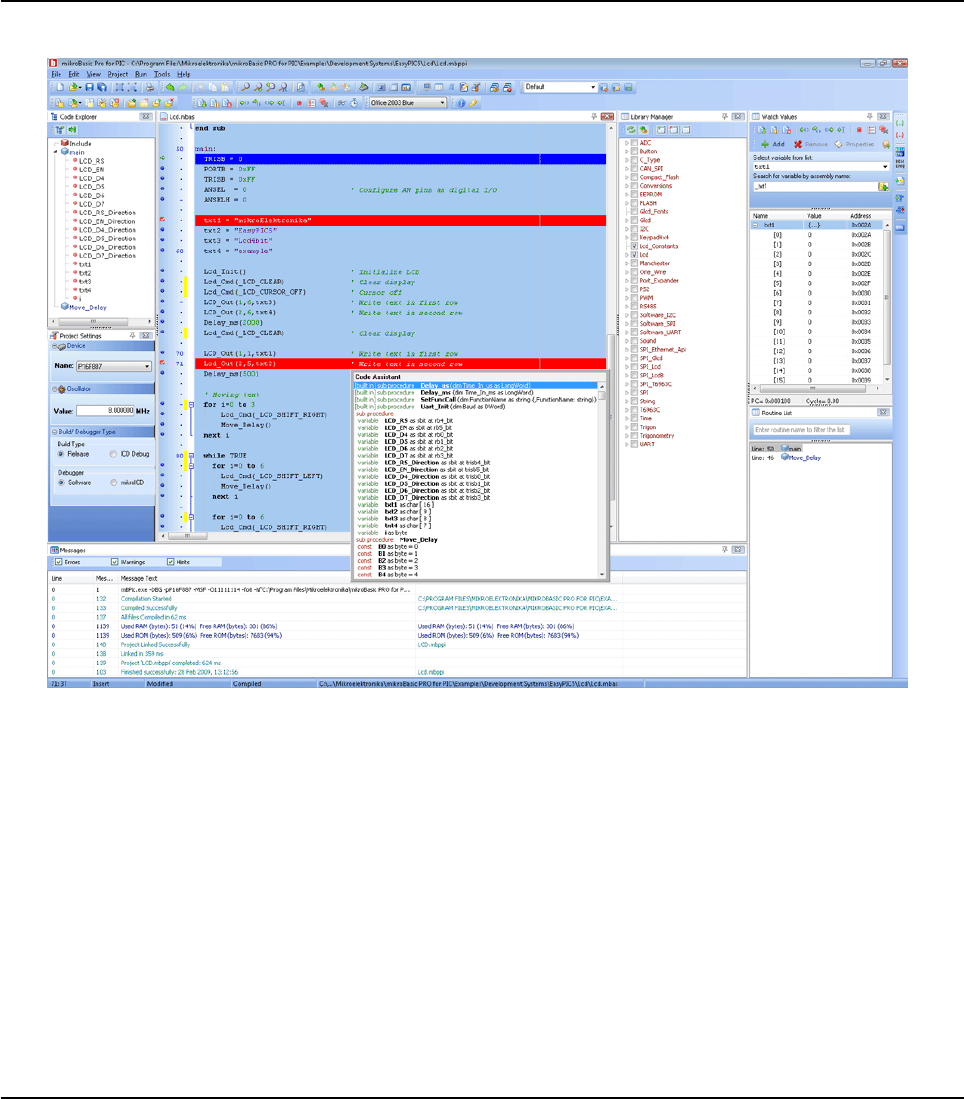
12 MIKROELEKTRONIKA - SOFTWARE AND HARDWARE SOLUTIONS FOR EMBEDDED WORLD
Environment mikroBasic PRO for PIC
CHAPTER 2
IDE OVERVIEW
The Code Editor features adjustable Syntax Highlighting, Code Folding,
Code Assistant, Parameters Assistant, Spell Checker, Auto Correct for com
mon typos and Code Templates (Auto Complete).
The Code Explorer is at your disposal for easier project management.
The Project Manager alows multiple project management
General project settings can be made in the Project Settings window
Library manager enables simple handling libraries being used in a project
The Error Window displays all errors detected during compiling and linking.
The source-level Software Simulator lets you debug executable logic step-
by-step by watching the program flow.
The New Project Wizard is a fast, reliable, and easy way to create a project
Help files are syntax and context sensitive.
Like in any modern Windows application, you may customize the layout of
mikroBasic PRO for PIC to suit your needs best.

13
MIKROELEKTRONIKA - SOFTWARE AND HARDWARE SOLUTIONS FOR EMBEDDED WORLD
Environment
mikroBasic PRO for PIC
CHAPTER 2
Spell checker underlines identifiers which are unknown to the project. In this
way it helps the programmer to spot potential problems early, much before
the project is compiled.
Spell checker can be disabled by choosing the option in the Preferences
dialog (F12).
14 MIKROELEKTRONIKA - SOFTWARE AND HARDWARE SOLUTIONS FOR EMBEDDED WORLD
Environment mikroBasic PRO for PIC
CHAPTER 2
MAIN MENU OPTIONS
Available Main Menu options are:
Related topics: Keyboard shortcuts
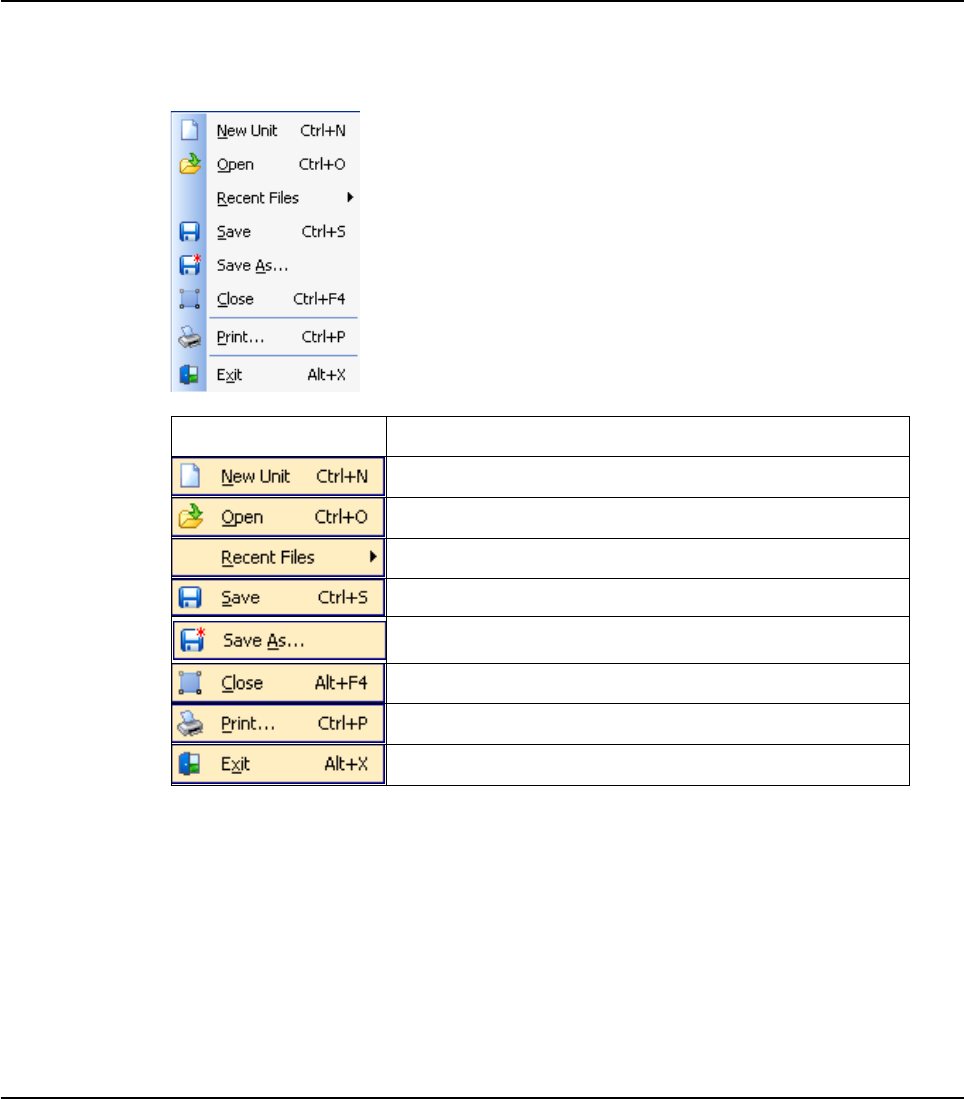
15
MIKROELEKTRONIKA - SOFTWARE AND HARDWARE SOLUTIONS FOR EMBEDDED WORLD
Environment
mikroBasic PRO for PIC
CHAPTER 2
FILE MENU OPTIONS
The File menu is the main entry point for manipulation with the source files.
Related topics: Keyboard shortcuts, File Toolbar, Managing Source Files
File Description
Open a new editor window.
Open source file for editing or image file for viewing.
Reopen recently used file.
Save changes for active editor.
Save the active source file with the different name or
change the file type.
Close active source file.
Print Preview.
Exit IDE.
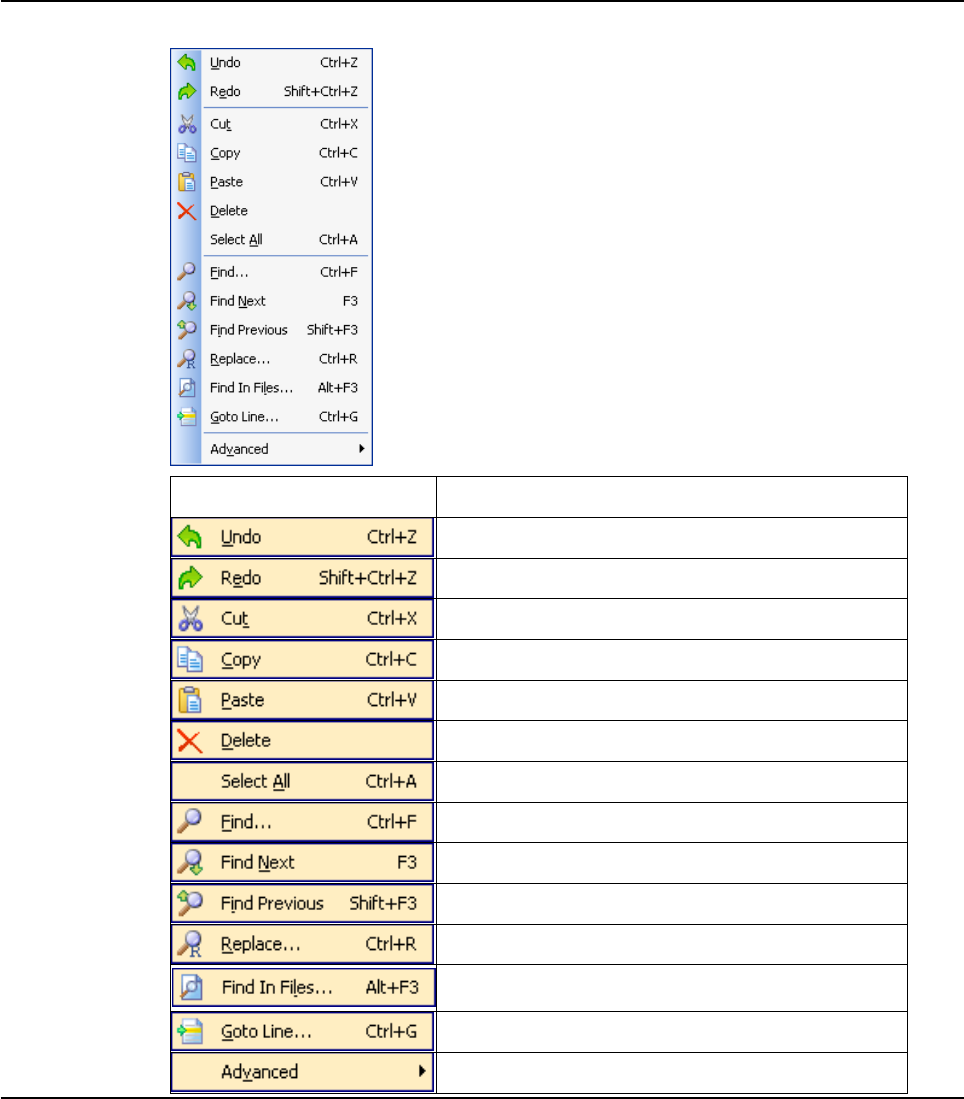
16 MIKROELEKTRONIKA - SOFTWARE AND HARDWARE SOLUTIONS FOR EMBEDDED WORLD
Environment mikroBasic PRO for PIC
CHAPTER 2
EDIT MENU OPTIONS
Edit Description
Undo last change.
Redo last change.
Cut selected text to clipboard.
Copy selected text to clipboard.
Paste text from clipboard.
Delete selected text.
Select all text in active editor.
Find text in active editor.
Find next occurence of text in active editor.
Find previous occurence of text in active editor.
Replace text in active editor.
Find text in current file, in all opened files, or in files
from desired folder.
Goto to the desired line in active editor.
Advanced Code Editor options
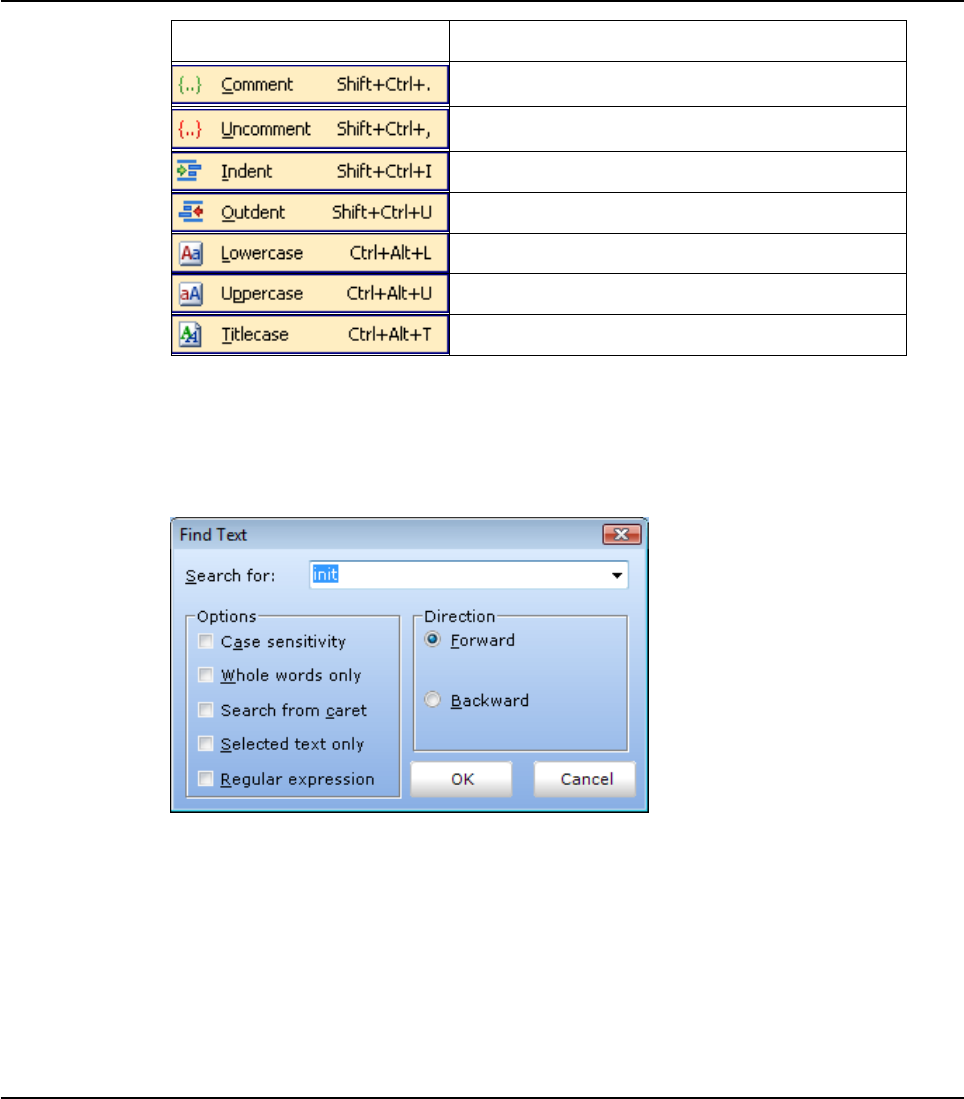
17
MIKROELEKTRONIKA - SOFTWARE AND HARDWARE SOLUTIONS FOR EMBEDDED WORLD
Environment
mikroBasic PRO for PIC
CHAPTER 2
Find Text
Dialog box for searching the document for the specified text. The search is per-
formed in the direction specified. If the string is not found a message is displayed.
Advanced » Description
Comment selected code or put single line com-
ment if there is no selection.
Uncomment selected code or remove single line
comment if there is no selection.
Indent selected code.
Outdent selected code.
Changes selected text case to lowercase.
Changes selected text case to uppercase.
Changes selected text case to titlercase.
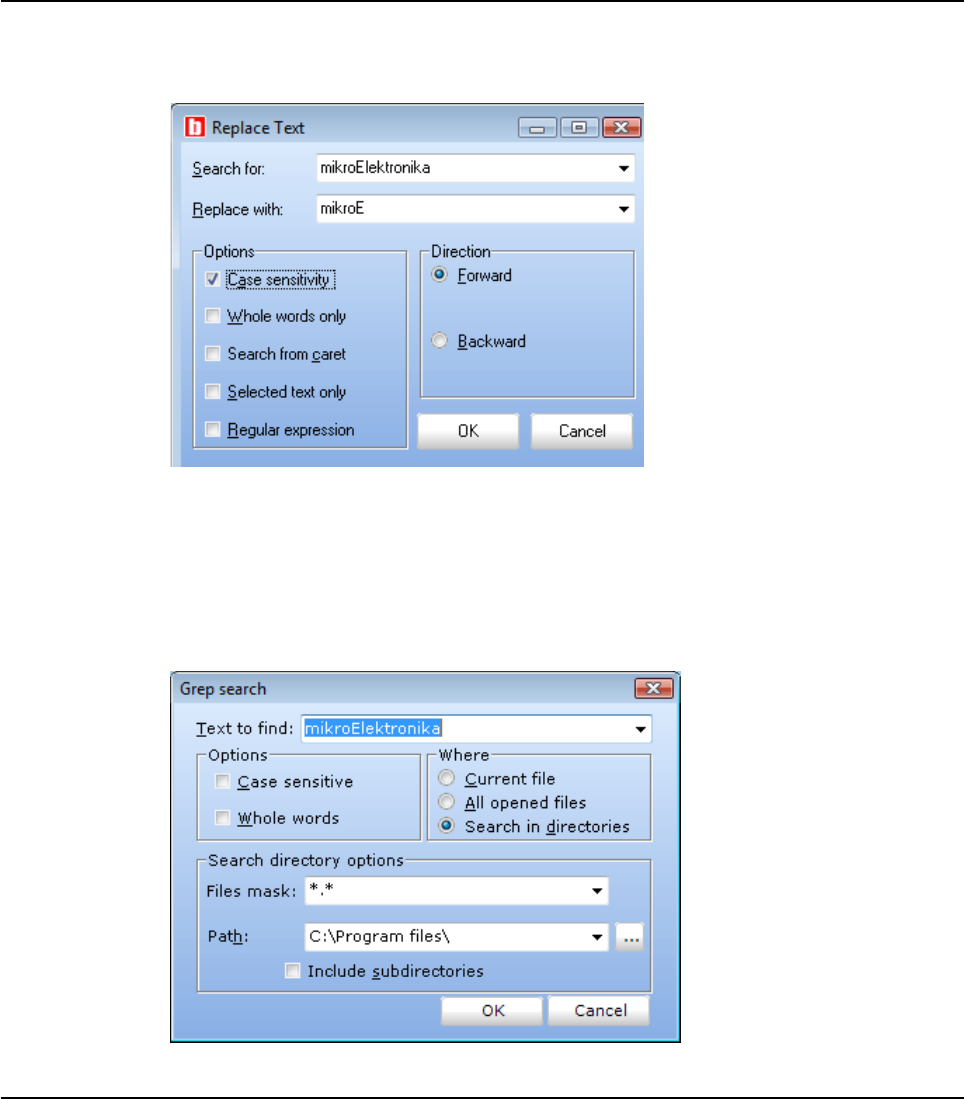
18 MIKROELEKTRONIKA - SOFTWARE AND HARDWARE SOLUTIONS FOR EMBEDDED WORLD
Environment mikroBasic PRO for PIC
CHAPTER 2
Replace Text
Dialog box for searching for a text string in file and replacing it with another text string.
Find In Files
Dialog box for searching for a text string in current file, all opened files, or in files on
a disk.
The string to search for is specified in the Text to find field. If Search in directories
option is selected, The files to search are specified in the Files mask and Path fields.
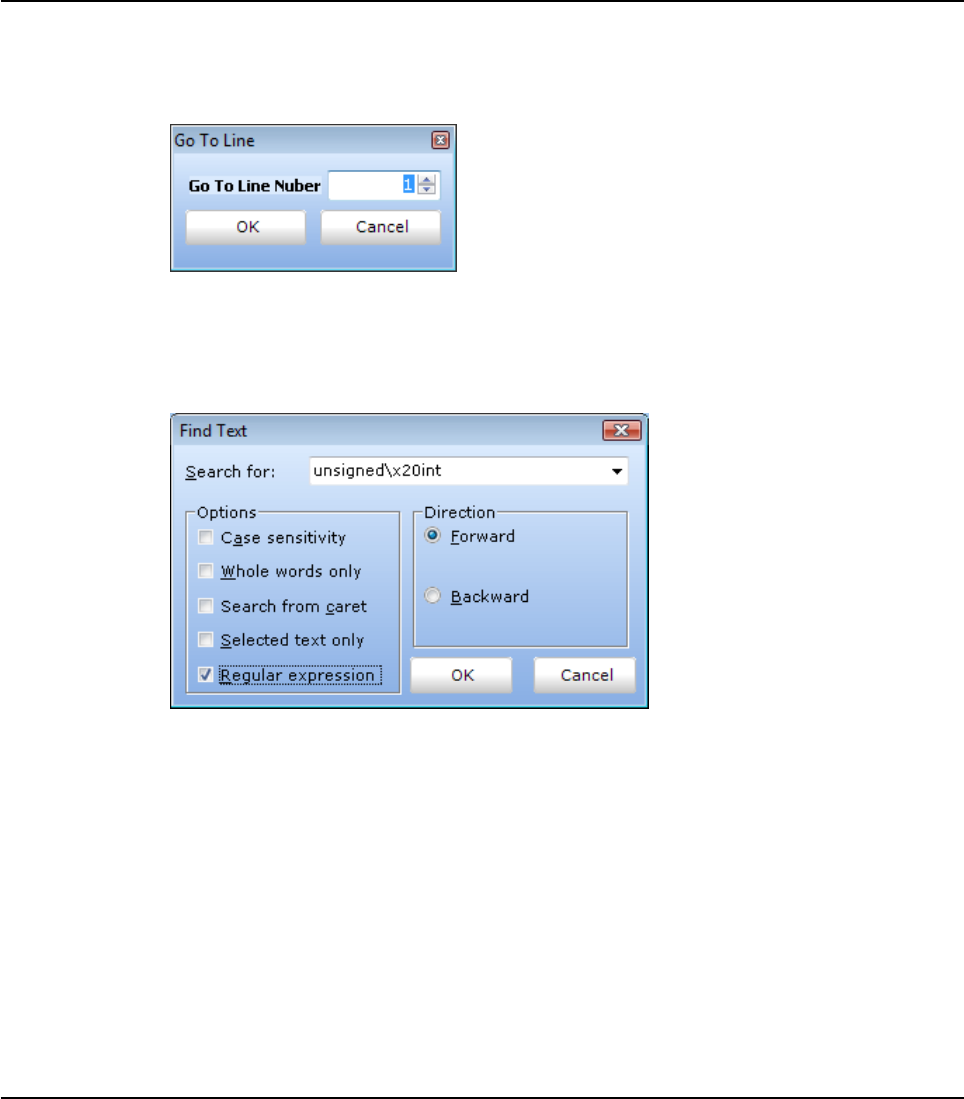
19
MIKROELEKTRONIKA - SOFTWARE AND HARDWARE SOLUTIONS FOR EMBEDDED WORLD
Environment
mikroBasic PRO for PIC
CHAPTER 2
Go To Line
Dialog box that allows the user to specify the line number at which the cursor should
be positioned.
Regular expressions option
By checking this box, you will be able to advance your search, through Regular
expressions.
Related topics: Keyboard shortcuts, Edit Toolbar, Advanced Edit Toolbar
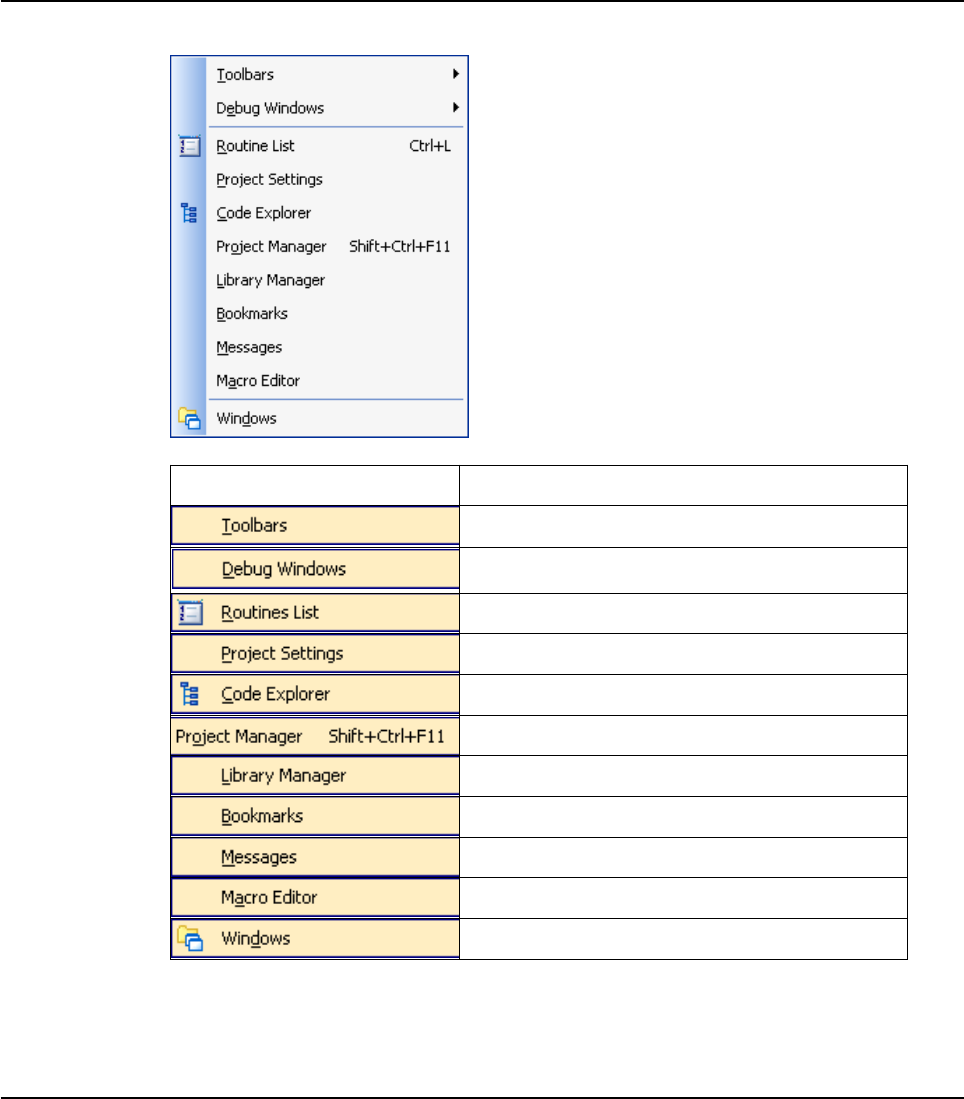
20 MIKROELEKTRONIKA - SOFTWARE AND HARDWARE SOLUTIONS FOR EMBEDDED WORLD
Environment mikroBasic PRO for PIC
CHAPTER 2
VIEW MENU OPTIONS
File Description
Show/Hide toolbars.
Show/Hide Software Simulator/mikroICD (In-Circuit
Debugger) debug windows.
Show/Hide Routine List in active editor.
Show/Hide Project Settings window.
Show/Hide Code Explorer window.
Show/Hide Project Manager window.
Show/Hide Library Manager window.
Show/Hide Bookmarks window.
Show/Hide Error Messages window.
Show/Hide Macro Editor window.
Show Window List window.

21
MIKROELEKTRONIKA - SOFTWARE AND HARDWARE SOLUTIONS FOR EMBEDDED WORLD
Environment
mikroBasic PRO for PIC
CHAPTER 2
TOOLBARS
File Toolbar
File Toolbar is a standard toolbar with following options:
Edit Toolbar
Edit Toolbar is a standard toolbar with following options:
Icon Description
Opens a new editor window.
Open source file for editing or image file for viewing.
Save changes for active window.
Save changes in all opened windows.
Close current editor.
Close all editors.
Print Preview.
Icon Description
Undo last change.
Redo last change.
Cut selected text to clipboard.
Copy selected text to clipboard.
Paste text from clipboard.
22 MIKROELEKTRONIKA - SOFTWARE AND HARDWARE SOLUTIONS FOR EMBEDDED WORLD
Environment mikroBasic PRO for PIC
CHAPTER 2
Advanced Edit Toolbar
Advanced Edit Toolbar comes with following options:
Find/Replace Toolbar
Find/Replace Toolbar is a standard toolbar with following options:
Icon Description
Comment selected code or put single line comment if there is no selection
Uncomment selected code or remove single line comment if there is
no selection.
Select text from starting delimiter to ending delimiter.
Go to ending delimiter.
Go to line.
Indent selected code lines.
Outdent selected code lines.
Generate HTML code suitable for publishing current source code on
the web.
Icon Description
Find text in current editor.
Find next occurence.
Find previous occurence.
Replace text.
Find text in files.

23
MIKROELEKTRONIKA - SOFTWARE AND HARDWARE SOLUTIONS FOR EMBEDDED WORLD
Environment
mikroBasic PRO for PIC
CHAPTER 2
Project Toolbar
Project Toolbar comes with following options:
Build Toolbar
Build Toolbar comes with following options:
Icon Description
New project
Open Project
Save Project
Close current project
Edit project settings.
Add existing project to project group.
Remove existing project from project group
Add File To Project
Remove File From Project
Icon Description
Build current project.
Build all opened projects.
Build and program active project.
Start programmer and load current HEX file.
Open assembly code in editor.
Open listing file in editor.
View statistics for current project.
24 MIKROELEKTRONIKA - SOFTWARE AND HARDWARE SOLUTIONS FOR EMBEDDED WORLD
Environment mikroBasic PRO for PIC
CHAPTER 2
Debugger
Debugger Toolbar comes with following options:
Styles Toolbar
Styles toolbar allows you to easily customize your workspace.
Icon Description
Start Software Simulator or mikro ICD (In-Circuit Debugger).
Run/Pause debugger.
Stop debugger.
Step into.
Step over.
Step out.
Run to cursor.
Toggle breakpoint.
Toggle breakpoints.
Clear breakpoints.
View watch window
View stopwatch window
25
MIKROELEKTRONIKA - SOFTWARE AND HARDWARE SOLUTIONS FOR EMBEDDED WORLD
Environment
mikroBasic PRO for PIC
CHAPTER 2
Tools Toolbar
Tools Toolbar comes with following default options:
The Tools toolbar can easily be customized by adding new tools in Options(F12)
window.
Related topics: Keyboard shortcuts, Integrated Tools, Debugger Windows
Icon Description
Run USART Terminal
EEPROM
ASCII Chart
Seven segment decoder tool.
Optiions menu
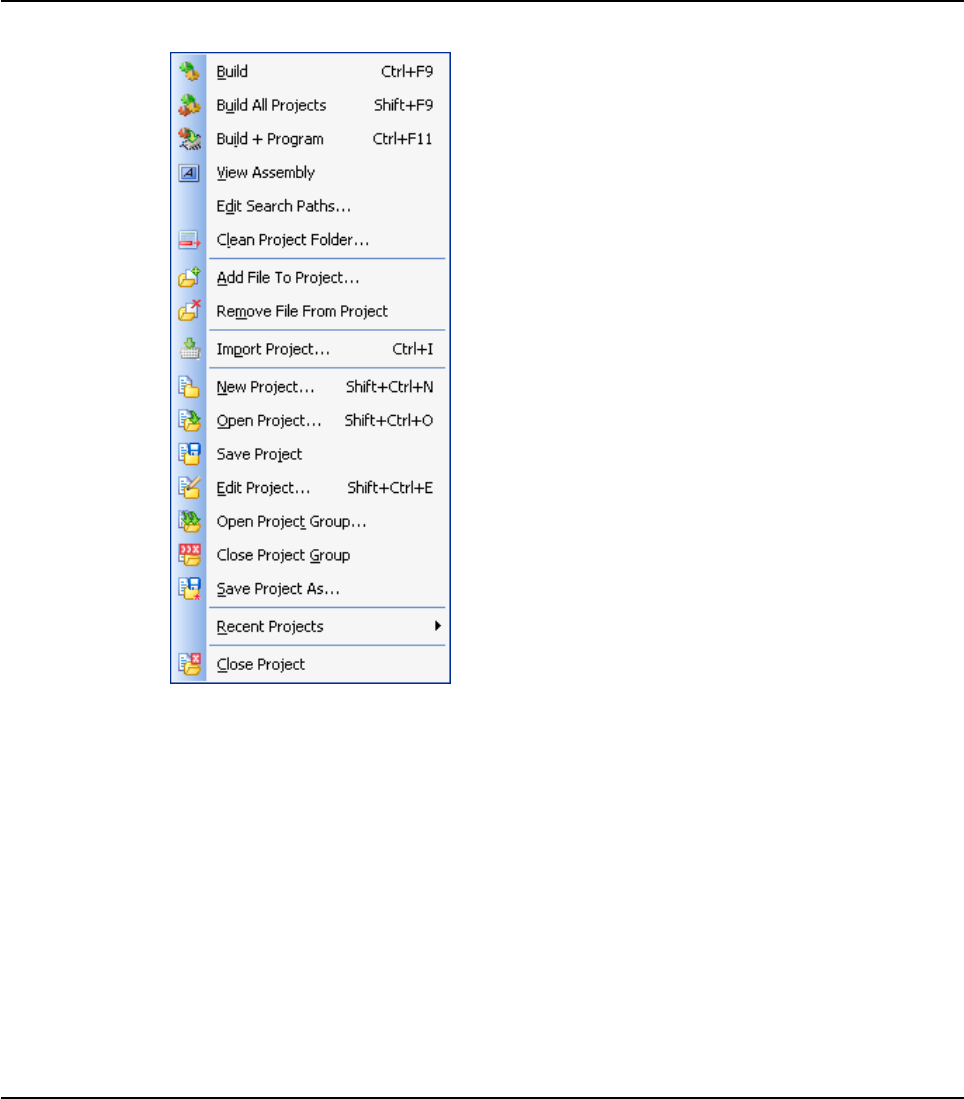
26 MIKROELEKTRONIKA - SOFTWARE AND HARDWARE SOLUTIONS FOR EMBEDDED WORLD
Environment mikroBasic PRO for PIC
CHAPTER 2
PROJECT MENU OPTIONS
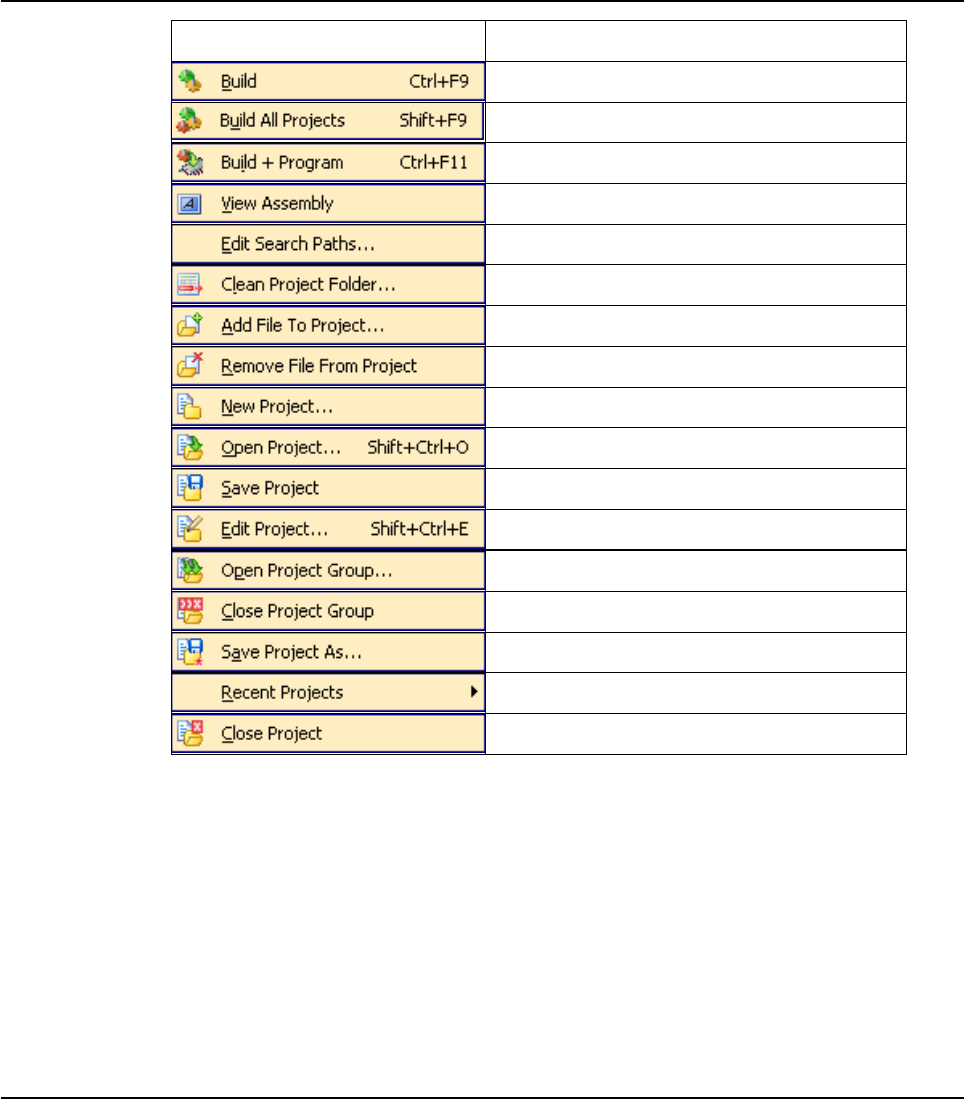
27
MIKROELEKTRONIKA - SOFTWARE AND HARDWARE SOLUTIONS FOR EMBEDDED WORLD
Environment
mikroBasic PRO for PIC
CHAPTER 2
Related topics: Keyboard shortcuts, Project Toolbar, Creating New Project, Project
Manager, Project Settings
Project Description
Build active project.
Build all projects.
Build and program active project.
View Assembly.
Edit search paths.
Clean Project Folder
Add file to project.
Remove file from project.
Open New Project Wizard
Open existing project.
Save current project.
Edit project settings
Open project group.
Close project group.
Save active project file with the different name.
Open recently used project.
Close active project.
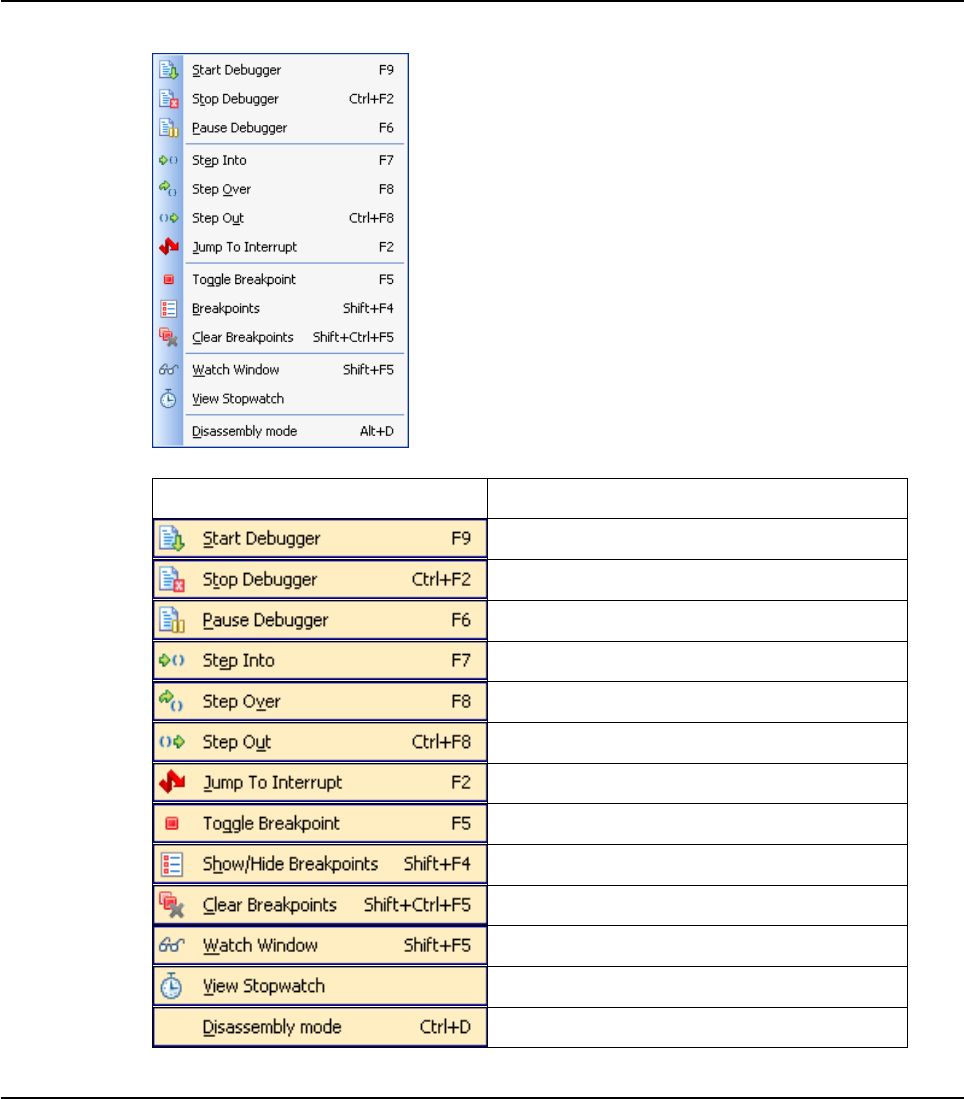
28 MIKROELEKTRONIKA - SOFTWARE AND HARDWARE SOLUTIONS FOR EMBEDDED WORLD
Environment mikroBasic PRO for PIC
CHAPTER 2
RUN MENU OPTIONS
Related topics: Keyboard shortcuts, Debug Toolbar
Run Description
Start Software Simulator.
Stop debugger.
Pause Debugger.
Step Into.
Step Over.
Step Out.
Jump to interrupt in current project.
Toggle Breakpoint.
Breakpoints.
Clear Breakpoints.
Show/Hide Watch Window
Show/Hide Stopwatch Window
Toggle between Basic source and disassembly.
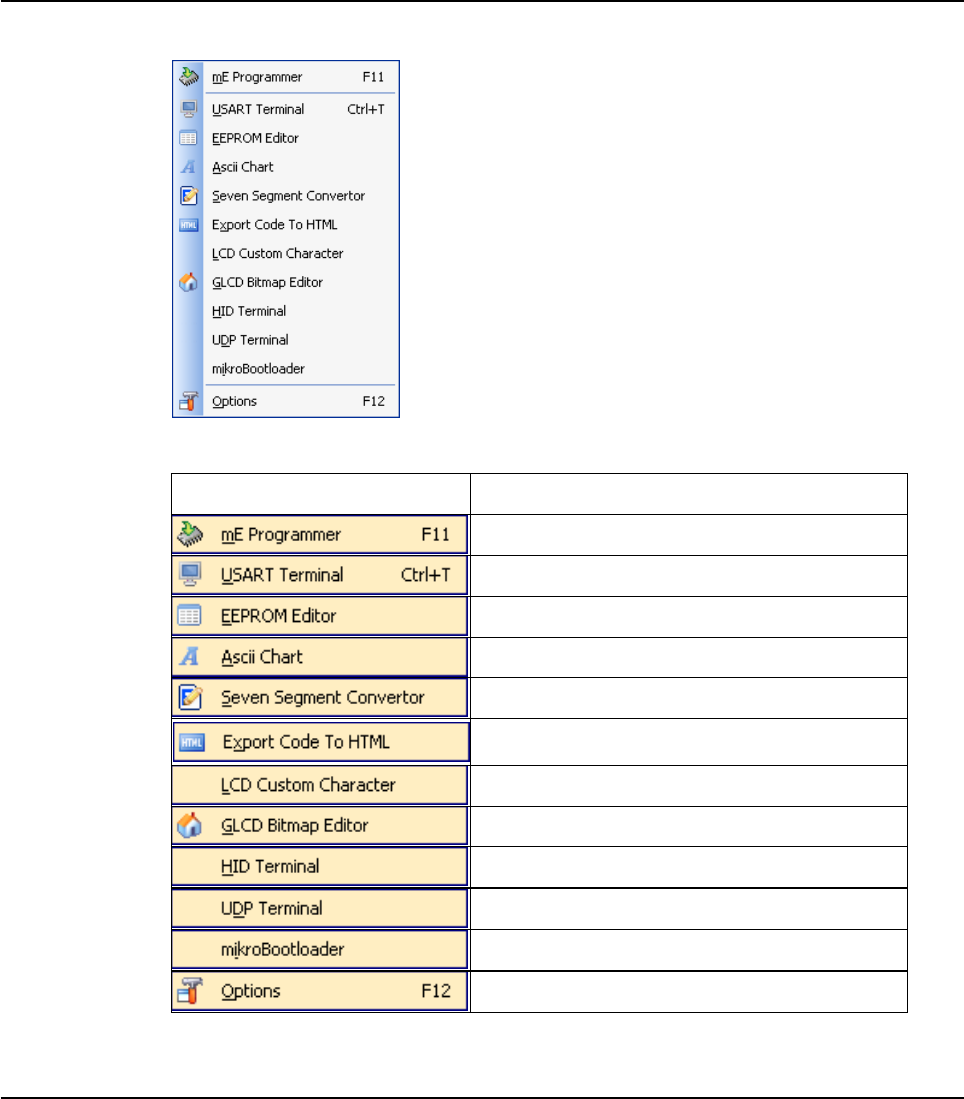
29
MIKROELEKTRONIKA - SOFTWARE AND HARDWARE SOLUTIONS FOR EMBEDDED WORLD
Environment
mikroBasic PRO for PIC
CHAPTER 2
TOOLS MENU OPTIONS
Related topics: Keyboard shortcuts, Tools Toolbar
Tools Description
Run mikroElektronika Programmer
Run USART Terminal
Run EEPROM Editor
Run ASCII Chart
Run 7 Segment Display Decoder
Generate HTML code suitable for publishing
source code on the web.
Run Lcd custom character
Run Glcd bitmap editor
Run HID Terminal
Run UDP communication terminal
Run mikroBootloader
Open Options window
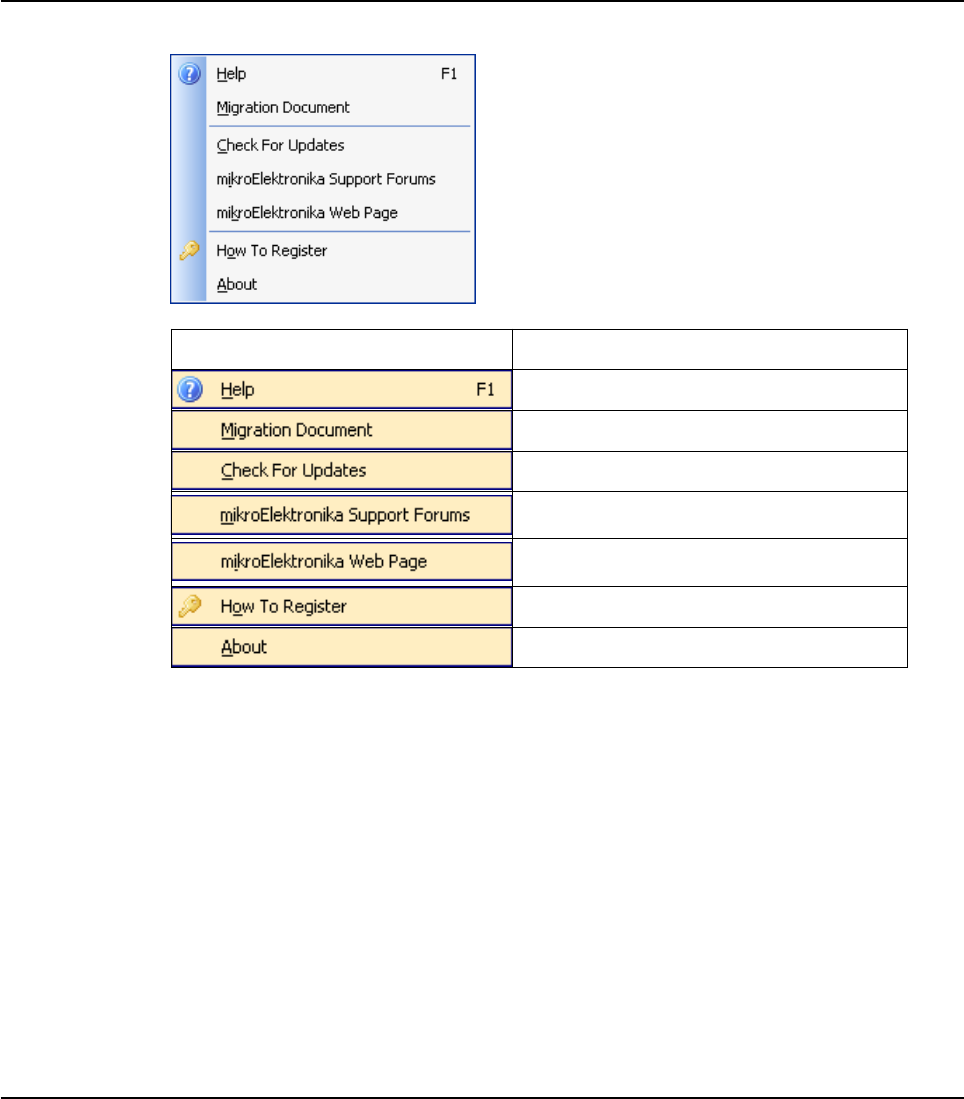
30 MIKROELEKTRONIKA - SOFTWARE AND HARDWARE SOLUTIONS FOR EMBEDDED WORLD
Environment mikroBasic PRO for PIC
CHAPTER 2
HELP MENU OPTIONS
Related topics: Keyboard shortcuts
Help Description
Open Help File.
Open Code Migration Document.
Check if new compiler version is available.
Open mikroElektronika Support Forums in
a default browser.
Open mikroElektronika Web Page in a
default browser.
Information on how to register
Open About window.

31
MIKROELEKTRONIKA - SOFTWARE AND HARDWARE SOLUTIONS FOR EMBEDDED WORLD
Environment
mikroBasic PRO for PIC
CHAPTER 2
KEYBOARD SHORTCUTS
Below is a complete list of keyboard shortcuts available in mikroBasic PRO for PIC IDE. You can also
view keyboard shortcuts in the Code Explorer window, tab Keyboard.
IDE Shortcuts
F1 Help
Ctrl+N New Unit
Ctrl+O Open
Ctrl+Shift+O Open Project
Ctrl+Shift+N Open New Project
Ctrl+K Close Project
Ctrl+Shift+E Edit Project
Ctrl+F9 Compile
Shift+F9 Compile All
Ctrl+F11 Compile and Program
Shift+F4 View breakpoints
Ctrl+Shift+F5 Clear breakpoints
F11 Start PICFlash Programmer
F12 Preferences
Basic Editor Shortcuts
F3 Find, Find Next
Shift+F3 Find Previous
Alt+F3 Grep Search, Find in Files
Ctrl+A Select All
Ctrl+C Copy
Ctrl+F Find
Ctrl+R Replace
Ctrl+P Print
Ctrl+S Save unit
Ctrl+Shift+S Save All
Ctrl+V Paste
Ctrl+X Cut
Ctrl+Y Delete entire line
Ctrl+Z Undo
Ctrl+Shift+Z Redo
Advanced Editor Shortcuts
Ctrl+Space Code Assistant
Ctrl+Shift+Space Parameters Assistant
Ctrl+D Find declaration
Ctrl+E Incremental Search
Ctrl+L Routine List
Ctrl+G Goto line
Ctrl+J Insert Code Template
Ctrl+Shift+. Comment Code
Ctrl+Shift+, Uncomment Code
Ctrl+number Goto bookmark
Ctrl+Shift+number Set bookmark
Ctrl+Shift+I Indent selection
Ctrl+Shift+U Unindent selection
TAB Indent selection
Shift+TAB Unindent selection
Alt+Select Select columns
Ctrl+Alt+Select Select columns
Ctrl+Alt+L Convert selection to
lowercase
Ctrl+Alt+U Convert selection to
uppercase
Ctrl+Alt+T Convert to Titlecase
32 MIKROELEKTRONIKA - SOFTWARE AND HARDWARE SOLUTIONS FOR EMBEDDED WORLD
Environment mikroBasic PRO for PIC
CHAPTER 2
mikroICD Debugger and Software
Simulator Shortcuts
F2 Jump To Interrupt
F4 Run to Cursor
F5 Toggle Breakpoint
F6 Run/Pause Debugger
F7 Step into
F8 Step over
F9 Debug
Ctrl+F2 Reset
Ctrl+F5 Add to Watch List
Ctrl+F8 Step out
Alt+D Dissasembly view
Shift+F5 Open Watch Window
Ctrl+Shift+A Show Advanced Breakpoints
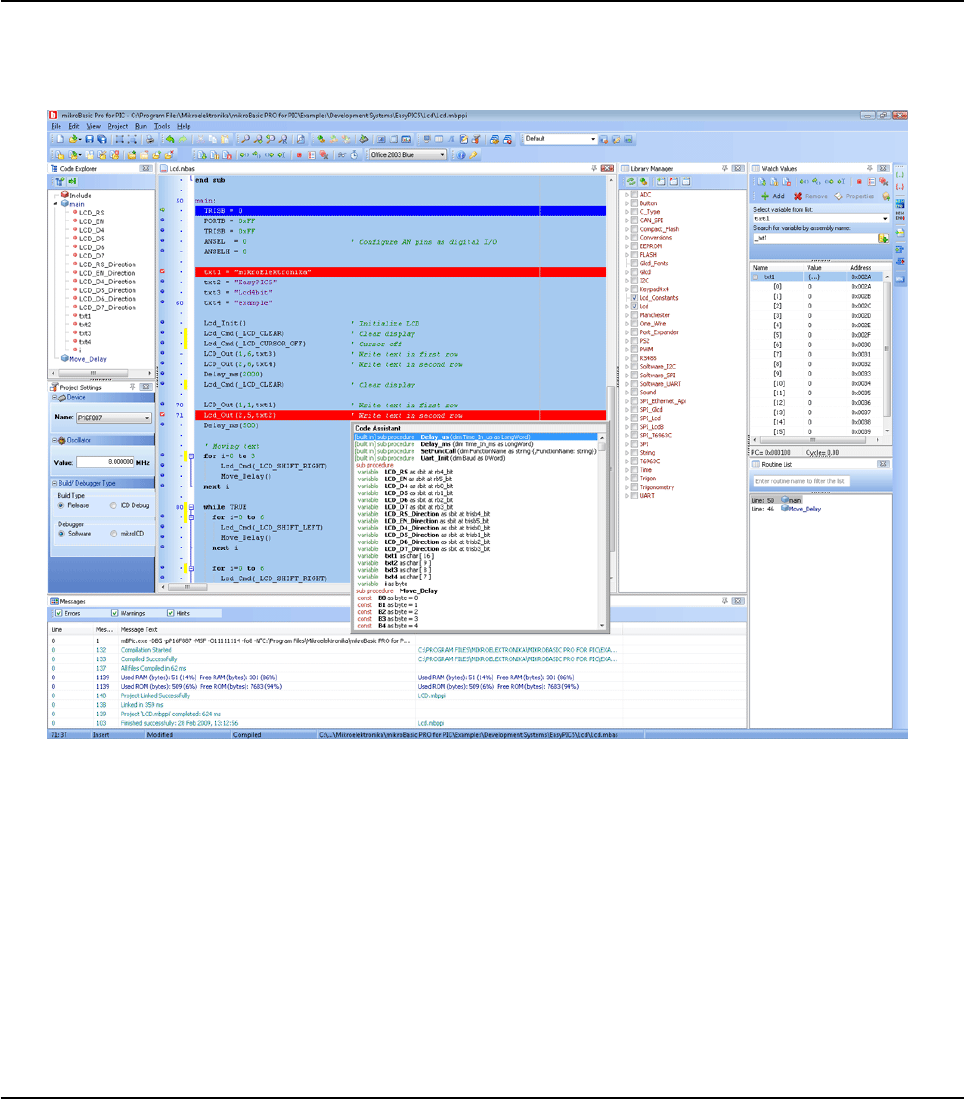
33
MIKROELEKTRONIKA - SOFTWARE AND HARDWARE SOLUTIONS FOR EMBEDDED WORLD
Environment
mikroBasic PRO for PIC
CHAPTER 2
IDE OVERVIEW
The mikroBasic PRO for PIC is an user-friendly and intuitive environment:
The Code Editor features adjustable Syntax Highlighting, Code Folding,
Code Assistant, Parameters Assistant, Spell Checker, Auto Correct for com
mon typos and Code Templates (Auto Complete).
The Code Explorer is at your disposal for easier project management.
The Project Manager alows multiple project management
General project settings can be made in the Project Settings window
Library manager enables simple handling libraries being used in a project
The Error Window displays all errors detected during compiling and linking.
The source-level Software Simulator lets you debug executable logic step-
by-step by watching the program flow.
The New Project Wizard is a fast, reliable, and easy way to create a project
Help files are syntax and context sensitive.

34 MIKROELEKTRONIKA - SOFTWARE AND HARDWARE SOLUTIONS FOR EMBEDDED WORLD
Environment mikroBasic PRO for PIC
CHAPTER 2
Like in any modern Windows application, you may customize the layout of
mikroBacic for PIC to suit your needs best.
Spell checker underlines identifiers which are unknown to the project. In this
way it helps the programmer to spot potential problems early, much before
the project is compiled.
Spell checker can be disabled by choosing the option in the Preferences dialog
(F12).
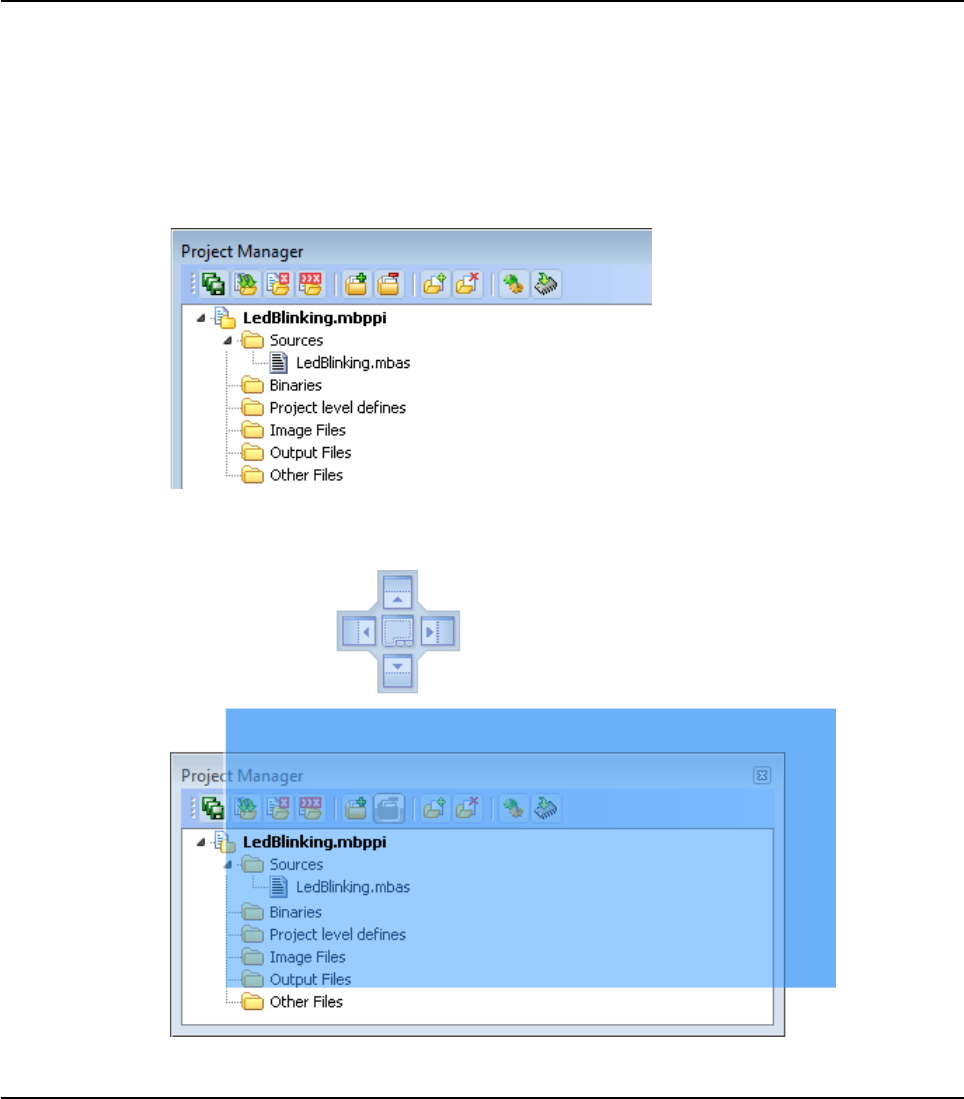
35
MIKROELEKTRONIKA - SOFTWARE AND HARDWARE SOLUTIONS FOR EMBEDDED WORLD
Environment
mikroBasic PRO for PIC
CHAPTER 2
CUSTOMIZING IDE LAYOUT
Docking Windows
You can increase the viewing and editing space for code, depending on how you
arrange the windows in the IDE.
Step 1: Click the window you want to dock, to give it focus.
Step 2: Drag the tool window from its current location. A guide diamond appears.
The four arrows of the diamond point towards the four edges of the IDE.
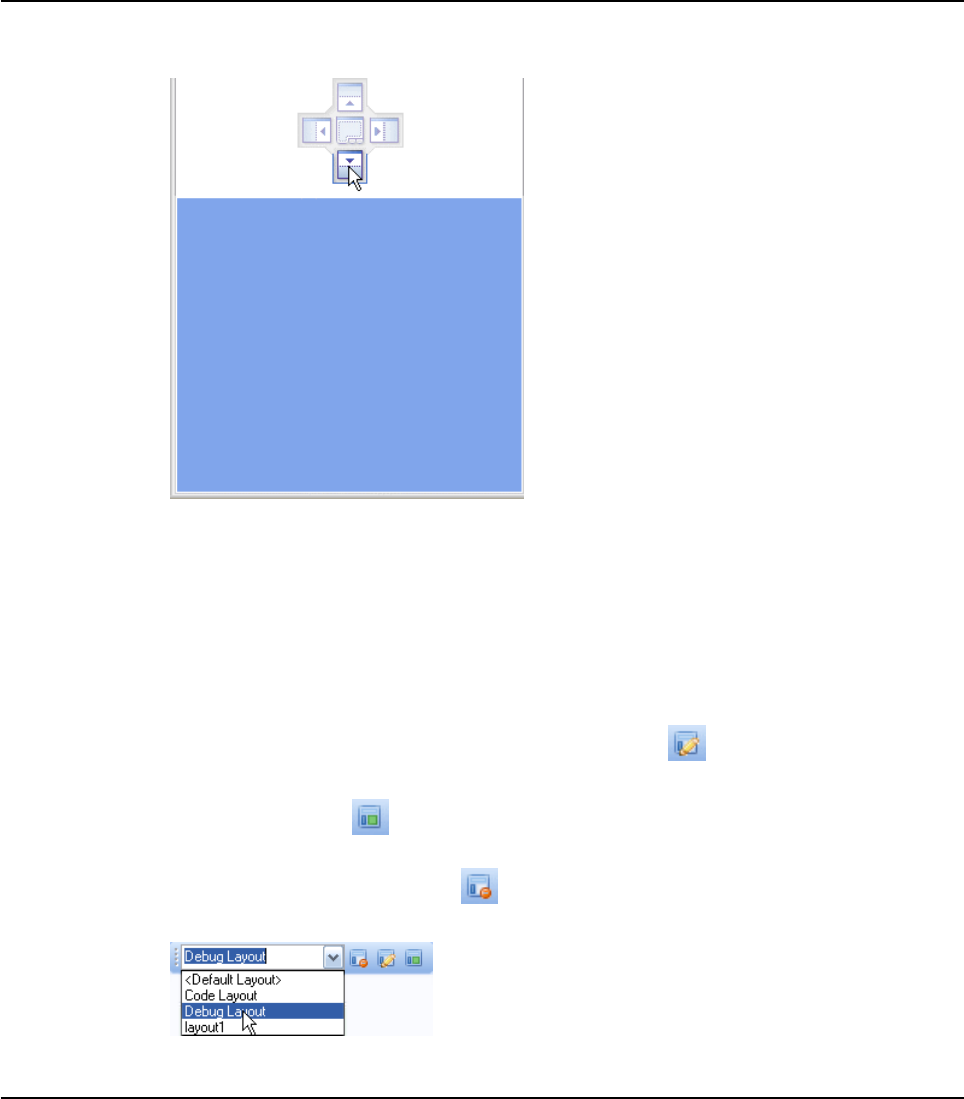
36 MIKROELEKTRONIKA - SOFTWARE AND HARDWARE SOLUTIONS FOR EMBEDDED WORLD
Environment mikroBasic PRO for PIC
CHAPTER 2
Step 3: Move the pointer over the corresponding portion of the guide diamond. An
outline of the window appears in the designated area.
Step 4: To dock the window in the position indicated, release the mouse button.
Tip: To move a dockable window without snapping it into place, press CTRL while
dragging it.
Saving Layout
Once you have a window layout that you like, you can save the layout by typing the
name for the layout and pressing the Save Layout Icon .
To set the layout select the desired layout from the layout drop-down list and click
the Set Layout Icon .
To remove the layout from the drop-down list, select the desired layout from the list
and click the Delete Layout Icon .

37
MIKROELEKTRONIKA - SOFTWARE AND HARDWARE SOLUTIONS FOR EMBEDDED WORLD
Environment
mikroBasic PRO for PIC
CHAPTER 2
Auto Hide
Auto Hide enables you to see more of your code at one time by minimizing tool win-
dows along the edges of the IDE when not in use.
Click the window you want to keep visible to give it focus.
Click the Pushpin Icon on the title bar of the window.
When an auto-hidden window loses focus, it automatically slides back to its tab on
the edge of the IDE. While a window is auto-hidden, its name and icon are visible
on a tab at the edge of the IDE. To display an auto-hidden window, move your point-
er over the tab. The window slides back into view and is ready for use.
38 MIKROELEKTRONIKA - SOFTWARE AND HARDWARE SOLUTIONS FOR EMBEDDED WORLD
Environment mikroBasic PRO for PIC
CHAPTER 2
ADVANCED CODE EDITOR
The Code Editor is advanced text editor fashioned to satisfy needs of professionals.
General code editing is the same as working with any standard text-editor, including
familiar Copy, Paste and Undo actions, common for Windows environment.
Advanced Editor Features
Adjustable Syntax Highlighting
Code Assistant
Code Folding
Parameter Assistant
Code Templates (Auto Complete)
Auto Correct for common typos
Spell Checker
Bookmarks and Goto Line
Comment / Uncomment
You can configure the Syntax Highlighting, Code Templates and Auto Correct from
the Editor Settings dialog. To access the Settings, click Tools › Options from the
drop-down menu, click the Show Options Icon or press F12 key.
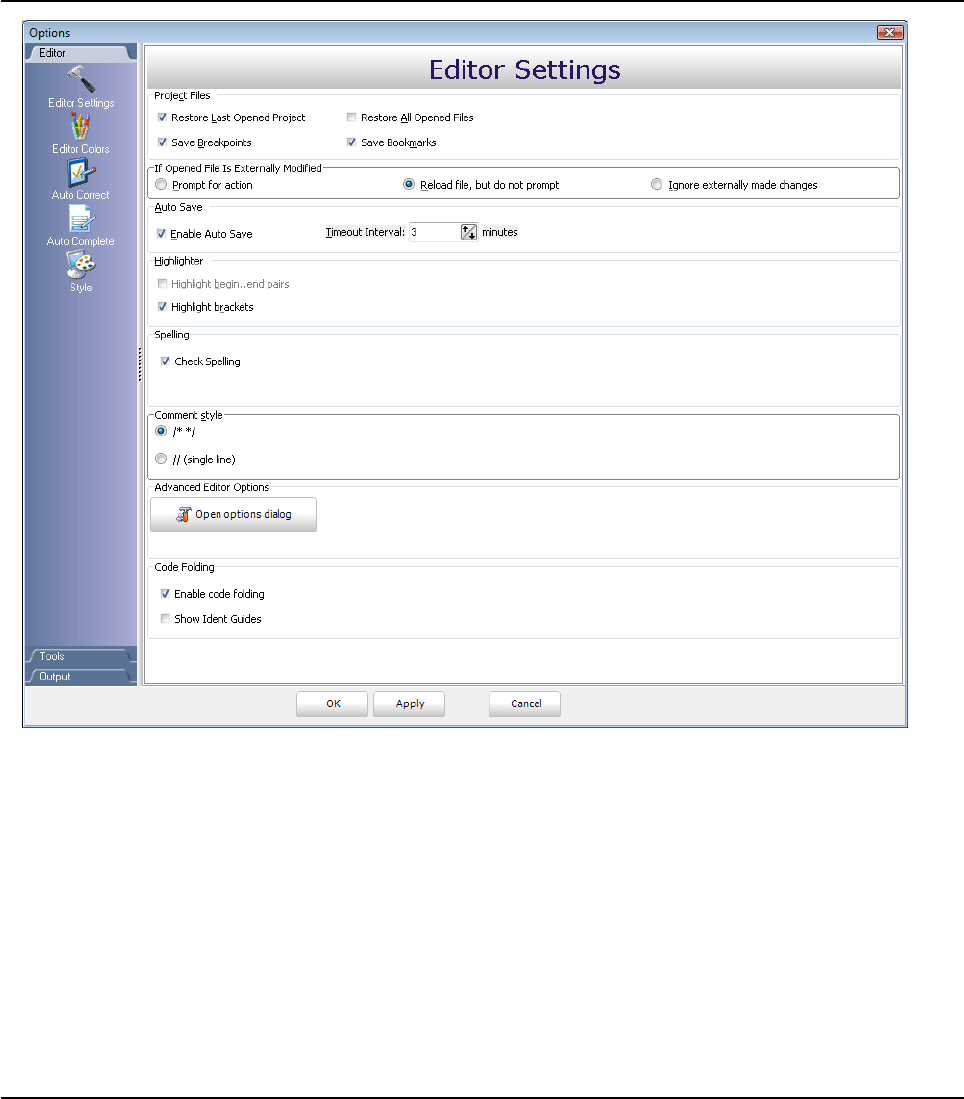
39
MIKROELEKTRONIKA - SOFTWARE AND HARDWARE SOLUTIONS FOR EMBEDDED WORLD
Environment
mikroBasic PRO for PIC
CHAPTER 2
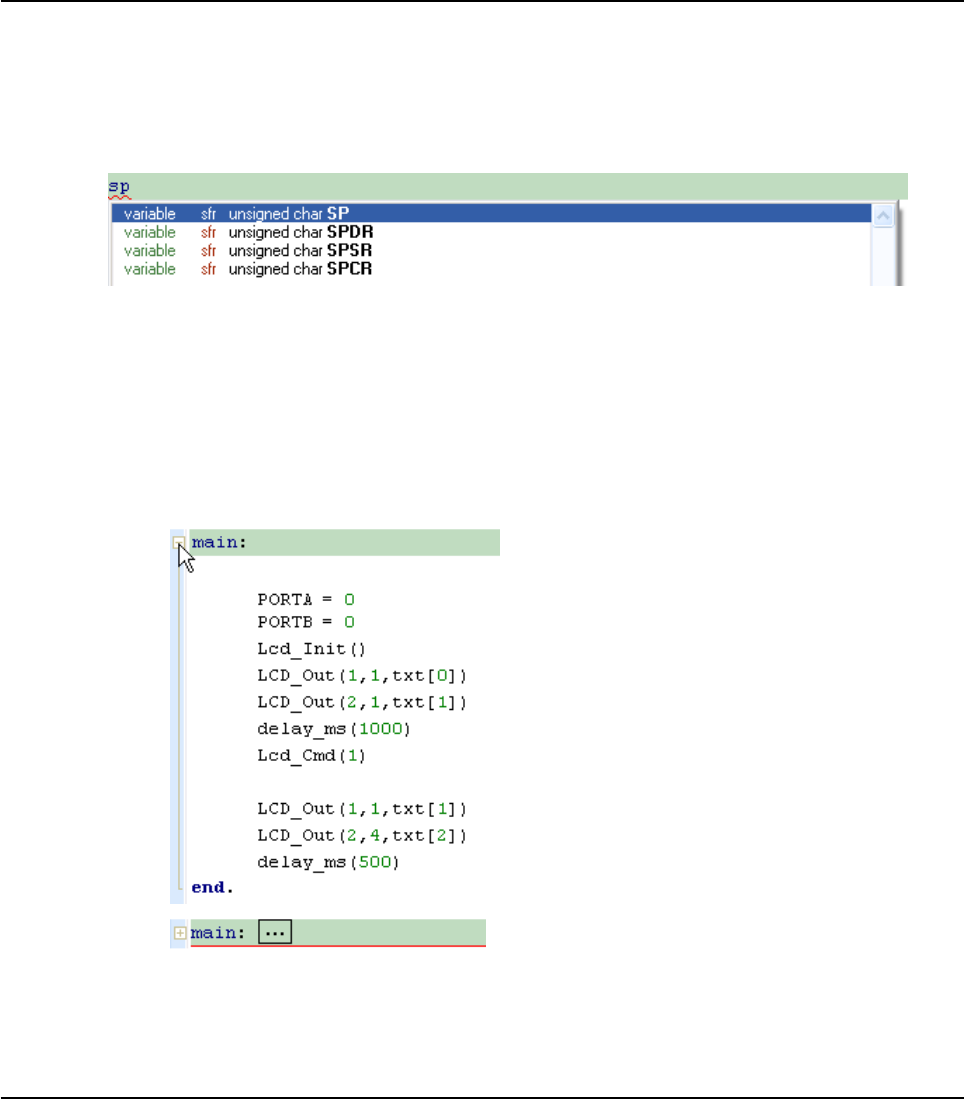
40 MIKROELEKTRONIKA - SOFTWARE AND HARDWARE SOLUTIONS FOR EMBEDDED WORLD
Environment mikroBasic PRO for PIC
CHAPTER 2
Code Assistant
If you type the first few letters of a word and then press Ctrl+Space, all valid iden-
tifiers matching the letters you have typed will be prompted in a floating panel (see
the image below). Now you can keep typing to narrow the choice, or you can select
one from the list using the keyboard arrows and Enter.
Code Folding
Code folding is IDE feature which allows users to selectively hide and display sec-
tions of a source file. In this way it is easier to manage large regions of code within
one window, while still viewing only those subsections of the code that are relevant
during a particular editing session.
While typing, the code folding symbols (- and + ) appear automatically. Use the fold-
ing symbols to hide/unhide the code subsections.
If you place a mouse cursor over the tooltip box, the collapsed text will be shown in
a tooltip style box.

41
MIKROELEKTRONIKA - SOFTWARE AND HARDWARE SOLUTIONS FOR EMBEDDED WORLD
Environment
mikroBasic PRO for PIC
CHAPTER 2
Parameter Assistant
The Parameter Assistant will be automatically invoked when you open parenthesis
“(” or press Shift+Ctrl+Space. If the name of a valid function precedes the paren-
thesis, then the expected parameters will be displayed in a floating panel. As you
type the actual parameter, the next expected parameter will become bold.
Code Templates (Auto Complete)
You can insert the Code Template by typing the name of the template (for instance,
whiles), then press Ctrl+J and the Code Editor will automatically generate a code.
You can add your own templates to the list. Select Tools › Options from the drop-down
menu, or click the Show Options Icon and then select the Auto Complete Tab. Here
you can enter the appropriate keyword, description and code of your template.
Autocomplete macros can retreive system and project information:
%DATE% - current system date
%TIME% - current system time
%DEVICE% - device(MCU) name as specified in project settings
%DEVICE_CLOCK% - clock as specified in project settings
%COMPILER% - current compiler version
42 MIKROELEKTRONIKA - SOFTWARE AND HARDWARE SOLUTIONS FOR EMBEDDED WORLD
Environment mikroBasic PRO for PIC
CHAPTER 2
These macros can be used in template code, see template ptemplate provided with
mikroBasic PRO for PIC installation.
Auto Correct
The Auto Correct feature corrects common typing mistakes. To access the list of rec-
ognized typos, select Tools › Options from the drop-down menu, or click the Show
Options Icon and then select the Auto Correct Tab. You can also add your own
preferences to the list.
Also, the Code Editor has a feature to comment or uncomment the selected code by sim-
ple click of a mouse, using the Comment Icon and Uncomment Icon from
the Code Toolbar.
Spell Checker
The Spell Checker underlines unknown objects in the code, so they can be easily
noticed and corrected before compiling your project.
Select Tools › Options from the drop-down menu, or click the Show Options
Icon and then select the Spell Checker Tab.
Bookmarks
Bookmarks make navigation through a large code easier. To set a bookmark, use
Ctrl+Shift+number.To jump to a bookmark, use Ctrl+number.
Goto Line
The Goto Line option makes navigation through a large code easier. Use the short-
cut Ctrl+G to activate this option.
Comment / Uncomment
Also, the Code Editor has a feature to comment or uncomment the selected
code by simple click of a mouse, using the Comment Icon and Uncom-
ment Icon from the Code Toolbar.

43
MIKROELEKTRONIKA - SOFTWARE AND HARDWARE SOLUTIONS FOR EMBEDDED WORLD
Environment
mikroBasic PRO for PIC
CHAPTER 2
CODE EXPLORER
The Code Explorer gives clear view of each item declared inside the source code.
You can jump to a declaration of any item by right clicking it. Also, besides the list of
defined and declared objects, code explorer displays message about first error and
it's location in code.
Following options are available in the Code Explorer:
Icon Description
Expand/Collapse all nodes in tree.
Locate declaration in code.

44 MIKROELEKTRONIKA - SOFTWARE AND HARDWARE SOLUTIONS FOR EMBEDDED WORLD
Environment mikroBasic PRO for PIC
CHAPTER 2
ROUTINE LIST
Routine list diplays list of routines, and enables filtering routines by name. Routine
list window can be accessed by pressing Ctrl+L.
You can jump to a desired routine by double clicking on it.
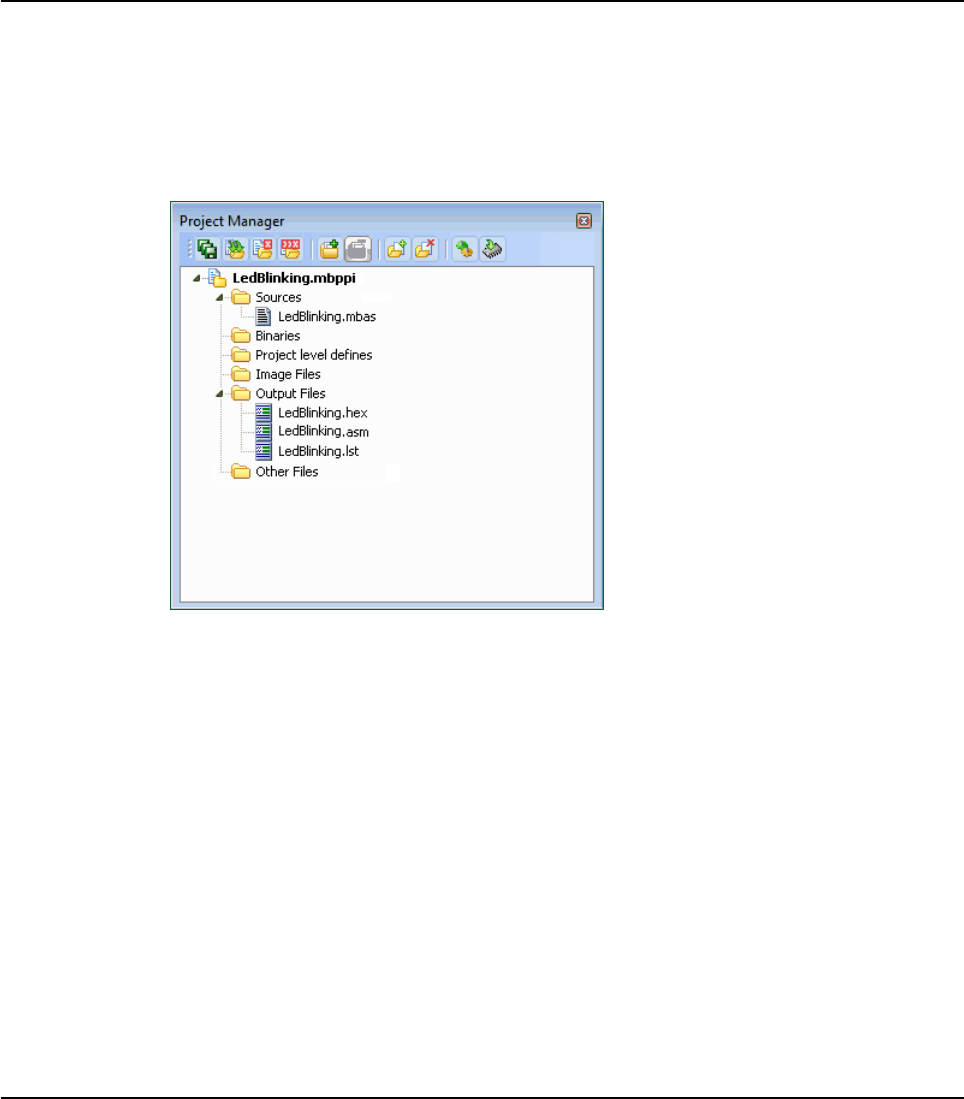
45
MIKROELEKTRONIKA - SOFTWARE AND HARDWARE SOLUTIONS FOR EMBEDDED WORLD
Environment
mikroBasic PRO for PIC
CHAPTER 2
PROJECT MANAGER
Project Manager is IDE feature which allows users to manage multiple projects.
Several projects which together make project group may be open at the same time.
Only one of them may be active at the moment.
Setting project in active mode is performed by double click on the desired project
in the Project Manager.
Following options are available in the Project Manager:
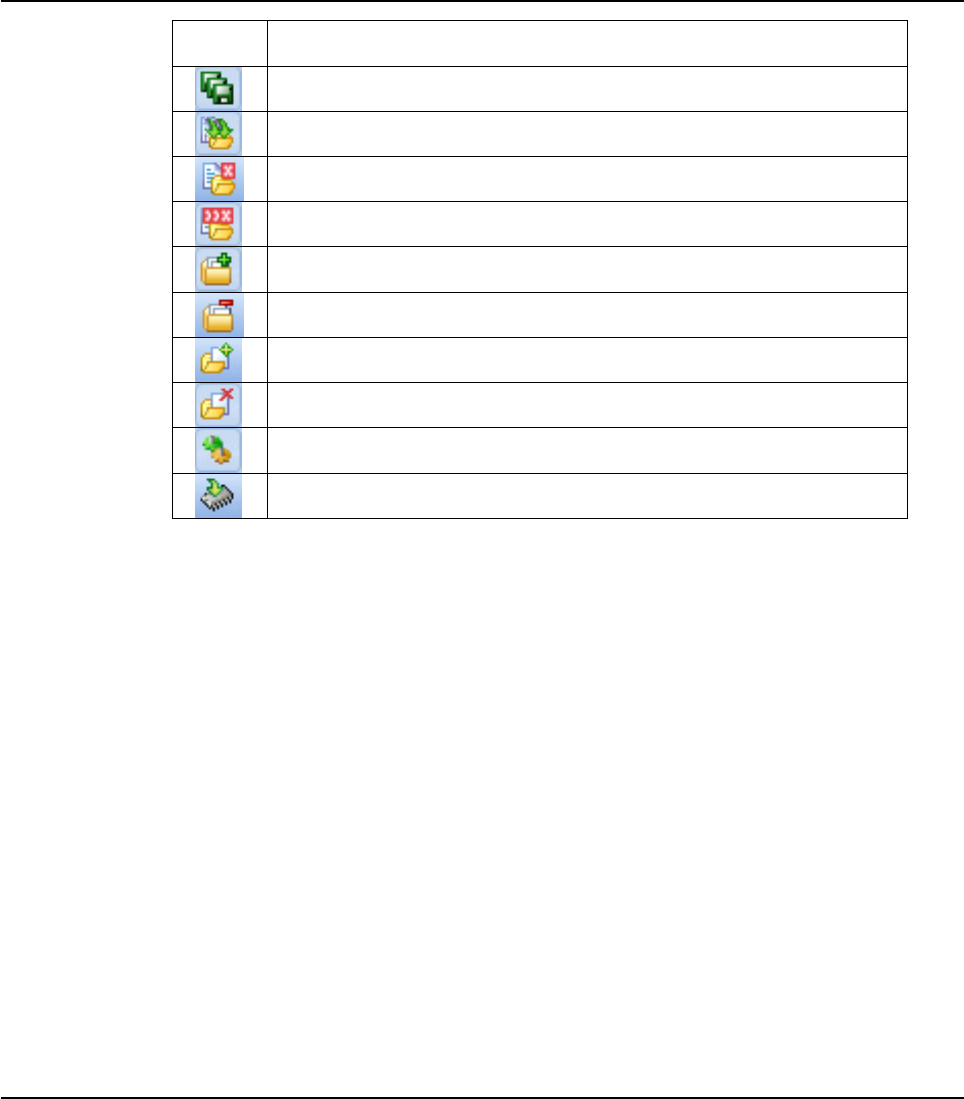
46 MIKROELEKTRONIKA - SOFTWARE AND HARDWARE SOLUTIONS FOR EMBEDDED WORLD
Environment mikroBasic PRO for PIC
CHAPTER 2
For details about adding and removing files from project see Add/Remove Files from
Project.
Related topics: Project Settings, Project Menu Options, File Menu Options, Project
Toolbar, Build Toolbar, Add/Remove Files from Project
Icon Description
Save project Group.
Open project group.
Close the active project.
Close project group.
Add project to the project group.
Remove project from the project group.
Add file to the active project.
Remove selected file from the project.
Build the active project.
Run mikroElektronika's Flash programmer.
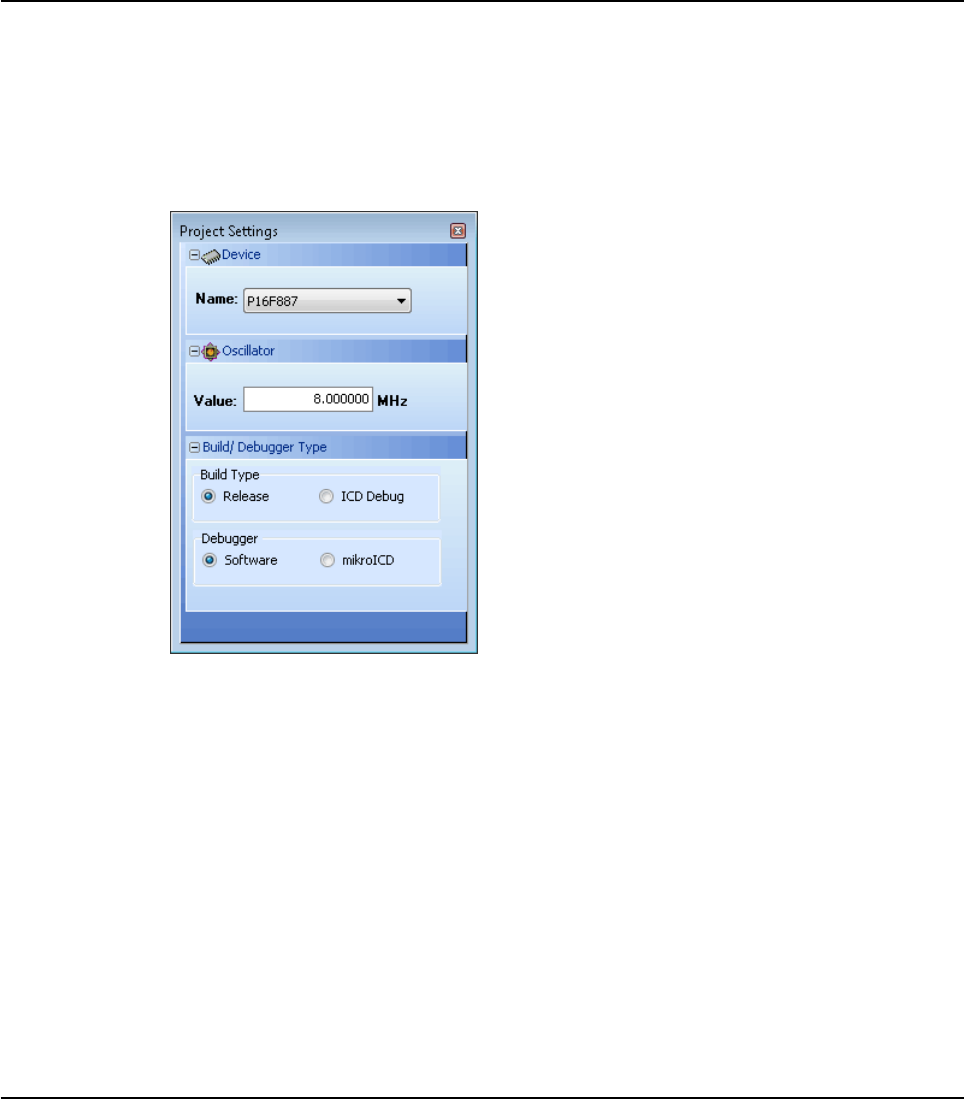
47
MIKROELEKTRONIKA - SOFTWARE AND HARDWARE SOLUTIONS FOR EMBEDDED WORLD
Environment
mikroBasic PRO for PIC
CHAPTER 2
PROJECT SETTINGS WINDOW
Following options are available in the Project Settings Window:
Device - select the appropriate device from the device drop-down list.
Oscillator - enter the oscillator frequency value.
Build/Debugger Type - choose debugger type.
Related topics: Memory Model, Project Manager
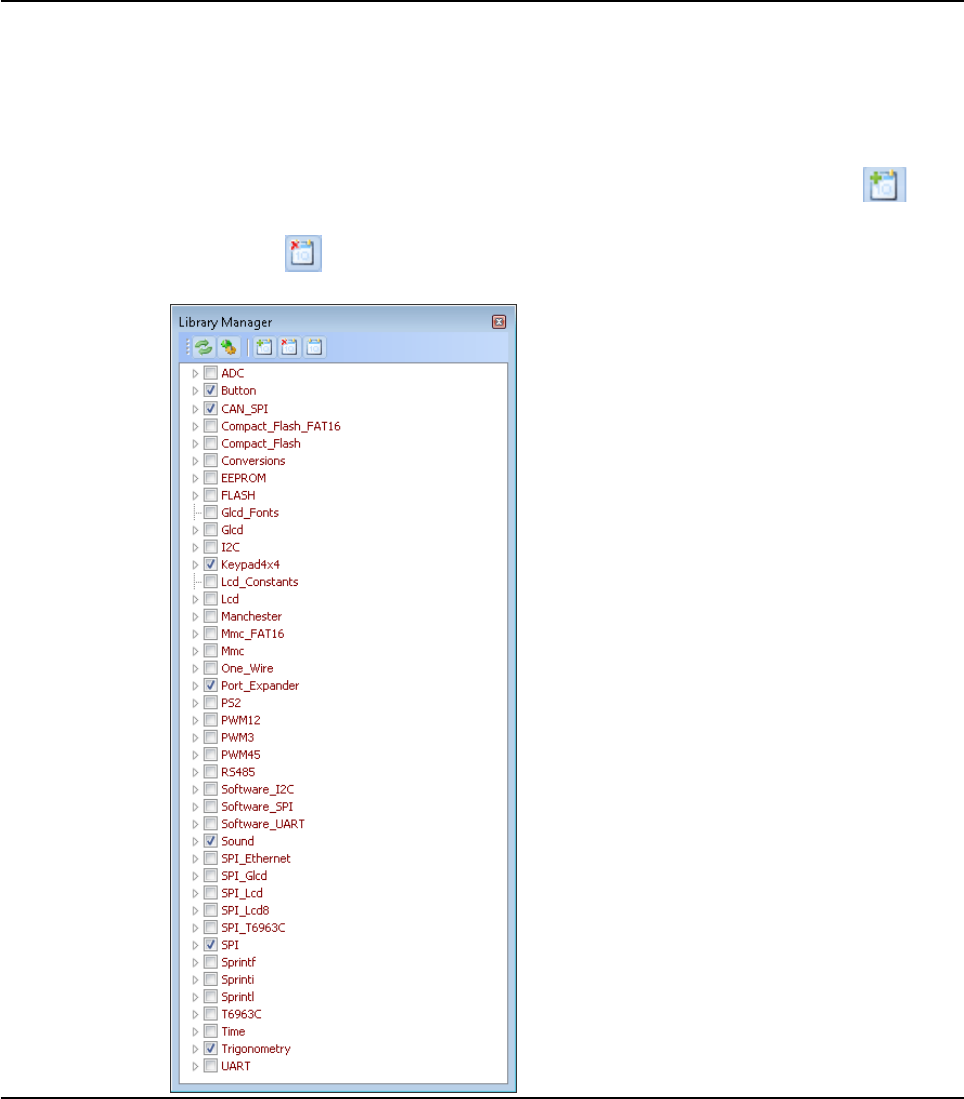
48 MIKROELEKTRONIKA - SOFTWARE AND HARDWARE SOLUTIONS FOR EMBEDDED WORLD
Environment mikroBasic PRO for PIC
CHAPTER 2
LIBRARY MANAGER
Library Manager enables simple handling libraries being used in a project. Library
Manager window lists all libraries (extencion .mcl) which are instantly stored in the
compiler Uses folder. The desirable library is added to the project by selecting check
box next to the library name.
In order to have all library functions accessible, simply press the button Check All
and all libraries will be selected. In case none library is needed in a project, press the but-
ton Clear All and all libraries will be cleared from the project.
Only the selected libraries will be linked.
49
MIKROELEKTRONIKA - SOFTWARE AND HARDWARE SOLUTIONS FOR EMBEDDED WORLD
Environment
mikroBasic PRO for PIC
CHAPTER 2
Related topics: mikroBasic PRO for PIC Libraries, Creating New Library
Icon Description
Refresh Library by scanning files in "Uses" folder.Useful when new
libraries are added by copying files to "Uses" folder.
Rebuild all available libraries. Useful when library sources are available and
need refreshing.
Include all available libraries in current project.
No libraries from the list will be included in current project.
Restore library to the state just before last project saving.

50 MIKROELEKTRONIKA - SOFTWARE AND HARDWARE SOLUTIONS FOR EMBEDDED WORLD
Environment mikroBasic PRO for PIC
CHAPTER 2
ERROR WINDOW
In case that errors were encountered during compiling, the compiler will report them
and won’t generate a hex file. The Error Window will be prompted at the bottom of
the main window by default.
The Error Window is located under message tab, and displays location and type of
errors the compiler has encountered. The compiler also reports warnings, but these
do not affect the output; only errors can interefere with the generation of hex.
Double click the message line in the Error Window to highlight the line where the
error was encountered.
Related topics: Error Messages
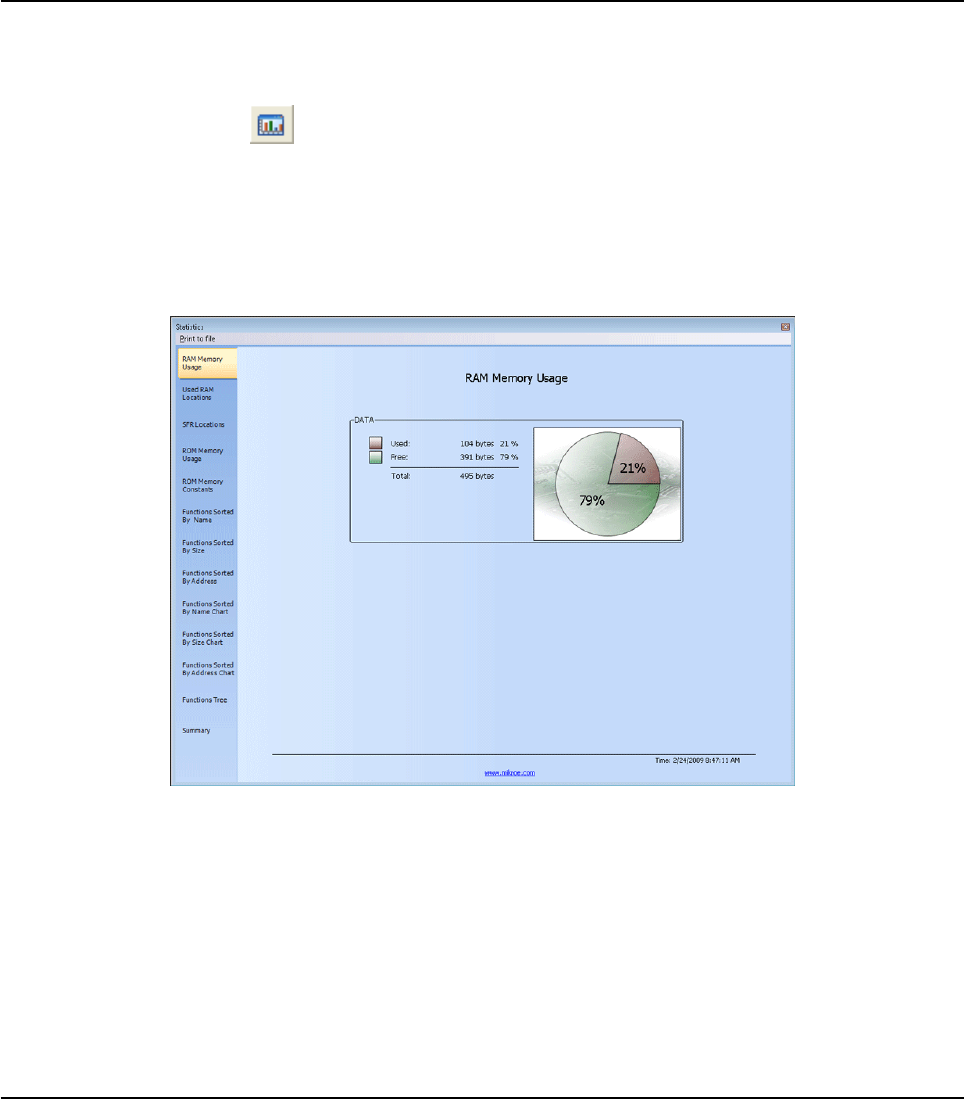
51
MIKROELEKTRONIKA - SOFTWARE AND HARDWARE SOLUTIONS FOR EMBEDDED WORLD
Environment
mikroBasic PRO for PIC
CHAPTER 2
STATISTICS
After successful compilation, you can review statistics of your code. Click the Statis-
tics Icon .
Memory Usage Windows
Provides overview of RAM and ROM usage in the form of histogram.
RAM Memory Usage
Displays RAM memory usage in a pie-like form.

52 MIKROELEKTRONIKA - SOFTWARE AND HARDWARE SOLUTIONS FOR EMBEDDED WORLD
Environment mikroBasic PRO for PIC
CHAPTER 2
Used RAM Locations
Displays used RAM memory locations and their names.
SFR Locations
Displays list of used SFR locations.

53
MIKROELEKTRONIKA - SOFTWARE AND HARDWARE SOLUTIONS FOR EMBEDDED WORLD
Environment
mikroBasic PRO for PIC
CHAPTER 2
ROM Memory Usage
Displays ROM memory space usage in a pie-like form.
ROM Memory Constants
Displays ROM memory constants and their addresses.
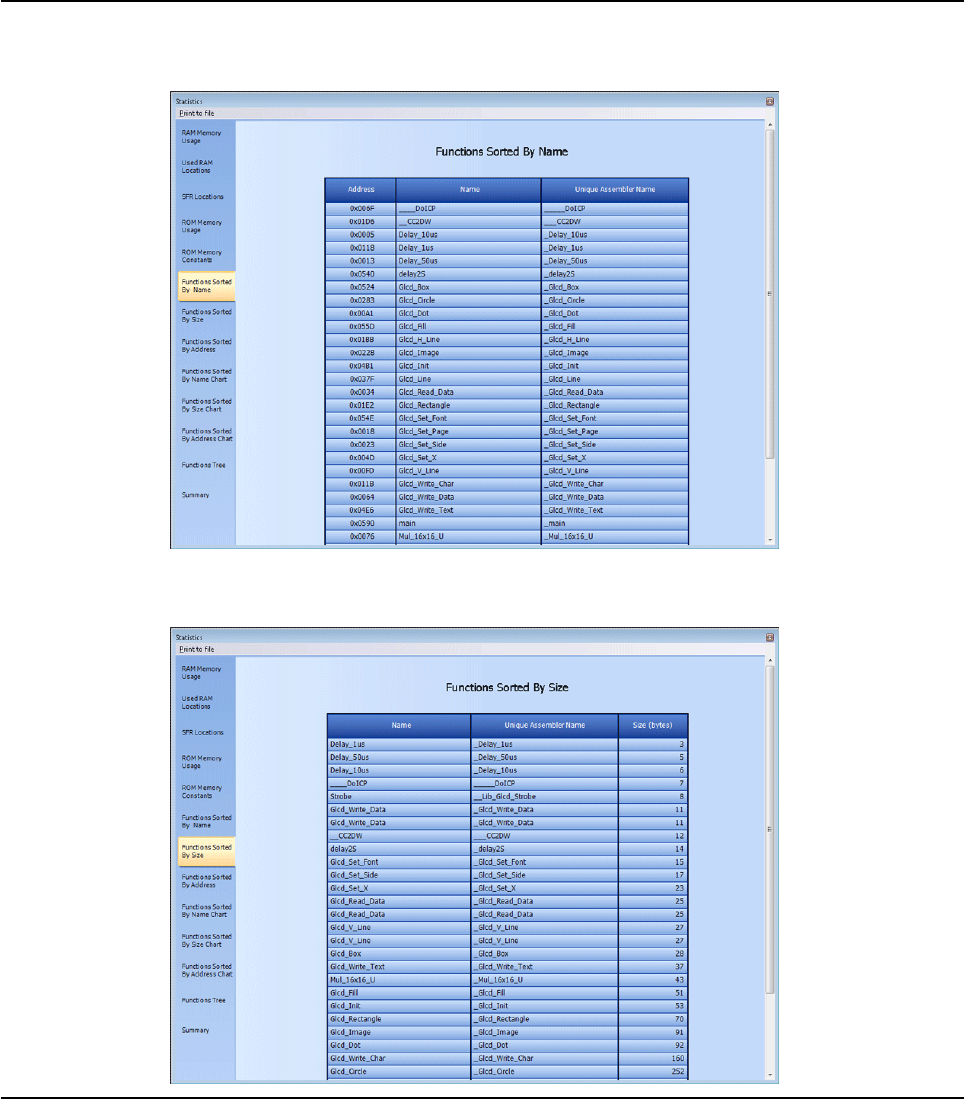
54 MIKROELEKTRONIKA - SOFTWARE AND HARDWARE SOLUTIONS FOR EMBEDDED WORLD
Environment mikroBasic PRO for PIC
CHAPTER 2
Functions Sorted By Name
Sorts and displays functions by their addresses, symbolic names, and unique
assembler names.
Functions Sorted By Size
Sorts and displays functions by their size, in the ascending order.

55
MIKROELEKTRONIKA - SOFTWARE AND HARDWARE SOLUTIONS FOR EMBEDDED WORLD
Environment
mikroBasic PRO for PIC
CHAPTER 2
Functions Sorted By Addresses
Sorts and displays functions by their size, in the ascending order.
Functions Sorted By Name Chart
Sorts and displays functions by their names in a chart-like form.
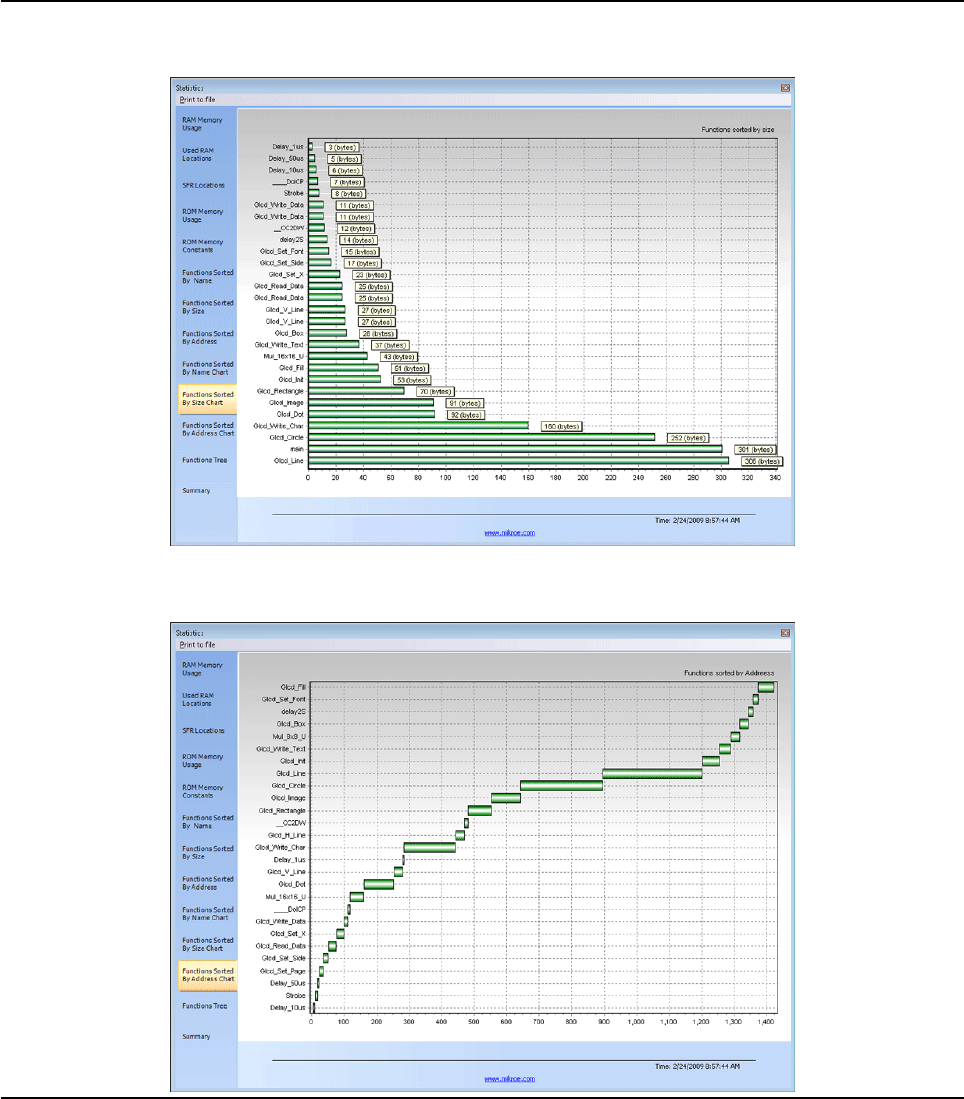
56 MIKROELEKTRONIKA - SOFTWARE AND HARDWARE SOLUTIONS FOR EMBEDDED WORLD
Environment mikroBasic PRO for PIC
CHAPTER 2
Functions Sorted By Size Chart
Sorts and displays functions by their sizes in a chart-like form
Functions Sorted By Addresses Chart
Sorts and displays functions by their addresses in a chart-like form.
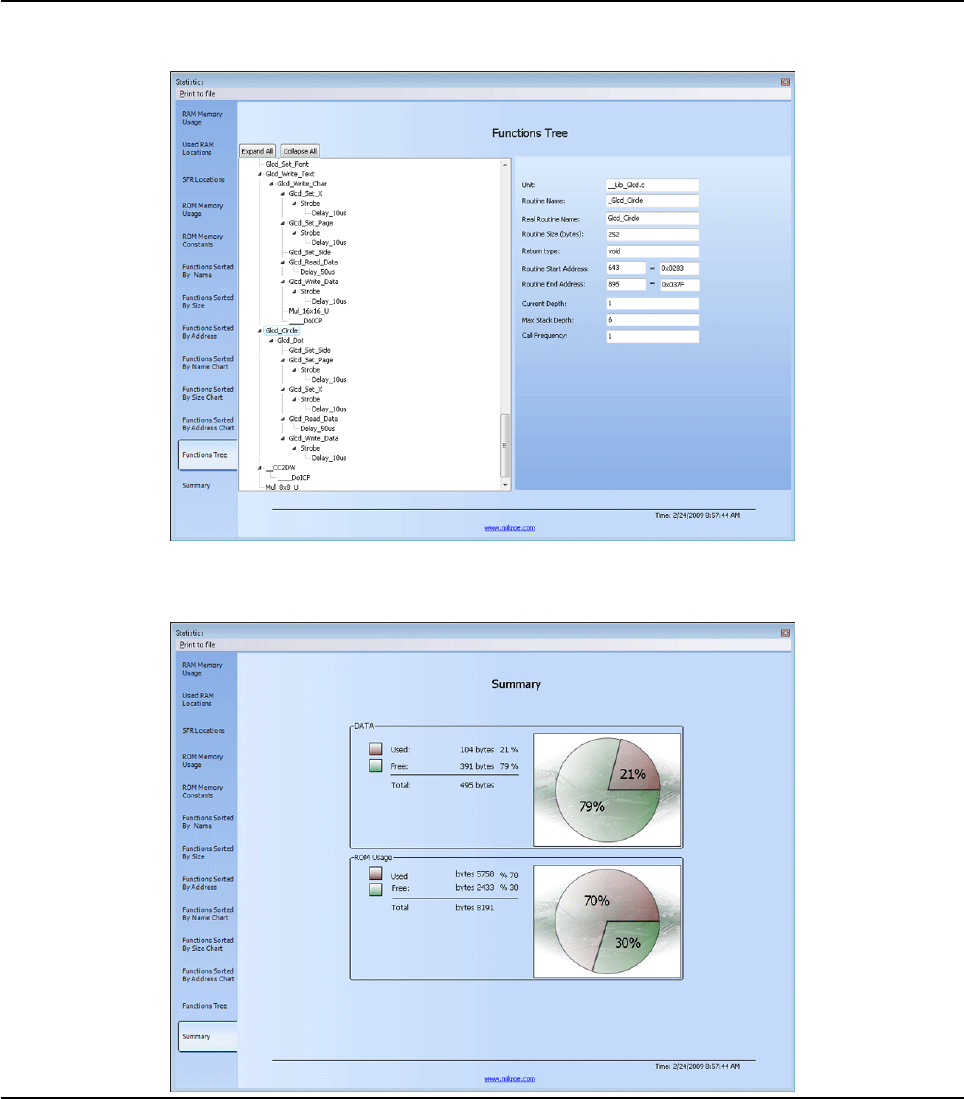
57
MIKROELEKTRONIKA - SOFTWARE AND HARDWARE SOLUTIONS FOR EMBEDDED WORLD
Environment
mikroBasic PRO for PIC
CHAPTER 2
Function Tree
Displays Function Tree with the relevant data for each function.
Memory Summary
Displays summary of RAM and ROM memory in a pie-like form.

58 MIKROELEKTRONIKA - SOFTWARE AND HARDWARE SOLUTIONS FOR EMBEDDED WORLD
Environment mikroBasic PRO for PIC
CHAPTER 2
INTEGRATED TOOLS
USART Terminal
The mikroBasic PRO for PIC includes the USART communication terminal for
RS232 communication. You can launch it from the drop-down menu Tools › USART
Terminal or by clicking the USART Terminal Icon from Tools toolbar.

59
MIKROELEKTRONIKA - SOFTWARE AND HARDWARE SOLUTIONS FOR EMBEDDED WORLD
Environment
mikroBasic PRO for PIC
CHAPTER 2
EEPROM Editor
The EEPROM Editor is used for manipulating MCU's EEPROM memory. You can
launch it from the drop-down menu Tools › EEPROM Editor. When Use this
EEPROM definition is checked compiler will generate Intel hex file
project_name.ihex that contains data from EEPROM editor.
When you run mikroElektronika programmer software from mikroBasic PRO for PIC
IDE - project_name.hex file will be loaded automatically while ihex file must be
loaded manually.
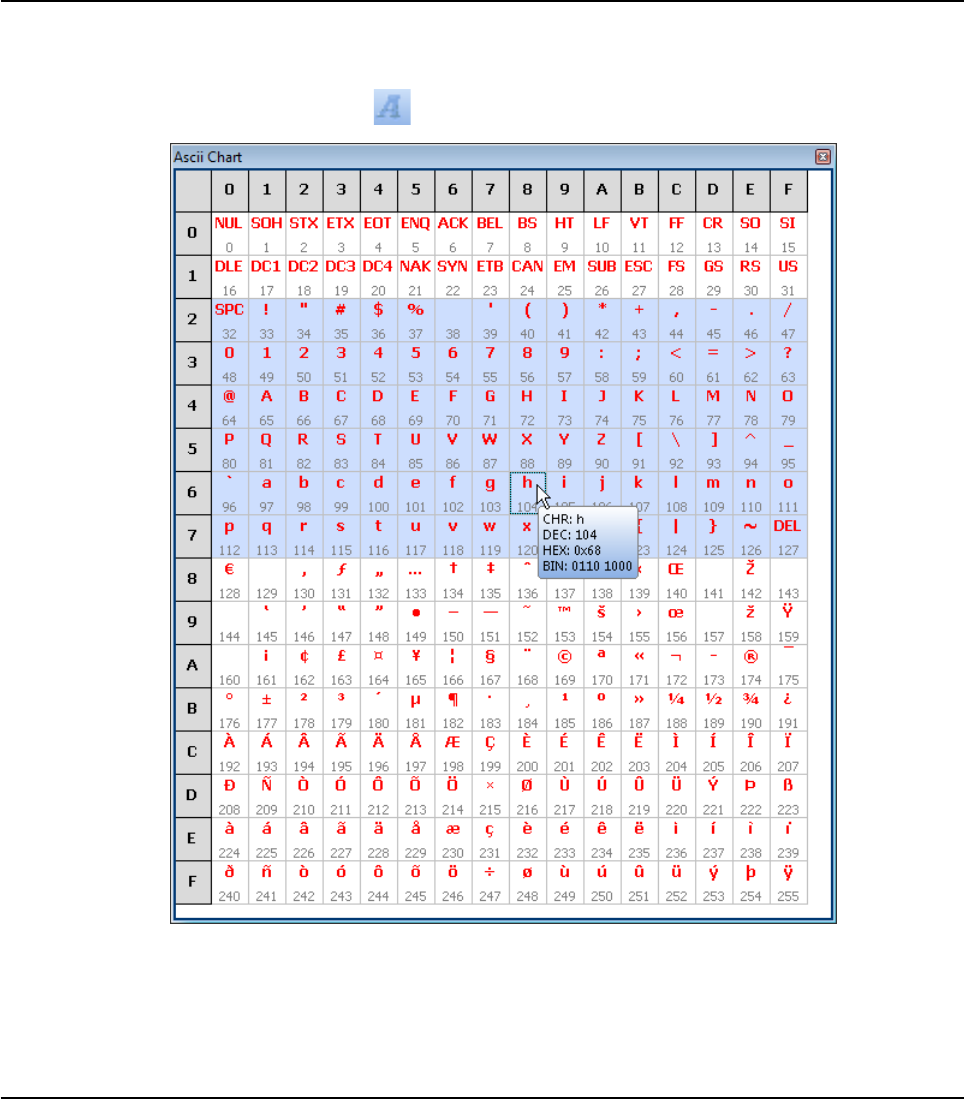
60 MIKROELEKTRONIKA - SOFTWARE AND HARDWARE SOLUTIONS FOR EMBEDDED WORLD
Environment mikroBasic PRO for PIC
CHAPTER 2
ASCII Chart
The ASCII Chart is a handy tool, particularly useful when working with Lcd display.
You can launch it from the drop-down menu Tools › ASCII chart or by clicking the
View ASCII Chart Icon from Tools toolbar.
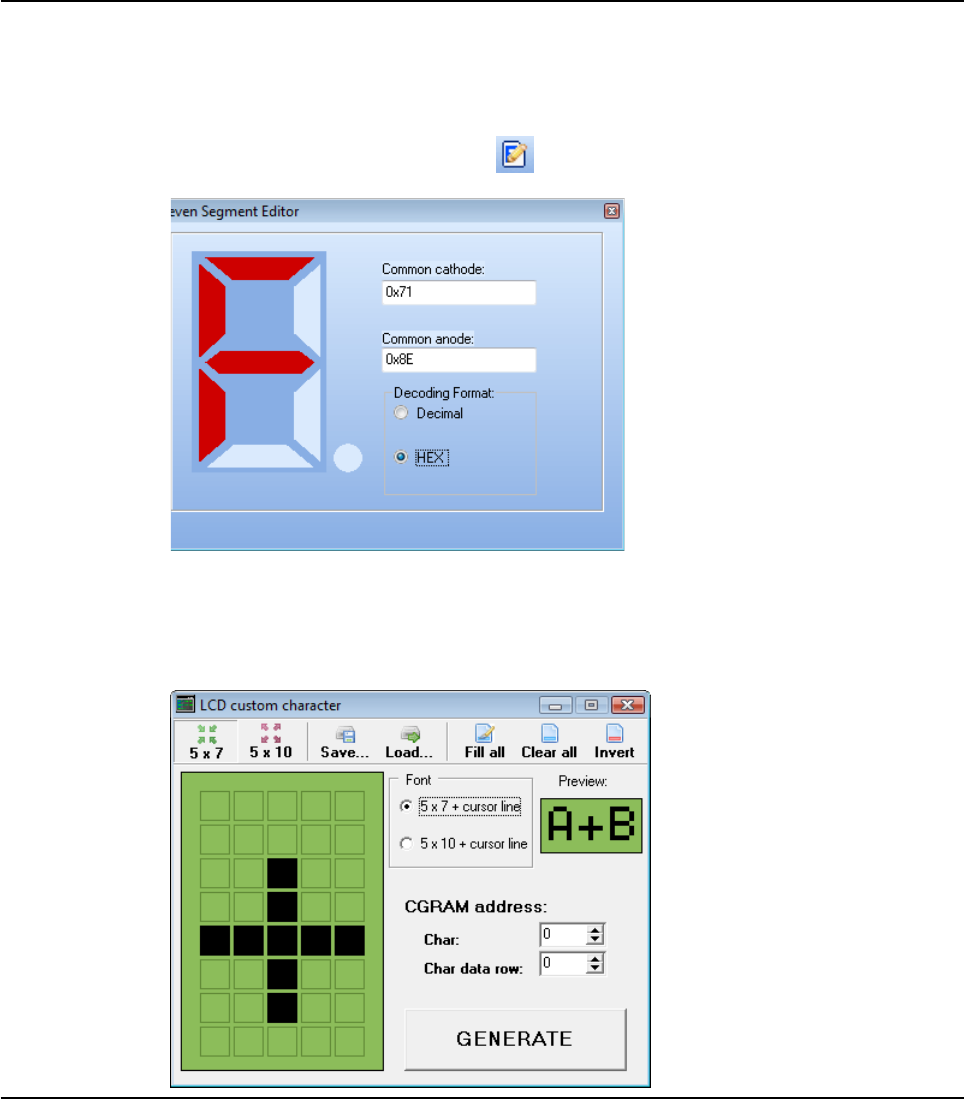
61
MIKROELEKTRONIKA - SOFTWARE AND HARDWARE SOLUTIONS FOR EMBEDDED WORLD
Environment
mikroBasic PRO for PIC
CHAPTER 2
Seven Segment Decoder
The Seven Segment Display Decoder is a convenient visual panel which returns
decimal/hex value for any viable combination you would like to display on 7seg.
Click on the parts of 7 segment image to get the requested value in the edit boxes.
You can launch it from the drop-down menu Tools › Seven Segment Convertor or
by clicking the Seven Segment Icon from Tools toolbar.
Lcd Custom Character
mikroBasic PRO for PIC includes the Lcd Custom Character. Output is mikroBasic
PRO for PIC compatible code. You can launch it from the drop-down menu Tools ›
Lcd Custom Character.
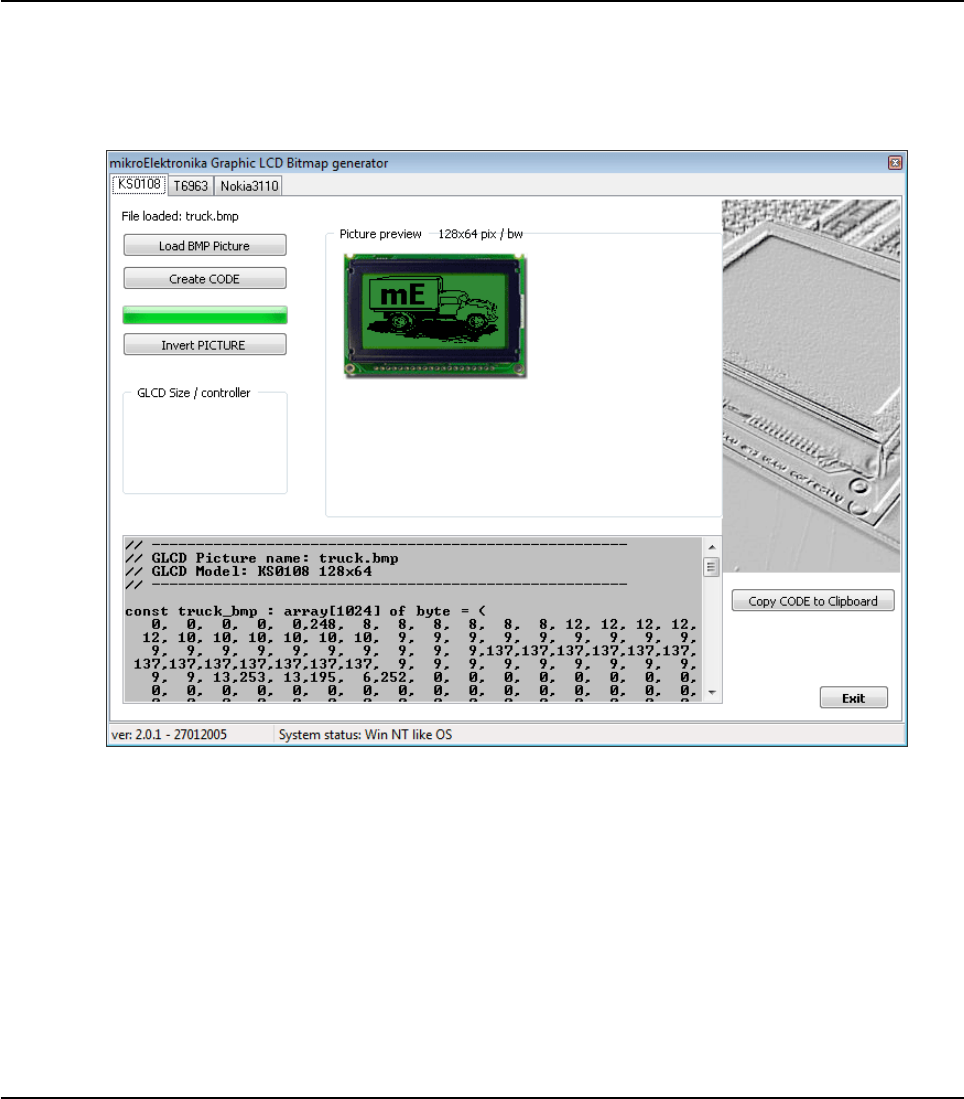
62 MIKROELEKTRONIKA - SOFTWARE AND HARDWARE SOLUTIONS FOR EMBEDDED WORLD
Environment mikroBasic PRO for PIC
CHAPTER 2
Graphic LCD Bitmap Editor
The mikroBasic PRO for PIC includes the Graphic Lcd Bitmap Editor. Output is the
mikroBasic PRO for PIC compatible code. You can launch it from the drop-down
menu Tools › Glcd Bitmap Editor.

63
MIKROELEKTRONIKA - SOFTWARE AND HARDWARE SOLUTIONS FOR EMBEDDED WORLD
Environment
mikroBasic PRO for PIC
CHAPTER 2
HID Terminal
The mikroBasic PRO for PIC includes the HID communication terminal for USB
communication. You can launch it from the drop-down menu Tools › HID Terminal.
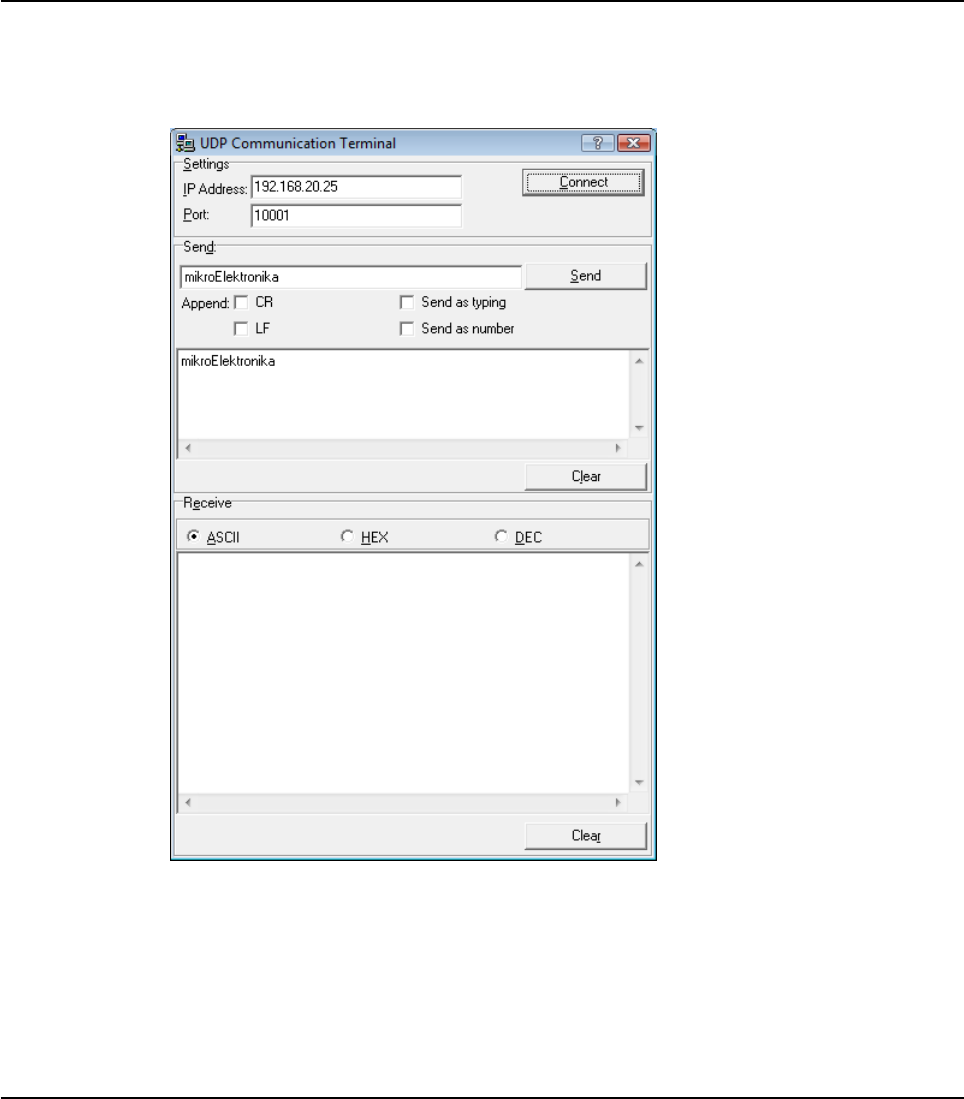
64 MIKROELEKTRONIKA - SOFTWARE AND HARDWARE SOLUTIONS FOR EMBEDDED WORLD
Environment mikroBasic PRO for PIC
CHAPTER 2
Udp Terminal
The mikroBasic PRO for PIC includes the UDP Terminal. You can launch it from the
drop-down menu Tools › UDP Terminal.
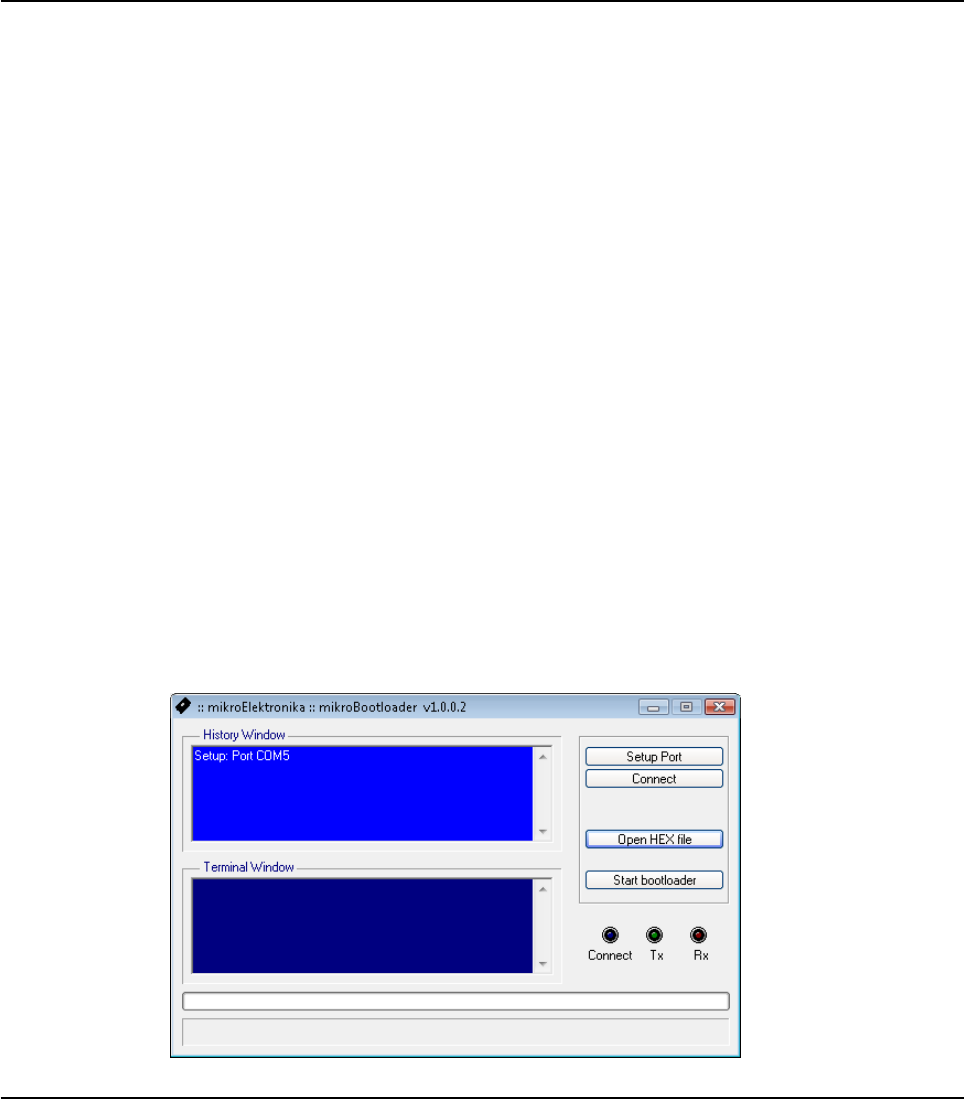
65
MIKROELEKTRONIKA - SOFTWARE AND HARDWARE SOLUTIONS FOR EMBEDDED WORLD
Environment
mikroBasic PRO for PIC
CHAPTER 2
MIKROBOOTLOADER
What is a Bootloader
(From Microchip’s document AN732) The PIC16F87X family of microcontrollers has
the ability to write to their own program memory. This feature allows a small boot-
loader program to receive and write new firmware into memory. In its most simple
form, the bootloader starts the user code running, unless it finds that new firmware
should be downloaded. If there is new firmware to be downloaded, it gets the data
and writes it into program memory. There are many variations and additional fea-
tures that can be added to improve reliability and simplify the use of the bootloader.
Note: mikroBootloader can be used only with PIC MCUs that support flash write.
How to use mikroBootloader
1. Load the PIC with the appropriate hex file using the conventional programming
techniques (e.g. for PIC16F877A use p16f877a.hex).
2. Start mikroBootloader from the drop-down menu Tools › Bootoader.
3. Click on Setup Port and select the COM port that will be used. Make sure
that BAUD is set to 9600 Kpbs.
4. Click on Open File and select the HEX file you would like to upload.
5. Since the bootcode in the PIC only gives the computer 4-5 sec to connect, you
should reset the PIC and then click on the Connect button within 4-5 seconds.
6. The last line in then history window should now read “Connected”.
7. To start the upload, just click on the Start Bootloader button.
8. Your program will written to the PIC flash. Bootloader will report an errors that
may occur.
9. Reset your PIC and start to execute.

66 MIKROELEKTRONIKA - SOFTWARE AND HARDWARE SOLUTIONS FOR EMBEDDED WORLD
Environment mikroBasic PRO for PIC
CHAPTER 2
Features
The boot code gives the computer 5 seconds to get connected to it. If not, it starts
running the existing user code. If there is a new user code to be downloaded, the
boot code receives and writes the data into program memory.
The more common features a bootloader may have are listed below:
Code at the Reset location.
Code elsewhere in a small area of memory.
Checks to see if the user wants new user code to be loaded.
Starts execution of the user code if no new user code is to be loaded.
Receives new user code via a communication channel if code is to be loaded.
Programs the new user code into memory.
Integrating User Code and Boot Code
The boot code almost always uses the Reset location and some additional program
memory. It is a simple piece of code that does not need to use interrupts; therefore,
the user code can use the normal interrupt vector at 0x0004. The boot code must
avoid using the interrupt vector, so it should have a program branch in the address
range 0x0000 to 0x0003. The boot code must be programmed into memory using
conventional programming techniques, and the configuration bits must be pro-
grammed at this time. The boot code is unable to access the configuration bits,
since they are not mapped into the program memory space.
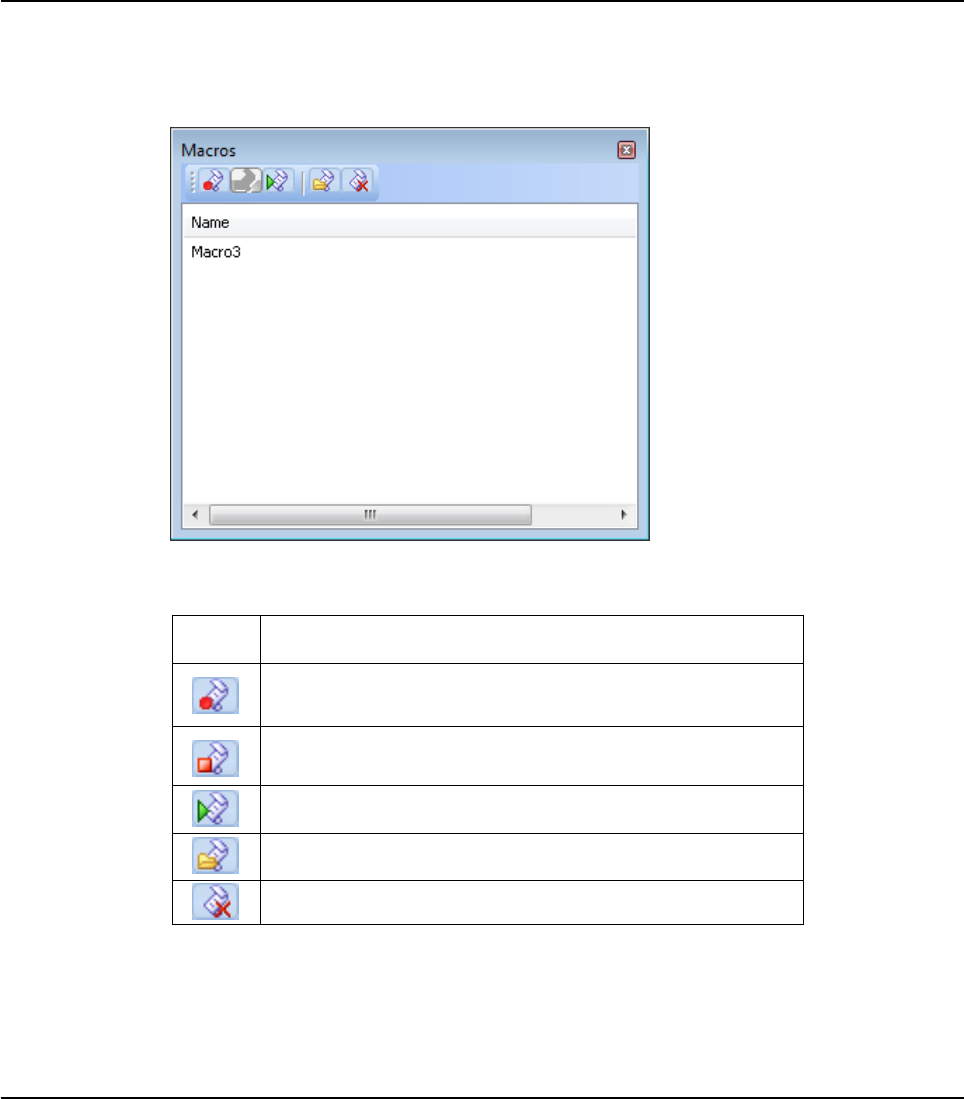
67
MIKROELEKTRONIKA - SOFTWARE AND HARDWARE SOLUTIONS FOR EMBEDDED WORLD
Environment
mikroBasic PRO for PIC
CHAPTER 2
Macro Editor
A macro is a series of keystrokes that have been 'recorded' in the order performed.
A macro allows you to 'record' a series of keystrokes and then 'playback', or repeat,
the recorded keystrokes.
The Macro offers the following commands:
Related topics: Advanced Code Editor, Code Templates
Icon Description
Starts 'recording' keystrokes for later playback.
Stops capturing keystrokesthat was started when the Start
Recordig command was selected.
Allows a macro that has been recorded to be replayed.
New macro.
Delete macro.
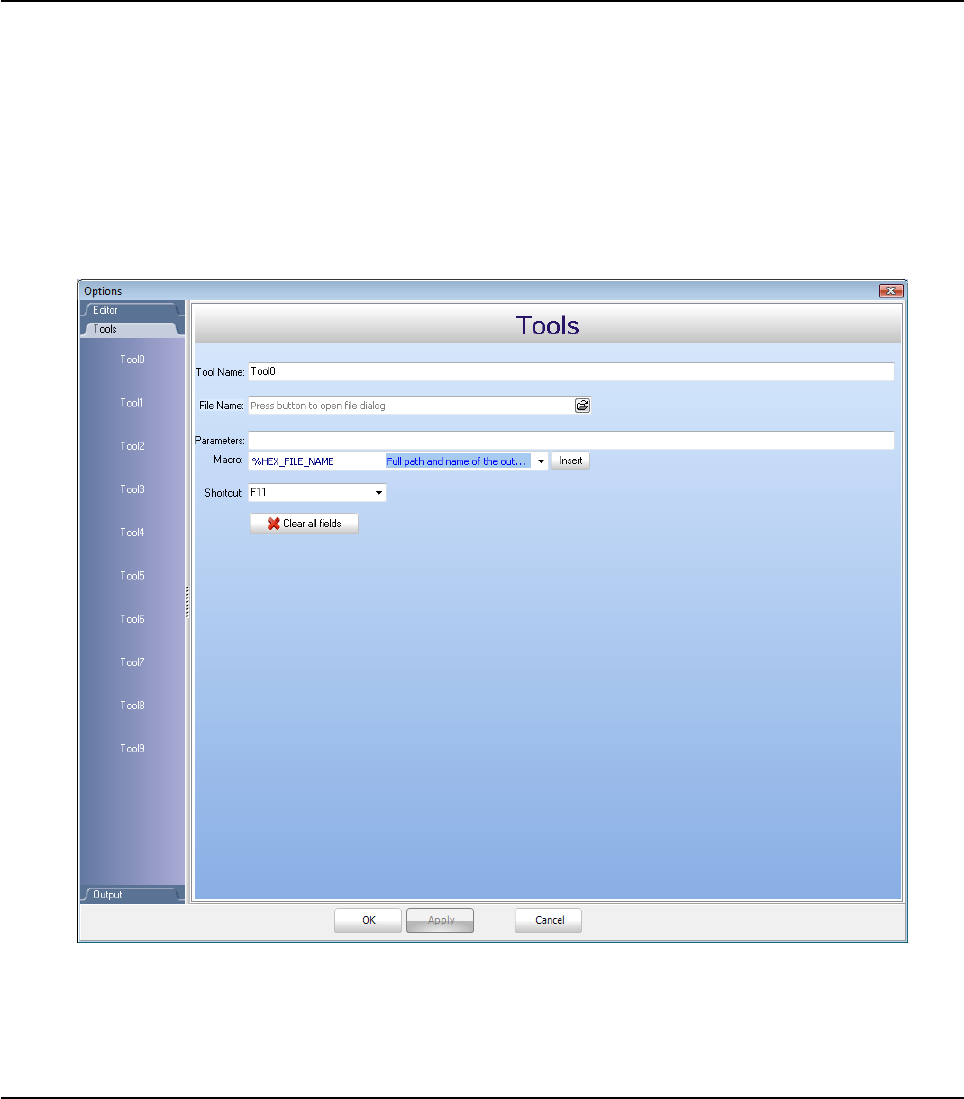
68 MIKROELEKTRONIKA - SOFTWARE AND HARDWARE SOLUTIONS FOR EMBEDDED WORLD
Environment mikroBasic PRO for PIC
CHAPTER 2
Options
Options menu consists of three tabs: Code Editor, Tools and Output settings
Code editor
The Code Editor is advanced text editor fashioned to satisfy needs of professionals.
Tools
The mikroBasic PRO for PIC includes the Tools tab, which enables the use of short-
cuts to external programs, like Calculator or Notepad.
You can set up to 10 different shortcuts, by editing Tool0 - Tool9.

69
MIKROELEKTRONIKA - SOFTWARE AND HARDWARE SOLUTIONS FOR EMBEDDED WORLD
Environment
mikroBasic PRO for PIC
CHAPTER 2
Output settings
By modifying Output Settings, user can configure the content of the output files.
You can enable or disable, for example, generation of ASM and List file.
Also, user can choose optimization level, and compiler specific settings, which
include case sensitivity, dynamic link for string literals setting (described in mikroBa-
sic PRO for PIC specifics).
Build all files as library enables user to use compiled library (*.mcl) on any PIC
MCU (when this box is checked), or for a selected PIC MCU (when this box is left
unchecked).
For more information on creating new libraries, see Creating New Library.

70 MIKROELEKTRONIKA - SOFTWARE AND HARDWARE SOLUTIONS FOR EMBEDDED WORLD
Environment mikroBasic PRO for PIC
CHAPTER 2
REGULAR EXPRESSIONS
Introduction
Regular Expressions are a widely-used method of specifying patterns of text to
search for. Special metacharacters allow you to specify, for instance, that a particu-
lar string you are looking for, occurs at the beginning, or end of a line, or contains n
recurrences of a certain character.
Simple matches
Any single character matches itself, unless it is a metacharacter with a special
meaning described below. A series of characters matches that series of characters
in the target string, so the pattern "short" would match "short" in the target string.
You can cause characters that normally function as metacharacters or escape
sequences to be interpreted by preceding them with a backslash "\".
For instance, metacharacter "^" matches beginning of string, but "\^" matches
character "^", and "\\" matches "\", etc.
Examples :
unsigned matches string 'unsigned'
\^unsigned matches string '^unsigned'
Escape sequences
Characters may be specified using a escape sequences: "\n" matches a newline,
"\t" a tab, etc. More generally, \xnn, where nn is a string of hexadecimal digits,
matches the character whose ASCII value is nn.
If you need wide(Unicode)character code, you can use '\x{nnnn}', where 'nnnn' -
one or more hexadecimal digits.
\xnn - char with hex code nn
\x{nnnn)- char with hex code nnnn (one byte for plain text and two bytes
for Unicode)
\t - tab (HT/TAB), same as \x09
\n - newline (NL), same as \x0a
\r - car.return (CR), same as \x0d
\f - form feed (FF), same as \x0c
\a - alarm (bell) (BEL), same as \x07
\e - escape (ESC) , same as \x1b

71
MIKROELEKTRONIKA - SOFTWARE AND HARDWARE SOLUTIONS FOR EMBEDDED WORLD
Environment
mikroBasic PRO for PIC
CHAPTER 2
Examples:
unsigned\x20int matches 'unsigned int' (note space in the middle)
\tunsigned matches 'unsigned' (predecessed by tab)
Character classes
You can specify a character class, by enclosing a list of characters in [], which
will match any of the characters from the list. If the first character after the "[" is
"^", the class matches any character not in the list.
Examples:
count[aeiou]r finds strings 'countar', 'counter',etc. but not
'countbr', 'countcr',etc.
count[^aeiou]r finds strings 'countbr', 'countcr',etc. but not
'countar', 'counter', etc.
Within a list, the "-" character is used to specify a range, so that a-z represents all
characters between "a" and "z", inclusive.
If you want "-" itself to be a member of a class, put it at the start or end of the list,
or escape it with a backslash.
If you want ']', you may place it at the start of list or escape it with a backslash.
Examples:
[-az] matches 'a', 'z' and '-'
[az-] matches 'a', 'z' and '-'
[a\-z] matches 'a', 'z' and '-'
[a-z] matches all twenty six small characters from 'a' to 'z'
[\n-\x0D] matches any of #10,#11,#12,#13.
[\d-t] matches any digit, '-' or 't'.
[]-a] matches any char from ']'..'a'.
Metacharacters
Metacharacters are special characters which are the essence of regular expres-
sions.There are different types of metacharacters, described below.

72 MIKROELEKTRONIKA - SOFTWARE AND HARDWARE SOLUTIONS FOR EMBEDDED WORLD
Environment mikroBasic PRO for PIC
CHAPTER 2
Metacharacters - Line separators
^- start of line
$- end of line
\A - start of text
\Z - end of text
.- any character in line
Examples:
^PORTA - matches string 'PORTA 'only if it's at the beginning of line
PORTA$ - matches string ' PORTA 'only if it's at the end of line
^PORTA$ - matches string ' PORTA 'only if it's the only string in line
PORT.r - matches strings like 'PORTA', 'PORTB', 'PORT1'and so on
The "^" metacharacter by default is only guaranteed to match beginning of the input
string/text, and the "$" metacharacter only at the end. Embedded line separators will
not be matched by ^" or "$".
You may, however, wish to treat a string as a multi-line buffer, such that the "^" will
match after any line separator within the string, and "$" will match before any line
separator.
Regular expressons works with line separators as recommended at
www.unicode.org ( http://www.unicode.org/unicode/reports/tr18/ ):
Metacharacters - Predefined classes
\w - an alphanumeric character (including "_")
\W - a nonalphanumeric
\d - a numeric character
\D - a non-numeric
\s - any space (same as [\t\n\r\f])
\S - a non space
You may use \w, \d and \s within custom character classes.
Example:
routi\de - matches strings like 'routi1e', 'routi6e' and so on, but not
'routine', 'routime' and so on.

73
MIKROELEKTRONIKA - SOFTWARE AND HARDWARE SOLUTIONS FOR EMBEDDED WORLD
Environment
mikroBasic PRO for PIC
CHAPTER 2
Metacharacters - Word boundaries
A word boundary ("\b") is a spot between two characters that has a "\w" on one
side of it and a "\W" on the other side of it (in either order), counting the imaginary
characters off the beginning and end of the string as matching a "\W".
\b - match a word boundary)
\B - match a non-(word boundary)
Metacharacters - Iterators
Any item of a regular expression may be followed by another type of metacharac-
ters - iterators. Using this metacharacters,you can specify number of occurences of
previous character, metacharacter or subexpression.
*- zero or more ("greedy"), similar to {0,}
+- one or more ("greedy"), similar to {1,}
?- zero or one ("greedy"), similar to {0,1}
{n} - exactly n times ("greedy")
{n,} - at least n times ("greedy")
{n,m} - at least n but not more than m times ("greedy")
*? - zero or more ("non-greedy"), similar to {0,}?
+? - one or more ("non-greedy"), similar to {1,}?
?? - zero or one ("non-greedy"), similar to {0,1}?
{n}? - exactly n times ("non-greedy")
{n,}? - at least n times ("non-greedy")
{n,m}? - at least n but not more than m times ("non-greedy")
So, digits in curly brackets of the form, {n,m}, specify the minimum number of times
to match the item n and the maximum m. The form {n} is equivalent to {n,n} and
matches exactly ntimes. The form {n,} matches n or more times. There is no limit
to the size of nor m, but large numbers will chew up more memory and slow down
execution.
If a curly bracket occurs in any other context, it is treated as a regular character.

74 MIKROELEKTRONIKA - SOFTWARE AND HARDWARE SOLUTIONS FOR EMBEDDED WORLD
Environment mikroBasic PRO for PIC
CHAPTER 2
Examples:
count.*r ß- matches strings like 'counter', 'countelkjdflkj9r' and
'countr'
count.+r - matches strings like 'counter', 'countelkjdflkj9r' but not
'countr'
count.?r - matches strings like 'counter', 'countar' and 'countr' but not
'countelkj9r'
counte{2}r - matches string 'counteer'
counte{2,}r - matches strings like 'counteer', 'counteeer', 'counteeer' etc.
counte{2,3}r - matches strings like 'counteer', or 'counteeer' but not
'counteeeer'
A little explanation about "greediness". "Greedy" takes as many as possible, "non-
greedy" takes as few as possible.
For example, 'b+' and 'b*' applied to string 'abbbbc' return 'bbbb', 'b+?' returns 'b',
'b*?' returns empty string, 'b{2,3}?' returns 'bb', 'b{2,3}' returns 'bbb'.
Metacharacters - Alternatives
You can specify a series of alternatives for a pattern using "|" to separate them, so
that bit|bat|bot will match any of "bit", "bat", or "bot" in the target string (as
would b(i|a|o)t). The first alternative includes everything from the last pattern
delimiter ("(", "[", or the beginning of the pattern) up to the first "|", and the last
alternative contains everything from the last "|" to the next pattern delimiter. For this
reason, it's common practice to include alternatives in parentheses, to minimize
confusion about where they start and end.
Alternatives are tried from left to right, so the first alternative found for which the
entire expression matches, is the one that is chosen. This means that alternatives
are not necessarily greedy. For example: when matching rou|rout against "rou-
tine", only the "rou" part will match, as that is the first alternative tried, and it suc-
cessfully matches the target string (this might not seem important, but it is important
when you are capturing matched text using parentheses.) Also remember that "|" is
interpreted as a literal within square brackets, so if you write [bit|bat|bot],you're
really only matching [biao|].
Examples:
rou(tine|te) - matches strings 'routine' or 'route'.

75
MIKROELEKTRONIKA - SOFTWARE AND HARDWARE SOLUTIONS FOR EMBEDDED WORLD
Environment
mikroBasic PRO for PIC
CHAPTER 2
Metacharacters - Subexpressions
The bracketing construct ( ... ) may also be used for define regular subexpres-
sions. Subexpressions are numbered based on the left to right order of their open-
ing parenthesis. First subexpression has number '1'
Examples:
(int){8,10} matches strings which contain 8, 9 or 10 instances of the 'int'
routi([0-9]|a+)e matches 'routi0e', 'routi1e' , 'routine', 'routinne',
'routinnne' etc.
Metacharacters - Backreferences
Metacharacters \1 through \9 are interpreted as backreferences. \ matches previ-
ously matched subexpression #.
Examples:
(.)\1+ matches 'aaaa' and 'cc'.
(.+)\1+ matches 'abab' and '123123'
(['"]?)(\d+)\1 matches "13" (in double quotes), or '4' (in single quotes)
or 77 (without quotes) etc

76 MIKROELEKTRONIKA - SOFTWARE AND HARDWARE SOLUTIONS FOR EMBEDDED WORLD
Environment mikroBasic PRO for PIC
CHAPTER 2
mikroBasic PRO for PIC COMMAND LINE OPTIONS
Usage: mBPIC.exe [-<opts> [-<opts>]] [<infile> [-<opts>]] [-<opts>]]
Infile can be of *.mpas and *.mcl type.
The following parameters and some more (see manual) are valid:
-P : MCU for which compilation will be done.
-FO : Set oscillator.
-SP : Add directory to the search path list.
-N: Output files generated to file path specified by filename.
-B: Save compiled binary files (*.mcl) to 'directory'.
-O: Miscellaneous output options.
-DBG : Generate debug info.
-E: Set memory model opts ( S | C | L (small, compact, large)).
-L: Check and rebuild new libraries.
-C : Turn on case sensitivity.
Example:
mBPIC.exe -MSF -DBG -pPIC16F887 -C -O11111114 -fo8 -N"C:\Lcd\Lcd.mcpav"
-SP"C:\Program Files\Mikroelektronika\mikroBasic PRO for PIC\Defs\"
-SP"C:\Program Files\Mikroelektronika\mikroBasic PRO for
PIC\Uses\LTE64KW\" - SP"C:\Lcd\" "Lcd.mbas" "__Lib_Math.mcl"
"__Lib_MathDouble.mcl"
"__Lib_System.mcl" "__Lib_Delays.mcl" "__Lib_LcdConsts.mcl"
"__Lib_Lcd.mcl"
Parameters used in the example:
-MSF : Short Message Format; used for internal purposes by IDE.
-DBG : Generate debug info.
-pPIC16F887 :MCU PIC16F887 selected.
-C : Turn on case sensitivity.
-O11111114 : Miscellaneous output options.
-fo8 : Set oscillator frequency [in MHz].
-N"C:\Lcd\Lcd.mcpav" -SP"C:\Program Files\Mikroelektronika
\mikroBasic PRO for PIC\defs\" : Output files generated to file path
specified by file name.
-SP"C:\Program Files\Mikroelektronika\mikroBasic PRO for
PIC\defs\" : Add directory to the search path list.
-SP"C:\Program Files\Mikroelektronika\mikroBasic PRO for
PIC\uses\" : Add directory to the search path list.
-SP"C:\Lcd\" : Add directory to the search path list.
"Lcd.mbas" "__Lib_Math.mcl" "__Lib_MathDouble.mcl"
"__Lib_System.mcl" "__Lib_Delays.mcl" "__Lib_LcdConsts.mcl"
"__Lib_Lcd.mcl" : Specify input files.
77
MIKROELEKTRONIKA - SOFTWARE AND HARDWARE SOLUTIONS FOR EMBEDDED WORLD
Environment
mikroBasic PRO for PIC
CHAPTER 2
PROJECTS
The mikroBasic PRO for PIC organizes applications into projects, consisting of a
single project file (extension .mcpav) and one or more source files (extension ).
mikroBasic PRO for PIC IDE allows you to manage multiple projects (see Project
Manager). Source files can be compiled only if they are part of a project.
The project file contains the following information:
project name and optional description,
target device,
device flags (config word),
device clock,
list of the project source files with paths,
image files,
other files.
Note that the project does not include files in the same way as preprocessor does,
see Add/Remove Files from Project.
New Project
The easiest way to create a project is by means of the New Project Wizard, drop-
down menu Project > New Project or by clicking the New Project Icon
from Project Toolbar.
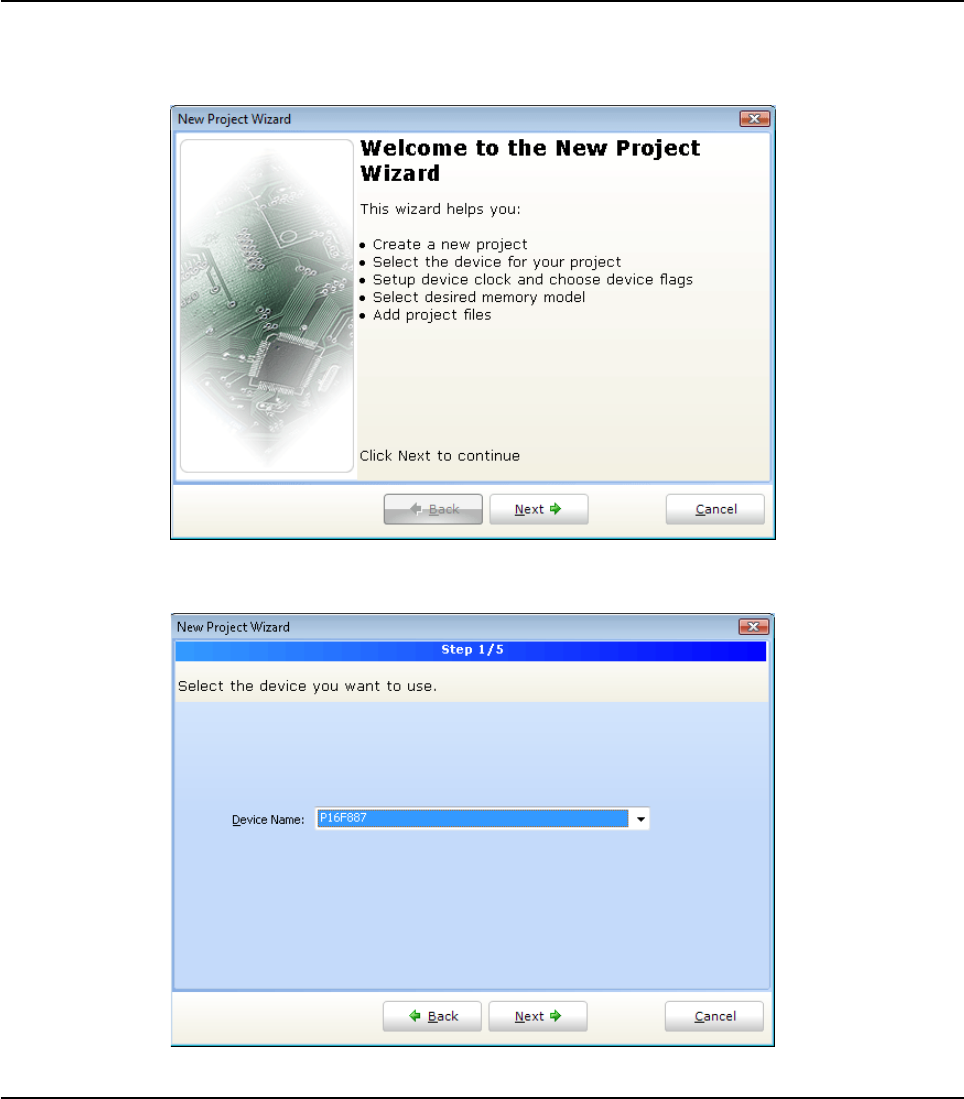
78 MIKROELEKTRONIKA - SOFTWARE AND HARDWARE SOLUTIONS FOR EMBEDDED WORLD
Environment mikroBasic PRO for PIC
CHAPTER 2
New Project Wizard Steps
Start creating your New project, by clicking Next button:
Step One - Select the device from the device drop-down list.
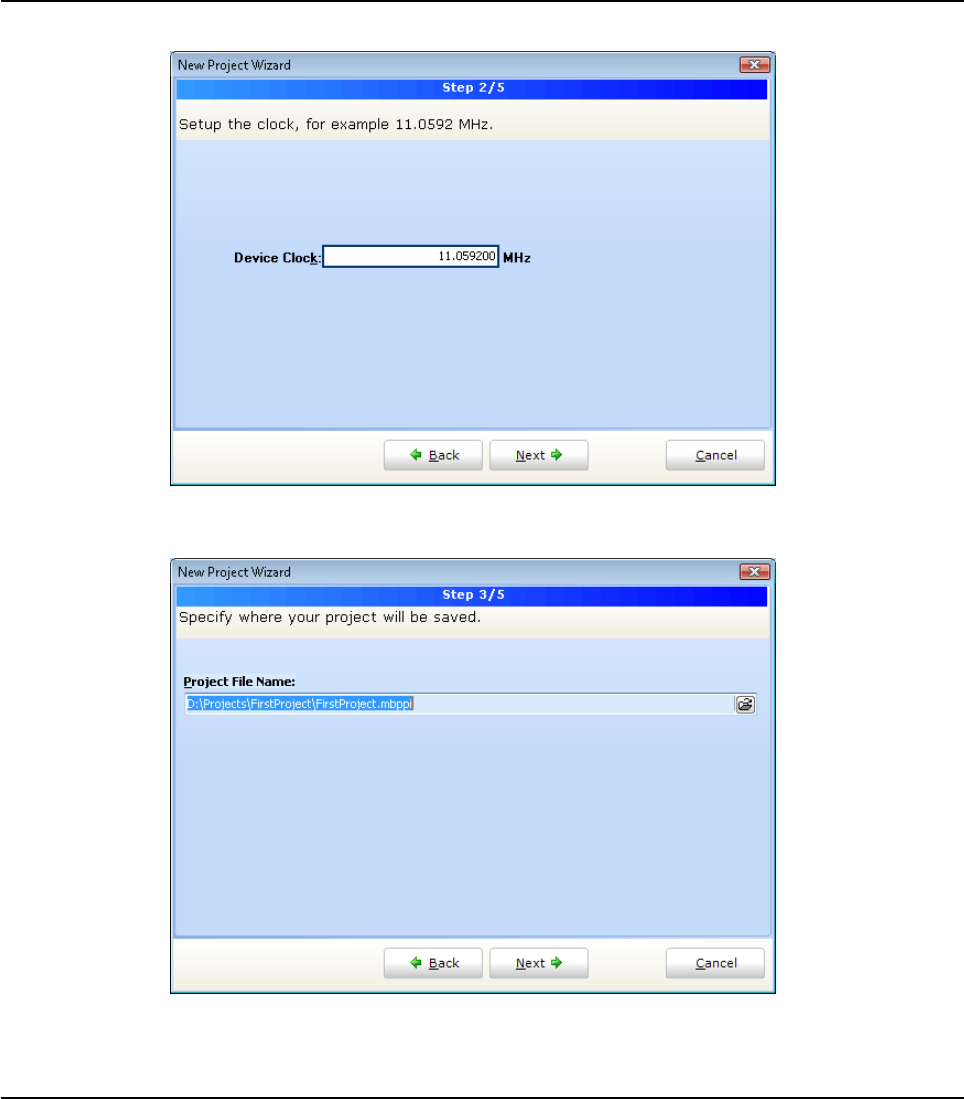
79
MIKROELEKTRONIKA - SOFTWARE AND HARDWARE SOLUTIONS FOR EMBEDDED WORLD
Environment
mikroBasic PRO for PIC
CHAPTER 2
Step Two- enter the oscillator frequency value.
Step Three - Specify the location where your project will be saved.
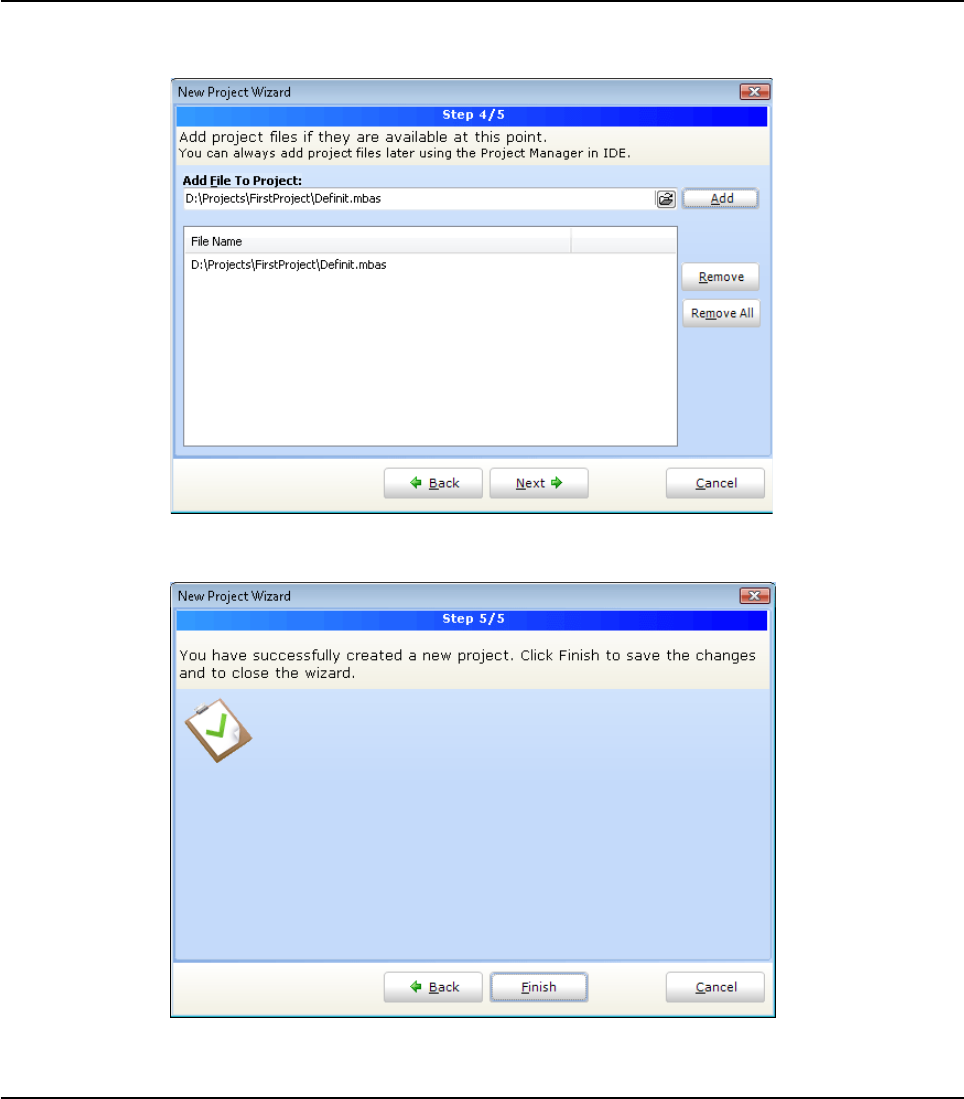
80 MIKROELEKTRONIKA - SOFTWARE AND HARDWARE SOLUTIONS FOR EMBEDDED WORLD
Environment mikroBasic PRO for PIC
CHAPTER 2
Step Four - Add project file to the project if they are avaiable at this point. You can
always add project files later using Project Manager.
Step Five - Click Finish button to create your New Project:
Related topics: Project Manager, Project Settings
81
MIKROELEKTRONIKA - SOFTWARE AND HARDWARE SOLUTIONS FOR EMBEDDED WORLD
Environment
mikroBasic PRO for PIC
CHAPTER 2
CUSTOMIZING PROJECTS
You can change basic project settings in the Project Settings window. You can
change chip, oscillator frequency, and memory model. Any change in the Project
Setting Window affects currently active project only, so in case more than one proj-
ect is open, you have to ensure that exactly the desired project is set as active one
in the Project Manager. Also, you can change configuration bits of the selected chip
in the Edit Project window.
Managing Project Group
mikroBasic PRO for PIC IDE provides covenient option which enables several proj-
ects to be open simultaneously. If you have several projects being connected in
some way, you can create a project group.
The project group may be saved by clicking the Save Project Group Icon from
the Project Manager window. The project group may be reopend by clicking the
Open Project Group Icon . All relevant data about the project group is stored
in the project group file (extension .mpg)
Add/Remove Files from Project
The project can contain the following file types:
.mpas source files
.mcl binary files
.pld project level defines files (future upgrade)
image files
.hex, .asm and .lst files, see output files. These files can not be added
or removed from project.
other files
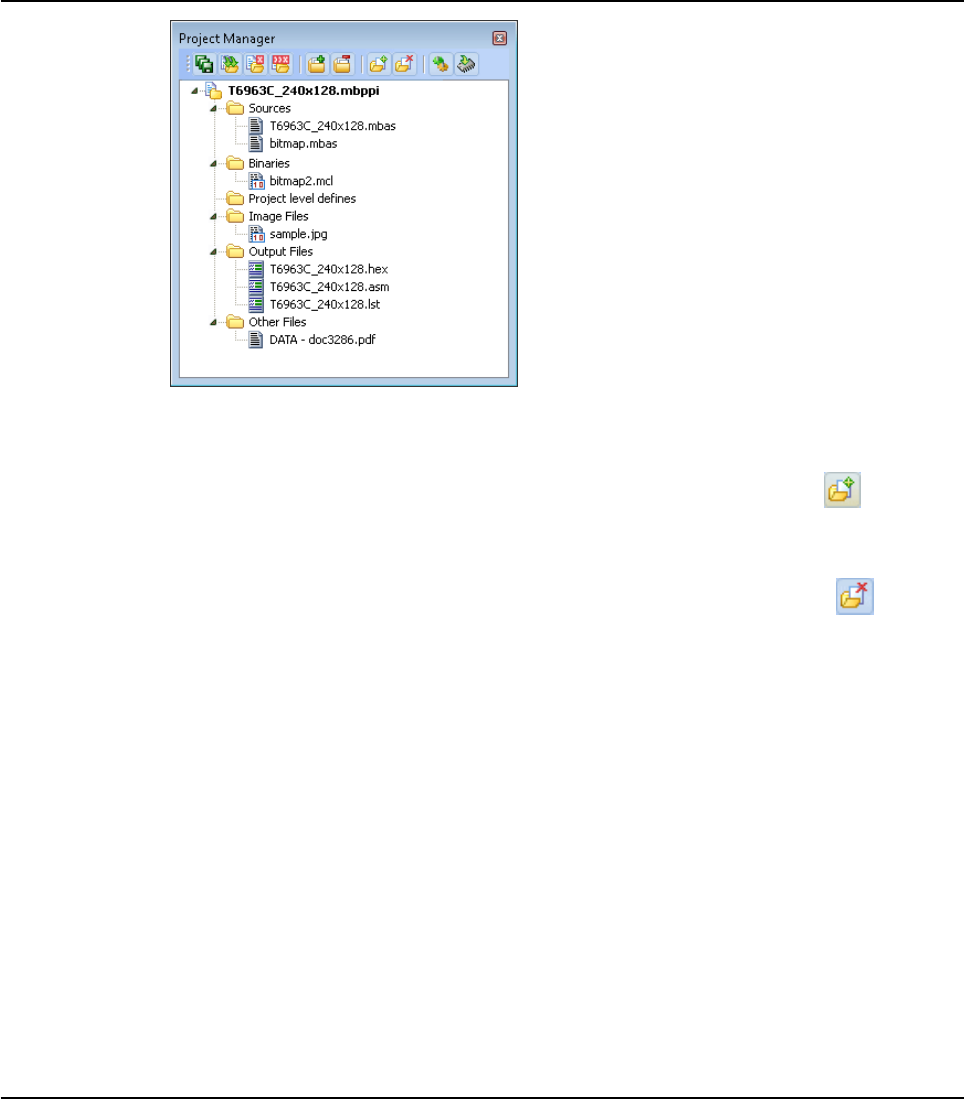
82 MIKROELEKTRONIKA - SOFTWARE AND HARDWARE SOLUTIONS FOR EMBEDDED WORLD
Environment mikroBasic PRO for PIC
CHAPTER 2
The list of relevant source files is stored in the project file (extension .mbpav).
To add source file to the project, click the Add File to Project Icon
Each added source file must be self-contained, i.e. it must have all necessary defi-
nitions after preprocessing.
To remove file(s) from the project, click the Remove File from Project Icon
Note: For inclusion of the module files, use the include clause. See File Inclusion
for more information.
Project Level Defines
Project Level Defines (.pld) files can also be added to project. Project level define
files enable you to have defines that are visible in all source files in the project. One
project may contain several pld files. A file must contain one definition per line, for
example:
ANALOG
DEBUG
TEST
There are some predefined project level defines. See predefined project level
defines
Related topics: Project Manager, Project Settings

83
MIKROELEKTRONIKA - SOFTWARE AND HARDWARE SOLUTIONS FOR EMBEDDED WORLD
Environment
mikroBasic PRO for PIC
CHAPTER 2
SOURCE FILES
Source files containing Basic code should have the extension .mbas. The list of
source files relevant to the application is stored in project file with extension .mbpav,
along with other project information. You can compile source files only if they are
part of the project.
Managing Source Files
Creating new source file
To create a new source file, do the following:
1. Select File › New Unit from the drop-down menu, or press Ctrl+N, or click the
New File Icon from the File Toolbar.
2. A new tab will be opened. This is a new source file. Select File › Save from
the drop-down menu, or press Ctrl+S, or click the Save File Icon from
the File Toolbar and name it as you want.
If you use the New Project Wizard, an empty source file, named after the project with
extension .mbas, will be created automatically. The mikroBasic PRO for PIC does
not require you to have a source file named the same as the project, it’s just a mat-
ter of convenience.
Opening an existing file
1. Select File › Open from the drop-down menu, or press Ctrl+O, or click the
Open File Icon from the File Toolbar. In Open Dialog browse to the loca
tion of the file that you want to open, select it and click the Open button.
2. The selected file is displayed in its own tab. If the selected file is already open,
its current Editor tab will become active.
Printing an open file
1. Make sure that the window containing the file that you want to print is the
active window.
2. Select File › Print from the drop-down menu, or press Ctrl+P.
3. In the Print Preview Window, set a desired layout of the document and click
the OK button. The file will be printed on the selected printer.

84 MIKROELEKTRONIKA - SOFTWARE AND HARDWARE SOLUTIONS FOR EMBEDDED WORLD
Environment mikroBasic PRO for PIC
CHAPTER 2
Saving file
1. Make sure that the window containing the file that you want to save is the
active window.
2. Select File › Save from the drop-down menu, or press Ctrl+S, or click the
Save File Icon from the File Toolbar.
Saving file under a different name
1. Make sure that the window containing the file that you want to save is the
active window.
2. Select File ›Save As from the drop-down menu. The New File Name dialog
will be displayed.
3. In the dialog, browse to the folder where you want to save the file.
4. In the File Name field, modify the name of the file you want to save.
5. Click the Save button.
Closing file
1. Make sure that the tab containing the file that you want to close is the active tab.
2. Select File › Close from the drop-down menu, or right click the tab of the file
that you want to close and select Close option from the context menu.
3. If the file has been changed since it was last saved, you will be prompted to
save your changes.
Related topics:File Menu, File Toolbar, Project Manager, Project Settings,
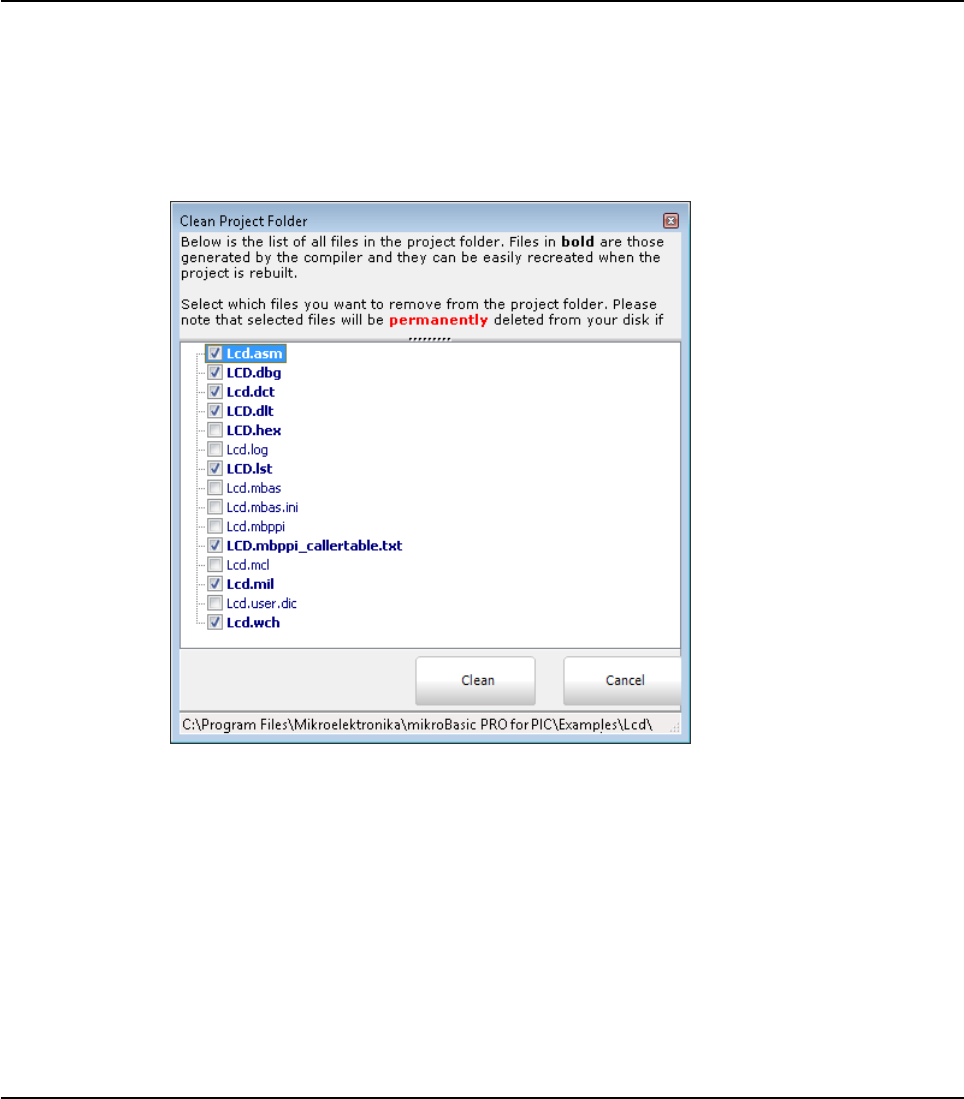
85
MIKROELEKTRONIKA - SOFTWARE AND HARDWARE SOLUTIONS FOR EMBEDDED WORLD
Environment
mikroBasic PRO for PIC
CHAPTER 2
CLEAN PROJECT FOLDER
This menu gives you option to choose which files from your current project you want
to delete.
Files marked in bold can be easily recreated by building a project. Other files should
be marked for deletion only with a great care, because IDE cannot recover them.
Related topics: Customizing Projects

86 MIKROELEKTRONIKA - SOFTWARE AND HARDWARE SOLUTIONS FOR EMBEDDED WORLD
Environment mikroBasic PRO for PIC
CHAPTER 2
COMPILATION
When you have created the project and written the source code, it's time to compile
it. Select Project › Build from the drop-down menu, or click the Build Icon from
the Project Toolbar. If more more than one project is open you can compile all open
projects by selecting Project › Build All from the drop-down menu, or click the Build
All Icon from the Project Toolbar.
Progress bar will appear to inform you about the status of compiling. If there are
some errors, you will be notified in the Error Window. If no errors are encountered,
the mikroBasic PRO for PIC will generate output files.
Output Files
Upon successful compilation, the mikroBasic PRO for PIC will generate output files
in the project folder (folder which contains the project file .mbpav). Output files are
summarized in the table below:
Assembly View
After compiling the program in the mikroBasic PRO for PIC, you can click the View
Assembly icon or select Project › View Assembly from the drop-down menu
to review the generated assembly code (.asm file) in a new tab window. Assembly
is human-readable with symbolic names.
Related topics:Project Menu, Project Toolbar, Error Window, Project Manager, Pro-
ject Settings
Format Description File Type
Intel HEX Intel style hex records. Use this file to program
PIC MCU .hex
Binary mikro Compiled Library. Binary distribution of
application that can be included in other projects. .mcl
List File Overview of PIC memory allotment: instruction
addresses, registers, routines and labels. .lst
Assembler File Human readable assembly with symbolic names,
extracted from the List File. .asm

87
MIKROELEKTRONIKA - SOFTWARE AND HARDWARE SOLUTIONS FOR EMBEDDED WORLD
Environment
mikroBasic PRO for PIC
CHAPTER 2
ERROR MESSAGES
Compiler Error Messages:
"%s" is not valid identifier.
Unknown type "%s".
IIdentifier "%s" was not declared.
Syntax error: Expected "%s" but "%s" found.
Argument is out of range "%s".
Syntax error in additive expression.
File "%s" not found.
Invalid command "%s".
Not enough parameters.
Too many parameters.
Too many characters.
Actual and formal parameters must be identical.
Invalid ASM instruction: "%s".
Identifier "%s" has been already declared in "%s".
Syntax error in multiplicative expression.
Definition file for "%s" is corrupted.
ORG directive is currently supported for interrupts only.
Not enough ROM.
Not enough RAM.
External procedure "%s" used in "%s" was not found.
Internal error: "%s".
Unit cannot recursively use itself.
"%s" cannot be used out of loop.
Actual and formal parameters do not match ("%s" to "%s").
Constant cannot be assigned to.
Constant array must be declared as global.
Incompatible types ("%s" to "%s").
Too many characters ("%s").
Soft_Uart cannot be initialized with selected baud rate/device clock.
Main label cannot be used in modules.
Break/Continue cannot be used out of loop.
Preprocessor Error: "%s".
Expression is too complicated.
Duplicated label "%s".
Complex type cannot be declared here.
Record is empty.
Unknown type "%s".
File not found "%s".
Constant argument cannot be passed by reference.
Pointer argument cannot be passed by reference.

88 MIKROELEKTRONIKA - SOFTWARE AND HARDWARE SOLUTIONS FOR EMBEDDED WORLD
Environment mikroBasic PRO for PIC
CHAPTER 2
Operator "%s" not applicable to these operands "%s".
Exit cannot be called from the main block.
Complex type parameter must be passed by reference.
Error occured while compiling "%s".
Recursive types are not allowed.
Adding strings is not allowed, use "strcat" procedure instead.
Cannot declare pointer to array, use pointer to structure which has array
field.
Return value of the function "%s" is not defined.
Assignment to for loop variable is not allowed.
"%s" is allowed only in the main program.
Start address of "%s" has already been defined.
Simple constant cannot have a fixed address.
Invalid date/time format.
Invalid operator "%s".
File "%s" is not accessible.
Forward routine "%s" is missing implementation.
";" is not allowed before "else".
Not enough elements: expected "%s", but "%s" elements found.
Too many elements: expected "%s" elements.
"external" is allowed for global declarations only.
Destination size ("%s")does not match source size ("%s").
Routine prototype is different from previous declaration.
Division by zero.
Uart module cannot be initialized with selected baud rate/device clock.
"%s" cannot be of "%s" type.
Array of "%s" can not be declared.
Incomplete variable declaration: "%s".
Recursive build of units is not allowed (""%s"").
Object must be smaller than 64kb in size: ""%s"".
Index out of bounds.
With statment cannot be used with this argument ""%s"".
Reset directive is available only on P18 family.

89
MIKROELEKTRONIKA - SOFTWARE AND HARDWARE SOLUTIONS FOR EMBEDDED WORLD
Environment
mikroBasic PRO for PIC
CHAPTER 2
Warning Messages:
Variable "%s" is not initialized.
Return value of the function "%s" is not defined.
Identifier "%s" overrides declaration in unit "%s".
Generated baud rate is %s bps (error = %s percent).
Result size may exceed destination array size.
Infinite loop.
Implicit typecast performed from "%s" to "%s".
Implicit typecast of integral value to pointer.
Library "%s" was not found in search path.
Interrupt context saving has been turned off.
Source size (%s)does not match destination size (%s).
Aggregate padded with zeros (%s)in order to match declared size (%s).
Suspicious pointer conversion.
Source size may exceed destination size.
Hint Messages:
Constant "%s" has been declared, but not used.
Variable "%s" has been declared, but not used.
Unit "%s" has been recompiled.
Variable "%s" has been eliminated by optimizer.
Compiling unit "%s".
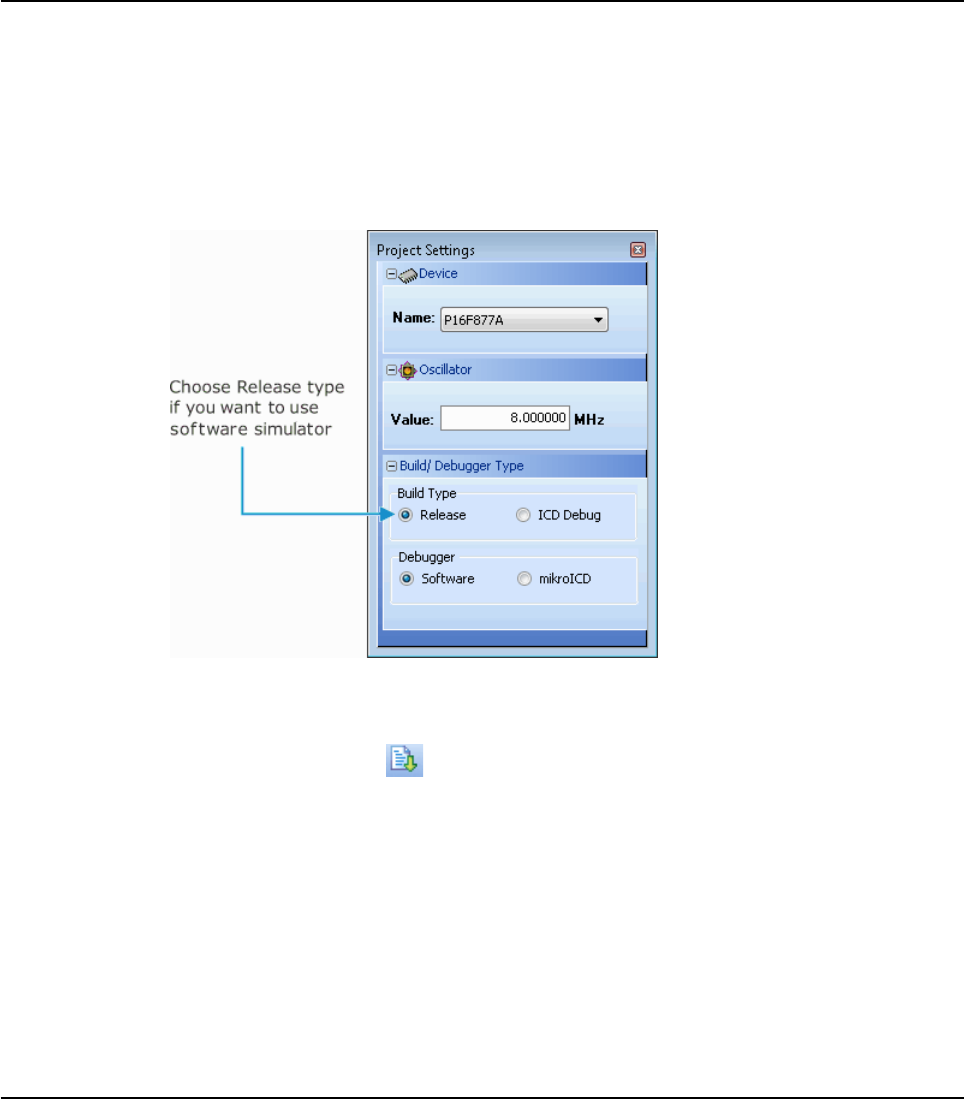
90 MIKROELEKTRONIKA - SOFTWARE AND HARDWARE SOLUTIONS FOR EMBEDDED WORLD
Environment mikroBasic PRO for PIC
CHAPTER 2
SOFTWARE SIMULATOR OVERVIEW
The Source-level Software Simulator is an integral component of the mikroBasic
PRO for PIC environment. It is designed to simulate operations of the PIC MCUs
and assist the users in debugging Basic code written for these devices.
Upon completion of writing your program, choose Release build Type in the Project
Settings window:
After you have successfully compiled your project, you can run the Software Simu-
lator by selecting Run › Start Debugger from the drop-down menu, or by clicking
the Start Debugger Icon from the Debugger Toolbar. Starting the Software Sim-
ulator makes more options available: Step Into, Step Over, Step Out, Run to Cursor,
etc. Line that is to be executed is color highlighted (blue by default).
Note: The Software Simulator simulates the program flow and execution of instruc-
tion lines, but it cannot fully emulate 8051 device behavior, i.e. it doesn’t update
timers, interrupt flags, etc.
Breakpoints Window
The Breakpoints window manages the list of currently set breakpoints in the project.
Doubleclicking the desired breakpoint will cause cursor to navigate to the correspon-
ding location in source code.

91
MIKROELEKTRONIKA - SOFTWARE AND HARDWARE SOLUTIONS FOR EMBEDDED WORLD
Environment
mikroBasic PRO for PIC
CHAPTER 2
Watch Window
The Software Simulator Watch Window is the main Software Simulator window
which allows you to monitor program items while simulating your program. To show
the Watch Window, select View › Debug Windows › Watch from the drop-down
menu.
The Watch Window displays variables and registers of the MCU, along with their
addresses and values.
There are two ways of adding variable/register to the watch list:
by its real name (variable's name in "Basic" code). Just select desired
variable/register from Select variable from list drop-down menu and click
the Add Butto .
by its name ID (assembly variable name). Simply type name ID of the
variable/register you want to display into Search the variable by assemby
name box and click the Add Button .
Viables can also be removed from the Watch window, just select the vari
able that you want to remove and then click the Remove Button
.
Add All Button adds all variables.
Remove All Button removes all variables.
You can also expand/collapse complex variables, i.e. struct type variables, strings...
Values are updated as you go through the simulation. Recently changed items are
colored red.

92 MIKROELEKTRONIKA - SOFTWARE AND HARDWARE SOLUTIONS FOR EMBEDDED WORLD
Environment mikroBasic PRO for PIC
CHAPTER 2
Double clicking a variable or clicking the Properties Button opens
the Edit Value window in which you can assign a new value to the selected
variable/register. Also, you can choose the format of variable/register representation
between decimal, hexadecimal, binary, float or character. All representations except
float are unsigned by default. For signed representation click the check box next to
the Signed label.
An item's value can be also changed by double clicking item's value field and typing
the new value directly.
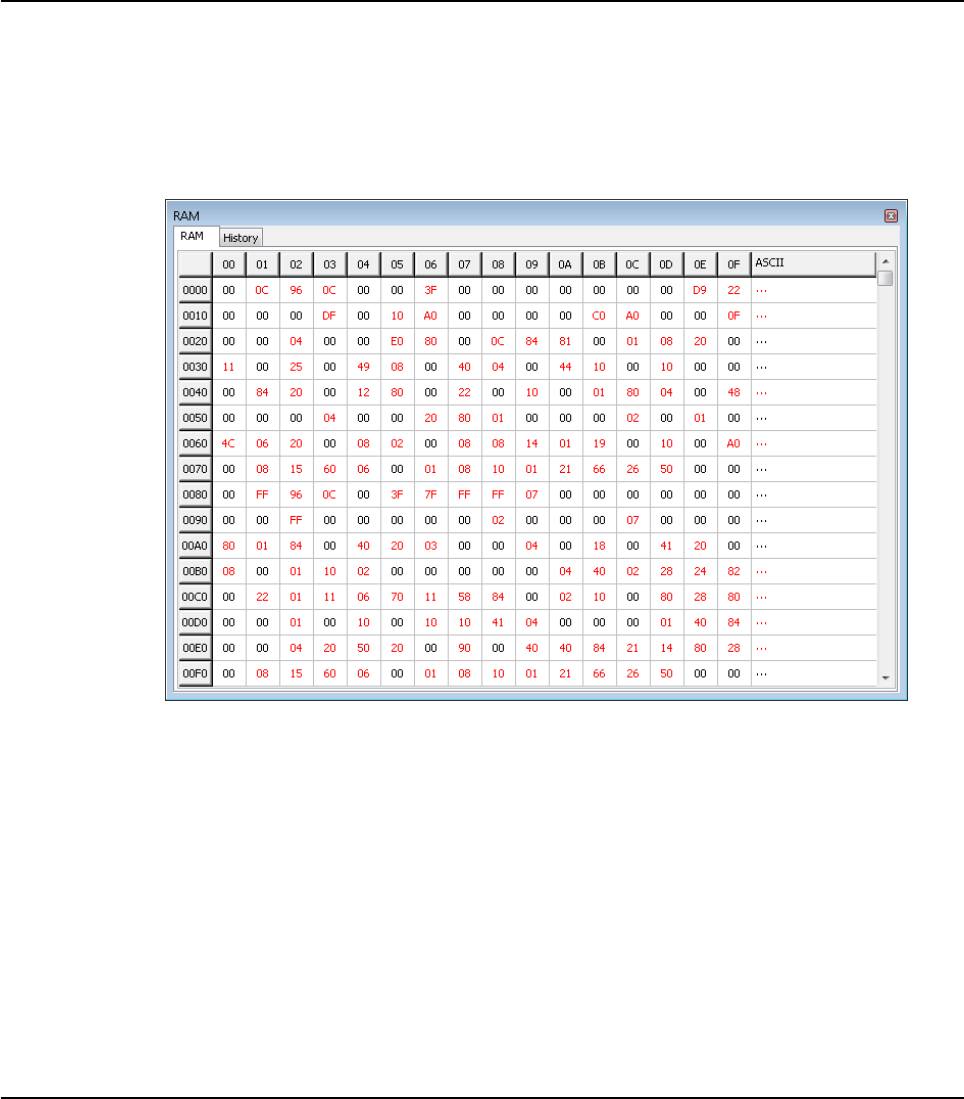
93
MIKROELEKTRONIKA - SOFTWARE AND HARDWARE SOLUTIONS FOR EMBEDDED WORLD
Environment
mikroBasic PRO for PIC
CHAPTER 2
View RAM Window
The Software Simulator RAM Window is available from the drop-down menu, View
› Debug Windows › View RAM.
The View RAM Window displays the map of PIC’s RAM, with recently changed
items colored red.
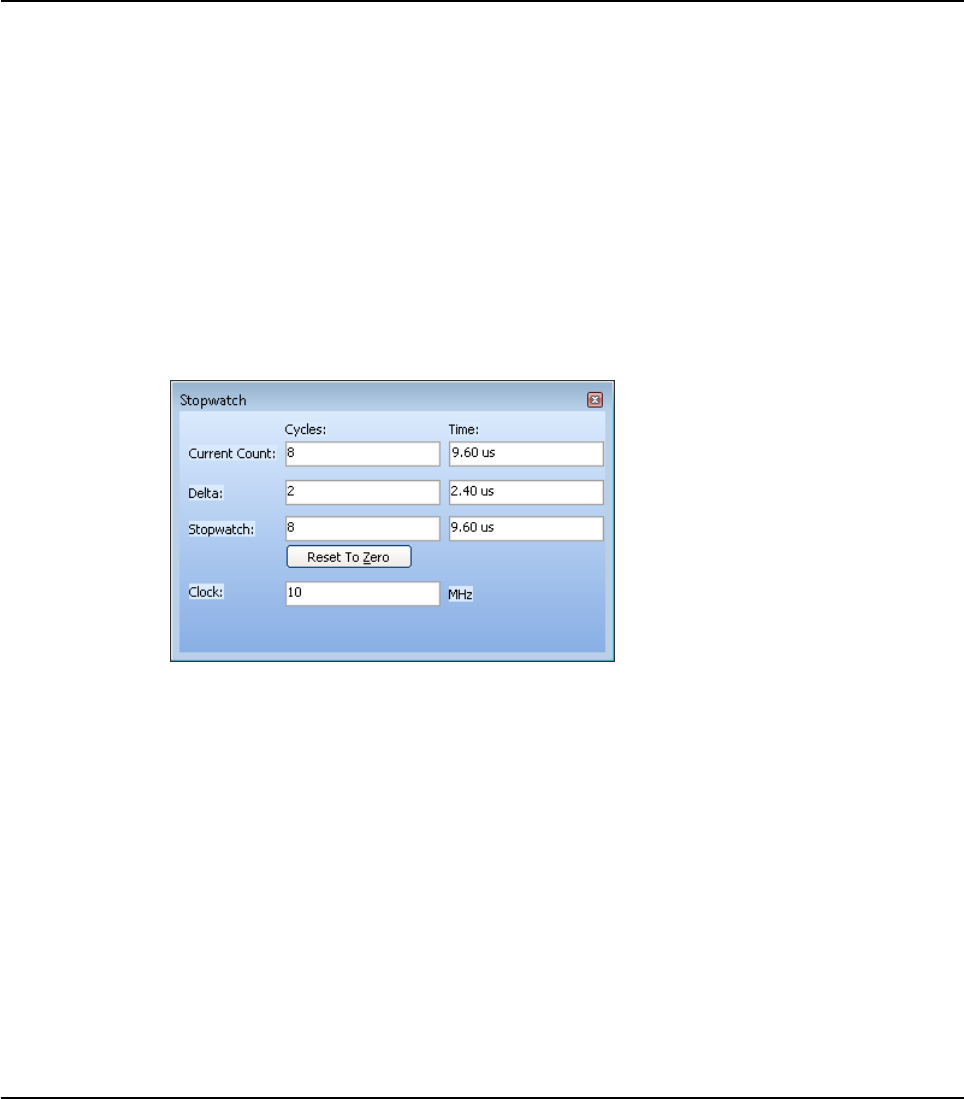
94 MIKROELEKTRONIKA - SOFTWARE AND HARDWARE SOLUTIONS FOR EMBEDDED WORLD
Environment mikroBasic PRO for PIC
CHAPTER 2
Stopwatch Window
The Software Simulator Stopwatch Window is available from the drop-down menu,
View › Debug Windows › Stopwatch.
The Stopwatch Window displays a current count of cycles/time since the last Soft-
ware Simulator action. Stopwatch measures the execution time (number of cycles)
from the moment Software Simulator has started and can be reset at any time. Delta
represents the number of cycles between the lines where Software Simulator action
has started and ended.
Note: The user can change the clock in the Stopwatch Window, which will recalcu-
late values for the latest specified frequency. Changing the clock in the Stopwatch
Window does not affect actual project settings – it only provides a simulation.
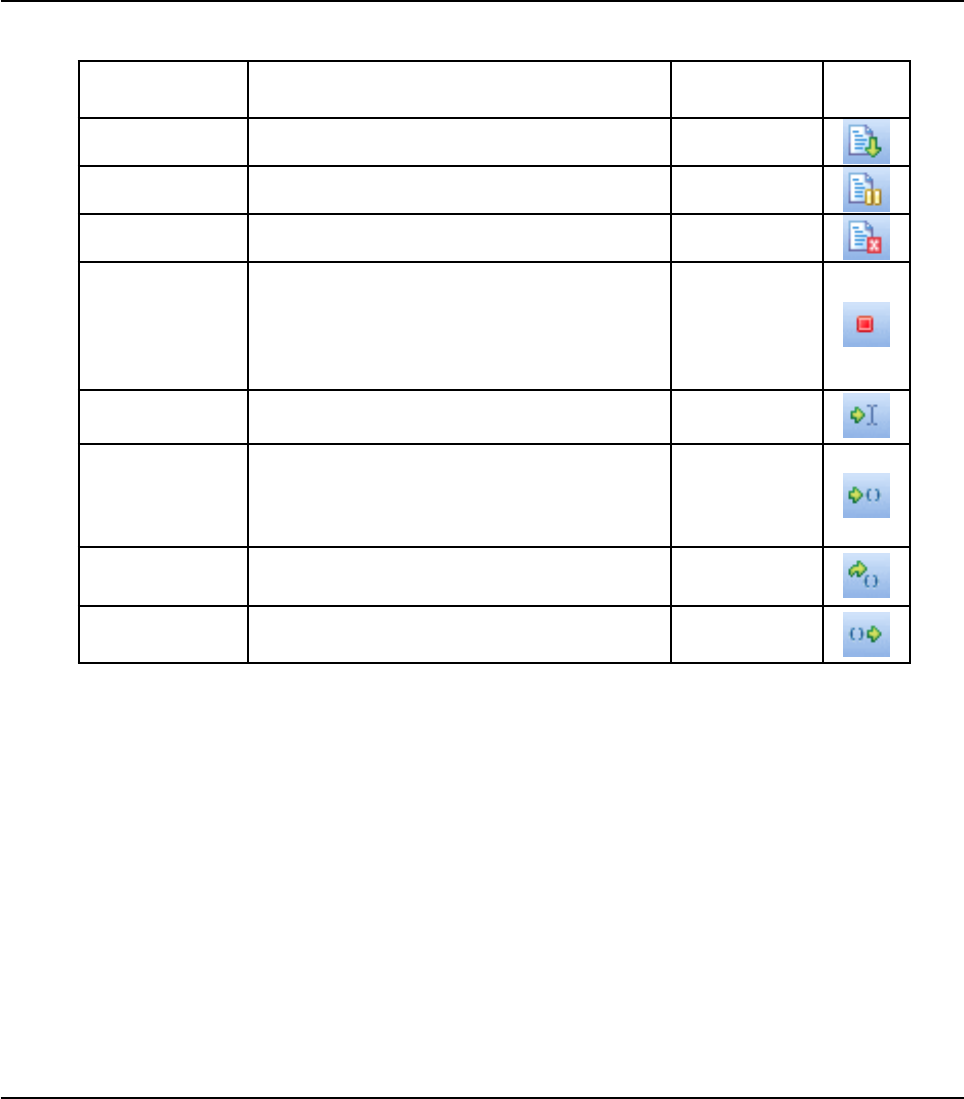
95
MIKROELEKTRONIKA - SOFTWARE AND HARDWARE SOLUTIONS FOR EMBEDDED WORLD
Environment
mikroBasic PRO for PIC
CHAPTER 2
SOFTWARE SIMULATOR OPTIONS
Related topics: Run Menu, Debug Toolbar
Name Description Function Key Toolbar
Icon
Start Debugger Start Software Simulator. [F9]
Run/Pause
Debugger Run or pause Software Simulator. [F6]
Stop Debugger Stop Software Simulator. [Ctrl+F2]
Toggle
Breakpoints
Toggle breakpoint at the current cursor posi-
tion. To view all breakpoints, select Run >
View Breakpoints from the drop–down menu.
Double clicking an item in the Breakpoints
Window List locates the breakpoint.
[F5]
Run to cursor Execute all instructions between the current
instruction and cursor position. [F4]
Step Into
Execute the current Basic (single or multi–cycle)
instruction, then halt. If the instruction is a routine
call, enter the routine and halt at the first instruc-
tion following the call.
[F7]
Step Over Execute the current Basic (single or
multi–cycle) instruction, then halt. [F8]
Step Out Execute all remaining instructions in the cur-
rent routine, return and then halt. [Ctrl+F8]

96 MIKROELEKTRONIKA - SOFTWARE AND HARDWARE SOLUTIONS FOR EMBEDDED WORLD
Environment mikroBasic PRO for PIC
CHAPTER 2
CREATING NEW LIBRARY
mikroBasic PRO for PIC allows you to create your own libraries. In order to create
a library in mikroBasic PRO for PIC follow the steps bellow:
1. Create a new Basic source file, see Managing Source Files
2. Save the file in the compiler's Uses folder:
DriveName:\Program Files\Mikroelektronika\mikroBasic PRO
for PIC\Uses\P16\
DriveName:\Program Files\Mikroelektronika\mikroBasic PRO
for PIC\Uses\P18\
If you are creating library for PIC16 MCU family the file should be saved in P16 folder.
If you are creating library for PIC18 MCU family the file should be saved in P18 folder.
If you are creating library for PIC16 and PIC18 MCU families the file should be
saved in both folders.
3. Write a code for your library and save it.
4. Add _Lib_Example file in some project, see Project Manager. Recompile the project.
If you wish to use this library for all MCUs, then you should go to Tools ›
Options › Output settings, and check Build all files as library box.
This will build libraries in a common form which will work with all MCUs. If this
box is not checked, then the library will be built for selected MCU.
Bear in mind that compiler will report an error if a library built for specific MCU
is used for another one.
5.Compiled file __Lib_Example.mcl should appear in ...\mikroBasic PRO
for PIC\Uses\P16\ folder.
6.Open the definition file for the MCU that you want to use. This file is placed in
the compiler's Defs folder:
DriveName:\Program Files\Mikroelektronika\mikroBasic PRO
for PIC\Defs\
and it is named MCU_NAME.mlk, for example P16F887.mlk
7.Add the the following segment of code to <LIBRARIES> node of the definition
file (definition file is in XML format):
<LIB>
<ALIAS>Example_Library</ALIAS>
<FILE>__Lib_Example</FILE>
<TYPE>REGULAR</TYPE>
</LIB>
8. Add Library to mlk file for each MCU that you want to use with your library.
9. Click Refresh button in Library Manager
10.Example_Library should appear in the Library manager window.
Multiple Library Versions
Library Alias represents unique name that is linked to corresponding Library .mcl
file. For example UART library for 16F887 is different from UART library for 18F4520
MCU. Therefore, two different UART Library versions were made, see mlk files for
these two MCUs. Note that these two libraries have the same Library Alias (UART)
in both mlk files. This approach enables you to have identical representation of
UART library for both MCUs in Library Manager.
Related topics: Library Manager, Project Manager, Managing Source Files

MIKROICD (IN-CIRCUIT DEBUGGER)
mikroICD is highly effective tool for Real-Time debugging on hardware level. ICD
debugger enables you to execute a mikroBasic PRO for PIC program on a host PIC
microcontroller and view variable values, Special Function Registers (SFR), memo-
ry and EEPROM as the program is running.
33
97
CHAPTER

98 MIKROELEKTRONIKA - SOFTWARE AND HARDWARE SOLUTIONS FOR EMBEDDED WORLD
mikroICD
CHAPTER 3
mikroBasic PRO for PIC
If you have appropriate hardware and software for using mikroICD then you have to
upon completion of writing your program to choose between Release build Type or
ICD Debug build type.
You can run the mikroICD by selecting Run › Debug from the drop-down menu, or
by clicking Debug Icon . Starting the Debugger makes more options available:
Step Into, Step Over, Run to Cursor, etc. Line that is to be executed is color high-
lighted (blue by default). There is also notification about program execution and it
can be found on Watch Window (yellow status bar). Note that some functions take
time to execute, so running of program is indicated on Watch Window.
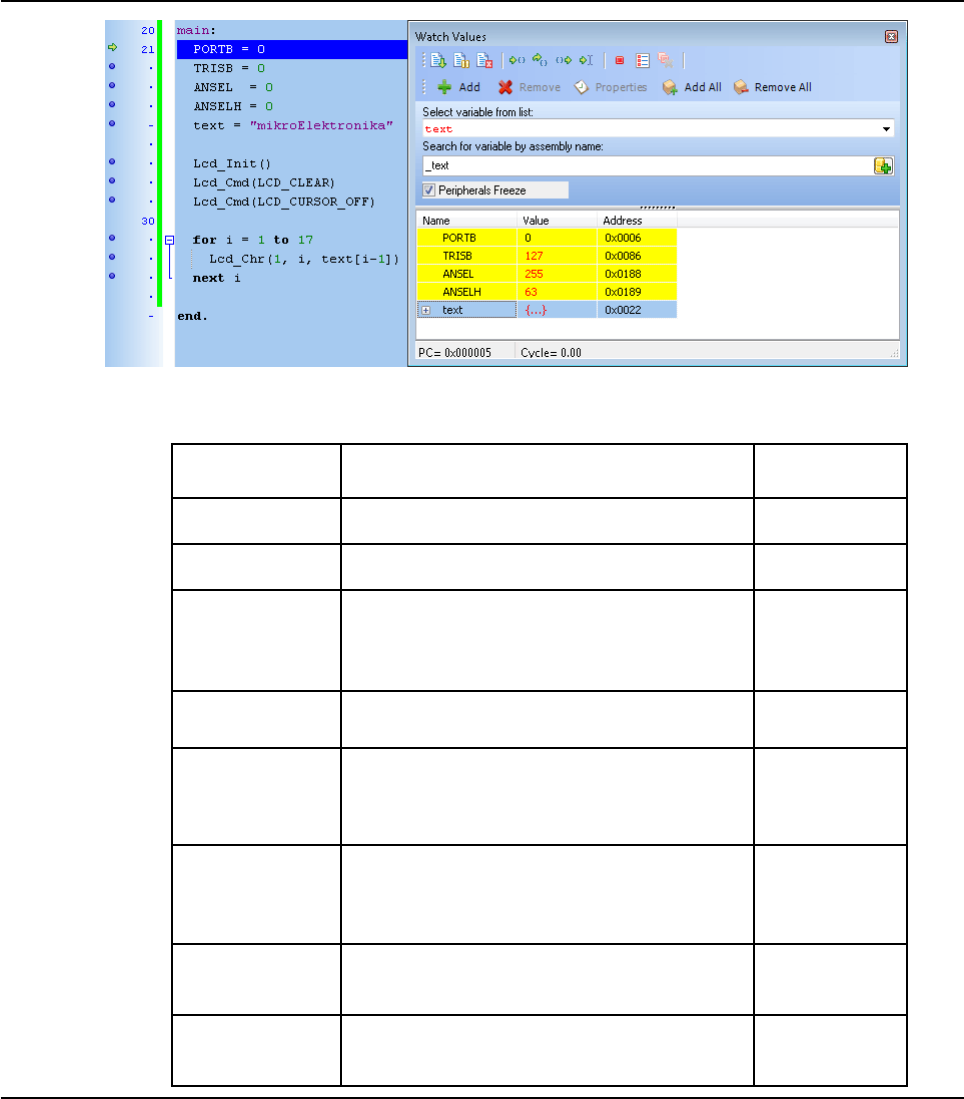
99
MIKROELEKTRONIKA - SOFTWARE AND HARDWARE SOLUTIONS FOR EMBEDDED WORLD
mikroICD
mikroBasic PRO for PIC
CHAPTER 3
mikroICD Debugger Optional
Name Description Function Key
+Debug Start Software Simulator. [F9]
Run/Pause
Debugger Run or pause Software Simulator. [F6]
Toggle
Breakpoints
Toggle breakpoint at the current cursor position.
To view all breakpoints, select Run > View Break-
points from the drop–down menu. Double clicking
an item in the window list locates the breakpoint.
[F5]
Run to cursor Execute all instructions between the current
instruction and cursor position. [F4]
Step Into
Execute the current C (single– or multi–cycle)
instruction, then halt. If the instruction is a routine call,
enter the routine and halt at the first instruction fol-
lowing the call.
[F7]
Step Over
Execute the current C (single– or multi–cycle)
instruction, then halt. If the instruction is a routine
call, skip it and halt at the first instruction follow-
ing the call.
[F8]
Flush RAM
Flushes current PIC RAM. All variable values will
be changed according to values from watch win-
dow.
N/A
Disassembly
View
Toggle between disassembly and Basic source
view. [Alt+D]

100 MIKROELEKTRONIKA - SOFTWARE AND HARDWARE SOLUTIONS FOR EMBEDDED WORLD
mikroICD
CHAPTER 3
mikroBasic PRO for PIC
MIKROICD DEBUGGER EXAMPLE
Here is a step by step mikroICD Debugger Example.
First you have to write a program. We will show how mikroICD works using this
example:
program Lcd_Test
dim LCD_RS as sbit at RB4_bit
dim LCD_EN as sbit at RB5_bit
dim LCD_D4 as sbit at RB0_bit
dim LCD_D5 as sbit at RB1_bit
dim LCD_D6 as sbit at RB2_bit
dim LCD_D7 as sbit at RB3_bit
dim LCD_RS_Direction as sbit at TRISB4_bit
dim LCD_EN_Direction as sbit at TRISB5_bit
dim LCD_D4_Direction as sbit at TRISB0_bit
dim LCD_D5_Direction as sbit at TRISB1_bit
dim LCD_D6_Direction as sbit at TRISB2_bit
dim LCD_D7_Direction as sbit at TRISB3_bit
dim text as char[17]
i as byte
main:
PORTB = 0
TRISB = 0
ANSEL = 0
ANSELH = 0
text = "mikroElektronika"
Lcd_Init()
Lcd_Cmd(_LCD_CLEAR)
Lcd_Cmd(_LCD_CURSOR_OFF)
for i=1 to 17
Lcd_Chr(1,i,text[i-1])
next i
end.
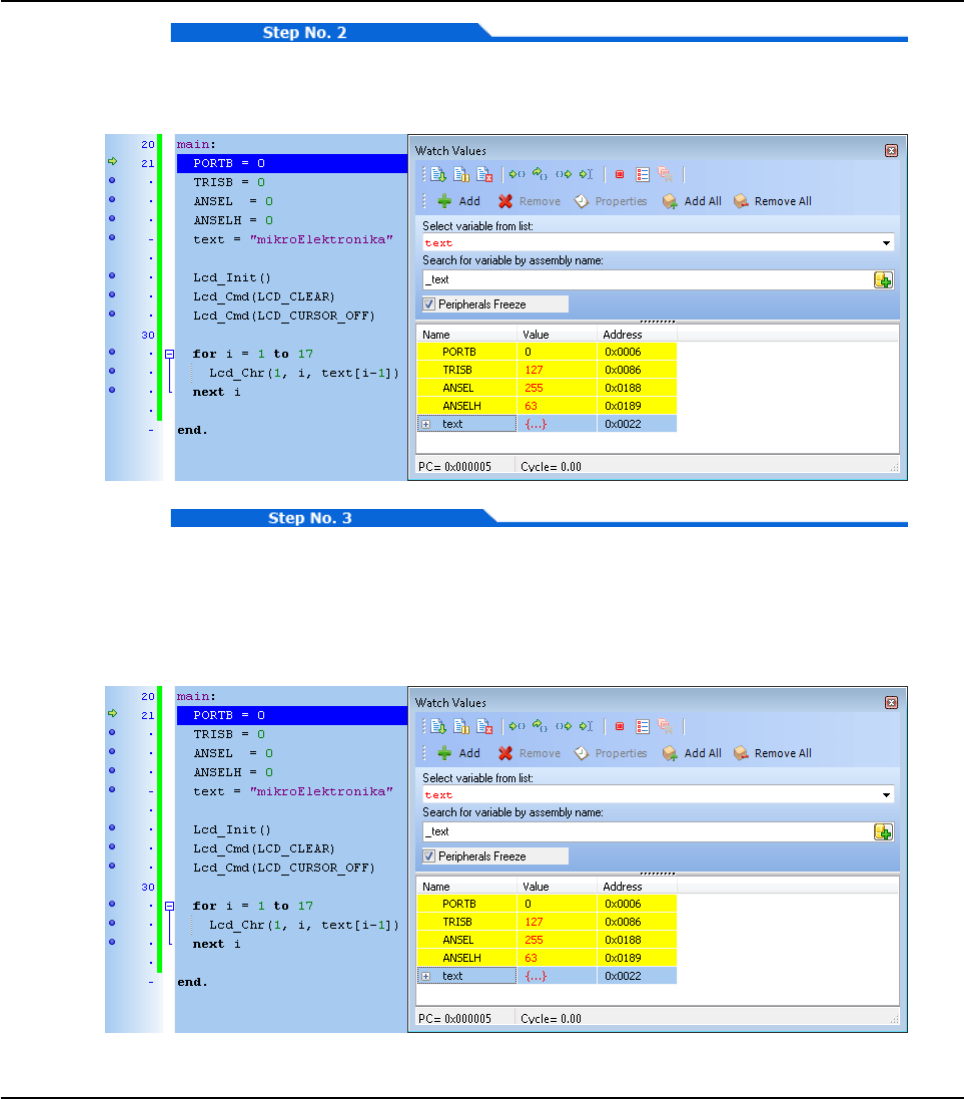
101
MIKROELEKTRONIKA - SOFTWARE AND HARDWARE SOLUTIONS FOR EMBEDDED WORLD
mikroICD
mikroBasic PRO for PIC
CHAPTER 3
After successful compilation and PIC programming press F9 for starting mikroICD.
After mikroICD initialization blue active line should appear.
We will debug program line by line. Pressing F8 we are executing code line by line.
It is recommended that user does not use Step Into [F7] and Step Over [F8] over
Delays routines and routines containing delays. Instead use Run to cursor [F4] and
Breakpoints functions. All changes are read from PIC and loaded into Watch Win-
dow. Note that PORTB, TRISB, ANSEL and ANSELH changed its value.

102 MIKROELEKTRONIKA - SOFTWARE AND HARDWARE SOLUTIONS FOR EMBEDDED WORLD
mikroICD
CHAPTER 3
mikroBasic PRO for PIC
Step Into [F7] and Step Over [F8] are mikroICD debugger functions that are used
in stepping mode. There is also Real-Time mode supported by mikroICD. Functions
that are used in Real-Time mode are Run/ Pause Debugger [F6] and Run to cursor
[F4]. Pressing F4 goes to line selected by user. User just have to select line with
cursor and press F4, and code will be executed until selected line is reached.
Run(Pause) Debugger [F6] and Toggle Breakpoints [F5] are mikroICD debugger
functions that are used in Real-Time mode. Pressing F5 marks line selected by user
for breakpoint. F6 executes code until breakpoint is reached. After reaching break-
point Debugger halts. Here at our example we will use breakpoints for writing
"mikroElektronika" on Lcd char by char. Breakpoint is set on Lcd_Chr and program
will stop everytime this function is reached. After reaching breakpoint we must press
F6 again for continuing program execution.

103
MIKROELEKTRONIKA - SOFTWARE AND HARDWARE SOLUTIONS FOR EMBEDDED WORLD
mikroICD
mikroBasic PRO for PIC
CHAPTER 3
Breakpoints has been separated into two groups. There are hardware and software
break points. Hardware breakpoints are placed in PIC and they provide fastest
debug. Number of hardware breakpoints is limited (1 for P16 and 1 or 3 or 5 for
P18). If all hardware brekpoints are used, next breakpoints that will be used are soft-
ware breakpoint. Those breakpoints are placed inside mikroICD, and they simulate
hardware breakpoints. Software breakpoints are much slower than hardware break-
points. This differences between hardware and software differences are not visible
in mikroICD software but their different timings are quite notable, so it is important
to know that there is two types of breakpoints.
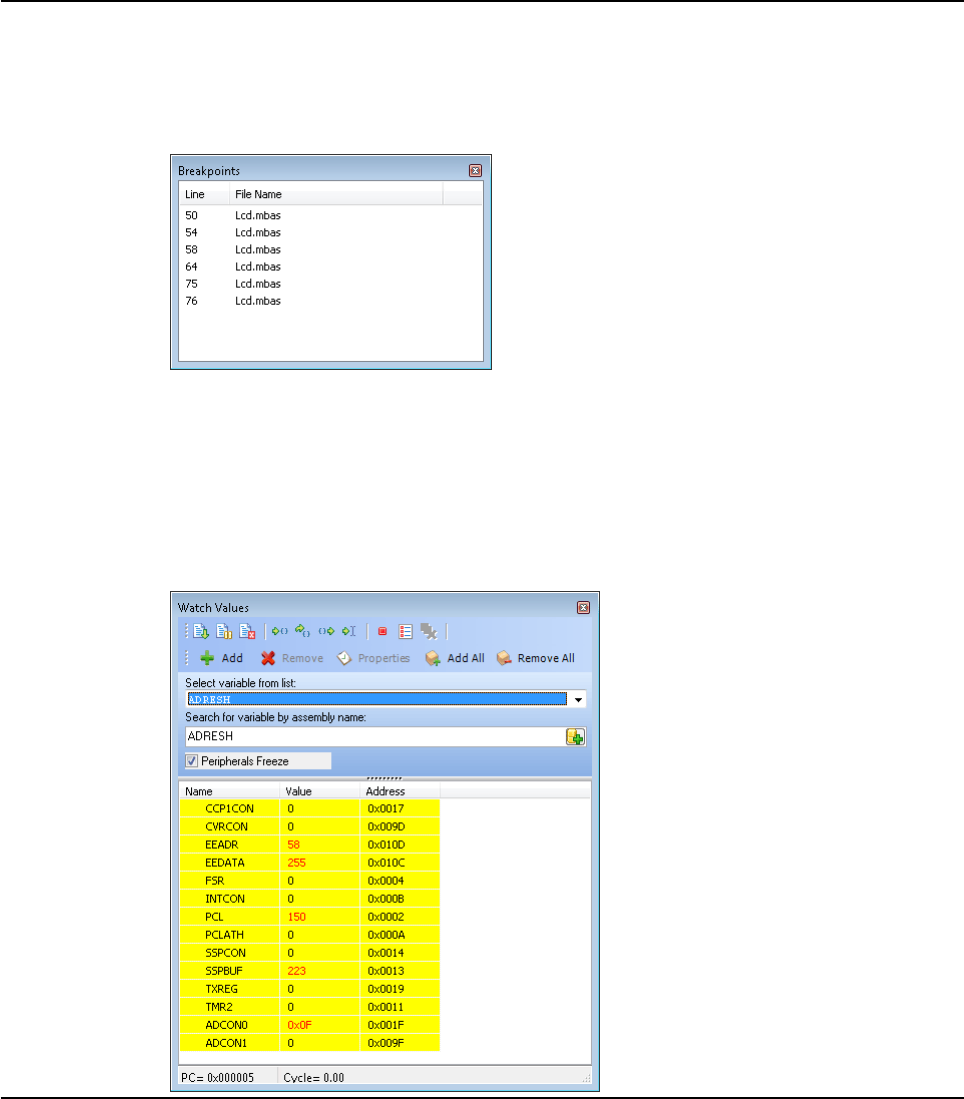
104 MIKROELEKTRONIKA - SOFTWARE AND HARDWARE SOLUTIONS FOR EMBEDDED WORLD
mikroICD
CHAPTER 3
mikroBasic PRO for PIC
MIKROICD (IN-CIRCUIT DEBUGGER) OVERVIEW
Breakpoints Window
The Breakpoints window manages the list of currently set breakpoints in the project.
Doubleclicking the desired breakpoint will cause cursor to navigate to the correspon-
ding location in source code.
Watch Window
Debugger Watch Window is the main Debugger window which allows you to moni-
tor program items while running your program. To show the Watch Window, select
View › Debug Windows › Watch Window from the drop-down menu.
The Watch Window displays variables and registers of PIC, with their addresses and
values. Values are updated as you go through the simulation. Use the drop-down
menu to add and remove the items that you want to monitor. Recently changed
items are colored red.

105
MIKROELEKTRONIKA - SOFTWARE AND HARDWARE SOLUTIONS FOR EMBEDDED WORLD
mikroICD
mikroBasic PRO for PIC
CHAPTER 3
Double clicking an item opens the Edit Value window in which you can assign a new
value to the selected variable/register. Also, you can change view to binary, hex,
char, or decimal for the selected item.
EEPROM Watch Window
mikroICD EEPROM Watch Window is available from the drop-down menu, View ›
Debug Windows › View EEPROM.
The EEPROM Watch window shows current values written into PIC internal
EEPROM memory. There are two action buttons concerning EEPROM Watch win-
dow - Write EEPROM and Read EEPROM. Write EEPROM writes data from
EEPROM Watch window into PIC internal EEPROM memory. Read EEPROM reads
data from PIC internal EEPROM memory and loads it up in EEPROM window.
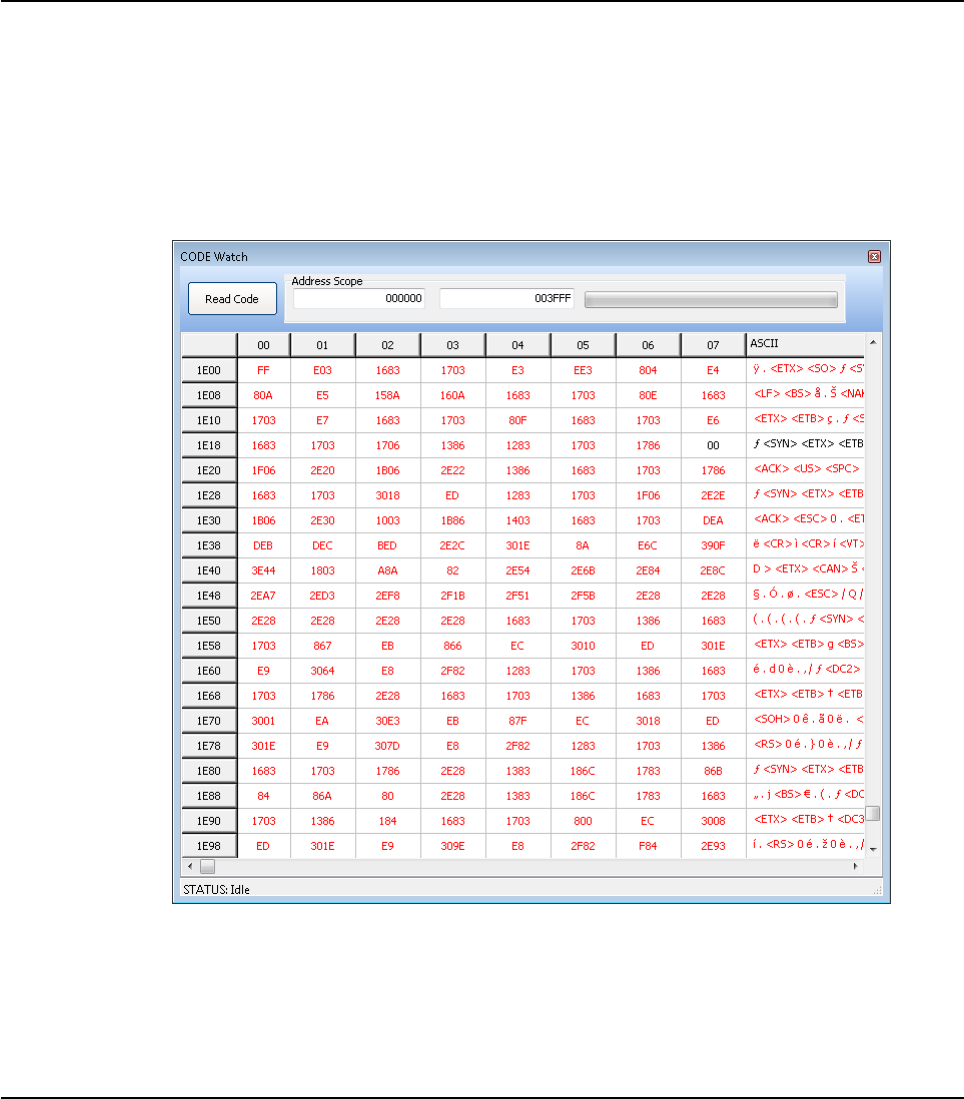
106 MIKROELEKTRONIKA - SOFTWARE AND HARDWARE SOLUTIONS FOR EMBEDDED WORLD
mikroICD
CHAPTER 3
mikroBasic PRO for PIC
Code Watch Window
mikroICD Code Watch Window is available from the drop-down menu, View ›
Debug Windows › View Code.
The Code Watch window shows code (hex code) written into PIC. There is action
button concerning Code Watch window - Read Code. Read Code reads code from
PIC and loads it up in View Code Window.
Also, you can set an address scope in which hex code will be read.
View RAM Window
Debugger View RAM Window is available from the drop-down menu, View › Debug
Windows › View RAM.
The View RAM Window displays the map of PIC’s RAM, with recently changed
items colored red.

107
MIKROELEKTRONIKA - SOFTWARE AND HARDWARE SOLUTIONS FOR EMBEDDED WORLD
mikroICD
mikroBasic PRO for PIC
CHAPTER 3
Common Errors
Trying to program PIC while mikroICD is active.
Trying to debug Release build Type version of program.
Trying to debug changed program code which hasn't been compiled and pro
grammed into PIC.
Trying to select line that is empty for Run to cursor [F4] and Toggle Break
points [F5] functions.
Trying to debug PIC with mikroICD while Watch Dog Timer is enabled.
Trying to debug PIC with mikroICD while Power Up Timer is enabled.
It is not possible to force Code Protect while trying to debug PIC with
mikroICD.
Trying to debug PIC with mikroICD with pull-up resistors set to ON on RB6
and RB7.
For correct mikroICD debugging do not use pull-ups.

108 MIKROELEKTRONIKA - SOFTWARE AND HARDWARE SOLUTIONS FOR EMBEDDED WORLD
mikroICD
CHAPTER 3
mikroBasic PRO for PIC
MIKRO ICD ADVANCED BREAKPOINTS
mikro ICD provides the possibility to use the Advanced Breakpoints. Advanced
Breakpoints can be used with PIC18 and PIC18FJ MCUs. To enable Advanced
Breakpoints set the Advanced Breakpoints checkbox inside Watch window :
To configure Advanced Breakpoints, start mikroICD [F9] and select View › Debug
Windows › Advanced Breakpoints option from the drop-down menu or use
[Ctrl+Shift+A] shortcut
Note: When Advanced Breakpoints are enabled mikroICD operates in Real-Time
mode, so it will support only the following set of commands: Start Debugger [F9],
Run/Pause Debugger [F6] and Stop Debugger [Ctrl+F2]. Once the Advanced
Breakpoint is reached, the Advanced Breakpoints feature can be disabled and
mikroICD debugging can be continued with full set of commands. If needed,
Advanced Breakepoints can be re-enabled without restarting mikroICD.
Note: Number of Advanced Breakpoints is equal to number of Hardware break-
points and it depends on used MCU.

109
MIKROELEKTRONIKA - SOFTWARE AND HARDWARE SOLUTIONS FOR EMBEDDED WORLD
mikroICD
mikroBasic PRO for PIC
CHAPTER 3
Program Memory Break
Program Memory Break is used to set the Advanced Breakpoint to the specific
address in program memory. Because of PIC pipelining mechanism program exe-
cution may stop one or two instructions after the address entered in the Address
field. Value entered in the Address field must be in hex format.
Note: Program Memory Break can use the Passcount option. The program execu-
tion will stop when the specified program address is reached for the N-th time,
where N is the number entered in the Passcount field. When some Advanced
Breakpoint stops the program execution, passcount counters for all Advanced
Breakpoints will be cleared.
File Register Break
File Register Break can be used to stop the code execution when read/write access
to the specific data memory location occurs. If Read Access is selected, the File
Register Equal option can be used to set the matching value. The program execu-
tion will be stopped when the value read from the specified data memory location is
equal to the number written in the Value field. Values entered in the Address and
Value fields must be in hex format.
Note: File Register Break can also use the Passcount option in the same way as
Program Memory Break.
Emulator Features
Event Breakpoints
Break on Stack Overflow/Underflow : not implemented.
Break on Watchdog Timer : not implemented.
Break on SLEEP : break on SLEEP instruction. SLEEP instruction will not
be executed. If you choose to continue the mikroICD debugging [F6] then
the program execution will start from the first instruction following the
SLEEP instruction.
Stopwatch
Stopwatch uses Breakpoint#2 and Breakpoint#3 as a Start and Stop conditions. To
use the Stopwatch define these two Breakpoints and check the Enable Stopwatch
checkbox.
Stopwatch options:
Halt on Start Condition (Breakpoint#2): when checked, the program exe
cution will stop on Breakpoint#2. Otherwise, Breakpoint#2 will be used
only to start the Stopwatch.
Halt on Stop Condition (Breakpoint#3): when checked, the program exe
cution will stop on Breakpoint#3.Otherwise, Breakpoint#3 will be used
only to stop the Stopwatch.
Reset Stopwatch on Run : when checked, the Stopwatch will be cleared
before continuing program execution and the next counting will start from
zero. Otherwise, the next counting will start from the previous Stopwatch
value.

110 MIKROELEKTRONIKA - SOFTWARE AND HARDWARE SOLUTIONS FOR EMBEDDED WORLD
mikroICD
CHAPTER 3
mikroBasic PRO for PIC

111
mikroBasic PRO for PIC
Specifics
The following topics cover the specifics of mikroBasic PRO for PICcompiler:
Basic Standard Issues
Predefined Globals and Constants
Accessing Individual Bits
Interrupts
PIC Pointers
Linker Directives
Built-in Routines
Code Optimization
44
CHAPTER

112 MIKROELEKTRONIKA - SOFTWARE AND HARDWARE SOLUTIONS FOR EMBEDDED WORLD
Specifics mikroBasic PRO for PIC
CHAPTER 4
BASIC STANDARD ISSUES
Divergence from the Basic Standard
Function recursion is not supported because of no easily-usable stack and
limited memory PIC Specific
Basic Language Extensions
mikroBasic PRO for PIC has additional set of keywords that do not belong to the
standard Basic language keywords:
code
data
rx
sfr
at
sbit
bit
Related topics: Keywords, PIC Specific

113
MIKROELEKTRONIKA - SOFTWARE AND HARDWARE SOLUTIONS FOR EMBEDDED WORLD
Specifics
mikroBasic PRO for PIC
CHAPTER 4
PREDEFINED GLOBALS AND CONSTANTS
In order to facilitate PIC programming, mikroBasic PRO for PIC implements a num-
ber of predefined globals and constants.
SFRs and related constants
All PIC SFRs are implicitly declared as global variables of volatile word type.
These identifiers have an external linkage, and are visible in the entire project.
When creating a project, the mikroBasic PRO for PIC will include an appropriate
(*.mbas) file from defs folder, containing declarations of available SFRs and con-
stants (such as PORTB, ADPCFG, etc). All identifiers are in upper case, identical to
nomenclature in the Microchip datasheets.
For a complete set of predefined globals and constants, look for “Defs” in the
mikroBasic PRO for PIC installation folder, or probe the Code Assistant for specific
letters (Ctrl+Space in the Code Editor).
Math constants
In addition, several commonly used math constants are predefined in mikroBasic
PRO for PIC:
PI = 3.1415926
PI_HALF = 1.5707963
TWO_PI = 6.2831853
E = 2.7182818
Predefined project level defines
These defines are based on a value that you have entered/edited in the current proj-
ect, and it is equal to the name of selected device for the project.
If PIC16F887 is selected device, then PIC16F887 token will be defined as 1, so it
can be used for conditional compilation:
#IFDEF P16F887
...
#ENDIF
Related topics: Project level defines

114 MIKROELEKTRONIKA - SOFTWARE AND HARDWARE SOLUTIONS FOR EMBEDDED WORLD
Specifics mikroBasic PRO for PIC
CHAPTER 4
ACCESSING INDIVIDUAL BITS
The mikroBasic PRO for PIC allows you to access individual bits of 8-bit variables.
It also supports sbit and bit data types
Accessing Individual Bits Of Variables
If you are familiar with a particular MCU, you can access bits by name:
' Clear bit 0 on PORTA
RA0_bit = 0
Also, you can simply use the direct member selector (.) with a variable, followed by
one of identifiers B0, B1, … , B7, or 0, 1, … 7, with 7 being the most significant bit
' Clear bit 0 on PORTA
PORTA.B0 = 0
' Clear bit 5 on PORTB
PORTB.5 = 0
There is no need of any special declarations. This kind of selective access is an
intrinsic feature of mikroBasic PRO for PIC and can be used anywhere in the code.
Identifiers B0–B7 are not case sensitive and have a specific namespace. You may
override them with your own members B0–B7 within any given structure.
See Predefined Globals and Constants for more information on register/bit names.
sbit type
The mikroBasic PRO for PIC compiler has sbit data type which provides access to
bit-addressable SFRs. You can access them in several ways:
dim LEDA as sbit at PORTA.B0
dim Name as sbit at sfr-name.B<bit-position>
dim LEDB as sbit at PORTB.0
dim Name as sbit at sfr-name.<bit-position>
dim LEDC as sbit at RC0_bit
dim Name as sbit at bit-name_bit;

115
MIKROELEKTRONIKA - SOFTWARE AND HARDWARE SOLUTIONS FOR EMBEDDED WORLD
Specifics
mikroBasic PRO for PIC
CHAPTER 4
bit type
The mikroBasic PRO for PIC compiler provides a bit data type that may be used for
variable declarations. It can not be used for argument lists, and function-return val-
ues.
dim bf as bit ' bit variable
There are no pointers to bit variables:
dim ptr as ^bit ' invalid
An array of type bit is not valid:
dim arr as array[5] of bit ' invalid
Note :
Bit variables can not be initialized.
Bit variables can not be members of structures.
Bit variables do not have addresses, therefore unary operator @ (address
of) is not applicable to these variables.
Related topics: Predefined globals and constants

116 MIKROELEKTRONIKA - SOFTWARE AND HARDWARE SOLUTIONS FOR EMBEDDED WORLD
Specifics mikroBasic PRO for PIC
CHAPTER 4
INTERRUPTS
Interrupts can be easily handled by means of reserved word interrupt. mikroBa-
sic PRO for PIC implictly declares procedure interrupt which cannot be rede-
clared.
Write your own procedure body to handle interrupts in your application. Note that
you cannot call routines from within interrupt due to stack limitations.
mikroBasic PRO for PIC saves the following SFR on stack when entering interrupt
and pops them back upon return:
PIC12 family: W, STATUS, FSR, PCLATH
PIC16 family: W, STATUS, FSR, PCLATH
PIC18 family: FSR (fast context is used to save WREG, STATUS, BSR)
P18 priority interrupts
Note: For the P18 family both low and high interrupts are supported.
For P18 low priority interrupts reserved word is interrupt_low:
1. function with name interrupt will be linked as ISR (interrupt service rou
tine) for high level interrupt
2. function with name interrupt_low will be linked as ISR for low level inter
rupt_low
If interrupt priority feature is to be used then the user should set the appropriate
SFR bits to enable it. For more information refer to datasheet for specific device.
Routine Calls from Interrupt
Calling functions and procedures from within the interrupt routine is now possible.
The compiler takes care about the registers being used, both in "interrupt" and in
"main" thread, and performs "smart" context-switching between the two, saving only
the registers that have been used in both threads.
The functions and procedures that don't have their own frame (no arguments and
local variables) can be called both from the interrupt and the "main" thread.

117
MIKROELEKTRONIKA - SOFTWARE AND HARDWARE SOLUTIONS FOR EMBEDDED WORLD
Specifics
mikroBasic PRO for PIC
CHAPTER 4
Interrupt Examples
Here is a simple example of handling the interrupts from TMR0 (if no other interrupts
are allowed):
sub procedure interrupt
counter = counter + 1
TMR0 = 96
INTCON = $20
end sub
In case of multiple interrupts enabled, you need to test which of the interrupts
occurred and then proceed with the appropriate code (interrupt handling):
sub procedure interrupt
if TestBit(INTCON, TMR0IF) = 1 then
counter = counter + 1
TMR0 = 96
ClearBit(INTCON, TMR0F)
' ClearBit is realised as an inline function,
' and may be called from within an interrupt
else
if TestBit(INTCON, RBIF) = 1 then
counter = counter + 1
TMR0 = 96
ClearBit(INTCON,RBIF)
end if
end if
end sub

118 MIKROELEKTRONIKA - SOFTWARE AND HARDWARE SOLUTIONS FOR EMBEDDED WORLD
Specifics mikroBasic PRO for PIC
CHAPTER 4
LINKER DIRECTIVES
mikroBasic PRO for PIC uses internal algorithm to distribute objects within memory.
If you need to have a variable or routine at the specific predefined address, use the
linker directives absolute and org.
Note: You must specify an even address when using the linker directives.
Directive absolute
Directive absolute specifies the starting address in RAM for a variable. If the vari-
able spans more than 1 word (16-bit), the higher words will be stored at the consec-
utive locations.
The absolute directive is appended to the declaration of a variable:
dim x as word absolute 0x32
'Variable x will occupy 1 word (16 bits) at address 0x32
dim y as longint absolute 0x34
' Variable y will occupy 2 words at addresses 0x34 and 0x36
Be careful when using the absolute directive because you may overlap two vari-
ables by accident. For example:
dim i as word absolute 0x42
'Variable i will occupy 1 word at address 0x42;
dim jj as longint absolute 0x40
'Variable will occupy 2 words at 0x40 and 0x42; thus,
' changing i changes jj at the same time and vice versa
Note: You must specify an even address when using the directive absolute.
Directive org
The directive org specifies the starting address of a routine in ROM. It is append-
ed to the declaration of routine. For example:
sub procedure proc(dim par as word) org 0x200
' Procedure will start at the address 0x200;
...
end sub
Note: You must specify an even address when using the directive org.
Directive orgal
Use the orgall directive to specify the address above which all routines, constants
will be placed. Example:
main:
orgall(0x200) ' All the routines, constants in main program will
be above the address 0x200
...
end.

119
MIKROELEKTRONIKA - SOFTWARE AND HARDWARE SOLUTIONS FOR EMBEDDED WORLD
Specifics
mikroBasic PRO for PIC
CHAPTER 4
BUILT-IN ROUTINES
The mikroBasic PRO for PIC compiler provides a set of useful built-in utility func-
tions.
The Lo, Hi, Higher, Highest routines are implemented as macros. If you want
to use these functions you must include built_in.h header file (located in the inl-
clude folder of the compiler) into your project.
The Delay_us and Delay_ms routines are implemented as “inline”; i.e. code is gen-
erated in the place of a call, so the call doesn’t count against the nested call limit.
The Vdelay_ms,Delay_Cyc and Get_Fosc_kHz are actual Basic routines. Their
sources can be found in Delays.mbas file located in the uses folder of the compil-
er.
Lo
Hi
Higher
Highest
Inc
Dec
SetBit
ClearBit
TestBit
Delay_us
Delay_ms
Clock_KHz
Clock_MHz
Reset
ClrWdt
DisableContextSaving
SetFuncCall
GetDateTime
GetVersion

120 MIKROELEKTRONIKA - SOFTWARE AND HARDWARE SOLUTIONS FOR EMBEDDED WORLD
Specifics mikroBasic PRO for PIC
CHAPTER 4
Lo
Hi
Higher
Prototype sub function Lo(number as longint)as byte
Returns Lowest 8 bits (byte)of number, bits 7..0.
Description
Function returns the lowest byte of number. Function does not interpret bit pat-
terns of number – it merely returns 8 bits as found in register.
This is an “inline” routine; code is generated in the place of the call, so the call
doesn’t count against the nested call limit.
Requires Arguments must be variable of scalar type (i.e. Arithmetic Types and Pointers).
Example d = 0x1AC30F4
tmp = Lo(d) ' Equals 0xF4
Prototype sub function Hi(number as longint)as byte
Returns Returns next to the lowest byte of number, bits 8..15.
Description
Function returns next to the lowest byte of number. Function does not interpret
bit patterns of number – it merely returns 8 bits as found in register.
This is an “inline” routine; code is generated in the place of the call, so the call
doesn’t count against the nested call limit.
Requires Arguments must be variable of scalar type (i.e. Arithmetic Types and Pointers).
Example d = 0x1AC30F4
tmp = Hi(d) ' Equals 0x30
Prototype sub function Higher(number as longint)as byte
Returns Returns next to the highest byte of number, bits 16..23.
Description
Function returns next to the highest byte of number. Function does not interpret
bit patterns of number – it merely returns 8 bits as found in register.
This is an “inline” routine; code is generated in the place of the call, so the call
doesn’t count against the nested call limit.
Requires Arguments must be variable of scalar type (i.e. Arithmetic Types and Pointers).
Example d = 0x1AC30F4
tmp = Higher(d) ' Equals 0xAC

121
MIKROELEKTRONIKA - SOFTWARE AND HARDWARE SOLUTIONS FOR EMBEDDED WORLD
Specifics
mikroBasic PRO for PIC
CHAPTER 4
Highest
Inc
Dec
Prototype sub function Highest(number as longint)as byte
Returns Returns the highest byte of number, bits 24..31.
Description
Function returns the highest byte of number. Function does not interpret bit pat-
terns of number – it merely returns 8 bits as found in register.
This is an “inline” routine; code is generated in the place of the call, so the call
doesn’t count against the nested call limit.
Requires Arguments must be variable of scalar type (i.e. Arithmetic Types and Pointers).
Example d = 0x1AC30F4
tmp = Highest(d) ' Equals 0x01
Prototype sub procedure Inc(dim byref par as longint)
Returns Nothing.
Description Increases parameter par by 1.
Requires Nothing.
Example p = 4
Inc(p) ' p is now 5
Prototype sub procedure Dec(dim byref par as longint)
Returns Nothing.
Description Decreases parameter par by 1.
Requires Nothing.
Example p = 4
Dec(p) ' p is now 3

122 MIKROELEKTRONIKA - SOFTWARE AND HARDWARE SOLUTIONS FOR EMBEDDED WORLD
Specifics mikroBasic PRO for PIC
CHAPTER 4
Delay_us
Delay_ms
Clock_KHz
Prototype sub procedure Delay_us(const time_in_us as longword)
Returns Nothing.
Description
Creates a software delay in duration of time_in_us microseconds (a constant).
Range of applicable constants depends on the oscillator frequency.
This is an “inline” routine; code is generated in the place of the call, so the call
doesn’t count against the nested call limit.
Requires Nothing.
Example Delay_us(1000) ' One millisecond pause
Prototype sub procedure Delay_ms(const time_in_ms as longword)
Returns Nothing.
Description
Creates a software delay in duration of time_in_ms milliseconds (a constant).
Range of applicable constants depends on the oscillator frequency.
This is an “inline” routine; code is generated in the place of the call, so the call
doesn’t count against the nested call limit.
Requires Nothing.
Example Delay_ms(1000) ' One second pause
Prototype sub function Clock_Khz() as word
Returns Device clock in KHz, rounded to the nearest integer.
Description
Function returns device clock in KHz, rounded to the nearest integer.
This is an “inline” routine; code is generated in the place of the call, so the call
doesn’t count against the nested call limit.
Requires Nothing.
Example clk = Clock_kHz()
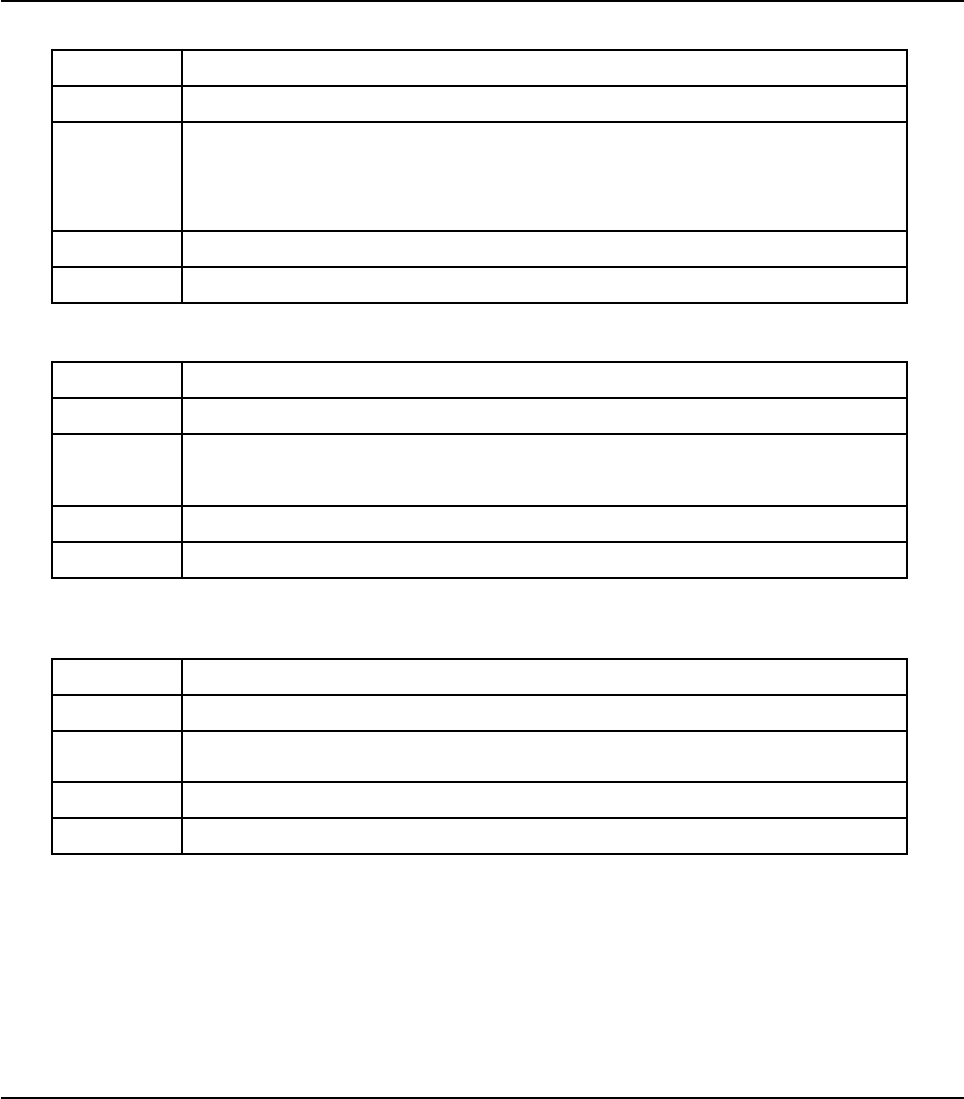
123
MIKROELEKTRONIKA - SOFTWARE AND HARDWARE SOLUTIONS FOR EMBEDDED WORLD
Specifics
mikroBasic PRO for PIC
CHAPTER 4
Clock_MHz
Reset
ClrWdt
Prototype sub function Clock_MHz()as byte
Returns Device clock in MHz, rounded to the nearest integer.
Description
Function returns device clock in MHz, rounded to the nearest integer.
This is an “inline” routine; code is generated in the place of the call, so the call
doesn’t count against the nested call limit.
Requires Nothing.
Example clk = Clock_MHz()
Prototype sub procedure Reset
Returns Nothing.
Description This procedure is equal to assembler instruction reset. This procedure works
only for P18.
Requires Nothing.
Example Reset 'Resets the PIC MCU
Prototype sub procedure ClrWdt
Returns Nothing.
Description This procedure is equal to assembler instruction clrwdt.
Requires Nothing.
Example ClrWdt 'Clears PIC's WDT

124 MIKROELEKTRONIKA - SOFTWARE AND HARDWARE SOLUTIONS FOR EMBEDDED WORLD
Specifics mikroBasic PRO for PIC
CHAPTER 4
DisableContextSaving
SetFuncCall
Prototype sub procedure SetFuncCall(FuncName as string)
Returns Nothing.
Description
Function informs the linker about a specific routine being called. SetFuncCall
has to be called in a routine which accesses another routine via a pointer.
Function prepares the caller tree, and informs linker about the procedure usage,
making it possible to link the called routine.
Requires Nothing.
Example
sub procedure first(p, q as byte)
...
SetFuncCall(second) ' let linker know that we will call the
routine 'second'
...
end sub
Prototype sub procedure DisableContextSaving()
Returns Nothing.
Description
Use the DisableContextSaving() to instruct the compiler not to automatically
perform context-switching. This means that no regiser will be saved/restored by
the compiler on entrance/exit from interrupt service routine. This enables the
user to manually write code for saving registers upon entrance and to restore
them before exit from interrupt.
Requires Nothing.
Example
DisableContextSaving() 'instruct the compiler not to automatical-
ly perform context-switching
125
MIKROELEKTRONIKA - SOFTWARE AND HARDWARE SOLUTIONS FOR EMBEDDED WORLD
Specifics
mikroBasic PRO for PIC
CHAPTER 4
GetDateTime
GetVersion
Prototype sub function GetDateTime() as string
Returns String with date and time when this routine is compiled.
Description Use the GetDateTime() to get date and time of compilation as string in your
code.
Requires Nothing.
Example str : GetDateTime()
Prototype sub function GetVersion() as string
Returns String with current compiler version.
Description Use the GetVersion() to get the current version of compiler.
Requires Nothing.
Example str = GetVersion() ' for example, str will take the value of
'8.2.1.6'

126 MIKROELEKTRONIKA - SOFTWARE AND HARDWARE SOLUTIONS FOR EMBEDDED WORLD
Specifics mikroBasic PRO for PIC
CHAPTER 4
CODE OPTIMIZATION
Optimizer has been added to extend the compiler usability, cut down the amount of
code generated and speed-up its execution. The main features are:
Constant folding
All expressions that can be evaluated in the compile time (i.e. are constant) are
being replaced by their results. (3 + 5 -> 8);
Constant propagation
When a constant value is being assigned to a certain variable, the compiler recog-
nizes this and replaces the use of the variable by constant in the code that follows,
as long as the value of a variable remains unchanged.
Copy propagation
The compiler recognizes that two variables have the same value and eliminates one
of them further in the code.
Value numbering
The compiler "recognizes" if two expressions yield the same result and can there-
fore eliminate the entire computation for one of them.
"Dead code" ellimination
The code snippets that are not being used elsewhere in the programme do not affect
the final result of the application. They are automatically removed.
Stack allocation
Temporary registers ("Stacks") are being used more rationally, allowing VERY com-
plex expressions to be evaluated with a minimum stack consumption.
Local vars optimization
No local variables are being used if their result does not affect some of the global or
volatile variables.
Better code generation and local optimization
Code generation is more consistent and more attention is payed to implement spe-
cific solutions for the code "building bricks" that further reduce output code size.

127
PIC Specifics
In order to get the most from your mikroBasic PRO for PIC compiler, you should be
familiar with certain aspects of PIC MCU. This knowledge is not essential, but it can
provide you a better understanding of PICs’ capabilities and limitations, and their
impact on the code writing.
55
CHAPTER

Types Efficiency
First of all, you should know that PIC’s ALU, which performs arithmetic operations,
is optimized for working with bytes. Although mikroBasic PRO for PIC is capable of
handling very complex data types, PIC may choke on them, especially if you are
working on some of the older models. This can dramatically increase the time need-
ed for performing even simple operations. Universal advice is to use the smallest
possible type in every situation. It applies to all programming in general, and doubly
so with microcontrollers.
Get to know your tool. When it comes down to calculus, not all PIC MCUs are of
equal performance. For example, PIC16 family lacks hardware resources to multi-
ply two bytes, so it is compensated by a software algorithm. On the other hand,
PIC18 family has HW multiplier, and multiplication works considerably faster.
Nested Calls Limitations
Nested call represents a function call within function body, either to itself (recursive
calls) or to another function. Recursive calls, as form of cross-calling, are unsupport-
ed by mikroBasic PRO for PIC due to the PIC’s stack and memory limitations.
mikroBasic PRO for PIC limits the number of non-recursive nested calls to:
8 calls for PIC12 family,
8 calls for PIC16 family,
31 calls for PIC18 family
Note that some of the built-in routines do not count against this limit, due to their
“inline” implementation.
Number of the allowed nested calls decreases by one if you use any of the follow-
ing operators in the code: * / %. It further decreases if you use interrupts in the pro-
gram. Number of decreases is specified by number of functions called from inter-
rupt. Check functions reentrancy.
If the allowed number of nested calls is exceeded, the compiler will report a stack
overflow error.
130 MIKROELEKTRONIKA - SOFTWARE AND HARDWARE SOLUTIONS FOR EMBEDDED WORLD
PIC Specifics mikroBasic PRO for PIC
CHAPTER 5

PIC18FxxJxx Specifics
Shared Address SFRs
mikroBasic PRO for PIC does not provide auto setting of bit for acessing alternate
register. This is new feature added to pic18fxxjxx family and will be supported in
future. In several locations in the SFR bank, a single address is used to access two
different hardware registers. In these cases, a “legacy” register of the standard
PIC18 SFR set (such as OSCCON, T1CON, etc.) shares its address with an alter-
nate register. These alternate registers are associated with enhanced configuration
options for peripherals, or with new device features not included in the standard
PIC18 SFR map. A complete list of shared register addresses and the registers
associated with them is provided in datasheet.
PIC16 Specifics
Breaking Through Pages
In applications targeted at PIC16, no single routine should exceed one page (2,000
instructions). If routine does not fit within one page, linker will report an error. When
confront with this problem, maybe you should rethink the design of your application
– try breaking the particular routine into several chunks, etc.
Limits of Indirect Approach Through FSR
Pointers with PIC16 are “near”: they carry only the lower 8 bits of the address. Com-
piler will automatically clear the 9th bit upon startup, so that pointers will refer to
banks 0 and 1. To access the objects in banks 2 or 3 via pointer, user should man-
ually set the IRP, and restore it to zero after the operation.
Note: It is very important to take care of the IRP properly, if you plan to follow this
approach. If you find this method to be inappropriate with too many variables, you
might consider upgrading to PIC18.
Note: If you have many variables in the code, try rearranging them with linker direc-
tive absolute. Variables that are approached only directly should be moved to banks
3 and 4 for increased efficiency.
Related topics: mikroBasic PRO for PIC specifics
131
MIKROELEKTRONIKA - SOFTWARE AND HARDWARE SOLUTIONS FOR EMBEDDED WORLD
PIC Specifics
mikroBasic PRO for PIC
CHAPTER 5
MEMORY TYPE SPECIFIERS
The mikroBasic PRO for PIC supports usage of all memory areas. Each variable may be explic-
itly assigned to a specific memory space by including a memory type specifier in the declaration,
or implicitly assigned.
The following memory type specifiers can be used:
code
data
rx
sfr
Memory type specifiers can be included in svariable declaration.
For example:
dim data_buffer as byte data ' puts data_buffer in data ram
const txt = "Enter parameter" code ' puts text in program memory
code
data
rx
132 MIKROELEKTRONIKA - SOFTWARE AND HARDWARE SOLUTIONS FOR EMBEDDED WORLD
PIC Specifics mikroBasic PRO for PIC
CHAPTER 5
Description The code memory type may be used for allocating constants in program memo-
ry.
Example ‘puts txt in program memory
const txt = "Enter parameter" code;
Description This memory specifier is used when storing variable to the internal data SRAM.
Example ' puts data_buffer in data ram
dim data_buffer as byte data
Description
This memory specifier allows variable to be stored in the Rx space (Register
file).
Note: In most of the cases, there will be enough space left for the user variables
in the Rx space. However, since compiler uses Rx space for storing temporary
variables, it might happen that user variables will be stored in the internal data
SRAM, when writing complex programs.
Example ' puts y in Rx space
dim y as char rx
133
MIKROELEKTRONIKA - SOFTWARE AND HARDWARE SOLUTIONS FOR EMBEDDED WORLD
PIC Specifics
mikroBasic PRO for PIC
CHAPTER 5
sfr
Note: If none of the memory specifiers are used when declaring a variable, data specifier will be
set as default by the compiler.
Related topics: Accessing individual bits, SFRs, Constants, Functions
Description
This memory specifier in combination with (rx, io, data) allows user to access
special function registers. It also instructs compiler to maintain same identifier in
Basic and assembly.
Example
dim io_buff as byte io sfr ' put io_buff in I/O memory space
dim y as char rx sfr ' puts y in Rx space
dim temp as byte data sfr and dim temp as byte sfr are equiva-
lent, and put temp in Extended I/O Space.

134 MIKROELEKTRONIKA - SOFTWARE AND HARDWARE SOLUTIONS FOR EMBEDDED WORLD
PIC Specifics mikroBasic PRO for PIC
CHAPTER 5

mikroBasic PRO for PIC
Language Reference
The mikroBasic PRO for PIC Language Reference describes the syntax, semantics
and implementation of the mikroBasic PRO for PIC language.
The aim of this reference guide is to provide a more understandable description of
the mikroBasic PRO for PIC language to the user.
66
135
CHAPTER

Lexical Elements
Whitespace
Comments
Tokens
Literals
Keywords
Identifiers
Punctuators
Program Organization
Program Organization
Scope and Visibility
Modules
Variables
Constants
Labels
Symbols
Functions and Procedures
Functions
Procedures
Types
Simple Types
Arrays
Strings
Pointers
Structures
Types Conversions
Implicit Conversion
Explicit Conversion
Operators
Introduction to Operators
Operators Precedence and Associativity
Relational Operators
Bitwise Operators
Boolean Operators
136 MIKROELEKTRONIKA - SOFTWARE AND HARDWARE SOLUTIONS FOR EMBEDDED WORLD
Language Reference mikroBasic PRO for PIC
CHAPTER 6

Expressions
Expressions
Statements
Introduction to Statements
Assignment Statements
Conditional Statements
If Statement
Select Case Statement
Iteration Statements (Loops)
For Statement
While Statement
Do Statement
Jump Statements
Break and Continue Statements
Exit Statement
Goto Statement
Gosub Statement
asm Statement
Directives
Compiler Directives
Linker Directives
137
MIKROELEKTRONIKA - SOFTWARE AND HARDWARE SOLUTIONS FOR EMBEDDED WORLD
Language Reference
mikroBasic PRO for PIC
CHAPTER 6

LEXICAL ELEMENTS OVERVIEW
The following topics provide a formal definition of the mikroBasic PRO for PIC lexi-
cal elements. They describe different categories of word-like units (tokens) recog-
nized by language.
In the tokenizing phase of compilation, the source code file is parsed (i.e. broken
down) into tokens and whitespace. The tokens in mikroBasic PRO for PIC are
derived from a series of operations performed on your programs by the compiler.
AmikroBasic PRO for PIC program starts as a sequence of ASCII characters rep-
resenting the source code, created by keystrokes using a suitable text editor (such
as the mikroBasic PRO for PIC Code Editor). The basic program unit in mikroBasic
PRO for PIC is a file. This usually corresponds to a named file located in RAM or on
disk, having the extension .mbas.
WHITESPACE
Whitespace is a collective name given to spaces (blanks), horizontal and vertical
tabs, newline characters and comments. Whitespace can serve to indicate where
tokens start and end, but beyond this function, any surplus whitespace is discarded.
For example, two sequences
dim tmp as byte
dim j as wordand
and
dim tmp as byte
dim j as word
are lexically equivalent and parse identically.
Newline Character
Newline character (CR/LF) is not a whitespace in BASIC, and serves as a statement
terminator/separator. In mikroBasic PRO for PIC, however, you may use newline to
break long statements into several lines. Parser will first try to get the longest pos-
sible expression (across lines if necessary), and then check for statement termina-
tors.
138 MIKROELEKTRONIKA - SOFTWARE AND HARDWARE SOLUTIONS FOR EMBEDDED WORLD
Language Reference mikroBasic PRO for PIC
CHAPTER 6

Whitespace in Strings
The ASCII characters representing whitespace can occur within string literals, in
which case they are protected from the normal parsing process (they remain a part
of the string). For example,
some_string = “mikro foo”
parses to four tokens, including a single string literal token:
some_string
=
“mikro foo”
newline character
COMMENTS
Comments are pieces of a text used to annotate a program, and are technically
another form of whitespace. Comments are for the programmer’s use only. They are
stripped from the source text before parsing.
Use the apostrophe to create a comment:
'Any text between an apostrophe and the end of the
' line constitutes a comment. May span one line only.
There are no multi-line comments in mikroBasic PRO for PIC.
139
MIKROELEKTRONIKA - SOFTWARE AND HARDWARE SOLUTIONS FOR EMBEDDED WORLD
Language Reference
mikroBasic PRO for PIC
CHAPTER 6

TOKENS
Token is the smallest element of a mikroBasic PRO for PIC program, meaningful to
the compiler. The parser separates tokens from the input stream by creating the
longest token possible using the input characters in a left–to–right scan.
mikroBasic PRO for PIC recognizes the following kinds of tokens:
keywords
identifiers
constants
operators
punctuators (also known as separators)
Token Extraction Example
Here is an example of token extraction. See the following code sequence:
end_flag = 0
The compiler would parse it into four tokens:
end_flag ' variable identifier
= ' assignment operator
0 ' literal
newline ' statement terminator
Note that end_flag would be parsed as a single identifier, rather than the keyword
end followed by the identifier _flag.
140 MIKROELEKTRONIKA - SOFTWARE AND HARDWARE SOLUTIONS FOR EMBEDDED WORLD
Language Reference mikroBasic PRO for PIC
CHAPTER 6

LITERALS
Literals are tokens representing fixed numeric or character values.
The data type of a constant is deduced by the compiler using such clues as numer-
ic value and format used in the source code.
Integer Literals
Integral values can be represented in decimal, hexadecimal, or binary notation.
In decimal notation, numerals are represented as a sequence of digits (without com-
mas, spaces, or dots), with optional prefix +or -operator to indicate the sign. Values
default to positive (6258 is equivalent to +6258).
The dollar-sign prefix ($) or the prefix 0x indicates a hexadecimal numeral (for
example, $8F or 0x8F).
The percent-sign prefix (%) indicates a binary numeral (for example, %0101).
Here are some examples:
11 ‘ decimal literal
$11 ‘ hex literal, equals decimal 17
0x11 ‘ hex literal, equals decimal 17
%11 ‘ binary literal, equals decimal 3
The allowed range of values is imposed by the largest data type in mikroBasic PRO
for PIC – longword. The compiler will report an error if the literal exceeds
4294967295 ($FFFFFFFF).
Floating Point Literals
A floating-point value consists of:
Decimal integer
Decimal point
Decimal fraction
eor Eand a signed integer exponent (optional)
You can omit either the decimal integer or decimal fraction (but not both).
Negative floating constants are taken as positive constants with the unary operator
minus (-) prefixed.
141
MIKROELEKTRONIKA - SOFTWARE AND HARDWARE SOLUTIONS FOR EMBEDDED WORLD
Language Reference
mikroBasic PRO for PIC
CHAPTER 6

mikroBasic PRO for PIC limits floating-point constants to the range of
±1.17549435082 * 10-38 .. ±6.80564774407 * 1038.
Here are some examples:
0. ‘ = 0.0
-1.23 ‘ = -1.23
23.45e6 ‘ = 23.45 * 10^6
2e-5 ‘ = 2.0 * 10^-5
3E+10 ‘ = 3.0 * 10^10
.09E34 ‘ = 0.09 * 10^34
Character Literals
Character literal is one character from the extended ASCII character set, enclosed
with quotes (for example, "A"). Character literal can be assigned to variables of byte
and char type (variable of byte will be assigned the ASCII value of the character).
Also, you can assign character literal to a string variable.
String Literals
String literal is a sequence of characters from the extended ASCII character set,
enclosed with quotes. Whitespace is preserved in string literals, i.e. parser does not
“go into” strings but treats them as single tokens.
Length of string literal is a number of characters it consists of. String is stored inter-
nally as the given sequence of characters plus a final null character. This null
character is introduced to terminate the string, it does not count against the string’s
total length.
String literal with nothing in between the quotes (null string) is stored as a sin-
gle null character.
You can assign string literal to a string variable or to an array of char.
Here are several string literals:
142 MIKROELEKTRONIKA - SOFTWARE AND HARDWARE SOLUTIONS FOR EMBEDDED WORLD
Language Reference mikroBasic PRO for PIC
CHAPTER 6

“Hello world!” ‘ message, 12 chars long
“Temperature is stable” ‘ message, 21 chars long'
“ ‘ two spaces, 2 chars long
“C” ‘ letter, 1 char long
“ “ ‘ null string, 0 chars long
The quote itself cannot be a part of the string literal, i.e. there is no escape
sequence. You could use the built-in function Chr to print a quote: Chr(34). Also, see
String Splicing.
143
MIKROELEKTRONIKA - SOFTWARE AND HARDWARE SOLUTIONS FOR EMBEDDED WORLD
Language Reference
mikroBasic PRO for PIC
CHAPTER 6

KEYWORDS
Keywords are the words reserved for special purposes and must not be used as nor-
mal identifier names.
Beside standard BASIC keywords, all relevant SFR are defined as global variables
and represent reserved words that cannot be redefined (for example: P0, TMR1,
T1CON, etc). Probe Code Assistant for specific letters (Ctrl+Space in Editor) or refer
to Predefined Globals and Constants.
Here is the alphabetical listing of keywords in mikroBasic PRO for PIC:
Abstract
And
Array
As
at
Asm
Assembler
Automated
bdata
Begin
bit
Case
Cdecl
Class
Code
compact
Const
Constructor
Contains
Data
Default
deprecated
Destructor
Dispid
Dispinterface
Div
Do
Downto
Dynamic
Else
End
Except
Export
Exports
External
Far
144 MIKROELEKTRONIKA - SOFTWARE AND HARDWARE SOLUTIONS FOR EMBEDDED WORLD
Language Reference mikroBasic PRO for PIC
CHAPTER 6

File
Finalization
Finally
For
Forward
Function
Goto
idata
If
ilevel
Implementation
In
Index
Inherited
Initialization
Inline
Interface
Is
Label
large
Library
Message
Mod
name
Near
Nil
Not
Object
Of
on
Or
org
Out
overload
Override
package
Packed
Pascal
pdata
platform
Private
Procedure
Program
Property
Protected
Public
Published
Raise
Read
Readonly
145
MIKROELEKTRONIKA - SOFTWARE AND HARDWARE SOLUTIONS FOR EMBEDDED WORLD
Language Reference
mikroBasic PRO for PIC
CHAPTER 6

Record
Register
Reintroduce
Repeat
requires
Reset
Resourcestring
Resume
Safecall
sbit
Set
sfr
Shl
Shr
small
Stdcall
Stored
String
Stringresource
Then
Threadvar
To
Try
Type
Unit
Until
Uses
Var
Virtual
Volatile
While
With
Write
Writeonly
xdata
Xor
Also, mikroBasic PRO for PIC includes a number of predefined identifiers used in
libraries. You could replace them by your own definitions, if you plan to develop your
own libraries. For more information, see mikroBasic PRO for PIC Libraries.
146 MIKROELEKTRONIKA - SOFTWARE AND HARDWARE SOLUTIONS FOR EMBEDDED WORLD
Language Reference mikroBasic PRO for PIC
CHAPTER 6

IDENTIFIERS
Identifiers are arbitrary names of any length given to functions, variables, symbolic
constants, user-defined data types and labels. All these program elements will be
referred to as objects throughout the help (don't get confused about the meaning of
object in object-oriented programming).
Identifiers can contain the letters ato zand Ato Z, underscore character “_”,
and digits from 0to 9. First character must be a letter or an underscore, i.e. identifi-
er cannot begin with a numeral.
Case Sensitivity
mikroBasic PRO for PIC is not case sensitive, so Sum,sum, and suM are equiv-
alent identifiers.
Uniqueness and Scope
Although identifier names are arbitrary (within the rules stated), errors result if the
same name is used for more than one identifier within the same scope. Simply,
duplicate names are illegal within the same scope. For more information, refer to
Scope and Visibility.
Identifier Examples
Here are some valid identifiers:
temperature_V1
Pressure
no_hit
dat2string
SUM3
_vtext
… and here are some invalid identifiers:
7temp ‘ NO -- cannot begin with a numeral
%higher ‘ NO -- cannot contain special characters
xor ‘ NO -- cannot match reserved word
j23.07.04 ‘ NO -- cannot contain special characters (dot)
147
MIKROELEKTRONIKA - SOFTWARE AND HARDWARE SOLUTIONS FOR EMBEDDED WORLD
Language Reference
mikroBasic PRO for PIC
CHAPTER 6

PUNCTUATORS
The mikroBasic punctuators (also known as separators) are:
[ ] – Brackets
( ) – Parentheses
, – Comma
: – Colon
. – Dot
Brackets
Brackets [ ] indicate single and multidimensional array subscripts:
dim alphabet as byte[30]
' ...
alphabet[2] = "c"
For more information, refer to Arrays.
Parentheses
Parentheses ( ) are used to group expressions, isolate conditional expressions and
indicate function calls and function declarations:
d = c * (a + b) ' Override normal precedence
if (d = z) then ... ' Useful with conditional statements
func() ' Function call, no arguments
sub function func2(dim n as word 'Function declaration w/ parameters
For more information, refer to Operators Precedence and Associativity, Expressions
or Functions and Procedures.
Comma
Comma (,) separates the arguments in function calls:
LCD_Out(1, 1, txt);
Furthermore, the comma separates identifiers in declarations:
dim i, j, k as word
The comma also separates elements of array in initialization lists:
const MONTHS as byte[12] = (31,28,31,30,31,30,31,31,30,31,30,31)
148 MIKROELEKTRONIKA - SOFTWARE AND HARDWARE SOLUTIONS FOR EMBEDDED WORLD
Language Reference mikroBasic PRO for PIC
CHAPTER 6

Colon
Colon (:) is used to indicate a labeled statement:
start: nop
'...
goto start
For more information, refer to Labels.
Dot
Dot (.) indicates access to a structure member. For example:
person.surname = "Smith"
For more information, refer to Structures.
Dot is a necessary part of floating point literals. Also, dot can be used for accessing
individual bits of registers in mikroBasic PRO.
149
MIKROELEKTRONIKA - SOFTWARE AND HARDWARE SOLUTIONS FOR EMBEDDED WORLD
Language Reference
mikroBasic PRO for PIC
CHAPTER 6

PROGRAM ORGANIZATION
mikroBasic PRO for PIC imposes strict program organization. Below you can find
models for writing legible and organized source files. For more information on file
inclusion and scope, refer to Modules and to Scope and Visibility.
Organization of Main Unit
Basically, the main source file has two sections: declaration and program body. Dec-
larations should be in their proper place in the code, organized in an orderly man-
ner. Otherwise, the compiler may not be able to comprehend the program correctly.
When writing code, follow the model presented below. The main unit should look like this:
program <program name>
include <include other modules>
'********************************************************
'* Declarations (globals):
'********************************************************
' symbols declarations
symbol ...
' constants declarations
const ...
' structures declarations
structure ...
' variables declarations
dim Name[, Name2...] as [^]type [absolute 0x123] [external]
[volatile][register] [sfr]
' procedures declarations
sub procedure procedure_name(...)
<local declarations>
...
end sub
' functions declarations
sub function function_name(...) as return_type
<local declarations>
...
end sub
'********************************************************
150 MIKROELEKTRONIKA - SOFTWARE AND HARDWARE SOLUTIONS FOR EMBEDDED WORLD
Language Reference mikroBasic PRO for PIC
CHAPTER 6

'* Program body:
'********************************************************
main:
' write your code here
end.
Organization of Other Modules
Modules other than main start with the keyword module. Implementation section
starts with the keyword implements. Follow the model presented below:
module <module name>
include <include other modules>
'********************************************************
'* Interface (globals):
'********************************************************
' symbols declarations
symbol ...
' constants declarations
const ...
' structures declarations
structure ...
' variables declarations
dim Name[, Name2...] as [^]type [absolute 0x123] [external]
[volatile] [register] [sfr]
' procedures prototypes
sub procedure sub_procedure_name([dim byref] [const] ParamName as
[^]type, [dim byref] [const] ParamName2, ParamName3 as [^]type)
' functions prototypes
sub function sub_function_name([dim byref] [const] ParamName as
[^]type, [dim byref] [const]ParamName2, ParamName3 as [^]type) as
[^]type
'********************************************************
'* Implementation:
'********************************************************
implements
' constants declarations
151
MIKROELEKTRONIKA - SOFTWARE AND HARDWARE SOLUTIONS FOR EMBEDDED WORLD
Language Reference
mikroBasic PRO for PIC
CHAPTER 6

const ...
' variables declarations
dim ...
' procedures declarations
sub procedure sub_procedure_name([dim byref] [const] ParamName as
[^]type, [dim byref] [const] ParamName2, ParamName3 as [^]type)
[ilevel 0x123] [overload] [forward]
<local declarations>
...
end sub
' functions declarations
sub function sub_function_name([dim byref] [const]ParamName as
[^]type, [dim byref] [const] ParamName2, ParamName3 as [^]type) as
[^]type [ilevel 0x123] [overload] [forward]
<local declarations>
...
end sub
end.
Note: Sub functions and sub procedures must have the same declarations in the
interface and implementation section. Otherwise, compiler will report an error.
152 MIKROELEKTRONIKA - SOFTWARE AND HARDWARE SOLUTIONS FOR EMBEDDED WORLD
Language Reference mikroBasic PRO for PIC
CHAPTER 6
SCOPE AND VISIBILITY
Scope
The scope of an identifier is a part of the program in which the identifier can be used
to access its object. There are different categories of scope, which depends on how
and where identifiers are declared:
Visibility
The visibility of an identifier is that region of the program source code from which
legal access to the identifier’s associated object can be made.
Scope and visibility usually coincide, though there are circumstances under which
an object becomes temporarily hidden by the appearance of a duplicate identifier,
i.e. the object still exists but the original identifier cannot be used to access it until
the scope of the duplicate identifier is ended.
Technically, visibility cannot exceed scope, but scope can exceed visibility.
153
MIKROELEKTRONIKA - SOFTWARE AND HARDWARE SOLUTIONS FOR EMBEDDED WORLD
Language Reference
mikroBasic PRO for PIC
CHAPTER 6
Place of declaration Scope
Identifier is declared in the
declaration section of the
main module, out of any
function or procedure
Scope extends from the point where it is declared to
the end of the current file, including all routines
enclosed within that scope. These identifiers have a
file scope and are referred to as globals.
Identifier is declared in the
function or procedure
Scope extends from the point where it is declared to
the end of the current routine. These identifiers are
referred to as locals.
Identifier is declared in the
interface section of the
module
Scope extends the interface section of a module
from the point where it is declared to the end of the
module, and to any other module or program that
uses that module. The only exception are symbols
which have a scope limited to the file in which they
are declared.
Identifier is declared in the
implementation section of
the module, but not within
any function or procedure
Scope extends from the point where it is declared to
the end of the module. The identifier is available to
any function or procedure in the module.

MODULES
In mikroBasic PRO for PIC, each project consists of a single project file and one or
more module files. The project file, with extension .mbpav contains information on
the project, while modules, with extension .mbas, contain the actual source code.
See Program Organization for a detailed look at module arrangement.
Modules allow you to:
break large programs into encapsulated modules that can be edited sepa
rately,
create libraries that can be used in different projects,
distribute libraries to other developers without disclosing the source code.
Each module is stored in its own file and compiled separately; compiled modules are
linked to create an application. To build a project, the compiler needs either a source
file or a compiled module file for each module.
Include Clause
mikroBasic PRO for PIC includes modules by means of the include clause. It con-
sists of the reserved word include, followed by a quoted module name. Extension
of the file should not be included.
You can include one file per include clause. There can be any number of the
include clauses in each source file, but they all must be stated immediately after
the program (or module) name.
Here’s an example:
program MyProgram
include "utils"
include "strings"
include "MyUnit"
...
For the given module name, the compiler will check for the presence of .mcl and
.mbas files, in order specified by search paths.
If both .mbas and .mcl files are found, the compiler will check their dates
and include the newer one in the project. If the.mbas file is newer than the
.mcl,then .mbas file will be recompiled and new.mcl will be created,
overwriting the old .mcl.
If only the .mbas file is found, the compiler will create the.mcl file and
154 MIKROELEKTRONIKA - SOFTWARE AND HARDWARE SOLUTIONS FOR EMBEDDED WORLD
Language Reference mikroBasic PRO for PIC
CHAPTER 6

include it in the project;
If only the .mcl file is present, i.e. no source code is available, the compil
er will include it as found;
If none of the files found, the compiler will issue a “File not found” warning.
Main Module
Every project in mikroBasic PRO for PIC requires a single main module file. The
main module is identified by the keyword program at the beginning. It instructs the
compiler where to “start”.
After you have successfully created an empty project with Project Wizard, Code Edi-
tor will display a new main module. It contains the bare-bones of the program:
program MyProject
' main procedure
main:
' Place program code here
end.
Other than comments, nothing should precede the keyword program. After the pro-
gram name, you can optionally place the include clauses.
Place all global declarations (constants, variables, labels, routines, structures)
before the label main.
Other Modules
Modules other than main start with the keyword module. Newly created blank mod-
ule contains the bare-bones:
module MyModule
implements
end.
Other than comments, nothing should precede the keyword module. After the mod-
ule name, you can optionally place the include clauses.
Interface Section
Part of the module above the keyword implements is referred to as interface sec-
tion. Here, you can place global declarations (constants, variables, labels, routines,
structures) for the project.
155
MIKROELEKTRONIKA - SOFTWARE AND HARDWARE SOLUTIONS FOR EMBEDDED WORLD
Language Reference
mikroBasic PRO for PIC
CHAPTER 6

Do not define routines in the interface section. Instead, state the prototypes of rou-
tines (from implementation section) that you want to be visible outside the module.
Prototypes must exactly match the declarations.
Implementation Section
Implementation section hides all irrelevant innards from other units, allowing encap-
sulation of code.
Everything declared below the keyword implements is private, i.e. has its scope lim-
ited to the file. When you declare an identifier in the implementation section of a
module, you cannot use it outside the module, but you can use it in any block or rou-
tine defined within the module.
By placing the prototype in the interface section of the module(above the imple-
ments) you can make the routine public, i.e. visible outside of module. Prototypes
must exactly match the declarations.
156 MIKROELEKTRONIKA - SOFTWARE AND HARDWARE SOLUTIONS FOR EMBEDDED WORLD
Language Reference mikroBasic PRO for PIC
CHAPTER 6

VARIABLES
Variable is an object whose value can be changed during the runtime. Every vari-
able is declared under unique name which must be a valid identifier. This name is
used for accessing the memory location occupied by the variable.
Variables are declared in the declaration part of the file or routine — each variable
needs to be declared before it is used. Global variables (those that do not belong to
any enclosing block) are declared below the include statements, above the label
main.
Specifying a data type for each variable is mandatory. mikroBasic PRO for PIC syn-
tax for variable declaration is:
dim identifier_list as type
Here, identifier_list is a comma-delimited list of valid identifiers, and type can
be any data type.
For more details refer to Types and Types Conversions. For more information on
variables’ scope refer to the chapter Scope and Visibility.
Here are a few examples:
dim i, j, k as byte
dim counter, temp as word
dim samples as longint[100]
External Modifier
Use the external modifier to indicate that the actual place and initial value of the
variable, or body of the function, is defined in a separate source code module.
Variables and PIC
Every declared variable consumes part of RAM memory. Data type of variable deter-
mines not only the allowed range of values, but also the space a variable occupies
in RAM memory. Bear in mind that operations using different types of variables take
different time to be completed. mikroBasic PRO for PIC recycles local variable mem-
ory space – local variables declared in different functions and procedures share the
same memory space, if possible.
There is no need to declare SFR explicitly, as mikroBasic PRO for PIC automatical-
ly declares relevant registers as global variables of word. For example: W0, TMR1,
etc.
157
MIKROELEKTRONIKA - SOFTWARE AND HARDWARE SOLUTIONS FOR EMBEDDED WORLD
Language Reference
mikroBasic PRO for PIC
CHAPTER 6

CONSTANTS
Constant is a data whose value cannot be changed during the runtime. Using a con-
stant in a program consumes no RAM memory. Constants can be used in any
expression, but cannot be assigned a new value.
Constants are declared in the declaration part of the program or routine, with the fol-
lowing syntax:
const constant_name [as type] = value
Every constant is declared under unique constant_name which must be a valid
identifier. It is a tradition to write constant names in uppercase. Constant requires
you to specify value, which is a literal appropriate for the given type. type is option-
al and in the absence of it , the compiler assumes the “smallest” type that can
accommodate value.
Note: You cannot omit type if declaring a constant array.
Here are a few examples:
const MAX as longint = 10000
const MIN = 1000 ' compiler will assume word type
const SWITCH = "n" ' compiler will assume char type
const MSG = "Hello" ' compiler will assume string type
const MONTHS as byte[12] = (31,28,31,30,31,30,31,31,30,31,30,31)
158 MIKROELEKTRONIKA - SOFTWARE AND HARDWARE SOLUTIONS FOR EMBEDDED WORLD
Language Reference mikroBasic PRO for PIC
CHAPTER 6

LABELS
Labels serve as targets for the goto and gosub statements. Mark the desired state-
ment with label and colon like this:
label_identifier : statement
No special declaration of label is necessary in mikroBasic PRO for PIC.
Name of the label needs to be a valid identifier. The labeled statement and
goto/gosub statement must belong to the same block. Hence it is not possible to
jump into or out of routine. Do not mark more than one statement in a block with the
same label.
Note: The label main marks the entry point of a program and must be present in the
main module of every project. See Program Organization for more information.
Here is an example of an infinite loop that calls the procedure Beep repeatedly:
loop:
Beep
goto loop
159
MIKROELEKTRONIKA - SOFTWARE AND HARDWARE SOLUTIONS FOR EMBEDDED WORLD
Language Reference
mikroBasic PRO for PIC
CHAPTER 6

SYMBOLS
mikroBasic PRO for PIC symbols allow you to create simple macros without param-
eters. You can replace any line of code with a single identifier alias. Symbols, when
properly used, can increase code legibility and reusability.
Symbols need to be declared at the very beginning of the module, right after the
module name and (optional) include clauses. Check Program Organization for
more details. Scope of a symbol is always limited to the file in which it has been
declared.
Symbol is declared as:
symbol alias = code
Here, alias must be a valid identifier which you will use throughout the code. This
identifier has a file scope. The code can be any line of code (literals, assignments,
function calls, etc).
Using a symbol in the program consumes no RAM – the compiler will simply replace
each instance of a symbol with the appropriate line of code from the declaration.
Here is an example:
symbol MAXALLOWED = 216 ' Symbol as alias for numeric value
symbol PORT = P0 ' Symbol as alias for SFR
symbol MYDELAY = Delay_ms(1000) ' Symbol as alias for procedure call
dim cnt as byte ' Some variable
'...
main:
if cnt > MAXALLOWED then
cnt = 0
PORT.1 = 0
MYDELAY
end if
Note: Symbols do not support macro expansion in a way the C preprocessor does.
160 MIKROELEKTRONIKA - SOFTWARE AND HARDWARE SOLUTIONS FOR EMBEDDED WORLD
Language Reference mikroBasic PRO for PIC
CHAPTER 6

FUNCTIONS AND PROCEDURES
Functions and procedures, collectively referred to as routines, are subprograms
(self-contained statement blocks) which perform a certain task based on a number
of input parameters. When executed, a function returns value while procedure does
not.
Functions
A function is declared like this:
sub function function_name(parameter_list) as return_type
[local declarations ]
function body
end sub
function_name represents a function’s name and can be any valid identifier.
return_type is a type of return value and can be any simple type. Within paren-
theses, parameter_list is a formal parameter list very similar to variable declara-
tion.In mikroBasic PRO for PIC, parameters are always passed to a function by
value. To pass an argument by address, add the keyword byref ahead of identifier.
Local declarations are optional declarations of variables and/or constants, local
for the given function. Function body is a sequence of statements to be executed
upon calling the function.
Calling a function
A function is called by its name, with actual arguments placed in the same sequence
as their matching formal parameters. The compiler is able to coerce mismatching
arguments to the proper type according to implicit conversion rules. Upon a function
call, all formal parameters are created as local objects initialized by values of actu-
al arguments. Upon return from a function, a temporary object is created in the place
of the call and it is initialized by the value of the function result. This means that func-
tion call as an operand in complex expression is treated as the function result.
In standard Basic, a function_name is automatically created local variable that can
be used for returning a value of a function. mikroBasic PRO for PIC also allows you
to use the automatically created local variable result to assign the return value of
a function if you find function name to be too ponderous. If the return value of a func-
tion is not defined the compiler will report an error.
Function calls are considered to be primary expressions and can be used in situa-
tions where expression is expected. A function call can also be a self-contained
statement and in that case the return value is discarded.
161
MIKROELEKTRONIKA - SOFTWARE AND HARDWARE SOLUTIONS FOR EMBEDDED WORLD
Language Reference
mikroBasic PRO for PIC
CHAPTER 6

Example
Here’s a simple function which calculates xnbased on input parameters xand n (n
> 0):
sub function power(dim x, nas byte) as longint
dim ias byte
result = 1
if n > 0 then
for i = 1 to n
result = result*x
next i
end if
end sub
Now we could call it to calculate 312:
tmp = power(3, 12)
PROCEDURES
Procedure is declared like this:
sub procedure procedure_name(parameter_list)
[ local declarations ]
procedure body
end sub
procedure_name represents a procedure’s name and can be any valid identifier.
Within parentheses, parameter_list is a formal parameter list very similar to vari-
able declaration. In mikroBasic PRO for PIC, parameters are always passed to pro-
cedure by value; to pass argument by address, add the keyword byref ahead of
identifier.
Local declarations are optional declaration of variables and/or constants, local
for the given procedure. Procedure body is a sequence of statements to be exe-
cuted upon calling the procedure.
162 MIKROELEKTRONIKA - SOFTWARE AND HARDWARE SOLUTIONS FOR EMBEDDED WORLD
Language Reference mikroBasic PRO for PIC
CHAPTER 6

Calling a procedure
A procedure is called by its name, with actual arguments placed in the same
sequence as their matching formal parameters. The compiler is able to coerce mis-
matching arguments to the proper type according to implicit conversion rules. Upon
procedure call, all formal parameters are created as local objects initialized by val-
ues of actual arguments.
Procedure call is a self-contained statement.
Example
Here’s an example procedure which transforms its input time parameters, preparing
them for output on LCD:
sub procedure time_prep(dim byref sec, min, hr as byte)
sec = ((sec and $F0) >> 4)*10 + (sec and $0F)
min = ((min and $F0) >> 4)*10 + (min and $0F)
hr = ((hr and $F0) >> 4)*10 + (hr and $0F)
end sub
Function Pointers
Function pointers are allowed in mikroBasic PRO for PIC. The example shows how
to define and use a function pointer:
Example:
Example demonstrates the usage of function pointers. It is shown how to declare a
procedural type, a pointer to function and finally how to call a function via pointer.
program Example;
typedef TMyFunctionType = function (dim param1, param2 as byte, dim
param3 as word) as word ' First, define the procedural type
dim MyPtr as ^TMyFunctionType ' This is a pointer to previously
defined type
dim sample as word
sub function Func1(dim p1, p2 as byte, dim p3 as word) as word ' Now,
define few functions which will be pointed to. Make sure that param-
eters match the type definition
result = p1 and p2 or p3
end sub
163
MIKROELEKTRONIKA - SOFTWARE AND HARDWARE SOLUTIONS FOR EMBEDDED WORLD
Language Reference
mikroBasic PRO for PIC
CHAPTER 6

sub function Func2(dim abc, def as byte, dim ghi as word)as word
'Another function of the same kind. Make sure that parameters match
the type definition
result = abc * def + ghi
end sub
sub function Func3(dim first, yellow as byte, dim monday as word) as
word ' Yet another function. Make sure that parameters match the
type definition
result = monday - yellow - first
end sub
' main program:
main:
MyPtr = @Func1 ' MyPtr now points to Func1
Sample = MyPtr^(1, 2, 3) ' Perform function call via pointer, call
Func1, the return value is 3
MyPtr = @Func2 ' MyPtr now points to Func2
Sample = MyPtr^(1, 2, 3) ' Perform function call via pointer, call
Func2, the return value is 5
MyPtr = @Func3 ' MyPtr now points to Func3
Sample = MyPtr^(1, 2, 3) ' Perform function call via pointer, call
Func3, the return value is 0
end.
A function can return a complex type. Follow the example bellow to learn how to
declare and use a function which returns a complex type.
Example:
This example shows how to declare a function which returns a complex type.
program Example
structure TCircle ' Structure
dim CenterX, CenterY as word
dim Radius as byte
end structure
dim MyCircle as TCircle ' Global variable
sub function DefineCircle(dim x, y as word, dim ras byte) as TCircle
' DefineCircle function returns a Structure
result.CenterX = x
result.CenterY = y
result.Radius = r
end sub
164 MIKROELEKTRONIKA - SOFTWARE AND HARDWARE SOLUTIONS FOR EMBEDDED WORLD
Language Reference mikroBasic PRO for PIC
CHAPTER 6

main:
MyCircle = DefineCircle(100, 200, 30) 'Get a Structure via function
call
MyCircle.CenterX = DefineCircle(100, 200, 30). CenterX + 20
'Access a Structure field via function call
' |------------------------| |-----|
' | |
' Function returns TCircle Access to one
field of TCircle
end.
Forward declaration
A function can be declared without having it followed by it's implementation, by hav-
ing it followed by the forward procedure. The effective implementation of that func-
tion must follow later in the module. The function can be used after a forward dec-
laration as if it had been implemented already. The following is an example of a for-
ward declaration:
program Volume
dim Volume as word
sub function First(a as word, b as word) as word forward
sub function Second(c as word) as word
dim tmp as word
tmp = First(2, 3)
result = tmp * c
end sub
sub function First(a, b as word) as word
result = a * b
end sub
main:
Volume = Second(4)
end.
Functions reentrancy
Functions reentrancy is allowed if the function has no parameters and local vari-
ables, or if the local variables are placed in the Rx space. Remember that the PIC
has stack and memory limitations which can varies greatly between MCUs.
165
MIKROELEKTRONIKA - SOFTWARE AND HARDWARE SOLUTIONS FOR EMBEDDED WORLD
Language Reference
mikroBasic PRO for PIC
CHAPTER 6

TYPES
Basic is strictly typed language, which means that every variable and constant need
to have a strictly defined type, known at the time of compilation.
The type serves:
to determine correct memory allocation required,
to interpret the bit patterns found in the object during subsequent accesses,
in many type-checking situations, to ensure that illegal assignments are
trapped.
mikroBasic PRO for PIC supports many standard (predefined) and user-defined
data types, including signed and unsigned integers of various sizes, arrays, strings,
pointers and structures.
Type Categories
Types can be divided into:
simple types
arrays
strings
pointers
structures
166 MIKROELEKTRONIKA - SOFTWARE AND HARDWARE SOLUTIONS FOR EMBEDDED WORLD
Language Reference mikroBasic PRO for PIC
CHAPTER 6
SIMPLE TYPES
Simple types represent types that cannot be divided into more basic elements and
are the model for representing elementary data on machine level. Basic memory
unit in mikroBasic PRO for PIC has 8 bits.
Here is an overview of simple types in mikroBasic PRO for PIC:
You can assign signed to unsigned or vice versa only using the explicit conversion.
Refer to Types Conversions for more information.
167
MIKROELEKTRONIKA - SOFTWARE AND HARDWARE SOLUTIONS FOR EMBEDDED WORLD
Language Reference
mikroBasic PRO for PIC
CHAPTER 6
Type Size Range
byte, char 8–bit 0 .. 255
short 8–bit -127 .. 128
word 16–bit 0 .. 65535
integer 16–bit -32768 .. 32767
longword 32–bit 0 .. 4294967295
longint 32–bit -2147483648 .. 2147483647
float 32–bit ±1.17549435082 * 10-38 ..
±6.80564774407 * 1038
bit 1–bit 0 or 1
sbit 1–bit 0 or 1

ARRAYS
An array represents an indexed collection of elements of the same type (called the
base type). Since each element has a unique index, arrays, unlike sets, can mean-
ingfully contain the same value more than once.
Array Declaration
Array types are denoted by constructions in the following form:
type[array_length]
Each of elements of an array is numbered from 0 through array_length - 1.
Every element of an array is of type and can be accessed by specifying array name
followed by element’s index within brackets.
Here are a few examples of array declaration:
dim weekdays as byte[7]
dim samples as word[50]
main:
' Now we can access elements of array variables, for example:
samples[0] = 1
if samples[37] = 0 then
' ...
Constant Arrays
Constant array is initialized by assigning it a comma-delimited sequence of values
within parentheses. For example:
' Declare a constant array which holds number of days in each month:
const MONTHS as byte[12] = (31,28,31,30,31,30,31,31,30,31,30,31)
Note that indexing is zero based; in the previous example, number of days in Jan-
uary is MONTHS[0] and number of days in December is MONTHS [11].
The number of assigned values must not exceed the specified length. Vice versa is
possible, when the trailing “excess” elements will be assigned zeroes.
For more information on arrays of char, refer to Strings.
168 MIKROELEKTRONIKA - SOFTWARE AND HARDWARE SOLUTIONS FOR EMBEDDED WORLD
Language Reference mikroBasic PRO for PIC
CHAPTER 6

STRINGS
A string represents a sequence of characters equivalent to an array of char. It is
declared like this:
string[string_length]
The specifier string_length is a number of characters a string consists of. The
string is stored internally as the given sequence of characters plus a final null char-
acter (zero). This appended “stamp” does not count against string’s total length.
A null string ("") is stored as a single null character.
You can assign string literals or other strings to string variables. The string on the
right side of an assignment operator has to be shorter than another one, or of equal
length. For example:
dim msg1 as string[20]
dim msg2 as string[19]
main:
msg1 = "This is some message"
msg2 = "Yet another message"
msg1 = msg2 ' this is ok, but vice versa would be illegal
Alternately, you can handle strings element–by–element. For example:
dim s as string[5]
'...
s = "mik"
' s[0] is char literal "m"
' s[1] is char literal "i"
' s[2] is char literal "k"
' s[3] is zero
' s[4] is undefined
' s[5] is undefined
Be careful when handling strings in this way, since overwriting the end of a string will
cause an unpredictable behavior.
Note
mikroBasic PRO for PIC includes String Library which automatizes string related
tasks.
169
MIKROELEKTRONIKA - SOFTWARE AND HARDWARE SOLUTIONS FOR EMBEDDED WORLD
Language Reference
mikroBasic PRO for PIC
CHAPTER 6

POINTERS
A pointer is a data type which holds a memory address. While a variable accesses
that memory address directly, a pointer can be thought of as a reference to that
memory address.
To declare a pointer data type, add a carat prefix (^) before type. For example, if you
are creating a pointer to an integer, you would write:
^integer
To access the data at the pointer’s memory location, you add a carat after the vari-
able name. For example, let’s declare variable pwhich points to word, and then
assign the pointed memory location value 5:
dim p as ^word
'...
p^ = 5
A pointer can be assigned to another pointer. However, note that only the address,
not the value, is copied. Once you modify the data located at one pointer, the other
pointer, when dereferenced, also yields modified data.
@ Operator
The @ operator constructs a pointer to its operand. The following rules are applied
to @:
If X is a variable, @X returns a pointer to X.
Note: If variable X is of array type, the @ operator will return pointer to it's
first basic element, except when the left side of the statement in which X is
used is an array pointer. In this case, the @ operator will return pointer to
array, not to it's first basic element.
program example
dim w as word
ptr_b as ^byte
ptr_arr as ^byte[10]
arr as byte[10]
main:
ptr_b = @arr ' @ operator will return ^byte
w = @arr ' @ operator will return ^byte
ptr_arr = @arr ' @ operator will return ^byte[10]
end.
170 MIKROELEKTRONIKA - SOFTWARE AND HARDWARE SOLUTIONS FOR EMBEDDED WORLD
Language Reference mikroBasic PRO for PIC
CHAPTER 6

If F is a routine (a function or procedure), @F returns a pointer to F.
Related topics: Pointer Arithmetic
STRUCTURES
A structure represents a heterogeneous set of elements. Each element is called a
member; the declaration of a structure type specifies a name and type for each
member. The syntax of a structure type declaration is
structure structname
dim member1 as type1
'...
dim membern as typen
end structure
where structname is a valid identifier, each type denotes a type, and each mem-
ber is a valid identifier. The scope of a member identifier is limited to the structure
in which it occurs, so you don’t have to worry about naming conflicts between mem-
ber identifiers and other variables.
For example, the following declaration creates a structure type called Dot:
structure Dot
dim x as float
dim y as float
end structures
Each Dot contains two members: x and y coordinates; memory is allocated when
you instantiate the structure, like this:
dim m, n as Dot
This variable declaration creates two instances of Dot,called mand n.
A member can be of the previously defined structure type. For example:
‘ Structure defining a circle:
structure Circle
dim radius as float
dim center as Dot
end structure
171
MIKROELEKTRONIKA - SOFTWARE AND HARDWARE SOLUTIONS FOR EMBEDDED WORLD
Language Reference
mikroBasic PRO for PIC
CHAPTER 6

Structure Member Access
You can access the members of a structure by means of dot (.) as a direct member
selector. If we had declared the variables circle1 and circle2 of the previously
defined type Circle:
dim circle1, circle2 as Circle
we could access their individual members like this:
circle1.radius = 3.7
circle1.center.x = 0
circle1.center.y = 0
You can also commit assignments between complex variables, if they are of the
same type:
circle2 = circle1 ' This will copy values of all members
172 MIKROELEKTRONIKA - SOFTWARE AND HARDWARE SOLUTIONS FOR EMBEDDED WORLD
Language Reference mikroBasic PRO for PIC
CHAPTER 6

TYPES CONVERSIONS
Conversion of variable of one type to variable of another type is typecasting.
mikroBasic PRO for PIC supports both implicit and explicit conversions for built-in
types.
Implicit Conversion
Compiler will provide an automatic implicit conversion in the following situations:
statement requires an expression of particular type (according to language
definition), and we use an expression of different type,
operator requires an operand of particular type, and we use an operand of
different type,
function requires a formal parameter of particular type, and we pass it an
object of different type,
result does not match the declared function return type.
Promotion
When operands are of different types, implicit conversion promotes the less com-
plex type to more complex type taking the following steps:
byte/char word
short integer
short longint
integer longint
integral float
Higher bytes of extended unsigned operand are filled with zeroes. Higher bytes of
extended signed operand are filled with bit sign (if number is negative, fill higher
bytes with one, otherwise with zeroes). For example:
dim aas byte
dim bas word
'...
a = $FF
b = a ' a is promoted to word, b becomes $00FF
173
MIKROELEKTRONIKA - SOFTWARE AND HARDWARE SOLUTIONS FOR EMBEDDED WORLD
Language Reference
mikroBasic PRO for PIC
CHAPTER 6

Clipping
In assignments and statements that require an expression of particular type, desti-
nation will store the correct value only if it can properly represent the result of
expression, i.e. if the result fits in destination range.
If expression evaluates to a more complex type than expected, excess of data will
be simply clipped (higher bytes are lost).
dim i as byte
dim j as word
'...
j = $FF0F
i = j ' i becomes $0F, higher byte $FF is lost
Explicit Conversion
Explicit conversion can be executed at any point by inserting type keyword (byte,
word, short, integer, longint or float) ahead of an expression to be convert-
ed. The expression must be enclosed in parentheses. Explicit conversion can be
performed only on the operand left of the assignment operator
Special case is the conversion between signed and unsigned types. Explicit conver-
sion between signed and unsigned data does not change binary representation of
data — it merely allows copying of source to destination.
For example:
dim a as byte
dim b as short
'...
b = -1
a = byte(b) ' a is 255, not 1
' This is because binary representation remains
' 11111111; it's just interpreted differently now
You cannot execute explicit conversion on the operand left of the assignment oper-
ator:
word(b) = a ' Compiler will report an error
174 MIKROELEKTRONIKA - SOFTWARE AND HARDWARE SOLUTIONS FOR EMBEDDED WORLD
Language Reference mikroBasic PRO for PIC
CHAPTER 6
OPERATORS
Operators are tokens that trigger some computation when being applied to variables
and other objects in an expression.
There are four types of operators in in mikroBasic PRO for PIC:
Arithmetic Operators
Bitwise Operators
Boolean Operators
Relational Operators
OPERATORS PRECEDENCE AND ASSOCIATIVITY
There are 4 precedence categories in mikroBasic PRO for PIC. Operators in the
same category have equal precedence with each other.
Each category has an associativity rule: left-to-right () or right-to-left (). In the
absence of parentheses, these rules resolve the grouping of expressions with oper-
ators of equal precedence.
175
MIKROELEKTRONIKA - SOFTWARE AND HARDWARE SOLUTIONS FOR EMBEDDED WORLD
Language Reference
mikroBasic PRO for PIC
CHAPTER 6
Precedence Operands Operators Associativity
4 1 @ not + -
3 2 * / div mod and << >>
2 2 + - or xor
1 2 = <> < > <= >=

ARITHMETIC OPERATORS
Arithmetic operators are used to perform mathematical computations. They have numer-
ical operands and return numerical results. Since the char operators are technically
bytes, they can be also used as unsigned operands in arithmetic operations.
All arithmetic operators associate from left to right.
Division by Zero
If 0 (zero) is used explicitly as the second operand (i.e. x div 0), the compiler will
report an error and will not generate code.
But in case of implicit division by zero: x div y, where yis 0 (zero), the result will
be the maximum integer (i.e 255, if the result is byte type; 65536, if the result is word
type, etc.).
Unary Arithmetic Operators
Operator -can be used as a prefix unary operator to change sign of a signed value.
Unary prefix operator +can be used, but it doesn’t affect data.
For example:
b = -a;
176 MIKROELEKTRONIKA - SOFTWARE AND HARDWARE SOLUTIONS FOR EMBEDDED WORLD
Language Reference mikroBasic PRO for PIC
CHAPTER 6
Operator Operation Operands Result
+addition
byte, short, word,
integer, longint,
longword, float
byte, short, word,
integer, longint,
longword, float
-subtraction
byte, short, word,
integer, longint,
longword, float
byte, short, word,
integer, longint,
longword, float
*multiplication
byte, short, word,
integer, longint,
longword, float
byte, short, word,
integer, longint,
longword, float
/division, floating-point
byte, short, word,
integer, longint,
longword, float
float
div division, rounds down
to nearest integer
byte, short, word,
integer, longint,
longword
byte, short, word,
integer, longint,
longword
mod
modulus, returns the
remainder of integer
division (cannot be
used with floating
points)
byte, short, word,
integer, longint,
longword
byte, short, word,
integer, longint,
longword
RELATIONAL OPERATORS
Use relational operators to test equality or inequality of expressions. All relational
operators return TRUE or FALSE.
All relational operators associate from left to right.
Relational Operators in Expressions
The equal sign (=) can also be an assignment operator, depending on context.
Precedence of arithmetic and relational operators was designated in such a way to
allow complex expressions without parentheses to have expected meaning:
if aa + 5 >= bb - 1.0 / cc then ' same as: if (aa + 5) >= (bb -
(1.0 / cc)) then
dd = My_Function()
end if
177
MIKROELEKTRONIKA - SOFTWARE AND HARDWARE SOLUTIONS FOR EMBEDDED WORLD
Language Reference
mikroBasic PRO for PIC
CHAPTER 6
Operator Operation
= equal
<> not equal
>greater than
<less than
>= greater than or equal
<= less than or equal
BITWISE OPERATORS
Use bitwise operators to modify individual bits of numerical operands.
Bitwise operators associate from left to right. The only exception is the bitwise com-
plement operator not which associates from right to left.
Bitwise Operators Overview
Logical Operations on Bit Level
The Bitwise operators and, or, and xor perform logical operations on the appropriate
pairs of bits of their operands. The operator not complements each bit of its operand. For
example:
$1234 and $5678 'equals $1230
' because ..
'$1234 : 0001 0010 0011 0100
'$5678 : 0101 0110 0111 1000
'----------------------------
178 MIKROELEKTRONIKA - SOFTWARE AND HARDWARE SOLUTIONS FOR EMBEDDED WORLD
Language Reference mikroBasic PRO for PIC
CHAPTER 6
Operator Operation
and bitwise AND; compares pairs of bits and generates a 1 result if
both bits are 1, otherwise it returns 0
or bitwise (inclusive) OR; compares pairs of bits and generates a 1
result if either or both bits are 1, otherwise it returns 0
xor bitwise exclusive OR (XOR); compares pairs of bits and generates a
1 result if the bits are complementary, otherwise it returns 0
not bitwise complement (unary); inverts each bit
shl bitwise shift left; moves the bits to the left, discards the far left bit
and assigns 0 to the right most bit.
shr bitwise shift right; moves the bits to the right, discards the far right bit
and if unsigned assigns 0 to the left most bit, otherwise sign extends
and 0 1
00 0
10 1
or 0 1
00 1
11 1
xor 0 1
00 1
11 0
not 0 1
1 0

'and : 0001 0010 0011 0000
'.. that is, $1230
' Similarly:
$1234 or $5678 'equals $567C
$1234 xor $5678 'equals $444C
not $1234 'equals $EDCB
Unsigned and Conversions
If a number is converted from less complex to more complex data type, the upper
bytes are filled with zeroes. If a number is converted from more complex to less
complex data type, the data is simply truncated (the upper bytes are lost).
For example:
dim aas byte
dim bas word
' ...
a = $AA
b = $F0F0
b = b and a
' a is extended with zeroes; b becomes $00A0
Signed and Conversions
If number is converted from less complex to more complex data type, the upper
bytes are filled with ones if sign bit is 1 (number is negative); the upper bytes are
filled with zeroes if sign bit is 0 (number is positive). If number is converted from
more complex to less complex data type, the data is simply truncated (the upper
bytes are lost).
For example:
dim a as byte
dim b as word
' ...
a = -12
b = $70FF
b = b and a
' a is sign extended, upper byte is $FF;
' b becomes $70F4
179
MIKROELEKTRONIKA - SOFTWARE AND HARDWARE SOLUTIONS FOR EMBEDDED WORLD
Language Reference
mikroBasic PRO for PIC
CHAPTER 6
Bitwise Shift Operators
The binary operators << and >> move the bits of the left operand by a number of
positions specified by the right operand, to the left or right, respectively. Right
operand has to be positive and less than 255.
With shift left (<<), left most bits are discarded, and “new” bits on the right are
assigned zeroes. Thus, shifting unsigned operand to the left by n positions is equiv-
alent to multiplying it by 2nif all discarded bits are zero. This is also true for signed
operands if all discarded bits are equal to the sign bit.
With shift right (>>), right most bits are discarded, and the “freed” bits on the left are
assigned zeroes (in case of unsigned operand) or the value of the sign bit (in case
of signed operand). Shifting operand to the right by n positions is equivalent to divid-
ing it by 2n.
BOOLEAN OPERATORS
Although mikroBasic PRO for PIC does not support boolean type, you have
Boolean operators at your disposal for building complex conditional expressions.
These operators conform to standard Boolean logic and return either TRUE (all ones)
or FALSE (zero):
Boolean operators associate from left to right. Negation operator not associates
from right to left.
180 MIKROELEKTRONIKA - SOFTWARE AND HARDWARE SOLUTIONS FOR EMBEDDED WORLD
Language Reference mikroBasic PRO for PIC
CHAPTER 6
Operator Operation
and logical AND
or logical OR
xor logical exclusive OR (XOR)
not logical negation

EXPRESSIONS
An expression is a sequence of operators, operands and punctuators that returns a
value.
The primary expressions include: literals, constants, variables and function calls.
More complex expressions can be created from primary expressions by using oper-
ators. Formally, expressions are defined recursively: subexpressions can be nested
up to the limits of memory.
Expressions are evaluated according to certain conversion, grouping, associativity
and precedence rules that depend on the operators used, presence of parentheses,
and data types of the operands. The precedence and associativity of the operators
are summarized in Operator Precedence and Associativity. The way operands and
subexpressions are grouped does not necessarily specify the actual order in which
they are evaluated by mikroBasic PRO for PIC.
STATEMENTS
Statements define algorithmic actions within a program. Each statement needs to
be terminated with a semicolon (;). In the absence of specific jump and selection
statements, statements are executed sequentially in the order of appearance in the
source code.
The most simple statements are assignments, procedure calls and jump state-
ments. These can be combined to form loops, branches and other structured state-
ments.
Refer to:
Assignment Statements
Conditional Statements
Iteration Statements (Loops)
Jump Statements
asm Statement
181
MIKROELEKTRONIKA - SOFTWARE AND HARDWARE SOLUTIONS FOR EMBEDDED WORLD
Language Reference
mikroBasic PRO for PIC
CHAPTER 6

ASSIGNMENT STATEMENTS
Assignment statements have the form:
variable = expression
The statement evaluates expression and assigns its value to variable. All the
rules of implicit conversion are applied. Variable can be any declared variable or
array element, and expression can be any expression.
Do not confuse the assignment with relational operator = which tests for equality.
mikroBasic PRO for PIC will interpret the meaning of the character = from the con-
text
CONDITIONAL STATEMENTS
Conditional or selection statements select one of alternative courses of action by
testing certain values. There are two types of selection statements:
if
select case
If Statement
Use the keyword if to implement a conditional statement. The syntax of the if
statement has the following form:
if expression then
statements
[else
other statements]
end if
When expression evaluates to true, statements execute. If expression is false,
other statements execute. The expression must convert to a boolean type; oth-
erwise, the condition is ill-formed. The else keyword with an alternate block of
statements (other statements) is optional.
182 MIKROELEKTRONIKA - SOFTWARE AND HARDWARE SOLUTIONS FOR EMBEDDED WORLD
Language Reference mikroBasic PRO for PIC
CHAPTER 6

Nested if statements
Nested if statements require additional attention. A general rule is that the nested
conditionals are parsed starting from the innermost conditional, with each else
bound to the nearest available if on its left:
if expression1 then
if expression2 then
statement1
else
statement2
end if
end if
The compiler treats the construction in this way:
if expression1 then
if expression2 then
statement1
else
statement2
end if
end if
In order to force the compiler to interpret our example the other way around, we
have to write it explicitly:
if expression1 then
if expression2 then
statement1
end if
else
statement2
end if
183
MIKROELEKTRONIKA - SOFTWARE AND HARDWARE SOLUTIONS FOR EMBEDDED WORLD
Language Reference
mikroBasic PRO for PIC
CHAPTER 6

SELECT CASE STATEMENT
Use the select case statement to pass control to a specific program branch,
based on a certain condition. The select case statement consists of selector expres-
sion (condition) and list of possible values. The syntax of the select case statement
is:
select case selector
case value_1
statements_1
...
case value_n
statements_n
[case else
default_statements]
end select
selector is an expression which should evaluate as integral value. values can be
literals, constants, or expressions, and statements can be any statements. The
case else clause is optional.
First, the selector expression (condition) is evaluated. The select case state-
ment then compares it against all available values. If the match is found, the
statements following the match evaluate, and the select case statement ter-
minates. In case there are multiple matches, the first matching statement will be
executed. If none of the values matches the selector,then default_state-
ments in the case else clause (if there is one) are executed.
Here is a simple example of the select case statement:
select case operator
case "*"
res = n1 * n2
case "/"
res = n1 / n2
case "+"
res = n1 + n2
case "-"
res = n1 - n2
case else
res = 0
cnt = cnt + 1
end select
Also, you can group values together for a match. Simply separate the items by commas:
184 MIKROELEKTRONIKA - SOFTWARE AND HARDWARE SOLUTIONS FOR EMBEDDED WORLD
Language Reference mikroBasic PRO for PIC
CHAPTER 6

select case reg
case 0
opmode = 0
case 1,2,3,4
opmode = 1
case 5,6,7
opmode = 2
end select
Nested Case Statements
Note that the select case statements can be nested – values are
then assigned to the innermost enclosing select case statement.
185
MIKROELEKTRONIKA - SOFTWARE AND HARDWARE SOLUTIONS FOR EMBEDDED WORLD
Language Reference
mikroBasic PRO for PIC
CHAPTER 6

ITERATION STATEMENTS
Iteration statements let you loop a set of statements. There are three forms of iter-
ation statements in mikroBasic PRO for PIC:
for
while
do
You can use the statements break and continue to control the flow of a loop state-
ment. break terminates the statement in which it occurs, while continue begins
executing the next iteration of the sequence.
FOR STATEMENT
The for statement implements an iterative loop and requires you to specify the
number of iterations. The syntax of the for statement is:
for counter = initial_value to final_value [step step_value]
statements
next counter
counter is a variable being increased by step_value with each iteration of the
loop. The parameter step_value is an optional integral value, and defaults to 1 if
omitted. Before the first iteration, counter is set to initial_value and will be
incremented until it reaches (or exceeds) the final_value.With each iteration,
statements will be executed.
initial_value and final_value should be expressions compatible with count-
er; statements can be any statements that do not change the value of counter.
Note that the parameter step_value may be negative, allowing you to create a
countdown.
Here is an example of calculating scalar product of two vectors, a and b, of length
n, using the for statement:
s = 0
for i = 0 to n-1
s = s + a[i] * b[i]
next i
Endless Loop
The for statement results in an endless loop if final_value equals or exceeds the
range of the counter’s type.
186 MIKROELEKTRONIKA - SOFTWARE AND HARDWARE SOLUTIONS FOR EMBEDDED WORLD
Language Reference mikroBasic PRO for PIC
CHAPTER 6

WHILE STATEMENT
Use the while keyword to conditionally iterate a statement. The syntax of the while
statement is:
while expression
statements
wend
statements executed repeatedly as long as expression evaluates true. The test
takes place before statement are executed. Thus, if expression evaluates false on
the first pass, the loop does not execute.
Here is an example of calculating scalar product of two vectors, using the while
statement:
s = 0
i = 0;
while i < n
s = s + a[i] * b[i]
i = i + 1
wend
Probably the easiest way to create an endless loop is to use the statement:
while TRUE
' ...
wend
187
MIKROELEKTRONIKA - SOFTWARE AND HARDWARE SOLUTIONS FOR EMBEDDED WORLD
Language Reference
mikroBasic PRO for PIC
CHAPTER 6

DO STATEMENT
The do statement executes until the condition becomes true. The syntax of the do
statement is:
do
statements
loop until expression
statements are executed repeatedly until expression evaluates true. expression
is evaluated after each iteration, so the loop will execute statements at least once.
Here is an example of calculating scalar product of two vectors, using the do state-
ment:
s = 0
i = 0
do
s = s + a[i] * b[i]
i = i + 1
loop until i = n
188 MIKROELEKTRONIKA - SOFTWARE AND HARDWARE SOLUTIONS FOR EMBEDDED WORLD
Language Reference mikroBasic PRO for PIC
CHAPTER 6

JUMP STATEMENTS
A jump statement, when executed, transfers control unconditionally. There are five
such statements in in mikroBasic PRO for PIC:
break
continue
exit
goto
gosub
BREAK AND CONTINUE STATEMENTS
Break Statement
Sometimes, you might need to stop the loop from within its body. Use the break
statement within loops to pass control to the first statement following the innermost
loop (for, while, or do).
For example:
Lcd_Out(1, 1, "No card inserted")
' Wait for CF card to be plugged; refresh every second
while true
if Cf_Detect() = 1 then
break
end if
Delay_ms(1000)
wend
'Now we can work with CF card ...
Lcd_Out(1, 1, "Card detected ")
Continue Statement
You can use the continue statement within loops to “skip the cycle”:
continue statement in for loop moves program counter to the line with key
word for
continue statement in while loop moves program counter to the line with
loop condition (top of the loop,
continue statement in do loop moves program counter to the line with
loop condition (top of the loop).
189
MIKROELEKTRONIKA - SOFTWARE AND HARDWARE SOLUTIONS FOR EMBEDDED WORLD
Language Reference
mikroBasic PRO for PIC
CHAPTER 6

EXIT STATEMENT
The exit statement allows you to break out of a routine (function or procedure). It
passes the control to the first statement following the routine call.
Here is a simple example:
sub procedure Proc1()
dim error as byte
... ' we're doing something here
if error = TRUE then
exit
end if
... ' some code, which won't be executed if error is true
end sub
Note: If breaking out of a function, return value will be the value of the local variable
result at the moment of exit.
190 MIKROELEKTRONIKA - SOFTWARE AND HARDWARE SOLUTIONS FOR EMBEDDED WORLD
Language Reference mikroBasic PRO for PIC
CHAPTER 6
‘ continue jumps here
for i := ...
...
continue;
...
next i
‘ continue jumps here
while condition
...
continue;
...
wend
do
...
continu
...
‘continue jumps here
loop until condition

GOTO STATEMENT
Use the goto statement to unconditionally jump to a local label — for more infor-
mation, refer to Labels. Syntax of goto statement is:
goto label_name
This will transfer control to the location of a local label specified by label_name.The
goto line can come before or after the label.
Label and goto statement must belong to the same block. Hence it is not possible
to jump into or out of a procedure or function.
You can use goto to break out from any level of nested control structures. Never
jump into a loop or other structured statement, since this can have unpredictable
effects.
The use of goto statement is generally discouraged as practically every algorithm
can be realized without it, resulting in legible structured programs. One possible
application of the goto statement is breaking out from deeply nested control struc-
tures:
for i = 0 to n
for j = 0 to m
...
if disaster
goto Error
end if
...
next j
next i
.
.
.
Error: ' error handling code
191
MIKROELEKTRONIKA - SOFTWARE AND HARDWARE SOLUTIONS FOR EMBEDDED WORLD
Language Reference
mikroBasic PRO for PIC
CHAPTER 6

GOSUB STATEMENT
Use the gosub statement to unconditionally jump to a local label — for more infor-
mation, refer to Labels. The syntax of the gosub statement is:
gosub label_name
...
label_name:
...
return
This will transfer control to the location of a local label specified by label_name.
Also, the calling point is remembered. Upon encountering the return statement,
program execution will continue with the next statement (line) after gosub.The
gosub line can come before or after the label.
It is not possible to jump into or out of routine by means of gosub. Never jump into
a loop or other structured statement, since this can have unpredictable effects.
Note: Like with goto,the use of gosub statement is generally discouraged.
mikroBasic PRO for PIC supports gosub only for the sake of backward compatibil-
ity. It is better to rely on functions and procedures, creating legible structured pro-
grams.
asm STATEMENT
mikroBasic PRO for PIC allows embedding assembly in the source code by means
of the asm statement. Note that you cannot use numerals as absolute addresses for
register variables in assembly instructions. You may use symbolic names instead
(listing will display these names as well as addresses).
You can group assembly instructions with the asm keyword:
asm
block of assembly instructions
end asm
mikroBasic PRO for PIC comments are not allowed in embedded assembly code.
Instead, you may use one-line assembly comments starting with semicolon.
Note: Compiler doesn't expect memory banks to be changed inside the assembly
code. If the user wants to do this, then he must restore the previous bank selection.
192 MIKROELEKTRONIKA - SOFTWARE AND HARDWARE SOLUTIONS FOR EMBEDDED WORLD
Language Reference mikroBasic PRO for PIC
CHAPTER 6

DIRECTIVES
Directives are words of special significance which provide additional functionality
regarding compilation and output.
The following directives are available for use:
Compiler directives for conditional compilation,
Linker directives for object distribution in memory.
COMPILER DIRECTIVES
Any line in source code with leading # is taken as a compiler directive. The initial #
can be preceded or followed by whitespace (excluding new lines). The compiler
directives are not case sensitive.
You can use conditional compilation to select particular sections of code to compile
while excluding other sections. All compiler directives must be completed in the
source file in which they begun.
Directives #DEFINE and #UNDEFINE
Use directive #DEFINE to define a conditional compiler constant (“flag”). You can use
any identifier for a flag, with no limitations. No conflicts with program identifiers are
possible because the flags have a separate name space. Only one flag can be set
per directive.
For example:
#DEFINE extended_format
Use #UNDEFINE to undefine (“clear”) previously defined flag.
193
MIKROELEKTRONIKA - SOFTWARE AND HARDWARE SOLUTIONS FOR EMBEDDED WORLD
Language Reference
mikroBasic PRO for PIC
CHAPTER 6

Directives #IFDEF, $IFNDEF, #ELSEIF and #ELSE
Conditional compilation is carried out by the #IFDEF and $IFNDEF directives.
#IFDEF tests whether a flag is currently defined, and $IFNDEF if the flag is not
defined; i.e. whether a previous #DEFINE directive has been processed for that flag
and is still in force.
Directives #IFDEF and $IFNDEF are terminated by the #ENDIF directive and can
have any number of the #ELSEIF clauses and an optional #ELSE clause:
#IFDEF flag THEN
block of code
[ #ELSEIF flag_1 THEN
block of code 1
...
#ELSEIF flag_n THEN
block of code n ]
[ #ELSE
alternate block of code ]
#ENDIF
First, $IFDEF checks if flag is defined by means of $DEFINE. If so, only block of
code will be compiled. Otherwise, the compiler will check flags flag_1 .. flag_n
and execute the appropriate block of code i. Eventually, if none of the flags is set,
alternate block of code in #ELSE (if any) will be compiled.
#ENDIF ends the conditional sequence. The result of the preceding scenario is that
only one section of code (possibly empty) is passed on for further processing. The
processed section can contain further conditional clauses, nested to any depth;
each #IFDEF must be matched with a closing #ENDIF.
Unlike $IFDEF,$IFNDEF checks if flag is not defined by means of $DEFINE, thus
producing the opposite results.
Here is an example:
'Uncomment the appropriate flag for your application:
'#DEFINE resolution8
'#DEFINE resolution10
'#DEFINE resolution12
#IFDEF resolution8 THEN
... ' code specific to 8-bit resolution
#ELSEIF resolution10 THEN
... ' code specific to 10-bit resolution
#ELSEIF resolution12 THEN
... ' code specific to 12-bit resolution
194 MIKROELEKTRONIKA - SOFTWARE AND HARDWARE SOLUTIONS FOR EMBEDDED WORLD
Language Reference mikroBasic PRO for PIC
CHAPTER 6

#ELSE
... ' default code
#ENDIF
Predefined Flags
The compiler sets directives upon completion of project settings, so the user does-
n't need to define certain flags.
Here is an example:
#IFDEF 16F887 ' If 16F887 MCU is selected
#IFNDEF 18F4550 ' If 18F4550 MCU is selected
See also predefined project level defines.
Linker Directives
mikroBasic PRO for PIC uses internal algorithm to distribute objects within memory.
If you need to have a variable or routine at the specific predefined address, use the
linker directives absolute and org.
Note: You must specify an even address when using the linker directives.
Directive absolute
The directive absolute specifies the starting address in RAM for a variable. If the
variable spans more than 1 word (16-bit), higher words will be stored at the consec-
utive locations.
The absolute directive is appended to the declaration of a variable:
dim x as word absolute 0x32
' Variable x will occupy 1 word (16 bits) at address 0x32
dim y as longint absolute 0x34
'Variable y will occupy 2 words at addresses 0x34 and 0x36
Be careful when using absolute directive, as you may overlap two variables by
accident. For example:
dim i as word absolute 0x42
' Variable i will occupy 1 word at address 0x42;
dim jj as longint absolute 0x40
' Variable will occupy 2 words at 0x40 and 0x42; thus,
' changing i changes jj at the same time and vice versa
195
MIKROELEKTRONIKA - SOFTWARE AND HARDWARE SOLUTIONS FOR EMBEDDED WORLD
Language Reference
mikroBasic PRO for PIC
CHAPTER 6

Note: You must specify an even address when using the directive absolute.
Directive org
The directive org specifies the starting address of a routine in ROM. It is append-
ed to the declaration of routine. For example:
sub procedure proc(dim par as word) org 0x200
' Procedure will start at the address 0x200;
...
end sub
Note: You must specify an even address when using the directive org.
Directive orgall
Use the orgall directive to specify the address above which all routines, constants
will be placed. Example:
main:
orgall(0x200) ' All the routines, constants in main program will
be above the address 0x200
...
end.
196 MIKROELEKTRONIKA - SOFTWARE AND HARDWARE SOLUTIONS FOR EMBEDDED WORLD
Language Reference mikroBasic PRO for PIC
CHAPTER 6

mikroBasic PRO for PIC
Libraries
mikroBasic PRO for PIC provides a set of libraries which simplify the initialization
and use of PIC compliant MCUs and their modules:
Use Library manager to include mikroBasic PRO for PIC Libraries in you project.
77
197
CHAPTER

Hardware PIC-specific Libraries
ADC Library
CAN Library
CANSPI Library
Compact Flash Library
EEPROM Library
Ethernet PIC18FxxJ60 Library
Flash Memory Library
Graphic Lcd Library
I2C Library
Keypad Library
Lcd Library
Manchester Code Library
Multi Media Card library
OneWire Library
Port Expander Library
PS/2 Library
PWM Library
RS-485 Library
Software I2C Library
Software SPI Library
Software UART Library
Sound Library
SPI Library
SPI Ethernet Library
SPI Graphic Lcd Library
SPI Lcd Library
SPI Lcd8 Library
SPI T6963C Graphic Lcd Library
T6963C Graphic Lcd Library
UART Library
USB HID Library
Miscellaneous Libraries
Button Library
Conversions Library
Math Library
String Library
Time Library
Trigonometry Library
See also Built-in Routines.
198 MIKROELEKTRONIKA - SOFTWARE AND HARDWARE SOLUTIONS FOR EMBEDDED WORLD
Libraries mikroBasic PRO for PIC
CHAPTER 7

LIBRARY DEPENDENCIES
Certain libraries use (depend on) function and/or variables, constants defined in
other libraries.
Image below shows clear representation about these dependencies.
For example, SPI_Glcd uses Glcd_Fonts and Port_Expander library which uses SPI
library.
This means that if you check SPI_Glcd library in Library manager, all libraries on
which it depends will be checked too.
199
MIKROELEKTRONIKA - SOFTWARE AND HARDWARE SOLUTIONS FOR EMBEDDED WORLD
Libraries
mikroBasic PRO for PIC
CHAPTER 7
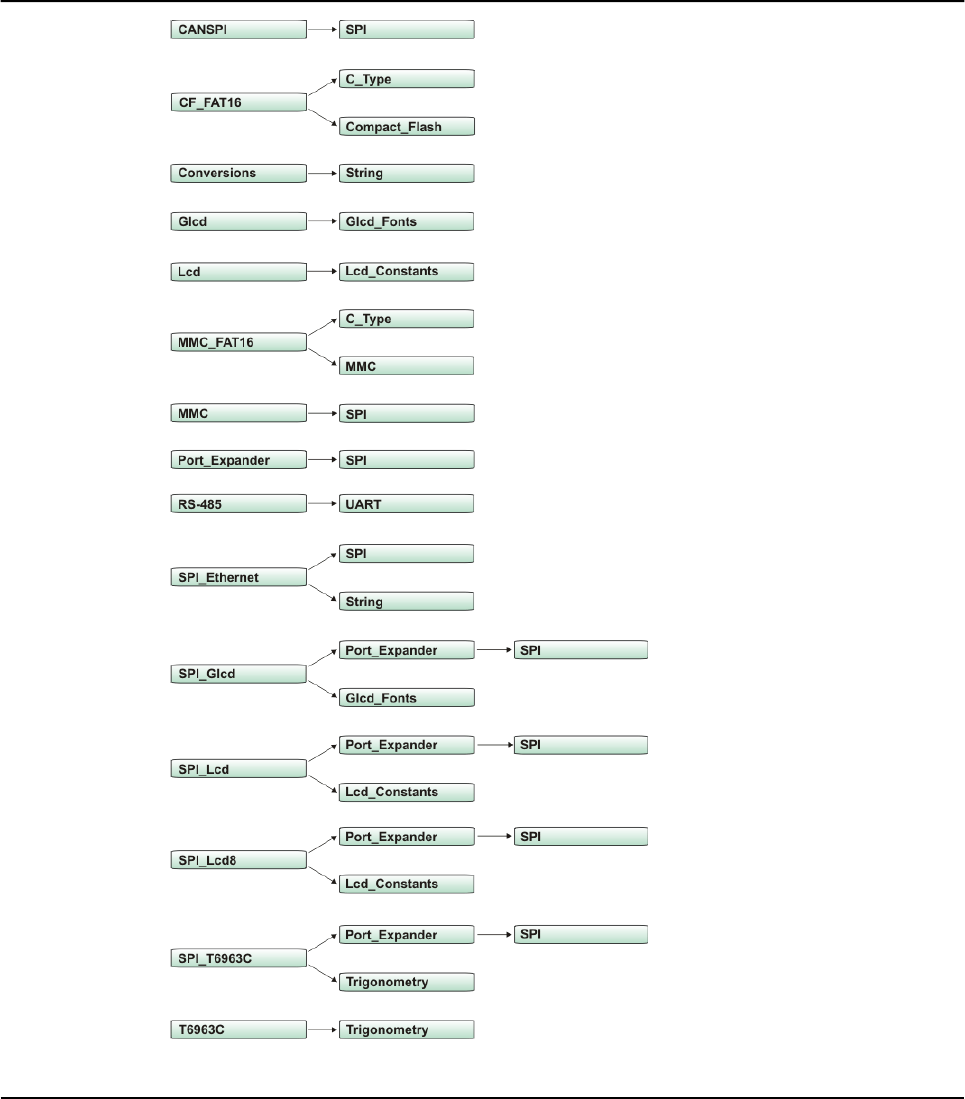
Related topics: Library manager, 8051 Libraries
200 MIKROELEKTRONIKA - SOFTWARE AND HARDWARE SOLUTIONS FOR EMBEDDED WORLD
Libraries mikroBasic PRO for PIC
CHAPTER 7

Hardware Libraries
ADC Library
CAN Library
CANSPI Library
Compact Flash Library
EEPROM Library
Ethernet PIC18FxxJ60 Library
Flash Memory Library
Graphic Lcd Library
I2C Library
Keypad Library
Lcd Library
Manchester Code Library
Multi Media Card library
OneWire Library
Port Expander Library
PS/2 Library
PWM Library
RS-485 Library
Software I2C Library
Software SPI Library
Software UART Library
Sound Library
SPI Library
SPI Ethernet Library
SPI Graphic Lcd Library
SPI Lcd Library
SPI Lcd8 Library
SPI T6963C Graphic Lcd Library
T6963C Graphic Lcd Library
UART Library
USB HID Library
201
MIKROELEKTRONIKA - SOFTWARE AND HARDWARE SOLUTIONS FOR EMBEDDED WORLD
Libraries
mikroBasic PRO for PIC
CHAPTER 7

ADC LIBRARY
ADC (Analog to Digital Converter) module is available with a number of PIC MCUs. Library func-
tion Adc_Read is included to provide you comfortable work with the module.
Library Routines
ADC_Read
ADC_Read
202 MIKROELEKTRONIKA - SOFTWARE AND HARDWARE SOLUTIONS FOR EMBEDDED WORLD
Libraries mikroBasic PRO for PIC
CHAPTER 7
Prototype sub function ADC_Read(dim channel as byte) as word
Returns 10-bit unsigned value read from the specified channel
Description
Initializes PIC’s internal ADC module to work with RC clock. Clock determines
the time period necessary for performing AD conversion (min 12TAD).
Parameter channel represents the channel from which the analog value is to be
acquired. Refer to the appropriate datasheet for channel-to-pin mapping
Requires Nothing.
Example
dim tmp as word
...
tmp = ADC_Read(2) ' Read analog value from channel 2
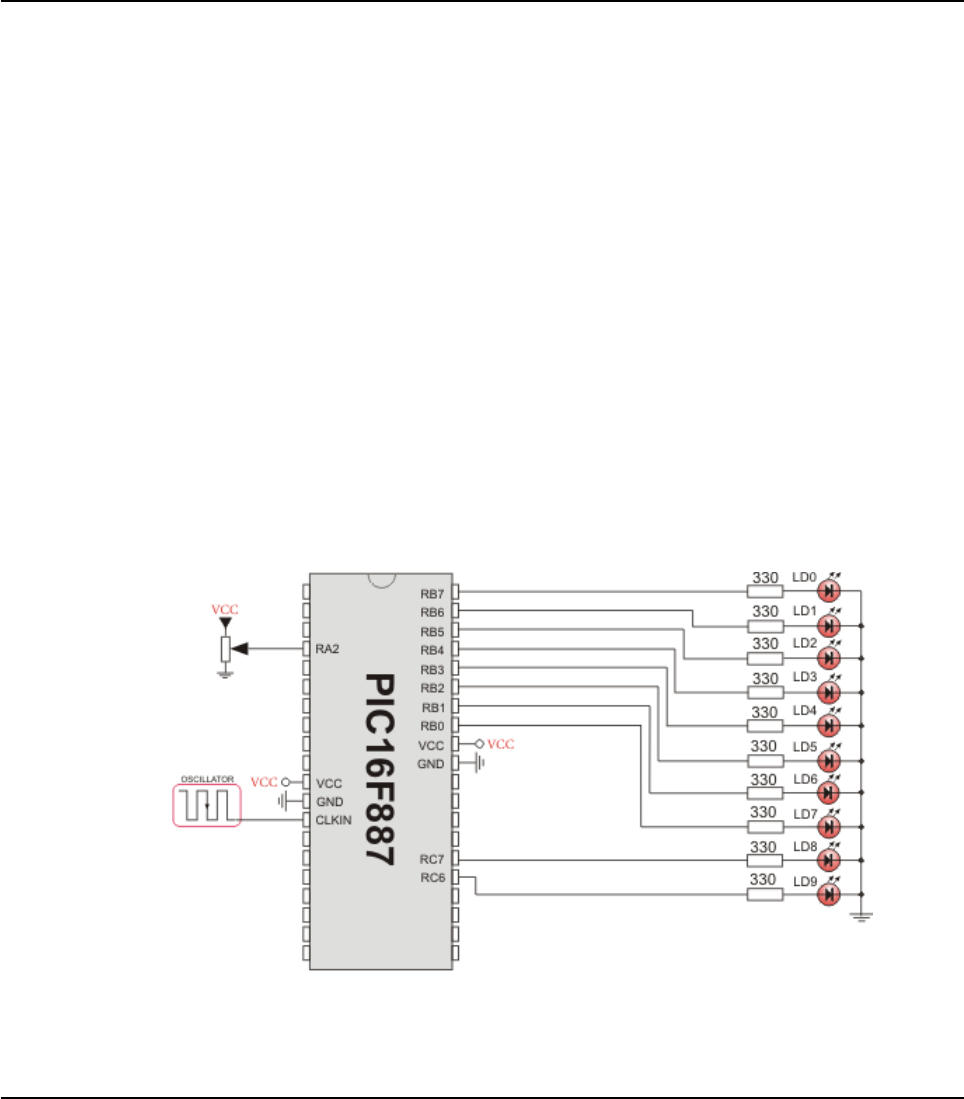
Library Example
This example code reads analog value from channel 2 and displays it on PORTB
and PORTC.
program ADC_on_LEDs
dim adc_rd as word
main:
EBDIS_bit = 1 ' set External Bus Disable bit
CMCON = CMCON or 0x07 ' turn off comparators
ADCON1 = ADCON1 or 0x0C ' Set AN2 channel pin as analog
TRISA2_bit = 1 ' input
TRISB = 0x00 ' Set PORTB as output
TRISC = 0x00 ' Set PORTC as output
while (TRUE)
adc_rd = ADC_Read(2) ' get ADC value from 2nd channel
PORTB = adc_rd ' display adc_rd[7..0]
PORTC = Hi(adc_rd) ' display adc_rd[9..8]
wend
end.
HW Connection
ADC HW connection
203
MIKROELEKTRONIKA - SOFTWARE AND HARDWARE SOLUTIONS FOR EMBEDDED WORLD
Libraries
mikroBasic PRO for PIC
CHAPTER 7

CAN LIBRARY
mikroBasic provides a library (driver) for working with the CAN module.
CAN is a very robust protocol that has error detection and signalling, self–checking
and fault confinement. Faulty CAN data and remote frames are re-transmitted auto-
matically, similar to the Ethernet.
Data transfer rates vary from up to 1 Mbit/s at network lengths below 40m to 250
Kbit/s at 250m cables, and can go even lower at greater network distances, down
to 200Kbit/s, which is the minimum bitrate defined by the standard. Cables used are
shielded twisted pairs, and maximum cable length is 1000m.
CAN supports two message formats:
Standard format, with 11 identifier bits, and
Extended format, with 29 identifier bits
Note: Microcontroller must be connected to CAN transceiver (MCP2551 or similar)
which is connected to CAN bus.
Library Routines
CANSetOperationMode
CANGetOperationMode
CANInitialize
CANSetBaudRate
CANSetMask
CANSetFilter
CANRead
CANWrite
Following routines are for the internal use by compiler only:
RegsToCANID
CANIDToRegs
Be sure to check CAN constants necessary for using some of the functions
204 MIKROELEKTRONIKA - SOFTWARE AND HARDWARE SOLUTIONS FOR EMBEDDED WORLD
Libraries mikroBasic PRO for PIC
CHAPTER 7

205
MIKROELEKTRONIKA - SOFTWARE AND HARDWARE SOLUTIONS FOR EMBEDDED WORLD
Libraries
mikroBasic PRO for PIC
CHAPTER 7
CANSetOperationMode
CANGetOperationMode
Prototype sub procedure CANSetOperationMode(dim mode, wait_flag as byte)
Returns Nothing.
Description
Sets CAN to requested mode, i.e. copies mode to CANSTAT. Parameter mode
needs to be one of CAN_OP_MODE constants (see CAN constants).
Parameter wait_flag needs to be either 0 or $FF:
If set to $FF, this is a blocking call – the function won’t “return” until the
requested mode is set.
If 0, this is a non-blocking call. It does not verify if CAN module is switched
to requested mode or not.
Caller must use CANGetOperationMode to verify correct operation mode before
performing mode specific operation.
Requires Microcontroller must be connected to CAN transceiver (MCP2551 or similar)
which is connected to CAN bus.
Example CANSetOperationMode(_CAN_MODE_CONFIG, $FF)
Prototype sub function CANGetOperationMode as byte
Returns Current opmode.
Description Function returns current operational mode of CAN module.
Requires Microcontroller must be connected to CAN transceiver (MCP2551 or similar)
which is connected to CAN bus.
Example if CANGetOperationMode = _CAN_MODE_NORMAL then
...

CANInitialize
206 MIKROELEKTRONIKA - SOFTWARE AND HARDWARE SOLUTIONS FOR EMBEDDED WORLD
Libraries mikroBasic PRO for PIC
CHAPTER 7
Prototype sub procedure CANInitialize(dim SJW, BRP, PHSEG1, PHSEG2,
PROPSEG, CAN_CONFIG_FLAGS as byte)
Returns Nothing.
Description
Initializes CAN. All pending transmissions are aborted. Sets all mask registers
to 0 to allow all messages.
Filter registers are set according to flag value:
if (CAN_CONFIG_FLAGS and _CAN_CONFIG_VALID_XTD_ MSG)<> 0
' Set all filters to XTD_MSG
else if (config and _CAN_CONFIG_VALID_STD_MSG) <> 0
' Set all filters to STD_MSG
else
' Set half of the filters to STD, and the rest to XTD_MSG.
Parameters:
SJW as defined in 18XXX8 datasheet (1–4)
BRP as defined in 18XXX8 datasheet (1–64)
PHSEG1 as defined in 18XXX8 datasheet (1–8)
PHSEG2 as defined in 18XXX8 datasheet (1–8)
PROPSEG as defined in 18XXX8 datasheet (1–8)
CAN_CONFIG_FLAGS is formed from predefined constants (see CAN constants)
Requires
CAN must be in Config mode; otherwise the function will be ignored.
Microcontroller must be connected to CAN transceiver (MCP2551 or similar)
which is connected to CAN bus.
Example
init = _CAN_CONFIG_SAMPLE_THRICE and
_CAN_CONFIG_PHSEG2_PRG_ON and
_CAN_CONFIG_STD_MSG and
_CAN_CONFIG_DBL_BUFFER_ON and
_CAN_CONFIG_VALID_XTD_MSG and
_CAN_CONFIG_LINE_FILTER_OFF
...
CANInitialize(1,1,3,3,1,init) ‘Initialize CAN

CANSetBaudRate
207
MIKROELEKTRONIKA - SOFTWARE AND HARDWARE SOLUTIONS FOR EMBEDDED WORLD
Libraries
mikroBasic PRO for PIC
CHAPTER 7
Prototype sub procedure CANSetBaudRate(dim SJW, BRP, PHSEG1, PHSEG2,
PROPSEG, CAN_CONFIG_FLAGS as byte)
Returns Nothing.
Description
Sets CAN baud rate. Due to complexity of CAN protocol, you cannot simply
force a bps value. Instead, use this function when CAN is in Config mode. Refer
to datasheet for details.
Parameters:
SJW as defined in 18XXX8 datasheet (1–4)
BRP as defined in 18XXX8 datasheet (1–64)
PHSEG1 as defined in 18XXX8 datasheet (1–8)
PHSEG2 as defined in 18XXX8 datasheet (1–8)
PROPSEG as defined in 18XXX8 datasheet (1–8)
CAN_CONFIG_FLAGS is formed from predefined constants (see CAN constants)
Requires
CAN must be in Config mode; otherwise the function will be ignored.
Microcontroller must be connected to CAN transceiver (MCP2551 or similar)
which is connected to CAN bus.
Example
init = _CAN_CONFIG_SAMPLE_THRICE and
_CAN_CONFIG_PHSEG2_PRG_ON and
_CAN_CONFIG_STD_MSG and
_CAN_CONFIG_DBL_BUFFER_ON and
_CAN_CONFIG_VALID_XTD_MSG and
_CAN_CONFIG_LINE_FILTER_OFF
...
CANSetBaudRate (1, 1, 3, 3, 1, init)

CANSetMask
208 MIKROELEKTRONIKA - SOFTWARE AND HARDWARE SOLUTIONS FOR EMBEDDED WORLD
Libraries mikroBasic PRO for PIC
CHAPTER 7
Prototype sub procedure CANSetMask(dim CAN_MASK as byte, dim value
as longint, dim CAN_CONFIG_FLAGS as byte)
Returns Nothing.
Description
Function sets mask for advanced filtering of messages. Given value is bit
adjusted to appropriate buffer mask registers.
Parameters:
CAN_MASK is one of predefined constant values (see CAN constants)
value is the mask register value
CAN_CONFIG_FLAGS selects type of message to filter, either
_CAN_CONFIG_XTD_MSG or _CAN_CONFIG_STD_MSG
Requires
CAN must be in Config mode; otherwise the function will be ignored.
Microcontroller must be connected to CAN transceiver (MCP2551 or similar)
which is connected to CAN bus.
Example
'Set all mask bits to 1, i.e. all filtered bits are relevant:
CANSetMask(_CAN_MASK_B1, -1,_CAN_CONFIG_XTD_MSG)
' Note that -1 is just a cheaper way to write $FFFFFFFF.
' Complement will do the trick and fill it up with ones.

CANSetFilter
209
MIKROELEKTRONIKA - SOFTWARE AND HARDWARE SOLUTIONS FOR EMBEDDED WORLD
Libraries
mikroBasic PRO for PIC
CHAPTER 7
Prototype sub procedure CANSetFilter(dim CAN_FILTER as byte, dim value as
longint, dim CAN_CONFIG_FLAGS as byte)
Returns Nothing.
Description
Function sets message filter. Given value is bit adjusted to appropriate buffer
mask registers.
Parameters:
CAN_FILTER is one of predefined constant values (see CAN constants)
value is the filter register value
CAN_CONFIG_FLAGS selects type of message to filter, either
_CAN_CONFIG_XTD_MSG or _CAN_CONFIG_STD_MSG
Requires
CAN must be in Config mode; otherwise the function will be ignored.
Microcontroller must be connected to CAN transceiver (MCP2551 or similar)
which is connected to CAN bus.
Example ' Set id of filter B1_F1 to 3:
CANSetFilter(_CAN_FILTER_B1_F1, 3, _CAN_CONFIG_XTD_MSG)

CANRead
210 MIKROELEKTRONIKA - SOFTWARE AND HARDWARE SOLUTIONS FOR EMBEDDED WORLD
Libraries mikroBasic PRO for PIC
CHAPTER 7
Prototype sub function CANRead(dim byref id as longint, dim byref data as
byte[8], dim byref datalen, CAN_RX_MSG_FLAGS as byte)as byte
Returns Message from receive buffer or zero if no message found.
Description
Function reads message from receive buffer. If at least one full receive buffer is
found, it is extracted and returned. If none found, function returns zero.
Parameters:
id is message identifier
data is an array of bytes up to 8 bytes in length
datalen is data length, from 1–8.
CAN_RX_MSG_FLAGS is value formed from constants (see CAN constants)
Requires
CAN must be in mode in which receiving is possible.
Microcontroller must be connected to CAN transceiver (MCP2551 or similar)
which is connected to CAN bus.
Example
dim len, rcv, rx as byte
dim id as longint
dim data as byte[8]
' ...
rx = 0
' ...
rcv = CANRead(id, data, len, rx)

CANWrite
211
MIKROELEKTRONIKA - SOFTWARE AND HARDWARE SOLUTIONS FOR EMBEDDED WORLD
Libraries
mikroBasic PRO for PIC
CHAPTER 7
Prototype sub function CANWrite(dim id as longint, dim byref data as
byte[8], dim datalen, CAN_TX_MSG_FLAGS as byte) as byte
Returns Returns zero if message cannot be queued (buffer full).
Description
If at least one empty transmit buffer is found, function sends message on queue
for transmission. If buffer is full, function returns 0.
Parameters:
id CAN message identifier. Only 11 or 29 bits may be used depending on
message type (standard or extended)
data is an array of bytes up to 8 bytes in length
datalen is data length, from 1–8.
CAN_RX_MSG_FLAGS is value formed from constants (see CAN constants)
Requires
CAN must be in Normal mode.
Microcontroller must be connected to CAN transceiver (MCP2551 or similar)
which is connected to CAN bus.
Example
dim id as longint
dim tx, data as byte
' ...
tx = _CAN_TX_PRIORITY_0 and
_CAN_TX_XTD_FRAME
' ...
CANWrite(id, data, 2, tx)

CAN Constants
There is a number of constants predefined in CAN library. To be able to use the
library effectively, you need to be familiar with these. You might want to check the
example at the end of the chapter.
CAN_OP_MODE
CAN_OP_MODE constants define CAN operation mode. Function
CANSetOperationMode expects one of these as its argument:
const _CAN_MODE_BITS = $E0 ' Use it to access mode bits
const _CAN_MODE_NORMAL = 0
const _CAN_MODE_SLEEP = $20
const _CAN_MODE_LOOP = $40
const _CAN_MODE_LISTEN = $60
const _CAN_MODE_CONFIG = $80
CAN_CONFIG_FLAGS
CAN_CONFIG_FLAGS constants define flags related to CAN module configuration.
Functions CANInitialize and CANSetBaudRate expect one of these (or a bitwise
combination) as their argument:
const _CAN_CONFIG_DEFAULT = $FF ' 11111111
const _CAN_CONFIG_PHSEG2_PRG_BIT = $01
const _CAN_CONFIG_PHSEG2_PRG_ON = $FF ' XXXXXXX1
const _CAN_CONFIG_PHSEG2_PRG_OFF = $FE ' XXXXXXX0
const _CAN_CONFIG_LINE_FILTER_BIT = $02
const _CAN_CONFIG_LINE_FILTER_ON = $FF ' XXXXXX1X
const _CAN_CONFIG_LINE_FILTER_OFF = $FD ' XXXXXX0X
const _CAN_CONFIG_SAMPLE_BIT = $04
const _CAN_CONFIG_SAMPLE_ONCE = $FF ' XXXXX1XX
const _CAN_CONFIG_SAMPLE_THRICE = $FB ' XXXXX0XX
const _CAN_CONFIG_MSG_TYPE_BIT = $08
const _CAN_CONFIG_STD_MSG = $FF ' XXXX1XXX
const _CAN_CONFIG_XTD_MSG = $F7 ' XXXX0XXX
const _CAN_CONFIG_DBL_BUFFER_BIT = $10
const _CAN_CONFIG_DBL_BUFFER_ON = $FF ' XXX1XXXX
const _CAN_CONFIG_DBL_BUFFER_OFF = $EF ' XXX0XXXX
const _CAN_CONFIG_MSG_BITS = $60
const _CAN_CONFIG_ALL_MSG = $FF ' X11XXXXX
const _CAN_CONFIG_VALID_XTD_MSG = $DF ' X10XXXXX
const _CAN_CONFIG_VALID_STD_MSG = $BF ' X01XXXXX
const _CAN_CONFIG_ALL_VALID_MSG = $9F ' X00XXXXX
212 MIKROELEKTRONIKA - SOFTWARE AND HARDWARE SOLUTIONS FOR EMBEDDED WORLD
Libraries mikroBasic PRO for PIC
CHAPTER 7

You may use bitwise and to form config byte out of these values. For example:
init = _CAN_CONFIG_SAMPLE_THRICE and
_CAN_CONFIG_PHSEG2_PRG_ON and
_CAN_CONFIG_STD_MSG and
_CAN_CONFIG_DBL_BUFFER_ON and
_CAN_CONFIG_VALID_XTD_MSG and
_CAN_CONFIG_LINE_FILTER_OFF
...
CANInitialize(1, 1, 3, 3, 1, init) ' Initialize CAN
CAN_TX_MSG_FLAGS
CAN_TX_MSG_FLAGS are flags related to transmission of a CAN message:
const _CAN_TX_PRIORITY_BITS = $03
const _CAN_TX_PRIORITY_0 = $FC ' XXXXXX00
const _CAN_TX_PRIORITY_1 = $FD ' XXXXXX01
const _CAN_TX_PRIORITY_2 = $FE ' XXXXXX10
const _CAN_TX_PRIORITY_3 = $FF ' XXXXXX11
const _CAN_TX_FRAME_BIT = $08
const _CAN_TX_STD_FRAME = $FF ' XXXXX1XX
const _CAN_TX_XTD_FRAME = $F7 ' XXXXX0XX
const _CAN_TX_RTR_BIT = $40
const _CAN_TX_NO_RTR_FRAME = $FF ' X1XXXXXX
const _CAN_TX_RTR_FRAME = $BF ' X0XXXXXX
You may use bitwise and to adjust the appropriate flags. For example:
' form value to be used with CANSendMessage:
send_config = _CAN_TX_PRIORITY_0 and
_CAN_TX_XTD_FRAME and
_CAN_TX_NO_RTR_FRAME;
...
CANSendMessage(id, data, 1, send_config)
213
MIKROELEKTRONIKA - SOFTWARE AND HARDWARE SOLUTIONS FOR EMBEDDED WORLD
Libraries
mikroBasic PRO for PIC
CHAPTER 7

CAN_RX_MSG_FLAGS
CAN_RX_MSG_FLAGS are flags related to reception of CAN message. If a particular bit
is set; corresponding meaning is TRUE or else it will be FALSE.
const _CAN_RX_FILTER_BITS = $07 'Use it to access filter bits
const _CAN_RX_FILTER_1 = $00
const _CAN_RX_FILTER_2 = $01
const _CAN_RX_FILTER_3 = $02
const _CAN_RX_FILTER_4 = $03
const _CAN_RX_FILTER_5 = $04
const _CAN_RX_FILTER_6 = $05
const _CAN_RX_OVERFLOW = $08 ' Set if Overflowed; else clear
const _CAN_RX_INVALID_MSG = $10 ' Set if invalid; else clear
const _CAN_RX_XTD_FRAME = $20 ' Set if XTD message; else clear
const _CAN_RX_RTR_FRAME = $40 ' Set if RTR message; else clear
const _CAN_RX_DBL_BUFFERED = $80 ' Set if message was
' hardware double-buffered
You may use bitwise and to adjust the appropriate flags. For example:
if (MsgFlag and CAN_RX_OVERFLOW) = 0 then
...
' Receiver overflow has occurred.
' We have lost our previous message.
CAN_MASK
CAN_MASK constants define mask codes. Function CANSetMask expects one of
these as its argument:
const CAN_MASK_B1 = 0
const CAN_MASK_B2 = 1
CAN_FILTER
CAN_FILTER constants define filter codes. Function CANSetFilter expects one of
these as its argument:
const _CAN_FILTER_B1_F1 = 0
const _CAN_FILTER_B1_F2 = 1
const _CAN_FILTER_B2_F1 = 2
const _CAN_FILTER_B2_F2 = 3
const _CAN_FILTER_B2_F3 = 4
const _CAN_FILTER_B2_F4 = 5
214 MIKROELEKTRONIKA - SOFTWARE AND HARDWARE SOLUTIONS FOR EMBEDDED WORLD
Libraries mikroBasic PRO for PIC
CHAPTER 7

Library Example
This is a simple demonstration of CAN Library routines usage. First node initiates
the communication with the second node by sending some data to its address. The
second node responds by sending back the data incremented by 1. First node then
does the same and sends incremented data back to second node, etc.
Code for the first CANSPI node:
program CAN_1st
dim Can_Init_Flags, Can_Send_Flags, Can_Rcv_Flags as byte ' can flags
Rx_Data_Len as byte ' received data length in bytes
RxTx_Data as byte[8] ' can rx/tx data buffer
Msg_Rcvd as byte ' reception flag
ID_1st, ID_2nd as longint ' node IDs
Rx_ID as longint
main:
PORTC = 0 ' clear PORTC
TRISC = 0 ' set PORTC as output
Can_Init_Flags = 0 '
Can_Send_Flags = 0 ' clear flags
Can_Rcv_Flags = 0 '
Can_Send_Flags = _CAN_TX_PRIORITY_0 and ' form value to be used
_CAN_TX_XTD_FRAME and ' with CANWrite
_CAN_TX_NO_RTR_FRAME
Can_Init_Flags = _CAN_CONFIG_SAMPLE_THRICE and 'form value to be
used
_CAN_CONFIG_PHSEG2_PRG_ON and 'with CANInit
_CAN_CONFIG_XTD_MSG and
_CAN_CONFIG_DBL_BUFFER_ON and
_CAN_CONFIG_VALID_XTD_MSG
ID_1st = 12111
ID_2nd = 3
RxTx_Data[0] = 9 ' set initial data to be sent
CANInitialize(1,3,3,3,1,Can_Init_Flags) ' Initialize CAN module
CANSetOperationMode(_CAN_MODE_CONFIG,0xFF) ' set CONFIGURATION mode
CANSetMask(_CAN_MASK_B1,-1,_CAN_CONFIG_XTD_MSG) ' set all mask1 bits
to ones
CANSetMask(_CAN_MASK_B2,-1,_CAN_CONFIG_XTD_MSG) ' set all mask2 bits
to ones
CANSetFilter(_CAN_FILTER_B2_F4,ID_2nd,_CAN_CONFIG_XTD_MSG) 'set id
of filter B2_F4 to 2nd node ID
CANSetOperationMode(_CAN_MODE_NORMAL,0xFF) 'set NORMAL mode
215
MIKROELEKTRONIKA - SOFTWARE AND HARDWARE SOLUTIONS FOR EMBEDDED WORLD
Libraries
mikroBasic PRO for PIC
CHAPTER 7

CANWrite(ID_1st, RxTx_Data, 1, Can_Send_Flags 'send initial message
while TRUE
Msg_Rcvd = CANRead(Rx_ID , RxTx_Data , Rx_Data_Len, Can_Rcv_Flags)
if ((Rx_ID = ID_2nd) and (Msg_Rcvd <> 0)) <> 0 then
PORTC = RxTx_Data[0] ' output data at PORTC
RxTx_Data[0] = RxTx_Data[0] + 1
Delay_ms(10)
CANWrite(ID_1st, RxTx_Data, 1, Can_Send_Flags) ' send incre-
mented data back
end if
wend
end.
Code for the second CANSPI node:
program CAN_2nd
dim Can_Init_Flags, Can_Send_Flags, Can_Rcv_Flags as byte 'CAN flags
Rx_Data_Len as byte ' received data length in bytes
RxTx_Data as byte[8] ' can rx/tx data buffer
Msg_Rcvd as byte ' reception flag
ID_1st, ID_2nd as longin ' node IDs
Rx_ID as longint
main:
PORTC = 0 ' clear PORTC
TRISC = 0 ' set PORTC as output
Can_Init_Flags = 0 '
Can_Send_Flags = 0 ' clear flags
Can_Rcv_Flags = 0 '
Can_Send_Flags = _CAN_TX_PRIORITY_0 and ' form value to be used
_CAN_TX_XTD_FRAME and ' with CANWrite
_CAN_TX_NO_RTR_FRAME
Can_Init_Flags = _CAN_CONFIG_SAMPLE_THRICE and ' form value to be
used
_CAN_CONFIG_PHSEG2_PRG_ON and 'with CANInit
_CAN_CONFIG_XTD_MSG and
_CAN_CONFIG_DBL_BUFFER_ON and
_CAN_CONFIG_VALID_XTD_MSG and
_CAN_CONFIG_LINE_FILTER_OFF
ID_1st = 12111
ID_2nd = 3
RxTx_Data[0] = 9 ' set initial data to be sent
216 MIKROELEKTRONIKA - SOFTWARE AND HARDWARE SOLUTIONS FOR EMBEDDED WORLD
Libraries mikroBasic PRO for PIC
CHAPTER 7

CANInitialize(1,3,3,3,1,Can_Init_Flags ' initialize external CAN
module
CANSetOperationMode(_CAN_MODE_CONFIG,0xFF) ' set CONFIGURATION
mode
CANSetMask(_CAN_MASK_B1,-1,_CAN_CONFIG_XTD_MSG) ' set all mask1
bits to ones
CANSetMask(_CAN_MASK_B2,-1,_CAN_CONFIG_XTD_MSG) ' set all mask2
bits to ones
CANSetFilter(_CAN_FILTER_B2_F3,ID_1st,_CAN_CONFIG_XTD_MSG) ' set
id of filter B2_F3 to 1st node ID
CANSetOperationMode(_CAN_MODE_NORMAL,0xFF) ' set NORMAL mode
while true ' endless loop
Msg_Rcvd = CANRead(Rx_ID , RxTx_Data , Rx_Data_Len, Can_Rcv_
Flags) ' receive message
if ((Rx_ID = ID_1st) and (Msg_Rcvd <> 0)) <> 0 then ' if message
received check id
PORTC = RxTx_Data[0] ' id correct, output data at PORTC
Inc(RxTx_Data[0]) ' increment received data
CANWrite(ID_2nd, RxTx_Data, 1, Can_Send_Flags)' send increment-
ed data back
end if
wend
end.
217
MIKROELEKTRONIKA - SOFTWARE AND HARDWARE SOLUTIONS FOR EMBEDDED WORLD
Libraries
mikroBasic PRO for PIC
CHAPTER 7
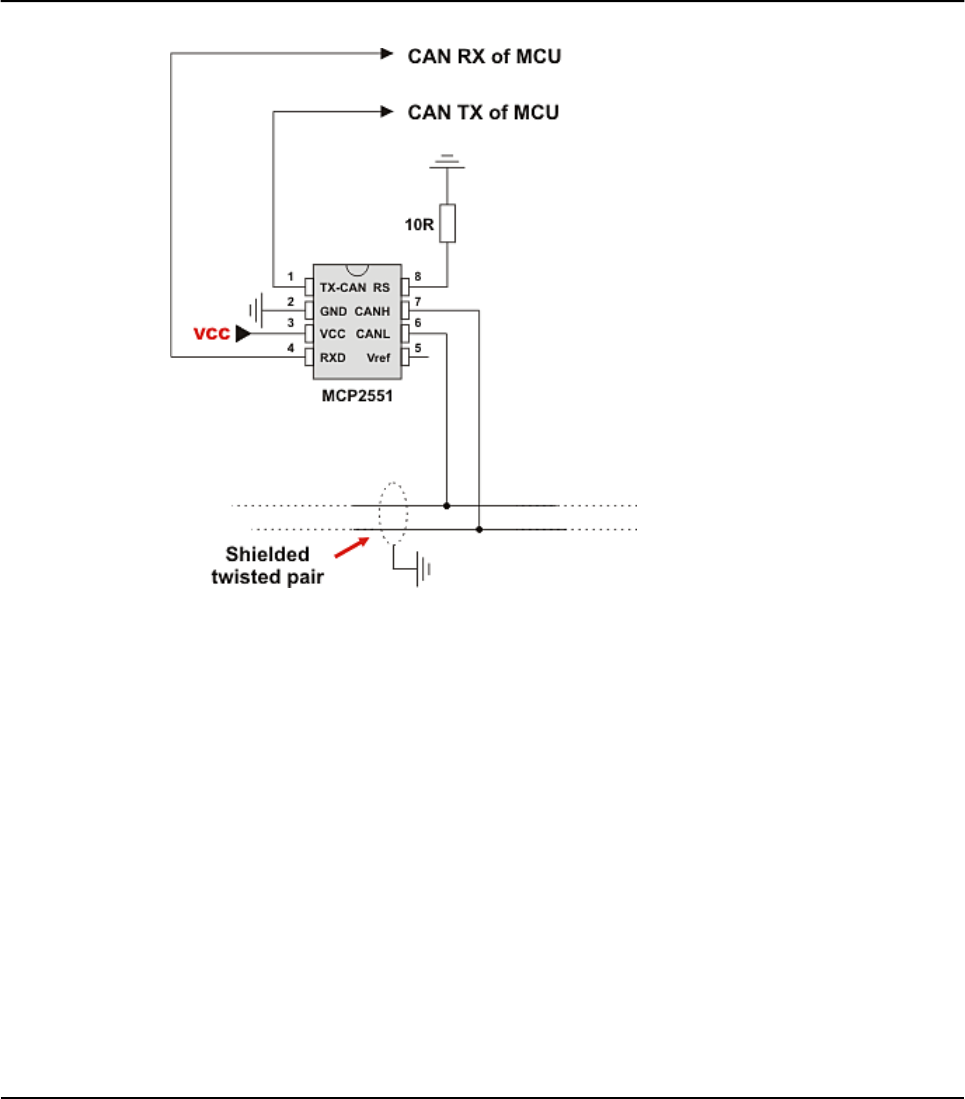
HW Connection
Example of interfacing CAN transceiver with MCU and bus.
218 MIKROELEKTRONIKA - SOFTWARE AND HARDWARE SOLUTIONS FOR EMBEDDED WORLD
Libraries mikroBasic PRO for PIC
CHAPTER 7

CANSPI LIBRARY
The SPI module is available with a number of the PIC compliant MCUs. The
mikroBasic PRO for PIC provides a library (driver) for working with mikroElektroni-
ka's CANSPI Add-on boards (with MCP2515 or MCP2510) via SPI interface.
The CAN is a very robust protocol that has error detection and signalization,
self–checking and fault confinement. Faulty CAN data and remote frames are re-
transmitted automatically, similar to the Ethernet.
Data transfer rates depend on distance. For example, 1 Mbit/s can be achieved at
network lengths below 40m while 250 Kbit/s can be achieved at network lengths
below 250m. The greater distance the lower maximum bitrate that can be achieved.
The lowest bitrate defined by the standard is 200Kbit/s. Cables used are shielded
twisted pairs.
CAN supports two message formats:
Standard format, with 11 identifier bits and
Extended format, with 29 identifier bits
Note:
Consult the CAN standard about CAN bus termination resistance.
An effective CANSPI communication speed depends on SPI and certainly is
slower than “real” CAN.
The library uses the SPI module for communication. User must initialize SPI
module before using the SPI Graphic Lcd Library.
For MCUs with two SPI modules it is possible to initialize both of them and
then switch by using the SPI_Set_Active routine.
CANSPI module refers to mikroElektronika's CANSPI Add-on board connect
ed to SPI module of MCU.
219
MIKROELEKTRONIKA - SOFTWARE AND HARDWARE SOLUTIONS FOR EMBEDDED WORLD
Libraries
mikroBasic PRO for PIC
CHAPTER 7

External dependecies of CANSPI Library
Library Routines
CANSPISetOperationMode
CANSPIGetOperationMode
CANSPIInitialize
CANSPISetBaudRate
CANSPISetMask
CANSPISetFilter
CANSPIread
CANSPIWrite
The following routines are for an internal use by the library only:
RegsToCANSPIID
CANSPIIDToRegs
Be sure to check CANSPI constants necessary for using some of the sub functions.
220 MIKROELEKTRONIKA - SOFTWARE AND HARDWARE SOLUTIONS FOR EMBEDDED WORLD
Libraries mikroBasic PRO for PIC
CHAPTER 7
The following variables
must be defined in all
projects using CANSPI
Library:
Description: Example :
dim CanSpi_CS as sbit
sfr external Chip Select line. dim CanSpi_CS as sbit
at RC0_bit
dim CanSpi_Rst as
sbit sfr external Reset line. dim CanSpi_Rst as
sbit at RC2_bit
dim
CanSpi_CS_Direction
as sbit sfr exter-
nal
Direction of the
Chip Select pin.
dim
CanSpi_CS_Direction
as sbit at
TRISC0_bit
dim
CanSpi_Rst_Bit_Dire
ction as sbit sfr
external
Direction of the Reset pin.
dim
CanSpi_Rst_Bit_Direc
tion as sbit at
TRISC2_bit

221
MIKROELEKTRONIKA - SOFTWARE AND HARDWARE SOLUTIONS FOR EMBEDDED WORLD
Libraries
mikroBasic PRO for PIC
CHAPTER 7
CANSPISetOperationMode
CANSPIGetOperationMode
Prototype sub procedure CANSPISetOperationMode(dim mode as byte, dim WAIT
as byte)
Returns Nothing.
Description
Sets the CANSPI module to requested mode.
Parameters :
mode: CANSPI module operation mode. Valid values: CANSPI_OP_MODE
constants (see CANSPI constants).
WAIT: CANSPI mode switching verification request. If WAIT = 0, the call is
non-blocking. The sub function does not verify if the CANSPI module is
switched to requested mode or not. Caller must use CANSPIGetOperationMode
to verify correct operation mode before performing mode specific operation. If WAIT
!= 0, the call is blocking – the sub function won’t “return” until the requested mode
is set.
Requires
The CANSPI routines are supported only by MCUs with the SPI module.
MCU has to be properly connected to mikroElektronika's CANSPI Extra Board
or similar hardware. See connection example at the bottom of this page.
Example
' set the CANSPI module into configuration mode (wait inside
CANSPISetOperationMode until this mode is set)
CANSPISetOperationMode(_CANSPI_MODE_CONFIG, 0xFF)
Prototype sub function CANSPIGetOperationMode() as byte
Returns Current operation mode.
Description
The sub function returns current operation mode of the CANSPI module. Check
CANSPI_OP_MODE constants (see CANSPI constants) or device datasheet for
operation mode codes.
Requires
The CANSPI routines are supported only by MCUs with the SPI module.
MCU has to be properly connected to mikroElektronika's CANSPI Extra Board
or similar hardware. See connection example at the bottom of this page.
Example
' check whether the CANSPI module is in Normal mode and if it is
do something.
if (CANSPIGetOperationMode() = _CANSPI_MODE_NORMAL) then
...
end if

222 MIKROELEKTRONIKA - SOFTWARE AND HARDWARE SOLUTIONS FOR EMBEDDED WORLD
Libraries mikroBasic PRO for PIC
CHAPTER 7
CANSPIInitialize
Prototype
sub procedure CANSPIInitialize(dim SJW as byte, dim BRP as byte,
dim PHSEG1 as byte, dim PHSEG2 as byte, dim PROPSEG as byte, dim
CANSPI_CONFIG_FLAGS as byte)
Returns Nothing.
Description
Initializes the CANSPI module.
Stand-Alone CAN controller in the CANSPI module is set to:
Disable CAN capture
Continue CAN operation in Idle mode
Do not abort pending transmissions
Fcan clock: 4*Tcy (Fosc)
Baud rate is set according to given parameters
CAN mode: Normal
Filter and mask registers IDs are set to zero
Filter and mask message frame type is set according to CAN_CONFIG_FLAGS
value
SAM,SEG2PHTS,WAKFIL and DBEN bits are set according to CAN_CONFIG_FLAGS value.
Parameters:
SJW as defined in CAN controller's datasheet
BRP as defined in CAN controller's datasheet
PHSEG1 as defined in CAN controller's datasheet
PHSEG2 as defined in CAN controller's datasheet
PROPSEG as defined in CAN controller's datasheet
CAN_CONFIG_FLAGS is formed from predefined constants (see CANSPI con
stants)
Requires
Global variables :
CanSpi_CS: Chip Select line
CanSpi_Rst: Reset line
CanSpi_CS_Bit_Direction: Direction of the Chip Select pin
CanSpi_Rst_Bit_Direction: Direction of the Reset pin
must be defined before using this function.
The CANSPI routines are supported only by MCUs with the SPI module.
The SPI module needs to be initialized. See the SPI1_Init and SPI1_Init_Advanced
routines.
MCU has to be properly connected to mikroElektronika's CANSPI Extra Board or
similar hardware. See connection example at the bottom of this page.

223
MIKROELEKTRONIKA - SOFTWARE AND HARDWARE SOLUTIONS FOR EMBEDDED WORLD
Libraries
mikroBasic PRO for PIC
CHAPTER 7
Example
' CANSPI module connections
dim CanSpi_CS as sbit at RC0_bit
CanSpi_CS_Direction as sbit at TRISC0_bit
CanSpi_Rst as sbit at RC2_bit
CanSpi_Rst_Direction as sbit at TRISC2_bit
' End CANSPI module connections
...
dim Can_Init_Flags as byte
...
Can_Init_Flags = _CANSPI_CONFIG_SAMPLE_THRICE and ' form value
to be used
_CANSPI_CONFIG_PHSEG2_PRG_ON and ' with
CANSPIInitialize
_CANSPI_CONFIG_XTD_MSG and
_CANSPI_CONFIG_DBL_BUFFER_ON and
_CANSPI_CONFIG_VALID_XTD_MSG
...
SPI1_Init() ' initialize SPI module
CANSPIInitialize(1,3,3,3,1,Can_Init_Flags) ' initialize exter-
nal CANSPI module

224 MIKROELEKTRONIKA - SOFTWARE AND HARDWARE SOLUTIONS FOR EMBEDDED WORLD
Libraries mikroBasic PRO for PIC
CHAPTER 7
CANSPISetBaudRate
Prototype
sub procedure CANSPISetBaudRate(dim SJW as byte, dim BRP as byte,
dim PHSEG1 as byte, dim PHSEG2 as byte, dim PROPSEG as byte, dim
CANSPI_CONFIG_FLAGS as byte)
Returns Nothing.
Description
Sets the CANSPI module baud rate. Due to complexity of the CAN protocol,
you can not simply force a bps value. Instead, use this sub function when the
CANSPI module is in Config mode.
SAM, SEG2PHTS and WAKFIL bits are set according to CANSPI_CONFIG_FLAGS
value. Refer to datasheet for details.
Parameters:
SJW as defined in CAN controller's datasheet
BRP as defined in CAN controller's datasheet
PHSEG1 as defined in CAN controller's datasheet
PHSEG2 as defined in CAN controller's datasheet
PROPSEG as defined in CAN controller's datasheet
CAN_CONFIG_FLAGS is formed from predefined constants (see CANSPI con
stants)
Requires
The CANSPI module must be in Config mode, otherwise the sub function will be
ignored. See CANSPISetOperationMode.
The CANSPI routines are supported only by MCUs with the SPI module.
MCU has to be properly connected to mikroElektronika's CANSPI Extra Board
or similar hardware. See connection example at the bottom of this page.
Example
' set required baud rate and sampling rules
dim can_config_flags as byte
...
CANSPISetOperationMode(_CANSPI_MODE_CONFIG, 0xFF) ' set CONFIG-
URATION mode (CANSPI module mast be in config mode for baud rate
settings)
can_config_flags = _CANSPI_CONFIG_SAMPLE_THRICE and
_CANSPI_CONFIG_PHSEG2_PRG_ON and
_CANSPI_CONFIG_STD_MSG and
_CANSPI_CONFIG_DBL_BUFFER_ON and
_CANSPI_CONFIG_VALID_XTD_MSG and
_CANSPI_CONFIG_LINE_FILTER_OFF
CANSPISetBaudRate(1, 1, 3, 3, 1, can_config_flags)

225
MIKROELEKTRONIKA - SOFTWARE AND HARDWARE SOLUTIONS FOR EMBEDDED WORLD
Libraries
mikroBasic PRO for PIC
CHAPTER 7
CANSPISetMask
Prototype sub procedure CANSPISetMask(dim CANSPI_MASK as byte, dim val as
longint, dim CANSPI_CONFIG_FLAGS as byte)
Returns Nothing.
Description
Configures mask for advanced filtering of messages. The parameter value is
bit-adjusted to the appropriate mask registers.
Parameters:
CAN_MASK: CANSPI module mask number. Valid values: CANSPI_MASK
costants (see CANSPI constants)
val: mask register value
CAN_CONFIG_FLAGS: selects type of message to filter. Valid values:
_CANSPI_CONFIG_ALL_VALID_MSG,
_CANSPI_CONFIG_MATCH_MSG_TYPE and CANSPI_CONFIG_STD_MSG,
_CANSPI_CONFIG_MATCH_MSG_TYPE and CANSPI_CONFIG_XTD_MSG.
(see CANSPI constants)
Requires
The CANSPI module must be in Config mode, otherwise the sub function will be
ignored. See CANSPISetOperationMode.
The CANSPI routines are supported only by MCUs with the SPI module.
MCU has to be properly connected to mikroElektronika's CANSPI Extra Board
or similar hardware. See connection example at the bottom of this page.
Example
' set the appropriate filter mask and message type value
CANSPISetOperationMode(_CANSPI_MODE_CONFIG,0xFF) ' set CONFIGURA-
TION mode (CANSPI module must be in config mode for mask set-
tings)
' Set all B1 mask bits to 1 (all filtered bits are relevant):
' Note that -1 is just a cheaper way to write 0xFFFFFFFF.
' Complement will do the trick and fill it up with ones.
CANSPISetMask(_CANSPI_MASK_B1, -1, _CANSPI_CONFIG_MATCH_MSG_TYPE
and _CANSPI_CONFIG_XTD_MSG)

226 MIKROELEKTRONIKA - SOFTWARE AND HARDWARE SOLUTIONS FOR EMBEDDED WORLD
Libraries mikroBasic PRO for PIC
CHAPTER 7
CANSPISetFilter
Prototype sub procedure CANSPISetFilter(dim CANSPI_FILTER as byte, dim val
as longint, dim CANSPI_CONFIG_FLAGS as byte)
Returns Nothing.
Description
Configures message filter. The parameter value is bit-adjusted to the appropri-
ate filter registers.
Parameters:
CAN_FILTER: CANSPI module filter number. Valid values: CANSPI_FILTER
constants (see CANSPI constants)
val: filter register value
CAN_CONFIG_FLAGS: selects type of message to filter. Valid values:
_CANSPI_CONFIG_ALL_VALID_MSG,
_CANSPI_CONFIG_MATCH_MSG_TYPE and CANSPI_CONFIG_STD_MSG,
_CANSPI_CONFIG_MATCH_MSG_TYPE and CANSPI_CONFIG_XTD_MSG.
(see CANSPI constants)
Requires
The CANSPI module must be in Config mode, otherwise the function will be
ignored. See CANSPISetOperationMode.
The CANSPI routines are supported only by MCUs with the SPI module.
MCU has to be properly connected to mikroElektronika's CANSPI Extra Board
or similar hardware. See connection example at the bottom of this page.
Example
' set the appropriate filter value and message type
CANSPISetOperationMode(_CANSPI_MODE_CONFIG,0xFF)
' set CONFIGURATION mode (CANSPI module must be in config mode
for filter settings)
' Set id of filter B1_F1 to 3:
CANSPISetFilter(_CANSPI_FILTER_B1_F1, 3, _CANSPI_CONFIG_XTD_MSG)

227
MIKROELEKTRONIKA - SOFTWARE AND HARDWARE SOLUTIONS FOR EMBEDDED WORLD
Libraries
mikroBasic PRO for PIC
CHAPTER 7
CANSPIRead
Prototype
sub function CANSPIRead(dim byref id as longint, dim byref
rd_data as byte[8],dim data_len as byte, dim CANSPI_RX_MSG_FLAGS
as byte) as byte
Returns 0if nothing is received
0xFF if one of the Receive Buffers is full (message received)
Description
If at least one full Receive Buffer is found, it will be processed in the following
way:
Message ID is retrieved and stored to location provided by the id parameter
Message data is retrieved and stored to a buffer provided by the rd_data param-
eter
Message length is retrieved and stored to location provided by the
data_len parameter
Message flags are retrieved and stored to location provided by the
CAN_RX_MSG_FLAGS parameter
Parameters:
id: message identifier storage address
rd_data: data buffer (an array of bytes up to 8 bytes in length)
data_len: data length storage address.
CAN_RX_MSG_FLAGS: message flags storage address
Requires
The CANSPI module must be in a mode in which receiving is possible. See
CANSPISetOperationMode.
The CANSPI routines are supported only by MCUs with the SPI module.
MCU has to be properly connected to mikroElektronika's CANSPI Extra Board
or similar hardware. See connection example at the bottom of this page.
Example
' check the CANSPI module for received messages. If any was
received do something.
dim msg_rcvd, rx_flags, data_len as byte
rd_data as byte[8]
msg_id as longint
...
CANSPISetOperationMode(_CANSPI_MODE_NORMAL,0xFF) ' set NORMAL
mode (CANSPI module must be in mode in which receive is possible)
...
rx_flags = 0 ' clear message flags
if (msg_rcvd = CANSPIRead(msg_id, rd_data, data_len, rx_flags)
...
end if

228 MIKROELEKTRONIKA - SOFTWARE AND HARDWARE SOLUTIONS FOR EMBEDDED WORLD
Libraries mikroBasic PRO for PIC
CHAPTER 7
CANSPIWrite
Prototype
sub function CANSPIWrite(dim id as longint, dim byref wr_data as
byte[8], dim data_len as byte, dim CANSPI_TX_MSG_FLAGS as byte)
as byte
Returns 0if all Transmit Buffers are busy
0xFF if at least one Transmit Buffer is available
Description
If at least one empty Transmit Buffer is found, the function sends message in
the queue for transmission.
Parameters:
id:CAN message identifier. Valid values: 11 or 29 bit values, depending
on message type (standard or extended)
wr_data: data to be sent (an array of bytes up to 8 bytes in length)
data_len: data length. Valid values: 1 to 8
CAN_RX_MSG_FLAGS: message flags
Requires
The CANSPI module must be in mode in which transmission is possible. See
CANSPISetOperationMode.
The CANSPI routines are supported only by MCUs with the SPI module.
MCU has to be properly connected to mikroElektronika's CANSPI Extra Board
or similar hardware. See connection example at the bottom of this page.
Example
' send message extended CAN message with the appropriate ID and
data
dim tx_flags as byte
rd_data as byte[8]
msg_id as longint
...
CANSPISetOperationMode(_CANSPI_MODE_NORMAL, 0xFF)
' set NORMAL mode (CANSPI must be in mode in which transmission
is possible)
tx_flags = _CANSPI_TX_PRIORITY_0 ands _CANSPI_TX_XTD_FRAME
' set message flags
CANSPIWrite(msg_id, rd_data, 2, tx_flags)

CANSPI Constants
There is a number of constants predefined in the CANSPI library. You need to be
familiar with them in order to be able to use the library effectively. Check the exam-
ple at the end of the chapter.
CANSPI_OP_MODE
The CANSPI_OP_MODE constants define CANSPI operation mode. Function
CANSPISetOperationMode expects one of these as it's argument:
const
_CANSPI_MODE_BITS as byte = 0xE0 Use this to access opmode bits
_CANSPI_MODE_NORMAL as byte = 0x00
_CANSPI_MODE_SLEEP as byte = 0x20
_CANSPI_MODE_LOOP as byte = 0x40
_CANSPI_MODE_LISTEN as byte = 0x60
_CANSPI_MODE_CONFIG as byte = 0x80
CANSPI_CONFIG_FLAGS
The CANSPI_CONFIG_FLAGS constants define flags related to the CANSPI mod-
ule configuration. The functions CANSPIInitialize, CANSPISetBaudRate,
CANSPISetMask and CANSPISetFilter expect one of these (or a bitwise combina-
tion) as their argument:
const
_CANSPI_CONFIG_DEFAULT as byte = $FF ' 11111111
_CANSPI_CONFIG_PHSEG2_PRG_BIT as byte = $01
_CANSPI_CONFIG_PHSEG2_PRG_ON as byte = $FF ' XXXXXXX1
_CANSPI_CONFIG_PHSEG2_PRG_OFF as byte = $FE ' XXXXXXX0
_CANSPI_CONFIG_LINE_FILTER_BIT as byte = $02
_CANSPI_CONFIG_LINE_FILTER_ON as byte = $FF ' XXXXXX1X
_CANSPI_CONFIG_LINE_FILTER_OFF as byte = $FD ' XXXXXX0X
_CANSPI_CONFIG_SAMPLE_BIT as byte = $04
_CANSPI_CONFIG_SAMPLE_ONCE as byte = $FF ' XXXXX1XX
_CANSPI_CONFIG_SAMPLE_THRICE as byte = $FB ' XXXXX0XX
_CANSPI_CONFIG_MSG_TYPE_BIT as byte = $08
_CANSPI_CONFIG_STD_MSG as byte = $FF ' XXXX1XXX
_CANSPI_CONFIG_XTD_MSG as byte = $F7 ' XXXX0XXX
_CANSPI_CONFIG_DBL_BUFFER_BIT as byte = $10
_CANSPI_CONFIG_DBL_BUFFER_ON as byte = $FF ' XXX1XXXX
229
MIKROELEKTRONIKA - SOFTWARE AND HARDWARE SOLUTIONS FOR EMBEDDED WORLD
Libraries
mikroBasic PRO for PIC
CHAPTER 7

_CANSPI_CONFIG_DBL_BUFFER_OFF as byte = $EF ' XXX0XXXX
_CANSPI_CONFIG_MSG_BITS as byte = $60
_CANSPI_CONFIG_ALL_MSG as byte = $FF ' X11XXXXX
_CANSPI_CONFIG_VALID_XTD_MSG as byte = $DF ' X10XXXXX
_CANSPI_CONFIG_VALID_STD_MSG as byte = $BF ' X01XXXXX
_CANSPI_CONFIG_ALL_VALID_MSG as byte = $9F ' X00XXXXX
You may use bitwise and to form config byte out of these values. For example:
init = _CANSPI_CONFIG_SAMPLE_THRICE and
_CANSPI_CONFIG_PHSEG2_PRG_ON and
_CANSPI_CONFIG_STD_MSG and
_CANSPI_CONFIG_DBL_BUFFER_ON and
_CANSPI_CONFIG_VALID_XTD_MSG and
_CANSPI_CONFIG_LINE_FILTER_OFF
...
CANSPIInit(1, 1, 3, 3, 1, init) ' initialize CANSPI
CANSPI_TX_MSG_FLAGS
CANSPI_TX_MSG_FLAGS are flags related to transmission of a CAN message:
const
_CANSPI_TX_PRIORITY_BITS as byte = $03
_CANSPI_TX_PRIORITY_0 as byte = $FC ' XXXXXX00
_CANSPI_TX_PRIORITY_1 as byte = $FD ' XXXXXX01
_CANSPI_TX_PRIORITY_2 as byte = $FE ' XXXXXX10
_CANSPI_TX_PRIORITY_3 as byte = $FF ' XXXXXX11
_CANSPI_TX_FRAME_BIT as byte = $08
_CANSPI_TX_STD_FRAME as byte = $FF ' XXXXX1XX
_CANSPI_TX_XTD_FRAME as byte = $F7 ' XXXXX0XX
_CANSPI_TX_RTR_BIT as byte = $40
_CANSPI_TX_NO_RTR_FRAME as byte = $FF ' X1XXXXXX
_CANSPI_TX_RTR_FRAME as byte = $BF ' X0XXXXXX
You may use bitwise and to adjust the appropriate flags. For example:
' form value to be used with CANSendMessage:
send_config = _CANSPI_TX_PRIORITY_0 and
_CANSPI_TX_XTD_FRAME and
_CANSPI_TX_NO_RTR_FRAME
...
CANSPI1Write(id, data, 1, send_config)
230 MIKROELEKTRONIKA - SOFTWARE AND HARDWARE SOLUTIONS FOR EMBEDDED WORLD
Libraries mikroBasic PRO for PIC
CHAPTER 7

CANSPI_RX_MSG_FLAGS
CANSPI_RX_MSG_FLAGS are flags related to reception of CAN message. If a par-
ticular bit is set then corresponding meaning is TRUE or else it will be FALSE.
const
_CANSPI_RX_FILTER_BITS as byte = $07 ' Use this to access fil-
ter bits
_CANSPI_RX_FILTER_1 as byte = $00
_CANSPI_RX_FILTER_2 as byte = $01
_CANSPI_RX_FILTER_3 as byte = $02
_CANSPI_RX_FILTER_4 as byte = $03
_CANSPI_RX_FILTER_5 as byte = $04
_CANSPI_RX_FILTER_6 as byte = $05
_CANSPI_RX_OVERFLOW as byte = $08 ' Set if Overflowed else
cleared
_CANSPI_RX_INVALID_MSG as byte = $10 ' Set if invalid else
cleared
_CANSPI_RX_XTD_FRAME as byte = $20 ' Set if XTD message else
cleared
_CANSPI_RX_RTR_FRAME as byte = $40 ' Set if RTR message else
cleare
_CANSPI_RX_DBL_BUFFERED as byte = $80 ' Set if this message was
hardware double-buffered
You may use bitwise and to adjust the appropriate flags. For example:
if (MsgFlag and _CANSPI_RX_OVERFLOW) <> 0 then
...
' Receiver overflow has occurred.
' We have lost our previous message.
end if
CANSPI_MASK
The CANSPI_MASK constants define mask codes. Function CANSPISetMask
expects one of these as it's argument:
const
_CANSPI_MASK_B1 as byte = 0
_CANSPI_MASK_B2 as byte = 1
CANSPI_FILTER
The CANSPI_FILTER constants define filter codes. Functions CANSPISetFilter
expects one of these as it's argument:
const
_CANSPI_FILTER_B1_F1 as byte = 0
_CANSPI_FILTER_B1_F2 as byte = 1
_CANSPI_FILTER_B2_F1 as byte = 2
_CANSPI_FILTER_B2_F2 as byte = 3
_CANSPI_FILTER_B2_F3 as byte = 4
_CANSPI_FILTER_B2_F4 as byte = 5
231
MIKROELEKTRONIKA - SOFTWARE AND HARDWARE SOLUTIONS FOR EMBEDDED WORLD
Libraries
mikroBasic PRO for PIC
CHAPTER 7

Library Example
This is a simple demonstration of CANSPI Library routines usage. First node initi-
ates the communication with the second node by sending some data to its address.
The second node responds by sending back the data incremented by 1. First node
then does the same and sends incremented data back to second node, etc.
Code for the first CANSPI node:
program Can_Spi_1st
dim Can_Init_Flags, Can_Send_Flags, Can_Rcv_Flags as byte ' can
flags
Rx_Data_Len as byte ' received data length in bytes
RxTx_Data as byte[8] ' can rx/tx data buffer
Msg_Rcvd as byte ' reception flag
Tx_ID, Rx_ID as longint ' can rx and tx ID
' CANSPI module connections
dim CanSpi_CS as sbit at RC0_bit
CanSpi_CS_Direction as sbit at TRISC0_bit
CanSpi_Rst as sbit at RC2_bit
CanSpi_Rst_Direction as sbit at TRISC2_bit
' End CANSPI module connections
main:
ANSEL = 0 ' Configure AN pins as digital I/O
ANSELH = 0
PORTB = 0
TRISB = 0
Can_Init_Flags = 0 '
Can_Send_Flags = 0 ' clear flags
Can_Rcv_Flags = 0 '
Can_Send_Flags = _CANSPI_TX_PRIORITY_0 and ' form value to be used
_CANSPI_TX_XTD_FRAME and ' with CANSPIWrite
_CANSPI_TX_NO_RTR_FRAME
Can_Init_Flags = _CANSPI_CONFIG_SAMPLE_THRICE and ' form value to
be used
_CANSPI_CONFIG_PHSEG2_PRG_ON and ' with CANSPIInit
_CANSPI_CONFIG_XTD_MSG and
_CANSPI_CONFIG_DBL_BUFFER_ON and
_CANSPI_CONFIG_VALID_XTD_MSG
232 MIKROELEKTRONIKA - SOFTWARE AND HARDWARE SOLUTIONS FOR EMBEDDED WORLD
Libraries mikroBasic PRO for PIC
CHAPTER 7

SPI1_Init() ' initialize SPI1 module
CANSPIInitialize(1,3,3,3,1,Can_Init_Flags) 'Initialize external CAN-
SPI module
CANSPISetOperationMode(_CANSPI_MODE_CONFIG,0xFF) 'set CONFIGURATION
mode
CANSPISetMask(_CANSPI_MASK_B1,-1,_CANSPI_CONFIG_XTD_MSG) 'set all
mask1 bits to ones
CANSPISetMask(_CANSPI_MASK_B2,-1,_CANSPI_CONFIG_XTD_MSG) 'set all
mask2 bits to ones
CANSPISetFilter(_CANSPI_FILTER_B2_F4,3,_CANSPI_CONFIG_XTD_MSG) 'set
id of filter B1_F1 to 3
CANSPISetOperationMode(_CANSPI_MODE_NORMAL,0xFF) 'set NORMAL mode
RxTx_Data[0] = 9 ' set initial data to be sent
Tx_ID = 12111 '
set transmit ID
CANSPIWrite(Tx_ID, RxTx_Data, 1, Can_Send_Flags) ' send initial
message
while TRUE ' endless loop
Msg_Rcvd = CANSPIRead(Rx_ID , RxTx_Data , Rx_Data_Len,
Can_Rcv_Flags) ' receive message
if ((Rx_ID = 3) and Msg_Rcvd) then ' if message received
check id
PORTB = RxTx_Data[0] ' id correct, output data at PORTC
Inc(RxTx_Data[0]) ' increment received data
Delay_ms(10)
CANSPIWrite(Tx_ID, RxTx_Data, 1, Can_Send_Flags) ' send
incremented data back
end if
wend
end.
Code for the second CANSPI node:
program Can_Spi_2nd
dim Can_Init_Flags, Can_Send_Flags, Can_Rcv_Flags as byte ' can
flags
Rx_Data_Len as byte ' received data length in bytes
RxTx_Data as byte[8] ' CAN rx/tx data buffer
Msg_Rcvd as byte ' reception flag
Tx_ID, Rx_ID as longint ' can rx and tx ID
' CANSPI module connections
dim CanSpi_CS as sbit at RC0_bit
CanSpi_CS_Direction as sbit at TRISC0_bit
233
MIKROELEKTRONIKA - SOFTWARE AND HARDWARE SOLUTIONS FOR EMBEDDED WORLD
Libraries
mikroBasic PRO for PIC
CHAPTER 7

CanSpi_Rst as sbit at PORTC.B2
CanSpi_Rst_Direction as sbit at TRISC2_bit
' End CANSPI module connections
main:
ANSEL = 0 ' Configure AN pins as digital I/O
ANSELH = 0
PORTB = 0 ' clear PORTB
TRISB = 0 ' set PORTB as output
Can_Init_Flags = 0 '
Can_Send_Flags = 0 ' clear flags
Can_Rcv_Flags = 0 '
Can_Send_Flags = _CANSPI_TX_PRIORITY_0 and ' form value to be used
_CANSPI_TX_XTD_FRAME and ' with CANSPIWrite
_CANSPI_TX_NO_RTR_FRAME
Can_Init_Flags = _CANSPI_CONFIG_SAMPLE_THRICE and ' Form value to
be used
_CANSPI_CONFIG_PHSEG2_PRG_ON and ' with
CANSPIInit
_CANSPI_CONFIG_XTD_MSG and
_CANSPI_CONFIG_DBL_BUFFER_ON and
_CANSPI_CONFIG_VALID_XTD_MSG and
_CANSPI_CONFIG_LINE_FILTER_OFF
SPI1_Init() '
initialize SPI1 module
CANSPIInitialize(1,3,3,3,1,Can_Init_Flags)
' initialize external CANSPI module
CANSPISetOperationMode(_CANSPI_MODE_CONFIG,0xFF)
' set CONFIGURATION mode
CANSPISetMask(_CANSPI_MASK_B1,-1,_CANSPI_CONFIG_XTD_MSG)
' set all mask1 bits to ones
CANSPISetMask(_CANSPI_MASK_B2,-1,_CANSPI_CONFIG_XTD_MSG)
' set all mask2 bits to ones
CANSPISetFilter(_CANSPI_FILTER_B2_F3,12111,_CANSPI_CONFIG_XTD_MSG)
' set id of filter B1_F1 to 3
CANSPISetOperationMode(_CANSPI_MODE_NORMAL,0xFF)
' set NORMAL mode
Tx_ID = 3 ' set tx ID
while TRUE ' endless loop
Msg_Rcvd = CANSPIRead(Rx_ID, RxTx_Data, Rx_Data_Len, Can_Rcv_Flags)
'receive message
if ((Rx_ID = 12111) and Msg_Rcvd) then
PORTB =
RxTx_Data[0] ' id correct, output data at PORTC
Inc(RxTx_Data[0]) ' increment received data
234 MIKROELEKTRONIKA - SOFTWARE AND HARDWARE SOLUTIONS FOR EMBEDDED WORLD
Libraries mikroBasic PRO for PIC
CHAPTER 7

CANSPIWrite(Tx_ID, RxTx_Data,1, Can_Send_Flags ' send incremented
data back
end if
wend
end.
HW Connection
Example of interfacing CAN transceiver MCP2510 with MCU via SPI interface
235
MIKROELEKTRONIKA - SOFTWARE AND HARDWARE SOLUTIONS FOR EMBEDDED WORLD
Libraries
mikroBasic PRO for PIC
CHAPTER 7

236 MIKROELEKTRONIKA - SOFTWARE AND HARDWARE SOLUTIONS FOR EMBEDDED WORLD
Libraries mikroBasic PRO for PIC
CHAPTER 7
COMPACT FLASH LIBRARY
The Compact Flash Library provides routines for accessing data on Compact Flash
card (abbr. CF further in text). CF cards are widely used memory elements, com-
monly used with digital cameras. Great capacity and excellent access time of only
a few microseconds make them very attractive for the microcontroller applications.
In CF card, data is divided into sectors. One sector usually comprises 512 bytes.
Routines for file handling, the Cf_Fat routines, are not performed directly but suc-
cessively through 512B buffer.
Note: Routines for file handling can be used only with FAT16 file system.
Note: Library functions create and read files from the root directory only.
Note: Library functions populate both FAT1 and FAT2 tables when writing to files,
but the file data is being read from the FAT1 table only; i.e. there is no recovery if
the FAT1 table gets corrupted.
Note: If MMC/SD card has Master Boot Record (MBR), the library will work with the
first available primary (logical) partition that has non-zero size. If MMC/SD card has
Volume Boot Record (i.e. there is only one logical partition and no MBRs), the library
works with entire card as a single partition. For more information on MBR, physical
and logical drives, primary/secondary partitions and partition tables, please consult
other resources, e.g. Wikipedia and similar.
Note: Before writing operation, make sure not to overwrite boot or FAT sector as it
could make your card on PC or digital camera unreadable. Drive mapping tools,
such as Winhex, can be of great assistance.
External dependencies of Compact Flash Library
The following variables
must be defined in all
projects using Compact
Flash Library:
Description :
Example :
dim CF_Data_Port as
byte sfr external
Compact Flash
Data Port. dim CF_Data_Port as byte
at PORTD
dim CF_RDY as sbit sfr
external Ready signal line. dim CF_RDY as sbit at
RB7_bit
dim CF_WE as sbit sfr
external
Write Enable signal
line. dim CF_WE as sbit at
RB6_bit

237
MIKROELEKTRONIKA - SOFTWARE AND HARDWARE SOLUTIONS FOR EMBEDDED WORLD
Libraries
mikroBasic PRO for PIC
CHAPTER 7
dim CF_OE as sbit sfr
external
Output Enable signal
line. dim CF_OE as sbit at
RB5_bit
dim CF_CD1 as sbit r
external Chip Detect signal line. dim CF_CD1 as sbit at
RB4_bit
dim CF_CE1 as sbit sfr
external
Chip Enable signal
line. dim CF_CE1 as sbit at
RB3_bit
dim CF_A2 as sbit sfr
external
Address pin 2. dim CF_A2 as sbit at
RB2_bit
dim CF_A1 as sbit sfr
external Address pin 1. dim CF_A1 as sbit at
RB1_bit
dim CF_A0 as sbit sfr
external Address pin 0. dim CF_A0 as sbit at
RB0_bit
dim CF_RDY_direction as
sbit sfr external Direction of the Ready
pin.
dim CF_RDY_direction as
sbit at TRISB7_bit
dim CF_WE_direction as
sbit sfr external Direction of the Write
Enable pin.
dim CF_WE_direction as
sbit at TRISB6_bit
dim CF_OE_direction as
sbit sfr external Direction of the Output
Enable pin
dim CF_OE_direction as
sbit at TRISB5_bit
dim CF_CD1_direction as
sbit sfr external Direction of the Chip
Detect pin.
dim CF_CD1_direction as
sbit at TRISB4_bit
dim CF_CE1_direction as
sbit sfr external Direction of the Chip
Enable pin.
dim CF_CE1_direction as
sbit at TRISB3_bit
dim CF_A2_direction as
sbit sfr external Direction of the Address
2 pin.
dim CF_A2_direction as
sbit at TRISB2_bit
dim CF_A1_direction as
sbit sfr external Direction of the Address
1 pin.
dim CF_A1_direction as
sbit at TRISB1_bit
dim CF_A0_direction as
sbit sfr external Direction of the Address
0 pin.
dim CF_A0_direction as
sbit at TRISB0_bit

Library Routines
Cf_Init
Cf_Detect
Cf_Enable
Cf_Disable
Cf_Read_Init
Cf_Read_Byte
Cf_Write_Init
Cf_Write_Byte
Cf_Read_Sector
Cf_Write_Sector
Routines for file handling:
Cf_Fat_Init
Cf_Fat_QuickFormat
Cf_Fat_Assign
Cf_Fat_Reset
Cf_Fat_Read
Cf_Fat_Rewrite
Cf_Fat_Append
Cf_Fat_Delete
Cf_Fat_Write
Cf_Fat_Set_File_Date
Cf_Fat_Get_File_Date
Cf_Fat_Get_File_Size
Cf_Fat_Get_Swap_File
238 MIKROELEKTRONIKA - SOFTWARE AND HARDWARE SOLUTIONS FOR EMBEDDED WORLD
Libraries mikroBasic PRO for PIC
CHAPTER 7

Cf_Init
239
MIKROELEKTRONIKA - SOFTWARE AND HARDWARE SOLUTIONS FOR EMBEDDED WORLD
Libraries
mikroBasic PRO for PIC
CHAPTER 7
Prototype sub procedure Cf_Init()
Returns Nothing.
Description Initializes ports appropriately for communication with CF card.
Requires
Global variables :
CF_Data_Port : Compact Flash data port
CF_RDY : Ready signal line
CF_WE : Write enable signal line
CF_OE : Output enable signal line
CF_CD1 : Chip detect signal line
CF_CE1 : Enable signal line
CF_A2 : Address pin 2
CF_A1 : Address pin 1
CF_A0 : Address pin 0
CF_Data_Port_direction : Direction of the Compact Flash data direction port
CF_RDY_direction : Direction of the Ready pin
CF_WE_direction : Direction of the Write enable pin
CF_OE_direction : Direction of the Output enable pin
CF_CD1_direction : Direction of the Chip detect pin
CF_CE1_direction : Direction of the Chip enable pin
CF_A2_direction : Direction of the Address 2 pin
CF_A1_direction : Direction of the Address 1 pin
CF_A0_direction : Direction of the Address 0 pin
must be defined before using this function.
Example
set compact flash pinout
dim CF_Data_Port as byte at PORTD
dim CF_RDY as sbit at RB7_bit
dim CF_WE as sbit at RB6_bit
dim CF_OE as sbit at RB5_bit
dim CF_CD1 as sbit at RB4_bit
dim CF_CE1 as sbit at RB3_bit
dim CF_A2 as sbit at RB2_bit
dim CF_A1 as sbit at RB1_bit
dim CF_A0 as sbit at RB0_bit
dim CF_RDY_direction as sbit at TRISB7_bit
dim CF_WE_direction as sbit at TRISB6_bit
dim CF_OE_direction as sbit at TRISB5_bit
dim CF_CD1_direction as sbit at TRISB4_bit
dim CF_CE1_direction as sbit at TRISB3_bit
dim CF_A2_direction as sbit at TRISB2_bit
dim CF_A1_direction as sbit at TRISB1_bit
dim CF_A0_direction as sbit at TRISB0_bit
' end of cf pinout
'Init CF
Cf_Init()

Cf_Detect
Cf_Enable
Cf_Disable
240 MIKROELEKTRONIKA - SOFTWARE AND HARDWARE SOLUTIONS FOR EMBEDDED WORLD
Libraries mikroBasic PRO for PIC
CHAPTER 7
Prototype sub function CF_Detect() as byte
Returns 1 - if CF card was detected
0 - otherwise
Description Checks for presence of CF card by reading the chip detect pin.
Requires The corresponding MCU ports must be appropriately initialized for CF card. See Cf_Init.
Example
' Wait until CF card is inserted:
while (Cf_Detect() = 0)
nop
wend
Prototype sub procedure Cf_Enable()
Returns Nothing.
Description
Enables the device. Routine needs to be called only if you have disabled the
device by means of the Cf_Disable routine. These two routines in conjunction
allow you to free/occupy data line when working with multiple devices.
Requires The corresponding MCU ports must be appropriately initialized for CF card. See
Cf_Init.
Example ' enable compact flash
Cf_Enable()
Prototype sub procedure Cf_Disable()
Returns Nothing.
Description
Routine disables the device and frees the data lines for other devices. To
enable the device again, call Cf_Enable. These two routines in conjunction
allow you to free/occupy data line when working with multiple devices.
Requires The corresponding MCU ports must be appropriately initialized for CF card. See Cf_Init.
Example ' disable compact flash
Cf_Disable()

Cf_Read_Init
Cf_Read_Byte
241
MIKROELEKTRONIKA - SOFTWARE AND HARDWARE SOLUTIONS FOR EMBEDDED WORLD
Libraries
mikroBasic PRO for PIC
CHAPTER 7
Prototype sub procedure Cf_Read_Init(dim address as longword, dim
sector_count as byte)
Returns Nothing.
Description
Initializes CF card for reading.
Parameters :
address: the first sector to be prepared for reading opera tion.
sector_count: number of sectors to be prepared for reading operation.
Requires The corresponding MCU ports must be appropriately initialized for CF card. See Cf_Init.
Example ' initialize compact flash for reading from sector 590
Cf_Read_Init(590, 1)
Prototype sub function CF_Read_Byte() as byte
Returns
Returns a byte read from Compact Flash sector buffer.
Note: Higher byte of the unsigned return value is cleared.
Description Reads one byte from Compact Flash sector buffer location currently pointed to
by internal read pointers. These pointers will be autoicremented upon reading.
Requires
The corresponding MCU ports must be appropriately initialized for CF card. See Cf_Init.
CF card must be initialized for reading operation. See Cf_Read_Init.
Example
' Read a byte from compact flash:
dim data as byte
...
data = Cf_Read_Byte()

Cf_Write_Init
Cf_Write_Byte
242 MIKROELEKTRONIKA - SOFTWARE AND HARDWARE SOLUTIONS FOR EMBEDDED WORLD
Libraries mikroBasic PRO for PIC
CHAPTER 7
Prototype sub procedure Cf_Write_Init(dim address as longword, dim
sectcnt as byte)
Returns Nothing.
Description
Initializes CF card for writing.
Parameters :
address: the first sector to be prepared for writing operation
sectcnt: number of sectors to be prepared for writing operation.
Requires The corresponding MCU ports must be appropriately initialized for CF card. See Cf_Init.
Example ' initialize compact flash for writing to sector 590
Cf_Write_Init(590, 1)
Prototype sub procedure Cf_Write_Byte(dim data_ as byte)
Returns Nothing.
Description
Writes a byte to Compact Flash sector buffer location currently pointed to by
writing pointers. These pointers will be autoicremented upon reading. When
sector buffer is full, its content will be transfered to appropriate flash memory
sector.
Parameters :
data_: byte to be written.
Requires The corresponding MCU ports must be appropriately initialized for CF card. CF card
must be initialized for writing operation. See Cf_Write_Init.
Example
dim data_ as byte
...
data = 0xAA
Cf_Write_Byte(data)

Cf_Read_Sector
Cf_Write_Sector
243
MIKROELEKTRONIKA - SOFTWARE AND HARDWARE SOLUTIONS FOR EMBEDDED WORLD
Libraries
mikroBasic PRO for PIC
CHAPTER 7
Prototype sub procedure Cf_Read_Sector(dim sector_number as longword, dim
byref buffer as byte[512])
Returns Nothing.
Description
Reads one sector (512 bytes). Read data is stored into buffer provided by the
buffer parameter.
Parameters :
sector_number: sector to be read.
buffer: data buffer of at least 512 bytes in length.
Requires The corresponding MCU ports must be appropriately initialized for CF card. See Cf_Init.
Example
' read sector 22
dim data as array[512] of byte
...
Cf_Read_Sector(22, data)
Prototype sub procedure Cf_Write_Sector(dim sector_number as longword, dim
byref buffer as byte[512])
Returns Nothing.
Description
Writes 512 bytes of data provided by the buffer parameter to one CF sector.
Parameters :
sector_number: sector to be written to.
buffer: data buffer of 512 bytes in length
Requires The corresponding MCU ports must be appropriately initialized for CF card. See Cf_Init.
Example
' write to sector 22
dim data as array[512] of byte
...
Cf_Write_Sector(22, data)

Cf_Fat_Init
Cf_Fat_QuickFormat
244 MIKROELEKTRONIKA - SOFTWARE AND HARDWARE SOLUTIONS FOR EMBEDDED WORLD
Libraries mikroBasic PRO for PIC
CHAPTER 7
Prototype sub function Cf_Fat_Init() as byte
Returns
0 - if CF card was detected and successfully initialized
1- if FAT16 boot sector was not found
255 - if card was not detected
Description Initializes CF card, reads CF FAT16 boot sector and extracts data needed by
the library.
Requires Nothing.
Example
init the FAT library
if (Cf_Fat_Init() = 0) then
...
end if
Prototype sub function Cf_Fat_QuickFormat(dim byref cf_fat_label as
string[11]) as byte
Returns
0- if CF card was detected and formated and initialized
1- if FAT16 format was unseccessful
255 - if card was not detected
Description
Formats to FAT16 and initializes CF card.
Parameters :
cf_fat_label: volume label (11 characters in length). If less than 11
characters are provided, the label will be padded with spaces. If an empty string
is passed, the volume will not be labeled.
Note: This routine can be used instead or in conjunction with the Cf_Fat_Init
routine.
Note: If CF card already contains a valid boot sector, it will remain unchanged
(except volume label field) and only FAT and ROOT tables will be erased. Also,
the new volume label will be set.
Requires Nothing.
Example
'--- format and initialize the FAT library
if ( Cf_Fat_QuickFormat('mikroE') = 0) then
...
end if

Cf_Fat_Assign
245
MIKROELEKTRONIKA - SOFTWARE AND HARDWARE SOLUTIONS FOR EMBEDDED WORLD
Libraries
mikroBasic PRO for PIC
CHAPTER 7
Prototype sub function Cf_Fat_Assign(dim byref filename as char[12], dim
file_cre_attr as byte)as byte
Returns 0 if file does not exist and no new file is created.
1 if file already exists or file does not exist but a new file is created.
Description
Assigns file for file operations (read, write, delete...). All subsequent file opera-
tions will be applied to the assigned file.
Parameters :
filename: name of the file that should be assigned for file operations.
The file name should be in DOS 8.3 (file_name.extension) format. The file name
and extension will be automatically padded with spaces by the library if they
have less than length required (i.e. "mikro.tx" -> "mikro .tx "), so the user does
not have to take care of that. The file name and extension are case insensitive.
The library will convert them to the proper case automatically, so the user does
not have to take care of that.
Also, in order to keep backward compatibility with the first version of this library,
file names can be entered as UPPERCASE string of 11 bytes in length with no
dot character between the file name and extension (i.e. "MIKROELETXT" ->
MIKROELE.TXT). In this case the last 3 characters of the string are considered
to be file extension.
file_cre_attr: file creation and attributs flags. Each bit corresponds to
the appropriate file attribut:
Note: Long File Names (LFN) are not supported.
Requires CF card and CF library must be initialized for file operations. See Cf_Fat_Init
Example ' create file with archive attribut if it does not already exist
Cf_Fat_Assign('MIKRO007.TXT',0xA0)
Bit Mask Description
0 0x01 Read Only
1 0x02 Hidden
2 0x04 System
3 0x08 Volume Label
4 0x10 Subdirectory
5 0x20 Archive
6 0x40 Device (internal use only, never found on disk)
7 0x80 File creation flag. If the file does not exist and this flag is set, a
new file with specified name will be created.

Cf_Fat_Reset
Cf_Fat_Read
246 MIKROELEKTRONIKA - SOFTWARE AND HARDWARE SOLUTIONS FOR EMBEDDED WORLD
Libraries mikroBasic PRO for PIC
CHAPTER 7
Prototype sub procedure Cf_Fat_Reset(dim byref size as longword)
Returns Nothing.
Description
Opens currently assigned file for reading.
Parameters :
size: buffer to store file size to. After file has been open for reading its size
is returned through this parameter.
Requires CF card and CF library must be initialized for file operations. See Cf_Fat_Init.
File must be previously assigned. See Cf_Fat_Assign
Example
dim size as longword
...
Cf_Fat_Reset(size)
Prototype sub procedure Cf_Fat_Read(dim byref bdata as byte)
Returns Nothing.
Description
Reads a byte from currently assigned file opened for reading. Upon function
execution file pointers will be set to the next character in the file.
Parameters :
bdata: buffer to store read byte to. Upon this function execution read byte
is returned through this parameter
Requires
CF card and CF library must be initialized for file operations. See Cf_Fat_Init.
File must be previously assigned. See Cf_Fat_Assign.
File must be open for reading. See Cf_Fat_Reset.
Example
dim character as byte
...
Cf_Fat_Read(character)

Cf_Fat_Rewrite
Cf_Fat_Append
247
MIKROELEKTRONIKA - SOFTWARE AND HARDWARE SOLUTIONS FOR EMBEDDED WORLD
Libraries
mikroBasic PRO for PIC
CHAPTER 7
Prototype sub procedure Cf_Fat_Read()
Returns Nothing.
Description Opens currently assigned file for writing. If the file is not empty its content will
be erased.
Requires
CF card and CF library must be initialized for file operations. See Cf_Fat_Init.
The file must be previously assigned. See Cf_Fat_Assign.
Example ' open file for writing
Cf_Fat_Rewrite()
Prototype sub procedure Cf_Fat_Append()
Returns Nothing.
Description
Opens currently assigned file for appending. Upon this function execution file
pointers will be positioned after the last byte in the file, so any subsequent file
writing operation will start from there.
Requires
CF card and CF library must be initialized for file operations. See Cf_Fat_Init.
File must be previously assigned. See Cf_Fat_Assign.
Example 'open file for appending
Cf_Fat_Append()

Cf_Fat_Delete
Cf_Fat_Write
248 MIKROELEKTRONIKA - SOFTWARE AND HARDWARE SOLUTIONS FOR EMBEDDED WORLD
Libraries mikroBasic PRO for PIC
CHAPTER 7
Prototype sub procedure Cf_Fat_Delete()
Returns Nothing.
Description Deletes currently assigned file from CF card.
Requires
CF card and CF library must be initialized for file operations. See Cf_Fat_Init.
File must be previously assigned. See Cf_Fat_Assign.
Example 'delete current file
Cf_Fat_Delete()
Prototype sub procedure Cf_Fat_Write(dim byref fdata as byte[512],
dim data_len as word)
Returns Nothing.
Description
Writes requested number of bytes to currently assigned file opened for writing.
Parameters :
fdata: data to be written.
data_len: number of bytes to be written.
Requires
CF card and CF library must be initialized for file operations. See Cf_Fat_Init.
File must be previously assigned. See Cf_Fat_Assign.
File must be open for writing. See Cf_Fat_Rewrite or Cf_Fat_Append
Example
dim file_contents as array[42] of byte
...
Cf_Fat_Write(file_contents, 42) ' write data to the assigned file

Cf_Fat_Set_File_Date
249
MIKROELEKTRONIKA - SOFTWARE AND HARDWARE SOLUTIONS FOR EMBEDDED WORLD
Libraries
mikroBasic PRO for PIC
CHAPTER 7
Prototype
sub procedure Cf_Fat_Set_File_Date(dim year as word, dim
month as byte, dim day as byte, dim hours as byte, dim
mins as byte, dim seconds as byte)
Returns Nothing.
Description
Sets the date/time stamp. Any subsequent file writing operation will write this
stamp to currently assigned file's time/date attributs.
Parameters :
year: year attribute. Valid values: 1980-2107
month: month attribute. Valid values: 1-12
day: day attribute. Valid values: 1-31
hours: hours attribute. Valid values: 0-23
mins: minutes attribute. Valid values: 0-59
seconds: seconds attribute. Valid values: 0-59
Requires
CF card and CF library must be initialized for file operations. See Cf_Fat_Init.
File must be previously assigned. See Cf_Fat_Assign.
File must be open for writing. See Cf_Fat_Rewrite or Cf_Fat_Append.
Example Cf_Fat_Set_File_Date(2005,9,30,17,41,0)

Cf_Fat_Get_File_Date
Cf_Fat_Get_File_Size
250 MIKROELEKTRONIKA - SOFTWARE AND HARDWARE SOLUTIONS FOR EMBEDDED WORLD
Libraries mikroBasic PRO for PIC
CHAPTER 7
Prototype
sub procedure Cf_Fat_Get_File_Date(dim byref year as word,
dim byref month as byte, dim byref day as byte, dim byref
hours as byte, dim byref mins as byte)
Returns Nothing.
Description
Reads time/date attributes of currently assigned file.
Parameters :
year:buffer to store year attribute to. Upon function execution year
attribute is returned through this parameter.
month: buffer to store month attribute to. Upon function execution month
attribute is returned through this parameter.
day: buffer to store day attribute to. Upon function execution day attribute
is returned through this parameter.
hours: buffer to store hours attribute to. Upon function execution hours
attribute is returned through this parameter.
mins: buffer to store minutes attribute to. Upon function execution
minutes attribute is returned through this parameter.
Requires
CF card and CF library must be initialized for file operations. See Cf_Fat_Init.
File must be previously assigned. See Cf_Fat_Assign.
Example
dim year as word
month, day, hours, mins as byte
...
Cf_Fat_Get_File_Date(year, month, day, hours, mins)
Prototype sub function Cf_Fat_Get_File_Size() as longword
Returns Size of the currently assigned file in bytes.
Description This function reads size of currently assigned file in bytes.
Requires
CF card and CF library must be initialized for file operations. See Cf_Fat_Init.
File must be previously assigned. See Cf_Fat_Assign.
Example
dim my_file_size as longword
...
my_file_size = Cf_Fat_Get_File_Size()

Cf_Fat_Get_Swap_File
251
MIKROELEKTRONIKA - SOFTWARE AND HARDWARE SOLUTIONS FOR EMBEDDED WORLD
Libraries
mikroBasic PRO for PIC
CHAPTER 7
Prototype
sub function Cf_Fat_Get_Swap_File(dim sectors_cnt as
longint, dim byref filename as string[11], dim file_attr
as byte)as longword
Returns
Number of the start sector for the newly created swap file, if there was
enough free space on CF card to create file of required size.
0 - otherwise.
Description
This function is used to create a swap file of predefined name and size on the
CF media. If a file with specified name already exists on the media, search for
consecutive sectors will ignore sectors occupied by this file. Therefore, it is rec-
ommended to erase such file if it exists before calling this function. If it is not
erased and there is still enough space for a new swap file, this function will
delete it after allocating new memory space for a new swap file.
The purpose of the swap file is to make reading and writing to CF media as fast
as possible, by using the Cf_Read_Sector() and Cf_Write_Sector() functions
directly, without potentially damaging the FAT system.
The swap file can be considered as a "window" on the media where the user
can freely write/read data. Its main purpose in the mikroBasic's library is to be
used for fast data acquisition; when the time-critical acquisition has finished, the
data can be re-written into a "normal" file, and formatted in the most suitable
way.
Parameters:
sectors_cnt: number of consecutive sectors that user wants the swap file
to have.
filename: name of the file that should be assigned for file operations. The
file name should be in DOS 8.3 (file_name.extension) format. The file name and
extension will be automatically padded with spaces by the library if they have
less than length required (i.e. "mikro.tx" -> "mikro .tx "), so the user does not
have to take care of that. The file name and extension are case insensitive. The
library will convert them to the proper case automatically, so the user does not
have to take care of that.
Also, in order to keep backward compatibility with the first version of this library,
file names can be entered as UPPERCASE string of 11 bytes in length with no
dot character between the file name and extension (i.e. "MIKROELETXT" ->
MIKROELE.TXT). In this case the last 3 characters of the string are considered
to be file extension.
file_attr: file creation and attributs flags. Each bit corresponds to the
appropriate file attribut:

252 MIKROELEKTRONIKA - SOFTWARE AND HARDWARE SOLUTIONS FOR EMBEDDED WORLD
Libraries mikroBasic PRO for PIC
CHAPTER 7
Description
Note: Long File Names (LFN) are not supported.
Requires CF card and CF library must be initialized for file operations. See Cf_Fat_Init.
Example
program
'-------------- Try to create a swap file with archive atribute,
whose size will be at least 1000 sectors.
' If it succeeds, it sends the No. of start sec-
tor over USART
dim size as longword
...
main:
...
size = Cf_Fat_Get_Swap_File(1000, "mikroE.txt", 0x20)
if size then
UART1_Write(0xAA)
UART1_Write(Lo(size))
UART1_Write(Hi(size))
UART1_Write(Higher(size))
UART1_Write(Highest(size))
UART1_Write(0xAA)
end if
end.
Bit Mask Description
0 0x01 Read Only
1 0x02 Hidden
2 0x04 System
3 0x08 Volume Label
4 0x10 Subdirectory
5 0x20 Archive
6 0x40 Device (internal use only, never found on disk)
7 0x80 Not used

253
MIKROELEKTRONIKA - SOFTWARE AND HARDWARE SOLUTIONS FOR EMBEDDED WORLD
Libraries
mikroBasic PRO for PIC
CHAPTER 7
Library Example
The following example demonstrates various aspects of the Cf_Fat16 library:
Creation of new file and writing down to it; Opening existing file and re-writing it (writ-
ing from start-of-file); Opening existing file and appending data to it (writing from
end-of-file); Opening a file and reading data from it (sending it to USART terminal);
Creating and modifying several files at once;
program CF_Fat16_Test
' set compact flash pinout
dim
Cf_Data_Port as byte at PORTD
CF_RDY as sbit at RB7_bit
CF_WE as sbit at RB6_bit
CF_OE as sbit at RB5_bit
CF_CD1 as sbit at RB4_bit
CF_CE1 as sbit at RB3_bit
CF_A2 as sbit at RB2_bit
CF_A1 as sbit at RB1_bit
CF_A0 as sbit at RB0_bit
CF_RDY_direction as sbit at TRISB7_bit
CF_WE_direction as sbit at TRISB6_bit
CF_OE_direction as sbit at TRISB5_bit
CF_CD1_direction as sbit at TRISB4_bit
CF_CE1_direction as sbit at TRISB3_bit
CF_A2_direction as sbit at TRISB2_bit
CF_A1_direction as sbit at TRISB1_bit
CF_A0_direction as sbit at TRISB0_bit
' end of cf pinout
FAT_TXT as string[20]
file_contents as string[50]
filename as string[14] ' File names
character as byte
loop_, loop2 as byte
size as longint
Buffer as byte[512]
'-------------- Writes string to USART
sub procedure Write_Str(dim byref ostr as byte[2] )

dim
i as byte
i = 0
while ostr[i] <> 0
UART1_Write(ostr[i])
Inc(i)
wend
UART1_Write($0A)
end sub
'-------------- Creates new file and writes some data to it
sub procedure Create_New_File
filename[7] = "A"
Cf_Fat_Assign(filename, 0xA0) ' Will not find file and then
create file
Cf_Fat_Rewrite() ' To clear file and start with
new data
for loop_=1 to 90 ' We want 5 files on the MMC
card
PORTC = loop_
file_contents[0] = loop_ div 10 + 48
file_contents[1] = loop_ mod 10 + 48
Cf_Fat_Write(file_contents, 38) ' write data to the assigned file
UART1_Write(".")
next loop_
end sub
'-------------- Creates many new files and writes data to them
sub procedure Create_Multiple_Files
for loop2 = "B" to "Z"
UART1_Write(loop2) ' this line can slow down the performance
filename[7] = loop2 ' set filename
Cf_Fat_Assign(filename, 0xA0) ' find existing file or cre-
ate a new one
Cf_Fat_Rewrite ' To clear file and start
with new data
for loop_ = 1 to 44
file_contents[0] = loop_ div 10 + 48
file_contents[1] = loop_ mod 10 + 48
Cf_Fat_Write(file_contents, 38) ' write data to the assigned
file
next loop_
next loop2
end sub
'-------------- Opens an existing file and rewrites it
254 MIKROELEKTRONIKA - SOFTWARE AND HARDWARE SOLUTIONS FOR EMBEDDED WORLD
Libraries mikroBasic PRO for PIC
CHAPTER 7

255
MIKROELEKTRONIKA - SOFTWARE AND HARDWARE SOLUTIONS FOR EMBEDDED WORLD
Libraries
mikroBasic PRO for PIC
CHAPTER 7
sub procedure Open_File_Rewrite
filename[7] = "C" ' Set filename for single-file
tests
Cf_Fat_Assign(filename, 0)
Cf_Fat_Rewrite
for loop_ = 1 to 55
file_contents[0] = byte(loop_ div 10 + 48)
file_contents[1] = byte(loop_ mod 10 + 48)
Cf_Fat_Write(file_contents, 38) ' write data to the assigned file
next loop_
end sub
'-------------- Opens an existing file and appends data to it
' (and alters the date/time stamp)
sub procedure Open_File_Append
filename[7] = "B"
Cf_Fat_Assign(filename, 0)
Cf_Fat_Set_File_Date(2005,6,21,10,35,0)
Cf_Fat_Append
file_contents = " for mikroElektronika 2005" ' Prepare file
for append
file_contents[26] = 10 ' LF
Cf_Fat_Write(file_contents, 27) ' Write data to assigned
file
end sub
'-------------- Opens an existing file, reads data from it and puts
it to USART
sub procedure Open_File_Read
filename[7] = "B"
Cf_Fat_Assign(filename, 0)
Cf_Fat_Reset(size) ' To read file, sub procedure
returns size of file
while size > 0
Cf_Fat_Read(character)
UART1_Write(character) ' Write data to USART
Dec(size)
wend
end sub
'-------------- Deletes a file. If file doesn"t exist, it will first
be created
' and then deleted.
sub procedure Delete_File
filename[7] = "F"
Cf_Fat_Assign(filename, 0)
Cf_Fat_Delete
end sub

'-------------- Tests whether file exists, and if so sends its cre-
ation date
' and file size via USART
sub procedure Test_File_Exist(dim fname as byte)
dim
fsize as longint
year as word
month_, day, hour_, minute_ as byte
outstr as byte[12]
filename[7] = "B" ' uncomment this line to search for file
that DOES exists
' filename[7] = "F" ' uncomment this line to search for file
that DOES NOT exist
if Cf_Fat_Assign(filename, 0) <> 0 then
'--- file has been found - get its date
Cf_Fat_Get_File_Date(year,month_,day,hour_,minute_)
WordToStr(year, outstr)
Write_Str(outstr)
ByteToStr(month_, outstr)
Write_Str(outstr)
WordToStr(day, outstr)
Write_Str(outstr)
WordToStr(hour_, outstr)
Write_Str(outstr)
WordToStr(minute_, outstr)
Write_Str(outstr)
'--- get file size
fsize = Cf_Fat_Get_File_Size
LongIntToStr(fsize, outstr)
Write_Str(outstr)
else
'--- file was not found - signal it
UART1_Write(0x55)
Delay_ms(1000)
UART1_Write(0x55)
end if
end sub
'-------------- Tries to create a swap file, whose size will be at
least 100
' sectors (see Help for details)
sub procedure M_Create_Swap_File
dim i as word
for i=0 to 511
Buffer[i] = i
next i
size = Cf_Fat_Get_Swap_File(5000, "mikroE.txt", 0x20) ' see
help on this sub function for details
256 MIKROELEKTRONIKA - SOFTWARE AND HARDWARE SOLUTIONS FOR EMBEDDED WORLD
Libraries mikroBasic PRO for PIC
CHAPTER 7

257
MIKROELEKTRONIKA - SOFTWARE AND HARDWARE SOLUTIONS FOR EMBEDDED WORLD
Libraries
mikroBasic PRO for PIC
CHAPTER 7
if (size <> 0) then
LongIntToStr(size, fat_txt)
Write_Str(fat_txt)
for i=0 to 4999
Cf_Write_Sector(size, Buffer)
size = size+1
UART1_Write(".")
next i
end if
end sub
'-------------- Main. Uncomment the sub function(s) to test the
desired operation(s)
main:
FAT_TXT = "FAT16 not found"
file_contents = "XX CF FAT16 library by Anton Rieckert"
file_contents[37] = 10 ' newline
filename = "MIKRO00xTXT"
ADCON1 = ADCON1 or 0x0F ' Configure pins as digital I/O
TRISC = 0 ' we will use PORTC to signal test end
PORTC = 0
UART1_Init(19200) ' Set up USART for file reading
delay_ms(100)
UART1_Write_Text(":Start:")
' --- Init the FAT library
' --- use Cf_Fat_QuickFormat instead of init routine if a for-
mat is needed
if Cf_Fat_Init() = 0 then
'--- test sub functions
'----- test group #1
Create_New_File()
Create_Multiple_Files()
'----- test group #2
Open_File_Rewrite()
Open_File_Append()
Delete_File
'----- test group #3
Open_File_Read()
Test_File_Exist("F")
M_Create_Swap_File()
'--- Test termination
UART1_Write(0xAA)
else
UART1_Write_Text(FAT_TXT)
end if
'--- signal end-of-test
UART1_Write_Text(":End:")
end.
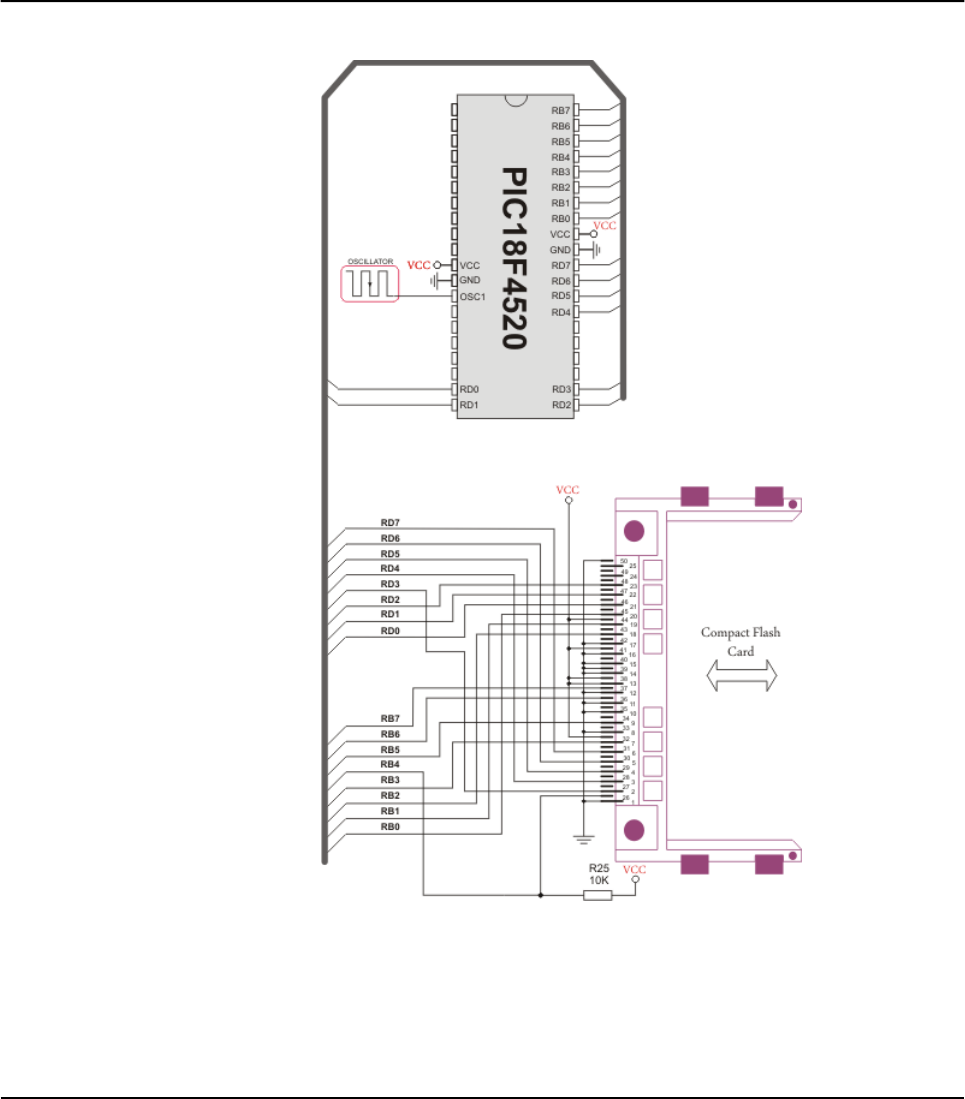
HW Connection
Pin diagram of CF memory card
258 MIKROELEKTRONIKA - SOFTWARE AND HARDWARE SOLUTIONS FOR EMBEDDED WORLD
Libraries mikroBasic PRO for PIC
CHAPTER 7

259
MIKROELEKTRONIKA - SOFTWARE AND HARDWARE SOLUTIONS FOR EMBEDDED WORLD
Libraries
mikroBasic PRO for PIC
CHAPTER 7
EEPROM LIBRARY
EEPROM data memory is available with a number of PIC MCUs. mikroBasic
PRO for PIC includes library for comfortable work with EEPROM.
Library Routines
EEPROM_Read
EEPROM_Write
EEPROM_Read
Prototype sub function EEPROM_Read(dim Address as word) as byte
Returns Returns byte from specified address.
Description
Reads data from specified address. Parameter address is of byte type, which
means it can address only 256 locations. For PIC18 micros with more EEPROM
data locations, it is programmer’s responsibility to set SFR EEADRH register
appropriately.
Requires
Requires EEPROM module.
Ensure minimum 20ms delay between successive use of routines
EEPROM_Write and EEPROM_Read. Although PIC will write the correct value,
EEPROM_Read might return an undefined result.
Example tmp = EEPROM_Read($3F)

260 MIKROELEKTRONIKA - SOFTWARE AND HARDWARE SOLUTIONS FOR EMBEDDED WORLD
Libraries mikroBasic PRO for PIC
CHAPTER 7
EEPROM_Write
Library Example
The example writes values at 20 successive locations of EEPROM. Then, it reads
the written data and prints on PORTB for a visual check.
program Eeprom
dim counter as byte ' loop variable
main:
ANSEL = 0 ' Configure AN pins as digital I/O
ANSELH = 0
C1ON_bit = 0 ' Disable comparators
C2ON_bit = 0
PORTB = 0
PORTC = 0
PORTD = 0
TRISB = 0
TRISC = 0
TRISD = 0
for counter = 0 to 31 ' Fill data buffer
EEPROM_Write(0x80+counter, counter) 'Write data to address 0x80+ii
next counter
EEPROM_Write(0x02,0xAA) ' Write some data at address 2
EEPROM_Write(0x50,0x55) ' Write some data at address 0150
Prototype sub procedure EEPROM_Write(dim Address as word, dim Data as byte)
Returns Nothing.
Description
Writes data to specified address. Parameter address is of byte type, which
means it can address only 256 locations. For PIC18 micros with more EEPROM
data locations, it is programmer’s responsibility to set SFR EEADRH register
appropriately.
Be aware that all interrupts will be disabled during execution of EEPROM_Write rou-
tine (GIE bit of INTCON register will be cleared). Routine will set this bit on exit.
Requires
Requires EEPROM module.
Ensure minimum 20ms delay between successive use of routines
EEPROM_Write and EEPROM_Read. Although PIC will write the correct value,
EEPROM_Read might return an undefined result.
Example EEPROM_Write($32)

261
MIKROELEKTRONIKA - SOFTWARE AND HARDWARE SOLUTIONS FOR EMBEDDED WORLD
Libraries
mikroBasic PRO for PIC
CHAPTER 7
Delay_ms(1000) ' Blink PORTB and PORTC diodes
PORTB = 0xFF ' to indicate reading start
PORTC = 0xFF
Delay_ms(1000)
PORTB = 0x00
PORTC = 0x00
Delay_ms(1000)
PORTB = EEPROM_Read(0x02) ' Read data from address 2 and dis
play
it on PORTB
PORTC = EEPROM_Read(0x50) ' Read data from address 0x50 and dis
play it on PORTC
Delay_ms(1000)
for counter = 0 to 31 ' Read 32 bytes block from address
0x100
PORTD = EEPROM_Read(0x80+counter) ' and display data on PORTC
Delay_ms(100)
next counter
end.

Ethernet PIC18FxxJ60 Library
PIC18FxxJ60 family of microcontrollers feature an embedded Ethernet controller
module. This is a complete connectivity solution, including full implementations of
both Media Access Control (MAC) and Physical Layer transceiver (PHY) modules.
Two pulse transformers and a few passive components are all that are required to
connect the microcontroller directly to an Ethernet network.
The Ethernet module meets all of the IEEE 802.3 specifications for 10-BaseT con-
nectivity to a twisted-pair network. It incorporates a number of packet filtering
schemes to limit incoming packets. It also provides an internal DMA module for fast
data throughput and hardware assisted IP checksum calculations. Provisions are
also made for two LED outputs to indicate link and network activity
This library provides the posibility to easily utilize ethernet feature of the above men-
tioned MCUs.
Ethernet PIC18FxxJ60 library supports:
IPv4 protocol.
ARP requests.
ICMP echo requests.
UDP requests.
TCP requests (no stack, no packet reconstruction).
ARP client with cache.
DNS client.
UDP client.
DHCP client.
packet fragmentation is NOT supported.
Note: Global library variable Ethernet_userTimerSec is used to keep track of time
for all client implementations (ARP, DNS, UDP and DHCP). It is user responsibility
to increment this variable each second in it's code if any of the clients is used.
Note: For advanced users there are header files ("eth_j60LibDef.h" and
"eth_j60LibPrivate.h") in Uses\P18 folder of the compiler with description of all
routines and global variables, relevant to the user, implemented in the Ethernet
PIC18FxxJ60 Library.
262 MIKROELEKTRONIKA - SOFTWARE AND HARDWARE SOLUTIONS FOR EMBEDDED WORLD
Libraries mikroBasic PRO for PIC
CHAPTER 7

Library Routines
Ethernet_Init
Ethernet_Enable
Ethernet_Disable
Ethernet_doPacket
Ethernet_putByte
Ethernet_putBytes
Ethernet_putString
Ethernet_putConstString
Ethernet_putConstBytes
Ethernet_getByte
Ethernet_getBytes
Ethernet_UserTCP
Ethernet_UserUDP
Ethernet_getIpAddress
Ethernet_getGwIpAddress
Ethernet_getDnsIpAddress
Ethernet_getIpMask
Ethernet_confNetwork
Ethernet_arpResolve
Ethernet_sendUDP
Ethernet_dnsResolve
Ethernet_initDHCP
Ethernet_doDHCPLeaseTime
Ethernet_renewDHCP
263
MIKROELEKTRONIKA - SOFTWARE AND HARDWARE SOLUTIONS FOR EMBEDDED WORLD
Libraries
mikroBasic PRO for PIC
CHAPTER 7
MIKROELEKTRONIKA - SOFTWARE AND HARDWARE SOLUTIONS FOR EMBEDDED WORLD

Ethernet_Init
264 MIKROELEKTRONIKA - SOFTWARE AND HARDWARE SOLUTIONS FOR EMBEDDED WORLD
Libraries mikroBasic PRO for PIC
CHAPTER 7
Prototype sub procedure Ethernet_Init(dim byref mac as byte, dim byref ip
as byte, dim fullDuplex as byte)
Returns Nothing.
Description
This is MAC module routine. It initializes Ethernet controller. This function is
internaly splited into 2 parts to help linker when coming short of memory.
Ethernet controller settings (parameters not mentioned here are set to default):
receive buffer start address : 0x0000.
receive buffer end address : 0x19AD.
transmit buffer start address: 0x19AE.
transmit buffer end address : 0x1FFF.
RAM buffer read/write pointers in auto-increment mode.
receive filters set to default: CRC + MAC Unicast + MAC Broad cast in OR mode.
flow control with TX and RX pause frames in full duplex mode.
frames are padded to 60 bytes + CRC.
maximum packet size is set to 1518.
Back-to-Back Inter-Packet Gap: 0x15 in full duplex mode;0x12 in half duplex mode.
Non-Back-to-Back Inter-Packet Gap: 0x0012 in full duplex mode; 0x0C12 in
half duplex mode.
half duplex loopback disabled.
LED configuration: default (LEDA-link status, LEDB-link activity).
Parameters:
mac: RAM buffer containing valid MAC address.
ip: RAM buffer containing valid IP address.
fullDuplex: ethernet duplex mode switch. Valid values: 0(half duplex mode,
predefined library const Ethernet_HALFDUPLEX) and 1(full duplex mode, prede-
fined library const Ethernet_FULLDUPLEX).
Note: If a DHCP server is to be used, IP address should be set to 0.0.0.0.
Requires Nothing.
Example
dim
myMacAddr as byte[6] ' my MAC address
myIpAddr as byte[4] ' my IP addr
...
myMacAddr[0] = 0x00
myMacAddr[1] = 0x14
myMacAddr[2] = 0xA5
myMacAddr[3] = 0x76
myMacAddr[4] = 0x19
myMacAddr[5] = 0x3F
myIpAddr[0] = 192
myIpAddr[1] = 168
myIpAddr[2] = 20
myIpAddr[3] = 60
Ethernet_Init(myMacAddr, myIpAddr, Ethernet_FULLDUPLEX)
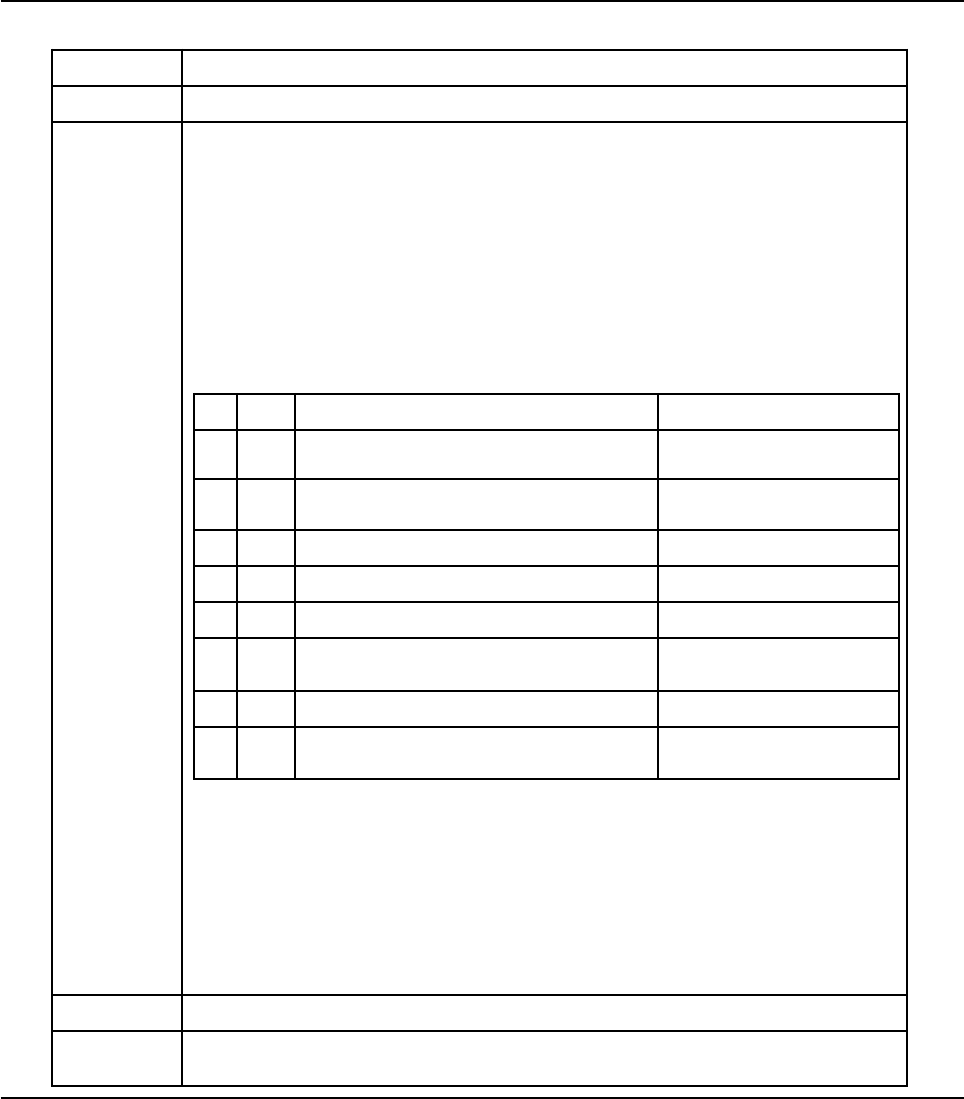
Ethernet_Enable
265
MIKROELEKTRONIKA - SOFTWARE AND HARDWARE SOLUTIONS FOR EMBEDDED WORLD
Libraries
mikroBasic PRO for PIC
CHAPTER 7
Prototype sub procedure Ethernet_Enable(dim enFlt as byte)
Returns Nothing.
Description
This is MAC module routine. This routine enables appropriate network traffic on
the MCU's internal Ethernet module by the means of it's receive filters (unicast,
multicast, broadcast, crc). Specific type of network traffic will be enabled if a
corresponding bit of this routine's input parameter is set. Therefore, more than
one type of network traffic can be enabled at the same time. For this purpose,
predefined library constants (see the table below) can be ORed to form appro-
priate input value.
Parameters:
enFlt: network traffic/receive filter flags. Each bit corresponds to the
appropriate network traffic/receive filter:
Note: Advance filtering available in the MCU's internal Ethernet module such as
Pattern Match, Magic Packet and Hash Table can not be enabled by this
routine. Additionaly, all filters, except CRC, enabled with this routine will work in
OR mode, which means that packet will be received if any of the enabled filters
accepts it.
Note: This routine will change receive filter configuration on-the-fly. It will not, in
any way, mess with enabling/disabling receive/transmit logic or any other part of
the MCU's internal Ethernet module. The MCU's internal Ethernet module
should be properly cofigured by the means of Ethernet_Init routine.
Requires Ethernet module has to be initialized. See Ethernet_Init.
Example Ethernet_Enable(_Ethernet_CRC or _Ethernet_UNICAST) ' enable CRC
checking and Unicast traffic
Bit Mask Description Predefined library const
0 0x01 MAC Broadcast traffic/receive filter flag. When
set, MAC broadcast traffic will be enabled. _Ethernet_BROADCAST
1 0x02 MAC Multicast traffic/receive filter flag. When
set, MAC multicast traffic will be enabled. _Ethernet_MULTICAST
2 0x04 not used none
3 0x08 not used none
4 0x10 not used none
5 0x20 CRC check flag. When set, packets with
invalid CRC field will be discarded. _Ethernet_CRC
6 0x40 not used none
7 0x80 MAC Unicast traffic/receive filter flag. When
set, MAC unicast traffic will be enabled. _Ethernet_UNICAST

Ethernet_Disable
266 MIKROELEKTRONIKA - SOFTWARE AND HARDWARE SOLUTIONS FOR EMBEDDED WORLD
Libraries mikroBasic PRO for PIC
CHAPTER 7
Prototype sub procedure Ethernet_Disable(dim disFlt as byte)
Returns Nothing.
Description
This is MAC module routine. This routine disables appropriate network traffic on
the MCU's internal Ethernet module by the means of it's receive filters (unicast,
multicast, broadcast, crc). Specific type of network traffic will be disabled if a
corresponding bit of this routine's input parameter is set. Therefore, more than
one type of network traffic can be disabled at the same time. For this purpose,
predefined library constants (see the table below) can be ORed to form appro-
priate input value.
Parameters:
disFlt: network traffic/receive filter flags. Each bit corresponds to the
appropriate network traffic/receive filter:
Note: Advance filtering available in the MCU's internal Ethernet module such as
Pattern Match, Magic Packet and Hash Table can not be disabled by this
routine.
Note: This routine will change receive filter configuration on-the-fly. It will not, in
any way, mess with enabling/disabling receive/transmit logic or any other part of
the MCU's internal Ethernet module. The MCU's internal Ethernet module
should be properly cofigured by the means of Ethernet_Init routine.
Requires Ethernet module has to be initialized. See Ethernet_Init.
Example Ethernet_Enable(_Ethernet_CRC or _Ethernet_UNICAST) ' enable CRC
checking and Unicast traffic
Bit Mask Description Predefined library const
0 0x01 MAC Broadcast traffic/receive filter flag. When
set, MAC broadcast traffic will be disabled. _Ethernet_BROADCAST
1 0x02 MAC Multicast traffic/receive filter flag. When
set, MAC multicast traffic will be disabled. _Ethernet_MULTICAST
2 0x04 not used none
3 0x08 not used none
4 0x10 not used none
5 0x20
CRC check flag. When set, CRC check will
be disabled and packets with invalid CRC
field will be accepted.
_Ethernet_CRC
6 0x40 not used none
7 0x80 MAC Unicast traffic/receive filter flag. When
set, MAC unicast traffic will be disabled. _Ethernet_UNICAST

Ethernet_doPacket
267
MIKROELEKTRONIKA - SOFTWARE AND HARDWARE SOLUTIONS FOR EMBEDDED WORLD
Libraries
mikroBasic PRO for PIC
CHAPTER 7
Prototype sub procedure EEPROM_Write(dim Address as word, dim Data as byte)
Returns
0 - upon successful packet processing (zero packets received or received
packet processed successfully).
1 - upon reception error or receive buffer corruption. Ethernet controller
needs to be restarted.
2 - received packet was not sent to us (not our IP, nor IP broadcast address).
3 - received IP packet was not IPv4.
4 - received packet was of type unknown to the library.
Description
This is MAC module routine. It processes next received packet if such exists.
Packets are processed in the following manner:
ARP & ICMP requests are replied automatically.
upon TCP request the Ethernet_UserTCP function is called for further processing.
upon UDP request the Ethernet_UserUDP function is called for further processing.
Note: Ethernet_doPacket must be called as often as possible in user's code.
Requires Ethernet module has to be initialized. See Ethernet_Init.
Example
while true
...
Ethernet_doPacket() ' process received packets
...
wend

Ethernet_putByte
Ethernet_putBytes
268 MIKROELEKTRONIKA - SOFTWARE AND HARDWARE SOLUTIONS FOR EMBEDDED WORLD
Libraries mikroBasic PRO for PIC
CHAPTER 7
Prototype sub procedure Ethernet_putByte(dim vas byte)
Returns Nothing.
Description
This is MAC module routine. It stores one byte to address pointed by the cur-
rent Ethernet controller's write pointer (EWRPT).
Parameters:
v: value to store
Requires Ethernet module has to be initialized. See Ethernet_Init.
Example
dim
data as byte
...
Ethernet_putByte(data) ' put an byte into ethernet buffer
Prototype sub procedure Ethernet_putBytes(dim ptr as ^byte, dim n as byte)
Returns Nothing.
Description
This is MAC module routine. It stores requested number of bytes into Ethernet
controller's RAM starting from current Ethernet controller's write pointer
(EWRPT) location.
Parameters:
ptr: RAM buffer containing bytes to be written into Ethernet controller's RAM.
n: number of bytes to be written
Requires Ethernet module has to be initialized. See Ethernet_Init.
Example
dim
buffer as byte[17]
...
buffer = "mikroElektronika"
...
Ethernet_putBytes(buffer, 16) ' put an RAM array into ethernet
buffer

Ethernet_putConstBytes
Ethernet_putString
269
MIKROELEKTRONIKA - SOFTWARE AND HARDWARE SOLUTIONS FOR EMBEDDED WORLD
Libraries
mikroBasic PRO for PIC
CHAPTER 7
Prototype sub procedure Ethernet_putConstBytes(const ptr as ^byte, dim nas
byte)
Returns Nothing.
Description
This is MAC module routine. It stores requested number of const bytes into Eth-
ernet controller's RAM starting from current Ethernet controller's write pointer
(EWRPT) location.
Parameters:
ptr: const buffer containing bytes to be written into Ethernet controller's RAM.
n: number of bytes to be written.
Requires Ethernet module has to be initialized. See Ethernet_Init.
Example
const
buffer as byte[17]
...
buffer = "mikroElektronika"
...
Ethernet_putConstBytes(buffer, 16) ' put a const array into
ethernet buffer
Prototype sub function Ethernet_putString(dim ptr as ^byte)as word
Returns Number of bytes written into Ethernet controller's RAM.
Description
This is MAC module routine. It stores whole string (excluding null termination)
into Ethernet controller's RAM starting from current Ethernet controller's write
pointer (EWRPT) location.
Parameters:
ptr: string to be written into Ethernet controller's RAM.
Requires Ethernet module has to be initialized. See Ethernet_Init.
Example
dim
buffer as string[16]
...
buffer = "mikroElektronika"
...
Ethernet_putString(buffer) ' put a RAM string into ethernet
buffer
Ethernet_putConstString
Ethernet_getByte
270 MIKROELEKTRONIKA - SOFTWARE AND HARDWARE SOLUTIONS FOR EMBEDDED WORLD
Libraries mikroBasic PRO for PIC
CHAPTER 7
Prototype sub function Ethernet_putConstString(const ptr as ^byte)as word
Returns Number of bytes written into Ethernet controller's RAM.
Description
This is MAC module routine. It stores whole const string (excluding null termina-
tion) into Ethernet controller's RAM starting from current Ethernet controller's
write pointer (EWRPT) location.
Parameters:
ptr: const string to be written into Ethernet controller's RAM.
Requires Ethernet module has to be initialized. See Ethernet_Init.
Example
const
buffer as string[16]
...
buffer = "mikroElektronika"
...
Ethernet_putConstString(buffer) ' put a const string into eth-
ernet buffer
Prototype sub function Ethernet_getByte() as byte
Returns Byte read from Ethernet controller's RAM.
Description This is MAC module routine. It fetches a byte from address pointed to by cur-
rent Ethernet controller's read pointer (ERDPT).
Requires Ethernet module has to be initialized. See Ethernet_Init.
Example
dim
buffer as byte
...
buffer = Ethernet_getByte() ' read a byte from ethernet
buffer

Ethernet_getBytes
271
MIKROELEKTRONIKA - SOFTWARE AND HARDWARE SOLUTIONS FOR EMBEDDED WORLD
Libraries
mikroBasic PRO for PIC
CHAPTER 7
Prototype sub procedure Ethernet_getBytes(dim ptr as ^byte, dim addr as
word, dim nas byte)
Returns Nothing.
Description
This is MAC module routine. It fetches equested number of bytes from Ethernet
controller's RAM starting from given address. If value of 0xFFFF is passed as
the address parameter, the reading will start from current Ethernet controller's
read pointer (ERDPT) location.
Parameters:
ptr: buffer for storing bytes read from Ethernet controller's RAM.
addr: Ethernet controller's RAM start address. Valid values: 0..8192.
n: number of bytes to be read.
Requires Ethernet module has to be initialized. See Ethernet_Init.
Example
dim
buffer as byte[16]
...
Ethernet_getBytes(buffer, 0x100, 16) ' read 16 bytes, starting
from address 0x100

Ethernet_UserTCP
272 MIKROELEKTRONIKA - SOFTWARE AND HARDWARE SOLUTIONS FOR EMBEDDED WORLD
Libraries mikroBasic PRO for PIC
CHAPTER 7
Prototype sub function Ethernet_UserTCP(dim byref remoteHost as byte[4],
dim remotePort, localPort, reqLength as word) as word
Returns 0 - there should not be a reply to the request.
Length of TCP/HTTP reply data field - otherwise.
Description
This is TCP module routine. It is internally called by the library. The user
accesses to the TCP/HTTP request by using some of the Ethernet_get routines.
The user puts data in the transmit buffer by using some of the Ethernet_put rou-
tines. The function must return the length in bytes of the TCP/HTTP reply, or 0 if
there is nothing to transmit. If there is no need to reply to the TCP/HTTP
requests, just define this function with return(0) as a single statement.
Parameters:
remoteHost: client's IP address.
remotePort: client's TCP port.
localPort: port to which the request is sent.
reqLength: TCP/HTTP request data field length.
Note: The function source code is provided with appropriate example projects.
The code should be adjusted by the user to achieve desired reply.
Requires Ethernet module has to be initialized. See Ethernet_Init.
Example This function is internally called by the library and should not be called by the
user's code.

Ethernet_UserUDP
273
MIKROELEKTRONIKA - SOFTWARE AND HARDWARE SOLUTIONS FOR EMBEDDED WORLD
Libraries
mikroBasic PRO for PIC
CHAPTER 7
Prototype sub function Ethernet_UserUDP(dim byref remoteHost as byte[4],
dim remotePort, destPort, reqLength as word) as word
Returns 0 - there should not be a reply to the request.
Length of UDP reply data field - otherwise.
Description
This is UDP module routine. It is internally called by the library. The user
accesses to the UDP request by using some of the Ethernet_get routines. The
user puts data in the transmit buffer by using some of the Ethernet_put routines.
The function must return the length in bytes of the UDP reply, or 0 if nothing to
transmit. If you don't need to reply to the UDP requests, just define this function
with a return(0) as single statement.
Parameters:
Parameters:
remoteHost: client's IP address.
remotePort: client's port.
destPort: port to which the request is sent.
reqLength: UDP request data field length.
Note: The function source code is provided with appropriate example projects.
The code should be adjusted by the user to achieve desired reply.
Requires Ethernet module has to be initialized. See Ethernet_Init.
Example This function is internally called by the library and should not be called by the
user's code.

Ethernet_getIpAddress
Ethernet_getGwIpAddress
274 MIKROELEKTRONIKA - SOFTWARE AND HARDWARE SOLUTIONS FOR EMBEDDED WORLD
Libraries mikroBasic PRO for PIC
CHAPTER 7
Prototype sub function Ethernet_getIpAddress() as word
Returns Ponter to the global variable holding IP address.
Description
This routine should be used when DHCP server is present on the network to
fetch assigned IP address.
Note: User should always copy the IP address from the RAM location returned
by this routine into it's own IP address buffer. These locations should not be
altered by the user in any case!
Requires Ethernet module has to be initialized. See Ethernet_Init.
Example
dim
ipAddr as byte[4] ' user IP address buffer
...
memcpy(ipAddr, Ethernet_getIpAddress(), 4) ' fetch IP address
Prototype sub function Ethernet_getGwIpAddress() as word
Returns Ponter to the global variable holding gateway IP address.
Description
This routine should be used when DHCP server is present on the network to
fetch assigned gateway IP address.
Note: User should always copy the IP address from the RAM location returned
by this routine into it's own gateway IP address buffer. These locations should
not be altered by the user in any case!
Requires Ethernet module has to be initialized. See Ethernet_Init.
Example
dim
gwIpAddr as byte[4] ' user gateway IP address buffer
...
memcpy(gwIpAddr, Ethernet_getGwIpAddress(), 4) ' fetch gateway
IP address

Ethernet_getDnsIpAddress
Ethernet_getIpMask
275
MIKROELEKTRONIKA - SOFTWARE AND HARDWARE SOLUTIONS FOR EMBEDDED WORLD
Libraries
mikroBasic PRO for PIC
CHAPTER 7
Prototype sub function Ethernet_getDnsIpAddress() as word
Returns Ponter to the global variable holding DNS IP address.
Description
This routine should be used when DHCP server is present on the network to
fetch assigned DNS IP address.
Note: User should always copy the IP address from the RAM location returned
by this routine into it's own DNS IP address buffer. These locations should not
be altered by the user in any case!
Requires Ethernet module has to be initialized. See Ethernet_Init.
Example
dim
dnsIpAddr as byte[4] ' user DNS IP address buffer
...
memcpy(dnsIpAddr, Ethernet_getDnsIpAddress(), 4) ' fetch DNS
server address
Prototype sub function Ethernet_getIpMask() as word
Returns Ponter to the global variable holding IP subnet mask.
Description
This routine should be used when DHCP server is present on the network to
fetch assigned IP subnet mask.
Note: User should always copy the IP address from the RAM location returned
by this routine into it's own IP subnet mask buffer. These locations should not
be altered by the user in any case!
Requires Ethernet module has to be initialized. See Ethernet_Init.
Example
dim
IpMask as byte[4] ' user IP subnet mask buffer
...
memcpy(IpMask, Ethernet_getIpMask(), 4) ' fetch IP subnet mask

Ethernet_confNetwork
276 MIKROELEKTRONIKA - SOFTWARE AND HARDWARE SOLUTIONS FOR EMBEDDED WORLD
Libraries mikroBasic PRO for PIC
CHAPTER 7
Prototype sub procedure Ethernet_confNetwork(dim byref ipMask, gwIpAddr,
dnsIpAddr as byte[4])
Returns Nothing.
Description
Configures network parameters (IP subnet mask, gateway IP address, DNS IP
address) when DHCP is not used.
Parameters:
ipMask: IP subnet mask.
gwIpAddr gateway IP address.
dnsIpAddr: DNS IP address.
Note: The above mentioned network parameters should be set by this routine
only if DHCP module is not used. Otherwise DHCP will override these settings.
Requires Ethernet module has to be initialized. See Ethernet_Init.
Example
dim
ipMask as byte[4] ' network mask (for example :
255.255.255.0)
gwIpAddr as byte[4] ' gateway (router) IP address
dnsIpAddr as byte[4] ' DNS server IP address
...
gwIpAddr[0] = 192
gwIpAddr[1] = 168
gwIpAddr[2] = 20
gwIpAddr[3] = 6
dnsIpAddr[0] = 192
dnsIpAddr[1] = 168
dnsIpAddr[2] = 20
dnsIpAddr[3] = 100
ipMask[0] = 255
ipMask[1] = 255
ipMask[2] = 255
ipMask[3] = 0
...
Ethernet_confNetwork(ipMask, gwIpAddr, dnsIpAddr) ' set network
configuration parameters

Ethernet_arpResolve
277
MIKROELEKTRONIKA - SOFTWARE AND HARDWARE SOLUTIONS FOR EMBEDDED WORLD
Libraries
mikroBasic PRO for PIC
CHAPTER 7
Prototype sub function Ethernet_arpResolve(dim byref ip as byte[4], dim
tmax as byte)as word
Returns MAC address behind the IP address - the requested IP address was resolved.
0 - otherwise.
Description
This is ARP module routine. It sends an ARP request for given IP address and
waits for ARP reply. If the requested IP address was resolved, an ARP cash
entry is used for storing the configuration. ARP cash can store up to 3 entries.
For ARP cash structure refer to "eth_j60LibDef.h" header file in the compil-
er's Uses/P18 folder.
Parameters:
ip: IP address to be resolved.
tmax: time in seconds to wait for an reply.
Note: The Ethernet services are not stopped while this routine waits for ARP
reply. The incoming packets will be processed normaly during this time.
Requires Ethernet module has to be initialized. See Ethernet_Init.
Example
dim
IpAddr as byte[4] ' IP address
...
IpAddr[0] = 192
IpAddr[0] = 168
IpAddr[0] = 1
IpAddr[0] = 1
...
Ethernet_arpResolve(IpAddr, 5) ' get MAC address behind the
above IP address, wait 5 secs for the response

Ethernet_sendUDP
278 MIKROELEKTRONIKA - SOFTWARE AND HARDWARE SOLUTIONS FOR EMBEDDED WORLD
Libraries mikroBasic PRO for PIC
CHAPTER 7
Prototype
sub function Ethernet_sendUDP(dim byref destIP as byte[4], dim
sourcePort, destPort as word, dim pkt as ^byte, dim pktLen as
word)as byte
Returns 1 - UDP packet was sent successfully.
0 - otherwise.
Description
This is UDP module routine. It sends an UDP packet on the network.
Parameters:
destIP: remote host IP address.
sourcePort: local UDP source port number.
destPort: destination UDP port number.
pkt: packet to transmit.
pktLen: length in bytes of packet to transmit.
Requires Ethernet module has to be initialized. See Ethernet_Init.
Example
dim
IpAddr as byte[4] ' remote IP address
...
IpAddr[0] = 192
IpAddr[0] = 168
IpAddr[0] = 1
IpAddr[0] = 1
...
Ethernet_sendUDP(IpAddr, 10001, 10001, "Hello", 5) ' send Hello
message to the above IP address, from UDP port 10001 to UDP port
10001

Ethernet_dnsResolve
279
MIKROELEKTRONIKA - SOFTWARE AND HARDWARE SOLUTIONS FOR EMBEDDED WORLD
Libraries
mikroBasic PRO for PIC
CHAPTER 7
Prototype sub function Ethernet_dnsResolve(dim byref host as byte[4], dim
tmax as byte) as word
Returns
pointer to the location holding the IP address - the requested host name
was resolved.
0 - otherwise.
Description
This is DNS module routine. It sends an DNS request for given host name and
waits for DNS reply. If the requested host name was resolved, it's IP address is
stored in library global variable and a pointer containing this address is returned
by the routine. UDP port 53 is used as DNS port.
Parameters:
host: host name to be resolved.
tmax: time in seconds to wait for an reply.
Note: The Ethernet services are not stopped while this routine waits for DNS
reply. The incoming packets will be processed normaly during this time.
Note: User should always copy the IP address from the RAM location returned
by this routine into it's own resolved host IP address buffer. These locations
should not be altered by the user in any case!
Requires Ethernet module has to be initialized. See Ethernet_Init.
Example
dim
remoteHostIpAddr as byte[4] ' user host IP address buffer
...
' SNTP server:
' Zurich, Switzerland: Integrated Systems Lab, Swiss Fed. Inst.
of Technology
' 129.132.2.21: swisstime.ethz.ch
' Service Area: Switzerland and Europe
memcpy(remoteHostIpAddr,
Ethernet_dnsResolve("swisstime.ethz.ch", 5), 4)

Ethernet_initDHCP
280 MIKROELEKTRONIKA - SOFTWARE AND HARDWARE SOLUTIONS FOR EMBEDDED WORLD
Libraries mikroBasic PRO for PIC
CHAPTER 7
Prototype sub function Ethernet_initDHCP(dim tmax as byte) as byte
Returns 1 - network parameters were obtained successfully.
0 - otherwise.
Description
This is DHCP module routine. It sends an DHCP request for network parame-
ters (IP, gateway, DNS addresses and IP subnet mask) and waits for DHCP
reply. If the requested parameters were obtained successfully, their values are
stored into the library global variables.
These parameters can be fetched by using appropriate library IP get routines:
Ethernet_getIpAddress - fetch IP address.
Ethernet_getGwIpAddress - fetch gateway IP address.
Ethernet_getDnsIpAddress - fetch DNS IP address.
Ethernet_getIpMask - fetch IP subnet mask.
UDP port 68 is used as DHCP client port and UDP port 67 is used as DHCP
server port.
Parameters:
tmax: time in seconds to wait for an reply.
Note: The Ethernet services are not stopped while this routine waits for DNS
reply. The incoming packets will be processed normaly during this time.
Note: When DHCP module is used, global library variable
Ethernet_userTimerSec is used to keep track of time. It is user responsibility
to increment this variable each second in it's code.
Requires Ethernet module has to be initialized. See Ethernet_Init.
Example
...
Ethernet_initDHCP(5) ' get network configuration from DHCP
server, wait 5 sec for the response
...

Ethernet_doDHCPLeaseTime
Ethernet_renewDHCP
281
MIKROELEKTRONIKA - SOFTWARE AND HARDWARE SOLUTIONS FOR EMBEDDED WORLD
Libraries
mikroBasic PRO for PIC
CHAPTER 7
Prototype sub function Ethernet_doDHCPLeaseTime() as byte
Returns 0 - lease time has not expired yet.
1 - lease time has expired, it's time to renew it.
Description
This is DHCP module routine. It takes care of IP address lease time by decre-
menting the global lease time library counter. When this time expires, it's time to
contact DHCP server and renew the lease.
Requires Ethernet module has to be initialized. See Ethernet_Init.
Example
while true
...
if(Ethernet_doDHCPLeaseTime() <> 0) then
... ' it's time to renew the IP address lease
end if
wend
Prototype sub function Ethernet_renewDHCP(dim tmax as byte)as byte
Returns 1 - upon success (lease time was renewed).
0 - otherwise (renewal request timed out).
Description
This is DHCP module routine. It sends IP address lease time renewal request to
DHCP server.
Parameters:
tmax: time in seconds to wait for an reply.
Requires Ethernet module has to be initialized. See Ethernet_Init.
Example
while true
...
if(Ethernet_doDHCPLeaseTime() <> 0) then
Ethernet_renewDHCP(5) ' it's time to renew the IP address
lease, with 5 secs for a reply
end if
...
wend

Library Example
This code shows how to use the PIC18FxxJ60 Ethernet library :
the board will reply to ARP & ICMP echo requests
the board will reply to UDP requests on any port :
returns the request in upper char with a header made of remote
host IP & port number
the board will reply to HTTP requests on port 80, GET method with path
names :
/ will return the HTML main page
/s will return board status as text string
/t0 ... /t7 will toggle RD0 to RD7 bit and return HTML main
page
all other requests return also HTML main page.
program enc_ethernet
' ***********************************
' * RAM variables
' *
dim myMacAddr as byte[6] ' my MAC address
myIpAddr as byte[4] ' my IP address
gwIpAddr as byte[4] ' gateway (router) IP address
ipMask as byte[4] ' network mask (for example:
255.255.255.0)
dnsIpAddr as byte[4] ' DNS server IP address
const httpHeader as string[31] = "HTTP/1.1 200 OK"+chr(10)+"Content-
type: " ' HTTP header
const httpMimeTypeHTML as string[13] = "text/html"+chr(10)+chr(10)
' HTML MIME type
const httpMimeTypeScript as string[14] =
"text/plain"+chr(10)+chr(10) ' TEXT MIME type
const httpMethod as string[5] = "GET /"
' *
' * web page, splited into 2 parts :
' * when coming short of ROM, fragmented data is handled more effi-
ciently by linker
' *
' * this HTML page calls the boards to get its status, and builds
itself with javascript
' *
const indexPage as string[763] =
282 MIKROELEKTRONIKA - SOFTWARE AND HARDWARE SOLUTIONS FOR EMBEDDED WORLD
Libraries mikroBasic PRO for PIC
CHAPTER 7

"<meta http-equiv=" + Chr(34) + "refresh" + Chr(34) + " con
tent=" + Chr(34) + "3;url=http://192.168.20.60" + Chr(34) +
">" +
"<HTML><HEAD></HEAD><BODY>"+
"<h1>PIC18FxxJ60 Mini Web Server</h1>"+
"<a href=/>Reload</a>"+
"<script src=/s></script>"+
"<table><tr><td valign=top><table border=1
style="+chr(34)+"font-size:20px ;font-family: terminal
;"+chr(34)+"> "+
"<tr><th colspan=2>ADC</th></tr>"+
"<tr><td>AN2</td><td><script>document.write(AN2)</script>
</td></tr>"+
"<tr><td>AN3</td><td><script>document.write(AN3)
</script></td></tr>"+
"</table></td><td><table border=1 style="+chr(34)+"font-
size:20px ;font-family: terminal ;"+chr(34)+"> "+
"<tr><th colspan=2>PORTB</th></tr>"+
"<script>"+
"var str,i;"+
"str="+chr(34)+chr(34)+"; "+
"for(i=0;i<8;i++)"+
"{str+="+chr(34)+"<tr><tb gcolor=pink>BUTTON #"+chr(34)+"+i+"
+chr(34)+"</td>"+chr(34)+"; "+
"if(PORTB&(1<<i)){str+="+chr(34)+"<td bgcolor=red>ON"
+chr(34)+";}"+
"else {str+="+chr(34)+"<td bgcolor=#cccccc>OFF"+chr(34)+";}"+
"str+="+chr(34)+"</td></tr>"+chr(34)+";}"+
"document.write(str) ;"+
"</script>"
const indexPage2 as string[470] =
"</table></td><td>"+
"<table border=1 style="+chr(34)+"font-size:20px ;font-fami
ly: terminal ;"+chr(34)+"> "+
"<tr><th colspan=3>PORTD</th></tr>"+
"<script>"+
"var str,i;"+
"str="+chr(34)+chr(34)+"; "+
"for(i=0;i<3;i++)"+
"{str+="+chr(34)+"<tr><td bgcolor=yellow>LED
#"+chr(34)+"+i+"+chr(34)+"</td>"+chr(34)+"; "+
"if(PORTD&(1<<i)){str+="+chr(34)+"<td bgcolor=red>ON"+chr
(34)+";}"+
"else {str+="+chr(34)+"<td bgcolor=#cccccc>OFF"+chr(34)+";}"+
"str+="+chr(34)+"</td><td><a href=/t"+chr(34)+"+i+"+chr(34)+
">Toggle</a></td></tr>"+chr(34)+";}"+
"document.write(str) ;"+
"</script>"
283
MIKROELEKTRONIKA - SOFTWARE AND HARDWARE SOLUTIONS FOR EMBEDDED WORLD
Libraries
mikroBasic PRO for PIC
CHAPTER 7

"</table></td></tr></table>"+
"This is HTTP request #<script>document.write(REQ)</script>
</BODY></HTML>"
dim getRequest as byte[15] ' HTTP request buffer
dyna as byte[30] ' buffer for dynamic response
httpCounter as word ' counter of HTTP requests
txt as string[11]
' *******************************************
' * user defined functions
' *
' *
* this function is called by the library
' * the user accesses to the HTTP request by successive calls to
Ethernet_getByte()
' * the user puts data in the transmit buffer by successive calls to
Ethernet_putByte()
' * the function must return the length in bytes of the HTTP reply,
or 0 if nothing to transmit
' *
' * if you don't need to reply to HTTP requests,
' * just define this function with a return(0) as single statement
' *
' *
sub function Ethernet_UserTCP(dim byref remoteHost as byte[4],
dim remotePort, localPort, reqLength as word) as word
dim i as word ' my reply length
bitMask as byte ' for bit mask
txt as string[11]
result = 0
if(localPort <> 80) then ' I listen only to web request on port
80
result = 0
exit
end if
'get 10 first bytes only of the request, the rest does not mat
ter here
for i = 0 to 10
getRequest[i] = Ethernet_getByte()
next i
getRequest[i] = 0
' copy httpMethod to ram for use in memcmp routine
for i = 0 to 4
txt[i] = httpMethod[i]
next i
284 MIKROELEKTRONIKA - SOFTWARE AND HARDWARE SOLUTIONS FOR EMBEDDED WORLD
Libraries mikroBasic PRO for PIC
CHAPTER 7

if(memcmp(@getRequest, @txt, 5) <> 0) then ' only GET method
is supported here
result = 0
exit
end if
Inc(httpCounter) ' one more request done
if(getRequest[5] = "s") then ' if request path name
starts with s, store dynamic data in transmit buffer
' the text string replied by this request can be interpreted
as javascript statements
' by browsers
result = Ethernet_putConstString(@httpHeader) ' HTTP header
result = result + Ethernet_putConstString(@httpMimeTypeScript)
' with text MIME type
' add AN2 value to reply
WordToStr(ADC_Read(2), dyna)
txt = "var AN2="
result = result + Ethernet_putString(@txt)
result = result + Ethernet_putString(@dyna)
txt = ";"
result = result + Ethernet_putString(@txt)
' add AN3 value to reply
WordToStr(ADC_Read(3), dyna)
txt = "var AN3="
result = result + Ethernet_putString(@txt)
result = result + Ethernet_putString(@dyna)
txt = ";"
result = result + Ethernet_putString(@txt)
' add PORTB value (buttons) to reply
txt = "var PORTB="
result = result + Ethernet_putString(@txt)
WordToStr(PORTB, dyna)
result = result + Ethernet_putString(@dyna)
txt = ";"
result = result + Ethernet_putString(@txt)
' add PORTD value (LEDs) to reply
txt = "var PORTD="
result = result + Ethernet_putString(@txt)
WordToStr(PORTD, dyna)
result = result + Ethernet_putString(@dyna)
txt = ";"
result = result + Ethernet_putString(@txt)
285
MIKROELEKTRONIKA - SOFTWARE AND HARDWARE SOLUTIONS FOR EMBEDDED WORLD
Libraries
mikroBasic PRO for PIC
CHAPTER 7

' add HTTP requests counter to reply
WordToStr(httpCounter, dyna)
txt = "var REQ="
result = result + Ethernet_putString(@txt)
result = result + Ethernet_putString(@dyna)
txt = ";"
result = result + Ethernet_putString(@txt)
else
if(getRequest[5] = "t") then ' if request path name starts
with t, toggle PORTD (LED) bit number that comes after
bitMask = 0
if(isdigit(getRequest[6]) <> 0) then ' if 0 <= bit number
<= 9, bits 8 & 9 does not exist but does not matter
bitMask = getRequest[6] - "0" ' convert ASCII to integer
bitMask = 1 << bitMask ' create bit mask
PORTD = PORTD xor bitMask ' toggle PORTD with xor oper
ator
end if
end if
end if
if(result = 0) then ' what do to by default
result = Ethernet_putConstString(@httpHeader) ' HTTP header
result = result + Ethernet_putConstString(@httpMimeTypeHTML)
' with HTML MIME type
result = result + Ethernet_putConstString(@indexPage)
' HTML page first part
result = result + Ethernet_putConstString(@indexPage2)
' HTML page second part
end if
' return to the library with the number of bytes to transmit
end sub
'*
' * this function is called by the library
' * the user accesses to the UDP request by successive calls to
Ethernet_getByte()
' * the user puts data in the transmit buffer by successive calls to
Ethernet_putByte()
' * the function must return the length in bytes of the UDP reply,
or 0 if nothing to transmit
' *
' * if you don't need to reply to UDP requests,
' * just define this function with a return(0) as single statement
' *
' *
sub function Ethernet_UserUDP(dim byref remoteHost as byte[4],
dim remotePort, destPort, reqLength
as word) as word
286 MIKROELEKTRONIKA - SOFTWARE AND HARDWARE SOLUTIONS FOR EMBEDDED WORLD
Libraries mikroBasic PRO for PIC
CHAPTER 7

dim txt as string[5]
result = 0
' reply is made of the remote host IP address in human readable
format
byteToStr(remoteHost[0], dyna) ' first IP address byte
dyna[3] = "."
byteToStr(remoteHost[1], txt) ' second
dyna[4] = txt[0]
dyna[5] = txt[1]
dyna[6] = txt[2]
dyna[7] = "."
byteToStr(remoteHost[2], txt) ' second
dyna[8] = txt[0]
dyna[9] = txt[1]
dyna[10] = txt[2]
dyna[11] = "."
byteToStr(remoteHost[3], txt) ' second
dyna[12] = txt[0]
dyna[13] = txt[1]
dyna[14] = txt[2]
dyna[15] = ":" ' add separator
' then remote host port number
WordToStr(remotePort, txt)
dyna[16] = txt[0]
dyna[17] = txt[1]
dyna[18] = txt[2]
dyna[19] = txt[3]
dyna[20] = txt[4]
dyna[21] = "["
WordToStr(destPort, txt)
dyna[22] = txt[0]
dyna[23] = txt[1]
dyna[24] = txt[2]
dyna[25] = txt[3]
dyna[26] = txt[4]
dyna[27] = "]"
dyna[28] = 0
' the total length of the request is the length of the dynam
ic string plus the text of the request
result = 28 + reqLength
' puts the dynamic string into the transmit buffer
Ethernet_putBytes(@dyna, 28)
'then puts the request string converted into upper char into
the transmit buffer
287
MIKROELEKTRONIKA - SOFTWARE AND HARDWARE SOLUTIONS FOR EMBEDDED WORLD
Libraries
mikroBasic PRO for PIC
CHAPTER 7

while(reqLength <> 0)
Ethernet_putByte(Ethernet_getByte())
reqLength = reqLength - 1
wend
' back to the library with the length of the UDP reply
end sub
main:
ADCON1 = 0x0B ' ADC convertors will be used with AN2 and AN3
CMCON = 0x07 ' turn off comparators
PORTA = 0
TRISA = 0x0C ' RA2:RA3 - analog inputs
' RA1:RA0 - ethernet LEDA:LEDB
PORTB = 0
TRISB = 0xFF ' set PORTB as input for buttons
PORTD = 0
TRISD = 0 ' set PORTD as output
httpCounter = 0
' set mac address
myMacAddr[0] = 0x00
myMacAddr[1] = 0x14
myMacAddr[2] = 0xA5
myMacAddr[3] = 0x76
myMacAddr[4] = 0x19
myMacAddr[5] = 0x3F
' set IP address
myIpAddr[0] = 192
myIpAddr[1] = 168
myIpAddr[2] = 20
myIpAddr[3] = 60
' set gateway address
gwIpAddr[0] = 192
gwIpAddr[1] = 168
gwIpAddr[2] = 20
gwIpAddr[3] = 6
' set dns address
dnsIpAddr[0] = 192
dnsIpAddr[1] = 168
dnsIpAddr[2] = 20
dnsIpAddr[3] = 1
288 MIKROELEKTRONIKA - SOFTWARE AND HARDWARE SOLUTIONS FOR EMBEDDED WORLD
Libraries mikroBasic PRO for PIC
CHAPTER 7

'‘set subnet mask
ipMask[0] = 255
ipMask[1] = 255
ipMask[2] = 255
ipMask[3] = 0
' *
' * starts ENC28J60 with :
' * reset bit on PORTC.B0
' * CS bit on PORTC.B1
' * my MAC & IP address
' * full duplex
' *
Ethernet_Init(myMacAddr, myIpAddr, _Ethernet_FULLDUPLEX) ' init
ethernet module
Ethernet_setUserHandlers(@Ethernet_UserTCP, @Ethernet_UserUDP) '
set user handlers
' dhcp will not be used here, so use preconfigured addresses
Ethernet_confNetwork(ipMask, gwIpAddr, dnsIpAddr)
while TRUE ' do forever
Ethernet_doPacket() ' process incoming Ethernet packets
' *
' * add your stuff here if needed
' * Ethernet_doPacket() must be called as often as possible
' * otherwise packets could be lost
' *
wend
end.
289
MIKROELEKTRONIKA - SOFTWARE AND HARDWARE SOLUTIONS FOR EMBEDDED WORLD
Libraries
mikroBasic PRO for PIC
CHAPTER 7

FLASH MEMORY LIBRARY
This library provides routines for accessing microcontroller Flash memory. Note that
prototypes differ for PIC16 and PIC18 families.
Note: Due to the P16/P18 family flash specifics, flash library is MCU dependent.
Since the P18 family differ significantlly in number of bytes that can be erased
and/or written to specific MCUs, the appropirate suffix is added to the names of
functions in order to make it easier to use them. Flash memory operations are MCU
dependent :
1. Read operation supported. For this group of MCU's only read function is imple-
mented.
2. Read and Write operations supported (write is executed as erase-and-write). For
this group of MCU's read and write functions are implemented. Note that write oper-
ation which is executed as erase-and-write, may write less bytes than it erases.
3. Read, Write and Erase operations supported. For this group of MCU's read, write
and erase functions are implemented. Further more, flash memory block has to be
erased prior to writting (write operation is not executed as erase-and-write).
Please refer to MCU datasheet before using flash library.
Please refer to MCU datasheet before using flash library.
Library Routines
FLASH_Read
FLASH_Read_N_Bytes
FLASH_Write
FLASH_Write_8
FLASH_Write_16
FLASH_Write_32
FLASH_Write_64
FLASH_Erase
FLASH_Erase_64
FLASH_Erase_1024
FLASH_Erase_Write
FLASH_Erase_Write_64
FLASH_Erase_Write_1024
290 MIKROELEKTRONIKA - SOFTWARE AND HARDWARE SOLUTIONS FOR EMBEDDED WORLD
Libraries mikroBasic PRO for PIC
CHAPTER 7
FLASH_Read
FLASH_Read_N_Bytes
291
MIKROELEKTRONIKA - SOFTWARE AND HARDWARE SOLUTIONS FOR EMBEDDED WORLD
Libraries
mikroBasic PRO for PIC
CHAPTER 7
Prototype
' for PIC16
sub function FLASH_Read(dim Address as word) as word
' forPIC18
sub function FLASH_Read(dim address as dword)as byte
Returns Returns data byte from Flash memory.
Description Reads data from the specified address in Flash memory.
Requires Nothing.
Example
' for PIC18
dim tmp as byte
...
main:
...
tmp = FLASH_Read(0x0D00)
...
end.
Prototype
' for PIC18
sub procedure FLASH_Read_N_Bytes(dim address as longint, dim
byref data as byte, dim N as word)
Returns Nothing.
Description Reads N data from the specified address in Flash memory to varibale pointed
by data
Requires Nothing.
Example FLASH_Read_N(0x0D00,data_buffer,sizeof(data_buffer))

FLASH_Write
292 MIKROELEKTRONIKA - SOFTWARE AND HARDWARE SOLUTIONS FOR EMBEDDED WORLD
Libraries mikroBasic PRO for PIC
CHAPTER 7
Prototype
' for PIC16
sub procedure FLASH_Write(dim Address as word, dim byref Data as
word[4])
' forPIC18
sub procedure FLASH_Write_8(dim address as dword,dim byref data
as byte[8])
sub procedure FLASH_Write_16(dim address as dword,dim byref data
as byte[16])
sub procedure FLASH_Write_32(dim address as dword, dim byref data
as byte[32])
sub procedure FLASH_Write_64(dim address as dword, dim byref data
as byte[64])
Returns Nothing.
Description
Writes block of data to Flash memory. Block size is MCU dependent.
P16: This function may erase memory segment before writing block of data to it
(MCU dependent). Furthermore, memory segment which will be erased may be
greater than the size of the data block that will be written (MCU dependent).
Therefore it is recommended to write as many bytes as you erase.
FLASH_Write writes 4 flash memory locations in a row, so it needs to be called
as many times as it is necessary to meet the size of the data block that will be
written.
P18: This function does not perform erase prior to write.
Requires Flash memory that will be written may have to be erased before this function is
called (MCU dependent). Refer to MCU datasheet for details.
Example
Write consecutive values in 64 consecutive locations, starting from 0x0D00:
dim toWrite as byte[64]
...
main:
...
'initialize array:
for i = 0 to 63
toWrite[i] = i
next i
...
' write contents of the array to the address 0x0D00:
FLASH_Write_64(0x0D00, toWrite)
...
end.

FLASH_Erase
FLASH_Erase_Write
293
MIKROELEKTRONIKA - SOFTWARE AND HARDWARE SOLUTIONS FOR EMBEDDED WORLD
Libraries
mikroBasic PRO for PIC
CHAPTER 7
Prototype
' for PIC16
sub procedure FLASH_Erase(dim address as word)
'forPIC18
sub procedure FLASH_Erase_64(dim address as dword)
sub procedure FLASH_Erase_1024(dim address as dword)
Returns Nothing.
Description
Erases memory block starting from a given address. For P16 familly is imple-
mented only for those MCU's whose flash memory does not support erase-and-
write operations (refer to datasheet for details).
Requires Nothing.
Example
Erase 64 byte memory memory block, starting from address $0D00:
FLASH_Erase_64($0D00)
Prototype
' for PIC18
sub procedure FLASH_Erase_Write_64(dim address as dword, dim
byref data as byte[64])
sub procedure FLASH_Erase_Write_1024(dim address as dword, dim
byref data as byte[1024])
Returns None.
Description Erase then write memory block starting from a given address.
Requires Nothing.
Example
dim toWrite as byte[64]
...
main:
...
' initialize array:
for i = 0 to 63
toWrite[i] = i
next i ...
' erase block of memory at address 0x0D00 then write contents of
the array to the address 0x0D00:
FLASH_Erase_Write_64(0x0D00, toWrite)
...
end.

Library Example
This is a simple demonstration how to use to PIC16 internal flash memory to store
data. The data is being written starting from the given location; then, the same loca-
tions are read and the data is displayed on PORTB and PORTC.
program Flash_Write
dim counter as byte
addr, data_ as word
dataAR as word[4][4]
ANSEL = 0 ' Configure AN pins as digital
ANSELH = 0
C1ON_bit = 0 ' Disable comparators
C2ON_bit = 0
PORTB = 0 ' Initial PORTB value
TRISB = 0 ' Set PORTB as output
PORTC = 0 ' Initial PORTC value
TRISC = 0 ' Set PORTC as output
Delay_ms(500)
' All block writes
' to program memory are done as 16-word erase by
' eight-word write operations. The write operation is
' edge-aligned and cannot occur across boundaries.
' Therefore it is recommended to perform flash writes in 16-word
chunks.
' That is why lower 4 bits of start address [3:0] must be zero.
' Since FLASH_Write routine performs writes in 4-word chunks,
' we need to call it 4 times in a row.
dataAR[0][0]= 0x3FAA+0
dataAR[0][1]= 0x3FAA+1
dataAR[0][2]= 0x3FAA+2
dataAR[0][3]= 0x3FAA+3
dataAR[1][0]= 0x3FAA+4
dataAR[1][1]= 0x3FAA+5
dataAR[1][2]= 0x3FAA+6
dataAR[1][3]= 0x3FAA+7
dataAR[2][0]= 0x3FAA+8
dataAR[2][1]= 0x3FAA+9
dataAR[2][2]= 0x3FAA+10
dataAR[2][3]= 0x3FAA+11
dataAR[3][0]= 0x3FAA+12
dataAR[3][1]= 0x3FAA+13
dataAR[3][2]= 0x3FAA+14
dataAR[3][3]= 0x3FAA+15
294 MIKROELEKTRONIKA - SOFTWARE AND HARDWARE SOLUTIONS FOR EMBEDDED WORLD
Libraries mikroBasic PRO for PIC
CHAPTER 7

addr = 0x0430 ' starting Flash address, valid for P16F88
for counter = 0 to 3 ' write some data to Flash
Delay_ms(100)
FLASH_Write(addr+counter*4, dataAR[counter])
next counter
Delay_ms(500)
addr = 0x0430
for counter = 0 to 15
data_ = FLASH_Read(addr) ' P16's FLASH is 14-bit wide, so
Inc(addr)
Delay_us(10) ' two MSB's will always be '00'
PORTB = data_ ' display data on PORTB LS Byte
PORTC = word(data_ >> 8) ' and PORTC MS Byte
Delay_ms(500)
next counter
end.
295
MIKROELEKTRONIKA - SOFTWARE AND HARDWARE SOLUTIONS FOR EMBEDDED WORLD
Libraries
mikroBasic PRO for PIC
CHAPTER 7

GRAPHIC LCD LIBRARY
The mikroBasic PRO for PIC provides a library for operating Graphic LCD 128x64
(with commonly used Samsung KS108/KS107 controller).
For creating a custom set of Glcd images use Glcd Bitmap Editor Tool.
External dependencies of Graphic LCD Library
296 MIKROELEKTRONIKA - SOFTWARE AND HARDWARE SOLUTIONS FOR EMBEDDED WORLD
Libraries mikroBasic PRO for PIC
CHAPTER 7
The following variables
must be defined in all
projects using Graphic
LCD Library:
Description: Example :
dim GLCD_DataPort as
byte sfr external Glcd Data Port dim GLCD_DataPort as
byte at PORTD_bit
dim GLCD_CS1 as sbit
sfr external Chip Select 1 line. dim GLCD_CS1 as sbit
at RB0_bit
dim GLCD_CS2 as sbit
sfr external Chip Select 2 line. dim GLCD_CS2 as sbit
at RB1_bit
dim GLCD_RS as sbit
sfr external Register select line. dim GLCD_RS as sbit
at RB2_bit
dim GLCD_RW as sbit
sfr external Read/Write line. dim GLCD_RW as sbit
at RB3_bit
dim GLCD_RST as sbit
sfr external Reset line. dim GLCD_RST as sbit
at RB4_bit
dim GLCD_EN as sbit
sfr external Enable line. dim GLCD_EN as sbit
at RB5_bit
dim
GLCD_CS1_Direction as
sbit sfr external
Direction of the Chip Select
1 pin. dim GLCD_CS1_Direction
as sbit at TRISB0_bit
dim
GLCD_CS2_Direction as
sbit sfr external
Direction of the Chip Select
2 pin. dim GLCD_CS2_Direction
as sbit at TRISB1_bit
dim GLCD_RS_Direction
as sbit sfr external
Direction of the Register
select pin.
dim GLCD_RS_Direction
as sbit at TRISB2_bit
dim GLCD_RW_Direction
as sbit sfr external
Direction of the Read/Write
pin.
dim GLCD_RW_Direction
as sbit at TRISB3_bit
dim GLCD_EN_Direction
as sbit sfr external
Direction of the Enable pin. dim GLCD_EN_Direction
as sbit at TRISB4_bit
dim
GLCD_RST_Direction as
sbit sfr external
Direction of the Reset pin. dim GLCD_RST_Direction
as sbit at TRISB5_bit

Library Routines
Basic routines:
Glcd_Init
Glcd_Set_Side
Glcd_Set_X
Glcd_Set_Page
Glcd_Read_Data
Glcd_Write_Data
Advanced routines:
Glcd_Fill
Glcd_Dot
Glcd_Line
Glcd_V_Line
Glcd_H_Line
Glcd_Rectangle
Glcd_Box
Glcd_Circle
Glcd_Set_Font
Glcd_Write_Char
Glcd_Write_Text
Glcd_Image
297
MIKROELEKTRONIKA - SOFTWARE AND HARDWARE SOLUTIONS FOR EMBEDDED WORLD
Libraries
mikroBasic PRO for PIC
CHAPTER 7

298 MIKROELEKTRONIKA - SOFTWARE AND HARDWARE SOLUTIONS FOR EMBEDDED WORLD
Libraries mikroBasic PRO for PIC
CHAPTER 7
Glcd_Init
Prototype sub procedure Glcd_Init()
Returns Nothing.
Description Initializes the Glcd module. Each of the control lines is both port and pin config-
urable, while data lines must be on a single port (pins <0:7>).
Requires
Global variables :
GLCD_CS1 : Chip select 1 signal pin
GLCD_CS2 : Chip select 2 signal pin
GLCD_RS : Register select signal pin
GLCD_RW : Read/Write Signal pin
GLCD_EN : Enable signal pin
GLCD_RST : Reset signal pin
GLCD_DataPort : Data port
GLCD_CS1_Direction : Direction of the Chip select 1 pin
GLCD_CS2_Direction : Direction of the Chip select 2 pin
GLCD_RS_Direction : Direction of the Register select signal pin
GLCD_RW_Direction : Direction of the Read/Write signal pin
GLCD_EN_Direction : Direction of the Enable signal pin
GLCD_RST_Direction : Direction of the Reset signal pin
must be defined before using this function.
Example
' Glcd module connections
dim GLCD_DataPort as byte at PORTD
dim GLCD_CS1 as sbit at RB0_bit
GLCD_CS2 as sbit at RB1_bit
GLCD_RS as sbit at RB2_bit
GLCD_RW as sbit at RB3_bit
GLCD_EN as sbit at RB4_bit
GLCD_RST as sbit at RB5_bit
dim GLCD_CS1_Direction as sbit at TRISB0_bit
GLCD_CS2_Direction as sbit at TRISB1_bit
GLCD_RS_Direction as sbit at TRISB2_bit
GLCD_RW_Direction as sbit at TRISB3_bit
GLCD_EN_Direction as sbit at TRISB4_bit
GLCD_RST_Direction as sbit at TRISB5_bit
' End Glcd module connections
...
Glcd_Init()

299
MIKROELEKTRONIKA - SOFTWARE AND HARDWARE SOLUTIONS FOR EMBEDDED WORLD
Libraries
mikroBasic PRO for PIC
CHAPTER 7
Glcd_Set_Side
Glcd_Set_X
Prototype sub procedure Glcd_Set_Side(dim x_pos as byte)
Returns Nothing.
Description
Selects Glcd side. Refer to the Glcd datasheet for detailed explaination.
Parameters :
x_pos: position on x-axis. Valid values: 0..127
The parameter x_pos specifies the Glcd side: values from 0 to 63 specify the
left side, values from 64 to 127 specify the right side.
Note: For side, x axis and page layout explanation see schematic at the bottom
of this page.
Requires Glcd needs to be initialized, see Glcd_Init routine.
Example
The following two lines are equivalent, and both of them select the left side of
Glcd:
Glcd_Select_Side(0)
Glcd_Select_Side(10)
Prototype sub procedure Glcd_Set_X(dim x_pos as byte)
Returns Nothing.
Description
Sets x-axis position to x_pos dots from the left border of Glcd within the select-
ed side.
Parameters :
x_pos: position on x-axis. Valid values: 0..63
Note: For side, x axis and page layout explanation see schematic at the bottom
of this page.
Requires Glcd needs to be initialized, see Glcd_Init routine.
Example Glcd_Set_X(25)

300 MIKROELEKTRONIKA - SOFTWARE AND HARDWARE SOLUTIONS FOR EMBEDDED WORLD
Libraries mikroBasic PRO for PIC
CHAPTER 7
Glcd_Set_Page
Glcd_Read_Data
Prototype sub procedure Glcd_Set_Page(dim page as byte)
Returns Nothing.
Description
Selects page of the Glcd.
Parameters :
page: page number. Valid values: 0..7
Note: For side, x axis and page layout explanation see schematic at the bottom
of this page.
Requires Glcd needs to be initialized, see Glcd_Init routine.
Example Glcd_Set_Page(5)
Prototype sub function Glcd_Read_Data() as byte
Returns One byte from Glcd memory.
Description Reads data from from the current location of Glcd memory and moves to the
next location.
Requires
Glcd needs to be initialized, see Glcd_Init routine.
Glcd side, x-axis position and page should be set first. See functions
Glcd_Set_Side, Glcd_Set_X, and Glcd_Set_Page.
Example
dim data as byte
...
data = Glcd_Read_Data()

301
MIKROELEKTRONIKA - SOFTWARE AND HARDWARE SOLUTIONS FOR EMBEDDED WORLD
Libraries
mikroBasic PRO for PIC
CHAPTER 7
Glcd_Write_Data
Glcd_Fill
Prototype sub procedure Glcd_Write_Data(dim ddata as byte)
Returns Nothing.
Description
Writes one byte to the current location in Glcd memory and moves to the next
location.
Parameters :
ddata: data to be written
Requires
Glcd needs to be initialized, see Glcd_Init routine.
Glcd side, x-axis position and page should be set first. See functions
Glcd_Set_Side, Glcd_Set_X, and Glcd_Set_Page.
Example
dim data as byte
...
Glcd_Write_Data(data)
Prototype sub procedure Glcd_Fill(dim pattern as byte)
Returns Nothing.
Description
Fills Glcd memory with the byte pattern.
Parameters :
pattern: byte to fill Glcd memory with
To clear the Glcd screen, use Glcd_Fill(0).
To fill the screen completely, use Glcd_Fill(0xFF).
Requires Glcd needs to be initialized, see Glcd_Init routine.
Example ' Clear screen
Glcd_Fill(0)

302 MIKROELEKTRONIKA - SOFTWARE AND HARDWARE SOLUTIONS FOR EMBEDDED WORLD
Libraries mikroBasic PRO for PIC
CHAPTER 7
Glcd_Dot
Glcd_Line
Prototype sub procedure Glcd_Dot(dim x_pos as byte, dim y_pos as byte, dim
color as byte)
Returns Nothing.
Description
Draws a dot on Glcd at coordinates (x_pos, y_pos).
Parameters :
x_pos: x position. Valid values: 0..127
y_pos: y position. Valid values: 0..63
color: color parameter. Valid values: 0..2
The parameter color determines a dot state: 0 clears dot, 1 puts a dot, and 2
inverts dot state.
Note: For x and y axis layout explanation see schematic at the bottom of this page.
Requires Glcd needs to be initialized, see Glcd_Init routine.
Example ' Invert the dot in the upper left corner
Glcd_Dot(0, 0, 2)
Prototype
sub procedure Glcd_Line(dim x_start as integer, dim y_start as
integer, dim x_end as integer, dim y_end as integer, dim color as
byte)
Returns Nothing.
Description
Draws a line on Glcd.
Parameters :
x_start: x coordinate of the line start. Valid values: 0..127
y_start: y coordinate of the line start. Valid values: 0..63
x_end: x coordinate of the line end. Valid values: 0..127
y_end: y coordinate of the line end. Valid values: 0..63
color: color parameter. Valid values: 0..2
The parameter color determines the line color: 0 white, 1 black, and 2 inverts
each dot.
Requires Glcd needs to be initialized, see Glcd_Init routine.
Example ' Draw a line between dots (0,0) and (20,30)
Glcd_Line(0, 0, 20, 30, 1)

303
MIKROELEKTRONIKA - SOFTWARE AND HARDWARE SOLUTIONS FOR EMBEDDED WORLD
Libraries
mikroBasic PRO for PIC
CHAPTER 7
Glcd_V_Line
Glcd_H_Line
Prototype sub procedure Glcd_V_Line(dim y_start as byte, dim y_end as byte,
dim x_pos as byte, dim color as byte)
Returns Nothing.
Description
Draws a vertical line on lcd.
Parameters :
y_start: y coordinate of the line start. Valid values: 0..63
y_end: y coordinate of the line end. Valid values: 0..63
x_pos: x coordinate of vertical line. Valid values: 0..127
color: color parameter. Valid values: 0..2
The parameter color determines the line color: 0 white, 1 black, and 2 inverts
each dot.
Requires Glcd needs to be initialized, see Glcd_Init routine.
Example ' Draw a vertical line between dots (10,5) and (10,25)
Glcd_V_Line(5, 25, 10, 1)
Prototype sub procedure Glcd_V_Line(dim x_start as byte, dim x_end as byte,
dim y_pos as byte, dim color as byte)
Returns Nothing.
Description
Draws a horizontal line on Glcd.
Parameters :
x_start: x coordinate of the line start. Valid values: 0..127
x_end: x coordinate of the line end. Valid values: 0..127
y_pos: y coordinate of horizontal line. Valid values: 0..63
color: color parameter. Valid values: 0..2
The parameter color determines the line color: 0 white, 1 black, and 2 inverts
each dot.
Requires Glcd needs to be initialized, see Glcd_Init routine.
Example ' Draw a horizontal line between dots (10,20) and (50,20)
Glcd_H_Line(10, 50, 20, 1)

304 MIKROELEKTRONIKA - SOFTWARE AND HARDWARE SOLUTIONS FOR EMBEDDED WORLD
Libraries mikroBasic PRO for PIC
CHAPTER 7
Glcd_Rectangl
Glcd_Box
Prototype
sub procedure Glcd_Rectangle(dim x_upper_left as byte, dim
y_upper_left as byte, dim x_bottom_right as byte, dim
y_bottom_right as byte, dim color as byte)
Returns Nothing.
Description
Draws a rectangle on Glcd.
Parameters :
x_upper_left: x coordinate of the upper left rectangle corner. Valid values:
0..127
y_upper_left: y coordinate of the upper left rectangle corner. Valid values:
0..63
x_bottom_right: x coordinate of the lower right rectangle corner. Valid
values: 0..127
y_bottom_right: y coordinate of the lower right rectangle corner. Valid
values: 0..63
color: color parameter. Valid values: 0..2
The parameter color determines the color of the rectangle border: 0 white, 1
black, and 2 inverts each dot.
Requires Glcd needs to be initialized, see Glcd_Init routine.
Example ' Draw a rectangle between dots (5,5) and (40,40)
Glcd_Rectangle(5, 5, 40, 40, 1)
Prototype
sub procedure Glcd_Box(dim x_upper_left as byte, dim y_upper_left
as byte, dim x_bottom_right as byte, dim y_bottom_right as byte,
dim color as byte)
Returns Nothing.
Description
Draws a box on Glcd.
Parameters :
x_upper_left: x coordinate of the upper left box corner. Valid values:
0..127
y_upper_left: y coordinate of the upper left box corner. Valid values:
0..63
x_bottom_right: x coordinate of the lower right box corner. Valid values:
0..127
y_bottom_right: y coordinate of the lower right box corner. Valid values:0..63
color: color parameter. Valid values: 0..2
The parameter color determines the color of the box fill: 0 white, 1 black, and 2
inverts each dot.
Requires Glcd needs to be initialized, see Glcd_Init routine.
Example ' Draw a box between dots (5,15) and (20,40)
Glcd_Box(5, 15, 20, 40, 1)

305
MIKROELEKTRONIKA - SOFTWARE AND HARDWARE SOLUTIONS FOR EMBEDDED WORLD
Libraries
mikroBasic PRO for PIC
CHAPTER 7
Glcd_Circle
Glcd_Set_Font
Prototype sub procedure Glcd_Circle(dim x_center as integer, dim y_center
as integer, dim radius as integer, dim color as byte)
Returns Nothing.
Description
Draws a circle on Glcd.
Parameters :
x_center: x coordinate of the circle center. Valid values: 0..127
y_center: y coordinate of the circle center. Valid values: 0..63
radius: radius size
color: color parameter. Valid values: 0..2
The parameter color determines the color of the circle line: 0 white, 1 black,
and 2 inverts each dot.
Requires Glcd needs to be initialized, see Glcd_Init routine.
Example ' Draw a circle with center in (50,50) and radius=10
Glcd_Circle(50, 50, 10, 1)
Prototype sub procedure Glcd_Set_Font(dim byref const ActiveFont as ^byte, dim
FontWidth as byte, dim FontHeight as byte, dim FontOffs as word)
Returns Nothing.
Description
Sets font that will be used with Glcd_Write_Char and Glcd_Write_Text routines.
Parameters :
activeFont: font to be set. Needs to be formatted as an array of char
aFontWidth: width of the font characters in dots.
aFontHeight: height of the font characters in dots.
aFontOffs: number that represents difference between the mikroBasic
PRO for PIC character set and regular ASCII set (eg. if 'A' is 65 in
ASCII character, and 'A' is 45 in the mikroBasic PRO for PIC character
set, aFontOffs is 20). Demo fonts supplied with the library have an offset
of 32, which means that they start with space.
The user can use fonts given in the file “__Lib_GLCDFonts.mpas” file located in
the Uses folder or create his own fonts.
Requires Glcd needs to be initialized, see Glcd_Init routine.
Example ' Use the custom 5x7 font "myfont" which starts with space (32):
Glcd_Set_Font(myfont, 5, 7, 32)

306 MIKROELEKTRONIKA - SOFTWARE AND HARDWARE SOLUTIONS FOR EMBEDDED WORLD
Libraries mikroBasic PRO for PIC
CHAPTER 7
Glcd_Write_Char
Prototype sub procedure Glcd_Write_Char(dim chr as byte, dim x_pos as byte,
dim page_num as byte, dim color as byte)
Returns Nothing.
Description
Prints character on the Glcd.
Parameters :
chr: character to be written
x_pos: character starting position on x-axis. Valid values: 0..(127-Font
Width)
page_num: the number of the page on which character will be written.
Valid values: 0..7
color: color parameter. Valid values: 0..2
The parameter color determines the color of the character: 0 white, 1 black,
and 2 inverts each dot.
Note: For x axis and page layout explanation see schematic at the bottom of
this page.
Requires
Glcd needs to be initialized, see Glcd_Init routine. Use Glcd_Set_Font to speci-
fy the font for display; if no font is specified, then default 5x8 font supplied with
the library will be used.
Example ' Write character 'C' on the position 10 inside the page 2:
Glcd_Write_Char('C', 10, 2, 1)

307
MIKROELEKTRONIKA - SOFTWARE AND HARDWARE SOLUTIONS FOR EMBEDDED WORLD
Libraries
mikroBasic PRO for PIC
CHAPTER 7
Glcd_Write_Text
Glcd_Image
Prototype sub procedure Glcd_Write_Text(dim byref text as string[20], dim
x_pos as byte, dim page_num as byte, dim color as byte)
Returns Nothing.
Description
Prints text on Glcd.
Parameters :
text: text to be written
x_pos: text starting position on x-axis.
page_num: the number of the page on which text will be written. Valid values:
0..7
color: color parameter. Valid values: 0..2
The parameter color determines the color of the text: 0 white, 1 black, and 2
inverts each dot.
Note: For x axis and page layout explanation see schematic at the bottom of
this page.
Requires
Glcd needs to be initialized, see Glcd_Init routine. Use Glcd_Set_Font to speci-
fy the font for display; if no font is specified, then default 5x8 font supplied with
the library will be used.
Example ' Write text "Hello world!" on the position 10 inside the page 2:
Glcd_Write_Text("Hello world!", 10, 2, 1);
Prototype sub procedure Glcd_Image(dim byref const image as ^byte)
Returns Nothing.
Description
Displays bitmap on Glcd.
Parameters :
image: image to be displayed. Bitmap array must be located in code
memory.
Use the mikroBasic PRO for PIC integrated Glcd Bitmap Editor to convert
image to a constant array suitable for displaying on Glcd.
Requires Glcd needs to be initialized, see Glcd_Init routine.
Example ' Draw image my_image on Glcd
Glcd_Image(my_image)

Library Example
The following example demonstrates routines of the Glcd library: initialization,
clear(pattern fill), image displaying, drawing lines, circles, boxes and rectangles, text
displaying and handling.
program Glcd_Test;
include bitmap
' Glcd module connections
dim GLCD_DataPort as byte at PORTD
dim GLCD_CS1 as sbit at RB0_bit
GLCD_CS2 as sbit at RB1_bit
GLCD_RS as sbit at RB2_bit
GLCD_RW as sbit at RB3_bit
GLCD_EN as sbit at RB4_bit
GLCD_RST as sbit at RB5_bit
dim GLCD_CS1_Direction as sbit at TRISB0_bit
GLCD_CS2_Direction as sbit at TRISB1_bit
GLCD_RS_Direction as sbit at TRISB2_bit
GLCD_RW_Direction as sbit at TRISB3_bit
GLCD_EN_Direction as sbit at TRISB4_bit
GLCD_RST_Direction as sbit at TRISB5_bit
' End Glcd module connections
dim counter as byte
someText as char[18]
sub procedure Delay2S() ' 2 seconds delay sub function
Delay_ms(2000)
end sub
main:
ANSEL = 0 ' Configure AN pins as digital I/O
ANSELH = 0
Glcd_Init() ' Initialize Glcd
Glcd_Fill(0x00) ' Clear Glcd
while TRUE
Glcd_Image(@truck_bmp) ' Draw image
Delay2S() delay2S()
Glcd_Fill(0x00) ' Clear Glcd
Glcd_Box(62,40,124,63,1) ' Draw box
308 MIKROELEKTRONIKA - SOFTWARE AND HARDWARE SOLUTIONS FOR EMBEDDED WORLD
Libraries mikroBasic PRO for PIC
CHAPTER 7

Glcd_Rectangle(5,5,84,35,1) ' Draw rectangle
Glcd_Line(0, 0, 127, 63, 1) ' Draw line
Delay2S()
counter = 5
while (counter <= 59) ' Draw horizontal and vertical lines
Delay_ms(250)
Glcd_V_Line(2, 54, counter, 1)
Glcd_H_Line(2, 120, counter, 1)
Counter = counter + 5
wend
Delay2S()
Glcd_Fill(0x00) ' Clear Glcd
Glcd_Set_Font(@Character8x7, 8, 7, 32) ' Choose font
"Character8x7"
Glcd_Write_Text("mikroE", 1, 7, 2) ' Write string
for counter = 1 to 10 ' Draw circles
Glcd_Circle(63,32, 3*counter, 1)
next counter
Delay2S()
Glcd_Box(10,20, 70,63, 2) ' Draw box}
Delay2S()
Glcd_Fill(0xFF) ' Fill Glcd
Glcd_Set_Font(@Character8x7, 8, 7, 32) ' Change font
someText = "8x7 Font"
Glcd_Write_Text(someText, 5, 0, 2) ' Write string
delay2S()
Glcd_Set_Font(@System3x6, 3, 5, 32) ' Change font
someText = "3X5 CAPITALS ONLY"
Glcd_Write_Text(someText, 60, 2, 2) ' Write string
delay2S()
Glcd_Set_Font(@font5x7, 5, 7, 32) ' Change font
someText = "5x7 Font"
Glcd_Write_Text(someText, 5, 4, 2) ' Write string
delay2S()
Glcd_Set_Font(@FontSystem5x7_v2, 5, 7, 32) ' Change font
someText = "5x7 Font (v2)"
Glcd_Write_Text(someText, 5, 6, 2) ' Write string
delay2S()
309
MIKROELEKTRONIKA - SOFTWARE AND HARDWARE SOLUTIONS FOR EMBEDDED WORLD
Libraries
mikroBasic PRO for PIC
CHAPTER 7
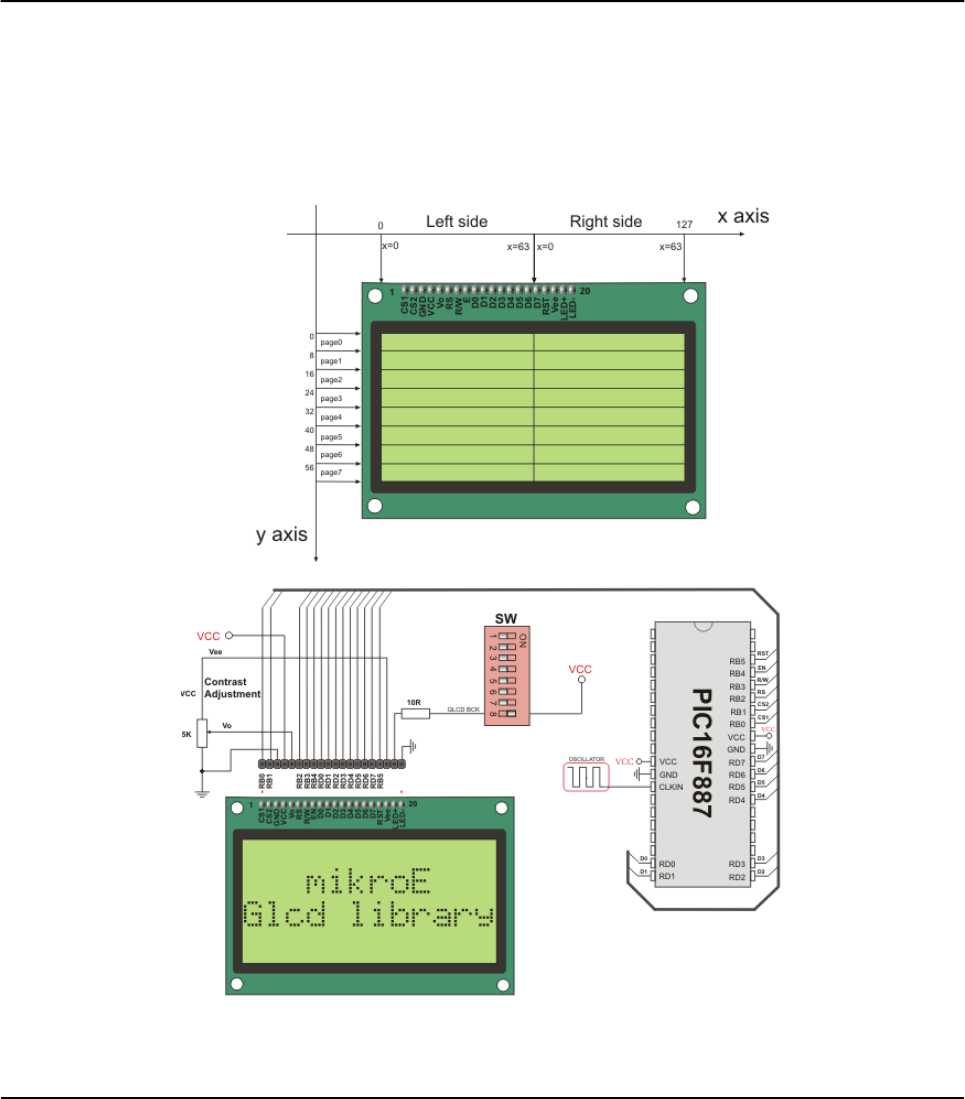
Glcd_Set_Font(@FontSystem5x7_v2, 5, 7, 32) ' Change font
someText = "5x7 Font (v2)"
Glcd_Write_Text(someText, 5, 6, 2) ' Write string
delay2S()
wend
end.
HW Connection
Glcd HW connection
310 MIKROELEKTRONIKA - SOFTWARE AND HARDWARE SOLUTIONS FOR EMBEDDED WORLD
Libraries mikroBasic PRO for PIC
CHAPTER 7

I²C LIBRARY
I2C full master MSSP module is available with a number of PIC MCU models. mikroBasic PRO
for PIC provides library which supports the master I2C mode.
Note: Some MCUs have multiple I2C modules. In order to use the desired I2C library routine, sim-
ply change the number 1in the prototype with the appropriate module number, i.e.
I2C1_Init(100000)
Library Routines
I2C1_Init
I2C1_Start
I2C1_Repeated_Start
I2C1_Is_Idle
I2C1_Rd
I2C1_Wr
I2C1_Stop
I2C1_Init
311
MIKROELEKTRONIKA - SOFTWARE AND HARDWARE SOLUTIONS FOR EMBEDDED WORLD
Libraries
mikroBasic PRO for PIC
CHAPTER 7
Prototype sub procedure I2C1_Init(const clock as longint)
Returns Nothing.
Description
Initializes I2C with desired clock (refer to device data sheet for correct values in
respect with Fosc). Needs to be called before using other functions of I2C
Library.
You don’t need to configure ports manually for using the module; library will take
care of the initialization.
Requires
Library requires MSSP module on PORTB or PORTC.
Note: Calculation of the I2C clock value is carried out by the compiler, as it
would produce a relatively large code if performed on the libary level.
Therefore, compiler needs to know the value of the parameter in the compile
time. That is why this parameter needs to be a constant, and not a variable.
Example I2C1_Init(100000)

I2C1_Start
I2C1_Repeated_Start
I2C1_Is_Idle
312 MIKROELEKTRONIKA - SOFTWARE AND HARDWARE SOLUTIONS FOR EMBEDDED WORLD
Libraries mikroBasic PRO for PIC
CHAPTER 7
Prototype sub function I2C1_Start as byte
Returns I2 there is no error, function returns 0.
Description Determines if I2C bus is free and issues START signal.
Requires I2C must be configured before using this function. See I2C1_Init.
Example if I2C1_Start = 0 then
...
Prototype sub procedure I2C1_Repeated_Start
Returns Nothing.
Description Issues repeated START signal.
Requires I2C must be configured before using this function. See I2C1_Init.
Example I2C1_Repeated_Start
Prototype sub function I2C1_Is_Idle as byte
Returns Returns TRUE if I2C bus is free, otherwise returns FALSE.
Description Tests if I2C bus is free.
Requires I2C must be configured before using this function. See I2C1_Init.
Example if I2C1_Is_Idle then
...

I2C1_Rd
I2C1_Wr
I2C1_Stop
313
MIKROELEKTRONIKA - SOFTWARE AND HARDWARE SOLUTIONS FOR EMBEDDED WORLD
Libraries
mikroBasic PRO for PIC
CHAPTER 7
Prototype sub function I2C1_Rd(dim ack as byte)as byte
Returns Returns one byte from the slave.
Description Reads one byte from the slave, and sends not acknowledge signal if parameter
ack is 0, otherwise it sends acknowledge.
Requires
I2C must be configured before using this function. See I2C1_Init.
Also, START signal needs to be issued in order to use this function. See
I2C1_Start.
Example Read data and send not acknowledge signal:
tmp = I2C1_Rd(0)
Prototype sub function I2C1_Wr(dim data as byte)as byte
Returns Returns 0 if there were no errors.
Description Sends data byte (parameter data) via I2C bus.
Requires
I2C must be configured before using this function. See I2C1_Init.
Also, START signal needs to be issued in order to use this function. See
I2C1_Start.
Example I2C1_Write($A3)
Prototype sub procedure I2C1_Stop
Returns Nothing.
Description Issues STOP signal.
Requires I2C must be configured before using this function. See I2C1_Init.
Example I2C1_Stop

Library Example
This code demonstrates use of I2C Library procedures and functions. PIC MCU is
connected (pins SCL and SDA) to 24c02 EEPROM. Program sends data to
EEPROM (data is written at address 2). Then, we read data via I2C from EEPROM
and send its value to PORTD, to check if the cycle was successful. The figure below
shows how to interface 24c02 to PIC.
program I2C_Simple
main:
ANSEL = 0 ' Configure AN pins as digital I/O
ANSELH = 0
PORTB = 0
TRISB = 0 ' Configure PORTB as output
I2C1_Init(100000) ' initialize I2C communication
I2C1_Start() ' issue I2C start signal
I2C1_Wr(0xA2) ' send byte via I2C (device address + W)
I2C1_Wr(2) ' send byte (address of EEPROM location)
I2C1_Wr(0xAA) ' send data (data to be written)
I2C1_Stop() ' issue I2C stop signal
Delay_100ms()
I2C1_Start() ' issue I2C start signal
I2C1_Wr(0xA2) ' send byte via I2C (device address + W)
I2C1_Wr(2) ' send byte (data address)
I2C1_Repeated_Start() ' issue I2C signal repeated start
I2C1_Wr(0xA3) ' send byte (device address + R)
PORTB = I2C1_Rd(0) ' Read the data (NO acknowledge)
I2C1_Stop() ' issue I2C stop signal
end.
314 MIKROELEKTRONIKA - SOFTWARE AND HARDWARE SOLUTIONS FOR EMBEDDED WORLD
Libraries mikroBasic PRO for PIC
CHAPTER 7

HW Connection
Interfacing 24c02 to PIC via I2C
315
MIKROELEKTRONIKA - SOFTWARE AND HARDWARE SOLUTIONS FOR EMBEDDED WORLD
Libraries
mikroBasic PRO for PIC
CHAPTER 7
KEYPAD LIBRARY
The mikroBasic PRO for PIC provides a library for working with 4x4 keypad. The library routines
can also be used with 4x1, 4x2, or 4x3 keypad. For connections explanation see schematic at the
bottom of this page.
External dependencies of Keypad Library
Library Routines
Keypad_Init
Keypad_Key_Press
Keypad_Key_Click
Keypad_Init
316 MIKROELEKTRONIKA - SOFTWARE AND HARDWARE SOLUTIONS FOR EMBEDDED WORLD
Libraries mikroBasic PRO for PIC
CHAPTER 7
The following variables
must be defined in all proj-
ects using Keypad Library:
Description: Example :
dim keypadPort as byte
sfr external Keypad Port dim keypadPort as byte
at PORTD
Prototype sub procedure Keypad_Init()
Returns Nothing.
Description Initializes port for working with keypad.
Requires
Global variables :
keypadPort - Keypad port must be defined before using this function.
Example
' Keypad module connections
dim keypadPort as byte at PORTD
' End of keypad module connections
...
Keypad_Init()

Keypad_Key_Press
Keypad_Key_Click
317
MIKROELEKTRONIKA - SOFTWARE AND HARDWARE SOLUTIONS FOR EMBEDDED WORLD
Libraries
mikroBasic PRO for PIC
CHAPTER 7
Prototype sub function Keypad_Key_Press() as byte
Returns
The code of a pressed key (1..16).
If no key is pressed, returns 0.
Description Reads the key from keypad when key gets pressed.
Requires Port needs to be initialized for working with the Keypad library, see Keypad_Init.
Example
dim kp as byte
...
kp = Keypad_Key_Press()
Prototype sub function Keypad_Key_Click() as byte
Returns
The code of a clicked key (1..16).
If no key is clicked, returns 0.
Description
Call to Keypad_Key_Click is a blocking call: the function waits until some key
is pressed and released. When released, the function returns 1 to 16, depend-
ing on the key. If more than one key is pressed simultaneously the function will
wait until all pressed keys are released. After that the function will return the
code of the first pressed key.
Requires Port needs to be initialized for working with the Keypad library, see Keypad_Init.
Example
dim kp as byte
...
kp = Keypad_Key_Click()

Library Example
This is a simple example of using the Keypad Library. It supports keypads with 1..4
rows and 1..4 columns. The code being returned by Keypad_Key_Click() function is
in range from 1..16. In this example, the code returned is transformed into ASCII
codes [0..9,A..F] and displayed on Lcd. In addition, a small single-byte counter dis-
plays in the second Lcd row number of key presses.
program Keypad_Test
dim kp, cnt, oldstate as byte
txt as byte[7]
' Keypad module connections
dim keypadPort as byte at PORTC
'End Keypad module connections
' Lcd module connections
dim LCD_RS as sbit at RB4_bit
LCD_EN as sbit at RB5_bit
LCD_D4 as sbit at RB0_bit
LCD_D5 as sbit at RB1_bit
LCD_D6 as sbit at RB2_bit
LCD_D7 as sbit at RB3_bit
LCD_RS_Direction as sbit at TRISB4_bit
LCD_EN_Direction as sbit at TRISB5_bit
LCD_D4_Direction as sbit at TRISB0_bit
LCD_D5_Direction as sbit at TRISB1_bit
LCD_D6_Direction as sbit at TRISB2_bit
LCD_D7_Direction as sbit at TRISB3_bit
' End Lcd module connections
main:
oldstate = 0
cnt = 0 ' Reset counter
Keypad_Init() ' Initialize Keypad
ANSEL = 0 ' Configure AN pins as digital I/O
ANSELH =
Lcd_Init() ' Initialize Lcd
Lcd_Cmd(_LCD_CLEAR) ' Clear display
Lcd_Cmd(_LCD_CURSOR_OFF) ' Cursor off
Lcd_Out(1, 1, "Key :") ' Write message text on Lcd
Lcd_Out(2, 1, "Times:")
while TRUE
kp = 0 ' Reset key code variable
' Wait for key to be pressed and released
while ( kp = 0 )
318 MIKROELEKTRONIKA - SOFTWARE AND HARDWARE SOLUTIONS FOR EMBEDDED WORLD
Libraries mikroBasic PRO for PIC
CHAPTER 7

kp = Keypad_Key_Click() ' Store key code in kp vari-
able
wend
' Prepare value for output, transform key to it"s ASCII value
select case kp
'case 10: kp = 42 ' "*" ' Uncomment this block for
keypad4x3
'case 11: kp = 48 ' "0"
'case 12: kp = 35 ' "#"
'default: kp += 48
case 1
kp = 49 ' 1 ' Uncomment this block for
keypad4x4
case 2
kp = 50 ' 2
case 3
kp = 51 ' 3
case 4
kp = 65 ' A
case 5
kp = 52 ' 4
case 6
kp = 53 ' 5
case 7
kp = 54 ' 6
case 8
kp = 66 ' B
case 9
kp = 55 ' 7
case 10
kp = 56 ' 8
case 11
kp = 57 ' 9
case 12
kp = 67 ' C
case 13
kp = 42 ' *
case 14
kp = 48 ' 0
case 15
kp = 35 ' #
case 16
kp = 68 ' D
end select
if (kp <> oldstate) then ‘Pressed key differs from previous
cnt = 1
319
MIKROELEKTRONIKA - SOFTWARE AND HARDWARE SOLUTIONS FOR EMBEDDED WORLD
Libraries
mikroBasic PRO for PIC
CHAPTER 7
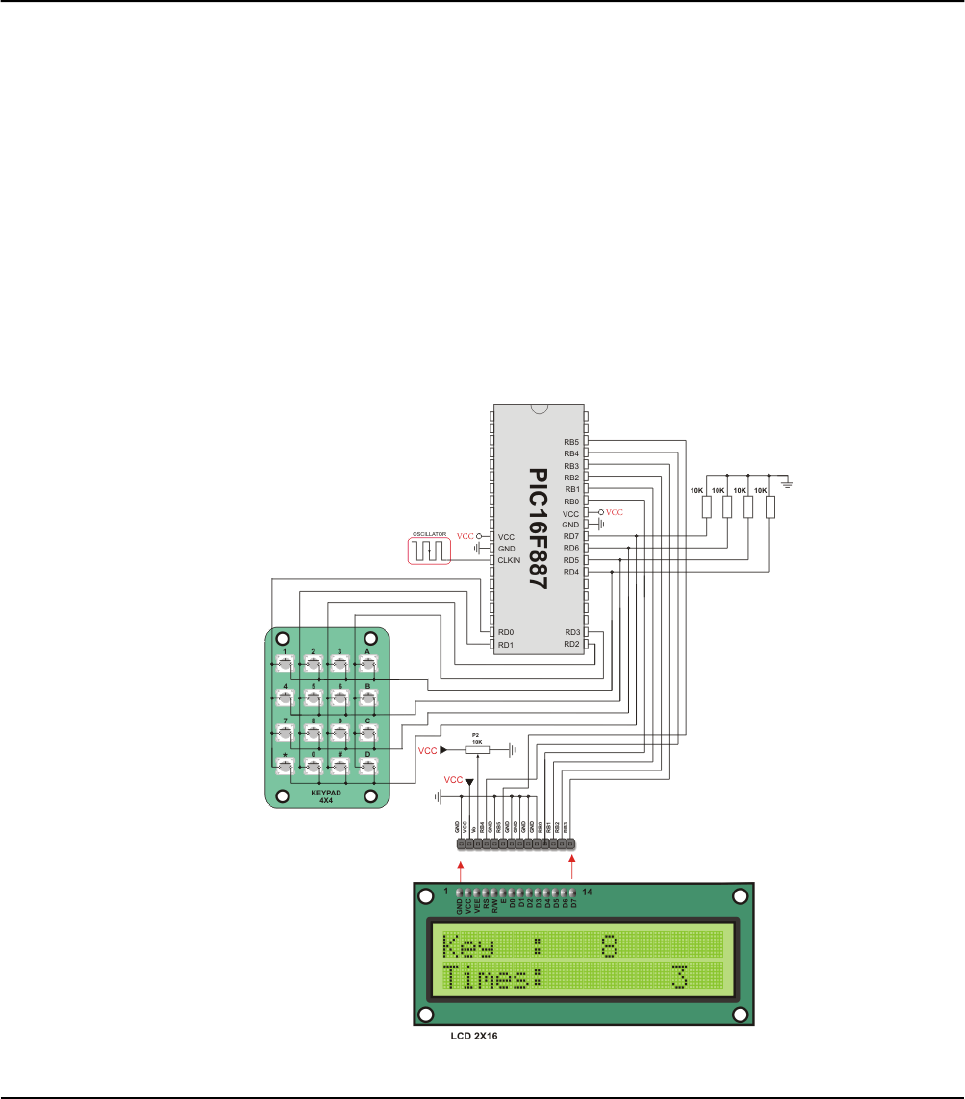
oldstate = kp
else ' Pressed key is same as previous
Inc(cnt)
end if
Lcd_Chr(1, 10, kp) ' Print key ASCII value on Lcd
if (cnt = 255) then ' If counter varialble overflow
cnt = 0
Lcd_Out(2, 10, " ")
end if
WordToStr(cnt, txt) ' Transform counter value to string
Lcd_Out(2, 10, txt) ' Display counter value on Lcd
wend
end.
HW Connection
4x4 Keypad connection scheme
320 MIKROELEKTRONIKA - SOFTWARE AND HARDWARE SOLUTIONS FOR EMBEDDED WORLD
Libraries mikroBasic PRO for PIC
CHAPTER 7

LCD LIBRARY
The mikroBasic PRO for PIC provides a library for communication with Lcds (with
HD44780 compliant controllers) through the 4-bit interface. An example of Lcd con-
nections is given on the schematic at the bottom of this page.
For creating a set of custom Lcd characters use Lcd Custom Character Tool.
External dependencies of LCD Library
321
MIKROELEKTRONIKA - SOFTWARE AND HARDWARE SOLUTIONS FOR EMBEDDED WORLD
Libraries
mikroBasic PRO for PIC
CHAPTER 7
The following variables
must be defined in all
projects using LCD
Library:
Description: Example :
dim LCD_RS as sbit
sfr external Register Select line. dim LCD_RS as sbit at
RB4_bit
dim LCD_EN as sbit
sfr external Enable line. dim LCD_EN as sbit at
RB5_bit
dim LCD_D7 as sbit
sfr external Data 7 line. dim LCD_D7 as sbit at
RB3_bit
dim LCD_D6 as sbit
sfr external Data 6 line. dim LCD_D6 as sbit at
RB2_bit
dim LCD_D5 as sbit
sfr external Data 5 line. dim LCD_D5 as sbit at
RB1_bit
dim LCD_D4 as sbit
sfr external Data 4 line. dim LCD_D4 as sbit at
RB0_bit
dim LCD_RS_Direction
as sbit sfr external
Register Select direction
pin.
dim LCD_RS_Direction
as sbit at TRISB4_bit
dim LCD_EN_Direction
as sbit sfr external
Enable direction pin. dim LCD_EN_Direction
as sbit at TRISB5_bit
dim LCD_D7_Direction
as sbit sfr external
Data 7 direction pin. dim LCD_D7_Direction
as sbit at TRISB3_bit
dim LCD_D6_Direction
as sbit sfr external
Data 6 direction pin. dim LCD_D6_Direction
as sbit at TRISB2_bit
dim LCD_D5_Direction
as sbit sfr externald
Data 5 direction pin. dim LCD_D5_Direction
as sbit at TRISB1_bit
dim LCD_D4_Direction
as sbit sfr external
Data 4 direction pin. dim LCD_D4_Direction
as sbit at TRISB0_bit

322 MIKROELEKTRONIKA - SOFTWARE AND HARDWARE SOLUTIONS FOR EMBEDDED WORLD
Libraries mikroBasic PRO for PIC
CHAPTER 7
Library Routines
Lcd_Init
Lcd_Out
Lcd_Out_Cp
Lcd_Chr
Lcd_Chr_Cp
Lcd_Cmd
Lcd_Init
Prototype sub procedure Lcd_Init()
Returns Nothing.
Description Initializes Lcd module.
Requires
LCD_D7: Data bit 7
LCD_D6:Data bit 6
LCD_D5: Data bit 5
LCD_D4: Data bit 4
LCD_RS: Register Select (data/instruction) signal pin
LCD_EN: Enable signal pin
LCD_D7_Direction: Direction of the Data 7 pin
LCD_D6_Direction: Direction of the Data 6 pin
LCD_D5_Direction: Direction of the Data 5 pin
LCD_D4_Direction: Direction of the Data 4 pin
LCD_RS_Direction: Direction of the Register Select pin
LCD_EN_Direction: Direction of the Enable signal pin
must be defined before using this function.
Example
‘Lcd module connections
dim
LCD_RS as sbit at RB4_bit
LCD_EN as sbit at RB5_bit
LCD_D7 as sbit at RB3_bit
LCD_D6 as sbit at RB2_bit
LCD_D5 as sbit at RB1_bit
LCD_D4 as sbit at RB0_bit
dim
LCD_RS as sbit at TRISB4_bit
LCD_EN as sbit at TRISB5_bit
LCD_D7 as sbit at TRISB3_bit
LCD_D6 as sbit at TRISB2_bit
LCD_D5 as sbit at TRISB1_bit
LCD_D4 as sbit at TRISB0_bit
'End Lcd module connections
...
Lcd_Init()

323
MIKROELEKTRONIKA - SOFTWARE AND HARDWARE SOLUTIONS FOR EMBEDDED WORLD
Libraries
mikroBasic PRO for PIC
CHAPTER 7
Lcd_Out
Lcd_Out_Cp
Prototype sub procedure Lcd_Out(dim row as byte, dim column as byte, dim
byref text as string[20])
Returns Nothing.
Description
Prints text on LCD starting from specified position. Both string variables and lit-
erals can be passed as a text.
Parameters :
row: starting position row number
column: starting position column number
text: text to be written
Requires The LCD module needs to be initialized. See Lcd_Init routine.
Example ' Write text "Hello!" on Lcd starting from row 1, column 3:
Lcd_Out(1, 3, "Hello!")
Prototype sub procedure Lcd_Out_Cp(dim byref text as string[19])
Returns Nothing.
Description
Prints text on LCD at current cursor position. Both string variables and literals
can be passed as a text.
Parameters :
text: text to be written
Requires The LCD module needs to be initialized. See Lcd_Init routine.
Example ' Write text "Here!" at current cursor position:
Lcd_Out_Cp("Here!")

324 MIKROELEKTRONIKA - SOFTWARE AND HARDWARE SOLUTIONS FOR EMBEDDED WORLD
Libraries mikroBasic PRO for PIC
CHAPTER 7
Lcd_Chr
Lcd_Chr_Cp
Prototype sub procedure Lcd_Chr(dim row as byte, dim column as byte, dim
out_char as byte)
Returns Nothing.
Description
Prints character on LCD at specified position. Both variables and literals can be
passed as a character.
Parameters :
row: writing position row number
column: writing position column number
out_char: character to be written
Requires The LCD module needs to be initialized. See Lcd_Init routine.
Example ' Write character "i" at row 2, column 3:
Lcd_Chr(2, 3, 'i')
Prototype sub procedure Lcd_Chr_Cp(dim out_char as byte)
Returns Nothing.
Description
Prints character on LCD at current cursor position. Both variables and literals
can be passed as a character.
Parameters :
out_char: character to be written
Requires The LCD module needs to be initialized. See Lcd_Init routine.
Example ' Write character "e" at current cursor position:
Lcd_Chr_Cp('e')

325
MIKROELEKTRONIKA - SOFTWARE AND HARDWARE SOLUTIONS FOR EMBEDDED WORLD
Libraries
mikroBasic PRO for PIC
CHAPTER 7
Lcd_Cmd
Available LCD Commands
Prototype sub procedure Lcd_Cmd(dim out_char as byte)
Returns Nothing.
Description
Sends command to LCD.
Parameters :
out_char: command to be sent
Note: Predefined constants can be passed to the function, see Available LCD
Commands.
Requires The LCD module needs to be initialized. See Lcd_Init table.
Example ' Clear Lcd display:
Lcd_Cmd(_LCD_CLEAR)
Lcd Command Purpose
LCD_FIRST_ROW Move cursor to the 1st row
LCD_SECOND_ROW Move cursor to the 2nd row
LCD_THIRD_ROW Move cursor to the 3rd row
LCD_FOURTH_ROW Move cursor to the 4th row
LCD_CLEAR Clear display
LCD_RETURN_HOME Return cursor to home position, returns a shifted display to its original
position. Display data RAM is unaffected.
LCD_CURSOR_OFF Turn off cursor
LCD_UNDERLINE_ON Underline cursor on
LCD_BLINK_CURSOR_ON Blink cursor on
LCD_MOVE_CURSOR_LEFT Move cursor left without changing display data RAM
LCD_MOVE_CURSOR_RIGHT Move cursor right without changing display data RAM
LCD_TURN_ON Turn LCD display on
LCD_TURN_OFF Turn LCD display off
LCD_SHIFT_LEFT Shift display left without changing display data RAM
LCD_SHIFT_RIGHT Shift display right without changing display data RAM

Library Example
The following code demonstrates usage of the LCD Library routines:
program Lcd
' Lcd module connections
dim LCD_RS as sbit at RB4_bit
LCD_EN as sbit at RB5_bit
LCD_D4 as sbit at RB0_bit
LCD_D5 as sbit at RB1_bit
LCD_D6 as sbit at RB2_bit
LCD_D7 as sbit at RB3_bit
LCD_RS_Direction as sbit at TRISB4_bit
LCD_EN_Direction as sbit at TRISB5_bit
LCD_D4_Direction as sbit at TRISB0_bit
LCD_D5_Direction as sbit at TRISB1_bit
LCD_D6_Direction as sbit at TRISB2_bit
LCD_D7_Direction as sbit at TRISB3_bit
' End Lcd module connections
dim txt1 as char[16]
txt2 as char[9]
txt3 as char[8]
txt4 as char[7]
i as byte ' Loop variable
sub procedure Move_Delay() ' Function used for text moving
Delay_ms(500) ' You can change the moving speed here
end sub
main:
TRISB = 0
PORTB = 0xFF
TRISB = 0xFF
ANSEL = 0 ' Configure AN pins as digital I/O
ANSELH = 0
txt1 = "mikroElektronika"
txt2 = "EasyPIC5"
txt3 = "Lcd4bit"
txt4 = "example"
Lcd_Init() ' Initialize Lcd
Lcd_Cmd(_LCD_CLEAR) ' Clear display
Lcd_Cmd(_LCD_CURSOR_OFF) ' Cursor off
Lcd_Out(1,6,txt3) ' Write text in first row
Lcd_Out(2,6,txt4) ' Write text in second row
326 MIKROELEKTRONIKA - SOFTWARE AND HARDWARE SOLUTIONS FOR EMBEDDED WORLD
Libraries mikroBasic PRO for PIC
CHAPTER 7

Delay_ms(2000)
Lcd_Cmd(_LCD_CLEAR) ' Clear display
Lcd_Out(1,1,txt1) ' Write text in first row
Lcd_Out(2,5,txt2) ' Write text in second row
Delay_ms(500)
' Moving text
for i=0 to 3 ' Move text to the right 4 times
Lcd_Cmd(_LCD_SHIFT_RIGHT)
Move_Delay()
next i
while TRUE ' Endless loop
for i=0 to 7 ' Move text to the left 8 times
Lcd_Cmd(_LCD_SHIFT_LEFT)
Move_Delay()
next i
for i=0 to 7 ' Move text to the right 8 times
Lcd_Cmd(_LCD_SHIFT_RIGHT)
Move_Delay()
next i
wend
end.
327
MIKROELEKTRONIKA - SOFTWARE AND HARDWARE SOLUTIONS FOR EMBEDDED WORLD
Libraries
mikroBasic PRO for PIC
CHAPTER 7

HW Connection
LCD HW connection
328 MIKROELEKTRONIKA - SOFTWARE AND HARDWARE SOLUTIONS FOR EMBEDDED WORLD
Libraries mikroBasic PRO for PIC
CHAPTER 7
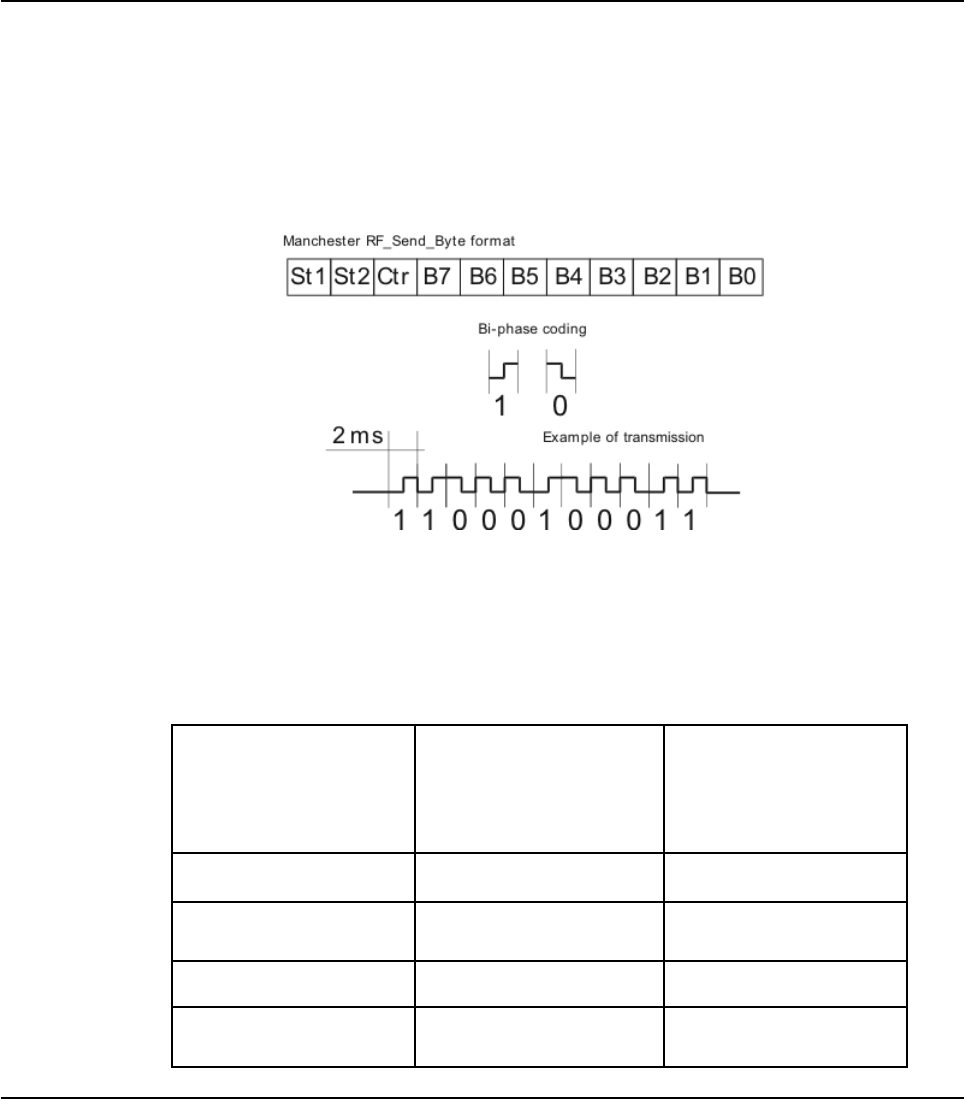
MANCHESTER CODE LIBRARY
The mikroBasic PRO for PIC provides a library for handling Manchester coded sig-
nals. The Manchester code is a code in which data and clock signals are combined
to form a single self-synchronizing data stream; each encoded bit contains a transi-
tion at the midpoint of a bit period, the direction of transition determines whether the
bit is 0 or 1; the second half is the true bit value and the first half is the complement
of the true bit value (as shown in the figure below).
Notes: The Manchester receive routines are blocking calls (Man_Receive_Init and
Man_Synchro). This means that MCU will wait until the task has been performed
(e.g. byte is received, synchronization achieved, etc).
Note: Manchester code library implements time-based activities, so interrupts need
to be disabled when using it.
External dependencies of Manchester Code Library
329
MIKROELEKTRONIKA - SOFTWARE AND HARDWARE SOLUTIONS FOR EMBEDDED WORLD
Libraries
mikroBasic PRO for PIC
CHAPTER 7
The following variables
must be defined in all
projects using Man-
chester Code Library:
Description: Example :
dim MANRXPIN as sbit
sfr external Receive line. dim MANRXPIN as sbit
at RC0_bit
dim MANTXPIN as sbit
sfr external Transmit line. dim MANTXPIN as sbit
at RC1_bit
dim MANRXPIN_Direction
as sbit sfr external
Direction of the Receive
pin.
dim MANRXPIN_Direction
as sbit at TRISC0_bit
dim MANTXPIN_Direction
as sbit sfr external
Direction of the Transmit
pin.
dim MANTXPIN_Direction
as sbit at TRISC1_bit

330 MIKROELEKTRONIKA - SOFTWARE AND HARDWARE SOLUTIONS FOR EMBEDDED WORLD
Libraries mikroBasic PRO for PIC
CHAPTER 7
Library Routines
Man_Receive_Init
Man_Receive
Man_Send_Init
Man_Send
Man_Synchro
Man_Out
The following routines are for the internal use by compiler only:
Manchester_0
Manchester_1
Manchester_Out
Man_Receive_Init
Prototype sub function Man_Receive_Init()as word
Returns
0- if initialization and synchronization were successful.
1 - upon unsuccessful synchronization.
255 - upon user abort.
Description
The function configures Receiver pin and performs synchronization procedure in
order to retrieve baud rate out of the incoming signal.
Note: In case of multiple persistent errors on reception, the user should call this
routine once again or Man_Synchro routine to enable synchronization.
Requires
Global variables :
MANRXPIN : Receive line
MANRXPIN_Direction : Direction of the receive pin
must be defined before using this function.
Example
' Initialize Receiver
dim MANRXPIN as sbit at RC0_bit
dim MANRXPIN_Direction as sbit at TRISC0_bit
...
Man_Receive_Init()

331
MIKROELEKTRONIKA - SOFTWARE AND HARDWARE SOLUTIONS FOR EMBEDDED WORLD
Libraries
mikroBasic PRO for PIC
CHAPTER 7
Man_Receive
Man_Send_Init
Prototype sub function Man_Receive(dim byreferror as byte)as byte
Returns A byte read from the incoming signal.
Description
The function extracts one byte from incoming signal.
Parameters :
error: error flag. If signal format does not match the expected, the error flag
will be set to non-zero.
Requires To use this function, the user must prepare the MCU for receiving. See
Man_Receive_Init.
Example
dim data, error as byte
...
data = 0
error = 0
data = Man_Receive(&error)
if (error <> 0) then
' error handling
end if
Prototype sub procedure Man_Send_Init()
Returns Nothing.
Description The function configures Transmitter pin.
Requires
Global variables :
MANRXPIN : Receive line
MANRXPIN_Direction : Direction of the receive pin
must be defined before using this function
Example
' Initialize Transmitter:
dim MANTXPIN as sbit at PORTC1_bit
dim MANTXPIN_Direction as sbit at TRISC1_bit
...
Man_Send_Init()

332 MIKROELEKTRONIKA - SOFTWARE AND HARDWARE SOLUTIONS FOR EMBEDDED WORLD
Libraries mikroBasic PRO for PIC
CHAPTER 7
Man_Send
Man_Synchro
Prototype sub procedure Man_Send(tr_data as byte)
Returns Nothing.
Description
Sends one byte.
Parameters :
tr_data: data to be sent
Note: Baud rate used is 500 bps.
Requires To use this function, the user must prepare the MCU for sending. See
Man_Send_Init.
Example
dim msg as byte
...
Man_Send(msg)
Prototype sub function Man_Synchro() as word
Returns
0- if synchronization was not successful.
Half of the manchester bit length, given in multiples of 10us - upon
successful synchronization.
Description Measures half of the manchester bit length with 10us resolution.
Requires To use this function, you must first prepare the MCU for receiving. See
Man_Receive_Init.
Example
dim man__half_bit_len as word
...
man__half_bit_len = Man_Synchro()

333
MIKROELEKTRONIKA - SOFTWARE AND HARDWARE SOLUTIONS FOR EMBEDDED WORLD
Libraries
mikroBasic PRO for PIC
CHAPTER 7
Man_Break
Prototype sub procedure Man_Break()
Returns Nothing.
Description
Man_Receive is blocking routine and it can block the program flow. Call this
routine from interrupt to unblock the program execution. This mechanism is sim-
ilar to WDT.
Note: Interrupts should be disabled before using Manchester routines again
(see note at the top of this page).
Requires Nothing.
Example
dim data1, error_, counter as byte
sub procedure interrupt()
if (INTCON.T0IF <> 0) then
if (counter >= 20) then
Man_Break()
counter = 0 ' reset counter
end if
else
Inc(counter) ' increment counter
INTCON.T0IF = 0 ' Clear Timer0 overflow interrupt flag
end if
end sub
main:
counter = 0
OPTION_REG = 0x04 ' TMR0 prescaler set to 1:32
...
Man_Receive_Init()
...
' try Man_Receive with blocking prevention mechanism
INTCON.GIE = 1 ' Global interrupt enable
INTCON.T0IE = 1 ' Enable Timer0 overflow interrupt
data1 = Man_Receive(error_)
INTCON.GIE = 0 ' Global interrupt disable
end.

Library Example
The following code is code for the Manchester receiver, it shows how to use the
Manchester Library for receiving data:
program Manchester_Receiver
' LCD module connections
dim LCD_RS as sbit at RB4_bit
LCD_EN as sbit at RB5_bit
LCD_D4 as sbit at RB0_bit
LCD_D5 as sbit at RB1_bit
LCD_D6 as sbit at RB2_bit
LCD_D7 as sbit at RB3_bit
LCD_RS_Direction as sbit at TRISB4_bit
LCD_EN_Direction as sbit at TRISB5_bit
LCD_D4_Direction as sbit at TRISB0_bit
LCD_D5_Direction as sbit at TRISB1_bit
LCD_D6_Direction as sbit at TRISB2_bit
LCD_D7_Direction as sbit at TRISB3_bit
' End LCD module connections
' Manchester module connections
dim MANRXPIN as sbit at RC0_bit
MANRXPIN_Direction as sbit at TRISC0_bit
MANTXPIN as sbit at RC1_bit
MANTXPIN_Direction as sbit at TRISC1_bit
' End Manchester module connections
dim error_flag, ErrorCount, temp as byte
main:
ErrorCount = 0
ANSEL = 0 ' Configure AN pins as digital I/O
ANSELH = 0
C1ON_bit = 0 ' Disable comparators
C2ON_bit = 0
TRISC5_bit = 0
Lcd_Init() ' Initialize LCD
Lcd_Cmd(_LCD_CLEAR) ' Clear LCD display
Man_Receive_Init() ' Initialize Receiver
while TRUE ' Endless loop
Lcd_Cmd(_LCD_FIRST_ROW) ' Move cursor to the 1st row
while TRUE ' Wait for the "start" byte
temp = Man_Receive(error_flag) ' Attempt byte receive
334 MIKROELEKTRONIKA - SOFTWARE AND HARDWARE SOLUTIONS FOR EMBEDDED WORLD
Libraries mikroBasic PRO for PIC
CHAPTER 7

if (temp = 0x0B) then ' "Start" byte, see Transmitter example
break ' We got the starting sequence
end if
if (error_flag <> 0) then ' Exit so we do not loop for-
ever
break
end if
wend
do
temp = Man_Receive(error_flag) ' Attempt byte receive
if (error_flag <> 0) then ' If error occured
Lcd_Chr_CP("?") ' Write question mark on LCD
Inc(ErrorCount) ' Update error counter
if (ErrorCount > 20) then ' In case of multiple
errors
temp = Man_Synchro() ' Try to synchronize again
'Man_Receive_Init() ' Alternative, try to Initialize
Receiver again
ErrorCount = 0 ' Reset error counter
end if
else ' No error occured
if (temp <> 0x0E) then ' If "End" byte was
received(see Transmitter example)
Lcd_Chr_CP(temp) ' do not write received
byte on LCD
end if
Delay_ms(25)
end if
loop until ( temp = 0x0E )
wend ' If "End" byte was received exit do loop
end.
The following code is code for the Manchester transmitter, it shows how to use the
Manchester Library for transmitting data:
program Manchester_Transmitter
' Manchester module connections
dim MANRXPIN as sbit at RC0_bit
MANRXPIN_Direction as sbit at TRISC0_bit
MANTXPIN as sbit at RC1_bit
MANTXPIN_Direction as sbit at TRISC1_bit
' End Manchester module connections
dim index, character as byte
s1 as char[17]
main:
s1 = "mikroElektronika"
335
MIKROELEKTRONIKA - SOFTWARE AND HARDWARE SOLUTIONS FOR EMBEDDED WORLD
Libraries
mikroBasic PRO for PIC
CHAPTER 7

ANSEL = 0 ' Configure AN pins as digital I/O
ANSELH = 0
C1ON_bit = 0 ' Disable comparators
C2ON_bit = 0
Man_Send_Init() ' Initialize transmitter
while TRUE ' Endless loop
Man_Send(0x0B) ' Send "start" byte
Delay_ms(100) ' Wait for a while
character = s1[0] ' Take first char from string
index = 0 ' Initialize index variable
while (character <> 0) ' String ends with zero
Man_Send(character) ' Send character
Delay_ms(90) ' Wait for a while
Inc(index) ' Increment index variable
character = s1[index] ' Take next char from string
wend
Man_Send(0x0E) ' Send "end" byte
Delay_ms(1000)
wend
end.
336 MIKROELEKTRONIKA - SOFTWARE AND HARDWARE SOLUTIONS FOR EMBEDDED WORLD
Libraries mikroBasic PRO for PIC
CHAPTER 7
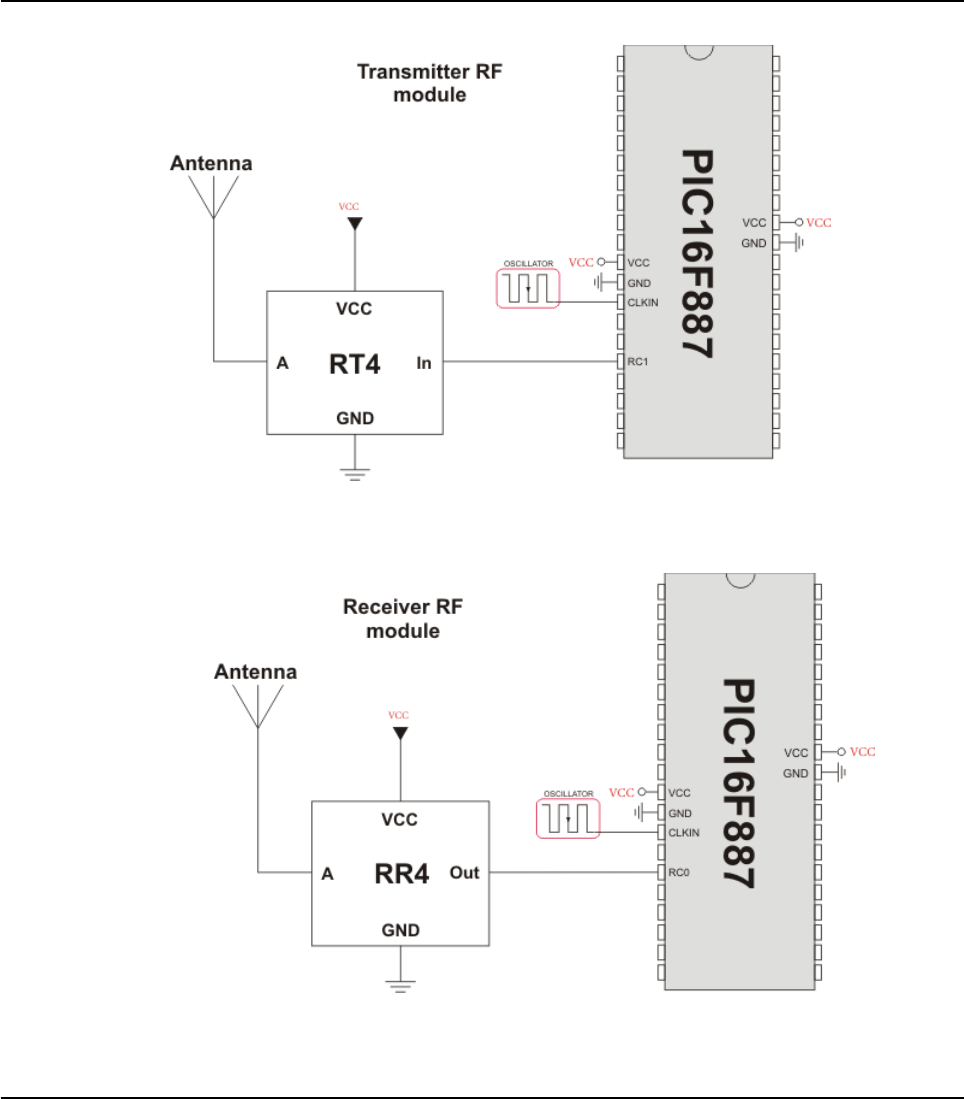
Connection Example
Simple Transmitter connection
Simple Receiver connection
337
MIKROELEKTRONIKA - SOFTWARE AND HARDWARE SOLUTIONS FOR EMBEDDED WORLD
Libraries
mikroBasic PRO for PIC
CHAPTER 7

MULTI MEDIA CARD LIBRARY
The Multi Media Card (MMC) is a flash memory card standard. MMC cards are cur-
rently available in sizes up to and including 1 GB, and are used in cell phones, mp3
players, digital cameras, and PDA’s.
mikroBasic PRO for PIC provides a library for accessing data on Multi Media Card
via SPI communication.This library also supports SD(Secure Digital) memory cards.
Secure Digital Card
Secure Digital (SD) is a flash memory card standard, based on the older Multi Media
Card (MMC) format.
SD cards are currently available in sizes of up to and including 2 GB, and are used
in cell phones, mp3 players, digital cameras, and PDAs.
Notes:
Library works with PIC18 family only;
The library uses the SPI module for communication. User must initialize SPI
module before using the SPI Graphic Lcd Library.
For MCUs with two SPI modules it is possible to initialize both of them and
then switch by using the SPI_Set_Active() routine.
Routines for file handling can be used only with FAT16 file system.
Library functions create and read files from the root directory only;
Library functions populate both FAT1 and FAT2 tables when writing to files,
but the file data is being read from the FAT1 table only; i.e. there is no recov
ery if FAT1 table is corrupted.
Note: The SPI module has to be initialized through SPI1_Init_Advanced routine
with the following parameters:
SPI Master
8bit mode
primary prescaler 16
Slave Select disabled
data sampled in the middle of data output time
clock idle low
Serial output data changes on transition from idle clock state to active clock
state
SPI1_Init_Advanced(_SPI_MASTER_OSC_DIV16, _SPI_DATA_SAMPLE_MIDDLE,
_SPI_CLK_IDLE_LOW, _SPI_LOW_2_HIGH)
must be called before initializing Mmc_Init.
Note: Once the MMC/SD card is initialized, the user can reinitialize SPI at higher
speed. See the Mmc_Init and Mmc_Fat_Init routines.
338 MIKROELEKTRONIKA - SOFTWARE AND HARDWARE SOLUTIONS FOR EMBEDDED WORLD
Libraries mikroBasic PRO for PIC
CHAPTER 7
External dependencies of MMC Library
Library Routines
Mmc_Init
Mmc_Read_Sector
Mmc_Write_Sector
Mmc_Read_Cid
Mmc_Read_Csd
Routines for file handling:
Mmc_Fat_Init
Mmc_Fat_QuickFormat
Mmc_Fat_Assign
Mmc_Fat_Reset
Mmc_Fat_Read
Mmc_Fat_Rewrite
Mmc_Fat_Append
Mmc_Fat_Delete
Mmc_Fat_Write
Mmc_Fat_Set_File_Date
Mmc_Fat_Get_File_Date
Mmc_Fat_Get_File_Size
Mmc_Fat_Get_Swap_File
339
MIKROELEKTRONIKA - SOFTWARE AND HARDWARE SOLUTIONS FOR EMBEDDED WORLD
Libraries
mikroBasic PRO for PIC
CHAPTER 7
The following variables must
be defined in all projects
using MMC Library:
Description: Example :
dim Mmc_Chip_Select as
sbit sfr external Chip select pin. dim Mmc_Chip_Select as
sbit at RC2_bit
dim
Mmc_Chip_Select_Direction
as sbit sfr external
Direction of the
chip select pin.
dim
Mmc_Chip_Select_Directio
n as sbit at TRISC2_bit

Mmc_Init
340 MIKROELEKTRONIKA - SOFTWARE AND HARDWARE SOLUTIONS FOR EMBEDDED WORLD
Libraries mikroBasic PRO for PIC
CHAPTER 7
Prototype sub function Mmc_Init() as byte
Returns 0 - if MMC/SD card was detected and successfully initialized
1 - otherwise
Description
Initializes MMC through hardware SPI interface.
Mmc_Init needs to be called before using other functions of this library.
Requires
Global variables :
Mmc_Chip_Select: Chip Select line
Mmc_Chip_Select_Direction: Direction of the Chip Select pin
must be defined before using this function.
The appropriate hardware SPI module must be previously initialized. See the
SPI1_Init, SPI1_Init_Advanced routines.
Example
' MMC module connections
dim Mmc_Chip_Select as sbit sfr at RC2_bit
dim Mmc_Chip_Select_Direction as sbit sfr at TRISC2_bit
' MMC module connections
dim error as byte
...
SPI1_Init()
error = Mmc_Init() ' Init with CS line at RB2

Mmc_Read_Sector
341
MIKROELEKTRONIKA - SOFTWARE AND HARDWARE SOLUTIONS FOR EMBEDDED WORLD
Libraries
mikroBasic PRO for PIC
CHAPTER 7
Prototype sub function Mmc_Read_Sector(dim sector as longint, dim byref
data as byte[512]) as byte
Returns 0 - i if reading was successful
1 - otherwise
Description
The function reads one sector (512 bytes) from MMC card.
Parameters:
sector: MMC/SD card sector to be read.
dbuff: buffer of minimum 512 bytes in length for data storage.
Requires MMC/SD card must be initialized. See Mmc_Init.
Example
' read sector 510 of the MMC/SD card
dim error as word
sectorNo as longword
dataBuffer as char[512]
...
main:
...
sectorNo = 510
error = Mmc_Read_Sector(sectorNo, dataBuffer)
...
end.

Mmc_Write_Sector
342 MIKROELEKTRONIKA - SOFTWARE AND HARDWARE SOLUTIONS FOR EMBEDDED WORLD
Libraries mikroBasic PRO for PIC
CHAPTER 7
Prototype sub function Mmc_Write_Sector(dim sector as longint, dim byref
data_ as byte[512]) as byte
Returns
0- if writing was successful
1 -if there was an error in sending write command
2- if there was an error in writing (data rejected)
Description
The function writes 512 bytes of data to one MMC card sector.
Parameters:
sector: MMC/SD card sector to be written to.
dbuff: data to be written (buffer of minimum 512 bytes in length).
Requires MMC/SD card must be initialized. See Mmc_Init
Example
' write to sector 510 of the MMC/SD card
dim error as word
sectorNo as longword
dataBuffer as char[512]
...
main:
...
sectorNo = 510
error = Mmc_Write_Sector(sectorNo, dataBuffer)
...
end.

Mmc_Read_Cid
Mmc_Read_Csd
343
MIKROELEKTRONIKA - SOFTWARE AND HARDWARE SOLUTIONS FOR EMBEDDED WORLD
Libraries
mikroBasic PRO for PIC
CHAPTER 7
Prototype sub function Mmc_Read_Cid(dim byref data_cid as byte[16]) as byte
Returns 0- if CID register was read successfully
1 -if there was an error while reading
Description
The function reads 16-byte CID register.
Parameters:
data_cid: buffer of minimum 16 bytes in length for storing CID register
content.
Requires MMC/SD card must be initialized. See Mmc_Init
Example
dim error as word
dataBuffer as byte[16]
...
main:
...
error = Mmc_Read_Cid(dataBuffer)
...
end.
Prototype sub function Mmc_Read_Csd(dim byref data_for_registers as
byte[16]) as byte
Returns 0- if CSD register was read successfully
1- if there was an error while reading
Description
The function reads 16-byte CSD register.
Parameters:
data_csd:buffer of minimum 16 bytes in length for storing CSD register
content.
Requires MMC/SD card must be initialized. See Mmc_Init
Example
dim error as word
dataBuffer as char[16]
...
main:
...
error = Mmc_Read_Csd(dataBuffer)
...
end.

Mmc_Fat_Init
344 MIKROELEKTRONIKA - SOFTWARE AND HARDWARE SOLUTIONS FOR EMBEDDED WORLD
Libraries mikroBasic PRO for PIC
CHAPTER 7
Prototype sub function Mmc_Fat_Init() as byte
Returns
0- if MMC/SD card was detected and successfully initialized
1- if FAT16 boot sector was not found
255 - if MMC/SD card was not detected
Description
Initializes MMC/SD card, reads MMC/SD FAT16 boot sector and extracts neces-
sary data needed by the library.
Note: MMC/SD card has to be formatted to FAT16 file system.
Requires
Global variables :
Mmc_Chip_Select: Chip Select line
Mmc_Chip_Select_Direction: Direction of the Chip Select pin
must be defined before using this function.
The appropriate hardware SPI module must be previously initialized. See the
SPI1_Init, SPI1_Init_Advanced routines.
Example
' MMC module connections
dim Mmc_Chip_Select as sbit sfr at RC2_bit
dim Mmc_Chip_Select_Direction as sbit sfr at TRISC2_bit
' MMC module connections
' Initialize SPI1 module and set pointer(s) to SPI1 functions
SPI1_Init_Advanced(MASTER_OSC_DIV64, DATA_SAMPLE_MIDDLE,
CLK_IDLE_LOW, LOW_2_HIGH)
'use fat16 quick format instead of init routine if a formatting
is needed
if (Mmc_Fat_Init() = 0) then
...
end if
' reinitialize SPI1 at higher speed
SPI1_Init_Advanced(MASTER_OSC_DIV4, DATA_SAMPLE_MIDDLE,
CLK_IDLE_LOW, LOW_2_HIGH)

Mmc_Fat_QuickFormat
345
MIKROELEKTRONIKA - SOFTWARE AND HARDWARE SOLUTIONS FOR EMBEDDED WORLD
Libraries
mikroBasic PRO for PIC
CHAPTER 7
Prototype sub function Mmc_Fat_QuickFormat(dim mmc_fat_label as string[11])
as byte
Returns
0- if MMC/SD card was detected, successfully formated and initialized
1- if FAT16 format was unseccessful
255 - if MMC/SD card was not detected
Description
Formats to FAT16 and initializes MMC/SD card.
Parameters:
mmc_fat_label: volume label (11 characters in length). If less than 11
characters are provided, the label will be padded with spaces. If null
string is passed volume will not be labeled
Note: This routine can be used instead or in conjunction with Mmc_Fat_Init
routine.
Note: If MMC/SD card already contains a valid boot sector, it will remain
unchanged (except volume label field) and only FAT and ROOT tables will be
erased. Also, the new volume label will be set.
Requires The appropriate hardware SPI module must be previously initialized.
Example
Initialize SPI1 module and set pointer(s) to SPI1 functions
SPI1_Init_Advanced(MASTER_OSC_DIV64, DATA_SAMPLE_MIDDLE,
CLK_IDLE_LOW, LOW_2_HIGH)
' Format and initialize MMC/SD card and MMC_FAT16 library globals
if (Mmc_Fat_QuickFormat('mikroE') = 0) then
...
end if
' Reinitialize the SPI module at higher speed (change primary
prescaler).
SPI1_Init_Advanced(MASTER_OSC_DIV4, DATA_SAMPLE_MIDDLE,
CLK_IDLE_LOW, LOW_2_HIGH)
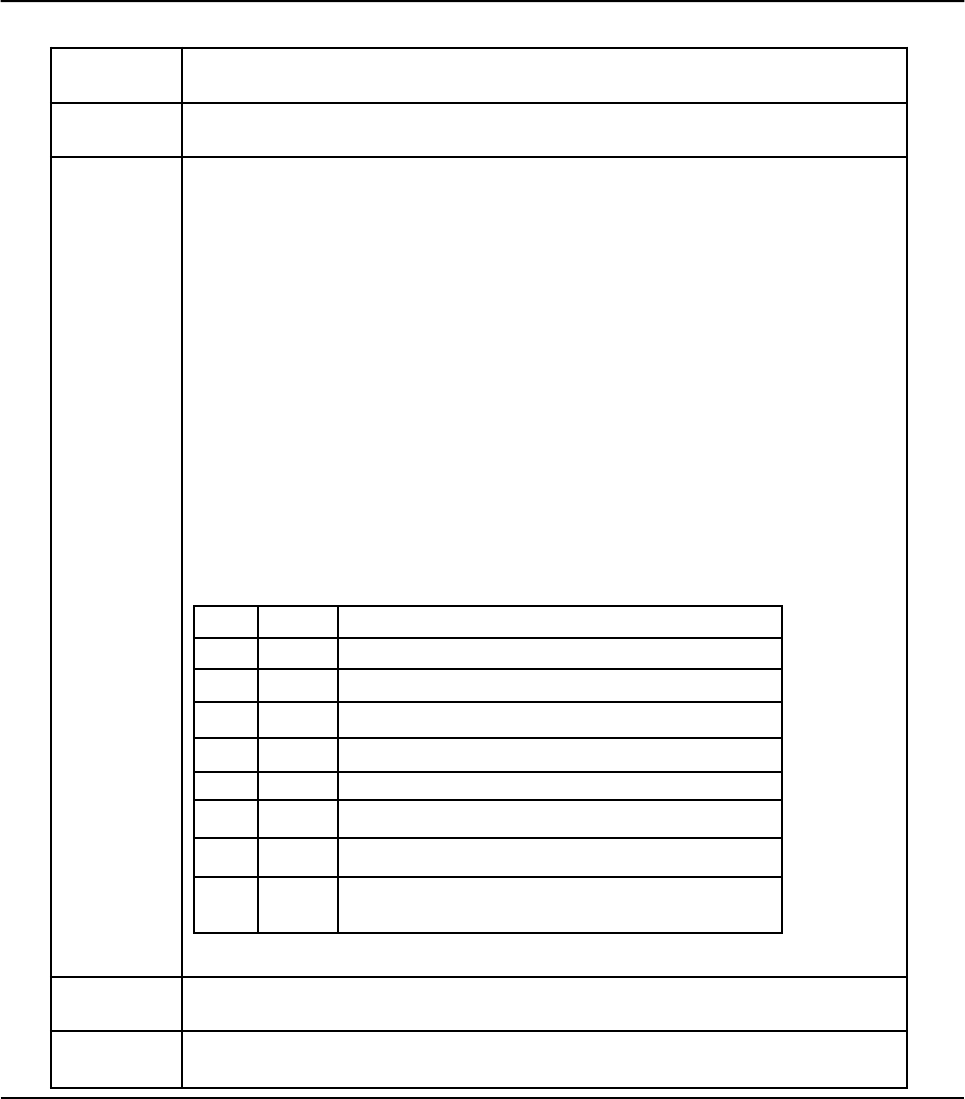
Mmc_Fat_Assign
346 MIKROELEKTRONIKA - SOFTWARE AND HARDWARE SOLUTIONS FOR EMBEDDED WORLD
Libraries mikroBasic PRO for PIC
CHAPTER 7
Prototype sub function Mmc_Fat_Assign(dim byref filename as char[12], dim
file_cre_attr as byte)as byt
Returns 1 - if file already exists or file does not exist but a new file is created.
0 - if file does not exist and no new file is created.
Description
Assigns file for file operations (read, write, delete...). All subsequent file opera-
tions will be applied on an assigned file.
Parameters:
filename: name of the file that should be assigned for file operations.
File name should be in DOS 8.3 (file_name.extension) format. The file
name and extension will be automatically padded with spaces by the
library if they have less than length required (i.e. "mikro.tx" -> "mikro .tx
"), so the user does no have to take care of that. The file name and
extension are case insensitive. The library will convert them to proper
case automatically, so the user does not have to take care of that.
Also, in order to keep backward compatibility with the first version of
this library, file names can be entered as UPPERCASE string of 11
bytes in length with no dot character between file name and extension
(i.e. "MIKROELETXT" -> MIKROELE.TXT). In this case last 3 charac
ters of the string are considered to be file extension.
file_cre_attr: file creation and attributs flags. Each bit corresponds to
the appropriate file attribut:
Note: Long File Names (LFN) are not supported.
Requires MMC/SD card and MMC library must be initialized for file operations. See
Mmc_Fat_Init
Example ' create file with archive attribut if it does not already exist
Mmc_Fat_Assign("MIKRO007.TXT",0xA0)
Bit Mask Description
0 0x01 Read Only
1 0x02 Hidden
2 0x04 System
3 0x08 Volume Label
4 0x10 Subdirectory
5 0x20 Archive
6 0x40 Device (internal use only, never found on disk)
7 0x80 File creation flag. If file does not exist and this flag is
set, a new file with specified name will be created.

Mmc_Fat_Reset
Mmc_Fat_Read
347
MIKROELEKTRONIKA - SOFTWARE AND HARDWARE SOLUTIONS FOR EMBEDDED WORLD
Libraries
mikroBasic PRO for PIC
CHAPTER 7
Prototype sub procedure Mmc_Fat_Reset(dim byref size as longword)
Returns Nothing.
Description
Opens currently assigned file for reading.
Parameters:
size: buffer to store file size to. After file has been open for reading its
size is returned through this parameter.
Requires
MMC/SD card and MMC library must be initialized for file operations. See
Mmc_Fat_Init.
The file must be previously assigned. See Mmc_Fat_Assign.
Example
dim size as longword
...
main:
...
Mmc_Fat_Reset(size)
...
end.
Prototype sub procedure Mmc_Fat_Read(dim byref bdata as byte)
Returns Nothing.
Description
Reads a byte from the currently assigned file opened for reading. Upon function
execution file pointers will be set to the next character in the file.
Parameters:
bdata: buffer to store read byte to. Upon this function execution read
byte is returned through this parameter.
Requires
MMC/SD card and MMC library must be initialized for file operations. See
Mmc_Fat_Init.
The file must be previously assigned. See Mmc_Fat_Assign.
The file must be opened for reading. See Mmc_Fat_Reset.
Example
dim character as byte
...
main:
...
Mmc_Fat_Read(character)
...
end.

Mmc_Fat_Rewrite
Mmc_Fat_Append
348 MIKROELEKTRONIKA - SOFTWARE AND HARDWARE SOLUTIONS FOR EMBEDDED WORLD
Libraries mikroBasic PRO for PIC
CHAPTER 7
Prototype sub procedure Mmc_Fat_Rewrite()
Returns Nothing.
Description Opens the currently assigned file for writing. If the file is not empty its content
will be erased.
Requires
MMC/SD card and MMC library must be initialized for file operations. See
Mmc_Fat_Init.
The file must be previously assigned. See Mmc_Fat_Assign.
Example 'open file for writing
Mmc_Fat_Rewrite()
Prototype sub procedure Mmc_Fat_Append()
Returns Nothing.
Description
Opens the currently assigned file for appending. Upon this function execution
file pointers will be positioned after the last byte in the file, so any subsequent
file write operation will start from there.
Requires
MMC/SD card and MMC library must be initialized for file operations. See
Mmc_Fat_Init.
The file must be previously assigned. See Mmc_Fat_Assign.
Example ' open file for appending
Mmc_Fat_Append()

Mmc_Fat_Delete
Mmc_Fat_Write
349
MIKROELEKTRONIKA - SOFTWARE AND HARDWARE SOLUTIONS FOR EMBEDDED WORLD
Libraries
mikroBasic PRO for PIC
CHAPTER 7
Prototype sub procedure Mmc_Fat_Delete()
Returns Nothing.
Description Deletes currently assigned file from MMC/SD card.
Requires
MMC/SD card and MMC library must be initialized for file operations. See
Mmc_Fat_Init.
The file must be previously assigned. See Mmc_Fat_Assign
Example ' delete current file
Mmc_Fat_Delete()
Prototype sub procedure Mmc_Fat_Write(dim byref fdata as byte[512], dim
data_len as word)
Returns Nothing.
Description
Writes requested number of bytes to the currently assigned file opened for writ-
ing.
Parameters:
fdata: data to be written.
data_len: number of bytes to be written.
Requires
MMC/SD card and MMC library must be initialized for file operations. See
Mmc_Fat_Init.
The file must be previously assigned. See Mmc_Fat_Assign.
The file must be opened for writing. See Mmc_Fat_Rewrite or
Mmc_Fat_Append.
Example
'dim file_contents as char[42]
...
main:
...
Mmc_Fat_Write(file_contents, 42) 'write data to the assigned
file
...
end.

Mmc_Fat_Set_File_Date
350 MIKROELEKTRONIKA - SOFTWARE AND HARDWARE SOLUTIONS FOR EMBEDDED WORLD
Libraries mikroBasic PRO for PIC
CHAPTER 7
Prototype sub procedure Mmc_Fat_Set_File_Date(dim year as word, dim month,
day, hours, mins, seconds as byte)
Returns Nothing.
Description
Sets the date/time stamp. Any subsequent file write operation will write this
stamp to the currently assigned file's time/date attributs.
Parameters:
year: year attribute. Valid values: 1980-2107
month: month attribute. Valid values: 1-12
day: day attribute. Valid values: 1-31
hours: hours attribute. Valid values: 0-23
mins: minutes attribute. Valid values: 0-59
seconds: seconds attribute. Valid values: 0-59
Requires
MMC/SD card and MMC library must be initialized for file operations. See
Mmc_Fat_Init.
The file must be previously assigned. See Mmc_Fat_Assign.
The file must be opened for writing. See Mmc_Fat_Rewrite or
Mmc_Fat_Append.
Example Mmc_Fat_Set_File_Date(2005,9,30,17,41,0)

Mmc_Fat_Get_File_Date
351
MIKROELEKTRONIKA - SOFTWARE AND HARDWARE SOLUTIONS FOR EMBEDDED WORLD
Libraries
mikroBasic PRO for PIC
CHAPTER 7
Prototype sub procedure Mmc_Fat_Get_File_Date(dim byref year as word, dim
byref month, day, hours, mins as byte)
Returns Nothing.
Description
Reads time/date attributes of the currently assigned file.
Parameters:
year: buffer to store year attribute to. Upon function execution year attrib
ute is returned through this parameter.
month: buffer to store month attribute to. Upon function execution month
attribute is returned through this parameter.
day: buffer to store day attribute to. Upon function execution day attrib
ute is returned through this parameter.
hours: buffer to store hours attribute to. Upon function execution hours
attribute is returned through this parameter.
mins: buffer to store minutes attribute to. Upon function execution min
utes attribute is returned through this parameter.
Requires
MMC/SD card and MMC library must be initialized for file operations. See
Mmc_Fat_Init.
The file must be previously assigned. See Mmc_Fat_Assign.
Example
dim year as word
month, day, hours, mins as byte
...
main:
...
Mmc_Fat_Get_File_Date(year, month, day, hours, mins)
...
end.
Mmc_Fat_Get_File_Size
Mmc_Fat_Get_Swap_File
352 MIKROELEKTRONIKA - SOFTWARE AND HARDWARE SOLUTIONS FOR EMBEDDED WORLD
Libraries mikroBasic PRO for PIC
CHAPTER 7
Prototype sub function Mmc_Fat_Get_File_Size() as longword
Returns Size of the currently assigned file in bytes.
Description This function reads size of the currently assigned file in bytes.
Requires
MMC/SD card and MMC library must be initialized for file operations. See
Mmc_Fat_Init.
The file must be previously assigned. See Mmc_Fat_Assign.
Example
dim my_file_size as longword
...
main:
...
my_file_size = Mmc_Fat_Get_File_Size
...
end.
Prototype sub function Mmc_Fat_Get_Swap_File(dim sectors_cnt as longint,
dim byref filename as string[11], dim file_attr as byte)as dword
Returns
Number of the start sector for the newly created swap file, if there was
enough free space on the MMC/SD card to create file of required size.
0 - otherwise.
Description
This function is used to create a swap file of predefined name and size on the
MMC/SD media. If a file with specified name already exists on the media,
search for consecutive sectors will ignore sectors occupied by this file. There-
fore, it is recommended to erase such file if it already exists before calling this
function. If it is not erased and there is still enough space for a new swap file,
this function will delete it after allocating new memory space for a new swap file.
The purpose of the swap file is to make reading and writing to MMC/SD media as
fast as possible, by using the Mmc_Read_Sector() and Mmc_Write_Sector() func-
tions directly, without potentially damaging the FAT system. The swap file can be con-
sidered as a "window" on the media where the user can freely write/read data. It's
main purpose in the mikroBasic PRO for PIC's library is to be used for fast data
acquisition; when the time-critical acquisition has finished, the data can be re-written
into a "normal" file, and formatted in the most suitable way.
Parameters:
sectors_cnt: number of consecutive sectors that user wants the swap
file to have.
353
MIKROELEKTRONIKA - SOFTWARE AND HARDWARE SOLUTIONS FOR EMBEDDED WORLD
Libraries
mikroBasic PRO for PIC
CHAPTER 7
Description
filename: name of the file that should be assigned for file operations. File name
should be in DOS 8.3 (file_name.extension) format. The file name and extension will
be automatically padded with spaces by the library if they have less than length
required (i.e. "mikro.tx" -> "mikro .tx "), so the user does no have to take care of that.
The file name and extension are case insensitive. The library will convert them to prop-
er case automatically, so the user does not have to take care of that.
Also, in order to keep backward compatibility with the first version of this library, file
names can be entered as UPPERCASE string of 11 bytes in length with no dot char-
acter between file name and extension (i.e. "MIKROELETXT" -> MIKROELE.TXT). In
this case last 3 characters of the string are considered to be file extension.
file_attr: file creation and attributs flags. Each bit corresponds to the
appropriate file attribut:
Note: Long File Names (LFN) are not supported.
Requires MMC/SD card and MMC library must be initialized for file operations. See
Mmc_Fat_Init
Example
'-------------- Try to create a swap file with archive atribute,
whose size will be at least 1000 sectors.
' If it succeeds, it sends No. of start sector
over UART
dim size as longword
...
main:
...
size = Mmc_Fat_Get_Swap_File(1000, "mikroE.txt", 0x20)
if size then
UART1_Write(0xAA)
UART1_Write(Lo(size))
UART1_Write(Hi(size))
UART1_Write(Higher(size))
UART1_Write(Highest(size))
UART1_Write(0xAA
end if
...
end.
Bit Mask Description
0 0x01 Read Only
1 0x02 Hidden
2 0x04 System
3 0x08 Volume Label
4 0x10 Subdirectory
5 0x20 Archive
6 0x40 Device (internal use only, never found on disk)
7 0x80 Not used

Library Example
The following example demonstrates MMC library test. Upon flashing, insert a
MMC/SD card into the module, when you should receive the "Init-OK" message.
Then, you can experiment with MMC read and write functions, and observe the
results through the Usart Terminal.
program MMC_Test
dim MMC_chip_select as sbit at RC2_bit
dim MMC_chip_select_direction as sbit at TRISC2_bit
const FILL_CHAR = "m"
dim i, SectorNo as word
dim mmc_error as byte
dim data_ok as bit
' Variables for MMC routines
SectorData as byte[512] ' Buffer for MMC sector reading/writing
data_for_registers as byte[16] ' buffer for CID and CSD registers
' UART write text and new line (carriage return + line feed)
sub procedure UART_Write_Line(dim byref uart_text as byte)
UART1_Write_Text(uart_text)
UART1_Write(13)
UART1_Write(10)
end sub
' Display byte in hex
sub procedure printhex(dim i as byte)
dim high, low as byte
high = i and 0xF0 ' High nibble
high = high >> 4
high = high + "0"
if ( high > "9" ) then
high = high + 7
low = (i and 0x0F) + "0" ' Low nibble
if ( low > "9" ) then
low = low + 7
end if
UART1_Write(high)
UART1_Write(low)
end if
end sub
354 MIKROELEKTRONIKA - SOFTWARE AND HARDWARE SOLUTIONS FOR EMBEDDED WORLD
Libraries mikroBasic PRO for PIC
CHAPTER 7

main:
ADCON1 = ADCON1 or 0x0F ' Configure AN pins as digital
CMCON = CMCON or 7 ' Turn off comparators
' Initialize UART1 module
UART1_Init(19200)
Delay_ms(10)
UART_Write_Line("PIC-Started") ' PIC present report
' Initialize SPI1 module
SPI1_Init_Advanced(_SPI_MASTER_OSC_DIV64, _SPI_DATA_SAMPLE_MIDDLE,
_SPI_CLK_IDLE_LOW, _SPI_LOW_2_HIGH)
' initialise a MMC card
mmc_error = Mmc_Init()
if ( mmc_error = 0 ) then
UART_Write_Line("MMC Init-OK") ' If MMC present report
else
UART_Write_Line("MMC Init-error") ' If error report
end if
' Fill MMC buffer with same characters
for i = 0 to 511
SectorData[i] = FILL_CHAR
next i
Write sector
mmc_error = Mmc_Write_Sector(SectorNo, SectorData)
if ( mmc_error = 0 ) then
UART_Write_Line("Write-OK")
else ' if there are errors.....
UART_Write_Line("Write-Error")
end if
' Reading of CID register
mmc_error = Mmc_Read_Cid(data_for_registers)
if ( mmc_error = 0 ) then
UART1_Write_Text("CID : ")
for i = 0 to 15
printhex(data_for_registers[i])
next i
UART_Write_Line(" ")
else
UART_Write_Line("CID-error")
end if
355
MIKROELEKTRONIKA - SOFTWARE AND HARDWARE SOLUTIONS FOR EMBEDDED WORLD
Libraries
mikroBasic PRO for PIC
CHAPTER 7

' Reading of CSD register
mmc_error = Mmc_Read_Csd(data_for_registers)
if ( mmc_error = 0 ) then
UART1_Write_Text("CSD : ")
for i = 0 to 15
printhex(data_for_registers[i])
next i
UART_Write_Line(" ")
else
UART_Write_Line("CSD-error")
end if
' Read sector
mmc_error = Mmc_Read_Sector(SectorNo, SectorData)
if ( mmc_error = 0 ) then
UART_Write_Line("Read-OK")
else ' if there are errors.....
UART_Write_Line("Read-Error")
end if
' Chech data match
data_ok = 1
for i = 0 to 511
UART1_Write(SectorData[i])
if (SectorData[i] <> FILL_CHAR) then
data_ok = 0
break
end if
next i
if ( data_ok <> 0 ) then
UART_Write_Line("Content-OK")
else
UART_Write_Line("Content-Error")
end if
' Signal test end
UART_Write_Line("Test End.")
end.
356 MIKROELEKTRONIKA - SOFTWARE AND HARDWARE SOLUTIONS FOR EMBEDDED WORLD
Libraries mikroBasic PRO for PIC
CHAPTER 7

HW Connection
Pin diagram of MMC memory card
357
MIKROELEKTRONIKA - SOFTWARE AND HARDWARE SOLUTIONS FOR EMBEDDED WORLD
Libraries
mikroBasic PRO for PIC
CHAPTER 7

ONEWIRE LIBRARY
The OneWire library provides routines for communication via the Dallas OneWire
protocol, for example with DS18x20 digital thermometer. OneWire is a Master/Slave
protocol, and all communication cabling required is a single wire. OneWire enabled
devices should have open collector drivers (with single pull-up resistor) on the
shared data line.
Slave devices on the OneWire bus can even get their power supply from data line.
For detailed schematic see device datasheet.
Some basic characteristics of this protocol are:
single master system,
low cost
low transfer rates (up to 16 kbps),
fairly long distances (up to 300 meters),
small data transfer packages.
Each OneWire device has also a unique 64-bit registration number (8-bit device
type, 48-bit serial number and 8-bit CRC), so multiple slaves can co-exist on the
same bus.
Note that oscillator frequency Fosc needs to be at least 4MHz in order to use the
routines with Dallas digital thermometers.
Note: This library implements time-based activities, so interrupts need to be dis-
abled when using OneWire library.
Library Routines
Ow_Reset
Ow_Read
Ow_Write
358 MIKROELEKTRONIKA - SOFTWARE AND HARDWARE SOLUTIONS FOR EMBEDDED WORLD
Libraries mikroBasic PRO for PIC
CHAPTER 7

359
MIKROELEKTRONIKA - SOFTWARE AND HARDWARE SOLUTIONS FOR EMBEDDED WORLD
Libraries
mikroBasic PRO for PIC
CHAPTER 7
Ow_Reset
Ow_Read
Ow_Write
Prototype sub function Ow_Reset(dim byref port as byte, pin as byte)as
byte
Returns 0 if DS1820 is present, and 1 if not present.
Description Issues OneWire reset signal for DS1820. Parameters port and pin specify the
location of DS1820.
Requires Works with Dallas DS1820 temperature sensor only.
Example To reset the DS1820 that is connected to the RA5 pin:
Ow_Reset(PORTA, 5)
Prototype sub function Ow_Read(dim byref port as byte, dim pin as byte)as
byte
Returns Data read from an external device over the OneWire bus.
Description Reads one byte of data via the OneWire bus.
Requires Works with Dallas DS1820 temperature sensor only.
Example tmp = Ow_Read(PORTA, 5)
Prototype sub procedure Ow_Write(dim byref port as byte, dim pin, par as
byte)
Returns Nothing.
Description Writes one byte of data (argument par) via OneWire bus.
Requires Works with Dallas DS1820 temperature sensor only.
Example Ow_Write(PORTA, 5, $CC)

360 MIKROELEKTRONIKA - SOFTWARE AND HARDWARE SOLUTIONS FOR EMBEDDED WORLD
Libraries mikroBasic PRO for PIC
CHAPTER 7
Library Example
This example reads the temperature using DS18x20 connected to pin PORTA.B5.
After reset, MCU obtains temperature from the sensor and prints it on the Lcd. Make
sure to pull-up PORTA.B5 line and to turn off the PORTA LEDs.
program OneWire
' Lcd module connections
dim LCD_RS as sbit at RB4_bit
LCD_EN as sbit at RB5_bit
LCD_D4 as sbit at RB0_bit
LCD_D5 as sbit at RB1_bit
LCD_D6 as sbit at RB2_bit
LCD_D7 as sbit at RB3_bit
LCD_RS_Direction as sbit at TRISB4_bit
LCD_EN_Direction as sbit at TRISB5_bit
LCD_D4_Direction as sbit at TRISB0_bit
LCD_D5_Direction as sbit at TRISB1_bit
LCD_D6_Direction as sbit at TRISB2_bit
LCD_D7_Direction as sbit at TRISB3_bit
' End Lcd module connections
' Set TEMP_RESOLUTION to the corresponding resolution of used
DS18x20 sensor:
' 18S20: 9 (default setting can be 9,10,11,or 12)
' 18B20: 12
const TEMP_RESOLUTION as byte = 9
dim text as byte[9]
temp as word
sub procedure Display_Temperature( dim temp2write as word )
const RES_SHIFT = TEMP_RESOLUTION - 8
dim temp_whole as byte
temp_fraction as word
text = "000.0000"
' check if temperature is negative
if (temp2write and 0x8000) then
text[0] = "-"
temp2write = not temp2write + 1
end if
' extract temp_whole
temp_whole = word(temp2write >> RES_SHIFT)
' convert temp_whole to characters
if ( temp_whole div 100 ) then

text[0] = temp_whole div 100 + 48
else
text[0] = "0"
end if
text[1] = (temp_whole div 10)mod 10 + 48 ' Extract tens digit
text[2] = temp_whole mod 10 + 48 ' Extract ones digit
' extract temp_fraction and convert it to unsigned int
temp_fraction = word(temp2write << (4-RES_SHIFT))
temp_fraction = temp_fraction and 0x000F
temp_fraction = temp_fraction * 625
' convert temp_fraction to characters
text[4] = word(temp_fraction div 1000) + 48 ' Extract
thousands digit
text[5] = word((temp_fraction div 100)mod 10 + 48) ' Extract hun-
dreds digit
text[6] = word((temp_fraction div 10)mod 10 + 48) ' Extract tens
digit
text[7] = word(temp_fraction mod 10) + 48 ' Extract ones
digit
' print temperature on Lcd
Lcd_Out(2, 5, text)
end sub
main:
ANSEL = 0 ' Configure AN pins as digital I/O
ANSELH = 0
text = "000.0000"
Lcd_Init() ' Initialize Lcd
Lcd_Cmd(_LCD_CLEAR) ' Clear Lcd
Lcd_Cmd(_LCD_CURSOR_OFF) ' Turn cursor off
Lcd_Out(1, 1, " Temperature: ")
Lcd_Chr(2,13,178) ' Print degree character, "C" for Centigrades
' different Lcd displays have different char
code for degree
Lcd_Chr(2,14,"C") ' if you see greek alpha letter try typing
178 instead of 223
'--- main loop
while (TRUE)
'--- perform temperature reading
Ow_Reset(PORTE, 2) ' Onewire reset signal
Ow_Write(PORTE, 2, 0xCC) ' Issue command SKIP_ROM
Ow_Write(PORTE, 2, 0x44) ' Issue command CONVERT_T
Delay_us(120)
361
MIKROELEKTRONIKA - SOFTWARE AND HARDWARE SOLUTIONS FOR EMBEDDED WORLD
Libraries
mikroBasic PRO for PIC
CHAPTER 7

Ow_Reset(PORTE, 2)
Ow_Write(PORTE, 2, 0xCC) ' Issue command SKIP_ROM
Ow_Write(PORTE, 2, 0xBE) ' Issue command READ_SCRATCHPAD
temp = Ow_Read(PORTE, 2)
temp = (Ow_Read(PORTE, 2) << 8) + temp
'--- Format and display result on Lcd
Display_Temperature(temp)
Delay_ms(520)
wend
end.
HW Connection
Example of DS1820 connection
362 MIKROELEKTRONIKA - SOFTWARE AND HARDWARE SOLUTIONS FOR EMBEDDED WORLD
Libraries mikroBasic PRO for PIC
CHAPTER 7
PORT EXPANDER LIBRARY
The mikroBasic PRO for PIC provides a library for communication with the
Microchip’s Port Expander MCP23S17 via SPI interface. Connections of the PIC
compliant MCU and MCP23S17 is given on the schematic at the bottom of this
page.
Note: Library uses the SPI module for communication. The user must initialize SPI
module before using the Port Expander Library.
Note: Library does not use Port Expander interrupts.
External dependencies of Port Expander Library
Library Routine
Expander_Init
Expander_Read_Byte
Expander_Write_Byte
Expander_Read_PortA
Expander_Read_PortB
Expander_Read_PortAB
Expander_Write_PortA
Expander_Write_PortB
Expander_Write_PortAB
Expander_Set_DirectionPortA
Expander_Set_DirectionPortB
Expander_Set_DirectionPortAB
Expander_Set_PullUpsPortA
Expander_Set_PullUpsPortB
Expander_Set_PullUpsPortAB
363
MIKROELEKTRONIKA - SOFTWARE AND HARDWARE SOLUTIONS FOR EMBEDDED WORLD
Libraries
mikroBasic PRO for PIC
CHAPTER 7
The following variables must
be defined in all projects
using Port Expander Library:
Description: Example :
dim SPExpanderRST as sbit
sfr external;Reset line. dim SPExpanderRST as
sbit at RC0_bit
dim SPExpanderCS as sbit
sfr external Chip Select line. dim SPExpanderCS as
sbit at RC1_bit
dim
SPExpanderRST_Direction
as sbit sfr external
Direction of the
Reset pin.
dim
SPExpanderRST_Directio
nas sbit at
TRISC0_bit
dim
SPExpanderCS_Direction as
sbit sfr external
Direction of the
Chip Select pin.
dim
SPExpanderCS_Direction
s as sbit at
TRISC1_bit

364 MIKROELEKTRONIKA - SOFTWARE AND HARDWARE SOLUTIONS FOR EMBEDDED WORLD
Libraries mikroBasic PRO for PIC
CHAPTER 7
Expander_Init
Prototype sub procedure Expander_Init(dim ModuleAddress as byte)
Returns Nothing.
Description
Initializes Port Expander using SPI communication.
Port Expander module settings :
hardware addressing enabled
automatic address pointer incrementing disabled (byte mode)
BANK_0 register adressing
slew rate enabled
Parameters :
ModuleAddress: Port Expander hardware address, see schematic at
the bottom of this page
Requires
Global variables :
SPExpanderCS: Chip Select line
SPExpanderRST: Reset line
SPExpanderCS_Direction: Direction of the Chip Select pin
SPExpanderRST_Direction: Direction of the Reset pin
must be defined before using this function.
SPI module needs to be initialized. See SPI1_Init and SPI1_Init_Advanced rou-
tines.
Example
' port expander pinout definition
dim SPExpanderCS as sbit at RC1_bit
SPExpanderRST as sbit at RC0_bit
SPExpanderCS_Direction as sbit at TRISC1_bit
SPExpanderRST_Direction as sbit at TRISC0_bit
...
SPI1_Init() ' initialize SPI module
Expander_Init(0) ' initialize port expander

365
MIKROELEKTRONIKA - SOFTWARE AND HARDWARE SOLUTIONS FOR EMBEDDED WORLD
Libraries
mikroBasic PRO for PIC
CHAPTER 7
Expander_Read_Byte
Expander_Write_Byte
Prototype sub function Expander_Read_Byte(dim ModuleAddress as byte, dim
RegAddress as byte)as byte
Returns Byte read.
Description
The function reads byte from Port Expander.
Parameters :
ModuleAddress: Port Expander hardware address, see schematic at the
bottom of this page
RegAddress: Port Expander's internal register address
Requires Port Expander must be initialized. See Expander_Init.
Example
' Read a byte from Port Expander's register
dim read_data as byte
...
read_data = Expander_Read_Byte(0,1)
Prototype sub procedure Expander_Write_Byte(dim ModuleAddress as byte, dim
RegAddress as byte, dim Data_ as byte)
Returns Nothing.
Description
Routine writes a byte to Port Expander.
Parameters :
ModuleAddress: Port Expander hardware address, see schematic at the
bottom of this page
RegAddress: Port Expander's internal register address
Data_: data to be written
Requires Port Expander must be initialized. See Expander_Init.
Example ' Write a byte to the Port Expander's register
Expander_Write_Byte(0,1,0xFF)

366 MIKROELEKTRONIKA - SOFTWARE AND HARDWARE SOLUTIONS FOR EMBEDDED WORLD
Libraries mikroBasic PRO for PIC
CHAPTER 7
Expander_Read_PortA
Expander_Read_PortB
Prototype sub function Expander_Read_PortA(dim ModuleAddress as byte)as
byte
Returns Byte read.
Description
The function reads byte from Port Expander's PortA.
Parameters :
ModuleAddress: Port Expander hardware address, see schematic at the
bottom of this page
Requires
Port Expander must be initialized. See Expander_Init.
Port Expander's PortA should be configured as input. See Expander_Set_Direc-
tionPortA and Expander_Set_DirectionPortAB routines.
Example
' Read a byte from Port Expander's PORTA
dim read_data as byte
...
Expander_Set_DirectionPortA(0,0xFF) 'set expander's porta to be
input
...
read_data = Expander_Read_PortA(0)
Prototype sub function Expander_Read_PortB(dim ModuleAddress as byte)as
byte
Returns Byte read.
Description
The function reads byte from Port Expander's PortB.
Parameters :
ModuleAddress: Port Expander hardware address, see schematic at
the bottom of this page
Requires
Port Expander must be initialized. See Expander_Init.
Port Expander's PortB should be configured as input. See Expander_Set_Direc-
tionPortB and Expander_Set_DirectionPortAB routines.
Example
' Read a byte from Port Expander's PORTB
dim read_data as byte
...
Expander_Set_DirectionPortB(0,0xFF) ' set expander's portb
to be input
...
read_data = Expander_Read_PortB(0)

367
MIKROELEKTRONIKA - SOFTWARE AND HARDWARE SOLUTIONS FOR EMBEDDED WORLD
Libraries
mikroBasic PRO for PIC
CHAPTER 7
Expander_Read_PortAB
Expander_Write_PortA
Prototype sub function Expander_Read_PortAB(dim ModuleAddress as byte)as
word
Returns Word read.
Description
The function reads word from Port Expander's ports. PortA readings are in the
higher byte of the result. PortB readings are in the lower byte of the result.
Parameters :
ModuleAddress: Port Expander hardware address, see schematic at the
bottom of this page
Requires
Port Expander must be initialized. See Expander_Init.
Port Expander's PortA and PortB should be configured as inputs. See
Expander_Set_DirectionPortA, Expander_Set_DirectionPortB and
Expander_Set_DirectionPortAB routines.
Example
' Read a byte from Port Expander's PORTA and PORTB
dim read_data as word
...
Expander_Set_DirectionPortAB(0,0xFFFF) ' set expander's porta
and portb to be input
...
read_data = Expander_Read_PortAB(0)
Prototype sub procedure Expander_Write_PortA(dim ModuleAddress as byte, dim
Data_ as byte)
Returns Nothing.
Description
The function writes byte to Port Expander's PortA.
Parameters :
ModuleAddress: Port Expander hardware address, see schematic at the
bottom of this page
Data_: data to be written
Requires
Port Expander must be initialized. See Expander_Init.
Port Expander's PortA should be configured as output. See
Expander_Set_DirectionPortA and Expander_Set_DirectionPortAB routines.
Example
' Write a byte to Port Expander's PORTA
...
Expander_Set_DirectionPortA(0,0x00) ' set expander's porta to be
output
...
Expander_Write_PortA(0, 0xAA)

368 MIKROELEKTRONIKA - SOFTWARE AND HARDWARE SOLUTIONS FOR EMBEDDED WORLD
Libraries mikroBasic PRO for PIC
CHAPTER 7
Expander_Write_PortB
Expander_Write_PortAB
Prototype sub procedure Expander_Write_PortB(dim ModuleAddress as byte, dim
Data_ as byte)
Returns Nothing.
Description
The function writes byte to Port Expander's PortB.
Parameters :
ModuleAddress: Port Expander hardware address, see schematic at
the bottom of this page
Data_: data to be written
Requires
Port Expander must be initialized. See Expander_Init.
Port Expander's PortB should be configured as output. See
Expander_Set_DirectionPortB and Expander_Set_DirectionPortAB routines.
Example
' Write a byte to Port Expander's PORT
...
Expander_Set_DirectionPortB(0,0x00) ' set expander's portb to be
output
...
Expander_Write_PortB(0, 0x55)
Prototype sub procedure Expander_Write_PortAB(dim ModuleAddress as byte,dim
Data_ as word)
Returns Nothing.
Description
The function writes word to Port Expander's ports.
Parameters :
ModuleAddress: Port Expander hardware address, see schematic at the
bottom of this page
Data_: data to be written. Data to be written to PortA are passed in
Data's higher byte. Data to be written to PortB are passed in Data's
lower byte
Requires
Port Expander must be initialized. See Expander_Init.
Port Expander's PortA and PortB should be configured as outputs. See
Expander_Set_DirectionPortA, Expander_Set_DirectionPortB and
Expander_Set_DirectionPortAB routines.
Example
' Write a byte to Port Expander's PORTA and PORTB
...
Expander_Set_DirectionPortAB(0,0x0000) ' set expander's porta
and portb to be output
...
Expander_Write_PortAB(0, 0xAA55)

369
MIKROELEKTRONIKA - SOFTWARE AND HARDWARE SOLUTIONS FOR EMBEDDED WORLD
Libraries
mikroBasic PRO for PIC
CHAPTER 7
Expander_Set_DirectionPortA
Expander_Set_DirectionPortB
Prototype sub procedure Expander_Set_DirectionPortA(dim ModuleAddress as
byte, dim Data_ as byte)
Returns Nothing.
Description
The function sets Port Expander's PortA direction.
Parameters :
ModuleAddress: Port Expander hardware address, see schematic at the
bottom of this page
Data_: data to be written to the PortA direction register. Each bit corre
sponds to the appropriate pin of the PortA register. Set bit designates cor
responding pin as input. Cleared bit designates corresponding pin as out
put.
Requires Port Expander must be initialized. See Expander_Init.
Example ' Set Port Expander's PORTA to be output
Expander_Set_DirectionPortA(0,0x00)
Prototype sub procedure Expander_Set_DirectionPortB(dim ModuleAddress as
byte, dim Data_ as byte)
Returns Nothing.
Description
The function sets Port Expander's PortB direction.
Parameters :
ModuleAddress: Port Expander hardware address, see schematic at the
bottom of this page
Data_: data to be written to the PortB direction register. Each bit corre
sponds to the appropriate pin of the PortB register. Set bit designates cor
responding pin as input. Cleared bit designates corresponding pin as out
put.
Requires Port Expander must be initialized. See Expander_Init.
Example ' Set Port Expander's PORTB to be input
Expander_Set_DirectionPortB(0,0xFF)

370 MIKROELEKTRONIKA - SOFTWARE AND HARDWARE SOLUTIONS FOR EMBEDDED WORLD
Libraries mikroBasic PRO for PIC
CHAPTER 7
Expander_Set_DirectionPortAB
Expander_Set_PullUpsPortA
Prototype sub procedure Expander_Set_DirectionPortAB(dim ModuleAddress as
byte, dim Direction as word)
Returns Nothing.
Description
The function sets Port Expander's PortA and PortB direction.
Parameters :
ModuleAddress: Port Expander hardware address, see schematic at the
bottom of this page
Direction: data to be written to direction registers. Data to be written to
the PortA direction register are passed in Direction's higher byte. Data
to be written to the PortB direction register are passed in Direction's
lower byte. Each bit corresponds to the appropriate pin of the
PortA/PortB register. Set bit designates corresponding pin as input.
Cleared bit designates corresponding pin as output.
Requires Port Expander must be initialized. See Expander_Init.
Example 'Set Port Expander's PORTA to be output and PORTB to be input
Expander_Set_DirectionPortAB(0,0x00FF)
Prototype sub procedure Expander_Set_PullUpsPortA(dim ModuleAddress as
byte, dim Data_ as byte)
Returns Nothing.
Description
The function sets Port Expander's PortA pull up/down resistors.
Parameters :
ModuleAddress: Port Expander hardware address, see schematic at the
bottom of this page
Data_: data for choosing pull up/down resistors configuration. Each
bit corresponds to the appropriate pin of the PortA register. Set bit
enables pull-up for corresponding pin.
Requires Port Expander must be initialized. See Expander_Init.
Example ' Set Port Expander's PORTA pull-up resistors
Expander_Set_PullUpsPortA(0, 0xFF)

371
MIKROELEKTRONIKA - SOFTWARE AND HARDWARE SOLUTIONS FOR EMBEDDED WORLD
Libraries
mikroBasic PRO for PIC
CHAPTER 7
Expander_Set_PullUpsPortB
Expander_Set_PullUpsPortAB
Prototype sub procedure Expander_Set_PullUpsPortB(dim ModuleAddress as
byte, dim Data_ as byte)
Returns Nothing.
Description
The function sets Port Expander's PortB pull up/down resistors.
Parameters :
ModuleAddress: Port Expander hardware address, see schematic at the
bottom of this page
Data_: data for choosing pull up/down resistors configuration. Each bit
corresponds to the appropriate pin of the PortB register. Set bit enables
pull-up for corresponding pin.
Requires Port Expander must be initialized. See Expander_Init.
Example ‘Set Port Expander's PORTB pull-up resistors
Expander_Set_PullUpsPortB(0, 0xFF)
Prototype sub procedure Expander_Set_PullUpsPortAB(dim ModuleAddress as
byte, dim PullUps as word)
Returns Nothing.
Description
The function sets Port Expander's PortA and PortB pull up/down resistors.
Parameters :
ModuleAddress: Port Expander hardware address, see schematic at the
bottom of this page
PullUps: data for choosing pull up/down resistors configuration. PortA pull
up/down resistors configuration is passed in PullUps's higher byte. PortB
pull up/down resistors configuration is passed in PullUps's lower byte.
Each bit corresponds to the appropriate pin of the PortA/PortB register.
Set bit enables pull-up for corresponding pin.
Requires Port Expander must be initialized. See Expander_Init.
Example ' Set Port Expander's PORTA and PORTB pull-up resistors
Expander_Set_PullUpsPortAB(0, 0xFFFF)

Library Example
The example demonstrates how to communicate with Port Expander MCP23S17.
Note that Port Expander pins A2 A1 A0 are connected to GND so Port Expander
Hardware Address is 0.
program PortExpander
' Port Expander module connections
dim SPExpanderRST as sbit at RC0_bit
SPExpanderCS as sbit at RC1_bit
SPExpanderRST_Direction as sbit at TRISC0_bit
SPExpanderCS_Direction as sbit at TRISC1_bit
' End Port Expander module connections
dim counter as byte' = 0
main:
counter = 0
ANSEL = 0 ' Configure AN pins as digital I/O
ANSELH = 0
TRISB = 0 ' Set PORTB as output
PORTB = 0
SPI1_Init_Advanced(_SPI_MASTER_OSC_DIV4, _SPI_DATA_SAMPLE_MIDDLE,
_SPI_CLK_IDLE_LOW, _SPI_LOW_2_HIGH)
Expander_Init(0) ' Initialize Port Expander
Expander_Set_DirectionPortA(0, 0x00) ' Set Expander's PORTA to be
output
Expander_Set_DirectionPortB(0,0xFF) ' Set Expander's PORTB to be
input
Expander_Set_PullUpsPortB(0,0xFF) ' Set pull-ups to all of the
Expander's PORTB pins
while TRUE ' Endless loop
Expander_Write_PortA(0, counter) ' Write i to expander's PORTA
Inc(counter)
PORTB = Expander_Read_PortB(0) ' Read expander's PORTB and
write it to LEDs
Delay_ms(100)
wend
end.
372 MIKROELEKTRONIKA - SOFTWARE AND HARDWARE SOLUTIONS FOR EMBEDDED WORLD
Libraries mikroBasic PRO for PIC
CHAPTER 7

HW Connection
Port Expander HW connection
373
MIKROELEKTRONIKA - SOFTWARE AND HARDWARE SOLUTIONS FOR EMBEDDED WORLD
Libraries
mikroBasic PRO for PIC
CHAPTER 7
PS/2 LIBRARY
The mikroBasic PRO for PIC provides a library for communication with the common
PS/2 keyboard.
Note: The library does not utilize interrupts for data retrieval, and requires the oscil-
lator clock to be at least 6MHz.
Note: The pins to which a PS/2 keyboard is attached should be connected to the
pull-up resistors.
Note: Although PS/2 is a two-way communication bus, this library does not provide
MCU-to-keyboard communication; e.g. pressing the Caps Lock key will not turn on
the Caps Lock LED.
External dependencies of PS/2 Library
Library Routines
Ps2_Config
Ps2_Key_Read
374 MIKROELEKTRONIKA - SOFTWARE AND HARDWARE SOLUTIONS FOR EMBEDDED WORLD
Libraries mikroBasic PRO for PIC
CHAPTER 7
The following variables
must be defined in all
projects using PS/2
Library:
Description: Example :
dim PS2_Data as sbit
sfr external PS/2 Data line. dim PS2_Data as sbit
at RC0_bit
dim PS2_Clock as sbit
sfr external PS/2 Clock line. dim PS2_Clock as
sbit at RC1_bit
dim PS2_Data_Direction
as sbit sfr external
Direction of the PS/2 Data
pin.
dim
PS2_Data_Direction as
sbit at TRISC0_bit
dim PS2_Clock_Direction
as sbit sfr external
Direction of the PS/2
Clock pin.
dim
PS2_Clock_Direction
as sbit at TRISC1_bit

375
MIKROELEKTRONIKA - SOFTWARE AND HARDWARE SOLUTIONS FOR EMBEDDED WORLD
Libraries
mikroBasic PRO for PIC
CHAPTER 7
Ps2_Config
Prototype sub procedure Ps2_Config()
Returns Nothing.
Description Initializes the MCU for work with the PS/2 keyboard.
Requires
Global variables :
PS2_Data: Data signal line
PS2_Clock: Clock signal line in
PS2_Data_Direction: Direction of the Data pin
PS2_Clock_Direction: Direction of the Clock pin
must be defined before using this function.
Example
' PS2 pinout definition
dim PS2_Data as sbit at RC0_bit
dim PS2_Clock as sbit at RC1_bit
dim PS2_Data_Direction as sbit at TRISC0_bit
dim PS2_Clock_Direction as sbit at TRISC1_bit
' End of PS2 pinout definition
...
Ps2_Config() ' Init PS/2 Keyboard

376 MIKROELEKTRONIKA - SOFTWARE AND HARDWARE SOLUTIONS FOR EMBEDDED WORLD
Libraries mikroBasic PRO for PIC
CHAPTER 7
Ps2_Key_Read
Prototype sub function Ps2_Key_Read(dim byref value as byte, dim byref spe-
cial as byte, dim byref pressed as byte) as byte
Returns 1if reading of a key from the keyboard was successful
0if no key was pressed
Description
The function retrieves information on key pressed.
Parameters :
value: holds the value of the key pressed. For characters, numerals,
punctuation marks, and space value will store the appropriate ASCII
code. Routine “recognizes” the function of Shift and Caps Lock, and
behaves appropriately. For special function keys see Special Function
Keys Table.
special: is a flag for special function keys (F1, Enter, Esc, etc). If key
pressed is one of these, special will be set to 1, otherwise 0.
pressed: is set to 1 if the key is pressed, and 0 if it is released.
Requires PS/2 keyboard needs to be initialized. See Ps2_Config routine.
Example
dim value, special, pressed as byte
...
do {
if (Ps2_Key_Read(value, special, pressed)) then
if ((value = 13) and (special = 1)) then
break
end if
end if
loop until (0=1)
Special Function Keys
377
MIKROELEKTRONIKA - SOFTWARE AND HARDWARE SOLUTIONS FOR EMBEDDED WORLD
Libraries
mikroBasic PRO for PIC
CHAPTER 7
Key Value returned
F1 1
F2 2
F3 3
F4 4
F5 5
F6 6
F7 7
F8 8
F9 9
F10 10
F11 11
F12 12
Enter 13
Page Up 14
Page Down 15
Backspace 16
Insert 17
Delete 18
Windows 19
Ctrl 20
Shift 21
Alt 22
Print Screen 23
Pause 24
Caps Lock 25
End 26
Home 27
Scroll Lock 28
Num Lock 29
Left Arrow 30
Right Arrow 31
Up Arrow 32
Down Arrow 33
Escape 34
Tab 35

Library Example
This simple example reads values of the pressed keys on the PS/2 keyboard and
sends them via UART.
program PS2_Example
dim keydata, special, down as byte
dim PS2_Data as sbit at PORTC.0
PS2_Clock as sbit at PORTC.1
PS2_Data_Direction as sbit at TRISC.0
PS2_Clock_Direction as sbit at TRISC.1
main:
ANSEL = 0 ' Configure AN pins as digital I/O
ANSELH = 0
UART1_Init(19200) ' Initialize UART module at 9600 bps
Ps2_Config() ' Init PS/2 Keyboard
Delay_ms(100) ' Wait for keyboard to finish
UART1_Write_Text("Ready") ' Ready
while TRUE ' Endless loop
if Ps2_Key_Read(keydata, special, down) then ' If data was read
from PS/2
if (down <> 0) and (keydata = 16) then ' Backspace read
UART1_Write(0x08) ' Send Backspace to
usart terminal
else
if (down <> 0) and (keydata = 13) then ' Enter read
UART1_Write(10) ' Send carriage return to
usart terminal
UART1_Write(13) ' Uncomment this line if
usart terminal also expects line feed
' for new line transition
else
if (down <> 0) and (special = 0) and (keydata <> 0) then
' Common key read
UART1_Write(keydata) ' Send key to usart terminal
end if
end if
end if
end if
Delay_ms(10) ' Debounce period
wend
end.
378 MIKROELEKTRONIKA - SOFTWARE AND HARDWARE SOLUTIONS FOR EMBEDDED WORLD
Libraries mikroBasic PRO for PIC
CHAPTER 7

HW Connection
Example of PS2 keyboard connection
379
MIKROELEKTRONIKA - SOFTWARE AND HARDWARE SOLUTIONS FOR EMBEDDED WORLD
Libraries
mikroBasic PRO for PIC
CHAPTER 7

PWM LIBRARY
CCP module is available with a number of PIC MCUs. mikroBasic PRO for PIC provides library
which simplifies using PWM HW Module.
Note: Some MCUs have multiple CCP modules. In order to use the desired CCP library routine,
simply change the number 1 in the prototype with the appropriate module number, i.e.
PWM2_Start()
Library Routines
PWM1_Init
PWM1_Set_Duty
PWM1_Start
PWM1_Stop
PWM1_Init
380 MIKROELEKTRONIKA - SOFTWARE AND HARDWARE SOLUTIONS FOR EMBEDDED WORLD
Libraries mikroBasic PRO for PIC
CHAPTER 7
Prototype sub procedure PWM1_Init(dim freq as longint)
Returns Nothing.
Description
Initializes the PWM module with duty ratio 0. Parameter freq is a desired PWM
frequency in Hz (refer to device data sheet for correct values in respect with
Fosc).
This routine needs to be called before using other functions from PWM Library.
Requires
MCU must have CCP module.
Note: Calculation of the PWM frequency value is carried out by the compiler, as
it would produce a relatively large code if performed on the libary level.
Therefore, compiler needs to know the value of the parameter in the compile
time. That is why this parameter needs to be a constant, and not a variable.
Example
Initialize PWM module at 5KHz:
PWM1_Init(5000)

PWM1_Set_Duty
PWM1_Start
PWM1_Stop
381
MIKROELEKTRONIKA - SOFTWARE AND HARDWARE SOLUTIONS FOR EMBEDDED WORLD
Libraries
mikroBasic PRO for PIC
CHAPTER 7
Prototype sub procedure PWM1_Set_Duty(dim duty_ratio as byte)
Returns Nothing.
Description
Sets PWM duty ratio. Parameter duty takes values from 0 to 255, where 0 is
0%, 127 is 50%, and 255 is 100% duty ratio. Other specific values for duty ratio
can be calculated as (Percent*255)/100.
Requires MCU must have CCP module. PWM1_Init must be called before using this rou-
tine.
Example
Set duty ratio to 75%:
PWM1_Set_Duty(192)
Prototype sub procedure PWM1_Star
Returns Nothing.
Description Starts PWM.
Requires MCU must have CCP module. PWM1_Init must be called before using this rou-
tine.
Example PWM1_Start
Prototype sub procedure PWM1_Stop
Returns Nothing.
Description Stops PWM.
Requires
MCU must have CCP module. PWM1_Init must be called before using this rou-
tine. PWM1_Start should be called before using this routine, otherwise it will
have no effect as the PWM module is not running.
Example PWM1_Stop

Library Example
The example changes PWM duty ratio on pin PB3 continually. If LED is connected
to PB3, you can observe the gradual change of emitted light.
program PWM_Test
dim current_duty, current_duty1, old_duty, old_duty1 as byte
sub procedure InitMain()
ANSEL = 0 ' Configure AN pins as digital I/O
ANSELH = 0
PORTA = 255
TRISA = 255 ' configure PORTA pins as input
PORTB = 0 ' set PORTB to 0
TRISB = 0 ' designate PORTB pins as output
PORTC = 0 ' set PORTC to 0
TRISC = 0 ' designate PORTC pins as output
PWM1_Init(5000) ' Initialize PWM1 module at 5KHz
PWM2_Init(5000) ' Initialize PWM2 module at 5KHz
end sub
main:
InitMain()
current_duty = 16 ' initial value for current_duty
current_duty1 = 16 ' initial value for current_duty1
PWM1_Start() ' start PWM1
PWM2_Start() ' start PWM2
PWM1_Set_Duty(current_duty) ' Set current duty for PWM1
PWM2_Set_Duty(current_duty1) ' Set current duty for PWM2
while (TRUE) ' endless loop
if (RA0_bit <> 0) then ' button on RA0 pressed
Delay_ms(40)
Inc(current_duty) ' increment current_duty
PWM1_Set_Duty(current_duty)
end if
if (RA1_bit <> 0) then ' button on RA1 pressed
Delay_ms(40)
Dec(current_duty) ' decrement current_duty
PWM1_Set_Duty(current_duty)
end if
if (RA2_bit <> 0) then ' button on RA2 pressed
Delay_ms(40)
Inc(current_duty1) ' increment current_duty1
PWM2_Set_Duty(current_duty1)
382 MIKROELEKTRONIKA - SOFTWARE AND HARDWARE SOLUTIONS FOR EMBEDDED WORLD
Libraries mikroBasic PRO for PIC
CHAPTER 7

end if
if (RA3_bit <> 0) then ' button on RA3 pressed
Delay_ms(40)
Dec(current_duty1) ' decrement current_duty1
PWM2_Set_Duty(current_duty1)
end if
Delay_ms(5) ' slow down change pace a little
wend
end.
HW Connection
PWM demonstration
383
MIKROELEKTRONIKA - SOFTWARE AND HARDWARE SOLUTIONS FOR EMBEDDED WORLD
Libraries
mikroBasic PRO for PIC
CHAPTER 7
RS-485 LIBRARY
RS-485 is a multipoint communication which allows multiple devices to be connect-
ed to a single bus. The mikroBasic PRO for PIC provides a set of library routines for
comfortable work with RS485 system using Master/Slave architecture. Master and
Slave devices interchange packets of information. Each of these packets contains
synchronization bytes, CRC byte, address byte and the data. Each Slave has
unique address and receives only packets addressed to it. The Slave can never ini-
tiate communication.
It is the user’s responsibility to ensure that only one device transmits via 485 bus at
a time.
The RS-485 routines require the UART module. Pins of UART need to be attached
to RS-485 interface transceiver, such as LTC485 or similar (see schematic at the
bottom of this page).
Note: The library uses the UART module for communication. The user must initial-
ize the appropriate UART module before using the RS-485 Library. For MCUs with
two UART modules it is possible to initialize both of them and then switch by using
the UART_Set_Active function. See the UART Library functions.
Library constants:
START byte value = 150
STOP byte value = 169
Address 50 is the broadcast address for all Slaves (packets containing
address 50 will be received by all Slaves except the Slaves with addresses
150 and 169).
External dependencies of RS-485 Library
384 MIKROELEKTRONIKA - SOFTWARE AND HARDWARE SOLUTIONS FOR EMBEDDED WORLD
Libraries mikroBasic PRO for PIC
CHAPTER 7
The following variable
must be defined in all proj-
ects using RS-485 Library:
Description: Example :
dim RS485_rxtx_pin as
sbit sfr external
Control RS-485 Trans-
mit/Receive operation
mode
dim RS485_rxtx_pin as
sbit at RC2_bit
dim
RS485_rxtx_pin_direction
as sbit sfr ternal Direction of the RS-485
Transmit/Receive pin
dim
RS485_rxtx_pin_direc-
tion as sbit at
TRISC2_bit

385
MIKROELEKTRONIKA - SOFTWARE AND HARDWARE SOLUTIONS FOR EMBEDDED WORLD
Libraries
mikroBasic PRO for PIC
CHAPTER 7
Library Routines
RS485Master_Init
RS485Master_Receive
RS485Master_Send
RS485Slave_Init
RS485Slave_Receive
RS485Slave_Send
RS485master_Init
Prototype sub procedure RS485Master_Init()
Returns Nothing.
Description Initializes MCU as a Master for RS-485 communication.
Requires
Global variables :
RS485_rxtx_pin - this pin is connected to RE/DE input of RS-485 trans
ceiver(see schematic at the bottom of this page). RE/DE signal controls
RS-485 transceiver operation mode.
RS485_rxtx_pin_direction - direction of the RS-485 Transmit/Receive
pin
must be defined before using this function.
UART HW module needs to be initialized. See UARTx_Init
Example
' RS485 module pinout
dim RS485_rxtx_pin as sbit at RC2_bit
dim RS485_rxtx_pin_direction as sbit at TRISC2_bit
' End of RS485 module pinout
...
UART1_Init(9600) ' initialize UART module
RS485Master_Init() ' intialize MCU as a Master
for RS-485 communication
386 MIKROELEKTRONIKA - SOFTWARE AND HARDWARE SOLUTIONS FOR EMBEDDED WORLD
Libraries mikroBasic PRO for PIC
CHAPTER 7
RS485master_Receive
RS485master_Send
Prototype sub procedure Rs485Master_Send(dim byref data_buffer as byte[20],
dim datalen as byte, dim slave_address as byte)
Returns Nothing.
Description
Sends message to Slave(s). Message format can be found at the bottom of this
page.
Parameters :
data_buffer: data to be sent
datalen: number of bytes for transmition. Valid values: 0...3.
slave_address: Slave(s) address
Requires
MCU must be initialized as a Master for RS-485 communication. See
RS485Master_Init.
It is the user’s responsibility to ensure (by protocol) that only one device sends
data via 485 bus at a time.
Example
dim msg as byte[20]
...
' send 3 bytes of data to slave with address 0x12
RS485Master_Send(msg, 3, 0x12)
Prototype sub procedure RS485Master_Receive(dim byref data_buffer as byte[20])
Returns Nothing.
Description
Receives messages from Slaves. Messages are multi-byte, so this routine must
be called for each byte received.
Parameters :
data_buffer: 7 byte buffer for storing received data, in the following man
ner:
data[0..2]: message content
data[3]: number of message bytes received, 1–3
data[4]: is set to 255 when message is received
data[5]: is set to 255 if error has occurred
data[6]: address of the Slave which sent the message
The function automatically adjusts data[4] and data[5] upon every received
message. These flags need to be cleared by software.
Requires MCU must be initialized as a Master for RS-485 communication. See
RS485master_Init.
Example
dim msg as byte[20]
...
RS485Master_Receive(msg)

387
MIKROELEKTRONIKA - SOFTWARE AND HARDWARE SOLUTIONS FOR EMBEDDED WORLD
Libraries
mikroBasic PRO for PIC
CHAPTER 7
RS485slave_Init
Prototype sub procedure RS485Slave_Init(dim slave_address as byte)
Returns Nothing.
Description
Initializes MCU as a Slave for RS-485 communication.
Parameters :
slave_address: Slave address
Requires
Global variables :
RS485_rxtx_pin - this pin is connected to RE/DE input of RS-485 trans
ceiver(see schematic at the bottom of this page). RE/DE signal controls
RS-485 transceiver operation mode. Valid values: 1(for transmitting) and
0 (for receiving)
RS485_rxtx_pin_direction - direction of the RS-485 Transmit/Receive
pin
must be defined before using this function.
UART HW module needs to be initialized. See UARTx_Init.
Example
' RS485 module pinout
dim RS485_rxtx_pin as sbit at RC2_bit
dim RS485_rxtx_pin_direction as sbit at TRISC2_bit
' End of RS485 module pinout
...
UART1_Init(9600) ' initialize UART module
RS485Slave_Init(160) ' intialize MCU as a Slave
for RS-485 communication with address 160

388 MIKROELEKTRONIKA - SOFTWARE AND HARDWARE SOLUTIONS FOR EMBEDDED WORLD
Libraries mikroBasic PRO for PIC
CHAPTER 7
RS485slave_Receive
RS485slave_Send
Prototype sub procedure RS485Slave_Receive(dim byref data_buffer as
byte[20])
Returns Nothing.
Description
Receives messages from Master. If Slave address and Message address field
don't match then the message will be discarded. Messages are multi-byte, so
this routine must be called for each byte received.
Parameters :
data_buffer: 6 byte buffer for storing received data, in the following mann
er:
data[0..2]: message content
data[3]: number of message bytes received, 1–3
data[4]: is set to 255 when message is received
data[5]: is set to 255 if error has occurred
The function automatically adjusts data[4] and data[5] upon every received
message. These flags need to be cleared by software.
Requires MCU must be initialized as a Slave for RS-485 communication. See
RS485slave_Init.
Example
dim msg as byte[5]
...
RS485Slave_Read(msg)
Prototype sub procedure RS485Slave_Send(dim byref data_buffer as byte[20],
dim datalen as byte)
Returns Nothing.
Description
Sends message to Master. Message format can be found at the bottom of this page.
Parameters :
data_buffer: data to be sent
datalen: number of bytes for transmition. Valid values: 0...3.
Requires
MCU must be initialized as a Slave for RS-485 communication. See
RS485Slave_Init. It is the user’s responsibility to ensure (by protocol) that only
one device sends data via 485 bus at a time.
Example
dim msg as byte[8]
...
' send 2 bytes of data to the master
RS485Slave_Send(msg, 2)

Library Example
This is a simple demonstration of RS485 Library routines usage.
Master sends message to Slave with address 160 and waits for a response. The
Slave accepts data, increments it and sends it back to the Master. Master then does
the same and sends incremented data back to Slave, etc.
Master displays received data on PORTB, while error on receive (0xAA) and num-
ber of consecutive unsuccessful retries are displayed on PORTD. Slave displays
received data on PORTB, while error on receive (0xAA) is displayed on PORTD.
Hardware configurations in this example are made for the EasyPIC5 board and
16F887.
RS485 Master code:
program RS485_Master_Example
dim dat as byte[10] ' buffer for receving/sending messages
i, j as byte
cnt as longint
dim rs485_rxtx_pin as sbit at RC2_bit ' set transcieve pin
rs485_rxtx_pin_direction as sbit at TRISC2_bit ' set tran
scieve pin direction
' Interrupt routine
sub procedure interrupt()
RS485Master_Receive(dat)
end sub
main:
cnt = 0
ANSEL = 0 ' Configure AN pins as digital I/O
ANSELH = 0
C1ON_bit = 0 ' Disable comparators
C2ON_bit = 0
PORTB = 0
PORTD = 0
TRISB = 0
TRISD = 0
UART1_Init(9600) ' initialize UART1 module
Delay_ms(100)
389
MIKROELEKTRONIKA - SOFTWARE AND HARDWARE SOLUTIONS FOR EMBEDDED WORLD
Libraries
mikroBasic PRO for PIC
CHAPTER 7

RS485Master_Init() ' initialize MCU as Master
dat[0] = 0xAA
dat[1] = 0xF0
dat[2] = 0x0F
dat[4] = 0 ' ensure that message received flag is 0
dat[5] = 0 ' ensure that error flag is 0
dat[6] = 0
RS485Master_Send(dat,1,160)
PIE1.RCIE = 1 ' enable interrupt on UART1 receive
PIE2.TXIE = 0 ' disable interrupt on UART1 transmit
INTCON.PEIE = 1 ' enable peripheral interrupts
INTCON.GIE = 1 ' enable all interrupts
while TRUE ' upon completed valid message receiving
' data[4] is set to 255
Inc(cnt)
if (dat[5] <> 0) then ' if an error detected, signal it
PORTD = 0xAA ' by setting portd to 0xAA
end if
if (dat[4] <> 0) then ' if message received successfully
cnt = 0
dat[4] = 0 ' clear message received flag
j = dat[3]
for i = 1 to dat[3] ' show data on PORTB
PORTB = dat[i-1]
next i
dat[0] = dat[0]+1 ' increment received dat[0]
Delay_ms(1) ' send back to slave
RS485Master_Send(dat,1,160)
end if
if (cnt > 100000) then ' if in 100000 poll-cycles the answer
Inc(PORTD) ' was not detected, signal
cnt = 0 ' failure of send-message
RS485Master_Send(dat,1,160)
if (PORTD > 10) then ' if sending failed 10 times
RS485Master_Send(dat,1,50) ' send message on broadcast address
end if
end if
wend
end.
390 MIKROELEKTRONIKA - SOFTWARE AND HARDWARE SOLUTIONS FOR EMBEDDED WORLD
Libraries mikroBasic PRO for PIC
CHAPTER 7

RS485 Slave code:
program RS485_Slave_Example
dim dat as byte[20] ' buffer for receving/sending messages
i, j as byte
dim rs485_rxtx_pin as sbit at RC2_bit ' set transcieve pin
rs485_rxtx_pin_direction as sbit at TRISC2_bit ' set transcieve
pin direction
' Interrupt routine
sub procedure interrupt()
RS485Slave_Receive(dat)
end sub
main:
ANSEL = 0 ' Configure AN pins as digital I/O
ANSELH = 0
C1ON_bit = 0 ' Disable comparators
C2ON_bit = 0
PORTB = 0
PORTD = 0
TRISB = 0
TRISD = 0
UART1_Init(9600) ' initialize UART1 module
Delay_ms(100)
RS485Slave_Init(160) ' Initialize MCU as slave, address 160
dat[4] = 0 ' ensure that message received flag is 0
dat[5] = 0 ' ensure that message received flag is 0
dat[6] = 0 ' ensure that error flag is 0
PIE1.RCIE = 1 ' enable interrupt on UART1 receive
PIE2.TXIE = 0 ' disable interrupt on UART1 transmit
INTCON.PEIE = 1 ' enable peripheral interrupts
INTCON.GIE = 1 ' enable all interrupts
while TRUE
if (dat[5] <> 0) then ' if an error detected, signal it by
PORTD = 0xAA ' setting PORTD to 0xAA
dat[5] = 0
end if
if (dat[4] <> 0) then ' upon completed valid message receive
dat[4] = 0 ' data[4] is set to 0xFF
j = dat[3]
for i = 1 to dat[3] ' show data on PORTB
391
MIKROELEKTRONIKA - SOFTWARE AND HARDWARE SOLUTIONS FOR EMBEDDED WORLD
Libraries
mikroBasic PRO for PIC
CHAPTER 7
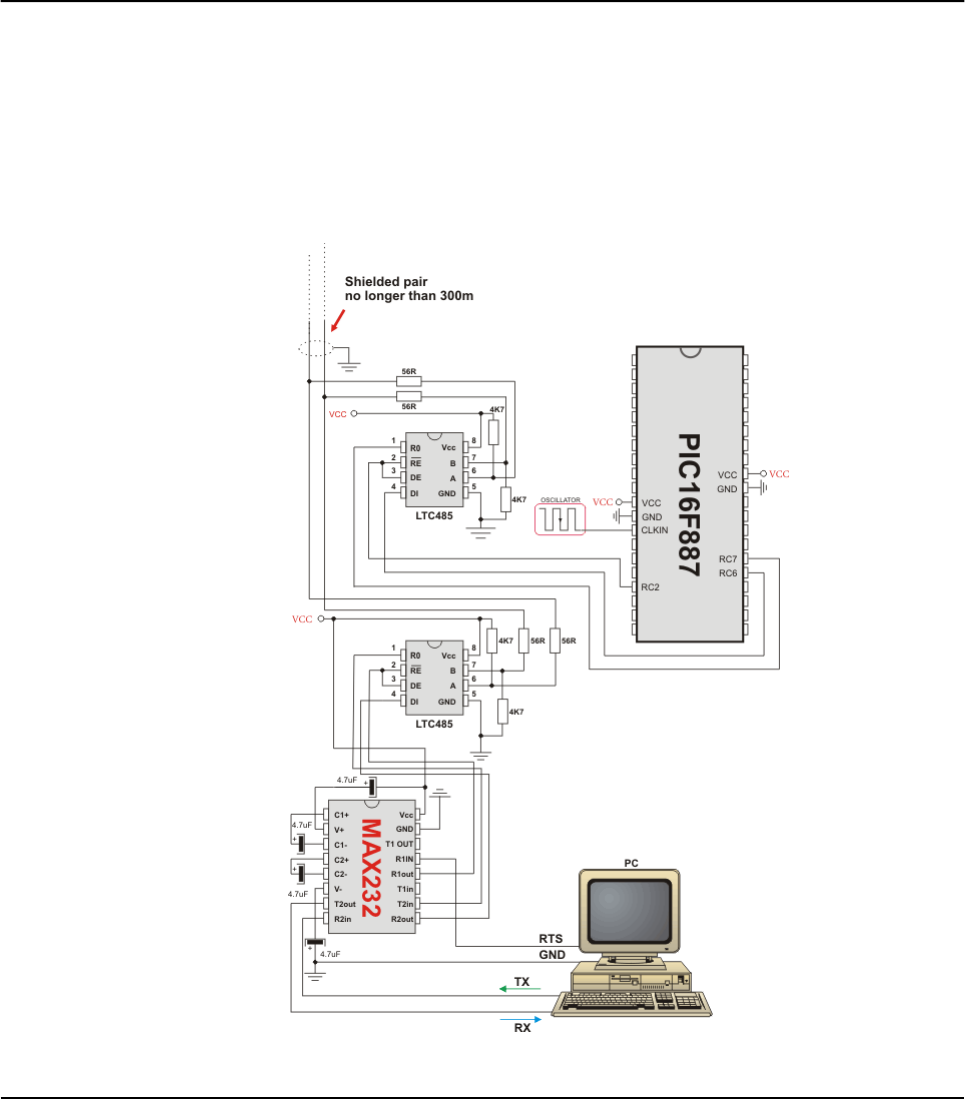
PORTB = dat[i-1]
next i
dat[0] = dat[0]+1 ' increment received dat[0]
Delay_ms(1)
RS485Slave_Send(dat,1) ' and send it back to master
end if
wend
end.
HW Connection
Example of interfacing PC to PIC16F887 MCU via RS485
bus with LTC485 as RS-485 transceiver
392 MIKROELEKTRONIKA - SOFTWARE AND HARDWARE SOLUTIONS FOR EMBEDDED WORLD
Libraries mikroBasic PRO for PIC
CHAPTER 7

Message format and CRC calculations
Q: How is CRC checksum calculated on RS485 master side?
_START_BYTE = 0x96; ' 10010110
_STOP_BYTE = 0xA9; ' 10101001
PACKAGE:
--------
_START_BYTE 0x96
ADDRESS
DATALEN
[DATA1] ' if exists
[DATA2] ' if exists
[DATA3] ' if exists
CRC
_STOP_BYTE 0xA9
DATALEN bits
------------
bit7 = 1 MASTER SENDS
0 SLAVE SENDS
bit6 = 1 ADDRESS WAS XORed with 1, IT WAS EQUAL TO _START_BYTE or
_STOP_BYTE
0 ADDRESS UNCHANGED
bit5 = 0 FIXED
bit4 = 1 DATA3 (if exists) WAS XORed with 1, IT WAS EQUAL TO
_START_BYTE or _STOP_BYTE
0 DATA3 (if exists) UNCHANGED
bit3 = 1 DATA2 (if exists) WAS XORed with 1, IT WAS EQUAL TO
_START_BYTE or _STOP_BYTE
0 DATA2 (if exists) UNCHANGED
bit2 = 1 DATA1 (if exists) WAS XORed with 1, IT WAS EQUAL TO
_START_BYTE or _STOP_BYTE
0 DATA1 (if exists) UNCHANGED
bit1bit0 = 0 to 3 NUMBER OF DATA BYTES SEND
CRC generation :
----------------
crc_send = datalen ^ address;
crc_send ^= data[0]; ' if exists
crc_send ^= data[1]; ' if exists
crc_send ^= data[2]; ' if exists
crc_send = ~crc_send;
if ((crc_send == _START_BYTE) || (crc_send == _STOP_BYTE))
crc_send++;
NOTE: DATALEN<4..0> can not take the _START_BYTE<4..0> or
_STOP_BYTE<4..0> values.
393
MIKROELEKTRONIKA - SOFTWARE AND HARDWARE SOLUTIONS FOR EMBEDDED WORLD
Libraries
mikroBasic PRO for PIC
CHAPTER 7
SOFTWARE I²C LIBRARY
The mikroBasic PRO for PIC provides routines for implementing Software I2C com-
munication. These routines are hardware independent and can be used with any
MCU. The Software I2C library enables you to use MCU as Master in I2C communi-
cation. Multi-master mode is not supported.
Note: This library implements time-based activities, so interrupts need to be dis-
abled when using Software I2C.
Note: All Software I2C Library functions are blocking-call functions (they are waiting
for I2C clock line to become logical one).
Note: The pins used for the Software I2C communication should be connected to
the pull-up resistors. Turning off the LEDs connected to these pins may also be
required.
External dependecies of Soft_I2C Library
Library Routines
Soft_I2C_Init
Soft_I2C_Start
Soft_I2C_Read
Soft_I2C_Write
Soft_I2C_Stop
Soft_I2C_Break
394 MIKROELEKTRONIKA - SOFTWARE AND HARDWARE SOLUTIONS FOR EMBEDDED WORLD
Libraries mikroBasic PRO for PIC
CHAPTER 7
The following variables
must be defined in all
projects using Soft_I2C
Library:
Description: Example :
dim Soft_I2C_Scl as
sbit sfr external Soft I2C Clock line. dim Soft_I2C_Scl as
sbit at RC3_bit
dim Soft_I2C_Sda as
sbit sfr external Soft I2C Data line. dim Soft_I2C_Sda as
sbit at RC4_bit
dim
Soft_I2C_Scl_Direction
as sbit sfr external
Direction of the Soft I2C
Clock pin.
dim
Soft_I2C_Scl_Direction
as sbit at TRISC3_bit
dim
Soft_I2C_Sda_Direction
as sbit sfr external
Direction of the Soft I2C
Data pin.
dim
Soft_I2C_Sda_Direction
as sbit at TRISC4_bit
395
MIKROELEKTRONIKA - SOFTWARE AND HARDWARE SOLUTIONS FOR EMBEDDED WORLD
Libraries
mikroBasic PRO for PIC
CHAPTER 7
Soft_I2C_Init
Soft_I2C_Start
Prototype sub procedure Soft_I2C_Init()
Returns Nothing.
Description Configures the software I2C module.
Requires
Global variables :
Soft_I2C_Scl: Soft I2C clockline
Soft_I2C_Sda: Soft I2C data line
Soft_I2C_Scl_Direction: Direction of the Soft I2C clock pin
Soft_I2C_Sda_Direction: Direction of the Soft I2C data pin
must be defined before using this function.
Example
'Soft_I2C pinout definition
dim Soft_I2C_Scl as sbit at RC3_bit
dim Soft_I2C_Sda as sbit at RC4_bit
dim Soft_I2C_Scl_Direction as sbit at TRISC3_bit
dim Soft_I2C_Sda_Direction as sbit at TRISC4_bit
'End of Soft_I2C pinout definition
...
Soft_I2C_Init()
Prototype sub procedure Soft_I2C_Start()
Returns Nothing.
Description Determines if the I2C bus is free and issues START signal.
Requires Software I2C must be configured before using this function. See Soft_I2C_Init
routine.
Example ' Issue START signal
Soft_I2C_Start()

396 MIKROELEKTRONIKA - SOFTWARE AND HARDWARE SOLUTIONS FOR EMBEDDED WORLD
Libraries mikroBasic PRO for PIC
CHAPTER 7
Soft_I2C_Read
Soft_I2C_Write
Prototype sub function Soft_I2C_Write(dim _Data as byte)as byte
Returns 0if there were no errors.
1if write collision was detected on the I2C bus.
Description
Sends data byte via the I2C bus.
Parameters :
_Data: data to be sent
Requires
Soft I2C must be configured before using this function. See Soft_I2C_Init routine.
Also, START signal needs to be issued in order to use this function. See
Soft_I2C_Start routine.
Example
dim _data, error as byte
...
error = Soft_I2C_Write(data)
error = Soft_I2C_Write(0xA3)
Prototype sub function Soft_I2C_Read(dim ack as word)as byte
Returns One byte from the Slave.
Description
Reads one byte from the slave.
Parameters :
ack: acknowledge signal parameter. If the ack==0 not acknowledge sig
nal will be sent after reading, otherwise the acknowledge signal will be sent.
Requires
Soft I2C must be configured before using this function. See Soft_I2C_Init routine.
Also, START signal needs to be issued in order to use this function. See
Soft_I2C_Start routine.
Example
dim take as word
...
' Read data and send the not_acknowledge signal
take = Soft_I2C_Read(0)
Soft_I2C_Stop
Soft_I2C_Break
397
MIKROELEKTRONIKA - SOFTWARE AND HARDWARE SOLUTIONS FOR EMBEDDED WORLD
Libraries
mikroBasic PRO for PIC
CHAPTER 7
Prototype sub procedure Soft_I2C_Stop()
Returns Nothing.
Description Issues STOP signal.
Requires Soft I2C must be configured before using this function. See Soft_I2C_Init routine.
Example ' Issue STOP signal
Soft_I2C_Stop()
Prototype sub procedure Soft_I2C_Break()
Returns Nothing.
Description
All Software I2C Library functions can block the program flow (see note at the
top of this page). Calling this routine from interrupt will unblock the program
execution. This mechanism is similar to WDT.
Note: Interrupts should be disabled before using Software I2C routines again
(see note at the top of this page).
Requires Nothing.
Example
dim data1, error_, counter as byte
sub procedure interrupt()
if (INTCON.T0IF <> 0) then
if (counter >= 20) then
Soft_I2C_Break()
counter = 0 ' reset counter
end if
else
Inc(counter) ' increment counter
INTCON.T0IF = 0 ' Clear Timer0 overflow interrupt flag
end if
end sub
main:
counter = 0
OPTION_REG = 0x04 ' TMR0 prescaler set to 1:32
...
' try Soft_I2C_Init with blocking prevention mechanism
INTCON.GIE = 1 ' Global interrupt enable
INTCON.T0IE = 1 ' Enable Timer0 overflow interrupt
data1 = Soft_I2C_Init(error_)
INTCON.GIE = 0 ' Global interrupt disable
end.

LLibrary Example
The example demonstrates Software I˛C Library routines usage. The PIC MCU is
connected (SCL, SDA pins) to PCF8583 RTC (real-time clock). Program reads date
and time are read from the RTC and prints it on Lcd.
program RTC_Read
dim seconds, minutes, hours, _day, _month, year as byte ' Global
date/time variables
' Software I2C connections
dim Soft_I2C_Scl as sbit at RC3_bit
Soft_I2C_Sda as sbit at RC4_bit
Soft_I2C_Scl_Direction as sbit at TRISC3_bit
Soft_I2C_Sda_Direction as sbit at TRISC4_bit
' End Software I2C connections
' Lcd module connections
dim LCD_RS as sbit at RB4_bit
LCD_EN as sbit at RB5_bit
LCD_D4 as sbit at RB0_bit
LCD_D5 as sbit at RB1_bit
LCD_D6 as sbit at RB2_bit
LCD_D7 as sbit at RB3_bit
LCD_RS_Direction as sbit at TRISB4_bit
LCD_EN_Direction as sbit at TRISB5_bit
LCD_D4_Direction as sbit at TRISB0_bit
LCD_D5_Direction as sbit at TRISB1_bit
LCD_D6_Direction as sbit at TRISB2_bit
LCD_D7_Direction as sbit at TRISB3_bit
' End Lcd module connections
'--------------------- Reads time and date information from RTC
(PCF8583)
sub procedure Read_Time()
Soft_I2C_Start() ' Issue start signal
Soft_I2C_Write(0xA0) ' Address PCF8583, see PCF8583 datasheet
Soft_I2C_Write(2) ' Start from address 2
Soft_I2C_Start() ' Issue repeated start signal
Soft_I2C_Write(0xA1) ' Address PCF8583 for reading R/W=1
seconds = Soft_I2C_Read(1) ' Read seconds byte
minutes = Soft_I2C_Read(1) ' Read minutes byte
hours = Soft_I2C_Read(1) ' Read hours byte
_day = Soft_I2C_Read(1) ' Read year/day byte
_month = Soft_I2C_Read(0) ' Read weekday/month byte}
Soft_I2C_Stop() ' Issue stop signal}
end sub
398 MIKROELEKTRONIKA - SOFTWARE AND HARDWARE SOLUTIONS FOR EMBEDDED WORLD
Libraries mikroBasic PRO for PIC
CHAPTER 7

'-------------------- Formats date and time
sub procedure Transform_Time()
seconds = ((seconds and 0xF0) >> 4)*10 + (seconds and 0x0F) '
Transform seconds
minutes = ((minutes and 0xF0) >> 4)*10 + (minutes and 0x0F) '
Transform months
hours = ((hours and 0xF0) >> 4)*10 + (hours and 0x0F) '
Transform hours
year = (_day and 0xC0) >> 6 ' Transform year
_day = ((_day and 0x30) >> 4)*10 + (_day and 0x0F) '
Transform day
_month = ((_month and 0x10) >> 4)*10 + (_month and 0x0F) '
Transform month
end sub
'-------------------- Output values to Lcd
sub procedure Display_Time()
Lcd_Chr(1, 7, (_day / 10) + 48) ' Print tens digit of day
variable
Lcd_Chr(1, 8, (_day mod 10) + 48) ' Print oness digit of day
variable
Lcd_Chr(1,10, (_month / 10) + 48)
Lcd_Chr(1,11, (_month mod 10) + 48)
Lcd_Chr(1,16, year + 56) ' Print year vaiable + 8
(start from year 2008)
Lcd_Chr(2, 7, (hours / 10) + 48)
Lcd_Chr(2, 8, (hours mod 10) + 48)
Lcd_Chr(2,10, (minutes / 10) + 48)
Lcd_Chr(2,11, (minutes mod 10) + 48)
Lcd_Chr(2,13, (seconds / 10) + 48)
Lcd_Chr(2,14, (seconds mod 10) + 48)
end sub
'------------------ Performs project-wide init
sub procedure Init_Main()
TRISB = 0
PORTB = 0xFF
TRISB = 0xFF
ANSEL = 0 ' Configure AN pins as digital I/O
ANSELH = 0
Soft_I2C_Init() ' Initialize Soft I2C communication
Lcd_Init() ' Initialize Lcd
Lcd_Cmd(_LCD_CLEAR) ' Clear Lcd display
Lcd_Cmd(_LCD_CURSOR_OFF) ' Turn cursor off
Lcd_Out(1,1,"Date:") ' Prepare and output static text on Lcd
Lcd_Chr(1,9,":")
Lcd_Chr(1,12,":")
Lcd_Out(2,1,"Time:")
Lcd_Chr(2,9,":")
399
MIKROELEKTRONIKA - SOFTWARE AND HARDWARE SOLUTIONS FOR EMBEDDED WORLD
Libraries
mikroBasic PRO for PIC
CHAPTER 7

Lcd_Chr(2,12,":")
Lcd_Out(1,13,"200")
end sub
'----------------- Main sub procedure
main:
Init_Main() ' Perform initialization
while TRUE ' Endless loop
Read_Time() ' Read time from RTC(PCF8583)
Transform_Time() ' Format date and time
Display_Time() ' Prepare and display on Lcd
wend
end.
400 MIKROELEKTRONIKA - SOFTWARE AND HARDWARE SOLUTIONS FOR EMBEDDED WORLD
Libraries mikroBasic PRO for PIC
CHAPTER 7
SOFTWARE SPI LIBRARY
The mikroBasic PRO for PIC provides routines for implementing Software SPI com-
munication. These routines are hardware independent and can be used with any
MCU. The Software SPI Library provides easy communication with other devices via
SPI: A/D converters, D/A converters, MAX7219, LTC1290, etc.
Library configuration:
SPI to Master mode
Clock value = 20 kHz.
Data sampled at the middle of interval.
Clock idle state low.
Data sampled at the middle of interval.
Data transmitted at low to high edge.
Note: The Software SPI library implements time-based activities, so interrupts need
to be disabled when using it.
External dependencies of Software SPI Library
Library Routines
Soft_Spi_Init
Soft_Spi_Read
Soft_Spi_Write
401
MIKROELEKTRONIKA - SOFTWARE AND HARDWARE SOLUTIONS FOR EMBEDDED WORLD
Libraries
mikroBasic PRO for PIC
CHAPTER 7
The following variables
must be defined in all
projects using Software
SPI Library:
Description: Example :
dim SoftSpi_SDI as
sbit sfr external Data In line. dim SoftSpi_SDI as
sbit at RC4_bit
dim SoftSpi_SDO as
sbit sfr external Data Out line. dim SoftSpi_SDO as
sbit at RC5_bit
dim SoftSpi_CLK as
sbit sfr external Clock line. dim SoftSpi_CLK as
sbit at RC3_bit
dim
SoftSpi_SDI_Direction
as sbit sfr external Direction of the Data In pin.
dim
SoftSpi_SDI_Direction
as sbit at TRISC4_bit
dim
SoftSpi_SDO_Direction
as sbit sfr external
Direction of the Data Out
pin
dim
SoftSpi_SDO_Direction
as sbit at TRISC5_bit
dim
SoftSpi_CLK_Direction
as sbit sfr external Direction of the Clock pin
dim
SoftSpi_CLK_Direction
as sbit at TRISC3_bit

402 MIKROELEKTRONIKA - SOFTWARE AND HARDWARE SOLUTIONS FOR EMBEDDED WORLD
Libraries mikroBasic PRO for PIC
CHAPTER 7
Soft_Spi_Init
Prototype sub procedure Soft_SPI_Init()
Returns Nothing.
Description Configures and initializes the software SPI module.
Requires
Global variables:
Chip_Select: Chip select line
SoftSpi_SDI: Data in line
SoftSpi_SDO: Data out line
SoftSpi_CLK: Data clock line
Chip_Select_Direction: Direction of the Chip select pin
SoftSpi_SDI_Direction: Direction of the Data in pin
SoftSpi_SDO_Direction: Direction of the Data out pin
SoftSpi_CLK_Direction: Direction of the Data clock pin
must be defined before using this function.
Example
' soft_spi pinout definition
dim Chip_Select as sbit at RC1_bit
dim SoftSpi_SDI as sbit at RC4_bit
dim SoftSpi_SDO as sbit at RC5_bit
dim SoftSpi_CLK as sbit at RC3_bit
dim Chip_Select_Direction as sbit at TRISC1_bit
dim SoftSpi_SDI_Direction as sbit at TRISC4_bit
dim SoftSpi_SDO_Direction as sbit at TRISC5_bit
dim SoftSpi_CLK_Direction as sbit at TRISC3_bit
' end of soft_spi pinout definition
...
Soft_SPI_Init() ' Init Soft_SPI
403
MIKROELEKTRONIKA - SOFTWARE AND HARDWARE SOLUTIONS FOR EMBEDDED WORLD
Libraries
mikroBasic PRO for PIC
CHAPTER 7
Soft_Spi_Read
Soft_Spi_Write
Prototype sub procedure Soft_SPI_Write(dim sdata as byte)
Returns Nothing.
Description
This routine sends one byte via the Software SPI bus.
Parameters :
sdata: data to be sent
Requires Soft SPI must be initialized before using this function. See Soft_SPI_Init routine.
Example ' Write a byte to the Soft SPI bus
Soft_SPI_Write(0xAA)
Prototype sub function Soft_SPI_Read(dim sdata as byte)as word
Returns Byte received via the SPI bus.
Description
This routine performs 3 operations simultaneously. It provides clock for the Soft-
ware SPI bus, reads a byte and sends a byte.
Parameters :
sdata: data to be sent.
Requires Soft SPI must be initialized before using this function. See Soft_SPI_Init routine.
Example
dim data_read as byte
data_send as byte
...
' Read a byte and assign it to data_read variable
' (data_send byte will be sent via SPI during the Read operation)
data_read = Soft_SPI_Read(data_send)

Library Example
This code demonstrates using library routines for Soft_SPI communication. Also,
this example demonstrates working with Microchip's MCP4921 12-bit D/A con
verter.
program Soft_SPI
' DAC module connections
dim Chip_Select as sbit at RC1_bit
SoftSpi_CLK as sbit at RC3_bit
SoftSpi_SDI as sbit at RC4_bit
SoftSpi_SDO as sbit at RC5_bit
dim Chip_Select_Direction as sbit at TRISC1_bit
SoftSpi_CLK_Direction as sbit at TRISC3_bit
SoftSpi_SDI_Direction as sbit at TRISC4_bit
SoftSpi_SDO_Direction as sbit at TRISC5_bit
' End DAC module connections
dim value as word
sub procedure InitMain()
TRISA0_bit = 1 ' Set RA0 pin as input
TRISA1_bit = 1 ' Set RA1 pin as input
Chip_Select = 1 ' Deselect DAC
Chip_Select_Direction = 0 ' Set CS# pin as Output
Soft_Spi_Init() ' Initialize Soft_SPI
end sub
' DAC increments (0..4095) --> output voltage (0..Vref)
sub procedure DAC_Output(dim valueDAC as word)
dim temp as byte
Chip_Select = 0 ' Select DAC chip
' Send High Byte
temp = word(valueDAC >> 8) and 0x0F ' Store valueDAC[11..8] to
temp[3..0]
temp = temp or 0x30 ' Define DAC setting, see MCP4921 datasheet
Soft_SPI_Write(temp) ' Send high byte via Soft SPI
' Send Low Byte
temp = valueDAC ' Store valueDAC[7..0] to temp[7..0]
Soft_SPI_Write(temp) ' Send low byte via Soft SPI
Chip_Select = 1 ' Deselect DAC chip
end sub
404 MIKROELEKTRONIKA - SOFTWARE AND HARDWARE SOLUTIONS FOR EMBEDDED WORLD
Libraries mikroBasic PRO for PIC
CHAPTER 7

main:
ANSEL = 0
ANSELH = 0
InitMain() ' Perform main initialization
value = 2048 ' When program starts, DAC gives
' the output in the mid-range
while (TRUE) ' Endless loop
if ((RA0_bit) and (value < 4095)) then ' If PA0 button is
pressed
Inc(value) ' increment value
else
if ((RA1_bit) and (value > 0)) then 'If PA1 button is pressed
Dec(value) ' decrement value
end if
end if
DAC_Output(value) ' Send value to DAC chip
Delay_ms(1) ' Slow down key repeat pace
wend
end.
405
MIKROELEKTRONIKA - SOFTWARE AND HARDWARE SOLUTIONS FOR EMBEDDED WORLD
Libraries
mikroBasic PRO for PIC
CHAPTER 7

SOFTWARE UART LIBRARY
mikroBasic provides library which implements software UART. These routines are hardware inde-
pendent and can be used with any MCU. You can easily communicate with other devices via
RS232 protocol – simply use the functions listed below.
Note: This library implements time-based activities, so interrupts need to be disabled when using
Soft UART.
Library Routines
Soft_Uart_Init
Soft_Uart_Read
Soft_Uart_Write
Soft_UART_Break
Soft_UART_Init
406 MIKROELEKTRONIKA - SOFTWARE AND HARDWARE SOLUTIONS FOR EMBEDDED WORLD
Libraries mikroBasic PRO for PIC
CHAPTER 7
Prototype sub procedure Soft_UART_Init(dim byref port as byte, dim rx_pin,
tx_pin, baud_rate, inverted as byte)as byte
Returns
2 - error, requested baud rate is too low
1 - error, requested baud rate is too high
0- successfull initialization
Description
Configures and initializes the software UART module.
Parameters :
port: port to be used.
rx_pin: sets rx_pin to be used.
tx_pin: sets tx_pin to be used.
baud_rate: baud rate to be set. Maximum baud rate depends on the
MCU’s clock and working conditions.
inverted: inverted output flag. When set to a non-zero value, inverted
logic on output is used.
Software UART routines use Delay_Cyc routine. If requested baud rate is too
low then calculated parameter for calling Delay_Cyc exceeeds Delay_Cyc
argument range.
If requested baud rate is too high then rounding error of Delay_Cyc argument
corrupts Software UART timings.
Requires Nothing.
Example
This will initialize software UART and establish the communication at 9600 bps:
dim error as byte
...
error = Soft_UART_Init(PORTB, 1, 2, 9600, 0)
407
MIKROELEKTRONIKA - SOFTWARE AND HARDWARE SOLUTIONS FOR EMBEDDED WORLD
Libraries
mikroBasic PRO for PIC
CHAPTER 7
Soft_UART_Read
Soft_Uart_Write
Prototype sub function Soft_UART_Read(dim byref error as byte)as byte
Returns Returns a received byte.
Description
Function receives a byte via software UART. Parameter error will be zero if the
transfer was successful. This is a non-blocking function call, so you should test
the error manually (check the example below).
Requires Soft UART must be initialized and communication established before using this
function. See Soft_UART_Init.
Example
Here’s a loop which holds until data is received:
error = 1
do
data = Soft_UART_Read(error)
loop until error = 0
Prototype sub procedure Soft_UART_Write(dim data as byte)
Returns Nothing.
Description Function transmits a byte (data) via UART.
Requires
Soft UART must be initialized and communication established before using this
function. See Soft_UART_Init.
Be aware that during transmission, software UART is incapable of receiving
data – data transfer protocol must be set in such a way to prevent loss of infor-
mation.
Example Soft_UART_Write($0A)

408 MIKROELEKTRONIKA - SOFTWARE AND HARDWARE SOLUTIONS FOR EMBEDDED WORLD
Libraries mikroBasic PRO for PIC
CHAPTER 7
Soft_UART_Break
Prototype sub procedure Soft_UART_Break()
Returns Nothing.
Description
Soft_UART_Read is blocking routine and it can block the program flow. Call this
routine from interrupt to unblock the program execution. This mechanism is sim-
ilar to WDT.
Note: Interrupts should be disabled before using Software UART routines again
(see note at the top of this page).
Requires Nothing.
Example
dim data1, error_, counter as byte
sub procedure interrupt()
if (INTCON.T0IF <> 0) then
if (counter >= 20) then
Soft_UART_Break()
counter = 0 ' reset counter
end if
else
Inc(counter) ' increment counter
INTCON.T0IF = 0 ' Clear Timer0 overflow interrupt flag
end if
end sub
main:
counter = 0
OPTION_REG = 0x04 ' TMR0 prescaler set to 1:32
...
if (Soft_UART_Init(PORTC, 7, 6, 9600, 0) = 0) then
Soft_UART_Write(0x55)
end if
...
' try Soft_UART_Read with blocking prevention mechanism
INTCON.GIE = 1 ' Global interrupt enable
INTCON.T0IE = 1 ' Enable Timer0 overflow interrupt
data1 = Soft_UART_Read(error_)
INTCON.GIE = 0 ' Global interrupt disable
end.

Library Example
The example demonstrates simple data exchange via software UART. When PIC
MCU receives data, it immediately sends the same data back. If PIC is connected
to the PC (see the figure below), you can test the example from mikroBasic PRO for
PIC terminal for RS232 communication, menu choice Tools › Terminal.
program Soft_UART
dim error_flag as byte
counter, byte_read as byte ' Auxiliary variables
main:
ANSEL = 0 ' Configure AN pins as digital I/O
ANSELH = 0
TRISB = 0x00 ' Set PORTB as output (error sig
nalization)
PORTB = 0 ' No error
VDelay_ms(370)
error_flag = Soft_UART_Init(PORTC, 7, 6, 14400, 0) ' Initialize
Soft UART at 14400 bps
if (error_flag > 0) then
PORTB = error_flag ' Signalize Init error
while (TRUE)
nop ' Stop program
wend
end if
Delay_ms(100)
for counter = "z" to "A" step -1 ' Send bytes from 'z' downto 'A'
Soft_UART_Write(counter)
Delay_ms(100)
next counter
while TRUE ' Endless loop
byte_read = Soft_UART_Read(error_flag)' Read byte, then test
error flag
if (error_flag <> 0) then ' If error was detected
PORTB = error_flag ' signal it on PORTB
else
Soft_UART_Write(byte_read) ' If error was not detected,
return byte read
end if
wend
end.
409
MIKROELEKTRONIKA - SOFTWARE AND HARDWARE SOLUTIONS FOR EMBEDDED WORLD
Libraries
mikroBasic PRO for PIC
CHAPTER 7

SOUND LIBRARY
The mikroBasic PRO for PIC provides a Sound Library to supply users with rou t i n e s
necessary for sound signalization in their applications. Sound generation needs additional hard-
ware, such as piezo-speaker (example of piezo-speaker interface is given on the schematic at the
bottom of this page).
Library Routines
Sound_Init
Sound_Play
Sound_Init
410 MIKROELEKTRONIKA - SOFTWARE AND HARDWARE SOLUTIONS FOR EMBEDDED WORLD
Libraries mikroBasic PRO for PIC
CHAPTER 7
Prototype sub procedure Sound_Init(dim byref snd_port as byte, dim snd_pin
as byte)
Returns Nothing.
Description
Configures the appropriate MCU pin for sound generation.
Parameters :
snd_port: sound output port address
snd_pin: sound output pin
Requires Nothing.
Example Sound_Init(PORTD, 3) ' Initialize sound at RD3

Sound_Play
Library Example
The example is a simple demonstration of how to use the Sound Library for playing tones on a
piezo speaker.
program Sound
sub procedure Tone1()
Sound_Play(659, 250) ' Frequency = 659Hz, duration = 250ms
end sub
sub procedure Tone2()
Sound_Play(698, 250) ' Frequency = 698Hz, duration = 250ms
end sub
sub procedure Tone3()
Sound_Play(784, 250) ' Frequency = 784Hz, duration = 250ms
end sub
sub procedure Melody() ' Plays the melody "Yellow house"
Tone1() Tone2() Tone3() Tone3()
Tone1() Tone2() Tone3() Tone3()
Tone1() Tone2() Tone3()
Tone1() Tone2() Tone3() Tone3()
Tone1() Tone2() Tone3()
Tone3() Tone3() Tone2() Tone2() Tone1()
end sub
sub procedure ToneA() ' Tones used in Melody2 function
411
MIKROELEKTRONIKA - SOFTWARE AND HARDWARE SOLUTIONS FOR EMBEDDED WORLD
Libraries
mikroBasic PRO for PIC
CHAPTER 7
Prototype sub procedure Sound_Play(dim freq_in_Hz as word, dim duration_ms as
word)
Returns Nothing.
Description
Generates the square wave signal on the appropriate pin.
Parameters :
freq_in_Hz: signal frequency in Hertz (Hz)
duration_ms: signal duration in miliseconds (ms)
Requires
In order to hear the sound, you need a piezo speaker (or other hardware) on
designated port. Also, you must call Sound_Init to prepare hardware for output
before using this function.
Example ' Play sound of 1KHz in duration of 100ms
Sound_Play(1000, 100)

Sound_Play( 880, 50)
end sub
sub procedure ToneC()
Sound_Play(1046, 50)
end sub
sub procedure ToneE()
Sound_Play(1318, 50)
end sub
sub procedure Melody2() ' Plays Melody2
dim counter as byte
for counter = 9 to 1 step -1
ToneA()
ToneC()
ToneE()
next counter
end sub
main:
ANSEL = 0 ' Configure AN pins as digital I/O
ANSELH = 0
C1ON_bit = 0 ' Disable comparators
C2ON_bit = 0
TRISB = 0xF0 ' Configure RB7..RB4 as input, RB3
as output
Sound_Init(PORTD, 3)
Sound_Play(880, 5000)
while TRUE ' endless loop
if (Button(PORTB,7,1,1)) then ' If PORTB.7 is pressed play Tone1
Tone1()
while (RB7_bit <> 0)
nop ' Wait for button to be released
wend
end if
if (Button(PORTB,6,1,1)) then ' If PORTB.6 is pressed play
Tone1
Tone2()
while (RB6_bit <> 0)
nop ' Wait for button to be released
wend
end if
412 MIKROELEKTRONIKA - SOFTWARE AND HARDWARE SOLUTIONS FOR EMBEDDED WORLD
Libraries mikroBasic PRO for PIC
CHAPTER 7
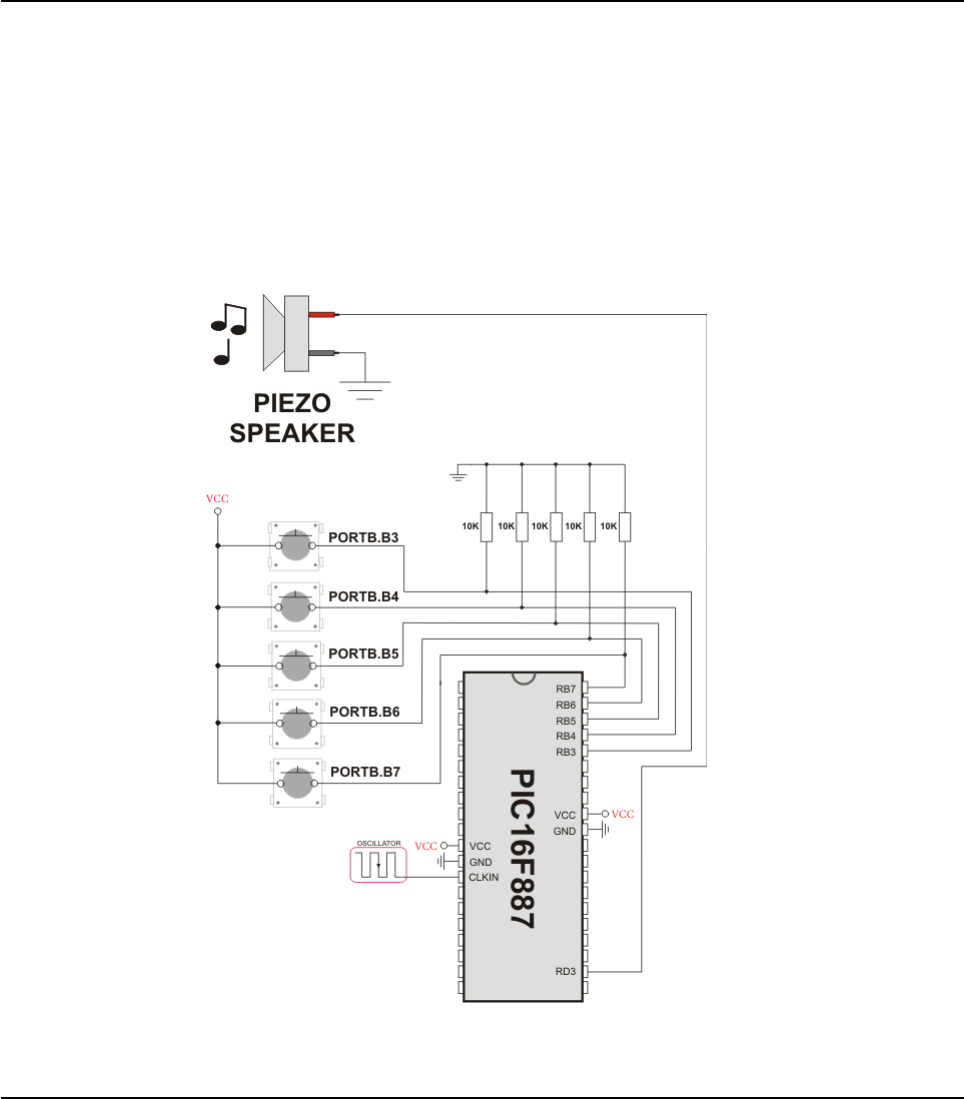
if (Button(PORTB,4,1,1)) then ' If PORTB.4 is pressed play
Tone1
Melody()
while (RB4_bit <> 0)
nop ' Wait for button to be released
wend
end if
wend
end.
HW Connection
Example of Sound Library sonnection
413
MIKROELEKTRONIKA - SOFTWARE AND HARDWARE SOLUTIONS FOR EMBEDDED WORLD
Libraries
mikroBasic PRO for PIC
CHAPTER 7

SPI LIBRARY
SPI module is available with a number of PIC MCU models. mikroBasic PRO for PIC provides a
library for initializing Slave mode and comfortable work with Master mode. PIC can easily com-
municate with other devices via SPI: A/D converters, D/A converters, MAX7219, LTC1290, etc.
You need PIC MCU with hardware integrated SPI (for example, PIC16F877).
Note: Some PIC18 MCUs have multiple SPI modules. Switching between the SPI modules in the
SPI library is done by the SPI_Set_Active function (SPI module has to be previously initialized).
Note: In order to use the desired SPI library routine, simply change the number 1 in the prototype
with the appropriate module number, i.e. SPI2_Init()
Library Routines
Spi_Init
Spi_Init_Advanced
Spi_Read
Spi_Write
SPI_Set_Active
SPI1_Init
414 MIKROELEKTRONIKA - SOFTWARE AND HARDWARE SOLUTIONS FOR EMBEDDED WORLD
Libraries mikroBasic PRO for PIC
CHAPTER 7
Prototype sub procedure SPI1_Init()
Returns Nothing.
Description
This routine configures and enables SPI module with the following settings:
master mode
8 bit data transfer
most significant bit sent first
serial clock low when idle
data sampled on leading edge
serial clock = fosc/4
Requires MCU must have SPI module.
Example ' Initialize the SPI module with default settings
SPI1_Init()

415
MIKROELEKTRONIKA - SOFTWARE AND HARDWARE SOLUTIONS FOR EMBEDDED WORLD
Libraries
mikroBasic PRO for PIC
CHAPTER 7
Spi1_Init_Advanced
Prototype sub procedure SPI1_Init_Advanced(dim master_slav, data_sample,
clock_idle, transmit_edge as byte)
Returns Nothing.
Description
Configures and initializes SPI. SPI1_Init_Advanced or SPI1_Init needs to be
called before using other functions of SPI Library.
Parameters mode, data_sample and clock_idle configure the SPI module, and
can have the following values:
Requires MCU must have SPI module.
Example
' Set SPI to master mode, clock = Fosc/4, data sampled at the
middle of interval, clock idle state low and data transmitted at
low to high edge:
SPI1_Init_Advanced(_MASTER_OSC_DIV4, _DATA_SAMPLE_MIDDLE,
_CLK_IDLE_LOW, _LOW_2_HIGH)
Description Predefined library const
SPI work mode:
Master clock = Fosc/4 _MASTER_OSC_DIV4
Master clock = Fosc/16 _MASTER_OSC_DIV16
Master clock = Fosc/64 _MASTER_OSC_DIV64
Master clock source TMR2 _MASTER_TMR2
Slave select enabled _SLAVE_SS_ENABLE
Slave select disabled _SLAVE_SS_DIS
Data sampling interval:
Input data sampled in middle of
interval _DATA_SAMPLE_MIDDLE
Input data sampled at the end of
interval _DATA_SAMPLE_END
SPI clock idle state:
Clock idle HIGH _CLK_IDLE_HIGH
Clock idle LOW _CLK_IDLE_LOW
Transmit edge:
Data transmit on low to high
edgefirst _LOW_2_HIGH
Data transmit on high to low
edge _HIGH_2_LOW _HIGH_2_LOW

416 MIKROELEKTRONIKA - SOFTWARE AND HARDWARE SOLUTIONS FOR EMBEDDED WORLD
Libraries mikroBasic PRO for PIC
CHAPTER 7
Spi1_Read
Spi1_Write
Prototype sub function SPI1_Read(dim buffer as byte)as byte
Returns Received data.
Description
Reads one byte from the SPI bus.
Parameters :
buffer: dummy data for clock generation (see device Datasheet for SPI
modules implementation details)
Requires SPI module must be initialized before using this function. See SPI1_Init and
SPI1_Init_Advanced routines.
Example
' read a byte from the SPI bus
dim take, dummy1 as byte
...
take = SPI1_Read(dummy1)
Prototype sub procedure SPI1_Write(dim wrdata as byte)
Returns Nothing.
Description
Writes byte via the SPI bus.
Parameters :
wrdata: data to be sent
Requires SPI module must be initialized before using this function. See SPI1_Init and
SPI1_Init_Advanced routines.
Example
' write a byte to the SPI bus
dim buffer as byte
...
SPI1_Write(buffer)

SPI_Set_Active
Library Example
The code demonstrates how to use SPI library functions for communication between SPI module
of the MCU and Microchip's MCP4921 12-bit D/A converter
program SPI
' DAC module connections
dim Chip_Select as sbit at RC1_bit
Chip_Select_Direction as sbit at TRISC1_bit
' End DAC module connections
dim value as word
sub procedure InitMain()
TRISA0_bit = 1 ' Set RA0 pin as input
TRISA1_bit = 1 ' Set RA1 pin as input
Chip_Select = 1 ' Deselect DAC
Chip_Select_Direction = 0 ' Set CS# pin as Output
SPI1_Init() ' Initialize SPI1 module
end sub
' DAC increments (0..4095) --> output voltage (0..Vref)
sub procedure DAC_Output(dim valueDAC as word)
dim temp as byte
Chip_Select = 0 ' Select DAC chip
' Send High Byte
temp = word(valueDAC >> 8) and 0x0F ' Store valueDAC[11..8] to
temp[3..0]
temp = temp or 0x30 ' Define DAC setting, see MCP4921 datasheet
417
MIKROELEKTRONIKA - SOFTWARE AND HARDWARE SOLUTIONS FOR EMBEDDED WORLD
Libraries
mikroBasic PRO for PIC
CHAPTER 7
Prototype void SPI_Set_Active(char (*read_ptr)(char))
Returns Nothing.
Description
Sets the active SPI module which will be used by the SPI routines.
Parameters :
read_ptr: SPI1_Read handler
Requires
Routine is available only for MCUs with two SPI modules.
Used SPI module must be initialized before using this function. See the
SPI1_Init, SPI1_Init_Advanced
Example SPI_Set_Active(SPI2_Read) ' Sets the SPI2 module active
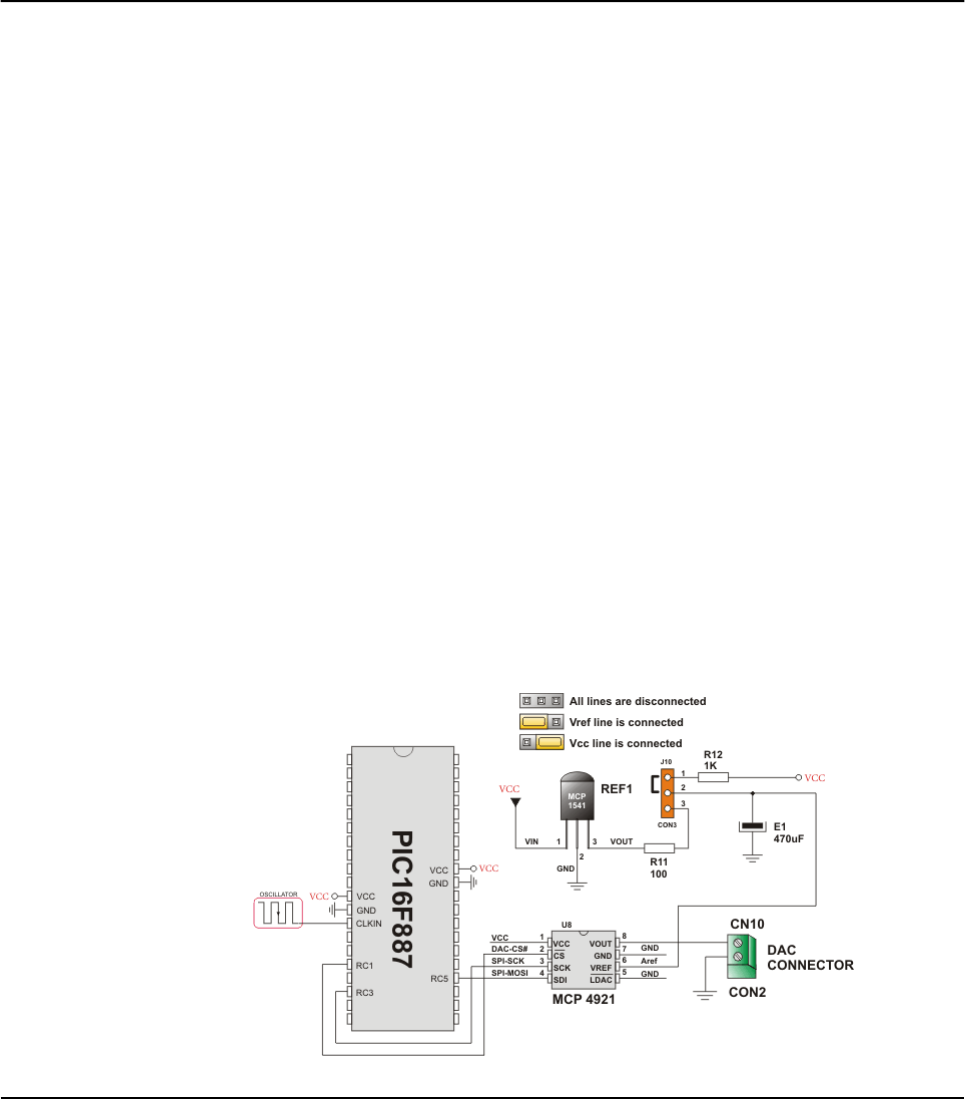
SPI1_Write(temp) ' Send high byte via SPI
' Send Low Byte
temp = valueDAC ' Store valueDAC[7..0] to temp[7..0]
SPI1_Write(temp) ' Send low byte via SPI
Chip_Select = 1 ' Deselect DAC chip
end sub
main:
ANSEL = 0
ANSELH = 0
InitMain() ' Perform main initialization
value = 2048 ' When program starts, DAC gives
' the output in the mid-range
while TRUE ' Endless loop
if ((RA0_bit) and (value < 4095)) then ' If RA0 button is pressed
Inc(value) ' increment value
else
if ((RA1_bit) and (value > 0)) then ' If RA1 button is pressed
Dec(value) ' decrement value
end if
end if
DAC_Output(value) ' Send value to DAC chip
Delay_ms(1) ' Slow down key repeat pace
wend
end.
HW Connection
SPI HW connection
418 MIKROELEKTRONIKA - SOFTWARE AND HARDWARE SOLUTIONS FOR EMBEDDED WORLD
Libraries mikroBasic PRO for PIC
CHAPTER 7

SPI ETHERNET LIBRARY
The ENC28J60 is a stand-alone Ethernet controller with an industry standard Serial
Peripheral Interface (SPI™). It is designed to serve as an Ethernet network interface
for any controller equipped with SPI.
The ENC28J60 meets all of the IEEE 802.3 specifications. It incorporates a number
of packet filtering schemes to limit incoming packets. It also provides an internal
DMA module for fast data throughput and hardware assisted IP checksum calcula-
tions. Communication with the host controller is implemented via two interrupt pins
and the SPI, with data rates of up to 10 Mb/s. Two dedicated pins are used for LED
link and network activity indication.
This library is designed to simplify handling of the underlying hardware (ENC28J60).
It works with any PIC with integrated SPI and more than 4 Kb ROM memory. 38 to
40 MHz clock is recommended to get from 8 to 10 Mhz SPI clock, otherwise PIC
should be clocked by ENC28J60 clock output due to its silicon bug in SPI hardware.
If you try lower PIC clock speed, there might be board hang or miss some requests.
SPI Ethernet library supports:
IPv4 protocol.
ARP requests.
ICMP echo requests.
UDP requests.
TCP requests (no stack, no packet reconstruction).
ARP client with cache.
DNS client.
UDP client.
DHCP client.
packet fragmentation is NOT supported.
Note: Due to PIC16 RAM/Flash limitations pic16 library does NOT have ARP, DNS,
UDP and DHCP client support implemented.
Note: Global library variable SPI_Ethernet_userTimerSec is used to keep track of
time for all client implementations (ARP, DNS, UDP and DHCP). It is user responsi-
bility to increment this variable each second in it's code if any of the clients is used.
Note: For advanced users there are header files ("eth_enc28j60LibDef.h" and
"eth_enc28j60LibPrivate.h") in Uses\P16 and Uses\P18 folders of the compiler
with description of all routines and global variables, relevant to the user, implement-
ed in the SPI Ethernet Library.
419
MIKROELEKTRONIKA - SOFTWARE AND HARDWARE SOLUTIONS FOR EMBEDDED WORLD
Libraries
mikroBasic PRO for PIC
CHAPTER 7

Note: The appropriate hardware SPI module must be initialized before using any of
the SPI Ethernet library routines. Refer to SPI Library.
For MCUs with two SPI modules it is possible to initialize both of them and then
switch by using the SPI_Set_Active() routine.
External dependencies of SPI Ethernet Library
420 MIKROELEKTRONIKA - SOFTWARE AND HARDWARE SOLUTIONS FOR EMBEDDED WORLD
Libraries mikroBasic PRO for PIC
CHAPTER 7
The following variables
must be defined in all
projects using SPI Ether-
net Library:
Description: Example :
dim SPI_Ethernet_CS as
sbit sfr external
ENC28J60 chip select
pin.
dim SPI_Ethernet_CS
as sbit at RC1_bit
dim SPI_Ethernet_RST as
sbit sfr external ENC28J60 reset pin. dim SPI_Ethernet_RST
as sbit at RC0_bit
dim
SPI_Ethernet_CS_Directi
on as sbit sfr external
Direction of the
ENC28J60 chip select
pin.
dim
SPI_Ethernet_CS_Direc
tion as sbit at
TRISC1_bit
dim
SPI_Ethernet_RST_Direct
ion as sbit sfr exter-
nal
Direction of the
ENC28J60 reset pin.
dim
SPI_Ethernet_RST_Dire
ction as sbit at
TRISC0_bit
The following routines must
be defined in all project
using SPI Ethernet Library:
Description: Example :
sub function
SPI_Ethernet_UserTCP
(dim remoteHost as ^byte,
dim remotePort as word,
dim localPort as word,
dim reqLength as word) as
word
TCP request handler.
Refer to the
library example at
the bottom of this
page for code
implementation.
sub function
SPI_Ethernet_UserUDP(dim
remoteHost as ^byte,
dim remotePort as word,
dim destPort as word,
dim reqLength as word) as
word
UDP request handler.
Refer to the
library example at
the bottom of this
page for code
implementation.

Library Routines
SPI_Ethernet_Init
SPI_Ethernet_Enable
SPI_Ethernet_Disable
SPI_Ethernet_doPacket
SPI_Ethernet_putByte
SPI_Ethernet_putBytes
SPI_Ethernet_putString
SPI_Ethernet_putConstString
SPI_Ethernet_putConstBytes
SPI_Ethernet_getByte
SPI_Ethernet_getBytes
SPI_Ethernet_UserTCP
SPI_Ethernet_UserUDP
SPI_Ethernet_Init
421
MIKROELEKTRONIKA - SOFTWARE AND HARDWARE SOLUTIONS FOR EMBEDDED WORLD
Libraries
mikroBasic PRO for PIC
CHAPTER 7
Prototype sub procedure SPI_Ethernet_Init(dim mac as ^byte, dim ip as
^byte, dim fullDuplex as byte)
Returns Nothing.
Description
This is MAC module routine. It initializes ENC28J60 controller. This function is
internaly splited into 2 parts to help linker when coming short of memory.
ENC28J60 controller settings (parameters not mentioned here are set to default):
receive buffer start address : 0x0000.
receive buffer end address : 0x19AD.
transmit buffer start address: 0x19AE.
transmit buffer end address : 0x1FFF.
RAM buffer read/write pointers in auto-increment mode.
receive filters set to default: CRC + MAC Unicast + MAC Broadcast in OR
mode.
flow control with TX and RX pause frames in full duplex mode.
frames are padded to 60 bytes + CRC.
maximum packet size is set to 1518.
Back-to-Back Inter-Packet Gap: 0x15 in full duplex mode; 0x12 in half
duplex mode.
Non-Back-to-Back Inter-Packet Gap: 0x0012 in full duplex mode; 0x0C12
in half duplex mode.
Collision window is set to 63 in half duplex mode to accomodate some
ENC28J60 revisions silicon bugs.
CLKOUT output is disabled to reduce EMI generation.

422 MIKROELEKTRONIKA - SOFTWARE AND HARDWARE SOLUTIONS FOR EMBEDDED WORLD
Libraries mikroBasic PRO for PIC
CHAPTER 7
Description
half duplex loopback disabled.
LED configuration: default (LEDA-link status, LEDB-link activity).
Parameters:
mac: RAM buffer containing valid MAC address.
ip: RAM buffer containing valid IP address.
fullDuplex: ethernet duplex mode switch. Valid values: 0(half duplex
mode) and 1(full duplex mode).
Requires
Global variables :
SPI_Ethernet_CS: Chip Select line
SPI_Ethernet_CS_Direction: Direction of the Chip Select pin
SPI_Ethernet_RST: Reset line
SPI_Ethernet_RST_Direction: Direction of the Reset pin
must be defined before using this function.
The SPI module needs to be initialized. See the SPI1_Init and
SPI1_Init_Advanced routines.
Example
'mE ehternet NIC pinout
dim SPI_Ethernet_RST as sbit at RC0_bit
dim SPI_Ethernet_CS as sbit at RC1_bit
dim SPI_Ethernet_RST_Direction as sbit at TRISC0_bit
dim SPI_Ethernet_CS_Direction as sbit at TRISC1_bit
' end mE ehternet NIC pinout
const SPI_Ethernet_HALFDUPLEX = 0
const SPI_Ethernet_FULLDUPLEX = 1
myMacAddr as byte[6] ' my MAC address
myIpAddr as byte[4] ' my IP addr
...
myMacAddr[0] = 0x00
myMacAddr[1] = 0x14
myMacAddr[2] = 0xA5
myMacAddr[3] = 0x76
myMacAddr[4] = 0x19
myMacAddr[5] = 0x3F
myIpAddr[0] = 192
myIpAddr[1] = 168
myIpAddr[2] = 20
myIpAddr[3] = 60
SPI1_Init()
SPI_Ethernet_Init(myMacAddr, myIpAddr, SPI_Ethernet_FULLDUPLEX)
423
MIKROELEKTRONIKA - SOFTWARE AND HARDWARE SOLUTIONS FOR EMBEDDED WORLD
Libraries
mikroBasic PRO for PIC
CHAPTER 7
SPI_Ethernet_Enable
Prototype sub procedure SPI_Ethernet_Enable(dim enFlt as byte)
Returns Nothing.
Description
This is MAC module routine. This routine enables appropriate network traffic on
the ENC28J60 module by the means of it's receive filters (unicast, multicast,
broadcast, crc). Specific type of network traffic will be enabled if a correspon-
ding bit of this routine's input parameter is set. Therefore, more than one type of
network traffic can be enabled at the same time. For this purpose, predefined
library constants (see the table below) can be ORed to form appropriate input
value.
Parameters:
enFlt: network traffic/receive filter flags. Each bit corresponds to the
appropriate network traffic/receive filter:
Note: Advance filtering available in the ENC28J60 module such as Pattern
Match, Magic Packet and Hash Table can not be enabled by this routine. Addi-
tionaly, all filters, except CRC, enabled with this routine will work in OR mode,
which means that packet will be received if any of the enabled filters accepts it.
Bit Mask Description Predefined library const
0 0x01
MAC Broadcast traffic/receive filter
flag. When set, MAC broadcast traf-
fic will be enabled.
_SPI_Ethernet_BROAD-
CAST
1 0x02
MAC Multicast traffic/receive filter
flag. When set, MAC multicast traffic
will be enabled.
_SPI_Ethernet_MULTI-
CAST
2 0x04 not used none
3 0x08 not used none
4 0x10 not used none
5 0x20 CRC check flag. When set, packets
with invalid CRC field will be discarded. _SPI_Ethernet_CRC
6 0x40 not used none
7 0x80
MAC Unicast traffic/receive filter flag.
When set, MAC unicast traffic will be
enabled.
_SPI_Ethernet_UNICAST
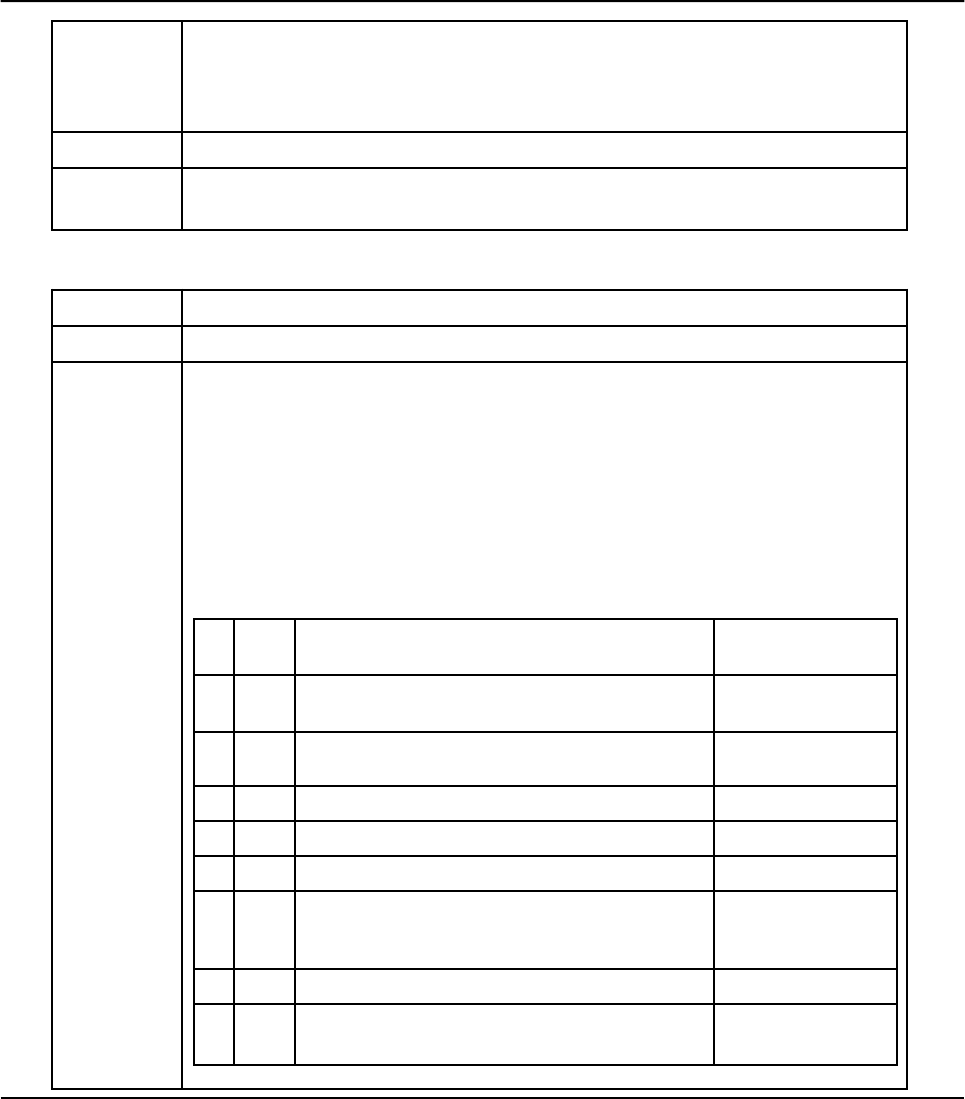
424 MIKROELEKTRONIKA - SOFTWARE AND HARDWARE SOLUTIONS FOR EMBEDDED WORLD
Libraries mikroBasic PRO for PIC
CHAPTER 7
SPI_Ethernet_Disable
Description
Note: This routine will change receive filter configuration on-the-fly. It will not, in
any way, mess with enabling/disabling receive/transmit logic or any other part of
the ENC28J60 module. The ENC28J60 module should be properly cofigured by
the means of SPI_Ethernet_Init routine.
Requires Ethernet module has to be initialized. See SPI_Ethernet_Init.
Example SPI_Ethernet_Enable(_SPI_Ethernet_CRC or _SPI_Ethernet_UNICAST)
' enable CRC checking and Unicast traffic
Prototype sub procedure SPI_Ethernet_Disable(dim disFlt as byte)
Returns Nothing.
Description
This is MAC module routine. This routine disables appropriate network traffic on the
ENC28J60 module by the means of it's receive filters (unicast, multicast, broadcast,
crc). Specific type of network traffic will be disabled if a corresponding bit of this rou-
tine's input parameter is set. Therefore, more than one type of network traffic can be
disabled at the same time. For this purpose, predefined library constants (see the
table below) can be ORed to form appropriate input value.
Parameters:
disFlt: network traffic/receive filter flags. Each bit corresponds to the
appropriate network traffic/receive filter:
Bit Mask Description Predefined library
const
0 0x01 MAC Broadcast traffic/receive filter flag. When
set, MAC broadcast traffic will be disabled.
_SPI_Ethernet_BR
OADCAST
1 0x02 MAC Multicast traffic/receive filter flag. When
set, MAC multicast traffic will be disabled.
_SPI_Ethernet_MU
LTICAST
2 0x04 not used none
3 0x08 not used none
4 0x10 not used none
5 0x20
CRC check flag. When set, CRC check will
be disabled and packets with invalid CRC
field will be accepted.
_SPI_Ethernet_CR
C
6 0x40 not used none
7 0x80 MAC Unicast traffic/receive filter flag. When
set, MAC unicast traffic will be disabled.
_SPI_Ethernet_UN
ICAST

425
MIKROELEKTRONIKA - SOFTWARE AND HARDWARE SOLUTIONS FOR EMBEDDED WORLD
Libraries
mikroBasic PRO for PIC
CHAPTER 7
SPI_Ethernet_doPacket
Description
Note: Advance filtering available in the ENC28J60 module such as Pattern
Match, Magic Packet and Hash Table can not be disabled by this routine.
Note: This routine will change receive filter configuration on-the-fly. It will not, in
any way, mess with enabling/disabling receive/transmit logic or any other part of
the ENC28J60 module. The ENC28J60 module should be properly cofigured by
the means of SPI_Ethernet_Init routine.
Requires Ethernet module has to be initialized. See SPI_Ethernet_Init.
Example SPI_Ethernet_Disable(_SPI_Ethernet_CRC or _SPI_Ethernet_UNICAST)
' disable CRC checking and Unicast traffic
Prototype sub function SPI_Ethernet_doPacket() as byte
Returns
0- upon successful packet processing (zero packets received or received
packet processed successfully).
1- upon reception error or receive buffer corruption. ENC28J60 controller
needs to be restarted.
2- received packet was not sent to us (not our IP, nor IP broadcast
address).
3- received IP packet was not IPv4
4- received packet was of type unknown to the library.
Description
This is MAC module routine. It processes next received packet if such exists.
Packets are processed in the following manner:
ARP & ICMP requests are replied automatically.
upon TCP request the SPI_Ethernet_UserTCP function is called for further
processing.
upon UDP request the SPI_Ethernet_UserUDP function is called for fur-
ther processing.
Note: SPI_Ethernet_doPacket must be called as often as possible in user's
code.
Requires Ethernet module has to be initialized. See SPI_Ethernet_Init.
Example
while TRUE
...
SPI_Ethernet_doPacket() ' process received packets
...
wend

426 MIKROELEKTRONIKA - SOFTWARE AND HARDWARE SOLUTIONS FOR EMBEDDED WORLD
Libraries mikroBasic PRO for PIC
CHAPTER 7
SPI_Ethernet_putByte
SPI_Ethernet_putBytes
Prototype sub procedure SPI_Ethernet_putByte(dim vas byte)
Returns Nothing.
Description
This is MAC module routine. It stores one byte to address pointed by the cur-
rent ENC28J60 write pointer (EWRPT).
Parameters:
v: value to store
Requires Ethernet module has to be initialized. See SPI_Ethernet_Init.
Example
dim data as byte
...
SPI_Ethernet_putByte(data) ' put an byte into ENC28J60 buffer
Prototype sub procedure SPI_Ethernet_putBytes(dim ptr as ^byte, dim nas
byte)
Returns Nothing.
Description
This is MAC module routine. It stores requested number of bytes into
ENC28J60 RAM starting from current ENC28J60 write pointer (EWRPT) loca-
tion.
Parameters:
ptr: RAM buffer containing bytes to be written into ENC28J60 RAM.
n: number of bytes to be written.
Requires Ethernet module has to be initialized. See SPI_Ethernet_Init.
Example
dim
buffer as byte[17]
...
buffer = "mikroElektronika"
...
SPI_Ethernet_putBytes(buffer, 16) ' put an RAM array into
ENC28J60 buffer

427
MIKROELEKTRONIKA - SOFTWARE AND HARDWARE SOLUTIONS FOR EMBEDDED WORLD
Libraries
mikroBasic PRO for PIC
CHAPTER 7
SPI_Ethernet_putConstBytes
SPI_Ethernet_putString
Prototype sub procedure SPI_Ethernet_putConstBytes(const ptr as ^byte, dim n
as byte)
Returns Nothing.
Description
This is MAC module routine. It stores requested number of const bytes into
ENC28J60 RAM starting from current ENC28J60 write pointer (EWRPT) location.
Parameters:
ptr: const buffer containing bytes to be written into ENC28J60 RAM.
n: number of bytes to be written.
Requires Ethernet module has to be initialized. See SPI_Ethernet_Init.
Example
const
buffer as byte[17]
...
buffer = "mikroElektronika"
...
SPI_Ethernet_putConstBytes(buffer, 16) ' put a const array into
ENC28J60 buffer
Prototype sub function SPI_Ethernet_putString(dim ptr as ^byte)as word
Returns Number of bytes written into ENC28J60 RAM.
Description
This is MAC module routine. It stores whole string (excluding null termination) into
ENC28J60 RAM starting from current ENC28J60 write pointer (EWRPT) location.
Parameters:
ptr: string to be written into ENC28J60 RAM.
Requires Ethernet module has to be initialized. See SPI_Ethernet_Init.
Example
dim
buffer as string[16]
...
buffer = "mikroElektronika"
...
SPI_Ethernet_putString(buffer) ' put a RAM string into ENC28J60
buffer

428 MIKROELEKTRONIKA - SOFTWARE AND HARDWARE SOLUTIONS FOR EMBEDDED WORLD
Libraries mikroBasic PRO for PIC
CHAPTER 7
SPI_Ethernet_putConstString
SPI_Ethernet_getByte
Prototype sub function SPI_Ethernet_putConstString(const ptr as ^byte) as
word
Returns Number of bytes written into ENC28J60 RAM.
Description
This is MAC module routine. It stores whole const string (excluding null termination)
into ENC28J60 RAM starting from current ENC28J60 write pointer (EWRPT) location.
Parameters:
ptr: const string to be written into ENC28J60 RAM.
Requires Ethernet module has to be initialized. See SPI_Ethernet_Init.
Example
const
buffer as string[16]
...
buffer = "mikroElektronika"
...
SPI_Ethernet_putConstString(buffer) ' put a const string into
ENC28J60 buffer
Prototype sub function SPI_Ethernet_getByte() as byte
Returns Byte read from ENC28J60 RAM.
Description This is MAC module routine. It fetches a byte from address pointed to by cur-
rent ENC28J60 read pointer (ERDPT).
Requires Ethernet module has to be initialized. See Spi_Ethernet_Init.
Example
dim buffer as byte<>
...
buffer = SPI_Ethernet_getByte() ' read a byte from ENC28J60
buffer

429
MIKROELEKTRONIKA - SOFTWARE AND HARDWARE SOLUTIONS FOR EMBEDDED WORLD
Libraries
mikroBasic PRO for PIC
CHAPTER 7
SPI_Ethernet_getBytes
Prototype sub procedure SPI_Ethernet_getBytes(dim ptr as ^byte, dim addr as
word, dim n as byte)
Returns Nothing.
Description
This is MAC module routine. It fetches equested number of bytes from
ENC28J60 RAM starting from given address. If value of 0xFFFF is passed as the
address parameter, the reading will start from current ENC28J60 read pointer
(ERDPT) location.
Parameters:
ptr: buffer for storing bytes read from ENC28J60 RAM.
addr: ENC28J60 RAM start address. Valid values: 0..8192.
n: number of bytes to be read.
Requires Ethernet module has to be initialized. See SPI_Ethernet_Init.
Example
dim
buffer as byte[16]
...
SPI_Ethernet_getBytes(buffer, 0x100, 16) ' read 16 bytes,
starting from address 0x100

430 MIKROELEKTRONIKA - SOFTWARE AND HARDWARE SOLUTIONS FOR EMBEDDED WORLD
Libraries mikroBasic PRO for PIC
CHAPTER 7
SPI_Ethernet_UserTCP
Prototype
sub function SPI_Ethernet_UserTCP(dim remoteHost as ^byte, dim
remotePort as word, dim localPort as word, dim reqLength as word)
as word
Returns 0- there should not be a reply to the request.
Length of TCP/HTTP reply data field - otherwise.
Description
This is TCP module routine. It is internally called by the library. The user access-
es to the TCP/HTTP request by using some of the SPI_Ethernet_get routines.
The user puts data in the transmit buffer by using some of the SPI_Ethernet_put
routines. The function must return the length in bytes of the TCP/HTTP reply, or
0 if there is nothing to transmit. If there is no need to reply to the TCP/HTTP
requests, just define this function with return(0) as a single statement.
Parameters:
remoteHost : client's IP address.
remotePort : client's TCP port.
localPort : port to which the request is sent.
reqLength : TCP/HTTP request data field length.
Note: The function source code is provided with appropriate example projects.
The code should be adjusted by the user to achieve desired reply.
Requires Ethernet module has to be initialized. See SPI_Ethernet_Init.
Example This function is internally called by the library and should not be called by the
user's code.

431
MIKROELEKTRONIKA - SOFTWARE AND HARDWARE SOLUTIONS FOR EMBEDDED WORLD
Libraries
mikroBasic PRO for PIC
CHAPTER 7
SPI_Ethernet_UserUDP
Library Example
This code shows how to use the PIC mini Ethernet library :
the board will reply to ARP & ICMP echo requests
the board will reply to UDP requests on any port : returns the request in upper char with
a header made of remote host IP & port number
the board will reply to HTTP requests on port 80, GET method with path names
/ will return the HTML main page
/s will return board status as text string
/t0 ... /t7 will toggle P3.b0 to P3.b7 bit and return HTML main page
all other requests return also HTML main page.
Main program code:
Prototype
sub function SPI_Ethernet_UserUDP(dim remoteHost as ^byte, dim
remotePort as word, dim destPort as word, dim reqLength as word)
as word
Returns 0- there should not be a reply to the request.
Length of UDP reply data field - otherwise.
Description
This is UDP module routine. It is internally called by the library. The user
accesses to the UDP request by using some of the SPI_Ethernet_get routines.
The user puts data in the transmit buffer by using some of the
SPI_Ethernet_put routines. The function must return the length in bytes of the
UDP reply, or 0 if nothing to transmit. If you don't need to reply to the UDP
requests, just define this function with a return(0) as single statement.
Parameters:
remoteHost : client's IP address.
remotePort : client's port.
destPort : port to which the request is sent.
reqLength : UDP request data field length.
Note: The function source code is provided with appropriate example projects.
The code should be adjusted by the user to achieve desired reply.
Requires Ethernet module has to be initialized. See SPI_Ethernet_Init.
Example This function is internally called by the library and should not be called by the
user's code.

program enc_ethernet
' ***********************************
' * RAM variables
' *
dim myMacAddr as byte[6] ' my MAC address
myIpAddr as byte[4] ' my IP address
' mE ehternet NIC pinout
SPI_Ethernet_Rst as sbit at RC0_bit
SPI_Ethernet_CS as sbit at RC1_bit
SPI_Ethernet_Rst_Direction as sbit at TRISC0_bit
SPI_Ethernet_CS_Direction as sbit at TRISC1_bit
' end ethernet NIC definitions
' ************************************************************
' * ROM constant strings
' *
const httpHeader as string[31] = "HTTP/1.1 200 OK"+chr(10)+"Content-
type: " ' HTTP header
const httpMimeTypeHTML as string[13] = "text/html"+chr(10)+chr(10)
' HTML MIME type
const httpMimeTypeScript as string[14] = "text/plain"+chr(10)+chr(10)
' TEXT MIME type
const httpMethod as string[5] = "GET /"
' *
' * web page, splited into 2 parts :
' * when coming short of ROM, fragmented data is handled more effi-
ciently by linker
' *
' * this HTML page calls the boards to get its status, and builds
itself with javascript
' *
const indexPage as string[763] =
"<meta http-equiv=" + Chr(34) + "refresh" + Chr(34)
+ " content=" + Chr(34) + "3;url=http://192.168.20.60" + Chr(34)
+ ">" +
"<HTML><HEAD></HEAD><BODY>"+
"<h1>PIC + ENC28J60 Mini Web Server</h1>"+
"<a href=/>Reload</a>"+
"<script src=/s></script>"+
"<table><tr><td valign=top><table border=1
style="+chr(34)+"font-size:20px ;font-family: terminal
;"+chr(34)+"> "+
"<tr><th colspan=2>ADC</th></tr>"+
"<script>"+
"var str,i;"+
"str="+chr(34)+chr(34)+"; "+
432 MIKROELEKTRONIKA - SOFTWARE AND HARDWARE SOLUTIONS FOR EMBEDDED WORLD
Libraries mikroBasic PRO for PIC
CHAPTER 7

"for(i=0;i<8;i++)"+
"{str+="+chr(34)+"<tr><td bgcolor=pink>BUTTON#"+chr(34)
+"+i+"+chr(34)+"</td>"+chr(34)+"; "+
"if(PORTB&(1<<i)){str+="+chr(34)+"<td bgcolor=red>ON"+
chr(34)+";}"
"else {str+="+chr(34)+"<td bgcolor=#cccccc>OFF"+chr(34)
+";}"+
"str+="+chr(34)+"</td></tr>"+chr(34)+";}"+
"document.write(str) ;"+
"</script>"
const indexPage2 as string[470] =
"</table></td><td>"+
"<table border=1 style="+chr(34)+"font-size:20px ;font-
family: terminal ;"+chr(34)+"> "+
"<tr><th colspan=3>PORTD</th></tr>"+
"<script>"+
"var str,i;"+
"str="+chr(34)+chr(34)+"; "+
"for(i=0;i<8;i++)"+
"{str+="+chr(34)+"<tr><td bgcolor=yellow>LED
#"+chr(34)+"+i+"+chr(34)+"</td>"+chr(34)+"; "+
"if(PORTD&(1<<i)){str+="+chr(34)+"<td bgcolor=
red>ON"+chr(34)+";}"+
"else {str+="+chr(34)+"<td bgcolor=#cccccc> OFF"+
chr(34)+";}"+
"str+="+chr(34)+"</td><td><a href=/t"+chr(34)+"+i+
"+chr(34)+">Toggle</a></td></tr>"+chr(34)+";}"+
"document.write(str) ;"+
"</script>"+
"</table></td></tr></table>"+
"This is HTTP request #<script>document.write(REQ)
</script></BODY></HTML>"
dim getRequest as byte[15] ' HTTP request buffer
dyna as byte[30] ' buffer for dynamic response
httpCounter as word ' counter of HTTP requests
tmp as string[11]
' *******************************************
' * user defined sub functions
' *
' *
'* this sub function is called by the library
' * the user accesses to the HTTP request by successive calls to
SPI_Ethernet_getByte()
' * the user puts data in the transmit buffer by successive calls to
SPI_Ethernet_putByte()
433
MIKROELEKTRONIKA - SOFTWARE AND HARDWARE SOLUTIONS FOR EMBEDDED WORLD
Libraries
mikroBasic PRO for PIC
CHAPTER 7

' * the sub function must return the length in bytes of the HTTP
reply, or 0 if nothing to transmit
' *
' * if you don"t need to reply to HTTP requests,
' * just define this sub function with a return(0) as single state-
ment
' *
' *
sub function Spi_Ethernet_UserTCP(dim byref remoteHost as byte[4],
dim remotePort, localPort, reqLength
as word) as word
dim
i as word ' general purpose integer
bitMask as byte ' for bit mask
result = 0
if(localPort <> 80) then ' I listen only to web request on port 80
result = 0
exit
end if
' get 10 first bytes only of the request, the rest does not mat-
ter here
for i = 0 to 10
getRequest[i] = Spi_Ethernet_getByte()
next i
getRequest[i] = 0
' copy httpMethod to ram for use in memcmp routine
for i = 0 to 4
tmp[i] = httpMethod[i]
next i
if(memcmp(@getRequest, @tmp, 5) <> 0) then ' only GET method is
supported here
result = 0
exit
end if
Inc(httpCounter) ' one more request done
if(getRequest[5] = "s") then ' if request path name starts
with s, store dynamic data in transmit buffer
' the text string replied by this request can be interpreted
as javascript statements
' by browsers
434 MIKROELEKTRONIKA - SOFTWARE AND HARDWARE SOLUTIONS FOR EMBEDDED WORLD
Libraries mikroBasic PRO for PIC
CHAPTER 7

result = SPI_Ethernet_putConstString(@httpHeader)
' HTTP header
result=result + SPI_Ethernet_putConstString(@httpMimeType
Script) ' with text MIME type
' add AN2 value to reply
WordToStr(ADC_Read(2), dyna)
tmp = "var AN2="
result = result + SPI_Ethernet_putString(@tmp)
result = result + SPI_Ethernet_putString(@dyna)
tmp = ";"
result = result + SPI_Ethernet_putString(@tmp)
' add AN3 value to reply
WordToStr(ADC_Read(3), dyna)
tmp = "var AN3="
result = result + SPI_Ethernet_putString(@tmp)
result = result + SPI_Ethernet_putString(@dyna)
tmp = ";"
result = result + SPI_Ethernet_putString(@tmp)
' add PORTB value (buttons) to reply
tmp = "var PORTB= "
result = result + SPI_Ethernet_putString(@tmp)
WordToStr(PORTB, dyna)
result = result + SPI_Ethernet_putString(@dyna)
tmp = ";"
result = result + SPI_Ethernet_putString(@tmp)
' add PORTD value (LEDs) to reply
tmp = "var PORTD= "
result = result + SPI_Ethernet_putString(@tmp)
WordToStr(PORTD, dyna)
result = result + SPI_Ethernet_putString(@dyna)
tmp = ";"
result = result + SPI_Ethernet_putString(@tmp)
' add HTTP requests counter to reply
WordToStr(httpCounter, dyna)
tmp = "var REQ= "
result = result + SPI_Ethernet_putString(@tmp)
result = result + SPI_Ethernet_putString(@dyna)
tmp = ";"
result = result + SPI_Ethernet_putString(@tmp)
else
if(getRequest[5] = "t") then ' if request path name starts with
t, toggle PORTD (LED) bit number that comes after
bitMask = 0
if(isdigit(getRequest[6]) <> 0) then ' if 0 <= bit number <=
435
MIKROELEKTRONIKA - SOFTWARE AND HARDWARE SOLUTIONS FOR EMBEDDED WORLD
Libraries
mikroBasic PRO for PIC
CHAPTER 7

9, bits 8 & 9 does not exist but does not matter
bitMask = getRequest[6] - "0" ' convert ASCII to integer
bitMask = 1 << bitMask ' create bit mask
PORTD = PORTD xor bitMask ' toggle PORTD with xor
operator
end if
end if
end if
if(result = 0) then ' what do to by default
result = SPI_Ethernet_putConstString(@httpHeader) ' HTTP header
result = result + SPI_Ethernet_putConstString(@httpMimeTypeHTML)
' with HTML MIME type
result = result + SPI_Ethernet_putConstString(@indexPage)
' HTML page first part
result = result + SPI_Ethernet_putConstString(@indexPage2)
' HTML page second part
end if
' return to the library with the number of bytes to transmit
end sub
' *
' * this code shows how to use the Spi_Ethernet mini library :
' * the board will reply to ARP & ICMP echo requests
' * the board will reply to UDP requests on any port :
' * returns the request in upper char with a header
made of remote host IP & port number
' * the board will reply to HTTP requests on port 80, GET
method with pathnames :
' * / will return the HTML main page
' * /s will return board status as text
string
' * /t0 ... /t7 will toggle RD0 to RD7 bit
and return HTML main page
' * all other requests return also HTML main
page
' *
sub function Spi_Ethernet_UserUDP(dim byref remoteHost as byte[4],
dim remotePort, destPort, reqLength
as word) as word
result = 0
' reply is made of the remote host IP address in human readable
format
byteToStr(remoteHost[0], dyna) ' first IP address byte
dyna[3] = "."
byteToStr(remoteHost[1], tmp) ' second
dyna[4] = tmp[0]
dyna[5] = tmp[1]
dyna[6] = tmp[2]
dyna[7] = ". "
436 MIKROELEKTRONIKA - SOFTWARE AND HARDWARE SOLUTIONS FOR EMBEDDED WORLD
Libraries mikroBasic PRO for PIC
CHAPTER 7

byteToStr(remoteHost[2], tmp) ' second
dyna[8] = tmp[0]
dyna[9] = tmp[1]
dyna[10] = tmp[2]
dyna[11] = "."
byteToStr(remoteHost[3], tmp) ' second
dyna[12] = tmp[0]
dyna[13] = tmp[1]
dyna[14] = tmp[2]
dyna[15] = ":" ' add separator
' then remote host port number
WordToStr(remotePort, tmp)
dyna[16] = tmp[0]
dyna[17] = tmp[1]
dyna[18] = tmp[2]
dyna[19] = tmp[3]
dyna[20] = tmp[4]
dyna[21] = "["
WordToStr(destPort, tmp)
dyna[22] = tmp[0]
dyna[23] = tmp[1]
dyna[24] = tmp[2]
dyna[25] = tmp[3]
dyna[26] = tmp[4]
dyna[27] = "]"
dyna[28] = 0
' the total length of the request is the length of the dynamic
string plus the text of the request
result = 28 + reqLength
' puts the dynamic string into the transmit buffer
SPI_Ethernet_putBytes(@dyna, 28)
' then puts the request string converted into upper char into the
transmit buffer
while(reqLength <> 0)
SPI_Ethernet_putByte(SPI_Ethernet_getByte())
reqLength = reqLength - 1
wend
' back to the library with the length of the UDP reply
end sub
main:
ANSEL = 0x0C ' AN2 and AN3 convertors will be used
PORTA = 0
TRISA = 0xff ' set PORTA as input for ADC
ANSELH = 0 ' Configure other AN pins as digital I/O
437
MIKROELEKTRONIKA - SOFTWARE AND HARDWARE SOLUTIONS FOR EMBEDDED WORLD
Libraries
mikroBasic PRO for PIC
CHAPTER 7

PORTB = 0
TRISB = 0xff ' set PORTB as input for buttons
PORTD = 0
TRISD = 0 ' set PORTD as output
httpCounter = 0
' set mac address
myMacAddr[0] = 0x00
myMacAddr[1] = 0x14
myMacAddr[2] = 0xA5
myMacAddr[3] = 0x76
myMacAddr[4] = 0x19
myMacAddr[5] = 0x3F
' set IP address
myIpAddr[0] = 192
myIpAddr[1] = 168
myIpAddr[2] = 20
myIpAddr[3] = 60
' *
' * starts ENC28J60 with :
' * reset bit on PORTC.B0
' * CS bit on PORTC.B1
' * my MAC & IP address
' * full duplex
' *
SPI1_Init() ' init spi module
SPI_Ethernet_Init(myMacAddr, myIpAddr, _SPI_Ethernet_FULLDUPLEX)
' init ethernet module
SPI_Ethernet_setUserHandlers(@SPI_Ethernet_UserTCP,
@SPI_Ethernet_UserUDP) ' set user handlers
while TRUE ' endless loop
SPI_Ethernet_doPacket() ' process incoming Ethernet packets
' *
' * add your stuff here if needed
' * SPI_Ethernet_doPacket() must be called as often as possible
' * otherwise packets could be lost
' *
wend
end.
438 MIKROELEKTRONIKA - SOFTWARE AND HARDWARE SOLUTIONS FOR EMBEDDED WORLD
Libraries mikroBasic PRO for PIC
CHAPTER 7
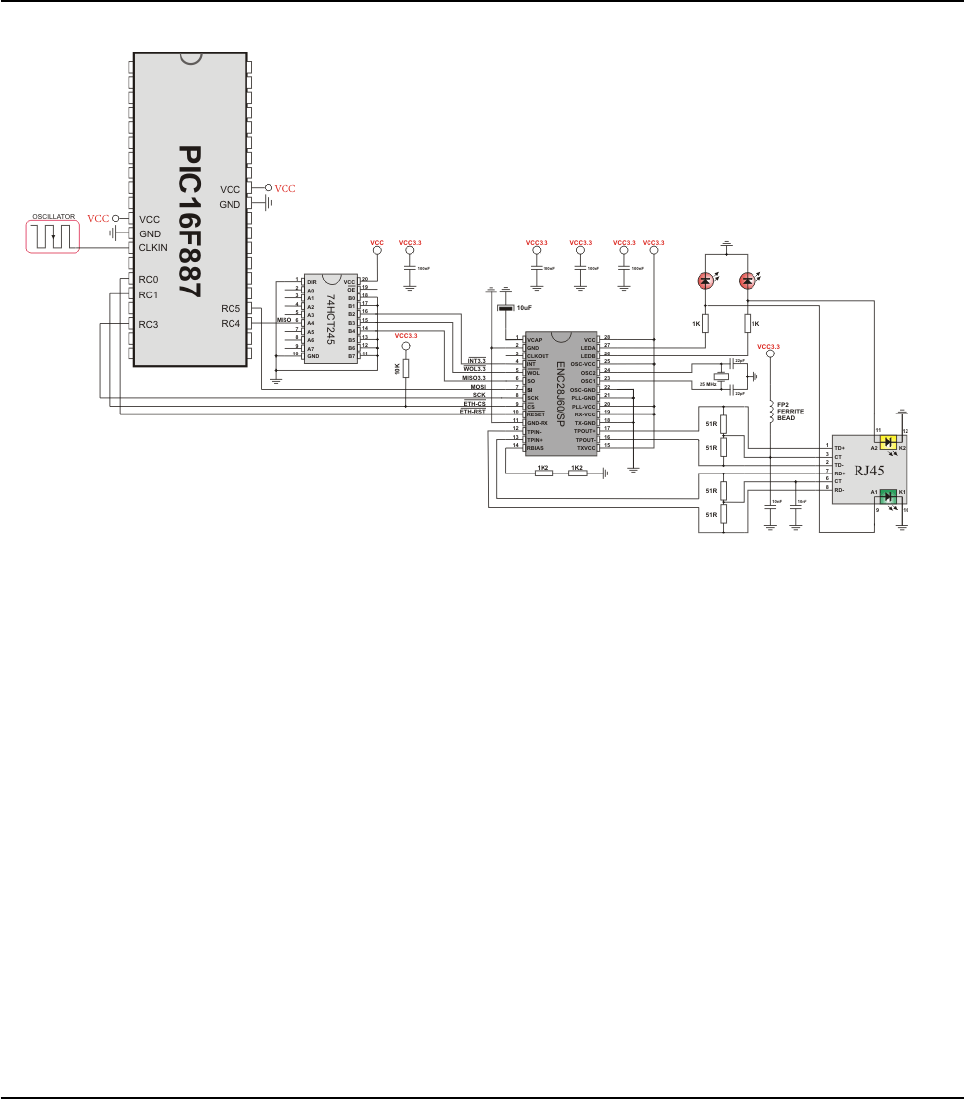
HW Connection
439
MIKROELEKTRONIKA - SOFTWARE AND HARDWARE SOLUTIONS FOR EMBEDDED WORLD
Libraries
mikroBasic PRO for PIC
CHAPTER 7

SPI GRAPHIC LCD LIBRARY
The mikroBasic PRO for PIC provides a library for operating Graphic Lcd 128x64
(with commonly used Samsung KS108/KS107 controller) via SPI interface.
For creating a custom set of Glcd images use Glcd Bitmap Editor Tool.
Note: The library uses the SPI module for communication. User must initialize SPI
module before using the SPI Graphic Lcd Library.
For MCUs with two SPI modules it is possible to initialize both of them and then
switch by using the SPI_Set_Active() routine.
Note: This Library is designed to work with the mikroElektronika's Serial Lcd/Glcd
Adapter Board pinout, see schematic at the bottom of this page for details.
External dependencies of SPI Graphic LCD Library
The implementation of SPI Graphic LCD Library routines is based on Port Expander
Library routines.
External dependencies are the same as Port Expander Library external dependencies.
Library Routines
Basic routines:
SPI_Glcd_Init
SPI_Glcd_Set_Side
SPI_Glcd_Set_Page
SPI_Glcd_Set_X
SPI_Glcd_Read_Data
SPI_Glcd_Write_Data
Advanced routines:
SPI_Glcd_Fill
SPI_Glcd_Dot
SPI_Glcd_Line
SPI_Glcd_V_Line
SPI_Glcd_H_Line
SPI_Glcd_Rectangle
SPI_Glcd_Box
SPI_Glcd_Circle
SPI_Glcd_Set_Font
SPI_Glcd_Write_Char
SPI_Glcd_Write_Text
SPI_Glcd_Image
440 MIKROELEKTRONIKA - SOFTWARE AND HARDWARE SOLUTIONS FOR EMBEDDED WORLD
Libraries mikroBasic PRO for PIC
CHAPTER 7

441
MIKROELEKTRONIKA - SOFTWARE AND HARDWARE SOLUTIONS FOR EMBEDDED WORLD
Libraries
mikroBasic PRO for PIC
CHAPTER 7
SPI_Glcd_Init
Prototype sub procedure SPI_Glcd_Init(dim DeviceAddress as byte)
Returns Nothing.
Description
Initializes the Glcd module via SPI interface.
Parameters :
DeviceAddress: SPI expander hardware address, see schematic at
the bottom of this page
Requires
Global variables :
SPExpanderCS: Chip Select line
SPExpanderRST: Reset line
SPExpanderCS_Direction: Direction of the Chip Select pin
SPExpanderRST_Direction: Direction of the Reset pin
must be defined before using this function.
SPI module needs to be initialized. See SPI1_Init and SPI1_Init_Advanced rou-
tines.
Example
' port expander pinout definition
dim SPExpanderRST as sbit at RC0_bit
SPExpanderCS as sbit at RC1_bit
SPExpanderRST_Direction as sbit at TRISC0_bit
SPExpanderCS_Direction as sbit at TRISC1_bit
' end of port expander pinout definition
...
' If Port Expander Library uses SPI1 module :
SPI1_Init() ' Initialize SPI module used with PortExpander
SPI_Glcd_Init(0)

442 MIKROELEKTRONIKA - SOFTWARE AND HARDWARE SOLUTIONS FOR EMBEDDED WORLD
Libraries mikroBasic PRO for PIC
CHAPTER 7
SPI_Glcd_Set_Side
SPI_Glcd_Set_Page
Prototype sub procedure SPI_Glcd_Set_Side(dim x_pos as byte)
Returns Nothing.
Description
Selects Glcd side. Refer to the Glcd datasheet for detail explanation.
Parameters :
x_pos: position on x-axis. Valid values: 0..127
The parameter x_pos specifies the Glcd side: values from 0 to 63 specify the
left side, values from 64 to 127 specify the right side.
Note: For side, x axis and page layout explanation see schematic at the bottom
of this page.
Requires Glcd needs to be initialized for SPI communication, see Spi_Glcd_Init routines.
Example
The following two lines are equivalent, and both of them select the left side of Glcd:
SPI_Glcd_Set_Side(0);
SPI_Glcd_Set_Side(10);
Prototype procedure Spi_Glcd_Set_Page(page : byte);
Returns Nothing.
Description
Selects page of Glcd.
Parameters :
page: page number. Valid values: 0..7
Note: For side, x axis and page layout explanation see schematic at the bottom
of this page.
Requires Glcd needs to be initialized for SPI communication, see SPI_Glcd_Init routines.
Example SPI_Glcd_Set_Page(5)

443
MIKROELEKTRONIKA - SOFTWARE AND HARDWARE SOLUTIONS FOR EMBEDDED WORLD
Libraries
mikroBasic PRO for PIC
CHAPTER 7
SPI_Glcd_Set_X
SPI_Glcd_Read_Data
Prototype sub procedure SPI_Glcd_Set_X(dim x_pos as byte)
Returns Nothing.
Description
Sets x-axis position to x_pos dots from the left border of Glcd within the select-
ed side.
Parameters :
x_pos: position on x-axis. Valid values: 0..63
Note: For side, x axis and page layout explanation see schematic at the bottom
of this page.
Requires Glcd needs to be initialized for SPI communication, see SPI_Glcd_Init routines.
Example SPI_Glcd_Set_X(25)
Prototype sub function SPI_Glcd_Read_Data() as byte
Returns One byte from Glcd memory.
Description Reads data from the current location of Glcd memory and moves to the next
location.
Requires
Glcd needs to be initialized for SPI communication, see SPI_Glcd_Init routines.
Glcd side, x-axis position and page should be set first. See the functions
SPI_Glcd_Set_Side, SPI_Glcd_Set_X, and SPI_Glcd_Set_Page.
Example
dim data as byte
...
data = SPI_Glcd_Read_Data()

444 MIKROELEKTRONIKA - SOFTWARE AND HARDWARE SOLUTIONS FOR EMBEDDED WORLD
Libraries mikroBasic PRO for PIC
CHAPTER 7
SPI_Glcd_Write_Data
SPI_Glcd_Fill
Prototype sub procedure SPI_Glcd_Write_Data(dim Ddata as byte)
Returns Nothing.
Description
Writes one byte to the current location in Glcd memory and moves to the next
location.
Parameters :
Ddata: data to be written
Requires
Glcd needs to be initialized for SPI communication, see SPI_Glcd_Init routines.
Glcd side, x-axis position and page should be set first. See the functions
SPI_Glcd_Set_Side, SPI_Glcd_Set_X, and SPI_Glcd_Set_Page.
Example
dim ddata as byte
...
SPI_Glcd_Write_Data(ddata)
Prototype sub procedure SPI_Glcd_Fill(dim pattern as byte)
Returns Nothing.
Description
Fills Glcd memory with byte pattern.
Parameters :
pattern: byte to fill Glcd memory with
To clear the Glcd screen, use SPI_Glcd_Fill(0).
To fill the screen completely, use SPI_Glcd_Fill(0xFF).
Requires Glcd needs to be initialized for SPI communication, see SPI_Glcd_Init routines.
Example ' Clear screen
SPI_Glcd_Fill(0)
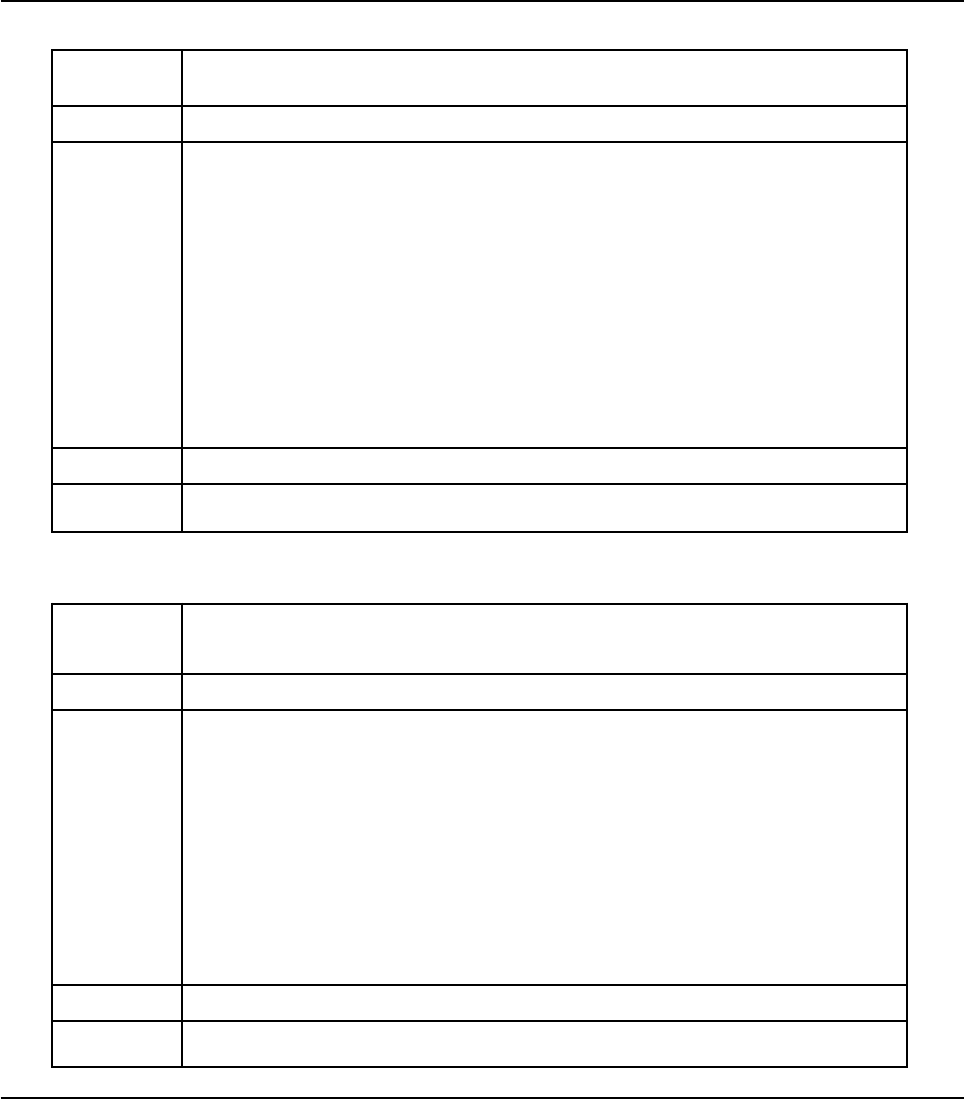
445
MIKROELEKTRONIKA - SOFTWARE AND HARDWARE SOLUTIONS FOR EMBEDDED WORLD
Libraries
mikroBasic PRO for PIC
CHAPTER 7
SPI_Glcd_Dot
SPI_Glcd_Line
Prototype sub procedure SPI_Glcd_Dot(dim x_pos as byte, dim y_pos as byte,
dim color as byte)
Returns Nothing.
Description
Draws a dot on Glcd at coordinates (x_pos, y_pos).
Parameters :
x_pos: x position. Valid values: 0..127
y_pos: y position. Valid values: 0..63
color: color parameter. Valid values: 0..2
The parameter color determines the dot state: 0 clears dot, 1 puts a dot, and 2
inverts dot state.
Note: For x and y axis layout explanation see schematic at the bottom of this page.
Requires Glcd needs to be initialized for SPI communication, see SPI_Glcd_Init routines.
Example ‘Invert the dot in the upper left corner
SPI_Glcd_Dot(0, 0, 2)
Prototype
sub procedure SPI_Glcd_Line(dim x_start as integer, dim y_start
as integer, dim x_end as integer, dim y_end as integer, dim color
as byte)
Returns Nothing.
Description
Draws a line on Glcd.
Parameters :
x_start: x coordinate of the line start. Valid values: 0..127
y_start: y coordinate of the line start. Valid values: 0..63
x_end: x coordinate of the line end. Valid values: 0..127
y_end: y coordinate of the line end. Valid values: 0..63
color: color parameter. Valid values: 0..2
Parameter color determines the line color: 0 white, 1 black, and 2 inverts each dot.
Requires Glcd needs to be initialized for SPI communication, see SPI_Glcd_Init routines.
Example ' Draw a line between dots (0,0) and (20,30)
SPI_Glcd_Line(0, 0, 20, 30, 1)

446 MIKROELEKTRONIKA - SOFTWARE AND HARDWARE SOLUTIONS FOR EMBEDDED WORLD
Libraries mikroBasic PRO for PIC
CHAPTER 7
SPI_Glcd_V_Line
SPI_Glcd_H_Line
Prototype sub procedure SPI_Glcd_V_Line(dim y_start as byte,dim y_end as
byte, dim x_pos as byte, dim color as byte)
Returns Nothing.
Description
Draws a vertical line on Glcd.
Parameters :
y_start: y coordinate of the line start. Valid values: 0..63
y_end: y coordinate of the line end. Valid values: 0..63
x_pos: x coordinate of vertical line. Valid values: 0..127
color: color parameter. Valid values: 0..2
Parameter color determines the line color: 0 white, 1 black, and 2 inverts each
dot.
Requires Glcd needs to be initialized for SPI communication, see SPI_Glcd_Init routines.
Example ' Draw a vertical line between dots (10,5) and (10,25)
SPI_Glcd_V_Line(5, 25, 10, 1)
Prototype sub procedure SPI_Glcd_V_Line(dim x_start as byte, dim x_end as
byte, dim y_pos as byte, dim color as byte)
Returns Nothing.
Description
Draws a horizontal line on Glcd.
Parameters :
x_start: x coordinate of the line start. Valid values: 0..127
x_end: x coordinate of the line end. Valid values: 0..127
y_pos: y coordinate of horizontal line. Valid values: 0..63
color: color parameter. Valid values: 0..2
The parameter color determines the line color: 0 white, 1 black, and 2 inverts
each dot.
Requires Glcd needs to be initialized for SPI communication, see SPI_Glcd_Init routines.
Example ‘Draw a horizontal line between dots (10,20) and (50,20)
SPI_Glcd_H_Line(10, 50, 20, 1)

447
MIKROELEKTRONIKA - SOFTWARE AND HARDWARE SOLUTIONS FOR EMBEDDED WORLD
Libraries
mikroBasic PRO for PIC
CHAPTER 7
SPI_Glcd_Rectangle
Prototype
sub procedure SPI_Glcd_Rectangle(dim x_upper_left as byte, dim
y_upper_left as byte, dim x_bottom_right as byte, dim y_bottom_right
as byte, dim color as byte)
Returns Nothing.
Description
Draws a rectangle on Glcd.
Parameters :
x_upper_left: x coordinate of the upper left rectangle corner. Valid values:
0..127
y_upper_left: y coordinate of the upper left rectangle corner. Valid values:
0..63
x_bottom_right: x coordinate of the lower right rectangle corner. Valid val
ues: 0..127
y_bottom_right: y coordinate of the lower right rectangle corner. Valid values:
0..63
color: color parameter. Valid values: 0..2
The parameter color determines the color of the rectangle border: 0 white, 1 black,
and 2 inverts each dot.
Requires Glcd needs to be initialized for SPI communication, see S_Glcd_Init routines.
Example ' Draw a rectangle between dots (5,5) and (40,40)
SPI_Glcd_Rectangle(5, 5, 40, 40, 1)

448 MIKROELEKTRONIKA - SOFTWARE AND HARDWARE SOLUTIONS FOR EMBEDDED WORLD
Libraries mikroBasic PRO for PIC
CHAPTER 7
SPI_Glcd_Box
SPI_Glcd_Circle
Prototype sub procedure SPI_Glcd_Circle(dim x_center as integer, dim y_cen-
ter as integer, dim radius as integer, dim color as byte)
Returns Nothing.
Description
Draws a circle on Glcd.
Parameters :
x_center: x coordinate of the circle center. Valid values: 0..127
y_center: y coordinate of the circle center. Valid values: 0..63
radius: radius size
color: color parameter. Valid values: 0..2
The parameter color determines the color of the circle line: 0 white, 1 black,
and 2 inverts each dot.
Requires Glcd needs to be initialized for SPI communication, see SPI_Glcd_Init routine.
Example ' Draw a circle with center in (50,50) and radius=10
SPI_Glcd_Circle(50, 50, 10, 1)
Prototype
sub procedure SPI_Glcd_Box(dim x_upper_left as byte, dim
y_upper_left as byte, dim x_bottom_right as byte, dim
y_bottom_right as byte, dim color as byte)
Returns Nothing.
Description
Draws a box on Glcd.
Parameters :
x_upper_left: x coordinate of the upper left box corner. Valid values:
0..127
y_upper_left: y coordinate of the upper left box corner. Valid values:
0..63
x_bottom_right: x coordinate of the lower right box corner. Valid values:
0..127
y_bottom_right: y coordinate of the lower right box corner. Valid values:
0..63
color: color parameter. Valid values: 0..2
The parameter color determines the color of the box fill: 0 white, 1 black, and
2 inverts each dot.
Requires Glcd needs to be initialized for SPI communication, see SPI_Glcd_Init routines.
Example ' Draw a box between dots (5,15) and (20,40)
SPI_Glcd_Box(5, 15, 20, 40, 1)

449
MIKROELEKTRONIKA - SOFTWARE AND HARDWARE SOLUTIONS FOR EMBEDDED WORLD
Libraries
mikroBasic PRO for PIC
CHAPTER 7
SPI_Glcd_Set_Font
Prototype
sub procedure SPI_Glcd_Set_Font(dim activeFont as longint, dim
aFontWidth as byte, dim aFontHeight as byte, dim aFontOffs as
word)
Returns Nothing.
Description
Sets font that will be used with SPI_Glcd_Write_Char and SPI_Glcd_Write_Text
routines.
Parameters :
activeFont: font to be set. Needs to be formatted as an array of char
aFontWidth: width of the font characters in dots.
aFontHeight: height of the font characters in dots.
aFontOffs: number that represents difference between the mikroBasic
PRO for PIC character set and regular ASCII set (eg. if 'A' is 65 in ASCII
character, and 'A' is 45 in the mikroBasic PRO for PIC character set,
aFontOffs is 20). Demo fonts supplied with the library have an offset of
32, which means that they start with space.
The user can use fonts given in the file “__Lib_Glcd_fonts.mbas” file located in
the Uses folder or create his own fonts.
Requires Glcd needs to be initialized for SPI communication, see SPI_Glcd_Init routines.
Example ' Use the custom 5x7 font "myfont" which starts with space (32):
SPI_Glcd_Set_Font(@myfont, 5, 7, 32)

450 MIKROELEKTRONIKA - SOFTWARE AND HARDWARE SOLUTIONS FOR EMBEDDED WORLD
Libraries mikroBasic PRO for PIC
CHAPTER 7
SPI_Glcd_Write_Char
Prototype sub procedure SPI_Glcd_Write_Char(dim chr1 as byte, dim x_pos as
byte, dim page_num as byte, dim color as byte)
Returns Nothing.
Description
Prints character on Glcd.
Parameters :
chr1: character to be written
x_pos: character starting position on x-axis. Valid values: 0..(127-Fon-
tWidth)
page_num: the number of the page on which character will be written. Valid
values: 0..7
color: color parameter. Valid values: 0..2
The parameter color determines the color of the character: 0 white, 1 black, and
2 inverts each dot.
Note: For x axis and page layout explanation see schematic at the bottom of
this page.
Requires
Glcd needs to be initialized for SPI communication, see SPI_Glcd_Init routines.
Use the SPI_Glcd_Set_Font to specify the font for display; if no font is specified, then
the default 5x8 font supplied with the library will be used.
Example ' Write character 'C' on the position 10 inside the page 2:
SPI_Glcd_Write_Char("C", 10, 2, 1)

451
MIKROELEKTRONIKA - SOFTWARE AND HARDWARE SOLUTIONS FOR EMBEDDED WORLD
Libraries
mikroBasic PRO for PIC
CHAPTER 7
SPI_Glcd_Write_Text
Prototype sub procedure SPI_Glcd_Write_Text(dim byref text as string[40],
dim x_pos as byte, dim page_numb as byte, dim color as byte)
Returns Nothing.
Description
Prints text on Glcd.
Parameters :
text: text to be written
x_pos: text starting position on x-axis.
page_num: the number of the page on which text will be written. Valid values:
0..7
color: color parameter. Valid values: 0..2
The parameter color determines the color of the text: 0 white, 1 black, and 2
inverts each dot.
Note: For x axis and page layout explanation see schematic at the bottom of
this page.
Requires
Glcd needs to be initialized for SPI communication, see SPI_Glcd_Init routines.
Use the SPI_Glcd_Set_Font to specify the font for display; if no font is speci-
fied, then the default 5x8 font supplied with the library will be used.
Example ' Write text "Hello world!" on the position 10 inside the page 2:
SPI_Glcd_Write_Text("Hello world!", 10, 2, 1)

SPI_Glcd_Image
Library Example
The example demonstrates how to communicate to KS0108 Glcd via the SPI module, using seri-
al to parallel convertor MCP23S17.
program SPI_Glcd
include bitmap
' Port Expander module connections
dim SPExpanderRST as sbit at RC0_bit
SPExpanderCS as sbit at RC1_bit
SPExpanderRST_Direction as sbit at TRISC0_bit
SPExpanderCS_Direction as sbit at TRISC1_bit
' End Port Expander module connections
dim someText as char[20]
counter as byte
sub procedure Delay2S
delay_ms(2000)
end sub
main:
SPI1_Init_Advanced(_SPI_MASTER_OSC_DIV4,_SPI_DATA_SAMPLE_MIDDLE,
_SPI_CLK_IDLE_LOW, _SPI_LOW_2_HIGH) ' Initialize SPI module
452 MIKROELEKTRONIKA - SOFTWARE AND HARDWARE SOLUTIONS FOR EMBEDDED WORLD
Libraries mikroBasic PRO for PIC
CHAPTER 7
Prototype sub procedure SPI_Glcd_Image(dim const image as ^byte)
Returns Nothing.
Description
Displays bitmap on Glcd.
Parameters :
image: image to be displayed. Bitmap array can be located in both code
and RAM memory (due to the mikroBasic PRO for PIC pointer to const
and pointer to RAM equivalency).
Use the mikroBasic PRO’s integrated Glcd Bitmap Editor (menu option Tools ›
Glcd Bitmap Editor) to convert image to a constant array suitable for display-
ing on Glcd.
Requires Glcd needs to be initialized for SPI communication, see SPI_Glcd_Init routines.
Example ' Draw image my_image on Glcd
SPI_Glcd_Image(my_image)

used with PortExpander
SPI_Glcd_Init(0) ' Initialize Glcd via SPI
SPI_Glcd_Fill(0x00) ' Clear Glcd
while TRUE
SPI_Glcd_Image(@truck_bmp) ' Draw image
Delay2s() Delay2s()
SPI_Glcd_Fill(0x00) ' Clear Glcd
Delay2s
SPI_Glcd_Box(62,40,124,56,1) ' Draw box
SPI_Glcd_Rectangle(5,5,84,35,1) ' Draw rectangle
SPI_Glcd_Line(0, 63, 127, 0,1) ' Draw line
Delay2s()
counter = 5
while (counter < 60) ' Draw horizontal and vertical line
Delay_ms(250)
SPI_Glcd_V_Line(2, 54, counter, 1)
SPI_Glcd_H_Line(2, 120, counter, 1)
counter = counter + 5
wend
Delay2s()
SPI_Glcd_Fill(0x00) ' Clear Glcd
SPI_Glcd_Set_Font(@Character8x7, 8, 8, 32) ' Choose font
SPI_Glcd_Write_Text("mikroE", 5, 7, 2) ' Write string
for counter = 1 to 10 ' Draw circles
SPI_Glcd_Circle(63,32, 3*counter, 1)
next counter
Delay2s()
SPI_Glcd_Box(12,20, 70,63, 2) ' Draw box
Delay2s()
SPI_Glcd_Fill(0xFF) ' Fill Glcd
SPI_Glcd_Set_Font(@Character8x7, 8, 7, 32) ' Change font
someText = "8x7 Font"
SPI_Glcd_Write_Text(someText, 5, 1, 2) ' Write string
Delay2s()
SPI_Glcd_Set_Font(@System3x6, 3, 5, 32) ' Change font
someText = "3X5 CAPITALS ONLY"
SPI_Glcd_Write_Text(someText, 5, 3, 2) ' Write string
Delay2s()
SPI_Glcd_Set_Font(@font5x7, 5, 7, 32) ' Change font
someText = "5x7 Font"
SPI_Glcd_Write_Text(someText, 5, 5, 2) ' Write string
Delay2s()
wend
end.
453
MIKROELEKTRONIKA - SOFTWARE AND HARDWARE SOLUTIONS FOR EMBEDDED WORLD
Libraries
mikroBasic PRO for PIC
CHAPTER 7
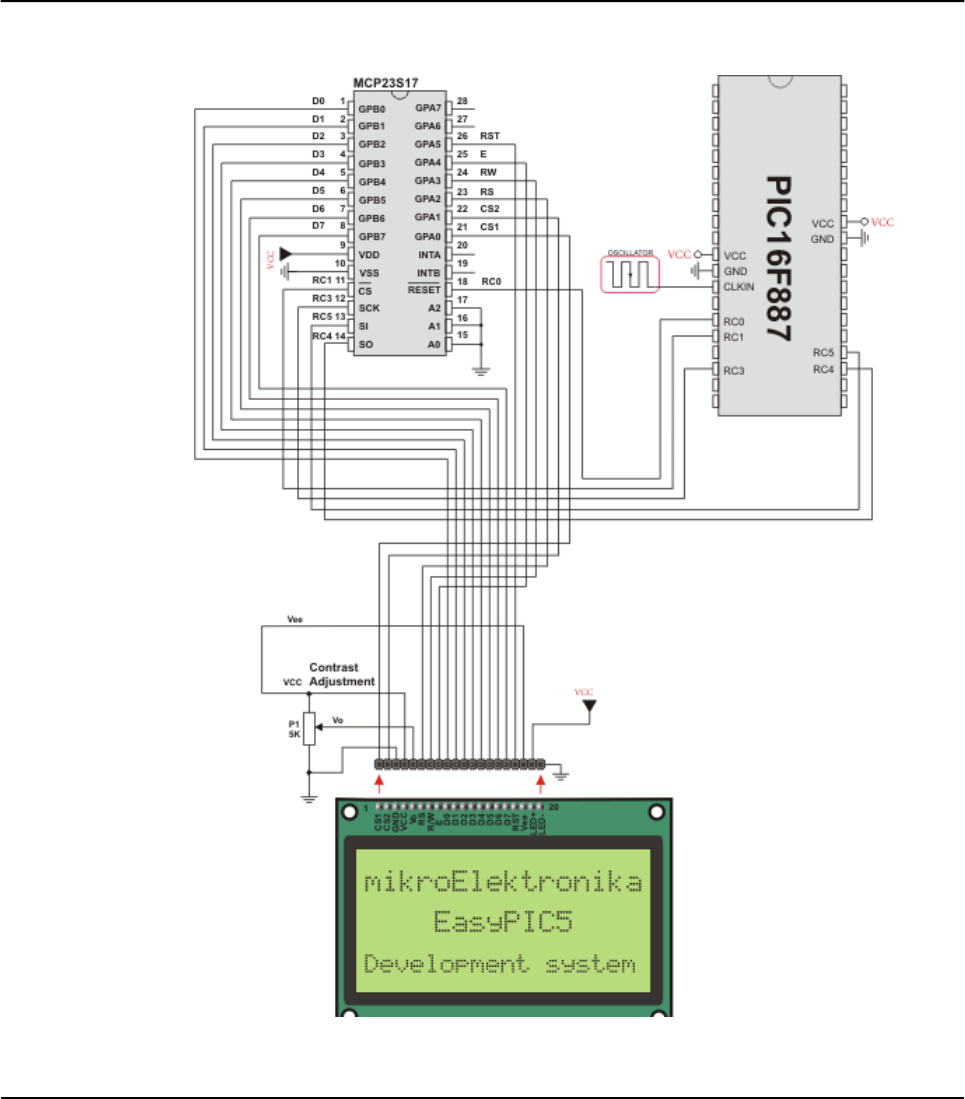
HW Connection
SPI GLCD HW connection
454 MIKROELEKTRONIKA - SOFTWARE AND HARDWARE SOLUTIONS FOR EMBEDDED WORLD
Libraries mikroBasic PRO for PIC
CHAPTER 7

SPI LCD LIBRARY
The mikroBasic PRO for PIC provides a library for communication with Lcd (with
HD44780 compliant controllers) in 4-bit mode via SPI interface.
For creating a custom set of Lcd characters use Lcd Custom Character Tool.
Note: The library uses the SPI module for communication. The user must initialize
the SPI module before using the SPI Lcd Library.
For MCUs with two SPI modules it is possible to initialize both of them and then
switch by using the SPI_Set_Active() routine.
Note: This Library is designed to work with the mikroElektronika's Serial Lcd
Adapter Board pinout. See schematic at the bottom of this page for details.
External dependencies of SPI LCD Library
The implementation of SPI LCD Library routines is based on Port Expander Library
routines.
External dependencies are the same as Port Expander Library external dependen-
cies.
Library Routines
Spi_Lcd_Config
Spi_Lcd_Out
Spi_Lcd_Out_Cp
Spi_Lcd_Chr
Spi_Lcd_Chr_Cp
Spi_Lcd_Cmd
455
MIKROELEKTRONIKA - SOFTWARE AND HARDWARE SOLUTIONS FOR EMBEDDED WORLD
Libraries
mikroBasic PRO for PIC
CHAPTER 7

456 MIKROELEKTRONIKA - SOFTWARE AND HARDWARE SOLUTIONS FOR EMBEDDED WORLD
Libraries mikroBasic PRO for PIC
CHAPTER 7
SPI_Lcd_Config
SPI_Lcd_Out
Prototype sub procedure SPI_Lcd_Config(dim DeviceAddress as byte)
Returns Nothing.
Description
Initializes the Lcd module via SPI interface.
Parameters :
DeviceAddress: SPI expander hardware address, see schematic at the
bottom of this page
Requires
Global variables :
SPExpanderCS: Chip Select line
SPExpanderRST: Reset line
SPExpanderCS_Direction: Direction of the Chip Select pin
SPExpanderRST_Direction: Direction of the Reset pin
Example
' port expander pinout definition
dim SPExpanderRST as sbit at RC0_bit
SPExpanderCS as sbit at RC1_bit
SPExpanderRST_Direction as sbit at TRISC0_bit
SPExpanderCS_Direction as sbit at TRISC1_bit
' end of port expander pinout definition
...
' If Port Expander Library uses SPI1 module
SPI1_Init() ' Initialize SPI module used with POrtExpander
SPI_Lcd_Config(0) ' initialize lcd over spi interface
Prototype sub procedure SPI_Lcd_Out(dim row as byte, dim column as byte,
dim byref text as string[20])
Returns Nothing.
Description
Prints text on the Lcd starting from specified position. Both string variables and
literals can be passed as a text.
Parameters:
row: starting position row number
column: starting position column number
text: text to be written
Requires Lcd needs to be initialized for SPI communication, see SPI_Lcd_Config routines.
Example ' Write text "Hello!" on Lcd starting from row 1, column 3:
SPI_Lcd_Out(1, 3, "Hello!")

457
MIKROELEKTRONIKA - SOFTWARE AND HARDWARE SOLUTIONS FOR EMBEDDED WORLD
Libraries
mikroBasic PRO for PIC
CHAPTER 7
SPI_Lcd_Out_Cp
SPI_Lcd_Chr
Prototype sub procedure SPI_Lcd_Out_CP(dim text as string[19])
Returns Nothing.
Description
Prints text on the Lcd at current cursor position. Both string variables and liter-
als can be passed as a text.
Parameters :
text: text to be written
Requires Lcd needs to be initialized for SPI communication, see SPI_Lcd_Config routines.
Example ‘Write text "Here!" at current cursor position:
SPI_Lcd_Out_CP("Here!")
Prototype sub procedure SPI_Lcd_Chr(dim Row as byte, dim Column as byte, dim
Out_Char as byte)
Returns Nothing.
Description
Prints character on Lcd at specified position. Both variables and literals can be
passed as character.
Parameters :
Row: writing position row number
Column: writing position column number
Out_Char: character to be written
Requires Lcd needs to be initialized for SPI communication, see SPI_Lcd_Config routines.
Example ' Write character "i" at row 2, column 3:
SPI_Lcd_Chr(2, 3, 'i')

458 MIKROELEKTRONIKA - SOFTWARE AND HARDWARE SOLUTIONS FOR EMBEDDED WORLD
Libraries mikroBasic PRO for PIC
CHAPTER 7
SPI_Lcd_Chr_Cp
SPI_Lcd_Cmd
Prototype sub procedure SPI_Lcd_Chr_CP(dim Out_Char as byte)
Returns Nothing.
Description
Prints character on Lcd at current cursor position. Both variables and literals
can be passed as character.
Parameters :
Out_Char: character to be written
Requires Lcd needs to be initialized for SPI communication, see SPI_Lcd_Config routines.
Example ' Write character "e" at current cursor position:
SPI_Lcd_Chr_Cp('e')
Prototype sub procedure SPI_Lcd_Cmd(dim out_char as byte)
Returns Nothing.
Description
Sends command to Lcd.
Parameters :
out_char: command to be sent
Note: Predefined constants can be passed to the function, see Available SPI
Lcd Commands.
Requires Lcd needs to be initialized for SPI communication, see SPI_Lcd_Config routines.
Example ' Clear Lcd display:
SPI_Lcd_Cmd(_LCD_CLEAR)

Available LCD Commands
459
MIKROELEKTRONIKA - SOFTWARE AND HARDWARE SOLUTIONS FOR EMBEDDED WORLD
Libraries
mikroBasic PRO for PIC
CHAPTER 7
Lcd Command Purpose
_LCD_FIRST_ROW Move cursor to the 1st row
_LCD_SECOND_ROW Move cursor to the 2nd row
_LCD_THIRD_ROW Move cursor to the 3rd row
_LCD_FOURTH_ROW Move cursor to the 4th row
_LCD_CLEAR Clear display
_LCD_RETURN_HOME Return cursor to home position, returns a shifted display
to its original position. Display data RAM is unaffected.
_LCD_CURSOR_OFF Turn off cursor
_LCD_UNDERLINE_ON Underline cursor on
_LCD_BLINK_CURSOR_ON Blink cursor on
_LCD_MOVE_CURSOR_LEFT Move cursor left without changing display data RAM
_LCD_MOVE_CURSOR_RIGHT Move cursor right without changing display data RAM
_LCD_TURN_ON Turn Lcd display on
_LCD_TURN_OFF Turn Lcd display off
_LCD_SHIFT_LEFT Shift display left without changing display data RAM
_LCD_SHIFT_RIGHT Shift display right without changing display data RAM

Library Example
This example demonstrates how to communicate Lcd via the SPI module, using
serial to parallel convertor MCP23S17.
program SPI_Lcd
dim text as char[17]
' Port Expander module connections
dim SPExpanderRST as sbit at RC0_bit
SPExpanderCS as sbit at RC1_bit
SPExpanderRST_Direction as sbit at TRISC0_bit
SPExpanderCS_Direction as sbit at TRISC1_bit
' End Port Expander module connections
main:
text = "mikroElektronika"
SPI1_Init() ' Initialize SPI module used with
PortExpander
SPI_Lcd_Config(0) ' Initialize Lcd over SPI inter-
face
SPI_Lcd_Cmd(_LCD_CLEAR) ' Clear display
SPI_Lcd_Cmd(_LCD_CURSOR_OFF) ' Turn cursor off
SPI_Lcd_Out(1,6, "mikroE") ' Print text to Lcd, 1st row,
6th column
SPI_Lcd_Chr_CP("!") ' Append "!"
SPI_Lcd_Out(2,1, text) ' Print text to Lcd, 2nd row, 1st
column
end.
460 MIKROELEKTRONIKA - SOFTWARE AND HARDWARE SOLUTIONS FOR EMBEDDED WORLD
Libraries mikroBasic PRO for PIC
CHAPTER 7
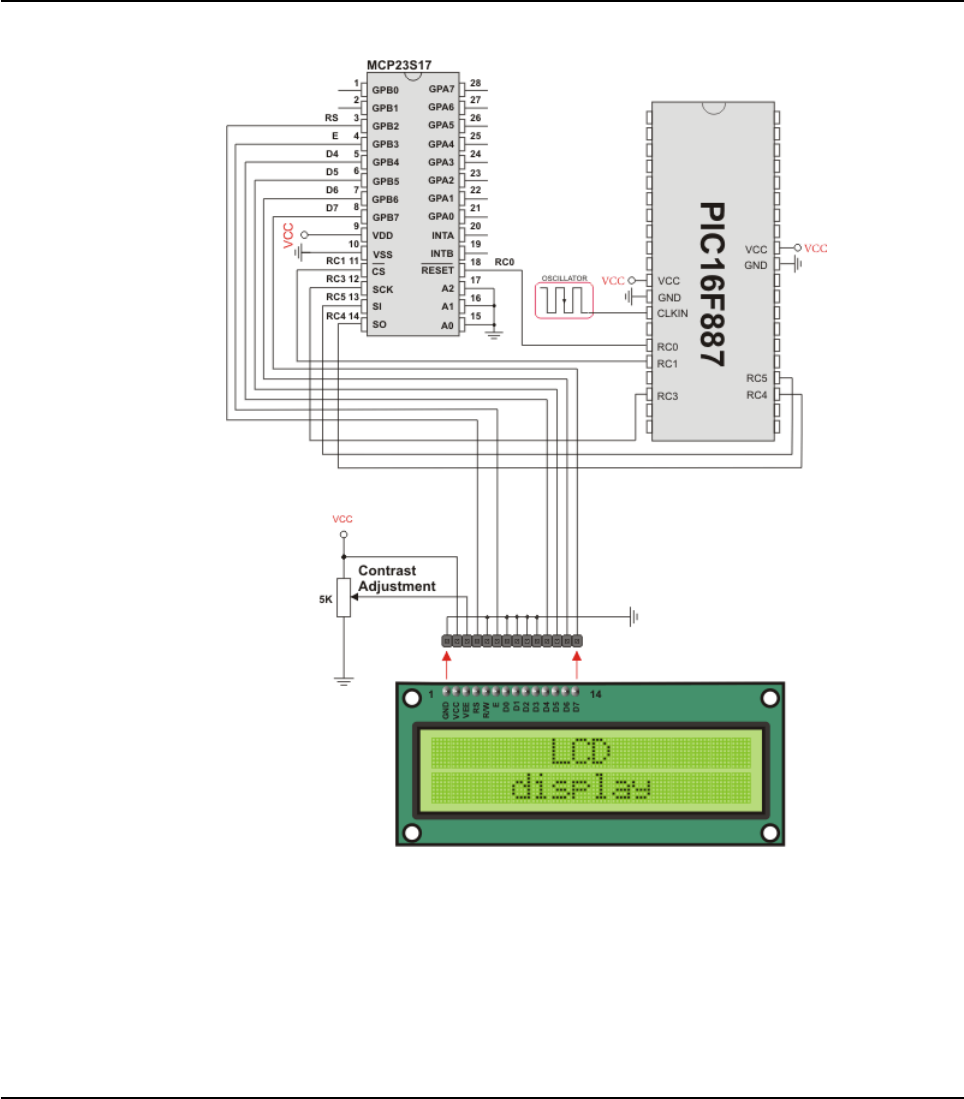
HW Connection
SPI LCD HW connection
461
MIKROELEKTRONIKA - SOFTWARE AND HARDWARE SOLUTIONS FOR EMBEDDED WORLD
Libraries
mikroBasic PRO for PIC
CHAPTER 7

SPI LCD8 (8-BIT INTERFACE) LIBRARY
The mikroBasic PRO for PIC provides a library for communication with Lcd (with
HD44780 compliant controllers) in 8-bit mode via SPI interface.
For creating a custom set of Lcd characters use Lcd Custom Character Tool.
Note: Library uses the SPI module for communication. The user must initialize the
SPI module before using the SPI Lcd Library.
For MCUs with two SPI modules it is possible to initialize both of them and then
switch by using the SPI_Set_Active() routine.
Note: This Library is designed to work with mikroElektronika's Serial Lcd/GLcd
Adapter Board pinout, see schematic at the bottom of this page for details.
External dependencies of SPI LCD Library
The implementation of SPI Lcd Library routines is based on Port Expander Library
routines.
External dependencies are the same as Port Expander Library external dependen-
cies.
Library Routines
SPI_Lcd8_Config
SPI_Lcd8_Out
SPI_Lcd8_Out_Cp
SPI_Lcd8_Chr
SPI_Lcd8_Chr_Cp
SPI_Lcd8_Cmd
462 MIKROELEKTRONIKA - SOFTWARE AND HARDWARE SOLUTIONS FOR EMBEDDED WORLD
Libraries mikroBasic PRO for PIC
CHAPTER 7
463
MIKROELEKTRONIKA - SOFTWARE AND HARDWARE SOLUTIONS FOR EMBEDDED WORLD
Libraries
mikroBasic PRO for PIC
CHAPTER 7
SPI_Lcd8_Config
SPI_Lcd8_Out
Prototype sub procedure SPI_Lcd8_Config(dim DeviceAddress as byte)
Returns Nothing.
Description
Initializes the Lcd module via SPI interface.
Parameters :
DeviceAddress: spi expander hardware address, see schematic at the bot
tom of this page
Requires
Global variables :
SPExpanderCS: Chip Select line
SPExpanderRST: Reset line
SPExpanderCS_Direction: Direction of the Chip Select pin
SPExpanderRST_Direction: Direction of the Reset pin
must be defined before using this function.
SPI module needs to be initialized. See SPI1_Init and SPI1_Init_Advanced rou-
tines.
Example
' port expander pinout definition
dim SPExpanderRST as sbit at RC0_bit
SPExpanderCS as sbit at RC1_bit
SPExpanderRST_Direction as sbit at TRISC0_bit
SPExpanderCS_Direction as sbit at TRISC1_bit
' end of port expander pinout definition
...
SPI1_Init() ' Initialize SPI interface
SPI_Lcd8_Config(0) ' Intialize Lcd in 8bit mode via spi
Prototype sub procedure SPI_Lcd8_Out(dim row as byte, dim column as byte,
dim byref text as string[19])
Returns Nothing.
Description
Prints text on Lcd starting from specified position. Both string variables and liter-
als can be passed as a text.
Parameters :
row: starting position row number
column: starting position column number
text: text to be written
Requires Lcd needs to be initialized for SPI communication, see SPI_Lcd8_Config routines
Example ' Write text "Hello!" on Lcd starting from row 1, column 3:
SPI_Lcd8_Out(1, 3, "Hello!")
464 MIKROELEKTRONIKA - SOFTWARE AND HARDWARE SOLUTIONS FOR EMBEDDED WORLD
Libraries mikroBasic PRO for PIC
CHAPTER 7
SPI_Lcd8_Out_Cp
SPI_Lcd8_Chr
Prototype sub procedure SPI_Lcd8_Out_CP(dim text as string[19])
Returns Nothing.
Description
Prints text on Lcd at current cursor position. Both string variables and literals
can be passed as a text.
Parameters :
text: text to be written
Requires Lcd needs to be initialized for SPI communication, see SPI_Lcd8_Config routines.
Example ' Write text "Here!" at current cursor position:
SPI_Lcd8_Out_CP("Here!")
Prototype sub procedure SPI_Lcd8_Chr(dim Row as byte, dim Column as byte, dim
Out_Char as byte)
Returns Nothing.
Description
Prints character on LCD at specified position. Both variables and literals can be
passed as character.
Parameters :
row: writing position row number
column: writing position column number
out_char: character to be written
Requires LCD needs to be initialized for SPI communication, see SPI_Lcd8_Config routines.
Example ' Write character "i" at row 2, column 3:
SPI_Lcd8_Chr(2, 3, 'i')

465
MIKROELEKTRONIKA - SOFTWARE AND HARDWARE SOLUTIONS FOR EMBEDDED WORLD
Libraries
mikroBasic PRO for PIC
CHAPTER 7
SPI_Lcd8_Chr_Cp
SPI_Lcd8_Cmd
Prototype sub procedure SPI_Lcd8_Chr_CP(dim Out_Char as byte)
Returns Nothing.
Description
Prints character on Lcd at current cursor position. Both variables and literals
can be passed as character.
Parameters :
out_char: character to be written
Requires Lcd needs to be initialized for SPI communication, see SPI_Lcd8_Config routines.
Example
Print “e” at current cursor position:
' Write character "e" at current cursor position:
SPI_Lcd8_Chr_Cp('e')
Prototype sub procedure SPI_Lcd8_Cmd(dim out_char as byte)
Returns Nothing.
Description
Sends command to Lcd.
Parameters :
out_char: command to be sent
Note: Predefined constants can be passed to the function, see Available SPI
Lcd8 Commands.
Requires Lcd needs to be initialized for SPI communication, see SPI_Lcd8_Config routines.
Example ' Clear Lcd display:
SPI_Lcd8_Cmd(_LCD_CLEAR)

Available LCD Commands
466 MIKROELEKTRONIKA - SOFTWARE AND HARDWARE SOLUTIONS FOR EMBEDDED WORLD
Libraries mikroBasic PRO for PIC
CHAPTER 7
Lcd Command Purpose
_LCD_FIRST_ROW Move cursor to the 1st row
_LCD_SECOND_ROW Move cursor to the 2nd row
_LCD_THIRD_ROW Move cursor to the 3rd row
_LCD_FOURTH_ROW Move cursor to the 4th row
_LCD_CLEAR Clear display
_LCD_RETURN_HOME Return cursor to home position, returns a shifted display
to its original position. Display data RAM is unaffected.
_LCD_CURSOR_OFF Turn off cursor
_LCD_UNDERLINE_ON Underline cursor on
_LCD_BLINK_CURSOR_ON Blink cursor on
_LCD_MOVE_CURSOR_LEFT Move cursor left without changing display data RAM
_LCD_MOVE_CURSOR_RIGHT Move cursor right without changing display data RAM
_LCD_TURN_ON Turn Lcd display on
_LCD_TURN_OFF Turn Lcd display off
_LCD_SHIFT_LEFT Shift display left without changing display data RAM
_LCD_SHIFT_RIGHT Shift display right without changing display data RAM

Library Example
This example demonstrates how to communicate Lcd in 8-bit mode via the SPI mod-
ule, using serial to parallel convertor MCP23S17.
program Spi_Lcd8_Test
dim text as char[16]
' Port Expander module connections
dim SPExpanderRST as sbit at RC0_bit
SPExpanderCS as sbit at RC1_bit
SPExpanderRST_Direction as sbit at TRISC0_bit
SPExpanderCS_Direction as sbit at TRISC1_bit
' End Port Expander module connections
main:
text = "mikroE"
SPI1_Init() ' Initialize SPI module used
with PortExpander
SPI_Lcd8_Config(0) ' Intialize Lcd in 8bit mode
via SPI
SPI_Lcd8_Cmd(_LCD_CLEAR) ' Clear display
SPI_Lcd8_Cmd(_LCD_CURSOR_OFF) ' Turn cursor off
SPI_Lcd8_Out(1,6, text) ' Print text to Lcd, 1st row,
6th column...
SPI_Lcd8_Chr_CP("!") ' Append "!"
SPI_Lcd8_Out(2,1, "mikroElektronika") ' Print text to Lcd, 2nd row,
1st column...
SPI_Lcd8_Out(3,1, text) ' For Lcd modules with more
than two rows
SPI_Lcd8_Out(4,15, text) ' For Lcd modules with more
than two rows
end.
467
MIKROELEKTRONIKA - SOFTWARE AND HARDWARE SOLUTIONS FOR EMBEDDED WORLD
Libraries
mikroBasic PRO for PIC
CHAPTER 7
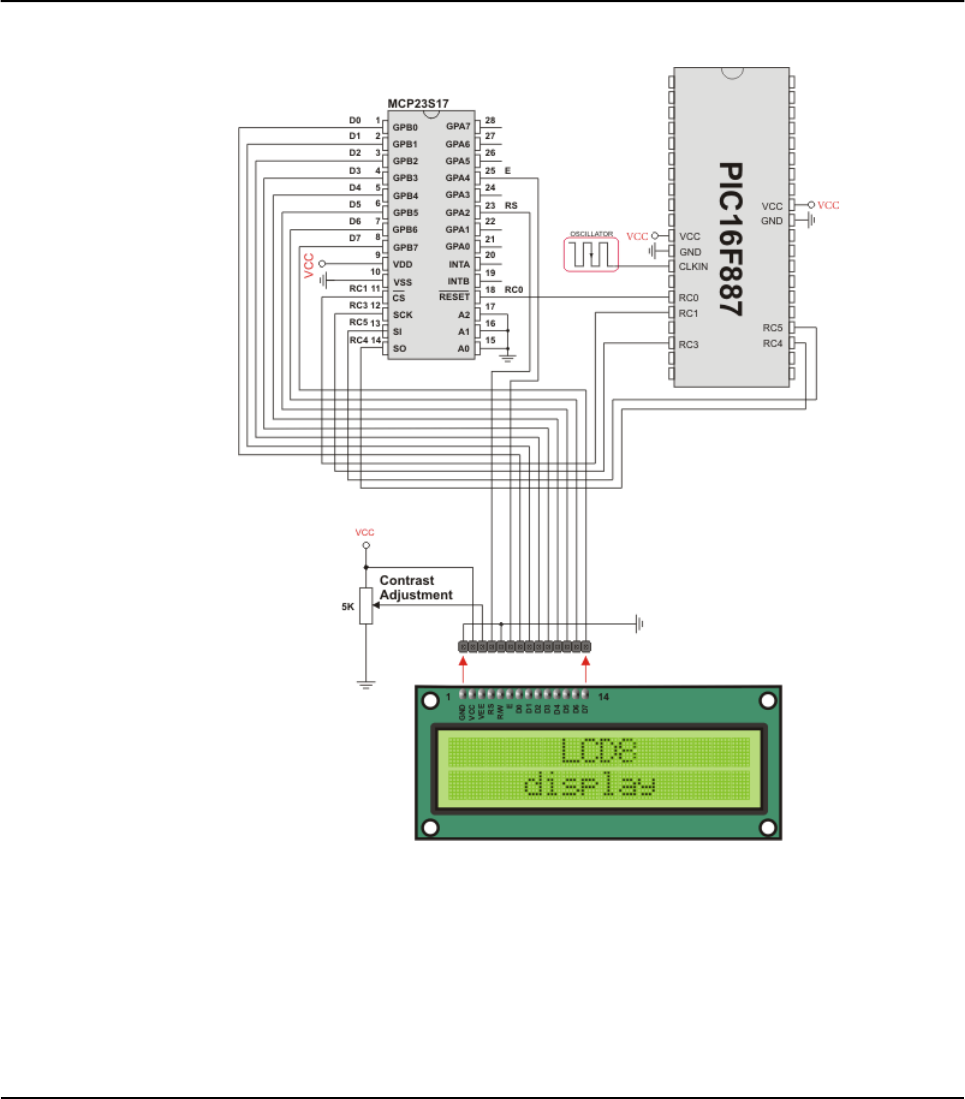
HW Connection
SPI LCD8 HW connection
468 MIKROELEKTRONIKA - SOFTWARE AND HARDWARE SOLUTIONS FOR EMBEDDED WORLD
Libraries mikroBasic PRO for PIC
CHAPTER 7
SPI T6963C GRAPHIC LCD LIBRARY
The mikroBasic PRO for PIC provides a library for working with Glcds based on
TOSHIBA T6963C controller via SPI interface. The Toshiba T6963C is a very popu-
lar Lcd controller for the use in small graphics modules. It is capable of controlling
displays with a resolution up to 240x128. Because of its low power and small out-
line it is most suitable for mobile applications such as PDAs, MP3 players or mobile
measurement equipment. Although this controller is small, it has a capability of dis-
playing and merging text and graphics and it manages all interfacing signals to the
displays Row and Column drivers.
For creating a custom set of Glcd images use Glcd Bitmap Editor Tool.
Note: The library uses the SPI module for communication. The user must initialize
SPI module before using the SPI T6963C Glcd Library.
For MCUs with two SPI modules it is possible to initialize both of them and then
switch by using the SPI_Set_Active() routine.
Note: This Library is designed to work with mikroElektronika's Serial Glcd 240x128
and 240x64 Adapter Boards pinout, see schematic at the bottom of this page for
details.
Note: Some mikroElektronika's adapter boards have pinout different from T6369C
datasheets. Appropriate relations between these labels are given in the table below:
External dependencies of SPI T6963C Graphic Lcd Library
The implementation of SPI T6963C Graphic Lcd Library routines is based on Port
Expander Library routines.
External dependencies are the same as Port Expander Library external dependencies.
469
MIKROELEKTRONIKA - SOFTWARE AND HARDWARE SOLUTIONS FOR EMBEDDED WORLD
Libraries
mikroBasic PRO for PIC
CHAPTER 7
Adapter Board T6369C datasheet
RS C/D
R/W /RD
E/WR

Library Routines
SPI_T6963C_Config
SPI_T6963C_WriteData
SPI_T6963C_WriteCommand
SPI_T6963C_SetPtr
SPI_T6963C_WaitReady
SPI_T6963C_Fill
SPI_T6963C_Dot
SPI_T6963C_Write_Char
SPI_T6963C_Write_Text
SPI_T6963C_Line
SPI_T6963C_Rectangle
SPI_T6963C_Box
SPI_T6963C_Circle
SPI_T6963C_Image
SPI_T6963C_Sprite
SPI_T6963C_Set_Cursor
SPI_T6963C_ClearBit
SPI_T6963C_SetBit
SPI_T6963C_NegBit
SPI_T6963C_DisplayGrPanel
SPI_T6963C_DisplayTxtPanel
SPI_T6963C_SetGrPanel
SPI_T6963C_SetTxtPanel
SPI_T6963C_PanelFill
SPI_T6963C_GrFill
SPI_T6963C_TxtFill
SPI_T6963C_Cursor_Height
SPI_T6963C_Graphics
SPI_T6963C_Text
SPI_T6963C_Cursor
SPI_T6963C_Cursor_Blink
470 MIKROELEKTRONIKA - SOFTWARE AND HARDWARE SOLUTIONS FOR EMBEDDED WORLD
Libraries mikroBasic PRO for PIC
CHAPTER 7

471
MIKROELEKTRONIKA - SOFTWARE AND HARDWARE SOLUTIONS FOR EMBEDDED WORLD
Libraries
mikroBasic PRO for PIC
CHAPTER 7
SPI_T6963C_Config
Prototype
sub procedure SPI_T6963C_Config(dim width as word, dim height as
word, dim fntW as word, dim DeviceAddress as byte, dim wr as
byte, dim rd as byte, dim cd as byte, dim rst as byte)
Returns Nothing.
Description
Initalizes the Graphic Lcd controller.
Parameters :
width: width of the GLCD panel
height: height of the GLCD panel
fntW: font width
DeviceAddress: SPI expander hardware address, see schematic at the
bottom of this page
wr: write signal pin on GLCD control port
rd: read signal pin on GLCD control port
cd: command/data signal pin on GLCD control port
rst: reset signal pin on GLCD control port
Display RAM organization:
The library cuts RAM into panels : a complete panel is one graphics panel fol-
lowed by a text panel (see schematic below).
schematic:
+--------------------- + /\
+ GRAPHICS PANEL #0 + |
+ + |
+ + |
+ + |
+--------------------- + | PANEL 0
+ TEXT PANEL #0 + |
+ + \/
+--------------------- + /\
+ GRAPHICS PANEL #1 + |
+ + |
+ + |
+ + |
+--------------------- + | PANEL 1
+ TEXT PANEL #2 + |
+ + |
+--------------------- + \/
Requires
Global variables :
SPExpanderCS: Chip Select line
SPExpanderRST: Reset line
SPExpanderCS_Direction: Direction of the Chip Select pin
472 MIKROELEKTRONIKA - SOFTWARE AND HARDWARE SOLUTIONS FOR EMBEDDED WORLD
Libraries mikroBasic PRO for PIC
CHAPTER 7
SPI_T6963C_WriteData
SPI_T6963C_WriteCommand
Requires
SPExpanderRST_Direction: Direction of the Reset pin
must be defined before using this function.
SPI module needs to be initialized. See SPI1_Init and SPI1_Init_Advanced rou-
tines.
Example
' port expander pinout definition
dim SPExpanderRST as sbit at RC0_bit
SPExpanderCS as sbit at RC1_bit
SPExpanderRST_Direction as sbit at TRISC0_bit
SPExpanderCS_Direction as sbit at TRISC1_bit
' end of port expander pinout definition
...
' Initialize SPI module
SPI1_Init()
SPI_T6963C_Config(240, 64, 8, 0, 0, 1, 3, 4)
Prototype sub procedure SPI_T6963C_WriteData(dim Ddata as byte)
Returns Nothing.
Description
Writes data to T6963C controller via SPI interface.
Parameters :
Ddata: data to be written
Requires Toshiba Glcd module needs to be initialized. See SPI_T6963C_Config routine.
Example SPI_T6963C_WriteData(AddrL)
Prototype sub procedure SPI_T6963C_WriteCommand(dim Ddata as byte)
Returns Nothing.
Description
Writes command to T6963C controller via SPI interface.
Parameters :
Ddata: command to be written
Requires Toshiba Glcd module needs to be initialized. See SPI_T6963C_Config routine.
Example SPI_T6963C_WriteCommand(SPI_T6963C_CURSOR_POINTER_SET)
473
MIKROELEKTRONIKA - SOFTWARE AND HARDWARE SOLUTIONS FOR EMBEDDED WORLD
Libraries
mikroBasic PRO for PIC
CHAPTER 7
SPI_T6963C_SetPtr
SPI_T6963C_WaitReady
SPI_T6963C_Fill
Prototype sub procedure SPI_T6963C_SetPtr(dim p as word, dim c as byte)
Returns Nothing.
Description
Sets the memory pointer p for command c.
Parameters :
p: address where command should be written
c: command to be written
Requires SToshiba Glcd module needs to be initialized. See SPI_T6963C_Config routine.
Example SPI_T6963C_SetPtr(T6963C_grHomeAddr + start,T6963C_ADDRESS_POINT-
ER_SET)
Prototype sub procedure SPI_T6963C_WaitReady()
Returns Nothing.
Description Pools the status byte, and loops until Toshiba Glcd module is ready.
Requires Toshiba Glcd module needs to be initialized. See SPI_T6963C_Config routine.
Example SPI_T6963C_WaitReady()
Prototype sub procedure SPI_T6963C_Fill(dim vas byte, dim start as word,
dim len as word)
Returns Nothing.
Description
Fills controller memory block with given byte.
Parameters :
v: byte to be written
start: starting address of the memory block
len: length of the memory block in bytes
Requires Toshiba Glcd module needs to be initialized. See SPI_T6963C_Config routine.
Example SPI_T6963C_Fill(0x33, 0x00FF, 0x000F)
474 MIKROELEKTRONIKA - SOFTWARE AND HARDWARE SOLUTIONS FOR EMBEDDED WORLD
Libraries mikroBasic PRO for PIC
CHAPTER 7
SPI_T6963C_Dot
Prototype sub procedure SPI_T6963C_Dot(dim xas integer, dim yas integer,
dim color as byte)
Returns Nothing.
Description
Draws a dot in the current graphic panel of Glcd at coordinates (x, y).
Parameters :
x: dot position on x-axis
y: dot position on y-axis
color: color parameter. Valid values: SPI_T6963C_BLACK and
SPI_T6963C_WHITE
Requires Toshiba Glcd module needs to be initialized. See SPI_T6963C_Config routine.
Example SPI_T6963C_Dot(x0, y0, pcolor)

475
MIKROELEKTRONIKA - SOFTWARE AND HARDWARE SOLUTIONS FOR EMBEDDED WORLD
Libraries
mikroBasic PRO for PIC
CHAPTER 7
SPI_T6963C_Write_Char
Prototype sub procedure SPI_T6963C_Write_Char(dim cas byte, dim x as byte,
dim y as byte, dim mode as byte)
Returns Nothing.
Description
Writes a char in the current text panel of Glcd at coordinates (x, y).
Parameters :
c: char to be written
x: char position on x-axis
y: char position on y-axis
mode: mode parameter. Valid values: SPI_T6963C_ROM_MODE_OR,
SPI_T6963C_ROM_MODE_XOR, SPI_T6963C_ROM_MODE_AND
and SPI_T6963C_ROM_MODE_TEXT
Mode parameter explanation:
OR Mode: In the OR-Mode, text and graphics can be displayed and the data
is logically “OR-ed”. This is the most common way of combining text and
graphics for example labels on buttons.
XOR-Mode: In this mode, the text and graphics data are combined via the
logical “exclusive OR”. This can be useful to display text in negative mode,
i.e. white text on black background.
AND-Mode: The text and graphic data shown on display are combined via
the logical “AND function”.
TEXT-Mode: This option is only available when displaying just a text. The
Text Attribute values are stored in the graphic area of display memory.
For more details see the T6963C datasheet.
Requires Toshiba Glcd module needs to be initialized. See SPI_T6963C_Config routine.
Example SPI_T6963C_Write_Char("A",22,23,AND)

476 MIKROELEKTRONIKA - SOFTWARE AND HARDWARE SOLUTIONS FOR EMBEDDED WORLD
Libraries mikroBasic PRO for PIC
CHAPTER 7
SPI_T6963C_Write_Text
Prototype sub procedure SPI_T6963C_Write_Text(dim byref str as byte[10],
dim x as byte, dim y as byte, dim mode as byte)
Returns Nothing.
Description
Writes text in the current text panel of Glcd at coordinates (x, y).
Parameters :
str: text to be written
x: text position on x-axis
y: text position on y-axis
mode: mode parameter. Valid values: SPI_T6963C_ROM_MODE_OR,
SPI_T6963C_ROM_MODE_XOR, SPI_T6963C_ROM_MODE_AND
and SPI_T6963C_ROM_MODE_TEXT
Mode parameter explanation:
OR Mode: In the OR-Mode, text and graphics can be displayed and the
data is logically “OR-ed”. This is the most common way of combining text
and graphics for example labels on buttons.
XOR-Mode: In this mode, the text and graphics data are combined via
the logical “exclusive OR”. This can be useful to display text in negative
mode, i.e. white text on black background.
AND-Mode: The text and graphic data shown on the display are com
bined via the logical “AND function”.
TEXT-Mode: This option is only available when displaying just a text. The
Text Attribute values are stored in the graphic area of display memory.
For more details see the T6963C datasheet.
Requires Toshiba Glcd module needs to be initialized. See SPI_T6963C_Config routine.
Example SPI_T6963C_Write_Text("GLCD LIBRARY DEMO, WELCOME !", 0, 0,
T6963C_ROM_MODE_EXOR)
477
MIKROELEKTRONIKA - SOFTWARE AND HARDWARE SOLUTIONS FOR EMBEDDED WORLD
Libraries
mikroBasic PRO for PIC
CHAPTER 7
SPI_T6963C_Line
SPI_T6963C_Rectangle
Prototype sub procedure SPI_T6963C_Line(dim x0 as integer, dim y0 as inte-
ger, dim x1 as integer, dim y1 as integer, dim pcolor as byte)
Returns Nothing.
Description
Draws a line from (x0, y0) to (x1, y1).
Parameters :
x0: x coordinate of the line start
y0: y coordinate of the line end
x1: x coordinate of the line start
y1: y coordinate of the line end
pcolor: color parameter. Valid values: SPI_T6963C_BLACK and
SPI_T6963C_WHITE
Requires Toshiba Glcd module needs to be initialized. See SPI_T6963C_Config routine.
Example SPI_T6963C_Line(0, 0, 239, 127, T6963C_WHITE)
Prototype
sub procedure SPI_T6963C_Rectangle(dim x0 as integer, dim y0 as
integer, dim x1 as integer, dim y1 as integer, dim pcolor as
byte)
Returns Nothing.
Description
Draws a rectangle on Glcd.
Parameters :
x0: x coordinate of the upper left rectangle corner
y0: y coordinate of the upper left rectangle corner
x1: x coordinate of the lower right rectangle corner
y1: y coordinate of the lower right rectangle corner
pcolor: color parameter. Valid values: SPI_T6963C_BLACK and
SPI_T6963C_WHITE
Requires Toshiba Glcd module needs to be initialized. See SPI_T6963C_Config routine.
Example SPI_T6963C_Rectangle(20, 20, 219, 107, T6963C_WHITE)

478 MIKROELEKTRONIKA - SOFTWARE AND HARDWARE SOLUTIONS FOR EMBEDDED WORLD
Libraries mikroBasic PRO for PIC
CHAPTER 7
SPI_T6963C_Box
SPI_T6963C_Circle
Prototype sub procedure SPI_T6963C_Box(dim x0 as integer, dim y0 as inte-
ger, dim x1 as integer, dim y1 as integer, dim pcolor as byte)
Returns Nothing.
Description
Draws a box on the Glcd
Parameters :
x0: x coordinate of the upper left box corner
y0: y coordinate of the upper left box corner
x1: x coordinate of the lower right box corner
y1: y coordinate of the lower right box corner
pcolor: color parameter. Valid values: SPI_T6963C_BLACK and
SPI_T6963C_WHITE
Requires Toshiba Glcd module needs to be initialized. See SPI_T6963C_Config routine.
Example SPI_T6963C_Box(0, 119, 239, 127, T6963C_WHITE)
Prototype sub procedure SPI_T6963C_Circle(dim x as integer, dim yas inte-
ger, dim ras longint, dim pcolor as byte)
Returns Nothing.
Description
Draws a circle on the Glcd.
Parameters :
x: x coordinate of the circle center
y: y coordinate of the circle center
r: radius size
pcolor: color parameter. Valid values: SPI_T6963C_BLACK and
SPI_T6963C_WHITE
Requires Toshiba Glcd module needs to be initialized. See SPI_T6963C_Config routine.
Example SPI_T6963C_Circle(120, 64, 110, T6963C_WHITE)

479
MIKROELEKTRONIKA - SOFTWARE AND HARDWARE SOLUTIONS FOR EMBEDDED WORLD
Libraries
mikroBasic PRO for PIC
CHAPTER 7
SPI_T6963C_Image
SPI_T6963C_Sprite
Prototype sub procedure SPI_T6963C_image(const pic as ^byte)
Returns Nothing.
Description
Displays bitmap on Glcd.
Parameters :
pic: image to be displayed. Bitmap array can be located in both code and
RAM memory (due to the mikroBasic PRO for PIC pointer to const and
pointer to RAM equivalency).
Use the mikroBasic PRO’s integrated Glcd Bitmap Editor (menu option Tools ›
Glcd Bitmap Editor) to convert image to a constant array suitable for display-
ing on Glcd.
Note: Image dimension must match the display dimension.
Requires Toshiba Glcd module needs to be initialized. See SPI_T6963C_Config routine.
Example SPI_T6963C_Image(my_image)
Prototype sub procedure SPI_T6963C_sprite(dim px, py as byte, const pic as
^byte, dim sx, sy as byte)
Returns Nothing.
Description
Fills graphic rectangle area (px, py) to (px+sx, py+sy) with custom size picture.
Parameters :
px: x coordinate of the upper left picture corner. Valid values: multiples of
the font width
py: y coordinate of the upper left picture corner
pic: picture to be displayed
sx: picture width. Valid values: multiples of the font width
sy: picture height
Note: If px and sx parameters are not multiples of the font width they will be
scaled to the nearest lower number that is a multiple of the font width.
Requires Toshiba Glcd module needs to be initialized. See SPI_T6963C_Config routine.
Example SPI_T6963C_Sprite(76, 4, einstein, 88, 119) ' draw a sprite

480 MIKROELEKTRONIKA - SOFTWARE AND HARDWARE SOLUTIONS FOR EMBEDDED WORLD
Libraries mikroBasic PRO for PIC
CHAPTER 7
SPI_T6963C_Set_Cursor
SPI_T6963C_ClearBit
SPI_T6963C_SetBit
Prototype sub procedure SPI_T6963C_set_cursor(dim x, y as byte)
Returns Nothing.
Description
Sets cursor to row x and column y.
Parameters :
x: cursor position row number
y: cursor position column number
Requires Toshiba Glcd module needs to be initialized. See SPI_T6963C_Config routine.
Example SPI_T6963C_Set_Cursor(cposx, cposy)
Prototype sub procedure SPI_T6963C_clearBit(dim bas byte)
Returns Nothing.
Description
Clears control port bit(s).
Parameters :
b: bit mask. The function will clear bit x on control port if bit x in bit mask
is set to 1.
Requires Toshiba Glcd module needs to be initialized. See SPI_T6963C_Config routine.
Example ' clear bits 0 and 1 on control port
SPI_T6963C_ClearBit(0x03)
Prototype sub procedure SPI_T6963C_setBit(dim bas byte)
Returns Nothing.
Description
Sets control port bit(s).
Parameters :
b: bit mask. The function will set bit x on control port if bit x in bit mask is set
to 1.
Requires Toshiba Glcd module needs to be initialized. See SPI_T6963C_Config routine.
Example ' set bits 0 and 1 on control port
SPI_T6963C_SetBit(0x03)
481
MIKROELEKTRONIKA - SOFTWARE AND HARDWARE SOLUTIONS FOR EMBEDDED WORLD
Libraries
mikroBasic PRO for PIC
CHAPTER 7
SPI_T6963C_NegBit
SPI_T6963C_DisplayGrPanel
SPI_T6963C_DisplayTxtPanel
Prototype sub procedure SPI_T6963C_negBit(dim bas byte)
Returns Nothing.
Description
Negates control port bit(s).
Parameters :
b: bit mask. The function will negate bit x on control port if bit x in bit mask
is set to 1.
Requires Toshiba Glcd module needs to be initialized. See SPI_T6963C_Config routine.
Example ' negate bits 0 and 1 on control port
SPI_T6963C_NegBit(0x03)
Prototype sub procedure SPI_T6963C_DisplayGrPanel(dim nas byte)
Returns Nothing.
Description
Display selected graphic panel.
Parameters :
n: graphic panel number. Valid values: 0 and 1.
Requires Toshiba Glcd module needs to be initialized. See SPI_T6963C_Config routine.
Example ' display graphic panel 1
SPI_T6963C_DisplayGrPanel(1)
Prototype sub procedure SPI_T6963C_DisplayTxtPanel(dim n as byte)
Returns Nothing.
Description
Display selected text panel.
Parameters :
n: text panel number. Valid values: 0 and 1.
Requires Toshiba Glcd module needs to be initialized. See SPI_T6963C_Config routine.
Example ' display text panel 1
SPI_T6963C_DisplayTxtPanel(1)

482 MIKROELEKTRONIKA - SOFTWARE AND HARDWARE SOLUTIONS FOR EMBEDDED WORLD
Libraries mikroBasic PRO for PIC
CHAPTER 7
SPI_T6963C_SetGrPanel
SPI_T6963C_SetTxtPanel
Prototype sub procedure SPI_T6963C_SetGrPanel(dim nas byte)
Returns Nothing.
Description
Compute start address for selected graphic panel and set appropriate internal
pointers. All subsequent graphic operations will be preformed at this graphic
panel.
Parameters :
n: graphic panel number. Valid values: 0 and 1.
Requires Toshiba Glcd module needs to be initialized. See SPI_T6963C_Config routine.
Example ' set graphic panel 1 as current graphic panel.
SPI_T6963C_SetGrPanel(1)
Prototype sub procedure SPI_T6963C_SetTxtPanel(dim nas byte)
Returns Nothing.
Description
Compute start address for selected text panel and set appropriate internal point-
ers. All subsequent text operations will be preformed at this text panel.
Parameters :
n: text panel number. Valid values: 0 and 1.
Requires Toshiba Glcd module needs to be initialized. See SPI_T6963C_Config routine.
Example ' set text panel 1 as current text panel.
SPI_T6963C_SetTxtPanel(1)
483
MIKROELEKTRONIKA - SOFTWARE AND HARDWARE SOLUTIONS FOR EMBEDDED WORLD
Libraries
mikroBasic PRO for PIC
CHAPTER 7
SPI_T6963C_PanelFill
SPI_T6963C_GrFill
SPI_T6963C_TxtFill
Prototype sub procedure SPI_T6963C_PanelFill(dim vas byte)
Returns Nothing.
Description
Fill current panel in full (graphic+text) with appropriate value (0 to clear).
Parameters :
v: value to fill panel with.
Requires Toshiba Glcd module needs to be initialized. See SPI_T6963C_Config routine.
Example clear current panel
SPI_T6963C_PanelFill(0)
Prototype sub procedure SPI_T6963C_GrFill(dim vas byte)
Returns Nothing.
Description
Fill current graphic panel with appropriate value (0 to clear).
Parameters :
v: value to fill graphic panel with.
Requires Toshiba Glcd module needs to be initialized. See SPI_T6963C_Config routine.
Example ' clear current graphic panel
SPI_T6963C_GrFill(0)
Prototype sub procedure SPI_T6963C_TxtFill(dim vas byte)
Returns Nothing.
Description
Fill current text panel with appropriate value (0 to clear).
Parameters :
v: this value increased by 32 will be used to fill text panel.
Requires Toshiba Glcd module needs to be initialized. See SPI_T6963C_Config routine.
Example ' clear current text panel
SPI_T6963C_TxtFill(0)
484 MIKROELEKTRONIKA - SOFTWARE AND HARDWARE SOLUTIONS FOR EMBEDDED WORLD
Libraries mikroBasic PRO for PIC
CHAPTER 7
SPI_T6963C_Cursor_Height
SPI_T6963C_Graphics
SPI_T6963C_Text
Prototype sub procedure SPI_T6963C_Cursor_Height(dim nas byte)
Returns Nothing.
Description
Set cursor size.
Parameters :
n: cursor height. Valid values: 0..7.
Requires Toshiba Glcd module needs to be initialized. See SPI_T6963C_Config routine.
Example SPI_T6963C_Cursor_Height(7)
Prototype sub procedure SPI_T6963C_Graphics(dim n as byte)
Returns Nothing.
Description
Enable/disable graphic displaying.
Parameters :
n: graphic enable/disable parameter. Valid values: 0(disable graphic
dispaying) and 1(enable graphic displaying).
Requires Toshiba Glcd module needs to be initialized. See SPI_T6963C_Config routine.
Example 'enable graphic displaying
SPI_T6963C_Graphics(1)
Prototype sub procedure SPI_T6963C_Text(dim n as byte)
Returns Nothing.
Description
Enable/disable text displaying.
Parameters :
n: text enable/disable parameter. Valid values: 0(disable text dispaying)
and 1(enable text displaying).
Requires Toshiba Glcd module needs to be initialized. See SPI_T6963C_Config routine.
Example ' enable text displaying
SPI_T6963C_Text(1)
SPI_T6963C_Cursor
SPI_T6963C_Cursor_Blink
Library Example
The following drawing demo tests advanced routines of the SPI T6963C Glcd library. Hardware
configurations in this example are made for the T6963C 240x128 display, EasyPIC5 board and
PIC16F887.
program SPI_T6963C_240x128
include __Lib_SPIT6963C_Const
include bitmap
include bitmap2
dim
' Port Expander module connections
485
MIKROELEKTRONIKA - SOFTWARE AND HARDWARE SOLUTIONS FOR EMBEDDED WORLD
Libraries
mikroBasic PRO for PIC
CHAPTER 7
Prototype sub procedure SPI_T6963C_Cursor(dim nas byte)
Returns Nothing.
Description
Set cursor on/off.
Parameters :
n: on/off parameter.Valid values: 0(set cursor off) and 1 (set cursor on).
Requires Toshiba Glcd module needs to be initialized. See SPI_T6963C_Config routine.
Example ' set cursor on
SPI_T6963C_Cursor(1)
Prototype sub procedure SPI_T6963C_Cursor_Blink(dim nas byte)
Returns Nothing.
Description
Enable/disable cursor blinking.
Parameters :
n: cursor blinking enable/disable parameter. Valid values: 0(disable
cursor blinking) and 1(enable cursor blinking).
Requires Toshiba Glcd module needs to be initialized. See SPI_T6963C_Config routine.
Example ' enable cursor blinking
SPI_T6963C_Cursor_Blink(1)

SPExpanderRST as sbit at RC0_bit
SPExpanderCS as sbit at RC1_bit
SPExpanderRST_Direction as sbit at TRISC0_bit
SPExpanderCS_Direction as sbit at TRISC1_bit
' End Port Expander module connections
dim panel as byte ' current panel
i as word ' general purpose register
curs as byte ' cursor visibility
cposx,
cposy as word ' cursor x-y position
txt, txt1 as string[29]
main:
txt1 = " EINSTEIN WOULD HAVE LIKED mE"
txt = " GLCD LIBRARY DEMO, WELCOME !"
ANSEL = 0 ' Configure AN pins as digital I/O
ANSELH = 0
C1ON_bit = 0 ' Disable comparators
C2ON_bit = 0
TRISB0_bit = 1 ' Set RB0 as input
TRISB1_bit = 1 ' Set RB1 as input
TRISB2_bit = 1 ' Set RB2 as input
TRISB3_bit = 1 ' Set RB3 as input
TRISB4_bit = 1 ' Set RB4 as input
' Initialize SPI module
SPI1_Init()
' ' If Port Expander Library uses SPI2 module
' Pass pointer to SPI Read sub function of used SPI module
' Initialize SPI module used with PortExpander
' SPI2_Init_Advanced(_SPI_MASTER, _SPI_FCY_DIV32, _SPI_CLK_HI_
TRAILING)
' *
' * init display for 240 pixel width and 128 pixel height
' * 8 bits character width
' * data bus on MCP23S17 portB
' * control bus on MCP23S17 PORTA
' * bit 2 is !WR
' * bit 1 is !RD
' * bit 0 is !CD
' * bit 4 is RST
' * chip enable, reverse on, 8x8 font internaly set in library
486 MIKROELEKTRONIKA - SOFTWARE AND HARDWARE SOLUTIONS FOR EMBEDDED WORLD
Libraries mikroBasic PRO for PIC
CHAPTER 7

' *
' Initialize SPI Toshiba 240x128
SPI_T6963C_Config(240, 128, 8, 0, 2, 1, 0, 4)
'Delay_ms(1000)
' *
' * Enable both graphics and text display at the same time
' *
SPI_T6963C_graphics(1)
SPI_T6963C_text(1)
panel = 0
i = 0
curs = 0
cposx = 0
cposy = 0
' *
' * Text messages
' *
SPI_T6963C_write_text(txt, 0, 0, SPI_T6963C_ROM_MODE_XOR)
SPI_T6963C_write_text(txt1, 0, 15, SPI_T6963C_ROM_MODE_XOR)
' *
' * Cursor
' *
SPI_T6963C_cursor_height(8) ' 8 pixel height
SPI_T6963C_set_cursor(0, 0) ' move cursor to top left
SPI_T6963C_cursor(0) ' cursor off
'*
' * Draw rectangles
' *
SPI_T6963C_rectangle(0, 0, 239, 127, SPI_T6963C_WHITE)
SPI_T6963C_rectangle(20, 20, 219, 107, SPI_T6963C_WHITE)
SPI_T6963C_rectangle(40, 40, 199, 87, SPI_T6963C_WHITE)
SPI_T6963C_rectangle(60, 60, 179, 67, SPI_T6963C_WHITE)
' *
' * Draw a cross
' *
SPI_T6963C_line(0, 0, 239, 127, SPI_T6963C_WHITE)
SPI_T6963C_line(0, 127, 239, 0, SPI_T6963C_WHITE)
' *
487
MIKROELEKTRONIKA - SOFTWARE AND HARDWARE SOLUTIONS FOR EMBEDDED WORLD
Libraries
mikroBasic PRO for PIC
CHAPTER 7

' * Draw solid boxes
' *
SPI_T6963C_box(0, 0, 239, 8, SPI_T6963C_WHITE)
SPI_T6963C_box(0, 119, 239, 127, SPI_T6963C_WHITE)
' *
' * Draw circles
' *
SPI_T6963C_circle(120, 64, 10, SPI_T6963C_WHITE)
SPI_T6963C_circle(120, 64, 30, SPI_T6963C_WHITE)
SPI_T6963C_circle(120, 64, 50, SPI_T6963C_WHITE)
SPI_T6963C_circle(120, 64, 70, SPI_T6963C_WHITE)
SPI_T6963C_circle(120, 64, 90, SPI_T6963C_WHITE)
SPI_T6963C_circle(120, 64, 110, SPI_T6963C_WHITE)
SPI_T6963C_circle(120, 64, 130, SPI_T6963C_WHITE)
SPI_T6963C_sprite(76, 4, @einstein, 88, 119) ' Draw a sprite
SPI_T6963C_setGrPanel(1) ' Select other graphic panel
SPI_T6963C_sprite(0, 0, @mikroe, 240, 64) ' 240x128 can"t be
stored in most of PIC16 MCUs
SPI_T6963C_sprite(0, 64, @mikroe, 240, 64) ' it is replaced
with smaller picture 240x64
' Smaller picture is drawn two times
while TRUE ' Endless loop
'*
'* If PORTB_0 is pressed, toggle the display between graphic
panel 0 and graphic 1
'*
if (RB0_bit <> 0) then
Inc(panel)
panel = panel and 1
SPI_T6963C_displayGrPanel(panel)
Delay_ms(300)
'*
'* If PORTB_2 is pressed, display only text panel
'*
else
if (RB2_bit <> 0) then
SPI_T6963C_graphics(0)
SPI_T6963C_text(1)
Delay_ms(300)
'*
'* If PORTB_3 is pressed, display text and graphic panels
'*
488 MIKROELEKTRONIKA - SOFTWARE AND HARDWARE SOLUTIONS FOR EMBEDDED WORLD
Libraries mikroBasic PRO for PIC
CHAPTER 7

else
if (RB3_bit <> 0) then
SPI_T6963C_graphics(1)
SPI_T6963C_text(1)
Delay_ms(300)
'*
'* If PORTB_4 is pressed, change cursor
'*
else
if(RB4_bit <> 0) then
Inc(curs)
if (curs = 3) then
curs = 0
end if
select case curs
case 0
' no cursor
SPI_T6963C_cursor(0)
case 1
' blinking cursor
SPI_T6963C_cursor(1)
SPI_T6963C_cursor_blink(1)
case 2
' non blinking cursor
SPI_T6963C_cursor(1)
SPI_T6963C_cursor_blink(0)
end select 'case
Delay_ms(300)
end if
end if
end if
end if
end if
'*
'* Move cursor, even if not visible
'*
Inc(cposx)
if (cposx = SPI_T6963C_txtCols) then
cposx = 0
Inc(cposy)
if (cposy = SPI_T6963C_grHeight / SPI_T6963C_CHARACTER_
HEIGHT) then
cposy = 0
end if
end if
SPI_T6963C_set_cursor(cposx, cposy)
489
MIKROELEKTRONIKA - SOFTWARE AND HARDWARE SOLUTIONS FOR EMBEDDED WORLD
Libraries
mikroBasic PRO for PIC
CHAPTER 7

Delay_ms(100)
wend
end.
HW Connection
SPI T6963C Glcd HW connection
490 MIKROELEKTRONIKA - SOFTWARE AND HARDWARE SOLUTIONS FOR EMBEDDED WORLD
Libraries mikroBasic PRO for PIC
CHAPTER 7
T6963C GRAPHIC LCD LIBRARY
The mikroBasic PRO for PIC provides a library for working with Glcds based on
TOSHIBA T6963C controller. The Toshiba T6963C is a very popular Lcd controller
for the use in small graphics modules. It is capable of controlling displays with a res-
olution up to 240x128. Because of its low power and small outline it is most suitable
for mobile applications such as PDAs, MP3 players or mobile measurement equip-
ment. Although small, this contoller has a capability of displaying and merging text
and graphics and it manages all the interfacing signals to the displays Row and Col-
umn drivers.
For creating a custom set of Glcd images use Glcd Bitmap Editor Tool.
Note: ChipEnable(CE), FontSelect(FS) and Reverse(MD) have to be set to appro-
priate levels by the user outside of the T6963C_Init function. See the Library Exam-
ple code at the bottom of this page.
Note: Some mikroElektronika's adapter boards have pinout different from T6369C
datasheets. Appropriate relations between these labels are given in the table below:
External dependencies of T6963C Graphic LCD Library
491
MIKROELEKTRONIKA - SOFTWARE AND HARDWARE SOLUTIONS FOR EMBEDDED WORLD
Libraries
mikroBasic PRO for PIC
CHAPTER 7
Adapter Board T6369C datasheet
RS C/D
R/W /RD
E/WR
The following variables
must be defined in all proj-
ects using T6963C Graphic
LCD library:
Description: Example :
dim T6963C_dataPort as
byte sfr external T6963C Data Port. dim T6963C_dataPort
as byte at PORTD
dim T6963C_ctrlwr as
sbit sfr external Write signal. dim T6963C_ctrlwr as
sbit at RC2_bit
dim T6963C_ctrlrd as
sbit sfr external Read signal. dim T6963C_ctrlrd as
sbit at RC1_bit
dim T6963C_ctrlcd as
sbit sfr external Command/Data signal. dim T6963C_ctrlcd as
sbit at RC0_bit
dim T6963C_ctrlrst as
sbit sfr external Reset signal. dim T6963C_ctrlrst as
sbit at RC4_bit
dim
T6963C_ctrlwr_Direction
as sbit sfr external
Direction of the Write
pin.
dim T6963C_ctrlwr_
Direction as sbit at
TRISC2_bit
Library Routines
T6963C_Init
T6963C_WriteData
T6963C_WriteCommand
T6963C_SetPtr
T6963C_WaitReady
T6963C_Fill
T6963C_Dot
T6963C_Write_Char
T6963C_Write_Text
T6963C_Line
T6963C_Rectangle
T6963C_Box
T6963C_Circle
T6963C_Image
T6963C_Sprite
T6963C_Set_Cursor
T6963C_DisplayGrPanel
T6963C_DisplayTxtPanel
T6963C_SetGrPanel
T6963C_SetTxtPanel
T6963C_PanelFill
T6963C_GrFill
T6963C_TxtFill
T6963C_Cursor_Height
T6963C_Graphics
T6963C_Text
T6963C_Cursor
T6963C_Cursor_Blink
492 MIKROELEKTRONIKA - SOFTWARE AND HARDWARE SOLUTIONS FOR EMBEDDED WORLD
Libraries mikroBasic PRO for PIC
CHAPTER 7
The following variables
must be defined in all proj-
ects using T6963C Graphic
LCD library:
Description: Example :
dim
T6963C_ctrlrd_Direction
as sbit sfr external
Direction of the Read
pin.
dim
T6963C_ctrlrd_Direction
as sbit at TRISC1_bit
dim
T6963C_ctrlcd_Direction
as sbit sfr external
Direction of the Com-
mand/Data pin.
dim
T6963C_ctrlcd_Direction
as sbit at TRISC0_bit
dim
T6963C_ctrlrst_Direction
as sbit sfr external
Direction of the Reset
pin.
dim
T6963C_ctrlrst_Directi
on as sbit at
TRISC4_bit

493
MIKROELEKTRONIKA - SOFTWARE AND HARDWARE SOLUTIONS FOR EMBEDDED WORLD
Libraries
mikroBasic PRO for PIC
CHAPTER 7
T6963C_Init
Prototype sub procedure T6963C_init(dim width, height, fntW as byte)
Returns Nothing.
Description
Initializes T6963C Graphic Lcd controller.
Parameters :
width: width of the Glcd panel
height: height of the Glcd panel
fntW: font width
Display RAM organization:
The library cuts the RAM into panels : a complete panel is one graphics panel
followed by a text panel (see schematic below).
schematic:
+--------------------- + /\
+ GRAPHICS PANEL #0 + |
+ + |
+ + |
+ + |
+--------------------- + | PANEL 0
+ TEXT PANEL #0 + |
+ + \/
+--------------------- + /\
+ GRAPHICS PANEL #1 + |
+ + |
+ + |
+ + |
+--------------------- + | PANEL 1
+ TEXT PANEL #1 + |
+ + |
+--------------------- + \/
Requires
Global variables :
T6963C_dataPort: Data Port
T6963C_ctrlwr: Write signal pin
T6963C_ctrlrd: Read signal pin
T6963C_ctrlcd: Command/Data signal pin
T6963C_ctrlrst: Reset signal pin
T6963C_ctrlwr_Direction: Direction of Write signal pin
T6963C_ctrlrd_Direction: Direction of Read signal pin
T6963C_ctrlcd_Direction: Direction of Command/Data signal pin
T6963C_ctrlrst_Direction: Direction of Reset signal pin
must be defined before using this function.
494 MIKROELEKTRONIKA - SOFTWARE AND HARDWARE SOLUTIONS FOR EMBEDDED WORLD
Libraries mikroBasic PRO for PIC
CHAPTER 7
T6963C_WriteData
T6963C_WriteCommand
Example
‘T6963C module connections
dim T6963C_dataPort as byte at PORTD
dim T6963C_ctrlwr as sbit at RC2_bit
dim T6963C_ctrlrd as sbit at RC1_bit
dim T6963C_ctrlcd as sbit at RC0_bit
dim T6963C_ctrlrst as sbit at RC4_bit
dim T6963C_ctrlwr_Direction as sbit at TRISC2_bit
dim T6963C_ctrlrd_Direction as sbit at TRISC1_bit
dim T6963C_ctrlcd_Direction as sbit at TRISC0_bit
dim T6963C_ctrlrst_Direction as sbit at TRISC4_bit
' End of T6963C module connections
...
' init display for 240 pixel width, 128 pixel height and 8 bits
character width
T6963C_init(240, 128, 8)
Prototype sub procedure T6963C_WriteData(dim mydata as byte)
Returns Nothing.
Description
Writes data to T6963C controller.
Parameters :
mydata: data to be written
Requires Toshiba Glcd module needs to be initialized. See the T6963C_Init routine.
Example T6963C_WriteData(AddrL)
Prototype sub procedure T6963C_WriteCommand(dim mydata as byte)
Returns Nothing.
Description
Writes command to T6963C controller.
Parameters :
mydata: command to be written
Requires Toshiba Glcd module needs to be initialized. See the T6963C_Init routine.
Example T6963C_WriteCommand(T6963C_CURSOR_POINTER_SET)

495
MIKROELEKTRONIKA - SOFTWARE AND HARDWARE SOLUTIONS FOR EMBEDDED WORLD
Libraries
mikroBasic PRO for PIC
CHAPTER 7
T6963C_SetPtr
T6963C_WaitReady
T6963C_Fill
Prototype sub procedure T6963C_SetPtr(dim pas word, dim cas byte)
Returns Nothing.
Description
Sets the memory pointer p for command c.
Parameters :
p: address where command should be written
c: command to be written
Requires Toshiba Glcd module needs to be initialized. See the T6963C_Init routine.
Example T6963C_SetPtr(T6963C_grHomeAddr + start,
T6963C_ADDRESS_POINTER_SET)
Prototype sub procedure T6963C_WaitReady()
Returns Nothing.
Description Pools the status byte, and loops until Toshiba Glcd module is ready.
Requires Toshiba Glcd module needs to be initialized. See the T6963C_Init routine.
Example T6963C_WaitReady()
Prototype sub procedure T6963C_Fill(dim vas byte, dim start, len as word)
Returns Nothing.
Description
Fills controller memory block with given byte.
Parameters :
v: byte to be written
start: starting address of the memory block
len: length of the memory block in bytes
Requires Toshiba Glcd module needs to be initialized. See the T6963C_Init routine.
Example T6963C_Fill(0x33,0x00FF,0x000F)
496 MIKROELEKTRONIKA - SOFTWARE AND HARDWARE SOLUTIONS FOR EMBEDDED WORLD
Libraries mikroBasic PRO for PIC
CHAPTER 7
T6963C_Dot
Prototype sub procedure T6963C_Dot(dim x, y as integer, dim color as byte)
Returns Nothing.
Description
Draws a dot in the current graphic panel of Glcd at coordinates (x, y).
Parameters :
x: dot position on x-axis
y: dot position on y-axis
color: color parameter. Valid values: T6963C_BLACK and
T6963C_WHITE
Requires Toshiba Glcd module needs to be initialized. See the T6963C_Init routine.
Example T6963C_Dot(x0, y0, pcolor)

497
MIKROELEKTRONIKA - SOFTWARE AND HARDWARE SOLUTIONS FOR EMBEDDED WORLD
Libraries
mikroBasic PRO for PIC
CHAPTER 7
T6963C_Write_Char
Prototype sub procedure T6963C_Write_Char(dim c, x, y, mode as byte)
Returns Nothing.
Description
Writes a char in the current text panel of Glcd at coordinates (x, y).
Parameters :
c: char to be written
x: char position on x-axis
y: char position on y-axis
mode: mode parameter. Valid values: T6963C_ROM_MODE_OR,
T6963C_ROM_MODE_XOR, T6963C_ROM_MODE_AND and
T6963C_ROM_MODE_TEXT
Mode parameter explanation:
OR Mode: In the OR-Mode, text and graphics can be displayed and the
data is logically “OR-ed”. This is the most common way of combining text
and graphics for example labels on buttons.
XOR-Mode: In this mode, the text and graphics data are combined via the
logical “exclusive OR”. This can be useful to display text in the negative
mode, i.e. white text on black background.
AND-Mode: The text and graphic data shown on display are combined via
the logical “AND function”.
TEXT-Mode:This option is only available when displaying just a text. The
Text Attribute values are stored in the graphic area of display memory.
For more details see the T6963C datasheet.
Requires Toshiba Glcd module needs to be initialized. See the T6963C_Init routine.
Example T6963C_Write_Char('A',22,23,AND)

498 MIKROELEKTRONIKA - SOFTWARE AND HARDWARE SOLUTIONS FOR EMBEDDED WORLD
Libraries mikroBasic PRO for PIC
CHAPTER 7
T6963C_Write_Text
Prototype sub procedure T6963C_Write_Text(dim byref str as byte[10], dim x,
y, mode as byte)
Returns Nothing.
Description
Writes text in the current text panel of Glcd at coordinates (x, y).
Parameters :
str: text to be written
x: text position on x-axis
y: text position on y-axis
mode: mode parameter. Valid values: T6963C_ROM_MODE_OR,
T6963C_ROM_MODE_XOR, T6963C_ROM_MODE_AND and
T6963C_ROM_MODE_TEXT
Mode parameter explanation:
OR Mode: In the OR-Mode, text and graphics can be displayed and the
data is logically “OR-ed”. This is the most common way of combining text
and graphics for example labels on buttons.
XOR-Mode: In this mode, the text and graphics data are combined via
the logical “exclusive OR”. This can be useful to display text in the
negatiive mode, i.e. white text on black background.
AND-Mode: The text and graphic data shown on display are combined
via the logical “AND function”.
TEXT-Mode: This option is only available when displaying just a text.
The Text Attribute values are stored in the graphic area of display
memory.
For more details see the T6963C datasheet.
Requires Toshiba Glcd module needs to be initialized. See the T6963C_Init routine.
Example T6963C_Write_Text(" GLCD LIBRARY DEMO, WELCOME !", 0, 0,
T6963C_ROM_MODE_XOR)
499
MIKROELEKTRONIKA - SOFTWARE AND HARDWARE SOLUTIONS FOR EMBEDDED WORLD
Libraries
mikroBasic PRO for PIC
CHAPTER 7
T6963C_Line
T6963C_Rectangle
Prototype sub procedure T6963C_Line(dim x0, y0, x1, y1 as integer, dim
pcolor as byte)
Returns Nothing.
Description
Draws a line from (x0, y0) to (x1, y1).
Parameters :
x0: x coordinate of the line start
y0: y coordinate of the line end
x1: x coordinate of the line start
y1: y coordinate of the line end
pcolor: color parameter. Valid values: T6963C_BLACK and
T6963C_WHITE
Requires Toshiba Glcd module needs to be initialized. See the T6963C_Init routine.
Example T6963C_Line(0, 0, 239, 127, T6963C_WHITE)
Prototype sub procedure T6963C_Rectangle(dim x0, y0, x1, y1 as integer, dim
pcolor as byte)
Returns Nothing.
Description
Draws a rectangle on Glcd.
Parameters :
x0: x coordinate of the upper left rectangle corner
y0: y coordinate of the upper left rectangle corner
x1: x coordinate of the lower right rectangle corner
y1: y coordinate of the lower right rectangle corner
pcolor: color parameter. Valid values: T6963C_BLACK and
T6963C_WHITE
Requires Toshiba Glcd module needs to be initialized. See the T6963C_Init routine.
Example T6963C_Rectangle(20, 20, 219, 107, T6963C_WHITE)

500 MIKROELEKTRONIKA - SOFTWARE AND HARDWARE SOLUTIONS FOR EMBEDDED WORLD
Libraries mikroBasic PRO for PIC
CHAPTER 7
T6963C_Box
T6963C_Circle
Prototype psub procedure T6963C_Box(dim x0, y0, x1, y1 as integer, dim
pcolor as byte)
Returns Nothing.
Description
Draws a box on Glcd.
Parameters :
x0: x coordinate of the upper left box corner
y0: y coordinate of the upper left box corner
x1: x coordinate of the lower right box corner
y1: y coordinate of the lower right box corner
pcolor: color parameter. Valid values: T6963C_BLACK and
T6963C_WHITE
Requires Toshiba Glcd module needs to be initialized. See the T6963C_Init routine.
Example T6963C_Box(0, 119, 239, 127, T6963C_WHITE)
Prototype sub procedure T6963C_Circle(dim x, y as integer, dim r as longint,
dim pcolor as byte)
Returns Nothing.
Description
Draws a circle on Glcd.
Parameters :
x: x coordinate of the circle center
y: y coordinate of the circle center
r: radius size
pcolor: color parameter. Valid values: T6963C_BLACK and
T6963C_WHITE
Requires Toshiba Glcd module needs to be initialized. See the T6963C_Init routine.
Example T6963C_Circle(120, 64, 110, T6963C_WHITE)
501
MIKROELEKTRONIKA - SOFTWARE AND HARDWARE SOLUTIONS FOR EMBEDDED WORLD
Libraries
mikroBasic PRO for PIC
CHAPTER 7
T6963C_Image
T6963C_Sprite
Prototype sub procedure T6963C_Image(const pic as ^byte)
Returns Nothing.
Description
Displays bitmap on Glcd.
Parameters :
pic: image to be displayed. Bitmap array can be located in both code
and RAM memory (due to the mikroBasic PRO for PIC pointer to const
and pointer to RAM equivalency).
Use the mikroBasic PRO’s integrated Glcd Bitmap Editor (menu option Tools ›
Glcd Bitmap Editor) to convert image to a constant array suitable for display-
ing on Glcd.
Note: Image dimension must match the display dimension.
Requires Toshiba Glcd module needs to be initialized. See the T6963C_Init routine.
Example TT6963C_Image(mc)
Prototype sub procedure T6963C_Sprite(dim px, py, sx, sy as byte, const pic as
^byte)
Returns Nothing.
Description
Fills graphic rectangle area (px, py) to (px+sx, py+sy) with custom size picture.
Parameters :
px: x coordinate of the upper left picture corner. Valid values: multiples
of the font width
py: y coordinate of the upper left picture corner
pic: picture to be displayed
sx: picture width. Valid values: multiples of the font width
sy: picture height
Note: If px and sx parameters are not multiples of the font width they will be
scaled to the nearest lower number that is a multiple of the font width.
Requires Toshiba Glcd module needs to be initialized. See the T6963C_Init routine.
Example T6963C_Sprite(76, 4, einstein, 88, 119) ' draw a sprite

502 MIKROELEKTRONIKA - SOFTWARE AND HARDWARE SOLUTIONS FOR EMBEDDED WORLD
Libraries mikroBasic PRO for PIC
CHAPTER 7
T6963C_Set_Cursor
T6963C_DisplayGrPanel
T6963C_DisplayTxtPanel
Prototype sub procedure T6963C_Set_Cursor(dim x, y as byte)
Returns Nothing.
Description
Sets cursor to row x and column y.
Parameters :
x: cursor position row number
y: cursor position column number
Requires Toshiba Glcd module needs to be initialized. See the T6963C_Init routine.
Example T6963C_Set_Cursor(cposx, cposy)
Prototype sub procedure T6963C_DisplayGrPanel(dim nas byte)
Returns Nothing.
Description
Display selected graphic panel.
Parameters :
n: graphic panel number. Valid values: 0and 1.
Requires Toshiba Glcd module needs to be initialized. See the T6963C_Init routine.
Example ' display text panel 1
T6963C_DisplayTxtPanel(1)
Prototype sub procedure T6963C_DisplayTxtPanel(dim n as byte)
Returns Nothing.
Description
Display selected text panel.
Parameters :
n: text panel number. Valid values: 0and 1.
Requires Toshiba Glcd module needs to be initialized. See the T6963C_Init routine.
Example ' display text panel 1
T6963C_DisplayTxtPanel(1)

503
MIKROELEKTRONIKA - SOFTWARE AND HARDWARE SOLUTIONS FOR EMBEDDED WORLD
Libraries
mikroBasic PRO for PIC
CHAPTER 7
T6963C_SetGrPanel
T6963C_SetTxtPanel
Prototype sub procedure T6963C_SetGrPanel(dim n as byte)
Returns Nothing.
Description
Compute start address for selected graphic panel and set appropriate internal
pointers. All subsequent graphic operations will be preformed at this graphic
panel.
Parameters :
n: graphic panel number. Valid values: 0and 1.
Requires Toshiba Glcd module needs to be initialized. See the T6963C_Init routine.
Example ' set graphic panel 1 as current graphic panel.
T6963C_SetGrPanel(1)
Prototype sub procedure T6963C_SetTxtPanel(dim nas byte)
Returns Nothing.
Description
Compute start address for selected text panel and set appropriate internal point-
ers. All subsequent text operations will be preformed at this text panel.
Parameters
n: text panel number. Valid values: 0and 1.
Requires Toshiba Glcd module needs to be initialized. See the T6963C_Init routine.
Example ' set text panel 1 as current text panel.
T6963C_SetTxtPanel(1)

504 MIKROELEKTRONIKA - SOFTWARE AND HARDWARE SOLUTIONS FOR EMBEDDED WORLD
Libraries mikroBasic PRO for PIC
CHAPTER 7
T6963C_PanelFill
T6963C_GrFill
T6963C_TxtFill
Prototype sub procedure T6963C_PanelFill(dim vas byte)
Returns Nothing.
Description
Fill current panel in full (graphic+text) with appropriate value (0 to clear).
Parameters :
v: value to fill panel with.
Requires Toshiba Glcd module needs to be initialized. See the T6963C_Init routine.
Example clear current panel
T6963C_PanelFill(0)
Prototype procedure T6963C_GrFill(v : byte);
Returns Nothing.
Description
Fill current graphic panel with appropriate value (0 to clear).
Parameters :
v: value to fill graphic panel with.
Requires Toshiba Glcd module needs to be initialized. See the T6963C_Init routine.
Example ‘clear current graphic panel
T6963C_GrFill(0)
Prototype sub procedure T6963C_TxtFill(dim vas byte)
Returns Nothing.
Description
Fill current text panel with appropriate value (0 to clear).
Parameters :
v: this value increased by 32 will be used to fill text panel.
Requires Toshiba GLCD module needs to be initialized. See the T6963C_Init routine.
Example ' clear current text panel
T6963C_TxtFill(0)

T6963C_Cursor_Height
T6963C_Graphics
T6963C_Text
505
MIKROELEKTRONIKA - SOFTWARE AND HARDWARE SOLUTIONS FOR EMBEDDED WORLD
Libraries
mikroBasic PRO for PIC
CHAPTER 7
Prototype sub procedure T6963C_Cursor_Height(dim n as byte)
Returns Nothing.
Description
Set cursor size.
Parameters :
ncursor height. Valid values: 0..7.
Requires Toshiba Glcd module needs to be initialized. See the T6963C_Init routine.
Example T6963C_Cursor_Height(7)
Prototype sub procedure T6963C_Graphics(dim nas byte)
Returns Nothing.
Description
Enable/disable graphic displaying.
Parameters :
n: on/off parameter. Valid values: 0(disable graphic dispaying) and 1
(enable graphic displaying).
Requires Toshiba Glcd module needs to be initialized. See the T6963C_Init routine.
Example ' enable graphic displaying
T6963C_Graphics(1)
Prototype sub procedure T6963C_Text(dim nas byte)
Returns Nothing.
Description
Enable/disable text displaying.
Parameters :
n: on/off parameter. Valid values: 0 (disable text dispaying) and 1
(enable text displaying).
Requires Toshiba Glcd module needs to be initialized. See the T6963C_Init routine.
Example ' enable text displaying
T6963C_Text(1)

506 MIKROELEKTRONIKA - SOFTWARE AND HARDWARE SOLUTIONS FOR EMBEDDED WORLD
Libraries mikroBasic PRO for PIC
CHAPTER 7
T6963C_Cursor
T6963C_Cursor_Blink
Library Example
The following drawing demo tests advanced routines of the T6963C Glcd library. Hardware con-
figurations in this example are made for the T6963C 240x128 display, EasyPIC5 board and
PIC16F887.
Prototype sub procedure T6963C_Cursor(dim nas byte)
Returns Nothing.
Description
Set cursor on/off.
Parameters :
n: on/off parameter. Valid values: 0(set cursor off) and 1 (set cursor
on).
Requires Toshiba Glcd module needs to be initialized. See the T6963C_Init routine.
Example ' set cursor on
T6963C_Cursor(1)
Prototype sub procedure T6963C_Cursor_Blink(dim nas byte)
Returns Nothing.
Description
Enable/disable cursor blinking.
Parameters :
n: on/off parameter. Valid values: 0(disable cursor blinking) and 1
(enable cursor blinking).
Requires Toshiba Glcd module needs to be initialized. See the T6963C_Init routine.
Example ' enable cursor blinking
T6963C_Cursor_Blink(1)

program T6963C_240x128
include __Lib_T6963C_Consts
include einstein_bmp
include mikroe_bmp
' T6963C module connections
dim T6963C_dataPort as byte at PORTD ' DATA port
dim T6963C_ctrlwr as sbit at RC2_bit ' WR write signal
dim T6963C_ctrlrd as sbit at RC1_bit ' RD read signal
dim T6963C_ctrlcd as sbit at RC0_bit ' CD command/data signal
dim T6963C_ctrlrst as sbit at RC4_bit ' RST reset signal
dim T6963C_ctrlwr_Direction as sbit at TRISC2_bit ' WR write signal
direction
dim T6963C_ctrlrd_Direction as sbit at TRISC1_bit ' RD read signal
direction
dim T6963C_ctrlcd_Direction as sbit at TRISC0_bit ' CD command/data
signal direction
dim T6963C_ctrlrst_Direction as sbit at TRISC4_bit ' RST reset sig-
nal direction
' Signals not used by library, they are set in main sub function
dim T6963C_ctrlce as sbit at RC3_bit ' CE signal
dim T6963C_ctrlfs as sbit at RC6_bit ' FS signal
dim T6963C_ctrlmd as sbit at RC5_bit ' MD signal
dim T6963C_ctrlce_Direction as sbit at TRISC3_bit ' CE signal
direction
dim T6963C_ctrlfs_Direction as sbit at TRISC6_bit ' FS signal
direction
dim T6963C_ctrlmd_Direction as sbit at TRISC5_bit ' MD sig-
nal direction
' End T6963C module connections
dim panel as byte ' current panel
i as word ' general purpose register
curs as byte ' cursor visibility
cposx,
cposy as word ' cursor x-y position
txtcols as byte ' number of text coloms
txt, txt1 as string[29]
main:
txt1 = " EINSTEIN WOULD HAVE LIKED mE"
txt = " GLCD LIBRARY DEMO, WELCOME !"
ANSEL = 0 ' Configure AN pins as digital I/O
ANSELH = 0
C1ON_bit = 0 ' Disable comparators
C2ON_bit = 0
507
MIKROELEKTRONIKA - SOFTWARE AND HARDWARE SOLUTIONS FOR EMBEDDED WORLD
Libraries
mikroBasic PRO for PIC
CHAPTER 7

TRISB0_bit = 1 ' Set RB0 as input
TRISB1_bit = 1 ' Set RB1 as input
TRISB2_bit = 1 ' Set RB2 as input
TRISB3_bit = 1 ' Set RB3 as input
TRISB4_bit = 1 ' Set RB4 as input
T6963C_ctrlce_Direction = 0
T6963C_ctrlce = 0 ' Enable T6963C
T6963C_ctrlfs_Direction = 0
T6963C_ctrlfs = 0 ' Font Select 8x8
T6963C_ctrlmd_Direction = 0
T6963C_ctrlmd = 0 ' Column number select
panel = 0
i = 0
curs = 0
cposx = 0
cposy = 0
' Initialize T6369C
T6963C_init(240, 128, 8)
' *
' * Enable both graphics and text display at the same time
' *
T6963C_graphics(1)
T6963C_text(1)
' *
' * Text messages
' *
T6963C_write_text(txt, 0, 0, T6963C_ROM_MODE_XOR)
T6963C_write_text(txt1, 0, 15, T6963C_ROM_MODE_XOR)
' *
' * Cursor
' *
T6963C_cursor_height(8) ' 8 pixel height
T6963C_set_cursor(0, 0) ' Move cursor to top left
T6963C_cursor(0) ' Cursor off
' *
' * Draw rectangles
' *
T6963C_rectangle(0, 0, 239, 127, T6963C_WHITE)
T6963C_rectangle(20, 20, 219, 107, T6963C_WHITE)
T6963C_rectangle(40, 40, 199, 87, T6963C_WHITE)
T6963C_rectangle(60, 60, 179, 67, T6963C_WHITE)
508 MIKROELEKTRONIKA - SOFTWARE AND HARDWARE SOLUTIONS FOR EMBEDDED WORLD
Libraries mikroBasic PRO for PIC
CHAPTER 7

' *
' * Draw a cross
' *
T6963C_line(0, 0, 239, 127, T6963C_WHITE)
T6963C_line(0, 127, 239, 0, T6963C_WHITE)
' *
' * Draw solid boxes
' *
T6963C_box(0, 0, 239, 8, T6963C_WHITE)
T6963C_box(0, 119, 239, 127, T6963C_WHITE)
' *
' * Draw circles
' *
T6963C_circle(120, 64, 10, T6963C_WHITE)
T6963C_circle(120, 64, 30, T6963C_WHITE)
T6963C_circle(120, 64, 50, T6963C_WHITE)
T6963C_circle(120, 64, 70, T6963C_WHITE)
T6963C_circle(120, 64, 90, T6963C_WHITE)
T6963C_circle(120, 64, 110, T6963C_WHITE)
T6963C_circle(120, 64, 130, T6963C_WHITE)
T6963C_sprite(76, 4, @einstein, 88, 119) ' Draw a sprite
T6963C_setGrPanel(1) ' Select other graphic panel
T6963C_sprite(0, 0, @mikroe_bmp, 240, 64) ' 240x128 can"t be
stored in most of PIC16 MCUs
T6963C_sprite(0, 64, @mikroe_bmp, 240, 64) ' it is replaced with
smaller picture 240x64
' Smaller picture
is drawn two times
while TRUE ' Endless loop
'*
'* If PORTB_0 is pressed, toggle the display between graphic
panel 0 and graphic 1
'*
if (RB0_bit <> 0) then
T6963C_graphics(1)
T6963C_text(0)
Delay_ms(300)
'*
'* If PORTB_1 is pressed, display only graphic panel
'*
509
MIKROELEKTRONIKA - SOFTWARE AND HARDWARE SOLUTIONS FOR EMBEDDED WORLD
Libraries
mikroBasic PRO for PIC
CHAPTER 7

else
if (RB1_bit <> 0) then
Inc(panel)
panel = panel and 1
T6963C_setPtr((T6963C_grMemSize + T6963C_txtMemSize) *
panel, T6963C_GRAPHIC_HOME_ADDRESS_SET)
Delay_ms(300)
'*
'* If PORTB_2 is pressed, display only text panel
'*
else
if (RB2_bit <> 0) then
T6963C_graphics(0)
T6963C_text(1)
Delay_ms(300)
'*
'* If PORTB_3 is pressed, display text and graphic panels
'*
else
if (RB3_bit <> 0) then
T6963C_graphics(1)
T6963C_text(1)
Delay_ms(300)
'*
'* If PORTB_4 is pressed, change cursor
'*
else
if(RB4_bit <> 0) then
Inc(curs)
if (curs = 3) then
curs = 0
end if
select case curs
case 0
' no cursor
T6963C_cursor(0)
case 1
' blinking cursor
T6963C_cursor(1)
T6963C_cursor_blink(1)
case 2
' non blinking cursor
T6963C_cursor(1)
T6963C_cursor_blink(0)
end select 'case
Delay_ms(300)
510 MIKROELEKTRONIKA - SOFTWARE AND HARDWARE SOLUTIONS FOR EMBEDDED WORLD
Libraries mikroBasic PRO for PIC
CHAPTER 7

end if
end if
end if
end if
end if
'*
'* Move cursor, even if not visible
'*
Inc(cposx)
if (cposx = T6963C_txtCols) then
cposx = 0
Inc(cposy)
if (cposy = T6963C_grHeight / T6963C_CHARACTER_HEIGHT) then
cposy = 0
end if
end if
T6963C_set_cursor(cposx, cposy)
Delay_ms(100)
wend
end.
511
MIKROELEKTRONIKA - SOFTWARE AND HARDWARE SOLUTIONS FOR EMBEDDED WORLD
Libraries
mikroBasic PRO for PIC
CHAPTER 7
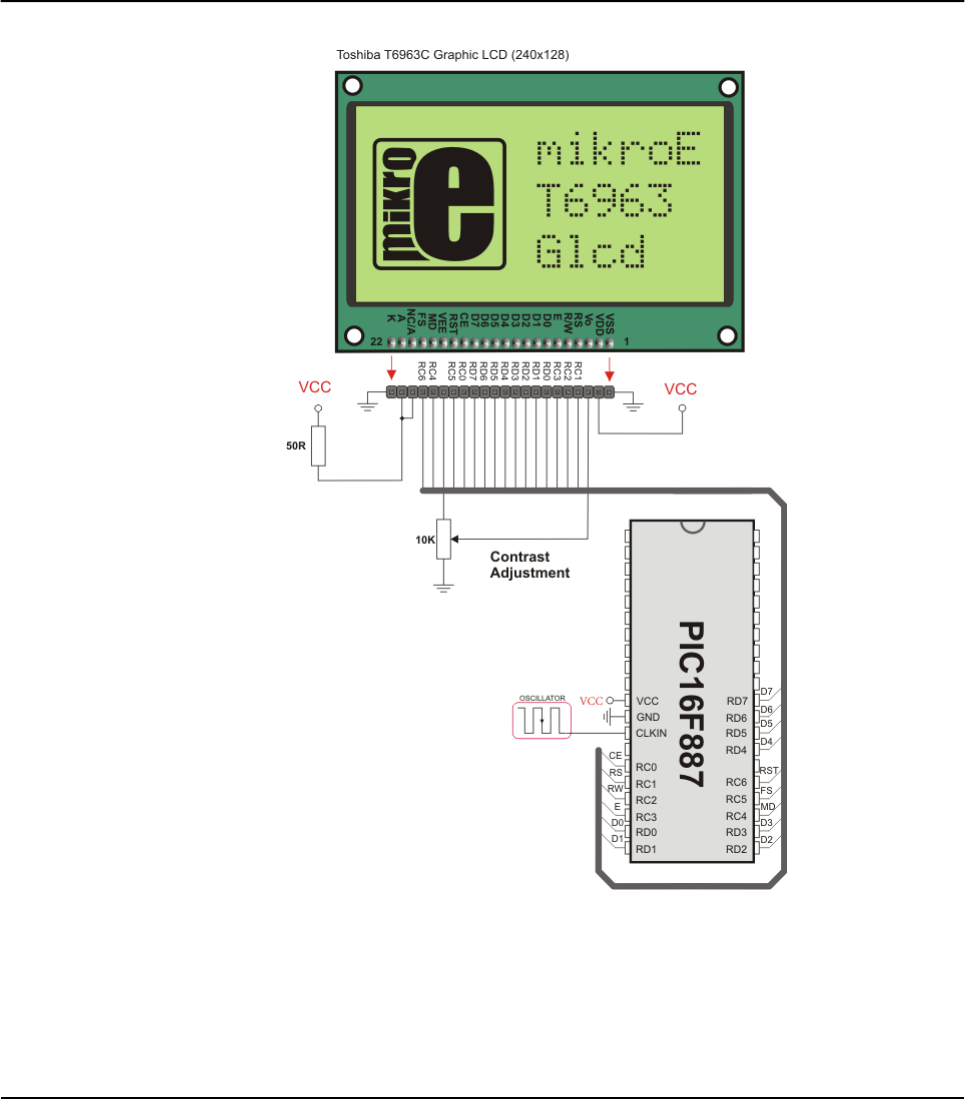
HW Connection
T6963C Glcd HW connection
512 MIKROELEKTRONIKA - SOFTWARE AND HARDWARE SOLUTIONS FOR EMBEDDED WORLD
Libraries mikroBasic PRO for PIC
CHAPTER 7

UART LIBRARY
UART hardware module is available with a number of PIC MCUs. mikroBasic PRO
for PIC UART Library provides comfortable work with the Asynchronous (full duplex)
mode.
You can easily communicate with other devices via RS-232 protocol (for example
with PC, see the figure at the end of the topic – RS-232 HW connection). You need
a PIC MCU with hardware integrated UART, for example 16F887. Then, simply use
the functions listed below.
Note: Some PIC18 MCUs have multiple UART modules. Switching between the
UART modules in the UART library is done by the UART_Set_Active function (UART
module has to be previously initialized).
Note: In order to use the desired UART library routine, simply change the number
1 in the prototype with the appropriate module number, i.e. UART2_Init(2400)
Library Routines
UART1_Init
UART1_Data_Ready
UART1_Tx_Idle
UART1_Read
UART1_Read_Text
UART1_Write
UART1_Write_Text
UART_Set_Active
513
MIKROELEKTRONIKA - SOFTWARE AND HARDWARE SOLUTIONS FOR EMBEDDED WORLD
Libraries
mikroBasic PRO for PIC
CHAPTER 7

514 MIKROELEKTRONIKA - SOFTWARE AND HARDWARE SOLUTIONS FOR EMBEDDED WORLD
Libraries mikroBasic PRO for PIC
CHAPTER 7
UART1_Init
UART1_Data_Read
Prototype sub function UART1_Data_Ready() as byte
Returns Function returns 1 if data is ready or 0 if there is no data.
Description The function tests if data in receive buffer is ready for reading.
Requires
MCU with the UART module.
The UART module must be initialized before using this routine. See the
UART1_Init routine.
Example
dim receive as byte
...
' read data if ready
if (UART1_Data_Ready() = 1) then
receive = UART1_Read()
end if
Prototype sub procedure UART1_Init(dim baud_rate as longint)
Returns Nothing.
Description
Configures and initializes the UART module.
The internal UART module module is set to:
receiver enabled
transmitter enabled
frame size 8 bits
1 STOP bit
parity mode disabled
asynchronous operation
Parameters :
baud_rate: requested baud rate
Refer to the device data sheet for baud rates allowed for specific Fosc.
Requires
You'll need PIC MCU with hardware UART.
UART1_Init needs to be called before using other functions from UART
Library.
Note: Calculation of the UART baud rate value is carried out by the compiler, as
it would produce a relatively large code if performed on the libary level.
Therefore, compiler needs to know the value of the parameter in the compile
time. That is why this parameter needs to be a constant, and not a variable.
Example
'This will initialize hardware UART1 module and establish the
communication at 2400 bps
UART1_Init(2400)

515
MIKROELEKTRONIKA - SOFTWARE AND HARDWARE SOLUTIONS FOR EMBEDDED WORLD
Libraries
mikroBasic PRO for PIC
CHAPTER 7
UART1_Tx_Idle
UART1_Read
Prototype sub function UART1_Read() as byte
Returns Received byte.
Description The function receives a byte via UART. Use the UART1_Data_Ready function
to test if data is ready first.
Requires
MCU with the UART module.
The UART module must be initialized before using this routine. See UART1_Init
routine.
Example
dim receive as byte
...
' read data if ready
if (UART1_Data_Ready() = 1) then
receive = UART1_Read()
Prototype char UART1_Tx_Idle()
1if the data has been transmitted
0otherwise
Description Use the function to test if the transmit shift register is empty or not.
Requires UART HW module must be initialized and communication established before
using this function. See UART1_Init.
Example
' If the previous data has been shifted out, send next data:
if (UART1_Tx_Idle = 1) then
UART1_Write(_data)
end if

516 MIKROELEKTRONIKA - SOFTWARE AND HARDWARE SOLUTIONS FOR EMBEDDED WORLD
Libraries mikroBasic PRO for PIC
CHAPTER 7
UART1_Read_Text
UART1_Write
Prototype sub procedure UART1_Write(dim TxData as byte)
Returns Nothing.
Description
The function transmits a byte via the UART module.
Parameters :
TxData: data to be sent
Requires
MCU with the UART module.
The UART module must be initialized before using this routine. See UART1_Init
routine.
Example
dim data_ as byte
...
data_ = 0x1E
UART1_Write(data_)
Prototype sub procedure UART1_Read_Text(dim byref Output as string[255],
dim byref Delimiter as string[10], dim Attempts as byte)
Returns Nothing.
Description
Reads characters received via UART until the delimiter sequence is detected.
The read sequence is stored in the parameter output; delimiter sequence is
stored in the parameter delimiter.
This is a blocking call: the delimiter sequence is expected, otherwise the proce-
dure exits( if the delimiter is not found). Attempts defines number of received
characters in which Delimiter sequence is expected. If Attempts is set to 255,
this routine will continously try to detect the Delimiter sequence.
Requires UART HW module must be initialized and communication established before
using this function. See UART1_Init.
Example
Read text until the sequence “OK” is received, and send back what’s been
received:
UART1_Init(4800) ' initialize UART module
Delay_ms(100)
while TRUE
if (UART1_Data_Ready() = 1) ' if data is received
UART1_Read_Text(output, 'delim', 10) ' reads text until
'delim' is found
UART1_Write_Text(output) ' sends back text
end if
wend.
517
MIKROELEKTRONIKA - SOFTWARE AND HARDWARE SOLUTIONS FOR EMBEDDED WORLD
Libraries
mikroBasic PRO for PIC
CHAPTER 7
UART1_Write_Text
UART_Set_Active
Prototype
sub procedure UART_Set_Active (dim read_ptr as ^Tread_ptr, dim
write_ptr as ^Twrite_ptr, dim ready_ptr as ^Tready_ptr, dim
tx_idle_ptr as ^Ttx_idle_ptr)
Returns Nothing.
Description
Sets active UART module which will be used by the UART library routines.
Parameters :
read_ptr: UART1_Read handler
write_ptr: UART1_Write handler
ready_ptr: UART1_Data_Ready handler
tx_idle_ptr: UART1_Tx_Idle handler
Requires
Routine is available only for MCUs with two UART modules.
Used UART module must be initialized before using this routine. See
UART1_Init routine.
Example
‘Activate UART2 module
UART_Set_Active(UART1_Read, UART1_Write, UART1_Data_Ready,
UART1_Tx_Idle)
Prototype sub procedure UART1_Write_Text(dim byref uart_text as string[255]
Returns Nothing.
Description Sends text (parameter uart_text) via UART. Text should be zero terminated.
Requires UART HW module must be initialized and communication established before
using this function. See UART1_Init.
Example
Read text until the sequence “OK” is received, and send back what’s been
received:
UART1_Init(4800) ' initialize UART module
Delay_ms(100)
while TRUE
if (UART1_Data_Ready() = 1) ' if data is received
UART1_Read_Text(output, 'delim', 10) ' reads text until
'delim' is found
UART1_Write_Text(output) ' sends back text
end if
wend.
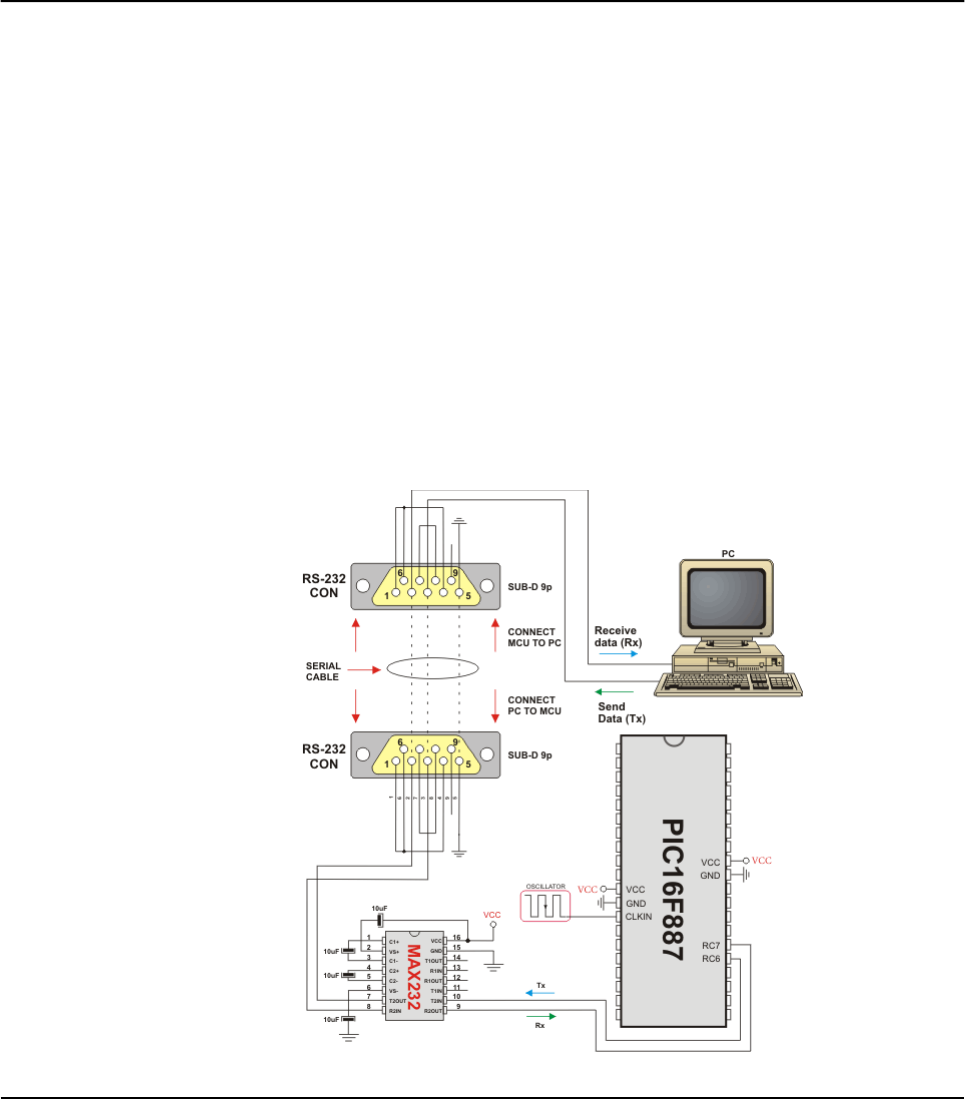
Library Example
This example demonstrates simple data exchange via UART. If MCU is connected to the
PC, you can test the example from the mikroBasic PRO for PIC USART Terminal.
program UART
dim uart_rd as byte
main:
UART1_Init(9600) ' Initialize UART module at 9600 bps
Delay_ms(100) ' Wait for UART module to stabilize
while (TRUE) ' Endless loop
if (UART1_Data_Ready() <> 0) then ' If data is received,
uart_rd = UART1_Read() ' read the received data,
UART1_Write(uart_rd) ' and send data via UART
end if
wend
end.
HW Connection
UART HW connection
518 MIKROELEKTRONIKA - SOFTWARE AND HARDWARE SOLUTIONS FOR EMBEDDED WORLD
Libraries mikroBasic PRO for PIC
CHAPTER 7

USB HID Library
Universal Serial Bus (USB) provides a serial bus standard for connecting a wide variety of
devices, including computers, cell phones, game consoles, PDA’s, etc.
mikroBasic PRO for PIC includes a library for working with human interface devices via Universal
Serial Bus. A human interface device or HID is a type of computer device that interacts directly
with and takes input from humans, such as the keyboard, mouse, graphics tablet, and the like.
Descriptor File
Each project based on the USB HID library should include a descriptor source file which contains
vendor id and name, product id and name, report length, and other relevant information. To cre-
ate a descriptor file, use the integrated USB HID terminal of mikroBasic (Tools › USB HID Termi-
nal). The default name for descriptor file is USBdsc.pbas, but you may rename it.
The provided code in the “Examples” folder works at 48MHz, and the flags should not be modi-
fied without consulting the appropriate datasheet first.
Library Routines
Hid_Enable
Hid_Read
Hid_Write
Hid_Disable
Hid_Enable
519
MIKROELEKTRONIKA - SOFTWARE AND HARDWARE SOLUTIONS FOR EMBEDDED WORLD
Libraries
mikroBasic PRO for PIC
CHAPTER 7
Prototype sub procedure Hid_Enable(dim readbuff, writebuff as word)
Returns Nothing.
Description
Enables USB HID communication. Parameters readbuff and writebuff are the
addresses of Read Buffer and the Write Buffer, respectively, which are used for
HID communication. You can pass buffer names with the @ operator.
This function needs to be called before using other routines of USB HID Library.
Requires Nothing.
Example Hid_Enable(@rd, @wr)

Hid_Read
Hid_Write
Hid_Disable
520 MIKROELEKTRONIKA - SOFTWARE AND HARDWARE SOLUTIONS FOR EMBEDDED WORLD
Libraries mikroBasic PRO for PIC
CHAPTER 7
Prototype sub function Hid_Read as byte
Returns Number of characters in the Read Buffer received from the host.
Description Receives message from host and stores it in the Read Buffer. Function returns
the number of characters received in the Read Buffer.
Requires USB HID needs to be enabled before using this function. See Hid_Enable.
Example length = Hid_Read
Prototype sub procedure Hid_Write(dim writebuff as word, dim len as byte)
Returns Nothing.
Description
Function sends data from Write Buffer writebuff to host. Write Buffer is the
address of the parameter used in initialization; see Hid_Enable. You can pass a
buffer name with the @ operator. Parameter len should specify a length of the
data to be transmitted.
Requires USB HID needs to be enabled before using this function. See Hid_Enable.
Example Hid_Write(@wr, len)
Prototype sub procedure Hid_Disable
Returns Nothing.
Description Disables USB HID communication.
Requires USB HID needs to be enabled before using this function. See Hid_Enable.
Example Hid_Disable()

Library Example
The following example continually sends sequence of numbers 0..255 to the PC via
Universal Serial Bus.
program hid_test
dim k as byte
dim userRD_buffer as byte[64]
dim userWR_buffer as byte[64]
sub procedure interrupt
asm
CALL _Hid_InterruptProc
nop
end asm
end sub
sub procedure Init_Main
' Disable all interrupts
' Disable GIE, PEIE, TMR0IE, INT0IE,RBIE
INTCON = 0
INTCON2 = $F5
INTCON3 = $C0
' Disable Priority Levels on interrupts
RCON.IPEN = 0
PIE1 = 0
PIE2 = 0
PIR1 = 0
PIR2 = 0
' Configure all ports with analog function as digital
ADCON1 = ADCON1 or $0F
' Ports Configuration
TRISA = 0
TRISB = 0
TRISC = $FF
TRISD = $FF
TRISE = $07
LATA = 0
LATB = 0
LATC = 0
LATD = 0
LATE = 0
' Clear user RAM
' Banks [00 .. 07] ( 8 x 256 = 2048 Bytes )
521
MIKROELEKTRONIKA - SOFTWARE AND HARDWARE SOLUTIONS FOR EMBEDDED WORLD
Libraries
mikroBasic PRO for PIC
CHAPTER 7

asm
LFSR FSR0, $000
MOVLW $08
CLRF POSTINC0, 0
CPFSEQ FSR0H, 0
BRA $ - 2
end asm
' Timer 0
T0CON = $07;
TMR0H = (65536 - 156) >> 8
TMR0L = (65536 - 156) and $FF
INTCON.T0IE = 1 ' Enable T0IE
T0CON.TMR0ON = 1
end sub
'** Main Program **
main:
Init_Main()
Hid_Enable(@userRD_buffer, @userWR_buffer)
do
for k = 0 to 255
' Prepare send buffer
userWR_buffer[0] = k
' Send the number via USB
Hid_Write(@userWR_buffer, 1)
next k
loop until FALSE
Hid_Disable
end.
522 MIKROELEKTRONIKA - SOFTWARE AND HARDWARE SOLUTIONS FOR EMBEDDED WORLD
Libraries mikroBasic PRO for PIC
CHAPTER 7

HW Connection
USB connection scheme
523
MIKROELEKTRONIKA - SOFTWARE AND HARDWARE SOLUTIONS FOR EMBEDDED WORLD
Libraries
mikroBasic PRO for PIC
CHAPTER 7

MISCELLANEOUS LIBRARIES
Button Library
Conversions Library
Math Library
String Library
Time Library
Trigonometry Library
BUTTON LIBRARY
The Button library contains miscellaneous routines useful for a project development.
Button
Button
524 MIKROELEKTRONIKA - SOFTWARE AND HARDWARE SOLUTIONS FOR EMBEDDED WORLD
Libraries mikroBasic PRO for PIC
CHAPTER 7
Prototype sub function Button(dim byref port as byte, dim pin, time,
active_state as byte)as byte
Returns Returns 0 or 255.
Description
Function eliminates the influence of contact flickering upon pressing a button
(debouncing).
Parameter port specifies the location of the button; parameter pin is the pin
number on designated port and goes from 0..7; parameter time is a debounce
period in milliseconds; parameter active_state can be either 0 or 1, and it
determines if the button is active upon logical zero or logical one.
Requires Button pin must be configured as input.
Example
Example reads RB0, to which the button is connected; on transition from 1 to 0
(release of button), PORTD is inverted:
while true
if Button(PORTB, 0, 1, 1) then
oldstate = 255
end if
if oldstate and Button(PORTB, 0, 1, 0) then
PORTD = not(PORTD)
oldstate = 0
end if
wend

CONVERSIONS LIBRARY
mikroBasic PRO for PIC Conversions Library provides routines for numerals to
strings and BCD/decimal conversions.
Library Routines
You can get text representation of numerical value by passing it to one of the follow-
ing routines:
ByteToStr
ShortToStr
WordToStr
IntToStr
LongintToStr
LongWordToStr
FloatToStr
StrToInt
StrToWord
The following sub functions convert decimal values to BCD and vice versa:
Dec2Bcd
Bcd2Dec16
Dec2Bcd16
525
MIKROELEKTRONIKA - SOFTWARE AND HARDWARE SOLUTIONS FOR EMBEDDED WORLD
Libraries
mikroBasic PRO for PIC
CHAPTER 7

526 MIKROELEKTRONIKA - SOFTWARE AND HARDWARE SOLUTIONS FOR EMBEDDED WORLD
Libraries mikroBasic PRO for PIC
CHAPTER 7
ByteToStr
ShortToStr
Prototype sub procedure ByteToStr(dim input as word, dim byref output as
string[2])
Returns Nothing.
Description
Converts input byte to a string. The output string is right justified and remaining
positions on the left (if any) are filled with blanks.
Parameters :
input: byte to be converted
output: destination string
Requires Nothing.
Example
dim t as word
txt as string[2]
...
t = 24
ByteToStr(t, txt) ' txt is " 24" (one blank here)
Prototype sub procedure ShortToStr(dim input as short, dim byref output as
string[3])
Returns Nothing.
Description
Converts input short (signed byte) number to a string. The output string is right
justified and remaining positions on the left (if any) are filled with blanks.
Parameters :
input: short number to be converted
output: destination string
Requires Nothing.
Example
dim tas short
txt as string[3]
...
t = -24
ByteToStr(t, txt) ' txt is " -24" (one blank here)

527
MIKROELEKTRONIKA - SOFTWARE AND HARDWARE SOLUTIONS FOR EMBEDDED WORLD
Libraries
mikroBasic PRO for PIC
CHAPTER 7
WordToStr
IntToStr
Prototype sub procedure WordToStr(dim input as word, dim byref output as
string[4])
Returns Nothing.
Description
Converts input word to a string. The output string is right justified and the
remaining positions on the left (if any) are filled with blanks.
Parameters :
input: word to be converted
output: destination string
Requires Nothing.
Example
dim tas word
txt as string[4]
...
t = 437
WordToStr(t, txt) ' txt is " 437" (two blanks here)
Prototype sub procedure IntToStr(dim input as integer, dim byref output as
string[5]
Returns Nothing.
Description
Converts input integer number to a string. The output string is right justified and
the remaining positions on the left (if any) are filled with blanks.
Parameters :
input: integer number to be converted
output: destination string
Requires Nothing.
Example
dim input as integer
txt as string[5]
'...
input = -4220
IntToStr(input, txt) ' txt is ' -4220'

528 MIKROELEKTRONIKA - SOFTWARE AND HARDWARE SOLUTIONS FOR EMBEDDED WORLD
Libraries mikroBasic PRO for PIC
CHAPTER 7
LongintToStr
LongWordToStr
Prototype sub procedure LongintToStr(dim input as longint, dim byref output
as string[10])
Returns Nothing.
Description
Converts input longint number to a string. The output string is right justified and
the remaining positions on the left (if any) are filled with blanks.
Parameters :
input: longint number to be converted
output: destination string
Requires Nothing.
Example
dim input as longint
txt as string[10]
'...
input = -12345678
IntToStr(input, txt) ' txt is ' -12345678'
Prototype sub procedure LongWordToStr(dim input as longword, dim byref out-
put as string[9])
Returns Nothing.
Description
Converts input double word number to a string. The output string is right justi-
fied and the remaining positions on the left (if any) are filled with blanks.
Parameters :
input: double word number to be converted
output: destination string
Requires Nothing.
Example
dim input as longint
txt as string[9]
'...
input = 12345678
IntToStr(input, txt) ' txt is ' 12345678'

529
MIKROELEKTRONIKA - SOFTWARE AND HARDWARE SOLUTIONS FOR EMBEDDED WORLD
Libraries
mikroBasic PRO for PIC
CHAPTER 7
FloatToStr
Prototype sub function FloatToStr(dim input as real, dim byref output as
string[22])
Returns
3 if input number is NaN
2 if input number is -INF
1 if input number is +INF
0 if conversion was successful
Description
Converts a floating point number to a string.
Parameters :
input: floating point number to be converted
output: destination string
The output string is left justified and null terminated after the last digit.
Note: Given floating point number will be truncated to 7 most significant digits
before conversion.
Requires Nothing.
Example
dim ff1, ff2, ff3 as real
txt as string[22]
...
ff1 = -374.2
ff2 = 123.456789
ff3 = 0.000001234
FloatToStr(ff1, txt) ' txt is "-374.2"
FloatToStr(ff2, txt) ' txt is "123.4567"
FloatToStr(ff3, txt) ' txt is "1.234e-6"

530 MIKROELEKTRONIKA - SOFTWARE AND HARDWARE SOLUTIONS FOR EMBEDDED WORLD
Libraries mikroBasic PRO for PIC
CHAPTER 7
StrToInt
StrToWord
Dec2Bcd
Prototype function Dec2Bcd (dim decnum as byte) as byte
Returns Converted BCD value.
Description
Converts input number to its appropriate BCD representation.
Parameters :
decnum: number to be converted
Requires Nothing.
Example
dim a, b as byte
...
a = 22
b = Dec2Bcd(a) ' b equals 34
Prototype sub function StrToInt(dim byref input as string[6]) as integer
Returns Integer variable.
Description Converts a string to integer
Requires The string is assumed to be a correct representation of a number.
Example
dim ii as integer
main:
ii = StrToInt('-1234')
end.
Prototype sub function StrToWord(dim byref input as string[5]) as word
Returns Word variable.
Description Converts a string to word.
Requires input string with length of max 5 chars.
The string is assumed to be a correct representation of a number.
Example
dim ww as word
main:
ww = StrToword('65432')
end.
531
MIKROELEKTRONIKA - SOFTWARE AND HARDWARE SOLUTIONS FOR EMBEDDED WORLD
Libraries
mikroBasic PRO for PIC
CHAPTER 7
Bcd2Dec16
Dec2Bcd16
Prototype sub function Bcd2Dec16(dim bcdnum as word)as word
Returns Converted decimal value.
Description
Converts 16-bit BCD numeral to its decimal equivalent.
Parameters :
bcdnum: 16-bit BCD numeral to be converted
Requires Nothing.
Example
dim a, b as word
...
a = 0x1234 ' a equals 4660
b = Bcd2Dec16(a) ' b equals 1234
Prototype sub function Dec2Bcd16(dim decnum as word)as word
Returns Converted BCD value.
Description
Converts decimal value to its BCD equivalent.
Parameters :
decnum decimal number to be converted
Requires Nothing.
Example
dim a, b as word
...
a = 2345
b = Dec2Bcd16(a) ' b equals 9029

MATH LIBRARY
The mikroBasic PRO for PIC provides a set of library functions for floating point
math handling. See also Predefined Globals and Constants for the list of predefined
math constants.
Library Functions
acos
asin
atan
atan2
ceil
cos
cosh
eval_poly
exp
fabs
floor
frexp
dexp
log
log10
modf
pow
sin
sinh
sqrt
tan
tanh
532 MIKROELEKTRONIKA - SOFTWARE AND HARDWARE SOLUTIONS FOR EMBEDDED WORLD
Libraries mikroBasic PRO for PIC
CHAPTER 7
533
MIKROELEKTRONIKA - SOFTWARE AND HARDWARE SOLUTIONS FOR EMBEDDED WORLD
Libraries
mikroBasic PRO for PIC
CHAPTER 7
acos
asin
atan
atan2
ceil
cos
cosh
Prototype sub function acos(dim xas real)as real
Description
The function returns the arc cosine of parameter x; that is, the value whose
cosine is x. The input parameter x must be between -1 and 1 (inclusive). The
return value is in radians, between 0 and Π(inclusive).
Prototype sub function asin(dim xas real) as real
Description
The function returns the arc sine of parameter x; that is, the value whose sine is
x. The input parameter xmust be between -1 and 1 (inclusive). The return
value is in radians, between - Π/2 and Π/2 (inclusive).
Prototype sub function atan(dim arg as real) as real
Description
The function computes the arc tangent of parameter arg; that is, the value
whose tangent is arg. The return value is in radians, between -Π/2 and Π/2
(inclusive).
Prototype sub function atan2(dim yas real, dim xas real)as real
Description
This is the two-argument arc tangent function. It is similar to computing the arc
tangent of y/x, except that the signs of both arguments are used to determine
the quadrant of the result and xis permitted to be zero. The return value is in
radians, between -Πand Π(inclusive).
Prototype sub function ceil(dim xas real) as real
Description The function returns value of parameter xrounded up to the next whole number.
Prototype sub function cos(dim arg as real)as real
Description The function returns the cosine of arg in radians. The return value is from -1 to 1.
Prototype sub function cosh(dim xas real)as real
Description The function returns the hyperbolic cosine of x, defined mathematically as
(ex+e-x)/2. If the value of xis too large (if overflow occurs), the function fails.

534 MIKROELEKTRONIKA - SOFTWARE AND HARDWARE SOLUTIONS FOR EMBEDDED WORLD
Libraries mikroBasic PRO for PIC
CHAPTER 7
eval_poly
exp
fabs
floor
frexp
ldexp
log
Prototype sub function eval_poly(dim xas real, dim byref d as array[10] of
real, dim nas integer)as real
Description Function Calculates polynom for number x, with coefficients stored in d[], for
degree n.
Prototype sub function exp(dim xas real)as real
Description The function returns the value of e — the base of natural logarithms — raised to
the power x(i.e. ex).
Prototype sub function fabs(dim das real)as real
Description The function returns the absolute (i.e. positive) value of d.
Prototype sub function floor(dim xas real)as real
Description The function returns the value of parameter xrounded down to the nearest integer.
Prototype sub function frexp(dim value as real, dim byref eptr as integer)
as real
Description
The function splits a floating-point value value into a normalized fraction and an
integral power of 2. The return value is a normalized fraction and the integer
exponent is stored in the object pointed to by eptr.
Prototype sub function ldexp(dim value as real, dim newexp as integer)as
real
Description The function returns the result of multiplying the floating-point number value by
2 raised to the power newexp (i.e. returns value * 2newexp).
Prototype sub function log(dim xas real)as real
Description The function returns the natural logarithm of x(i.e. loge(x)).

535
MIKROELEKTRONIKA - SOFTWARE AND HARDWARE SOLUTIONS FOR EMBEDDED WORLD
Libraries
mikroBasic PRO for PIC
CHAPTER 7
log10
modf
pow
sin
sinh
sqrt
tan
tanh
Prototype sub function log10(dim x as real)as real
Description The function returns the base-10 logarithm of x(i.e. log10(x)).
Prototype sub function modf(dim val as real, dim byref iptr as real) as
real
Description The function returns the signed fractional component of val, placing its whole
number component into the variable pointed to by iptr.
Prototype sub function pow(dim xas real, dim y as real)as real
Description The function returns the value of xraised to the power y(i.e. xy). If xis nega-
tive, the function will automatically cast y into longint.
Prototype sub function sin(dim arg as real) as real
Description The function returns the sine of arg in radians. The return value is from -1 to 1.
Prototype sub function sinh(dim xas real)as real
Description The function returns the hyperbolic sine of x, defined mathematically as (ex-e-x)/2.
If the value of x is too large (if overflow occurs), the function fails.
Prototype sub function sqrt(dim xas real)as real
Description The function returns the non negative square root of x.
Prototype sub function tan(dim xas real)as real
Description The function returns the tangent of xin radians. The return value spans the
allowed range of floating point in mikroBasic PRO for PIC.
Prototype sub function tanh(dim xas real)as real)
Description The function returns the hyperbolic tangent of x, defined mathematically as
sinh(x)/cosh(x).

STRING LIBRARY
The mikroBasic PRO for PIC includes a library which automatizes string related
tasks
Library Functions
memchr
memcmp
memcpy
memmove
memset
strcat
strchr
strcmp
strcpy
strlen
strncat
strncpy
strspn
strcspn
strncmp
strpbrk
strrchr
strstr
536 MIKROELEKTRONIKA - SOFTWARE AND HARDWARE SOLUTIONS FOR EMBEDDED WORLD
Libraries mikroBasic PRO for PIC
CHAPTER 7

537
MIKROELEKTRONIKA - SOFTWARE AND HARDWARE SOLUTIONS FOR EMBEDDED WORLD
Libraries
mikroBasic PRO for PIC
CHAPTER 7
memchr
memcmp
Prototype sub function memchr(dim p as ^byte, dim ch as byte, dim nas
word)as word
Description
The function locates the first occurrence of the word ch in the initial nwords of
memory area starting at the address p. The function returns the offset of this
occurrence from the memory address por 0xFF if ch was not found.
For the parameter p you can use either a numerical value (literal/variable/con-
stant) indicating memory address or a dereferenced value of an object, for
example @mystring or @PORTB.
Prototype sub function memcmp(dim p1, p2 as ^byte, dim nas word)as inte-
ger
Description
The function returns a positive, negative, or zero value indicating the relation-
ship of first n words of memory areas starting at addresses p1 and p2.
This function compares two memory areas starting at addresses p1 and p2 for n
words and returns a value indicating their relationship as follows:
Value Meaning
< 0 p1 "less than" p2
= 0 p1 "equal to" p2
> 0 p1 "greater than" p2
The value returned by the function is determined by the difference between the
values of the first pair of words that differ in the strings being compared.
For parameters p1 and p2 you can use either a numerical value (literal/vari-
able/constant) indicating memory address or a dereferenced value of an object,
for example @mystring or @PORTB.
538 MIKROELEKTRONIKA - SOFTWARE AND HARDWARE SOLUTIONS FOR EMBEDDED WORLD
Libraries mikroBasic PRO for PIC
CHAPTER 7
memcpy
memmove
memset
strcat
Prototype sub procedure memcpy(dim p1, p2 as ^byte, dim nn as word)
Description
The function copies nn words from the memory area starting at the address p2
to the memory area starting at p1. If these memory buffers overlap, the memcpy
function cannot guarantee that words are copied before being overwritten. If
these buffers do overlap, use the memmove function.
For parameters p1 and p2 you can use either a numerical value (literal/vari-
able/constant) indicating memory address or a dereferenced value of an object,
for example @mystring or @PORTB.
Prototype sub procedure memmove(dim p1, p2, as ^byte, dim nn as word)
Description
The function copies nn words from the memory area starting at the address p2 to the
memory area starting at p1. If these memory buffers overlap, the Memmove function
ensures that the words in p2 are copied to p1 before being overwritten.
For parameters p1 and p2 you can use either a numerical value (literal/vari-
able/constant) indicating memory address or a dereferenced value of an object,
for example @mystring or @PORTB.
Prototype sub procedure memset(dim pas ^byte, dim character as byte, dim n
as word)
Description
The function fills the first nwords in the memory area starting at the address p
with the value of word character.
For parameter pyou can use either a numerical value (literal/variable/constant)
indicating memory address or a dereferenced value of an object, for example
@mystring or @PORTB.
Prototype sub procedure strcat(dim byref s1, s2 as string[100])
Description The function appends the value of string s2 to string s1 and terminates s1 with
a null character.
539
MIKROELEKTRONIKA - SOFTWARE AND HARDWARE SOLUTIONS FOR EMBEDDED WORLD
Libraries
mikroBasic PRO for PIC
CHAPTER 7
strchr
strcmp
strcpy
strcspn
Prototype sub function strchr(dim byref s as string[100], dim ch as byte)
as word
Description
The function searches the string sfor the first occurrence of the character ch.
The null character terminating sis not included in the search.
The function returns the position (index) of the first character ch found in s; if no
matching character was found, the function returns 0xFF.
Prototype sub function strcmp(dim byref s1, s2 as string[100]) as short
Description
The function lexicographically compares the contents of the strings s1 and s2
and returns a value indicating their relationship:
Value Meaning
< 0 s1 "less than" s2
= 0 s1 "equal to" s2
> 0 s1 "greater than" s2
The value returned by the function is determined by the difference between the
values of the first pair of words that differ in the strings being compared.
Prototype sub procedure strcpy(dim byref s1, s2 as string[100])
Description The function copies the value of the string s2 to the string s1 and appends a
null character to the end of s1.
Prototype sub function strcspn(dim byref s1, s2 as string[100]) as word
Description
The function searches the string s1 for any of the characters in the string s2.
The function returns the index of the first character located in s1 that matches
any character in s2. If the first character in s1 matches a character in s2, a
value of 0 is returned. If there are no matching characters in s1, the length of
the string is returned (not including the terminating null character).

540 MIKROELEKTRONIKA - SOFTWARE AND HARDWARE SOLUTIONS FOR EMBEDDED WORLD
Libraries mikroBasic PRO for PIC
CHAPTER 7
strlen
strncat
strncmp
strncpy
strpbrk
Prototype sub function strlen(dim byref s as string[100]) as word
Description The function returns the length, in words, of the string s. The length does not
include the null terminating character.
Prototype sub procedure strncat(dim byref s1, s2 as string[100], dim size
byte)
Description
The function appends at most size characters from the string s2 to the string s1
and terminates s1 with a null character. If s2 is shorter than the size charac-
ters, s2 is copied up to and including the null terminating character.
Prototype sub function strncmp(dim byref s1, s2 as string[100], dim len as
byte)as short
Description
The function lexicographically compares the first len words of the strings s1 and
s2 and returns a value indicating their relationship:
Value Meaning
< 0 s1 "less than" s2
= 0 s1 "equal to" s2
> 0 s1 "greater than" s2
The value returned by the function is determined by the difference between the
values of the first pair of words that differ in the strings being compared (within
first len words).
Prototype sub procedure strncpy(dim byref s1, s2 as string[100], dim size
as word)
Description
The function copies at most size characters from the string s2 to the string s1.
If s2 contains fewer characters than size, s1 is padded out with null characters
up to the total length of the size characters.
Prototype sub function strpbrk(dim byref s1, s2 as string[100]) as word
Description
The function searches s1 for the first occurrence of any character from the
string s2. The null terminator is not included in the search. The function returns
an index of the matching character in s1. If s1 contains no characters from s2,
the function returns 0xFF.
541
MIKROELEKTRONIKA - SOFTWARE AND HARDWARE SOLUTIONS FOR EMBEDDED WORLD
Libraries
mikroBasic PRO for PIC
CHAPTER 7
strrchr
strspn
strstr
Prototype sub function strrchr(dim byref sas string[100], dim ch as byte)
as word
Description
The function searches the string s for the last occurrence of the character ch.
The null character terminating sis not included in the search. The function
returns an index of the last ch found in s; if no matching character was found,
the function returns 0xFF.
Prototype sub function strspn(dim byref s1, s2 as string[100]) as byte
Description
The function searches the string s1 for characters not found in the s2 string.
The function returns the index of first character located in s1 that does not
match a character in s2. If the first character in s1 does not match a character in
s2, a value of 0 is returned. If all characters in s1 are found in s2, the length of
s1 is returned (not including the terminating null character).
Prototype sub function strstr(dim byref s1, s2 as string[100]) as word
Description
The function locates the first occurrence of the string s2 in the string s1 (exclud-
ing the terminating null character).
The function returns a number indicating the position of the first occurrence of
s2 in s1; if no string was found, the function returns 0xFF. If s2 is a null string,
the function returns 0.

TIME LIBRARY
The Time Library contains functions and type definitions for time calculations in the UNIX time for-
mat which counts the number of seconds since the "epoch". This is very convenient for programs
that work with time intervals: the difference between two UNIX time values is a real-time differ-
ence measured in seconds.
What is the epoch?
Originally it was defined as the beginning of 1970 GMT. ( January 1, 1970 Julian day ) GMT,
Greenwich Mean Time, is a traditional term for the time zone in England.
The TimeStruct type is a structure type suitable for time and date storage.
Library Routines
Time_dateToEpoch
Time_epochToDate
Time_datediff
Time_dateToEpoch
542 MIKROELEKTRONIKA - SOFTWARE AND HARDWARE SOLUTIONS FOR EMBEDDED WORLD
Libraries mikroBasic PRO for PIC
CHAPTER 7
Prototype sub function Time_dateToEpoch(dim byref ts as TimeStruct)as
longint
Returns Number of seconds since January 1, 1970 0h00mn00s.
Description
This function returns the UNIX time : number of seconds since January 1, 1970
0h00mn00s.
Parameters :
ts: time and date value for calculating UNIX time.
Requires Nothing.
Example
dim ts1 as TimeStruct
Epoch as longint
...
' what is the epoch of the date in ts ?
epoch = Time_dateToEpoch(ts1)

543
MIKROELEKTRONIKA - SOFTWARE AND HARDWARE SOLUTIONS FOR EMBEDDED WORLD
Libraries
mikroBasic PRO for PIC
CHAPTER 7
Time_epochToDate
Time_dateDiff
Prototype sub procedure Time_epochToDate(dim e as longint, dim byref ts as
TimeStruct)
Returns Nothing.
Description
Converts the UNIX time to time and date.
Parameters :
e: UNIX time (seconds since UNIX epoch)
ts: time and date structure for storing conversion output
Requires Nothing.
Example
dim ts2 as TimeStruct
epoch as longint
...
' what date is epoch 1234567890 ?
epoch = 1234567890
Time_epochToDate(epoch,ts2)
Prototype sub function Time_dateDiff(dim t1 as ^TimeStruct, dim t2 as
^TimeStruct)as longint
Returns Time difference in seconds as a signed long.
Description
This function compares two dates and returns time difference in seconds as a
signed long. The result is positive if t1 is before t2, null if t1 is the same as t2
and negative if t1 is after t2.
Parameters :
t1: time and date structure (the first comparison parameter)
t2: time and date structure (the second comparison parameter)
Requires Nothing.
Example
dim ts1, ts2 as TimeStruct
diff as longint
...
' how many seconds between these two dates contained in ts1 and
ts2 buffers?
diff = Time_dateDiff(ts1, ts2)

Library Example
Demonstration of Time library routines usage for time calculations in UNIX time format.
program Time_Demo
dim epoch, diff as longint
'***********************************
ts1, ts2 as TimeStruct
'***********************************
main:
ts1.ss = 0
ts1.mn = 7
ts1.hh = 17
ts1.md = 23
ts1.mo = 5
ts1.yy = 2006
' *
' * What is the epoch of the date in ts ?
' *
epoch = Time_dateToEpoch(@ts1) ' 1148404020
' *
' * What date is epoch 1234567890 ?
' *
epoch = 1234567890
Time_epochToDate(epoch, @ts2) ' {0x1E, 0x1F, 0x17, 0x0D, 0x04,
0x02, 0x07D9)
' *
' * How much seconds between this two dates ?
' *
diff = Time_dateDiff(@ts1, @ts2) ' 86163870
end.
544 MIKROELEKTRONIKA - SOFTWARE AND HARDWARE SOLUTIONS FOR EMBEDDED WORLD
Libraries mikroBasic PRO for PIC
CHAPTER 7

TimeStruct type definition
structure TimeStruct
dim ss as byte ' seconds
dim mn as byte ' minutes
dim hh as byte ' hours
dim md as byte 'day in month, from 1 to 31
dim wd as byte ' day in week, monday=0, tuesday=1, .... sun-
day=6
dim mo as byte ' month number, from 1 to 12 (and not from 0
to 11 as with unix C time !)
dim yy as word ' year Y2K compliant, from 1892 to 2038
end structure
545
MIKROELEKTRONIKA - SOFTWARE AND HARDWARE SOLUTIONS FOR EMBEDDED WORLD
Libraries
mikroBasic PRO for PIC
CHAPTER 7

TRIGONOMETRY LIBRARY
The mikroBasic PRO for PIC implements fundamental trigonometry functions. These functions
are implemented as look-up tables. Trigonometry functions are implemented in integer format in
order to save memory.
Library Routines
sinE3
cosE3
sinE3
546 MIKROELEKTRONIKA - SOFTWARE AND HARDWARE SOLUTIONS FOR EMBEDDED WORLD
Libraries mikroBasic PRO for PIC
CHAPTER 7
Prototype sub function sinE3(dim angle_deg as word)as integer
Returns The function returns the sine of input parameter.
Description
The function calculates sine multiplied by 1000 and rounded to the nearest integer:
result = round(sin(angle_deg)*1000)
Parameters:
angle_deg: input angle in degrees
Note: Return value range: -1000..1000.
Requires Nothing.
Example
dim res as integer
...
res = sinE3(45) ' result is 707

547
MIKROELEKTRONIKA - SOFTWARE AND HARDWARE SOLUTIONS FOR EMBEDDED WORLD
Libraries
mikroBasic PRO for PIC
CHAPTER 7
cosE3
Prototype sub function cosE3(dim angle_deg as word)as integer
Returns The function returns the cosine of input parameter.
Description
The function calculates cosine multiplied by 1000 and rounded to the nearest
integer:
result = round(cos(angle_deg)*1000)
Parameters:
angle_deg: input angle in degrees
Note: Return value range: -1000..1000.
Requires Nothing.
Example
dim res as integer
...
res = cosE3(196) ' result is -193

MIKROELEKTRONIKA - SOFTWARE AND HARDWARE SOLUTIONS FOR EMBEDDED WORLD
Libraries mikroBasic PRO for PIC
CHAPTER 7
548 MIKROELEKTRONIKA - SOFTWARE AND HARDWARE SOLUTIONS FOR EMBEDDED WORLD
Libraries

MIKROELEKTRONIKA - SOFTWARE AND HARDWARE SOLUTIONS FOR EMBEDDED WORLD
Libraries
mikroBasic PRO for PIC
CHAPTER 7
549
MIKROELEKTRONIKA - SOFTWARE AND HARDWARE SOLUTIONS FOR EMBEDDED WORLD

