Moonshine Source Setup Instructions
MoonshineSourceSetupInstructions
User Manual:
Open the PDF directly: View PDF  .
.
Page Count: 3
[Public] Moonshine Source Setup Instructions
Setup Moonshine IDE with Apache Flex SDK
Start Moonshine
Setup in Apache Flex SDK Settings
-- Make sure you have downloaded Apache Flex SDK with AIR SDK at http://flex.apache.org/installer.html
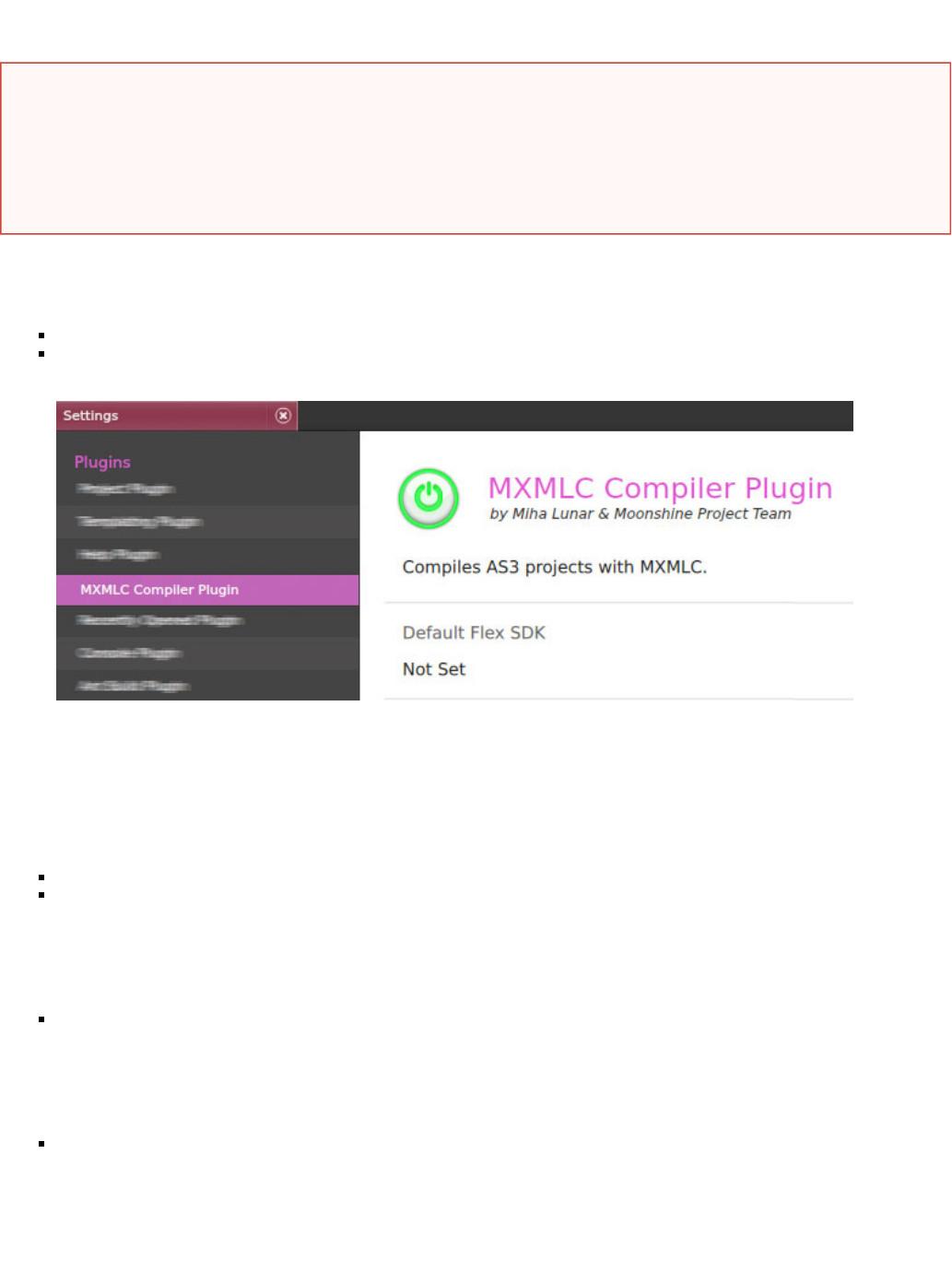
-- In Moonshine choose File -> Settings -> MXMLC Compiler Plugin
-- In opening view click on link inside section, this will open you a file browser dialogueChange Default Flex SDK
-- Locate the Apache Flex SDK folder (that you've downloaded) in file browser dialogue and choose Select Folder
-- You should see is now pointing to Apache Flex SDK directory you chooseDefault Flex SDK
-- Click Save
Setup Moonshine Sources
Download and unzip Moonshine source bundle from the link mentioned above (in this article), to your local file system
Moonshine unzipped sources will have three different Flex project folders:
--- MoonshineSharedCore(library project shared in desktop and web IDE)
--- MoonshineDESKTOP(desktop IDE's gateway project)
--- MoonshineWEB(web IDE's gateway project)
(Note: this setup instructions demonstrated with desktop version's IDE source)
Import Moonshine's desktop version source in running Moonshine IDE, you can do so by any of the following ways:
--- Choose by Project -> Open/Import Flex Project
--- Click on link in IDE's splash screenOpen Flex Project
In opening folder browser dialogue navigate to the unzipped source location, and select folder to openMoonshineDESKTOP
Moonshine should import you now desktop version's source in the IDE
1.
2.
3.
4.
This article expected followings before proceed
Following setup instructions demonstrated with Moonshine IDE, users may use other IDE to setup also
To setup Moonshine IDE please download and install the IDE by following link(s):
: Windows http://moonshine-ide.com/wp-content/uploads/Moonshine.exe
: MacOS http://moonshine-ide.com/wp-content/uploads/Moonshine.dmg
Make sure you have other prerequisites followed by the setup process (i.e. Apache Flex SDK ( ))http://flex.apache.org/installer.html
Download Moonshine sources by following link:
: Desktop & Web http://moonshine-ide.com/wp-content/uploads/Moonshine-source.zip
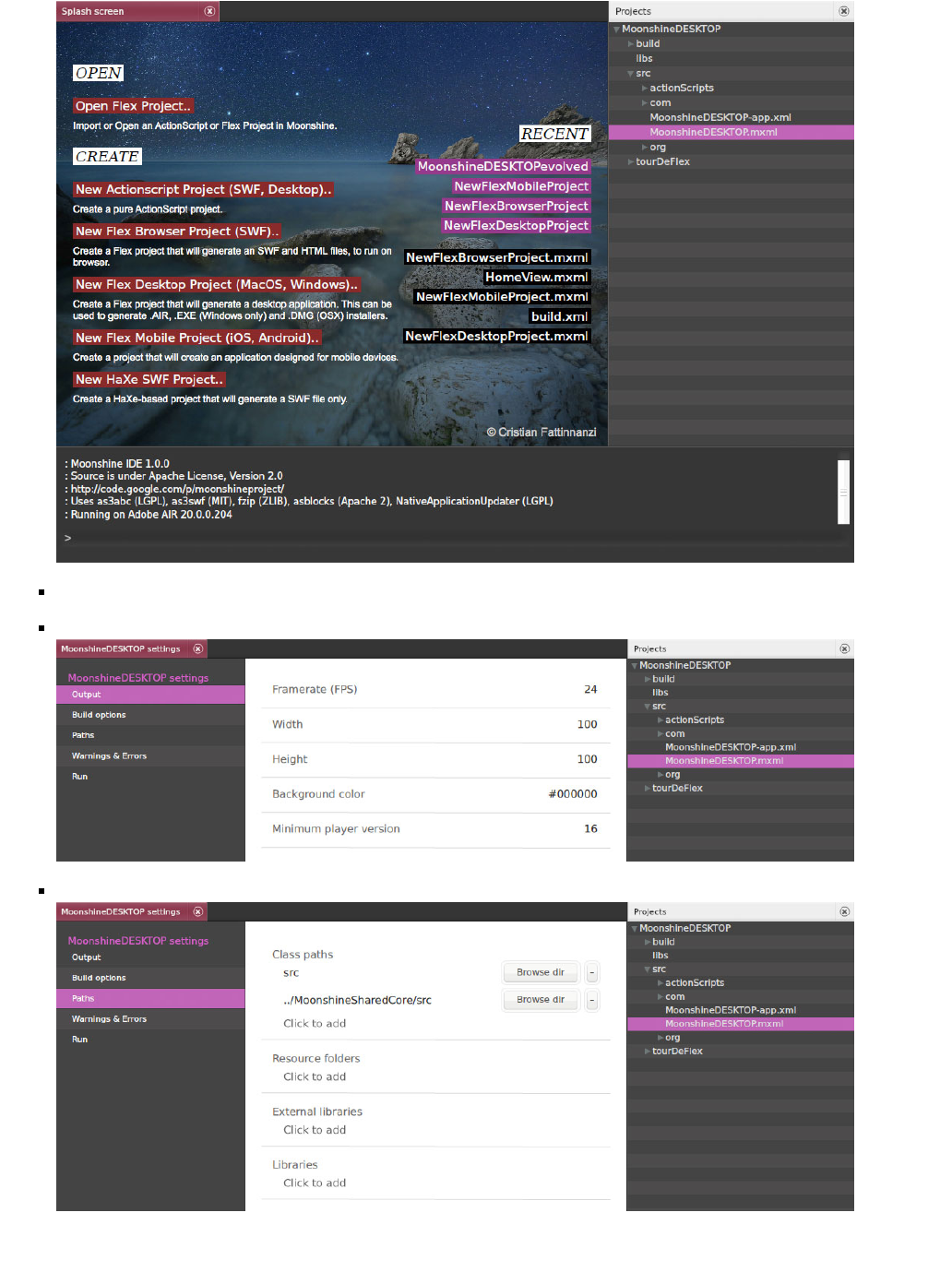
We now need to setup it's library project ( ), to do this right-click on project root node in workspace (right-handMoonshineSharedCore
tree panel) and choose Settings
You should now open with project's settings windowMoonshineDESKTOP
To setup library projects, SWC, other sources etc. go to section in project's settings window:Paths
--- : Used to connect linked projects' source pathsClass Paths
--- : Copy selected folders to bin-debug directory while compilationResource Folders

--- : Links to the project SWC filesLibraries
You can add entry to the sections by button or modify paths by button. Make sure sections pointsClick to Add Browse Dir Class Paths
to the sources per your local file system correctly. Save settings.MoonshineSharedCore
To test the project choose , if all things are works you should see compilation output in bottom view inProject -> Build & Run Console
Moonshine IDE and an AIR window starts running Moonshine IDE's instance, eventually.
ANT Build
Starting an ANT build requires ANT installed in your system and setup as environment variable ( - ensure ANThttp://ant.apache.org
version meets minimum requirement of 1.9.2)
Moonshine sources supplies with it's ANT build scripts and configured. Upon completion, the process will output desktop installer files for
Windows and MacOS. You can immediately start an ANT build process if you already setup ANT in your system; to start an ANT build
process we need to locate the ANT build script file ( ) prior to run the process. Moonshine supplies ANT build script file in it'sbuild.xml
project's folder. To locate the build script file choose from top menu, in opening file browser dialogue navigate tobuild ANT -> Configure
your Flex project's folder and select file; click in browser dialoguebuild/build.xml Open
To run the ANT build process choose . ANT build should produce .SWF and it's HTML wrapper file setANT -> Build
Upon successful completion of the process, installer files can be located at folder inside folderDEPLOY build
You can edit to build optional Flex SDK path, build certificate paths etc. If no certificate supplies, ANTbuild/ApplicationProperties.xml
script will create a self-signed certificate for the build process automatically
