Mozilla Firefox Reviewers Guide April 2014
User Manual:
Open the PDF directly: View PDF  .
.
Page Count: 15


2
About Us .................................................................................. 3
Make Firefox Yours ............................................................... 4
Privacy and Security ...........................................................10
The Web is the Platform ...................................................11
Developer Tools ..................................................................13
Table of Contents

3
About Us
About Mozilla
Mozilla is a global community with a mission to put the power of the Web in people’s hands. As a nonprot
organization, Mozilla has been a pioneer and advocate for the Web for more than 15 years and is focused on
creating open standards that enable innovation and advance the Web as a platform for all. We are committed to
delivering choice and control in products that people love and can take across multiple platforms and devices.
For more information, visit www.mozilla.org.
About Firefox
Firefox is the trusted Web browser of choice for half a billion people around the world. At Mozilla, we design
Firefox for how you use the Web. We make Firefox completely customizable so you can be in control of
creating your best Web experience. Firefox has a streamlined and extremely intuitive design to let you focus
on any content, app or website - a perfect balance of simplicity and power. Firefox makes it easy to use the
Web the way you want and oers leading privacy and security features to help keep you safe and protect your
privacy online.
Mozilla continues to move the Web forward by pioneering new open source technologies such as asm.js,
Emscripten and WebAPIs. Firefox also has a range of amazing built-in developer tools to provide a friction-free
environment for building Web apps and Web content.
We believe the Web should be open and accessible to all so we make Firefox for Windows, Mac and Linux and
localize it in more than 80 languages with help from the global Mozilla community.
4
Make Firefox Yours
Firefox is the most customizable browser and
adapts to you as you use it.
Firefox has built-in tools like customization mode
and hundreds of thousands of Firefox Add-
ons so you can change the look, features and
functionality to make Firefox your own.
Firefox enables you to take your personal Web
experience across devices and platforms with
Firefox Sync.
5
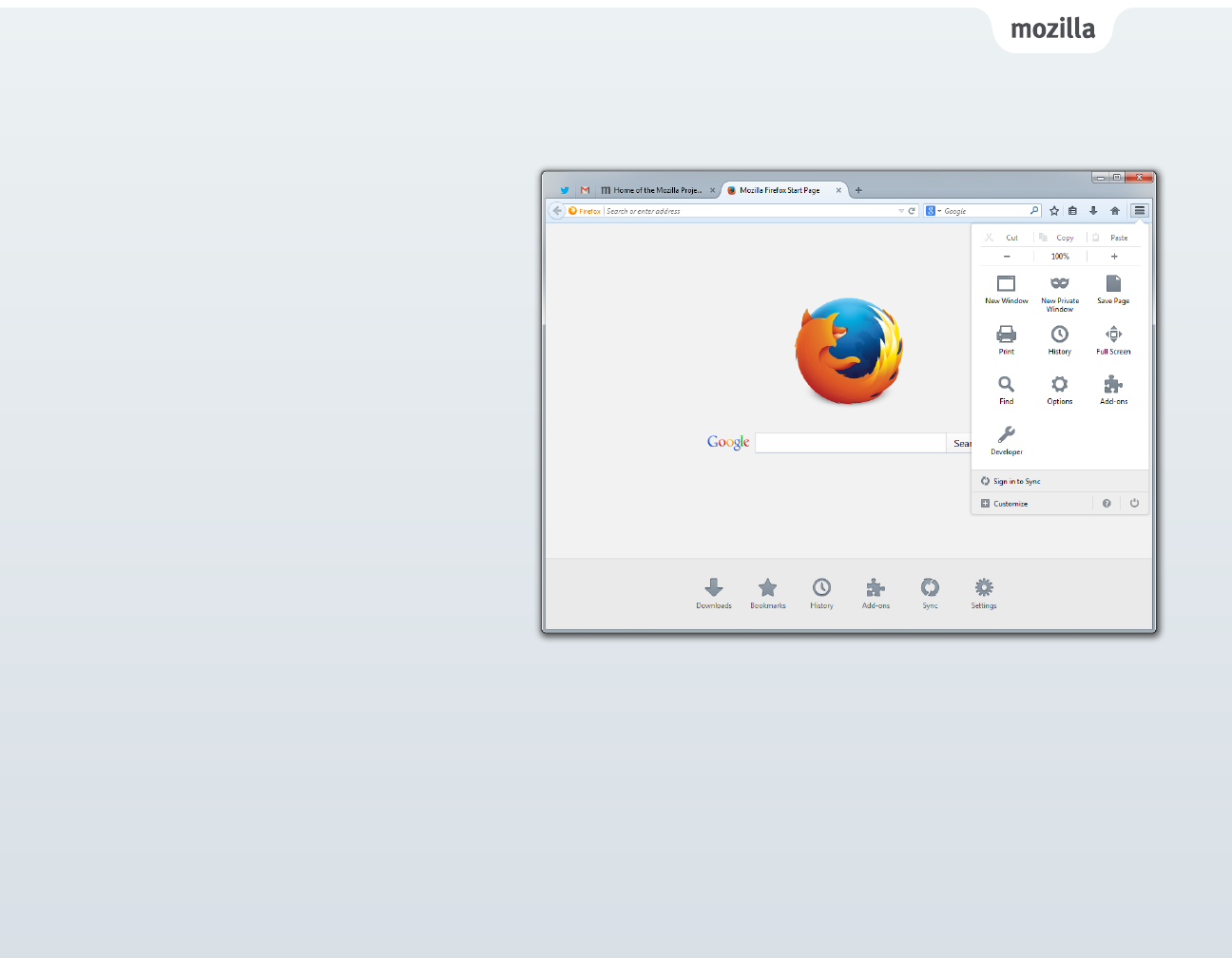
Firefox Menu
The menu sits in the right hand corner of Firefox
and includes popular browser controls, features
and add-ons in one place to make it easier and
faster to access them. You can nd familiar tools
like copy/paste, print, save page and full screen.
When you download a new Firefox Add-on, you
will be able to add its icon in the same new menu
panel, giving add-ons a permanent place in your
browser.
The features on this menu are completely
customizable so you can edit or add features you
use most.
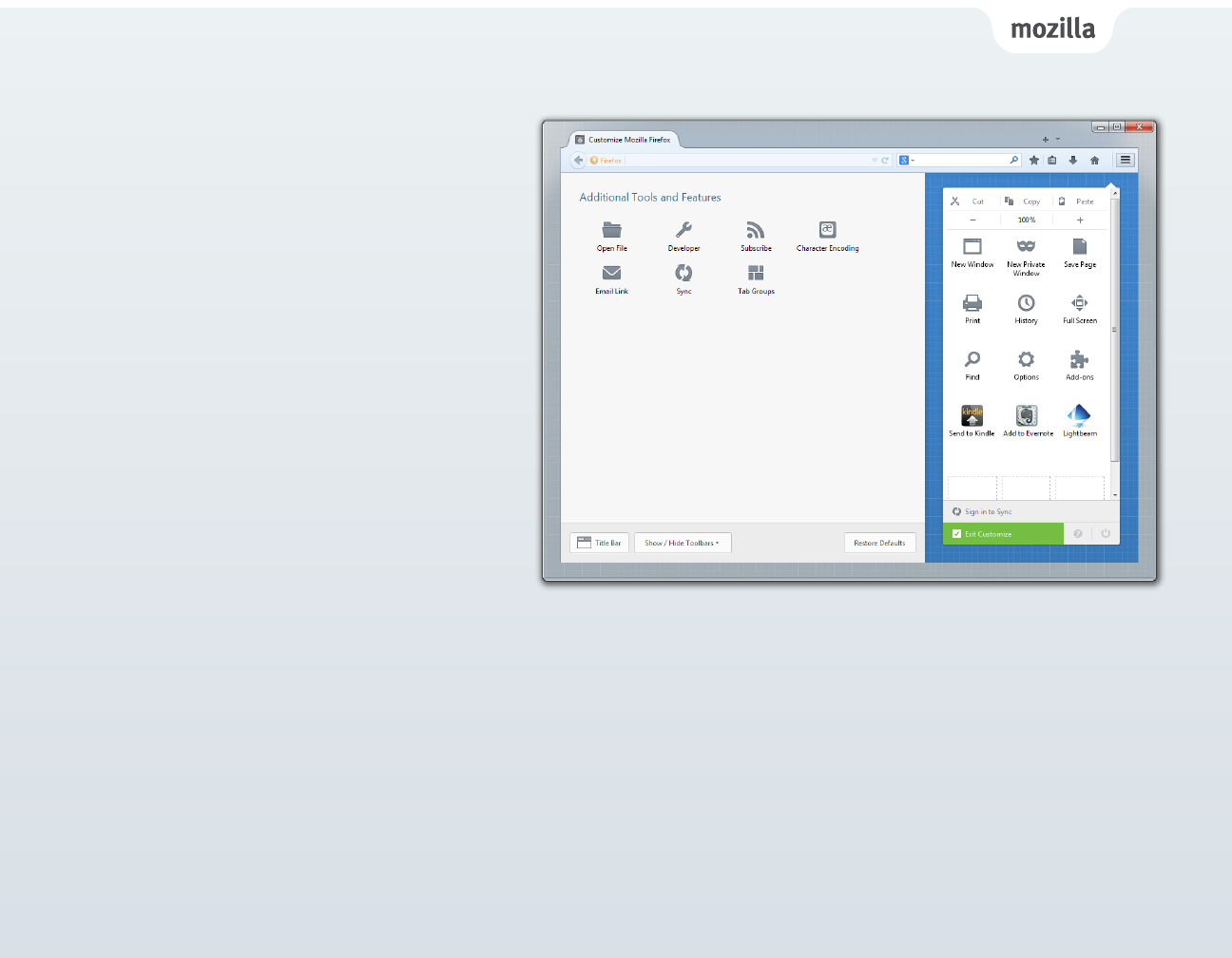
Customization Mode
Firefox has a customization mode to make it easy
for you to personalize your Web experience to
access the features you use the most.
Just click “Customize” on the bottom of the menu
and Firefox will transform into customization
mode.
You can manually drag and drop your favorite
feature, add-on or tool in the menu or toolbar.
6
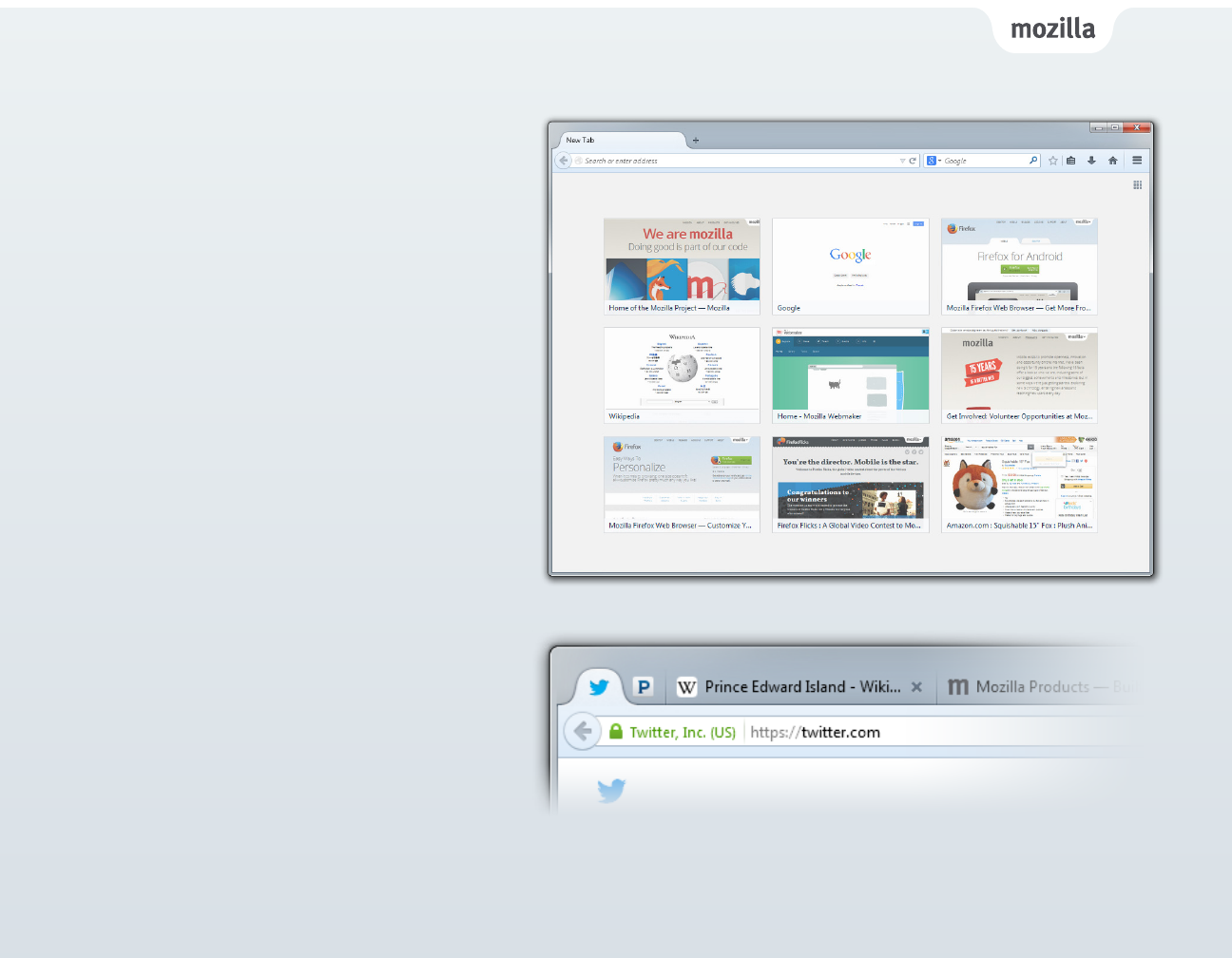
Tab Customization
New Tab Page: When you open a new tab
you’ll see thumbnails of your most recently and
frequently visited sites. You can customize these
by adding or removing thumbnails based on
where you go most.
Pinned Tabs: Pinned Tabs oer a better way to
manage tabs that you use frequently. Just right
click on any tab and select “Pin Tab” to give a
permanent home to the sites you “live” in — like
email, music and news sites.
Switch to Tab: When you open a new tab and
start typing in the Awesome Bar, Firefox will check
to see if you already have that site open. If you do,
you’ll be taken to the open tab so you don’t have
a duplicate.
7
Firefox Sync powered by
Firefox Accounts
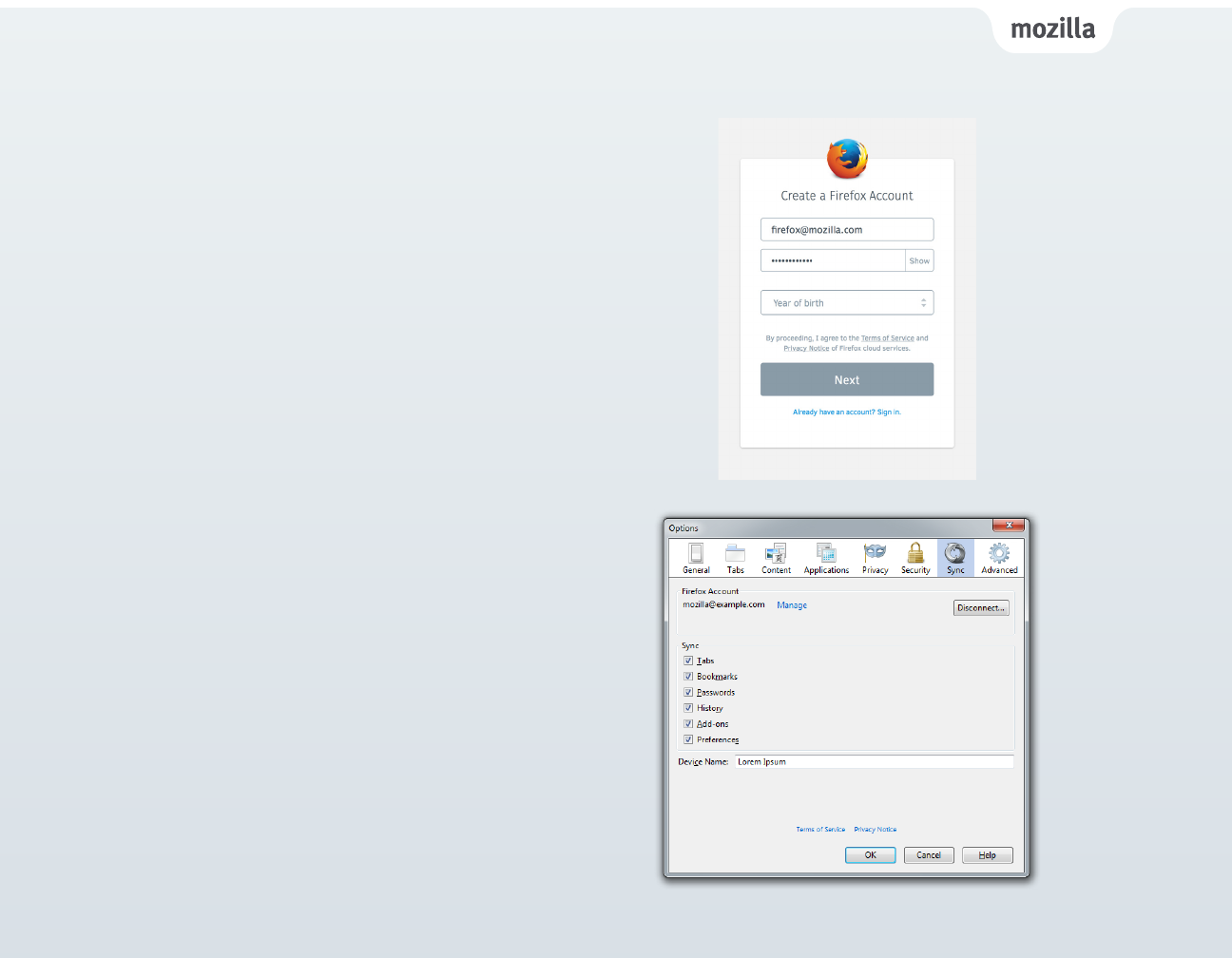
Setup Firefox Sync
You can use Firefox Sync on Windows, Mac, Linux
and Android as a safe and easy way for you to
take your Firefox everywhere.
Just create a Firefox Account and our sync feature
makes it even easier to setup and add multiple
devices with end-to-end encryption.
Firefox Sync gives you access to Awesome Bar
history, saved passwords, bookmarks, open tabs
and form data across your computers and mobile
Android devices.
1. Click the menu button and choose ‘Sign into Sync’.
2. The ‘Create a Firefox Account’ page will open in a
new tab.
3. Fill out the form to create an account and click ‘Next’.
4. Check your email for the verication link and click on
it to conrm your account.
5. Sign into Firefox Sync on another computer or your
Android device.
8
Social Integration
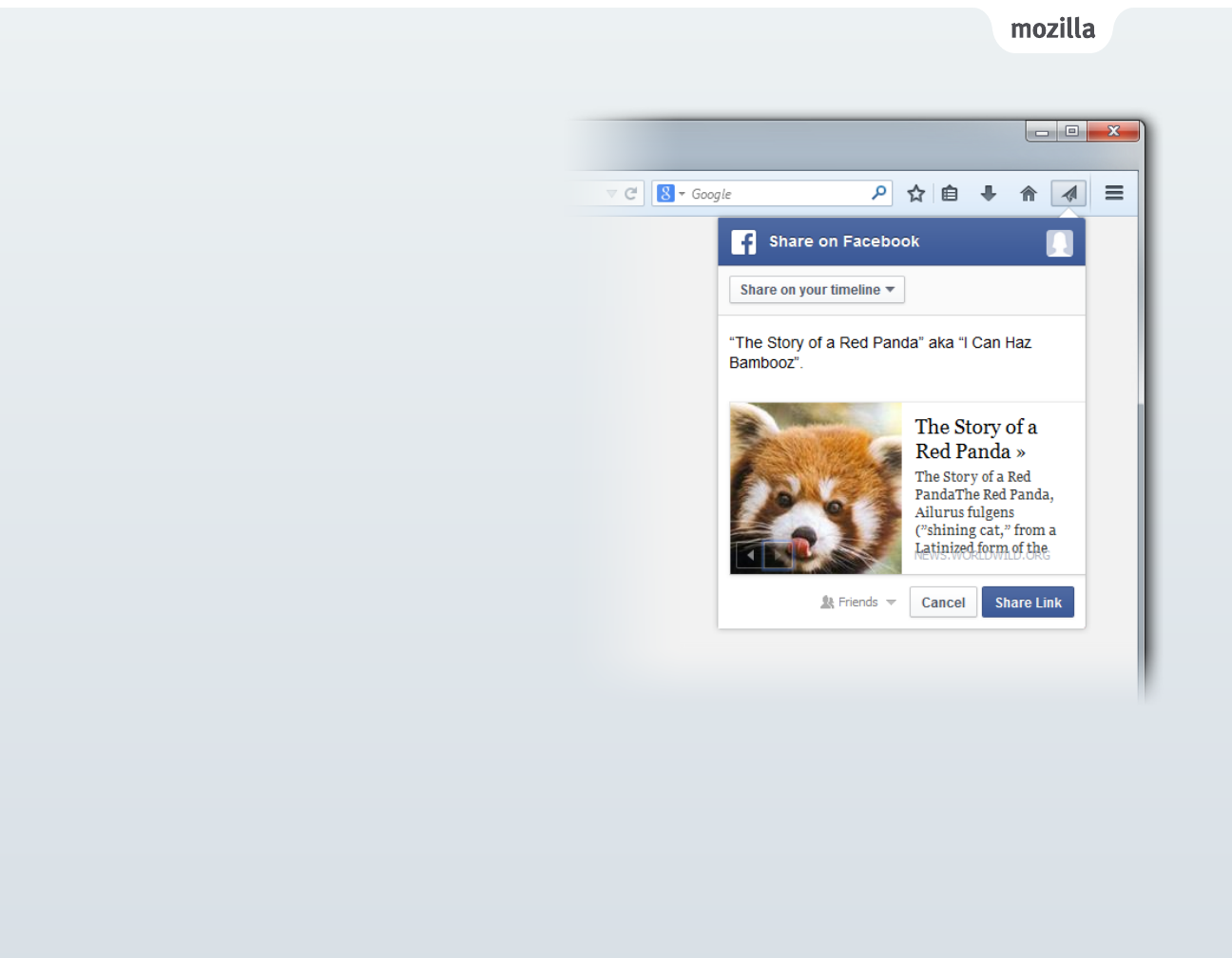
You use the Web to connect with friends, family
and content, so we made it easy to integrate
social apps and other services with Firefox.
You check in often for messages, notications
and updates from your social groups, sometimes
while you’re already engaged with another task
on the Web.
To enable Firefox Share, simply visit http://mzl.
la/1ifRDeT, select the Web app you wish to add
and select ‘enable services’.*
You can easily share a Web page to your friends
and family without having to open a new Web
page or switch between tabs.
* NOTE: Some services, require you to be logged into the website in order for it to work properly.
9
Firefox Add-ons
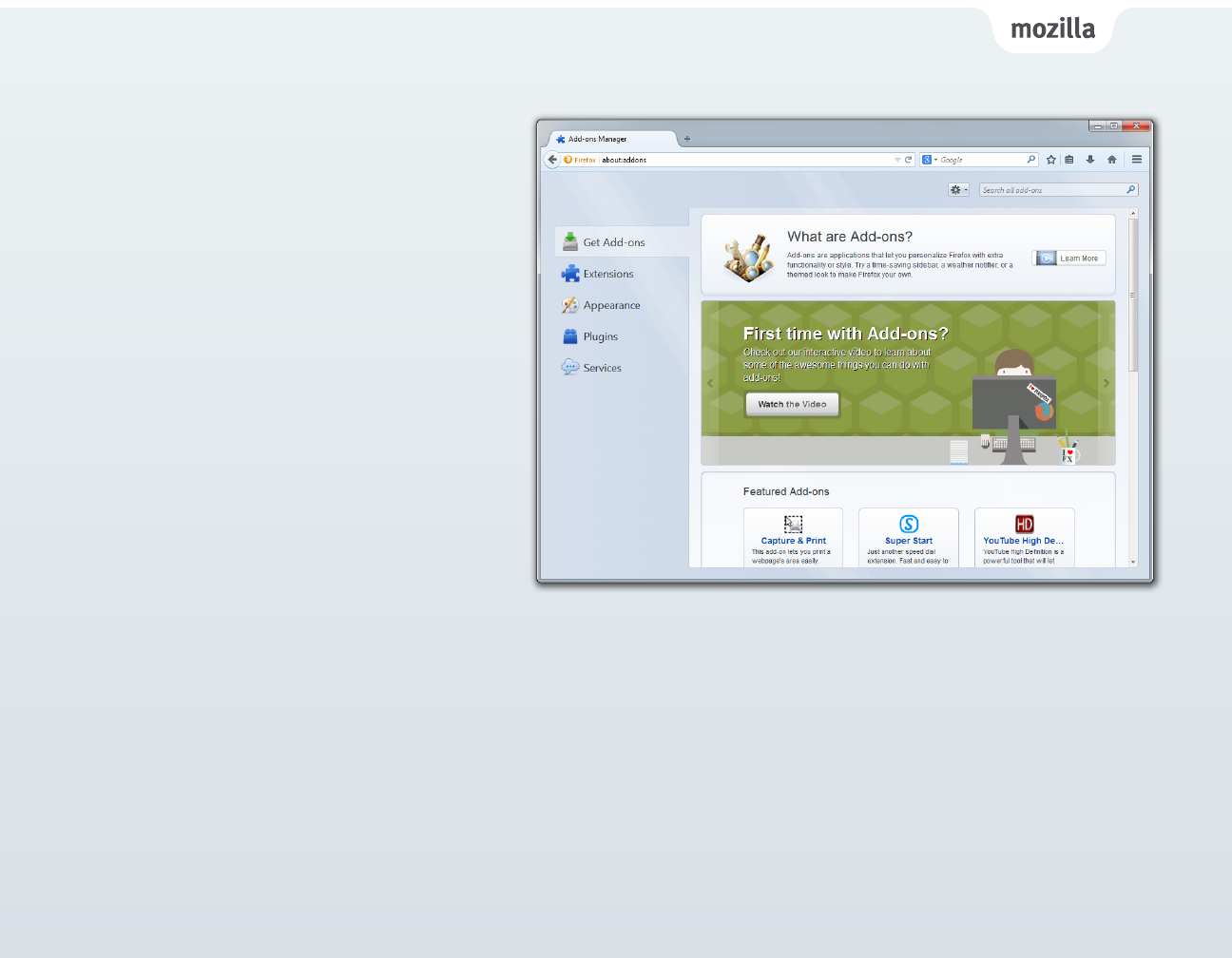
There are hundreds of thousands of Firefox Add-
ons available to customize the look, features and
functionality of your Web experience.
Whether it’s listening to music, reading the news
or shopping, there’s a Firefox Add-on for how you
want to use the Web.
Firefox includes an Add-ons Manager you can
access from the menu to help easily discover and
install add-ons.

10
Privacy and Security
Firefox is the trusted browser of choice for half a billion people worldwide. We want to help keep you safe while
you browse the Web. We believe you should be in control of how or if you share your data online.
Firefox leads the industry in oering privacy and security features like Do Not Track and private browsing to
give you more control over your personal browsing information.
• Do Not Track: Do Not Track lets you tell websites that you would like to opt-out of online tracking used for
advertising. Mozilla introduced Do Not Track to the market and Firefox was the rst desktop and mobile
browser to oer the privacy feature. You can nd Do Not Track as an option on the Privacy panel of your
Firefox Preferences.
• Private Browsing: Private Browsing allows you to browse the Web without saving any information about
which sites and pages you’ve visited. You can move in and out of Private Browsing mode quickly, so it’s easy
to multitask. This feature is great if you’re doing your online banking on a shared computer or checking
email from a café. Simply select “New Private Window” from the menu to prevent your browsing history
from being recorded.
Firefox security features help keep you safe from prying websites and malicious content.
• Click to Play Plugins: Firefox will warn you if you are running an outdated version of a plugin like Silverlight,
Flash or any Java plugin. Firefox only loads these plugins after you click to enable them to protect you from
security and stability risks.
• Secure Search: Firefox automatically makes your Google searches secure in Firefox to protect your data
from potentially prying eyes, like network administrators when you use public or shared WiFi networks.
• Mixed Content Blocker: Mixed content occurs when a Web page containing a combination of both secure
(HTTPS) and nonsecure (HTTP) content is delivered over a secure data channel (SSL) to the browser.
The Mixed Content Blocker prevents nonsecure (HTTP) content on a website being read or modied by
attackers by blocking the nonsecure content from being compromised.

11
The Web is the Platform
Mozilla is unlocking the Web as the platform to build powerful applications and beautiful and compelling games,
all powered by open technologies and standards like HTML5, CSS and JavaScript without the need for plugins and
third-party software. Firefox has full support for HTML5 and leads the industry in developing new cutting edge
technologies and working towards Web standards. Some highlights include:
WebRTC
Firefox supports WebRTC, which enables video calls and le sharing between browsers. As components of WebRTC:
getUserMedia allows a developer to capture camera and microphone data (with the user’s permission); PeerConnection
enables audio and video calling in a secure, hassle-free way; while DataChannels, which Mozilla was the rst to implement,
can be used to send almost any data that the browser can access. The Mozilla-pioneered Opus audio codec, a completely
free, high-quality audio format, is part of the Firefox WebRTC implementation and is mandated in the WebRTC standard.
WebAPIs
There are now more than 30 Mozilla-pioneered WebAPIs with at least eight new APIs introduced in the last year, including
WebNFC and Data Store API. These new APIs build more functionality and features into the Web for app development.
There is increasing industry adoption as these APIs move towards standardization. The Vibration API and Battery Status API
have been added to WebKit, while tools like Apache Cordova and Adobe’s PhoneGap now integrate six of the most popular
WebAPIs into their products.
CSS Flexbox
The integration of CSS Flexbox in Firefox makes it easier for developers to build user interfaces that adapt to the size of the
browser window or to create elastic layouts which adapt themselves to the font size. This is helpful when developers are
trying to create a consistent user interface to their Website or Web app across desktop and mobile.
Web Audio API
The Web Audio API allows developers to build robust audio engines capable of new features like positional audio and
support for eects such as reverb, which can create immersive audio experiences on the Web, which is especially important
for game developers.

12
Mozilla is unlocking the Web as the platform to build powerful applications and beautiful and compelling games,
all powered by open technologies and standards like HTML5, CSS and JavaScript without the need for plugins and
third-party software.
Firefox has full support for HTML5 and leads the industry in developing new cutting edge technologies and working
towards Web standards. Mozilla made immersive, 3D gaming possible on the Web. Now, we are working to make
it easier for developers to create and distribute games on the Web that you enjoy playing. We are doing this with
advancements including:
• asm.js and Emscripten: Mozilla-pioneered technologies that convert C/C++ games into asm.js (a subset of
JavaScript) so games can run in the browser at near-native speed without the friction of plugins. Specic asm.js
optimizations in Firefox means it currently runs asm.js-style code faster than any other browser.
• Unreal Engine 4 from Epic Games and Unity 5 from Unity: Using asm.js and Emscripten, we helped enable
these hugely popular game engines to add the Web as another export option without the need for plugins.
Epic’s Unreal Engine 4 will be available soon with HTML5 export and Unity’s WebGL add-on will be made
available with the release of Unity 5.0 later this year.
Now, millions of established game developers can export their games to the Web and benet from the power of
just clicking a link for game discovery.
The Web as a Gaming Platform
13
Developer Tools
Firefox makes it faster and easier for developers to create wonderful, interactive and innovative Web experiences. By
enabling the latest HTML5 Web technologies, we’re bringing new capabilities in 3D graphics, video, sound and multitouch
interaction. Firefox has a slew of amazing developer tools that you can access from the menu that are designed to help
developers build for the Web faster and easier.
• JavaScript Debugger: Firefox has a fast, built-in JavaScript Debugger that has minimal
impact on application performance and gives developers greater insight into their
code. Developers can use the same JavaScript Debugger on Firefox desktop to
remotely debug apps running on Firefox OS and Firefox for Android.
• App Manager: Brings the Firefox Web developer tools to mobile app developers,
simplifying mobile Web app development with live prototyping and debugging of apps
on Firefox OS phones directly from the desktop.
• Developer Command Line: Provides easy keyboard control over Firefox Developer
Tools and intuitively completes commands and parameters for you.
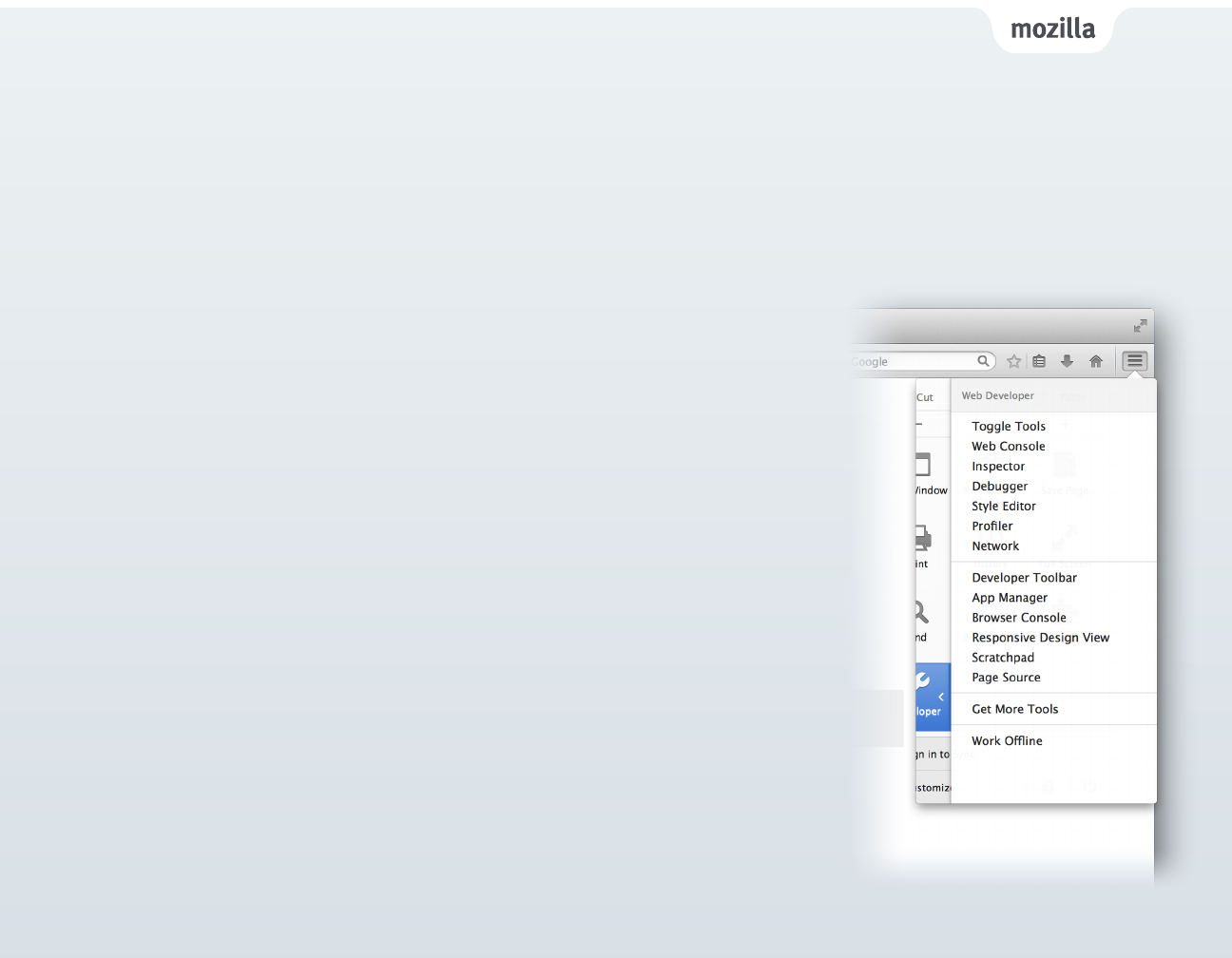
• Web Console: Allows you to peek under the hood of websites.
• Tilt, 3D Page Inspector: Unique to Firefox, this is a WebGL-based website visualization
tool. The 3D view clearly illustrates how parts of a website are structured. After
selecting “3D View” in Page Inspector, just hover your mouse over the elements to get
more information about each piece.
• Responsive Design View: Firefox allows developers to view and test websites across
multiple screen sizes. The feature helps developers quickly test mockups for mobile
websites and test responsive breakpoints without leaving their desktop browser.
• Network Monitor: The Network Monitor helps pinpoint where the problems are by
breaking down individual components on a timeline, so that you can x them.