Polaroid Tablet PMID703C Hard Reset
User Manual: Polaroid Tablet PMID703C
Open the PDF directly: View PDF  .
.
Page Count: 3
PMID703C
Factory Data Reset
If you have set a password on your tablet and forgotten the password, follow the instructions below to reset the tablet
to factory settings. Please note: this will erase all data on the tablet including the password settings, any saved apps,
photos, videos and any other saved information. Once finished, the tablet will be restored to factory default settings
including all factory preinstalled apps. Any apps you have purchased and/or downloaded to the tablet will need to be
reinstalled manually when finished.
IMPORTANT: make sure you have charged the tablet for at least one hour before performing this reset.
NOTE: Some screenshots below may differ slightly depending on which model tablet you are using. The choice
selection will be the same.
1. Make sure the tablet is powered OFF. You can double check this by quick-pressing the power button to see if the
tablet is still powered on.
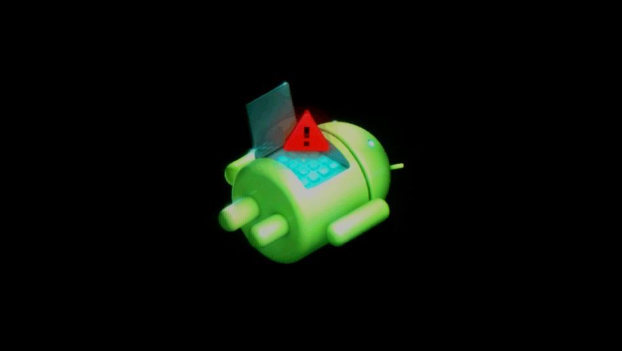
2. Press and HOLD the [VOL+] button and the [POWER] button together for 5 full seconds then release. Wait for
the “Android Dead Bot Screen” to show:
3. Press the [HOME] button to bring up the “Android system recovery” screen:
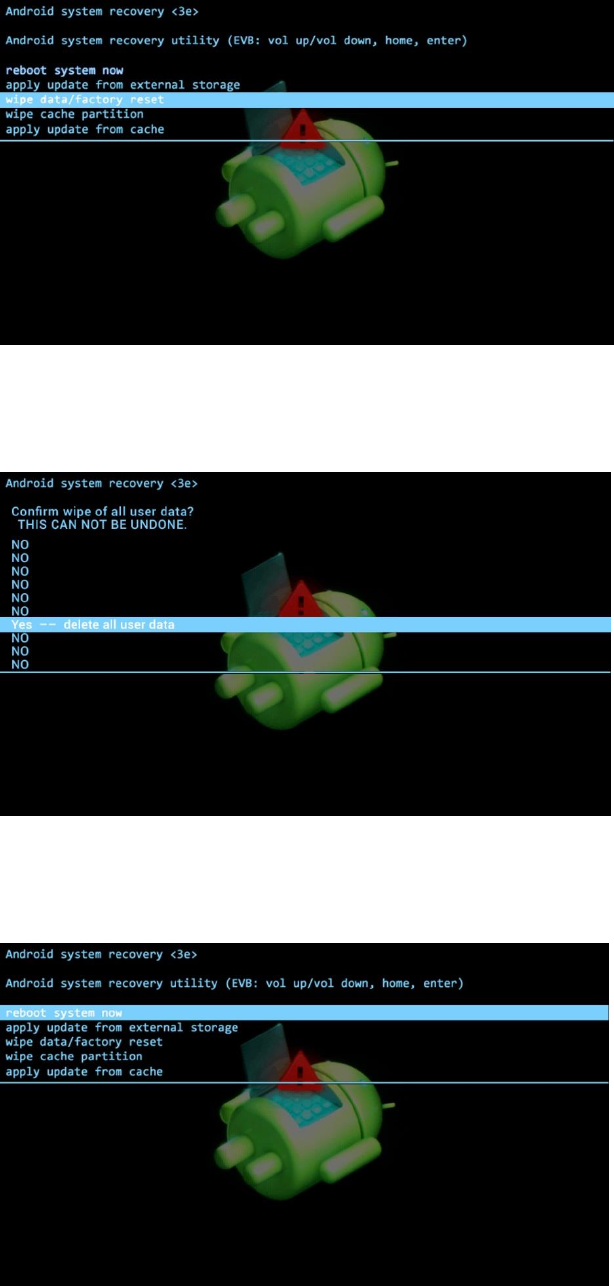
4. Use the [VOLUME] buttons to scroll through the selections. Scroll to option "wipe data/factory reset" then
press the [POWER] button to confirm the selection. Wait until the confirmation screen shows:
5. Use the [VOLUME] buttons to scroll to "Yes -- delete all user data", then press the [POWER] button to confirm
the selection. Wait for the "Android System recovery utility" screen to show:
6. Use the [VOLUME] buttons to navigate to "Reboot system now", then use the [POWER] button to make the
selection.
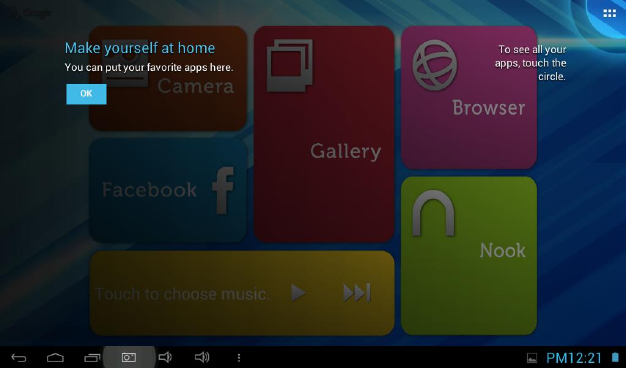
7. The tablet will power down then back on and the Polaroid logo will show. The tablet will take a few minutes to
reload the original factory settings. DO NOT press anything on the tablet while this is happening. Wait for the
Welcome screen to show:
8. Your PMID703C tablet has now been reset to its original factory settings. You may proceed as if the tablet is
new.
NOTE: Although you can start using the tablet, it will be installing the pre-loaded factory apps for a few minutes. If you
encounter a problem with any apps, wait a few minutes as they might still be installing.
