PT47WX42
User Manual: PT47WX42
Open the PDF directly: View PDF  .
.
Page Count: 104 [warning: Documents this large are best viewed by clicking the View PDF Link!]
The service technician is required to read and follow the “Safety Precautions”and“Important Safety Notice” in the Main Manual.
Service Manual
Copyright 2002 by Matsushita Electric Corporation of
America. All rights reserved. Unauthorized copying
and distribution is a violation of law.
ORDER NO. MTNC020409C1
B2
®
(P7W)
Main Manual
Panasonic
PT-47WX52F EP824
PT-47WX52CF EP824
PT-47WX42F EP824
PT-47WX42CF EP824
Chassis
Models
HDTV MONITOR
“WARNING! This Service Manual is designed for experienced repair technicians only and is not designed for use by the general public.
It does not contain warnings or cautions to advise non-technical individuals of potential dangers in attempting to service a product.
Products powered by electricity should be serviced or repaired only by experienced professional technicians. Any attempt to
service or repair the product or products dealt with in this Service Manual by anyone else could result in serious injury or death.”
This service manual is issued as a service guide for the models of the P7W family listed above. Included in this
manual are a set of schematics, alignment procedures, disassembly procedures and a complete parts list.

-2-
ServiceManual
Important safety notice
Special components are used in this projection television which are important for safety. These components are
identified on the schematic diagram by the symbol and printed in BOLD TYPE on the replacement part list. It is
essential that these critical parts are replaced with the manufacturer’s specified replacement part to prevent x-ray
radiation, shock, fire or other hazards. Do not modify the original design without the manufacturer’s permission.
Safety precautions
General guidelines
An
isolation transformer
should always be used
during the servicing of a PTV whose chassis is not
isolated from AC power line. Use a transformer of
adequate power rating as this protects the technician
from accidents resulting in personal injury from
electrical shocks. It will also protect the PTV from being
damaged by accidental shorting that may occur
during servicing.
When servicing, observe the original lead dress,
especially in the high voltage circuit. Replace all
damaged parts (also parts that show signs of
overheating.)
Always replace protective devices,suchas
fishpaper, isolation resistors and capacitors, and
shields after servicing the PTV. Use only
manufacturer’s recommended rating for fuses, circuits
breakers, etc.
High potentials, as high as 32.5kV, are present when
this PTV is operating. Operation of the PTV without the
rear cover introduces danger for electrical shock.
Servicing should not be performed by anyone who is
not thoroughly familiar with the necessary precautions
when servicing high-voltage equipment.
Extreme care should be practiced when handling the
picture tube
. Rough handling may cause it to implode
due to atmospheric pressure. (14.7 lbs. per sq. in.). Do
not nick or scratch the glass or subject it to any undue
pressure. When handling, use safety goggles and
heavy gloves for protection. Discharge the picture
tube by shorting the anode to chassis ground (not to
the cabinet or to other mounting hardware). When
discharging connect cold ground (i.e. DAG ground
lead) to the anode with a well insulated wire or use a
grounding probe.
X-ray precautions
The front area (between the projection tube and the
lens) is enclosed by a metal box to ensure positive
safety during normal and abnormal conditions when
checking and repairing. To fully ensure safety, the
following precautions must be observed.
1. Do not remove the lens or metal box.
2. Make sure to turn the power OFF when the lens is
removed or when checking the cleanliness of the
lens.
3. Do not remove the lens or metal box to check the
projection tube for operation by watching it directly.
Use a mirror or paper to view the image.
Before returning a serviced PTV to the owner,the
service technician must thoroughly test the unit to
ensure that is completely safe to operate. Do not use a
line isolation transformer when testing.
Leakage current cold check
Unplug the AC cord and connect a jumper between the
two plug prongs. Press the POWER switch ON.
Measure the resistance between the jumpered AC plug
and expose metallic parts such as screw heads,
antenna terminals, control shafts, etc. If the exposed
metallic part has a return path to the chassis, the
reading should be between 240kΩ and 5.2MΩ. If the
exposed metallic part does not have a return path to
the chassis, the reading should be infinite.
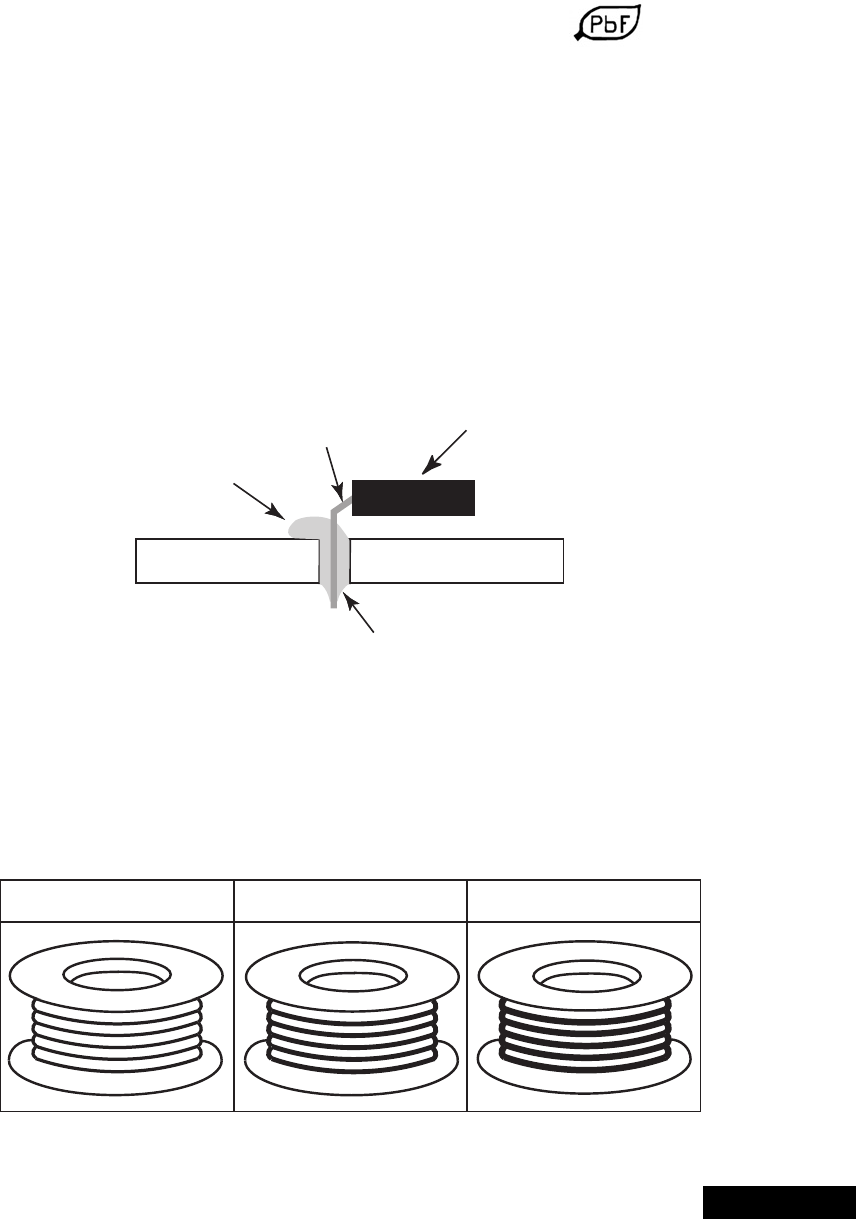
Leakage current hot check (see figure 1)
Plug the AC cord directly into the AC outlet. Do not use
an isolation transformer during the check.
Connect a 1.5kΩ10 watt resistor in parallel with a
0.15µF capacitor between and exposed metallic part
and ground. Use earth ground, for example a
water pipe.
Using a DVM with a 1000 ohms/volt sensitivity or
higher, measure the AC potential across the resistor.
Repeat the procedure and measure the voltage
present with all other expose metallic parts.
Verify any potential does not exceed 0.75 volt RMS. A
leakage current tester (such a Simpson model 229,
Sencore model PR57 or equivalent) may be used in
the above procedure, in which case any current
measure must not exceed 0.5 milliamp. If any
measurement is out of the specified limits, there is a
possibility of a shock hazard and the PTV must be
repaired and rechecked before it is returned to
the customer.
Insulation test
Connect an insulation tester between an exposed
metallic part and AC line.
Apply 1080VAC/60Hz for 1 second. Confirm that the
current measurement is 0.5mA ~ 2.0mA. Repeat test
with other metallic exposed parts.
X-ray radiation
WARNING: The potential source of x-ray radiation in the
PTV is in the high voltage section and the picture tube.
Note: It is important to use calibrated equipment.
Apply all black video signals (1080i) and confirm high
voltage measures 31.5 ± 1.0kV. If the high voltage is
not within the range, change C514 to 1800pF, 2000pF,
2400pF or 2700pF until the desired value is obtained.
Apply NTSC white pattern and confirm the high voltage
measures 30.1 ± 1.5kV.
Apply HD 1080I white pattern and confirm the high
voltage measures 30.1 ± 1.5kV
0.15µF
Figure 1. Hot check circuit
COLD
WATER
PIPE
(GROUND)
TO INSTRUMENT’S
EXPOSED METAL
PARTS 1500Ω,10W
AC VOLTMETER
-3- Service Manual
About lead free solder (PbF)
Note: Lead is listed as (Pb) in the periodic table of elements.
In the information below, Pb will refer to Lead solder, and PbF will refer to Lead Free Solder.
The Lead Free Solder used in our manufacturing process and discussed below is (Sn+Ag+Cu).
That is Tin (Sn), Silver (Ag) and (Cu) although other types are available.
This model uses Pb Free solder in it’s manufacture due to environmental conservation issues. For
service and repair work, we’d suggest the use of Pb free solder as well, although Pb solder may be
used.
PCBs manufactured using lead free solder will have the PbF within a leaf symbol stamped on the
back of PCB.
Caution
• Pb free solder has a higher melting point than standard solder. Typically the melting
point is 50 ~ 70 °F(30~40°C) higher. Please use a high temperature soldering iron
and set it to 700 ± 20 °F(370± 10 °C).
• Pb free solder will tend to splash when heated too high (about 1100 °For600°C).
If you must use Pb solder, please completely remove all of the Pb free solder on the
pins or solder area before applying Pb solder. If this is not practical, be sure to heat the
Pb free solder until it melts, before applying Pb solder.
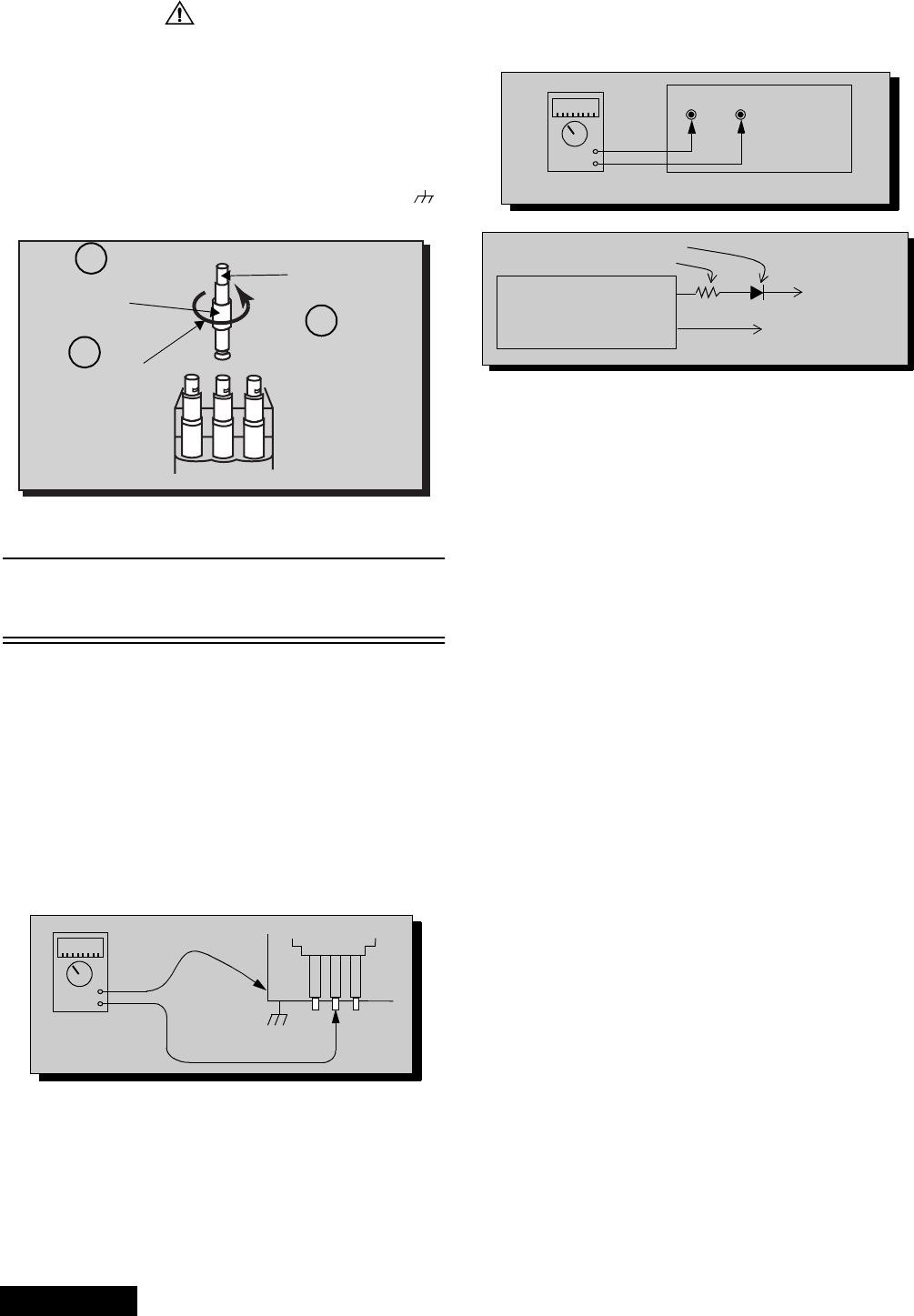
• After applying PbF solder to double layered boards, please check the component side
for excess solder which may flow onto the opposite side. (see figure below)
Suggested Pb free solder
There are several kinds of Pb free solder available for purchase. This product uses Sn+Ag+Cu
(tin, silver, copper) solder. However, Sn+Cu (tin, copper), Sn+Zn+Bi (tin, zinc, bismuth) solder
canalsobeused.
component
component
pin
solder
excess solder
remove all of the
slice view
0.3mm X 100g 0.6mm X 100g 1.0mm X 100g
-4-
ServiceManual
Important safety tests
Measuring H.V.
The anode caps are cemented to the CRTs. To gain
access for high voltage measurement, remove the red
CRT’s anode lead from the flyback transformer
distributor. Grasp the anode lead protective cap at its
bottom and squeeze it against the locking cap body
inside, rotate 1/4 turn counter clockwise and pull the
anode lead sleeve out of the FBT distributor. Connect a
high voltage lead (+) from your H.V. meter to the FBT
distributor, and the common (-) to cold ground ( ).
(see figure 2).
Note: Reinsert the anode lead into the FBT
distributor until it is tightly and fully seated.
Turn the locking cap clockwise to lock in place.
(EHT) Protector operation check
With the cabinet back removed, apply a nominal 120V
AC to the PTV.
Over voltage test
Preparation:
1. Turn PTV “OFF”
2. Connect a NTSC signal generator to the
antenna terminal.
3. Connect DVM (+) TPD50 and (-) TPD51 on
D Board (see figure 4)
Figure 3. Measuring H.V.
4. Connect a H.V. meter (static type, class 0.1) with
high voltage leads to high voltage distributor
on FBT. (See figure 4)
Figure 4. DVM & power supply connection.
5. Connect the 15 ~ 25 V DC variable power supply to
(+) TPD8 or IC802 pin 2 (D-Board) and (-) heat
sink of Q551 (see figure 4).
Procedures:
1. Apply a NTSC white pattern.
2. Turn PTV ON.
3. Adjust the picture or brightness controls so that the
DVM reads 12.4 volts ± 0.4 volts.
4. Increase the variable power supply until set turns
off. The set should turn off at 12.4 volts ± 0.4 volts
(DVM) and high voltage less than 36.4kV.
5. If the DVM reading is other than 12.4 volts (± 0.4
volts), readjust picture or brightness control and
repeat steps 3.
6. Turn off the variable supply and confirm that the set
will turn on with the remote control.
Figure 2. Removal of FBT leads
FBT distributor
Anode lead
Grasp protective
rubber cap
Push & rotate
cap counter-
clockwise
to remove
Discharge to
CRT chassis
3
1
2
-
+
H.V. METER
FBT Distributor
CRT
CHASSIS
Cold ground
-
+
DVM
TPD51 TPD50 D-Board
Variable
power
supply (15~25DC)
(+)
(-)
IC802 PIN 2
HEAT SINK OF Q551
MA150 D-Board
100Ω 1/2 W
OR TPD8

-5- Service Manual
About format aspect switching(WX 16:9 or HX 4:3)
Widescreen 16:9 and non-widescreen 4:3 PTVs use the same
light box, for this reason is important to set it to the correct
version (16:9 or 4:3). To change the format please refer to
figure 62 on page 43.
Be sure to select the correct format for the serviced PTV.

-6-
ServiceManual
Importantsafetynotice...................2
Safetyprecautions........................2
Generalguidelines..................2
X-rayprecautions ..................2
Leakagecurrentcoldcheck...........2
Leakagecurrenthotcheck ...........2
Insulationtest .....................2
X-rayradiation.....................2
About lead free solder (PbF) . . . . . . . ........3
SuggestedPbfreesolder ............3
Importantsafetytests ....................4
MeasuringH.V.....................4
(EHT) Protector operation check . . . . . . . 4
About format aspect switching. . . . . ........5
Servicenotes ...........................7
Leadless chip component . . . . ........7
Componentremoval ................7
Chip component installation . . ........7
HowtoreplaceFlat-IC...............7
Featuretable............................9
Boardsdesignation.....................10
PTV-Locationofcontrols................11
Quick reference control operation . . . . . 11
Remote-Locationofcontrols.............12
Auto diagnosis feature. . . . . . . . . . . . .......14
A-Boardcheckpoints ...................15
A-Board check points waveforms. . . .......16
Chassis&boardslayout.................17
Boarddescription..................17
Disassemblyforservice .................18
Speakergrilleremoval..............18
Keyboardremoval.................18
Speakersreplacement..............18
Cabinet back lower cover removal . . . . 18
Cabinetbackcoverremoval .........18
Mirrorremoval....................18
Screenframeremoval..............19
Screenassembly..................19
Mainchassisblock ................19
Chassisassembly.................19
Disassembly for CRT replacement . . . . 20
CRTreplacement .................20
Optical block position adjustment . . . . . 21
PTVscreenassemblies.............22
B+voltagestable..................22
CRTsetup.............................23
Dynamicfocusadjustments..........23
Electricaladjustment...............23
Focus - Optical lens adjustment . . . . . . 24
Opticaladjustments................24
NTSC Vertical size adjustment (VSIZE) 25
HD 1080i Vertical size
adjustment(VSIZE).............25
NTSC ZOOM Vertical size
adjustment(VSIZE).............26
NTSC Horizontal phase
adjustment(H-POS)............26
HD 1080i Horizontal phase adjustment
(H-POS) .....................26
Trapezoid adjustment (EWTRA) . . . . . . 26
NTSC Pincushion adjustment (PCC). . . 26
HD 1080i Pincushion
adjustment(PCC)..............27
Centering magnets adjustment . . . . . . . 27
NTSC Horizontal size
adjustment(HWID).............27
HD 1080i Horizontal size adjustment
(HWID)......................27
Convergenceadjustment............27
Coarse adjustment mode (COARSE) . . 29
Fine adjustment mode
(FINE)(convergence)...........30
Horizontal and vertical size check . . . . . 33
Convergence alignment template . . . . . 33
Service mode (electronic controls). . . . . . . . . 34
Quickentrytoservicemode .........34
To toggle between aging
andservicemodes.............34
Exitingtheservicemode............34
Tocheckcolors...................34
Table of the service adjustments
items available for each format . . . . 35
480iServicemodeDACs ...........37
480pServicemodeDACs...........39
1080iServicemodeDACs ..........41
Instructional flow chart for format
aspect switching
(WX16:9orHX4:3)............43
Instructional flow chart for
servicemode..................44
NTSC Sub-Bright
adjustment(BRIGHT)...........46
1080i Sub-Bright
adjustment(BRIGHT)...........46
NTSC Color adjustment
(TINT,B-Y_G,R-Y_A) ..........46
1080i Color adjustment
(TINT,B-Y_G,R-Y_A) ..........46
Red, green & blue screen cutoff . . . . . . 47
Whitebalanceadjustment...........47
Tintandcolorcheck ...............47
MTScircuitadjustments ............47
Inputleveladjustment(MTSIN).......47
Stereo separation adjustment
(SEPAL&SEPAH).............47
ClockAdjustment(CLOCK)..........48
Audiosignalpathblockdiagram ..........49
Video-chroma signal path block diagram . . . 50
IICconnection..........................51
Description of connectors. . . . ............52
Partslist ..............................53
Schematics........................66~103
-7- Service Manual
Service notes
Leadless chip component
(surface mount)
Chip components must be replaced with identical chips
due to critical foil track spacing. There are no holes in
the board to mount standard transistors or diodes.
Some chip capacitor or resistor board solder pads may
have holes through the board, however the hole
diameter limits standard resistor replacement to 1/8
watt. Standard capacitor may also be limited for the
same reason. It is recommended that identical
components be used.
Chip resistor have a three digit numerical resistance
code - 1st and 2nd significant digits and a multiplier.
Example: 162 = 1600 or 1.6kΩresistor, 0 = 0Ω (jumper).
Chip capacitors generally do not have the value
indicated on the capacitor. The color on the component
indicates the general range of the capacitance.
Chip transistors are identified by a two letter code. The
first letter indicated the type and the second letter, the
grade of transistor.
Chip diodes have a two letter identification code as per
the code chart and are a dual diode pack with either
common anode or common cathode. Check the parts
list for correct diode number.
Component removal
1. Use solder wick to remove solder from component
end caps or terminal.
2. Without pulling up, carefully twist the component
with tweezers to break the adhesive.
3. Do not reuse removed leadless or chip
components since they are subject to stress
fracture during removal.
Chip component installation
1. Put a small amount of solder on the board
soldering pads.
2. Hold the chip component against the soldering
pads with tweezers or with a miniature alligator clip
and apply heat to the pad area with a 30 watts iron
until solder flows. Do not apply heat for more than
3 seconds.
How to replace Flat-IC
- Required tools -
1. Cut the pins of the defective IC with the wire cutter
pliers, and remove it completely away from the
board. If the IC is glued to the board, apply hot air
to complete the removal. CAUTION- Do not pull or
twist the pliers, it may damage the soldering pads
in the board .
2. Using the soldering Iron and the long nose pliers,
remove the IC pins that are still attached to the
board.
3. Using the de-solder braid and the soldering Iron,
remove the solder from the board soldering pads.
4. Position the new flat IC in place (apply the pins of
the flat IC to the soldering pads where the pins
need to be soldered). Properly determine the
positions of the soldering pads and pins by
correctly aligning the polarity symbol. Start aligning
and soldering Pin No.1, then align and solder the
pin in the apposite corner of the IC, this will help to
align the rest of the pins.
5. Solder all pins to the soldering pads using a fine
tipped soldering iron.
6. Check with a magnifier for solder bridge between
the pins or for dry joint between pins and soldering
pads. To remove a solder bridge, use a de-solder
braid as shown in the figure below.
Note: These components are affixed with glue. Be careful not to break or damage any foil under the
component or at the pins of the ICs when removing. Usually applying heat to the component for
a short time while twisting with tweezers will break the component loose.
c
b
e
Chip components
TRANSISTOR CAPACITOR
RESISTOR
MH DIODE
SOLDER
CAPS
SOLDER
CAPS
1ST DIGIT 2ND DIGIT
MULTIPLIER
=1600 = 1.6k
GRADE
TYPE
COMMON
ANODES
CATHODE
c
b
e
• Soldering iron • De-solder braids
• Sharp pliers (wire
cutters and long nose) • Magnifier
Flat-IC
Soldering
Iron
De-Solder
Braid
Soldering
Iron
Polarity
symbol
Soldering
Iron
Solder
De-Solder
Braid
Solder
Bridge
Soldering
Iron

-8-
ServiceManual
Service notes (continued)
IMPORTANT: To protect against possible damage to
the solid state devices due to arcing or static discharge,
make certain that all ground wires and CRT DAG wire
are securely connected.
CAUTION: The power supply circuit is above earth
ground and the chassis cannot be polarized. Use an
isolation transformer when servicing the PTV to avoid
damage to the test equipment or to the chassis.
Connect the test equipment to the proper ground (( )
or ( )) when servicing, or incorrect voltages will
be measured.
WARNING: This PTV has been designed to meet or
exceed applicable safety and x-ray radiation protection
as specified by government agencies and independent
testing laboratories.
To maintain original product safety design standards
relative to X-ray radiation and shock and fire hazard,
parts indicated with the symbol on the schematic
must be replaced with identical parts. Order parts from
the manufacturer’s parts center using the parts
numbers listed in this service manual, or provide the
chassis number and the part reference number.
For optimum performance and readability, all other
parts should be replaced with components of
identical specification.
-9- Service Manual
Feature table
FEATURE PT-47WX52F
PT-47WX52CF PT-47WX42F
PT-47WX42CF
Chassis P7W
Number of channels 181
Menu language Eng/Span/Fr
Closed caption (CC) X
V-Chip (USA/CANADA) X
Picture in Picture (PIP) 2T split
VIDEO INPUT MEMORY/SKIP SKIP
2RF X
Remote control number EUR7603Z30 EUR7603Z40
Screen protector W/PROT SCRN W/O PROT SCRN
Comb filter ADV 3D Y/C (NEW)
Color temp X
NEW YNR X
VM X (DIGITAL)
V/A norm X
DIGITAL SCAN RATE 1080i, 480p
NTSC LINE-DOUBLER 480p SMOOTH PROGRESSIVE
MTS/SAP/DBX X
Bass/Bl/Treb control X
AI sound X
SURROUND X
Spatializer/BBE BBE
Built-in audio power 15WX2 (10%) 10WX2 (10%)
Number of speakers 4 2
A/V in (rear/front) 4 (3/1)
S-VHS in (rear/front) 2/1
Audio out Fixed & Variable
COMPONENT INPUT (Y, Pb, Pr) 2
Dimensions mm
WxDxH in 1111x1236x626
43.74x48.66x24.64
Weight (kg/lbs) 82/180.78
Power source (V/Hz) 120V 60Hz
Anode voltage 31.5kV ± 1.0kV
Video input jack 1Vp-p 75Ω, phono jack
Audio input jack 500mV RMS 47kΩ
Table 1: Feature Table
Specifications are subject to change
without notice or obligation.
Dimensions and weights are
approximate.
-10-
ServiceManual
Boards designation
BOARD PART NUMBER BOARD DESCRIPTION
A-Board TNP2AH035 signal processing
D-Board TNPH0371 power and deflection
LB-Board TNP2AA110 blue driver
LG-Board TNP2AA111 green driver
LR-Board TNP2AA112 red driver
G-Board TNP2AA090 front A/V panel
K-Board TNP2AA089 front button panel
R-Board TNPA0615AB IR receiver
Table 2: Boards designation
Note: The A-Board (
TNP2AH035
) is non-serviceable.Exceptfor
A-Board both tuners, IC2302, IC7001, IC7002, IC871, IC872,
IC873. If any of these components or board is defective repleace
it with a new one and take back the defective board to the service
center.
Notice: When ordering any board, add and ” S” after the board
suffix application.
Example: If Order D-Board, should be ordered as:
TNPH0371
S.
-11- Service Manual
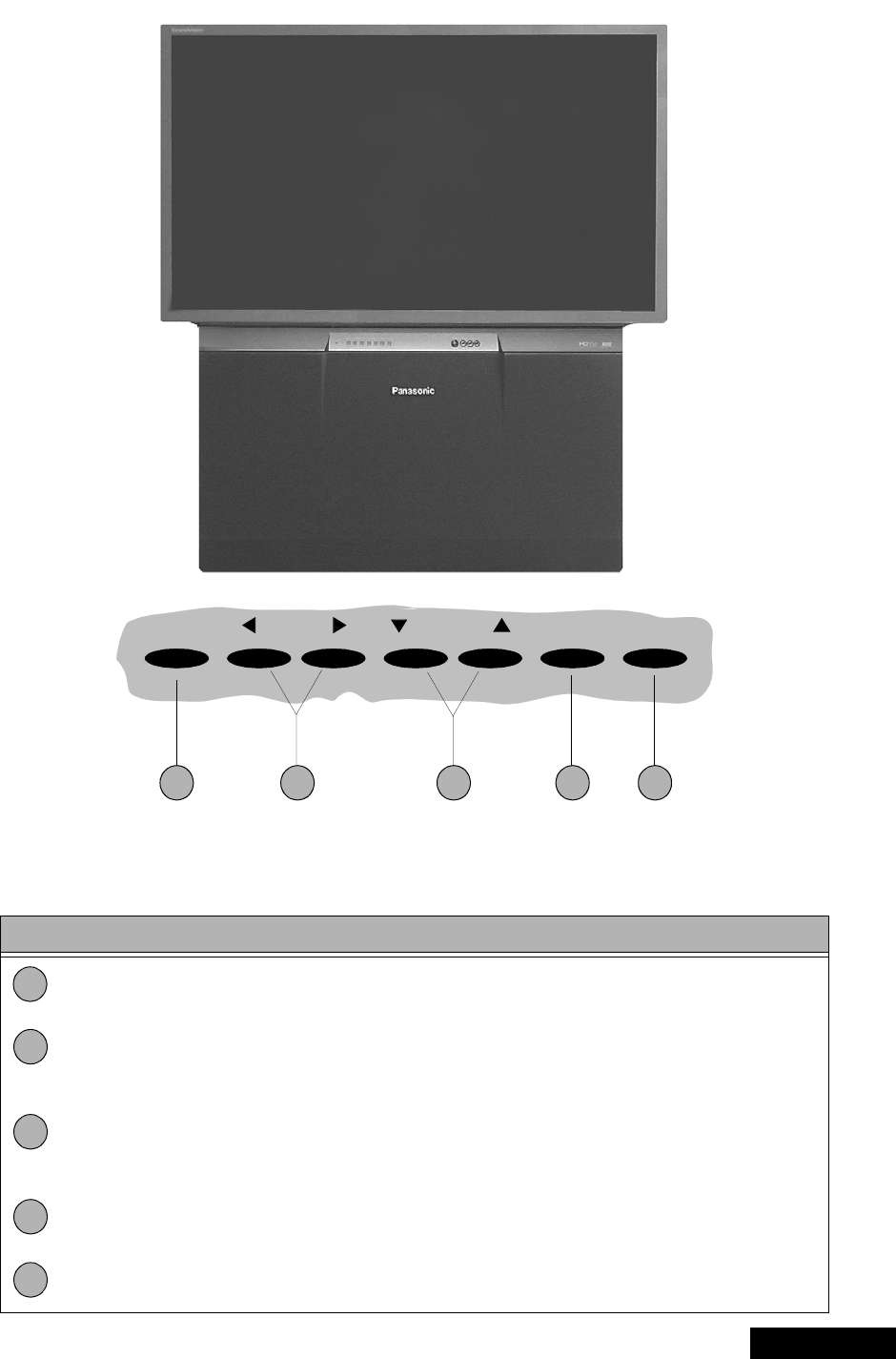
PTV - Location of controls
Figure 5. Location of controls PTV
Quick reference control operation
1 2 4 53
POWER VOLUME CHANNEL ACTION TV/VIDEO
Quick reference control operation
Power - Press to turn ON or OFF.
Volume - Press to adjust sound level, or to adjust audio menus, video menus, and
select operating features when menus are displayed
Channel - Press to select programmed channels. Press to highlight desired features
when menus are displayed. Also use to select cable converter box channels after
programming remote control infra-red codes (the TV/AUX/CABLE switch must be set
in CABLE position).
Action - Press to display main menu and access on screen feature and adjustment
menus.
TV/Video - Press to select TV or one of the video inputs, for the main picture or the PIP
frame (when PIP frame is displayed).
1
2
3
4
5
-12-
ServiceManual
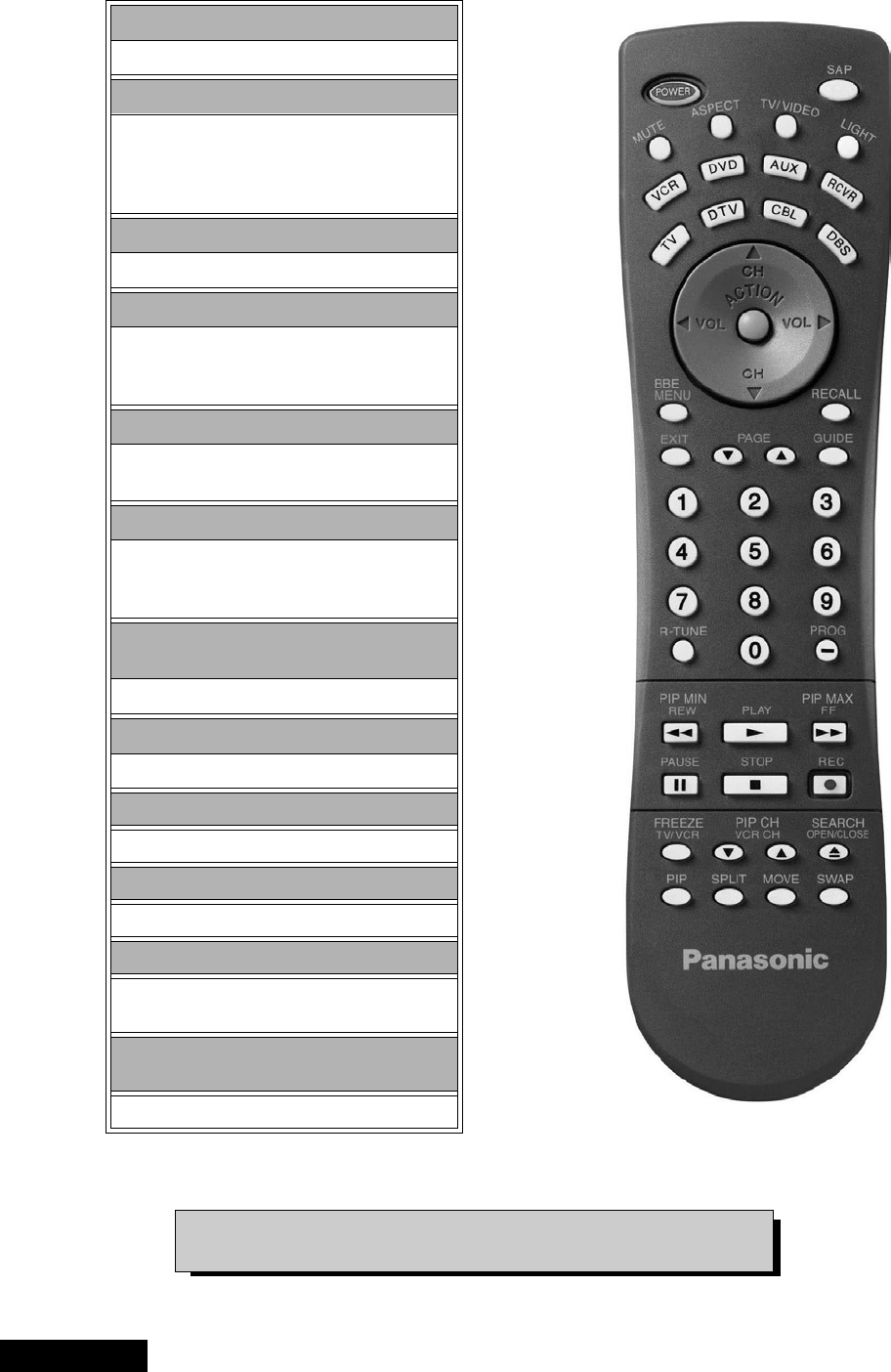
Remote - location of controls
Figure 6. Location of controls (EUR7603Z30 remote)
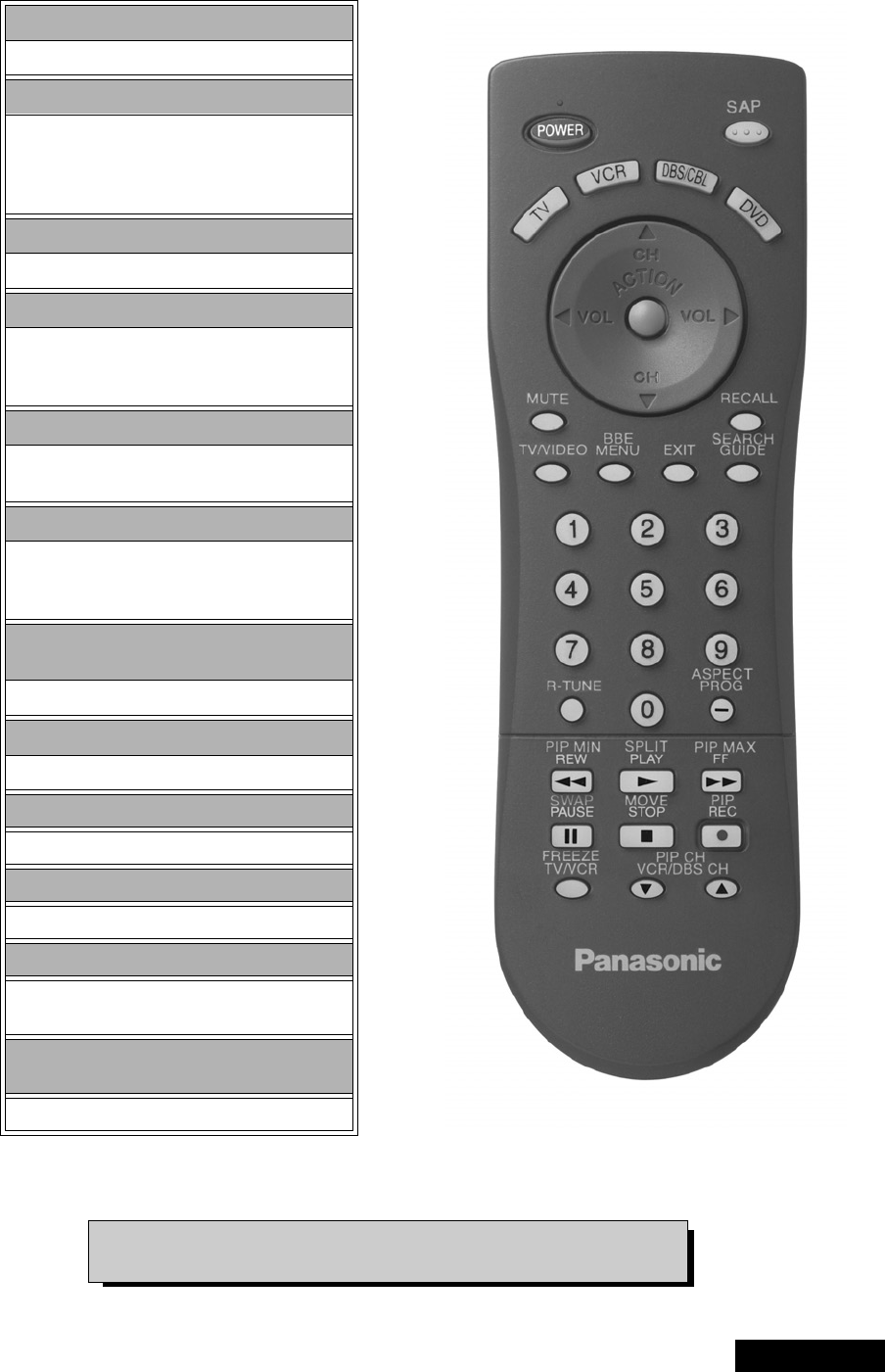
POWER Button
Press to turn ON and OFF.
MUTE Button
Press to mute sound.
A second press resumes sound.
Press also to access and delete
Closed Caption display.
TV, VCR, DVD, CBS/CBL
Component function buttons
VOL (volume) Buttons
Press to adjust TV sound level.
Use with Channel buttons to
navigate in menus.
R-TUNE (Rapid Tune) Button.
Press to switch to the previous
channel.
ACTION Button
Press to display main menu and access or
exit on screen features
and adjustment menus.
REW, PLAY, FF, TV/VCR, STOP, PAUSE,
REC & VCR CHANNEL Buttons
Component function buttons.
DBS EXIT& DBS GUIDE Buttons
DBS function buttons.
LIGHT Button
Press to light remote control buttons.
SAP
Access second audio program
ASPECT
Select picture size (ratio) to match
programming format
MOVE, PIP, SPLIT/SIZE, FREEZE, SWAP,
SEARCH, PIP CHANNEL
PIP function buttons
For additional information for this remote please refer to the
owner’s manual section remote operation, listed on the parts list.
-13- Service Manual
Remote-locationofcontrols
Figure 7. Location of controls (EUR7613Z40 remote)
POWER button
Press to turn ON and OFF.
MUTE button
Press to mute sound.
A second press resumes sound.
Press also to access and delete
Closed Caption display.
TV, VCR, DVD, CBS/CBL
Component function buttons
VOL (volume) buttons
Press to adjust TV sound level.
Use with channel buttons to
navigate in menus.
R-TUNE (rapid tune) button.
Press to switch to the previous
channel.
ACTION button
Press to display Main Menu and access or
exit On Screen features
and Adjustment Menus.
REW, PLAY, FF, TV/VCR, STOP, PAUSE,
REC & VCR CHANNEL buttons
Component function buttons.
DBS EXIT& DBS GUIDE buttons
DBS function buttons.
LIGHT button
Press to light remote control buttons.
SAP
Access second audio program
ASPECT
Select picture size (ratio) to match
programming format
MOVE, PIP, SPLIT/SIZE, FREEZE, SWAP,
SEARCH, PIP CHANNEL
PIP function buttons
For additional information for this remote please refer to the
owner’s manual section remote operation, listed on the parts list.

-14-
ServiceManual
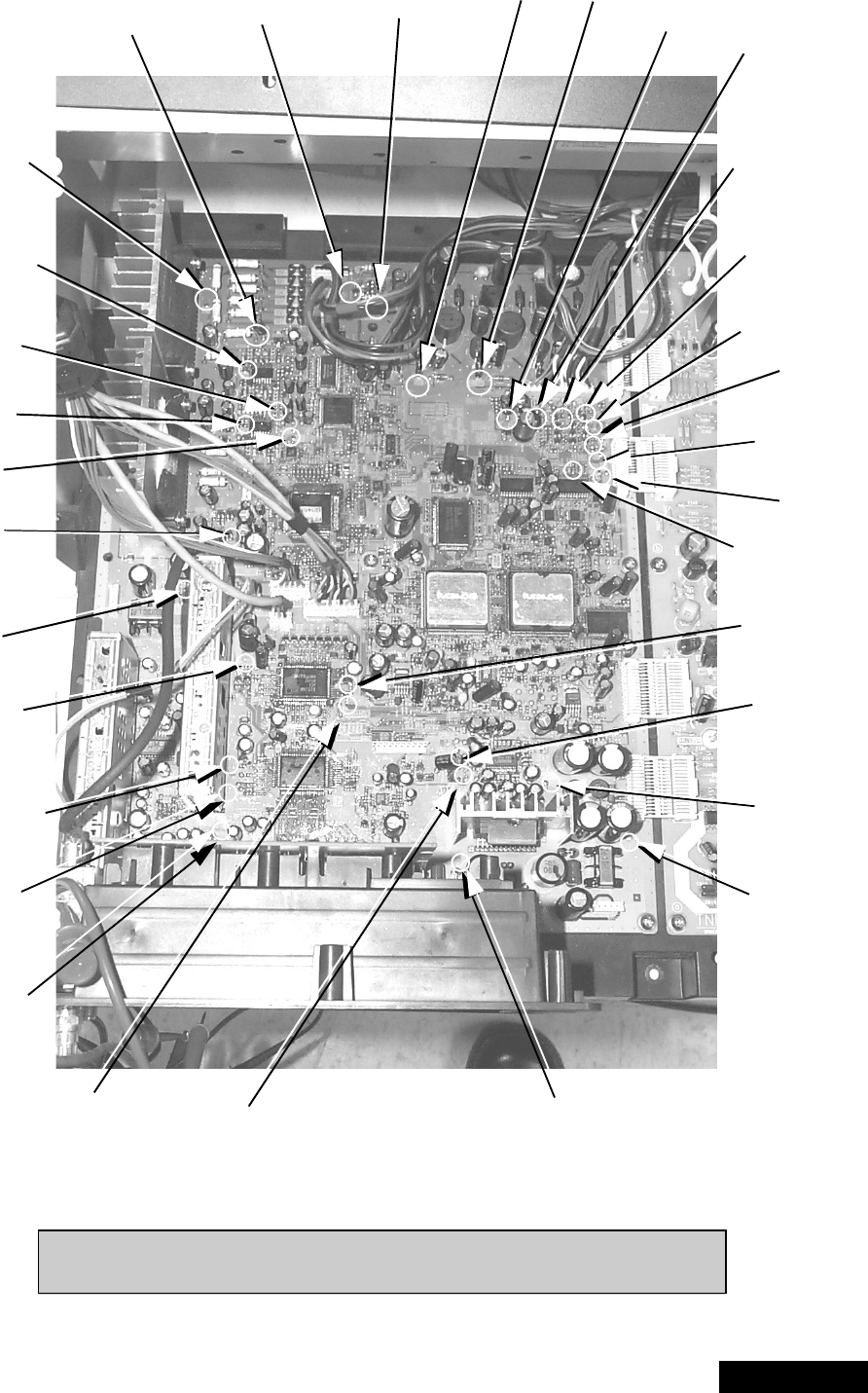
Auto diagnosis feature
This receiver incorporates a new auto-diagnosis
feature. With this new feature will be easier for the
technicial to detect the failures. There is a LED located
by the keyboard on the front panel, this LED will start
flashing when a failure is detected by the circuits
located in specific areas, depending on how many
times the LED is flashing, this will tell you what circuit
should be checked.
Make a count of flashing and see Table 3.
Please use this feature effectively especially for
intermittent problems.
Table 3: SOS of front LED
After the count:
Proceed to check that area, verify what board is the
problem located, this way the area to check will be
reduced until the failure is found.
NUMBER OF
FLASHES POSSIBLE CIRCUIT
1+140
2LOWDC
3CONVEREGENCE
4 HHS
5IC4011
6IC4018
-15- Service Manual
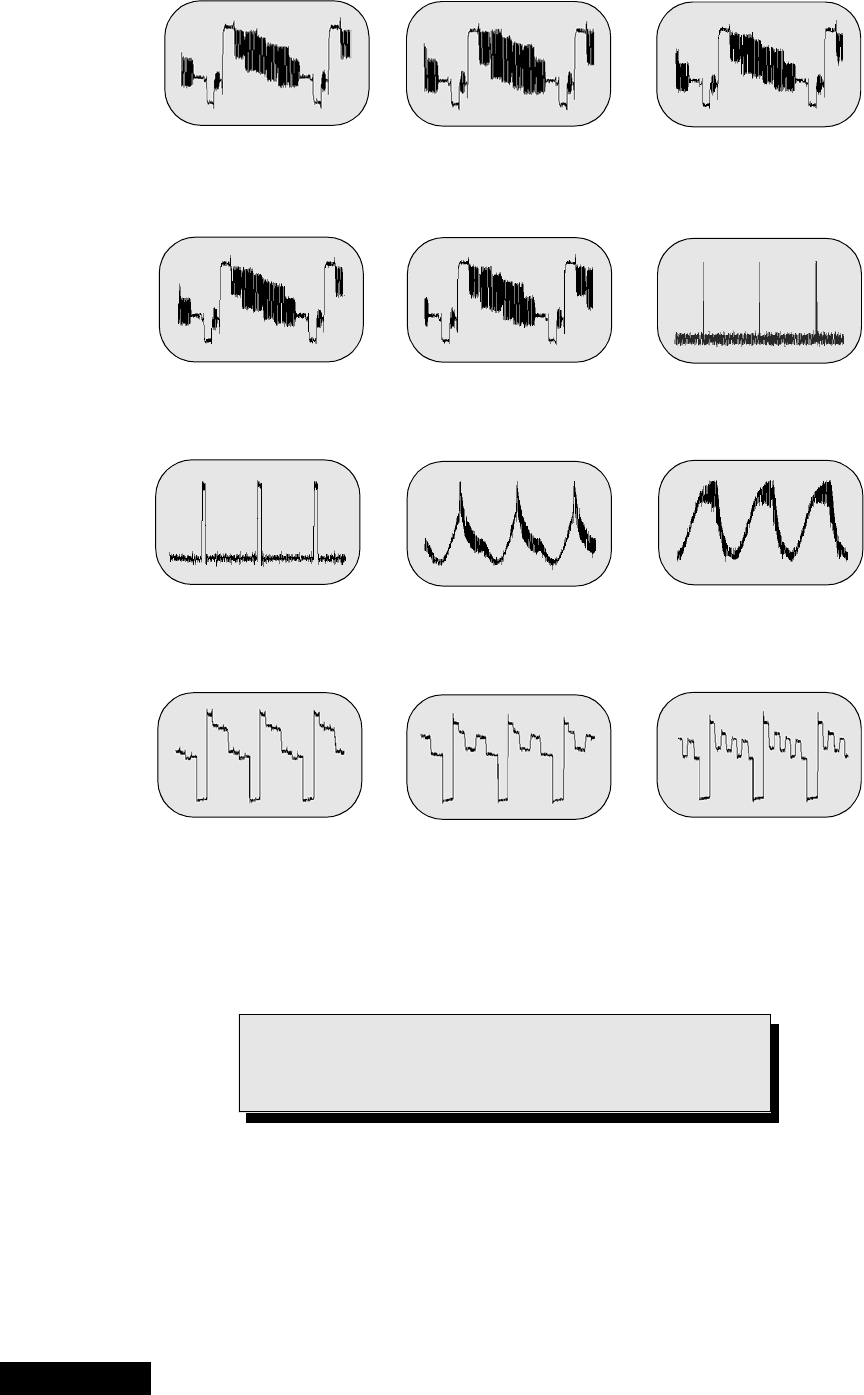
A-Board check points
Figure 8. A-Board check points
BV CONV -18 CONV +18 9V 2.5V VM
G
R
B
B
R
Vp
Hp
S-R
S+18
S-18
DTV1-Y
S-L S-R
MAIN TUNER
NTSC VIDEO
STB 7V
STB 3.3V
RV
GV
RH
GH
BH
SUB-Y
MAIN-Y
VIDEO OUTPUT
SUB TUNER
VIDEO OUTPUT
-0.26V -0.46V 8.96V 2.58V 9.47V
3.6V
3.58V
3.45V
3.11V
3.17V
0.00V
0.24V
3.83V
4.46V
20.97V
-23.77V
-0.26V
-0.14V
0.00V
-0.47V
-0.53V
3.27V
6.96V
3.52V
2.13V
2.25V
5.24V
3.77V 4.46V 0.00V
G
3.19V
-0.46V
Note: All the measurments are in DC with a digital multimeter, color bar
pattern, picture settings normalized and sound set to minimum.
-16-
ServiceManual
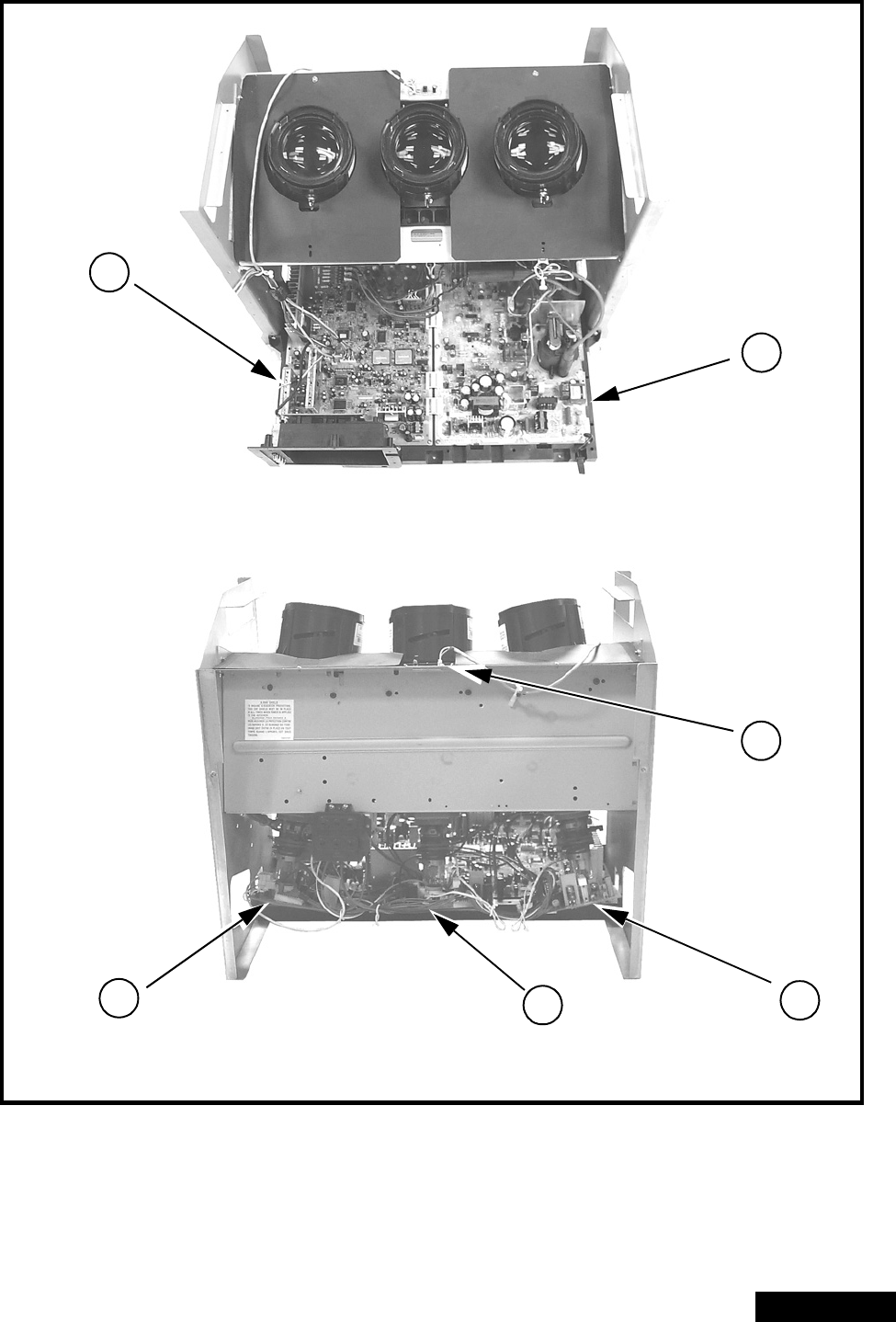
A-Board check points waveforms
Figure 9. A-Board check points waveforms.
Main tuner video output
15.72 kHz, 1 Vpp,
10µssec/div
Sub tuner video output
15.72kHz, 1.00Vpp,
10µssec/div
Main Y
15.72kHz, 1.00Vpp
10µssec/div
Sub Y
15.72kHz, 1.92Vpp,
10µssec/div
NTSC video
15.72kHz, 2.02Vpp,
10µssec/div
VP
60Hz, 3.36Vpp,
5µssec/div
HP
31.65kHz, 3.32Vpp,
10µssec/div
Conv -18
60.24Hz, 0.75Vpp,
5µssec/div
Conv +18
60.24Hz, 0.24Vpp,
5µssec/div
G
31.65kHz, 4.72Vpp,
10µssec/div
R
31.65kHz, 4.44Vpp,
10µssec/div
B
31.65kHz, 4.40Vpp,
10µssec/div
Note: Waveforms were obtained with colorbar pattern,
picture settings normalized and sound set to
minimum.
-17- Service Manual
Chassis & boards layout
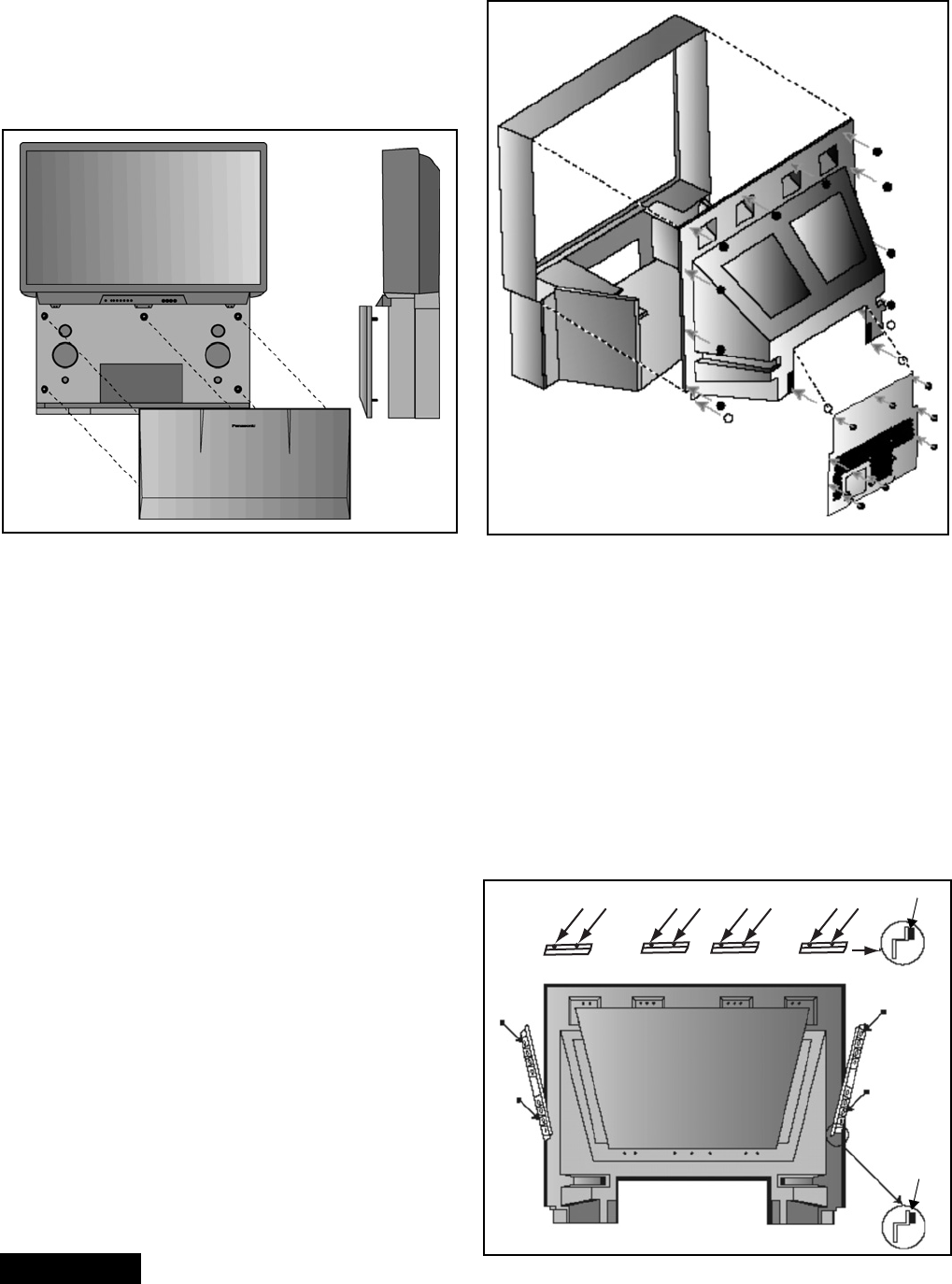
Figure 10. Chassis & boards layout.
Board description
A Main chassis, video processing, convergence,
audio processing
D Power supply, vertical out, horizontal out
LB Blue CRT output
LG Green CRT output
LR Red CRT output
RIRsensor
A
D
LR LB
LG
R
Top view
Back view
-18-
ServiceManual
Disassembly for service
Note:
Board ground wires may have to be disconnected to disassemble some boards. All ground wires must be
reconnected using jumper leads, if necessary, before power is applied to PTV for service.
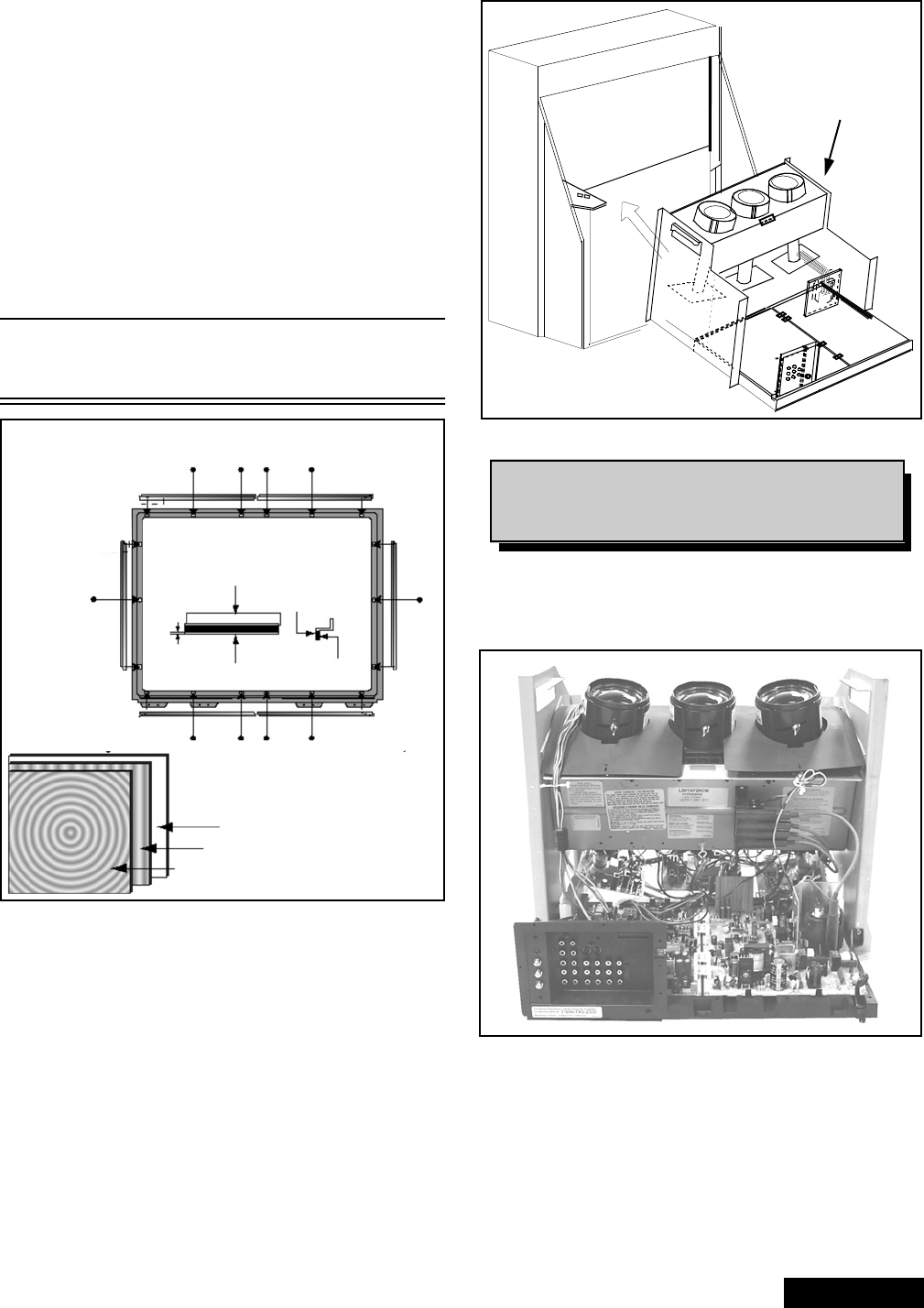
Speaker grille removal (figure 11)
The speaker grille is secured to the cabinet of the PTV.
grip panel from the sides and middle upper part, gently
pull forward to remove. When reassembling, make
certain to firmly press on the panel where the insertion
points (5) are located, one at each corner and one at
the middle top edge.
Figure 11. Speaker grille removal.
Keyboard removal
1. Remove the speaker grille. See figure 11.
2. Unplug the connectors from the Keyboard and
front A/V inputs assemblies. Remove the screws
affixing the keyboard to the frame assembly. Tilt
the keyboard assembly upward and release it from
the screen frame assembly.
Speakers replacement
1. Remove the speaker grille. See figure 11.
2. Each speaker is secured to the cabinet with (4)
screws.
3. Disconnect the R & L speaker lead connectors
from the speaker units.
Cabinet back lower cover removal (figure 12)
1. Remove (7) hex screws around the perimeter,
marked with arrows. See figure 12 for screws
location.
2. Remove (3) screws from around the A/V terminal
board (marked with arrows).
Figure 12. Lower cabinet back removal
Cabinet back cover removal (figure 12)
1. Remove the cabinet back lower cover. (Detailed
previously).
2. The top back cover (plastic shell) is secured with
(14) screws around its perimeter. See figure 12 for
screws location.
3. Be careful not to damage the mirror secured to the
underside of the back cover.
Mirror removal (figure 13)
The mirror is attached inside the cabinet cover.
Carefully remove the cabinet cover to access its
interior surface and remove the screws securing the
brackets that hold the mirror at the top and sides to the
mirror. See figure 13.
Figure 13. Mirror removal
Screw count:
14 fasten the top back cover;
10 fasten the lower back cover
Screws (12 places)
Felt
Felt
Mirror
Brackets (4 places)
Bracket
(2 places)
cabinet cover
(Inside view)
-19- Service Manual
Disassembly for service (continued)
Screen frame removal
1. Remove the speaker grille. Disconnect the cables
leading to the keyboard and the AV panels and
remove the keyboard and AV panel assembly. The
assembly is secured by three (3) screws.
2. At this point the front cover is held only by four
screws, be careful not to push the cabinet forward.
3. Remove screws and tilt the assembly forward while
lifting it out of place.
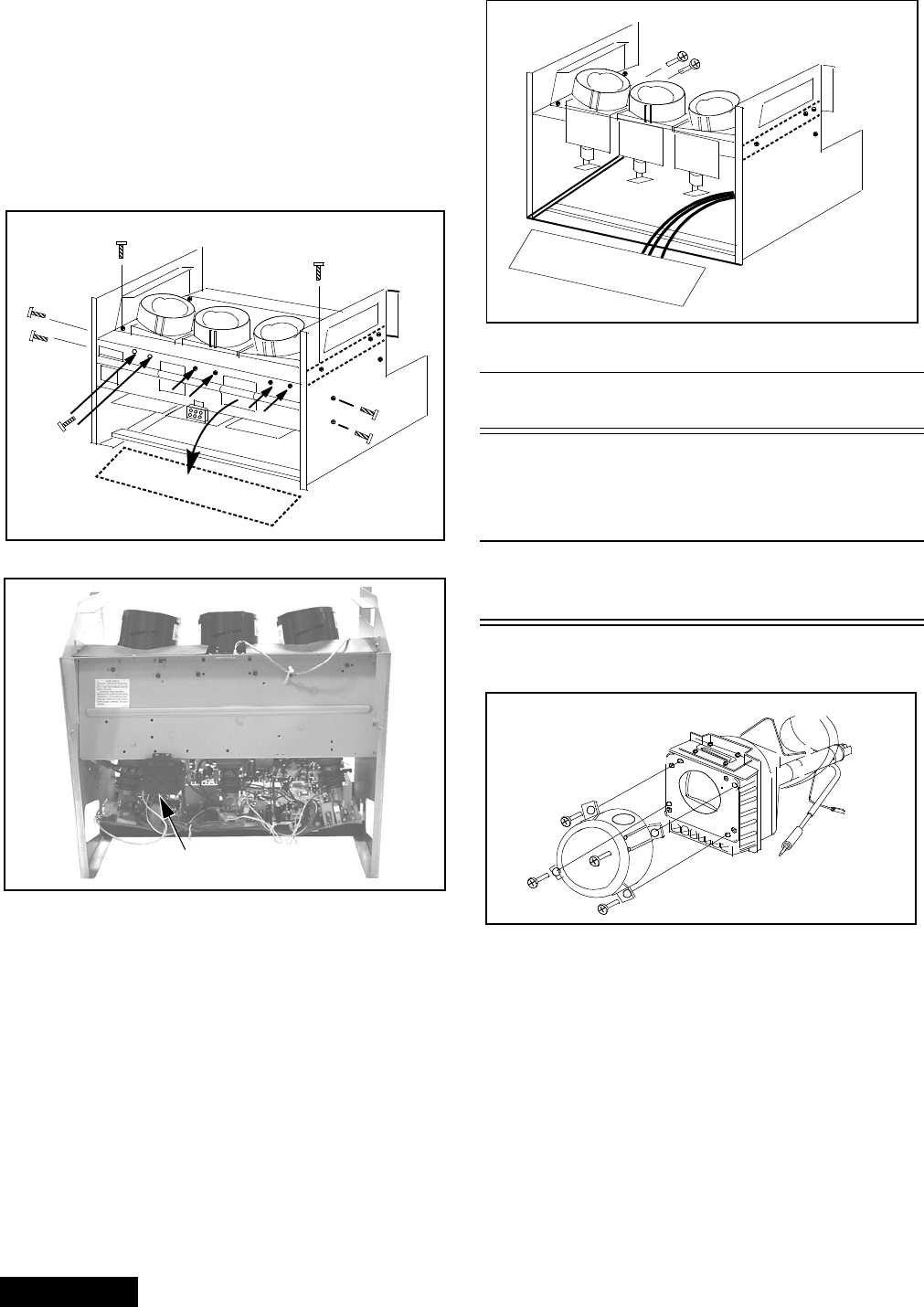
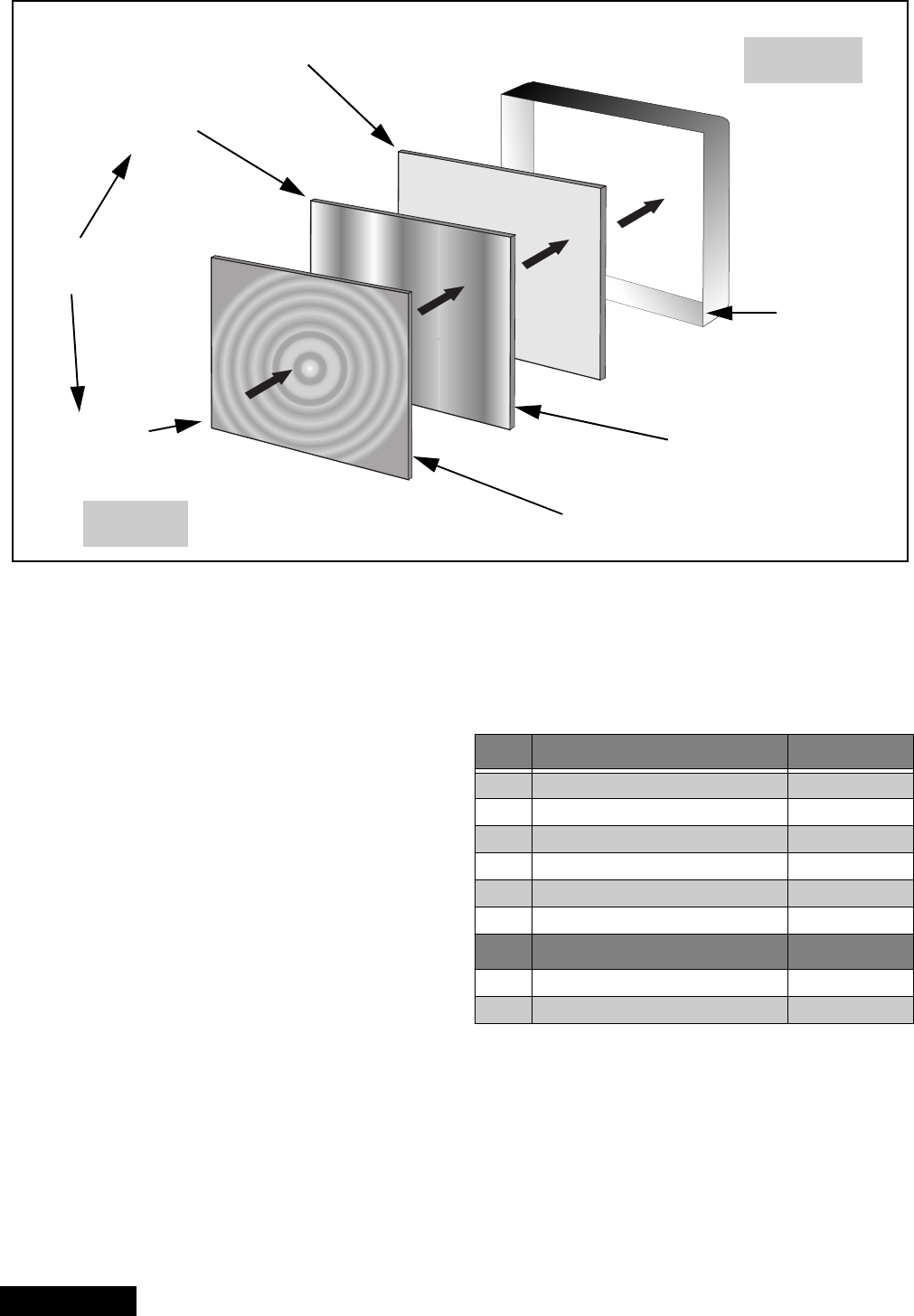
Screen assembly (figure 14)
1. Remove the screen frame. See screen frame
removal procedure above.
2. Place screen frame face down on a soft surface.
3. Remove all screen brackets and corner brackets
Note: The brackets are painted black (permanent
marker) on the edge to prevent reflection on
image.
Figure 14. Screen assembly
4. Note exact orientation and order of each screen.
The orientation and order of the screens is critical
for displaying pictures properly. Detailed screen
assembly can be seen in figure 14.
Main chassis block (figure 15)
1. Remove the speaker grille. See figure 11.
2. Remove the cabinet back lower cover. See
figure 12.
3. The main chassis block is secured to the cabinet
by screws at front, behind the Speaker Grill and
inside on the bottom of the optical frame).
4. Remove the horizontal barrier panel at the back of
the cabinet.
5. Unplug connectors (K1, G1 and speaker
connectors) and pull out the main chassis block.
Figure 15. Chassis removal
Chassis assembly
The chassis assembly shown in figure 18 includes all
the electrical and optical (light box) components.
Figure 16. Chassis rear view
Fresnel screen
Lenticular screen
Protective screen
Bracket
Felt
0 ± 0.5mm Fresnel
screen
Double
adhesive tape
Screws (18 places)
Main Chassis Block
Note: Main chassis block can be serviced either
in normal position or laying on its back
(protect hookup terminal from damage).
-20-
ServiceManual
Disassembly for service (continued)
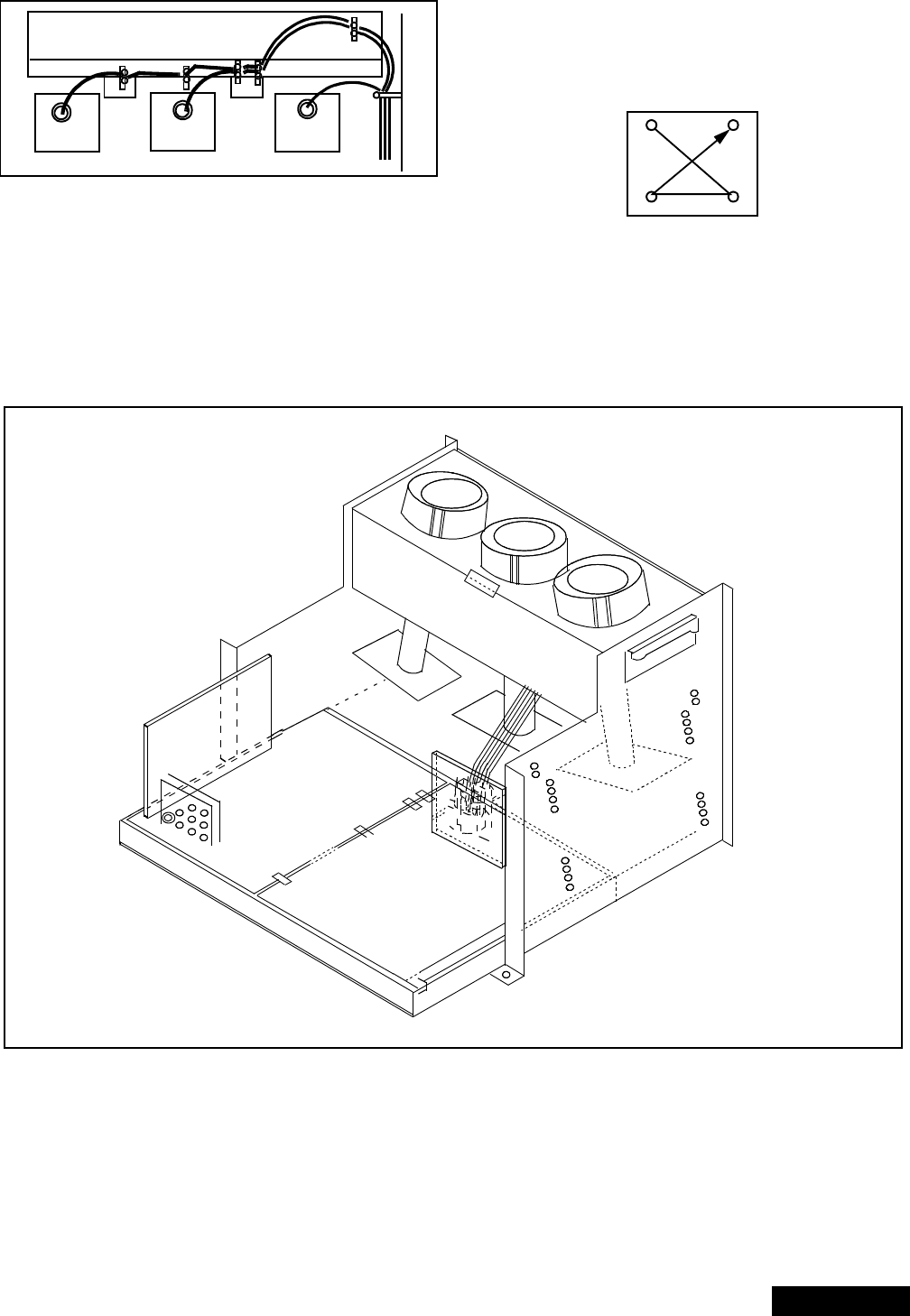
Disassembly for CRT replacement
To facilitate CRT replacement, the complete CRT
mounting chassis does not need to be removed.
1. Remove the main chassis block from the cabinet.
See figure 15.
2. Remove the optical bracket metal cover (rear side)
by removing (6) screws from back, (2) screws from
top, and (2) screws from each side. See figure 17
& figure 18.
Figure 17. CRT replacement
Figure 18. Light box front view
3. Remove the defective CRT anode lead from the
high voltage distributor block that is mounted on
the flyback transformer. Discharge to CRT chassis.
4. Unplug connectors from the B-Board. See board
layout. B9 for red, B10 for green, or B11 for blue.
5. Unplug the defective CRT black DAG ground
connector from the CRT Board.
6. Remove the CRT Board from the defective CRT
neck.
7. Remove (2) screws from the defective CRT
housing. See figure 19.**
CAUTION: Do not remove the (4) CRT
lens screws.
Figure 19. CRT replacement.
** CAUTION: Support the CRT assembly
when loosening screws.
8. Release CRT anode lead from CRT chassis wire
clamp and all other wires from holders.
9. Loosen a screw that secures the DY and remove it
from the CRT neck.
Caution: To insure x-ray radiation protection, the lens
must be mounted in place at all times when
power is applied to the PTV.
CRT replacement
1. Remove CRT focus lens assembly (4 screws).
Figure 20. CRT assembly.
2. Lay CRT face down on a soft cloth.
3. Note position of yoke with centering tabs and
remove from defective CRT.
4. Remove CRT DAG ground from defective CRT.
Mount it on the replacement CRT exactly as it was
on the defective CRT.
Note: Replacement CRT is supplied with H.V. anode
lead attached.
5. Wire the anode lead wire.
REAR VIEW Optical bracket
Screws
(6) places
Pull down
Focus pack
Optical bracket cover
Lens
(4) Screws
-21- Service Manual
6. Wire the anode lead wire.
Figure 21. Wire guide.
7. Install yoke with other CRT neck assemblies on
CRT neck in the same order and position as
removed from the defective CRT.
8. Press yoke against bell of CRT and tighten the
clamp just snug enough so it will not easily shift.
9. Assemble CRT focus lens assembly to new CRT
with (4) screws. Make sure focus lens adjustment
nut is in the same location as on other CRT focus
lens.
Figure 22. CRT screw tightening order.
Note: Please assemble with screws in the order
shown and tighten with the same torque.
Optical block position adjustment
Figure 23. Optical block position.
The optical block mounting has holes to allow for the
different size projection screens. These mounts will
adjust to projection screens.
If the optical block is removed for service or is
replaced, it is important that the correct mounting holes
are used.
Optical bracket (front)
RED CRT GREEN CRT BLUE CRT
1
23
4
51/61
51/61
51/61
51/61
51/61
51/61
46
46
46
46
46
46
-22-
ServiceManual
PTV screen assemblies
Figure 24. Screen assemblies.
B+ voltages table
Preparation:
Set the following controls
Picture.......................... Normal.
Bright ...........................Normal.
Volume ......................... Min. (0).
Procedure:
1. Apply a white NTSC pattern.
2. Connect the (-) lead of the digital voltmeter to
TPGND1 (cold ground).
3. Connect the (+) lead of the digital voltmeter to each
test point and confirm the B+ voltages (see
Table 4).
FRONT
REAR
Protective screen
Fresnel screen
Lenticular screen
Front cabinet
(note vertical ridges)
(note circular ridges)
Label on
lower left corner
(rear side)
Label on
lower left corner
(front side)
Labels on
opposite sides
No. Test point (D-Board) Voltage
1TPD14 138.6±1.0
2 TPD13 19.0±1.5
3TPD12 19.0±1.5
4TPD11 -19.0
±1.5
5TPD10 22.0±1.5
6 C845 (-) -22.5±1.5
No. Test point (A-Board) Voltage
1TPA031 9.0±0.5
2TPA030 5.0±0.5
Table 4: B+ voltages table

-23- Service Manual
CRT set up
CAUTION: Insure yoke plugs on the A-Board
are reconnected before turning the PTV
ON to prevent damage to the horizontal
output transistor and/or CRTs.
1. Connect test generator to the antenna terminal and
set for a monoscope pattern.
2. Loosen yoke clamp, seat yoke against bell of CRT
and rotate to correct yoke tilt (compare to adjacent
CRT). Tighten yoke clamp.
3. Remove adhesive from centering tabs and set
centering tabs for zero correction. (figure 25)
Figure 25. Adhesive removal
4. Cover replacement CRT lens and static converge
the tubes not replaced, if needed. Check size and
linearity of pattern and adjust as required.
5. Uncover replacement CRT lens and cover other
two CRT lenses. Adjust electrical and optical focus
(lens), if required.
6. Uncover all CRT lenses and use yoke centering
magnet to converge replacement CRT (in center
area of screen only) with other two CRTs.
Disregard non-convergence in areas other than
center area.
7. Perform white balance adjustments.
Dynamic focus adjustments
1. Focus adjustments should be performed after 1
hour of aging.
2. Use oscilloscope with 100 : 1 probe.
3. Apply a NTSC crosshatch pattern to adjust focus.
4. Adjust the red, blue and green focus VR on the
focus block for best focus of overall picture of each
CRT. (figure 28)
Figure 26. D. Focus adjustment waveform
5. To change DAF DATA, enter to service mode, then
press POWER on remote to display DACs menu,
then select DAC by pressing CH (RIGHT/LEFT)
and VOL (UP/DOWN), then press ACTION to enter
to DAC, then adjust by pressing VOL (RIGHT/
LEFT); press ACTION, to save press ACTION
again or OTHER to exit without saving.
Procedure:
Note: 1080i, 480p, 480i pattern can be obtained from
Panasonic’s TU-DST51 set-top box DTV
decoder.
1. Enter to service mode and set the following default
DATA:
Note: The signal (NTSC, 1125i) (NTSC ZOOM
option), should be displayed to enter values for
specific format adjustment.
2. For 1125i (1080i) set the default values.
3. For NTSC and NTSC ZOOM apply a white pattern
and perform the following steps.
4. Connect the scope probe to TPD30, GND to
TPD31.
5. Confirm that level of A is 600_V ± 100_V, adjust
H-PAR DAC to set to specification level.
6. Confirm that level of B is 280_V ± 50_V, adjust
V-PAR DAC to set to specification level.
7. Confirm that level of C is more tha 20 V, adjust
H-PAR DAC to set to specification level.
Focus - Electrical & optical adjustments
(use for minor adjustment or for final adjustment,
for complete adjustment see following section.)
Electrical adjustment
Note: 1080i, 480p, 480i pattern can be obtained from
Panasonic’s TU-DST51 set-top box DTV
decoder.
1. Apply a NTSC crosshatch with dots pattern.
Adhesive
Centering magnets
A
B
16.7ms (V Rate)
600_V ± 100_V
280_V ± 100_V
GND
C
>20_V
NTSC NTSC ZOOM 1125i
H-PARA +317 +263 +317
V-SAW -23 -35 -23
V-PARA +69 +117 +69
Table 5: Focus points
RED GREEN BLUE
Electric focus B A/B A
Optical Focus B A/B A
Panasonic
FORMAT
Figure 27. Lens focus adjustment
Adjust electric focus VR
and lens focus on this circle
AB
-24-
ServiceManual
2. Set VIDEO C_OFF DAC from 00 to 02, and project
only red. Adjust red focus VR so that focus is best..
Figure 28. Focus pack
3. Adjust red lens focus (mechanical) until focus is
best.
4. Adjust red focus VR again.
5. Set VIDEO C_OFF DAC from 00 to 01, and project
only green.
6. Repeat steps for green only.
7. Set VIDEO C_OFF DAC from 00 to 03, and project
only blue.
8. Repeat steps for blue only.
Focus - Optical lens adjustment
Optical adjustments
Note: This adjustment normally should not require
resetting unless the lens has been replaced or
adjustment has changed.
1. Optical focus adjustment is located on the top of
each CRT lens system. Loosen the adjustment
knurled locking knob. (figure 29)
Figure 29. Optical lens focus adjustment
2. Turn the PTV ON. Apply and view a crosshatch
with dots pattern.
3. Adjust each lens focus for best focus while viewing
each CRT.
4. Cover the red and blue CRT, projecting green only.
Rotate the green lens for best focus around screen
center area.
5. Do the same for the red focus lens while projecting
red only.
6. Repeat for blue.
Electric & VM focus adjustment, complete
adjustment
(Perform this adjustment when a CRT is replaced
or when major adjustment is required)
Preparation:
1. Apply a NTSC crosshatch pattern with dots.
2. Set CONV “MUTE” DAC from 0 to 1 (disabling
digital convergence.)
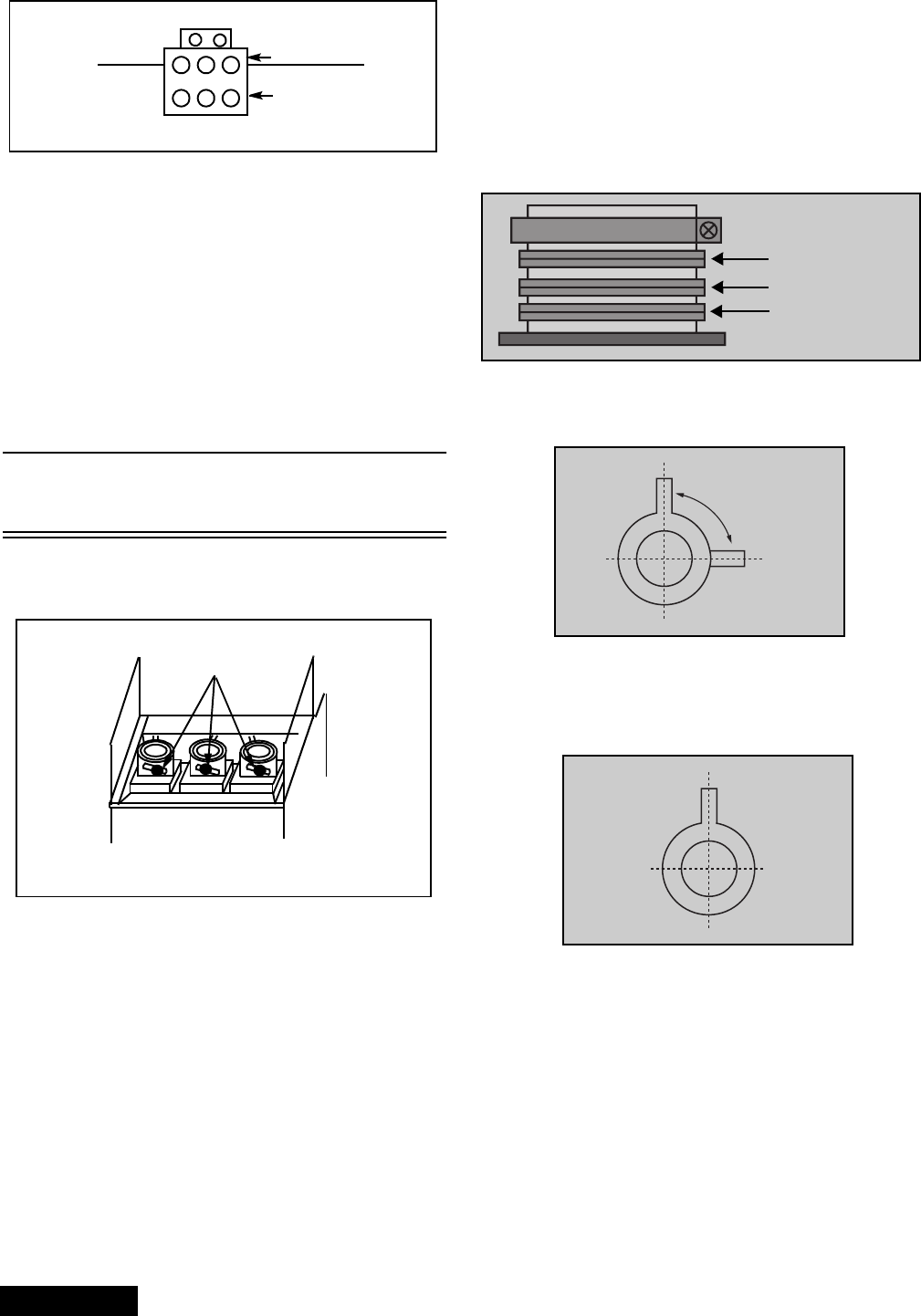
3. Position the longer tab of the four-pole magnet to
90 degrees (uncorrected position). (see figure 31).
4. Position the long tab of all alignment magnets and
of the dummy ring together in an uncorrected
position. (See figure 32).
Procedure:
1. Apply an NTSC cross hatch pattern with dots.
2. Assure that digital convergence is disabled (DAC
MUTE from 0 to 1).
3. Set VIDEO “C_OFF” DAC from 00 to 02, to project
red only.
4. Turn the red electrical focus adjustment VR (on
focus pack) fully counterclockwise and note the
position of the dots at the center of the picture.
5. Turn the red electrical focus adjustment VR
fully clockwise.
+++
+
++
RGB
RGB
screen
focus
BGR
Adjustment knurled
locking knobs
REAR VIEW
Figure 30. VM coil with focus
correction magnet
6-pole magnet
4-pole magnet
Alignment magnet
(Dummy ring)
Figure 31. 4-pole magnet
Set 90 degrees
Figure 32. Alignment magnet
(or dummy ring)
-25- Service Manual
6. If the position of the dots at the center of the screen
moves from the position noted in step 4., adjust the
alignment magnets until the dots are in the same
position as noted in step 4.
7. Turn the red electrical focus adjustment VR (on
focus pack) fully counterclockwise and confirm that
the position of the dots at the center of the screen
did not move from their position noted in step 4.
8. If the position of the dots at the center of screen
moved, repeat from step 4.
9. If the position of the dots moved after repeated
adjustments, adjust until the movement of the dots
is minimized.
10. Turn the red focus VR fully clockwise.
11. Adjust the 4-pole magnets until the shape of the
dots at the center of the screen is circular.
12. Adjust red focus VR until optimum focus is
achieved.
13. Apply NTSC crosshatch with dots or any other
available pattern applicable to the following.
14. Confirm that the picture is correctly aligned in the
center of the screen, shown in figure 33, adjust the
centering magnets. Repeat the alignment magnet
adjustments and four pole magnet adjustments
(step 1. ~ step 12.).
15. Apply an NTSC cross hatch pattern with dots.
16. Set VIDEO “C_OFF” DAC from 00 to 01, to project
green only.
17. Repeat above procedures for the green.
18. Set VIDEO “C_OFF” DAC from 00 to 02, to project
red only.
19. Repeat above procedures for the blue.
20. Enable digital convergence by changing DAC
MUTE from 01 to 00.
21. Following adjustments, paint position of DY
centering magnets and fix the centering magnets of
DY, dummy rings of VM coil, four pole magnets of
VM coil and the alignment magnets of VM coil to
prevent them from moving.
Note: Please See “Service mode (electronic
controls)” on page 34 for entering and exiting
service mode.
NTSC Vertical size adjustment (VSIZE)
Note: 1080i, 480p, 480i pattern can be obtained from
Panasonic’s TU-DST51 set-top box DTV
decoder.
1. Apply a NTSC pattern (see avobe note) .
2. Set VIDEO “C_OFF” DAC from 00 to 01
(to project only green).
3. Adjust centering magnets so that the center of the
pattern get aligned with screen frame center.
4. Adjust VDEF “VSIZE” DAC until vertical size is
proportional on top and bottom. (See figure 34)
5. Set VIDEO “C_OFF” DAC from 01 to 00
HD 1080i Vertical size adjustment (VSIZE)
Note: 1080i, 480p, 480i pattern can be obtained from
Panasonic’s TU-DST51 set-top box DTV
decoder.
1. Apply a HD 1080i pattern (see avobe note).
2. Repeat vertical size adjustment from step 2
Figure 33. Centering magnet
Panasonic
FORMAT
Figure 34. Vertical size adjustment
Figure 35. Vertical size adjustment
Panasonic
FORMAT
-26-
ServiceManual
NTSC ZOOM Vertical size adjustment
(VSIZE)
Note: 1080i, 480p, 480i pattern can be obtained from
Panasonic’s TU-DST51 set-top box DTV
decoder.
1. Apply a NTSC pattern (see avobe note) .
2. Change aspect to ZOOM mode.
3. Repeat vertical size adjustment from step 2
4. Try making circle seem rounded (in proportion)
NTSC Horizontal phase adjustment
(H-POS)
Note: 1080i, 480p, 480i pattern can be obtained from
Panasonic’s TU-DST51 set-top box DTV
decoder.
1. Apply a NTSC crosshatch pattern with dots.
2. Set CONV “MUTE” DAC from 00 to 01 (disabling
digital convergence).
3. Set VIDEO “C_OFF” DAC from 00 to 01 to project
only green.
4. Turn green deflection yoke until line is perfectly
horizontal.
5. Adjust H-POS DAC data so that pattern is in the
center of screen.
6. Enable digital convergence by changing DAC
MUTE from 01 to 00.
7. Set VIDEO “C_OFF” DAC from 01 to 00.
HD 1080i Horizontal phase adjustment
(H-POS)
Note: 1080i, 480p, 480i pattern can be obtained from
Panasonic’s TU-DST51 set-top box DTV
decoder.
1. Apply a HD 1080i pattern.
2. Repeat NTSC horizontal phase adjustment from
step 2.
Trapezoid adjustment (EWTRA)
1. Set default value
NTSC Pincushion adjustment (PCC)
Note: 1080i, 480p, 480i pattern can be obtained from
Panasonic’s TU-DST51 set-top box DTV
decoder.
Procedure:
1. Apply a NTSC crosshatch pattern with dots.
2. Set VIDEO “C_OFF” DAC from 00 to 01 to project
only green.
3. Set DAC MUTE from 00 to 01 (disabling digital
convergence).
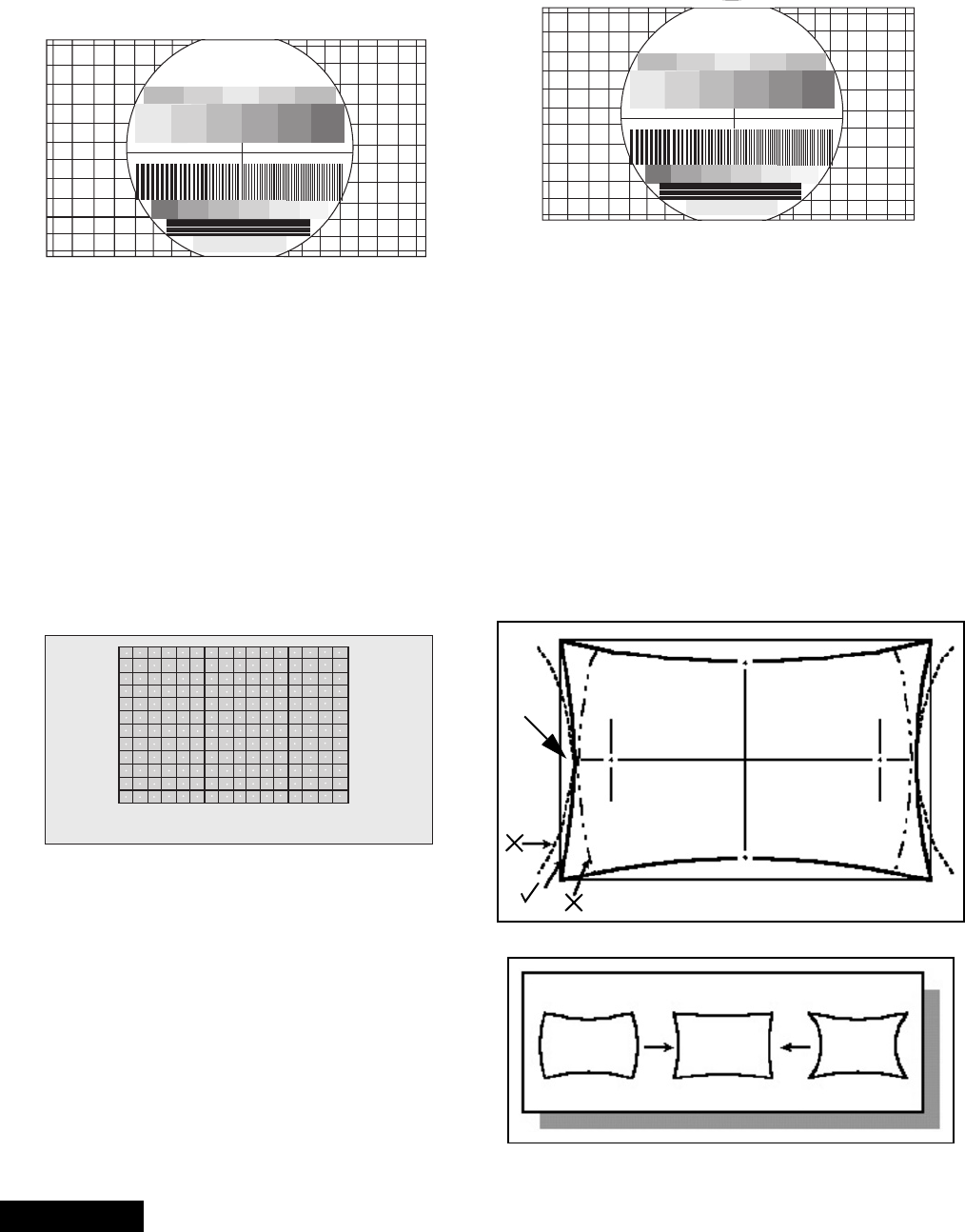
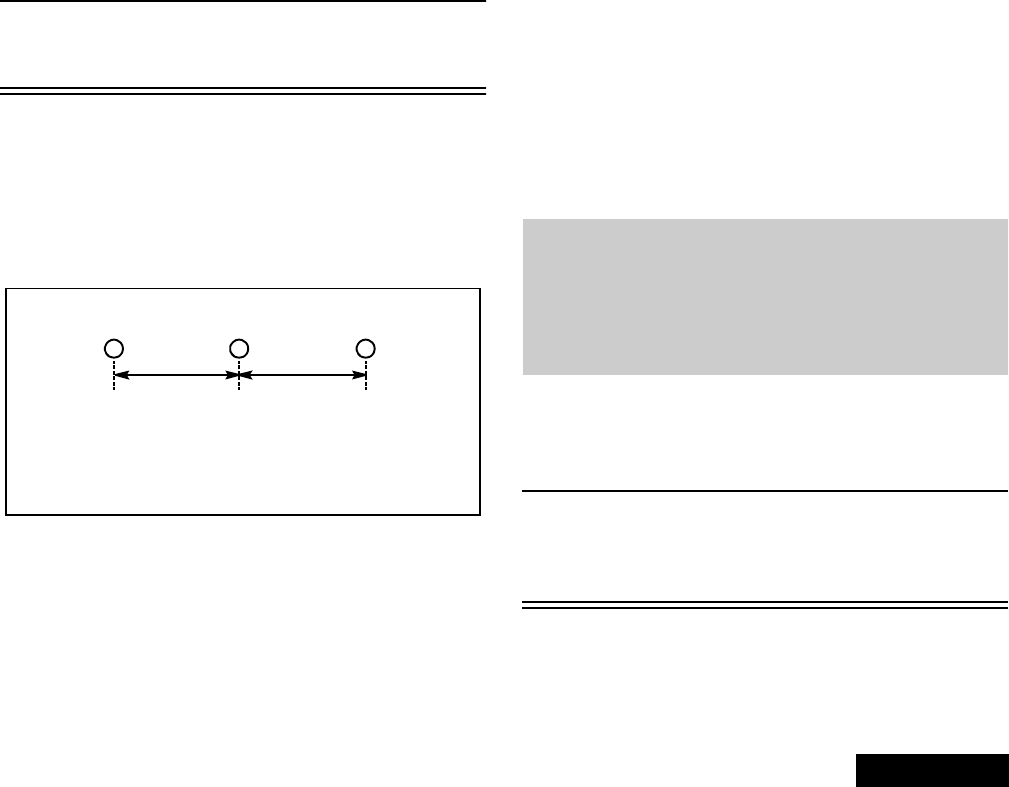
4. If the distance at “A” is not 10 ± 5mm, enter “H
DEF” “H WID” mode and adjust by VOLUME UP/
DOWN until it is 10 ± 5mm. See figure 39.
Figure 39. Pincushion adjustment
5. If not all corners of cross hatch appear in screen,
enter V DEF “V SIZE” mode and adjust until they
appear.
Panasonic
FORMAT
Figure 36. Vertical size adjustment
Figure 37. H phase adjustment
Figure 38. H Phase adjustment
Panasonic
FORMAT
Line with dot
A=10±5mm
A
NOT GOOD GOOD NOT GOOD
-27- Service Manual
6. Confirm that measurement of “A” has not changed.
7. Enable digital convergence by changing DAC
MUTE from 01 to 00.
8. Set VIDEO “C_OFF” DAC from 01 to 00.
HD 1080i Pincushion adjustment (PCC)
Note: 1080i, 480p, 480i pattern can be obtained from
Panasonic’s TU-DST51 set-top box DTV
decoder.
Procedure:
1. Apply a HD 1080i pattern.
2. Repeat NTSC pincushion adjustment from step 2
Centering magnets adjustment
Note: 1080i, 480p, 480i pattern can be obtained from
Panasonic’s TU-DST51 set-top box DTV
decoder.
Procedures:
1. Apply a NTSC crosshatch pattern with dots.
2. Set VIDEO “C_OFF” DAC from 00 to 01 to project
only green.
3. Set DAC MUTE from 00 to 01 (disabling digital
convergence).
4. Loosen the deflection coil screw on the green CRT.
5. Adjust green deflection coil until the horizontal
center line is horizontal.
6. Adjust centering magnets until the green pattern is
equal on left and right. Adjust also for horizontal
and vertical tilt.
Note: Push deflection coil to top of CRT neck,
then tighten deflection screw after adjusting
each CRT centering and tilt.
7. Set VIDEO “C_OFF” DAC from 01 to 03 to project
only blue. Adjust deflection coil until the horizontal
center line matches the pattern of the grid and is
leveled.
8. Adjust blue centering magnets until the pattern
center is at the appropriate distance as indicated
on figure 40.
Figure 40. Centering magnets adjustment.
9. Set VIDEO “C_OFF” DAC from 01 to 02 to project
only red.
10. Adjust red deflection coil until the horizontal center
line matches the pattern of the grid and is leveled.
11. Adjust red centering magnets until the pattern
center is at the appropriate distance as indicated
on figure 40.
12. Enable digital convergence by changing DAC
MUTE from 01 to 00.
13. Set VIDEO “C_OFF” DAC from 02 to 00. Following
the adjustment, make sure that all deflection coils
are pushed completely toward the CRT cones and
that all screws are tightened.
NTSC Horizontal size adjustment (H WID)
Note: 1080i, 480p, 480i pattern can be obtained from
Panasonic’s TU-DST51 set-top box DTV
decoder.
This adjustment is intended to adjust horizontal size of
the picture.
1. Apply a NTSC pattern.
2. Set VIDEO “C_OFF” DAC from 00 to 01 to project
only green.
3. Set DAC MUTE from 00 to 01 (disabling digital
convergence).
4. In service mode, adjust H-WID DAC until the
picture horizontal size is balanced at left and right
side of screen.
5. Set DAC MUTE from 01 to 00 (disabling digital
convergence).
6. Set VIDEO “C_OFF” DAC from 01 to 00.
HD 1080i Horizontal size adjustment
(H WID)
Note: 1080i, 480p, 480i pattern can be obtained from
Panasonic’s TU-DST51 set-top box DTV
decoder.
This adjustment is intended to adjust horizontal size of
the picture.
1. Apply a HD 1080i pattern.
2. Repeat NTSC horizontal size adjustment from
step 2.
Convergence adjustment
Note: 1080i, 480p, 480i pattern can be obtained from
Panasonic’s TU-DST51 set-top box DTV
decoder.
TurnPTVonandallowittowarmupfor30
minutes prior to making adjustments
(WHITE PATTERN).
Note:
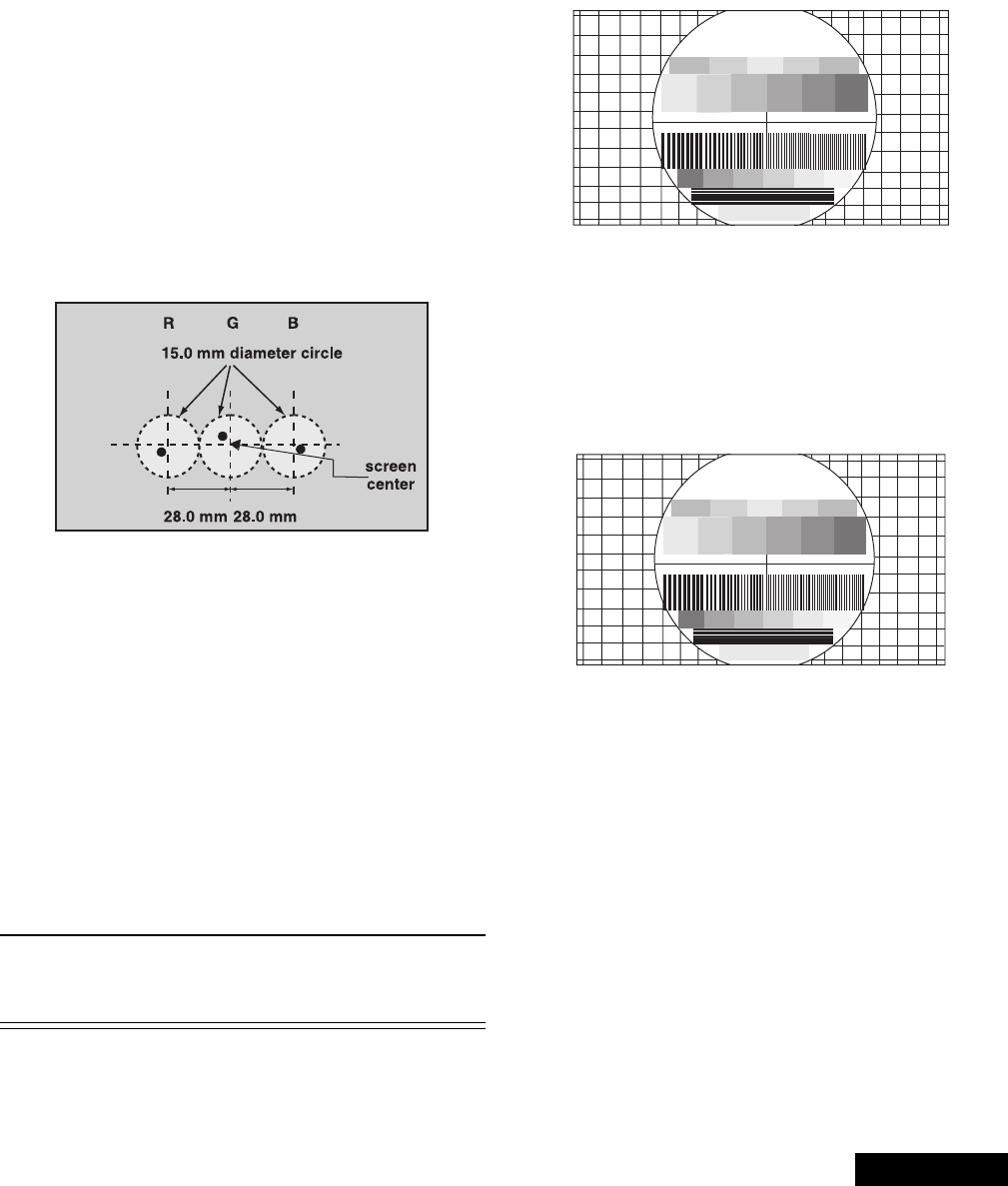
This PTV uses the scheme described below to
correct for misconvergence of the three CRT
projection tubes. There are various modes to
this operation.
Preparation:
Place the convergence alignment template (see
“Convergence alignment template” on page 33) over
the PTV screen. Align the center lines of the template
with the mechanical center markers on the PTV screen
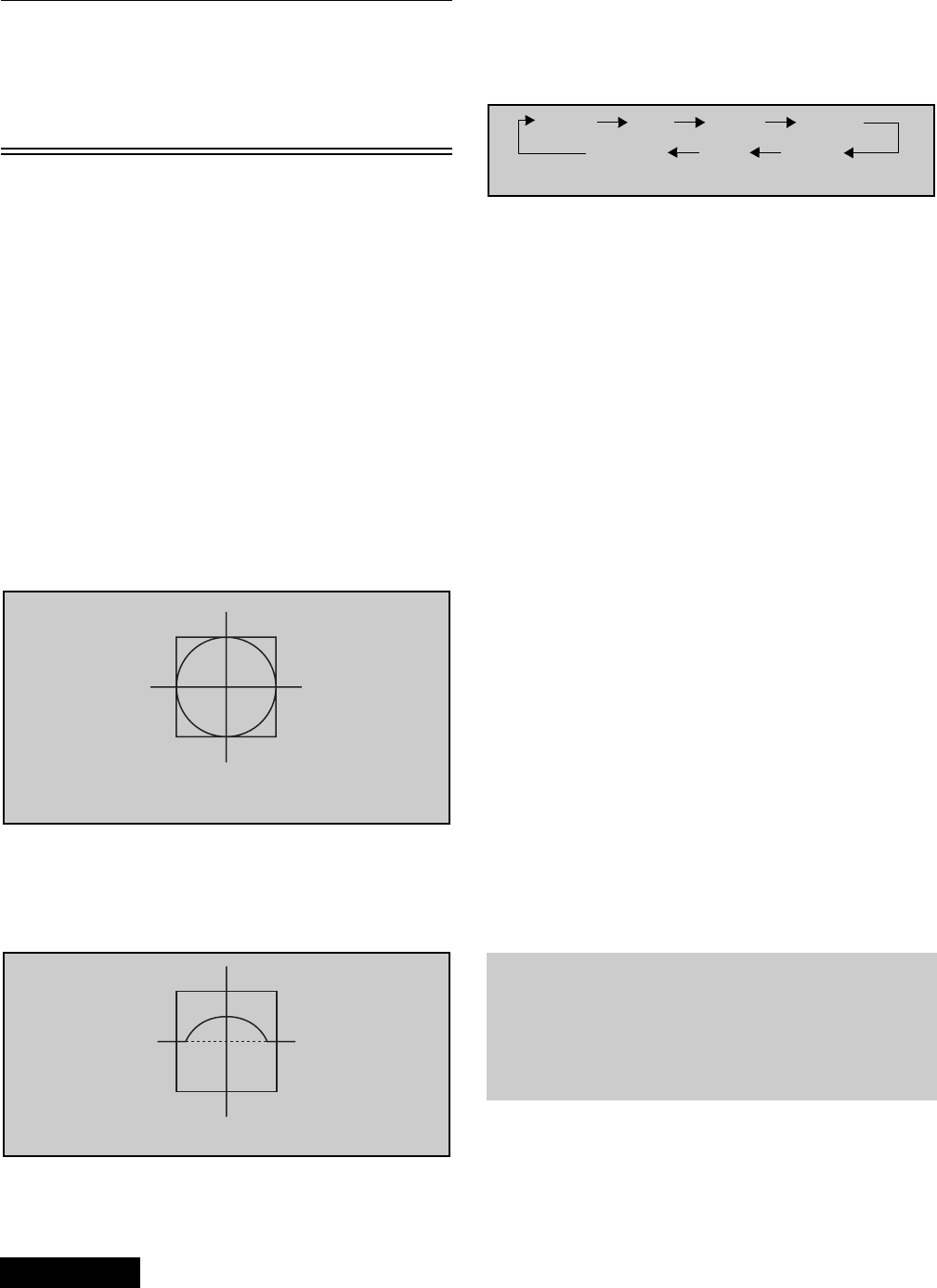
RG
dd
28 mm
dmeasuredinmm
B
Note: It is strongly recommended to first read and
understand the following section prior to
make any adjustment.
Convergence adjustment must be perform
for 480i-p (same for interlace & progressive),
1080i and ZOOM 480i.
-28-
ServiceManual
frame. If the template is not available, create one using
the dimensions provided in “Convergence alignment
template” on page 33.
Remote control must be used during the procedure.
Note: Apply the convergence alignment template to
the PTV screen frame to converge the green
raster only. Remove the convergence
alignment template following this alignment.
The red and blue rasters can then be aligned
to the green raster.
Raster Setup:
1. Enter to service mode (red CHK).
2. In SET-UP (roller guide menu) CONVERGENCE 1
set all values to 0.
3. Cover red & blue lens with caps.
4. Apply a pattern to adjust specific format:
• NTSC signal to adjust 480i-p (same for
interlace and progressive)
• 1080i signal to adjust 1080i
• 480i signal with PTV in ZOOM aspect to
adjust Z480i
5. Select DAC COARSE, then press ACTION to enter
to “CONVERGENCE ADJ” mode.
6. Press “0” key on remote.
7. Press ACTION key on remote to enter to
“TEST_POS” mode.
8. Move pattern by pressing VOL right - left and CH
up - down so that the cursor center overlap
monoscope pattern center.
9. Press “5” key on remote to exit superimpose mode
(monoscope pattern disappear).
10. Press “TV/VIDEO” key to enter “DATA_POS” mode
11. Adjust by pressing VOL right - left so that peak of
curve is the same position as center of cursor.
12. Press “TV/VIDEO” key on remote to enter
“OSD_POS” mode.
13. Press “5” key on remote so that monoscope
pattern appears (superimpose mode)
14. Move cursor by pressing VOL right - left and CH
up - down so that cursor center overlap
monoscope pattern center
15. Press “0” key to go back to “CONVERGENCE
ADJ” mode.
16. Press “TV/VIDEO” key to cycle through “COARSE
ADJ. MODE” options.
17.Tochangeto“FINEADJUSTMENTMODE”
options (DAC FINE), press “TV/VIDEO” key on
remote for at least 3 seconds, to go back to
“COARSE ADJ MODE” options press “TV/VIDEO”
on remote again for 3 seconds.
18. In “FINE ADJUSTMENT MODE” options, press
“MUTE” key on remote to switch between “cursor”
mode and “data” mode.
• Cursor mode: Allows cursor movement by
pressing VOL right - left and CH up - down.
• Data mode: Allows making adjustment by
pressing VOL right - left and CH up - down.
19. Either “COARSE ADJUSTMENT MODE” options
or “FINE ADJUSTMENT MODE” options, press “R-
TUNE” repeatedly key on remote to cycle through
different color adjustments (R, G , B, White)
20. To store adjustments press “7”, then “ACTION” key
on remote, otherwise press “POWER” then
“ACTION” to exit adjustments without saving.
21. Remote functions:
• 1,3.......... changecolorviewadj
• 2.................. changepattern
• 7.......................savedata
• 5.........................overlap
• POWER....................toexit
• RECALL ............displayvalues
• R-TUNE...............cycle colors
• TV/VIDEO ............changemode
3secs.......changeoptions
Coarse adjustment mode (COARSE)
Note: 1080i, 480p, 480i pattern can be obtained from
Panasonic’s TU-DST51 set-top box DTV
decoder.
Procedure:
1. Enter to “G-SIZE” mode:
• DAC COARSE
• Press ACTION on remote
• TV/VIDEO (repeatedly)
• R-TUNE (repeatedly)
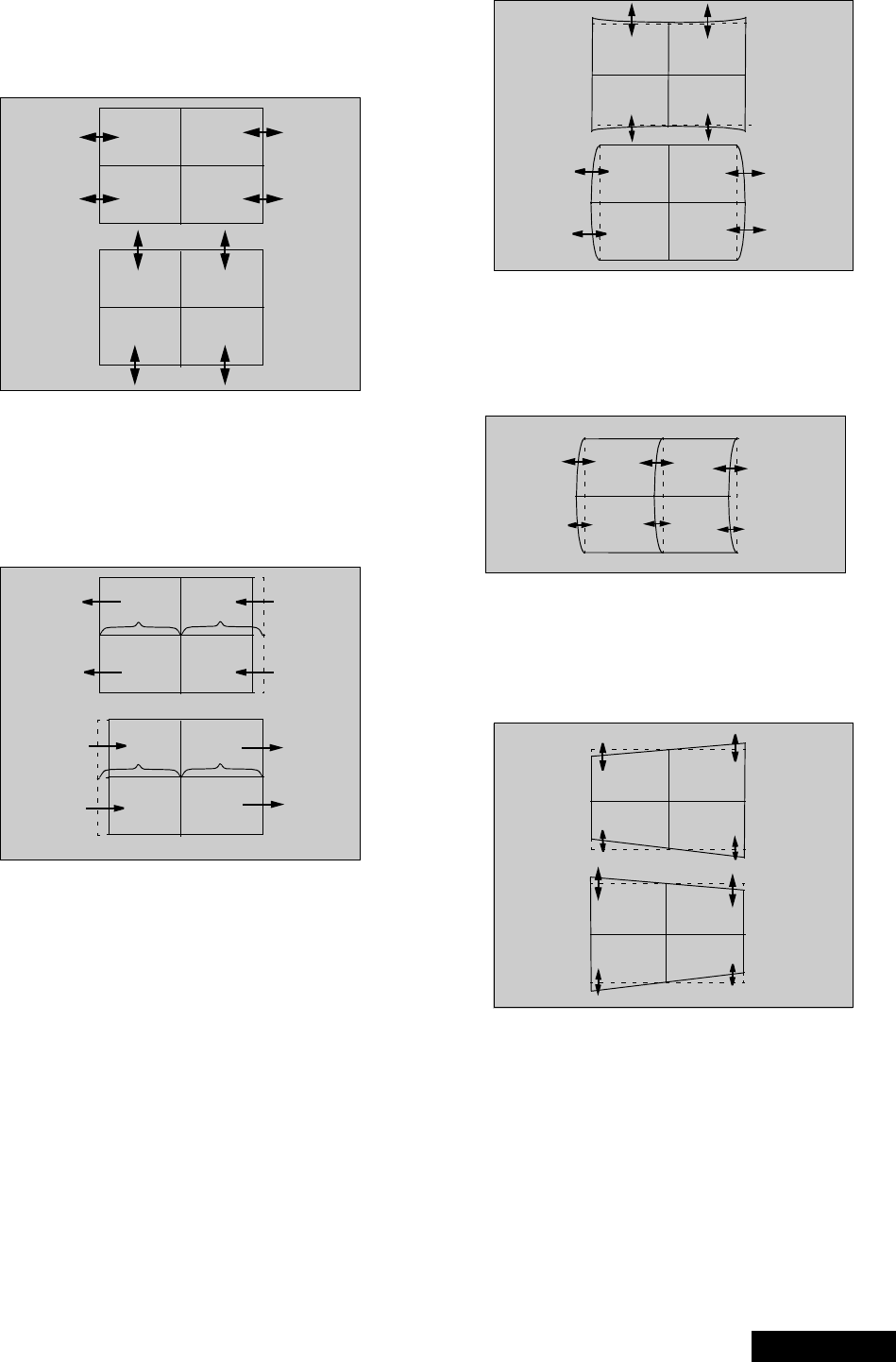
Figure 41. Aligning cross-hair
cursor with center of pattern
30
Figure 42. Symmetrical shape
Static Size Skew Linear
Figure 43. Coarse modes cycle
KeyPinCorner
Note: It is strongly recommended to first read and
understand the following section prior to
make any adjustment.
Convergence adjustment must be perform
for 480i-p (same for interlace & progressive),
1080i and ZOOM 480i.
-29- Service Manual
2. Press “2” repeatedly and apply the pattern of
border and cross.
3. Press RECALL to display values
4. Adjust size so that the line of the border closes to
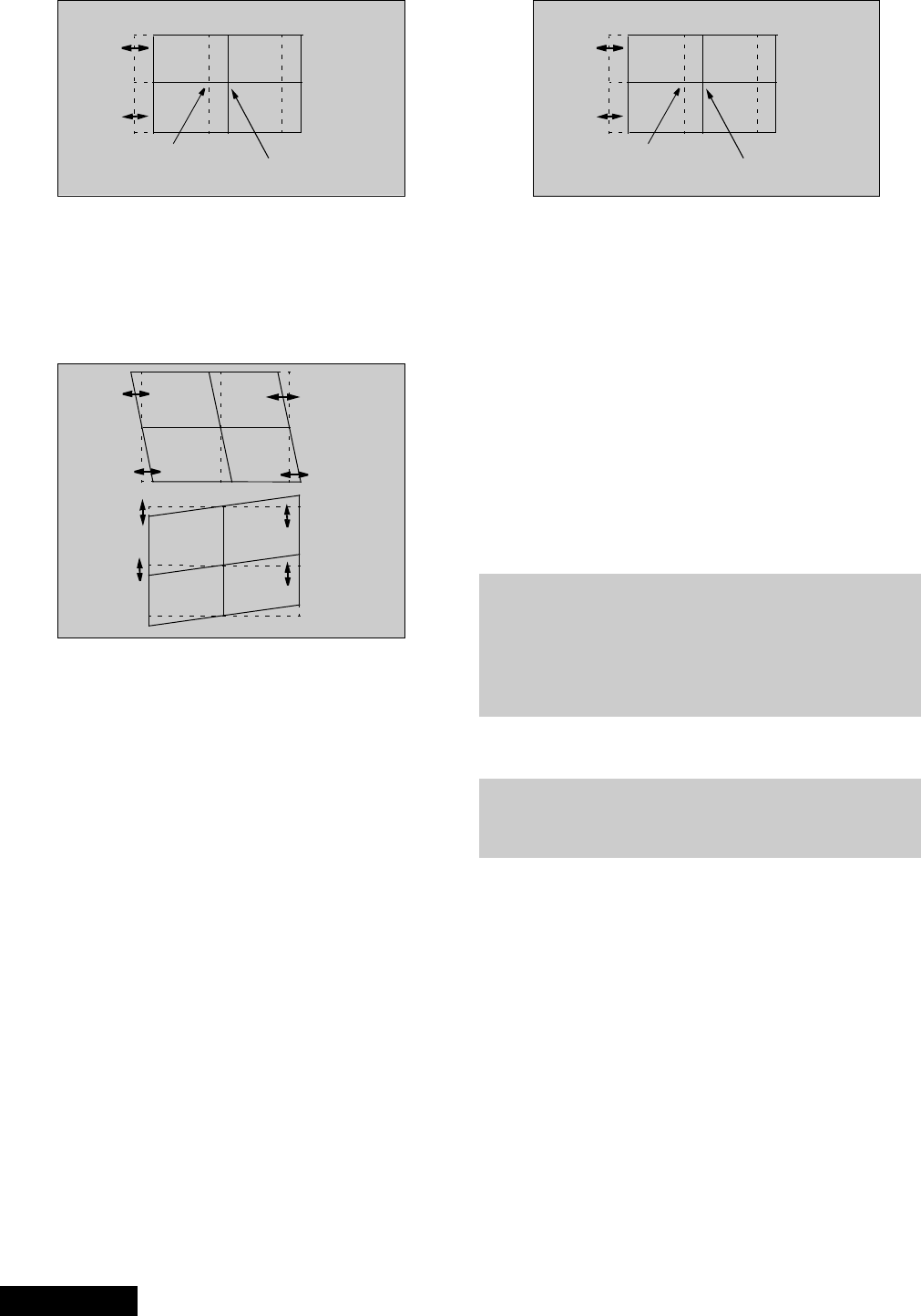
the screen frame at top, bottom, left and right by
pressing CH up-down and VOL right-left.
Figure 44. H&Vsizeadjustment
5. Press “7” then “ACTION” key on remote to save
changes.
6. Enter to linearity “G-LINEAR” mode by pressing
“TV/VIDEO”.
7. Adjust linearity by pressing VOL right-left until A=B
(see figure 45)
Figure 45. Linear mode adjustment
8. Press “7” then “ACTION” key on remote to save
changes.
9. Enter to PIN “G-PIN” mode by pressing “TV/
VIDEO”.
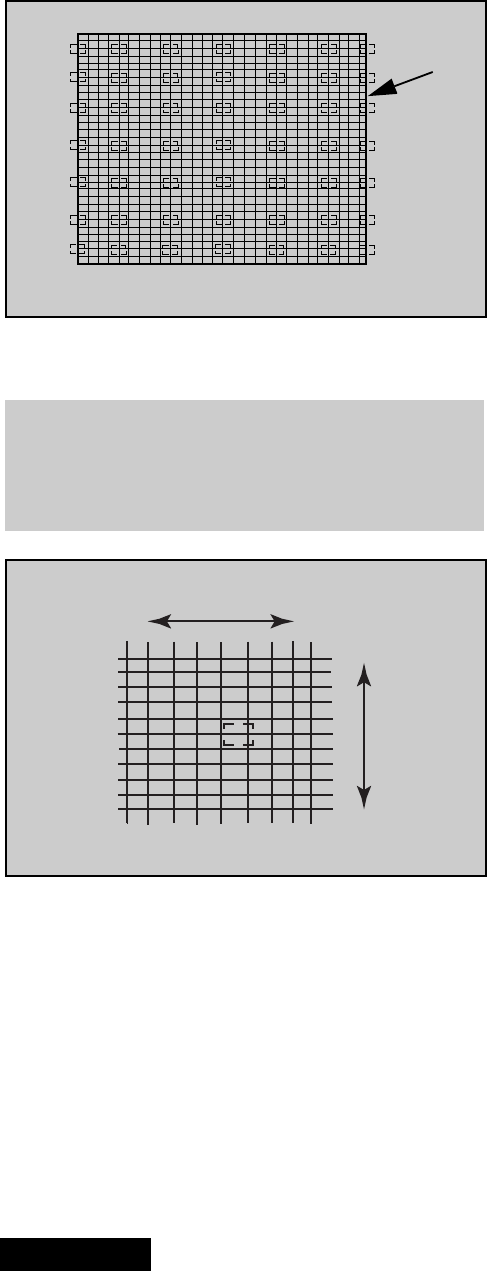
10. Adjust V_PIN by pressing CH up-down (see
figure 46).
11. Adjust H_PIN by pressing VOL right-left.
12. Press “7” then “ACTION” key on remote to save
changes.
Figure 46. H&VPINadjustment
13. Enter to CORNER “G-CORNER” mode by pressing
TV/VIDEO.
14. Adjust by pressing VOL right-left (see figure 47).
15. Press “7” then “ACTION” key on remote to save
changes.
Figure 47. Corner adjustment
16.EntertoKEY“G-KEY”modebypressingTV/
VIDEO.
17. Adjust by pressing CH up-down (see figure 48)
18. Press “7” then “ACTION” key on remote to save
changes
Figure 48. KEY mode adjustment
Note: Confirm that pattern looks like a square and
almost overlaps the screen frame, check that
vertical and horizontal line center match with
the marks on screen frame, if linearity is not
good enough, repeat adjustments.
19. Enter to “STATIC” mode by pressing TV/VIDEO.
20. Press “1” or “3” repeatedly until green and red only
are shown.
AB
AB
-30-
ServiceManual
21. Adjust “R-STATIC” so that the center of red
overlaps with the center of green.
Figure 49. STATIC mode adjustment
22. Enter to SKEW “R-SKEW” mode by pressing TV/
VIDEO
23. Adjust “R-SKEW” so that the vertical and horizontal
line of center overlaps with green (see figure 50)
24. Press “7” then “ACTION” key on remote to save
changes.
Figure 50. SKEW adjustment
Note: Remember always save data following each
adjustment by pressing “7” key on remote, then
ACTION.
25. Enter to LINEARITY “R-LINEAR” mode by
pressing TV/VIDEO.
26. Adjust Horizontal linearity (see figure 45)
27. Enter to SIZE “R-SIZE” mode by pressing TV/
VIDEO
28. Adjust so that the line on the border closes to the
screen frame at top, bottom, left and right (see
figure 44)
29. Enter to PIN “R-PIN” mode by pressing TV/VIDEO
30. Adjust horizontally and vertically (see figure 46)
31. Enter to CORNER “R-CORNER” mode by pressing
TV/VIDEO.
32. Adjust corners (see figure 47)
33. Enter to KEY “R-KEY” mode by pressing TV/
VIDEO
34. Adjust KEY (see figure 48)
35. Display pattern of border and cross, then check
that red overlaps green pattern, if it is not
satisfactory, repeat from step 19.
36. Enter to STATIC “B-STATIC” mode.
37. Press “1 or 3” key repeatedly on remote until only
green and blue pattern are displayed
38. Adjust B-STATIC so that the center of blue
overlaps with the center of green (see figure 51).
Figure 51. B-STATIC adjustment
39. Perform all adjustments for blue (B-SKEW, B-
LINEAR, B-SIZE, B-PIN, B-CORNER, B-KEY)
40. Display border and cross pattern and confirm that
blue overlaps with green pattern, if it is not
satisfactory, repeat for blue.
41. Press “1 or 3” key repeatedly on remote until
green, red and blue (white), confirm that red and
blue overlaps with green pattern.
42. Press “7” key on remote, then ACTION to save
changes.
43. Press POWER then ACTION to exit adjustments or
press TV/VIDEO for at least 3 seconds to change
to Fine Adjustment Mode.
Fine adjustment mode (FINE)
(convergence)
Remote functions:
• 1,3............changecolorviewadj
• 2................... changepattern
• 7........................savedata
• 5......................... overlap
• POWER.....................toexit
• RECALL..............displayvalues
• R-TUNE................cyclecolors
• TV/VIDEO............ changemode
3 secs . . . . . . . . change options
• MUTE (“fine”). . . . . .cursor & data mode
About pattern:
• NTSC to adjust 480ip (same for interlace and
progressive)
• 1080i to adjust 1080i
• 480i with ptv in zoom aspect to adjust
Z480i
red green blue green
Note: It is strongly recommended to first read and
understand the following section prior to
make any adjustment.
Convergence adjustment must be perform
for 480i-p (same for interlace & progressive),
1080i and ZOOM 480i.
The easiest way to adjust convergence is to begin
from the center of the screen, to the border in all the
convergence adjustments.
Helpful hint:
-31- Service Manual
In “FINE ADJUSTMENT MODE” options, press
“MUTE”keyonremotetoswitchbetween“cursor”
mode and “data” mode.
• Cursor mode (cursor flashing): Allows cursor
movement by pressing VOL right - left and CH up
- down.
• Data mode (cursor fixed): Allows making
adjustment by pressing VOL right - left and CH
up - down.
Procedure:
1. Enterto“G-EASY”mode(forgreen):
• DAC EASY
• Press POWER on remote
• TV/VIDEO (repeatedly)
• R-TUNE (repeatedly)
2. Press “2” repeatedly and apply the pattern of
crosshatch.
3. Press “1 or 3” repeatedly until the pattern becomes
green.
4. Press RECALL to display values.
5. In “EASY” mode, the adjustment value changes by
4steps
6. EASY mode allows to move lines horizontally and
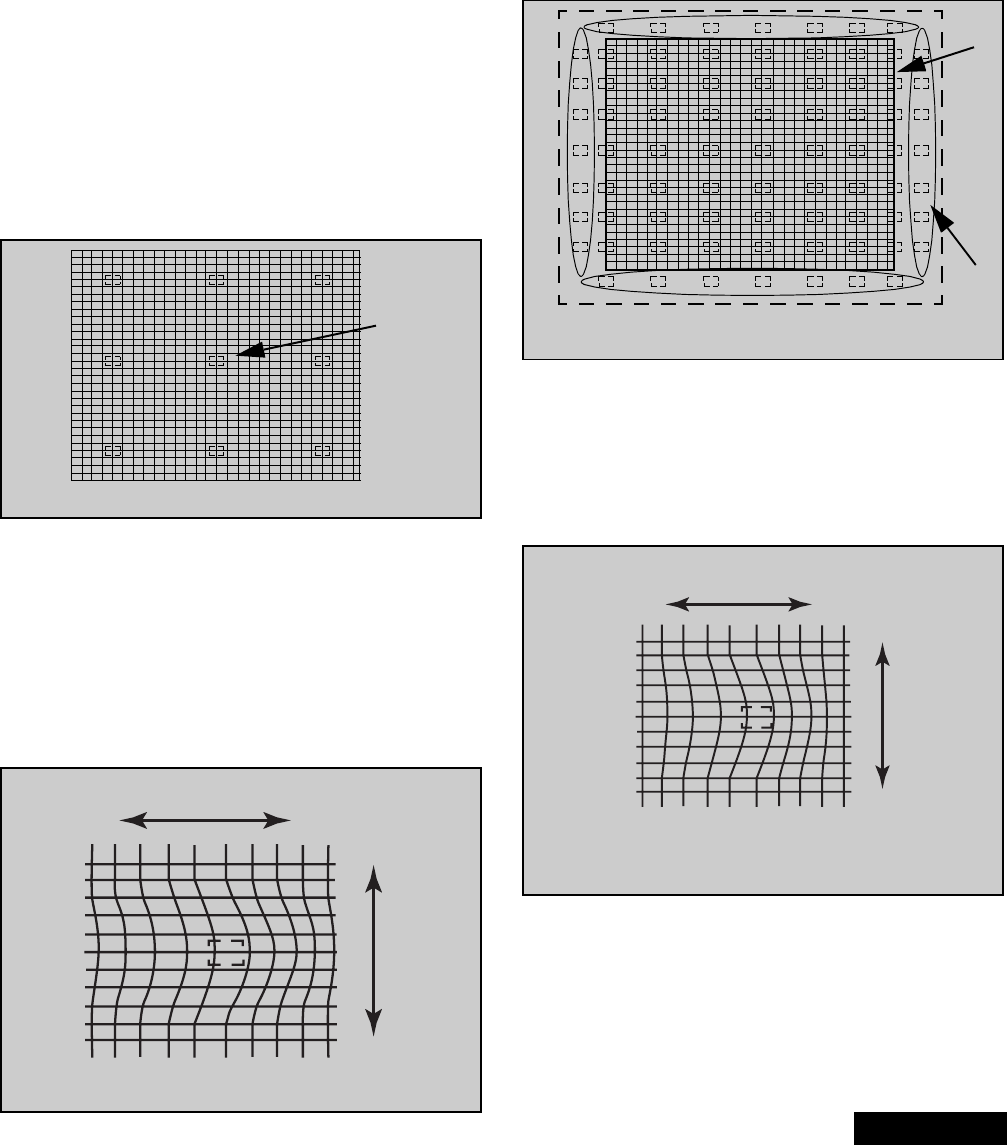
vertically from the center of cursor.
7. This mode afects a wide area around the cursor
than other adjustment modes, See values on
screen by pressing RECALL on remote (see
figure 53)
8. Begin adjustment from the center to the edge of
the screen.
9. Adjust by pressing CH up/down and VOL right/left
on the remote control when the cursor is not
flashing, if the cursor is flashing press MUTE on
the remote.
10. To move the cursor press MUTE on the remote
(cursor flashes), then move the cursor to any of the
9 positions for “EASY” mode(see figure 52)
11. This adjustment may help to make rounded lines
become straight lines
12. Adjust to make lines as straight as possible
13.EntertoPOINT“G-POINT”(forgreen)modeby
pressing TV/VIDEO.
14. “POINT” mode allows to move line horizontally and
vertically from the perimeter of cursor making
rounded lines become straight (see figure 54)
15. In “POINT” mode, the adjustment data changes by
2 steps, See values on screen by pressing
RECALL on remote.
16. When the cursor is located in the outer area of the
border the cursor starts to flash from one side to
other and the adjustment is for the non-visible area
(inside the ovals area, see figure 54); This applies
to “LINE”, “POINT” & “ORIGIN. POINT” modes.
17. Begin adjustment from the center to the edge of
the screen.
18. Adjust to make lines as much straight as possible
19. When slightly adjustment is needed, use “ORIG.
POINT” mode.
20. To enter to “G-ORIG. POINT” (for green) mode
press TV/VIDEO.
21. With “ORIG. POINT”, the adjustment data changes
by 1 step, this allows more detail in the adjustment.
Display values on screen by pressing RECALL on
remote
Figure 52. EASY adjustment cursor positions
cursor
Figure 53. EASY adjustment
left/right
up/down
Figure 54. POINT & ORIG. POINT cursor positions
Cursor
Flashes
s
Screen
Frame
Figure 55. POINT & ORIG. POINT adjustment
left/right
up/down
-32-
ServiceManual
22. Confirm that green adjustment is good enough, if
adjustment is not satisfactory, repeat adjustments.
23. Enter to LINE “G-LINE” mode by pressing TV/
VIDEO.
24. LINE mode allows to move each single line
horizontally and vertically (see figure 57).
25. Begin adjustment from the center to the edge of
the screen (see figure 56)
26. Adjust to make distribute lines
27. Then press “1 or 3” on the remote until red and
green appears.
.
28. Perform adjustments for red so that red overlaps
green, do not move green.
29. Press “1 or 3” on the remote until yellow (red and
green) and blue appears, do not move green or
red.
30. Perform adjustments so that blue overlaps Yellow
(red and green).
31. Press “1 or 3” key on remote to display red, green
and blue (white).
32. At this point the crosshatch pattern should look
white
33. If the crosshatch pattern is not only white, repeat
adjustment for that color (red or blue)
34. Once the crosshatch pattern looks only white,
perform the adjustments for White (“POINT”,
“ORIG. POINT” & “LINE”), notice that each
adjustment is only for white (red, green, blue)
35.Adjustwhiteforagoodlinedistributionandmake
lines completely straight.
36. Press “7” key on remote, then ACTION to save
changes.
37. Press POWER then ACTION to exit convergence
adjustments (DACs menu appears).
Figure 56. LINE adjustment cursor positions
Screen
Frame
Note: Since convergence adjustment will not
allows to adjust every single cross section
of the grid, it is very important to adjust, so
that overall looks best.
Figure 57. LINE adjustment
left/right
up/down
-33- Service Manual
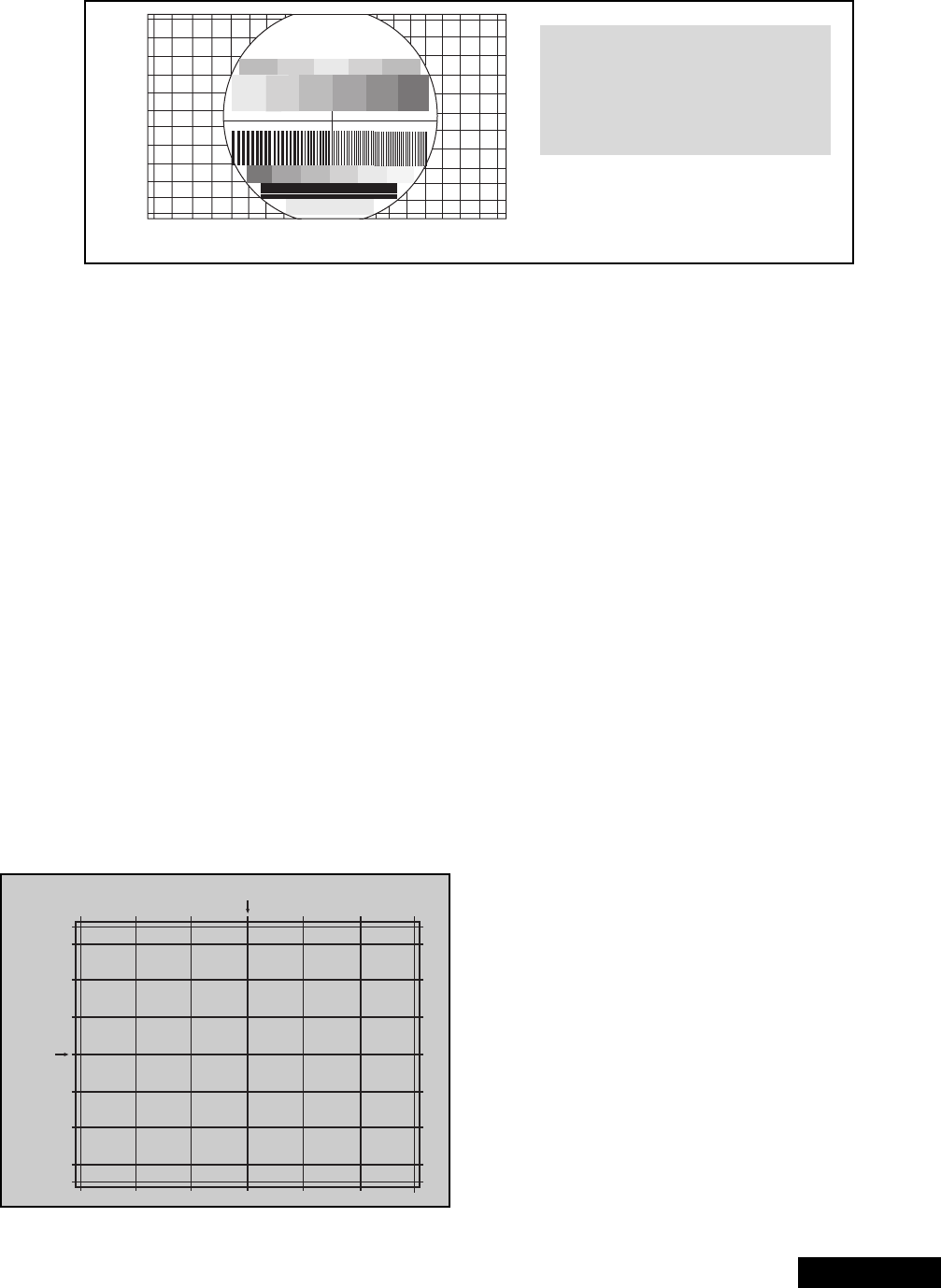
Horizontal and vertical size check
1. Apply a pattern that permits to check that
horizontal and vertical proportion of the image is
correct.
2. Confirm that horizontal and vertical center of the
picture is located in the center of the screen. 3. Check that the image is proportional horizontally
and vertically, proportion is different on every
aspect.
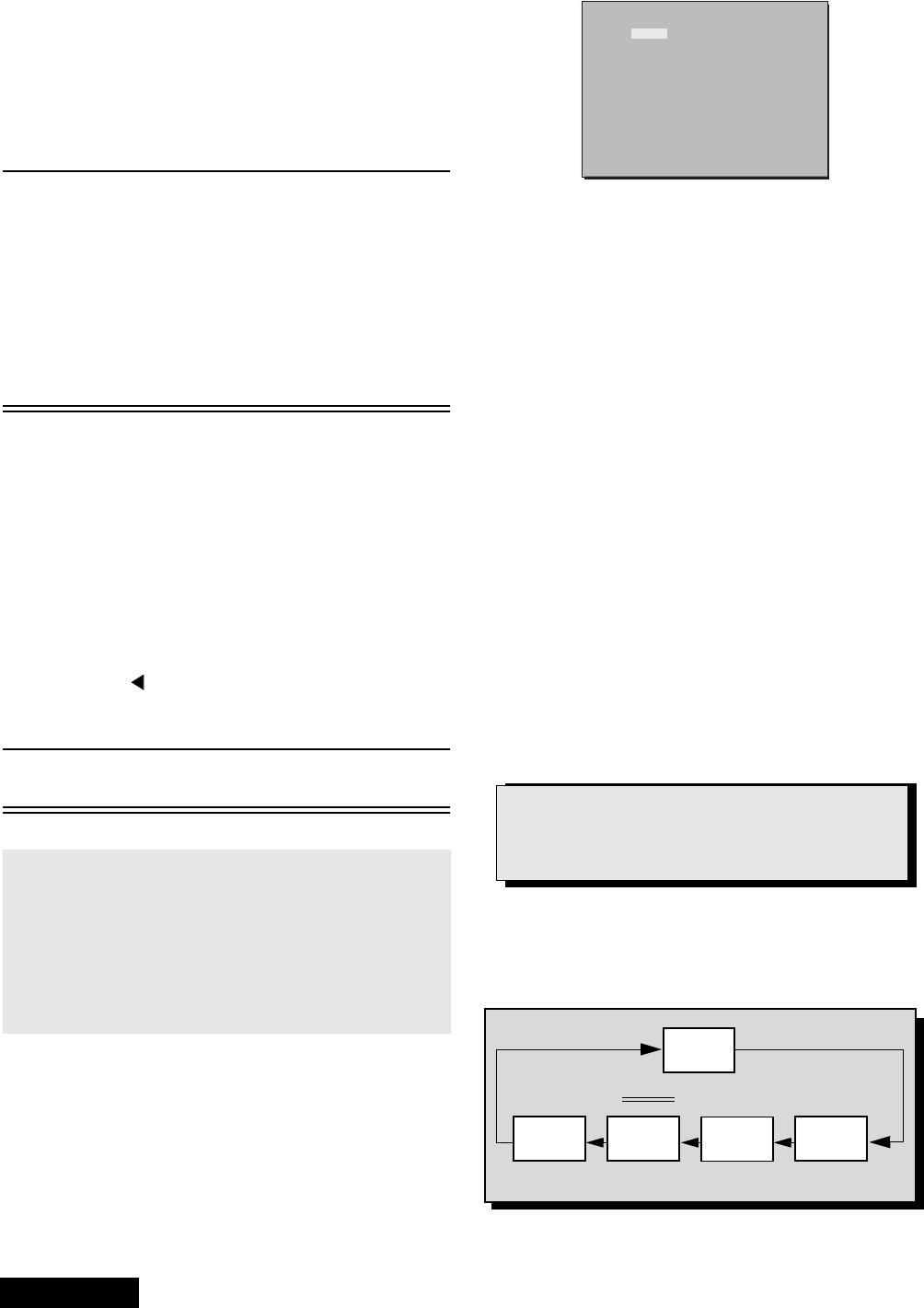
Convergence alignment template
The convergence alignment template is a grid
approximatelythesizeoftheviewingscreenusedto
ensure the proper size and shape of the alignment
rasters. It is 6 blocks across by 6 blocks high. The grid
dimensions vary with the mode of operation.
Apply a convergence alignment template to the
viewing screen of the PTV. Make sure the center lines
are properly aligned. If a template is not available, one
can be created by following the instructions below.
Create a convergence alignment template by
drawing a pattern, as in figure 59, in the actual
dimensions on transparent film or tracing paper. Start
with the Horizontal and Vertical Center Axis and work
outwards until the pattern is complete. Pay attention to
the actual dimensions of the pattern.
Grid dimensions:
47” Models: 1036mm horizontal X 584mm vertical.
Note: A convergence alignment template, part
number TXFQD01ESER1 for 47”, is available
through Matsushita/Panasonic Services.
Panasonic
FORMAT
Figure 58. H&Vsizecheck
Note: 1080i, 480p, 480i
pattern obtained from
Panasonic’s TU-DST51
set-top box DTV
decoder.
1
1
1
223
2
3
3
3
2
1
Center
Center
Figure 59. Convergence adjustment grid
-34-
ServiceManual
Service mode (electronic controls)
This receiver has electronic technology using the I²C
bus concept. It performs as a control function and it
replaces many mechanical controls. Instead of
adjusting mechanical controls individually, many of the
control functions are now performed by using “on
screen display menu”. (The service adjustment
mode.)
Note: It is suggested that the technician
reads all the way through and
understand the following procedure for
entering/exiting the service
adjustment mode; then proceed with
the instructions working with the
receiver. When becoming familiar with
the procedure, the flow chart for
servicemodemaybeusedasaquick
guide.
Quick entry to service mode:
When minor adjustments need to be done to the
electronic controls, the method of entering the service
mode without removal of the cabinet back is as follows
using the remote control:
1. Select SET-UP icon and select CABLE mode.
2. Select TIMER icon and set SLEEP time for 30 Min.
3. Press “ACTION” twice to exit menus.
4. Tune to the Channel 124.
5. Adjust VOLUME to minimum (0).
6. Press VOL (decrease) on receiver.Red“CHK”
appears in upper corner.
Note: After receiver is set into SERVICE
MODE, set TIMER back to NO.
7. Press POWER on the remote control to display
the service adjustment modes menu, select
adjustment by pressing the VOL right/left buttons
and CH up/down buttons on the remote and
ACTION to enter the adjustment.
Note: Some adjustments are available only
in some modes (480i, 480p, 1080i); it
is needed to apply the format; For
some adjustments is required to
perform adjustment for each format;
convergence adjustment must be
perform for 480i-p (same for interlace
& progressive), 1080i and ZOOM 480i.
A 1080i, 480p, 480i pattern can be
obtained from Panasonic’s TU-DST51
set-top box DTV decoder.
Exiting the service mode:
This PTV goes out from service mode when it is
unpluged or turned OFF. To exit the service mode, turn
the TV OFF or unplug the PTV from AC.
Other method
Press ACTION and POWER on the receiver
simultaneously for at least 2 seconds.
The receiver momentarily shuts off; then comes back
on tuned to channel 3 with a preset level of sound.
Any programmed channels, channels caption data and
some others user defined settings will be erased when
exited by pressing ACTION and POWER on receiver.
To check colors:
Press RECALL on the remote control when in service
mode (red “CHK” is displayed) to enter the purity field
check mode.
To toggle between aging and service
modes:
While the “CHK” is displayed on the left top
corner of the CRT, pressing “ACTION” and
“VOL” UP on the TV simultaneously will toggle
between the modes. Red “CHK” for service
mode and yellow “CHK” for Aging.
MODE 480I 480P 1080I
4:3 16:9 DW HX WX
MTS MTSIN SEPAL SEPAH
CLOCK CLOCK
VIDEO COLOR
BRIGHT TINT
CONT
B-Y_G R-Y_A
CUT R CUT B
I-ABL C_OFF
R DR B DR
HDEF
VLINVSIZE
H POS H WID
H CORR
VCORR
PCC EWCOR
EWTRA
VDEF
CONV MUTE COARS FINE
VSYM V-S V-I
DAF
OTHER H-PAR
ACL HHS W-POS LIMIT
V-PARV-SAW
Figure 60. Service mode menu adjustments.
IMPORTANT NOTE:
Always check that the PTV exits
the service mode.
Press RECALL again to select desired field.
NORMAL
SCREEN
WHITE
SCREEN
RED
SCREEN
GRN.
SCREEN
BLUE
SCREEN
Figure 61. Colors check.
-35- Service Manual
Table of the service adjustment item available for each format
Signal Formated Format
480i 480p 1080i
MTS
MTSIN INPUT LEVEL X N/A N/A
SEPAL
LOW LEVEL SEPARATION
X N/A N/A
SEPAH HIGH LEVEL SEPARATION X N/A N/A
CLOCK
CLOCK CLOCK X N/A N/A
VIDEO
COLOR COLOR X N/A X
TINT
TINT
X N/A X
BRIGHT SUB-BRIGHTNESS X N/A X
CONT SUB-CONTRAST X N/A X
B-G_Y MAGENTA TINT ADJ X N/A X
R-Y_A YELLOW TINT ADJ X N/A X
CUT-R RED CUT-OFF X N/A X
CUT-B BLUE CUT-OFF X N/A X
R DR RED DRIVE X N/A X
BDR BLUE DRIVE X N/A X
I ABL ABL X X X
C_OFF COLOR ADJ. CUT-OFF X X X
HDEF
HPOS HORIZONTAL POSITIONING X N/A X
HWID HORIZONTAL WIDTH X N/A X
PCC PINCUSHION CORRECTION X N/A X
EWCOR CORNER CORRECTION X N/A X
EWTRA TRAPEZOID X N/A X
HCORR HORIZONTAL CORRECTION X N/A X
VDEF
VSIZE VERTICAL SIZE X N/A X
VLIN VERTICAL LINEARITY X N/A X
V-S VERTICAL S CORRECTION X N/A X
V-I VERTICAL ENDING CORRECTION X N/A X
VSYM VERTICAL MAGNET CORRECTION X N/A X
-36-
ServiceManual
VCORR VERTICAL CORRECTION X N/A X
CONV
MUTE DIGITAL CONV (ON/OFF) X X X
COARS COARSE ADJUSTMENT X X X
FINE FINE ADJUSTMENT X X X
DAF
H-PAR HORIZONTAL PARABOLA X X X
V-SAW VERTICAL SAW X X X
V-PAR VERTICAL PARABOLA X X X
OTHER
ACL --------------- X N/A X
HHS
----------------
XN/AX
Signal Formated Format
480i 480p 1080i
Note: PTV detects automatically the
format of the input signal
(480i, 480p or 1080i)
-37- Service Manual
480i Service mode (electronic controls, continued)
Note: Registers marked as FIXED are factory preset,
the default value must not be changed
Important note:
Write down the original values (“b” in the
adjustment mode details, figure 60) for each
address adjustment before modifying values.
Follow the procedure below to access the various
service adjustments. (Same procedures applies to
each section.)
a. Press
CH buttons on the remote control to select any of
the seven service sub adjustment addresses. (“a” in
figure 60)
b. Press
The buttons on the remote control to adjust the
level of the selected service adjustments.
MTS Adjustments Description Default Level New Level
MTSIN INPUT LEVEL 21
SEPAL LOW LEVEL SEPARATION 06
SEPAH HIGH LEVEL SEPARATION 1A
CLOCK Adjustments Description Default Level New Level
CLOCK CLOCK 128
VIDEO Adjustments Description Default Level New Level
COLOR COLOR 13
TINT TINT 80
BRIGHT SUB-BRIGHTNESS 01 DB
CONT SUB-CONTRAST 89
B-Y_G MAGENTA TINT ADJ 40
R-Y_A YELLOW TINT ADJ 80
CUT R RED CUT-OFF 01 FB
CUT B BLUE CUT-OFF 01 EC
R DR RED DRIVE 57
B DR BLUE DRIVE 70
I ABL ABL VARIABLE
C_OFF COLOR ADJ. CUT-OFF 00
HDEF Adjustments Description Default Level New Level
H POS HORIZONTAL POSITIONING 01 48
H WID HORIZONTAL WIDTH 1D
PCC PINCUSHION CORRECTION 20
EWCOR CORNER CORRECTION 03
EWTRA TRAPEZOID 08
HCORR HORIZONTAL CORRECTION 0D
-38-
ServiceManual
Note: Registers marked as FIXED are factory preset,
the default value must not be changed
Important note:
Write down the original values (“b” in the
adjustment mode details, figure 60) for each
address adjustment before modifying values.
Follow the procedure below to access the various
service adjustments. (Same procedures applies to
each section).
a. Press
CH buttons on the remote control to select any of
the seven service sub adjustment addresses. (“a” in
figure 60)
b. Press
The buttons on the remote control to adjust the
level of the selected service adjustments.
VDEF Adjustment Description Default Level New Level
VSIZE VERTICAL SIZE 00
VLIN VERTICAL LINEARITY 10
V-S VERTICAL S CORRECTION 0A
V-I VERTICAL ENDING CORRECTION 0F (DEFAULT)
VSYM VERTICAL MAGNET
CORRECTION 04 (DEFAULT)
VCORR VERTICAL CORRECTION 0C
CONV Adjustments Description Default Level New Level
MUTE DIGITAL CONV (ON/OFF) 00
COARS COARSE ADJUSTMENT ADJUSTMENT
FINE FINE ADJUSTMENT ADJUSTMENT
DAF Adjustments Description Default Level New Level
H-PAR HORIZONTAL PARABOLA +317
V-SAW VERTICAL SAW -23
V-PAR VERTICAL PARABOLA +69
OTHER Adjustments Description Default Level New Level
ACL ------- 01 CO
HHS ------- 01 CO
Widescreen 16:9 and non-widescreen 4:3 PTVs use the same
light box, for this reason is important to set it to the correct
version (16:9 or 4:3). To change the format please refer to
figure 62 on page 43.
Be sure to select the correct format for the serviced PTV.
About format aspect switching (WX 16:9 or HX 4:3):
-39- Service Manual
480p Service mode (electronic controls, continued)
Note: Registers marked as FIXED are factory preset,
the default value must not be changed
Important note:
Write down the original values (“b” in the
adjustment mode details, figure 60) for each
address adjustment before modifying values.
Follow the procedure below to access the various
service adjustments. (Same procedures applies to
each section.)
a. Press
CH buttons on the remote control to select any of
the seven service sub adjustment addresses. (“a” in
figure 60)
b. Press
The buttons on the remote control to adjust the
level of the selected service adjustments.
MTS Adjustments Description Default Level New Level
MTSIN INPUT LEVEL N/A
SEPAL LOW LEVEL SEPARATION N/A
SEPAH HIGH LEVEL SEPARATION N/A
CLOCK Adjustments Description Default Level New Level
CLOCK CLOCK N/A
VIDEO Adjustments Description Default Level New Level
COLOR COLOR N/A
TINT TINT N/A
BRIGHT SUB-BRIGHTNESS N/A
CONT SUB-CONTRAST N/A
B-Y_G MAGENTA TINT ADJ N/A
R-Y_A YELLOW TINT ADJ N/A
CUT R RED CUT-OFF N/A
CUT B BLUE CUT-OFF N/A
R DR RED DRIVE N/A
B DR BLUE DRIVE N/A
I ABL ABL VARIABLE
C_OFF COLOR ADJ. CUT-OFF 00
HDEF Adjustments Description Default Level New Level
H POS HORIZONTAL POSITIONING N/A
H WID HORIZONTAL WIDTH N/A
PCC PINCUSHION CORRECTION N/A
EWCOR CORNER CORRECTION N/A
EWTRA TRAPEZOID N/A
HCORR HORIZONTAL CORRECTION N/A
-40-
ServiceManual
Note: Registers marked as FIXED are factory preset,
the default value must not be changed
Important note:
Write down the original values (“b” in the
adjustment mode details, figure 60) for each
address adjustment before modifying values.
Follow the procedure below to access the various
service adjustments. (Same procedures applies to
each section).
a. Press
CH buttons on the remote control to select any of
the seven service sub adjustment addresses. (“a” in
figure 60)
b. Press
The buttons on the remote control to adjust the
level of the selected service adjustments.
VDEF Adjustment Description Default Level New Level
VSIZE VERTICAL SIZE N/A
VLIN VERTICAL LINEARITY N/A
V-S VERTICAL S CORRECTION N/A
V-I VERTICAL ENDING CORRECTION N/A
VSYM VERTICAL MAGNET
CORRECTION N/A
VCORR VERTICAL CORRECTION N/A
CONV Adjustments Description Default Level New Level
MUTE DIGITAL CONV (ON/OFF) 00
COARS COARSE ADJUSTMENT ADJUSTMENT
FINE FINE ADJUSTMENT ADJUSTMENT
DAF Adjustments Description Default Level New Level
H-PAR HORIZONTAL PARABOLA +317
V-SAW VERTICAL SAW -23
V-PAR VERTICAL PARABOLA +69
OTHER Adjustments Description Default Level New Level
ACL ------- 01 CO
HHS ------- 01 CO
Widescreen 16:9 and non-widescreen 4:3 PTVs use the same
light box, for this reason is important to set it to the correct
version (16:9 or 4:3). To change the format please refer to
figure 62 on page 43.
Be sure to select the correct format for the serviced PTV.
About format aspect switching (WX 16:9 or HX 4:3):
-41- Service Manual
1080i Service mode (electronic controls, continued)
Note: Registers marked as FIXED are factory preset,
the default value must not be changed
Important note:
Write down the original values (“b” in the
adjustment mode details, figure 60) for each
address adjustment before modifying values.
Follow the procedure below to access the various
service adjustments. (Same procedures applies to
each section.)
a. Press
CH buttons on the remote control to select any of
the seven service sub adjustment addresses. (“a” in
figure 60)
b. Press
The buttons on the remote control to adjust the
level of the selected service adjustments.
MTS Adjustments Description Default Level New Level
MTSIN INPUT LEVEL N/A
SEPAL LOW LEVEL SEPARATION N/A
SEPAH HIGH LEVEL SEPARATION N/A
CLOCK Adjustments Description Default Level New Level
CLOCK CLOCK N/A
VIDEO Adjustments Description Default Level New Level
COLOR COLOR 1C
TINT TINT 80
BRIGHT SUB-BRIGHTNESS 02 00
CONT SUB-CONTRAST 89
B-Y_G MAGENTA TINT ADJ 40
R-Y_A YELLOW TINT ADJ 80
CUT R RED CUT-OFF 01 FB
CUT B BLUE CUT-OFF 01 EC
R DR RED DRIVE 57
B DR BLUE DRIVE 70
I ABL ABL 00
C_OFF COLOR ADJ. CUT-OFF 00
HDEF Adjustments Description Default Level New Level
H POS HORIZONTAL POSITIONING 00 C2
H WID HORIZONTAL WIDTH 2B
PCC PINCUSHION CORRECTION 0C
EWCOR CORNER CORRECTION 03
EWTRA TRAPEZOID 08
HCORR HORIZONTAL CORRECTION 0E
-42-
ServiceManual
Note: Registers marked as FIXED are factory preset,
the default value must not be changed
Important note:
Write down the original values (“b” in the
adjustment mode details, figure 60) for each
address adjustment before modifying values.
Follow the procedure below to access the various
service adjustments. (Same procedures applies to
each section).
a. Press
CH buttons on the remote control to select any of
the seven service sub adjustment addresses. (“a” in
figure 60)
b. Press
The buttons on the remote control to adjust the
level of the selected service adjustments.
VDEF Adjustment Description Default Level New Level
VSIZE VERTICAL SIZE 40
VLIN VERTICAL LINEARITY 15
V-S VERTICAL S CORRECTION 19
V-I VERTICAL ENDING CORRECTION 0F (DEFAULT)
VSYM VERTICAL MAGNET
CORRECTION 04 (DEFAULT)
VCORR VERTICAL CORRECTION 0C
CONV Adjustments Description Default Level New Level
MUTE DIGITAL CONV (ON/OFF) 00
COARS COARSE ADJUSTMENT ADJUSTMENT
FINE FINE ADJUSTMENT ADJUSTMENT
DAF Adjustments Description Default Level New Level
H-PAR HORIZONTAL PARABOLA +263
V-SAW VERTICAL SAW -35
V-PAR VERTICAL PARABOLA +117
OTHER Adjustments Description Default Level New Level
ACL ------- 01 CO
HHS ------- 01 CO
Widescreen 16:9 and non-widescreen 4:3 PTVs use the same
light box, for this reason is important to set it to the correct
version (16:9 or 4:3). To change the format please refer to
figure 62 on page 43.
Be sure to select the correct format for the serviced PTV.
About format aspect switching (WX 16:9 or HX 4:3):
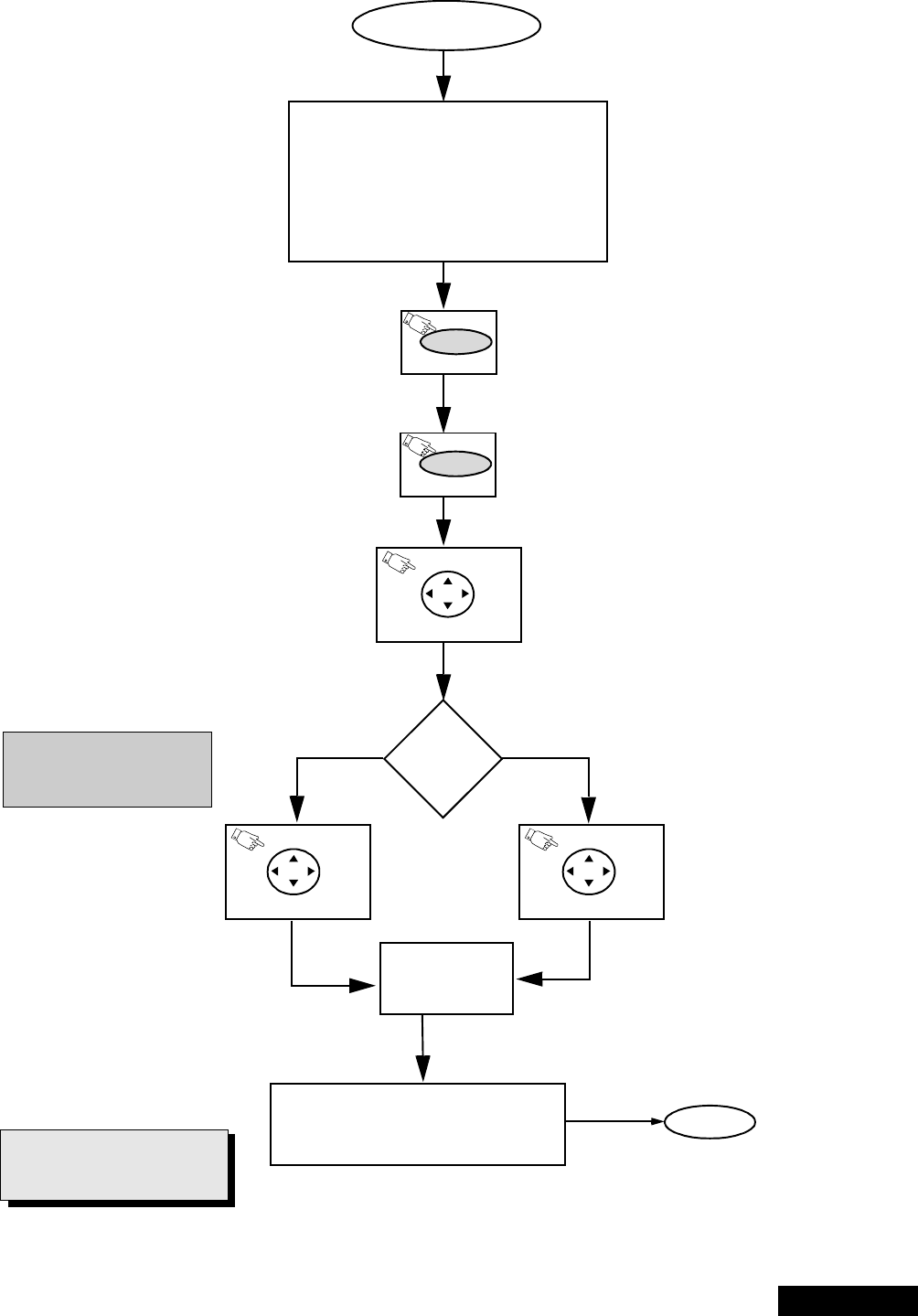
-43- Service Manual
Instructional flow chart for format aspect switching (WX 16:9 or HX 4:3)
NORMAL MODE
PTV
ASPECT
RATIO?
(ON REMOTE)
POWER
ENTER TO SERVICE MODE
• Select CABLE mode.
•SetSLEEP time for 30 Min.
• Tune to channel 124.
• Adjust VOLUME to minimum.
•PressVOL DOWN on receiver.
Red CHK on left upper corner of
screen will appear.
EXIT
Figure 62.Flow chart for aspect ratio switching.
non-widescreen
widescreen
unplug PTV from
AC line, wait 5
seconds and plug
it back to AC line
In eeprom addresses change
data by pressing VOL right/left
until 0010
5A
IMPORTANT NOTE:
Always verify that PTV is out
from service mode.
To exit service mode, just unplug PTV from AC
lineorturnitOFF;orpressACTION and
POWER on the receiver simultaneously for at
least 2 seconds.
Press POWER on remote to display DACs
(ON REMOTE)
MUTE Hold pressed MUTE on remote for at least
5 seconds to display eeprom addresses
(ON REMOTE)
ACTION
VOL
Once in eeprom addresses press
CH up/down until 0010 xxxx is
displayed
(ON REMOTE)
CH
(ON REMOTE)
CH
In eeprom addresses change
data by pressing VOL right/left
until 0010
A5
Enter to service mode, and display service DACs
menu by pressing POWER button on remote and
verify that version is correct, WX for widescreen
PTV and HX for non-widescreen PTV on top right
corner of DACs menu.
Do not change other data except
0010. Changing of these data
might result in unfixable
condition.
Important note:
ACTION ACTION
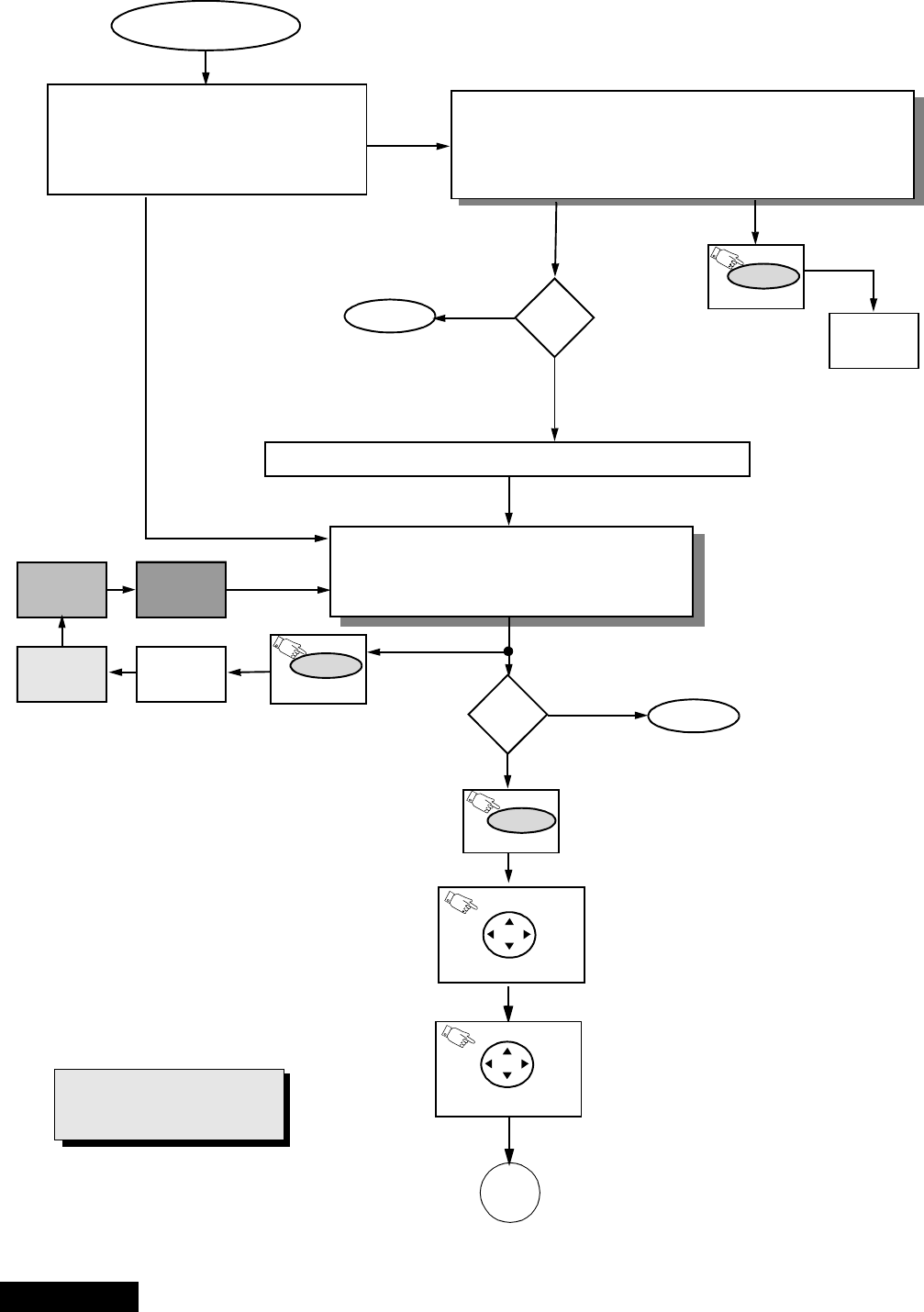
-44-
ServiceManual
Instructional flow chart for service mode
Adj.
needed?
NORMAL MODE
Press Action + Volume up simultaneously (ON receiver)
Adj.
needed?
WHITE
SCREEN
(ON REMOTE)
RECALL
WHITE
SCREEN
RED
SCREEN
GRN.
SCREEN BLUE
SCREEN
POWER
(ON REMOTE)
SERVICE MODE
• “CHK” turns red.
• VOLUME up/down operate normally.
• Customer controls are set to nominal level.
ENTRY TO SERVICE MODE
• Select CABLE Mode.
•SetSLEEP time for 30 Min.
• Tune to Channel 124.
• Adjust Volume to minimum.
•PressVOL DOWN On Receiver.
EXIT
EXIT
Figure 63.Flow chart for service mode.
N
Y
N
Y
(ON REMOTE)
RECALL
(ON REMOTE)
A
(ON REMOTE)
ACTION
To view the adjustments
menu press POWER on
remote.
Once in adjustments menu press
VOL right/left and CH up/down on
remote to select adjustment.
Press ACTIONon remote to enter the
adjustment.
AGING MODE
• Press VOL UP and ACTION simultaneously on PTV
• Yellow “CHK” appears in upper left corner of screen.
• Volume Up/Down operate rapidly.
• Customer Controls are set to nominal level.
IMPORTANT NOTE:
Always verify that PTV is out
from service mode.
To exit service mode, just unplug PTV from AC
lineorturnitOFF;orpressACTION and
POWER on the receiver simultaneously for at
least 2 seconds.
To exit service mode, just unplug PTV from AC
line o turn it OFF; or press ACTION and POWER
on the receiver simultaneously for at least 2
seconds.
ACTION
ACTION
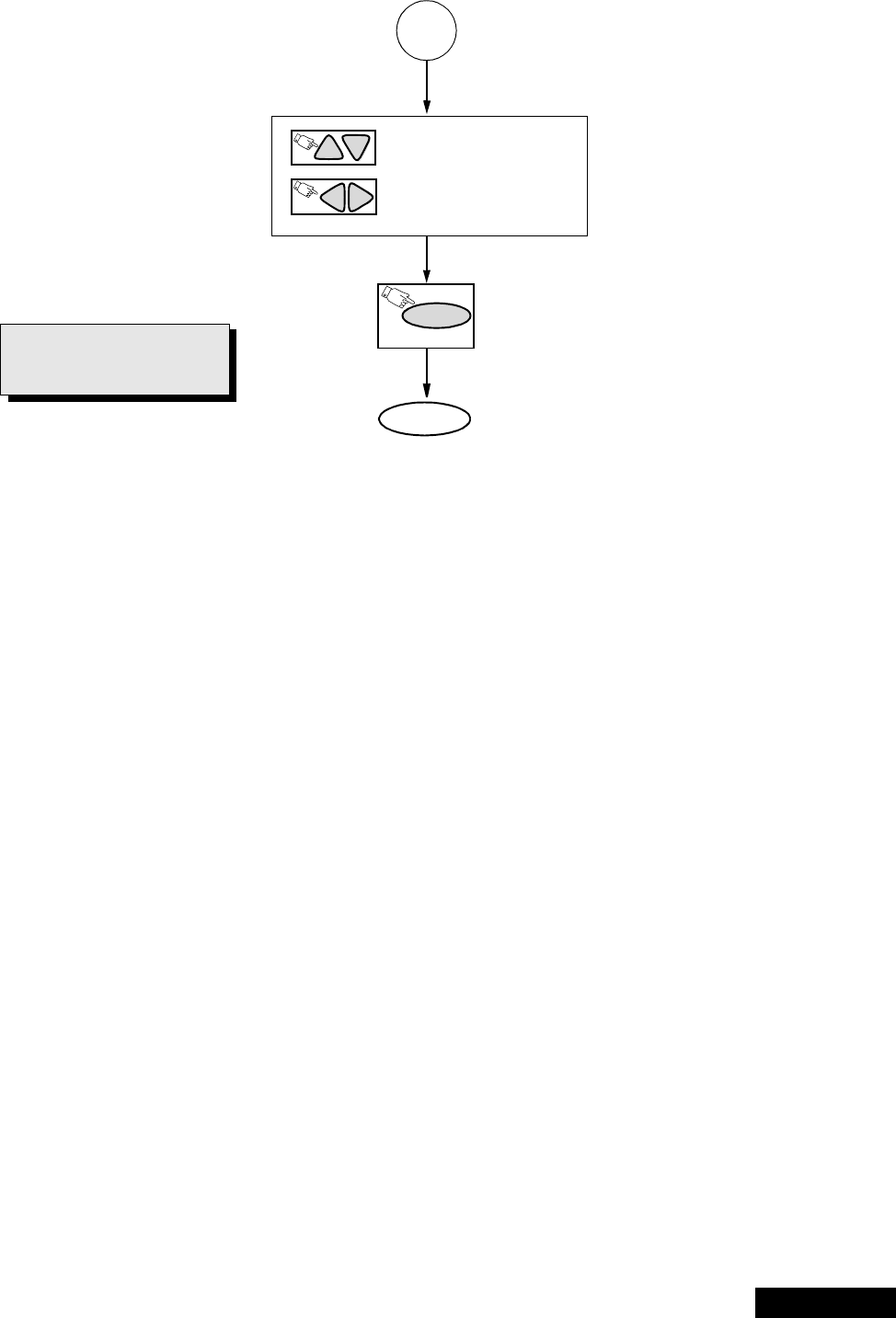
-45- Service Manual
Instructional flow chart for service mode - continued
Flow chart for service mode (continued).
A
ON REMOTE CONTROL TO
(previous/next adjustment
ON REMOTE TO
to make adjustment
CH CH
VOL VOL
Press POWER or ACTION on remote to
exit the adjustment.
EXIT
POWER
(ON REMOTE)
IMPORTANT NOTE:
Always verify that PTV is out
from service mode.
To exit service mode, just unplug PTV from AC
lineorturnitOFF;orpressACTION and
POWER on the receiver simultaneously for at
least 2 seconds.

-46-
ServiceManual
NTSC Sub-Bright adjustment (BRIGHT)
Procedure:
1. Set PIC MODE TO VIVID, PICTURE settings to
normal, NATURAL COLOR to OFF and COLOR
TEMPERATURE to NORMAL.
2. Connect meter (+) to TPD50 and (-) to TPD51.
3. Apply a NTSC color bar with no color or if available
a grey levels pattern.
4. Adjust DAC BRIGHT data so that bar near to black
bar becomes near black .
5. Apply a white pattern and put user bright control to
max. and confirm reading on meter is 12.4±1_V.
1080i Sub-Bright adjustment (BRIGHT)
Procedure:
1. Set same settings as NTSC adjustment
2. Apply a 1080i signal, and repeat adjustments as
from step 2 in NTSC adjustment.
3. If pattern is not available, use a color signal in
1080i and adapt the adjustment to that available
signal
4. Adjust DAC CONT so that black and white level
areingoodbalance(whiteiswhiteandblackis
black)
NTSC Color adjustment
(TINT, B-Y_G, R-Y_A)
Note: 1080i, 480p, 480i pattern can be obtained from
Panasonic’s TU-DST51 set-top box DTV
decoder.
This adjustment requires that the servicer use its skills
in observing what a colorbar pattern should looks like.
Preparation:
1. Set the following in the user picture menu as
follows:
PIC MODE:VIVID
COLOR: center (31)
PICTURE: max (63)
BRIGHT: center (31)
SHARPNESS: min. (0)
TINT:(31)
NATURAL COLOR:OFF
COLOR TEMPERATURE:NORMAL
Procedure:
1. Apply a NTSC color bar pattern
2. Adjust DAC TINT so that the fourth bar from right to
left becomes purple and good color balance.
3. If the adjustment is high, the bar will look pinkish, if
it is low will look bluish.
4. Adjust B-Y_G so blue look natural, and the rest of
the colors become in balance.
5. Adjust R-Y_A so red look natural, and rest of the
colors become in balance.
6. Check that white bar is real white, no bluish or
redish or tending to become grey.
1080i Color adjustment
(TINT, B-Y_G, R-Y_A)
Note: 1080i, 480p, 480i pattern can be obtained from
Panasonic’s TU-DST51 set-top box DTV
decoder.
1. Set same settings as NTSC adjustment
2. Apply a 1080i signal, and repeat adjustments as
from step 2 in NTSC adjustment.
3. If pattern is not available, use a color signal in
1080i and adapt the adjustment to that available
signal.
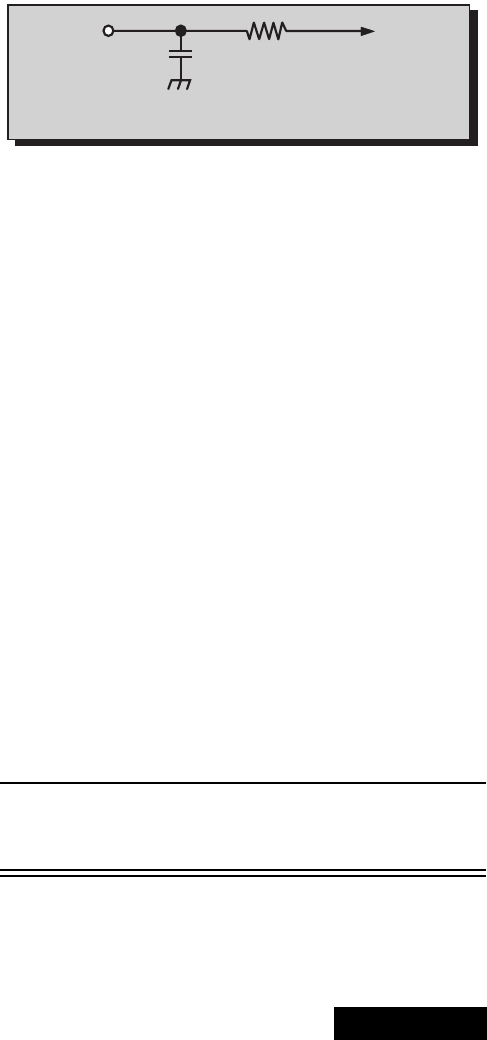
-47- Service Manual
Service mode (electronic controls, continued)
Red, green & blue screen cutoff
1. Use either a no input signal condition or raster from
the NTSC generator.
2. Observingthegreentubedirectlyorviaareflective
surface, adjust the VR on focus pack for the green
tube for minimum noise.
3. Adjust the noise level in the red and blue tubes to
match the noise level in the green tube.
White balance adjustment
Note: 1080I, 480p, 480I pattern can be obtained from
Panasonic’s TU-DST51 set-top box DTV
decoder.
Prior to this adjustment, perform sub-contrast
adjustment. This adjustment requires that the service
use skills in observing what a screen without color
should look like (white picture).
1. Enter the service mode.
2. Apply a NTSC black and white pattern to one of the
video inputs (see above note) color bar with no
color.
High light white balance adjustment
1. Adjust DAC R_DR for red and B_DR for blue
adjustments.
2. Make sure the screen is not blue or green. The
screen should be white in the white area.
3. Check the black and white area for a black and
white picture with even shades of gray and no color
tint in the picture.
Low light white balance adjustment
1. Adjust DAC CUT_R for red and DAC CUT_B for
blue.
2. Check the screen for even white in all areas, no
color.
3. Check the black and white pattern for a black and
white picture, even shades of gray and no color tint
in the low light areas.
4. Repeat the High Light and Low Light White
Balance again until the white balance tracks from
high light to low light.
Tint and color check
Set picture mode to VIVID mode.
Again, the service ability to see color and the balance
of color is important for theses adjustments.
Tint check
1. In picture menu set PICTURE NORM to YES.
2. Apply color bars to the video input.
3. Magenta is composed of two colors, blue and red.
4. Check to see that magenta does not have too
much blue or too much red.
5. Check cyan. Cyan is composed of blue and green.
It should not have too much blue or green.
6. Use a test signal from a VCR or laser disk that has
a pre-recorded close up of a signal that has good
flesh tones.
7. The signal on the VCR or laser disk should look
normal.
Color check
Using a clean RF or video signal, set the color level so
that it does not saturate or appear harsh. Make sure
that color is not set so that it appears dull and washed
out. Look for natural colors, try to adjust the picture to
appear as a normal photograph.
MTS circuit adjustments
Note: It is important to adjust the MTS circuit in the
order shown below.
The MTS circuit adjustments require two steps:
1. Input level adjustment.
2. Stereo separation adjustment.
Input level adjustment (MTSIN)
Preparation:
1. Connect an RMS meter (AC range) with filter jig as
showninfigure64.
2. Connect an RF signal generator to the RF
antenna input.
Procedure:
1. Apply the following signal from the RF signal
generator:
Video: 100 IRE flat field, 30% modulation.
Audio: 300Hz, 100% modulation, monaural
(70 ± 5dB, 75Ωopen, P/S 10dB). Make sure to turn
off 75µs pre-emphasis.
2. Adjust DAC “MTSIN”
MTS-INPUT
data until the
voltage measured is 106mV ± 6.0mV RMS.
Stereo separation adjustment
(SEPAL & SEPAH)
Preparation:
1. Connect an RF signal generator to the RF
antenna input.
2. Connect an oscilloscope probe to TPA7 (R_out).
Procedure:
1. Set PTV to Stereo Mode (in the audio menu).
2. Apply the following signal from the RF signal
generator:
Video: 100 IRE flat field, 30% modulation.
Audio: 300Hz, 30% modulation, stereo (left only)
(70dB ± 5dB, 75ΩOPEN, P/S 10dB).
Note: Set the 30% modulation with the pilot
light SW and N.R. switches OFF then turn
them ON while testing.
3. Adjust MTS low-level separation “SEPAL” DAC
data (in the service menu) until the amplitude of the
measured waveform on the scope is minimum.
10k
4700p
Figure 64. Filter jig
TPA8
RMS
METER L_OUT
-48-
ServiceManual
4. Apply the following signal from the RF
signal generator:
Video: 100 IRE flat field, 30% modulation.
Audio: 3KHz, 30% modulation, stereo (left only).
(70dB ± 5dB, 75ΩOPEN, P/S 10dB).
Note: Set the 30% modulation with the P.L and
N.R. switches OFF then turn them ON while
testing.
5. Adjust MTS High-Level Separation “SEPAH” DAC
data until the amplitude of the waveform measured
on the scope is minimum.
6. Repeat above steps 2 through 5 until the amplitude
is at minimum for both signals.
Clock Adjustment (CLOCK)
Preparation:
Connect the frequency counter from IC001 MPU
Pin 10 or TPA009, to cold ground ( ).
Note: Frequency Counter probe capacitance should
be 8pF or less.
Procedure:
1. Turn the PTV “ON” with the AC power applied.
2. Measure TPA009 IC001 MPU pin 10 for frequency
and record the reading.
Note: Pin 10 measurement must have at least four
digits of resolution following the decimal point.
Example: 000.0000
3. Place the PTV into service mode for making
electronic adjustment, select the clock adjustment
DAC CLOCK and change value to 128.
4. Calculate and set CLOCK based on the
following formula:
Note: Pin 10 measurement will not change
regardless of the value stored in CLOCK.
CLOCK 128 0.450x106x732.422
p
Ð
in
10()Hz[]{}
732.4220
------------------------------------------------------------+=
-
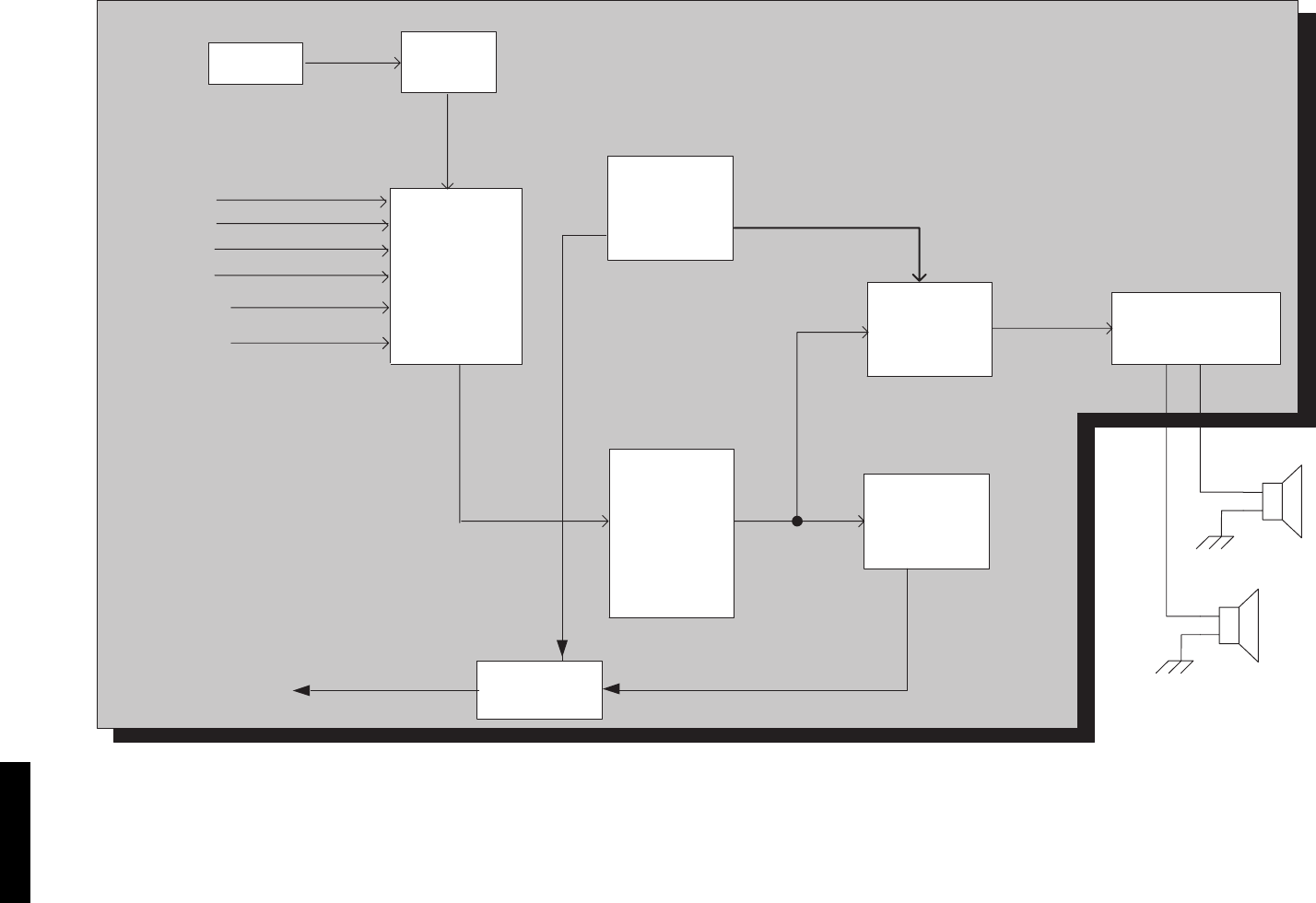
-49- Service Manual
Audiosignalpathblockdiagram
Figure 65. Audio signal path block diagram
A-Board
Tuner 1
A1
AYUV1
AYUV2
A PROG OUT
IC3001
AUDIO
INPUT
SELECTOR
A2
A3
A4
IC2451
AUDIO
CONTROL
IC2304
VAO
IC2302
L/R AMP
IC1002
MPU
MUTE
Qs
AUDIO OUT
CONNECTORS
R
L
+
-
-
+
IC2201
MTS
Audio MUTE
VAO MUTE
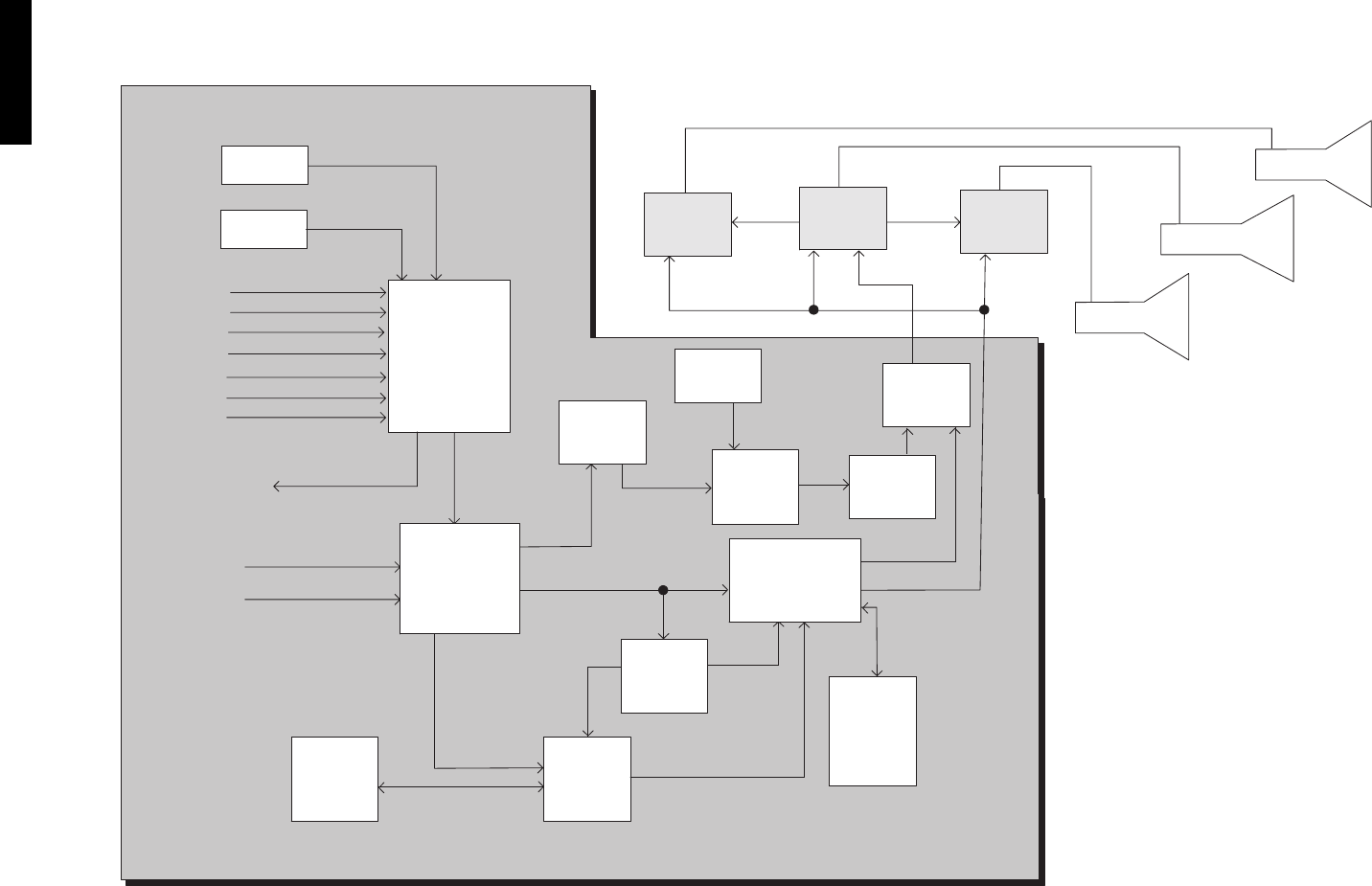
-50-
ServiceManual
Video-chroma signal path block diagram
Figure 66. Video-chroma signal path block diagram.
A-Board
Tuner 1
SV1
SV3
V1
AYUV1
AYUV2
Tuner 2
IC3001
VIDEO
INPUT
SELECTOR
V2
VIDEO
PROG OUT
V3
V4
LR-
BOARD
BLUE PRT
GREEN PRT
RED PRT
MAIN (Y,Pb,Pr)
SUB (Y,Pb,Pr)
OSD RGB
OSD
CONVERGENCE
VM VM VM
VM
R,G,B
R,G,B
R,G,B
OSD
MAIN&SUB
CC
Y,UV
Y,UV
Y,UV
SV2
IC4018IC4025
SGRAM
16M
IC4007
FIFO
MEM
5
IC4006
IC4011
IC3002
VIDEO
A/D
10BIT
INPUT
SELECTOR
IC7110 IC4015
IC4019
IC7107
IC1002
MPU
R
BLG-
BOARD
LB-
BOARD
SIGNAL
PROCESSOR
OSD
SWITCH
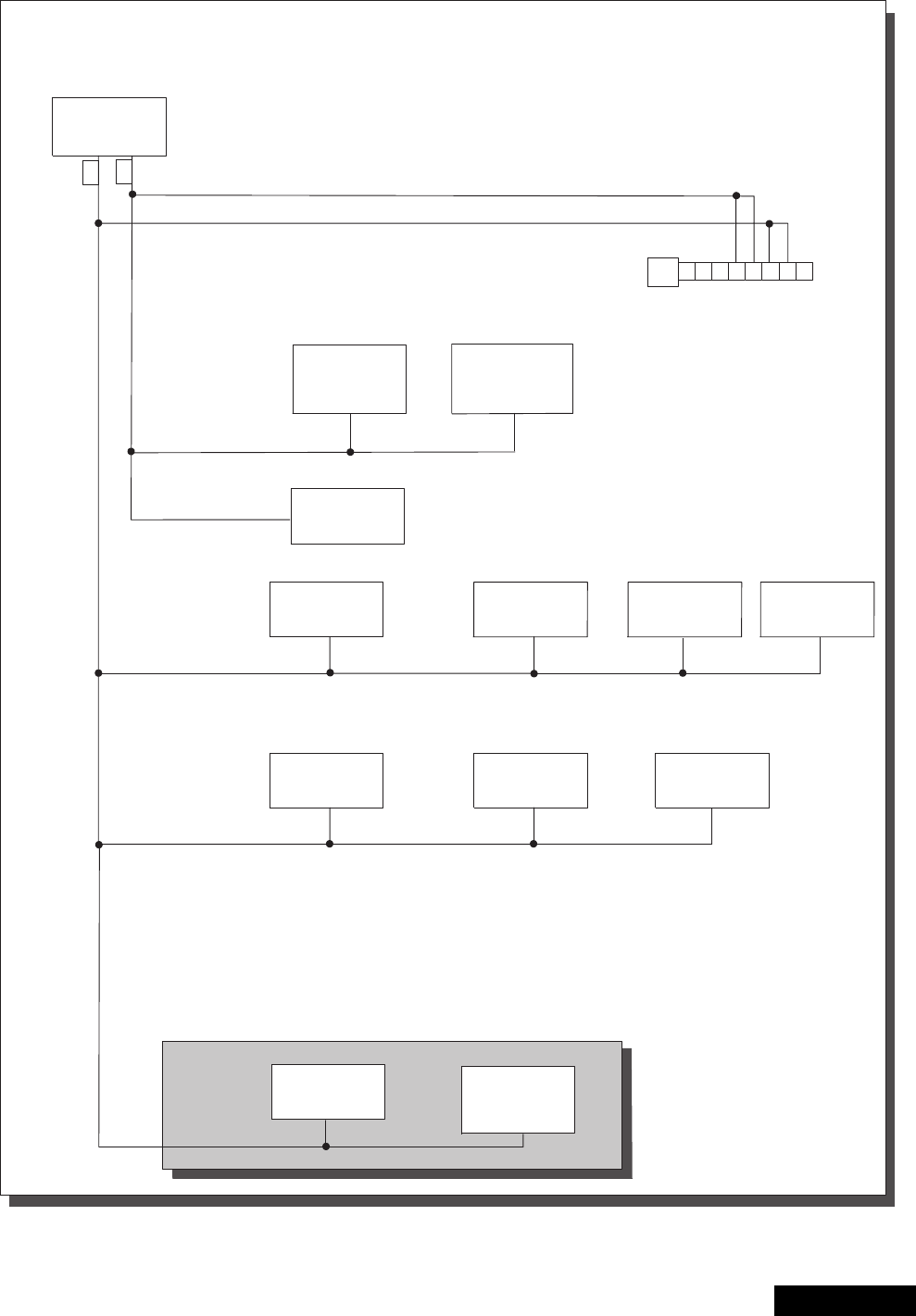
-51- Service Manual
IIC connection
Figure 67. IIC connection
D-Board
A-Board
IC1002
MPU
78
4
356
12
A10
SDA2
RM IN
SCL2
GND
SCL1
7V
FA
SDA1
IC2451
AUDIO
PROCESSING
IC601
VERTICAL
DRIVE
IC602
VERTICAL
DEFLECTION
CORRECTION
IC2201
MTS
IC7107
CONVERGENCE
PROCESSOR
TUNER1
MAIN
IC1004
EEPROM
TUNER2
SUB
IC3001
A/V SELECTOR IC3002
V SELECTOR
IIC1
IIC2
IC4018
SIGNAL
PROCESSING
SLAVE
IC4011
SIGNAL
PROCESSING
MASTER

-52-
ServiceManual
Description of connectors
D4--A4
1
2
3
4
5
6
7
8
9
10
11
12
13
14
15
16
HHS DET
GND (CONV)
+18v
GND (CONV)
+18v
GND (CONV)
GND (CONV)
GND (REG)
-18v
GND (REG)
-18V
GND (REG)
GND (REG)
DAF
GND (REG)
DFCUT
D3--A3
1
2
3
4
5
6
7
8
9
10
11
12
13
14
15
16
BLK
9V
SDA
GND
SCL
GND
GND
GND
VP3
GND
V-PULS
GND
GND
GND
H-PULS
SET +5v
D6--HVD
1
2
3
4
5
6
7
STBY 7V
TO EHT SEPA. EHT REG GND
TO EHTSEPA. EHT CAPA GND
NC
TO EHT SEPA EHT F/B (R)
NC
STBY 7V
G1--A6
1
2
3
4
5
6
7
8
9
Y/V
NC
GND
C
S
L
GND
R
GND
D2--A2
1
2
3
4
5
6
7
8
9
10
11
12
13
14
15
16
GND
20V
GND
20V
GND
20V
GND
20V
GND
GND
GND
GND
ABL
GND
SOS
GND
D1--A1
1
2
3
4
5
6
7
8
9
10
11
12
13
14
15
16
+20V
GND (SOUND)
+20V
GND (SOUND)
-20V
GND (SOUND)
-20V
C-BTL 40V
AC ON/OFF
P_BTL 40V
STAND BY GND
STBY 7V
NC
NC
TUNER GND
TUNER GND
R1--A51
1
2
3
STB 3.3V
RM IN
GND
K3--A8
1
2
3
4
5
6
GND
KEY SCAN 1
KEY SCAN 2
TP
GND
LED
LR1--LG3
1
2
3
4
5
6
7
8
9
10
11
12
13
14
210V
NC
HEATER 6.3V
OFF MUTE
GND (SYGNAL)
R
12V
GND (PACHI)
S-ABL
18V
GND (VM)
VM
NC
140V
LB1--LG4
1
2
3
4
5
6
7
8
9
10
11
12
13
14
15
210V
NC
HEATER 6.3 V
OFF MUTE
GND (SYGNAL)
B
12V
GND (PACHI)
S-ABL
18V
GND (VM)
VM
NC
140V
NC
LG1--A15
1
2
3
4
5
6
7
8
9
10
11
12
GND
B
GND
R
GND
G
GND
GND
VM
GND (VM)
S-ABL
+12V

-53- Service Manual
Description of connectors (continued)
LG2--D5
1
2
3
4
5
6
7
8
9
10
210V
NC
GND
GND
+18V
+12V
HEATER
GND
NC
40V (+B OF VM)
A9--EEPROM
1
2
3
4
5
6
7
NC
WP
GND
SCL
SDA
NC
NC
A10--BUSSCON
1
2
3
4
5
6
7
8
STBY -7V
FA
GND
SCL1
SDA1
SCL2
SDA2
RM IN
-54-
Parts List
REPLACEMENT PARTS LIST
Models: PT-47WX42F, PT-47WX42CF, PT-47WX52F, PT-47WX52CF
Important Safety Notice: Components printed in BOLD TYPE have special characteristics important for safety. When replacing
any of these components use only manufacturer’s specified parts.
093-02
PARTS LIST
REF
NO. PART NO. DESCRIPTION
CAPACITORS
C051 EEUFC1E470B CAP,E 47UF-25V
C052 ECKR1H103ZF5 CAP,C .01UF-Z-50V
C301 F2A2E100A026 CAP,E 10UF-250V
C302 ECCR1H221JC5 CAP,C 220PF-J-50V
C304 ECKW2H103PU8 CAP,C .01UF-P-500V
C305 F2A1H470A162 CAP,E 47UF-50V
C306 F2A2E100A026 CAP,E 10UF-250V
C307 ECKR1H103ZF5 CAP,C .01UF-Z-50V
C310 F2A1H220A162 CAP,E 22UF-50V
C312 ECKC3D102KBN CAP,C 1000PF-K-2KV
C313 ECKR2H102KB5 CAP,C 1000PF-K-500V
C331 F2A1H470A162 CAP,E 47UF-50V
C332 ECKR1H103ZF5 CAP,C .01UF-Z-50V
C333 F2A1H470A162 CAP,E 47UF-50V
C334 F2A2E470A026 CAP,E 47UF-250V
C335 ECCR1H221JC5 CAP,C 220PF-J-50V
C336 F2A1H470A162 CAP,E 47UF-50V
C337 F2A2E470A026 CAP,E 47UF-250V
C339 ECKW2H103PU8 CAP,C .01UF-P-500V
C340 ECKR1H103ZF5 CAP,C .01UF-Z-50V
C341 F2A2E100A026 CAP,E 10UF-250V
C342 F2A1H220A162 CAP,E 22UF-50V
C345 ECKC3D102KBN CAP,C 1000PF-K-2KV
C346 ECKR2H102KB5 CAP,C 1000PF-K-500V
C361 F2A1C101A159 CAP,E 100UF-16V
C362 ECCR1H221JC5 CAP,C 220PF-J-50V
C364 ECKW2H103PU8 CAP,C .01UF-P-500V
C365 F2A2E100A026 CAP,E 10UF-250V
C366 F2A1H470A162 CAP,E 47UF-50V
C367 ECKR1H103ZF5 CAP,C .01UF-Z-50V
C369 F2A1H470A162 CAP,E 47UF-50V
C372 ECKC3D102KBN CAP,C 1000PF-K-2KV
C373 ECKR2H102KB5 CAP,C 1000PF-K-500V
C374 F2A1C101A159 CAP,E 100UF-16V
C405 F2A1E102A134 CAP,E 1000UF-25V
C406 F2A1E102A134 CAP,E 1000UF-25V
C407 TCJ2VF1H103Z CAP,C .01UF-Z-50V
C408 TCJ2VF1H103Z CAP,C .01UF-Z-50V
C411 TCJ2VB1H822K CAP,C 8200PF-K-50V
C412 ECQB1224KF3 CAP,P .22UF-K-100V
C413 F2A1H1R0A162 CAP,E 1.0UF-50V
C414 TCJ2VB1H272K CAP,C 2700PF-K-50V
C417 TCJ2VB1H103K CAP,C .01UF-K-50V
C418 ECQB1H183JF3 CAP,P .018UF-J-50V
C421 ECEA1CN220UB CAP,E 22UF-16V
C461 F2A1H221A162 CAP,E 220UF-50V
C501 F2A1V101A127 CAP,E 100UF-35V
C502 ECQV1H105JL3 CAP,P 1.0UF-J-50V
C503 ECKR2H102KB5 CAP,C 1000PF-K-500V
C509 ECWF2474JSR CAP,P .47UF-J-200V
C511 ECWH20222JVY CAP,P 2200PF-J-2KV
C512 ECWH20102JVY CAP,P 1000PF-J-2KV
C513 ECQF4103JZH CAP,P .01UF-J-400V
C514 ECWH20222JVY CAP,P 2200PF-J-2KV
C518 ECKW3D221JBP CAP,C 220PF-J-2KVDC
C519 ECKW3D221JBP CAP,C 220PF-J-2KVDC
C520 ECQB1H103JF3 CAP,P .01UF-J-50V
C522 ECWH20182JVY CAP,P 1800PF-J-2KV
C523 ECWH20182JVY CAP,P 1800PF-J-2KV
C524 ECQB1224JF3 CAP,P .22UF-J-100V
C525 ECEA1HN220UB CAP,E 22UF/50V
C526 F2A2E101A026 CAP,E 100UF-250V
C527 ECKR2H102KB5 CAP,C 1000PF-K-500V
C528 F2A1H470A162 CAP,E 47UF-50V
C531 ECA160V33UE CAP,E 33UF/160V
C532 ECQB1H103JF3 CAP,P .01UF-J-50V
C533 ECKR2H101KB5 CAP,C 100UF-K-500V
C535 F2A1H471A162 CAP,E 470UF-50V
C601 EEUFC1C331B CAP,E 330UF-16V
C602 TCJ2VF1H103Z CAP,C .01UF-Z-50V
C603 TCJ2VF1H103Z CAP,C .01UF-Z-50V
C605 F2A1H1R0A162 CAP,E 1.0UF-50V
C606 F2A1H1R0A162 CAP,E 1.0UF-50V
C608 ECQB1H103JF3 CAP,P .01UF-J-50V
C609 TCJ2VC1H820J CAP,C 82PF-J-50V
C610 ECQB1H473JF3 CAP,P .047UF-J-50V
C611 ECQV1H105JL3 CAP,P 1.0UF-J-50V
C613 F2A1C221A159 CAP,E 220UF-16V
C614 TCJ2VF1H103Z CAP,C .01UF-Z-50V
C616 ECQB1H104JF3 CAP,P .10UF-J-50V
C617 F2A1C221A159 CAP,E 220UF-16V
C618 TCJ2VF1H103Z CAP,C .01UF-Z-50V
C619 ECJ2VC1H272J CAP,C 2700PF-J-50V
C620 TCJ2VF1H103Z CAP,C .01UF-Z-50V
C621 ECQB1H681JF3 CAP,P 680PF-J-50V
C622 TCJ2VC1H221J CAP,C 220PF-J-50V
C623 ECQB1H473JF3 CAP,P .047UF-J-50V
C624 TCJ2VB1H152K CAP,C 1500PF-K-50V
C625 TCJ2VC1H820J CAP,C 82PF-J-50V
C627 ECQB1H183JF3 CAP,P .018UF-J-50V
C629 ECQV1H474JL3 CAP,P .47UF-J-50V
C631 ECSF1EE225VB CAP,E 2.2UF-25V
C632 TCJ2VF1H103Z CAP,C .01UF-Z-50V
C701 F2A1C221A159 CAP,E 220UF-16V
C702 ECKR3D271KBP CAP,C 270PF-K-2KV
C703 ECQM2104KZW CAP,P .1UF-K-200V
C704 ECKR2H391KB5 CAP,C 390PF-K-500V
C705 ECKR2H561KB5 CAP,C 560PF-K-500V
C707 TCJ2VF1H103Z CAP,C .01UF-Z-50V
REF
NO. PART NO. DESCRIPTION
REPLACEMENT PARTS LIST
Models: PT-47WX42F, PT-47WX42CF, PT-47WX52F, PT-47WX52CF
Important Safety Notice: Components printed in BOLD TYPE have special characteristics important for safety. When replacing
any of these components use only manufacturer’s specified parts.
-55-
093-02
PARTS LIST
Parts List
C708 ECQE1685KFB CAP,P 6.8UF-K-100V
C801 ECQU2A104MNB CAP,P .10UF-M-250VAC
C802 ECQU2A823MNB CAP,P .082UF-M-250VAC
C803 ECKCNA222ME7 CAP,C 2200PF-M-125V
C804 ECKCNA222ME7 CAP,C 2200PF-M-125V
C805 ECKR2H472PU7 CAP,C 4700PF-P-500V
C806 ECKR2H472PU7 CAP,C 4700PF-P-500V
C807 ECKR2H472PU7 CAP,C 4700PF-P-500V
C808 F2A1V101A127 CAP,E 100UF-35V
C809 TCJ2VB1E223K CAP,C .022UF-K-25V
C810 EETED2D102C CAP,E 1000PF-200V
C812 ECA1EHG471B CAP,E 470UF-25V
C814 ECKW3D102KBP CAP,C 1000PF-K-2KV
C815 ECQB1H152JF3 CAP,P 1500PF-J-50V
C816 ECKW3D821KBP CAP,C 820PF-K-2KV
C817 ECKW3D102KBP CAP,C 1000PF-K-2KV
C819 ECQB1H102JF3 CAP,P 1000PF-J-50V
C820 ECQV1H334JL3 CAP,P .33UF-J-50V
C821 ECQB1H272KF3 CAP,P 2700PF-K-50V
C822 F2A1H220A162 CAP,E 22UF-50V
C823 TCJ2VC1H151J CAP,C 150PF-J-50V
C824 EEUFC1V151B CAP,E 150UF-35V
C825 ECKCNA102MBB CAP,C .001UF-M-125V
C826 TCJ2VB1E104K CAP,C .1UF-K-25V
C830 EETHC2C471B CAP,E 470PF-160V
C831 ECKR3D821KBP CAP,C 820PF-K-2KV
C832 TCJ2VF1H103Z CAP,C .01UF-Z-50V
C834 EEUFC1V222E CAP,E 2200UF-35V
C836 ECKR3A331KBP CAP,C 330PF-K-1KVDC
C837 F2A1E472A135 CAP,E 4700UF-25V
C838 F2A1E471A134 CAP,E 470UF-25V
C839 ECKR3A331KBP CAP,C 330PF-K-1KVDC
C840 F2A1E471A134 CAP,E 470UF-25V
C841 F2A1E472A135 CAP,E 4700UF-25V
C842 ECKR3A331KBP CAP,C 330PF-K-1KVDC
C843 F2A1V222A128 CAP,E 2200UF-35V
C844 ECKR3A331KBP CAP,C 330PF-K-1KVDC
C845 F2A1V222A128 CAP,E 2200UF-35V
C846 ECKR3A331KBP CAP,C 330PF-K-1KVDC
C848 F2A1C101A159 CAP,E 100UF-16V
C849 ECKR1H223ZF5 CAP,C .022UF-Z-50V
C851 ECQV1H104JL3 CAP,P .10UF-J-50V
C852 F2A1V101A127 CAP,E 100UF-35V
C854 F2A1C221A159 CAP,E 220UF-16V
C855 TCJ2VB1E104K CAP,C .1UF-K-25V
C883 ECQV1H474JL3 CAP,P .47UF-J-50V
C890 TCJ2VF1H103Z CAP,C .01UF-Z-50V
C897 ECQV1H474JL3 CAP,P .47UF-J-50V
C898 TCJ2VF1H103Z CAP,C .01UF-Z-50V
C902 ECQM2103KZ3 CAP,P .01UF-K-200V
REF
NO. PART NO. DESCRIPTION
C903 ECKR1H103ZF5 CAP,C .01UF-Z-50V
C904 ECKR1H103ZF5 CAP,C .01UF-Z-50V
C906 ECQM2103KZ3 CAP,P .01UF-K-200V
C907 F2A2C100A024 CAP,E 10UF-160V
C908 F2A1C101A159 CAP,E 100UF-16V
C909 F2A1C101A159 CAP,E 100UF-16V
C910 F2A2C100A024 CAP,E 10UF-160V
C912 F2A1H220A162 CAP,E 22UF-50V
C939 ECKR1H103ZF5 CAP,C .01UF-Z-50V
C940 ECQM2103KZ3 CAP,P .01UF-K-200V
C941 ECKR1H103ZF5 CAP,C .01UF-Z-50V
C942 ECQM2103KZ3 CAP,P .01UF-K-200V
C943 F2A2C100A024 CAP,E 10UF-160V
C944 F2A1C101A159 CAP,E 100UF-16V
C945 F2A1C101A159 CAP,E 100UF-16V
C947 F2A2C100A024 CAP,E 10UF-160V
C962 ECKR1H103ZF5 CAP,C .01UF-Z-50V
C963 ECQM2103KZ3 CAP,P .01UF-K-200V
C965 ECKR1H103ZF5 CAP,C .01UF-Z-50V
C966 ECQM2103KZ3 CAP,P .01UF-K-200V
C967 F2A2C100A024 CAP,E 10UF-160V
C968 F2A1C101A159 CAP,E 100UF-50V
C969 F2A1C101A159 CAP,E 100UF-16V
C970 F2A2C100A024 CAP,E 10UF-160V
C972 F2A1H470A162 CAP,E 47UF-50V
C1502 ECQE6104KFB CAP,P 100UF-K-100V
C1503 ECQE6104KFB CAP,P 100UF-K-100V
C1504 ECQB1H103JF3 CAP,P .01UF-J-50V
C1505 F2A1C221A159 CAP,E 220UF-16V
C1506 TCJ2VF1H103Z CAP,C .01UF-Z-50V
C1508 ECQB1H223JF3 CAP,P .022UF-J-50V
C1510 TCJ2VF1H103Z CAP,C .01UF-Z-50V
C1511 TCJ2VC1H471J CAP,C 470PF-J-50V
C1512 TCJ2VF1H103Z CAP,C .01UF-Z-50V
C1513 ECEA1EN101UB CAP,E 100UF-25V
C1514 F2A1C101A159 CAP,E 100UF-16V
DIODES
D081 LN21RCPHL DIODE, LED
D082 MA4056MTA DIODE
D083 MA4056MTA DIODE
D301 MA167TA5 DIODE
D302 MA4150HTA DIODE
D303 TVSRM1V1 DIODE
D304 MA165TA5VT DIODE, SWITCHING
D306 MA165TA5VT DIODE, SWITCHING
D307 MA165TA5VT DIODE, SWITCHING
D312 MA188TA5 DIODE
D313 MA188TA5 DIODE
D314 MA188TA5 DIODE
D315 MA188TA5 DIODE
REF
NO. PART NO. DESCRIPTION
-56-
Parts List
REPLACEMENT PARTS LIST
Models: PT-47WX42F, PT-47WX42CF, PT-47WX52F, PT-47WX52CF
Important Safety Notice: Components printed in BOLD TYPE have special characteristics important for safety. When replacing
any of these components use only manufacturer’s specified parts.
093-02
PARTS LIST
D331 MA165TA5VT DIODE, SWITCHING
D334 MA165TA5VT DIODE, SWITCHING
D335 MA165TA5VT DIODE, SWITCHING
D339 MA188TA5 DIODE
D340 MA188TA5 DIODE
D341 MA188TA5 DIODE
D342 MA188TA5 DIODE
D361 MA165TA5VT DIODE, SWITCHING
D363 MA165TA5VT DIODE, SWITCHING
D364 MA165TA5VT DIODE, SWITCHING
D369 MA188TA5 DIODE
D370 MA188TA5 DIODE
D371 MA188TA5 DIODE
D372 MA188TA5 DIODE
D407 MA152KTX DIODE
D409 MA165TA5VT DIODE, SWITCHING
D410 MA152KTX DIODE
D411 MA165TA5VT DIODE, SWITCHING
D451 AM01ZV0 DIODE
D452 AM01ZV0 DIODE
D453 AM01ZV0 DIODE
D454 AM01ZV0 DIODE
D455 AM01ZV0 DIODE
D456 AM01ZV0 DIODE
D458 ERA15-01V3 DIODE, RECTIFIER
D501 D1NL40V70 DIODE
D502 MA4150MTA DIODE
D503 FMV-3GULF730 DIODE
D504 MA4270MTA DIODE
D509 MA165TA5VT DIODE, SWITCHING
D510 MA4068LTA DIODE
D511 ERA18-04V3 DIODE
D512 D1NL40V70 DIODE
D513 MA165TA5VT DIODE, SWITCHING
D515 D1NL40V70 DIODE
D516 EU2YXV0 DIODE
D519 AU02ZV0 DIODE
D634 MA165TA5VT DIODE, SWITCHING
D650 MA4110MTA DIODE, ZENER
D651 MA4110MTA DIODE, ZENER
D656 MA4110MTA DIODE, ZENER
D657 MA4110MTA DIODE, ZENER
D659 MA4110MTA DIODE, ZENER
D660 MA4110MTA DIODE, ZENER
D662 MA4110MTA DIODE, ZENER
D663 MA4110MTA DIODE, ZENER
D702 D1NL40V70 DIODE
D801 RBV-408 BRIDGE, RECTIFIER
D802 ERZC10VK361G VARISTOR
D815 MA165TA5VT DIODE, SWITCHING
REF
NO. PART NO. DESCRIPTION
D816 MA700TA DIODE
D817 AU01ZV0 DIODE
D818 MA3270LTX DIODE
D819 TMPG10G3 DIODE
D822 ERA22-02V3 DIODE
D825 FMLG16SLF116 DIODE
D827 RL4ZLF-J6 DIODE
D828 B0HBRM000012 DIODE
D829 B0HBRM000012 DIODE
D830 RL4ZLF-J6 DIODE
D831 RL4ZLF-J6 DIODE
D835 TVSA81004V3 DIODE
D837 MA152KTX DIODE
D895 MA165TA5VT DIODE, SWITCHING
D902 MA188TA5 DIODE
D933 MA188TA5 DIODE
D953 TVSSR2KNV DIODE, ZENER
D962 MA188TA5 DIODE
D973 TVSSR2KNV DIODE, ZENER
D983 TVSSR2KNV DIODE, ZENER
D1502 RP1H DIODE
D1503 MA4030HTA DIODE
D1504 RP1H DIODE
D1505 MA29-BTA DIODE
D1506 MA4051HTA DIODE
D1599 MA152KTX DIODE
FUSES
F801 XBA1C63NU100 FUSE 6.3A/125V
INTEGRATED CIRCUITS
IC451 LA78045 VERTICAL OUT
IC601 C0ZAZ0000091 HORIZONTAL OUT
IC602 TA8859AP V SAW
IC603 BA15218F-E2 OP AMP
IC701 AN6914 OP AMP
IC801 AN8029 MAIN REG
IC802 SE139NLF4 ERROR AMP
IC803 AN78L12TA 9V REGULATOR
IC804 TVSS1WBS20 DIODE, BRIDGE RECTIFIER
IC805 AN78M09LB 9V REGULATOR
IC811 0N3171RLF OPTO ISOLATOR
IC871 SI-8050J 5V REGULATOR
IC872 SI-8090J 9V REGULATOR
IC873 C0DAAZG00006 2.5V REGULATOR
IC880 AN78N12LB 12V REGULATOR
IC1501 AN6562S-E1 OP AMP
IC2302 TDA7490 AUDIO AMP L/R
IC7001 STK392-110 CONVERGENCE AMP
IC7002 STK392-110 CONVERGENCE AMP
COILS
L301 ELEBD101KA COIL, PEAKING 100UH
REF
NO. PART NO. DESCRIPTION
REPLACEMENT PARTS LIST
Models: PT-47WX42F, PT-47WX42CF, PT-47WX52F, PT-47WX52CF
Important Safety Notice: Components printed in BOLD TYPE have special characteristics important for safety. When replacing
any of these components use only manufacturer’s specified parts.
-57-
093-02
PARTS LIST
Parts List
L302 ELESN100JA COIL, PEAKING 10UH
L303 ELESN6R8JA COIL, PEAKING 6.8UH
L304 ELESN4R7JA COIL, PEAKING 4.7UH
L331 ELESN100JA COIL, PEAKING 10UH
L332 ELESN6R8JA COIL, PEAKING 6.8UH
L333 TLTABT560K COIL
L334 ELESN4R7KA COIL, PEAKING 4.7UH
L335 ELEBD101KA COIL, PEAKING 100UH
L337 TLTABT560K COIL
L361 ELEBD101KA COIL, PEAKING 100UH
L362 ELESN100JA COIL, PEAKING 10UH
L363 ELESN150JA COIL, PEAKING 15UH
L364 ELESN4R7JA COIL, PEAKING 4.7UH
L500 TALL08TR82MA COIL
L501 EXCELSA35T FERRITE BEAD
L510 EXCELDR25V FERRITE BEAD
L511 EXCELDR25V FERRITE BEAD
L515 EXCELDR25V FERRITE BEAD
L516 EXCELDR25V FERRITE BEAD
L555 ELH5L718 COIL
L607 TALL08T680KA LINE FILTER
L701 ELESN100KA COIL, PEAKING 10UH
L702 EXCELSA35T FERRITE BEAD
L703 TALFP15B332K COIL
L704 ELC18B151G FILTER
L705 TALFP15B332K COIL
L801 ELF18D650M CHOKE, AC LINE
L802 ELF21N035A LINE FILTER
L805 EXCELDR25V FERRITE BEAD
L806 EXCELDR25V FERRITE BEAD
L808 EXCELDR35V FERRITE BEAD
L810 EXCELDR25V FERRITE BEAD
L811 EXCELDR25V FERRITE BEAD
L815 EXCELSA39E FERRITE BEAD
L816 EXCELSA39E FERRITE BEAD
L817 TALL08T680KA LINE FILTER
L819 EXCELDR35V FERRITE BEAD
L820 EXCELDR35V FERRITE BEAD
L821 EXCELDR35V FERRITE BEAD
L825 TALL08T330KA LINE FILTER
L826 TALL08T330KA LINE FILTER
L827 TALL08T330KA LINE FILTER
L888 TALL08T680KA LINE FILTER
L901 EXCELSA35T FERRITE BEAD
L902 EXCELSA35T FERRITE BEAD
L903 EXCELSA35T FERRITE BEAD
L933 EXCELSA35T FERRITE BEAD
L934 EXCELSA35T FERRITE BEAD
L935 EXCELSA35T FERRITE BEAD
L961 EXCELSA35T FERRITE BEAD
REF
NO. PART NO. DESCRIPTION
L962 EXCELSA35T FERRITE BEAD
L963 EXCELSA35T FERRITE BEAD
TRANSISTORS
Q301 2SC1473A TRANSISTOR
Q302 2SC3526H TRANSISTOR
Q303 2SC1473A TRANSISTOR
Q331 2SC3526H TRANSISTOR
Q353 2SC3942LB TRANSISTOR
Q354 2SC3790E-RA TRANSISTOR
Q355 2SA1480E-RA TRANSISTOR
Q361 2SC3311ATA TRANSISTOR
Q362 2SC3311ATA TRANSISTOR
Q363 2SC3526H TRANSISTOR
Q364 2SA1309ATA TRANSISTOR
Q365 2SC3311ATA TRANSISTOR
Q366 2SC3311ATA TRANSISTOR
Q368 2SA1309ATA TRANSISTOR
Q373 2SC3942LB TRANSISTOR
Q374 2SC3790E-RA TRANSISTOR
Q375 2SA1480E-RA TRANSISTOR
Q393 2SC3942LB TRANSISTOR
Q394 2SC3790E-RA TRANSISTOR
Q395 2SA1480E-RA TRANSISTOR
Q406 2SD601ARTX TRANSISTOR
Q501 2SK2962TPE6 TRANSISTOR
Q502 2SK2847LBMAT TRANSISTOR
Q503 2SD601ARTX TRANSISTOR
Q509 2SC1473QR TRANSISTOR
Q510 2SC1473QR TRANSISTOR
Q551 2SC5612LB228 TRANSISTOR
Q601 2SD601ARTX TRANSISTOR
Q602 2SD601ARTX TRANSISTOR
Q603 2SD601ARTX TRANSISTOR
Q604 2SD601ARTX TRANSISTOR
Q605 2SB709ARTX TRANSISTOR
Q606 2SD601ARTX TRANSISTOR
Q701 2SK2538000LB TRANSISTOR
Q801 2SK2917LB TRANSISTOR
Q802 2SD601ARTX TRANSISTOR
Q803 2SB709ARTX TRANSISTOR
Q854 2SA19610QAHW TRANSISTOR
Q901 2SA720ARTA TRANSISTOR
Q903 2SA720TA TRANSISTOR
Q904 2SC1318ARTA TRANSISTOR
Q905 2SC1318ATA TRANSISTOR
Q906 2SC1318ATA TRANSISTOR
Q907 2SA720TA TRANSISTOR
Q934 2SA720TA TRANSISTOR
Q935 2SC1318ATA TRANSISTOR
Q936 2SC1318ATA TRANSISTOR
REF
NO. PART NO. DESCRIPTION
-58-
Parts List
REPLACEMENT PARTS LIST
Models: PT-47WX42F, PT-47WX42CF, PT-47WX52F, PT-47WX52CF
Important Safety Notice: Components printed in BOLD TYPE have special characteristics important for safety. When replacing
any of these components use only manufacturer’s specified parts.
093-02
PARTS LIST
Q937 2SA720TA TRANSISTOR
Q938 2SA720ARTA TRANSISTOR
Q941 2SC1318ARTA TRANSISTOR
Q951 2SC3311ATA TRANSISTOR
Q952 2SC3311ATA TRANSISTOR
Q953 2SC3311ATA TRANSISTOR
Q955 2SA1535ALB TRANSISTOR
Q956 2SC3944ALB TRANSISTOR
Q957 2SA1535ALB TRANSISTOR
Q958 2SC3944ALB TRANSISTOR
Q959 2SA1535ALB TRANSISTOR
Q960 2SC3944ALB TRANSISTOR
Q961 2SA720ARTA TRANSISTOR
Q964 2SC1318ARTA TRANSISTOR
Q965 2SA720TA TRANSISTOR
Q966 2SC1318ATA TRANSISTOR
Q967 2SC1318ATA TRANSISTOR
Q968 2SA720TA TRANSISTOR
Q1503 2SA1309ATA TRANSISTOR
Q1504 2SC4635-YB7 TRANSISTOR
Q1505 2SC3311ATA TRANSISTOR
RELAYS
RL801 K6B1ADA00010 RELAY
RL802 K6B1ADA00010 RELAY
RESISTORS
JS063 ERDS2TJ124T RES,C 120K-J-1/4W
RM002 PNA4701M05TV INT CKT
R013 ERG1SJ273P RES,M 27K-J-1W
R015 ERG1SJ273P RES,M 27K-J-1W
R072 ERDS2TJ101T RES,C 100-J-1/4W
R073 ERDS2TJ471T RES,C 470-J-1/4W
R080 ERDS2TJ222T RES,C 2.2K-J-1/4W
R081 ERDS2TJ222T RES,C 2.2K-J-1/4W
R082 ERDS2TJ332T RES,C 3.3K-J-1/4W
R083 ERDS2TJ512T RES,C 5.1K-J-1/4W
R084 ERDS2TJ912T RES,C 9.1K-J-1/4W
R086 ERDS2TJ102T RES,C 1K-J-1/4W
R087 ERDS2TJ331T RES,C 330-J-1/4W
R301 ERDS1FJ394P RES,C 390K-J-1/2W
R302 ERDS2TJ151T RES,C 150-J-1/4W
R303 ER0S2THF2200 RES,M 220-F-1/4W
R304 ERDS2TJ334T RES,C 330K-J-1/4W
R305 ER0S2THF2200 RES,M 220-F-1/4W
R306 ER0S2THF4700 RES,M 470-F-1/4W
R307 ERDS2TJ220T RES,C 22-J-1/4W
R308 ERDS2TJ334T RES,C 330K-J-1/4W
R310 ERDS2TJ183T RES,C 18K-J-1/4W
R311 ERDS2TJ470T RES,C 47-J-1/4W
R312 ERG7ZJ272 RES,M 2.7K-J-7W
R315 ERDS2TJ563T RES,C 56K-J-1/4W
REF
NO. PART NO. DESCRIPTION
R316 ERDS2TJ821T RES,C 820-J-1/4W
R319 ERG12SJ101P RES,M 100-J-1W
R320 ERDS1FJ330P RES,C 33-J-1/2W
R321 ERDS1FJ330P RES,C 33-J-1/2W
R322 ERG12SJ101P RES,M 100-J-1W
R325 ERDS2TJ473T RES,C 47K-J-1/4W
R327 ERC12GK331D RES,C 330-K-1/2W
R328 ERDS1TJ104T RES,C 100K-J-1/2W
R331 ER0S2THF2200 RES,M 220-F-1/4W
R332 ERDS2TJ151T RES,C 150-J-1/4W
R333 ER0S2THF2200 RES,M 220-F-1/4W
R334 ERDS2TJ220T RES,C 22-J-1/4W
R335 ER0S2THF4700 RES,M 470-F-1/4W
R345 ERDS2TJ470T RES,C 47-J-1/4W
R347 ERG7ZJ272 RES,M 2.7K-J-7W
R348 ERDS2TJ563T RES,C 56K-J-1/4W
R349 ERDS2TJ821T RES,C 820-J-1/4W
R350 ERG12SJ101P RES,M 100-J-1W
R351 ERDS1FJ330P RES,C 33-J-1/2W
R352 ERDS1FJ330P RES,C 33-J-1/2W
R353 ERG12SJ101P RES,M 100-J-1W
R354 ERDS2TJ473T RES,C 47K-J-1/4W
R356 ERC12GK331D RES,C 330-K-1/2W
R357 ERDS1TJ104T RES,C 100K-J-1/2W
R361 ER0S2THF1302 RES,M 13K-F-1/4W
R362 ER0S2THF1002 RES,M 10K-F-1/4W
R363 ERDS2TJ220T RES,C 22-J-1/4W
R364 ERDS2TJ102T RES,C 1K-J-1/4W
R365 ERDS2TJ221T RES,C 220-J-1/4W
R366 ERDS2TJ151T RES,C 150-J-1/4W
R367 ER0S2THF2200 RES,M 220-F-1/4W
R368 ER0S2THF2200 RES,M 220-F-1/4W
R369 ERDS2TJ472T RES,C 4.7K-J-1/4
R372 ER0S2THF82R0 RES,M 82.0-F-1/4W
R375 ERDS2TJ470T RES,C 47-J-1/4W
R376 ERG7ZJ272 RES,M 2.7K-J-7W
R379 ERDS2TJ563T RES,C 56K-J-1/4W
R380 ERDS2TJ821T RES,C 820-J-1/4W
R383 ERG12SJ101P RES,M 100-J-1W
R384 ERDS1FJ330P RES,C 33-J-1/2W
R385 ERDS1FJ330P RES,C 33-J-1/2W
R386 ERG12SJ101P RES,M 100-J-1W
R389 ERDS2TJ473T RES,C 47K-J-1/4W
R390 ERC12GK331D RES,C 330-K-1/2W
R391 ERDS1TJ104T RES,C 100K-J-1/2W
R392 ER0S2THF8201 RES,M 8.2K-F-1/4W
R393 ER0S2THF8201 RES,M 8.2K-F-1/4W
R394 ERDS2TJ102T RES,C 1K-J-1/4W
R395 ERDS2TJ221T RES,C 220-J-1/4W
R396 ERDS2TJ472T RES,C 4.7K-J-1/4
REF
NO. PART NO. DESCRIPTION
REPLACEMENT PARTS LIST
Models: PT-47WX42F, PT-47WX42CF, PT-47WX52F, PT-47WX52CF
Important Safety Notice: Components printed in BOLD TYPE have special characteristics important for safety. When replacing
any of these components use only manufacturer’s specified parts.
-59-
093-02
PARTS LIST
Parts List
R397 ER0S2THF1201 RES,M 1.2K-F-1/4W
R398 ER0S2THF3300 RES,M 330-F-1/4W
R408 ERJ6GEYJ272V RES,M 2.7K-J-1/10W
R409 ERDS2TJ563T RES,C 56K-J-1/4W
R410 ERJ6GEYJ224V RES,M 220K-J-1/10W
R411 ERJ6GEYJ103V RES,M 10K-J-1/10W
R412 ERJ6GEYJ682V RES,M 6.8K-J-1/10W
R415 ERG3FJ331H RES,M 330-J-3W
R421 ERJ6GEYJ273V RES,M 27K-J-1/10W
R422 ERJ6GEYJ101V RES,M 100-J-1/10W
R423 ERJ6GEYJ562V RES,M 5.6K-J-1/10W
R425 ERDS1FJ1R0P RES,C 1.0-J-1/2W
R426 ERJ6GEYJ153V RES,M 15K-J-1/10W
R428 ERJ6GEYJ123V RES,M 12K-J-1/10W
R434 ERX12SJ1R8P RES,M 1.8-J-1/2W
R435 ERX12SJ1R8P RES,M 1.8-J-1/2W
R465 ERDS2TJ392T RES,C 3.9K-J-1/4W
R466 ERDS2TJ562T RES,C 5.6K-J-1/4W
R470 ERDS2TJ331T RES,C 330-J-1/4W
R471 ERDS2TJ331T RES,C 330-J-1/4W
R472 ERDS2TJ331T RES,C 330-J-1/4W
R501 ERDS2TJ104T RES,C 100K-J-1/4W
R502 ERDS2TJ680T RES,C 68-J-1/4W
R503 ERG2FJ180H RES,M 18-J-2W
R504 ERG3FJ271H RES,M 270-J-3W
R505 ERG1SJ120P RES,M 12-J-1W
R506 ERX1SJR47P RES,M .47-J-1W
R513 ERDS2TJ471T RES,C 470-J-1/4W
R514 ER0S2THF3322 RES,M 33.2K-F-1/4W
R515 ER0S2THF4702 RES,M 47K-F-1/4W
R516 ERJ6GEYJ101V RES,M 100-J-1/10W
R517 ERDS2TJ103T RES,C 10K-J-1/4W
R518 ERX12SJR22V RES,M .22-J-1/2
R519 ERQ12HKR22P RES,F .22-K-1/2W
R520 ERQ12HJ330P RES,F 33-J-1/2W
R521 ER0S2THF2612 RES,M 26.1K-F-1/4W
R522 ER0S2THF7151 RES,M 7.15K-F-1/4W
R523 ERDS2TJ275T RES,C 2.7MEG-J-1/4W
R524 EVM38GA00B54 CONTROL 5K
R525 ERJ6GEYJ222V RES,M 2.2K-J-1/10W
R534 ERDS2TJ224T RES,C 220K-J-1/4W
R535 ERDS2TJ272T RES,C 2.7K-J-1/4W
R536 ERDS2TJ101T RES,C 100-J-1/4W
R537 ERJ6GEYJ272V RES,M 2.7K-J-1/10W
R538 ERJ6GEYJ103V RES,M 10K-J-1/10W
R539 ERDS2TJ393T RES,C 39K-J-1/4W
R541 ERDS2TJ563T RES,C 56K-J-1/4W
R550 ERDS2TJ273T RES,C 27K-J-1/4W
R601 ERJ6GEYJ101V RES,M 100-J-1/10W
R602 ERJ6GEYJ101V RES,M 100-J-1/10W
REF
NO. PART NO. DESCRIPTION
R603 ERJ6GEYJ562V RES,M 5.6K-J-1/10W
R604 ERJ6GEYJ101V RES,M 100-J-1/10W
R605 ERJ6GEYJ101V RES,M 100-J-1/10W
R606 ERJ6GEYJ101V RES,M 100-J-1/10W
R607 ER0S2THF6201 RES,M 6.2K-F-1/4W
R608 ERJ6ENF3830V RES,M 383-F-1/10W
R609 ERJ6GEYJ183V RES,M 18K-J-1/10W
R610 ERJ6GEYJ102V RES,M 1K-J-1/10W
R611 ERJ6GEYJ102V RES,M 1K-J-1/10W
R612 ERDS2TJ332T RES,C 3.3K-J-1/4W
R613 ERDS2TJ561T RES,C 560-J-1/4W
R614 ERJ6GEYJ222V RES,M 2.2K-J-1/10W
R615 ERJ6GEYJ822V RES,M 8.2K-J-1/10W
R616 ERJ6GEYJ822V RES,M 8.2K-J-1/10W
R617 ERJ6GEYJ123V RES,M 12K-J-1/10W
R618 ERJ6GEYJ682V RES,M 6.8K-J-1/10W
R619 ERDS2TJ331T RES,C 330-J-1/4W
R620 ERJ6GEYJ102V RES,M 1K-J-1/10W
R621 ERJ6GEYJ153V RES,M 15K-J-1/10W
R622 ERJ6GEYJ222V RES,M 2.2K-J-1/10W
R623 ERJ6GEYJ123V RES,M 12K-J-1/10W
R624 ERJ6GEYJ392V RES,M 3.9K-J-1/10W
R625 ERJ6GEYJ562V RES,M 5.6K-J-1/10W
R626 ERG1SJ122P RES,M 1.2K-J-1W
R627 ERDS2TJ332T RES,C 3.3K-J-1/4W
R628 ERDS2TJ391T RES,C 390-J-1/4W
R629 ERJ6GEYJ100V RES,M 10-J-1/10W
R630 ERJ6GEYJ103V RES,M 10K-J-1/10W
R631 ERJ6GEYJ102V RES,M 1K-J-1/10W
R632 ERJ6GEYJ331V RES,M 330-J-1/10W
R633 ERJ6GEYJ182V RES,M 1.8K-J-1/10W
R634 ERJ6GEYJ562V RES,M 5.6K-J-1/10W
R635 ERJ6GEYJ682V RES,M 6.8K-J-1/10W
R636 ERJ6GEYJ102V RES,M 1K-J-1/10W
R637 ERDS2TJ101T RES,C 100-J-1/4W
R638 ERDS2TJ101T RES,C 100-J-1/4W
R642 ERDS2TJ101T RES,C 100-J-1/4W
R643 ERJ6GEYJ102V RES,M 1K-J-1/10W
R644 ERJ6GEYJ223V RES,M 22K-J-1/10W
R645 ERJ6GEYJ392V RES,M 3.9K-J-1/10W
R653 ERDS2TJ101T RES,C 100-J-1/4W
R654 ERDS2TJ184T RES,C 180K-J-1/4W
R655 ERDS2TJ184T RES,C 180K-J-1/4W
R704 ERJ6GEYJ272V RES,M 2.7K-J-1/10W
R706 ERDS1FJ680T RES,C 68-J-1/2W
R707 ERG2FJ222H RES,M 2.2K-J-2W
R708 ERF5AK4R7H RES,W 4.7-K-5W
R709 ERJ6GEYJ102V RES,M 1K-J-1/10W
R800 ERU5TCK1R5T RES,F 1.5-K-5W
R805 ERDS2TJ101T RES,C 100-J-1/4W
REF
NO. PART NO. DESCRIPTION
-60-
Parts List
REPLACEMENT PARTS LIST
Models: PT-47WX42F, PT-47WX42CF, PT-47WX52F, PT-47WX52CF
Important Safety Notice: Components printed in BOLD TYPE have special characteristics important for safety. When replacing
any of these components use only manufacturer’s specified parts.
093-02
PARTS LIST
R808 ERX12SZJR12P RES,M .12-J-1/2W
R809 ERJ6GEYJ225V RES,M 2.2M-J-1/10W
R810 ERX12SZJR12P RES,M .12-J-1/2W
R811 ERX12SZJR12P RES,M .12-J-1/2W
R812 ERDS2TJ103T RES,C 10K-J-1/4W
R813 ERDS1FJ561T RES,C 560-J-1/2
R814 ERDS2TJ4R7T RES,C 4.7-J-1/4W
R815 ERJ6GEYJ471V RES,M 470-J-1/10W
R816 ERDS2TJ471T RES,C 470-J-1/4W
R817 ERJ6ENF2001V RES,M 2K-F-1/10W
R818 ERDS1FJ100T RES,C 10-J-1/2W
R820 ERDS1FJ470T RES,C 47-J-1/2W
R822 ERJ6GEYJ222V RES,M 2.2K-J-1/10W
R832 ERD75TAJ825 RES,C 8.2MEG-J-3/4W
R833 ERJ6GEYJ101V RES,M 100-J-1/10W
R835 ERDS2TJ101T RES,C 100-J-1/4W
R836 ERJ6GEYJ101V RES,M 100-J-1/10W
R839 ERJ6GEYJ222V RES,M 2.2K-J-1/10W
R840 ERJ6GEYJ101V RES,M 100-J-1/10W
R846 ERDS2TJ223T RES,C 22K-J-1/4W
R847 ERDS2TJ272T RES,C 2.7K-J-1/4W
R857 ERX1SJ1R0P RES,M 1.0-J-1W
R858 ERX1SJ1R0P RES,M 1.0-J-1W
R859 ERDS2TJ103T RES,C 10K-J-1/4W
R860 ERDS1FJ222T RES,C 2200-J-1/2W
R862 ERG3FJ333H RES,M 33K-J-3W
R865 ERJ6GEYJ153V RES,M 15K-J-1/10W
R866 ERJ6GEYJ332V RES,M 3.3K-J-1/10W
R867 ERJ6GEYJ472V RES,M 4.7K-J-1/10W
R880 TSF39402 FUSE 4.0A/125V
R881 TSF39402 FUSE 4.0A/125V
R895 ERDS2TJ100T RES,C 10-J-1/4W
R896 ERDS1FJ820T RES,C 82-J-1/2W
R901 ERDS2FJ122T RES,C 1.2K-J-1/2W
R902 ERDS2TJ103T RES,C 10K-J-1/4W
R903 ERDS2TJ683T RES,C 68K-J-1/4W
R904 ERDS2TJ683T RES,C 68K-J-1/4W
R905 ERDS2TJ103T RES,C 10K-J-1/4W
R906 ERDS2TJ122T RES,C 1.2K-J-1/4W
R907 ERDS1FVJ390T RES,C 39-J-1/2W
R908 ERDS1FVJ390T RES,C 39-J-1/2W
R909 ERDS1FVJ8R2T RES,C 8.2-J-1/2W
R910 ERDS2TJ8R2T RES,C 8.2-J-1/4W
R911 ERG3SJS221H RES,M 220-J-3W
R912 ERDS2TJ681T RES,C 680-J-1/4W
R913 ERDS1FVJ152T RES,C 1.5K-J-1/2W
R914 ERDS1FVJ152T RES,C 1.5K-J-1/2W
R915 ERQ14AJ220P RES,F 22-J-1/4W
R916 ERQ14AJ220P RES,F 22-J-1/4W
R917 ERQ14AJ100P RES,F 10-J-1/4W
REF
NO. PART NO. DESCRIPTION
R925 ERDS2TJ221T RES,C 220-J-1/4W
R926 ERDS2TJ221T RES,C 220-J-1/4W
R928 ERQ14AJ220P RES,F 22-J-1/4W
R929 ERDS2TJ101T RES,C 100-J-1/4W
R942 ERDS1FVJ152T RES,C 1.5K-J-1/2W
R943 ERDS1FVJ152T RES,C 1.5K-J-1/2W
R944 ERDS2TJ471T RES,C 470-J-1/4W
R945 ERDS2TJ471T RES,C 470-J-1/4W
R946 ERQ14AJ100P RES,F 10-J-1/4W
R947 ERQ14AJ220P RES,F 22-J-1/4W
R948 ERDS2FJ122T RES,C 1.2K-J-1/2W
R949 ERDS2TJ103T RES,C 10K-J-1/4W
R950 ERDS2TJ683T RES,C 68K-J-1/4W
R951 ERDS2TJ683T RES,C 68K-J-1/4W
R952 ERDS2TJ103T RES,C 10K-J-1/4W
R953 ERDS2TJ122T RES,C 1.2K-J-1/4W
R954 ERDS1FVJ390T RES,C 39-J-1/2W
R955 ERDS1FVJ390T RES,C 39-J-1/2W
R956 ERDS1FVJ8R2T RES,C 8.2-J-1/2W
R957 ERDS2TJ8R2T RES,C 8.2-J-1/4W
R958 ERG3SJS221H RES,M 220-J-3W
R959 ERDS2TJ471T RES,C 470-J-1/4W
R961 ERDS2FJ122T RES,C 1.2K-J-1/2W
R962 ERDS2TJ103T RES,C 10K-J-1/4W
R963 ERDS2TJ683T RES,C 68K-J-1/4W
R964 ERDS2TJ683T RES,C 68K-J-1/4W
R965 ERDS2TJ103T RES,C 10K-J-1/4W
R966 ERDS2TJ122T RES,C 1.2K-J-1/4W
R967 ERDS1FVJ390T RES,C 39-J-1/2W
R968 ERDS1FVJ390T RES,C 39-J-1/2W
R969 ERDS1FVJ8R2T RES,C 8.2-J-1/2W
R970 ERDS2TJ8R2T RES,C 8.2-J-1/4W
R971 ERG3SJS221H RES,M 220-J-3W
R972 ERDS2TJ101T RES,C 100-J-1/4W
R973 ERDS1FVJ152T RES,C 1.5K-J-1/2W
R974 ERDS1FVJ152T RES,C 1.5K-J-1/2W
R975 ERQ14AJ100P RES,F 10-J-1/4W
R976 ERQ14AJ220P RES,F 22-J-1/4W
R978 ERQ14AJ220P RES,F 22-J-1/4W
R1501 ERJ6GEYJ102V RES,M 1K-J-1/10W
R1503 ERJ6GEYJ102V RES,M 1K-J-1/10W
R1504 ERJ6GEYJ102V RES,M 1K-J-1/10W
R1505 ERDS2TJ102T RES,C 1K-J-1/4W
R1506 ERJ6GEYJ332V RES,M 3.3K-J-1/10W
R1507 ERG3SJD222L RES,M 2200-J-3W
R1508 ERJ6GEYJ682V RES,M 6.8K-J-1/10W
R1510 ERG2SJD273L RES,M 27K-J-2W
R1511 ERG2SJD273L RES,M 27K-J-2W
R1512 ERJ6ENF1501V RES,M 1.5K-F-1/10W
R1514 ERG2SJD273L RES,M 27K-J-2W
REF
NO. PART NO. DESCRIPTION
REPLACEMENT PARTS LIST
Models: PT-47WX42F, PT-47WX42CF, PT-47WX52F, PT-47WX52CF
Important Safety Notice: Components printed in BOLD TYPE have special characteristics important for safety. When replacing
any of these components use only manufacturer’s specified parts.
-61-
093-02
PARTS LIST
Parts List
R1515 ERJ6ENF1001V RES,M 1K-F-1/10W
R1516 ERJ6GEYJ101V RES,M 100-J-1/10W
R1517 ERJ6ENF3571V RES,M 3.57K-F-1/10W
R1518 ERG2SJD273L RES,M 27K-J-2W
R1519 ERDS2TJ101T RES,C 100-J-1/4W
R1520 ERDS2TJ221T RES,C 220-J-1/4W
R1521 ER0S2THF5100 RES,M 510-F-1/4W
R1522 ERC12GK103D RES,C 10K-K-1/2W
R1523 ERDS2TJ104T RES,C 100K-J-1/4W
R1524 ER0S2THF9100 RES,M 910-F-1/4W
R1526 ERJ6GEYJ222V RES,M 2.2K-J-1/10W
R1527 ERJ6GEYJ272V RES,M 2.7K-J-1/10W
R1528 ERDS2TJ332T RES,C 3.3K-J-1/4W
R1529 ERJ6GEYJ103V RES,M 10K-J-1/10W
R1542 ERG2SJD273L RES,M 27K-J-2W
R1544 ERJ6GEYJ471V RES,M 470-J-1/10W
R1546 ERJ6GEYJ221V RES,M 220-J-1/10W
R1599 ERJ6ENF9761V RES,M 9760-F-1/10W
SWITCHES
S010 SKHHDTA010 SWITCH
S011 SKHHDTA010 SWITCH
S012 SKHHDTA010 SWITCH
S013 SKHHDTA010 SWITCH
S014 SKHHDTA010 SWITCH
S015 SKHHDTA010 SWITCH
S016 SKHHDTA010 SWITCH
TRANSFORMERS
T501 ETH19K186AM TRANSFORMER
T551 KFT7AA334F TRANSFORMER, FLYBACK
T801 ETS39AG2U5BC TRANSFORMER, SWITCHING
T802 ETP30KB941JG TRANSFORMER
CRYSTALS/FILTERS
X601 TAFCSB503F30 CRYSTAL
OTHERS
TNR001 ENG36602GS TUNER
TNR002 ENG36603GR TUNER
M001 TSX2AA0291 A/C LINE CORD W/FILTER
M002 TXFCRT14FSER ASSY, CRT (B)
M003 TXFCRT15FSER ASSY, CRT (G)
M004 TXFCRT16FSER ASSY, CRT (R)
M005 TJSC00700 CRT SOCKET
DY KDY2ASC29F YOKE, DEFLECTION
M006 TXF3A01ECV ASSY, DAG GND
M007 TKG2AF020 A/B LENS
M008 TKG2AA50091 MIRROR, GLASS
M009 TKG2AD00071 SCREEN PANEL, PROTECTIVE
PT-47WX52F/CF
M010 TKG2AH50471 SCREEN, FRESNEL
M011 TKG2AH50461 SCREEN, LENTICULAR
M012 TXFLB01FSER ASSY, ADJUSTED LIGHT BOX
M013 TMK2AX00305 SHEET, LIGHT COVER
REF
NO. PART NO. DESCRIPTION
M014 TNXB003 FOCUS BLOCK
M015 TKU2AC2201S CABINET BACK
M016 TKY2AA3003S CABINET FRONT
PT-47WX52F/CF
M017 TKY2AA3005S CABINET FRONT
PT-47WX42F/CF
M018 TAS2AA0026 SPEAKER 15 WATT
PT-47WX42F/CF
M019 TAS2AA0027 SPEAKER WOOFER
PT-47WX52F/CF
M020 TAS2AA0022 SPEAKER TWEETER
PT-47WX52F/CF
M021 ENPE2A001 SPLITTER 2RF (U-LIM)
M022 KFT7CP336F TRANSFORMER DISTRIBUTOR
M023 TBL2AH30071 CASTER
M024 TBM2AA0012 BADGE, PANASONIC
M025 TBX2AA0161G BUTTON, 7-KEY
M026 TKD2AX0621 INNER BARRIER BOARD
M027 TKP2AA0584S BRACKET, REAR
M028 TKU2AA02701A CABINET BACK, LOWER
M029 TKB2AA0172S ASSY, CABINET WOOD
PT-47WX42F/CF
M030 TKB2AA0173S ASSY, CABINET WOOD PTV
PT-47WX52F/CF
M031 TKP2AA0649S ASSY, CONTROL PANEL
PT-47WX52F/CF
M032 TKP2AA06491S ASSY, CONTROL PANEL
PT-47WX42F/CF
M033 TKP2AA0622S ASSY, SPEAKER GRILLE
PT-47WX42F/CF
M034 TKP2AA0626S ASSY, SPEAKER GRILLE
PT-47WX52F/CF
M035 TKP2AA0681 LED PANEL
JK1001 TJB2A10013 TERMINAL, A/V (FRONT)
JK3001 TJB2AA0311 TERMINAL, A/V (REAR)
ACCESORIES
M036 EUR7613Z40 REMOTE CONTROL
PT-47WX42F/CF
M037 EUR7603Z30 REMOTE CONTROL
PT-47WX52F/CF
M038 UR76EC0303A BATTERY COVER, REMOTE
CONTROL
M039 TXANV05ESER BRKT. MIRROR, SIDE
M040 TXANV06ESER BRKT. MIRROR, TOP
M041 TXANV10ESER SCREEN BRACKET
M042 TQB2AA0420 MANUAL, OWNERS
PT-47WX42F, PT-47WX52F
M043 TQB2AA0421 MANUAL, OWNERS
PT-47WX52CF, PT-47WX42CF
REF
NO. PART NO. DESCRIPTION
-62-
DESCRIPTION OF ABBREVIATIONS GUIDE
RES, C 270-J-1/4
CAP, P .068UF-K-50V
RESISTOR
TYPE TOLERANCE
C Carbon F±1%
FFuseJ±5%
M Metal Oxide K±10%
S Solid M±20%
W Wire Wound G±2%
CAPACITOR
TYPE TOLERANCE
C Ceramic C ± 0.25pF
E Electrolytic D ± 0.5pF
PPolyesterF ± 1pF
SStyrolJ±5%
TTantalumK ± 10%
L ± 15%
M ± 20%
P +10% -0%
Z+80%-20%
Notes:
-63-
PARTS LIST
SCHEMATIC NOTES
1. Resistors are carbon 1/4W unless noted
otherwise.
2. Capacitors are ceramic 50V unless noted
otherwise.
3. Coil value notes is inductance in µH.
4. Test point indicated by ; Test point but no
pin .
5. Components indicated with are critical
parts and replacement should be made
with manufacture specified replacement
parts only.
6. (BOLD LINE) indicates the route
of B+ supply.
7. The schematic diagrams are current at
the time of printing and are subject to
change without notice.
8. Ground symbol indicates HOT
GROUND CONNECTION;
indicates COLD GROUND.
NOTE: All other component symbols are
used for engineering design
purposes.
WAVEFORM MEASUREMENTS
1. indicates waveform measurement.
(Measurement can be taken at the best
accessible location in common to the
indicated point.)
2. Taken with an NTSC signal generator
connected to the antenna terminal.
(NTSC color bar pattern of 8 bars of EIA
colors, 100 IRE white and 7.5 IRE black.)
3. Customer Controls (Picture/Audio Menu) are
set to Normalize. Volume is set to “MIN”.
4. All video and color waveforms are taken
with a wideband scope and a probe
with low capacitance (10 to 1). Shape
and peak altitudes may vary
depending on the type of Oscilloscope
used and its settings.
5. Ground symbol shown on waveform
number indicates (Hot) ground lead
connection of the Oscilloscope.
CAUTION: Incorrect ground connection of
the test equipment will result in erroneous
readings.
3
VOLTAGE MEASUREMENTS
1. Voltage measurement:
- AC input to the Receiver is 120V.
NTSC (HD, 1125i & 525P when
applicable) signal generator is
connected to the antenna of the
Receiver. (Color bar pattern of 100
IRE white and 7.5 IRE black.)
- All Picture and Audio adjustments are
set to Normalize.
TV ANT/CABLE - (Set-Up Menu) in
TV/ANT Mode
Volume - Min.
TV/Video SW - TV position
Audio Mode - Stereo
- Voltage readings are nominal and
may vary ±10% on active devices.
Some voltage reading will vary
with signal strength and picture
content.
- Supply voltages are nominal.
2. Ground symbol indicates ground lead
connection of meter.
Incorrect ground connection will result
in erroneous readings.
CAUTION: Incorrect ground connection
of the test equipment will result in
erroneous readings.
IMPORTANT SAFETY NOTICE
THIS SCHEMATIC DIAGRAM INCORPORATES SPECIAL
FEATURES THAT ARE IMPORTANT FOR PROTECTION FROM
X-RADIATION, FIRE AND ELECTRICAL SHOCK HAZARDS.
WHEN SERVICING IT IS ESSENTIAL THAT ONLY
MANUFACTURERS SPECIFIED PARTS BE USED FOR THE
CRITICAL COMPONENTS DESIGNATED WITH A IN THE
SCHEMATIC.
B
EC
CHIP TRANSISTOR
LEAD DESIGNATION
-64-
Notes
PARTS LIST
NOTAS DE LOS DIAGRAMAS
1. Las Resistencias son de Carbón de 1/4W, a
menos que se indique otra característica.
2. Los Capacitores son de Cerámica para
50V, a menos que se indique otra
característica.
3. El valor indicado de las Bobinas es la
inductancia expresada en µH.
4. Los puntos de prueba en la terminal de
algún componente son indicados por Los
puntos de prueba fuera de los
componentes se indican con .
5. Los componentes señalados con el
símbolo son considerados
componentes críticos y deben ser
reemplazados sólo con las partes
especificadas por el fabricante.
6. (LINEA GRUESA) indica las
líneas de alimentación de los Voltajes
B+.
7. Los diagramas eléctricos están sujetos a
cambio sin previo aviso.
8. El símbolo indica que es una
conexión a Tierra Caliente y el símbolo
indica conexión a Tierra Fría.
NOTA: Los demas símbolos de
componentes incluidos son
usados con fines de diseño.
MEDICIÓN DE VOLTAJES
1. Medición de voltaje:
- El voltaje de entrada al Receptor es de
120V de Corriente Alterna. Un
generador de patrones con formato
NTSC se conecta a la entrada de la
antena. (Patrón de Barras de Colores
con 100 IREs para el Blanco y 7.5 IREs
para el Negro.)
- Los ajustes de los Menus Picture y
Audio se normalizan.
EnelMenúSet-Up,enlaopción
ANTENA, se selecciona el modo de
CABLE.
El nivel de Volumen se minimiza.
De los modos TV y Video, seleccionar el
modo TV.
Seleccionar modo Estereo del Audio.
- Las mediciones de los voltajes son
nominales y pueden variar hasta
10% en componentes en
funcionamiento. Las lecturas de los
voltajes pueden variar por la
potencia de la señal y el contenido
de la imagen.
- Las fuentes de voltajes son
nominales.
2. El símbolo indica el tipo de tierra que
se utiliza en la conexión del medidor.
PRECAUCION: SI no se utiliza la
conexión a la tierra adecuada, se
obtendrán mediciones equivocadas y
podría dañar el equipo de medición.
MEDICIÓN DE FORMAS DE ONDA
1. Un símbolo como indica el punto para medir
una señal. (La medición puede hacerse en
el punto con mayor accesibilidad, siempre
que sea común al indicado.)
2. Se midieron utilizando un generador con
formato NTSC conectado a la terminal de la
antena. (Patrón de 8 Barras de Colores
EAI, formato NTSC de 100 IREs para el
Blanco y 7.5 IREs para el Negro.)
3. Los ajustes de usuario de los Menus
PICTURE y AUDIO se normalizaron.
Posteriormente el nivel de volumen se
ajusta al mínimo.
4. Las formas de onda de Video y Color
fueron tomadas con un osciloscopio de
banda alta y con un punta de prueba de
baja capacitancia (10 a 1). La forma y
amplitud de las ondas puede variar
según el tipo de osciloscopio que se
utilice y sus características.
5. El símbolo de tierra que aparece junto al
número de la forma de onda, indica que
se utiliza conexión a Tierra Caliente en
el extremo negativo de la punta de
prueba.
PRECAUCION: Si no se utiliza la conexión
a la tierra adecuada, se obtendrán
mediciones equivocadas y podría dañar el
equipo de medición.
3
NOTA DE SEGURIDAD
LOS DIAGRAMAS ELÉCTRICOS INCLUYEN
CARACTERÍSTICAS ESPECIALES MUY IMPORTANTES
PARA LA PROTECCIÓN CONTRA RAYOS-X,
QUEMADURAS Y DESCARGAS ELÉCTRICAS. CUANDO
SE DE SERVICIO ES IMPORTANTE USAR PARA
REEMPLAZO DE COMPONENTES CRITICOS, SOLO
PARTES ESPECIFICADAS POR EL FABRICANTES. LOS
COMPONENTES CRITICOS ESTAN SEÑALADOS EN LOS
DIAGRAMAS POR EL SIMBOLO .
B
EC
IDENTIFICACIÓN DE TERMINALES
PARA TRANSISTORES EN
CHIP
-65-
Notes
PARTS LIST
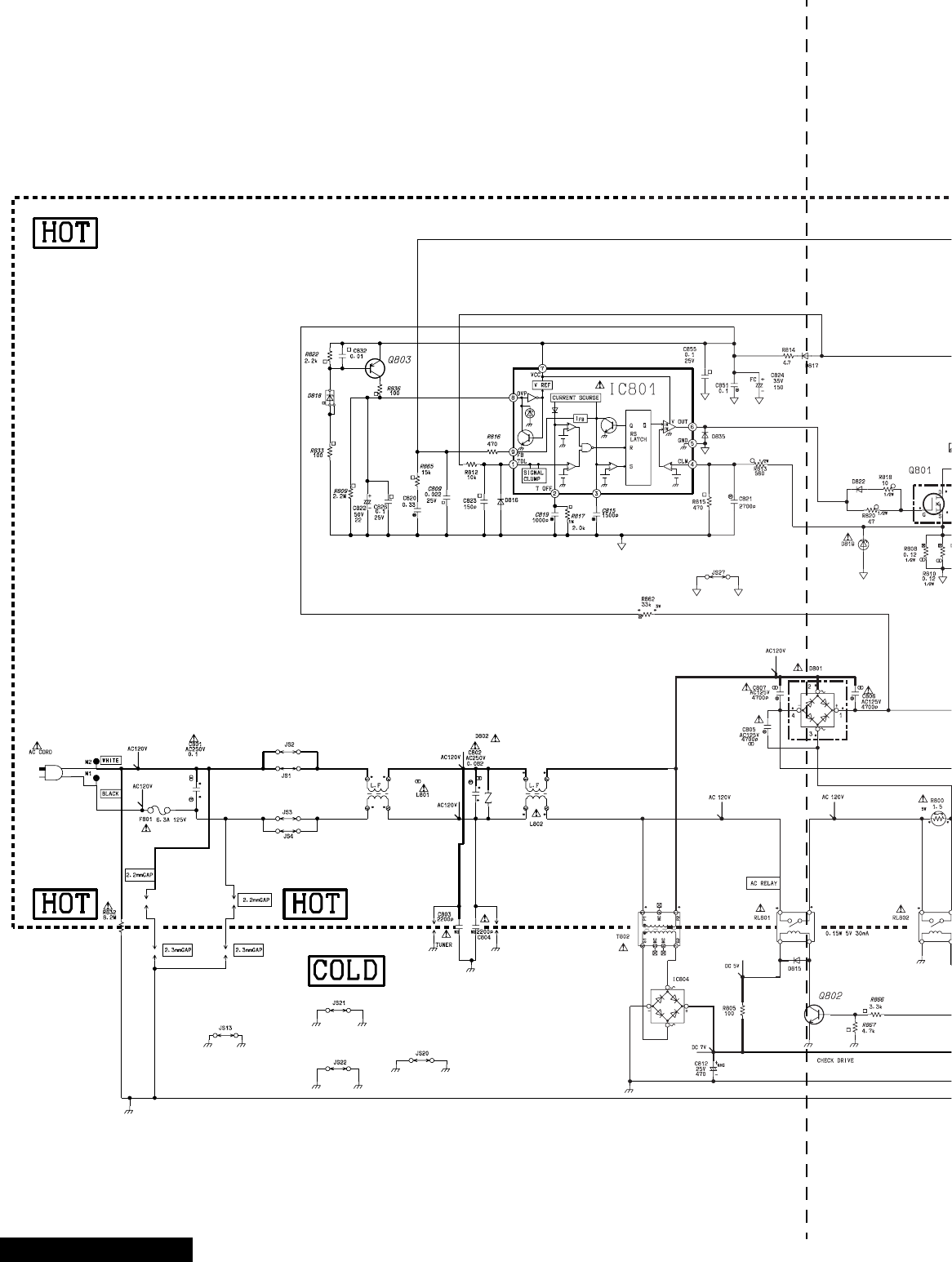
-66 -
D-Board Schematic
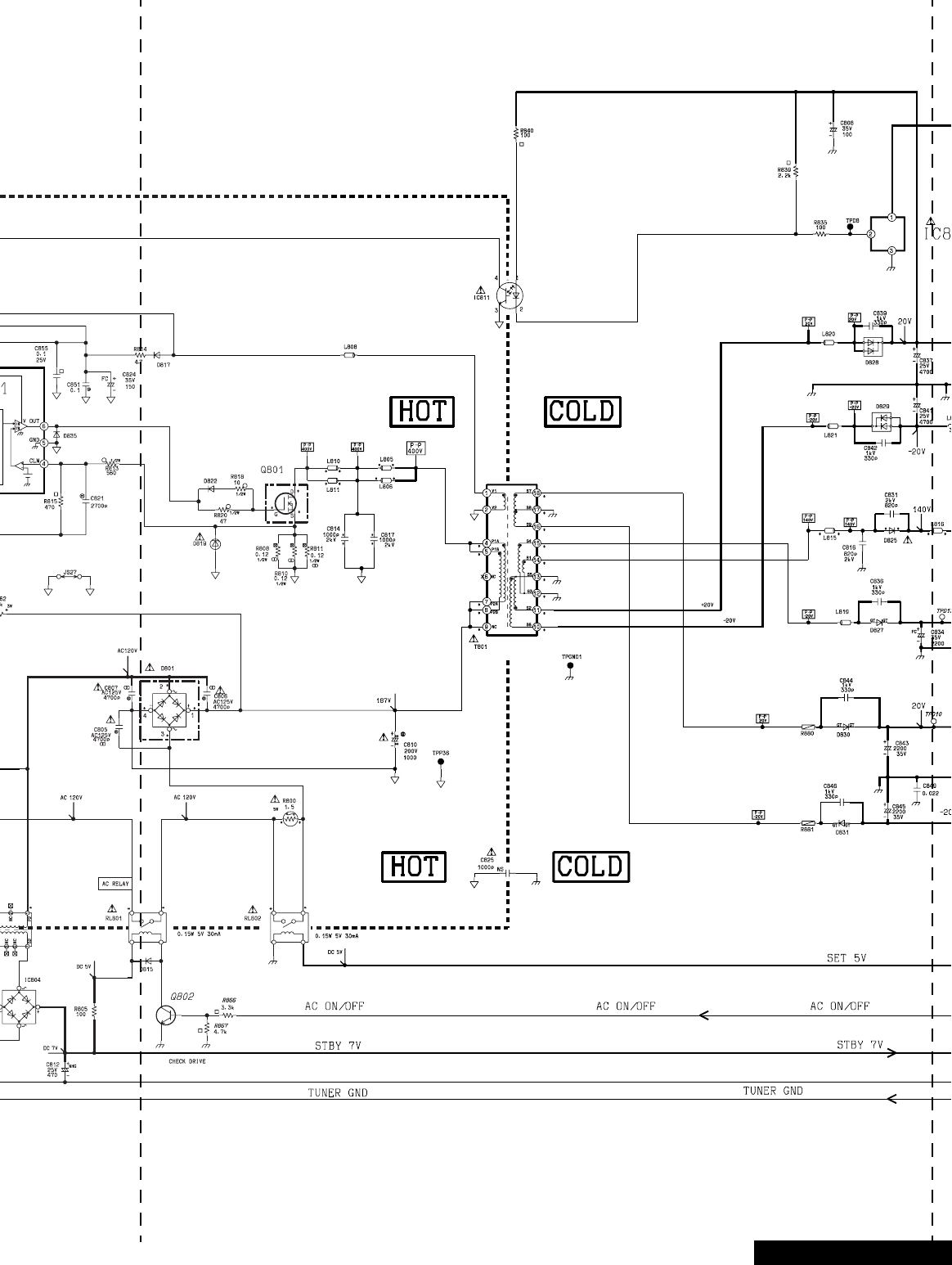
-67 -D-Board Schematic
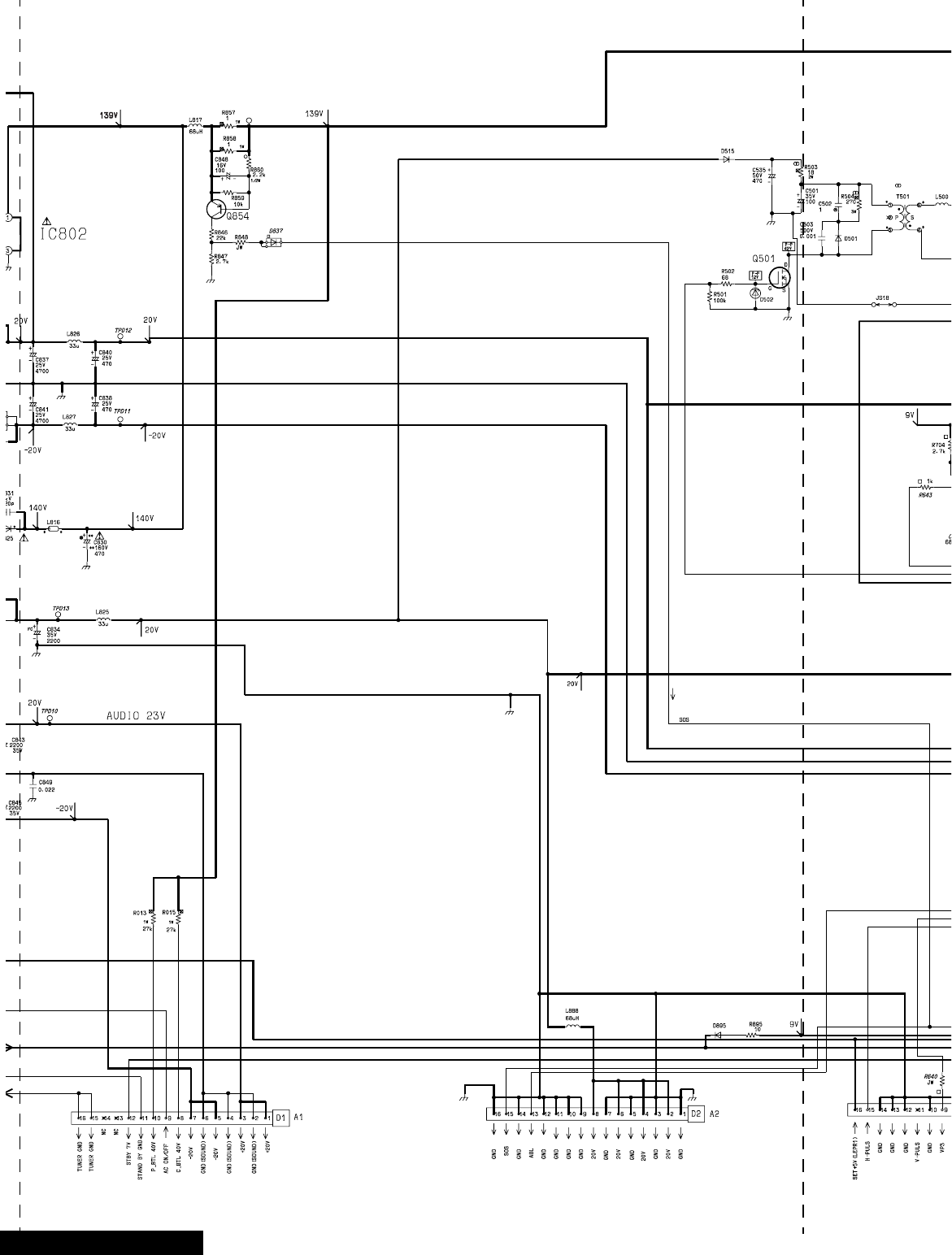
-68 -D-Board Schematic
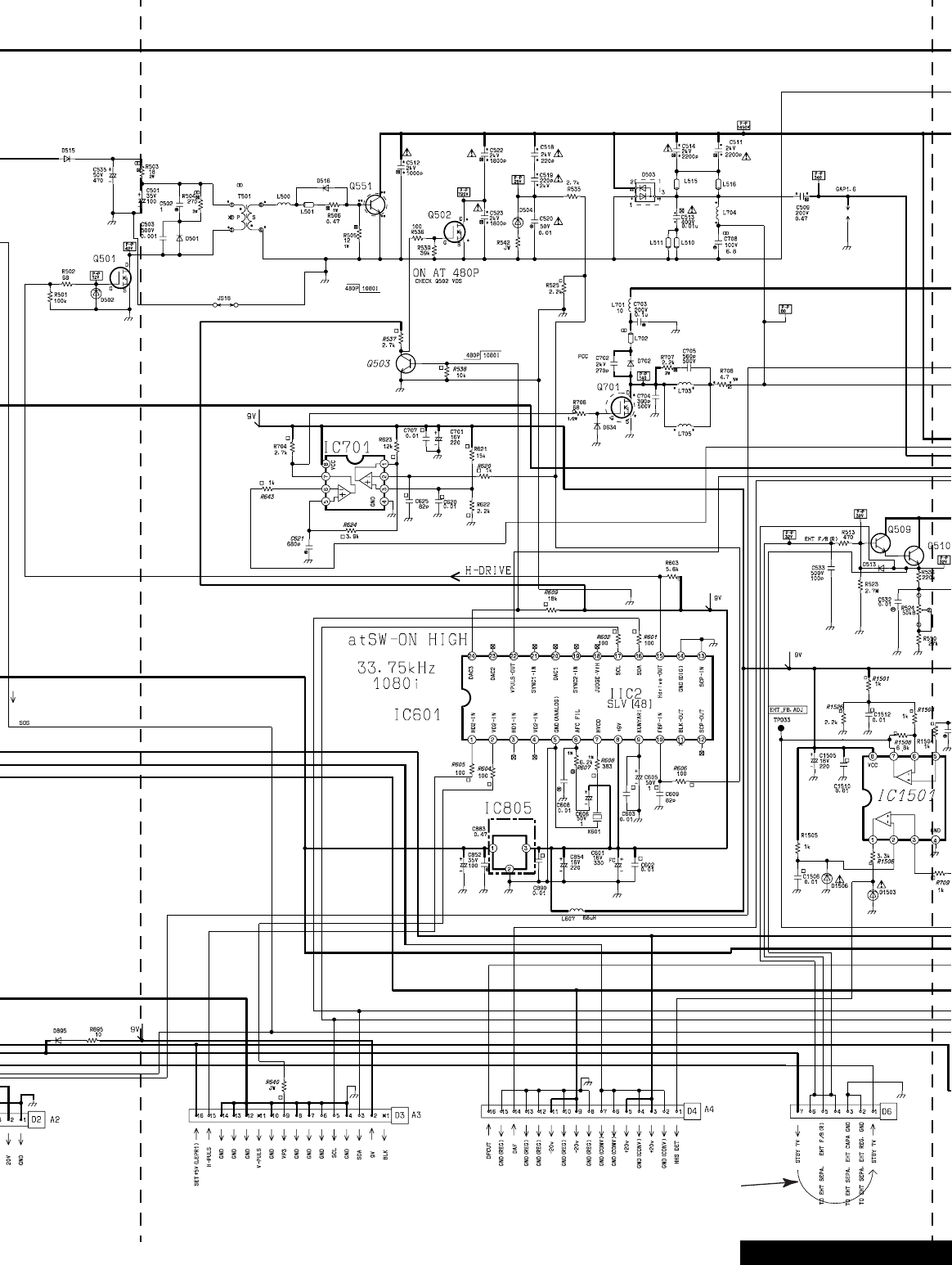
-69 -
Jumper between
pin 7 and pin 1
D-Board Schematic

-70 -D-Board Schematic
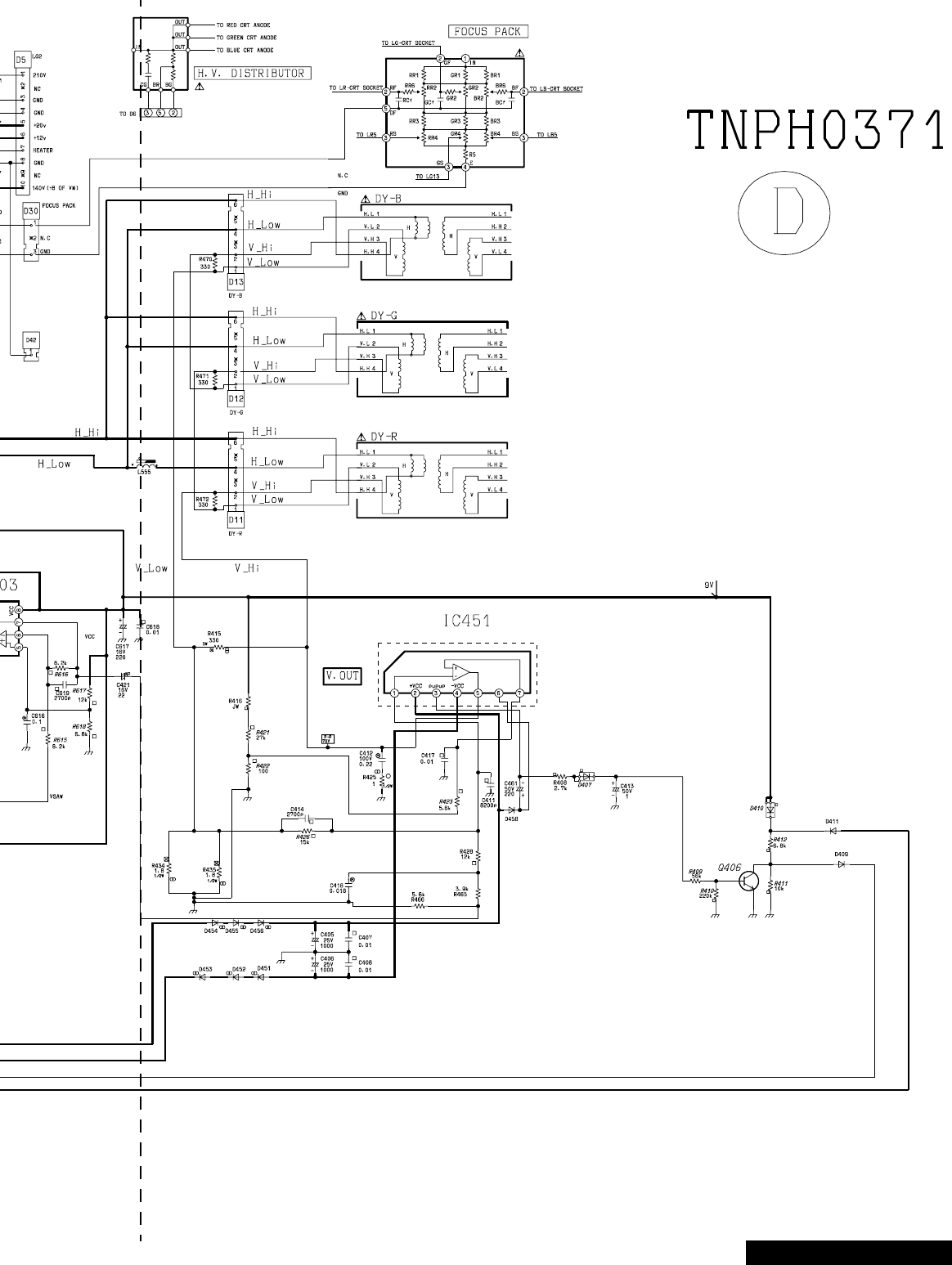
-71 -D-Board Schematic
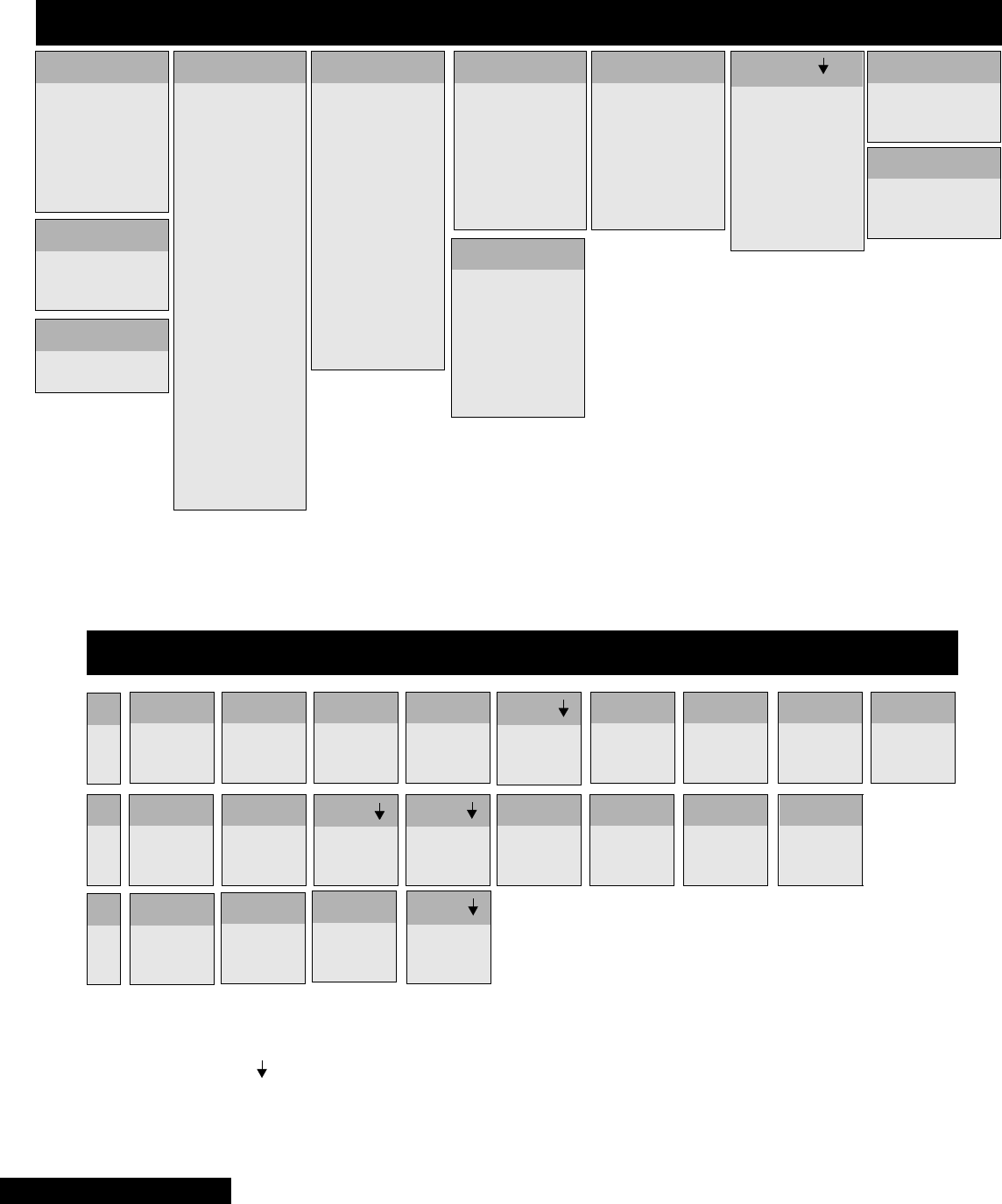
-72 -
IC802
1
2
3
. . . 139.20
....17.93
.... GND
IC801
1
2
3
4
5
6
7
8
9
.....0.06
.....0.06
.....0.07
.....0.06
....GND
....-0.14
.....0.09
.....0.70
.....0.07
IC601
1
2
3
4
5
6
7
8
9
10
11
12
13
14
15
16
17
18
19
20
21
22
23
24
.....0.24
..... 0.06
..... N.C.
..... N.C.
.....GND
..... 6.50
....*5.17
..... 9.06
..... 2.50
..... 0.60
..... 0.86
.....N.C.
.....GND
.....GND
..... 3.10
..... 4.43
..... 4.51
..... N.C.
..... N.C.
..... N.C.
..... N.C.
..... 4.87
..... N.C.
..... 0.28
D-BOARD INTEGRATED CIRCUITS - TNPH0371
IC1501
1
2
3
4
5
6
7
8
.....0.00
.....5.29
.....4.61
.....GND
.....5.82
.....5.82
.....4.28
.....9.06
IC603
1
2
3
4
5
6
7
8
..... 3.83
..... 5.29
..... 5.29
.....GND
..... 3.25
..... 3.25
..... 2.96
..... 9.06
IC701
1
2
3
4
5
6
7
8
..... 5.92
..... 0.60
..... 1.16
.....GND
..... 5.98
..... 3.83
..... 6.70
..... 9.06
IC451
1
2
3
4
5
6
7
..... 0.04
.... 16.74
....-16.74
....-17.85
..... 0.64
.... 16.35
..... 0.04
IC602
1
2
3
4
5
6
7
8
9
10
11
12
13
14
15
16
......4.28
......0.62
.....12.01
......6.08
.....GND
......4.11
......N.C.
......0.61
......4.47
......4.43
......N.C.
.....GND
......4.86
......3.86
......6.02
......3.19
IC803
1
2
3
....16.01
....12.01
.... GND
IC805
1
2
3
.... 19.04
.....GND
..... 9.06
IC811
1
2.... 19.04
.... 18.03
Q406
6.09
0.06
0.00
B
C
E
Q501
0.00
16.07
3.09
Q502
0.00
0.01
8.44
Q603
0.62
6.08
0.00
B
C
E
Q604
6.07
9.06
5.49
Q503
0.28
8.46
0.00
D-BOARD TRANSISTORS - TNPH0371
Q509
29.39
138.80
31.83
Q510
31.82
138.80
31.32
Q551
0.07
-4.53
0.21
Q601
0.60
2.76
0.00
Q602
4.11
9.06
3.53
Q605
4.13
0.00
4.71
Q606
0.03
10.40
0.00
Q701
0.00
30.80
6.70
Q801
0.07
-40.20
0.12
Q802
0.07
0.07
0.07
Q803
0.07
0.09
0.07
Q854
138.80
0.00
139.10
Q1503
10.40
4.14
10.98
Q1504
11.97
510.00
11.46
Q1505
4.04
10.49
3.99
S
D
G
*Set may reset when probing this pin. If TV
doesn´t turn ON, unplug from AC outlet, plug
it back and turn it ON.
Voltages marked with use HOT ground,
please check schematic to confirm the
type of ground used for each component
D-Board Schematic

-73 -
NOTES:
NOTES
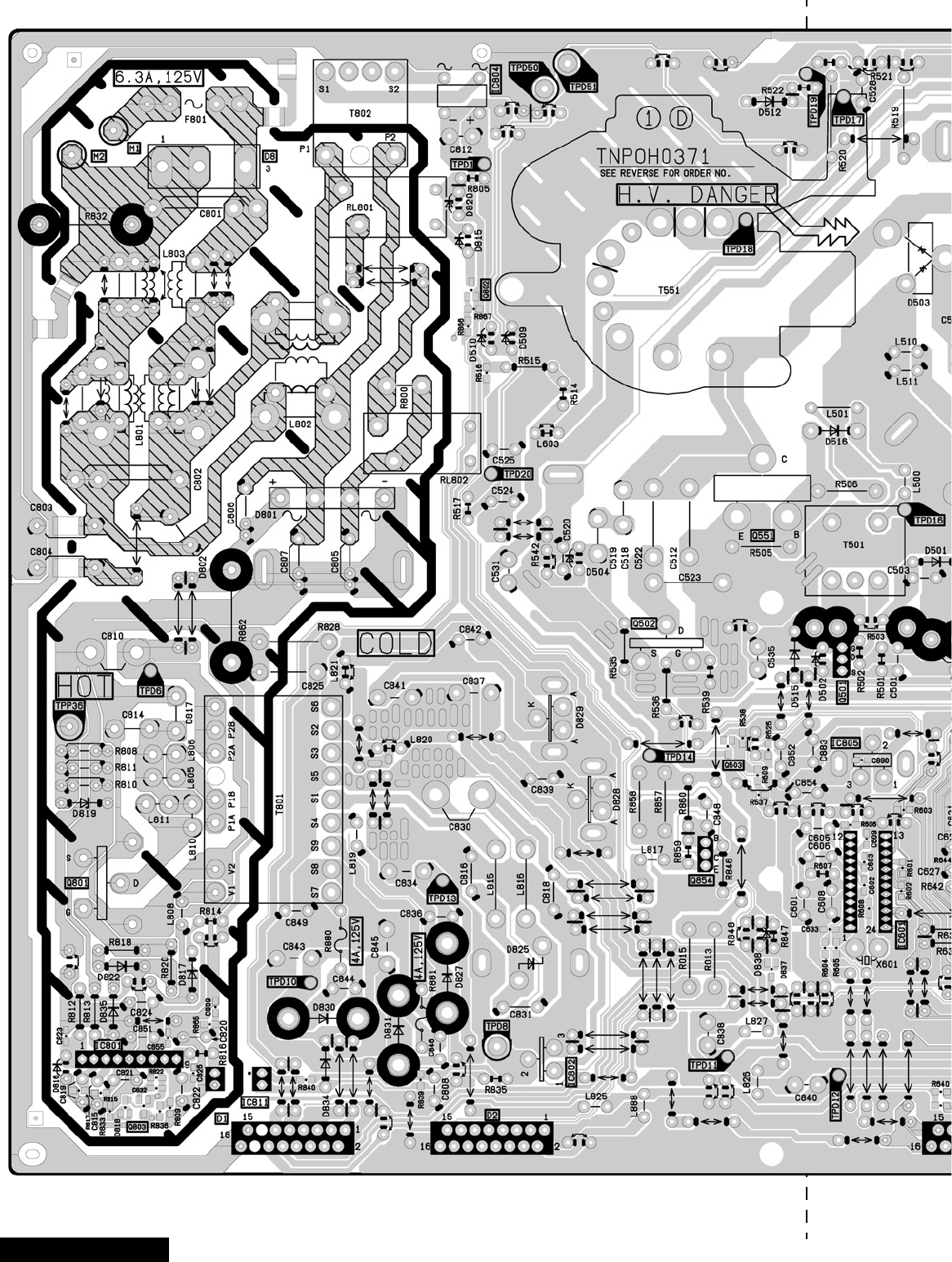
-74 -
D-Board Layout
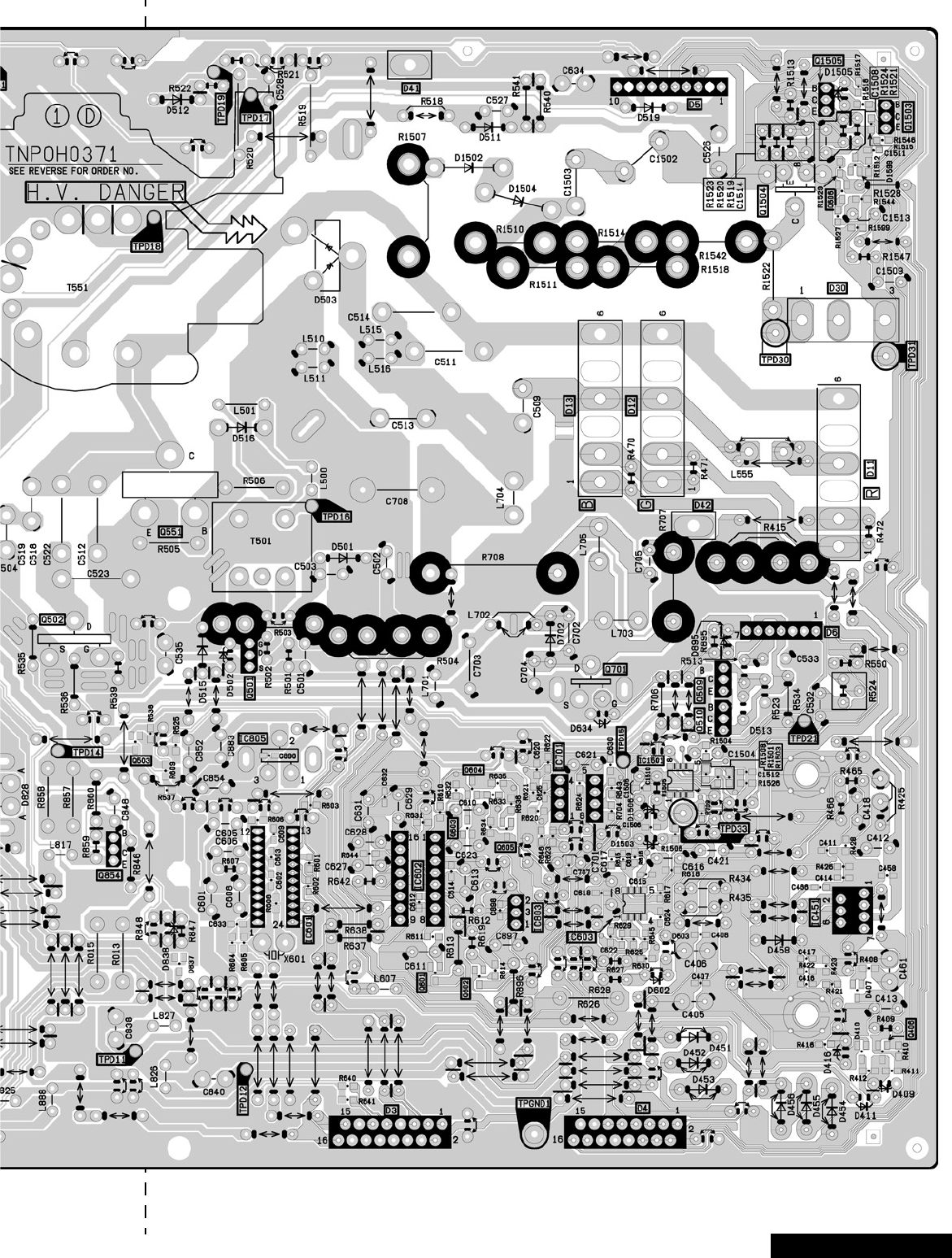
-75 -D-Board Layout
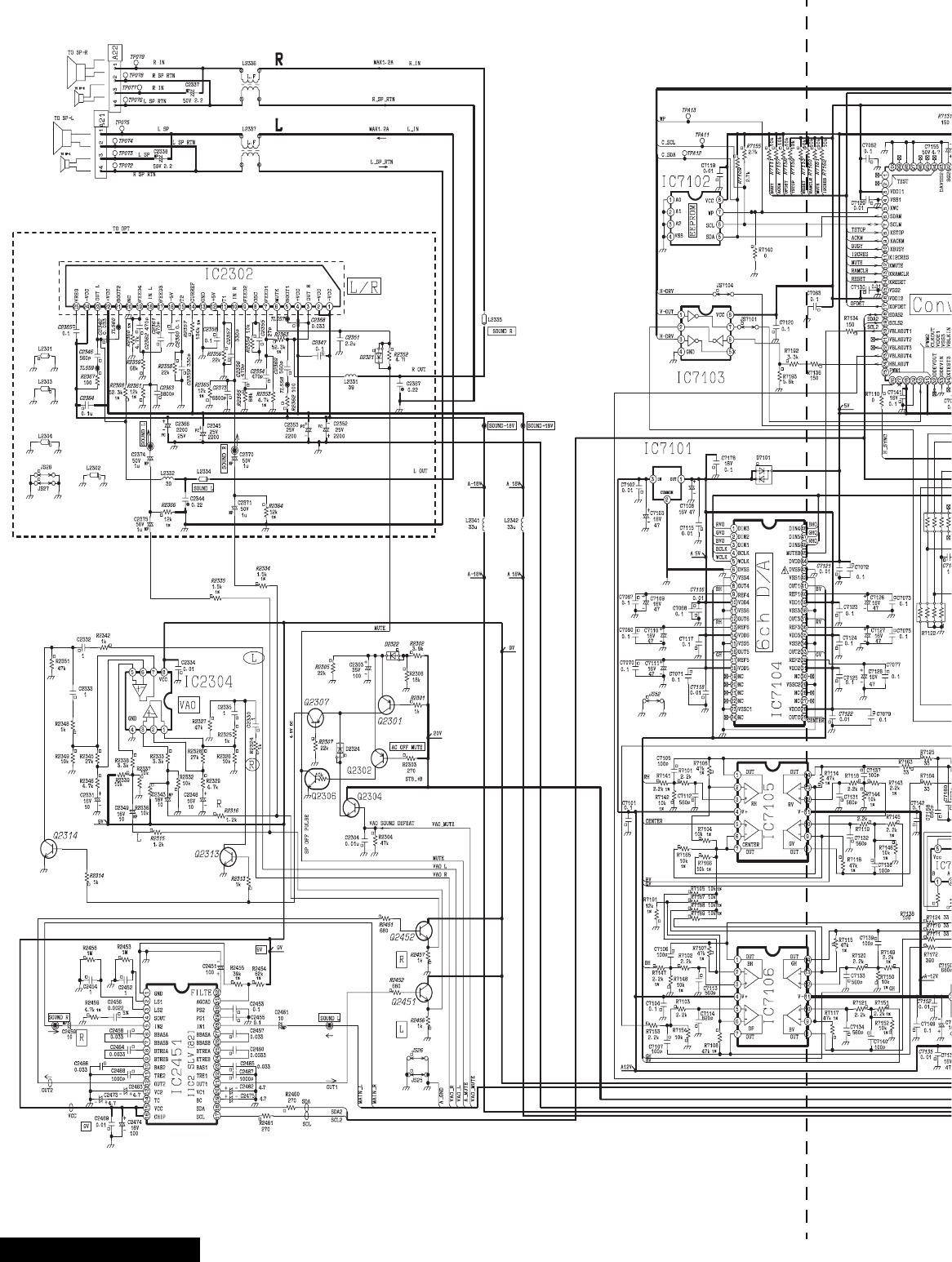
-76 -
A-Board Schematic
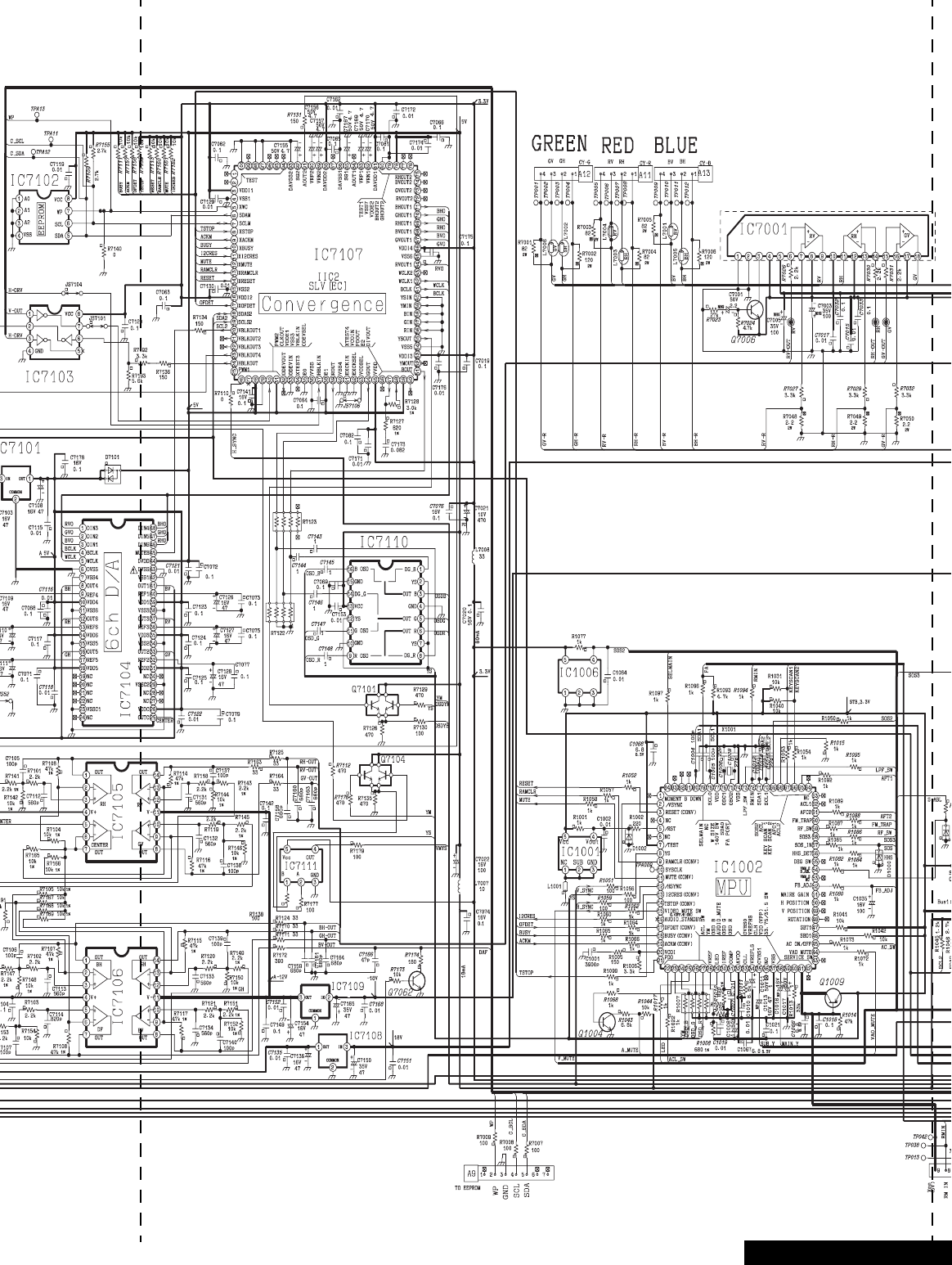
-77 -A-Board Schematic
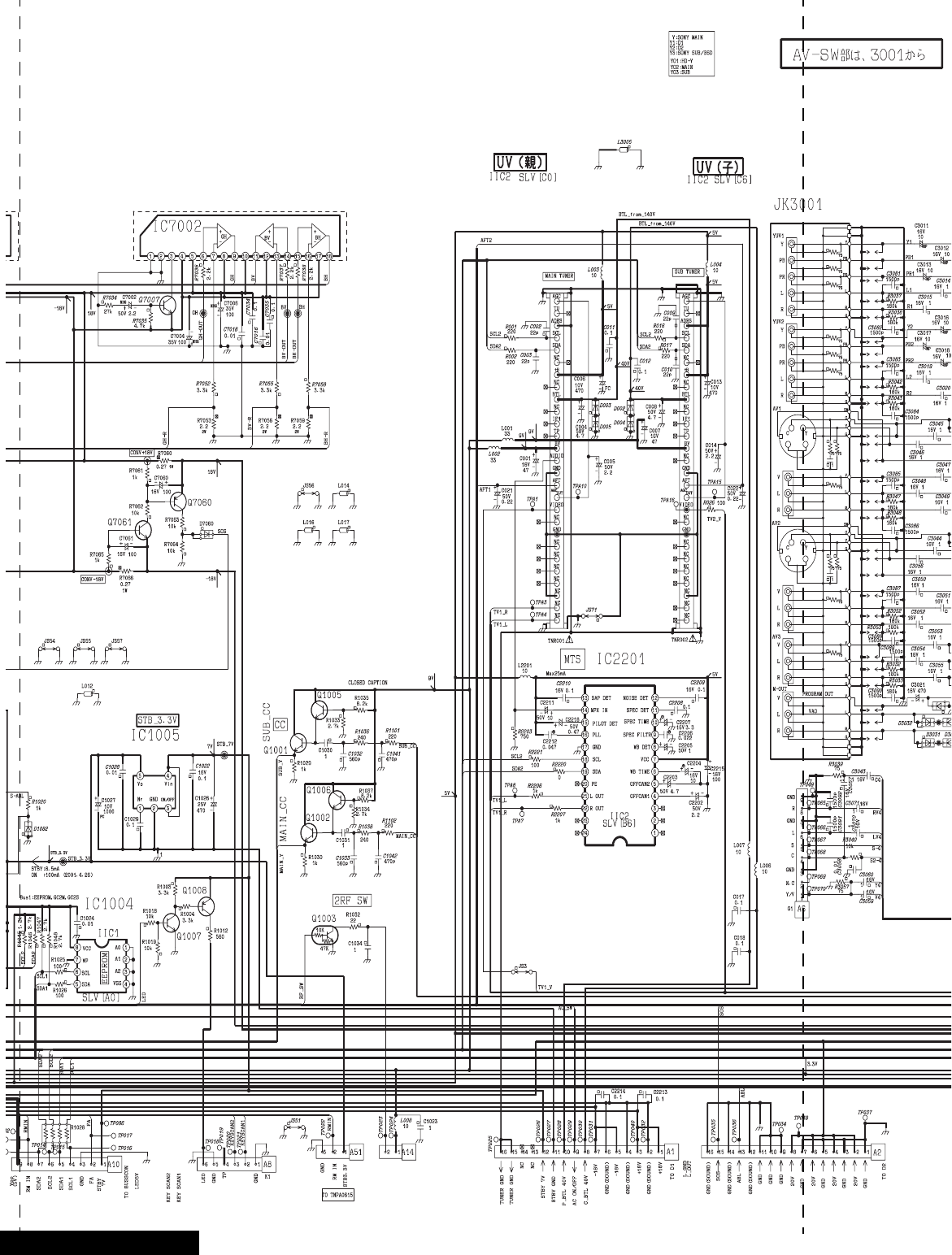
-78 -A-Board Schematic
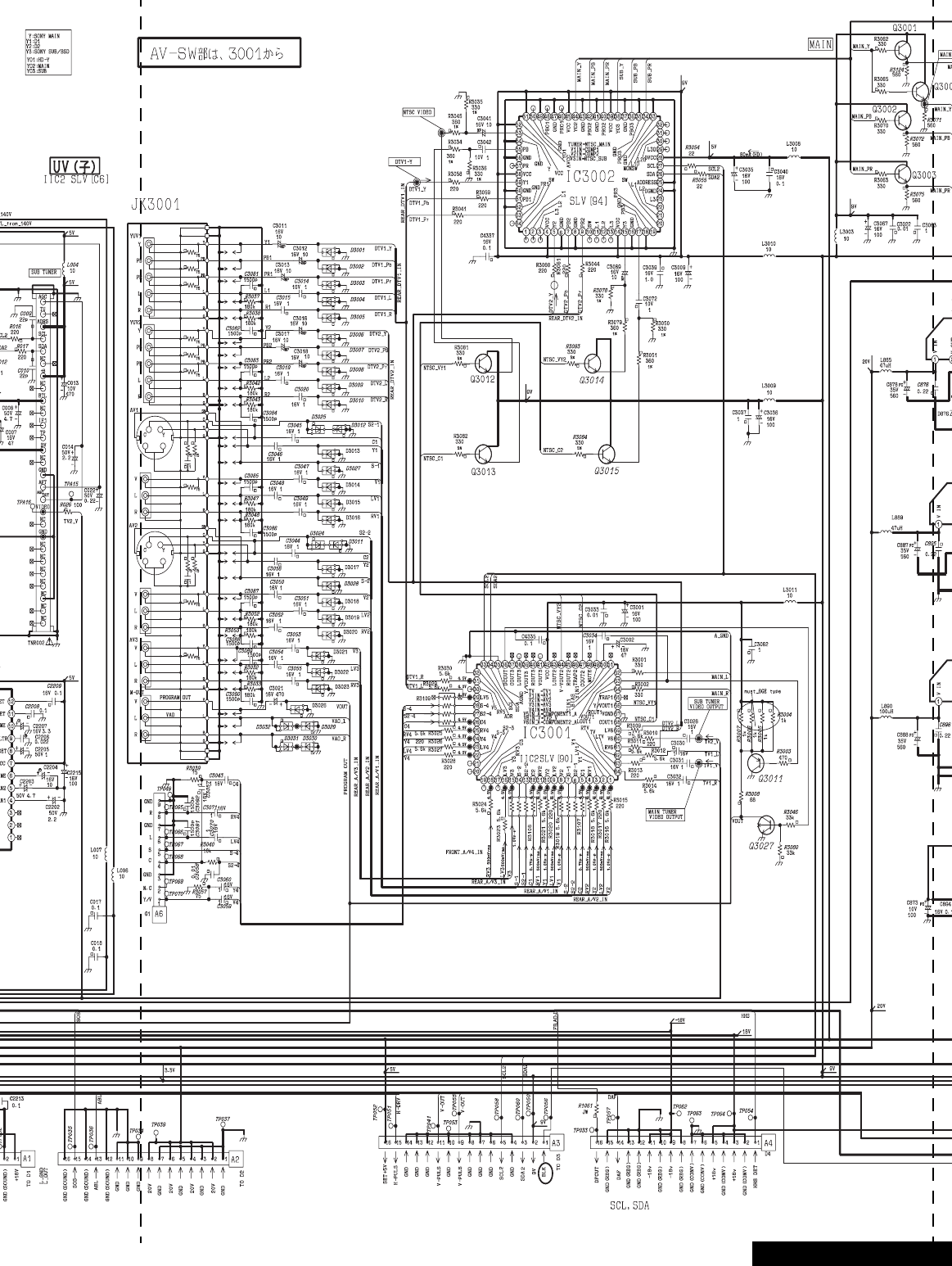
-79 -A-Board Schematic
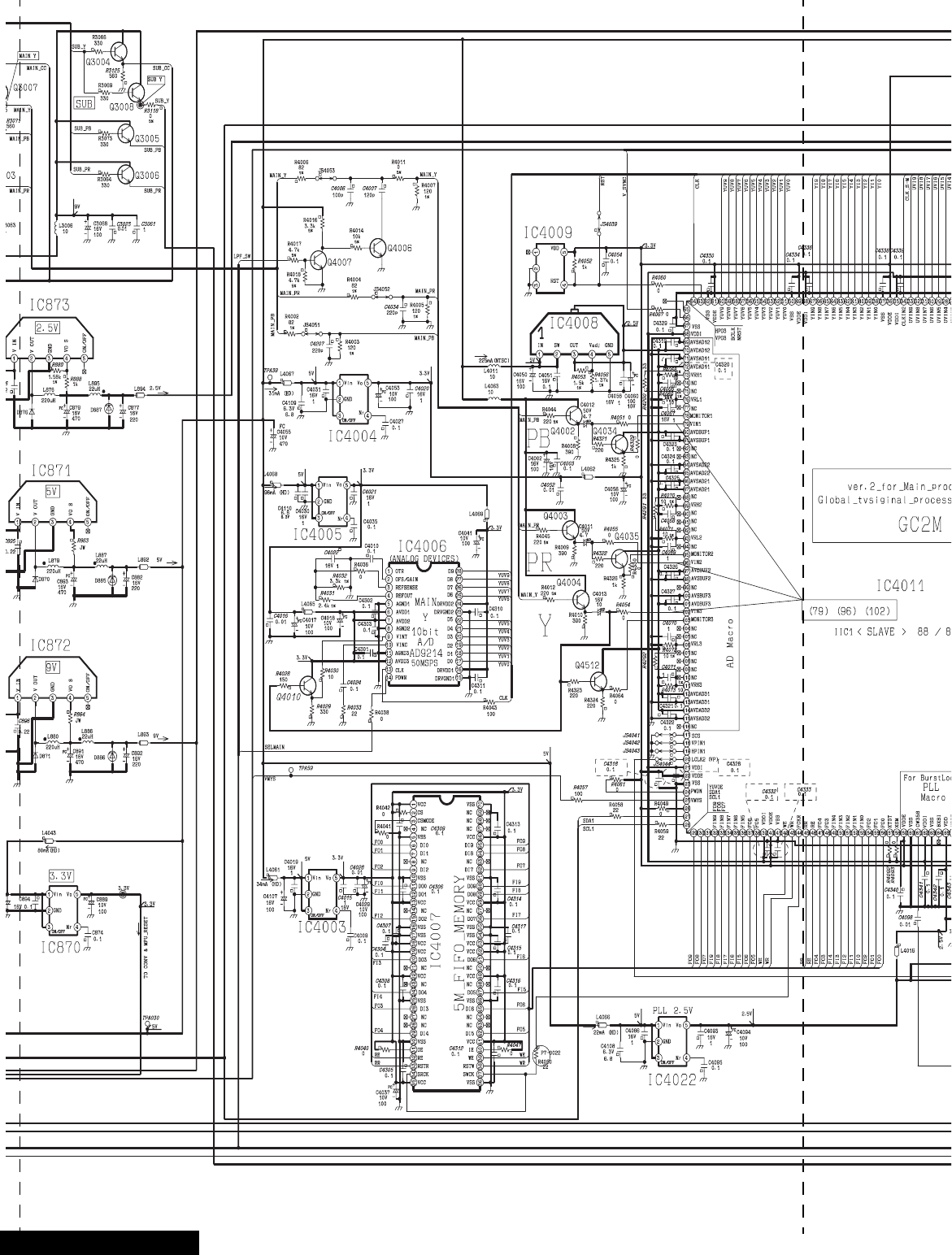
-80 -A-Board Schematic
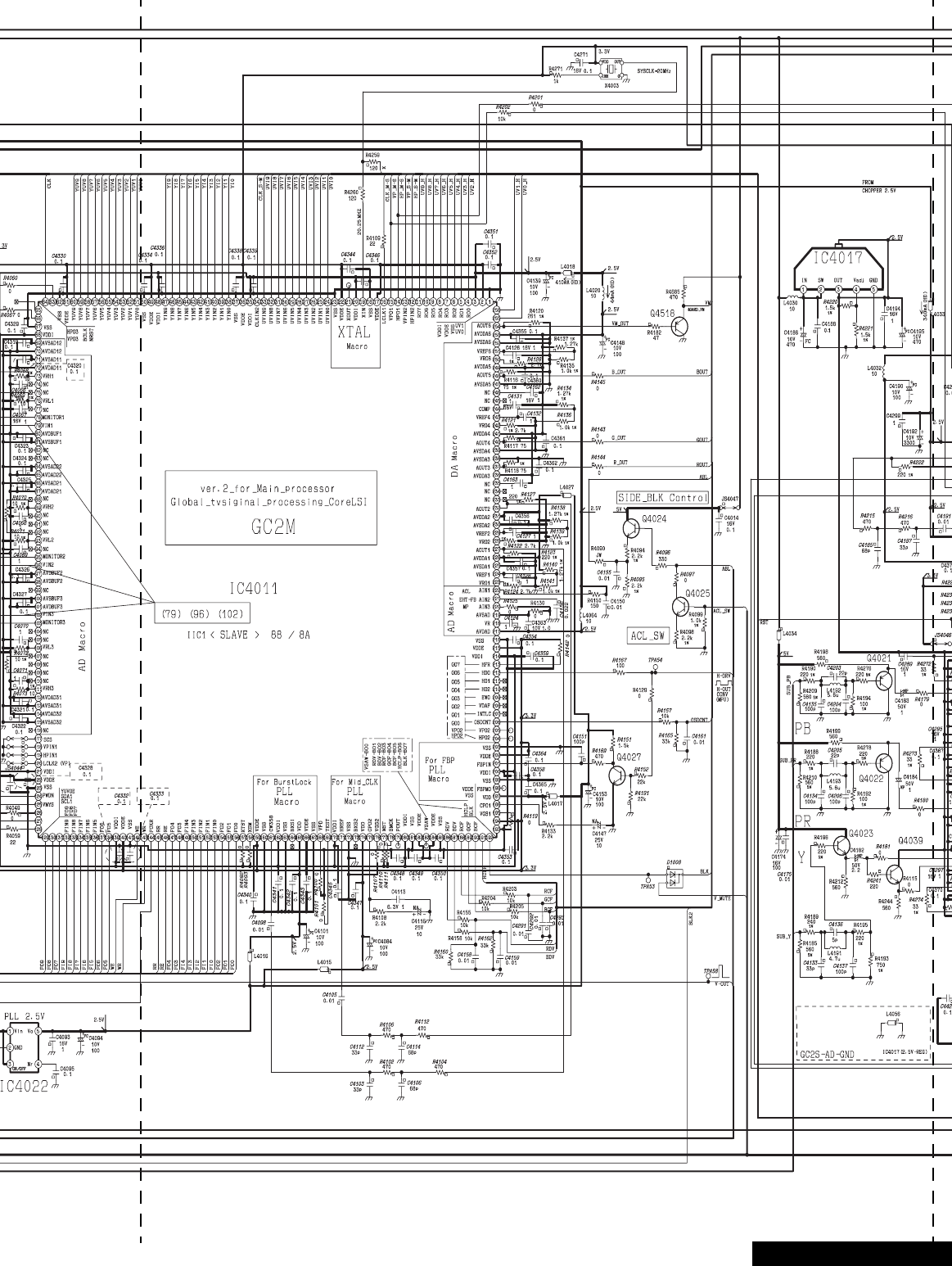
-81 -A-Board Schematic
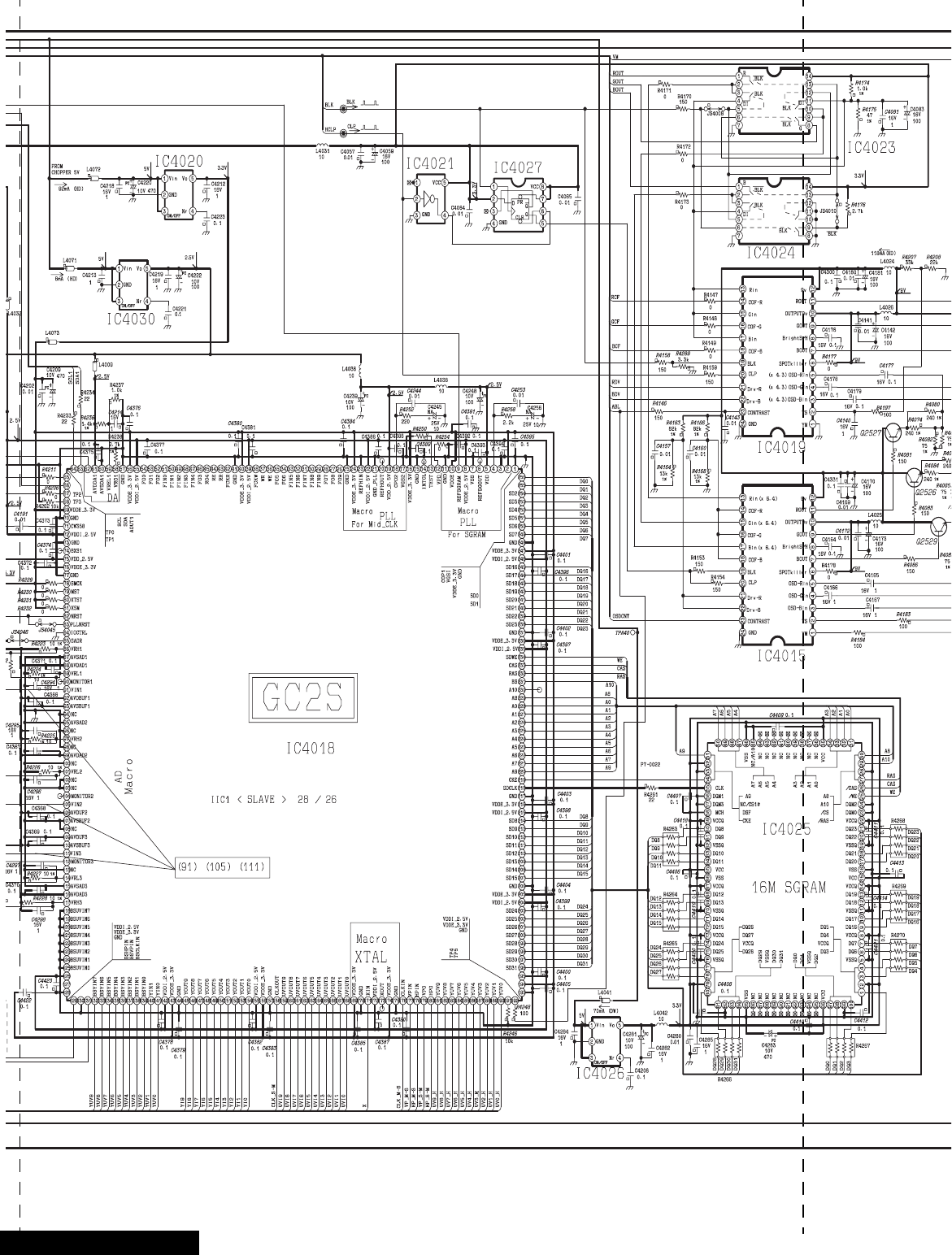
-82 -A-Board Schematic
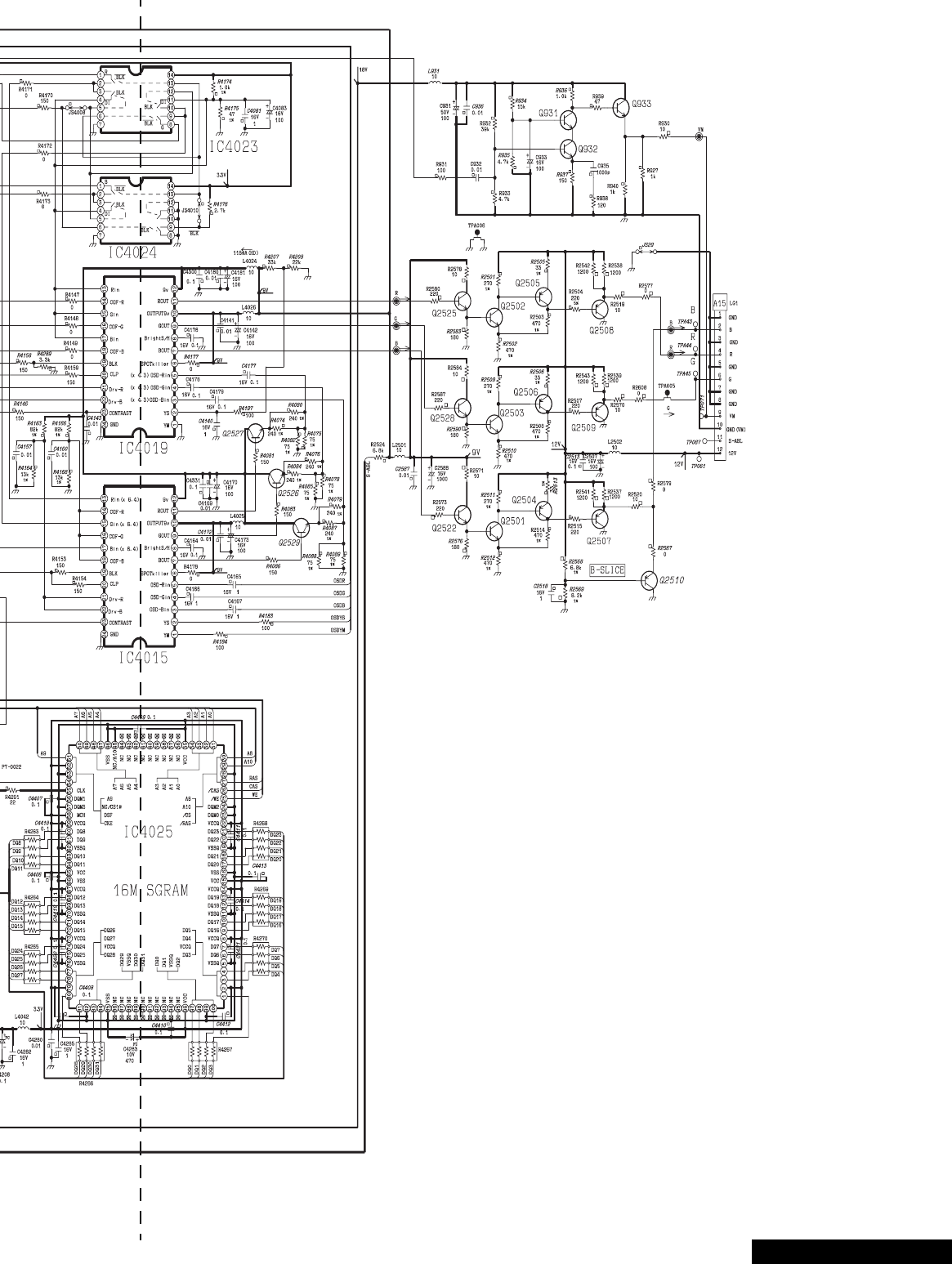
-83 -A-Board Schematic
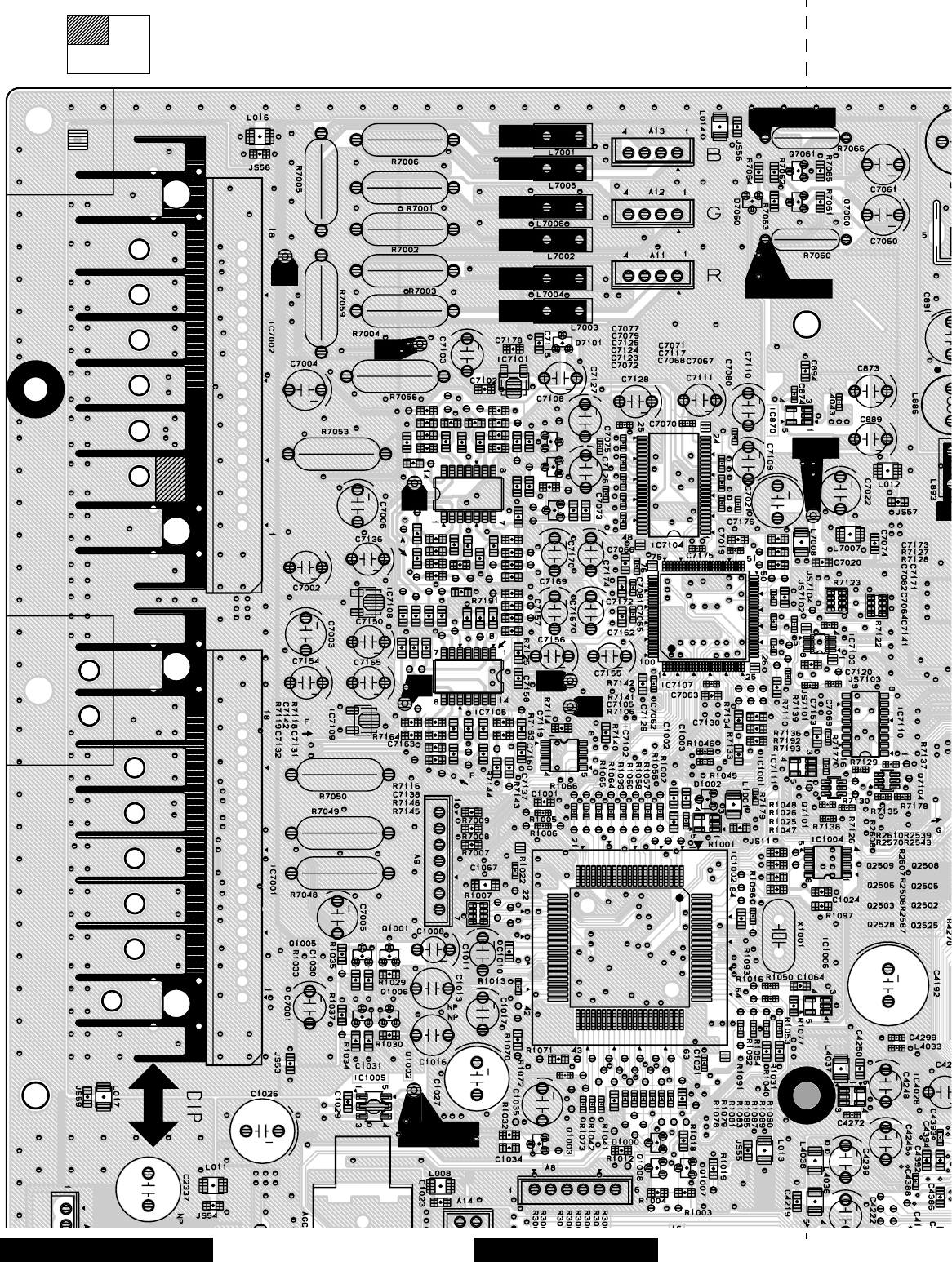
-84 -
Board section
Top A-Board Layout Top left portion
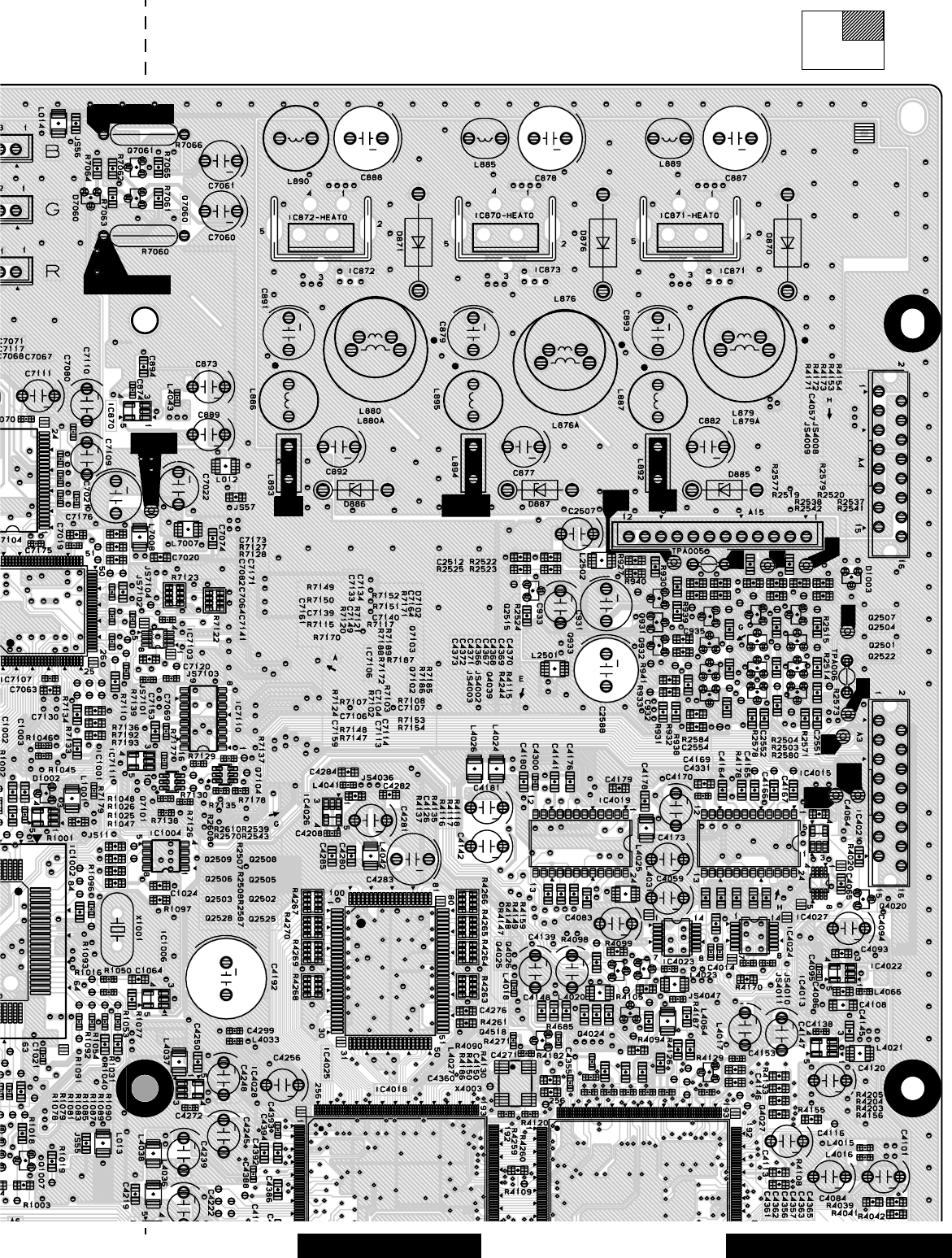
-85 -
Board section
Top A-Board LayoutTop right portion
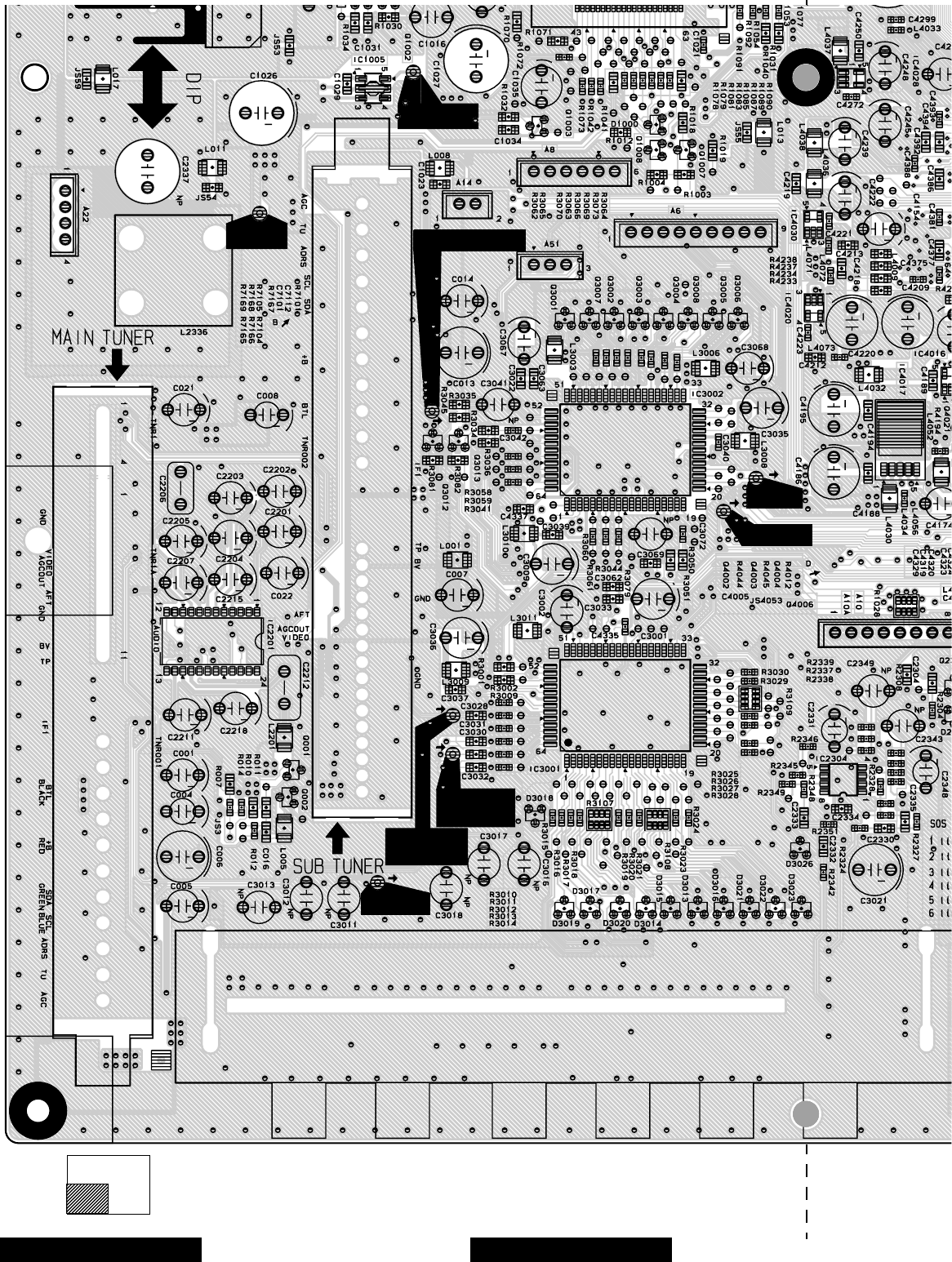
-86 -
Board section
Top A-Board Layout Bottom left portion
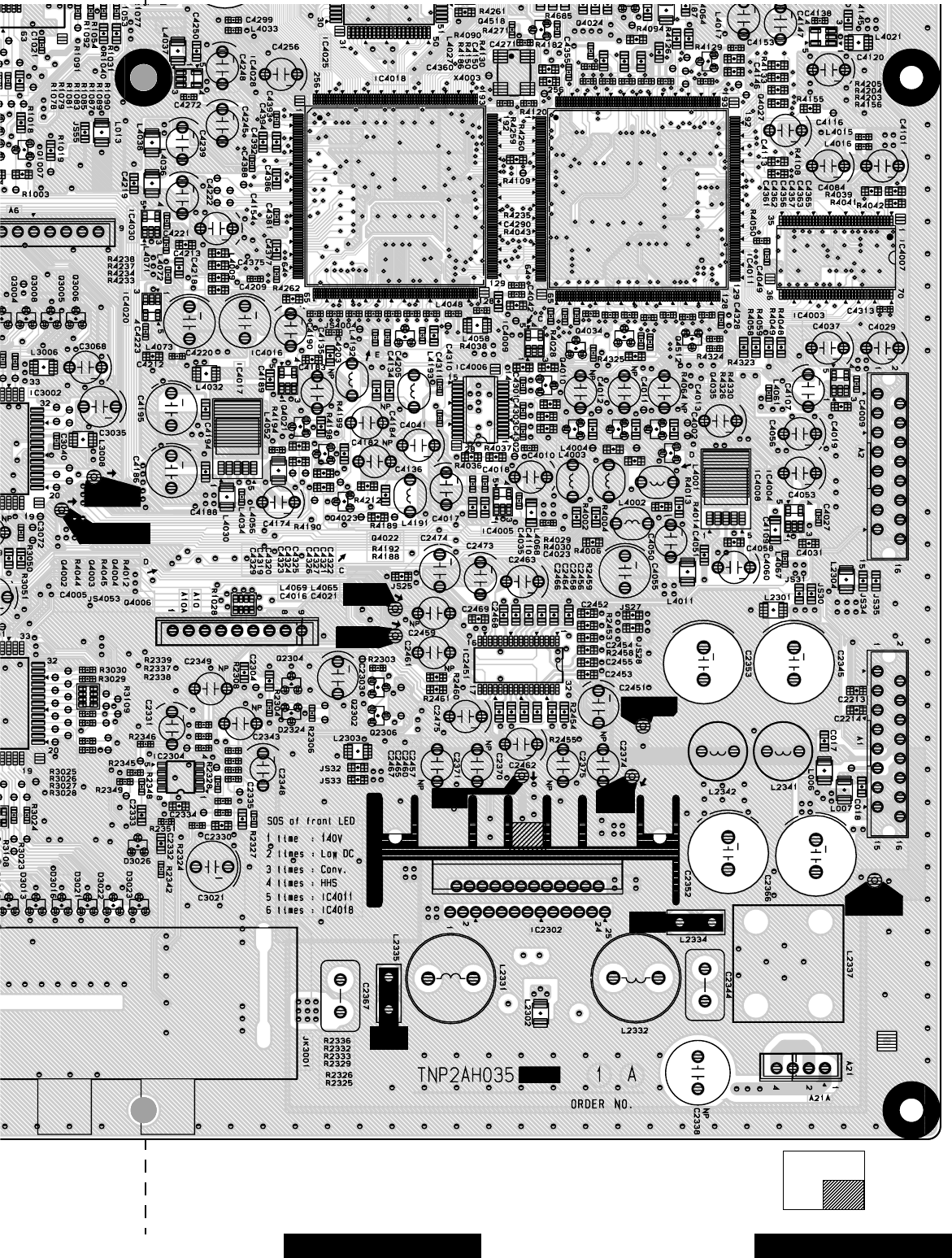
-87 -
Board section
Top A-Board LayoutBottom right portion
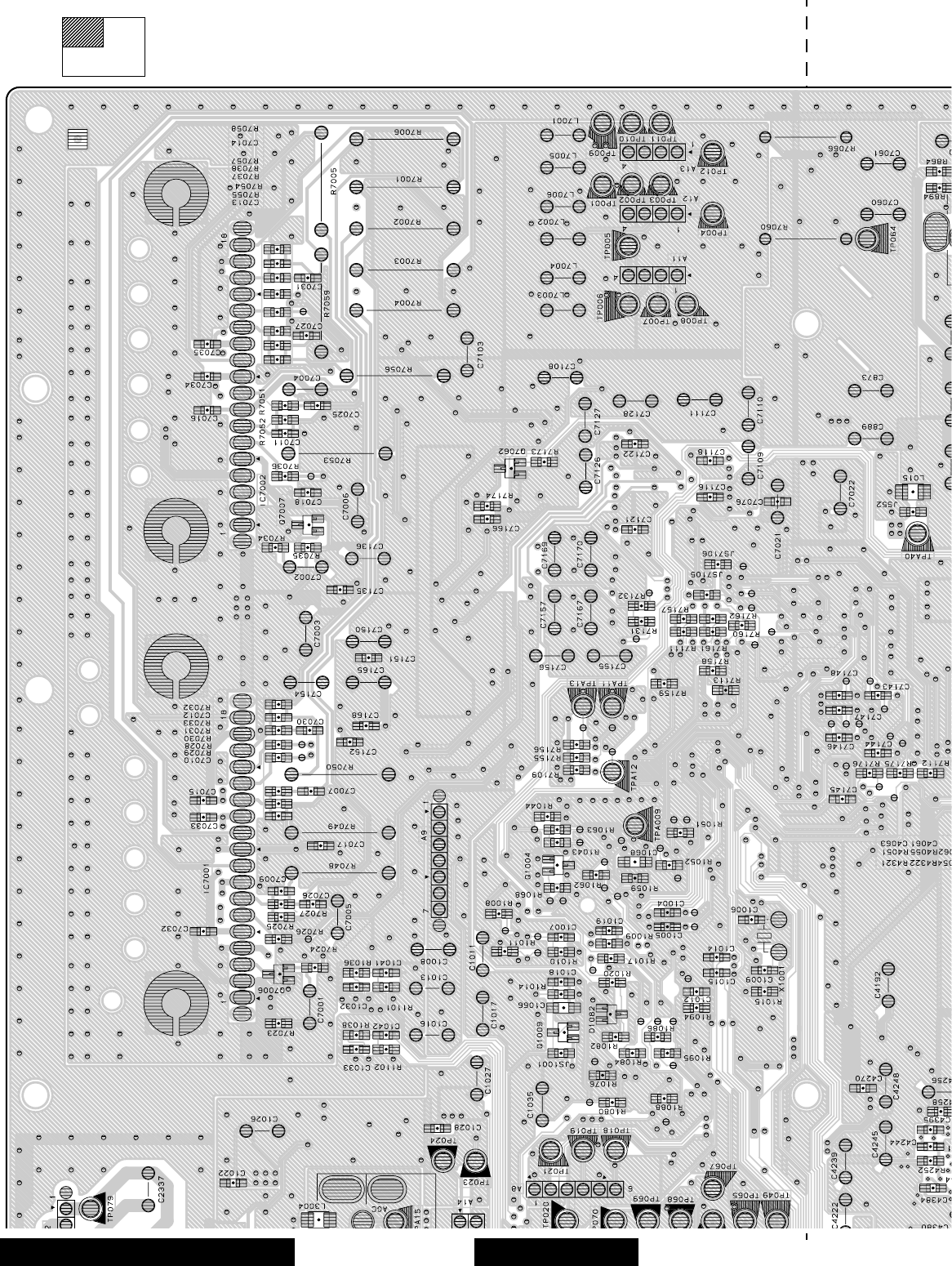
-88 -
Board section
Bottom side, A-Board Layout Top left portion
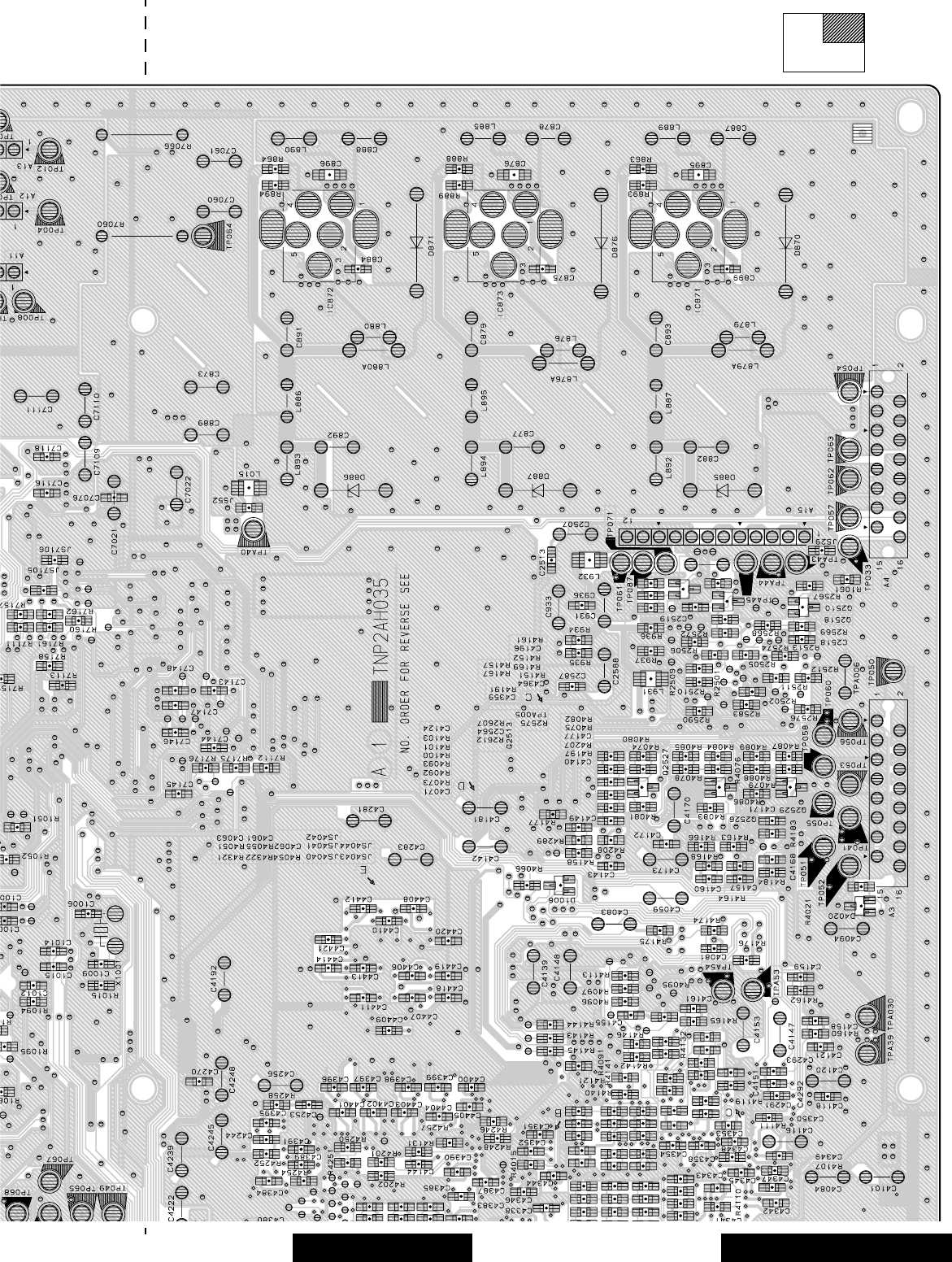
-89 -
Board section
Bottom A-Board LayoutTop right portion
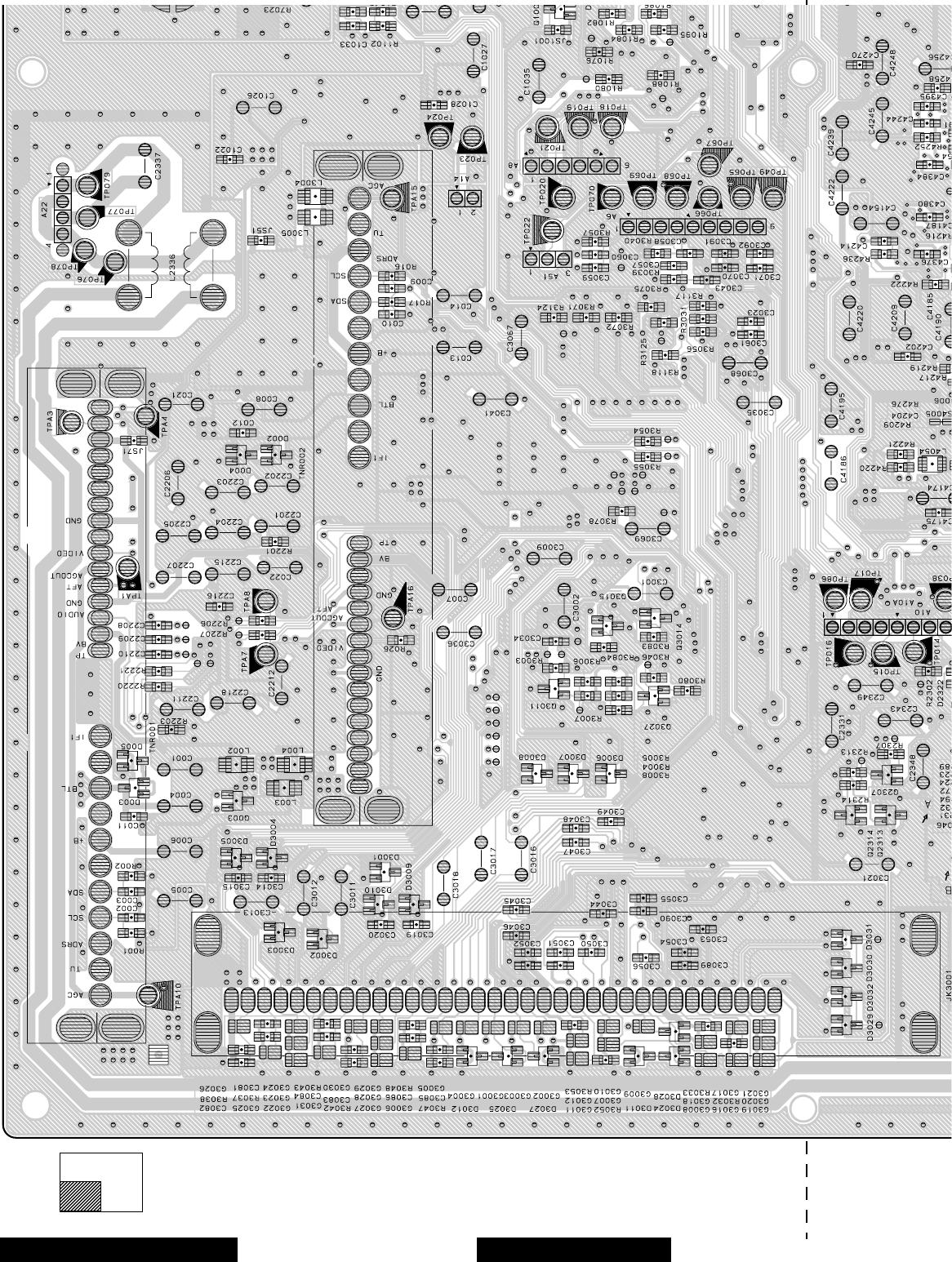
-90 -
Board section
Bottom A-Board Layout Bottom left portion
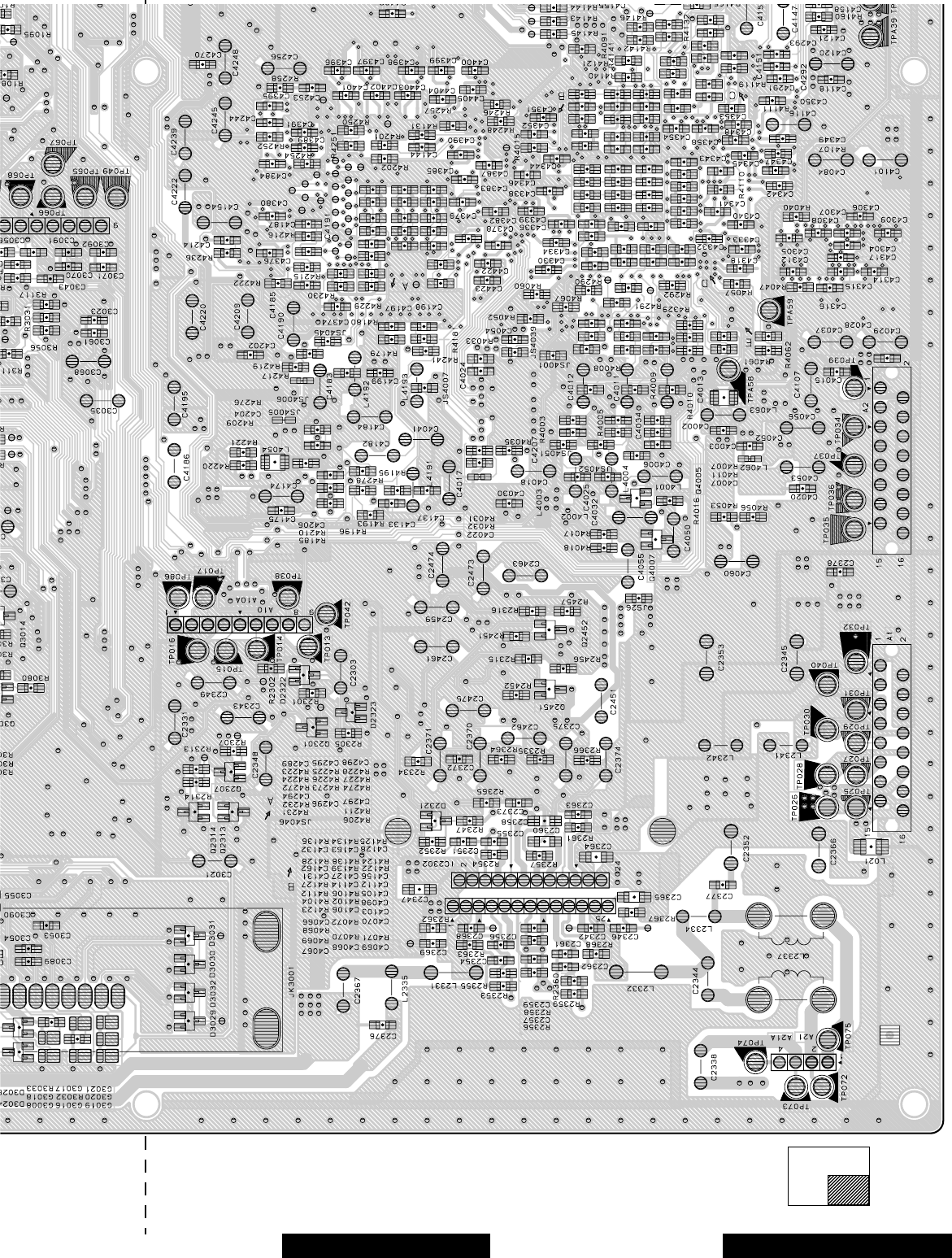
-91 -
Board section
Bottom A-Board LayoutBottom right portion
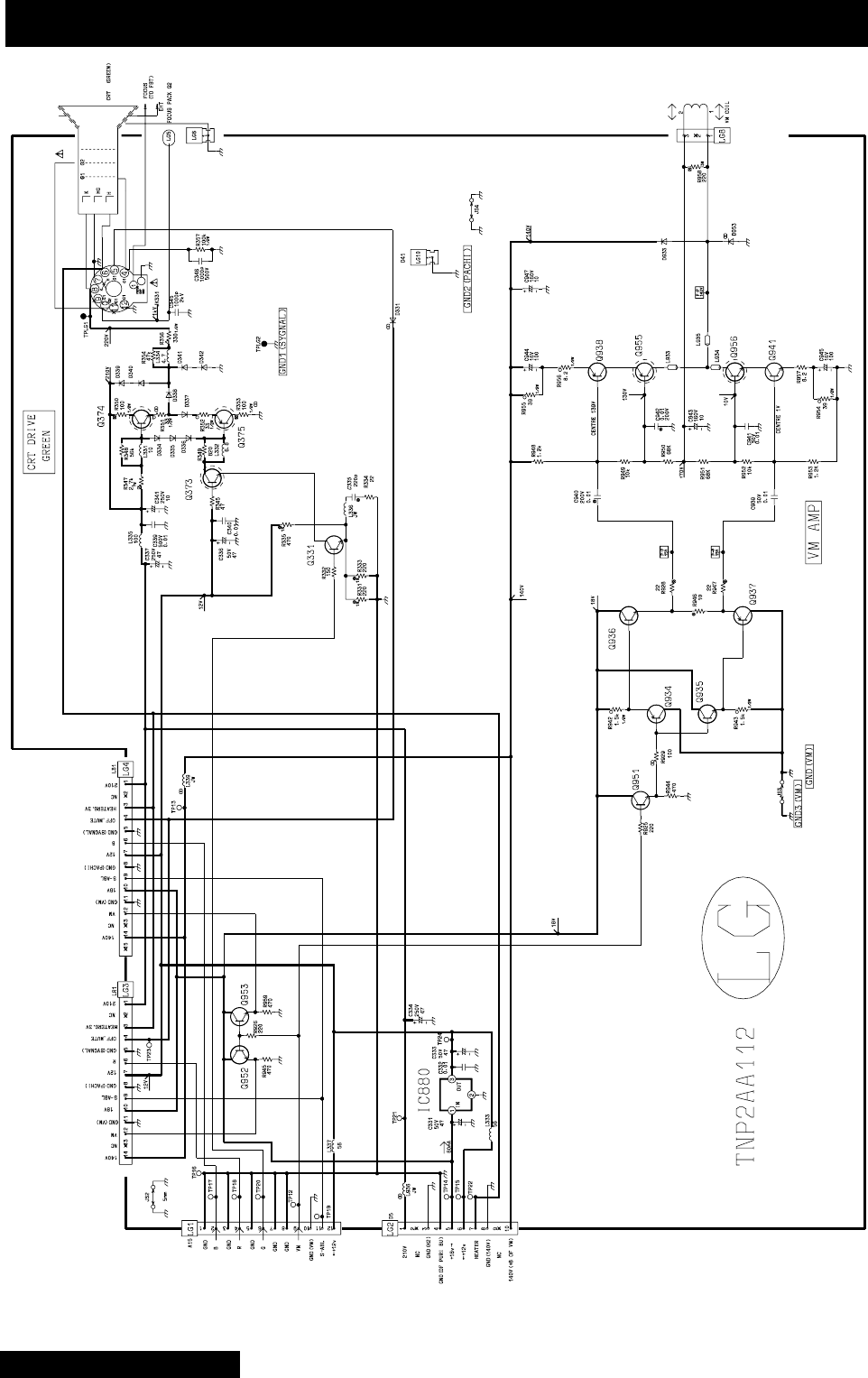
-92 -
LG-Board schematic - TNP2AA112
LG-Board schematic
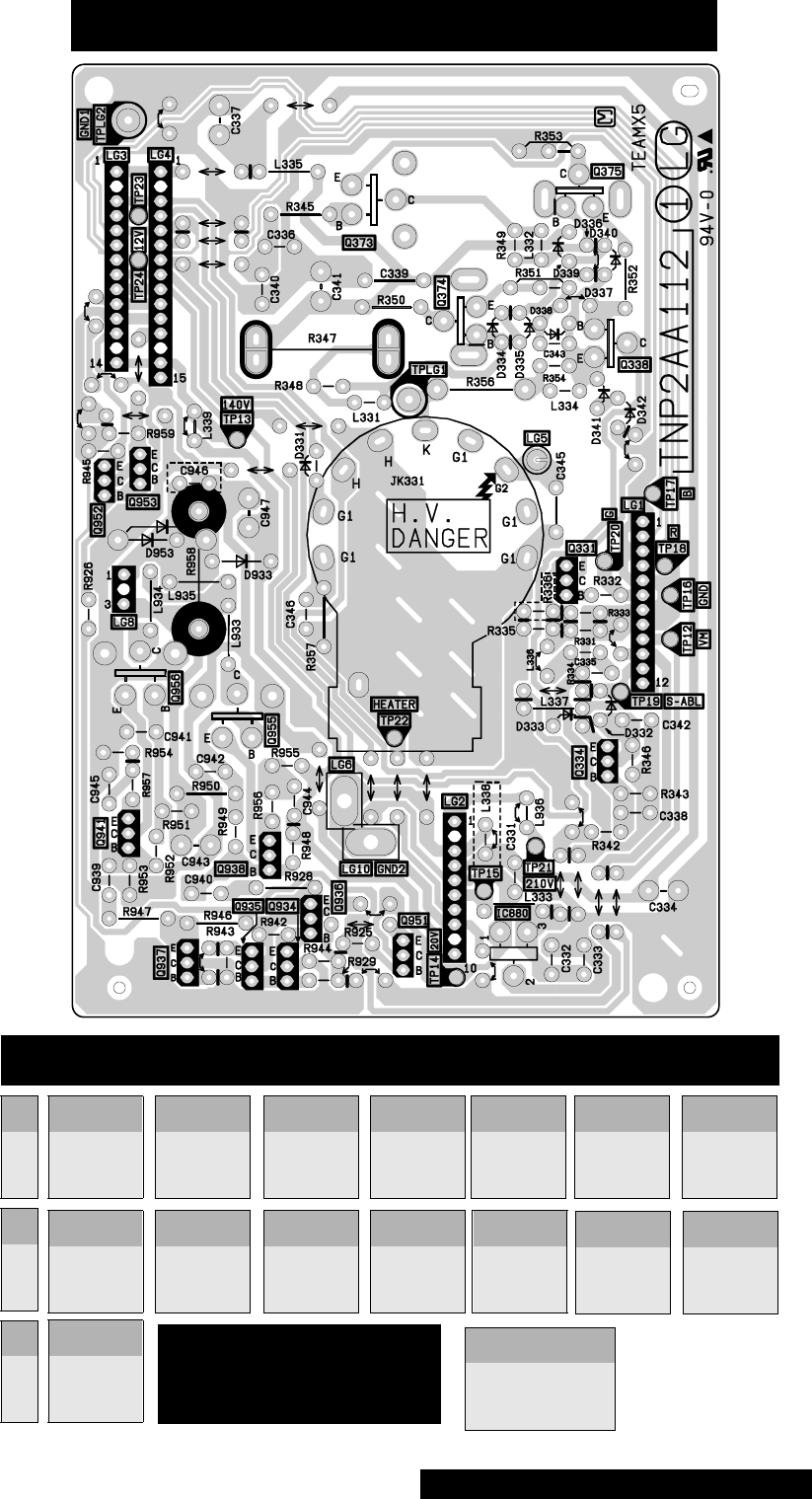
-93 -
Q331
4.05
11.61
3.85
B
C
E
Q937
2.47
0.00
9.09
B
C
E
Q953
9.66
18.91
9.09
Q956
9.69
71.80
9.12
Q373
11.98
171.40
11.64
Q938
137.80
130.10
138.40
Q955
129.50
71.80
130.10
Q374
172.90
218.60
172.40
Q941
0.98
9.12
0.38
Q375
171.50
0.43
172.10
Q951
9.67
18.91
9.07
Q934
9.08
0.00
9.68
Q952
9.65
18.91
9.09
LG-Board - TNP2AA112
B
C
E
Q935
9.08
18.91
8.49
Q936
9.68
18.91
9.11
LG-Board layout - TNP2AA112
LG - Board
integrated circuit
TNP2AA112
IC880
1
2
3
.... 18.91
.....GND
.....11.99
LG-Board layout and voltages
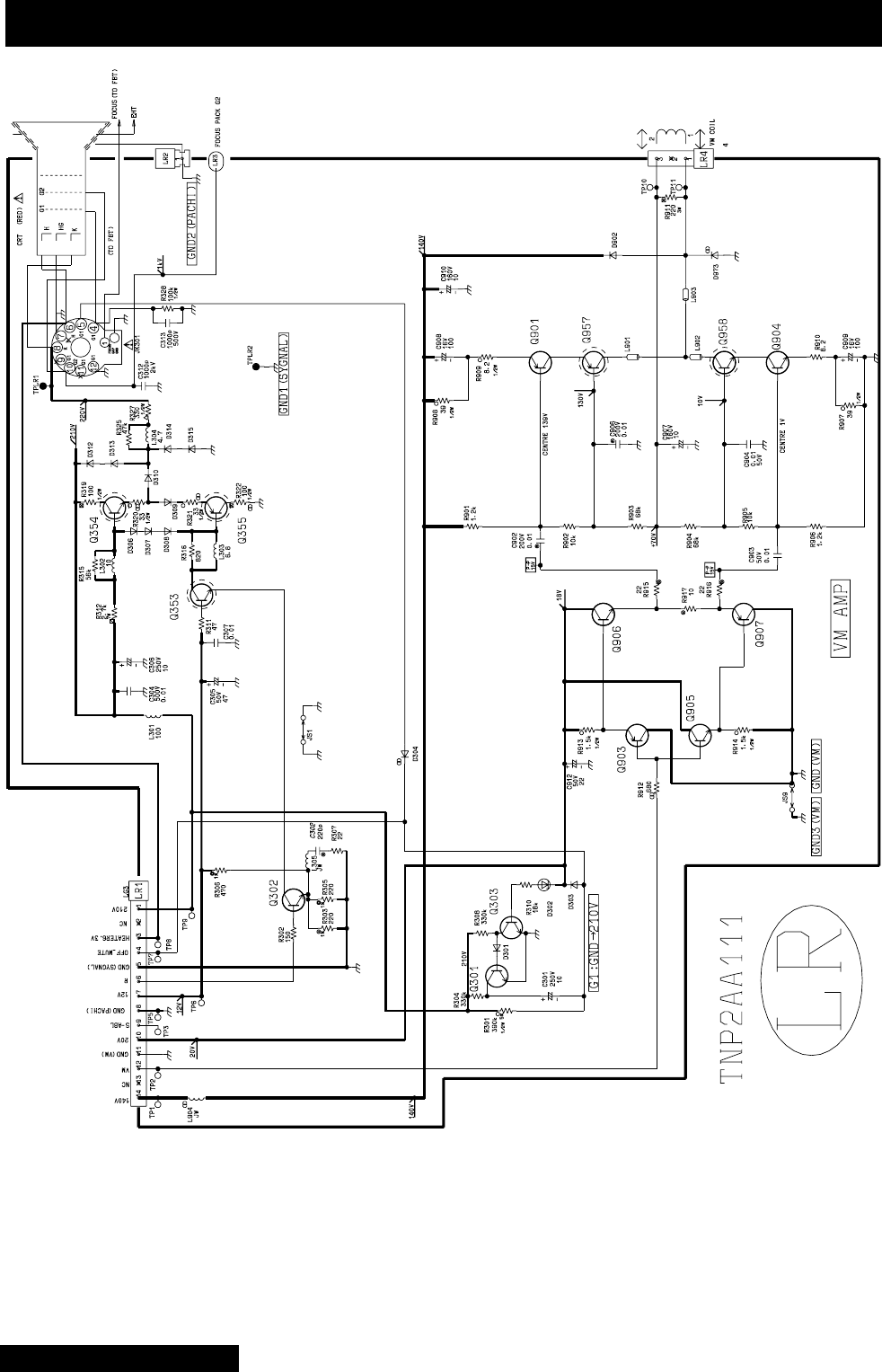
-94 -
LR-Board schematic - TNP2AA111
LR-Board schematic
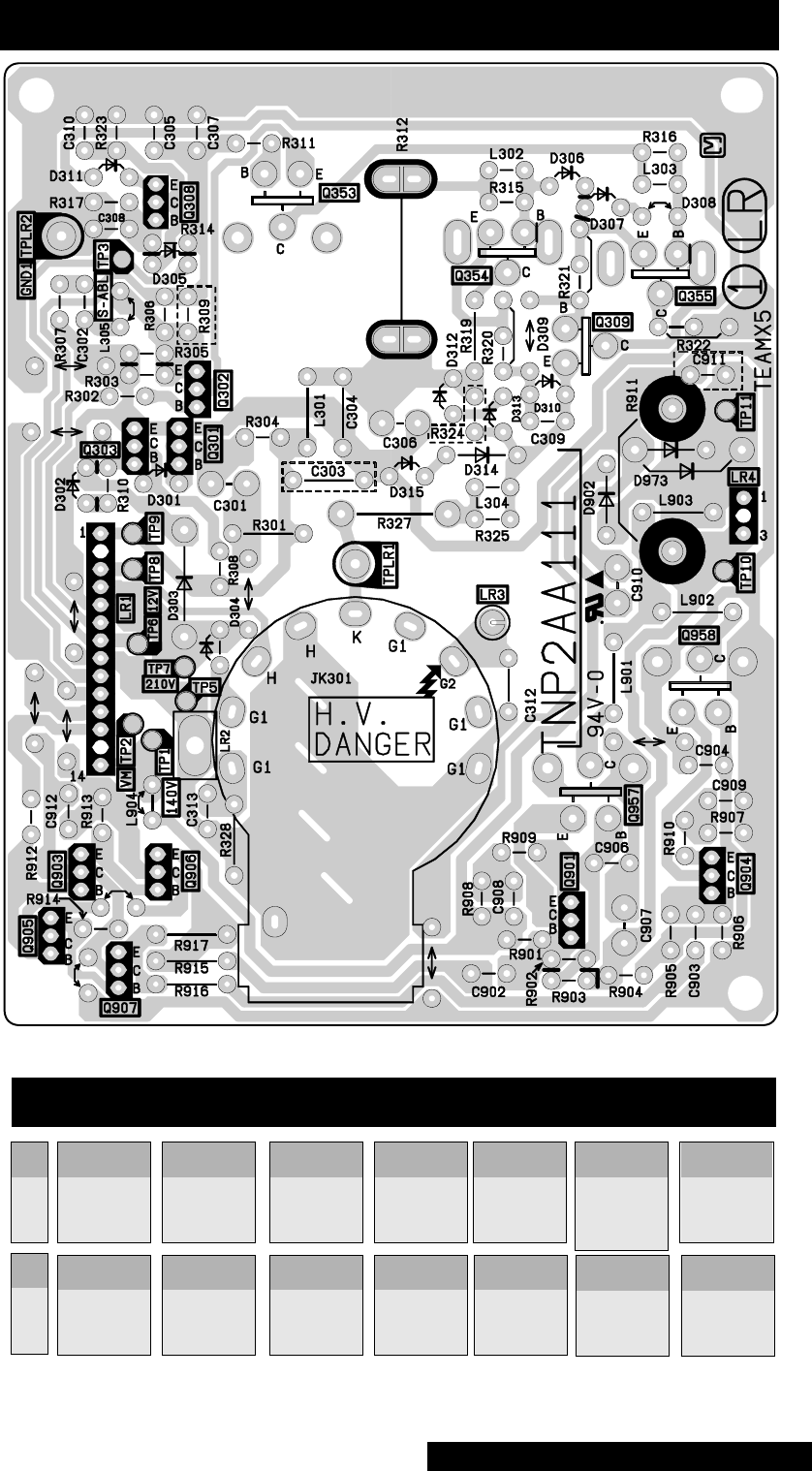
-95 -
Q301
0.11
215.90
0.00
B
C
E
Q903
9.10
0.00
9.73
Q957
129.60
71.30
130.20
Q302
3.92
11.61
3.71
Q904
0.97
9.12
0.37
Q958
9.69
71.30
9.12
Q303
0.60
0.08
0.00
Q905
9.10
8.90
8.49
Q353
11.98
173.70
11.65
Q906
9.72
18.91
9.13
Q354
174.90
218.60
174.60
Q907
8.49
6.00
9.11
LR-Board voltages - TNP2AA111
B
C
E
Q355
173.70
0.42
174.20
Q901
137.80
130.20
138.40
LR-Board schematic - TNP2AA111
LR-Board layout and voltages

-96 -
LB-Board schematic - TNP2AA110
LB-Board schematic
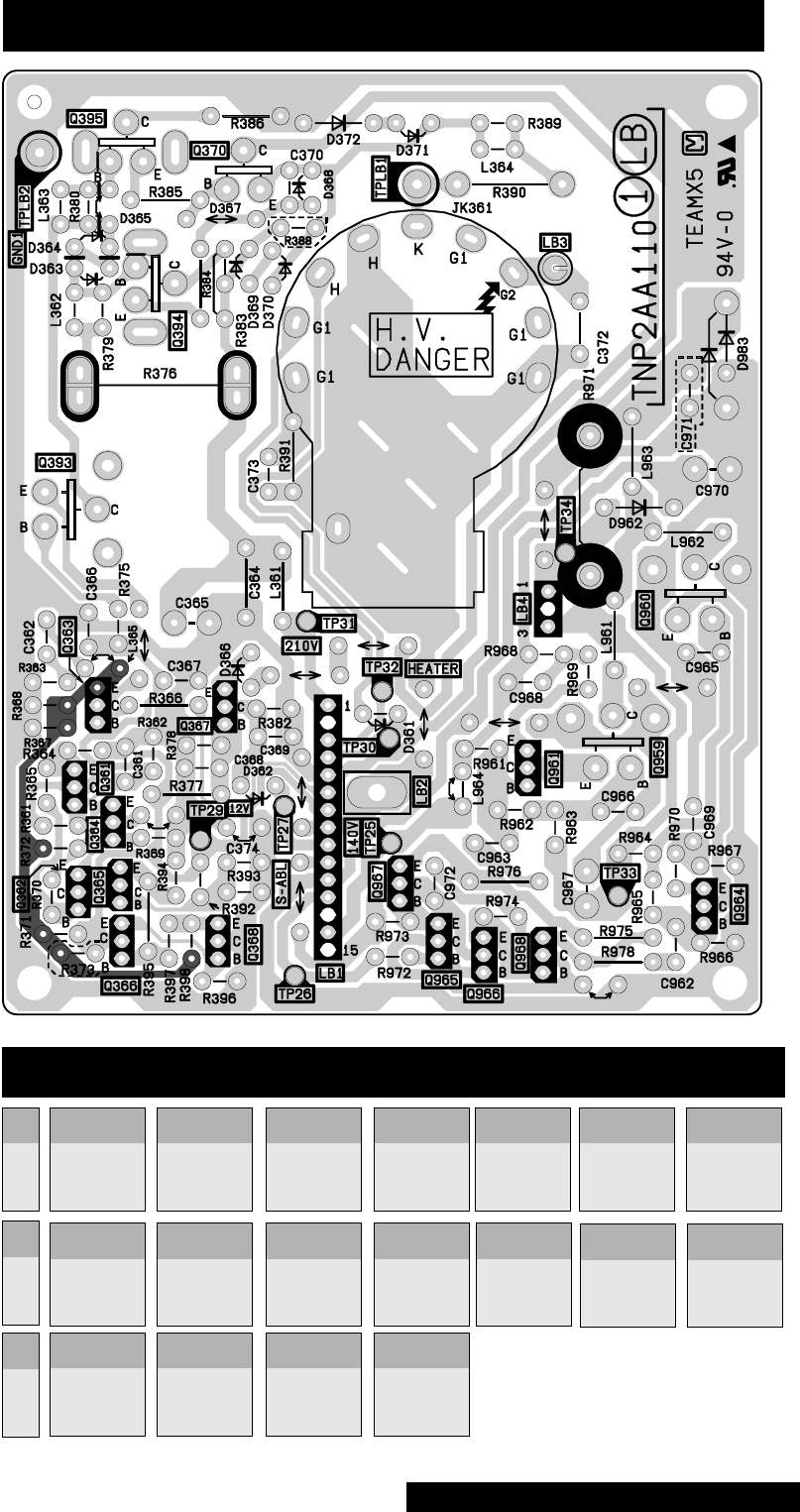
-97 -
Q361
5.14
11.98
4.51
B
C
E
Q393
11.98
170.60
11.54
B
C
E
Q961
137.80
129.90
138.40
Q965
9.09
0.00
9.72
Q362
4.51
11.98
3.92
Q394
172.00
218.60
171.90
Q964
0.98
9.10
0.37
Q966
9.09
18.91
8.49
Q363
3.86
11.54
3.70
Q395
170.60
0.42
171.50
Q967
9.72
18.91
9.14
Q364
3.92
0.00
3.51
Q959
129.30
71.40
129.90
Q968
8.50
0.00
9.11
Q365
5.91
11.98
5.28
Q960
9.67
71.50
9.10
LB-Board voltages- TNP2AA110
B
C
E
Q366
5.08
11.98
4.48
Q368
4.48
0.00
3.96
LB-Board layout - TNP2AA110
LB-Board layout and voltages
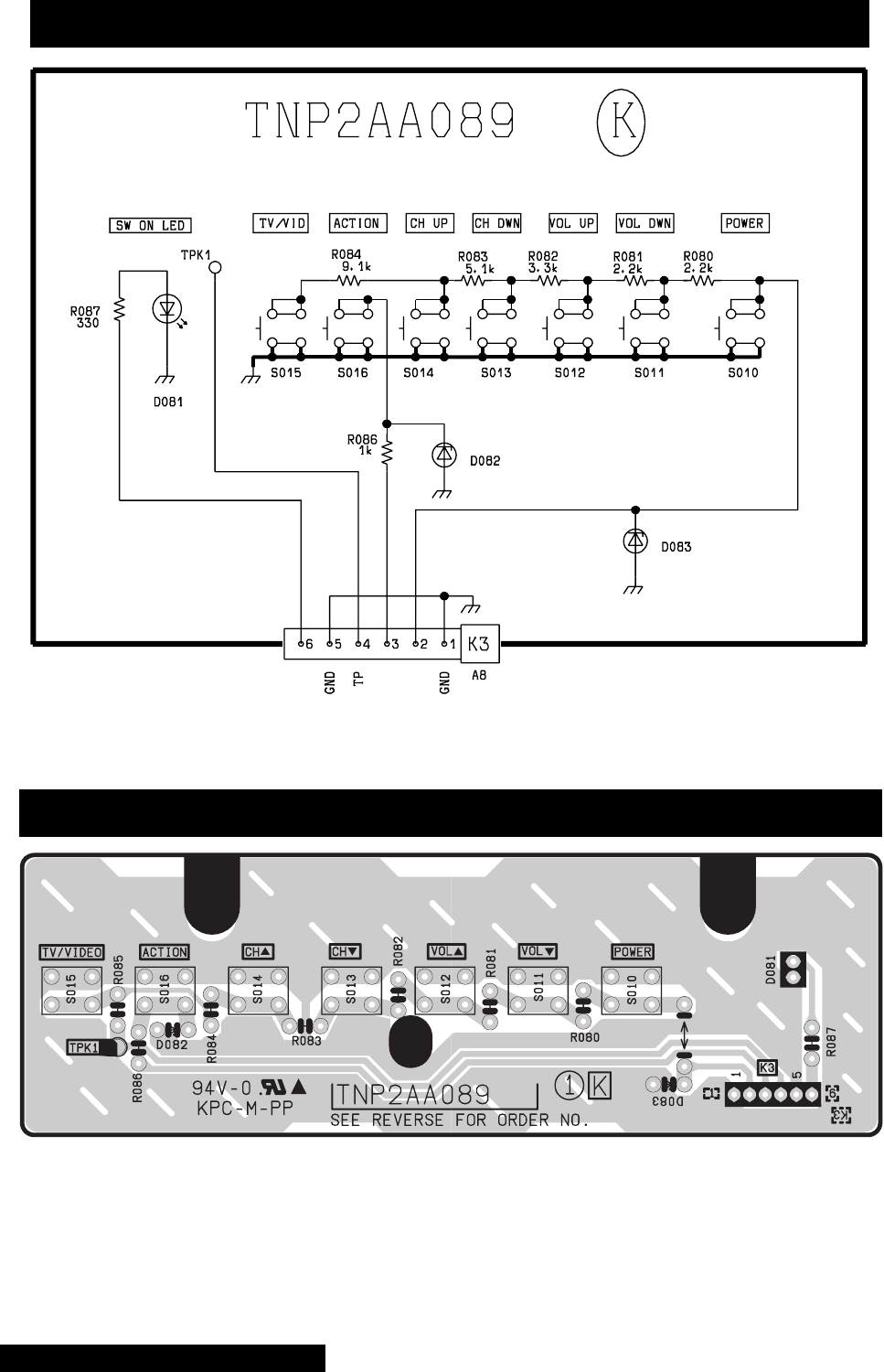
-98 -
K-Board schematic - TNP2AA089
K-Board layout - TNP2AA089
K-Board schematic and layout
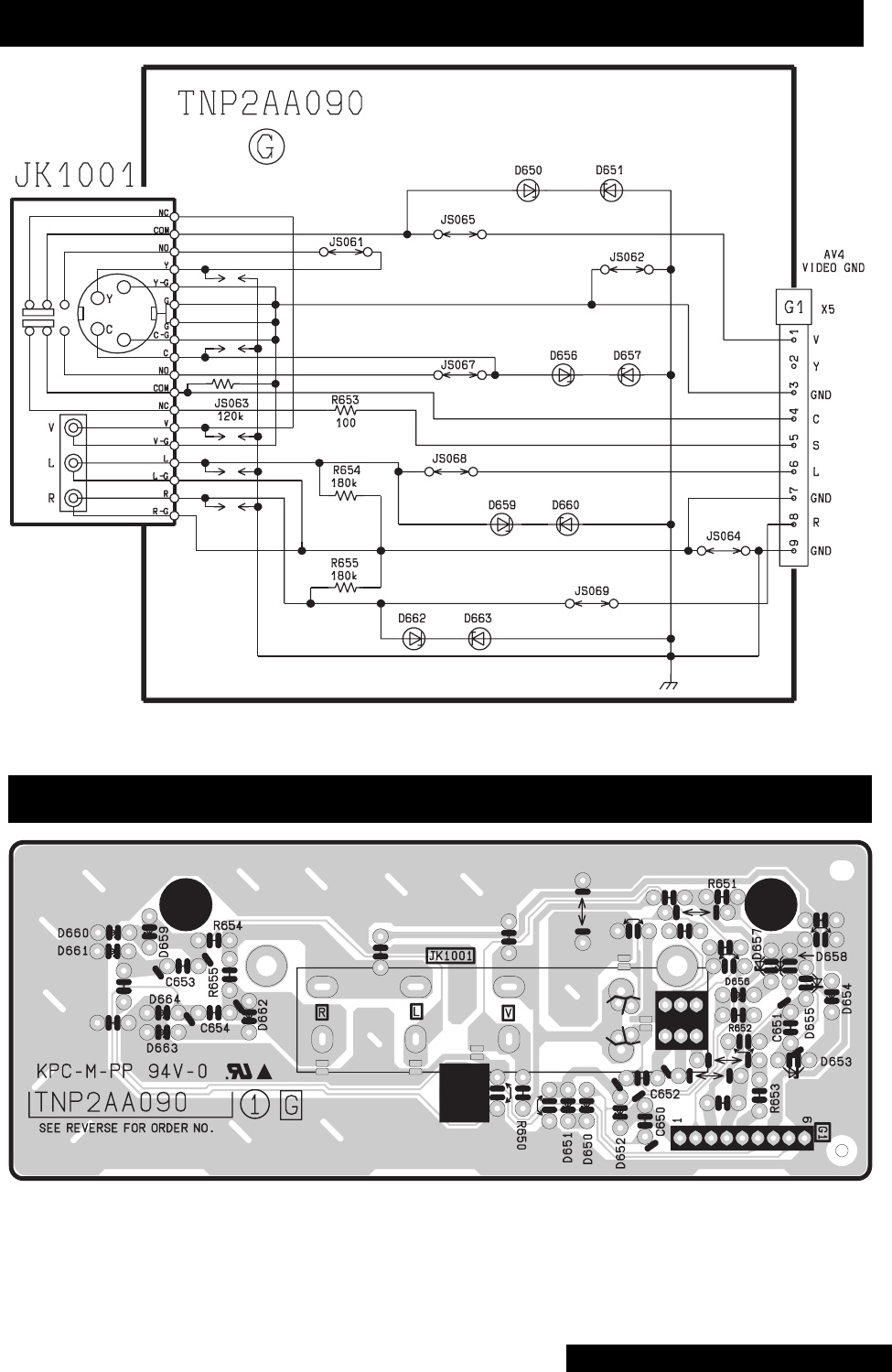
-99 -
G-Board schematic - TNP2AA090
G-Board layout - TNP2AA090
G-Board schematic and layout
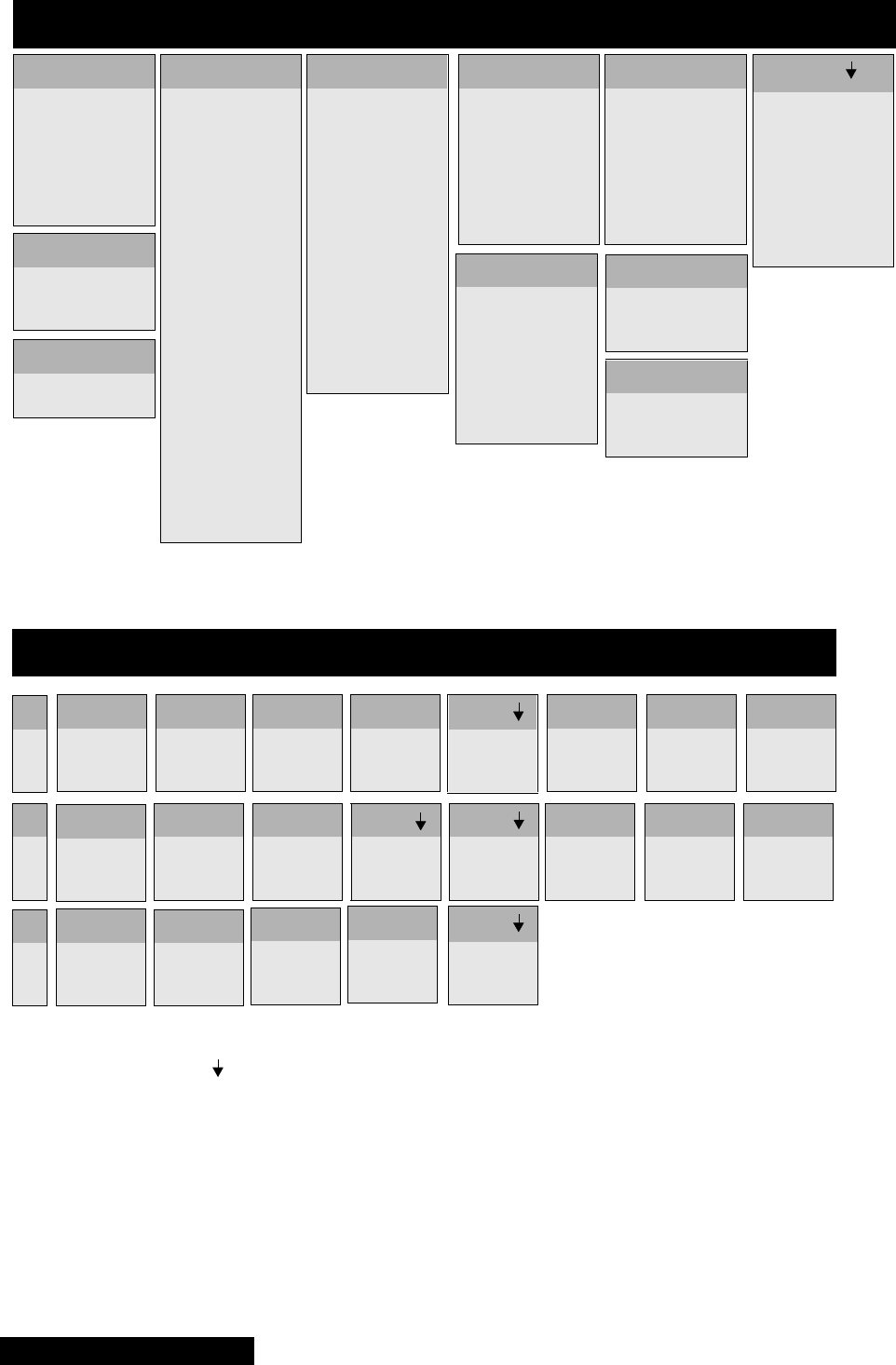
-100 -
IC802
1
2
3
. . . 139.20
. . . . 17.93
.....GND
IC801
1
2
3
4
5
6
7
8
9
.....0.06
.....0.06
.....0.07
.....0.06
.....GND
. . . . .-0.14
.....0.09
.....0.70
.....0.07
IC601
1
2
3
4
5
6
7
8
9
10
11
12
13
14
15
16
17
18
19
20
21
22
23
24
.....0.24
.....0.06
.....N.C.
.....N.C.
.....GND
.....6.50
....*5.17
.....9.06
.....2.50
.....0.60
.....0.86
.....N.C.
.....GND
.....GND
.....3.10
.....4.43
.....4.51
.....N.C.
.....N.C.
.....N.C.
.....N.C.
.....4.87
.....N.C.
.....0.28
D-Board integrated circuits voltages - TNPH0371
IC1501
1
2
3
4
5
6
7
8
.....0.00
.....5.29
.....4.61
....GND
.....5.82
.....5.82
.....4.28
.....9.06
IC603
1
2
3
4
5
6
7
8
.....3.83
.....5.29
.....5.29
.... GND
.....3.25
.....3.25
.....2.96
.....9.06
IC701
1
2
3
4
5
6
7
8
.....5.92
.....0.60
.....1.16
.....GND
.....5.98
.....3.83
.....6.70
.....9.06
IC451
1
2
3
4
5
6
7
.....0.04
....16.74
... -16.74
... -17.85
.....0.64
....16.35
.....0.04
IC602
1
2
3
4
5
6
7
8
9
10
11
12
13
14
15
16
..... 4.28
..... 0.62
.... 12.01
..... 6.08
.....GND
..... 4.11
.....N.C.
..... 0.61
..... 4.47
..... 4.43
.....N.C.
.....GND
..... 4.86
..... 3.86
..... 6.02
..... 3.19 IC803
1
2
3
. . . . 16.01
. . . . 12.01
.....GND
IC805
1
2
3
....19.04
.... GND
.....9.06
IC811
1
2....19.04
....18.03
Q406
6.09
0.06
0.00
B
C
E
Q501
0.00
16.07
3.09
Q502
0.00
0.01
8.44
Q603
0.62
6.08
0.00
B
C
E
Q604
6.07
9.06
5.49
Q503
0.28
8.46
0.00
D-Board transistors voltages - TNPH0371
Q509
29.39
138.80
31.83
Q510
31.82
138.80
31.32
Q551
0.07
-4.53
0.21
Q601
0.60
2.76
0.00
Q602
4.11
9.06
3.53
Q605
4.13
0.00
4.71
Q606
0.03
10.40
0.00
Q701
0.00
30.80
6.70
Q801
0.07
-40.20
0.12
Q802
0.07
0.07
0.07
Q803
0.07
0.09
0.07
Q854
138.80
0.00
139.10
Q1503
10.40
4.14
10.98
Q1504
11.97
510.00
11.46
Q1505
4.04
10.49
3.99
S
D
G
*Set may reset when probing this pin. If TV
does not turn ON, unplug from AC outlet, plug
it back and turn it ON.
Voltages marked with use HOT ground,
please check schematic to confirm the
type of ground used for each component
D-Board voltages
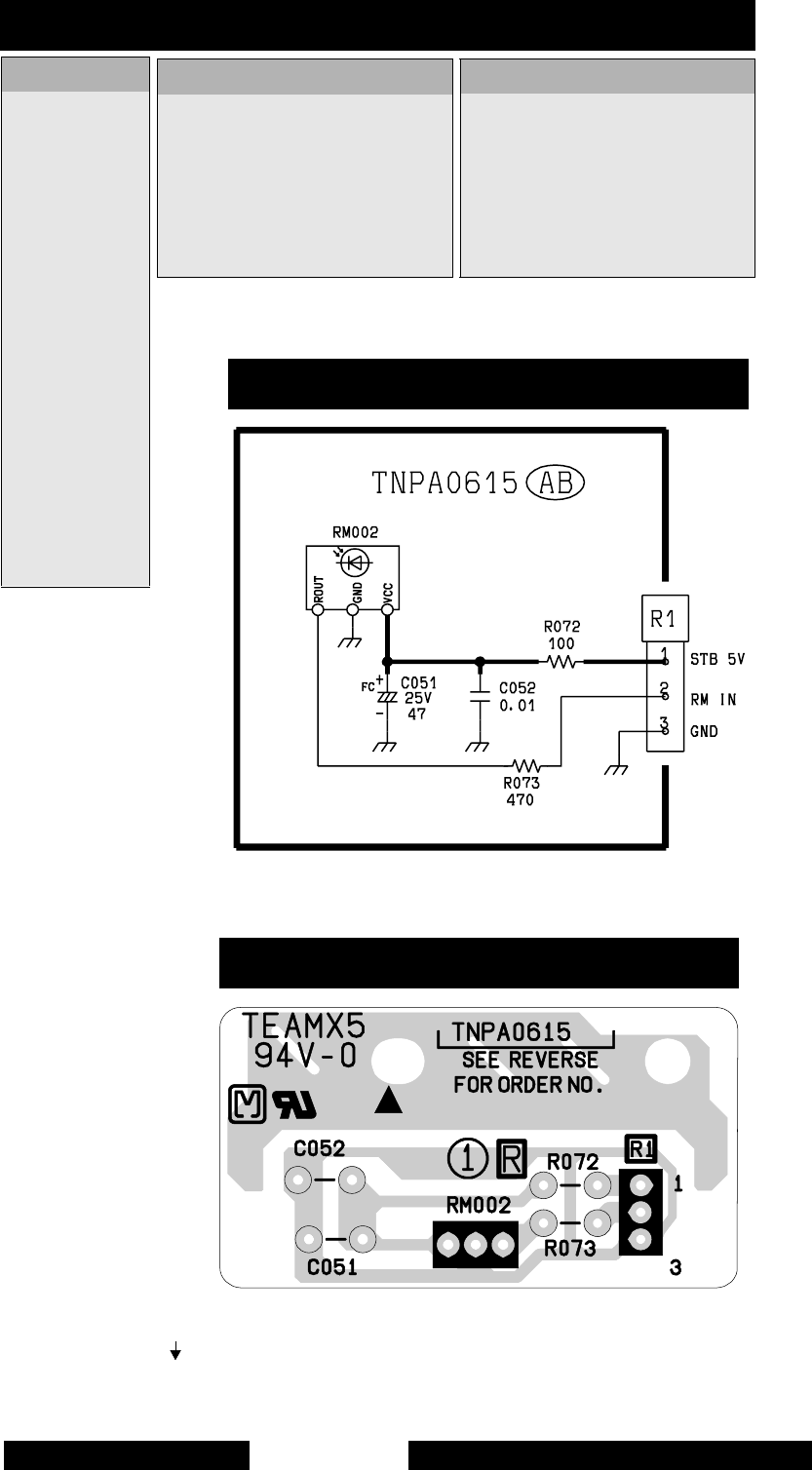
-101 -
*Set may reset when probing this pin. If TV
does not turn ON, unplug from AC outlet,
plug it back and turn it ON.
Voltages marked with use HOT ground,
please check schematic to confirm the
type of ground used for each component
IC7002
1
2
3
4
5
6
7
8
9
.....GND
.....GND
....-18.59
....-19.70
.....18.85
.....-0.11
.....-0.11
....-19.71
.....-0.13
10
11
12
13
14
15
16
17
18
....18.84
.....-0.47
....-19.72
.....-0.36
.....-0.37
.....-0.23
.....-0.23
....-19.71
.....-0.28
IC2302
4
5
6
7
8
9
10
11
12
13
14
15
16
17
18
19
20
21
22
23
24
25
26
27
28
... -23.50
... -23.45
.... -0.35
....20.99
.....9.36
.....4.90
.....0.00
.....2.54
.....0.05
.....0.00
.....0.00
.....5.20
.....GND
... -22.09
.....0.00
.... -5.31
.....0.06
.....0.00
.....0.00
.....N.C.
.....9.30
....20.99
.... -0.32
... -23.45
... -13.20
A-Board integrated circuits voltages - TNP2AH035
IC7001
1
2
3
4
5
6
7
8
9
.....GND
.....GND
....-18.60
....-19.70
.... 18.84
.....-0.40
.....-0.39
....-19.70
.....-0.53
10
11
12
13
14
15
16
17
18
....18.84
.....0.00
... -19.70
.....0.00
.....0.00
.... -0.36
.... -0.35
... -19.70
.....-0.48
R-Board layout - TNPA0615
R-Board schematic - TNPA0615AB
R-Board schematic and layoutA-Board voltages
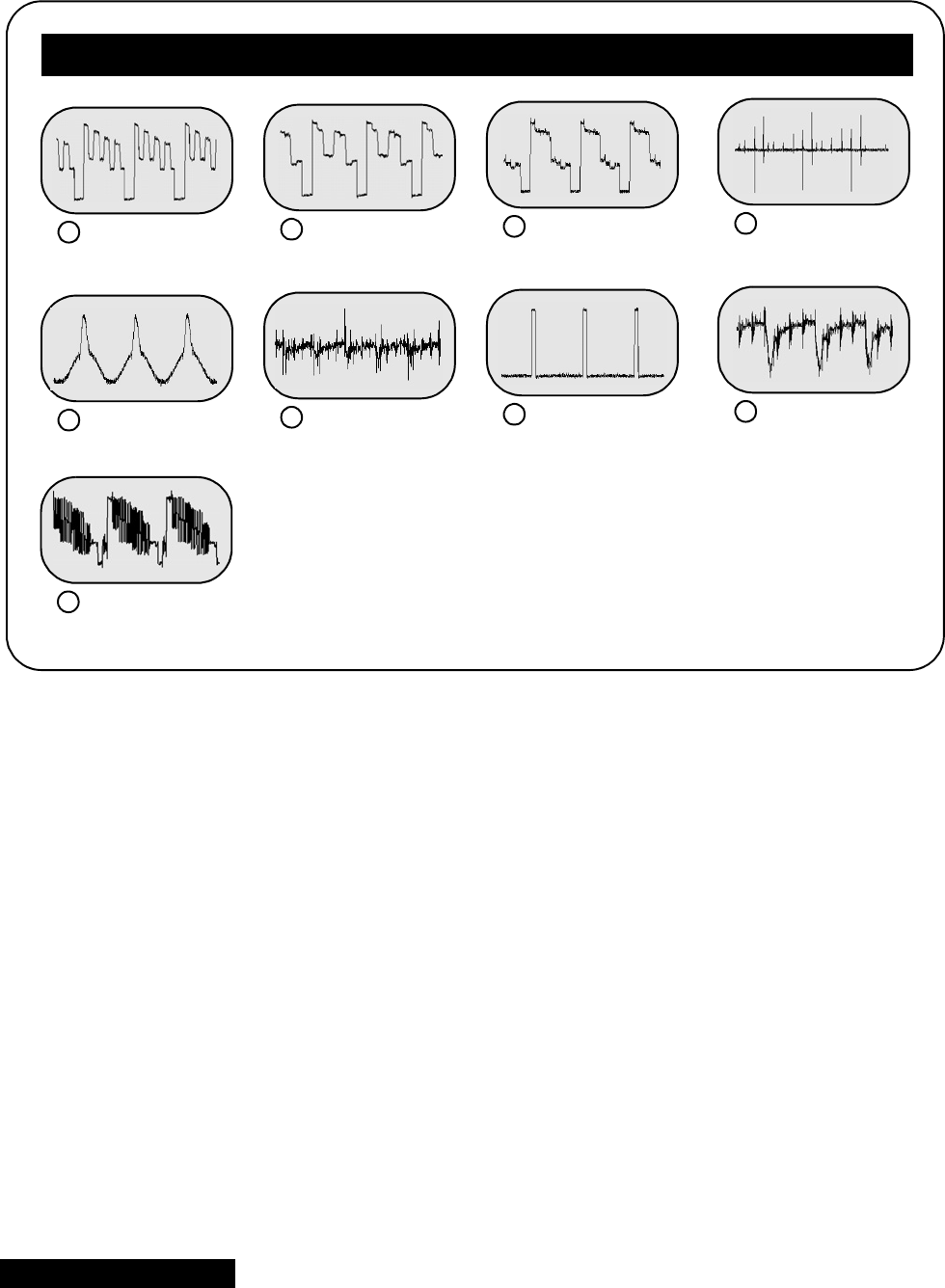
-102 -
5.84 Vp-p
A15PIN2(BLUEOUT)
15.60 Vp-p
A15 PIN 4 (RED OUT)
26.32 Vp-p
A15 PIN 6 (GREEN OUT)
32.74 Vp-p
A15 PIN 9 (VM OUT)
4
1.70 Vp-p
A15 PIN 11 (S-ABL)
50.14 Vp-p
A4 PIN 16 (DFCUT)
63.24 Vp-p
A3 PIN 15
70.17 Vp-p
A2 PIN 13 (ABL)
8
1.00 Vp-p
TNR001 (VIDEO)
10
A-Board
A-Board waveforms
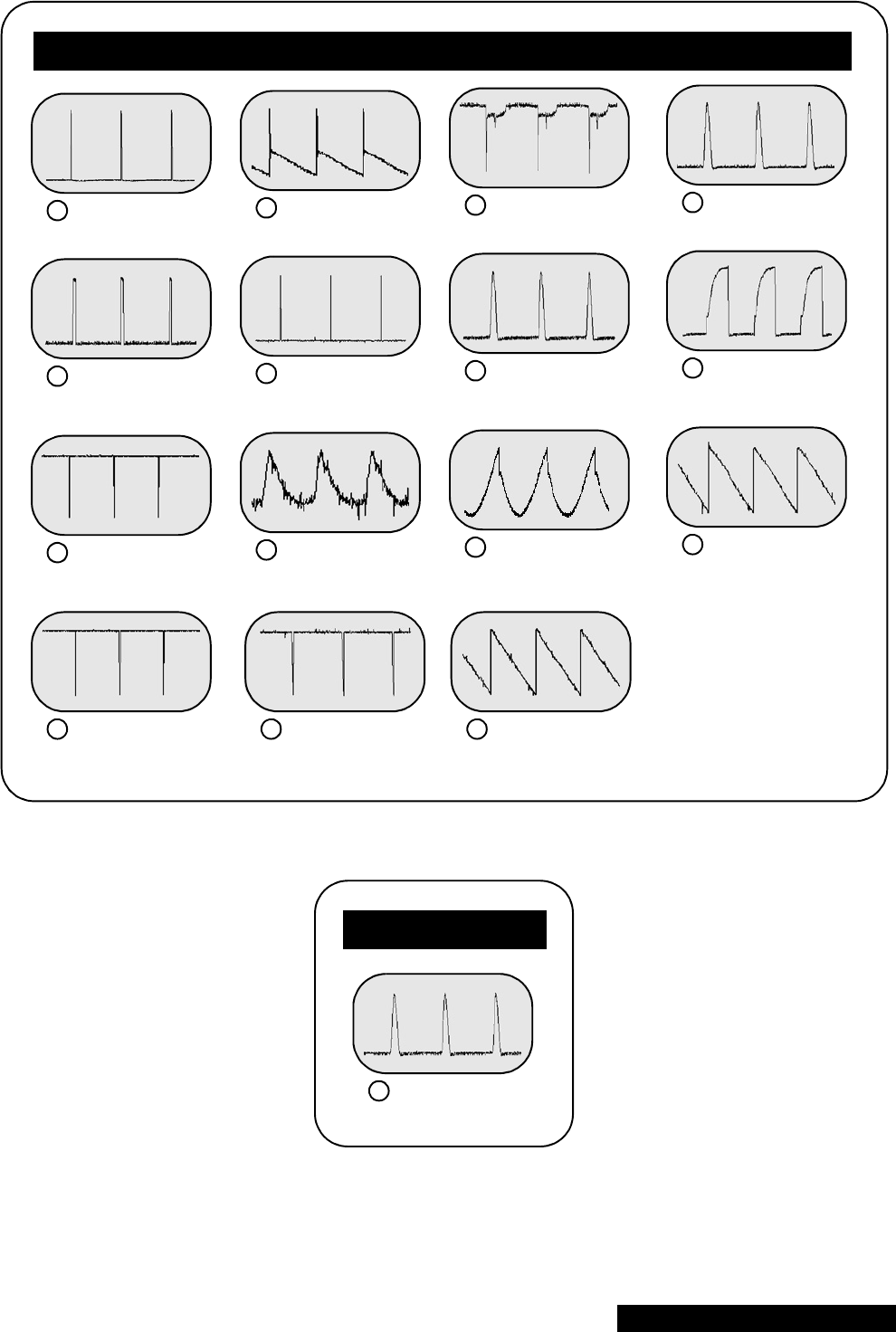
-103 -
36.0 Vp-p
IC451 PIN 3
13 68.8 Vp-p
IC451 PIN 5 (V-OUT)
14 14.0 Vp-p
Q551-B
15 1.50 KVp-p
Q551-C
16
3.12 Vp-p
IC601 PIN 1 (H-PULSE)
17 3.20 Vp-p
IC601 PIN 2 (VP3)
18 6.48 Vp-p
IC601 pin 10 (fbp in)
19 8.40 Vp-p
IC601 PIN 15 (H-DRIVE OUT)
20
4.96 Vp-p
IC601 PIN 22 (V-PULSE OUT)
21 0.53 Vp-p
IC602 PIN 1 (EHT FB ADJ)
22 1.70 Vp-p
IC602 PIN 4 (EW FB)
23 1.90 Vp-p
IC602 PIN 6 (V FB)
24
4.80 Vp-p
IC602 PIN 13 (V IN)
25 2.84 Vp-p
IC602 PIN 14 (TC)
26 2.04 Vp-p
IC602 PIN 15 (RAMP)
27
D-Board
27.6 Vp-p
LG2PIN7(HEATER)
12
LG-Board
D & LG-Board waveforms

PrintedinUSA
K02042127PL0429
®
