Quectel LTE Windows USB Driver Installation Guide V2.0
User Manual:
Open the PDF directly: View PDF  .
.
Page Count: 17


LTE Module Series
LTE Windows USB Driver Installation Guide
LTE_Windows_USB_Driver_Installation_Guide 1 / 16
Our aim is to provide customers with timely and comprehensive service. For any
assistance, please contact our company headquarters:
Quectel Wireless Solutions Co., Ltd.
7th Floor, Hongye Building, No.1801 Hongmei Road, Xuhui District, Shanghai 200233, China
Tel: +86 21 5108 6236
Email: info@quectel.com
Or our local office. For more information, please visit:
http://www.quectel.com/support/sales.htm
For technical support, or to report documentation errors, please visit:
http://www.quectel.com/support/technical.htm
Or email to: support@quectel.com
GENERAL NOTES
QUECTEL OFFERS THE INFORMATION AS A SERVICE TO ITS CUSTOMERS. THE INFORMATION
PROVIDED IS BASED UPON CUSTOMERS’ REQUIREMENTS. QUECTEL MAKES EVERY EFFORT
TO ENSURE THE QUALITY OF THE INFORMATION IT MAKES AVAILABLE. QUECTEL DOES NOT
MAKE ANY WARRANTY AS TO THE INFORMATION CONTAINED HEREIN, AND DOES NOT ACCEPT
ANY LIABILITY FOR ANY INJURY, LOSS OR DAMAGE OF ANY KIND INCURRED BY USE OF OR
RELIANCE UPON THE INFORMATION. ALL INFORMATION SUPPLIED HEREIN IS SUBJECT TO
CHANGE WITHOUT PRIOR NOTICE.
COPYRIGHT
THE INFORMATION CONTAINED HERE IS PROPRIETARY TECHNICAL INFORMATION OF
QUECTEL WIRELESS SOLUTIONS CO., LTD. TRANSMITTING, REPRODUCTION, DISSEMINATION
AND EDITING OF THIS DOCUMENT AS WELL AS UTILIZATION OF THE CONTENT ARE
FORBIDDEN WITHOUT PERMISSION. OFFENDERS WILL BE HELD LIABLE FOR PAYMENT OF
DAMAGES. ALL RIGHTS ARE RESERVED IN THE EVENT OF A PATENT GRANT OR
REGISTRATION OF A UTILITY MODEL OR DESIGN.
Copyright © Quectel Wireless Solutions Co., Ltd. 2018. All rights reserved.

LTE Module Series
LTE Windows USB Driver Installation Guide
LTE_Windows_USB_Driver_Installation_Guide 2 / 16
About the Document
History
Revision
Date
Author
Description
1.0
2017-11-14
Hunter LV/
Joy WANG
Initial
2.0
2018-12-24
Isaac WANG
1. Added the applicable modules EM06, EM12,
EG12 of this document.
2. Modified some screenshots of driver
installation. (Figure 1, 4, 7, 9, 10, 16)

LTE Module Series
LTE Windows USB Driver Installation Guide
LTE_Windows_USB_Driver_Installation_Guide 3 / 16
Contents
About the Document ................................................................................................................................... 2
Contents ....................................................................................................................................................... 3
Figure Index ................................................................................................................................................. 4
1 Introduction .......................................................................................................................................... 5
1.1. Applicable Products ................................................................................................................... 5
2 Installation of USB Driver.................................................................................................................... 6
2.1. Preparation ................................................................................................................................ 6
2.2. Installation Procedures .............................................................................................................. 7
2.3. Test .......................................................................................................................................... 11
3 Uninstallation of USB Driver ............................................................................................................. 12
3.1. Uninstallation Procedures ....................................................................................................... 12

LTE Module Series
LTE Windows USB Driver Installation Guide
LTE_Windows_USB_Driver_Installation_Guide 4 / 16
Figure Index
FIGURE 1: “DEVICE MANAGER” INTERFACE OF WINDOWS SYSTEM WITHOUT QUECTEL DRIVERS ... 6
FIGURE 2: CHECK INSTALLATION SETTING ................................................................................................... 7
FIGURE 3: CHOOSE DESTINATION LOCATION .............................................................................................. 8
FIGURE 4: COPYING FILES .............................................................................................................................. 8
FIGURE 5: AUTOMATIC INSTALLATION ........................................................................................................... 9
FIGURE 6: COMPLETE INSTALLATION .......................................................................................................... 10
FIGURE 7: CHECK USB DRIVER INSTALLATION RESULT ........................................................................... 10
FIGURE 8: MODULE TESTING VIA QNAVIGATOR (TAKE BG96 AS AN EXAMPLE) ..................................... 11
FIGURE 9: CHOOSE THE INSTALLED USB DRIVER ..................................................................................... 12
FIGURE 10: UNINSTALL THE USB DRIVER ................................................................................................... 13
FIGURE 11: CHECK UNINSTALLATION SETTING .......................................................................................... 13
FIGURE 12: CONFIRM UNINSTALLATION ...................................................................................................... 14
FIGURE 13: AUTOMATIC UNINSTALLATION .................................................................................................. 14
FIGURE 14: REMOVING FILES ....................................................................................................................... 15
FIGURE 15: COMPLETE UNINSTALLATION ................................................................................................... 15
FIGURE 16: CHECK USB DRIVER UNINSTALLATION RESULT .................................................................... 16

LTE Module Series
LTE Windows USB Driver Installation Guide
LTE_Windows_USB_Driver_Installation_Guide 5 / 16
1 Introduction
This document illustrates how to install USB driver for Quectel LTE modules on Windows operating
systems, with provided installation package.
The installation package (Quectel_LTE_Windows_USB_Driver) supports Windows 7, Windows 8 and
Windows 10 operating systems. This document introduces the installation procedure on Windows 7
system as an example.
1.1. Applicable Products
The document is applicable to the following Quectel LTE modules.
Table 1: Applicable Modules
Applicable Modules
Description
EC2x
EC25, EC21, RC20 R2.0, EC20 R2.1
Ex06
EP06, EG06, EM06
Ex12
EM12, EG12
EGxx
EG95, EG91
Others
AG35, BG96
LTE Module Series
LTE Windows USB Driver Installation Guide
LTE_Windows_USB_Driver_Installation_Guide 6 / 16
2 Installation of USB Driver
This chapter mainly describes how to install USB driver for Quectel LTE modules with the provided
installation package.
2.1. Preparation
Before USB driver installation, please connect the module to PC via USB cable first and then press power
key to power up the module. If you have never installed any Quectel driver on your system before, there
would be a prompt about new device which indicates you to update the drivers. Please ignore the prompt
and go to the next step.
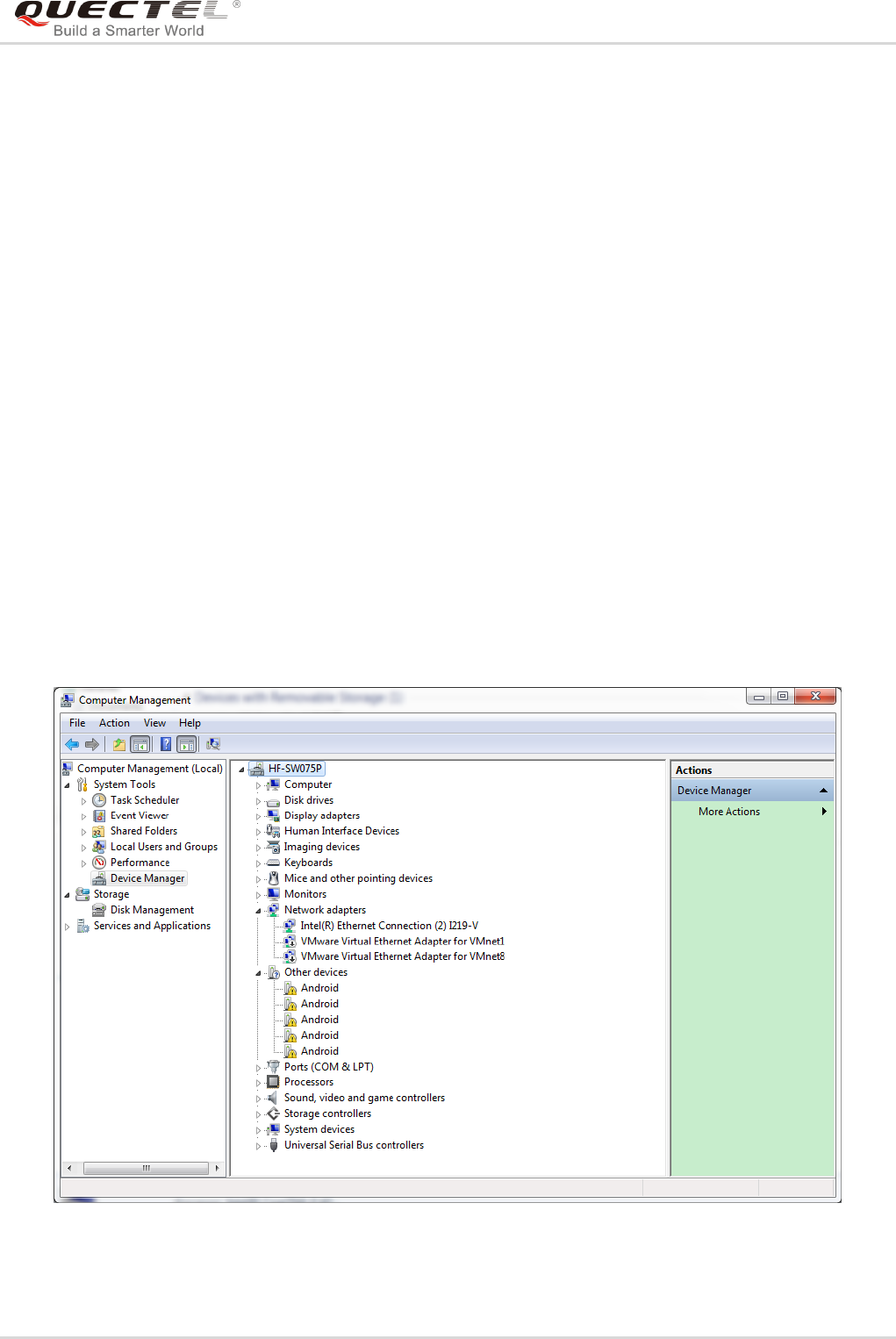
The figure below shows the “Computer Management” “Device Manager” interface of Windows system
that has never installed Quectel drivers.
Figure 1: “Device Manager” Interface of Windows System without Quectel Drivers
LTE Module Series
LTE Windows USB Driver Installation Guide
LTE_Windows_USB_Driver_Installation_Guide 7 / 16
For Windows XP system, you MUST ensure the module has been connected to PC before USB driver
installation.
2.2. Installation Procedures
Before USB driver installation, please get the latest installation package from Quectel. This document
takes the installation of Quectel_LTE_Windows_USB_Driver_V2.0 as an example, and the details are
shown as below.
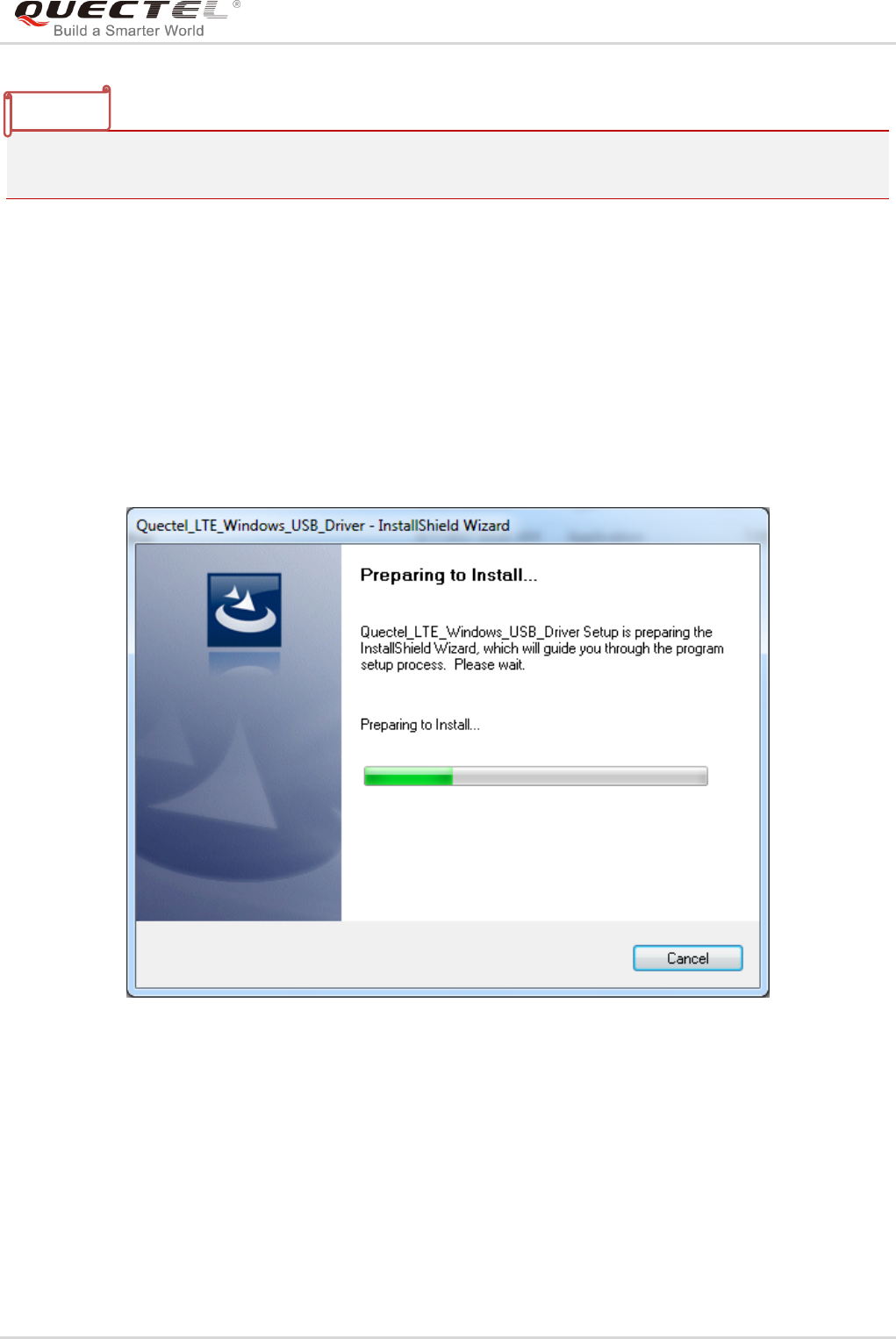
1. Check Installation Setting
Figure 2: Check Installation Setting
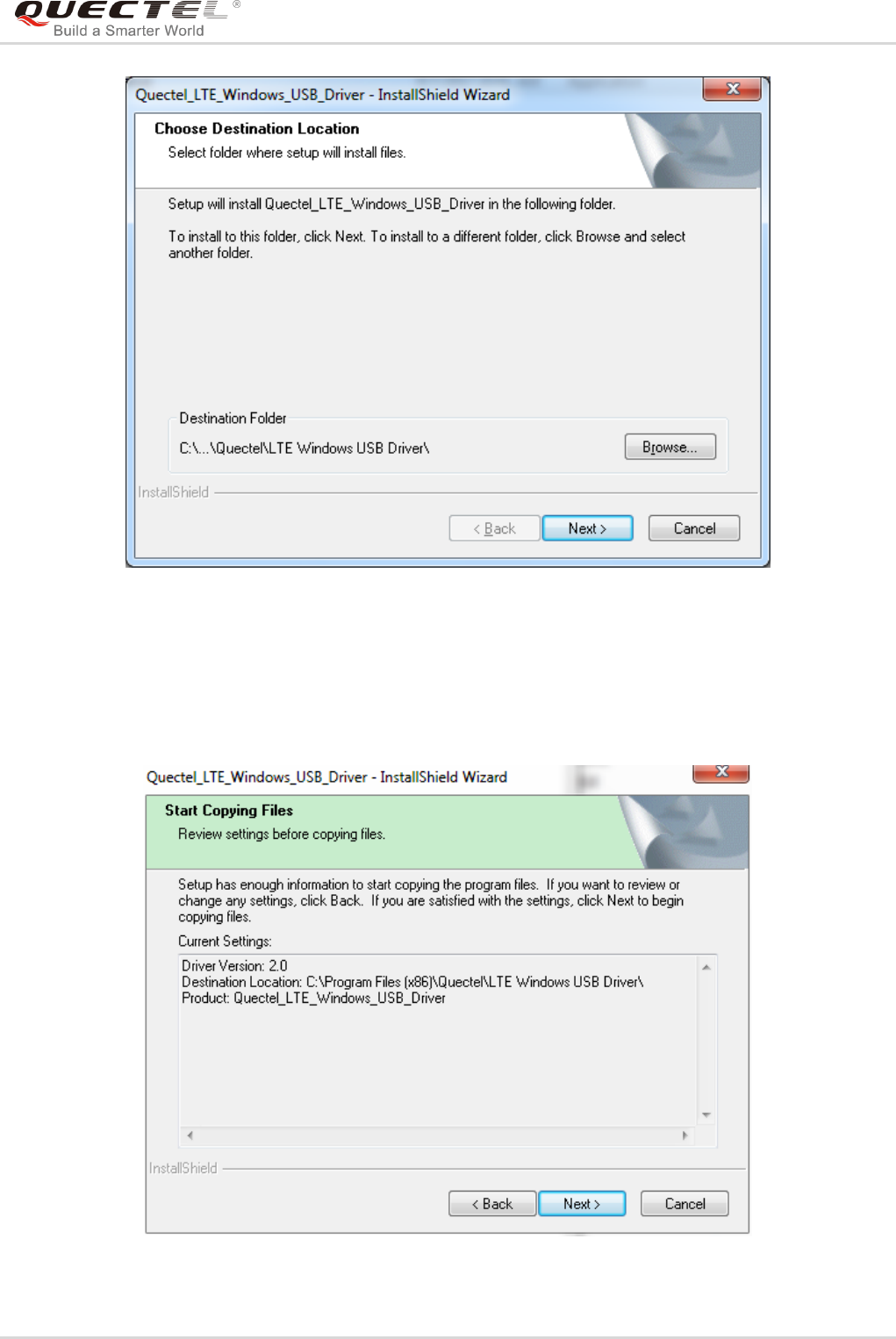
2. Choose Destination Location
If you do not want to change the default location for USB driver installation, please click “Next” directly to
go on.
NOTE
LTE Module Series
LTE Windows USB Driver Installation Guide
LTE_Windows_USB_Driver_Installation_Guide 8 / 16
Figure 3: Choose Destination Location
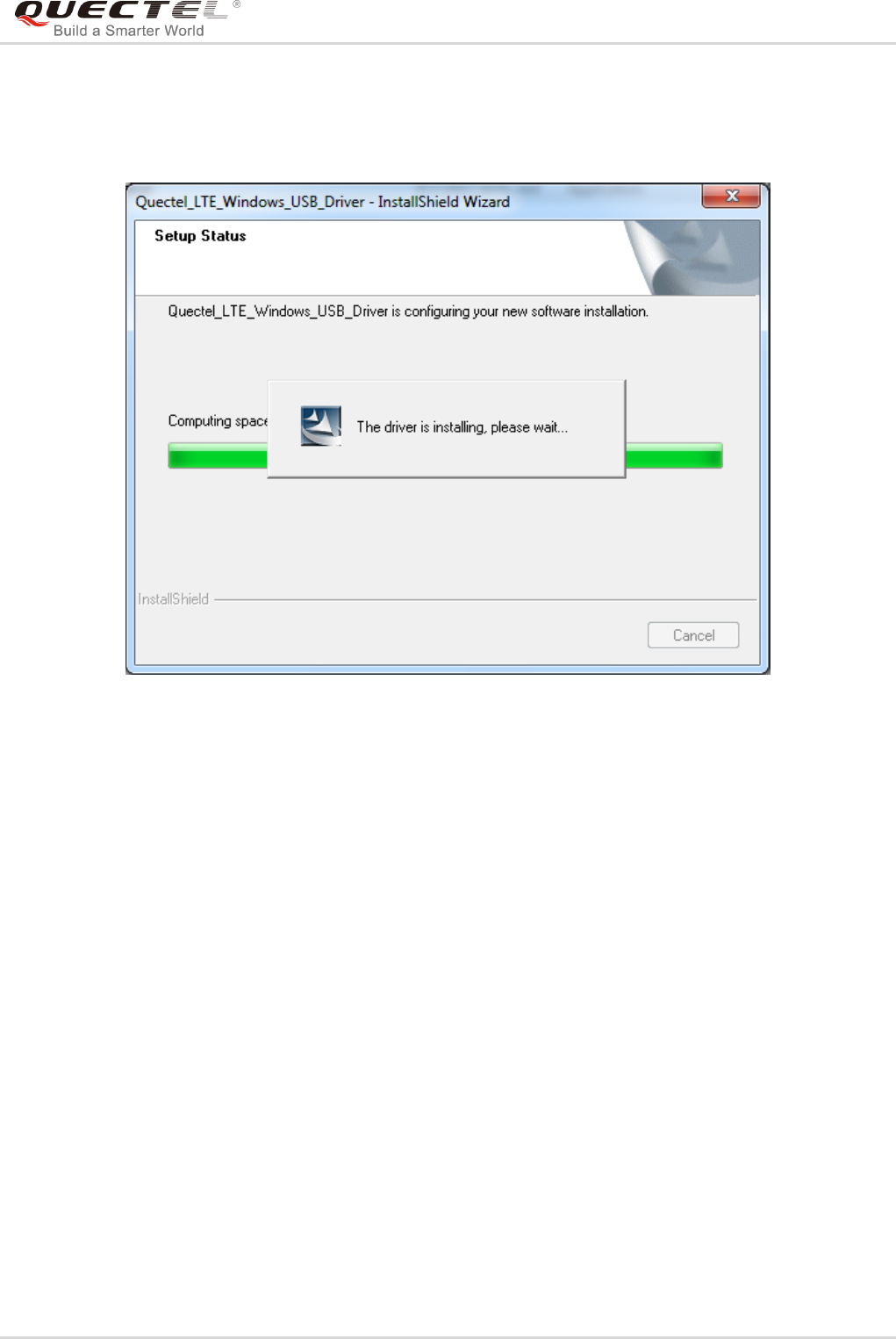
3. Prepare Driver Files Needed for Installation
When the following interface is shown, please click “Next” to move on to the next step.
Figure 4: Copying Files
LTE Module Series
LTE Windows USB Driver Installation Guide
LTE_Windows_USB_Driver_Installation_Guide 9 / 16
4. Automatic Installation
It may take some time to install the driver, please wait patiently for the process to complete.
Figure 5: Automatic Installation
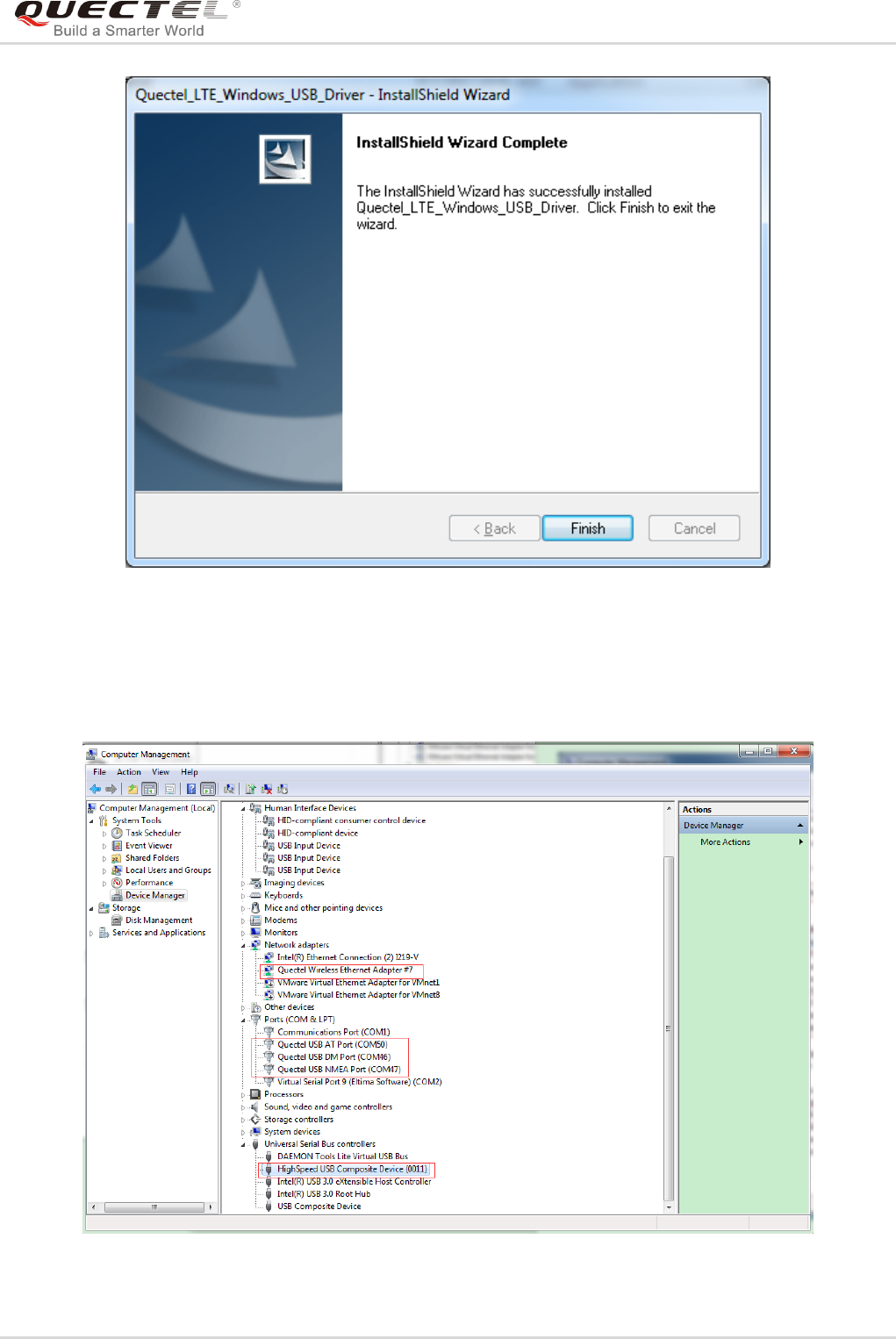
5. Complete Installation
When the following interface is shown, it indicates the driver has been installed successfully. Click
“Finish” to complete the installation.
LTE Module Series
LTE Windows USB Driver Installation Guide
LTE_Windows_USB_Driver_Installation_Guide 10 / 16
Figure 6: Complete Installation
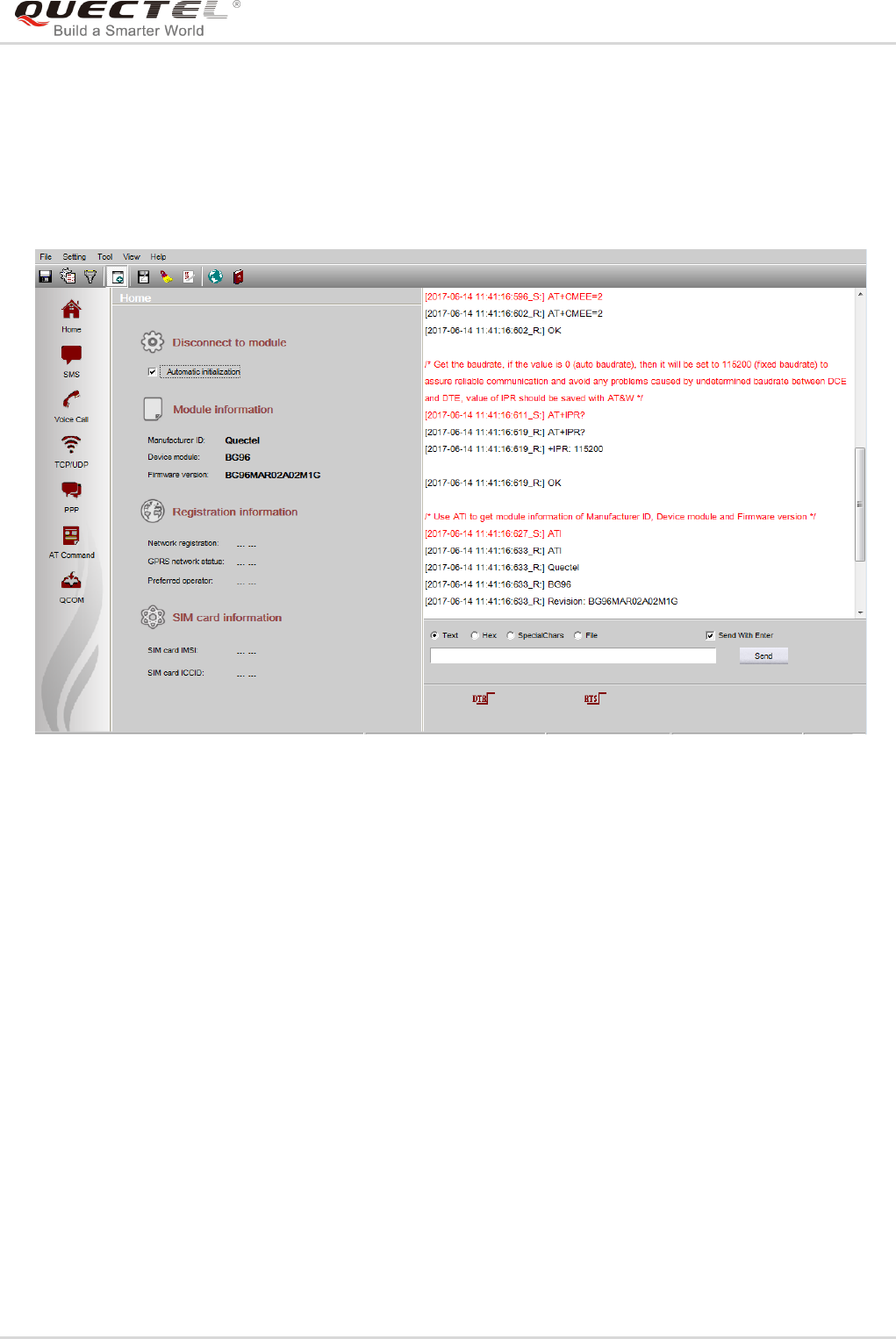
After successful installation, customers can check the installation result through “Computer Management”
“Device Manager”.
Figure 7: Check USB Driver Installation Result
LTE Module Series
LTE Windows USB Driver Installation Guide
LTE_Windows_USB_Driver_Installation_Guide 11 / 16
2.3. Test
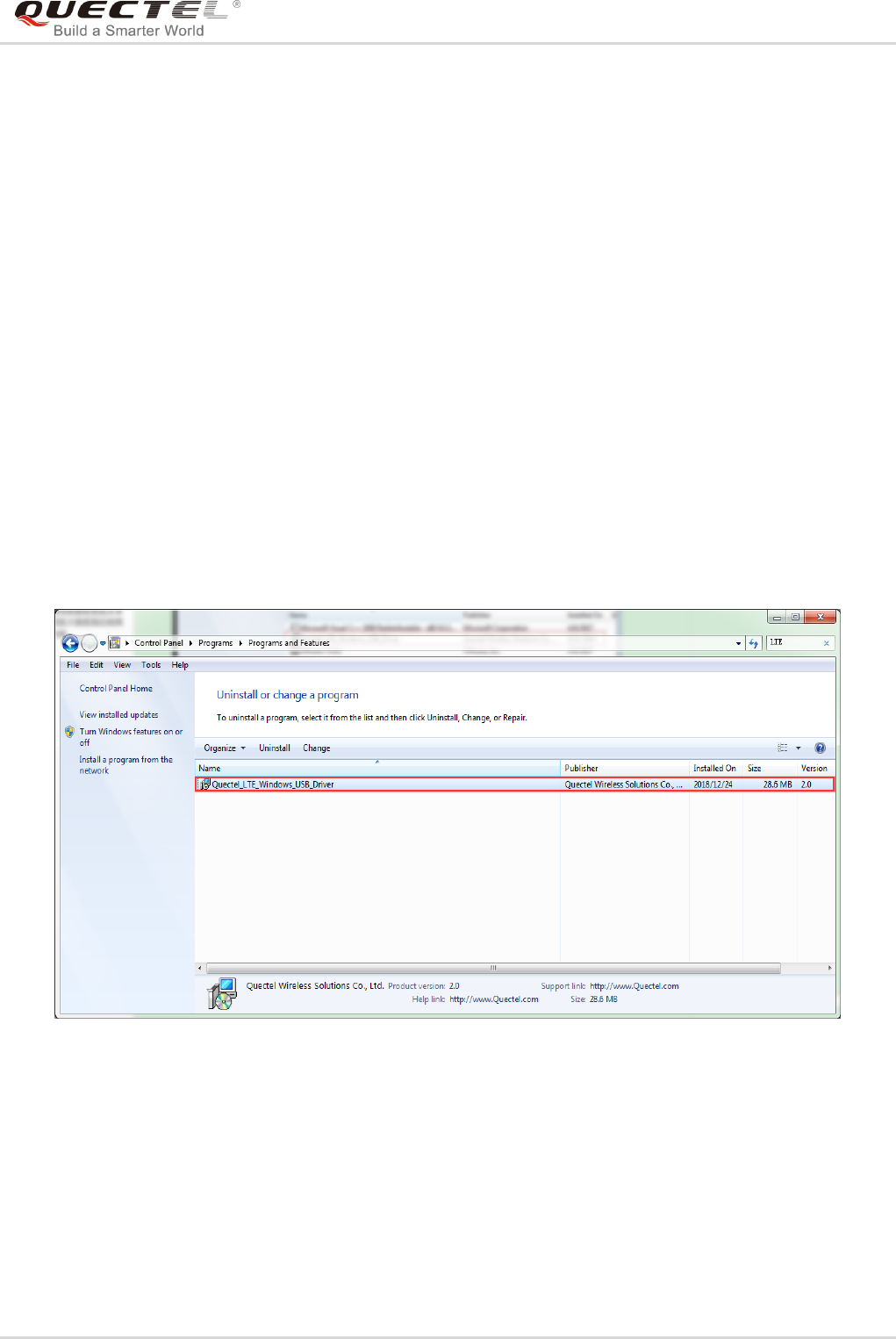
After the USB driver has been installed, customers can test whether the driver can work normally or not
by QNavigator. For detailed steps, please refer to Quectel_QNavigator_User_Guide.
Figure 8: Module Testing via QNavigator (Take BG96 as an Example)
LTE Module Series
LTE Windows USB Driver Installation Guide
LTE_Windows_USB_Driver_Installation_Guide 12 / 16
3 Uninstallation of USB Driver
This chapter mainly provides the way to uninstall USB driver for Quectel LTE modules. The uninstallation
can be realized by re-operating installation package or adding/deleting program on “Control Panel”. By
taking as an example, this document introduces using the latter method to uninstall the USB driver.
3.1. Uninstallation Procedures
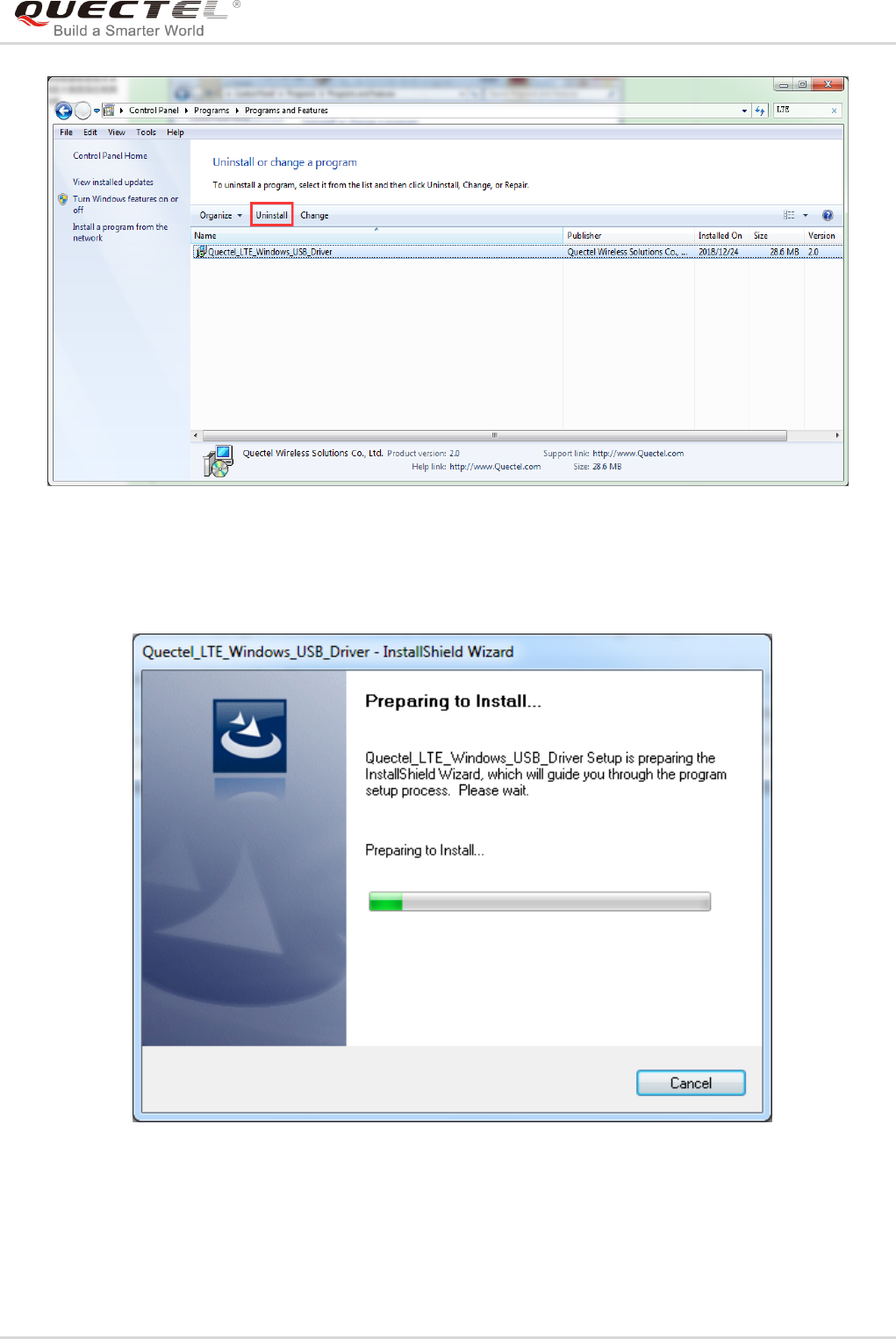
1. Choose the Driver
Enter “Control Panel” and choose the installed driver, then click “Uninstall”, as shown below.
Figure 9: Choose the Installed USB Driver
LTE Module Series
LTE Windows USB Driver Installation Guide
LTE_Windows_USB_Driver_Installation_Guide 13 / 16
Figure 10: Uninstall the USB Driver
2. Check Uninstallation Setting
Figure 11: Check Uninstallation Setting
LTE Module Series
LTE Windows USB Driver Installation Guide
LTE_Windows_USB_Driver_Installation_Guide 14 / 16
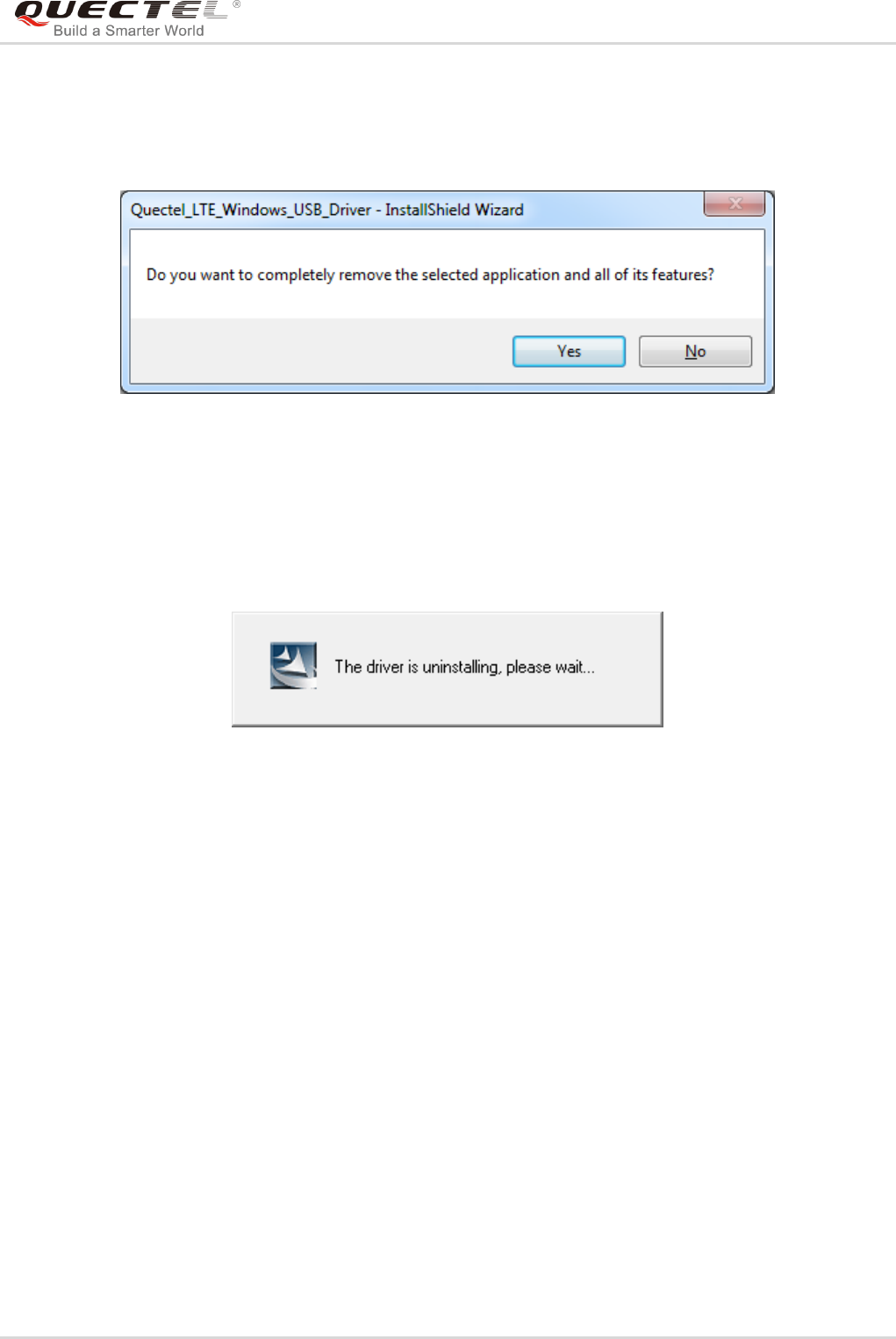
3. Confirm Uninstallation
Click “Yes” to confirm the uninstallation.
Figure 12: Confirm Uninstallation
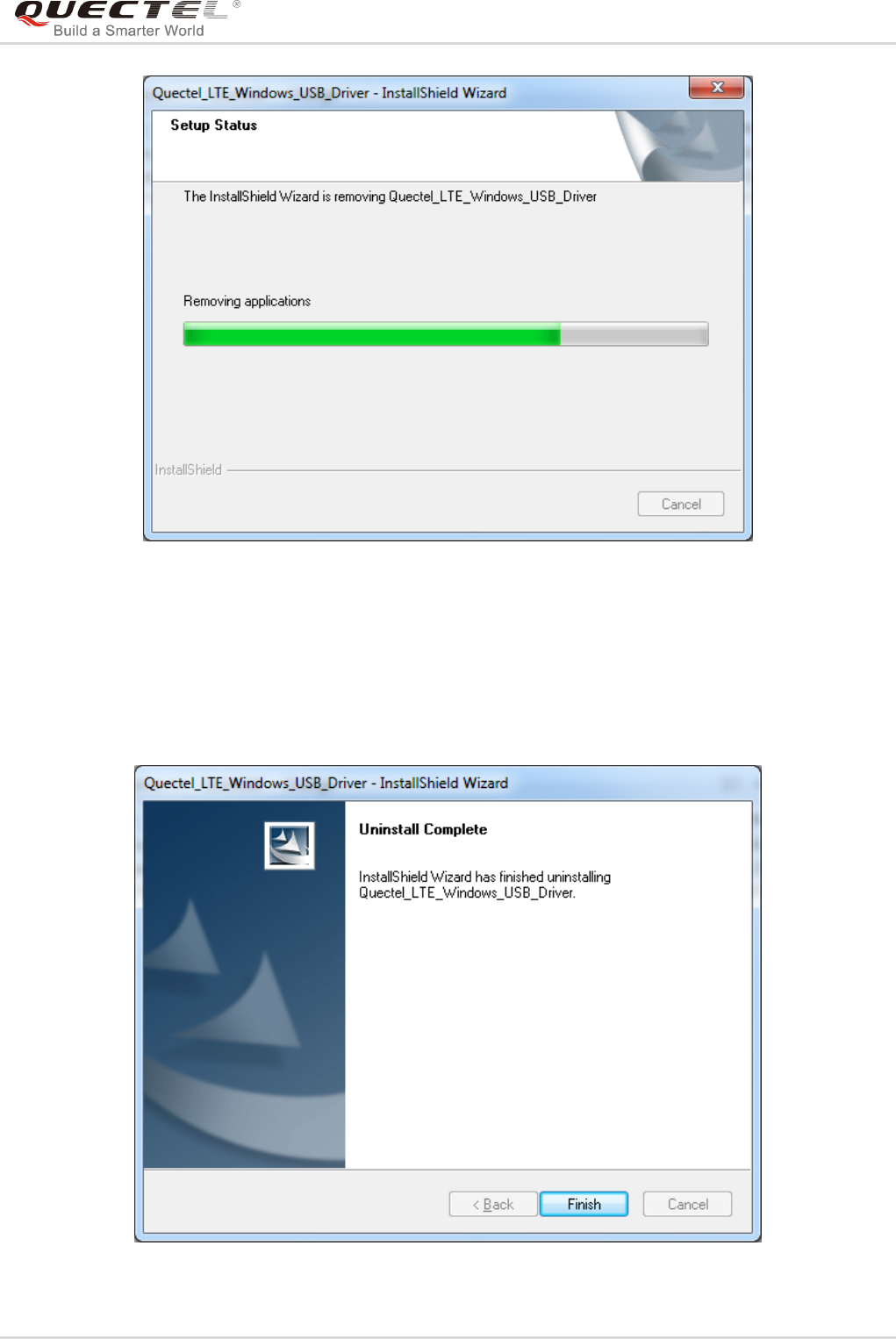
4. Automatic Uninstallation
It may take some time to uninstall, please wait patiently for the process to complete.
Figure 13: Automatic Uninstallation
Also please wait patiently during the installation files removing process as illustrated below.
LTE Module Series
LTE Windows USB Driver Installation Guide
LTE_Windows_USB_Driver_Installation_Guide 15 / 16
Figure 14: Removing Files
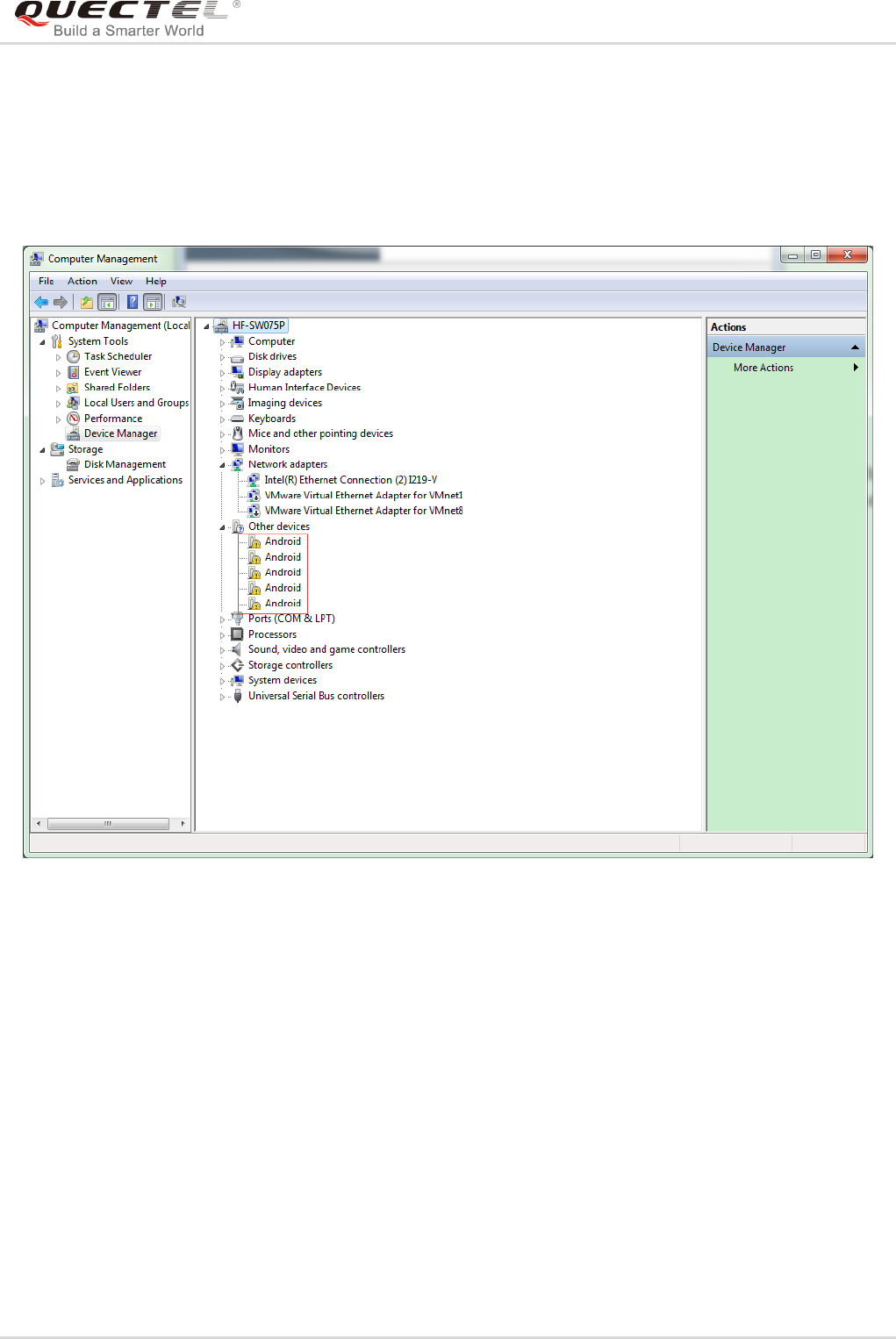
5. Complete Uninstallation
When the following interface is shown, it indicates the driver has been uninstalled successfully. Click
“Finish” to complete uninstallation.
Figure 15: Complete Uninstallation
LTE Module Series
LTE Windows USB Driver Installation Guide
LTE_Windows_USB_Driver_Installation_Guide 16 / 16
6. Check Uninstallation Result
After the USB driver has been uninstalled successfully, the device will switch to uninstalled status.
Customers can check whether the driver has been uninstalled successfully or not through “Computer
Management”, as illustrated below.
Figure 16: Check USB Driver Uninstallation Result
