RegistrationUserManual Registration User Manual For Non Author
User Manual:
Open the PDF directly: View PDF  .
.
Page Count: 5
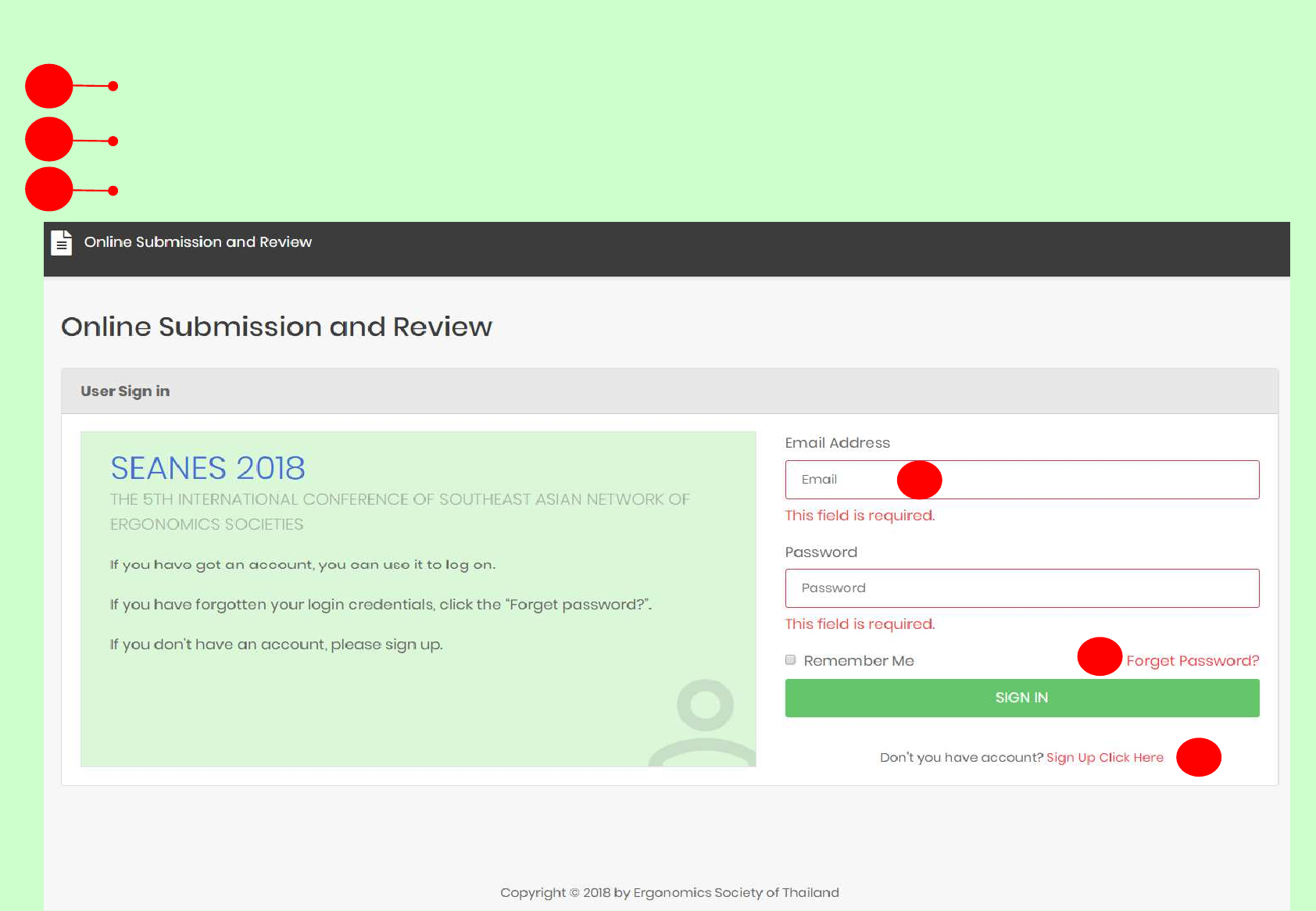
1. If you have an account you can sign in by email
2. If you have forgotten your password click “Forgot Password”
3. If you don’t have an account click “Sign Up Click Here”
3
1
2
Step 1: to sign in the SEANES registration for non-author
1
2
3

Step 2: to add registration [+ADD REGISTRATION]
1. Click the menu on the top-right corner to check and edit your profile such as name, address or others.
The information of name and contact address will be automatically added to the invoice during the registration.
2. Click the green button “+ADD REGISTRATION” to register and create an invoice.
1
2
1
2
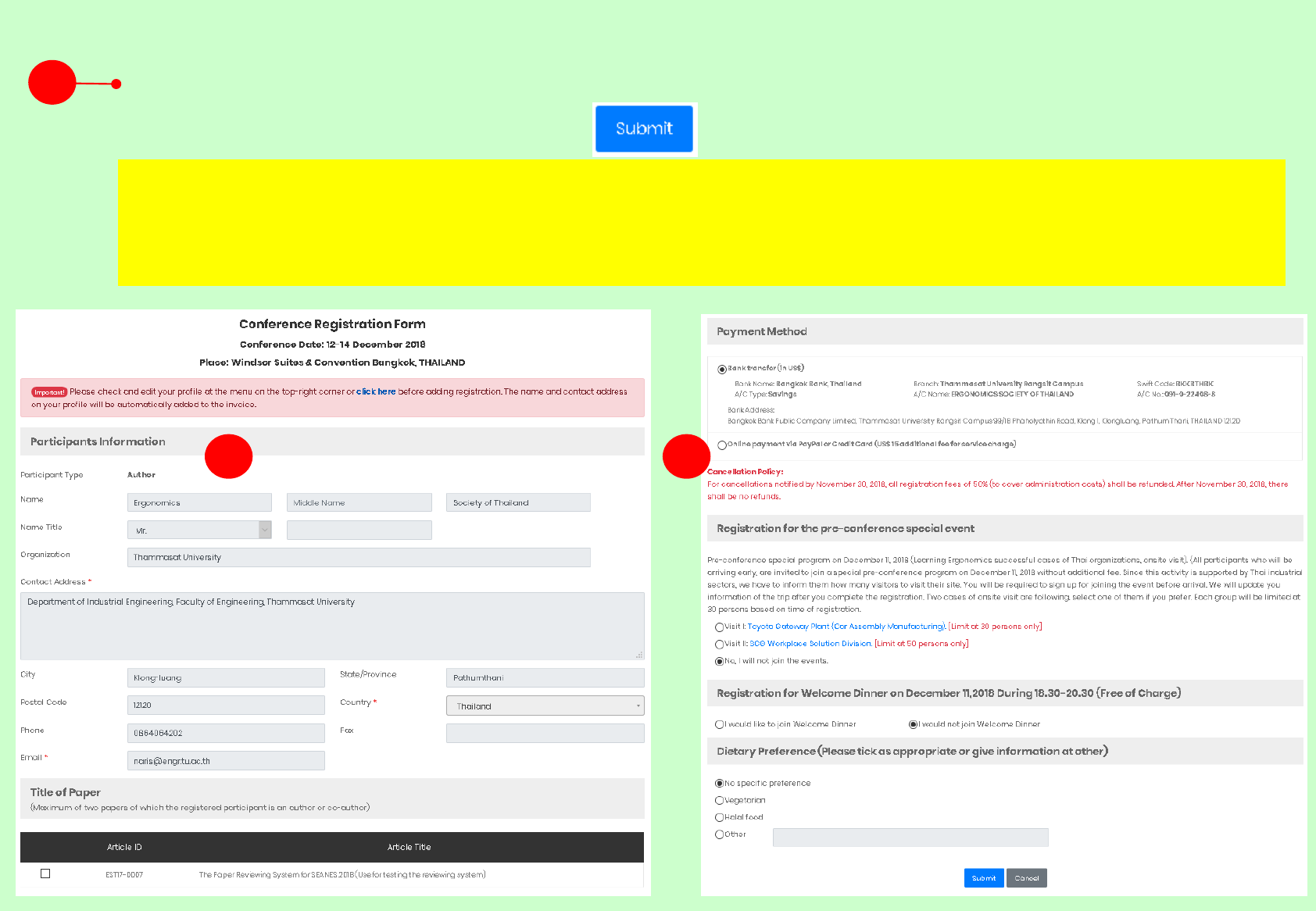
1. Fill the registration form, select paper, interesting activities and dietary preference
then submit the registration form.
3
3 3
After you submit the registration form you will received an automatic email and the attached invoice.
Please make sure your payment will be performed not later than the due date presented in the invoice.
Step 3 : Fill the registration form
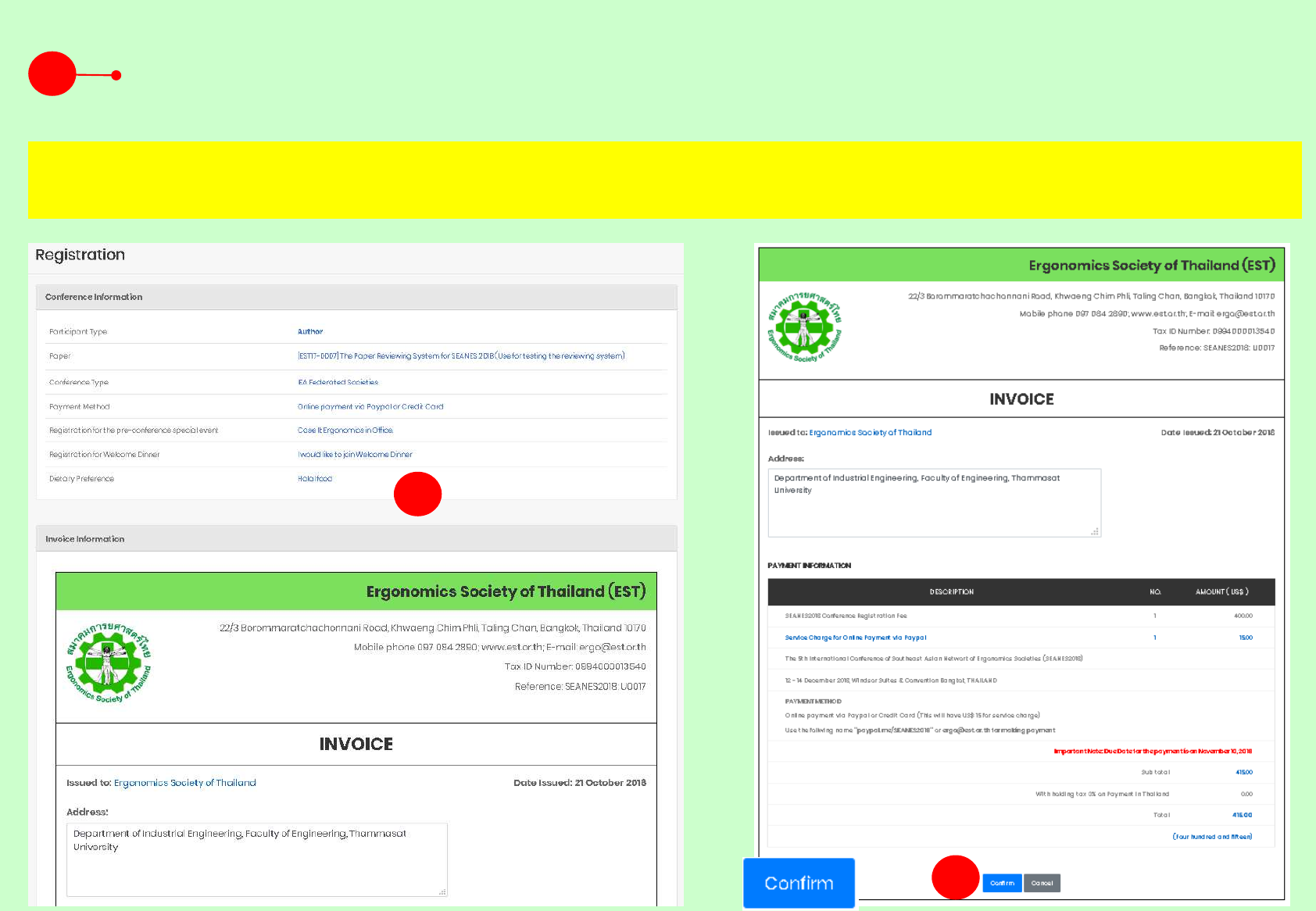
1. Check all information . You can also edit the contact address presenting on the
invoice at this page. Then click “Confirm” button at the end of the invoice.
4
5
4
Step 4: Check the invoice information
After confirming the invoice you will automatically received an email with the attached invoice. If you
haven’t any email with in 5 minutes, please check the trash/spam box of your email system.
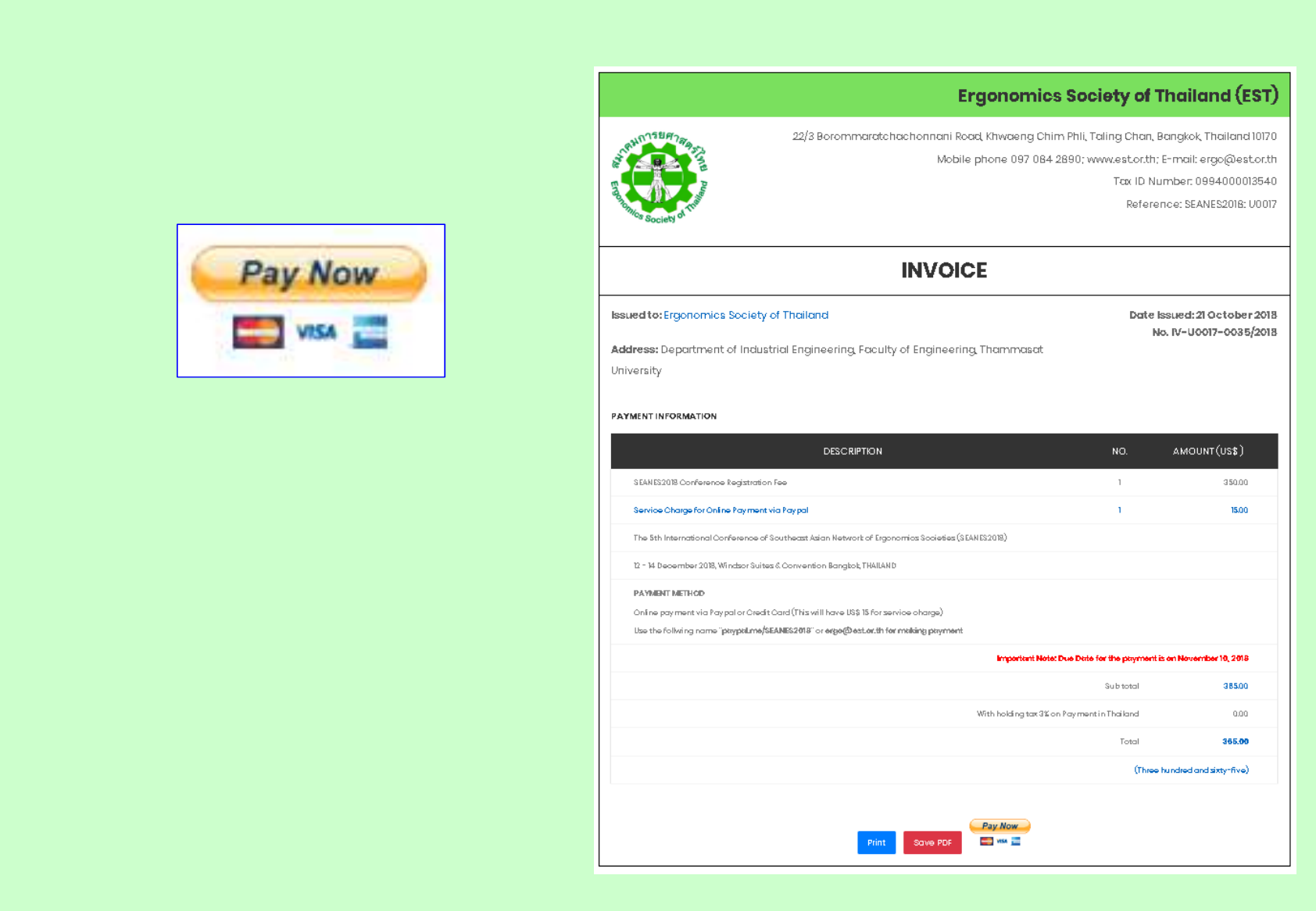
On line payment can be performed via
PayPal by clicking the following button
