Synthesis Tool User Manual
User Manual:
Open the PDF directly: View PDF  .
.
Page Count: 8

ALC Synthesis
1
1

ALC Synthesis
2
2
Synthesis
Artifact Lifecycle Synthesis Process Manual
A Guide to use Synthesis tool to synthesize a Synchronized Artifact Lifecycle
from an Artifact-Annotated Activity-centric process model.
September 1, 2018
Written By

ALC Synthesis
3
3
I. Introduction
The Synthesis tool mainly extracts a Synchronized Artifact Lifecycle from an Artifact-
annotated process model (Activity-centric process model annotated with artifacts and their
states). The input to the tool is a BPMN process in XML representation. The tool mainly
extracts a tree representation of the input BPMN process such as Process tree (or Tree
Model) and then generates the lifecycles of artifacts from this representation, finally refines
and synchronizes the artifact lifecycles.

ALC Synthesis
4
4
Example
Step 1: Load the project on NetBeans IDE.
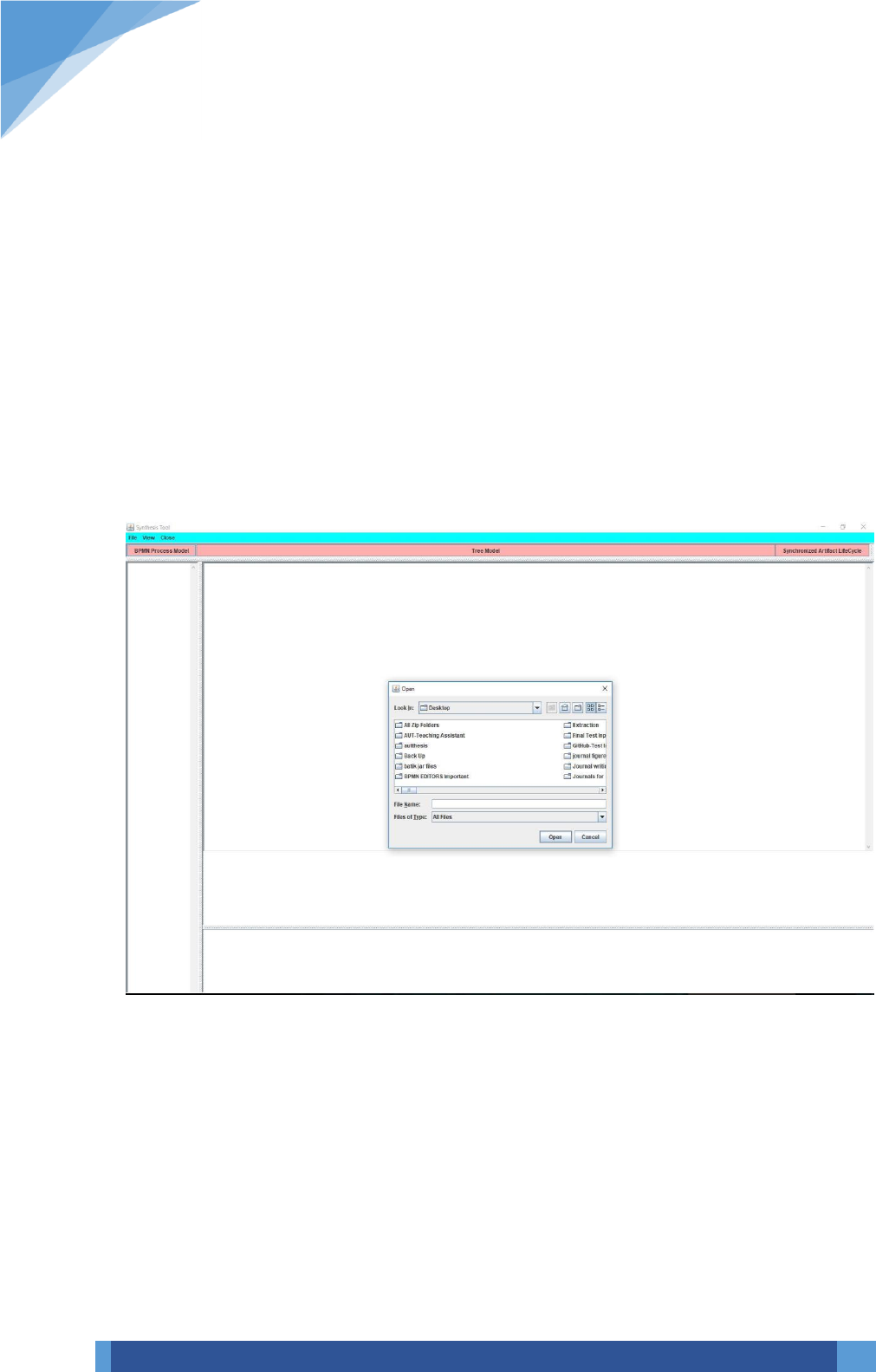
Step 2: The following is the GUI visible after running the file ‘SynthesisGUI.java’.
ALC Synthesis
5
5
Step 3: Go to File and click on open menu item, which provides a file chooser to browse
an input xml file that represents a BPMN process. Another way to browse a file is through
‘BPMN Process Model’ button. The FileChooser can be visible as follows:
ALC Synthesis
6
6
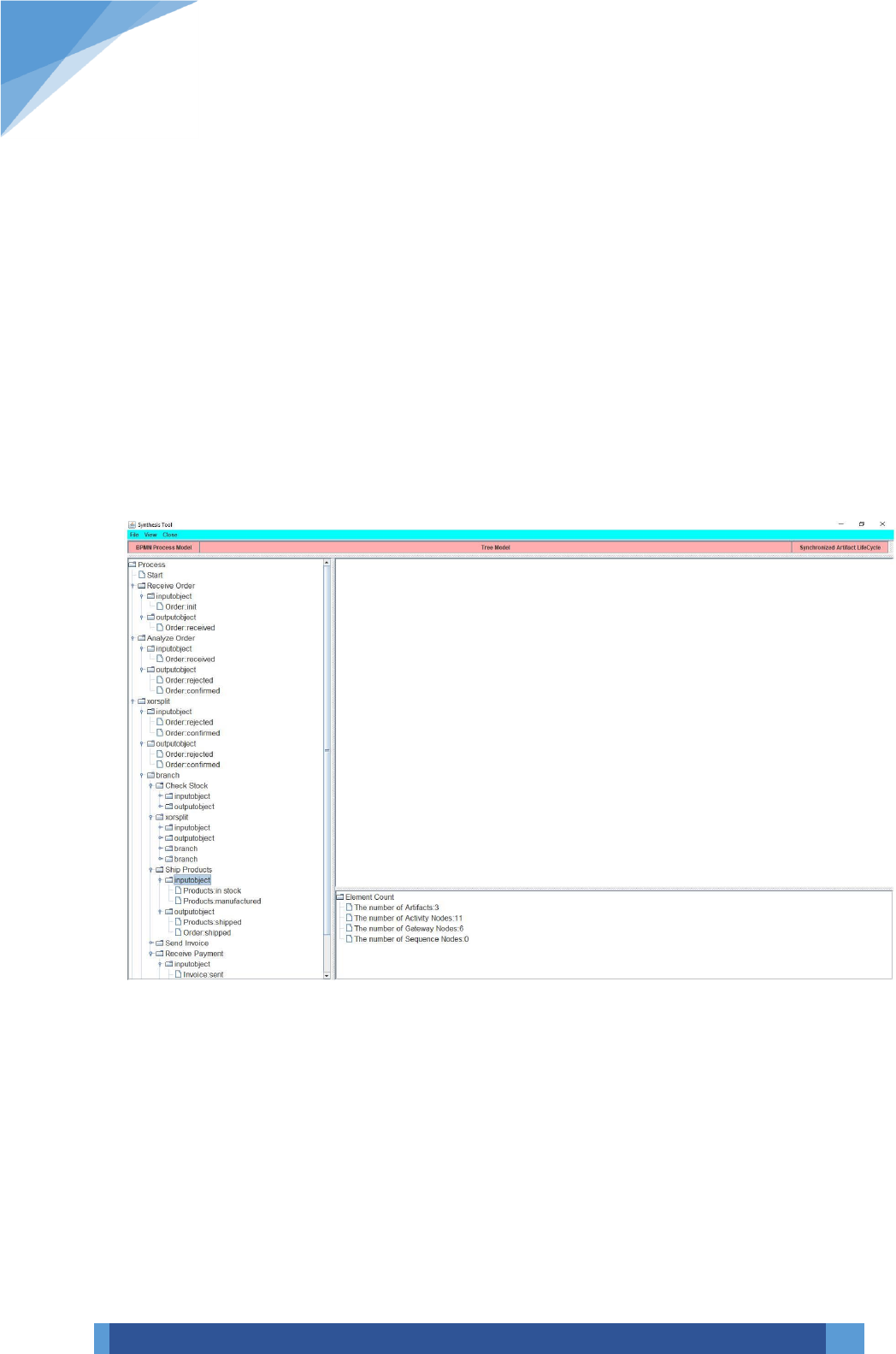
Step 4: when we browse a file, we can see the graphical representation of the process, along
with its node count and its tree structure that provides information on the set of nodes of
the process along with their input and output artifacts and states. The following shows such
representation:
ALC Synthesis
7
7
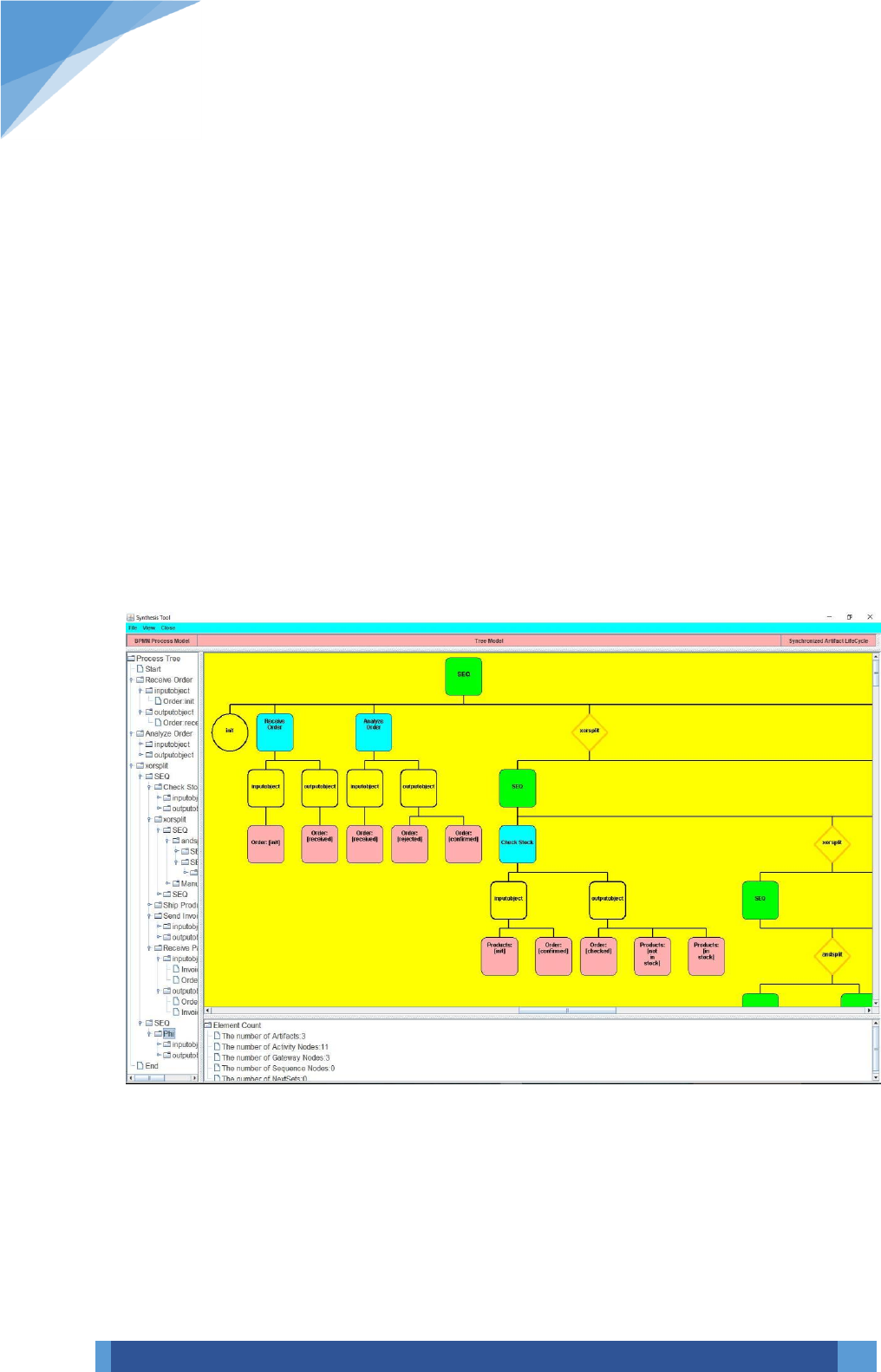
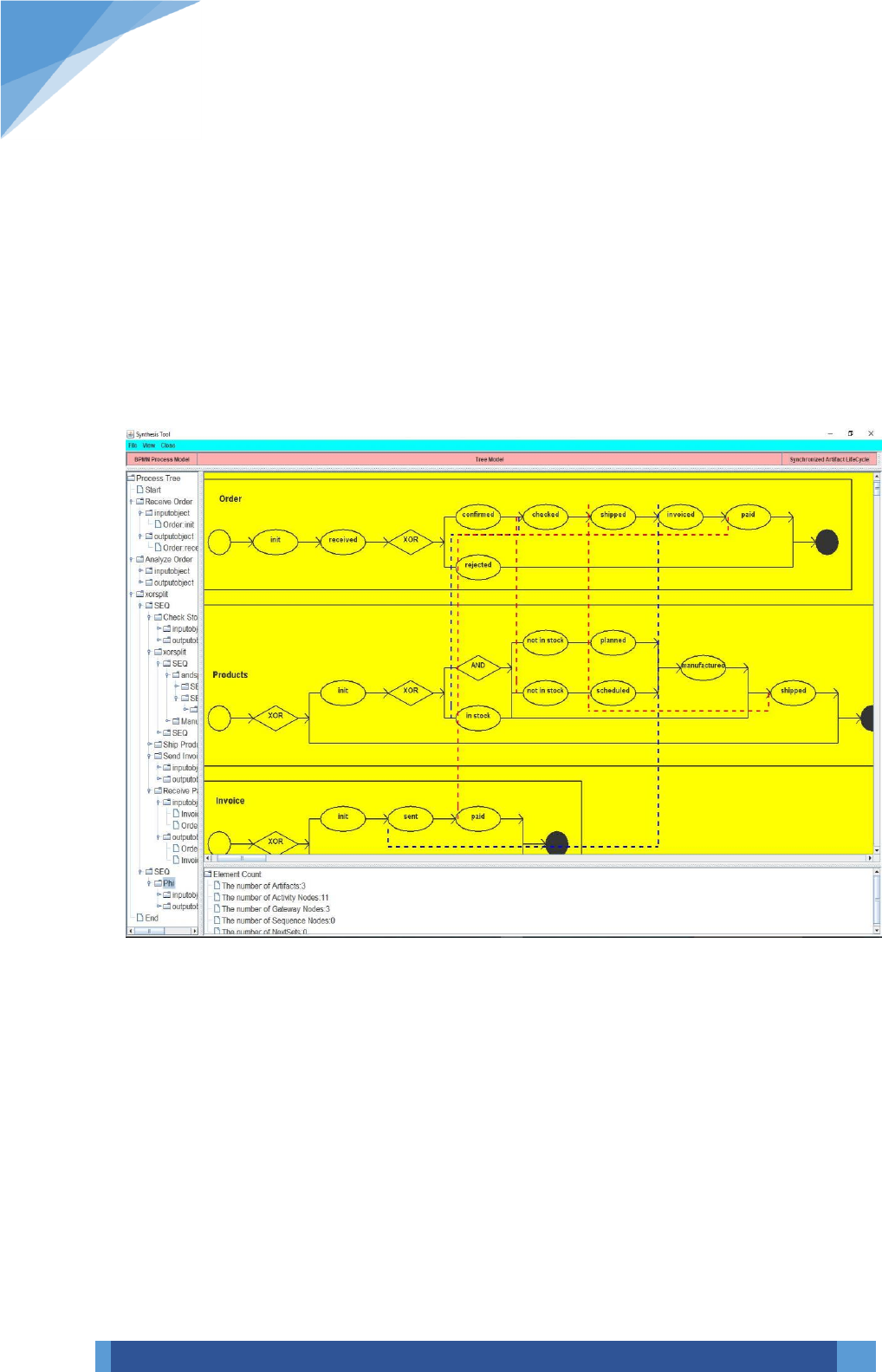
Step 5: The buttons shown on the GUI such as ‘Tree Model’ and ‘Synchronized Artifact
Life cycle’ are used to view the tree representation of the process model and the artifact life
cycles or Synchronized artifact lifecycles. So, click on the ‘Tree Model’ to view the tree
representation of the BPMN process and click on ‘Synchronized Artifact Life cycle’ button
to view the interacting life cycles that are extracted from the tree model. The following
screen shots show a sample tree and the resulting synchronized artifact lifecycle of a BPMN
process.
The node count in each input model is also shown in the bottom panel, which mainly
provides the count of activity nodes, gateway nodes, Seq nodes and artifacts.
ALC Synthesis
8
8
Step 6: And finally, to view the synchronized artifact lifecycle click on ‘Synchronized Artifact
Life cycle’. The resulting ALC for the above process is shown in the following screen.
