20HLV15 Toshiba LCD TV DVD SVM
User Manual: 20HLV15
Open the PDF directly: View PDF  .
.
Page Count: 97

SERVICE MANUAL
LCD TV/DVD
DOCUMENT CREATED IN JAPAN, July, 2005
20HLV15
FILE NO. 810-200556
Rev. 01
64
National Service Division
CableClear, ColorStream, TheaterWide and StableSound are registered trademarks of Toshiba America Consumer
Products, L.L.C.
LCDVD and GameTimer are trademarks of Toshiba America Consumer Products, L.L.C.
Printed in Thailand
J5U90201A SH 05/06
N
20HLV15
ENER Y STAR
PARTNER
DVD Playback
Using the
TV/DVD’s Features
Setting up
your TV/DVD
Connecting
your TV/DVD
Introduction Appendix
2
Child Safety
It Makes A Difference
Where Your TV Stands
Congratulations on your purchase!
As you enjoy your new TV, keep these safety tips in mind:
The Issue
If you are like most consumers, you have a TV in your home. Many homes,
in fact, have more than one TV.
The home theater entertainment experience is a growing trend, and larger
TVs are popular purchases; however, they are not always supported on
the proper TV stands.
Sometimes TVs are improperly secured or inappropriately
situated on dressers, bookcases, shelves, desks, audio
speakers, chests, or carts. As a result, TVs may fall over,
causing unnecessary injury.
Toshiba Cares!
The consumer electronics industry is committed to
making home entertainment enjoyable and safe.
The Consumer Electronics Association formed the
Home Entertainment Support Safety Committee,
comprised of TV and consumer electronics furniture
manufacturers, to advocate children’s safety and educate
consumers and their families about television safety.
Tune Into Safety
One size does NOT fit all! Use appropriate furniture large enough to
support the weight of your TV (and other electronic components).
Use appropriate angle braces, straps, and anchors to secure your furniture
to the wall (but never screw anything directly into the TV).
Carefully read and understand the other enclosed instructions for proper
use of this product.
Do not allow children to climb on or play with furniture and TVs.
Avoid placing any item on top of your TV (such as a VCR, remote control,
or toy) that a curious child may reach for.
Remember that children can become excited while watching a program
and can potentially push or pull a TV over.
Share our safety message about this hidden hazard of
the home with
your family and friends. Thank you!
2500 Wilson Blvd.
Arlington, VA 22201 U.S.A.
Tel. 703-907-7600 Fax 703-907-7690
www.CE.org
CEA is the Sponsor, Producer and
Manager of the International CES
®
Dear Customer,
Thank you very much for purchasing this Toshiba television.
You must carefully read and understand all of the safety
instructions contained in this manual before you attempt to
use this product in order to avoid potential hazards that could
cause bodily injury or property damage or could damage your
Television.
We hope that you are completely satisfied with your Toshiba
television and that it will give you long and enjoyable service.
We look forward to providing you with additional Toshiba
products to serve all of your entertainment needs in the future.
The lightning flash with arrowhead symbol, within an
equilateral triangle, is intended to alert the user to
the presence of uninsulated “dangerous voltage”
within the product’s enclosure that may be of
sufficient magnitude to constitute a risk of electric
shock to persons.
The exclamation point within an equilateral triangle,
is intended to alert the user to the presence of
important operating and maintenance (servicing)
instructions in the literature accompanying the
appliance.
CAUTION: To reduce the risk of electric shock,
do not use the polarized plug with an extension
cord, receptacle, or other outlet unless the blades
can be inserted completely to prevent blade
exposure.
CAUTION
RISK OF ELECTRIC SHOCK!
DO NOT OPEN.
NOTE TO CATV INSTALLERS
This is a reminder to call the CATV system installer’s attention
to Article 820-40 of the NEC, which provides guidelines for proper
grounding and, in particular, specifies that the cable ground shall be
connected to grounding system of the building, as close to the point of
cable entry as practical. For additional antenna grounding information,
see item 17 on page 4.
CAUTION: TO REDUCE THE RISK OF ELECTRIC
SHOCK, DO NOT REMOVE COVER (OR BACK).
NO USER-SERVICEABLE PARTS INSIDE. REFER
SERVICING TO QUALIFIED SERVICE PERSONNEL.
Safety Precautions
WARNING: TO REDUCE THE RISK OF FIRE OR
ELECTRIC SHOCK, DO NOT EXPOSE THIS
APPLIANCE TO RAIN OR MOISTURE.
Always read and understand the PRODUCT WARNINGS and
USER DIRECTIONS that are contained in this manual before
attempting to use your television, to help ensure its safe use.
Always store this manual near your television for convenient future
reference.
ENERGY STAR® qualified TV. Products that earn
the ENERGY STAR prevent green house gas
emissions by meeting strict energy efficiency
guidelines set by the U.S. Environmental
Protection Agency and the U.S. Department of
Energy. ENERGY STAR and the ENERGY STAR
mark are registered U.S. marks.
ENER Y STAR
WARNING: Handling the cord on this product or cords
associated with accessories sold with this product will expose you to
lead, a chemical known to the State of California to cause birth defects
or other reproductive harm. Wash hands after handling.
Introduction
WARNING: Always use the Toshiba wall bracket specified below or
another wall bracket approved by Toshiba for wall mounting this
television. The use of any wall bracket other than the Toshiba wall
bracket specified below or another wall bracket approved by Toshiba
for wall mounting this television could result in serious bodily injury
and/or property damage.
In the U.S.:
Use Toshiba wall bracket model number FWB2027. For more
information, call TACP's Consumer Solutions Center at 1-800-631-
3811 or visit TACP's website at www.tacp.toshiba.com.
In Canada:
Call TCL's Customer Service Department at 1-800-268-3404.
3
DVD Playback
Using the
TV/DVD’s Features
Setting up
your TV/DVD
Connecting
your TV/DVD
Introduction Appendix
1. READ INSTRUCTIONS
All the safety and operating instructions should be read before the unit is operated.
2. RETAIN INSTRUCTIONS
The safety and operating instructions should be retained for future reference.
3. HEED WARNINGS
All warnings on the unit and in the operating instructions should be adhered to.
4. FOLLOW INSTRUCTIONS
All operating and use instructions should be followed.
5. CLEANING
Unplug this unit from the wall outlet before cleaning. Do not use liquid cleaners or aerosol
cleaners. Clean only with a dry cloth.
6. ATTACHMENTS
Do not use attachments not recommended by the product manufacturer as they may cause hazards.
7. WATER AND MOISTURE
Do not use this unit near water. For example, near a bathtub, washbowl, kitchen sink, laundry tub, in a wet basement,
or near a swimming pool.
Location of the required Marking
The rating sheet and the safety caution are the rear of the unit.
CERTIFICATION: COMPLIES WITH FDA RADIATION
PERFORMANCE STANDARDS, 21 CFR SUBCHAPTER J.
CAUTION:
THIS DIGITAL VIDEO PLAYER EMPLOYS A LASER SYSTEM.
TO ENSURE PROPER USE OF THIS PRODUCT, PLEASE READ
THIS OWNER'S MANUAL CAREFULLY AND RETAIN FOR
FUTURE REFERENCE. SHOULD THE UNIT REQUIRE
MAINTENANCE, CONTACT AN AUTHORIZED SERVICE
LOCATION.
USE OF CONTROLS, ADJUSTMENTS OR THE PERFORMANCE
OF PROCEDURES OTHER THAN THOSE SPECIFIED HEREIN
MAY RESULT IN HAZARDOUS RADIATION EXPOSURE.
TO PREVENT DIRECT EXPOSURE TO LASER BEAM, DO NOT
TRY TO OPEN THE ENCLOSURE. VISIBLE LASER RADIATION
MAY BE PRESENT WHEN THE ENCLOSURE IS OPENED. DO
NOT STARE INTO BEAM.
FCC compliance information
CAUTION: TO PREVENT ELECTRIC SHOCK DO NOT USE THIS POLARIZED PLUG WITH AN EXTENSION CORD, RECEPTACLE
OR OTHER OUTLET UNLESS THE BLADES CAN BE FULLY INSERTED TO PREVENT BLADE EXPOSURE.
Federal Communications Commission (FCC):
This equipment complies with Part 15 of the FCC rules.
FCC Declaration of Conformity Compliance Statement (Part 15):
The Toshiba 20HLV15, LCD TV/DVD Combination complies with Part 15 of the FCC rules. Operation is subject to the
following two conditions: (1) this device may not cause harmful interference, and (2) this device must accept any interference
received, including interference that may cause undesired operation.
The party responsible for compliance to these rules is:
Toshiba America Consumer Products, L.L.C.
82 Totowa Rd. Wayne, NJ 07470.
Ph: (800) 631-3811
NOTE: This equipment has been tested and found to comply with the limits for a Class B digital device, pursuant to Part 15 of the
FCC rules. These limits are designed to provide reasonable protection against harmful interference in a residential
installation. This equipment generates, uses, and can radiate radio frequency energy and, if not installed and used in
accordance with the instructions, may cause harmful interference to radio communications. However, there is no guarantee
that interference will not occur in a particular installation. If this equipment does cause harmful interference to radio or
television reception, which can be determined by removing and applying power to the equipment, the user is encouraged to
try to correct the interference by one or more of the following measures:
- Reorient or relocate the receiving antenna.
- Increase the separation between the equipment and the receiver.
- Connect the equipment into an outlet on a circuit different from that to which the receiver is connected.
- Consult the dealer or an experienced radio/TV technician for help.
CAUTION: Changes or modifications to this equipment not expressly approved by Toshiba could void the user’s authority to operate this
equipment.
Introduction
IMPORTANT SAFEGUARDS
4
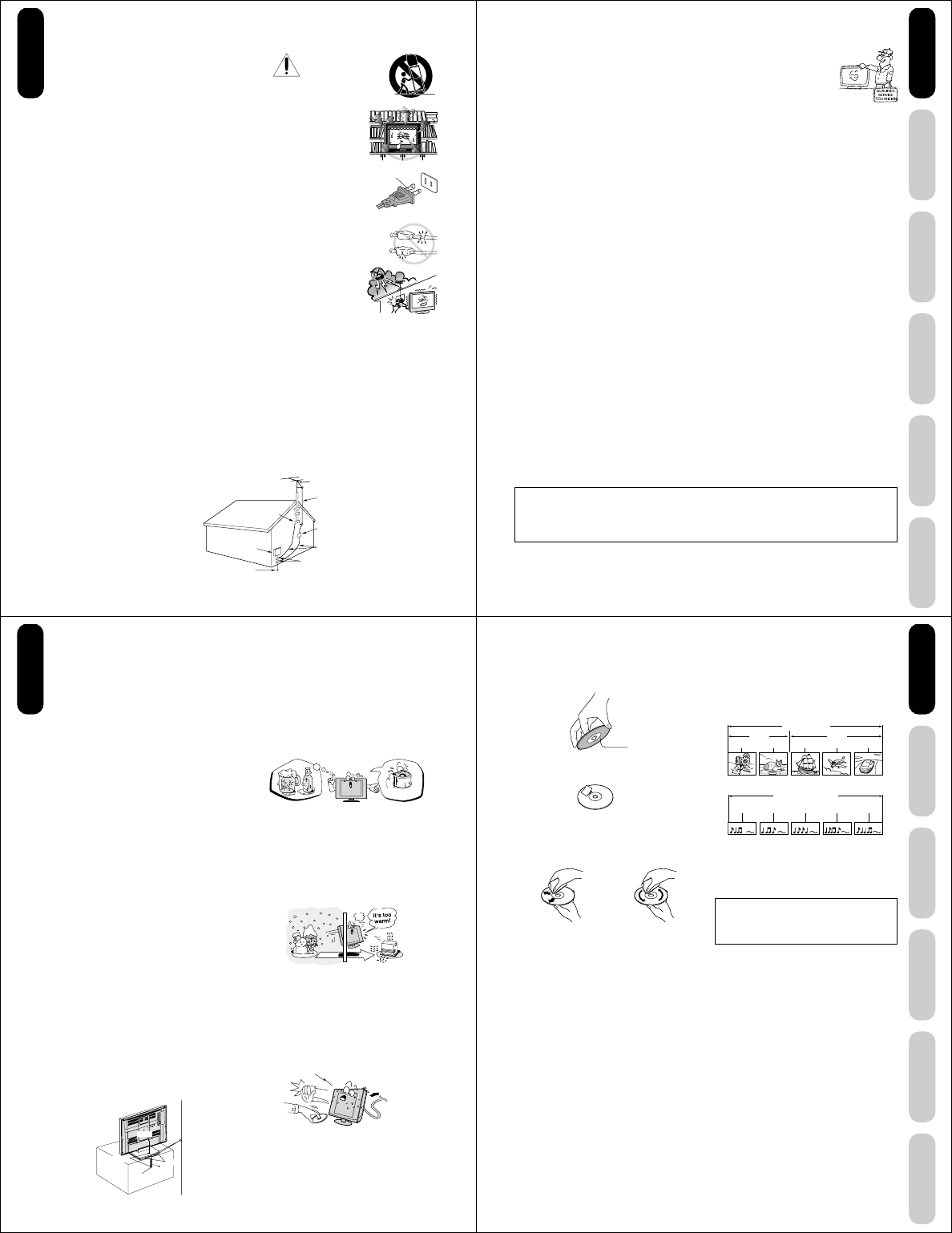
EXAMPLE OF ANTENNA
GROUNDING AS PER THE
NATIONAL ELECTRICAL CODE ANTENNA DISCHARGE UNIT
(NEC SECTION 810-20)
ANTENNA LEAD IN WIRE
GROUNDING CONDUCTORS
(NEC SECTION 810-21)
GROUND CLAMPS
POWER SERVICE GROUNDING
ELECTRODE SYSTEM (NEC ART 250, PART H)
GROUND
CLAMP
ELECTRIC SERVICE
EQUIPMENT
NEC-NATIONAL ELECTRICAL CODE
S2898A
8. ACCESSORIES
Do not place this product on an unstable cart, stand, tripod, bracket,
or table. The product may fall, causing serious injury to a child or adult,
and serious damage to the product. Use only with a cart, stand, tripod,
bracket, or table recommended by the manufacturer, or sold ith the
product. Any mounting of the product should follow the manufacturer's
instructions, and should use a mounting accessory recommended by
the manufacturer.
8A.
An appliance and cart combination should be moved with care. Quick
stops, excessive force, and uneven surfaces may cause the appliance
and cart combination to overturn.
9. VENTILATION
Slots and openings in the cabinet back or bottom are provided for ventilation, and to
ensure reliable operation of the unit, and to protect it from overheating. These openings must
not be blocked or covered. The openings should never be blocked by placing the unit on a bed,
sofa, rug, or other similar surface. This unit should never be placed near or over a radiator or heat
source. This unit should not be placed in a built-in installation such as a bookcase or rack unless
proper ventilation is provided or the manufacturer’s instructions have been adhered to.
10. POWER SOURCE
This unit should be operated only from the type of power source indicated on the rating plate. If you
are not sure of the type of power supply to your home, consult your appliance dealer or local power
company.
11. GROUNDING OR POLARIZATION
This unit is equipped with a polarized alternating-current line plug (a plug having one blade wider than
the other). This plug will fit into the power outlet only one way. This is a safety feature. If you are unable
to insert the plug fully into the outlet, try reversing the plug. If the plug should still fail to fit,
contact your electrician to replace your obsolete outlet.
12. POWER-CORD PROTECTION
Power-supply cords should be routed so that they are not likely to be walked on or pinched by items placed upon or
against them, paying particular attention to cords at plugs, convenience receptacles, and the point where they exit from
the appliance.
13. LIGHTNING
To protect your unit from a lightning storm, or when it is left unattended and unused for long periods of time, unplug it from the wall
outlet and disconnect the antenna or cable system. This will prevent damage to the unit due to lightning and power line surges.
14. POWER LINES
An outside antenna system should not be located in the vicinity of overhead power lines or other electric light or power
circuits, or where it can fall onto or against such power lines or circuits. When installing an outside antenna system,
extreme care should be taken to keep from touching such power lines or circuits, as contact with them might be fatal.
15. OVERLOADING
Do not overload wall outlets and extension cords, as this can result in a risk of fire or electric shock.
16. OBJECT AND LIQUID ENTRY
Do not push objects through any openings in this unit, as they may touch dangerous voltage points or short out parts
that could result in fire or electric shock. Never spill or spray any type of liquid into the unit.
17. OUTDOOR ANTENNA GROUNDING
If an outside antenna or cable system is connected to the unit, be sure the antenna or cable system is grounded to
provide some protection against voltage surges and built-up static charges, Section 810 of the National Electrical
Code (NEC), ANSI/NFPA 70, provides information with respect to proper grounding of the mast and supporting
structure, grounding of the lead-in wire to an antenna discharge unit, size of grounding conductors, location of antenna
discharge unit, connection to grounding electrodes, and requirements for the grounding electrode.
Wide plug
S3126A
PORTABLE CART WARNING
(symbol provided by RETAC)
DANGER:
RISK OF DEATH, SERIOUS
PERSONAL INJURY, OR
EQUIPMENT DAMAGE.
Introduction
5
DVD Playback
Using the
TV/DVD’s Features
Setting up
your TV/DVD
Connecting
your TV/DVD
Introduction Appendix
18. SERVICING
Do not attempt to service this unit yourself, as opening or removing covers may expose you to
dangerous voltage or other hazards. Refer all servicing to qualified service personnel.
For example:
a. When the power-supply cord or plug is damaged.
b. If liquid has been spilled, or objects have fallen into the unit.
c. If the unit has been exposed to rain or water.
d. If the unit does not operate normally by following the operating instructions. Adjust only those
controls that are covered by the operating instructions, as an improper adjustment of other controls may result in
damage and will often require extensive work by a qualified technician to restore the unit to its normal operation.
e. If the unit has been dropped or the cabinet has been damaged.
f. When the unit exhibits a distinct change in performance, this indicates a need for service.
19. REPLACEMENT PARTS
When replacement parts are required, be sure the service technician uses replacement parts specified by the
manufacturer or those that have the same characteristics as the original part.
Unauthorized substitutions may result in fire, electric shock or other hazards.
20. SAFETY CHECK
Upon completion of any service or repairs to this unit, ask the service technician to perform safety checks to
determine that the unit is in proper operating condition.
21. HEAT
The product should be situated away from heat sources such as radiators, heat registers, stoves, or other products
(including amplifiers) that produce heat.
22. DISC SLOT
Keep your fingers well clear of the disc slot as it is closing. Failure to do so may cause serious personal injury.
23. CONNECTING
When you connect the product to other equipment, turn off the power and unplug all of the equipment from the wall
outlet. Failure to do so may cause a product damage. Read the owner's manual of the other equipment carefully and
follow the instructions when making any connections.
24. HEADPHONES
When you use headphones, keep the volume at a moderate level. Using headphones continuously at a high volume
may cause hearing damage.
25. LASER BEAM
Do not look into the opening of the disc slot or ventilation opening of the product to see the source of the laser beam.
Doing so may cause sight damage.
26. DISC
Do not use a cracked, deformed, or repaired disc. These discs are easily broken and may cause serious personal
injury and product malfunction.
27. LCD
Do not press on or jolt the LCD panel. Doing so may cause the LCD panel glass to break and injury may occur.
Should the LCD panel be broken and liquid leaks out, do not inhale or swallow it. Doing so may cause poisoning. If
you have got it into your mouth, wash it out and consult your doctor. If your hands or clothes have touched it, wipe
them with alcohol and a cleaning cloth and then wash them well.
28. NOTE TO CABLE TV SYSTEM INSTALLER
This reminder is provided to call the Cable TV system installer’s attention to Article 820-40 of the NEC that provides
guidelines for proper grounding and, in particular, specifies that the cable ground shall be connected to the grounding
system of the building, as close to the point of cable entry as practical.
ON DISPOSAL
This product contains mercury. Disposal of mercury may be regulated due to environmental
considerations. For disposal or recycling information, please contact your local authorities or the
Electronic Industrial Alliance: www.eiae.org.
Introduction
6
Precautions
Important notes about your LCD TV
The following symptoms are technical limitations of
LCD Display technology and are not an indication of
malfunction. Therefore, Toshiba is not responsible for
perceived defects resulting from these symptoms.
1) An afterimage (ghost) may appear on the screen if a
fixed, nonmoving image is displayed for a long period of
time. The afterimage is not permanent and will
disappear in a short period of time.
2)
The LCD panel contained in this TV is manufactured using
an extremely high level of precision technology; however,
there may be an occasional pixel (dot of light) that does
not operate properly (does not light, remains constantly
lit, etc.). This is a structural property of LCD technology,
is not a sign of malfunction, and is not covered under your
warranty. Such pixels are not visible when the picture is
viewed from a normal viewing distance.
Note: Interactive video games that involve shooting a
“gun” type of joystick at an on-screen target may not
work on this TV.
Notes on handling
■Do not subject the LCD panel to physical shock, such as
dropping it. It may cause unit damage and malfunction.
■Retain the original shipping carton and packing
materials. For maximum protection when shipping,
repack the unit as it was originally packed at the factory.
■Do not use volatile liquids, such as insecticide, near the
unit. Do not leave rubber or plastic products in contact
with the unit for prolonged periods of time. Doing so will
leave marks on the finish.
■The top and rear panels of the unit may become warm
after a long period of use. This is not a malfunction.
■When the unit is not in use, always remove the disc and
turn off the power.
■If you do not use the unit for a long period, the unit may
not function properly in the future. Turn on and use the
unit occasionally.
Notes on locating the unit
■When you place this unit near a TV, radio, or VCR, the
playback picture may become poor and the sound may
be distorted. In this case, place the unit away from the
TV, radio, or VCR.
■To avoid damage to this product, never place or store
the TV/DVD in direct sunlight; hot, humid areas; or areas
subject to excessive dust or vibration.
■Always place the TV/DVD on the floor or a sturdy, level
stable surface that can support the weight of the unit.
Use a sturdy tie between the TV/DVD's rear hooks and the
rear wall, pillar, etc., or screw the TV to the stand using the
TV’s rear screw hole or a safety band (see illustration).
Note on cleaning
Clean only with a soft, dry, lint-free cloth.
Notes on moisture condensation
Moisture condensation damages the unit. Please read
the following carefully.
Moisture condensation occurs, for example, when you
pour a cold drink into a glass on a warm day and drops of
water form on the outside of the glass. In the same way,
moisture may condense on this unit’s internal optical pick-
up lens, one of the most crucial internal parts of the unit.
■Moisture condensation may occur in the following
situations:
• When you move the unit from a cold area to a warm
area.
• When you use the unit in a room in which the heat was
just turned on.
• When you use the unit in an area where cold air from an
air conditioner directly hits the unit.
• When you use the unit in a humid area.
■Never use the unit when moisture condensation may
occur.
Using the unit when moisture condensation exists may
damage discs and internal parts. Remove the disc,
connect the power cord of the unit to the wall outlet, turn
on the unit, and leave it for two or three hours. After two
or three hours, the unit will have warmed up and
evaporated any moisture. Keep the unit connected to the
wall outlet and moisture condensation will seldom occur.
E
x
a
m
p
l
e
o
f
m
o
i
s
t
u
r
e
c
o
n
d
e
n
s
a
t
i
o
n
!
Optical pick-up
lens
Introduction
Screw holes
TV Stand Screw
Safety Band
Wall
Tie
Hooks
Screw
Wait!
Wall outlet
7
DVD Playback
Using the
TV/DVD’s Features
Setting up
your TV/DVD
Connecting
your TV/DVD
Introduction Appendix
Notes on discs
On handling discs
• Do not touch the playback side of the disc.
• Do not attach paper or tape to discs.
On cleaning discs
• Fingerprints and dust on the disc cause picture and sound
deterioration. Wipe the disc from the center outward with
a soft, lint-free cloth. Always keep the disc clean.
• Never use any type of solvent such as thinner, benzine,
commercially available cleaners, or antistatic spray made
for use on vinyl LPs. Use of such liquids may damage the
disc.
On storing discs
• Never store discs in a place subject to direct sunlight or
near heat sources.
• Never store discs in places subject to moisture and dust
such as a bathroom or near a humidifier.
• Always store discs vertically in a case. Stacking or
placing objects on discs outside of their case may cause
warping.
Playback side
Title 1 Title 2
Chapter 1 Chapter 2 Chapter 1 Chapter 2 Chapter 3
Track 1 Track 2 Track 3 Track 4 Track 5
DVD video disc
Video CD/Audio CD
Structure of disc contents
Normally, DVD video discs are divided into titles, and the
titles are sub-divided into chapters. Video CDs and Audio
CDs are divided into tracks.
DVD video disc
Video CD/Audio CD
Each title, chapter or track is assigned a number, which is
called “title number”, “chapter number” or “track number”
respectively.
Some discs may not have these numbers.
Notes on copyright
The unauthorized recording, use, distribution, or
revision of television programs, video tapes, DVDs,
and other materials is prohibited under the Copyright
Laws of the United States and other countries, and
may subject you to civil and criminal liability.
This product incorporates copyright protection technology
that is protected by method claims of certain U.S. patents
and other intellectual property rights owned by
Macrovision Corporation and other rights owners. Use of
this copyright protection technology must be authorised by
Macrovision Corporation and is intended for home and
other limited viewing uses only unless otherwise
authorised by Macrovision Corporation. Reverse engineer-
ing or disassembly is prohibited.
DO
DO NOT
DO NOT
DO
Introduction
8
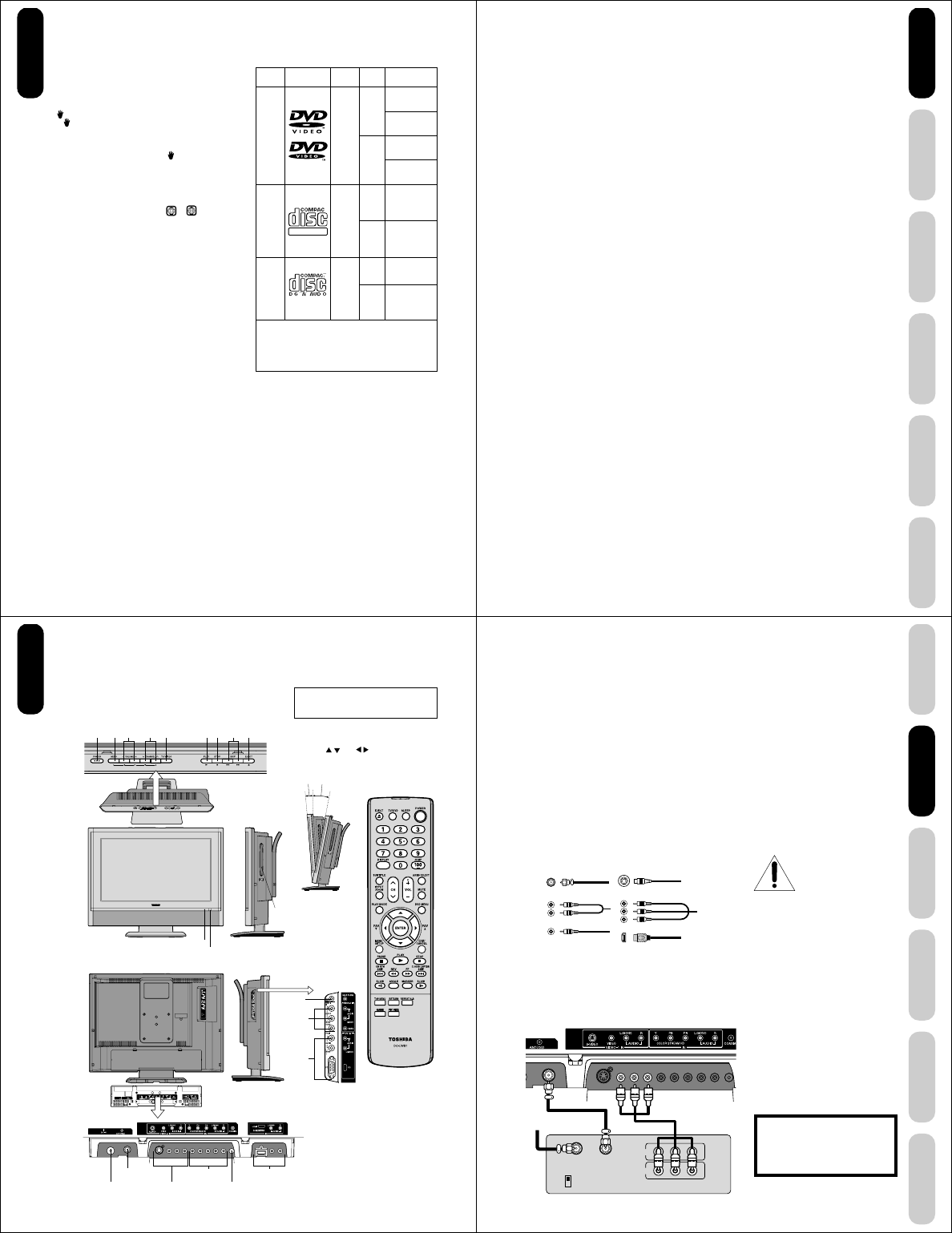
About this owner’s manual
This owner’s manual explains the basic instructions of this
unit. Some DVD video discs are produced in a manner
that allows specific or limited operation during playback.
As such, the unit may not respond to all operating
commands. This is not a defect in the unit. Refer to
instruction notes of discs.
“” may appear on the TV screen during operation.
A “ ” means that the operation is not permitted by the unit
or the disc.
For example, sometimes it is unable to stop the playback
of copyright message of the disc when the STOP (■)
button is pressed. Alternatively, the “ ” may also indicate
that the feature is not available for the disc.
Notes on region numbers
The region number of this unit is 1. If region numbers,
which stand for their playable area, are printed on your
DVD video disc and you do not find 1 or
ALL
, disc
playback will not be allowed by the player. (In this case,
the unit will display a message on-screen.)
Some DVDs that have no region code label may still be
subject to area restrictions and therefore are not playable.
On Video CDs
The DVD player contained in this LCD TV supports
Video CDs equipped with the PBC (Version 2.0) function.
(PBC is the abbreviation of Playback Control.) You can
enjoy two playback variations depending on types of discs.
•Video CD not equipped with PBC function
(Version 1.1)
Sound and movie can be played on this DVD in the
same way as an audio CD.
•Video CD equipped with PBC function
(Version 2.0)
In addition to operation of a Video CD not equipped with
the PBC function, you can enjoy playback of interactive
software with search function by using the menu
displayed on the TV screen (Menu Playback). Some of
the functions described in this owner’s manual may not
work with some discs.
Playable discs
This unit can play the following discs.
DIGITAL VIDEO
Disc Mark
Contents
Disc
Size Maximum
playback time
Audio
+
Video
(moving
pictures)
DVD
video
discs
Video
CDs
Audio
CDs
Audio
+
Video
(moving
pictures)
Audio
12 cm
8 cm
[with Disc
adapter]
12 cm
12 cm
8 cm (CD
single)
[with Disc
adapter]
Approx. 4 hours
(single sided disc)
Approx. 8 hours
(double sided disc)
Approx. 80 minutes
(single sided disc)
Approx. 160 minutes
(double sided disc)
Approx. 74 minutes
Approx. 20 minutes
Approx. 74 minutes
Approx. 20 minutes
The following discs are also available.
• DVD-R/RW discs of DVD video format
• CD-R/CD-RW discs of CD-DA, Video CD, MP3,
WMA or JPEG format
• Kodak Picture CD and FUJICOLOR CD format
Some of these discs may be incompatible.
• You cannot play discs other than those listed above.
• You cannot play discs of DVD-RAM, DVD-ROM, Photo
CD, etc., or non standardized discs even if they may be
labeled as above.
• Some CD-R/RWs cannot be played back depending on
the recording conditions.
• This unit uses the NTSC color system, and cannot play
DVD video discs recorded in any other color system
(PAL, SECAM, etc.).
• When you playback the 8 cm disc, you need an
adapter (not supplied).
Because of problems and errors that can occur during the
creation of DVD and CD software and/or the manufacture of
DVD and CD discs, Toshiba cannot guarantee that the DVD
player contained in this LCD TV will play every feature of
every DVD bearing the DVD logo and/or every CD bearing
the CD logo. As one of the creators of DVD technology,
Toshiba DVD players are manufactured using the highest
standards of quality, and as a result, such incompatibilities
are rare. If you happen to experience any difficulty playing a
DVD or a CD on the DVD player contained in this LCD TV,
please feel free to contact us via the methods listed in the
“How to Obtain Warranty Services” sections on page 63 (as
applicable).
Introduction
8 cm
[with Disc
adapter]
9
DVD Playback
Using the
TV/DVD’s Features
Setting up
your TV/DVD
Connecting
your TV/DVD
Introduction Appendix
Introduction ........................................................... 2
FCC compliance information ...................................... 3
IMPORTANT SAFEGUARDS ..................................... 3
Precautions ................................................................ 6
Notes on discs ............................................................ 7
Exploring your new TV/DVD..................................... 10
Selecting a location for the TV/DVD ......................... 11
Connecting your TV/DVD ................................... 11
Connecting a VCR.................................................... 11
Connecting a cable converter box or Antenna ......... 12
Connecting a satellite receiver and a VCR............... 13
Connecting a DVD player with ColorStream®
(component video) and a VCR ................................. 14
Connecting a DTV receiver/set-top box with
ColorStream® (component video) and a VCR .......... 15
Connecting a camcorder .......................................... 16
Connecting an HDMI™ or a DVI device to the
HDMI input ............................................................... 17
Connecting an amplifier equipped with a Dolby®
Digital decoder ......................................................... 18
Connecting an amplifier equipped with a DTS®
decoder .................................................................... 18
Connecting an amplifier equipped with an MPEG
audio decoder........................................................... 19
Connecting an amplifier equipped with a digital
audio input ................................................................ 19
Connecting a PC (Personal Computer) .................... 20
Power source ........................................................... 20
Setting up your TV/DVD...................................... 21
Using the remote control .......................................... 21
Installing the remote control batteries ................. 21
Learning about the remote control ...................... 22
Starting setup ........................................................... 23
Changing the on-screen display language ......... 23
Adding channels to the TV/DVD’s memory ........ 24
Programming channels automatically ................. 24
Adding and erasing channels manually .............. 24
Changing channels ............................................. 24
Game mode ........................................................ 24
Using the TV/DVD’s features .............................. 25
Adjusting the channel settings.................................. 25
Switching between two channels ........................ 25
Programming your favorite channels .................. 25
Using the LOCKS menu ........................................... 26
Selecting a password.......................................... 26
Using the V-Chip (parental control) feature ......... 27
Locking channels ................................................ 28
Locking the video inputs ..................................... 28
Setting the GameTimerTM .................................... 29
Using the panel lock feature ............................... 29
Labeling channels .................................................... 30
Selecting the video input source .............................. 31
Labeling the video input sources .............................. 31
Setting the clock ....................................................... 31
Setting the ON timer ................................................. 32
Viewing the wide-screen picture formats (480i and
480p signals only) .................................................... 33
Selecting the cinema mode ...................................... 34
Using the ASPECT feature ....................................... 34
Setting the sleep timer.............................................. 35
Using the closed caption feature .............................. 35
Adjusting the picture ................................................. 36
Selecting the picture mode ................................. 36
Adjusting the picture quality ................................ 36
Using the CableClear® feature ............................ 37
Selecting the color temperature .......................... 37
Resetting your picture adjustments .................... 37
Adjusting the sound .................................................. 38
Muting the sound ................................................ 38
Selecting stereo/SAP broadcasts ....................... 38
Adjusting the sound quality ................................. 38
Resetting your audio adjustments ...................... 39
Using the StableSound® feature ......................... 39
Using the WOW™ surround sound feature ........ 39
Selecting the HDMI audio input source .............. 40
Adjusting the back lighting feature ........................... 40
Displaying on-screen information ............................. 40
Auto power off .......................................................... 40
Understanding the Power Return feature ................. 40
Picture/Audio adjustments in the PC mode ........ 41
Resetting your picture/audio adjustments in the
PC mode ............................................................. 41
DVD Playback ...................................................... 42
Playing a disc ........................................................... 42
Playing in fast reverse or fast forward directions...... 44
Playing frame by frame ............................................ 44
Playing in slow-motion.............................................. 44
Locating a chapter or track ....................................... 44
Zooming ................................................................... 45
Locating desired scene ............................................ 45
Marking desired scenes ........................................... 46
Marking the scenes............................................. 46
Retuning to the scenes ....................................... 46
Repeat playback....................................................... 47
A-B Repeat playback................................................ 47
Program playback .................................................... 48
Random playback..................................................... 48
Changing angles ...................................................... 49
Title selection............................................................ 49
DVD menu ................................................................ 49
Changing soundtrack language................................ 50
Subtitles.................................................................... 50
Karaoke playback ..................................................... 51
Disc status ................................................................ 51
To turn off the PBC ................................................... 51
MP3/WMA/JPEG CD operation................................ 52
MP3/WMA CD playback ..................................... 53
JPEG CD playback ............................................. 54
DVD function setup .................................................. 55
Customizing the function settings ....................... 55
Temporary disabling of parental level by DVD disc
..... 58
Appendix .............................................................. 59
Language code list ................................................... 59
Troubleshooting ........................................................ 60
Specifications ........................................................... 62
Limited United States Warranty ................................ 63
Introduction
10
Exploring your new TV/DVD
You can operate your TV/DVD by using the buttons on the top panel or the remote control. The side and back panels
provide the inputs to connect other equipment to your TV/DVD.
Remote control
POWER
TV/VIDEO
MENU
VOLUME + / –
CHANNEL MM
MM
M / ??
??
?
PLAY
STOP
SKIP 4/¢
EJECT 0
AUDIO-2 IN
HEADPHONE
ColorStream
HD IN
Right side
Disc slot
Top
Front
Remote sensor
POWER indicator
Back Left side
Side panel
The STARTING SETUP feature appears
the first time you turn on the TV/DVD. See
page 23 for details.
Top panel
Back panel
PC IN
COAXIAL DIGITAL AUDIO OUT
HDMI IN
VIDEO-1 INDC IN
RF IN
You can adjust
the angle of the
TV screen 5˚
forward or 10˚
backward from
vertical. Hold the
base of the TV/
DVD while
adjusting the
angle.
The volume and channel buttons on the top panel
can be used as / and / buttons while the TV
menu is displayed on screen.
Approx 10˚
Approx 5˚
Introduction
11
DVD Playback
Using the
TV/DVD’s Features
Setting up
your TV/DVD
Connecting
your TV/DVD
Introduction Appendix
IN
OUT
VIDEO
IN from ANT
CH 3
CH 4
OUT to TV
AUDIO
LR
Note:
To prevent equipment damage,
do not plug in any power cords
until you have finished
connecting all equipment.
You will need:
•two coaxial cables
•one set of standard A/V cables
Note:
If using a mono VCR, connect L/Mono to
VCR Audio OUT using only one audio cable.
For better picture quality, if your VCR has S-
video, you can use an S-video cable instead
of the standard video cable. Do not connect a
standard video cable and an S-video cable to
VIDEO-1 simultaneously.
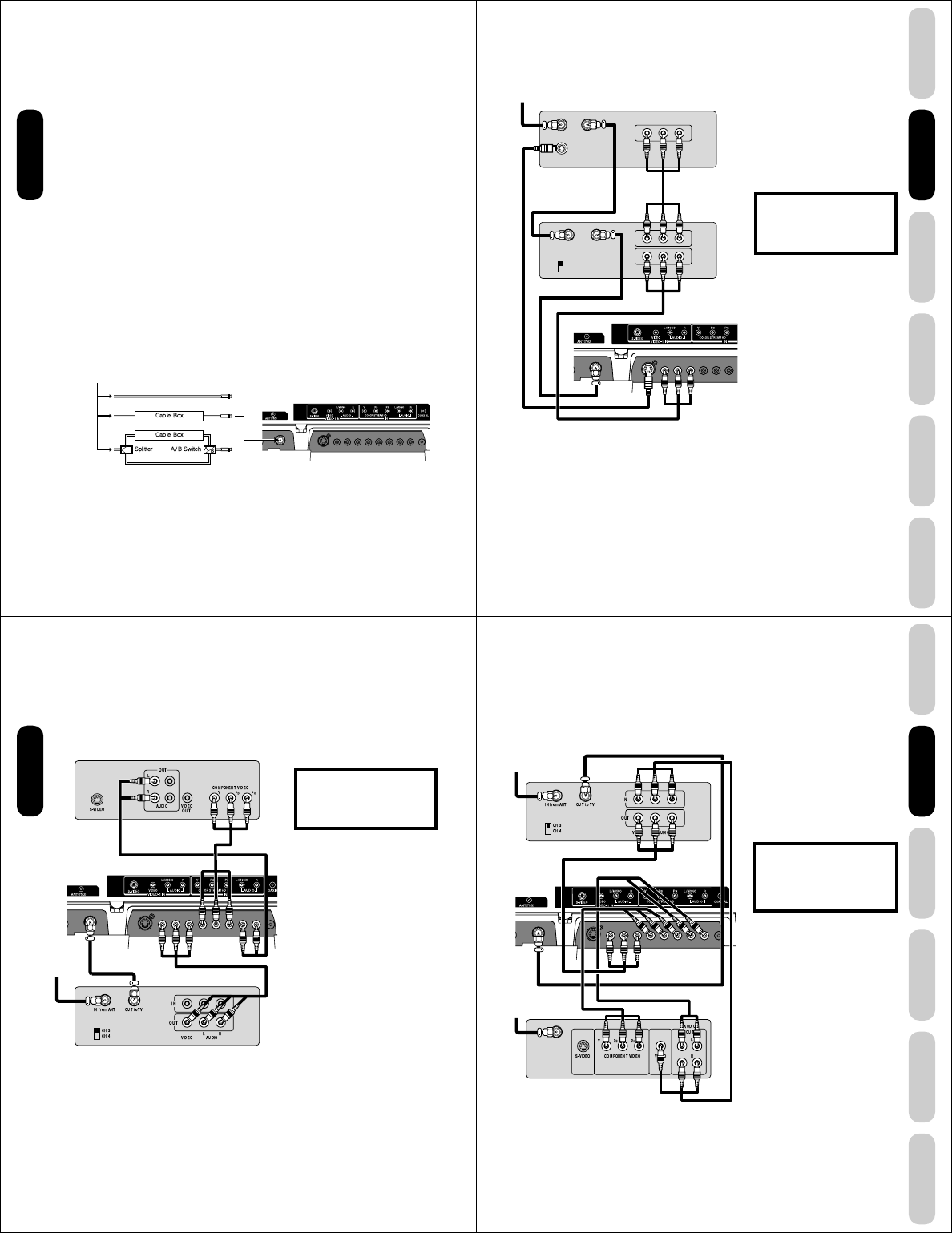
Connecting a VCR
This connection allows you to watch local channels and video programs,
play or record on the VCR while watching TV, and record from one
channel while watching another channel.
Selecting a location for the TV/DVD
•Place the TV/DVD on the floor or on a sturdy platform in a location
where light does not directly hit the screen.
•Place the TV/DVD far enough from the walls to allow proper
ventilation. Inadequate ventilation may cause overheating, which
may damage the TV/DVD.
Connecting your TV/DVD
•A coaxial cable is the standard cable that comes in from your
antenna or cable converter box. Coaxial cables use “F” connectors.
•Standard A/V (audio/video) cables are usually color coded accord-
ing to use: yellow for video and red and white for audio. The red
audio cable is for the stereo right channel, and the white audio
cable is for the stereo left (or mono) channel. If you look at the rear
panel of the TV/DVD, you will see that the terminals are color
coded in the same manner as the cables.
•S-video cables provide better picture performance than standard
video cables. S-video cables can only be used with S-video
compatible components.
•Component video cables provide better picture performance than
S-video cables. Component video cables can only be used with
component video compatible components.
•HDMI (High Definition Multimedia Interface) cable is for use with
video equipment that has HDMI output (see page 17).
Stereo VCR
ANTENNA
Coaxial Cable
S-Video
Cable
AUDIO
Cables
VIDEO
Cable
Component video
Cables
HDMI
Cable
TV/DVD back panel
Connecting
your TV/DVD
Cable Lead-in from cable
box or antenna The unauthorized recording, use, distribu-
tion or revision of television programs,
videotapes, DVDs, and other materials is
prohibited under the Copyright Laws of the
United States and other countries, and may
subject you to civil and criminal liability.
12
Connecting a cable converter box or Antenna
This television has an extended tuning range and can tune most cable
channels without using a cable company supplied converter box. Some
cable companies offer "premium pay channels" in which the signal is
scrambled. Descrambling these signals for normal viewing requires the
use of a descrambler device, which is generally provided by the cable
company.
Option 1: For Subscribers to Basic Cable TV Service
For basic cable service not requiring a Converter/Descrambler box,
connect the incoming 75 ohm Coaxial Cable directly to the Antenna
Jack on the back of the television.
Option 2: For Subscribers to Scrambled Cable TV Service
If you subscribe to a cable service that requires the use of a Converter/
Descrambler box, connect the incoming cable to the Converter/
Descrambler box and connect the output of the box to the Antenna
Jack on the back of the television. Follow the connections shown
below. Set the television to the output of the Converter/Descrambler
box (usually channel 3 or 4) and use the Converter/Descrambler box to
select channels.
Option 3: For Subscribers to Unscrambled Basic Cable
with Scrambled Premium Channels
If you subscribe to a cable service in which basic cable channels are
unscrambled and premium channels require the use of a Converter/
Descrambler box, you may wish to use a two-set signal splitter (some-
times called a "two-set coupler") and an A/B Switch box from the cable
installer or an electronics supply store. Follow the connections shown
below. With the switch in the "B" position, you can directly tune any
nonscrambled channels on your TV/DVD. With the switch in the "A"
position, tune your TV/DVD to the output of the Converter/Descrambler
box (usually channel 3 or 4) and use the box to tune scrambled
channels.
Note:
When you use a converter box with your TV/
DVD, there may be features that you cannot
program using the remote control, such as
labeling channels, blocking channels, and
programming your favorite channels.
From Cable
TV/DVD back panel
Option 1:
Option 2:
Option 3:
Connecting
your TV/DVD
13
DVD Playback
Using the
TV/DVD’s Features
Setting up
your TV/DVD
Connecting
your TV/DVD
Introduction Appendix
Satellite IN
S-VIDEO
IN
OUT
VIDEO AUDIO
LR
OUT
VIDEO AUDIO
LR
IN from ANT
CH 3
CH 4
OUT to T V
OUT to T V
Connecting a satellite receiver and a VCR
This connection allows you to watch satellite, VCR, or TV programs.
You can record from the satellite receiver and TV, as well as record one
TV channel while watching another channel.
You will need:
•three coaxial cables
•two sets of standard A/V cables
•one S-video cable
Note:
You can use a standard video cable instead
of the S-video cable, but the picture quality
will decrease. If you use an S-video cable
between the TV/DVD and DVD player/satellite
receiver, make the audio connections but
remove the standard video cable. Do not
connect both an S-video and a standard
video cable to VIDEO1 at the same time or
the picture performance will be unacceptable.
Satellite Receiver
From satellite
TV/DVD back panel
Stereo VCR
Connecting
your TV/DVD
The unauthorized recording, use, distribu-
tion or revision of television programs,
videotapes, DVDs, and other materials is
prohibited under the Copyright Laws of the
United States and other countries, and may
subject you to civil and criminal liability.
14
You will need:
•two coaxial cables
•one set of standard A/V cables
•one set of component video cables
•one pair of standard audio cables
Connecting a DVD player with ColorStream®
(component video) and a VCR
This connection allows you to watch DVD, VCR, or TV programs and
record TV programs. You can record from one source while watching a
program from another source. Your TV/DVD is capable of using
ColorStream (component video). Connecting your TV/DVD to a
component video compatible DVD player, such as a Toshiba DVD
player with ColorStream®, can greatly enhance picture quality and
performance.
DVD player with Component video
TV/DVD back panel
Stereo VCR
From
antenna
Note:
The ColorStream HD jacks can be used with
Progressive (480p, 720p) and Interlaced
(480i, 1080i) scan systems. A 1080i signal will
provide the best picture performance.
The unauthorized recording, use, distribu-
tion or revision of television programs,
videotapes, DVDs, and other materials is
prohibited under the Copyright Laws of the
United States and other countries, and may
subject you to civil and criminal liability.
Connecting
your TV/DVD
15
DVD Playback
Using the
TV/DVD’s Features
Setting up
your TV/DVD
Connecting
your TV/DVD
Introduction Appendix
Connecting a DTV receiver/set-top box with
ColorStream® (component video) and a VCR
This connection allows you to watch DTV (digital TV), VCR, and TV
programs, and record DTV and TV programs.
Your TV/DVD has ColorStream® (component video) inputs. Connecting
your TV/DVD to a DTV receiver with component video can greatly
enhance picture quality and realism.
Stereo VCR
DTV Receiver
with Component video
From DTV
Antenna
From Antenna
You will need:
• three coaxial cables
• two sets of standard A/V cables
• one set of standard audio cables
• one set of component video cables
Note:
For HDMI connection, see page 17.
The ColorStream HD jacks and HDMI jacks
can be used with Progressive (480p, 720p)
and Interlaced (480i, 1080i) scan systems.
If your DTV receiver does not have compo-
nent video, use the S-video and standard
audio connections instead. Do not connect
both an S-video and a standard video cable to
VIDEO1 at the same time or the picture
performance will be unacceptable.
The unauthorized recording, use,
distribution, or revision of television
programs, videotapes, DVDs, and other
materials is prohibited under the
Copyright Laws of the United States and
other countries, and may subject you to
civil and criminal liability.
TV/DVD back panel
Connecting
your TV/DVD
16
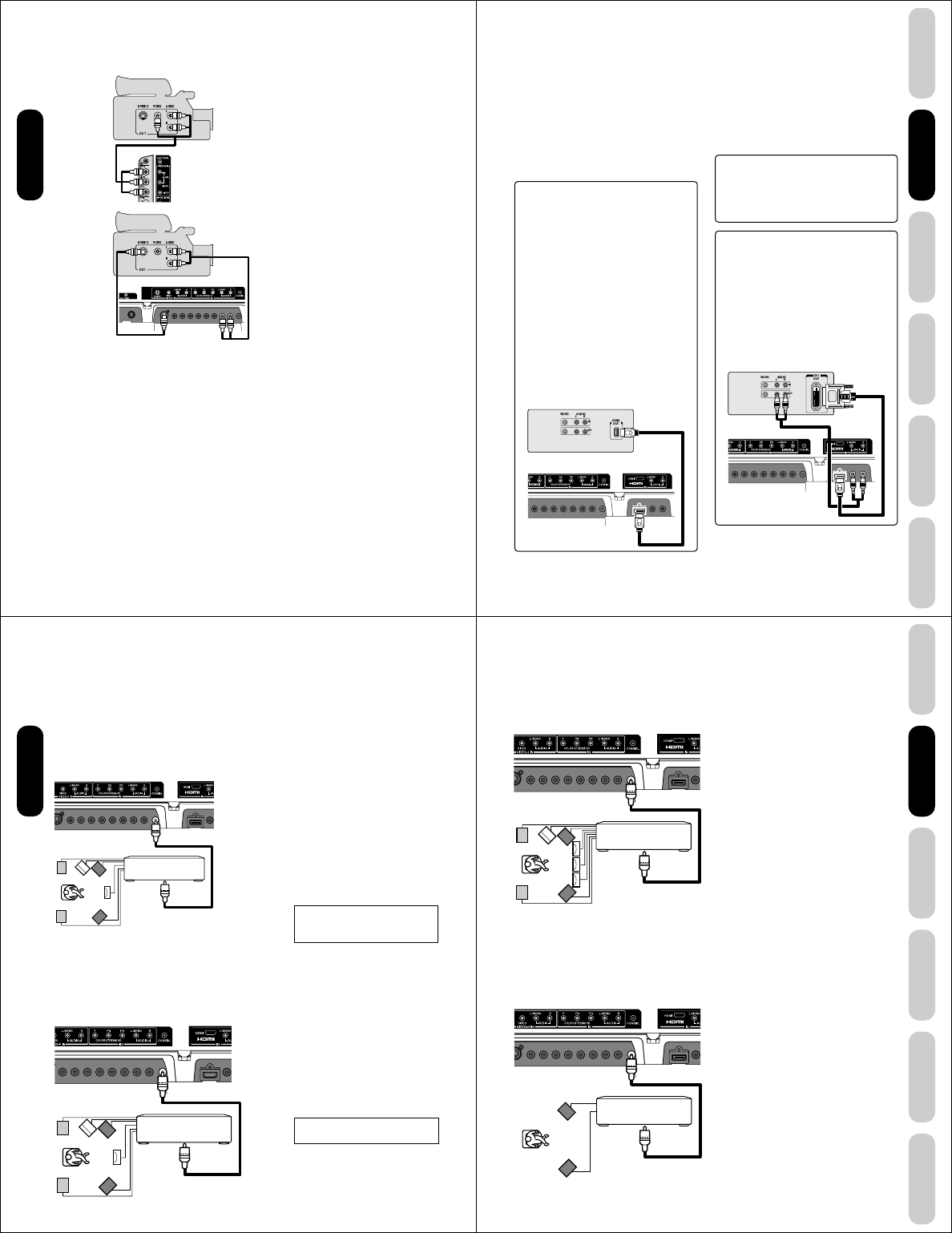
Connecting a camcorder
This connection allows you to watch videos recorded on a camcorder.
You will need:
•one S-video cable
•one pair of standard audio cables
VHS Camcorder
Note:
For better picture quality, if your camcorder
has S-video, you can use an S-video cable
(plus the standard audio cables) instead of a
standard video cable.
Do not connect both a standard video cable
and an S-video cable at the same time, or the
picture performance will be unacceptable.
You will need:
•one set of standard AV cables
TV/DVD Side panel
S-VHS Camcorder
TV/DVD back panel
Connecting
your TV/DVD
17
DVD Playback
Using the
TV/DVD’s Features
Setting up
your TV/DVD
Connecting
your TV/DVD
Introduction Appendix
Connecting an HDMI™ or a DVI device to the HDMI input
To connect an HDMI device, you will need:
• one HDMI cable (type A connector)
For proper operation, it is recommended that you use
as short an HDMI cable as possible. You should not
encounter difficulty if you use an HDMI cable that is
shorter than 16.4 ft (5m).
HDMI cable transfers both video and audio. Separate
analog audio cables are not required (see illustration
below).
You must set the HDMI audio input setting to “HDMI”
in the AUDIO menu (see page 40).
Some CDVs (Video CDs) may not output digital audio
signals. In that case, you may hear sound by connecting
analog audio cables. If you do use analog audio cables for
this reason, you will need to set the HDMI audio input
setting to “DVI” to hear the analog audio (see page 40).
Note: If you connect an HDMI device and analog audio
cables and play media with digital audio output, to hear
digital audio you must set the HDMI audio input setting
to “HDMI” (page 40).
[1]
HDMI = High-Definition Multimedia Interface.
[2]
DVI = Digital Video Interface.
[3]
HDCP = High-bandwidth Digital Content Protection.
[4]
EIA/CEA-861/861B compliance covers the
transmission of uncompressed digital video with high-
bandwidth digital content protection, which is being
standardized for reception of high-definition video
signals.
Because this is an evolving technology, it is possible
that some devices may not operate properly with the
TV/DVD.
To connect a DVI device, you will need:
• one HDMI–to–DVI adapter cable
(HDMI type A connector)
For proper operation, the length of an HDMI-to-DVI
adapter cable should not exceed 9.8 ft (3m). The
recommended length is 6.6 ft (2m).
• one pair of standard analog audio cables
An HDMI-to-DVI adapter cable transfers only video.
Separate analog audio cables are required (see
illustration below).
You must set the HDMI audio input setting to “DVI”
in the AUDIO menu (see page 40).
The HDMI[1] input on your TV/DVD receives digital audio
and uncompressed digital video from an HDMI device or
uncompressed digital video from a DVI[2] device.
This input is designed to accept HDCP[3] program material
in digital form from EIA/CEA-861/861B–compliant[4]
consumer electronic devices (such as a set-top box or
DVD player with HDMI or DVI output).
The HDMI input is designed for best performance with high
definition video signals. It will accept and display 480i,
480p, 720p and 1080i signals.
Note: The HDMI jack is not intended for connection to
and should not be used with a personal
computer. For PC connection, see page 20.
HDMI, the HDMI logo, and High-Definition Multimedia
Interface are trademarks or registered trademarks of HDMI
Licensing, LLC.
To ensure that the HDMI or DVI device is reset prop-
erly, it is recommended that you follow these proce-
dures:
• When turning on your electronic components, turn on
the TV/DVD first, and then the HDMI or DVI device.
• When turning off your electronic components, turn off
the HDMI or DVI device first,and then the TV/DVD.
HDMI device
TV/DVD back panel
DVI device
Rear lower
TV/DVD back panel of TV/DVD
Connecting
your TV/DVD
18
Amplifier equipped with
a DTS decoder
To COAXIAL
type digital
audio input
To COAXIAL
DIGITAL AUDIO
OUT
TV/DVD back panel
Connecting an amplifier equipped with a
Dolby® Digital decoder
Dolby Digital
Dolby Digital is the surround sound technology used in theaters
showing the latest movies, and is now available to reproduce this
realistic effect in the home. You can enjoy motion picture and live
concert DVD video discs encoded via the Dolby Digital recording
system with this dynamic realistic sound by connecting the TV/DVD to
a 6 channel amplifier equipped with a Dolby Digital decoder or Dolby
Digital processor. If you have a Dolby Surround Pro Logic decoder, you
will obtain the full benefit of Pro Logic from the same DVD movies that
provide full 5.1-channel Dolby Digital soundtracks, as well as from titles
with the Dolby Surround mark.
Connecting an amplifier equipped with a
DTS® decoder
Digital Theater Systems (DTS)
DTS is a high quality surround technology used in theaters and now
available for home use, on DVD video discs or audio CDs.
If you have a DTS decoder or processor, you can obtain the full benefit
of 5.1 channel DTS encoded sound tracks on DVD video discs or audio
CDs.
Amplifier equipped with a
Dolby Digital decoder
To COAXIAL
type digital
audio input
To COAXIAL
DIGITAL AUDIO OUT
Manufactured under license from Dolby
Laboratories. Dolby, Pro Logic, and the
double-D symbol are trademarks of Dolby
Laboratories.
TV/DVD back panel
You will need:
• one coaxial cable
Notes:
• Connect the COAXIAL DIGITAL AUDIO
OUT jack of the TV/DVD to the “COAXIAL”
input of a Receiver or Processor.
• Refer to the owner’s manual of the
connected equipment as well.
• The output sound of the TV/DVD has a wide
dynamic range. Be sure to adjust the
receiver’s volume to a moderate listening
level. Otherwise, the speakers may be
damaged by a sudden high volume sound.
• Turn off the amplifier before you connect or
disconnect the TV/DVD’s power cord. If you
leave the amplifier power on, the speakers
may be damaged.
You will need:
• one coaxial cables
Notes:
• DO NOT connect the COAXIAL DIGITAL
AUDIO OUT jack of the TV/DVD to the AC-3
RF input of a Dolby Digital Receiver. This
input on your A/V Receiver is reserved for
Laserdisc use only and is incompatible with
the COAXIAL DIGITAL AUDIO OUT jack of
the TV/DVD.
• Connect the COAXIAL DIGITAL AUDIO
OUT jack of the TV/DVD to the “COAXIAL”
input of a Receiver or Processor.
• Refer to the owner’s manual of the
connected equipment as well.
• The output sound of the TV/DVD has a wide
dynamic range. Be sure to adjust the
receiver’s volume to a moderate listening
level. Otherwise, the speakers may be
damaged by a sudden high volume sound.
• Turn off the amplifier before you connect or
disconnect the TV/DVD’s power cord. If you
leave the amplifier power on, the speakers
may be damaged.
Connecting
your TV/DVD
DTS and DTS Digital Out are trademarks of
Digital Theater Systems, Inc.
19
DVD Playback
Using the
TV/DVD’s Features
Setting up
your TV/DVD
Connecting
your TV/DVD
Introduction Appendix
Connecting an amplifier equipped with an
MPEG audio decoder
MPEG2 sound
You can enjoy motion picture and live concert DVD video discs
encoded via the MPEG2 recording system with dynamic realistic sound
by connecting an amplifier equipped with an MPEG2 audio decoder or
MPEG2 audio processor.
Amplifier equipped with an
MPEG2 audio decoder
To COAXIAL
type digital
audio input
TV/DVD back panel
To COAXIAL DIGITAL AUDIO OUT
You will need:
• one coaxial cable
Notes:
• Connect the COAXIAL DIGITAL AUDIO
OUT jack of the TV/DVD to the “COAXIAL”
input of a Receiver or Processor.
• Refer to the owner’s manual of the
connected equipment as well.
• The output sound of the TV/DVD has a wide
dynamic range. Be sure to adjust the
receiver’s volume to a moderate listening
level. Otherwise, the speakers may be
damaged by a sudden high volume sound.
• Turn off the amplifier before you connect or
disconnect the TV/DVD’s power cord. If you
leave the amplifier power on, the speakers
may be damaged.
Connecting
your TV/DVD
Connecting an amplifier equipped with a
digital audio input
2 channel digital stereo
You can enjoy the dynamic sound of 2 channel digital stereo by
connecting an amplifier equipped with a digital audio input and speaker
system (right and left front speakers).
Amplifier equipped with a
Digital audio input
To COAXIAL
type digital
audio input
TV/DVD back panel
To COAXIAL DIGITAL AUDIO OUT
You will need:
• one coaxial cable
Notes:
• PCM audio is limited to DVD or CD
playback.
• Connect the COAXIAL DIGITAL AUDIO
OUT jack of the TV/DVD to the “COAXIAL”
input of a Receiver or Processor.
• Refer to the owner’s manual of the
connected equipment as well.
• The output sound of the TV/DVD has a wide
dynamic range. Be sure to adjust the
receiver’s volume to a moderate listening
level. Otherwise, the speakers may be
damaged by a sudden high volume sound.
• Turn off the amplifier before you connect or
disconnect the TV/DVD’s power cord. If you
leave the amplifier power on, the speakers
may be damaged.
20
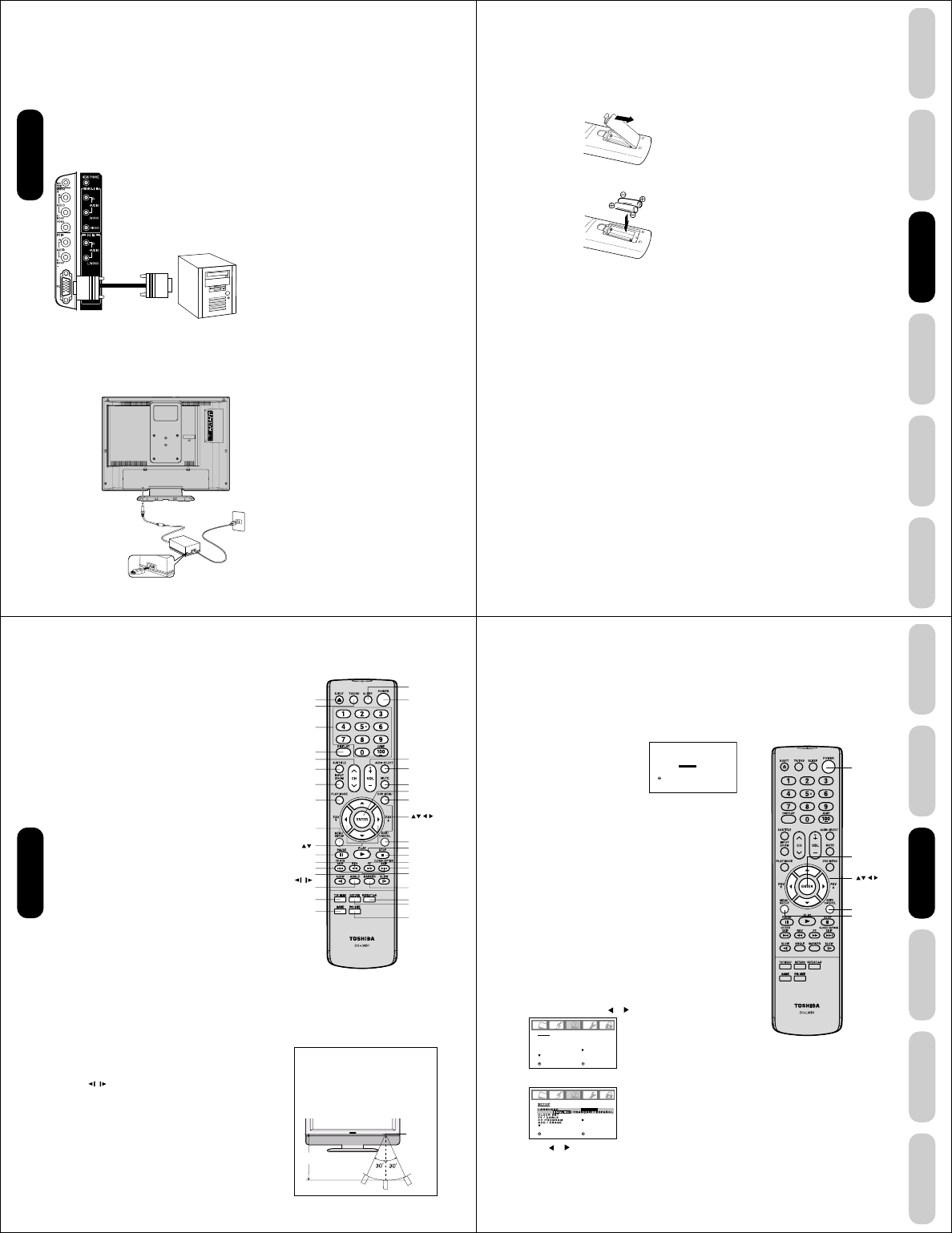
Connecting a PC (Personal Computer)
Before you connect this TV/DVD to your PC, change the adjustment of
your PC’s Resolution and Refresh rate. See “Monitor Display modes”
at right.
Connect one end of a (male to male) VGA cable to the video card of
the computer and the other end to the VGA connector PC at the side of
the TV/DVD. Fix the connectors firmly with the screws on the plug. In
case of a Multimedia computer, connect the audio cables to the audio
outputs of your Multimedia computer and to the AUDIO L and R
connectors of the PC IN jacks of the TV/DVD.
Set the video input source to PC mode (see “Selecting the video input
source” on page 31 and “Picture/Audio adjustments in the PC mode”
on page 41). The TV/DVD can be used as a computer monitor.
Monitor Display modes
MODE Resolution Refresh rate
VGA 640x480 60Hz
SVGA 800x600 56.3Hz
SVGA 800x600 60.3Hz
XGA 1024x768 60Hz
WXGA 1280x720 60Hz
WXGA 1280x768 60Hz
TV/DVD side panel
You will need:
• one VGA cable
To P C
Notes:
• The current signal source does not display
when you return to TV mode.
• The on-screen displays will have a different
appearance in PC mode than in TV mode.
• When you select WXGA mode, set the
WXGA INPUT to ON in the PC PICTURE
menu (see page 41.)
Notes:
•Make sure to insert the plug of each cord securely.
•During use the AC adapter becomes warm. This is not a
malfunction.
WARNING:
•Do not connect this unit to the power using any device
other than the supplied AC adapter or power cord. This
could cause fire, electric shock, or damage.
• Do not use with a voltage other than the power voltage
displayed. This could cause fire, electric shock, or
damage.
• Never lift the AC adapter by holding the AC cord. The AC
adapter may fall, causing personal injury or equipment
damage.
CAUTION:
•Do not use the AC adapter if it is covered by a cloth etc.,
or pressed into a narrow area. This results in poor
dissipation of heat and may cause fire, electric shock, or
damage.
• When this unit is not used for a long time, (e.g., away on a
trip) in the interest of safety, be sure to unplug it from the
wall outlet.
• Do not plug/unplug the plug when your hands are wet.
This may cause electric shock.
• If you need to replace the supplied AC adapter or AC
cord, the specified AC adapter and AC cord must be used.
Contact the dealer that you purchased the unit from.
Power source
Power connection
To use AC power
1.Connect the AC cord to the AC adapter.
2.Connect the AC adapter plug into the TV/DVD’s DC input jack.
3.Connect the AC cord into a wall outlet.
To D C
input jack
AC adapter
(supplied) AC cord
(supplied)
AC 120V,
60Hz
1
23
Connecting
your TV/DVD
21
DVD Playback
Using the
TV/DVD’s Features
Setting up
your TV/DVD
Connecting
your TV/DVD
Introduction Appendix
Setting up your TV/DVD
Using the remote control
Installing the remote control batteries
To install the batteries:
1. Open the battery cover on the back of the remote control.
2. Install two “AAA” size batteries. Match the + and – signs on the
batteries to the signs on the battery compartment.
3. Close the battery cover on the remote control until the lock snaps.
Note:
The TV/DVD remote control may not operate
your VCR, DVD player, or cable TV converter.
Refer to the owner's manual supplied with
your other devices to see which features may
be available. Additionally, the remote control
for this TV/DVD may not support certain
features available on the original remote
controls for your other devices, in which case
it is suggested that you use the original
remote control for the applicable device.
Caution:
• Never throw batteries into a fire.
Notes:
•
Be sure to use AAA size batteries.
•
Dispose of batteries in a designated disposal area.
•
Batteries should always be disposed of with the
environment in mind. Always dispose of batteries in
accordance with applicable laws and regulations.
•
If the remote control does not operate correctly,
or if the operating range becomes reduced,
replace batteries with new ones.
•
When necessary to replace batteries in the
remote control, always replace both batteries
with new ones. Never mix battery types or use
new and used batteries in combination.
•
Always remove batteries from remote control if they
are dead or if the remote control is not to be used for
an extended period of time. This will prevent battery
acid from leaking into the battery compartment.
Setting up
your TV/DVD
22
Learning about the remote control
POWER turns the TV/DVD on and off
EJECT eject a disc (page 43)
TV/DVD switches between TV/Video input/PC and DVD
CHANNEL NUMBERS allow direct access to channels
CHANNEL MM
MM
M / ??
??
? cycles through programmed channels (page 24)
VOLUME + / – adjusts the volume level
ENTER sets programmed menu information (page 23)
EXIT/CANCEL exits programming menus or resets information in the
menu (page 23)
INPUT selects the video input source (page 31)
PIC SIZE cycles through the five picture sizes: Natural, TheaterWide
and full (page 33)
GAME game mode (page 24)
MENU/SETUP allows access to programming menus (page 23)
DISPLAY displays status information on-screen (page 40)
SLEEP programs the TV/DVD to turn off at a set time (page 35)
MUTE turns off the sound (page 38)
CLOSED CAPTION switch between TV/Caption/Text in Closed Caption
mode (page 35)
SUBTILTLE sets subtitle (page 50)
AUDIO SELECT switches the sound of TV/DVD and changes sound
track languages (page 50)
DVD MENU allows access to DVD menu (page 49)
TOP MENU allows access to DVD Top menu (page 49)
PLAY MODE sets repeat playback (page 47)
RETURN removes DVD setup menu (page 55)
MARKER index of DVD (page 46)
REPEAT A-B repeats playback between A and B (page 47)
ANGLE changes playback angle (page 49)
JUMP locates the desired point to play back (page 45)
CH RTN returns to the last viewed channel (page 25),
ZOOM allows you to zoom in (page 45)
SKIP 44
44
4/¢¢
¢¢
¢ skips DVD chapter (page 44)
FF fast forwards a DVD, VCD, CD Audio, forwards playback
PLAY plays a DVD, VCD, CD Audio
REV rewinds a DVD, VCD, CD Audio, reviews playback
STOP stops a DVD, VCD, CD Audio
PAUSE pauses a DVD, VCD, CD Audio
SLOW / plays forward/reverse slowmotion
Approx. 5 meters
• Aim the remote control at the remote
sensor and press control buttons to
operate.
• Operate the remote control within a 30
degree on either side of the remote
sensor, up to a distance of approx. 16 ft.
(5m).
Setting up
your TV/DVD
Volume +/–
Pic size
Menu/Setup
Marker
Mute
Top menu
DVD menu
Repeat A-B
Skip
4/¢
FF
Pause
Slow /
Fav
Stop
Game
Play
Rev
Ch RTN
Return
Play mode
Audio Select
Subtitle
Sleep
Display
Exit/Cancel
Input/ZOOM
Channel MM
MM
M/??
??
?
Channel
Numbers
POWER
Enter
TV/DVD
Eject
Angle
Closed Capton
Remote
Sensor
23
DVD Playback
Using the
TV/DVD’s Features
Setting up
your TV/DVD
Connecting
your TV/DVD
Introduction Appendix
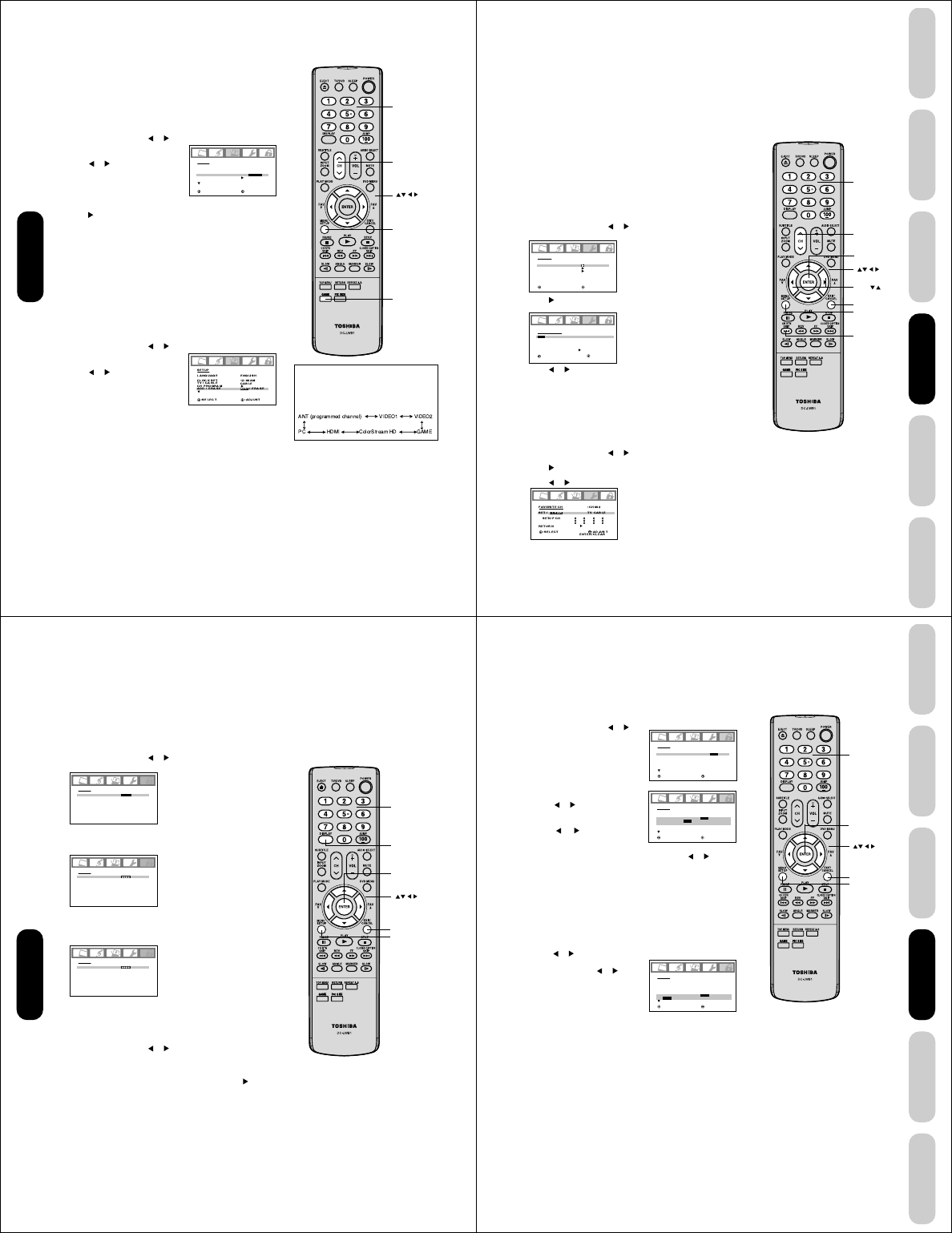
Starting setup
The STARTING SETUP feature appears the first time you turn on the
TV/DVD, and helps you select the menu language, specify the TV/
CABLE setting, and program channels automatically.
IMPORTANT: Make sure that the antenna or cable TV system
connection is made!
1. Press POWER to turn on the TV/DVD. The starting setup function
begins and the language setup menu appears on the screen.
Press ▲ or ▼ to select your desired
language, then press ENTER.
2. Press ▲ or ▼ to select “TV” or
“CABLE”, then press ENTER.
3. Press ▲ or ▼ to select “START”,
then press ENTER. If you select
“CANCEL” and press ENTER, the
STARTING SETUP stops and changes to the TV screen.
4. Now the “AUTO SETUP” starts. After the starting setup is com-
pleted, the TV channel appears on the screen.
•If you press the EXIT button in the process of “AUTO SETUP”
the STARTING SETUP stops and changes to the TV screen.
After you have installed the batteries and programmed the remote
control, you need to set some preferences on the TV/DVD using the
menu system. You can access the menu system with the buttons on
the remote control.
•When you make a menu selection, your changes occur immedi-
ately. You do not have to press MENU or EXIT to see your
changes.
•After one minute, the menu screen will automatically close if you do
not make a selection. Your changes will still be saved.
•When you have finished programming the menus, press EXIT.
Changing the on-screen display language
You can choose from three different languages (English, French and
Spanish) for the on screen displays. Adjustment menus and messages
will appear in the language of your choice.
To select a language:
1. Press MENU, then press or until the SETUP menu appears.
2. Press ▲ or ▼ to highlight LANGUAGE.
3. Press or to highlight your desired language.
SETUP
LANGUAGE
CLOCK SET
TV / CABLE
CH PROGRAM
ADD / ERASE
ENGLISH
12:00AM
CABLE
ADD
:SELECT :ADJUST
:SELECT :ADJUST
ENGLISH
12:00AM
CABLE
ADD
:SELECT ENTER :SET
LANGUAGE / LANGUE / IDIOMA
ENGLISH
FRANÇAIS
ESPAÑOL
Note:
The position and size of the on-screen menus
change for some program formats (such as
1080i or 720p).
Enter
Exit
POWER
Setting up
your TV/DVD
Menu
24
Adding channels to the TV/DVD’s memory
When you press CH MM
MM
M / ??
??
?, your TV/DVD will stop only on the channels
you have stored in the TV/DVD’s channel memory. Follow the steps
below to program channels into the channel memory.
Programming channels automatically
Your TV/DVD can automatically detect all active channels and store
them in its memory. After the TV/DVD has stored the channels in its
memory automatically, you can add or erase channels manually.
To add channels automatically:
1. Press MENU, then press or to display the SETUP menu.
2. Press ▲ or ▼ until the TV/CABLE
selection is highlighted.
3. Press or to highlight either
TV or CABLE, depending on
which you use.
If you use an antenna, choose TV.
If you use cable, choose CABLE.
4. Press ▼ until the CH PROGRAM selection is highlighted.
5.
Press to start channel programming. The TV
/DVD
will automati-
cally cycle through all the TV or Cable channels (depending on which
you selected), and store all active channels in the channel memory.
While the TV/DVD is cycling through the channels, the message
“PROGRAMMING NOW-PLEASE WAIT” appears.
6. When channel programming is complete, the message “COMPLETED”
appears.
7. Press CH MM
MM
M / ??
??
? to view the programmed channels.
Adding and erasing channels manually
After you have programmed the channels automatically, you can add
or erase specific channels manually.
To add or erase channels manually:
1. Select the channel you want to add or erase. If adding channels, you
must select the channel to add using the Channel Number buttons.
2. Press MENU, then press or to display the SETUP menu.
3. Press ▲ or ▼ to highlight ADD/
ERASE.
4. Press or to select ADD or
ERASE, whichever function you
want to perform.
5. Repeat steps 1-4 for other channels
you want to add or erase.
Changing channels
To change to the next programmed channel:
Press Channel
MM
MM
M / ??
??
?
on the TV/DVD or CH
MM
MM
M / ??
??
?
on the remote
control.
To change to a specific channel (programmed or unprogrammed):
Press the Channel Number buttons (0-9 and 100) on the remote control.
For example, to select channel 125, press 100, 2, 5.
Game mode
After connecting a TV Game to the unit, press GAME. The TV screen
changes to the Game mode.
•
The Game mode screen is adjusted to the suitable brightness for your eyes.
• If GAME is pressed during standby mode, the unit turns on
automatically and the Game mode screen appears on the screen.
SETUP
LANGUAGE
CLOCK SET
TV / CABLE
CH PROGRAM
ADD / ERASE
ENGLISH
12:00AM
TV / CABLE
ADD
:SELECT :ADJUST
In addition to cycling through your
programmed channels, the Channel M/?
buttons will also cycle through the video
input sources (page 31) in the order
illustrated below.
Menu
Channel MM
MM
M
??
??
?
Channel
Numbers
Setting up
your TV/DVD
Game
Note:
If the remote controller does not operate your
TV/DVD, press the TV button and operate
again.
25
DVD Playback
Using the
TV/DVD’s Features
Setting up
your TV/DVD
Connecting
your TV/DVD
Introduction Appendix
Using the TV/DVD’s features
Adjusting the channel settings
Switching between two channels
You can switch between two channels without entering an actual
channel number each time.
To switch between two channels:
1. Select the first channel you want to view.
2.
Select a second channel using the Channel Number buttons (0-9, 100).
3. Press CH RTN. The previous channel will be displayed.
Each time you press CH RTN, the TV/DVD will switch back and forth
between the two channels.
Programming your favorite channels
You can preset up to 12 of your favorite channels using the Favorite
Channel Programming feature. Because this feature scans through
only your favorite channels, it allows you to skip other channels you
do not normally watch.
You can still use CH MM
MM
M / ??
??
? to scan through all the channels you
programmed in the TV’s memory.
To program your favorite channels:
1. Select a channel you want to program.
2. Press MENU, then press or to display the OPTION menu.
3. Press ▲ or ▼ to highlight FAVORITE CH.
4. Press to display the FAVORITE CH menu. SET/CLEAR will be
highlighted.
5. Press or to highlight SET and press ENTER.
6. Press EXIT to return to normal viewing.
7. Repeat steps 1-6 for up to 12 channel.
To select your favorite channels:
Press the FAV ▲ / ▼ buttons on the remote control to select your
favorite channels.
The FAV ▲ / ▼ buttons will not work until you have programmed
your favorite channels.
To clear your favorite channels:
1. Select a channel you want to clear.
2. Press MENU, then press or to display the OPTION menu.
3. Press ▲ or ▼ to highlight FAVORITE CH.
4. Press to display the FAVORITE CH menu. SET/CLEAR will be
highlighted.
5. Press or to highlight CLEAR.
6. Press ENTER until “0” replaces the channel number you want to erase.
7. Press EXIT to return to normal viewing.
8. Repeat steps 1-7 for the other channels.
OPTION
ON TIMER
FAVORITE CH
CH LABEL
VIDEO LABEL
OFF
:SELECT :ADJUST
FAVORITE CH :CH002
SET / CLEAR TV CABLE
SETUP CH 0 0 0 0
0 0 0 0
0 0 0 0
RETURN
:SELECT :ADJUST
ENTER :SET
Menu
Exit
Channel
Numbers
FAV
Channel MM
MM
M
??
??
?
CH RTN
Using the
TV/DVD’s Features
Enter
Note:
If the remote controller does not operate your
TV/DVD, press the TV button and operate
again.
26
Note:
If you forget your password, press DISPLAY
four times within five seconds while the TV/
DVD is in password entering mode. This
allows you to reset your password.
Using the LOCKS menu
Note : The V-Chip feature is available for the U.S. V-Chip system
only. The Canadian V-Chip Feature system is not supported.
You can prevent others from viewing certain programs or channels by
blocking them using the V-Chip feature.
Selecting a password
Before you can use the V-Chip Feature to block programs and chan-
nels, you must select a password. The password you select prevents
others from changing the rating limits you set.
To select your password and access the LOCKS menu:
1. Press MENU, then press or to highlight the LOCKS menu.
2. Press ▲ or ▼ to display the password entering mode.
3. Use the Channel Number buttons (0-9) to enter your password.
If you are accessing the LOCKS menu for the first time, select a
four-digit number to be your password. Press ENTER.
4. Enter the password again to confirm it, and then press ENTER.
The LOCKS menu appears.
If the wrong password is entered, “ERROR” blinks about 4
seconds.
5.
You may now set up the LOCKS menu. See “Using the V-Chip
(parental control) feature” (page 27), “Locking channels” (page 28),
“Locking the video inputs” (page 28), “Setting the GameTimer
TM
”
(page 29) or “Using the panel lock feature” (page 29).
To change your password:
1. Press MENU, then press or to display the LOCKS menu.
2. Press ▲ or ▼ to display the password entering mode.
3. Use the Channel Number buttons (0-9) to enter your password.
Press ENTER. The LOCKS menu appears.
4. Press ▲ or ▼ to highlight NEW PASSWORD and press to
display the NEW PASSWORD menu.
5. Use the Channel Number buttons (0-9) to enter a new code. Press
ENTER.
6. Enter the password again to confirm it, and then press ENTER.
7. Press EXIT to return to normal viewing.
LOCKS
NEW PASSWORD
SELECT:[0-9] ENTER
EXIT: SET
: END
Note:
The password you programmed is also used in
the LOCKS menu; see pages 27-29.
LOCKS
NEW PASSWORD
----
SELECT:[0-9] ENTER
EXIT: SET
: END
LOCKS
CONFIRM PASSWORD
SELECT:[0-9] ENTER
EXIT: SET
: END
Enter
Channel
Numbers
Display
Exit
Using the
TV/DVD’s Features
Menu
27
DVD Playback
Using the
TV/DVD’s Features
Setting up
your TV/DVD
Connecting
your TV/DVD
Introduction Appendix
Using the V-Chip (parental control) feature
The Motion Picture Association of America (MPAA) uses a rating
system to qualify motion picture content. Television broadcasters
employ a rating system to qualify the content of television programs, as
well. The TV and MOVIE ratings work with the V-Chip feature and allow
you to block programs according to the rating limits you set.
To use the V-Chip to block programs by rating:
1. Press MENU, then press or to
display the LOCKS menu.
2. Press ▲ or ▼ to display the
password entering mode.
3. Use the Channel Number buttons
(0-9) to enter your password.
Press ENTER. The LOCKS menu
appears.
4. Press ▲ or ▼ to highlight V-CHIP.
•Press or to highlight ON to
enable V-Chip program blocking
by rating.
•Press or to highlight OFF to
disable V-Chip program blocking by
rating.
5. Press ▲ or ▼ to highlight TV RATING. Then, press or to
display the desired rating.
OFF : TV RATING is not set
TV-Y : All children
TV-Y7 : 7 years old and above
TV-G : General audience
TV-PG : Parental guidance
TV-14 : 14 years old and above
TV-MA : 17 years old and above
• When you select TV-Y7, TV-PG, TV-14 or TV-MA, press DISPLAY to
explain the rating. Press ▲ or ▼ to select the desired rating you want.
Press or to select the setting “ON” or “OFF”, then press ENTER.
6. Press ▲ or ▼ to highlight MOVIE
RATING. Then, press or to
display the desired rating.
OFF : MOVIE RATING is not set
(no movies will be blocked)
G:All ages
PG : Parental guidance
PG-13 : Parental guidance less than
13 years old
R:Under 17 years old Parental guidance suggested
NC17 : 17 years old and above
X:Adult only
7. When you are done selecting the ratings, press EXIT to return to
normal viewing.
When you try to view a program with a ratings block, a message will
appear listing the program’s ratings. The program can still be viewed if
you press MUTE and then enter your password to temporarily bypass
the block.
LOCKS
V-CHIP SET
V-CHIP
TV RATING
MOVIE RATING
:SELECT :ADJUST
ON / OFF
OFF
OFF
LOCKS
V-CHIP SET
V-CHIP
TV RATING
MOVIE RATING
:SELECT :ADJUST
ON
OFF
OFF
OFF / TV-Y / TV-Y7 / TV-G
TV-PG / TV-14 / TV-MA
LOCKS
V-CHIP SET
V-CHIP
TV RATING
MOVIE RATING
:SELECT :ADJUST
ON
TV-PG
OFF
OFF / G / PG / PG-13 / R / NC17 / X
Menu
Exit
Channel
Numbers
Using the
TV/DVD’s Features
Enter
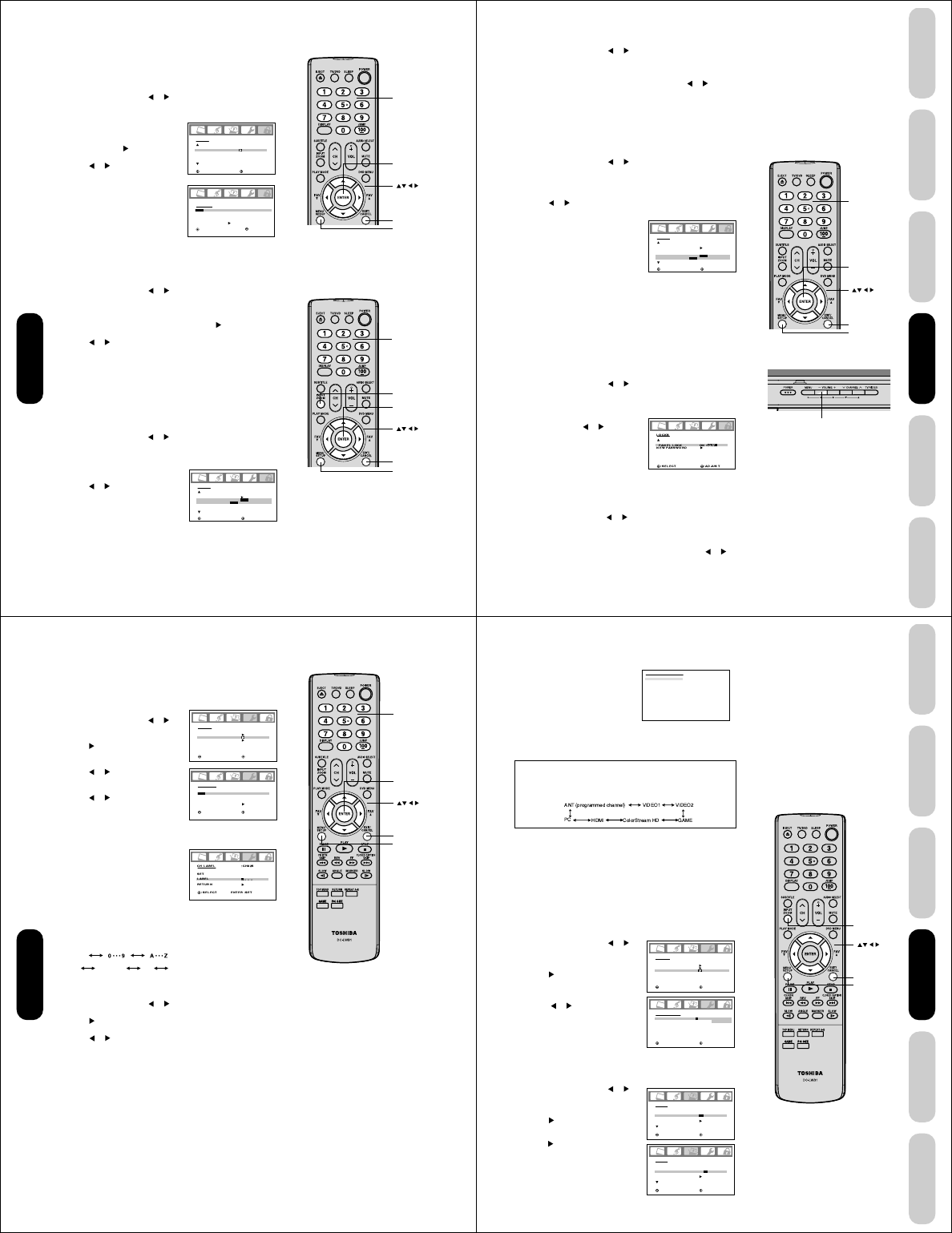
28
Locking the video inputs
With the VIDEO LOCK feature, you can lock out the input sources
(VIDEO1, VIDEO2, COLORSTREAM HD, HDMI, PC, GAME) and
channels 3 and 4. You will not be able to select the input sources with
the INPUT button or Channel buttons unless you clear the setting.
To set up the video lock:
1. Press MENU, then press or to display the LOCKS menu.
2. Press ▲ or ▼ to display the password entering mode.
3. Use the Channel Number buttons (0-9) to enter your password,
then press ENTER. The LOCKS menu appears.
4. Press ▲ or ▼ to highlight VIDEO
LOCK.
5. Press or to select:
• OFF: Unlocks all video input
sources.
•
VIDEO: Locks VIDEO1, VIDEO2,
COLORSTREAM
HD, HDMI, PC,
GAME
.
• VIDEO +: Locks VIDEO1, VIDEO2, COLORSTREAM HD,
HDMI, PC, GAME, channel 3 and channel 4. This option should
be used if you use the antenna terminal to play a video tape.
6. Press EXIT to return to normal viewing.
Note:
After programming VIDEO LOCK, change
channels or press the INPUT key before
turning off the TV/DVD.
LOCKS
LOCK
CH LOCK
VIDEO LOCK
GAME TIMER
:SELECT :ADJUST
OFF
OFF
OFF / VIDEO / VIDEO+
CH LOCK :CH 002
SET / CLEAR TV CABLE
LOCKED CH 0 0 0
0 0 0
0 0 0
RETURN
:SELECT :ADJUST
ENTER :SET
Enter
Exit
Channel
Numbers
INPUT
LOCKS
LOCK
CH LOCK
VIDEO LOCK
GAME TIMER
:SELECT :ADJUST
OFF
OFF
Locking channels
With the CH LOCK feature, you can lock specific channels. You will not
be able to tune locked channels unless you clear the setting. You can
choose to lock up to nine TV channels and nine cable channels.
1. Use the Channel Number buttons (0-9 and 100) to display the
television channel you wish to lock.
2. Press MENU, then press or to display the LOCKS menu.
3. Press ▲ or ▼ to display the password entering mode.
4. Use the Channel Number buttons (0-9) to enter your password,
then press ENTER. The LOCKS
menu appears.
5. Press ▲ or ▼ to highlight CH
LOCK and press to display the
CH LOCK menu.
6. Press or to select the follow-
ing:
•SET– to set the channel as one
to be locked. Then press
ENTER.
•CLEAR– to clear all channels
from the list of locked channels.
Then press ENTER.
7. Repeat steps 1 through 6 to lock
other channels. When you have finished locking channels, press
EXIT to return to normal viewing.
If you try to tune a locked channel, the TV/DVD will not display it, but
will display the nearest unlocked channel.
To unlock channels:
1. Press MENU, then press or to display the LOCKS menu.
2. Press ▲ or ▼ to display the password entering mode.
3. Use the Channel Number buttons (0-9) to enter your password,
then press ENTER. The LOCKS menu appears.
4. Press ▲ or ▼ to highlight CH LOCK and press to display the
CH LOCK menu.
5. Press or to highlight CLEAR and clear all channels from the
list of locked channels. Press ENTER.
6. Press EXIT to return to normal viewing.
Note:
After programming CH LOCK, change
channels before turning off the television.
Enter
Exit
Channel
Numbers
Using the
TV/DVD’s Features
Menu
Menu
29
DVD Playback
Using the
TV/DVD’s Features
Setting up
your TV/DVD
Connecting
your TV/DVD
Introduction Appendix
Using the panel lock feature
You can lock the top panel buttons to prevent your settings from being
changed accidentally (by children, for example). When the panel lock is
in ON, all control buttons on the TV/DVD top panel (except POWER)
do not operate.
To lock the panel:
1. Press MENU, then press or to display the LOCKS menu.
2. Press ▲ or ▼ to display the password entering mode.
3. Use the Channel Number buttons (0-9) to enter your password,
then press ENTER. The LOCKS menu appears.
4. Press ▲ or ▼ to highlight PANEL
LOCK and press or to highlight
ON.
If a button on the top panel is
pressed, the message “NOT
AVAILABLE” appears.
To unlock the panel:
Press and hold the VOLUME – button on the TV/DVD top panel for
about 10 seconds until the message "PANEL LOCK:OFF" appears
on-screen.
You also can unlock the panel using the menus:
1. Press MENU, then press or to display the LOCKS menu.
2. Press ▲ or ▼ to display the password entering mode.
3. Use the Channel Number buttons (0-9) to enter your password,
then press ENTER. The LOCKS menu appears.
4. Press ▲ or ▼ to highlight PANEL LOCK, and then press or to
highlight OFF.
LOCKS
LOCK
CH LOCK
VIDEO LOCK
GAME TIMER
:SELECT :ADJUST
OFF
OFF
OFF / 30 / 60 / 90 / 120
Enter
Exit
Channel
Numbers
To unlock the video inputs:
1. Press MENU, then press or to display the LOCKS menu.
2. Press ▲ or ▼ to display the password entering mode.
3. Use the Channel Number buttons (0-9) to enter your password,
then press ENTER. The LOCKS menu appears.
4. Press ▲ or ▼ to highlight VIDEO LOCK and press or to
highlight OFF.
5. Press EXIT to return to normal viewing.
Setting the GameTimerTM
With the
GameTimerTM
feature, you can automatically activate the
VIDEO LOCK feature (VIDEO setting)
to set a time limit for playing a
video game (30, 60, 90 or 120 minutes).
To set up the GameTimer:
1. Press MENU, then press or to display the LOCKS menu.
2. Press ▲ or ▼ to display the password entering mode.
3. Use the Channel Number buttons (0-9) to enter your password,
then press ENTER. The LOCKS menu appears.
4. Press ▲ or ▼ to highlight GAME TIMER.
5. Press or to select a time limit (30 minutes, 60 minutes, 90
minutes, 120 minutes or OFF).
6. Press EXIT to return to normal
viewing. After the GameTimer is
programmed, the display will
appear briefly every ten minutes to
remind you that the GameTimer is
operating.
When the programmed time is
reached, the TV/DVD will change
channels automatically and enter
VIDEO LOCK mode.
Notes:
• Interactive video games that involve shooting
a gun type of joy-stick at an on-screen target
may not work on this TV/DVD.
• To deactivate the GameTimer, set the VIDEO
LOCK to OFF (see “Locking the video inputs”
page 28).
TV/DVD top panel
Using the
TV/DVD’s Features
Menu
VOLUME –
Note:
If the remote controller does not operate your
TV/DVD, press the TV button and operate
again.
30
8. Repeat step 7 to enter the rest of the characters.
If you would like a blank space in
the label name, you must choose
an empty space from the list of
characters; otherwise, a dash will
appear in that space.
9. Repeat steps 1-8 for other chan-
nels. You can assign a label to each
channel.
10. Press EXIT to return to normal viewing.
To erase channel labels:
1. Select a channel with a label.
2. Press MENU, then press or until the OPTION menu appears.
3. Press ▲ or ▼ to highlight CH LABEL.
4. Press to display the CH LABEL menu. SET/CLEAR will be
highlighted.
5. Press or to highlight CLEAR.
6. Press ENTER.
7. Repeat steps 1-6 to erase other channel labels.
Labeling channels
Channel labels appear above the channel number display each time
you turn on the TV/DVD, select a channel, or press the DISPLAY
button. You can choose any four characters to identify a channel.
To create channel labels:
1. Select a channel you want to label.
2. Press MENU, then press or until
the OPTION menu appears.
3. Press ▲ or ▼
to highlight CH LABEL.
4. Press to display the CH LABEL
menu. SET/CLEAR will be high-
lighted.
5. Press or to highlight SET, then
press ENTER.
6. Press ENTER to highlight LABEL.
7. Press or to enter a character in
the first space. Press the button
repeatedly until the character you
want appears on the screen. Press
ENTER.
Enter
Exit
Channel
Numbers
OPTION
ON TIMER
FAVORITE CH
CH LABEL
VIDEO LABEL
OFF
:SELECT :ADJUST
CH LABEL
SET / CLEAR
LABEL
RETURN
:CH002
– – – –
:SELECT ENTER :SET
:ADJUST
Note:
The character will change as below.
SPACE
–
+–
Using the
TV/DVD’s Features
Menu
31
DVD Playback
Using the
TV/DVD’s Features
Setting up
your TV/DVD
Connecting
your TV/DVD
Introduction Appendix
Exit
Setting the clock
You must set the clock before you can program the ON timer.
To set the clock: (Example: 8:30 AM)
1. Press MENU, then press or to
display the SETUP menu.
2. Press ▲ or ▼
to highlight CLOCK
SET.
3. Press to highlight the hour
position.
4. Press ▲ or ▼ to set the hour, then
press to highlight the minute
position.
5. Press ▲ or ▼ to set the minutes,
then press EXIT to return to normal
viewing.
Note:
If the power source for the TV/DVD is
interrupted (for example, the power cord is
unplugged or a power failure occurs), you will
need to reset the clock.
Selecting the video input source
Press INPUT to view a signal from
another device connected to your TV/
DVD, such as a VCR or DVD player.
You can select ANT, VIDEO 1, VIDEO
2, ColorStream HD, HDMI or PC
depending on which input jacks you
used to connect your devices (see
“Connecting your TV/DVD” on page
11).
Pressing INPUT on the remote
control displays the current signal
source (press INPUT again or 0-5
to change)
You also can use the Channel MM
MM
M / ??
??
? buttons to select the video input
source. In addition to cycling through your programmed channels
(page 24), the Channel MM
MM
M / ??
??
? buttons will also cycle through the
video input sources, in the order illustrated below.
Labeling the video input sources
The video label feature allows you to label each input source for your
TV/DVD from the following preset list of labels:
–: Uses the default label name
VCR : Video cassette recorder
DVD : DVD video
DTV : Digital TV set-top box
SAT : Satellite box
CBL : Cable box
To label the video input sources:
1. Press MENU, then press or to
display the OPTION menu.
2. Press ▲ or ▼ to highlight VIDEO
LABEL.
3. Press to display the VIDEO
LABEL menu.
4. Press ▲ or ▼ to highlight the video
source you want to label.
5. Press or to select the desired
label for that input source.
6. Press EXIT to return to normal
viewing.
Please note the following regarding
the HDMI source selection:
The HDMI IN jack is not intended for
connection to and should not be used
with a PC (personal computer). See
“Connecting an HDMI or a DVI device to
the HDMI input” on page 17 and “Con-
necting a PC” on page 20 for details.
[0-5] : SELECT
SOURCE SELECTION
0. ANT
1. VIDEO1
2. VIDEO2
3. ColorStream HD
4. HDMI
5. PC
OPTION
ON TIMER
FAVORITE CH
CH LABEL
VIDEO LABEL
OFF / OFF / SET
:SELECT :ADJUST
VIDEO LABEL
1.VIDEO1
2.VIDEO2
3.ColorStream HD
4.HDMI
-
/ VCR / DVD / DTV
-
SAT / CBL
-
-
:SELECT :ADJUST
SETUP
LANGUAGE
CLOCK SET
TV / CABLE
CH PROGRAM
ADD / ERASE
ENGLISH
12:00AM
CABLE
ADD
:SELECT :ADJUST
SETUP
LANGUAGE
CLOCK SET
TV / CABLE
CH PROGRAM
ADD / ERASE
ENGLISH
8:30AM
CABLE
ADD
:SELECT :ADJUST
INPUT
Using the
TV/DVD’s Features
Menu
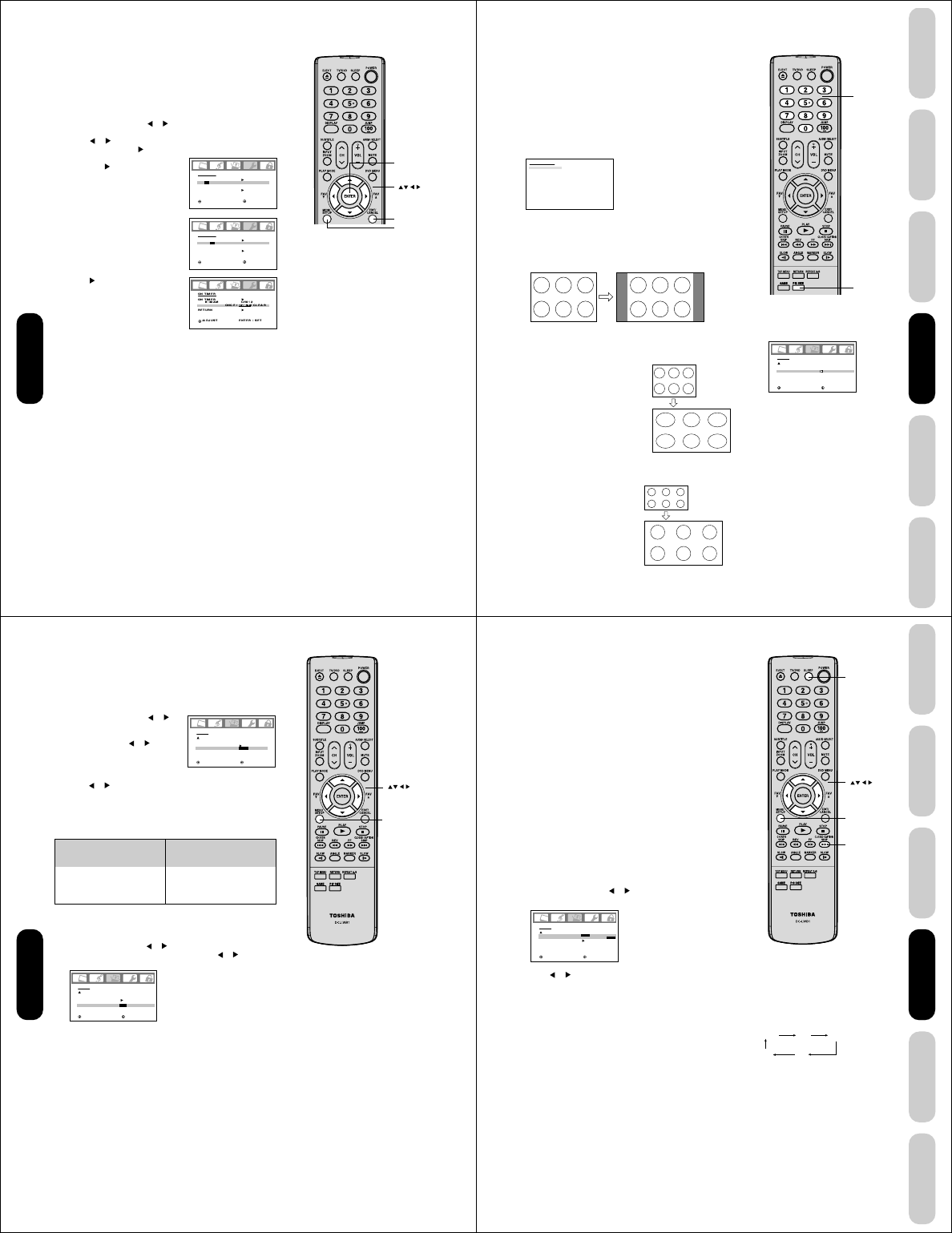
32
ON TIMER
ON TIMER
6:00AM
RETURN
CH002
CLEAR
:SELECT :ADJUST
ON TIMER
ON TIMER
6:30AM
RETURN
CH002
CLEAR
:SELECT :ADJUST
Note:
After a power failure or disconnection of the
power, the timer settings will be lost.
Setting the ON timer
This feature allows you to program the TV/DVD to turn on automatically
at a set time. If you program the ON TIMER to “DAILY,” the TV/DVD will
turn on every day at the same time to the same channel until you clear
the ON TIMER.
To set the on timer: (Example: Turning on the TV/DVD to channel
012 at 6:30 AM, DAILY)
1. Set the clock, if you have not already done so (see page 31).
2. Press MENU, then press or to display the OPTION menu.
3. Press ▲ or ▼ to highlight ON TIMER.
4. Press or to highlight SET, then press ENTER. The ON TIMER
menu appears. Press to set the time.
5. Press ▲ or ▼ to set the desired hour,
then press .
6. Set the desired minutes and channel,
as in step 5.
7. Press to select ONCE or DAILY.
8. Press EXIT to return to normal
viewing.
To cancel the on timer:
Select CLEAR in step 7 above.
Press EXIT to return to normal viewing.
Enter
Exit
Using the
TV/DVD’s Features
Menu
33
DVD Playback
Using the
TV/DVD’s Features
Setting up
your TV/DVD
Connecting
your TV/DVD
Introduction Appendix
Full picture size example
Viewing the wide-screen picture formats
(480i and 480p signals only)
You can view 480i and 480p format programs in a variety of picture
sizes—Natural, TheaterWide, and Full.
The way the image displays in any of the picture sizes will vary
depending on the format of the program you are viewing. Select the
picture size that displays the current program the way that looks best
to you.
Selecting the picture size
1. Press PIC SIZE on the remote control.
2. Press the corresponding number button (0-2) to select the desired
picture size, as described below and on the next page.
Note:
You also can change the picture size by
selecting PICTURE SIZE in the SETUP
menu.
PICTURE SIZE
0. NATURAL
1. THEATER WIDE
2. FULL
[0-2] : SELECT
Natural picture size
• The image is displayed close to its originally formatted proportion.
Some program formats will display with side bars and/or bars at the
top and bottom.
Natural picture size example: The way the image displays will vary
depending on the format of the program you are currently watching.
SETUP
CLOSED CAPTION
PICTURE SIZE
CINEMA MODE
ASPECT
BACK LIGHTING
:SELECT :ADJUST
OFF
FILM
ON
16
TheaterWide picture size
example
Notes:
• The PICTURE SIZE feature is not available
for some program formats (such as 1080i
or 720p). Such formats will display in Full
picture size.
• Using these functions to change the picture
size (i.e., changing the height/ width ratio)
for any purpose other than your private
viewing may be prohibited under the
Copyright Laws of the United States and
other countries, and may subject you to civil
and criminal liability.
Conventional (4:3) picture in
Natural size on your wide-screen
TV
Conventional (4:3) picture
on a conventional TV
screen
• The center of the picture remains
close to its original proportion,
but the left and right edges are
stretched wider to fill the screen.
• The top and bottom edges of the
picture may be hidden.
TheaterWide picture size (for 4:3 format programs)
Channel
Numbers
Pic Size
Full picture size (for 16:9 source programs)
• If receiving a 4:3 format program,
the picture is stretched wider to fill
the width of the screen, but not
stretched taller.
• None of the picture is hidden.
Using the
TV/DVD’s Features
34
If the signal does not include aspect information, the picture size you
selected on pages 33 is displayed.
To turn on the ASPECT feature:
1. Press MENU, then press or until the SETUP menu appears.
2. Press ▲ or ▼ to highlight ASPECT, then press or to select
ON.
SETUP
CLOSED CAPTION
PICTURE SIZE
CINEMA MODE
ASPECT
BACK LIGHTING
:SELECT :ADJUST
OFF
FILM
ON / OFF
16
Selecting the cinema mode
When you view a DVD movie (3:2 pulldown processed) from a DVD
player connected to the ColorStream (component video) inputs on the
TV/DVD, smoother and more natural motion can be obtained by setting
the CINEMA MODE to FILM.
To set the CINEMA MODE to FILM:
1. Press MENU, then press or
until the SETUP menu appears.
2. Press ▲ or ▼ to highlight CINEMA
MODE, then press or to select
FILM.
To set the CINEMA MODE to VIDEO:
Press or to select VIDEO in step 2 above.
SETUP
CLOSED CAPTION
PICTURE SIZE
CINEMA MODE
ASPECT
BACK LIGHTING
:SELECT :ADJUST
OFF
FILM / VIDEO
ON
16
Using the ASPECT feature
When the ASPECT feature is set to ON and the TV/DVD receives a
480i signal, the picture size is automatically selected (as described in
the following table).
Aspect ratio of signal source
4:3 Normal
16:9 Full
4:3 Letter box
Not defined
Automatic aspect size
(automatically selected
when ASPECT is ON)
Natural
Full
TheaterWide
User-set mode
Menu
Using the
TV/DVD’s Features
35
DVD Playback
Using the
TV/DVD’s Features
Setting up
your TV/DVD
Connecting
your TV/DVD
Introduction Appendix
Setting the sleep timer
You can set the TV/DVD so it turns off automatically.
To set the sleep timer:
Repeatedly press SLEEP on the remote control to set the length of
time until the TV/DVD turns off. The clock will increase 10 minutes for
each press of the SLEEP button (0h00m, 0h10m, ...1h50m, 2h00m).
After the sleep timer is programmed, the display will appear briefly
every ten minutes to remind you that the sleep timer is operating.
To confirm the sleep timer setting:
Press SLEEP one time. The remaining time will be momentarily
displayed.
To cancel the sleep timer:
Repeatedly press SLEEP until the display turns to 0h00m.
Using the closed caption feature
The Closed Caption feature has two options:
• Captions—An on-screen display of the dialogue, narration, and
sound effects of programs and videos that are closed-captioned
(usually identified in your local TV listing as “CC”).
• Text—An on-screen display of information not related to the
program, such as weather or stock data (if available in your viewing
area).
To view captions or text:
1. Tune the TV/DVD to the desired program.
2. Press MENU, then press or to display the SETUP menu.
3. Press ▲ or ▼ to highlight CLOSED CAPTION.
4. Press or to select the desired Closed Caption mode, as
follows:
• To view captions, select C1 or C2 (C1 displays translation of the
primary language in your area).
Note: If the program or video you selected is not closed-
captioned, no captions will display on-screen.
• To view text, select T1 or T2.
Note: If text is not available in your viewing area, a black
rectangle may appear on-screen. If this happens, set the
Closed Caption feature to OFF.
• To turn the Closed Caption feature off, highlight OFF in the
Closed Caption menu.
Notes:
• A closed caption signal may not be
decoded in the following situations:
• when a video tape has been dubbed
• when the signal reception is weak
• when the signal reception is non-standard
• You also can use the CLOSED CAPTION
button to view caption or text.
SETUP
CLOSED CAPTION
PICTURE SIZE
CINEMA MODE
ASPECT
BACK LIGHTING
:SELECT :ADJUST
OFF
C1 / C2 / T1 / T2 / OFF
FILM
ON
16
Using the
TV/DVD’s Features
OFF C1
T2 T1
C2
Menu
Closed Caption
Sleep
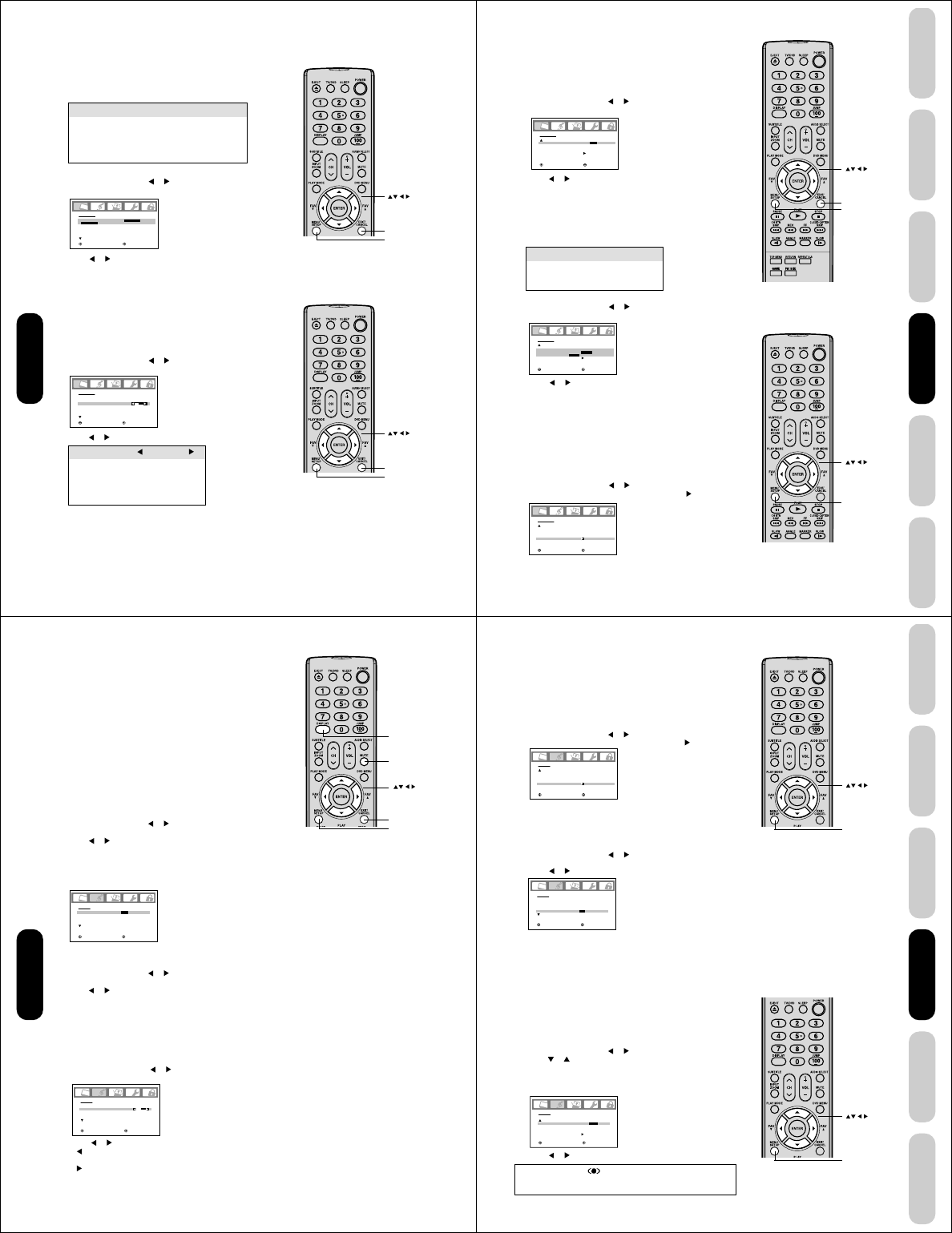
36
Adjusting the picture quality
You can adjust the picture quality to your personal preferences,
including the brightness, contrast, color, tint, and sharpness. The
qualities you choose will be stored automatically in your TV/DVD’s
memory so you can recall them at any time.
To adjust the picture quality:
1. Press MENU, then press or to display the PICTURE menu.
2. Press ▲ or ▼ until the item you want to adjust is highlighted.
Selection Pressing
BRIGHTNESS darker lighter
CONTRAST lower higher
COLOR paler deeper
TINT reddish greenish
SHARPNESS softer sharper
Adjusting the picture
Selecting the picture mode
You can select four picture modes—Sports, Standard, Movie, and
Memory—as described in the following table:
To select the picture mode:
1. Press MENU, then press or to display the PICTURE menu.
2. Press ▲ or ▼ to highlight MODE.
3. Press or to highlight the mode you prefer.
4. Press EXIT to return to normal viewing.
Mode Picture Quality
SPORTS Bright and dynamic picture (factory-set)
STANDARD Standard picture quality (factory-set)
MOVIE Movie-like picture setting (factory-set)
MEMORY Your personal preferences (set by you; see
“Adjusting the picture quality”)
PICTURE
MODE
SPORTS / STANDARD / MOVIE/MEMORY
BRIGHTNESS
CONTRAST
COLOR
TINT
SHARPNESS
SPORTS
:SELECT :ADJUST
25
50
25
0
25
PICTURE
MODE
BRIGHTNESS
CONTRAST
COLOR
TINT
SHARPNESS
SPORTS
:SELECT :ADJUST
25
50
25
0
25
3. Press or to adjust the level.
4. Press EXIT to return to normal viewing.
Exit
Menu
Using the
TV/DVD’s Features
Exit
Menu
37
DVD Playback
Using the
TV/DVD’s Features
Setting up
your TV/DVD
Connecting
your TV/DVD
Introduction Appendix
Selecting the color temperature
Change the picture quality by selecting from three preset color tem-
peratures—cool, medium, and warm—as described in the following
table:
To select the color temperature:
1. Press MENU, then press or to display the PICTURE menu.
2. Press ▲ or ▼ to highlight COLOR TEMPERATURE.
3. Press or to highlight the mode you prefer.
4. Press EXIT to return to normal viewing.
Resetting your picture adjustments
The RESET function returns your picture quality adjustments to the
following factory settings:
Mode ..................... sports Tint ......................... center (0)
Brightness ............. center (25) Sharpness .............. center (25)
Contrast ................ max (50) Color temperature .. cool
Color ..................... center (25)
To reset your picture adjustments:
1. Press MENU, then press or to display the PICTURE menu.
2. Press ▲ or ▼ to highlight RESET, and then press .
Mode Picture Quality
COOL Blueish
MEDIUM Neutral
WARM Reddish
PICTURE
CableClear
COLOR
TEMPERATURE
RESET
:SELECT :ADJUST
COOL/MEDIUM/WARM
OFF
COOL
PICTURE
CableClear
COLOR
TEMPERATURE
RESET
:SELECT :ADJUST
OFF
COOL
Menu
Exit
Using the CableClear® feature
CableClear® reduces visible interference in your TV/DVD picture. This
is useful when receiving a broadcast with a weak signal (especially a
Cable channel) or playing a video cassette or disc damaged by
repeated use.
To turn on the CableClear® feature:
1. Press MENU, then press or to display the PICTURE menu.
2. Press ▲ or ▼ to highlight CableClear.
3. Press or to select ON.
To turn off the CableClear® feature:
Select OFF in step 3.
PICTURE
CableClear
COLOR
TEMPERATURE
RESET
:SELECT :ADJUST
ON/OFF
COOL
Using the
TV/DVD’s Features
Menu
38
Adjusting the sound quality
You can change the sound quality of your TV/DVD by adjusting the
bass, treble, and balance.
To adjust the sound quality:
1. Press MENU, then press or until the AUDIO menu appears.
2. Press ▲ or ▼ to highlight the item you want to adjust.
3. Press or to adjust the level.
• makes the sound quality weaker or decreases the balance in
the right channel, depending on the item selected.
• makes the sound quality stronger or decreases the balance in
the left channel, depending on the item selected.
AUDIO
MTS
BASS
TREBLE
BALANCE
STABLE SOUND
STEREO
:SELECT :ADJUST
25
25
0
OFF
To listen to a second audio program (SAP):
1. Press MENU, then press or to display the AUDIO menu.
2. Press ▲ or ▼ to highlight MTS.
3. Press or to highlight SAP. The TV/DVD speakers will output the
second audio program instead of normal audio.
4. Press EXIT to return to normal viewing.
Adjusting the sound
Muting the sound
Press MUTE to temporarily turn off the sound. While the sound is off,
the screen will display the word MUTE in the lower right-hand corner.
To restore the sound, press MUTE again.
Selecting stereo/SAP broadcasts
The multi-channel TV sound (MTS) feature provides high-fidelity stereo
sound. MTS also can transmit a second audio program (SAP) contain-
ing a second language or other audio information.
Note:
The MTS feature is not available in VIDEO mode.
When the TV/DVD receives a stereo or SAP broadcast, the word
“STEREO” or “SAP” displays on-screen every time you turn the TV/
DVD on, change the channel, or press DISPLAY.
To listen to stereo sound:
1. Press MENU, then press or to display the AUDIO menu.
2. Press ▲ or ▼ to highlight MTS.
3. Press or to highlight STR (stereo).
Notes:
•In general, you can leave your TV/DVD in stereo mode because
the TV/DVD automatically outputs the type of sound being
broadcast (stereo or mono).
•
If the stereo sound is noisy, select MONO to reduce the noise.
4. Press EXIT to return to normal viewing.
AUDIO
MTS
BASS
TREBLE
BALANCE
STABLE SOUND
STR/SAP/MONO
:SELECT :ADJUST
25
25
0
OFF
Note:
A second audio program (SAP) can be heard
only on those TV stations that offer it.
For example, a station might broadcast music
as a second audio program. If you have SAP
on, you will see the current program on the
screen but hear music instead of the
program’s normal audio.
However, if you have SAP on, and the station
you are watching is not currently
broadcasting a second audio program, the
station’s normal audio will be output;
however, occasionally there is no sound at all
in SAP mode. If this happens, set the MTS
feature to STEREO mode.
Note:
Adjusting the sound quality (bass, treble and
balance) does not affect the sound that is
output from the headphone jack.
Mute
Exit
Display
Menu
Using the
TV/DVD’s Features
39
DVD Playback
Using the
TV/DVD’s Features
Setting up
your TV/DVD
Connecting
your TV/DVD
Introduction Appendix
Using the StableSound® feature
The StableSound feature limits the highest volume level to prevent
extreme changes in volume when the signal source is changed.
To turn on the StableSound® feature:
1. Press MENU, then press or to display the AUDIO menu.
2. Press ▲ or ▼ to highlight STABLE SOUND.
3. Press or to highlight ON.
To turn off the StableSound® feature:
Highlight OFF in step 3 above.
AUDIO
MTS
BASS
TREBLE
BALANCE
STABLE SOUND
STEREO
:SELECT :ADJUST
25
25
0
ON / OFF
Resetting your audio adjustments
The RESET function returns the audio adjustments to the following
factory settings:
Bass ................. center (25)
Treble ............... center (25)
Balance ............ center (0)
To reset your audio adjustments:
1. Press MENU, then press or to display the AUDIO menu.
2. Press ▲ or ▼ to highlight RESET, and then press .
AUDIO
WOW SRS 3D
FOCUS
TruBass
HDMI
RESET
:SELECT :ADJUST
OFF
OFF
OFF
HDMI / DVI
Menu
Using the WOW™ surround sound feature
WOW is a special combination of SRS Labs audio technologies that
creates a thrilling surround sound experience with deep, rich bass
from stereo sound sources. Your TV/DVD’s audio will sound fuller,
richer, and wider. WOW consists of three features; SRS 3D, FOCUS,
and TruBass.
To adjust the WOW feature:
1. Select STEREO mode (see “selecting stereo/SAP broadcasts” on
page 38).
2. Press MENU, then press or to display the AUDIO menu.
3.
Press or to highlight the desired WOW feature you want to adjust.
• SRS 3D — To turn on or off the surround sound effect.
• FOCUS — To turn on or off the vocal emphasis effect.
• TruBass — To select your desired bass expansion level
(HIGH, LOW or OFF).
4. Press or to adjust the item.
Notes:
• If the broadcast is monaural, the SRS 3D
effect will not work.
• The headphone jack do not output any of
the WOW audio features.
AUDIO
WOW SRS 3D
FOCUS
TruBass
HDMI
RESET
:SELECT :ADJUST
ON / OFF
OFF
OFF
HDMI
SRS WOW, SRS and symbol are trademarks of SRS Labs, Inc.
SRS WOW technology is incorporated under license from SRS
Labs, Inc.
Using the
TV/DVD’s Features
Menu
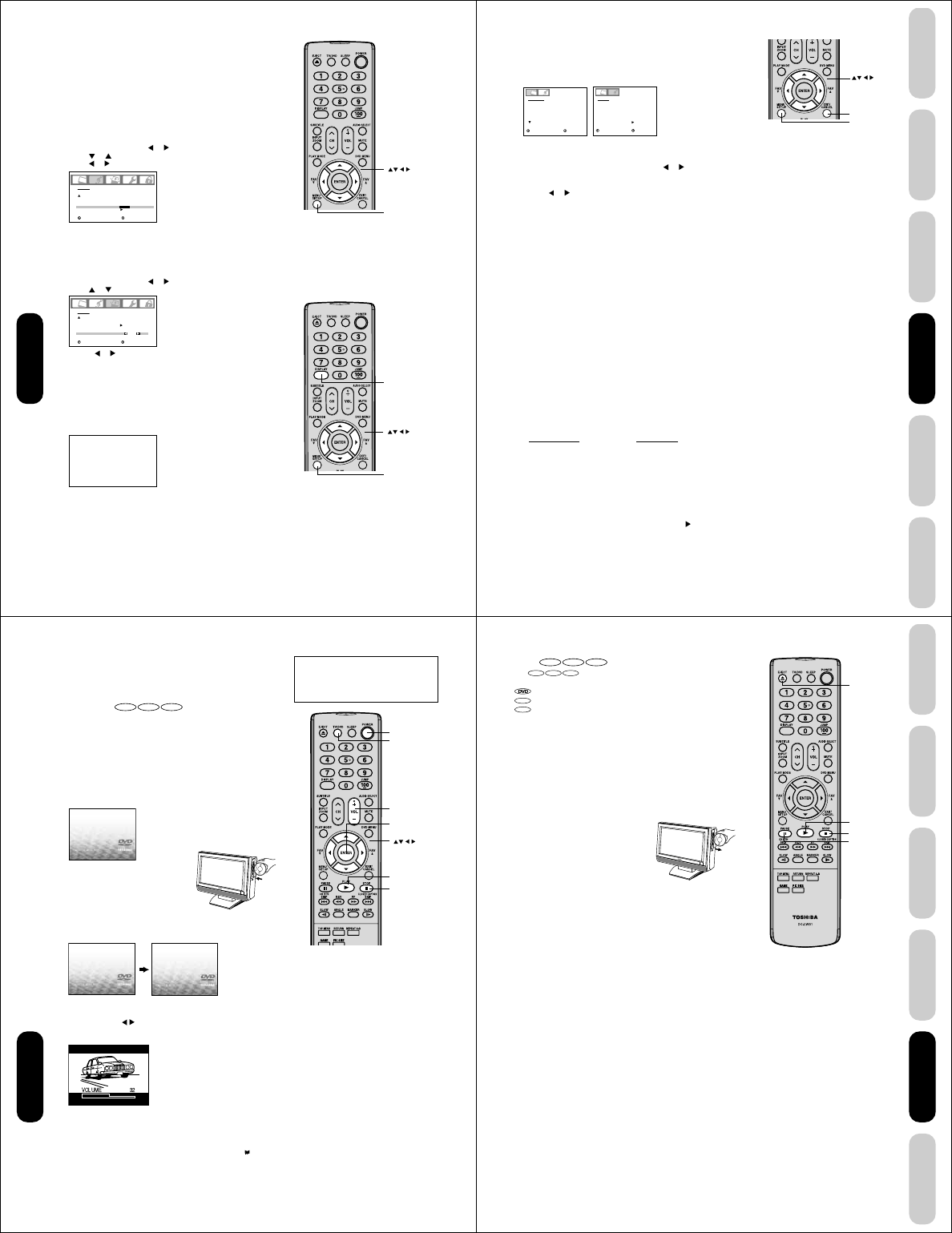
40
Auto power off
The TV/DVD will automatically turn off after approximately 15 minutes if it is tuned to a vacant channel or a station that
completes its broadcast for the day and stops broadcasting on that channel. This feature does not work in Video input/PC/DVD
mode.
Understanding the Power Return feature
If the power is cut off while you are viewing the TV/DVD and the power is resupplied, the Power Return feature will turn the TV/
DVD on automatically.
If the power is going to be off for a long time or you are going to be away from home for a long time, unplug the power cord from
the wall outlet to prevent the TV/DVD from turning on in your absence.
Adjusting the back lighting feature
If your TV/DVD is in a bright room, the screen image may be difficult to
see. You can use the BACK LIGHTING feature to adjust the screen
brightness for improved picture clarity.
To adjust the back lighting:
1
.
Press MENU, then press or until the SETUP menu appears.
2. Press or to highlight BACK LIGHTING.
3. Press a
or
to adjust the screen brightness.
Displaying on-screen information
Press DISPLAY to display the following on-screen information:
• Clock
• Channel number or Video input mode selected
• Channel label (if preset)
•Stereo or SAP (second audio program) audio status
•Content rating
•On timer, Sleep timer (if preset)
•Picture size
STEREO
SAP
TV-PG L V
ON TIMER 12:00AM
SLEEP TIMER 2h00m
ANT
FULL ABCD
CLOCK 12:00AM CABLE
002
OFF
FILM
ON
16
SETUP
CLOSED CAPTION
PICTURE SIZE
CINEMA MODE
ASPECT
BACK LIGHTING
:SELECT :ADJUST
Note:
The cold cathode fluorescent lamp used for
the back light on this TV/DVD has a limited
life. When areas on the screen darken, flicker,
or no longer light up, the lamp may be at the
end of its life. Contact your nearest Toshiba
Authorized Service Station.
Display
OFF
OFF
OFF
HDMI / DVI
AUDIO
WOW SRS 3D
FOCUS
TruBass
HDMI
RESET
:SELECT :ADJUST
Menu
Selecting the HDMI audio input source
See page 17 for details on connecting an HDMI or a DVI device to the TV/
DVD’s HDMI input. If you connect a DVI device, to hear audio you must
also connect the analog audio cables to the HDMI audio IN jacks (see
page 17). Set the HDMI audio input setting to “DVI” with this connection.
If you connect an HDMI device and play media with digital audio output, to
hear digital audio set the HDMI audio input setting to “HDMI” with this connection.
If you connect an HDMI device but play media with analog audio output
(for example, certain CDVs do not output digital audio), to hear audio you
must also connect the analog audio cables to the HDMI audio IN jacks
(see page 17). Set the HDMI audio input setting to “DVI” with this connection.
To select the HDMI audio input source:
1. Press MENU, then press or to display the AUDIO menu.
2. Press or to highlight HDMI.
3. Press or to select HDMI or DVI.
Using the
TV/DVD’s Features
Menu
41
DVD Playback
Using the
TV/DVD’s Features
Setting up
your TV/DVD
Connecting
your TV/DVD
Introduction Appendix
Notes:
• If you wish to change the on-screen
language, follow the steps 1-3 on page 23.
• If no buttons are pressed for more than
approx. 60 seconds, the PC Monitor Menu
screen will return to normal Monitor screen
automatically.
• The PC Monitor Menu settings are not
effective for normal TV mode, DVD mode or
external input mode.
Picture/Audio adjustments in the PC mode
There are a number of picture settings you can adjust to optimize the
performance of the unit in PC mode.
Example: Adjust the contrast.
1. During PC mode, press MENU, then press or to display the
PICTURE menu.
2. Press ▲ or ▼ to select CONTRAST.
3. Press or to adjust CONTRAST.
4. Press EXIT to return to normal viewing.
PICTURE Menu
Menu
Exit
Resetting your picture/audio adjustments in the
PC mode
The RESET function returns your picture quality adjustments to the
following factory settings:
PICTURE menu AUDIO menu
Brightness ............ center (25) Bass ....................... center (25)
Contrast ............... max (50) Treble ..................... center (25)
Red ...................... center (25) Balance .................. center (0)
Green ................... center (25)
Blue...................... center (25)
To reset your picture adjustments:
1. Press MENU during PC mode.
2. Press 2 or 3 to select the desired menu.
3. Press ▲ or ▼ to highlight RESET, and then press .
PICTURE menu
BRIGHTNESS: To adjust the brightness of PC Monitor
screen.
CONTRAST: To adjust the contrast of PC Monitor screen.
HOR POSITION:
To adjust the horizontal position of the image
on the PC Monitor screen. Each video standard
will require a different value for this setting.
VER POSITION:
To adjust the vertical position of the image on
the PC Monitor screen. Each video standard
will require a different value for this setting.
PHASE: This must be adjusted after the frequency
has been set to optimize picture quality.
CLOCK: To minimize any vertical bars or stripes
visible on the screen background.
RED/GREEN/BLUE:
To adjust the color temperature of the PC
Monitor screen.
WXGA INPUT: Set to ON, when you select the WXGA
mode on the PC.
PICTURE
BRIGHTNESS
CONTRAST
HOR POSITION
VER POSITION
PHASE
CLOCK
25
50
25
25
25
0
:SELECT :ADJUST
AUDIO
BASS
TREBLE
BALANCE
STABLE SOUND
WOW SRS 3D
FOCUS
TruBass
RESET
25
25
0
OFF
OFF
OFF
OFF
:SELECT :ADJUST
AUDIO Menu
AUDIO menu
BASS/TREBLE/BALANCE:
To adjust the sound quality of
PC mode.
STABLE SOUND:
To turn on or off the StableSound
®
feature in PC mode.
WOW SRS 3D: To turn on or off the surround
effect in PC mode.
WOW FOCUS: To turn on or off the vocal
emphasis effect in PC mode.
WOW TruBass: To select your desired bass
expansion level (HIGH, LOW or
OFF) in PC mode.
DESCRIPTION ABOUT EACH SETTING OPTION
Using the
TV/DVD’s Features
42
No Disc
No Disc
Reading
Power
Play
Stop
TV/DVD
Enter
DVD Playback
Volume +/–
DVD Playback
Playing a disc
This section shows you the basics on how to play a disc.
Basic playback
DVD VCD CD
Preparations: When connecting to other equipment, turn the power off.
1. Press POWER on the unit or on the remote control to turn on the
unit.
The Power indicator will light.
• Every time you press POWER, the TV/DVD starts from TV mode.
• When using an amplifier, switch on the amplifier.
2. Press TV/DVD on the remote control to select DVD mode.
The DVD startup screen will appear on the screen. (If DVD disc
has already loaded, playback will start automatically.)
3. Load the disc in the disc slot with the
label side facing forward. (If the disc
has a label.) Hold the disc without
touching either of its surfaces, align it
with the guides, and place it in position.
Note:
When you playback the 8cm disc, you need an adapter (not supplied).
4. On the TV screen, “No Disc” changes to “Reading” and then
playback commences.
• A menu screen will appear on the TV screen, if the disc has a
menu feature.
Press ▲/▼ or / to select title, then press ENTER. Title is
selected and play commences.
5. Press VOL + or – to adjust the volume.
6. Press STOP to end playback.
Resume feature
• Depending on the disc you are playing, when you press STOP one
time, the TV/DVD remembers the scene that was playing (“ ”
appears on screen). Press PLAY to resume playback from the
stopped scene.
• If you press STOP again or eject the disc, the unit will clear the
stopped scene (“■” appears on screen).
Note:
Static electricity may affect the DVD player’s
operation and cause it to not work properly. If
this happens, turn OFF the POWER,
disconnect and then reconnect the AC power
cord, and turn ON the unit again.
CAUTION
Keep your fingers well clear of the disc slot
when disc is loading or unloading.
Neglecting to do so may cause serious
personal injury.
43
DVD Playback
Using the
TV/DVD’s Features
Setting up
your TV/DVD
Connecting
your TV/DVD
Introduction Appendix
About
DVD VCD CD
The
DVD VCD CD
icons on the heading bar show the playable discs
for the function described under that heading.
: You can use this function with DVD video discs.
VCD
: You can use this function with Video CDs.
CD
: You can use this function with Audio CDs and CD-R/RW discs.
To start playback in the stop mode
Press PLAY.
To pause playback (still mode)
Press PAUSE during playback.
To resume normal playback, press PLAY.
• The sound is muted during still mode.
To stop playback
Press STOP.
To remove the disc
Press EJECT.
Remove the disc after the disc comes
out.
Eject
Play
Pause
DVD Playback
Stop
Notes:
• If a non-compatible disc is loaded, “Incorrect Disc”, “Region Code Error” or “Parental Error” will appear on the TV screen
according to the type of loaded disc. In this case, check your disc again (see pages 8 and 57).
• Some discs may take a minute or so to start playback.
• If you insert a single-sided disc the wrong way, “Reading” will appear on the display for about 1 minute and then “Incor-
rect Disc” will continue to be displayed.
• Some discs may not resume playing the same scene after stopping.
• Resuming cannot function when you play a PBC-featured Video CD while the PBC is on. To turn off the PBC, see page
51.
• Some playback operations of DVDs may be intentionally fixed by software producers. Since this unit plays DVDs
according to the disc contents the software producers designed, some playback features may not be available. Also refer
to the instructions supplied with the DVDs.
• Do not move the unit during playback. Doing so may damage the disc.
• Use EJECT on the unit to unload and eject the disc. Do not push the disc while it is moving. Doing so may cause the unit
to malfunction.
• Do not put any objects other than discs in the disc slot. Doing so may cause the unit to malfunction.
• When you press a button, there may be a slight delay before the function activates.
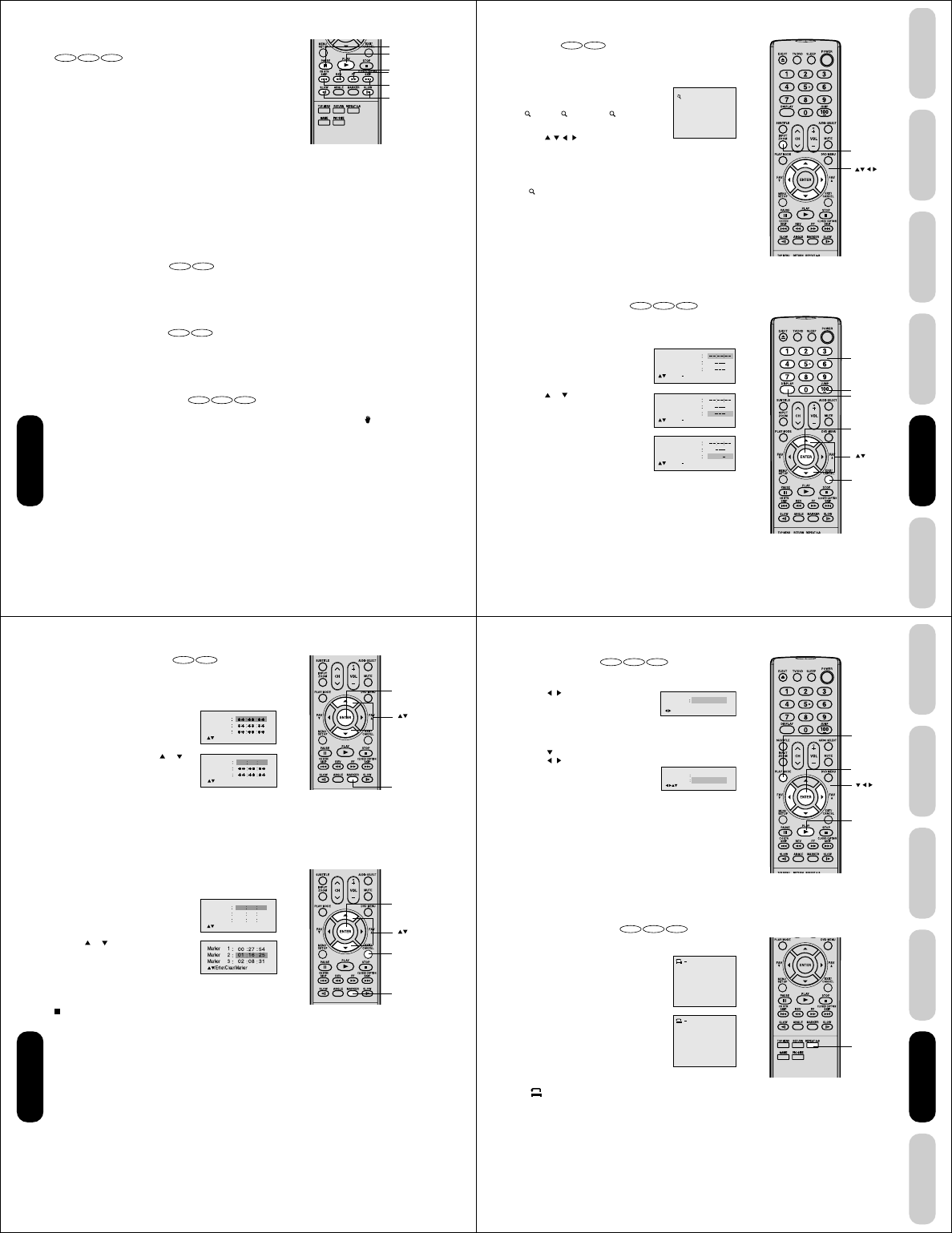
44
Playing in fast reverse or fast forward directions
DVD VCD CD
Press REV or FF during playback.
REV: Fast reverse playback
FF: Fast forward playback
Each time you press REV or FF, the playback speed changes.
To resume normal playback
Press PLAY.
Playing frame by frame
DVD VCD
Press PAUSE during still playback.
Each time you press PAUSE, the picture advances one frame.
To resume normal playback
Press PLAY.
Playing in slow-motion
DVD VCD
Press SLOW ˆ (REVERSE) or ] (FORWARD) during playback.
Each time you press the button, the slow-motion speed changes.
To resume normal playback
Press PLAY.
Locating a chapter or track
DVD VCD CD
Press SKIP 4 or ¢ repeatedly to display the chapter or track
number you want.
Playback starts from the selected chapter or track.
SKIP ¢: To locate succeeding chapters or tracks.
SKIP 4: Playback starts from the beginning of the current chapter
or track. When you press twice in quick successions,
playback starts from the beginning of the preceding
chapter or track.
Note:
A “Prohibition” symbol may appear at the
upper left of the screen. This symbol means
either the feature you tried is not available on
the disc, or the TV/DVD cannot access the
feature at this time. This does not indicate a
problem with the TV/DVD.
Skip 4 ¢
Rev
FF
Play
Pause
Slowˆ]
DVD Playback
Notes:
• The TV/DVD mutes sound and subtitles
during reverse and forward scan of DVD
video discs. However, the TV/DVD plays
sound during fast forward or fast reverse
play of audio CDs.
• The playback speed may differ depending
on the disc.
Note:
The sound is muted during frame by frame
playback.
Notes:
• The sound is muted during slow-motion
playback.
• The Video CD cannot play Reverse Slow.
45
DVD Playback
Using the
TV/DVD’s Features
Setting up
your TV/DVD
Connecting
your TV/DVD
Introduction Appendix
Zooming
DVD VCD
This unit will allow you to zoom in on the frame image. You can then
make selections by switching the position of the frame.
1. Press ZOOM during playback.
The center part of the image will be zoomed in.
Each press of ZOOM will change the ZOOM
1 (x 1.3), 2 (x 1.5) and 3 (x 2.0).
2. Press / / / to view a different part of the
frame.
You may move the frame from the center position to UP, DOWN,
LEFT or RIGHT direction.
3. In the zoom mode press ZOOM repeatedly to return to a 1:1 view
( Off).
Locating desired scene
DVD VCD CD
Use the title, chapter and time recorded on the disc to locate the
desired point to play back.
To check the title, chapter and time, press DISPLAY.
1. Press JUMP during playback or stop
mode.
2. Press or to select the “Time”,
“Title” or “Chapter”.
3. Press Number buttons (0–9) to change
the number.
• If you input a wrong number, press
CANCEL.
• Refer to the package supplied with the
disc to check the numbers.
4. Press ENTER. Playback starts.
• When you change the title, playback starts from Chapter 1
of the selected title.
• Some discs may not work in the above operation.
1
Notes:
• You can select the Pause, Slow or Search
playback in the zoom mode.
• Some discs may not respond to zoom
feature.
Jump
Note:
In case of the Video-CD playback with PBC,
the JUMP does not work. To turn off PBC, see
page 51.
Zoom
Display
Cancel
Enter
Number
buttons
DVD Playback
Jump Time
Title
Chapter
/Enter/0 9/Cancel/Jump
Time
Title
Chapter
Jump
/Enter/0 9/Cancel/Jump
Time
Title
Chapter
12
Jump
/Enter/0 9/Cancel/Jump
46
DVD Playback
Marking desired scenes
DVD VCD
The unit stores the points that you want to watch again up to 3 points.
You can resume playback from each scene.
Marking the scenes
1. Press MARKER during playback.
2. Select the blank Marker using or .
Then press ENTER at the desired scene.
• Repeat this procedure to set the other
2 scenes.
3. Press MARKER to remove this display.
Returning to the scenes
1. Press MARKER during playback or stop
mode.
2. Press or to select the Marker 1-3.
3. Press ENTER.
Playback starts from the marked scene.
To cancel the Marker
Follow the above steps 1~2, then press CANCEL.
Marker 2
Marker 1
Marker 3
/Enter/Cancel/Marker
Marker 2
Marker 1
Marker 3
/Enter/Cancel/Marker
2700 54
Notes:
•
Some discs may not work with the marking
operation.
•
The marking is canceled when you eject
the disc or turn the power off.
•
Some subtitles recorded around the marker
may fail to appear.
Marker 2
Marker 1
Marker 3
/Enter/Cancel/Marker
27
16
08
54
25
31
00
01
02
Marker
Marker
Cancel
Enter
Enter
47
DVD Playback
Using the
TV/DVD’s Features
Setting up
your TV/DVD
Connecting
your TV/DVD
Introduction Appendix
Repeat Off
/Enter/Play Mode
Play Mode Off
Repeat Off
/Enter/Play Mode
A
AB
Enter
Play Mode
Play
Repeat A-B
DVD Playback
Repeat playback
DVD VCD CD
1. Press PLAY MODE during playback or stop mode.
2. [DVD]
Press / or ENTER once or twice to
select “Chapter” or “Title”.
The unit automatically starts repeat
playback after finishing the current title or
chapter.
[Audio CD, Video CD]
Press to select “Repeat”.
Press / or ENTER once or twice to select “Track” or “All”.
The unit automatically starts repeat
playback after finishing the current track.
• If you set the repeat mode during stop
mode, press PLAY to start Repeat
playback.
3. Press PLAY MODE again to make the screen disappear.
To resume normal playback
Select Repeat : “Off” in step 2.
A-B Repeat playback
DVD VCD CD
A-B repeat playback allows you to repeat material between two selected
points.
1. Press REPEAT A-B during playback.
The start point is selected.
2. Press REPEAT A-B again.
The end point is selected. Playback starts at
the point that you selected. Playback stops at
the end point, returns to Point A automatically,
then starts again.
To resume normal playback
Press REPEAT A-B again.
“
Off
” appears on the screen.
Notes:
• Some discs may not work with the repeat
operation.
• In case of Video CD with PBC, repeat
functions are prohibited during playback.
Notes:
• In A-B Repeat mode, subtitles near the A or
B locations may not be displayed.
• You cannot set the A-B Repeat for the
scenes that include multiple angles.
• A-B Repeat playback does not work when
Repeat playback is activated.
• You may not be able to set A-B Repeat,
during certain scenes of the DVD.
• A-B Repeat does not work with an interac-
tive DVD, MP3/WMA/JPEG CD.
• A-B Repeat is prohibited when PBC is on.
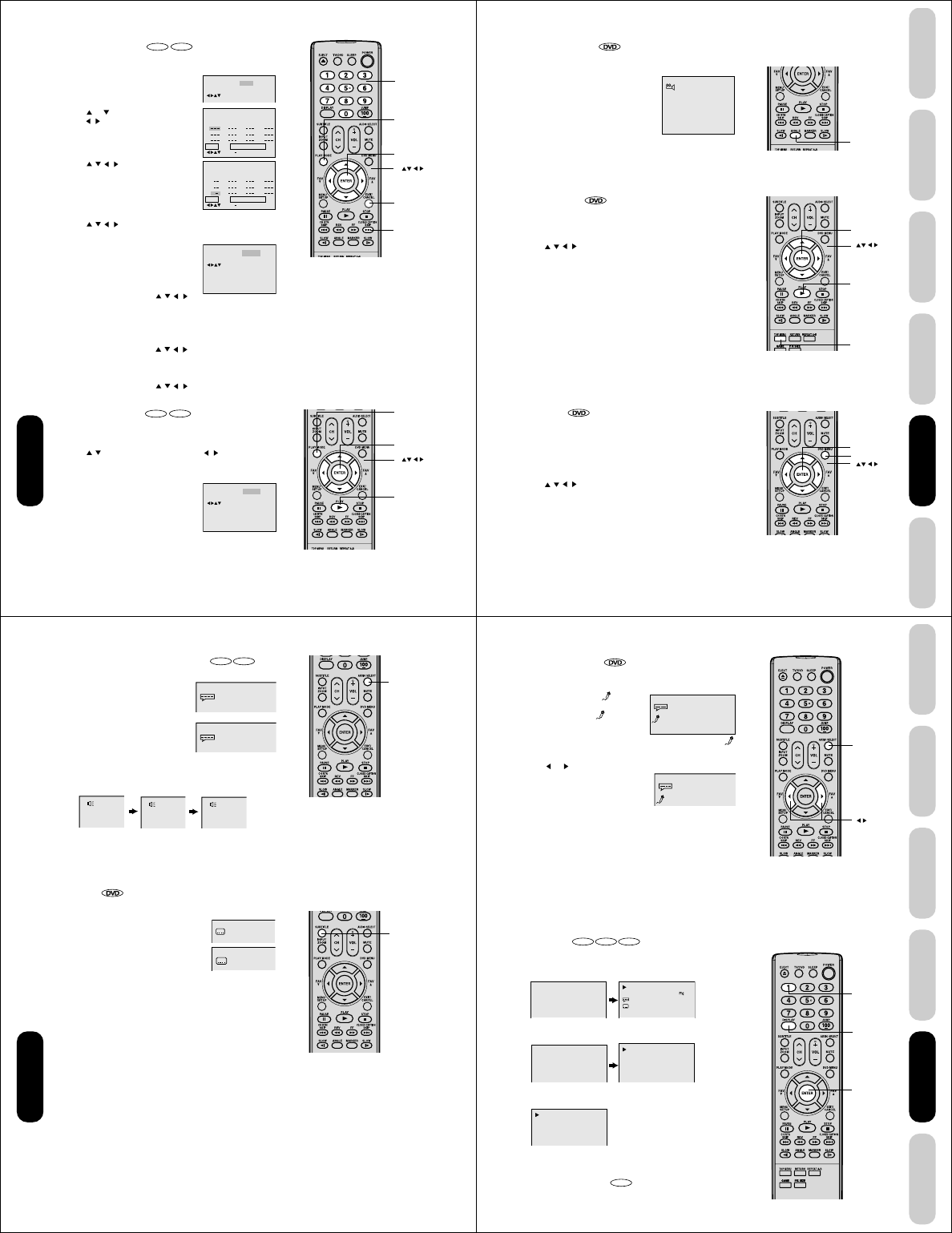
48
Repeat
Play Mode
:
Random
/Enter/Play Mode
:
Off
Repeat
Play Mode
:
Off
/Enter/Play Mode
:
Off
Enter
Play Mode
Channel
Number
Skip ¢
Cancel
Enter
Play mode
Play
DVD Playback
Repeat
1
2
3
4
5
6
7
8
9
10
11
12
Clear Program Playback
Play Mode
:
Program
:
Off
/Enter/0 9/Cancel/Play Mode
Play Mode
Repeat Off
/Enter/Play Mode
:
:
Off
Program Playback
2 35811
3 1
16912
1 9
4710
Repeat
Play Mode
:
Program
:
Off
/Enter/0 9/Cancel/Play Mode
Clear
Program playback
VCD
CD
You can arrange the playback order of tracks or files on the disc.
1. Press PLAY MODE in the stop mode.
2. Press or to select Play Mode, then
press / or ENTER to select “Program”.
3. Press / / / to select the program-
ming position. Use Number buttons (0–9)
to input the Track or file numbers.
• To program others, repeat step 3.
• If you input a wrong number, press
CANCEL.
4. Press / / / to select “Program Playback” and press ENTER.
The programs you selected will start to playback in the order.
• In case of JPEG file, press SKIP ¢ to
continue the program playback.
• To resume normal playback, select Play
Mode: “Off” in step 2.
To change the program
1. In the program mode, press / / / to
select the track number.
2. Press Number buttons (0–9) to select the track number to be
replaced.
To clear the program one by one
In the program mode, press / / / to select the track number.
Then press CANCEL.
To clear all the programs
In the program mode, press / / / to select “Clear”. Then
press ENTER.
Random playback
VCD
CD
The unit selects tracks or files at random and playback.
1. Press PLAY MODE during playback or stop mode.
2. Press / to select Play Mode, then press / or ENTER to
select “Random”.
3. Press PLAY.
The Random Playback will start.
• If you set “Random” during playback
mode, Random playback will begin after
the track that is currently being played
has ended.
• To resume normal playback, select Play
Mode: “Off” in step 2.
Note:
The program is cancelled when you eject the
disc or turn the power off.
Note:
In playing back the Video CD with PBC, you
cannot set Random playback.
49
DVD Playback
Using the
TV/DVD’s Features
Setting up
your TV/DVD
Connecting
your TV/DVD
Introduction Appendix
1/9
Angle
Enter
Top Menu
Play
DVD Menu
Enter
DVD Playback
Changing angles
When playing back a disc recorded with multi-angle facility, you can
change the angle that you are viewing the
scene from.
1. Press ANGLE during playback.
The current angle will appear.
2. Press ANGLE repeatedly until the desired angle is selected.
Title selection
Two or more titles are recorded on some discs. If the title menu is
recorded on the disc, you can select the desired title.
1. Press TOP MENU during playback.
Title menu appears on the screen.
2. Press /// to select the desired title.
3. Press ENTER or PLAY.
The playback of the selected title will start.
DVD menu
Some DVDs allow you to select the disc contents using the menu.
When you playback these DVDs, you can select the subtitle language
and sound-track language, etc. using the menu.
1. Press DVD MENU during playback.
The DVD menu appears on the screen.
• Press DVD MENU again to resume playback at the scene when
you pressed DVD MENU.
2. Press / / / to select the desired item.
3. Press ENTER.
The menu continues to another screen. Repeat steps 2 and 3 to set
the item completely.
Note:
Depending on the DVD, you may not be able
to change the angles even if multi-angles are
recorded on the DVD.
Note:
Depending on the DVD, you may not be able
to select the title. Depending on the DVD, a
“title menu” may simply be called a “menu” or
“title” in the instructions supplied with the disc.
Note:
Depending on the DVD, you may not be able
to resume playback from the scene point
when you pressed DVD MENU.
50
1/8 Eng
Off
2/8 Fra Dolby Digital
1/8 Eng Dolby Digital
LR
L
R
Audio Select
Subtitle
DVD Playback
Changing soundtrack language
DVD VCD
You can select the language when you play a multilingual disc.
1.
Press AUDIO SELECT during playback.
The current soundtrack language will
appear.
2. Press AUDIO SELECT repeatedly until
the desired language is selected.
• The on screen display will disappear
after a few seconds.
In case of Video CD playback
Audio type changes as follows each time you press AUDIO SELECT.
Subtitles
When playing back a disc recorded with subtitles, you can select the
subtitle language or turn the subtitle off.
1. Press SUBTITLE repeatedly during playback
until your desired language appears.
2. To turn off the subtitle, press subtitle until
“Off” appears.
• The on screen display will disappear after
a few seconds.
Notes:
• If the desired language is not heard after
pressing the button several times, the
language is not recorded on the disc.
• Changing soundtrack language is cancelled
when you eject the disc. The initial default
language or available language will be
heard if the disc is played back again.
• If you select DTS in playing DTS-encoded
disc, no sound will be heard from the TV/
DVD’s speakers.
Notes:
• Depending on the DVD, you may not be
able to change subtitles, or to turn subtitles
on or off.
• While playing a DVD, the subtitle may
change when you loaded or eject the disc.
• In some cases, a selected subtitle language
may not be changed immediately.
51
DVD Playback
Using the
TV/DVD’s Features
Setting up
your TV/DVD
Connecting
your TV/DVD
Introduction Appendix
00:12 04:32
Track –/–
PBC
34:56 71:33
Track 11/99
00:12 04:32
1/8 Eng Dolby Digital
Off
1/8 Eng Dolby Digital
On
00:34:56 01:12:33
00:34:56 01:12:33
1/9
Title 1/99
1/8
1/32
Chapter 1/999
Eng Dolby Digital
Eng
Audio Select
1
Enter
Display
DVD Playback
Karaoke playback
You can turn the vocal on or off recorded on the DVD KARAOKE.
1. During DVD KARAOKE disc playback, press AUDIO SELECT.
The KARAOKE symbol ( ) appears.
• If you play non-Karaoke disc, the
KARAOKE symbol ( ) does not
appear.
• Some Karaoke discs may not have
the vocal on/off function. In this case, the KARAOKE symbol ( )
does not appear.
2. Press or to select “On” or “Off”.
On : The primary vocal is output when
it is recorded on the disc.
Off : The primary vocal is not output.
• The on screen display will disappear
after a few seconds.
Disc status
DVD VCD CD
With each press of DISPLAY, the status of the disc will appear on the
screen and change as follows.
DVD
To make status display disappear, press DISPLAY again.
Video CD
To make status display disappear, press DISPLAY again.
Audio CD
When you playback the CD disc, the status display will appear on
the screen and continue displaying.
To turn off the PBC
VCD
Press number button 1 in the stop mode, then press ENTER.
Notes:
• The vocal output feature is used during
playback of Dolby Digital (multi-channel)
recorded DVD KARAOKE discs. This
feature allows you to turn off vocal audio
tracks, or restore them for background
accompaniment.
• When playing Karaoke, connect appropriate
audio equipment such as an amplifier to the
TV/DVD.
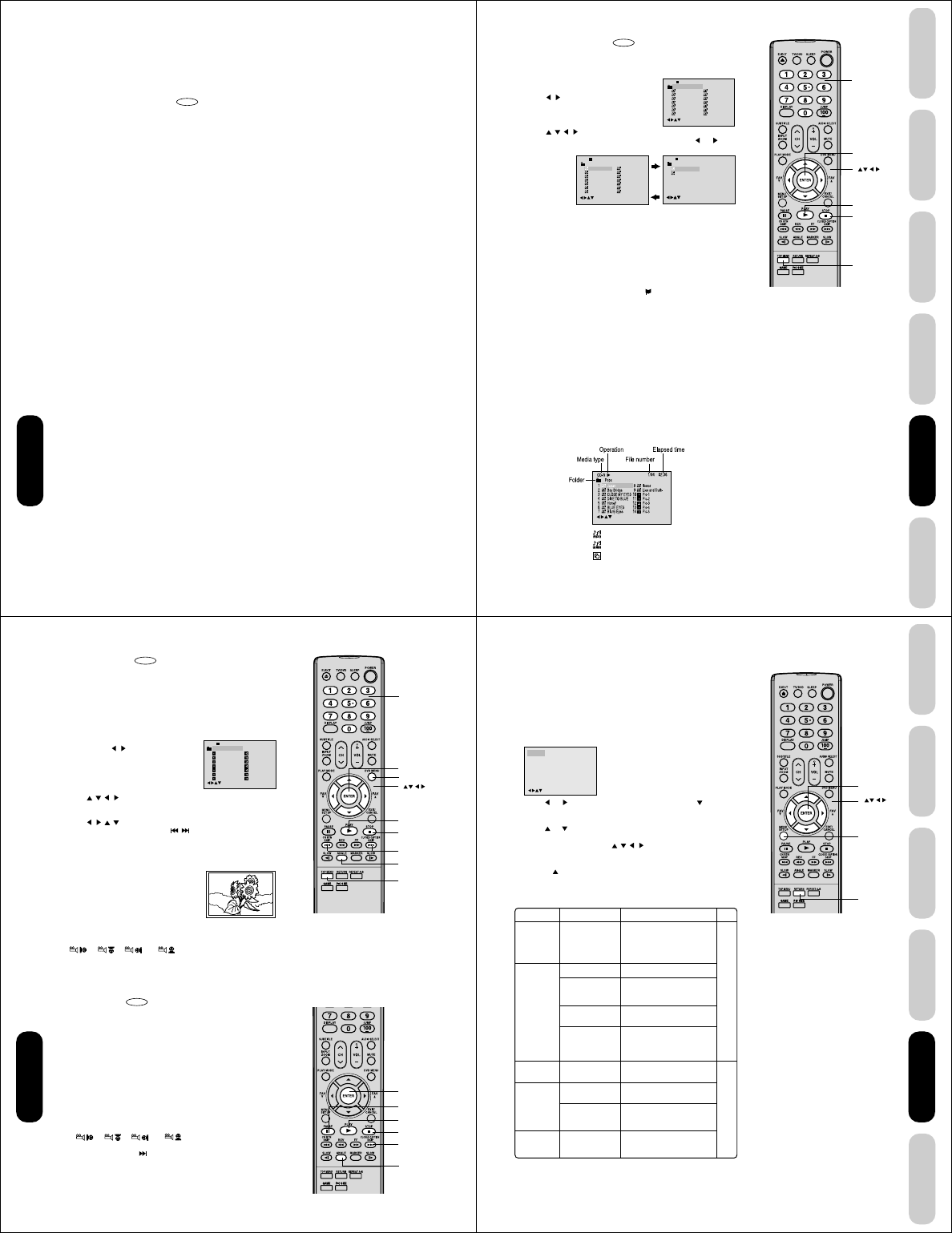
52
DVD Playback
MP3/WMA/JPEG CD operation
This unit can play back MP3/WMA/JPEG-data which has been recorded on CD-R or CD-RW.
To produce MP3/WMA/JPEG-data, you need a Windows-PC with CD-R/RW drive and MP3/WMA/JPEG-encoding Software
(not supplied).
Files recorded on an Apple® HFS (hierarchical file system) volume cannot be played.
MP3/WMA/JPEG CD information
CD
Limitations on MP3/WMA/JPEG CD playback
• MP3/WMA/JPEG CDs must meet ISO9660 standards. Files must have one of the following extensions: .mp3, .wma, or .jpg.
• This unit can read 200 files per disc. If one directory has more than 200 files, the unit will read up to 200 files and any
additional files will be ignored.
• The unit is able to recognize up to a maximum of 50 directories per disc.
• MP3/WMA/JPEG CDs cannot be used for the purpose of recording.
• If the CD has both audio tracks and MP3/WMA/JPEG files, only audio tracks are played.
• It may take more than one minute for this unit to read MP3/WMA/JPEG files depending on its structure.
• Music recorded by “Joliet Recording Specification” can be played back, the file name is displayed (within 16 letters) on the
screen. Long file names will be condensed.
• Music files recorded on an Apple® HFS (hierarchical file system) volume cannot be played.
Limitations on display
• The maximum number for display is 16 letters.
Available letters for display are the following:
capital or small alphabets of A through Z, numbers of 0 through 9, and _ (under score).
• Other letters than those above are replaced in hyphen.
Notes on MP3/WMA/JPEG files
To play back MP3/WMA/JPEG CD in the recorded order,
1. Use MP3/WMA/JPEG software that records data alphabetically or numerically.
2. Name each file including two-digit or three-digit number (ex. “01” “02” or “001” “002”).
3. Refrain from making too many sub-folders.
Notice:
• Some MP3/WMA/JPEG CDs cannot be played back depending on the recording conditions.
• The CD-R/RW that has no music data or non MP3/WMA/JPEG files cannot be played back.
Standard, sampling frequency, and the bit rate:
MP3 CD
MPEG-1 Audio
32kHz, 44.1kHz, 48kHz
32kbps ~ 320kbps (constant bit rate or variable bit rate)
The recommend recording setting for a high-quality sound is 44.1kHz of sampling frequency and 128kbps of constant bit
rate.
WMA CD
WMA version 7, and 8
32kHz, 48kbps
44.1kHz, 48kbps ~ 192kbps
48kHz, 128kbps ~ 192kbps
The file recorded by mono, 48kHz, 48 kbps is not available to this unit.
The DVD player contained in this LCD TV requires discs/recordings to meet certain technical standards in order to achieve
optimal playback quality. Pre-recorded DVDs are automatically set to these standards. There are many different types of
recordable disc formats (including CD-R containing MP3/WMA files). Because this area of technology is still evolving,
Toshiba cannot guarantee that all recordable discs will produce optimal playback quality. The technical criteria set forth in
this owner’s manual are meant only as a guide.
Please be advised that you must obtain permission from the applicable copyright owners to download copyrighted content,
including music files, in any format, including the MP3 and WMA formats, prior to the downloading thereof. Toshiba has no
right to grant and does not grant permission top download any copyrighted content.
Apple is a registered trademark of Apple Computer, Inc.
53
DVD Playback
Using the
TV/DVD’s Features
Setting up
your TV/DVD
Connecting
your TV/DVD
Introduction Appendix
1
-
/72
--:--
/0-9/Enter/Play Mode
2
3
4
5
Japan
CD-R
Bay Bridge
CLOSE MY EYES
DIVE TO BLUE
Honey
8
9
10
11
12
flower
Lies and Truth-
winter fall
Rain
Strawberry
6
BLUE EYES
13
Welcome party
7
Blurry Eyes
14
Thailand
Pops
1
-
/72
--:--
/0-9/Enter/Play Mode
2
3
4
5
Japan
CD-R
Bay Bridge
CLOSE MY EYES
DIVE TO BLUE
Honey
8
9
10
11
12
flower
Lies and Truth-
winter fall
Rain
Strawberry
6
BLUE EYES
13
Welcome party
7
Blurry Eyes
14
Thailand
Pops
15
-
/72
16
Mother
CD-R
Hold Your Last
Pops
--:--
/0-9/Enter/Play Mode/0-9/Enter/Play Mode
: Indicates MP3 file
: Indicates WMA file
: Indicates JPEG file
/0
–
9/Enter/Play Mode/DVD Menu
Top Menu
Play
Stop
Enter
Number
buttons
DVD Playback
MP3/WMA CD playback
CD
1. Load a disc on which MP3 or WMA files have been recorded in the
disc slot.
2. A file menu screen will appear on the
screen.
Press / or ENTER to select folder.
3. Press / / / or Number buttons (0–9) to select the desired file.
• In case the folder includes more than 15 files, press or to
display next file list.
• When PLAY has been pressed after displaying the file menu,
playback begins automatically starting from the first file. In this
case, if the first file is an MP3/WMA file, only MP3/WMA files are
played back in order. If the first file is a JPEG file, the first JPEG
file is played back.
4. Press ENTER.
The selected file starts playing back.
5. Press STOP to end playback.
• The unit records the stopped point. “ ” appears on the screen.
Press PLAY to resume playback (from the scene point).
• If you press STOP again or unload the disc, the unit will clear the
stopped point.
About file menu
Notes:
• During MP3/WMA/JPEG playback, you
cannot use JUMP, A-B Repeat functions.
• You can use Repeat (Track or All), Random
functions and Program playback for MP3/
WMA/JPEG CD playback (see pages 47
and 48).
• In the case of a CD containing a mixture of
MP3, WMA and JPEG files, the files are
played back by selecting them from the file
menu.
Notes:
• The picture menu is displayed when the
FUJICOLOR CD or the Kodak Picture CD
are played. To display the file
menu, press TOP MENU.
• In the case of a CD containing a mixture of
MP3, WMA and JPEG files, the files are
played back by selecting them from the file
menu.
• MP3 or WMA file on the Kodak Picture CD
is not recognized on this unit.
54
1
-
/36
2
3
4
5
Pic-1
CD-R
Pic-2
Pic-3
Pic-4
Pic-5
8
9
10
11
12
Pic-8
Pic-9
Pic-10
Pic-11
Pic-12
6
Pic-6
13
Pic-13
7
Pic-7
14
Pic-14
Collection
/0-9/Enter/Play Mode/DVD Menu
Enter
Channel
Number
DVD Menu
Top Menu
Angle
Stop
Play
Skip 4¢
Enter
Angle
Stop
Play
Skip ¢
Pause
DVD Playback
JPEG CD playback
CD
You can select your desired JPEG file on the file menu and picture
menu. The selected JPEG file is automatically adjusted to the TV
screen. (When the aspect ratio of a JPEG file is different from that of
the TV screen, black bars may appear at the top, bottom, and/or sides
of the screen.
1. Load a disc on which JPEG files have been recorded in the slot.
2. A file menu screen will appear on the
screen. Press / to select folder.
3. Press / / / or Number buttons (0–9) to select the desired file.
To display a picture menu, press DVD MENU. (To return to a file
menu, press TOP MENU.)
Press /// to select the desired file.
• To display next list, press SKIP / .
• When PLAY has been pressed after displaying the file menu,
playback begins automatically starting from the first file. In this
case, if the first file is a JPEG file, the first JPEG file is played
back. If the first file is an MP3/WMA file, only MP3/WMA files are
played back in order.
4. Press ENTER. The selected picture
appears on the screen.
Rotating an image
You can rotate an image by 90 degrees by pressing ANGLE during
playback of the image.
“”, “ ”, “ ” or “ ” appears briefly on the screen.
5. Press STOP to end playback.
The file menu appears on the screen.
If you want to watch the other file, repeat steps 3 ~ 4.
Slide show playback
CD
The slide show enables you to view pictures (files) one after another
automatically.
Preparation:
• Set “JPEG Interval” setting to “5 Seconds”, “10 Seconds” or “15
Seconds”. (See page 56.)
1. Select your desired starting file for the slide show in the step 3 on
the above.
2. Press ENTER to start slide show from the selected file.
• If you press PAUSE during the slide show, the slide show stops
temporarily. “8” appears briefly on the picture.
If the picture appears upside down or sideways, press ANGLE
repeatedly until it’s right side up.
“”, “ ”, “ ” or “ ” appears briefly on the
screen.
Press PLAY or SKIP again to resume the slide show.
• When slide show playback is finished, the file list appears.
• To stop the slide show, press STOP. The file list appears.
55
DVD Playback
Using the
TV/DVD’s Features
Setting up
your TV/DVD
Connecting
your TV/DVD
Introduction Appendix
/Enter/Setup/Return
Language Picture Parental OtherSound
Return
Menu
Enter
Section
Language
Picture
Sound
Parental
Other
Page
56
57
Option
Menu
Subtitle
Audio
TV Screen
Display
JPEG Interval
Select Files
DRC
Password
Parental
OSD Language
DVD Playback
DVD function setup
Customizing the function settings
You can change the default settings of the DVD mode to customize
performance to your preference.
Setting procedure
1. Press SETUP during stop mode.
The following on-screen display appears.
2. Press or to select the desired section, then press or
ENTER.
3. Press or to select the desired option.
4. Change the selection using / / / or ENTER (see “Setting
details” on page 56 and 57).
• Repeat step 3 and 4 to change other settings.
• Press to select another operation, go back to step 2.
5. To make SETUP screen disappear, press SETUP or RETURN.
Details
To select the language of
“Menu”, “Subtitle” and
“Audio” if their languages
are recorded on the disc in
more than one language.
To select a picture size.
To turn on or deactivate the
operational status display on
the screen.
To select a preferred setting
for the slide show playback.
To select your desired file
type for playing back a disc
containing a mixture of MP3,
WMA, and JPEG files.
To select On or Off for DRC
(Dynamic Range Control).
Input 4-digit password to set
the parental level.
To select a preferred paren-
tal level for the parental set-
ting.
To select a preferred lan-
guage for on screen display.
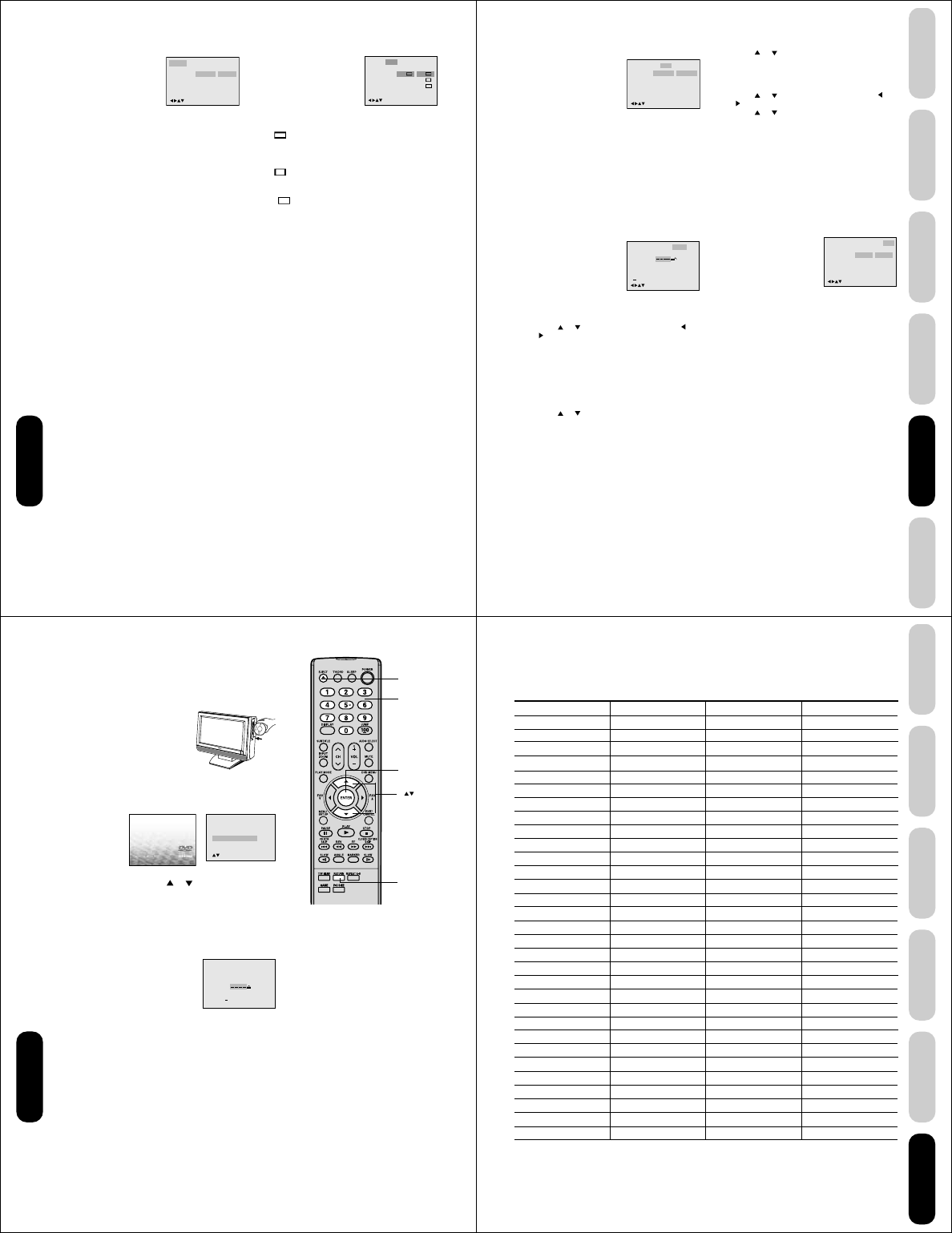
56
Language Picture Parental OtherSound
Menu
Subtitle
Audio
English
Automatic
English
English
Francais
Espanol
Other
/Enter/Setup/Return
Tv Screen
Display 4:3
/Enter/Setup/Return
Language Picture Parental OtherSound
On
JPEG Interval
Select Files All
Off 4:3
4:3
16:9
DVD Playback
Setting details
Language
Menu, Subtitle, Audio
You can select the language of “Menu”, “Subtitle” and
“Audio” if more than one language is recorded onto the disc.
English, Francais, Espanol:
The selected language will be heard or seen.
Other:
Other language can be selected (see the “Language
code list” page 59).
Original: (Audio)
The unit will select the first priority language of each
disc.
Automatic: (Subtitle)
• The unit will automatically select the same language
in the AUDIO setting.
• When the unit selects the same language as the
AUDIO, the subtitles will not appear during playback.
• When you do not use the same language as the
AUDIO, the subtitles will appear during playback.
Off: (Subtitle)
Subtitles do not appear.
Note:
If the selected language is not recorded on the disc, the
first-priority language is selected.
Picture
Tv Screen
You have the following screen sizes to choose from:
4:3 Letter box:
When playing back a wide screen-DVD disc, it
displays the wide picture with black bands at the top
and bottom of screen.
4:3 Pan scan:
It displays the wide picture on the whole screen with
left and right edges automatically cut off.
16:9 Wide:
A wide screen picture is displayed full size.
Note:
If the DVD disc is not formatted in the pan & scan style, it
displays 4:3 style.
Display
On screen display can be switched on or off when you
press the buttons.
On: On screen displays appear when you press the
buttons (factory setting).
Off: On screen displays do not appear when you press
any buttons.
JPEG Interval
You can continuously play back all JPEG files automatically.
After the setting below, start playing the disc on which
JPEG files have been recorded.
Off:
Plays back one file at a time.
5 Seconds:
Plays back images in the form of a slide show at 5
second intervals.
10 Seconds:
Plays back images in the form of a slide show at 10
second intervals.
15 Seconds:
Plays back images in the form of a slide show in 15
second intervals.
Select Files
When playing back a CD containing a mixture of MP3,
WMA and JPEG files, only MP3/WMA or JPEG files can be
displayed on the file menu.
All:Displays all files.
Music Only:
Displays only MP3/WMA files.
Pictures Only:
Displays only JPEG files.
57
DVD Playback
Using the
TV/DVD’s Features
Setting up
your TV/DVD
Connecting
your TV/DVD
Introduction Appendix
Language
OSD Language English English
Francais
Espanol
Other
/Enter/Setup/Return
Picture ParentalSound
Language
Password
Parental
Picture Parental Other
Off
0 9/Cancel
/Enter/Setup/Return
Sound
DRC
/Enter/Setup/Return
Language Picture Parental OtherSound
Off
On On
DVD Playback
Setting details
Sound
DRC
DRC (Dynamic Range Control) enables you to control the
dynamic range so as to achieve a suitable sound for your
equipment.
On: Loud sound such as explosion or similar is toned
down slightly when played back. This makes it
suitable for when it is connected to a stereo.
Off: It plays back at the recording level on the disc.
Notes:
• This function works only during playback of Dolby Digital
recorded discs.
• The level of Dynamic Range Reduction may differ
depending on DVD video disc.
Parental
Parental control setting
Some discs are specified not suitable for children. Such
discs can be limited not to play back with the unit.
1) Press or to select “Parental”, then press or
until the level you require appears.
• Level Off: The parental control setting does not
function.
• Level 8: Virtually all DVD software can be
played back.
• Level 1: DVD software for adults cannot be
played back.
Select from the level 1 to level 8. The limitation will
be more severe as the level number is lower.
2) Press or to select “Password”.
Press Number buttons (0–9) to input a 4-digit
password. Be sure to remember this number!
• If you input a wrong number, press CANCEL.
3) Press ENTER to store the password.
Note: Now the rating is locked and the setting cannot
be changed unless you enter the correct password.
Notes:
• Depending on the discs, the unit cannot limit playback.
• Some discs may not be encoded with specific rating
level information though its disc jacket says “adult.” For
those discs, the age restriction will not work.
To change the parental level
1) Press or to select “Password”.
2) Press Number buttons (0–9) to enter the password
you have stored.
3) Press ENTER.
• The rating is now unlocked.
4) Press or to select “Parental”, then press or
to change the parental level.
5) Press or to select “Password”, then press
Number buttons (0–9) to enter the password.
Note: You can change the password if you want.
6) Press ENTER.
Now the parental level is changed and locked.
If you forget the password...
1. Press EJECT.
2. Remove the disc after the disc comes out.
3. “No Disc” appears on the screen.
4. While holding STOP down on the top of the unit,
press 7 on the remote control. “PASSWORD
CLEAR” appears on the screen.
5. Enter a new password again.
Other
OSD Language
The setup language can be selected.
English: To display OSD language in English.
Francais: To display OSD language in French.
Espanol: To display OSD language in Spanish.
Note:
After completing the setup on pages 56 and 57, the settings
will be retained in the memory (especially with DVD discs),
even if you turn off the power.
58
Reading
Your disc exceeds
the parental control level#.
Parental Control Level
Cancel Picture
/Enter/Return
Please enter the
4digit password
9/
Cancel
/ReturnEnter/0
-
Enter
Number
buttons
Return
DVD Playback
Temporary disabling of parental level by DVD disc
Depending on the DVD disc, the disc may try to temporarily cancel the
parental level that you have set.
It is up to you to decide whether to cancel the rating level or not.
1. Load a DVD disc.
2. If the DVD disc has been designed to
temporarily cancel the Rating level, the screen which follows the
“Reading” screen will change, depending on which disc is
played. If you select “YES” with the ENTER key, “Your disc
exceeds the parental control level#.” screen will then appear.
3. If you wish to cancel the set rating level temporarily, select
“Parental Control Level” with or , then press ENTER. If the
4-digit password at step 2 on page 57 has been set, the
password entering screen will appear as shown in step 4.
Alternatively, if the password has not been set, playback will
commence. If you don’t know (or have forgotten) the password,
select “Cancel Picture”. The setting screen will disappear. Press
EJECT on the unit to remove the disc.
4. Enter the password with Number buttons (0–9). Then press
ENTER.
To exit from the entry, press RETURN.
5. Playback will commence if the entered
password was correct.
Note:
This temporary cancellation of rating level will
be kept until the disc is ejected.
When the disc is ejected, the original parental
level will be set again automatically.
Eject
59
DVD Playback
Using the
TV/DVD’s Features
Setting up
your TV/DVD
Connecting
your TV/DVD
Introduction Appendix
Appendix
Language code list
Enter the appropriate code number for the initial settings “Menu”, “Subtitle” and/or “Audio.” See page 56.
Abkhazian 1112 Fiji 1620 Lingala 2224 Singhalese 2919
Afar 1111 Finnish 1619 Lithuanian 2230 Slovak 2921
Afrikaans 1116 French 1628 Macedonian 2321 Slovenian 2922
Albanian 2927 Frisian 1635 Malagasy 2317 Somali 2925
Amharic 1123 Galician 1722 Malay 2329 Spanish 1529
Arabic 1128 Georgian 2111 Malayalam 2322 Sundanese 2931
Armenian 1835 German 1415 Maltese 2330 Swahili 2933
Assamese 1129 Greek 1522 Maori 2319 Swedish 2932
Aymara 1135 Greenlandic 2122 Marathi 2328 Tagalog 3022
Azerbaijani 1136 Guarani 1724 Moldavian 2325 Tajik 3017
Bashkir 1211 Gujarati 1731 Mongolian 2324 Tamil 3011
Basque 1531 Hausa 1811 Nauru 2411 Tatar 3030
Bengali; Bangla 1224 Hebrew 1933 Nepali 2415 Telugu 3015
Bhutani 1436 Hindi 1819 Norwegian 2425 Thai 3018
Bihari 1218 Hungarian 1831 Oriya 2528 Tibetan 1225
Breton 1228 Icelandic 1929 Panjabi 2611 Tigrinya 3019
Bulgarian 1217 Indonesian 1924 Pashto, Pushto 2629 Tonga 3025
Burmese 2335 Interlingua 1911 Persian 1611 Turkish 3028
Byelorussian 1215 Irish 1711 Polish 2622 Turkmen 3021
Cambodian 2123 Italian 1930 Portuguese 2630 Twi 3033
Catalan 1311 Japanese 2011 Quechua 2731 Ukrainian 3121
Chinese 3618 Javanese 2033
Rhaeto-Romance
2823 Urdu 3128
Corsican 1325 Kannada 2124 Romanian 2825 Uzbek 3136
Croatian 1828 Kashmiri 2129 Russian 2831 Vietnamese 3219
Czech 1329 Kazakh 2121 Samoan 2923 Volapük 3225
Danish 1411 Kirghiz 2135 Sanskrit 2911 Welsh 1335
Dutch 2422 Korean 2125 Scots Gaelic 1714 Wolof 3325
English 1524 Kurdish 2131 Serbian 2928 Xhosa 3418
Esperanto 1525 Laothian 2225 Serbo-Croatian 2918 Yiddish 2019
Estonian 1530 Latin 2211 Shona 2924 Yoruba 3525
Faroese 1625 Latvian, Lettish 2232 Sindhi 2914 Zulu 3631
Language Name Code Language Name Code Language Name Code Language Name Code
Appendix
60
Appendix
Troubleshooting
Before calling a service technician, please check the following table for a possible cause of the symptom and some solutions.
Symptom Solution
TV will not turn on •Make sure the connection of the AC adapter and AC cord, then press
POWER.
•The remote control batteries may be dead. Replace the batteries.
No picture, no sound •Check the antenna/cable connections.
No sound, picture OK •The sound may be muted. Press VOLUME.
•The station may have broadcast difficulties. Try another
channel.
•The MTS feature may be in SAP mode. Select STR or MONO in the MTS
menu.
Poor sound, picture OK •The station may have broadcast difficulties. Try another channel.
•The MTS feature may be in SAP mode. Select STR or MONO in the MTS
menu.
Poor picture, sound OK •Check the antenna connections.
•The station may have broadcast difficulties. Try another channel.
• Adjust the PICTURE menu.
Picture and sound are out of sync As with all products that contain a digital display, in rare instances, when
viewing certain content (e.g.. television broadcasts, video games, DVD), you
may notice that the sound and picture are slightly out of sync. This
phenomenon can be caused by various factors including, without limitation,
video processing within the TV, video processing in an attached gaming
system, and video processing/different compression rates used by
broadcasters in their programming. You may want to try one or more of the
following suggestions, which may help to reduce the effect of this
phenomenon:
•If the TV is connected to an external A/V device (e.g., DVD player, video
game system, set-top-box, etc.) always try to use the Color Stream video
jacks and corresponding audio jacks or the HDMI input (if available on your
TV) for connection to such external A/V device.
•If the TV is connected to an A/V receiver that has a programmable audio
delay feature, use this feature to help synchronize the sound to the picture.
•If connected to a video game system and your TV has the Game Mode
feature (see owner’s manual for more information), enable this feature.
•If you notice this phenomenon only on cetain TV channels, please contact
your local broadcast, cable, or satellite provider to inform them of this issue.
Poor reception of broadcast channels • The station may have broadcast difficulties. Try another channel.
•Check the antenna connections.
Cannot receive above channel 13 •Make sure TV/CABLE is set to CABLE mode.
Unable to select a certain channel •The channel may be blocked by the V-Chip feature or CH LOCK feature, or
erased with the add/erase feature.
Cannot access signal input sources (Video1, •Check the VIDEO LOCK feature.
Video2, ColorStream HD, HDMI and PC)
and/or Channels 3 and 4
Multiple images •The station may have broadcast difficulties. Try another channel.
•Use a highly directional outdoor antenna.
Poor color or no color •The station may have broadcast difficulties. Try another channel.
•Adjust the TINT and/or COLOR in the PICTURE menu.
Black box on screen •Select OFF in the Closed Caption menu to turn off the Closed Caption Text
mode.
No stereo or SAP sound from a •Make sure the MTS feature is set properly (AUDIO menu).
known MTS broadcast
The V-Chip password does not work •Change or reset your password.
(U.S. V-Chip system only)
The remote control does not operate •Remove all obstructions between the remote control and the TV.
•The remote control batteries may be dead. Replace the batteries.
The top panel buttons do not operate • Check the PANEL LOCK feature.
Appendix
61
DVD Playback
Using the
TV/DVD’s Features
Setting up
your TV/DVD
Connecting
your TV/DVD
Introduction Appendix
Troubleshooting (continued)
Appendix
Symptom of DVD Solution
Playback doesn’t start •No disc is loaded.
•The disc may be dirty. Clean the disc.
•The unit cannot play CD-ROMs, etc.
No picture •TV/DVD selector is not set correctly.
No sound •Make sure the input selector of the amplifier is set properly.
•The unit is in the special playback mode.
•Select the correct Audio Output/Input position on AV amplifier.
Picture is distorted during fast •The picture will be distorted occasionally.
reverse/forward playback
Stopping playback, search, slow-motion •Some discs may not perform certain functions.
play, repeat play, or program play, etc.
cannot be performed
No on-screen display •Select Display On.
No surround sound •The setup does not match your stereo system.
The unit or remote operation key is not •Turn off the unit and unplug the AC power cord for several minutes,
functioning then replug it.
Playback does not start when the title is •Check the Parental level setup.
selected
Audio soundtrack and/or subtitle language •Multilingual language is not recorded on the DVD disc.
is not changed when you play back a DVD
No subtitle •Some discs have no subtitles.
•Subtitles are cleared. Press SUBTITLE.
Angle cannot be changed •Multi-angles are not recorded on the DVD discs.
“” appears on the screen •The function is prohibited with the unit or the disc.
62
Specifications
Notes:
• This model complies with the specifications listed below.
• Designs and specifications are subject to change without notice.
• This model may not be compatible with features and/or specifications that may be added in the future.
Television
LCD panel 20.04 inches (508.9 mm diagonal)(Screen size is approximate.)
Display method Color TFT LCD
Number of pixels 1366 (Horizon) x 768 (Vertical)
Television system NTSC standard
Tuner type F-Synth
Channel coverage VHF: 2 – 13
UHF: 14 – 69
Cable TV: 4A, A-5 – A-1, A-I, J – W, W+1 – W+84
Antenna input VHF/UHF 75 ohm
Power source 120V AC, 60 Hz with supplied AC adapter
Power consumption 100 W with supplied AC adapter
Audio power 2.5 W + 2.5 W
Speaker type 1.8 x 3.9 inches (45.7 x 99.1 mm), 16 ohm x 2
Video/Audio terminals S-VIDEO INPUT
Y-INPUT: 1V (p-p), 75 ohm, negative sync., Mini DIN 4pin x 1
C-INPUT: 0.286V (p-p) (burst signal), 75 ohm
VIDEO/AUDIO INPUT
VIDEO: 1V (p-p), 75 ohm, negative sync., pin jack x 2
AUDIO: 150 mV (rms) (30% modulation equivalent, 47k ohm), pin jack (L/R) x 5
ColorStream® (component video) INPUT
Y: 1V (p-p), 75 ohm
PR: 0.7V (p-p), 75 ohm
PB: 0.7V (p-p), 75 ohm
AUDIO OUTPUT
AUDIO: 150 mV (rms) (30% modulation equivalent, 47k ohm), pin jack (L/R) x 1
DIGITAL AUDIO OUTPUT (Coaxial) DVD mode only
0.5V (p-p), 75 ohm, pin jack (L/R) x 1
HEADPHONE
Ø3.5mm stereo mini jack x 1
HDMI INPUT: HDMI compliant (type A connector)
HDCP compliant
E-EDID* compliant
Suggested scan rates: 1080i, 480p, 480i, 720p
HDMI Audio: 2-channel PCM
32/44.1/48 kHz sampling frequency
16/20/24 bits per sample
PC Monitor Input
Mini-Dsub 15pin x 1
Dimensions Width: 21-13/16 inches (554 mm)
Height: 17-5/8 inches (448 mm)
Depth: 8-11/16 inches (220 mm)
Weight 19.8 Ibs. (9.0 kg)
Supplied accessories Remote control (DC-LWB1) with two size “AAA” batteries
Owner’s Manual (This booklet)
* E-EDID = Enhanced-Extended Display Identification.
DVD/CD Player
Signal system NTSC
Applicable disc 1. DVD (12cm, 8cm [with Disc adapter])
2. CD (12cm, 8cm [with Disc adapter])
Pickup 1-Lens, 2-Beams System
Appendix
WARNING: Always use the Toshiba wall bracket specified below
or another wall bracket approved by Toshiba for wall mounting
this television. The use of any wall bracket other than the
Toshiba wall bracket specified below or another wall bracket
approved by Toshiba for wall mounting this television could result
in serious bodily injury and/or property damage.
In the U.S.: Use Toshiba wall bracket model number FWB2027.
For more information, call TACP's Consumer Solutions Center at
1-800-631-3811 or visit TACP's website at
www.tacp.toshiba.com.
In Canada: Call TCL's Customer Service Department at 1-800-
268-3404.
63
DVD Playback
Using the
TV/DVD’s Features
Setting up
your TV/DVD
Connecting
your TV/DVD
Introduction Appendix
Toshiba America Consumer Products, L.L.C. (“TACP”) makes the
following limited warranties to original consumers in the United States.
THESE LIMITED WARRANTIES EXTEND TO THE ORIGINAL
CONSUMER PURCHASER OR ANY PERSON RECEIVING THIS
LCD TV/DVD COMBINATION AS A GIFT FROM THE ORIGINAL
CONSUMER PURCHASER AND TO NO OTHER PURCHASER
OR TRANSFEREE.
LCD TV/DVD COMBINATIONS PURCHASED IN THE U.S.A. AND
USED ANYWHERE OUTSIDE OF THE U.S.A., INCLUDING,
WITHOUT LIMITATION, CANADA AND MEXICO, ARE NOT
COVERED BY THESE WARRANTIES.
LCD TV/DVD COMBINATIONS PURCHASED ANYWHERE
OUTSIDE OF THE U.S.A., INCLUDING, WITHOUT LIMITATION,
CANADA AND MEXICO, AND USED IN THE U.S.A., ARE NOT
COVERED BY THESE WARRANTIES.
Limited One (1) Year Warranty on Parts and Labor
TACP warrants this LCD TV/DVD Combination and its parts
against defects in materials or workmanship for a period of one
(1) year after the date of original retail purchase. DURING THIS
PERIOD, TACP WILL, AT TACP’S OPTION, REPAIR OR
REPLACE A DEFECTIVE PART WITH A NEW OR
REFURBISHED PART WITHOUT CHARGE TO YOU.
Rental Units
The warranty for LCD TV/DVD Combination rental units begins on
the date of the first rental or thirty (30) days after the date of
shipment to the rental firm, whichever comes first.
Commercial Units
LCD TV/DVD Combinations sold and used for commercial
purposes have a limited warranty for all parts and labor, which
warranty begins on the date of original retail purchase and ends
on the date that is ninety (90) days thereafter.
Owner’s Manual and Product Registration Card
Read this owner’s manual thoroughly before operating this LCD
TV/DVD Combination.
Complete and mail the enclosed product registration card or
register your LCD TV/DVD Combination on-line at
http://www.tacp.toshiba.com/service as soon as possible. By
registering your LCD TV/DVD Combination you will enable TACP
to bring you new products specifically designed to meet your
needs and help us to contact you in the unlikely event a safety
notification is required under the U.S. Consumer Product Safety
Act. Failure to complete and return the product registration card
does not diminish your warranty rights.
Your Responsibility
THE ABOVE WARRANTIES ARE SUBJECT TO THE FOLLOWING
CONDITIONS:
(1) You must retain your bill of sale or provide other proof of
purchase.
(2) All warranty servicing of this LCD TV/DVD Combination must
be made by the Depot Warranty Repair Center specified by the
TACP Consumer Solutions Center.
(3) The warranties from TACP are effective only if the LCD TV/
DVD Combination is purchased and operated in the Continental
U.S.A. or Puerto Rico.
(4) Labor service charges for set installation, setup, adjustment of
customer controls, and installation or repair of antenna systems
are not covered by this warranty. Reception problems caused
by inadequate antenna systems, misaligned satellite dishes,
cable television distribution, VCRs, DVD players/recorders,
Appendix
Limited United States Warranty
LCD TV/DVD Combination - Depot Repair Warranty
personal computer level IEEE-1394 devices, and any other
connected signal source device are your responsibility.
(5) Warranties extend only to defects in materials or workmanship
as limited above, and do not extend to any LCD TV/DVD
Combination or parts that have been lost or discarded by you
or to damage to the LCD TV/DVD Combination or parts caused
by fires, misuse, accident, Acts of God (such as lightning or
fluctuations in electric power), improper installation, improper
maintenance, or use in violation of instructions furnished by
TACP; use or malfunction through simultaneous use of this LCD
TV/DVD Combination and connected equipment; or to units that
have been modified or had the serial number removed, altered,
defaced, or rendered illegible.
How to Obtain Warranty Services
If, after following all of the operating instructions in this manual and
checking the section “Troubleshooting,” you find that service is
needed:
(1) For instructions on how to obtain warranty service for your LCD
Television, contact TACP’s Consumer Solution Center toll free
at 1-800-575-5469.
(2) You must include a copy or original bill of sale or other proof of
purchase along with the entire LCD TV/DVD Combination to
the Depot Warranty Repair Center specified by the TACP
Consumer Solutions Center. You are responsible for all inbound
transportation and insurance charges for the LCD TV/DVD
Combination to the Depot Warranty Repair Center specified by
the TACP Consumer Solutions Center.
For additional information, visit TACP’s website:
www.tacp.toshiba.com
ALL WARRANTIES IMPLIED BY THE LAW OF ANY STATE OF
THE U.S.A., INCLUDING THE IMPLIED WARRANTIES OF
MERCHANTABILITY AND FITNESS FOR A PARTICULAR
PURPOSE, ARE EXPRESSLY LIMITED TO THE DURATION OF
THE LIMITED WARRANTIES SET FORTH ABOVE. WITH THE
EXCEPTION OF ANY WARRANTIES IMPLIED BY THE LAW OF
ANY STATE OF THE U.S.A. AS HEREBY LIMITED, THE
FOREGOING WARRANTY IS EXCLUSIVE AND IN LIEU OF ALL
OTHER WARRANTIES, GUARANTEES, AGREEMENTS, AND
SIMILAR OBLIGATIONS OF TACP WITH RESPECT TO THE
REPAIR OR REPLACEMENT OF ANY PARTS. IN NO EVENT
SHALL TACP BE LIABLE FOR CONSEQUENTIAL OR
INCIDENTAL DAMAGES (INCLUDING, BUT NOT LIMITED TO,
LOST PROFITS, BUSINESS INTERRUPTION, OR MODIFICATION
OR ERASURE OF RECORDED DATA CAUSED BY USE, MISUSE
OR INABILITY TO USE THIS LCD TV/DVD COMBINATION).
No person, agent, distributor, dealer, or company is authorized to
change, modify, or extend the terms of these warranties in any manner
whatsoever. The time within which an action must be commenced
to enforce any obligation of TACP arising under the warranty or under
any statute or law of the United States or any state thereof is hereby
limited to ninety (90) days from the date you discover, or should
have discovered, the defect. This limitation does not apply to implied
warranties arising under state law.
THIS WARRANTY GIVES YOU SPECIFIC LEGAL RIGHTS AND
YOU MAY ALSO HAVE OTHER RIGHTS WHICH MAY VARY FROM
STATE TO STATE IN THE U.S.A. SOME STATES OF THE U.S.A.
DO NOT ALLOW LIMITATIONS ON HOW LONG AN IMPLIED
WARRANTY LASTS, WHEN AN ACTION MAY BE BROUGHT, OR
THE EXCLUSION OR LIMITATION OF INCIDENTAL OR
CONSEQUENTIAL DAMAGES, SO THE ABOVE PROVISIONS
MAY NOT APPLY TO YOU UNDER SUCH CIRCUMSTANCES.
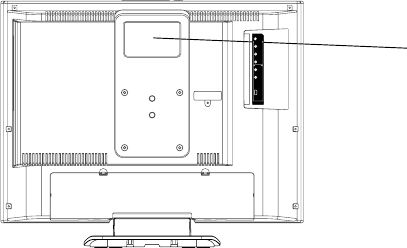
A1-1
CAUTION
THIS
LCD COLOR TELEVISION
EMPLOYS A LASER SYSTEM.
TO ENSURE PROPER USE OF THIS PRODUCT, PLEASE READ THIS SERVICE MANUAL CARE-
FULLY AND RETAIN FOR FUTURE REFERENCE. SHOULD THE UNIT REQUIRE MAINTENANCE,
CONTACT AN AUTHORIZED SERVICE LOCATION-SEE SERVICE PROCEDURE.
USE OF CONTROLS, ADJUSTMENTS OR THE PERFORMANCE OF PROCEDURES OTHER THAN
THOSE SPECIFIED HEREIN MAY RESULT IN HAZARDOUS RADIATION EXPOSURE.
TO PREVENT DIRECT EXPOSURE TO LASER BEAM, DO NOT TRY TO OPEN THE ENCLOSURE.
VISIBLE LASER RADIATION MAY BE PRESENT WHEN THE ENCLOSURE IS OPENED. DO NOT
STARE INTO BEAM.
Location of the required Marking
The rating sheet and the safety caution are on the rear of the unit.
CERTIFICATION: COMPLIES WITH FDA
RADIATION PERFORMANCE STANDARDS,
21 CFR SUBCHAPTER J.
PREPARATION OF SERVICING
The laser diode used for a pickup head may be destroyed with external static electricity.
Moreover, even if it is operating normally after repair, when static electricity discharge is received at the
time of repair, the life of the product may be shortened.
Please perform the following measure against static electricity, be careful of destruction of a laser diode
at the time of repair.
•Place the unit on a workstation equipped to protect against static electricity, such as conductive mat.
•Soldering iron with ground wire or ceramic type is used.
•A worker needs to use a ground conductive wrist strap for body.
A1-2
IMPORTANT SERVICE SAFETY INFORMATION
Safety precautions to be followed during servicing:
1.
2.
Parts marked with an are critical parts for safety. Replace only with the one described in the parts
list.
Before returning the DVD product to the customer, make the appropriate leakage current check or
resistance measurements to ensure that exposed parts are properly insulated from the supply circuit.
A leakage current check is recommended for this unit. Plug the AC line cord directly into a 120V 60Hz AC
outlet (do not use an isolation transformer for this check). Use a leakage current tester (Fig. 1) or a
metering system which complies with Underwriters Laboratories (UL 1492P). Measure for current from all
exposed metal parts of the cabinet to a known earth ground: particularly, any exposed metal part having a
return path to the chassis. Any current measured must not exceed 0.5mA. Any measurement not within
the limits outlined above are indicative of a potential shock hazard and corrective action must be taken
before returning the unit to the customer.
KNOWN EARTH
GROUND
1.5K ohm
0.15 µF
(Reading should not be above 0.5mA)
Leakage Current Tester
TEST PROBE
Test all exposed
metal surfaces
PRODUCT UNDER TEST
2-Blade polarized
type cord set
Fig. 1 AC Leakage Test

A1-3
IMPORTANT SAFEGUARDS
1.
2.
3.
4.
5.
6.
7.
8.
8A.
9.
10.
11.
12.
13.
14.
15.
16.
READ INSTRUCTIONS
All the safety and operating instructions should be read before the unit is operated.
RETAIN INSTRUCTIONS
The safety and operating instructions should be retained for future reference.
HEED WARNINGS
All warnings on the unit and in the operating instructions should be adhered to.
FOLLOW INSTRUCTIONS
All operating and use instructions should be followed.
CLEANING
Unplug this unit from the wall outlet before cleaning. Do not use liquid cleaners or aerosol cleaners. Use a damp
cloth for cleaning.
ATTACHMENTS
Do not use attachments not recommended by the unit’s manufacturer as they may cause hazards.
WATER AND MOISTURE
Do not use this unit near water. For example, near a bathtub, washbowl, kitchen sink, or laundry tub, in a wet
basement, or near a swimming pool.
ACCESSORIES
Do not place this unit on an unstable cart, stand, tripod, bracket, or table. The
unit may fall, causing serious injury, and serious damage to the unit. Use only
with a cart, stand, tripod, bracket, or table recommended by the manufacturer.
An appliance and cart combination should be moved with care. Quick stops,
excessive force, and uneven surfaces may cause the appliance and cart
combination to overturn.
VENTILATION
Slots and openings in the cabinet and in the back or bottom are provided for ventilation, to ensure reliable
operation of the unit, and to protect it from overheating. These openings must not be blocked or covered. The
openings should never be blocked by placing the unit on a bed, sofa, rug, or other similar surface. This unit
should never be placed near or over a radiator or heat source. This unit should not be placed in a built-in
installation such as a bookcase or rack unless proper ventilation is provided or the manufacturer’s instructions
have been adhered to.
POWER SOURCES
This unit should be operated only from the type of power source indicated on the rating plate. If you are not sure
of the type of power supply to your home, consult your appliance dealer or local power company. For units
intended to operate from battery power, or other sources, refer to the operating instructions.
GROUNDING OR POLARIZATION
This unit is equipped with a polarized alternating-current line plug (a plug having one blade wider than the other).
This plug will fit into the power outlet only one way. This is a safety feature. If you are unable to insert the plug
fully into the outlet, try reversing the plug. If the plug should still fail to fit, contact your electrician to replace your
obsolete outlet. Do not defeat the safety purpose of the polarized plug. If your unit is equipped with a 3-wire
grounding-type plug, a plug having a third (grounding) pin, this plug will only fit into a grounding-type power
outlet. This too, is a safety feature. If you are unable to insert the plug into the outlet, contact your electrician to
replace your obsolete outlet. Do not defeat the safety purpose of the grounding-type plug.
POWER-CORD PROTECTION
Power-supply cords should be routed so that they are not likely to be walked on or pinched by items placed upon
or against them, paying particular attention to cords at plugs, convenience receptacles, and the point where they
exit from the appliance.
LIGHTNING
To protect your unit from a lightning storm, or when it is left unattended and unused for long periods of time,
unplug it from the wall outlet and disconnect the antenna or cable system. This will prevent damage to the unit
due to lightning and power line surges.
POWER LINES
An outside antenna system should not be located in the vicinity of overhead power lines or other electric light or
power circuits, or where it can fall into such power lines or circuits. When installing an outside antenna system,
extreme care should be taken to keep from touching such power lines or circuits, as contact with them might be
fatal.
OVERLOADING
Do not overload wall outlets and extension cords, as this can result in a risk of fire or electric shock.
OBJECT AND LIQUID ENTRY
Do not push objects through any openings in this unit, as they may touch dangerous voltage points or short out
parts that could result in fire or electric shock. Never spill or spray any type of liquid into the unit.
PORTABLE CART WARNING
(symbol provided by RETAC)
S3126A

A1-4
IMPORTANT SAFEGUARDS (CONTINUED)
OUTDOOR ANTENNA GROUNDING
If an outside antenna or cable system is connected to the unit, be sure the antenna or cable system is grounded
so as to provide some protection against voltage surges and built-up static charges. Section 810 of the National
Electrical Code, ANSI/NFPA 70, provides information with respect to proper grounding of the mast and supporting
structure, grounding of the lead-in wire to an antenna discharge unit, size of grounding conductors, location of
antenna discharge unit, connection to grounding electrodes, and requirements for the grounding electrode.
SERVICING
Do not attempt to service this unit yourself as opening or removing covers may expose you to dangerous voltage
or other hazards. Refer all servicing to qualified service personnel.
DAMAGE REQUIRING SERVICE
Unplug this unit from the wall outlet and refer servicing to qualified service personnel under the following
conditions:
REPLACEMENT PARTS
When replacement parts are required, be sure the service technician uses replacement parts specified by the
manufacturer or those that have the same characteristics as the original parts.
Unauthorized substitutions may result in fire, electric shock or other hazards.
SAFETY CHECK
Upon completion of any service or repairs to this unit, ask the service technician to perform safety checks to
determine that the unit is in proper operating condition.
WALL OR CEILING MOUNTING
The product should be mounted to a wall or ceiling only as recommended by the manufacturer.
HEAT
The product should be situated away from heat sources such as radiators, heat registers, stoves, or other
products (including amplifiers) that produce heat.
DISC TRAY
Keep your fingers well clear of the disc tray as it is closing. It may cause serious personal injury.
CONNECTING
When you connect the product to other equipment, turn off the power and unplug all of the equipment from the
wall outlet. Failure to do so may cause an electric shock and serious personal injury. Read the owner's manual of
the other equipment carefully and follow the instructions when making any connections.
SOUND VOLUME
Reduce the volume to the minimum level before you turn on the product. Otherwise, sudden high volume sound
may cause hearing or speaker damage.
SOUND DISTORTION
Do not allow the product output distorted sound for a longtime. It may cause speaker overheating and fire.
HEADPHONES
When you use the headphones, keep the volume at a moderate level. If you use the headphones continuously
with high volume sound, it may cause hearing damage.
LASER BEAM
Do not look into the opening of the disc tray or ventilation opening of the product to see the source of the laser
beam. It may cause sight damage.
DISC
Do not use a cracked, deformed, or repaired disc. These discs are easily broken and may cause serious
personal injury and product malfunction.
NOTE TO CATV SYSTEM INSTALLER
This reminder is provided to call the CATV system installer’s attention to Article 820-40 of the NEC that provides
guidelines for proper grounding and, in particular, specifies that the cable ground shall be connected to the
grounding system of the building, as close to the point of cable entry as practical.
17.
18.
19.
20.
21.
22.
23.
24.
25.
26.
27.
28.
29.
30.
31.
a.
b.
c.
d.
e.
f.
When the power-supply cord or plug is damaged.
If liquid has been spilled, or objects have fallen into the unit.
If the unit has been exposed to rain or water.
If the unit does not operate normally by following the operating instructions. Adjust only those controls that
are covered by the operating instructions, as an improper adjustment of other controls may result in
damage and will often require extensive work by a qualified technician to restore the unit to its normal
operation.
If the unit has been dropped or the cabinet has been damaged.
When the unit exhibits a distinct change in performance, this indicates a need for service.
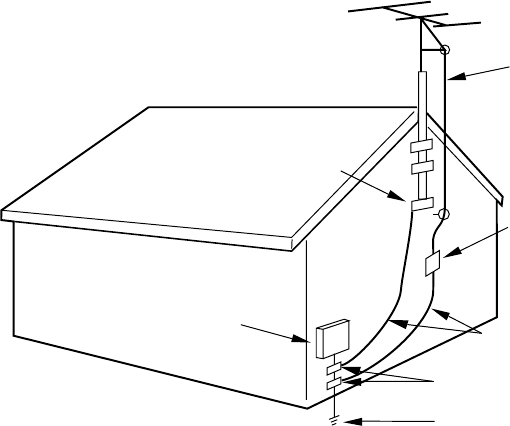
A1-5
EXAMPLE OF ANTENNA GROUNDING AS PER THE NATIONAL ELECTRICAL CODE
ANTENNA
DISCHARGE UNIT
(NEC SECTION 810-20)
ANTENNA LEAD
IN WIRE
GROUNDING CONDUCTORS
(NEC SECTION 810-21)
GROUND CLAMPS
POWER SERVICE GROUNDING
ELECTRODE SYSTEM
(NEC ART 250, PART H)
GROUND
CLAMP
ELECTRIC SERVICE
EQUIPMENT
NEC-NATIONAL ELECTRICAL CODE
S2898A
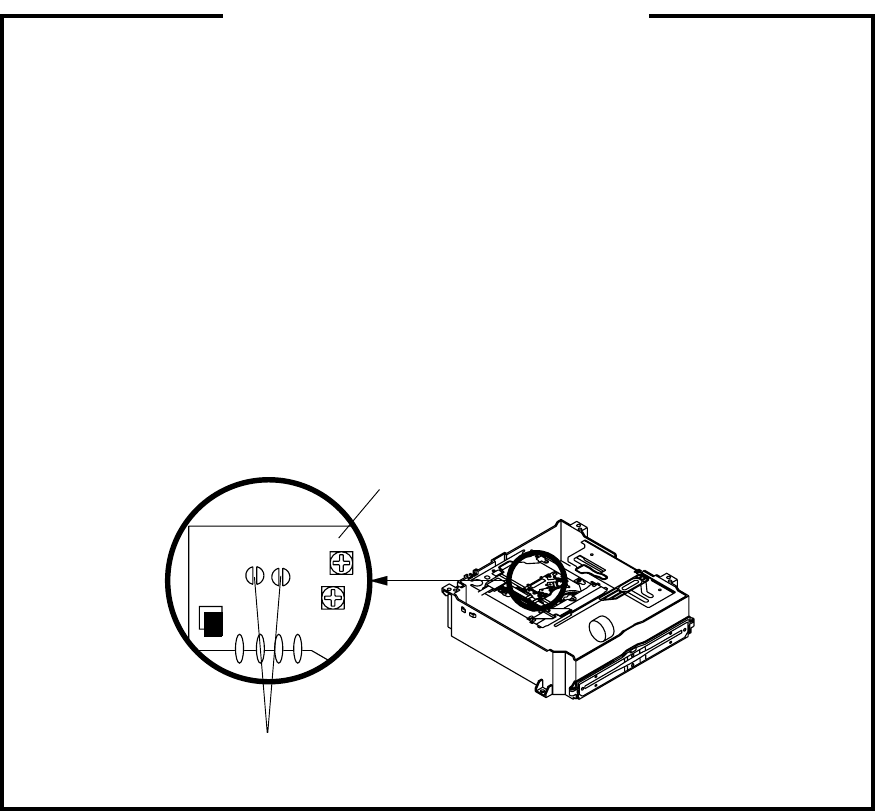
A1-6
Before removing Pick Up PCB and DVD PCB connector, the short circuit the position shown in Fig. 1
using a soldering iron. If you remove the DVD Deck with no soldering, the Laser may be damaged.
WHEN REPLACING DVD DECK
[ When removing the DVD Deck ]
[ When installing the DVD Deck ]
Remove all the soldering on the short circuit position after the connection of Pick Up PCB and DVD
PCB connector.
Fig. 1
Short circuit using a
soldering iron.
Pick Up PCB
NOTE
Before your operation, please read “PREPARATION OF SERVICING”.
Use the Lead Free solder.
Manual soldering conditions
• Soldering temperature: 320 ± 20˚C
• Soldering time: Within 3 seconds
• Soldering combination: Sn-3.0Ag-0.5Cu
When Soldering/Removing of solder, use the draw in equipment over the Pick Up Unit to keep the
Flux smoke away from it.
•
•
•
•
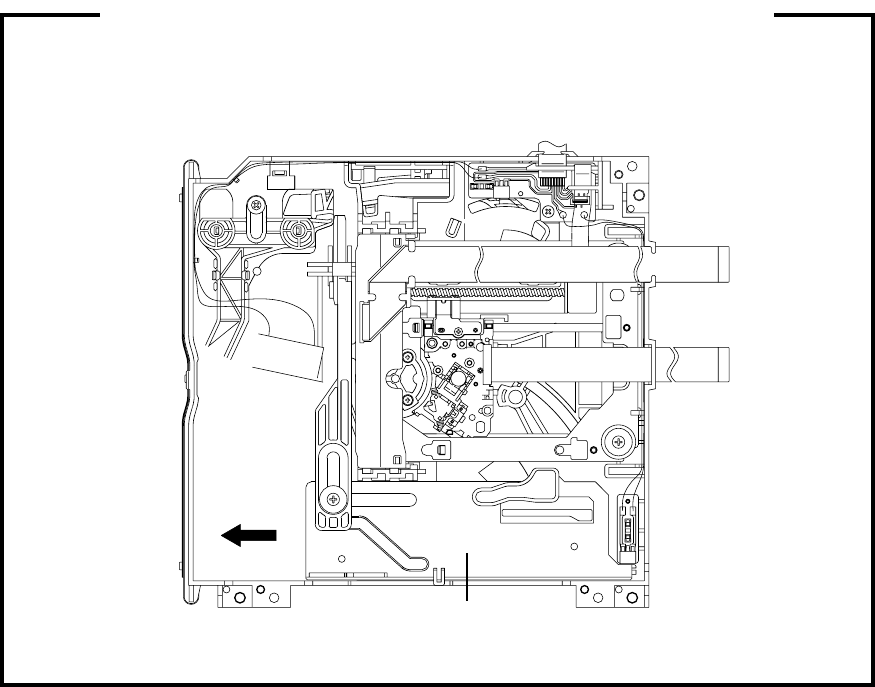
A1-7
1.
2.
3.
Remove the Back Cabinet. (Refer to item 1 of the DISASSEMBLY INSTRUCTIONS.)
Slide the Rack Loading toward the arrow direction by hand to release the lock. (Refer to Fig. 1)
Take out the Disc from the DVD Deck. Be careful not to scratch on the Disc.
DISC REMOVAL METHOD AT NO POWER SUPPLY
Fig. 1
DVD Deck
Rack Loading
If the stored 4 digit password in the Rating Level menu needs to be cancelled, please follow the steps
below.
Turn Unit ON.
Set the DVD to the Stop Mode.
Check that ‘No disc’ is displayed on the screen.
Press and hold the ‘STOP’ button on the front panel.
Simultaneously press and hold the ‘7’ key on the remote control unit.
Hold both keys for more than 2 seconds.
The On Screen Display message ‘PASSWORD CLEAR’ will appear.
The 4 digit password has now been cleared.
1.
2.
3.
4.
5.
6.
7.
8.
PARENTAL CONTROL - RATING LEVEL
4 DIGIT PASSWORD CANCELLATION

A1-8
The disk cannot be taken out by setting the Tray Lock, please follow the steps below.
Turn Unit ON.
Set the DVD to the Stop Mode.
Press it in order of ‘SETUP’, ‘SUBTITLE’, ‘3’, ‘AUDIO SELECT’ and ‘0’ key of a remote control unit.
The On Screen Display message ‘ ‘ will appear.
The Tray Lock has now been set up.
1.
2.
3.
4.
5.
TRAY LOCK
To unlock the Tray Lock, please follow the steps below.
Turn Unit ON.
Set the DVD to the Stop Mode.
Press it in order of ‘SETUP’, ‘SUBTITLE’, ‘3’, ‘AUDIO SELECT’ and ‘0’ key of a remote control unit.
The On Screen Display message ‘ ‘ will appear.
The Tray Lock has now been cleared.
1.
2.
3.
4.
5.
The disk cannot be taken out by setting the Tray Lock, please follow the steps below.
Turn Unit ON.
Set the DVD to the Stop Mode.
Press and hold the ‘STOP’ key on the front panel.
Simultaneously press and hold the ‘9’ key on the remote control unit.
Hold both keys for more than 2 seconds.
Press the OPEN/CLOSE key on the front panel to check the Tray Lock setting.
1.
2.
3.
4.
5.
6.
To unlock the Tray Lock, please follow the steps below.
Turn Unit ON.
Set the DVD to the Stop Mode.
Press and hold the ‘STOP’ key on the front panel.
Simultaneously press and hold the ‘9’ key on the remote control unit.
Hold both keys for more than 2 seconds.
The Tray Lock has now been cleared.
1.
2.
3.
4.
5.
6.
It is likely to be going to be changed to the following steps without a previous notice in the future.
If the above is not effective measures, please follow the steps below.
NOTE: No indications on the screen when the Tray Lock is setting.
NOTE: No indications on the screen when the Tray Lock is setting.
NOTE: No indications on the screen when the Tray Lock is setting.
NOTE: No indications on the screen when the Tray Lock is setting.
PCBs (manufactured) using lead free solder will have a PbF printing on the PCB.
(Please refer to figures.)
Caution:
Pb free solder has a higher melting point than standard solder;
Typically the melting point is 50°F~70°F(30°C~40°C) higher.
Please use a soldering iron with temperature control and adjust it to 650°F± 20°F (350°C± 10°C).
In case of using high temperature soldering iron, please be carefull not to heat too long.
Pb free solder will tend to splash when heated too high (about 1100°F/ 600°C).
All products with the printed circuit board with PbF printing must be serviced with lead free solder.
When soldering or unsoldering, completely remove all of the solder from the pins or solder area,
and be sure to heat the soldering points with the lead free solder until it melts sufficiently.
Distinction of PbF PCB:
Recommendations
Recommended lead free solder composition is Sn-3.0Ag-0.5Cu.
ABOUT LEAD FREE SOLDER (PbF)
•
•
•
A1-9
TABLE OF CONTENTS
A2-1
A1-1
A1-2
A1-3~A1-5
A1-6
A1-7
A1-7
A1-8
A1-9
A2-1
A3-1~A3-8
B1-1~B1-3
B2-1~B2-3
B3-1, B3-2
C-1
C-1
C-2
C-2
C-3
C-3~C-5
D-1~D-5
E-1~E-11
F-1, F-2
F-3, F-4
F-5, F-6
F-7, F-8
F-9, F-10
F-11, F-12
F-13, F-14
G-1, G-2
G-3~G-6
G-7, G-8
G-9, G-10
H-1, H-2
H-3, H-4
H-5, H-6
H-7, H-8
H-9, H-10
H-11, H-12
H-13, H-14
H-15, H-16
H-17, H-18
H-19, H-20
H-21, H-22
H-23, H-24
H-25, H-26
H-27, H-28
H-29, H-30
H-31, H-32
H-33, H-34
H-35, H-36
H-37, H-38
H-39, H-40
H-41, H-42
H-43, H-44
H-45, H-46
H-47, H-48
I-1~I-4
J1-1~J1-4
J2-1, J2-2
K1-1, K1-2
K2-1
K3-1~K3-24
• OWNER'S MANUAL
CAUTION .....................................................................................................................
IMPORTANT SERVICE SAFETY INFORMATION .....................................................
IMPORTANT SAFEGUARDS .....................................................................................
WHEN REPLACING DVD DECK ................................................................................
DISC REMOVAL METHOD AT NO POWER SUPPLY ...............................................
PARENTAL CONTROL - RATING LEVEL .................................................................
TRAY LOCK ................................................................................................................
ABOUT LEAD FREE SOLDER (PbF) .........................................................................
TABLE OF CONTENTS ..............................................................................................
GENERAL SPECIFICATIONS ....................................................................................
DISASSEMBLY INSTRUCTIONS
1.REMOVAL OF MECHANICAL PARTS AND P.C. BOARDS ................................
2.REMOVAL OF DVD DECK PARTS ......................................................................
3.REMOVAL AND INSTALLATION OF FLAT PACKAGE IC ..................................
SERVICE MODE LIST .................................................................................................
CONFIRMATION OF HOURS USED ..........................................................................
SERVICING FIXTURES AND TOOLS ........................................................................
RE-WRITE FOR DVD FIRMWARE .............................................................................
CONFIRMATION OF CHECK SUM ............................................................................
WHEN REPLACING EEPROM (MEMORY) IC ...........................................................
ELECTRICAL ADJUSTMENTS ..................................................................................
TROUBLESHOOTING GUIDE ....................................................................................
BLOCK DIAGRAMS
DVD..........................................................................................................................
SCALER/LVDS/MICON/ADC/JACK/AV_SW/REGULATOR....................................
AV_SW/TUNER/JACK/STEREO/SOUND AMP ......................................................
POWER....................................................................................................................
INTERFACE .............................................................................................................
MICON2 ...................................................................................................................
AC ADAPTER ..........................................................................................................
PRINTED CIRCUIT BOARDS
SCALER ...................................................................................................................
AV/OPERATION1/REMOCON ................................................................................
DVD/OPERATION2 .................................................................................................
HD-MI/AC ADAPTER START SW/END SW ............................................................
SCHEMATIC DIAGRAMS
AV SWITCH1 ...........................................................................................................
TUNER/JACK...........................................................................................................
STEREO/SOUND ....................................................................................................
POWER....................................................................................................................
OPERATION1/REMOCON ......................................................................................
MICON1 ...................................................................................................................
SCALER ...................................................................................................................
ADC..........................................................................................................................
LVDS ........................................................................................................................
JACK ........................................................................................................................
AV SWITCH2 ...........................................................................................................
REGULATOR1 .........................................................................................................
MPEG/MICON/DSP .................................................................................................
MEMORY2 ...............................................................................................................
RF AMP ....................................................................................................................
AUDIO/VIDEO ..........................................................................................................
MOTOR DRIVE ........................................................................................................
REGULATOR2 .........................................................................................................
OPERATION2 ..........................................................................................................
INTERFACE .............................................................................................................
MICON2 ...................................................................................................................
AC ADAPTER ..........................................................................................................
START SE/END SW ................................................................................................
INTERCONNECTION DIAGRAM ................................................................................
WAVEFORMS .............................................................................................................
MECHANICAL EXPLODED VIEWS ...........................................................................
DVD DECK EXPLODED VIEWS .................................................................................
MECHANICAL REPLACEMENT PARTS LIST ..........................................................
DVD DECK REPLACEMENT PARTS LIST ................................................................
ELECTRICAL REPLACEMENT PARTS LIST ............................................................
GENERAL SPECIFICATIONS
G-1 TV LCD LCD Size / Visual Size 20.04 inch / 508.9mmV
System LCD Type Color TFT LCD
Number of Pixels 1366(H) x 768(V)
View Range Left/Right 89/89 degree
Up/Down 89/89 degree
Color System NTSC
Speaker 2 Speaker
Position Front
Size 1.8 x 3.9 inch
Impedance 16 ohm
Sound Output Max 2.5W + 2.5W
10%(Typical) ---
G-2 DVD System Color System NTSC
Disc DVD, CD-DA, CD-R/RW, Video CD
DVD-R/RW (Video Format Only)
Disc Diameter 120 mm , 80 mm(with Disc Adapter)
Drive DSM-1
Search speed Fwd 4 step
Actual 2-45 times (DVD, VIDEO CD)
4-40 times (CD)
Rev 4 step
Actual 2-45 times (DVD, VIDEO CD)
4-40 times (CD)
Slow speed Fwd 1/7 -1/2 times
Actual --
Rev 1/7 -1/2 times
Actual --
G-3 Tuning Broadcasting System US System M
System Tuner and System 1Tuner
Receive CH Destination US (W/CABLE)
CH Coverage 2~69, 4A, A-5~A-1, A~I, J~W, W+1~W+84
Intermediate Picture(FP) 45.75MHz
Frequency Sound(FS) 41.25MHz
FP-FS 4.50MHz
Preset CH No
Stereo/Dual TV Sound US-Stereo
Tuner Sound Muting Yes
G-4 Signal Video Signal Input Level 1 V p-p/75 ohm
Output Level --
S/N Ratio (Weighted) --
Horizontal Resolution at DVD Mode --
--
RGB Signal Output Level --
Audio Signal Input Level -8.0dBm/50k ohm
Output Level at DVD --
at TV --
Digital Output Level 0.5 V p-p/75 ohm
S/N Ratio at DVD (Weighted) --
Harmonic Distortion --
Frequency Response : at DVD --
at Video CD --
at SVCD --
at CD --
G-5 Power Power Source AC 120V, 60Hz
DC --
Power Consumption at AC 100W at 120V 60Hz
at DC --
Stand by (at AC) 1W at 120V 60Hz
Energy Star Yes
Per Year -- kWh/Year
Protector Power Fuse Yes
Safety Circuit Yes
IC Protector(Micro Fuse) Yes
G-6 Regulation Safety UL
Radiation FCC
Laser DHHS
G-7 Temperature Operation +5oC ~ +40oC
Storage -20oC ~ +60oC
G-8 Operating Humidity Less than 80% RH
A3-1

GENERAL SPECIFICATIONS
G-9 On Screen Menu (TV) Yes
Display Menu Type Icon
Picture Yes
Mode(Picture preference) Yes
Brightness Yes
Contrast Yes
Color Yes
Tint Yes
Sharpness Yes
Cable Clear Yes
Color Temperature Yes
Reset Yes
Audio Yes
MTS Yes
Bass Yes
Treble Yes
Balance Yes
Stable Sound Yes
Speakers On/Off No
Dolby Virtual No
WOW SRS 3D Yes
WOW Focus Yes
WOW Tru Bass Yes
HDMI Yes
Reset Yes
Setup Yes
Language Yes
Clock Set Yes
TV/CABLE Yes
CH Program Yes
Add/ Erase Yes
Closed Caption Yes
Picture Size Yes
Picture Scroll No
Cinema Mode Yes
Aspect Yes
Back Lighting Yes
Option Yes
On Timer Yes
Favorite CH Yes
CH Label Yes
VIDEO Label Yes
Locks Yes
V-Chip Set Yes
CH Lock Yes
Video Lock Yes
Game Timer Yes
Panel Lock Yes
New Password Yes
PC Monitor Picture Menu Yes
Brightness Yes
Contrast Yes
Hor Position Yes
Ver Position Yes
Phase Yes
Clock Yes
Auto Adjust No
Red Yes
Green Yes
Blue Yes
WXGA INPUT Yes
Reset Yes
PC Monitor Audio Menu Yes
Bass Yes
Treble Yes
Balance Yes
Stable Sound Yes
WOW SRS 3D Yes
WOW Focus Yes
WOW Tru Bass Yes
Reset Yes
A3-2

GENERAL SPECIFICATIONS
Control Level Yes
Volume Yes
Brightness Yes
Contrast Yes
Color Yes
Tint Yes
Sharpness Yes
Bass Yes
Treble Yes
Balance Yes
Picture Scroll No
Back Lighting Yes
H Position Yes
V Position Yes
Phase Yes
Clock Yes
Red Yes
Green Yes
Blue Yes
Stereo, SAP, Mono Yes
CH / AV(Line) / DVD / PC Yes
Color Stream HD (Component) Yes
HDMI Yes
Channel (TV/Cable) Yes
CH Label Yes
Video Label Yes
Clock Yes
Game Timer Yes
Panel Lock Yes
On Timer Yes
Sleep Timer Yes
Reset Yes
Sound Mute Yes
V-chip Rating Yes
NOT AVAILABLE Yes
Picture Size Yes
A3-3

GENERAL SPECIFICATIONS
G-10 On Screen Menu (DVD) Yes
Display Menu Type Character
Language Yes
Menu Yes
Subtitle Yes
Audio Yes
Picture Yes
TV Screen Size(4:3, 16:9) Yes
OSD Display On/Off Yes
JPEG Interval Yes
Select Files Yes
Sound Yes
DRC (Dynamic Range Control) Yes
dts Decode No
Output(5.1ch/ 2ch) No
Surround On/Off No
Center On/Off No
Sub Woofer On/Off No
Parental Yes
Password Lock/ Un Lock Yes
Rating Level Yes
Other Yes
OSD Language(Set up Language) Yes
Output(RGB/Composite) No
Eject Yes
No disc Yes
Reading Yes
Play Yes
Still/Pause Yes
Stop Yes
Prohibit Mark Yes
Step Yes
Skip(>>|) Yes
Skip(|<<) Yes
Random Yes (CD, VIDEO CD, MP3, WMA, JPEG )
Repeat Yes
Slow+ Yes
Slow- Yes
Search+ Yes
Search- Yes
Jump Yes
Resume Yes
Title No. Yes
Chapter No. Yes
Track No. Yes
Time Yes
Subtitle No. Yes
Angle No. Yes
Vocal On/Off Yes
Audio No. Yes
Audio L/R Yes (Video CD)
Zoom Yes
Marker No. Yes
Program Play Back Yes (CD, VIDEO CD, MP3, WMA, JPEG )
Surround On/Off No
Screen Saver No
MP3/WMA/JPEG Folder Name Yes
File Name Yes
File No Yes
Time Yes (MP3, WMA Only)
Track No Yes
G-11 OSD Language (TV) English, French, Spanish
(DVD) English, French, Spanish
G-12 Clock and Sleep Timer Max Time 120 Min
Timer Step 10 Min
On Timer Program Yes
Wake Up Timer No
Timer Back-up (at Power Off Mode) more than -- Min Sec
A3-4

GENERAL SPECIFICATIONS
G-13 Remote Unit RC-LT
Control Glow in Dark Remocon Yes
Remocon Format TOSHIBA
Format TOSHIBA
Custom Code 40-BF h ,44-BB h ,45-BA h ,45-BC h
Power Source Voltage(D.C) 3V
UM size x pcs UM-4 x 2 pcs
Total Keys 49 Keys
Keys Power Yes
EJECT Yes
SLEEP Yes
TV/DVD Yes
1Yes
2Yes
3Yes
4Yes
5Yes
6Yes
7Yes
8Yes
9Yes
0Yes
100 / JUMP Yes
DISPLAY Yes
SUBTITLE Yes
AUDIO SELECT Yes
INPUT / ZOOM Yes
MUTE Yes
CH + Yes
CH - Yes
VOL + Yes
VOL - Yes
PLAY MODE Yes
DVD MENU Yes
UP Yes
LEFT / FAV - Yes
ENTER Yes
RIGHT / FAV + Yes
DOWN Yes
TV MENU/SETUP Yes
EXIT / CANCEL Yes
GAME Yes
PIC SIZE Yes
PAUSE Yes
PLAY Yes
STOP Yes
CH RTN /<SKIP Yes
SEARCH - Yes
SEARCH + Yes
Closed Caption / SKIP> Yes
< SLOW Yes
ANGLE Yes
Marker Yes
SLOW > Yes
TOP MENU Yes
RETURN Yes
REPEAT A-B Yes
A3-5
GENERAL SPECIFICATIONS
G-14 Features Auto Shut Off Yes
(TV) Auto Search No
Comb Filter Yes
3 -D
Game Position Yes
Power On Memory Yes
Variable Audio Out No
Mode (Picture Preference) Yes
Color Temparature Control Yes
Cable Clear Yes
SAP Yes
Stable Sound Yes
Virtual Dolby No
SRS WOW(SRS 3D/Focus/Tru Bass) Yes
CABLE Yes
CH Program (Auto CH Memory) Yes
Closed Caption Yes
Picture Size Yes
Picture Scroll No
Cinema Mode Yes
Aspect Yes
On Timer Yes
Sleep Timer Yes
Favorite CH Yes
CH Label Yes
VIDEO Label Yes
V-Chip Yes
Type USA Type
CH Lock Yes
Video Lock Yes
Game Timer(Max Time:120Min) Yes
Panel Lock Yes
Direct Input Selection Yes
PC Monitor Input Yes
Available Scan Rates (Component/HDMI) 480i/480p/720p/1080i
Auto Setup(Language/CH Program) Yes
Freeze frame No
Features Tray Lock Yes
(DVD) Video CD Playback Yes
SVCD Playback No
Overlay Graphics And Text No
Command List No
Entry Point Jump No
MP3 Playback Yes
JPEG Yes
WMA Yes
Digital Out (Dolby Digital) Yes
(MPEG) Yes
(PCM) Yes
(DTS) Yes
Down Mix Out (Dolby Digital) Yes
(DTS) No
Screen Saver No
Audio DAC 192kHz / 24bit
A3-6
GENERAL SPECIFICATIONS
G-15 Accessories Owner's Manual Language English / French
w/Guarantee Card Yes
Remote Control Unit Yes
Rod Antenna No
Poles --
Terminal --
Loop Antenna No
Terminal --
U/V Mixer No
DC Car Cord (Center+) No
Guarantee Card No
Warning Sheet No
Circuit Diagram No
Antenna Change Plug No
Service Facility List No
Important Safeguard No
Dew/AHC Caution Sheet No
Quick Set-up Sheet No
Battery Yes
UM size x pcs UM-4 x 2 pcs
OEM Brand No
AC Adapter Yes
AC Cord (for AC Adapter) Yes
AV Cord (2Pin-1Pin) No
Registration Card (NDL Card) Yes
300ohm to 75ohm Antenna Adapter No
Sheet Information (Return) No
Sheet Information (HDMI) No
Screw for wall hanging No
G-16 Interface Switch Top Power (Tact) Yes
Channel Up/Menu Up Yes
Channel Down/Menu Down Yes
Volume Up/Menu > Yes
Volume Down/Menu < Yes
Menu Yes
Play Yes
Eject Yes
Skip+, Search+ Yes
Skip-, Search- Yes
Still/Pause No
Stop Yes
Main Power SW No
Input Select Yes
Indicator Power Yes (Red)
Stand-by No
On Timer No
Terminals Rear Video Input 1 RCA x 1
Audio Input 1 RCA x 2(Stereo)
S - Input 1 Yes
Video Output No
Audio Output No
Component Input(w/ Analog Audio L/R) RCA x 5
HDMI Input(w/ Analog Audio L/R) HDMI x 1(RCA x 2)
PC Monitor Input(w/ Analog Audio L/R) No
Digital Audio Output Coaxial (DVD Only)
DC Jack Yes
VHF/UHF Antenna Input F Type
AC Outlet No
Side Video Input 2 RCA x 1
Audio Input 2 RCA x 2(Stereo)
PC Monitor Input(w/ Analog Audio L/R) Dsub15pin x 1(RCA x 2)
Other Terminal Headphone
G-17 Set Size Approx. W x D x H (mm) 554 x 220 x 448
w/o Handle, Stand Approx. W x D x H (mm) 554 x 110 x 403
G-18 Weight Net (Approx.) 9.0kg (19.8 lbs)
Net w/o Handle, Stand (Approx.) 7.5kg (16.5 lbs)
Gross (Approx.) 12.0kg (26.5 lbs)
A3-7
GENERAL SPECIFICATIONS
G-19 Carton Master Carton No
Content --- Sets
Material --- / ---
Dimensions W x D x H(mm) ---
Description of Origin ---
Gift Box Material Double/ Full Color
W/Color Photo Label No
W/Handle No
Dimensions W x D x H(mm) 654 x 338 x 565
Description of Origin No(Assembled In Thailand)
Drop Test 1 Corner / 3 Edges / 6 Surfaces
Height (cm) 62
Container Stuffing (40' container) 492 Sets
G-20 Material Cabinet Front PS 94V0 DECABROM
Rear PS 94V0 DECABROM
PCB Non-Halogen Demand No
Eyelet Demand No
G-21 Environment Green PROCUREMENT of TOSHIBA Not accomplished
Pb-Free Phase 3 (Phase 3A)
G-22 AC Power Adapter Provided Accessories
Power Requirement AC 120V 60Hz
Power Consumption at AC 100 W
DC Output DC Jack : DC24V 3.4A
Dimension Approx. W x D x H (mm) 200 x 90 x 60
Weight Approx. 1.5kg (3.3 lbs)
A3-8
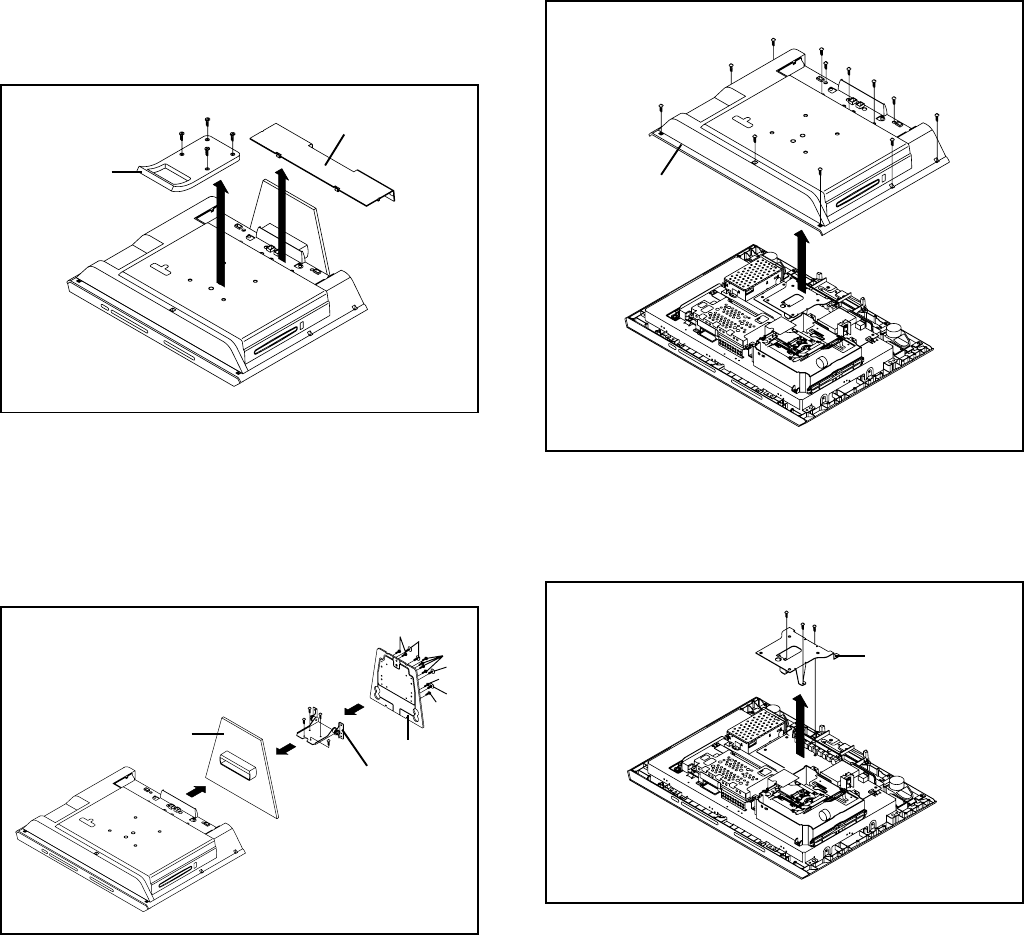
DISASSEMBLY INSTRUCTIONS
B1-1
1. REMOVAL OF MECHANICAL PARTS
AND P.C. BOARDS
1-4: HANDLE ANGLE (Refer to Fig. 1-4)
1.
2.
3.
Remove the screw 1.
Remove the 2 screws 2.
Remove the Handle Angle in the direction of arrow.
Fig. 1-4
1-3: BACK CABINET (Refer to Fig. 1-3)
1.
2.
3.
Remove the 11 screws 1.
Remove the screw 2.
Remove the Back Cabinet in the direction of arrow.
Fig. 1-3
Back Cabinet
1-1: HANDLE/BACK COVER ASS'Y (Refer to Fig. 1-1)
1.
2.
3.
4.
Remove the 4 screws 1.
Remove the Handle in the direction of arrow (A).
Unlock the 6 supports 2.
Remove the Back Cover Ass'y in the direction of arrow (B).
Fig. 1-1
1-2: HINGE ASS'Y (Refer to Fig. 1-2)
1.
2.
3.
4.
5.
6.
Remove the 4 screws 1.
Remove the Stand in the direction of arrow (A).
Remove the 8 screws 2.
Remove the Stand Angle in the direction of arrow (B).
Remove the 4 screws 3.
Remove the Hinge Ass'y in the direction of arrow (C).
Fig. 1-2
1
1
Stand
(A)
1
(B)
3
2
3
2
(C)
Hinge Ass'y
Stand Angle
3
1
1
11
1
1
1
1
2
2
1
Handle Angle
2
Handle
(A)
(B)
Back Cover Ass'y
12
1
1
1
2
2
2
2
2
2
2
1
1
1
1
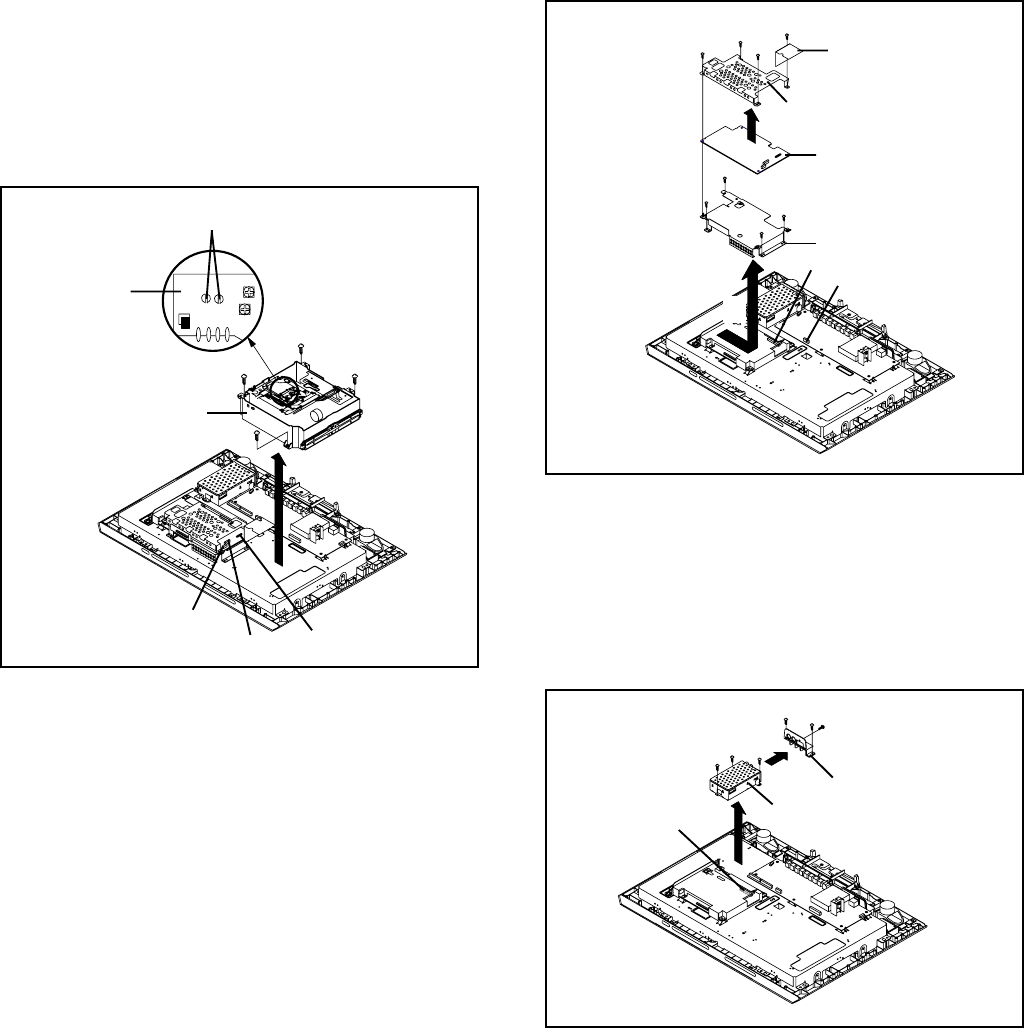
DISASSEMBLY INSTRUCTIONS
B1-2
1-6: DVD PCB (Refer to Fig. 1-6)
1.
2.
3.
4.
5.
Disconnect the following connectors:
(CP3802 and CP4303).
Remove the 4 screws 1.
Remove the Shield DVD, DVD PCB and Shield FFC in
the direction of arrow (A).
Remove the 4 screws 2.
Remove the Angle PCB in the direction of arrow (B).
Fig. 1-6
1-5: DVD DECK (Refer to Fig. 1-5)
1.
2.
3.
4.
Make the short circuit on the position as shown Fig. 1-5
using a soldering. If you remove the DVD Deck with no
soldering, the Laser may be damaged.
Disconnect the following connectors:
(CP2301, CP2302 and CP2601).
Remove the 4 screws 1.
Remove the DVD Deck in the direction of arrow.
NOTE
Fig. 1-5
Pick Up PCB
DVD Deck
Make the short circuit
using a soldering.
1
1
1
1
Use the Pb Free solder and the exclusive soldering iron.
Manual soldering conditions
• Soldering temperature: 320 ± 20˚C
• Soldering time: Within 3 seconds
• Soldering combination: 45/55 Sn/Pb
When Soldering/Removing of solder, use the drawing
equipment over the Pick Up Unit to prevent the Flux
smoke from it.
When the installation of the DVD Deck, remove all the
soldering on the short circuit position after the connection
of Pick Up PCB and DVD PCB connector.
1.
2.
3.
4.
Shield DVD
DVD PCB
Shield FFC
1
1
1
1
CP2301
CP2302 CP2601
2
2
2
2
Angle PCB
CP3802
(A)
(B)
CP4303
1-8: SCALER PCB (Refer to Fig. 1-8)
1.
2.
3.
4.
5.
6.
Disconnect the following connectors:
(CP801, CP802, CP2200 and CP3201).
Remove the 2 screws 1.
Remove the Side Jack Plate in the direction of arrow (A).
Remove the 4 screws 2.
Remove the Shield LCD in the direction of arrow (B).
Remove the Scaler PCB in the direction of arrow (C).
1-7: HD-MI PCB (Refer to Fig. 1-7)
1.
2.
3.
4.
5.
6.
Disconnect the following connector:
(CP4301).
Remove the screw 1.
Remove the 2 screws 2.
Remove the Jack Plate in the direction of arrow (A).
Remove the 3 screws 3.
Remove the HD-MI PCB in the direction of arrow (B).
HD-MI PCB
Fig. 1-7
(A)
Jack Plate
1
2
2
3
3
3
(B)
CP4301
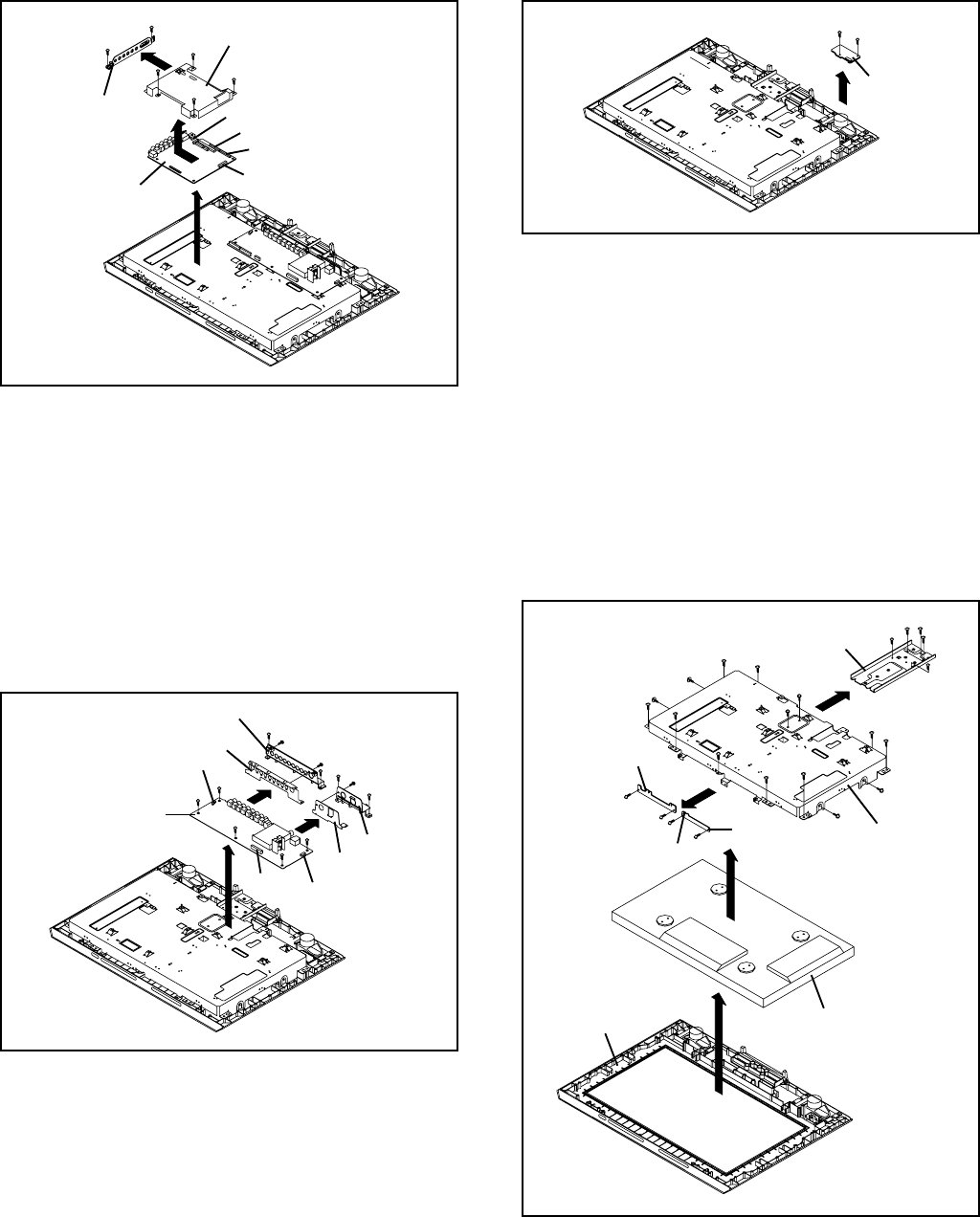
DISASSEMBLY INSTRUCTIONS
B1-3
Front Cabinet
1
Angle Hinge
1
1
2
3
2
(A)
3
5
4
5
55
55
5
6
LCD Cover
(B)
5
CP2251
66
7
(C)
6
Operation 1 PCB
Operation 2 PCB
7
7
7
LCD Panel
(D)
Shield LCD
Scaler PCB
2
1
1
CP801
CP802
CP2200
CP3201
2
2
2
(A)
Side Jack Plate
Fig. 1-8
1-9: AV PCB (Refer to Fig. 1-9)
1.
2.
3.
4.
5.
6.
7.
8.
9.
Disconnect the following connectors:
(CP301, CP3801 and CP5002).
Remove the screw 1.
Remove the 2 screws 2.
Remove the Jack Plate 1 and Jack Shield 1 in the direction
of arrow (A).
Remove the 2 screws 3.
Remove the 2 screws 4.
Remove the Jack Plate 2 and Jack Shield 2 in the direction
of arrow (B).
Remove the 5 screws 5.
Remove the AV PCB in the direction of arrow (C).
(A)
(B)
AV PCB
Jack Plate 1
Jack Shield 1
Fig. 1-10
Fig. 1-9
1
2
3
3
4
(C)
5
5
1
1
Remocon PCB
1-10: REMOCON PCB (Refer to Fig. 1-10)
1.
2. Remove the 2 screws 1.
Remove the Remocon PCB in the direction of arrow.
1-11:
1.
2.
3.
4.
5.
6.
7.
8.
9.
10.
11.
12.
Remove the 3 screws 1.
Remove the 2 screws 2.
Remove the 2 screws 3.
Remove the Angle Hinge in the direction of arrow (A).
Remove the screw 4.
Remove the 8 screws 5.
Remove the LCD Cover in the direction of arrow (B).
Disconnect the following connector:
(CP2251).
Remove the 4 screws 6.
Remove the Operation 1/2 PCB in the direction of arrow
(C).
Remove the 4 screws 7.
Remove the LCD Panel in the direction of arrow (D).
2
4
Jack Plate 2
Jack Shield 2
5
5
5
CP301
CP3801 CP5002
Fig. 1-11
LCD COVER/LCD PANEL/OPERATION 1/2 PCB
(Refer to Fig. 1-11)
(B)
(C)
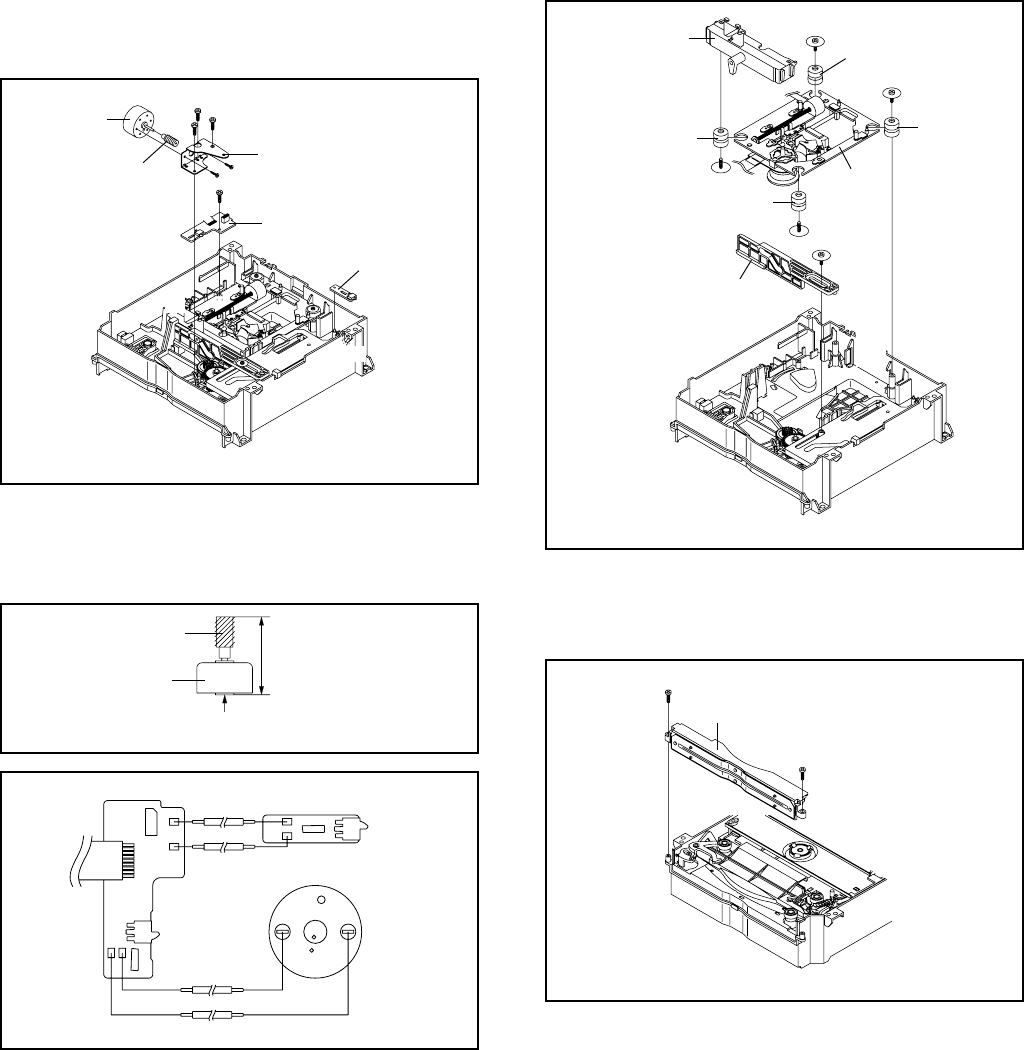
DISASSEMBLY INSTRUCTIONS
B2-1
2. REMOVAL OF DVD DECK PARTS
2-1:
Remove the 3 screws 1.
Remove the Loading Motor Ass'y.
Remove the 2 screws 2.
Remove the Motor and Loading Worm.
Disconnect the following connector: (CP2).
Remove the screw 3.
Unlock the 2 supports 4 and remove the Start SW PCB
Ass'y.
Unlock the 2 supports 5 and remove the End SW PCB
Ass'y.
1.
2.
3.
4.
5.
6.
7.
8.
Fig. 2-1-A
NOTE
1.
2.
In case of the Loading Worm installation, check if the
value of the Fig. 2-1-B is correct.
When installing the wire, install it correctly as Fig. 2-1-B.
Fig. 2-1-B
LOADING MOTOR ASS'Y/START SW PCB ASS'Y/
END SW PCB ASS'Y (Refer to Fig. 2-1-A)
Loading Motor Bracket
1
11
Motor
Loading Worm
Start SW PCB Ass'y
22
3
4
4
55
End SW PCB Ass'y
29.7 ± 0.1mm
Safety surface for pressing
of the insert.
Motor
Loading Worm
Fig. 2-1-C
Start SW PCB Ass'y End SW PCB Ass'y
Motor
Red
Black
Red
Black
2-2:
Remove the screw 1.
Remove the Traverse Unit Rod.
Remove the 2 screws 3.
Unlock the 2 supports 4 and remove the CD Deck Block.
Remove the 2 screws 5.
Unlock the 2 supports 6 and remove the Traverse Unit
Holder.
Remove the 4 Insulators.
1.
2.
3.
4.
5.
6.
7.
TRAVERSE UNIT ROD/TRAVERSE UNIT HOLDER/
CD DECK/INSULATOR (Refer to Fig. 2-2)
2-3: MOUTH ASS'Y (Refer to Fig. 2-3)
Remove the 2 screws 1.
Remove the Mouth Ass'y.
1.
2.
Fig. 2-3
1
Mouth Ass'y
• Screw Torque: 1 ± 0.2kgf•cm
1
• Screw Torque: 0.8 ± 0.2kgf•cm
Fig. 2-2
• Screw Torque: 3 ± 0.5kgf•cm
Traverse Unit Rod
1
2
CD Deck
2
3
3
4
4
Traverse Unit Holder
Insulator
Insulator
Insulator
Insulator
5
5
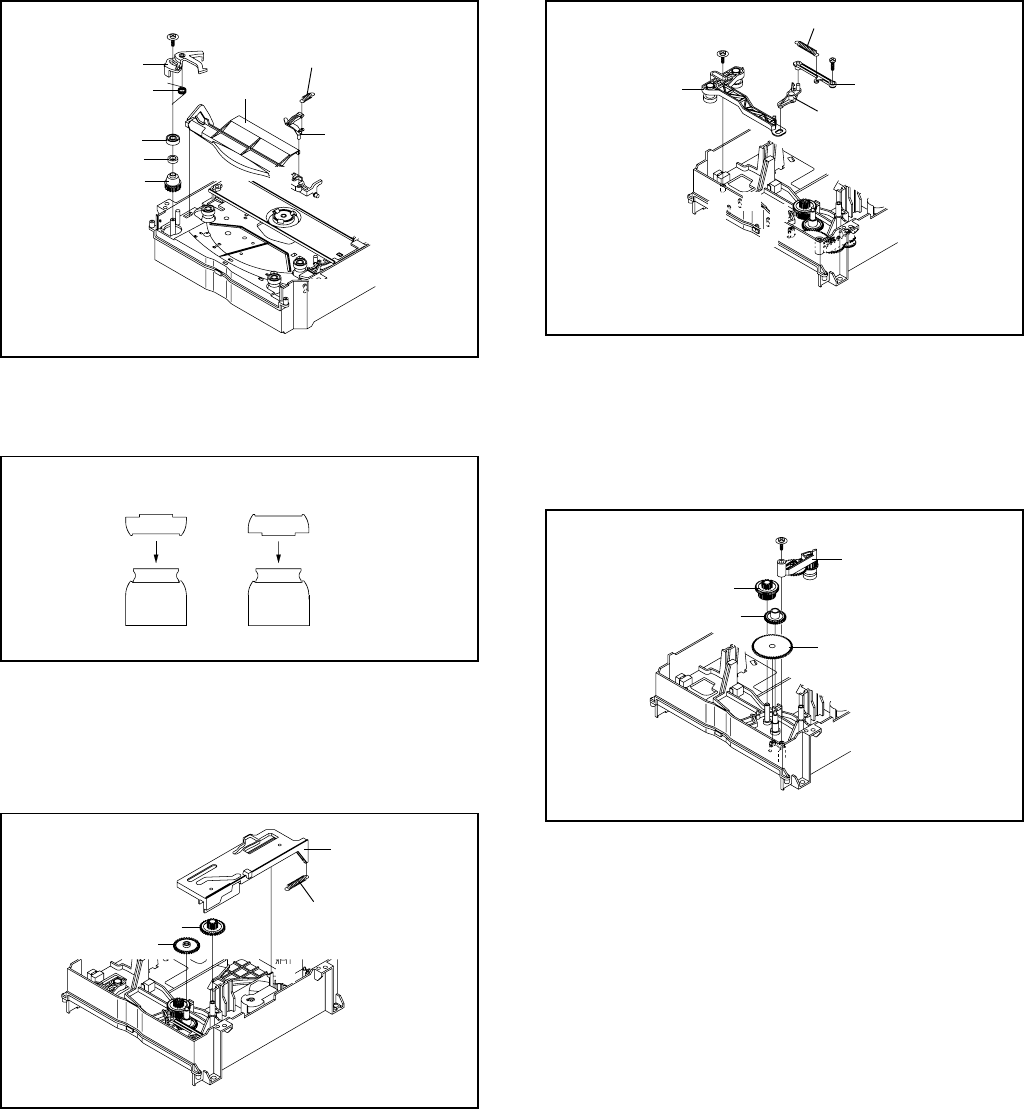
DISASSEMBLY INSTRUCTIONS
B2-2
2-6:2-4:
Remove the screw 1.
Remove the Disc L Lever and Disc L Lever Spring.
Remove the Stopper Spring.
Unlock the support 2 and remove the Locker Stopper.
Unlock the support 3 and remove the Disc Stopper.
Remove the Upper Roller, Roller Rubber and Roller Gear.
1.
2.
3.
4.
5.
6.
DISC L LEVER/DISC STOPPER/LOCKER STOPPER/
ROLLER GEAR (Refer to Fig. 2-4-A)
Fig. 2-4-A
Disc L Lever
1
Disc L Lever Spring
Stopper Spring
Locker Stopper
2
3
Disc Stopper
Upper Roller
Roller Rubber
Roller Gear
• Screw Torque: 1.1 ± 0.2kgf•cm
2-5:
Remove the Guide Arm Spring.
Unlock the 3 supports 1 and remove the Rack Loading.
Remove the Rack Gear and Mid Rack Gear.
1.
2.
3.
Fig. 2-5
RACK LOADING/RACK GEAR/GUIDE ARM
SPRING/MID RACK GEAR (Refer to Fig. 2-5)
NOTE
1. In case of the Upper Roller installation, install correctly as
Fig. 2-4-B.
Fig. 2-4-B
[OK] [NG]
Upper Roller Upper Roller
Roller Gear Roller Gear
Rack Loading
Guide Arm Spring
Rack Gear
Mid Rack Gear
LINK R ASS'Y/LINK L/LINK MID/LINK SPRING
(Refer to Fig. 2-6)
Remove the screw 1.
Remove the Link Spring.
Unlock the support 2 and remove the Link L.
Unlock the support 3 and remove the Link Mid.
Remove the screw 4.
Unlock the 4 supports 5 and remove the Link R Ass'y.
1.
2.
3.
4.
5.
6.
Fig. 2-6
• Screw Torque: 0.7 ± 0.1kgf•cm (Screw 1)
• Screw Torque: 1.5 ± 0.2kgf•cm (Screw 4)
1
Link Spring
Link L
2
3
Link Mid
4
Link R Ass'y
5
55
5
1
Mid Roller Gear 2
Arm Roller Ass'y
Terminal Gear
Mid Roller Gear 1
Fig. 2-7
• Screw Torque: 1.5 ± 0.2kgf•cm
2-7: ARM ROLLER ASS'Y/MID ROLLER 1/2 GEAR/
TERMINAL GEAR (Refer to Fig. 2-7)
Remove the screw 1.
Remove the Arm Roller Ass'y.
Remove the Terminal Gear and Mid Roller Gear 1.
Unlock the support 2 and remove the Mid Roller Gear 2.
1.
2.
3.
4.
2
1
1
1
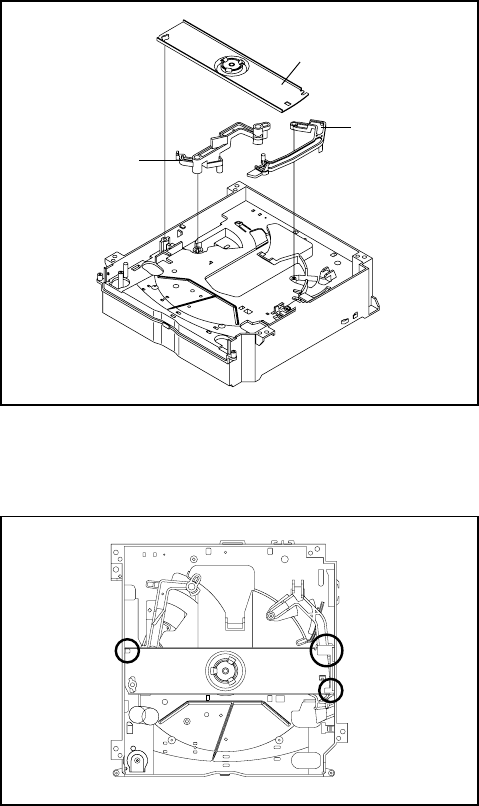
DISASSEMBLY INSTRUCTIONS
B2-3
Fig. 2-8-A
Fig. 2-8-B
2-8: CLAMPER ASS'Y/DISC GUIDE ARM/DISC R
LEVER (Refer to Fig. 2-8-A)
Unlock the support 1 and remove the Clamper Ass'y.
Unlock the support 2 and remove the Disc Guide Arm.
Unlock the support 3 and remove the Disc R Lever.
1.
2.
3.
Clamper Ass'y
1
3
2
Disc Guide Arm
Disc R Lever
NOTE
1. When installing the Clamper Ass'y, check if the Clamper
Ass'y is locked correctly as Fig. 2-8-B.
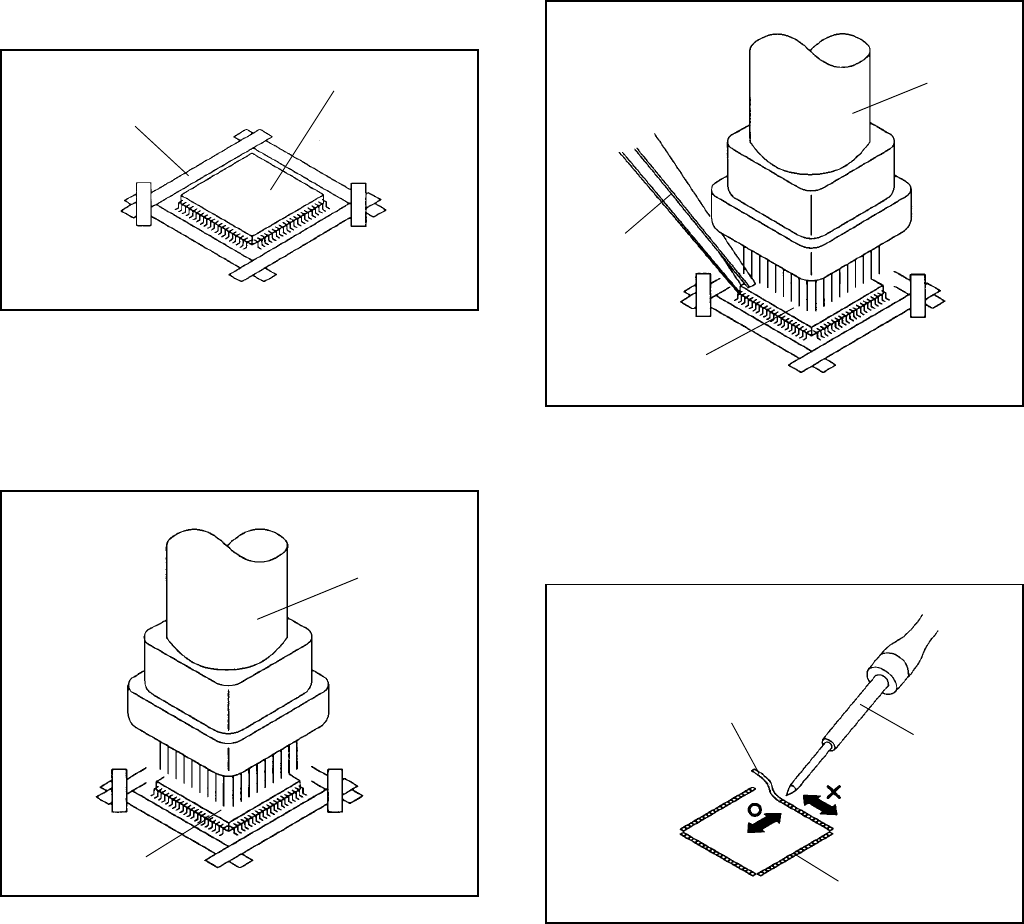
DISASSEMBLY INSTRUCTIONS
B3-1
3. REMOVAL AND INSTALLATION OF FLAT
PACKAGE IC
REMOVAL
1. Put the Masking Tape (cotton tape) around the Flat
Package IC to protect other parts from any damage.
(Refer to Fig. 3-1.)
NOTE
Masking is carried out on all the parts located within
10 mm distance from IC leads.
Fig. 3-1
Masking Tape
(Cotton Tape)
IC
2. Heat the IC leads using a blower type IC desoldering
machine. (Refer to Fig. 3-2.)
NOTE
Do not add the rotating and the back and forth direc-
tions force on the IC, until IC can move back and forth
easily after desoldering the IC leads completely.
Fig. 3-2
Blower type IC
desoldering machine
IC
3. When IC starts moving back and forth easily after
desoldering completely, pickup the corner of the IC using
a tweezers and remove the IC by moving with the IC
desoldering machine. (Refer to Fig. 3-3.)
NOTE
Some ICs on the PCB are affixed with glue, so be
careful not to break or damage the foil of each IC
leads or solder lands under the IC when removing it.
Fig. 3-3
Blower type IC
desoldering machine
Tweezers
IC
4.
5. Peel off the Masking Tape.
Absorb the solder left on the pattern using the Braided
Shield Wire. (Refer to Fig. 3-4.)
NOTE
Do not move the Braided Shield Wire in the vertical
direction towards the IC pattern.
Fig. 3-4
Braided Shield Wire
Soldering Iron
IC pattern
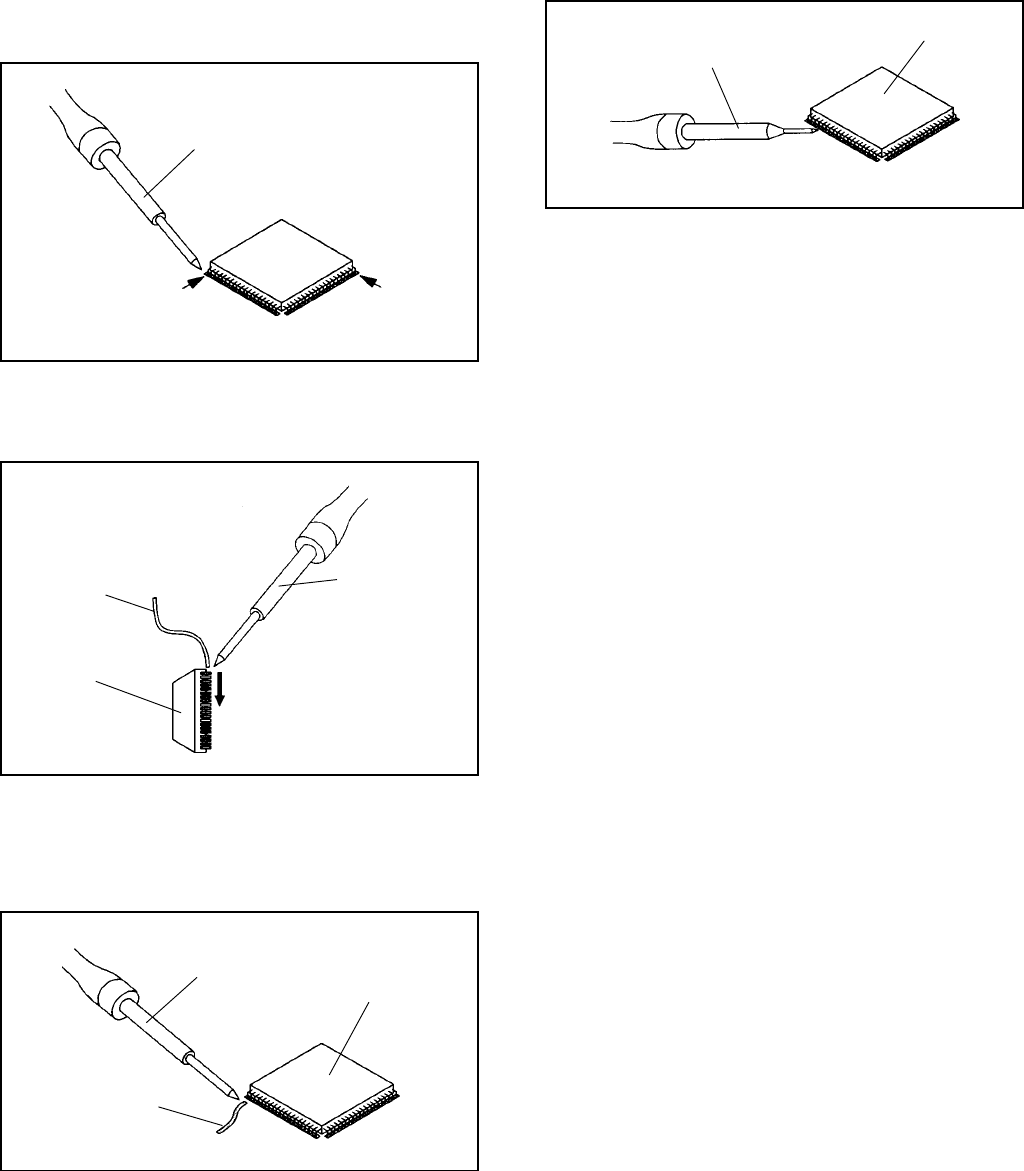
DISASSEMBLY INSTRUCTIONS
B3-2
Fig. 3-5
INSTALLATION
1. Take care of the polarity of new IC and then install the
new IC fitting on the printed circuit pattern. Then solder
each lead on the diagonal positions of IC temporarily.
(Refer to Fig. 3-5.)
Soldering Iron
Solder temporarily Solder temporarily
2. Supply the solder from the upper position of IC leads
sliding to the lower position of the IC leads.
(Refer to Fig. 3-6.)
Fig. 3-6
Solder
IC
Soldering Iron
Supply soldering
from upper position
to lower position
3. Absorb the solder left on the lead using the Braided
Shield Wire. (Refer to Fig. 3-7.)
NOTE
Do not absorb the solder to excess.
Fig. 3-7
Soldering Iron
IC
Braided Shield Wire
4. When bridge-soldering between terminals and/or the
soldering amount are not enough, resolder using a Thin-
tip Soldering Iron. (Refer to Fig. 3-8.)
Fig. 3-8
Thin-tip Soldering Iron
IC
5. Finally, confirm the soldering status on four sides of the
IC using a magnifying glass.
Confirm that no abnormality is found on the soldering
position and installation position of the parts around the
IC. If some abnormality is found, correct by resoldering.
NOTE
When the IC leads are bent during soldering and/or
repairing, do not repair the bending of leads. If the
bending of leads are repaired, the pattern may be
damaged. So, be always sure to replace the IC in this
case.
C-1
SERVICE MODE LIST
This unit provided with the following SERVICE MODES so you can repair, examine and adjust easily.
To enter to the SERVICE MODE function, press and hold both buttons simultaneously on the main unit and on the remote control
for more than a the standard time in the appropriate condition. (See below chart.)
Releasing of V-CHIP PASSWORD.
Initialization of factory TV data.
NOTE: If you set factory initialization, the memories are reset such as
the channel setting, and the POWER ON total hours.
Initialization of factory DVD data.
NOTE: The function will only work without the setting of DVD disc at
DVD mode.
Set Key Operations
VOL. DOWN
(Minimum)
Remocon
Key
0 2 sec.
VOL. DOWN
(Minimum) 1 2 sec.
Standard
Time
VOL. DOWN
(Minimum) 4 2 sec.
Set
Condition
TV mode
DVD mode
(No disc)
TV mode
The disk cannot be taken out.
Refer to the “TRAY LOCK”.
NOTE: No indications on the screen when the Tray Lock is setting.
POWER ON total hours are displayed on the screen.
Refer to the "
CONFIRMATION OF HOURS USED
"
.
Can be checked of the INITIAL DATA of MEMORY IC.
Refer to the "WHEN REPLACING EEPROM (MEMORY) IC".
STOP 7 2 sec.
VOL. DOWN
(Minimum) 6 2 sec.
VOL. DOWN
(Minimum) 9 2 sec.
DVD mode
(No disc)
TV mode
ALL mode Display of the Adjustment MENU on the screen.
Refer to the "ELECTRICAL ADJUSTMENT" (On-Screen Display
Adjustment).
Releasing of PARENTAL LOCK.
Refer to the “PARENTAL CONTROL - RATING LEVEL”.
NOTE: The function will only work without the setting of DVD disc at
DVD mode.
STOP 9 2 sec.
DVD mode
(STOP)
5 2 sec.
DVD Write mode.
Refer to the “RE-WRITE FOR DVD FIRMWARE”.
NOTE:
VOL. DOWN
(Minimum)
DVD mode
(No disc) The function will only work without the setting of DVD disc at
DVD mode.
Check of the SUM DATA and MICON VERSION on the screen.
Refer to the "
CONFIRMATION OF HOURS USED
".
VOL. DOWN
(Minimum) 2 sec.
TV mode
CONFIRMATION OF HOURS USED
POWER ON total hours can be checked on the screen. Total hours are displayed in 16 system of notation.
NOTE: If you set a factory initialization, the total hours is reset to "0".
1.
2.
3.
4.
ADDRESS DATA
INIT 000 FF
LCD ON 0000
OEC7133A_060
FIG. 1
Initial setting content of MEMORY IC.
POWER ON total hours.
= (16 x 16 x 16 x thousands digit value)
+ (16 x 16 x hundreds digit value)
+ (16 x tens digit value)
+ (ones digit value)
MICON Version
Turn on the POWER, and set to the TV mode.
Set the VOLUME to minimum.
Press both VOL. DOWN button on the set and Channel
button (6) on the remote control for more than 2 seconds.
After the confirmation of using hours, turn off the power.
8
DVD
Region setting.
Refer to the “RE-WRITE FOR DVD FIRMWARE”.
STOP 1 2 sec.
DVD mode
(No disc)
C-2
Turn on the power, and set the DVD mode.
Confirm that the “No Disc” will be appeared on the screen.
Press both VOL. DOWN button on the set and Channel button (5) on the remote control for more than 2 seconds.
Press VOL. UP/DOWN button on the unit to check if all the keys on the unit do not function.
NOTE: To check if DVD Write mode is set.
When inserting Up-Date Disc at Non DVD Write mode, the read error will happen.
Insert the Up-Date Disc. (Refer to SERVICING FIXTURE AND TOOLS)
Automatic read will start and "Firmware upgrade Please Wait" will be displayed on the screen.
At this time, the horizontal noise lines may appear. But no problem.
NOTE: Do not turn off the unit on the way or operate the keys on the unit and remocon.
Up-Date error will happen and can not be done with the Up-Date of Up-Date Disc.
After the Up-Date, Logo screen will appear.
Unplug the AC cord, then plug it in.
After the write, set to the initializing of shipping.
Turn on the power, and set the DVD mode.
Press both VOL. DOWN button on the set and Channel button (4) on the remote control for more than 2 seconds.
The "INITIALIZE 5 ---> COMPLETE" will appear on the screen.
Then unplug the AC cord, and plug it in.
CHECK FOR THE FIRMWARE VERSION
Turn on the power, and set the DVD mode.
Press both Channel button (1) on the remote control and the STOP button on the set for more than 2 seconds.
Firmware version will be displayed on the top left of the screen.
Turn off the power
RE-WRITE FOR DVD FIRMWARE
1.
2.
3.
4.
5.
6.
7.
8.
9.
10.
11.
12.
13.
14.
No Disc
JJC5425A J J C 5 4 2 5 A
Fixed
Release date (Example: 2005.4.25)
Released times on the same date
A = October
B = November
C = December
When the changed version displays, the Re-write will be completed.
SERVICING FIXTURES AND TOOLS
JG176 Up-Date Disc Ref. No.
JG176
Part No.
APJG176076
Parts Name
Up-Date Disc
Remarks
Up-Date of the Firmware
C-3
WHEN REPLACING EEPROM (MEMORY) IC
4.
5.
6.
7.
8.
9.
10.
11.
The unit will now have the correct DATA for the new MEMORY IC.
ADDRESS is now selected and should "blink". Using the UP/DOWN buton on the remote, step through the ADDRESS until
Press RIGHT/LEFT button to select DATA. When DATA is selected, it will "blink".
Again, step through the DATA using UP/DOWN button until required DATA value has been selected.
Pressing RIGHT/LEFT button will take you back to ADDRESS for further selection if necessary.
Repeat steps 3 to 6 until all data has been checked.
When satisfied correct DATA has been entered, turn POWER off (return to STANDBY MODE) to finish DATA input.
After the data input, set to the initializing of shipping.
Turn POWER on.
Press both VOL. DOWN button on the set and Channel button (1) on the remote control for more than 2 seconds.
After the finishing of the initializing of shipping, the unit will turn off automatically.
ADDRESS DATA
INIT 000 FF
LCD ON 0010
OEC7133A_060
FIG. 1
If a service repair is undertaken where it has been required to change the MEMORY IC, the following steps should be taken to
ensure correct data settings while making reference to TABLE 1.
1.
2.
3.
Turn on the POWER, and set to the TV mode.
Set the VOLUME to minimum.
Press both VOL. DOWN button on the set and Channel button (6) on the remote control for more than 2 seconds.
ADDRESS and DATA should appear as FIG 1.
CONFIRMATION OF CHECK SUM
Initial total of MEMORY IC can be checked on the screen. Total hours are displayed in 16 system of notation.
NOTE: If you set a factory initialization, the total hours is reset to "0".
1.
2.
3.
4.
INIT : 6EF4
ROM : 0000
VOLUME: 189E
ADC : A05B
DVP : C457
LCD ON 0000
OEC7133A_060
FIG. 1
Initialsetting data check sum.
POWER ON total hours.
= (16 x 16 x 16 x thousands digit value)
+ (16 x 16 x hundreds digit value)
+ (16 x tens digit value)
+ (ones digit value)
MICON Version
Turn on the POWER, and set to the TV mode.
Set the VOLUME to minimum.
Press both VOL. DOWN button on the set and Channel
button (8) on the remote control for more than 2 seconds.
After the confirmation of each check sum, turn off the
power. Rom correction data check sum.
AUDIO External terminal Volune.
AD CONVERTER data check sum.
SCALER data check sum.
C-4
WHEN REPLACING EEPROM (MEMORY) IC
Table 1-1
INIT +0 +1 +2 +3 +4 +5 +6 +7 +8 +9 +A +B +C +D +E 0F
000 FF 3F 01 99 EF 08 23 F9 01 30 80 55 B3 36 03 60
010 05 12 1F 24 40 45 5D 62 45 4A 19 00 13 57 00 00
020 40 08 3E 00 00 00 00 00 00 00 00 00 00 00 00 00
030 72 99 59 68 99 59 59 99 59 40 20 88 0D 45 80 40
040 46 63 68 49 53 65 6A 30 00 5C 62 00 00 00 00 00
050 00 00 00 D0 73 14 1C 35 30 16 00 00 00 00 00 FC
060 FC FA F8 F6 15 F5 08 0D 07 42 73 00 00 00 06 F4
070 02 12 22 00 0D F0 F0 F0 F0 F0 26 03 26 03 1E 0F
080 1E 0F 04 18 91 40 00 00 00 00 00 00 00 00 00 00
090 00 00 3C 20 3C 20 3C 20 3C 20 00 23 27 2B 2F 32
0A0 36 3A 3E 42 46 4A 4B 4D 4F 51 53 55 57 59 5B 5D
0B0 5F 61 63 66 67 68 69 6A 6B 6C 6D 6E 6F 70 71 71
0C0 72 72 72 73 73 73 74 74 74 75 75 75 76 75 76 76
0D0 76 76 77 77 77 77 78 78 78 78 79 42 00 00 00 EF
0E0 06 04 0B 01 00 01 07 3C 4F 02 0A 14 3F 49 00 00
0F0 00 00 00 00 00 50 19 32 19 00 19 44 43 40 40 40
100 10 92 FF FF 10 30 B0 D0 F0 7B 30 57 7A 15 82 D9
110 4D 8C 28 70 20 60 10 80 20 A0 00 2C 0D 00 88 0F
120 84 10 C0 E0 12 19 00 F0 0F 00 7F 12 18 EB 83 7F
130 F9 5E CA 52 18 F7 4C 33 4C 29 73 74 74 74 75 75
140 23 27 2B 2F 32 36 3A 3E 42 46 4A 4B 4D 4F 51 53
150 55 57 59 5B 5D 5F 61 63 66 67 68 69 6A 6B 6C 6D
160 6E 6F 70 71 71 72 72 72 73 73 73 74 74 74 75 75
170 75 76 75 76 76 76 76 77 77 77 77 78 78 78 78 79
600 31 F0 28 1F 08 08 20 80 80 80 7F 7F 7F 66 6E 80
610 20 04 04 02 00 00 00 01 00 00 00 00 00 00 00 00
620 38 30 20 10 10 08 20 80 80 80 7F 7F 7F 66 6E B8
630 28 04 04 02 00 00 00 01 00 00 00 00 00 00 00 00
640 41 F0 60 A0 08 08 20 80 80 80 7F 7F 7F 66 6E 80
650 20 04 04 02 00 00 00 01 00 00 00 00 00 00 00 00
660 53 F0 70 A5 08 08 20 80 80 80 7F 7F 7F 66 6E 80
670 20 04 04 02 00 00 00 01 00 00 00 00 00 00 00 00
680 67 F0 A0 C0 10 08 60 80 80 80 7F 7F 7F 66 6E B8
690 28 04 04 02 00 00 00 01 00 00 00 00 00 00 00 00
C-5
WHEN REPLACING EEPROM (MEMORY) IC
Table 1-2
INIT +0 +1 +2 +3 +4 +5 +6 +7 +8 +9 +A +B +C +D +E 0F
6A0 67 F0 A0 1B 10 08 60 80 80 80 7F 7F 7F 66 6E B8
6B0 28 04 04 02 00 00 00 01 00 00 00 00 00 00 00 00
6C0 6C 90 18 F0 07 14 44 80 80 80 7B 50 7A 6B 66 B5
6D0 30 0B 0F 02 00 00 00 01 00 00 00 00 00 00 00 00
6E0 35 90 18 70 07 14 35 80 80 80 80 80 80 6B 66 B5
6F0 30 0B 0F 02 00 00 00 01 00 00 00 00 00 00 00 00
700 67 10 A8 85 2B 05 B0 80 80 80 7F 80 80 6B 66 B5
710 20 0B 0F 02 00 00 00 01 00 00 00 00 00 00 00 00
720 89 80 A8 48 2B 03 94 80 80 80 7E 80 7F 6B 66 B5
730 30 0B 0F 02 00 00 00 01 00 00 00 00 00 00 00 00
740 6C 90 18 F0 07 14 44 80 80 80 7B 50 7A 6B 66 B5
750 30 0B 0F 02 00 00 00 01 00 00 00 00 00 00 00 00
760 35 90 18 70 07 14 44 80 80 80 80 80 81 6B 66 B5
770 30 0B 0F 02 00 00 00 01 00 00 00 00 00 00 00 00
780 67 10 A8 85 2B 14 B0 80 80 80 81 80 81 6B 66 B5
790 20 0B 0F 02 00 00 00 01 00 00 00 00 00 00 00 00
7A0 89 80 A8 48 2B 66 94 80 80 80 80 80 7E 6B 66 B5
7B0 30 0B 0F 02 00 00 00 01 00 00 00 00 00 00 00 00
7C0 FF FF FF FF FF FF FF FF FF FF FF FF FF FF FF FF
7D0 FF FF FF FF FF FF FF FF FF FF FF FF FF FF FF FF
7E0 E7 02 FF FF FF FF FF FF FF FF FF FF FF FF FF FF
7F0 FF FF FF FF FF FF FF FF FF FF FF FF FF FF FF FF
ELECTRICAL ADJUSTMENTS
D-1
1. ADJUSTMENT PROCEDURE
Read and perform these adjustments when repairing the
circuits or replacing electrical parts or PCB assemblies.
On-Screen Display Adjustment
1.
2. Set the VOLUME to minimum.
Press the VOL. DOWN button on the set and the
channel button (9) on the remote control for more than
2 seconds to display adjustment mode on the screen as
shown in Fig. 1-1.
3.
4.
5.
Use the Channel UP/DOWN button or Channel button
(0-9) on the remote control to select the options shown
in Fig. 1-2.
Press the MENU button on the remote control to end
the adjustments.
To display the adjustment screen for TV, AV, CS, HD-
MI and PC mode, press the INPUT button on the
remote control. Press the VOL.DOWN button on the set
and the channel (9) on the remote control for more than
2 seconds.
FUNCTION
H POSI OSD
V POSI OSD
R DRIVE(N)
R CUT OFF(N)
G DRIVE(N)
G CUT OFF(N)
B DRIVE(N)
B CUT OFF(N)
R DRIVE(C)
R CUT OFF(C)
G DRIVE(C)
G CUT OFF(C)
B DRIVE(C)
B CUT OFF(C)
R DRIVE(W)
R CUT OFF(W)
G DRIVE(W)
G CUT OFF(W)
B DRIVE(W)
B CUT OFF(W)
H POSI
V POSI
NO.
01
02
03
04
05
06
07
08
09
10
11
12
13
14
15
16
17
18
19
20
21
22
FUNCTION
BAK LIGHT CENT
BAK LIGHT MAX
BAK LIGHT MIN
BRIGHT CENT
BRIGHT MAX
BRIGHT MIN
TINT
SHARP CENTER
SHARP MAX
SHARP MIN
CONTRAST CENTER(N)
CONTRAST MAX(N)
CONTRAST MIN(N)
COLOR CENT
COLOR MAX
COLOR MIN
CONTRAST CENTER(C)
CONTRAST MAX(C)
CONTRAST MIN(C)
CONTRAST CENTER(W)
CONTRAST MAX(W)
CONTRAST MIN(W)
Fig. 1-2
Function Step No.
Fig. 1-1
01 H POSI 340
TV
FILL
NO.
23
24
25
26
27
28
29
30
31
32
33
34
35
36
37
38
39
40
41
42
43
44
CAUTION
•
•
•
•
Use an isolation transformer when performing any
service on this chassis.
Before removing the anode cap, discharge electricity
because it contains high voltage.
When removing a PCB or related component, after
unfastening or changing a wire, be sure to put the wire
back in its original position.
When you exchange IC and Transistor with a heat sink,
apply silicon grease on the contact section of the heat
sink. Before applying new silicon grease, remove all the
old silicon grease. (Old grease may cause damages to
the IC and Transistor).
2. BASIC ADJUSTMENTS
2-1: CONSTANT MAX
1.
2.
3.
4.
5.
6.
7.
8.
9.
Activate the adjustment mode display of Fig. 1-1 and
press the channel button (40) on the remote control to
select "CONTRAST MAX(C)".
Press the VOL. UP/DOWN button on the remote control
until the contrast step No. becomes "135"
Receive a broadcast and check if the picture is normal.
Press the INPUT button on the remote control to set to
the AV mode. Then perform the above adjustments 1~3.
Press the INPUT button on the remote control to set to
the CS mode.
Activate the adjustment mode display of Fig. 1-1 and
press the channel button (40) on the remote control to
select "CONTRAST MAX(C)".
Press the VOL. UP/DOWN button on the remote control
until the contrast step No. becomes "125"
Receive a broadcast and check if the picture is normal.
Press the INPUT button on the remote control to set to
the HD-MI mode. Then perform the above adjustments
6~8.
Prepare the following measurement tools for electrical
adjustments.
1. Patterm Generator
ELECTRICAL ADJUSTMENTS
D-2
2-2: WHITE BALANCE
1.
2.
3.
4.
5.
6.
7.
Place the set in Aging Test for more than 15 minutes.
Receive the gray scale pattern from the Pattern
Generator.
Using the remote control, set the brightness and contrast
to normal position.
Activate the adjustment mode display of Fig. 1-1 and
press the channel button (03) on the remote control to
select "R DRIVE(N)".
Press the CH. UP/DOWN button on the remote control to
select the "R CUT OFF(N)", "G DRIVE(N)", "G CUT
OFF(N)", "R DRIVE(C)", "R CUT OFF(C)", "G DRIVE(C)",
"G CUT OFF(C)", "R DRIVE(W)", "R CUT OFF(W)", "G
DRIVE(W)" or "G CUT OFF(W)".
Adjust the VOL. UP/DOWN button on the remote control
to whiten the R CUT OFF(N), G DRIVE(N), G CUT
OFF(N), R DRIVE(C), R CUT OFF(C)", G DRIVE(C), G
CUT OFF(C), R DRIVE(W), R CUT OFF(W) G DRIVE(W)
and G CUT OFF(W), B DRIVE(W) and B CUT OFF(W) at
each step tone sections equally.
Perform the above adjustments 5 and 6 until the white
achieved.
2-3: Confirmation of Fixed Value (Step No.)
Please check if the fixed values of each the adjustment items are set correctly referring below.
NO. FUNCTION 480i 480p 720p 1080i 480i 480p 720p 1080i VGA VGA70 SVGA XGA WXGA WXGA44.7
01 H POSI OSD 340 340 340 340 340 340 340 340 340 340 340 340 340 340 340 340 340 340
02 V POSI OSD 85 85 85 85 85 85 85 85 85 85 85 85 85 85 85 85 85 85
03 R DRIVE (N) 154 154 154 154 154 154 154 154 154 154 154 154 120 120 120 120 120 120
04 R CUTOFF (N) 107 107 107 107 107 107 107 107 107 107 107 107
05 G DRIVE (N) 124 124 124 124 124 124 124 124 124 124 124 124 120 120 120 120 120 120
06 G CUTOFF (N) 116 116 116 116 116 116 116 116 116 116 116 116
07 B DRIVE (N) 120 120 120 120 120 120 120 120 120 120 120 120 120 120 120 120 120 120
08 B CUTOFF (N) 121 121 121 121 121 121 121 121 121 121 121 121
09 R DRIVE (C) 140 140 140 140 140 140 140 140 140 140 140 140
10 R CUTOFF (C) 122 122 122 122 122 122 122 122 122 122 122 122
11 G DRIVE (C) 128 128 128 128 128 128 128 128 128 128 128 128
12 G CUTOFF (C) 125 125 125 125 125 125 125 125 125 125 125 125
13 B DRIVE (C) 128 128 128 128 128 128 128 128 128 128 128 128
14 B CUTOFF (C) 128 128 128 128 128 128 128 128 128 128 128 128
15 R DRIVE (W) 161 161 161 161 161 161 161 161 161 161 161 161
16 R CUTOFF (W) 80 80 80 80 80 80 80 80 80 80 80 80
17 G DRIVE (W) 123 123 123 123 123 123 123 123 123 123 123 123
18 G CUTOFF (W) 92 92 92 92 92 92 92 92 92 92 92 92
19 B DRIVE (W) 108 108 108 108 108 108 108 108 108 108 108 108
20 B CUTOFF (W) 98 98 98 98 98 98 98 98 98 98 98 98
21 H POSI 300 300 300 300 300 146 338 295 294 144 294 245 143 159 215 291 313 322
22 V POSI 41 41 41 41 41 29 33 34 41 29 28 29 50 20 31 32 24 23
23 BAK LIGHT CENT 128 128 128 128 128 128 128 128 128 128 128 128 128 128 128 128 128 128
24 BAK LIGHT MAX 230 230 230 230 230 230 230 230 230 230 230 230 230 230 230 230 230 230
25 BAK LIGHT MIN 00 00 00 00 00 00 00 00 00 00 00 00 00 00 00 00 00 00
26 BRIGHT CENT 124 124 125 110 124 124 124 124 124 124 124 124 118 118 118 118 118 118
27 BRIGHT MAX 150 150 150 150 150 150 150 150 150 150 150 150 150 150 150 150 150 150
28 BRIGHT MIN 70 70 70 70 70 70 70 70 70 70 70 70 70 70 70 70 70 70
29 TINT 110 110 110 110 110 122 122 122 110 122 122 122
30 SHARP CENTER 105 105 105 105 105 105 105 105 105 105 105 105 128 128 128 128 128 128
31 SHARP MAX 255 255 255 255 255 255 255 255 255 255 255 255 255 255 255 255 255 255
32 SHARP MIN 00 00 00 00 00 00 00 00 00 00 00 00 00 00 00 00 00 00
33 CONT CENTER (N) 95 80 80 90 90 85 85 85 95 85 85 85 128 128 128 128 128 128
34 CONT MAX (N) 120 120 120 105 105 105 105 105 150 105 105 105 150 150 150 150 150 150
35 CONT MIN (N) 50 50 50 50 50 50 50 50 50 50 50 50 50 50 50 50 50 50
36 COLOR CENT 80 80 80 80 80 80 80 80 80 80 80 80
37 COLOR MAX 127 127 127 127 127 127 127 127 127 127 127 127
38 COLOR MIN 00 00 00 0 00 00 00 00 00 00 00 00
39 CONT CENTER (C) 100 95 95 100 100 100 100 100 100 100 100 100
40 CONT MAX (C) 135 135 135 125 125 120 120 120 125 120 120 120
41 CONT MIN (C) 50 50 50 50 50 50 50 50 50 50 50 50
42 CONT CENTER (W) 70 65 65 65 65 65 65 65 65 65 65 65
43 CONT MAX (W) 100 100 100 100 90 90 90 90 90 90 90 90
44 CONT MIN (W) 50 50 50 50 50 50 50 50 50 50 50 50
ELECTRICAL ADJUSTMENTS
TV AV GAME DVD PCHD-MICS
D-3 D-4
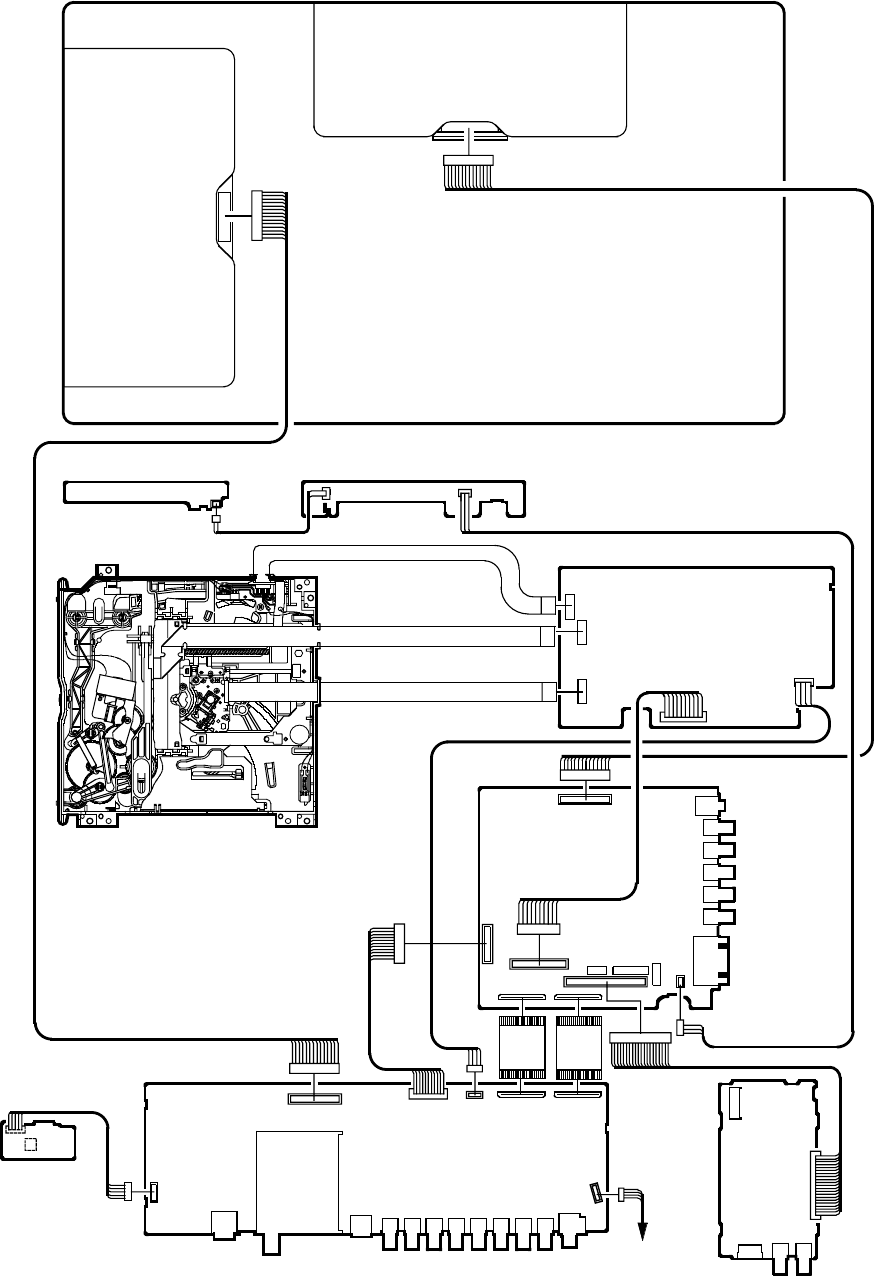
J4306
J4305
J4304
J4303
J4302
CP7203
CP4303
CP4302
CP4301
CP2200
CP801
CP802
J4301
CP3201
SCALER PCB
AV PCB
TU4401
J4401
J4402
J4403
J4404
J4407
J4406
J4405
J4408
J4409
J5001
CP3801 CP4401
CP5002
CP3802 CP5001
J3802
CD3804
CP3604
CP3601
J3601
J3602 CD3601
HD-MI PCB
OPERATION1 PCB
CD2251 CD2200
OS2202
CD2202
OPERATION2 PCB
CP2251
D-5
ELECTRICAL ADJUSTMENTS
3. ELECTRICAL ADJUSTMENT PARTS LOCATION GUIDE (WIRING CONNECTION)
CD701
DVD PCB
LCD PANEL
CP2302
CP2301
CP2601
CD501
CD801
CD802
CP301
SPEAKER
DVD DECK
CD3801
CD7202
CD2302
CD2301
CD2601
CP103
CP102
CP101
REMOCON PCB
TROUBLESHOOTING GUIDE
E-1
(LCD SECTION)
POWER DOES NOT TURN ON
NO
IS F3801 BROKEN ? YES CHANGE F3801.
NO
YES
CHECK IC3803, AND AT 5V
LINE.
IS THERE VOLTAGE
OF 2 PIN OF IC3803
AT13.1V AND 4 PIN
AT5V ?
NO
IS THERE VOLTAGE
AT PINS 1~6, 10 AND
11 OF CD3804 ?
CHECK Q3804, IC3804, IC3805,
IC3806 AND IC3809.
NO
YES
CONNECT CD2200
IS CD2200
CONNECTED ?
YES
NO
CHECK IC101.
YES
CHANGE SCALER PCB.
AT STATE OF POWER
KEY PUSHING, IS THERE
LOW AT PIN 93 OF IC101 ?
TROUBLESHOOTING GUIDE
E-2
THE PICTURE APPEARS, BUT
THE AUDIO DOES NOT
APPEAR. (AT RF MODE)
YES
NO
NO
YES
CHECK IC6601 AND
PERIPHERAL CIRCUIT.
CONNECT CD301.
NO
CHECK IC301, IC302 AND
PERIPHERAL CIRCUIT.
YES
NO
CHANGE TU4401.
IS CD301 CONNECTED ?
YES
NO
IS THERE SIGNAL ON
PIN 14 OF TU4401 ?
CHAGE SP301 AND SP302.
YES
CHECK IC6601 AND
PERIPHERAL CIRCUIT.
IS THERE SIGNAL ON
PIN 67 OF IC6601 ?
IS THERE SIGNAL ON
PINS 1 AND 4 OF
CP301 ?
IS THERE SIGNAL ON
PIN 11 OF IC301 AND
IC302 ?
TROUBLESHOOTING GUIDE
E-3
THE PICTURE DOES NOT
APPEAR (1).
NO
YES
CHECK THE CONNECTED
OF CP3801 AND THE
VOLTAGE OF PINS 1~5.
CONNECT CD7201.
NO
YES
IS CD7203 CONNECTED ?
DOSE BACK LIGHT SHINE ?
YES
NO
CHANGE V2301.
IS THERE SIGNAL
AT IC7201 ? CHANGE IC7201.
IS THERE SIGNAL AT
PINS 13, 14, 16, 17 19,
20, 22, 23, 25 AND 26
OF CD7203 ?
YES
NO
CHECK IC801.
TROUBLESHOOTING GUIDE
E-4
THE PICTURE DOES NOT
APPEAR (2).
YES
NO
YES
CHANGE IC5001.
CONNECT CP5001.
NO
NO
YES
CHANGE IC801 AND
PERIPHERAL CIRCUIT.
CHECK C832, C859 AND
C883 AND PERIPHERAL
CIRCUIT.
IS CP5001 CONNECTED
AND IS THERE SIGNAL AT
PINS 1, 3 AND 5 ?
IS THERE SIGNAL
AT C832, C859
AND C883 ?
IS THERE SIGNAL AT
PIN 7 OF IC5001 ?
TROUBLESHOOTING GUIDE
E-5
THE COLOR DOES NOT
APPEAR.
YES
NO
NO
YES
RECEIVE THE COLOR SIGNAL.
IS SETTING OF
COLOR NORMAL ? CHANGE THE SETTING OF
COLOR.
IS THE COLOR
SIGNAL RECEIVED ?
CHANGE SCALER PCB.
YES
NO
NO
YES
CHECK IC2101 AND
PERIPHERAL CIRUCUIT.
CHECK IC8101 AND
PERIPHERAL CIRUCUIT.
YES
NO CHECK IC801 AND
PERIPHERAL CIRUCUIT.
IS THERE SIGNAL AT
PINS 2~9, 12~19 AND
70~77 OF IC2101 ?
IS THERE SIGNAL AT
PINS 106, 113~116,
119~123, 127~135, 139
AND 143 OF IC801 ?
IS THERE SIGNAL
AT PINS 3, 5 AND 6
OF IC8101 ?
TROUBLESHOOTING GUIDE
E-6
ON SCREEN DISPLAY DOES
NOT APPEAR.
NO
YES
NO
CHECK IC101 AND
PERIPHERAL CIRCUIT.
CHECK NR801AND
PERIPHERAL CIRCUIT.
YES
CHECK IC801 AND
PERIPHERAL CIRCUIT.
IS THERE SIGNAL AT
PINS 57, 58, 59 AND 60
OF IC801 ?
IS THERE SIGNAL AT
PINS 2, 3, 4 AND 5 OF
IC101 ?
TROUBLESHOOTING GUIDE
E-7
NO
YES
(DVD SECTION)
CHECK P.CON+3.3V AND
P.CON+1.8V LINE.
YES
NO
YES
NO
DOES THIS HAVE SIGNAL
AT PINS 158, 161 AND
162 OF IC4001 ?
DOES NOT DISPLAY
DVD PICTURE
REFER TO "NO PLAY DISC".
CHECK PINS 8, 6 AND 4 OF
CD701 AND PERIPHERAL
CIRCUIT.
CHANGE IC4001.
DOES THIS DISPLAY
LOGO PICTURE ?
DOES IC4001 AND IC2601
GETS P.CON+3.3V AND
P.CON+1.8V ?
TROUBLESHOOTING GUIDE
E-8
NO
YES
DOES OSD APPEAR
ON THE SCREEN ?
CHECK PINS 19, 29 AND 30 OF
IC101 AND PERIPHERAL
CIRCUIT.
CHECK PINS 155 AND 156 OF
IC4001 AND PERIPHERAL
CIRCUIT.
CHANGE DVD DECK.
YES
NO
YES
NO
DOES THIS EJECT
DISC AT CHANGE
DVD DECK ?
IS REMOTE KEY SET
EFFECTIVELY ?
DISC DOES NOT EJECT.
CHECK IC2301 AND
PERIPHERAL CIRCUIT.
YES
NO
DOES THIS HAVE
SIGNAL AT PINS 1
AND 3 OF CP2301 ?
CHANGE IC2301.
YES
NO
DOES THIS HAVE
SIGNAL AT PINS 2, 4, 6,
7, 8 AND 9 OF CP2301 ?
CHANGE IC4001.
TROUBLESHOOTING GUIDE
E-9
CHANGE DVD DECK.
NO
CONNECT CD2601.
YES
NO
YES
DOES THIS DISPLAY
"INCORRECT DISC".
CHANGE IC2601.
DOSE NOT PLAY DVD.
DOES CD2601
CONNECT WITH CP2601
CORRECTLY ?
NO
IS THEVOLTAGE
BETWEEN TP39 AND
TP43 LESS THAN 0.6V ?
DOES THIS DISPLAY
READING MARK ?
DOES DISC ROTATE ?
CHANGE IC4001.
NO
CHANGE DVD DECK.
NO
YES
YES
YES
TROUBLESHOOTING GUIDE
E-10
CHANGE DVD DECK.
NO
CONNECT CD2601.
YES
NO
YES
DOES THIS DISPLAY
"INCORRECT DISC".
CHANGE IC2601.
DOES NOT PLAY CD.
DOES CD2601
CONNECT WITH CP2601
CORRECTLY ?
NO
IS THE VOLTAGE
BETWEEN TP39 AND
TP41 LESS THAN 0.6V ?
DOES THIS DISPLAY
READING MARK ?
DOES DISC ROTATE ?
CHANGE IC4001.
NO
CHANGE DVD DECK.
NO
YES
YES
YES
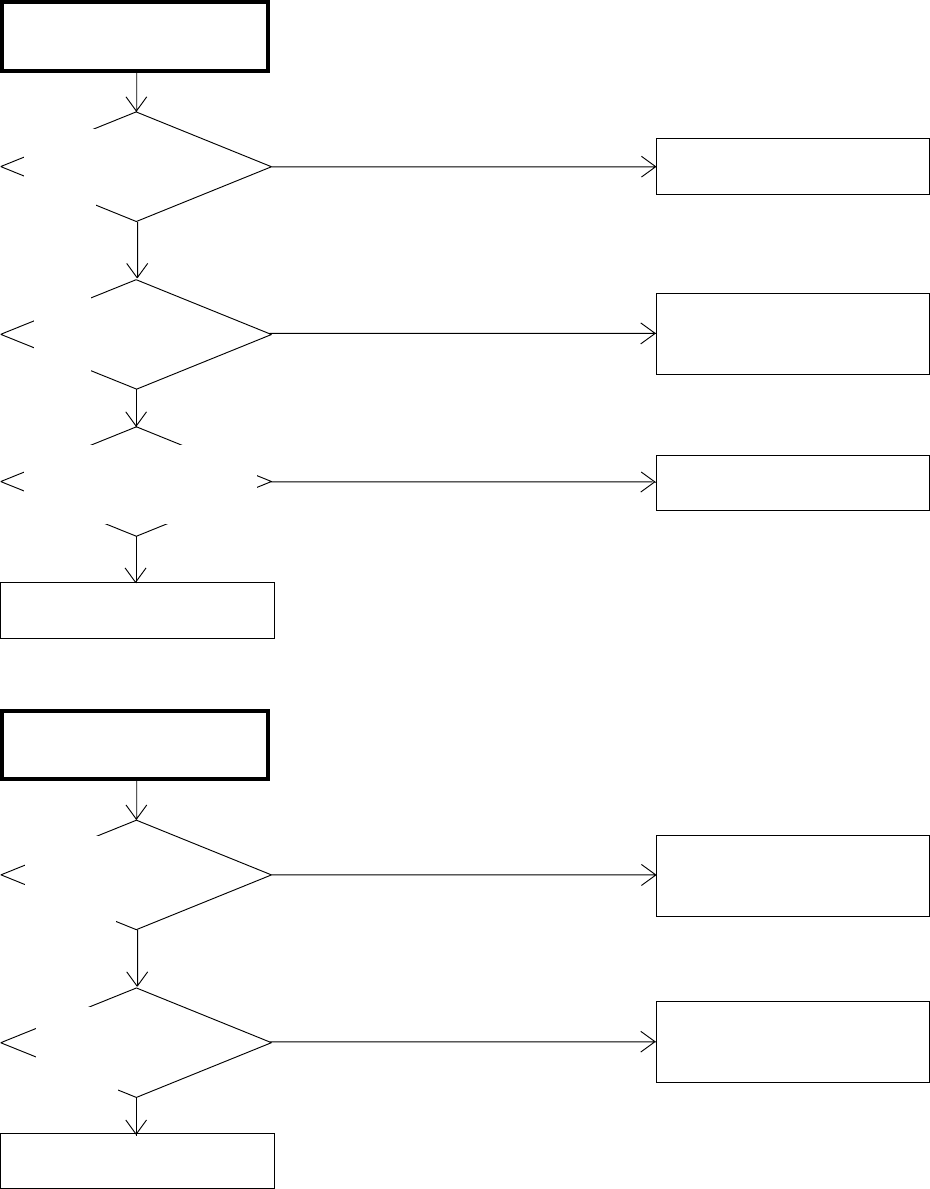
TROUBLESHOOTING GUIDE
E-11
CHANGE IC4001.
NO
NO
YES
YES
YES
NO
DOES THIS HAVE
SIGNAL AT PINS 1 AND
2 OF CD701 ?
DOES THIS HAVE
SIGNAL AT PINS 7 AND
8 OF IC8502 ?
DOES THIS HAVE SIGNAL
AT PINS 113, 115, 116
AND 118 OF IC4001 ?
NO SOUND DVD/CD
ANALOG AUDIO.
REFER TO "LCD SECTION".
CHECK PINS 7 AND 8 OF
IC8502 AND PERIPHERAL
CIRCUIT.
CHANGE IC8502.
CHANGE IC4001.
NO
YES
YES
NO
DOES THIS HAVE
SIGNAL AT PIN 10 OF
CD701 ?
DOES THIS HAVE
SIGNAL AT PIN 110
OF IC4001 ?
NO SOUND DVD/CD
DIGITAL AUDIO.
CHECK IC4001 AND
PERIPHERAL CIRCUIT.
CHECK J5001 AND
PERIPHERAL CIRCUIT.
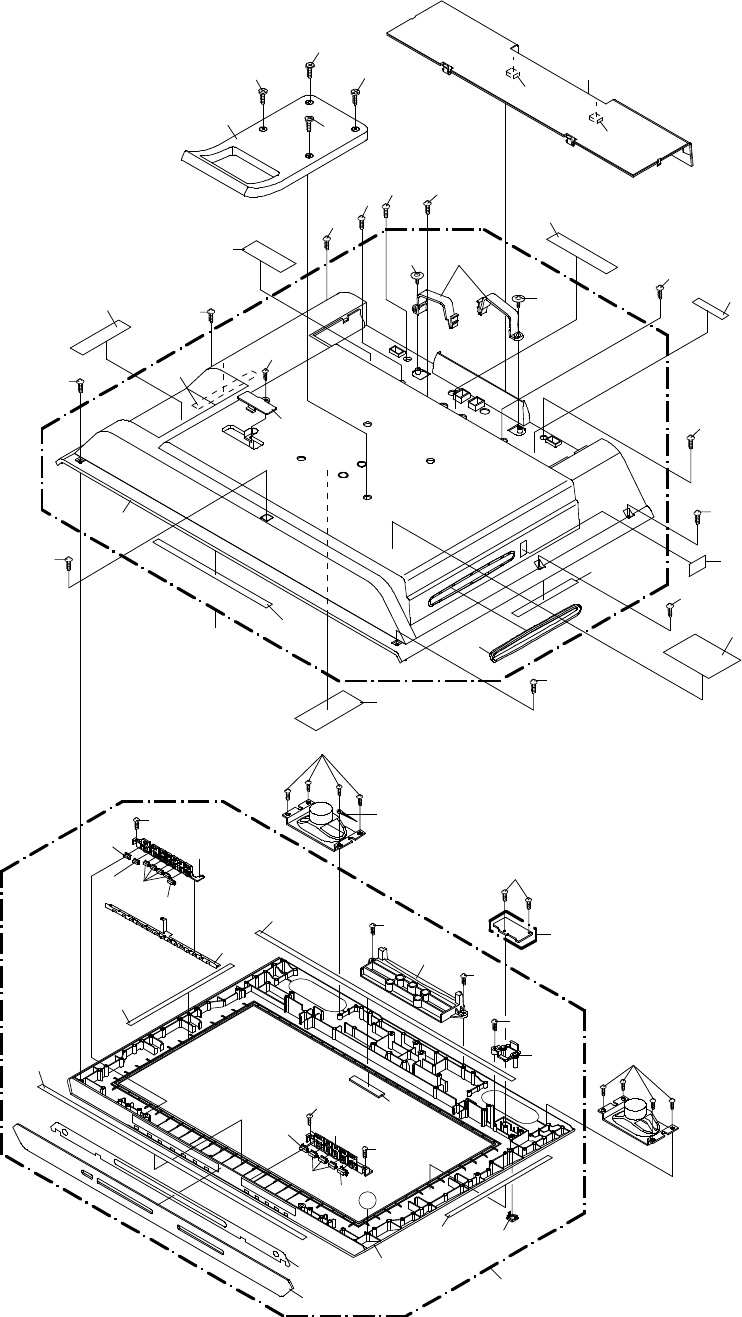
MECHANICAL EXPLODED VIEW
J1-1
102A
202
202
202
202
102B
102
102D
102F
102F
203
102E
202
202
202
211
211 141
144
142
140
143
213
202
202
119
102C
145
202 202
136
148
148
138
215
215
215 215
203
PCBDA0
(REMOCON PCB ASS'Y)
101
101A
101F
101O
101N
101O
A
101N
101D
101G
101C
203
135
203
101E
204
204
101B
204
101L
204
204
101I
101J
101I
101I
101M
101K
204
101H
101J
101I
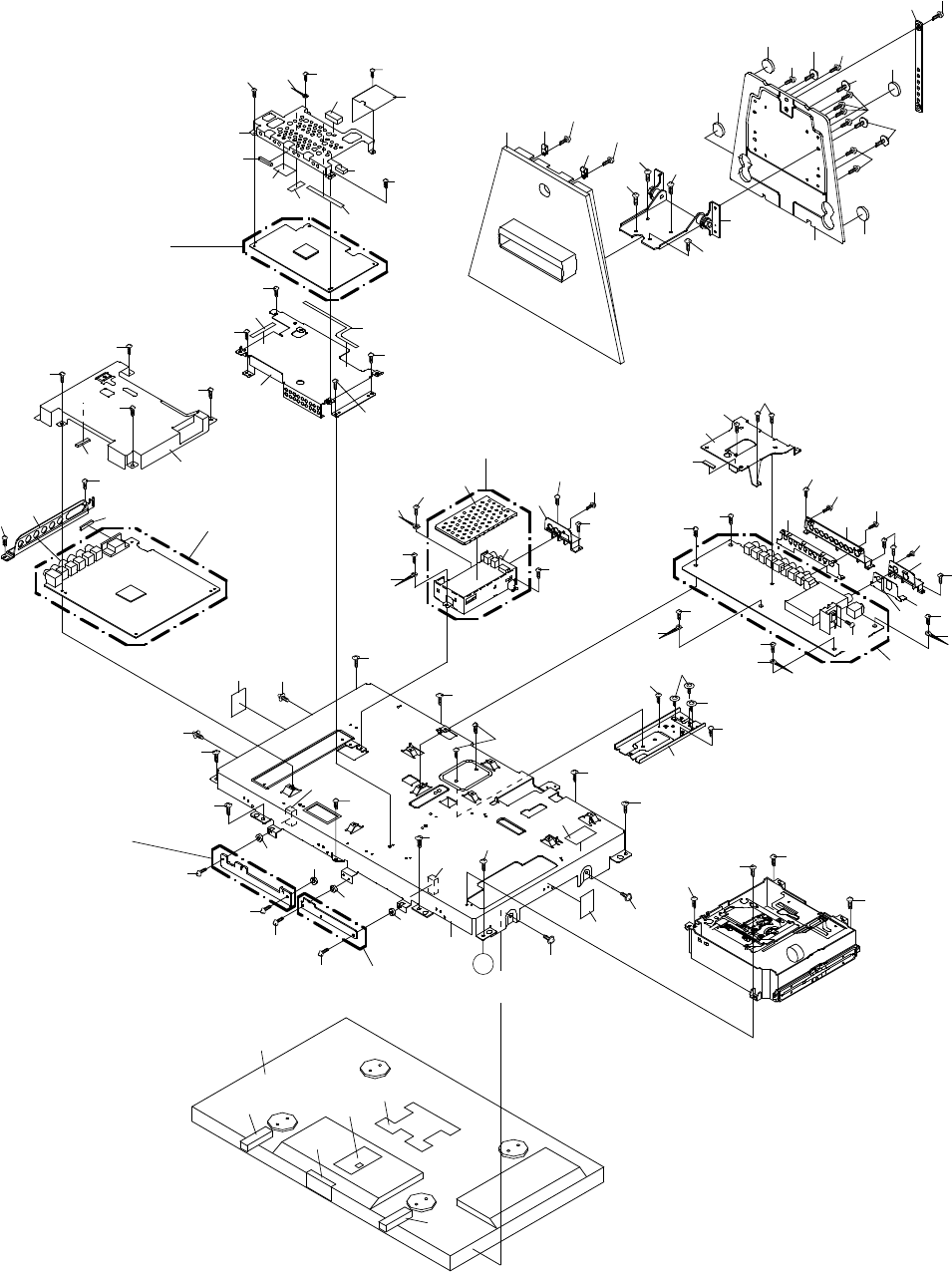
PCB280
(OPERATION2 PCB ASS'Y)
MECHANICAL EXPLODED VIEW
J1-2
113
119
133
133
129
V2301
208
208 208
208
139
137 203
106
106 203 208
203
203
208
208 203
203
147
147
147
147
105 206
146
212
PCB130
(DVD PCB ASS'Y)
110
212
116
111 109
115
130
134 212
132
131
212
212
212
212
212
123
104
103
PCBD20
(AV PCB ASS'Y)
118 126 214
212
212
134 212
212
135
212210
124
117
212
130
135
214
205
208 213
130
122
212
212
107
108
212
134 209
212
212
134
125
212
212
PCBDJ0
(HD-MI PCB ASS'Y)
PCBDS0
(SCALER PCB ASS'Y)
212
212
127 130
212
212
212
212
114
130
201
120
212
212
201
PCB270
(OPERATION 1 PCB ASS'Y)
207
201
201
201
201
201
A
212
212
121
207
207
207129
129
132
203
201
201
128 132
128
212
212
128
128
208
212 212
212
212
201
112
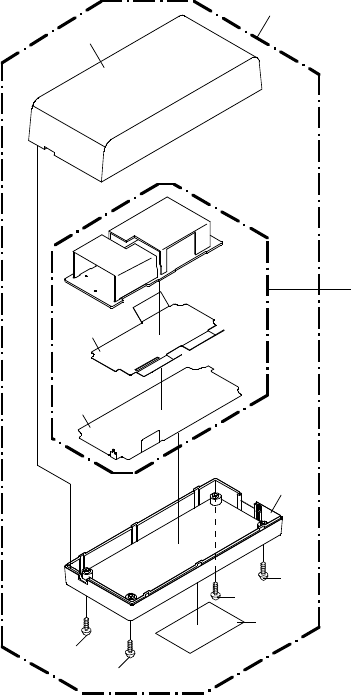
PCBC00
(AC ADAPTER PCB ASS'Y)
803
802
801
804
805
901
901
MECHANICAL EXPLODED VIEW
(AC ADAPTER)
J1-3
901
901
800
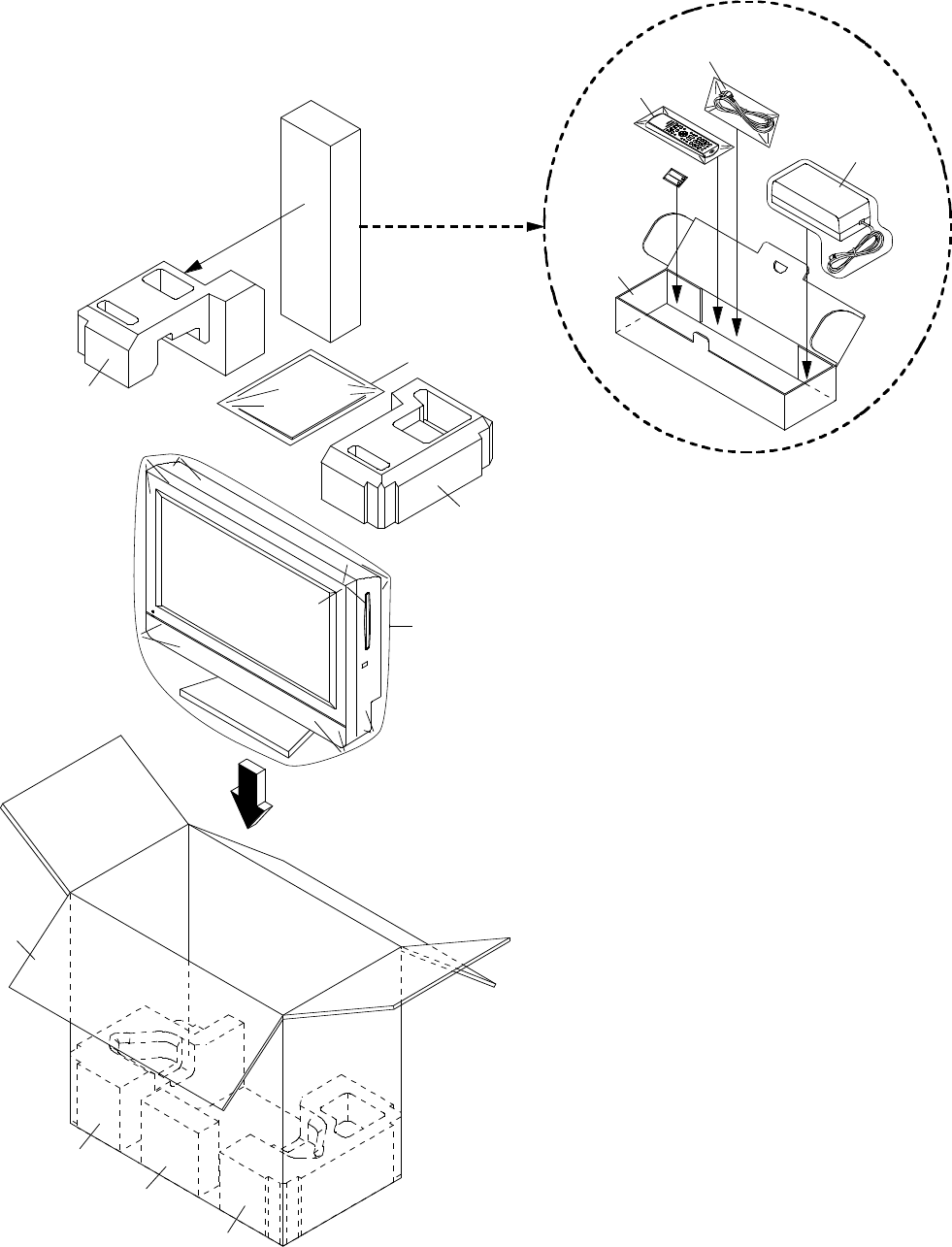
MECHANICAL EXPLODED VIEW
(PACKING DIAGRAM)
J1-4
149
150
154
151
151
156, 157, 158, 159
150
152
AC ADAPTER
CD505
TM101
153
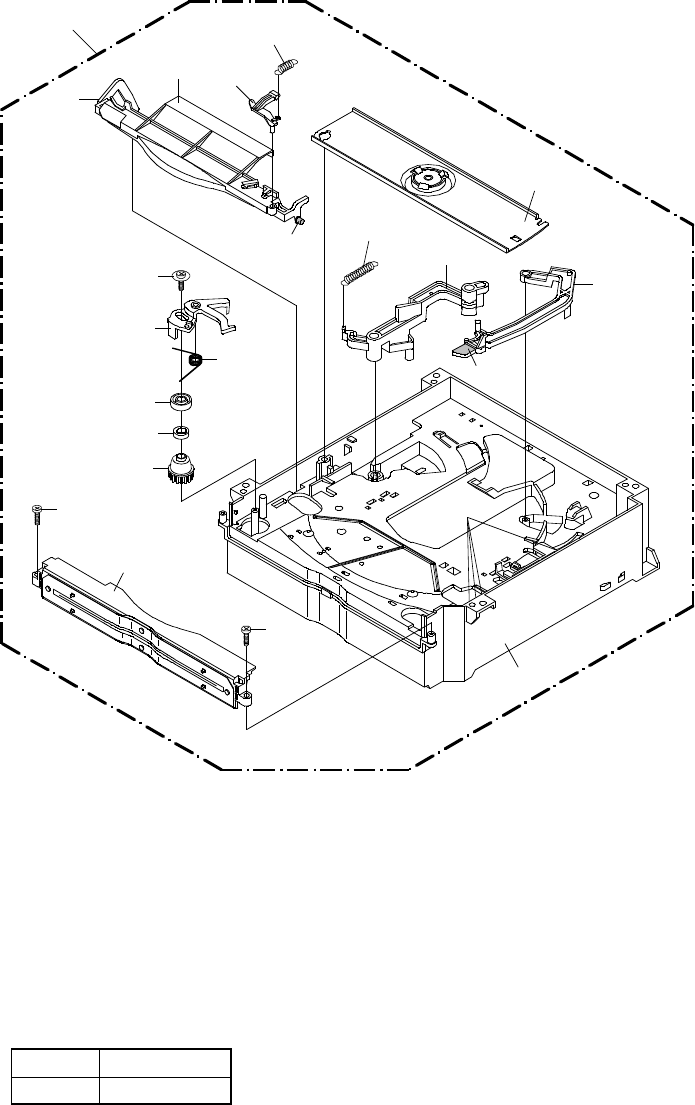
600
620 616
625
603
622
605
613
704
612
623
619
621
611
703
703
604
617
AA
AA
AA
AA
DVD DECK EXPLODED VIEW (TOP VIEW)
J2-1
Applying positions AA for the grease are
displayed for this section.
Check if the correct grease is applied for each
position.
NOTE:
CLASS
GREASE
MARK
AA
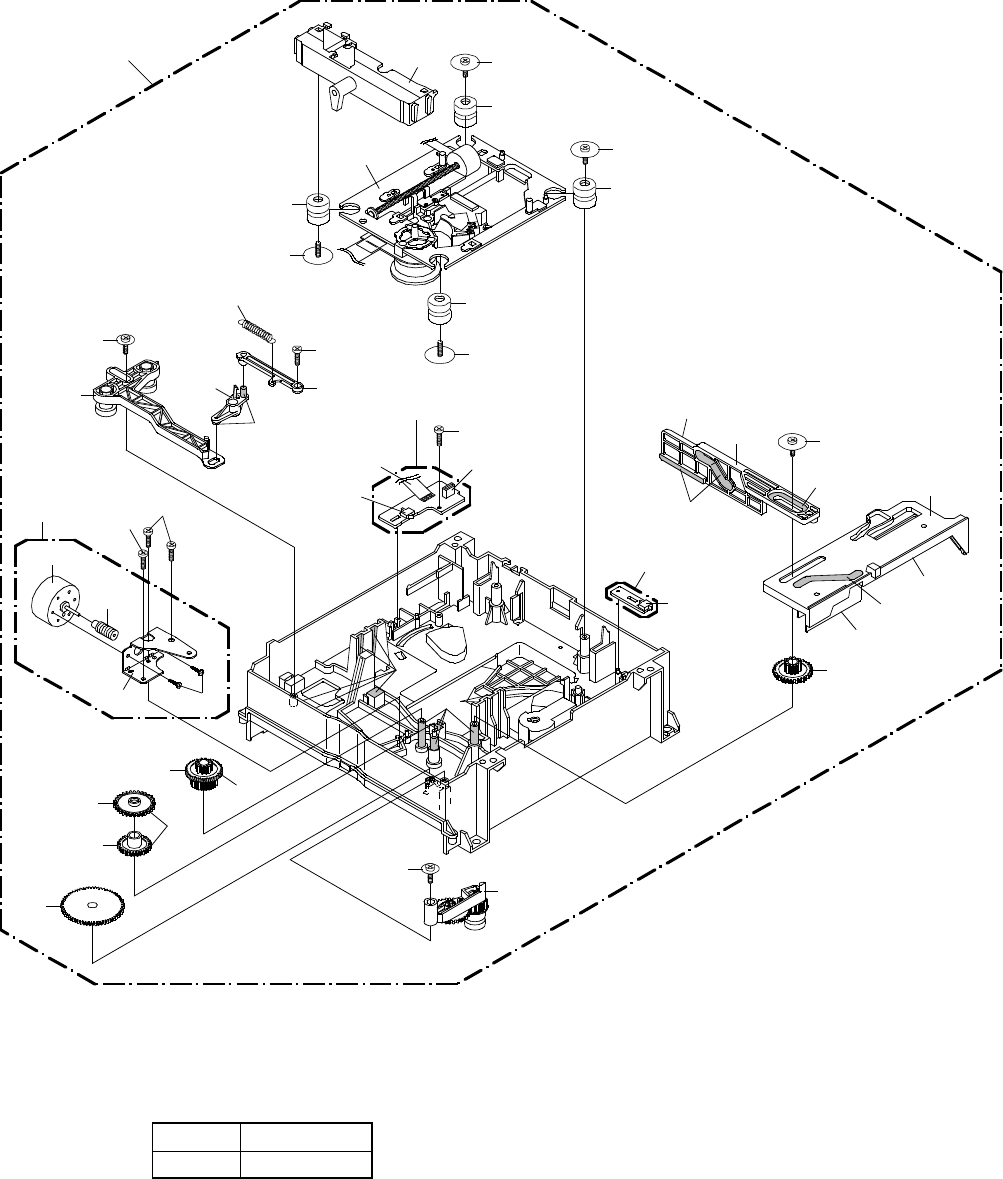
DVD DECK EXPLODED VIEW (BOTTOM VIEW)
J2-2
600
607
606
608
609
704 601
610
701
629
618
PCB580
(START SW PCB ASS'Y)
CD2
SW3
CP2
628
630
630
630
701
630
701
DK1
701
701
PCB590
(END SW PCB ASS'Y)
SW4
702
AA
AA
AA
AA
AA
AA AA
AA
AA
AA
702
M2301
627
702
626 705
703
624
615 614
704
602
AA
Applying positions AA for the grease are
displayed for this section.
Check if the correct grease is applied for each
position.
NOTE:
CLASS
GREASE
MARK
AA
631
MECHANICAL REPLACEMENT PARTS LIST
Location No. TSB P/N Reference No. Description
101 AE007688 7A7010137A FRONT CABI ASS'Y
101A AE007689 701WPJ1369 CABINET,FRONT
101B AE007690 702WPB0077 COVER,HINGE
101C AE007691 711WPA0242 PLATE,FRONT
101D AE007692 711WPC0018 PLATE,TOP ASS'Y
101E AE007693 713WPA0375 GLASS,LED
101F AE007694 7235490068 BADGE,BRAND
101G AE007695 7290000158 DOUBLE,FACE-TAPE
101H AE007696 735WPE0048 BUTTON,CAP-1
101I AE007697 735WPE0049 BUTTON,CAP-2
101J AE007698 735WPE0050 BUTTON,CAP-3
101K AE007699 738WPA0172 BUTTON,FRAME-TV
101L AE007700 738WPA0173 BUTTON,FRAME-DVD
101M AE007701 752WSA0516 SHIELD,BUTTON
101N AE005451 800WQ0A049 FELT SHEET
101O AE007702 800WQ00094 FELT SHEET
102 AE007703 7A7020052A BACK CABI ASS'Y
102A AE007704 702WPB0081 CABINET,BACK
102B AE007705 702WPB0079 COVER,CONNECTOR
102C AE007706 704WPE0002 SLOT,DVD
102D AE005455 774WPA0007 HOLDER,CORD
102E AE003069 800WQ0A070 FELT SHEET
102F AE007707 800WQ0A110 FELT SHEET
103 AE007708 800WQ00095 FELT SHEET
104 AE007709 800WQ00096 FELT SHEET
105 AE007710 89900FB118 BAND
106 AE007711 899000NK4N CABLE,CLAMPS
107 AE004831 752WSA0413 HDMI SHIELD,COVER
108 AE007712 752WSA0511 SHIELD,BOTTOM HDMI
109 AE005329 7250000590 SHEET,PC 1
110 AE005330 7250000591 SHEET,PC 2
111 AE005331 7250000592 SHEET,PC 3
112 AE005122 726000A073 SHEET,CAUTION
113 AE007713 735WEA0004 SHEET,CU
114 AE007714 751WSA0017 SHIELD,LCD-PCB
115 AE004529 752WSA0424 SHIELD,DVD
116 AE006818 752WSA0485 SHIELD,FFC
117 AE007715 752WSA0512 SHIELD,JACK-1
118 AE007716 752WSA0513 SHIELD,JACK-2
119 AE007462 753WEA0022 SHEET,CU
120 AE007717 761WSA0264 ANGLE,HINGE
121 AE007718 761WSA0267 COVER,LCD
122 AE007719 761WSA0270 ANGLE,HANDLE-DVD
123 AE007720 761WSA0271 ANGLE,PCB
124 AE007721 771WPB0054 PLATE,JACK-1
125 AE007722 771WPB0056 PLATE,JACK-3
126 AE007723 771WPB0057 PLATE,JACK-2
127 AE007724 771WPJ0004 PLATE,JACK SIDE
128 AE001213 800WB0A008 FIBER WASHER
129 AE007725 890MP2401A TAPE 50x35
130 AE005521 8965TS0415 CUSHION 65TS4-2 15x50x16
131 AE005385 8965TS1015 CUSHION 65TS10-5 10x5x15
132 AE001853 8965TS1017 CUSHION 65TS10-10 17.5x20x14
133 AE007726 8965TS1060 CUSHION W10/H10/L60
134 AD301370 899EFBA002 WIRING-CLIP
135 BZ710039 8995034000 CORD CLIP UL CO.
136 AE007727 702WPB0080 COVER,BACK
137 AE007728 704WPB0012 STAND
138 AE007729 705WPB0028 HANDLE
139 AE007730 706JSA0013 HINGE ASS'Y
K1-1
MECHANICAL REPLACEMENT PARTS LIST
Location No. TSB P/N Reference No. Description
140 AE007731 7225490218 SHEET,RATING
141 AE007732 7230007975 SHEET,JACK-1
142 AE007733 7230007977 SHEET,JACK-3
143 AE007734 7230007978 SHEET,JACK SIDE
144 AE007735 7230007995 SHEET,JACK-2
145 AE000156 7235630001 SHEET,DVD
146 AE007736 761WSB0008 ANGLE,STAND
147 AE007737 800WFA0078 CUSHION,LEG
148 AE007738 800WFA0081 CUSHION
149 AE002901 791WHDA001 LAMIFILM BAG
150 AE007739 792WHA0615 PACKAGE,BOTTOM
151 AE007740 792WHA0618 PACKAGE,TOP
152 AE007741 792WHA0625 PACKAGE,PAD
153 AE007742 793WCA0017 ACCESSORY BOX
154 AE007743 793WCDC901 GIFT BOX
155 AE007744 A5U902D975 INSTRUCTION BOOK KIT
156 AE007745 JA4ND300 POLYBAG,INSTRUCTION
157 AE007451 J3N51617A REGISTRATION CARD
158 AE007627 J5S10229A INFORMATION SHEET(USA)
159 AE007746 J5U90201A INSTRUCTION BOOK
201 AE004847 8117540A6U SCREW,TAP TITE(B0) TRUSS 4x16
202 AE005470 8110230A4U SCREW,TAP TITE(P) BIND 3x14
203 AE003528 8110630A0U SCREW,TAP TITE(P) BRAZIER 3x10
204 AE003529 811063080U SCREW,TAP TITE(P) BRAZIER 3x8
205 AE003524 8109I30A0U SCREW,TAP TITE(B) WH7 3x10
206 AE007747 814623080U SCREW,TAP TITE(B) BIND 3x5.7+4x2.3
207 AE007748 810A13050U SCREW,WASHER(A) M3x5
208 AE005338 810A140A0U SCREW,WASHER(A) M4x10
209 AE005214 810213080U SCREW,PAN M3x8
210 AE005987 810723060U SCREW,TAP TITE(S) BIND 3x6
211 AE005472 8159130A0S SCREW,TAPPING(B) WASHER12 PAN 3x10
212 AE005675 810923060U SCREW,TAP TITE(B) BIND 3x6
213 AE003526 810923080U SCREW,TAP TITE(B) BIND 3x8
214 AE007749 811023080U SCREW,TAP TITE(P) BIND 3x8
215 AE005471 8102240A2U SCREW,BIND M4x12
800 AE007750 A5U902D800 AC ADAPTER CABI ASS'Y
801 AE007751 724WNA0014 SHEET,PC
802 AE007752 752WSA0527 SHIELD,BOTTOM
803 AE007753 702WPA1187 CABINET,TOP
804 AE007754 702WPA1188 CABINET,BOTTOM
805 AE007755 7225490212 SHEET,ADAPTER
901 AE003528 8110630A0U SCREW,TAP TITE(P) BRAZIER 3x10
K1-2

DVD DECK REPLACEMENT PARTS LIST
Location No. TSB P/N Reference No. Description
! 600 AE006820 A5N005C650S DVD MECHA ASS'Y A5N005C650S
601 AE006821 92AAA0015A ARM ROLLER ASS'Y 2
602 AE004553 92AAA0006A LINK,R ASS'Y
603 AE004554 92AAA0007A CLAMPER ASS'Y
604 AE004555 92AAA0009A MOUTH ASS'Y
605 AE004556 92P100041A ARM, DISC GUIDE
606 AE004557 92P100044A GEAR, MID RACK
607 AE004558 92P100045A GEAR, TERMINAL
608 AE004559 92P100046A GEAR, MID ROLLER 1
609 AE004560 92P100047A GEAR, MID ROLLER 2
610 AE004561 92P100049A GEAR, RACK
611 AE004562 92P100050A GEAR, ROLLER
612 AE004563 92P100052A LEVER, DISC L
613 AE004564 92P100053A LEVER, DISC R
614 AE004565 92P100054A LINK, L
615 AE004566 92P100055A LINK, MID
616 AE004567 92P100057A LOCKER, STOPPER
617 AE004568 92P100058A CHASSIS, MAIN CUT
618 AE004569 92P100060A RACK, LOADING
619 AE004570 92P100062A ROLLER, UPPER
620 AE004571 92P100064A STOPPER, DISC
621 AE004572 92P200011A RUBBER,ROLLER
622 AE004573 92P300010A SPRING,GUIDE ARM
623 AE004574 92P300011A SPRING,LEVER DISC L
624 AE004575 92P300012A SPRING,LINK
625 AE004576 92P300013A SPRING,STOPPER
626 AE004577 92P000006A BRACKET, LOADING MOTOR
627 AE004578 92P100066A WORM, LOADING
628 AE004579 92P100051A HOLDER, TRAVERSE UNIT
629 AE004580 92P100061A ROD, TRAVERSE UNIT
630 AE004581 92P200010A INSULATOR
631 AE007756 A5N005C600 LOADING MOTOR ASS'Y
701 AE006822 8110E2680U SCREW,TAP TITE(P) WH10 M2.6x8
702 AE006823 810922060U SCREW,TAP TITE(B) BIND 2x6
703 AE006824 810922040U SCREW,TAP TITE(B) BIND 2x4
704 AE006825 8109I2060U SCREW,TAP TITE(B) WH7 2x6
705 AE006826 810211718U SCREW,PAN M1.7x1.8
CD2 AE006406 122H092401 CORD JUMPER 2H092401
CP2 AE006411 069EV4T060 CONNECTOR PCB SIDE 04_6232_104_015_800+
DK1 AE006407 169Z00035A DECK CD CV-VTM101D
! M2301 AE004589 1596998002 MOTOR MDN3BT3ESA
PCB580 AE006827 A5N005C580 PCB ASS'Y DED023A
PCB590 AE006828 A5N005C590 PCB ASS'Y DED024A
SW3 AE001158 0500101036 PUSH SWITCH ESE22MH22
SW4 AE003565 0500101037 PUSH SWITCH ESE22MH24
K2-1

ELECTRICAL REPLACEMENT PARTS LIST
Location No. TSB P/N Reference No. Description
RESISTORS
R102 AE001784 R803R9103J RC 10K OHM 1/16W
R103 AD302345 R803R9472J RC 4.7K OHM 1/16W
R104 AD302345 R803R9472J RC 4.7K OHM 1/16W
R105 AD302345 R803R9472J RC 4.7K OHM 1/16W
R106 AD302345 R803R9472J RC 4.7K OHM 1/16W
R107 AD302345 R803R9472J RC 4.7K OHM 1/16W
R109 AE001784 R803R9103J RC 10K OHM 1/16W
R112 AE001783 R803R9102J RC 1K OHM 1/16W
R114 AE001781 R803R9101J RC 100 OHM 1/16W
R115 AE001781 R803R9101J RC 100 OHM 1/16W
R116 AD302345 R803R9472J RC 4.7K OHM 1/16W
R117 AD302345 R803R9472J RC 4.7K OHM 1/16W
R118 AD302345 R803R9472J RC 4.7K OHM 1/16W
R119 AD302345 R803R9472J RC 4.7K OHM 1/16W
R120 AE001783 R803R9102J RC 1K OHM 1/16W
R121 AE001783 R803R9102J RC 1K OHM 1/16W
R122 AD302345 R803R9472J RC 4.7K OHM 1/16W
R123 AE001783 R803R9102J RC 1K OHM 1/16W
R126 AE001783 R803R9102J RC 1K OHM 1/16W
R129 AD302345 R803R9472J RC 4.7K OHM 1/16W
R132 AE001781 R803R9101J RC 100 OHM 1/16W
R133 AE001781 R803R9101J RC 100 OHM 1/16W
R134 AE001783 R803R9102J RC 1K OHM 1/16W
R135 AE001784 R803R9103J RC 10K OHM 1/16W
R136 AD302345 R803R9472J RC 4.7K OHM 1/16W
R137 AD302345 R803R9472J RC 4.7K OHM 1/16W
R139 AD302345 R803R9472J RC 4.7K OHM 1/16W
R141 AE001781 R803R9101J RC 100 OHM 1/16W
R142 AE001781 R803R9101J RC 100 OHM 1/16W
R147 AE001781 R803R9101J RC 100 OHM 1/16W
R148 AE001781 R803R9101J RC 100 OHM 1/16W
R149 AE001784 R803R9103J RC 10K OHM 1/16W
R151 AE001784 R803R9103J RC 10K OHM 1/16W
R152 AD302345 R803R9472J RC 4.7K OHM 1/16W
R153 AD302345 R803R9472J RC 4.7K OHM 1/16W
R154 AD302345 R803R9472J RC 4.7K OHM 1/16W
R155 AD302345 R803R9472J RC 4.7K OHM 1/16W
R156 AD302345 R803R9472J RC 4.7K OHM 1/16W
R157 AD302345 R803R9472J RC 4.7K OHM 1/16W
R158 AE001784 R803R9103J RC 10K OHM 1/16W
R159 AD302345 R803R9472J RC 4.7K OHM 1/16W
R160 AE001784 R803R9103J RC 10K OHM 1/16W
R161 AD302345 R803R9472J RC 4.7K OHM 1/16W
R302 AE002148 R803R9183J RC 18K OHM 1/16W
R303 AE001792 R803R9273J RC 27K OHM 1/16W
R304 AE001784 R803R9103J RC 10K OHM 1/16W
R305 AE001784 R803R9103J RC 10K OHM 1/16W
! R306 BZ210204 R3X1814R7J R,METAL OXIDE 4.7 OHM 1W
R307 AE003983 R002T42R2J RC 2.2 OHM 1/4W
R308 AE003983 R002T42R2J RC 2.2 OHM 1/4W
R309 AE001886 R803R9100J RC 10 OHM 1/16W
R310 AE003983 R002T42R2J RC 2.2 OHM 1/4W
R312 AE002148 R803R9183J RC 18K OHM 1/16W
R313 AE001792 R803R9273J RC 27K OHM 1/16W
R314 AE001283 R803R9470J RC 47 OHM 1/16W
R315 AE001784 R803R9103J RC 10K OHM 1/16W
R316 AE001784 R803R9103J RC 10K OHM 1/16W
! R317 BZ210204 R3X1814R7J R,METAL OXIDE 4.7 OHM 1W
R318 AE003983 R002T42R2J RC 2.2 OHM 1/4W
R319 AE003983 R002T42R2J RC 2.2 OHM 1/4W
R320 AE001886 R803R9100J RC 10 OHM 1/16W
R321 AE003983 R002T42R2J RC 2.2 OHM 1/4W
R328 AE001801 R803R9682J RC 6.8K OHM 1/16W
R805 AE001784 R803R9103J RC 10K OHM 1/16W
R807 AE001784 R803R9103J RC 10K OHM 1/16W
R808 AE001784 R803R9103J RC 10K OHM 1/16W
R809 AE001784 R803R9103J RC 10K OHM 1/16W
R810 AE001784 R803R9103J RC 10K OHM 1/16W
R811 AE001784 R803R9103J RC 10K OHM 1/16W
R812 AE001784 R803R9103J RC 10K OHM 1/16W
R813 AE001784 R803R9103J RC 10K OHM 1/16W
K3-1
ELECTRICAL REPLACEMENT PARTS LIST
Location No. TSB P/N Reference No. Description
RESISTORS
R814 AE001784 R803R9103J RC 10K OHM 1/16W
R815 AE001784 R803R9103J RC 10K OHM 1/16W
R816 AE001784 R803R9103J RC 10K OHM 1/16W
R817 AE001784 R803R9103J RC 10K OHM 1/16W
R818 AE001784 R803R9103J RC 10K OHM 1/16W
R819 AE001784 R803R9103J RC 10K OHM 1/16W
R820 AE001784 R803R9103J RC 10K OHM 1/16W
R821 AE001784 R803R9103J RC 10K OHM 1/16W
R822 AE001784 R803R9103J RC 10K OHM 1/16W
R823 AE001784 R803R9103J RC 10K OHM 1/16W
R825 AE001887 R803R9105J RC 1M OHM 1/16W
R826 AE001784 R803R9103J RC 10K OHM 1/16W
R828 AE001784 R803R9103J RC 10K OHM 1/16W
R830 79091139 R803R9151J RC 150 OHM 1/16W
R831 AE001784 R803R9103J RC 10K OHM 1/16W
R833 AE001283 R803R9470J RC 47 OHM 1/16W
R834 AE001784 R803R9103J RC 10K OHM 1/16W
R835 AE001784 R803R9103J RC 10K OHM 1/16W
R836 AE001783 R803R9102J RC 1K OHM 1/16W
R840 AE001890 R803R9221J RC 220 OHM 1/16W
R2102 AE001783 R803R9102J RC 1K OHM 1/16W
R2103 AE001805 R803R9822J RC 8.2K OHM 1/16W
R2104 AE001781 R803R9101J RC 100 OHM 1/16W
R2105 AE001781 R803R9101J RC 100 OHM 1/16W
R2106 AE001794 R803R9330J RC 33 OHM 1/16W
R2107 AE001781 R803R9101J RC 100 OHM 1/16W
R2108 AE001783 R803R9102J RC 1K OHM 1/16W
R2109 AE001890 R803R9221J RC 220 OHM 1/16W
R2110 AE001781 R803R9101J RC 100 OHM 1/16W
R2111 AE001796 R803R9471J RC 470 OHM 1/16W
R2112 AE001783 R803R9102J RC 1K OHM 1/16W
R2202 AE000849 R803R9152J RC 1.5K OHM 1/16W
R2203 AE002151 R803R9391J RC 390 OHM 1/16W
R2204 AE001783 R803R9102J RC 1K OHM 1/16W
R2206 AE002154 R803R9821J RC 820 OHM 1/16W
R2212 AE001801 R803R9682J RC 6.8K OHM 1/16W
R2213 AE002532 R803R9272J RC 2.7K OHM 1/16W
R2251 AE002154 R803R9821J RC 820 OHM 1/16W
R2252 AE001783 R803R9102J RC 1K OHM 1/16W
R2253 AE000849 R803R9152J RC 1.5K OHM 1/16W
R2254 AE002532 R803R9272J RC 2.7K OHM 1/16W
R2255 AE001801 R803R9682J RC 6.8K OHM 1/16W
R2301 AE001784 R803R9103J RC 10K OHM 1/16W
R2302 AE001781 R803R9101J RC 100 OHM 1/16W
R2303 AE001891 R803R9223J RC 22K OHM 1/16W
R2304 AE005096 R803R9512J RC 5.1K OHM 1/16W
R2306 AE001886 R803R9100J RC 10 OHM 1/16W
R2307 AE001886 R803R9100J RC 10 OHM 1/16W
R2309 AE001784 R803R9103J RC 10K OHM 1/16W
R2310 79091264 R803R94R7J RC 4.7 OHM 1/16W
R2312 AE001784 R803R9103J RC 10K OHM 1/16W
R2314 AE001793 R803R92R2J RC 2.2 OHM 1/16W
R2315 AE002145 R803R9153J RC 15K OHM 1/16W
R2316 AE002907 R803R9562F RC 5.6K OHM 1/16W
R2319 AE001784 R803R9103J RC 10K OHM 1/16W
R2320 AE001785 R803R9104J RC 100K OHM 1/16W
R2321 AE001886 R803R9100J RC 10 OHM 1/16W
R2322 AE001886 R803R9100J RC 10 OHM 1/16W
R2323 AE001886 R803R9100J RC 10 OHM 1/16W
R2324 AE001886 R803R9100J RC 10 OHM 1/16W
R2325 79091264 R803R94R7J RC 4.7 OHM 1/16W
R2326 79091264 R803R94R7J RC 4.7 OHM 1/16W
R2327 79091264 R803R94R7J RC 4.7 OHM 1/16W
R2330 AE001784 R803R9103J RC 10K OHM 1/16W
R2331 AE002145 R803R9153J RC 15K OHM 1/16W
R2334 AE001781 R803R9101J RC 100 OHM 1/16W
R2335 AE002907 R803R9562F RC 5.6K OHM 1/16W
R2337 AE001782 R803R9102F RC 1K OHM 1/16W
R2338 AE001782 R803R9102F RC 1K OHM 1/16W
R2346 AE002907 R803R9562F RC 5.6K OHM 1/16W
R2347 AE002907 R803R9562F RC 5.6K OHM 1/16W
K3-2
ELECTRICAL REPLACEMENT PARTS LIST
Location No. TSB P/N Reference No. Description
RESISTORS
R2350 AE002907 R803R9562F RC 5.6K OHM 1/16W
R2351 AE002907 R803R9562F RC 5.6K OHM 1/16W
R2601 AD302345 R803R9472J RC 4.7K OHM 1/16W
R2602 AE000850 R803R9185J RC 1.8M OHM 1/16W
R2603 AE000847 R803R9133F RC 13K OHM 1/16W
R2604 AE000852 R803R9273F RC 27K OHM 1/16W
R2605 AE000845 R803R9103F RC 10K OHM 1/16W
R2607 AE001787 R803R9122J RC 1.2K OHM 1/16W
R2608 AE001787 R803R9122J RC 1.2K OHM 1/16W
R2609 AE001787 R803R9122J RC 1.2K OHM 1/16W
R2610 AE000853 R803R9512F RC 5.1K OHM 1/16W
R2611 AD302345 R803R9472J RC 4.7K OHM 1/16W
R2612 AD302345 R803R9472J RC 4.7K OHM 1/16W
R2613 AD302345 R803R9472J RC 4.7K OHM 1/16W
R2614 AE000846 R803R9123F RC 12K OHM 1/16W
R2615 AE001886 R803R9100J RC 10 OHM 1/16W
R2616 AE001783 R803R9102J RC 1K OHM 1/16W
R2617 AE001783 R803R9102J RC 1K OHM 1/16W
R2618 79091397 R803R9180J RC 18 OHM 1/16W
R2619 AE001781 R803R9101J RC 100 OHM 1/16W
R2620 AD302345 R803R9472J RC 4.7K OHM 1/16W
R2621 AE001781 R803R9101J RC 100 OHM 1/16W
R2622 AD302345 R803R9472J RC 4.7K OHM 1/16W
R2623 AD302345 R803R9472J RC 4.7K OHM 1/16W
R2624 AD302345 R803R9472J RC 4.7K OHM 1/16W
R2626 AE002151 R803R9391J RC 390 OHM 1/16W
R2633 AD302345 R803R9472J RC 4.7K OHM 1/16W
R2634 AE001887 R803R9105J RC 1M OHM 1/16W
R2635 AE001887 R803R9105J RC 1M OHM 1/16W
R2643 AE001783 R803R9102J RC 1K OHM 1/16W
R2644 AE001790 R803R9222J RC 2.2K OHM 1/16W
R2645 AE001783 R803R9102J RC 1K OHM 1/16W
R2646 AE001790 R803R9222J RC 2.2K OHM 1/16W
R2647 AD302345 R803R9472J RC 4.7K OHM 1/16W
R2648 AE000848 R803R9133J RC 13K OHM 1/16W
R2654 79091397 R803R9180J RC 18 OHM 1/16W
R3001 AE001784 R803R9103J RC 10K OHM 1/16W
R3002 AE001799 R803R9562J RC 5.6K OHM 1/16W
R3003 AE001783 R803R9102J RC 1K OHM 1/16W
R3004 AE000845 R803R9103F RC 10K OHM 1/16W
R3005 AE000845 R803R9103F RC 10K OHM 1/16W
R3006 AD302291 R803R9683J RC 68K OHM 1/16W
R3007 AE001898 R803R9563J RC 56K OHM 1/16W
R3008 AE002908 R803R9183F RC 18K OHM 1/16W
R3009 AE000845 R803R9103F RC 10K OHM 1/16W
R3010 AE000845 R803R9103F RC 10K OHM 1/16W
R3011 AD302291 R803R9683J RC 68K OHM 1/16W
R3012 AE001898 R803R9563J RC 56K OHM 1/16W
R3013 AE002152 R803R9561J RC 560 OHM 1/16W
R3014 AE001799 R803R9562J RC 5.6K OHM 1/16W
R3015 AE001886 R803R9100J RC 10 OHM 1/16W
R3016 AE001886 R803R9100J RC 10 OHM 1/16W
R3018 AE006856 R803R9752F RC 7.5K OHM 1/16W
R3019 AE005088 R803R9182F RC 1.8K OHM 1/16W
R3020 AE002152 R803R9561J RC 560 OHM 1/16W
R3021 AE001799 R803R9562J RC 5.6K OHM 1/16W
R3022 AE001886 R803R9100J RC 10 OHM 1/16W
R3023 AE001886 R803R9100J RC 10 OHM 1/16W
R3024 AE005090 R803R9221F RC 220 OHM 1/16W
R3025 AE005092 R803R9272F RC 2.7K OHM 1/16W
R3026 AE005088 R803R9182F RC 1.8K OHM 1/16W
R3027 AE001897 R803R9511F RC 510 OHM 1/16W
R3029 AE001782 R803R9102F RC 1K OHM 1/16W
R3209 AE001784 R803R9103J RC 10K OHM 1/16W
R3211 AE002907 R803R9562F RC 5.6K OHM 1/16W
R3212 AE001795 R803R9332F RC 3.3K OHM 1/16W
R3216 AE002152 R803R9561J RC 560 OHM 1/16W
R3217 AE002152 R803R9561J RC 560 OHM 1/16W
R3220 AE001784 R803R9103J RC 10K OHM 1/16W
R3221 AE004090 R803R9471F RC 470 OHM 1/16W
R3222 AE001782 R803R9102F RC 1K OHM 1/16W
K3-3
ELECTRICAL REPLACEMENT PARTS LIST
Location No. TSB P/N Reference No. Description
RESISTORS
R3223 AE001891 R803R9223J RC 22K OHM 1/16W
R3224 AE001783 R803R9102J RC 1K OHM 1/16W
R3225 AE001891 R803R9223J RC 22K OHM 1/16W
R3226 AE001783 R803R9102J RC 1K OHM 1/16W
R3227 AE001783 R803R9102J RC 1K OHM 1/16W
R3228 AE001805 R803R9822J RC 8.2K OHM 1/16W
R3229 AE001783 R803R9102J RC 1K OHM 1/16W
R3601 AE001886 R803R9100J RC 10 OHM 1/16W
R3605 AE001797 R803R9473J RC 47K OHM 1/16W
R3606 AE001283 R803R9470J RC 47 OHM 1/16W
R3607 AE001283 R803R9470J RC 47 OHM 1/16W
R3608 AE001896 R803R9474J RC 470K OHM 1/16W
R3609 AE001896 R803R9474J RC 470K OHM 1/16W
R3610 AE002151 R803R9391J RC 390 OHM 1/16W
R3611 AE001794 R803R9330J RC 33 OHM 1/16W
R3613 AE001784 R803R9103J RC 10K OHM 1/16W
R3614 AE001784 R803R9103J RC 10K OHM 1/16W
R3615 AE001785 R803R9104J RC 100K OHM 1/16W
R3616 AE001785 R803R9104J RC 100K OHM 1/16W
R3617 AE001794 R803R9330J RC 33 OHM 1/16W
R3618 AE001783 R803R9102J RC 1K OHM 1/16W
R3619 AD302345 R803R9472J RC 4.7K OHM 1/16W
R3620 AD302345 R803R9472J RC 4.7K OHM 1/16W
R3621 AE001783 R803R9102J RC 1K OHM 1/16W
R3622 AE002153 R803R9820F RC 82 OHM 1/16W
R3623 AD302345 R803R9472J RC 4.7K OHM 1/16W
R3624 AE001895 R803R9392J RC 3.9K OHM 1/16W
R3625 AE001794 R803R9330J RC 33 OHM 1/16W
R3626 AE001794 R803R9330J RC 33 OHM 1/16W
R3627 AE001794 R803R9330J RC 33 OHM 1/16W
R3628 AD302345 R803R9472J RC 4.7K OHM 1/16W
R3629 AE001798 R803R9560J RC 56 OHM 1/16W
R3630 AE001790 R803R9222J RC 2.2K OHM 1/16W
R3631 AD302345 R803R9472J RC 4.7K OHM 1/16W
R3632 AD302345 R803R9472J RC 4.7K OHM 1/16W
R3633 AE001899 R803R9750F RC 75 OHM 1/16W
R3634 AE001899 R803R9750F RC 75 OHM 1/16W
R3635 AE001899 R803R9750F RC 75 OHM 1/16W
R3636 AD302345 R803R9472J RC 4.7K OHM 1/16W
R3637 AD302345 R803R9472J RC 4.7K OHM 1/16W
R3638 AD302345 R803R9472J RC 4.7K OHM 1/16W
R3639 AD302345 R803R9472J RC 4.7K OHM 1/16W
R3640 AD302345 R803R9472J RC 4.7K OHM 1/16W
R3641 AE001790 R803R9222J RC 2.2K OHM 1/16W
R3642 AE001783 R803R9102J RC 1K OHM 1/16W
R3643 AD302345 R803R9472J RC 4.7K OHM 1/16W
R3644 AD302345 R803R9472J RC 4.7K OHM 1/16W
R3645 AD302345 R803R9472J RC 4.7K OHM 1/16W
R3647 AE001784 R803R9103J RC 10K OHM 1/16W
R3648 AE001794 R803R9330J RC 33 OHM 1/16W
R3649 AD302345 R803R9472J RC 4.7K OHM 1/16W
R3650 AE001784 R803R9103J RC 10K OHM 1/16W
R3651 AE005767 R803R9101F RC 100 OHM 1/16W
R3652 AD302345 R803R9472J RC 4.7K OHM 1/16W
R3653 AD302345 R803R9472J RC 4.7K OHM 1/16W
R3654 AD302345 R803R9472J RC 4.7K OHM 1/16W
R3655 AE001784 R803R9103J RC 10K OHM 1/16W
R3656 AE001784 R803R9103J RC 10K OHM 1/16W
R3657 AE001784 R803R9103J RC 10K OHM 1/16W
R3658 AE001784 R803R9103J RC 10K OHM 1/16W
R3659 AE001805 R803R9822J RC 8.2K OHM 1/16W
R3660 AE001805 R803R9822J RC 8.2K OHM 1/16W
R3661 AE001784 R803R9103J RC 10K OHM 1/16W
R3662 AE001784 R803R9103J RC 10K OHM 1/16W
R3663 AE001783 R803R9102J RC 1K OHM 1/16W
R3664 AE001783 R803R9102J RC 1K OHM 1/16W
R3665 AE001781 R803R9101J RC 100 OHM 1/16W
R3666 AE001781 R803R9101J RC 100 OHM 1/16W
R3667 AE001783 R803R9102J RC 1K OHM 1/16W
R3668 AE001783 R803R9102J RC 1K OHM 1/16W
R3669 AE001794 R803R9330J RC 33 OHM 1/16W
K3-4

ELECTRICAL REPLACEMENT PARTS LIST
Location No. TSB P/N Reference No. Description
RESISTORS
R3674 AE001799 R803R9562J RC 5.6K OHM 1/16W
R3675 AE001799 R803R9562J RC 5.6K OHM 1/16W
R3676 79091400 R803R9393J RC 39K OHM 1/16W
R3677 79091400 R803R9393J RC 39K OHM 1/16W
R3678 AD302345 R803R9472J RC 4.7K OHM 1/16W
R3679 AE001785 R803R9104J RC 100K OHM 1/16W
R3680 AE002871 R803R9224J RC 220K OHM 1/16W
R3681 AE001790 R803R9222J RC 2.2K OHM 1/16W
R3682 AE001781 R803R9101J RC 100 OHM 1/16W
R3683 AE001781 R803R9101J RC 100 OHM 1/16W
R3684 AE001781 R803R9101J RC 100 OHM 1/16W
R3801 AE001891 R803R9223J RC 22K OHM 1/16W
R3802 AE002150 R803R9333J RC 33K OHM 1/16W
R3803 AE002145 R803R9153J RC 15K OHM 1/16W
R3804 AE001784 R803R9103J RC 10K OHM 1/16W
R3805 AE002530 R803R9124J RC 120K OHM 1/16W
R3806 AE002145 R803R9153J RC 15K OHM 1/16W
R3807 AE002150 R803R9333J RC 33K OHM 1/16W
R3808 AE001783 R803R9102J RC 1K OHM 1/16W
R3809 BZ210124 R002T4122J RC 1.2K OHM 1/4W
R3810 AE001784 R803R9103J RC 10K OHM 1/16W
! R3811 BZ210059 R3X1812R2J R,METAL OXIDE 2.2 OHM 1W
R3812 AE002150 R803R9333J RC 33K OHM 1/16W
R3813 AE001891 R803R9223J RC 22K OHM 1/16W
R3814 AE001891 R803R9223J RC 22K OHM 1/16W
R3816 AE007833 R81LR7S47F RC 0.047 OHM 1/10W
R3817 AE007833 R81LR7S47F RC 0.047 OHM 1/10W
R3818 AE002150 R803R9333J RC 33K OHM 1/16W
R3819 AE001782 R803R9102F RC 1K OHM 1/16W
R3820 AE007831 R803R9152F RC 1.5K OHM 1/16W
R3821 AE007833 R81LR7S47F RC 0.047 OHM 1/10W
R3822 AE007833 R81LR7S47F RC 0.047 OHM 1/10W
R3823 AE007833 R81LR7S47F RC 0.047 OHM 1/10W
R3824 AE005087 R803R9181F RC 180 OHM 1/16W
R3825 AE000845 R803R9103F RC 10K OHM 1/16W
R3826 AE002908 R803R9183F RC 18K OHM 1/16W
R3827 AE001891 R803R9223J RC 22K OHM 1/16W
R3828 AE002876 R803R9472F RC 4.7K OHM 1/16W
R3829 AE001893 R803R9332J RC 3.3K OHM 1/16W
R3830 AE001891 R803R9223J RC 22K OHM 1/16W
R3831 AE001891 R803R9223J RC 22K OHM 1/16W
R3832 AD302345 R803R9472J RC 4.7K OHM 1/16W
R3833 AE002150 R803R9333J RC 33K OHM 1/16W
R3834 AE007833 R81LR7S47F RC 0.047 OHM 1/10W
R3835 AE007833 R81LR7S47F RC 0.047 OHM 1/10W
R3836 AE001784 R803R9103J RC 10K OHM 1/16W
R3837 AE001782 R803R9102F RC 1K OHM 1/16W
R3839 AE007832 R803R9302F RC 3K OHM 1/16W
R3840 AE001801 R803R9682J RC 6.8K OHM 1/16W
R3841 AE001893 R803R9332J RC 3.3K OHM 1/16W
R3842 AE005087 R803R9181F RC 180 OHM 1/16W
R3843 AE001891 R803R9223J RC 22K OHM 1/16W
R3844 AE001792 R803R9273J RC 27K OHM 1/16W
R3845 AE001784 R803R9103J RC 10K OHM 1/16W
R3847 AE001886 R803R9100J RC 10 OHM 1/16W
R3848 AE001886 R803R9100J RC 10 OHM 1/16W
R3849 BZ210060 R002T4332J RC 3.3K OHM 1/4W
R3851 AE001783 R803R9102J RC 1K OHM 1/16W
R3852 AE001783 R803R9102J RC 1K OHM 1/16W
R3853 AE001801 R803R9682J RC 6.8K OHM 1/16W
R3854 AE001891 R803R9223J RC 22K OHM 1/16W
R3855 AE001797 R803R9473J RC 47K OHM 1/16W
R3856 AE001797 R803R9473J RC 47K OHM 1/16W
R3857 AE001784 R803R9103J RC 10K OHM 1/16W
R3858 AD302345 R803R9472J RC 4.7K OHM 1/16W
R3859 AD302345 R803R9472J RC 4.7K OHM 1/16W
R3862 AE001891 R803R9223J RC 22K OHM 1/16W
R3863 AE001785 R803R9104J RC 100K OHM 1/16W
R3864 AE001784 R803R9103J RC 10K OHM 1/16W
R3865 AD302345 R803R9472J RC 4.7K OHM 1/16W
R3866 AD302345 R803R9472J RC 4.7K OHM 1/16W
K3-5
ELECTRICAL REPLACEMENT PARTS LIST
Location No. TSB P/N Reference No. Description
RESISTORS
R3867 AE001893 R803R9332J RC 3.3K OHM 1/16W
R3868 AD302345 R803R9472J RC 4.7K OHM 1/16W
R3869 AD302345 R803R9472J RC 4.7K OHM 1/16W
R3870 AE001893 R803R9332J RC 3.3K OHM 1/16W
R3871 AE001893 R803R9332J RC 3.3K OHM 1/16W
R3872 AE001893 R803R9332J RC 3.3K OHM 1/16W
R4001 AE001894 R803R9391F RC 390 OHM 1/16W
R4002 AE001899 R803R9750F RC 75 OHM 1/16W
R4003 AE001899 R803R9750F RC 75 OHM 1/16W
R4004 AE001899 R803R9750F RC 75 OHM 1/16W
R4005 AE001899 R803R9750F RC 75 OHM 1/16W
R4008 AE001781 R803R9101J RC 100 OHM 1/16W
R4011 AD302345 R803R9472J RC 4.7K OHM 1/16W
R4012 AE001887 R803R9105J RC 1M OHM 1/16W
R4013 AE001283 R803R9470J RC 47 OHM 1/16W
R4014 AD302345 R803R9472J RC 4.7K OHM 1/16W
R4018 AD302345 R803R9472J RC 4.7K OHM 1/16W
R4019 AE001794 R803R9330J RC 33 OHM 1/16W
R4020 AE001794 R803R9330J RC 33 OHM 1/16W
R4021 AE001794 R803R9330J RC 33 OHM 1/16W
R4022 AE002872 R803R9271J RC 270 OHM 1/16W
R4023 AD302345 R803R9472J RC 4.7K OHM 1/16W
R4024 AD302345 R803R9472J RC 4.7K OHM 1/16W
R4025 AE002872 R803R9271J RC 270 OHM 1/16W
R4026 AE001890 R803R9221J RC 220 OHM 1/16W
R4027 AE001890 R803R9221J RC 220 OHM 1/16W
R4031 AD302345 R803R9472J RC 4.7K OHM 1/16W
R4032 AE001891 R803R9223J RC 22K OHM 1/16W
R4033 AE001793 R803R92R2J RC 2.2 OHM 1/16W
R4034 AE001793 R803R92R2J RC 2.2 OHM 1/16W
R4035 AD302345 R803R9472J RC 4.7K OHM 1/16W
R4036 AD302345 R803R9472J RC 4.7K OHM 1/16W
R4037 AD302345 R803R9472J RC 4.7K OHM 1/16W
R4038 AD302345 R803R9472J RC 4.7K OHM 1/16W
R4039 AD302345 R803R9472J RC 4.7K OHM 1/16W
R4040 AD302345 R803R9472J RC 4.7K OHM 1/16W
R4041 AD302345 R803R9472J RC 4.7K OHM 1/16W
R4042 AE001781 R803R9101J RC 100 OHM 1/16W
R4043 AE001784 R803R9103J RC 10K OHM 1/16W
R4044 AE001891 R803R9223J RC 22K OHM 1/16W
R4045 AE001783 R803R9102J RC 1K OHM 1/16W
R4046 AD302345 R803R9472J RC 4.7K OHM 1/16W
R4048 AE001797 R803R9473J RC 47K OHM 1/16W
R4049 AD302345 R803R9472J RC 4.7K OHM 1/16W
R4050 AD302345 R803R9472J RC 4.7K OHM 1/16W
R4051 AD302345 R803R9472J RC 4.7K OHM 1/16W
R4052 AD302345 R803R9472J RC 4.7K OHM 1/16W
R4053 AE001783 R803R9102J RC 1K OHM 1/16W
R4054 AE001783 R803R9102J RC 1K OHM 1/16W
R4056 AE001892 R803R9331J RC 330 OHM 1/16W
R4057 AE001892 R803R9331J RC 330 OHM 1/16W
R4058 AE001890 R803R9221J RC 220 OHM 1/16W
R4059 AE001781 R803R9101J RC 100 OHM 1/16W
R4060 AE001891 R803R9223J RC 22K OHM 1/16W
R4061 AE001784 R803R9103J RC 10K OHM 1/16W
R4064 AE001781 R803R9101J RC 100 OHM 1/16W
R4073 AE001892 R803R9331J RC 330 OHM 1/16W
R4211 AE001801 R803R9682J RC 6.8K OHM 1/16W
R4301 AE001784 R803R9103J RC 10K OHM 1/16W
R4305 AE001803 R803R9750J RC 75 OHM 1/16W
R4306 AE001803 R803R9750J RC 75 OHM 1/16W
R4307 AE001784 R803R9103J RC 10K OHM 1/16W
R4308 AE001803 R803R9750J RC 75 OHM 1/16W
R4309 AE001784 R803R9103J RC 10K OHM 1/16W
R4310 AE001803 R803R9750J RC 75 OHM 1/16W
R4311 AE001801 R803R9682J RC 6.8K OHM 1/16W
R4312 AE001801 R803R9682J RC 6.8K OHM 1/16W
R4313 AE001801 R803R9682J RC 6.8K OHM 1/16W
R4314 AE001801 R803R9682J RC 6.8K OHM 1/16W
R4315 AE001784 R803R9103J RC 10K OHM 1/16W
R4316 AE001784 R803R9103J RC 10K OHM 1/16W
K3-6
ELECTRICAL REPLACEMENT PARTS LIST
Location No. TSB P/N Reference No. Description
RESISTORS
R4317 AE005089 R803R9184J RC 180K OHM 1/16W
R4318 AE002871 R803R9224J RC 220K OHM 1/16W
R4319 AE005089 R803R9184J RC 180K OHM 1/16W
R4320 AE002871 R803R9224J RC 220K OHM 1/16W
R4322 AE001893 R803R9332J RC 3.3K OHM 1/16W
R4324 AE001893 R803R9332J RC 3.3K OHM 1/16W
R4325 AE001784 R803R9103J RC 10K OHM 1/16W
R4326 AE005089 R803R9184J RC 180K OHM 1/16W
R4327 AE002871 R803R9224J RC 220K OHM 1/16W
R4328 AE005089 R803R9184J RC 180K OHM 1/16W
R4329 AE002871 R803R9224J RC 220K OHM 1/16W
R4331 AE001893 R803R9332J RC 3.3K OHM 1/16W
R4333 AE001893 R803R9332J RC 3.3K OHM 1/16W
R4334 AD302291 R803R9683J RC 68K OHM 1/16W
R4335 AD302345 R803R9472J RC 4.7K OHM 1/16W
R4336 AD302291 R803R9683J RC 68K OHM 1/16W
R4337 AE001803 R803R9750J RC 75 OHM 1/16W
R4338 AE001803 R803R9750J RC 75 OHM 1/16W
R4339 AE001893 R803R9332J RC 3.3K OHM 1/16W
R4340 AE001784 R803R9103J RC 10K OHM 1/16W
R4341 AE001784 R803R9103J RC 10K OHM 1/16W
R4342 AE001781 R803R9101J RC 100 OHM 1/16W
R4343 AE001781 R803R9101J RC 100 OHM 1/16W
R4344 AE001783 R803R9102J RC 1K OHM 1/16W
R4345 AE001798 R803R9560J RC 56 OHM 1/16W
R4346 AE001783 R803R9102J RC 1K OHM 1/16W
R4347 AE001784 R803R9103J RC 10K OHM 1/16W
R4348 AE001784 R803R9103J RC 10K OHM 1/16W
R4349 AE001788 R803R9123J RC 12K OHM 1/16W
R4350 AE001788 R803R9123J RC 12K OHM 1/16W
R4351 AE001784 R803R9103J RC 10K OHM 1/16W
R4352 AE001797 R803R9473J RC 47K OHM 1/16W
R4353 AE001784 R803R9103J RC 10K OHM 1/16W
R4354 AE001784 R803R9103J RC 10K OHM 1/16W
R4355 AE001797 R803R9473J RC 47K OHM 1/16W
R4356 AE001785 R803R9104J RC 100K OHM 1/16W
R4357 AE001785 R803R9104J RC 100K OHM 1/16W
R4358 AE001784 R803R9103J RC 10K OHM 1/16W
R4361 AE001784 R803R9103J RC 10K OHM 1/16W
R4362 AE001784 R803R9103J RC 10K OHM 1/16W
R4363 AE001803 R803R9750J RC 75 OHM 1/16W
R4401 AE002146 R803R9154J RC 150K OHM 1/16W
R4403 AE001797 R803R9473J RC 47K OHM 1/16W
R4406 AE001803 R803R9750J RC 75 OHM 1/16W
R4407 AE001803 R803R9750J RC 75 OHM 1/16W
R4408 AE001803 R803R9750J RC 75 OHM 1/16W
R4409 AE001801 R803R9682J RC 6.8K OHM 1/16W
R4410 AE001801 R803R9682J RC 6.8K OHM 1/16W
R4411 AE001801 R803R9682J RC 6.8K OHM 1/16W
R4412 AE001781 R803R9101J RC 100 OHM 1/16W
R4413 AE001781 R803R9101J RC 100 OHM 1/16W
R4415 AE001785 R803R9104J RC 100K OHM 1/16W
R4416 AE001798 R803R9560J RC 56 OHM 1/16W
R4419 AE005089 R803R9184J RC 180K OHM 1/16W
R4420 AE002871 R803R9224J RC 220K OHM 1/16W
R4421 AE005089 R803R9184J RC 180K OHM 1/16W
R4422 AE002871 R803R9224J RC 220K OHM 1/16W
R4423 AE001798 R803R9560J RC 56 OHM 1/16W
R4426 AE001893 R803R9332J RC 3.3K OHM 1/16W
R4428 AE001893 R803R9332J RC 3.3K OHM 1/16W
R4430 AE005089 R803R9184J RC 180K OHM 1/16W
R4431 AE002871 R803R9224J RC 220K OHM 1/16W
R4432 AE005089 R803R9184J RC 180K OHM 1/16W
R4433 AE002871 R803R9224J RC 220K OHM 1/16W
R4435 AE001893 R803R9332J RC 3.3K OHM 1/16W
R4437 AE001893 R803R9332J RC 3.3K OHM 1/16W
R4438 79091390 R002T2101J RC 100 OHM 1/2W
R4439 79091390 R002T2101J RC 100 OHM 1/2W
R4440 AE001798 R803R9560J RC 56 OHM 1/16W
R4441 AE001803 R803R9750J RC 75 OHM 1/16W
R4442 AE001803 R803R9750J RC 75 OHM 1/16W
K3-7

ELECTRICAL REPLACEMENT PARTS LIST
Location No. TSB P/N Reference No. Description
RESISTORS
R4443 AE001803 R803R9750J RC 75 OHM 1/16W
R5003 AE001785 R803R9104J RC 100K OHM 1/16W
R5004 AE001798 R803R9560J RC 56 OHM 1/16W
R5005 AE002151 R803R9391J RC 390 OHM 1/16W
R5006 AE001783 R803R9102J RC 1K OHM 1/16W
R5007 AE000849 R803R9152J RC 1.5K OHM 1/16W
R5008 AE001783 R803R9102J RC 1K OHM 1/16W
R5014 AE001799 R803R9562J RC 5.6K OHM 1/16W
R5015 AE001799 R803R9562J RC 5.6K OHM 1/16W
R5016 AE001781 R803R9101J RC 100 OHM 1/16W
R5017 AE001781 R803R9101J RC 100 OHM 1/16W
R6605 AE001781 R803R9101J RC 100 OHM 1/16W
R6606 AE001781 R803R9101J RC 100 OHM 1/16W
R7201 AE003232 R803R9181J RC 180 OHM 1/16W
R7202 79091142 R803R9220J RC 22 OHM 1/16W
R7203 79091142 R803R9220J RC 22 OHM 1/16W
R8101 AE001887 R803R9105J RC 1M OHM 1/16W
R8102 AE001887 R803R9105J RC 1M OHM 1/16W
R8108 AE001784 R803R9103J RC 10K OHM 1/16W
R8109 AE001887 R803R9105J RC 1M OHM 1/16W
R8110 AE001887 R803R9105J RC 1M OHM 1/16W
R8113 AE001785 R803R9104J RC 100K OHM 1/16W
R8115 AE001801 R803R9682J RC 6.8K OHM 1/16W
R8116 AE001783 R803R9102J RC 1K OHM 1/16W
R8117 AE001796 R803R9471J RC 470 OHM 1/16W
R8119 79091406 R803R9824J RC 820K OHM 1/16W
R8121 AE002150 R803R9333J RC 33K OHM 1/16W
R8122 AE001783 R803R9102J RC 1K OHM 1/16W
R8123 AE002532 R803R9272J RC 2.7K OHM 1/16W
R8124 AE001781 R803R9101J RC 100 OHM 1/16W
R8125 AE001788 R803R9123J RC 12K OHM 1/16W
R8126 AE001781 R803R9101J RC 100 OHM 1/16W
R8127 AE001783 R803R9102J RC 1K OHM 1/16W
R8128 AE001788 R803R9123J RC 12K OHM 1/16W
R8129 AE001893 R803R9332J RC 3.3K OHM 1/16W
R8130 AD302345 R803R9472J RC 4.7K OHM 1/16W
R8131 AE001783 R803R9102J RC 1K OHM 1/16W
R8133 AE002147 R803R9182J RC 1.8K OHM 1/16W
R8134 AE002147 R803R9182J RC 1.8K OHM 1/16W
R8137 AE001783 R803R9102J RC 1K OHM 1/16W
R8512 AE001793 R803R92R2J RC 2.2 OHM 1/16W
R8513 AE001793 R803R92R2J RC 2.2 OHM 1/16W
R8529 AD302345 R803R9472J RC 4.7K OHM 1/16W
R8555 AE001797 R803R9473J RC 47K OHM 1/16W
! R9001 BZ210080 R0G3K2275K RC 2.7M OHM 1/2W
! R9002 BZ210206 R002T2155J RC 1.5M OHM 1/2W
R9003 AD301208 R002T2473J RC 47K OHM 1/2W
! R9004 BZ210243 R3X181R18J R,METAL OXIDE 0.18 OHM 1W
R9005 AD301208 R002T2473J RC 47K OHM 1/2W
R9006 BZ210119 R002T4102J RC 1K OHM 1/4W
! R9007 BZ210078 R65584101J R,FUSE 100 OHM 1/4W
R9008 BZ210119 R002T4102J RC 1K OHM 1/4W
! R9009 AE001883 R3X28A104J R,METAL OXIDE 100K OHM 2W
R9010 BZ210119 R002T4102J RC 1K OHM 1/4W
R9012 AD301301 R002T4152J RC 1.5K OHM 1/4W
R9013 BZ210126 R002T4222J RC 2.2K OHM 1/4W
R9014 BZ210182 R002T4103J RC 10K OHM 1/4W
R9015 BZ210233 R4X5T6272F R,METAL 2.7K OHM 1/6W
R9016 BZ210113 R4X5T6223F R,METAL 22K OHM 1/6W
R9017 BZ210112 R4X5T6152F R,METAL 1.5K OHM 1/6W
CAPACITORS
C101 AE005444 E61UM0221D CE 220 UF 6.3V
C104 AE000838 CS0PB0N16K CC 1 UF 10V B
C106 AE002124 CS0PB0315K CC 0.1 UF 25V B
C107 AE001275 CS0PF0415Z CC 0.1 UF 50V F
C109 AE002124 CS0PB0315K CC 0.1 UF 25V B
C110 AE005444 E61UM0221D CE 220 UF 6.3V
C111 79091061 CS0PCH4G1J CC 18 PF 50V CH
C113 AE001275 CS0PF0415Z CC 0.1 UF 50V F
C114 79091061 CS0PCH4G1J CC 18 PF 50V CH
C116 AE005444 E61UM0221D CE 220 UF 6.3V
K3-8
ELECTRICAL REPLACEMENT PARTS LIST
Location No. TSB P/N Reference No. Description
CAPACITORS
C117 AE001275 CS0PF0415Z CC 0.1 UF 50V F
C118 AE002124 CS0PB0315K CC 0.1 UF 25V B
C123 AE002124 CS0PB0315K CC 0.1 UF 25V B
C125 AE007811 E61UM0101D CE 100 UF 6.3V
C126 AE001726 CS0PB0414K CC 0.01 UF 50V B
C127 AE002124 CS0PB0315K CC 0.1 UF 25V B
C128 AE001275 CS0PF0415Z CC 0.1 UF 50V F
C131 AE005074 E61UM5R47D CE 0.47 UF 50V
C136 AE007818 E61UM52R2D CE 2.2 UF 50V
C139 AE000838 CS0PB0N16K CC 1 UF 10V B
C303 AE001544 E50HU3100M CE 10 UF 25 V
C304 AE001725 CS0PB0413K CC 0.001 UF 50V B
C305 79091097 E50HU2101M CE 100 UF 16 V
C307 AD301762 E50HU52R2M CE 2.2 UF 50V
C308 AE007805 E00NU5R47M CE 0.47 UF 50 V
C309 AE000838 CS0PB0N16K CC 1 UF 10V B
C310 AE000838 CS0PB0N16K CC 1 UF 10V B
C311 79091093 E00NU52R2M CE 2.2 UF 50V
C312 AE001725 CS0PB0413K CC 0.001 UF 50V B
C313 AE001275 CS0PF0415Z CC 0.1 UF 50V F
C314 AE001275 CS0PF0415Z CC 0.1 UF 50V F
C315 AE000272 E50HU2470M CE 47 UF 16V
C316 BZ110043 E02LU3221M CE 220 UF 25V
C317 BZ110032 E5EZF3102M CE 1000 UF 25V
C318 AE002879 CS0PB03Q4K CC 0.047 UF 25V B
C319 AD301762 E50HU52R2M CE 2.2 UF 50V
C320 AE002493 CS0PB04L3K CC 0.0033UF 50V B
C326 AE001725 CS0PB0413K CC 0.001 UF 50V B
C327 AE001544 E50HU3100M CE 10 UF 25 V
C328 79091097 E50HU2101M CE 100 UF 16 V
C329 AD301762 E50HU52R2M CE 2.2 UF 50V
C330 AE007805 E00NU5R47M CE 0.47 UF 50 V
C331 AE000838 CS0PB0N16K CC 1 UF 10V B
C332 AE000838 CS0PB0N16K CC 1 UF 10V B
C333 79091093 E00NU52R2M CE 2.2 UF 50V
C334 AE001275 CS0PF0415Z CC 0.1 UF 50V F
C335 AE001275 CS0PF0415Z CC 0.1 UF 50V F
C336 AE001725 CS0PB0413K CC 0.001 UF 50V B
C337 AE000272 E50HU2470M CE 47 UF 16V
C338 BZ110043 E02LU3221M CE 220 UF 25V
C339 AE002879 CS0PB03Q4K CC 0.047 UF 25V B
C341 AD301762 E50HU52R2M CE 2.2 UF 50V
C342 AE002493 CS0PB04L3K CC 0.0033UF 50V B
C344 AE000928 E50HU2330M CE 33 UF 16 V
C810 AE002124 CS0PB0315K CC 0.1 UF 25V B
C812 AE002124 CS0PB0315K CC 0.1 UF 25V B
C813 AE002124 CS0PB0315K CC 0.1 UF 25V B
C814 AE002124 CS0PB0315K CC 0.1 UF 25V B
C815 AE005444 E61UM0221D CE 220 UF 6.3V
C816 AE002124 CS0PB0315K CC 0.1 UF 25V B
C817 AE002124 CS0PB0315K CC 0.1 UF 25V B
C818 AE002124 CS0PB0315K CC 0.1 UF 25V B
C819 AE002124 CS0PB0315K CC 0.1 UF 25V B
C820 AE002124 CS0PB0315K CC 0.1 UF 25V B
C821 AE002124 CS0PB0315K CC 0.1 UF 25V B
C822 AE002124 CS0PB0315K CC 0.1 UF 25V B
C823 AE002124 CS0PB0315K CC 0.1 UF 25V B
C824 AE002124 CS0PB0315K CC 0.1 UF 25V B
C826 AE002124 CS0PB0315K CC 0.1 UF 25V B
C827 AE002124 CS0PB0315K CC 0.1 UF 25V B
C830 AE002124 CS0PB0315K CC 0.1 UF 25V B
C832 AE002124 CS0PB0315K CC 0.1 UF 25V B
C834 AE002124 CS0PB0315K CC 0.1 UF 25V B
C835 AE002124 CS0PB0315K CC 0.1 UF 25V B
C836 AE002124 CS0PB0315K CC 0.1 UF 25V B
C837 AE002124 CS0PB0315K CC 0.1 UF 25V B
C838 AE002124 CS0PB0315K CC 0.1 UF 25V B
C839 AE002124 CS0PB0315K CC 0.1 UF 25V B
C840 AE002124 CS0PB0315K CC 0.1 UF 25V B
C841 AE002124 CS0PB0315K CC 0.1 UF 25V B
C842 AE002124 CS0PB0315K CC 0.1 UF 25V B
K3-9
ELECTRICAL REPLACEMENT PARTS LIST
Location No. TSB P/N Reference No. Description
CAPACITORS
C843 AE002124 CS0PB0315K CC 0.1 UF 25V B
C844 AE002124 CS0PB0315K CC 0.1 UF 25V B
C845 AE002124 CS0PB0315K CC 0.1 UF 25V B
C846 AE002124 CS0PB0315K CC 0.1 UF 25V B
C847 AE002124 CS0PB0315K CC 0.1 UF 25V B
C849 AE002124 CS0PB0315K CC 0.1 UF 25V B
C850 AE005444 E61UM0221D CE 220 UF 6.3V
C851 AE002124 CS0PB0315K CC 0.1 UF 25V B
C852 AE002124 CS0PB0315K CC 0.1 UF 25V B
C853 AE002124 CS0PB0315K CC 0.1 UF 25V B
C855 AE002124 CS0PB0315K CC 0.1 UF 25V B
C856 AE005444 E61UM0221D CE 220 UF 6.3V
C857 AE002124 CS0PB0315K CC 0.1 UF 25V B
C858 AE002124 CS0PB0315K CC 0.1 UF 25V B
C859 AE002124 CS0PB0315K CC 0.1 UF 25V B
C860 AE002124 CS0PB0315K CC 0.1 UF 25V B
C861 AE004237 CS0PCH450C CC 5 PF 50V CH
C862 AE002124 CS0PB0315K CC 0.1 UF 25V B
C863 AE002124 CS0PB0315K CC 0.1 UF 25V B
C868 AE004237 CS0PCH450C CC 5 PF 50V CH
C870 AE002124 CS0PB0315K CC 0.1 UF 25V B
C871 AE002124 CS0PB0315K CC 0.1 UF 25V B
C872 AE002124 CS0PB0315K CC 0.1 UF 25V B
C873 AE002124 CS0PB0315K CC 0.1 UF 25V B
C875 AE002124 CS0PB0315K CC 0.1 UF 25V B
C876 AE002124 CS0PB0315K CC 0.1 UF 25V B
C877 AE002124 CS0PB0315K CC 0.1 UF 25V B
C878 AE002124 CS0PB0315K CC 0.1 UF 25V B
C879 AE002124 CS0PB0315K CC 0.1 UF 25V B
C883 AE002124 CS0PB0315K CC 0.1 UF 25V B
C884 AE002124 CS0PB0315K CC 0.1 UF 25V B
C886 AE002124 CS0PB0315K CC 0.1 UF 25V B
C887 AE001726 CS0PB0414K CC 0.01 UF 50V B
C888 AE001725 CS0PB0413K CC 0.001 UF 50V B
C889 AE002124 CS0PB0315K CC 0.1 UF 25V B
C891 AE002124 CS0PB0315K CC 0.1 UF 25V B
C892 AE002124 CS0PB0315K CC 0.1 UF 25V B
C893 AE002124 CS0PB0315K CC 0.1 UF 25V B
C894 AE002124 CS0PB0315K CC 0.1 UF 25V B
C895 AE002124 CS0PB0315K CC 0.1 UF 25V B
C896 AE002124 CS0PB0315K CC 0.1 UF 25V B
C897 AE002124 CS0PB0315K CC 0.1 UF 25V B
C898 AE005444 E61UM0221D CE 220 UF 6.3V
C902 AE002830 CS0PCH4L1J CC 33 PF 50V CH
C904 79091070 CS0PCH4U1J CC 68 PF 50V CH
C2103 AE007811 E61UM0101D CE 100 UF 6.3V
C2105 AE002124 CS0PB0315K CC 0.1 UF 25V B
C2106 AE007811 E61UM0101D CE 100 UF 6.3V
C2108 AE002124 CS0PB0315K CC 0.1 UF 25V B
C2109 AE002124 CS0PB0315K CC 0.1 UF 25V B
C2110 AE002124 CS0PB0315K CC 0.1 UF 25V B
C2111 AE002124 CS0PB0315K CC 0.1 UF 25V B
C2112 AE002124 CS0PB0315K CC 0.1 UF 25V B
C2113 AE002124 CS0PB0315K CC 0.1 UF 25V B
C2116 AE002494 CS0PB04N3K CC 0.0039UF 50V B
C2120 AE005067 CS0PB03N4K CC 0.039 UF 25V B
C2121 AE005444 E61UM0221D CE 220 UF 6.3V
C2124 AE002124 CS0PB0315K CC 0.1 UF 25V B
C2125 AE002124 CS0PB0315K CC 0.1 UF 25V B
C2126 AE002124 CS0PB0315K CC 0.1 UF 25V B
C2127 AE005444 E61UM0221D CE 220 UF 6.3V
C2129 AE002124 CS0PB0315K CC 0.1 UF 25V B
C2130 AE002124 CS0PB0315K CC 0.1 UF 25V B
C2131 AE002124 CS0PB0315K CC 0.1 UF 25V B
C2132 AE002124 CS0PB0315K CC 0.1 UF 25V B
C2133 AE005444 E61UM0221D CE 220 UF 6.3V
C2136 AE002124 CS0PB0315K CC 0.1 UF 25V B
C2137 AE002124 CS0PB0315K CC 0.1 UF 25V B
C2138 AE002124 CS0PB0315K CC 0.1 UF 25V B
C2139 AE002879 CS0PB03Q4K CC 0.047 UF 25V B
C2140 AE002830 CS0PCH4L1J CC 33 PF 50V CH
K3-10
ELECTRICAL REPLACEMENT PARTS LIST
Location No. TSB P/N Reference No. Description
CAPACITORS
C2143 AE000838 CS0PB0N16K CC 1 UF 10V B
C2144 AE002879 CS0PB03Q4K CC 0.047 UF 25V B
C2145 AE001725 CS0PB0413K CC 0.001 UF 50V B
C2146 AE000840 CS0PCH4K1J CC 27 PF 50V CH
C2149 AE005444 E61UM0221D CE 220 UF 6.3V
C2150 AE002124 CS0PB0315K CC 0.1 UF 25V B
C2151 AE001729 CS0PCH412J CC 100 PF 50V CH
C2201 BZ110243 CQGTB0414K CC 0.01 UF 50V B
C2202 BZ110243 CQGTB0414K CC 0.01 UF 50V B
C2209 BZ110150 E50HU0101M CE 100 UF 6.3V
C2212 AE002124 CS0PB0315K CC 0.1 UF 25V B
C2301 AE002124 CS0PB0315K CC 0.1 UF 25V B
C2302 AE001733 CS0PCH4H2J CC 220 PF 50V CH
C2303 AE001726 CS0PB0414K CC 0.01 UF 50V B
C2304 AE002124 CS0PB0315K CC 0.1 UF 25V B
C2305 AE002124 CS0PB0315K CC 0.1 UF 25V B
C2306 AE002124 CS0PB0315K CC 0.1 UF 25V B
C2307 AE002124 CS0PB0315K CC 0.1 UF 25V B
C2308 AE001727 CS0PB04H3K CC 0.0022UF 50V B
C2309 AE002124 CS0PB0315K CC 0.1 UF 25V B
C2310 AE001727 CS0PB04H3K CC 0.0022UF 50V B
C2311 AE001727 CS0PB04H3K CC 0.0022UF 50V B
C2312 AE001731 CS0PCH4G2J CC 180 PF 50V CH
C2314 AE003855 CS0PCH4B2J CC 120 PF 50V CH
C2316 AE002824 CS0PB04H4K CC 0.022 UF 50V B
C2318 AE001726 CS0PB0414K CC 0.01 UF 50V B
C2320 BZ210177 E02LU2470M CE 47 UF 16V
C2321 BZ110229 E02LU4220M CE 22 UF 35V
C2322 BZ210177 E02LU2470M CE 47 UF 16V
C2323 AE002124 CS0PB0315K CC 0.1 UF 25V B
C2324 AE002124 CS0PB0315K CC 0.1 UF 25V B
C2325 79091097 E50HU2101M CE 100 UF 16 V
C2326 AE002124 CS0PB0315K CC 0.1 UF 25V B
C2329 BZ110263 E50HU2220M CE 22 UF 16 V
C2330 AE002124 CS0PB0315K CC 0.1 UF 25V B
C2331 AE001726 CS0PB0414K CC 0.01 UF 50V B
C2332 AE002124 CS0PB0315K CC 0.1 UF 25V B
C2333 BZ110263 E50HU2220M CE 22 UF 16 V
C2334 BZ110263 E50HU2220M CE 22 UF 16 V
C2339 AE001726 CS0PB0414K CC 0.01 UF 50V B
C2603 AE001727 CS0PB04H3K CC 0.0022UF 50V B
C2604 AE001727 CS0PB04H3K CC 0.0022UF 50V B
C2605 AE001727 CS0PB04H3K CC 0.0022UF 50V B
C2606 AE001727 CS0PB04H3K CC 0.0022UF 50V B
C2607 AE002830 CS0PCH4L1J CC 33 PF 50V CH
C2608 AE001768 E50HU0221M CE 220 UF 6.3V
C2609 AE001275 CS0PF0415Z CC 0.1 UF 50V F
C2610 AE000837 CS0PB04U3K CC 0.0068UF 50V B
C2611 AE001275 CS0PF0415Z CC 0.1 UF 50V F
C2612 AE002824 CS0PB04H4K CC 0.022 UF 50V B
C2613 AE001733 CS0PCH4H2J CC 220 PF 50V CH
C2614 AE002124 CS0PB0315K CC 0.1 UF 25V B
C2615 AE001275 CS0PF0415Z CC 0.1 UF 50V F
C2616 AE002831 CS0PCH4Q2J CC 470 PF 50V CH
C2617 AE002124 CS0PB0315K CC 0.1 UF 25V B
C2618 AE002124 CS0PB0315K CC 0.1 UF 25V B
C2619 AE002832 CS0PCH4S2J CC 560 PF 50V CH
C2620 AE000836 CS0PB04S3K CC 0.0056UF 50V B
C2621 AE000836 CS0PB04S3K CC 0.0056UF 50V B
C2622 AE000836 CS0PB04S3K CC 0.0056UF 50V B
C2623 AE001275 CS0PF0415Z CC 0.1 UF 50V F
C2624 AE001725 CS0PB0413K CC 0.001 UF 50V B
C2625 AE001725 CS0PB0413K CC 0.001 UF 50V B
C2626 AE001275 CS0PF0415Z CC 0.1 UF 50V F
C2627 AE000835 CS0PB03L4K CC 0.033 UF 25V B
C2628 AE001725 CS0PB0413K CC 0.001 UF 50V B
C2629 AE001725 CS0PB0413K CC 0.001 UF 50V B
C2630 AE000838 CS0PB0N16K CC 1 UF 10V B
C2631 AE002124 CS0PB0315K CC 0.1 UF 25V B
C2632 AE001275 CS0PF0415Z CC 0.1 UF 50V F
C2633 AE001725 CS0PB0413K CC 0.001 UF 50V B
K3-11
ELECTRICAL REPLACEMENT PARTS LIST
Location No. TSB P/N Reference No. Description
CAPACITORS
C2634 AE001275 CS0PF0415Z CC 0.1 UF 50V F
C2635 AE001725 CS0PB0413K CC 0.001 UF 50V B
C2636 AE001275 CS0PF0415Z CC 0.1 UF 50V F
C2637 AE001275 CS0PF0415Z CC 0.1 UF 50V F
C2638 AE001275 CS0PF0415Z CC 0.1 UF 50V F
C2639 AE001275 CS0PF0415Z CC 0.1 UF 50V F
C2640 BZ110150 E50HU0101M CE 100 UF 6.3V
C2641 BZ110150 E50HU0101M CE 100 UF 6.3V
C2642 AE001275 CS0PF0415Z CC 0.1 UF 50V F
C2643 AE001543 E50HU0470M CE 47 UF 6.3V
C2644 AE001543 E50HU0470M CE 47 UF 6.3V
C2645 AE001275 CS0PF0415Z CC 0.1 UF 50V F
C2646 AE001543 E50HU0470M CE 47 UF 6.3V
C2647 AE001275 CS0PF0415Z CC 0.1 UF 50V F
C2648 AE000838 CS0PB0N16K CC 1 UF 10V B
C2654 AE001726 CS0PB0414K CC 0.01 UF 50V B
C2655 AE001726 CS0PB0414K CC 0.01 UF 50V B
C3001 AE005079 E62FT3331M CE 330 UF 25V
C3002 AE002124 CS0PB0315K CC 0.1 UF 25V B
C3004 AE000838 CS0PB0N16K CC 1 UF 10V B
C3005 AE002124 CS0PB0315K CC 0.1 UF 25V B
C3006 AE001726 CS0PB0414K CC 0.01 UF 50V B
C3007 AE002831 CS0PCH4Q2J CC 470 PF 50V CH
C3008 AE001726 CS0PB0414K CC 0.01 UF 50V B
C3009 AE000838 CS0PB0N16K CC 1 UF 10V B
C3011 AE005079 E62FT3331M CE 330 UF 25V
C3012 AE001275 CS0PF0415Z CC 0.1 UF 50V F
C3014 AE001275 CS0PF0415Z CC 0.1 UF 50V F
C3015 AE005080 E62FU0331M CE 330 UF 6.3V
C3016 AE002708 E5EZU2101M CE 100 UF 16V
C3017 AE001275 CS0PF0415Z CC 0.1 UF 50V F
C3018 AE001737 CS0PF0N16Z CC 1 UF 10V F
C3019 AE005070 E5EZU0221M CE 220 UF 6.3V
C3020 AE005080 E62FU0331M CE 330 UF 6.3V
C3021 AE001275 CS0PF0415Z CC 0.1 UF 50V F
C3022 AE002708 E5EZU2101M CE 100 UF 16V
C3023 AE002708 E5EZU2101M CE 100 UF 16V
C3024 AE001275 CS0PF0415Z CC 0.1 UF 50V F
C3025 AE002124 CS0PB0315K CC 0.1 UF 25V B
C3032 AE001275 CS0PF0415Z CC 0.1 UF 50V F
C3201 AE002831 CS0PCH4Q2J CC 470 PF 50V CH
C3202 AE002831 CS0PCH4Q2J CC 470 PF 50V CH
C3204 AE002831 CS0PCH4Q2J CC 470 PF 50V CH
C3205 AE002831 CS0PCH4Q2J CC 470 PF 50V CH
C3206 AE002831 CS0PCH4Q2J CC 470 PF 50V CH
C3207 AE002831 CS0PCH4Q2J CC 470 PF 50V CH
C3209 AE007813 E61UM2221D CE 220 UF 16V
C3211 AE001737 CS0PF0N16Z CC 1 UF 10V F
C3212 AE001737 CS0PF0N16Z CC 1 UF 10V F
C3213 AE007811 E61UM0101D CE 100 UF 6.3V
C3215 AE001737 CS0PF0N16Z CC 1 UF 10V F
C3216 AE001737 CS0PF0N16Z CC 1 UF 10V F
C3217 AE007811 E61UM0101D CE 100 UF 6.3V
C3218 AE007258 CS0PB0NH6K CC 2.2 UF 10V B
C3219 AE007258 CS0PB0NH6K CC 2.2 UF 10V B
C3221 AE007258 CS0PB0NH6K CC 2.2 UF 10V B
C3601 AE002831 CS0PCH4Q2J CC 470 PF 50V CH
C3602 AE002831 CS0PCH4Q2J CC 470 PF 50V CH
C3604 AE001544 E50HU3100M CE 10 UF 25 V
C3605 AE001725 CS0PB0413K CC 0.001 UF 50V B
C3606 AE001275 CS0PF0415Z CC 0.1 UF 50V F
C3607 AE001275 CS0PF0415Z CC 0.1 UF 50V F
C3608 AE001275 CS0PF0415Z CC 0.1 UF 50V F
C3609 AE001725 CS0PB0413K CC 0.001 UF 50V B
C3610 AE001275 CS0PF0415Z CC 0.1 UF 50V F
C3611 AE001544 E50HU3100M CE 10 UF 25 V
C3612 AE001275 CS0PF0415Z CC 0.1 UF 50V F
C3613 AE001726 CS0PB0414K CC 0.01 UF 50V B
C3614 AE001275 CS0PF0415Z CC 0.1 UF 50V F
C3615 AE001544 E50HU3100M CE 10 UF 25 V
C3616 AE001275 CS0PF0415Z CC 0.1 UF 50V F
K3-12
ELECTRICAL REPLACEMENT PARTS LIST
Location No. TSB P/N Reference No. Description
CAPACITORS
C3617 AE001725 CS0PB0413K CC 0.001 UF 50V B
C3618 AE001275 CS0PF0415Z CC 0.1 UF 50V F
C3619 AE001725 CS0PB0413K CC 0.001 UF 50V B
C3620 AE001725 CS0PB0413K CC 0.001 UF 50V B
C3621 AE001725 CS0PB0413K CC 0.001 UF 50V B
C3622 AE001275 CS0PF0415Z CC 0.1 UF 50V F
C3623 AE002132 CS0PF04Q4Z CC 0.047 UF 50V F
C3624 AE007797 CS0SB0217K CC 10 UF 16V B
C3625 AE001275 CS0PF0415Z CC 0.1 UF 50V F
C3626 AE001725 CS0PB0413K CC 0.001 UF 50V B
C3627 AE001275 CS0PF0415Z CC 0.1 UF 50V F
C3628 BZ110263 E50HU2220M CE 22 UF 16 V
C3629 AE001544 E50HU3100M CE 10 UF 25 V
C3630 AE001275 CS0PF0415Z CC 0.1 UF 50V F
C3632 AE001544 E50HU3100M CE 10 UF 25 V
C3633 AE001275 CS0PF0415Z CC 0.1 UF 50V F
C3634 BZ110263 E50HU2220M CE 22 UF 16 V
C3635 AE001275 CS0PF0415Z CC 0.1 UF 50V F
C3636 BZ110263 E50HU2220M CE 22 UF 16 V
C3637 AE001275 CS0PF0415Z CC 0.1 UF 50V F
C3638 AE001275 CS0PF0415Z CC 0.1 UF 50V F
C3639 AE001275 CS0PF0415Z CC 0.1 UF 50V F
C3640 AE001275 CS0PF0415Z CC 0.1 UF 50V F
C3642 AE002129 CS0PCH4E1J CC 15 PF 50V CH
C3643 AE002129 CS0PCH4E1J CC 15 PF 50V CH
C3644 AE001275 CS0PF0415Z CC 0.1 UF 50V F
C3645 AE001737 CS0PF0N16Z CC 1 UF 10V F
C3646 AE001275 CS0PF0415Z CC 0.1 UF 50V F
C3647 AE001275 CS0PF0415Z CC 0.1 UF 50V F
C3648 AE001544 E50HU3100M CE 10 UF 25 V
C3649 AE001275 CS0PF0415Z CC 0.1 UF 50V F
C3650 AE001732 CS0PCH4H1J CC 22 PF 50V CH
C3651 AE001732 CS0PCH4H1J CC 22 PF 50V CH
C3652 AE001732 CS0PCH4H1J CC 22 PF 50V CH
C3653 AE001275 CS0PF0415Z CC 0.1 UF 50V F
C3654 BZ110263 E50HU2220M CE 22 UF 16 V
C3655 AE001275 CS0PF0415Z CC 0.1 UF 50V F
C3656 AE001275 CS0PF0415Z CC 0.1 UF 50V F
C3657 AE001737 CS0PF0N16Z CC 1 UF 10V F
C3658 BZ110150 E50HU0101M CE 100 UF 6.3V
C3659 BZ110150 E50HU0101M CE 100 UF 6.3V
C3661 BZ110263 E50HU2220M CE 22 UF 16 V
C3663 AE000328 CS0RF0316Z CC 1 UF 25V F
C3664 AE000328 CS0RF0316Z CC 1 UF 25V F
C3665 AE001735 CS0PCH4W2J CC 820 PF 50V CH
C3666 AE001735 CS0PCH4W2J CC 820 PF 50V CH
C3667 AE002822 CS0PB04E3K CC 0.0015UF 50V B
C3668 AE002822 CS0PB04E3K CC 0.0015UF 50V B
C3669 AE001732 CS0PCH4H1J CC 22 PF 50V CH
C3670 AE001732 CS0PCH4H1J CC 22 PF 50V CH
C3671 AE001729 CS0PCH412J CC 100 PF 50V CH
C3672 AE001729 CS0PCH412J CC 100 PF 50V CH
C3673 AE001544 E50HU3100M CE 10 UF 25 V
C3674 AE001544 E50HU3100M CE 10 UF 25 V
C3675 AE001544 E50HU3100M CE 10 UF 25 V
C3676 AE001544 E50HU3100M CE 10 UF 25 V
C3677 AE002822 CS0PB04E3K CC 0.0015UF 50V B
C3678 AE002822 CS0PB04E3K CC 0.0015UF 50V B
C3679 AE001275 CS0PF0415Z CC 0.1 UF 50V F
C3680 AE000272 E50HU2470M CE 47 UF 16V
C3681 AE001275 CS0PF0415Z CC 0.1 UF 50V F
C3682 AE007796 CS0PF0216Z CC 1 UF 16V F
C3683 AE007796 CS0PF0216Z CC 1 UF 16V F
C3684 AE007797 CS0SB0217K CC 10 UF 16V B
C3685 AE007797 CS0SB0217K CC 10 UF 16V B
C3802 AE002124 CS0PB0315K CC 0.1 UF 25V B
C3803 AE000838 CS0PB0N16K CC 1 UF 10V B
C3804 AE002832 CS0PCH4S2J CC 560 PF 50V CH
C3805 AE000837 CS0PB04U3K CC 0.0068UF 50V B
C3806 AE002124 CS0PB0315K CC 0.1 UF 25V B
C3808 AE005068 CS0PB0415K CC 0.1 UF 50V B
K3-13
ELECTRICAL REPLACEMENT PARTS LIST
Location No. TSB P/N Reference No. Description
CAPACITORS
C3809 AE001726 CS0PB0414K CC 0.01 UF 50V B
C3810 AE007810 E61FT4331D CE 330 UF 35V
C3811 AD301535 E02LU2101M CE 100 UF 16V
C3812 AE007808 E61FF4122N CE 1200 UF 35V
C3813 AE002124 CS0PB0315K CC 0.1 UF 25V B
C3814 AE005071 E61FT2681D CE 680 UF 16V
C3815 AE002879 CS0PB03Q4K CC 0.047 UF 25V B
C3816 BZ110190 E02LU2221M CE 220 UF 16V
C3817 AE002124 CS0PB0315K CC 0.1 UF 25V B
C3818 AE000840 CS0PCH4K1J CC 27 PF 50V CH
C3819 79091384 CS0PCH4L2J CC 330 PF 50V CH
C3820 AD301535 E02LU2101M CE 100 UF 16V
C3821 AE002124 CS0PB0315K CC 0.1 UF 25V B
C3822 AD301535 E02LU2101M CE 100 UF 16V
C3823 AE002879 CS0PB03Q4K CC 0.047 UF 25V B
C3824 AE005071 E61FT2681D CE 680 UF 16V
C3825 AE002124 CS0PB0315K CC 0.1 UF 25V B
C3826 AE000840 CS0PCH4K1J CC 27 PF 50V CH
C3827 AE001726 CS0PB0414K CC 0.01 UF 50V B
C3828 BZ110255 CQGTB0415K CC 0.1 UF 50V B
C3830 AE002124 CS0PB0315K CC 0.1 UF 25V B
C3831 AE001726 CS0PB0414K CC 0.01 UF 50V B
C3832 AE001726 CS0PB0414K CC 0.01 UF 50V B
C3834 79091383 CS0PCH4K2J CC 270 PF 50V CH
C3835 AE005071 E61FT2681D CE 680 UF 16V
C3837 BZ110190 E02LU2221M CE 220 UF 16V
C3838 AE005071 E61FT2681D CE 680 UF 16V
C3839 AE002124 CS0PB0315K CC 0.1 UF 25V B
C3840 AE005071 E61FT2681D CE 680 UF 16V
C3841 79091097 E50HU2101M CE 100 UF 16 V
C3842 AE002879 CS0PB03Q4K CC 0.047 UF 25V B
C3843 AE002124 CS0PB0315K CC 0.1 UF 25V B
C3844 AE000840 CS0PCH4K1J CC 27 PF 50V CH
C3845 79091097 E50HU2101M CE 100 UF 16 V
C3846 AE001727 CS0PB04H3K CC 0.0022UF 50V B
C3847 AE001726 CS0PB0414K CC 0.01 UF 50V B
C3848 AE001726 CS0PB0414K CC 0.01 UF 50V B
C3850 AE000838 CS0PB0N16K CC 1 UF 10V B
C3851 AE001133 CQGTF04Q5Z CC 0.47 UF 50V F
C3853 AE001730 CS0PCH4E2J CC 150 PF 50V CH
C3854 AE002123 CQGTF0416Z CC 1 UF 50V F
C3855 AE001133 CQGTF04Q5Z CC 0.47 UF 50V F
C3856 AE000467 E02LU54R7M CE 4.7 UF 50V
C3858 AE007258 CS0PB0NH6K CC 2.2 UF 10V B
C3859 AE001133 CQGTF04Q5Z CC 0.47 UF 50V F
C3860 AE000467 E02LU54R7M CE 4.7 UF 50V
C3861 AE005071 E61FT2681D CE 680 UF 16V
C3862 AE001726 CS0PB0414K CC 0.01 UF 50V B
C3863 AE007258 CS0PB0NH6K CC 2.2 UF 10V B
C3864 AE007258 CS0PB0NH6K CC 2.2 UF 10V B
C3865 AE007258 CS0PB0NH6K CC 2.2 UF 10V B
C3866 AE007258 CS0PB0NH6K CC 2.2 UF 10V B
C3867 AE003857 CS0PCH4W1J CC 82 PF 50V CH
C3870 BZ110207 E02LT2102M CE 1000 UF 16V
C3871 AE005068 CS0PB0415K CC 0.1 UF 50V B
C3872 AE002824 CS0PB04H4K CC 0.022 UF 50V B
C3883 AE005068 CS0PB0415K CC 0.1 UF 50V B
C4001 AE001275 CS0PF0415Z CC 0.1 UF 50V F
C4002 AE001275 CS0PF0415Z CC 0.1 UF 50V F
C4003 AE001275 CS0PF0415Z CC 0.1 UF 50V F
C4004 AE001275 CS0PF0415Z CC 0.1 UF 50V F
C4005 AE001275 CS0PF0415Z CC 0.1 UF 50V F
C4006 AE001275 CS0PF0415Z CC 0.1 UF 50V F
C4007 AE001275 CS0PF0415Z CC 0.1 UF 50V F
C4008 AE001275 CS0PF0415Z CC 0.1 UF 50V F
C4010 AE001275 CS0PF0415Z CC 0.1 UF 50V F
C4011 AE000336 E02LU1101M CE 100 UF 10V
C4012 AE001275 CS0PF0415Z CC 0.1 UF 50V F
C4013 AE001275 CS0PF0415Z CC 0.1 UF 50V F
C4014 AE001275 CS0PF0415Z CC 0.1 UF 50V F
C4016 AE001275 CS0PF0415Z CC 0.1 UF 50V F
K3-14
ELECTRICAL REPLACEMENT PARTS LIST
Location No. TSB P/N Reference No. Description
CAPACITORS
C4017 AE001275 CS0PF0415Z CC 0.1 UF 50V F
C4018 AE001275 CS0PF0415Z CC 0.1 UF 50V F
C4019 AE001275 CS0PF0415Z CC 0.1 UF 50V F
C4020 AE001275 CS0PF0415Z CC 0.1 UF 50V F
C4022 AE001275 CS0PF0415Z CC 0.1 UF 50V F
C4023 AE001275 CS0PF0415Z CC 0.1 UF 50V F
C4024 AE001275 CS0PF0415Z CC 0.1 UF 50V F
C4025 AE001275 CS0PF0415Z CC 0.1 UF 50V F
C4026 AE001275 CS0PF0415Z CC 0.1 UF 50V F
C4027 AE001275 CS0PF0415Z CC 0.1 UF 50V F
C4028 AE001275 CS0PF0415Z CC 0.1 UF 50V F
C4029 AE001275 CS0PF0415Z CC 0.1 UF 50V F
C4030 AE001275 CS0PF0415Z CC 0.1 UF 50V F
C4031 AE001726 CS0PB0414K CC 0.01 UF 50V B
C4032 AE001725 CS0PB0413K CC 0.001 UF 50V B
C4033 AE001275 CS0PF0415Z CC 0.1 UF 50V F
C4034 AE004237 CS0PCH450C CC 5 PF 50V CH
C4035 AE004238 CS0PCH4F1J CC 16 PF 50V CH
C4036 AE002825 CS0PCH411D CC 10 PF 50V CH
C4037 AE001275 CS0PF0415Z CC 0.1 UF 50V F
C4038 AE001726 CS0PB0414K CC 0.01 UF 50V B
C4039 AE001275 CS0PF0415Z CC 0.1 UF 50V F
C4040 AE001275 CS0PF0415Z CC 0.1 UF 50V F
C4041 AE001275 CS0PF0415Z CC 0.1 UF 50V F
C4042 AE002825 CS0PCH411D CC 10 PF 50V CH
C4045 AE001275 CS0PF0415Z CC 0.1 UF 50V F
C4046 AE001275 CS0PF0415Z CC 0.1 UF 50V F
C4047 AE001275 CS0PF0415Z CC 0.1 UF 50V F
C4050 AE001275 CS0PF0415Z CC 0.1 UF 50V F
C4051 BZ110143 E02LU0221M CE 220 UF 6.3V
C4052 BZ110143 E02LU0221M CE 220 UF 6.3V
C4056 AE002825 CS0PCH411D CC 10 PF 50V CH
C4062 AE001275 CS0PF0415Z CC 0.1 UF 50V F
C4063 BZ110143 E02LU0221M CE 220 UF 6.3V
C4064 AE001275 CS0PF0415Z CC 0.1 UF 50V F
C4067 BZ210177 E02LU2470M CE 47 UF 16V
C4068 AE003896 E5EZU2470M CE 47 UF 16V
C4069 AE003896 E5EZU2470M CE 47 UF 16V
C4070 AE003896 E5EZU2470M CE 47 UF 16V
C4071 AE003896 E5EZU2470M CE 47 UF 16V
C4072 AE001275 CS0PF0415Z CC 0.1 UF 50V F
C4073 AE001275 CS0PF0415Z CC 0.1 UF 50V F
C4074 AE001275 CS0PF0415Z CC 0.1 UF 50V F
C4075 AE001275 CS0PF0415Z CC 0.1 UF 50V F
C4076 AE001275 CS0PF0415Z CC 0.1 UF 50V F
C4077 AE001275 CS0PF0415Z CC 0.1 UF 50V F
C4078 AE000336 E02LU1101M CE 100 UF 10V
C4081 AE001275 CS0PF0415Z CC 0.1 UF 50V F
C4082 AE001275 CS0PF0415Z CC 0.1 UF 50V F
C4083 AE000336 E02LU1101M CE 100 UF 10V
C4085 AE001725 CS0PB0413K CC 0.001 UF 50V B
C4086 AE001725 CS0PB0413K CC 0.001 UF 50V B
C4088 AE001726 CS0PB0414K CC 0.01 UF 50V B
C4089 AE001726 CS0PB0414K CC 0.01 UF 50V B
C4090 AE001726 CS0PB0414K CC 0.01 UF 50V B
C4093 AE001729 CS0PCH412J CC 100 PF 50V CH
C4094 AE001729 CS0PCH412J CC 100 PF 50V CH
C4095 AE001726 CS0PB0414K CC 0.01 UF 50V B
C4096 AE001725 CS0PB0413K CC 0.001 UF 50V B
C4099 AE001726 CS0PB0414K CC 0.01 UF 50V B
C4312 AE000838 CS0PB0N16K CC 1 UF 10V B
C4313 AE000838 CS0PB0N16K CC 1 UF 10V B
C4314 AE000838 CS0PB0N16K CC 1 UF 10V B
C4315 AE000838 CS0PB0N16K CC 1 UF 10V B
C4322 AE007811 E61UM0101D CE 100 UF 6.3V
C4323 AE007812 E61UM2101D CE 100 UF 16V
C4324 AE007812 E61UM2101D CE 100 UF 16V
C4325 AE001733 CS0PCH4H2J CC 220 PF 50V CH
C4326 AE007819 E61UM54R7D CE 4.7 UF 50V
C4327 AE005444 E61UM0221D CE 220 UF 6.3V
C4328 AE002124 CS0PB0315K CC 0.1 UF 25V B
K3-15
ELECTRICAL REPLACEMENT PARTS LIST
Location No. TSB P/N Reference No. Description
CAPACITORS
C4329 AE007817 E61UM5220D CE 22 UF 50V
C4330 AE007818 E61UM52R2D CE 2.2 UF 50V
C4331 AE007818 E61UM52R2D CE 2.2 UF 50V
C4332 AE000838 CS0PB0N16K CC 1 UF 10V B
C4333 AE000838 CS0PB0N16K CC 1 UF 10V B
C4334 AE000838 CS0PB0N16K CC 1 UF 10V B
C4336 AE000838 CS0PB0N16K CC 1 UF 10V B
C4337 AE007812 E61UM2101D CE 100 UF 16V
C4339 AE007812 E61UM2101D CE 100 UF 16V
C4340 AE007817 E61UM5220D CE 22 UF 50V
C4342 AE001275 CS0PF0415Z CC 0.1 UF 50V F
C4344 AE001729 CS0PCH412J CC 100 PF 50V CH
C4345 AE001725 CS0PB0413K CC 0.001 UF 50V B
C4347 AE001725 CS0PB0413K CC 0.001 UF 50V B
C4349 AE001729 CS0PCH412J CC 100 PF 50V CH
C4350 AE000838 CS0PB0N16K CC 1 UF 10V B
C4351 AE000838 CS0PB0N16K CC 1 UF 10V B
C4352 AE000838 CS0PB0N16K CC 1 UF 10V B
C4353 AE000838 CS0PB0N16K CC 1 UF 10V B
C4354 AE007815 E61UM4330D CE 33 UF 35V
C4355 AE001735 CS0PCH4W2J CC 820 PF 50V CH
C4356 AE001735 CS0PCH4W2J CC 820 PF 50V CH
C4357 AE000838 CS0PB0N16K CC 1 UF 10V B
C4358 AE000838 CS0PB0N16K CC 1 UF 10V B
C4360 AE007822 E717M4100D CE 10 UF 35V
C4361 AE007822 E717M4100D CE 10 UF 35V
C4372 AE002831 CS0PCH4Q2J CC 470 PF 50V CH
C4378 AE002831 CS0PCH4Q2J CC 470 PF 50V CH
C4403 BZ110187 E02LT0102M CE 1000 UF 6.3V
C4407 AE002124 CS0PB0315K CC 0.1 UF 25V B
C4408 BZ110255 CQGTB0415K CC 0.1 UF 50V B
C4409 AD301434 E02LU4101M CE 100 UF 35V
C4410 79091068 CS0PCH4S1J CC 56 PF 50V CH
C4411 79091068 CS0PCH4S1J CC 56 PF 50V CH
C4418 AE001725 CS0PB0413K CC 0.001 UF 50V B
C4419 AE000840 CS0PCH4K1J CC 27 PF 50V CH
C4420 AE001725 CS0PB0413K CC 0.001 UF 50V B
C4422 AE000838 CS0PB0N16K CC 1 UF 10V B
C4423 AE000838 CS0PB0N16K CC 1 UF 10V B
C4424 AE000838 CS0PB0N16K CC 1 UF 10V B
C4425 AE000838 CS0PB0N16K CC 1 UF 10V B
C4426 AD301535 E02LU2101M CE 100 UF 16V
C4427 AD301535 E02LU2101M CE 100 UF 16V
C4428 79091070 CS0PCH4U1J CC 68 PF 50V CH
C4429 79091070 CS0PCH4U1J CC 68 PF 50V CH
C4430 79091070 CS0PCH4U1J CC 68 PF 50V CH
C5002 AE002124 CS0PB0315K CC 0.1 UF 25V B
C5005 AE001729 CS0PCH412J CC 100 PF 50V CH
C5007 AE002124 CS0PB0315K CC 0.1 UF 25V B
C5011 AE007258 CS0PB0NH6K CC 2.2 UF 10V B
C5012 AE007258 CS0PB0NH6K CC 2.2 UF 10V B
C5013 AE002824 CS0PB04H4K CC 0.022 UF 50V B
C5014 AD301535 E02LU2101M CE 100 UF 16V
C5015 AE007258 CS0PB0NH6K CC 2.2 UF 10V B
C5017 AE001726 CS0PB0414K CC 0.01 UF 50V B
C5018 AD301535 E02LU2101M CE 100 UF 16V
C5023 AE002130 CS0PCH4Q1J CC 47 PF 50V CH
C5024 AE002130 CS0PCH4Q1J CC 47 PF 50V CH
C6601 AD301348 E02LU5100M CE 10 UF 50V
C6602 AD301348 E02LU5100M CE 10 UF 50V
C6603 AE000333 E00NU2220M CE 22 UF 16 V
C6604 AE002831 CS0PCH4Q2J CC 470 PF 50V CH
C6605 AD301348 E02LU5100M CE 10 UF 50V
C6606 AE000333 E00NU2220M CE 22 UF 16 V
C6607 AE002822 CS0PB04E3K CC 0.0015UF 50V B
C6609 AE002124 CS0PB0315K CC 0.1 UF 25V B
C6610 BZ110217 E50HU53R3M CE 3.3 UF 50V
C6611 BZ110205 E02LU5220M CE 22 UF 50V
C6612 BZ110205 E02LU5220M CE 22 UF 50V
C6613 AE002882 CS0PB0NL5K CC 0.33 UF 10V B
C6614 AE002882 CS0PB0NL5K CC 0.33 UF 10V B
K3-16
ELECTRICAL REPLACEMENT PARTS LIST
Location No. TSB P/N Reference No. Description
CAPACITORS
C6615 BZ110187 E02LT0102M CE 1000 UF 6.3V
C6616 AE002882 CS0PB0NL5K CC 0.33 UF 10V B
C6617 AE002882 CS0PB0NL5K CC 0.33 UF 10V B
C6618 AE002882 CS0PB0NL5K CC 0.33 UF 10V B
C6619 AE002822 CS0PB04E3K CC 0.0015UF 50V B
C6620 AE002882 CS0PB0NL5K CC 0.33 UF 10V B
C6621 AE002831 CS0PCH4Q2J CC 470 PF 50V CH
C6622 AE002124 CS0PB0315K CC 0.1 UF 25V B
C6623 AE001733 CS0PCH4H2J CC 220 PF 50V CH
C6624 AD301348 E02LU5100M CE 10 UF 50V
C6626 AE001732 CS0PCH4H1J CC 22 PF 50V CH
C6627 AE001732 CS0PCH4H1J CC 22 PF 50V CH
C6628 AE002822 CS0PB04E3K CC 0.0015UF 50V B
C6629 AD301348 E02LU5100M CE 10 UF 50V
C6630 AE002831 CS0PCH4Q2J CC 470 PF 50V CH
C6631 79091068 CS0PCH4S1J CC 56 PF 50V CH
C6632 79091068 CS0PCH4S1J CC 56 PF 50V CH
C6633 79091068 CS0PCH4S1J CC 56 PF 50V CH
C6634 AE002128 CS0PCH480D CC 8 PF 50V CH
C6635 AE002128 CS0PCH480D CC 8 PF 50V CH
C6636 AE001727 CS0PB04H3K CC 0.0022UF 50V B
C6637 AE001727 CS0PB04H3K CC 0.0022UF 50V B
C7201 AE002124 CS0PB0315K CC 0.1 UF 25V B
C7202 AE002124 CS0PB0315K CC 0.1 UF 25V B
C7203 AE005444 E61UM0221D CE 220 UF 6.3V
C7204 AE002124 CS0PB0315K CC 0.1 UF 25V B
C7205 AE005444 E61UM0221D CE 220 UF 6.3V
C7206 AE002124 CS0PB0315K CC 0.1 UF 25V B
C7207 AE002124 CS0PB0315K CC 0.1 UF 25V B
C7208 AE005444 E61UM0221D CE 220 UF 6.3V
C7209 AE005444 E61UM0221D CE 220 UF 6.3V
C7210 AE002124 CS0PB0315K CC 0.1 UF 25V B
C7212 AE002124 CS0PB0315K CC 0.1 UF 25V B
C7213 AE007816 E61UM5010D CE 1 UF 50V
C7215 AE002124 CS0PB0315K CC 0.1 UF 25V B
C7217 AE002124 CS0PB0315K CC 0.1 UF 25V B
C7219 AE005076 E61UMQ331D CE 330 UF 4V
C7224 AE007813 E61UM2221D CE 220 UF 16V
C7238 AE007258 CS0PB0NH6K CC 2.2 UF 10V B
C7239 AE007258 CS0PB0NH6K CC 2.2 UF 10V B
C7240 AE007258 CS0PB0NH6K CC 2.2 UF 10V B
C7241 AE007258 CS0PB0NH6K CC 2.2 UF 10V B
C7242 AE007258 CS0PB0NH6K CC 2.2 UF 10V B
C8101 AE007814 E61UM2470D CE 47 UF 16V
C8102 AE002124 CS0PB0315K CC 0.1 UF 25V B
C8103 AE007820 E61UM5R22D CE 0.22 UF 50V
C8104 AE007820 E61UM5R22D CE 0.22 UF 50V
C8105 AE005073 E61UM2100D CE 10 UF 16V
C8106 AE005073 E61UM2100D CE 10 UF 16V
C8107 AE005073 E61UM2100D CE 10 UF 16V
C8108 AE005073 E61UM2100D CE 10 UF 16V
C8112 AE007258 CS0PB0NH6K CC 2.2 UF 10V B
C8113 AE007258 CS0PB0NH6K CC 2.2 UF 10V B
C8114 AE000838 CS0PB0N16K CC 1 UF 10V B
C8115 AE005073 E61UM2100D CE 10 UF 16V
C8116 AE002124 CS0PB0315K CC 0.1 UF 25V B
C8117 AE007820 E61UM5R22D CE 0.22 UF 50V
C8118 AE005073 E61UM2100D CE 10 UF 16V
C8119 AE002124 CS0PB0315K CC 0.1 UF 25V B
C8120 AE007811 E61UM0101D CE 100 UF 6.3V
C8123 AE001726 CS0PB0414K CC 0.01 UF 50V B
C8124 AE007812 E61UM2101D CE 100 UF 16V
C8125 AE005073 E61UM2100D CE 10 UF 16V
C8126 AE002124 CS0PB0315K CC 0.1 UF 25V B
C8127 AE002124 CS0PB0315K CC 0.1 UF 25V B
C8128 AE000838 CS0PB0N16K CC 1 UF 10V B
C8129 AE002124 CS0PB0315K CC 0.1 UF 25V B
C8130 AE001732 CS0PCH4H1J CC 22 PF 50V CH
C8131 AE007812 E61UM2101D CE 100 UF 16V
C8132 AE005073 E61UM2100D CE 10 UF 16V
C8133 AE000838 CS0PB0N16K CC 1 UF 10V B
K3-17

ELECTRICAL REPLACEMENT PARTS LIST
Location No. TSB P/N Reference No. Description
CAPACITORS
C8134 AE001726 CS0PB0414K CC 0.01 UF 50V B
C8135 AE005073 E61UM2100D CE 10 UF 16V
C8136 AE003854 CS0PCH4B1J CC 12 PF 50V CH
C8137 79091384 CS0PCH4L2J CC 330 PF 50V CH
C8138 AE001727 CS0PB04H3K CC 0.0022UF 50V B
C8139 AE007820 E61UM5R22D CE 0.22 UF 50V
C8144 AE002124 CS0PB0315K CC 0.1 UF 25V B
C8146 AE000838 CS0PB0N16K CC 1 UF 10V B
C8147 AE001735 CS0PCH4W2J CC 820 PF 50V CH
C8153 AE007812 E61UM2101D CE 100 UF 16V
C8154 AE002124 CS0PB0315K CC 0.1 UF 25V B
C8155 AE007258 CS0PB0NH6K CC 2.2 UF 10V B
C8156 AE007258 CS0PB0NH6K CC 2.2 UF 10V B
C8157 AE007258 CS0PB0NH6K CC 2.2 UF 10V B
C8158 AE007258 CS0PB0NH6K CC 2.2 UF 10V B
C8159 AE007258 CS0PB0NH6K CC 2.2 UF 10V B
C8160 AE007258 CS0PB0NH6K CC 2.2 UF 10V B
C8504 AE001730 CS0PCH4E2J CC 150 PF 50V CH
C8505 AE003854 CS0PCH4B1J CC 12 PF 50V CH
C8506 AE001730 CS0PCH4E2J CC 150 PF 50V CH
C8507 AE001730 CS0PCH4E2J CC 150 PF 50V CH
C8508 AE003854 CS0PCH4B1J CC 12 PF 50V CH
C8509 AE001730 CS0PCH4E2J CC 150 PF 50V CH
C8510 AE001730 CS0PCH4E2J CC 150 PF 50V CH
C8511 AE003854 CS0PCH4B1J CC 12 PF 50V CH
C8512 AE001730 CS0PCH4E2J CC 150 PF 50V CH
C8519 AE000336 E02LU1101M CE 100 UF 10V
C8520 AE001275 CS0PF0415Z CC 0.1 UF 50V F
C8521 AD301348 E02LU5100M CE 10 UF 50V
C8522 BZ110189 E02LU0471M CE 470 UF 6.3V
C8523 BZ110189 E02LU0471M CE 470 UF 6.3V
C8524 BZ110189 E02LU0471M CE 470 UF 6.3V
C8564 AE002825 CS0PCH411D CC 10 PF 50V CH
C8566 AE002130 CS0PCH4Q1J CC 47 PF 50V CH
! C9001 BZ110035 P2122B104M CMP 0.1 UF 275V ECQUL
C9002 BZ110182 C03L0R713K CC 0.001 UF 2KV R
! C9003 BZ110035 P2122B104M CMP 0.1 UF 275V ECQUL
C9004 AE002968 E5EZU5010M CE 1 UF 50V
C9005 BZ110243 CQGTB0414K CC 0.01 UF 50V B
C9006 BZ110098 CHGTB0413K CC 0.001 UF 50V B
C9007 AE000951 CQGTCH4Q2J CC 470 PF 50V CH
C9008 AE007806 E5EZU4470M CE 47 UF 35V
! C9009 AE007821 E62XFC821D CE 5*35 820 UF 200V
C9010 AE002229 P411F4393J CMPP 0.039 UF 400V ECWF
! C9011 AE002878 CD39E0MQ3M CC 0.0047UF 250V
C9012 BZ110255 CQGTB0415K CC 0.1 UF 50V B
C9013 BZ110243 CQGTB0414K CC 0.01 UF 50V B
C9014 BZ110175 C03L0R7H2K CC 220 PF 2KV R
! C9015 AE007807 E61FF4122D CE 1200 UF 35V
! C9016 AE007807 E61FF4122D CE 1200 UF 35V
C9017 AE007809 E61FT4221D CE 220 UF 35V
C9018 BZ110243 CQGTB0414K CC 0.01 UF 50V B
C9019 BZ110176 C03L0R7Q2K CC 470 PF 2KV R
! C9020 BZ110035 P2122B104M CMP 0.1 UF 275V ECQUL
! C9021 AD301026 CD39E0M13M CC 0.001 UF 250V
DIODES
D101 AE004795 DE7RB5R62B DIODE,ZENER UDZS5.6B TE-17
D105 AE007801 DD7R20S300 DIODE,SCHOTTKY BARRIER RB520S-30-TE61
D106 AE004795 DE7RB5R62B DIODE,ZENER UDZS5.6B TE-17
D109 AE007801 DD7R20S300 DIODE,SCHOTTKY BARRIER RB520S-30-TE61
D301 BZ410010 D28T21DQN9 DIODE,SCHOTTKY 21DQ09N-TA2B1
D302 BZ410010 D28T21DQN9 DIODE,SCHOTTKY 21DQ09N-TA2B1
D2201 BZ410087 0021E2Q140 LED LTL-1CHEE-002A
D2601 BZ410121 DDARDS1200 DIODE,SILICON KDS120RTK
D2602 AE004646 DE5RB2R21X DIODE,ZENER 02DZ2.2-X(TH3ORION
D3001 AE004643 D28R1QS040 DIODE EC31QS04-TE12L
D3002 AE004642 D28R03A040 DIODE,SCHOTTKY NSQ03A04-TE16L
D3003 AE004643 D28R1QS040 DIODE EC31QS04-TE12L
D3206 AE004643 D28R1QS040 DIODE EC31QS04-TE12L
D3207 AE004643 D28R1QS040 DIODE EC31QS04-TE12L
D3601 AE004937 D77R1A1R10 DIODE,VARISTA AVRL161A1R1NT
K3-18

ELECTRICAL REPLACEMENT PARTS LIST
Location No. TSB P/N Reference No. Description
DIODES
D3602 AE004795 DE7RB5R62B DIODE,ZENER UDZS5.6B TE-17
D3603 AE004937 D77R1A1R10 DIODE,VARISTA AVRL161A1R1NT
D3604 AE004793 DD7R60L400 DIODE,SCHOTTKY RB160L-40-TE25
D3605 AE004793 DD7R60L400 DIODE,SCHOTTKY RB160L-40-TE25
D3609 AE004794 DE7RB3R32B DIODE,ZENER UDZS3.3B TE-17
D3613 AE004794 DE7RB3R32B DIODE,ZENER UDZS3.3B TE-17
D3801 BZ410010 D28T21DQN9 DIODE,SCHOTTKY 21DQ09N-TA2B1
D3802 AE007802 DE7RB1802B DIODE,ZENER UDZS18B TE-17
D3803 BZ410033 D28T21DQN4 DIODE,SCHOTTKY 21DQ04N-TA2B1
D3804 BZ410010 D28T21DQN9 DIODE,SCHOTTKY 21DQ09N-TA2B1
D3805 BZ410086 DD7R0S3550 DIODE,SILICON 1SS355 TE-17
D3806 BZ410086 DD7R0S3550 DIODE,SILICON 1SS355 TE-17
D3809 BZ410033 D28T21DQN4 DIODE,SCHOTTKY 21DQ04N-TA2B1
D3810 BZ410086 DD7R0S3550 DIODE,SILICON 1SS355 TE-17
D3812 AE006060 D28T0ERB20 DIODE,RECTIFIER 10ERB20-TA1B2
D3813 AE007803 DE7RB8R22B DIODE,ZENER UDZS8.2B TE-17
D3814 BZ410033 D28T21DQN4 DIODE,SCHOTTKY 21DQ04N-TA2B1
D3815 AE004795 DE7RB5R62B DIODE,ZENER UDZS5.6B TE-17
D3817 BZ410086 DD7R0S3550 DIODE,SILICON 1SS355 TE-17
D3818 AE006060 D28T0ERB20 DIODE,RECTIFIER 10ERB20-TA1B2
D3819 BZ410010 D28T21DQN9 DIODE,SCHOTTKY 21DQ09N-TA2B1
D3820 AE004643 D28R1QS040 DIODE EC31QS04-TE12L
D4002 BZ410086 DD7R0S3550 DIODE,SILICON 1SS355 TE-17
D4301 AE004795 DE7RB5R62B DIODE,ZENER UDZS5.6B TE-17
D4302 AE004795 DE7RB5R62B DIODE,ZENER UDZS5.6B TE-17
D4310 BZ410086 DD7R0S3550 DIODE,SILICON 1SS355 TE-17
D5001 AE007801 DD7R20S300 DIODE,SCHOTTKY BARRIER RB520S-30-TE61
D8508 BZ410086 DD7R0S3550 DIODE,SILICON 1SS355 TE-17
D8509 BZ410086 DD7R0S3550 DIODE,SILICON 1SS355 TE-17
D8510 BZ410086 DD7R0S3550 DIODE,SILICON 1SS355 TE-17
! D9001 AE003872 DOU002720M DIODE,VARISTA DSS-272M-S00B
! D9002 AE004936 D6E027110A DIODE,VARISTA ENE271D-10A
! D9003 BZ410031 D6CE24110A DIODE,VARISTA ENE241D-10A-Q6
! D9004 AE007799 D2BE0406H0 DIODE,BRIDGE RBV-406H
D9005 BZ410006 D1VT001330 DIODE,SILICON 1SS133T-77
! D9006 BZ410022 D97U06R81B DIODE,ZENER MTZJ6.8B T-77
D9007 BZ410006 D1VT001330 DIODE,SILICON 1SS133T-77
D9008 AE007798 D2B0RU3AM0 DIODE,SILICON RU3AM
D9009 AE007010 D28X0ERB20 DIODE,RECTIFIER 10ERB20-TA2B5
! D9010 AE007800 D2CA2C15R0 DIODE,SCHOTTKY BARRIER YG862C15R
! D9011 AE007800 D2CA2C15R0 DIODE,SCHOTTKY BARRIER YG862C15R
! D9012 AE007800 D2CA2C15R0 DIODE,SCHOTTKY BARRIER YG862C15R
ICS
IC101 AE007838 S5U902DM01 MEMORY DATA OEC7133A
IC102 79097849 I9UF032290 IC PST3229NR
IC104 AE007834 S5U902DE01 MEMORY DATA BR24L64F-WE2
! IC301 AE007823 I03DP901E0 IC LA4901-E
! IC302 AE007823 I03DP901E0 IC LA4901-E
IC801 AE007829 I56K04A710 IC R8J66604A71FP
IC2101 AE005610 IFSK0883C0 IC MST9883C-LF-110
IC2301 AE000100 I06F030180 IC M63018FP
IC2304 AD301770 I07E00358F IC BA10358F-E2
IC2601 AE000841 ICQK067070 IC ZR36707TQC
! IC3001 AE004650 I07F097430 IC BA9743AFV-E2
! IC3002 AE006395 I0GF91ZPH0 IC PQ070XZ01ZPH
! IC3003 AE004653 I1KF98D050 IC KIA78D05F
! IC3201 AE007825 I07F0C0WF0 IC BA00BC0WFP-E2
! IC3202 AE007825 I07F0C0WF0 IC BA00BC0WFP-E2
IC3601 AE004654 I1KF98D330 IC KIA78D33F
IC3602 AE004654 I1KF98D330 IC KIA78D33F
IC3604 AE001295 I0QJ045800 IC NJM4580M(TE1)
IC3605 AE004805 I5PF099930 IC SII9993CTG100
IC3606 AE007836 S5U902DE03 MEMORY DATA BR24L02F-WE2
IC3607 AE004802 I1FF043340 IC CS4334-KSZR
IC3608 AE007835 S5U902DE02 MEMORY DATA BR24L32F-WE2
IC3611 AE006399 ICMF08RD20 IC SST89E58RD2-40-C-TQJE
IC3612 AE003923 I5CF01G080 IC SN74AHC1G08DCKR
IC3801 AE007824 I07F093000 IC BD9300FV-E2
! IC3802 AE004656 I1LF010100 IC AL1010
! IC3803 AE007825 I07F0C0WF0 IC BA00BC0WFP-E2
! IC3804 AE007827 I0GA9090R0 IC PQ090RDA1SZH
K3-19

ELECTRICAL REPLACEMENT PARTS LIST
Location No. TSB P/N Reference No. Description
ICS
! IC3805 AE004656 I1LF010100 IC AL1010
! IC3806 AE007825 I07F0C0WF0 IC BA00BC0WFP-E2
! IC3809 AE004656 I1LF010100 IC AL1010
! IC3810 AE004648 I03D979950 IC LA7995M-TLM
IC4001 AE003586 ICQK06762V IC ZR36762PQCG_V
IC4002 AE006854 I57J0L04F0 IC BR24L04F-WE2
IC4005 AE006855 IFQJ0A6BE6 IC EDS6416AHTA-6B-E
IC4007 AE007837 S5U902DF01 MEMORY DATA SST39VF800A-70-4C-EKE
IC4301 AD301988 I0UF015010 IC MM1501XNRE
IC4302 AD301988 I0UF015010 IC MM1501XNRE
IC4303 AE001295 I0QJ045800 IC NJM4580M(TE1)
IC4304 BZ611139 I0QF02534V IC NJM2534V(TE2)
IC4305 BZ611139 I0QF02534V IC NJM2534V(TE2)
IC5001 BZ611139 I0QF02534V IC NJM2534V(TE2)
IC6601 AE007828 I19FF4440G IC MSP4440G-QA-C13-100
IC7201 AE004660 IFKJ0LM850 IC DTC34LM85AL
IC8101 AE004651 I0QF025840 IC NJM2584AM(TE1)
IC8102 AE004800 I05FE13830 IC TA1383FG
IC8103 AD301988 I0UF015010 IC MM1501XNRE
IC8104 AE004651 I0QF025840 IC NJM2584AM(TE1)
IC8150 AD301988 I0UF015010 IC MM1501XNRE
IC8151 AD301988 I0UF015010 IC MM1501XNRE
IC8152 AD301988 I0UF015010 IC MM1501XNRE
IC8502 AE003584 I17F017530 IC PCM1753DBQR
! IC9001 AE007826 I0BT0X6730 IC STR-X6737
! IC9002 AD302211 I1KJ9A431A IC KIA431A-AT
! IC9003 AE002809 000220002W PHOTO COUPLER PS2561AL1-1-V(W)
TRANSISTORS
Q101 BZ510021 TNYJC05001 COMPOUND TRANSISTOR DTC124EKAT146
Q105 BZ510026 TPYJC05001 COMPOUND TRANSISTOR DTA124EKAT146
Q301 AE004662 T93A018020 TRANSISTOR,SILICON 2SD1802S/T-TL-E
Q302 AE004662 T93A018020 TRANSISTOR,SILICON 2SD1802S/T-TL-E
Q307 AE002626 T8YJ2412K0 TRANSISTOR,SILICON 2SC2412KT146 R,S
Q2101 BZ510001 T6YJ1037K0 TRANSISTOR,SILICON 2SA1037AKT146R,S
Q2601 BZ510112 T67J1036K0 TRANSISTOR,SILICON 2SA1036KT146
Q2602 AE003592 T67J048TL0 TRANSISTOR,SILICON 2SA2048TL
Q2603 BZ510113 T27T030180 FET 2SK3018T106
Q2604 BZ510113 T27T030180 FET 2SK3018T106
Q2605 BZ510113 T27T030180 FET 2SK3018T106
Q2606 BZ510021 TNYJC05001 COMPOUND TRANSISTOR DTC124EKAT146
Q3001 AE004661 T77J011320 TRANSISTOR,SILICON 2SB1132T100(Q,R)
Q3002 BZ510020 TNYJB05001 COMPOUND TRANSISTOR DTC114EKAT146
Q3003 AE002626 T8YJ2412K0 TRANSISTOR,SILICON 2SC2412KT146 R,S
Q3004 BZ510108 TAAA1504SY TRANSISTOR,SILICON KTA1504S_Y_RTK
Q3005 AE002626 T8YJ2412K0 TRANSISTOR,SILICON 2SC2412KT146 R,S
Q3006 BZ510108 TAAA1504SY TRANSISTOR,SILICON KTA1504S_Y_RTK
! Q3007 AE004663 TJ5M081090 FET TPC8109(T2LORION_Q)
! Q3008 AE004663 TJ5M081090 FET TPC8109(T2LORION_Q)
Q3205 AE004661 T77J011320 TRANSISTOR,SILICON 2SB1132T100(Q,R)
Q3206 BZ510071 TNAAB05003 COMPOUND TRANSISTOR KRC102SRTK
Q3207 AE004661 T77J011320 TRANSISTOR,SILICON 2SB1132T100(Q,R)
Q3208 BZ510071 TNAAB05003 COMPOUND TRANSISTOR KRC102SRTK
Q3209 BZ510071 TNAAB05003 COMPOUND TRANSISTOR KRC102SRTK
Q3603 BZ510113 T27T030180 FET 2SK3018T106
Q3604 BZ510113 T27T030180 FET 2SK3018T106
Q3605 BZ510113 T27T030180 FET 2SK3018T106
Q3606 BZ510113 T27T030180 FET 2SK3018T106
Q3607 BZ510113 T27T030180 FET 2SK3018T106
Q3608 BZ510081 TPYJA05001 COMPOUND TRANSISTOR DTA143EKAT146
Q3609 BZ510045 TNYJD05001 COMPOUND TRANSISTOR DTC144EKAT146
Q3610 AE002626 T8YJ2412K0 TRANSISTOR,SILICON 2SC2412KT146 R,S
Q3611 AE002626 T8YJ2412K0 TRANSISTOR,SILICON 2SC2412KT146 R,S
Q3612 BZ510045 TNYJD05001 COMPOUND TRANSISTOR DTC144EKAT146
Q3613 AE002626 T8YJ2412K0 TRANSISTOR,SILICON 2SC2412KT146 R,S
Q3801 AE007840 T87J2411K0 TRANSISTOR,SILICON 2SC2411K_Q,RT146
Q3802 BZ510112 T67J1036K0 TRANSISTOR,SILICON 2SA1036KT146
Q3803 AE007839 T0300J6500 FET 2SJ650
Q3804 BZ510057 TAAT01281Y TRANSISTOR,SILICON KTA1281_Y
Q3805 BZ510020 TNYJB05001 COMPOUND TRANSISTOR DTC114EKAT146
Q3806 BZ510021 TNYJC05001 COMPOUND TRANSISTOR DTC124EKAT146
Q3807 BZ510071 TNAAB05003 COMPOUND TRANSISTOR KRC102SRTK
K3-20
ELECTRICAL REPLACEMENT PARTS LIST
Location No. TSB P/N Reference No. Description
TRANSISTORS
Q3808 AE002626 T8YJ2412K0 TRANSISTOR,SILICON 2SC2412KT146 R,S
Q3809 BZ510049 TPYJD05001 COMPOUND TRANSISTOR DTA144EKAT146
Q3810 AE002626 T8YJ2412K0 TRANSISTOR,SILICON 2SC2412KT146 R,S
Q3811 AE002626 T8YJ2412K0 TRANSISTOR,SILICON 2SC2412KT146 R,S
Q3812 AE007842 TJ7M50P030 FET RSS050P03_TB
Q3813 AE004665 TS3M000044 COMPOUND TRANSISTOR CPH6312-TL-E
Q3814 AE004665 TS3M000044 COMPOUND TRANSISTOR CPH6312-TL-E
Q3815 AE007841 TJ7I90P030 FET RSS090P03_TB
Q3816 BZ510109 TCAA3875SY TRANSISTOR,SILICON KTC3875S_Y_RTK
Q3817 BZ510109 TCAA3875SY TRANSISTOR,SILICON KTC3875S_Y_RTK
Q3819 BZ510109 TCAA3875SY TRANSISTOR,SILICON KTC3875S_Y_RTK
Q3820 AE007841 TJ7I90P030 FET RSS090P03_TB
Q4301 AE002626 T8YJ2412K0 TRANSISTOR,SILICON 2SC2412KT146 R,S
Q4302 AE002626 T8YJ2412K0 TRANSISTOR,SILICON 2SC2412KT146 R,S
Q4303 AE002626 T8YJ2412K0 TRANSISTOR,SILICON 2SC2412KT146 R,S
Q4304 AE002626 T8YJ2412K0 TRANSISTOR,SILICON 2SC2412KT146 R,S
Q4305 AE002626 T8YJ2412K0 TRANSISTOR,SILICON 2SC2412KT146 R,S
Q4306 BZ510045 TNYJD05001 COMPOUND TRANSISTOR DTC144EKAT146
Q4307 AE002626 T8YJ2412K0 TRANSISTOR,SILICON 2SC2412KT146 R,S
Q4308 BZ510107 TPAAA05001 COMPOUND TRANSISTOR KRA101SRTK
Q4309 BZ510067 TNAAC05002 COMPOUND TRANSISTOR KRC103SRTK
Q4401 AE002626 T8YJ2412K0 TRANSISTOR,SILICON 2SC2412KT146 R,S
Q4402 AE002626 T8YJ2412K0 TRANSISTOR,SILICON 2SC2412KT146 R,S
Q4403 AE002626 T8YJ2412K0 TRANSISTOR,SILICON 2SC2412KT146 R,S
Q4404 AE002626 T8YJ2412K0 TRANSISTOR,SILICON 2SC2412KT146 R,S
Q5002 AE002626 T8YJ2412K0 TRANSISTOR,SILICON 2SC2412KT146 R,S
Q5004 BZ510113 T27T030180 FET 2SK3018T106
Q5005 BZ510113 T27T030180 FET 2SK3018T106
Q8101 BZ510001 T6YJ1037K0 TRANSISTOR,SILICON 2SA1037AKT146R,S
Q8102 AE002626 T8YJ2412K0 TRANSISTOR,SILICON 2SC2412KT146 R,S
Q8103 AE002626 T8YJ2412K0 TRANSISTOR,SILICON 2SC2412KT146 R,S
Q8104 BZ510071 TNAAB05003 COMPOUND TRANSISTOR KRC102SRTK
Q8507 AE002626 T8YJ2412K0 TRANSISTOR,SILICON 2SC2412KT146 R,S
COILS &TRANSFORMERS
L301 AE004595 021404221M COIL 220 UH
L302 AE004595 021404221M COIL 220 UH
L804 AE007760 0216SD4R7J COIL 4.7 UH
L2101 AE005284 0216S8220K COIL 22 UH
L2102 AE005284 0216S8220K COIL 22 UH
L2103 AE005285 0216S8470K COIL 47 UH
L2106 AE007759 0216S45R6J COIL 5.6 UH
L2107 AE005284 0216S8220K COIL 22 UH
L3001 AE004593 021404101L COIL 100 UH
L3002 AE004593 021404101L COIL 100 UH
L3003 BZ310191 02167F2R2J COIL 2.2 UH
L3004 BZ310150 02167E220K COIL 22 UH
L3601 AE004752 02D6000068 COIL,CHOKE ACM2012D-900-2P-T00
L3602 AE004752 02D6000068 COIL,CHOKE ACM2012D-900-2P-T00
L3603 AE004752 02D6000068 COIL,CHOKE ACM2012D-900-2P-T00
L3604 AE004752 02D6000068 COIL,CHOKE ACM2012D-900-2P-T00
L3801 AD301785 02167E100K COIL 10 UH
L3802 AE004594 021404150M COIL 15 UH
L3804 BZ310150 02167E220K COIL 22 UH
L3805 AE007757 021404470M COIL 47 UH
L3806 AE007757 021404470M COIL 47 UH
L3807 BZ310150 02167E220K COIL 22 UH
L3808 AE007757 021404470M COIL 47 UH
L4001 AE004601 0216SD1R5J COIL 1.5 UH
L4301 AE005285 0216S8470K COIL 47 UH
L4306 AE005284 0216S8220K COIL 22 UH
L4307 AE005284 0216S8220K COIL 22 UH
L4401 BZ310039 02167F220J COIL 22 UH
L4402 AD301989 0216A6330J COIL 33 UH
L5001 BZ310041 02167F101J COIL 100 UH
L5002 BZ310040 02167F470J COIL 47 UH
L6601 BZ310141 02167F100J COIL 10 UH
L6602 BZ310141 02167F100J COIL 10 UH
L6603 BZ310141 02167F100J COIL 10 UH
L7201 AE005285 0216S8470K COIL 47 UH
L7202 AE005285 0216S8470K COIL 47 UH
L7203 AE005285 0216S8470K COIL 47 UH
K3-21

ELECTRICAL REPLACEMENT PARTS LIST
Location No. TSB P/N Reference No. Description
COILS &TRANSFORMERS
L8101 AE005284 0216S8220K COIL 47 UH
L8102 AE005285 0216S8470K COIL 47 UH
L8103 AE005285 0216S8470K COIL 47 UH
L8150 AE005285 0216S8470K COIL 47 UH
L8502 AE000828 02167F1R0K COIL 1 UH
L8503 AE000828 02167F1R0K COIL 1 UH
L8504 AE000828 02167F1R0K COIL 1 UH
L9002 AE007758 0214646R8M COIL 6.8 UH
L9003 AE007764 02DX000075 COIL,CHOKE ST-202SB
! T9001 AE007765 0481420734 TRANSFORMER,SWITCHING 81420734
JACKS
J3601 AE002950 060J421037 RCA JACK MTJ-032-05A-32-FE
J3602 AE002951 060J421030 RCA JACK MTJ-032-05A-31-FE
! J3802 AE007766 0602606001 JACK,DC TCS7960-4320177
! J4301 AE002426 0602131008 HEADPHONE JACK HSJ0913-01-140
J4302 AE002950 060J421037 RCA JACK MTJ-032-05A-32-FE
J4303 AE002951 060J421030 RCA JACK MTJ-032-05A-31-FE
J4304 AE002950 060J421037 RCA JACK MTJ-032-05A-32-FE
J4305 AE002951 060J421030 RCA JACK MTJ-032-05A-31-FE
J4306 AE002949 060J421036 RCA JACK MTJ-032-05A-30-FE
J4401 AE004334 063D700009 JACK MDC-070V-A_LF
J4402 AE002949 060J421036 RCA JACK MTJ-032-05A-30-FE
J4403 AE002950 060J421037 RCA JACK MTJ-032-05A-32-FE
J4404 AE002951 060J421030 RCA JACK MTJ-032-05A-31-FE
J4405 AE002951 060J421030 RCA JACK MTJ-032-05A-31-FE
J4406 AE005146 060J421043 RCA JACK MTJ-032-05A-29-FE
J4407 AE005147 060J421044 RCA JACK MTJ-032-05A-50-FE
J4408 AE002950 060J421037 RCA JACK MTJ-032-05A-32-FE
J4409 AE002951 060J421030 RCA JACK MTJ-032-05A-31-FE
J5001 AE003568 060J401102 RCA JACK MSP-251V-05NI-FE-LF
! J9001 AE007767 064Q1A0003 JACK,AC CCT2302-0911
SWITCHES
SW2201 BZ612010 0504101T34 SWITCH,TACT EVQ21505R
SW2202 BZ612010 0504101T34 SWITCH,TACT EVQ21505R
SW2203 BZ612010 0504101T34 SWITCH,TACT EVQ21505R
SW2204 BZ612010 0504101T34 SWITCH,TACT EVQ21505R
SW2206 BZ612010 0504101T34 SWITCH,TACT EVQ21505R
SW2208 BZ612010 0504101T34 SWITCH,TACT EVQ21505R
SW2209 BZ612010 0504101T34 SWITCH,TACT EVQ21505R
SW2251 BZ612010 0504101T34 SWITCH,TACT EVQ21505R
SW2252 BZ612010 0504101T34 SWITCH,TACT EVQ21505R
SW2253 BZ612010 0504101T34 SWITCH,TACT EVQ21505R
SW2254 BZ612010 0504101T34 SWITCH,TACT EVQ21505R
SW2255 BZ612010 0504101T34 SWITCH,TACT EVQ21505R
P.C.BOARD ASSEMBLIES
PCB130 AE007788 A5U902D130 PCB ASS'Y DMD005C
PCB270 AE007789 A5U902D270 PCB ASS'Y CEE057A
PCB280 AE007790 A5U902D280 PCB ASS'Y DED007C
PCBC00 AE007791 A5U902DC00 PCB ASS'Y CEE068A
PCBD20 AE007792 A5U902DD20 PCB ASS'Y CME030A
PCBDA0 AE007793 A5U902DDA0 PCB ASS'Y CEE067A
PCBDJ0 AE007794 A5U902DDJ0 PCB ASS'Y CED011A
PCBDS0 AE007795 A5U902DDS0 PCB ASS'Y CEE082A
MISCELLANEOUS
B301 BZ310121 024HT03553 CORE,BEADS W5RH3.5X5X1.0
B702 BZ310121 024HT03553 CORE,BEADS W5RH3.5X5X1.0
B801 AE007762 024AC5600E CORE,BEADS BLM18BB600SN1D
B802 AE007762 024AC5600E CORE,BEADS BLM18BB600SN1D
B804 AE007762 024AC5600E CORE,BEADS BLM18BB600SN1D
B805 AE007762 024AC5600E CORE,BEADS BLM18BB600SN1D
B2101 AE007762 024AC5600E CORE,BEADS BLM18BB600SN1D
B2301 BZ310186 024HC31022 CORE,BEADS FCM2012H-102T04
B2601 BZ310186 024HC31022 CORE,BEADS FCM2012H-102T04
B2602 BZ310186 024HC31022 CORE,BEADS FCM2012H-102T04
B2603 BZ310186 024HC31022 CORE,BEADS FCM2012H-102T04
B2604 BZ310186 024HC31022 CORE,BEADS FCM2012H-102T04
B2605 BZ310186 024HC31022 CORE,BEADS FCM2012H-102T04
B3001 BZ310186 024HC31022 CORE,BEADS FCM2012H-102T04
B3201 AE007761 024AC5181J CORE,BEADS BLM18PG181SN1D
B3202 AE007761 024AC5181J CORE,BEADS BLM18PG181SN1D
B3203 AE007761 024AC5181J CORE,BEADS BLM18PG181SN1D
K3-22

ELECTRICAL REPLACEMENT PARTS LIST
Location No. TSB P/N Reference No. Description
MISCELLANEOUS
B3204 AE007761 024AC5181J CORE,BEADS BLM18PG181SN1D
B3205 AE007761 024AC5181J CORE,BEADS BLM18PG181SN1D
B3206 AE007761 024AC5181J CORE,BEADS BLM18PG181SN1D
B3207 AE007761 024AC5181J CORE,BEADS BLM18PG181SN1D
B3601 AE004602 024HC36001 CORE,BEADS HCB2012K-600T25
B3602 AE004602 024HC36001 CORE,BEADS HCB2012K-600T25
B3603 AE004602 024HC36001 CORE,BEADS HCB2012K-600T25
B3604 AE004602 024HC36001 CORE,BEADS HCB2012K-600T25
B3608 AE004602 024HC36001 CORE,BEADS HCB2012K-600T25
B3609 AE004602 024HC36001 CORE,BEADS HCB2012K-600T25
B3610 BZ310186 024HC31022 CORE,BEADS FCM2012H-102T04
B3611 BZ310186 024HC31022 CORE,BEADS FCM2012H-102T04
B3801 BZ310121 024HT03553 CORE,BEADS W5RH3.5X5X1.0
B3802 BZ310129 024HT03564 CORE,BEADS W4BRH3.5X6X1.0
B3803 BZ310129 024HT03564 CORE,BEADS W4BRH3.5X6X1.0
B3804 BZ310121 024HT03553 CORE,BEADS W5RH3.5X5X1.0
B3805 BZ310121 024HT03553 CORE,BEADS W5RH3.5X5X1.0
B3806 BZ310121 024HT03553 CORE,BEADS W5RH3.5X5X1.0
B3807 AE007761 024AC5181J CORE,BEADS BLM18PG181SN1D
B3811 AE007761 024AC5181J CORE,BEADS BLM18PG181SN1D
B3812 AE007761 024AC5181J CORE,BEADS BLM18PG181SN1D
B3813 AE007761 024AC5181J CORE,BEADS BLM18PG181SN1D
B3814 AE007761 024AC5181J CORE,BEADS BLM18PG181SN1D
B4001 BZ310186 024HC31022 CORE,BEADS FCM2012H-102T04
B4002 BZ310186 024HC31022 CORE,BEADS FCM2012H-102T04
B4003 BZ310186 024HC31022 CORE,BEADS FCM2012H-102T04
B4004 BZ310186 024HC31022 CORE,BEADS FCM2012H-102T04
B4005 BZ310186 024HC31022 CORE,BEADS FCM2012H-102T04
B4006 BZ310186 024HC31022 CORE,BEADS FCM2012H-102T04
B4007 BZ310186 024HC31022 CORE,BEADS FCM2012H-102T04
B4008 BZ310186 024HC31022 CORE,BEADS FCM2012H-102T04
B4009 BZ310186 024HC31022 CORE,BEADS FCM2012H-102T04
B4010 BZ310186 024HC31022 CORE,BEADS FCM2012H-102T04
B4301 AE005476 0246C51024 CORE,BEADS MMZ1608R102CT
B4302 AE005476 0246C51024 CORE,BEADS MMZ1608R102CT
B4303 AE007762 024AC5600E CORE,BEADS BLM18BB600SN1D
B4304 AE007762 024AC5600E CORE,BEADS BLM18BB600SN1D
B4305 AE007762 024AC5600E CORE,BEADS BLM18BB600SN1D
B5001 BZ310121 024HT03553 CORE,BEADS W5RH3.5X5X1.0
B8503 BZ310186 024HC31022 CORE,BEADS FCM2012H-102T04
B9001 BZ310122 024HT03563 CORE,BEADS W4BRH3.5X6X1.0X2
B9002 BZ310121 024HT03553 CORE,BEADS W5RH3.5X5X1.0
BT001 AE005640 141R004016 BATTERY,MANGAN GR03X-SP2
BT002 AE005640 141R004016 BATTERY,MANGAN GR03X-SP2
CD301 AE007770 06C3145002 CORD,CONNECTOR C3145002
! CD501 AE007774 06C3242901 CORD,CONNECTOR C3242901
! CD505 AE004631 120G119903 CORD,SET AC 0G119903
CD701 AE007778 06C32G1601 CORD,CONNECTOR C32G1601
CD801 AE007786 122H0T0801 CORD,JUMPER 2H0T0801
CD802 AE007787 122H0U0802 CORD,JUMPER 2H0U0802
CP101 AD300752 069S250629 CONNECTOR PCB SIDE A2001WV2-5P
CP102 BZ614213 069S2A0629 CONNECTOR PCB SIDE A2001WV2-10P
CP103 BZ614242 069S260629 CONNECTOR PCB SIDE A2001WV2-6P
CP301 AD301045 069S140419 CONNECTOR PCB SIDE A2502WV2-4P
CP801 AE007769 069EVT3030 CONNECTOR PCB SIDE 00_6232_029_006_800+
CP802 AE006528 069EVU3030 CONNECTOR PCB SIDE 00_6232_030_006_800+
CD2200 AE007773 06C3234501 CORD,CONNECTOR C3234501
CD2202 AE007775 06C3251802 CORD,CONNECTOR C3251802
CD2251 AE007772 06C3220704 CORD,CONNECTOR C3220704
CD2601 AE001699 122H0O1902 CORD,JUMPER 2H0O1902
CD3601 AE007771 06C31K3201 CORD,CONNECTOR C31K3201
CD3801 AE007777 06C32E3801 CORD,CONNECTOR C32E3801
! CD3804 AE007776 06C32B1801 CORD,CONNECTOR C32B1801
CD7202 AE007779 06CHRU3401 CORD,CONNECTOR CHRU3401
! CD9002 AE007785 1208414305 CORD,DC 1208414305
! CF9001 AE007763 029X000135 COIL,LINE FILTER SS30V-R150270
! CF9002 AE006198 029X000131 COIL,LINE FILTER SS26V-R150162
CP2200 BZ614350 069S230629 CONNECTOR PCB SIDE A2001WV2-3P
CP2251 AE005287 069S220639 CONNECTOR PCB SIDE A2001WR2-2P
CP2301 AE006524 069EV93030 CONNECTOR PCB SIDE 00_6232_009_006_800+
CP2302 AE006525 069EVC3030 CONNECTOR PCB SIDE 00_6232_012_006_800+
K3-23

ELECTRICAL REPLACEMENT PARTS LIST
Location No. TSB P/N Reference No. Description
MISCELLANEOUS
CP2601 AE003571 069GYOT119 CONNECTOR PCB SIDE 09-5000-024-001-001
CP3201 BZ614214 069S2B0629 CONNECTOR PCB SIDE A2001WV2-11P
CP3601 AE004763 069HYJ3010 CONNECTOR PCB SIDE DC1R019JDA
CP3604 BZ614239 069S290639 CONNECTOR PCB SIDE A2001WR2-9P
! CP3801 BZ614459 069S2E0629 CONNECTOR PCB SIDE A2001WV2-14P
! CP3802 AD301998 069S240629 CONNECTOR PCB SIDE A2001WV2-4P
CP4301 AE005152 069S1K0019 CONNECTOR PCB SIDE A2501WV2-20P
CP4302 AE007768 0694S15017 CONNECTOR PCB SIDE 1-1734344-1
CP4303 AE004336 069S2G0629 CONNECTOR PCB SIDE A2001WV2-16P
CP4401 AE006528 069EVU3030 CONNECTOR PCB SIDE 00_6232_030_006_800+
CP5001 AE007769 069EVT3030 CONNECTOR PCB SIDE 00_6232_029_006_800+
CP5002 AD300752 069S250629 CONNECTOR PCB SIDE A2001WV2-5P
CP7203 AE005151 069HVWT04A CONNECTOR PCB SIDE FI-X30S-HF-NPB
! CP9001 BZ614444 069D01001A CONNECTOR PCB SIDE 003P-2100
CUS811 BZ710279 800WFAA006 CUSHION A
ELC001 BZ614043 124116281A EYE LET XRY16X28BD
ELC002 BZ614044 124120301A EYE LET XRY20X30BD
! F3001 AE004626 083LA05007 FUSE 1206FA5A-T
! F3801 AE004624 0835C05003 MICRO FUSE 20N_5000FS
! F9001 BZ614422 081PC6R305 FUSE 51MS063L
! F9002 AE007782 08ATC03001 FUSE HU5X-24.5
! F9003 AE004346 0835A07005 MICRO FUSE 20N_7000FSW
FH9001 AE002634 06710T0009 HOLDER,FUSE EYF-52BCY
FH9002 AE002634 06710T0009 HOLDER,FUSE EYF-52BCY
NR801 AE006386 110P4000M4 R,NETWORK 4D03WGJ0000T5E
NR802 AE005937 110P4470M4 R,NETWORK 4D03WGJ0470T5E
NR803 AE005937 110P4470M4 R,NETWORK 4D03WGJ0470T5E
NR804 AE005937 110P4470M4 R,NETWORK 4D03WGJ0470T5E
NR805 AE005937 110P4470M4 R,NETWORK 4D03WGJ0470T5E
NR806 AE005937 110P4470M4 R,NETWORK 4D03WGJ0470T5E
NR807 AE005937 110P4470M4 R,NETWORK 4D03WGJ0470T5E
NR2101 AE004680 110P4101M4 R,NETWORK 4D03WGJ0101T5E
NR2102 AE004680 110P4101M4 R,NETWORK 4D03WGJ0101T5E
NR2103 AE004680 110P4101M4 R,NETWORK 4D03WGJ0101T5E
NR2104 AE004680 110P4101M4 R,NETWORK 4D03WGJ0101T5E
NR2105 AE004680 110P4101M4 R,NETWORK 4D03WGJ0101T5E
NR2106 AE004680 110P4101M4 R,NETWORK 4D03WGJ0101T5E
NR7201 AE005599 110P4220M4 R,NETWORK 4D03WGJ0220T5E
NR7202 AE005599 110P4220M4 R,NETWORK 4D03WGJ0220T5E
OS2202 AE004623 0773071006 REMOTE RECEIVER RPM7138-SH8
! SP301 AE007780 070N546013 SPEAKER YDP4010-12
! SP302 AE007780 070N546013 SPEAKER YDP4010-12
TM101 AE007781 076D0LT010 TRANSMITTER ORV205N1505026-J
TR301 BZ310181 02A6B2E0A1 CORE,FERRITE HF70T22*10*14
! TH9001 AE007804 DSR0LDNB00 THERMISTOR NTPAA2R2LDNB0
TR3801 BZ310118 02AHB9A972 CORE,FERRITE W5T29X7.5X19
TR3805 BZ310118 02AHB9A972 CORE,FERRITE W5T29X7.5X19
! TU4401 AE006829 0162300045 RF UNIT 115-V-LA35AR
! V2301 AE007783 09ES120001 LCD LC200WX1-SL01
X101 AE004780 100WT01611 CRYSTAL HC-49/U-S
X801 AE007784 100YT05401 CRYSTAL FCX-03
X3601 AE004779 100CT01101 CRYSTAL HC-49/U-S
X4001 AD301803 100BT02701 CRYSTAL HC-49U/S
X6601 BZ613042 100CT01803 CRYSTAL HC-49/U-S
X8101 AE005441 100DA3R529 CRYSTAL HC-49/U
X8102 AE004348 1002R01502 CERAMIC OSCILLATOR CSBLA503KECZF30-B0
RESISTOR
RC................... CARBON RESISTOR
CAPACITORS
CC................... CERAMIC CAPACITOR
CE................... ALUMI ELECTROLYTIC CAPACITOR
CP................... POLYESTER CAPACITOR
CPP.................. POLYPROPYLENE CAPACITOR
CPL.................. PLASTIC CAPACITOR
CMP................... METAL POLYESTER CAPACITOR
CMPL................ METAL PLASTIC CAPACITOR
CMPP................ METAL POLYPROPYLENE CAPACITOR
K3-24

TOSHIBA CORPORATION
1-1, SHIBAURA 1-CHOME, MINATO-KU, TOKYO 105-8001, JAPAN
