User Manual
User Manual:
Open the PDF directly: View PDF  .
.
Page Count: 9
MRCard
Machine Reasoning Credit Card
Recommendation System
User Manaul
Sunday 10th March, 2019

1 System Overview
MRCard is a web based Credit Card Recommender System. The target users would
be divided into two groups, consumers and businesses. To consumers, it would be a good
system to learn what credit card is most suitable base on their spending habits and
preferences. To businesses, i.e. banks, it would be a professional system to learn how
their credit cards are compared with the market competitors. The system would be run
with a web UI and is device-friendly. The users could connect it through Internet and
answer some survey question to get the recommendations on credit cards.
2 Supported browsers
2.1 Mobile devices
It supports the latest versions of each major platform’s default browsers. Note that proxy
browsers (such as Opera Mini, Opera Mobile’s Turbo mode, UC Browser Mini, Amazon
Silk) are not supported.
Chrome Firefox Safari Android Browser
& WebView
Microsoft Edge
Android Supported Supported N/A Android v5.0+ sup-
ported
Supported
iOS Supported Supported Supported N/A Supported
Windows 10 Mobile N/A N/A N/A N/A Supported
Table 1: Mobile Devices Support
2.2 Desktop browsers
The latest versions of most desktop browsers are supported.
Chrome Firefox Internet Explorer Microsoft Edge Opera Safari
Mac Supported Supported N/A N/A Supported Supported
Windows Supported Supported Supported, IE10+ Supported Supported Not supported
Table 2: Desktop Browser Support
3 Deployment
Our system is deployed by Django, which is a Python-based free and open-source web
framework. To run the system successfully, some basic packages are required with the
1
latest version of Python 3 (i.e. Python 3.7.2).
Packages:
•PyKnow
•Pandas
•Django
Once the running environment is ready, please open the system folder in terminal, and
run the command python3 manage.py runserver. You should see the following output
on the command line:
Performing system c hecks ...
System check identified no issu es (0 silenced ).
You have unapplied migrations ; your app may not work properly
until they are applied .
Run ’ p yth on m anage . py mig ra te ’ to app ly t he m .
February 28 , 2 01 9 - 15:50:53
Django v ersion 2.1 , using s ettings ’ m ys ite . sett in gs ’
Starting development server at http :/ / 1 2 7.0.0.1:8 0 0 0 /
Quit the server with CONTROL -C.
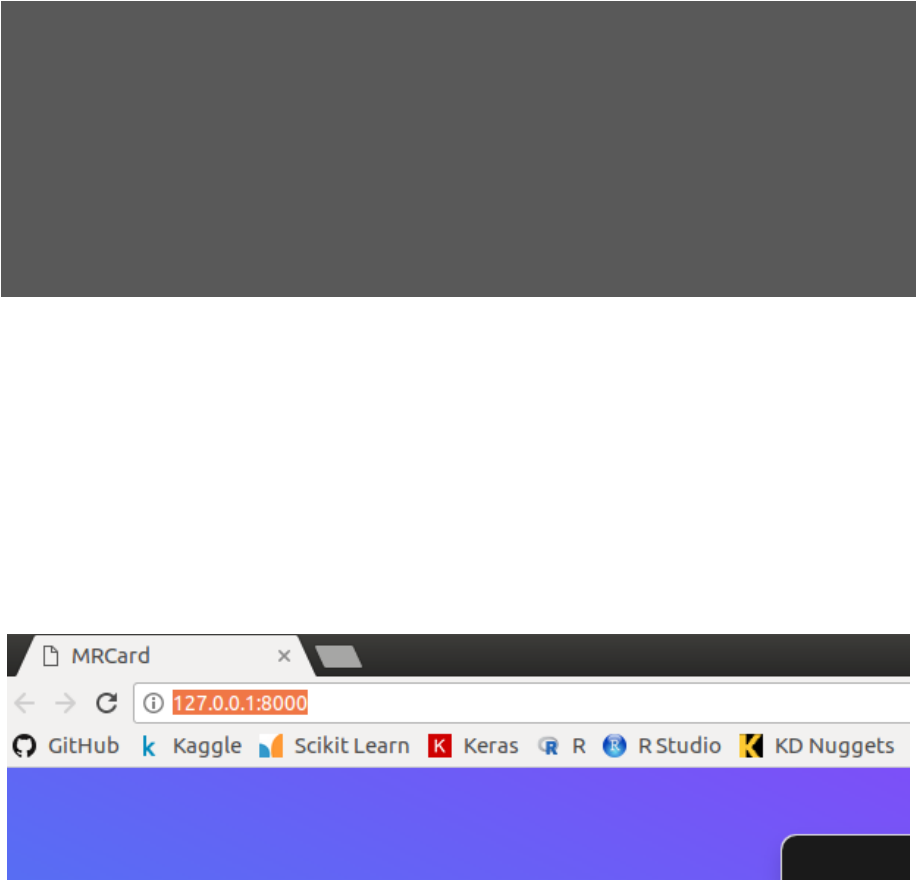
Then you can go to the web browser and input URL "http://127.0.0.1:8000/" to use
MRCard.
4 Procedure
Open up your preferred browser and go to the URL “http://127.0.0.1:8000/” as shown
below:
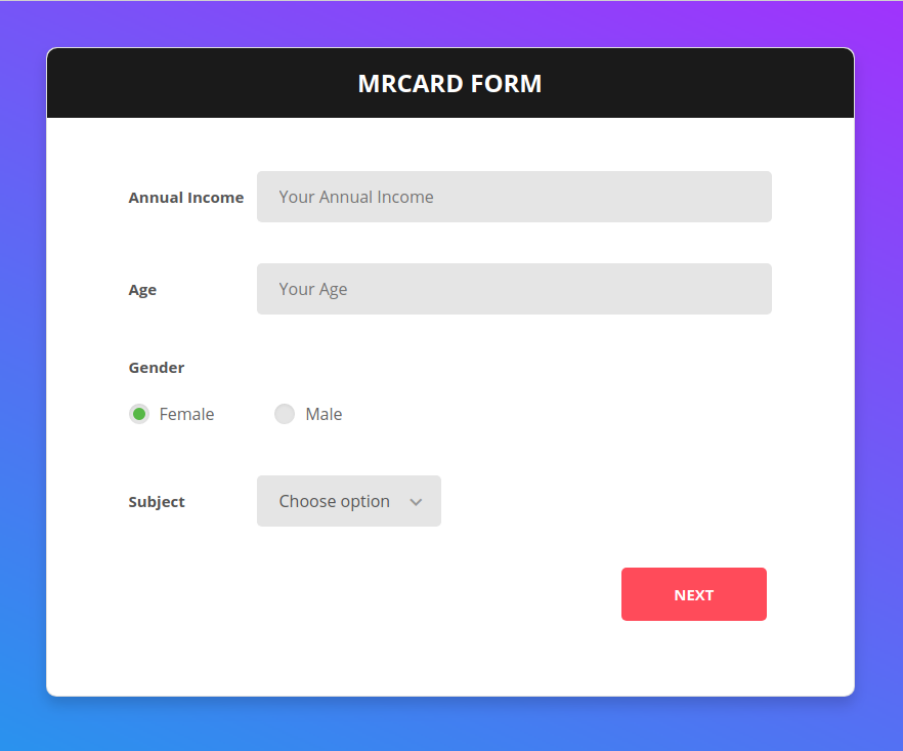
Input your Annual Income (best guess), Age, Gender and Citizenship, they are all re-
quired fields. We use this to calculate which Credit Cards you are eligible for.
2
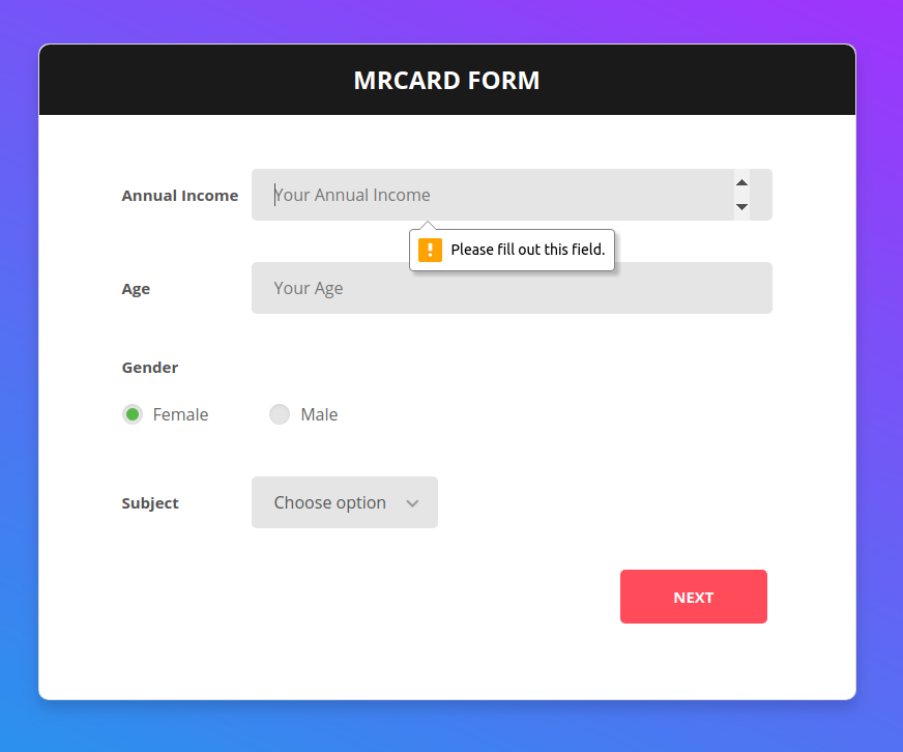
If you do not fill in a given field, a prompt will be exposed to remind you.
3
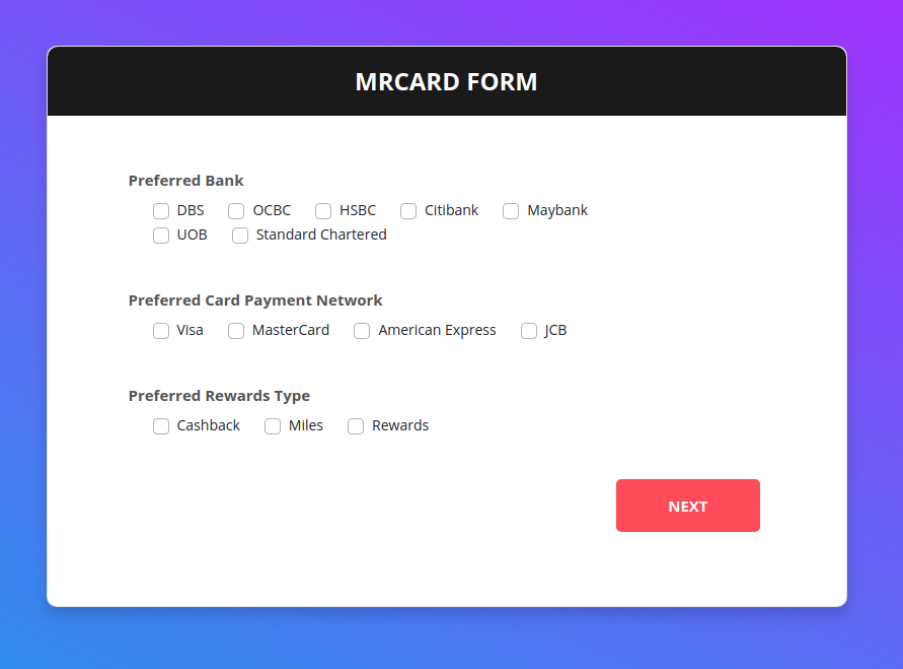
Next, you get to choose which Bank/ Payment Network and Rewards type you prefer.
We will include this as part of the recommendation for preferred cards, together with the
ideal Credit Card. From the set of eligible Cards, we recommend an ideal card. And
from the set of eligible and preferred Credit Cards, we recommend a preferred card.
4
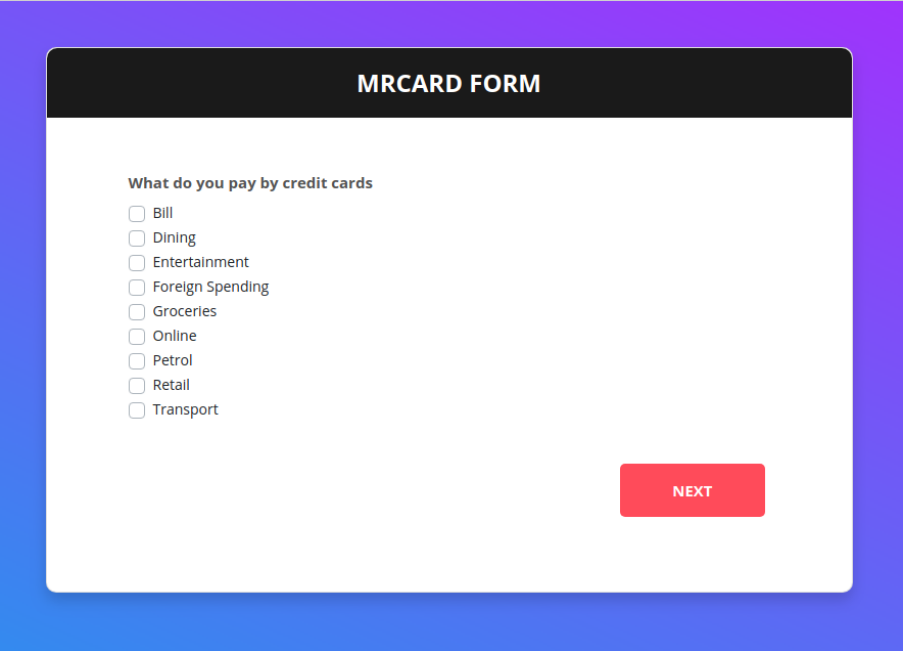
Following which, click on which categories you spend on with a Credit Card. We use this
internally so that we don’t need to ask you unnecessary questions for categories that you
don’t spend on. (e.g. If you select Groceries, we will ask you how much you spend on it)
We also have a more granular breakdown for certain categories because the breakdown
matters when calculating Cashback/ Miles/ Rewards.
5
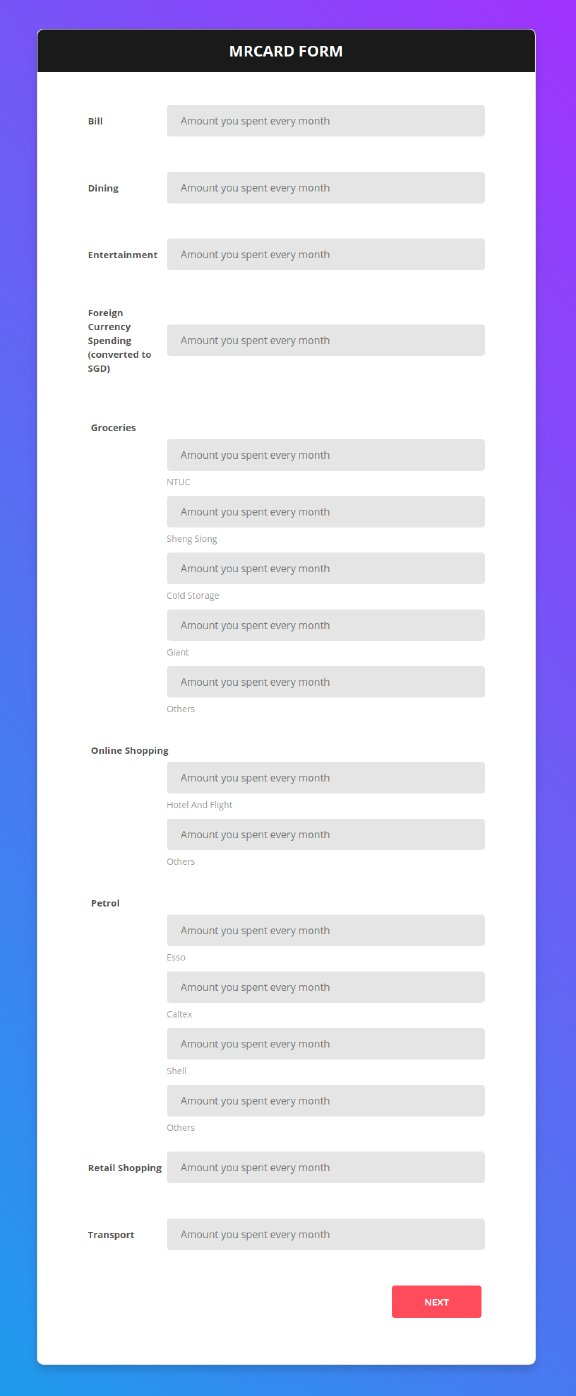
Next, please input your spending amounts for each category. You can choose to be
as granular as you want or just give a rough estimate (but our calculation will be less
accurate then!)
6
7
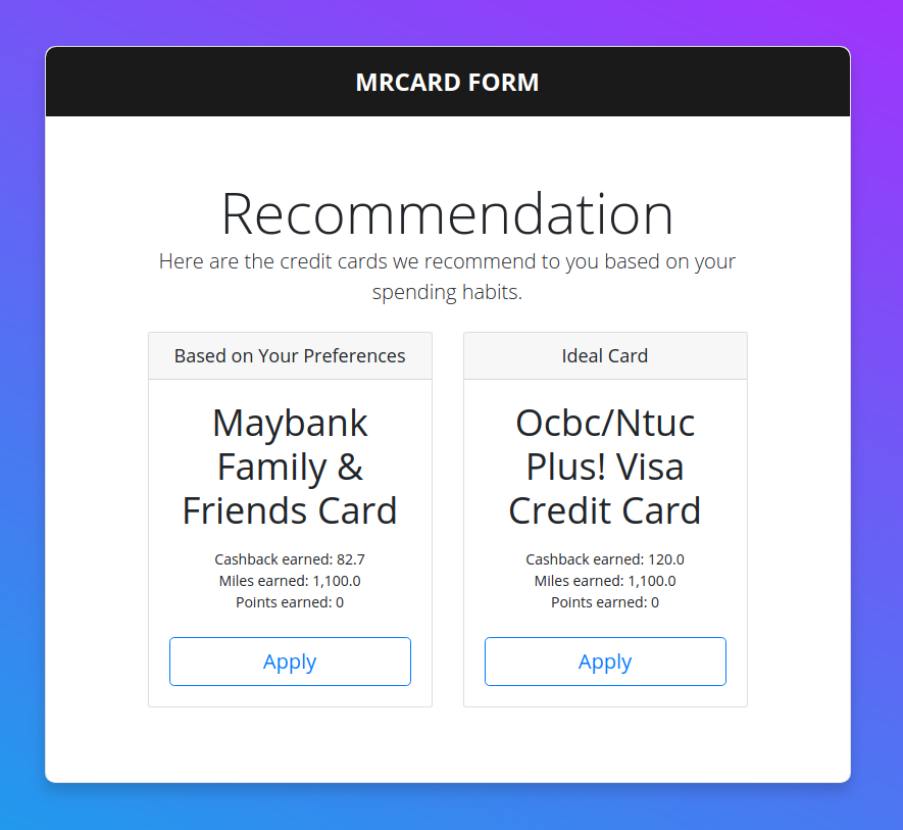
And finally based on your eligibility, preferences, spending categories and spending amount,
we calculate and give you your recommend ideal and preferred credit card. Click on the
Apply button for a link to the official website to sign up! Cheers!
8
