User Manual
User Manual:
Open the PDF directly: View PDF  .
.
Page Count: 8


2
1. What is TopTicketCenter ?
TopTicketCenter is a website where event organizer can create seats, tickets. Organizers can
share their created events together with seats to social platform (such as to facebook).
Therefore, customer can buy ticket directly.
2. Difference of TopTicketCenter from Current Ticket Website
At present, event organizers have to create event seats and tickets manually. Ticketing
websites buy tickets from organizers to sell them on their website. In TopTicketCenter,
organizer can create tickets on the website and sell directly.
3. TopTicketCenter can be used to create seats and tickets for the following
Seminar/Conference, Recruitment/Career, Trade Show/Expo/Exhibition, One Man Show,
Model Show, Award, Charity, Competition, EDM Entertainment, Networking, Miss/Mister,
Bar, Sport, Debate, Workshop, Cinema, Theatres
3
4. Type of Users
(i) Product Owner
Product owner is our team. When marketing department got event organizers who are
going to use this website, an account with expired date is opened for them. Table 1
shows account cost. For non-profit organization, we offer free account.
Lifetime
Cost
1 year
$3000
2 years
$5000
3 years
$7000
Table 1 Account Cost
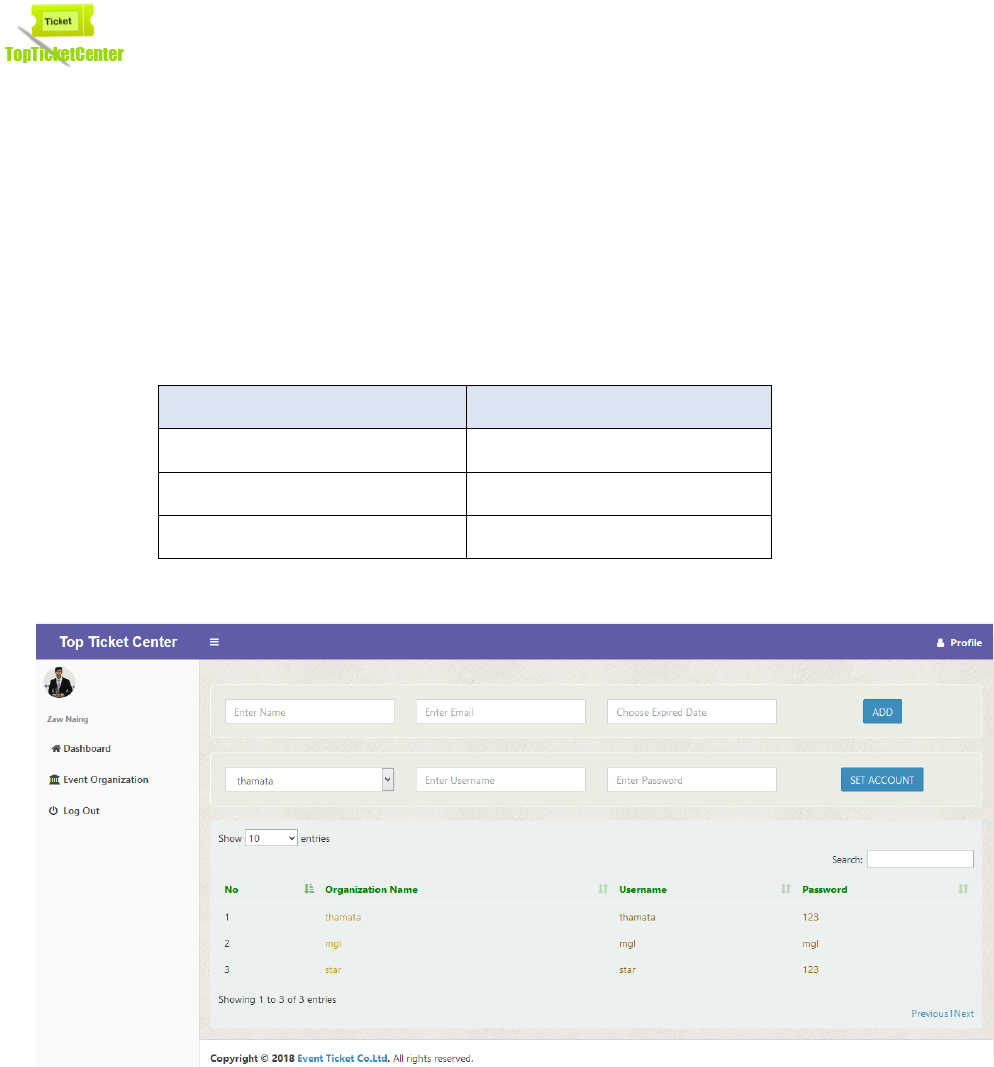
Figure 1 Product Owner Page
Figure 1 shows product owner page. Product owner can do the following functions.
a. Made an account for organizer
b. Change Username and Password of organizer
4
(ii) Event Organizer
Event Organizer will login using username and password provided by product owner.
Go to www.ticket.mmeducenter.com . Demo username and password is as followed.
Username
Password
missgoldenland
@miss@
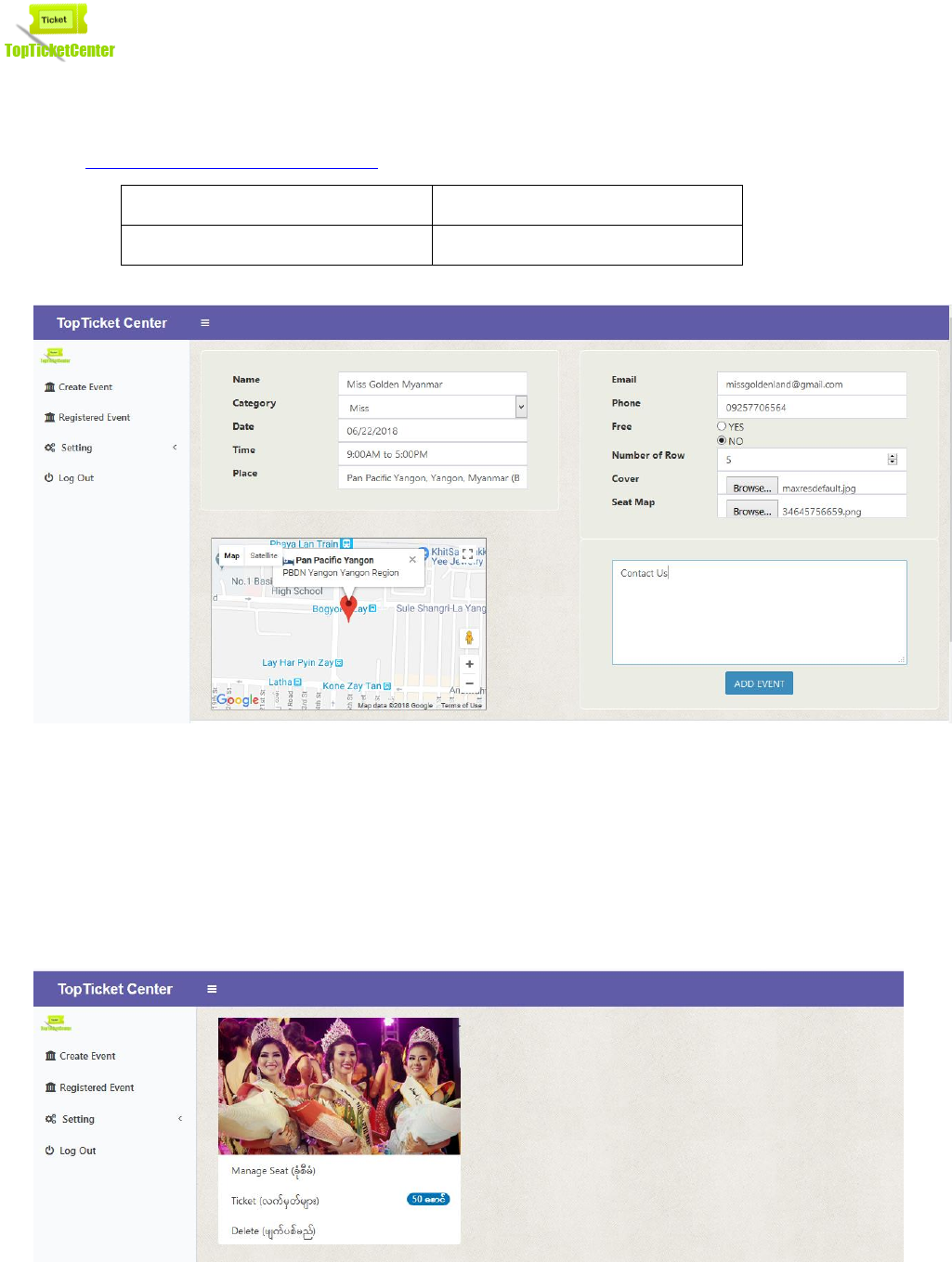
Figure 2 Event Organizer Page
Figure 2 shows a page where event organizer can create event. He needs to enter name,
category, date, time, place, email, phone number, number of row, cover photo, seat
map photo and description. After Submit event information, the following page will be
displayed. Figure 3 will show if ‘Manage Seat’ is clicked.
5
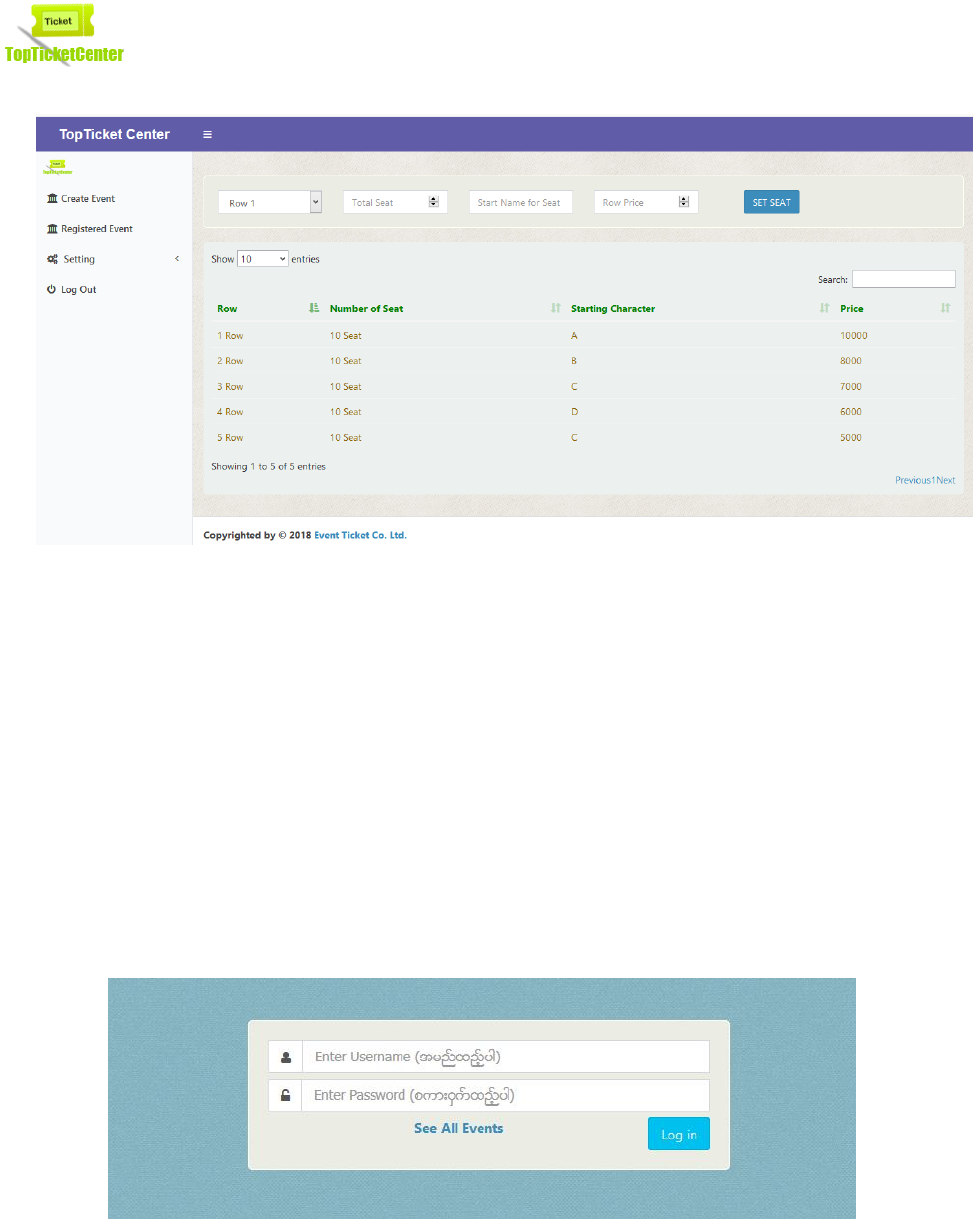
Figure 3 Manage Seat
Figure 3 shows a page where event organizer can manage seat details. For a particular
number of rows that was set in previous event registration page, he can set number of
seat, starting character, and price.
(iii) Public Users
Public Users or Customers do not need to login to the system. They just need to click
‘See All Events’. Then, figure 5 will be displayed. Most users are accessed website
through mobile phone.
Figure 4 Login Page
6
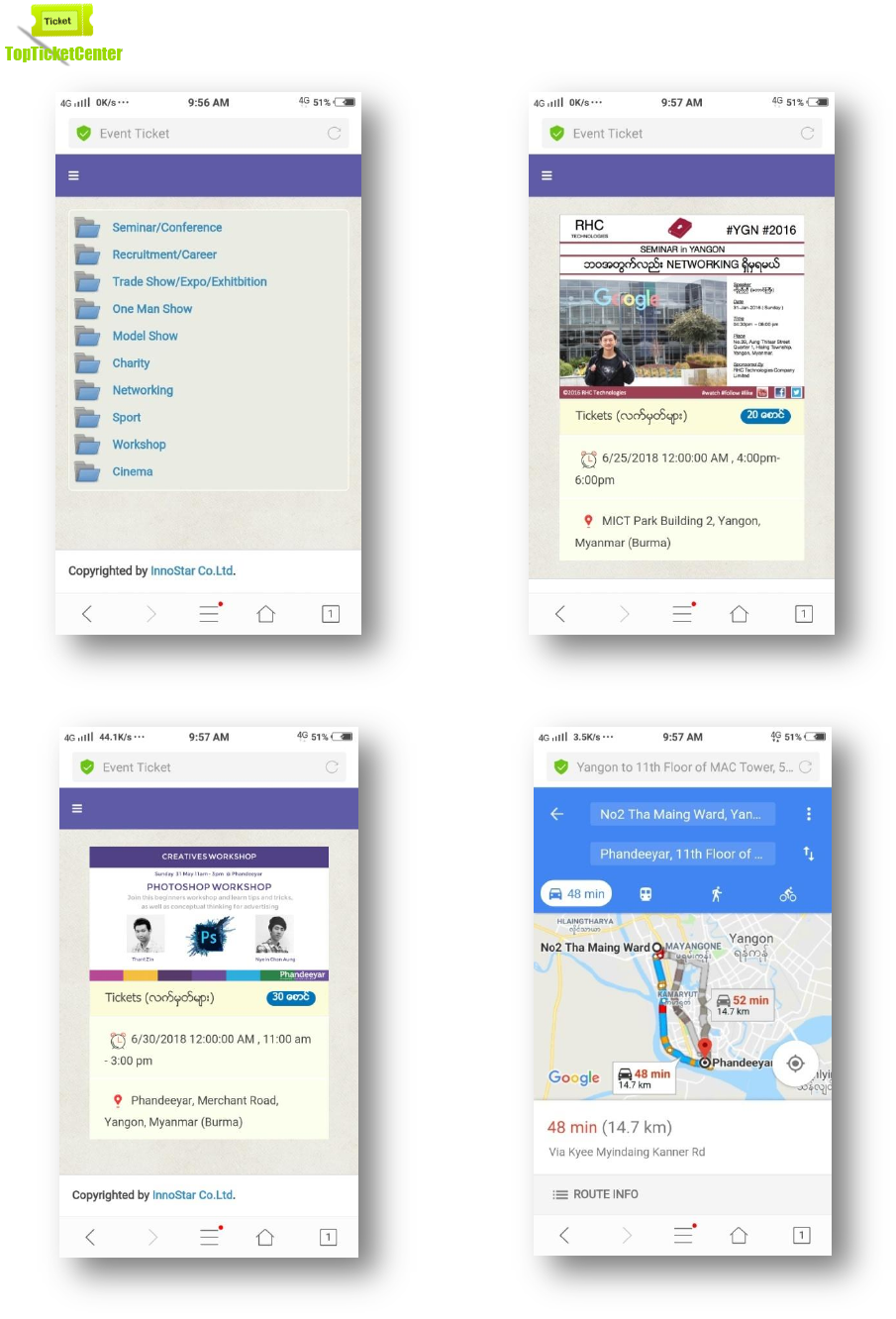
Figure 5 All Events
Figure 6 An Event Under Networking
Figure 7 An Event Under Workshop
Figure 8 Route From Current location To Event
Location
7
Figure 5 shows all registered events that are created by organizers. When users click the
folder, all registered events under a particular category will be displayed. If a user clicks
networking folder, all events under networking category will be displayed as shown in
figure 6. If a user clicks workshop folder, all events under networking category will be
displayed as shown in figure 7. Route will be displayed when the user click a location link.
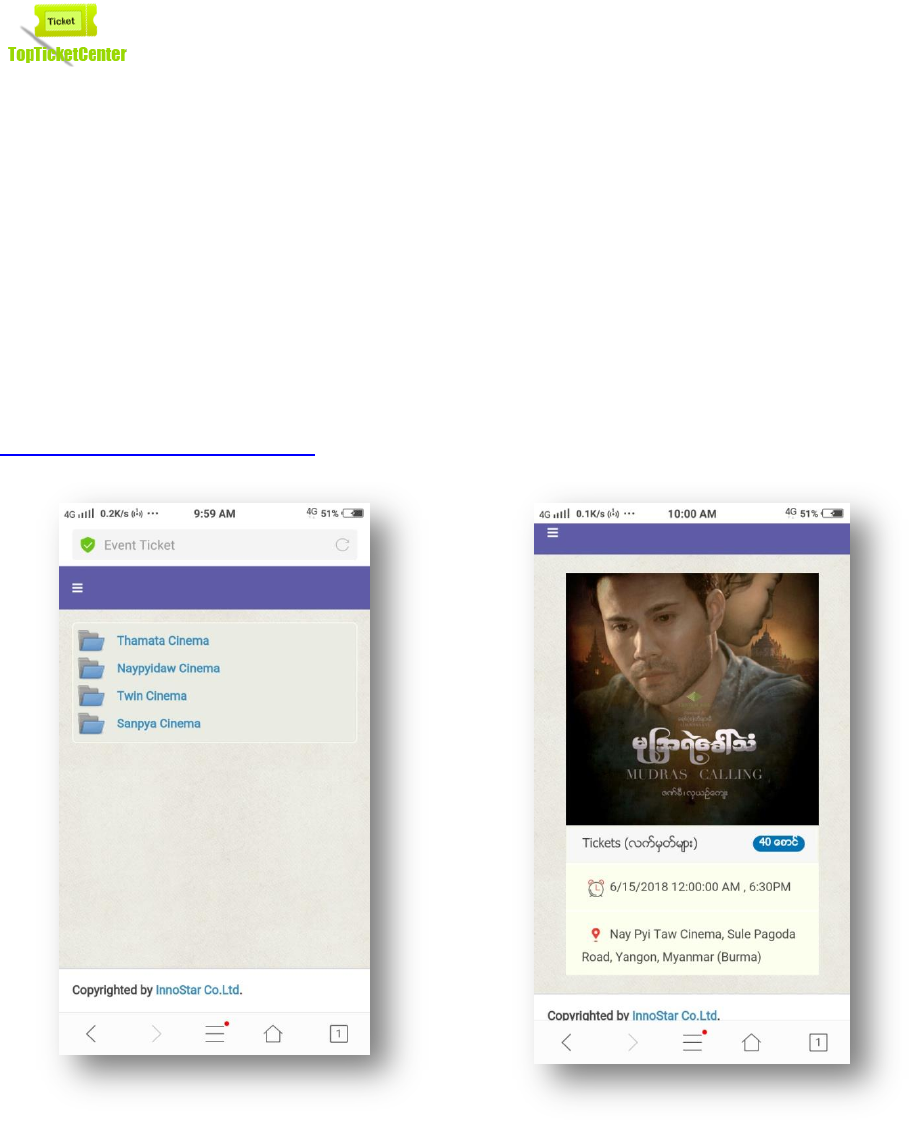
User can also buy cinema tickets. He needs to click Cinema folder. Then Figure 9 will be
displayed. Figure 10 shows a movie in cinema. To see, please go to
www.ticket.mmeducenter.com. Then click ‘All Events’.
Figure 9 Cinema Theatres
Figure 10 a movie in a cinema
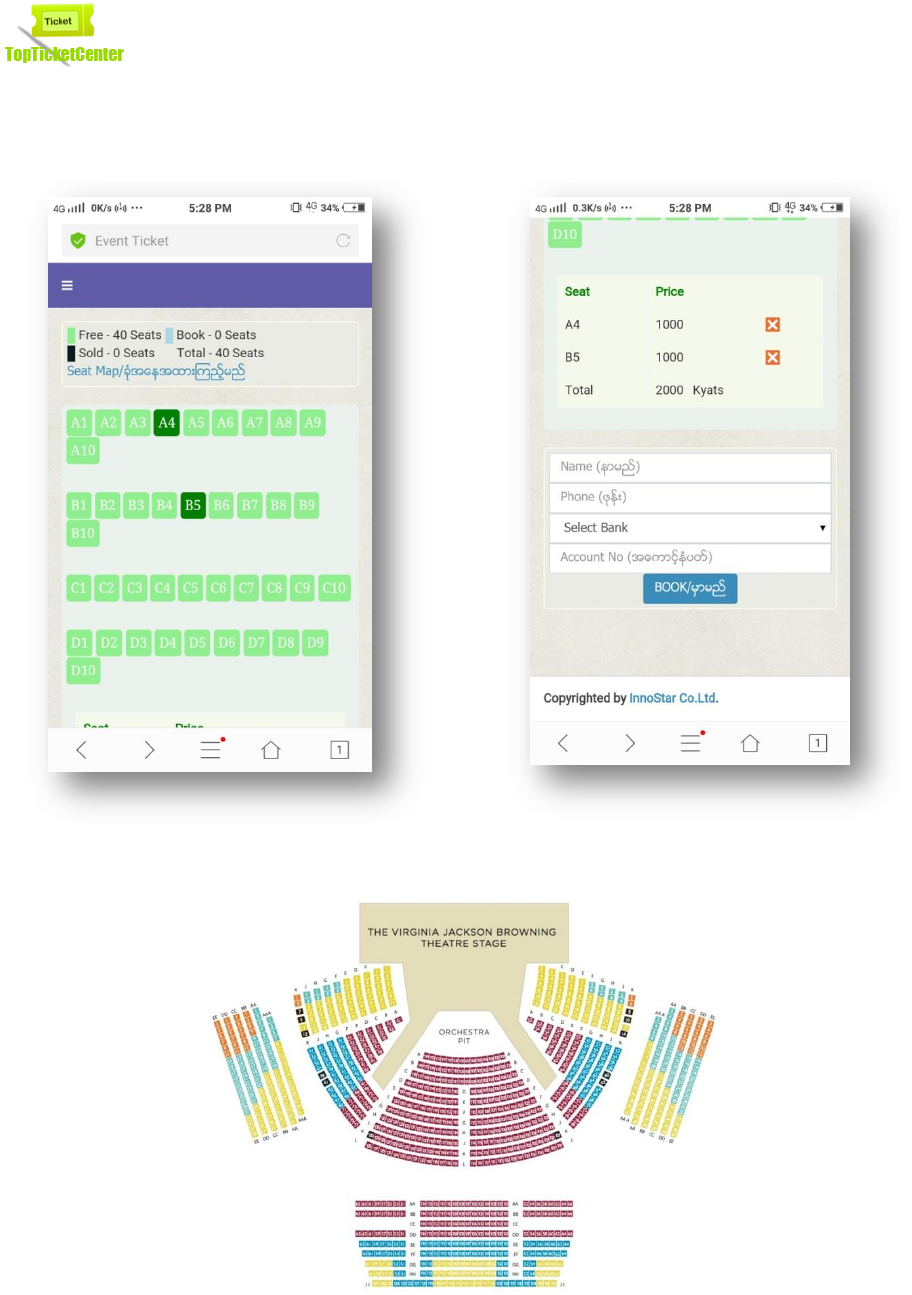
Figure 11 and figure 12 shows booking process of this event ticket system. When the user
click ‘Seat Map’, figure 11 will be displayed. Seat Map is the floor plan of an event. In
planning an event, organizer have to draw floor plan first. Then, make tickets. Like that
process, using this website, organizer can make ticket online after drawing a floor plan.
8
Figure 11 Select Seat
Figure 12 Enter Book Detail
Figure 13 Seat Map of an Event
