Utilitec 03357930 TMDW50L
User Manual: Utilitec-03357930-TMDW50L
Open the PDF directly: View PDF  .
.
Page Count: 1
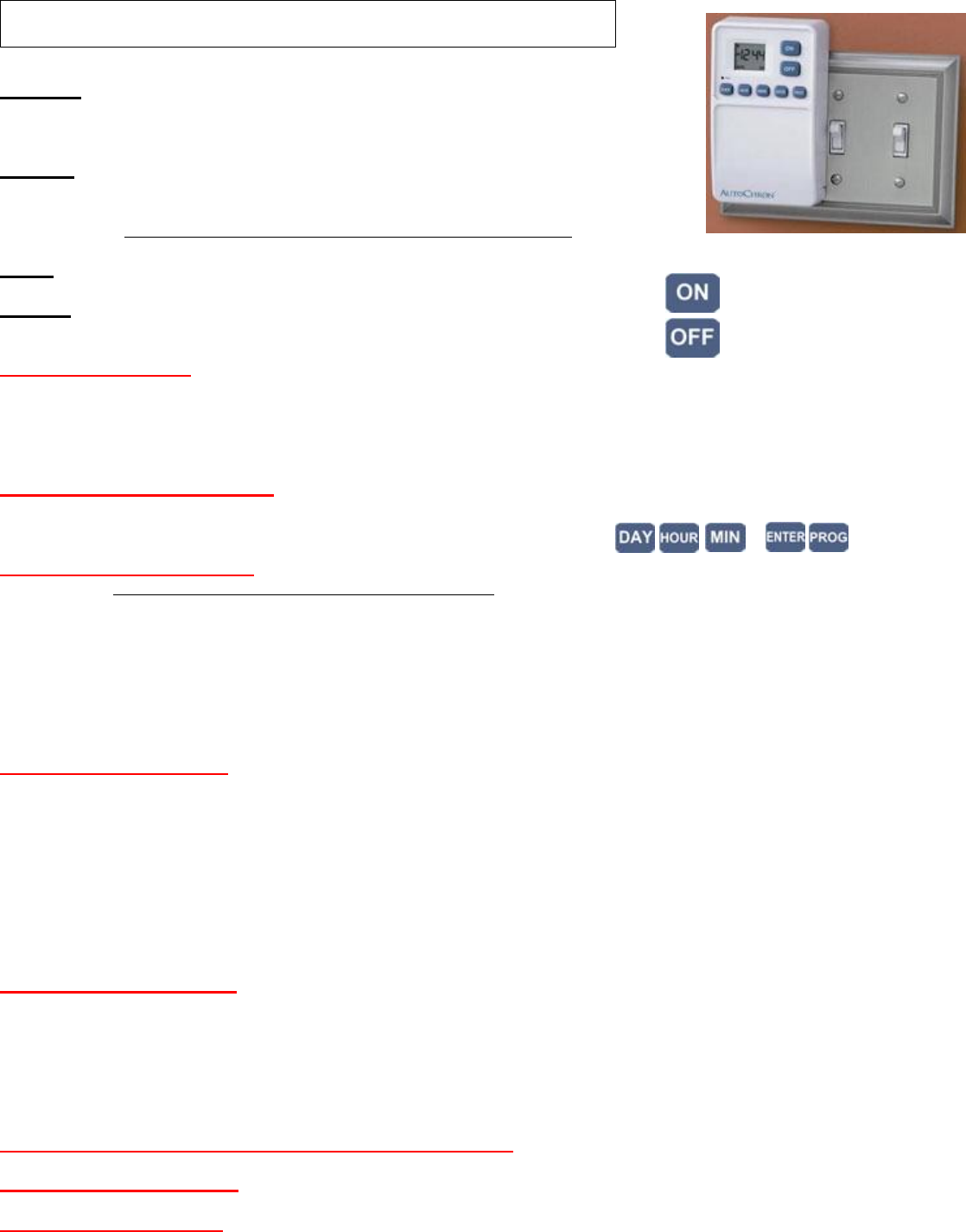
Utilitec 03357930 Model: TMDW50L
Operation: Timer raises and lowers ordinary wall switch to turn switch ON-OFF.
7-day timer can be set for daily, weekly or multi-day operation. 9 ON-OFF settings.
Minimum on-off 1 minute. Max 23 hours 59 min.
Batteries: Uses 2 AA non-rechargeable alkaline batteries. Batteries last 6 months.
Remove batteries if timer is not used more than 1 month.
1 year limited warrany is void if rechargeable batteries are used with product.
Do not use timer in cold or wet locations, do not drop timer.
Rating: Use timer for CFL, incandescent, halogen, fluorscent, motors, pumps, fans etc.
Timer can control any Load that is connected to ordinary switch.
Override: Manually overide timer by pressing ON or OFF buttons on front of timer
Step 1 Install Batteries: Open door and install 2 AA alkaline batteries. Use + and – for correct polarity. Removing batteries for 60
seconds will clear timer memory. Replace battery when ‘low-battery’ indicator displays. Dead batteries require that timer be re-
programmed. Timer not affected by power outage. Timer can be programmed before installed on wall.
After batteries are installed, LCD will display AM 12:00 M (Monday), AUTO and OFF
Step 2 Set Current Day and Time: Current time must be set before timer is programmed (a) Press DAY button until current day of
week displays. M T W Th F a Su (b) Press HOUR button until current Hour displays. Select correct hour AM or PM. (c) Press MIN
button until current minute displays. (d) Press ENTER to confirm
Step 3 Programming overview: Timer has 9 ON and 9 OFF programs. Program 1, Program 2, Program 3, etc. Not all programs
must be used. Programs can be reviewed and changed any time by pressing PROG button.
Each ON setting must have corresponding OFF setting. For example, Program 1 ON will be entered for Day(s), Hour, and Minute.
And then Program 1 OFF will be entered for Day(s), Hour and Minute.
Same steps are repeated for Program 2 ON - Program 2 OFF, Program 3 ON – Program 3 OFF, etc.
Conflicts in programming cause timer not to function as expected. For example if Program 1 ON is entered for ‘all 7 days of week’
but Program 1 OFF is entered for ‘T’ Tuesday, then programming has conflict.
Step 4 Enter Program 1 ON:
Keep pressing each button to cycle through all choices.
(a) Press PROG button until PROG 1 ON display. This is the time that Program 1 will turn ON.
(b) Choose individual day or blocks of days for Program 1 to turn ON. Press Day button until individual day of blocks of days are
selected for Program 1 to Turn ON. Choices for day: M T W Th F Sa Su display at top of LCD screen
Day choices include individual days; or M-F weekdays; or Sa-Su weekends
(c) Press Hour button to select Hour for Program 1 to turn ON. Choose AM or PM. When choosing 12 midnight, it might be easier to
use 11:59 PM for example.
(d) Press MIN button to select minute for Program 1 to turn ON.
(e) Press ENTER button to confirm setting.
Step 5 Enter Program 1 OFF:
(a) Press PROG button until PROG 1 OFF display. This is then time that Program 1 will turn OFF.
(b) Press Day button until individual day of blocks of days are selected for Program 1 to Turn OFF. Choose same day(s) so that ON
and OFF setting do not conflict.
(c) Press Hour button to select Hour for Program 1 to turn OFF. Choose AM or PM.
(d) Press MIN button to select minute for Program 1 to turn OFF.
(e) Press ENTER button to confirm setting.
Step 6 Repeat each step above to enter Program 2, Program 3: etc up to 9 programs.
Step 7 Review programming: Press Prog button to cycle through each program. Press Enter when finished
Step 8 Install timer on wall: Remove screws from switch wall plate. Do not remove wall plate. Open timer door. Move switch to
correct position. Line up timer with screw holes, and attach timer with 1” long, size 6-32 screw that is supplied with timer. Push on-
or-off button to set timmer to correct position. Timer will resume programming at next set point.
1 year limited warranty from AmerTac. Save receipt. Warranty covers defects in workmanship. 1-800-777-0801
Battery-powered Wireless Wall Switch Timer
http://waterheatertimer.org/Programmable.html#03357930
