XF Owners Handbook 11MY Tcm144 26447
User Manual: 2011 Jaguar XF Owners Manual PDF | SERVICE MANUAL OWNERS
Open the PDF directly: View PDF  .
.
Page Count: 1
- OWNER'S HANDBOOK
- Introduction
- ABOUT THIS HANDBOOK
- IMPORTANT
- SYMBOLS USED IN THIS HANDBOOK
- Entering the vehicle
- Exiting the vehicle
- Front seats
- Rear seats
- Head restraints
- Steering wheel
- Occupant safety
- Exterior lights
- Interior lights
- Wipers and washers
- Windows
- Mirrors
- Blind spot monitoring
- Garage door opener
- Warning lamps
- Message centre
- Touch screen
- Heating and ventilation
- Luggage compartment
- Towing
- Storage compartments
- Starting the engine
- Intelligent stop/start
- Gearbox
- Stability control
- Brakes
- Tyre pressure monitoring system
- Parking aids
- Cruise control
- Adaptive cruise control
- Automatic speed limiter
- Audio/video overview
- Radio
- DAB radio
- Portable media
- CD player
- Television
- Video media player
- Voice control
- Telephone
- Navigation system
- Tyre repair kit
- Fuel and refuelling
- Maintenance
- Fluid level checks
- Technical specifications
- Vehicle battery
- Tyres
- Fuses
- Wheel changing
- Vehicle recovery
- After a collision
- Vehicle identification
- Type approval
- Controls overview

R
(FM8) SEMCON JLR OWNER GUIDE VER 1.00 EURO
LANGUAGE: english-en; MARQUE: jaguar; MODEL: XF
OWNER'S HANDBOOK
Publication Part No. JJM 10 02 40 122
L
(FM8) SEMCON JLR OWNER GUIDE VER 1.00 EURO
LANGUAGE: english-en; MARQUE: jaguar; MODEL: XF
2
Introduction
Introduction
ABOUT THIS HANDBOOK
Please take the time to study all of the owner/operator literature supplied with your vehicle as soon
as possible.
IMPORTANT
The information contained in this handbook covers all vehicle derivatives and optional equipment,
some of which will not be fitted to your vehicle. Due to printing cycles this handbook may include
descriptions of options before they become generally available.
If your vehicle is to be used in another geographical area, the vehicle may have to be modified to
suit local conditions. Jaguar Cars is not responsible for the cost of any modifications.
The information contained in this publication was correct when it went to print. Subsequent vehicle
design changes may result in a supplement being added to the literature pack. Updates can also be
viewed on the Jaguar Cars internet site at http:/www.ownerinfo.jaguar.com.
In the interest of development, the right is reserved to change specifications, design or equipment
at any time without notice and without incurring any obligations. This publication, or part thereof,
may not be reproduced nor translated without our approval. Errors and omissions excepted.
SYMBOLS USED IN THIS HANDBOOK
Safety warnings indicate either a procedure which must be followed precisely, or
information that should be considered with great care, in order to avoid the possibility
of personal injury.
Cautions indicate either a procedure which must be followed precisely, or information that
should be considered with great care, in order to avoid the possibility of damage to your
vehicle.
This recycling symbol identifies those items that must be disposed of safely in order
to prevent unnecessary damage to the environment.
This symbol idicates items that must be disposed of correctly, as they contain
harmful substances. Seek advice on disposal from your Dealer and/or your local
authority.
This symbol identifies those features that can be adjusted, disabled or enabled by
your Dealer/Authorised Repairer.

R
english-en (10, 18, 21 & 25)
Contents
3
Introduction......................................2
Entering the vehicle ..........................4
Exiting the vehicle.............................9
Front seats......................................12
Rear seats ......................................17
Head restraints ...............................20
Steering wheel................................22
Occupant safety..............................23
Exterior lights .................................36
Interior lights..................................39
Wipers and washers .......................40
Windows ........................................42
Mirrors ...........................................44
Blind spot monitoring.....................46
Garage door opener........................48
Warning lamps ...............................51
Message centre ..............................56
Touch screen..................................58
Heating and ventilation ...................63
Luggage compartment ...................67
Towing ...........................................69
Storage compartments...................72
Starting the engine .........................74
Intelligent stop/start .......................79
Gearbox..........................................81
Stability control ..............................83
Brakes ............................................87
Tyre pressure monitoring system...89
Parking aids....................................92
Cruise control.................................94
Adaptive cruise control...................96
Automatic speed limiter................103
Audio/video overview ...................104
Radio............................................109
DAB radio .....................................111
Portable media .............................113
CD player......................................119
Television .....................................122
Video media player.......................124
Voice control ................................126
Telephone.....................................128
Navigation system........................134
Tyre repair kit ...............................147
Fuel and refuelling ........................152
Maintenance.................................158
Fluid level checks .........................168
Technical specifications ...............175
Vehicle battery..............................182
Tyres ............................................185
Fuses............................................188
Wheel changing............................194
Vehicle recovery ...........................197
After a collision ............................198
Vehicle identification ....................200
Type approval...............................202
Controls overview.........................224
L
(FM8) SEMCON JLR OWNER GUIDE VER 1.00 EURO
LANGUAGE: english-en; MARQUE: jaguar; MODEL: XF
Entering the vehicle
4
Entering the vehicle
UNLOCKING THE VEHICLE

R
(FM8) SEMCON JLR OWNER GUIDE VER 1.00 EURO
LANGUAGE: english-en; MARQUE: jaguar; MODEL: XF
Entering the vehicle
5
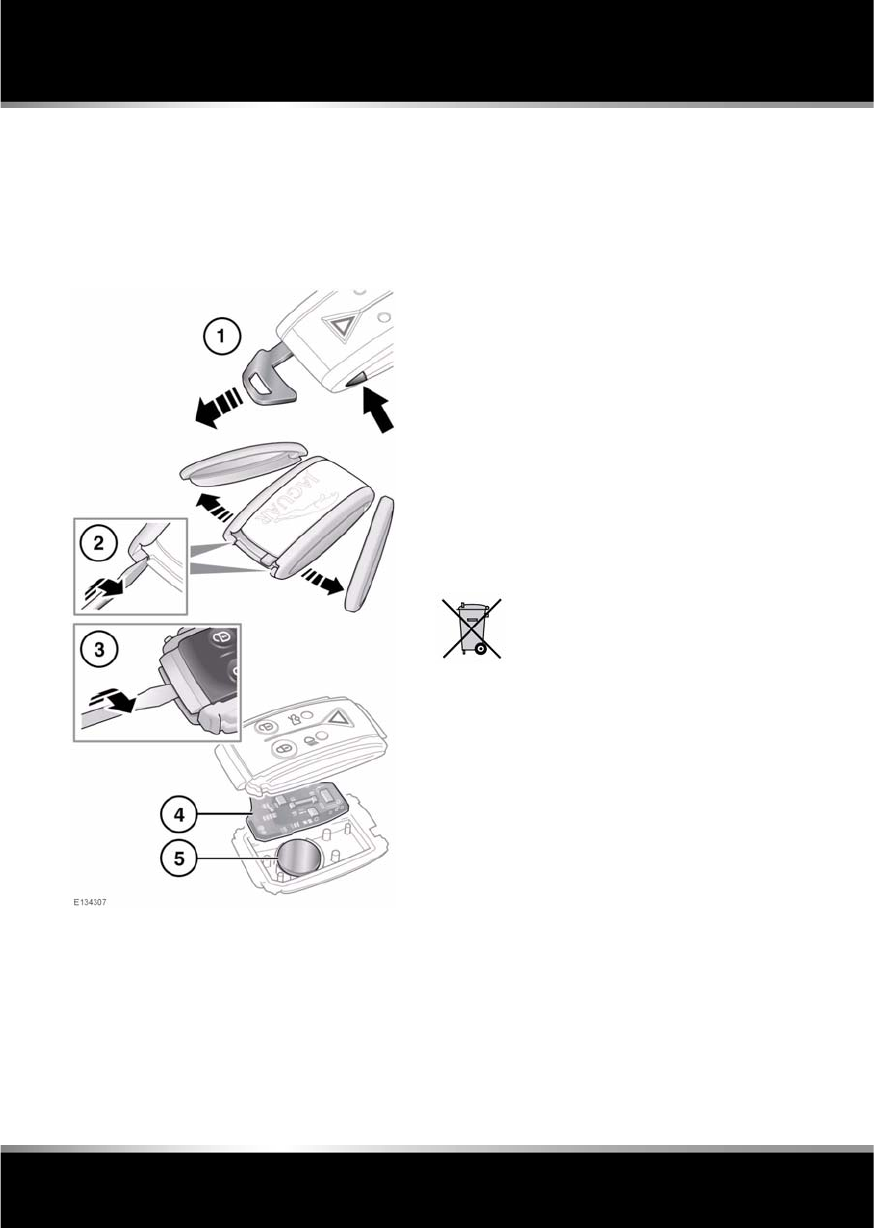
1. Press the lock button to secure the vehicle.
The vehicle can be Single or Double locked.
See 9, SINGLE LOCKING and 9, DOUBLE
LOCKING.
2. Your vehicle can be unlocked using either
Single or Multi-point entry.
When single point entry is enabled the first
press unlocks the driver's door and
enables the other doors to be opened from
the inside. The hazard warning lamps will
flash twice, to indicate that the vehicle is
unlocked and the alarm has been
disarmed.
A second press unlocks the passenger
doors and the luggage compartment.
If multi-point entry is enabled, press briefly
to unlock all the doors and luggage
compartment and to disarm the alarm. The
hazard warning lamps will flash twice to
indicate that the vehicle is unlocked and the
alarm has been disarmed.
To change from Single to Multi-point entry
(or vice versa), press both the lock and
unlock buttons simultaneously for three
seconds. The hazard warning lamps will
flash twice to confirm the change.
The change can also be achieved using the
touch screen. See 61, VEHICLE SETTINGS.
3. Press to open the luggage compartment.
The vehicle security system will remain
active for the period the luggage
compartment is open, but the intrusion and
inclination sensing systems will be
inhibited. Door and bonnet security will
remain active.
The security system will re-arm to its
previous state when the luggage
compartment is closed.
4. Panic alarm: Press and hold for three
seconds, or press three times within three
seconds, to activate the horn, siren and
hazard lamps.
After five seconds, the alarm can be
cancelled by pressing the button and
holding for three seconds, or pressing
three times within three seconds.
The emergency alarm will also be cancelled
if the vehicle detects a valid Jaguar Smart
Key when the START/STOP button is
pressed.
5. Press to switch on the approach
illumination for up to 120 seconds. The
illumination time is set using the exit delay
switch. Pressing the button again or
operating the starter button, will turn the
approach lamps off.
6. Keyless locking button. See 10, KEYLESS
LOCKING.
7. Door lock cover.
8. Press and hold the emergency key release
button, while pulling the emergency key
from the Jaguar Smart Key body.
9. Insert the emergency key blade into the
slot at the base of the door lock cover and
gently lever the key blade upwards.
10. Carefully twist the key blade, to lever the
cover off the retaining clips.
11. Insert the key blade into the exposed lock
to operate.
To lock: Ensure all the doors are closed, then
turn the key blade towards the front of the
vehicle and release. This will lock all doors but
will not arm the alarm.

L
(FM8) SEMCON JLR OWNER GUIDE VER 1.00 EURO
LANGUAGE: english-en; MARQUE: jaguar; MODEL: XF
Entering the vehicle
6
To unlock: Turn the key blade towards the rear
of the vehicle and release. If the security
system is disarmed, all doors and the luggage
compartment will be unlocked. If the security
system is armed, only the front left-hand door
will unlock.
If the vehicle is unlocked using the emergency
key blade with the security system armed, the
alarm will sound when a door is unlocked. To
deactivate the alarm, press the unlock button
on the Jaguar Smart Key or press the engine
START/STOP button with the Smart Key inside
the vehicle.
Replacing the door lock cover:
1. Align the cover to engage the bottom two
clips.
2. Push the top of the cover to engage the
upper clip.
KEYLESS ENTRY
Any person fitted with an implanted
medical device should ensure that the
device is kept at a distance of at least
22 cm (8.7 inches) away from any
transmitter mounted in the vehicle.
This is to avoid any possibility of
interference between the system and
device. For information concerning
the locations of the security system
transmitters, see 181, REMOTE KEY
FOB TRANSMITTER LOCATIONS.
If a remote control is lost, a
replacement can be obtained and
programmed to the vehicle by a Jaguar
Dealer/Authorised Repairer. Notify a
Jaguar Dealer/Authorised Repairer as
soon as a remote control is lost or
stolen and have the remaining remote
control(s) reprogrammed.
The Smart Key may not be detected if it
is placed within a metal container or if it
is shielded by a device with a back-lit
LCD screen, such as a smart phone,
laptop (including laptop bag), games
console etc. Keep the Smart Key clear of
such devices when attempting Keyless
entry or Keyless starting.
Keyless entry allows the vehicle to be unlocked
and disarmed by simply operating the door
handle, provided the Jaguar Smart Key is
within 1.0 m (3 feet).
The Smart Key needs only to be on the driver’s
person, it does not need to be exposed or
handled. However, the Smart Key may not be
detected if it is placed within a metallic
container.
Note: Keyless entry will unlock the vehicle in
accordance with the current security setting
(Single-point or Multi-point entry). However, if
Single-point entry is the current setting and a
door other than the driver’s door is opened
first, all doors will unlock.
When all open doors have been closed, the
system will search the vehicle interior for a
valid Smart Key. If one is not detected, SMART
KEY NOT FOUND, PLEASE INSERT IN SLOT
will be displayed in the message centre. Find
the Smart Key and insert it into the starter
control unit (see 76, IF THE ENGINE FAILS TO
START ).
The security system fitted to your vehicle is
Thatcham category 1 approved, and meets EU
regulations 97/116 and EU directive 95/56 EC.

R
(FM8) SEMCON JLR OWNER GUIDE VER 1.00 EURO
LANGUAGE: english-en; MARQUE: jaguar; MODEL: XF
Entering the vehicle
7
CONVENIENCE MODE
When the door is opened using either the
Jaguar Smart Key or keyless entry, the
vehicle's electrical system initiates the
convenience mode. The following systems
become functional:
•Driver position memory.
•Seat and steering column adjustment.
•Interior and exterior lighting.
•Message centre.
•Auxiliary power socket.
GLOBAL OPENING
Press and hold the unlock button on the Jaguar
Smart Key for 3 seconds or press and hold the
exterior lock button. The vehicle will unlock and
the alarm will be disarmed immediately. After
the 3 seconds all of the windows and sunroof
will open.
To stop window movement during global
opening when using the Smart Key, press any
of the buttons on the Smart Key or operate the
driver's window switch. To stop a particular
window from opening, operate the relevant
window switch.
To stop window movement when global
opening using the exterior lock button, release
the button.
Note: Global opening can be enabled/disabled
via the Security/ vehicle settings menu on the
touch screen. See 61, VEHICLE SETTINGS.
DRIVE-AWAY LOCKING
Locks all the doors when the vehicle exceeds a
set speed. One of three set speeds can be
selected via the Security/ vehicle settings menu
on the touch screen. See 61, VEHICLE
SETTINGS. Use of the central locking/
unlocking buttons (see 224, DRIVER
CONTROLS), will override the drive-away
locking feature for the rest of a journey.
If a door is individually unlocked and opened,
all doors will relock when the open door is
subsequently closed.
Note: Drive-away locking can be enabled/
disabled via the Security/ vehicle settings menu
on the touch screen. See 61, VEHICLE
SETTINGS.
REMOTE KEY FOB CARE
To prevent accidental operation,
never leave the Jaguar Smart Key in
the vehicle if children or animals are
also left in the vehicle.
Do not expose to extremes of heat,
dust, humidity or fluids. Do not leave
the transmitter exposed to direct
sunlight.
The emergency key blade number is recorded
on an attached label, which should be peeled
off and affixed to the correct area on the
Security Card, supplied in the literature pack.
Keep the Security Card safe, but not in the
vehicle.
The operational range of the Smart Key varies
considerably, depending on atmospheric
conditions and interference from other devices.
Note: The radio frequency used by the Smart
Key may be used by other devices (e.g. medical
equipment). This may prevent the Smart Key
from operating correctly.
L
(FM8) SEMCON JLR OWNER GUIDE VER 1.00 EURO
LANGUAGE: english-en; MARQUE: jaguar; MODEL: XF
Entering the vehicle
8
REMOTE KEY FOB BATTERY
REPLACEMENT
When the battery needs renewing, there will be
a significant decrease in the effective range and
the message SMART KEY BATTERY LOW is
displayed in the message centre.
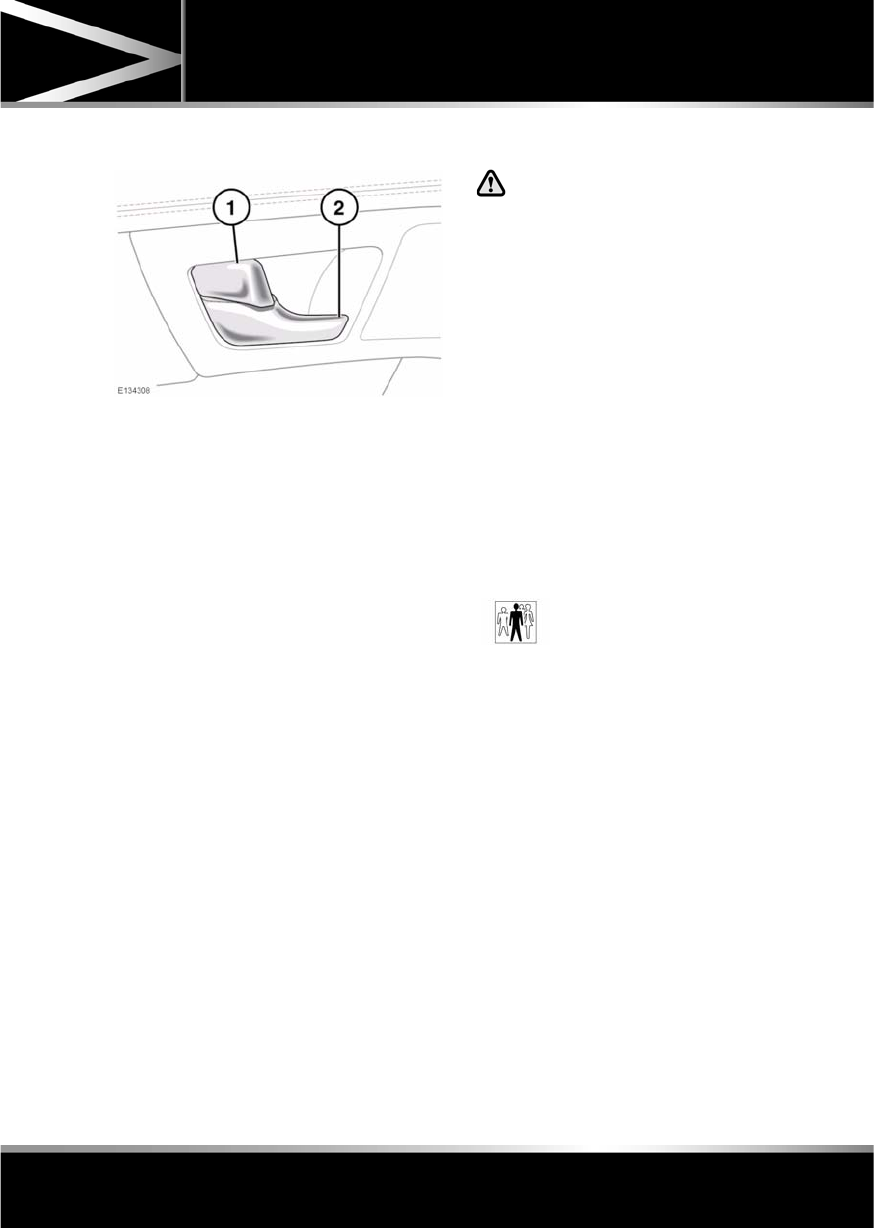
To renew the battery:
1. Press the release button on the side of the
Jaguar Smart Key and pull the key blade
from the Smart Key.
2. Remove the two side covers, one at a time,
by inserting a small flat-bladed screwdriver
between the cover and body, then gently
twist the screwdriver.
3. Insert the screwdriver between the two
body halves and twist gently to separate.
4. Remove the printed circuit board, taking
care not to touch the battery terminals.
5. Remove the old battery, then fit a new
CR2032 type battery (available from your
Dealer/Authorised Repairer), with the
positive (+) side downwards.
Refit the parts in reverse order, ensuring they
click securely into place.
Battery disposal: Used batteries
must be disposed of correctly, as
they contain harmful substances.
Seek advice on disposal from your
Dealer and/or your local authority.
R
(FM8) SEMCON JLR OWNER GUIDE VER 1.00 EURO
LANGUAGE: english-en; MARQUE: jaguar; MODEL: XF
Exiting the vehicle
9
Exiting the vehi cle
DOOR LOCK AND RELEASE LEVERS
1. Press the locking lever to lock the door,
pull the lever to unlock the door. Operating
the locking lever on either front door will
lock or unlock all closed doors.
2. Pull the release lever to open a door. If a
rear door is locked, operating the lever will
have no effect.
Note: If the car was locked using the Jaguar
Smart Key, then operating the locking/release
lever will only unlock/release that door and the
alarm will sound.
Note: If the vehicle has been double-locked,
then the interior door lock and release levers
will not operate. The vehicle must be unlocked
using the Jaguar Smart Key.
SINGLE LOCKING
Press the lock button briefly. Single locking
secures the vehicle and prevents the doors and
luggage compartment being opened from
outside of the vehicle. The doors can be
unlocked and opened from inside the vehicle.
The hazard warning lamps will flash once as
confirmation.
DOUBLE LOCKING
Never double lock the vehicle with
people, children or pets inside. In the
event of an emergency they would be
unable to escape, and the emergency
services would be unable to release
them quickly.
When the vehicle is double-locked the
doors cannot be opened, either from
inside or outside the vehicle.
Press the lock button twice within three
seconds. Double locking secures the vehicle
and prevents the doors and luggage
compartment being unlocked or opened from
inside or outside of the vehicle, except with the
correct Jaguar Smart Key. The hazard warning
lamps will flash twice (with a long second
flash) and an audible warning will sound, as
confirmation.
LOCK CONFIRMATION
If you are uncertain whether the vehicle is
locked and armed (either by single or double
locking), press the lock button again. The
hazard warning lights will flash to indicate and
confirm the current armed/disarmed status.
Note: If the vehicle is not already locked and
armed, pressing the lock button will single lock
the vehicle. Press again to double lock.
The audible warning can be
enabled/ disabled by your
Dealer/Authorised Repairer.

L
(FM8) SEMCON JLR OWNER GUIDE VER 1.00 EURO
LANGUAGE: english-en; MARQUE: jaguar; MODEL: XF
Exiting the vehicle
10
MISLOCK
If one of the doors, the bonnet, or the luggage
compartment are not shut fully when the
vehicle is locked using the Jaguar Smart Key or
by Keyless locking, the vehicle will not lock and
two warning tones will sound. Check that all
doors, the bonnet and the luggage
compartment are closed properly and lock the
vehicle again.
If one or more of the doors fails to lock
properly when a lock attempt is made using the
Jaguar Smart Key, two warning tones will
sound and one or more of the doors may not be
locked.
GLOBAL CLOSING
Ensure that no children, pets, or
obstructions are in any open aperture
before operating global closing.
Ensure that all doors are closed, then press and
hold the lock button on the Smart Key for 3
seconds or press and hold the lock button on
the exterior door handle. The vehicle will single
lock and the alarm will be fully armed
immediately. After 3 seconds all of the
windows will close.
Note: If the button on the door handle is
released before the windows have fully closed,
the windows will stop closing.
Note: Global closing can be enabled/disabled
via the Security/ vehicle settings menu on the
touch screen. See 61, VEHICLE SETTINGS.
KEYLESS LOCKING
Remove all Jaguar Smart Keys and
emergency key blades from the vehicle
when it is left unattended. This will help
prevent the alarm being disarmed and
therefore help prevent theft.
The Smart Key may not be detected if it
is placed within a metal container or if it
is shielded by a device with a back-lit
LCD screen, such as a smart phone,
laptop (including laptop bag), games
console etc.
The vehicle will not lock automatically.
To single-lock the vehicle, press the button on
the door handle once. The hazard warning
lamps will flash once as confirmation (in some
markets, an audible warning will sound).
To double-lock the vehicle, press the button
twice within three seconds. The hazard
warning lamps will flash twice (with a long
second flash). In some markets, a double
audible warning will sound.
Note: Keyless locking will only activate if all
doors, bonnet and the luggage compartment
are closed and the Jaguar Smart Key is outside
the vehicle. If the above conditions are not met,
two audible error warnings will sound.
FULL ALARM
To set full alarm protection, ensure that all the
windows and the sunroof are closed. Then, on
vehicles fitted with double-locking, press the
lock button twice within three seconds. The
hazard warning lights will flash twice to
confirm the alarm state and, in some markets,
an audible tone will sound.
Note: If the alarm is armed and a window or the
sunroof are left open, the alarm may sound due
to movement of air currents, detected by the
intrusion sensors in the front interior light
console.
Note: The intrusion sensors can be temporarily
disabled, for the next time the vehicle is locked,
via the Security/ vehicle settings menu on the
touch screen. See 61, VEHICLE SETTINGS.

R
(FM8) SEMCON JLR OWNER GUIDE VER 1.00 EURO
LANGUAGE: english-en; MARQUE: jaguar; MODEL: XF
Exiting the vehicle
11
PERIMETER ALARM
To set perimeter alarm protection, briefly press
the lock button once. The hazard warning lights
will flash once to confirm the alarm state.
BATTERY-BACKED SOUNDER
In certain markets, a separate battery backed
sounder is fitted. This device will sound the
alarm if the vehicle battery or the alarm
sounder is disconnected when the security
system is armed.
DEACTIVATING THE ALARM WHEN
TRIGGERED
If the alarm has been triggered, it can be
deactivated by any one of the following
methods:-
•Pressing the unlock button on the Jaguar
Smart Key.
•Opening a door using keyless entry.
•Pressing the START/STOP button with a
valid Jaguar Smart Key present.
TILT SENSOR
The tilt sensor detects any change in the
vehicle's angle to the ground. When the alarm
is armed and the vehicle double-locked, any
change in the vehicle's angle will activate the
tilt alarm.
Note: The tilt sensor can be temporarily
disabled, for the next time the vehicle is locked,
via the Security/ vehicle settings menu on the
touch screen. See 61, VEHICLE SETTINGS.
PASSIVE ARMING
This vehicle is fitted with a passive arming
feature which can, if enabled, automatically
arm the anti-theft system. Passive arming will
automatically arm the perimeter alarm system
60 seconds after the driver's door is closed,
provided all doors, bonnet and luggage
compartment are closed, the ignition is
switched off and there are no valid Jaguar
Smart Keys inside the vehicle.
Passive arming will not lock the vehicle,
although access to the luggage compartment
via the interior or exterior release buttons will
be prevented and the fuel filler flap will be
locked.
AUTOMATIC RELOCKING AND
RE-ARMING OF THE ALARM
Automatic relock and re-arm is a feature which,
if enabled, automatically relocks the vehicle
and arms the anti-theft system.
If the vehicle is in a locked and armed state and
the remote unlock button is pressed, but none
of the doors or the luggage compartment are
opened within 1 minute, the vehicle will
automatically relock all the doors and the
luggage compartment and will re-arm the
alarm system.
Note: Automatic relocking and arming will only
relock and arm to the last locked and armed
state.
SENSOR FAULTS
If the security systems detect a fault with one
of the security sensors, 2 error tones will
sound from the alarm after the vehicle is
unlocked and disarmed. If this condition
occurs, please visit your Dealer/Authorised
Repairer for rectification.
L
(FM8) SEMCON JLR OWNER GUIDE VER 1.00 EURO
LANGUAGE: english-en; MARQUE: jaguar; MODEL: XF
Front seats
12
Front seats
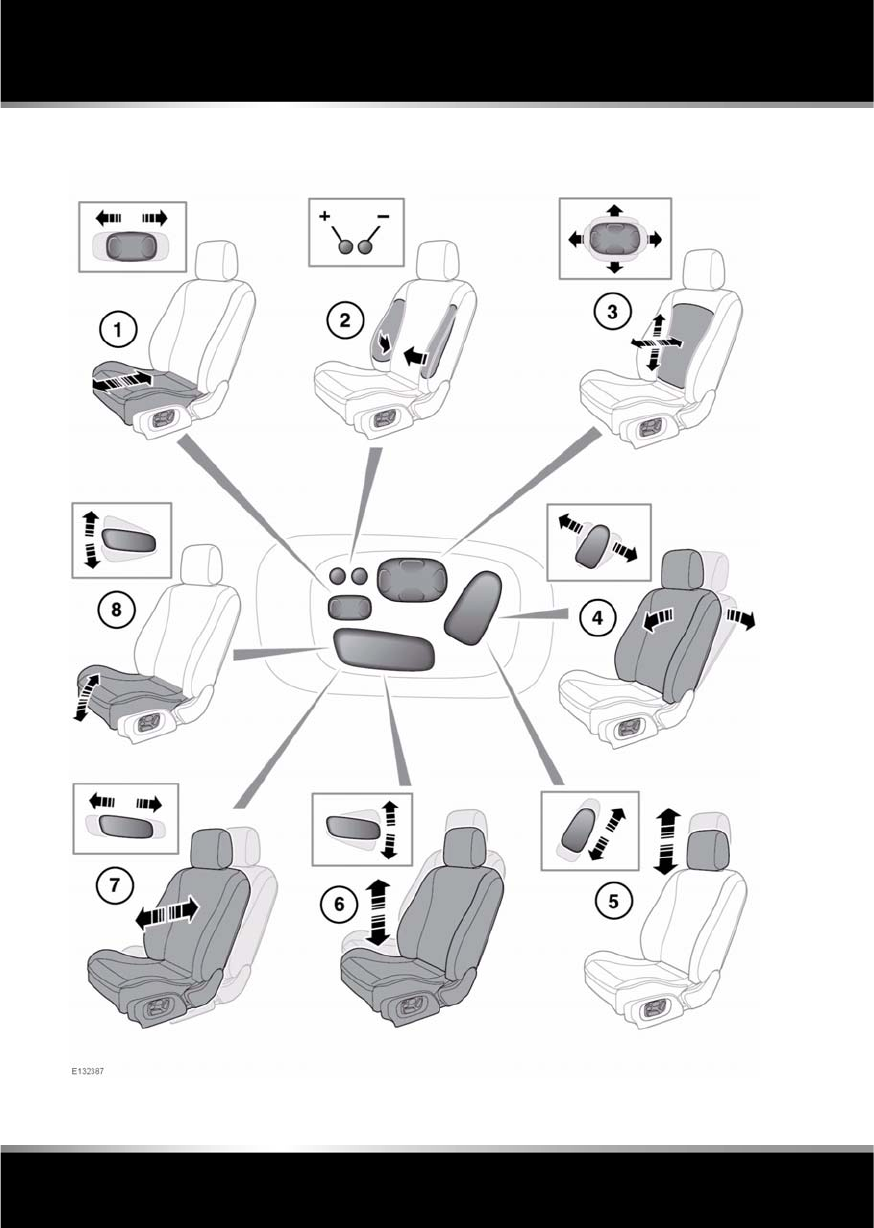
ELECTRIC SEATS

R
(FM8) SEMCON JLR OWNER GUIDE VER 1.00 EURO
LANGUAGE: english-en; MARQUE: jaguar; MODEL: XF
Front seats
13
1. Cushion length adjustment.
2. Bolster adjustment:
•Bolster inflate.
•Bolster deflate.
3. Lumbar support adjustment.
4. Seat back angle adjustment.
5. Head restraint height adjustment.
6. Height adjustment.
7. Fore and aft adjustment.
8. Cushion front tilt adjustment.
To adjust the seats, the Jaguar Smart Key must
be in the vehicle and the ignition turned on.
If an obstruction is encountered while the seat
is in motion, the seat will stop moving and
further movement will be restricted until reset.
To reset the seat:
1. Remove the obstruction.
2. Adjust the seat to the point where
movement is restricted.
3. Press and hold the switch for at least 2
seconds to override the restriction.
L
(FM8) SEMCON JLR OWNER GUIDE VER 1.00 EURO
LANGUAGE: english-en; MARQUE: jaguar; MODEL: XF
Front seats
14
MANUAL SEATS
Do not adjust the seat while the
vehicle is moving. Doing so could
cause loss of vehicle control and
personal injury.
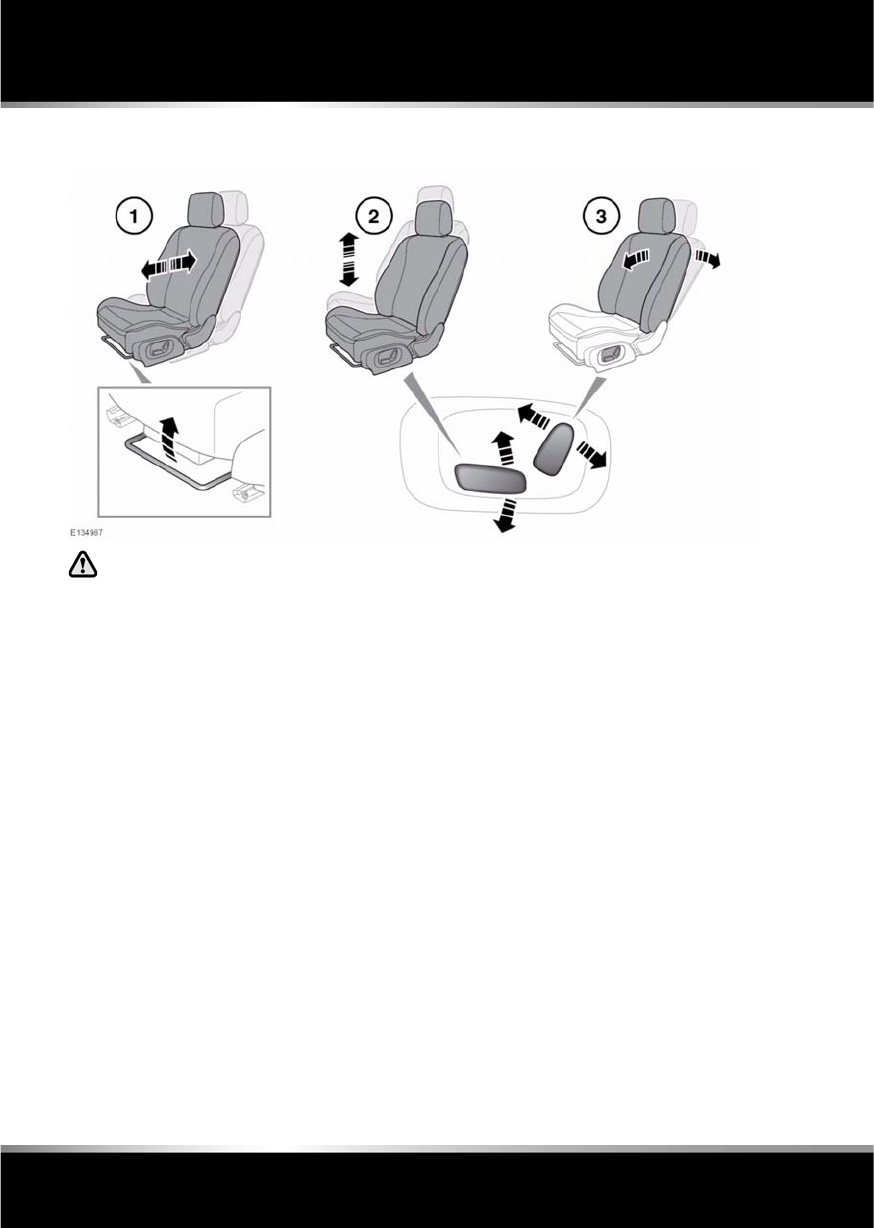
1. Fore and aft adjustment.
2. Height adjustment.
3. Seat back angle adjustment.
R
(FM8) SEMCON JLR OWNER GUIDE VER 1.00 EURO
LANGUAGE: english-en; MARQUE: jaguar; MODEL: XF
Front seats
15
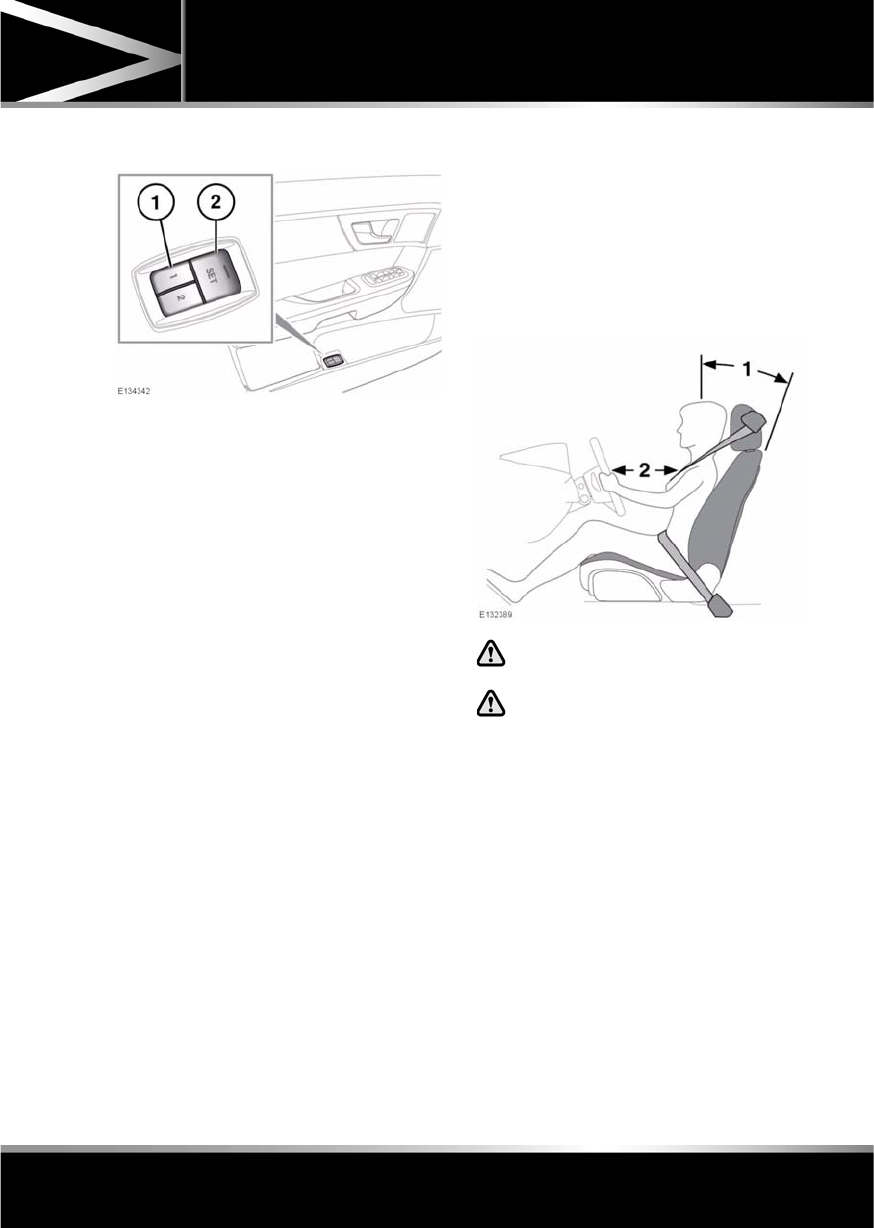
DRIVING POSITION MEMORY
1. Memory presets.
2. Memory set button.
Once you have adjusted the driver's seat,
steering column (see 22, ADJUSTING THE
STEERING WHEEL ) and exterior mirrors (see
44, EXTERIOR MIRRORS ), the vehicle can
memorise these settings using the driver
memory buttons.
Once the passenger seat has been adjusted as
desired, these settings can be memorised
using the passenger memory buttons.
1. Press the memory set button to activate
the memory function.
2. Press one of the preset buttons within 5
seconds to memorise the current settings.
For the driver’s settings, MEMORY 1 (or 2)
SETTINGS SAVED will be displayed on the
message centre accompanied by an
audible chime to confirm the settings have
been memorised.
A seat position can only be memorised during
the five second period.
Any existing settings for a memory preset will
be over-written when programming a memory
position.
RECALLING A MEMORISED
POSITION
Press the appropriate memory preset button
(for the driver’s settings, MEMORY 1 (or 2)
SETTINGS RECALLED will be displayed in the
message centre).
SITTING IN THE CORRECT POSITION
The driver and front passenger must
not ride with the seat fully reclined.
Do not adjust the seat while the
vehicle is moving.
The seat, head restraint, seat belt and airbags,
all contribute to the protection of the user.
Correct use of these components will give you
greater protection, therefore you should
observe the following points:
1. Sit in an upright position with the base of
your spine as far back as possible and the
seat back reclined no more than 30
degrees.
L
(FM8) SEMCON JLR OWNER GUIDE VER 1.00 EURO
LANGUAGE: english-en; MARQUE: jaguar; MODEL: XF
Front seats
16
2. Do not move the driver's seat too close to
the steering wheel. Ideally, a minimum
distance of 254 mm (10 inches) is
recommended between the breastbone
and the steering wheel airbag cover. Hold
the steering wheel in the correct position
with your arms slightly bent.
•Adjust the head restraint so that the top of
the head restraint is above the centre line of
the head.
•Position the seat belt so that it is mid-way
between your neck and your shoulder. Fit
the strap tightly across your hips, not
across your stomach.
•Ensure that your driving position is
comfortable and enables you to maintain
full control of the vehicle.
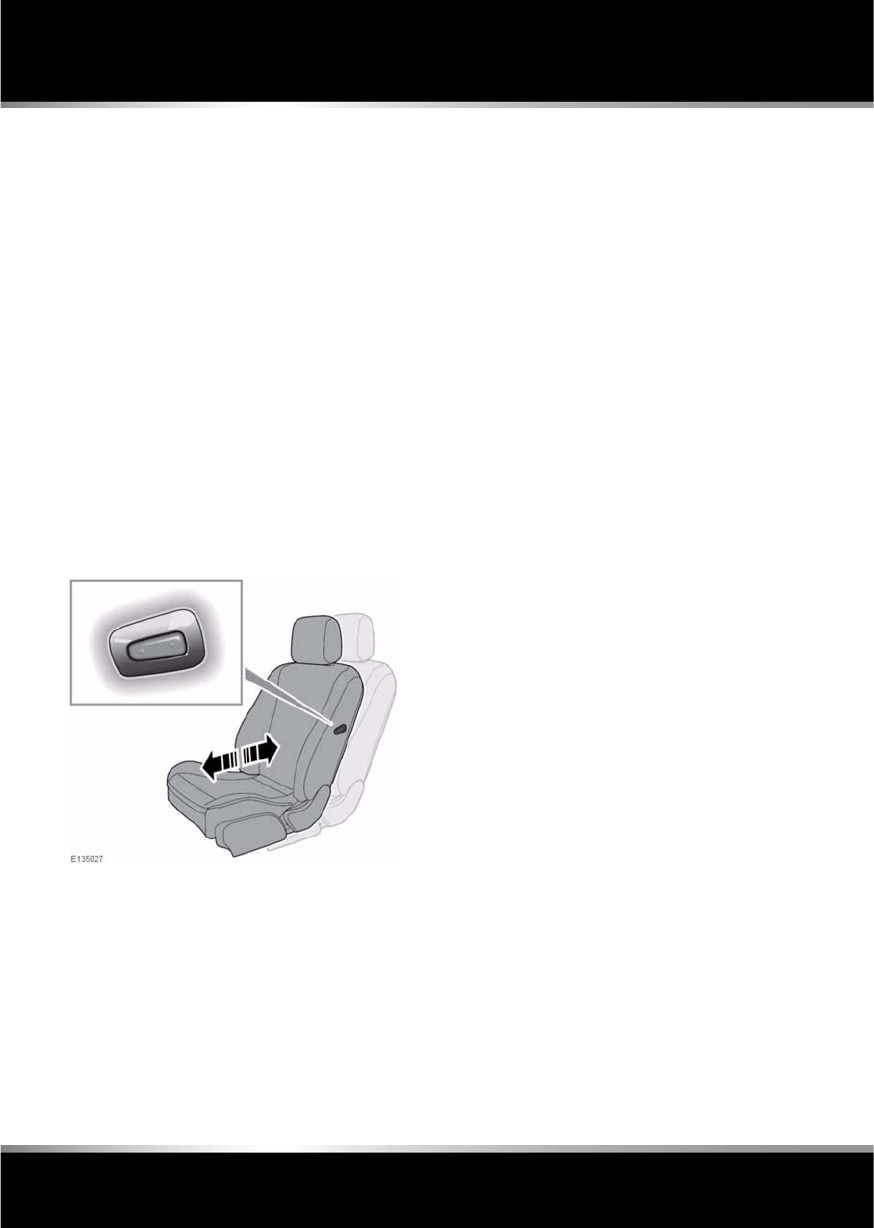
PASSENGER SEAT AWAY
This feature allows the fore and aft position of
the front passenger seat to be adjusted from
the driver seat and rear passenger seats. Press
the front of the button to move the seat
forewards; press the rear of the button to move
the seat rearwards.

R
(FM8) SEMCON JLR OWNER GUIDE VER 1.00 EURO
LANGUAGE: english-en; MARQUE: jaguar; MODEL: XF
Rear seats
17
Rear seats
REAR SEAT SAFETY
All vehicle occupants should be
seated correctly, and wear a seat belt
at all times when the vehicle is in
motion.
FOLDING THE REAR SEATS
All items carried in the vehicle should
be properly secured. See 68,
LUGGAGE ANCHOR POINTS.
Unsecured items can cause death or
serious injury in the event of an
impact or sudden manoeuvre.
When using seat belts to restrain
items other than occupants, ensure
that the belts are not damaged or
exposed to sharp edges.
Never allow passengers to travel in
the luggage compartment under any
circumstances.
Always take note of safety warnings
and labels attached to the rear seats.
The labels give advice on safely
folding and erecting the seats.
Ensure that the removed head
restraints are stored securely. Never
leave them loose in the vehicle, as
they can cause serious injury or death
in the event of an accident, heavy
braking or sudden manoeuvre.
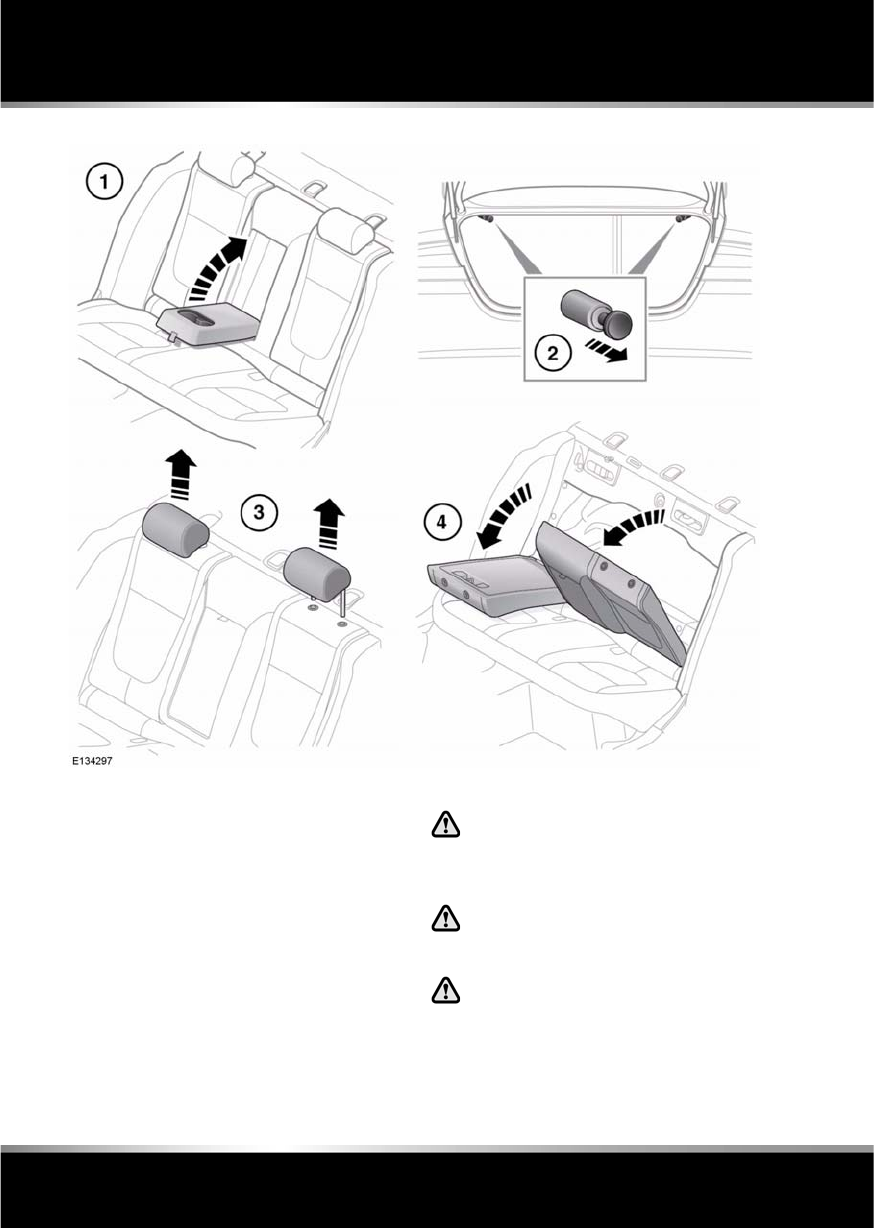
L
(FM8) SEMCON JLR OWNER GUIDE VER 1.00 EURO
LANGUAGE: english-en; MARQUE: jaguar; MODEL: XF
Rear seats
18
1. Stow the rear arm rest.
2. With the luggage compartment open, pull
the relevant seat release button, located as
shown (view from the rear of the vehicle
with the luggage compartment open
shown).
3. Remove the head restraint(s) from the
area(s) of the seat back to be folded.
4. Full fold the seat back forwards and, if
required, repeat the process for the second
seat section.
ERECTING THE REAR SEATS
Ensure that when the seat back is
raised, the seat belts are routed
correctly and are not trapped by the
seat back.
Ensure that when the seat back is
raised, the locking mechanism is fully
engaged.
Before driving, ensure that the head
restraints are correctly fitted to the
rear seats. See 21, REAR HEAD
RESTRAINT REMOVAL.
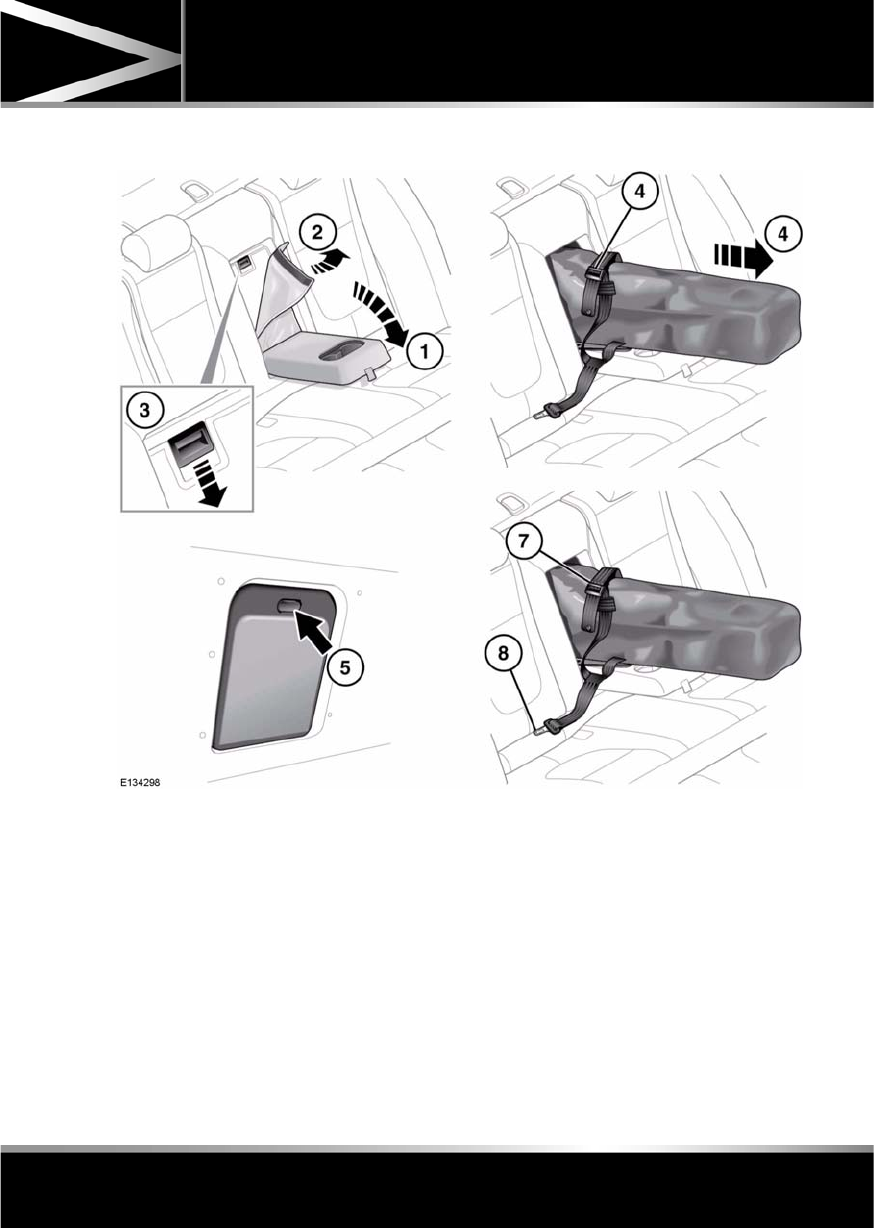
R
(FM8) SEMCON JLR OWNER GUIDE VER 1.00 EURO
LANGUAGE: english-en; MARQUE: jaguar; MODEL: XF
Rear seats
19
SKI HATCH
1. Fold down armrest.
2. Pull leather flap forward.
3. Press catch down to release the inner
hatch door and lower onto armrest.
4. Pull ski bag from the hatch into the vehicle
and loosen retaining strap.
5. From the luggage compartment, press the
catch down to release the outer hatch door.
6. Push the skis through the hatch into the ski
bag.
7. Secure the skis by tightening the ski bag
retaining strap.
8. Clip the strap connector into the centre rear
seat belt buckle.
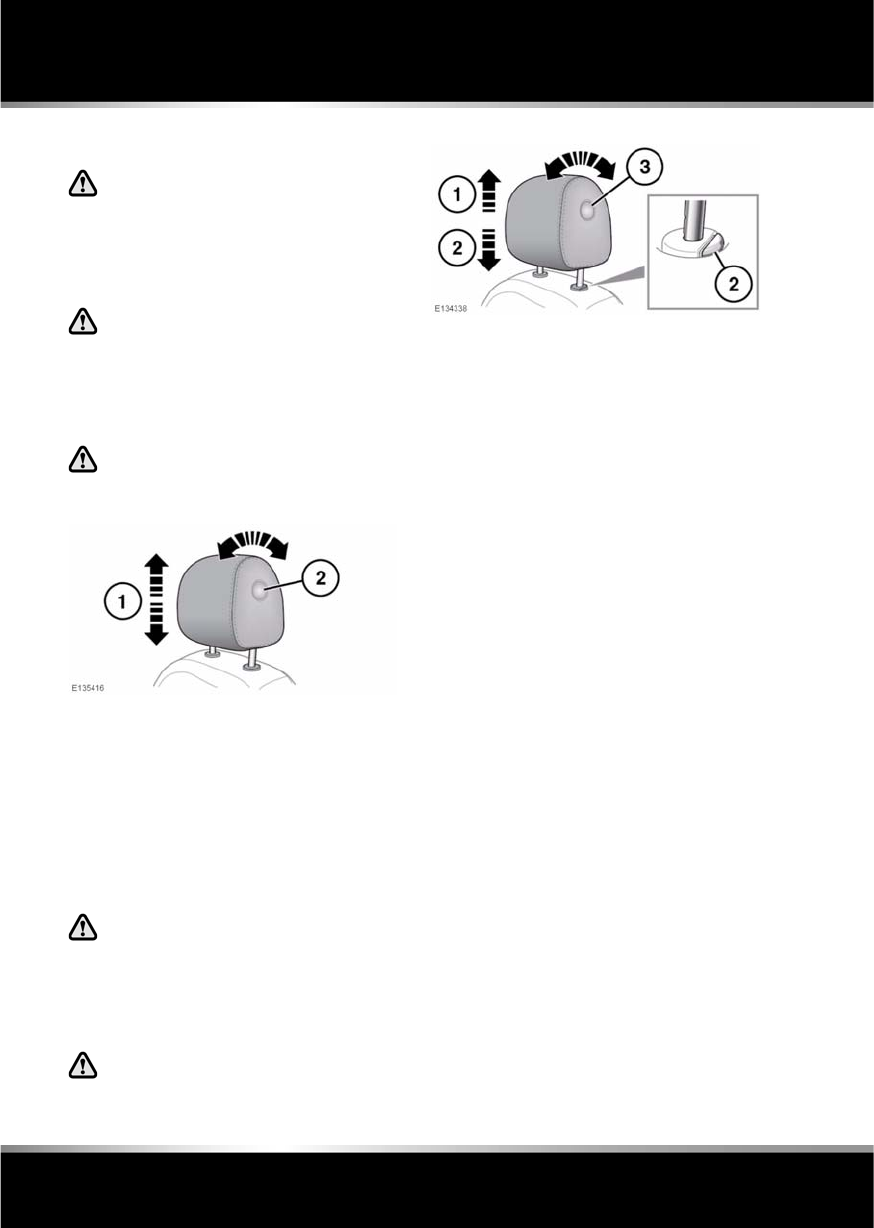
L
(FM8) SEMCON JLR OWNER GUIDE VER 1.00 EURO
LANGUAGE: english-en; MARQUE: jaguar; MODEL: XF
Head restraints
20
Head restraints
FRONT HEAD RESTRAINTS
Adjust the head restraint so that the
top of the head restraint is above the
centre line of the head. An incorrectly
adjusted head restraint increases the
risk of death or serious injury in the
event of a collision.
It is possible to swivel the head
restraint forwards or backwards. For
greater protection in the event of a
collision, the head restraint should be
adjusted so that it is as close to the
back of the head as is practical.
Never adjust the head restraints while
the vehicle is in motion.
Powered head restraints:
1. To adjust the height of the head restraint,
see 12, ELECTRIC SEATS.
2. To adjust the angle of the head restraint,
press the locking button on the side of the
restraint and tilt to the desired position.
Note: It is not possible to remove powered
head restraints.
Manual head restraints:
Do not drive or carry passengers with
the head restraint removed from an
occupied seat. The absence of a
correctly adjusted head restraint
increases the risk of neck injury in the
event of a collision.
Always store a removed head restraint
securely.
1. To raise, pull the restraint upwards, it will
click and lock in position.
Note: Do not try to raise the head restraint
further than the third adjustment position.
2. To lower, depress the locking collar and
push down on the restraint.
3. To adjust the angle of the head restraint,
press the locking button on the side of the
restraint and tilt to the desired position.
Note: The head restraint can only be removed
if the seat is moved forward or back to create
more space.
Manual head restraints may be removed, if
required (e.g. to fit larger child seats). Raise
the head restraint to its uppermost position
and press the locking collar. Lift the restraint
out of the seat back.
Ensure the head restraint is refitted before the
seat is used by a passenger.
To refit the head restraint, ensure it is facing
the correct direction, insert the stems of the
head restraint into the sockets and push it
downwards until at least the first click.
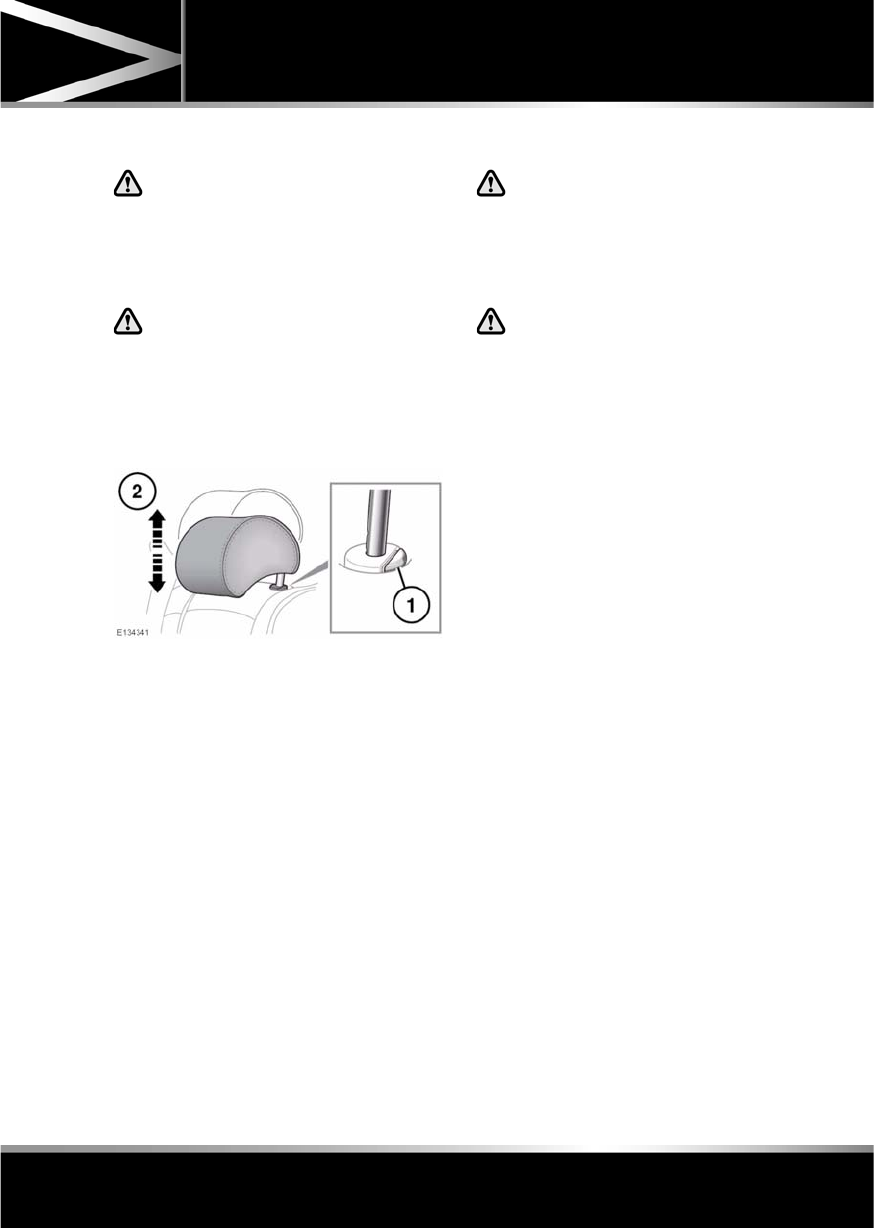
R
(FM8) SEMCON JLR OWNER GUIDE VER 1.00 EURO
LANGUAGE: english-en; MARQUE: jaguar; MODEL: XF
Head restraints
21
REAR HEAD RESTRAINTS
Head restraints are designed to
support the head, not the back of the
neck. The head restraint must be
positioned correctly to restrain
rearward movement of the head in the
event of a collision.
While stationary, adjust the head
restraint so that the top of the head
restraint is above the centre line of the
head. An incorrectly adjusted head
restraint increases the risk of death or
serious injury in the event of a
collision.
1. If the head restraint is to be lowered, press
and hold the locking collar (it is
unnecessary to press the locking collar to
raise the restraint).
2. Move the head restraint up or down to the
required position.
REAR HEAD RESTRAINT REMOVAL
Do not drive or carry passengers with
the head restraint removed from an
occupied seat. The absence of a
correctly adjusted head restraint
increases the risk of neck injury in the
event of a collision.
Always store a removed head restraint
securely.
It is possible to remove the rear head
restraints, if required (e.g. to enable the fitment
of a child restraint), as follows:
•Raise the head restraint to its uppermost
position and press the locking collar.
•Lift the head restraint out of the seat.
Ensure the head restraint is refitted before the
seat is used by a passenger.
To refit the head restraint, ensure it is facing
the correct direction, insert the stems of the
head restraint into the sockets and push it
downwards until at least the first click.
L
(FM8) SEMCON JLR OWNER GUIDE VER 1.00 EURO
LANGUAGE: english-en; MARQUE: jaguar; MODEL: XF
Steering wheel
22
Steering wheel
ADJUSTING THE STEERING WHEEL
Never adjust the steering wheel whilst
the vehicle is moving.
Do not use steering wheel mounted
security devices. Movement of the
steering wheel in exit and entry mode,
could result in damage to the vehicle or
possible injury to the occupant.
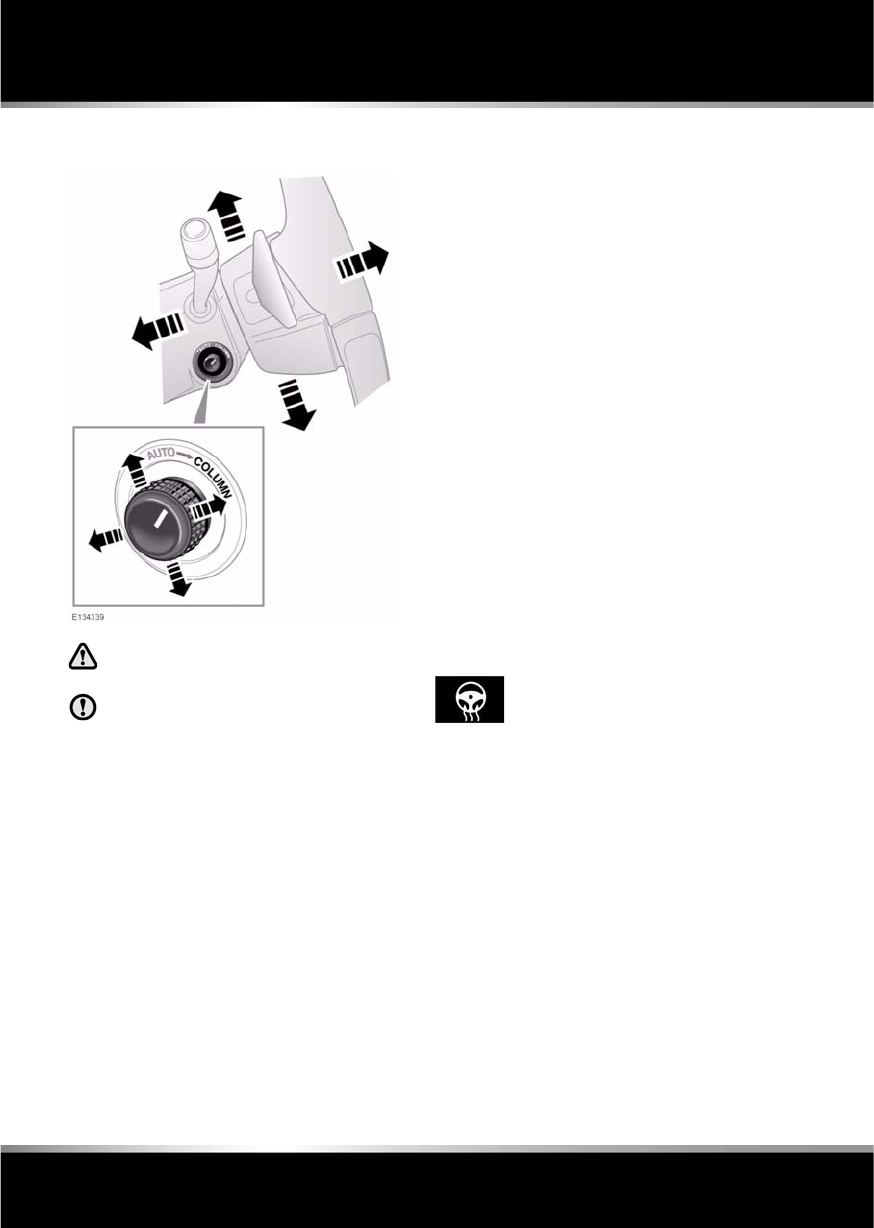
The steering wheel can be adjusted for tilt and
reach as follows:
•Move the control forwards or rearwards to
adjust reach.
•Move the switch up or down to adjust tilt.
Two steering wheel positions can be stored
and recalled, along with seat and exterior
mirror positions, by the driving position
memory. See 15, DRIVING POSITION
MEMORY.
ENTRY AND EXIT MODE
With the steering column adjustment control in
the AUTO position, the steering column will
move to provide easier entry and exit from the
vehicle, as follows:
•Exit: When the driver’s door is opened, the
steering column will move to the
uppermost tilt position.
•Entry: When the driver’s door is closed and
the ignition is turned on, the steering
column will return to its previously
selected driving position.
Note: If the column control is moved away
from AUTO when the column is in the Exit
position, the column will still move back to its
previous driving position when the driver’s
door is closed and the ignition is switched on.
Note: If the column is manually adjusted
during Entry or Exit operation, column
movement will stop.
HEATED STEERING WHEEL
Touch this icon on the touch
screen Home or Climate menu, to
activate the steering wheel heater.
Press again to turn off.

R
(FM8) SEMCON JLR OWNER GUIDE VER 1.00 EURO
LANGUAGE: english-en; MARQUE: jaguar; MODEL: XF
Occupant safety
23
Occupant safety
SEAT BELT SAFETY
Care should be taken to avoid
contamination of the webbing with
polishes, oils and chemicals, and
particularly battery acid. Cleaning
may safely be carried out using mild
soap and water.
The belt should be replaced if
webbing becomes frayed,
contaminated or damaged.
It is essential to replace the entire
assembly after it has been worn in a
severe impact, even if damage to the
assembly is not obvious.
Do not carry hard, fragile or sharp
items between your person and the
seat belt.
Seat belts should be worn by all
vehicle occupants, for every journey,
no matter how short.
When using seat belts to restrain
items other than occupants, take care
to ensure that the belts are not
damaged, or exposed to sharp edges.
The use of comfort clips, or devices
that would create slackness in the
seat belt system, is not advised.
SEAT BELT CHECKS
Note: If the vehicle is parked on an incline, the
seat belt mechanism may lock. This is a safety
feature and the belt should be gently eased out
from the upper anchorage.
The seat belts should be inspected regularly to
check for fraying, cuts or wear to the webbing,
and the condition and security of the
mechanism, buckles, adjusters, and mounting
points.
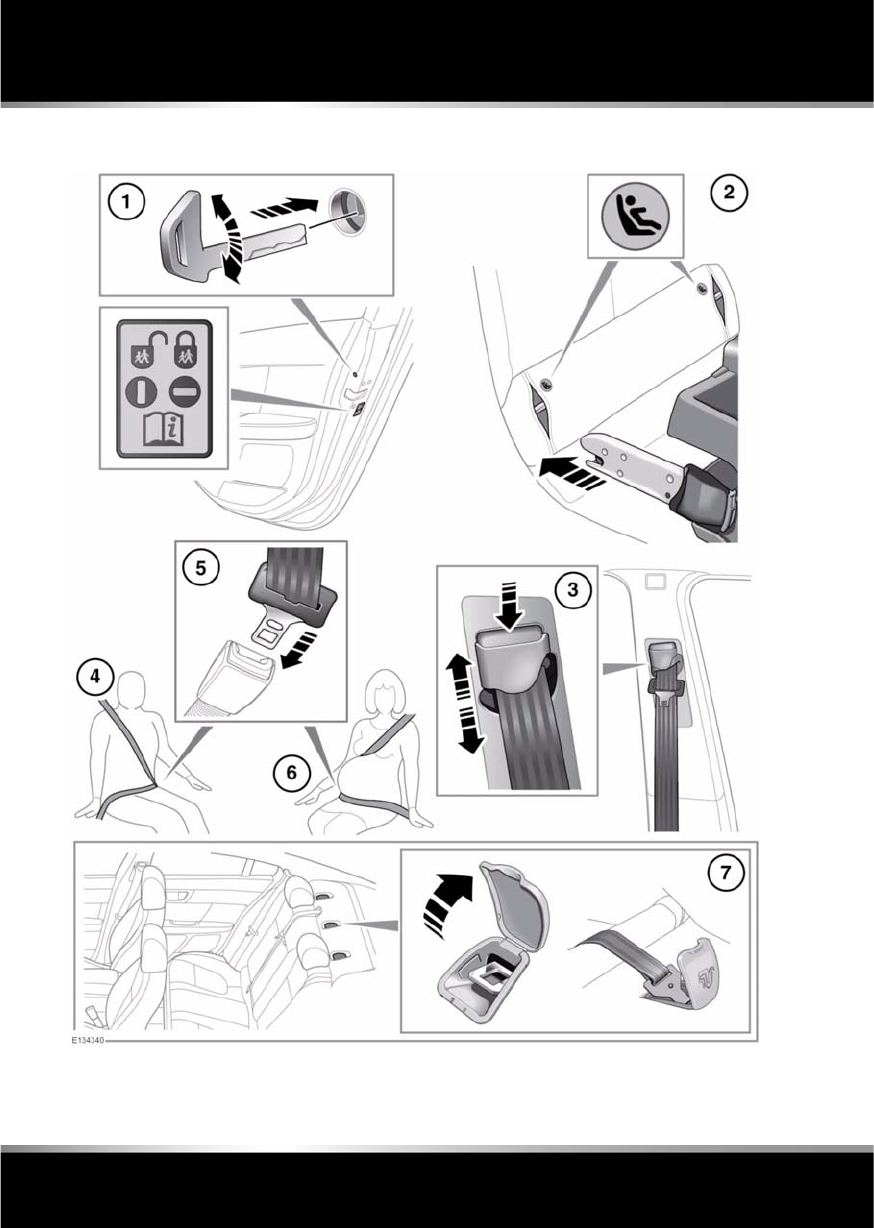
•With the seat belt fastened, give the
webbing near the buckle a quick upward
pull. The buckle must remain securely
locked.
•With the seat belt unfastened, unreel the
seat belt to the limit of its travel. Check that
it unreels smoothly with no snatches or
snags. Allow the belt to fully retract, again
checking for smooth operation.
•Partially unreel the seat belt, then hold the
tongue plate and give a quick forward pull.
The mechanism must lock and prevent any
further unreeling.
If any of the seat belts fail to meet those
criteria, immediately contact your Dealer/
Authorised Repairer.
L
(FM8) SEMCON JLR OWNER GUIDE VER 1.00 EURO
LANGUAGE: english-en; MARQUE: jaguar; MODEL: XF
Occupant safety
24
USING SEAT BELTS AND CHILD SAFETY LOCKS
R
(FM8) SEMCON JLR OWNER GUIDE VER 1.00 EURO
LANGUAGE: english-en; MARQUE: jaguar; MODEL: XF
Occupant safety
25
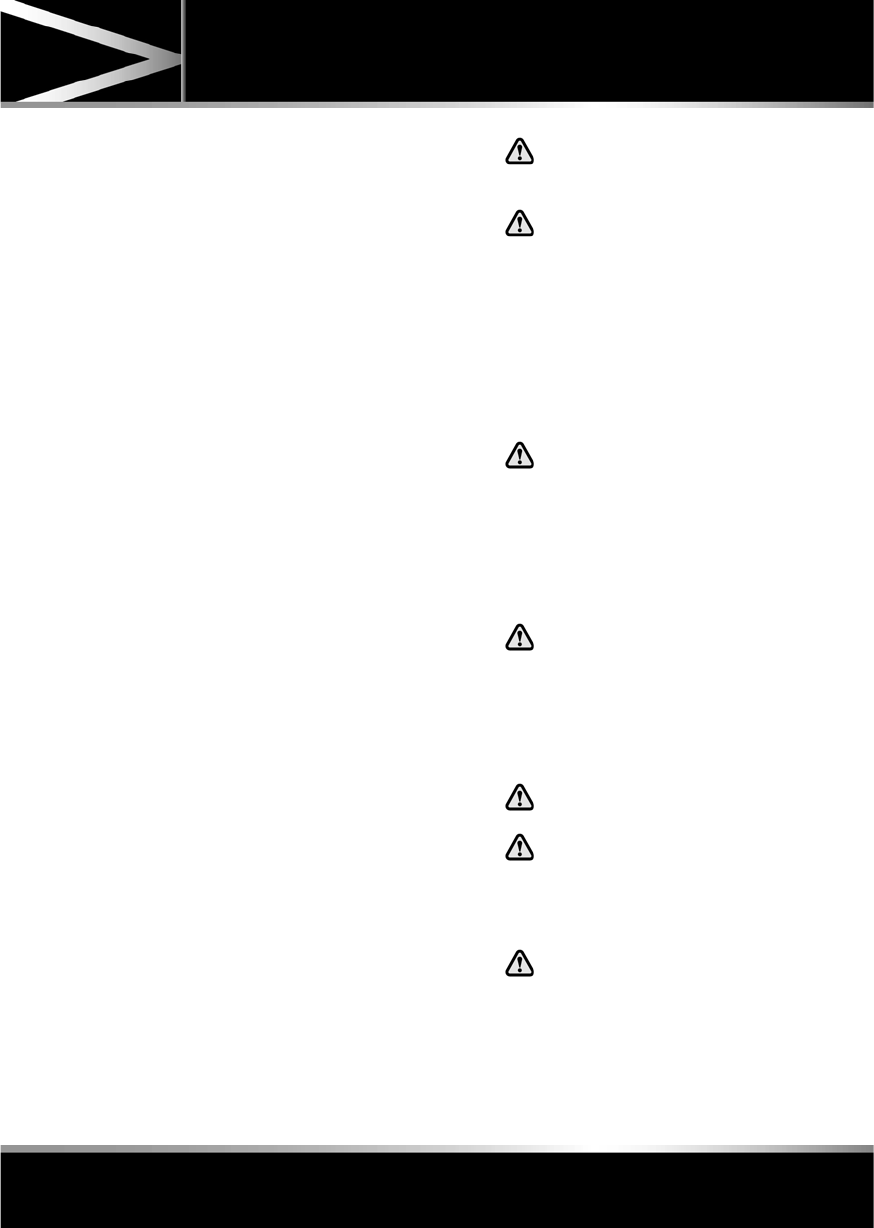
1. If children are to be carried in the rear seat
positions, it is recommended that the rear
door interior handles are disabled.
To change the child lock settings:-
•Open the door to access the child
safety lock.
•Insert the emergency key into the slot
and rotate a quarter of a turn, to enable
or disable the interior door handle, as
required.
2. To install an ISOFIX child seat (not
Australia):-
•Raise the head restraint on the relevant
seat.
•Locate the lower anchor bars which are
accessible through the gap between
the seat back and seat base. Insert the
protective guides supplied with the
child seat as shown. The insertion
positions for the guides are identified
by the ISOFIX labels.
•Slide the child seat locking mechanism
into the protective sleeves and onto the
anchor bars.
•Test the security of the child restraint.
To do this, attempt to pull the restraint
away from the vehicle seat and twist
the restraint from side to side. Even if
the restraint appears secure you
should always check the anchor points
visually to ensure correct attachment.
Note: Always ensure that if an upper tether
is provided, it is fitted and tightened
correctly.
3. To adjust the seat belt height:-
•Press to release the catch.
•With the catch depressed slide the
mechanism up or down to the required
height. Release the catch and ensure
the locking mechanism has engaged.
The use of comfort clips or devices
that would create slack in the seat
belt system, is not advised.
No modifications or additions
should be made by the user which
will either prevent the seat belt
adjusting devices from operating
to remove slack, or prevent the
seat belt assembly from being
adjusted to remove slack.
4. Draw the belt out smoothly, ensure that the
belt height, the seat, and your position on
the seat are correct.
Seat belts are designed to bear
upon the bony structure of the
body, and should be worn low
across the front of the pelvis or the
pelvis, chest and shoulders, as
applicable; wearing the lap
section of the belt across the
abdominal area must be avoided.
Seat belts should be adjusted as
firmly as possible, consistent with
comfort, to provide the protection
for which they have been
designed. A slack belt will greatly
reduce the protection afforded to
the wearer.
Belts should not be worn with the
straps twisted.
Each belt assembly must only be
used by one occupant; it is
dangerous to put a belt around a
child being carried on the
occupant's lap.
The occupants of the front seats
should not travel with the seat
back at more than 30 degrees from
upright. Doing so will reduce the
protection afforded by the seat
belt.
L
(FM8) SEMCON JLR OWNER GUIDE VER 1.00 EURO
LANGUAGE: english-en; MARQUE: jaguar; MODEL: XF
Occupant safety
26
Never place anything between you
and the seat belt. It can be
dangerous and reduce the
effectiveness of the seat belt in
preventing injury.
5. With the seat belt correctly positioned,
place the metal tongue into the buckle
nearest to you. Press it in until a click is
heard. Ensure that all slack has been taken
up by the retractor and the belt fits tightly
across the hips.
To release the seat belt, press the red
button.
Note: When releasing the seat belt it is
advisable to hold the belt before pressing
the release button. This will prevent the
belt from retracting too quickly.
6. Use of seat belts during pregnancy:
Position the lap strap comfortably across
the hips beneath the abdomen. Place the
diagonal part of the seat belt between the
breasts and to the side of the abdomen.
Position the seat belt correctly for
the safety of the mother and
unborn child. Never wear just the
lap strap, and never sit on the lap
strap whilst using just the
shoulder strap. Both of these
actions are extremely dangerous
and increase your risk of serious
injury in the event of an accident
or during emergency braking.
Never place anything between you
and the seat belt in an attempt to
cushion the impact in the event of
an accident. It can be dangerous
and reduce the effectiveness of
the seat belt in preventing injury.
Ensure that the seat belt is not
slack or twisted.
7. Tether strap anchorages. See 31,
INSTALLING TETHER ANCHORAGE CHILD
RESTRAINTS .
Child restraint anchorages are
designed to withstand only those
loads imposed by correctly fitted
child restraints. Under no
circumstances are they to be used
for adult seat belts, harnesses or
for attaching other items or
equipment to the vehicle.
If a child seat or restraint system
is to be fitted to the centre seating
position, the centre armrest must
be in the stowed position (folded
into the seat).
Note: A tether anchorage is provided for
the centre seat position. Do not use this
anchor position with an ISOFIX child seat.
SEAT BELT WARNING LAMP
The warning lamp will also flash in conjunction
with the Beltminder warning chime.
BELTMINDER
The warning lamp in the
instrument panel stays illuminated
when the driver’s or front
passenger’s seat belt is not
fastened (if the passenger seat is
occupied). The lamp should
extinguish when the seat belt is
fastened.
The beltminder system warns the
driver (using the seat belt warning
lamp) when the seat belt of an
occupied front seat is not fastened
or is unfastened during a journey.

R
(FM8) SEMCON JLR OWNER GUIDE VER 1.00 EURO
LANGUAGE: english-en; MARQUE: jaguar; MODEL: XF
Occupant safety
27
If the vehicle is moving at or above 16 km/h (10
mph) and the seat belt of an occupied front
seat is not fastened, the warning lamp will
flash.
The flashing lasts for 10 seconds and repeats
every 10 seconds for approximately 5 minutes
or until the belt(s) is fastened or the vehicle
stops.
If the warning lamp remains illuminated after
the seat belt(s) fastened, seek qualified
assistance as soon as possible. The vehicle can
still be driven with the warning lamp
illuminated, provided the seat belt(s) is
properly fastened.
Note: If a heavy object is placed on the front
passenger seat, it may activate the Beltminder
feature. It is recommended that the object be
placed in the luggage compartment or secured
using the seat belt.
Note: Although not advisable, it is possible to
disable the Beltminder function. Please see
your Dealer/Authorised Repairer to disable or
re-instate the function.
ACTIVE SEAT BELTS
The Active Seat Belt System enhances front
seat occupant support during extreme vehicle
manoeuvres such as understeer, oversteer or
high braking forces by tensioning the seat belt.
Tension is released when the vehicle
manoeuvre is completed. The occupant may
notice a further slight increase in tension just
prior to release of the seat belt, which is
entirely normal.
In the unlikely event that tension is not released
after a manoeuvre is completed, bring the
vehicle to a safe stop. Unbuckle and re-buckle
the seat belt, which should then extract and
retract normally, before continuing with the
journey.
Seat belts should be worn by all
vehicle occupants, for every journey,
no matter how short.
If the Active Seat Belts Unavailable message
and the yellow general warning symbol are
displayed in the message centre, contact your
Jaguar Dealer/ Authorised Repairer as soon as
possible. The vehicle is still safe to drive and
the Active Seat Belts will still function as
standard seat belts.
CHILD SEATS
For optimum safety, children should
travel in the rear of the vehicle at all
times; front passenger seat travel is
not recommended. However, if it is
essential that a child travels in the
front (not permitted in Australia), set
the vehicle seat fully rearward and
seat the child in an approved
forward-facing child seat. Do not use
a rear-facing child seat - an inflating
airbag could impact with the seat and
cause serious injury.
Do not use a forward facing child seat
until the child using it is above the
minimum weight of 9 kg (20 lb.) and
able to sit up unaided. Up to the age of
two, a child's spine and neck are not
sufficiently developed to avoid injury
in a frontal impact.
Do not allow a baby or infant to be
held or carried on the lap. The force of
a crash can increase effective body
weight by as much as thirty times,
making it impossible to hold onto the
child.

L
(FM8) SEMCON JLR OWNER GUIDE VER 1.00 EURO
LANGUAGE: english-en; MARQUE: jaguar; MODEL: XF
Occupant safety
28
Children typically require the use of a
booster seat appropriate to their age
and size, thereby enabling the seat
belts to be properly fitted, reducing
the risk of injury in a crash. Children
could be endangered in a crash if their
child restraints are not properly
secured in the vehicle.
Do not use a child seat that hooks over
the seat back. This type of seat cannot
be satisfactorily secured and is
unlikely to be safe for your child.
The seat belts fitted to your vehicle are
designed for adults and larger children. It is
very important for all infants and children
under 12 years of age to be restrained in a
suitable child safety seat appropriate to their
age and size.
If it is essential that a child travels in the front
passenger seat (and national legislation
permits this), Jaguar recommends that the
following preparations are made before fitting
the child restraint.
•Adjust the front passenger seat fully
rearwards.
•Adjust the lumbar support to its minimum
support position.
•Adjust the seat cushion to its highest
position. If cushion front tilt adjustment is
possible, adjust it to its lowest position.
•Adjust the seat back to the fully upright
position.
•Adjust the seat belt adjustable upper
anchorage to its lowest position.
Extreme hazard! Do not use a
rearward facing child restraint on a
seat protected by an airbag in front of
it.
This symbol, affixed to the end of the fascia on
the passenger side, warns against the use of a
rear-facing child seat in the front passenger
seat, when a front passenger airbag is fitted
and operational.
CHILD RESTRAINT CHECK LIST
Every time a child travels in the vehicle observe
the following:-
•Use appropriate child restraints.
•Carefully follow the restraint system
manufacturers instructions.
•Adjust the harnesses for every child on
every trip.
•Ensure that all slack is removed from the
adult seat belt.
•Always attach the top tether when
installing an ISOFIX seat.
•Always check the security of the child
restraint.
•Do not dress a child in bulky clothing, or
place any objects/padding between the
child and the restraint.
•Regularly check the fit and condition of
child restraints. If the fit is poor, or
wear/damage is visible replace the restraint
immediately.
•Set a good example - always wear your
seat belt.
R
(FM8) SEMCON JLR OWNER GUIDE VER 1.00 EURO
LANGUAGE: english-en; MARQUE: jaguar; MODEL: XF
Occupant safety
29
Child restraint anchorages are
designed to withstand only those
loads imposed by correctly fitted child
restraints. Under no circumstances
are they to be used for adult seat
belts, harnesses or for attaching other
items or equipment to the vehicle.
BOOSTER SEATS
In a situation where a child is too large to fit
into a child safety seat, but is still too small to
safely fit the three point belt properly, a booster
seat is recommended for maximum safety.
Follow the manufacturer's instructions for
fitting and use, then adjust the seat belt to suit.
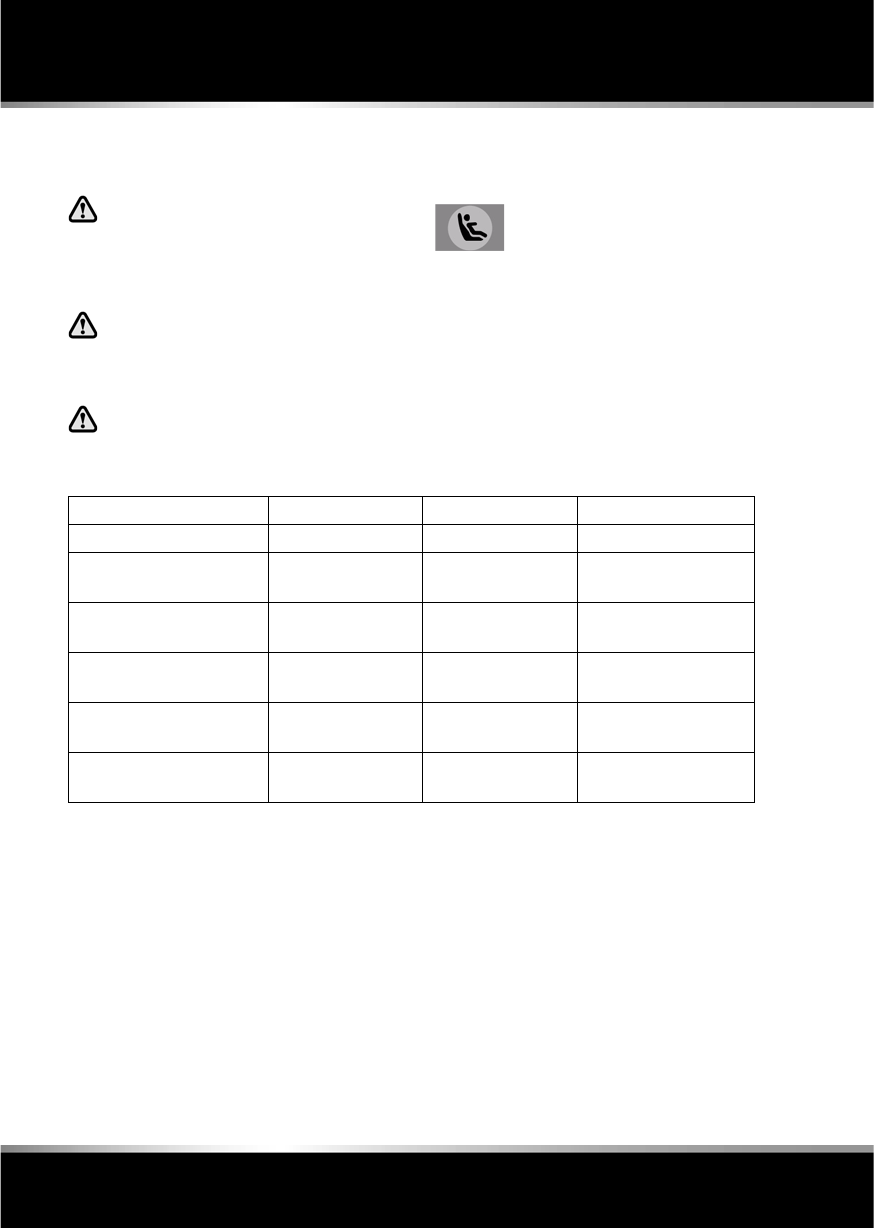
CHILD SEAT POSITIONING
Information given within the table is
correct at the time of going to press.
However, availability of child restraints
may change. Please consult your
Dealer/ Authorised Repairer for the
latest recommendation.
Note: The information contained in the
following table may not be applicable to all
countries. If you are in any doubt regarding the
type and fitment of child seats seek advice from
your Dealer/Authorised Repairer.
•U = Suitable for universal category
restraints approved for this mass group.
•UF = Suitable for forward facing Universal
category restraints approved for this mass
group.
•X = Not suitable for child restraint fitment
in this mass group.
* Jaguar recommend that the front passenger
seat be positioned fully rearward, with the
cushion adjusted to the highest position when
installing child restraints.
Note: Ages given are approximate. In case of
doubt, the child’s weight, not age, should be
used when considering an appropriate child
seat.
Crash statistics show that children are
safest when properly restrained in a
child or infant restraint systen that is
secured in a rear seating position.
Mass group Seating positions
Front
passenger*
Rear outboard Rear centre
0 = Up to 10 kg (22 lb.) 0 to 9 months X U U
0+ = Up to 13 kg (29 lb.) 0 to 18 months X U U
I = 9 to 18 kg (20 to 40 lb.) 9 months to 4
years
UF U U
II = 15 to 25 kg (33 to 55 lb.) 4 to 9 years U U U
III = 25 to 36 kg (55 to 80 lb.) 8 to 12 years U U U
L
(FM8) SEMCON JLR OWNER GUIDE VER 1.00 EURO
LANGUAGE: english-en; MARQUE: jaguar; MODEL: XF
Occupant safety
30
ISOFIX ANCHOR POINTS (not
Australia)
Do not attempt to fit ISOFIX restraints
to the centre rear seating position.
The anchor bars are not designed to
hold an ISOFIX restraint in this
position.
If the restraint is not correctly
anchored, there is a significant risk of
injury to the child in the event of a
collision or emergency braking.
If removing a head restraint in order to
fit a child restraint, always secure the
head restraint when storing it.
Both of the outer rear seat positions are
equipped to accept ISOFIX restraints.
Note: The information contained in the
following table may not be applicable to all
countries. If you are in any doubt regarding the
type and fitment of child seats seek advice from
your Jaguar Dealer/Authorised Repairer.
•IUF = Suitable for ISOFIX forward child
restraint systems of universal category
approved for use in the mass group.
•IL = These ISOFIX child restraint systems
are of the specific vehicle, restricted or
semi-universal categories.
•X = Not suitable for child restraint fitment
in this mass group.
•* = Child seat suitable for use in these
locations is the Britax/Römer Baby Safe
Plus.
Note: Ages given are approximate. In case of
doubt, the child’s weight, not age, should be
used when considering an appropriate child
seat.
This symbol is shown on a label
sewn into the seats to indicate the
position of the ISOFIX lower
anchorages.
Mass group Size classes Fixtures Rear outboard seats
Carrycot F/G ISO L1/L2 X
0 = Up to 10 kg (22 lb.) 0 to
9 months
EISO R1 IL*
0+ = Up to 13 kg (29 lb.) 0
to 18 months
C/D/E ISO R1/R2/R3 IL*
I = 9 to 18 kg (20 to 40 lb.)
9 months to 4 years
C/D
A/B1/B
ISO R2/R3
ISO F2/F2X/F3
X
IUF
II = 15 to 25 kg (33 to 55
lb.) 4 to 9 years
-N/AN/A
III = 22 to 36 kg (49 to 80
lb.) 8 to 12 years
-N/AN/A

R
(FM8) SEMCON JLR OWNER GUIDE VER 1.00 EURO
LANGUAGE: english-en; MARQUE: jaguar; MODEL: XF
Occupant safety
31
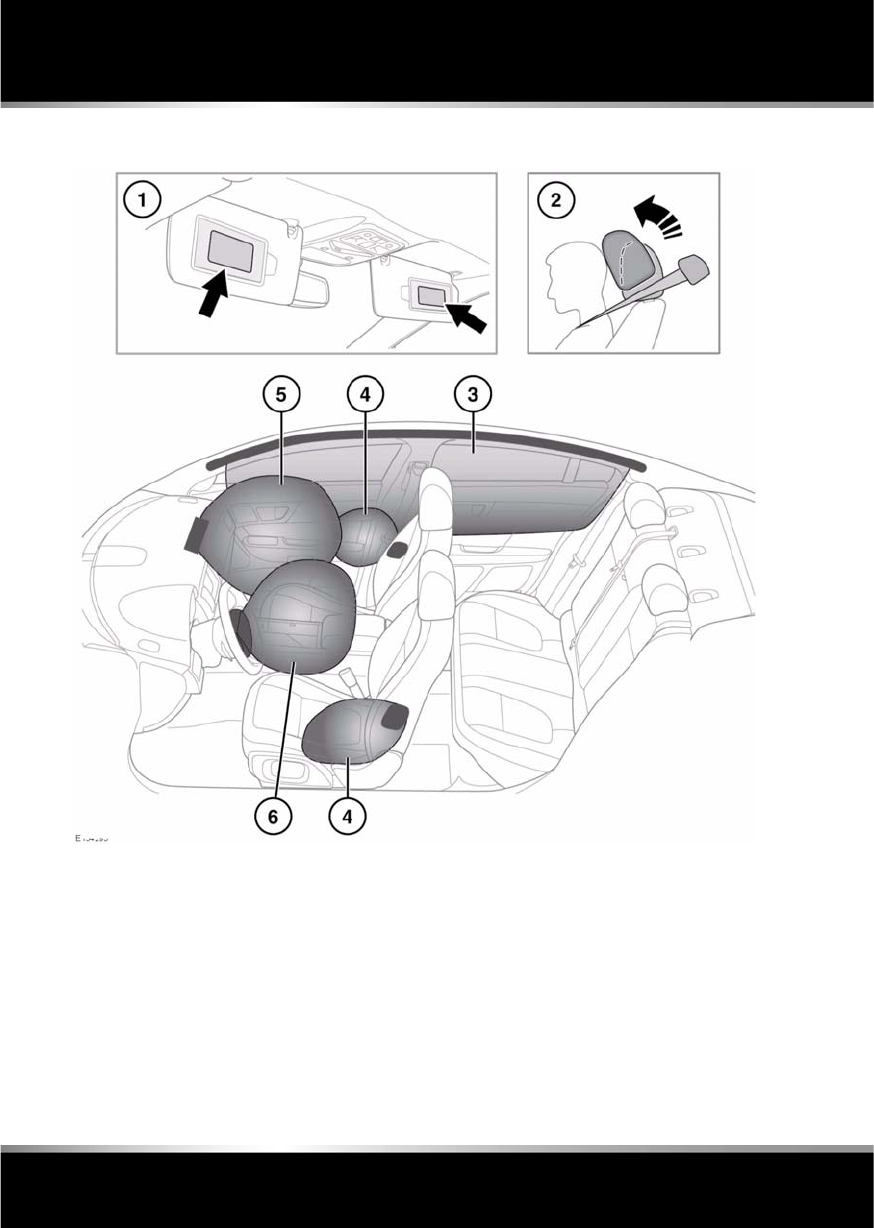
INSTALLING TETHER ANCHORAGE
CHILD RESTRAINTS
1. Install the child restraint securely in one of
the rear seating positions.
2. Pass the tether strap over the seat back and
beneath the head restraint.
3. Attach the tether strap hook to the tether
anchor point on the back of the seat.
Ensure that the tether strap hook is facing
the correct way. See item 7 in 24, USING
SEAT BELTS AND CHILD SAFETY
LOCKS24, USING SEAT BELTS AND
CHILD SAFETY LOCKS .
4. Tighten the tether strap according to the
manufacturer's instructions.
L
(FM8) SEMCON JLR OWNER GUIDE VER 1.00 EURO
LANGUAGE: english-en; MARQUE: jaguar; MODEL: XF
Occupant safety
32
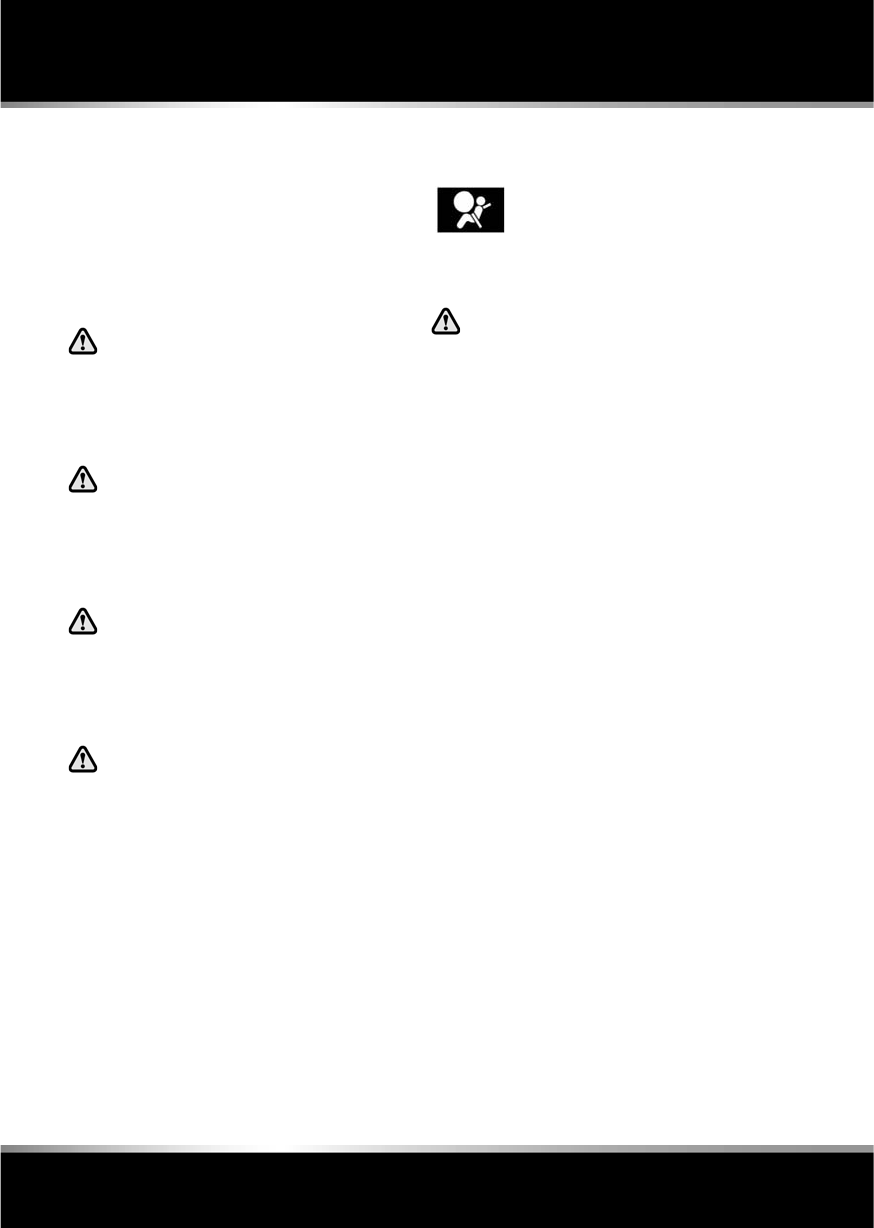
AIRBAGS AND ACTIVE HEAD RESTRAINTS
1. Airbag warning information is printed on
the driver and passenger sun visors.
2. Both front seats are equipped with Active
Head Restraints (AHR), which reduce the
risk of neck and spinal injury (whiplash) in
the event of a rear impact, by moving the
head restraint upwards and forwards,
supporting the occupant’s head.
After activation, the whiplash protection
mechanism resets automatically and does
not need to be replaced.
3. The curtain airbags may deflate at a slower
rate than the front or side airbags, to afford
prolonged protection.
4. Seat mounted side airbags.
5. Front passenger airbag.
6. Driver’s airbag.

R
(FM8) SEMCON JLR OWNER GUIDE VER 1.00 EURO
LANGUAGE: english-en; MARQUE: jaguar; MODEL: XF
Occupant safety
33
Note: The general location of airbags fitted to
the vehicle are marked by the word AIRBAG.
Always contact your Dealer/Authorised
repairer if:
•An airbag inflates.
•The front or sides of the vehicle are
damaged.
•Any part of the Airbag Supplementary
Restraint System (SRS) shows signs of
cracking or damage, including trim
covering airbags.
AIRBAG OPERATION
For the airbags to operate correctly
the roof lining and door post trims
must be in good condition, correctly
fitted, and free from obstruction. Any
damage, wear, or incorrect fitment
should be referred to your Dealer/
Authorised repairer as soon as
possible for examination and repair.
Do not obstruct the operation of the
airbags by placing any part of their
person or any objects in contact with,
or close to, an airbag module. Only
use approved accessories (e.g. seat
covers).
Ensure that a gap is maintained
between the side of the vehicle, and
the head and torso. This will enable
unobstructed inflation of the curtain,
and seat mounted side airbags.
Airbags inflate at high speeds. To
minimise the risk of injury, ensure
that all vehicle occupants wear
correctly positioned seat belts, sit
correctly in the seats, and position the
seats as far back as practical.
Airbag inflation takes place
instantaneously, and cannot protect
against the effects of secondary
impacts. Under these circumstances
the only protection will be provided by
a correctly worn seat belt.
Phone systems should only be
installed by qualified persons familiar
with the operation of, and
requirements for, vehicles fitted with
SRS. If you are in any doubt, seek
advice from your Dealer/Authorised
repairer.
Airbag deployment is dependent on the rate at
which the passenger compartment changes
velocity following the collision. Circumstances
affecting different collisions (vehicle speed,
angle of impact, type and size of object hit,
etc.), vary considerably and will affect the rate
of deceleration accordingly.
The Supplementary Restraint System (SRS)
components include:-
•SRS warning indicator.
•Rotary coupler.
•Airbag modules.
•Seat belt pre-tensioners (front seat belts).
•Airbag diagnostic control unit.
•Crash sensors.
•Airbag wiring harnesses.
The SRS is not designed to operate as a result
of:
•Rear impacts.
•Minor front impacts.
•Minor side impacts.
•Heavy braking.
•Driving over bumps and pot holes.
Therefore, it follows that considerable
superficial damage to the vehicle can occur,
without causing the airbags to deploy.
L
(FM8) SEMCON JLR OWNER GUIDE VER 1.00 EURO
LANGUAGE: english-en; MARQUE: jaguar; MODEL: XF
Occupant safety
34
SEAT BELT PRE-TENSIONERS
The seat belt pre-tensioners activate in
conjunction with the Supplementary Restraint
System (SRS) to provide additional protection
in the event of a severe frontal impact. They
automatically reduce any slack in a seatbelt to
reduce forward movement of a front seat
occupant.
The seat belt pre-tensioners will
activate only once and then must be
replaced. Failure to replace them will
reduce the effectiveness of the SRS in
reducing the risk of serious injury or
death in the event of an accident.
After any impact, have the seat belts
and pre-tensioners checked and, if
necessary, replaced by a Land Rover
Dealer/Authorised Repairer.
AIRBAG DEPLOYMENT EFFECTS
When an airbag inflates, a fine
powder is released. This is normal
and not an indication of a malfunction.
The powder may cause irritation to the
skin and should be thoroughly flushed
from eyes and any cuts or abrasions.
Airbag deployment is accompanied by
a very loud noise which may cause
discomfort and temporary loss of
hearing.
AIRBAG WARNING LAMP
If the warning lamp indicates that a
fault is present in the system, do not
use a child restraint on the front
passenger seat.
If any of the following warning indicator
conditions occur, the vehicle should be
checked by your Dealer/Authorised repairer
immediately.
•The warning indicator fails to illuminate
when the START/STOP button is initially
switched on.
•The warning indicator fails to extinguish
within six seconds of the START/STOP
button being switched on.
•The warning indicator illuminates at any
time other than during the bulb check.
Theairbag warning indicator is
mounted in the instrument panel,
andwill illuminate as a bulb check
when the START/STOP buttonis
switched on.

R
(FM8) SEMCON JLR OWNER GUIDE VER 1.00 EURO
LANGUAGE: english-en; MARQUE: jaguar; MODEL: XF
Occupant safety
35
AIRBAG SERVICE INFORMATION
Do not attempt to service, repair,
replace, modify, or tamper with, any
part of the SRS. This includes wiring
or components in the vicinity of SRS
components. Doing so may cause the
system to trigger, or render the
system inoperative.
Do not use any electrical test
equipment or devices in the vicinity of
SRS components or wiring. Doing so
may cause the system to trigger, or
render the system inoperative.
All of the following operations should only be
carried out by a Dealer/Authorised Repairer, or
suitably qualified person:-
•Removal or repair of any wiring or
component in the vicinity of any SRS
components.
•Installation of electrical, or electronic,
equipment and accessories.
•Modification to the front or sides of the
vehicle exterior.
•Attachment of accessories to the front or
sides of the vehicle.
L
(FM8) SEMCON JLR OWNER GUIDE VER 1.00 EURO
LANGUAGE: english-en; MARQUE: jaguar; MODEL: XF
Exterior lights
36
Exterior lights
LIGHTING CONTROL
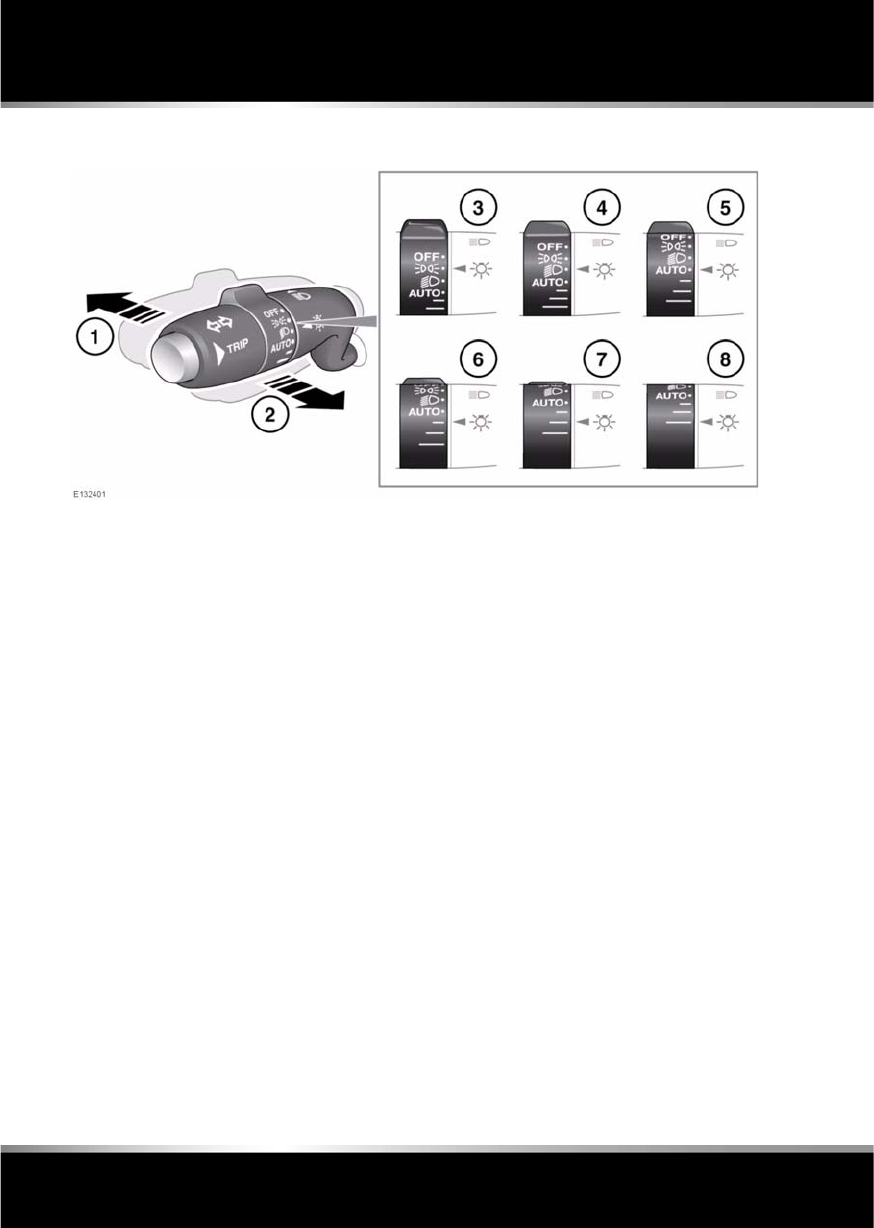
1. With the headlamps on, push the switch
away from the steering wheel to select high
beam. The blue warning indicator on the
instrument panel will illuminate.
2. Pull the switch towards the steering wheel
and release to flash the high beam. The
high beam will remain on for as long as the
switch is held.
3. Side lamps.
4. Headlamps.
Note: If the rotary control is moved to the
OFF position with high beam selected, high
beam will illuminate when the headlamps
are turned on again.
5. Autolamps. With the ignition on, if ambient
light fades the side lamps and headlamps
will switch on automatically. If ambient
light then increases, the side lamps and
headlamps automatically go off.
Note: A light sensor on the front of the
fascia monitors ambient light levels for
autolamps operation. Keep the windscreen
clean and ensure the sensor is not
obscured. Obstructing the light in this area
may lead to unwanted autolamps
operation.
Note: If the autolamps are turned off, but
the light sensors detect low exterior light
levels, the warning LIGHTS ARE OFF is
displayed in the message centre.
6. Exit delay of 30 seconds.
7. Exit delay of 60 seconds.
8. Exit delay of 120 seconds.
Note: Press the headlamp button on the Jaguar
Smart Key to switch off the headlamps during
an exit delay period.
DIRECTION INDICATORS
In addition to normal operation, the indicators
will operate 3 times (e.g. to indicate a lane
change) if the stalk is briefly pushed up or
down.

R
(FM8) SEMCON JLR OWNER GUIDE VER 1.00 EURO
LANGUAGE: english-en; MARQUE: jaguar; MODEL: XF
Exterior lights
37
DAYLIGHT RUNNING LAMPS
With the rotary control in the OFF or AUTO
position, the front daylight running lamps will
switch on automatically with the following
conditions:
•The ignition is on.
•The engine is running.
•The gear selector is in D (Drive) or R
(Reverse) - market dependent.
Note: The lamps remain on if the gear
selector is subsequently moved to N
(Neutral)
•The parking brake is not applied (is
released) - market dependent.
APPROACH LAMPS
The headlamps can be illuminated remotely for
a programmed length of time, by pressing the
headlamp button on the Jaguar Smart key. See
4, UNLOCKING THE VEHICLE . Press the
button again to switch off.
Note: In some markets, a second press will
illuminate the reverse lamps and a third press
is required to turn the lamps off.
ADAPTIVE FRONT LIGHTING SYSTEM
(AFS)
These lamps broaden the beam of the
headlamps when cornering in different
circumstances.
Static bending lamps: The static bending
lamps operate when necessary, to provide an
even broader light spread.
Cornering lamps: At speeds up to 40 km/h
(25 mph), to provide improved visibility at
junctions, the system switches on the lamp if it
has received an input from the vehicle's
direction indicator. Only the lamp on the same
side as the operating indicator illuminates. The
lamp will self cancel after 3 minutes of
continuous operation.
WINDSCREEN WIPER DETECTION
This function only operates when autolamps is
selected. The side lamps, tail lamps and
headlamps will switch on automatically if the
windscreen wipers are switched on for 20
seconds or more. Once the windscreen wipers
are switched off, the side lamps, tail lamps and
headlamps will automatically switch off 4
minutes later.

L
(FM8) SEMCON JLR OWNER GUIDE VER 1.00 EURO
LANGUAGE: english-en; MARQUE: jaguar; MODEL: XF
Exterior lights
38
AUTO HIGH BEAM
This feature automatically selects and
deselects high beam, under specific conditions
of road lighting and in the absence of other
vehicle’s lights. The system is only active when
the ambient light drops below a predetermined
level.
This function is only active if the rotary control
is in the AUTO position and the stalk is in the
central position.
The system will only activate when vehicle
speed exceeds 25 mph (40 km/h). The system
will deactivate when vehicle speed drops below
15 mph (24 km/h).
Note: Auto high beam does not operate when
reverse gear is selected.
To manually select high beam, move the stalk
to the high beam position as normal. To return
to Auto high beam, move the stalk back to the
central position.
To manually override to low beam from high
beam, pull the stalk to the flash position and
auto high beam will be cancelled. To return to
auto high beam, push the stalk to the high
beam position and then return it to the central
position.
Note: The following may affect the operation of
auto high beam:-
* Highly reflective road signs.
* Vehicles with dim headlamps.
* Adverse weather conditions.
* Dirty sensor.
* Dirty, damaged, or misted windscreen.
To turn off auto high beam, turn the rotary
control from AUTO to headlamps on.
The Auto high beam feature can be disabled/
enabled via the security/ vehicle settings menu
of the touch screen. See 61, VEHICLE
SETTINGS.
Note: Ensure that the sensor in the rear view
mirror is not blocked or obstructed.
HEADLAMPS - CONDENSATION
In certain circumstances, misting may occur
on the inside of a lamp lens. This is caused by
natural changes in environmental conditions.
This misting is not detrimental to lamp
performance and will clear during normal
usage.
When auto high beam is enabled,
the system indicator will
illuminate.
R
(FM8) SEMCON JLR OWNER GUIDE VER 1.00 EURO
LANGUAGE: english-en; MARQUE: jaguar; MODEL: XF
Interior lights
39
Interior lights
INTERIOR LIGHTS
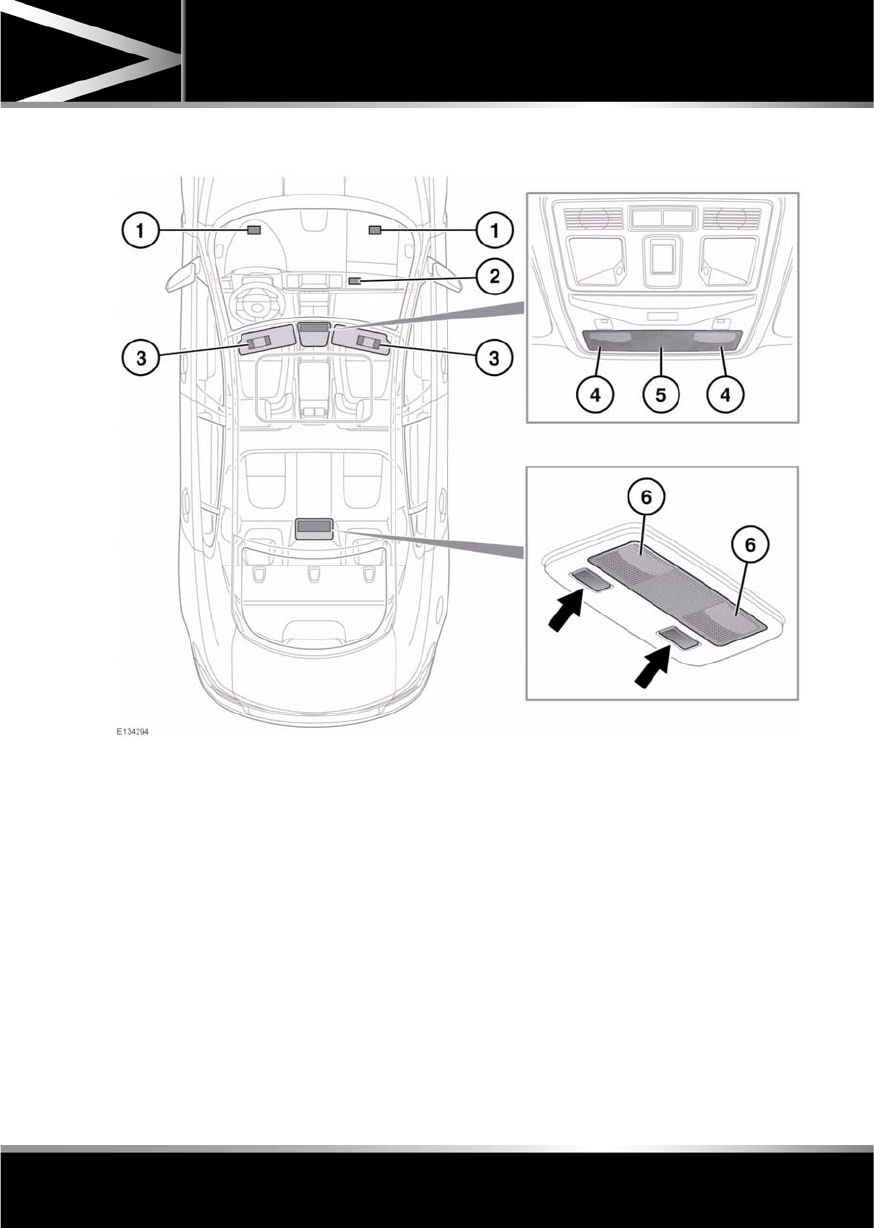
1. Front seat footwell illumination.
2. Glove box lamp.
3. Vanity mirror lamps.
4. Front reading lamps: Touch the lens briefly
to switch on/off.
5. Front interior courtesy lamp: Illuminates
when the doors are unlocked and
extinguishes 30 seconds after all doors are
closed or when the vehicle is locked.
The lamps are operated by proximity
sensors. Move your finger close to (or
touch) the appropriate lens to switch on/
off. Touch the lens for 2 seconds to switch
automatic illumination on/off (Manual
mode or Auto mode is displayed in the
message centre accordingly).
6. Rear interior and reading lamps: Switch on
automatically when the doors are opened.
Press the appropriate switch to activate a
lamp manually
L
(FM8) SEMCON JLR OWNER GUIDE VER 1.00 EURO
LANGUAGE: english-en; MARQUE: jaguar; MODEL: XF
Wipers and washers
40
Wipers and washers
WIPER OPERATION
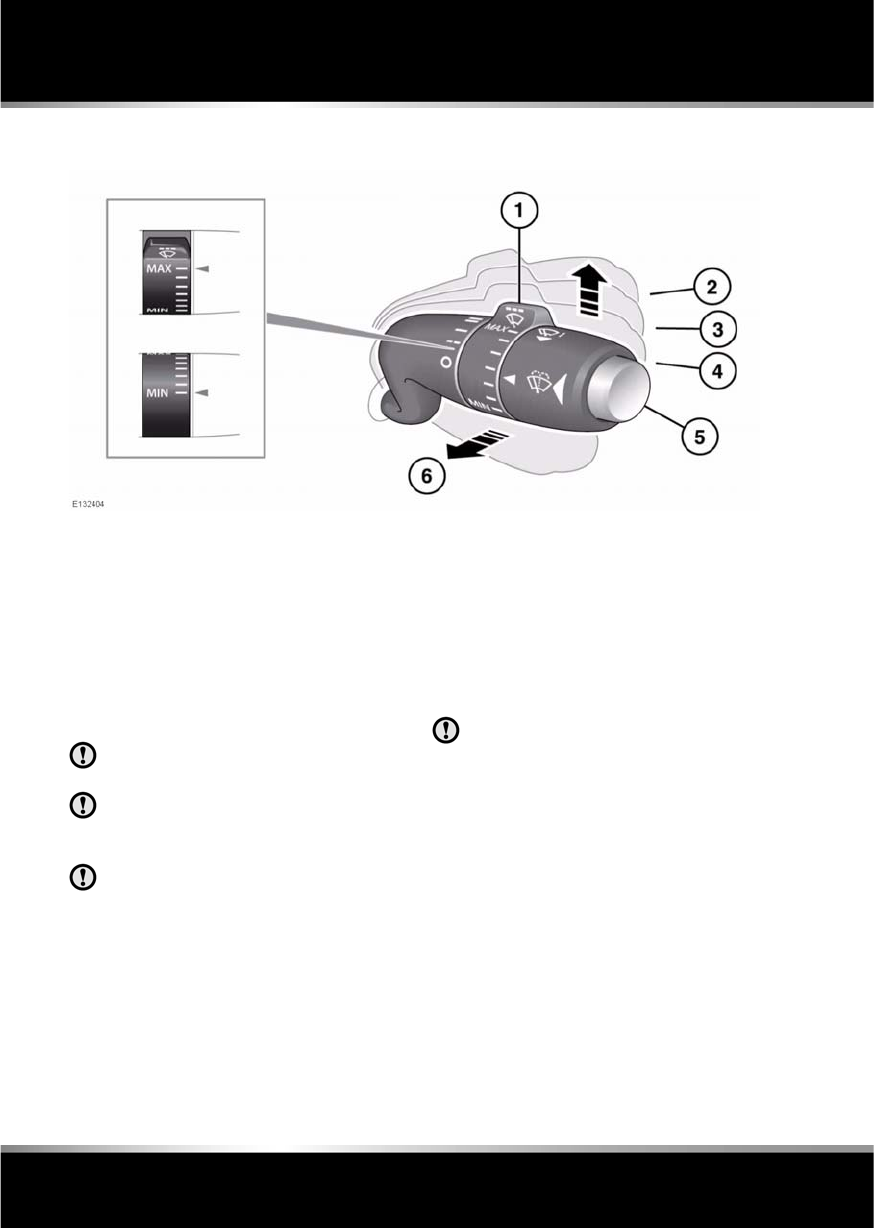
1. Rotate control to adjust sensitivity.
•Rain sensor maximum sensitivity.
•Rain sensor minimum sensitivity.
2. Fast speed wipe.
3. Normal speed wipe.
4. Rain sensor activated wipe.
5. Windscreen washer button.
6. Single wipe.
Do not operate the windscreen wipers
on a dry screen.
In freezing or very hot conditions,
ensure that the wipers have not stuck to
the windscreen before operating.
Remove any snow, ice or frost from the
windscreen, around the wiper arms and
blades, and the screen scuttle, before
operating the wipers.
Note: If the wiper blades become stuck or
jammed, an electronic cut-out may temporarily
halt wiper operation. If this happens, switch off
the wipers and the ignition. Clear any
obstructions and free the wiper blades, before
attempting to switch on the ignition.
SPEED-DEPENDENT MODE
If vehicle speed drops below 2 km/h (1.2 mph)
with the wipers operating, the wipers will
switch to the next lowest speed. When vehicle
speed increases to over 8 km/h (5 mph), the
original wiper speed settings are restored.
RAIN SENSOR
Ensure that the wipers are switched off
before entering a car wash. If the rain
sensitive wipers operate during the car
washing process damage may occur to
the wiper mechanism.
The rain sensor is able to detect the presence
and amount of rain, dirt or snow on the
windscreen and automatically activates the
windscreen wipers accordingly. Static droplets
may not be detected on initial start-up, use a
single wipe to clear the screen.
To activate the rain sensitive wipers, move the
wiper stalk to the rain sensor position and
adjust the rain sensor sensitivity control as
required. When rain sensitive wipers are
activated and when sensitivity is increased, a
single wipe will operate.

R
(FM8) SEMCON JLR OWNER GUIDE VER 1.00 EURO
LANGUAGE: english-en; MARQUE: jaguar; MODEL: XF
Wipers and washers
41
WINDSCREEN WASHERS
Some screenwash products are
flammable, do not allow screenwash
to come into contact with sources of
ignition.
Only screenwash products which are
approved for automotive use should be
used, and then only in accordance with
the manufacturer's instructions.
To operate the wash/wipe, press and release
the button on the end of the wiper stalk. The
wipers will perform five normal speed wipes,
followed by a drip wipe (if configured). The
washers will operate during the first two wipes.
If the washers are operated with the wipers
operating at normal or fast speed, the washer
jets will operate for two wipes and operation of
the wipers will not be affected.
Note: If the button is pressed and held, the
wipers and washers will operate at normal
speed until the button is released (or for a
maximum of 10 seconds).
After the button is released, the wipers will
operate for a further three wipes, followed by a
drip wipe (if configured).
TIMED JET FUNCTION
If the timed jet function is configured, the
washer jets will only operate on the up stroke
of the wipers.
DRIP WIPE
If the drip wipe function is configured, the
wipers will operate four seconds after a
wash/wipe cycle has finished, to clear any
remaining drips from the windscreen.
HEADLAMP WASHERS
Headlamp power wash operates automatically
with the windscreen wash, and will only
operate if the headlamps are switched on and
there is sufficient washer fluid in the reservoir.
Headlamp wash operates with every fourth
operation of the screen washers, provided that
ten minutes have elapsed since the last
operation of the headlamp washers.
Note: The power wash sequence is reset when
the headlamps or the ignition are turned off.
Note: Headlamp power wash is inhibited when
the low washer fluid warning is on.
This function can be
enabled/disabled by your Dealer/
Authorised Repairer.
This function can be
enabled/disabled by your Dealer/
Authorised Repairer.
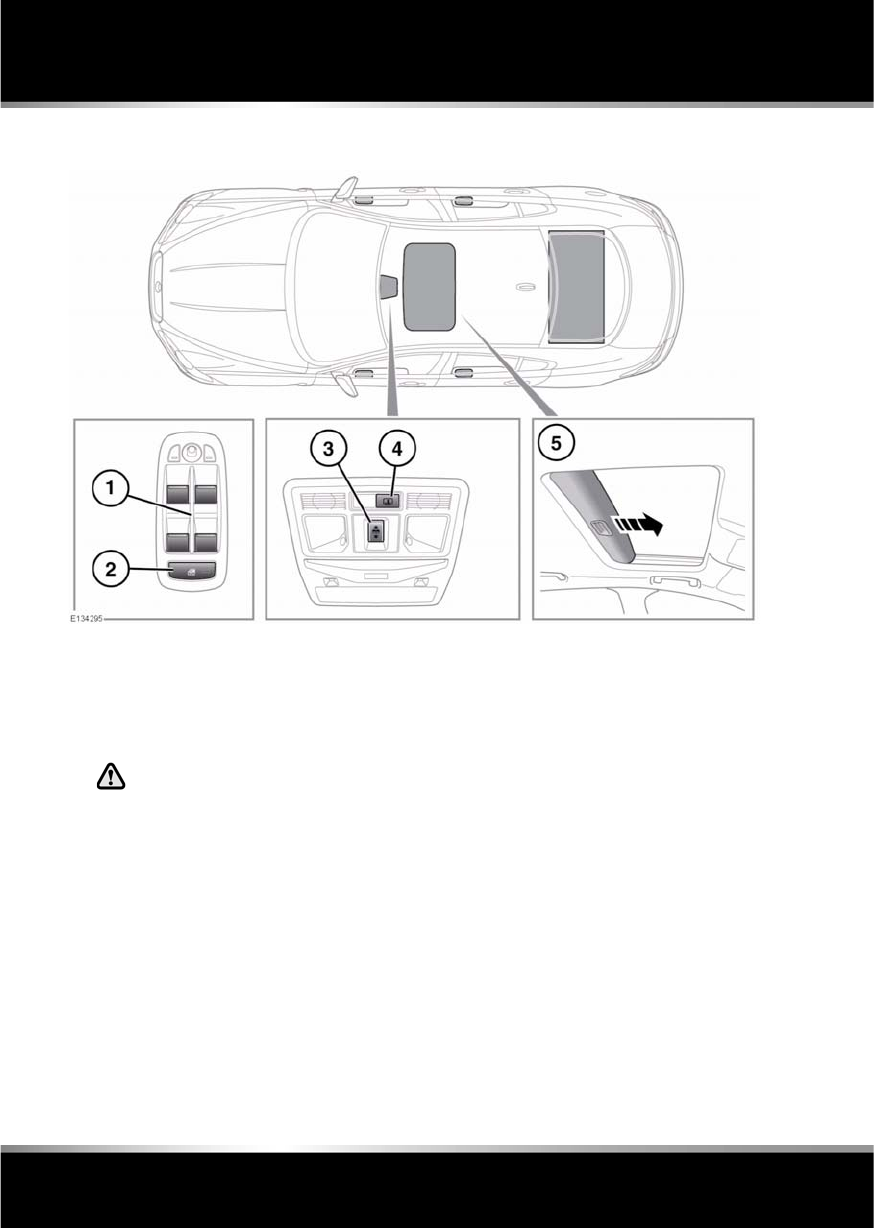
L
(FM8) SEMCON JLR OWNER GUIDE VER 1.00 EURO
LANGUAGE: english-en; MARQUE: jaguar; MODEL: XF
Windows
42
Windows
ELECTRIC WINDOWS
1. Window switches:
The windows will operate for 5 minutes
after the engine is switched off, as long as
none of the doors are opened.
2. Rear window isolator.
If children are carried in the rear
seats, the isolator switch should
be used to prevent operation of the
windows.
3. Sunroof:
Roof movement can be halted at any time
by pressing the button again.
If the sunroof encounters resistance when
closing it will stop, and then open fully.
This is to prevent serious injury or damage
to the mechanism.
•With the roof closed, briefly press the
front of the switch to tilt the roof.
•With the roof closed, briefly press the
rear of the switch to open the roof.
•With the roof open, briefly press the
front of the switch to close fully.
•With the roof tilted, briefly press the
rear of the switch to close.
4. Rear screen sun blind.
5. Sunroof blind:
The blind will open automatically when the
roof is tilted or when the roof is fully
opened. The blind can be opened manually
when required, but can only be closed
when the sunroof is closed.

R
(FM8) SEMCON JLR OWNER GUIDE VER 1.00 EURO
LANGUAGE: english-en; MARQUE: jaguar; MODEL: XF
Windows
43
ONE-TOUCH WINDOW OPERATION
The front windows have one-touch open
operation. Briefly press the switch down fully
and release, the window will lower until fully
open.
The rear windows open in 2 stages:
•Briefly press the switch down fully and
release; the window will open 65 - 75 mm
(2.5 - 3 inches) to the comfort stop
position.
Note: This position reduces resonance
(booming sound) that can occur when
driving with a front window open. Open the
rear window on the same side of the
vehicle as the open front window, to
reduce resonance.
•Briefly press the switch down fully and
release a second time, to fully open the
window.
The front and rear windows also have
one-touch close operation. Briefly pull the
switch up fully and release, the window will rise
until fully closed.
Pressing or pulling the switch again will stop a
window in one-touch operation.
WINDOW ANTI-TRAP PROTECTION
Before closing a window, ensure that
no occupants have any part of their
body in a position where it could be
trapped. Even with an anti-trap system
death or serious injury could occur.
Anti-trap protection is designed to stop
window movement if an obstruction or
resistance is detected. Check the window and
its aperture and remove any obstructions. The
override procedure is as follows:-
1. Attempt to close the window. Anti-trap will
prevent closure and lower the window.
2. Within 10 seconds, attempt to raise the
window again. Anti-trap will prevent
closure and lower the window.
3. Attempt to close the window for a third
time, this time holding the switch in the
close position. The window will raise whilst
the switch is held. Hold until closed.
Note: If this procedure fails to remove the
blockage, or if the windows do not operate
correctly, the window operation may need to be
reset. See 164, WINDOW RESET.
SUNROOF ANTI-TRAP MECHANISM
Before closing the sunroof, ensure
that no occupants have any part of
their body in a position where it could
be trapped. Even with an anti-trap
system death or serious injury could
occur.
The anti-trap mechanism can be overridden to
allow the roof to be closed when movement is
restricted by dirt. To override the anti-trap
mechanism, press and hold the front of the
switch until the roof reaches the closed
position.
If the sunroof fails to operate correctly, it may
need to be reset. See 164, SUNROOF RESET.
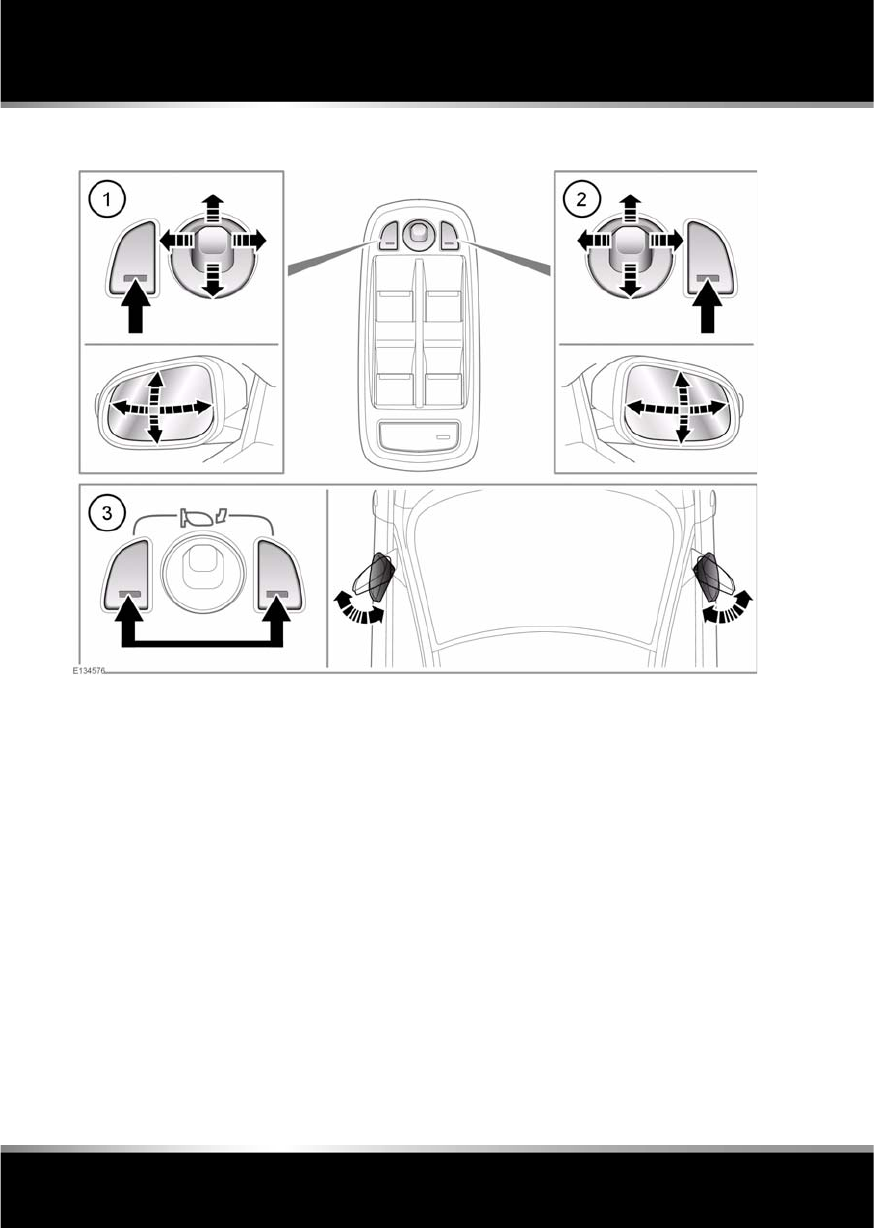
L
(FM8) SEMCON JLR OWNER GUIDE VER 1.00 EURO
LANGUAGE: english-en; MARQUE: jaguar; MODEL: XF
Mirrors
44
Mirrors
EXTERIOR MIRRORS
1. Left mirror adjustment.
2. Right mirror adjustment.
3. Powerfold/Unfold: Press both buttons
simultaneously. This feature is inhibited at
speeds over 110 km/h (70 mph).
The mirrors can be adjusted and folded when
the ignition is on and for up to 5 minutes after
the ignition is switched off, provided the
driver’s door is not opened.
Press the appropriate button to select the
mirror to be adjusted (button indicator
illuminates), then use the joystick control to
adjust the mirror glass.
Note: Depending on the type of lens used,
distances may be difficult to judge accurately
when only using the mirrors.
The mirrors can be configured to automatically
fold when the vehicle is locked and unfold
when unlocked. This feature can be enabled or
disabled via the Security/vehicle settings area
of the touch screen. See 61, VEHICLE
SETTINGS.
If the mirrors are accidentally knocked out of
position (i.e. so only one is folded), press both
buttons simultaneously to resynchronise.
Note: If the mirrors were folded using the
switches, they will not unfold when the vehicle
is unlocked.
Note: Two different exterior mirror positions
can be stored and recalled using the driving
position memory feature. See 15, DRIVING
POSITION MEMORY.

R
(FM8) SEMCON JLR OWNER GUIDE VER 1.00 EURO
LANGUAGE: english-en; MARQUE: jaguar; MODEL: XF
Mirrors
45
MIRROR DIP WHEN REVERSING
The mirrors can be configured so that when
reverse gear is selected, the passenger door
mirror automatically adjusts to provide an
improved viewing angle for reversing.
The exact dipped position can be adjusted
using the joystick control, when the mirror is
dipped. The next time reverse is selected, the
newly adjusted position will be selected.
When the gear selector is moved out of
reverse, or if vehicle speed exceeds 12 km/h
(7.5 mph) while reversing, the mirror will
return to its previous position.
Mirror dip can be selected or deselected using
the touch screen, as follows:
•From the touch screen Home menu, select
Set-up.
•Select Security/vehicle.
•Select Windows/mirrors.
•Select Reverse mirror dip - On or Off.
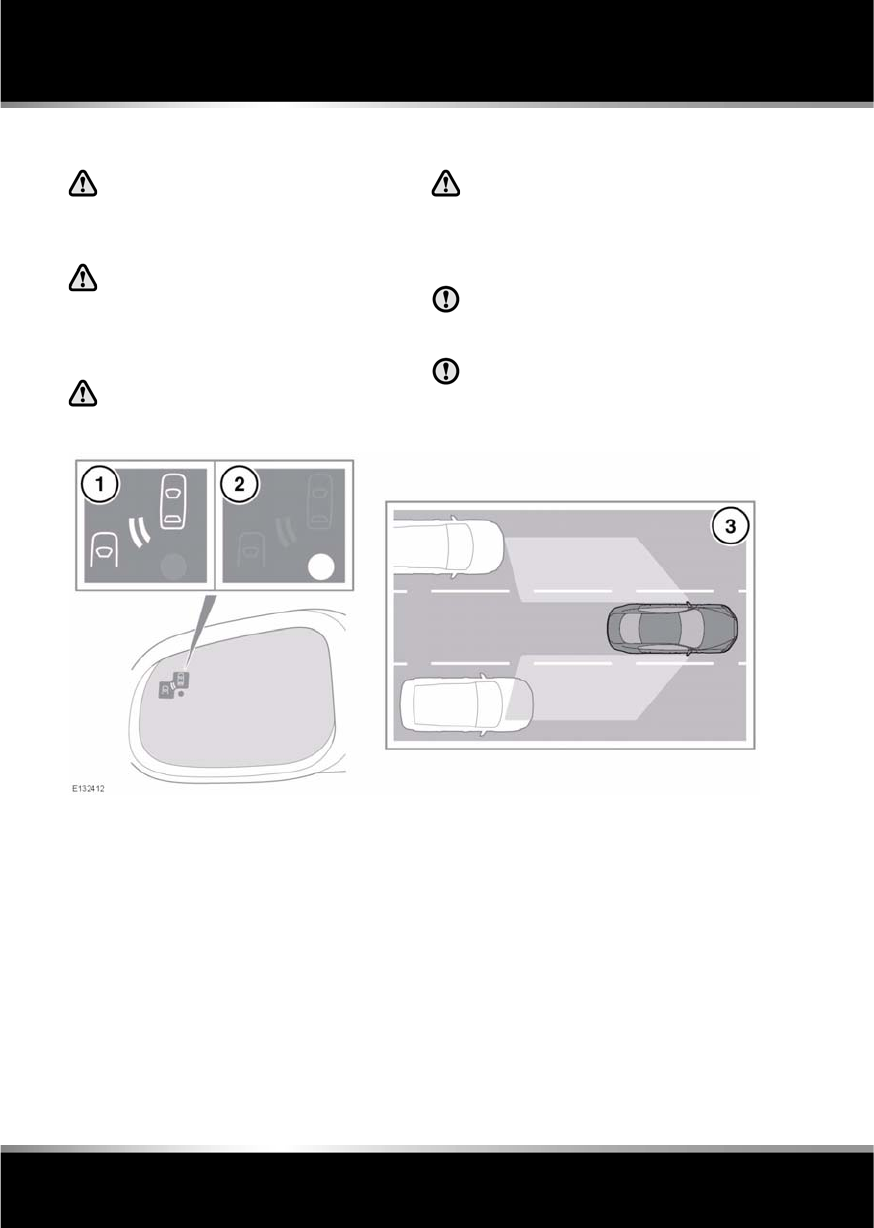
L
(FM8) SEMCON JLR OWNER GUIDE VER 1.00 EURO
LANGUAGE: english-en; MARQUE: jaguar; MODEL: XF
Blind spot monitoring
46
Blind spot monitoring
BLIND SPOT MONITOR
The Blind Spot Monitor (BSM) system
is a supplement to, not a replacement
for, a safe driving style and use of the
exterior and rear-view mirrors.
Please note that BSM may not be able
to give adequate warning of vehicles
approaching very quickly from behind
or vehicles that are being overtaken
rapidly.
BSM may not be able to detect all
vehicles and may also detect objects,
such as roadside barriers, etc.
The radar sensors may be impaired by
rain, snow or road spray. This may
affect the system's ability to reliably
detect a vehicle/object within the
blind spot.
Ensure that the warning indicators in
the exterior mirrors are not obscured by
stickers or other objects.
Do not attach stickers or objects to the
rear bumpers, that may interfere with
the radar sensors.
The Blind Spot Monitor (BSM) system
monitors a zone that covers the area adjacent
to the vehicle, that is not easily visible by the
driver and is designed to identify any object
overtaking the vehicle (3). The system uses a
radar on each side of the vehicle to identify any
overtaking vehicle/object within the blind spot
area of the vehicle, while disregarding other
objects which may be stationary or travelling in
the opposite direction, etc.
If an object is identified by the system as being
an overtaking vehicle/object, an amber
warning icon (1) illuminates in the relevant
exterior mirror, to alert the driver that there is a
potential hazard in the vehicle's blind spot and
therefore, that a lane change might be
dangerous.
The radar monitors the area extending from the
exterior mirror rearwards, to approximately 6
metres (20 feet) behind the rear wheels, and up
to 2.5 metres (8.2 feet) from the side of the
vehicle (the width of a typical carriageway
lane).

R
(FM8) SEMCON JLR OWNER GUIDE VER 1.00 EURO
LANGUAGE: english-en; MARQUE: jaguar; MODEL: XF
Blind spot monitoring
47
Note: This radar sensor is approved in all RTTE
countries.
Note: The system covers an area of a fixed lane
width. If the lanes are narrower than a typical
carriageway lane, objects travelling in
non-adjacent lanes may be detected.
BSM automatically switches on and becomes
active when the vehicle is travelling at more
than 16 km/h (10 mph) in a forward gear.
When the system initiates, it performs a
self-check, during which the warning icons in
the mirrors illuminate alternately for a short
period of time.
The indicator dot (2) remains illuminated until
forward vehicle speed exceeds 16 km/h
(10 mph).
BSM is designed to work most effectively when
driving on multi-lane highways.
Note: If an overtaking vehicle is detected on
both sides of the vehicle simultaneously, the
warning icons in both mirrors will illuminate.
Note: BSM is automatically turned off when
reverse (R) gear is selected, when the vehicle is
in park (P), the vehicle is travelling below
16 km/h (10 mph). Under these conditions, an
amber warning indicator within the exterior
mirror is displayed.
SENSOR BLOCKAGE
The BSM system will automatically disable if
either of the sensors become completely
obscured, an amber warning indicator dot (2)
is displayed in the exterior mirror and the
message BLIND SPOT MONITOR SENSOR
BLOCKED appears in the message centre.
Note: Blockage testing is only initiated when
vehicle speed is above 32 km/h (20 mph) and
will take at least two minutes of accumulated
driving above this speed, to determine that the
sensor is blocked.
If the sensors become blocked, then please
check that there is nothing obscuring the rear
bumper and that it is clear from ice, frost and
dirt.
BSM SYSTEM FAULT
If a fault with one of the radar sensors is
detected, an amber warning indicator dot is
displayed in the exterior mirror and the
message BLIND SPOT MONITOR NOT
AVAILABLE is displayed in the message centre.
Note: Even if the detected fault only affects the
radar sensor on one side of the vehicle, the
whole system is disabled. If the fault is
temporary, the system will operate correctly
once the engine has been switched off and then
on again.
If a fault in the system occurs, consult your
Dealer/Authorised Repairer.
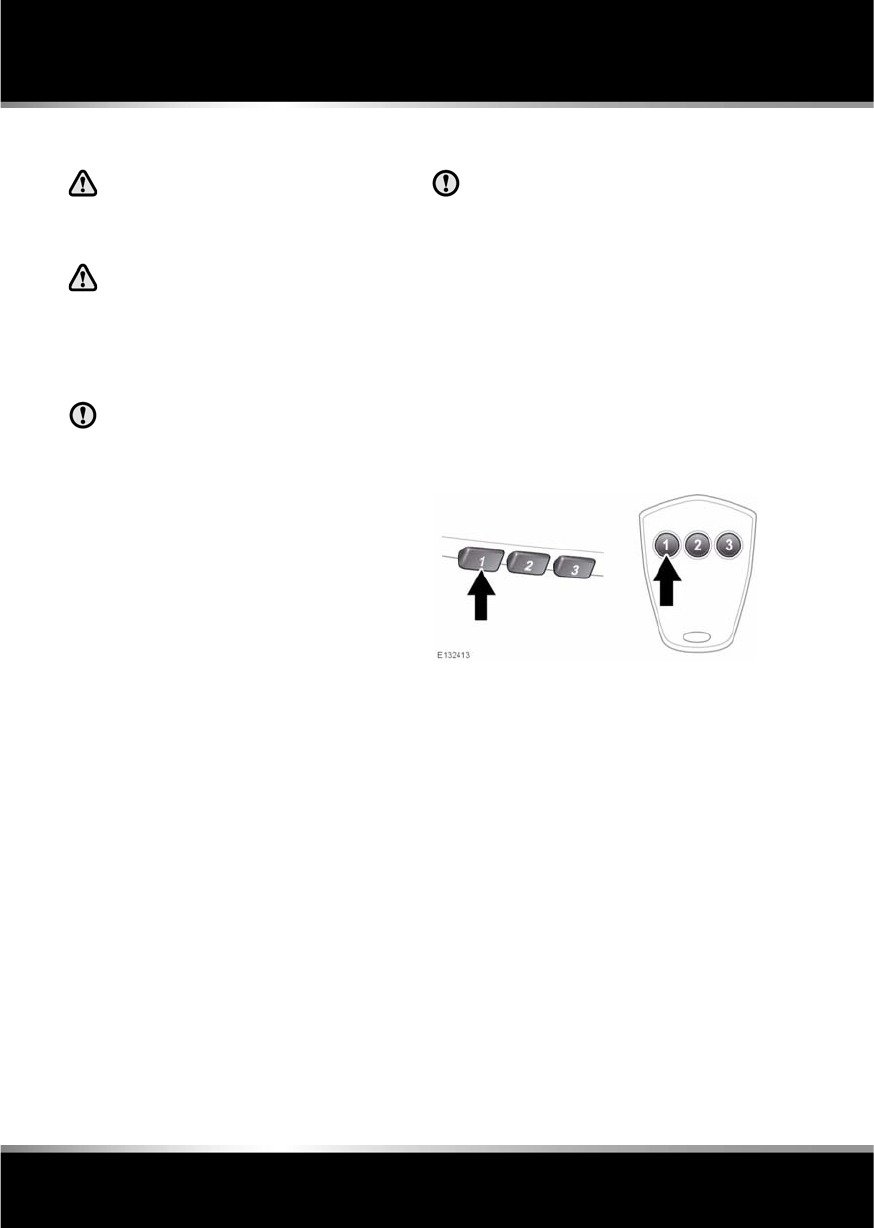
L
(FM8) SEMCON JLR OWNER GUIDE VER 1.00 EURO
LANGUAGE: english-en; MARQUE: jaguar; MODEL: XF
Garage door opener
48
Garage door opener
GARAGE DOOR TRANSCEIVER
Do not use the transceiver with any
garage door opener that lacks the
safety stop and reverse feature as
required by safety standards.
When programming the transceiver to
a garage door opener or entry gate,
ensure the area is clear. This will
prevent potential harm or damage as
the gate or garage door will activate
during the programme.
This device may suffer from
interference if operated in the vicinity of
a mobile or fixed station transmitter.
This interference is likely to affect the
hand-held transmitter as well as the
in-car transceiver.
The door transceiver is located in the rear-view
mirror. It can be programmed to transmit the
radio frequencies of up to three different
transmitters, which can be used to operate
garage doors, entry gates, home lighting,
security systems or other radio frequency
operated devices.
Although this section mainly describes the
procedures for a garage door opener, it equally
applies to the previously mentioned
applications.
In some countries, this feature is also known
as the HomeLink® Universal Transceiver.
For further information, see 50,
INFORMATION AND ASSISTANCE.
BEFORE PROGRAMMING
When programming a device that may
require you to press and re-press the
hand-held transmitter (cycle), unplug
the device during the cycling process to
prevent possible motor failure.
For best results, fit a new battery to the
hand-held transmitter of the garage door
opener (or other device) before programming.
If your garage door opener receiver (located in
the garage) is equipped with an antenna,
ensure that the antenna is hanging straight
down.
PROGRAMMING
Ensuring that the engine is switched off:
1. Ensure that the ignition system is on.
2. Hold the end of the original garage door
opener hand-held transmitter 50 to
150 mm (2 to 6 inches) away from the
transceiver in the rear-view mirror, keeping
the indicator lamp in view.
3. Using both hands, simultaneously press
and hold both the chosen transceiver
button on the rear-view mirror, as shown
above, and the hand-held transmitter
button. Keep both buttons pressed. The
indicator lamp will flash slowly at first and
then change to a fast flash. When the
indicator lamp flashes rapidly, release both
buttons. The rapid flashing lamp indicates
successful programming.

R
(FM8) SEMCON JLR OWNER GUIDE VER 1.00 EURO
LANGUAGE: english-en; MARQUE: jaguar; MODEL: XF
Garage door opener
49
4. If, after 60 seconds, the indicator lamp
does not flash rapidly, release both the
transceiver and the hand-held transmitter
buttons and repeat the procedure starting
with Step 2. Position the hand-held
transmitter at a different angle and/or
distance.
5. Press and hold the programmed garage
door opener button and observe the
indicator lamp.
•If the indicator is continuous,
programming is complete and your
device should operate when the garage
door opener button is pressed and held
for approximately 1 to 2 seconds and
then released.
•If the indicator lamp blinks rapidly for
two seconds and then illuminates
continuously, proceed with the
following programming instructions
for rolling code device equipment.
TO ERASE ALL PROGRAMMING
For first time programming, ensure that the
engine is switched off:
1. Ensure that the ignition system is in
convenience mode (see 7, CONVENIENCE
MODE).
2. Press and hold the two outer buttons on
the transceiver in the rear-view mirror.
Keep the buttons pressed until the
indicator lamp begins to flash (this will take
approximately 20 seconds), then release
the buttons.
All memories in the garage door opener have
now been cleared.
Note: Do not perform this procedure when
programming the additional garage door
opener buttons.
ROLLING CODE DEVICE EQUIPMENT
PROGRAMMING
Note: The assistance of a second person, may
make the following steps quicker and easier.
Once the button has been pressed there are
only 30 seconds in which to complete Step 3.
1. At the garage door opener receiver (motor
head unit) in the garage, locate the learn or
smart button/switch.
•The name of the button or switch may
vary between manufacturers.
2. Press and release the learn or smart
button.
3. Return to the vehicle and firmly press and
hold the programmed garage door opener
button for two seconds and release.
4. Repeat the press, hold, release sequence
three times to complete the programming
process.
The garage door opener in the rear-view mirror
should now activate the rolling code device.
REPROGRAMMING A SINGLE
GARAGE DOOR OPENER BUTTON
To programme a device to a previously
programmed button:
1. Press and hold the desired
pre-programmed garage door opener
button for at least 20 seconds, but no
longer than 30 seconds, until the indicator
lamp begins to flash.
2. Without releasing the rear-view mirror
button, position the hand-held transmitter
approximately 50 to 150 mm (2 to 6
inches) away from the transceiver in the
rear-view mirror, keeping the indicator
lamp in view.
3. Carry out Step 3 of Programming.

L
(FM8) SEMCON JLR OWNER GUIDE VER 1.00 EURO
LANGUAGE: english-en; MARQUE: jaguar; MODEL: XF
Garage door opener
50
ENTRY GATE PROGRAMMING
The technology of some entry gates requires
you to press and re-press (cycle) the hand-held
transmitter button every two seconds during
programming.
Continue to press and hold the desired
rear-view mirror button while you cycle your
hand-held transmitter until the indicator lamp
flashes rapidly.
INFORMATION AND ASSISTANCE
It is recommended that when you sell or
dispose of the vehicle, the programmed
transceiver buttons be erased for
security purposes.
For information on the range of available
compatible products or accessories, or for
assistance, you should contact your Dealer/
Authorised Repairer.
You can also contact the supplier’s helpline on
0 0800 04663 5465. This toll-free number can
be called from anywhere within Europe. No
separate country code is required (the first zero
is not required when calling from within
Germany).
Contact can also be made via the internet. The
website address is www.eurohomelink.com.
The e-mail address is
info@eurohomelink.com.
Note: Keep the original transmitter for future
use or programming procedures if, for
example, you purchase a new vehicle.
Note: The manufacturer is not responsible for
any radio or TV interference caused by
unauthorised modifications to this equipment.
Such modifications could void the user’s
authority to operate the equipment.

R
(FM8) SEMCON JLR OWNER GUIDE VER 1.00 EURO
LANGUAGE: english-en; MARQUE: jaguar; MODEL: XF
Warning lamps
51
Warning lamps
WARNING LAMPS AND INDICATORS
RED warning lamps are for primary warnings.
A primary warning must be investigated
immediately, seek qualified assistance if
necessary.
AMBER warning lamps are for secondary
warnings. Some indicate that a vehicle system
is in operation, others indicate that the driver
must take action and then seek qualified
assistance as soon as possible
Other warning lamps within the instrument
panel indicate system status, such as blue for
main beam and green for direction indicators,
when in operation.
LAMP CHECK
A warning lamp bulb check is initiated when the
ignition system is switched on and lasts for 3
seconds (except for the airbag warning lamp
which will remain on for 6 seconds). If any
warning lamp remains on after this period,
investigate the cause before driving.
Some warning lamps have associated
messages displayed on the message centre.
Note: Not all warning lamps are included in the
check (e.g. high beam headlamps and direction
indicators).
BRAKE (RED)
Do not drive if the message LOW
BRAKE FLUID is displayed. Check the
brake fluid level and top-up as
necessary. If necessary, seek
qualified assistance before
continuing.
If the warning lamp is on and there are no
associated messages, it means that the parking
brake is on.
If the warning lamp is illuminated and the
message PARK BRAKE ON is displayed, it
means that the parking brake is applied but the
vehicle is moving. Release the parking brake or
stop the vehicle when it is safe to do so.
If the lamp is illuminated and the message
LOW BRAKE FLUID is displayed, loss of
braking in one or both brake circuits may be
imminent. Stop the vehicle gently and check
and top-up the brake fluid reservoir, using the
recommended fluid. If the warning message
remains, do not drive the vehicle until the brake
fault is rectified. Seek qualified assistance
before continuing.
If the lamp illuminates and the message EBD
FAULT is displayed in the message centre, a
fault with the EBD system is indicated. The
braking system will still function, but without
EBD assistance.
Have the fault rectified by your Dealer/
Authorised Repairer.
Illuminates when the ignition is on
and the parking brake is applied
and/or the brake fluid is low. The
warning lamp will also illuminate
when there is a fault with the
Electronic Brakeforce Distribution
(EBD) system.
L
(FM8) SEMCON JLR OWNER GUIDE VER 1.00 EURO
LANGUAGE: english-en; MARQUE: jaguar; MODEL: XF
Warning lamps
52
SEAT BELT (RED)
•The driver’s seat belt is not fastened.
•Or a passenger is sitting in the front seat
and their seat belt is not fastened.
The lamp should extinguish when the relevant
seat belt is fastened.
BELTMINDER (RED)
If the vehicle is moving at or above 16 km/h (10
mph) and the seat belt of an occupied front
seat is not fastened, the warning lamp will
flash.
The flashing will last for 10 seconds and then
repeat every 10 seconds for approximately 5
minutes or until the belt(s) is fastened or the
vehicle stops.
If the warning lamp stays illuminated with the
seat belt(s) fastened, seek qualified assistance
as soon as possible. It is safe to drive the
vehicle with the lamp illuminated, provided that
the seat belt(s) is properly fastened.
Ensure that all occupants fasten their seat belt
before driving.
Note: If a heavy object is placed on the front
passenger seat, it may activate the Beltminder
feature. It is recommended that the object be
placed in the luggage compartment.
ANTI-LOCK BRAKING SYSTEM (ABS)
(AMBER)
If the ABS and brake warning lamps
are illuminated at the same time, do
not drive the vehicle until the fault is
rectified. Seek qualified assistance
immediately.
The brake system will continue to function, but
without ABS assistance.
If the warning lamp illuminates or stays
illuminated after the bulb check cycle, seek
qualified assistance as soon as possible.
ENGINE MALFUNCTION (AMBER)
If the lamp illuminates when the engine is
running, there is an engine malfunction.
Specialised diagnostic equipment is required
to repair such faults. Seek qualified assistance
as soon as possible.
The vehicle can still be driven, but may activate
limp-home mode, with the possibility of
reduced engine performance.
The warning lamp stays
illuminated when the ignition is on
and:
The beltminder feature, which
uses the same warning lamp as
the seat belt warning, provides
reminders to the driver that the
driver’s and/or front passenger’s
seat belt is unbuckled.
Illuminates if a fault has been
detected in the ABS (accompanied
by a warning message in the
message centre).
Illuminates when the ignition is on
and remains illuminated until the
engine is started.
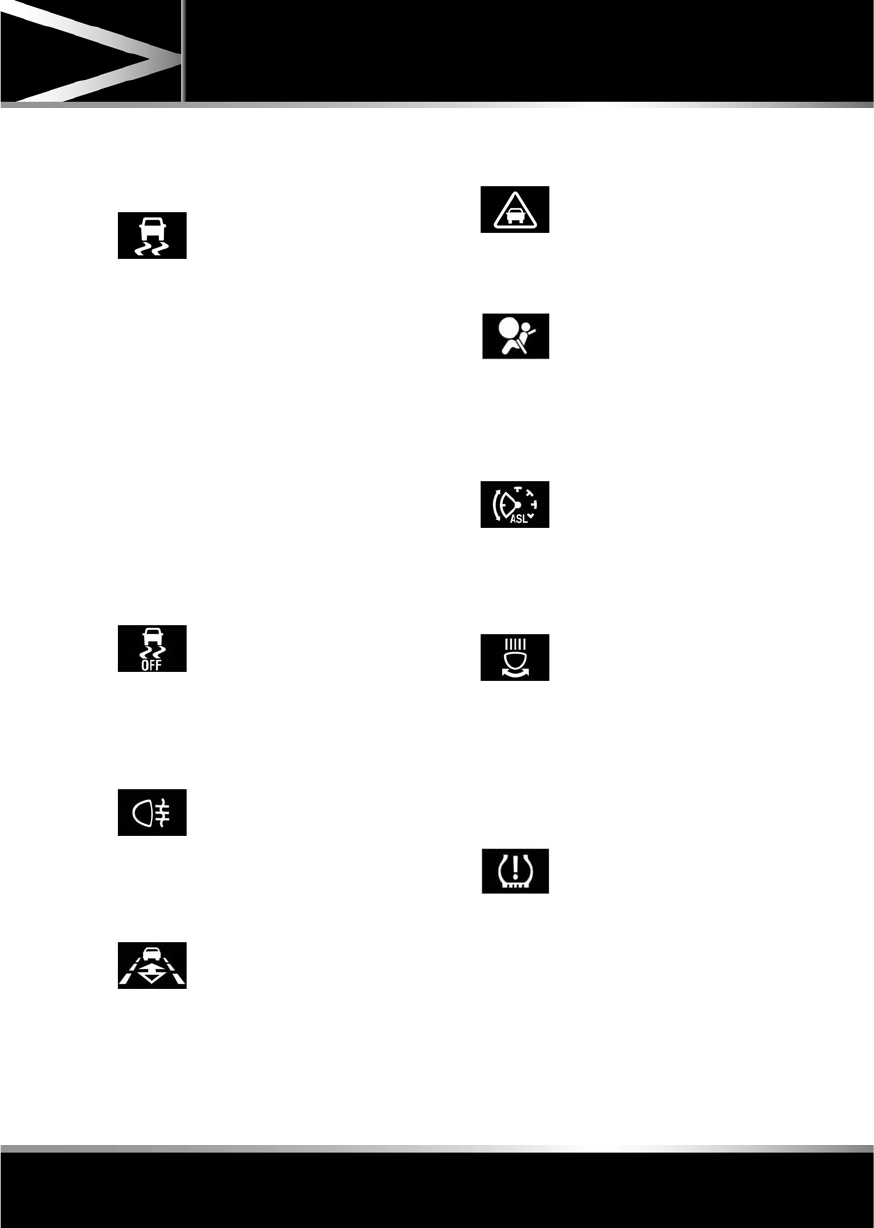
R
(FM8) SEMCON JLR OWNER GUIDE VER 1.00 EURO
LANGUAGE: english-en; MARQUE: jaguar; MODEL: XF
Warning lamps
53
DYNAMIC STABILITY CONTROL
(DSC) (AMBER)
If there is a fault, this warning lamp will
illuminate in the instrument panel and the
message centre will display DSC NOT
AVAILABLE.
The vehicle can still be driven, but the DSC
system will not activate under wheel spin or
slide conditions. You should seek qualified
assistance as soon as possible.
If Trac DSC is selected, the warning lamp will
also illuminate and the message TRAC DSC is
displayed for 4 seconds.
DYNAMIC STABILITY CONTROL
(DSC) OFF (AMBER)
REAR FOG LAMPS (AMBER)
ADAPTIVE CRUISE CONTROL
(AMBER)
FORWARD ALERT (AMBER)
AIRBAG (AMBER)
AUTOMATIC SPEED LIMITER
(AMBER)
ADAPTIVE FRONT LIGHTING SYSTEM
(AMBER)
TYRE PRESSURE MONITORING
SYSTEM (YELLOW)
Flashes when DSC is active.
Illuminates when DSC is switched
off. A chime will also sound and
the message DSC OFF is displayed
in the message centre.
Illuminates when the rear fog
lamps are switched on.
Illuminates when adaptive cruise
control is active, to indicate that
the vehicle is in follow mode.
Illuminates when forward alert is
active.
Illuminates if the airbag system
develops a fault. Seek qualified
assistance as soon as possible.
Illuminates when Automatic
Speed Limiter is active.
Illuminates when there is a system
fault. The headlamps will still
operate, but without this feature
operating correctly. Seek qualified
assistance as soon as possible.
Illuminates when one or more
tyres are significantly
under-inflated. The vehicle should
be stopped as soon as possible
and the tyres checked and inflated
to the recommended pressure.
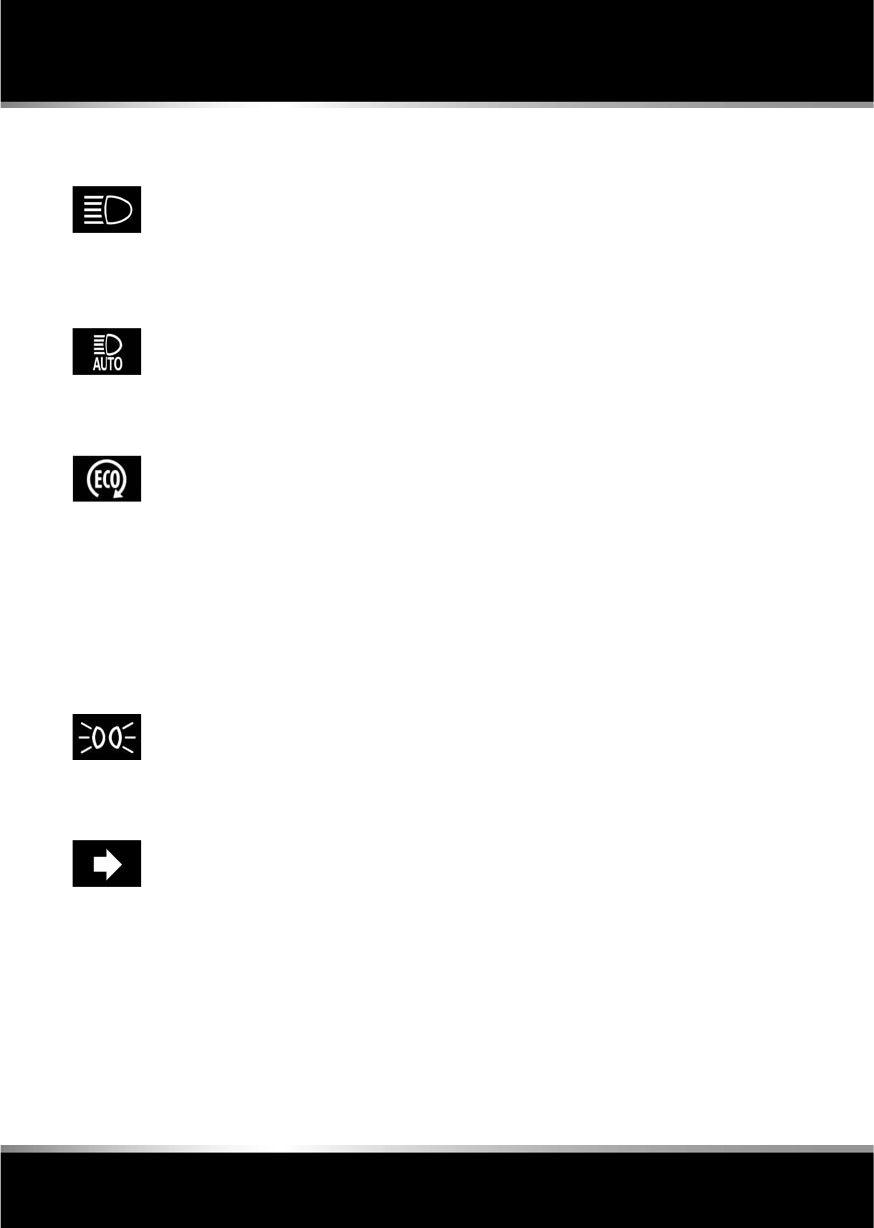
L
(FM8) SEMCON JLR OWNER GUIDE VER 1.00 EURO
LANGUAGE: english-en; MARQUE: jaguar; MODEL: XF
Warning lamps
54
HIGH BEAM (BLUE)
AUTO HIGH BEAM (GREEN)
ECO STOP/START (GREEN)
Note: Other warnings normally associated with
an engine shutdown, for example the ignition
warning lamp, do not illuminate during an
engine shutdown by the Eco Stop/Start
system.
SIDE LIGHTS (GREEN)
DIRECTION INDICATORS (GREEN)
Illuminates when the high beam
headlamps are switched on or
flashed.
Illuminates when auto high beam
is enabled.
Illuminates when the engine is
shutdown by the Eco Stop/Start
system.
Illuminates when the side
(parking) lamps are switched on.
The appropriate warning lamp will
flash when the column stalk is
moved up or down to signal a turn.
If a direction indicator bulb fails,
the audible ticking and warning
lamp will sound and flash at twice
the normal rate, when that
direction indicator is selected.
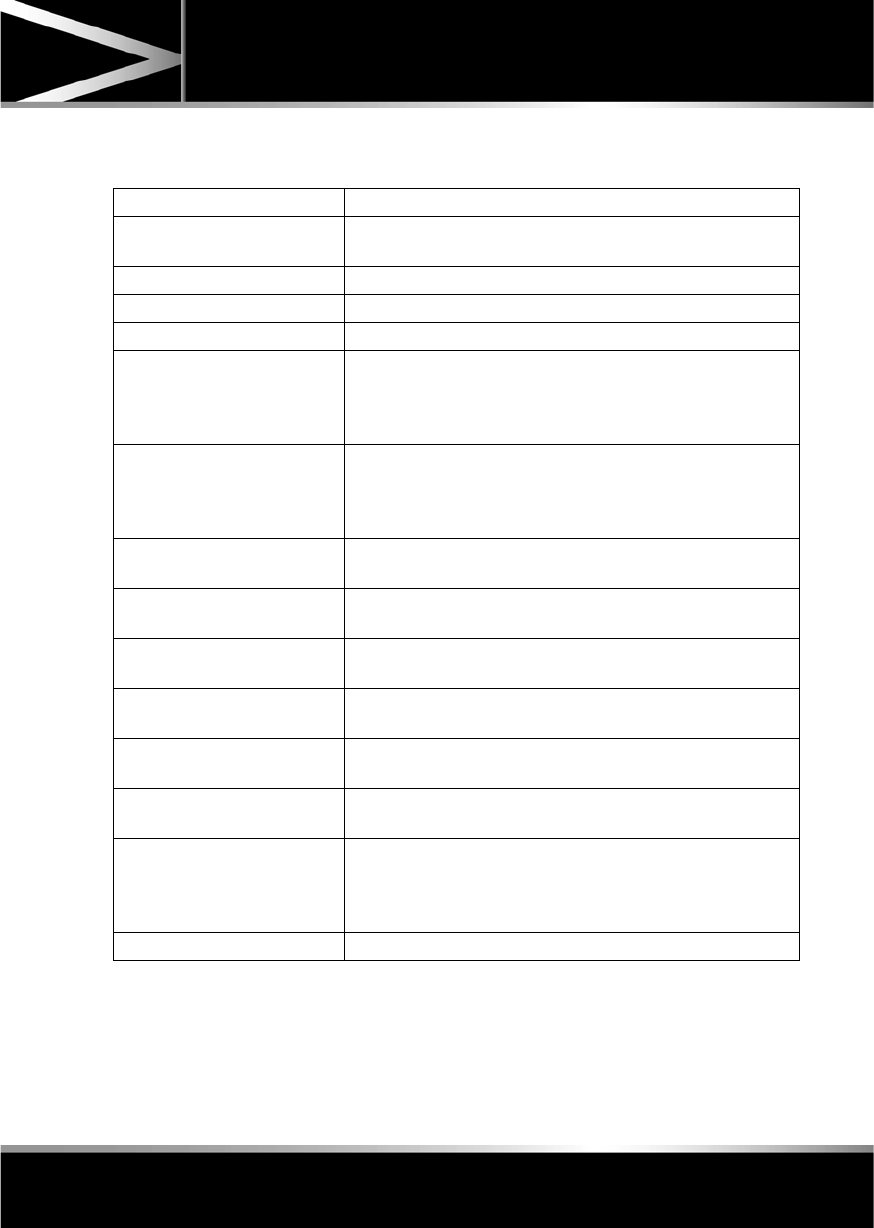
R
(FM8) SEMCON JLR OWNER GUIDE VER 1.00 EURO
LANGUAGE: english-en; MARQUE: jaguar; MODEL: XF
Warning lamps
55
AUDIBLE WARNINGS AND INDICATORS
Hazard or Condition Chime or tone/remedy
External lamps remain on when
the driver’s door is opened.
A chime will sound until the lamps are switched off or driver’s
door is closed (unless the lighting control is in AUTO position).
Hazard warning indicators on. A ticking will sound until the hazard indicators are switched off.
Direction indicators on. A ticking will sound until the indicators are switched off.
Memory 1 (or 2) settings saved. A short tone as the memory selection is saved.
Seat belt reminder. A chime will sound if a seat belt is unbuckled whilst the vehicle
is moving. The warning will cease if the occupied seat’s belt is
re-buckled, the ignition is turned off or more than 3 minutes has
elapsed.
Electric parking brake (EPB). If the EPB is applied while the vehicle is moving a continuous
chime will sound; release the EPB. If there is a fault with the
system which would prevent the application of the EPB, a brief
sequence of chimes is initiated.
Adaptive Cruise Control (ACC)
driver intervene.
Multiple chime. Apply the brakes.
ACC low speed automatic
switch off.
A chime will sound to indicate that the ACC system is no longer
operating.
Speed is over 15 km/h (9 mph)
above the set limit speed.
A short warning chime. Reduce speed.
Gear selector is not in Park with
ignition off.
A chime will sound. Select Park.
Entry delay warning (European
markets only).
Intermittent slow, low pitched chime. Disarm vehicle.
The Jaguar Smart Key cannot
be detected.
A chime will sound. The Smart Key should be docked in the
starter control unit. See 76, IF THE ENGINE FAILS TO START.
The Jaguar Smart Key is to be
removed from the starter
control unit.
A chime will sound for 60 seconds if the Smart Key is in the
starter control unit and the driver’s door is opened. The remote
handset should be undocked from the starter control unit. See
76, IF THE ENGINE FAILS TO START.
DSC OFF A chime will sound.
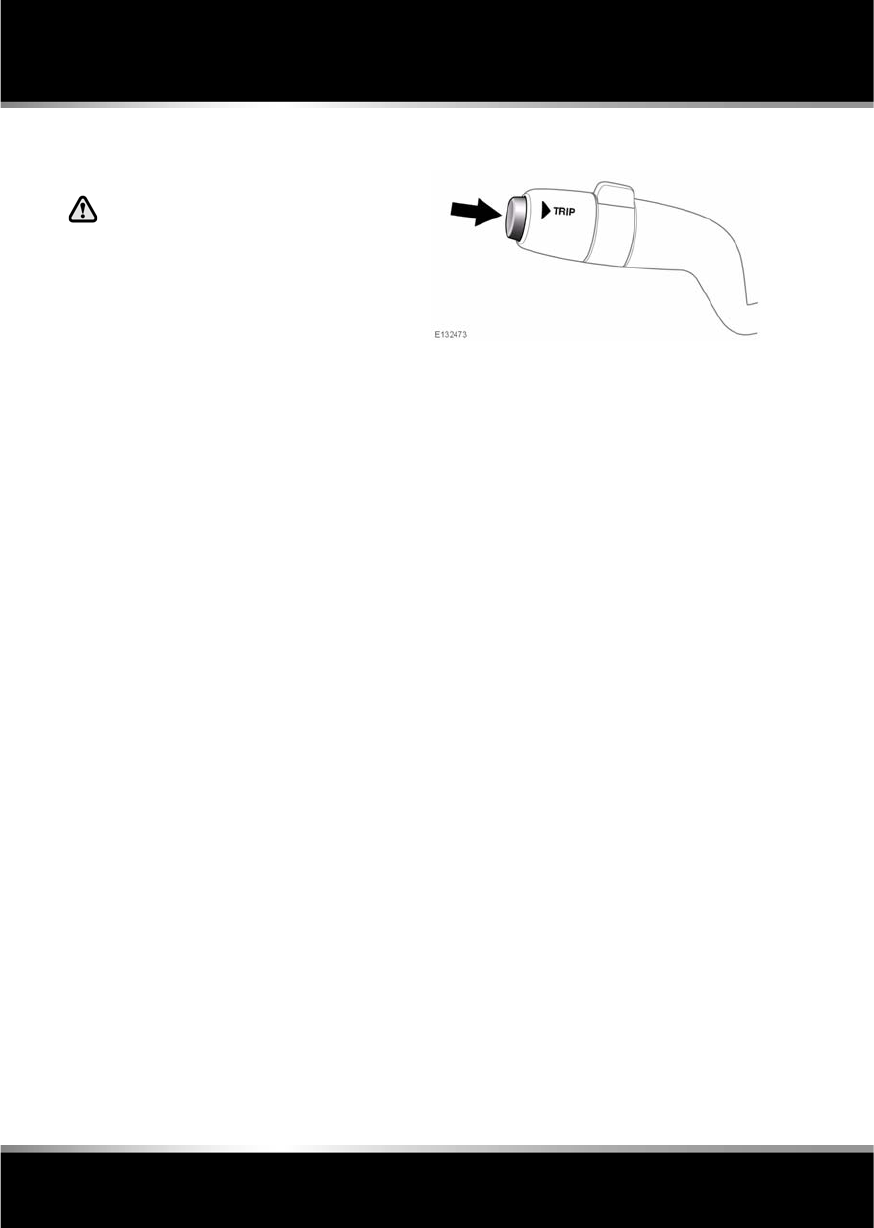
L
(FM8) SEMCON JLR OWNER GUIDE VER 1.00 EURO
LANGUAGE: english-en; MARQUE: jaguar; MODEL: XF
Message centre
56
Message centre
WARNING AND INFORMATION
MESSAGES
Do not ignore warning messages.Take
appropriate action and, when
necessary, seek qualified assistance
before driving the vehicle.
If more than one message is active, each is
displayed in turn for 2 seconds in order of
priority.
Note: The message centre messages and their
meanings, are detailed where necessary within
the appropriate subject sections.
TRIP COMPUTER
The computer memory stores data for a
journey or series of journeys until it is reset to
zero.
The displayed information is for guidance only,
as it can be affected by traffic, road and
weather conditions.
Three independent memories are available, A,
B and Auto. A and B memories can be reset
independently, while the Auto trip will reset
after every ignition cycle as the vehicle moves.
Trip computer information is displayed on the
instrument panel.
USING THE TRIP COMPUTER
Press the TRIP button on the end of the left
column stalk repeatedly to display the trip data
in the following order:
•ODO + Trip Distance Range.
•Range.
•Average Fuel Consumption.
•Average Speed.
•Oil Level (not V6 diesel).
•Digital Speed.
To reset the displayed trip data, press and hold
the TRIP button.
TRIP DISTANCE
Distance travelled since the last memory reset.
The maximum trip reading is 9 999.9
(kilometres or miles). The computer will
automatically reset to zero if this distance is
exceeded.
RANGE
This shows the predicted distance, miles or
kilometres, that the vehicle should travel on the
remaining fuel, assuming fuel consumption
stay constant.

R
(FM8) SEMCON JLR OWNER GUIDE VER 1.00 EURO
LANGUAGE: english-en; MARQUE: jaguar; MODEL: XF
Message centre
57
METRIC/IMPERIAL/MIXED DISPLAY
The display of metric, imperial or mixed units is
selected via the touch screen:
•With the touch screen switched on, select
Set-up from the Home menu.
•Select Security/vehicle, then select Units.
•Touch the appropriate button to select
Metric or Imperial units.
Note: Temperature display can be changed
between °C (Celsius) and °F (Fahrenheit)
independently of Metric or Imperial units.
SERVICE INTERVAL INDICATOR
The service interval message will only be
displayed when the vehicle has less than
3200 km (2000 miles) before the service is
due.
When the ignition is switched on, and the
vehicle has started its service countdown,
SERVICE REQ'D XXXX km (XXXX MLS) is
displayed in the message centre.
When the service distance has been reached,
SERVICE REQUIRED is displayed in the
message centre.
If no service interval indicator is
displayed during the vehicle service
cycle, make sure that your vehicle is
serviced in accordance with the
intervals, as stated in the Service
Portfolio.
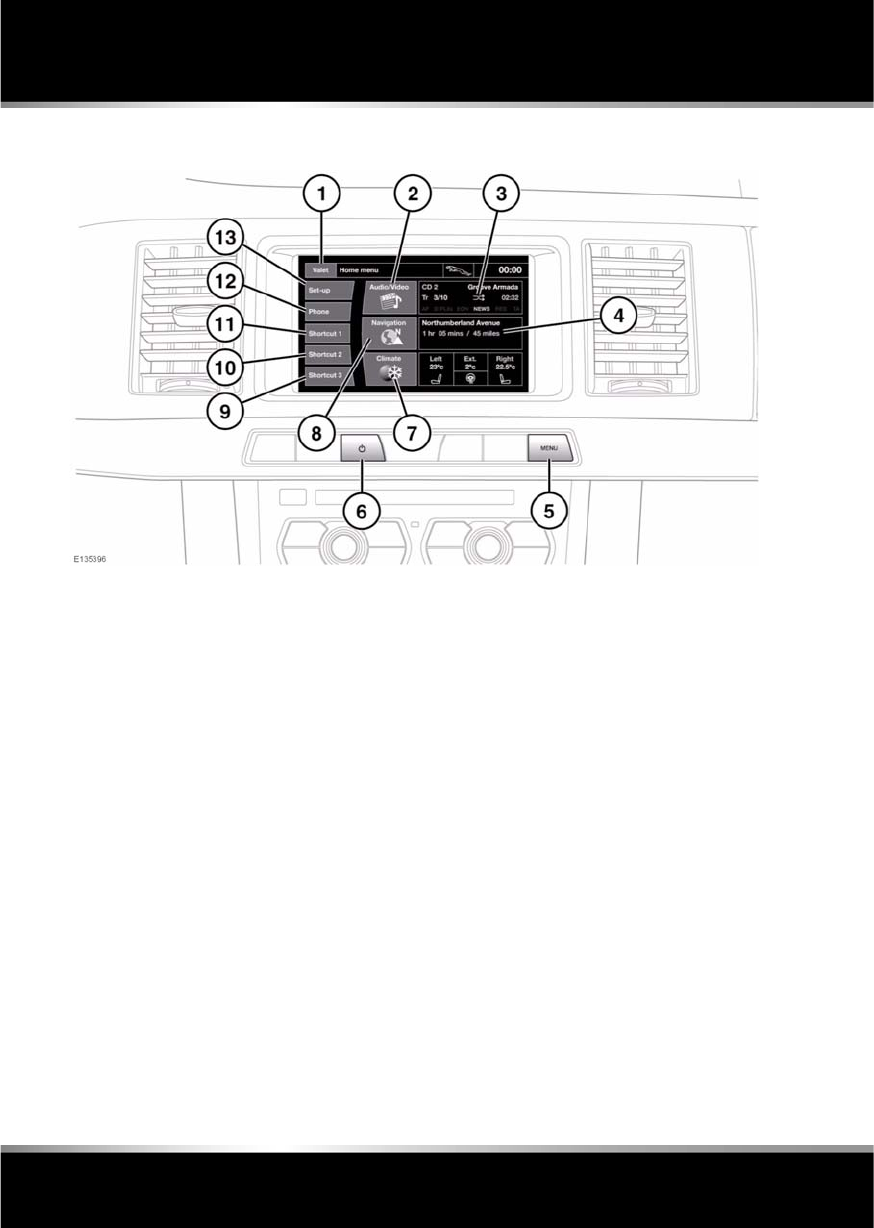
L
(FM8) SEMCON JLR OWNER GUIDE VER 1.00 EURO
LANGUAGE: english-en; MARQUE: jaguar; MODEL: XF
Touch screen
58
Touch screen
TOUCH SCREEN HOME MENU
1. Touch to select Valet mode.
Note: To enter/exit Valet mode, the correct
PIN will need to be entered. See 61,
SELECTING VALET MODE.
2. Touch to view the Audio/Video menu.
3. An overview of current audio information is
shown on the Home menu.
4. An overview of current navigation
information is shown on the Home menu.
5. Press to return the touch screen to the
Home menu.
6. Press to turn the touch screen on or off.
Note: Not fitted on vehicles with Eco Stop/
Start. Touch screen turns on and off with
ignition.
7. Touch to view the touch screen Climate
menu. Internal front left and right
temperature settings, external temperature
and heated steering wheel control are also
shown on the Home menu.
8. Touch to select the Navigation menu.
9. Short cut key. Use for personal short cuts
to any part of the system. Short cuts can be
made in the Set-Up Menu.
10. Short cut key. Use for personal short cuts
to any part of the system. Short cuts can be
made in the Set-Up Menu.
11. Short cut key. Use for personal short cuts
to any part of the system. Short cuts can be
made in the Set-Up Menu.
12. Touch to view the Phone menu.
13. Touch to select the vehicle Set-up menu, to
adjust touch screen, system, voice, trip
computer and security/vehicle settings.
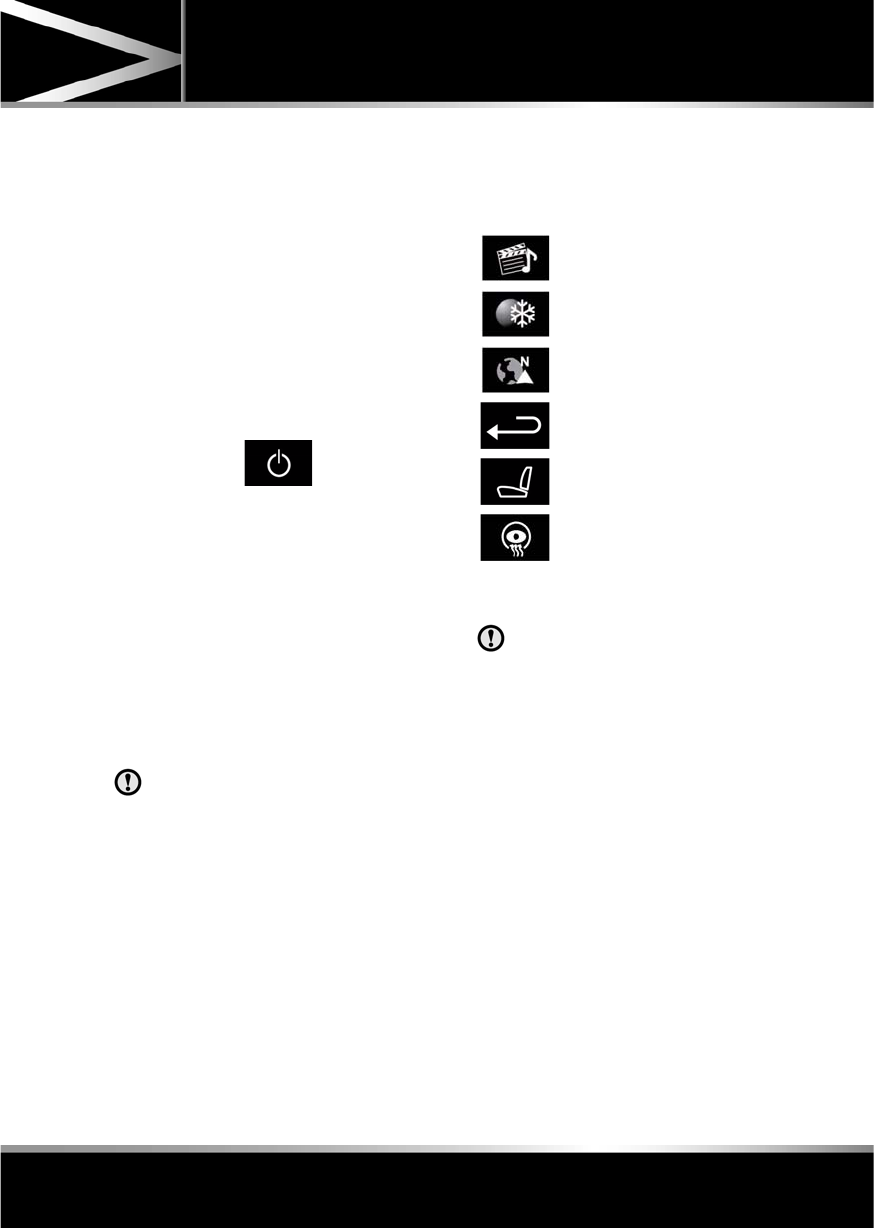
R
(FM8) SEMCON JLR OWNER GUIDE VER 1.00 EURO
LANGUAGE: english-en; MARQUE: jaguar; MODEL: XF
Touch screen
59
TURNING OFF THE TOUCH SCREEN
Vehicles without Eco Stop/Start:
1. Press the screen on/off button once to
activate the screensaver (see 58, TOUCH
SCREEN HOME MENU). If the screensaver
has not been set, a single press will turn off
the touch screen.
2. Press the screen on/off button twice to turn
off the touch screen.
3. To turn on the touch screen, press the
screen on/off button.
Vehicles with Eco Stop/Start:
1. From the Home menu, touch the screen off
soft key to activate the screensaver. If the
screensaver has not been set, touching the
screen off soft key will turn off the touch
screen.
2. From the screensaver, touch the screen off
soft key to turn off the touch screen.
3. To turn on the touch screen, touch
anywhere on the screen.
TOUCH SCREEN USE
Always run the engine during prolonged
use of the touch screen.
The buttons on the centre console, below the
touch screen display, are referred to as hard
buttons and should be pressed firmly. The
touch screen buttons are referred to as soft
keys and only require light pressure to
function. Do not use excessive pressure.
TOUCH SCREEN DISPLAY ICONS
Touch screen display icons are as follows (they
may not all be displayed at the same time):
TOUCH SCREEN CARE
Do not use abrasive cleaners on the
touch screen. For approved cleaning
products, contact your Dealer/
Authorised Repairer.
TOUCH SCREEN SETUP
•Select Set-up from the Home menu.
The setup screen contains five settings
categories:
•Screen
•System
•Voice
•Trip computer
•Security/vehicle
Audio/Video: Touch to select the
Audio/Video menu.
Climate: Touch to select the
Climate control menu.
Navigation: Touch to select the
Navigation menu.
Back soft key: Touch to return to
the previous screen displayed.
Shows the current status of the
relevant heated/ventilated seat.
Shows the current status of the
steering wheel heater.

L
(FM8) SEMCON JLR OWNER GUIDE VER 1.00 EURO
LANGUAGE: english-en; MARQUE: jaguar; MODEL: XF
Touch screen
60
SCREEN SETTINGS
Screensaver: Select to change the
screensaver. Touch an option to select.
Screen animations: Select to turn animated
transitions between screens on or off.
Note: While screen animations are on, system
response time will be slower than normal.
Time out home: Sub menu selection screens
can be set to revert to the Home menu after a
pre-determined length of time.
Theme: Changes appearance of the touch
screen soft keys.
SYSTEM SETTINGS
Button feedback: Select to turn the soft key
confirmation tone on or off.
Clock adjust: Select 12 or 24 hour clock. Set
current time. Select Date to change the date, or
to alter the date format. Select Set, to store
new settings.
Note: The clock can also be adjusted from the
touch screen time display.
Home menu shortcuts: Select up to three items
from the displayed list to appear as shortcuts
on the Home menu. Select Clear to deselect
highlighted items.
Language: Select the required language. Select
Male or Female voice. Touch Change to select
alternatives for Voice and text displays. Follow
the on-screen instructions to confirm.
Note: Some languages are not yet available for
both System display text and Voice control. In
this event, it will be necessary to select a
separate language for Voice control.
Volume presets: Adjust volume for the
available systems (announcements, phone,
voice etc.).
VOICE SETTINGS
•Command list: View the categories and the
acceptable voice commands.
Select an Information button to view
alternative function commands.
•Voicetags: View the categories. Select a
category to manage the voicetags for the
chosen system. See 127, VOICETAGS.
•Operating guide: View brief Voice system
instructions. Select Voice tutorial for more
detailed instructions (cancel via the
displayed pop-up or by pressing and
holding the voice button).
•Preferences: Select to alter the following
settings:
•Voice profile: The voice system can be
trained to have a greater recognition of
a particular voice or accent.The default
setting is Standard. To build a voice
profile for either User 1 or User 2, it is
necessary to complete a training
program first.
To complete the training for the first
time, select either User 1 or User 2 and
follow the on-screen and audible
instructions.
•Voice feedback: Select On or Off.
•Feedback volume: Adjust using the +/-
buttons. It is not possible to reduce the
volume to zero.
•Voice training: Select to access the voice
system training program, designed to
enable the system to better recognise the
vocal characteristics of a user.
Select User 1 or User 2 and follow the on
screen and audible instructions. See 127,
VOICE TRAINING.

R
(FM8) SEMCON JLR OWNER GUIDE VER 1.00 EURO
LANGUAGE: english-en; MARQUE: jaguar; MODEL: XF
Touch screen
61
The training session can be cancelled at any
time by touching the on-screen pop-up or by
pressing and holding the Voice button on the
steering wheel. See 126, USING VOICE
CONTROL.
TRIP COMPUTER SETTINGS
Trip Computer: Select to switch trip computer
readings between Trip A, Trip B and Trip Auto.
Select Reset to zero the trip computer
readings. Select Units to switch the trip
computer readings between Imperial and
Metric measurements.
VEHICLE SETTINGS
•Security: Select to enable/disable or alter
the settings of the following:
•Single/multi-point entry (2 stage
unlocking).
•Alarm sensors (interior and tilt).
•Drive-away locking.
Scroll down through the menu until the
desired feature is displayed, then select On
or Off, as appropriate.
If drive-away locking is switched on, select
the desired speed (8, 16 or 32 km/h or 5,
10 or 20 mph).
•Windows/mirrors: Select to
enable/disable:
•Global opening/closing of windows
and sunroof.
•Exterior mirror dip when reversing.
•Automatic folding/unfolding of exterior
mirrors when vehicle is locked/
unlocked.
•Interior mirror dimming.
Scroll down through the menu until the
desired feature is displayed, then select On
or Off, as appropriate.
•Units: Select to switch between Imperial
and Metric measurements.
•Auto (AHB) high beam: Select to turn AHB
on or off, and set AHB for side of road
being driven on.
SELECTING VALET MODE
Valet mode allows the vehicle to be locked by a
parking attendant, without giving access to the
luggage compartment and glove box. Valet
mode also prevents operation of the touch
screen, to prevent access to telephone
numbers or navigation addresses.
From the Home menu, select Valet, then enter
a four digit Personal Identification Number
(PIN) (personally chosen). You will then be
prompted to re-enter the same PIN. On
completion, touch the OK soft key.
If you wish to cancel the PIN, touch the C soft
key. If the PIN is cancelled, or incorrectly
entered, you will be prompted to enter the PIN
again.
Once the PIN has been correctly entered, a
security information pop-up is displayed. Read
the information and remove the emergency key
from the Jaguar Smart Key.
Valet on is displayed to indicate that the PIN
has been accepted. The luggage compartment
and glove box are now securely locked in Valet
mode.
On exiting and securing the vehicle, remove the
emergency key from the Jaguar Smart Key.
Retain the emergency key and give the Jaguar
Smart Key to the attendant.
Note: The emergency key can be used to open
the luggage compartment, which may
de-activate Valet mode.

L
(FM8) SEMCON JLR OWNER GUIDE VER 1.00 EURO
LANGUAGE: english-en; MARQUE: jaguar; MODEL: XF
Touch screen
62
DESELECTING VALET MODE
When you enter the vehicle, select the Valet
mode screen.
Enter your four digit PIN and touch the OK
button. A pop-up is displayed. Read the
information and stow the emergency key in the
Jaguar Smart Key.
Valet off is displayed to indicate that your PIN
has been accepted.
•The luggage compartment will return to the
previously set security requirement.
•The glove box will now open as normal.
Note: If the PIN is forgotten, open the luggage
compartment using the emergency key blade
to cancel Valet mode.
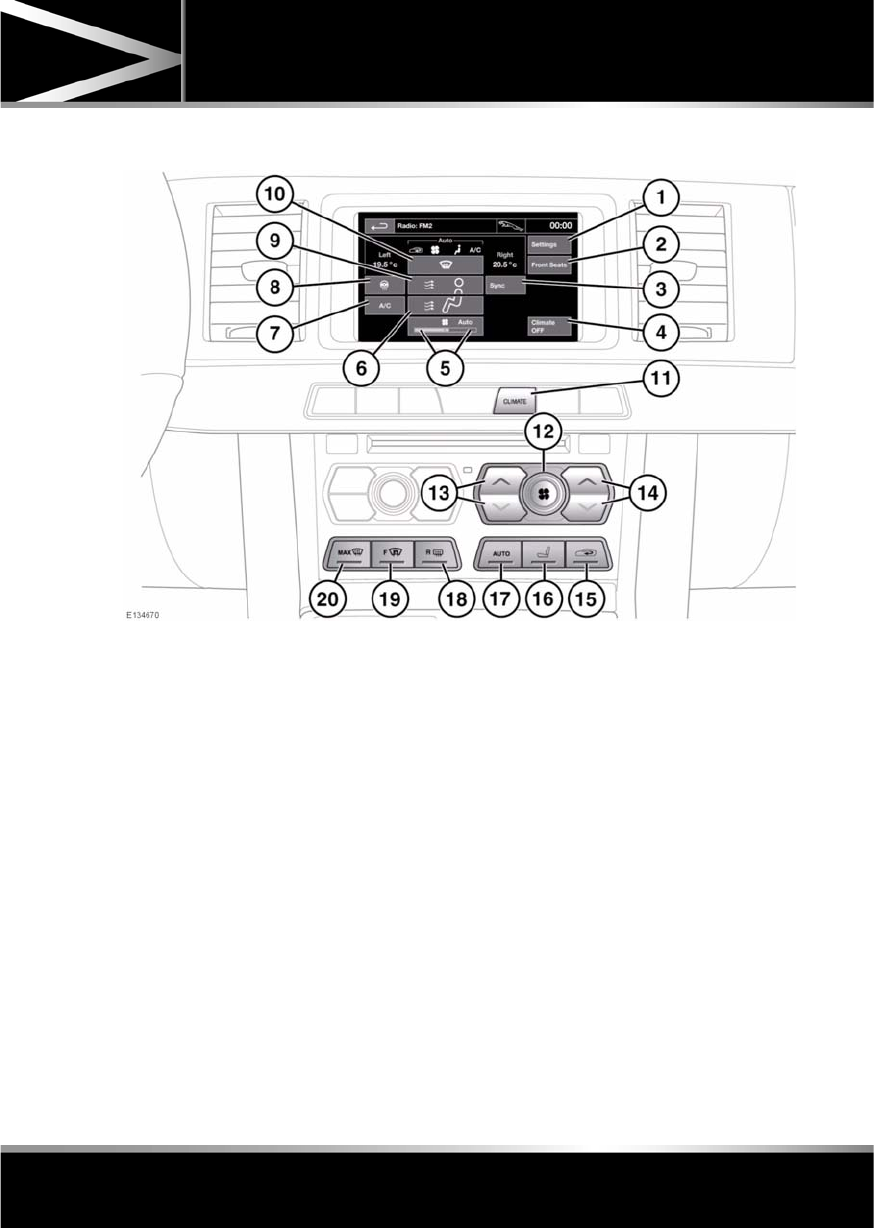
R
(FM8) SEMCON JLR OWNER GUIDE VER 1.00 EURO
LANGUAGE: english-en; MARQUE: jaguar; MODEL: XF
Heating and ventilation
63
Heating and ventilation
CLIMATE CONTROL
To access the Climate menu on the touch
screen, select Climate from the home menu.
1. Touch to change the personal climate zone
settings, to set the vent rotation mode and
the automatic air recirculation sensor
control settings.
2. Touch to access seat heating/ climate seat
menu.
3. Touch to synchronize the passenger’s
climate zone to the driver’s settings.
4. Touch to turn climate control off.
5. Indicates blower speed.
6. Touch to select air distribution to feet.
7. Air conditioning on/off. When the air
conditioning is turned off, Economy mode
is selected, which reduces the power
consumed by the climate system.
Note: Prolonged use of Economy mode
may cause the windows to mist.
8. Touch to select steering wheel heater
on/off.
9. Touch to select air distribution to face.
10. Touch to select air distribution to the
windscreen.
11. Press to short cut to touch screen climate
menu.
Note: Not fitted on vehicles with the
Navigation system.
12. Blower speed: Rotate to adjust blower
speed.
Blower speed is automatically set in Auto
mode. Adjusting the blower speed will
cancel Auto mode.
Press centre button to switch climate
system on/off.

L
(FM8) SEMCON JLR OWNER GUIDE VER 1.00 EURO
LANGUAGE: english-en; MARQUE: jaguar; MODEL: XF
Heating and ventilation
64
13. Left-hand temperature control: Press to
adjust temperature for the left side of the
vehicle. The temperature is displayed on
the touch screen (HI or LO is displayed
when the maximum or minimum setting is
selected).
Note: The maximum possible temperature
differential between left and right hand
temperature settings is 3°C (5.4°F).
14. Right-hand temperature control: Press to
adjust temperature for the right side of the
vehicle. The temperature is displayed on
the touch screen (HI or LO is displayed
when the maximum or minimum setting is
selected).
15. Press briefly to select timed recirculation.
Press and hold to select continuous
recirculation. Press again to switch off. See
64, RECIRCULATION.
16. Press to access seat heating/ climate seat
menu.
17. AUTO control: Press to switch automatic
operation on.
18. Press to turn the heated rear screen on/off.
See 64, HEATED SCREENS.
19. Press to turn the heated front screen
on/off. See 64, HEATED SCREENS.
20. Defrost: Press to remove frost or heavy
misting from the windscreen. This setting
activates the blowers, air-conditioning,
front and rear screen heaters and prohibits
recirculation, to achieve a rapid defrost.
In addition to the selectable controls, the
climate menu displays symbols that indicate
the status of heating and ventilation functions.
Note: If the climate control system is switched
off, pressing an AUTO button or the Defrost
button, will switch the climate system on.
HEATED SCREENS
With the engine running, the front (F) and rear
(R) screen heaters, may be switched on and off
in any mode, including with the climate control
system off.
The front and rear screen heaters switch off
automatically after a timed period depending
on the ambient temperature. In cold ambient
conditions, below 5°C (41°F), the screen
heaters will switch on automatically when the
engine is started, unless the engine or vehicle
interior is already warm.
RECIRCULATION
•Press briefly to activate timed
recirculation. The button indicator
illuminates when recirculation is on.
•Press and hold the button to activate
continuous recirculation. the button
indicator will flash and then illuminate
constantly.
•To cancel recirculation, press the button
briefly.
When selected, the air is recirculated inside the
vehicle. This helps to maintain a high or low
temperature, and is useful for preventing
fumes from entering the vehicle.
Timed recirculation: Recirculation will switch
off automatically after a set time (dependent on
the ambient temperature).
Latched recirculation: Recirculation will
remain on until the button is pressed again.
Note: Prolonged use at low temperatures may
cause the windows to mist.
Recirculation may also be selected in AUTO
mode, if the climate control system detects
high levels of pollution in the atmosphere
outside the vehicle (if an air quality sensor is
fitted). Manual operation of the recirculation
control will override the automatic setting.

R
(FM8) SEMCON JLR OWNER GUIDE VER 1.00 EURO
LANGUAGE: english-en; MARQUE: jaguar; MODEL: XF
Heating and ventilation
65
AIR QUALITY SENSOR
If the air quality sensor detects pollution, air
recirculation is selected automatically to
reduce pollutants entering the vehicle.
The sensitivity of the sensor can be adjusted
using the touch screen:
1. Select Settings from the Climate menu.
2. Touch the +/- buttons on the screen to
increase/decrease sensitivity.
To switch the function off, decrease sensitivity
to the minimum setting.
EXTERNAL TEMPERATURE
The external temperature is displayed in the
Home menu of the touch screen and in the
instrument panel.
When the external temperature is low enough
that ice may be present on the road, an amber
snowflake warning lamp will illuminate in the
instrument panel.
AUTOMATIC CLIMATE CONTROL
AUTO mode should be used as the normal
operating mode. The air conditioning, heating
and ventilation controls automatically provide
an optimum environment at the selected
temperature.
Note: Screen heating and timed air
recirculation may be selected in AUTO mode.
Any other manual adjustment cancels AUTO
operation.
Note: Water expelled by the air conditioning
may collect underneath the vehicle when
parked. This is not cause for concern.
TEMPERATURE CONTROLS
The driver and front seat passenger zone
temperatures can be independently adjusted.
The temperature for each zone is displayed on
the relevant side of the touch screen.
Note: The maximum possible temperature
differential between the driver and passenger
settings is 3°C (5.4°F).
HEATED SEATS
Note: The seat heaters will only operate when
the engine is running.
The heated seats are controlled from the Home
or Climate menu on the touch screen.
•Touch the appropriate seat icon to switch
on the seat heater at maximum
temperature (3 red bars).
•Touch the icon a second and third time to
reduce the temperature (2 and 1 red bars).
•Touch the icon a fourth time to switch the
seat heater off.
This icon appears at the top of the
touch screen when the air quality
sensor is switched on.

L
(FM8) SEMCON JLR OWNER GUIDE VER 1.00 EURO
LANGUAGE: english-en; MARQUE: jaguar; MODEL: XF
Heating and ventilation
66
CLIMATE SEATS
Note: The climate seats will only operate when
the engine is running.
Seat ventilation is controlled from the Home or
Climate menu on the touch screen.
Heated ventilation:
•Touch the red arrow above the appropriate
seat icon to switch heated ventilation on at
maximum (3 red bars).
•Touch the blue arrow below the seat icon
once or twice to reduce the ventilation
setting (2 and 1 red bars).
•Touch the blue arrow a third time to switch
off seat ventilation.
Cooled ventilation:
•Touch the blue arrow below the
appropriate seat icon to switch cooled
ventilation on at maximum (3 blue bars).
•Touch the red arrow above the seat icon
once or twice to reduce the ventilation
setting (2 and 1 blue bars).
•Touch the red arrow a third time to switch
off seat ventilation.
To select backrest ventilation only:
•Select Settings from the Climate menu.
•Select the appropriate icon for full seat or
backrest only ventilation.
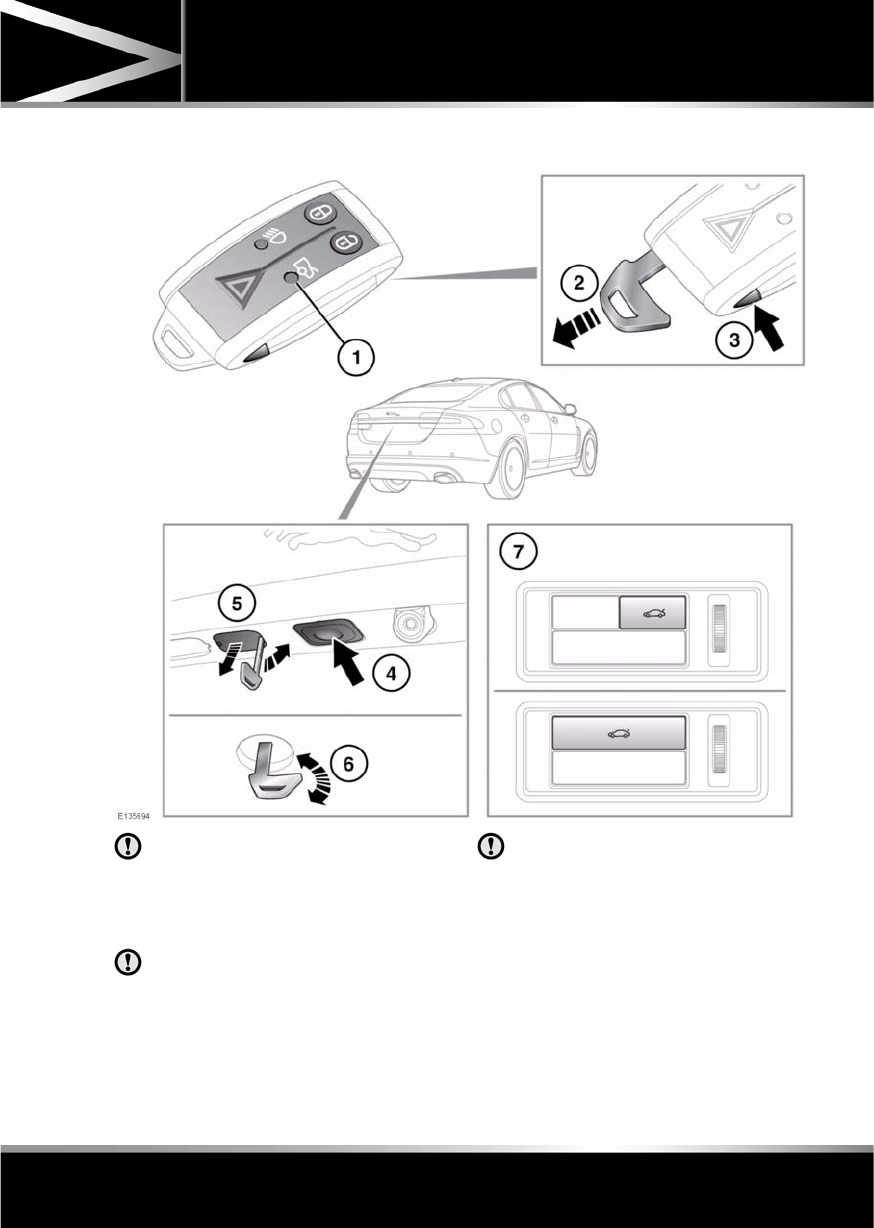
R
(FM8) SEMCON JLR OWNER GUIDE VER 1.00 EURO
LANGUAGE: english-en; MARQUE: jaguar; MODEL: XF
Luggage compartment
67
Luggage compartment
OPENING AND CLOSING THE LUGGAGE COMPARTMENT
If the luggage compartment is opened
after the driver and passenger doors are
locked, ensure that the Jaguar Smart
Key remains outside the vehicle when it
is closed again.
If the Smart Key is inadvertently left
inside the luggage compartment and
the vehicle is locked and alarmed, a
warning sounds and the compartment
will re-open after 3 seconds.
The Smart Key may not be detected if it
is placed within a metal container or if it
is shielded by a device with a back-lit
LCD screen, such as a smart phone,
laptop (including laptop bag), games
console etc.
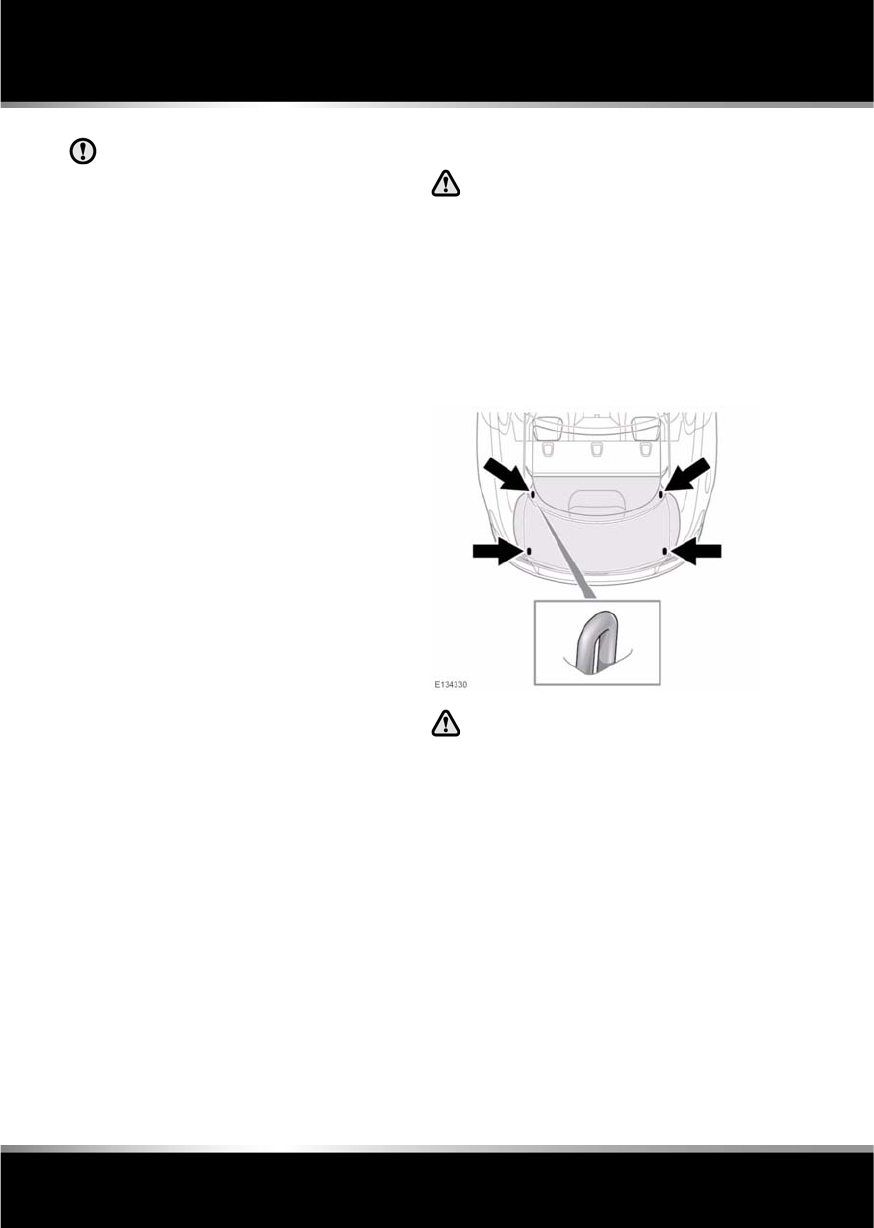
L
(FM8) SEMCON JLR OWNER GUIDE VER 1.00 EURO
LANGUAGE: english-en; MARQUE: jaguar; MODEL: XF
Luggage compartment
68
Do not repeatedly attempt to close the
luggage compartment after it
automatically re-opens, or the latch
may overheat. If the cause of the
automatic re-opening cannot be
determined: Unlock all the doors and
the luggage compartment with the
Smart Key; make sure that all doors, the
bonnet and the luggage compartment
are closed properly; lock the vehicle
again with the Smart Key.
The luggage compartment can be opened
using the appropriate button (1) on the Smart
Key, or via keyless entry (see 6, KEYLESS
ENTRY). Provided the vehicle is not locked, the
luggage compartment can also be opened
using either the interior release button (7) or
the exterior release button (4).
The emergency key blade in the Smart Key can
also be used to open the luggage
compartment, as follows:
1. Press and hold the release button (3) on
the Smart Key, then remove the emergency
key blade (2).
2. Use the emergency key blade to remove
the cap (5) from the trim panel above the
license plate.
3. Insert the emergency key blade into the
lock (6) and turn clockwise to open the
luggage compartment.
If the security system is armed, the alarm
will sound when the luggage compartment
is opened. To deactivate the alarm, press
the vehicle unlock button on the Smart Key
or press the engine START/STOP button
with the Smart Key inside the vehicle.
SOFT-CLOSE LID
Care should be taken when manually
latching the boot lid as the soft-close
feature will automatically close the
latch and possible injury may occur.
To activate the soft-close feature, lower the
luggage compartment lid onto the latch. The lid
will then automatically move to the fully closed
and latched position.
LUGGAGE ANCHOR POINTS
All items carried in the vehicle should
be properly secured.
Four securing points are provided in the
luggage area to assist in safely securing items.
Note: A range of approved luggage retention
accessories are available from your Dealer/
Authorised Repairer.

R
(FM8) SEMCON JLR OWNER GUIDE VER 1.00 EURO
LANGUAGE: english-en; MARQUE: jaguar; MODEL: XF
Towing
69
Towing
TOWING A TRAILER
(V6 petrol and diesel vehicles only)
Never exceed the maximum weights
for the vehicle or the trailer. Damage
to the vehicle could occur and vehicle
stability and braking could be
adversely affected. This could lead to
loss of control and increased braking
distance, resulting in a rollover or
crash.
To preserve handling and stability,
only fit Jaguar approved towing
accessories.
Never use towing eyes or lashing
points to tow a trailer. They have not
been designed for this purpose and
doing so may cause them to fail,
resulting in injury or death.
When towing, do not exceed 100 km/h
(60 mph). If using a temporary spare
wheel, do not exceed 80 km/h (50
mph).
Note: It is the driver’s responsibility to ensure
that the towing vehicle, and the trailer, are
being used correctly and in accordance with
manufacturer’s recommendations and any
applicable legislation.
Information on towing, towing weight
capacities and regulations is available from
your Dealer and from the main motoring and
caravanning organisations.
The following are important points of safety,
stability and comfort. Seek further advice if
necessary.
•Maximum braked towing weight is
permissible, provided that long periods of
uphill driving on gradients over 8% are not
undertaken.
•At altitudes above 1000 metres (3250 feet),
the stipulated maximum permitted Gross
Train Weight must be reduced by 10% for
every 1000 metres (3250 feet) in altitude,
because the thinner atmosphere can
reduce engine performance.
Diesel engines: When ambient temperature
exceeds 40°C (104°F), the engine coolant
temperature may increase above normal
operating level. If this occurs, the engine
management system will initiate a series of
actions to restore normal operating conditions,
which may include:
•A message centre message.
•Engine performance reduction.
•Air conditioning system cycling. The air
conditioning temperature output will
fluctuate between hot and cold, in order to
dissipate engine heat. If engine overheat
persists, the air conditioning will move to
continuous heat output.
It is advisable to bring the vehicle and trailer to
a convenient stop and allow the engine to idle
until normal temperature is restored. Do not
turn off the engine.
TRAILER ELECTRICAL CONNECTION
Only connect approved electrical
circuits, which are in good condition, to
the trailer socket. Connecting incorrect
or faulty circuits, may seriously damage
the vehicle’s electrical circuits.
The vehicle’s electrical system has been
designed to support all towing requirements
and comply with legal requirements for the
specific territory in which the vehicle is first
sold.
Note: The rear parking sensors automatically
disable when the trailer electrical connection is
made using Jaguar approved towing
equipment.
L
(FM8) SEMCON JLR OWNER GUIDE VER 1.00 EURO
LANGUAGE: english-en; MARQUE: jaguar; MODEL: XF
Towing
70
TOWING WEIGHTS
Do not exceed the Gross Vehicle
Weight (GVW), maximum rear axle
weight, maximum trailer weight or
nose/tongue weight. Exceeding any of
these limits could cause instability
and loss of control. See 176,
WEIGHTS.
Nose/tongue weight must be the greater of 50
kg (110 lb.) or 7% of the actual trailer weight,
up to the maximum tow hitch load.
Nose/tongue weight can be measured using a
proprietary brand of nose weight indicator.
If it is necessary to increase the nose/tongue
weight up to the maximum allowed, the vehicle
load should be reduced accordingly. This
ensures that the Gross Vehicle Weight (GVW)
and maximum rear axle load are not exceeded.
Note: When towing the maximum permissible,
Gross Vehicle Weight can be increased by a
maximum of 100 kg (220 lb.), provided that the
road speed is limited to 100 km/h (60 mph).
Note: When calculating rear axle loading,
remember that the trailer nose/tongue weight,
the load in the vehicle’s luggage compartment
and the weight of rear seat passengers must all
be added together.
Towing weights - Australia only: The
nose/tongue weight must be a minimum of
75% of gross caravan/trailer weight, up to a
maximum of 350 kg (722 lb.).
ESSENTIAL TOWING CHECKS
•The trailer should be parallel to the ground
when loaded and connected to the vehicle.
•When calculating the laden weight of the
trailer, remember to include the weight of
the trailer, plus the weight of the load.
•If the load can be divided between the
vehicle and the trailer, loading more weight
into the vehicle will generally improve the
stability.
•Ensure that all applicable regulations and
legislation are complied with when loading
and towing a trailer.
•Increase rear tyre pressures of the towing
vehicle to those for maximum loading
conditions.
•Ensure trailer tyre pressures are set to
trailer manufacturer’s recommendations.
•If the vehicle is loaded to maximum Gross
Vehicle Weight (GVW), the nose weight is
limited.
•Ensure that a suitable breakaway cable or
secondary coupling is used. Refer to the
trailer manufacturer’s instructions for
guidance.
Do not loop the breakaway cable
over the tow ball, as it may slide
off.
•Ensure that the tow ball is secure.
•Check the operation of all trailer weights.
Maximum
permissible towing
weights
Unbraked trailers 750 kg (1653 lb.)
Trailers with
overrun brakes
1850 kg (4080 lb.)
Nose/Tongue
weight
75 kg (165 lb.)
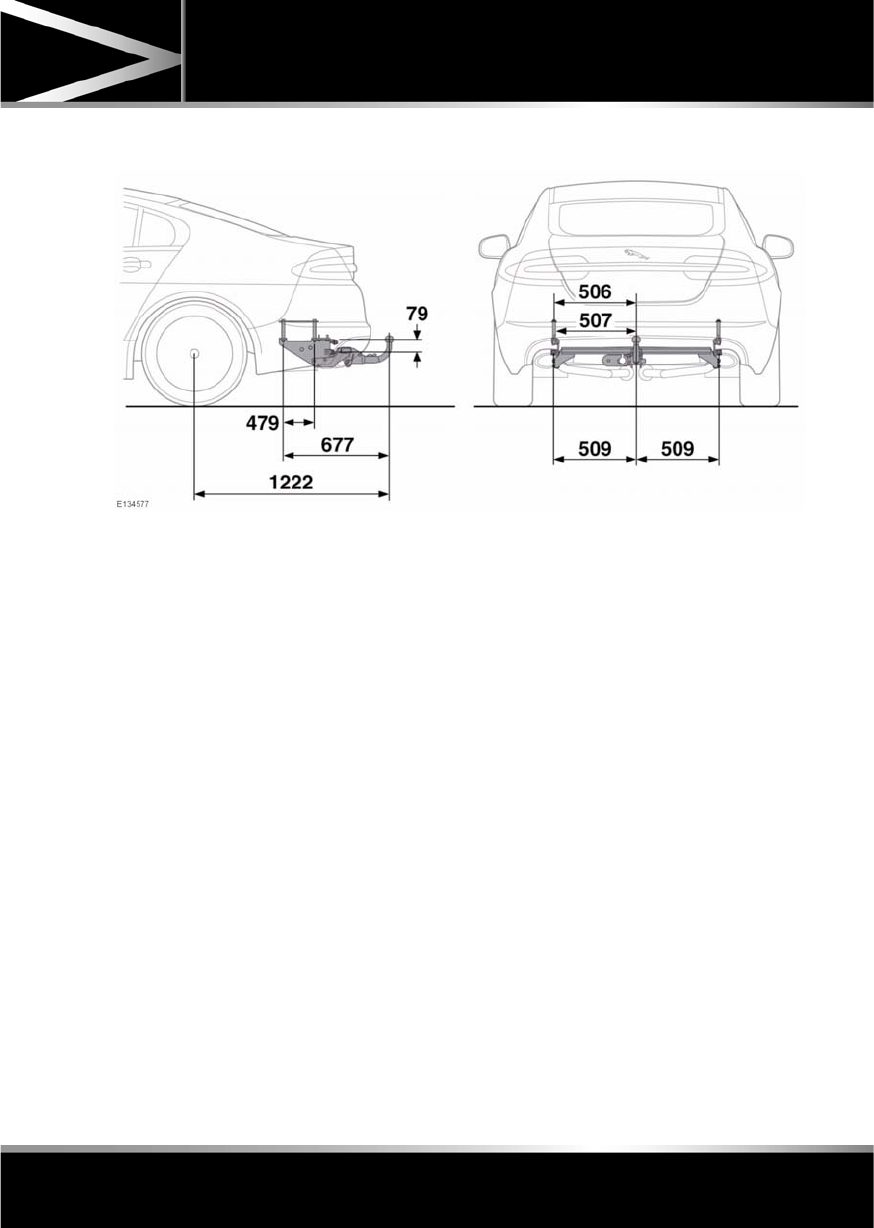
R
(FM8) SEMCON JLR OWNER GUIDE VER 1.00 EURO
LANGUAGE: english-en; MARQUE: jaguar; MODEL: XF
Towing
71
TOW BAR DIMENSIONS AND MOUNTING POINTS
Note: Dimensions given are in millimetres.
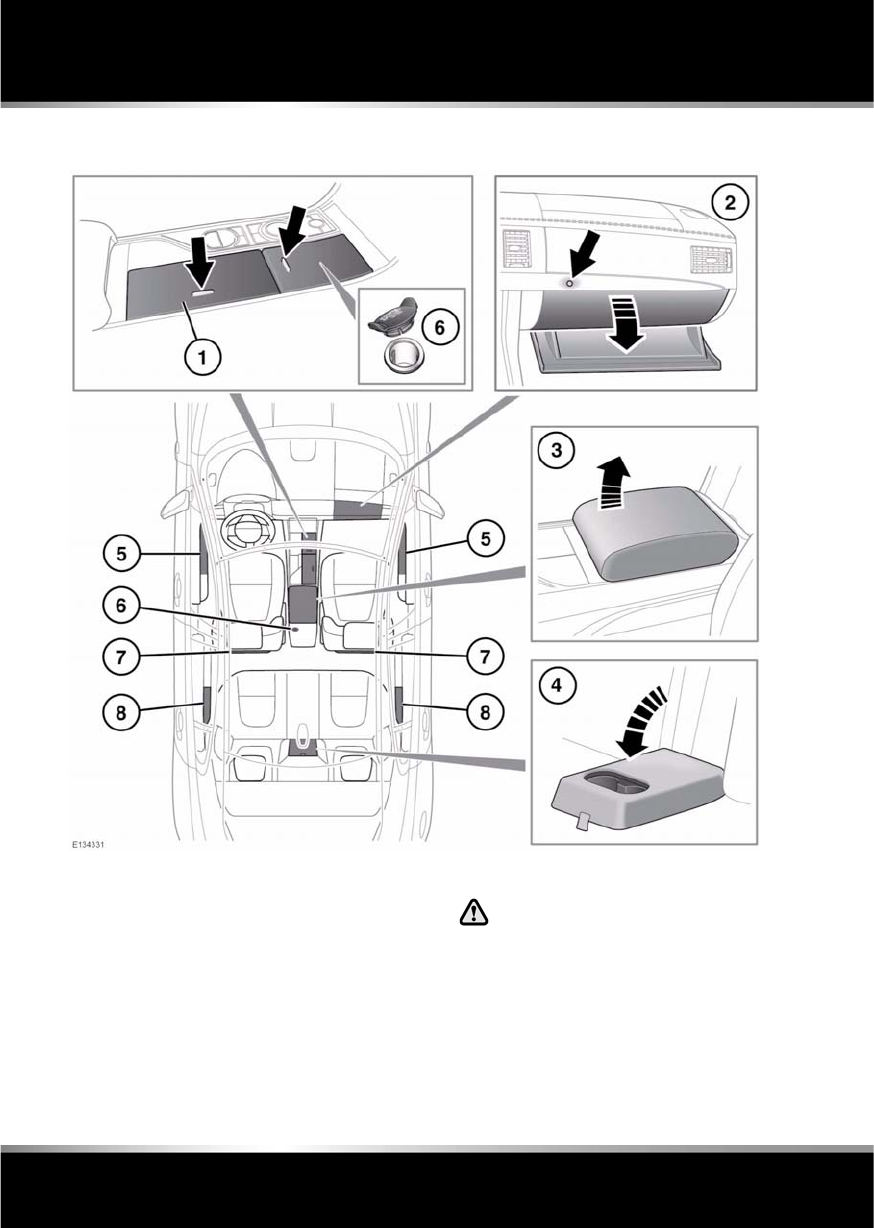
L
(FM8) SEMCON JLR OWNER GUIDE VER 1.00 EURO
LANGUAGE: english-en; MARQUE: jaguar; MODEL: XF
Storage compartments
72
Storage compartments
STORAGE COMPARTMENTS
1. Cup holder. Press button to open.
To remove the cup holder insert for
cleaning, lift the front edge rearwards and
then upwards, to disengage the retaining
clips.
When refitting the insert, push it fully into
the compartment and run your thumb
down the inside surface at the front and
rear, to re-engage the clips. If the lid of the
cup holder does not close correctly, the
insert has not been properly refitted.
Do not drink, or use the drinks
holders when driving.
2. Glove box: Open using the glove box
release (arrowed).
Note: When Valet mode is selected the
glove box release is disabled.
3. Cubby box.
4. Rear cup holders.

R
(FM8) SEMCON JLR OWNER GUIDE VER 1.00 EURO
LANGUAGE: english-en; MARQUE: jaguar; MODEL: XF
Storage compartments
73
5. Front door stowage.
6. Auxiliary power sockets.
Only use approved accessories and
always run the engine when using
accessories for a prolonged period.
7. Map pockets.
8. Rear door stowage.
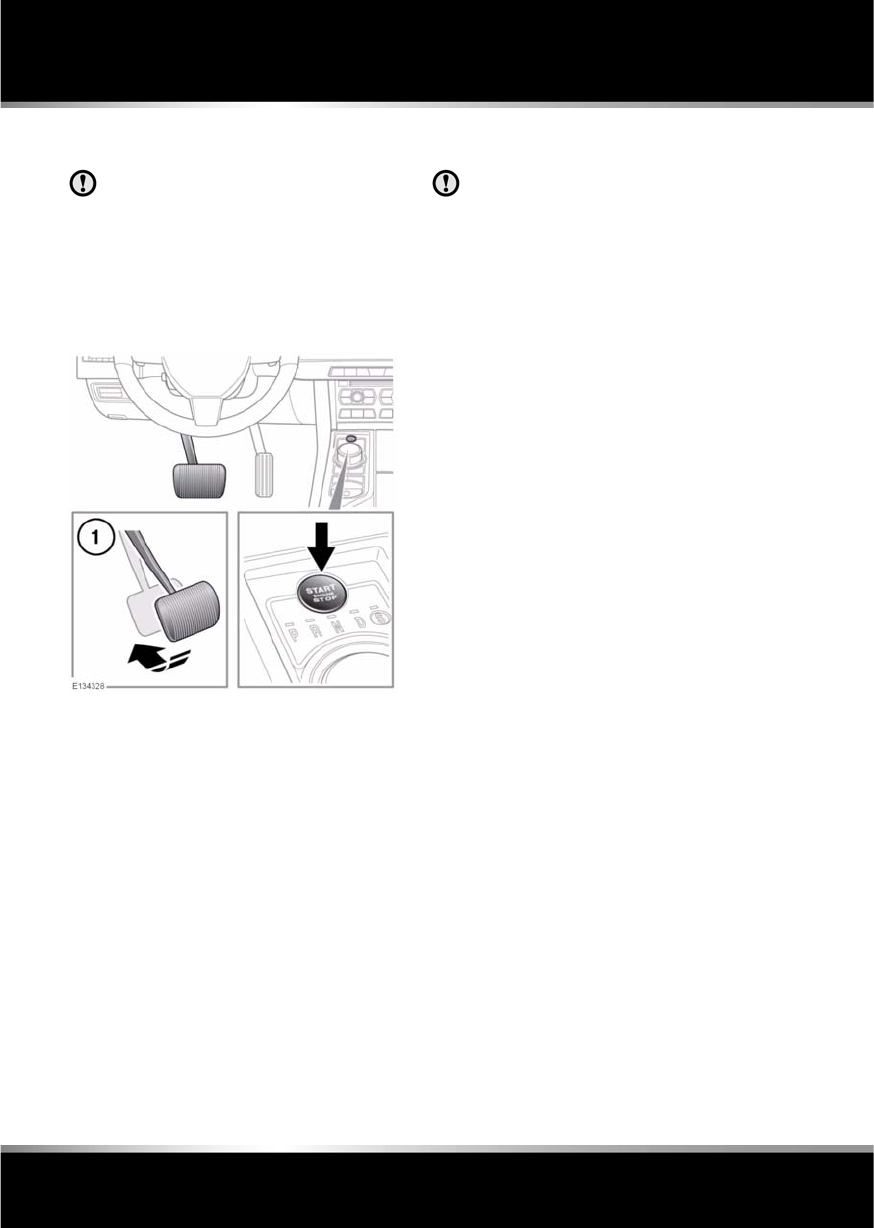
L
(FM8) SEMCON JLR OWNER GUIDE VER 1.00 EURO
LANGUAGE: english-en; MARQUE: jaguar; MODEL: XF
Starting the engine
74
Starting the engine
STARTING A PETROL ENGINE
The Smart Key may not be detected if it
is placed within a metal container or if it
is shielded by a device with a back-lit
LCD screen, such as a smart phone,
laptop (including laptop bag), games
console etc. Keep the Smart Key clear of
such devices when attempting Keyless
entry or Keyless starting.
With the brake pedal applied (1) and with a
valid Jaguar Smart Key in the vehicle, press
and release the START/STOP button. The
engine will start, the JaguarDrive selector will
elevate out of the centre console and a drive
gear can be selected.
Note: If, during the start procedure, the brake
pedal is released, a gear change is made or if a
fault occurs, Smart Start cancelled is
displayed in the message centre and the start
procedure is cancelled.
STARTING A DIESEL ENGINE
The Smart Key may not be detected if it
is placed within a metal container or if it
is shielded by a device with a back-lit
LCD screen, such as a smart phone,
laptop (including laptop bag), games
console etc. Keep the Smart Key clear of
such devices when attempting Keyless
entry or Keyless starting.
With the brake pedal applied and with a valid
Jaguar Smart Key in the vehicle, press and
release the START/STOP button. In ambient
conditions, within 3 seconds, the engine will
start to crank. The JaguarDrive selector will
elevate out of the centre console.
In very cold conditions, expect engine cranking
times to increase.
Note: If, during the start procedure, the brake
pedal is released, a gear change is made or if a
fault occurs, Smart Start cancelled is
displayed in the message centre and the start
procedure is cancelled.
SWITCHING ON THE IGNITION
To turn on the ignition without starting the
engine, make sure the brake pedal is not
applied and that there is a valid Smart Key in
the vehicle, then press and release the
START/STOP button.
Note: If the brake pedal is pressed when the
START/STOP button is pressed, the engine will
start.

R
(FM8) SEMCON JLR OWNER GUIDE VER 1.00 EURO
LANGUAGE: english-en; MARQUE: jaguar; MODEL: XF
Starting the engine
75
STEERING COLUMN LOCK
The steering column has an electronic lock,
which locks and unlocks in conjunction with
the vehicle Locking/Alarm system. The steering
column lock also locks when the ignition is
switched off, after a time delay. If the steering
column lock malfunctions, Steering Column
Locked is displayed in the message centre. If
this occurs:
1. Lock and then unlock the vehicle using the
Smart Key.
2. Try again to unlock the steering column
lock, by turning the steering wheel gently
to the left and right.
3. If the malfunction persists, seek qualified
assistance immediately.
SWITCHING OFF THE ENGINE
With the gear selector in position P, press the
engine START/STOP button. The engine will
stop and the ignition system will return to
convenience mode. The audio, telephone and
touch screen systems will revert to stand-by
mode and the JaguarDrive selector will retract
into the centre console.
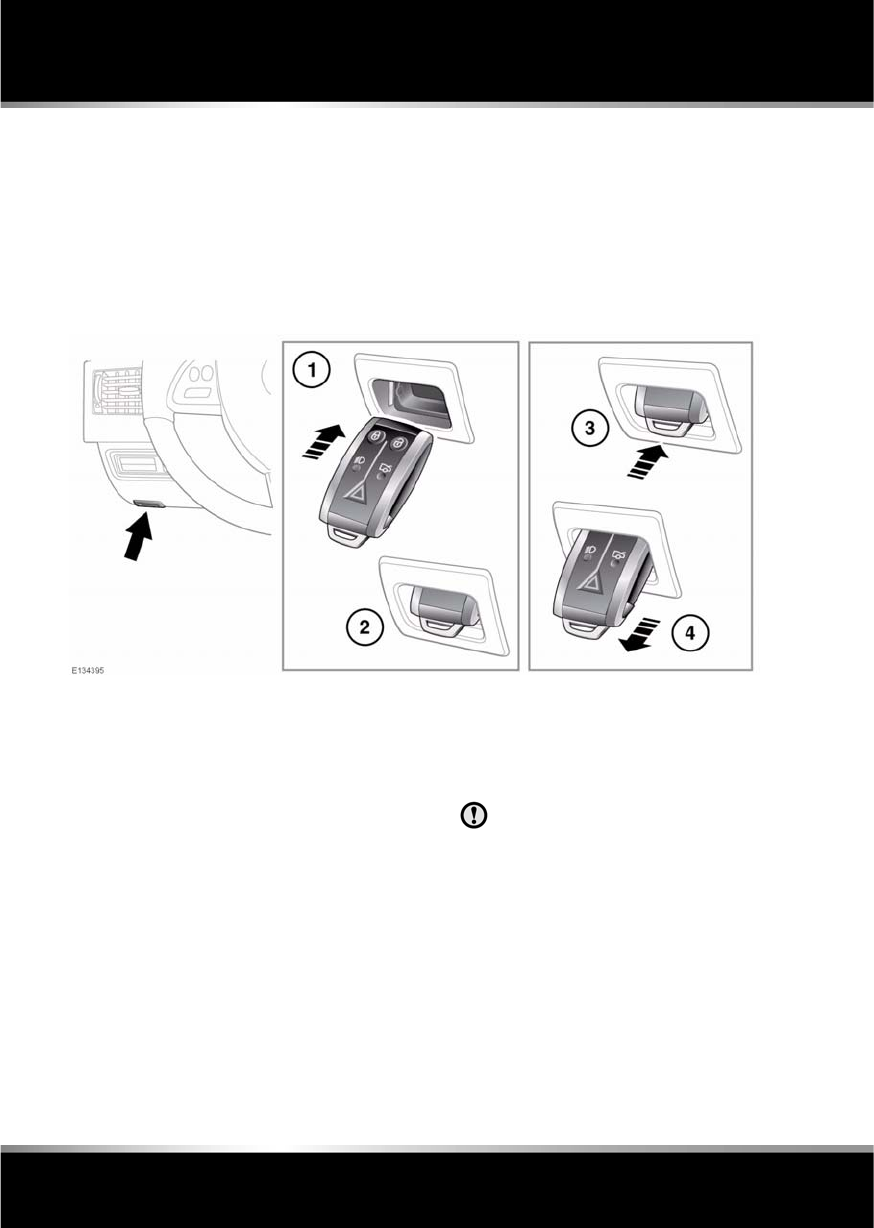
L
(FM8) SEMCON JLR OWNER GUIDE VER 1.00 EURO
LANGUAGE: english-en; MARQUE: jaguar; MODEL: XF
Starting the engine
76
IF THE ENGINE FAILS TO START
If the brake pedal has been pumped prior to an
attempt to start the engine, it may require
greater pressure on the pedal in order for the
engine to start.
If the Jaguar Smart Key is placed in the door
pocket, it may be outside the range of the
sensors when the door is open.
If the Smart Key fails to operate, Smart Key
Not Found- Refer to Handbook is displayed in
the message centre. To start the engine it will
be necessary to dock the Smart Key, as
follows:
1. Insert the Smart Key fully into the starter
control unit, as shown.
Note: When docking the Smart Key, it is
recommended that the emergency key
blade is left in place. The end of the blade
can then be used as a handle, to pull the
Smart Key from the control unit when
undocking.
2. Ensure the Smart Key is securely docked,
then press and release the START/STOP
button with the brake pedal applied to start
the engine.
3. To undock the smart key, ensure that the
gear selector is in the P position and the
ignition is switched off, then press and
release the Smart Key. The Smart Key will
eject from the starter control unit.
Ensure that the ignition is switched
off before undocking the Smart
Key, otherwise damage to the
Smart Key may occur.
4. Remove the Smart Key.
If the engine still fails to start, seek qualified
assistance.

R
(FM8) SEMCON JLR OWNER GUIDE VER 1.00 EURO
LANGUAGE: english-en; MARQUE: jaguar; MODEL: XF
Starting the engine
77
PETROL ENGINES
If the engine persistently fails to start, press the
START/STOP button (without applying the
brake pedal) to return the ignition to
convenience mode. Slowly depress the
accelerator pedal fully, hold it in this position
and press the START/STOP button with the
brake pedal applied, the engine will start to
crank. Release the accelerator pedal when the
engine starts.
If the engine still fails to start, consult your
Dealer/Authorised Repairer.
DIESEL ENGINES
If the engine persistently fails to start, press
and hold the START/STOP button (with the
brake pedal applied). Keep the START/STOP
button and the brake pedal pressed until the
engine starts, then release.
If the engine still fails to start, consult your
Dealer/Authorised Repairer.
SWITCHING OFF THE ENGINE WHILE
MOVING
It is not advisable to switch off the
engine whilst the vehicle is moving.
However, should such a situation
arise, then the following procedure
applies.
•Press and hold the engine START/STOP
button for 2 seconds, or;
•Press the engine START/STOP button
twice within 2 seconds.
In either case, the warning Engine stop button
pressed will be displayed in the message
centre.
ROLLING RE-START
If the engine is switched off whilst the vehicle
is moving, a rolling re-start can be initiated by
selecting neutral and pressing the engine
START/STOP button.
ECO STOP/START
The Stop/Start system is designed to improve
fuel efficiency and is automatically activated
when the ignition is turned on. If the vehicle is
stopped (e.g. at traffic lights or in traffic), the
engine will turn off (unless it is required to
support other vehicle systems). When the
brake is released and a drive gear is selected,
the engine will restart automatically.
To activate an automatic engine stop:
•Stop the vehicle from a speed greater than
4 km/h (2.5 mph) and apply sufficient
brake pressure to ensure the vehicle is
stationary.
•Alternatively, whilst stationary, select P
(Park) or N (Neutral).
To activate an automatic engine restart release
the brake pedal with D (Drive) or S (Sport)
selected.
The warning lamp in the
instrument panel illuminates when
the engine has been switched off
by the Stop/Start system.
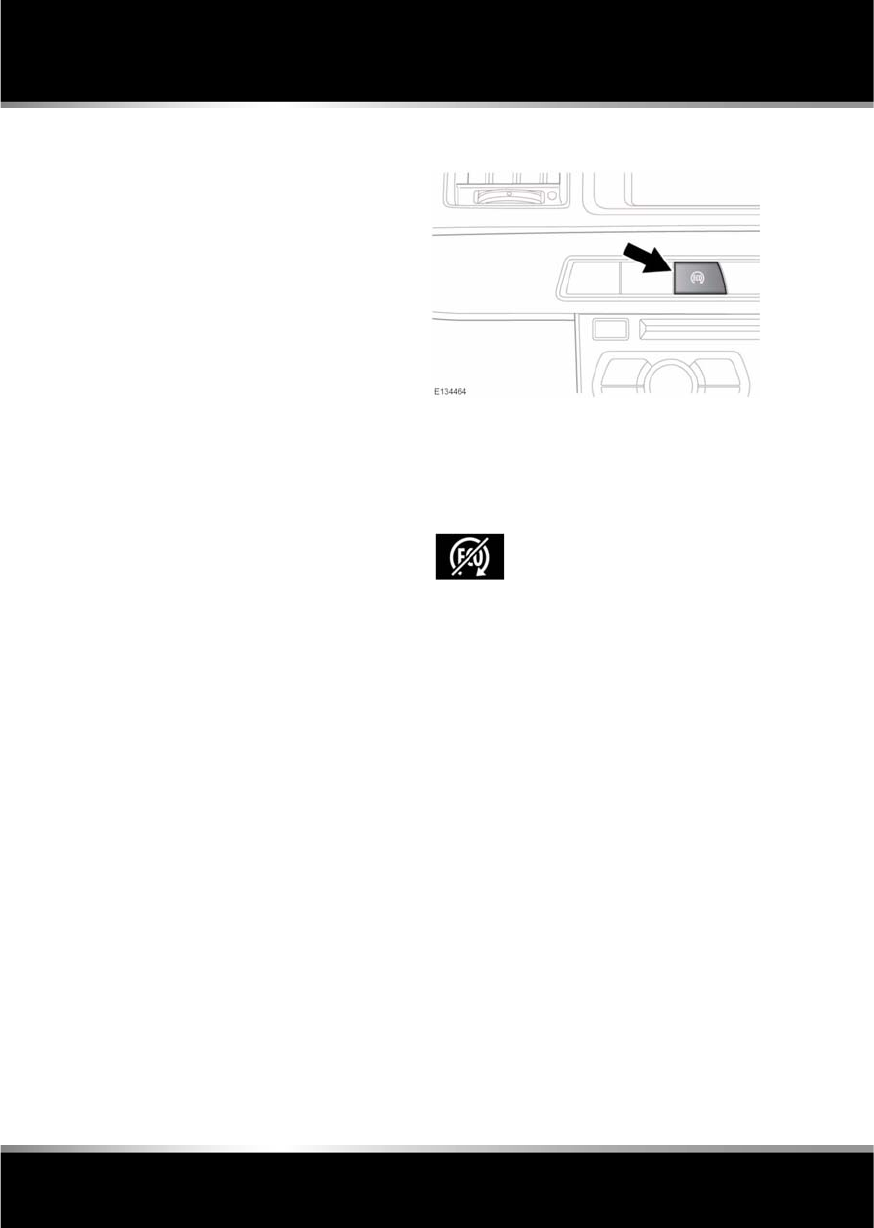
L
(FM8) SEMCON JLR OWNER GUIDE VER 1.00 EURO
LANGUAGE: english-en; MARQUE: jaguar; MODEL: XF
Starting the engine
78
The engine will also restart if one of the
following occurs:
•The accelerator pedal is pressed.
•A shift paddle is used to select a gear.
•R (Reverse) is selected.
•Climate control system demand increases.
•The vehicle’s speed exceeds approximately
1 km/h (0.5 mph).
•Battery charge becomes low.
•Brake vacuum has been reduced (e.g.
using the brake pedal repeatedly with the
engine off).
•Eco Stop/Start is deactivated.
The following conditions will prevent an
automatic engine stop:
•A shift paddle has been used to select a
gear.
•The external temperature is less than
approximately 0 °C (32 °F).
•The external temperature is more than
approximately 40 °C (104 °F).
•The engine has not reached operating
temperature.
•The driver's door is opened.
•The driver’s seat belt is not fastened.
•The climate control system demand
requires the engine to be running (for
example, in Defrost mode).
•The battery charge is low.
•The bonnet is opened.
•Eco Stop/Start is deactivated.
DEACTIVATING ECO STOP/START
To switch the system off, press the Eco switch.
Note: The engine will restart automatically if
the switch is pressed whilst an automatic
engine stop is in progress.
The Eco system off warning symbol also
illuminates if there is a system fault. If the Eco
switch is pressed while there is a fault, the
message ECO Start Stop Fault is displayed.
To confirm that the system is off,
the Eco system off warning
symbol illuminates and the
message Eco Stop/Start Off is
momentarily displayed in the
message centre.

R
(FM8) SEMCON JLR OWNER GUIDE VER 1.00 EURO
LANGUAGE: english-en; MARQUE: jaguar; MODEL: XF
Intelligent stop/start
79
Intelligent stop/sta rt
ECO STOP/START
The Stop/Start system is designed to improve
fuel efficiency and is automatically activated
when the ignition is turned on. If the vehicle is
stopped (e.g. at traffic lights or in traffic), the
engine will turn off (unless it is required to
support other vehicle systems). When the
brake is released and a drive gear is selected,
the engine will restart automatically.
To activate an automatic engine stop:
•Stop the vehicle from a speed greater than
4 km/h (2.5 mph) and apply sufficient
brake pressure to ensure the vehicle is
stationary.
•Alternatively, whilst stationary, select P
(Park) or N (Neutral).
To activate an automatic engine restart release
the brake pedal with D (Drive) or S (Sport)
selected.
The engine will also restart if one of the
following occurs:
•The accelerator pedal is pressed.
•A shift paddle is used to select a gear.
•R (Reverse) is selected.
•Climate control system demand increases.
•The vehicle’s speed exceeds approximately
1 km/h (0.5 mph).
•Battery charge becomes low.
•Brake vacuum has been reduced (e.g.
using the brake pedal repeatedly with the
engine off).
•Stop/Start is deactivated.
The following conditions will prevent an
automatic engine stop:
•A shift paddle has been used to select a
gear.
•The external temperature is less than
approximately 0 °C (32 °F).
•The external temperature is more than
approximately 40 °C (104 °F).
•The engine has not reached operating
temperature.
•The driver's door is opened.
•The driver’s seat belt is not fastened.
•The climate control system demand
requires the engine to be running (for
example, in Defrost mode).
•The battery charge is low.
•The bonnet is opened.
•Stop/Start is deactivated.
The warning lamp in the
instrument panel illuminates when
the engine has been switched off
by the Stop/Start system.
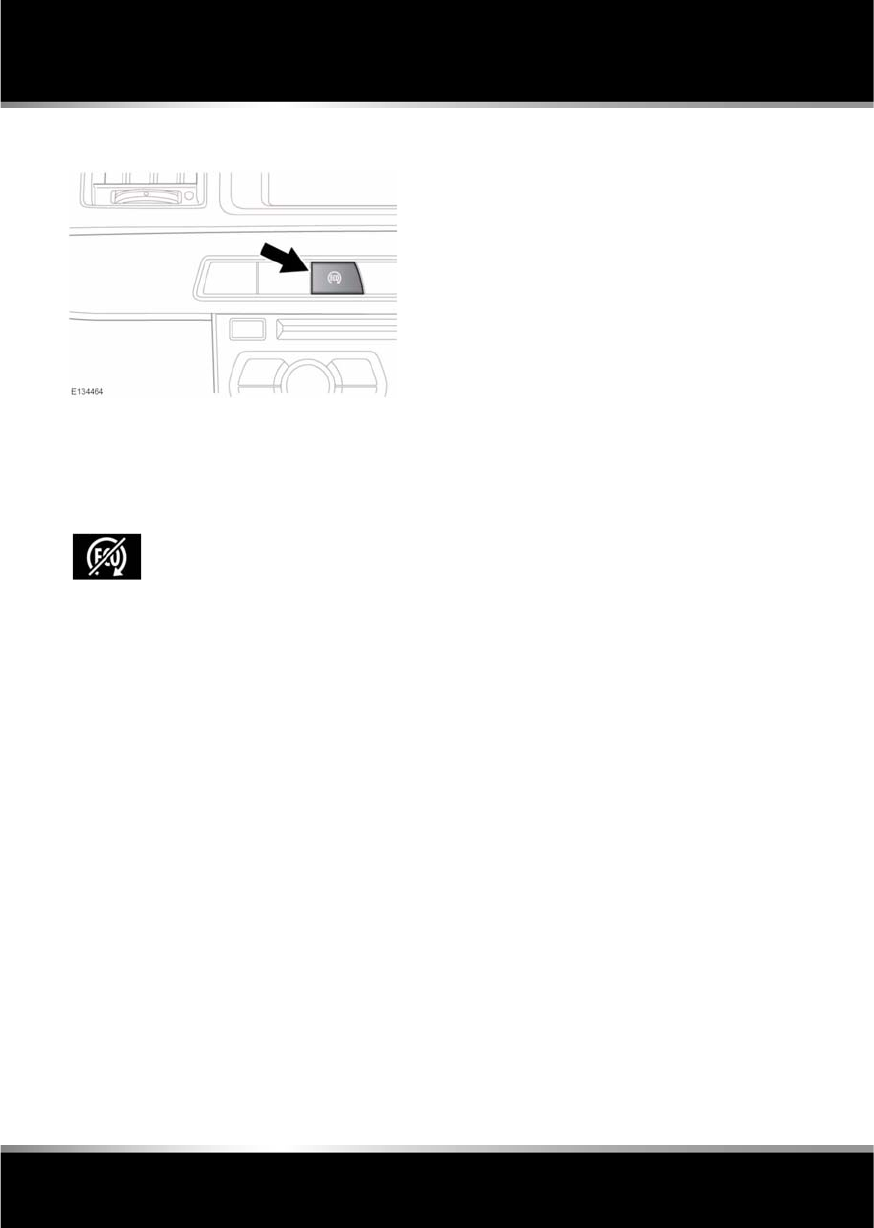
L
(FM8) SEMCON JLR OWNER GUIDE VER 1.00 EURO
LANGUAGE: english-en; MARQUE: jaguar; MODEL: XF
Intelligent stop/start
80
DEACTIVATING ECO STOP/START
To switch the system off, press the Eco switch.
Note: The engine will restart automatically if
the switch is pressed whilst an automatic
engine stop is in progress.
The Eco system off warning symbol also
illuminates if there is a system fault. If the Eco
switch is pressed while there is a fault, the
message ECO Start Stop Fault is displayed.
To confirm that the system is off,
the Eco system off warning
symbol illuminates and the
message Eco Stop/Start Off is
momentarily displayed in the
message centre.
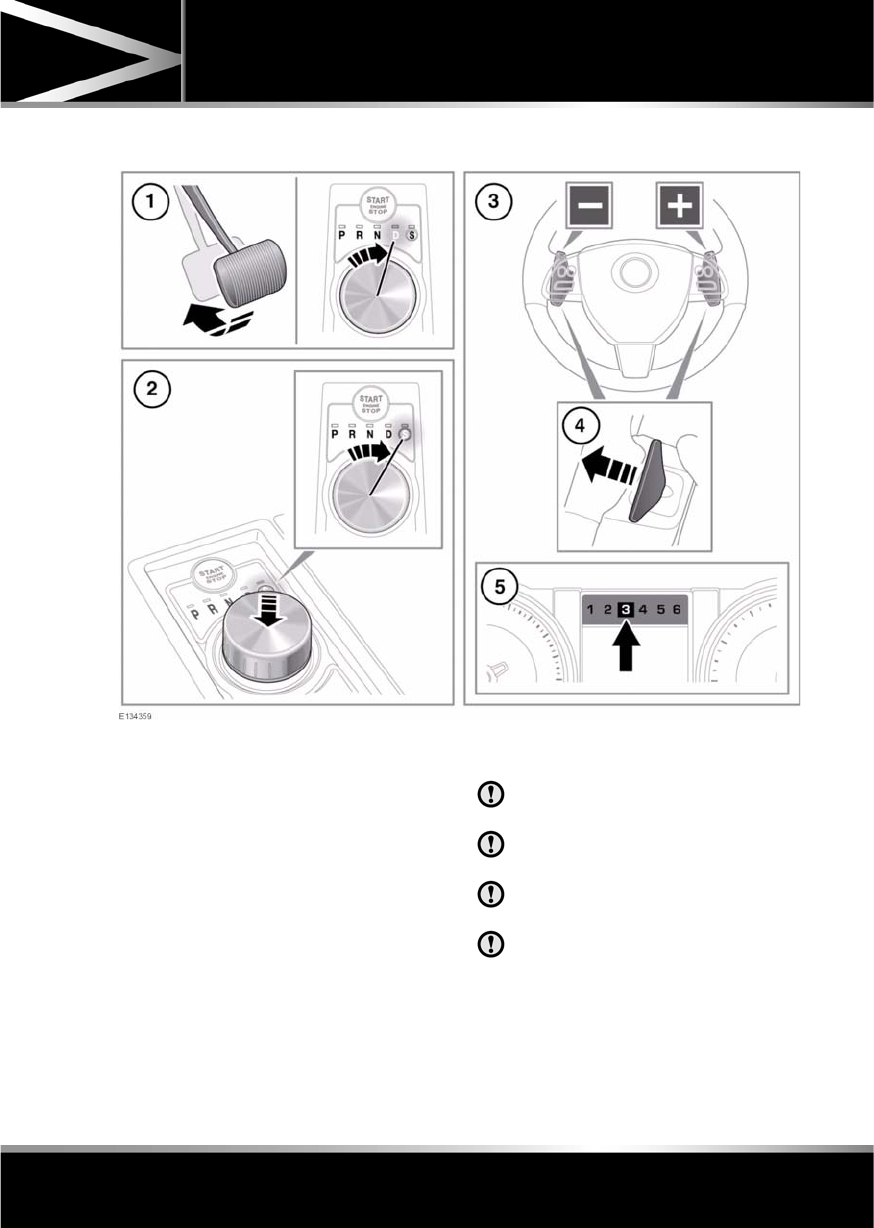
R
(FM8) SEMCON JLR OWNER GUIDE VER 1.00 EURO
LANGUAGE: english-en; MARQUE: jaguar; MODEL: XF
Gearbox
81
Gearbox
AUTOMATIC TRANSMISSION
1. To select drive or reverse gear, press the
brake pedal and rotate the drive selector.
2. To select sport mode, from D press the
drive selector down and rotate to S.
3. Gear shift paddles (left paddle for
downshifts, right paddle for upshifts).
4. Pull briefly to change gear.
To exit manual mode, either pull and hold
the shift-up paddle for approximately one
second (to return directly to automatic
operation in D or S), or if in S, rotate the
gear selector to the D position.
5. Selected gear display when using manual
gear selection.
Note: Display shows eight gears on
vehicles with I4 diesel engine.
Never select the Park (P) position whilst
the vehicle is in motion.
Never select the Reverse (R) position
whilst the vehicle is in forward motion.
Never select a forward gear whilst the
vehicle is moving backwards.
Do not rev the engine or allow it to run
above normal idle speed while selecting
D or R, or while the vehicle is stationary
with any gear selected.

L
(FM8) SEMCON JLR OWNER GUIDE VER 1.00 EURO
LANGUAGE: english-en; MARQUE: jaguar; MODEL: XF
Gearbox
82
Do not allow the vehicle to remain
stationary with a drive gear selected and
the engine running. Always select P or
N if the engine is to idle for a prolonged
period.
ROTARY GEAR SELECTOR
The JaguarDrive selector elevates out of the
centre console when the engine is started, in
readiness for gear selection
P should be selected before switching off the
engine. However, it is possible to switch the
engine off with R, D or S selected - the selector
will automatically select P, while retracting into
the centre console.
Note: If the engine is switched off with N
selected, the system will wait for 10 minutes
before selecting P. This procedure is to allow
the vehicle to be conveyed through a car wash
only and should not be used for vehicle
recovery purposes.
In the event of a vehicle breakdown, the
transmission will automatically select P. This
prevents the vehicle from being towed on all
four wheels. Therefore, vehicle recovery
should only be undertaken by suitably qualified
personnel.
IF THE SELECTOR FAILS TO ELEVATE
If the JaguarDrive selector is obstructed
remove the obstruction and then start the
engine. The selector should elevate as normal.
If the selector still fails to elevate, even if there
is no obstruction, a fault in the system is
indicated. The selector can still be used in the
lowered position, but be aware that it will not
automatically select P when the engine is
switched off. P should be selected manually.
The fault should be rectified by a Dealer/
Authorised Repairer at the earliest opportunity.
MANUAL GEAR SELECTION
When the gear selector is in the D position,
manual mode may be directly accessed by the
single action of operating the steering wheel
mounted shift paddles.
If continued use of manual mode is required,
the gear selector may be subsequently moved
to the S position to enter permanent manual
mode.
If the gear selector remains in the D position,
temporary manual mode will be held whilst the
driver is accelerating, decelerating, cornering
or continuing to request shifts via the paddles.
LIMP-HOME MODE
Note: The driver should be aware that the
vehicle’s performance will be reduced and
must take this into account when driving. Also
the use of the Jaguar Sequential Shift paddles
will be disabled. In this event, seek qualified
assistance as soon as possible.
In the event of an electrical or mechanical
failure, transmission operation will be limited.
P, R, N, D and S may still be used to enable the
vehicle to be driven to a safe area.
Some faults will cause the selector to be locked
in position until the ignition is switched off. If
the selected range flashes, it signifies that the
driver request cannot be engaged. Re-select N
and repeat the attempt.
If the transmission is still unable to select the
requested gear, contact your Dealer/
Authorised Repairer.

R
(FM8) SEMCON JLR OWNER GUIDE VER 1.00 EURO
LANGUAGE: english-en; MARQUE: jaguar; MODEL: XF
Stability control
83
Stability control
WINTER MODE
Winter mode optimises stability of the vehicle
to suit slippery conditions, when grip is
reduced. This helps the vehicle to perform in a
more gentle and controlled manner, to avoid
skidding, allowing more confident progress
under adverse conditions.
Note: Winter mode cannot be active at the
same time as Dynamic mode. Winter mode will
remain selected indefinitely, even after the
ignition is switched off. Winter mode must be
deselected if no longer required.
DYNAMIC MODE
Note: When the transmission is set to
permanent manual mode and Dynamic mode is
selected, transmission upshifts are fully
controlled by the driver. The transmission will
not change up automatically, even when the rev
limit is reached (the gear position indicator in
the message centre will glow amber, to indicate
that the next gear should be selected).
Note: Dynamic mode cannot be active at the
same time as Winter mode. Dynamic mode will
remain selected for approximately six hours
after the ignition is switched off, after which
point it will need to be reselected if required.
TRACDSC
Vehicle safety may be reduced by
inappropriate use of of Trac DSC. Trac
DSC should only be used in suitable
conditions.
Trac DSC is an alternative setting of DSC, with
reduced system interventions. With Trac DSC
engaged, traction may be increased, although
stability may be reduced compared to normal
DSC. Trac DSC is intended for use only on dry
tarmac, by suitably experienced drivers. Trac
DSC should not be selected for other surfaces
or by drivers with insufficient skill and training
to operate the vehicle safely with Trac DSC
function engaged.
Press to operate. Designed for use
in slippery conditions, when
active, Winter mode selects 2nd
gear for driving away on level
ground (no incline), softens the
responsiveness of the engine and
modifies the gear change strategy.
This helps ensure that optimum
traction is maintained.
Press to operate. Dynamic mode
co-ordinates the vehicle's control
systems to deliver a high
performance driving experience.
This setting enhances key vehicle
systems so that the vehicle's full
potential can be exploited. The
vehicle's responses are aimed at
involving the driver more in
focused and purposeful driving.

L
(FM8) SEMCON JLR OWNER GUIDE VER 1.00 EURO
LANGUAGE: english-en; MARQUE: jaguar; MODEL: XF
Stability control
84
SWITCHING BETWEEN DSC AND
TRACDSC
•The warning lamp in the instrument panel
will illuminate while Trac DSC is selected.
•The DSC warning lamp will flash when DSC
or Trac DSC is active (cruise control will
automatically disengage if this occurs).
SWITCHING DSC OFF
•Press and hold the DSC switch for more
than 10 seconds.
•The message centre will display DSC OFF
and a short warning chime will sound.
•The DSC OFF warning lamp in the
instrument panel will illuminate.
SWITCHING DSC ON
•Press and release the DSC switch.
•The DSC system will switch on, the
message centre will temporarily display
DSC ON.
•The DSC OFF warning lamp in the
instrument panel will be extinguished.
Note: Switching the engine off and then on
again, will always revert DSC status to DSC ON,
regardless of which mode is selected.
STABILITY CONTROL WARNING
LAMPS
If there is a fault, this warning lamp will
illuminate in the instrument panel and the
message centre will display DSC NOT
AVAILABLE.
The vehicle can still be driven, but the DSC
system will not activate under wheel spin or
slide conditions. You should seek qualified
assistance as soon as possible.
ADAPTIVE DYNAMICS
Jaguar adaptive dynamics continuously
monitors the road and driver inputs and
optimises the vehicle suspension settings for
ride comfort and control.
The adaptive dynamics system is linked to
Dynamic mode, modifying the suspension
settings for a more sporting character.
If ADAPTIVE DYNAMICS FAULT is displayed in
the message centre, the vehicle can still be
driven, but seek qualified assistance to have
the fault rectified.
Press and hold the DSC switch for
less than 10 seconds. The
message centre will temporarily
display either Trac DSC or DSC
ON.
Flashes when DSC is active.
If DSC is switched off, this
warning lamp will illuminate in the
instrument panel, the message
DSC OFF is displayed and a
warning chime will sound.

R
(FM8) SEMCON JLR OWNER GUIDE VER 1.00 EURO
LANGUAGE: english-en; MARQUE: jaguar; MODEL: XF
Stability control
85
ACTIVE DIFFERENTIAL CONTROL
(Supercharged vehicles only)
The Active differential control (E-diff) improves
traction on uneven road surfaces and can also
improve stability in oversteer situations.
If the warning message EDIFF SYSTEM FAULT
is displayed and DSC is off, then Trac DSC will
be automatically selected. The vehicle can still
be driven and DSC modes can be selected, but
seek qualified assistance as soon as possible.
If the warning message EDIFF NOT AVAILABLE
is displayed, the system has temporarily shut
down to prevent overheating. The vehicle can
still be driven and the E-diff will be operational
again when the system has cooled sufficiently.
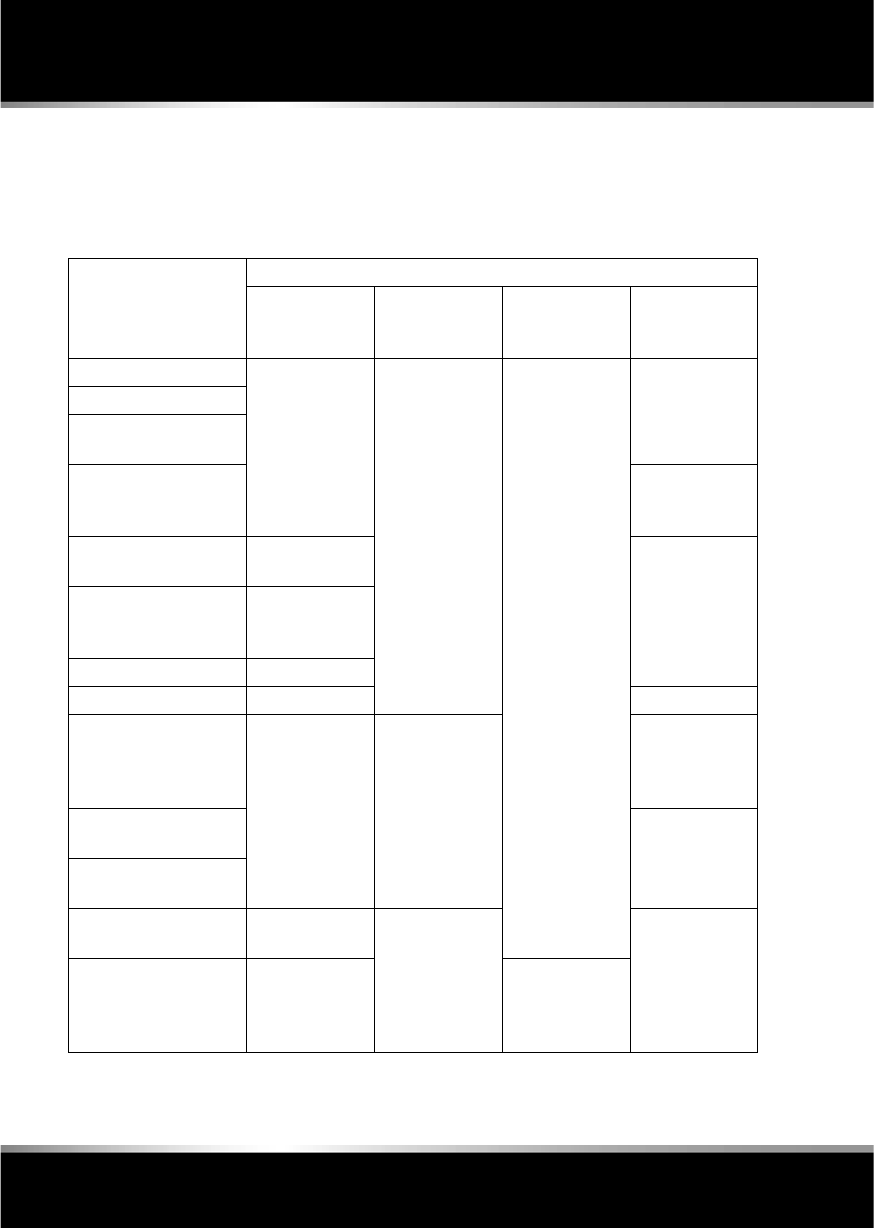
L
(FM8) SEMCON JLR OWNER GUIDE VER 1.00 EURO
LANGUAGE: english-en; MARQUE: jaguar; MODEL: XF
Stability control
86
JAGUARDRIVE CONTROL SCENARIOS
The table below gives examples of the drive
control settings suggested for different driving
scenarios.
Scenario Suggested driver selection
Tyre fitment JaguarDrive
Control
Dynamic
Stability Control
(DSC)
Transmission
Wet grass Standard Winter mode Default (On) Drive (D)
Very wet tarmac
Slippery boat launch
ramp
Hill descents while
towing on slippery
surfaces
Sport (S) +
Manual
Ice/light snow Standard or All
Season tyres
Drive (D)
Snow ploughed
hard-topped roads
(including black ice)
All Season tyres
Packed snow roads Winter tyres
Deep fresh snow Snow chains Sport (S)
Normal driving
conditions (e.g. dry
tarmac, town driving,
motorway cruising etc.
Standard No driver
selection
required.
Special modes
off
Drive (D)
Overtaking on a dry
road
Drive (D) or
Sport (S)
Pulling out onto a busy
road in dry conditions
Favourite country lane
(public road)
Standard Dynamic mode Sport (S) or
Sport (S) +
Manual
Private track/race day Standard Trac DSC
(where
conditions
permit)
R
(FM8) SEMCON JLR OWNER GUIDE VER 1.00 EURO
LANGUAGE: english-en; MARQUE: jaguar; MODEL: XF
Brakes
87
Brakes
IMPORTANT INFORMATION
Do not rest your foot on the brake
pedal whilst the vehicle is in motion.
Never allow the vehicle to coast
(freewheel) with the engine turned off.
The engine must be running to provide
full braking assistance. The brakes
will still function with the engine off,
but far more pressure will be required
to operate them.
If the red brake warning lamp
illuminates, safely bring the vehicle to
a stop, as quickly as possible and
seek qualified assistance.
Never place non-approved floor
matting or any other obstructions
under the brake pedal. This restricts
pedal travel and braking efficiency.
Driving through heavy rain or water can have
an adverse effect on braking efficiency. Under
such circumstances, it is recommended that
you lightly apply the brakes intermittently to
dry the brakes.
BRAKE WARNING LAMPS
Note: This warning lamp will also illuminate if
there is a fault with the parking brake. See 88,
ELECTRIC PARKING BRAKE (EPB).
ELECTRONIC BRAKE FORCE
DISTRIBUTION (EBD)
EBD balances the distribution of braking forces
between the wheels on the front and rear axles,
to maintain maximum braking under all vehicle
loading conditions.
For example; Under light loads, EBD applies
less braking effort to the rear wheels, to
maintain stability. Conversely, it allows full
braking effort to the rear wheels when the
vehicle is heavily laden.
A fault with the EBD system is indicated by the
red brake warning lamp and the message EBD
FAULT. The braking system will still operate,
but without EBD assistance. Seek qualified
assistance to have the fault rectified.
EMERGENCY BRAKE ASSIST (EBA)
The EBA system measures the rate at which the
brake pressure increases. If the system detects
an emergency braking situation, EBA
automatically initiates full braking effect. This
can reduce stopping distances in critical
situations.
A fault with the EBA system is indicated by the
brake warning lamp illuminating and
Emergency Brake Assist Not Available
displaying in the message centre. The braking
system will still function, but without EBA
assistance. Seek qualified assistance to have
the fault rectified.
EMERGENCY STOP SIGNAL (ESS)
ESS (Emergency Stop Signal) automatically
activates the hazard warning lights during
emergency braking to warn other road users
and reduce the risk of a collision.
If the parking brake is released and
this red warning lamp illuminates
while driving and/or the message
Brake Fluid Low is displayed in the
message centre, check the brake
fluid level at the earliest
opportunity and top-up as
required.
If this amber warning lamp
illuminates while driving and/or
ABS Fault is displayed in the
message centre, drive with extra
caution, avoid heavy braking
where possible, and seek qualified
assistance as soon as possible.
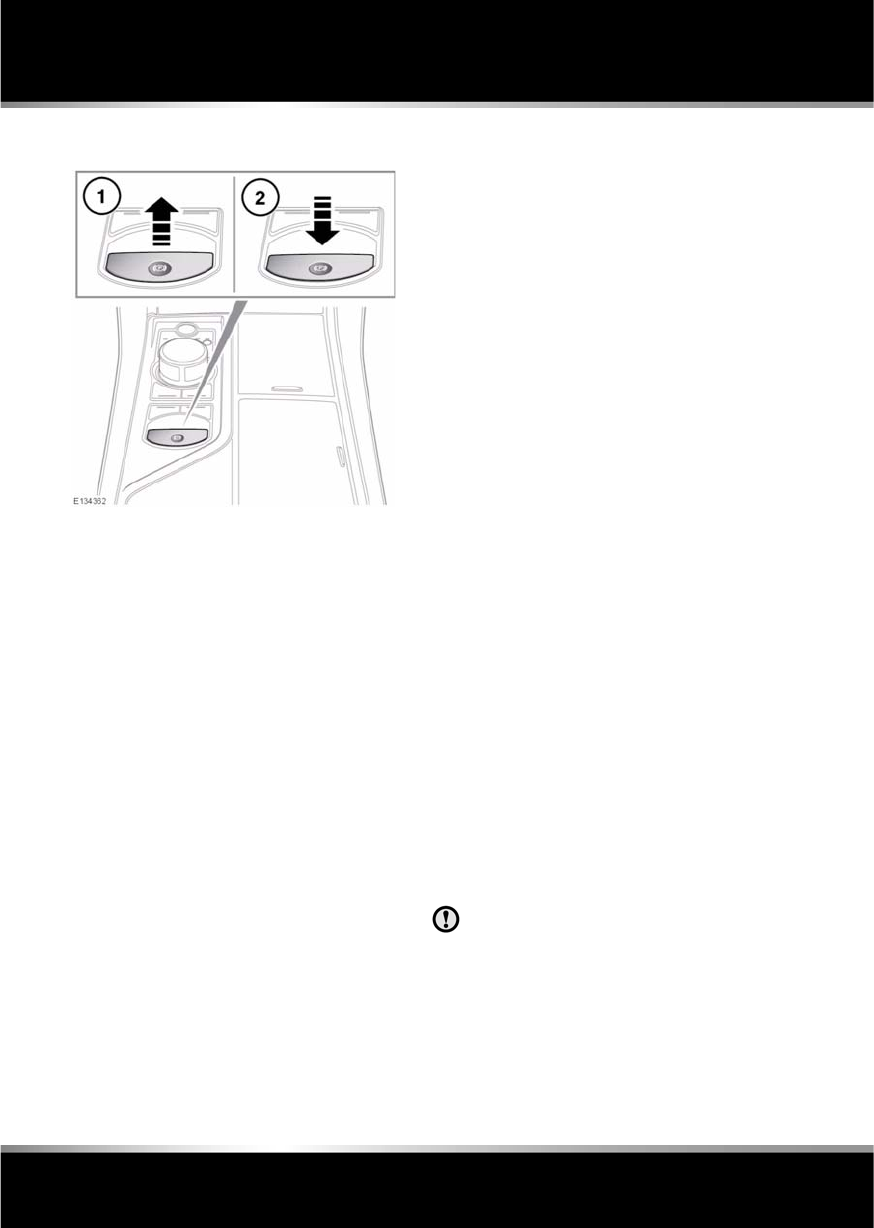
L
(FM8) SEMCON JLR OWNER GUIDE VER 1.00 EURO
LANGUAGE: english-en; MARQUE: jaguar; MODEL: XF
Brakes
88
ELECTRIC PARKING BRAKE (EPB)
The switch which operates the parking brake is
mounted on the centre console to the rear of
the gear selector.
To engage the parking brake (1): Pull the
parking brake switch upwards and release. The
switch will return to the neutral position.
The red brake warning lamp on the instrument
panel will illuminate.
The Drive Away Release feature allows the
parking brake to release automatically as the
vehicle is driven away.
The warning lamp will remain on briefly if the
parking brake is applied when the ignition
system is reverted to convenience mode.
If a fault in the system is detected, the amber
brake warning lamp will illuminate and PARK
BRAKE FAULT or CANNOT APPLY PARK
BRAKE will be displayed in the message centre.
Seek qualified assistance as soon as possible.
If the battery has been discharged or
disconnected, APPLY FOOT AND PARK BRAKE
will be displayed in the message centre when
the ignition is next switched on. Depress the
foot brake and pull the parking brake switch up
to apply the parking brake. This is required to
reset the parking brake system. The parking
brake will now function correctly.
To disengage the parking brake (2): With the
ignition system on or with the engine running,
apply the foot brake and press the parking
brake switch down.
If the parking brake is applied while the vehicle
is stationary and D or R is selected, applying
the throttle will automatically release the
parking brake.
The parking brake is also automatically
released when the gear selector is moved from
the P position.
If the parking brake is inadvertently applied
when the vehicle is moving at above 3 km/h
(1.8 mph), PARK BRAKE APPLIED is displayed
in the message centre, the warning indicator in
the instrument panel will illuminate and a
warning chime will sound.
If the parking brake is applied whilst the vehicle
is moving, releasing the switch will disengage
the parking brake. The parking brake cannot be
applied when the vehicle is moving, if the
accelerator pedal is pressed.
Note: If the vehicle is in motion, the parking
brake should only be used as an emergency
brake.
Always apply the parking brake when
the vehicle is parked.
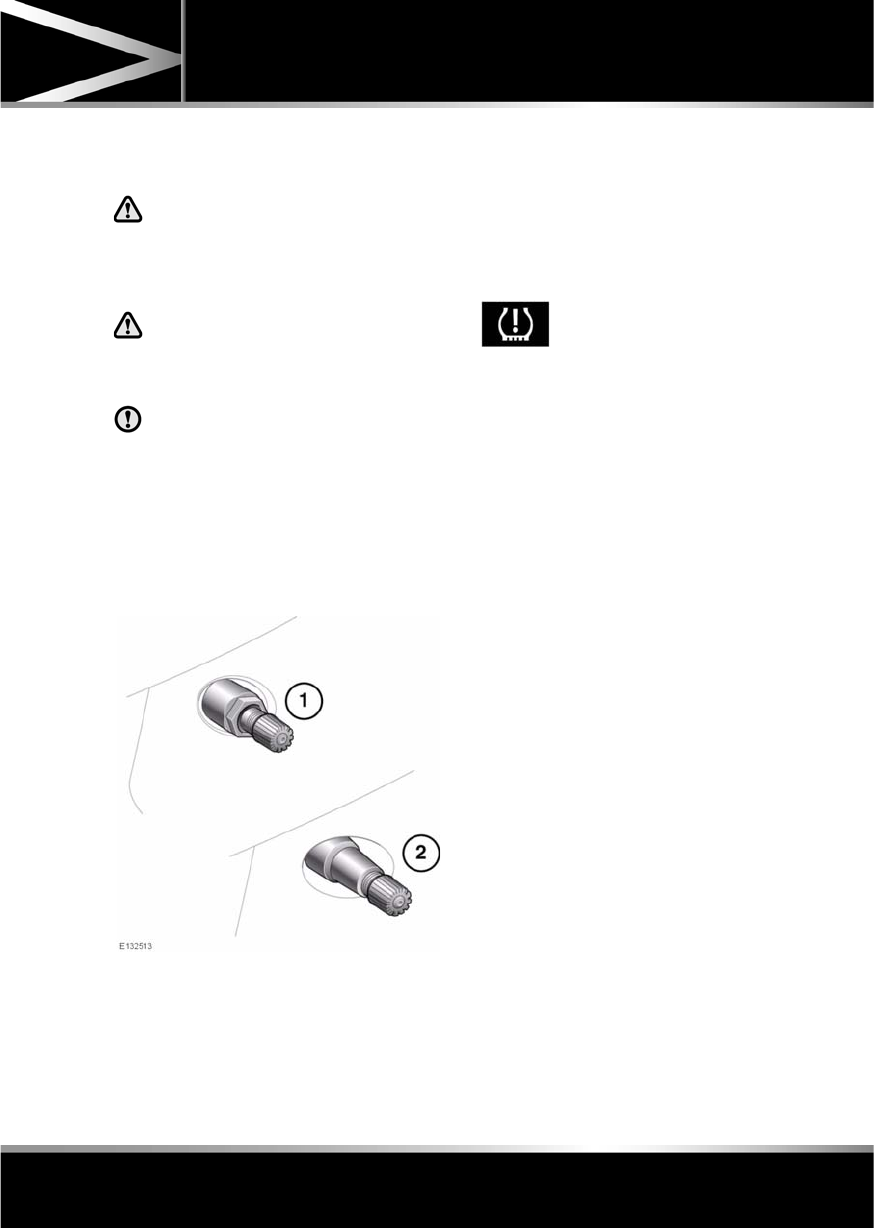
R
(FM8) SEMCON JLR OWNER GUIDE VER 1.00 EURO
LANGUAGE: english-en; MARQUE: jaguar; MODEL: XF
Tyre pressure monitoring system
89
Tyre pressure monitoring system
TYRE PRESSURE MONITORING
SYSTEM (TPMS)
The TPM system provides a low
pressure warning and does not
re-inflate your tyres. Tyre pressures
should be checked regularly using an
accurate pressure gauge when cold.
The TPM system can NOT register
damage to a tyre. Regularly check the
condition of your tyres, especially if
the vehicle is driven off-road.
When inflating tyres, care should be
taken to avoid bending or damaging the
TPM system valves. Always ensure
correct alignment of the inflation head
to the valve stem.
Note: Non-approved accessories may interfere
with the system. If this occurs, TYRE
PRESSURE MONITORING SYSTEM FAULT is
displayed in the message centre.
Wheels fitted with a TPM system can be
visually identified by the external metal lock nut
and valve (1). All Jaguar non-TPM system
wheels have a rubber valve fitted (2).
TPMS OPERATION
The TPM system monitors pressure of the
tyres via sensors located in each wheel and a
receiver located within the vehicle.
Communication between sensor and receiver
is via Radio Frequency (RF) signals.
If the telltale light illuminates, you should stop
and check your tyres as soon as possible and
inflate them to the recommended pressure as
stated on the tyre pressure placard. If low
pressure warnings occur frequently, the cause
must be determined and rectified.
When driving through variable climatic
conditions the TPM system warnings may be
intermittent.
Your vehicle will also indicate a TPM system
malfunction by initially flashing and
subsequent continuous illumination of the
warning telltale. A text message will
accompany the system malfunction and will
display TYRE PRESSURE MONITORING
SYSTEM FAULT. The TPM system fault
sequence will be activated at every ignition
cycle until the fault is rectified. When a
malfunction occurs, the system may not be
able to detect or signal low tyre pressure as
intended.
TPM system malfunctions may occur for a
variety of reasons which may include other
radio frequency systems that could cause
interference or the installation of incompatible
replacement tyres on the vehicle.
The tyre pressure warning
comprises a yellow warning
telltale within the instrument
panel, and the associated
messages within the message
centre.

L
(FM8) SEMCON JLR OWNER GUIDE VER 1.00 EURO
LANGUAGE: english-en; MARQUE: jaguar; MODEL: XF
Tyre pressure monitoring system
90
TEMPORARY USE SPARE WHEEL
AND TYRE CHANGE
If the temporary use spare wheel is fitted the
system will automatically recognise the change
in wheel positions. Then after approximately
ten minutes of driving above 25 km/h (18
mph), a message detailing which tyre is
affected (e.g. FRONT LEFT) and TYRE NOT
MONITORED will be displayed accompanied by
illumination of the warning telltale and the
corresponding block in the vehicle graphic.
The warning telltale will initially flash and will
subsequently revert to continuous illumination.
Extended use of the temporary use spare wheel
will produce an additional text message TYRE
PRESSURE MONITORING SYSTEM FAULT.
This TPM system display sequence will be
activated at every ignition cycle until the
temporary use spare wheel is replaced by a
fully operational full size wheel and tyre
assembly. Always replace the temporary use
wheel before having TPM system faults
investigated. The fault may well be rectified
with the fitment of a fully operational full size
running tyre in lieu of the temporary use spare
wheel assembly.
TYRE PRESSURE MONITORING
UNAVAILABLE
If all four running wheels and tyres are changed
for a set that are not fitted with TPM system
sensors (e.g. a set of winter wheels and tyres),
the message TYRE PRESSURE MONITORING
UNAVAILABLE is displayed. TPM system
sensors must be fitted to the wheels and tyres
for the system to be able to warn of low tyre
pressures.
When sensors are fitted to the replacement
wheel and tyre set, the vehicle needs to be
driven until the TPM system recognizes the
sensors before TPM will be available (TYRE
PRESSURE MONITORING AVAILABLE is
displayed).
TYRE CHANGING
Always have your tyres serviced or changed by
a qualified technician.
Care must be taken to avoid contact between
the bead of the tyre and the sensor during
removal and refitting of the tyre, otherwise the
sensor may become damaged and or
inoperable.
Valve stem seal, washer, nut, valve core
and cap should be replaced at every tyre
change. Valve stem seal, washer and
nut must be replaced if valve retention
nut is loosened. Sensor units and nuts
must be refitted using correct torque
figures and associated profile. Damage
to the vehicle may result if these
precautions are not taken.
Sensors can be removed from the wheel by the
unscrewing of the valve retention nut.

R
(FM8) SEMCON JLR OWNER GUIDE VER 1.00 EURO
LANGUAGE: english-en; MARQUE: jaguar; MODEL: XF
Tyre pressure monitoring system
91
REPLACEMENT TPMS SENSOR
Should the sensor require replacing, it should
be carried out by a Dealer/Authorised Repairer.
A replacement sensor must be fitted to a
running wheel in order to be recognised by the
system. The vehicle needs to be stationary for
15 minutes during the sensor fitment before
the system is ready to detect the new sensor.
The vehicle must be driven for a minimum of
fifteen minutes after the sensor change, and
then remain stationary for fifteen minutes to
activate full TPM system operation.
If the TPM system warning for any wheel does
not clear, even after ensuring correct inflation
and driving for more than ten minutes above 25
km/h (18 mph), you should seek qualified
assistance as soon as possible.
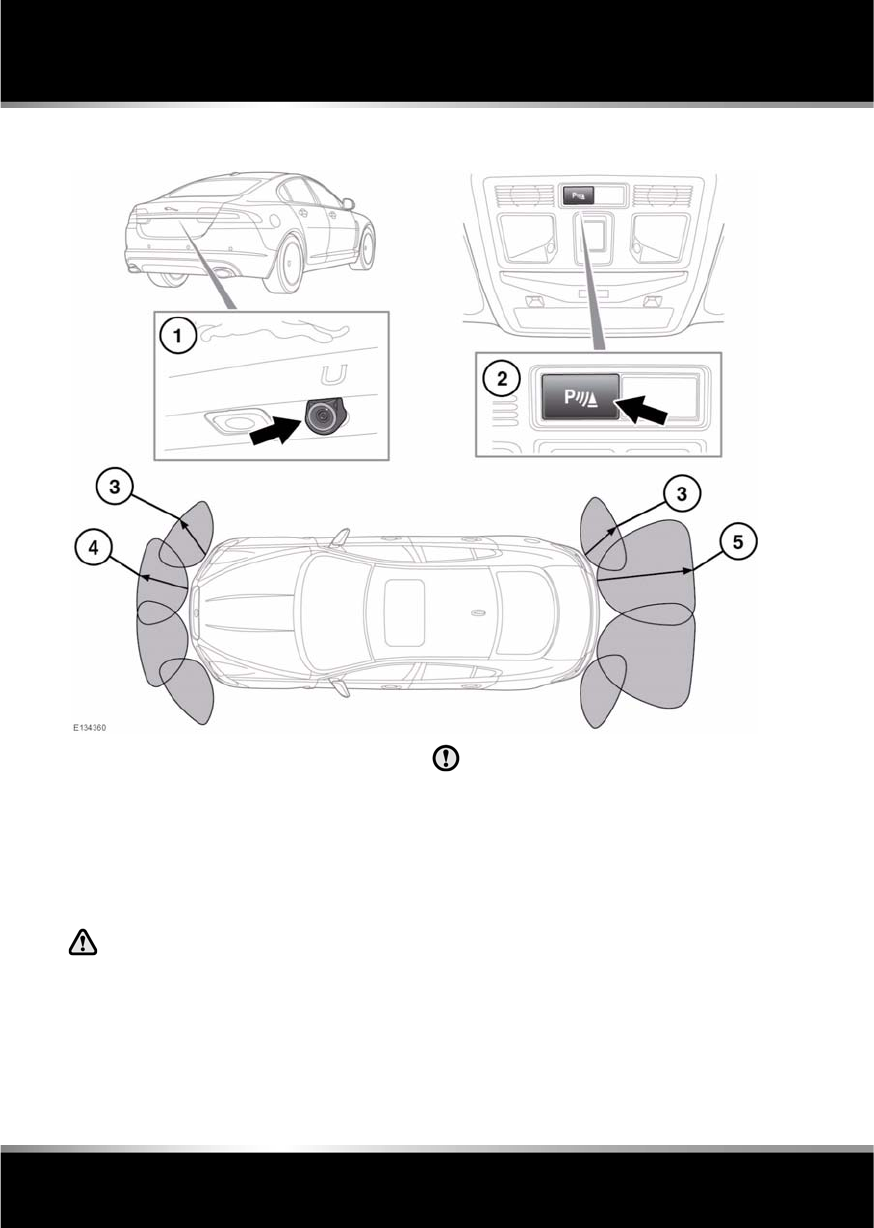
L
(FM8) SEMCON JLR OWNER GUIDE VER 1.00 EURO
LANGUAGE: english-en; MARQUE: jaguar; MODEL: XF
Parking aids
92
Parking aid s
PARKING AID OPERATION
1. Rear view camera. See 93, REAR VIEW
CAMERA.
2. Parking aid switch: Press to turn the
parking aid on and off.
3. Approximately 600 mm (24 inches).
4. Approximately 800 mm (31 inches).
5. Approximately 1800mm (71 inches).
It remains the driver’s responsibility
to detect obstacles and estimate the
vehicle’s distance from them. Some
overhanging objects, barriers, small
children, animals, thin obstructions or
painted surfaces may not be detected
by the system.
Systems using the same frequency
band as the front parking sensors, may
cause irregular tones to be emitted.
Note: The sensors are active when the gear
selector is in neutral, and in drive after moving
from reverse. Therefore, if an obstacle is
detected an audible warning tone will sound.
REAR FITTED ACCESSORIES
Particular care must be taken when reversing
with rear fitted accessories, as the rear parking
aid will only indicate the distance from the
bumper to the obstacle.
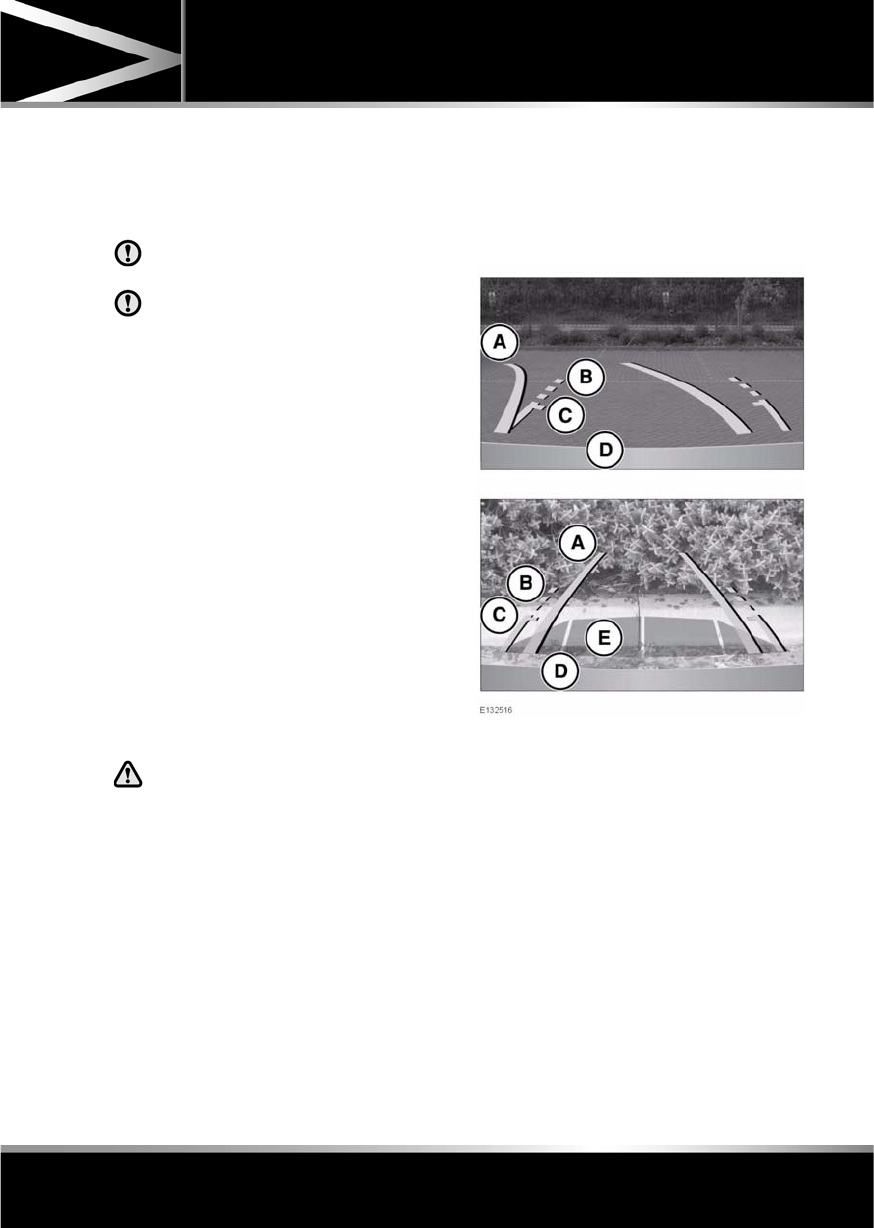
R
(FM8) SEMCON JLR OWNER GUIDE VER 1.00 EURO
LANGUAGE: english-en; MARQUE: jaguar; MODEL: XF
Parking aids
93
CLEANING THE SENSORS
For reliable operation, the sensors in the front
and rear bumpers should be kept free from ice,
frost and grime.
Do not clean the sensors with abrasive
or sharp objects or materials.
When using a high pressure spray, only
spray the sensors briefly, from a
distance greater than 200 mm
(8 inches).
PARKING AID SYSTEM FAULT
If the system has a fault when engaging reverse
gear or turning on the ignition, then a single, 3
second tone will be heard and a pop-up
warning will appear on the touch screen. If
both front and rear parking aids are fitted, the
warning indicator in the parking aid switch will
flash for 3 seconds and then switch off.
If a fault is detected, the system is
automatically disabled.
Note: The parking aid may emit spurious tones
if it detects a frequency tone using the same
band as the sensors (e.g. air brakes).
REAR VIEW CAMERA
It remains the driver's responsibility
to detect obstacles and estimate the
vehicle's distance from them when
reversing.
When Reverse (R) is selected, the system uses
a camera to provide a wide-angle colour rear
view image on the touch screen.
The camera display has priority over the
parking aid display. To view the parking aid
display instead, or to cancel camera display at
any time, touch the display.
The display also incorporates graphic overlays,
indicating vehicle direction, width and
proximity to surrounding objects.
The camera image will not be displayed;
•If Drive (D) is selected and the vehicle
speed is greater than 16 km/h (10 mph).
•If Drive (D) is selected for longer than 2
seconds.
A. Solid line: The projected wheel trajectory.
B. Dotted line: The safe working width of the
vehicle (including exterior mirrors).
C. Boot access guideline: Do not reverse
beyond this point if boot access is
required.
D. Bumper inclusion.
E. Parking sensor activation: A coloured area
appears, to indicate which rear sensor(s)
has been activated.
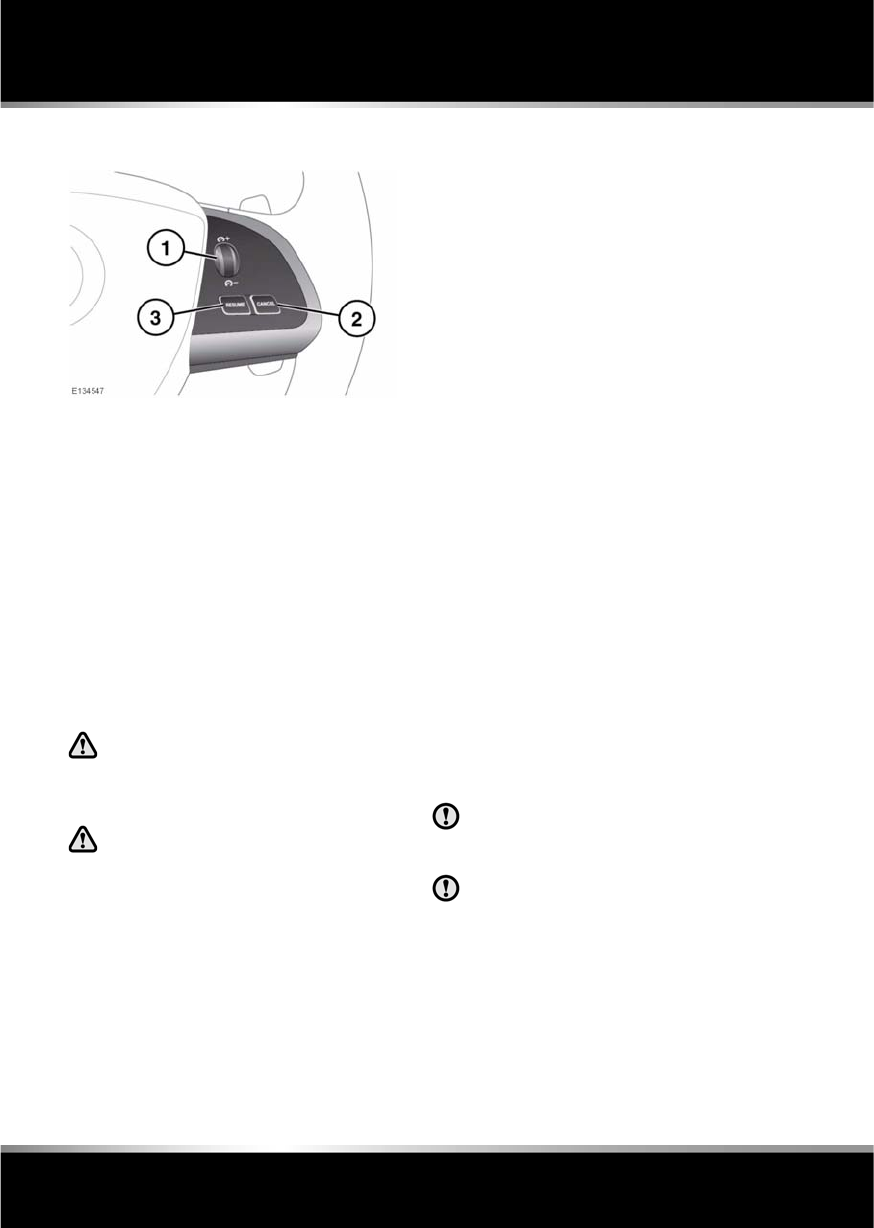
L
(FM8) SEMCON JLR OWNER GUIDE VER 1.00 EURO
LANGUAGE: english-en; MARQUE: jaguar; MODEL: XF
Cruise control
94
Cruise control
USING CRUISE CONTROL
The cruise (speed) control system can be used
by the driver to maintain a selected vehicle
speed above 30 km/h (18 mph).
1. SET (+ / - ): Roll upwards to engage cruise
control. Roll up or down to increase or
decrease the set cruising speed.
2. CANCEL: Press to disengage cruise
control. The set speed memory will be
retained.
3. RESUME: Resumes the cruise control set
speed after it has been disengaged.
SETTING VEHICLE SPEED
Only use cruise control when
conditions are favourable (e.g.
straight, dry, open roads with light
traffic).
In certain conditions, such as a steep
downhill gradient, the vehicle speed
may exceed the set cruising speed.
This is because engine braking is
unable to maintain or reduce the
vehicle speed. Driver intervention
may be required.
When you are travelling at the speed you
require press the set button.
Cruise control will engage and maintain the set
speed and you can remove your foot from the
accelerator pedal.
Note: Cruise control will automatically
disengage when the brake pedal is pressed or
when the vehicle speed falls below 30 km/h
(18 mph).
CHANGING THE CRUISE SPEED
There are two ways to change the set speed:
•Accelerate or decelerate to the desired
speed then roll the SET control upwards.
•Increase or decrease the speed by rolling
the SET control up or down until the
desired speed is obtained.
Note: The set speed can be increased or
decreased in steps of 2 km/h (1 mph), by
rolling the SET control up or down briefly until
the desired speed is obtained.
RESUMING THE SET SPEED
If the vehicle is accelerated above the set
speed, then the set speed will be resumed
when the accelerator pedal is released.
If the CANCEL button (2) or the brake pedal is
pressed, the cruise control will disengage but
the set speed memory will be retained. Press
RESUME (3) and the vehicle will return to the
set speed.
Note: Cruise control will not resume at speeds
below 30 km/h (18 mph).
RESUME should only be used if the
driver is aware of the set speed and
intends to return to it.
It is not recommended to resume set
speed when a low gear is selected as
excessive engine speeds will occur.

R
(FM8) SEMCON JLR OWNER GUIDE VER 1.00 EURO
LANGUAGE: english-en; MARQUE: jaguar; MODEL: XF
Cruise control
95
AUTOMATIC SWITCH OFF
Cruise control will switch off but the set speed
will remain in the memory when:
•The CANCEL button (2) is pressed.
•The brake pedal is pressed.
•Speed falls below 30 km/h (18 mph).
•Neutral, Park or Reverse gear is selected.
•Dynamic Stability Control is operating.
•The difference between the actual and set
speed is too great.
•When the vehicle reaches a maximum
speed of 192 km/h (120 mph).
•The accelerator pedal is used to accelerate
beyond the set speed for too long a period.
Cruise control will switch off and clear the
memory when:
•The ignition system is switched off.
•A fault occurs. The cruise control system
will switch off and cannot be used until the
fault is cleared.
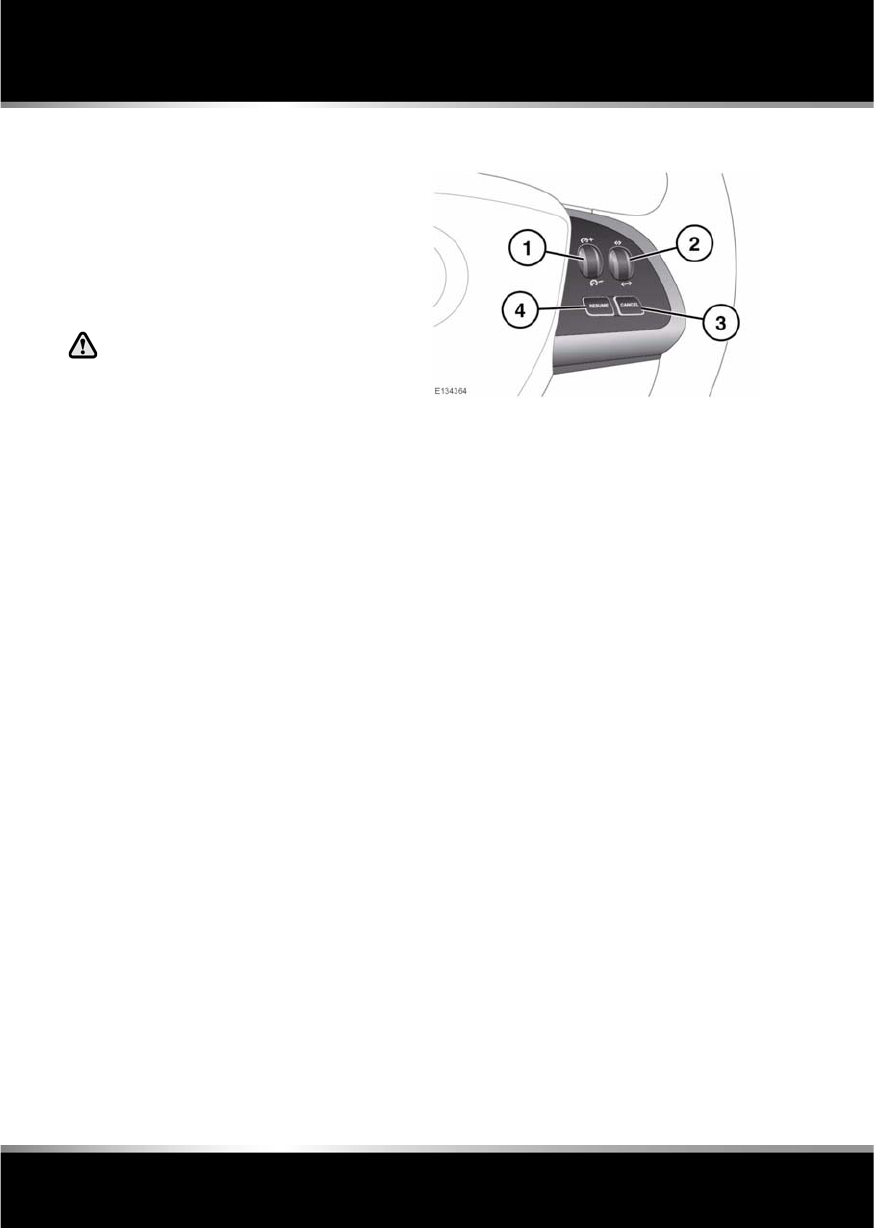
L
(FM8) SEMCON JLR OWNER GUIDE VER 1.00 EURO
LANGUAGE: english-en; MARQUE: jaguar; MODEL: XF
Adaptive cruise control
96
Adaptive cruise control
ADAPTIVE CRUISE CONTROL
OVERVIEW
The Adaptive Cruise Control (ACC) system is
designed to aid the driver to maintain a gap
from the vehicle ahead or a set road speed if
there is no slower vehicle ahead. ACC is
available at vehicle speeds of 32 to 180 km/h
(20 to 112 mph).
ACC is not a collision warning or
avoidance system. Additionally, ACC
will not react to:
•Stationary or slow moving vehicles below
10 km/h (6 mph).
•Pedestrians or objects in the roadway.
•Oncoming vehicles in the same lane.
The ACC system uses a radar sensor, which
projects a beam directly forward of the vehicle
to detect objects ahead.
The radar sensor is mounted in the centre of
the lower bumper, to provide a clear view
forward for the radar beam.
•Only use ACC when conditions are
favourable (i.e. main roads with free
flowing traffic).
•Do not use in poor visibility, specifically
fog, heavy rain, spray or snow.
•Do not use on icy or slippery roads.
•It is the drivers responsibility to stay alert,
drive safely and be in control of the vehicle
at all times.
•Keep the area in front of the radar sensor
free from dirt, metal badges or objects,
including vehicle front protectors, which
may prevent the sensor from operating.
•Do not use ACC when entering or leaving a
motorway.
USING ACC
1. SET: Roll the thumbwheel upward or
downwards to increase or decrease speed,
until the desired speed is achieved.
2. Gap increase or decrease control. Four
settings are selectable by rolling the
thumbwheel. See 98, CHANGING THE
FOLLOW MODE SET GAP.
3. CANCEL: Cancels but retains the set speed
in memory.
4. RESUME: Resumes the ACC set speed
after it has been disengaged.
The system is operated by controls mounted
on the steering wheel. The driver can also
intervene at any time by use of the brake or
accelerator pedals.
Setting the vehicle speed, activating, and
deactivating ACC is done in the same way as
using cruise control.
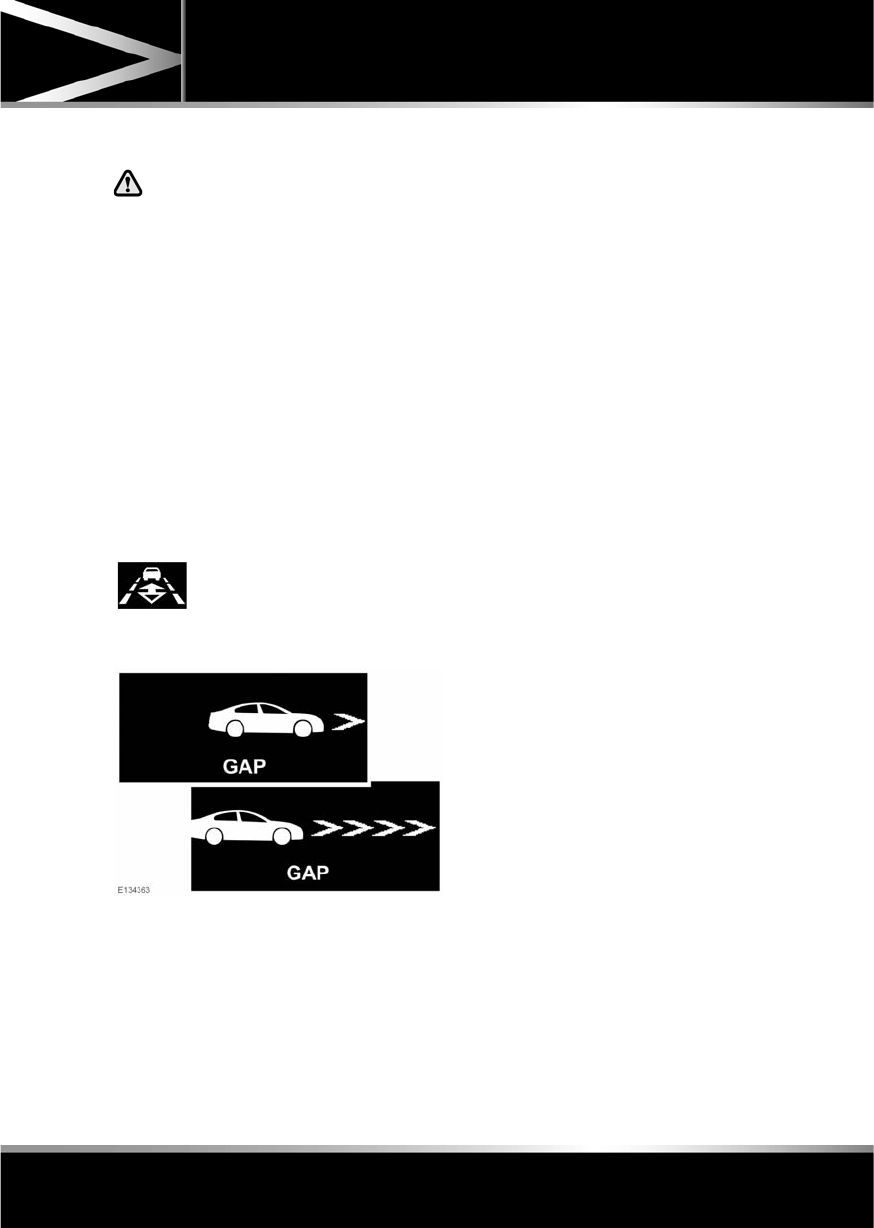
R
(FM8) SEMCON JLR OWNER GUIDE VER 1.00 EURO
LANGUAGE: english-en; MARQUE: jaguar; MODEL: XF
Adaptive cruise control
97
ENTERING FOLLOW MODE
When in follow mode, the vehicle will
not decelerate automatically to a stop,
nor will the vehicle always decelerate
quickly enough to avoid a collision.
Note: Follow mode cannot be disengaged
independently from the speed maintenance
aspect of cruise control.
Once a set speed has been selected, the driver
can release the accelerator and the set road
speed will be maintained.
When a vehicle ahead enters the same lane or
a slower vehicle is ahead in the same lane, the
vehicle speed will be adjusted automatically
until the gap to the vehicle ahead corresponds
to the default gap setting (gap level 3). The
vehicle is now in follow mode.
The message centre will display the gap set.
The vehicle will then maintain the constant time
gap to the vehicle ahead until:
•The vehicle ahead accelerates to a speed
above the set speed.
•The vehicle ahead moves out of lane or out
of view.
•A new gap distance is set.
If necessary, the vehicle brakes will be
automatically applied to slow the vehicle to
maintain the gap to the vehicle in front.
The maximum braking which is applied by the
ACC system is limited and can be overridden by
the driver applying the brakes, if required.
Note: Driver braking will cancel ACC.
If the ACC system predicts that its maximum
braking level will not be sufficient, then an
audible warning will sound while the ACC
continues to brake. Driver Intervene will be
displayed on the message centre. The driver
should take immediate action.
When in follow mode, the vehicle will
automatically return to the set speed when the
road ahead is clear, for instance when:
•The vehicle in front accelerates or changes
lane.
•The driver changes lane to either side or
enters an exit lane.
The driver should intervene if appropriate.
The amber warning lamp in the
instrument panel will be
illuminated.

L
(FM8) SEMCON JLR OWNER GUIDE VER 1.00 EURO
LANGUAGE: english-en; MARQUE: jaguar; MODEL: XF
Adaptive cruise control
98
CHANGING THE FOLLOW MODE SET
GAP
Four gap settings are available and the selected
gap setting will be displayed on the message
centre when the gap adjustment control is
operated.
Each gap level is indicated by an additional
chevron in front of the vehicle icon in the
message centre (one chevron (gap level 1)
being the shortest, four chevrons (gap level 4)
being the longest).
Note: When the ignition is switched off, the
gap setting will revert to the default setting
(gap level 3) when switched on again.
Note: It is the driver’s responsibility to select a
gap appropriate to the driving conditions.
OVERRIDING THE SPEED AND
FOLLOW MODE
Whenever the driver is overriding the
ACC by depressing the accelerator
pedal, the ACC will not automatically
apply the brakes to maintain
separation from any vehicle ahead.
The set speed and gap can be overridden by
pressing the accelerator pedal when cruising at
constant speed or in follow mode. If the vehicle
is in follow mode, the warning lamp will go out
when the ACC is overridden by the driver using
the accelerator and CRUISE OVERRIDE will be
displayed on the message centre. When the
accelerator is released the ACC function will
operate again and vehicle speed will decrease
to the set speed, or a lower speed if follow
mode is active.
AUTOMATIC LOW SPEED
SWITCH-OFF
If the speed of the vehicle decreases below 30
km/h (18 mph), the ACC system will be
automatically switched off and the warning
lamp will go out.
If the brakes were being applied by the ACC
system, they will be slowly released.
This will be accompanied by an audible
warning, and DRIVER INTERVENE will be
displayed on the message centre. The driver
must take control.
ACC AUTO OFF
ACC will disengage, but not clear the memory
when:
•The CANCEL button is pressed
•The brake pedal is pressed
•Neutral (N), Park (P) or Reverse (R) gear is
selected
•Dynamic Stability Control activates.
ACC will disengage, and clear the memory
when:
•The ignition system is switched off
•Maximum vehicle speed is reached
•A fault occurs in the ACC system.
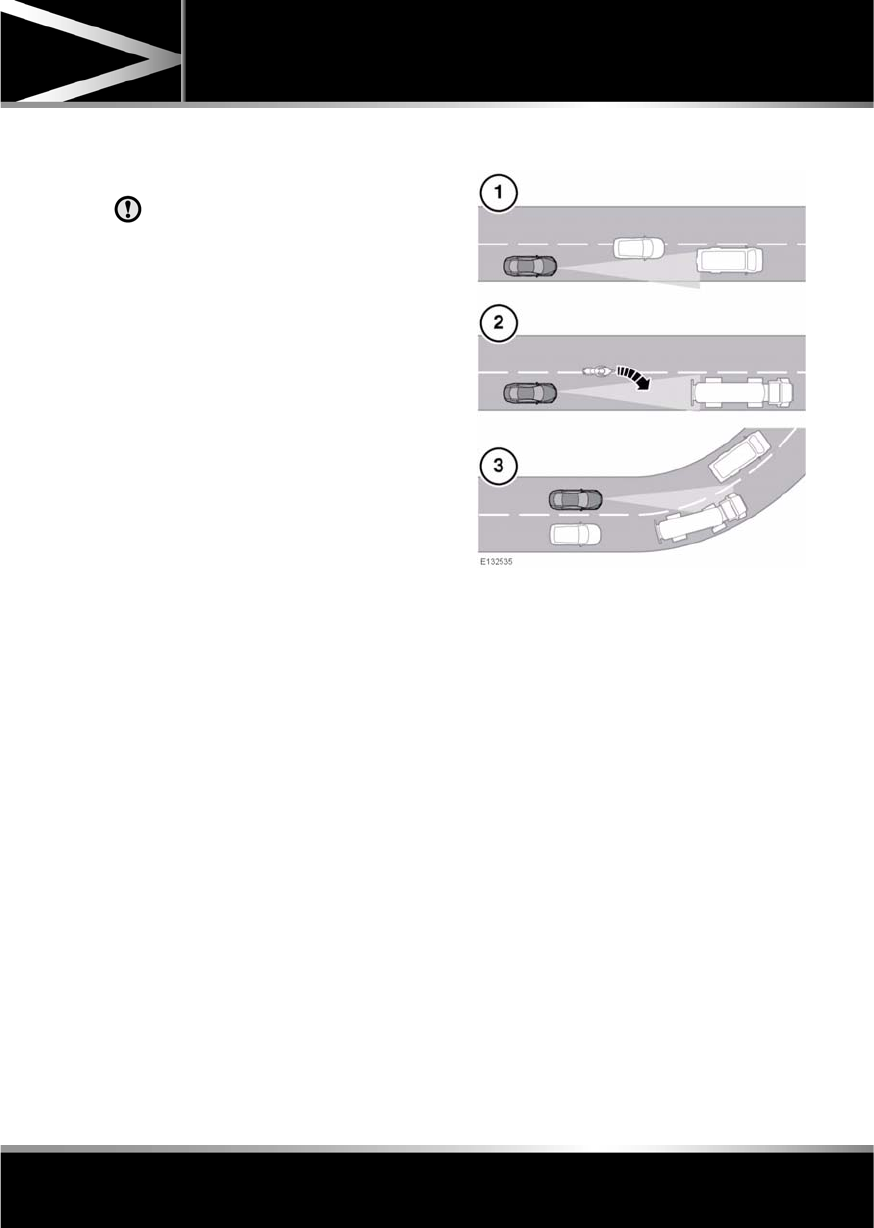
R
(FM8) SEMCON JLR OWNER GUIDE VER 1.00 EURO
LANGUAGE: english-en; MARQUE: jaguar; MODEL: XF
Adaptive cruise control
99
RESUMING THE SPEED AND
FOLLOW MODE
RESUME should only be used if the
driver is aware of the set speed and
intends to return to it.
By pressing the RESUME button after ACC has
been cancelled, for example, after braking, the
ACC will become active again provided that the
set speed memory has not been erased. The
original set speed will be resumed (unless a
vehicle ahead causes the follow mode to
become active) and the set speed will be
displayed in the message centre for four
seconds.
HINTS ON DRIVING WITH ACC
The system acts by regulating the speed of the
vehicle using engine control and the brakes.
Gear changes may occur in response to
deceleration or acceleration whilst in ACC.
ACC is not a collision avoidance system.
However, during some situations the system
may provide the driver with an indication that
intervention is required.
An audible alarm will sound, accompanied by
the message DRIVER INTERVENE if the ACC
detects:
•A failure has occurred whilst the system is
active
•That using maximum ACC braking only is
not sufficient.
Note: ACC operates when the gear selector
lever is in position S or D.
Note: When engaged, the accelerator pedal
rests in the raised position. Fully release the
pedal to allow normal ACC operation.
Note: When braking is applied by the ACC, the
vehicle brake lamps will be switched on
although the brake pedal will not move.
DETECTION BEAM ISSUES
Detection issues can occur:
1. When driving on a different line to the
vehicle in front.
2. When a vehicle edges into your lane. The
vehicle will only be detected once it has
moved fully into your lane.
3. There may be issues with the detection of
vehicles in front when going into and
coming out of a bend.
In these cases ACC may brake late or
unexpectedly. The driver should stay alert and
intervene if necessary.
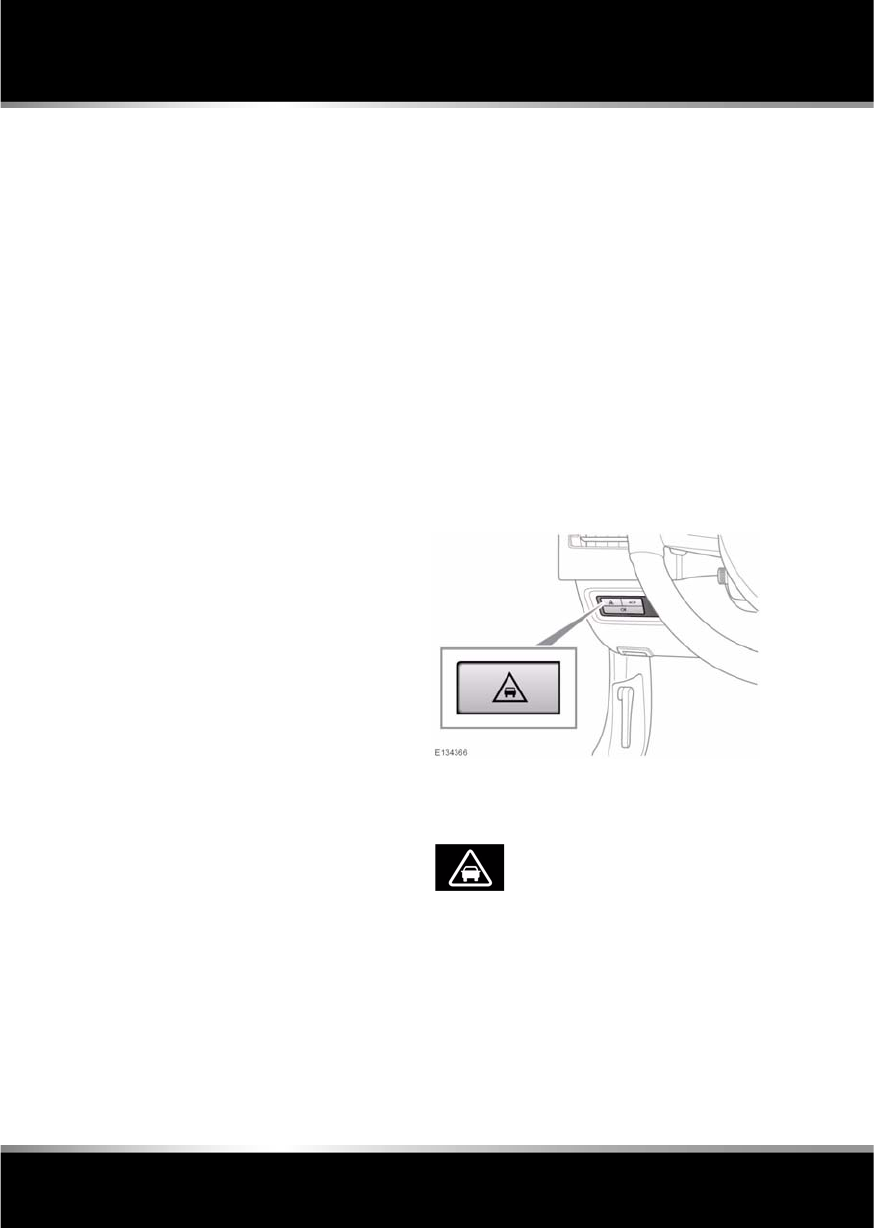
L
(FM8) SEMCON JLR OWNER GUIDE VER 1.00 EURO
LANGUAGE: english-en; MARQUE: jaguar; MODEL: XF
Adaptive cruise control
100
ACC MALFUNCTION
If a malfunction occurs during operation of the
system in cruise or follow modes, the ACC
system will switch off and cannot be used until
the fault is cleared. The message Driver
Intervene appears briefly and is then replaced
by the message Cruise Not Available. If
malfunction of the ACC or any related system
occurs at any other time, the message Cruise
Not Available will be displayed. It will not be
possible to activate the ACC system in any
mode.
Accumulations of dirt, snow or ice on the
sensor or cover may inhibit ACC operation.
Fitting of a vehicle front protector or metallised
badges may also affect ACC operation.
The ACC system relies on its radar to detect
objects and constantly scans ahead. If the
radar is unable to detect any objects ahead,
then ACC will be deactivated, the audible alarm
sounds and the message Driver Intervene
displays briefly. The message ACC Sensor
Blocked will then be displayed.
The same messages may also be displayed
while driving on open roads with few objects
for the radar to detect.
Clearing the obstruction from in front of the
sensor allows the system to return to normal
operation. If the obstruction is present when
ACC is inactive (e.g. on initial starting or with
the ACC system switched off), the message
ACC Sensor Blocked will be displayed.
Tyres other than those recommended for your
vehicle, may have different sizes. This can
affect the correct operation of the ACC.
FORWARD ALERT FUNCTION
Limited detection and warning of objects
ahead, is provided during ACC operation by the
ACC Forward Alert warning. The enhanced
forward alert feature additionally provides
warnings when ACC is not engaged; if an object
is detected close ahead, then the warning tone
and message will be issued. The brakes will not
be applied.
The forward alert system does not initiate any
action. The driver must take appropriate action
when the Forward Alert message is displayed.
However, the system monitors driver actions
(e.g. braking, steering or indicating) and may
not initiate the warning display if the
appropriate action has been taken early
enough.
Press the button to switch Forward alert on or
off.
When the warning lamp in the
instrument panel is on, Forward
alert is active.
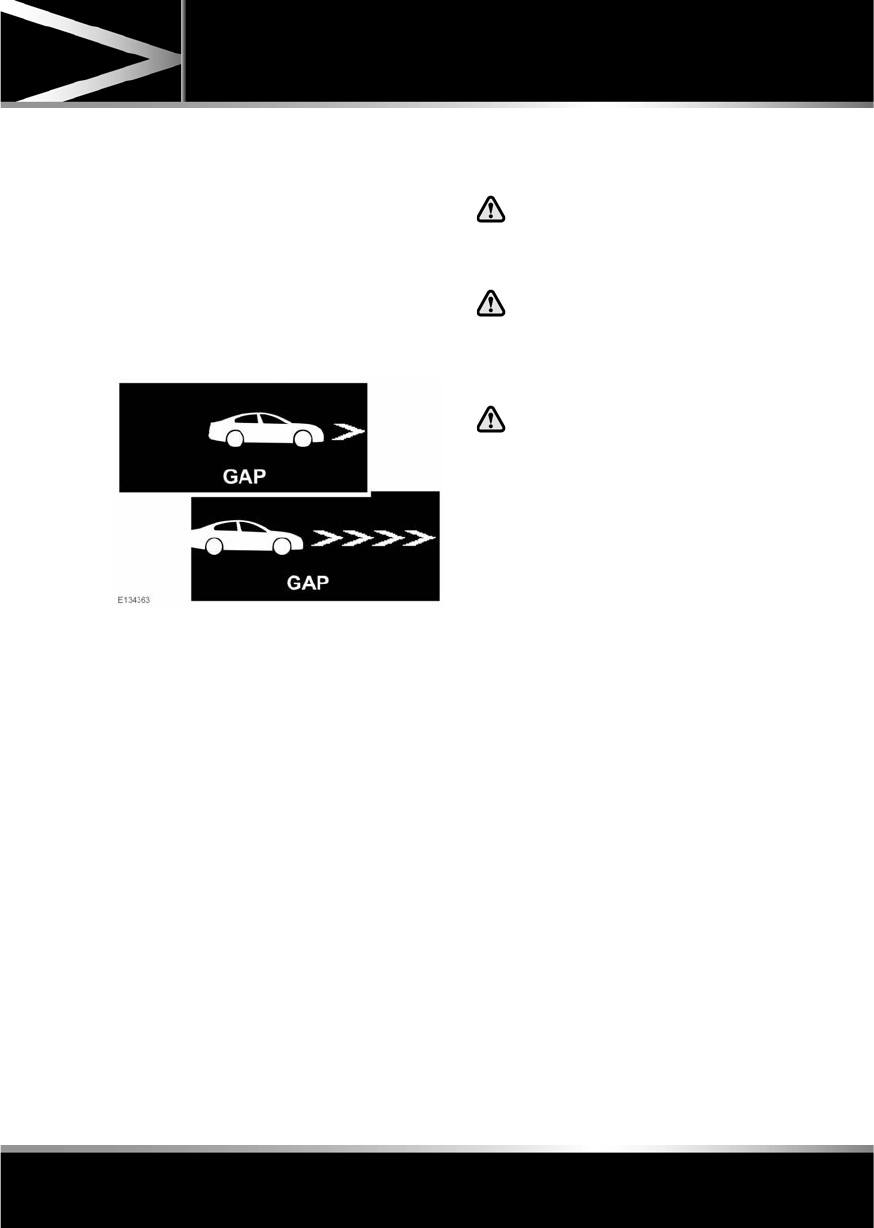
R
(FM8) SEMCON JLR OWNER GUIDE VER 1.00 EURO
LANGUAGE: english-en; MARQUE: jaguar; MODEL: XF
Adaptive cruise control
101
The sensitivity of the warning can only be
adjusted with ACC disengaged. Adjust as
follows:
•Roll the gap adjustment control
downwards to decrease the sensitivity of
the alert.
•Roll the gap adjustment control upwards to
increase the sensitivity of the alert.
Note: The forward alert set gap is retained
when the ignition is switched off.
Forward Alert is displayed in the message
centre.
ADVANCED EMERGENCY BRAKE
ASSIST
The system may not react to slow
moving vehicles and will not react to
stationary vehicles or vehicles
travelling in the opposite direction.
Warnings may not appear if the
distance to the vehicle ahead is very
small or if steering wheel or pedal
movements are large (e.g. to avoid a
collision).
The system utilises the same radar
sensor as ACC and Forward alert - the
same limitations of performance
apply.
Advanced emergency brake assist is available
at speeds above approximately 7 km/h (5 mph)
and improves braking response during
emergency braking, when a moving vehicle is
detected close ahead.
If the risk of collision increases after the
Forward Alert warning is displayed, advanced
emergency brake assist is activated. The
brakes are automatically applied gently in
preparation for rapid braking (this may be
noticeable). If the brake pedal is then pressed
quickly, full braking is implemented, even if
only light pressure is applied to the pedal. See
87, EMERGENCY BRAKE ASSIST (EBA).
Note: Braking performance will only be
improved if the driver applies the brakes.
Advanced emergency brake assist will function
even if Forward Alert and ACC are switched off.
If there is a fault with the system, Forward
Alert Unavailable is displayed in the message
centre. The vehicle can still be driven and the
braking system will still operate, but without
advanced emergency brake assistance. Seek
qualified assistance to have the fault rectified.

L
(FM8) SEMCON JLR OWNER GUIDE VER 1.00 EURO
LANGUAGE: english-en; MARQUE: jaguar; MODEL: XF
Adaptive cruise control
102
INTELLIGENT EMERGENCY BRAKING
The system may not react to slow
moving vehicles.
The system will not react to stationary
vehicles, or vehicles that are not
travelling in the same direction as
your vehicle.
Warnings and automatic braking may
not occur if the distance to the vehicle
ahead is very small, or if the steering
wheel and pedal movements are large
(to avoid a collision for example).
IEB (Intelligent Emergency Braking)
uses the same radar sensor as
Adaptive Cruise Control and Forward
Alert. The same performance
limitations apply, see 96, ADAPTIVE
CRUISE CONTROL OVERVIEW.
IEB is available at all speeds to automatically
apply the brakes if an unavoidable collision
with a moving vehicle in front is detected.
If there is an imminent risk of collision, an
audible warning is given. If the collision then
becomes unavoidable, the IEB system applies
the brakes at up to maximum pressure. After
IEB has activated, IEB System Was Activated
is displayed in the message centre and the
system is inhibited from further operation until
reset by a Dealer/Authorised Repairer.
IEB will function even if Forward Alert and ACC
are switched off. If the radar sensor is blocked,
by snow or heavy rain for example, or there is
a fault with the system, IEB Not Available is
displayed in the message centre. The vehicle
can still be driven and the braking system will
still operate, but without IEB. If the cause of
this message being displayed is thought to be
other than a blocked radar sensor, consult your
Dealer/Authorised Repairer.

R
(FM8) SEMCON JLR OWNER GUIDE VER 1.00 EURO
LANGUAGE: english-en; MARQUE: jaguar; MODEL: XF
Automatic speed limiter
103
Automatic spee d limiter
USING ASL
In certain conditions, such as a steep
downhill gradient, the vehicle speed
may exceed the set speed limit. This
is because engine braking is unable to
maintain or reduce the vehicle speed.
The ASL button allows the driver to select
between cruise control and the automatic
speed limiter. The ASL can be set to any speed
between 30 km/h (18 mph) and 240 km/h
(150 mph).
Note: Although ASL only operates at speeds
between 30 km/h (18 mph) and 240 km/h
(150 mph), the maximum speed can be set
when the vehicle is stationary.
SETTING A SPEED LIMIT
•Press the ASL button.
•Use the cruise control speed adjustment
control to set the required speed. The
message centre display in the instrument
panel will show the selected speed.
•The set speed can be adjusted at any time,
using the cruise control speed adjustment
control.
When ASL is selected and a set speed inserted,
the engine will respond normally up to the set
speed. Further accelerator pedal pressure will
not increase the vehicle speed beyond your set
speed, unless kickdown is initiated, in which
case ASL will be suspended.
SUSPENDING ASL
ASL can be suspended by pressing the
CANCEL button. Applying sudden, rapid
acceleration (kickdown) will also suspend ASL.
RESUMING ASL
If ASL has been suspended, it can be reinstated
with a single press of the RESUME button,
however, ASL will only reinstate if the vehicle
speed is less than the current speed set in
memory and greater than 30 km/h (18 mph).
The message centre will display an appropriate
message if the vehicle speed is too fast to
resume ASL.
ASL WARNING LAMP
Illuminates (amber) when
Automatic Speed Limiter is active.
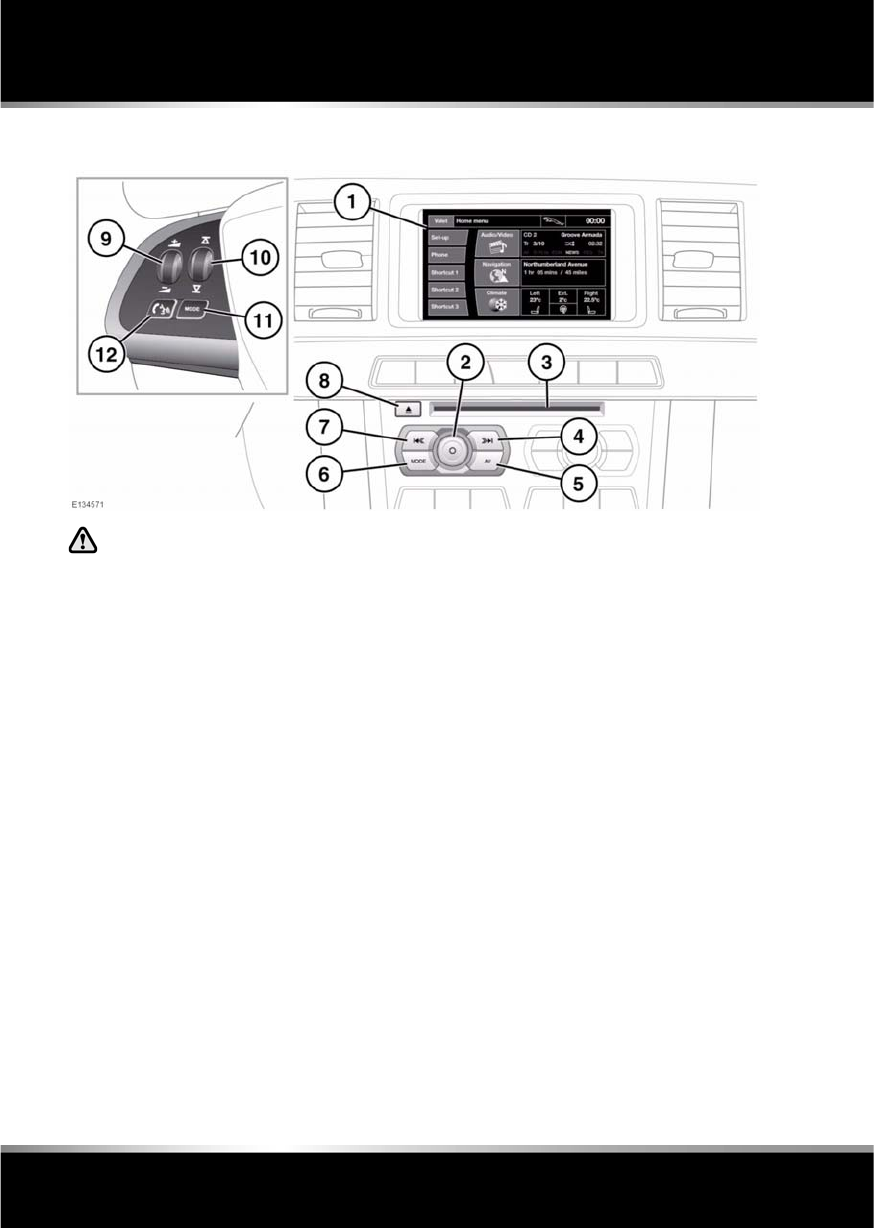
L
(FM8) SEMCON JLR OWNER GUIDE VER 1.00 EURO
LANGUAGE: english-en; MARQUE: jaguar; MODEL: XF
Audio/video overview
104
Audio/video overview
AUDIO/VIDEO CONTROLS
Sustained exposure to high sound
levels (greater than 85 decibels) can
damage your hearing.
1. Touch screen.
2. Press to switch the audio system on/off.
Rotate to adjust volume level.
Note: The audio system will operate with
the ignition on or off, but will switch off
with the ignition. Switch the audio on again
if required. The system will remain on for
approximately 10 minutes.
3. CD/DVD loading slot.
The player will accommodate one disc at a
time, but up to 10 CDs can be uploaded
into the CD store. Only CDDA discs can be
uploaded into the CD store.
4. Seek up:
Short press:
•To auto seek up the frequency to the
next radio station.
•To select the next track on chosen
audio source - CD, MP3 etc.
•To select the next TV channel on the
channel list or the next DVD chapter.
Long press:
•To activate radio manual seek mode.
•To scan forwards through the current
audio source track.
With radio manual seek mode activated,
further short presses will change the
frequency in single increments. A further
long press will scan forwards through the
current waveband until the button is
released.
5. AV (Audio/Video). Press for direct access
to the Audio/Video menu.
Audio/Video options can include Radio,
DAB radio, CD, stored CD, MP3, USB, iPod,
AUX, DVD, TV and RSE.
6. MODE: Press repeatedly to scroll through
all audio/video sources.
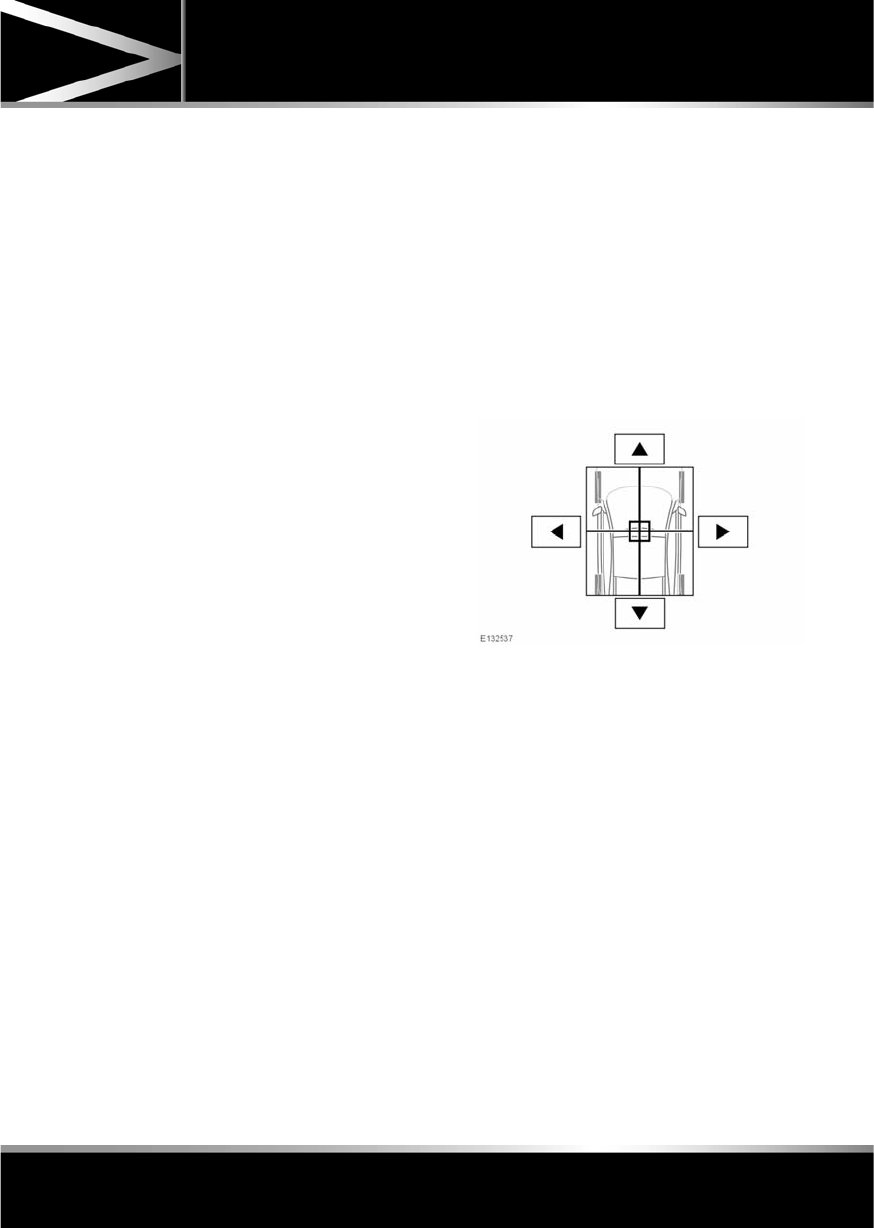
R
(FM8) SEMCON JLR OWNER GUIDE VER 1.00 EURO
LANGUAGE: english-en; MARQUE: jaguar; MODEL: XF
Audio/video overview
105
7. Seek down:
Short press:
•To auto seek down the frequency to the
next radio station.
•To select the previous track or start of
current track on chosen audio source -
CD, MP3 etc.
•To select the previous TV channel on
the channel list or the previous DVD
chapter.
Long press:
•To activate radio manual seek mode.
•To skip backward through current
audio source track.
With radio manual seek mode activated,
further short presses will change the
frequency in single decrements. A further
long press will scan backward through the
current waveband until the button is
released.
8. CD/DVD eject button.
9. Rotate to adjust volume.
10. Rotate (up or down) and release repeatedly
to scroll through:
•The radio presets.
•The previous track or start of next track
on chosen audio source - CD, MP3 etc.
11. MODE: Press repeatedly to scroll through
all audio/video sources.
12. If Telephone and Voice control are not
fitted, press to mute/un-mute audio.
Otherwise, if Telephone is fitted, see 128,
TELEPHONE SYSTEM OVERVIEW. If Voice
control is fitted, see 126, USING VOICE
CONTROL.
AUDIO SETTINGS
To view the audio settings menu, select
Settings and then Sound on the touch screen.
To adjust the sound settings:
1. Touch the + or - soft keys to adjust Bass,
Treble or Subwoofer levels.
2. If surround sound is fitted, touch the
appropriate soft key to select DPL II X, DTS
Neo6 or select Off to switch surround
sound off.
To adjust balance and fade:
1. From the Sound settings menu, select
Balance/Fade.
2. Touch the arrow soft keys to move the
sound focal point to the desired area of the
vehicle (the focal cross-hairs will appear
red when not in the default position).
Alternatively, touch the sound focal point
and 'drag' it to the required position.

L
(FM8) SEMCON JLR OWNER GUIDE VER 1.00 EURO
LANGUAGE: english-en; MARQUE: jaguar; MODEL: XF
Audio/video overview
106
LICENSING
Manufactured under license from Dolby
Laboratories.
Dolby, Pro Logic, and the double-D symbol are
registered trademarks of Dolby Laboratories.
Manufactured under license under U.S. Patent
#’s: 5,451,942; 5,956,674; 5,974,380;
5,978,762; 6,487,535; 7,003,467 & other U.S.
and worldwide patents issued & pending. DTS,
the Symbol, and Neo:6 are registered
trademarks, & DTS Digital Surround and the
DTS logos are trademarks of DTS, Inc. Product
includes software. © DTS, Inc. All Rights
Reserved.
Manufactured under license under U.S. Patent
#’s: 5,451,942; 5,956,674; 5,974,380;
5,978,762; 6,487,535 & other U.S. and
worldwide patents issued & pending. DTS and
the Symbol are registered trademarks, & DTS
2.0+ Digital Out and the DTS logos are
trademarks of DTS, Inc. Product includes
software. © DTS, Inc. All Rights Reserved.
DivX Certified® to play DivX® video.
DivX®, DivX Certified® and associated logos
are registered trademarks of DivX, Inc. and are
used under license.
ABOUT DIVX VIDEO: DivX® is a digital video
format created by DivX, Inc. This is an official
DivX Certified device that plays DivX video.
Visit www.divx.com for more information and
software tools to convert your files into DivX
video.
ABOUT DIVX VIDEO-ON-DEMAND: This DivX
Certified® device must be registered in order
to play DivX Video-on-Demand (VOD) content.
To generate the registration code, locate the
DivX VOD section in the device setup menu.
1. Follow the route, Home Menu - Audio
Video - TV/My video - Settings - VOD.
2. An eight digit code will be displayed. This is
your unique DivX code. Make a note of this
code and keep it for future reference.

R
(FM8) SEMCON JLR OWNER GUIDE VER 1.00 EURO
LANGUAGE: english-en; MARQUE: jaguar; MODEL: XF
Audio/video overview
107
Go to http://vod.divx.com with this code to
complete the registration process and learn
more about DivX VOD.
Covered by one or more of the following U.S.
Patents: 7,295,673; 7,460,668; 7,515,710;
7,519,274.
Music and video recognition technology and
related data are provided by Gracenote®.
Gracenote is the industry standard in music
recognition technology and related content
delivery. For more information, please visit
www.gracenote.com.
CD, DVD, Blu-ray Disc, and music and
video-related data from Gracenote, Inc.,
copyright © 2000 to present Gracenote.
Gracenote Software, copyright © 2000 to
present Gracenote. One or more patents owned
by Gracenote apply to this product and service.
See the Gracenote website for a
non-exhaustive list of applicable Gracenote
patents. Gracenote, CDDB, MusicID,
MediaVOCS, the Gracenote logo and logotype,
and the "Powered by Gracenote" logo are either
registered trademarks or trademarks of
Gracenote in the United States and/or other
countries.
GRACENOTE® END USER LICENSING
AGREEMENT
This application or device contains software
from Gracenote, Inc. of Emeryville, California
(“Gracenote”). The software from Gracenote
(the “Gracenote Software”) enables this
application to perform disc and/or file
identification and obtain music-related
information, including name, artist, track, and
title information (“Gracenote Data”) from
online servers or embedded databases
(collectively, “Gracenote Servers”) and to
perform other functions. You may use
Gracenote Data only by means of the intended
End-User functions of this application or
device.
You agree that you will use Gracenote Data, the
Gracenote Software, and Gracenote Servers for
your own personal non-commercial use only.
You agree not to assign, copy, transfer or
transmit the Gracenote Software or any
Gracenote Data to any third party. YOU AGREE
NOT TO USE OR EXPLOIT GRACENOTE DATA,
THE GRACENOTE SOFTWARE, OR
GRACENOTE SERVERS, EXCEPT AS
EXPRESSLY PERMITTED HEREIN.
You agree that your non-exclusive license to
use the Gracenote Data, the Gracenote
Software, and Gracenote Servers will terminate
if you violate these restrictions. If your license
terminates, you agree to cease any and all use
of the Gracenote Data, the Gracenote Software,
and Gracenote Servers. Gracenote reserves all
rights in Gracenote Data, the Gracenote
Software, and the Gracenote Servers, including
all ownership rights. Under no circumstances
will Gracenote become liable for any payment
to you for any information that you provide.
You agree that Gracenote, Inc. may enforce its
rights under this Agreement against you
directly in its own name.

L
(FM8) SEMCON JLR OWNER GUIDE VER 1.00 EURO
LANGUAGE: english-en; MARQUE: jaguar; MODEL: XF
Audio/video overview
108
The Gracenote service uses a unique identifier
to track queries for statistical purposes. The
purpose of a randomly assigned numeric
identifier is to allow the Gracenote service to
count queries without knowing anything about
who you are. For more information, see the
web page for the Gracenote Privacy Policy for
the Gracenote service.
The Gracenote Software and each item of
Gracenote Data are licensed to you “AS IS.”
Gracenote makes no representations or
warranties, express or implied, regarding the
accuracy of any Gracenote Data from in the
Gracenote Servers. Gracenote reserves the
right to delete data from the Gracenote Servers
or to change data categories for any cause that
Gracenote deems sufficient. No warranty is
made that the Gracenote Software or
Gracenote Servers are error-free or that
functioning of Gracenote Software or
Gracenote Servers will be uninterrupted.
Gracenote is not obligated to provide you with
new enhanced or additional data types or
categories that Gracenote may provide in the
future and is free to discontinue its services at
any time.
GRACENOTE DISCLAIMS ALL WARRANTIES
EXPRESS OR IMPLIED, INCLUDING, BUT NOT
LIMITED TO, IMPLIED WARRANTIES OF
MERCHANTABILITY, FITNESS FOR A
PARTICULAR PURPOSE, TITLE, AND
NON-INFRINGEMENT. GRACENOTE DOES
NOT WARRANT THE RESULTS THAT WILL BE
OBTAINED BY YOUR USE OF THE GRACENOTE
SOFTWARE OR ANY GRACENOTE SERVER. IN
NO CASE WILL GRACENOTE BE LIABLE FOR
ANY CONSEQUENTIAL OR INCIDENTAL
DAMAGES OR FOR ANY LOST PROFITS OR
LOST REVENUES.
© Gracenote, Inc. 2009
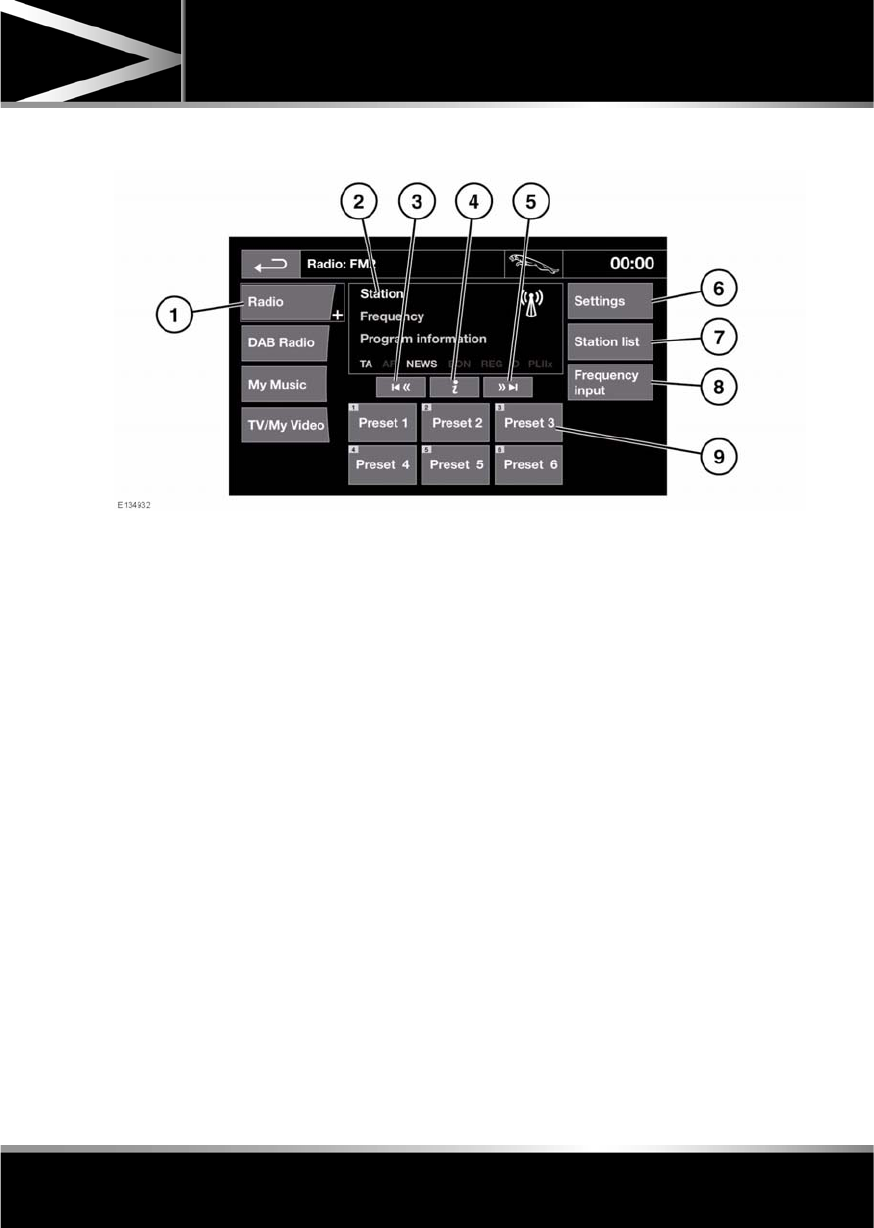
R
(FM8) SEMCON JLR OWNER GUIDE VER 1.00 EURO
LANGUAGE: english-en; MARQUE: jaguar; MODEL: XF
Radio
109
Radio
RADIO CONTROLS
1. Radio: Waveband selection. Touch to view
and select a waveband. The radio will tune
to the last used station on that waveband.
The waveband selection box will close after
5 seconds without use or can be closed
manually by selecting Radio again.
2. Displays information about the current
station. Some of this information is also
displayed in the instrument panel.
3. Seek down:
•Short touch to auto seek down the
frequency to the next radio station.
•Long touch to activate manual seek
mode. Further short touches change
the frequency in single decrements. A
further long touch will scan backwards
through the current waveband until the
soft key is released.
4. Information. More information from the
broadcasting station.
5. Seek up:
•Short touch to auto seek up the
frequency to the next radio station.
•Long touch to activate manual seek
mode. Further short touches change
the frequency in single increments. A
further long touch will scan forwards
through the current waveband until the
soft key is released.
6. Settings: Touch to view and activate/
deactivate the following features: RDS,
Traffic, News, AF and REG. See 110,
RADIO DATA SYSTEM (RDS).
7. Station list (FM only): Select to view a list
of available stations on the waveband. The
list can be sorted by Frequency, Name or
PTY (pop, news, sport etc.), by selecting
the appropriate soft key. Touch to select
the chosen station.
If the stations are sorted by category,
touch the chosen category to view and
select a corresponding station.

L
(FM8) SEMCON JLR OWNER GUIDE VER 1.00 EURO
LANGUAGE: english-en; MARQUE: jaguar; MODEL: XF
Radio
110
8. Frequency input: Select to enter a known
frequency of a station on the current
waveband, using the numeric keypad that
appears. Select OK or wait for 2 seconds to
tune to the entered frequency.
9. Station presets: Each waveband has 6
preset positions.
•Touch and release to tune to the
station stored on that preset.
•Touch and hold to store the current
station on that preset (the radio will
mute while the station is stored then
beep).
•Use the seek buttons on the steering
wheel to change to the next or previous
preset station.
RADIO DATA SYSTEM (RDS)
Your radio is equipped with RDS which enables
the audio unit to receive additional information
with normal FM radio signals.
Note: Not all FM radio stations broadcast RDS
information.
Select Settings (6) to view or alter RDS
settings.
•Traffic/News: Provides local travel or news
information.
•Regionalisation (REG): Select to prevent
the radio tuning into an alternative local
station that has a stronger signal.
•Alternative Frequency (AF): Select to
allow the radio to automatically re-tune to
a stronger alternative frequency for the
current station. This is useful on a journey
where the vehicle travels through different
transmitter areas.
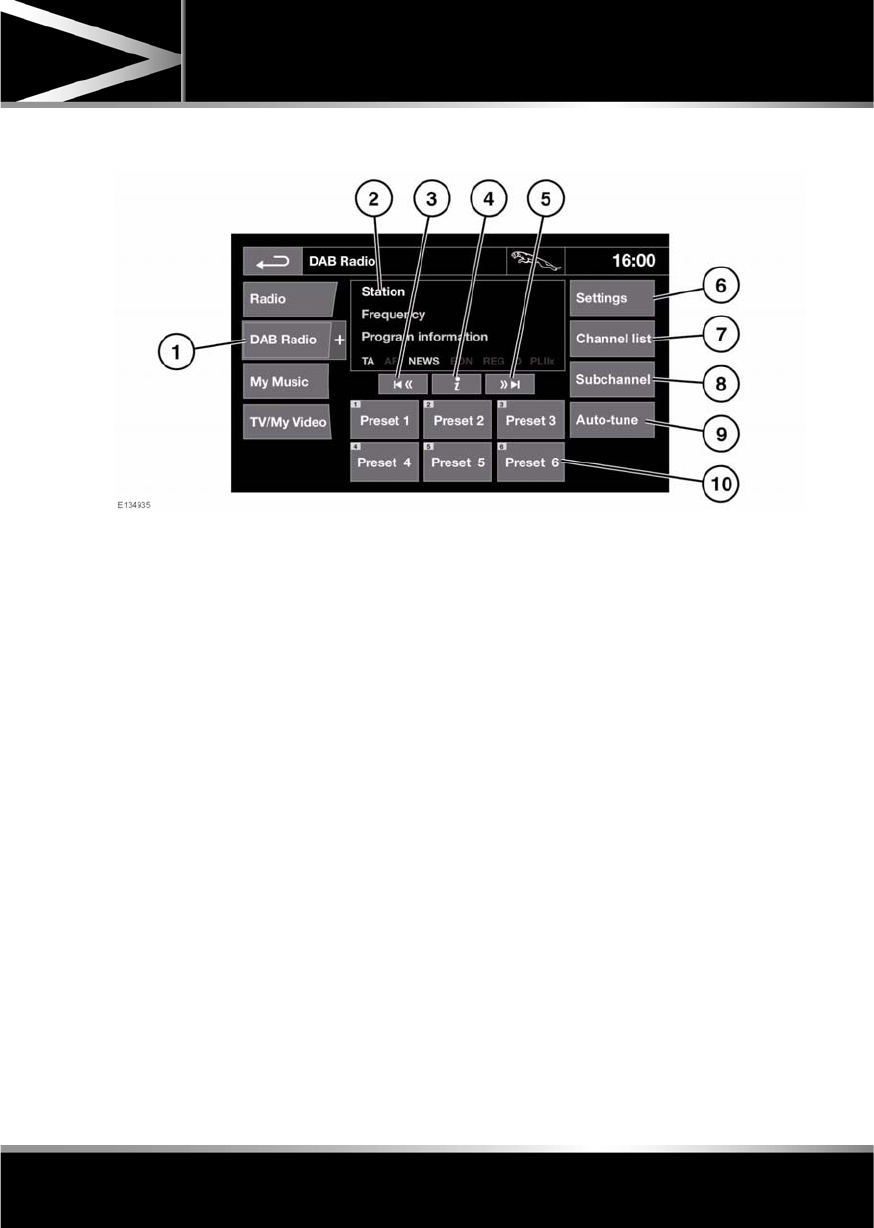
R
(FM8) SEMCON JLR OWNER GUIDE VER 1.00 EURO
LANGUAGE: english-en; MARQUE: jaguar; MODEL: XF
DAB radio
111
DAB radio
DAB RADIO CONTROLS
1. DAB Radio: Touch to view and select a
DAB band (DAB 1, 2 or 3). The radio will
tune to the last used channel on that band.
Touch again to close.
The DAB band selection box will close
automatically after 5 seconds without use.
2. Indicates currently selected DAB band
(DAB1, 2 or 3).
3. Seek down:
•Short touch to seek previous available
channel.
•Long touch to seek previous available
Ensemble. The first channel in the new
Ensemble will be selected.
4. Channel information: Touch to view DAB
text and channel information.
5. Seek up:
•Short touch to find the next available
channel.
•Long touch to find the next available
Ensemble. The first channel in the new
Ensemble will be selected.
6. Settings: Touch to view the DAB Settings
menu:
•Options: To activate/deactivate FM
Traffic and Link DAB and to alter DAB
country and format settings (with
vehicle stationary).
•Announcements: Select an alarm
announcement and up to 3 other
announcement types (traffic, news
etc.) from the list. The selected
announcements will interrupt the
current programme when broadcast.

L
(FM8) SEMCON JLR OWNER GUIDE VER 1.00 EURO
LANGUAGE: english-en; MARQUE: jaguar; MODEL: XF
DAB radio
112
7. Channel list: Touch to view a list of
available Ensembles and channels. The list
can be sorted by Ensemble, Channel,
Subchannel or by Category.
•If an Ensemble is selected from the
list, all available channels from that
ensemble will be displayed.
•Sorting by Subchannel is only
available when the current channel is
broadcasting subchannels.
•If Category is selected, touch the
chosen category to view
corresponding channels, before
making your selection from the list.
Once the desired selection has been made,
select the Back soft key to return to the
main DAB menu.
8. Subchannel: If subchannels are broadcast
by the current channel, this soft key will be
active. Select to allow subchannels then
select the required subchannel with the
seek down / up keys.
9. Auto-tune: Select to scan for all available
DAB Ensembles/channels. This needs to be
done before using the DAB radio for the
first time.
Auto-tune is also useful when travelling
long distances, so regional Ensembles can
be tuned.
During Auto-tune, a pop-up shows tuning
progress.
The Auto-tune process will not affect
current presets, but some presets may not
operate if the channel they relate to is no
longer available (No reception displays).
10. Station presets: Each DAB band has 6
preset positions.
•Touch and release to tune the radio to
the station stored on that preset.
•Touch and hold to store the current
station on that preset (the radio will
mute while the station is stored).
•Use the seek buttons on the steering
wheel to select the next or previous
preset station.
Note: If you attempt to select a preset
channel that is now unavailable or invalid,
No reception is displayed.
DIGITAL RADIO RECEPTION
DAB radio can significantly increase the
number of radio channels/stations available.
The DAB signals are transmitted to most major
cities, towns and motorway networks.
Digital radio is transmitted from regional
transmitters. Some local channels are not
available outside the range of their
transmitters. If you want to listen to local
channels as you move around the country, use
the auto-tune function (AUTO) to build new
channel lists.
Note: If any auxiliary electrical equipment is
connected to the vehicle, then this may reduce
the DAB radio sound quality.
ENSEMBLES
Unlike AM/FM radio, DAB transmits several
channels/stations on a single frequency. A
group of channels is known as an ensemble.
Some channels within the ensemble may have
subchannels offering several listening options.
If reception is lost when the vehicle is in
motion, the vehicle may be out of range of the
ensemble. To build a new list of ensembles,
select Auto-tune.
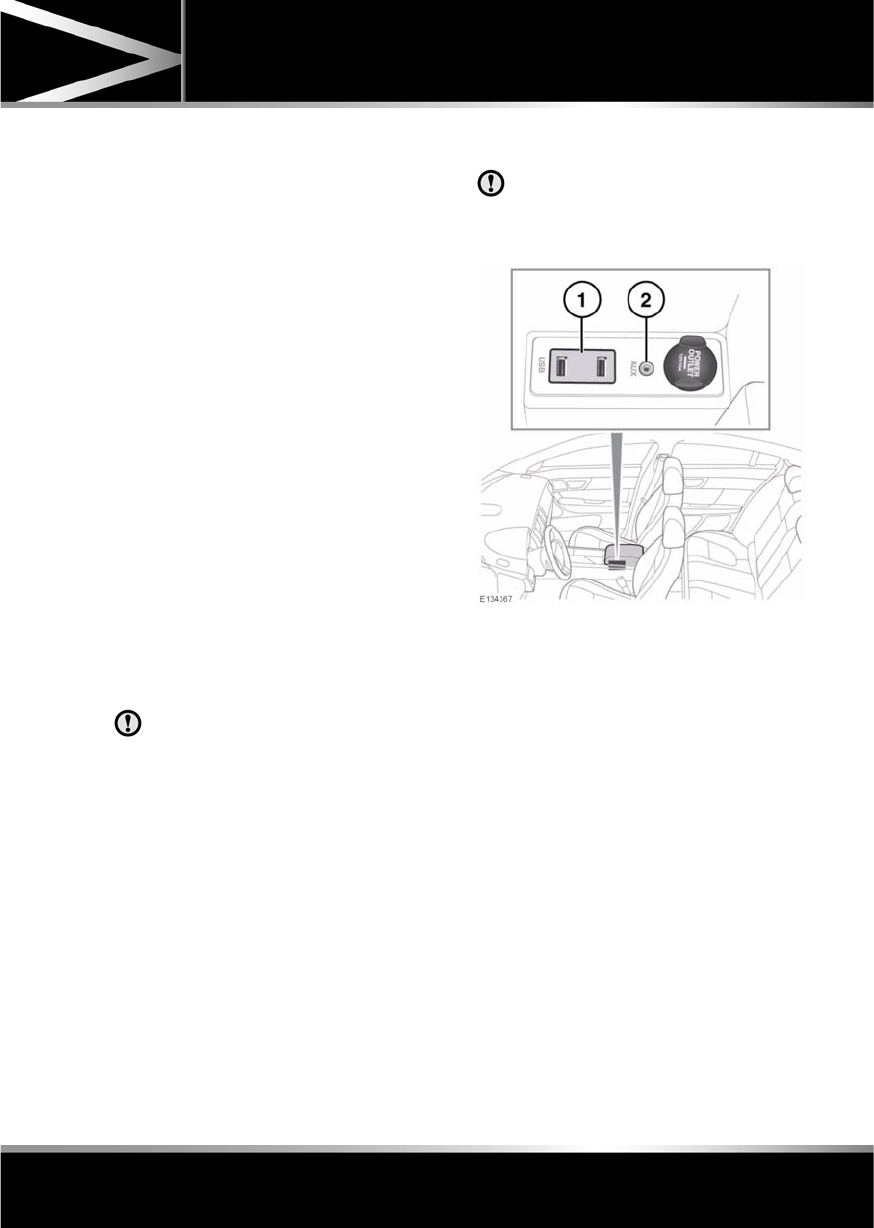
R
(FM8) SEMCON JLR OWNER GUIDE VER 1.00 EURO
LANGUAGE: english-en; MARQUE: jaguar; MODEL: XF
Portable media
113
Portable med ia
PORTABLE MEDIA CONNECTIONS
Portable media devices can be connected to
the media hub located in the cubby box.
Compatible portable devices include:
•USB mass storage devices (e.g. a memory
stick). Devices must use FAT or FAT32 file
format.
•iPod (iPod Classic, iPod Touch, iPhone and
iPod Nano are supported - full functionality
for older devices cannot be guaranteed).
iPod Shuffle functionality cannot be
guaranteed.
Note: iPod and iPhone are trademarks of
Apple Inc., registered in the USA and other
countries.
•Auxiliary device (personal audio, MP3
players, all iPods).
Note: Auxiliary devices have no touch
screen control.
If you are connecting an iPod, mass storage or
Bluetooth® device, use the touch screen to
operate and search the device. Many of the
controls are similar to those available for CD
play.
Please disconnect your iPod when
leaving the vehicle. Failure to do so may
result in the iPod battery discharging.
Note: The audio system will play MP3, WMA
and AAC files.
To maximise playback quality, it is
recommended that lossless compression is
used for any media files on USB or iPod. Failing
this, it is recommended that compressed files
utilise a minimum bitrate of 192 kb/s (a higher
bitrate is strongly recommended).
Note: Some MP3 players have their own file
system that is not supported by this system. To
use your MP3 player, you must set it to USB
Removable Device or Mass Storage Device
mode. Only music that has been added to the
device in this mode can be played.
CONNECTING A DEVICE
Always refit the rubber cover when a
portable device is not plugged in. This
prevents damage to the sockets. The
cover is not waterproof.
1. USB sockets.
2. Auxiliary socket (AUX).
Connect the device into the appropriate socket.
When an iPod is connected, playback will
continue from the point at which it was last
playing, provided the iPod battery is in a good
state of charge.
When a USB or Bluetooth® device is
connected, playback will continue from the
point it was last played. If a device is already
connected when AUX is selected, playback will
continue from the point at which it was last
playing.
Please refer to the Ownership section of the
Jaguar website at www.jaguar.com, for a list
of compatible devices.

L
(FM8) SEMCON JLR OWNER GUIDE VER 1.00 EURO
LANGUAGE: english-en; MARQUE: jaguar; MODEL: XF
Portable media
114
The Bluetooth® equipped devices listed on
Jaguar.com have been tested for compatibility
with Jaguar vehicles. Performance will vary,
based on the device’s software version and
battery condition. Devices are warranted by
their manufacturer, not Jaguar.
Do not plug non-audio devices into the
USB port.
Note: You cannot use a USB hub to connect
more than one USB device to the audio unit.
Note: Devices connected to the USB ports will
be charged, but devices that are fully
discharged will not play.
Note: Options such as Repeat and Mix relate
to the device currently playing, they will not
apply to any subsequent device.
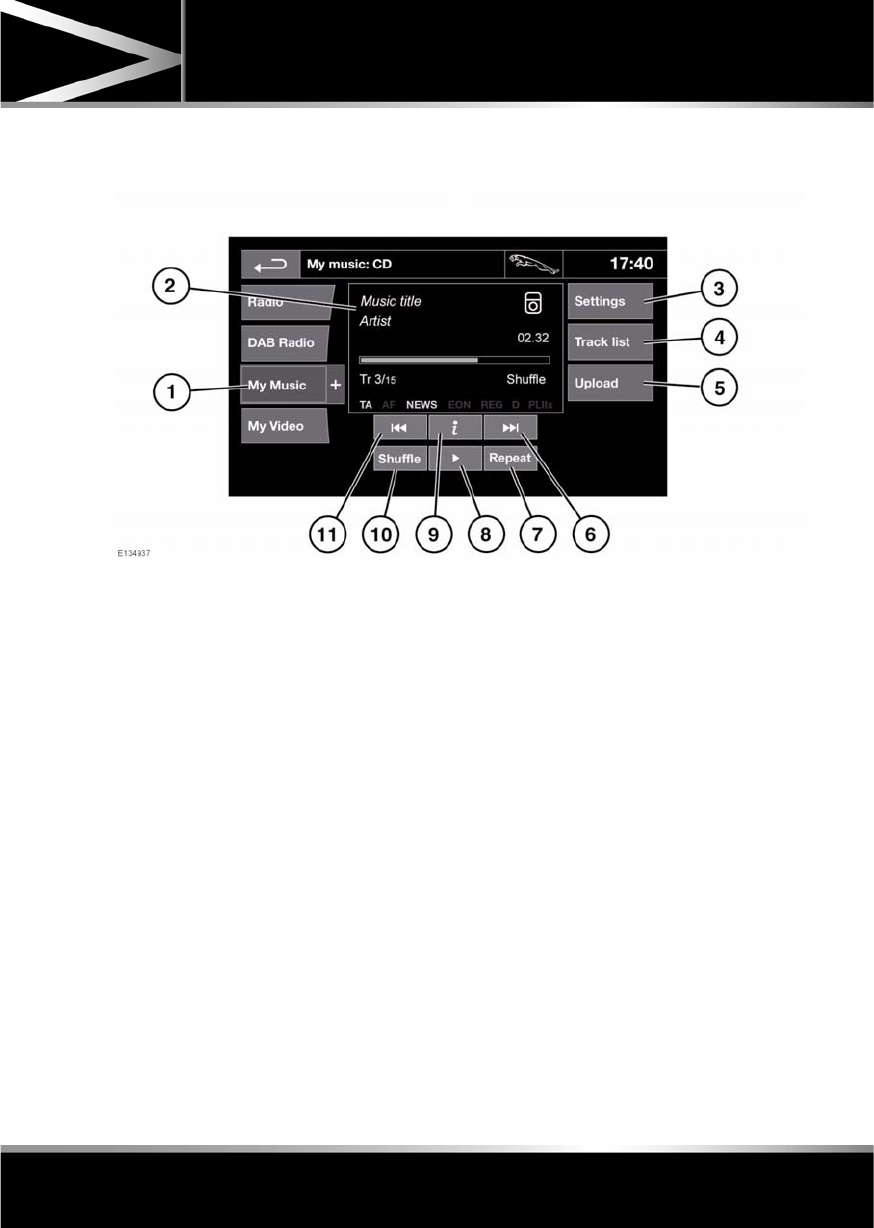
R
(FM8) SEMCON JLR OWNER GUIDE VER 1.00 EURO
LANGUAGE: english-en; MARQUE: jaguar; MODEL: XF
Portable media
115
PORTABLE MEDIA CONTROLS
My Music includes CD, iPod, USB, AUX and
Bluetooth devices. The full infotainment
system also includes Stored CD.
1. Touch the My Music + icon to display all
options. Select an option.
Note: Sound quality and volume levels
available from devices connected to the
auxiliary input may vary widely.
2. Display of information about the current
track, including elapsed run-time. Some of
this information is also displayed in the
instrument panel.
3. Settings: Select to switch traffic and news
announcements on or off. Additionally, for
MP3 recorded media, you can select the
number of list entries that are skipped
when you use the page up/down arrows
when navigating a list.
4. Depending on the selected mode, this soft
key will be either Track list or Browse. In
Stored CD mode, both soft keys will be
displayed.
Track list. Select to view current CD or
Stored CD track list. Select a track to start
playback.
Browse. (iPod, USB and Stored CD modes
only).
•Select to view the contents of the
connected device which are displayed
as dictated by the file structure.
•Select a file to start playback (Browse
view will remain). Select a folder or
subfolder to view their contents.
•To return to the Controls menu, select
the Back soft key.
5. Upload: Applicable to Stored CD menu
only.
Select to view and manage the CDs loaded
onto the CD store.
•Select Upload alongside an empty slot
to upload the current CD. There are 10
slots available.
•If the CD store is full, select Replace to
overwrite an existing CD.

L
(FM8) SEMCON JLR OWNER GUIDE VER 1.00 EURO
LANGUAGE: english-en; MARQUE: jaguar; MODEL: XF
Portable media
116
In each case a confirmation pop-up will
appear. Select Yes to continue.
Note: Loading time is dependent on
content type. A % count up is displayed.
Other features can be selected while
upload is in progress.
6. Skip/Scan forward:
•Touch and release to skip to the next
track.
•Touch and hold to scan forwards
through the current track. Play will
resume when the soft key is released.
7. Repeat:
In CD mode
•Touch and release to repeat the current
track continuously until Repeat mode
is cancelled. Repeat track is displayed.
•Touch and release again to repeat the
current Stored CD (or folder for MP3
discs) continuously until Repeat mode
is cancelled. Repeat disc or Repeat
folder is displayed.
•Touch and release a third time to
cancel Repeat mode.
Note: Selecting Shuffle (10) will cancel
Repeat mode, but Repeat track can be
selected with Shuffle mode active (cancels
the previously selected shuffle mode).
In USB or iPod mode
•Select to repeat the current track.
•Select again to repeat the current
folder (USB) or to cancel repeat mode
(iPod). Select again to cancel repeat
mode in USB.
Note: Repeat mode is not available for
Bluetooth® devices.
Note: Selecting Shuffle (10) will cancel
Repeat mode.
8. Pause/Play: Select to pause playback.
Select again to resume playback.
9. Information. More information about the
current track.
10. Shuffle:
•Touch and release once to play random
tracks from the current CD, MP3
folder, USB folder or iPod playlist. A
Shuffle message is displayed.
•Touch and release again to play
random tracks from CD, MP3 disc,
USB folders or tracks on the media
device or tracks loaded onto the CD
store. Shuffle all is displayed.
•Touch and release again to cancel
Shuffle mode
Note: Shuffle mode is not available for
Bluetooth® devices.
11. Skip/Scan backward:
•Touch and release within 3 seconds of
track playback to skip to the previous
track.
•Touch and release after 3 seconds of
track playback to skip to the beginning
of the current track.
•Touch and hold to scan backwards
through the current track. Playback will
resume when the soft key is released.

R
(FM8) SEMCON JLR OWNER GUIDE VER 1.00 EURO
LANGUAGE: english-en; MARQUE: jaguar; MODEL: XF
Portable media
117
PLAYING A PORTABLE DEVICE
If you are using a USB mass storage device or
approved iPod, you can control playback using
the touch screen controls.
If you are using a Bluetooth® device, you can
control playback using the touch screen, but
some controls are unavailable.
If you are using any portable media device via
the AUX socket, then you must control
playback from the device itself.
Jaguar does not recommend the use of
a Hard Disc Drive via the USB link while
the vehicle is in motion. These devices
are not designed for in car use and may
be damaged.
CONNECTING MULTIPLE DEVICES
Do not plug non-audio devices into the
USB port.
You can connect multiple devices
simultaneously to the portable media interface
and switch between them using the touch
screen. Select iPod, USB, Bluetooth or AUX, to
switch between modes.
The device docked first will remain the active
device until you choose to change.
If, after changing to the newly-docked device,
you change back to the first device, play will
resume at the point you left it (USB and iPod
only).
Note: You cannot use a USB hub to connect
more than one USB device to the audio unit.
Note: Devices connected to the iPod and USB
ports will be charged, but devices that are fully
discharged will not play.
Note: Options such as Repeat and Shuffle
relate to the device currently playing, they will
not apply to any subsequent device.
PAIRING AND CONNECTING USING
THE MEDIA PLAYER
For further information on Bluetooth®, see
129, BLUETOOTH® INFORMATION.
Note: The process of pairing and connecting
your media device with the vehicle, using the
media device, will vary depending on the type
of media device.
1. Switch on the ignition and ensure the touch
screen is active.
2. From the Home menu, select Audio/Video,
then My Music.
3. A menu will appear. Select Search new.
4. Select Device to vehicle option.
Note: The vehicle’s Bluetooth® system is
only discoverable for 3 minutes.
5. Using the media device, search for
Bluetooth® devices. On some media
devices, this is referred to as new paired
device. See your media device’s operating
instructions for further information.
6. When the vehicle’s Bluetooth® system is
discovered, follow the on-screen
instructions. Select Yes when prompted, to
confirm the pairing.
Either your device or the vehicle system
will ask for a PIN (Personal Identification
Number). When prompted, enter a PIN of
your choice and select OK to confirm.
7. Enter the same PIN into the other device.
8. Once your device is paired and connected
to the system, a confirmation message will
be displayed, before switching to the My
music: Bluetooth screen.
Note: Some media devices do not
automatically connect and need to be
manually connected, via the device or by
using the Change device option.

L
(FM8) SEMCON JLR OWNER GUIDE VER 1.00 EURO
LANGUAGE: english-en; MARQUE: jaguar; MODEL: XF
Portable media
118
PAIRING AND CONNECTING A
BLUETOOTH® DEVICE USING THE
TOUCH SCREEN
For further information on Bluetooth®, see
129, BLUETOOTH® INFORMATION.
1. Switch on your device’s Bluetooth®
connection. Make sure that it is in
Bluetooth® discoverable mode,
sometimes referred to as find me mode
(see your device’s operating instructions
for more information).
2. Switch on the ignition and ensure the touch
screen is active.
3. From the Home menu, select Audio/Video,
then My Music.
4. A menu will appear. Select Search new.
5. Select Vehicle to device option.
6. Identify your device from the displayed list
and select the corresponding Pair and
connect option.
Note: If more than 5 devices are detected,
it may be necessary to use the scroll bar to
see the entire list.
7. When prompted, enter the PIN (Personal
Identification Number) code into your
device. See your device's operating
instructions for more information.
8. Once your device is paired and connected
to the system, a confirmation message will
be displayed before switching to the My
music: Bluetooth screen.
Note: Due to the duration of a Bluetooth®
search, it is advised that the time-out to home
screen feature is switched off before
attempting to search for Bluetooth® devices.
This setting can be changed within Set-up,
Screen, Time out home.
AUTOMATIC BLUETOOTH®
RECONNECTION
If devices have already been paired and
connected, when Bluetooth® is selected from
the My music menu, the system will
automatically connect to the last used device (a
confirmation pop-up appears). If the last used
device is not present, then the system will
search for other previously connected devices
and automatically connect if one is found.
If no previously connected device is found,
Please connect device is displayed and the
Change device option is given.
LOSS OF CONNECTION
If a loss of connection between the vehicle and
the Bluetooth® device occurs, a pop-up is
displayed. Select Reconnect to automatically
restore the connection. A confirmation pop-up
will appear before the touch screen reverts to
its previous mode.
CHANGING/DISCONNECTING A
DEVICE
1. From the menu, select Change device.
2. Select Disconnect. A confirmation pop-up
will appear and then you will be given the
option to Search new or select a different
device from the list of paired devices.

R
(FM8) SEMCON JLR OWNER GUIDE VER 1.00 EURO
LANGUAGE: english-en; MARQUE: jaguar; MODEL: XF
CD player
119
CD player
LOADING COMPACT DISCS
Do not force the disc into the slot.
Do not use irregular shaped CDs and
CDs with a scratch protection film or
self-adhesive labels attached.
The CD unit will play compact discs that
conform to the international Red Book
standard audio specification. Playback
of CDs not conforming to this standard
cannot be guaranteed.
Recordable (CD-R) discs and
re-writable (CD-RW) discs may not
function correctly.
Dual format, dual-sided discs (DVD
Plus, CD-DVD format) are thicker than
normal CDs and consequently playback
cannot be guaranteed and jamming
may occur.
It is recommended that only high quality 12 cm
(4.7 in.) circular discs are used.
The unit will play Compact Disc Digital Audio
(CDDA) discs, MP3, WMA, WAV and AAC files.
The CD player will accommodate one disc at a
time, but up to 10 CDs can be uploaded into the
CD store. Only CDDA discs can be uploaded
into the CD store.
To locate the CD load slot and the eject button,
see 104, AUDIO/VIDEO CONTROLS.
MP3 FILE PLAYBACK
If an MP3 CD is to be used, each session must
be properly closed but the whole disc does not
have to be finalised.
When Browse is selected, the list of folders and
MP3 files is displayed. Select a folder to view
and select the tracks contained within.
•The highest compression rate supported is
320k bits per second (kbps). If anything
less than 128 kbps is used, Digital Signal
Processing (DSP) functionality may be
lost.
•The CD player may take a longer time to
load an MP3 disc if there are more tracks
than on a normal CD. To minimise loading
time, a rigid folder structure is
recommended.
•If a CD contains a mixture of MP3 and
CDDA tracks, any MP3 tracks will be
ignored.
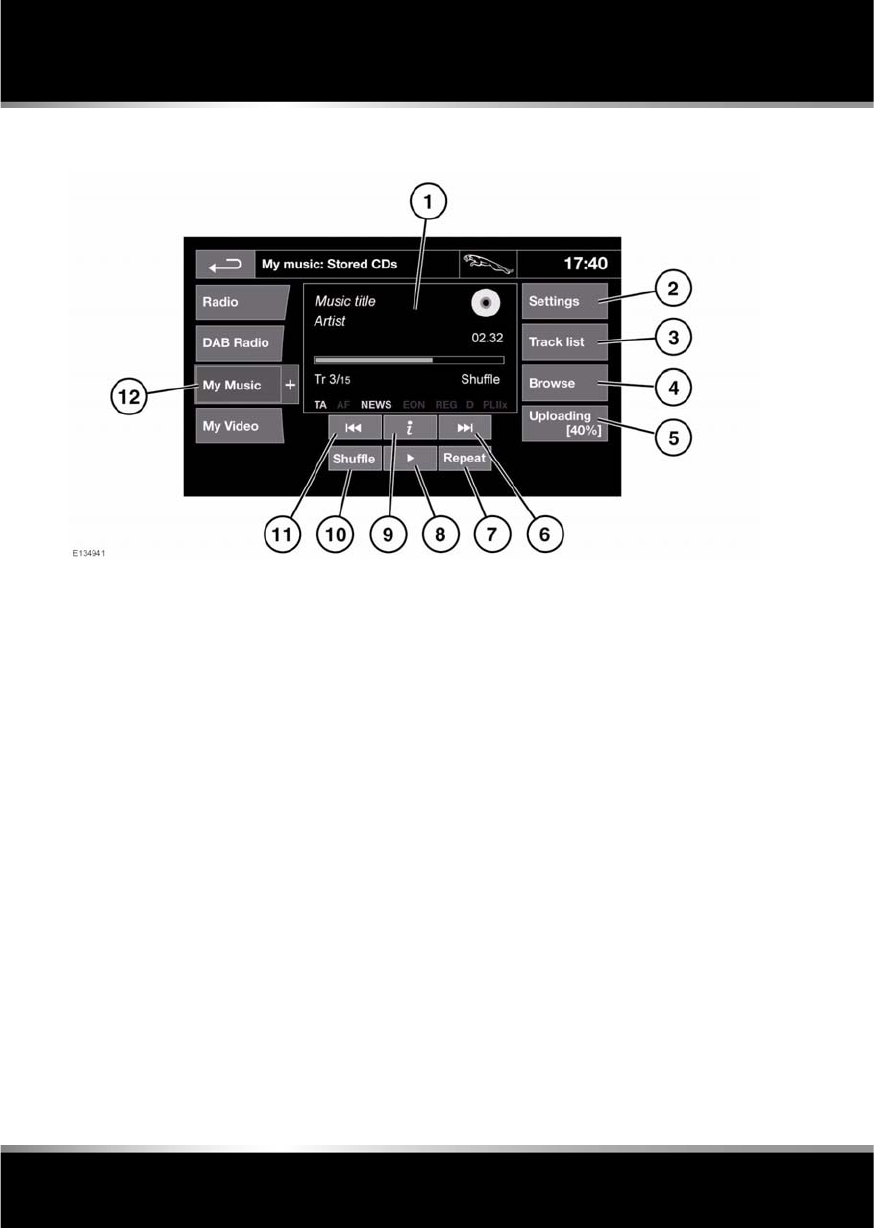
L
(FM8) SEMCON JLR OWNER GUIDE VER 1.00 EURO
LANGUAGE: english-en; MARQUE: jaguar; MODEL: XF
CD player
120
CD PLAYER CONTROLS
1. Display of information about the current
track, including elapsed run-time. Some of
this information is also displayed in the
instrument panel.
2. Select to switch traffic and news
announcements on or off.
3. Select to view the track list of the current
CD or Stored CD. Select a track from the
list to start playback. This is displayed as a
Browse soft key on some screens.
4. Select to view and manage the CDs in the
CD store.
•Select Upload alongside an empty slot
to upload the current CD.
•If the CD store is full, select Replace to
overwrite an existing CD.
In each case a confirmation pop-up will
appear. Select Yes to continue.
5. Shows progress of upload to the CD store.
6. Skip/Scan forward:
•Touch and release to skip to the next
track on the current CD.
•Touch and hold to scan forwards
through the current track. Playback will
resume when the soft key is released.
7. Repeat:
•Touch and release once to repeat the
current track continuously until Repeat
mode is cancelled. Repeat track is
displayed.
•Touch and release again to repeat the
current Stored CD (or folder for MP3
discs) continuously until Repeat mode
is cancelled. Repeat disc is displayed.
•Touch and release a third time to
cancel Repeat mode.
Note: Selecting Shuffle will cancel Repeat
mode but Repeat track can be selected
with Shuffle mode active (cancels the
previously selected shuffle mode).

R
(FM8) SEMCON JLR OWNER GUIDE VER 1.00 EURO
LANGUAGE: english-en; MARQUE: jaguar; MODEL: XF
CD player
121
8. Pause/Play: Select to pause playback.
Select again to resume playback.
9. Select to view more detailed information
about the current track.
10. Shuffle:
•Touch and release once to play random
tracks on the current CD (MP3 folder).
Shuffle disc is displayed.
•Touch and release again to play
random tracks from all Stored CDs
(MP3 disc). Shuffle all is displayed.
•Touch and release a third time to
cancel Shuffle mode.
11. Skip/Scan backward:
•Touch and release within 3 seconds of
track playback to skip to the previous
track.
•Touch and release after 3 seconds of
track playback to skip to the beginning
of the current track.
•Touch and hold to scan backwards
through the current track. Playback will
resume when the soft key is released.
12. Touch to select playback from either the
current CD or from CDs uploaded onto the
CD store. Selection of portable media
device playback is also made from this
menu. See 115, PORTABLE MEDIA
CONTROLS.
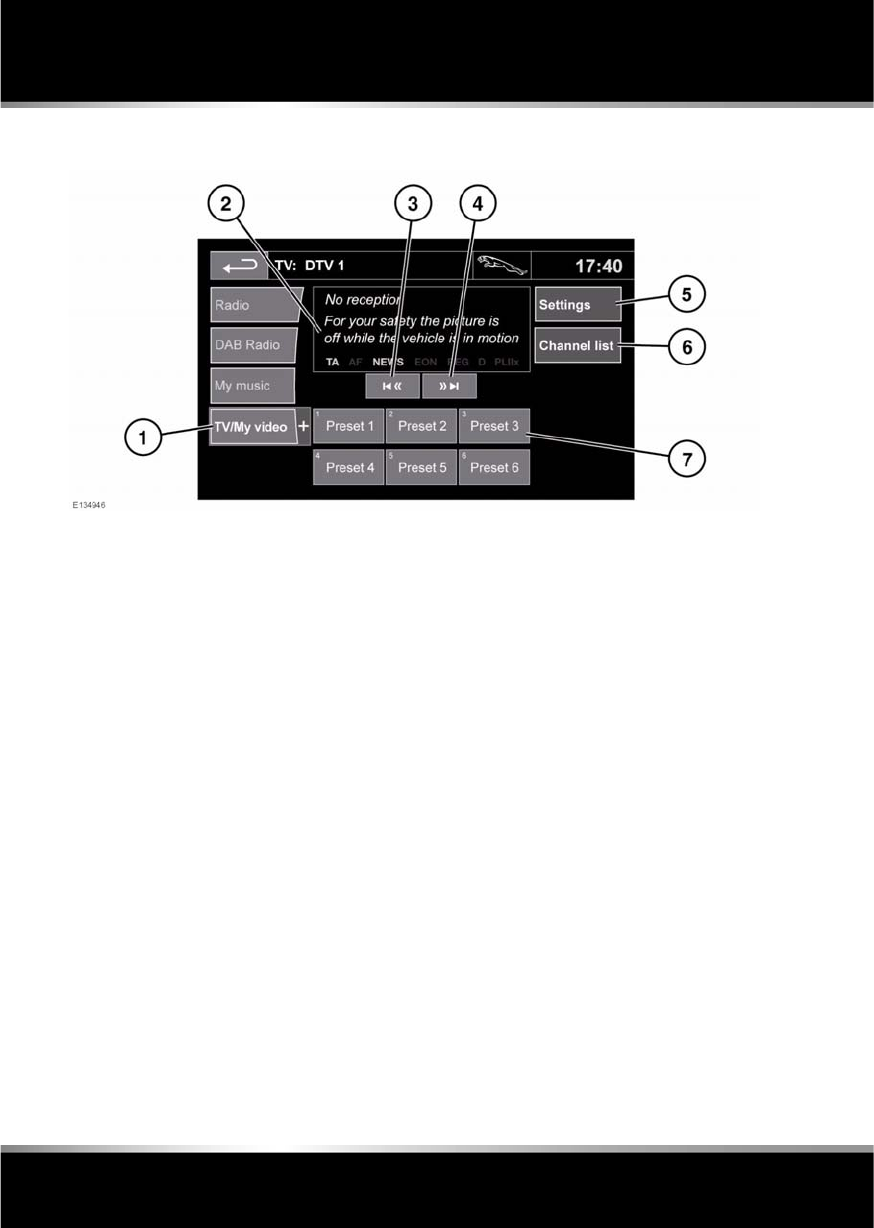
L
(FM8) SEMCON JLR OWNER GUIDE VER 1.00 EURO
LANGUAGE: english-en; MARQUE: jaguar; MODEL: XF
Television
122
Televis ion
TELEVISION CONTROLS
1. TV/My video: TV band/video input
selection:
Touch the + icon to view and select either
digital (DTV 1 or DTV 2 - Digital) or
analogue (TV - Analogue) TV reception.
When changing between analogue and
digital bands, this will cause the last tuned
channel on the new band to be displayed.
When changing between digital bands, the
current channel will be displayed.
Note: After 5 seconds without use, the
TV/My video menu will close.
2. Preview screen for TV program: Touch to
select full screen mode.
Short touch the screen again to view the
controls and Electronic Programme Guide
(EPG) information at any time.
To return to preview mode, touch and hold
the full screen view.
3. Seek down: Select to view the previous
channel on the TV channel list.
4. Seek up: Select to view the next channel on
the TV channel list.
5. Settings: Select to switch Traffic and News
announcements on or off, or to select an
alternative country analogue TV format, if
necessary, when travelling abroad.
Note: Digital TV is not affected by a change
of country.
6. Channel list: Select to view an alphabetical
list of all TV channels currently available.
•A small preview of the current channel
and program title is also displayed.
•Touch a listed channel to change the
preview and title to the new channel.
•Touch the preview to view that
channel.
Note: As the TV system is continually
checking the availability of channels, it is
possible for a channel to be in the list, but
not actually available (e.g. when driving
through different transmitter regions).
After a country format change, the channel
list will be empty until the system has
scanned all channels at least once.

R
(FM8) SEMCON JLR OWNER GUIDE VER 1.00 EURO
LANGUAGE: english-en; MARQUE: jaguar; MODEL: XF
Television
123
7. TV channel presets:
•Long touch to store the current
channel as a preset. The channel name
will then be displayed on the soft key.
•Short touch to select the channel
stored on that preset.
Note: Stored presets contain information
identifying the country where the preset
was stored. When a stored preset is
selected, the TV format of that country will
be adopted. As analogue TV formats differ
in different countries, this may create a
situation where the analogue channel list is
empty.
For information on the use of the audio/video
controls, on the audio unit and steering wheel,
see 104, AUDIO/VIDEO CONTROLS.
ANALOGUE/DIGITAL TELEVISION
The TV offers both analogue and digital TV
reception. You can switch between the two
modes using the touch screen controls.
•From the TV/My video menu, select TV/My
video again or touch the + button
alongside.
•Select the desired option from DTV 1or
DTV 2 - Digital or ATV - Analogue. There
is no difference in the reception mode
between DTV 1 and DTV 2. The preset list
is the only thing that changes.
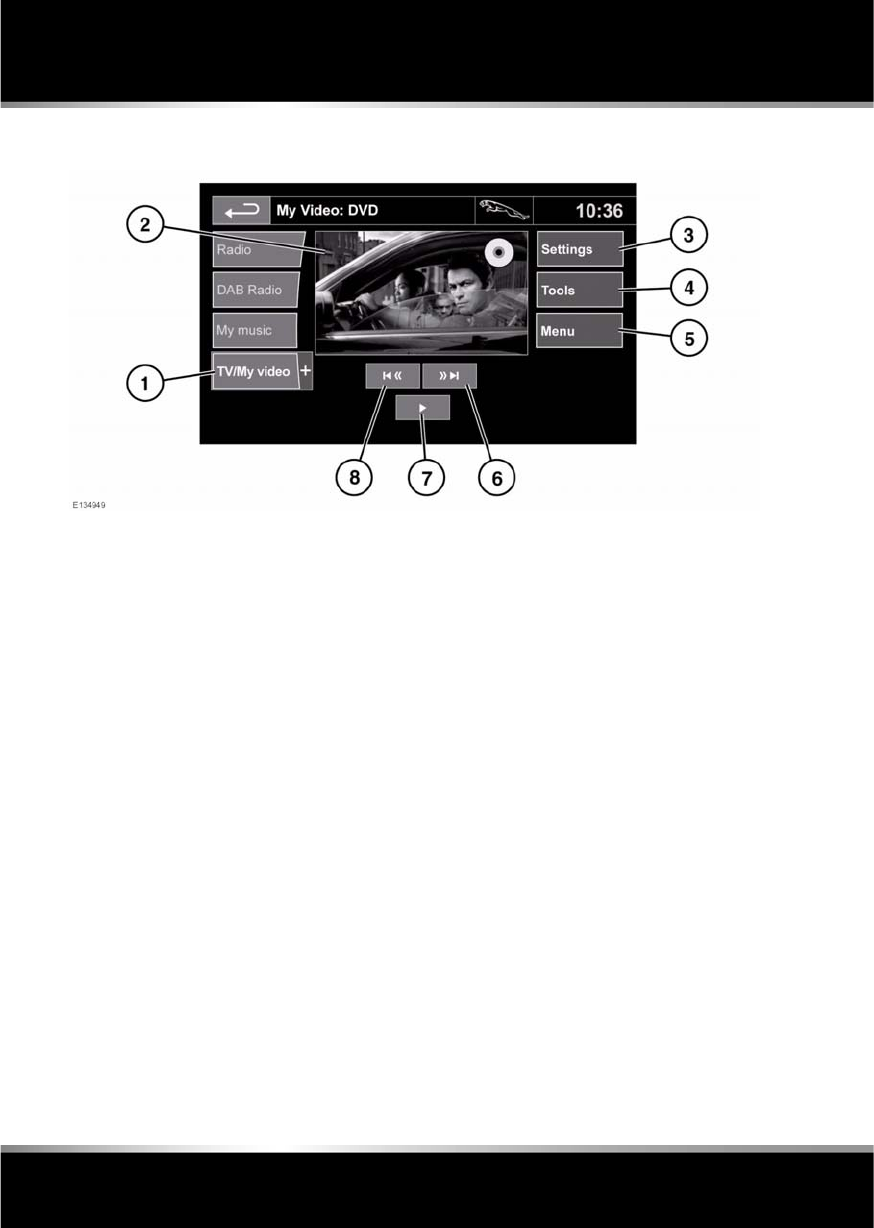
L
(FM8) SEMCON JLR OWNER GUIDE VER 1.00 EURO
LANGUAGE: english-en; MARQUE: jaguar; MODEL: XF
Video media player
124
Video media player
VIDEO MEDIA PLAYER CONTROLS
1. TV/My video: TV band/video input
selection.
Touch the + icon to view and select DVD or
other forms of video media (CD/USB),
provided the relevant media is present. The
selected option will be displayed.
Note: After 5 seconds without use, the
TV/My video menu will close.
2. Preview screen for video media
information: Touch to select full screen
mode.
Short touch the screen again to view the
controls at any time.
To return to preview mode, touch and hold
the full screen view.
3. Settings: Depending on the video media
specification, there are 2 sub-menus within
settings: Options and VOD (Video On
Demand).
VOD allows playing of DivX VOD content
from a video media. The eight digit
registration code will be displayed when
the VOD soft key is touched.
The player must also be registered with
DivX. See 106, LICENSING.
4. Tools: The following options can be
selected:
•GOTO: The GOTO menu allows you to
access specific parts of the video, by
Chapter or Title number.
•Subtitles.
•Angle.
•Audio.
5. Menu: Select to view the Video media
menu. On some screens this may be
replaced by a Browse soft key.
6. Seek up: Select to view the next DVD
chapter or previous chapter of the video
media.
7. Select to start/restart play.
8. Seek down: Select to view the previous
DVD chapter or previous chapter of the
video media.
For information on the CD/DVD loading slot
and eject button, and the use of the audio/video
controls on the audio unit and steering wheel,
see 104, AUDIO/VIDEO CONTROLS.

R
(FM8) SEMCON JLR OWNER GUIDE VER 1.00 EURO
LANGUAGE: english-en; MARQUE: jaguar; MODEL: XF
Video media player
125
LOADING DVDs
Do not force the disc into the slot.
Do not use irregular shaped DVDs and
DVDs with a scratch protection film or
self-adhesive labels attached.
Recordable (DVD-R or DVD+R) discs
may not function correctly.
Dual format, dual-sided discs (DVD
Plus, CD-DVD format) are thicker than
normal CDs and consequently playback
cannot be guaranteed, and jamming
may occur.
It is recommended that only high quality 12 cm
(4.7 in.) circular discs are used.
To locate the DVD load slot and the eject
button, see 104, AUDIO/VIDEO CONTROLS.
VIDEO MEDIA INHIBIT WITH VEHICLE
MOVING
When the vehicle is moving the video picture
will automatically be inhibited. The touch
screen will display the TV/My video screen and
the relevant safety message will be displayed.
FULL SCREEN VIEW CONTROLS
When full screen mode is selected, the seek
controls operate in the same manner as they do
in preview mode.
Display format: Use the relevant soft key to
select the 4:3, 16:9 or Zoom option.
Digital TV display format: The picture can be
displayed in either the correct format as
transmitted by the broadcaster (either 4:3 or
16:9) or select Zoom to magnify the picture.
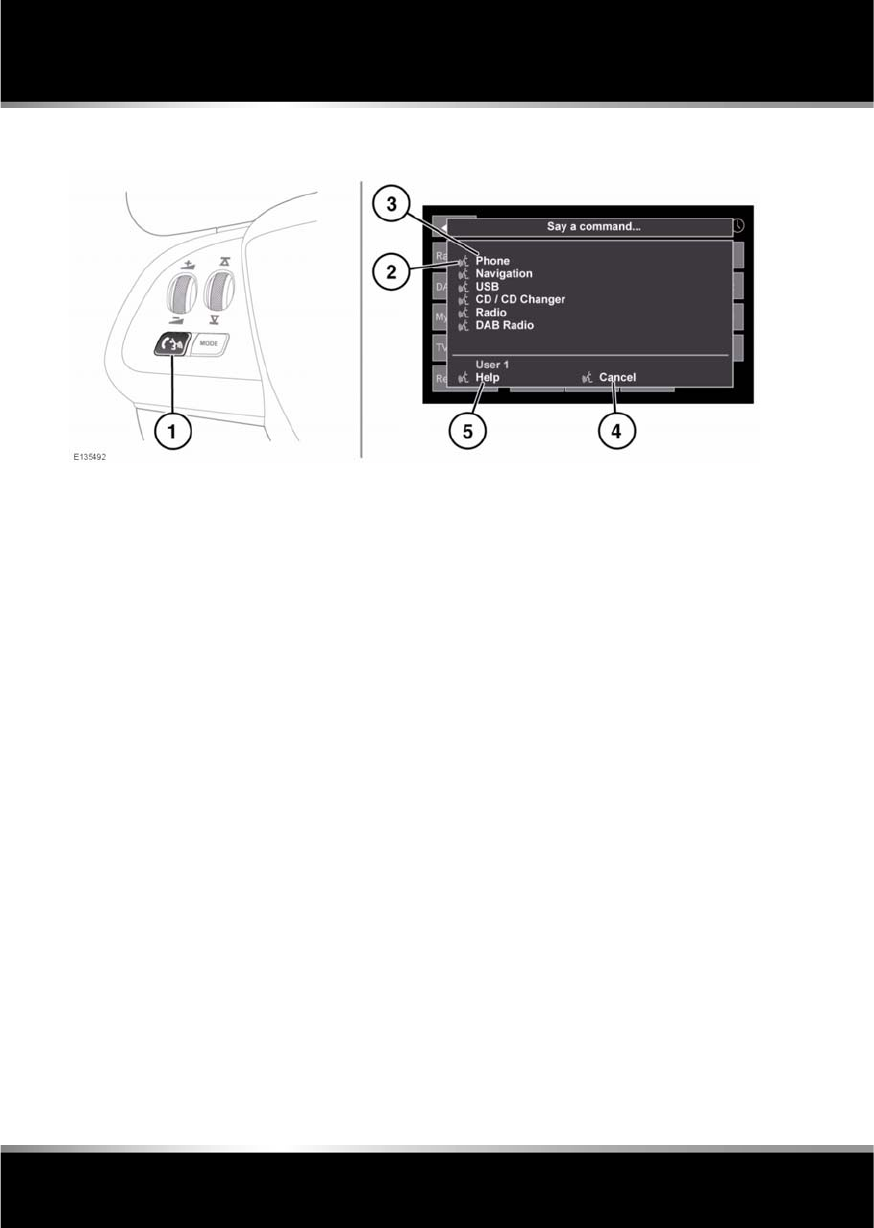
L
(FM8) SEMCON JLR OWNER GUIDE VER 1.00 EURO
LANGUAGE: english-en; MARQUE: jaguar; MODEL: XF
Voice control
126
Voice contr ol
USING VOICE CONTROL
1. Phone/Voice control button: When there is
no phone entry highlighted and no call in
progress, press and release to start a voice
session. A pop up will appear on the touch
screen. Press and hold to cancel a voice
session.
Note: Briefly press the Voice button during
a voice session, to interrupt audible
feedback. Wait for the tone to sound before
giving the next command.
2. Voice symbol: Indicates that a command is
available. Wait for the symbol to appear
and a tone to sound before using the
command.
3. Command list: Appears on the pop up
panel, providing feedback and available
commands at each stage of the voice
session. Say an available command.
Note: As the commands are listed before
the system is ready to listen, it is important
to wait for the voice symbol to appear
alongside the relevant command, before
using the command.
4. When displayed, say Cancel to cancel the
current voice session.
5. When displayed, say Help to get assistance
during a voice session.
Note: The currently selected user (User 1
or User 2) is identified at the bottom of the
command list.
Note: If a listed item is longer than the
available space on the menu, ...> will
appear. Use the seek controls on the
steering wheel to view the entire entry.
VOICE TUTORIAL
To listen to a tutorial detailing the operation of
the Voice system:
1. Briefly press the Voice button to start a
voice session.
2. Wait for the tone to sound, then say Voice
tutorial.
Alternatively, the tutorial can be selected using
the touch screen, as follows.
1. Select Setup from the touch screen Home
menu.
2. Select Voice from the Setup menu.
3. Select Operating guide from the Voice
settings menu.
4. Select Voice tutorial.

R
(FM8) SEMCON JLR OWNER GUIDE VER 1.00 EURO
LANGUAGE: english-en; MARQUE: jaguar; MODEL: XF
Voice control
127
The voice tutorial can be cancelled at any time
by touching the on-screen pop-up or by
pressing and holding the Voice button.
VOICE TRAINING
This is a feature designed to enable the system
to better recognise the vocal characteristics of
a user, once the training has been completed.
To carry out Voice training:
1. Select Setup from the Home menu.
2. Select Voice and from the Setup menu.
3. Select Voice training from the Voice
settings menu.
4. Select User 1 or User 2, to start the
training.
5. Follow the on-screen and audible
instructions.
The training session can be cancelled at any
time by touching the on-screen pop-up or by
pressing and holding the Voice button.
VOICETAGS
Voicetags enable the user to personalise the
Voice system so that a single name can be used
to call-up a navigation destination, telephone
number or radio channel.
To add a Voicetag:
1. Briefly press the Voice button to start a
Voice session.
2. Wait for the tone to sound then say Phone,
Navigation or Radio.
3. Say Store voicetag.
Alternatively, Voicetags can be managed via
the touch screen as follows:
1. Select Setup from the Home menu.
2. Select Voice from the Setup menu.
3. Select Voicetags from the Voice settings
menu.
4. Select the system which the Voicetag is to
activate (Phone, Navigation or Radio).
Follow the on-screen and audible instructions.
NAVIGATION POI VOICE COMMANDS
To request the display of POI (Point Of Interest)
identifiers on the navigation display, say
Navigation, followed by the name of the
desired POI category from the following list:
•Petrol station/Petrol.
•Parking/Car park.
•Jaguar Dealer.
•Hospital.
•Golf course.
•Tourist information.
•Restaurant/I’m hungry.
•Shopping centre.
•Hotel.
•Motorway service.
•Town centre.
Icons will appear on the navigation display,
indicating the locations of the selected POI. For
further information about POIs, see 141,
CATEGORIES AND SUB-CATEGORIES.
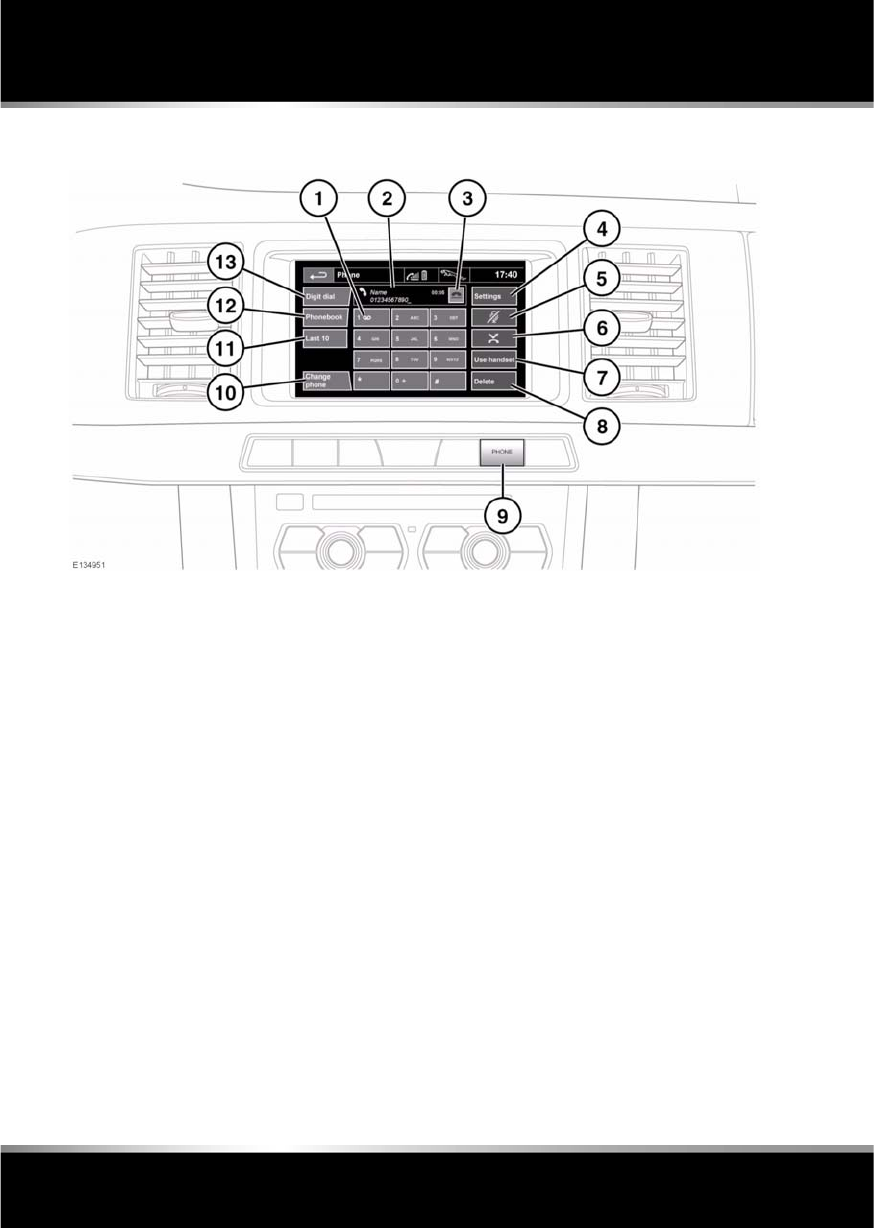
L
(FM8) SEMCON JLR OWNER GUIDE VER 1.00 EURO
LANGUAGE: english-en; MARQUE: jaguar; MODEL: XF
Telephone
128
Telephone
TELEPHONE SYSTEM OVERVIEW
1. Touch and hold to retrieve your Voice mail.
2. Status display: Displays the name and/or
number dialled and call duration.
3. Call Connect/Disconnect icons: Touch to
send/accept or end/reject a call.
4. Settings: Touch to access Voice mail,
Answer options and Phone options.
5. Mute microphone: Touch to initiate Privacy
mode. While selected, the caller will not
hear you talking.
6. Auto reject: Touch to activate/deactivate.
When active, any incoming calls will be
rejected or diverted to voice mail
(depending on mobile phone settings).
7. Use handset: Touch to switch the call to
your mobile phone.
8. Delete: Touch and release to delete the last
entered digit. Touch and hold to delete the
whole entered number.
9. PHONE: Press for shortcut to the touch
screen Phone menu (applicable to
Bluetooth® phones only).
10. Change phone: Touch to change to
another paired phone.
11. Last 10: Touch to access the last 10
dialled, received and missed calls.
12. Phonebook: Touch to access the
downloaded phonebook.
13. Digit Dial: Touch to access Digit Dial
mode.

R
(FM8) SEMCON JLR OWNER GUIDE VER 1.00 EURO
LANGUAGE: english-en; MARQUE: jaguar; MODEL: XF
Telephone
129
BLUETOOTH® INFORMATION
The Jaguar Bluetooth® system supports
Bluetooth® Hands-Free Profile (HFP),
Advanced Audio Distribution Profile (A2DP)
and Audio Video Remote Control Profile
(AVRCP).
Note: HFP and A2DP/AVRCP profiles can be
connected independently, so a phone can be
connected via one, while a media device can be
connected via the other, at the same time.
Before making use of the vehicle’s Bluetooth
phone system, your Bluetooth phone must be
paired and connected to the vehicle system.
This is done using one of two methods; via
your phone to the vehicle or from the touch
screen to your phone. If one of these methods
is not successful, try the other option.
Each time the ignition is switched on the
system will attempt to connect with the last
connected phone.
As mobile phones have a wide range of audio
and echo characteristics, it may take a few
seconds for the vehicle system to adapt and
deliver optimum audio performance. To
achieve this, it may be necessary to reduce the
in-vehicle volume and ventilation fan speed
slightly.
TELEPHONE SAFETY
Switch off your telephone in areas
with a high explosion risk. This
includes filling stations, fuel storage
areas or chemical factories, as well
as places where the air contains fuel
vapour, chemicals or metal dust.
Always stow your mobile phone
securely.
The functioning of cardiac
pacemakers or hearing aids may be
impaired when the phone is in use.
Check with a doctor or manufacturer
whether any such devices you or your
passengers are using, are sufficiently
protected against high-frequency
energy.
The Health Industry Manufacturers'
Association recommends that a minimum
separation of 15 centimetres (six inches) is
maintained between a wireless phone antenna
and a pacemaker, to avoid potential
interference with the pacemaker. These
recommendations are consistent with the
independent research by, and
recommendations of, Wireless Technology
Research.
Bluetooth® is the name for
short-range radio frequency (RF)
technology that allows electronic
devices to communicate
wirelessly with each other.

L
(FM8) SEMCON JLR OWNER GUIDE VER 1.00 EURO
LANGUAGE: english-en; MARQUE: jaguar; MODEL: XF
Telephone
130
TELEPHONE COMPATIBILITY
Please refer to the Ownership section of the
Jaguar website at www.jaguar.com, for a list
of compatible phones.
Note: The Bluetooth® equipped phones listed
on Jaguar.com, have been tested for
compatibility with Jaguar vehicles.
Performance will vary, based on the phone’s
software version, battery condition, coverage
and your network provider. Phones are
warranted by their manufacturer, not Jaguar.
If the mobile phone supports Bluetooth®
Hands Free Profile 1.5 (HFP 1.5), additional
features will be displayed on the vehicle touch
screen, such as battery meter, signal strength
and network operator.
PAIRING AND CONNECTING USING
THE MOBILE PHONE
Note: The process of pairing and connecting
your phone with the vehicle using the mobile
phone will vary depending on the type of
mobile phone used.
1. Switch the ignition on and ensure that the
touch screen is active.
2. From the home menu, select Phone.
3. A menu will appear. Select Search new.
4. Select Device to vehicle option.
Note: The vehicle’s Bluetooth® system is
discoverable for only 3 minutes.
5. Using the mobile phone, search for
Bluetooth® devices.
On some phones, this is referred to as new
paired device. See your phone's operating
instructions for further information.
6. When the vehicle's Bluetooth® system is
discovered, begin the pairing process
using your mobile phone and follow any
directions shown on the touch screen.
Select Yes when prompted, to confirm the
pairing.
Either the phone or the vehicle system will
ask for a PIN (Personal Identification
Number). When prompted, enter a PIN of
your choice and select OK to confirm.
7. Enter the same PIN into the other device.
8. Once your phone is paired and connected
to the system, a confirmation message will
be displayed before switching to the Digit
Dial screen.
Note: Some mobile phones require the
Bluetooth® pairing to be set as
‘authorised’ or ‘trusted’ in order to
automatically connect. Please refer to your
phone’s operating instructions for further
information.
PAIRING AND CONNECTING USING
THE TOUCH SCREEN
1. Switch on your mobile phone’s
Bluetooth® connection. Make sure that
your mobile phone is in Bluetooth®
discoverable mode, sometimes referred to
as find me mode (see your phone’s
operating instructions for more
information).
2. Switch the ignition on and ensure the touch
screen is active.
3. From the home menu select Phone.
4. A menu will appear. Select Search new.
5. Select Vehicle to device option.
6. Identify your phone from the displayed list
and select the corresponding Pair and
connect option.
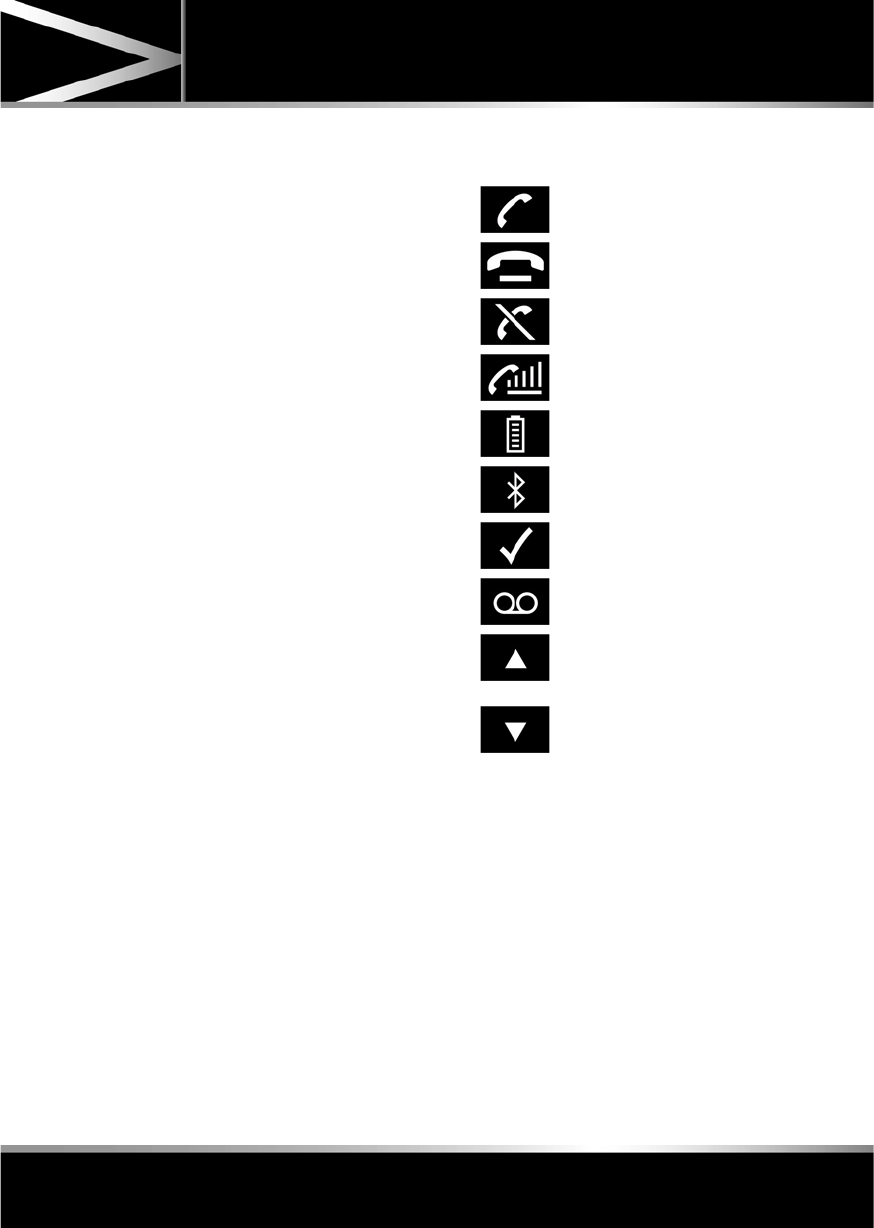
R
(FM8) SEMCON JLR OWNER GUIDE VER 1.00 EURO
LANGUAGE: english-en; MARQUE: jaguar; MODEL: XF
Telephone
131
Note: If more than 5 phones are detected,
it may be necessary to use the scroll bar to
see the entire list.
7. When prompted, enter the PIN code into
your phone. See your phone’s operating
instructions for more information.
8. Once your phone is paired and connected
to the system, a confirmation message will
be displayed before switching to the Digit
Dial screen.
Note: Due to the duration of a Bluetooth®
search, it is advised that the timeout to home
screen feature is switched off before
attempting to search for Bluetooth® devices.
This setting can be changed within Vehicle,
Syst settings, Display set, Timeout to home
screen.
CHANGING THE CONNECTED PHONE
Up to 10 mobile phones can be paired with the
vehicle in the same way. However, only one can
be connected and ready for use as a phone at
any one time.
To connect a different paired phone to the
vehicle, follow the steps below:
1. From the home menu, select Phone.
2. A menu will appear. Select Change phone.
3. Identify and select your phone from the
displayed list.
4. Once your phone is connected to the
system, a confirmation message will be
displayed before switching to the Digit Dial
screen.
TELEPHONE SYSTEM ICONS
Connect. Use to send or accept a
call and access last 10 calls list.
Disconnect. Use to end or reject a
call.
No phone connected.
Phone signal strength indicator.
Phone battery level indicator.
Bluetooth. Indicates that a
Bluetooth® device is connected.
Tick. Indicates that a Bluetooth®
device is paired.
Voicemail. Press and hold to dial
the stored voicemail number.
Scroll bar up arrow. Use to scroll
up lists of detected phones, calls
or phonebook entries.
Scroll bar down arrow. Use to
scroll down lists of detected
phones, calls or phonebook
entries.
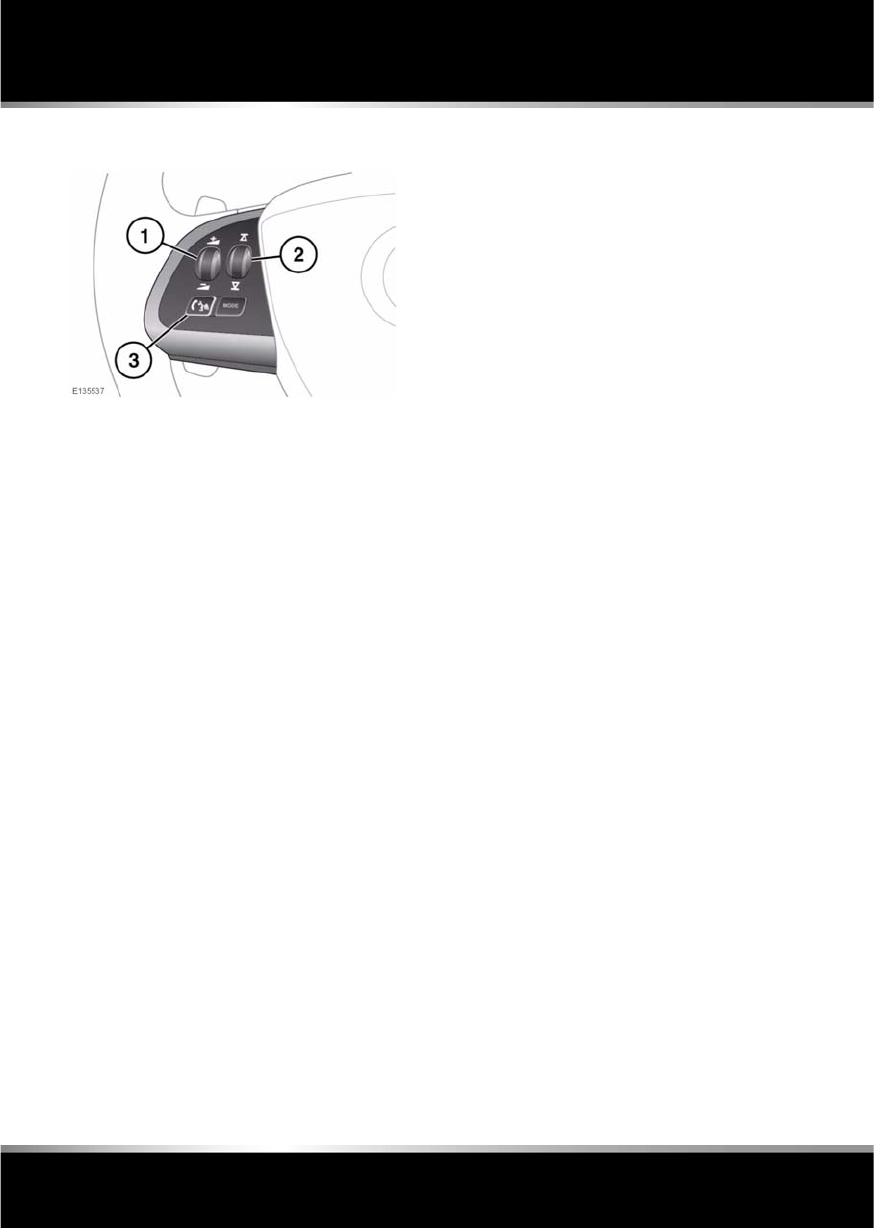
L
(FM8) SEMCON JLR OWNER GUIDE VER 1.00 EURO
LANGUAGE: english-en; MARQUE: jaguar; MODEL: XF
Telephone
132
STEERING WHEEL CONTROLS
1. Volume control. Turn to increase/ decrease
call volume.
2. Scroll control. Turn to scroll up/ down lists
of calls or phonebook entries.
3. Phone/Voice control. Press and release to
send, accept or end a call. If Voice control
is not fitted, in addition to the above, press
and release to access last 10 dialled list;
press and hold to access the phonebook
search view.
CALL VOLUME
The phone call volume is operated by the audio
system’s volume control.
If the audio system is in use when a phone call
is active, the audio system source is
suppressed for the duration of the call.
DIALLING
Once your phone is connected to the vehicle’s
system, Digit Dial is the default screen in
Phone mode.
Using the on-screen keypad, enter the required
number and touch the connect icon to send.
Note: When entering a number, you can
change the phone number shown on the touch
screen using the Delete button. A momentary
touch erases a single digit, a long touch erases
the complete number.
PHONEBOOK
Contacts stored in the memory of a paired
phone can be automatically downloaded to the
vehicle’s phonebook each time the phone is
connected to the system. See 130,
TELEPHONE COMPATIBILITY.
Certain mobile phones store the phonebook in
two different areas, the SIM card and the phone
memory. The vehicle system will access only
those numbers stored in the phone memory.
To access contacts from the phonebook:
1. From the Phone menu, select Phonebook.
2. Using the alpha keys, type the name of the
contact you want to search for. Repeated
selections of the same key scrolls through
the letters displayed on the keys.
3. If the desired contact is shown in the view,
they can be dialled by pressing the connect
button. Alternatively, select List to access
the phonebook list view.
4. In the Phonebook list view, touch to call. If
a contact has more than one number
stored, touch to access the additional
numbers.
There are also options to view more
contact information, by selecting the
corresponding i key.
Note: It may be necessary to use the scroll
bar to see the entire list.
R
(FM8) SEMCON JLR OWNER GUIDE VER 1.00 EURO
LANGUAGE: english-en; MARQUE: jaguar; MODEL: XF
Telephone
133
If your phone supports contact type data, you
will be able to see a contact type icon in the
vehicle's phonebook directory. These can be
seen on the right-hand side of each contact in
the directory and will indicate one of the
following types:
LAST 10 OPTION
Allows view of the last 10 calls made, received
or missed.
Note: The vehicle will display the list in the
order the calls were recorded. If this
information is not available, they will be
displayed as they are sent from the mobile
phone. Some phones may arrange the list in
reverse or other order.
SETTINGS
Depending on vehicle specification, there are
up to 3 options in the Settings menu:
•The Voice mail option allows you to save
or edit the number of the voice mail server
for your specified network provider.
•Answer options allows you to
enable/disable the Auto answer feature
and, if Voice control is fitted, the Caller
announce feature.
•The Phone options allow you to set your
desired ring tone either to the preset car
ring tone, or to the handset ring tone. The
Phone options also gives you access to the
Phonebook options. See 132,
PHONEBOOK.
Default.
Mobile.
Home.
Work.
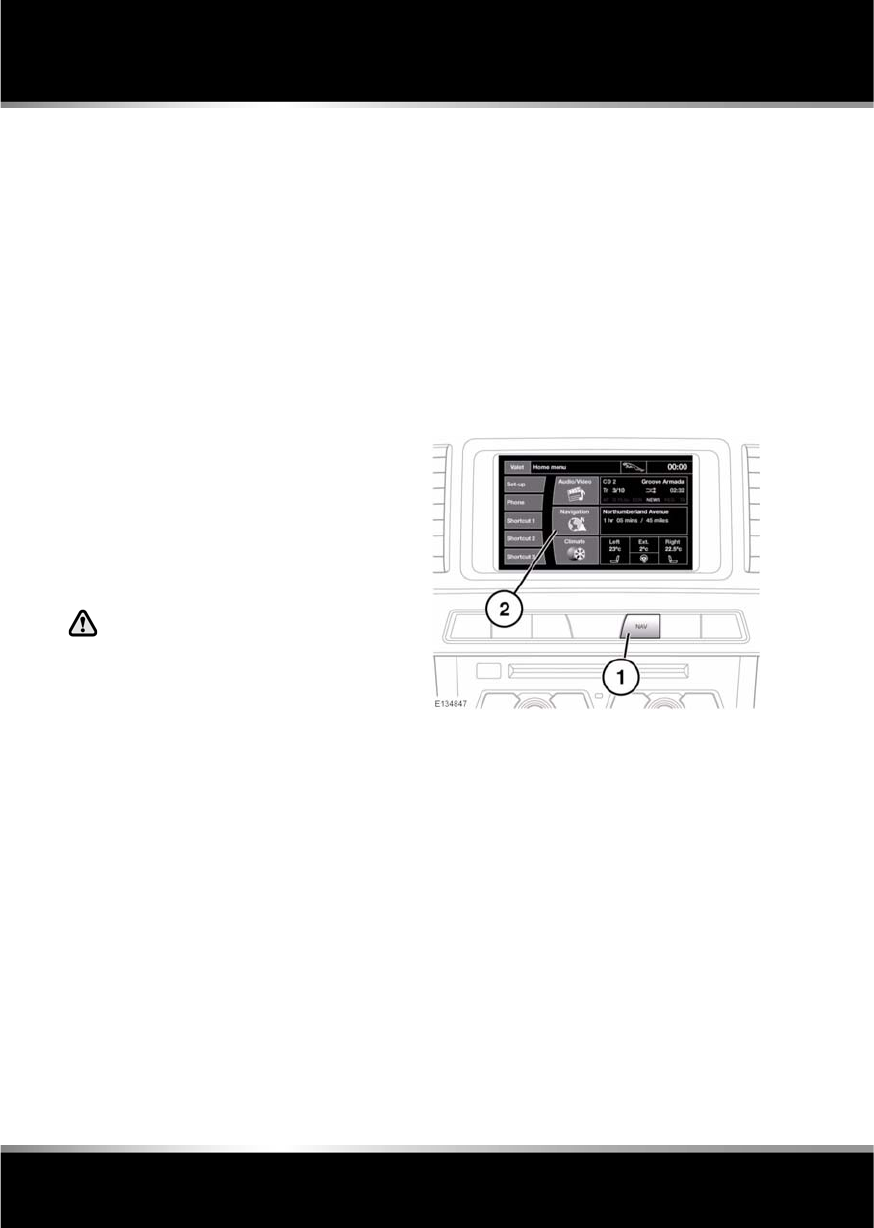
L
(FM8) SEMCON JLR OWNER GUIDE VER 1.00 EURO
LANGUAGE: english-en; MARQUE: jaguar; MODEL: XF
Navigation system
134
Navigation system
THE NAVIGATION SYSTEM
Navigation instruction is by map and turn
information displayed on the touch screen and
can be complemented by voice guidance if
required. The system uses signals from Global
Positioning System (GPS) satellites combined
with information from vehicle sensors and
from data stored on the hard drive, to establish
the true vehicle position.
Note: Mapping data loaded on the hard drive is
relevant to the market in which the vehicle is
first sold and will provide guidance and
information only for that area. Your local Dealer
will have details of software updates.
Using this combination of data sources the
vehicle navigation computer enables you to
plan and follow a route map to your desired
destination.
The touch screen is used to control navigation
via menus, text screens and map displays.
Operate the system only when it is
safe to do so.
The requirements of national Road Traffic
Regulations always apply.
Observation of traffic signs and local traffic
regulations always take priority.
The navigation system serves solely as an aid
to navigation. In particular, the navigation
system cannot be used as an aid to orientation
when visibility is poor.
GPS signals may occasionally be interrupted
due to physical barriers such as tunnels and
roads under raised highways.
However, direction and speed sensors on the
vehicle will minimise any adverse effect on the
navigation system. Normal operation will
resume once the obstruction has been passed.
Under certain conditions it is possible for the
vehicle position shown on screen to be
incorrect. This may happen when:
•Driving on a spiral ramp in a building.
•Driving on or beneath elevated roads.
•Two roads are close and parallel.
•The vehicle is transported to another
destination.
•After the vehicle is rotated on a turntable.
•After vehicle battery disconnection.
USING THE NAVIGATION SYSTEM
1. NAV shortcut button.
2. Navigation soft key.
From the Home menu touch the Navigation
soft key. Alternatively, press the NAV shortcut
button on the facia. A caution screen will be
displayed.
If the navigation screen language has not been
set, now is the time to set it. Select Language,
make a selection and confirm it by touching the
OK soft key. You will be returned to the
CAUTION screen.
After touching the Agree soft key, the touch
screen will display the Nav menu (which is the
navigation system Main menu and covered
over two screens) or the screen that was in use
when you last switched off the system.
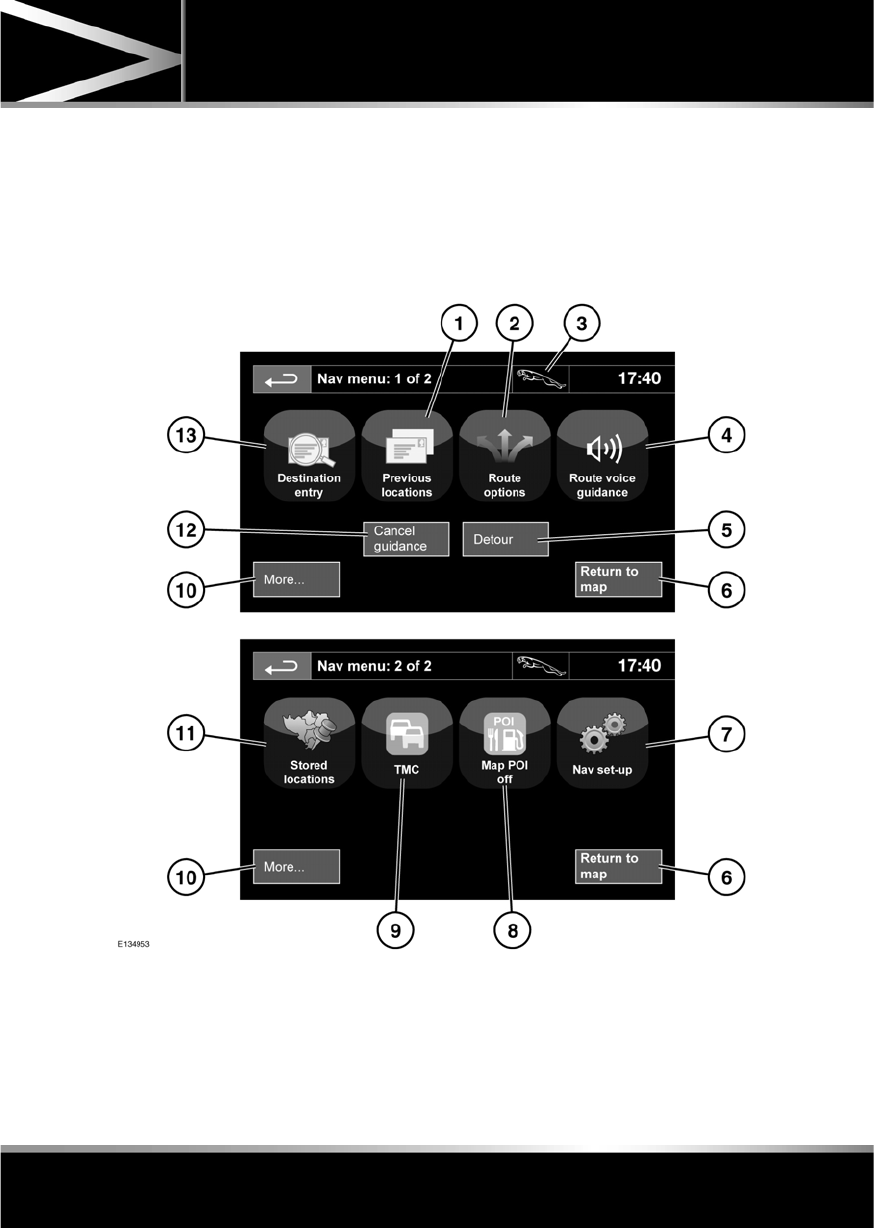
R
(FM8) SEMCON JLR OWNER GUIDE VER 1.00 EURO
LANGUAGE: english-en; MARQUE: jaguar; MODEL: XF
Navigation system
135
Note: After approximately 12 seconds, the
menu soft keys will disappear and display the
map information only. This will show current
vehicle position. Touch the Nav menu soft key
to display the Main menu screen.
At this point, the first time user should set up
personal preferences in the Nav set-up area.
These settings are applied whenever navigation
is used.
MAIN MENU
1. Previous locations: Displays previous
destinations entered.
2. Route options: Allows selection of various
options for the route.
3. When a destination is set, the Jaguar logo
is replaced by a soft key which enables the
last voice instruction to be repeated.

L
(FM8) SEMCON JLR OWNER GUIDE VER 1.00 EURO
LANGUAGE: english-en; MARQUE: jaguar; MODEL: XF
Navigation system
136
4. Route voice guidance: Allows the voice
guidance messages to be turned off for the
current journey. The soft key is highlighted
while voice guidance is enabled.
5. Detour: Allows a detour from the current
route.
6. Return to map: Advances to the main map
screen.
7. Nav set-up: Settings for the navigation
system.
8. Map POI off: Turns the POI (Point Of
Interest) icons on the map on/off.
9. TMC (Traffic Message Channel): Not used
for entering a destination but, when
enabled, will provide data about road
conditions and any events that may affect
the journey.
10. More...: Displays the other Nav menu
screen.
11. Stored locations: Manages the stored
locations.
12. Stop guidance: Cancels current route
guidance.
13. Destination entry: Provides a choice of
options for entering a destination.
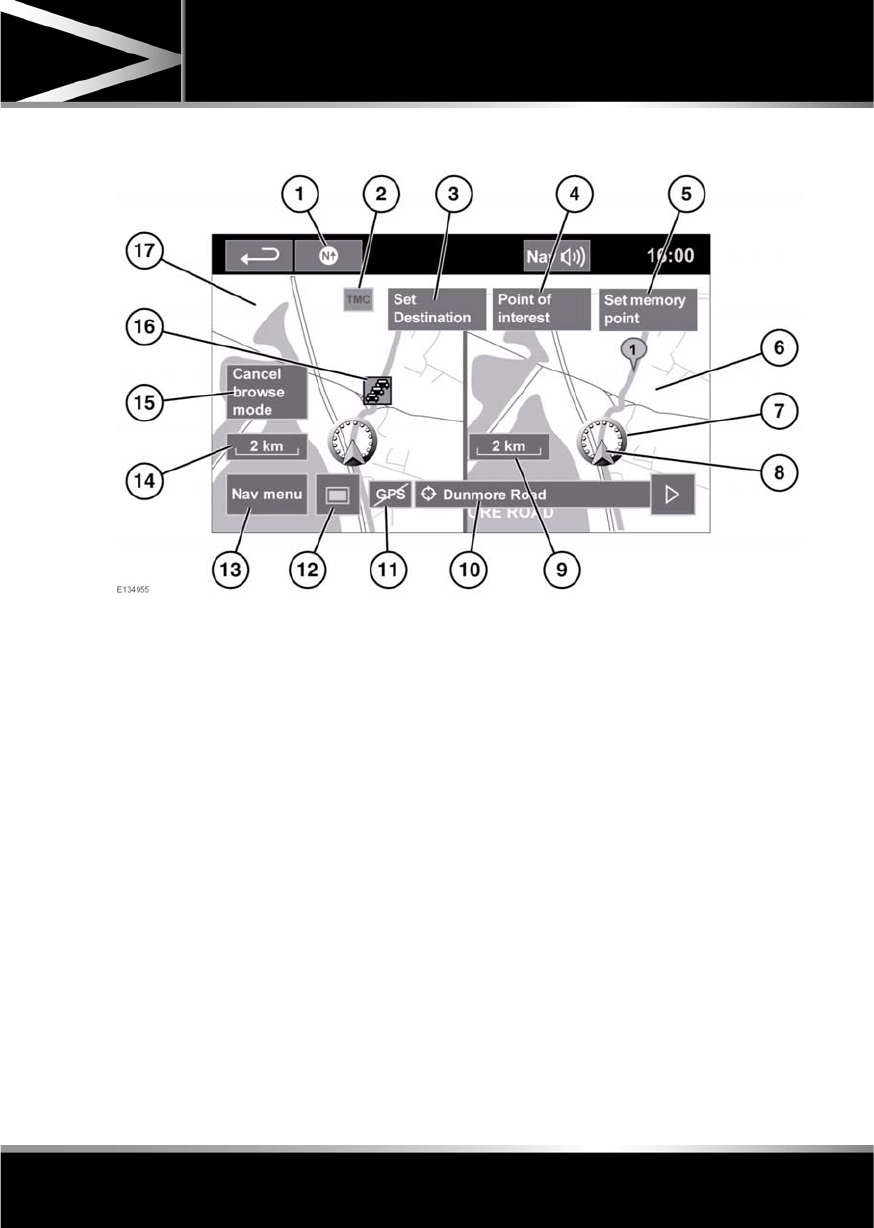
R
(FM8) SEMCON JLR OWNER GUIDE VER 1.00 EURO
LANGUAGE: english-en; MARQUE: jaguar; MODEL: XF
Navigation system
137
MAP SPLIT SCREEN
1. North is up.
2. TMC (Traffic Message Channel) signal.
Without a diagonal bar, a signal is being
received; with a diagonal bar, a signal is not
being received.
3. Set Destination: Calculates route from
current vehicle position to the scrolled
position on map.
4. Point of interest: Lists the POI.
5. Set memory point: Adds a stored location.
6. Split screen.
7. Current vehicle position.
8. Vehicle direction arrow.
9. Split screen scale/zoom setting.
10. Current street location.
11. GPS signal. Without a diagonal bar, a
signal is being received; with a diagonal
bar, a signal is not being received.
12. Screen mode selection.
13. Nav menu: Opens Navigation menu 1 of 2
screen.
14. Normal screen scale/zoom setting.
15. Cancel browse mode: Cancels browse
mode on map and displays current vehicle
position.
16. TMC event (traffic congestion).
17. Normal screen.
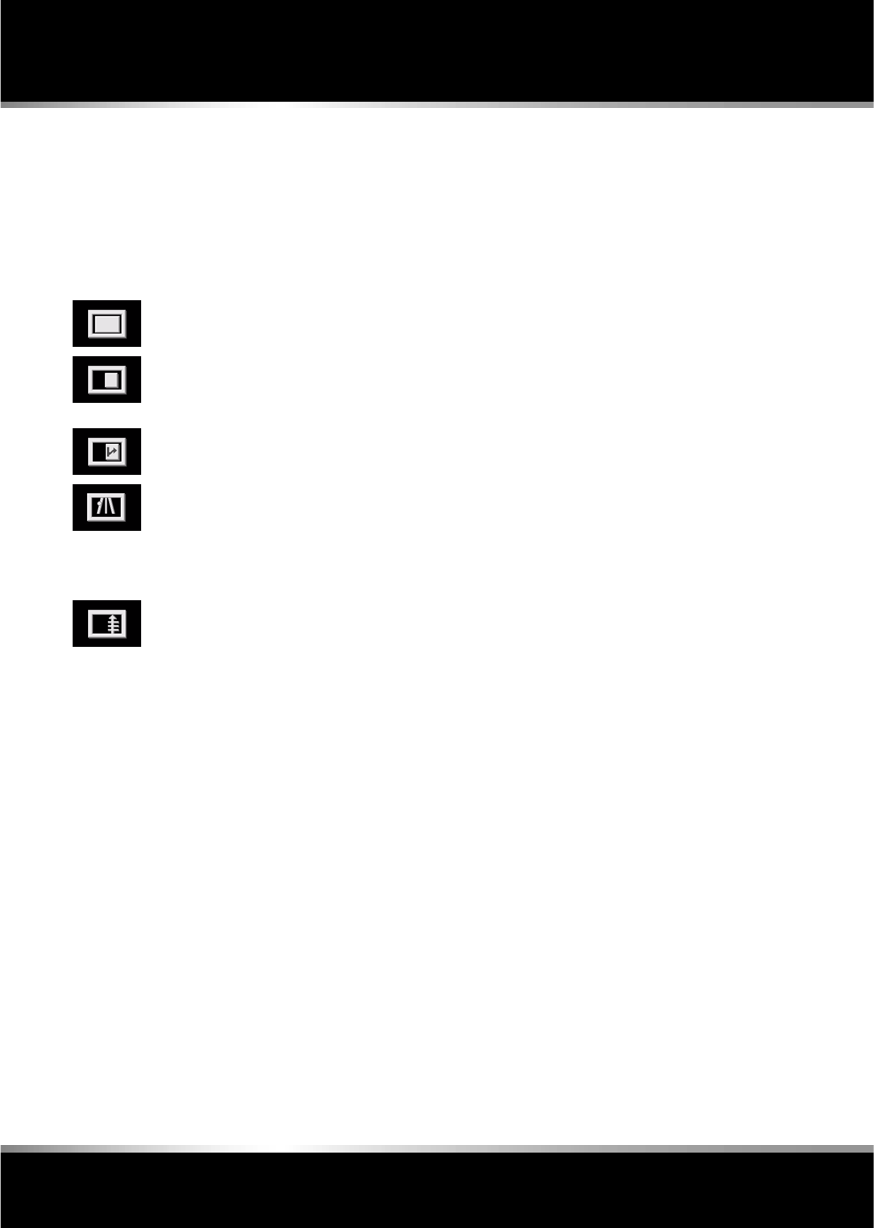
L
(FM8) SEMCON JLR OWNER GUIDE VER 1.00 EURO
LANGUAGE: english-en; MARQUE: jaguar; MODEL: XF
Navigation system
138
SCREEN MODES
Touch the screen mode selection key to view a
series of icons, each depicting a different
screen mode (as detailed below). Touch the
relevant icon to select the desired screen
mode.
SEARCH AREA
The navigation map database is divided into
countries, or areas of countries, called search
areas. When setting a route, the destination (or
waypoint) entered must be in the currently
selected search area.
Before attempting to set a destination or
waypoint, set the correct search area as
follows:
1. Select Destination entry from the main
navigation menu.
2. Select page 2 of Destination entry then
select Search area.
3. Scroll through the list and select the 3
letter code that corresponds to the desired
destination area.
4. Select OK. The destination entry menu is
shown and the information window shows
the currently selected search area.
SETTING A DESTINATION
After touching Agree, the initial map screen is
displayed, now select Nav menu.
From the Navigation Menu, select Destination
entry.
Select Address from the Destination screen
and input the town name.
Once sufficient letters have been entered,
touch List to display all the possible towns.
If necessary, use the scroll arrows to the left of
the list to search up or down. Select the town
you require.
Now enter the road name. Once sufficient
letters have been entered, touch List to display
all the possible roads.
Select the road you require.
Enter the house number of the address (if
known) then touch OK to confirm.
If the house number is not known, select OK -
the mid-point of the road is then used as the
destination.
The map screen showing the route settings and
destination details is displayed.
Full screen view.
Split screen view. A more detailed
view of the local area and road
system is displayed on the right.
Shows the next junction in the
right half screen.
This view is only available when
travelling on a motorway. It
displays automatically to show
remaining motorway exits along
your route.
Shows list of forthcoming
junctions and turn directions on
the right half screen.

R
(FM8) SEMCON JLR OWNER GUIDE VER 1.00 EURO
LANGUAGE: english-en; MARQUE: jaguar; MODEL: XF
Navigation system
139
START GUIDANCE
After selecting a destination, the system will
calculate the route.
There is now a choice to select 3 Routes,
Change route or to Start navigation guidance.
Touch 3 Routes to display a choice of three
different route options on the map.
The roads on the map are drawn in three
different colours to highlight each route.
EcoRoute helps you find the most fuel efficient
route available. A display of three leaves
indicates the most fuel efficient route.
Select route 1, 2 or 3 by touching the
respective box displayed on the right side of
the map.
Touch Change Route followed by Route prefs.
to change the route settings. If a destination is
already set, touch Waypoint to add a waypoint
in the journey if required.
When you have made your selection, if any,
touch Go.
Note: As you approach a junction, in addition
to the voice guidance, an inset on the map will
display an enlarged view of the junction.
EASY ROUTE
In Route options, Easy Route can be turned On
or Off.
When On is selected, Easy Route changes the
calculation parameters of Route 3 in order to
reduce:
•Junctions.
•Turns.
•Turns that cross traffic.
•The priority of minor roads.
•Complex junctions and manoeuvres.
LEARN ROUTE
In Route options, Learn Route can be turned
On or Off.
When On is selected, if you make the same
deviation from the proposed route three times,
then the system will memorize the deviation
and offer that as the normal route from then on.
Select Reset all routes to delete any learnt
routes and return to the default settings.
VOICE GUIDANCE
To turn voice guidance on or off but maintain
route guidance, proceed as follows:
1. Touch Nav menu on the navigation screen.
2. Touch the Route voice guidance soft key.
The soft key will be highlighted when voice
guidance is enabled.
CANCEL ROUTE GUIDANCE
To cancel route guidance, proceed as follows:
1. Touch Nav menu on the navigation screen.
2. Touch the Cancel guidance soft key.
QUICK POI SELECTION
Touch the Map screen to display the POI
button. Touch the POI (Point of interest)
button. The screen shows six suggested
categories, five of which can be selected as
quick points of interest.
Note: The POI icons will not be shown if the
map zoom level is greater than 1 km (½ mile).
Select a Quick POI category, or select More to
see further POIs. Touch OK to confirm a
selection.
The map screen with the POI icon(s) is
displayed. Select the five POIs you wish to see
when the Quick POIs are displayed.

L
(FM8) SEMCON JLR OWNER GUIDE VER 1.00 EURO
LANGUAGE: english-en; MARQUE: jaguar; MODEL: XF
Navigation system
140
RESTORE SYSTEM DEFAULTS
If you have made any changes to the system’s
default settings, use this menu to restore the
original settings.
MEMORY POINTS
From the navigation menu, select Stored
locations. This enables you to manage
destinations such as, place of work, home,
favourite restaurant or areas to avoid.
From the Stored locations menu you can save
up to 400 memory points or add your home
address.
Select Memory Points to add a stored location.
Touching any of the Stored locations
submenus allows you to Add, Edit or Delete.
Select Add to store a memory point.
MEMORY POINT DETAILS
Touch Info to display the details of the selected
memory point. The details include Icon, Name,
Position and Tel.
The telephone number can be called by
touching the telephone button if a telephone is
connected.
The memory point details can be edited from
the Stored locations screen.
POSTCODE
Not all countries have this facility. Enter the
postcode of your waypoint or destination from
the keypad. The postcode must be entered
precisely, including any spaces or punctuation.
When the postcode has been entered touch OK.
EMERGENCY
Not all countries have this facility. Touch
Emergency on the Destination entry screen to
display a list of local police stations, hospitals
or Jaguar Dealerships.
Press Name to display the list in alphabetical
order or Distance to display the list in order of
proximity to the current vehicle location.
Touch the name of the facility to set it as a
destination or waypoint.
MAP
After selecting map, the local area map is
displayed. Drag the circle to the area for your
destination or waypoint, zooming in if required.
This location can be stored as a destination or
waypoint.
COORDINATES
If you know the coordinates of your destination
they can be entered from this screen. The full
latitude must be entered first before the
longitude coordinates can be entered.
When the coordinates have been entered,
touch OK.
If the coordinates entered are not contained
within the area covered by the available maps,
a message will be shown. This can also occur
if the incorrect coordinates have been entered.
RECALLING A PREVIOUS
DESTINATION
After selecting Previous from the menu, the
screen shows a list of stored previous
destinations. Select your destination by
touching the bar. The details will be displayed
for confirmation.
Note: In some markets, list scrolling is not
active whilst driving for legislative reasons.
Only the items shown at the top of the list can
be selected.

R
(FM8) SEMCON JLR OWNER GUIDE VER 1.00 EURO
LANGUAGE: english-en; MARQUE: jaguar; MODEL: XF
Navigation system
141
MOTORWAY
After selecting Motorway from the menu, enter
the motorway name or number, then select an
entrance or exit. All of the entrance or exit
junctions for the chosen motorway are
displayed.
The map showing the selected motorway and
the selected exit junction is displayed.
The destination has now been set and the route
is calculated.
POINTS OF INTEREST (POI)
After selecting Points of interest from the Nav
menu, touch Name to input the POI name, for
example Petrol to display fuel stations on the
map, or touch List for a list of POIs.
Alternatively, choose Category to see all
categories of POI and make your selection.
Use the scroll arrows to change pages.
Some POIs are sub-categorised, e.g. selecting
Community will be further divided into:
•Community Centre.
•Exhibition Centre.
•Hospital.
•Park & Recreation.
•Town Hall
Note: If entering a POI name results in too
many matches being listed, try entering the
town name first. If you do not know the name
of the POI you want, try selecting a POI
category.
Note: POI icons can only be displayed up to the
1 km (½ mile) zoom level.
Once the POI has been selected the route is
determined. Touch Change route. to change
the route settings, or touch OK to start the
route calculation.
JAGUAR DEALER LOCATIONS
Details of Jaguar Dealers are held on the
Navigation System hard drive as a points of
interest (POI) category. Certain Dealers may be
located in areas that are not fully mapped on
the hard drive. If a route is set to one of these
Dealers, guidance may only be possible to the
nearest town centre; in this case a warning
message will be displayed.
Note: If Jaguar Dealers (or certain other
categories, such as airports) are selected, they
will be displayed across all search areas.
ENTRY BY TOWN
If a town name is entered first, the points of
interest listed will be restricted to that town.
•From the Input POI Name screen, touch
Town.
•Enter the town name required.
•Touch List to display the list of possible
towns.
•Select the town required.
The Input POI screen is displayed again.
•Enter the POI name required.
CATEGORIES AND SUB-CATEGORIES
The POI database is divided into a number of
categories. Each main category is further
divided into a number of sub-categories.
The first entry in the list of Restaurant
sub-categories, is ALL. This selects all of the
Restaurant sub-categories.
To narrow the search, touch the Town button.
This will display the alpha keyboard to allow the
desired town name to be entered.
When searching the database, only points of
interest in the current search area are included,
except for the sub-categories marked All
search areas in the POI category list.

L
(FM8) SEMCON JLR OWNER GUIDE VER 1.00 EURO
LANGUAGE: english-en; MARQUE: jaguar; MODEL: XF
Navigation system
142
LIST SOFT KEY
The List button can be used when the
characters entered reduce the possible entries
to a small enough number.
You can also select List (when active) without
entering a POI name. All the relevant points of
interest will be displayed, e.g. in a selected
town or category.
ALL SOFTKEY
The All button shows a list of all POI
categories.
LOCAL POI SEARCH
This selects the points of interest in all
categories within 32 kilometres (20 miles) of
the vehicle.
•Touch the All Local POIs button.
RDS-TMC OVERVIEW
RDS-TMC (Radio Data System-Traffic
Message Channel) is a feature that announces
traffic hold-ups on your route as broadcast by
radio stations that transmit TMC information.
Touch the TMC button on the Navigation Menu
to access the TMC menu.
TMC events ahead on route can be displayed by
touching the Events ahead soft key. TMC can
be set to display on the map for all events, for
major events or can be switched off. During
route calculation, it can be set to avoid TMC
events along the route.
RDS-TMC DISPLAY
When a TMC signal is received the icon in the
top left of the screen will appear green. If a TMC
signal is not being received, the icon will be
shown with a bar through it.
The system will inform the driver of any
roadworks, narrow road, contraflow,
accidents, slippery road, diversion,
information, parking information, congestion
or other hazard.
The driver is informed of a traffic event as
follows:
•A TMC Event icon shown on the map at the
location of the event.
•Text can be displayed showing the details
of each occurrence which can be selected
either by touching the screen icon or from
the traffic information list.
•Dynamic route guidance, which calculates
an alternative route when the system
receives the traffic event warning affecting
the route currently set in the navigation
system.
•Traffic event list shows all events sorted by
road name/ distance on your selected route
in a straight line or along your actual route.
The information regarding the hold-up is
maintained and updated even if the vehicle
crosses into another country.
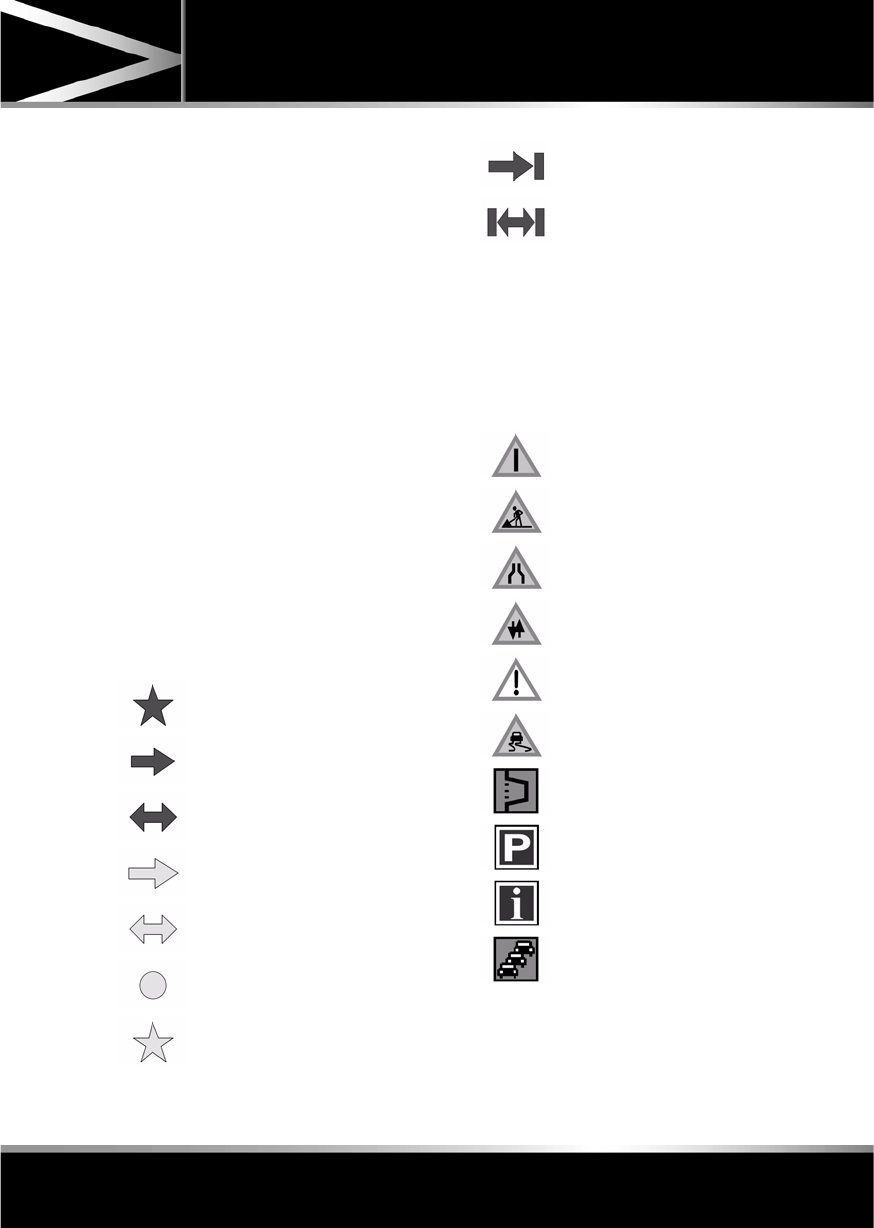
R
(FM8) SEMCON JLR OWNER GUIDE VER 1.00 EURO
LANGUAGE: english-en; MARQUE: jaguar; MODEL: XF
Navigation system
143
RDS-TMC ICONS
Any traffic event (broadcast on TMC) in your
area, will be displayed as a warning icon on the
map and an alert may be displayed as a
message giving the road number(s) and
between which junctions the hold-up or event
occurs.
This data is stored in the system for up to of 30
minutes.
The colour of the TMC icon changes in order to
show the type and priority of a TMC event. The
background colour of the icon returns to
normal when there is no longer an event or
hold-up, or if any re-route instructions are
calculated.
The TMC Event icons appear on the navigation
map display to indicate the location and nature
of a TMC event.
TMC Event icons will appear on the map, even
if the event does not occur on your route.
LEVEL 1 TMC EVENT ICONS
Note: Single arrow icons indicate that the
traffic event affects traffic travelling in the
direction of the arrow. Double arrows indicate
that both directions are affected.
LEVEL 2 TMC EVENT ICONS
Incident (Red star)
Moving Tailback Ahead (Red
arrow)
Moving Tailback Both
Carriageways (Red double arrow)
Slow Traffic Ahead (Yellow arrow)
Slow Traffic Both Carriageways
(Yellow double arrow)
Information (Yellow circle)
Incident (Yellow star)
Stationary Traffic Ahead (Red
arrow pointing on line)
Stationary Traffic Both
Carriageways (Red double arrow
pointing on line)
Other Hazard (Yellow)
Roadworks (Pink)
Narrow Road (Pink)
Contraflow (Pink)
Accidents (Pink)
Slippery Road (Yellow)
Diversion (Yellow)
Parking Information (Grey)
Information (Grey)
Congestion (Red)

L
(FM8) SEMCON JLR OWNER GUIDE VER 1.00 EURO
LANGUAGE: english-en; MARQUE: jaguar; MODEL: XF
Navigation system
144
USING TMC
Dynamic route guidance will calculate an
alternative route to avoid a traffic event when
the system receives an event warning.The
system calculates a new route for all sections.
However, if any way points are set, the system
calculates for the next way point.If the event on
route is serious (closed road) or if the new
route is shorter than the current one and the
current one was not recalculated within the last
5 minutes, then a message to confirm the new
route will be displayed. This pop-up message
will be displayed for 10 minutes and if the new
route is not rejected, then the vehicle will follow
the new route.
ORDNANCE SURVEY DATA
Please read this agreement carefully before
using the Navigation System.
This is a licence agreement to use the
Ordnance Survey (OS) Code-Point data
incorporated in the Navigation System. By
using this Code-Point data you accept and
agree to all the terms and conditions below.
OWNERSHIP
The OS Code-Point data is licensed by
Ordnance Survey with permission of Her
Majesty’s Stationery Office. © Crown
Copyright. All rights reserved.
LICENCE GRANT
OS grants you a non-exclusive licence to use
your copy of the OS Code-Point data for your
personal use solely as part of the Navigation
System. You may transfer the licence to a
subsequent purchaser of the vehicle with
which the Navigation System is supplied,
provided that the purchaser agrees to abide by
each of the terms of this licence.
LICENCE TERMS
These licence terms are governed by English
Law and are subject to the exclusive
jurisdiction of the English courts.
LIMITATIONS OF USE
The DATABASE is restricted for use in the
specific system for which it was created.
Except to the extent explicitly permitted by
mandatory applicable laws, you may not
extract or re-utilise substantial parts of the
contents of the DATABASE, not reproduce,
copy, modify, adapt, translate, disassemble,
decompile, or reverse engineer any portion of
the DATABASE.
LIMITATION OF LIABILITY
The price of the DATABASE does not include
any consideration for assumption of risk of
consequential, indirect or unlimited direct
damages which may arise in connection with
your use of the DATABASE.
Accordingly, in no event shall NAVTEQ
Corporation or supplier of the navigation
system using the DATABASE (‘Supplier’) be
liable for any consequential, special, incidental
or indirect damages, including without
limitation, loss of revenue, data, or use,
incurred by you or any third party arising out of
your use of the DATABASE, whether in an
action in contract or tort or based on a
warranty, even if NAVTEQ Corporation or the
Supplier has been advised of the possibility of
such damages. In any event, NAVTEQ
Corporation’s liability for direct damages is
limited to the price of your copy of the
DATABASE.

R
(FM8) SEMCON JLR OWNER GUIDE VER 1.00 EURO
LANGUAGE: english-en; MARQUE: jaguar; MODEL: XF
Navigation system
145
THE DISCLAIMER OF WARRANTY AND
LIMITATION OF LIABILITY, SET FORTH IN
THIS AGREEMENT, DO NOT AFFECT OR
PREJUDICE YOUR STATUTORY RIGHTS
WHERE YOU HAVE ACQUIRED THE
DATABASE OTHERWISE THAN IN THE
COURSE OF A BUSINESS. Some states and
laws do not allow the exclusion of implied
warranties, so the above disclaimer may not
apply to you.
The DATABASE reflects reality as
existing before you received the
DATABASE and it comprises data and
information from government and
other sources, which may contain
errors and omissions. Accordingly,
the DATABASE may contain inaccurate
or incomplete information due to the
passage of time, changing
circumstances, and due to the nature
of the sources used. The DATABASE
does not include or reflect information
on - inter alia - neighbourhood safety;
law enforcement; emergency
assistance; construction work; road or
lane closures; vehicle or speed
restrictions; road slope or grade;
bridge height, weight or other limits;
road or traffic conditions; special
events; traffic congestion; or travel
time.
NAVTEQ CORPORATION
Please read this agreement carefully before
using the Navigation System.
This is a licence agreement for your copy of the
Navigable Map Database, (the ‘DATABASE’)
originally made by NAVTEQ Corporation), used
in the Navigation System. By using this
DATABASE you accept and agree to all the
terms and conditions below.
OWNERSHIP
The DATABASE and the copyrights and
intellectual property or neighbouring rights
therein are owned by NAVTEQ Corporation or
its licensors.
LICENCE GRANT
NAVTEQ Corporation grants you a
non-exclusive licence to use your copy of the
DATABASE for your personal use or for use in
your business’ internal operations. This license
does not include the right to grant
sub-licenses.
LIMITATIONS OF USE
The DATABASE is restricted for use in the
specific system for which it was created.
Except to the extent explicitly permitted by
mandatory applicable laws, you may not
extract or re-utilise substantial parts of the
contents of the DATABASE, not reproduce,
copy, modify, adapt, translate, disassemble,
decompile, or reverse engineer any portion of
the DATABASE.

L
(FM8) SEMCON JLR OWNER GUIDE VER 1.00 EURO
LANGUAGE: english-en; MARQUE: jaguar; MODEL: XF
Navigation system
146
TRANSFER
You may not transfer the DATABASE to third
parties, except together with system for which
it was created, provided that you do not retain
any copy of the DATABASE, and provided that
the transferee agrees to all terms and
conditions of this agreement.
DISCLAIMER OF WARRANTY
NAVTEQ Corporation does not warrant or make
any representations regarding, either express
or implied, regarding the use or results of the
use of the DATABASE in terms of its
correctness, accuracy, reliability, or otherwise
and expressly disclaims any implied warranties
of quality, performance, merchantability,
fitness for a particular purpose or
non-infringement.
NAVTEQ Corporation does not warrant that the
DATABASE is or will be error-free. No oral or
written information or advice provided by
NAVTEQ Corporation, your supplier or any
other person shall create a warranty.
LIMITATION OF LIABILITY
NAVTEQ Corporation does not warrant or make
any representations regarding, either express
or implied, regarding the use or results of the
use of the DATABASE in terms of its
correctness, accuracy, reliability, or otherwise
and expressly disclaims any implied warranties
of quality, performance, merchantability,
fitness for a particular purpose or
non-infringement.
NAVTEQ Corporation does not warrant that the
DATABASE is or will be error-free. No oral or
written information or advice provided by
NAVTEQ Corporation, your supplier or any
other person shall create a warranty.
GOVERNMENT END USERS
If the DATABASE is for a region of North
America and is being acquired by or on behalf
of the United States government or any other
entity seeking or applying rights similar to
those customarily claimed by the United States
government, the DATABASE is licensed with
‘limited rights’.
Utilization of the DATABASE is subject to the
restrictions specified in the ‘Rights in Technical
Data and Computer Database’ clause at DFARS
252.227–7013, or the equivalent clause for
non-defence agencies. Manufacturer of the
DATABASE of North America is NAVTEQ
Corporation, 10400 W. Higgins Road, Suite
400, Rosemont, Illinois 60018, USA.
EUROPEAN DECLARATION OF
CONFORMITY
Hereby, DENSO CORPORATION
declares that this DN-NS-019 is in
compliance with the essential
requirements and other relevant
provisions of Directive 1999/5/EC.
R
(FM8) SEMCON JLR OWNER GUIDE VER 1.00 EURO
LANGUAGE: english-en; MARQUE: jaguar; MODEL: XF
Tyre repair kit
147
Tyre repair kit
TYRE REPAIR KIT
If you are in any doubt regarding your
ability to carry out the instructions,
contact your Dealer/Authorised
Repairer before attempting the repair.
Your vehicle may not be equipped with a spare
tyre. If this is the case, in its place in the rear
underfloor storage compartment, you will find
a tyre repair kit (except where run-flat tyres are
fitted). The tyre repair kit can be used to repair
one tyre and it is essential that you read the
following guide before attempting to repair a
tyre.
The tyre repair kit seals most punctures with a
maximum diameter of 6 mm (1/4 inch).
Note: The sealant used in the tyre repair kit has
a shelf life and the expiry date is shown on the
tyre sealant bottle. Ensure that the container is
replaced before the expiry date.
TYRE REPAIR KIT SAFETY
INFORMATION
Some tyre damage may only be
partially sealed, or may not seal at
all, depending on the amount and type
of damage. Any loss of tyre pressure
can seriously affect vehicle safety.
Do not use the tyre repair kit if the tyre
has been damaged by driving while
under-inflated.
Only use the tyre repair kit to seal
damage located within the tyre tread
area.
Do not exceed 80 km/h (50 mph) when
a repaired tyre is fitted to the vehicle.
The maximum distance that should be
driven when a repaired tyre is fitted, is
200 km (125 miles).
When a repaired tyre is fitted, drive
with caution and avoid sudden braking
or steering manoeuvres.
Only use the tyre repair kit for the
vehicle with which it was supplied.
Do not use the tyre repair kit for any
other purpose than tyre repair.
Never leave the tyre repair kit
unattended when in use.
Only use the tyre repair kit within the
-30°C to +70°C temperature range.
Always keep children and animals at a
safe distance from the tyre repair kit
when in use.
Do not stand directly beside the
compressor when it is operating.
Check the tyre sidewall prior to
inflation. If any cracks, damage or
deformities are apparent, do not
inflate the tyre.
Watch the tyre sidewall during
inflation. If any cracks, bumps or
similar damage, or deformities
appear, switch off the compressor and
deflate the tyre.
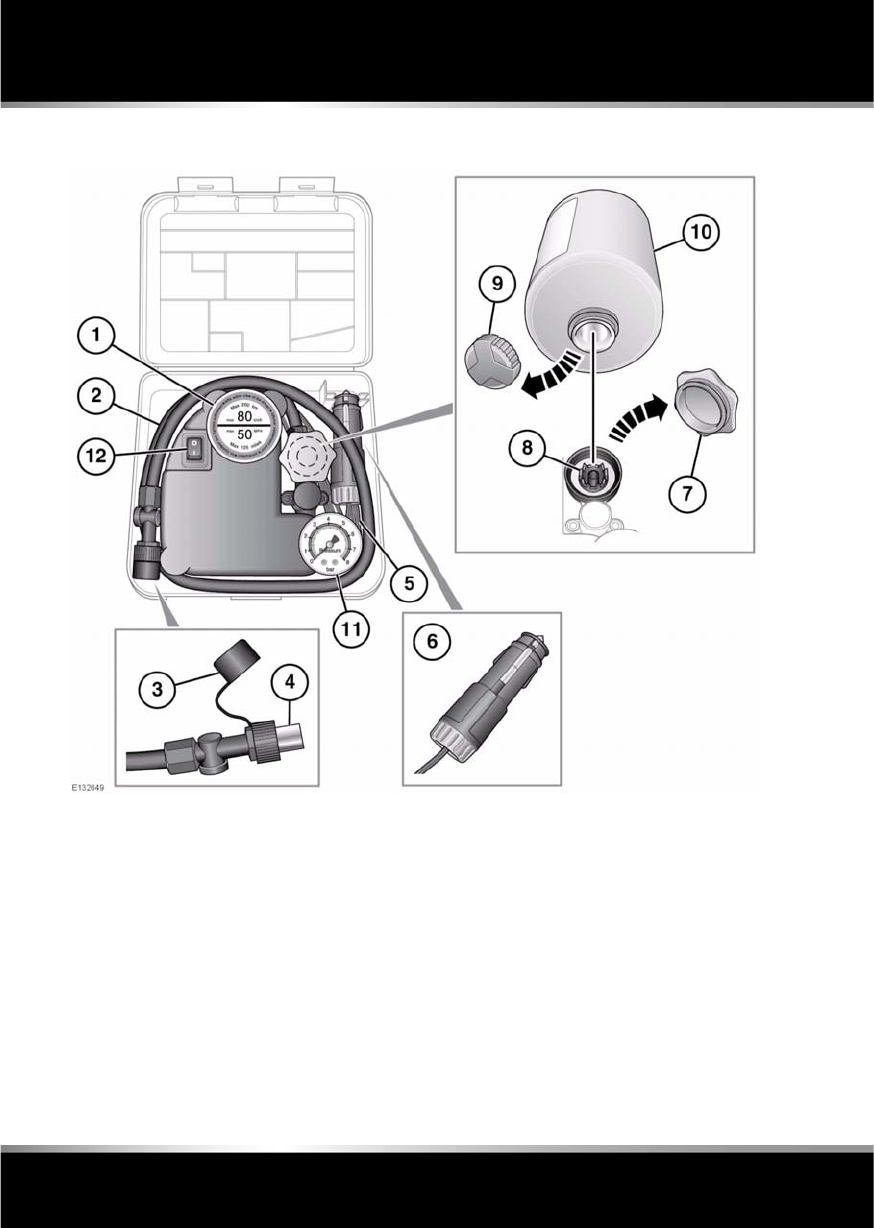
L
(FM8) SEMCON JLR OWNER GUIDE VER 1.00 EURO
LANGUAGE: english-en; MARQUE: jaguar; MODEL: XF
Tyre repair kit
148
TYRE REPAIR KIT OVERVIEW
1. Maximum speed label. 80 km/h (50 mph).
2. Tyre inflation hose.
3. Inflation hose protective cap.
4. Inflation hose connector.
5. Compressor power cable.
6. Power cable connector.
7. Sealant bottle receiver cap (orange).
8. Sealant bottle receiver.
9. Sealant bottle cap.
10. Sealant bottle.
11. Tyre pressure gauge.
12. Compressor on/off switch (I = on. 0 = off.).

R
(FM8) SEMCON JLR OWNER GUIDE VER 1.00 EURO
LANGUAGE: english-en; MARQUE: jaguar; MODEL: XF
Tyre repair kit
149
USING THE TYRE REPAIR KIT
Avoid skin contact with the sealant
which contains natural rubber latex.
If the tyre inflation pressure does not
reach 1.8 bar (26 psi, 180 kPa) within
seven minutes, the tyre may have
suffered excessive damage. A
temporary repair will not be possible,
and the vehicle should not be driven
until the tyre has been replaced.
Before attempting a tyre repair, ensure
that the vehicle is parked safely, as far
away from passing traffic as possible.
Ensure that the parking brake is applied
and P (Park) is selected.
Do not attempt to remove foreign
objects such as nails, screws, etc. from
the tyre.
Always run the engine when using the
compressor, unless the vehicle is in an
enclosed or poorly ventilated space, as
this may cause asphyxiation.
To prevent overheating, do not operate
the compressor continuously for longer
than ten minutes.
Note: All vehicle drivers and occupants should
be made aware that a temporary repair has
been made to a tyre fitted to the vehicle. They
should also be made aware of the special
driving conditions imposed when using a
repaired tyre.
REPAIR PROCEDURE
Check the tyre sidewall prior to
inflation. If there are any cracks,
bumps or similar damage, do not
attempt to inflate the tyre. Do not
stand directly beside the tyre while
the compressor is pumping. Watch the
tyre sidewall. If any cracks, bumps or
similar damage appear, turn off the
compressor and let the air out by
means of the pressure relief valve. Do
not continue to use the tyre.
1. Open the tyre repair kit and peel off the
maximum speed label. Attach the label to
the facia in the driver's field of vision. Take
care not to obstruct any of the instruments
or warning lights.
2. Uncoil the compressor power cable and
the inflation hose.
3. Unscrew the orange cap from the sealant
bottle receiver and the sealant bottle cap.
4. Screw the sealant bottle into the receiver
(clockwise) until tight.
•Screwing the bottle onto the receiver
will pierce the bottle's seal. Once the
receiver has been fitted, a ratchet
prevents it from being removed.
5. Remove the valve cap from the damaged
tyre.
6. Remove the protective cap from the
inflation hose and connect the inflation
hose to the tyre valve. Ensure that the hose
is screwed on firmly.
7. Ensure that the compressor switch is in the
off (0) position.
8. Insert the power cable connector into the
auxiliary power socket.
9. Unless the vehicle is in an enclosed area,
start the engine.

L
(FM8) SEMCON JLR OWNER GUIDE VER 1.00 EURO
LANGUAGE: english-en; MARQUE: jaguar; MODEL: XF
Tyre repair kit
150
10. Set the compressor switch to the on (I)
position.
11. Inflate the tyre to a minimum of 1.9 bar
(26 psi) and a maximum of 3.5 bar
(51 psi).
•When pumping the sealant through the
tyre valve, the pressure may rise up to
6 bar (87 psi). The pressure will drop
again after approximately 30 seconds.
12. During the inflation, switch the
compressor off briefly, to check the tyre
pressure using the gauge mounted on the
compressor.
•It should not take longer than 7
minutes to inflate the tyre. If, after 7
minutes, the tyre has not yet reached
minimum pressure, the tyre should not
be used.
13. Once the tyre has been inflated, switch off
the compressor. If desired, the engine may
be turned off after the compressor has
been turned off.
14. Remove the power connector from the
auxiliary power socket.
15. Remove the inflation hose from the tyre
valve, by unscrewing it as quickly as
possible (anticlockwise).
16. Replace the inflation hose protective cap
and the tyre valve cap.
17. Ensure that the tyre repair kit (including the
bottle and receiver caps) are placed
securely in the vehicle. You will need to use
the kit to check the tyre pressure after
approximately 3 km (2 miles), so ensure
they are easily accessible.
18. Immediately drive the vehicle for
approximately 3 km (2 miles), to allow the
sealant to coat the inner surface of the tyre
and form a seal at the puncture.
CHECKING THE TYRE PRESSURE
AFTER A REPAIR
When driving the vehicle, if you
experience vibrations, abnormal
steering, or noises, reduce speed
immediately. Drive with extreme
caution and reduced speed, to the first
safe place to stop the vehicle. Visually
examine the tyre and check its
pressure. If there are any signs of
damage or deformity to the tyre, or the
tyre pressure is below 1.3 bar (19
psi), do not continue driving.
Consult a tyre repair centre or your
Dealer/Authorised Repairer, for
advice concerning the replacement of
a tyre after using a tyre repair kit.
1. Drive the vehicle for 3 km (2 miles) then
stop in a safe place. Carry out a visual
examination of the tyre’s condition.
2. Make sure that the sealant container
section is in its original position.
3. Screw the inflation hose connector firmly
onto the tyre valve.
4. Read the tyre pressure from the gauge.
5. If the pressure of the sealant filled tyre is
above 1.3 bar (19 psi) adjust the pressure
to the correct value.
6. Ensure that the compressor switch is in the
Off (O) position and insert the power cable
connector into the auxiliary power socket.
If the vehicle is in a well ventilated area,
start the engine.
7. Switch the compressor to On (I) and inflate
the tyre to the correct pressure.
8. To check the tyre pressure, turn off the
compressor then read the pressure from
the gauge.

R
(FM8) SEMCON JLR OWNER GUIDE VER 1.00 EURO
LANGUAGE: english-en; MARQUE: jaguar; MODEL: XF
Tyre repair kit
151
9. When the compressor is off, if the tyre
pressure is too high, release the required
amount of pressure using the pressure
release valve.
10. Once the tyre is inflated to the correct
pressure, switch off the compressor and
remove the power plug from the auxiliary
socket.
•The use of the tyre repair kit sealant
may lead to error prompts and
incorrect readings of the Tyre Pressure
Monitoring System. Therefore, use the
tyre repair kit pressure gauge to check
and adjust the damaged tyre's inflation
pressure.
11. Unscrew the inflation hose connector from
the tyre valve, replace the tyre valve cap
and the inflation hose connector protective
cap.
12. Ensure that the tyre repair kit is placed
securely in the vehicle.
13. Drive to the nearest tyre repair centre or
Dealer/Authorised Repairer, for a
replacement tyre to be fitted. Ensure that
you make the repair centre aware that the
tyre repair kit has been used before the tyre
is removed.
14. Both the tyre inflation hose, and the sealant
container should be replaced once a new
tyre has been fitted.
Only sealant containers which are
completely empty should be
disposed of with normal
household waste. Sealant
containers which contain some
sealant, and the tyre inflation hose,
should be disposed of by a tyre
specialist or your Dealer/
Authorised Repairer, in
compliance with local waste
disposal regulations.

L
(FM8) SEMCON JLR OWNER GUIDE VER 1.00 EURO
LANGUAGE: english-en; MARQUE: jaguar; MODEL: XF
Fuel and refuelling
152
Fuel and refuelling
SAFETY PRECAUTIONS
Avoid exposing the fuel gasses to any
potential sources of ignition as the
resulting fire and explosion may
cause serious injuries and/or death.
Switch off the engine when refuelling,
as it is both a source of extreme
temperatures, and electrical sparks.
Switch off any personal electronic
devices such as mobile phones, or
music players.
PETROL ENGINED VEHICLES
Do not use leaded fuels, lead
substitutes or fuel additives.
Fuel system cleaning agents should not
be used, unless approved by Jaguar.
OCTANE RATING
The minimum octane rating for fuel used is 95
RON (Research Octane Number). The vehicle
will run on lower ratings, but it may cause
pronounced engine knock or pinking. If the
pinking is severe it can cause damage to the
engine, fuel and emission control systems.
Note: Occasional, light, engine knock
experienced while accelerating or climbing hills
is acceptable.
Super Green Plus 98 RON unleaded fuel (where
available) may be used as an alternative to the
standard 95 RON unleaded fuel.
Some countries have only 91 RON fuel
available. Vehicles sold in these countries are
specially calibrated to use this fuel.
ETHANOL
This vehicle is not suitable for use with
fuels containing more than 10%
ethanol.
Do not use E85 fuels (85% ethanol
content). Equipment necessary for the
use of fuels containing more than 10%
ethanol is not fitted to this vehicle. If
E85 fuels are used, serious engine and
fuel system damage will occur.
Fuels containing up to 10% ethanol (grain
alcohol) may be used. Ensure that the fuel has
octane ratings no lower than those
recommended for unleaded fuel. Most drivers
will not notice any operating difference with
fuel containing ethanol. If a difference is
detected, the use of conventional unleaded fuel
should be resumed.
METHANOL
Wherever possible avoid using fuel
containing methanol.
Some fuels contain methanol (Methyl or wood
alcohol). If you use fuels containing methanol
the fuels must also contain co-solvents and
corrosion inhibitors for methanol. Also, do not
use fuels which contain more than 10%
methanol even if they contain co-solvents and
corrosion inhibitors. Fuel system damage or
vehicle performance problems resulting from
the use of such fuels is not the responsibility of
Jaguar, and may not be covered under the
warranty.

R
(FM8) SEMCON JLR OWNER GUIDE VER 1.00 EURO
LANGUAGE: english-en; MARQUE: jaguar; MODEL: XF
Fuel and refuelling
153
METHYL TERTIARY BUTYL ETHER
(MTBE)
Unleaded fuel containing an oxygenate known
as MTBE can be used provided that the ratio of
MTBE to conventional fuel does not exceed
15%. MTBE is an Ether based compound
derived from Petroleum, which has been
specified by several refiners as the substance
to enhance the Octane rating of fuel.
DIESEL ENGINED VEHICLES
Do not use RME (bio-diesel) except in
the case of those proprietary diesel
fuels which contain a mix of up to 5%.
Jaguar can accept no responsibility for
damage caused by using RME in
concentrations greater than 5%.
Use only high quality diesel fuel according to
EN590 or equivalent.
The quality of diesel fuel is variable, depending
on geographic location. Always use premium
or the highest quality fuel available in your
locality. High quality fuel ensures a longer life
for your engine components. Lower grade fuel
contains higher levels of sulphur, which is
detrimental to engine components. If low
quality fuel is used, light coloured smoke may
be evident at the exhaust.
Note: Jaguar vehicles are capable of running
with up to a 5% blend of bio-diesel, in
accordance with European Standard EN590.
Prolonged use of additives is not
recommended. Do not add paraffin or petrol to
diesel fuels.
If you inadvertently fill your vehicle with
petrol instead of diesel, do not attempt
to start the engine. Contact your Dealer/
Authorised Repairer immediately.
Jaguar cars can accept no
responsibility for any damage caused
by running your vehicle with petrol or
vegetable oil in the fuel tank.
SULPHUR CONTENT
Your vehicle is fitted with a Diesel
Particulate Filter (DPF), the maximum
Sulphur content must not exceed
0.005%. Using an incorrect fuel will
cause serious damage to the DPF.
In some countries diesel may contain higher
levels of Sulphur, which could cause damage
to the vehicle, if in doubt contact a local
Dealer/Authorised Repairer for advice.
RUNNING OUT OF FUEL
Avoid running out of fuel!
If the vehicle does run out of fuel, a
minimum of 4 litres (0.9 gallons) will be
required to restart the engine. The vehicle
should be left with the ignition on for 5 minutes
after refuelling before attempting to restart the
engine.
Note: If the vehicle does run out of fuel,
seeking qualified assistance is advisable.
WATER IN FUEL
If the warning WATER IN FUEL is
displayed in the message centre, an
excessive amount of water has
collected in the fuel filter bowl. Seek
assistance from a Jaguar Dealer/
Authorised Repairer to have the filter
drained as soon as possible.
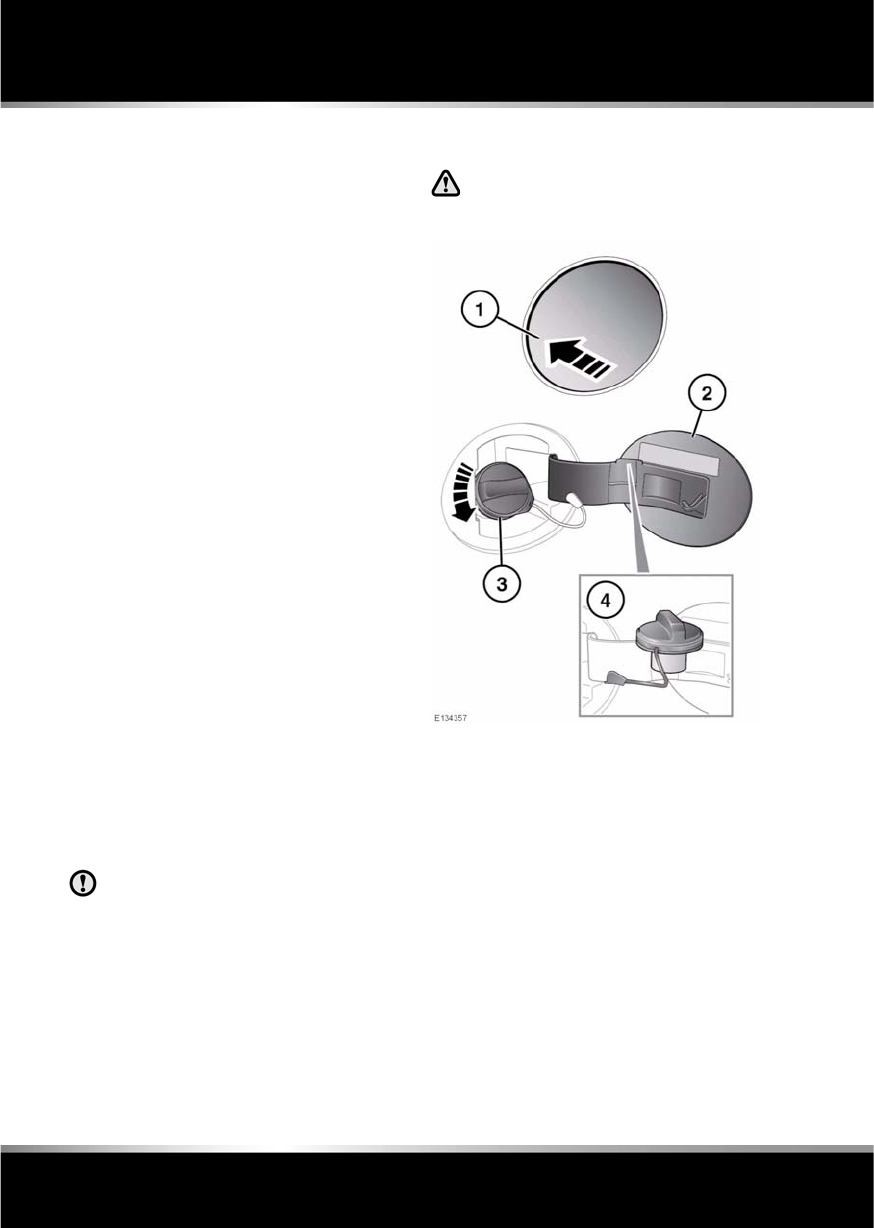
L
(FM8) SEMCON JLR OWNER GUIDE VER 1.00 EURO
LANGUAGE: english-en; MARQUE: jaguar; MODEL: XF
Fuel and refuelling
154
DIESEL ENGINES
Vehicles with diesel engines are equipped with
a system to prevent the fuel tank from
emptying completely. When the fuel reaches a
minimum level, the system will activate a
reduced power mode (i.e. the engine will not
run properly). This will be followed by the
engine stopping in approximately 1.6 km (1
mile).
This feature prevents the fuel system from
running dry, which could cause damage to the
vehicle. If the gauge indicates low fuel or the
warning indicator illuminates, the fuel tank
should be refuelled as soon as possible at the
next filling station, with at least 4 litres (0.9
gallons) of fuel.
If the system protection function has activated,
the vehicle must firstly be refuelled, then
restarted using the following procedure:
1. With the brake pedal pressed, press and
hold the engine START/STOP button and
crank the engine for five seconds.
2. Release the START/STOP button.
3. With the brake pedal pressed, press and
release the START/STOP button to crank
the engine. The engine should start within
approximately five seconds.
Note: If the engine does not start, pause for ten
seconds with the ignition in convenience
mode, before repeating the procedure from the
beginning.
Do not crank the engine for longer than
30 seconds continuously.
FUEL FILLER FLAP
Take note of all warnings and
instruction given on the label affixed
to the inside of the filler flap.
The vehicle must be unlocked using the Smart
Key, before the filler flap can be opened.
1. Press and release the rear of the flap (in the
area indicated) to unlatch.
2. Pull the flap open. The label on the inside of
the flap indicates the correct fuel for the
vehicle.
3. Twist the cap anticlockwise to undo.
4. Stow the cap on the lip provided on the top
of the hinge arm, as shown.
When replacing the cap, turn it clockwise until
the ratchet clicks. Failure to do so may cause
the Engine malfunction warning lamp to
illuminate. If the warning lamp illuminates,
ensure the cap is fitted properly.
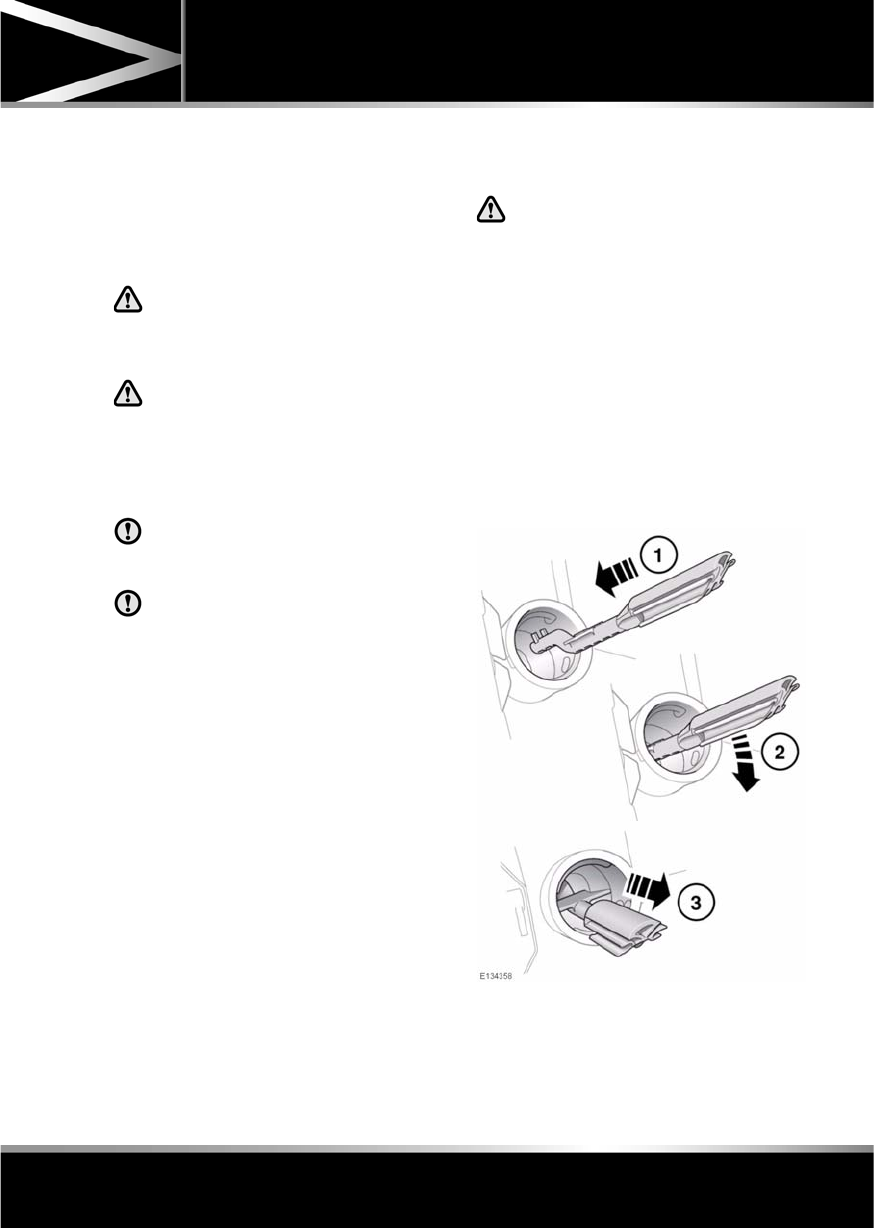
R
(FM8) SEMCON JLR OWNER GUIDE VER 1.00 EURO
LANGUAGE: english-en; MARQUE: jaguar; MODEL: XF
Fuel and refuelling
155
To close the filler flap, push the flap until
latched closed.
Note: The filler flap will only be locked closed
when the vehicle is centrally locked.
FUEL FILLER
When refuelling ensure that all
windows, doors, and sunroof are fully
closed, particularly if young children
or animals are in the vehicle.
Do not attempt to fill the tank to its
maximum capacity. If the vehicle is to
be parked on a slope, in direct
sunlight or high ambient temperature,
expansion of the fuel could cause
spillage.
Check the fuel pump information
carefully, to ensure that you are putting
the correct fuel into the vehicle.
If the vehicle is filled with incorrect fuel,
it is essential that you seek qualified
assistance before you start the engine.
Fuel station pumps are equipped with
automatic cut-off sensing, to avoid fuel
spillage. Fill the tank until the filler nozzle
automatically cuts off the supply. Do not
attempt to fill the tank beyond this point.
Note: Filling station pumps used for diesel
commercial vehicles deliver fuel at a higher
rate than normal. The higher fill rate can cause
premature cut-off and may cause fuel spillage.
Therefore, it is recommended that only
standard light vehicle pumps are used.
DIESEL MISFUELLING PROTECTION
DEVICE
When the misfuelling device is
activated it may cause fuel to be
discharged from the filler neck.
If the narrow filler nozzle fitted to pumps
delivering unleaded petrol is fully inserted into
the filler neck the misfuel protection device will
activate.
Note: The spout on some fuel cans and older
fuel pumps may trigger the misfuelling device.
When activated, the yellow protection device
will be visible inside the filler neck. It will
prevent fuel flow into the tank. Before fuelling
can continue with the correct fuel the device
will need to be reset.
The reset tool is stored in the luggage
compartment clipped onto the battery retaining
bar.
L
(FM8) SEMCON JLR OWNER GUIDE VER 1.00 EURO
LANGUAGE: english-en; MARQUE: jaguar; MODEL: XF
Fuel and refuelling
156
To reset the misfuelling device:-
1. Insert the reset tool with teeth uppermost,
as far as it will go into the filler neck.
2. Locate the teeth by pushing down the top
of the reset tool.
3. With the top of the tool pressed down and
the teeth engaged, slowly pull the tool out
of the filler neck to reset the device.
Do not twist the device, once the teeth
have engaged.
Note: The yellow part of the protection device
should no longer be visible in the filler neck.
Replace the reset tool in position on the battery
restraining bar.
FUEL TANK CAPACITY
Avoid the risk of running out of fuel and never
intentionally drive the vehicle when the fuel
gauge indicates that the tank is empty. When
refuelling your vehicle after the fuel gauge
reads empty, you may not be able to add the
fuel quantity shown below, as there will be a
small reserve remaining in the tank.
FUEL SPECIFICATION
Total tank capacity (usable):
Petrol engines 69.5 litres
(15.3 gallons)
Diesel engines 68.1 litres
(15 gallons)
Fill capacity (when fuel
gauge reads empty)
64 litres (14.1
gallons)
Reserve capacity (when fuel
gauge reads empty)
5.5 litres (1.2
gallons)
Petrol Diesel
95-98 RON EN 590
R
(FM8) SEMCON JLR OWNER GUIDE VER 1.00 EURO
LANGUAGE: english-en; MARQUE: jaguar; MODEL: XF
Fuel and refuelling
157
FUEL CONSUMPTION
The fuel consumption figures shown below have been calculated using a standard testing
procedure (the new EC test procedure from Directive 99/100/EC), and produced in accordance with
The Passenger Car Fuel Consumption (Amendment) Order 1996.
Under normal use, a vehicle's actual fuel consumption figures may differ from those achieved
through the test procedure, depending on driving technique, road and traffic conditions,
environmental factors, vehicle load and condition.
URBAN CYCLE
The urban test cycle is carried out from a cold start and consists of a series of accelerations,
decelerations and periods of steady speed driving and engine idling. The maximum speed attained
during the test is 50 km/h (30 mph) with an average speed of 19 km/h (12 mph).
EXTRA-URBAN CYCLE
The extra-urban test cycle is carried out immediately after the urban test. Approximately half of the
test comprises steady-speed driving, while the remainder consists of a series of accelerations,
decelerations and engine idling. The maximum test speed is 120 km/h (75 mph) and the average
speed 63 km/h (39 mph). The test is carried out over a distance of 7 km (4.3 miles).
COMBINED
The combined figure is an average of the urban and extra-urban test cycle results, which has been
weighted to take account of the different distances covered during the two tests.
For additional information on fuel consumption figures and exhaust emissions, visit the Vehicle
Certification Agency (VCA) website at http://www.vcacarfueldata.org.uk/.
Variant Urban
l/100 km (mpg)
Extra-urban
l/100 km (mpg)
Combined
l/100 km (mpg)
CO2 emissions
g/km
2.2 I4 Diesel 6.6 (42.8) 4.8 (58.9) 5.4 (52.3) 149
3.0 V6 Diesel 8.7 (32.5) 5.0 (56.5) 6.3 (44.8) 169
3.0 V6 Petrol 15.8 (17.8) 7.5 (37.8) 10.5 (26.8) 249
5.0 V8 Petrol -
Normally aspirated
17.3 (16.3) 7.8 (36.4) 11.1 (25.4) 264
5.0 V8 Petrol -
Supercharged
18.7 (15.1) 8.7 (32.4) 12.5 (22.5) 292

L
(FM8) SEMCON JLR OWNER GUIDE VER 1.00 EURO
LANGUAGE: english-en; MARQUE: jaguar; MODEL: XF
Maintenance
158
Maintenance
DISABILITY MODIFICATIONS
Occupants with disabilities which may require
modification of the vehicle, must contact a
Dealer/Authorised Repairer before any
modifications are made.
PARTS AND ACCESSORIES
Do not fit non-approved parts and
accessories or carry out non-approved
alterations or conversions.
Your vehicle is not designed for use
with a roof rack. Do not fit a roof rack to
the vehicle, as damage may result.
AIRBAG SYSTEM
The components that make up the
airbag system are sensitive to
electrical or physical interference,
either of which could easily damage
the system and cause inadvertent
operation or a malfunction of the
airbag module.
To prevent malfunction of the airbag system
always consult your Dealer/Authorised
Repairer before fitting any of the following:
•Electronic equipment such as a mobile
phone, two-way radio or in-car
entertainment system.
•Accessories attached to the front of the
vehicle.
•Any modification to the front of the vehicle.
•Any modification involving the removal or
repair of any wiring or component in the
vicinity of any of the airbag system
components, including the steering wheel,
steering column, instrument or facia
panels.
•Any modification to the fascia panels or
steering wheel.
ANTI-THEFT SYSTEM
No modifications or additions should
be made to the anti-theft system. Such
changes could cause the system to
malfunction.
OWNER MAINTENANCE
Any significant or sudden drop in fluid
levels, or uneven tyre wear, should be
reported to a qualified technician
without delay.
In addition to the routine services and
inspections, a number of simple checks must
be carried out more frequently. These checks
can be carried out by the owner and advice is
given on the pages that follow.
DAILY CHECKS
•Operation of lamps, horn, direction
indicators, wipers, washers and warning
indicators.
•Operation of seat belts and brakes.
•Look for fluid deposits underneath the
vehicle that might indicate a leak.
Condensation drips from the air
conditioning are normal.
WEEKLY CHECKS
•Engine oil level.
•Engine coolant level.
•Brake fluid level.
•Power steering fluid level.
•Screen washer fluid level.
•Tyre pressures and condition.
•Operate air conditioning.
Note: The engine oil level should be checked
more frequently if the vehicle is driven for
prolonged periods at high speeds.
R
(FM8) SEMCON JLR OWNER GUIDE VER 1.00 EURO
LANGUAGE: english-en; MARQUE: jaguar; MODEL: XF
Maintenance
159
DIESEL PARTICULATE FILTER (DPF)
Diesel vehicles equipped with a particle filter
have more efficient emission control. The
particles in the exhaust gases are collected in
the filter during normal driving.
When a DPF message is displayed, the filter
requires a regeneration cycle to clean itself.
This requires the engine to have reached
normal operating temperature. Regeneration
takes place automatically at an interval of
approximately 300-900 km (190-560 miles)
depending on driving conditions. Regeneration
normally takes 10-20 minutes and is
automatically requested by the engine control
module if the vehicle is driven steadily at
vehicle speeds between 40mph to 70mph. It is
possible that the regeneration process will
occur at lower vehicle speeds, but the events
may take a little longer at a 50 km/h (30mph)
average speed.
DRIVING SHORT DISTANCES OR IN
COLD WEATHER
If the vehicle is frequently driven short
distances or in cold weather conditions then
the engine may not reach normal operating
temperature. This means that regeneration of
the diesel particle filter does not take place and
the filter is not efficiently cleaned. When the
filter reaches a condition when a filter
regeneration is appropriate and the current
drive style is not appropriate, a warning
triangle on the instrument panel illuminates,
and the message DPF Full. See manual is
displayed on the instrument panel. This is not
indicating a fault condition with the vehicle and
no dealership support should be required. Start
regeneration of the filter by driving the vehicle,
preferably on a main road or motorway. The
vehicle should then be driven for approximately
20 minutes or more.
When regeneration is complete the warning
text is cleared automatically.
Note: A small increase in fuel consumption
may be noticed temporarily during
regeneration.
ARDUOUS DRIVING CONDITIONS
When a vehicle is operated in severe or
arduous conditions, more frequent attention
must be paid to servicing requirements. Refer
to your Service Portfolio for details or contact
your Dealer/Authorised Repairer for advice.
SAFETY IN THE GARAGE
If the vehicle has been driven
recently, do not touch exhaust and
cooling system components until the
engine has cooled.
Never leave the engine running in an
unventilated area.
Do not work beneath the vehicle with a
jack as the only means of support.
Keep your hands and clothing away
from drive belts, pulleys and fans.
Some fans may continue to operate
after the engine has stopped.
Remove metal wrist bands and
jewellery, before working in the
engine compartment.
Do not touch electrical leads or
components while the engine is
running, or with the starter switch
turned on.
Do not allow tools or metal parts of the
vehicle to make contact with the
battery leads or terminals.
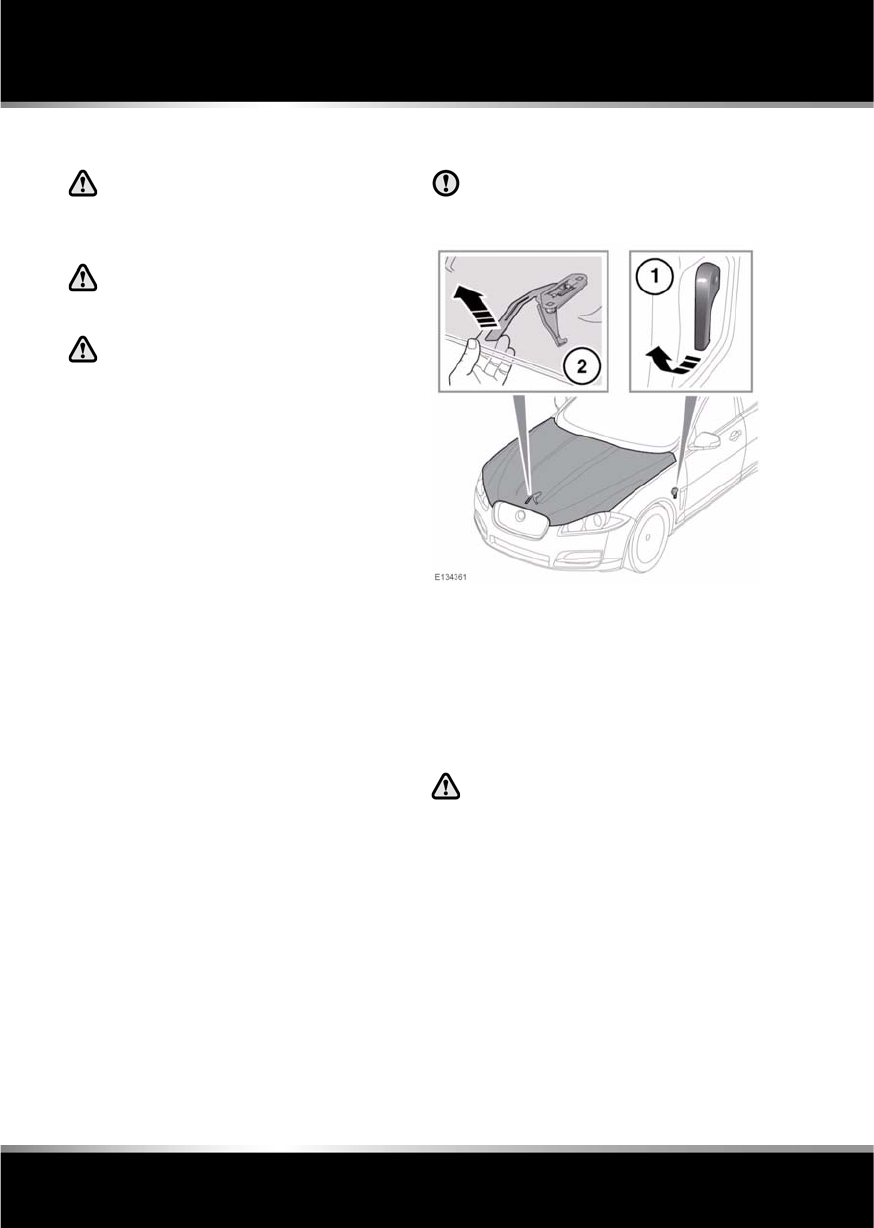
L
(FM8) SEMCON JLR OWNER GUIDE VER 1.00 EURO
LANGUAGE: english-en; MARQUE: jaguar; MODEL: XF
Maintenance
160
FUEL SYSTEM
Under no circumstances should any
part of the fuel system be dismantled
or replaced by anyone other than a
suitably qualified vehicle technician.
Ensure sparks and naked lights are
kept away from the engine
compartment.
Wear protective clothing, including,
where practicable, gloves made from
an impervious material.
USED ENGINE OIL
Prolonged contact with engine oil may cause
serious skin disorders, including dermatitis
and cancer of the skin. Always wash
thoroughly after contact.
OPENING THE BONNET
Do not attempt to open the bonnet if the
pedestrian protection system has
deployed.
1. Pull the bonnet release handle located in
the left-hand front footwell.
2. Lift the bonnet safety catch lever located
below the centre point of the bonnet, and
raise the bonnet.
CLOSING THE BONNET
Do not drive with the bonnet retained
by the safety catch alone.
1. Lower the bonnet until the safety catch
engages. Using both hands, press the
bonnet down until the catches click.
2. Check that both catches are fully engaged
by attempting to lift both sides of the front
edge of the bonnet. This should be free
from all movement.
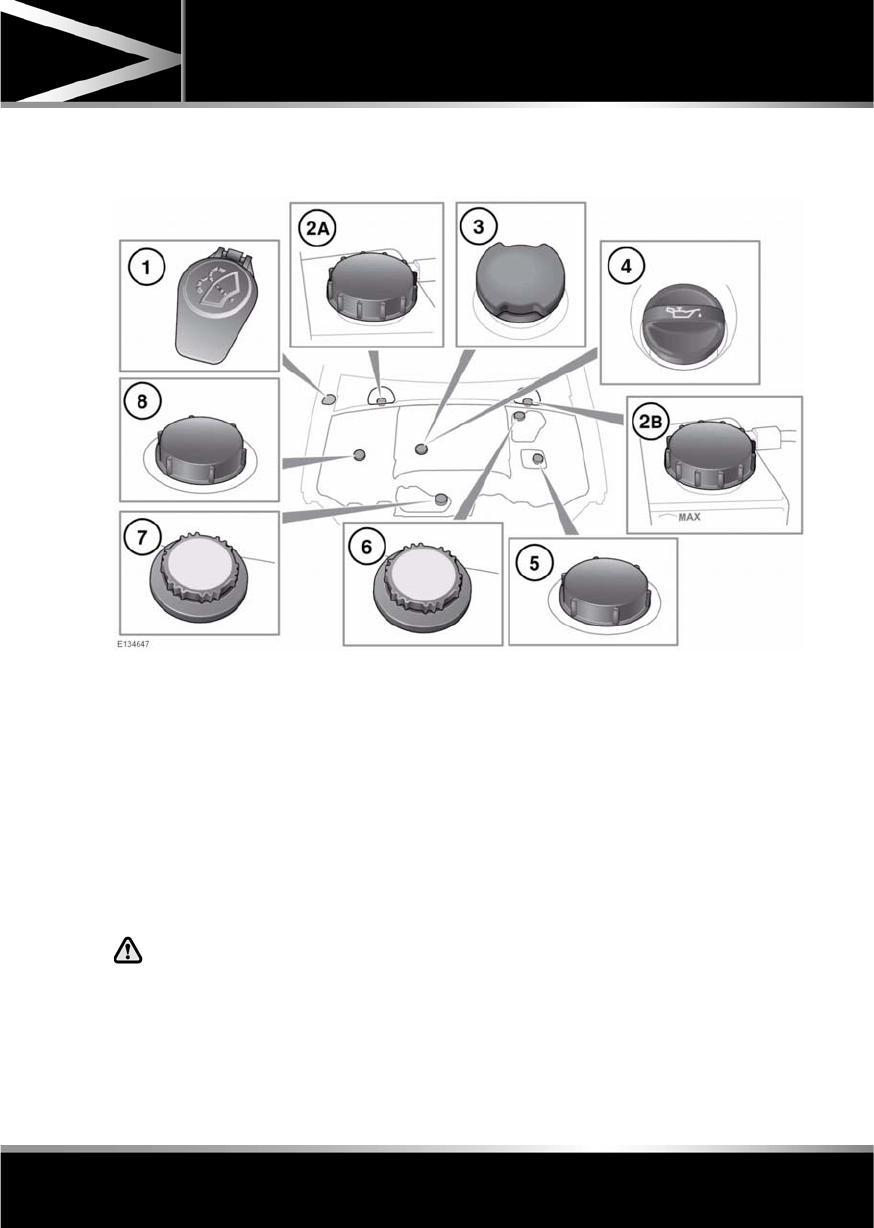
R
(FM8) SEMCON JLR OWNER GUIDE VER 1.00 EURO
LANGUAGE: english-en; MARQUE: jaguar; MODEL: XF
Maintenance
161
ENGINE COMPARTMENT OVERVIEW
Diesel engines
1. Washer fluid.
2. Brake fluid:
•A. Right-hand drive vehicles.
•B. Left-hand drive vehicles.
3. Engine oil (V6 engines).
4. Engine oil (I4 engines).
5. Power steering (I4 engines).
6. Coolant (I4 engines).
7. Coolant (V6 engines).
8. Power steering (V6 engines).
Do not drive the vehicle if there is a
possibility that leaked fluid will come
into contact with a hot surface, such
as the exhaust.
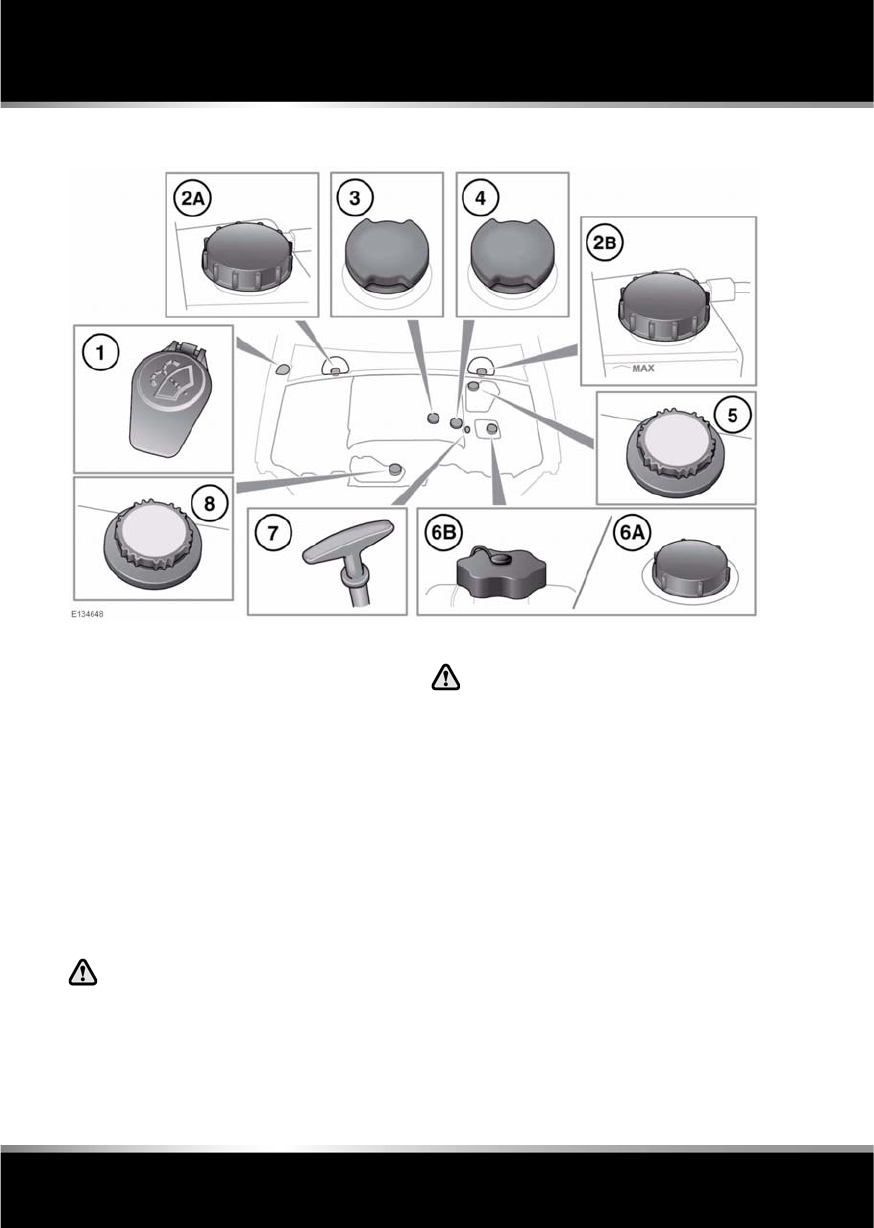
L
(FM8) SEMCON JLR OWNER GUIDE VER 1.00 EURO
LANGUAGE: english-en; MARQUE: jaguar; MODEL: XF
Maintenance
162
Petrol engines
1. Washer fluid.
2. Brake fluid:
•A. Right-hand drive vehicles.
•B. Left-hand drive vehicles.
3. Engine oil (V6 engines).
4. Engine oil (V8 engines).
5. Coolant (V8 engines).
6. Power steering.
•A. V8 engines.
•B. V6 engines.
7. Engine oil dipstick (V6 engines).
8. Coolant (V6 engines).
Do not drive the vehicle if there is a
possibility that leaked fluid will come
into contact with a hot surface, such
as the exhaust.
UNBLOCKING WASHER JETS
Do not operate the washer jets during
adjustment. Windscreen washer fluid
may cause irritation to the eyes and
skin. Always read and observe the
washer fluid manufacturers
instructions.
If a washer jet becomes blocked, use a thin
strand of wire to unblock the jet by inserting
the wire into the jet. Ensure that the wire is
completely removed after unblocking.
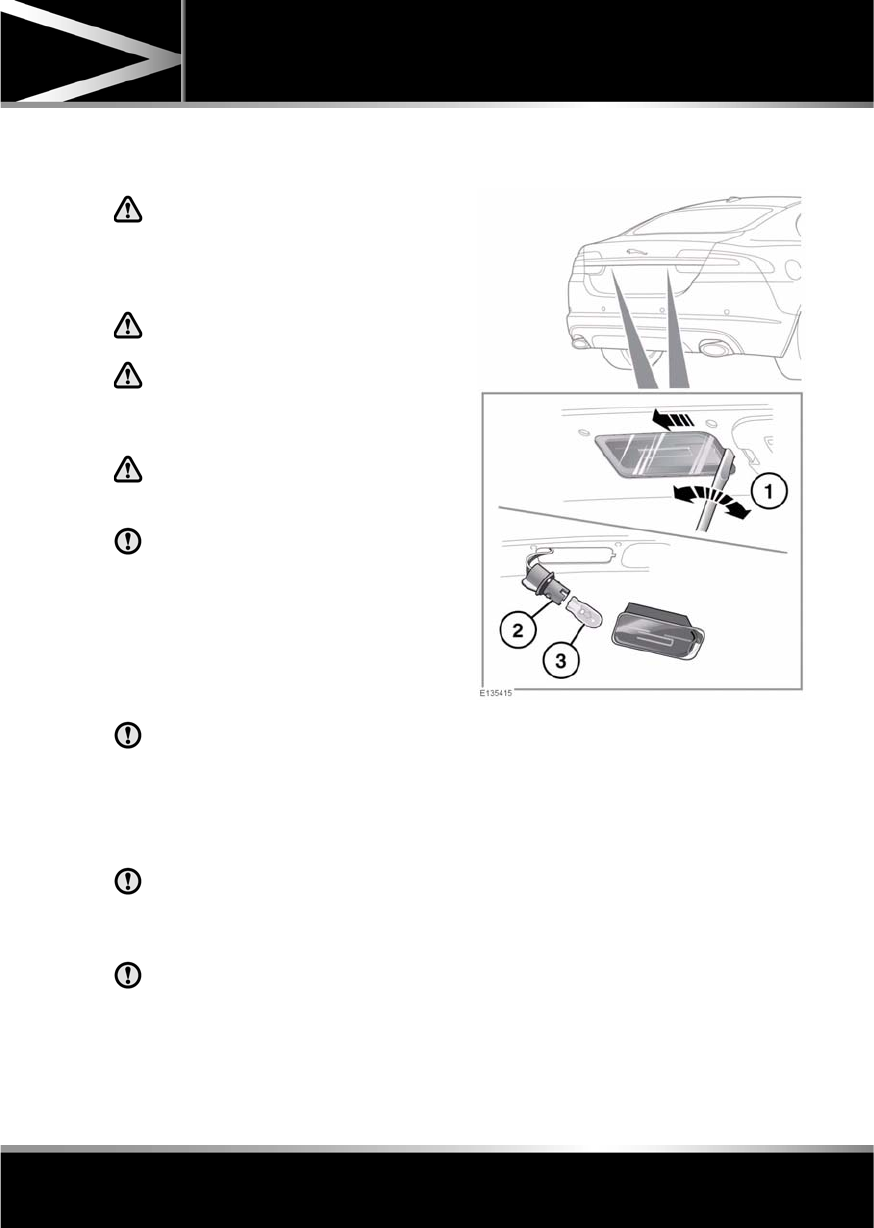
R
(FM8) SEMCON JLR OWNER GUIDE VER 1.00 EURO
LANGUAGE: english-en; MARQUE: jaguar; MODEL: XF
Maintenance
163
LAMP FAILURE
Headlamp unit:
The headlamps are Xenon High
Illumination Density (HID) units.
Replacement or maintenance of
Xenon lamps should only be carried
out by qualified peronnel.
High voltage is required to ignite the
Xenon lamps.
Xenon lamp units operate at a very
high temperature. Ensure that the
lamp units have cooled before
attempting to touch them.
Used Xenon lamp units contain
mercury which is hazardous and can
be injurious to health.
All other lamps within the headlamp
unit are LEDs and should only be
replaced by a Dealer/Authorised
Repairer.
Correct disposal of the Xenon lamp unit should
be referred to your Jaguar Dealer/Authorised
Repairer or your local authority.
Side, repeater and rear lamps:
These lamps are LED units and should
only be replaced by a Dealer/Authorised
Repairer.
LICENSE PLATE LAMP BULB
REPLACEMENT
Always replace bulbs with the correct
type and specification. If you are in any
doubt contact your Dealer/Authorised
Repairer for advice.
Before attempting to replace a bulb,
ensure that both the affected lamp and
the ignition are turned off. Otherwise,
damage to the vehicle’s electrical
system may occur.
License plate lamps each contain a 5 Watt
W5W bulb. To replace a bulb:
1. Insert a small flat-bladed screwdriver into
the indent as shown and carefully lever out
the side of the lamp unit and remove.
2. Twist the bulb holder 90 degrees
anticlockwise to access the bulb.
3. Pull to remove the bulb from the holder.

L
(FM8) SEMCON JLR OWNER GUIDE VER 1.00 EURO
LANGUAGE: english-en; MARQUE: jaguar; MODEL: XF
Maintenance
164
SUNROOF RESET
If the battery is disconnected, or the power
supply is interrupted, whilst the sunroof is
partially open it will need to be reset.
Once the power supply is restored, reset the
sunroof as follows:
1. Switch the ignition on.
2. Press the front of the sunroof switch, so
that the sunroof is in the tilt position, then
release the switch.
3. Press the front of the sunroof switch, and
hold for 30 seconds.
4. After 30 seconds the sunroof will begin to
move. Keep the front of the switch pressed
until the sunroof has fully opened, then
closed.
5. Once the open/close cycle has completed
and the sunroof has stopped moving,
release the switch.
The sunroof can now be operated as normal.
WINDOW RESET
The windows will need to be reset if the battery
is disconnected, becomes discharged or power
supply is interrupted.
Once the power supply is restored, reset the
windows as follows:
1. Close the window fully.
2. Release the switch, then lift it to the close
position and hold for 2 seconds.
3. Open the window fully.
4. Release the switch, then push it to the open
position and hold for 2 seconds.
5. Lift and release the switch to operate the
one-touch function.
6. Repeat the procedure on each window.
WARNING TRIANGLE
The warning triangle is located in the luggage
compartment, attached to an anchor point.
FIRST AID KIT
If supplied, the first aid kit is strapped to the
side of the luggage compartment.
FIRE EXTINGUISHER
If supplied, the fire extinguisher will be located
either in the luggage compartment, or mounted
to the front passenger seat.
REPAIRING MINOR PAINT DAMAGE
Regularly inspect the paintwork for damage.
Any stone chips, fractures, or deep scratches,
in the paint/bodywork should be repaired
promptly. Bare metal will corrode quickly, and
if left untreated can result in expensive repairs.
CLEANING THE ALLOY WHEELS
Only use approved wheel cleaning
products.
CLEANING THE EXTERIOR
Some high pressure cleaning systems
are sufficiently powerful to penetrate
door and window seals, and damage
trim and door locks. Never aim the
water jet directly at the engine air intake,
heater air intakes, body seals or at any
components which may be damaged.
Never use cleaning products which are
not approved for use on vehicles.
Following cleaning of the vehicle
exterior (particularly with a pressure
washer), it is recommended that the
vehicle is taken for a short drive in order
to dry out the brakes.

R
(FM8) SEMCON JLR OWNER GUIDE VER 1.00 EURO
LANGUAGE: english-en; MARQUE: jaguar; MODEL: XF
Maintenance
165
WASHING THE VEHICLE PAINTWORK
Substances which are corrosive can
damage the vehicle's paintwork and
should be removed to prevent damage.
USING AN AUTOMATIC WASH
Commercially operated automatic car
washes, jet washes and
power-operated mops, are not
recommended.
UNDER BONNET CLEANING
Do not use a high pressure washer or
steam cleaner in the engine
compartment.
Ensure that the brake fluid reservoir is
kept dry at all times. Only use a clean,
dry cloth to clean the brake fluid cap
and reservoir.
CLEANING GLASS SURFACES
Clean the rear window with a soft cloth to avoid
damaging the heating element. Do not scrape
the glass or use any abrasive cleaning fluid.
Mirror glass is particularly susceptible to
damage. Wash with soapy water. Do not use
abrasive cleaning compounds or metal
scrapers to remove ice.
To avoid damaging the protecting coating, only
clean the interior side of the sunroof glass with
a soft cloth. Don not scrape the glass or use
abrasive cleaning fluids.
CLEANING THE REAR SCREEN
To avoid damaging the heating elements when
cleaning the inside of the rear screen, use only
a soft damp cloth or chamois leather. Do not
use solvents or sharp objects to clean the
glass.
CLEANING THE SUNROOF WIND
DEFLECTOR
A mild solution of soap and water, or car
shampoo should be used to clean the wind
deflector net periodically. Support the
underside of the net with a soft cloth, and
gently scrub the net using a soft bristled brush.
REMOVING GREASE AND TAR
Remove grease or tar with Jaguar Tar Remover
or methylated spirit (alcohol). White spirit is
also effective, but must not be applied to
rubber, particularly the windscreen wiper
blades.
Ensure that after using methylated or
white spirit, the area is washed
immediately with soapy water, to
remove all traces of spirit.
POLISHING
Chrome polish, or other abrasive
cleaners, must not be used on the
vehicle's brightwork.
It is recommended that the vehicle is polished
regularly using Jaguar polish and a polishing
cloth.
CLEANING THE INTERIOR
The steering wheel centre pad and other
areas containing airbags should only be
cleaned sparingly with a damp cloth,
warm water and a non-detergent soap.

L
(FM8) SEMCON JLR OWNER GUIDE VER 1.00 EURO
LANGUAGE: english-en; MARQUE: jaguar; MODEL: XF
Maintenance
166
LEATHER
To prevent ingrained dirt and staining, inspect
the seat upholstery regularly and clean every
one to two months, as follows:
•Wipe off fine dust from the seat surfaces
using a clean, damp, non-coloured cloth.
Change frequently to a clean area of cloth,
to avoid abrasive action on the leather
surface. Avoid over-wetting.
•If this is not sufficient, use a cloth which
has been dampened with warm soapy
water and then wrung out. Use only mild
non-caustic soap.
•Use Jaguar Leather Cleaner for heavily
soiled areas. Dry off and rub with a clean
soft cloth, changing surfaces regularly.
Use Jaguar Leather Cleaner several times a
year to maintain its appearance and
suppleness. The cleaner will nourish and
moisturise and help to improve the surface
protective film against dust and substances.
•Do not use solvents. Do not use
detergents, furniture polish or household
cleaners. While these products may
initially give impressive results, their use
will lead to rapid deterioration of the leather
and will invalidate the warranty. Jaguar
recommend a basic set of products that
have been specially selected for the type of
leather in your vehicle.
•Dark clothing may stain leather seats just
like other upholstery products.
•Sharp objects such as belts, zip fasteners,
rivets, etc., can leave permanent scratches
and scratch marks on the leather surface.
•Unless spillages such as tea, coffee or ink
are washed away immediately, permanent
staining may have to be accepted.
If a valet service is used, ensure that the
specialist concerned is aware of, and follows,
these instructions precisely.
CLEANING FABRIC UPHOLSTERY
Never use soap, ammonia, bleach or
other cleaners intended for use on hard
surfaces.
Do not use upholstery cleaner on
electrical equipment such as facia
switches.
When cleaning around electrical
equipment such as switches, ensure
that fluids do not leak into any gaps
around the components or between
panels or trim.
Use Jaguar Upholstery Cleaner, following the
instructions. Avoid over-wetting.
REMOVING STAINS
Most stains on woollen fabric can be removed
if treatment is carried out immediately, before
the stain has a chance to dry-in.
Most stains can be treated with one of three
cleaning fluids: Jaguar Upholstery Cleaner, dry
cleaning fluid or clean water. Follow the
instructions on the package.
INSTRUMENT PANEL, CLOCK AND
AUDIO EQUIPMENT
Only use a soft dry cloth to clean the
instrument panel, clock and audio equipment.
Do not use cleaning fluids or sprays.
TOUCH SCREEN
Do not use abrasive cleaners on the
touch screen. For approved cleaning
products, contact your Dealer/
Authorised Repairer.

R
(FM8) SEMCON JLR OWNER GUIDE VER 1.00 EURO
LANGUAGE: english-en; MARQUE: jaguar; MODEL: XF
Maintenance
167
CARPETS AND MATS
Marks or stains can be removed by gentle
scrubbing with a weak solution of soap and
warm water.
For more stubborn stains a commercially
available carpet cleaner should be used.
SEAT BELTS
Do not allow any water, cleaning
products, or fabric from cloths to enter
the seat belt mechanism. Any
substance which enters the
mechanism may affect the
performance of the seat belt in an
impact.
Extend the seat belts fully, then use warm
water and a non-detergent soap to clean. Allow
the seat belts to dry naturally whilst fully
extended and do not allow the belts to retract
until fully dry.
Note: Whilst cleaning the seat belt, take the
opportunity to examine the webbing for
damage and wear. Any wear or damage should
be reported to, and rectified by, a Dealer/
Authorised Repairer.
AIRBAG MODULE COVERS
Airbag covers should only be cleaned
using a slightly dampened cloth, and
a small amount of upholstery cleaner.
Any substance which enters the
mechanism, can prevent correct
deployment of an airbag during an
impact.
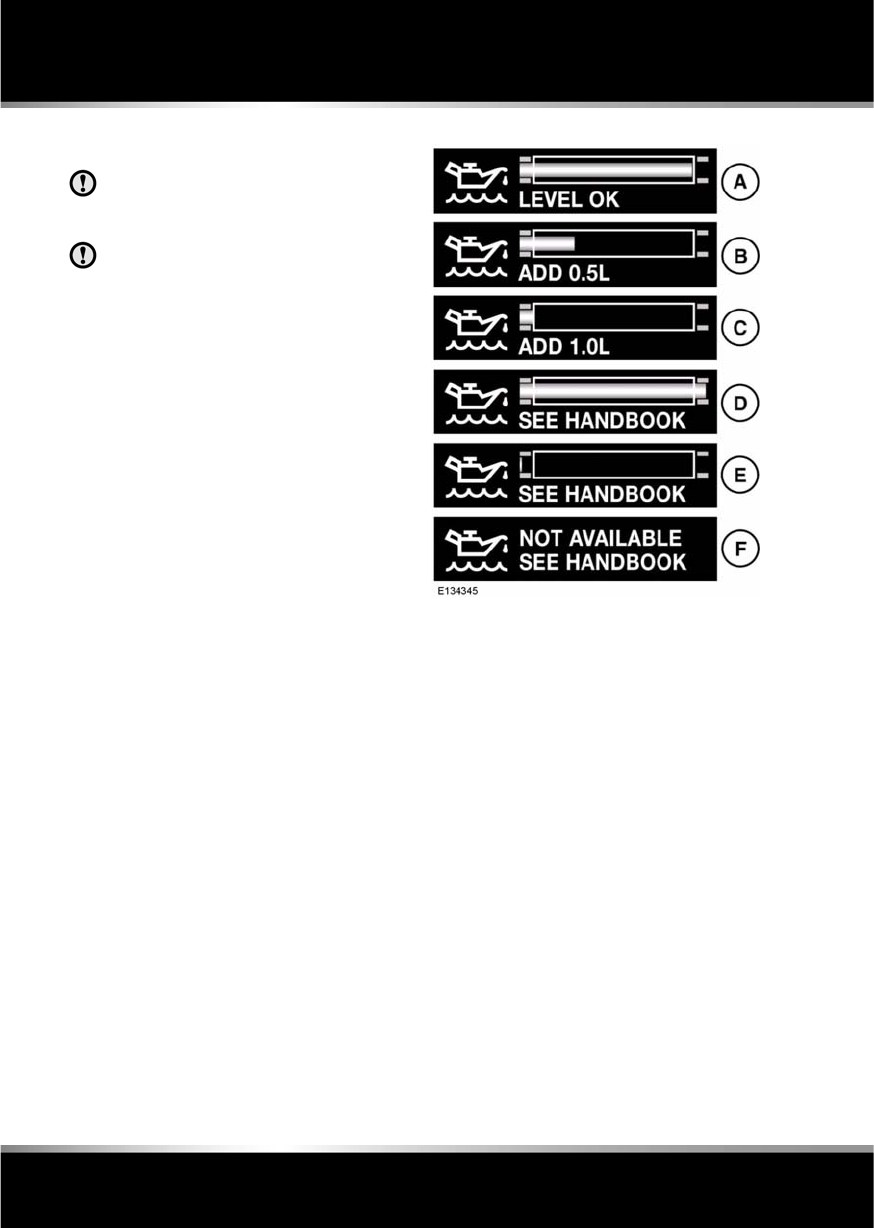
L
(FM8) SEMCON JLR OWNER GUIDE VER 1.00 EURO
LANGUAGE: english-en; MARQUE: jaguar; MODEL: XF
Fluid level checks
168
Fluid lev el checks
CHECKING THE ENGINE OIL LEVEL
Check the engine oil weekly. If any
significant or sudden drop in oil level is
noted, seek qualified assistance.
If the message ENGINE OIL PRESSURE
LOW is displayed, stop the engine as
soon as it is safe to do so and seek
qualified assistance. Do not start the
engine until the cause has been
rectified.
Prior to checking the oil level ensure that the
vehicle is on level ground.
All except V6 petrol engines
Ensure that:
•The engine oil has reached working
temperature (oil is hot).
•The engine has been switched off for ten
minutes, as the system will not give an
accurate reading until the oil level has
stabilised.
The oil level can then be checked as follows:
1. Switch on the ignition (do not start the
engine).
2. Ensure Park (P) is selected.
3. Press the trip button (on the end of the
lighting control stalk) repeatedly until the
oil can icon, along with the current oil level
status and topping-up advice is displayed
in the message centre, as follows.
A. Oil level at recommended level. No top-up
required.
B. Add 0.5 litres (0.9 pints) of oil.
C. Add 1 litre (1.8 pints) of oil.
D. Oil level above maximum for safe
operation. Do not drive the vehicle. Seek
qualified assistance.
E. Oil level below minimum for safe
operation. Add 1.5 litres (2.6 pints) of oil,
then recheck the level.
F. Oil level stabilising, oil level not available.
Wait 10 minutes, then recheck the oil level
display.
If this display is accompanied by the
warning message ENGINE OIL LEVEL
MONITOR SYSTEM FAULT, seek qualified
assistance.
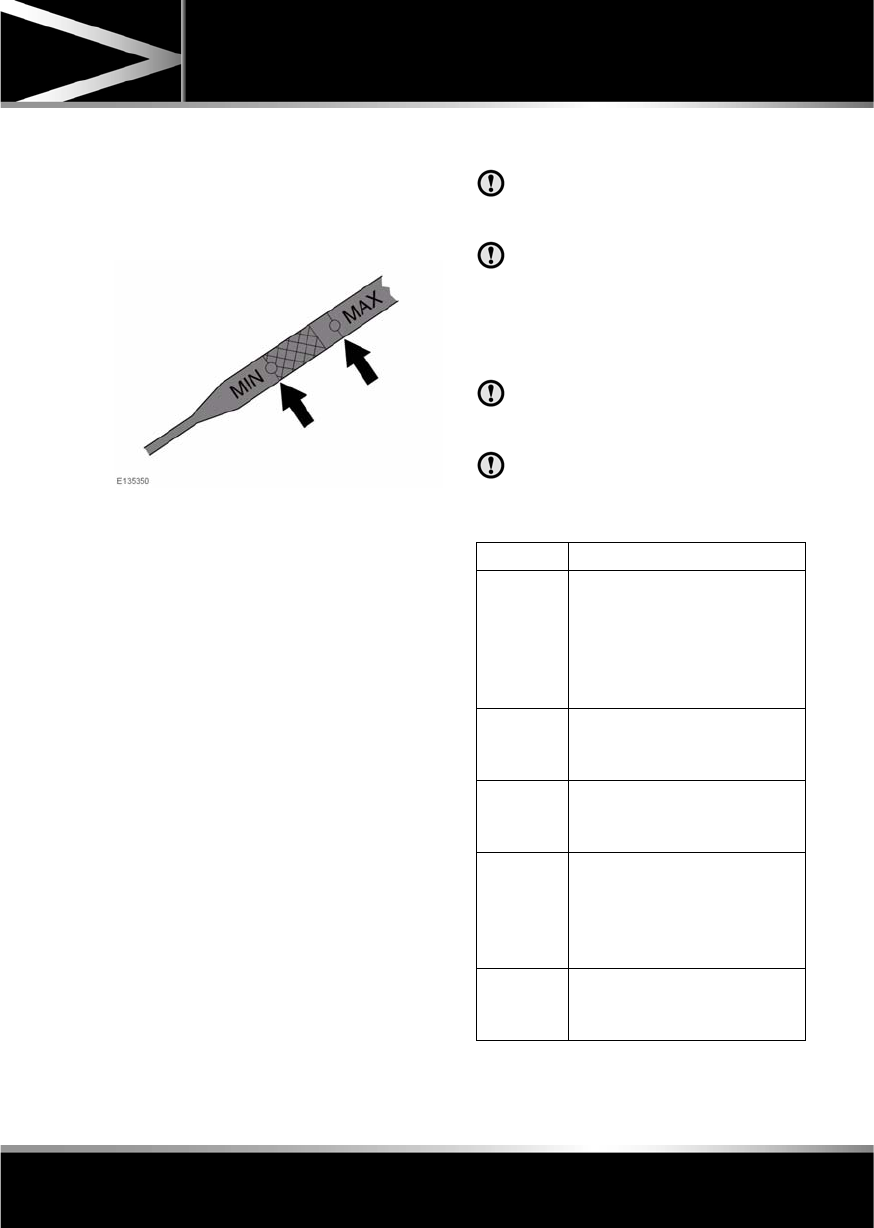
R
(FM8) SEMCON JLR OWNER GUIDE VER 1.00 EURO
LANGUAGE: english-en; MARQUE: jaguar; MODEL: XF
Fluid level checks
169
V6 petrol engines
Note: If it is necessary to check the oil level
when the engine is hot, switch off the engine
and let stand for five minutes to allow the oil to
drain into the sump. Do not start the engine.
1. Withdraw the dipstick and wipe the blade
clean with a lint free cloth.
2. Fully re-insert the dipstick and withdraw
again to check the oil level. Never allow the
oil level to fall below the lower mark or
notch on the dipstick.
As a general guide, if the level on the
dipstick:
•Is nearer to the upper mark or notch
than the lower, add no oil.
•Is nearer to the lower mark or notch
than the upper, add half a litre (one
pint) of oil.
•Is below the lower mark or notch, add
one litre (two pints) of oil and re-check
the level after a further five minutes.
ENGINE OIL SPECIFICATION
Low quality or obsolete oils do not
provide the protection required by
modern, high performance engines.
Failure to use an oil that meets the
required specification could cause
excessive engine wear, a build up of
sludge and deposits and increased
pollution. It could also lead to engine
failure.
Your vehicle’s warranty may be
invalidated if damage is caused by the
use of unapproved engine oil.
Do not use oil additives of any type as
engine damage could occur. Use only
specified lubricants.
Model Specification
V6 Petrol
engines
SAE 5W-30 engine oil meeting
Jaguar specification WSS
M2C913-C is preferred. Oil
meeting ACEA A1/B1 or ACEA
A3/B3 specification may be
used.
V8 Petrol
engines
SAE 5W-20 meeting Jaguar
specification WSS M2C925-A
only.
Diesel
engines
5W-30 engine oil, meeting
Jaguar specification WSS
M2C934-B only.
Japan V6
Petrol
engines
SAE 5W-30 engine oil meeting
specification ILSAC GF-4 with
API SM is preferred. Oil meeting
ILSAC GF-3 API SL specification
may be used.
Japan V8
Petrol
engines
SAE 5W-20 engine oil meeting
Jaguar specification WSS
M2C925-A only.
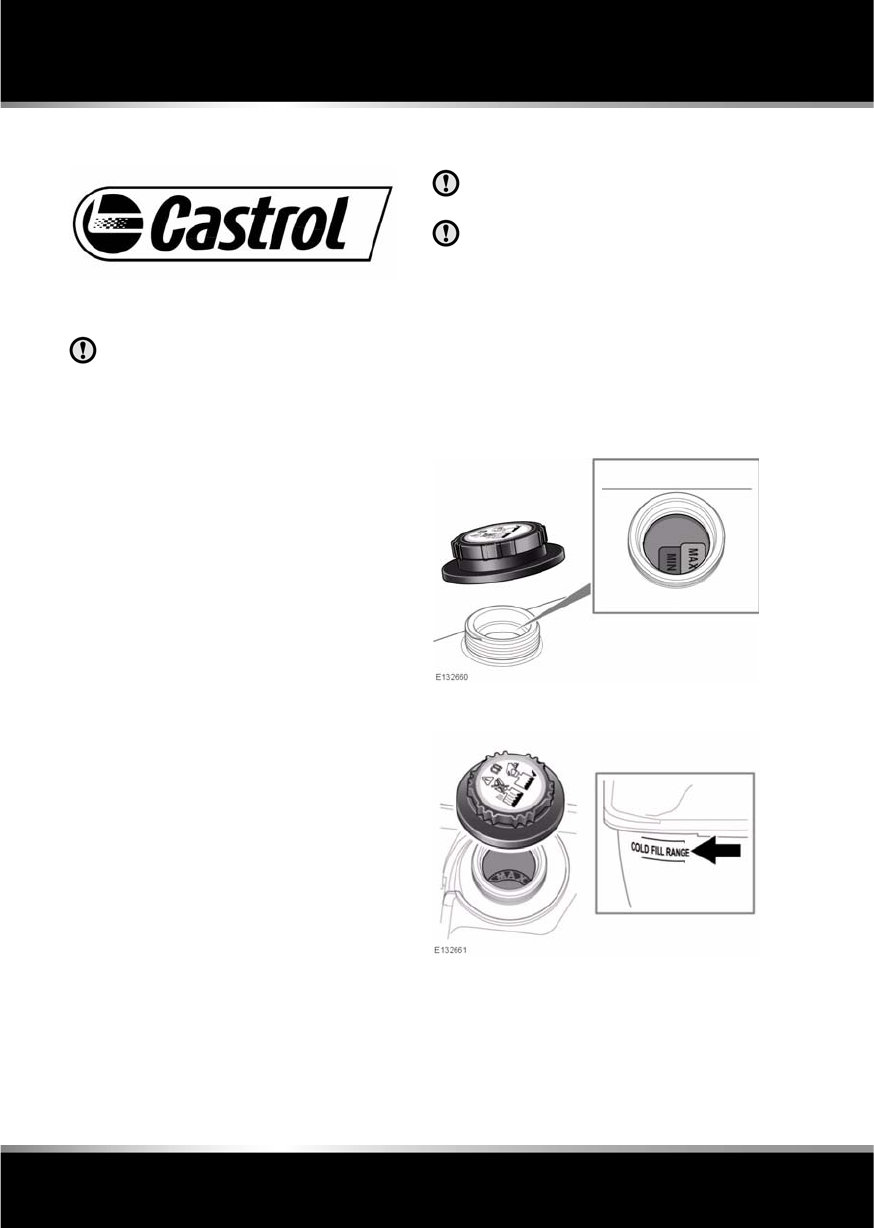
L
(FM8) SEMCON JLR OWNER GUIDE VER 1.00 EURO
LANGUAGE: english-en; MARQUE: jaguar; MODEL: XF
Fluid level checks
170
Jaguar recommends:
TOPPING UP THE OIL
Overfilling with oil could result in severe
engine damage.
1. Unscrew the oil filler cap.
2. Add oil as indicated by the message centre
display.
3. Wait five minutes for the oil level to
stabilise then re-check.
It is essential to use the correct specification
oil, and to ensure it is suitable for the climatic
conditions in which the vehicle is to be
operated.
ENGINE OIL CONSUMPTION
A certain amount of oil consumption is normal.
The rate of consumption will depend on the
following:
•The quality and viscosity of the oil.
•Climatic conditions.
•The speed at which the engine is being
operated.
•Road conditions.
Drivers should expect above normal
consumption when the engine is new, and after
running-in if high speeds are sustained.
CHECKING THE COOLANT LEVEL
Running the engine without coolant will
cause serious engine damage.
If persistent coolant loss is noticed,
seek qualified assistance immediately.
The coolant level in the expansion tank should
be checked at least weekly (more frequently in
high mileage or severe operating conditions).
Always check the level when the system is
cold.
Ensure the coolant level is maintained between
the level indicator marks, as shown in the
illustrations.
Diesel engines
Petrol engines
R
(FM8) SEMCON JLR OWNER GUIDE VER 1.00 EURO
LANGUAGE: english-en; MARQUE: jaguar; MODEL: XF
Fluid level checks
171
If the message LOW COOLANT LEVEL is
displayed in the message centre, stop the
vehicle as soon as safety permits and top-up
the coolant reservoir with the recommended
antifreeze/water mix.
If the message centre displays the message
ENGINE OVERHEATING, pull off the
carriageway and allow the engine to idle for five
minutes and then switch off the ignition for ten
minutes. Switch on the engine and, provided
that the warning does not occur, continue your
journey, avoiding harsh acceleration. Seek
qualified assistance as soon as possible.
TOPPING UP THE COOLANT
Never remove the filler cap when the
engine is hot.
Antifreeze is highly inflammable. Do
not allow antifreeze to come into
contact with naked flames or other
sources of ignition (e.g. a hot engine)
- a fire may result.
Unscrew the filler cap slowly,
allowing the pressure to escape
before removing completely.
When travelling in territories where the
water supply contains salt, always
ensure you carry a supply of fresh (rain
or distilled) water. Topping up with salt
water will cause serious engine
damage.
Top-up to the upper level indicator mark
located on the side of the expansion tank. Use
only a 50% mix of water and antifreeze to
specification WSS M97B44 (coloured orange)
Extended Life Coolant.
Ensure the cap is tightened fully after top-up is
completed by turning the cap until the ratchet
cap clicks.
Note: In an emergency, if the approved
antifreeze is unavailable, top-up the system
with clean water, but be aware of the resultant
reduction in frost protection. Do not top-up or
refill with conventional antifreeze formulations.
If in doubt consult a qualified technician.
BRAKE FLUID CHECK
Seek qualified assistance
immediately if brake pedal travel is
unusually long, unusually short or if
there is any significant loss of brake
fluid. Driving under such conditions
could result in extended stopping
distances or complete brake failure.
Note: If the warning lamp illuminates or the
message is displayed while the vehicle is being
driven, stop the vehicle as soon as safety
permits by gently applying the brakes. Check
and top-up the fluid level if necessary.
Brake fluid is highly toxic - keep
containers sealed and out of the reach
of children. If accidental consumption
is suspected, seek medical attention
immediately.
If the fluid comes into contact with the
skin or eyes, rinse immediately with
plenty of water.
Brake fluid is highly inflammable. Do
not allow brake fluid to come into
contact with naked flames or other
sources of ignition (e.g. a hot engine).
If the quantity of fluid in the brake
reservoir drops below the
recommended level, a red warning
lamp in the instrument panel will
illuminate and the message Brake
Fluid Low will be displayed in the
message centre.
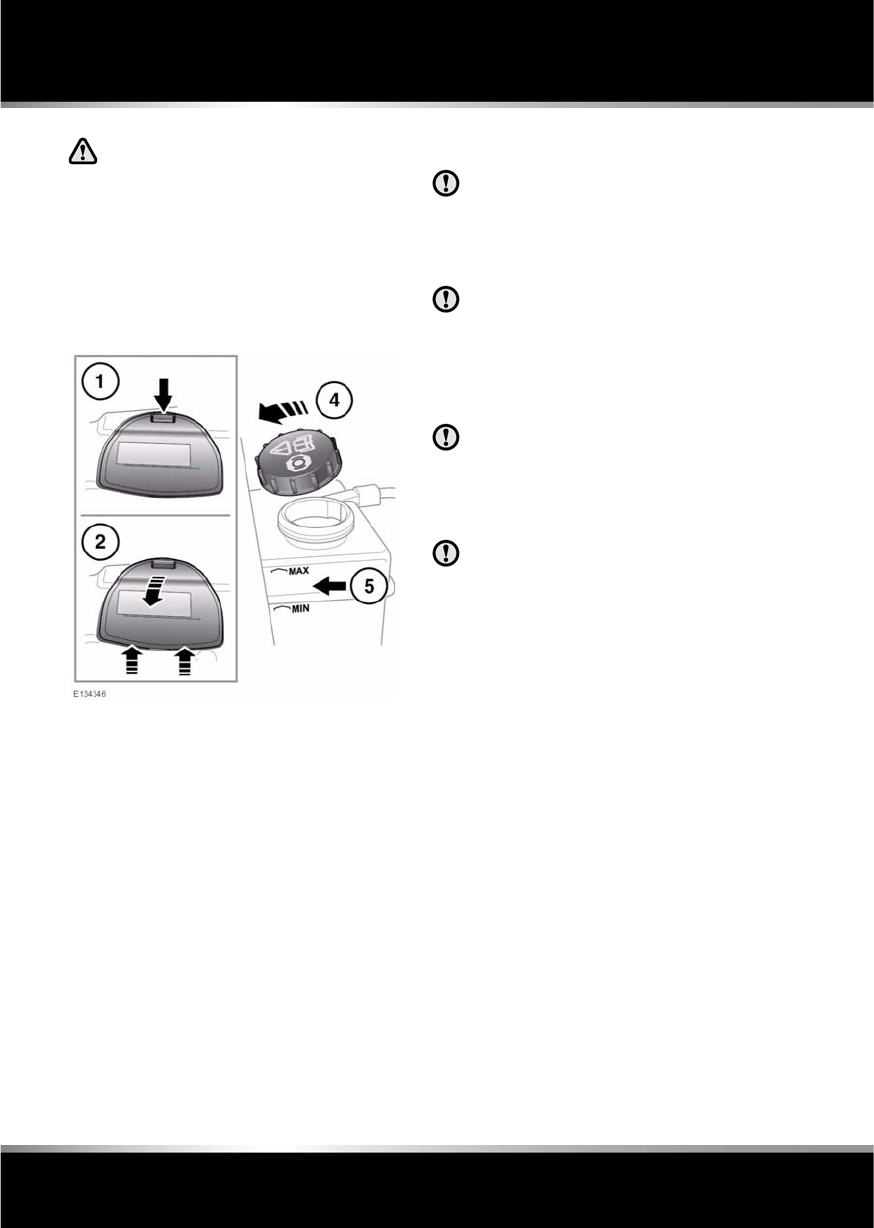
L
(FM8) SEMCON JLR OWNER GUIDE VER 1.00 EURO
LANGUAGE: english-en; MARQUE: jaguar; MODEL: XF
Fluid level checks
172
Do not drive the vehicle with the fluid
level below the MIN mark.
With the vehicle on level ground, check the
fluid level at least every week (more frequently
in high mileage or arduous operating
conditions).
The brake fluid reservoir is located beneath a
cover on the raised platform to the rear of the
main underbonnet area.
1. Release the catch and lift the cover
forwards.
2. Pull the cover rearwards, to release the
hinges.
3. Clean the filler cap with a clean, dry cloth
before removing, to prevent dirt or
moisture from entering the reservoir.
4. Remove the filler cap.
5. The brake fluid level should be between the
MIN and the MAX marks on the side of the
reservoir.
The fluid level may drop slightly during normal
use, as a result of brake pad wear, but should
not be allowed to drop below the MIN mark.
TOPPING UP THE BRAKE FLUID
Brake fluid will damage painted
surfaces. Soak up any spillage with an
absorbent cloth immediately and wash
the area with a mixture of car shampoo
and water.
Only use new fluid from an airtight
container (fluid from open containers or
fluid previously bled from the system,
will have absorbed moisture, which will
adversely affect performance, and must
not be used).
Top up the brake fluid with Shell DOT
ESL brake fluid. If unavailable, use a
low viscosity brake fluid that meets ISO
4925 class 6 specification. Only fluid of
this type and standard may be used.
Do not top up the brake fluid to the
maximum mark unless the brake pads
have been replaced. If unsure, seek
qualified assistance.
1. Top up the reservoir to at least the
minimum mark.
2. Replace the reservoir cap.
3. Refit the reservoir cover.

R
(FM8) SEMCON JLR OWNER GUIDE VER 1.00 EURO
LANGUAGE: english-en; MARQUE: jaguar; MODEL: XF
Fluid level checks
173
POWER STEERING FLUID CHECK
Power steering fluid is highly toxic.
Keep containers sealed and out of
reach of children. If accidental
consumption of fluid is suspected,
seek medical attention immediately.
If the fluid comes into contact with the
skin or eyes, rinse immediately with
plenty of water.
Power steering fluid is highly
inflammable. Do not allow power
steering fluid to come into contact
with naked flames or other sources of
ignition (e.g. a hot engine).
The engine must not be started if the
fluid level has dropped below the MIN
mark.
Seek qualified assistance immediately if
there is a noticeable drop in the fluid
level.
If fluid loss is slow, the reservoir may
be topped-up to the upper level mark to
enable the vehicle to be driven to a
repair facility for examination. However,
it is recommended that you seek
qualified assistance before driving the
vehicle.
Check and top-up the fluid with the vehicle on
level ground, with the engine switched off and
the system cold. Ensure that the steering wheel
is not turned after stopping the engine.
The level of fluid can be seen through the
translucent body of the reservoir.
The fluid level should be between the MIN and
the MAX marks.
TOPPING UP THE POWER STEERING
FLUID
It is imperative that the power steering
system does not become contaminated
in any way. Always use new fluid and
clean the area around the filler neck
both before removing the filler cap and
after topping up. Never return drained
fluid to the system.
Power steering fluid will damage
painted surfaces. Soak up any spillage
with an absorbent cloth immediately
and wash the area with a mixture of car
shampoo and water.
1. Clean the filler cap before removing to
prevent dirt from entering the reservoir.
2. Remove filler cap.
3. Using Mobil ATF320 PAS fluid, top-up the
reservoir until the fluid level is between the
MIN and MAX marks.
4. Replace filler cap.

L
(FM8) SEMCON JLR OWNER GUIDE VER 1.00 EURO
LANGUAGE: english-en; MARQUE: jaguar; MODEL: XF
Fluid level checks
174
CHECKING THE WASHER FLUID
Do not allow screen washer fluid to
come into contact with naked flames
or sources of ignition.
If the vehicle is operated in
temperatures below 4°C (40°F), use a
washer fluid with frost protection.
Only use approved washer fluid.
Take care to avoid spillage, particularly
if an undiluted or high concentration is
being used. If spillage occurs, wash the
affected area immediately with water.
The washer reservoir supplies the windscreen
and headlamp washer jets.
Check and top-up the reservoir level at least
every week.
Fill with Jaguar Windscreen Washer Fluid,
diluted with clean water, as specified in the
instructions on the bottle. Using a
non-approved fluid may adversely affect the
wiper blade rubber, resulting in ineffectual and
noisy wiping.
Operate the washers periodically to check that
the nozzles are clear and properly directed.
TOPPING UP THE WASHER FLUID
1. Clean the filler cap before opening to
prevent dirt from entering the reservoir.
2. Open filler cap.
3. Top-up the reservoir until the fluid is visible
in the filler neck.
4. Close filler cap.
R
(FM8) SEMCON JLR OWNER GUIDE VER 1.00 EURO
LANGUAGE: english-en; MARQUE: jaguar; MODEL: XF
Technical specifications
175
Technical specif ications
ENGINE SPECIFICATIONS
LUBRICANTS AND FLUIDS
Data I4 Diesel V6 Diesel V6 Petrol V8 Petrol
(Normally
Aspirated)
V8 Petrol
(Supercharged)
Number of
cylinders
466 8 8
Displacement
(cc)
2179 2993 2967 5000 5000
Compression
ratio
15.8:1 16.1:1 10.5:1 11.5:1 9.5:1
Part Variant Specification
Engine oil V6 Petrol
engines
SAE 5W-30 engine oil meeting Jaguar specification WSS
M2C913-C is preferred. Oil meeting ACEA A3/B3 specification
may be used.
V8 Petrol
engines
SAE 5W-20 engine oil meeting Jaguar specification WSS
M2C925-A only.
Diesel
engines
SAE 5W-30 engine oil meeting Jaguar specification WSS
M2C934-B only.
Japan V6
Petrol
engines
SAE 5W-30 engine oil meeting specification ILSAC GF-5 with API
SM is preferred. Oil meeting ILSAC GF-4 API SL specification
may be used.
Japan V8
Petrol
engines
SAE 5W-20 engine oil meeting Jaguar specification WSS
M2C925-A only.
Power steering
fluid
All vehicles Mobil ATF320 PAS fluid.
Brake fluid All vehicles Shell DOT4 ESL is preferred. If unavailable, a low viscosity brake
fluid that meets ISO 4925 class 6 specification may be used.
Screen washer All vehicles Screen wash with frost protection.
Coolant All vehicles 50% mixture of water and antifreeze specification WSS M97B44
(coloured orange) Extended Life Coolant.
If in doubt about the required specification of a lubricant or fluid for your vehicle, seek advice from
your Dealer/Authorised Repairer.
L
(FM8) SEMCON JLR OWNER GUIDE VER 1.00 EURO
LANGUAGE: english-en; MARQUE: jaguar; MODEL: XF
Technical specifications
176
WEIGHTS
The maximum permitted roof load,
including the weight of the roof rack/
roof bars, is 75 kg (165 lb). The roof
load must be included when
calculating the Gross Vehicle Weight
(GVW).
Jaguar recommend that only approved
accessories are used. If in any doubt,
consult your Jaguar Dealer/ Approved
Repairer before fitting a roof rack/ roof
bars or carrying a roof load.
Variant Vehicle weight
from
Front axle weight
from
Rear axle weight
from
Max. luggage
compartment load1
I4 Diesel 1745 kg
3847 lb
932 kg
2054 lb
813 kg
1793 lb
35 kg
77 lb
V6 Diesel 1810 kg
3990 lb
1011 kg
2229 lb
799 kg
1761 lb
35 kg
77 lb
V6 Petrol 1690 kg
3726 lb
883 kg
1947 lb
807 kg
1779 lb
35 kg
77 lb
V8 Normally
Aspirated Petrol
1780 kg
3924 lb
961 kg
2119 lb
819 kg
1806 lb
35 kg
77 lb
V8 Supercharged
Petrol
1891 kg
4169 lb
1022 kg
2253 lb
869 kg
1916 lb
35 kg
77 lb
1The maximum permitted luggage compartment load can be exceeded, provided the requirements
regarding the maximum permissible axle weights and tyre pressures are followed.

R
(FM8) SEMCON JLR OWNER GUIDE VER 1.00 EURO
LANGUAGE: english-en; MARQUE: jaguar; MODEL: XF
Technical specifications
177
Variant Gross Vehicle
Weight (GVW) 1
Maximum front
axle load2
Maximum rear
axle load 2
Gross Train
Weight3
I4 Diesel 2320 kg
5115 lb
1200 kg
2646 lb
1230 kg
2712 lb
4170 kg
9193 lb
V6 Diesel 2360 kg
5203 lb
1215 kg
2679 lb
1215 kg
2679 lb
4210 kg
9281 lb
V6 Petrol 2215 kg
4883 lb
1090 kg
2403 lb
1180 kg
2601 lb
4065 kg
8962 lb
V8 Normally
Aspirated Petrol
2300 kg
5071 lb
1150 kg
2535 lb
1215 kg
2679 lb
Not Applicable
V8 Supercharged
Petrol
2370 kg
5225 lb
1185 kg
2612 lb
1250 kg
2756 lb
Not Applicable
1 The maximum permissible weight of the vehicle including passengers and load.
2 The front and rear axle maximum loads can not be reached simultaneously as this will exceed
the GVW limit.
3 The maximum permissible weight of the vehicle and braked trailer, including their respective
loads.
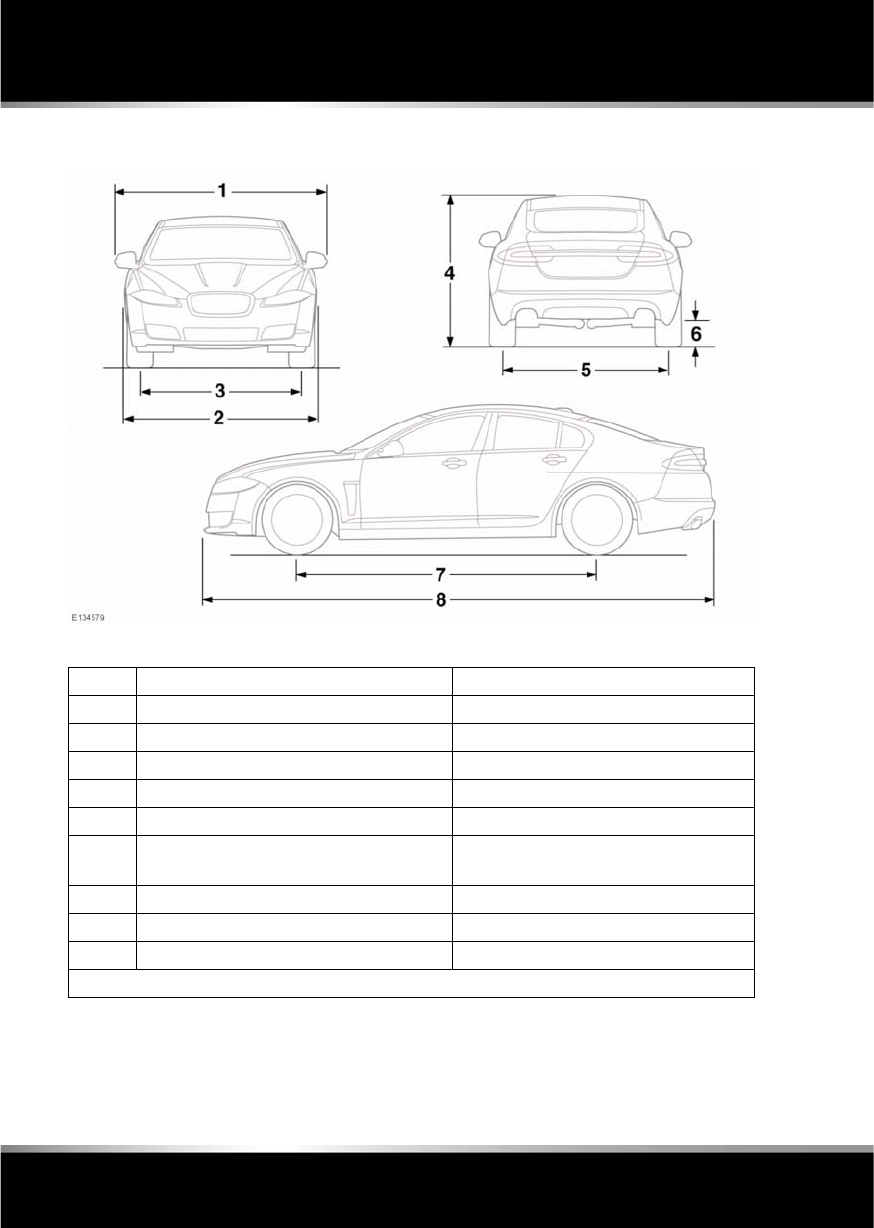
L
(FM8) SEMCON JLR OWNER GUIDE VER 1.00 EURO
LANGUAGE: english-en; MARQUE: jaguar; MODEL: XF
Technical specifications
178
DIMENSIONS
Item Description mm/inches
1 Width 2077/81.8
2 Width with mirrors folded 1920/75.6
3 Track - front 1559/61.4
4 Maximum height 1460/57.5
5 Track - rear11571-1605/61.9-63.2
6 Minimum ground clearance (at gross
vehicle weight):
96/3.8
7 Wheelbase 2909/114.5
8 Length excluding license plate plinth 4961/195.3
- Turning circle (kerb to kerb) 11.5 m/37.7 ft.
1The narrowest dimension applies to 20 inch wheels only.
R
(FM8) SEMCON JLR OWNER GUIDE VER 1.00 EURO
LANGUAGE: english-en; MARQUE: jaguar; MODEL: XF
Technical specifications
179
CAPACITIES
The quoted capacities are approximate and
provided as a guide only. All levels must be
checked using the level marks or information
displayed in the message centre, as applicable.
Item Variant Capacity
Fuel tank (usable) Diesel 68.1 litres (15 gallons)
Petrol 69.5 litres (15.3 gallons)
Fuel capacity (when the fuel gauge
indicates empty)
Diesel 64 litres (14.1 gallons)
Petrol 64 litres (14.1 gallons)
Reserve capacity (when the fuel
gauge indicates empty)
Diesel 5.5 litres (1.2 gallons)
Petrol 5.5 litres (1.2 gallons)
Engine oil refill and filter change I4 Diesel 5.86 litres (10.3 pints)
V6 Diesel 6.4 litres (11.3 pints)
V6 Petrol 6.5 litres (11.4 pints)
V8 Petrol 7.25 litres (12.8 pints)
Washer reservoir With headlamp wash 5.5 litres (9.7 pints)
Without headlamp wash 4.4 litres (7.7 pints)
Cooling system (fill from dry) I4 Diesel 11.56 litres (20.3 pints)
V6 Diesel 12.5 litres (22 pints)
V6 Petrol 9.25 litres (16.3 pints)
V8 Petrol (Normally Aspirated) 12.5 litres (22 pints)
V8 Petrol (Supercharged) 12.3 litres (21.6 pints)
Cooling system (service fill) I4 Diesel 8.2 litres (14.4 pints)
V6 Diesel 9.7 litres (17.1 pints)
V6 Petrol 7.42 litres (13.1 pints)
V8 Petrol (Normally Aspirated) 7.5 litres (13.2 pints)
V8 Petrol (Supercharged) - both
drain points used
8.6 litres (15.1 pints)
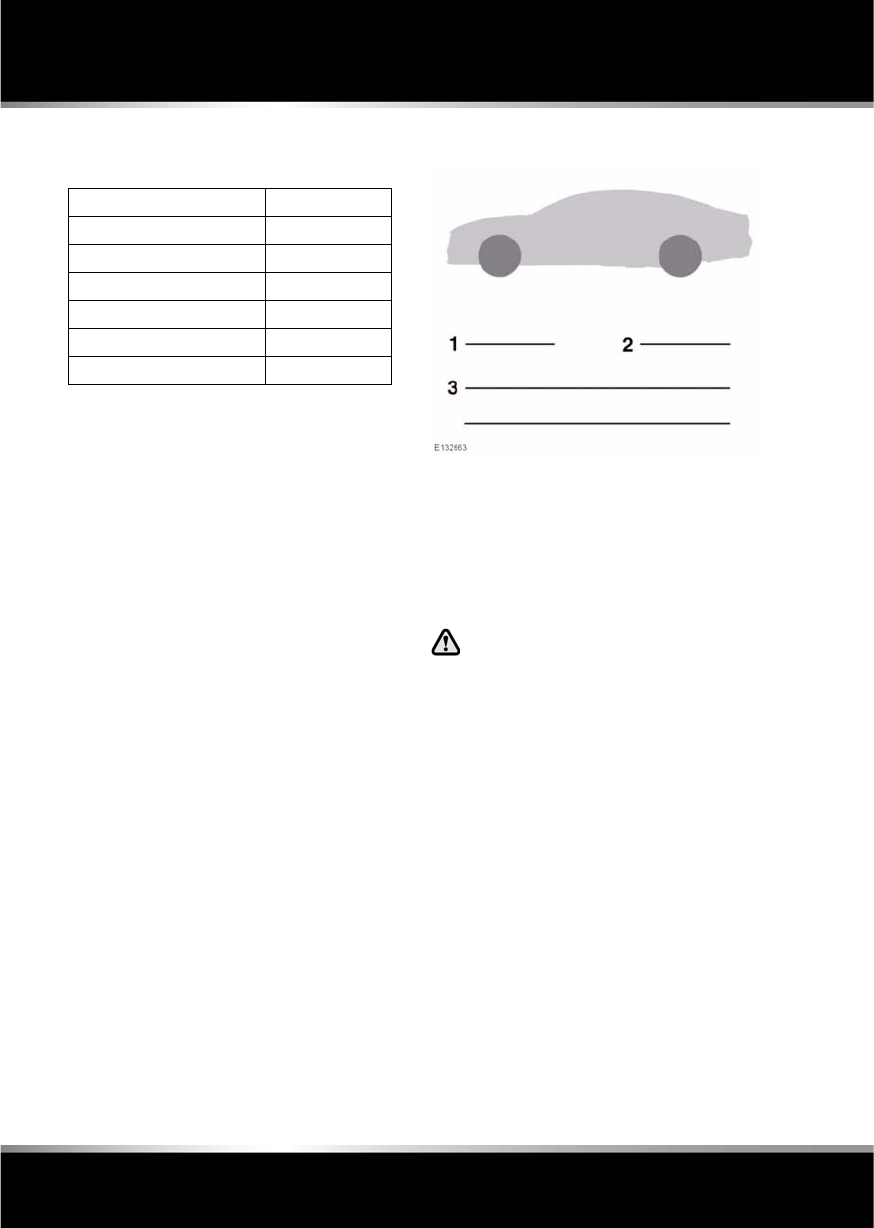
L
(FM8) SEMCON JLR OWNER GUIDE VER 1.00 EURO
LANGUAGE: english-en; MARQUE: jaguar; MODEL: XF
Technical specifications
180
WHEEL ALIGNMENT DATA (CHINA)
BRAKE PEDAL TRAVEL (CHINA)
The brake pedal travel is set at the factory and
is non-adjustable.
ACCESSORY WHEELS AND TYRES
1. Front tyre pressure.
2. Rear tyre pressure.
3. Wheel and tyre information (size, speed
rating, etc.).
Note: Use the table above to record accessory
wheel and tyre information.
Contact your Dealer/Authorised
Repairer before fitting any accessory
wheels and tyres.
Wheel alignment - front + 0.22°
Wheel alignment - rear +0.17°
Camber - front LH -0.20°
Camber - front RH -0.40°
Camber - rear -0.78°
Castor - front 6.61°
Castor - rear Non-adjustable
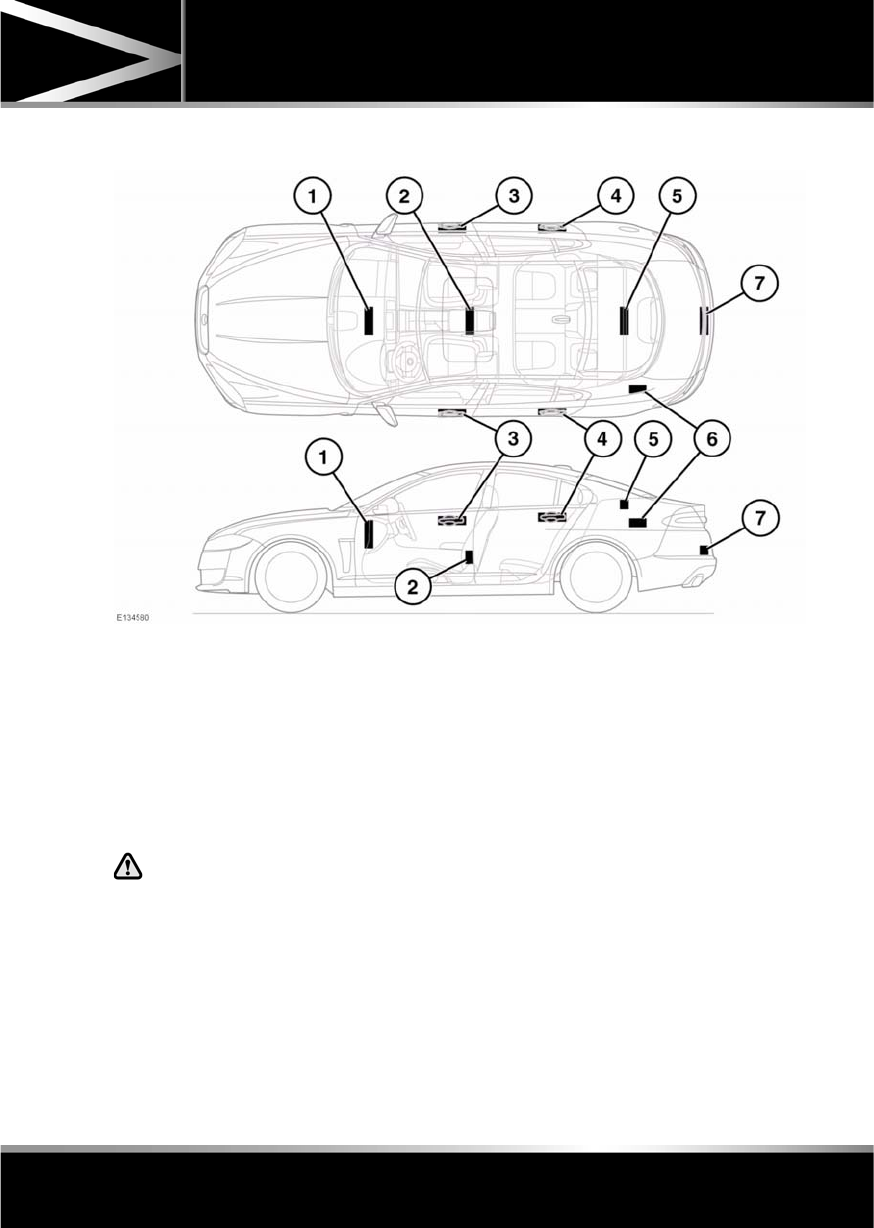
R
(FM8) SEMCON JLR OWNER GUIDE VER 1.00 EURO
LANGUAGE: english-en; MARQUE: jaguar; MODEL: XF
Technical specifications
181
REMOTE KEY FOB TRANSMITTER LOCATIONS
1. Cabin front transmitter.
2. Cabin rear transmitter.
3. Front exterior door handle transmitters.
4. Rear exterior door handle transmitters.
5. Luggage compartment interior transmitter.
6. Luggage compartment exterior
transmitter.
7. Keyless vehicle module.
Any person fitted with an implanted
medical device should ensure that the
device is kept at a distance of at least
22 cm (8.7 inches) away from any
transmitter mounted in the vehicle.
This is to avoid any possibility of
interference between the system and
device.
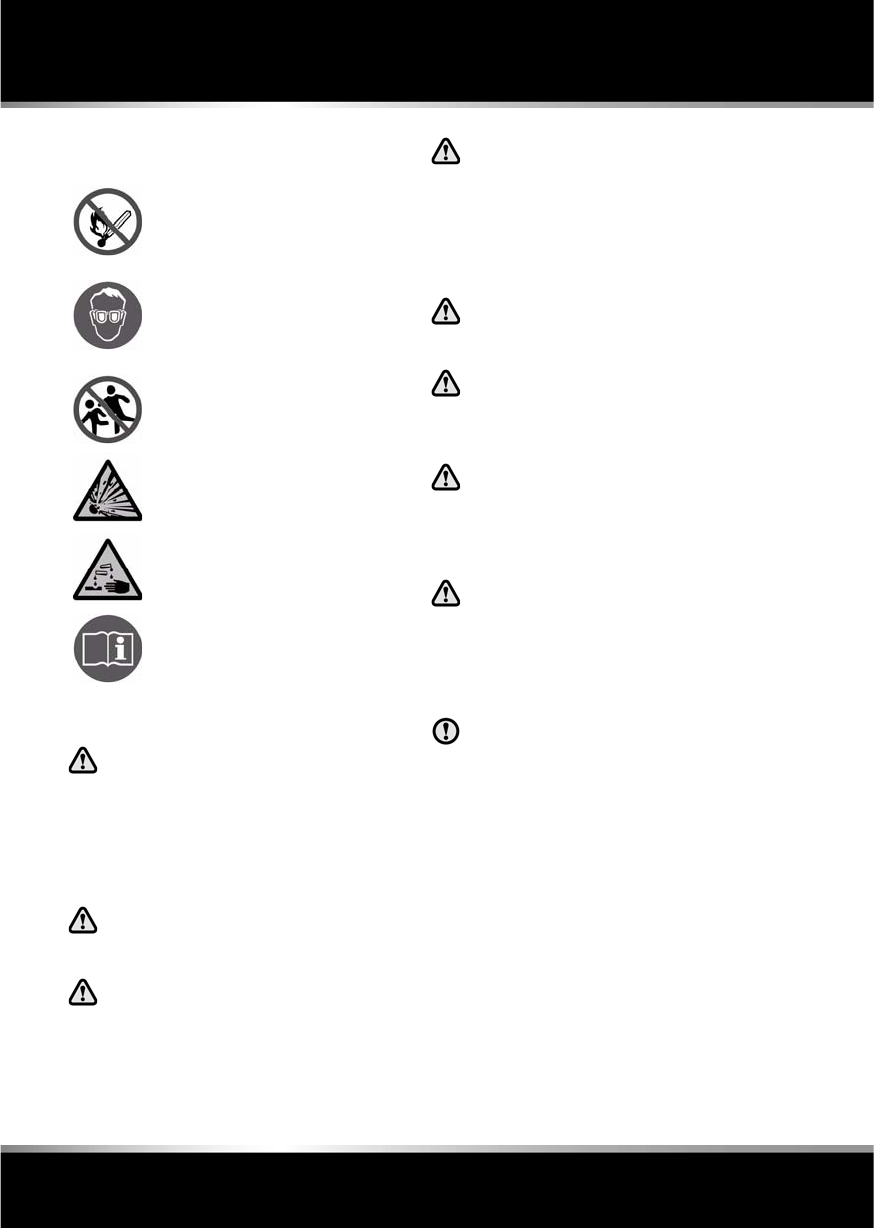
L
(FM8) SEMCON JLR OWNER GUIDE VER 1.00 EURO
LANGUAGE: english-en; MARQUE: jaguar; MODEL: XF
Vehicle battery
182
Vehicle ba ttery
BATTERY WARNING SYMBOLS
BATTERY CARE
If battery electrolyte comes into
contact with your eyes, skin, or
clothes you should remove the
affected clothing and flush the
skin/eyes with copious amounts of
water. Seek medical assistance
immediately.
If swallowed, battery electrolyte can
be fatal, seek medical assistance
immediately.
Do not connect any 12 volt equipment
directly to the battery terminals.
Doing so may cause a spark, which
can result in an explosion.
The cell plugs and vent pipe must be
in place at all times when the battery
is connected to the vehicle. Ensure
that the vent pipe is clear of
obstructions and not kinked. Failure to
do so may cause a pressure build up in
the battery, resulting in an explosion.
Do not expose the battery to a naked
flame or spark as the battery produces
explosive, flammable gas.
Never jump start (boost), charge, or
try to start a vehicle with a frozen
battery. Doing so can result in an
explosion.
Remove all metal jewellery before
working on, or near, the battery, and
never allow metal tools or vehicle
components to come into contact with
the battery terminals.
Do not allow the battery posts or
terminals to come into contact with
your skin. They contain lead and lead
compounds, which are toxic. Always
wash your hands thoroughly after
handling the battery.
Do not allow battery electrolyte to come
into contact with fabrics or painted
surfaces. If battery electrolyte comes
into contact with any surface, the
surface should be washed down
immediately with copious amounts of
clean water.
Vehicles may be fitted with either a single low
maintenance battery or dual maintenance free
batteries. Both types are located under the floor
of the luggage compartment.
If the vehicle is fitted with a single battery, in
hot climates more frequent checks of the
battery electrolyte level and condition are
required. If necessary, the battery cells can be
topped up using distilled water.
Do not allow naked flames or other
sources of ignition near the
battery, as the battery may emit
explosive gases.
Ensure that when working near or
handling the battery, suitable eye
protection is worn, to protect the
eyes from acid splashes.
To prevent risk of injury, do not
allow children near the battery.
Be aware that the battery may emit
explosive gases.
The battery contains acid which is
extremely corrosive and toxic.
Consult the handbook for
information, before handling the
battery.

R
(FM8) SEMCON JLR OWNER GUIDE VER 1.00 EURO
LANGUAGE: english-en; MARQUE: jaguar; MODEL: XF
Vehicle battery
183
BATTERY MONITORING SYSTEM
(BMS)
If excessive battery discharge is occurring
when the engine isn't running, the system will
shut down non-essential electrical systems to
protect battery power.
CONNECTING BOOSTER CABLES
Always wear appropriate eye
protection when working with
batteries.
Make sure both batteries are of the 12
volt type and that the booster cables
have insulated clamps and are
approved for use with 12 volt
batteries.
Do not disconnect the discharged
battery.
Do not connect a booster cable to the
negative (-) terminal of the battery.
Always connect to the recommended
earthing point.
Ensure the bodywork of the donor and
disabled vehicles do not touch.
If the vehicle is fitted with a dual
battery system, the larger of the two
batteries must be used when
connecting booster cables.
Note: Before connecting booster cables,
ensure that the battery connections on the
disabled vehicle are correct and that all
electrical equipment has been switched off.
1. Connect the positive booster cable to the
positive terminal on the donor vehicle's
battery.
2. Connect the other end of the positive
booster cable to the positive terminal on
the disabled vehicle's battery.
If the vehicle is fitted with a dual
battery system, the larger of the
two batteries must be used when
connecting booster cables.
3. Connect the negative booster cable to the
recommended jump starting earth point of
the donor vehicle.
4. Connect the other end of the negative
booster cable to a suitable earth point on
the disabled vehicle. The earth point should
be at least 0.5 metres (20 inches) away
from the battery and as far as possible
from any fuel or brake pipes.
•Check that all cables are clear of any
moving components and that all four
connections are secure.
5. Start the engine of the donor vehicle, and
allow it to idle for a few minutes.
6. Start the engine of the disabled vehicle.
7. Allow both vehicles to idle for two minutes.
8. Switch off the donor vehicle.
DISCONNECTING THE BOOSTER
CABLES
To avoid serious injury use extreme
caution when removing the booster
cables as the engine will be running
on the previously disabled vehicle.
This means that you may be working
close to components which are
moving at high speed, carry high
voltage, or may be hot.
Note: Do not switch on any electrical
equipment until after the cables have been
disconnected.
The engine should be running on the
previously disabled vehicle and the engine
switched off on the donor vehicle. Disconnect
the booster cables in the exact reverse order of
that used for connection.

L
(FM8) SEMCON JLR OWNER GUIDE VER 1.00 EURO
LANGUAGE: english-en; MARQUE: jaguar; MODEL: XF
Vehicle battery
184
CHARGING THE VEHICLE BATTERY
The battery must be disconnected and
removed from the vehicle before
charging.
Battery disconnection, removal and
replacement, should only be carried out
by qualified personnel. Consult your
Dealer/Authorised Repairer.
REPLACING THE VEHICLE BATTERY
Battery disconnection, removal and
replacement, should only be carried out
by qualified personnel. Consult your
Dealer/Authorised Repairer.
Used batteries must be disposed
of correctly, as they contain a
number of harmful substances.
Seek advice from your Dealer/
Authorised Repairer and/or your
local authority.
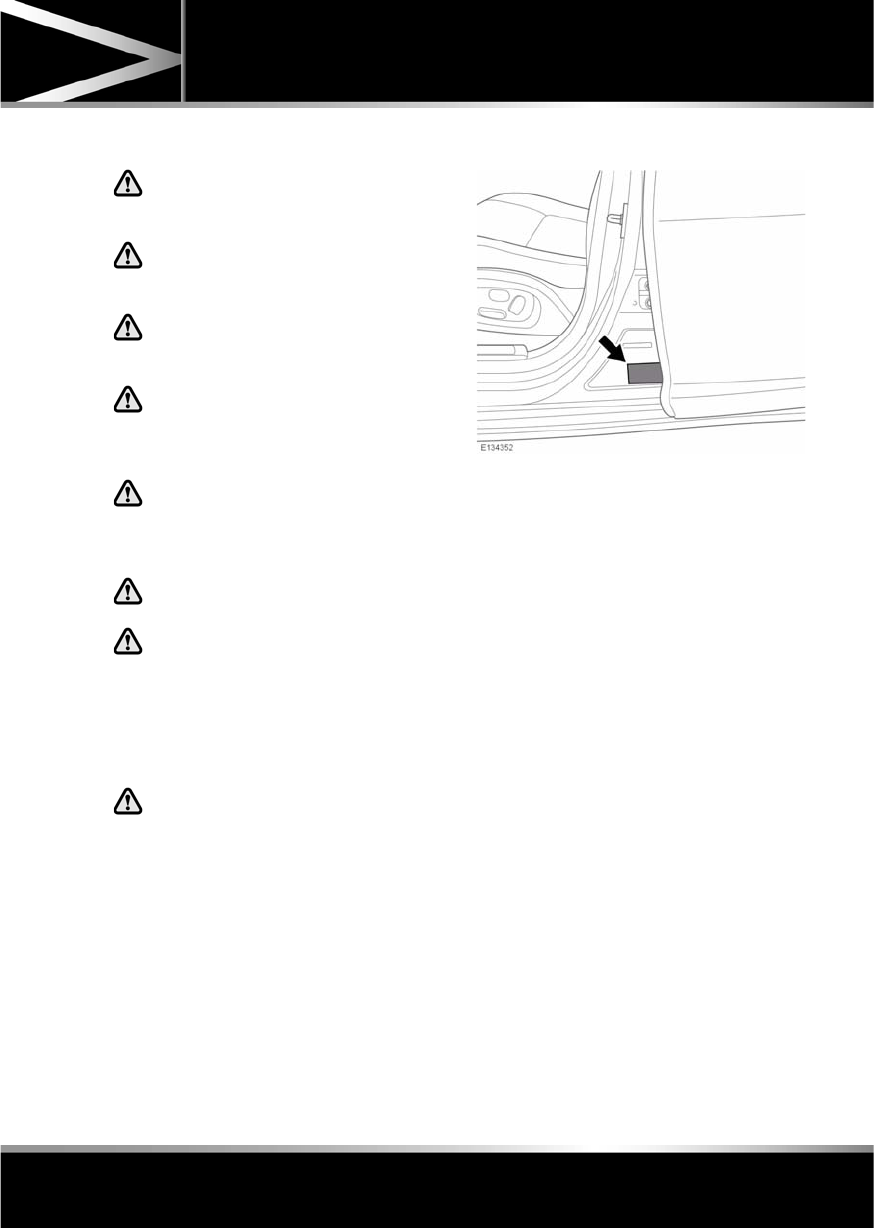
R
(FM8) SEMCON JLR OWNER GUIDE VER 1.00 EURO
LANGUAGE: english-en; MARQUE: jaguar; MODEL: XF
Tyres
185
Tyres
TYRE CARE
Do not drive the vehicle if a tyre is
damaged, excessively worn, or
incorrectly inflated.
Avoid contaminating the tyres with
vehicle fluids as they may cause
damage to the tyre.
Avoid spinning the wheels. The forces
released can damage the structure of
the tyre and cause it to fail.
If wheel spin is unavoidable due to a
loss of traction (in deep snow, for
example), do not exceed 50 km/h (30
mph).
Do not exceed the maximum pressure
stated on the sidewall of the tyre.
TYRE PRESSURES
Never drive your vehicle if the tyre
pressures are incorrect.
Pressure checks should only be
carried out when the tyres are cold,
and the vehicle has been stationary
for more than three hours. A hot tyre at
or below recommended cold inflation
pressure is dangerously
under-inflated.
If the vehicle has been parked in
strong sunlight, or used in high
ambient temperatures, do not reduce
the tyre pressures. Move the vehicle
into the shade and allow the tyres to
cool before re-checking the
pressures.
CHECKING THE TYRE PRESSURES
The recommended tyre pressures are listed on
a label located in the driver’s door opening.
Check the tyres, including the spare, for
condition and pressure on a weekly basis and
before long journeys.
If tyre pressures are checked while the vehicle
is inside a protected covered area (e.g. a
garage) and subsequently driven in lower
outdoor temperatures, tyre under-inflation
could occur.
A slight pressure loss occurs naturally with
time. If this exceeds 0.14 bar (2 psi, 14 kPa,)
per week, have the cause investigated and
rectified by qualified assistance.
If it is necessary to check tyre pressures when
the tyres are warm, you should expect the
pressures to have increased by up to 0.3 - 0.4
bar (4 - 6 psi, 30 - 40 kpa). Do not reduce the
tyre pressures to the cold inflation pressure
under these circumstances. Allow the tyres to
cool fully before adjusting the pressures.
TYRE VALVES
Keep the valve caps screwed down firmly to
prevent water or dirt entering the valve. Check
the valves for leaks when checking the tyre
pressures.
L
(FM8) SEMCON JLR OWNER GUIDE VER 1.00 EURO
LANGUAGE: english-en; MARQUE: jaguar; MODEL: XF
Tyres
186
PUNCTURED TYRES
Do not drive the vehicle with a
punctured tyre. Even if the punctured
tyre has not deflated, it is unsafe to
use, as the tyre may deflate suddenly
at any time.
REPLACEMENT TYRES
Always fit replacement tyres of the
same type, and wherever possible of
the same make and tread pattern.
If the use of tyres not recommended by
Jaguar is unavoidable, ensure that
you read, and fully comply with, the
tyre manufacturer’s instructions.
Ideally, tyres should be replaced in sets of four.
If this is not possible, replace the tyres in pairs
(both front or both rear). When tyres are
replaced, the wheels should always be
re-balanced and alignment checked.
The correct tyre specification for your vehicle
can be found on the tyre placard label.
PRESSURE COMPENSATION FOR
TEMPERATURE CHANGES
A colder ambient local temperature will reduce
pressure within the tyre. An effect is to
decrease sidewall height and to increase tyre
shoulder wear with the potential for tyre failure.
Vehicle dynamics could also be adversely
affected.
Tyre pressures can be adjusted to compensate
before the start of the journey. Alternatively,
tyre pressures can be adjusted when the area
of lower ambient temperature is reached.
In this situation, the vehicle must be left in the
ambient local temperature for at least one hour
before tyre pressure is adjusted.
To compensate for colder ambient
temperatures, tyre pressures should be
increased by 0.14 bar (2 psi, 14 kPa) for each
10°C (20°F) decrease.
Note: Ensure that correct tyre pressures are
maintained when moving to areas of differing
ambient temperature.
AVOIDING FLAT SPOTS
In order to minimise flat spotting, the tyre
pressures can be increased to the maximum as
stated on the tyre sidewall, for the period when
the vehicle is stationary. Tyres must be
returned to the specified running pressures
before driving.
TYRE DEGRADATION
Tyres degrade over time due to the effects of
ultraviolet light, extreme temperatures, high
loads, and environmental conditions. It is
recommended that tyres are replaced at least
every six years, but they may require
replacement more frequently.
USING WINTER TYRES
Do not exceed 240 km/h (150 mph) when
using Jaguar approved winter tyres.
Winter tyres must be fitted to all four wheels.
Note: Tyres with an all season icon or M+S
have a level of winter performance and need
not be replaced.

R
(FM8) SEMCON JLR OWNER GUIDE VER 1.00 EURO
LANGUAGE: english-en; MARQUE: jaguar; MODEL: XF
Tyres
187
APPROVED WINTER TYRE SIZES
Front:
•Dunlop Wintersport M3 - 235/55R17 99H,
245/45R18 96V, 245/45R18 100V,
245/40R19 98V.
•W240 Pirelli Sotto Zero - 245/45R18 100V,
245/40R19 98V, 255/35R20 97V.
Rear:
•Dunlop Wintersport M3 - 235/55R17 99H,
245/45R18 96V, 245/45R18 100V,
245/40R19 98V.
•W240 Pirelli Sotto Zero - 245/45R18 100V,
245/40R19 98V, 285/30R20 97V.
WINTER TYRE PRESSURES
USING SNOW CHAINS
It is essential that only snow chains of
the recommended type are fitted.
Snow chains can only be fitted to rear wheels.
They should not be used on temporary use
spare wheels.
Contact your Dealer/Authorised Repairer for
details and availability of approved snow
chains.
The maximum speed when using snow chains
is 50 km/h (30 mph).
Note: When using snow chains, select
JaguarDrive Control Winter mode and switch
DSC off. DSC would reduce the deep snow
traction capability as it would limit wheel spin
to a level below that which is required to
generate maximum traction.
Up to 210 km/h (130 mph)
17 inch Wheels -
Front and Rear
2.3 bar (34 psi,
230 kPa)
18 inch Wheels -
Front and Rear
2.4 bar (35 psi,
240 kPa)
19 inch Wheels -
Front and Rear
2.6 bar (38 psi,
260 kPa)
20 inch Wheels -
Front and Rear
2.7 bar (40 psi,
270 kPa)
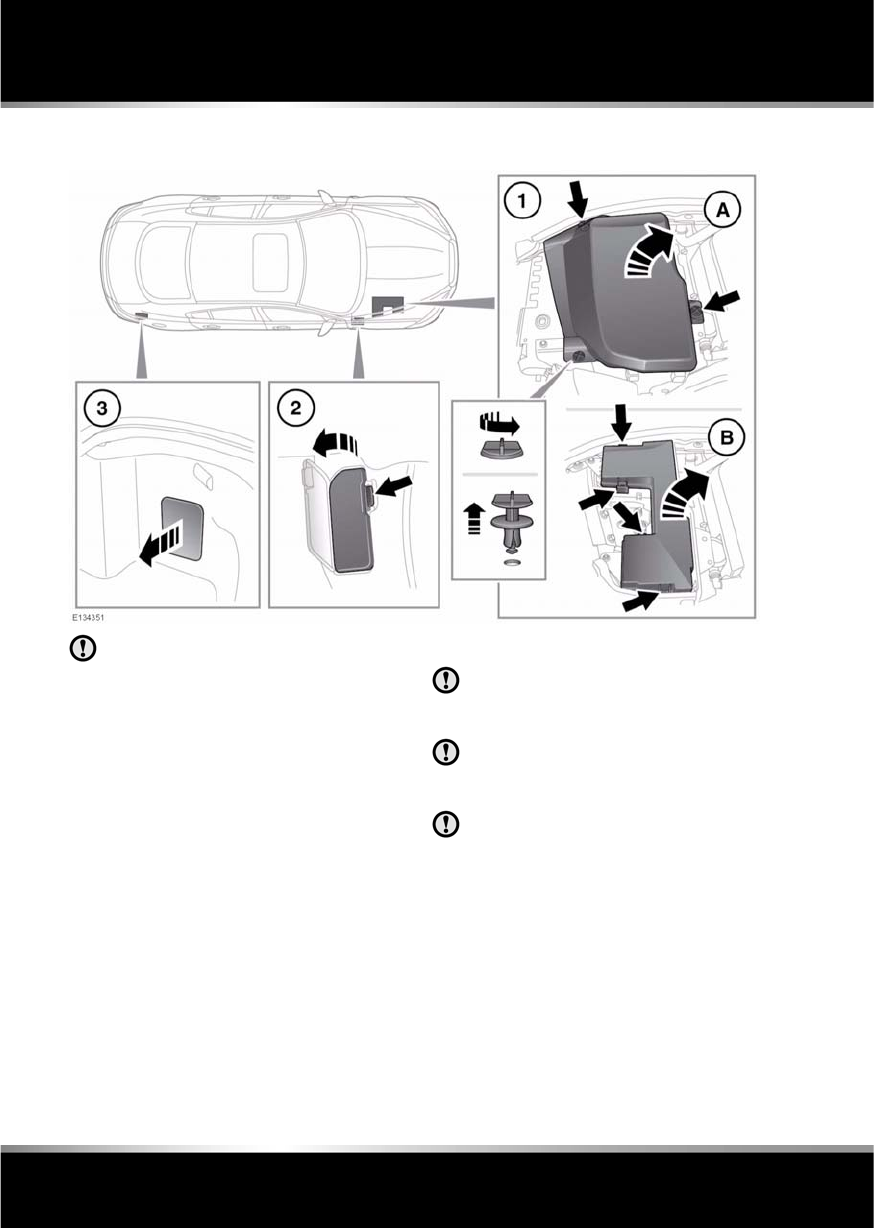
L
(FM8) SEMCON JLR OWNER GUIDE VER 1.00 EURO
LANGUAGE: english-en; MARQUE: jaguar; MODEL: XF
Fuses
188
Fuses
FUSE BOX LOCATIONS
When a fuse box lid is removed, take
care to protect the box from moisture,
and refit the lid at the earliest
opportunity.
There are three separate fuse boxes fitted to the
vehicle, each one containing fuses protecting a
different group of circuits.
1. The engine compartment fuse box.
•Release the turnbuckles and remove
engine cover.
•Press the release catches and remove
fuse box cover.
2. The passenger compartment fuse box.
3. The luggage compartment fuse box.
CHANGING A FUSE
Always turn off the ignition system and
the affected electrical circuit, before
replacing a fuse.
Fit Jaguar approved replacement fuses
of the same rating and type, or fuses of
matching specification.
If the replacement fuse blows after
installation, the system should be
checked by your Dealer/Authorised
Repairer.
Note: Jaguar recommend that owners do not
remove or replace relays. It is recommended
that you seek qualified assistance in the event
of a relay failure.
Spare fuses and a fuse removal tool, are
located in the engine compartment fuse box.

R
(FM8) SEMCON JLR OWNER GUIDE VER 1.00 EURO
LANGUAGE: english-en; MARQUE: jaguar; MODEL: XF
Fuses
189
ENGINE COMPARTMENT FUSE BOX
Fuse No Rating
(amps)
Fuse
Colour
Circuit
F1 - - -
F2 - - -
F3 20A Yellow Emissions system (petrol only).
F4 20A Yellow Emissions system (petrol only).
F5 40A Orange ABS pump.
F6 30A Green Power wash pump.
F7 50A Red Cigar lighter.
F8 - - -
F9 50A Red Engine management system.
F10 - - -
F11 - - -
F12 50A Red Secondary air injection (V6 petrol only).
F13 30A Green Wipers.
F14 30A Green Starter solenoid.
F15 40A Orange Front screen heater - RH.
F16 40A Orange Front screen heater - LH.
F17 80A Natural Radiator fan (V6 petrol only).
F18 60A Aqua Glow plugs (diesel only).
F19 5A Tan Adaptive cruise control. FLS.
F20 15A Blue Horn.
F21 25A Clear ABS valves.
F22 - - -
F23 - - -
F24 - - -
F25 10A Red ABS ECM.
F26 10A Red Engine management system ECM. Transmission control
module.
F27 5A Tan Secondary air injection (V6 petrol only).
F28 5A Tan Adaptive front lighting - LH.
F29 5A Tan Adaptive front lighting - RH.
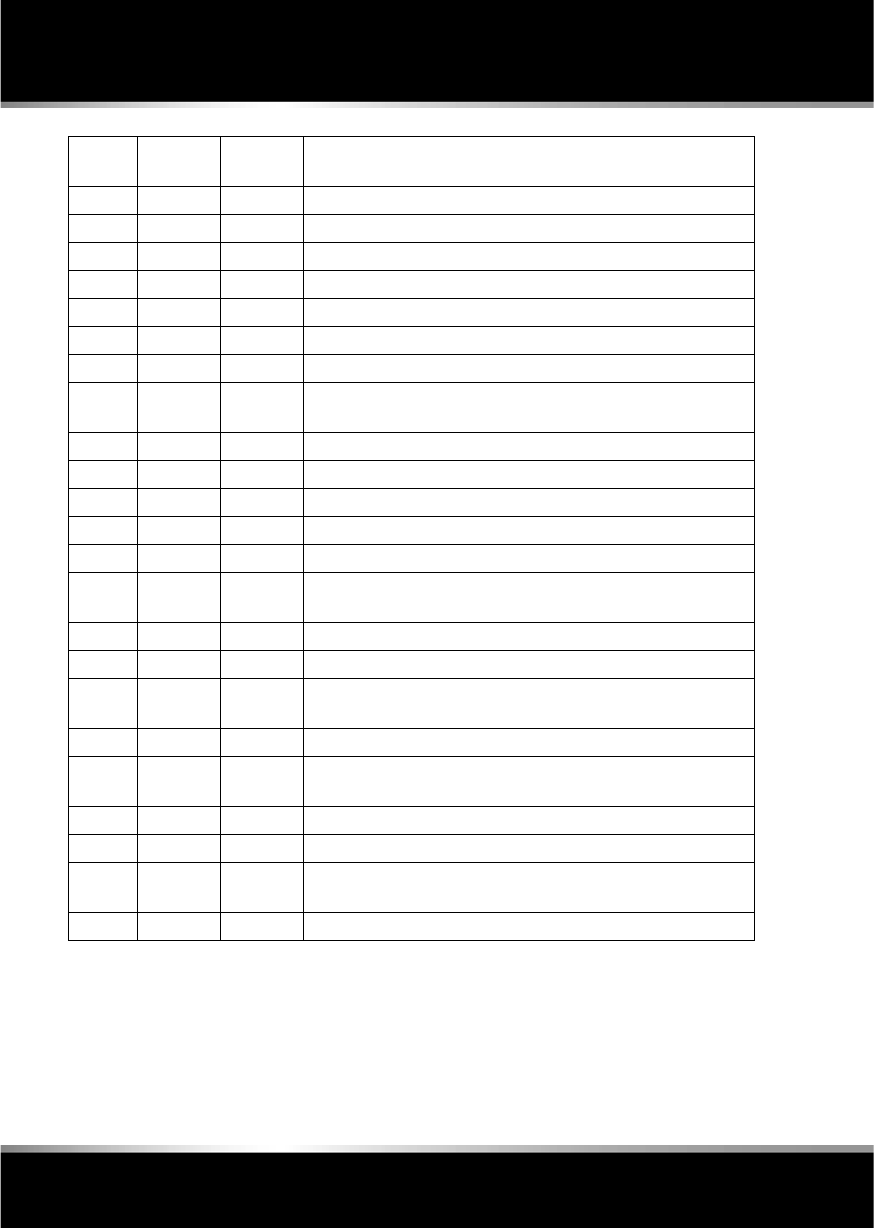
L
(FM8) SEMCON JLR OWNER GUIDE VER 1.00 EURO
LANGUAGE: english-en; MARQUE: jaguar; MODEL: XF
Fuses
190
F30 - - -
F31 20A Yellow Auxiliary power socket - rear.
F32 20A Yellow Cigar lighter.
F33 - - -
F34 - - -
F35 5A Tan Air conditioning compressor clutch.
F36 15A Blue Engine management system 5 (V6 diesel only).
20A Yellow Engine management system 5 (V8 petrol only).
F37 15A Blue Ignition system (petrol only).
F38 5A Tan Power steering.
F39 5A Tan Headlamp levelling system.
F40 15A Blue Water pump (supercharged vehicles only).
F41 5A Tan Engine management system 1 (V6 diesel only).
10A Red Engine management system 1 (petrol and I4 diesel only).
F42 10A Red Engine management system 2 (V8 petrol only).
20A Yellow Engine management system 2 (I4 diesel only).
30A Green Engine management system 2 (V6 petrol and V6 diesel only).
F43 5A Tan Engine management system 3 (diesel only).
10A Red Engine management system 3 (petrol only).
F44 5A Tan Engine management system 4 (V6 diesel only).
10A Red Engine management system 4 (I4 diesel only).
15A Blue Engine management system 4 (V8 petrol only).
F45 100A Violet Radiator fan (diesel and V8 petrol only).
Fuse No Rating
(amps)
Fuse
Colour
Circuit

R
(FM8) SEMCON JLR OWNER GUIDE VER 1.00 EURO
LANGUAGE: english-en; MARQUE: jaguar; MODEL: XF
Fuses
191
PASSENGER COMPARTMENT FUSE BOX
Fuse No Rating
(amps)
Fuse
Colour
Circuit
F1 - - -
F2 - - -
F3 20A Yellow Driver’s seat adjustment.
F4 20A Yellow Driver’s seat adjustment.
F5 - - -
F6 - - -
F7 - - -
F8 20A Yellow Front passenger's seat adjustment.
F9 20A Yellow Front passenger's seat adjustment.
F10 20A Yellow Left-hand rear door controls.
F11 20A Yellow Right-hand rear door controls.
F12 - - -
F13 10A Red Steering column adjust.
F14 - - -
F15 - - -
F16 5A Tan Sunblind.
F17 - - -
F18 - - -
F19 - - -
F20 5A Tan Remote control receiver.
F21 5A Tan Foot brake.
F22 5A Tan Electric parking brake.
F23 5A Tan Driver’s seat. Audio system. Auto headlamps. Upper centre
console switches.
F24 10A Red Front passenger seat. Electric windows. Mirror adjustment.
F25 20A Yellow Driver’s heated/climate seat.
F26 15A Blue Trailer power socket. Road pricing system.
F27 20A Yellow Front passenger’s heated/climate seat.
F28 15A Blue Auxiliary power sockets.
F29 20A Yellow Keyless entry system.
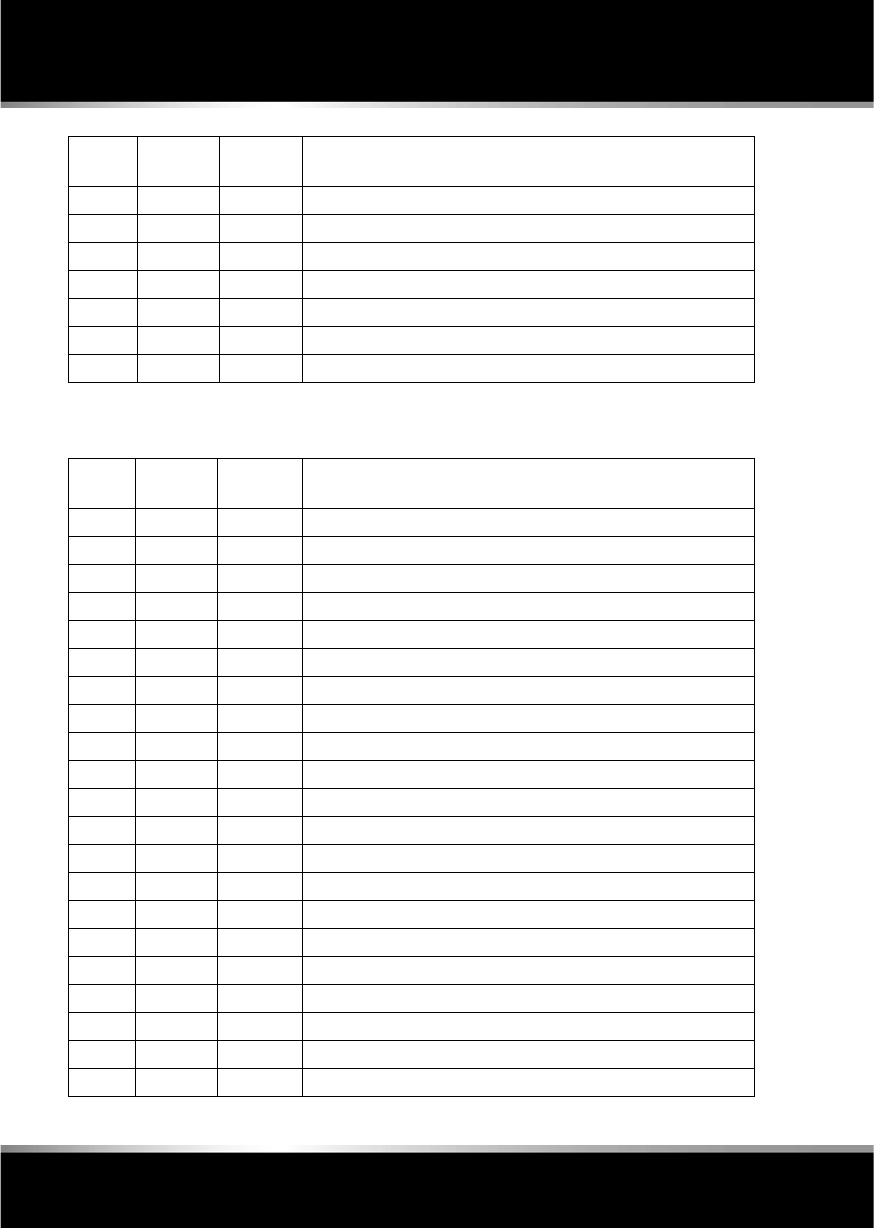
L
(FM8) SEMCON JLR OWNER GUIDE VER 1.00 EURO
LANGUAGE: english-en; MARQUE: jaguar; MODEL: XF
Fuses
192
LUGGAGE COMPARTMENT FUSE BOX
F30 10A Red Air conditioning.
F31 15A Blue Sunroof.
F32 5A Tan Starter control unit.
F33 5A Tan Diagnostic connector.
F34 5A Tan Instrument pack.
F35 15A Blue Interior lamps.
F36 10A Red Suspension system.
Fuse
No
Rating
(amps)
Fuse
Colour
Circuit
F1 30A Green Air blower.
F2 30A Green Electric parking brake.
F3 - - -
F4 - - -
F5 - - -
F6 - - -
F7 30A Green Heated rear screen.
F8 30A Green Audio system (premium audio only).
F9 50A Red RBD link.
F10 40A Orange Rear electronic differential (e-Diff).
F11 - - -
F12 - - -
F13 - - -
F14 5A Tan Telephone.
F15 10A Red TV. DVD. DAB radio.
F16 - - -
F17 - - -
F18 - - -
F19 - - -
F20 - - -
F21 - - -
Fuse No Rating
(amps)
Fuse
Colour
Circuit

R
(FM8) SEMCON JLR OWNER GUIDE VER 1.00 EURO
LANGUAGE: english-en; MARQUE: jaguar; MODEL: XF
Fuses
193
F22 - - -
F23 - - -
F24 - - -
F25 25A Clear Fuel pump.
F26 15A Blue Audio system. Portable audio interface.
F27 10A Red Navigation. Voice recognition. Touch screen.
F28 15A Blue Trailer power connector. Road pricing system.
F29 15A Blue Trailer connector.
F30 25A Clear Driver’s door module.
F31 25A Clear Front passenger door module.
F32 - - -
F33 5A Tan Tyre pressure monitoring system.
F34 - - -
F35 10A Red Supplementary restraint system.
F36 10A Red Pedestrian protection system.
Fuse
No
Rating
(amps)
Fuse
Colour
Circuit
L
(FM8) SEMCON JLR OWNER GUIDE VER 1.00 EURO
LANGUAGE: english-en; MARQUE: jaguar; MODEL: XF
Wheel changing
194
Wheel changing
WHEEL CHANGING SAFETY
Before raising the vehicle, or changing a wheel
ensure that you read, and comply with the
following warnings.
Always find a safe place to stop, off
the highway and away from traffic.
Ensure that the vehicle and jack are
both on firm level ground.
Apply the parking brake, and engage
Park (P).
Switch on the hazard warning lamps.
Ensure that the front wheels are in the
straight ahead position, and engage
the steering lock.
Disconnect trailer/caravan from the
vehicle.
Ensure that all passengers, and
animals, are out of the vehicle and in
a safe place away from the highway.
Place a warning triangle at a suitable
distance behind the vehicle, facing
towards oncoming traffic.
When one rear wheel is lifted off the
ground the selection P (Park) position
will not prevent the vehicle from
moving and possibly slipping off the
jack as the park brake only operates
on the rear wheels. Use the wheel
chock when jacking the vehicle.
Always chock the wheel diagonally
opposite the wheel to be changed,
using the wheel chock supplied in the
tool kit. Chock the front of a front
wheel, or the rear of a rear wheel.
If jacking the vehicle on a slight slope
is unavoidable, place chocks on the
downhill side of the two opposite
wheels. An additional chock will be
needed.
Never place anything between the jack
and the ground, or the jack and the
vehicle.
Do not attempt to raise the vehicle
unless the jack head is fully engaged
in the jacking point. Only jack the
vehicle using the approved jacking
points.
Remove the spare wheel prior to
jacking the vehicle, to avoid
destabilising the vehicle when raised.
Take care when lifting the spare
wheel, and removing the punctured
wheel. The wheels are heavy, and can
cause injuries if not handled correctly.
Do not start or run the engine while the
vehicle is supported only by a jack.
Do not get under a vehicle that is
supported by a jack.
Never work or allow any person to
place any part of their body beneath
the vehicle with the jack as the only
means of support - use vehicle
support stands.
Take care when loosening the wheel
nuts. The wheel brace may slip off if
not properly attached, and the wheel
nuts may release suddenly. Either
unexpected movement may cause an
injury.
After use, the tool kit should be
returned to the under floor storage
area and correctly stowed.
Always ensure replacement tyres
have the correct rating and
specifications (e.g. load index, size,
speed rating) for your vehicle.
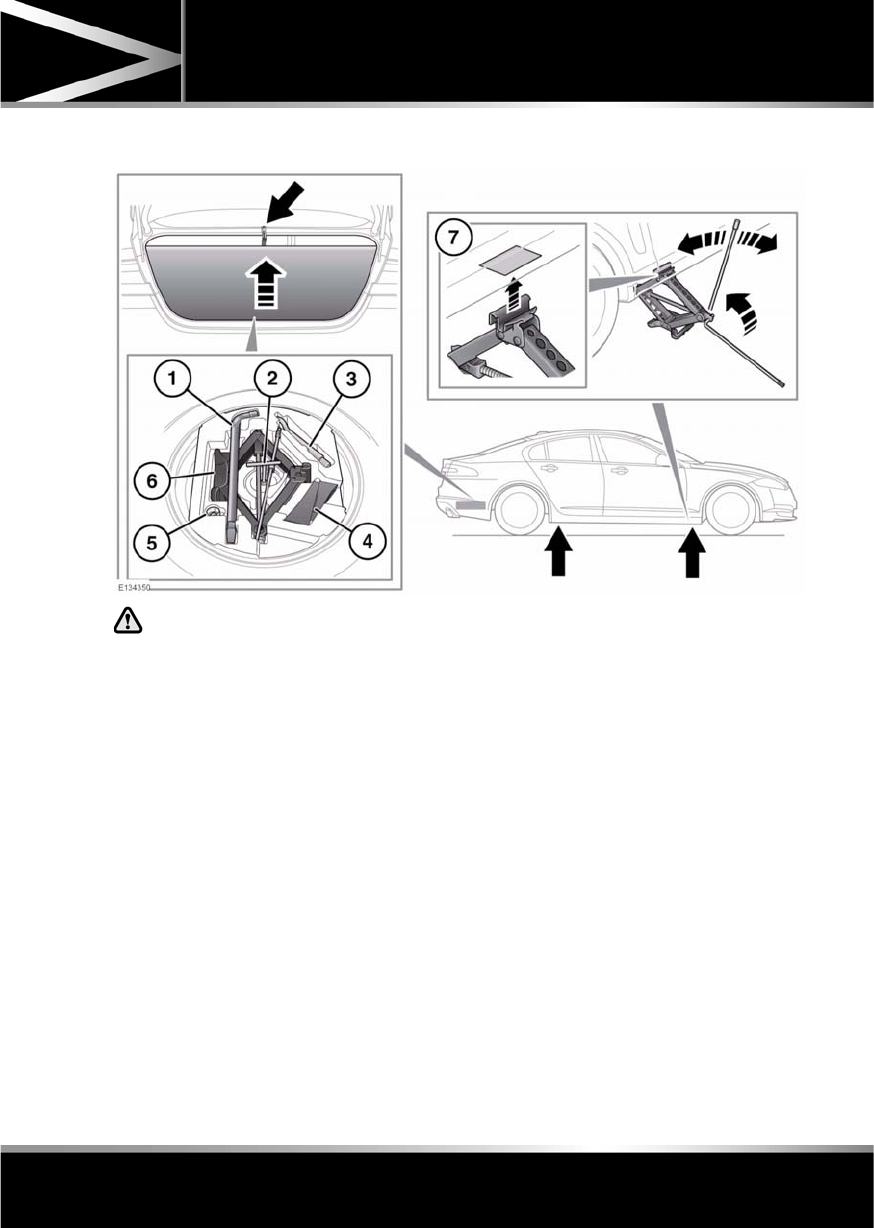
R
(FM8) SEMCON JLR OWNER GUIDE VER 1.00 EURO
LANGUAGE: english-en; MARQUE: jaguar; MODEL: XF
Wheel changing
195
WHEEL CHANGING
Do not get under a vehicle that is
supported by a jack.
Before raising the vehicle slacken but do not
remove the wheel nuts.
1. Wheel brace.
2. Spare wheel retaining T-bar.
3. Towing eye.
4. Wheel chock.
5. Locking wheel nut adaptor.
6. Jack. Observe the instructions printed on
the jack.
7. There are four jacking points on the
underside of the floor. Two indented,
triangular indicators are provided on each
sill cover. These indicate the location for
the jack.
Carefully raise the vehicle by turning the
jack handle. Stop jacking the vehicle when
the tyre just clears the ground. Minimum
tyre lift gives maximum vehicle stability.
To remove the spare wheel, unscrew and
remove the bolt through the centre.
Fit the spare wheel and loosely secure with
the wheel nuts.
Note: To remove the centre badge use the
plastic tipped end of the wheel nut wrench
handle, push the centre badge from its
housing from the inside of the wheel.
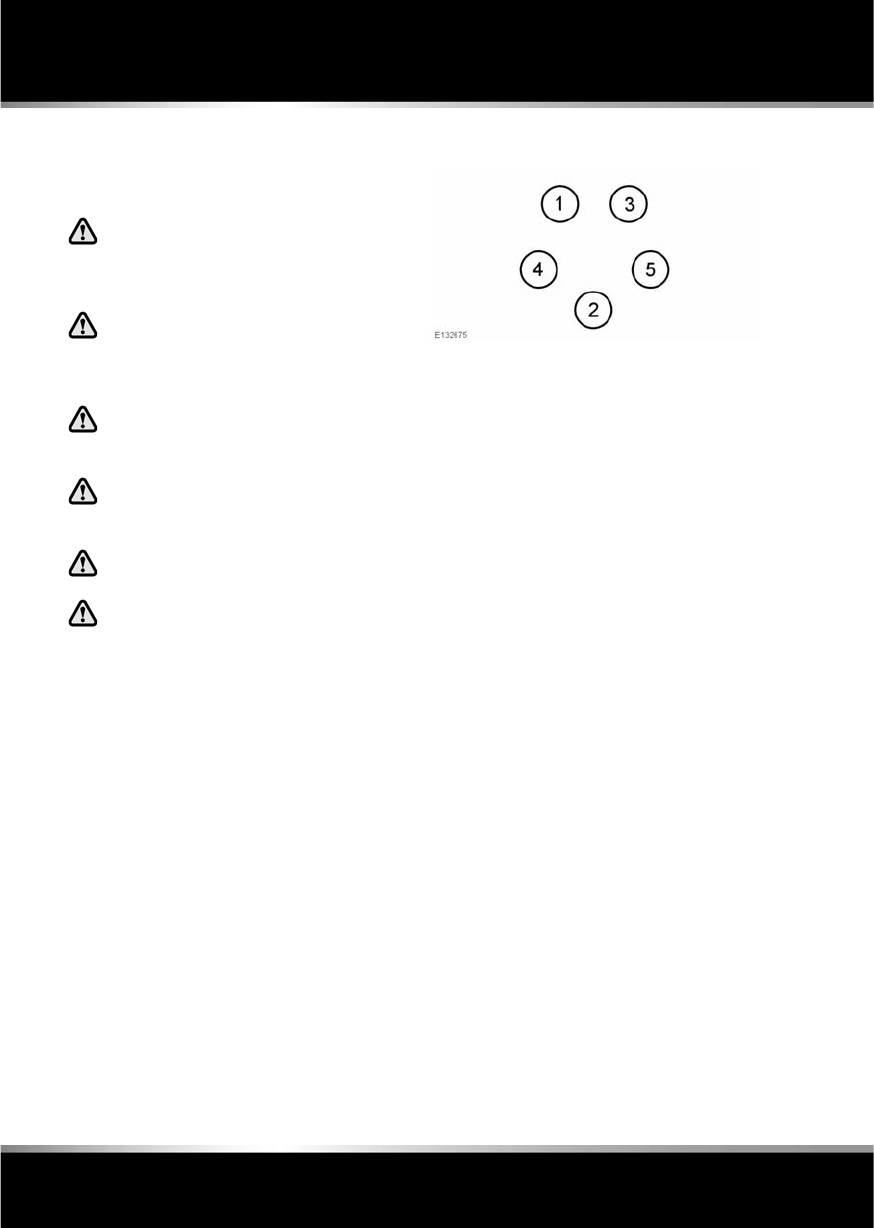
L
(FM8) SEMCON JLR OWNER GUIDE VER 1.00 EURO
LANGUAGE: english-en; MARQUE: jaguar; MODEL: XF
Wheel changing
196
TEMPORARY USE SPARE WHEEL
Observe the following warnings before using
the wheel:
Always adhere to the instructions
given on the temporary use spare
wheel warning label. Failure to
comply can be dangerous.
When a temporary use spare wheel is
fitted, drive with caution and replace
with the specified wheel and tyre as
soon as possible.
Do not fit more than one temporary
use spare wheel and tyre assembly at
one time.
The temporary use spare wheel must
be inflated to 4.2 bar (60 psi, 420 kPa)
and cannot be repaired.
Temporary use spare wheel,
maximum speed is 80 km/h (50 mph).
DSC must be on when the temporary
use spare wheel is in use.
LOCKING WHEEL NUTS
Note: A code number is stamped on the side of
the locking nut. Ensure the number is recorded
on the Security Card supplied with the
literature pack. Quote this number if a
replacement is required. Do not keep the
Security Card in the vehicle.
TIGHTENING THE WHEEL NUTS
Using the wheel nut wrench, lightly tighten the
wheel nuts alternately using the sequence
shown in the illustration.
Lower the jack, then tighten the wheel nuts
fully, in the same sequence shown. Do not
overtighten by using foot pressure or extension
bars on the wheel nut wrench.
At the earliest opportunity have the wheel nuts
tightened with a torque wrench to 125 Nm
(92 lb.ft).
This torque must not be exceeded.
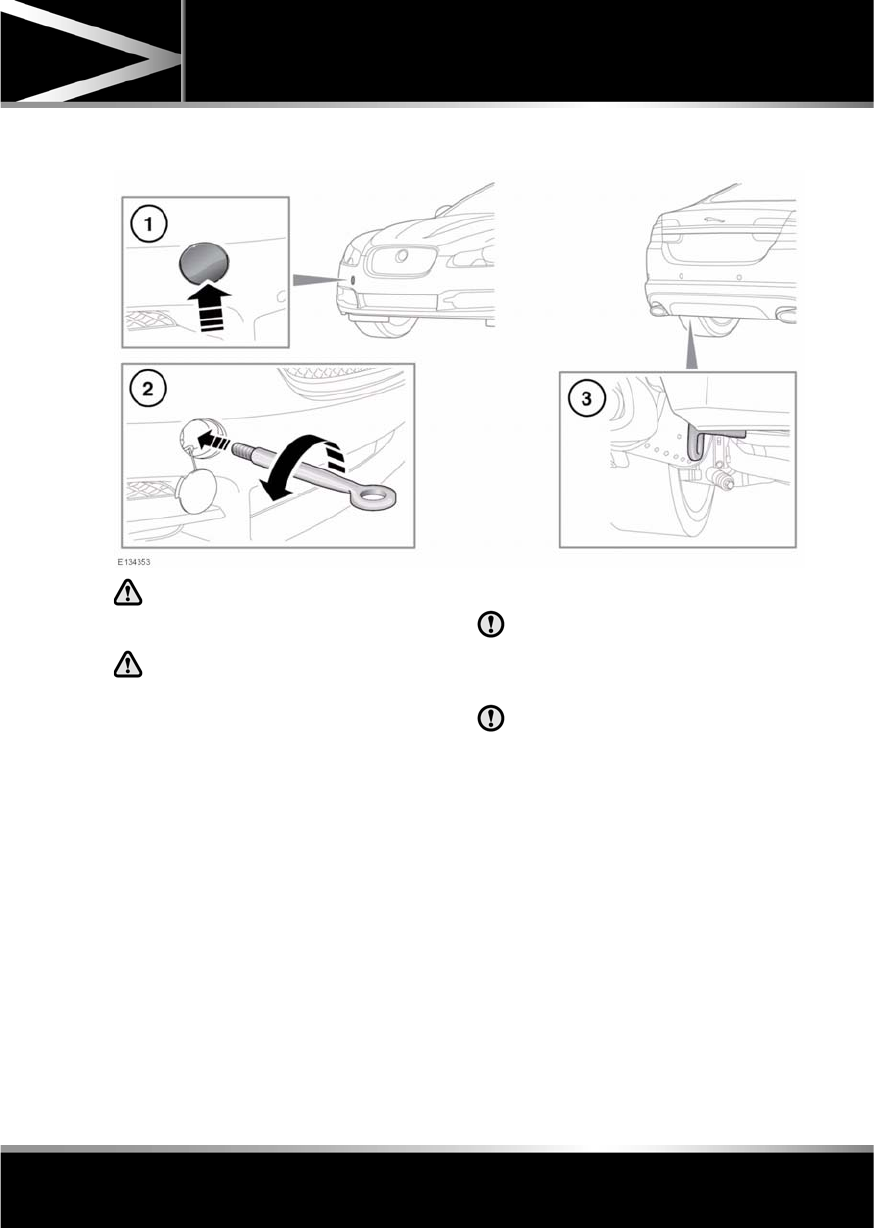
R
(FM8) SEMCON JLR OWNER GUIDE VER 1.00 EURO
LANGUAGE: english-en; MARQUE: jaguar; MODEL: XF
Vehicle recovery
197
Vehicle rec overy
TOWING EYES
The towing eyes at the front and rear
of the vehicle are designed for
on-road recovery only.
Do not tow the vehicle on all four
wheels.
ATTACHING THE FRONT TOWING
EYE
The front towing eye is included in the tool kit,
located in the under-floor area of the luggage
compartment.
1. Pop out the cover in the front bumper.
2. Locate the towing eye through the bumper
and screw the towing eye anticlockwise
into its fixing, until secure.
3. Rear towing eye.
TRANSPORTING THE VEHICLE
Only use the lashing points indicated, or
over-wheel lashings or wheel chocks.
Use of any other lashing position may
cause damage to the vehicle.
During vehicle recovery, to ensure the
steering column remains unlocked,
make sure the Smart Key remains in the
vehicle, the rotary gear selector is in N
(Neutral) and the ignition is on.
The recommended method for recovery/
transportation of the vehicle, is on a
transporter or trailer designed for that purpose.
Ensure that transportation is carried out by
suitably qualified persons, and that the vehicle
is secured correctly.

L
(FM8) SEMCON JLR OWNER GUIDE VER 1.00 EURO
LANGUAGE: english-en; MARQUE: jaguar; MODEL: XF
After a collision
198
After a collision
BEFORE STARTING OR DRIVING
If the vehicle is involved in a collision
it should be checked by a Dealer/
Authorised repairer, or suitably
qualified personnel, before starting or
driving.
PEDESTRIAN PROTECTION SYSTEM
The bumper includes sensors that detect a
collision with a pedestrian and includes energy
absorbing foam and plastics in its
construction, to reduce leg injuries.
During a pedestrian collision, the sensors
initiate a bonnet deployment system that
releases the bonnet hinge system and raises
the rear edge of the bonnet by approximately
130 mm (5.1 inches).
This increases the gap between the bonnet and
the components within the engine
compartment to create a cushion to mitigate
injury caused to the pedestrian.
The bonnet deployment system is active only
when the ignition is on and the vehicle is driven
between the speeds of approximately 20 km/h
(12 mph) and 45 km/h (28 mph).
AFTER DEPLOYMENT OF THE
PEDESTRIAN PROTECTION SYSTEM
Do not attempt to open the bonnet if the
pedestrian protection system has been
deployed.
The vehicle must be stopped as soon as it is
safe to do so.
The hazard warning lamps will be activated and
can only be switched off by pressing the engine
START/STOP button to turn the engine off and
on again.
A warning message CHECK PEDESTRIAN
SYSTEM will appear on the message centre
and the vehicle should be transported to the
nearest Dealer/Authorised Repairer. The
vehicle must not be driven when the bonnet
has been deployed.
Note: If the warning message CHECK
PEDESTRIAN SYSTEM appears in the message
centre when the bonnet has not been deployed,
the vehicle should be taken to the nearest
Dealer/Authorised Repairer immediately. It can
be driven.
If any significant damage occurs to the front
bumper it should be inspected by a
Dealer/Authorised Repairer as soon as
possible.

R
(FM8) SEMCON JLR OWNER GUIDE VER 1.00 EURO
LANGUAGE: english-en; MARQUE: jaguar; MODEL: XF
After a collision
199
EVENT DATA RECORDING
Event data recorders are capable of collecting
and storing data during a crash or near-crash
event. The recorded information may assist in
the investigation of such an event. The
modules may record information about both
the vehicle and the occupants, potentially
including such information as:
•How various systems in your vehicle were
operating.
•Whether or not the driver and passenger
seat belts were buckled.
•How far, if at all, the driver was pressing
the accelerator and/or brake pedal.
•How fast the vehicle was travelling.
•Where the driver was positioning the
steering wheel.
To access this information special equipment
must be connected directly to the recording
modules. Jaguar cars Limited do not access
event data recorder information without
obtaining consent, unless pursuant to court
order or where required by law enforcement,
other government authorities or third parties
acting with lawful authority.
Other parties may seek to access the
information independently of Jaguar Cars
Limited.
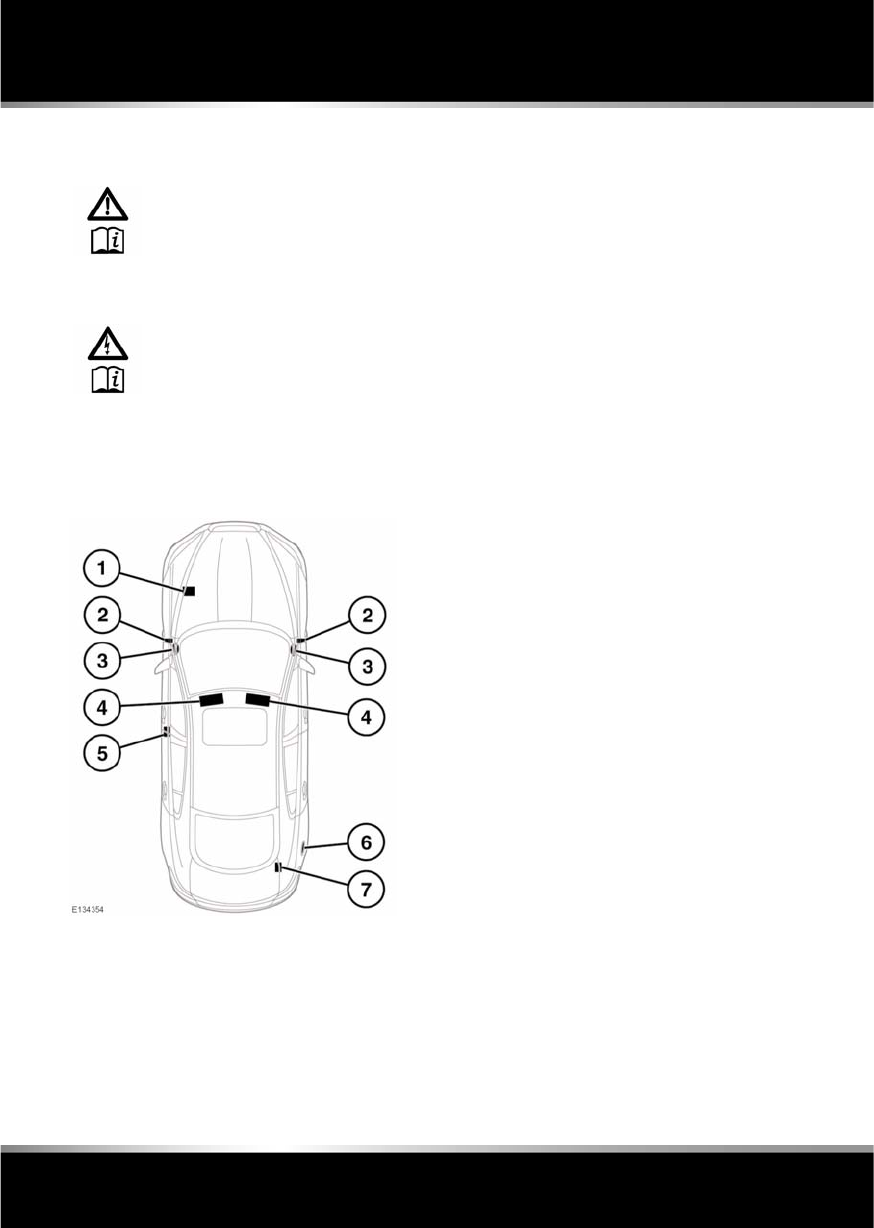
L
(FM8) SEMCON JLR OWNER GUIDE VER 1.00 EURO
LANGUAGE: english-en; MARQUE: jaguar; MODEL: XF
Vehicle identification
200
Vehicle identificat ion
LABEL LOCATIONS
Additional information labels may also be
found at these locations.
1. Left-hand front suspension tower - Air
conditioning label
2. Vehicle Identification plate, including the
Vehicle Identification Number (VIN) and
recommended maximum vehicle weights.
•Left-hand A pillar: All markets except
China.
•Right-hand A pillar: China.
Note: The VIN number is also stamped on
a plate, visible through the bottom left
hand side of the windscreen.
3. End of fascia (passenger side) - Passenger
airbag label
4. Sun visor - Airbag label
5. Base of left B pillar - Tyre pressure label,
Airbag warning label.
6. Inner face of fuel filler flap - Fuel
specification label
7. Top face of battery - Battery warning
symbols
It is important that you are familiar with these
subjects to ensure that your vehicle and its
features are used safely. Using the index at the
back of this handbook, refer to the relevant
topic for more information.
Warning labels attached to your
vehicle bearing this symbol mean:
Do not touch or adjust
components until you have read
the relevant instructions in the
handbook.
Labels showing this symbol
indicate that the ignition system
utilises very high voltages. Do not
touch any ignition components
while the starter switch is turned
on.

R
(FM8) SEMCON JLR OWNER GUIDE VER 1.00 EURO
LANGUAGE: english-en; MARQUE: jaguar; MODEL: XF
Vehicle identification
201
ENGINE NUMBER
Note: To access the number, it may be
necessary to remove the engine covers. For
further assistance, contact your Dealer/
Authorised Repairer.
I4 Diesel engines: Located on the left side of
the cylinder block, near the sump.
V6 Diesel engines: Located on a metal label
attached to the top of the left-hand camshaft
cover.
V6 petrol engines: Located on the lower
left-hand side of the cylinder block, near the
bedplate.
V8 petrol engines: Located on the front of the
right-hand cam cover.
TRANSMISSION NUMBER
The transmission number is located on a label
attached to the transmission casing.
VEHICLE BUILD DATE PLATE
(Australia only)
The vehicle built date is shown on the VIN
plate.
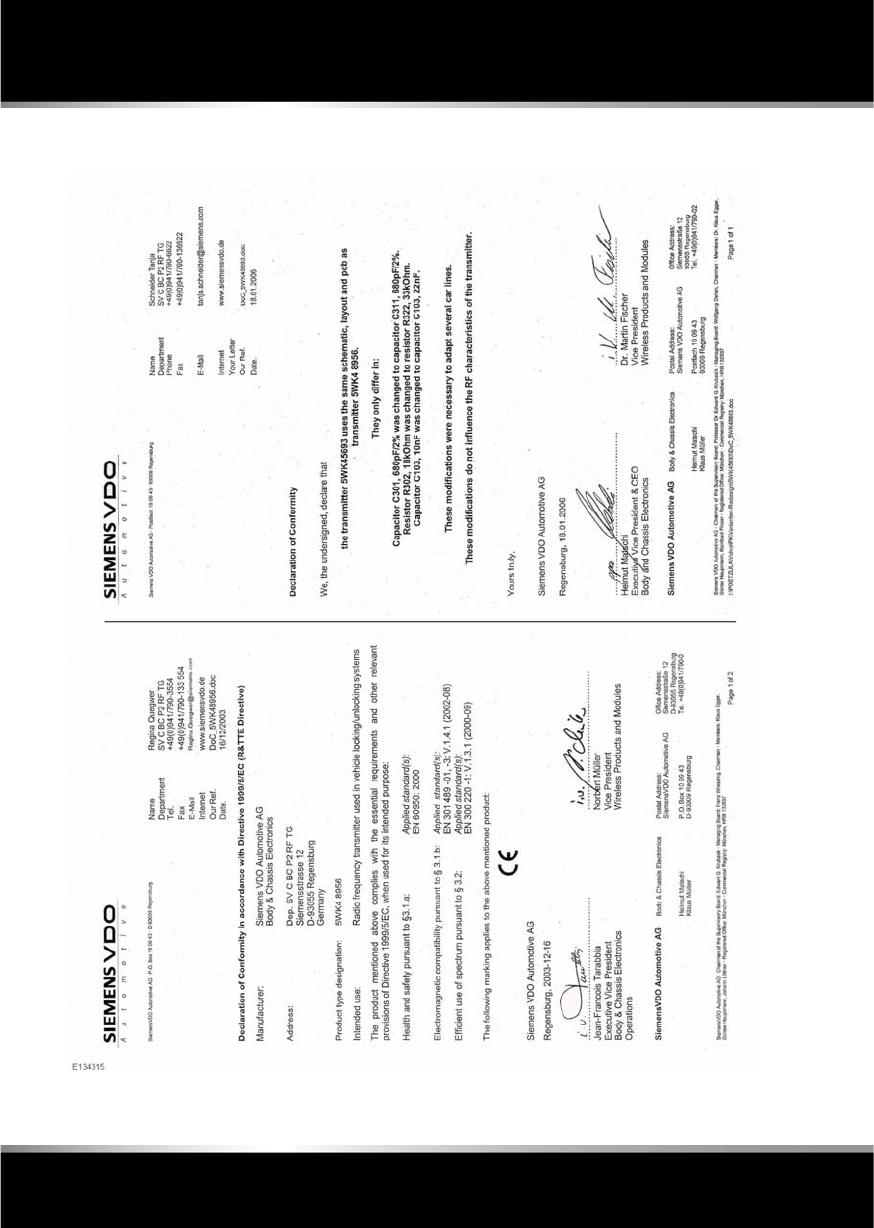
L
(FM8) SEMCON JLR OWNER GUIDE VER 1.00 EURO
LANGUAGE: english-en; MARQUE: jaguar; MODEL: XF
Type approval
202
Type approval
DECLARATIONS OF CONFORMITY
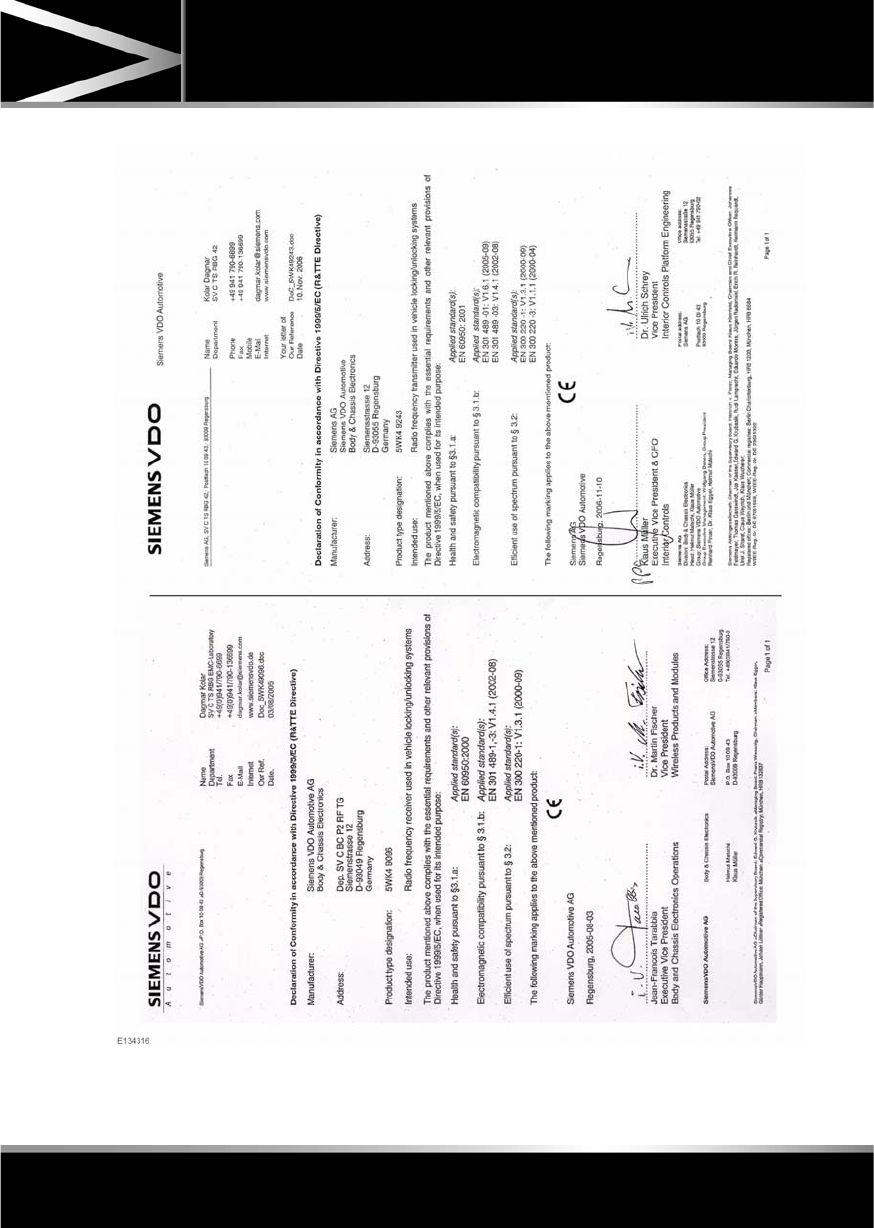
R
(FM8) SEMCON JLR OWNER GUIDE VER 1.00 EURO
LANGUAGE: english-en; MARQUE: jaguar; MODEL: XF
Type approval
203
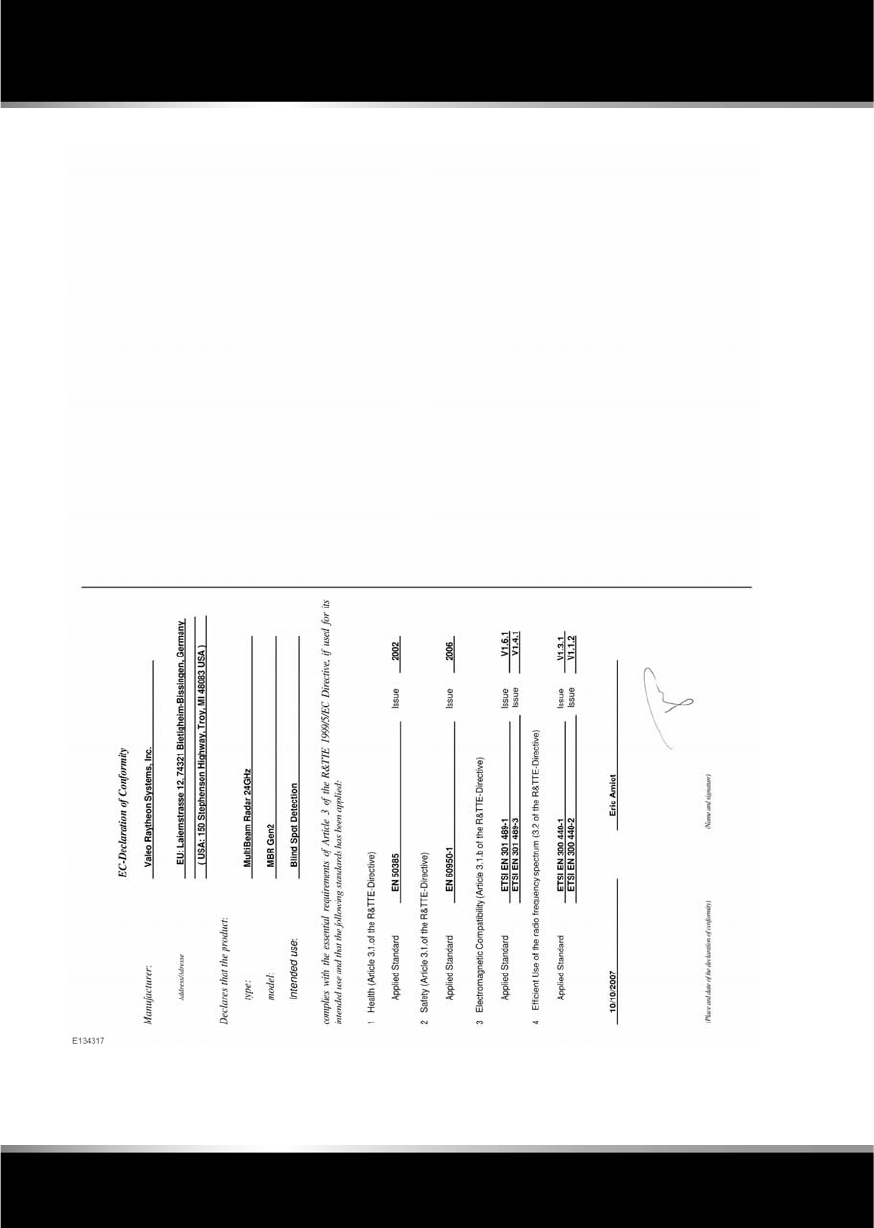
L
(FM8) SEMCON JLR OWNER GUIDE VER 1.00 EURO
LANGUAGE: english-en; MARQUE: jaguar; MODEL: XF
Type approval
204

R
english-en (10, 18, 21 & 25)
Index
205
A
ABS (Anti-lock braking system)
warning lamp. . . . . . . . . . . . . . . . . . . . . 52
ACC (Adaptive cruise control) . . . . . . . . . . 96
ASL (Active speed limiter) . . . . . . . . . . 103
ASL (Automatic speed limiter)
setting . . . . . . . . . . . . . . . . . . . . . . . 103
suspending . . . . . . . . . . . . . . . . . . . 103
automatic switch-off . . . . . . . . . . . . . . . 98
driving hints . . . . . . . . . . . . . . . . . . . . . 99
fault . . . . . . . . . . . . . . . . . . . . . . . . . . . 100
follow mode. . . . . . . . . . . . . . . . . . . . . . 97
gap change . . . . . . . . . . . . . . . . . . . . . . 98
low speed switch-off . . . . . . . . . . . . . . . 98
malfunction . . . . . . . . . . . . . . . . . . . . . 100
override . . . . . . . . . . . . . . . . . . . . . . . . . 98
resume follow mode . . . . . . . . . . . . . . . 99
resume set speed . . . . . . . . . . . . . . . . . 99
warning lamp. . . . . . . . . . . . . . . . . . . . . 53
ACC (adaptive cruise control)
operating . . . . . . . . . . . . . . . . . . . . . . . . 96
Active differential control. . . . . . . . . . . . . . 85
Active head restraints
airbags. . . . . . . . . . . . . . . . . . . . . . . . . . 32
Adaptive dynamics . . . . . . . . . . . . . . . . . . 84
Adaptive front lighting system (AFS)
warning lamp. . . . . . . . . . . . . . . . . . . . . 53
AFS (Adaptive front lighting system). . . . . 37
After a collision
pedestrian protection system . . . . . . . 198
Age degradation (tyres). . . . . . . . . . . . . . 186
Air conditioning
air quality sensor . . . . . . . . . . . . . . . . . . 65
auto . . . . . . . . . . . . . . . . . . . . . . . . . . . . 65
Air quality sensor . . . . . . . . . . . . . . . . . . . 65
Airbags
active head restraints. . . . . . . . . . . . . . . 32
deployment . . . . . . . . . . . . . . . . . . . 33, 34
module covers. . . . . . . . . . . . . . . . . . . 167
service information . . . . . . . . . . . . . . . . 35
SRS (Supplementary restraint system) 158
warning lamps . . . . . . . . . . . . . . . . . 34, 53
Alarm. . . . . . . . . . . . . . . . . . . . . . . . . 10, 158
automatic relocking and arming . . . . . . . 11
battery backed sounder. . . . . . . . . . . . . . 11
deactivating. . . . . . . . . . . . . . . . . . . . . . . 11
passive arming . . . . . . . . . . . . . . . . . . . . 11
perimeter . . . . . . . . . . . . . . . . . . . . . . . . 11
sensor fault. . . . . . . . . . . . . . . . . . . . . . . 11
tilt sensor . . . . . . . . . . . . . . . . . . . . . . . . 11
Anchor points (ISOFIX). . . . . . . . . . . . . . . . 30
Anchor points (luggage). . . . . . . . . . . . . . . 68
Antifreeze level check . . . . . . . . . . . . . . . . 170
Anti-theft system . . . . . . . . . . . . . . . . . . . 158
Anti-trap mechanism
sunroof . . . . . . . . . . . . . . . . . . . . . . . . . . 43
Anti-trap protection
windows . . . . . . . . . . . . . . . . . . . . . . . . . 43
Approach lamps . . . . . . . . . . . . . . . . . . . . . 37
Arduous driving conditions. . . . . . . . . . . . 159
ASL (Automatic speed limiter) . . . . . . . . . 103
gap change . . . . . . . . . . . . . . . . . . . . . . . 98
resuming. . . . . . . . . . . . . . . . . . . . . . . . 103
setting. . . . . . . . . . . . . . . . . . . . . . . . . . 103
suspending . . . . . . . . . . . . . . . . . . . . . . 103
warning lamp . . . . . . . . . . . . . . . . . 53, 103
Audible warnings . . . . . . . . . . . . . . . . . . . . 55
Audio
Settings. . . . . . . . . . . . . . . . . . . . . . . . . 105
Audio system . . . . . . . . . . . . . . . . . . . . . . 166
Audio/video
CD
controls. . . . . . . . . . . . . . . . . . . . . . . 120
controls. . . . . . . . . . . . . . . . . . . . . . . . . 104
DAB
reception . . . . . . . . . . . . . . . . . . . . . . 112
loading CDs . . . . . . . . . . . . . . . . . . . . . 119
loading DVDs . . . . . . . . . . . . . . . . . . . . 125
MP3 . . . . . . . . . . . . . . . . . . . . . . . . . . . 119
portable media
connections. . . . . . . . . . . . . . . . . . . . 113
controls. . . . . . . . . . . . . . . . . . . . . . . 115
pairing. . . . . . . . . . . . . . . . . . . . 117, 118
play . . . . . . . . . . . . . . . . . . . . . . . . . . 117
television
controls. . . . . . . . . . . . . . . . . . . . . . . 122

L
english-en (10, 18, 21 & 25)
Index
206
video media player
controls . . . . . . . . . . . . . . . . . . . . . . 124
Auto high beam . . . . . . . . . . . . . . . . . . . . . 38
Auto mode (climate) . . . . . . . . . . . . . . . . . 65
Automatic gearbox . . . . . . . . . . . . . . . . . . 81
Automatic locking . . . . . . . . . . . . . . . . . . . . 7
Automatic reconnection (portable audio) 118
Automatic Stop/Start. . . . . . . . . . . . . . . . . 79
Automatic switch off (ACC) . . . . . . . . . . . . 98
Automatic switch off (cruise) . . . . . . . . . . 95
Auxiliary devices
connecting multiple devices . . . . . . . . 117
B
Battery
boost starting . . . . . . . . . . . . . . . . . . . 183
care . . . . . . . . . . . . . . . . . . . . . . . . . . . 182
changing
timed climate remote . . . . . . . . . . . . 184
charging . . . . . . . . . . . . . . . . . . . . . . . 184
jump starting
connecting cables . . . . . . . . . . . . . . 183
disconnecting cables . . . . . . . . . . . . 183
monitoring system. . . . . . . . . . . . . . . . 183
warning symbols . . . . . . . . . . . . . . . . . 182
Battery backed sounder. . . . . . . . . . . . . . . 11
Beltminder . . . . . . . . . . . . . . . . . . . . . . . . . 26
warning lamp. . . . . . . . . . . . . . . . . . 26, 52
Belts . . . . . . . . . . . . . . . . . . . . . . . . . . . . 167
safety. . . . . . . . . . . . . . . . . . . . . . . . . . . 23
seatbelt warning lamp . . . . . . . . . . . 26, 52
Bluetooth. . . . . . . . . . . . . . . . . . . . . . . . . 129
audio
automatic reconnection . . . . . . . . . . 118
pairing . . . . . . . . . . . . . . . . . . . 117, 118
media
pairing . . . . . . . . . . . . . . . . . . . . . . . 117
telephone
compatibility . . . . . . . . . . . . . . . . . . 130
icons . . . . . . . . . . . . . . . . . . . . . . . . 131
overview . . . . . . . . . . . . . . . . . . . . . 128
pairing . . . . . . . . . . . . . . . . . . . . . . . 130
phonebook . . . . . . . . . . . . . . . . . . . . 132
safety . . . . . . . . . . . . . . . . . . . . . . . . 129
Bonnet
closing . . . . . . . . . . . . . . . . . . . . . . . . . 160
opening. . . . . . . . . . . . . . . . . . . . . . . . . 160
Boost starting . . . . . . . . . . . . . . . . . . . . . . 183
Brakes
ABS warning lamp . . . . . . . . . . . . . . . . . 52
advanced emergency assist . . . . . . . . . 101
EBA (Emergency brake assist) . . . . . . . . 87
EBD (Electronic brake force distribution) 87
fluid
check. . . . . . . . . . . . . . . . . . . . . . . . . 171
specification . . . . . . . . . . . . . . . . . . . 172
top up . . . . . . . . . . . . . . . . . . . . . . . . 172
handbrake . . . . . . . . . . . . . . . . . . . . . . . . 88
pedal travel . . . . . . . . . . . . . . . . . . . . . . 180
warning lamp . . . . . . . . . . . . . . . . . . . . . 51
warning lamps . . . . . . . . . . . . . . . . . . . . 87
BSM (Blind spot monitor). . . . . . . . . . . . . . 46
detection beam issues . . . . . . . . . . . . . . 99
sensor blockage . . . . . . . . . . . . . . . . . . . 47
system fault . . . . . . . . . . . . . . . . . . . . . . 47
Bulbs
license plate . . . . . . . . . . . . . . . . . . . . . 163
number plate. . . . . . . . . . . . . . . . . . . . . 163
C
Call volume . . . . . . . . . . . . . . . . . . . . . . . . 132
Cameras
rear view . . . . . . . . . . . . . . . . . . . . . . . . . 93
Capacities . . . . . . . . . . . . . . . . . . . . . . . . . 179
Carpets and mats . . . . . . . . . . . . . . . . . . . 167
Car-wash . . . . . . . . . . . . . . . . . . . . . . . . . 165
CD player
controls. . . . . . . . . . . . . . . . . . . . . . . . . 120
loading discs. . . . . . . . . . . . . . . . . . . . . 119
Chairs
child seats
tether straps . . . . . . . . . . . . . . . . . . . . 31
memory
recalling a position . . . . . . . . . . . . . . . 15

R
english-en (10, 18, 21 & 25)
Index
207
rear
safety . . . . . . . . . . . . . . . . . . . . . . . . . 17
seatbelts . . . . . . . . . . . . . . . . . . . . . . . 167
seatbelt safety . . . . . . . . . . . . . . . . . . 23
warning lamp . . . . . . . . . . . . . . . . 26, 52
sitting correctly . . . . . . . . . . . . . . . . . . . 15
Changing a fuse. . . . . . . . . . . . . . . . . . . . 188
Changing a tyre . . . . . . . . . . . . . . . . . . . . . 90
Changing a wheel . . . . . . . . . . . . . . . . . . . 90
Changing the battery (timed climate) . . . 184
Charging the vehicle battery . . . . . . . . . . 184
Chassis number. . . . . . . . . . . . . . . . . . . . 200
Child restraints . . . . . . . . . . . . . . . . . . . . . 27
check list . . . . . . . . . . . . . . . . . . . . . . . . 28
positioning. . . . . . . . . . . . . . . . . . . . . . . 29
Child seats. . . . . . . . . . . . . . . . . . . . . . . . . 27
check list . . . . . . . . . . . . . . . . . . . . . . . . 28
ISOFIX anchor points. . . . . . . . . . . . . . . 30
positioning. . . . . . . . . . . . . . . . . . . . . . . 29
tether straps . . . . . . . . . . . . . . . . . . . . . 31
Cleaning
alloy wheels. . . . . . . . . . . . . . . . . . . . . 164
carpets and mats . . . . . . . . . . . . . . . . . 167
exterior . . . . . . . . . . . . . . . . . . . . . . . . 164
paintwork. . . . . . . . . . . . . . . . . . . . . 165
glass . . . . . . . . . . . . . . . . . . . . . . . . . . 165
interior. . . . . . . . . . . . . . . . . . . . . 165, 166
leather . . . . . . . . . . . . . . . . . . . . . . . . . 166
parking sensors . . . . . . . . . . . . . . . . . . . 93
polishing . . . . . . . . . . . . . . . . . . . . . . . 165
rear screen. . . . . . . . . . . . . . . . . . . . . . 165
removing grease . . . . . . . . . . . . . . . . . 165
removing stains . . . . . . . . . . . . . . . . . . 166
removing tar . . . . . . . . . . . . . . . . . . . . 165
sunroof . . . . . . . . . . . . . . . . . . . . . . . . 165
underbonnet . . . . . . . . . . . . . . . . . . . . 165
using a car-wash . . . . . . . . . . . . . . . . . 165
Climate control
auto . . . . . . . . . . . . . . . . . . . . . . . . . . . . 65
overview . . . . . . . . . . . . . . . . . . . . . . . . 65
recirculation. . . . . . . . . . . . . . . . . . . . . . 64
temperature. . . . . . . . . . . . . . . . . . . . . . 65
Climate seats. . . . . . . . . . . . . . . . . . . . . . . 66
Clock. . . . . . . . . . . . . . . . . . . . . . . . . . . . . 166
Closing
alarm sensor faults . . . . . . . . . . . . . . . . . 11
single locking . . . . . . . . . . . . . . . . . . . . . . 9
Closing the bonnet . . . . . . . . . . . . . . . . . . 160
Closing the luggage compartment . . . . . . . 67
Column lock . . . . . . . . . . . . . . . . . . . . . . . . 75
Condensation (headlamps). . . . . . . . . . . . . 38
Conformity declarations . . . . . . . . . . 146, 202
Consumption
fuel
urban cycle . . . . . . . . . . . . . . . . . . . . 157
Consumption (fuel). . . . . . . . . . . . . . . . . . 157
Controls
headlamps . . . . . . . . . . . . . . . . . . . . . . . 36
steering wheel
set cruise speed . . . . . . . . . . . . . . . . . 94
Coolant
checking the level . . . . . . . . . . . . . . . . . 170
specification . . . . . . . . . . . . . . . . . . . . . 171
top up . . . . . . . . . . . . . . . . . . . . . . . . . . 171
Cruise control
ACC (Adaptive cruise control). . . . . . . . . 96
low speed switch-off. . . . . . . . . . . . . . 98
malfunction . . . . . . . . . . . . . . . . . . . . 100
operating. . . . . . . . . . . . . . . . . . . . . . . 96
override. . . . . . . . . . . . . . . . . . . . . . . . 98
resume follow mode . . . . . . . . . . . . . . 99
resume set speed . . . . . . . . . . . . . . . . 99
automatic switch off . . . . . . . . . . . . . . . . 95
change speed . . . . . . . . . . . . . . . . . . . . . 94
follow mode . . . . . . . . . . . . . . . . . . . . . . 97
operating. . . . . . . . . . . . . . . . . . . . . . . . . 94
resume . . . . . . . . . . . . . . . . . . . . . . . . . . 94
setting vehicle speed. . . . . . . . . . . . . . . . 94
D
DAB
ensembles. . . . . . . . . . . . . . . . . . . . . . . 112
reception. . . . . . . . . . . . . . . . . . . . . . . . 112
DAB radio
controls. . . . . . . . . . . . . . . . . . . . . . . . . 111

L
english-en (10, 18, 21 & 25)
Index
208
Daily checks . . . . . . . . . . . . . . . . . . . . . . 158
Data recording. . . . . . . . . . . . . . . . . . . . . 199
Daylight running lamps . . . . . . . . . . . . . . . 37
Dealer locations (Jaguar). . . . . . . . . . . . . 141
Declarations of conformity . . . . . . . . . . . 202
navigation system . . . . . . . . . . . . . . . . 146
Derv
sulphur content . . . . . . . . . . . . . . . . . . 153
Deselecting valet mode . . . . . . . . . . . . . . . 62
Destination entry . . . . . . . . . . . . . . . . . . . 138
postcode . . . . . . . . . . . . . . . . . . . . . . . 140
search area . . . . . . . . . . . . . . . . . . . . . 138
town . . . . . . . . . . . . . . . . . . . . . . . . . . 141
Detection beam issues . . . . . . . . . . . . . . . 99
Dialling a number . . . . . . . . . . . . . . . . . . 132
Diesel
engine . . . . . . . . . . . . . . . . . . . . . 153, 154
starting . . . . . . . . . . . . . . . . . . . . . . . 74
switching off . . . . . . . . . . . . . . . . . . . 75
filler flap. . . . . . . . . . . . . . . . . . . . 154, 155
fuel consumption. . . . . . . . . . . . . . . . . 157
misfuel device . . . . . . . . . . . . . . . . . . . 155
specification . . . . . . . . . . . . . . . . . . . . 156
sulphur content . . . . . . . . . . . . . . . . . . 153
water in fuel. . . . . . . . . . . . . . . . . . . . . 153
Diesel particulate filter (DPF). . . . . . . . . . 159
Differential control. . . . . . . . . . . . . . . . . . . 85
Dimensions . . . . . . . . . . . . . . . . . . . . . . . 178
Direction indicators . . . . . . . . . . . . . . . . . . 36
warning lamp. . . . . . . . . . . . . . . . . . . . . 54
Disability modifications . . . . . . . . . . . . . . 158
Door mirrors
BSM (Blind spot monitor)
sensor blockage. . . . . . . . . . . . . . . . . 47
system fault . . . . . . . . . . . . . . . . . . . . 47
Door transceiver
entry gate. . . . . . . . . . . . . . . . . . . . . . . . 50
garage door opener . . . . . . . . . . . . . . . . 48
programming. . . . . . . . . . . . . . . . . . . . . 48
programming a single button . . . . . . . . 49
rolling code device programming . . . . . 49
Double locking. . . . . . . . . . . . . . . . . . . . . . . 9
DPF (Diesel particulate filter). . . . . . . . . . 159
Drive away locking . . . . . . . . . . . . . . . . . . . . 7
Drive control
operation. . . . . . . . . . . . . . . . . . . . . . . . . 86
Driver controls . . . . . . . . . . . . . . . . . . . . . 226
Driver information module
information messages. . . . . . . . . . . . . . . 56
trip computer . . . . . . . . . . . . . . . . . . . . . 56
warning lamps . . . . . . . . . . . . . . . . . . . . 51
warning messages . . . . . . . . . . . . . . . . . 56
Driving
ACC (Adaptive cruise control). . . . . . 96, 99
override. . . . . . . . . . . . . . . . . . . . . . . . 98
adaptive cruise control
automatic switch off . . . . . . . . . . . . . . 98
arduous conditions . . . . . . . . . . . . . . . . 159
ASL (Automatic speed limiter) . . . . . . . 103
setting . . . . . . . . . . . . . . . . . . . . . . . . 103
before starting. . . . . . . . . . . . . . . . . . . . 198
BSM (Blind spot monitor)
sensor blockage . . . . . . . . . . . . . . . . . 47
controls. . . . . . . . . . . . . . . . . . . . . . . . . 226
cruise control
automatic switch off . . . . . . . . . . . . . . 95
change speed . . . . . . . . . . . . . . . . . . . 94
set speed. . . . . . . . . . . . . . . . . . . . . . . 94
daily checks . . . . . . . . . . . . . . . . . . . . . 158
DSC warning lamp
active. . . . . . . . . . . . . . . . . . . . . . . . . . 53
off . . . . . . . . . . . . . . . . . . . . . . . . . . . . 53
dynamic mode . . . . . . . . . . . . . . . . . . . . 83
EBA (Emergency brake assist) . . . . . . . . 87
EBD (Electronic brake force distribution) 87
forward alert . . . . . . . . . . . . . . . . . . . . . 100
mirror dip when reversing. . . . . . . . . . . . 45
sitting correctly. . . . . . . . . . . . . . . . . . . . 15
wipers
rain sensor . . . . . . . . . . . . . . . . . . . . . 40
DSC (Dynamic stability control)
switching between DSC and tracDSC . . . 84
switching off . . . . . . . . . . . . . . . . . . . . . . 84
switching on . . . . . . . . . . . . . . . . . . . . . . 84

R
english-en (10, 18, 21 & 25)
Index
209
warning lamp
active . . . . . . . . . . . . . . . . . . . . . . . . . 53
off . . . . . . . . . . . . . . . . . . . . . . . . . . . 53
warning lamps . . . . . . . . . . . . . . . . . . . . 84
DVDs
loading. . . . . . . . . . . . . . . . . . . . . . . . . 125
Dynamic mode . . . . . . . . . . . . . . . . . . . . . 83
E
EBA (Emergency brake assist). . . . . . . . . . 87
EBD (Electronic brake force distribution) . 87
ECO Stop/Start . . . . . . . . . . . . . . . . . . . . . 79
Electric seats
front. . . . . . . . . . . . . . . . . . . . . . . . . . . . 12
Electronic brake force distribution (EBD) . 87
Electronic data. . . . . . . . . . . . . . . . . . . . . 199
Electronic parking brake (EPB) . . . . . . . . . 88
Emergency brake assist (EBA). . . . . . . . . 101
Engine
compartment
cleaning . . . . . . . . . . . . . . . . . . . . . . 165
fuse box . . . . . . . . . . . . . . . . . . . . . . 189
opening . . . . . . . . . . . . . . . . . . . . . . 160
overview . . . . . . . . . . . . . . . . . . . . . 161
coolant level checking . . . . . . . . . . . . . 170
diesel . . . . . . . . . . . . . . . . . . . . . . 153, 154
starting the engine . . . . . . . . . . . . . . . 74
DPF (Diesel particulate filter). . . . . . . . 159
engine compartment . . . . . . . . . . . . . . 161
engine malfunction warning lamp . . . . . 52
failure to start . . . . . . . . . . . . . . . . . . . . 76
malfunction warning lamp . . . . . . . . . . . 52
Number . . . . . . . . . . . . . . . . . . . . . . . . 201
oil consumption. . . . . . . . . . . . . . . . . . 170
oil level check . . . . . . . . . . . . . . . . . . . 168
oil level consumption. . . . . . . . . . . . . . 170
oil specification . . . . . . . . . . . . . . . . . . 169
petrol
starting the engine . . . . . . . . . . . . . . . 74
specifications. . . . . . . . . . . . . . . . . . . . 175
starting
petrol . . . . . . . . . . . . . . . . . . . . . . . . . 77
switching off . . . . . . . . . . . . . . . . . . . . . . 75
Ensembles (DAB radio). . . . . . . . . . . . . . . 112
Entering a destination. . . . . . . . . . . . . . . . 138
by town. . . . . . . . . . . . . . . . . . . . . . . . . 141
Entering the vehicle
entry and exit mode . . . . . . . . . . . . . . . . 22
keyless entry. . . . . . . . . . . . . . . . . . . . . . . 6
Entertainment
CD
controls. . . . . . . . . . . . . . . . . . . . . . . 120
DAB radio
controls. . . . . . . . . . . . . . . . . . . . . . . 111
navigation
all softkey . . . . . . . . . . . . . . . . . . . . . 142
coordinates . . . . . . . . . . . . . . . . . . . . 140
list . . . . . . . . . . . . . . . . . . . . . . . . . . . 142
menu. . . . . . . . . . . . . . . . . . . . . . . . . 135
motorway . . . . . . . . . . . . . . . . . . . . . 141
POI categories. . . . . . . . . . . . . . . . . . 141
POI (Points of interest) . . . . . . . 139, 141
postcode . . . . . . . . . . . . . . . . . . . . . . 140
previous . . . . . . . . . . . . . . . . . . . . . . 140
restore defaults . . . . . . . . . . . . . . . . . 140
TMC . . . . . . . . . . . . . . . . . . . . . . . . . 142
TMC display . . . . . . . . . . . . . . . . . . . 142
TMC icons. . . . . . . . . . . . . . . . . . . . . 143
portable media
automatic reconnection. . . . . . . . . . . 118
changing device . . . . . . . . . . . . . . . . 118
connecting devices . . . . . . . . . . . . . . 113
connecting multiple devices . . . . . . . 117
connections. . . . . . . . . . . . . . . . . . . . 113
controls. . . . . . . . . . . . . . . . . . . . . . . 115
lost connection . . . . . . . . . . . . . . . . . 118
pairing. . . . . . . . . . . . . . . . . . . . 117, 118
playing . . . . . . . . . . . . . . . . . . . . . . . 117
radio
controls. . . . . . . . . . . . . . . . . . . . . . . 109
RDS (Radio data system) . . . . . . . . . 110
RSE (Rear screen entertainment)
screen settings . . . . . . . . . . . . . . . . . . 60
telephone
last 10 . . . . . . . . . . . . . . . . . . . . . . . . 133

L
english-en (10, 18, 21 & 25)
Index
210
pairing . . . . . . . . . . . . . . . . . . . . . . . 130
phonebook. . . . . . . . . . . . . . . . . . . . 132
settings . . . . . . . . . . . . . . . . . . . . . . 133
television
analogue/digital option. . . . . . . . . . . 123
controls . . . . . . . . . . . . . . . . . . . . . . 122
touch screen . . . . . . . . . . . . . . . . . . . . 166
display icons . . . . . . . . . . . . . . . . . . . 59
home menu . . . . . . . . . . . . . . . . . . . . 58
operating . . . . . . . . . . . . . . . . . . . . . . 59
setup . . . . . . . . . . . . . . . . . . . . . . . . . 59
system settings . . . . . . . . . . . . . . . . . 60
touch screen care . . . . . . . . . . . . . . . 59
video media player
controls . . . . . . . . . . . . . . . . . . . . . . 124
Entry and exit mode. . . . . . . . . . . . . . . . . . 22
EPB (Electric parking brake) . . . . . . . . . . . 88
Ethanol . . . . . . . . . . . . . . . . . . . . . . . . . . 152
EU conformity (navigation system) . . . . . 146
Event data recording . . . . . . . . . . . . . . . . 199
Exiting the vehicle
door locks and release levers. . . . . . . . . . 9
global closing . . . . . . . . . . . . . . . . . . . . 10
keyless locking . . . . . . . . . . . . . . . . . . . 10
Exterior cleaning . . . . . . . . . . . . . . . . . . . 164
Exterior mirrors . . . . . . . . . . . . . . . . . . . . . 44
External temperature display . . . . . . . . . . . 65
Extinguisher . . . . . . . . . . . . . . . . . . . . . . 164
F
Faulty alarm sensors . . . . . . . . . . . . . . . . . 11
Fire extiguisher . . . . . . . . . . . . . . . . . . . . 164
First aid kit. . . . . . . . . . . . . . . . . . . . . . . . 164
Flat spots. . . . . . . . . . . . . . . . . . . . . . . . . 186
Fluids
brake
check . . . . . . . . . . . . . . . . . . . . . . . . 171
specification. . . . . . . . . . . . . . . . . . . 172
top up . . . . . . . . . . . . . . . . . . . . . . . 172
capacities. . . . . . . . . . . . . . . . . . . . . . . 179
coolant
specification. . . . . . . . . . . . . . . . . . . 171
top up . . . . . . . . . . . . . . . . . . . . . . . . 171
engine oil
check. . . . . . . . . . . . . . . . . . . . . . . . . 168
specification . . . . . . . . . . . . . . . . . . . 169
fuel tank capacity . . . . . . . . . . . . . . . . . 156
power steering
check. . . . . . . . . . . . . . . . . . . . . . . . . 173
specification . . . . . . . . . . . . . . . . . . . 173
specifications . . . . . . . . . . . . . . . . . . . . 175
washer
specification . . . . . . . . . . . . . . . . . . . 174
top up . . . . . . . . . . . . . . . . . . . . . . . . 174
Fog lamps
warning lamp . . . . . . . . . . . . . . . . . . . . . 53
Follow mode
entering. . . . . . . . . . . . . . . . . . . . . . . . . . 97
gap change . . . . . . . . . . . . . . . . . . . . . . . 98
override. . . . . . . . . . . . . . . . . . . . . . . . . . 98
resume . . . . . . . . . . . . . . . . . . . . . . . . . . 99
suspending . . . . . . . . . . . . . . . . . . . . . . 103
Forward alert. . . . . . . . . . . . . . . . . . . . . . . 100
Front parking aid
operation. . . . . . . . . . . . . . . . . . . . . . . . . 92
system fault . . . . . . . . . . . . . . . . . . . . . . 93
Fuel and refuelling
consumption. . . . . . . . . . . . . . . . . . . . . 157
extra-urban cycle. . . . . . . . . . . . . . . . 157
urban cycle . . . . . . . . . . . . . . . . . . . . 157
diesel . . . . . . . . . . . . . . . . . . . . . . . . . . 153
sulphur content. . . . . . . . . . . . . . . . . 153
ethanol . . . . . . . . . . . . . . . . . . . . . . . . . 152
Filler flap . . . . . . . . . . . . . . . . . . . . . . . . 155
filler flap . . . . . . . . . . . . . . . . . . . . . . . . 154
fuel consumption
urban cycle . . . . . . . . . . . . . . . . . . . . 157
fuel specification. . . . . . . . . . . . . . . . . . 156
fuel system . . . . . . . . . . . . . . . . . . . . . . 160
methanol. . . . . . . . . . . . . . . . . . . . . . . . 152
misfuel device. . . . . . . . . . . . . . . . . . . . 155
MTBE (Methyl tertiary butyl ether) . . . . 153
octane rating . . . . . . . . . . . . . . . . . . . . . 152
running out . . . . . . . . . . . . . . . . . . . . . . 153
safety precautions. . . . . . . . . . . . . . . . . 152

R
english-en (10, 18, 21 & 25)
Index
211
tank capacity . . . . . . . . . . . . . . . . . . . . 156
water in fuel. . . . . . . . . . . . . . . . . . . . . 153
Fuses
changing . . . . . . . . . . . . . . . . . . . . . . . 188
engine compartment fuse box . . . . . . . 189
locations . . . . . . . . . . . . . . . . . . . . . . . 188
luggage compartment fuse box . . . . . . 192
Passenger compartment fuse box . . . . 191
G
Garage door opener. . . . . . . . . . . . . . . . . . 48
entry gate . . . . . . . . . . . . . . . . . . . . . . . 50
erase all programming. . . . . . . . . . . . . . 49
programming. . . . . . . . . . . . . . . . . . . . . 48
a single button . . . . . . . . . . . . . . . . . . 49
rolling code device. . . . . . . . . . . . . . . 49
Gear selector . . . . . . . . . . . . . . . . . . . . . . . 82
malfunction . . . . . . . . . . . . . . . . . . . . . . 82
Gearbox
automatic. . . . . . . . . . . . . . . . . . . . . . . . 81
identification number. . . . . . . . . . . . . . 201
limp home mode . . . . . . . . . . . . . . . . . . 82
operation . . . . . . . . . . . . . . . . . . . . . . . . 86
selector . . . . . . . . . . . . . . . . . . . . . . . . . 82
selector malfunction . . . . . . . . . . . . . . . 82
temporary manual selection . . . . . . . . . 82
winter mode . . . . . . . . . . . . . . . . . . . . . 83
Glass cleaning . . . . . . . . . . . . . . . . . . . . . 165
Global closing . . . . . . . . . . . . . . . . . . . . . . 10
Global opening . . . . . . . . . . . . . . . . . . . . . . 7
H
Handbrake. . . . . . . . . . . . . . . . . . . . . . . . . 88
Handling
adaptive dynamics. . . . . . . . . . . . . . . . . 84
DSC warning lamp
active . . . . . . . . . . . . . . . . . . . . . . . . . 53
off . . . . . . . . . . . . . . . . . . . . . . . . . . . 53
dynamic mode . . . . . . . . . . . . . . . . . . . . 83
EBD (Electronic brake force distribution) 87
Head restraints . . . . . . . . . . . . . . . . . . . . . 20
active . . . . . . . . . . . . . . . . . . . . . . . . . . . 32
manual . . . . . . . . . . . . . . . . . . . . . . . . . . 21
removing. . . . . . . . . . . . . . . . . . . . . . . . . 21
Headlamps
adaptive . . . . . . . . . . . . . . . . . . . . . . . . . 37
AFS (Adaptive front lighting system) . . . 37
approach lamps . . . . . . . . . . . . . . . . . . . 37
auto high beam. . . . . . . . . . . . . . . . . . . . 38
condensation . . . . . . . . . . . . . . . . . . . . . 38
controls. . . . . . . . . . . . . . . . . . . . . . . . . . 36
daylight running lamps . . . . . . . . . . . . . . 37
high beam warning lamp . . . . . . . . . . . . 54
warning lamp (AFS) . . . . . . . . . . . . . . . . 53
washers . . . . . . . . . . . . . . . . . . . . . . . . . 41
wiper detection . . . . . . . . . . . . . . . . . . . . 37
Heated screens . . . . . . . . . . . . . . . . . . . . . . 64
Heated seats. . . . . . . . . . . . . . . . . . . . . . . . 65
Heated steering wheel. . . . . . . . . . . . . . . . . 22
Heating and ventilation
auto. . . . . . . . . . . . . . . . . . . . . . . . . . . . . 65
recirculation . . . . . . . . . . . . . . . . . . . . . . 64
High beam
automatic . . . . . . . . . . . . . . . . . . . . . . . . 38
warning lamp . . . . . . . . . . . . . . . . . . . . . 54
Homelink . . . . . . . . . . . . . . . . . . . . . . . . . . 48
programming a single button . . . . . . . . . 49
rolling code device programming . . . . . . 49
I
Identifying the vehicle
transmission number . . . . . . . . . . . . . . 201
Ignition
rolling re-start. . . . . . . . . . . . . . . . . . . . . 77
switching off while moving . . . . . . . . . . . 77
switching on . . . . . . . . . . . . . . . . . . . . . . 74
Indicators . . . . . . . . . . . . . . . . . . . . . . . . . . 36
warning lamp . . . . . . . . . . . . . . . . . . . . . 54
Information messages . . . . . . . . . . . . . . . . 56
Infotainment
CD
controls. . . . . . . . . . . . . . . . . . . . . . . 120
DAB radio
controls. . . . . . . . . . . . . . . . . . . . . . . 111

L
english-en (10, 18, 21 & 25)
Index
212
navigation
all softkey. . . . . . . . . . . . . . . . . . . . . 142
coordinates . . . . . . . . . . . . . . . . . . . 140
list . . . . . . . . . . . . . . . . . . . . . . . . . . 142
menu . . . . . . . . . . . . . . . . . . . . . . . . 135
motorway. . . . . . . . . . . . . . . . . . . . . 141
POI categories . . . . . . . . . . . . . . . . . 141
POI (Points of interest) . . . . . . 139, 141
postcode . . . . . . . . . . . . . . . . . . . . . 140
previous. . . . . . . . . . . . . . . . . . . . . . 140
restore defaults . . . . . . . . . . . . . . . . 140
TMC . . . . . . . . . . . . . . . . . . . . . . . . . 142
TMC display. . . . . . . . . . . . . . . . . . . 142
TMC icons . . . . . . . . . . . . . . . . . . . . 143
portable media
automatic reconnection . . . . . . . . . . 118
changing device. . . . . . . . . . . . . . . . 118
connecting devices . . . . . . . . . . . . . 113
connecting multiple devices. . . . . . . 117
connections . . . . . . . . . . . . . . . . . . . 113
controls . . . . . . . . . . . . . . . . . . . . . . 115
lost connection . . . . . . . . . . . . . . . . 118
pairing . . . . . . . . . . . . . . . . . . . 117, 118
playing . . . . . . . . . . . . . . . . . . . . . . . 117
radio
controls . . . . . . . . . . . . . . . . . . . . . . 109
RDS (Radio data system). . . . . . . . . 110
RSE (Rear seat entertainment)
screen settings. . . . . . . . . . . . . . . . . . 60
telephone
last 10 . . . . . . . . . . . . . . . . . . . . . . . 133
pairing . . . . . . . . . . . . . . . . . . . . . . . 130
phonebook. . . . . . . . . . . . . . . . . . . . 132
settings . . . . . . . . . . . . . . . . . . . . . . 133
television
analogue/digital option. . . . . . . . . . . 123
controls . . . . . . . . . . . . . . . . . . . . . . 122
touch screen . . . . . . . . . . . . . . . . . . . . 166
display icons . . . . . . . . . . . . . . . . . . . 59
home menu . . . . . . . . . . . . . . . . . . . . 58
operating . . . . . . . . . . . . . . . . . . . . . . 59
setup . . . . . . . . . . . . . . . . . . . . . . . . . 59
system settings . . . . . . . . . . . . . . . . . 60
touch screen care . . . . . . . . . . . . . . . . 59
video media player
controls. . . . . . . . . . . . . . . . . . . . . . . 124
Inhibited media playback . . . . . . . . . . . . . 125
Instrument pack . . . . . . . . . . . . . . . . . . . . 166
Instrument panel
information messages. . . . . . . . . . . . . . . 56
lamp test . . . . . . . . . . . . . . . . . . . . . . . . . 51
trip computer . . . . . . . . . . . . . . . . . . . . . 56
warning lamps . . . . . . . . . . . . . . . . . . . . 51
side lights . . . . . . . . . . . . . . . . . . . . . . 54
warning messages . . . . . . . . . . . . . . . . . 56
Intelligent Stop/Start. . . . . . . . . . . . . . . . . . 79
Interior cleaning . . . . . . . . . . . . . . . . 165, 166
carpets and mats . . . . . . . . . . . . . . . . . 167
Interval indicator. . . . . . . . . . . . . . . . . . . . . 57
ISOFIX anchor points . . . . . . . . . . . . . . . . . 30
J
Jaguar dealer locations. . . . . . . . . . . . . . . 141
Jaguar voice . . . . . . . . . . . . . . . . . . . . . . . 126
training . . . . . . . . . . . . . . . . . . . . . . . . . 127
tutorial . . . . . . . . . . . . . . . . . . . . . . . . . 126
voicetags. . . . . . . . . . . . . . . . . . . . . . . . 127
Jaguardrive control
operation. . . . . . . . . . . . . . . . . . . . . . . . . 86
Jump starting
connecting cables . . . . . . . . . . . . . . . . . 183
disconnecting cables. . . . . . . . . . . . . . . 183
K
Keyless entry . . . . . . . . . . . . . . . . . . . . . . . . 6
Keyless locking. . . . . . . . . . . . . . . . . . . . . . 10
Keys
single locking . . . . . . . . . . . . . . . . . . . . . . 9
L
Label locations . . . . . . . . . . . . . . . . . . . . . 200
Lamp test . . . . . . . . . . . . . . . . . . . . . . . . . . 51
Lamps
condensation . . . . . . . . . . . . . . . . . . . . . 38
controls. . . . . . . . . . . . . . . . . . . . . . . . . . 36

R
english-en (10, 18, 21 & 25)
Index
213
warning lamps . . . . . . . . . . . . . . . . . . . . 51
side lights . . . . . . . . . . . . . . . . . . . . . 54
TPMS (Tyre pressure monitoring
system) . . . . . . . . . . . . . . . . . . . . . 53
wiper detection . . . . . . . . . . . . . . . . . . . 37
Leather cleaning . . . . . . . . . . . . . . . . . . . 166
License plate bulb . . . . . . . . . . . . . . . . . . 163
Lights
condensation. . . . . . . . . . . . . . . . . . . . . 38
controls . . . . . . . . . . . . . . . . . . . . . . . . . 36
Limp home mode . . . . . . . . . . . . . . . . . . . 82
List soft key (navigation) . . . . . . . . . . . . . 142
Load securing . . . . . . . . . . . . . . . . . . . . . . 68
Loading DVDs . . . . . . . . . . . . . . . . . . . . . 125
Locking
alarm sensor faults . . . . . . . . . . . . . . . . 11
automatic relocking . . . . . . . . . . . . . . . . 11
confirmation . . . . . . . . . . . . . . . . . . . . . . 9
door locks and release levers . . . . . . . . . 9
double locking . . . . . . . . . . . . . . . . . . . . . 9
drive away . . . . . . . . . . . . . . . . . . . . . . . . 7
global closing . . . . . . . . . . . . . . . . . . . . 10
keyless. . . . . . . . . . . . . . . . . . . . . . . . . . 10
mislock . . . . . . . . . . . . . . . . . . . . . . . . . 10
Locking and unlocking
alarm
perimeter . . . . . . . . . . . . . . . . . . . . . . 11
sensor faults . . . . . . . . . . . . . . . . . . . 11
passive arming . . . . . . . . . . . . . . . . . . . 11
single locking. . . . . . . . . . . . . . . . . . . . . . 9
unlocking. . . . . . . . . . . . . . . . . . . . . . . . . 4
Locking column. . . . . . . . . . . . . . . . . . . . . 75
Lubricants
specifications. . . . . . . . . . . . . . . . . . . . 175
Luggage
anchor points . . . . . . . . . . . . . . . . . . . . 68
Luggage compartment
closing. . . . . . . . . . . . . . . . . . . . . . . . . . 67
fuse box. . . . . . . . . . . . . . . . . . . . . . . . 192
opening . . . . . . . . . . . . . . . . . . . . . . . . . 67
M
Main beam (auto) . . . . . . . . . . . . . . . . . . . . 38
Maintenance
blocked washer jets . . . . . . . . . . . . . . . 162
boost starting
connecting cables . . . . . . . . . . . . . . . 183
disconnecting cables. . . . . . . . . . . . . 183
brake fluid check. . . . . . . . . . . . . . . . . . 171
capacities . . . . . . . . . . . . . . . . . . . . . . . 179
changing a fuse. . . . . . . . . . . . . . . . . . . 188
checking the tyre pressures . . . . . . . . . 185
checking the tyre pressures after
a repair . . . . . . . . . . . . . . . . . . . . . . . 150
cleaning
polishing . . . . . . . . . . . . . . . . . . . . . . 165
removing grease and tar . . . . . . . . . . 165
removing stains . . . . . . . . . . . . . . . . 166
cleaning alloy wheels . . . . . . . . . . . . . . 164
cleaning glass . . . . . . . . . . . . . . . . . . . . 165
cleaning parking sensors . . . . . . . . . . . . 93
cleaning rear screen . . . . . . . . . . . . . . . 165
closing the bonnet . . . . . . . . . . . . . . . . 160
coolant level checking. . . . . . . . . . . . . . 170
daily checks . . . . . . . . . . . . . . . . . . . . . 158
DPF . . . . . . . . . . . . . . . . . . . . . . . . . . . . 159
engine compartment. . . . . . . . . . . . . . . 161
exterior cleaning . . . . . . . . . . . . . . . . . . 164
fuse box (luggage compartment) . . . . . 192
interior cleaning . . . . . . . . . . . . . . 165, 166
jump starting . . . . . . . . . . . . . . . . . . . . 183
label locations. . . . . . . . . . . . . . . . . . . . 200
leather cleaning. . . . . . . . . . . . . . . . . . . 166
lubricants and fliud specifications. . . . . 175
number plate bulb. . . . . . . . . . . . . . . . . 163
paintwork repair . . . . . . . . . . . . . . . . . . 164
smart key battery changing. . . . . . . . . . . . 8
sunroof wind deflector . . . . . . . . . . . . . 165
weekly checks . . . . . . . . . . . . . . . . . . . . 158
Manual head restraints . . . . . . . . . . . . . . . . 21
Map (navigation system) . . . . . . . . . . . . . 140
Map split screen (navigations system) . . . 137
Media . . . . . . . . . . . . . . . . . . . . . . . . . . . . 125
inhibited . . . . . . . . . . . . . . . . . . . . . . . . 125

L
english-en (10, 18, 21 & 25)
Index
214
portable
lost connection . . . . . . . . . . . . . . . . 118
play . . . . . . . . . . . . . . . . . . . . . . . . . 117
portable media
connections . . . . . . . . . . . . . . . . . . . 113
Memory points (navigation system) . . . . 140
Memory seats
recalling a position . . . . . . . . . . . . . . . . 15
Message centre
trip computer. . . . . . . . . . . . . . . . . . . . . 56
change display . . . . . . . . . . . . . . . . . . 56
range . . . . . . . . . . . . . . . . . . . . . . . . . 56
Methanol . . . . . . . . . . . . . . . . . . . . . . . . . 152
Minor paintwork damage repair. . . . . . . . 164
Mirrors
BSM (Blind spot monitor) . . . . . . . . . . . 46
system fault . . . . . . . . . . . . . . . . . . . . 47
dip when reversing . . . . . . . . . . . . . . . . 45
Mirrors and windows
BSM (Blind spot monitor)
detection beam issues . . . . . . . . . . . . 99
sensor blockage. . . . . . . . . . . . . . . . . 47
exterior mirrors . . . . . . . . . . . . . . . . . . . 44
sunroof
anti-trap mechanism . . . . . . . . . . . . . 43
reset. . . . . . . . . . . . . . . . . . . . . . . . . 164
Misfuel device . . . . . . . . . . . . . . . . . . . . . 155
Modifications for disabilities . . . . . . . . . . 158
Monitoring system (battery) . . . . . . . . . . 183
Moon roof
anti-trap mechanism . . . . . . . . . . . . . . . 43
reset . . . . . . . . . . . . . . . . . . . . . . . . . . 164
MP3. . . . . . . . . . . . . . . . . . . . . . . . . . . . . 119
mpg. . . . . . . . . . . . . . . . . . . . . . . . . . . . . 157
MTBE (Methyl tertiary butyl ether) . . . . . 153
N
Navigation
all softkey . . . . . . . . . . . . . . . . . . . . . . 142
cancel guidance. . . . . . . . . . . . . . . . . . 139
destination entry . . . . . . . . . . . . . . . . . 138
coordinates . . . . . . . . . . . . . . . . . . . 140
emergency . . . . . . . . . . . . . . . . . . . . 140
motorway . . . . . . . . . . . . . . . . . . . . . 141
postcode . . . . . . . . . . . . . . . . . . . . . . 140
previous . . . . . . . . . . . . . . . . . . . . . . 140
search area . . . . . . . . . . . . . . . . . . . . 138
start guidance . . . . . . . . . . . . . . . . . . 139
entering a destination town. . . . . . . . . . 141
list. . . . . . . . . . . . . . . . . . . . . . . . . . . . . 142
map. . . . . . . . . . . . . . . . . . . . . . . . . . . . 140
map split screen . . . . . . . . . . . . . . . . . . 137
memory points . . . . . . . . . . . . . . . . . . . 140
menu. . . . . . . . . . . . . . . . . . . . . . . . . . . 135
operating. . . . . . . . . . . . . . . . . . . . . . . . 134
overview . . . . . . . . . . . . . . . . . . . . . . . . 134
POI (Points of interest) . . . . . . . . . . . . . 141
categories/sub-categories . . . . . . . . . 141
quick POI selection . . . . . . . . . . . . . . 139
POI search . . . . . . . . . . . . . . . . . . . . . . 142
restore defaults. . . . . . . . . . . . . . . . . . . 140
screen modes . . . . . . . . . . . . . . . . . . . . 138
TMC . . . . . . . . . . . . . . . . . . . . . . . . . . . 142
display. . . . . . . . . . . . . . . . . . . . . . . . 142
icons . . . . . . . . . . . . . . . . . . . . . . . . . 143
using TMC. . . . . . . . . . . . . . . . . . . . . 144
traffic event icons . . . . . . . . . . . . . . . . . 143
voice commands (POI) . . . . . . . . . . . . . 127
voice guidance . . . . . . . . . . . . . . . . . . . 139
Number plate bulb . . . . . . . . . . . . . . . . . . 163
O
Occupant safety
child seats
tether straps . . . . . . . . . . . . . . . . . . . . 31
seatbelts . . . . . . . . . . . . . . . . . . . . . . . . 167
seatbelt safety . . . . . . . . . . . . . . . . . . . 23
warning lamp . . . . . . . . . . . . . . . . 26, 52
Oil
engine
consumption. . . . . . . . . . . . . . . . . . . 170
level check. . . . . . . . . . . . . . . . . . . . . 168
engine oil specification . . . . . . . . . . . . . 170
engine oil specifications . . . . . . . . . . . . 169

R
english-en (10, 18, 21 & 25)
Index
215
used engine oil . . . . . . . . . . . . . . . . . . 160
One-touch operation (windows) . . . . . . . . 43
Opening
alarm sensor faults . . . . . . . . . . . . . . . . 11
bonnet . . . . . . . . . . . . . . . . . . . . . . . . . 160
luggage compartment . . . . . . . . . . . . . . 67
Overriding speed and follow mode (cruise) 98
P
Paddle shift
temporary manual selection . . . . . . . . . 82
Paintwork
cleaning . . . . . . . . . . . . . . . . . . . . . . . . 165
repair . . . . . . . . . . . . . . . . . . . . . . . . . . 164
Parking aid . . . . . . . . . . . . . . . . . . . . . . . . 92
rear view camera . . . . . . . . . . . . . . . . . . 93
sensor cleaning . . . . . . . . . . . . . . . . . . . 93
system fault . . . . . . . . . . . . . . . . . . . . . . 93
Parking brake . . . . . . . . . . . . . . . . . . . . . . 88
Passenger compartment fuse box. . . . . . 191
Passive arming . . . . . . . . . . . . . . . . . . . . . 11
Pedestrian protection system . . . . . . . . . 198
after deployment . . . . . . . . . . . . . . . . . 198
Perimeter alarm. . . . . . . . . . . . . . . . . . . . . 11
Petrol
consumption . . . . . . . . . . . . . . . . . . . . 157
engine
starting . . . . . . . . . . . . . . . . . . . . . . . 74
switching off . . . . . . . . . . . . . . . . . . . 75
octane rating . . . . . . . . . . . . . . . . . . . . 152
specification . . . . . . . . . . . . . . . . . . . . 156
Petrol engine
starting . . . . . . . . . . . . . . . . . . . . . . . . . 77
Petrol filler flap . . . . . . . . . . . . . . . . 154, 155
Phone
bluetooth . . . . . . . . . . . . . . . . . . . . . . . 129
call volume . . . . . . . . . . . . . . . . . . . . . 132
changing connected phone . . . . . . . . . 131
compatibility . . . . . . . . . . . . . . . . . . . . 130
controls
steering wheel . . . . . . . . . . . . . . . . . 132
dialling. . . . . . . . . . . . . . . . . . . . . . . . . 132
icons . . . . . . . . . . . . . . . . . . . . . . . . . . . 131
last 10. . . . . . . . . . . . . . . . . . . . . . . . . . 133
overview . . . . . . . . . . . . . . . . . . . . . . . . 128
pairing using mobile phone . . . . . . . . . 130
pairing using touch screen . . . . . . . . . . 130
phonebook . . . . . . . . . . . . . . . . . . . . . . 132
safety . . . . . . . . . . . . . . . . . . . . . . . . . . 129
settings . . . . . . . . . . . . . . . . . . . . . . . . . 133
POI (Points of interest). . . . . . . . . . . . . . . 141
search . . . . . . . . . . . . . . . . . . . . . . . . . . 142
Portable media
automatic reconnection . . . . . . . . . . . . 118
changing device . . . . . . . . . . . . . . . . . . 118
connecting devices . . . . . . . . . . . . . . . . 113
connecting multiple devices . . . . . . . . . 117
connections . . . . . . . . . . . . . . . . . . . . . 113
controls. . . . . . . . . . . . . . . . . . . . . . . . . 115
lost connection . . . . . . . . . . . . . . . . . . . 118
pairing. . . . . . . . . . . . . . . . . . . . . . 117, 118
playing . . . . . . . . . . . . . . . . . . . . . . . . . 117
Positioning child restraints. . . . . . . . . . . . . 29
Power steering
fluid
check. . . . . . . . . . . . . . . . . . . . . . . . . 173
specification . . . . . . . . . . . . . . . . . . . 173
Pressure
checking . . . . . . . . . . . . . . . . . . . . . . . . 185
Pressures
checking
after a repair . . . . . . . . . . . . . . . . . . . 150
tyres . . . . . . . . . . . . . . . . . . . . . . . . . . . 185
winter tyres. . . . . . . . . . . . . . . . . . . . . . 187
Previous destination (navigation system). 140
Programming
garage door opener. . . . . . . . . . . . . . . . . 48
erase all. . . . . . . . . . . . . . . . . . . . . . . . 49
Puncture repair kit . . . . . . . . . . . . . . . . . . 147
instructions for use. . . . . . . . . . . . . . . . 149
repair procedure . . . . . . . . . . . . . . . . . . 149
safety . . . . . . . . . . . . . . . . . . . . . . . . . . 147
Punctured tyres . . . . . . . . . . . . . . . . . . . . 186

L
english-en (10, 18, 21 & 25)
Index
216
R
Radio
controls . . . . . . . . . . . . . . . . . . . . . . . . 109
DAB ensembles . . . . . . . . . . . . . . . . . . 112
DAB reception . . . . . . . . . . . . . . . . . . . 112
RDS (Radio data system) . . . . . . . . . . 110
Rain sensor . . . . . . . . . . . . . . . . . . . . . . . . 40
RDS (Radio data system) . . . . . . . . . . . . 110
RDS-TMC . . . . . . . . . . . . . . . . . . . . 142, 144
display . . . . . . . . . . . . . . . . . . . . . . . . . 142
icons . . . . . . . . . . . . . . . . . . . . . . . . . . 143
Rear media
screen settings . . . . . . . . . . . . . . . . . . . 60
Rear screen cleaning . . . . . . . . . . . . . . . . 165
Recalling seat memory position . . . . . . . . 15
Reception (DAB) . . . . . . . . . . . . . . . . . . . 112
Recirculation . . . . . . . . . . . . . . . . . . . . . . . 64
Reconnection (portable audio) . . . . . . . . 118
Recovery
towing eyes . . . . . . . . . . . . . . . . . . . . . 197
transporting. . . . . . . . . . . . . . . . . . . . . 197
Refuelling
diesel . . . . . . . . . . . . . . . . . . . . . . . . . . 153
sulphur content . . . . . . . . . . . . . . . . 153
octane rating . . . . . . . . . . . . . . . . . . . . 152
running out of fuel . . . . . . . . . . . . . . . . 153
safety precautions . . . . . . . . . . . . . . . . 152
Remote control
battery changing . . . . . . . . . . . . . . . . . . . 8
care . . . . . . . . . . . . . . . . . . . . . . . . . . . . . 7
system transmitters. . . . . . . . . . . . . . . 181
Removing the head restraints . . . . . . . . . . 21
Repairing paintwork damage. . . . . . . . . . 164
Replacement sensor (TPMS). . . . . . . . . . . 91
Replacement tyres. . . . . . . . . . . . . . . . . . 186
Resetting the windows . . . . . . . . . . . . . . 164
Restarting the engine whilst moving . . . . . 77
Restore default settings (navigation
system) . . . . . . . . . . . . . . . . . . . . . . . . 140
Restraints (child). . . . . . . . . . . . . . . . . 27, 28
positioning. . . . . . . . . . . . . . . . . . . . . . . 29
Resume speed and follow mode (ACC) . . . 99
Resuming set speed (ASL) . . . . . . . . . . . 103
Resuming set speed (cruise) . . . . . . . . . . . 94
Reverse parking aid
operation. . . . . . . . . . . . . . . . . . . . . . . . . 92
rear view camera. . . . . . . . . . . . . . . . . . . 93
system fault . . . . . . . . . . . . . . . . . . . . . . 93
Rolling re-start . . . . . . . . . . . . . . . . . . . . . . 77
RSE (Rear seat entertainment)
screen settings . . . . . . . . . . . . . . . . . . . . 60
Running out of fuel. . . . . . . . . . . . . . . . . . 153
S
Safety
fuel and refuelling . . . . . . . . . . . . . . . . . 152
in the garage . . . . . . . . . . . . . . . . . . . . . 159
seatbelts . . . . . . . . . . . . . . . . . . . . . 23, 167
warning lamp . . . . . . . . . . . . . . . . 26, 52
sitting correctly. . . . . . . . . . . . . . . . . . . . 15
tyre care . . . . . . . . . . . . . . . . . . . . . . . . 185
used engine oil . . . . . . . . . . . . . . . . . . . 160
using the telephone. . . . . . . . . . . . . . . . 129
warning triangle . . . . . . . . . . . . . . . . . . 164
Satellite navigation
all softkey . . . . . . . . . . . . . . . . . . . . . . . 142
cancel guidance . . . . . . . . . . . . . . . . . . 139
destination entry . . . . . . . . . . . . . . . . . . 138
coordinates . . . . . . . . . . . . . . . . . . . . 140
postcode . . . . . . . . . . . . . . . . . . . . . . 140
previous . . . . . . . . . . . . . . . . . . . . . . 140
search area . . . . . . . . . . . . . . . . . . . . 138
start guidance . . . . . . . . . . . . . . . . . . 139
emergency . . . . . . . . . . . . . . . . . . . . . . 140
entering a destination town. . . . . . . . . . 141
list. . . . . . . . . . . . . . . . . . . . . . . . . . . . . 142
map. . . . . . . . . . . . . . . . . . . . . . . . . . . . 140
map split screen . . . . . . . . . . . . . . . . . . 137
memory points . . . . . . . . . . . . . . . . . . . 140
menu. . . . . . . . . . . . . . . . . . . . . . . . . . . 135
motorway . . . . . . . . . . . . . . . . . . . . . . . 141
operating. . . . . . . . . . . . . . . . . . . . . . . . 134
overview . . . . . . . . . . . . . . . . . . . . . . . . 134
POI (Points of interest) . . . . . . . . . . . . . 141
categories . . . . . . . . . . . . . . . . . . . . . 141

R
english-en (10, 18, 21 & 25)
Index
217
quick POI selection . . . . . . . . . . . . . 139
POI search . . . . . . . . . . . . . . . . . . . . . . 142
restore defaults . . . . . . . . . . . . . . . . . . 140
screen modes . . . . . . . . . . . . . . . . . . . 138
TMC. . . . . . . . . . . . . . . . . . . . . . . . . . . 142
display . . . . . . . . . . . . . . . . . . . . . . . 142
icons . . . . . . . . . . . . . . . . . . . . . . . . 143
traffic event icons . . . . . . . . . . . . . . . . 143
using TMC . . . . . . . . . . . . . . . . . . . . . . 144
voice commands (POI) . . . . . . . . . . . . 127
voice guidance. . . . . . . . . . . . . . . . . . . 139
Screen modes (navigation system) . . . . . 138
Screens (heated) . . . . . . . . . . . . . . . . . . . . 64
Search area (navigation system) . . . . . . . 138
Seatbelts . . . . . . . . . . . . . . . . . . . . . . . . . 167
beltminder . . . . . . . . . . . . . . . . . . . . . . . 26
beltminder warning lamp. . . . . . . . . . . . 52
checks . . . . . . . . . . . . . . . . . . . . . . . . . . 23
safety. . . . . . . . . . . . . . . . . . . . . . . . . . . 23
warning lamp. . . . . . . . . . . . . . . . . . 26, 52
Seats
child seats
tether straps . . . . . . . . . . . . . . . . . . . 31
climate. . . . . . . . . . . . . . . . . . . . . . . . . . 66
electric
front. . . . . . . . . . . . . . . . . . . . . . . . . . 12
head restraints. . . . . . . . . . . . . . . . . . . . 20
heated . . . . . . . . . . . . . . . . . . . . . . . . . . 65
manual head restraints . . . . . . . . . . . . . 21
memory
recalling a position. . . . . . . . . . . . . . . 15
rear
safety . . . . . . . . . . . . . . . . . . . . . . . . . 17
removing the head restraints . . . . . . . . . 21
seatbelts . . . . . . . . . . . . . . . . . . . . . . . 167
safety . . . . . . . . . . . . . . . . . . . . . . . . . 23
warning lamp . . . . . . . . . . . . . . . . 26, 52
sitting correctly . . . . . . . . . . . . . . . . . . . 15
Securing luggage. . . . . . . . . . . . . . . . . . . . 68
Security . . . . . . . . . . . . . . . . . . . . . . . . . . . 10
alarm . . . . . . . . . . . . . . . . . . . . . . . . . . 158
passive arming . . . . . . . . . . . . . . . . . 11
perimeter . . . . . . . . . . . . . . . . . . . . . . 11
tilt sensor . . . . . . . . . . . . . . . . . . . . . . 11
automatic relocking and arming . . . . . . . 11
battery backed sounder. . . . . . . . . . . . . . 11
deactivating the alarm. . . . . . . . . . . . . . . 11
lock confirmation . . . . . . . . . . . . . . . . . . . 9
sensor faults . . . . . . . . . . . . . . . . . . . . . . 11
steering column lock. . . . . . . . . . . . . . . . 75
Selecting valet mode. . . . . . . . . . . . . . . . . . 61
Selector fails to elevate. . . . . . . . . . . . . . . . 82
Sensors
blockage (BSM) . . . . . . . . . . . . . . . . . . . 47
replacements (TPMS) . . . . . . . . . . . . . . . 91
security sensor faults . . . . . . . . . . . . . . . 11
Service information
airbags . . . . . . . . . . . . . . . . . . . . . . . . . . 35
Service interval indicator . . . . . . . . . . . . . . 57
Servicing
interval indicator . . . . . . . . . . . . . . . . . . . 57
Setting a destination (navigation) . . . . . . . 138
Setting cruise speed . . . . . . . . . . . . . . . . . . 94
Settings
rear media. . . . . . . . . . . . . . . . . . . . . . . . 60
telephone . . . . . . . . . . . . . . . . . . . . . . . 133
vehicle. . . . . . . . . . . . . . . . . . . . . . . . . . . 61
Side lights
warning lamp . . . . . . . . . . . . . . . . . . . . . 54
Silencing the alarm. . . . . . . . . . . . . . . . . . . 11
Sitting correctly . . . . . . . . . . . . . . . . . . . . . 15
Smart key
battery changing . . . . . . . . . . . . . . . . . . . . 8
care. . . . . . . . . . . . . . . . . . . . . . . . . . . . . . 7
single locking . . . . . . . . . . . . . . . . . . . . . . 9
transmitters . . . . . . . . . . . . . . . . . . . . . 181
Snow chains . . . . . . . . . . . . . . . . . . . . . . . 187
Specifications
brake pedal travel . . . . . . . . . . . . . . . . . 180
dimensions . . . . . . . . . . . . . . . . . . . . . . 178
engine . . . . . . . . . . . . . . . . . . . . . . . . . . 175
Engine number . . . . . . . . . . . . . . . . . . . 201
engine oil . . . . . . . . . . . . . . . . . . . . . . . 169
ethanol . . . . . . . . . . . . . . . . . . . . . . . . . 152
fluids. . . . . . . . . . . . . . . . . . . . . . . . . . . 175
washer . . . . . . . . . . . . . . . . . . . . . . . 174

L
english-en (10, 18, 21 & 25)
Index
218
fuel . . . . . . . . . . . . . . . . . . . . . . . . . . . 156
Fuel tank capacity . . . . . . . . . . . . . . . . 156
label locations . . . . . . . . . . . . . . . . . . . 200
lubricants. . . . . . . . . . . . . . . . . . . . . . . 175
methanol . . . . . . . . . . . . . . . . . . . . . . . 152
weight . . . . . . . . . . . . . . . . . . . . . . . . . 176
wheel alignment. . . . . . . . . . . . . . . . . . 180
Speed limiter
setting . . . . . . . . . . . . . . . . . . . . . . . . . 103
Speed-dependent wipers . . . . . . . . . . . . . . 40
Split screen map . . . . . . . . . . . . . . . . . . . 137
SRS
Airbags . . . . . . . . . . . . . . . . . . . . . . . . 158
SRS (Supplementary restraint system)
airbag covers. . . . . . . . . . . . . . . . . . . . 167
airbag deployment. . . . . . . . . . . . . . . . . 34
airbag warning lamp . . . . . . . . . . . . 34, 53
child seat check list . . . . . . . . . . . . . . . . 28
child seat positioning. . . . . . . . . . . . . . . 29
child seats . . . . . . . . . . . . . . . . . . . . . . . 27
ISOFIX Anchor points . . . . . . . . . . . . . . 30
seatbelts (beltminder) . . . . . . . . . . . . . . 26
seatbelts (beltminder) warning lamp . . . 52
Stability control
switching between DSC and tracDSC . . 84
switching off . . . . . . . . . . . . . . . . . . . . . 84
switching on . . . . . . . . . . . . . . . . . . . . . 84
tracDSC . . . . . . . . . . . . . . . . . . . . . . . . . 83
switching between tracDSC and DSC. 84
warning lamps. . . . . . . . . . . . . . . . . . . . 84
Starting
preparation . . . . . . . . . . . . . . . . . . . . . 198
Starting navigation guidance . . . . . . . . . . 139
Starting the engine
diesel engine . . . . . . . . . . . . . . . . . . . . . 74
petrol engine . . . . . . . . . . . . . . . . . . 74, 77
Steering column lock. . . . . . . . . . . . . . . . . 75
Steering wheel
adjusting . . . . . . . . . . . . . . . . . . . . . . . . 22
column lock . . . . . . . . . . . . . . . . . . . . . . 75
controls
connect phone call. . . . . . . . . . . . . . 132
decrease volume . . . . . . . . . . . . . . . 132
disconnect phone call . . . . . . . . . . . . 132
increase volume . . . . . . . . . . . . . . . . 132
scroll/search down . . . . . . . . . . . . . . 132
set cruise speed . . . . . . . . . . . . . . . . . 94
voice control talk. . . . . . . . . . . . . . . . 132
heated . . . . . . . . . . . . . . . . . . . . . . . . . . . 22
Steering wheel controls . . . . . . . . . . . . . . 132
Stop/Start . . . . . . . . . . . . . . . . . . . . . . . . . . 79
Storage compartments . . . . . . . . . . . . . . . . 72
cup holders. . . . . . . . . . . . . . . . . . . . . . . 72
front cubby box. . . . . . . . . . . . . . . . . . . . 72
glove box . . . . . . . . . . . . . . . . . . . . . . . . 72
rear armrest . . . . . . . . . . . . . . . . . . . . . . 72
Sunroof
anti-trap mechanism. . . . . . . . . . . . . . . . 43
reset . . . . . . . . . . . . . . . . . . . . . . . . . . . 164
Suspending ASL (Automatic speed
limiter) . . . . . . . . . . . . . . . . . . . . . . . . . 103
Switching off the engine . . . . . . . . . . . . . . . 75
Switching off the ignition while moving . . . 77
Switching on the engine
diesel engine . . . . . . . . . . . . . . . . . . . . . . 74
petrol engine . . . . . . . . . . . . . . . . . . . . . . 74
Switching on the ignition . . . . . . . . . . . . . . 74
T
Technical specifications
weights . . . . . . . . . . . . . . . . . . . . . . . . . 176
wheel alignment . . . . . . . . . . . . . . . . . . 180
Telephone
bluetooth. . . . . . . . . . . . . . . . . . . . . . . . 129
call volume . . . . . . . . . . . . . . . . . . . . . . 132
changing the connected telephone . . . . 131
compatibility . . . . . . . . . . . . . . . . . . . . . 130
controls
steering wheel. . . . . . . . . . . . . . . . . . 132
dialling . . . . . . . . . . . . . . . . . . . . . . . . . 132
icons . . . . . . . . . . . . . . . . . . . . . . . . . . . 131
last 10 . . . . . . . . . . . . . . . . . . . . . . . . . . 133
overview . . . . . . . . . . . . . . . . . . . . . . . . 128
pairing. . . . . . . . . . . . . . . . . . . . . . . . . . 130
phonebook . . . . . . . . . . . . . . . . . . . . . . 132

R
english-en (10, 18, 21 & 25)
Index
219
safety. . . . . . . . . . . . . . . . . . . . . . . . . . 129
settings . . . . . . . . . . . . . . . . . . . . . . . . 133
Television
analogue/digital option . . . . . . . . . . . . 123
controls . . . . . . . . . . . . . . . . . . . . . . . . 122
Temperature (external) . . . . . . . . . . . . . . . 65
Tilt sensor . . . . . . . . . . . . . . . . . . . . . . . . . 11
Timed jet function . . . . . . . . . . . . . . . . . . . 41
TMC (Traffic message channel). . . . . . . . 144
display . . . . . . . . . . . . . . . . . . . . . . . . . 142
overview . . . . . . . . . . . . . . . . . . . . . . . 142
TMC (Traffice message channel)
icons . . . . . . . . . . . . . . . . . . . . . . . . . . 143
Touch screen. . . . . . . . . . . . . . . . . . . . . . 166
CD
controls . . . . . . . . . . . . . . . . . . . . . . 120
display icons . . . . . . . . . . . . . . . . . . . . . 59
home menu . . . . . . . . . . . . . . . . . . . . . . 58
navigation
all softkey . . . . . . . . . . . . . . . . . . . . 142
coordinates . . . . . . . . . . . . . . . . . . . 140
list . . . . . . . . . . . . . . . . . . . . . . . . . . 142
menu . . . . . . . . . . . . . . . . . . . . . . . . 135
motorway. . . . . . . . . . . . . . . . . . . . . 141
POI categories . . . . . . . . . . . . . . . . . 141
POI (Points of interest) . . . . . . 139, 141
postcode . . . . . . . . . . . . . . . . . . . . . 140
screen modes . . . . . . . . . . . . . . . . . 138
search area . . . . . . . . . . . . . . . . . . . 138
TMC . . . . . . . . . . . . . . . . . . . . . . . . . 142
TMC display . . . . . . . . . . . . . . . . . . . 142
TMC icons . . . . . . . . . . . . . . . . . . . . 143
operating . . . . . . . . . . . . . . . . . . . . . . . . 59
portable media
automatic reconnection . . . . . . . . . . 118
changing device. . . . . . . . . . . . . . . . 118
connecting devices . . . . . . . . . . . . . 113
connecting multiple devices. . . . . . . 117
connections . . . . . . . . . . . . . . . . . . . 113
controls . . . . . . . . . . . . . . . . . . . . . . 115
lost connection . . . . . . . . . . . . . . . . 118
pairing . . . . . . . . . . . . . . . . . . . 117, 118
playing. . . . . . . . . . . . . . . . . . . . . . . 117
RSE (Rear seat entertainment)
screen settings . . . . . . . . . . . . . . . . . . 60
setup. . . . . . . . . . . . . . . . . . . . . . . . . . . . 59
system settings. . . . . . . . . . . . . . . . . . . . 60
telephone
last 10 . . . . . . . . . . . . . . . . . . . . . . . . 133
pairing. . . . . . . . . . . . . . . . . . . . . . . . 130
phonebook . . . . . . . . . . . . . . . . . . . . 132
television
analogue/digital option . . . . . . . . . . . 123
controls. . . . . . . . . . . . . . . . . . . . . . . 122
touch screen care . . . . . . . . . . . . . . . . . . 59
valet mode . . . . . . . . . . . . . . . . . . . . . . . 61
vehicle settings . . . . . . . . . . . . . . . . . . . . 61
video media player
controls. . . . . . . . . . . . . . . . . . . . . . . 124
Tow eye (front) . . . . . . . . . . . . . . . . . . . . . 197
Towing eyes . . . . . . . . . . . . . . . . . . . . . . . 197
TPMS (Tyre pressure monitoring system) . 89
overview . . . . . . . . . . . . . . . . . . . . . . . . . 89
replacement sensor . . . . . . . . . . . . . . . . 91
tyre care . . . . . . . . . . . . . . . . . . . . . . . . 185
unavailable . . . . . . . . . . . . . . . . . . . . . . . 90
valves . . . . . . . . . . . . . . . . . . . . . . . . . . 185
warning lamp . . . . . . . . . . . . . . . . . . . . . 53
tracDSC . . . . . . . . . . . . . . . . . . . . . . . . . . . 83
switching between DSC and tracDSC . . . 84
warning lamps . . . . . . . . . . . . . . . . . . . . 84
Traction control
switching between DSC and tracDSC . . . 84
switching off . . . . . . . . . . . . . . . . . . . . . . 84
switching on . . . . . . . . . . . . . . . . . . . . . . 84
tracDSC. . . . . . . . . . . . . . . . . . . . . . . . . . 83
switching between tracDSC and DSC . 84
warning lamps . . . . . . . . . . . . . . . . . . . . 84
Traffic event icons . . . . . . . . . . . . . . . . . . 143
Transmission
gear selector . . . . . . . . . . . . . . . . . . . . . . 82
identification number . . . . . . . . . . . . . . 201
limp home mode. . . . . . . . . . . . . . . . . . . 82
operation. . . . . . . . . . . . . . . . . . . . . . . . . 86
selector fails to elevate . . . . . . . . . . . . . . 82
temporary manual selection . . . . . . . . . . 82

L
english-en (10, 18, 21 & 25)
Index
220
winter mode. . . . . . . . . . . . . . . . . . . . . . 83
Transmission (automatic) . . . . . . . . . . . . . 81
Transmitters
smart key. . . . . . . . . . . . . . . . . . . . . . . 181
Transporting the vehicle . . . . . . . . . . . . . 197
Trim
airbag covers (cleaning) . . . . . . . . . . . 167
Trip computer . . . . . . . . . . . . . . . . . . . . . . 56
change display. . . . . . . . . . . . . . . . . . . . 56
range . . . . . . . . . . . . . . . . . . . . . . . . . . . 56
Turning on the engine
diesel engine . . . . . . . . . . . . . . . . . . . . . 74
petrol engine . . . . . . . . . . . . . . . . . . . . . 74
TV
analogue/digital option . . . . . . . . . . . . 123
controls . . . . . . . . . . . . . . . . . . . . . . . . 122
Tyre pressure checking . . . . . . . . . . . . . . 185
Tyre pressure checking after repair . . . . . 150
Tyre pressure monitoring system (TPMS)
replacement sensor . . . . . . . . . . . . . . . . 91
Tyre repair kit
repair procedure . . . . . . . . . . . . . . . . . 149
Tyres
age degradation. . . . . . . . . . . . . . . . . . 186
changing . . . . . . . . . . . . . . . . . . . . . . . . 90
flat spots . . . . . . . . . . . . . . . . . . . . . . . 186
pressures. . . . . . . . . . . . . . . . . . . . . . . 185
winter tyres . . . . . . . . . . . . . . . . . . . 187
punctured . . . . . . . . . . . . . . . . . . . . . . 186
repair kit . . . . . . . . . . . . . . . . . . . 147, 149
repair procedure . . . . . . . . . . . . . . . 149
safety . . . . . . . . . . . . . . . . . . . . . . . . 147
replacements . . . . . . . . . . . . . . . . . . . . 186
snow chains. . . . . . . . . . . . . . . . . . . . . 187
temporary use spare . . . . . . . . . . . . . . . 90
TPMS (Tyre pressure monitoring
system) . . . . . . . . . . . . . . . . . . . . . . . 89
overview . . . . . . . . . . . . . . . . . . . . . . 89
unavailable . . . . . . . . . . . . . . . . . . . . . 90
warning lamp. . . . . . . . . . . . . . . . . . . 53
tyre care. . . . . . . . . . . . . . . . . . . . . . . . 185
valves . . . . . . . . . . . . . . . . . . . . . . . . . 185
winter . . . . . . . . . . . . . . . . . . . . . . . . . 186
U
Underbonnet cleaning. . . . . . . . . . . . . . . . 165
Unlocking . . . . . . . . . . . . . . . . . . . . . . . . . 4, 9
alarm sensor faults . . . . . . . . . . . . . . . . . 11
entry and exit mode . . . . . . . . . . . . . . . . 22
global opening . . . . . . . . . . . . . . . . . . . . . 7
keyless entry . . . . . . . . . . . . . . . . . . . . . . . 6
passive arming . . . . . . . . . . . . . . . . . . . . 11
Urban cycle. . . . . . . . . . . . . . . . . . . . . . . . 157
Used engine oil . . . . . . . . . . . . . . . . . . . . . 160
Using cruise control . . . . . . . . . . . . . . . . . . 94
V
Valet mode . . . . . . . . . . . . . . . . . . . . . . . . . 61
deselecting . . . . . . . . . . . . . . . . . . . . . . . 62
Vehicle alarm . . . . . . . . . . . . . . . . . . . . . . 158
Vehicle battery care . . . . . . . . . . . . . . . . . 182
Vehicle cleaning
alloy wheels . . . . . . . . . . . . . . . . . . . . . 164
carpets and mats . . . . . . . . . . . . . . . . . 167
exterior . . . . . . . . . . . . . . . . . . . . . . . . . 164
interior . . . . . . . . . . . . . . . . . . . . . 165, 166
parking sensors . . . . . . . . . . . . . . . . . . . 93
rear screen . . . . . . . . . . . . . . . . . . . . . . 165
sunroof . . . . . . . . . . . . . . . . . . . . . . . . . 165
Vehicle data recording . . . . . . . . . . . . . . . 199
Vehicle handling . . . . . . . . . . . . . . . . . . . . . 84
Vehicle identification
transmission number . . . . . . . . . . . . . . 201
Vehicle recovery
attaching the front tow eye . . . . . . . . . . 197
towing eyes. . . . . . . . . . . . . . . . . . . . . . 197
transporting the vehicle . . . . . . . . . . . . 197
Vehicle settings. . . . . . . . . . . . . . . . . . . . . . 61
valet mode . . . . . . . . . . . . . . . . . . . . . . . 61
Video
loading DVDs . . . . . . . . . . . . . . . . . . . . 125
Video media player
controls. . . . . . . . . . . . . . . . . . . . . . . . . 124
inhibited playback . . . . . . . . . . . . . . . . . 125
VIN number . . . . . . . . . . . . . . . . . . . . . . . 200
Voice control. . . . . . . . . . . . . . . . . . . . . . . 126

R
english-en (10, 18, 21 & 25)
Index
221
navigation POI . . . . . . . . . . . . . . . . . . . 127
training . . . . . . . . . . . . . . . . . . . . . . . . 127
tutorial . . . . . . . . . . . . . . . . . . . . . . . . . 126
voicetags . . . . . . . . . . . . . . . . . . . . . . . 127
Voice guidance . . . . . . . . . . . . . . . . . . . . 139
Volume
telephone. . . . . . . . . . . . . . . . . . . . . . . 132
W
Warning lamps . . . . . . . . . . . . . . . . . . . . . 51
ABS . . . . . . . . . . . . . . . . . . . . . . . . . . . . 52
ACC . . . . . . . . . . . . . . . . . . . . . . . . . . . . 53
adaptive cruise control . . . . . . . . . . . . . 53
adaptive front lighting system . . . . . . . . 53
AFS . . . . . . . . . . . . . . . . . . . . . . . . . . . . 53
airbags. . . . . . . . . . . . . . . . . . . . . . . 34, 53
ASL (Automatic speed limiter). . . . 53, 103
audible warnings and indicators . . . . . . 55
beltminder . . . . . . . . . . . . . . . . . . . . . . . 52
brake . . . . . . . . . . . . . . . . . . . . . . . . . . . 51
brakes . . . . . . . . . . . . . . . . . . . . . . . . . . 87
DSC . . . . . . . . . . . . . . . . . . . . . . . . . . . . 53
engine malfunction . . . . . . . . . . . . . . . . 52
fog lamps . . . . . . . . . . . . . . . . . . . . . . . 53
headlamp high beam . . . . . . . . . . . . . . . 54
indicators. . . . . . . . . . . . . . . . . . . . . . . . 54
lamp test . . . . . . . . . . . . . . . . . . . . . . . . 51
seatbelt . . . . . . . . . . . . . . . . . . . . . . 26, 52
side lights . . . . . . . . . . . . . . . . . . . . . . . 54
TPMS (Tyre pressure monitoring
system) . . . . . . . . . . . . . . . . . . . . . . . 53
warning lamps
stability control . . . . . . . . . . . . . . . . . . . 84
Warning messages . . . . . . . . . . . . . . . . . . 56
Warning symbols (battery) . . . . . . . . . . . 182
Warning triangle . . . . . . . . . . . . . . . . . . . 164
Warranty . . . . . . . . . . . . . . . . . . . . . . . . . 146
Washer jets
blockages . . . . . . . . . . . . . . . . . . . . . . 162
Washers
operating . . . . . . . . . . . . . . . . . . . . . . . . 40
timed jet function. . . . . . . . . . . . . . . . . . 41
windscreen . . . . . . . . . . . . . . . . . . . . . . . 41
Washers (headlamps). . . . . . . . . . . . . . . . . 41
Washing
exterior
paintwork . . . . . . . . . . . . . . . . . . . . . 165
removing tar . . . . . . . . . . . . . . . . . . . 165
interior
removing stains . . . . . . . . . . . . . . . . 166
polishing . . . . . . . . . . . . . . . . . . . . . . . . 165
removing grease . . . . . . . . . . . . . . . . . . 165
under the bonnet. . . . . . . . . . . . . . . . . . 165
Water in fuel . . . . . . . . . . . . . . . . . . . . . . . 153
Weekly checks . . . . . . . . . . . . . . . . . . . . . 158
Weights . . . . . . . . . . . . . . . . . . . . . . . . . . 176
Wheels and tyres
accessory . . . . . . . . . . . . . . . . . . . . . . . 180
age degradation . . . . . . . . . . . . . . . . . . 186
changing a tyre . . . . . . . . . . . . . . . . . . . . 90
checking the pressures. . . . . . . . . . . . . 185
checking the pressures after a repair . . 150
flat spots. . . . . . . . . . . . . . . . . . . . . . . . 186
pressures . . . . . . . . . . . . . . . . . . . . . . . 185
puncture repair . . . . . . . . . . . . . . . . . . . 147
safety . . . . . . . . . . . . . . . . . . . . . . . . 147
punctured . . . . . . . . . . . . . . . . . . . . . . . 186
repair kit . . . . . . . . . . . . . . . . . . . . 147, 149
repair procedure . . . . . . . . . . . . . . . . 149
safety . . . . . . . . . . . . . . . . . . . . . . . . 147
replacements . . . . . . . . . . . . . . . . . . . . 186
snow chains . . . . . . . . . . . . . . . . . . . . . 187
temporary use spare . . . . . . . . . . . . . . . . 90
TPMS (Tyre pressure monitoring
system). . . . . . . . . . . . . . . . . . . . . . . . 89
overview . . . . . . . . . . . . . . . . . . . . . . . 89
unavailable . . . . . . . . . . . . . . . . . . . . . 90
warning lamp . . . . . . . . . . . . . . . . . . . 53
tyre care . . . . . . . . . . . . . . . . . . . . . . . . 185
tyre changing . . . . . . . . . . . . . . . . . . . . . 90
tyre label . . . . . . . . . . . . . . . . . . . . . . . . 200
valves . . . . . . . . . . . . . . . . . . . . . . . . . . 185
wheel alignment . . . . . . . . . . . . . . . . . . 180
wheel changing. . . . . . . . . . . . . . . . . . . . 90
winter tyres. . . . . . . . . . . . . . . . . . 186, 187

L
english-en (10, 18, 21 & 25)
Index
222
Windows . . . . . . . . . . . . . . . . . . . . . . . . . . 42
anti-trap protection . . . . . . . . . . . . . . . . 43
one-touch operation . . . . . . . . . . . . . . . 43
reset . . . . . . . . . . . . . . . . . . . . . . . . . . 164
sunroof
anti-trap mechanism . . . . . . . . . . . . . 43
reset. . . . . . . . . . . . . . . . . . . . . . . . . 164
Windscreen wipers
speed-dependent mode . . . . . . . . . . . . . 40
Windscreens (heated) . . . . . . . . . . . . . . . . 64
Wing mirrors
BSM (Blind spot monitor)
system fault . . . . . . . . . . . . . . . . . . . . 47
Winter mode . . . . . . . . . . . . . . . . . . . . . . . 83
Winter tyres. . . . . . . . . . . . . . . . . . . . . . . 187
pressures. . . . . . . . . . . . . . . . . . . . . . . 187
Wipers
drip wipe . . . . . . . . . . . . . . . . . . . . . . . . 41
operating . . . . . . . . . . . . . . . . . . . . . . . . 40
Wipers and washers
fluid
specification. . . . . . . . . . . . . . . . . . . 174
top up . . . . . . . . . . . . . . . . . . . . . . . 174
operating . . . . . . . . . . . . . . . . . . . . . . . . 40
rain sensor. . . . . . . . . . . . . . . . . . . . . . . 40
timed jet function. . . . . . . . . . . . . . . . . . 41
windscreen washers . . . . . . . . . . . . . . . 41
wipers
speed-dependent mode . . . . . . . . . . . 40
X
Xenon headlamps
wiper detection . . . . . . . . . . . . . . . . . . . 37

R
english-en (10, 18, 21 & 25)
Index
223

L
(FM8) SEMCON JLR OWNER GUIDE VER 1.00 EURO
LANGUAGE: english-en; MARQUE: jaguar; MODEL: XF
Controls overview
224
Controls ov erview
DRIVER CONTROLS
1. Parking aid (92).
2. Front map reading lamps (39).
3. Front courtesy lamps (39).
4. Sunroof (42).
5. Rear screen sun blind (42).
6. Indicator/headlamp control (36).
7. Gearshift down (81).
8. Audio controls (104).
9. Instrument panel.
10. Cruise control or ACC controls (94/ 96).
11. Gearshift up (81).
12. Wipers/washers (40).
13. Touch screen (58).
14. Central locking/unlocking.
15. Touch screen on/off or Eco stop/start off
(58/78).
16. Hazard warning lamps on/off.
17. Climate control or navigation menu
(63/134).
18. Phone menu (Bluetooth® only) (128).
19. Home menu (58).
20. Glove box release.
21. Climate controls (63).
22. Heated screen switches (64).
23. Stability control (DSC) (84).
24. Speed limiter (ASL) (103).
25. Parking brake (88).
26.Dynamic mode (83).
27. Winter mode (83).
28. Gear selector (82).
29. Engine START/STOP button (74/74).
30. Audio controls (104).
31. Horn/airbag (32).
32. Steering column adjuster (22).
33. Voice/Phone make call button (132).
34. Bonnet release (160).
35. Starter control unit (76).
36. Fog lamps on/off.
37. Forward alert switch (100).
38. Boot release (67).
39. Instrument illumination - rotate to adjust.
40. Driving position memory (15).
41. Rear window isolator (42).
42. Window controls (42).
43. Mirror controls (44).
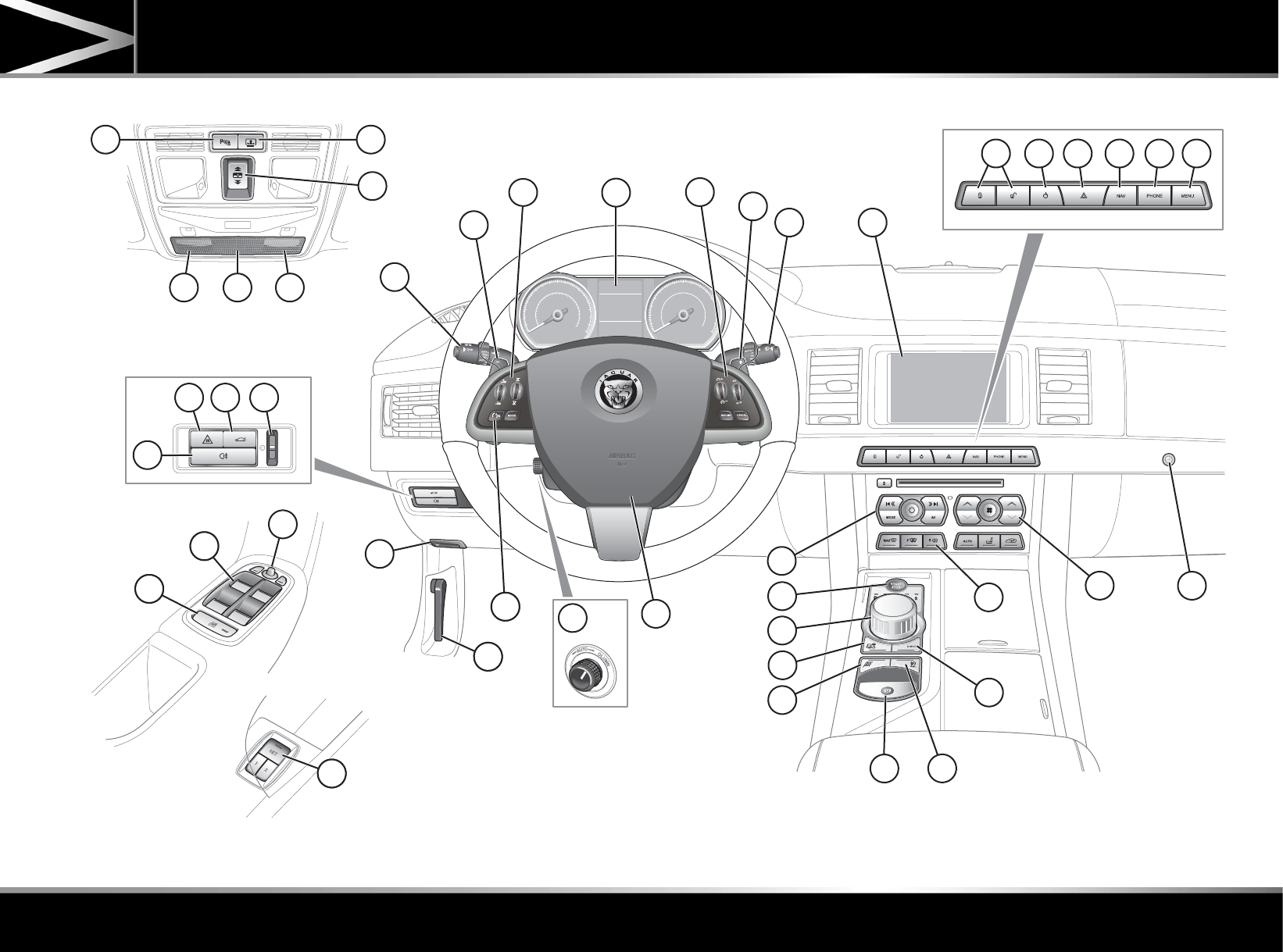
FOLDOUT
E134572
32
36
3937 38
2 23
1 5
4
6
911
10
7
8
12 13
20
21
26
25
27
29
28
23
24
31
41
43
42
34
33
35
22
40
30
19
1615 17 18
14
