Altera SDK For OpenCL Programming Guide Aocl
aocl_programming_guide
User Manual:
Open the PDF directly: View PDF  .
.
Page Count: 153 [warning: Documents this large are best viewed by clicking the View PDF Link!]
- Altera SDK for OpenCL Programming Guide
- Contents
- 1. Altera SDK for OpenCL Programming Guide
- Altera SDK for OpenCL Programming Guide Prerequisites
- Altera SDK for OpenCL FPGA Programming Flow
- Altera Offline Compiler Kernel Compilation Flows
- Obtaining General Information on Software, Compiler, and Custom Platform
- Displaying the Software Version (version)
- Displaying the Compiler Version (--version)
- Listing the Altera SDK for OpenCL Utility Command Options (help)
- Listing the Altera Offline Compiler Command Options (no argument, --help, or -h)
- Listing the Available FPGA Boards in Your Custom Platform (--list-boards)
- Managing an FPGA Board
- Installing an FPGA Board (install)
- Uninstalling the FPGA Board (uninstall)
- Querying the Device Name of Your FPGA Board (diagnose)
- Running a Board Diagnostic Test (diagnose <device_name>)
- Programming the FPGA Offline or without a Host (program <device_name>)
- Programming the Flash Memory (flash <device_name>)
- Structuring Your OpenCL Kernel
- Guidelines for Naming the Kernel
- Programming Strategies for Optimizing Data Processing Efficiency
- Programming Strategies for Optimizing Memory Access Efficiency
- Implementing the Altera SDK for OpenCL Channels Extension
- Overview of the AOCL Channels Extension
- Channel Data Behavior
- Multiple Work-Item Ordering for Channels
- Restrictions in the Implementation of AOCL Channels Extension
- Enabling the AOCL Channels for OpenCL Kernel
- Declaring the Channels OPENCL EXTENSION pragma
- Declaring the Channel Handle
- Implementing Blocking Channel Write Extensions
- Implementing Blocking Channel Read Extensions
- Implementing I/O Channels Using the io Channels Attribute
- Implementing Buffered Channels Using the depth Channels Attribute
- Enforcing the Order of Channel Calls
- Use Models of AOCL Channels Implementation
- Implementing OpenCL Pipes
- Overview of the OpenCL Pipe Functions
- Pipe Data Behavior
- Multiple Work-Item Ordering for Pipes
- Restrictions in OpenCL Pipes Implementation
- Enabling OpenCL Pipes for Kernels
- Using Predefined Preprocessor Macros in Conditional Compilation
- Declaring __constant Address Space Qualifiers
- Including Structure Data Types as Arguments in OpenCL Kernels
- Inferring a Register
- Enabling Double Precision Floating-Point Operations
- Single-Cycle Floating-Point Accumulator for Single Work-Item Kernels
- Designing Your Host Application
- Host Programming Requirements
- Allocating OpenCL Buffer for Manual Partitioning of Global Memory
- Collecting Profile Data During Kernel Execution
- Accessing Custom Platform-Specific Functions
- Modifying Host Program for Structure Parameter Conversion
- Allocating Shared Memory for OpenCL Kernels Targeting SoCs
- Managing Host Application
- Compiling Your OpenCL Kernel
- Compiling Your Kernel to Create Hardware Configuration File
- Compiling a Kernel for a Big-Endian System (--big-endian)
- Compiling Your Kernel without Building Hardware (-c)
- Specifying the Location of Header Files (-I <directory>)
- Specifying the Name of an AOC Output File (-o <filename>)
- Compiling a Kernel for a Specific FPGA Board (--board <board_name>)
- Resolving Hardware Generation Fitting Errors during Kernel Compilation (--high-effort)
- Defining Preprocessor Macros to Specify Kernel Parameters (-D <macro_name>)
- Generating Compilation Progress Report (-v)
- Displaying the Estimated Resource Usage Summary On-Screen (--report)
- Suppressing AOC Warning Messages (-W)
- Converting AOC Warning Messages into Error Messages (-Werror)
- Adding Source References to Optimization Reports (-g)
- Disabling Burst-Interleaving of Global Memory (--no-interleaving <global_memory_type>)
- Configuring Constant Memory Cache Size (--const-cache-bytes <N>)
- Relaxing the Order of Floating-Point Operations (--fp-relaxed)
- Reducing Floating-Point Rounding Operations (--fpc)
- Emulating and Debugging Your OpenCL Kernel
- Reviewing Your Kernel's Resource Usage Information in the Area Report
- Profiling Your OpenCL Kernel
- Conclusion
- Document Revision History
- 2. Altera SDK for OpenCL Advanced Features
- OpenCL Library
- Understanding RTL Modules and the OpenCL Pipeline
- Packaging an OpenCL Helper Function File for an OpenCL Library
- Packaging an RTL Component for an OpenCL Library
- Verifying the RTL Modules
- Packaging Multiple Object Files into a Library File
- Specifying an OpenCL Library when Compiling an OpenCL Kernel
- Using an OpenCL Library that Works with Simple Functions (Example 1)
- Using an OpenCL Library that Works with External Memory (Example 2)
- OpenCL Library Command-Line Options
- Kernel Attributes for Configuring Local Memory System
- Kernel Attributes for Reducing the Overhead on Hardware Usage
- Kernel Replication Using the num_compute_units(X,Y,Z) Attribute
- Document Revision History
- OpenCL Library
- A. Support Statuses of OpenCL Features


Contents
Altera SDK for OpenCL Programming Guide...................................................1-1
Altera SDK for OpenCL Programming Guide Prerequisites.................................................................1-1
Altera SDK for OpenCL FPGA Programming Flow...............................................................................1-2
Altera Offline Compiler Kernel Compilation Flows...............................................................................1-3
One-Step Compilation for Simple Kernels...................................................................................1-4
Multistep Altera SDK for OpenCL Design Flow.........................................................................1-5
Obtaining General Information on Software, Compiler, and Custom Platform................................1-7
Displaying the Software Version (version)...................................................................................1-8
Displaying the Compiler Version (--version)..............................................................................1-8
Listing the Altera SDK for OpenCL Utility Command Options (help)...................................1-8
Listing the Altera Offline Compiler Command Options (no argument, --help, or -h).........1-9
Listing the Available FPGA Boards in Your Custom Platform (--list-boards).......................1-9
Managing an FPGA Board..........................................................................................................................1-9
Installing an FPGA Board (install)..............................................................................................1-10
Uninstalling the FPGA Board (uninstall)...................................................................................1-11
Querying the Device Name of Your FPGA Board (diagnose).................................................1-11
Running a Board Diagnostic Test (diagnose <device_name>)...............................................1-12
Programming the FPGA Offline or without a Host (program <device_name>)................. 1-12
Programming the Flash Memory (flash <device_name>)....................................................... 1-13
Structuring Your OpenCL Kernel...........................................................................................................1-13
Guidelines for Naming the Kernel.............................................................................................. 1-14
Programming Strategies for Optimizing Data Processing Efficiency.................................... 1-15
Programming Strategies for Optimizing Memory Access Efficiency.....................................1-18
Implementing the Altera SDK for OpenCL Channels Extension...........................................1-19
Implementing OpenCL Pipes.......................................................................................................1-36
Using Predefined Preprocessor Macros in Conditional Compilation................................... 1-50
Declaring __constant Address Space Qualifiers........................................................................1-51
Including Structure Data Types as Arguments in OpenCL Kernels...................................... 1-52
Inferring a Register........................................................................................................................1-55
Enabling Double Precision Floating-Point Operations............................................................1-57
Single-Cycle Floating-Point Accumulator for Single Work-Item Kernels............................1-57
Designing Your Host Application...........................................................................................................1-59
Host Programming Requirements.............................................................................................. 1-60
Allocating OpenCL Buffer for Manual Partitioning of Global Memory............................... 1-61
Collecting Profile Data During Kernel Execution.....................................................................1-63
Accessing Custom Platform-Specific Functions....................................................................... 1-65
Modifying Host Program for Structure Parameter Conversion............................................. 1-65
Allocating Shared Memory for OpenCL Kernels Targeting SoCs..........................................1-66
Managing Host Application.........................................................................................................1-68
Compiling Your OpenCL Kernel............................................................................................................ 1-78
Compiling Your Kernel to Create Hardware Configuration File........................................... 1-79
Compiling a Kernel for a Big-Endian System (--big-endian)..................................................1-79
TOC-2
Altera Corporation

Compiling Your Kernel without Building Hardware (-c)........................................................1-80
Specifying the Location of Header Files (-I <directory>)........................................................ 1-80
Specifying the Name of an AOC Output File (-o <filename>)................................................1-81
Compiling a Kernel for a Specific FPGA Board (--board <board_name>)...........................1-81
Resolving Hardware Generation Fitting Errors during Kernel Compilation (--high-
effort)..........................................................................................................................................1-83
Defining Preprocessor Macros to Specify Kernel Parameters (-D <macro_name>)...........1-83
Generating Compilation Progress Report (-v).......................................................................... 1-85
Displaying the Estimated Resource Usage Summary On-Screen (--report).........................1-85
Suppressing AOC Warning Messages (-W)...............................................................................1-86
Converting AOC Warning Messages into Error Messages (-Werror)...................................1-86
Adding Source References to Optimization Reports (-g)........................................................ 1-86
Disabling Burst-Interleaving of Global Memory (--no-interleaving
<global_memory_type>).........................................................................................................1-86
Configuring Constant Memory Cache Size (--const-cache-bytes <N>)................................1-87
Relaxing the Order of Floating-Point Operations (--fp-relaxed)............................................1-87
Reducing Floating-Point Rounding Operations (--fpc)...........................................................1-88
Emulating and Debugging Your OpenCL Kernel.................................................................................1-88
Modifying Channels Kernel Code for Emulation..................................................................... 1-88
Compiling a Kernel for Emulation (-march=emulator).......................................................... 1-90
Emulating Your OpenCL Kernel.................................................................................................1-91
Debugging Your OpenCL Kernel on Linux...............................................................................1-92
Limitations of the AOCL Emulator.............................................................................................1-93
Reviewing Your Kernel's Resource Usage Information in the Area Report......................................1-94
Accessing the Area Report............................................................................................................1-94
Layout of the Area Report.............................................................................................................1-95
Profiling Your OpenCL Kernel................................................................................................................1-97
Instrumenting the Kernel Pipeline with Performance Counters (--profile)......................... 1-97
Launching the AOCL Profiler GUI (report)..............................................................................1-98
Conclusion..................................................................................................................................................1-98
Document Revision History.....................................................................................................................1-99
Altera SDK for OpenCL Advanced Features......................................................2-1
OpenCL Library........................................................................................................................................... 2-1
Understanding RTL Modules and the OpenCL Pipeline...........................................................2-3
Packaging an OpenCL Helper Function File for an OpenCL Library....................................2-13
Packaging an RTL Component for an OpenCL Library ......................................................... 2-14
Verifying the RTL Modules..........................................................................................................2-16
Packaging Multiple Object Files into a Library File..................................................................2-17
Specifying an OpenCL Library when Compiling an OpenCL Kernel....................................2-17
Using an OpenCL Library that Works with Simple Functions (Example 1).........................2-18
Using an OpenCL Library that Works with External Memory (Example 2)........................2-18
OpenCL Library Command-Line Options.................................................................................2-19
Kernel Attributes for Configuring Local Memory System...................................................................2-21
Restrictions on the Usage of Local Variable-Specific Kernel Attributes................................2-22
Kernel Attributes for Reducing the Overhead on Hardware Usage...................................................2-23
Hardware for Kernel Interface.....................................................................................................2-23
Kernel Replication Using the num_compute_units(X,Y,Z) Attribute...............................................2-26
TOC-3
Altera Corporation

Customization of Replicated Kernels Using the get_compute_id() Function......................2-26
Using Channels with Kernel Copies............................................................................................2-28
Document Revision History.....................................................................................................................2-29
Support Statuses of OpenCL Features .............................................................. A-1
Support Statuses of OpenCL 1.0 Features............................................................................................... A-1
OpenCL1.0 C Programming Language Implementation..........................................................A-1
OpenCL C Programming Language Restrictions.......................................................................A-4
Argument Types for Built-in Geometric Functions...................................................................A-5
Numerical Compliance Implementation.....................................................................................A-6
Image Addressing and Filtering Implementation...................................................................... A-7
Atomic Functions............................................................................................................................A-7
Embedded Profile Implementation..............................................................................................A-7
Support Statuses of OpenCL 1.2 Features............................................................................................... A-8
OpenCL 1.2 Runtime Implementation........................................................................................A-8
OpenCL 1.2 C Programming Language Implementation.........................................................A-8
Support Statuses of OpenCL 2.0 Features............................................................................................. A-10
OpenCL 2.0 Runtime Implementation......................................................................................A-10
OpenCL 2.0 C Programming Language Restrictions for Pipes..............................................A-10
Altera SDK for OpenCL Allocation Limits........................................................................................... A-11
Document Revision History....................................................................................................................A-12
TOC-4
Altera Corporation

Altera SDK for OpenCL Programming Guide 1
2016.05.02
UG-OCL002 Subscribe Send Feedback
The Altera SDK for OpenCL Programming Guide provides descriptions, recommendations and usage
information on the Altera® Software Development Kit (SDK) for OpenCL™ (AOCL) compiler and tools.
The AOCL(1) is an OpenCL(2)-based heterogeneous parallel programming environment for Altera FPGAs.
Altera SDK for OpenCL Programming Guide Prerequisites
The Altera SDK for OpenCL Programming Guide assumes that you are knowledgeable in OpenCL
concepts and application programming interfaces (APIs). It also assumes that you have experience
creating OpenCL applications and are familiar with the OpenCL Specification version 1.0.
Before using the Altera SDK for OpenCL or the Altera Runtime Environment (RTE) for OpenCL to
program your device, familiarize yourself with the respective getting started guides. This document
assumes that you have performed the following tasks:
• For developing and deploying OpenCL kernels, download the tar file and run the installers to install
the AOCL, the Quartus® Prime software, and device support.
• For deployment of OpenCL kernels, download and install the RTE.
• If you want to use the AOCL or the RTE to program a Cyclone V SoC Development Kit, you also have
to download and install the SoC Embedded Design Suite (EDS).
• Install and set up your FPGA board.
• Program your device with the device-compatible version of the hello_world example OpenCL applica‐
tion
If you have not performed the tasks described above, refer to the AOCL getting starting guides for more
information.
Prior to creating an OpenCL design and programming your FPGA board, review the AOCL allocation
limits.
Related Information
•Altera SDK for OpenCL Allocation Limits on page 3-11
(1) The Altera SDK for OpenCL is based on a published Khronos Specification, and has passed the Khronos
Conformance Testing Process. Current conformance status can be found at www.khronos.org/
conformance.
(2) OpenCL and the OpenCL logo are trademarks of Apple Inc. used by permission of the Khronos Group™.
© 2016 Altera Corporation. All rights reserved. ALTERA, ARRIA, CYCLONE, ENPIRION, MAX, MEGACORE, NIOS, QUARTUS and STRATIX words and logos are
trademarks of Altera Corporation and registered in the U.S. Patent and Trademark Office and in other countries. All other words and logos identified as
trademarks or service marks are the property of their respective holders as described at www.altera.com/common/legal.html. Altera warrants performance
of its semiconductor products to current specifications in accordance with Altera's standard warranty, but reserves the right to make changes to any
products and services at any time without notice. Altera assumes no responsibility or liability arising out of the application or use of any information,
product, or service described herein except as expressly agreed to in writing by Altera. Altera customers are advised to obtain the latest version of device
specifications before relying on any published information and before placing orders for products or services.
ISO
9001:2008
Registered
www.altera.com
101 Innovation Drive, San Jose, CA 95134
•OpenCL References Pages
•OpenCL Specification version 1.0
•Altera SDK for OpenCL Getting Started Guide
•Altera RTE for OpenCL Getting Started Guide
•Altera SDK for OpenCL Cyclone V SoC Getting Started Guide
Altera SDK for OpenCL FPGA Programming Flow
The Altera SDK for OpenCL programs an FPGA with an OpenCL application in a two-step process. The
Altera Offline Compiler (AOC) first compiles your OpenCL kernels. The host-side C compiler compiles
your host application and then links the compiled OpenCL kernels to it.
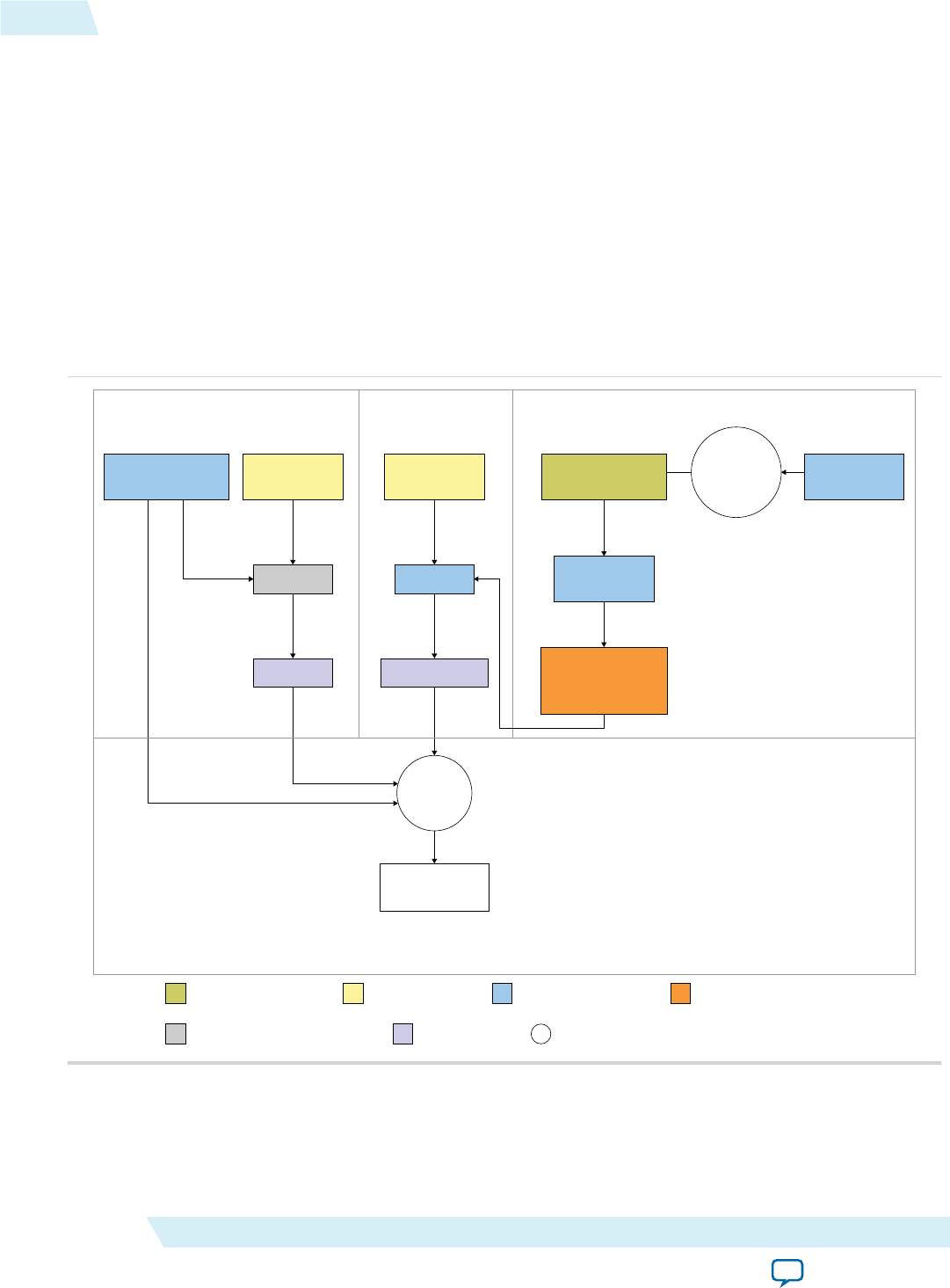
Figure 1-1: Schematic Diagram of the AOCL Programming Model
Altera OpenCL Runtime
Environment
Host compiler
Host source code
(.c or .cpp)
Host binary
AOC
Kernel source code
(.cl)
FPGA image (.aocx)
Execute host
application
on host
Quartus Prime
Design Suite
Board-specific
Custom Platform Design
Port and/or
customize to
target
platform
Altera Reference
Platform Design
AOCL board directory
for version-compatible
target platform
Final computation
results
Runtime Execution
Host Code Path Kernel Code Path Custom Platform Path
Board developer-created item AOCL user-created item Altera-supplied tool or design Board developer-supplied item
Third-party-supplied or open source tool Tool-generated item Process or action
1-2 Altera SDK for OpenCL FPGA Programming Flow UG-OCL002
2016.05.02
Altera Corporation Altera SDK for OpenCL Programming Guide
Send Feedback
Three main parts in the AOCL programming model:
• The host application and the host compiler
• The OpenCL kernel and the AOC
• The Custom Platform
The Custom Platform provides the board design. The AOC targets the board design when compiling the
OpenCL kernel to generate the hardware image. The host then runs the host application to execute the
hardware image onto the FPGA.
Altera Offline Compiler Kernel Compilation Flows
The Altera Offline Compiler can create your FPGA hardware configuration file in a one-step or a
multistep process. The complexity of your kernel dictates the AOC compilation option you implement.
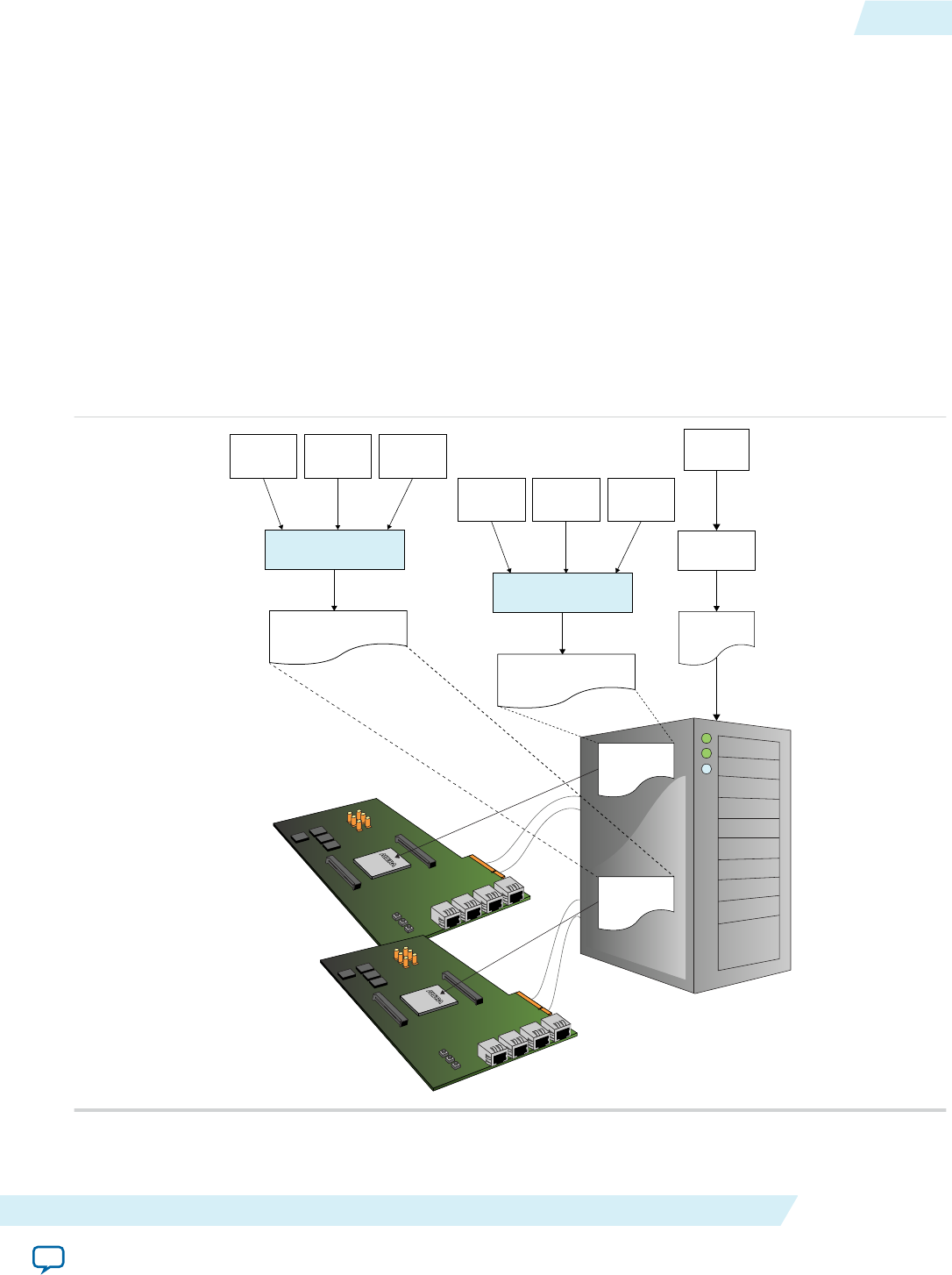
Figure 1-2: The AOCL FPGA Programming Flow
Kernel Source
Code #2 (.cl)
Kernel Source
Code #1 (.cl)Kernel Source
Code #3 (.cl)
Host Binary
Standard
C Compiler
Host Code
Altera Offline Compiler
for OpenCL Kernels
Kernel Binary A
(.aocx)
Load .aocx
into memory
PCIe
PCIe
Load runtime
Load runtime
Consolidated Kernel Binary A
(.aoco, .aocx)
Kernel Source
Code #5 (.cl)
Kernel Source
Code #4 (.cl)Kernel Source
Code #6 (.cl)
Altera Offline Compiler
for OpenCL Kernels
Consolidated Kernel Binary B
(.aoco, .aocx)
Kernel Binary B
(.aocx)
UG-OCL002
2016.05.02 Altera Offline Compiler Kernel Compilation Flows 1-3
Altera SDK for OpenCL Programming Guide Altera Corporation
Send Feedback

An OpenCL kernel source file (.cl) contains your OpenCL source code. The AOC groups one or more
kernels into a temporary file and then compiles this file to generate the following files and folders:
• An Altera Offline Compiler Object file (.aoco) is an intermediate object file that contains information
for later stages of the compilation.
• An Altera Offline Compiler Executable file (.aocx) is the hardware configuration file and contains
information necessary at runtime.
• The <your_kernel_filename> folder or subdirectory, which contains data necessary to create the .aocx
file.
The AOC creates the .aocx file from the contents of the <your_kernel_filename> folder or subdirectory. It
also incorporates information from the .aoco file into the .aocx file during hardware compilation.
The .aocx file contains data that the host application uses to create program objects for the target FPGA.
The host application loads these program objects into memory. The host runtime then calls these
program objects from memory and programs the target FPGA as required.
One-Step Compilation for Simple Kernels
By default, the Altera Offline Compiler compiles your OpenCL kernel and creates the hardware
configuration file in a single step. Choose this compilation option only if your OpenCL application
requires minimal optimizations.
The following figure illustrates the OpenCL kernel design flow that has a single compilation step.
1-4 One-Step Compilation for Simple Kernels UG-OCL002
2016.05.02
Altera Corporation Altera SDK for OpenCL Programming Guide
Send Feedback
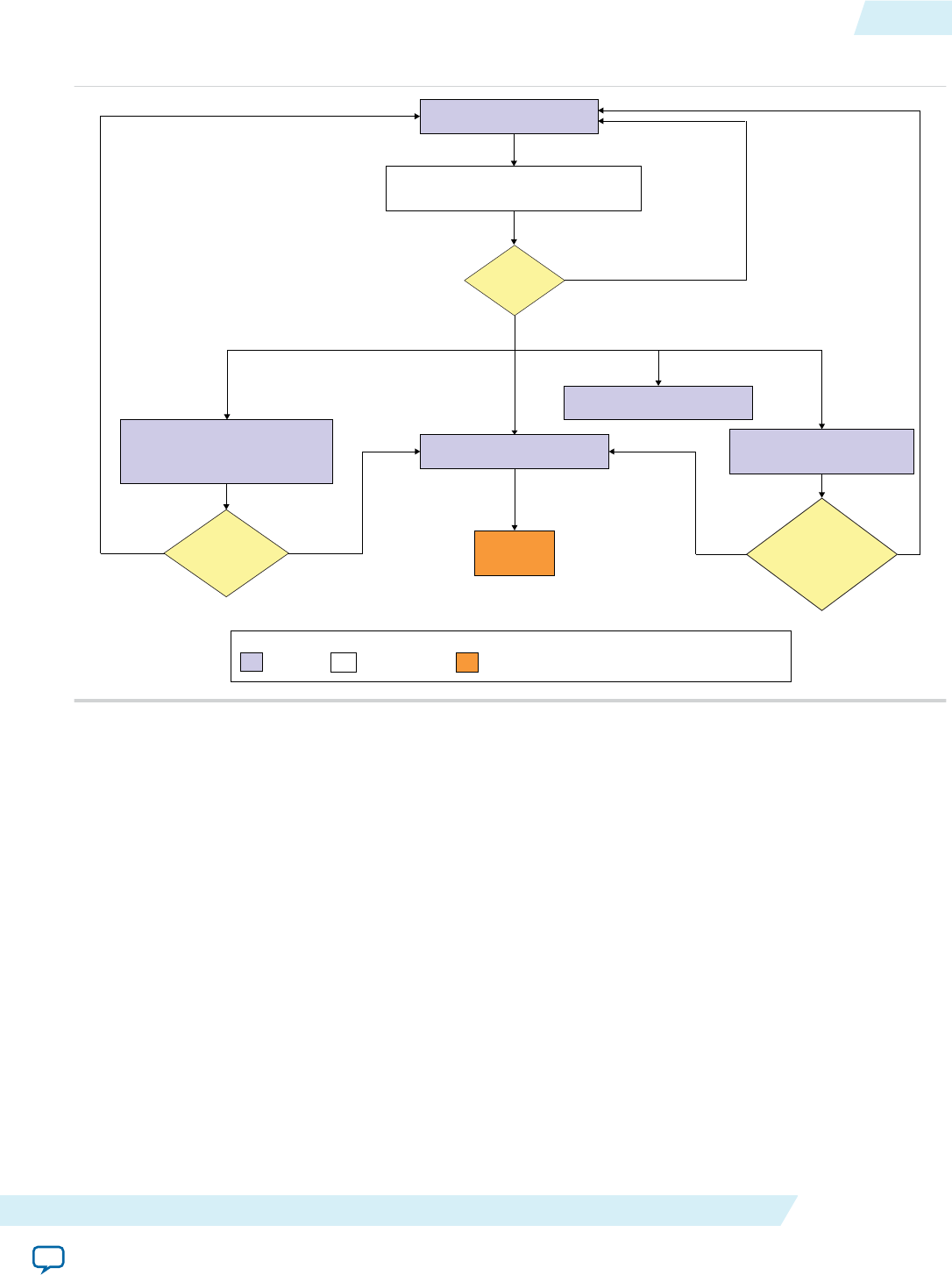
Figure 1-3: One-Step OpenCL Kernel Compilation Flow
<your_kernel_filename>.cl
aoc <your_kernel_filename>.cl [--report]
Duration of compilation: hours
<your_kernel_filename>.aocx
Estimated resource usage summary
in <your_kernel_filename>.log
(and on-screen with --report)
Optimization report in
<your_kernel_filename>.log
Syntactic
Errors?
Resource usage
acceptable?
Single
work-item kernel
performance
satisfactory?
Execute on
FPGA
Legend
File abc Command Kernel Execution abc For single work-item kernel
NO
YES
NO
NO
<your_kernel_filename>.aoco
YES
YES
A successful compilation results in the following files and reports:
• A .aoco file
• A .aocx file
• In the <your_kernel_filename>/<your_kernel_filename>.log file, the estimated resource usage
summary provides a preliminary assessment of area usage. If you have a single work-item kernel, the
optimization report identifies performance bottlenecks.
Attention: It is very time consuming to iterate on your design using the one-step compilation flow. For
each iteration, you must perform a full compilation, which takes hours. Then you must
execute the kernel on the FPGA before you can assess its performance.
Related Information
Compiling Your Kernel to Create Hardware Configuration File on page 1-79
Multistep Altera SDK for OpenCL Design Flow
Choose the multistep Altera SDK for OpenCL design flow if you want to iterate on your OpenCL kernel
design to implement performance-improving optimizations .
UG-OCL002
2016.05.02 Multistep Altera SDK for OpenCL Design Flow 1-5
Altera SDK for OpenCL Programming Guide Altera Corporation
Send Feedback
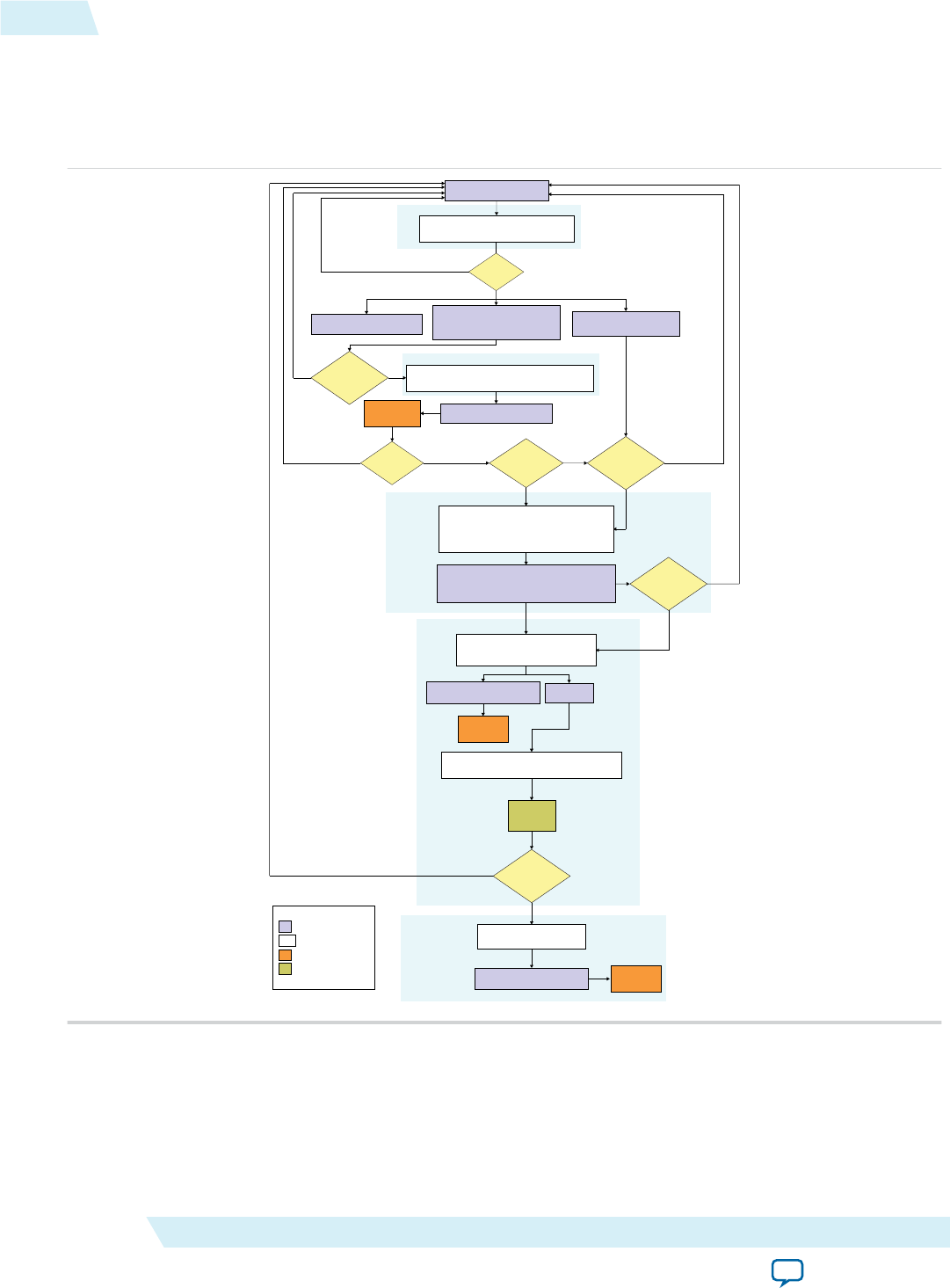
The figure below outlines the stages in the AOCL design flow. The steps in the design flow serve as
checkpoints for identifying functional errors and performance bottlenecks. They allow you to modify
your OpenCL kernel code without performing a full compilation after each iteration.
Figure 1-4: The Multistep AOCL Design Flow
<your_kernel_filename>.aocx
<your_kernel_filename>.cl
aoc -c [-g] <your_kernel_filename>.cl [--report]
Duration of compilation: minutes
Syntactic
errors?
aoc -march=emulator [-g] <your_kernel_filename>.cl
Duration of compilation: seconds
Emulation
successful?
Optimization Repot in
<your_kernel_filename>.log
aoc --profile <your_kernel_filename>.cl
Duration of compilation: hours
profile.mon
aocl report <your_kernel_filename>.aocx profile.mon
Profiler
GUI
Kernel
performance
satisfactory?
aoc <your_kernel_filename>.cl
Duration of compilation: hours
Execute kernel
on FPGA
Kernel
performance
satisfactory?
Intermediate Compilation
Emulation
Profiling
Full Deployment
Execute kernel
on FPGA
YES NONO
NO
NO
YES
Single
work-item
kernel?
YES
YES
<your_kernel_filename>.aocx
NO
YES
Legend
abc
abc
File
Command
Kernel Execution
GUI
Single work-item-step
<your_kernel_filename>.aoco
<your_kernel_filename>.aocx
Execute on
emulation device
aocl analyze-area <your_kernel_filename>.aoco
or
aocl analyze-area <your_kernel_filename>.aocx
<your_kernel_filename>.aoco-area-report.html
or
<your_kernel_filename>.aocx-area-report.html
Resource
Usage
Optimized?
YES
NO
Review Area Report
<your_kernel_filename>.aoco
Estimated resource usage summary
in <your_kernel_filename>.log
(and on-screen with --report)
Resource
Usage
Acceptable?
NO YES
The AOCL design flow includes the following steps:
1. Intermediate compilation
The intermediate compilation step checks for syntatic errors. It then generates a .aoco file without
building the hardware configuration file. The estimated resource usage summary in the
<your_kernel_filename>/<your_kernel_filename>.log file can provide insight into the type of kernel
1-6 Multistep Altera SDK for OpenCL Design Flow UG-OCL002
2016.05.02
Altera Corporation Altera SDK for OpenCL Programming Guide
Send Feedback

optimizations you can perform. For a single work-item kernel, include the -g option to insert source
information in the optimization report in the <your_kernel_filename>.log file.
2. Emulation
Assess the functionality of your OpenCL kernel by executing it on one or multiple emulation devices
on an x86-64 host. For Linux systems, include the -g option to enable symbolic debug support.
Symbolic debug allows you to locate the origins of functional errors in your kernel code.
3. Review Area Report
Review the HTML area report of your OpenCL application to determine whether the estimated
resource usage is acceptable. The area report also provides suggestions on how you can modify your
kernel to reduce hardware consumption.
4. Profiling
Instruct the Altera Offline Compiler to instrument performance counters in the Verilog code in
the .aocx file. During execution, the performance counters collect performance information which you
can then review in the Profiler GUI.
5. Full deployment
If you are satisfied with the performance of your OpenCL kernel throughout the design flow, perform
a full compilation. You can then execute the .aocx file on the FPGA.
Related Information
•Compiling Your OpenCL Kernel on page 1-78
•Emulating and Debugging Your OpenCL Kernel on page 1-88
•Profiling Your OpenCL Kernel on page 1-97
Obtaining General Information on Software, Compiler, and Custom
Platform
The Altera SDK for OpenCL includes two sets of command options: the AOCL utility commands (aocl
<command_option>) and the Altera Offline Compiler commands (aoc <command_option>).
Each set of commands includes options you can invoke to obtain general information on the software, the
compiler, and the Custom Platform.
Displaying the Software Version (version) on page 1-8
To display the version of the Altera SDK for OpenCL, invoke the version utility command.
Displaying the Compiler Version (--version) on page 1-8
To display the version of the Altera Offline Compiler, invoke the --version compiler command.
Listing the Altera SDK for OpenCL Utility Command Options (help) on page 1-8
To display information on the Altera SDK for OpenCL utility command options, invoke the help utility
command.
Listing the Altera Offline Compiler Command Options (no argument, --help, or -h) on page 1-9
To display information on the Altera Offline Compiler command options, invoke the compiler command
without an argument, or invoke the compiler command with the --help or -h command option.
UG-OCL002
2016.05.02 Obtaining General Information on Software, Compiler, and Custom Platform 1-7
Altera SDK for OpenCL Programming Guide Altera Corporation
Send Feedback

Listing the Available FPGA Boards in Your Custom Platform (--list-boards) on page 1-9
To list the FPGA boards available in your Custom Platform, include the --list-boards option in the
aoc command.
Displaying the Software Version (version)
To display the version of the Altera SDK for OpenCL, invoke the version utility command.
•At the command prompt, invoke the aocl version command.
Example output:
aocl <version>.<build> (Altera SDK for OpenCL, Version <version>
Build <build>, Copyright (C) <year> Altera Corporation)
Displaying the Compiler Version (--version)
To display the version of the Altera Offline Compiler, invoke the --version compiler command.
•At a command prompt, invoke the aoc --version command.
Example output:
Altera SDK for OpenCL, 64-Bit Offline Compiler
Version <version> Build <build>
Copyright (C) <year> Altera Corporation
Listing the Altera SDK for OpenCL Utility Command Options (help)
To display information on the Altera SDK for OpenCL utility command options, invoke the help utility
command.
•At a command prompt, invoke the aocl help command.
The AOCL categorizes the utility command options based on their functions. It also provides a
description for each option.
Displaying Information on an Altera SDK for OpenCL Utility Command Option (help
<command_option>)
To display information on a specific Altera SDK for OpenCL utility command option, include the
command option as an argument of the help utility command.
•At a command prompt, invoke the aocl help <command_option> command.
For example, to obtain more information on the install utility command option, invoke the aocl
help install command.
Example output:
aocl install - Installs a board onto your host system.
Usage: aocl install
Description:
This command installs a board's drivers and other necessary software for the
host operating system to communicate with the board.
For example this might install PCIe drivers.
1-8 Displaying the Software Version (version) UG-OCL002
2016.05.02
Altera Corporation Altera SDK for OpenCL Programming Guide
Send Feedback

Listing the Altera Offline Compiler Command Options (no argument, --help, or -h)
To display information on the Altera Offline Compiler command options, invoke the compiler command
without an argument, or invoke the compiler command with the --help or -h command option.
• At a command prompt, invoke one of the following commands:
•aoc
•aoc --help
•aoc -h
The Altera SDK for OpenCL categorizes the AOC command options based on their functions. It also
provides a description for each option.
Listing the Available FPGA Boards in Your Custom Platform (--list-boards)
To list the FPGA boards available in your Custom Platform, include the --list-boards option in the
aoc command.
Before you begin
To view the list of available boards in your Custom Platform, you must first set the environment variable
AOCL_BOARD_PACKAGE_ROOT to point to the location of your Custom Platform.
•At a command prompt, invoke the aoc --list-boards command.
The Altera Offline Compiler generates an output that resembles the following:
Board list:
<board_name_1>
<board_name_2>
...
Where <board_name_N> is the board name you use in your aoc command to target a specific FPGA
board.
Managing an FPGA Board
The Altera SDK for OpenCL includes utility commands you can invoke to install, uninstall, diagnose, and
program your FPGA board.
Installing an FPGA Board (install) on page 1-10
To install your board into the host system, invoke the install utility command.
Uninstalling the FPGA Board (uninstall) on page 1-11
To uninstall an FPGA board, invoke the uninstall utility command, uninstall the Custom Platform,
and unset the relevant environment variables.
Querying the Device Name of Your FPGA Board (diagnose) on page 1-11
When you query a list of accelerator boards, the AOCL produces a list of installed devices on your
machine in the order of their device names.
Running a Board Diagnostic Test (diagnose <device_name>) on page 1-12
To perform a detailed diagnosis on a specific FPGA board, include <device_name> as an argument of the
diagnose utility command.
UG-OCL002
2016.05.02 Listing the Altera Offline Compiler Command Options (no argument,... 1-9
Altera SDK for OpenCL Programming Guide Altera Corporation
Send Feedback

Programming the FPGA Offline or without a Host (program <device_name>) on page 1-12
To program an FPGA device offline or without a host, invoke the program utility command.
Programming the Flash Memory (flash <device_name>) on page 1-13
If supported, invoke the flash utility command to initialize the FPGA with a specified startup
configuration.
Installing an FPGA Board (install)
Before creating an OpenCL application for an FPGA board, you must first download and install the
Custom Platform from your board vendor. Most Custom Platform installers require administrator
privileges. To install your board into the host system, invoke the install utility command.
The steps below outline the board installation procedure. Some Custom Platforms require additional
installation tasks. Consult your board vendor's documentation for further information on board
installation.
Attention: If you are installing the Cyclone® V SoC Development Kit for use with the Cyclone V SoC
Development Kit Reference Platform (c5soc), refer to Installing the Cyclone V SoC Develop‐
ment Kit in the Altera SDK for OpenCL Cyclone V SoC Getting Started Guide for more
information.
1. Follow your board vendor's instructions to connect the FPGA board to your system.
2. Download the Custom Platform for your FPGA board from your board vendor's website. To download
an Altera SDK for OpenCL Reference Platform (for example, the Stratix® V Network Reference
Platform (s5_net)), refer to the Altera SDK for OpenCL FPGA Platforms page on the Altera website.
3. Install the Custom Platform in a directory that you own (that is, not a system directory).
4. Set the user environment variable AOCL_BOARD_PACKAGE_ROOT to point to the location of the
Custom Platform subdirectory containing the board_env.xml file.
For example, for s5_net, set AOCL_BOARD_PACKAGE_ROOT to point to the <path_to_s5_net>/s5_
net directory.
5. Set the QUARTUS_ROOTDIR_OVERRIDE user environment variable to point to the correct Quartus
Prime software installation directory.
If you have an Arria® 10 device, set QUARTUS_ROOTDIR_OVERRIDE to point to the installation
directory of the Quartus Prime Pro Edition software. Otherwise, set
QUARTUS_ROOTDIR_OVERRIDE to point to the installation directory of the Quartus Prime
Standard Edition software.
6. Add the paths to the Custom Platform libraries (for example, the memory-mapped (MMD) library) to
the PATH (Windows) or LD_LIBRARY_PATH (Linux) environment variable setting.
For example, if you use s5_net, the Windows PATH environment variable setting is
%AOCL_BOARD_PACKAGE_ROOT%\windows64\bin. The Linux LD_LIBRARY_PATH setting is
$AOCL_BOARD_PACKAGE_ROOT/linux64/lib.
The Altera SDK for OpenCL Getting Started Guide contains more information on the init_opencl
script. For information on setting user environment variables and running the init_opencl script, refer
to the Setting the Altera SDK for OpenCL User Environment Variables section.
1-10 Installing an FPGA Board (install) UG-OCL002
2016.05.02
Altera Corporation Altera SDK for OpenCL Programming Guide
Send Feedback

7. Remember: You need administrative rights to install a board. To run a Windows command prompt
as an administrator, click Start > All Programs > Accessories. Under Accessories, right
click Command Prompt, In the right-click menu, click Run as Administrator.
Invoke the command aocl install at a command prompt.
Invoking aocl install also installs a board driver that allows communication between host
applications and hardware kernel programs.
8. To query a list of FPGA devices installed in your machine, invoke the aocl diagnose command.
The software generates an output that includes the <device_name>, which is an acl number that ranges
from acl0 to acl31.
For more information on querying the <device_name> of your accelerator board, refer to the Querying
the Device Name of Your FPGA Board section.
9. To verify the successful installation of the FPGA board, invoke the command aocl diagnose
<device_name> to run any board vendor-recommended diagnostic test.
Related Information
•Installing the Cyclone V SoC Development Kit
•Querying the Device Name of Your FPGA Board (diagnose) on page 1-11
•Setting the Altera SDK for OpenCL User Environment Variables (Windows)
•Setting the Altera SDK for OpenCL User Environment Variables (Linux)
•Altera SDK for OpenCL FPGA Platforms page
Uninstalling the FPGA Board (uninstall)
To uninstall an FPGA board, invoke the uninstall utility command, uninstall the Custom Platform,
and unset the relevant environment variables. You must uninstall the existing FPGA board if you migrate
your OpenCL application to another FPGA board that belongs to a different Custom Platform.
To uninstall your FPGA board, perform the following tasks:
1. Following your board vendor's instructions to disconnect the board from your machine.
2. Invoke the aocl uninstall utility command to remove the current host computer drivers (for
example, PCIe® drivers). The Altera SDK for OpenCL uses these drivers to communicate with the
FPGA board.
3. Uninstall the Custom Platform.
4. Unset the LD_LIBRARY_PATH (for Linux) or PATH (for Windows) environment variable.
5. Unset the AOCL_BOARD_PACKAGE_ROOT environment variable.
Querying the Device Name of Your FPGA Board (diagnose)
Some Altera SDK for OpenCL utility commands require you to specify the device name (<device_name>).
The <device_name> refers to the acl number (e.g. acl0 to acl31) that corresponds to the FPGA device.
When you query a list of accelerator boards, the AOCL produces a list of installed devices on your
machine in the order of their device names.
UG-OCL002
2016.05.02 Uninstalling the FPGA Board (uninstall) 1-11
Altera SDK for OpenCL Programming Guide Altera Corporation
Send Feedback

•To query a list of installed devices on your machine, type aocl diagnose at a command prompt.
The software generates an output that resembles the example shown below:
aocl diagnose: Running diagnostic from ALTERAOCLSDKROOT/board/<board_name>/
<platform>/libexec
Verified that the kernel mode driver is installed on the host machine.
Using board package from vendor: <board_vendor_name>
Querying information for all supported devices that are installed on the host
machine ...
device_name Status Information
acl0 Passed <descriptive_board_name>
PCIe dev_id = <device_ID>, bus:slot.func = 02:00.00,
at Gen 2 with 8 lanes.
FPGA temperature=43.0 degrees C.
acl1 Passed <descriptive_board_name>
PCIe dev_id = <device_ID>, bus:slot.func = 03:00.00,
at Gen 2 with 8 lanes.
FPGA temperature = 35.0 degrees C.
Found 2 active device(s) installed on the host machine, to perform a full
diagnostic on a specific device, please run aocl diagnose <device_name>
DIAGNOSTIC_PASSED
Related Information
Probing the OpenCL FPGA Devices on page 1-76
Running a Board Diagnostic Test (diagnose <device_name>)
To perform a detailed diagnosis on a specific FPGA board, include <device_name> as an argument of the
diagnose utility command.
•At a command prompt, invoke the aocl diagnose <device_name> command, where
<device_name> is the acl number (for example, acl0 to acl31) that corresponds to your FPGA device.
You can identify the <device_name> when you query the list of installed boards in your system.
Consult your board vendor's documentation for more board-specific information on using the
diagnose utility command to run diagnostic tests on multiple FPGA boards.
Programming the FPGA Offline or without a Host (program <device_name>)
To program an FPGA device offline or without a host, invoke the program utility command.
•At a command prompt, invoke the aocl program <device_name>
<your_kernel_filename>.aocx command
where:
<device_name> refers to the acl number (for example, acl0 to acl31) that corresponds to your FPGA
device, and
<your_kernel_filename>.aocx is the Altera Offline Compiler Executable file you use to program the
hardware.
1-12 Running a Board Diagnostic Test (diagnose <device_name>) UG-OCL002
2016.05.02
Altera Corporation Altera SDK for OpenCL Programming Guide
Send Feedback

Note: To program an SoC such as the Cyclone V SoC, you must specify the full path of
the device when invoking the program utility command. For example, aocl
program /dev/<device_name> <your_kernel_filename>.aocx.
Programming the Flash Memory (flash <device_name>)
If supported, invoke the flash utility command to initialize the FPGA with a specified startup
configuration.
Note: For instructions on programming the micro SD flash card of the Cyclone V SoC Development Kit,
refer to the Writing an SD Card Image onto the Micro SD Flash Card section of the Altera SDK for
OpenCL Cyclone V SoC Getting Started Guide.
•At a command prompt, invoke the aocl flash <device_name>
<your_kernel_filename>.aocx command
where:
<device_name> refers to the acl number (for example, acl0 to acl31) that corresponds to your FPGA
device, and
<your_kernel_filename>.aocx is the Altera Offline Compiler Executable file you use to program the
hardware.
Related Information
•Writing an SD Card Image onto the Micro SD Flash Card on Windows
•Writing an SD Card Image onto the Micro SD Flash Card on Linux
Structuring Your OpenCL Kernel
Altera offers recommendations on how to structure your OpenCL kernel code. Consider implementing
these programming recommendations when you create a kernel or modify a kernel written originally to
target another architecture.
Guidelines for Naming the Kernel on page 1-14
Altera recommends that you include only alphanumeric characters in your file names.
Programming Strategies for Optimizing Data Processing Efficiency on page 1-15
Optimize the data processing efficiency of your kernel by implementing strategies such as unrolling loops,
setting work-group sizes, and specifying compute units and work-items.
Programming Strategies for Optimizing Memory Access Efficiency on page 1-18
Optimize the memory access efficiency of your kernel by implementing strategies such as specifying local
memory pointer size and specifying global memory buffer location.
Implementing the Altera SDK for OpenCL Channels Extension on page 1-19
The Altera SDK for OpenCL channels extension provides a mechanism for passing data to kernels and
synchronizing kernels with high efficiency and low latency.
UG-OCL002
2016.05.02 Programming the Flash Memory (flash <device_name>) 1-13
Altera SDK for OpenCL Programming Guide Altera Corporation
Send Feedback

Implementing OpenCL Pipes on page 1-36
The Altera SDK for OpenCL provides preliminary support for OpenCL pipe functions.
Using Predefined Preprocessor Macros in Conditional Compilation on page 1-50
You may take advantage of predefined preprocessor macros that allow you to conditionally compile
portions of your kernel code.
Declaring __constant Address Space Qualifiers on page 1-51
There are several limitations and workarounds you must consider when you include __constant address
space qualifiers in your kernel.
Including Structure Data Types as Arguments in OpenCL Kernels on page 1-52
Convert each structure parameter (struct) to a pointer that points to a structure.
Inferring a Register on page 1-55
In general, the AOC chooses registers if the access to a variable is fixed and does not require any dynamic
indexes.
Enabling Double Precision Floating-Point Operations on page 1-57
The Altera SDK for OpenCL offers preliminary support for all double precision floating-point functions.
Single-Cycle Floating-Point Accumulator for Single Work-Item Kernels on page 1-57
Single work-item kernels that perform accumulation in a loop can leverage the Altera Offline Compiler's
single-cycle floating-point accumulator feature.
Guidelines for Naming the Kernel
Altera recommends that you include only alphanumeric characters in your file names.
1-14 Guidelines for Naming the Kernel UG-OCL002
2016.05.02
Altera Corporation Altera SDK for OpenCL Programming Guide
Send Feedback

• Begin a file name with an alphanumeric character.
If the file name of your OpenCL application begins with a nonalphanumeric character, compilation
fails with the following error message:
Error: Quartus compilation FAILED
See quartus_sh_compile.log for the output log.
• Do not differentiate file names using nonalphanumeric characters.
The Altera Offline Compiler translates any nonalphanumeric character into an underscore ("_"). If you
differentiate two file names by ending them with different nonalphanumeric characters only (for
example, myKernel#.cl and myKernel&.cl), the AOC translates both file names to
<your_kernel_filename>_.cl (for example, myKernel_.cl).
• For Windows system, ensure that the combined length of the kernel file name and its file path does not
exceed 260 characters.
64-bit Windows 7 and Windows 8.1 has a 260-character limit on the length of a file path. If the
combined length of the kernel file name and its file path exceeds 260 characters, the AOC generates the
following error message:
The filename or extension is too long.
The system cannot find the path specified.
In addition to the AOC error message, the following error message appears in the
<your_kernel_filename>/quartus_sh_compile.log file:
Error: Can’t copy <file_type> files: Can’t open
<your_kernel_filename> for write: No such file or directory
• Do not name your .cl OpenCL kernel source file "kernel". Naming the source file kernel.cl causes the
AOC to generate intermediate design files that have the same names as certain internal files, which
leads to an compilation error.
Programming Strategies for Optimizing Data Processing Efficiency
Optimize the data processing efficiency of your kernel by implementing strategies such as unrolling loops,
setting work-group sizes, and specifying compute units and work-items.
Unrolling a Loop
The Altera Offline Compiler might unroll simple loops even if they are not annotated by a pragma.
To direct the AOC to unroll a loop, insert an unroll kernel pragma in the kernel code preceding a loop
you wish to unroll.
Attention:
UG-OCL002
2016.05.02 Programming Strategies for Optimizing Data Processing Efficiency 1-15
Altera SDK for OpenCL Programming Guide Altera Corporation
Send Feedback

• Provide an unroll factor whenever possible. To specify an unroll factor N, insert the #pragma unroll
<N> directive before a loop in your kernel code.
The AOC attempts to unroll the loop at most <N> times.
Consider the code fragment below. By assigning a value of 2 as an argument to #pragma unroll, you
direct the AOC to unroll the loop twice.
#pragma unroll 2
for(size_t k = 0; k < 4; k++)
{
mac += data_in[(gid * 4) + k] * coeff[k];
}
• To unroll a loop fully, you may omit the unroll factor by simply inserting the #pragma unroll
directive before a loop in your kernel code.
The AOC attempts to unroll the loop fully if it understands the trip count. The AOC issues a warning
if it cannot execute the unroll request.
Specifying Work-Group Sizes
Specify a maximum or required work-group size whenever possible. The Altera Offline Compiler relies on
this specification to optimize hardware usage of the OpenCL kernel without involving excess logic.
If you do not specify a max_work_group_size or a reqd_work_group_size attribute in your kernel, the
work-group size assumes a default value depending on compilation time and runtime constraints.
• If your kernel contains a barrier, the AOC sets a default maximum work-group size of 256 work-items.
• If your kernel contains a barrier or refers to the local work-item ID, or if you query the work-group
size in your host code, the runtime defaults the work-group size to one work-item.
• If your kernel does not contain a barrier or refer to the local work-item ID, or if your host code does
not query the work-group size, the runtime defaults the work-group size to the global NDRange size.
1-16 Specifying Work-Group Sizes UG-OCL002
2016.05.02
Altera Corporation Altera SDK for OpenCL Programming Guide
Send Feedback

To specify the work-group size, modify your kernel code in the following manner:
• To specify the maximum number of work-items that the AOC may allocate to a work-group in a
kernel, insert the max_work_group_size(N) attribute in your kernel source code.
For example:
__attribute__((max_work_group_size(512)))
__kernel void sum (__global const float * restrict a,
__global const float * restrict b,
__global float * restrict answer)
{
size_t gid = get_global_id(0);
answer[gid] = a[gid] + b[gid];
}
• To specify the required number of work-items that the AOC allocates to a work-group in a kernel,
insert the reqd_work_group_size(X, Y, Z) attribute to your kernel source code.
For example:
__attribute__((reqd_work_group_size(64,1,1)))
__kernel void sum (__global const float * restrict a,
__global const float * restrict b,
__global float * restrict answer)
{
size_t gid = get_global_id(0);
answer[gid] = a[gid] + b[gid];
}
The AOC allocates the exact amount of hardware resources to manage the work-items in a work-
group.
Specifying Number of Compute Units
To increase the data-processing efficiency of an OpenCL kernel, you can instruct the Altera Offline
Compiler to generate multiple kernel compute units. Each compute unit is capable of executing multiple
work-groups simultaneously.
Caution: Multiplying the number of kernel compute units increases data throughput at the expense of
global memory bandwidth contention among compute units.
• To specify the number of compute units for a kernel, insert the num_compute_units(N) attribute in
the kernel source code.
For example, the code fragment below directs the AOC to instantiate two compute units in a kernel:
__attribute__((num_compute_units(2)))
__kernel void test(__global const float * restrict a,
__global const float * restrict b,
__global float * restrict answer)
{
size_t gid = get_global_id(0);
answer[gid] = a[gid] + b[gid];
}
The AOC distributes work-groups across the specified number of compute units.
Specifying Number of SIMD Work-Items
To increase the data-processing efficiency of an OpenCL kernel, specify the number of work-items within
a work-group that the Altera Offline Compiler executes in a single instruction multiple data (SIMD)
manner.
UG-OCL002
2016.05.02 Specifying Number of Compute Units 1-17
Altera SDK for OpenCL Programming Guide Altera Corporation
Send Feedback

Important: Introduce the num_simd_work_items attribute in conjunction with the
reqd_work_group_size attribute. The num_simd_work_items attribute you specify must
evenly divide the work-group size you specify for the reqd_work_group_size attribute.
• To specify the number of SIMD work-items in a work-group, insert the num_simd_work_item(N)
attribute in the kernel source code.
For example, the code fragment below assigns a fixed work-group size of 64 work-items to a kernel. It
then consolidates the work-items within each work-group into four SIMD vector lanes:
__attribute__((num_simd_work_items(4)))
__attribute__((reqd_work_group_size(64,1,1)))
__kernel void test(__global const float * restrict a,
__global const float * restrict b,
__global float * restrict answer)
{
size_t gid = get_global_id(0);
answer[gid] = a[gid] + b[gid];
}
The AOC replicates the kernel datapath according to the value you specify for num_simd_work_items
whenever possible.
Programming Strategies for Optimizing Memory Access Efficiency
Optimize the memory access efficiency of your kernel by implementing strategies such as specifying local
memory pointer size and specifying global memory buffer location.
Specifying Pointer Size in Local Memory
Optimize local memory hardware footprint (that is, size) by specifying a pointer size in bytes.
• To specify a pointer size other than the default size of 16 kilobytes (kB), include the
local_mem_size(N) attribute in the pointer declaration within your kernel source code.
For example:
__kernel void myLocalMemoryPointer(
__local float * A,
__attribute__((local_mem_size(1024))) __local float * B,
__attribute__((local_mem_size(32768))) __local float * C)
{
//statements
}
In the myLocalMemoryPointer kernel, 16 kB of local memory (default) is allocated to pointer A, 1 kB is
allocated to pointer B, and 32 kB is allocated to pointer C.
Specifying Buffer Location in Global Memory
Specify the global memory type to which the host allocates a buffer.
1. Determine the names of the global memory types available on your FPGA board in the following
manners:
1-18 Programming Strategies for Optimizing Memory Access Efficiency UG-OCL002
2016.05.02
Altera Corporation Altera SDK for OpenCL Programming Guide
Send Feedback

• Refer to the board vendor's documentation for more information.
• Find the names in the board_spec.xml file of your board Custom Platform. For each global
memory type, the name is the unique string assigned to the name attribute of the global_mem
element.
2. To instruct the host to allocate a buffer to a specific global memory type, insert the
buffer_location("<memory_type>") attribute, where <memory_type> is the name of the global
memory type provided by your board vendor.
For example:
__kernel void foo(__global __attribute__((buffer_location("DDR"))) int *x,
__global __attribute__((buffer_location("QDR"))) int *y)
If you do not specify the buffer_location attribute, the host allocates the buffer to the default
memory type automatically. To determine the default memory type, consult the documentation
provided by your board vendor. Alternatively, in the board_spec.xml file of your Custom Platform,
search for the memory type that is defined first or has the attribute default=1 assigned to it.
Altera recommends that you define the buffer_location attribute in a preprocessor macro for
ease of reuse, as shown below:
#define QDR\
__global\
__attribute__((buffer_location("QDR")))
#define DDR\
__global\
__attribute__((buffer_location("DDR")))
__kernel void foo (QDR uint * data, DDR uint * lup)
{
//statements
}
Attention: If you assign a kernel argument to a non-default memory (for example, QDR
uint * data and DDR uint * lup from the code above), you cannot declare
that argument using the const keyword. In addition, you cannot perform
atomic operations with pointers derived from that argument.
Implementing the Altera SDK for OpenCL Channels Extension
The Altera SDK for OpenCL channels extension provides a mechanism for passing data to kernels and
synchronizing kernels with high efficiency and low latency.
Attention: If you want to leverage the capabilities of channels but have the ability to run your kernel
program using other SDKs, implement OpenCL pipes instead.
Related Information
Implementing OpenCL Pipes on page 1-36
Overview of the AOCL Channels Extension
The Altera SDK for OpenCL channels extension allows kernels to communicate directly with each other
via FIFO buffers.
Implementation of channels decouples kernel execution from the host processor. Unlike the typical
OpenCL execution model, the host does not need to coordinate data movement across kernels.
UG-OCL002
2016.05.02 Implementing the Altera SDK for OpenCL Channels Extension 1-19
Altera SDK for OpenCL Programming Guide Altera Corporation
Send Feedback
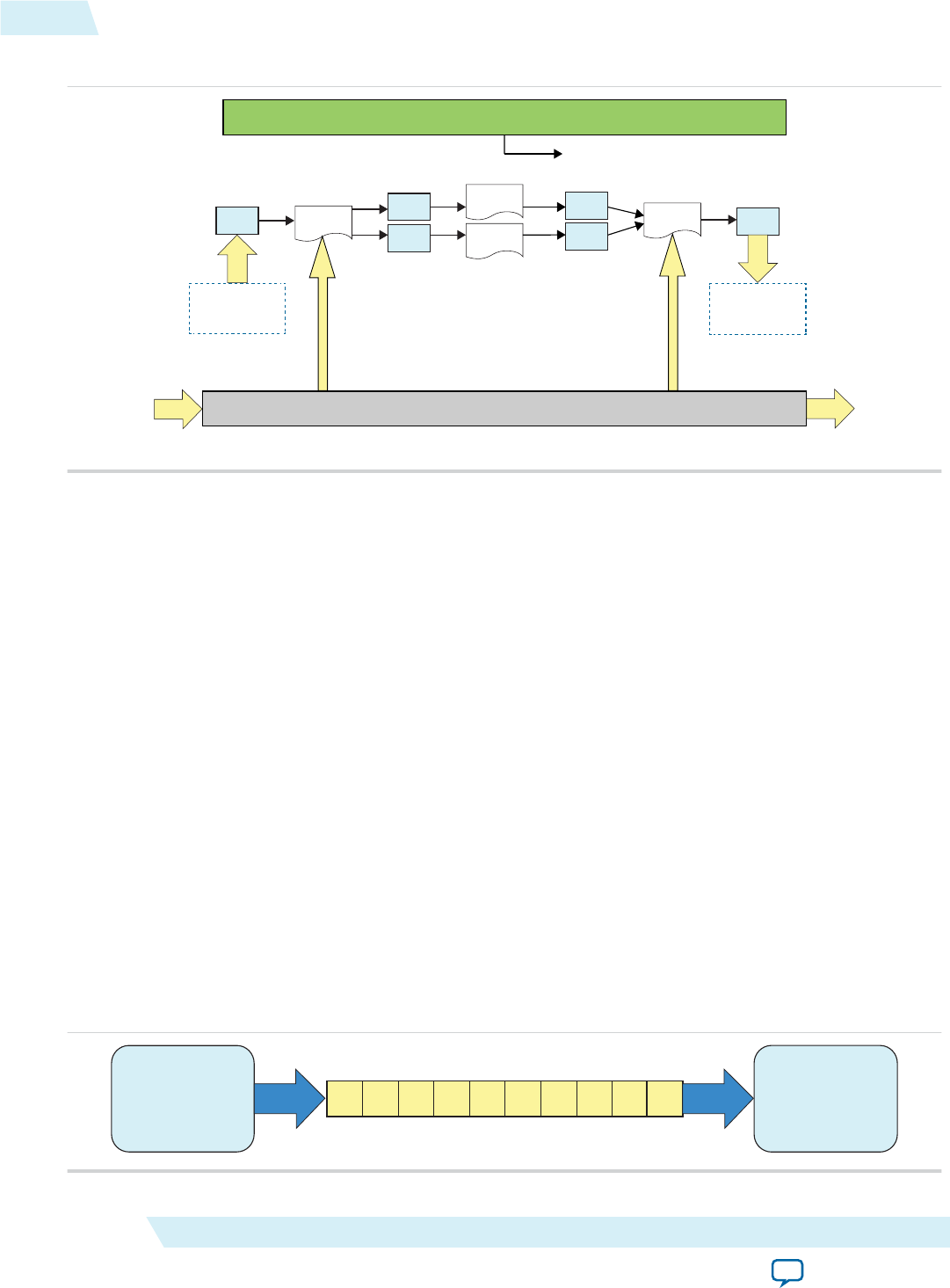
Figure 1-5: Overview of Channels Implementation
FIFO FIFO
FIFO
Kernel 0 Kernel 1
Kernel 2
FIFO Kernel N FIFO
RAM
I/O Channel
Host Processor
Initialize ( )
I/O Channel
FIFO
Channel Data Behavior
Data written to a channel remains in a channel as long as the kernel program remains loaded on the
FPGA device. In other words, data written to a channel persists across multiple work-groups and
NDRange invocations. However, data is not persistent across multiple or different invocations of kernel
programs.
Consider the following code example:
#pragma OPENCL EXTENSION cl_altera_channels : enable
channel int c0;
__kernel void producer()
{
for(int i=0; i < 10; i++)
{
write_channel_altera(c0, i);
}
}
__kernel void consumer( __global uint * restrict dst )
{
for(int i=0; i < 5; i++)
{
dst[i] = read_channel_altera(c0);
}
}
Figure 1-6: Channel Data FIFO Ordering
9 012345678
Producer Consumer
1-20 Channel Data Behavior UG-OCL002
2016.05.02
Altera Corporation Altera SDK for OpenCL Programming Guide
Send Feedback

The kernel producer writes ten elements ([0, 9]) to the channel. The kernel consumer reads five elements
from the channel per NDRange invocation. During the first invocation, the kernel consumer reads values
0 to 4 from the channel. Because the data persists across NDRange invocations, the second time you
execute the kernel consumer, it reads values 5 to 9.
For this example, to avoid a deadlock from occurring, you need to invoke the kernel consumer twice for
every invocation of the kernel producer. If you call consumer less than twice, producer stalls because the
channel becomes full. If you call consumer more than twice, consumer stalls because there is insufficient
data in the channel.
Multiple Work-Item Ordering for Channels
The OpenCL specification does not define a work-item ordering. The Altera SDK for OpenCL enforces a
work-item order to maintain the consistency in channel read and write operations.
Multiple work-item accesses to a channel can be useful in some scenarios. For example, they are useful
when data words in the channel are independent, or when the channel is implemented for control logic.
The main concern regarding multiple work-item accesses to a channel is the order in which the kernel
writes data to and reads data from the channel. If possible, the AOCL channels extension processes work-
items read and write operations to the channel in a deterministic order. As such, the read and write
operations remain consistent across kernel invocations.
Requirements for Deterministic Multiple Work-Item Ordering
To guarantee deterministic ordering, the AOCL checks that the channel call is work-item invariant based
on the following characteristics:
• All paths through the kernel must execute the channel call.
• If the first requirement is not satisfied, none of the branch conditions that reach the channel call
should execute in a work-item-dependent manner.
If the AOCL cannot guarantee deterministic ordering of multiple work-item accesses to a channel, it
warns you that the channels might not have well-defined ordering with nondeterministic execution.
Primarily, the AOCL fails to provide deterministic ordering if you have work-item-variant code on loop
executions with channel calls, as illustrated below:
__kernel void ordering( __global int * restrict check,
__global int * restrict data )
{
int condition = check[get_global_id(0)];
if(condition)
{
for(int i=0; i < N, i++)
{
process(data);
write_channel_altera(req, data[i]);
}
}
else
{
process(data);
}
}
UG-OCL002
2016.05.02 Multiple Work-Item Ordering for Channels 1-21
Altera SDK for OpenCL Programming Guide Altera Corporation
Send Feedback

Work-Item Serial Execution of Channels
Work-item serial execution refers to an ordered execution behavior where work-item sequential IDs
determine their execution order in the compute unit.
When you implement channels in a kernel, the Altera Offline Compiler enforces that kernel behavior is
equivalent to having at most one work-group in flight. The AOC also ensures that the kernel executes
channels in work-item serial execution, where the kernel executes work-items with smaller IDs first. A
work-item has the identifier (x, y, z, group), where x, y, z are the local 3D identifiers, and group is
the work-group identifier.
The work-item ID (x0, y0, z0, group0) is considered to be smaller than the ID (x1, y1, z1,
group1) if one of the following conditions is true:
•group0 < group1
•group0 = group1 and z0 < z1
•group0 = group1 and z0 = z1 and y0 < y1
•group0 = group1 and z0 = z1 and y0 = y1 and x0 < x1
Work-items with incremental IDs execute in a sequential order. For example, the work-item with an ID
(x0, y0, z0, group0) executes the write channel call first. Then, the work-item with an ID (x1, y0,
z0, group0) executes the call, and so on. Defining this order ensures that the system is verifiable with
external models.
Channel Execution in Loop with Multiple Work-Items
When channels exist in the body of a loop with multiple work-items, as shown below, each loop iteration
executes prior to subsequent iterations. This implies that loop iteration 0 of each work-item in a work-
group executes before iteration 1 of each work-item in a work-group, and so on.
__kernel void ordering( __global int * data )
{
write_channel_altera(req, data[get_global_id(0)]);
}
Restrictions in the Implementation of AOCL Channels Extension
There are certain design restrictions to the implementation of channels in your OpenCL application.
Single Call Site
Because the channel read and write operations do not function deterministically, for a given kernel, you
can only assign one call site per channel ID. For example, the Altera Offline Compiler cannot compile the
following code example:
in_data1 = read_channel_altera(channel1);
in_data2 = read_channel_altera(channel2);
in_data3 = read_channel_altera(channel1);
The second read_channel_altera call to channel1 causes compilation failure because it creates a second
call site to channel1.
To gather multiple data from a given channel, divide the channel into multiple channels, as shown below:
in_data1 = read_channel_altera(channel1);
in_data2 = read_channel_altera(channel2);
in_data3 = read_channel_altera(channel3);
1-22 Work-Item Serial Execution of Channels UG-OCL002
2016.05.02
Altera Corporation Altera SDK for OpenCL Programming Guide
Send Feedback

Because you can only assign a single call site per channel ID, you cannot unroll loops containing channels.
Consider the following code:
#pragma unroll 4
for (int i=0; i < 4; i++)
{
in_data = read_channel_altera(channel1);
}
The AOC issues the following warning message during compilation:
Compiler Warning: Unroll is required but the loop cannot be unrolled.
Feedback and Feed-Forward Channels
Channels within a kernel can be either read_only or write_only. Performance of a kernel that reads and
writes to the same channel is poor.
Static Indexing
The Altera SDK for OpenCL channels extension does not support dynamic indexing into arrays of
channel IDs.
Consider the following example:
#pragma OPENCL EXTENSION cl_altera_channels : enable
channel int ch[WORKGROUP_SIZE];
__kernel void consumer()
{
int gid = get_global_id(0);
int value = read_channel_altera(ch[gid]);
//statements
}
Compilation of this example kernel fails with the following error message:
Compiler Error: Indexing into channel array ch could not be resolved to all constant
To avoid this compilation error, index into arrays of channel IDs statically, as shown below:
#pragma OPENCL EXTENSION cl_altera_channels : enable
channel int ch[WORKGROUP_SIZE];
__kernel void consumer()
{
int gid = get_global_id(0);
int value;
switch(gid)
{
case0: value = read_channel_altera(ch[0]); break;
case1: value = read_channel_altera(ch[1]); break;
case2: value = read_channel_altera(ch[2]); break;
case3: value = read_channel_altera(ch[3]); break;
//statements
UG-OCL002
2016.05.02 Restrictions in the Implementation of AOCL Channels Extension 1-23
Altera SDK for OpenCL Programming Guide Altera Corporation
Send Feedback

case WORKGROUP_SIZE-1:read_channel_altera(ch[WORKGROUP_SIZE-1]); break;
}
//statements
}
Kernel Vectorization Support
You cannot vectorize kernels that use channels; that is, do not include the num_simd_work_items kernel
attribute in your kernel code. Vectorizing a kernel that uses channels creates multiple channel masters
and requires arbitration, which the AOCL channels extension does not support.
Instruction-Level Parallelism on read_channel_altera and write_channel_altera Calls
If no data dependencies exist between read_channel_altera and write_channel_altera calls, the AOC
attempts to execute these instructions in parallel. As a result, the AOC might execute these
read_channel_altera and write_channel_altera calls in an order that does not follow the sequence
expressed in the OpenCL kernel code.
Consider the following code sequence:
in_data1 = read_channel_altera(channel1);
in_data2 = read_channel_altera(channel2);
in_data3 = read_channel_altera(channel3);
Because there are no data dependencies between the read_channel_altera calls, the AOC can execute
them in any order.
Enabling the AOCL Channels for OpenCL Kernel
To implement the Altera SDK for OpenCL channels extension, modify your OpenCL kernels to include
channels-specific pragma and API calls.
Channel declarations are unique within a given OpenCL kernel program. Also, channel instances are
unique for every OpenCL kernel program device pair. If the runtime loads a single OpenCL kernel
program onto multiple devices, each device will have a single copy of the channel. However, these channel
copies are independent and do not share data across the devices.
Declaring the Channels OPENCL EXTENSION pragma
To enable the Altera SDK for OpenCL channels extension, declare the OPENCL EXTENSION pragma for
channels at the beginning of your kernel source code.
• To enable the AOCL channels extension, include the following line in your kernel source code to
declare the OPENCL EXTENSION pragma:
#pragma OPENCL EXTENSION cl_altera_channels : enable
Declaring the Channel Handle
Use the channel variable to define the connectivity between kernels or between kernels and I/O.
1-24 Enabling the AOCL Channels for OpenCL Kernel UG-OCL002
2016.05.02
Altera Corporation Altera SDK for OpenCL Programming Guide
Send Feedback

To read from and write to a channel, the kernel must pass the channel variable to each of the
corresponding API call.
• Declare the channel handle as a file scope variable in the kernel source code in the following
convention: channel <type> <variable_name>
For example: channel int c;
• The Altera SDK for OpenCL channel extension supports simultaneous channel accesses by multiple
variables declared in a data structure. Declare a struct data structure for a channel in the following
manner:
typedef struct type_ {
int a;
int b;
} type_t;
channel type_t foo;
Implementing Blocking Channel Write Extensions
The write_channel_altera API call allows you to send data across a channel.
Note: The write channel calls support single-call sites only. For a given channel, only one write channel
call to it can exist in the entire kernel program.
• To implement a blocking channel write, include the following write_channel_altera function
signature:
void write_channel_altera (channel <type> channel_id, const <type> data);
Where:
channel_id identifies the buffer to which the channel connects, and it must match the channel_id of
the corresponding read channel (read_channel_altera).
data is the data that the channel write operation writes to the channel. Data <type> must match the
<type> of the channel_id.
<type> defines a channel data width, which cannot be a constant. Follow the OpenCL conversion rules
to ensure that data the kernel writes to a channel is convertible to <type>.
The following code snippet demonstrates the implementation of the write_channel_altera API
call:
//Enables the channels extension.
#pragma OPENCL EXTENSION cl_altera_channels : enable
//Defines chan, the kernel file-scope channel variable.
channel long chan;
/*Defines the kernel which reads eight bytes (size of long) from global
memory, and passes this data to the channel.*/
__kernel void kernel_write_channel( __global const long * src )
{
for(int i=0; i < N; i++)
{
//Writes the eight bytes to the channel.
write_channel_altera(chan, src[i]);
}
}
UG-OCL002
2016.05.02 Implementing Blocking Channel Write Extensions 1-25
Altera SDK for OpenCL Programming Guide Altera Corporation
Send Feedback

Caution: When you send data across a write channel using the write_channel_altera
API call, keep in mind that if the channel is full (that is, if the FIFO buffer is full
of data), your kernel will stall. Use the Altera SDK for OpenCL Profiler to
check for channel stalls.
Related Information
Profiling Your OpenCL Kernel on page 1-97
Implementing Nonblocking Channel Write Extensions
Perform nonblocking channel writes to facilitate applications where data write operations might not
occur. A nonblocking channel write extension returns a Boolean value that indicates whether data is
written to the channel.
Consider a scenario where your application has one data producer with two identical workers. Assume
the time each worker takes to process a message varies depending on the contents of the data. In this case,
there might be situations where one worker is busy while the other is free. A nonblocking write can
facilitate work distribution such that both workers are busy.
• To implement a nonblocking channel write, include the following write_channel_nb_altera
function signature:
bool write_channel_nb_altera(channel <type> channel_id, const <type> data);
The following code snippet of the kernel producer facilitates work distribution using the
nonblocking channel write extension:
#pragma OPENCL EXTENSION cl_altera_channels : enable
channel long worker0, worker1;
__kernel void producer( __global const long * src )
{
for(int i=0; i < N; i++)
{
bool success = false;
do
{
success = write_channel_nb_altera(worker0, src[i]);
if(!success)
{
success = write_channel_nb_altera(worker1, src[i]);
}
}
while(!success);
}
}
Implementing Blocking Channel Read Extensions
The read_channel_altera API call allows you to receive data across a channel.
1-26 Implementing Nonblocking Channel Write Extensions UG-OCL002
2016.05.02
Altera Corporation Altera SDK for OpenCL Programming Guide
Send Feedback

Note: The read channel calls support single-call sites only. For a given channel, only one read channel call
to it can exist in the entire kernel program.
• To implement a blocking channel read, include the following read_channel_altera function
signature:
<type> read_channel_altera(channel <type> channel_id);
Where:
channel_id identifies the buffer to which the channel connects, and it must match the channel_id of
the corresponding write channel (write_channel_altera).
<type> defines a channel data width, which cannot be a constant. Ensure that the variable the kernel
assigns to read the channel data is convertible from <type>.
The following code snippet demonstrates the implementation of the read_channel_altera API
call:
//Enables the channel extension.
#pragma OPENCL EXTENSION cl_altera_channels : enable;
//Defines chan, the kernel file-scope channel variable.
channel long chan;
/*Defines the kernel, which reads eight bytes (size of long) from the
channel and writes it back to global memory.*/
__kernel void kernel_read_channel( __global long * dst );
{
for(int i=0; i < N; i++)
{
//Reads the eight bytes from the channel.
dst[i] = read_channel_altera(chan);
}
}
Caution: If the channel is empty (that is, if the FIFO buffer is empty), you cannot receive
data across a read channel using the read_channel_altera API call. Doing so
causes your kernel to stall.
Implementing Nonblocking Channel Read Extensions
Perform nonblocking reads to facilitate applications where data is not always available. The nonblocking
reads signature is similar to blocking reads. However, it returns an integer value that indicates whether a
read operation takes place successfully.
• To implement a blocking channel write, include the following read_channel_nb_altera function
signature:
<type> read_channel_nb_altera(channel <type> channel_id, bool * valid);
The following code snippet demonstrates the use of the nonblocking channel read extension:
#pragma OPENCL EXTENSION cl_altera_channels : enable
channel long chan;
__kernel void kernel_read_channel( __global long * dst )
{
int i=0;
while(i < N)
{
bool valid0, valid1;
UG-OCL002
2016.05.02 Implementing Nonblocking Channel Read Extensions 1-27
Altera SDK for OpenCL Programming Guide Altera Corporation
Send Feedback

long data0 = read_channel_nb_altera(chan, &valid0);
long data1 = read_channel_nb_altera(chan, &valid1);
if (valid0)
{
process(data0);
}
if (valid1) process(data1);
{
process(data1);
}
}
}
Implementing I/O Channels Using the io Channels Attribute
Include an io attribute in your channel declaration to declare a special I/O channel to interface with input
or output features of an FPGA board.
These features might include network interfaces, PCIe, cameras, or other data capture or processing
devices or protocols.
The io("chan_id") attribute specifies the I/O feature of an accelerator board with which a channel
interfaces, where chan_id is the name of the I/O interface listed in the board_spec.xml file of your Custom
Platform.
Because peripheral interface usage might differ for each device type, consult your board vendor's
documentation when you implement I/O channels in your kernel program. Your OpenCL kernel code
must be compatible with the type of data generated by the peripheral interfaces.
Caution: • Implicit data dependencies might exist for channels that connect to the board directly and
communicate with peripheral devices via I/O channels. These implicit data dependencies
might lead to compilation issues because the Altera Offline Compiler cannot identify these
dependencies.
• External I/O channels communicating with the same peripherals do not obey any sequential
ordering. Ensure that the external device does not require sequential ordering because
unexpected behavior might occur.
1. Consult the board_spec.xml file in your Custom Platform to identify the input and output features
available on your FPGA board.
For example, a board_spec.xml file might include the following information on I/O features:
<channels>
<interface name="udp_0" port="udp0_out" type="streamsource" width="256"
chan_id="eth0_in"/>
<interface name="udp_0" port="udp0_in" type="streamsink" width="256"
chan_id="eth0_out"/>
<interface name="udp_0" port="udp1_out" type="streamsource" width="256"
chan_id="eth1_in"/>
<interface name="udp_0" port="udp1_in" type="streamsink" width="256"
chan_id="eth1_out"/>
</channels>
1-28 Implementing I/O Channels Using the io Channels Attribute UG-OCL002
2016.05.02
Altera Corporation Altera SDK for OpenCL Programming Guide
Send Feedback

The width attribute of an interface element specifies the width, in bits, of the data type used by that
channel. For the example above, both the uint and float data types are 32 bits wide. Other bigger or
vectorized data types must match the appropriate bit width specified in the board_spec.xml file.
2. Implement the io channel attribute as demonstrated in the following code example. The io channel
attribute names must match those of the I/O channels (chan_id) specified in the board_spec.xml file.
channel QUDPWord udp_in_IO __attribute__((depth(0)))
__attribute__((io("eth0_in")));
channel QUDPWord udp_out_IO __attribute__((depth(0)))
__attribute__((io("eth0_out")));
__kernel void io_in_kernel( __global ulong4 *mem_read,
uchar read_from,
int size )
{
int index = 0;
ulong4 data;
int half_size = size >> 1;
while (index < half_size)
{
if (read_from & 0x01)
{
data = read_channel_altera(udp_in_IO);
}
else
{
data = mem_read[index];
}
write_channel_altera(udp_in, data);
index++;
}
}
__kernel void io_out_kernel( __global ulong2 *mem_write,
uchar write_to,
int size )
{
int index = 0;
ulong4 data;
int half_size = size >> 1;
while (index < half_size)
{
ulong4 data = read_channel_altera(udp_out);
if (write_to & 0x01)
{
write_channel_altera(udp_out_IO, data);
}
else
{
//only write data portion
ulong2 udp_data;
udp_data.s0 = data.s0;
udp_data.s1 = data.s1;
mem_write[index] = udp_data;
}
index++;
}
}
Attention: Declare a unique io("chan_id") handle for each I/O channel specified in the channels
eXtensible Markup Language (XML) element within the board_spec.xml file.
UG-OCL002
2016.05.02 Implementing I/O Channels Using the io Channels Attribute 1-29
Altera SDK for OpenCL Programming Guide Altera Corporation
Send Feedback

Implementing Buffered Channels Using the depth Channels Attribute
You may have buffered or unbuffered channels in your kernel program. If there are imbalances in channel
read and write operations, create buffered channels to prevent kernel stalls by including the depth
attribute in your channel declaration. Buffered channels decouple the operation of concurrent work-items
executing in different kernels.
You may use a buffered channel to control data traffic, such as limiting throughput or synchronizing
accesses to shared memory. In an unbuffered channel, a write operation cannot proceed until the read
operation reads a data value. In a buffered channel, a write operation cannot proceed until the data value
is copied to the buffer. If the buffer is full, the operation cannot proceed until the read operation reads a
piece of data and removes it from the channel.
• If you expect any temporary mismatch between the consumption rate and the production rate to the
channel, set the buffer size using the depth channel attribute.
The following example demonstrates the use of the depth channel attribute in kernel code that
implements the Altera SDK for OpenCL channels extension. The depth(N) attribute specifies the
minimum depth of a buffered channel, where N is the number of data values.
#pragma OPENCL EXTENSION cl_altera_channels : enable
channel int c __attribute__((depth(10)));
__kernel void producer( __global int * in_data )
{
for(int i=0; i < N; i++)
{
if(in_data[i])
{
write_channel_altera(c, in_data[i]);
}
}
}
__kernel void consumer( __global int * restrict check_data,
__global int * restrict out_data )
{
int last_val = 0;
for(int i=0; i< N, i++)
{
if(check_data[i])
{
last_val = read_channel_altera(c);
}
out_data[i] = last_val;
}
}
In this example, the write operation can write ten data values to the channel without blocking. Once
the channel is full, the write operation cannot proceed until an associated read operation to the
channel occurs.
Because the channel read and write calls are conditional statements, the channel might experience an
imbalance between read and write calls. You may add a buffer capacity to the channel to ensure that
the producer and consumer kernels are decoupled. This step is particularly important if the producer
kernel is writing data to the channel when the consumer kernel is not reading from it.
1-30 Implementing Buffered Channels Using the depth Channels Attribute UG-OCL002
2016.05.02
Altera Corporation Altera SDK for OpenCL Programming Guide
Send Feedback

Enforcing the Order of Channel Calls
To enforce the order of channel calls, introduce memory fence or barrier functions in your kernel
program to control memory accesses. A memory fence function is necessary to create a control flow
dependence between the channel synchronization calls before and after the fence.
When the Altera Offline Compiler generates a compute unit, it does not create instruction-level
parallelism on all instructions that are independent of each other. As a result, channel read and write
operations might not execute independently of each other even if there is no control or data dependence
between them. When channel calls interact with each other, or when channels write data to external
devices, deadlocks might occur.
For example, the code snippet below consists of a producer kernel and a consumer kernel. Channels c0
and c1 are unbuffered channels. The schedule of the channel read operations from c0 and c1 might occur
in the reversed order as the channel write operations to c0 and c1. That is, the producer kernel writes to
c0 but the consumer kernel might read from c1 first. This rescheduling of channel calls might cause a
deadlock because the consumer kernel is reading from an empty channel.
__kernel void producer( __global const uint * src,
const uint iterations )
{
for(int i=0; i < iterations; i++)
{
write_channel_altera(c0, src[2*i]);
write_channel_altera(c1, src[2*i+1]);
}
}
__kernel void consumer( __global uint * dst,
const uint iterations )
{
for(int i=0; i < iterations; i++)
{
/*During compilation, the AOC might reorder the way the consumer kernel
writes to memory to optimize memory access. Therefore, c1 might be read
before c0, which is the reverse of what appears in code.*/
dst[2*i+1] = read_channel_altera(c0);
dst[2*i] = read_channel_altera(c1);
UG-OCL002
2016.05.02 Enforcing the Order of Channel Calls 1-31
Altera SDK for OpenCL Programming Guide Altera Corporation
Send Feedback

}
}
• To prevent deadlocks from occurring by enforcing the order of channel calls, include memory fence
functions (mem_fence) in your kernel.
Inserting the mem_fence call with each kernel's channel flag forces the sequential ordering of the write
and read channel calls. The code snippet below shows the modified producer and consumer kernels:
#pragma OPENCL EXTENSION cl_altera_channels : enable
channel uint c0 __attribute__((depth(0)));
channel uint c1 __attribute__((depth(0)));
__kernel void producer( __global const uint * src,
const uint iterations )
{
for(int i=0; i < iterations; i++)
{
write_channel_altera(c0, src[2*i]);
mem_fence(CLK_CHANNEL_MEM_FENCE);
write_channel_altera(c1, src[2*i+1]);
}
}
__kernel void consumer( __global uint * dst;
const uint iterations )
{
for(int i=0; i < iterations; i++)
{
dst[2*i+1] = read_channel_altera(c0);
mem_fence(CLK_CHANNEL_MEM_FENCE);
dst[2*i] = read_channel_altera(c1);
}
}
In this example, mem_fence in the producer kernel ensures that the channel write operation to c0
occurs before that to c1. Similarly, mem_fence in the consumer kernel ensures that the channel read
operation from c0 occurs before that from c1.
Defining Memory Consistency Across Kernels When Using Channels
According to the OpenCL Specification version 1.0, memory behavior is undefined unless a kernel
completes execution. A kernel must finish executing before other kernels can visualize any changes in
memory behavior. However, kernels that use channels can share data through common global memory
buffers and synchronized memory accesses. To ensure that data written to a channel is visible to the read
channel after execution passes a memory fence, define memory consistency across kernels with respect to
memory fences.
1-32 Defining Memory Consistency Across Kernels When Using Channels UG-OCL002
2016.05.02
Altera Corporation Altera SDK for OpenCL Programming Guide
Send Feedback

• To create a control flow dependency between the channel synchronization calls and the memory
operations, add the CLK_GLOBAL_MEM_FENCE flag to the mem_fence call.
For example:
__kernel void producer( __global const uint * src,
const uint iterations )
{
for(int i=0; i < iterations; i++)
{
write_channel_altera(c0, src[2*i]);
mem_fence(CLK_CHANNEL_MEM_FENCE | CLK_GLOBAL_MEM_FENCE);
write_channel_altera(c1, src[2*i+1]);
}
}
In this kernel, the mem_fence function ensures that the write operation to c0 and memory access to
src[2*i] occur before the write operation to c1 and memory access to src[2*i+1]. This allows data
written to c0 to be visible to the read channel before data is written to c1.
Use Models of AOCL Channels Implementation
Concurrent execution can improve the effectiveness of channels implementation in your OpenCL kernels.
During concurrent execution, the host launches the kernels in parallel. The kernels share memory and can
communicate with each other through channels where applicable.
The use models provide an overview on how to exploit concurrent execution safely and efficiently.
Feed-Forward Design Model
Implement the feed-forward design model to send data from one kernel to the next without creating any
cycles between them. Consider the following code example:
__kernel void producer( __global const uint * src,
const uint iterations )
{
for(int i=0; i < iterations; i++)
{
write_channel_altera(c0, src[2*i]);
mem_fence(CLK_CHANNEL_MEM_FENCE);
write_channel_altera(c1, src[2*i+1]);
}
}
__kernel void consumer( __global uint * dst,
const uint iterations )
{
for (int i=0;i<iterations;i++)
{
dst[2*i] = read_channel_altera(c0);
mem_fence(CLK_CHANNEL_MEM_FENCE);
dst[2*i+1] = read_channel_altera(c1);
}
}
UG-OCL002
2016.05.02 Use Models of AOCL Channels Implementation 1-33
Altera SDK for OpenCL Programming Guide Altera Corporation
Send Feedback
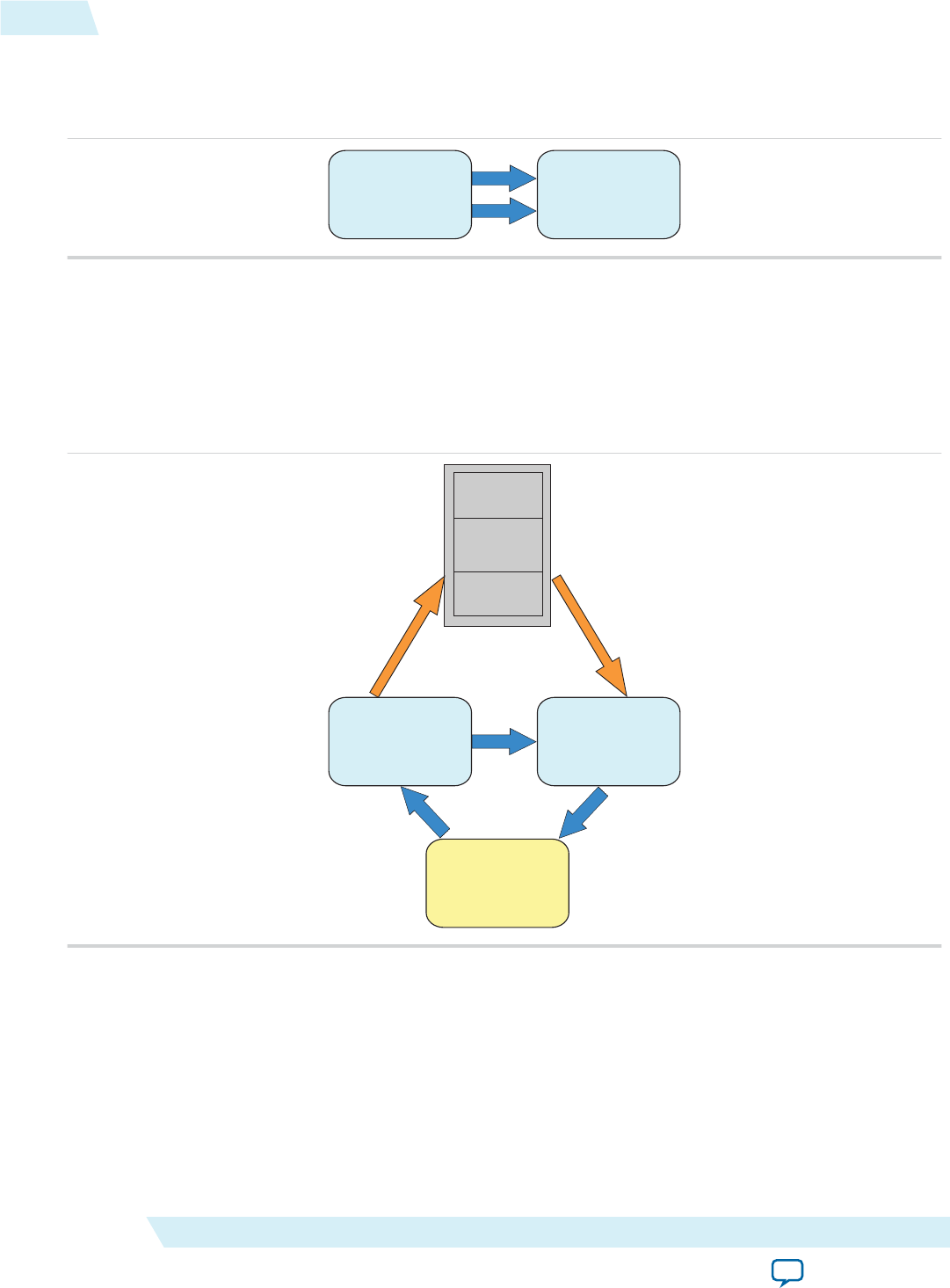
The producer kernel writes data to channels c0 and c1. The consumer kernel reads data from c0 and c1.
The figure below illustrates the feed-forward data flow between the two kernels:
Figure 1-7: Feed-Forward Data Flow
Producer Consumer
Buffer Management
In the feed-forward design model, data traverses between the producer and consumer kernels one word
at a time. To facilitate the transfer of large data messages consisting of several words, you can implement a
ping-pong buffer, which is a common design pattern found in applications for communication. The
figure below illustrates the interactions between kernels and a ping-pong buffer:
Figure 1-8: Feed-Forward Design Model with Buffer Management
Producer Consumer
Manager
Buffer
The manager kernel manages circular buffer allocation and deallocation between the producer and
consumer kernels. After the consumer kernel processes data, the manager receives memory regions that
the consumer frees up and sends them to the producer for reuse. The manager also sends to the producer
kernel the initial set of free locations, or tokens, to which the producer can write data.
1-34 Use Models of AOCL Channels Implementation UG-OCL002
2016.05.02
Altera Corporation Altera SDK for OpenCL Programming Guide
Send Feedback
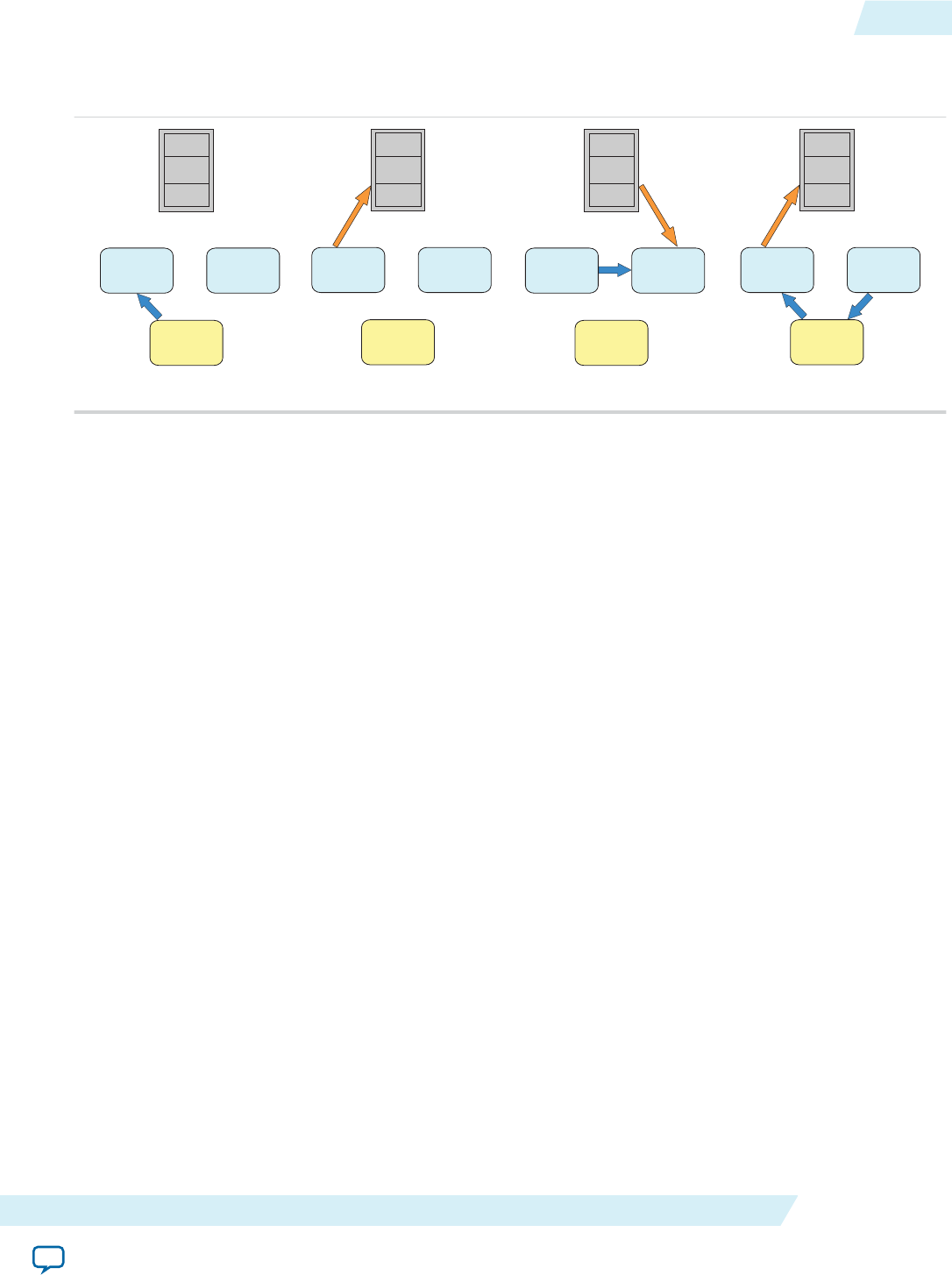
The following figure illustrates the sequence of events that take place during buffer management:
Figure 1-9: Kernels Interaction during Buffer Management
Producer Consumer
Manager
Buffer
Producer Consumer
Manager
Buffer
Producer Consumer
Manager
Buffer
Producer Consumer
Manager
Buffer
(1) (4)
(3)
(2)
1. The manager kernel sends a set of tokens to the producer kernel to indicate initially which regions in
memory are free for producer to use.
2. After manager allocates the memory region, producer writes data to that region of the ping-pong
buffer.
3. After producer completes the write operation, it sends a synchronization token to the consumer kernel
to indicate what memory region contains data for processing. The consumer kernel then reads data
from that region of the ping-pong buffer.
Note: When consumer is performing the read operation, producer can write to other free memory
locations for processing because of the concurrent execution of the producer, consumer, and
manager kernels.
4. After consumer completes the read operation, it releases the memory region and sends a token back to
the manager kernel. The manager kernel then recycles that region for producer to use.
Implementation of Buffer Management for AOCL Kernels
To ensure that the Altera SDK for OpenCL implements buffer management properly, the ordering of
channel read and write operations is important. Consider the following kernel example:
__kernel void producer( __global const uint * restrict src,
__global volatile uint * restrict shared_mem,
const uint iterations )
{
int base_offset;
for (uint gID = 0; gID < iterations; gID++)
{
// Assume each block of memory is 256 words
uint lID = 0x0ff & gID;
if(lID == 0)
{
base_offset = read_channel_altera(req);
}
shared_mem[base_offset + lID] = src[gID];
// Make sure all memory operations are committed before
// sending token to the consumer
UG-OCL002
2016.05.02 Use Models of AOCL Channels Implementation 1-35
Altera SDK for OpenCL Programming Guide Altera Corporation
Send Feedback

mem_fence(CLK_GLOBAL_MEM_FENCE | CLK_CHANNEL_MEM_FENCE);
if (lID == 255)
{
write_channel_altera(c, base_offset);
}
}
}
In this kernel, because the following lines of code are independent, the Altera Offline Compiler can
schedule them to execute concurrently:
shared_mem[base_offset + lID] = src[gID];
and
write_channel_altera(c, base_offset);
Writing data to base_offset and then writing base_offset to a channel might be much faster than
writing data to global memory. The consumer kernel might then read base_offset from the channel and
use it as an index to read from global memory. Without synchronization, consumer might read data from
producer before shared_mem[base_offset + lID] = src[gID]; finishes executing. As a result,
consumer reads in invalid data. To avoid this scenario, the synchronization token must occur after the
producer kernel commits data to memory. In other words, a consumer kernel cannot consume data from
the producer kernel until producer stores its data in global memory successfully.
To preserve this ordering, include an OpenCL mem_fence token in your kernels. The mem_fence
construct takes two flags: CLK_GLOBAL_MEM_FENCE and CLK_CHANNEL_MEM_FENCE. The mem_fence
effectively creates a control flow dependence between operations that occur before and after the
mem_fence call. The CLK_GLOBAL_MEM_FENCE flag indicates that global memory operations must obey the
control flow. The CLK_CHANNEL_MEM_FENCE indicates that channel operations must obey the control flow.
As a result, the write_channel_altera call in the example cannot start until the global memory
operation is committed to the shared memory buffer.
Implementing OpenCL Pipes
The Altera SDK for OpenCL provides preliminary support for OpenCL pipe functions.
OpenCL pipes are part of the OpenCL Specification version 2.0. They provide a mechanism for passing
data to kernels and synchronizing kernels with high efficiency and low latency.
Implement pipes if it is important that your OpenCL kernel is compatible with other SDKs.
Refer to the OpenCL Specification version 2.0 for OpenCL C programming language specification and
general information about pipes.
The AOCL implementation of pipes does not encompass the entire pipes specification. As such, it is not
fully conformant to the OpenCL Specification version 2.0. The goal of the AOCL pipes implementation is
to provide a solution that works seamlessly on a different OpenCL 2.0-conformant device. To enable pipes
for Altera devices, your design must satisfy certain additional requirements.
Related Information
OpenCL Specification version 2.0 (API)
Overview of the OpenCL Pipe Functions
OpenCL pipes allow kernels to communicate directly with each other via FIFO buffers.
1-36 Implementing OpenCL Pipes UG-OCL002
2016.05.02
Altera Corporation Altera SDK for OpenCL Programming Guide
Send Feedback
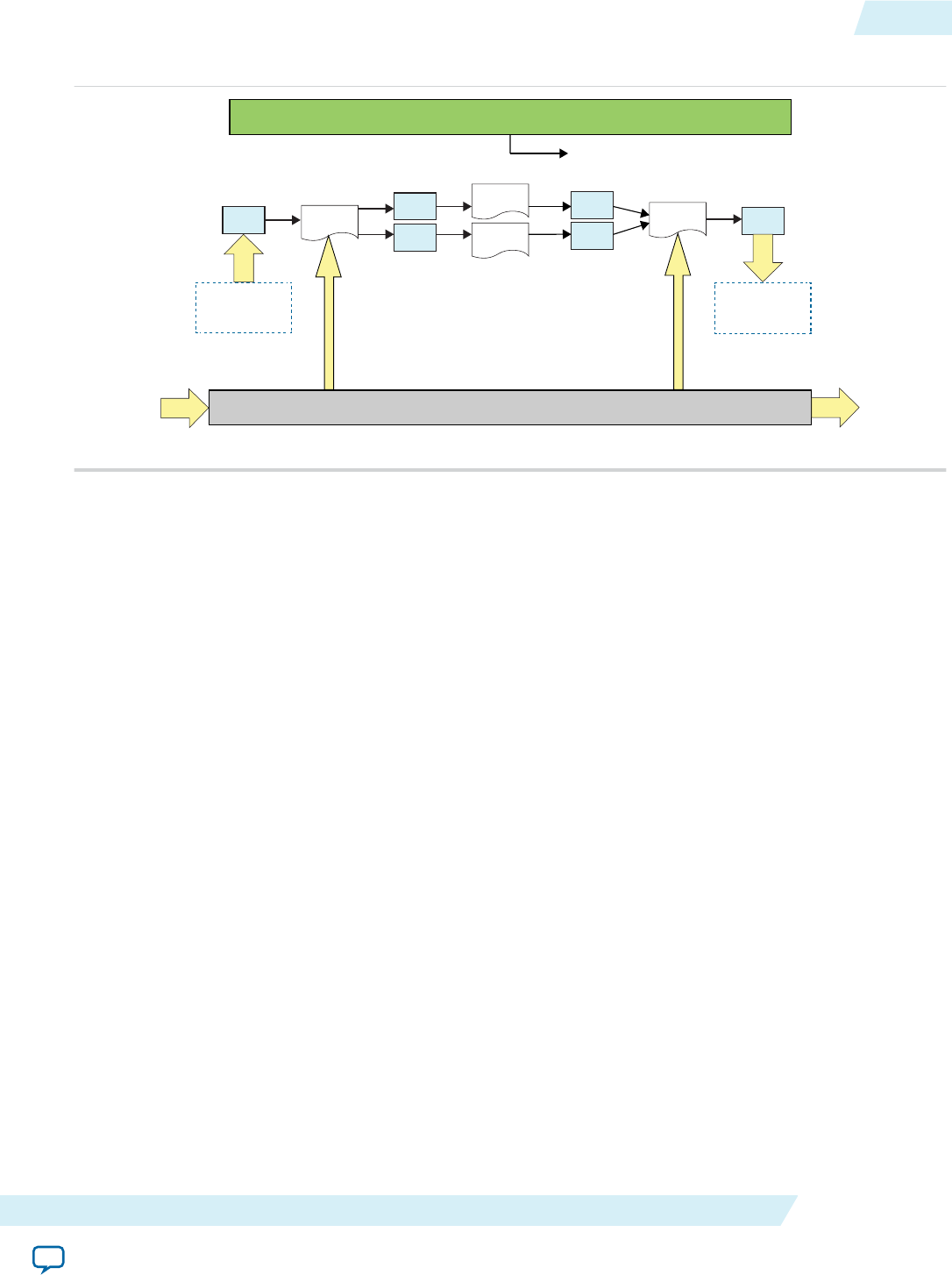
Figure 1-10: Overview of a Pipe Network Implementation
FIFO FIFO
FIFO
Kernel 0 Kernel 1
Kernel 2
FIFO Kernel N FIFO
RAM
I/O Pipe
Host Processor
Initialize ( )
I/O Pipe
FIFO
Implementation of pipes decouples kernel execution from the host processor. The foundation of the
Altera SDK for OpenCL pipes support is the AOCL channels extension. However, the syntax for pipe
functions differs from the channels syntax.
Important: Unlike channels, pipes have a default nonblocking behavior.
For more information on blocking and nonblocking functions, refer to the corresponding documentation
on channels.
Related Information
•Implementing Blocking Channel Write Extensions on page 1-25
•Implementing Nonblocking Channel Write Extensions on page 1-26
•Implementing Nonblocking Channel Read Extensions on page 1-27
•Implementing Blocking Channel Read Extensions on page 1-26
Pipe Data Behavior
Data written to a pipe remains in a pipe as long as the kernel program remains loaded on the FPGA
device. In other words, data written to a pipe persists across multiple work-groups and NDRange
invocations. However, data is not persistent across multiple or different invocations of kernel programs.
Consider the following code example:
__kernel void
producer (write_only pipe uint __attribute__((blocking)) c0)
{
for (uint i=0;i<10;i++)
{
write_pipe( c0, &i );
}
}
__kernel void
consumer (__global uint * restrict dst,
read_only pipe uint __attribute__((blocking))
UG-OCL002
2016.05.02 Pipe Data Behavior 1-37
Altera SDK for OpenCL Programming Guide Altera Corporation
Send Feedback
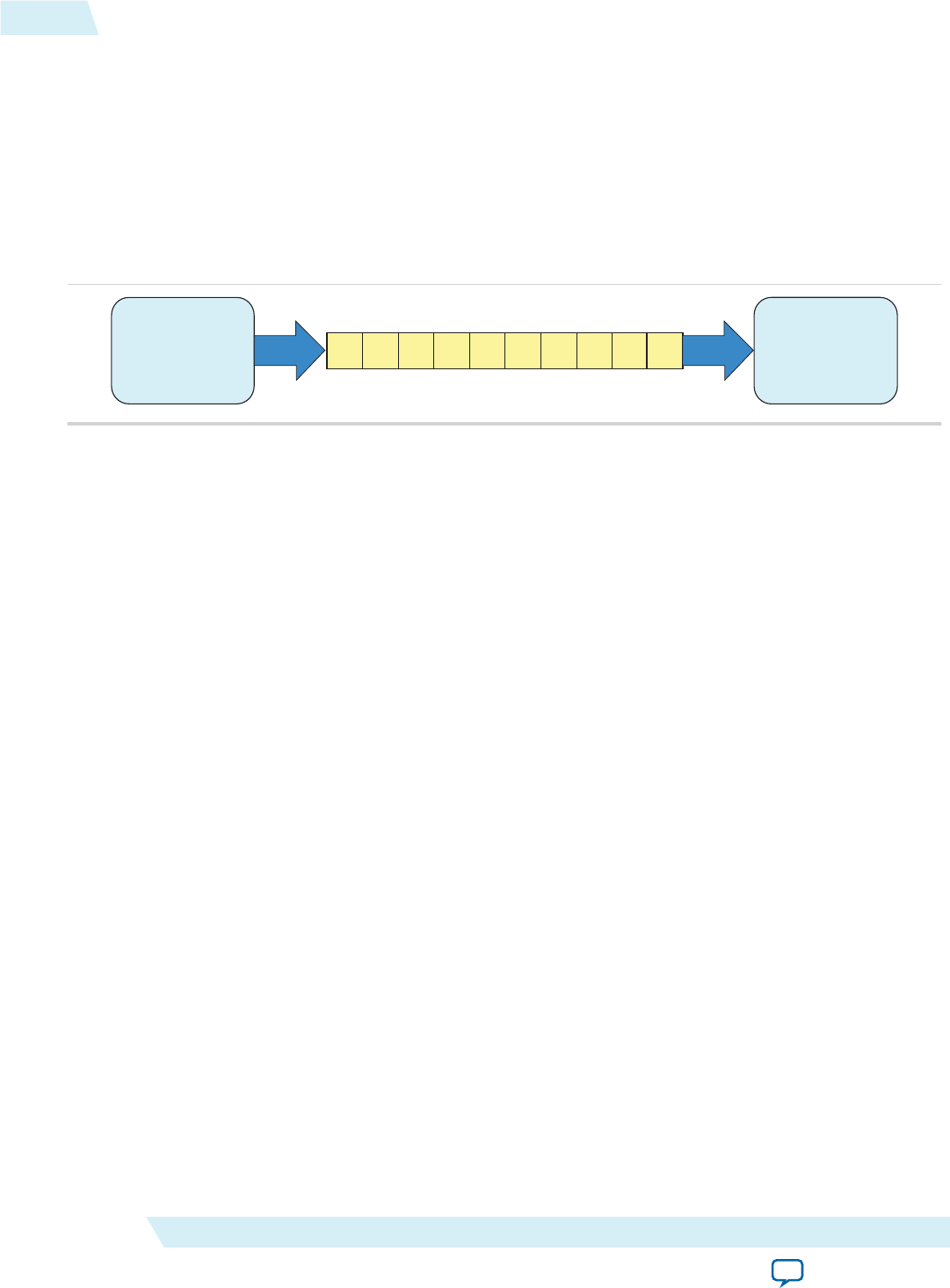
__attribute__((depth(10))) c0)
{
for (int i=0;i<5;i++)
{
read_pipe( c0, &dst[i] );
}
}
A read operation to a pipe reads the least recent piece of data written to the pipe first. Pipes data
maintains their FIFO ordering within the pipe.
Figure 1-11: Pipe Data FIFO Ordering
9 012345678
Producer Consumer
The kernel producer writes ten elements ([0, 9]) to the pipe. The kernel consumer reads five elements
from the pipe per NDRange invocation. During the first invocation, the kernel consumer reads values 0 to
4 from the pipe. Because the data persists across NDRange invocations, the second time you execute the
kernel consumer, it reads values 5 to 9.
For this example, to avoid a deadlock from occurring, you need to invoke the kernel consumer twice for
every invocation of the kernel producer. If you call consumer less than twice, producer stalls because the
pipe becomes full. If you call consumer more than twice, consumer stalls because there is insufficient data
in the pipe.
Multiple Work-Item Ordering for Pipes
The OpenCL specification does not define a work-item ordering. The Altera SDK for OpenCL enforces a
work-item order to maintain the consistency in pipe read and write operations.
Multiple work-item accesses to a pipe can be useful in some scenarios. For example, they are useful when
data words in the pipe are independent, or when the pipe is implemented for control logic. The main
concern regarding multiple work-item accesses to a pipe is the order in which the kernel writes data to
and reads data from the pipe. If possible, the OpenCL pipes process work-items read and write operations
to a pipe in a deterministic order. As such, the read and write operations remain consistent across kernel
invocations.
Requirements for Deterministic Multiple Work-Item Ordering
To guarantee deterministic ordering, the AOCL checks that the pipe call is work-item invariant based on
the following characteristics:
• All paths through the kernel must execute the pipe call.
• If the first requirement is not satisfied, none of the branch conditions that reach the pipe call should
execute in a work-item-dependent manner.
If the AOCL cannot guarantee deterministic ordering of multiple work-item accesses to a pipe, it warns
you that the pipes might not have well-defined ordering with nondeterministic execution. Primarily, the
1-38 Multiple Work-Item Ordering for Pipes UG-OCL002
2016.05.02
Altera Corporation Altera SDK for OpenCL Programming Guide
Send Feedback

AOCL fails to provide deterministic ordering if you have work-item-variant code on loop executions with
pipe calls, as illustrated below:
__kernel void
ordering (__global int * check, global int * data,
write_only pipe int __attribute__((blocking)) req)
{
int condition = check[get_global_id(0)];
if (condition)
{
for (int i=0;i<N;i++)
{
process(data);
write_pipe( req, &data[i] );
}
}
else
{
process(data);
}
}
Work-Item Serial Execution of Pipes
Work-item serial execution refers to an ordered execution behavior where work-item sequential IDs
determine their execution order in the compute unit.
When you implement pipes in a kernel, the Altera Offline Compiler enforces that kernel behavior is
equivalent to having at most one work-group in flight. The AOC also ensures that the kernel executes
pipes in work-item serial execution, where the kernel executes work-items with smaller IDs first. A work-
item has the identifier (x, y, z, group), where x, y, z are the local 3D identifiers, and group is the
work-group identifier.
The work-item ID (x0, y0, z0, group0) is considered to be smaller than the ID (x1, y1, z1,
group1) if one of the following conditions is true:
•group0 < group1
•group0 = group1 and z0 < z1
•group0 = group1 and z0 = z1 and y0 < y1
•group0 = group1 and z0 = z1 and y0 = y1 and x0 < x1
Work-items with incremental IDs execute in a sequential order. For example, the work-item with an ID
(x0, y0, z0, group0) executes the write channel call first. Then, the work-item with an ID (x1, y0,
z0, group0) executes the call, and so on. Defining this order ensures that the system is verifiable with
external models.
Pipe Execution in Loop with Multiple Work-Items
When pipes exist in the body of a loop with multiple work-items, as shown below, each loop iteration
executes prior to subsequent iterations. This implies that loop iteration 0 of each work-item in a work-
group executes before iteration 1 of each work-item in a work-group, and so on.
__kernel void
ordering (__global int * data,
write_only pipe int __attribute__((blocking)) req)
{
UG-OCL002
2016.05.02 Work-Item Serial Execution of Pipes 1-39
Altera SDK for OpenCL Programming Guide Altera Corporation
Send Feedback

write_pipe( req, &data[get_global_id(0)] );
}
Restrictions in OpenCL Pipes Implementation
There are certain design restrictions to the implementation of pipes in your OpenCL application.
Default Behavior
By default, pipes exhibit nonblocking behavior. If you want the pipes in your kernel to exhibit blocking
behavior, specify the blocking attribute (__attribute__((blocking))) when you declare the read and
write pipes.
Emulation Support
The Altera SDK for OpenCL Emulator supports emulation of kernels that contain pipes. The level of
Emulator support aligns with the subset of OpenCL pipes support that is implemented for the FPGA
hardware.
Pipes API Support
Currently, the AOCL implementation of pipes does not support all the built-in pipe functions in the
OpenCL Specification version 2.0. For a list of supported and unsupported pipe APIs, refer to OpenCL 2.0
C Programming Language Restrictions for Pipes.
Single Call Site
Because the pipe read and write operations do not function deterministically, for a given kernel, you can
only assign one call site per pipe ID. For example, the Altera Offline Compiler cannot compile the
following code example:
read_pipe(pipe1, &in_data1);
read_pipe(pipe2, &in_data2);
read_pipe(pipe1, &in_data3);
The second read_pipe call to pipe1 causes compilation failure because it creates a second call site to
pipe1.
To gather multiple data from a given pipe, divide the pipe into multiple pipes, as shown below:
read_pipe(pipe1, &in_data1);
read_pipe(pipe2, &in_data2);
read_pipe(pipe3, &in_data3);
Because you can only assign a single call site per pipe ID, you cannot unroll loops containing pipes.
Consider the following code:
#pragma unroll 4
for (int i=0; i < 4; i++)
{
read_pipe(pipe1, &in_data1);
}
The AOC issues the following warning message during compilation:
Compiler Warning: Unroll is required but the loop cannot be unrolled.
1-40 Restrictions in OpenCL Pipes Implementation UG-OCL002
2016.05.02
Altera Corporation Altera SDK for OpenCL Programming Guide
Send Feedback

Feedback and Feed-Forward Pipes
Pipes within a kernel can be either read_only or write_only. Performance of a kernel that reads and
writes to the same pipe is poor.
Kernel Vectorization Support
You cannot vectorize kernels that use pipes; that is, do not include the num_simd_work_items kernel
attribute in your kernel code. Vectorizing a kernel that uses pipes creates multiple pipe masters and
requires arbitration, which OpenCL pipes specification does not support.
Instruction-Level Parallelism on read_pipe and write_pipe Calls
If no data dependencies exist between read_pipe and write_pipe calls, the AOC attempts to execute
these instructions in parallel. As a result, the AOC might execute these read_pipe and write_pipe calls
in an order that does not follow the sequence expressed in the OpenCL kernel code.
Consider the following code sequence:
in_data1 = read_pipe(pipe1);
in_data2 = read_pipe(pipe2);
in_data3 = read_pipe(pipe3);
Because there are no data dependencies between the read_pipe calls, the AOC can execute them in any
order.
Related Information
OpenCL 2.0 C Programming Language Restrictions for Pipes on page 3-10
Enabling OpenCL Pipes for Kernels
To implement pipes, modify your OpenCL kernels to include pipes-specific API calls.
Pipes declarations are unique within a given OpenCL kernel program. Also, pipe instances are unique for
every OpenCL kernel program-device pair. If the runtime loads a single OpenCL kernel program onto
multiple devices, each device will have a single copy of each pipe. However, these pipe copies are
independent and do not share data across the devices.
Ensuring Compatibility with Other OpenCL SDKs
Currently, Altera's implementation of OpenCL pipes is partially conformant to the OpenCL Specification
version 2.0. If you port a kernel that implements pipes from another OpenCL SDK to the Altera SDK for
OpenCL, you must modify the host code and the kernel code. The modifications do not affect subsequent
portability of your application to other OpenCL SDKs.
Host Code Modification
Below is an example of a modified host application:
#include <stdio.h>
#include <stdlib.h>
#include <string.h>
#include "CL/opencl.h"
#define SIZE 1000
const char *kernel_source = "__kernel void pipe_writer(__global int *in,"
" write_only pipe int p_in)\n"
"{\n"
" int gid = get_global_id(0);\n"
UG-OCL002
2016.05.02 Enabling OpenCL Pipes for Kernels 1-41
Altera SDK for OpenCL Programming Guide Altera Corporation
Send Feedback

" write_pipe(p_in, &in[gid]);\n"
"}\n"
"__kernel void pipe_reader(__global int *out,"
" read_only pipe int p_out)\n"
"{\n"
" int gid = get_global_id(0);\n"
" read_pipe(p_out, &out[gid]);\n"
"}\n";
int main()
{
int *input = (int *)malloc(sizeof(int) * SIZE);
int *output = (int *)malloc(sizeof(int) * SIZE);
memset(output, 0, sizeof(int) * SIZE);
for (int i = 0; i != SIZE; ++i)
{
input[i] = rand();
}
cl_int status;
cl_platform_id platform;
cl_uint num_platforms;
status = clGetPlatformIDs(1, &platform, &num_platforms);
cl_device_id device;
cl_uint num_devices;
status = clGetDeviceIDs(platform,
CL_DEVICE_TYPE_ALL,
1,
&device,
&num_devices);
cl_context context = clCreateContext(0, 1, &device, NULL, NULL, &status);
cl_command_queue queue = clCreateCommandQueue(context, device, 0, &status);
size_t len = strlen(kernel_source);
cl_program program = clCreateProgramWithSource(context,
1,
(const char **)&kernel_source,
&len,
&status);
status = clBuildProgram(program, num_devices, &device, "", NULL, NULL);
cl_kernel pipe_writer = clCreateKernel(program, "pipe_writer", &status);
cl_kernel pipe_reader = clCreateKernel(program, "pipe_reader", &status);
cl_mem in_buffer = clCreateBuffer(context,
CL_MEM_READ_ONLY | CL_MEM_COPY_HOST_PTR,
sizeof(int) * SIZE,
input,
&status);
cl_mem out_buffer = clCreateBuffer(context,
CL_MEM_WRITE_ONLY,
sizeof(int) * SIZE,
NULL,
&status);
cl_mem pipe = clCreatePipe(context, 0, sizeof(cl_int), SIZE, NULL, &status);
status = clSetKernelArg(pipe_writer, 0, sizeof(cl_mem), &in_buffer);
status = clSetKernelArg(pipe_writer, 1, sizeof(cl_mem), &pipe);
status = clSetKernelArg(pipe_reader, 0, sizeof(cl_mem), &out_buffer);
status = clSetKernelArg(pipe_reader, 1, sizeof(cl_mem), &pipe);
size_t size = SIZE;
1-42 Ensuring Compatibility with Other OpenCL SDKs UG-OCL002
2016.05.02
Altera Corporation Altera SDK for OpenCL Programming Guide
Send Feedback

cl_event sync;
status = clEnqueueNDRangeKernel(queue,
pipe_writer,
1,
NULL,
&size,
&size,
0,
NULL,
&sync);
status = clEnqueueNDRangeKernel(queue,
pipe_reader,
1,
NULL,
&size,
&size,
1,
&sync,
NULL);
status = clFinish(queue);
status = clEnqueueReadBuffer(queue,
out_buffer,
CL_TRUE,
0,
sizeof(int) * SIZE,
output,
0,
NULL,
NULL);
int golden = 0, result = 0;
for (int i = 0; i != SIZE; ++i)
{
golden += input[i];
result += output[i];
}
int ret = 0;
if (golden != result)
{
printf("FAILED!");
ret = 1;
} else
{
printf("PASSED!");
}
printf("\n");
return ret;
}
Kernel Code Modification
If your kernel code runs on OpenCL SDKs that conforms to the OpenCL Specification version 2.0, you
must modify it before running it on the AOCL. To modify the kernel code, perform the following
modifications:
• Rename the pipe arguments so that they are the same in both kernels. For example, rename p_in and
p_out to p.
• Specify the depth attribute for the pipe arguments. Assign a depth attribute value that equals to the
maximum number of packets that the pipe creates to hold in the host.
• Execute the kernel program in the offline compilation mode because the AOCL has an offline
compiler.
UG-OCL002
2016.05.02 Ensuring Compatibility with Other OpenCL SDKs 1-43
Altera SDK for OpenCL Programming Guide Altera Corporation
Send Feedback

The modified kernel code appears as follows:
#define SIZE 1000
__kernel void pipe_writer(__global int *in,
write_only pipe int __attribute__((depth(SIZE))) p)
{
int gid = get_global_id(0);
write_pipe(p, &in[gid]);
}
__kernel void pipe_reader(__global int *out,
read_only pipe int __attribute__((depth(SIZE))) p)
{
int gid = get_global_id(0);
read_pipe(p, &out[gid]);
}
Declaring the Pipe Handle
Use the pipe variable to define the static pipe connectivity between kernels or between kernels and I/O.
To read from and write to a pipe, the kernel must pass the pipe variable to each of the corresponding API
call.
• Declare the pipe handle as a file scope variable in the kernel source code in the following convention:
<access qualifier> pipe <type> <variable_name>
The <type> of the pipe may be any OpenCL built-in scalar or vector data type with a scalar size of 1024
bits or less. It may also be any user-defined type that is comprised of scalar or vector data type with a
scalar size of 1024 bits or less.
Consider the following pipe handle declarations:
__kernel void first (pipe int c)
__kernel void second (write_only pipe int c)
The first example declares a read-only pipe handle of type int in the kernel first. The second
example declares a write-only pipe in the kernel second. The kernel first may only read from pipe c,
and the kernel second may only write to pipe c.
Important: The Altera Offline Compiler statically infers the connectivity of pipes in your system by
matching the names of the pipe arguments. In the example above, the kernel first is
connected to the kernel second by the pipe c.
In an Altera OpenCL system, only one kernel may read to a pipe. Similarly, only one kernel may
write to a pipe. If a non-I/O pipe does not have at least one corresponding reading operation and
one writing operation, the AOC issues an error.
For more information in the Altera SDK for OpenCL I/O pipe implementation, refer to
Implementing I/O Pipes Using the io Attribute.
Related Information
Implementing I/O Pipes Using the io Attribute on page 1-47
Implementing Pipe Writes
The write_pipe API call allows you to send data across a pipe.
1-44 Declaring the Pipe Handle UG-OCL002
2016.05.02
Altera Corporation Altera SDK for OpenCL Programming Guide
Send Feedback

Altera only supports the convenience version of the write_pipe function. By default, write_pipe calls
are nonblocking. Pipe write operations are successful only if there is capacity in the pipe to hold the
incoming packet.
Attention: The write pipe calls support single-call sites only. For a given pipe, only one write pipe call to
it can exist in the entire kernel program.
• To implement a pipe write, include the following write_pipe function signature:
int write_pipe (write_only pipe <type> pipe_id, const <type> *data);
Where:
pipe_id identifies the buffer to which the pipe connects, and it must match the pipe_id of the
corresponding read pipe (read_pipe).
data is the data that the pipe write operation writes to the pipe. It is a pointer to the packet type of the
pipe. Note that writing to the pipe might lead to a global or local memory load, depending on the
source address space of the data pointer.
<type> defines a pipe data width. The return value indicates whether the pipe write operation is
successful. If successful, the return value is 0. If pipe write is unsuccessful, the return value is -1.
The following code snippet demonstrates the implementation of the write_pipe API call:
/*Declares the writable nonblocking pipe, p, which contains packets of type
int*/
__kernel void kernel_write_pipe (__global const long *src,
write_only pipe int p)
{
for (int i=0; i < N; i++)
{
//Performs the actual writing
//Emulates blocking behavior via the use of a while loop
while (write_pipe(p, &src[i]) < 0) { }
}
}
The while loop is unnecessary if you specify a blocking attribute. To facilitate better hardware
implementations, Altera provides facility for blocking write_pipe calls by specifying the blocking
attribute (that is, __attribute__((blocking))) on the pipe arugment declaration for the kernel.
Blocking write_pipe calls always return success.
Caution: When you send data across a blocking write pipe using the write_pipe API
call, keep in mind that if the pipe is full (that is, if the FIFO buffer is full of
data), your kernel will stall. Use the Altera SDK for OpenCL Profiler to check
for pipe stalls.
Related Information
Profiling Your OpenCL Kernel on page 1-97
Implementing Pipe Reads
The read_pipe API call allows you to receive data across a pipe.
Altera only supports the convenience version of the read_pipe function. By default, read_pipe calls are
nonblocking.
UG-OCL002
2016.05.02 Implementing Pipe Reads 1-45
Altera SDK for OpenCL Programming Guide Altera Corporation
Send Feedback

Note: The read pipe calls support single-call sites only. For a given pipe, only one read pipe call to it can
exist in the entire kernel program.
• To implement a pipe read, include the following read_pipe function signature:
int read_pipe (read_only_pipe <type> pipe_id, <type> *data);
Where:
pipe_id identifies the buffer to which the pipe connects, and it must match the pipe_id of the
corresponding pipe write operation (write_pipe).
data is the data that the pipe read operation reads from the pipe. It is a pointer to the location of the
data. Note that write_pipe call might lead to a global or local memory load, depending on the source
address space of the data pointer.
<type> defines the packet size of the data.
The following code snippet demonstrates the implementation of the read_pipe API call:
/*Declares the read_only_pipe that contains packets
of type long.*/
/*Declares that read_pipe calls within the kernel will exhibit
blocking behavior*/
__kernel void kernel_read_pipe (__global long *dst,
read_only pipe long
__attribute__((blocking)) p)
{
for (int i=0; i < N; i++)
{
/*Reads from a long from the pipe and stores it
into global memory at the specified location*/
read_pipe(p, &dst[i]);
}
}
To facilitate better hardware implementations, Altera provides facility for blocking write_pipe
calls by specifying the blocking attribute (that is, __attribute__((blocking))) on the pipe
arugment declaration for the kernel. Blocking write_pipe calls always return success.
Caution: If the pipe is empty (that is, if the FIFO buffer is empty), you cannot receive
data across a blocking read pipe using the read_pipe API call. Doing so causes
your kernel to stall.
Implementing Buffered Pipes Using the depth Attribute
You may have buffered or unbuffered pipes in your kernel program. If there are imbalances in pipe read
and write operations, create buffered pipes to prevent kernel stalls by including the depth attribute in
your pipe declaration. Buffered pipes decouple the operation of concurrent work-items executing in
different kernels.
You may use a buffered pipe to control data traffic, such as limiting throughput or synchronizing accesses
to shared memory. In an unbuffered pipe, a write operation can only proceed when the read operation is
expecting to read data. Use unbuffered pipes in conjunction with blocking read and write behaviors in
kernels that execute concurrently. The unbuffered pipes provide self-synchronizing data transfers
efficiently.
In a buffered pipe, a write operation can only proceed if there is capacity in the pipe to hold the incoming
packet. A read operation can only proceed if there is at least one packet in the pipe.
1-46 Implementing Buffered Pipes Using the depth Attribute UG-OCL002
2016.05.02
Altera Corporation Altera SDK for OpenCL Programming Guide
Send Feedback

Use buffered pipes if pipe calls are predicated differently in the writer and reader kernels, and the kernels
do not execute concurrently.
• If you expect any temporary mismatch between the consumption rate and the production rate to the
pipe, set the buffer size using the depth attribute.
The following example demonstrates the use of the depth attribute in kernel code that
implements the OpenCL pipes. The depth(N) attribute specifies the minimum depth of a
buffered pipe, where N is the number of data values. If the read and write kernels specify different
depths for a given buffered pipe, the Altera Offline Compiler will use the larger depth of the two.
__kernel void
producer (__global int *in_data,
write_only pipe int __attribute__((blocking))
__attribute__((depth(10))) c)
{
for (i=0; i < N; i++)
{
if (in_data[i])
{
write_pipe( c, &in_data[i] );
}
}
}
__kernel void
consumer (__global int *check_data,
__global int *out_data,
read_only pipe int __attribute__((blocking)) c )
{
int last_val = 0;
for (i=0; i < N; i++)
{
if (check_data[i])
{
read_pipe( c, &last_val );
}
out_data[i] = last_val;
}
}
In this example, the write operation can write ten data values to the pipe successfully. After the
pipe is full, the write kernel returns failure until a read kernel consumes some of the data in the
pipe.
Because the pipe read and write calls are conditional statements, the pipe might experience an
imbalance between read and write calls. You may add a buffer capacity to the pipe to ensure that
the producer and consumer kernels are decoupled. This step is particularly important if the
producer kernel is writing data to the pipe when the consumer kernel is not reading from it.
Implementing I/O Pipes Using the io Attribute
Include an io attribute in your OpenCL pipe declaration to declare a special I/O pipe to interface with
input or output features of an FPGA board.
These features might include network interfaces, PCIe, cameras, or other data capture or processing
devices or protocols.
In the Altera SDK for OpenCL channels extension, the io("chan_id") attribute specifies the I/O feature
of an accelerator board with which a channel interfaces. The chan_id argument is the name of the I/O
UG-OCL002
2016.05.02 Implementing I/O Pipes Using the io Attribute 1-47
Altera SDK for OpenCL Programming Guide Altera Corporation
Send Feedback

interface listed in the board_spec.xml file of your Custom Platform. The same I/O features can be used to
identify I/O pipes.
Because peripheral interface usage might differ for each device type, consult your board vendor's
documentation when you implement I/O pipes in your kernel program. Your OpenCL kernel code must
be compatible with the type of data generated by the peripheral interfaces. If there is a difference in the
byte ordering between the external I/O pipes and the kernel, the Altera Offline Compiler converts the byte
ordering seamlessly upon entry and exit.
Caution: • Implicit data dependencies might exist for pipes that connect to the board directly and
communicate with peripheral devices via I/O pipes. These implicit data dependencies might
lead to compilation issues because the AOC cannot identify these dependencies.
• External I/O pipes communicating with the same peripherals do not obey any sequential
ordering. Ensure that the external device does not require sequential ordering because
unexpected behavior might occur.
1. Consult the board_spec.xml file in your Custom Platform to identify the input and output features
available on your FPGA board.
For example, a board_spec.xml file might include the following information on I/O features:
<channels>
<interface name="udp_0" port="udp0_out" type="streamsource" width="256"
chan_id="eth0_in"/>
<interface name="udp_0" port="udp0_in" type="streamsink" width="256"
chan_id="eth0_out"/>
<interface name="udp_0" port="udp1_out" type="streamsource" width="256"
chan_id="eth1_in"/>
<interface name="udp_0" port="udp1_in" type="streamsink" width="256"
chan_id="eth1_out"/>
</channels>
The width attribute of an interface element specifies the width, in bits, of the data type used by that
pipe. For the example above, both the uint and float data types are 32 bits wide. Other bigger or
vectorized data types must match the appropriate bit width specified in the board_spec.xml file.
2. Implement the io attribute as demonstrated in the following code example. The io attribute names
must match those of the I/O channels (chan_id) specified in the board_spec.xml file.
__kernel void test (pipe uint pkt __attribute__((io(“enet”))),;
pipe float data __attribute__((io(“pcie”))));
Attention: Declare a unique io("chan_id") handle for each I/O pipe specified in the channels XML
element within the board_spec.xml file.
Enforcing the Order of Pipe Calls
To enforce the order of pipe calls, introduce memory fence or barrier functions in your kernel program to
control memory accesses. A memory fence function is necessary to create a control flow dependence
between the pipe synchronization calls before and after the fence.
When the Altera Offline Compiler generates a compute unit, it does not create instruction-level
parallelism on all instructions that are independent of each other. As a result, pipe read and write
operations might not execute independently of each other even if there is no control or data dependence
between them. When pipe calls interact with each other, or when pipes write data to external devices,
deadlocks might occur.
For example, the code snippet below consists of a producer kernel and a consumer kernel. Pipes c0 and
c1 are unbuffered pipes. The schedule of the pipe read operations from c0 and c1 might occur in the
1-48 Enforcing the Order of Pipe Calls UG-OCL002
2016.05.02
Altera Corporation Altera SDK for OpenCL Programming Guide
Send Feedback

reversed order as the pipe write operations to c0 and c1. That is, the producer kernel writes to c0 but the
consumer kernel might read from c1 first. This rescheduling of pipe calls might cause a deadlock because
the consumer kernel is reading from an empty pipe.
__kernel void
producer (__global const uint * restrict src,
const uint iterations,
write_only pipe uint __attribute__((blocking)) c0,
write_only pipe uint __attribute__((blocking)) c1)
{
for (int i=0; i < iterations; i++) {
write_pipe( c0, &src[2*i ] );
write_pipe( c1, &src[2*i+1] ); }
}
__kernel void
consumer (__global uint * restrict dst,
const uint iterations,
read_only pipe uint __attribute__((blocking)) c0,
read_only pipe uint __attribute__((blocking)) c1)
{
for (int i=0; i < iterations; i++) {
read_pipe( c0, &dst[2*i+1] );
read_pipe( c1, &dst[2*i] ); }
}
• To prevent deadlocks from occurring by enforcing the order of pipe calls, include memory fence
functions (mem_fence) in your kernel.
Inserting the mem_fence call with each kernel's pipe flag forces the sequential ordering of the write and
read pipe calls. The code snippet below shows the modified producer and consumer kernels:
__kernel void
producer (__global const uint * src,
const uint iterations,
write_only_pipe uint __attribute__((blocking)) c0,
write_only_pipe uint __attribute__((blocking)) c1)
{
for(int i=0; i < iterations; i++)
{
write_pipe(c0, &src[2*i ]);
mem_fence(CLK_CHANNEL_MEM_FENCE);
write_pipe(c1, &src[2*i+1]);
}
}
__kernel void
consumer (__global uint * dst;
const uint iterations,
read_only_pipe uint __attribute__((blocking)) c0,
read_only_pipe uint __attribute__((blocking)) c1)
{
for(int i=0; i < iterations; i++)
{
read_pipe(c0, &dst[2*i ]);
mem_fence(CLK_CHANNEL_MEM_FENCE);
read_pipe(c1, &dst[2*i+1]);
}
}
In this example, mem_fence in the producer kernel ensures that the pipe write operation to c0 occurs
before that to c1. Similarly, mem_fence in the consumer kernel ensures that the pipe read operation
from c0 occurs before that from c1.
UG-OCL002
2016.05.02 Enforcing the Order of Pipe Calls 1-49
Altera SDK for OpenCL Programming Guide Altera Corporation
Send Feedback

Defining Memory Consistency Across Kernels When Using Pipes
According to the OpenCL Specification version 2.0, memory behavior is undefined unless a kernel
completes execution. A kernel must finish executing before other kernels can visualize any changes in
memory behavior. However, kernels that use pipes can share data through common global memory
buffers and synchronized memory accesses. To ensure that data written to a pipe is visible to the read pipe
after execution passes a memory fence, define memory consistency across kernels with respect to memory
fences.
• To create a control flow dependency between the pipe synchronization calls and the memory
operations, add the CLK_GLOBAL_MEM_FENCE flag to the mem_fence call.
For example:
__kernel void
producer (__global const uint * restrict src,
const uint iterations,
write_only pipe uint __attribute__((blocking)) c0,
write_only pipe uint __attribute__((blocking)) c1)
{
for (int i=0;i<iterations;i++)
{
write_pipe( c0, &src[2*i ] );
mem_fence( CLK_CHANNEL_MEM_FENCE | CLK_GLOBAL_MEM_FENCE );
write_pipe( c1, &src[2*i+1] );
}
}
In this kernel, the mem_fence function ensures that the write operation to c0 and memory access to
src[2*i] occur before the write operation to c1 and memory access to src[2*i+1]. This allows data
written to c0 to be visible to the read pipe before data is written to c1.
Using Predefined Preprocessor Macros in Conditional Compilation
You may take advantage of predefined preprocessor macros that allow you to conditionally compile
portions of your kernel code.
• To include device-specific (for example, FPGA_board_1) code in your kernel program, structure your
kernel program in the following manner:
#if defined(AOCL_BOARD_FPGA_board_1)
//FPGA_board_1-specific statements
#else
//FPGA_board_2-specific statements
#endif
When you target your kernel compilation to a specific board, it sets the predefined preprocessor macro
AOCL_BOARD_<board_name> to 1. If <board_name> is FPGA_board_1, the Altera Offline Compiler will
compile the FPGA_board_1-specific parameters and features.
• To introduce AOC-specific compiler features and optimizations, structure your kernel program in the
following manner:
#if defined(ALTERA_CL)
//statements
#else
//statements
#endif
Where ALTERA_CL is the Altera predefined preprocessor macro for the AOC.
1-50 Defining Memory Consistency Across Kernels When Using Pipes UG-OCL002
2016.05.02
Altera Corporation Altera SDK for OpenCL Programming Guide
Send Feedback

Related Information
Defining Preprocessor Macros to Specify Kernel Parameters (-D <macro_name>) on page 1-83
Declaring __constant Address Space Qualifiers
There are several limitations and workarounds you must consider when you include __constant address
space qualifiers in your kernel.
Function Scope __constant Variables
The Altera Offline Compiler does not support function scope __constant variables. Replace function
scope __constant variables with file scope constant variables. You can also replace function scope
__constant variables with __constant buffers that the host passes to the kernel.
File Scope __constant Variables
If the host always passes the same constant data to your kernel, consider declaring that data as a constant
preinitialized file scope array within the kernel file. Declaration of a constant preinitialized file scope array
creates a ROM directly in the hardware to store the data. This ROM is available to all work-items in the
NDRange.
The AOC supports only scalar file scope constant data. For example, you may set the __constant address
space qualifier as follows:
__constant int my_array[8] = {0x0, 0x1, 0x2, 0x3, 0x4, 0x5, 0x6, 0x7};
__kernel void my_kernel (__global int * my_buffer)
{
size_t gid = get_global_id(0);
my_buffer[gid] += my_array[gid % 8];
}
In this case, the AOC sets the values for my_array in a ROM because the file scope constant data does not
change between kernel invocations.
Warning: Do not set your file scope __constant variables in the following manner because the AOC
does not support vector type __constant arrays declared at the file scope:
__constant int2 my_array[4] = {(0x0, 0x1), (0x2, 0x3); (0x4, 0x5), (0x6,
0x7)};
Pointers to __constant Parameters from the Host
You can replace file scope constant data with a pointer to a __constant parameter in your kernel code.
You must then modify your host application in the following manner:
1. Create cl_mem memory objects associated with the pointers in global memory.
2. Load constant data into cl_mem objects with clEnqueueWriteBuffer prior to kernel execution.
3. Pass the cl_mem objects to the kernel as arguments with the clSetKernelArg function.
UG-OCL002
2016.05.02 Declaring __constant Address Space Qualifiers 1-51
Altera SDK for OpenCL Programming Guide Altera Corporation
Send Feedback
For simplicity, if a constant variable is of a complex type, use a typedef argument, as shown in the table
below:
Table 1-1: Replacing File Scope __constant Variable with Pointer to __constant Parameter
If your source code is structured as follows: Rewrite your code to resemble the following syntax:
__constant int Payoff[2][2] = {{ 1, 3},
{5, 3}};
__kernel void original(__global int * A)
{
*A = Payoff[1][2];
// and so on
}
__kernel void modified(__global int * A,
__constant Payoff_type * PayoffPtr )
{
*A = (PayoffPtr)[1][2];
// and so on
}
Attention: Use the same type definition in both your host application and your kernel.
Including Structure Data Types as Arguments in OpenCL Kernels
Convert each structure parameter (struct) to a pointer that points to a structure.
The table below describes how you can convert structure parameters:
Table 1-2: Converting Structure Parameters to Pointers that Point to Structures
If your source code is structured as follows: Rewrite your code to resemble the following syntax:
struct Context
{
float param1;
float param2;
int param3;
uint param4;
};
__kernel void algorithm(__global float
* A,
struct Context c)
{
if ( c.param3 )
{
// statements
}
}
struct Context
{
float param1;
float param2;
int param3;
uint param4;
};
__kernel void algorithm(__global float
* A,
__global struct Context * restrict c)
{
if ( c->param3 )
{
// Dereference through a
// pointer and so on
}
}
Attention: The __global struct declaration creates a new buffer to store the structure. To prevent
pointer aliasing, include a restrict qualifier in the declaration of the pointer to the structure.
Matching Data Layouts of Host and Kernel Structure Data Types
If you use structure data types (struct) as arguments in OpenCL kernels, match the member data types
and align the data members between the host application and the kernel code.
To match member data types, use the cl_ version of the data type in your host application that
corresponds to the data type in the kernel code. The cl_ version of the data type is available in the
1-52 Including Structure Data Types as Arguments in OpenCL Kernels UG-OCL002
2016.05.02
Altera Corporation Altera SDK for OpenCL Programming Guide
Send Feedback

opencl.h header file. For example, if you have a data member of type float4 in your kernel code, the
corresponding data member you declare in the host application is cl_float4.
Align the structures and align the struct data members between the host and kernel applications.
Manage the alignments carefully because of the variability among different host compilers.
For example, if you have float 4 OpenCL data types in the struct, the alignments of these data items
must satisfy the OpenCL specification (that is, 16-byte alignment for float4).
The following rules apply when the Altera Offline Compiler compiles your OpenCL kernels:
1. Alignment of built-in scalar and vector types follow the rules outlined in Section 6.1.5 of the OpenCL
Specification version 1.0.
The AOC usually aligns a data type based on its size. However, the AOC aligns a value of a three-
element vector the same way it aligns a four-element vector.
2. An array has the same alignment as one of its elements.
3. A struct (or a union) has the same alignment as the maximum alignment necessary for any of its data
members.
Consider the following example:
struct my_struct
{
char data[3];
float4 f4;
int index;
};
The AOC aligns the struct elements above at 16-byte boundaries because of the float4 data type. As
a result, both data and index also have 16-byte alignment boundaries.
4. The AOC does not reorder data members of a struct.
5. Normally, the AOC inserts a minimum amount of data structure padding between data members of a
struct to satisfy the alignment requirements for each data member.
a. In your OpenCL kernel code, you may specify data packing (that is, no insertion of data structure
padding) by applying the packed attribute to the struct declaration. If you impose data packing,
ensure that the alignment of data members satisfies the OpenCL alignment requirements. The
Altera SDK for OpenCL does not enforce these alignment requirements. Ensure that your host
compiler respects the kernel attribute and sets the appropriate alignments.
b. In your OpenCL kernel code, you may specify the amount of data structure padding by applying
the aligned(N) attribute to a data member, where N is the amount of padding. The AOCL does
not enforce these alignment requirements. Ensure that your host compiler respects the kernel
attribute and sets the appropriate alignments.
For Windows systems, some versions of the Microsoft Visual Studio compiler pack structure data
types by default. If you do not want to apply data packing, specify an amount of data structure
padding as shown below:
struct my_struct
{
__declspec(align(16)) char data[3];
/*Note that cl_float4 is the only known float4 definition on the host*/
__declspec(align(16)) cl_float4 f4;
UG-OCL002
2016.05.02 Matching Data Layouts of Host and Kernel Structure Data Types 1-53
Altera SDK for OpenCL Programming Guide Altera Corporation
Send Feedback

__declspec(align(16)) int index;
};
Tip: An alternative way of adding data structure padding is to insert dummy struct members of
type char or array of char.
Related Information
•Modifying Host Program for Structure Parameter Conversion on page 1-65
•OpenCL Specification version 1.0
Disabling Insertion of Data Structure Padding
You may instruct the Altera Offline Compiler to disable automatic padding insertion between members of
a struct data structure.
• To disable automatic padding insertion, insert the packed attribute prior to the kernel source code for
a struct data structure.
For example:
__attribute__((packed))
struct Context
{
float param1;
float param2;
int param3;
uint param4;
};
__kernel void algorithm(__global float * restrict A, __global struct Context *
restrict c)
{
if ( c->param3 )
{
// Dereference through a pointer and so on
}
}
For more information, refer to the Align a Struct with or without Padding section of the Altera SDK for
OpenCL Best Practices Guide.
Related Information
Align a Struct with or without Padding
Specifying the Alignment of a Struct
You may instruct the Altera Offline Compiler to set a specific alignment of a struct data structure.
1-54 Disabling Insertion of Data Structure Padding UG-OCL002
2016.05.02
Altera Corporation Altera SDK for OpenCL Programming Guide
Send Feedback

• To specify the struct alignment, insert the aligned(N) attribute prior to the kernel source code for a
struct data structure.
For example:
__attribute__((aligned(2)))
struct Context
{
float param1;
float param2;
int param3;
uint param4;
};
__kernel void algorithm(__global float * A, _global struct Context * restrict c)
{
if ( c->param3 )
{
// Dereference through a pointer and so on
}
}
For more information, refer to the Align a Struct with or without Padding section of the Altera SDK for
OpenCL Best Practices Guide.
Related Information
Align a Struct with or without Padding
Inferring a Register
The Altera Offline Compiler can implement data that is in the private address space in registers or in
block RAMs. In general, the AOC chooses registers if the access to a variable is fixed and does not require
any dynamic indexes. Accessing an array with a variable index usually forces the array into block RAMs.
Implementing private data as registers is beneficial for data access that occurs in a single cycle (for
example, feedback in a single work-item loop).
The AOC infers private arrays as registers either as single values or in a piecewise fashion. Piecewise
implementation results in very efficient hardware; however, the AOC must be able to determine data
accesses statically. To facilitate piecewise implementation, hardcode the access points into the array. You
can also facilitate register inference by unrolling loops that access the array.
If array accesses are not inferable statically, the AOC might infer the array as registers. However, the AOC
limits the size of these arrays to 64 bytes in length for single work-item kernels. There is effectively no size
limit for kernels with multiple work-items
Consider the following code example:
int array[SIZE];
for (int j = 0; j < N; ++j)
{
for (int i = 0; i < SIZE - 1; ++i)
{
array[i] = array[i + 1];
}
}
The indexing into array[i] is not inferable statically because the loop is not unrolled. If the size of
array[i] is less than or equal to 64 bytes for single work-item kernels, the AOC implements array[i] in
block RAMs. If the size of array[i] is greater than 64 bytes, or if the kernel has multiple work-items, the
AOC implements the entire array into registers as a single value. In this case, the AOC implements data
UG-OCL002
2016.05.02 Inferring a Register 1-55
Altera SDK for OpenCL Programming Guide Altera Corporation
Send Feedback

accesses as nonconstant shifts and masks. With complicated addressing, the AOC implements the array in
block RAMs and instantiates specialized hardware for each load or store operation.
Inferring a Shift Register
The shift register design pattern is a very important design pattern for many applications. However, the
implementation of a shift register design pattern might seem counterintuitive at first.
Consider the following code example:
channel int in, out;
#define SIZE 512
//Shift register size must be statically determinable
__kernel void foo()
{
int shift_reg[SIZE];
//The key is that the array size is a compile time constant
// Initialization loop
#pragma unroll
for (int i=0; i < SIZE; i++)
{
//All elements of the array should be initialized to the same value
shift_reg[i] = 0;
}
while(1)
{
// Fully unrolling the shifting loop produces constant accesses
#pragma unroll
for (int j=0; j < SIZE–1; j++)
{
shift_reg[j] = shift_reg[j + 1];
}
shift_reg[SIZE – 1] = read_channel_altera(in);
// Using fixed access points of the shift register
int res = (shift_reg[0] + shift_reg[1]) / 2;
// ‘out’ channel will have running average of the input channel
write_channel_altera(out, res);
}
}
In each clock cycle, the kernel shifts a new value into the array. By placing this shift register into a block
RAM, the Altera Offline Compiler can efficiently handle multiple access points into the array. The shift
register design pattern is ideal for implementing filters (for example, image filters like a Sobel filter or
time-delay filters like a finite impulse response (FIR) filter).
1-56 Inferring a Shift Register UG-OCL002
2016.05.02
Altera Corporation Altera SDK for OpenCL Programming Guide
Send Feedback

When implementing a shift register in your kernel code, keep in mind the following key points:
1. Unroll the shifting loop so that it can access every element of the array.
2. All access points must have constant data accesses. For example, if you write a calculation in nested
loops using multiple access points, unroll these loops to establish the constant access points.
3. Initialize all elements of the array to the same value. Alternatively, you may leave the elements
uninitialized if you do not require a specific initial value.
4. If some accesses to a large array are not inferable statically, they force the AOC to create inefficient
hardware. If these accesses are necessary, use __local memory instead of __private memory.
5. Do not shift a large shift register conditionally. The shifting must occur in very loop iteration that
contains the shifting code to avoid creating inefficient hardware.
Enabling Double Precision Floating-Point Operations
The Altera SDK for OpenCL offers preliminary support for all double precision floating-point functions.
Before declaring any double precision floating-point data type in your OpenCL kernel, include the
following OPENCL EXTENSION pragma in your kernel code:
#pragma OPENCL EXTENSION cl_khr_fp64 : enable
Single-Cycle Floating-Point Accumulator for Single Work-Item Kernels
Single work-item kernels that perform accumulation in a loop can leverage the Altera Offline Compiler's
single-cycle floating-point accumulator feature. The AOC searches for these kernel instances and attempts
to map an accumulation that executes in a loop into the accumulator structure.
The AOC supports an accumulator that adds or subtracts a value. To leverage this feature, describe the
accumulation in a way that allows the AOC to infer the accumulator.
Attention: • The accumulator is only available on Arria 10 devices.
• The accumulator must be part of a loop.
• The accumulator must have an initial value of 0.
• The accumulator cannot be conditional.
Below are examples of a description that results in the correct inference of the accumulator by the AOC.
#pragma OPENCL EXTENSION cl_altera_channels : enable
channel float4 RANDOM_STREAM;
__kernel void acc_test(__global float *a, int k) {
// Simplest example of an accumulator.
// In this loop, the accumulator acc is incremented by 5.
int i;
float acc = 0.0f;
for (i = 0; i < k; i++) {
acc+=5;
}
a[0] = acc;
}
__kernel void acc_test2(__global float *a, int k) {
// Extended example showing that an accumulator can be
// conditionally incremented. The key here is to describe the increment
// as conditional, not the accumulation itself.
int i;
float acc = 0.0f;
UG-OCL002
2016.05.02 Enabling Double Precision Floating-Point Operations 1-57
Altera SDK for OpenCL Programming Guide Altera Corporation
Send Feedback

for (i = 0; i < k; i++) {
acc += ((i < 30) ? 5 : 0);
}
a[0] = acc;
}
__kernel void acc_test3(__global float *a, int k) {
// A more complex case where the accumulator is fed
// by a dot product.
int i;
float acc = 0.0f;
for (i = 0; i < k; i++ ){
float4 v = read_channel_altera(RANDOM_STREAM);
float x1 = v.x;
float x2 = v.y;
float y1 = v.z;
float y2 = v.w;
acc += (x1*y1+x2*y2);
}
a[0] = acc;
}
__kernel void loader(__global float *a, int k) {
int i;
float4 my_val = 0;
for(i = 0; i < k; i++) {
if ((i%4) == 0)
write_channel_altera(RANDOM_STREAM, my_val);
if ((i%4) == 0) my_val.x = a[i];
if ((i%4) == 1) my_val.y = a[i];
if ((i%4) == 2) my_val.z = a[i];
if ((i%4) == 3) my_val.w = a[i];
}
}
Programming Strategies for Inferring the Accumulator
To leverage the single cycle floating-point accumulator feature, you can modify the accumulator
description in your kernel code to improve efficiency or work around programming restrictions.
Describing an Accumulator Using Multiple Loops
Consider a case where you want to describe an accumulator using multiple loops, with some of the loops
being unrolled:
float acc = 0.0f;
for (i = 0; i < k; i++) {
#pragma unroll
for(j=0;j < 16; j++)
acc += (x[i+j]*y[i+j]);
}
In this situation, it is important to compile the kernel with the --fp-relaxed Altera Offline Compiler
command option to enable the AOC to rearrange the operations in a way that exposes the accumulation.
If you do not compile the kernel with --fp-relaxed, the resulting accumulator structure will have a high
initiation interval (II). II is the launch frequency of a new loop iteration. The higher the II value, the
longer the accumulator structure must wait before it can process the next loop iteration.
1-58 Programming Strategies for Inferring the Accumulator UG-OCL002
2016.05.02
Altera Corporation Altera SDK for OpenCL Programming Guide
Send Feedback

Modifying a Multi-Loop Accumulator Description
In cases where you cannot compile an accumulator description using the --fp-relaxed AOC command
option, rewrite the code to expose the accumulation.
For the code example above, rewrite it in the following manner:
float acc = 0.0f;
for (i = 0; i < k; i++) {
float my_dot = 0.0f;
#pragma unroll
for(j=0;j < 16; j++)
my_dot += (x[i+j]*y[i+j]);
acc += my_dot;
}
Modifying an Accumulator Description Containing a Variable or Non-Zero Initial Value
Consider a situation where you might want to apply an offset to a description of an accumulator that
begins with a non-zero value:
float acc = array[0];
for (i = 0; i < k; i++) {
acc += x[i];
}
Because the accumulator hardware does not support variable or non-zero initial values in a description,
you must rewrite the description.
float acc = 0.0f;
for (i = 0; i < k; i++) {
acc += x[i];
}
acc += array[0];
Rewriting the description in the above manner enables the kernel to use an accumulator in a loop. The
loop structure is then followed by an increment of array[0].
Designing Your Host Application
Altera offers guidelines on host requirements and procedures on structuring the host application. If
applicable, implement these design strategies when you create or modify a host application for your
OpenCL kernels.
Host Programming Requirements on page 1-60
When designing your OpenCL host application for use with the Altera SDK for OpenCL, ensure that the
application satisfies the following host programming requirements.
Allocating OpenCL Buffer for Manual Partitioning of Global Memory on page 1-61
Collecting Profile Data During Kernel Execution on page 1-63
In cases where kernel execution finishes after the host application completes, you can query the FPGA
explicitly to collect profile data during kernel execution.
Accessing Custom Platform-Specific Functions on page 1-65
To reference Custom Platform-specific user-accessible functions while linking to the ACD, include the
clGetBoardExtensionFunctionAddressAltera extension in your host application.
UG-OCL002
2016.05.02 Designing Your Host Application 1-59
Altera SDK for OpenCL Programming Guide Altera Corporation
Send Feedback

Modifying Host Program for Structure Parameter Conversion on page 1-65
If you convert any structure parameters to pointers-to-constant structures in your OpenCL kernel, you
must modify your host application accordingly.
Allocating Shared Memory for OpenCL Kernels Targeting SoCs on page 1-66
Altera recommends that OpenCL kernels that run on Altera SoCs access shared memory instead of the
FPGA DDR memory.
Managing Host Application on page 1-68
The Altera SDK for OpenCL includes utility commands you can invoke to obtain information on flags
and libraries necessary for compiling and linking your host application.
Host Programming Requirements
When designing your OpenCL host application for use with the Altera SDK for OpenCL, ensure that the
application satisfies the following host programming requirements.
Host Machine Memory Requirements
The machine that runs the host application must have enough host memory to support several
components simultaneously.
The host machine must support the following components:
• The host application and operating system.
• The working set for the host application.
• The maximum amount of OpenCL memory buffers that can be allocated at once. Every device-side
cl_mem buffer is associated with a corresponding storage area in the host process. Therefore, the
amount of host memory necessary might be as large as the amount of external memory supported by
the FPGA.
Host Binary Requirement
When compiling the host application, target one of these architectures: x86-64 (64-bit), big-endian (64-
bit), or ARM® 32-bit ARMV7-A for devices such as the Cyclone V SoC. The Altera SDK for OpenCL host
runtime does not support x86-32 (32-bit) binaries.
Multiple Host Threads
The Altera SDK for OpenCL host library is thread-safe.
All OpenCL APIs are thread safe except the clSetKernelArg function.
It is safe to call clSetKernelArg from any host thread or as an reentrant as long as concurrent calls to any
combination of clSetKernelArg calls operate on different cl_kernel objects.
Related Information
Multi-Threaded Host Application
Out-of-Order Command Queues
The OpenCL host runtime command queues do not support out-of-order command execution.
Requirement for Multiple Command Queues in Channels or Pipes Implementation
Although the Altera SDK for OpenCL channels extension or OpenCL pipes implementation allows
multiple kernels to execute in parallel, channels or pipes facilitate this concurrent behavior only when
1-60 Host Programming Requirements UG-OCL002
2016.05.02
Altera Corporation Altera SDK for OpenCL Programming Guide
Send Feedback
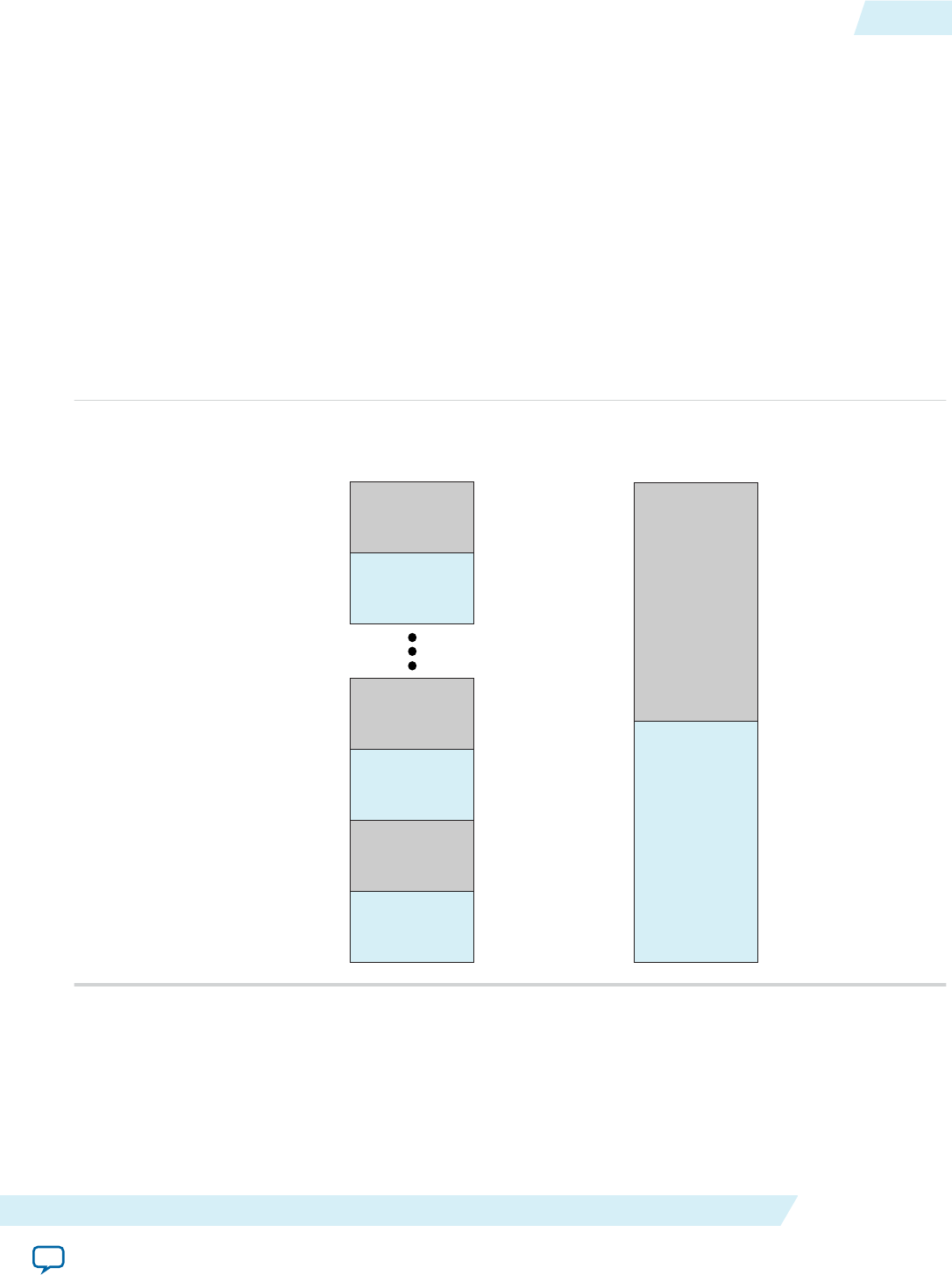
cl_command_queue objects are in order. To enable multiple command queues , instantiate a separate
command for each kernel you wish to run concurrently.
Allocating OpenCL Buffer for Manual Partitioning of Global Memory
Manual partitioning of global memory buffers allows you to control memory accesses across buffers to
maximize the memory bandwidth. Before you partition the memory, first you have to disable burst-
interleaving during OpenCL kernel compilation. Then, in the host application, you must specify the
memory bank to which you allocate the OpenCL buffer.
By default, the Altera Offline Compiler configures each global memory type in a burst-interleaved
fashion. Usually, the burst-interleaving configuration leads to the best load balancing between the
memory banks. However, there might be situations where it is more efficient to partition the memory into
non-interleaved regions.
The figure below illustrates the differences between burst-interleaved and non-interleaved memory
partitions.
0x7FFF_FFFF
Address
0x7FFF_FC00
0x7FFF_FBFF
0x7FFF_F800
0x0000_0FFF
0x0000_0C00
0x0000_0BFF
0x0000_0800
0x0000_07FF
0x0000_0400
0x0000_03FF
0x0000_0000
Bank 2
Bank 1
Bank 2
Bank 1
Bank 2
Bank 1
Bank 2
Bank 1
Address
0x7FFF_FFFF
0x4000_0000
0x3FFF_FFFF
0x0000_0000
Burst-Interleaved Separate Partitions
To manually partition some or all of the available global memory types, perform the following tasks:
1. Compile your OpenCL kernel using the --no-interleaving <global_memory_type> flag
to configure the memory bank(s) of the specified memory type as separate addresses.
UG-OCL002
2016.05.02 Allocating OpenCL Buffer for Manual Partitioning of Global Memory 1-61
Altera SDK for OpenCL Programming Guide Altera Corporation
Send Feedback

For more information on the usage of the --no-interleaving <global_memory_type>
flag, refer to the Disabling Burst-Interleaving of Global Memory (--no-interleaving
<global_memory_type>) section.
2. Create an OpenCL buffer in your host application, and allocate the buffer to one of the banks using the
CL_MEM_HETEROGENEOUS_ALTERA and CL_MEM_BANK flags.
• Specify CL_MEM_BANK_1_ALTERA to allocate the buffer to the lowest available memory region.
• Specify CL_MEM_BANK_2_ALTERA to allocation memory to the second bank (if available).
Attention: Allocate each buffer to a single memory bank only.
By default, the host allocates buffers into the main memory when you load kernels into the OpenCL
runtime via the clCreateProgramWithBinary function. During kernel invocation, the host automati‐
cally relocates heterogeneous memory buffers that are bound to kernel arguments to the main
memory . To avoid the initial allocation of heterogeneous memory buffers in the main memory,
include the CL_MEM_HETEROGENEOUS_ALTERA flag when you call the clCreateBuffer function, as
shown below:
mem = clCreateBuffer(context,
flags|CL_MEM_HETEROGENEOUS_ALTERA,
memSize,
NULL,
&errNum);
For example, the following clCreateBuffer call allocates memory into the lowest available memory
region of a nondefault memory bank:
mem = clCreateBuffer(context,
(CL_MEM_HETEROGENEOUS_ALTERA|CL_MEM_BANK_1_ALTERA),
memSize,
NULL,
&errNum);
The clCreateBuffer call allocates memory into a certain global memory type based on what you
specify in the kernel argument. If a memory (cl_mem) object residing in a memory type is set as a
kernel argument that corresponds to a different memory technology, the host moves the memory
object automatically when it queues the kernel. Do not pass a buffer as kernel arguments that associate
it with multiple memory technologies.
Attention: If the second bank is not available at runtime, the memory is allocated to the first bank. If no
global memory is available, the clCreateBuffer call fails with the error message
CL_MEM_OBJECT_ALLOCATION_FAILURE.
For more information on optimizing heterogeneous global memory accesses, refer to the Heterogeneous
Memory Buffers and the Manual Partitioning of Global Memory sections of the Altera SDK for OpenCL
Best Practices Guide.
Related Information
•Disabling Burst-Interleaving of Global Memory (--no-interleaving <global_memory_type>) on
page 1-86
•Manual Partitioning of Global Memory
•Heterogeneous Memory Buffers
1-62 Allocating OpenCL Buffer for Manual Partitioning of Global Memory UG-OCL002
2016.05.02
Altera Corporation Altera SDK for OpenCL Programming Guide
Send Feedback

Creating a Pipe Object in Your Host Application
To implement OpenCL pipes in your kernel, you must create Altera SDK for OpenCL-specific pipe
objects in your host application.
An AOCL-specific pipe object is not a true OpenCL pipe object as described in the OpenCL Specification
version 2.0. This implementation allows you to migrate away from Altera devices with a conformant
solution. The AOCL-specific pipe object is a memory object (cl_mem); however, the host does not allocate
any memory for the pipe itself.
The following clCreatePipe host API creates a pipe object:
cl_mem clCreatePipe(cl_context context,
cl_mem_flags flags,
cl_uint pipe_packet_size,
cl_uint pipe_max_packets,
const cl_pipe_properties *properties,
cl_int *errcode_ret)
For more information on the clCreatePipe host API function, refer to section 5.4.1 of the OpenCL
Specification version 2.0.
Below is an example syntax of the clCreatePipe host API function:
cl_int status;
cl_mem c0_pipe = clCreatePipe(context,
0,
sizeof(int),
1,
NULL,
&status);
status = clSetKernelArg(kernel, 1, sizeof(cl_mem), &c0_pipe);
Caution: The AOCL does not support dynamic channel assignment at runtime. The AOCL statically
links the pipes during compilation.
Related Information
OpenCL Specification version 2.0 (API)
Collecting Profile Data During Kernel Execution
In cases where kernel execution finishes after the host application completes, you can query the FPGA
explicitly to collect profile data during kernel execution.
When you profile your OpenCL kernel during compilation, a profile.mon file is generated automatically.
The profile data is then written to profile.mon after kernel execution completes on the FPGA. However, if
kernel execution completes after the host application completes, no profiling information for that kernel
UG-OCL002
2016.05.02 Creating a Pipe Object in Your Host Application 1-63
Altera SDK for OpenCL Programming Guide Altera Corporation
Send Feedback

invocation will be available in the profile.mon file. In this case, you can modify your host code to acquire
profiling information during kernel execution.
• To query the FPGA to collect profile data while the kernel is running, call the following host library
call:
extern CL_API_ENTRY cl_int CL_API_CALL
clGetProfileInfoAltera(cl_event);
where cl_event is the kernel event. The kernel event you pass to this host library call must be the same
one you pass to the clEnqueueNDRangeKernel call.
Important: If kernel execution completes before the invocation of clGetProfileInfoAltera, the
function returns an event error message.
Caution: Invoking the clGetProfileInfoAltera function during kernel execution disables the
profile counters momentarily so that the Profiler can collect data from the FPGA. As a
result, you will lose some profiling information during this interruption. If you call this
function at very short intervals, the profile data might not accurately reflect the actual
performance behavior of the kernel.
Consider the following example host code:
int main()
{ ...
clEnqueueNDRangeKernel (queue, kernel, ..., NULL);
...
clEnqueueNDRangeKernel (queue, kernel, .. , NULL);
...
}
This host application runs on the assumption that a kernel launches twice and then completes. In the
profile.mon file, there will be two sets of profile data, one for each kernel invocation. To collect profile
data while the kernel is running, modify the host code in the following manner:
int main()
{
...
clEnqueueNDRangeKernel (queue, kernel, ..., &event);
//Get the profile data before the kernel completes
clGetProfileInfoAltera (event);
//Wait until the kernel completes
clFinish (queue);
...
clEnqueueNDRangeKernel (queue, kernel, ..., NULL);
...
}
The call to clGetProfileInfoAltera adds a new entry in the profile.mon file. The Profiler GUI then
parses this entry in the report.
For more information on the Altera SDK for OpenCL Profiler, refer to the following sections:
1-64 Collecting Profile Data During Kernel Execution UG-OCL002
2016.05.02
Altera Corporation Altera SDK for OpenCL Programming Guide
Send Feedback

•Profile Your Kernel to Identify Performance Bottlenecks in the Altera SDK for OpenCL Best Practices
Guide
•Profiling Your OpenCL Kernel
Related Information
•Profile Your Kernel to Identify Performance Bottlenecks
•Profiling Your OpenCL Kernel on page 1-97
Accessing Custom Platform-Specific Functions
You have the option to include in your application user-accessible functions that are available in your
Custom Platform. However, when you link your host applicaiton to the Altera Client Driver (ACD), you
cannot directly reference these Custom Platform-specific functions. To reference Custom Platform-
specific user-accessible functions while linking to the ACD, include the
clGetBoardExtensionFunctionAddressAltera extension in your host application.
The clGetBoardExtensionFunctionAddressAltera extension specifies an API that retrieves a pointer to
a user-accessible function from the Custom Platform.
Attention: For Linux systems, the clGetBoardExtensionFunctionAddressAltera function works with
or without ACD. For Windows systems, the function only works in conjunction with ACD.
Consult with your board vendor to determine if ACD is supported in your Custom Platform.
Definitions of the extension interfaces are available in the ALTERAOCLSDKROOT/host/include/CL/cl_ext.h
file.
• To obtain a pointer to a user-accessible function in your Custom Platform, call the following function
in your host application:
void* clGetBoardExtensionFunctionAddressAltera (
const char* function_name,
cl_device_id device
);
Where:
function_name is the name of the user-accessible function that your Custom Platform vendor
provides,
and
device is the device ID returned by the clGetDeviceIDs function.
After locating the user-accessible function, the clGetBoardExtensionFunctionAddressAltera
function returns a pointer to the user-accessible function. If the function does not exist in the Custom
Platform, clGetBoardExtensionFunctionAddressAltera returns NULL.
Modifying Host Program for Structure Parameter Conversion
If you convert any structure parameters to pointers-to-constant structures in your OpenCL kernel, you
must modify your host application accordingly.
Perform the following changes to your host application:
1. Allocate a cl_mem buffer to store the structure contents.
UG-OCL002
2016.05.02 Accessing Custom Platform-Specific Functions 1-65
Altera SDK for OpenCL Programming Guide Altera Corporation
Send Feedback

Attention: You need a separate cl_mem buffer for every kernel that uses a different structure value.
2. Set the structure kernel argument with a pointer to the structure buffer, not with a pointer to the
structure contents.
3. Populate the structure buffer contents before queuing the kernel. Perform one of the following steps to
ensure that the structure buffer is populated before the kernel launches:
• Queue the structure buffer on the same command queue as the kernel queue.
• Synchronize separate kernel queues and structure buffer queues with an event.
4. When your application no longer needs to call a kernel that uses the structure buffer, release the
cl_mem buffer.
Related Information
•Including Structure Data Types as Arguments in OpenCL Kernels on page 1-52
•Matching Data Layouts of Host and Kernel Structure Data Types on page 1-52
Allocating Shared Memory for OpenCL Kernels Targeting SoCs
Altera recommends that OpenCL kernels that run on Altera SoCs access shared memory instead of the
FPGA DDR memory. FPGA DDR memory is accessible to kernels with very high bandwidths. However,
read and write operations from the ARM CPU to FPGA DDR memory are very slow because they do not
use direct memory access (DMA). Reserve FPGA DDR memory only for passing temporary data between
kernels or within a single kernel for testing purposes.
Before you begin
Note: 1. Mark the shared buffers between kernels as volatile to ensure that buffer modification by one
kernel is visible to the other kernel.
2. To access shared memory, you only need to modify the host code. Modifications to the kernel
code are unnecessary.
3. You cannot use the library function malloc or the operator new to allocate physically shared
memory. Also, the CL_MEM_USE_HOST_PTR flag does not work with shared memory.
In DDR memory, shared memory must be physically contiguous. The FPGA cannot consume
virtually contiguous memory without a scatter-gather direct memory access (SG-DMA)
controller core. The malloc function and the new operator are for accessing memory that is
virtually contiguous.
4. CPU caching is disabled for the shared memory.
1-66 Allocating Shared Memory for OpenCL Kernels Targeting SoCs UG-OCL002
2016.05.02
Altera Corporation Altera SDK for OpenCL Programming Guide
Send Feedback

The ARM CPU and the FPGA can access the shared memory simultaneously. You do not need to include
the clEnqueueReadBuffer and clEnqueueWriteBuffer calls in your host code to make data visible to
either the FPGA or the CPU.
• To allocate and access shared memory, structure your host code in a similar manner as the following
example:
cl_mem src = clCreateBuffer(…, CL_MEM_ALLOC_HOST_PTR, size, …);
int *src_ptr = (int*)clEnqueueMapBuffer (…, src, size, …);
*src_ptr = input_value; //host writes to ptr directly
clSetKernelArg (…, src);
clEnqueueNDRangeKernel(…);
clFinish();
printf (“Result = %d\n”, *dst_ptr); //result is available immediately
clEnqueueUnmapMemObject(…, src, src_ptr, …);
clReleaseMemObject(src); // actually frees physical memory
You can include the CONFIG_CMA_SIZE_MBYTES kernel configuration option to control the maximum
total amount of shared memory available for allocation. In practice, the total amount of allocated
shared memory is smaller than the value of CONFIG_CMA_SIZE_MBYTES.
Important: 1. If your target board has multiple DDR memory banks, the clCreateBuffer(...,
CL_MEM_READ_WRITE, ...) function allocates memory to the nonshared DDR
memory banks. However, if the FPGA has access to a single DDR bank that is shared
memory, then clCreateBuffer(..., CL_MEM_READ_WRITE, ...) allocates to shared
memory, similar to using the CL_MEM_ALLOC_HOST_PTR flag.
2. The shared memory that you request with the clCreateBuffer(...,
CL_MEM_ALLOC_HOST_PTR, size, ...) function is allocated in the Linux OpenCL
kernel driver, and it relies on the contiguous memory allocator (CMA) feature of the
Linux kernel. For detailed information on enabling and configuring the CMA, refer to
the Recompiling the Linux Kernel and the OpenCL Linux Kernel Driver section of the
Altera Cyclone V SoC Development Kit Reference Platform Porting Guide.
• To transfer data from shared hard processor system (HPS) DDR to FPGA DDR efficiently, include a
kernel that performs the memcpy function, as shown below.
__attribute__((num_simd_work_items(8)))
mem_stream(__global uint * src, __global uint * dst)
{
size_t gid = get_global_id(0);
dst[gid] = src[gid];
}
Attention: Allocate the src pointer in the HPS DDR as shared memory using the
CL_MEM_ALLOC_HOST_PTR flag.
• If the host allocates constant memory to shared HPS DDR system and then modifies it after kernel
execution, the modifications might not take effect. As a result, subsequent kernel executions might use
outdated data. To prevent kernel execution from using outdated constant memory, perform one of the
following tasks:
1. Do not modify constant memory after its initialization.
2. Create multiple constant memory buffers if you require multiple __constant data sets.
3. If available, allocate constant memory to the FPGA DDR on your accelerator board.
Related Information
Recompiling the Linux Kernel and the OpenCL Linux Kernel Driver
UG-OCL002
2016.05.02 Allocating Shared Memory for OpenCL Kernels Targeting SoCs 1-67
Altera SDK for OpenCL Programming Guide Altera Corporation
Send Feedback

Managing Host Application
The Altera SDK for OpenCL includes utility commands you can invoke to obtain information on flags
and libraries necessary for compiling and linking your host application.
Attention: To cross-compile your host application to an SoC board, include the --arm option in your
utility command.
Caution: For Linux systems, if you debug your host application using the GNU Project Debugger (GDB),
invoke the following command prior to running the host application:
handle SIG44 nostop
Without this command, the GDB debugging process terminates with the following error
message:
Program received signal SIG44, Real-time event 44.
Displaying Example Makefile Fragments (example-makefile or makefile)
To display example Makefile fragments for compiling and linking a host application against host runtime
libraries available with the Altera SDK for OpenCL, invoke the example-makefile or makefile
utility command.
1-68 Managing Host Application UG-OCL002
2016.05.02
Altera Corporation Altera SDK for OpenCL Programming Guide
Send Feedback

•At a command prompt, invoke the aocl example-makefile or aocl makefile utility
command.
The software displays an output similar to the following:
The following are example Makefile fragments for compiling and linking
a host program against the host runtime libraries included with the
Altera SDK for OpenCL.
Example GNU makefile on Linux, with GCC toolchain:
AOCL_COMPILE_CONFIG=$(shell aocl compile-config)
AOCL_LINK_CONFIG=$(shell aocl link-config)
host_prog : host_prog.o
g++ -o host_prog host_prog.o $(AOCL_LINK_CONFIG)
host_prog.o : host_prog.cpp
g++ -c host_prog.cpp $(AOCL_COMPILE_CONFIG)
Example GNU makefile on Windows, with Microsoft Visual C++ command line compiler:
AOCL_COMPILE_CONFIG=$(shell aocl compile-config)
AOCL_LINK_CONFIG=$(shell aocl link-config)
host_prog.exe : host_prog.obj
link -nologo /OUT:host_prog.exe host_prog.obj $(AOCL_LINK_CONFIG)
host_prog.obj : host_prog.cpp
cl /MD /Fohost_prog.obj -c host_prog.cpp $(AOCL_COMPILE_CONFIG)
Example GNU makefile cross-compiling to ARM SoC from Linux or Windows, with
Linaro GCC cross-compiler toolchain:
CROSS-COMPILER=arm-linux-gnueabihf-
AOCL_COMPILE_CONFIG=$(shell aocl compile-config --arm)
AOCL_LINK_CONFIG=$(shell aocl link-config --arm)
host_prog : host_prog.o
$(CROSS-COMPILER)g++ -o host_prog host_prog.o $(AOCL_LINK_CONFIG)
host_prog.o : host_prog.cpp
$(CROSS-COMPILER)g++ -c host_prog.cpp $(AOCL_COMPILE_CONFIG)
Compiling and Linking Your Host Application
The OpenCL host application uses standard OpenCL runtime APIs to manage device configuration, data
buffers, kernel launches, and synchronization. The host application also contains functions such as file
I/O, or portions of the source code that do not run on an accelerator device. The Altera SDK for OpenCL
includes utility commands you can invoke to obtain information on C header files describing the OpenCL
APIs, and board-specific MMD and host runtime libraries with which you must link your host
application.
Important: For Windows systems, you must add the /MD flag to link the host runtime libraries against
the multithreaded dynamic link library (DLL) version of the Microsoft C Runtime library.
You must also compile your host application with the /MD compilation flag, or use the /
NODEFAULTLIB linker option to override the selection of runtime library.
UG-OCL002
2016.05.02 Compiling and Linking Your Host Application 1-69
Altera SDK for OpenCL Programming Guide Altera Corporation
Send Feedback

Remember: Include the path to the ALTERAOCLSDKROOT/host/<OS_platform>/bin folder in your library
search path when you run your host application.
Displaying Flags for Compiling Host Application (compile-config) on page 1-70
To display a list of flags necessary for compiling a host application, invoke the compile-config utility
command.
Displaying Paths to OpenCL Host Runtime and MMD Libraries (ldflags) on page 1-70
To display the paths necessary for linking a host application to the OpenCL host runtime and MMD
libraries, invoke the ldflags utility command.
Listing OpenCL Host Runtime and MMD Libraries (ldlibs) on page 1-70
To display the names of the OpenCL host runtime and MMD libraries necessary for linking a host
application, invoke the ldlibs utility command.
Displaying Information on OpenCL Host Runtime and MMD Libraries (link-config or linkflags) on
page 1-71
To display a list of flags necessary for linking a host application with OpenCL host runtime and MMD
libraries, invoke the link-config or linkflags utility command.
Displaying Flags for Compiling Host Application (compile-config)
To display a list of flags necessary for compiling a host application, invoke the compile-config utility
command.
1. At a command prompt, invoke the aocl compile-config utility command.
The software displays the path to the folder or directory in which the OpenCL API header files reside.
For example:
•For Windows systems, the path is -I%ALTERAOCLSDKROOT%/host/include
•For Linux systems, the path is -I$ALTERAOCLSDKROOT/host/include
where ALTERAOCLSDKROOT points to the location of the software installation.
2. Add this path to your C preprocessor.
Attention: In your host source, include the opencl.h OpenCL header file, located in the ALTERAOCLSDK‐
ROOT/host/include/CL folder or directory.
Displaying Paths to OpenCL Host Runtime and MMD Libraries (ldflags)
To display the paths necessary for linking a host application to the OpenCL host runtime and MMD
libraries, invoke the ldflags utility command.
•At a command prompt, invoke the aocl ldflags utility command.
The software displays the paths for linking your host application with the following libraries:
1. The OpenCL host runtime libraries that provide OpenCL platform and runtime APIs. The OpenCL
host runtime libraries are available in the ALTERAOCLSDKROOT/host/<OS_platform>/lib directory.
2. The path to the Custom Platform-specific MMD libraries. The MMD libraries are available in the
<board_family_name>/<OS_platform>/lib directory of your Custom Platform.
Listing OpenCL Host Runtime and MMD Libraries (ldlibs)
To display the names of the OpenCL host runtime and MMD libraries necessary for linking a host
application, invoke the ldlibs utility command.
1-70 Displaying Flags for Compiling Host Application (compile-config) UG-OCL002
2016.05.02
Altera Corporation Altera SDK for OpenCL Programming Guide
Send Feedback

•At a command prompt, invoke the aocl ldlibs utility command.
The software lists the OpenCL host runtime libraries residing in the ALTERAOCLSDKROOT/host/
<OS_platform>/lib directory. It also lists the Custom Platform-specific MMD libraries residing in the /
<board_family_name>/<OS_platform>/lib directory of your Custom Platform.
• For Windows systems, the output might resemble the following example:
alterahalmmd.lib
<board_vendor_name>_<board_family_name>_mmd.[lib|so|a|dll]
alteracl.lib
acl_emulator_kernel_rt.lib
pkg_editor.lib
libelf.lib
acl_hostxml.lib
• For Linux systems, the output might resemble the following example:
-lalteracl
-ldl
-lacl_emulator_kernel_rt
-lalterahalmmd
-l<board_vendor_name>_<board_family_name>_mmd
-lelf
-lrt
-lstdc++
Displaying Information on OpenCL Host Runtime and MMD Libraries (link-config or linkflags)
To display a list of flags necessary for linking a host application with OpenCL host runtime and MMD
libraries, invoke the link-config or linkflags utility command.
This utility command combines the functions of the ldflags and ldlibs utility commands.
1. At a command prompt, invoke the aocl link-config or aocl linkflags command.
The software displays the link options for linking your host application with the following libraries:
1. The path to and the names of OpenCL host runtime libraries that provide OpenCL platform and
runtime APIs. The OpenCL host runtime libraries are available in the ALTERAOCLSDKROOT/host/
<OS_platform>/lib directory .
2. The path to and the names of the Custom Platform-specific MMD libraries. The MMD libraries are
available in the <board_family_name>/<OS_platform>/lib directory of your Custom Platform.
UG-OCL002
2016.05.02 Displaying Information on OpenCL Host Runtime and MMD Libraries... 1-71
Altera SDK for OpenCL Programming Guide Altera Corporation
Send Feedback

• For Windows systems, the link options might resemble the following example output:
/libpath:%ALTERAOCLSDKROOT%/board/<board_name>/windows64/lib
/libpath:%ALTERAOCLSDKROOT%/host/windows64/lib
alterahalmmd.lib
<board_vendor_name>_<board_family_name>_mmd.[lib|so|a|dll]
alteracl.lib
acl_emulator_kernel_rt.lib
pkg_editor.lib
libelf.lib
acl_hostxml.lib
• For Linux systems, the link options might resemble the following example output:
-L/$ALTERAOCLSDKROOT/board/<board_name>/linux64/lib
-L/$ALTERAOCLSDKROOT/host/linux64/lib
-lalterac
-ldl
-lacl_emulator_kernel_rt
-lalterahalmmd
-l<board_vendor_name>_<board_family_name>_mmd
-lelf
-lrt
-lstdc++
Linking Your Host Application to the Khronos ICD Loader Library
The Altera SDK for OpenCL supports the OpenCL Installable Client Driver (ICD) extension from the
Khronos Group. The OpenCL ICD extension allows you to have multiple OpenCL implementations on
your system. With the OpenCL ICD Loader Library, you may choose from a list of installed platforms and
execute OpenCL API calls that are specific to your OpenCL implementation of choice.
In addition to the AOCL host runtime libraries, Altera supplies a version of the ICD Loader Library that
supports the OpenCL Specification version 1.0. To use an ICD library from another vendor, consult the
vendor's documentation on how to link to their ICD library.
Linking to the ICD Loader Library on Windows on page 1-72
To link your Windows OpenCL host application to the ICD Loader Library, modify the Makefile and set
up the Altera Client Driver.
Linking to the ICD Loader Library on Linux on page 1-73
To link your Linux OpenCL host application to the ICD Loader Library, modify the Makefile. For
Cyclone V SoC boards, you also have to create an Altera.icd file.
Linking to the ICD Loader Library on Windows
To link your Windows OpenCL host application to the ICD Loader Library, modify the Makefile and set
up the Altera Client Driver.
Attention: For Windows systems, you must use the ICD in conjunction with the ACD. If the custom
platform from your board vendor does not currently support ACD, you can set it up
manually.
1. Prior to linking your host application to any Altera SDK for OpenCL host runtime libraries, link it to
the OpenCL library by modifying the Makefile.
1-72 Linking Your Host Application to the Khronos ICD Loader Library UG-OCL002
2016.05.02
Altera Corporation Altera SDK for OpenCL Programming Guide
Send Feedback

A modified Makefile might include the following lines:
AOCL_COMPILE_CONFIG=$(shell aocl compile-config)
AOCL_LDFLAGS=$(shell aocl ldflags)
AOCL_LDLIBS=$(shell aocl ldlibs)
host_prog.exe : host_prog.obj
link -nologo /OUT:host_prog.exe host_prog.obj $(AOCL_ LDFLAGS) OpenCL.lib
host_prog.obj : host_prog.cpp
cl /MD /Fohost_prog.obj -c host_prog.cpp $(AOCL_COMPILE_CONFIG)
2. If you need to manually set up ACD support for your Custom Platform, perform the following tasks:
a. Consult with your board vendor to identify the libraries that the ACD requires. Alternatively, you
may invoke the aocl ldlibs command and identify the libraries that your OpenCL application
requires.
b. Specify the libraries in the registry key HKEY_LOCAL_MACHINE\SOFTWARE\Altera\OpenCL
\Boards. Enter one value for each library. Each value must include the path to the library as the
string value, and a DWORD setting of 0.
Attention: If your board vendor provides multiple libraries, you might need to load them in a
particular order. Consult with your board vendor to determine the correct order to load
the libraries. List the libraries in the registry in their loading order.
To enumerate board vendor-specific ICDs, the ICD Loader scans the values in the
HKEY_LOCAL_MACHINE\SOFTWARE\Altera\OpenCL\Boards registry key. For each value in the
key that has a DWORD value of 0, the ACD Loader opens the corresponding DLL specified in the key.
Consider the following registry key value:
[HKEY_LOCAL_MACHINE\SOFTWARE\Altera\OpenCL\Boards] "c:\\board_vendor a\
\my_board_mmd.dll"=dword:00000000
The ICD Loader scans this value, and then the ACD Loader opens the library my_board_mmd.dll from
the board_vendor a folder.
Attention: If your host application fails to run while it is linking to the ICD, ensure that
the HKEY_LOCAL_MACHINE\SOFTWARE\Khronos\OpenCL\Vendors
registry key contains the following value:
[HKEY_LOCAL_MACHINE\SOFTWARE\Khronos\OpenCL\Vendors]
"alteracl_icd.dll"=dword:00000000
Linking to the ICD Loader Library on Linux
To link your Linux OpenCL host application to the ICD Loader Library, modify the Makefile. For
Cyclone V SoC boards, you also have to create an Altera.icd file.
1. Prior to linking your host application to any Altera SDK for OpenCL host runtime libraries, link it to
the OpenCL library by modifying the Makefile.
A modified Makefile might include the following lines:
AOCL_LDFLAGS=$(shell aocl ldflags)
AOCL_LDLIBS=$(shell aocl ldlibs)
UG-OCL002
2016.05.02 Linking to the ICD Loader Library on Linux 1-73
Altera SDK for OpenCL Programming Guide Altera Corporation
Send Feedback

host_prog : host_prog.o
g++ -o host_prog host_prog.o $(AOCL_LDFLAGS) -lOpenCL $(AOCL_LDLIBS)
2. For Cyclone V SoC boards, when you build the SD flash card image for your Custom Platform, create
an Altera.icd file containing the text libalteracl.so. Store the Altera.icd file in the /etc/OpenCL/
vendors directory of your Custom Platform.
Refer to Building an SD Flash Card Image section of the Altera Cyclone V SoC Development Kit
Reference Platform Porting Guide for more information.
Attention: If your host application fails to run while linking to the ICD, ensure that the
file /etc/OpenCL/vendors/Altera.icd matches the file found in the directory
that ALTERAOCLSDKROOT specifies. The environment variable
ALTERAOCLSDKROOT points to the location of the AOCL installation. If
the files do not match, or if it is missing from /etc/OpenCL/vendors, copy the
Altera.icd file from ALTERAOCLSDKROOT to /etc/OpenCL/vendors.
Related Information
Building an SD Flash Card Image
Programming an FPGA via the Host
The Altera Offline Compiler is an offline compiler that compiles kernels independently of the host
application. To load the kernels into the OpenCL runtime, include the clCreateProgramWithBinary
function in your host application.
Caution: If your host system consists of multiple processors, only one processor can access the FPGA at a
given time. Consider an example where there are two host applications, corresponding to two
processors, attempting to launch kernels onto the same FPGA at the same time. The second
host application wil receive an error message indicating that the device is busy. The second host
application cannot run until the first host application releases the OpenCL context.
1. Compile your OpenCL kernel with the AOC to create the .aocx file.
2. Include the clCreateProgramWithBinary function in your host application to create the cl_program
OpenCL program objects from the .aocx file.
3. Include the clBuildProgram function in your host application to create the program executable for
the specified device.
Below is an example host code on using clCreateProgramWithBinary to program an FPGA device:
size_t lengths[1];
unsigned char* binaries[1] ={NULL};
cl_int status[1];
cl_int error;
cl_program program;
const char options[] = "";
FILE *fp = fopen("program.aocx","rb");
fseek(fp,0,SEEK_END);
lengths[0] = ftell(fp);
binaries[0] = (unsigned char*)malloc(sizeof(unsigned char)*lengths[0]);
rewind(fp);
fread(binaries[0],lengths[0],1,fp);
fclose(fp);
program = clCreateProgramWithBinary(context,
1,
device_list,
1-74 Programming an FPGA via the Host UG-OCL002
2016.05.02
Altera Corporation Altera SDK for OpenCL Programming Guide
Send Feedback

lengths,
(const unsigned char **)binaries,
status,
&error);
clBuildProgram(program,1,device_list,options,NULL,NULL);
If the clBuildProgram function executes successfully, it returns CL_SUCCESS.
4. Create kernel objects from the program executable using the clCreateKernelsInProgram or
clCreateKernel function.
5. Include the kernel execution function to instruct the host runtime to execute the scheduled kernel(s)
on the FPGA.
• To enqueue a command to execute an NDRange kernel, use clEnqueueNDRangeKernel.
• To enqueue a single work-item kernel, use clEnqueueTask.
Attention: Altera recommends that you release an event object when it is not in use. The AOCL keeps
an event object live until you explicitly instruct it to release the event object. Keeping an
unused event object live causes unnecessary memory usage.
To release an event object, call the clReleaseEvent function.
You can load multiple FPGA programs into memory, which the host then uses to reprogram the FPGA
as required.
For more information on these OpenCL host runtime API calls, refer to the OpenCL Specification version
1.0.
Related Information
OpenCL Specification version 1.0
Programming Multiple FPGA Devices
If you install multiple FPGA devices in your system, you can direct the host runtime to program a specific
FPGA device by modifying your host code.
Important: You may only program multiple FPGA devices from the same Custom Platform because the
AOCL_BOARD_PACKAGE_ROOT environment variable points to the location of a single
Custom Platform.
You can present up to 32 FPGA devices to your system in the following manner:
• Multiple FPGA accelerator boards, each consisting of a single FPGA.
• Multiple FPGAs on a single accelerator board that connects to the host system via a PCIe switch.
• Combinations of the above.
The host runtime can load kernels onto each and every one of the FPGA devices. The FPGA devices can
then operate in a parallel fashion.
1. Probing the OpenCL FPGA Devices on page 1-76
The host must identify the number of OpenCL FPGA devices installed into the system.
2. Querying Device Information on page 1-76
You can direct the host to query information on your OpenCL FPGA devices.
3. Loading Kernels for Multiple FPGA Devices on page 1-77
If your system contains multiple FPGA devices, you can create specific cl_program objects for each
FPGA and load them into the OpenCL runtime.
UG-OCL002
2016.05.02 Programming Multiple FPGA Devices 1-75
Altera SDK for OpenCL Programming Guide Altera Corporation
Send Feedback

Probing the OpenCL FPGA Devices
The host must identify the number of OpenCL FPGA devices installed into the system.
1. To query a list of FPGA devices installed in your machine, invoke the aocl diagnose command.
2. To direct the host to identify the number of OpenCL FPGA devices, add the following lines of code to
your host application:
//Get the platform
ciErrNum = clGetPlatformID(&cpPlatform);
//Get the devices
ciErrNum = clGetDeviceIDs(cpPlatform,
CL_DEVICE_TYPE_ALL,
0,
NULL,
&ciDeviceCount);
cdDevices = (cl_device_id * )malloc(ciDeviceCount * sizeof(cl_device_id));
ciErrNum = clGetDeviceIDs(cpPlatform,
CL_DEVICE_TYPE_ALL,
ciDeviceCount,
cdDevices,
NULL);
For example, on a system with two OpenCL FPGA devices, ciDeviceCount has a value of 2, and
cdDevices contains a list of two device IDs (cl_device_id).
Related Information
Querying the Device Name of Your FPGA Board (diagnose) on page 1-11
Querying Device Information
You can direct the host to query information on your OpenCL FPGA devices.
• To direct the host to output a list of OpenCL FPGA devices installed into your system, add the
following lines of code to your host application:
char buf[1024];
for (unsigned i = 0; i < ciDeviceCount; i++);
{
clGetDeviceInfo(cdDevices[i], CL_DEVICE_NAME, 1023, buf, 0);
printf("Device %d: '%s'\n", i, buf);
}
When you query the device information, the host will list your FPGA devices in the following manner:
Device <N>: <board_name>: <name_of_FPGA_board>
Where:
<N> is the device number.
<board_name> is the board designation you use to target your FPGA device when you invoke the aoc
command.
<name_of_FPGA_board> is the advertised name of the FPGA board.
For example, if you have two identical FPGA boards on your system, the host generates an output that
resembles the following:
Device 0: board_1: Stratix V FPGA Board
Device 1: board_1: Stratix V FPGA Board
1-76 Probing the OpenCL FPGA Devices UG-OCL002
2016.05.02
Altera Corporation Altera SDK for OpenCL Programming Guide
Send Feedback

Note: The clGetDeviceInfo function returns the board type (for example, board_1) that the Altera
Offline Compiler lists on-screen when you invoke the aoc --list-boards command. If your
accelerator board contains more than one FPGA, each device is treated as a "board" and is given a
unique name.
Related Information
Listing the Available FPGA Boards in Your Custom Platform (--list-boards) on page 1-9
Loading Kernels for Multiple FPGA Devices
If your system contains multiple FPGA devices, you can create specific cl_program objects for each
FPGA and load them into the OpenCL runtime.
The following host code demonstrates the usage of the clCreateProgramWithBinary and createMulti-
DeviceProgram functions to program multiple FPGA devices:
cl_program createMultiDeviceProgram(cl_context context,
const cl_device_id *device_list,
cl_uint num_devices,
const char *aocx_name);
// Utility function for loading file into Binary String
//
unsigned char* load_file(const char* filename, size_t *size_ret)
{
FILE *fp = fopen(aocx_name,"rb");
fseek(fp,0,SEEK_END);
size_t len = ftell(fp);
char *result = (unsigned char*)malloc(sizeof(unsigned char)*len);
rewind(fp);
fread(result,len,1,fp);
fclose(fp);
*size_ret = len;
return result;
}
//Create a Program that is compiled for the devices in the "device_list"
//
cl_program createMultiDeviceProgram(cl_context context,
const cl_device_id *device_list,
cl_uint num_devices,
const char *aocx_name)
{
printf("creating multi device program %s for %d devices\n",
aocx_name, num_devices);
const unsigned char **binaries =
(const unsigned char**)malloc(num_devices*sizeof(unsigned char*));
size_t *lengths=(size_t*)malloc(num_devices*sizeof(size_t));
cl_int err;
for(cl_uint i=0; i<num_devices; i++)
{
binaries[i] = load_file(aocx_name,&lengths[i]);
if (!binaries[i])
{
printf("couldn't load %s\n", aocx_name);
exit(-1);
}
}
cl_program p = clCreateProgramWithBinary(context,
num_devices,
device_list,
lengths,
UG-OCL002
2016.05.02 Loading Kernels for Multiple FPGA Devices 1-77
Altera SDK for OpenCL Programming Guide Altera Corporation
Send Feedback

binaries,
NULL,
&err);
free(lengths);
free(binaries);
if (err != CL_SUCCESS)
{
printf("Program Create Error\n");
}
return p;
}
// main program
main ()
{
// Normal OpenCL setup
}
program = createMultiDeviceProgram(context,
device_list,
num_devices,
"program.aocx");
clBuildProgram(program,num_devices,device_list,options,NULL,NULL);
Termination of the Runtime Environment and Error Recovery
In the event that the host application terminates unexpectedly, you must restart the runtime environment
and reprogram the FPGA.
The runtime environment is a library that is compiled as part of the host application. When the host
application terminates, the runtime environment will also terminate along with any tracking activity that
it performs. If you restart the host application, a new runtime environment and its associated tracking
activities will reinitialize. The initialization functions reset the kernel's hardware state.
In same cases, unexpected termination of the host application causes the configuration of certain
hardware (for example, PCIe hard IP) to be incomplete. To restore the configuration of these hardware,
the host needs to reprogram the FPGA.
If you use a Custom Platform that implements customized hardware blocks, be aware that restarting the
host application and resetting these blocks might have design implications:
• When the host application calls the clGetPlatformIDs function, all kernels and channels will be reset
for all available devices.
• When the host application calls the clGetPlatformIDs function, it resets FIFO buffers and channels
as it resets the device.
• The host application initializes memory buffers via the clCreateBuffer and clEnqueueWriteBuffer
function calls. You cannot access the contents of buffers from a previous host execution within a new
host execution.
Compiling Your OpenCL Kernel
The Altera SDK for OpenCL offers a list of compiler options that allows you to customize the kernel
compilation process. An Altera Offline Compiler command consists of the aoc command, compiler
option(s) and settings, and kernel filenames. You can invoke an aoc command to direct the compiler to
target a specific FPGA board, generate reports, or implement optimization techniques.
1-78 Termination of the Runtime Environment and Error Recovery UG-OCL002
2016.05.02
Altera Corporation Altera SDK for OpenCL Programming Guide
Send Feedback

Before you compile an OpenCL kernel, ensure that the environment variable
AOCL_BOARD_PACKAGE_ROOT points to the location of the appropriate Custom Platform. Also,
verify that the QUARTUS_ROOTDIR_OVERRIDE environment variable points to the correct edition of
the Quartus Prime software.
If these environment variables do not have the correct settings, follow the instructions in the Setting the
Altera SDK for OpenCL User Environment Variables section of the Altera SDK for OpenCL Getting Started
Guide to modify the settings.
Attention: If you use the Altera Stratix V Network Reference Platform, you must acquire and install the
PLDA QuickUDP intellectual property (IP) core license. Refer to the PLDA website for more
information. If you use a Custom Platform that includes the QuickUDP IP core, refer to your
board vendor's documentation for more information on the acquisition and installation of the
QuickUDP IP license.
Caution: Improper installation of the QuickUDP IP license causes kernel compilation to fail with the
following error message:
Error (292014): Can't find valid feature line for core PLDA
QUICKTCP (73E1_AE12) in current license.
Note that the error has no actual dependency on the TCP Hardware Stack QuickTCP IP from
PLDA.
Related Information
•Setting the Altera SDK for OpenCL User Environment Variables (Windows)
•Setting the Altera SDK for OpenCL User Environment Variables (Linux)
Compiling Your Kernel to Create Hardware Configuration File
You can compile an OpenCL kernel and create the hardware configuration file (that is, the .aocx file) in a
single step.
Altera recommends that you use this one-step compilation strategy under the following circumstances:
• After you optimize your kernel via the Altera SDK for OpenCL design flow, and you are now ready to
create the .aocx file for deployment onto the FPGA.
• You have one or more simple kernels that do not require any optimization.
•To compile the kernel and generate the .aocx file in one step, invoke the aoc
<your_kernel_filename1>.cl [<your_kernel_filename2>.cl ...] command.
Where [<your_kernel_filename2>.cl ...] are the optional space-delimited file names of kernels that you
can compile in addition to <your_kernel_filename1>.cl.
The Altera Offline Compiler groups the .cl files into a temporary file. It then compiles this file to generate
the .aocx file. You must specify the order of the kernels in this temporary file on the command line.
Compiling a Kernel for a Big-Endian System (--big-endian)
To direct the Altera Offline Compiler to compile your OpenCL kernel and generate a hardware
configuration file for use in a big-endian system (for example, the IBM POWER system), include the --
big-endian option in the aoc command.
UG-OCL002
2016.05.02 Compiling Your Kernel to Create Hardware Configuration File 1-79
Altera SDK for OpenCL Programming Guide Altera Corporation
Send Feedback

If you create an OpenCL kernel program that targets a big-endian architecture, you have to specify big-
endian ordering for the host and global memories. If not, the AOC automatically defaults to little-endian
ordering.
•At a command prompt, invoke the aoc <your_kernel_filename>.cl --big-endian
command.
Compiling Your Kernel without Building Hardware (-c)
To direct the Altera Offline Compiler to compile your OpenCL kernel and generate a Quartus Prime
hardware design project without creating a hardware configuration file, include the -c option in your
aoc command.
•At a command prompt, invoke the aoc -c <your_kernel_filename1>.cl
[<your_kernel_filename2>.cl ...] command.
Where [<your_kernel_filename2>.cl ...] are the optional space-delimited file names of kernels that you
can compile in addition to <your_kernel_filename1>.cl.
When you invoke the aoc command with the -c flag, the AOC compiles the kernel and creates the
following files and directories:
• The .aoco file. The AOC creates the .aoco file in a matter of seconds to minutes. If you compile
multiple kernels, their information in the .aoco file appears in the order in which you list them on
the command line.
• A <your_kernel_filename> folder or subdirectory. It contains intermediate files that the Altera SDK
for OpenCL uses to build the hardware configuration file necessary for FPGA programming.
Specifying the Location of Header Files (-I <directory>)
To add a directory to the list of directories that the Altera Offline Compiler searches for header files
during kernel compilation, include the -I <directory> option in your aoc command.
1-80 Compiling Your Kernel without Building Hardware (-c) UG-OCL002
2016.05.02
Altera Corporation Altera SDK for OpenCL Programming Guide
Send Feedback

If the header files are in the same directory as your kernel, you do not need to include the -I
<directory> option in your aoc command. The AOC automatically searches the current folder or
directory for header files.
•At a command prompt, invoke the aoc -I <directory> <your_kernel_filename>.cl
command.
Caution: For Windows systems, ensure that your include path does not contain any trailing slashes.
The AOC considers a trailing forward slash (/) or backward slash (\) as illegal.
The AOC generates an error message if you invoke the aoc command in the following
manner:
aoc -I <drive>\<folder>\ ... \<subfolder>\
<your_kernel_filename>.cl
or
aoc -I <drive>/<folder>/ ... /<subfolder>/
<your_kernel_filename>.cl
The correct way to specify the include path is as follows:
aoc -I <drive>\<folder>\ ... \<subfolder>
<your_kernel_filename>.cl
or
aoc -I <drive>/<folder>/ ... /<subfolder>
<your_kernel_filename>.cl
Specifying the Name of an AOC Output File (-o <filename>)
To specify the name of a .aoco file or a .aocx file, include the -o <filename> option in your aoc
command.
• If you implement the multistep compilation flow, specify the names of the output files in the following
manner:
1. To specify the name of the .aoco file that the Altera Offline Compiler creates during an
intermediate compilation step, invoke the aoc -c -o <your_object_filename>.aoco
<your kernel_filename>.cl command.
2. To specify the name of the .aocx file that the AOC creates during the final compilation step, invoke
the aoc -o <your_executable_filename>.aocx
<your_object_filename>.aoco command.
•If you implement the one-step compilation flow, specify the name of the .aocx file by invoking the aoc
-o <your_executable_filename>.aocx <your_kernel_filename>.cl command.
Compiling a Kernel for a Specific FPGA Board (--board <board_name>)
To compile your OpenCL kernel for a specific FPGA board, include the --board <board_name>
option in the aoc command.
UG-OCL002
2016.05.02 Specifying the Name of an AOC Output File (-o <filename>) 1-81
Altera SDK for OpenCL Programming Guide Altera Corporation
Send Feedback

Before you begin
To compile a kernel for a specific board in your Custom Platform, you must first set the environment
variable AOCL_BOARD_PACKAGE_ROOT to point to the location of your Custom Platform.
Attention: If you want to program multiple FPGA devices, you may select board types that are available
in the same Custom Platform because AOCL_BOARD_PACKAGE_ROOT only points to the
location of one Custom Platform.
When you compile your kernel by including the --board <board_name> option in the aoc
command, the Altera Offline Compiler defines the preprocessor macro AOCL_BOARD_<board_name> to be
1, which allows you to compile device-optimized code in your kernel.
1. To obtain the names of the available FPGA boards in your Custom Platform, invoke the aoc --
list-boards command.
For example, the AOC generates the following output:
Board List:
FPGA_board_1
where FPGA_board_1 is the <board_name>.
2. To compile your OpenCL kernel for FPGA_board_1, invoke the aoc --board FPGA_board_1
<your_kernel_filename>.cl command.
The AOC defines the preprocessor macro AOCL_BOARD_FPGA_board_1 to be 1 and compiles kernel
code that targets FPGA_board_1.
Tip: To readily identify compiled kernel files that target a specific FPGA board, Altera
recommends that you rename the kernel binaries by including the -o option in the
aoc command.
To target your kernel to FPGA_board_1 in the one-step compilation flow, invoke
the following command:
aoc --board FPGA_board_1 <your_kernel_filename>.cl -o
<your_executable_filename>_FPGA_board_1.aocx
To target your kernel to FPGA_board_1 in the multistep compilation flow, perform
the following tasks:
1. Invoke the following command to generate the .aoco file:
aoc -c --board FPGA_board_1 <your_kernel_filename>.cl
-o <my_object_filename>_FPGA_board_1.aoco
2. Invoke the following command to generate the .aocx file:
aoc --board FPGA_board_1
<your_object_filename>_FPGA_board_1.aoco -o
<your_executable_filename>_FPGA_board_1.aocx
If you have an accelerator board consisting of two FPGAs, each FPGA device has an equivalent
"board" name (for example, board_fpga_1 and board_fpga_2). To target a kernel_1.cl to
board_fpga_1 and a kernel_2.cl to board_fpga_2, invoke the following commands:
aoc --board board_fpga1 kernel_1.cl
aoc --board board_fpga2 kernel_2.cl
1-82 Compiling a Kernel for a Specific FPGA Board (--board <board_name>) UG-OCL002
2016.05.02
Altera Corporation Altera SDK for OpenCL Programming Guide
Send Feedback

Related Information
Specifying the Name of an AOC Output File (-o <filename>) on page 1-81
Resolving Hardware Generation Fitting Errors during Kernel Compilation (--high-
effort)
Sometimes, OpenCL kernel compilation fails during the hardware generation stage because the design
fails to meet fitting constraints. In this case, recompile the kernel using the --high-effort option of
the aoc command.
When kernel compilation fails because of a fitting constraint problem, the Altera Offline Compiler
displays the following error message:
Error: Kernel fit error, recommend using --high-effort.
Error: Cannot fit kernel(s) on device
• To overcome this problem, recompile your kernel by invoking the following command:
aoc --high-effort <your_kernel_filename>.cl
After you invoke the command, the AOC displays the following message:
High-effort hardware generation selected, compile time may increase signifi-
cantly.
The AOC will make three attempts to recompile your kernel and generate hardware. Modify your kernel
if compilation still fails after the --high-effort attempt.
Defining Preprocessor Macros to Specify Kernel Parameters (-D <macro_name>)
The Altera Offline Compiler supports preprocessor macros that allow you to pass macro definitions and
compile code on a conditional basis.
UG-OCL002
2016.05.02 Resolving Hardware Generation Fitting Errors during Kernel Compilation... 1-83
Altera SDK for OpenCL Programming Guide Altera Corporation
Send Feedback

•To pass a preprocessor macro definition to the AOC, invoke the aoc -D <macro_name>
<kernel_filename>.cl command.
•To override the existing value of a defined preprocessor macro, invoke the aoc -D
<marco_name>=<value> <kernel_filename>.cl command.
Consider the following code snippet for the kernel sum:
#ifndef UNROLL_FACTOR
#define UNROLL_FACTOR 1
#endif
__kernel void sum (__global const int * restrict x,
__global int * restrict sum)
{
int accum = 0;
#pragma unroll UNROLL_FACTOR
for(size_t i = 0; i < 4; i++)
{
accum += x[i + get_global_id(0) * 4];
}
sum[get_global_id(0)] = accum;
}
To override the UNROLL_FACTOR of 1 and set it to 4, invoke the aoc -D UNROLL_FACTOR=4
sum.cl command. Invoking this command is equivalent to replacing the line #define
UNROLL_FACTOR 1 with #define UNROLL_FACTOR 4 in the sum kernel source code.
• To use preprocessor macros to control how the AOC optimizes your kernel without modifying your
kernel source code, invoke the aoc -o <hardware_filename>.aocx -D
<macro_name>=<value> <kernel_filename>.cl
Where:
-o is the AOC option you use to specify the name of the .aocx file that the AOC generates.
<hardware_filename> is the name of the .aocx file that the AOC generates using the preprocessor
macro value you specify.
Tip: To preserve the results from both compilations on your file system, compile your kernels as
separate binaries by using the -o flag of the aoc command.
For example, if you want to compile the same kernel multiple times with required work-group sizes of
64 and 128, you can define a WORK_GROUP_SIZE preprocessor macro for the kernel attribute
reqd_work_group_size, as shown below:
__attribute__((reqd_work_group_size(WORK_GROUP_SIZE,1,1)))
__kernel void myKernel(...)
for (size_t i = 0; i < 1024; i++)
{
// statements
}
Compile the kernel multiple times by typing the following commands:
aoc –o myKernel_64.aocx –D WORK_GROUP_SIZE=64 myKernel.cl
aoc –o myKernel_128.aocx –D WORK_GROUP_SIZE=128 myKernel.cl
1-84 Defining Preprocessor Macros to Specify Kernel Parameters (-D... UG-OCL002
2016.05.02
Altera Corporation Altera SDK for OpenCL Programming Guide
Send Feedback

Generating Compilation Progress Report (-v)
To direct the Altera Offline Compiler to report on the progress of a compilation, include the -v option in
your aoc command.
•To direct the AOC to report on the progress of a full compilation, invoke the aoc -v
<your_kernel_filename>.cl command.
The AOC generates a compilation progress report similar to the following example:
aoc: Environment checks are completed successfully.
You are now compiling the full flow!!
aoc: Selected target board s5_net
aoc: Running OpenCL parser....
aoc: OpenCL parser completed successfully.
aoc: Compiling....
aoc: Linking with IP library ...
aoc: First stage compilation completed successfully.
aoc: Setting up project for CvP revision flow....
aoc: Hardware generation completed successfully.
• To direct the AOC to report on the progress of an intermediate compilation step that does not build
hardware, invoke the aoc -c -v <your_kernel_filename>.cl command.
The AOC generates a compilation progress report similar to the following example:
aoc: Environment checks are completed successfully.
aoc: Selected target board s5_net
aoc: Running OpenCL parser....
aoc: OpenCL parser completed successfully.
aoc: Compiling....
aoc: Linking with IP library ...
aoc: First stage compilation completed successfully.
aoc: To compile this project, run "aoc <your_kernel_filename>.aoco"
•To direct the AOC to report on the progress of a compilation for emulation, invoke the aoc -
march=emulator -v <your_kernel_filename>.cl command.
The AOC generates a compilation progress report similar to the following example:
aoc: Environment checks are completed successfully.
You are now compiling the full flow!!
aoc: Selected target board s5_net
aoc: Running OpenCL parser....ex
aoc: OpenCL parser completed successfully.
aoc: Compiling for Emulation ....
aoc: Emulator Compilation completed successfully.
Emulator flow is successful.
Related Information
•Compiling Your Kernel without Building Hardware (-c) on page 1-80
•Emulating and Debugging Your OpenCL Kernel on page 1-88
Displaying the Estimated Resource Usage Summary On-Screen (--report)
By default, the Altera Offline Compiler estimates hardware resource usage during compilation . The AOC
factors in the usage of external interfaces such as PCIe, memory controller, and DMA engine in its
calculations. During kernel compilation, the AOC generates an estimated resource usage summary in the
<your_kernel_filename>.log file within the <your_kernel_filename> directory. To review the estimated
resource usage summary on-screen, include the --report option in the aoc command.
UG-OCL002
2016.05.02 Generating Compilation Progress Report (-v) 1-85
Altera SDK for OpenCL Programming Guide Altera Corporation
Send Feedback

You can review the estimated resource usage summary without performing a full compilation. To review
the summary on-screen prior to generating the hardware configuration file, include the -c option in your
aoc command.
•At a command prompt, invoke the aoc -c <your_kernel_filename>.cl --report
command.
The AOC generates an output similar to the following example:
+--------------------------------------------------------------------+
; Estimated Resource Usage Summary ;
+----------------------------------------+---------------------------+
; Resource + Usage ;
+----------------------------------------+---------------------------+
; Logic utilization ; 35% ;
; ALUTs ; 22% ;
; Dedicated logic registers ; 15% ;
; Memory blocks ; 29% ;
; DSP blocks ; 0% ;
+----------------------------------------+---------------------------;
Related Information
Compiling Your Kernel without Building Hardware (-c) on page 1-80
Suppressing AOC Warning Messages (-W)
To suppress all warning messages, include the -W option in your aoc command.
•At a command prompt, invoke the aoc -W <your_kernel_filename>.cl command.
Converting AOC Warning Messages into Error Messages (-Werror)
To convert all warning messages into error messages, include the -Werror option in your aoc
command.
•At a command prompt, invoke the aoc -Werror <your_kernel_filename>.cl command.
Adding Source References to Optimization Reports (-g)
Include the -g option in your aoc command to add source references to compilation reports.
When you compile a single work-item kernel, the Altera Offline Compiler automatically generates an
optimization report in the <your_kernel_filename>.log file in the <your_kernel_filename> subfolder or
subdirectory. Adding source information such as line numbers and variable names in the optimization
report allows you to pinpoint the locations of loop-carried dependencies in your kernel source code.
•To add source information in the optimization report, invoke the aoc -g
<your_kernel_filename>.cl command.
Disabling Burst-Interleaving of Global Memory (--no-interleaving
<global_memory_type>)
The Altera Offline Compiler cannot burst-interleave global memory across different memory types. You
can disable burst-interleaving for all global memory banks of the same type and manage them manually
by including the --no-interleaving <global_memory_type> option in your aoc command.
Manual partitioning of memory buffers overrides the default burst-interleaved configuration of global
memory.
1-86 Suppressing AOC Warning Messages (-W) UG-OCL002
2016.05.02
Altera Corporation Altera SDK for OpenCL Programming Guide
Send Feedback

Caution: The --no-interleaving option requires a global memory type parameter. If you do not
specify a memory type, the AOC issues an error message.
•To direct the AOC to disable burst-interleaving for the default global memory, invoke the aoc
<your_kernel_filename>.cl --no-interleaving default command.
Your accelerator board might include multiple global memory types. To identify the default global
memory type, refer to board vendor's documentation for your Custom Platform.
• For a heterogeneous memory system, to direct the AOC to disable burst-interleaving of a specific
global memory type, perform the following tasks:
1. Consult the board_spec.xml file of your Custom Platform for the names of the available global
memory types (for example, DDR and quad data rate (QDR)).
2. To disable burst-interleaving for one of the memory types (for example, DDR), invoke the aoc
<your_kernel_filename>.cl --no-interleaving DDR command.
The AOC enables manual partitioning for the DDR memory bank, and configures the other
memory bank in a burst-interleaved fashion.
3. To disable burst-interleaving for more than one type of global memory buffers, include a --no-
interleaving <global_memory_type> option for each global memory type.
For example, to disable burst-interleaving for both DDR and QDR, invoke the aoc
<your_kernel_filename>.cl --no-interleaving DDR --no-interleaving
QDR command.
Caution: Do not pass a buffer as kernel arguments that associate it with multiple memory technologies.
Configuring Constant Memory Cache Size (--const-cache-bytes <N>)
Include the --const-cache-bytes <N> flag in your aoc command to direct the Altera Offline
Compiler to configure the constant memory cache size (rounded up to the closest power of 2).
The default constant cache size is 16 kB.
•To configure the constant memory cache size, invoke the aoc --const-cache-bytes <N>
<your_kernel_filename>.cl command, where <N> is the cache size in bytes.
For example, to configure a 32 kB cache during compilation of the OpenCL kernel myKernel.cl, invoke
the aoc --const-cache-bytes 32768 myKernel.cl command.
Note: This argument has no effect if none of the kernels uses the __constant address space.
Relaxing the Order of Floating-Point Operations (--fp-relaxed)
Include the --fp-relaxed option in your aoc command to direct the Altera Offline Compiler to relax
the order of arithmetic floating-point operations using a balanced tree hardware implementation.
Implementing a balanced tree structure leads to more efficient hardware at the expense of numerical
variation in results.
Caution: To implement this optimization control, your program must be able to tolerate small variations
in the floating-point results.
•To direct the AOC to execute a balanced tree hardware implementation, invoke the aoc --fp-
relaxed <your_kernel_filename>.cl command.
UG-OCL002
2016.05.02 Configuring Constant Memory Cache Size (--const-cache-bytes <N>) 1-87
Altera SDK for OpenCL Programming Guide Altera Corporation
Send Feedback

Reducing Floating-Point Rounding Operations (--fpc)
Include the --fpc option in your aoc command to direct the Altera Offline Compiler to remove
intermediary floating-point rounding operations and conversions whenever possible, and to carry
additional bits to maintain precision.
Implementing this optimization control also changes the rounding mode. It rounds towards zero only at
the end of a chain of floating-point arithmetic operations (that is, multiplications, additions, and subtrac‐
tions).
•To direct the AOC to reduce the number of rounding operations, invoke the aoc --fpc
<your_kernel_filename>.cl command.
Emulating and Debugging Your OpenCL Kernel
Use the Altera SDK for OpenCL Emulator to assess the functionality of your kernel.
The AOCL Emulator generates a .aocx file that executes on x86-64 Windows or Linux host. This feature
allows you to emulate the functionality of your kernel and iterate on your design without executing it on
the actual FPGA each time. For Linux platform, you can also use the Emulator to perform functional
debug.
Caution: Emulation does not support cross-compilation to ARM processor. To run emulation on a
design that targets an SoC, emulate on a non-SoC board (for example, ALTERAOCLSDKROOT/
board/s5_ref). When you are satisfied with the emulation results, you may target your design
on an SoC board for subsequent optimization steps.
1. Modifying Channels Kernel Code for Emulation on page 1-88
To emulate applications with a channel that reads or writes to an I/O channel, modify your kernel to
add a read or write channel that replaces the I/O channel, and make the source code that uses it is
conditional.
2. Compiling a Kernel for Emulation (-march=emulator) on page 1-90
To compile an OpenCL kernel for emulation, include the -march=emulator option in your aoc
command.
3. Emulating Your OpenCL Kernel on page 1-91
To emulate your OpenCL kernel, run the emulation .aocx file on the platform on which you build your
kernel.
4. Debugging Your OpenCL Kernel on Linux on page 1-92
For Linux systems, you can direct the Altera SDK for OpenCL Emulator to run your OpenCL kernel in
the debugger and debug it functionally as part of the host application.
5. Limitations of the AOCL Emulator on page 1-93
The Altera SDK for OpenCL Emulator feature has some limitations.
Modifying Channels Kernel Code for Emulation
The Emulator emulates kernel-to-kernel channels. It does not support the emulation of I/O channels that
interface with input or output features of your FPGA board. To emulate applications with a channel that
reads or writes to an I/O channel, modify your kernel to add a read or write channel that replaces the I/O
channel, and make the source code that uses it is conditional.
1-88 Reducing Floating-Point Rounding Operations (--fpc) UG-OCL002
2016.05.02
Altera Corporation Altera SDK for OpenCL Programming Guide
Send Feedback

Before you begin
The Altera SDK for OpenCL does not set the EMULATOR macro definition. You must set it manually either
from the command line or in the source code.
Consider the following kernel example:
channel unlong4 inchannel __attribute__((io("eth0_in")));
__kernel void send (int size)
{
for (unsigned i=0; i < size; i++)
{
ulong4 data = read_channel_altera(inchannel);
//statements
}
}
To enable the Emulator to emulate a kernel with a channel that interfaces with an I/O channel, perform
the following tasks:
1. Modify the kernel code in one of the following manner:
• Add a matching write_channel_altera call such as the one shown below.
#ifdef EMULATOR
__kernel void io_in (__global char * restrict arr, int size)
{
for (unsigned i=0; i<size; i++)
{
ulong4 data = arr[i]; //arr[i] being an alternate data source
write_channel_altera(inchannel, data);
}
}
#endif
• Replace the I/O channel access with a memory access, as shown below:
__kernel void send (int size)
{
for (unsigned i=0; i < size; i++)
{
#ifndef EMULATOR
ulong4 data = read_channel_altera(inchannel);
#else
ulong4 data = arr[i]; //arr[i] being an alternate data source
#endif
//statements
}
}
2. Modify the host application to create and start this conditional kernel during emulation.
Related Information
Implementing I/O Channels Using the io Channels Attribute on page 1-28
Emulating a Kernel that Passes Pipes or Channels by Reference
The Altera SDK for OpenCL Emulator supports a kernel that passes pipes or channels by reference.
UG-OCL002
2016.05.02 Emulating a Kernel that Passes Pipes or Channels by Reference 1-89
Altera SDK for OpenCL Programming Guide Altera Corporation
Send Feedback

For example, you may emulate a kernel that has the following structure:
void my_function (pipe uint * pipe_ref,
__global uint * dst, int i)
{
read_pipe (*pipe_ref, &dst[i]);
}
__kernel void
consumer (__global uint * restrict dst,
read_only pipe uint __attribute__((blocking)) c0)
{
for (int i=0;i<5;i++)
{
my_function( &c0, dst, i );
}
}
Compiling a Kernel for Emulation (-march=emulator)
To compile an OpenCL kernel for emulation, include the -march=emulator option in your aoc
command.
Before you begin
• Before you perform kernel emulation, perform the following tasks:
• Install a Custom Platform from your board vendor for your FPGA accelerator boards.
• Verify that the environment variable AOCL_BOARD_PACKAGE_ROOT points to the location of
the Custom Platform. Alternatively, if your kernel targets a board from an Altera SDK for OpenCL
Reference Platform, set AOCL_BOARD_PACKAGE_ROOT to the path of the Reference Platform
(for example, ALTERAOCLSDKROOT/board/<Reference_Platform_name>).
• Verify that the environment variable QUARTUS_ROOTDIR_OVERRIDE points to the correct
edition of the Quartus Prime software.
• For non-Arria 10 devices, QUARTUS_ROOTDIR_OVERRIDE points to the installation
directory of the Quartus Prime Standard Edition software.
• For Arria 10 devices, QUARTUS_ROOTDIR_OVERRIDE points to the installation directory of
the Quartus Prime Pro Edition software.
• To emulate your kernels on Windows systems, you need the Microsoft linker and additional compila‐
tion time libraries. Verify that the PATH environment variable setting includes all the paths described
in the Setting the Altera SDK for OpenCL User Environment Variables section of the Altera SDK for
OpenCL Getting Started Guide.
The PATH environment variable setting must include the path to the LINK.EXE file in Microsoft Visual
Studio.
• Ensure that your LIB environment variable setting includes the path to the Microsoft compilation time
libraries.
The compilation time libraries are available with Microsoft Visual Studio.
• Verify that the LD_LIBRARY_PATH environment variable setting includes all the paths described in
the Setting the Altera SDK for OpenCL User Environment Variables section in the Altera SDK for
OpenCL Getting Started Guide.
1-90 Compiling a Kernel for Emulation (-march=emulator) UG-OCL002
2016.05.02
Altera Corporation Altera SDK for OpenCL Programming Guide
Send Feedback

•To create kernel programs that are executable on x86-64 host systems, invoke the aoc -
march=emulator <your_kernel_filename>.cl command.
•To compile a kernel for emulation that targets a specific board, invoke the aoc -march=emulator
--board <board_name> <your_kernel_filename>.cl command.
• For Linux systems, to direct the Altera Offline Compiler to enable symbolic debug support for the
debugger, invoke the aoc -march=emulator -g <your_kernel_filename>.cl
command.
Enabling AOC debug support allows you to pinpoint the origins of functional errors in your kernel
source code.
Related Information
•Adding Source References to Optimization Reports (-g) on page 1-86
•Compiling a Kernel for a Specific FPGA Board (--board <board_name>) on page 1-81
•Setting the Altera SDK for OpenCL User Environment Variables (Windows)
•Setting the Altera SDK for OpenCL User Environment Variables (Linux)
Emulating Your OpenCL Kernel
To emulate your OpenCL kernel, run the emulation .aocx file on the platform on which you build your
kernel.
To emulate your kernel, perform the following steps:
1. Run the utility command aocl linkflags to find out which libraries are necessary for building a
host application. The software lists the libraries for both emulation and regular kernel compilation
flows.
2. Build a host application and link it to the libraries from Step 1.
Attention: To emulate multiple devices alongside other OpenCL SDKs, link your host application to
the Khronos ICD Loader Library before linking it to the host runtime libraries. Link the
host application to the ICD Loader Library by modifiying the Makefile for the host
application. Refer to Linking Your Host Application to the Khronos ICD Loader Library for
more information.
3. If necessary, move the <your_kernel_filename>.aocx file to a location where the host can find easily,
preferably the current working directory.
4. To run the host application for emulation:
•For Windows, first define the number of emulated devices by invoking the set
CL_CONTEXT_EMULATOR_DEVICE_ALTERA=<number_of_devices> command and then
run the host application.
After you run the host application, invoke set CL_CONTEXT_EMULATOR_DEVICE_ALTERA=
to unset the variable.
•For Linux, invoke the env
CL_CONTEXT_EMULATOR_DEVICE_ALTERA=<number_of_devices>
<host_application_filename> command.
This command specifies the number of identical emulation devices that the Emulator needs to provide.
5. If you change your host or kernel program and you want to test it, only recompile the modified host or
kernel program and then rerun emulation.
UG-OCL002
2016.05.02 Emulating Your OpenCL Kernel 1-91
Altera SDK for OpenCL Programming Guide Altera Corporation
Send Feedback

Each invocation of the emulated kernel creates a shared library copy called <process_ID>-libkernel.so in a
default temporary directory, where <process_ID> is a unique numerical value assigned to each emulation
run. You may override the default directory by setting the TMP or TEMP environment variable on
Windows, or setting TMPDIR on Linux.
Related Information
•Displaying Information on OpenCL Host Runtime and MMD Libraries (link-config or linkflags)
on page 1-71
•Linking Your Host Application to the Khronos ICD Loader Library on page 1-72
Debugging Your OpenCL Kernel on Linux
For Linux systems, you can direct the Altera SDK for OpenCL Emulator to run your OpenCL kernel in
the debugger and debug it functionally as part of the host application. The debugging feature allows you
to debug the host and the kernel seamlessly. You can step through your code, set breakpoints, and
examine and set variables.
Prior to debugging your kernel, you must perform the following tasks:
1. During program execution, the debugger cannot step from the host code to the kernel code. You must
set a breakpoint before the actual kernel invocation by adding these lines:
a. break <your_kernel>
This line sets a breakpoint before the kernel.
b. continue
If you have not begun debugging your host, then type start instead.
2. The kernel is loaded as a shared library immediately before the host loads the kernels. The debugger
does not recognize the kernel names until the host actually loads the kernel functions. As a result, the
debugger will generate the following warning for the breakpoint you set before the execution of the
first kernel:
Function "<your_kernel>" not defined.
Make breakpoint pending on future shared library load? (y or [n])
Answer y. After initial program execution, the debugger will recognize the function and variable
names, and line number references for the duration of the session.
Caution: The Emulator uses the OpenCL runtime to report some error details. For emulation, the
runtime uses a default print out callback when you initialize a context via the clCreateContext
function.
Note: Kernel debugging is independent of host debugging. Debug your host code in existing tools such as
Microsoft Visual Studio Debugger for Windows and GDB for Linux.
To compile your OpenCL kernel for debugging, perform the following steps:
1. To generate a .aocx file for debugging that targets a specific accelerator board, invoke the aoc -
march=emulator -g <your_kernel_filename>.cl --board <board_name>
command.
Attention: Specify the name of your FPGA board when you run your host application. To verify the
name of the target board for which you compile your kernel, invoke the aoc -
1-92 Debugging Your OpenCL Kernel on Linux UG-OCL002
2016.05.02
Altera Corporation Altera SDK for OpenCL Programming Guide
Send Feedback

march=emulator -g -v <your_kernel_filename>.cl command. The AOC
will display the name of the target FPGA board.
2. Run the utility command aocl linkflags to find out the additional libraries necessary to build a
host application that supports kernel debugging.
3. Build a host application and link it to the libraries from Step 2.
4. Ensure that the <your_kernel_filename>.aocx file is in a location where the host can find it, preferably
the current working directory.
5. To run the application, invoke the command env
CL_CONTEXT_EMULATOR_DEVICE_ALTERA=<number_of_devices> gdb --args
<your_host_program_name>, where <number_of_devices> is the number of identical emulation
devices that the Emulator needs to provide.
6. If you change your host or kernel program and you want to test it, only recompile the modified host or
kernel program and then rerun the debugger.
Related Information
•Adding Source References to Optimization Reports (-g) on page 1-86
•Compiling a Kernel for a Specific FPGA Board (--board <board_name>) on page 1-81
•Generating Compilation Progress Report (-v) on page 1-85
•Displaying Information on OpenCL Host Runtime and MMD Libraries (link-config or linkflags)
on page 1-71
Limitations of the AOCL Emulator
The Altera SDK for OpenCL Emulator feature has some limitations.
1. Execution model
The Emulator supports the same compilation modes as the FPGA variant. As a result, you must call
the clCreateProgramBinary function to create cl_program objects for emulation.
2. Concurrent execution
Modeling of concurrent kernel executions has limitations. During execution, the Emulator does not
actually run interacting work-items in parallel. Therefore, some concurrent execution behaviors, such
as different kernels accessing global memory without a barrier for synchronization, might generate
inconsistent emulation results between executions.
3. Kernel performance
The .aocx file that you generate for emulation does not include any optimizations. Therefore, it might
execute at a significantly slower speed than what an optimized kernel might achieve. In addition,
because the Emulator does not implement actual parallel execution, the execution time multiplies with
the number of work-items that the kernel executes.
4. The Emulator executes the host runtime and the kernels in the same address space. Certain pointer or
array usages in your host application might cause the kernel program to fail, and vice versa. Example
usages include indexing external allocated memory and writing to random pointers. You may use
memory leak detection tools such as Valgrind to analyze your program. However, the host might
encounter a fatal error caused by out-of-bounds write operations in your kernel, and vice versa.
UG-OCL002
2016.05.02 Limitations of the AOCL Emulator 1-93
Altera SDK for OpenCL Programming Guide Altera Corporation
Send Feedback

5. Emulation of channel behavior has limitations, especially for conditional channel operations where the
kernel does not call the channel operation in every loop iteration. In these cases, the Emulator might
execute channel operations in a different order than on the hardware.
6. The Emulator does not support half data type.
Reviewing Your Kernel's Resource Usage Information in the Area Report
You can access the area report that provides a breakdown of hardware resource usages for your OpenCL
design.
The HTML area report serves the following purposes:
• Provides detailed area breakdown information of the entire OpenCL system, and relates the
breakdown information to specific lines of code.
• Provides architectural details to provide insight into the generated hardware, and provides actionable
suggestions to improve inefficiencies.
Important: The values stated in the area report are estimates generated by the Altera Offline Compiler
and might differ from final area utilization.
Accessing the Area Report on page 1-94
To access the HTML area report, invoke the Altera SDK for OpenCL analyze-area utility command
option.
Layout of the Area Report on page 1-95
The area report provides resource usage information for the operations that are executed in kernels.
Accessing the Area Report
To access the HTML area report, invoke the Altera SDK for OpenCL analyze-area utility command
option.
Before you begin
If you want the area report to provide resource usage information that is mapped to specific lines of code,
you must compile your kernel using the -g AOC command option. The -g option instructs the AOC to
compile the kernel with debug information, which allows the AOC to generate an area report with source
references. Without source references, the resulting HTML area report will associate most resources with
a No Source Line entry.
Compiling your kernel with the -g option has no effect on kernel performance or the final FPGA image.
1-94 Reviewing Your Kernel's Resource Usage Information in the Area Report UG-OCL002
2016.05.02
Altera Corporation Altera SDK for OpenCL Programming Guide
Send Feedback

• To instruct the Altera SDK for OpenCL to display an HTML version of the area report for your
compiled OpenCL application, invoke one of the following utility commands:
•aocl analyze-area <your_kernel_filename>.aoco
•aocl analyze-area <your_kernel_filename>.aocx
When you invoke the command, the AOCL creates an HTML area report file in the current working
directory. The file name is <your_kernel_filename>.aoco-area-report.html or
<your_kernel_filename>.aocx-area-report.html, depending on the file specified in the command.
If the AOCL generates the HTML area report successfully, it displays the message: Area report
successfully created: <your_kernel_filename>.aoco-area-report.html|
<your_kernel_filename>.aocx-area-report.html.
If you did not compile your kernel using the -g AOC command option, the AOCL displays an
additional message: <your_kernel_filename>.aoco|<your_kernel_filename>.aocx
was not compiled with -g. Recompile with -g for detailed area
breakdown.
Related Information
Adding Source References to Optimization Reports (-g) on page 1-86
Layout of the Area Report
The area report provides resource usage information for the operations that are executed in kernels. The
area report provides the information in a collapsible table format, allowing you to examine area usage at
different granularity.
UG-OCL002
2016.05.02 Layout of the Area Report 1-95
Altera SDK for OpenCL Programming Guide Altera Corporation
Send Feedback
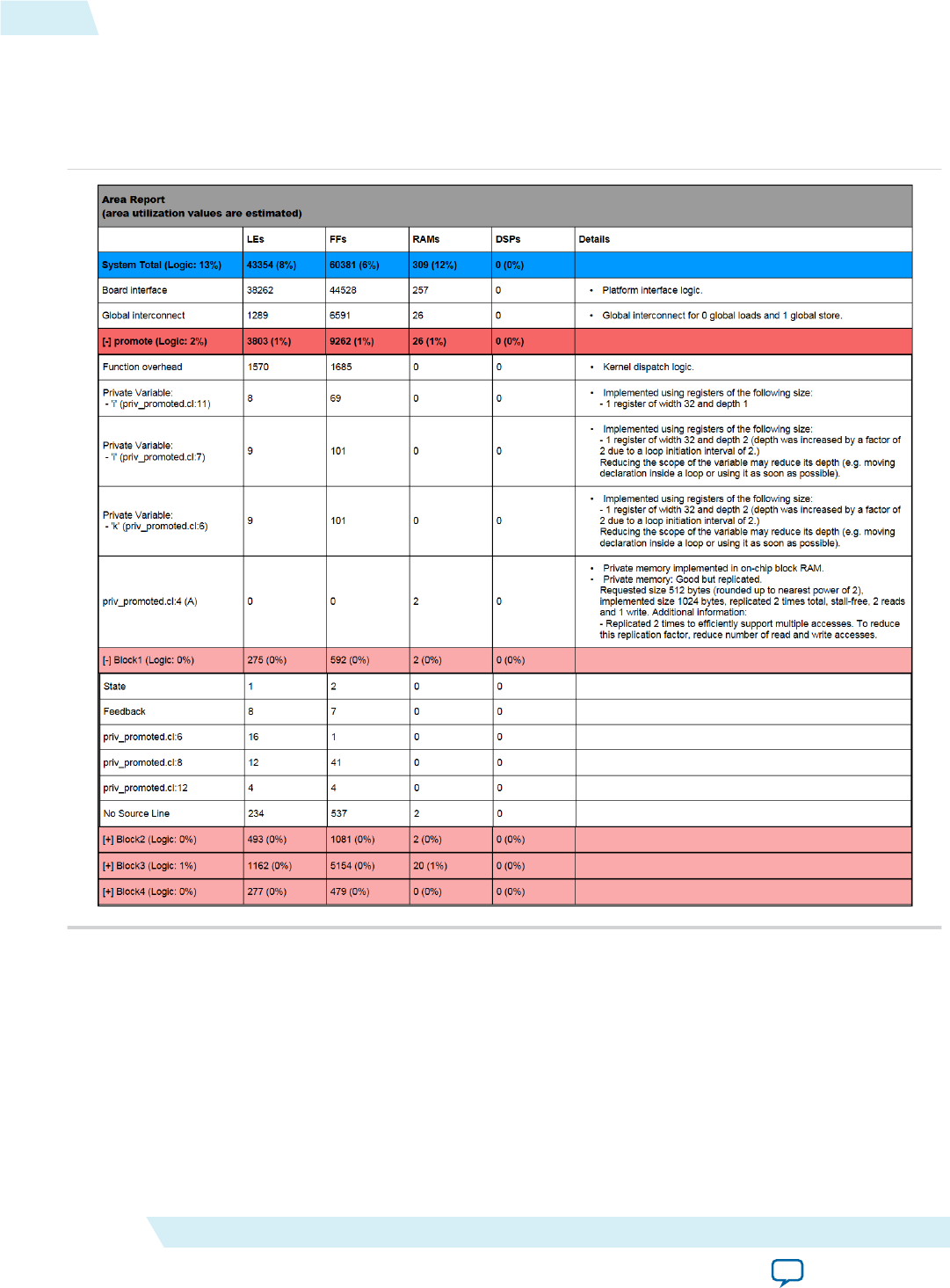
Figure 1-12: Example HTML Area Report
The area report summarizes usage information at the system level and at the kernel level. Resource usage
information is accompanied by the corresponding kernel file name and line number. This feature is
particularly useful in multi-file projects. In addition, each row of the area report includes a Details column
that provides additional clarifications or suggestions, if available.
System-Level Summary
The system-level summary divides resource usage information into broad design categories such as board
interface, global interconnect and constant cache interconnect. This section also summarizes the total
resource usage of all kernels, overheads, and the percent utilization of the target device.
Kernel-Level Summary
The kernel-level summary reports resource usage information for each kernel in the source file.
1-96 Layout of the Area Report UG-OCL002
2016.05.02
Altera Corporation Altera SDK for OpenCL Programming Guide
Send Feedback

For each kernel, the first part of the report includes a general breakdown of kernel-level categories such as
function overhead. The first row in this section reports the percent utilization of the kernel so that you
can quickly identify major area consumers in your design.
The kernel-level summary also reports the total resource usage across all compute units of the kernel. For
example, if you set the num_compute_units attribute for a kernel to a value greater than one, the resource
usage values will reflect the total usage of all the copies of the kernel that are implemented on the FPGA.
The second part of the report identifies the amount of resources consumed by specific lines in the kernel's
source code. The report subdivides each kernel into basic blocks. A basic block corresponds to a group of
contiguous sections of your kernel code (for example, loop bodies).
Because of compiler optimizations, the AOC may not be able to generate a perfect mapping between a
source line and a basic block. Some source lines may be associated with multiple basic blocks. In other
cases, a source line may be associated with a different basic block than the surrounding lines. For instruc‐
tions that cannot or should not be attributed to a specific line of code, the report consolidates these
instructions into a No Source Line entry. The report does not show instructions that do not consume any
area.
If your design accesses block RAM (for example, local or private memory implemented in block RAM),
the report identifies the local or private memory system in the following manner:
•If you compile your kernel with the -g option, the reports lists the local or private memory systems in
separate rows, along with their resource usage information.
•If you compile your kernel without the -g option, the report lists the total resource usage for every
local or private memory system in the kernel under Local/Private Memory Systems.
Depending on the OpenCL design, some area reports include the State and Feedback entries. The State
entry specifies the resources that your design uses for live values and control logic.
The Feedback entry specifies the resources that your design uses for loop-carried dependencies. Reduce
this area by decreasing the number and size of loop-carried variables in your design.
Related Information
Review Your Kernel's Area Report to Identify Inefficiencies in Resource Usage
Profiling Your OpenCL Kernel
The Altera SDK for OpenCL Profiler measures and reports performance data collected during OpenCL
kernel execution on the FPGA. The AOCL Profiler relies on performance counters to gather kernel
performance data. You can then review performance data in the profiler GUI.
1. Instrumenting the Kernel Pipeline with Performance Counters (--profile) on page 1-97
To instrument the OpenCL kernel pipeline with performance counters, include the --profile
option of the aoc command when you compile your kernel.
2. Launching the AOCL Profiler GUI (report) on page 1-98
You can use the Altera SDK for OpenCL Profiler report utility command to launch the Profiler
GUI.
Instrumenting the Kernel Pipeline with Performance Counters (--profile)
To instrument the OpenCL kernel pipeline with performance counters, include the --profile option
of the aoc command when you compile your kernel.
UG-OCL002
2016.05.02 Profiling Your OpenCL Kernel 1-97
Altera SDK for OpenCL Programming Guide Altera Corporation
Send Feedback

Attention: Instrumenting the Verilog code with performance counters increases hardware resource
utilization (that is, increases FPGA area usage) and typically decreases performance.
• To instrument the Verilog code in the <your_kernel_filename>.aocx file with performance counters,
invoke the aoc --profile <your_kernel_filename>.cl command.
Attention: When profiling multiple, different kernels, do not use the same kernel names across
different .aocx files. If the kernel names are the same, the profile data will be wrong for
these kernels.
• Run your host application from a local disk to execute the <your_kernel_filename>.aocx file on your
FPGA. During kernel execution, the performance counters throughout the kernel pipeline collects
profile information. The host saves the information in a profile.mon monitor description file in your
current working directory.
Caution: Because of slow network disk accesses, running the host application from a networked
directory might introduce delays between kernel executions. These delays might increase the
overall execution time of the host application. In addition, they might introduce delays
between kernel launches while the runtime stores profile output data to disk.
Launching the AOCL Profiler GUI (report)
You can use the Altera SDK for OpenCL Profiler report utility command to launch the Profiler GUI.
The Profiler GUI allows you to view kernel performance data statistics that the AOCL Profiler collects
during kernel execution.
The AOCL Profiler stores performance data in a profile.mon file in your current working directory.
•To launch the Profiler GUI, invoke the aocl report <your_kernel_filename>.aocx
profile.mon utility command.
Conclusion
You have now familiarized yourself with the Altera SDK for OpenCL design flow and the tools available
to help you achieve your design goals. For more information on the support statuses of the OpenCL APIs
and programming language, refer to Appendix A: Support Statuses of OpenCL Features.
For in-depth information on optimizing your OpenCL kernel to maximize performance, refer to the
Altera SDK for OpenCL Best Practices Guide.
Related Information
Altera SDK for OpenCL Best Practices Guide
1-98 Launching the AOCL Profiler GUI (report) UG-OCL002
2016.05.02
Altera Corporation Altera SDK for OpenCL Programming Guide
Send Feedback
Document Revision History
Table 1-3: Document Revision History of the Altera SDK for OpenCL Programming Guide
Date Version Changes
May 2016 2016.05.02 • Added a schematic diagram of the AOCL programming model in the
Altera SDK for OpenCL FPGA Programming Flow section.
• Moved the figure The AOCL FPGA Programming Flow to the Altera
Offline Compiler Kernel Compilation Flows section.
• Updated the figure The Multistep AOCL Design Flow and associated
text to include the Review Area Report step.
• Added information on the single-cycle floating-point accumulator
feature for single work-item kernels. Refer to the Single-Cycle
Floating-Point Accumulator for Single Work-Item Kernels section for
more information.
• Added information in the Emulating Your OpenCL Kernel section on
multi-device support for emulation alongside other OpenCL SDKs
using ICD.
• Included information on the enhanced area report feature:
•Added the option to invoke the analyze-area AOCL utility
command to generate an HTML area report.
• Included a topic that describes the layout of the HTML area
report.
• In Linking to the ICD Loader Library on Windows, removed $(AOCL_
LDLIBS) from the code example for the modified Makefile.
• In the Multiple Work-Item Ordering sections for channels and pipes,
modified the characteristics that the AOCL uses to check whether the
channel or pipe call is work-item invariant.
UG-OCL002
2016.05.02 Document Revision History 1-99
Altera SDK for OpenCL Programming Guide Altera Corporation
Send Feedback

Date Version Changes
November
2015 2015.11.02 •Added the option to invoke the aoc command with no argument to
access the Altera Offline Compiler help menu.
• Updated the Mutliple Host Threads section to specify that the
OpenCL host runtime is thread-safe.
• Updated the following figure and sections to reflect multiple kernel
source file support:
• The figure The AOCL FPGA Programming Flow in the AOCL
FPGA Programming Flow section
• The Compiling Your Kernel to Create Hardware Configuration File
section
• The Compiling Your Kernel without Building Hardware (-c)
section
• In Multiple Work-Item Ordering for Channels, removed misleading
text.
• Updated the Overview of Channels Implementation figure.
• Updated the the following sections on OpenCL pipes:
•Overview of a Pipe Network Implementation figure in Overview of
the OpenCL Pipe Functions
• Emulation support in Restrictions in OpenCL Pipes Implementa‐
tion section
• Replaced erroneous code with the correct syntax
• Added link to Implementing I/O Pipes Using the io Attribute in
Declaring the Pipe Handle
• Added a reminder in Programming an FPGA via the Host that you
should release an event object after use to prevent excessive memory
usage.
1-100 Document Revision History UG-OCL002
2016.05.02
Altera Corporation Altera SDK for OpenCL Programming Guide
Send Feedback

Date Version Changes
May 2015 15.0.0 • In Guidelines for Naming the Kernel, added entry that advised against
naming an OpenCL kernel kernel.cl.
• In Instrumenting the Kernel Pipeline with Performance Counters (--
profile), specified that you should run the host application from a
local disk to avoid potential delays caused by slow network disk
accesses.
• In Emulating and Debugging Your OpenCL Kernel, modified Caution
note to indicate that you must emulate a design targeting an SoC on a
non-SoC board.
• In Emulating Your OpenCL Kernel, updated command to run the
host application and added instruction for overriding default
temporary directory containing <process_ID>-libkernel.so.
•Introduced the --high-effort aoc command flag in Resolving
Hardware Generation Fitting Errors during Kernel Compilation.
• In Enabling Double Precision Floating-Point Operations, introduced
the OPENCL EXTENSION pragma for enabling double precision
floating-point operations.
• Introduced OpenCL pipes support. Refer to Implementing OpenCL
Pipes (and subsequent subtopics) and Creating a Pipe Object in Your
Host Application for more information.
• In AOCL Channels Extension: Restrictions, added code examples to
demonstrate how to statically index into arrays of channel IDs.
• In Multiple Host Threads, added recommendation for synchronizing
OpenCL host function calls in a multi-threaded host application.
• Introduced ICD and ACD support. Refer to Linking Your Host
Application to the Khronos ICD Loader Library for more information.
• Introduced clGetBoardExtenstionFunctionAddressAltera for
referencing user-accessible functions. Refer to Accessing Custom
Platform-Specific Functions for more information.
UG-OCL002
2016.05.02 Document Revision History 1-101
Altera SDK for OpenCL Programming Guide Altera Corporation
Send Feedback

Date Version Changes
December
2014 14.1.0 • Reorganized information flow. Information is now presented based
on the tasks you might perform using the Altera SDK for OpenCL
(AOCL) or the Altera RTE for OpenCL.
•Removed information pertaining to the --util <N> and -O3
Altera Offline Compiler (AOC) options.
• Added the following information on PLDA QuickUDP IP core
licensing in Compiling Your OpenCL Kernel:
1. A PLDA QuickUDP IP core license is required for the Stratix V
Network Reference Platform or a Custom Platform that uses the
QuickUDP IP core.
2. Improper installation of the QuickUDP IP core licence causes
compilation to fail with an error message that refers to the
QuickTCP IP core.
• Added reminder that conditionally shifting a large shift register is not
recommended.
• Removed the Emulating Systems with Multiple Devices section. A new
env CL_CONTEXT_EMULATOR_DEVICE_ALTERA=<number_
of_devices> command is now available for emulating multiple
devices.
• Removed language support limitation from the Limitations of the
AOCL Emulator section.
1-102 Document Revision History UG-OCL002
2016.05.02
Altera Corporation Altera SDK for OpenCL Programming Guide
Send Feedback
Date Version Changes
June 2014 14.0.0 •Removed the --estimate-throughput and --sw-dimm-
partition AOC options
•Added the -march=emulator, -g, --big-endian, and --
profile AOC options
•--no-interleaving needs <global_memory_type> argument
•-fp-relaxed=true is now --fp-relaxed
•-fpc=true is now --fpc
•For non-SoC devices, aocl diagnostic is now aocl
diagnose and aocl diagnose <device_name>
•program and flash need <device_name> arguments
• Added Identifying the Device Name of Your FPGA Board
• Added AOCL Profiler Utility
• Added AOCL Channels Extension and associated subsections
• Added Attributes for Channels
• Added Match Data Layouts of Host and Kernel Structure Data Types
• Added Register Inference and Shift Register Inference
• Added Channels and Multiple Command Queues
• Added Shared Memory Accesses for OpenCL Kernels Running on SoCs
• Added Collecting Profile Data During Kernel Execution
• Added Emulate and Debug Your OpenCL Kernel and associated
subsections
• Updated AOC Kernel Compilation Flows
• Updated -v
• Updated Host Binary Requirement
• Combined Partitioning Global Memory Accesses and Partitioning
Heterogeneous Global Memory Accesses into the section Partitioning
Global Memory Accesses
• Updated AOC Allocation Limits in Appendix A
• Removed max_unroll_loops, max_share_resources, num_share_
resources, and task kernel attributes
• Added packed, and aligned(<N>) kernel attributes
UG-OCL002
2016.05.02 Document Revision History 1-103
Altera SDK for OpenCL Programming Guide Altera Corporation
Send Feedback

Date Version Changes
December
2013 13.1.1 • Removed the section -W and -Werror, and replaced it with two
sections: -W and -Werror.
• Updated the following contents to reflect multiple devices support:
• The figure The AOCL FPGA Programming Flow.
•--list-boards section.
•-board <board_name> section.
•AOCL Utilities for Managing an FPGA Board section.
• Added the subsection Programming Multiple FPGA Devices under
FPGA Programming.
• The following contents were added to reflect heterogeneous global
memory support:
•--no-interleaving section.
•buffer_location kernel attribute under Kernel Pragmas and
Attributes.
•Partitioning Heterogeneous Global Memory Accesses section.
• Modified support status designations in Appendix: Support Statuses
of OpenCL Features.
• Removed information on OpenCL programming language restric‐
tions from the section OpenCL Programming Language Implementa‐
tion, and presented the information in a new section titled OpenCL
Programming Language Restrictions.
1-104 Document Revision History UG-OCL002
2016.05.02
Altera Corporation Altera SDK for OpenCL Programming Guide
Send Feedback

Date Version Changes
November
2013 13.1.0 • Reorganized information flow.
• Updated and renamed Altera SDK for OpenCL Compilation Flow to
AOCL FPGA Programming Flow.
• Added figures One-Step AOC Compilation Flow and Two-Step AOC
Compilation Flow.
• Updated the section Contents of the AOCL Version 13.1.
• Removed the following sections:
•OpenCL Kernel Source File Compilation.
•Using the Altera Offline Kernel Compiler.
•Setting Up Your FPGA Board.
•Targeting a Specific FPGA Board.
•Running Your OpenCL Application.
•Consolidating Your Kernel Source Files.
•Aligned Memory Allocation.
•Programming the FPGA Hardware.
•Programming the Flash Memory of an FPGA.
• Updated and renamed Compiling the OpenCL Kernel Source File to
AOC Compilation Flows.
• Renamed Passing File Scope Structures to OpenCL Kernels to Use
Structure Arguments in OpenCL Kernels.
• Updated and renamed Augmenting Your OpenCL Kernel by
Specifying Kernel Attributes and Pragmas to Kernel Pragmas and
Attributes.
• Renamed Loading Kernels onto an FPGA to FPGA Programming.
• Consolidated Compiling and Linking Your Host Program, Host
Program Compilation Settings, and Library Paths and Links into a
single section.
• Inserted the section Preprocessor Macros.
• Renamed Optimizing Global Memory Accesses to Partitioning Global
Memory Accesses.
UG-OCL002
2016.05.02 Document Revision History 1-105
Altera SDK for OpenCL Programming Guide Altera Corporation
Send Feedback
Date Version Changes
June 2013 13.0 SP1.0 • Added the section Setting Up Your FPGA Board.
• Removed the subsection Specifying a Target FPGA Board under
Kernel Programming Considerations.
• Inserted the subsections Targeting a Specific FPGA Board and
Generating Compilation Reports under Compiling the OpenCL Kernel
Source File.
• Renamed File Scope __constant Address Space Qualifier to __constant
Address Space Qualifiers, and inserted the following subsections:
•Function Scope __constant Variables.
•File Scope __constant Variables.
•Points to __constant Parameters from the Host.
• Inserted the subsection Passing File Scope Structures to OpenCL
Kernels under Kernel Programming Considerations.
• Renamed Modifying Your OpenCL Kernel by Specifying Kernel
Attributes and Pragmas to Augmenting Your OpenCL Kernel by
Specifying Kernel Attributes and Pragmas.
• Updated content for the unroll pragma directive in the section
Augmenting Your OpenCL Kernel by Specifying Kernel Attributes and
Pragmas.
• Inserted the subsections Out-of-Order Command Queues and
Modifying Host Program for Structure Parameter Conversion under
Host Programming Considerations.
• Updated the sections Loading Kernels onto an FPGA Using clClreate‐
ProgramWithBinary and Aligned Memory Allocation.
• Updated flash programming instructions.
• Renamed Optional Extensions in Appendix B to Atomic Functions,
and updated its content.
• Removed Platform Layer and Runtime Implementation from
Appendix B.
May 2013 13.0.1 • Explicit memory fence functions are now supported; the entry is
removed from the table OpenCL Programming Language Implemen‐
tation.
• Updated the section Programming the Flash Memory of an FPGA.
• Added the section Modifying Your OpenCL Kernel by Specifying
Kernel Attributes and Pragmas to introduce kernel attributes and
pragmas that can be implemented to optimize kernel performance.
• Added the section Optimizing Global Memory Accesses to discuss
data partitioning.
• Removed the section Programming the FPGA with the aocl program
Command from Appendix A.
1-106 Document Revision History UG-OCL002
2016.05.02
Altera Corporation Altera SDK for OpenCL Programming Guide
Send Feedback
Date Version Changes
May 2013 13.0.0 • Updated compilation flow.
• Updated kernel compiler commands.
• Included Altera SDK for OpenCL Utility commands.
• Added the section OpenCL Programming Considerations.
• Updated flash programming procedure and moved it to Appendix A.
• Included a new clCreateProgramWithBinary FPGA hardware
programming flow.
• Moved the hostless clCreateProgramWithBinary hardware
programming flow to Appendix A under the title Programming the
FPGA with the aocl program Command.
• Moved updated information on allocation limits and OpenCL
language support to Appendix B.
November
2012 12.1.0 Initial release.
UG-OCL002
2016.05.02 Document Revision History 1-107
Altera SDK for OpenCL Programming Guide Altera Corporation
Send Feedback
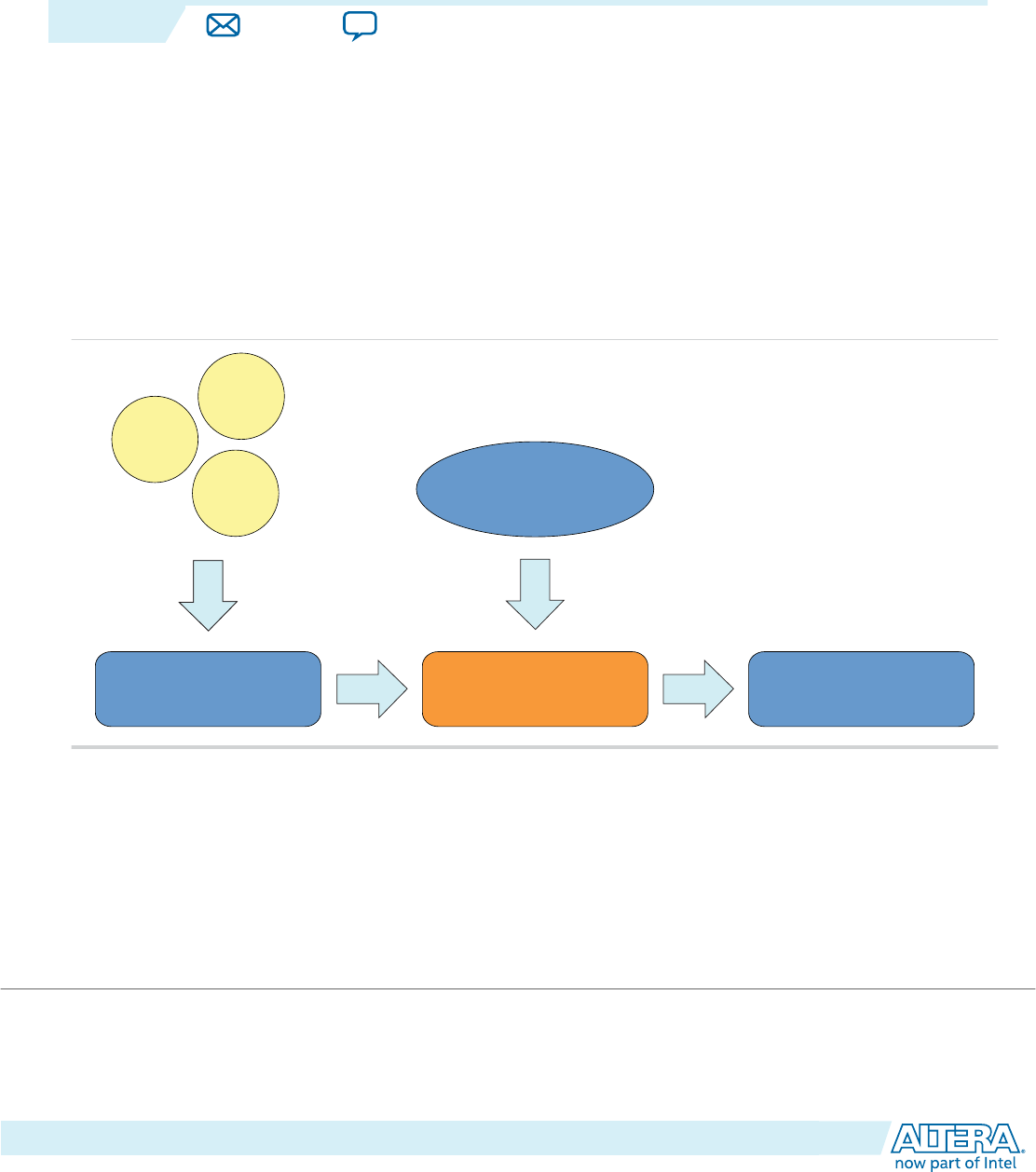
Altera SDK for OpenCL Advanced Features 2
2016.05.02
UG-OCL002 Subscribe Send Feedback
The Altera SDK for OpenCL provides advanced features you can use to control certain aspects of the
design architecture and the Altera Offline Compiler's behavior.
OpenCL Library
An OpenCL library is a single file that contains multiple functions. Each function is comprised of data
processing logic that works at any clock frequency. You can create an OpenCL library in OpenCL or RTL.
You can then include this library file and use the functions inside your OpenCL kernels.
Figure 2-1: Overview of Altera SDK for OpenCL's Library Support
OpenCL
Verilog
VHDL OpenCL Kernel
OpenCL Library Altera Offline Compiler Altera Offline Compiler
Executable File (.aocx)
© 2016 Altera Corporation. All rights reserved. ALTERA, ARRIA, CYCLONE, ENPIRION, MAX, MEGACORE, NIOS, QUARTUS and STRATIX words and logos are
trademarks of Altera Corporation and registered in the U.S. Patent and Trademark Office and in other countries. All other words and logos identified as
trademarks or service marks are the property of their respective holders as described at www.altera.com/common/legal.html. Altera warrants performance
of its semiconductor products to current specifications in accordance with Altera's standard warranty, but reserves the right to make changes to any
products and services at any time without notice. Altera assumes no responsibility or liability arising out of the application or use of any information,
product, or service described herein except as expressly agreed to in writing by Altera. Altera customers are advised to obtain the latest version of device
specifications before relying on any published information and before placing orders for products or services.
ISO
9001:2008
Registered
www.altera.com
101 Innovation Drive, San Jose, CA 95134
You may use a previously-created library or create your own library. To use an OpenCL library, you do
not require in-depth knowledge in hardware design or in the implementation of library components. To
create an OpenCL library, you need to create the following files and components:
Table 2-1: Necessary Files and Components for Creating an OpenCL Library
File or Component Description
RTL Components
RTL source files Verilog, System Verilog, or VHDL files that define the RTL
component.
Additional files such as Quartus Prime® IP File (.qip), Synopsys
Design Constraints File (.sdc), and Tcl Script File (.tcl) are not
allowed.
eXtensible Markup Language File (.xml) Describes the properties of the RTL component. The Altera
Offline Compiler uses these properties to integrate the RTL
component into the OpenCL pipeline.
Header file (.h) A C-style header file that declares the signatures of function(s)
that are implement by the RTL component.
OpenCL emulation model file (.cl) Provides C model for the RTL component that is used only for
emulation. Full hardware compilations use the RTL source files.
OpenCL Functions
OpenCL source files (.cl) Contains definitions of the OpenCL functions. These functions
are used during emulation and full hardware compilations.
Header file (.h) A C-style header file that declares the signatures of function(s)
that are defined in the OpenCL source files.
Understanding RTL Modules and the OpenCL Pipeline on page 2-3
This section provides an overview of how the Altera Offline Compiler integrates RTL modules into the
Altera SDK for OpenCL pipeline architecture.
Packaging an OpenCL Helper Function File for an OpenCL Library on page 2-13
Before creating an OpenCL library file, package each OpenCL source file with helper functions into
a .aoco file.
Packaging an RTL Component for an OpenCL Library on page 2-14
Before creating an OpenCL library file, package each RTL component into a .aoco file.
Verifying the RTL Modules on page 2-16
The creator of an OpenCL library is responsible for verifying the RTL modules within the library, both as
stand-alone entities and as part of an OpenCL system.
Packaging Multiple Object Files into a Library File on page 2-17
After creating the .aoco files that you want to include into an OpenCL library, package them into a library
file by invoking the Altera SDK for OpenCL library utility command option.
2-2 OpenCL Library UG-OCL002
2016.05.02
Altera Corporation Altera SDK for OpenCL Advanced Features
Send Feedback

Specifying an OpenCL Library when Compiling an OpenCL Kernel on page 2-17
To use an OpenCL library in an OpenCL kernel, specify the library file name and directory when you
compile the kernel.
Using an OpenCL Library that Works with Simple Functions (Example 1) on page 2-18
Altera provides an OpenCL library design example of a simple kernel that uses a library containing RTL
implementations of three double-precision functions: sqrt, rsqrt, and divide.
Using an OpenCL Library that Works with External Memory (Example 2) on page 2-18
Altera provides an OpenCL library design example of a simple kernel that uses a library containing two
RTL modules that communicate with global memory.
OpenCL Library Command-Line Options on page 2-19
Both the Altera Offline Compiler's set of commands and the Altera SDK for OpenCL utility include
options you can invoke to perform OpenCL library-related tasks.
Related Information
OpenCL Library Command-Line Options on page 2-19
Understanding RTL Modules and the OpenCL Pipeline
The OpenCL library feature allows you to use RTL modules, written in Verilog, SystemVerilog, or VHDL,
inside OpenCL kernels. This section provides an overview of how the Altera Offline Compiler integrates
RTL modules into the Altera SDK for OpenCL pipeline architecture.
You might want to use RTL modules under the following circumstances:
• You want to use optimized and verified RTL modules in OpenCL kernels without rewriting the
modules as OpenCL functions.
• You want to implement OpenCL kernel functionality that you cannot express effectively in OpenCL.
UG-OCL002
2016.05.02 Understanding RTL Modules and the OpenCL Pipeline 2-3
Altera SDK for OpenCL Advanced Features Altera Corporation
Send Feedback
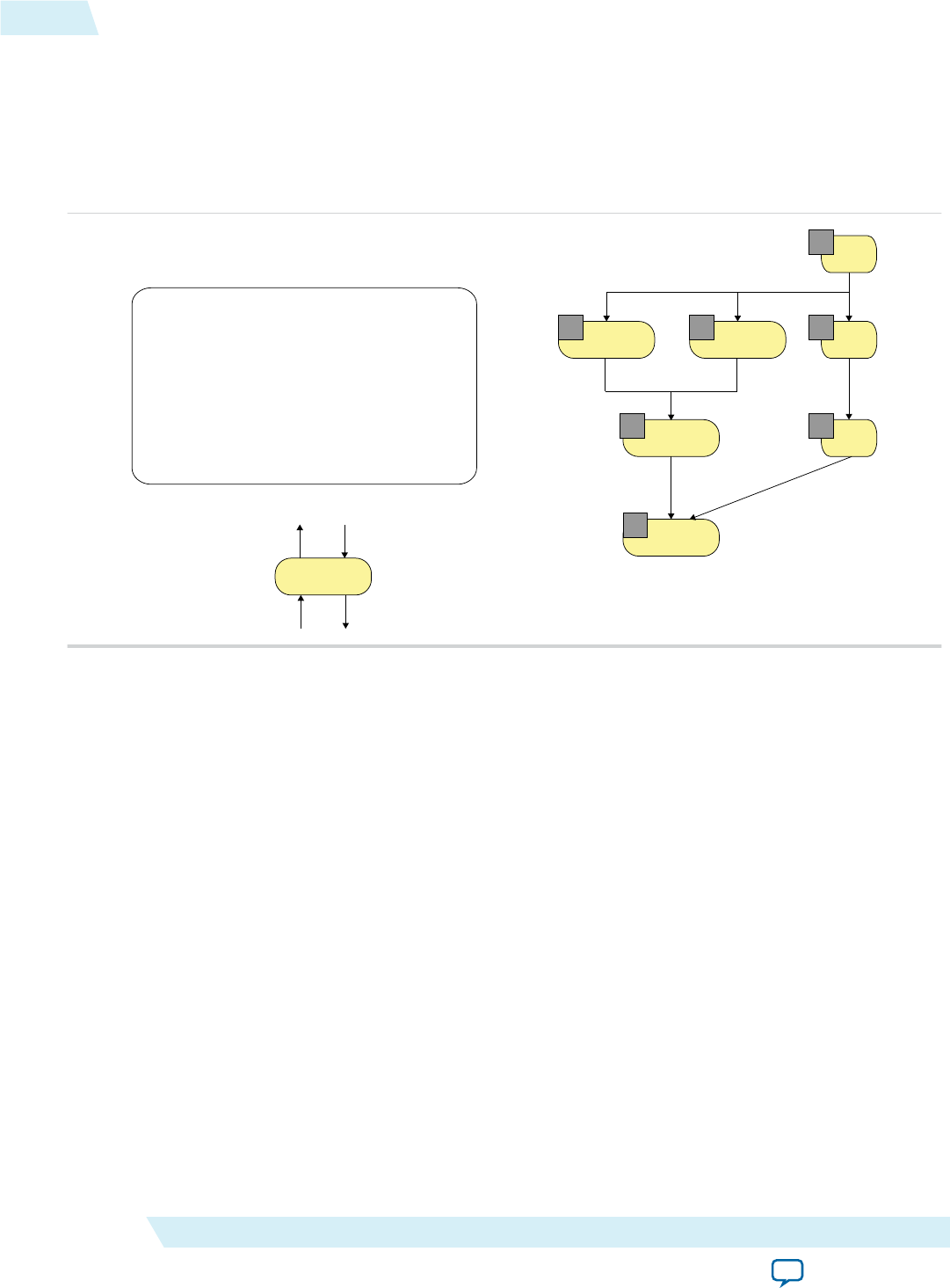
Overview: AOCL Pipeline Approach
The following figure depicts the architecture of an AOCL pipeline:
Figure 2-2: Parallel Execution Model of AOCL Pipeline Stages
The operations on the right represent the AOCL pipeline implementation of the OpenCL kernel code on
the left. Each yellow box is an operation or data value found in the pipeline. The number associated with
each operation represents the number of threads in the pipeline.
Load A Load B
Add
Store C
gid
gid
gid
2
1
0
22
3
1
Add
oready
iready
ivalid
ovalid
void kernel pe(global int* A,
global int* B,
global int* C){
int gid = get_global_id(0);
int a = A[gid];
int b = B[gid];
C[gid] = a + b;
}
Assume each level of operation is one stage in the pipeline. At each stage, the AOC executes all operations
in parallel by the thread existing at that stage. For example, thread 2 executes Load A, Load B, and copies
the current global ID (via gid) to the next pipeline stage. Similar to the pipelined execution on instruc‐
tions in reduced instruction set computing (RISC) processors, AOCL pipeline stages also execute in
parallel. The threads will advance to the next pipeline stage only after all the stages have completed
execution.
Some operations are capable of stalling the AOCL pipeline. Examples of such operations include variable
latency operations like memory load and store operations. To support stalls, ready and valid signals need
to propagate throughout the pipeline so that the AOC can schedule the pipeline stages. However, ready
signals are not necessary if all operations have fixed latency. In these cases, the AOC optimizes the
pipeline to statically schedule the operations, which significantly reduces the logic necessary for pipeline
implementation.
Integration of an RTL Module into the AOCL Pipeline
When you specify an OpenCL library during kernel compilation, the AOC integrates the RTL module
within the library into the overall AOCL pipeline.
2-4 Understanding RTL Modules and the OpenCL Pipeline UG-OCL002
2016.05.02
Altera Corporation Altera SDK for OpenCL Advanced Features
Send Feedback
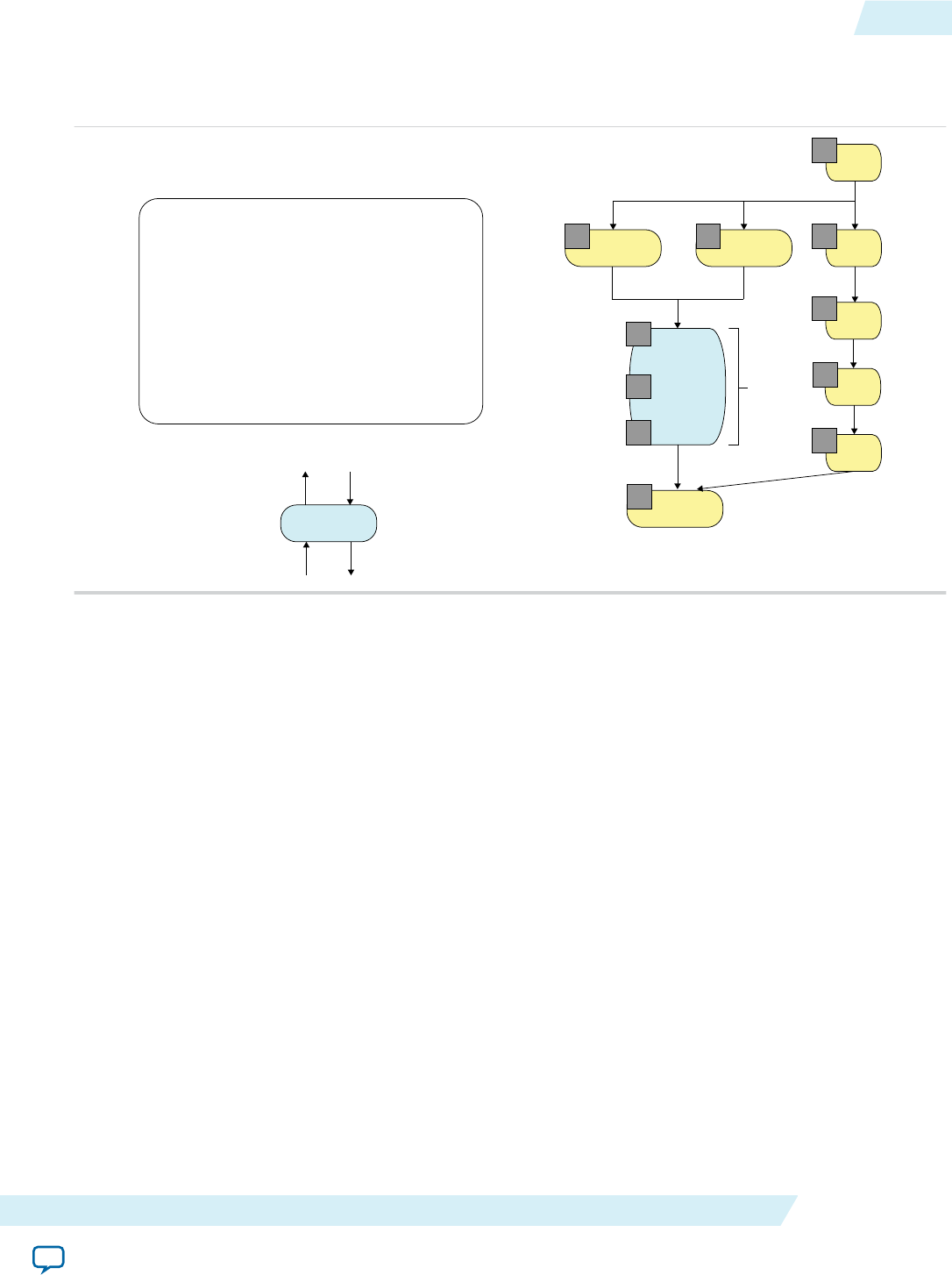
Figure 2-3: Integration of an RTL Module into an AOCL Pipeline
This figure depicts the integration of the RTL module myMod into the AOCL pipeline depicted in Figure
2-2.
Load A Load B
myMod
Store C
gid
gid
gid
4
3
0
44
5
3
myMod
oready
iready
ivalid
ovalid
extern int myMod(int, int);
void kernel pe(global int* A,
global int* B,
global int* C){
int gid = get_global_id(0);
int a = A[gid];
int b = B[gid];
C[gid] = myMod(a, b);
}2
1
gid
2
gid
1
3 cycles
The RTL module depicted in Figure 2-3 has a balanced latency where the threads of the RTL module
match the number of pipeline stages. A balanced latency allows the threads of the RTL module to execute
without stalling the AOCL pipeline.
Setting the latency of the RTL module in the RTL specification file allows the AOC to balance the AOCL
pipeline latency. RTL supports Avalon® Streaming (Avalon-ST) interfaces; therefore, the latency of the
RTL module can be variable (that is, not fixed). However, the variability in the latency should be small in
order to maximize performance. In addition, specify the latency in the <RTL module description file
name>.xml specification file so that the RTL module experiences a good approximation of the actual
latency in steady state.
Stall-Free RTL
The Altera Offline Compiler can optimize hardware resource usage and performance by removing stall
logic around an RTL module with fixed latency.
An RTL module that has a variable latency and uses Avalon-ST input and output signals can wait until
input data is ready. Conversely, the Altera SDK for OpenCL pipeline can stall until it receives valid output
data from the RTL module. For an RTL module with a fixed latency, you can remove an RTL stall by
modifying the <RTL module description file name>.xml specification file, as described below.
To instruct the AOC to remove stall logic around the RTL module, if appropriate, set the IS_STALL_FREE
attribute under the FUNCTION element to "yes". This modification informs the AOC that the RTL module
produces valid data every EXPECTED_LATENCY cycle(s). EXPECTED_LATENCY is an attribute you specify in
the .xml file under the FUNCTION element. Specify a value for EXPECTED_LATENCY such that the latency
equals the number of pipeline stages in the module. An inaccurate EXPECTED_LATENCY value will cause the
RTL module to be out of sync with the rest of the AOCL pipeline.
UG-OCL002
2016.05.02 Stall-Free RTL 2-5
Altera SDK for OpenCL Advanced Features Altera Corporation
Send Feedback

Note: The AOC expects an RTL module with fixed or variable latency to have proper Avalon-ST input
and output parameters (that is, ivalid, ovalid, iready, and oready). For an RTL module with
fixed latency, the output signals (that is, ovalid and oready) can have constant high values, and
the input ready signal (that is, iready) can be ignored.
A stall-free RTL module might receive an invalid input signal (that is, ivalid is low). In this case, the
module ignores the input and produces invalid data on the output. For a stall-free RTL module without
an internal state, it might be easier to propagate the invalid input through the module. However, for an
RTL module with an internal state, you must handle an ivalid=0 input carefully.
RTL Reset and Clock Signals
Resets and clocks of RTL modules are connected to the same clock and reset drivers as the rest of the
OpenCL pipeline.
Because of the common clock and reset drivers, an RTL module runs in the same clock domain as the
OpenCL kernel. The module is reset only when the OpenCL kernel is first loaded onto the FPGA, either
via Altera SDK for OpenCL program utility or the clCreateProgramwithBinary host function. In
particular, if the host restarts a kernel via successive clEnqueueNDRangeKernel or clEnqueueTask
invocations, the associated RTL modules will not reset in between these restarts.
The following steps outline the process of setting the kernel clock frequency:
1. The Quartus Prime software's Fitter applies an aggressive constraint on the kernel clock.
2. The Quartus Prime software's TimeQuest Timing Analyzer performs static timing analysis to
determine the frequency that the Fitter actually achieves.
3. The phase-locked loop (PLL) that drives the kernel clock sets the frequency determined in Step 2 to be
the kernel clock frequency.
XML Syntax of an RTL Module
This section provides the syntax of a simple XML specification file for an RTL module that implements
double-precision square root function. The RTL module is implemented in VHDL with a Verilog
wrapper.
The following XML specification file is for an RTL module named my_fp_sqrt_double (line 2.5) that
implements an OpenCL helper function named my_sqrtfd (line 2).
1: <RTL_SPEC>
2: <FUNCTION name="my_sqrtfd"
2.5: module="my_fp_sqrt_double">
3: <ATTRIBUTES>
3.5: <PARAMETER name="WIDTH" value="32"/>
4: <IS_STALL_FREE value="yes"/>
5: <IS_FIXED_LATENCY value="yes"/>
6: <EXPECTED_LATENCY value="31"/>
7: <CAPACITY value="1"/>
8: <HAS_SIDE_EFFECTS value="no"/>
9: <ALLOW_MERGING value="yes"/>
10: </ATTRIBUTES>
11: <INTERFACE>
12: <AVALON port="clock" type="clock"/>
13: <AVALON port="resetn" type="resetn"/>
14: <AVALON port="ivalid" type="ivalid"/>
15: <AVALON port="iready" type="iready"/>
16: <AVALON port="ovalid" type="ovalid"/>
17: <AVALON port="oready" type="oready"/>
18: <INPUT port="datain" width="64"/>
19: <OUTPUT port="dataout" width="64"/>
2-6 RTL Reset and Clock Signals UG-OCL002
2016.05.02
Altera Corporation Altera SDK for OpenCL Advanced Features
Send Feedback
20: </INTERFACE>
21: <C_MODEL>
22: <FILE name="c_model.cl" />
23: </C_MODEL>
24: <REQUIREMENTS>
25: <FILE name="my_fp_sqrt_double_s5.v" />
26: <FILE name="fp_sqrt_double_s5.vhd" />
27: </REQUIREMENTS>
28: </FUNCTION>
29: </RTL_SPEC>
Table 2-2: Elements and Attributes in the XML Specification File
XML Element Description
RTL_SPEC Top-level element in the XML specification file. There can only be one such
top-level element in the file. In this example, the name RTL_SPEC is historic and
carries no file-specific meaning.
FUNCTION Element that defines the OpenCL function that the RTL module implements.
The name attribute within the FUNCTION element specifies the function's name.
You may have multiple FUNCTION elements, each declaring a different function
that you can call from the OpenCL kernel. The same RTL module can
implement multiple functions by specifying different parameters.
ATTRIBUTES Element containing other XML elements that describe various characteristics
(for example, latency) of the RTL module. The example RTL module takes one
PARAMETER setting named WIDTH, which has a value of 32. Refer to Table 2-3 for
more details other ATTRIBUTES-specific elements.
Note: If you create multiple OpenCL helper functions for different
modules, or use the same RTL module with different PARAMETER
settings, you must create a separate FUNCTION element for each
function.
INTERFACE Element containing other XML elements that describe the RTL module's
interface. The example XML specification file shows the Avalon-ST interface
signals that every RTL module must provide (that is, clock, resetn, ivalid,
iready, ovalid, and oready). The signal names must match the ones specified
in the .xml file. An error will occur during library creation if a signal name is
inconsistent.
C_MODEL Element specifying one or more files that implement OpenCL C model for the
function. The model is used only during emulation. However, the C_MODEL
element and the associated file(s) must be present when you create the library
file.
REQUIREMENTS Element specifying one or more RTL resource files (that is, .v, .sv, .vhd, .hex,
and .mif). The specified paths to these files are relative to the location of the
XML specification file. Each RTL resource file becomes part of the associated
Qsys component that corresponds to the entire OpenCL system.
Note: The Altera SDK for OpenCL library feature does not support .qip
files. An Altera Offline Compiler error will occur if you compile an
OpenCL kernel while using a library that includes an unsupported
resource file type.
UG-OCL002
2016.05.02 XML Syntax of an RTL Module 2-7
Altera SDK for OpenCL Advanced Features Altera Corporation
Send Feedback

XML Elements for ATTRIBUTES
In the XML specification file of the RTL module within an Altera SDK for OpenCL library, there are XML
elements under ATTRIBUTES that you can specify to set the module's characteristics.
Table 2-3: XML Elements Associated with the ATTRIBUTES Element in the XML Specification File of an RTL
Module
Attention: Except for IS_STALL_FREE and EXPECTED_LATENCY, all elements have safe values. If you are unsure
which value you should specify for an attribute, set it to the safe value. Compiling your kernel with a
library that uses safe values will result in functional hardware. However, the hardware might be larger
than the actual size.
XML Element Description
IS_STALL_FREE Instructs the Altera Offline Compiler to remove all stall logic around the RTL
module.
Set IS_STALL_FREE to "yes" to indicate that the module neither generates stalls
internally nor can it properly handle incoming stalls. The module simply
ignores its stall input. If you set IS_STALL_FREE to "no", the module must
properly handle all stall and valid signals.
Note: If you set IS_STALL_FREE to "yes", you must also set IS_FIXED_
LATENCY to "yes". Also, if the RTL module has an internal state, it
must properly handle ivalid=0 inputs.
An incorrect IS_STALL_FREE setting will lead to incorrect results in hardware.
IS_FIXED_LATENCY Indicates whether the RTL module has a fixed latency.
Set IS_FIXED_LATENCY to "yes" if the RTL module always takes known a
number of clock cycles to compute its output. The value you assign to the
EXPECTED_LATENCY element specifies the number of clock cycles.
The safe value for IS_FIXED_LATENCY is "no".
Note: For a given module, you may set IS_FIXED_LATENCY to "yes" and
IS_STALL_FREE to "no". Such a module produces its output in a
fixed number of clock cycles and handles stall signals properly.
EXPECTED_LATENCY Specifies the expected latency of the RTL module.
If you set IS_FIXED_LATENCY to "yes", the EXPECTED_LATENCY value indicates
the number of pipeline stages inside the module. In this case, you must set this
value to be the exact latency of the module. Otherwise, the AOC will generate
incorrect hardware.
For a module with variable latency, the AOC balances the pipeline around this
module to the EXPECTED_LATENCY value that you specify. The specified value
and the actual latency might differ, which might affect the number of stalls
inside the pipeline. However, the resulting hardware will be correct.
2-8 XML Elements for ATTRIBUTES UG-OCL002
2016.05.02
Altera Corporation Altera SDK for OpenCL Advanced Features
Send Feedback
XML Element Description
CAPACITY Specifies the number of multiple inputs that this module can process simulta‐
neously. You must specify a value for CAPACITY if you also set IS_STALL_
FREE="no" and IS_FIXED_LATENCY="no". Otherwise, you do not need to
specify a value for CAPACITY.
If CAPACITY is strictly less than EXPECTED_LATENCY, the AOC will automatically
insert capacity-balancing FIFO buffers after this module when necessary.
The safe value for CAPACITY is 1.
HAS_SIDE_EFFECTS Indicates whether the RTL module has side effects. Modules that have internal
states or communicate with external memories are examples of modules with
side effects.
Set HAS_SIDE_EFFECTS to "yes" to indicate that the module has side effects.
Specifying HAS_SIDE_EFFECTS to "yes" ensures that optimization efforts do
not remove calls to modules with side effects.
Stall-free modules with side effects (that is, IS_STALL_FREE="yes" and HAS_
SIDE_EFFECTS="yes") must properly handle ivalid=0 input cases because the
module might receive invalid data occasionally.
The safe value for HAS_SIDE_EFFECTS is "yes".
ALLOW_MERGING Instructs the AOC to merge multiple instances of the RTL module.
Set ALLOW_MERGING to "yes" to allow merging of multiple instances of the
module. Altera recommends setting ALLOW_MERGING to "yes".
The safe value for ALLOW_MERGING is "no".
Note: Marking the module with HAS_SIDE_EFFECTS="yes" does not
prevent merging.
XML Elements for INTERFACE
In the XML specification file of the RTL module within an Altera SDK for OpenCL library, there are XML
elements under INTERFACE that you can define to specify aspects of the RTL module's interface (for
example, Avalon-ST interface).
UG-OCL002
2016.05.02 XML Elements for INTERFACE 2-9
Altera SDK for OpenCL Advanced Features Altera Corporation
Send Feedback

Table 2-4: Mandatory XML Elements Associated with the INTERFACE Eement in the XML Specification File
of an RTL Module
XML Element Description
INPUT Specifies the input parameter of the RTL module.
INPUT attributes:
•port—Specifies the port name of the RTL module.
•width—Specifies the width of the port in bits.
AOCL only supports widths that correspond to OpenCL data types (that is,
8 (uchar), 16, 32, 64, 128, 256, 512, and 1024 bits (long16)).
Note: Size of a type3 vector is 4 x sizeof(type), giving the impression
that valid sizes of 24, 48, 96, and 192 bits are unsupported.
The input parameters are concatenated to form the input stream.
Aggregate data structures such as structs and arrays are not supported as input
parameters.
OUTPUT Specifies the output parameter of the RTL module.
OUTPUT attributes:
•port—Specifies the port name of the RTL module.
•width—Specifies the width of the port in bits.
AOCL only supports widths that correspond to OpenCL data types (that is,
8 (uchar), 16, 32, 64, 128, 256, 512, and 1024 bits (long16)).
Note: Size of type3 vector is 4 x sizeof(type), giving the impression that
valid sizes of 24, 48, 96, and 192 bits are unsupported.
The return value from the input stream is sent out via the output parameter on
the output stream.
Aggregate data structures such as structs and arrays are not supported as input
parameters.
If your RTL module communicates with external memory, you need to include additional XML elements:
<MEM_INPUT port="m_input_A" access="readonly"/>
<MEM_INPUT port="m_input_sum" access ="readwrite"/>
<AVALON_MEM port="avm_port0" width="512" burstwidth="5" optype="read"
buffer_location=""/>
2-10 XML Elements for INTERFACE UG-OCL002
2016.05.02
Altera Corporation Altera SDK for OpenCL Advanced Features
Send Feedback

Table 2-5: Additional XML Elements to Support External Memory Access
XML Element Description
MEM_INPUT Describes a pointer input to the RTL module.
MEM_INPUT attributes:
•port—Specifies the name of the pointer input.
•access—Specifies to the AOC how the RTL module will use this pointer.
Valid access values are readonly and readwrite. If the RTL module only
writes with this pointer, assign readwrite to access.
Because all pointers to external memory must be 64 bits, there is no width
attribute associated with MEM_INPUT.
AVALON_MEM Declares the Avalon-MM interface for your RTL module.
AVALON_MEM attributes:
•port—Specifies the root of the corresponding port names in the RTL
module. For example, if port has a value of avm_port0_, the names of all
Avalon-MM interface ports for the RTL module will start with avm_port0_.
•width—Specifies the data width, which must match the corresponding
width value in the accelerator board's board_ spec.xml file. Within the
board_spec.xml file, the width value is specified in the interface element
under global_mem.
For more information, refer to
•burstwidth—Specifies the number of bits required to represent burst size.
Use burstwidth = log(maxburst) +1 to calculate the burst size, where
maxburst is the corresponding maximum burst size specified in the board_
spec.xml file. For example, if maxburst=16, burstwidth=5.
•optype—Specifies either the Avalon-MM port is reading (read) or writing
(write) from external memory. You can only assign either read or write to
optype.
•buffer_ location—Supports heterogeneous memory. Leave this attribute
blank because the heterogeneous memory compilation flow is currently
untested.
For the AVALON_MEM element defined in the code example above, the corresponding RTL module ports are
as follows:
output avm_port0_enable,
input [511:0] avm_port0_readdata,
input avm_port0_readdatavalid,
input avm_port0_waitrequest,
output [31:0] avm_port0_address,
output avm_port0_read,
output avm_port0_write,
input avm_port0_writeack,
output [511:0] avm_port0_writedata,
output [63:0] avm_port0_byteenable,
output [4:0] avm_port0_burstcount,
UG-OCL002
2016.05.02 XML Elements for INTERFACE 2-11
Altera SDK for OpenCL Advanced Features Altera Corporation
Send Feedback
There is no assumed correspondence between pointers that you specify with MEM_INPUT and the Avalon-
MM interfaces that you specify with AVALON_MEM. An RTL module can use a single pointer to address zero
to multiple Avalon-MM interfaces.
Related Information
XML Elements, Attributes, and Parameters in the board_spec.xml File: global_mem
Interaction between RTL Module and External Memory
Implement code to allow your RTL module to interact with external memory only if the interaction is
necessary. For operations like reading from and writing to external memory on every kernel invocation,
instruct the OpenCL kernel to perform the operation. To do so, you can create an OpenCL helper
function for the OpenCL kernel in the same Altera SDK for OpenCL library as the RTL module.
The following examples demonstrate how to structure code in an RTL module for easy integration into an
OpenCL library:
Table 2-6: Example Code in an RTL Module that Interacts with External Memory
Complex RTL Module Simplified RTL Module
// my_rtl_fn does:
// out_ptr[idx] = fn(in_ptr[idx])
my_rtl_fn (in_ptr, out_ptr,idx);
int in_value = in_ptr[idx];
// my_rtl_fn now does: out = fn(in)
int out_value = my_rtl_fn (in_value);
out_ptr[idx] = out_value;
The complex RTL module on the left reads a value from external memory, performs a scalar function on
the value, and then writes the value back to global memory. Such an RTL module is difficult to describe
when you integrate it into an OpenCL library. In addition, this RTL module is harder to verify and causes
very conservative pointer analysis in the Altera Offline Compiler.
The simplified RTL module on the right provides the same overall functionality as the complex RTL
module. However, the simplified RTL module only performs a scalar-to-scalar calculation without
connecting to global memory. Integrating this simplified RTL module into the OpenCL library makes it
much easier for the AOC to analyze the resulting OpenCL kernel.
There are times when an RTL module requires an Avalon-MM port to communicate with external
memory. This Avalon-MM port connects to the same arbitration network to which all other global load
and store units in the OpenCL kernels connect.
If an RTL module receives a memory pointer as an argument, the AOC enforces the following memory
model:
• If an RTL module writes to a pointer, nothing else in the OpenCL kernel can read from or write to this
pointer.
• If an RTL module reads from a pointer, the rest of the OpenCL kernel and other RTL modules may
also read from this pointer.
• You may set the access field of the MEM_INPUT attribute to specify how the RTL module uses the
memory pointer. Ensure that you set the value for access correctly because there is no way to verify the
value.
2-12 Interaction between RTL Module and External Memory UG-OCL002
2016.05.02
Altera Corporation Altera SDK for OpenCL Advanced Features
Send Feedback

Order of Threads Entering an RTL Module
Do not assume that threads entering an RTL module follow a defined order. In addition, an RTL module
can reorder threads. As a result, thread 0 does not necessarily enter the module before thread 1.
OpenCL C Model of an RTL Module
Each RTL module within an OpenCL library must have an OpenCL C model. The OpenCL C model
verifies the overall OpenCL system during emulation.
Example OpenCL C model file for a square root function:
double my_sqrtfd (double a)
{
return sqrt(a);
}
Altera recommends that you emulate your OpenCL system. If you decide not to emulate your OpenCL
system, create an empty function with a name that matches the function name you specified in the XML
specification file.
Related Information
XML Syntax of an RTL Module on page 2-6
Potential Incompatibility between RTL Modules and Partial Reconfiguration
When creating an OpenCL library using RTL modules, you might encounter Partial Reconfiguration
(PR)-related issues.
Consider a situation where you create and verify your library on a device that does not support PR. If a
library user then uses the library's RTL module inside a PR region, the module might not function
correctly after PR.
To ensure that the RTL modules function correctly on a device that uses PR:
• The RTL modules do not use memory logic array blocks (MLABs) with initialized content.
• The RTL modules do not make any assumptions regarding the power-up values of any logic.
Packaging an OpenCL Helper Function File for an OpenCL Library
Before creating an OpenCL library file, package each OpenCL source file with helper functions into
a .aoco file. Unlike RTL modules, you do not need to create an XML specification file.
In general, you do not need to create a library to share helper functions written in OpenCL. You can
distribute a helper function in source form (for example, <shared_file>.cl) and then insert the line
#include "<shared_file>.cl" in the OpenCL kernel source code.
Consider creating a library under the following circumstances:
• The helper functions are in multiple files and you want to simplify distribution.
• You do not want to expose the helper functions' source code.
The helper functions are stored as LLVM IR, an assembly-like language, without comments inside the
associated library.
.
Hardware generation is not necessary for the creation of a .aoco file. Compile the OpenCL source file
using the -c AOC command option.
UG-OCL002
2016.05.02 Order of Threads Entering an RTL Module 2-13
Altera SDK for OpenCL Advanced Features Altera Corporation
Send Feedback

Note: A library can only include OpenCL helper functions. The Altera Offline Compiler will issue an
error message if the library contains OpenCL kernels.
•To package an OpenCL source file into a .aoco file, invoke the following command: aoc -c -
shared <OpenCL_source_file_name>.cl -o
<OpenCL_object_file_name>.aoco
where the -shared AOC command option instructs the AOC to create a .aoco file that is suitable for
inclusion into an OpenCL library.
Related Information
•Packaging Multiple Object Files into a Library File on page 2-17
•Specifying an OpenCL Library when Compiling an OpenCL Kernel on page 2-17
Packaging an RTL Component for an OpenCL Library
Before creating an OpenCL library file, package each RTL component into a .aoco file.
Hardware generation is not necessary for the creation of a .aoco file. Compile the OpenCL source file
using the -c AOC command option.
•To package an RTL component into a .aoco file, invoke the following command: aoc -c <RTL
component description file name>.xml -o <RTL object file name>.aoco
Related Information
•Packaging Multiple Object Files into a Library File on page 2-17
•Verifying the RTL Modules on page 2-16
•Specifying an OpenCL Library when Compiling an OpenCL Kernel on page 2-17
Restrictions and Limitations in RTL Support for the Altera SDK for OpenCL Library Feature
The Altera SDK for OpenCL supports the use of RTL modules in an OpenCL library with some
restrictions and limitations.
2-14 Packaging an RTL Component for an OpenCL Library UG-OCL002
2016.05.02
Altera Corporation Altera SDK for OpenCL Advanced Features
Send Feedback

When creating your RTL module, ensure that it operates within the following restrictions:
• An RTL module must contain one Avalon-ST interface. In particular, a single ready or valid logic must
control all the inputs.
You have the option to provide the necessary Avalon-ST ports but declare the RTL module as stall-
free. In this case, you do not have to implement proper stall behavior because the Altera Offline
Compiler creates a wrapper for your module. Refer to XML Syntax of an RTL Module and Using an
OpenCL Library that Works with Simple Functions (Example 1) for more syntax and usage informa‐
tion, respectively.
Note: You must handle ivalid signals properly if your RTL module has an internal state. Refer to
Stall-Free RTL for more information.
• The RTL module must work correctly with exactly one clock, regardless of clock frequency.
• Data input and output sizes must match valid OpenCL data types, from 8 bits for char to 1024 bits for
long16.
For example, if you work with 24-bit values inside an RTL module, declare inputs to be 32 bits and
declare function signature in the AOCL library header file to accept the uint data type. Then, inside
the RTL module, accept the 32-bit input but discard the top 8 bits.
• RTL modules cannot connect to external I/O signals. All input and output signals must come from an
OpenCL kernel.
• An RTL module must have a clock port, a resetn port, and Avalon-ST input and output ports (that
is, ivalid, ovalid, iready, oready). Name the ports as specified here.
• RTL modules that communicate with external memory must have Avalon Memory-Mapped (Avalon-
MM) port parameters that match the corresponding Custom Platform parameters. The AOC does not
perform any width or burst adaptation.
• RTL modules that communicate with external memory must behave as follows:
• They cannot burst across the burst boundary.
• They cannot make requests every clock cycle and stall the hardware by monopolizing the arbitra‐
tion logic. An RTL module must pause its requests regularly to allow other load or store units to
execute their operations.
• RTL modules cannot act as stand-alone OpenCL kernels. RTL modules can only be helper functions
and be integrated into an OpenCL kernel during kernel compilation.
• Every function call that corresponds to RTL module instantiation is completely independent of other
instantiations. There is no hardware sharing.
• Do not incorporate kernel code (that is, functions marked as kernel) into a .aoclib library file.
Incorporating kernel code into the library file causes the AOC to issue an error message. You may
incorporate helper functions into the library file.
• An RTL component must receive all its inputs at the same time. A single ivalid input signifies that all
inputs contain valid data.
• AOCL does not support I/O RTL modules.
• You can only set RTL module parameters in the <RTL module description file name>.xml specification
file, not the OpenCL kernel source file. To use the same RTL module with multiple parameters, create
a separate FUNCTION tag for each parameter combination.
UG-OCL002
2016.05.02 Restrictions and Limitations in RTL Support for the Altera SDK for... 2-15
Altera SDK for OpenCL Advanced Features Altera Corporation
Send Feedback

Currently, AOCL's RTL module support for the library feature has the following limitations:
• You can only pass data inputs to an RTL module by value via the OpenCL kernel code. Do not pass
data inputs to an RTL module via pass-by reference, structs, or channels. In the case of channel data,
extract the data from the channel first and then pass the extracted the scalar data to the RTL module.
Note: Passing data inputs to an RTL module via pass-by reference or structs will cause a fatal error to
occur in the AOC.
•You cannot include the -g AOC command option when compiling kernels that use libraries. As a
result, the debugger (for example, GDB for Linux) cannot step into a library function during
emulation. In addition, optimization and area reports will not include code line numbers beside the
library functions.
• Names of RTL module source files cannot conflict with the file names of AOC IP. Both the RTL
module source files and the AOC IP files are stored in the <kernel file name>/system/synthesis/
submodules directory. Naming conflicts will cause existing AOC IP files in the directory to be
overwritten by the RTL module source files.
• AOCL does not support .qip files. You must manually parse nested .qip files to create a flat list of RTL
files.
• It is very difficult to debug an RTL module that works correctly on its own but works incorrectly as
part of an OpenCL kernel. Double check all parameters under the ATTRIBUTES element in the <RTL
module description file name>.xml file.
• All AOC area estimation tools assume that RTL module area is 0. The AOCL does not currently
support the capability of specifying an area model for RTL modules.
• RTL modules cannot access a 2x clock that is in-phase with the kernel clock and at twice the kernel
clock frequency.
Related Information
•XML Syntax of an RTL Module on page 2-6
•Using an OpenCL Library that Works with Simple Functions (Example 1) on page 2-18
•Stall-Free RTL on page 2-5
Verifying the RTL Modules
The creator of an OpenCL library is responsible for verifying the RTL modules within the library, both as
stand-alone entities and as part of an OpenCL system.
1. Verify each RTL module using standard hardware verification methods.
2. Modify one of Altera's OpenCL library design examples to test your RTL modules inside the overall
OpenCL system.
This testing step is critical to prevent library users from encountering hardware problems.
It is crucial that you set the values for the ATTRIBUTES elements in the XML specification file correctly.
Because you cannot simulate the entire OpenCL system, you will likely not discover problems caused
by interface-level errors until hardware runs.
3. Note: The Altera SDK for OpenCL library utility performs consistency checks on the XML specifi‐
cation file and source files, with some limitations.
Invoke the aocl library [<command option>] command.
2-16 Verifying the RTL Modules UG-OCL002
2016.05.02
Altera Corporation Altera SDK for OpenCL Advanced Features
Send Feedback

•For a list of supported <command options>, invoke the aocl library command.
•The library utility does not detect errors in values assigined to elements within the ATTRIBUTES,
MEM_INPUT, and AVALON_MEM elements in the XML specification file.
•The library utility does not detect RTL syntax errors. You must check the
<your_kernel_filename>/quartus_sh_compile.log file for RTL syntax errors. However, parsing the
errors might be time consuming.
Packaging Multiple Object Files into a Library File
After creating the .aoco files that you want to include into an OpenCL library, package them into a library
file by invoking the Altera SDK for OpenCL library utility command option.
•To package multiple object files into a single library file, invoke the following command: aocl
library create -o <library file name>.aoclib <object file 1>.aoco
[<object file 2>.aoco ... <object file N>.aoco]
The aocl library utility command creates a <library file name>.aoclib library file, which includes
the .aoco object files you specify in the command. A library file may contain both RTL-based object
files and OpenCL-based object files.
Specifying an OpenCL Library when Compiling an OpenCL Kernel
To use an OpenCL library in an OpenCL kernel, specify the library file name and directory when you
compile the kernel.
Important: Using a library does not reduce kernel compilation time.
•To specify an OpenCL library to the AOC, invoke the following command: aoc -l
<library_file_name>.aoclib [-L <library directory>] <kernel file
name>.cl
where the -l <library_file_name>.aoclib command option specifies the library file name,
and the -L <library directory> command option specifies the directory containing the
library files.
You may include multiple instances of -l <library file name> and -L <library
directory> in the AOC command.
For example, if you create a library that includes the functions my_div_fd(), my_sqrtfd(), and
myrsqrtfd(), the OpenCL kernel code might resemble the following:
#include “lib_header.h”
kernel void test_lib (
global double * restrict in,
global double * restrict out,
int N) {
int i = get_global_id(0);
for (int k =0; k < N; k++) {
double x = in[i*N + k];
out[i*N + k] = my_divfd
(my_rsqrtfd(x),
my_sqrtfd(my_rsqrtfd (x)));
}
}
Note: Library-related lines are highlighted in bold.
UG-OCL002
2016.05.02 Packaging Multiple Object Files into a Library File 2-17
Altera SDK for OpenCL Advanced Features Altera Corporation
Send Feedback

The corresponding lib_header.h file might resemble the following:
double my_sqrtfd (double x);
double my_rsqrtfd(double x);
double my_divfd(double a, double b);
Using an OpenCL Library that Works with Simple Functions (Example 1)
Altera provides an OpenCL library design example of a simple kernel that uses a library containing RTL
implementations of three double-precision functions: sqrt, rsqrt, and divide.
The example1.tgz tar ball includes a library, a kernel, and a host system. The example1.cl kernel source
file includes two kernels. The kernel test_lib uses library functions; the kernel test_builtin uses built-
in functions. The host runs both kernels and then compares their outputs and runtimes. Altera
recommends that you use the same strategy to verify your own library functions.
To compile this design example, perform the following tasks:
1. Obtain example1.tgz from the OpenCL Design Examples page on the Altera website and store it in a
directory that you own.
2. At the Altera SDK for OpenCL command prompt, navigate to the location of the design example.
3. Type perl make_lib.pl to create the lib1/double_lib.aoclib library file.
4. Type aoc -l double_lib.aoclib -L lib1 -I lib1 example1.cl to compile the
OpenCL kernel while including the double_lib.aoclib library file.
5. Type cd host to navigate to the host directory.
6. Type gmake -f Makefile to build the host program.
7. Type host/example1 to run the host program.
The AOCL generates the following messages after the host program runs successfully:
Loading example1.aocx ...
Create buffers
Generate random data for conversion...
Enqueueing both library and builtin in kernels 4 times with global size 65536
Kernel computation using library function took 5.35333 seconds
Kernel computation using built-in function took 5.39949 seconds
Reading results to buffers...
Checking results...
Library function throughput is within 5% of builtin throughput.
PASSED
Related Information
OpenCL Design Examples page
Using an OpenCL Library that Works with External Memory (Example 2)
Altera provides an OpenCL library design example of a simple kernel that uses a library containing two
RTL modules that communicate with global memory.
The example1.tgz tar ball includes a library, a kernel, and a host system. In this example, the RTL code
that communicates with global memory is Custom Platform- or Reference Platform-dependent. Ensure
that the compilation targets the board that corresponds to the Stratix V Network Reference Platform.
Altera generated the RTL modules copyElement() and sumOfElements() using the Altera Offline
Compiler, which explains the extra inputs in the code.
2-18 Using an OpenCL Library that Works with Simple Functions (Example 1) UG-OCL002
2016.05.02
Altera Corporation Altera SDK for OpenCL Advanced Features
Send Feedback
The example2.cl kernel source file includes two kernels. The kernel test6 is an NDRange kernel that calls
the copyElement() RTL function, which copies data from B[] to A[] and then stores global_id+100 in
C[]. The kernel test11 is a single work-item kernel that uses an RTL function . The sumOfElements()
RTL function determines the sum of the elements of A[] in range [i, N] and then adds the rest to C[i].
Note: First invocations of sumOfElements(i=0) will take more time to execute than later invocations.
To compile this design example, perform the following tasks:
1. Obtain example2.tgz from the OpenCL Design Examples page on the Altera website and store it in a
directory that you own.
2. At the AOCL command prompt, navigate to the location of the design example.
3. Type perl make_lib.pl to create the lib1/mem_users.aoclib library file.
4. Type aoc -l lib/mem_users.aoclib -I lib example2.cl to compile the OpenCL
kernel while including the mem_users.aoclib library file.
5. Type cd host to navigate to the host directory.
6. Type gmake -f Makefile to build the host program.
7. Type host/example2 to run the host program.
The AOCL generates the following messages after the host program runs successfully:
Loading example2.aocx ...
Running test6
Launching the kernel test6 with globalsize=128 localSize=16
Loading example2.aocx ...
Running test11
Launching the kernel test11 with globalsize=1 localSize=1
PASSED
Related Information
•OpenCL Design Examples page
•Compiling a Kernel for a Specific FPGA Board (--board <board_name>) on page 1-81
•Altera Stratix V Network Reference Platform Porting Guide
OpenCL Library Command-Line Options
Both the Altera Offline Compiler's set of commands and the Altera SDK for OpenCL utility include
options you can invoke to perform OpenCL library-related tasks.
Table 2-7: Library-Related AOC Command Options
Command Option Description
-shared In conjunction with the -c command option, compiles an OpenCL
source file into an object file (.aoco) that you can then include into a
library.
aoc -c -shared <OpenCL source file name>.cl -o
<OpenCL object file name>.aoco
-I <library_directory> Adds <library directory> to the header file search path.
aocl -I <library_header_file_directory> -l
<library_file_name>.aoclib <kernel_file_name>
.cl
UG-OCL002
2016.05.02 OpenCL Library Command-Line Options 2-19
Altera SDK for OpenCL Advanced Features Altera Corporation
Send Feedback
Command Option Description
-L <library directory> Adds <library directory> to the OpenCL library search path.
Space after "-L" is optional.
aoc -l <library_file_name>.aoclib [-L <library
directory>] <kernel file name>.cl
-l <library_file_name>
.aoclib Specifies the OpenCL library file (<library_file_name>.aoclib).
Space after -l is optional.
aoc -l <library_file_name>.aoclib [-L <library
directory>] <kernel file name>.cl
--library-debug Generates debug output that relates to libraries. Part of the additional
output appears in stdout, the other part appears in the <kernel_file_
name>/<kernel_file_name>.log file.
aoc -l <library_file_name>.aoclib --library-
debug <kernel_file_name>.cl
Table 2-8: AOCL Library Utility (aocl library) Command Options
Command Option Description
hdl-comp-pkg <XML_
specification_ file>
.xml
Packages a single HDL component into a .aoco file that you then
include into a library. Invoking this command option is similar to
invoking aoc -c <XML_specification_file>.xml.
However, the processing time is faster because the aocl utility will
not perform any environment checks.
aocl library hdl-comp-pkg <XML_specification_
file>.xml -o <output_file>.aoco
-c <XML_specification_
file>.xml Same function as hdl-comp-pkg <XML_specification_
file>.xml.
aocl library -c <XML_specification_ file>.xml
create Creates a library file from the .aoco files that you created by invoking
the hdl-comp-pkg utility option or the aoc -shared command,
and any other .aoclib libraries.
aocl library create [-name <library_name>] [-
vendor <library_vendor>] [-version <library_
version>] [-o <output_file>.aoclib] [.aoco...]
[.aoclib...]
where -name, -vendor, and -version are optional information
strings you can specify and add to the library.
list <library_name> Lists all the RTL components in the library. Currently, this option is
not available for use to list OpenCL functions.
aocl library list <library_name>
2-20 OpenCL Library Command-Line Options UG-OCL002
2016.05.02
Altera Corporation Altera SDK for OpenCL Advanced Features
Send Feedback
Command Option Description
help Prints the list of AOCL library utility options and their descriptions on
screen.
aocl library help
Kernel Attributes for Configuring Local Memory System
The Altera SDK for OpenCL includes kernel attributes that you can include in a kernel to customize the
geometry of the local memory system.
Attention: Only apply these local memory kernel attributes to local variables.
Table 2-9: OpenCL Kernel Attributes for Configuring Local Memory
Kernel Attribute Description
register Specifies that the local variable must be implemented in a register.
memory Specifies that the local variable must be implemented in a memory system.
Including the memory kernel attribute is equivalent to declaring the local
variable with the __local qualifier.
numbanks(N)
N is an integer value.
Specifies that the memory system implementing the local variable must
have N banks, where N is a power-of-2 integer value greater than zero.
bankwidth(N)
N is an integer value.
Specifies that the memory system implementing the local variable must
have banks that are N bytes wide, where N is a power-of-2 integer value
greater than zero.
singlepump Specifies that the memory system implementing the local variable must be
single pumped.
doublepump Specifies that the memory system implementing the local variable must be
double pumped.
numreadports(N)
N is an integer value.
Specifies that the memory system implementing the local variable must
have N read ports, where N is an integer value greater than zero.
numwriteports(N)
N is an integer value.
Specifies that the memory system implementing the local variable must
have N read ports, where N is an integer value greater than zero.
Table 2-10: Code Examples for Local Memory Kernel Attributes
Example Use Case Syntax
Implements a local variable in a register int __attribute__((register)) a[12];
Implements a local memory system with
eight banks, each with a width of 8 bytes int __attribute__((memory,
numbanks(8),
bankwidth(8)) b[16];
UG-OCL002
2016.05.02 Kernel Attributes for Configuring Local Memory System 2-21
Altera SDK for OpenCL Advanced Features Altera Corporation
Send Feedback

Example Use Case Syntax
Implements a double-pumped local
memory system with one 128-byte wide
bank, one write port, and four read ports
int __attribute__((memory,
numbanks(1),
bankwidth(128),
doublepump,
numwriteports(1),
numreadports(4)) c[32];
Related Information
•Improve Kernel Performance by Banking the Local Memory
•Optimize Accesses to Local Memory by Controlling the Memory Replication Factor
Restrictions on the Usage of Local Variable-Specific Kernel Attributes
The Altera Offline Compiler will error out or issue warnings if it detects unsupported usages of the local
variable-specific kernel attributes or incorrect memory configurations.
Unsupported usages of local variable-specific kernel attributes that cause compilation errors:
• You use the kernel attributes in declarations other than local variable declarations (for example,
declarations for function parameters, global variable declarations, or function declarations).
• You use the register attribute in conjunction with any of the other local variable-specific kernel
attributes.
• You specify the numbanks kernel attribute but not the bankwidth kernel attribute in the same local
variable declaration, and vice versa.
• You include both the singlepump and doublepump kernel attributes in the same local variable declara‐
tion.
• You specify the numreadports and numwriteports kernel attributes without also including the
singlepump or doublepump kernel attribute in the same local variable declaration.
• You specify the numreadports kernel attribute but not the numwriteports kernel attribute in the same
local variable declaration, and vice versa.
• You specify any of the following kernel attributes without also specifying the numbanks and bankwidth
kernel attributes in the same local variable declaration:
•numreadports
•numwriteports
•singlepump
•doublepump
Incorrect memory configurations that cause the AOC to issue warnings during compilation:
• The memory configuration that is defined by the local variable-specific kernel attributes exceeds the
available storage size (for example, specifying eight banks of local memory for an integer variable).
2-22 Restrictions on the Usage of Local Variable-Specific Kernel Attributes UG-OCL002
2016.05.02
Altera Corporation Altera SDK for OpenCL Advanced Features
Send Feedback

Incorrect memory configurations that cause compilation errors:
• The bank width is smaller than the data storage size (for example, bank width is 2 bytes for an array of
4-byte integers).
• You specify memory configurations for the local variables. However, because of compiler restrictions
or coding style, the AOC implements the variables in the same memory instead of splitting the
memory.
• You specify the register kernel attribute for a local variable. However, because of compiler restric‐
tions or coding style, the AOC cannot implement the variable in a register.
Kernel Attributes for Reducing the Overhead on Hardware Usage
The Altera SDK for OpenCL includes kernel attributes that you can include in a single work-item kernel
to reduce logic utilization and improve kernel performance.These kernel attributes enables the Altera
Offline Compiler to omit the generation of unnecessary hardware to increase efficiency.
Hardware for Kernel Interface
The Altera Offline Compiler generates hardware around the kernel pipeline. For some OpenCL
applications, these interface hardware components are not necessary.
Hardware around the kernel pipeline is necessary for functions such as the following:
• Dispatching IDs for work-items and work-groups
• Communicating with the host regarding kernel arguments and work-group sizes
Figure 2-4 illustrates the hardware that the AOC generates when it compiles the following kernel:
__kernel void my_kernel(global int* arg)
{
…
int sum = 0;
for(unsigned i = 0; i < n; i++)
{
if(sum < m) sum += val;
}
*arg = sum;
…
}
UG-OCL002
2016.05.02 Kernel Attributes for Reducing the Overhead on Hardware Usage 2-23
Altera SDK for OpenCL Advanced Features Altera Corporation
Send Feedback
Figure 2-4: AOC-Generated Interface Hardware around a Kernel Pipeline
Host Link Hardware
Kernel ID Generators
Kernel
Omit Hardware that Generates and Dispatches Kernel IDs
The max_global_work_dim(0) kernel attribute instructs the Altera Offline Compiler to omit logic that
generates and dispatches global, local, and group IDs into the compiled kernel.
Semantically, the max_global_work_dim(0) kernel attribute specifies that the global work dimension of
the kernel is zero. Setting this kernel attribute means that the kernel does not use any global, local, or
group IDs. The presence of this attribute in the kernel code serves as a guarantee to the AOC that the
kernel is a single work-item kernel.
When compiling the following kernel, the AOC will generate interface hardware as illustrated in Figure
2-5.
channel int chan_in;
channel int chan_out;
__attribute__((max_global_work_dim(0)))
__kernel void plusK (int N, int k) {
for (int i = 0; i < N; ++i) {
int data_in = read_channel_altera(chan_in);
write_channel_altera(chan_out, data_in + k);
}
}
2-24 Omit Hardware that Generates and Dispatches Kernel IDs UG-OCL002
2016.05.02
Altera Corporation Altera SDK for OpenCL Advanced Features
Send Feedback
Figure 2-5: AOC-Generated Interface Hardware for a Kernel with the max_global_work_dim(0)
Attribute
Host Link Hardware
Kernel ID Generators
Kernel
If your current kernel implementation has multiple work-items but does not use global, local, or group
IDs, you can use the max_global_work_dim(0) kernel attribute if you modify the kernel code
accordingly:
1. Wrap the kernel body in a for loop that iterates as many times as the number of work-items.
2. Launch the modified kernel with only one work-item.
Omit Communication Hardware between the Host and the Kernel
The autorun kernel attribute instructs the Altera Offline Compiler to omit logic that is used for
communication between the host and the kernel. A kernel that uses the autorun attribute starts executing
automatically before any kernel that the host launches explicitly. In addition, this kernel restarts
automatically as soon as it finishes its execution.
The autorun kernel attribute notifies the AOC that the kernel runs on its own and will not be enqueued
by any host.
To leverage the autorun attribute, a kernel must meet all of the following criteria:
1. Does not use I/O channels
Note: Kernel-to-kernel channels are supported.
2. Does not have any arguments
3. Has either the max_global_work_dim(0) attribute or the reqd_work_group_size(X,Y,Z) attribute
Note: The parameters of the reqd_work_group_size(X,Y,Z) attribute must be divisors of 232.
As mentioned above, kernels with the autorun attribute cannot have any arguments and start executing
without the host launching them explicitly. As a result, the AOC does not need to generate the logic for
communication between the host and the kernel. Omitting this logic reduces logic utilization and allows
the AOC to apply additional performance optimizations.
UG-OCL002
2016.05.02 Omit Communication Hardware between the Host and the Kernel 2-25
Altera SDK for OpenCL Advanced Features Altera Corporation
Send Feedback
A typical use case for the autorun attribute is a kernel that reads data from one or more kernel-to-kernel
channels, processes the data, and then writes the results to one or more channels. When compiling the
kernel, the AOC will generate hardware as illustrated in Figure 2-6.
channel int chan_in;
channel int chan_out;
__attribute__((max_global_work_dim(0)))
__attribute__((autorun))
__kernel void plusOne () {
while(1) {
int data_in = read_channel_altera(chan_in);
write_channel_altera(chan_out, data_in + 1);
}
}
Figure 2-6: Single Work-Item Kernel with No Interface Hardware
Host Link Hardware
Kernel ID Generators
Kernel
Kernel Replication Using the num_compute_units(X,Y,Z) Attribute
You can replicate your single work-item OpenCL kernel by including the num_compute_units(X,Y,Z)
kernel attribute.
As mentioned in Specifying Number of Compute Units, including the num_compute_units(N) kernel
attribute in your kernel instructs the Altera Offline Compiler to generate multiple compute units to
process data. Since the AOC processes a single work-item kernel in one compute unit, the
num_compute_unit(N) attribute instructs the AOC to generate N identical copies of the kernel in
hardware.
Related Information
Specifying Number of Compute Units on page 1-17
Customization of Replicated Kernels Using the get_compute_id() Function
To create compute units that are slightly different from one another but share a lot of common code, call
the get_compute_id() intrinsic function in a kernel that also uses the num_compute_units (X,Y,Z)
attribute.
2-26 Kernel Replication Using the num_compute_units(X,Y,Z) Attribute UG-OCL002
2016.05.02
Altera Corporation Altera SDK for OpenCL Advanced Features
Send Feedback
Attention: You can only use the get_compute_id() function in a kernel that also uses the autorun and
max_global_work_dim(0) kernel attributes.
Retrieving compute IDs is a convenient alternative to replicating your kernel in source code and then
adding specialized code to each kernel copy. When a kernel uses the num_compute_units(X,Y,Z)
attribute and calls the get_compute_id() function, the Altera Offline Compiler assigns a unique compute
ID to each compute unit. The get_compute_id() function then retrieves these unique compute IDs. You
can use the compute ID to specify how the associated compute unit should behave differently from the
other compute units that are derived from the same kernel source code. For example, you can use the
return value of get_compute_id() to index into an array of channels to specify which channel each
compute unit should read from or write to.
The num_compute_units attribute accepts up to three arguments (that is, num_compute_units(X,Y,Z)).
In conjunction with the get_compute_id() function, this attribute allows you to create one-dimensional,
two-dimensional, and three-dimensional logical arrays of compute units. An example use case of a 1D
array of compute units is a linear pipeline of kernels (also called a daisy chain of kernels). An example use
case of a 2D array of compute units is a systolic array of kernels.
Figure 2-7: Schematic Diagram of a 4x4 Array of Compute Units
The following example code specifies num_compute_units(4,4) in a single work-item kernel results in a
4x4 array that consists of 4 x 4 = 16 compute units.
__attribute__((max_global_work_dim(0)))
__attribute__((autorun))
__attribute__((num_compute_units(4,4)))
__kernel void PE() {
row = get_compute_id(0);
col = get_compute_id(1);
…
}
PE
PE
PE
PE
PE
PE
PE
PE
PE
PE
PE
PE
PE
PE
PE
PE
0
3
2
1
3210 col
row
UG-OCL002
2016.05.02 Customization of Replicated Kernels Using the get_compute_id() Function 2-27
Altera SDK for OpenCL Advanced Features Altera Corporation
Send Feedback
For a 3D array of compute units, you can retrieve the X, Y, and Z coordinates of a compute unit in the
logical compute unit array using get_compute_id(0), get_compute_id(1), and get_compute_id(2),
respectively. In this case, the API is very similar to the API of the work-item's intrinsic functions (that is,
get_global_id(), get_local_id(), and get_group_id()).
Global IDs, local IDs, and group IDs can vary at runtime based on how the host invokes the kernel.
However, compute IDs are known at compilation time, allowing the AOC to generate optimized
hardware for each compute unit.
Using Channels with Kernel Copies
To implement channels within compute units (that is, replicated kernel copies), create an array of
channels and then index into that array using the return value of get_compute_id().
The example code below implements channels within multiple compute units.
#define N 4
channel int chain_channels[N+1];
__attribute__((max_global_work_dim(0)))
__kernel void reader(global int *data_in, int size) {
for (i = 0; i < size; ++i) {
write_channel_altera(chain_channels[0], data_in[i]);
}
}
__attribute__((max_global_work_dim(0)))
__attribute__((autorun))
__attribute__((num_compute_units(N)))
__kernel void plusOne() {
int compute_id = get_compute_id(0);
int input = read_channel_altera(chain_channels[compute_id]);
write_channel_altera(chain_channels[compute_id+1], input + 1);
}
__attribute__((max_global_work_dim(0)))
__kernel void writer(global int *data_out, int size) {
for (i = 0; i < size; ++i) {
data_out[i] = read_channel_altera(chain_channels[N]);;
}
}
Figure 2-8: Example Topology of Kernel Copies that Implement Channels
This figure illustrates the topology of the group of kernels that the OpenCL application code above
generates.
reader writer+1 +1 +1 +1
DDR4 DDR4
kernel copies created using num_compute_units(N)
Note: The implementation of kernel copies is functionally equivalent to defining four separate kernels in
your source code and then hard-coding unique indexes for the accesses to chain_channels[N].
2-28 Using Channels with Kernel Copies UG-OCL002
2016.05.02
Altera Corporation Altera SDK for OpenCL Advanced Features
Send Feedback
Document Revision History
Table 2-11: Document Revision History of the Advanced Features Chapter of the Altera SDK for OpenCL
Programming Guide
Date Version Changes
May 2016 2016.05.02 Initial release.
UG-OCL002
2016.05.02 Document Revision History 2-29
Altera SDK for OpenCL Advanced Features Altera Corporation
Send Feedback
Support Statuses of OpenCL Features A
2016.05.02
UG-OCL002 Subscribe Send Feedback
The Altera SDK for OpenCL (AOCL) host runtime conforms with the OpenCL platform layer and
application programming interface (API), with clarifications and exceptions.
Support Statuses of OpenCL 1.0 Features on page 3-1
Support Statuses of OpenCL 1.2 Features on page 3-8
Support Statuses of OpenCL 2.0 Features on page 3-10
Altera SDK for OpenCL Allocation Limits on page 3-11
Document Revision History on page 3-12
Support Statuses of OpenCL 1.0 Features
The following sections outline the support statuses of the OpenCL features described in the OpenCL
Specification version 1.0.
OpenCL1.0 C Programming Language Implementation
OpenCL is based on C99 with some limitations. Section 6 of the OpenCL Specification version 1.0
describes the OpenCL C programming language. The Altera SDK for OpenCL conforms with the
OpenCL C programming language with clarifications and exceptions. The table below summarizes the
support statuses of the features in the OpenCL programming language implementation.
Attention: The support status "●" means that the feature is supported, and there might be a clarification
for the supported feature in the Notes column. The support status "○" means that the feature
is supported with exceptions identified in the Notes column. A feature that is not supported
by the AOCL is identified with an "X". OpenCL programming language implementations that
are supported with no additional clarifications are not shown.
© 2016 Altera Corporation. All rights reserved. ALTERA, ARRIA, CYCLONE, ENPIRION, MAX, MEGACORE, NIOS, QUARTUS and STRATIX words and logos are
trademarks of Altera Corporation and registered in the U.S. Patent and Trademark Office and in other countries. All other words and logos identified as
trademarks or service marks are the property of their respective holders as described at www.altera.com/common/legal.html. Altera warrants performance
of its semiconductor products to current specifications in accordance with Altera's standard warranty, but reserves the right to make changes to any
products and services at any time without notice. Altera assumes no responsibility or liability arising out of the application or use of any information,
product, or service described herein except as expressly agreed to in writing by Altera. Altera customers are advised to obtain the latest version of device
specifications before relying on any published information and before placing orders for products or services.
ISO
9001:2008
Registered
www.altera.com
101 Innovation Drive, San Jose, CA 95134
Section Feature Support
Status Notes
6.1.1
Built-in Scalar Data Types
double precision float ○Preliminary support for all double precision float
built-in scalar data type. This feature might not
conform with the OpenCL Specification version 1.0.
Currently, the following double precision floating-
point functions conform with the OpenCL Specifica‐
tion version 1.0:
add / subtract / multiply / divide / ceil / floor / rint /
trunc / fabs / fmax / fmin / sqrt / rsqrt / exp / exp2 /
exp10 / log / log2 / log10 / sin / cos / asin / acos /
sinh / cosh / tanh / asinh / acosh / atanh / pow /
pown / powr / tanh / atan / atan2 / ldexp / log1p /
sincos
half precision float X Support for scalar addition, subtraction and
multiplication. Support for conversions to and from
single-precision floating point. This feature might
not conform with the OpenCL Specification version
1.0.
6.1.2 Built-in Vector Data Types ○Preliminary support for vectors with three elements.
Three-element vector support is a supplement to the
OpenCL Specification version 1.0.
6.1.3 Built-in Data Types X
6.1.4 Reserved Data Types X
6.1.5 Alignment of Types ●All scalar and vector types are aligned as required
(vectors with three elements are aligned as if they
had four elements).
6.2.1 Implicit Conversions ●Refer to Section 6.2.6: Usual Arithmetic Conversions
in the OpenCL Specification version 1.2 for an
important clarification of implicit conversions
between scalar and vector types.
6.2.2 Explicit Casts ●The AOCL allows scalar data casts to a vector with a
different element type.
6.5 Address Space Qualifiers ○Function scope__constant variables are not
supported.
6.6 Image Access Qualifiers X
6.7 Function Qualifiers
6.7.2 Optional Attribute Qualifiers ●Refer to the Altera SDK for OpenCL Best Practices
Guide for tips on using reqd_work_group_size to
improve kernel performance.
The AOCL parses but ignores the vec_type_hint
and work_group_size_hint attribute qualifiers.
A-2 OpenCL1.0 C Programming Language Implementation UG-OCL002
2016.05.02
Altera Corporation Support Statuses of OpenCL Features
Send Feedback
Section Feature Support
Status Notes
6.9
Preprocessor Directives and Macros
#pragma directive: #pragma
unroll
●The Altera Offline Compiler (AOC) supports only
#pragma unroll. You may assign an integer
argument to the unroll directive to control the extent
of loop unrolling.
For example, #pragma unroll 4 unrolls four
iterations of a loop.
By default, an unroll directive with no unroll factor
causes the AOC to attempt to unroll the loop fully.
Refer to the Altera SDK for OpenCL Best Practices
Guide for tips on using #pragma unroll to improve
kernel performance.
__ENDIAN_LITTLE__ defined
to be value 1
●The target FPGA is little-endian.
__IMAGE_SUPPORT__ X__IMAGE_SUPPORT__ is undefined; the AOCL does
not support images.
6.10 Attribute Qualifiers—The AOC parses attribute qualifiers as follows:
6.10.2 Specifying Attributes of
Functions—Structure-type
kernel arguments
X Convert structure arguments to a pointer to a
structure in global memory.
6.10.3 Specifying Attributes of
Variables—endian
X
6.10.4 Specifying Attributes of Blocks
and Control-Flow-Statements X
6.10.5 Extending Attribute
Qualifiers
●The AOC can parse attributes on various syntactic
structures. It reserves some attribute names for its
own internal use.
Refer to the Altera SDK for OpenCL Best Practices
Guide for tips on how to optimize kernel perform‐
ance using these kernel attributes.
6.11.2
Math Functions
built-in math functions ○Preliminary support for built-in math functions for
double precision float. These functions might not
conform with the OpenCL Specification version 1.0.
built-in half_ and native_
math functions
○Preliminary support for built-in half_ and native_
math functions for double precision float. These
functions might not conform with the OpenCL
Specification version 1.0.
UG-OCL002
2016.05.02 OpenCL1.0 C Programming Language Implementation A-3
Support Statuses of OpenCL Features Altera Corporation
Send Feedback
Section Feature Support
Status Notes
6.11.5 Geometric Functions ○Preliminary support for built-in geometric functions
for double precision float. These functions might not
conform with the OpenCL Specification version 1.0.
Refer to Argument Types for Built-in Geometric
Functions for a list of built-in geometric functions
supported by the AOCL.
6.11.8 Image Read and Write
Functions X
6.11.9 Synchronization Functions—
the barrier synchronization
function
○Clarifications and exceptions:
If a kernel specifies the reqd_work_group_size or
max_work_group_size attribute, barrier supports
the corresponding number of work-items.
If neither attribute is specified, a barrier is instanti‐
ated with a default limit of 256 work-items.
The work-item limit is the maximum supported
work-group size for the kernel; this limit is enforced
by the runtime.
6.11.11 Async Copies from Global to
Local Memory, Local to
Global Memory, and Prefetch
○The implementation is naive:
Work-item (0,0,0) performs the copy and the wait_
group_events is implemented as a barrier.
If a kernel specifies the reqd_work_group_size or
max_work_group_size attribute, wait_group_
events supports the corresponding number of
work-items.
If neither attribute is specified, wait_group_events
is instantiated with a default limit of 256 work-items.
Related Information
•Altera SDK for OpenCL Best Practices Guide
•Argument Types for Built-in Geometric Functions on page 3-5
OpenCL C Programming Language Restrictions
The Altera SDK for OpenCL conforms with the OpenCL Specification restrictions on specific
programming language features, as described in section 6.8 of the OpenCL Specification version 1.0.
Warning: The Altera Offline Compiler does not enforce restrictions on certain disallowed programming
language features. Ensure that your kernel code does not contain features that the OpenCL
Specification version 1.0 does not support.
A-4 OpenCL C Programming Language Restrictions UG-OCL002
2016.05.02
Altera Corporation Support Statuses of OpenCL Features
Send Feedback
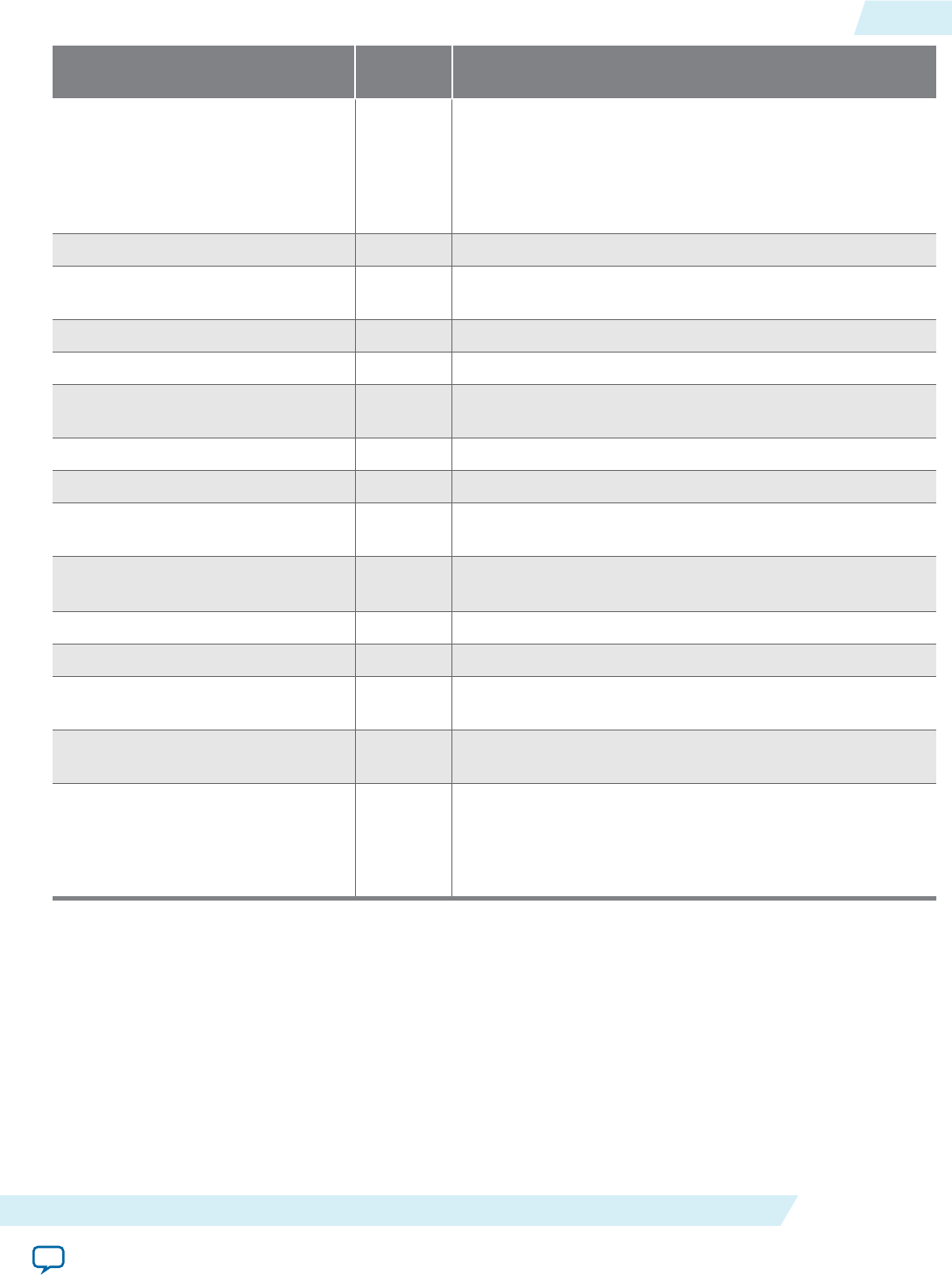
Feature Support
Status Notes
pointer assignments between
address spaces
●Arguments to __kernel functions declared in a program
that are pointers must be declared with the __global, __
constant, or __local qualifier.
The AOC enforces the OpenCL restriction against
pointer assignments between address spaces.
pointers to functions X The AOC does not enforce this restriction.
structure-type kernel arguments X Convert structure arguments to a pointer to a structure in
global memory.
images X The AOCL does not support images.
bit fields X The AOC does not enforce this restriction.
variable length arrays and
structures X
variable macros and functions X
C99 headers X
extern, static, auto, and
register storage-class specifiers X The AOC does not enforce this restriction.
predefined identifiers ●Use the -D option of the aoc command to provide
preprocessor symbol definitions in your kernel code.
recursion X The AOC does not enforce this restriction.
irreducible control flow X The AOC does not enforce this restriction.
writes to memory of built-in types
less than 32 bits in size
○Store operations less than 32 bits in size might result in
lower memory performance.
declaration of arguments to __
kernel functions of type event_t
X The AOC does not enforce this restriction.
elements of a struct or a union
belonging to different address
spaces
X The AOC does not enforce this restriction.
Warning: Assigning elements of a struct or a
union to different address spaces might
cause a fatal error.
Argument Types for Built-in Geometric Functions
The Altera SDK for OpenCL supports scalar and vector argument built-in geometric functions with
certain limitations.
UG-OCL002
2016.05.02 Argument Types for Built-in Geometric Functions A-5
Support Statuses of OpenCL Features Altera Corporation
Send Feedback
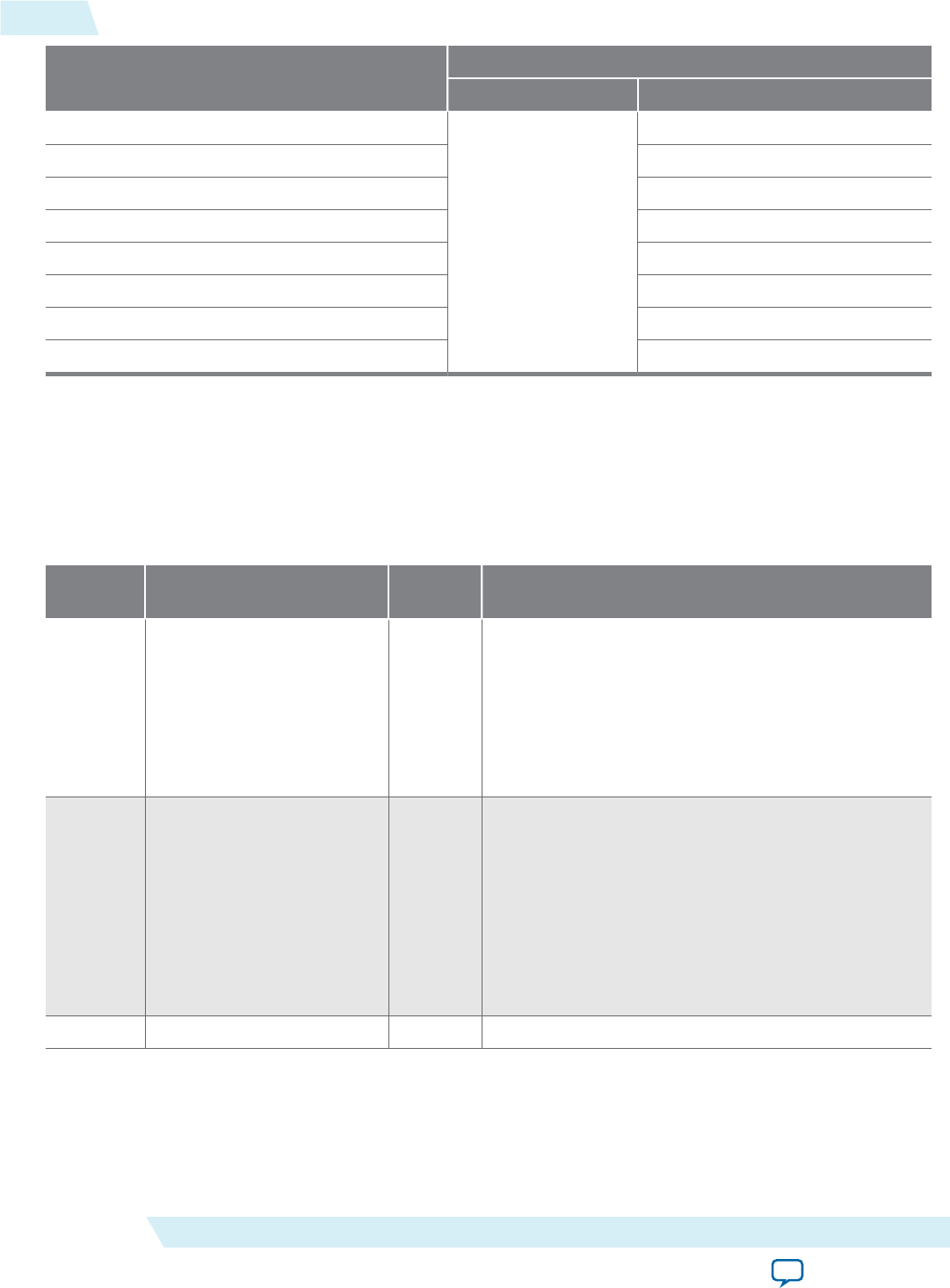
Function Argument Type
float double
cross
●
●
dot ●
distance ●
length ●
normalize ●
fast_distance —
fast_length —
fast_normalize —
Numerical Compliance Implementation
Section 7 of the OpenCL Specification version 1.0 describes features of the C99 and IEEE 754 standards
that OpenCL-compliant devices must support. The Altera SDK for OpenCL operates on 32-bit and 64-bit
floating-point values in IEEE Standard 754-2008 format, but not all floating-point operators have been
implemented.
The table below summarizes the implementation statuses of the floating-point operators:
Section Feature Support
Status Notes
7.1 Rounding Modes ○Conversion between integer and single and half
precision floating-point types support all rounding
modes.
Conversions between integer and double precision
floating-point types support all rounding modes on a
preliminary basis. This feature might not conform
with the OpenCL Specification version 1.0.
7.2 INF, NaN and Denormalized
Numbers
○Infinity (INF) and Not a Number (NaN) results for
single precision operations are generated in a
manner that conforms with the OpenCL Specifica‐
tion version 1.0. Most operations that handle
denormalized numbers are flushed prior to and after
a floating-point operation.
Preliminary support for double precision floating-
point operation. This feature might not conform
with the OpenCL Specification version 1.0.
7.3 Floating-Point Exceptions X
A-6 Numerical Compliance Implementation UG-OCL002
2016.05.02
Altera Corporation Support Statuses of OpenCL Features
Send Feedback
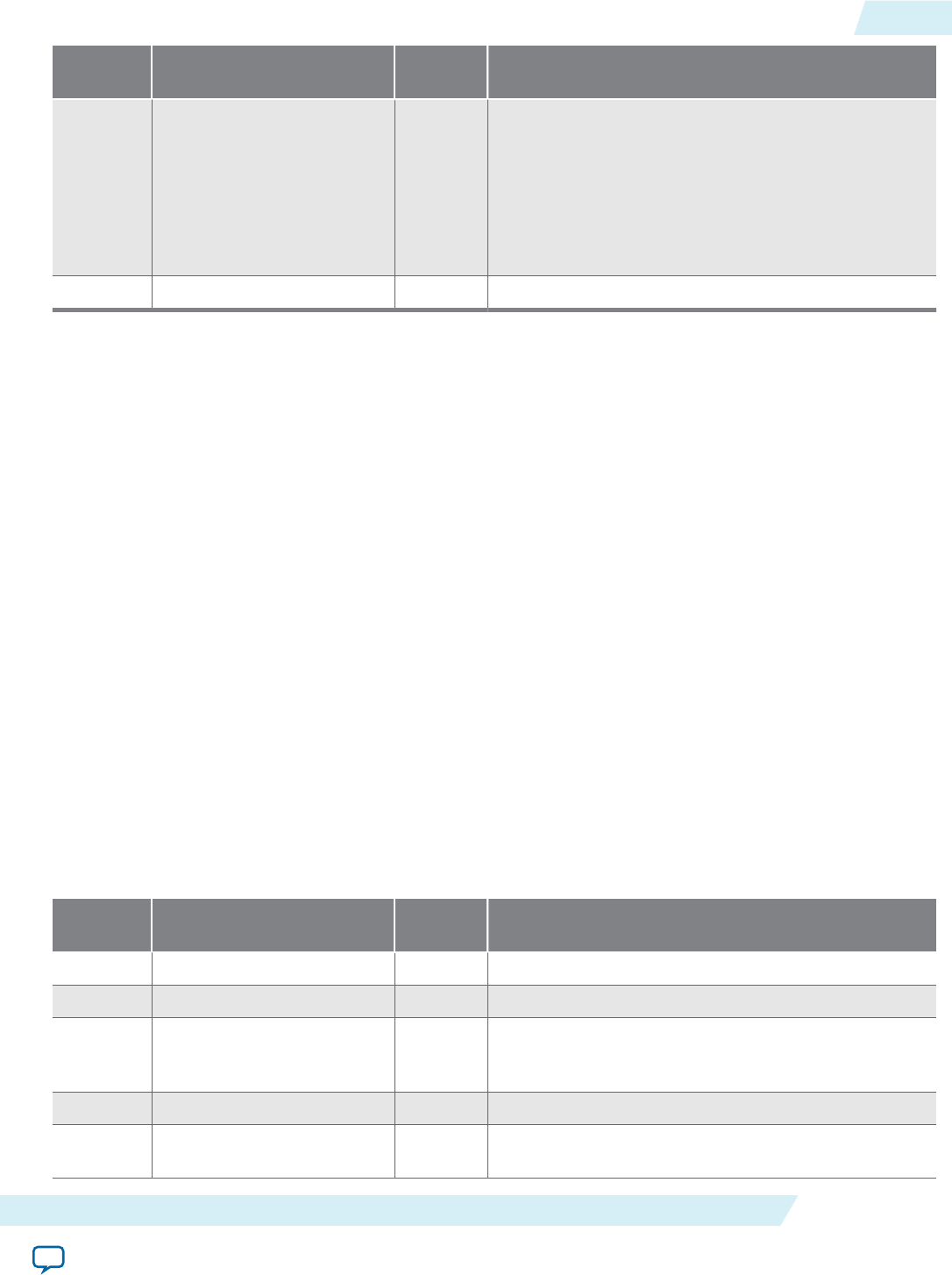
Section Feature Support
Status Notes
7.4 Relative Error as ULPs ○Single precision floating-point operations conform
with the numerical accuracy requirements for an
embedded profile of the OpenCL Specification
version 1.0.
Preliminary support for double precision floating-
point operation. This feature might not conform
with the OpenCL Specification version 1.0.
7.5 Edge Case Behavior ●
Image Addressing and Filtering Implementation
The Altera SDK for OpenCL does not support image addressing and filtering. The AOCL does not
support images.
Atomic Functions
Section 9 of the OpenCL Specification version 1.0 describes a list of optional features that some OpenCL
implementations might support. The Altera SDK for OpenCL supports atomic functions conditionally.
• Section 9.5: Atomic Functions for 32-bit Integers—The AOCL supports all 32-bit global and local
memory atomic functions. The AOCL also supports 32-bit atomic functions described in Section
6.11.11 of the OpenCL Specification version 1.1 and Section 6.12.11 of the OpenCL Specification version
1.2.
• The AOCL does not support 64-bit atomic functions described in Section 9.7 of the OpenCL Specifi‐
cation version 1.0.
Attention: The use of atomic functions might lower the performance of your design. The operating
frequency of the hardware might decrease further if you implement more than one type of
atomic functions (for example, atomic_add and atomic_sub) in the kernel.
Embedded Profile Implementation
Section 10 of the OpenCL Specification version 1.0 describes the OpenCL embedded profile. The Altera
SDK for OpenCL conforms with the OpenCL embedded profile with clarifications and exceptions.
The table below summarizes the clarifications and exceptions to the OpenCL embedded profile:
Clause Feature Support
Status Notes
1 64-bit integers ●
2 3D images X The AOCL does not support images.
3 Create 2D and 3D images
with image_channel_data_
type values
X The AOCL does not support images.
4 Samplers X
5 Rounding modes ●The default rounding mode for CL_DEVICE_SINGLE_
FP_CONFIG is CL_FP_ROUND_TO_NEAREST.
UG-OCL002
2016.05.02 Image Addressing and Filtering Implementation A-7
Support Statuses of OpenCL Features Altera Corporation
Send Feedback
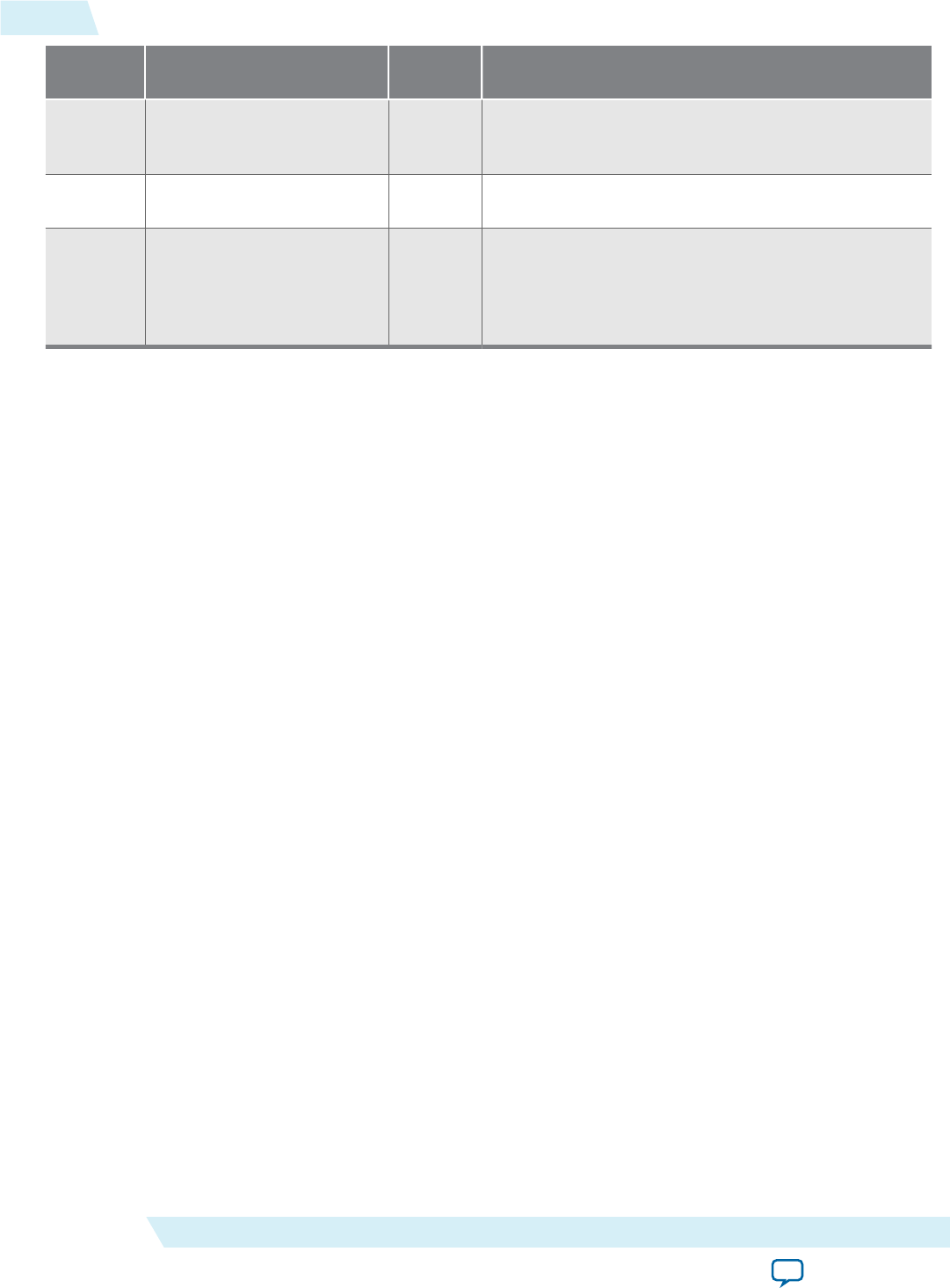
Clause Feature Support
Status Notes
6 Restrictions listed for single
precision basic floating-point
operations
X
7 half type X This clause of the OpenCL Specification version 1.0
does not apply to the AOCL.
8 Error bounds listed for
conversions from CL_UNORM_
INT8, CL_SNORM_INT8, CL_
UNORM_INT16 and CL_SNORM_
INT16 to float
●Refer to the table below for a list of allocation limits.
Support Statuses of OpenCL 1.2 Features
The following sections outline the support statuses of the OpenCL features described in the OpenCL
Specification version 1.2.
OpenCL 1.2 Runtime Implementation
The Altera SDK for OpenCL supports the implementation of sub-buffer objects and image objects. For
more information on sub-buffer objects and image objects, refer to sections 5.2 and 5.3 of the OpenCL
Specification version 1.2, respectively.
The AOCL also supports the implementation of the following APIs:
•clSetMemObjectDestructorCallback
•clGetKernelArgInfo
•clSetEventCallback
For more information on these APIs, refer to sections 5.4.1, 5.7.3, and 5.9 of the OpenCL Specification 1.2,
respectively.
Related Information
OpenCL Specification version 1.2
OpenCL 1.2 C Programming Language Implementation
The Altera SDK for OpenCL supports a number of OpenCL C programming language features that are
specified section 6 of the OpenCL Specification version 1.2. The AOCL conforms with the OpenCL C
programming language with clarifications and exceptions.
Attention: The support status "●" means that the feature is supported, and there might be a clarification
for the supported feature in the Notes column. The support status "○" means that the feature
is supported with exceptions identified in the Notes column.
A-8 Support Statuses of OpenCL 1.2 Features UG-OCL002
2016.05.02
Altera Corporation Support Statuses of OpenCL Features
Send Feedback
Table A-1: Support Statuses of OpenCL 1.2 C Programming Language Features
Section Feature Support
Status Notes
6.1.3 Other Built-in Data
Types
●Preliminary support. This feature might not conform
with the OpenCL Specification version 1.0.
6.12.12 Miscellaneous Vector
Functions
●The AOCL supports implementations of the
following additional built-in vector functions:
•vec_step
•shuffle
•shuffle2
6.12.13 printf ○Preliminary support. This feature might not conform
with the OpenCL Specification version 1.0. See below
for details.
The printf function in OpenCL has syntax and features similar to the printf function in C99, with a few
exceptions. For details, refer to the OpenCL Specification version 1.2.
To use a printf function, there are no requirements for special compilation steps, buffers, or flags. You
can compile kernels that include printf instructions with the usual aoc command.
During kernel execution, printf data is stored in a global printf buffer that the AOC allocates automati‐
cally. The size of this buffer is 64 kB; the total size of data arguments to a printf call should not exceed
this size. When kernel execution completes, the contents of the printf buffer are printed to standard
output.
Buffer overflows are handled seamlessly; printf instructions can be executed an unlimited number of
times. However, if the printf buffer overflows, kernel pipeline execution stalls until the host reads the
buffer and prints the buffer contents.
Because printf functions store their data into a global memory buffer, the performance of your kernel
will drop if it includes such functions.
There are no usage limitations on printf functions. You can use printf instructions inside if-then-else
statements, loops, etc. A kernel can contain multiple printf instructions executed by multiple work-
items.
Format string arguments and literal string arguments of printf calls are transferred to the host system
from the FPGA using a special memory region. This memory region can overflow if the total size of the
printf string arguments is large (3000 characters or less is usually safe in a typical OpenCL application).
If there is an overflow, the error message cannot parse auto-discovery string at byte offset
4096 is printed during host program execution.
Output from printf is never intermixed, even though work-items may execute printf functions
concurrently. However, the order of concurrent printf execution is not guaranteed. In other words,
printf outputs might not appear in program order if the printf instructions are in concurrent
datapaths.
Related Information
OpenCL Specification version 1.2
UG-OCL002
2016.05.02 OpenCL 1.2 C Programming Language Implementation A-9
Support Statuses of OpenCL Features Altera Corporation
Send Feedback
Support Statuses of OpenCL 2.0 Features
The following sections outline the support statuses of the OpenCL features described in the OpenCL
Specification version 2.0.
OpenCL 2.0 Runtime Implementation
The Altera SDK for OpenCL offers preliminary support for shared virtual memory implementation, as
described in section 5.6 of the OpenCL Specification version 2.0. For more information on shared virtual
memory, refer to section 5.6 of the OpenCL Specification version 2.0.
Important: Refer to your board's specifications to verify that your board supports shared virtual memory.
Related Information
OpenCL Specification version 2.0 (API)
OpenCL 2.0 C Programming Language Restrictions for Pipes
The Altera SDK for OpenCL offers preliminary support of OpenCL pipes.The following table lists the
support statuses of pipe-specific OpenCL C programming language implementations, as described in the
OpenCL Specification version 2.0
Attention: The support status "●" means that the feature is supported. There might be a clarification for
the supported feature in the Notes column. A feature that is not supported by the AOCL is
identified with an "X".
Table A-2: Support Statuses of Built-in Pipe Read and Write Functions
Details of the built-in pipe read and write functions are available in section 6.13.16.2 of the OpenCL Specification
version 2.0.
Function Support Status
int read_pipe (pipe gentype p, gentype *ptr) ●
int write_pipe (pipe gentype p, const gentype *ptr) ●
int read_pipe (pipe gentype p, reserve_id_t reserve_id, uint index,
gentype *ptr)
X
int write_pipe (pipe gentype p, reserve_id_t reserve_id, uint
index, const gentype *ptr)
X
reserve_id_t reserve_read_pipe (pipe gentype p, uint num_packets)
reserve_id_t reserve_write_pipe (pipe gentype p, uint num_packets)
X
void commit_read_pipe (pipe gentype p, reserve_id_t reserve_id)
void commit_write_pipe (pipe gentype p, reserve_id_t reserve_id)
X
bool is_valid_reserve_id (reserve_id_t reserve_id) X
A-10 Support Statuses of OpenCL 2.0 Features UG-OCL002
2016.05.02
Altera Corporation Support Statuses of OpenCL Features
Send Feedback
Table A-3: Support Statuses of Built-in Work-Group Pipe Read and Write Functions
Details of the built-in pipe read and write functions are available in section 6.13.16.3 of the OpenCL Specification
version 2.0.
Function Support Status
reserve_id_t work_group_reserve_read_pipe (pipe gentype p, uint
num_packets)
reserve_id_t work_group_reserve_write_pipe (pipe gentype p, uint
num_packets)
X
void work_group_commit_read_pipe (pipe gentype p, reserve_id_t
reserve_id)
void work_group_commit_write_pipe (pipe gentype p, reserve_id_t
reserve_id)
X
Table A-4: Support Statuses of Built-in Pipe Query Functions
Details of the built-in pipe query functions are available in section 6.13.16.4 of the OpenCL Specification version
2.0.
Function Support Status
uint get_pipe_num_packets (pipe gentype p) X
uint get_pipe_max_packets (pipe gentype p) X
Related Information
OpenCL Specification version 2.0 (C Language)
Altera SDK for OpenCL Allocation Limits
Item Limit
Maximum number of contexts Limited only by host memory size
Minimum global memory allocation by runtime The runtime allocates 64 kB of device memory
when the context is created.
If the OpenCL kernel uses the printf function, the
runtime allocates an additional 64 kB of device
memory.
Maximum number of queues 70
Attention: Each context uses two queues for
system purposes.
Maximum number of program objects per context 20
Maximum number of even objects per context Limited only by host memory size
UG-OCL002
2016.05.02 Altera SDK for OpenCL Allocation Limits A-11
Support Statuses of OpenCL Features Altera Corporation
Send Feedback
Item Limit
Maximum number of dependencies between events
within a context 1000
Maximum number of event dependencies per
command 20
Maximum number of concurrently running kernels The total number of queues
Maximum number of enqueued kernels 1000
Maximum number of kernels per FPGA device 64
Maximum number of arguments per kernel 128
Maximum total size of kernel arguments 256 bytes per kernel
Document Revision History
Table A-5: Document Revision History of the Altera SDK for OpenCL Programming Guide Appendix A:
Support Statuses of OpenCL Features
Date Document
Version Changes
May 2016 2016.05.02 In OpenCL 1.2 Runtime Implementation, noted that AOCL supports the
clSetEventCallback, clGetKernelArgInfo, and clSetMemObjectDes-
tructorCallback APIs.
November
2015 2015.11.02 • Categorized feature support statuses and limitations based on
OpenCL Specification versions.
• Added the following functions to the list of OpenCL-conformant
double precision floating-point functions:
sinh / cosh / tanh / asinh / acosh / atanh / pow / pown / powr / tanh /
atan / atan2 / ldexp / log1p / sincos
• In OpenCL 1.2 Runtime Implementation, added sub-buffer object
support.
• In OpenCL 2.0 Runtime Implementation, added preliminary shared
virtual memory support.
• In Altera SDK for OpenCL Allocation Limits, added a minimum
global memory allocation limit by the runtime.
May 2015 15.0.0 • Listed the double precision floating-point functions that the Altera
SDK for OpenCL supports preliminarily.
• Added OpenCL C Programming Language Restrictions for Pipes.
December
2014 14.1.0 • In AOCL Allocation Limits, updated the maximum number of kernels
per FPGA device from 32 to 64.
A-12 Document Revision History UG-OCL002
2016.05.02
Altera Corporation Support Statuses of OpenCL Features
Send Feedback
Date Document
Version Changes
June 2014 14.0.0 • Updated the following AOCL allocation limits:
• Maximum number of contexts
• Maximum number of queues
• Maximum number of even objects per context
December
2013 13.1.1 • Modified support status designations in Appendix: Support Statuses
of OpenCL Features.
• Removed information on OpenCL programming language restric‐
tions from the section OpenCL Programming Language Implementa‐
tion, and presented the information in a new section titled OpenCL
Programming Language Restrictions.
November
2013 13.1.0 Maintenance release.
June 2013 13.0 SP1.0 • Renamed Optional Extensions to Atomic Functions, and updated its
content.
• Removed Platform Layer and Runtime Implementation.
May 2013 13.0.1 Maintenance release.
May 2013 13.0.0 • Added updated information on allocation limits and OpenCL
language support.
November
2012 12.1.0 Initial release.
UG-OCL002
2016.05.02 Document Revision History A-13
Support Statuses of OpenCL Features Altera Corporation
Send Feedback
