Asus Notebook PC N550JVDB72T Dell Latitude E5430 Spec Sheet
User Manual: Asus Notebook PC N550JVDB72T
Open the PDF directly: View PDF  .
.
Page Count: 2
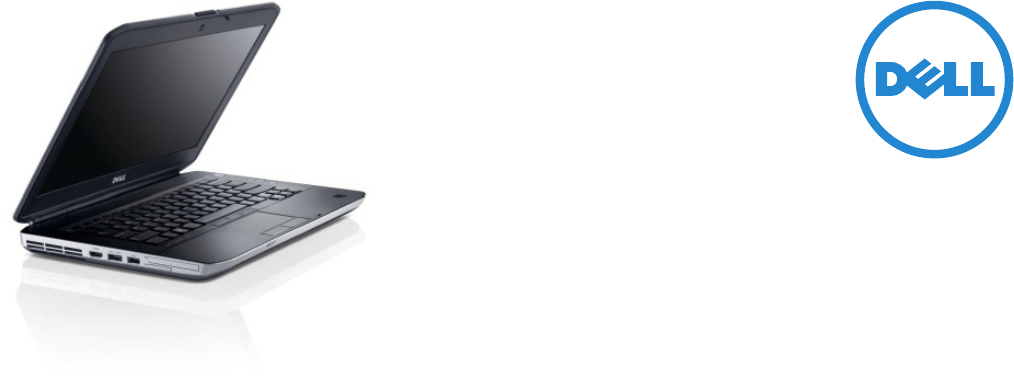
Inspired Design
With a 14” display and on-the-go stylish design, the Latitude
E5430 balances productivity and durability. Armored with a Tri-
Metal™ casing, anodized aluminum display back, magnesium
alloy internal frame, steel hinges and zinc alloy latches, the
Latitude E5430 is built to be business rugged. StrikeZone™
shock absorber and Fast Response Free-Fall Sensor help protect
data from drops and vibration, while the spill-resistant keyboard
and LCD protective seal further help protect the system from
the bumps and spills of everyday work.
Dell’s new generation of Latitude E-family laptops are the most
environmentally-responsible Latitude laptops ever. All systems
are BFR/PVC-free1 and oer recyclable packaging and highly
ecient power adapters.
Go-Anywhere Productivity
The Dell Latitude E5430 delivers excellent performance in
a highly mobile package. Power through the work day with
the latest Intel® Core™ i5 or i7 processor options, high-
bandwidth DDR3 memory and Intel® HD graphics. With 6-
and 9-cell battery options, E-Family battery slice options, and
ExpressCharge™ for 80% recharge in an hour, the E5430 helps
give users the power they need to stay productive.
Designed for on-the-go collaboration, the Latitude E5430
enables users to connect with colleagues from virtually
anywhere with a high-performing antenna and wireless and
mobile broadband options. The optional built-in HD webcam,
array microphones and Microsoft Unified Communications
help provide an optimal video conferencing experience.
The Latitude E5430 180 degree LCD movement and optional
backlit keyboard enable users to work comfortably even in
low-light environments, while E-port docking solutions allow
seamless transition to full desktop productivity while in the oce.
Business-Class Control
Manage and maintain your Latitude E5430 with ease with
TruManage technology or the latest Intel® vPro systems
management iAMT 8.x, which helps deliver seamless out-of-
band management. Dell‘s remote BIOS management oers
ecient remote-control over firmware settings. Minimize
stocked parts with one common dock, AC adapter and
accessories across the E-family line, and easily upgrade or
service key components via a convenient, single access door,
now with fewer screws.
Confidently safeguard data with Dell Data Protection software2,
Trusted Platform Module (TPM)3, encrypted hard drive options3,
and smart card and fingerprint reader login access options.
Strengthen security with port control options, physical
hardware lock, and optional tracking and recovery services.
Dell Latitude long lifecycles, managed transitions, and
ImageWatch™ advance look at software and hardware
changes help ensure long-term stability so you can easily plan
for the future.
And, of course, the Latitude E5430 is backed by a wide range of
global services and support. Customize Dell ProSupport
4
for your
specific needs, and simplify deployment with Dell Deployment
Services, Configuration Services, and Dell ImageDirect™.
Integrated Solutions
Dell oers tailored solutions for cost eective security,
management, and end-user productivity.
Dell Data Protection | Encryption
2
oers a single solution for
flexible data encryption across your network and removable
media. One-touch preset compliance policy templates enable
fast deployment, and the solution delivers the highest level of
Federal Information Processing Standards 140-2 certification
commercially available with the optional Hardware Encryption
Accelerator.
Dell Desktop Virtualization Solutions provide a datacenter
infrastructure to improve data security, streamline
management, and speed time to value with purpose-built
hardware, software and services for client virtualization. Dell’s
services and flexible delivery models help define and implement
the right solution for your needs.
Dell systems management solutions help you centralize
management, automate processes, and reduce support costs.
Each client system comes with a complete set of utilities to
enable industry-leading consoles, like Microsoft System Center
tools, to better deploy, configure, manage, and update those
devices. Dell also oers KACE appliances to help seamlessly
manage endpoints, or Dell Services can help define and
implement the right client management solution for your
unique needs.
Dell Cloud Solutions help you ooad select IT workloads and
adopt an on-demand, pay-as-you-go model that scales with
your organization. Automate manual or resource intensive
tasks such as email management and crisis management and
alerting.
Dell Latitude E5430
Ideal for professionals looking for a budget-friendly blend of mobility and at-your-desk computing, the
Dell™ Latitude™ E5430 can perform wherever you need to work.

Discover leading-edge laptops at Dell.com/Latitude
1. Dell Latitude laptops are brominated flame retardant free (BFR-free) and polyvinyl chloride free (PVC-free); meeting the definition of BFR-/PVC-free as set forth in the iNEMI Position
Statement on the ‘Definition of Low-Halogen Electronics (BFR-/CFR-/PVC-free)’. Plastic parts contain less than 1,000 ppm (0.1%) of bromine (if the Br source is from BFRs) and less
than 1,000 ppm (0.1%) of chlorine (if the Cl source is from CFRs or PVC or PVC copolymers). All printed circuit board (PCB) and substrate laminates contain bromine/chlorine total
less than 1,500 ppm (0.15%) with a maximum chlorine of 900 ppm (0.09%) and maximum bromine being 900 ppm (0.09%).
2. Oering available in select countries.
3. Not available in China or Russia.
4. Availability and terms of Dell Services vary by region. For more information, visit www.dell.com/servicedescriptions.
5. Only available in emerging markets.
6. A 64-bit operating system is required to support 4GB or more of system memory.
7. Significant system memory may be used to support graphics, depending on system memory size and other factors
8. GB means 1 billion bytes and TB equals 1 trillion bytes; actual capacity varies with preloaded material and operating environment and will be less.
9. Limited Hardware Warranty: For copy of Ltd Hardware Warranty, write Dell USA LP, Attn: Warranties, One Dell Way, Round Rock, TX 78682 or see www.dell.com/warranty.
10. Mobile Broadband: Subject to wireless provider’s broadband subscription and coverage area; additional charges apply.
11. Please refer to www.epeat.net for specific country registration rating and participation.
12. Based on preliminary Dell lab testing. Weights vary depending on configuration and manufacturing variability.
13. 1x8GB or 2x8GB memory options only avaialble via CFI service
Feature Technical Specification
Processor Options Intel® CoreTMi3, i5 and i7 up to i7-35xxM; Intel® Celeron® Bxxx processors
Operating System Options Genuine Windows
®
7 Home Basic2,5, Genuine Windows
®
7 Home Premium
Genuine Windows
®
7 Professional, Genuine Windows
®
7 Ultimate
Linux Ubuntu 11.10
Memory6 Options DDR3 SDRAM 1600MHz 2 slots supporting 2G, 4GB, 8GB13 DIMMs
Chipset Mobile Intel
®
HM77 Express Chipset with Broadcom LOM and TruManage™
Mobile Intel® QM77 Express Chipset with Intel LOM and vPro™
Graphics7 Options Intel® HD Graphics 3000 for Intel Core i3/i5/i7 2xxxM and Celeron® processors
Intel® HD Graphics 4000 for Intel Core i3/i5/i7 3xxxM processors
Display 14.0” HD (1366x768) Anti-Glare LED
14.0” HD+ (1600x900) Anti-Glare LED
Storage8 Options
7200 rpm SATA up to 500GB
Encrypted 7200 rpm 320GB
3
Mobility Solid State up to 128GB
Dell Fast Response Free Fall Sensor (standard on the motherboard)
Optical Drive Options DVD-ROM, DVD+/-RW
Multimedia Options High quality speakers, Stereo headphone/Microphone combo jack, Integrated
noise reducing array microphones, Optional integrated HD video webcam and
Dell Webcam Central software
Battery Options 4-cell (40Whr) Lithium Ion battery with ExpressCharge™
6-cell (60Whr) Lithium Ion battery with ExpressCharge™
9-cell (97Wh) Lithium Ion battery with ExpressCharge™
9-cell (87Whr) 3 Year Limited Hardware Warranty9 Lithium Ion battery
9-cell (97Wh) Extended battery slice
Power Options 65 Watt or 90W AC Adapter, 65W BFR/PVC Free AC Adapter2, 90W Auto/Air DC
adapter (optional)
Connectivity 10/100/1000 Gigabit Ethernet
Wireless LAN Options:
Intel® Centrino® Advanced-N 6205, Intel® Centrino® Ultimate-N 6300, Dell
Wireless™ 1504 (802.11g/n 1x1), Dell Wireless 1540 (802.11n 2x2)
Mobile Broadband10 & GPS Options:
Dell Wireless 5630 Multi-mode HSPA-EVDO Mini Card (Gobi™ 3000) with A-GPS
2
,
Dell Wireless 5560 Single-mode HSPA Mini Card with A-GPS2
Bluetooth Option:
Dell Wireless 380 Bluetooth® 4.0
Ports, Slots & Chassis Network connector (RJ-45), USB 2.0 (1), USB3.0 (2) – 1 USB 3.0/eSATA combo,
Stereo headphone/Microphone combo jack, Memory card reader, 54 mm
ExpressCard, Docking Connector, VGA, HDMI, 1 Full and 2 Half Mini Card Slots,
Optional SmartCard Reader11
Input Device Options Single pointing or backlit dual pointing keyboard (Note: Fingerprint Reader tied to
backlit keyboard only)
Multi-touch Touchpad
Dimensions & Weight12 Width: 13.78”/350mm
Height: (front/back) 1.18”/29.9mm to 1.28”/32.5mm
Depth: 9.45”/240mm
Starting weight: 4.5lbs/2.04kg (with 4-cell battery and airbay)
Regulatory and Environmental Compliance Regulatory Model: P27G Regulatory Type: P27G001
ENERGY STAR 5.2 (Windows OS), EPEAT registered11
Systems Management DASH, Intel® vPro™ Technology’s advanced management features (optional,
requires Intel WiFi® Link WLAN), TPM 1.23
Warranty & Support Services Limited Hardware Warranty9 Standard 3-year Next Business Day On Site Service
after Remote Diagnosis4. Optional 3 year Dell ProSupport oers premium support
from expert technicians and 24x7 global availability4.
Configuration Services4Factory Image load. BIOS Customization. Hardware Customization, Asset Tag-
ging and Reporting.
