EIZO EasyPIX Software Brochure Flex Scan S2242W
User Manual: FlexScan S2242W
Open the PDF directly: View PDF  .
.
Page Count: 4
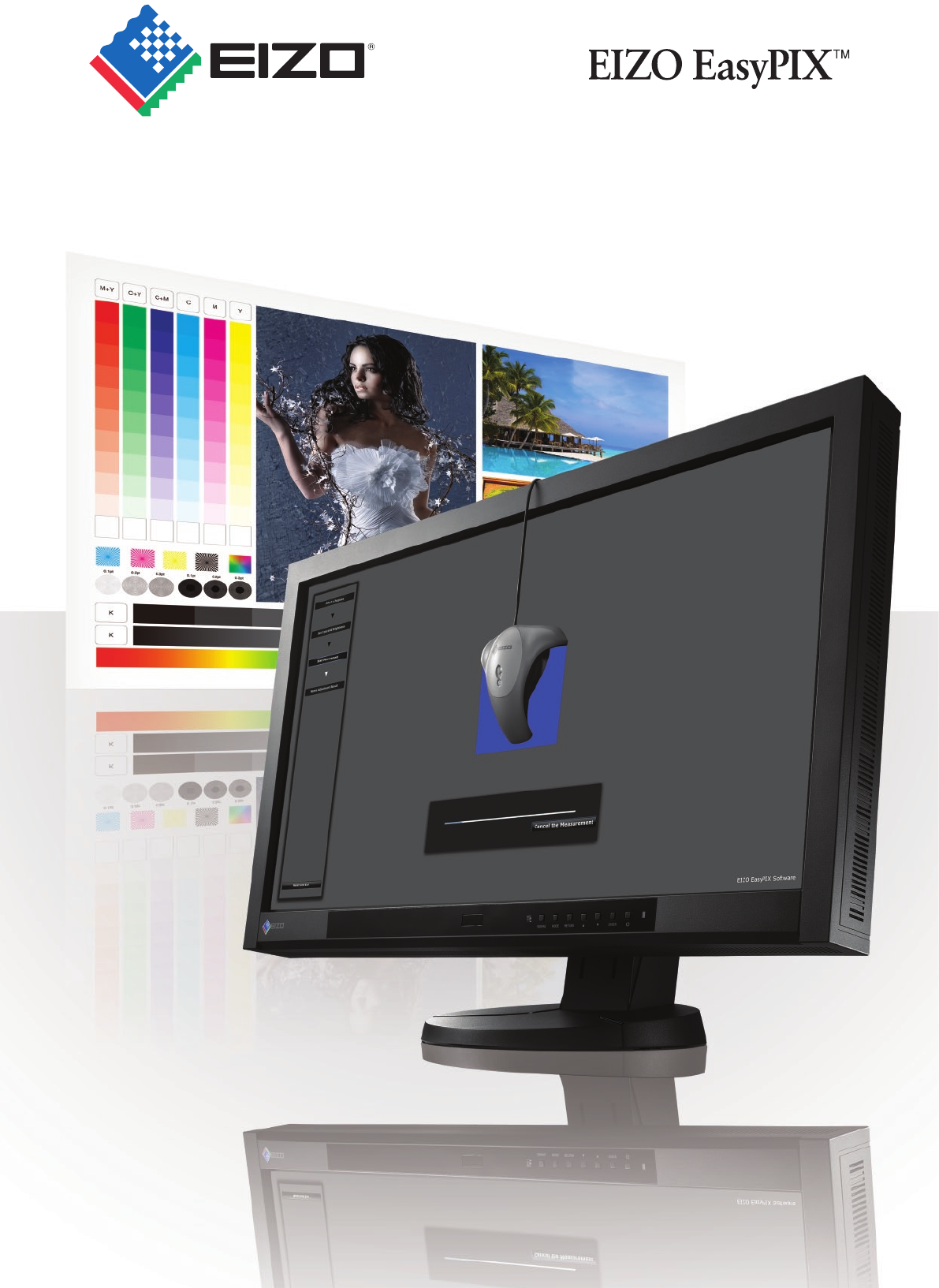
Color Matching Tool
Expert color made exceptionally easy
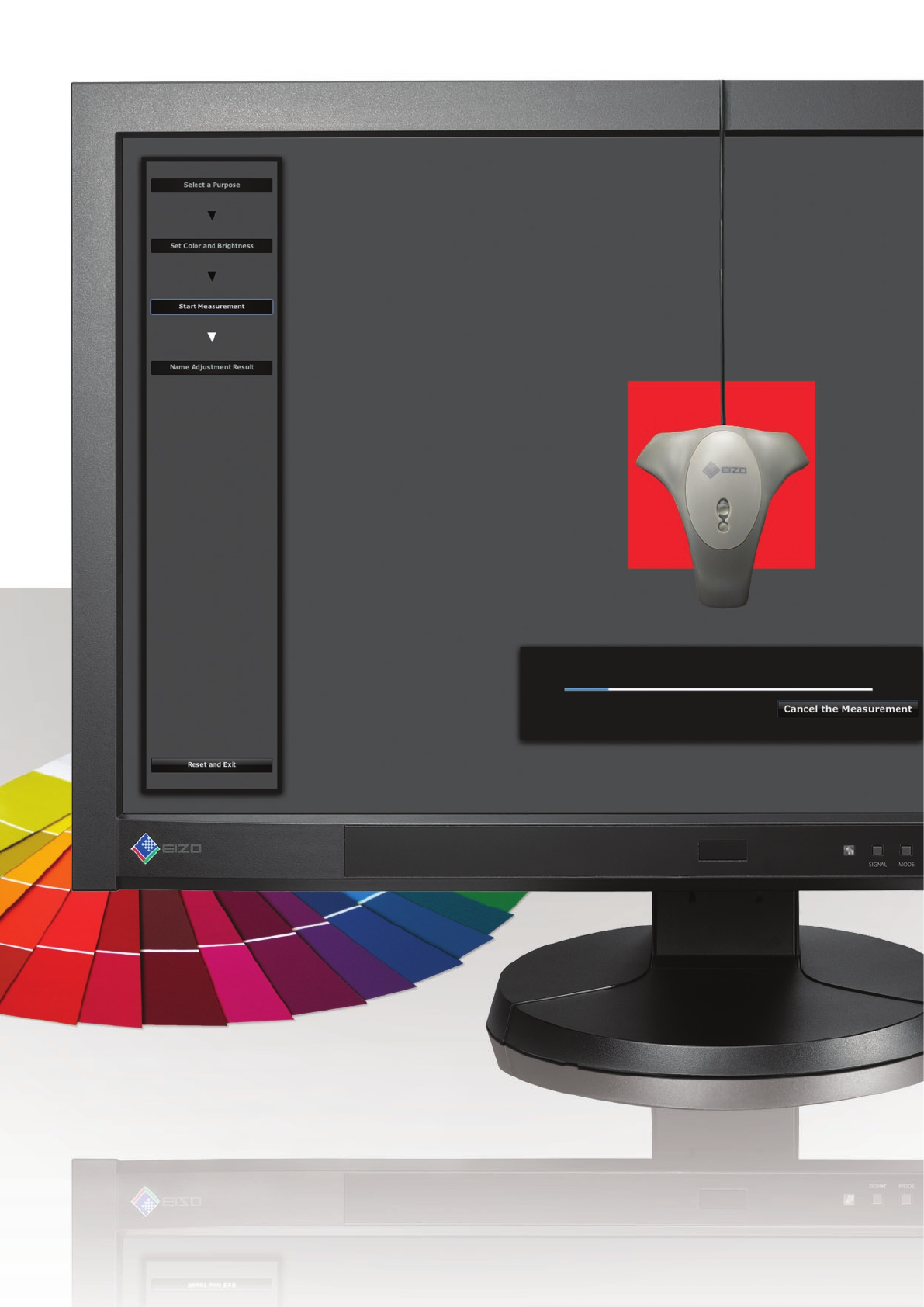
Consisting of calibration software and a
color sensor, EIZO EasyPIX lets graphics
professionals get consistent, predictable
color with select EIZO monitors through
hardware calibration.
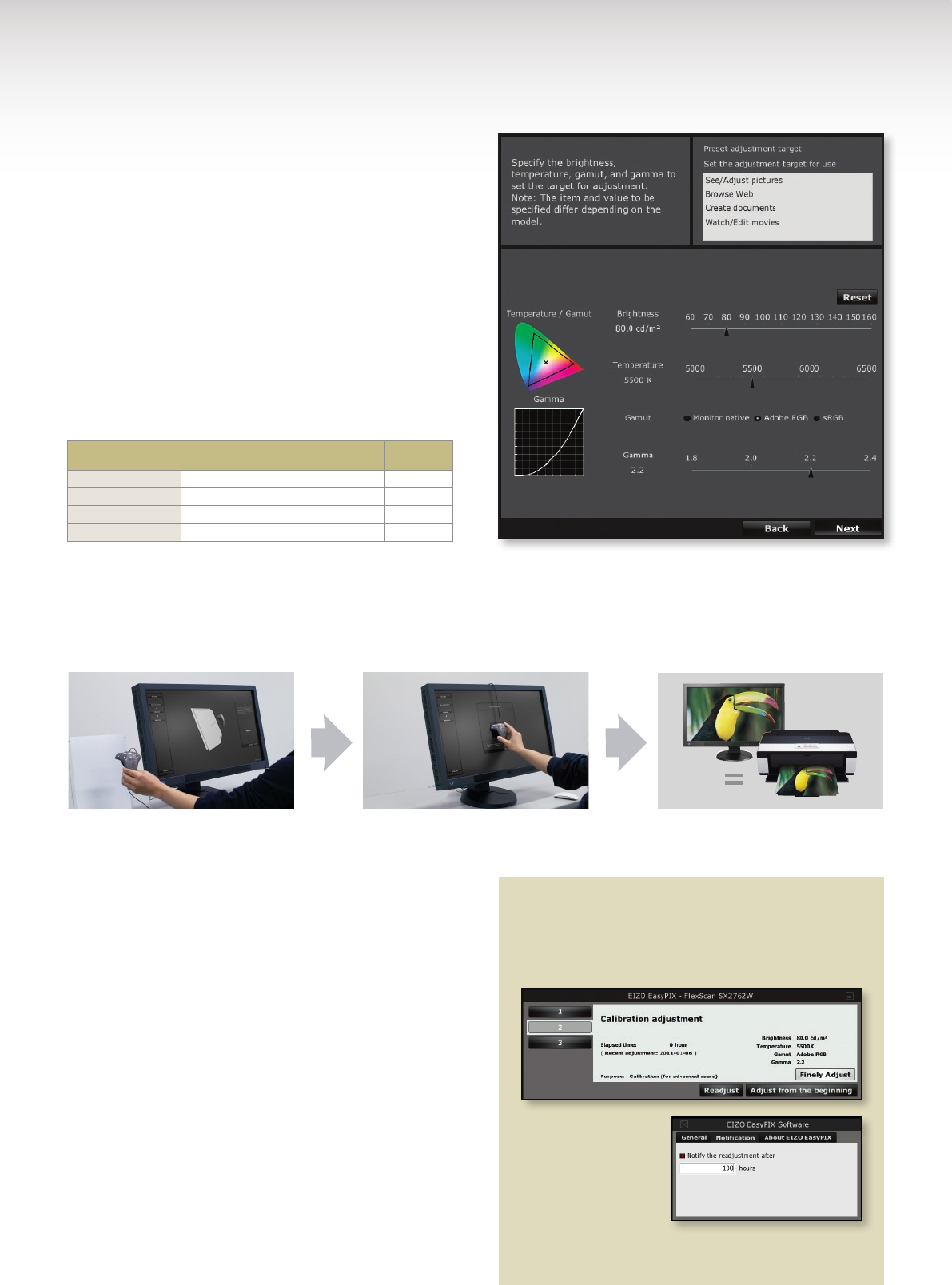
Predictable Color with Hardware Calibration
EIZO EasyPIX is a hardware calibration solution available
for select EIZO models that directly adjusts the monitor’s
color settings instead of its graphics board’s output to deliver
predictable color. With EasyPIX in “Calibration” mode,
all you have to do is set the brightness, color temperature,
gamut and gamma.
Color parameters can be adjusted as follows:
•Brightness:60–160cd/m2
•Colortemperature:5,000K–6,500K
•Gamut*:Monitornative,AdobeRGB,orsRGB
•Gamma:1.8to2.2or2.4(variesbymodel)
You can also select calibration presets for common
tasks listed in the table below. This takes the guesswork
out of assigning values for users with limited color manage-
ment knowledge.
* Only available with FlexScan SX Series, except FlexScan SX3031W.
Color Matching Between Your Prints and Monitor
EasyPIX also comes with a “Matching” mode for simple
color matching between your prints and your monitor
through paper white measurement.
Task Brightness
Color
Temperature Color Gamut Gamma
See/Adjust Pictures 80 cd/m25500 K Adobe RGB 2.2
Browse Web 100 cd/m26500 K sRGB 2.2
Create Documents 80 cd/m25500 K sRGB 2.2
Watch/Edit Movies 120 cd/m26500 K sRGB 2.2
Photo Viewing Mode
Photo Viewing Mode sets the monitor’s color temperature
to5500K,acommondefaultsettingatwhichmanydigital
cameras take photos. It also lets you adjust the monitor’s
brightness.
Web Viewing Mode
Web Viewing Mode is ideal for previewing how others will
see your photos when shared online. Web Viewing mode’s
6500Kdefaultcolortemperatureisthesameasmostweb
browsers. You can also adjust the brightness manually for
greater control.
Measure the white of your printing
paper with the EX1 sensor.
Calibrate and save the monitor’s set-
tings to make a color profile.
With proper printer settings, the colors
of your photo prints match those on
your monitor.
Fine Tuning and Recalibration Reminder
If your monitor needs further adjustment after using
Calibration or Matching mode, fine-tune the bright-
ness and color manually by selecting “Finely Adjust.”
To ensure optimal
color display over
time, set EasyPIX to
remind you to recali-
brate your monitor at
specific intervals. You
can recalibrate your monitor to its current settings
with a single click.
153Shimokashiwano,Hakusan,Ishikawa924-8566Japan
Phone+81-76-277-6792 Fax:+81-76-277-6793
www.eizo.com
©2011 Eizo Nanao Corporation
All product names and logos are trademarks or registered trademarks of their respec-
tive companies. EIZO EasyPIX is a trademark, and FlexScan and EIZO are registered
trademarks of EIZO Nanao Corporation.
Specifications are subject to change without notice.
The FlexScan SX series is
designed for professionals in
digital photography, video edit-
ing, animation CAD, and DTP. All
models have a wide color gamut
and 8- or 10-bit* simultaneous
display to deliver consistent
color results with EIZO EasyPIX.
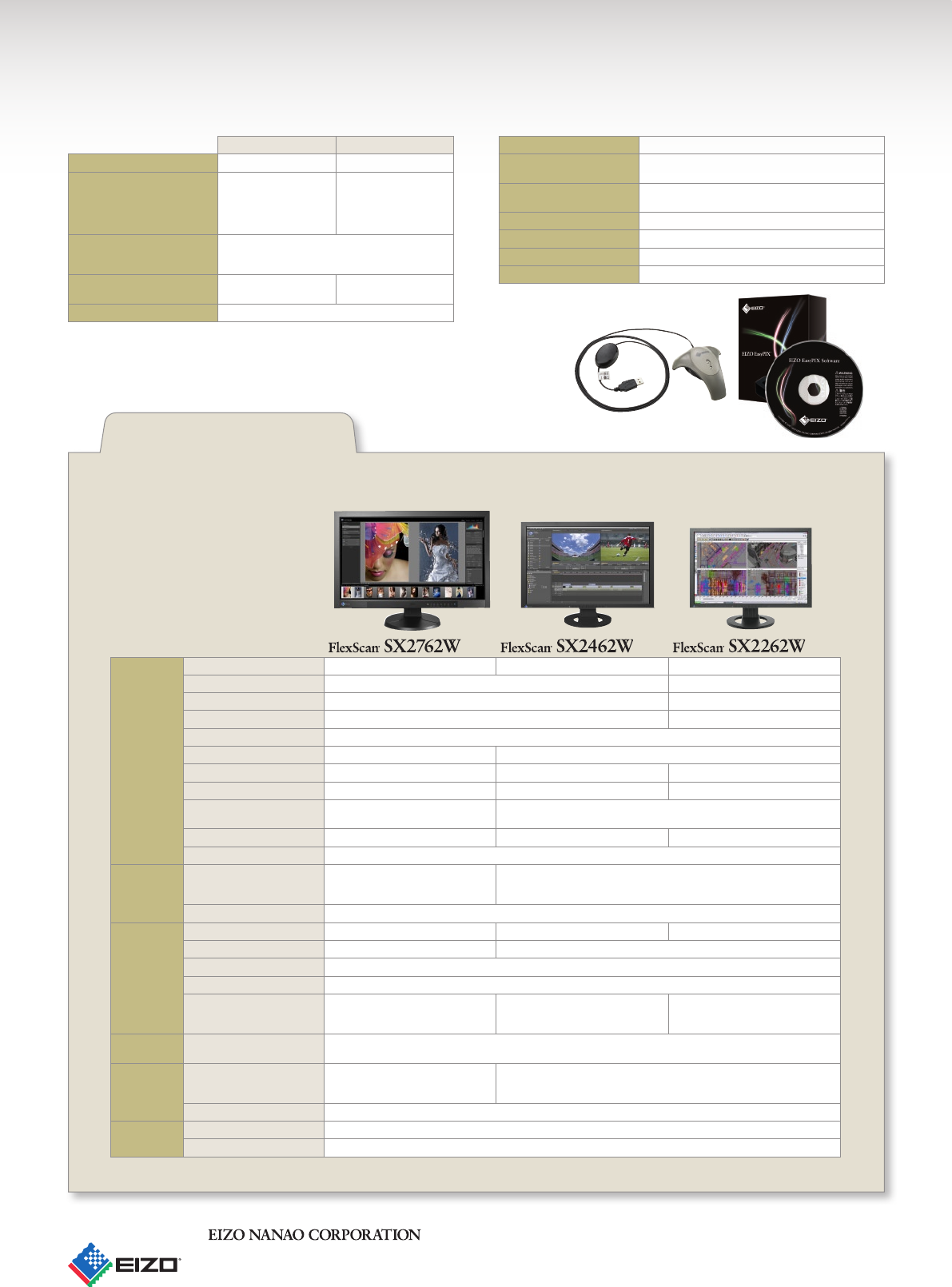
EIZO EasyPIX Software System Requirements EX1 Sensor Specifications
Mac Windows
Compatible Operating Systems OS X 10.4.11 and above 7, Vista, XP
Additional Requirements Apple Macintosh system
that fulfills Mac OS X
requirements (16.7 mil-
lion colors), one available
USB 2.0 port
1GHz or faster Pentium
prcessor, 128 MB of RAM,
(16.7 million colors), one
available USB 2.0 port
Compatible Monitors (USB) FlexScan SX3031W, SX2762W, SX2761W, SX2462W,
SX2461W, S2433W, S2432W, SX2262W, S2243W,
S2242W, S2233W, S2232W
Compatible Monitors (DDC/CI) –FlexScan T2351W,
EV2333W, FORIS FS2331
Package Contents EIZO EasyPIX CD-ROM, EX1 sensor
The latest version of EIZO EasyPIX software is always available as a free download at www.eizo.com.
Recommended Monitors
for EIZO EasyPIX
Panel Size 27"/ 68 cm (684 mm diagonal) 24.1" / 61 cm (611 mm diagonal) 22" / 56 cm (558 mm diagonal)
Type IPS (with overdrive circuit) VA (with overdrive circuit)
Brightness 270 cd/m2280 cd/m2
Contrast 850:1 1000:1
Viewing Angles (H, V) 178°, 178° (at contrast ratio of 10:1)
Resolution 2560 × 1440 (16:9 aspect ratio) 1920 × 1200 (16:10)
Pixel Pitch 0.2331 × 0.2331 mm 0.270 × 0.270 mm 0.247 × 0.247 mm
Response Time (Typical) Gray-to-gray: 6 ms Gray-to-gray: 5 ms Gray-to-gray: 6 ms
Display Colors 1.07 billion from a palette of 278
trillion
DisplayPort: 1.07 billion from a palette of 278 trillion
DVI: 16.77 million from a palette of 278 trillion
Wide Gamut Coverage Adobe RGB 97%, 102% vs NTSC Adobe RGB 98%, 102% vs NTSC Adobe RGB 95%, 92% vs NTSC
Look-up Table 16 bits per color
Video and
USB
Video Input Terminals DisplayPort × 1 (with HDCP)
Mini DisplayPort × 1 (with HDCP)
DVI-D 24 pin × 1 (with HDCP)
DVI-I 29 pin × 2 (with HDCP)
DisplayPort (with HDCP)
USB Ports / Standard 1 upstream, 2 downstream / USB 2.0
Physical
Specifica-
tions
Height Adjustment Range 151.5 mm 157 mm 174 mm
Tilt 25° Up, 0° Down 30° Up, 0° Down
Swivel 172° Right, 172° Left
Pivot 90°
Dimensions (W × H × D) With Stand: 646 × 452 – 576.5 ×
281.5 mm, Without Stand: 646 × 402
× 92 mm
With Stand: 566 × 381.5 – 538.5 ×
242 – 256 mm, Without Stand: 566 ×
367 × 85 mm
With Stand: 511 × 347.5 – 521.5 ×
240.5 – 256 mm, Without Stand: 511
× 333 × 85 mm
OSD Adjust-
ment Function
Color Adjustment Brightness, Contrast, Independent 6-Color Control, Gamma, Temperature,
Saturation, Hue, Gain, Contrast and Outline Enhancer, Reset
Other Fea-
tures
Preset Modes Color Mode (Paper, Text, Picture,
Movie, sRGB, User1, User2, User3),
Auto Fine Contrast
Color Mode (Text, Picture, Movie, sRGB, User1, User2, User3), Auto Fine
Contrast
Digital Uniformity Equalizer •
General Available Cabinet Colors Black
Warranty Five Years
*A graphics board and software which support 10-bit output are necessary for 10-bit display.
Interface USB (Rev 2.0)
Operational Environment 15 °C – 35 °C
30% – 80% R.H. non-condensing
Storage Environment -10 °C – 60 °C
30% – 80% R.H. non-condensing
Power Supply 5.0 ± 0.25 V max.100 mA
Dimensions (W × H × D) 93 × 99 × 33 mm
Certifications and Standards CE, FCC-B, RoHS, WEEE
Warranty Two Years
